A rank tracker looks affordable until you add the locations, devices and reports you actually need. That generous keyword allowance may cover weekly checks, while the dashboard connection you wanted sits on a higher plan.
Paying more doesn’t automatically solve this. You can buy a large SEO suite and still miss the local results that matter to your store. This comparison separates those buying decisions, so you can choose a tracker that covers your searches, reveals useful changes and fits the work you’ll do each week.
Best Rank Tracking Tools at a Glance
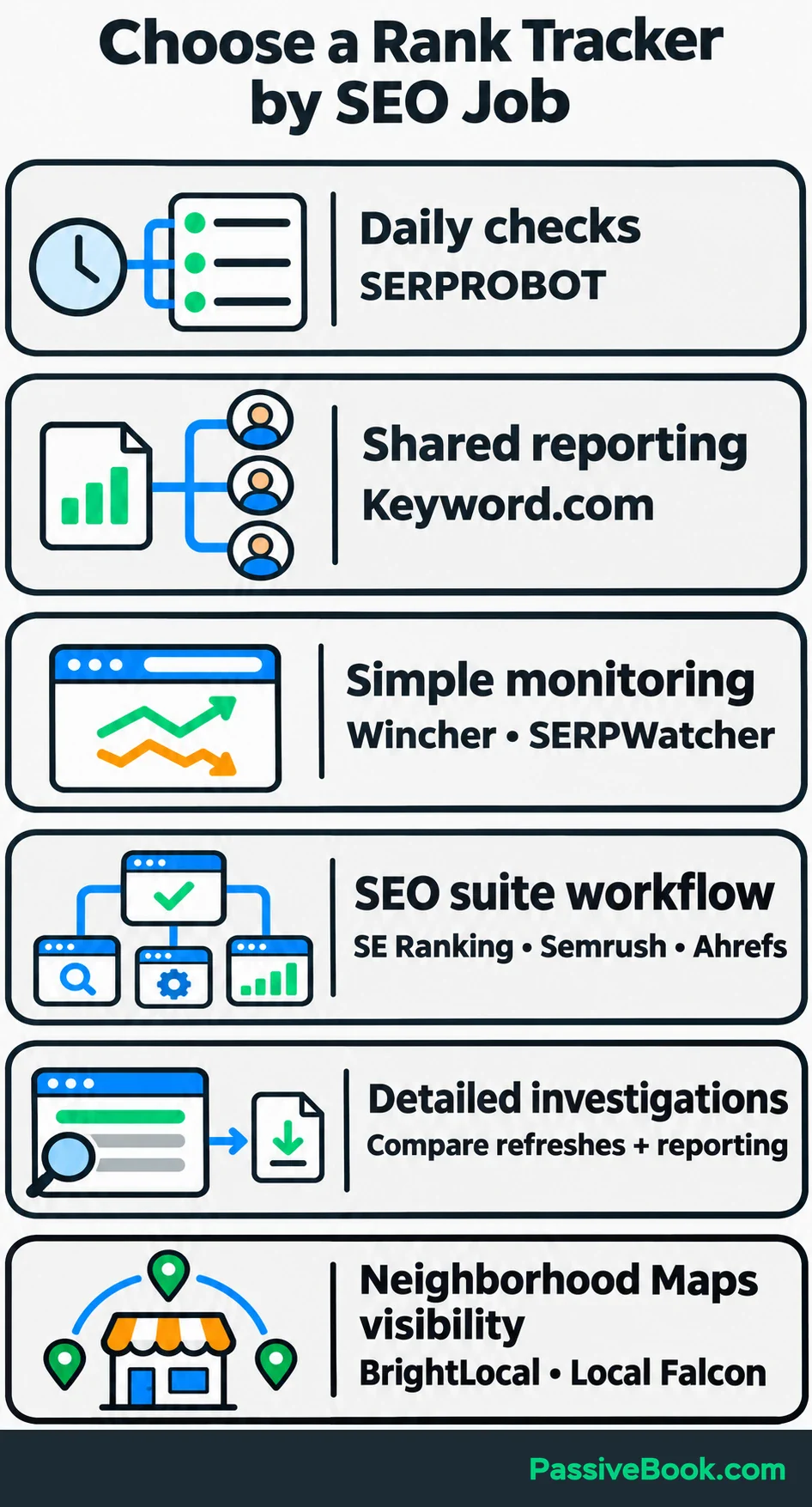
I would build your shortlist around the job you need done:
- For inexpensive daily checks: Start with SERPROBOT.
- For focused tracking with shared reporting: Compare Keyword.com’s configured update schedule and complete reporting cost.
- For straightforward website monitoring: Compare Wincher with SERPWatcher, but check whether you need daily or weekly updates.
- For tracking within an SEO suite: Compare SE Ranking, Semrush and Ahrefs against the research and auditing subscriptions they could replace.
- For detailed monitoring and reporting: Compare Nightwatch, AccuRanker, Advanced Web Ranking, ProRankTracker and Nozzle around refresh controls, reporting and data access.
- For neighborhood-level Maps visibility: Compare BrightLocal and Local Falcon. Their grids show business-listing visibility from multiple search locations.
These are use-case shortlists from the 19 tools below. This is a researched comparison of documented capabilities and plan rules, and the “best for” labels are my buying recommendations, not measured accuracy rankings.
How to Compare Rank Tracking Plans
Decide Whether You Need a Paid Tracker
Start with the question your current reports cannot answer.
Google Search Console already shows clicks, impressions, click-through rate and average position. But its average position summarizes search appearances that received impressions. It does not reproduce a scheduled check for one fixed location and device. Google explains how position is calculated.
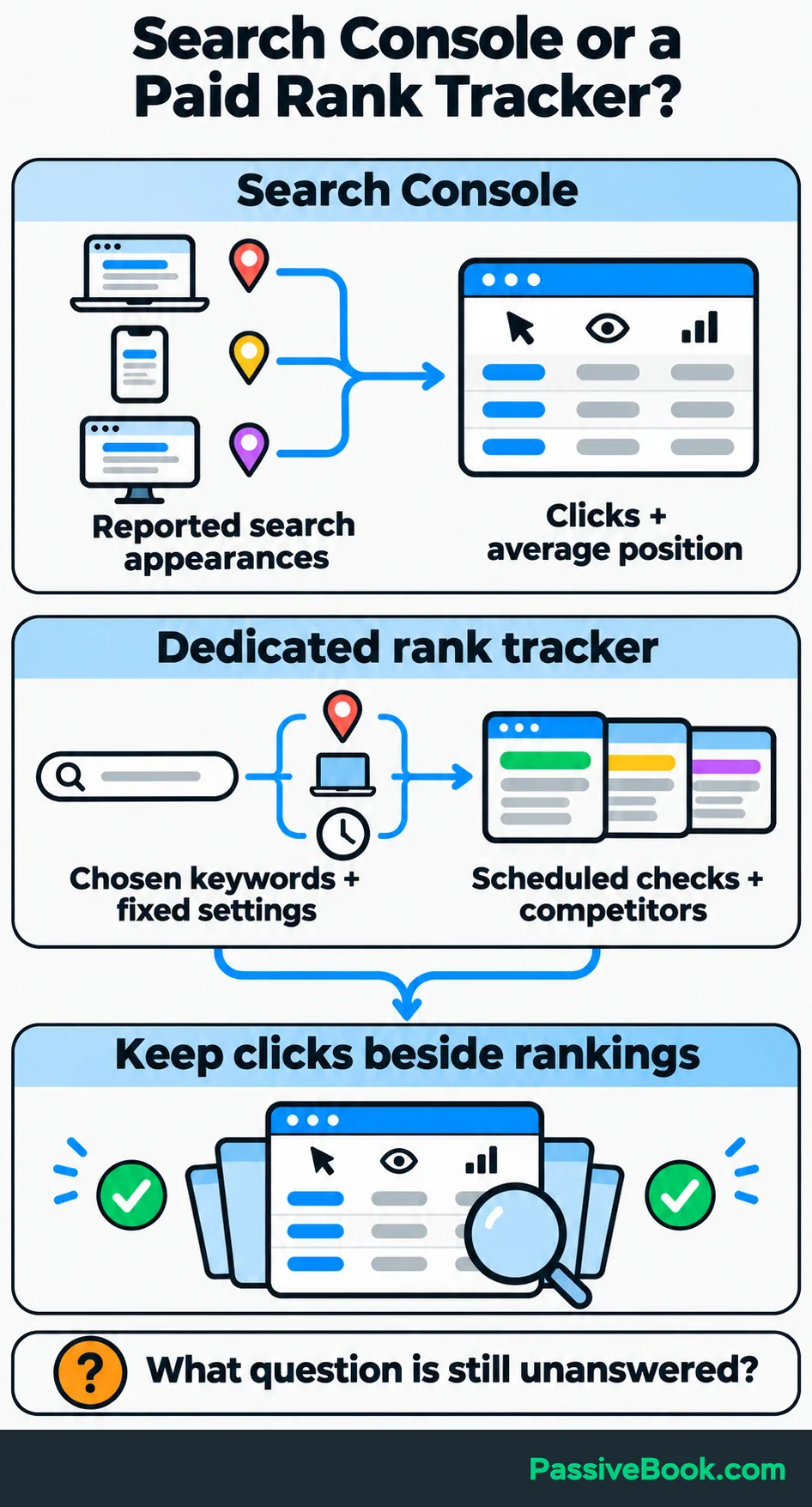
A dedicated tracker earns its place when you need to:
- Follow a chosen keyword list on a regular schedule.
- Compare your positions with competitors.
- Monitor particular cities, devices or search engines.
- Investigate which page ranks when positions change.
If you already pay for an SEO suite, try its included tracking first. Another subscription needs to solve a problem you can name.
I would keep Search Console either way. Rankings help you investigate visibility, while clicks show whether people are reaching your site.
Match the Search Results You Need to Monitor
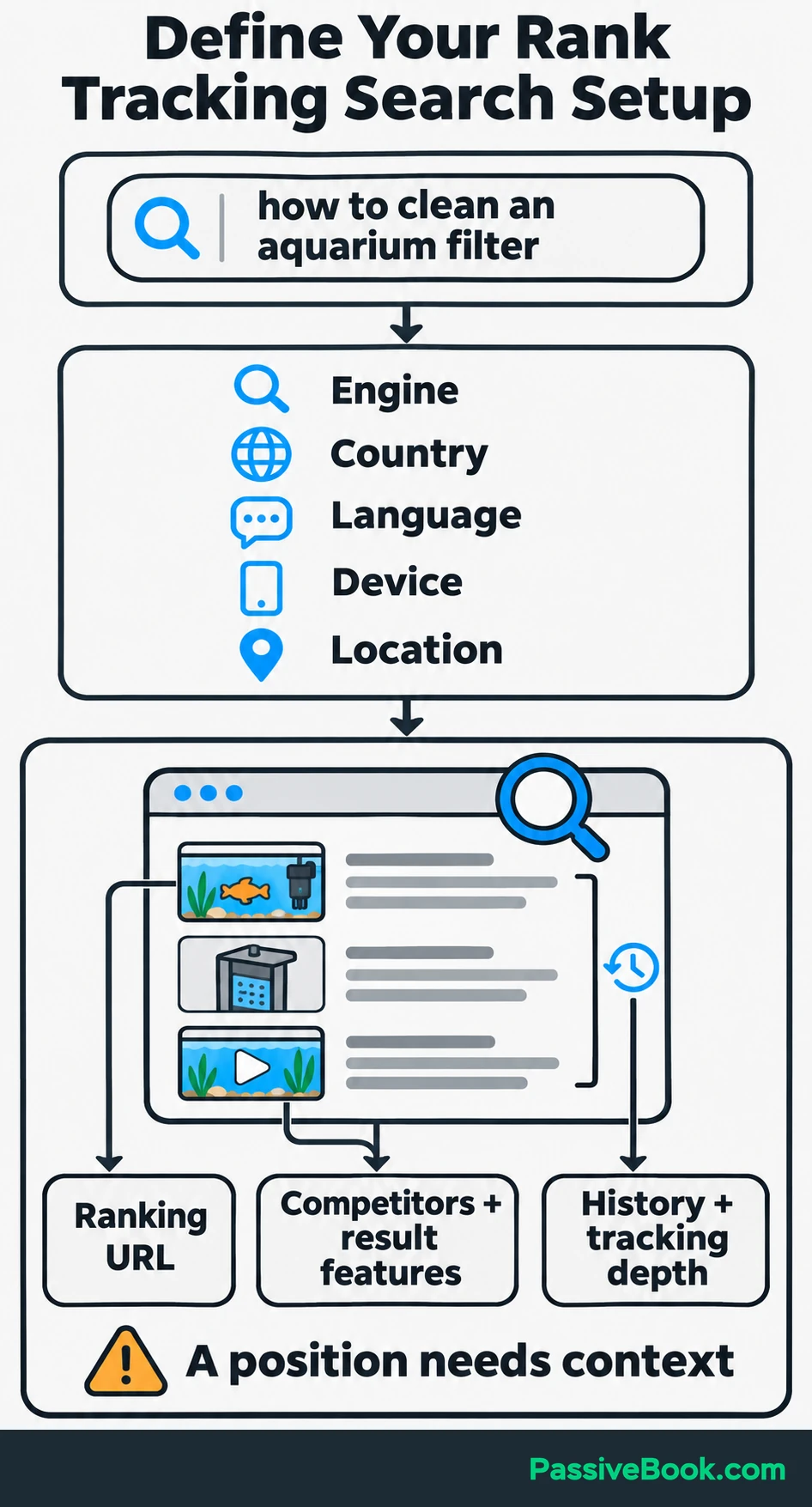
Write down the search engine, country, language, device and location you need before comparing prices.
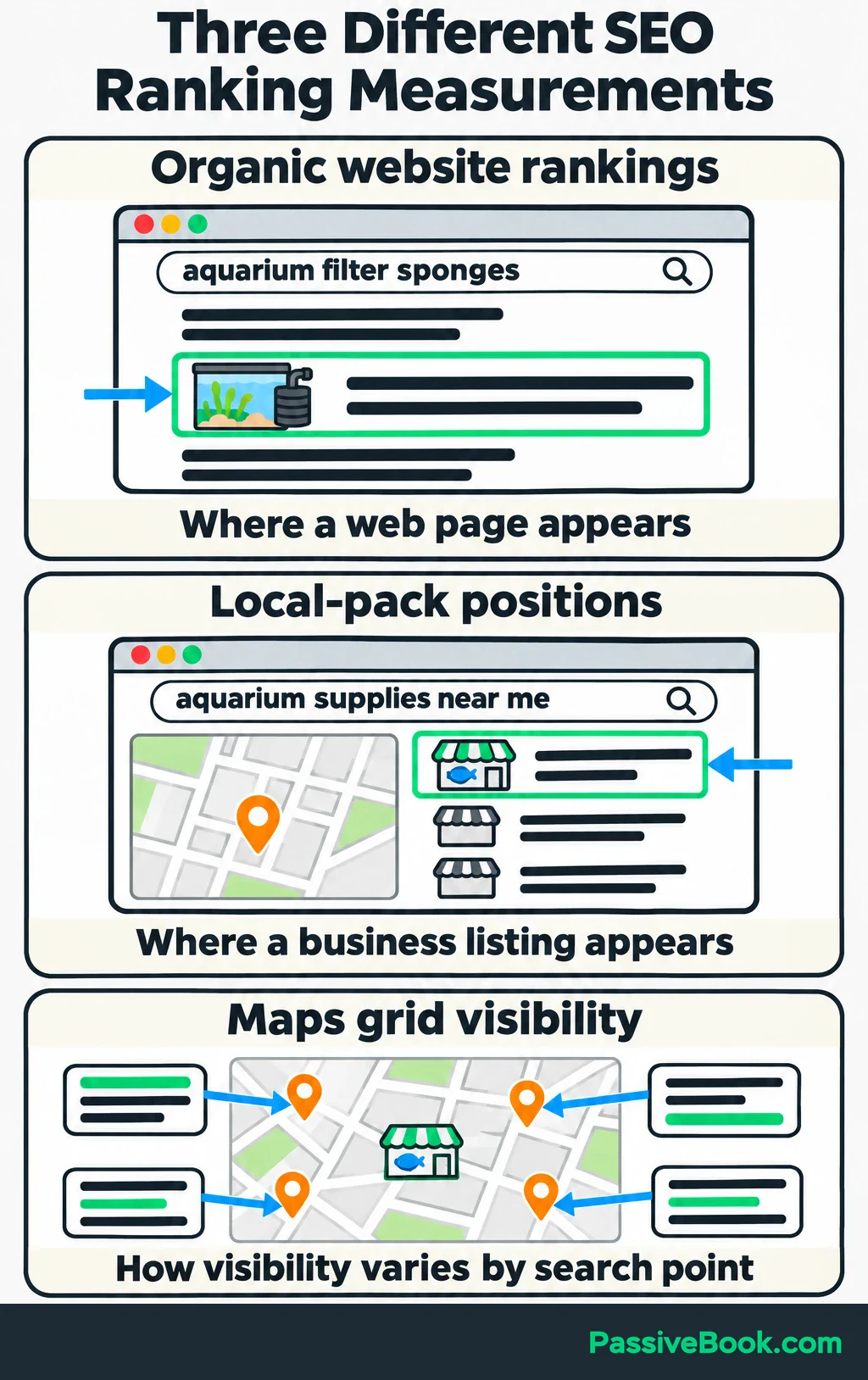
Then separate three measurements:
| Measurement | What you are checking |
|---|---|
| Website rankings | Where a page appears in organic search results |
| Local-pack positions | Where a business listing appears in the local results within search |
| Maps grids | How a listing ranks when the search starts from different points around an area |
For the examples, imagine you run an aquarium-supplies shop. You sell online, publish freshwater fishkeeping guides and offer collection from a customer-facing store. The shop and all example workloads below are illustrations.
You might track “aquarium filter sponges” for a product page and “how to clean an aquarium filter” for a guide. Those are website-ranking requirements.
“Aquarium supplies near me” creates a separate local requirement. A strong position near the pickup store does not tell you what customers see across town.
Also check whether the tracker shows the ranking URL, competitors, historical results and relevant search-result features, such as local packs or video results. Check how far into the results it looks, too; providers call this tracking depth. Those details help explain a change. A position number alone may leave you guessing.
Calculate Capacity at Your Required Update Frequency
Count the searches you want observed, including each required location, device and engine combination. Then apply the provider’s billing rules.
Suppose the aquarium shop needs 60 keywords checked in two locations on desktop and mobile. For a provider that charges separately for every combination, that means:
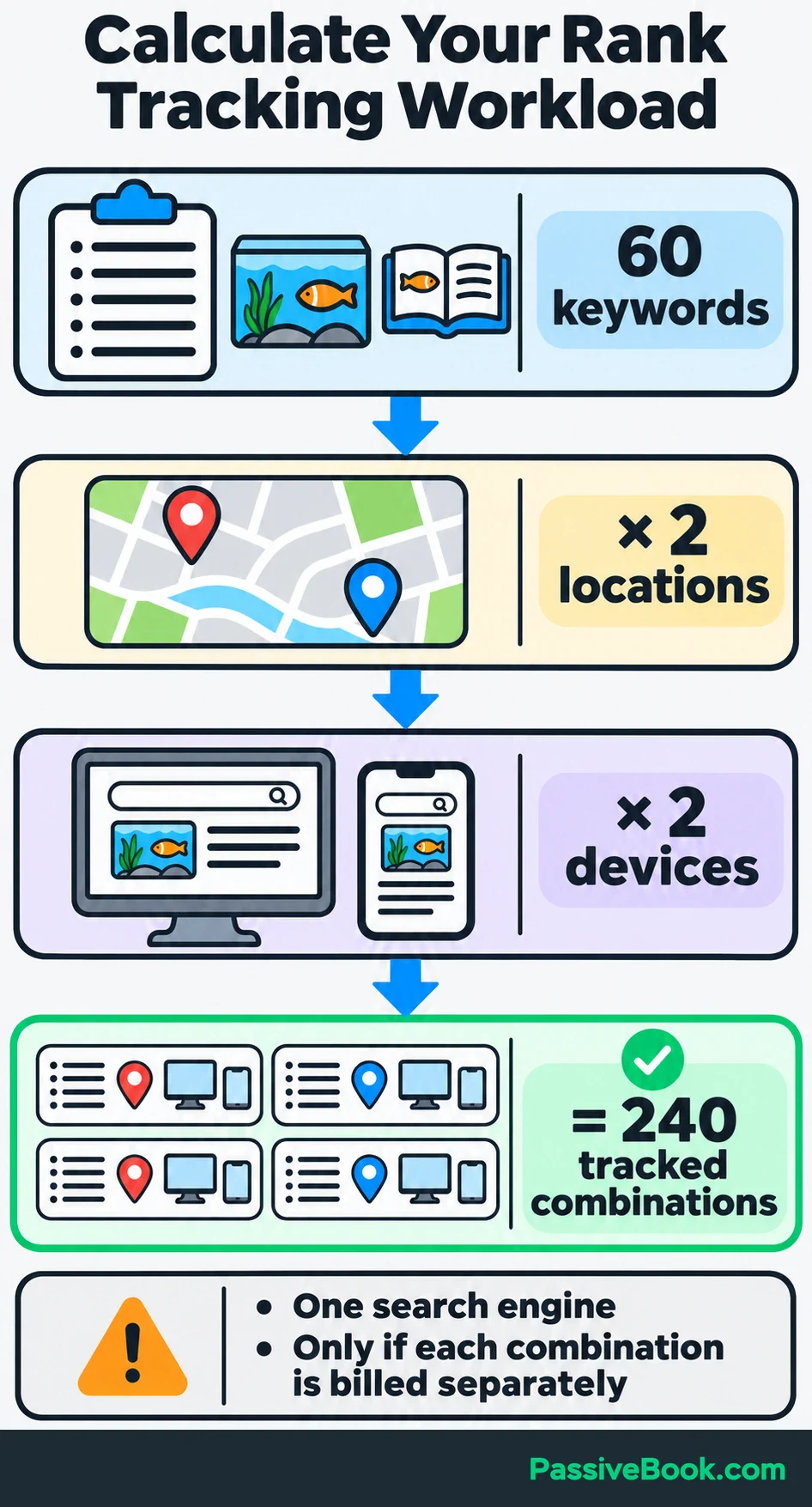
60 keywords × two locations × two devices = 240 tracked combinations for one search engine.
If each refresh consumes a check, daily tracking over a 30-day month uses:
240 combinations × 30 daily checks = 7,200 checks.
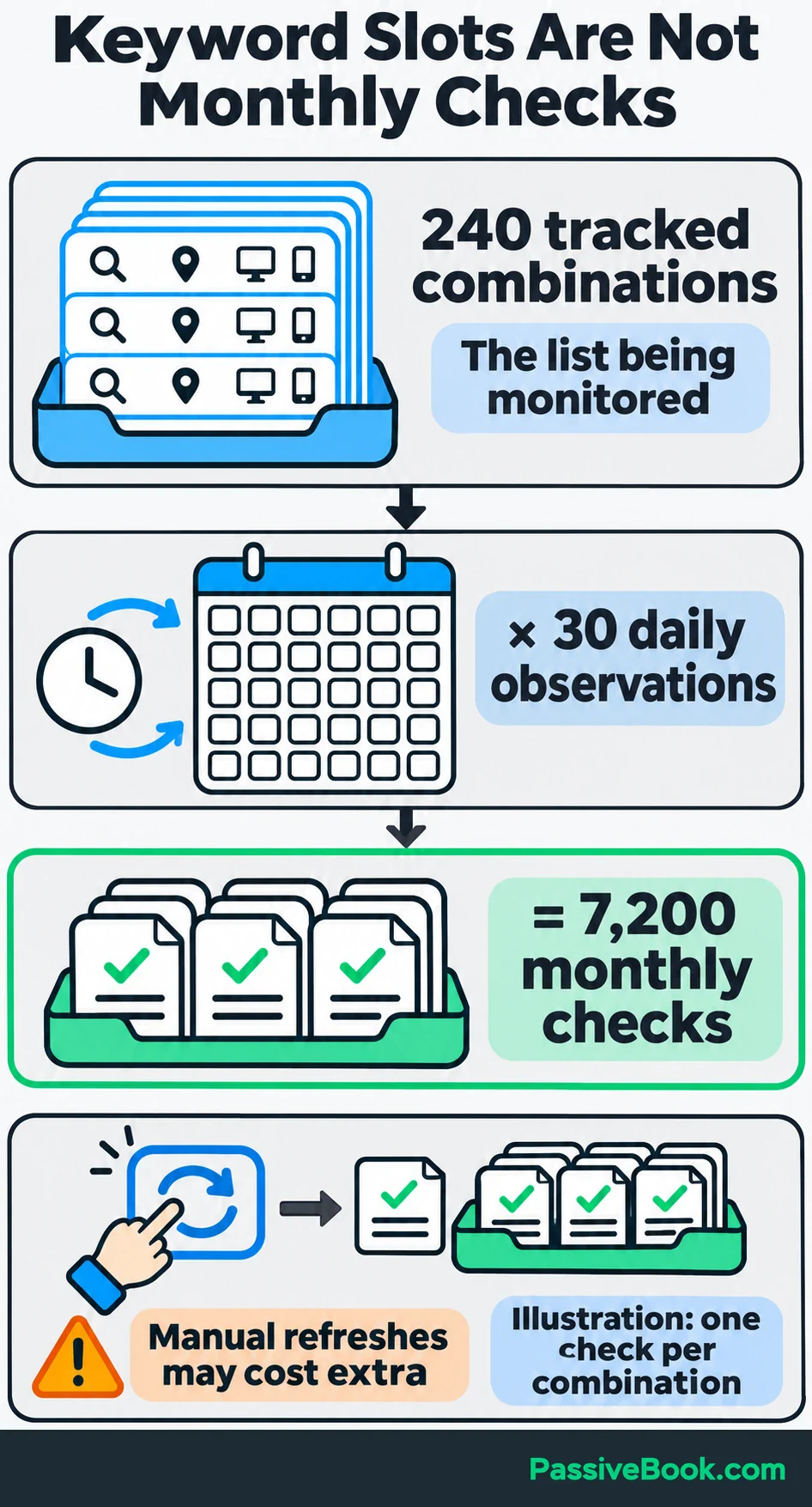
That workload might fit a plan with 240 keyword slots, 7,200 monthly checks or another allowance entirely. Those numbers describe different things.
I would choose daily updates for searches where a sudden change deserves prompt investigation. Weekly checks can be enough when you mainly review trends and plan content updates. Faster collection is useful only if it changes a decision.
Include manual refreshes in the calculation too. A plan may cover scheduled checks but charge separately when you request fresh results.
Compare the Cost of Your Reporting Workflow
Build the report you want before shopping for the dashboard.
For the aquarium shop, I would want separate groups for product searches, fishkeeping guides and pickup-store visibility. Each group should reveal changed positions, affected pages and the market being checked.
On one of my content sites, I used to review one long list of keywords sorted by the biggest drop. Broad advice queries kept pulling my attention away from pages with a clear commercial purpose. Splitting the list by page purpose made the review more useful because I could see which changes deserved work.
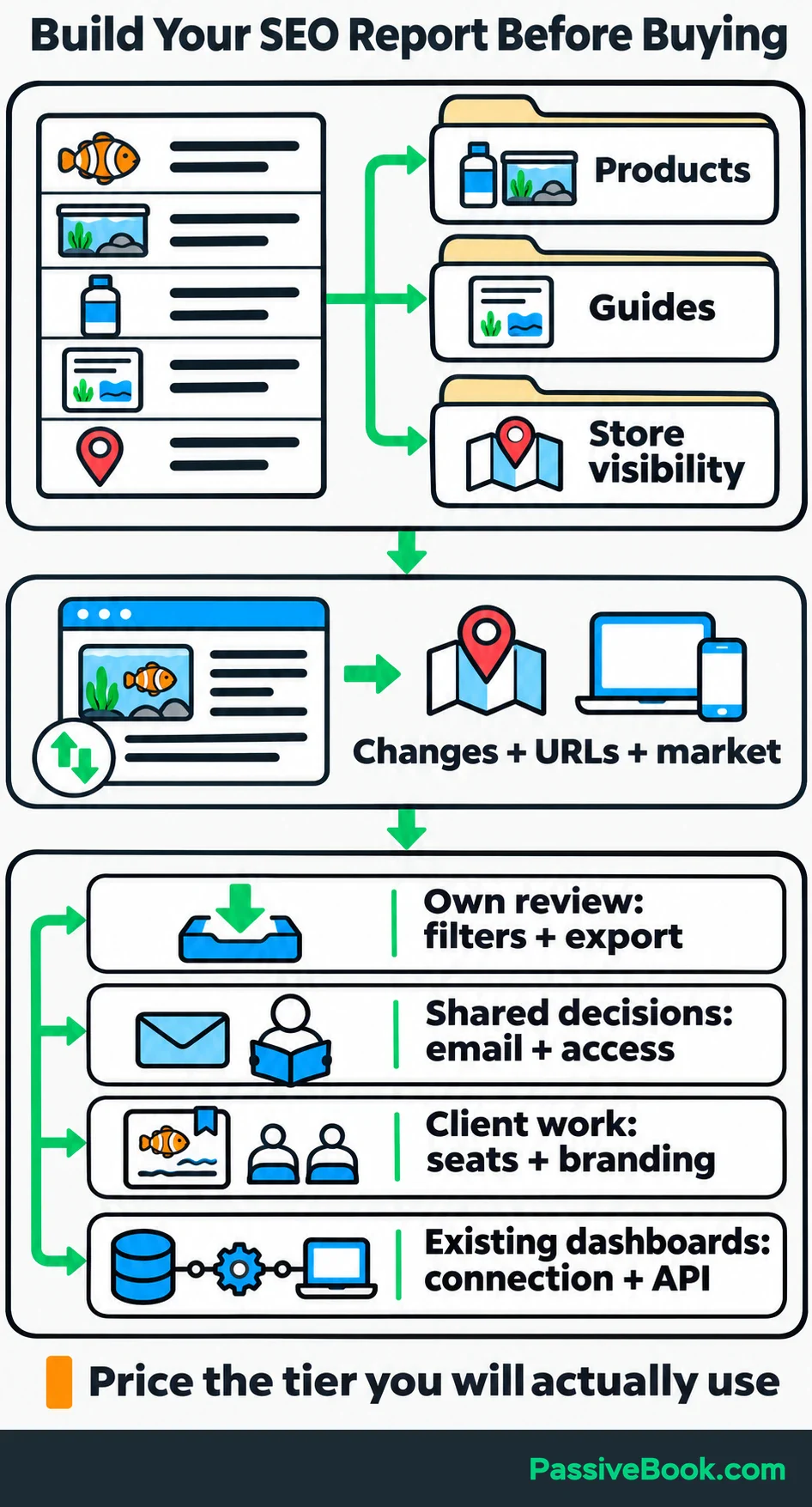
For your own reports, require only the delivery features you will use:
- For your own weekly review: Useful filters, ranking URLs and a practical export may be enough.
- For shared decisions: Look for scheduled emails, read-only access or a shared dashboard.
- For client work: Check seats, branding controls and reports delivered under your business name.
- For an existing reporting system: Test the connection you need. Looker Studio is Google’s tool for building dashboards and reports. An API lets other software retrieve the tracking data automatically.
Compare the plan containing those features. Include projects, users, refresh credits, overages, taxes and renewal terms. An annual discount is still an annual commitment.
Once two trackers cover your searches and reporting needs, compare what you’ll actually pay over the time you expect to use them.

Free Software Cost Calculator




The 19 Best Rank Tracking Tools
The table shows useful starting configurations, rather than pretending every allowance is directly comparable. Prices use the currencies shown by the providers. “Effective monthly” means the annual amount divided by 12; it does not mean monthly billing.
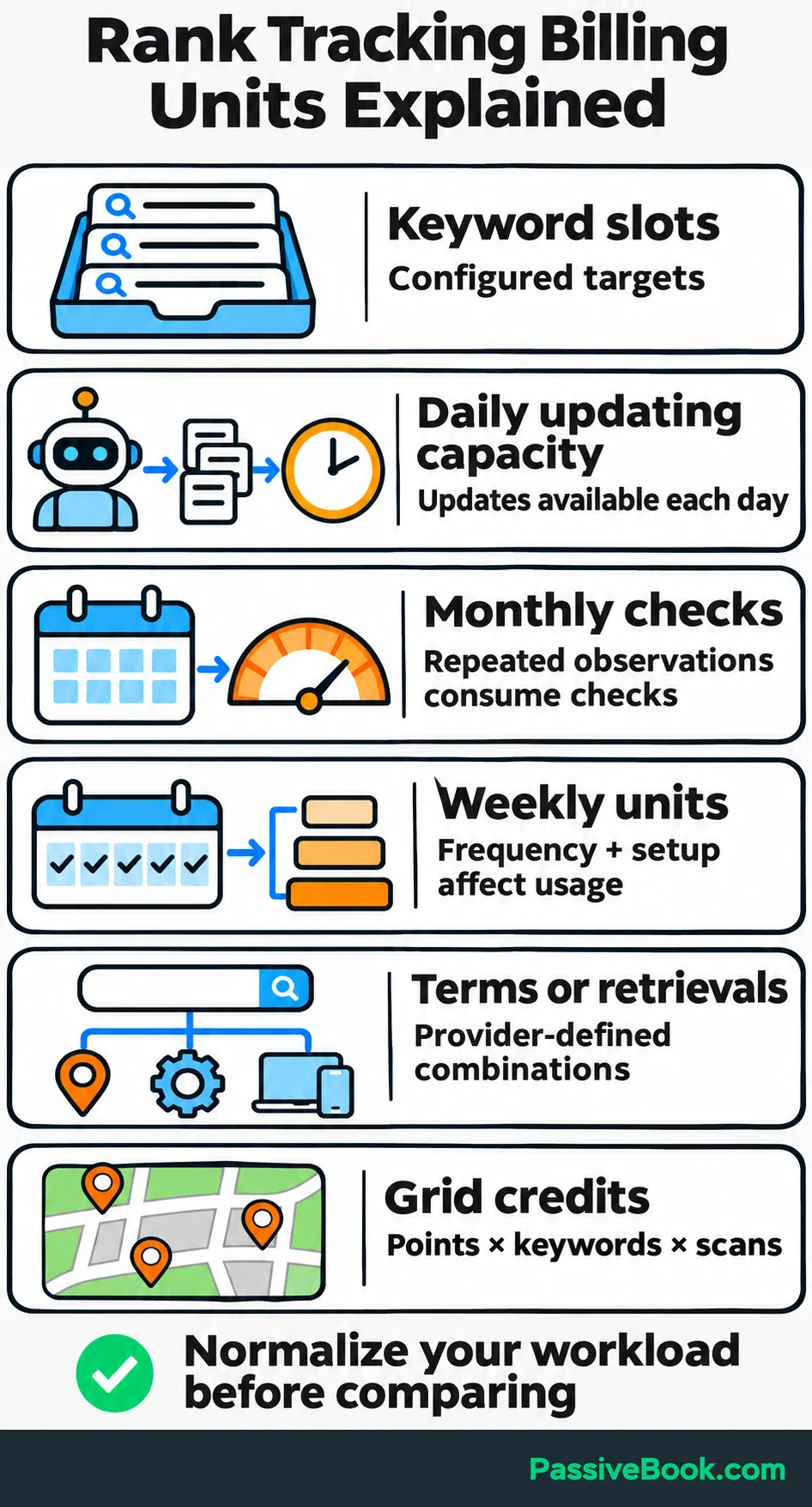
Each tool name links to its documented plans or allowances for current details.
| Tool | Recommended Use | Price and Billing Commitment | Tracking Allowance and Counting Unit | Update Schedule | Search Coverage | Main Purchasing Constraint |
|---|---|---|---|---|---|---|
| SERPROBOT | Low-cost position checks | $4.99 USD per bot, billed monthly | 75 keyword updates per bot per 24 hours | Daily when enough capacity is purchased | Google and other supported project types | Buy updating capacity, rather than counting stored keywords |
| Keyword.com | Focused tracking and shared reporting | From $4/month, or $36 annually ($3 effective monthly) | Entry allowance of 50 keywords; configure frequency and depth | Chosen subscription schedule | Entry price depends on schedule and depth; removing vendor branding costs an extra $29/month or $278/year | |
| Wincher | Straightforward daily monitoring | Configuration-based; select allowance and billing term | Entry configuration starts at 500 keywords, 10 websites and one user | Daily | Google website rankings | On-demand updates and advanced reporting require a higher tier |
| SERPWatcher by Mangools | Tracking alongside keyword research | Configuration-based by country and billing term | Basic: 200 slots; Premium: 700; Agency: 1,500 | Weekly on Basic/Premium; daily on Agency | Google with city-level targeting | Each keyword/location/device combination uses a slot |
| SEO PowerSuite Rank Tracker | Desktop tracking without keyword caps | Professional: $179/year, about $14.92 effective monthly; Enterprise: $419/year, about $34.92 effective monthly | Unlimited keywords and websites | Configurable desktop schedules | Multiple international and local engines | Computer must remain awake with the application running |
| SE Ranking | Daily tracking within an SEO suite | Core: $129 USD, billed monthly | 2,000 daily tracked keywords; 10 projects; one manager seat | Daily | Major search engines | Agency Pack adds at least $828/year ($69 effective monthly) and requires an annual base subscription |
| Semrush Position Tracking | An existing Semrush workflow | SEO plan: $139 USD, billed monthly | 500 tracked keywords; five monitored websites | Daily | Website position tracking, including Google | Price multi-location/device needs and reporting at the relevant tier |
| Ahrefs Rank Tracker | Tracking beside backlink research | Starter: $29 USD/month; Lite: $129/month | Starter: 50 tracked keywords; Lite: 750 | Weekly by default | Allowance is shared across projects | |
| Ubersuggest | Small-site research and monitoring | Individual starts at $29 USD, billed monthly | One project and 125 tracked keywords | Weekly | Google, with location and device options | Tracking pauses after 30 days of account inactivity |
| KeySearch | A small priority list within a research plan | Starter: $24 USD/month; Pro: $48/month | Starter: 80 tracked keywords; Pro: 200 | Not confirmed here; verify during trial | Website rankings with location/language options | Research searches and tracking capacity are separate allowances |
| LowFruits | Tracking keywords found through long-tail research | Standard: $29.90 USD, billed monthly | Standard: 100 active tracked keywords; Premium: 500 | Daily, weekly or monthly | Google desktop and mobile | Tracking needs a subscription; manual refreshes use credits |
| Serpstat | An SEO suite with monthly check accounting | Individual: $600 USD billed annually ($50 effective monthly) | 10,000 position checks per month; five projects | Daily updating available | Organic and paid rankings; desktop and mobile | Monthly checks are consumed by repeated observations |
| Nightwatch | Daily monitoring across several engines | Starter: €948 billed annually (€79 effective monthly) | 500 keywords; five websites; five competitors per site | Daily | Google, Bing, YouTube and other listed engines | Looker Studio, reports under your own branding and API access require Professional |
| AccuRanker | Fresh checks during ranking investigations | Professional displays €224/month; configure keyword allowance | Confirm the keyword count attached to your configured quote | Daily plus on-demand keyword refreshes | Google and Bing among supported engines | Advanced tagging and data connections depend on tier |
| Advanced Web Ranking | Reporting across multiple projects | Pro: $139 USD, billed monthly | 7,000 weekly keyword units | Configurable, including daily | Local and mobile website rankings | Frequency, depth and search combinations change consumption |
| ProRankTracker | Daily tracking with explicit billing units | Starter: $99 USD, billed monthly | 1,000 terms | Daily top-100 updates | Organic, local and mobile tracking | Each keyword/URL/engine/location/device combination uses a term |
| Nozzle | Detailed search-result analysis | Pro: $249 USD/month on an annual term; $2,988 annual commitment | 60,000 search-result retrievals per month | Daily, weekly or monthly group schedules | Google with location, language and device configurations | Excess usage is billed rather than stopped |
| BrightLocal | Local rankings and business-profile audits | Track: $41 USD/month, or $369 annually ($30.75 effective monthly) | One location; 100 conventional keywords; separate grid allowance of five keywords | Grid: weekly/monthly; daily conventional tracking costs extra | Local search and Maps grids in supported countries | Grid and conventional tracking have separate limits |
| Local Falcon | Credit-based business-listing grids | Starter: $24.99 USD, billed monthly | 7,500 monthly credits; standard scans consume credits per point | Scheduled scans | Geographic business-listing visibility | Unused credits expire; integrations require Basic monthly ($49.99/month) or an annual package (Starter: $299.88/year) |
1. SERPROBOT — Best for Low-Cost Daily Checks
SERPROBOT is where I would start when the main job is checking positions on a schedule. You do not need a large research subscription just to find out whether important pages moved.
Its bot-based pricing makes the calculation fairly direct. Each bot supplies a fixed amount of daily updating capacity.
The aquarium shop’s illustrative workload needs 240 billable updates each day. Three bots cover 225, so it needs four. That provides 300 updates per day and costs $19.96 monthly before tax.
The distinction matters: storing a keyword does not mean you have bought enough capacity to refresh it daily. Use the 14-day trial to check that your full list updates on the schedule you expect.
2. Keyword.Com — Best for Focused Tracking With Shared Reporting
Keyword.com makes sense when you want Google tracking, useful keyword groups and reports that other people can access.
Search Visibility, Keyword.com’s Google-tracking plan, includes unlimited domains and users, along with Looker Studio connectivity. That is worth comparing when a competitor’s project or user limits would push you into a larger subscription.
Configure the refresh schedule and tracking depth before judging the starting price. One subscription uses one scheduled update frequency, so you cannot freely mix daily and weekly groups within it.
The white-label add-on removes Keyword.com branding from shared views and reports; its cost is in the table. I would skip that upgrade for an internal report. Paying to remove a logo from something only you read is an unusual business priority.
3. Wincher — Best for Straightforward Daily Google Monitoring
Wincher is a sensible shortlist choice when you want daily website rankings without building your work around a large SEO suite.
Its entry configuration combines daily updates with competitor tracking, keyword groups, ranking-page monitoring, notifications and scheduled PDF reports. That covers a practical weekly review.
For the aquarium shop, I would group product and guide keywords separately, then watch which page ranks for each phrase.
The purchasing decision changes if you need manual refreshes, reports under your own branding, Looker Studio, API access or imported position history. Those features sit above the entry tier.
Get the configured price for that tier before comparing Wincher with a cheaper-looking alternative.
4. SERPWatcher by Mangools — Best for Tracking Alongside KWFinder
SERPWatcher fits when you also want KWFinder, Mangools’ keyword research tool, and the other tools in the same subscription.
The important distinction is update frequency. Basic and Premium check rankings weekly, while Agency checks daily. I would compare Agency with daily trackers and judge the lower plans as weekly-monitoring options.
Capacity also depends on your search setup. One keyword in one location on one device uses one slot. Tracking the same aquarium query in two locations on desktop and mobile therefore uses four slots.
Choose this bundle because the research tools help you select and investigate keywords. If you only need position checks, compare a focused tracker first.
5. SEO PowerSuite Rank Tracker — Best for Desktop Tracking Without Keyword Caps
SEO PowerSuite Rank Tracker takes a different approach: it runs on your computer and offers unlimited keyword and website capacity.
That can suit a large list when you are comfortable managing desktop software. The paid licenses support saved projects and scheduled tasks, and Enterprise adds client-report exports.
These are standalone Rank Tracker licenses. Do not confuse their prices with the complete SEO PowerSuite bundle.
The operating requirement is the catch. Scheduled tasks need the application running and the computer awake. A sleeping laptop cannot collect rankings while you are away. SEO PowerSuite documents that scheduling requirement.
I would choose it for a deliberate desktop workflow. For unattended collection, I would favor a hosted tracker.
6. SE Ranking — Best for Substantial Daily Tracking Within an SEO Suite
SE Ranking is worth comparing when you need daily tracking plus keyword research, competitor research, backlink analysis and website audits.
Core supplies a substantial tracking allowance alongside those tools. That makes it a stronger candidate when several sites share one SEO workflow.
I would still write down which subscriptions it could replace. A full suite saves money only when you use the tools inside it.
Client-facing work can change the cost. The Agency Pack lets you use your own branding on the platform and reports. It requires an annual base subscription plus the annual add-on cost shown in the table. SE Ranking explains the Agency Pack’s billing requirements.
Compare that complete arrangement with a focused tracker before choosing.
7. Semrush Position Tracking — Best for an Existing Semrush Workflow
Semrush Position Tracking is easiest to justify when you already use Semrush to research keywords, inspect competitors and audit your site.
Keeping those tasks together can make an investigation simpler. You can notice a ranking change and continue examining the competing pages within the same platform.
The SEO plan in the table is separate from the larger SEO + AI Search packages. Compare the product you actually need.
Check multi-location/device tracking, extra users and reporting products before subscribing. A basic keyword allowance does not settle those requirements.
At the listed monthly prices, SE Ranking Core includes more daily tracked keywords. I would choose Semrush when its broader workflow earns the difference, rather than buying it for position checks alone.
8. Ahrefs Rank Tracker — Best for Tracking Alongside Backlink Research
Ahrefs fits when your next question after a ranking change usually involves links, competing pages or keyword opportunities.
Starter gives you a small tracking list and access to the wider platform, but its research and export restrictions are tighter than Lite’s. Judge the research allowance as carefully as the tracked-keyword count.
Rank Tracker updates weekly by default. That makes it a different purchase from a dedicated daily tracker. Ahrefs confirms its default refresh schedule.
Its counting rule also differs from tools that charge separately for every device. Ahrefs counts one keyword in one location in one project, with the allowance shared across projects.
I would buy it for the research workflow and use the tracking that comes with it.
9. Ubersuggest — Best for a Small Site Needing Research and Weekly Tracking
I recommend Ubersuggest for beginner-friendly keyword research, competitor analysis and content ideas. That preference does not establish that its rank tracker is more accurate than the others here.
Its tracking fits a modest list reviewed weekly. For the aquarium shop, that could mean following selected product categories and useful fishkeeping guides while researching the next articles to publish.
I would choose another option when scheduled daily observations are essential.
Tracking pauses after 30 days of account inactivity, and missed data cannot be recovered. Log in at least once every 30 days, even if you mainly read emailed reports. Ubersuggest documents its weekly schedule and inactivity rule.
That matters if your goal is monitoring that continues without frequent attention.
10. KeySearch — Best for a Small Tracking List Within a Research Subscription
KeySearch belongs on the shortlist when keyword research is the main purchase and you only need to monitor selected priorities.
Its tracking allowances are relatively small, so I would reserve them for searches tied to important pages. For the aquarium shop, product categories and a few guides could take priority over every variation mentioned in an article.
Keep daily keyword-research searches separate from tracked-keyword capacity. Having hundreds of research searches available does not mean you can monitor hundreds of rankings.
Before paying, confirm the scheduled refresh interval and generate the report you plan to use. A statement that a research database updates daily does not establish a daily rank-tracking schedule.
11. LowFruits — Best for Tracking Keywords Found Through Long-Tail Research
LowFruits is a logical choice when you already use its research tools to find specific, longer search phrases and inspect their results.
You can move selected targets into its tracker and choose daily, weekly or monthly checks. That suits a workflow where you research a focused topic, publish a useful page and follow its progress.
Tracking requires a subscription. Buying pay-as-you-go research credits alone does not unlock it.
Scheduled checks do not consume additional credits, but on-demand refreshes do. LowFruits explains the tracking and credit rules.
I would choose it when the research process already fits. For tracking alone, compare its capacity and reporting with dedicated tools before subscribing.
12. Serpstat — Best for an SEO Suite With Monthly Checking Allowances
Serpstat combines keyword research, site analysis, auditing, backlinks and rank monitoring. Its monthly position-check allowance is the feature to understand before comparing it with keyword-slot plans.
You are buying a pool of observations, rather than permission to check 10,000 keywords every day.
For the aquarium shop’s illustrative 240-combination workload, one daily check over 30 days would consume 7,200 checks under a one-check-per-combination rule. Confirm Serpstat’s treatment of your exact setup before relying on that estimate.
Individual can suit one person using the wider suite. Compare Team when you need shared access, API access or scheduled reports.
I would choose it only after the monthly consumption estimate and the reporting tier both fit.
13. Nightwatch — Best for Daily Multi-Engine Monitoring
Nightwatch is worth comparing when Google alone does not cover the searches you need to monitor.
Its documented coverage includes Google, Bing and YouTube, with daily location-specific tracking. Starter also sets website and competitor limits, so keyword capacity is only one part of the purchase.
For the aquarium shop, I would first establish whether Bing or YouTube rankings support an existing sales or content effort. Extra engines are useful when you have something meaningful to monitor there.
Looker Studio, reports under your own branding and API access require Professional. If you need any of those, compare its price with the other tools on your shortlist.
I would trial the required connection before committing annually.
14. AccuRanker — Best for On-Demand Ranking Investigations
AccuRanker makes sense when a ranking alert leads to an investigation that needs fresh data.
It supports daily monitoring and on-demand refreshes for individual keywords, along with tagging, filtering, reporting and exports. Google Search Console and Analytics connections help place ranking changes beside other evidence.
For example, if an aquarium product page drops, I would refresh that keyword to check whether the drop persists before changing the page.
Select the keyword allowance in the pricing configuration. The displayed plan price alone does not define your capacity.
Expert adds features such as dynamic tagging, Looker Studio and unlimited read API access. I would pay for those when they remove recurring analysis or reporting work.
15. Advanced Web Ranking — Best for Configurable Reporting Across Projects
Advanced Web Ranking suits work spread across several projects, especially when local/mobile monitoring and shareable reports matter.
Its allowance uses weekly keyword units. To understand the daily capacity, count how many observations you want each week.
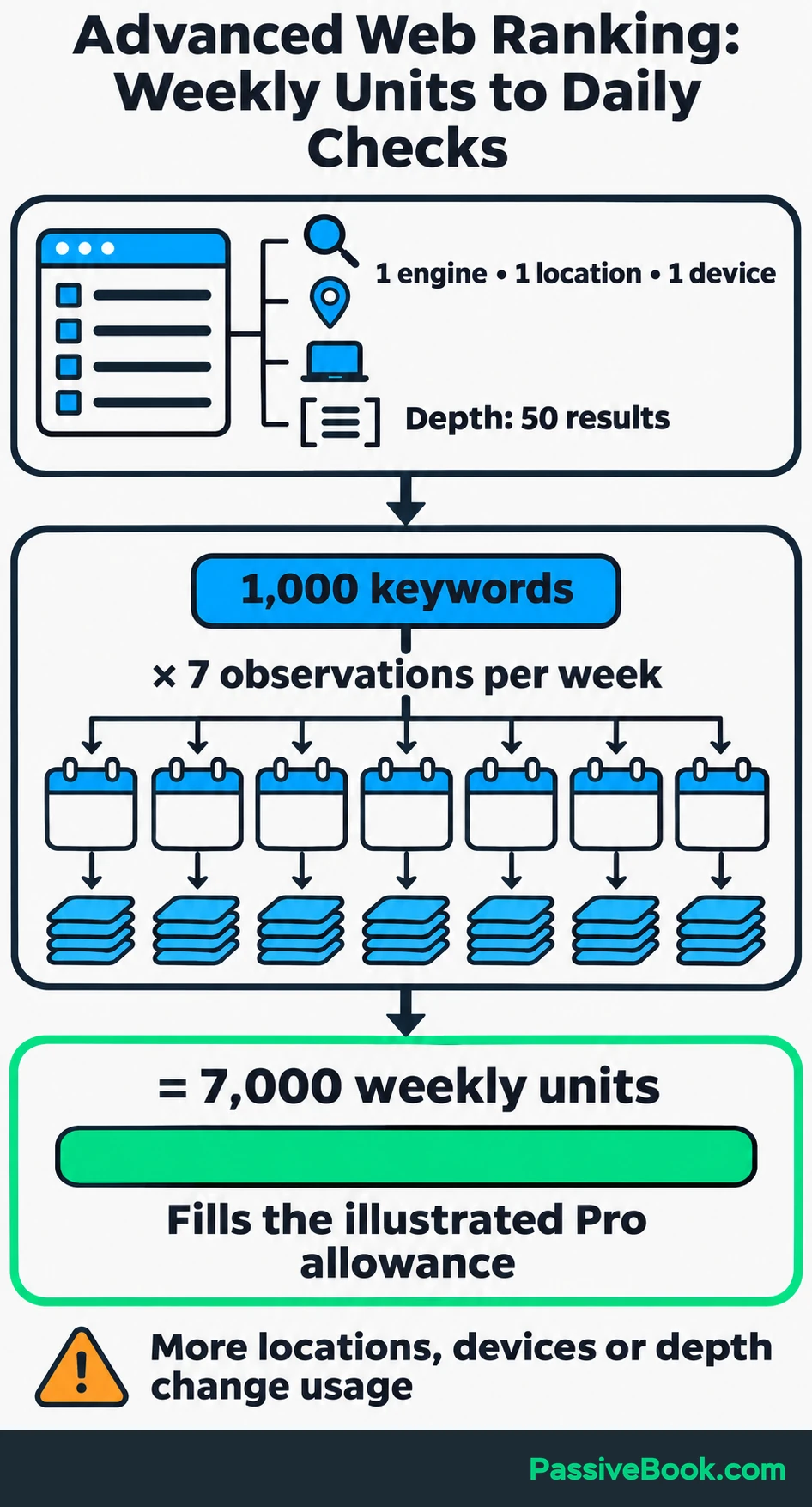
At one engine, location and device, with a depth of 50 results, checking 1,000 keywords daily uses:
1,000 keywords × seven weekly observations = 7,000 weekly units.
That fills the Pro allowance in the table. Adding locations, devices or deeper results changes consumption.
I would compare Agency when custom dashboards, Looker Studio or developer API access are requirements. Choose the reporting tier and collection depth together, because either can change the plan you need.
16. ProRankTracker — Best for Daily Tracking With Explicit Term Accounting
ProRankTracker uses “terms” as its billing unit, and the definition makes the workload easier to map before buying.
For organic tracking, one keyword and URL in one engine, location and device combination consumes one term. Repeating the phrase in another location or device uses another term.
Starter includes daily updates through the top 100 results, alongside local and mobile targeting.
I would use it when daily monitoring across multiple projects is the main job and its term accounting fits the setup.
Compare Pro if you need Looker Studio, multiple users or broader reporting access. Unlimited projects still share the subscription’s term capacity, so creating another project does not create more tracking allowance.
17. Nozzle — Best for Detailed SERP Analysis and Flexible Schedules
Nozzle collects detailed data from search engine results pages (SERPs), so it suits questions that need more than an organic position number.
It tracks search-result features, competitors and pixel placement—how far down the page a result appears. That can help investigate a page whose numbered position looks stable while the surrounding results change.
Its billing unit is one retrieval for a keyword, engine, language, device and location combination. API access and BigQuery exports are included across plans; BigQuery is Google’s service for storing and analyzing large datasets.
I would use different schedules for different keyword groups when that matches the review process.
Watch consumption, because usage beyond the allowance is billed rather than stopped. Nozzle makes sense when you have a clear use for the additional data.
18. BrightLocal — Best for Local Rankings Alongside Business-Profile Audits
BrightLocal is the stronger shortlist choice when you want several local SEO checks together.
For the aquarium pickup store, that could mean conventional local rankings, a Maps grid, citation monitoring and business-profile audits. Citations are mentions of the business’s details in directories and similar listings.
Keep the conventional keyword allowance separate from the smaller grid allowance. Grid reports support weekly or monthly scheduling, while daily conventional tracking requires an add-on.
Country coverage also needs a tool-by-tool check. Local Rank Tracker and Local Search Grid support the USA, UK, Canada, Australia, New Zealand and Ireland, but accompanying audits have narrower coverage. BrightLocal lists support for each tool.
I would check coverage before comparing bundles.
19. Local Falcon — Best for Credit-Based Maps Grid Monitoring
Local Falcon fits when your main question is where a business listing appears across an area.
A standard grid scan uses one credit per search point. A 5 × 5 grid has 25 points, so scanning one listing for three keywords four times in a month on one platform uses:
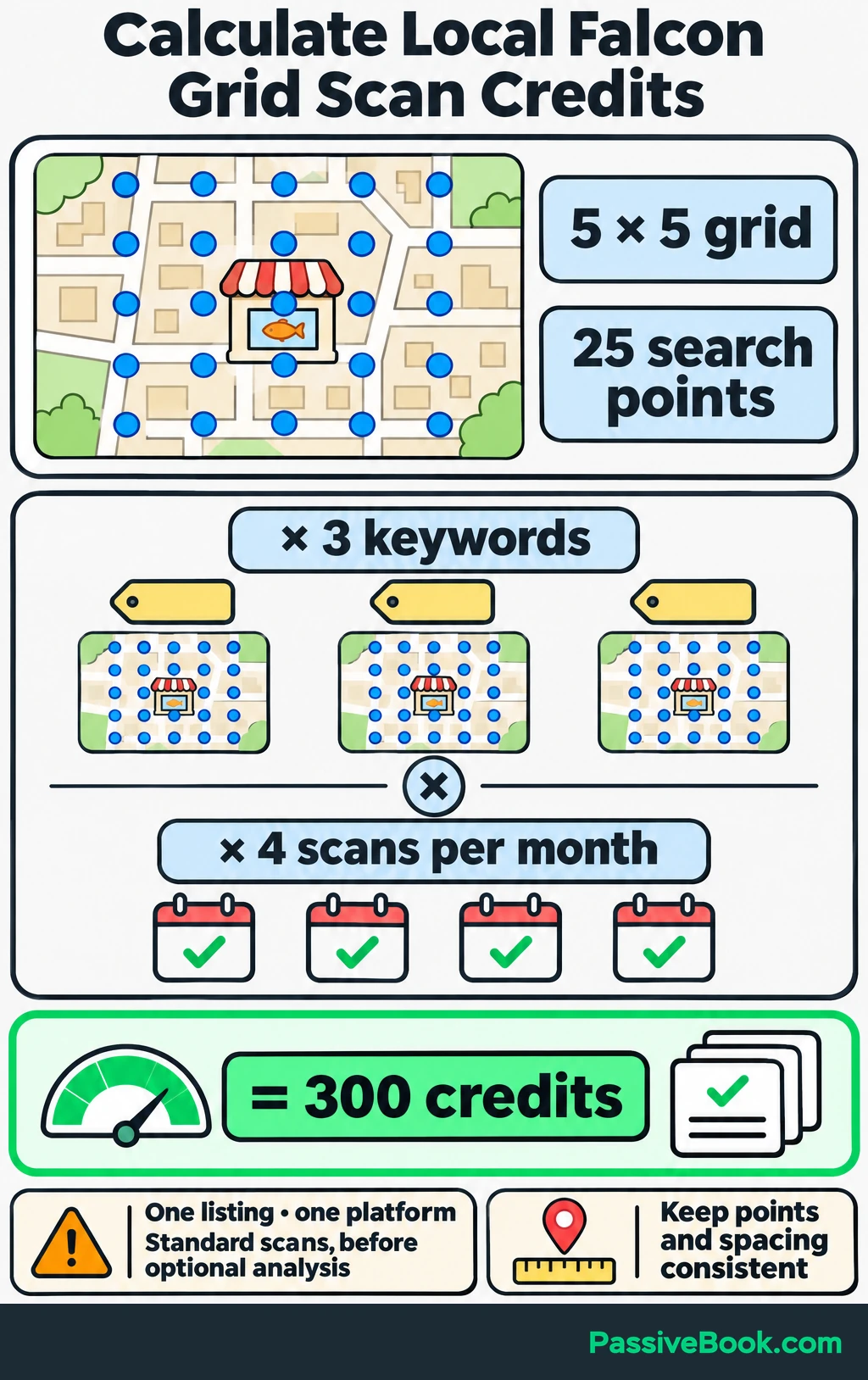
25 points × three keywords × four scans = 300 credits before optional analysis.
The grid size, scan area and keyword list should stay consistent when you compare results over time.
Unused subscription credits expire at the end of the billing cycle. To connect Local Falcon to Looker Studio or Zapier, the workflow automation service, you need Basic monthly or an annual package. Those prices are in the table.
I would start with a useful scan area and review schedule, then buy the credits and integrations that setup requires.
How to Test Your Shortlist Before Subscribing
Compare Rankings Under Matching Conditions
Trial two candidates that already meet your essential requirements. Comparing six dashboards creates more work without necessarily improving the decision.
Import the same representative keywords into both. Include product searches, informational searches and a few targets that currently sit outside the first page. Evaluate Maps visibility separately.
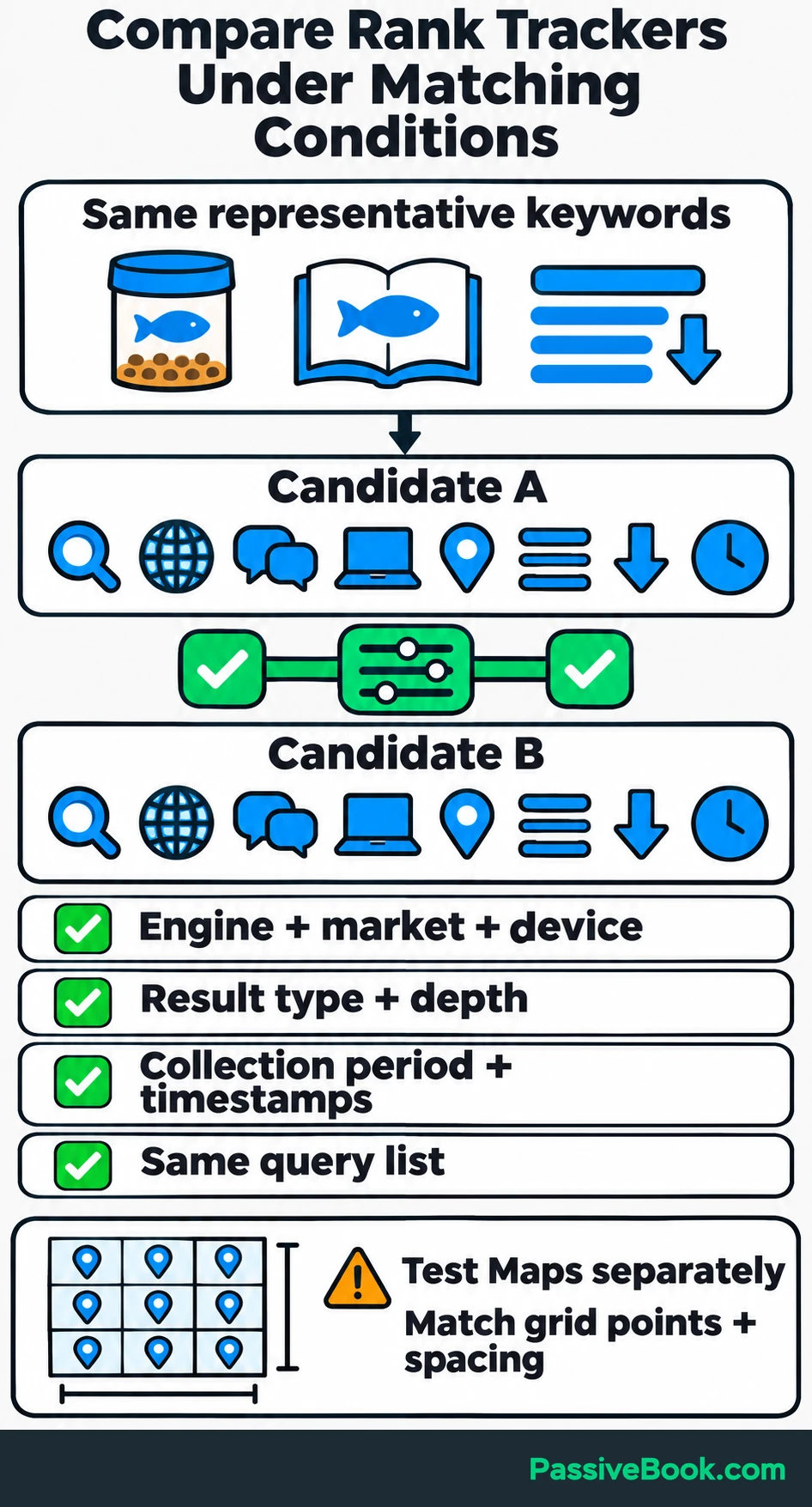
Match the collection conditions:
- Search setup: Engine, country, language, location and device.
- Result type: Organic website results, local pack or Maps grid.
- Depth: How far into the results each tool checks.
- Timing: Collection period and the timestamp of each observation.
For the aquarium shop, compare the same product and fishkeeping-guide queries under the same settings. Keep the pickup store’s grid test separate, with matching points and spacing.
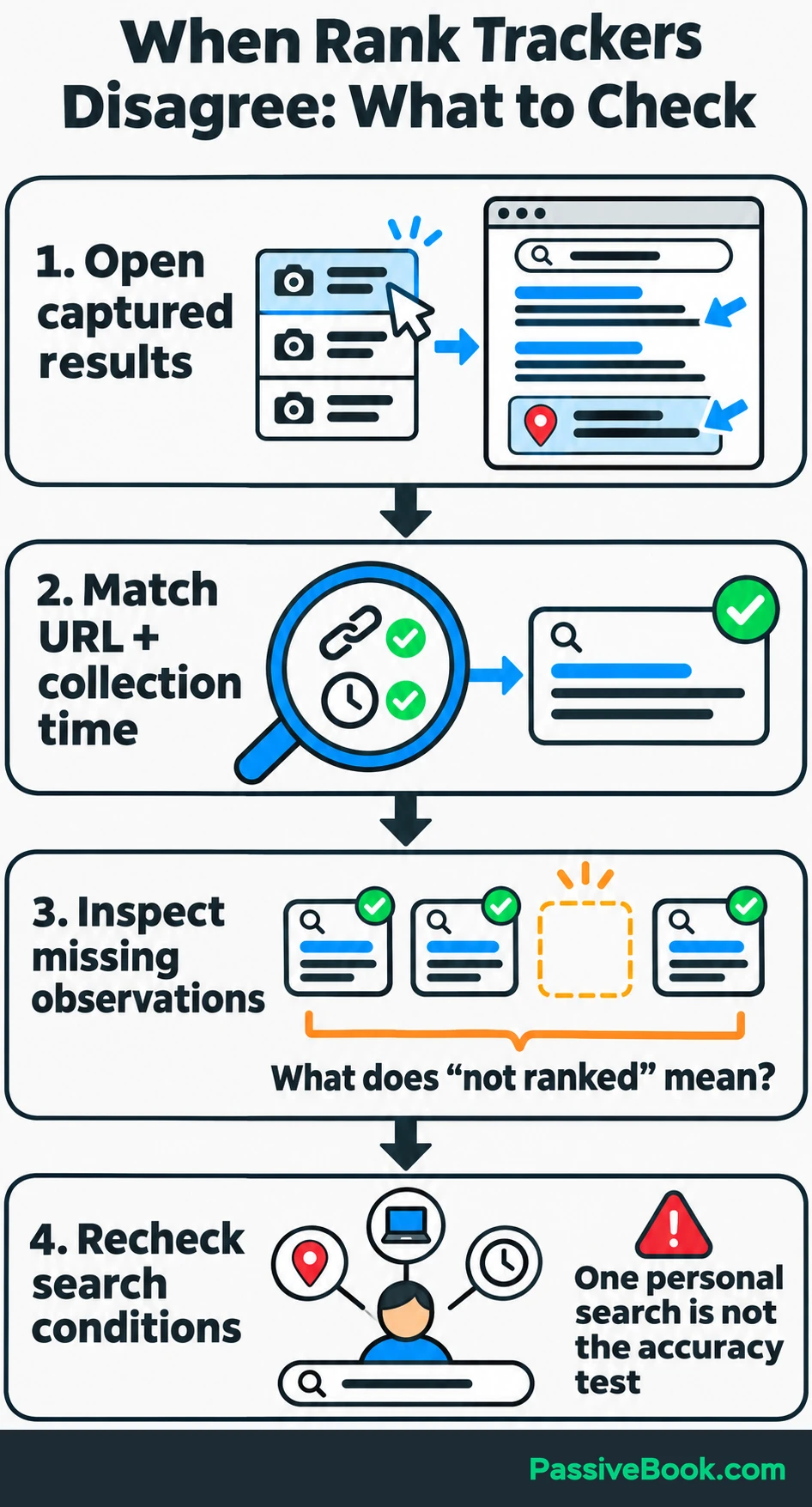
When positions disagree, inspect the captured results where available. Record the ranking URL, collection time, missing checks and what each tool means by “not ranked.”
Do not use one personal Google search as the deciding accuracy test. Google results can differ because of location, device, timing and personalization. Google explains why search results vary.
I would pay attention to how easily you can explain an unexpected result. A tracker that helps you investigate a discrepancy is more useful than a confident-looking number with no context.
Confirm the Workflow and Full Subscription Cost
Produce one report you would genuinely keep using.
For the aquarium shop, it should show product searches, guide searches and local visibility separately. Include changed positions, affected URLs and the relevant market. Then test the delivery method: export, scheduled email, shared view or dashboard connection.
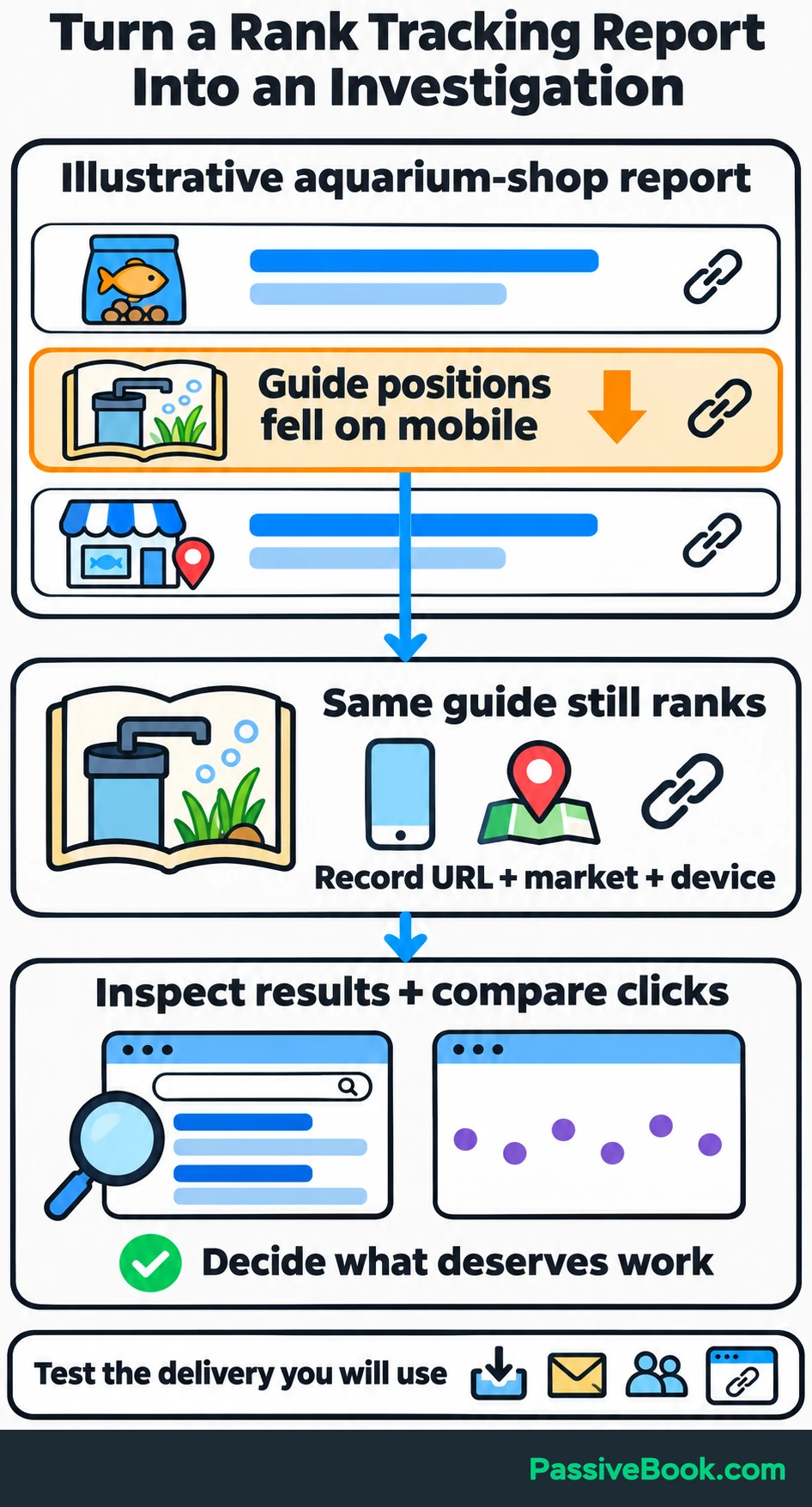
Check that the report answers a practical question. For example:
“The filter-cleaning guide lost positions on mobile in the target market. The same guide still ranks, so I’ll inspect the current results and compare its clicks before deciding what to change.”
That is enough to direct an investigation. You do not need ten charts to make it look employed.
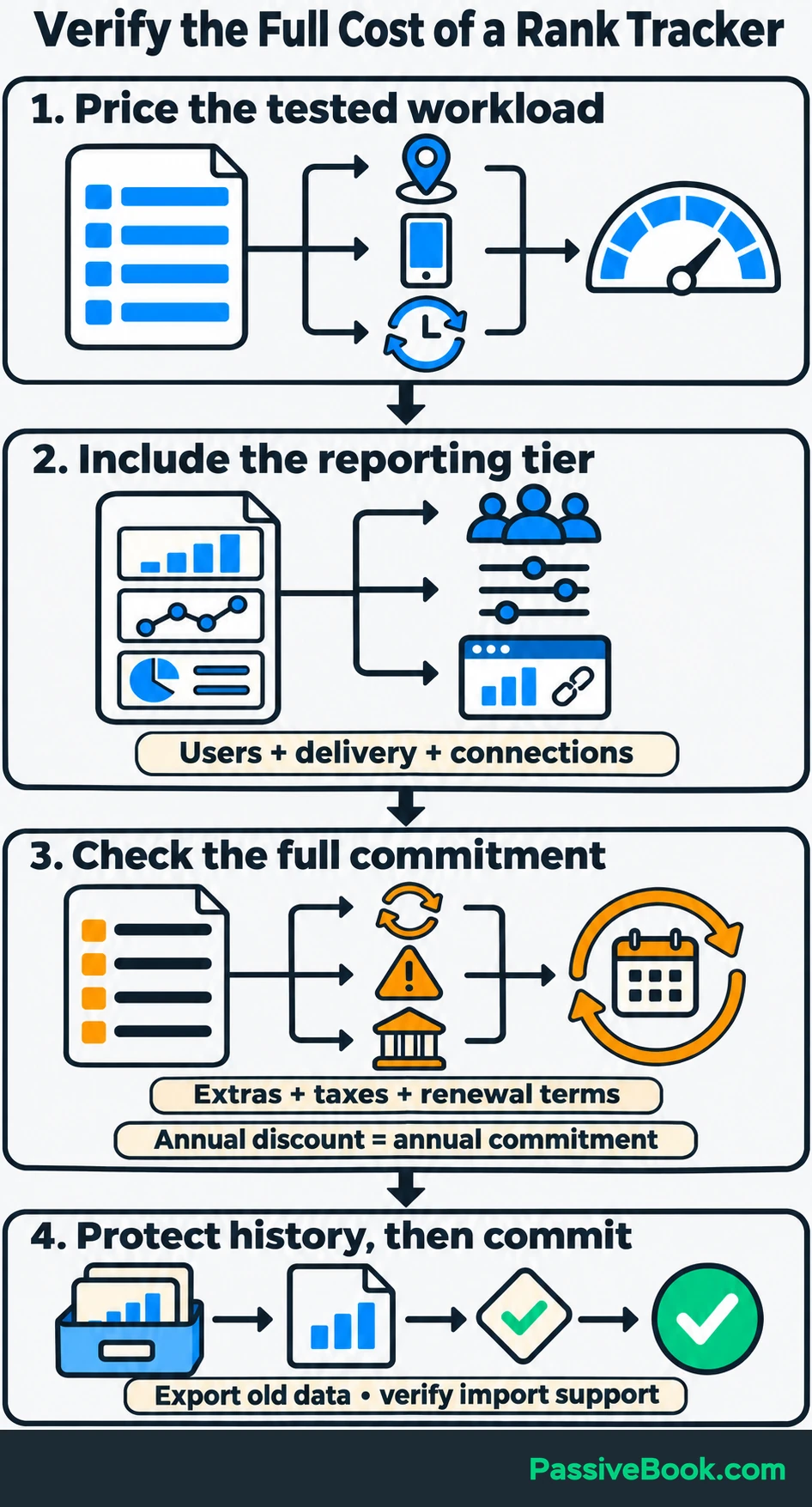
Before replacing an existing tracker, export the old data and check history-import support. Then calculate the complete subscription cost using the frequency, users, reporting tier and search combinations you tested.
Commit annually after the trial establishes fit. I would choose the lowest-cost plan that reliably collects the required data and makes changes easy to investigate. A larger feature list earns nothing until it improves that work.
What Next?
Write down 20 priority searches and the locations and devices you need to monitor, then trial two tools that cover that exact setup.
Use the social buttons to share this comparison when you’re discussing an SEO software budget; the counting rules can change which plan is actually cheaper.
Which requirement is hardest to satisfy within your budget: update frequency, local coverage or reporting? Share it in the comments, and bring any other questions about your shortlist.
Share this post with your friends & followers:

