You check your business on Google Maps and it looks easy to find. But a customer searching a few neighborhoods away may see a different set of results.
That makes software shopping awkward. One tool tracks map positions, another fixes directory listings, and both promise better visibility. Buying both could leave you with two subscriptions and the same unfinished work. This comparison separates neighborhood tracking from listing and review work, with costs and trial checks to help you decide which job is worth paying for.
Best Local SEO Tools at a Glance
Start with Google Business Profile for managing your Google presence and Google Search Console for understanding your website’s search performance. Add paid software when you can name the work those tools leave uncovered.
My first shortlist would be:
- BrightLocal when rankings, listings and reporting need to work together.
- Localo when you need help deciding which profile improvements to make.
- Whitespark Local Ranking Grids when geographic Maps tracking is your main gap.
- Local Falcon when you need more detailed competitor and visibility analysis.
I’ve based these choices on documented capabilities and costs. I haven’t tested the products against one another or measured ranking improvements from using them.
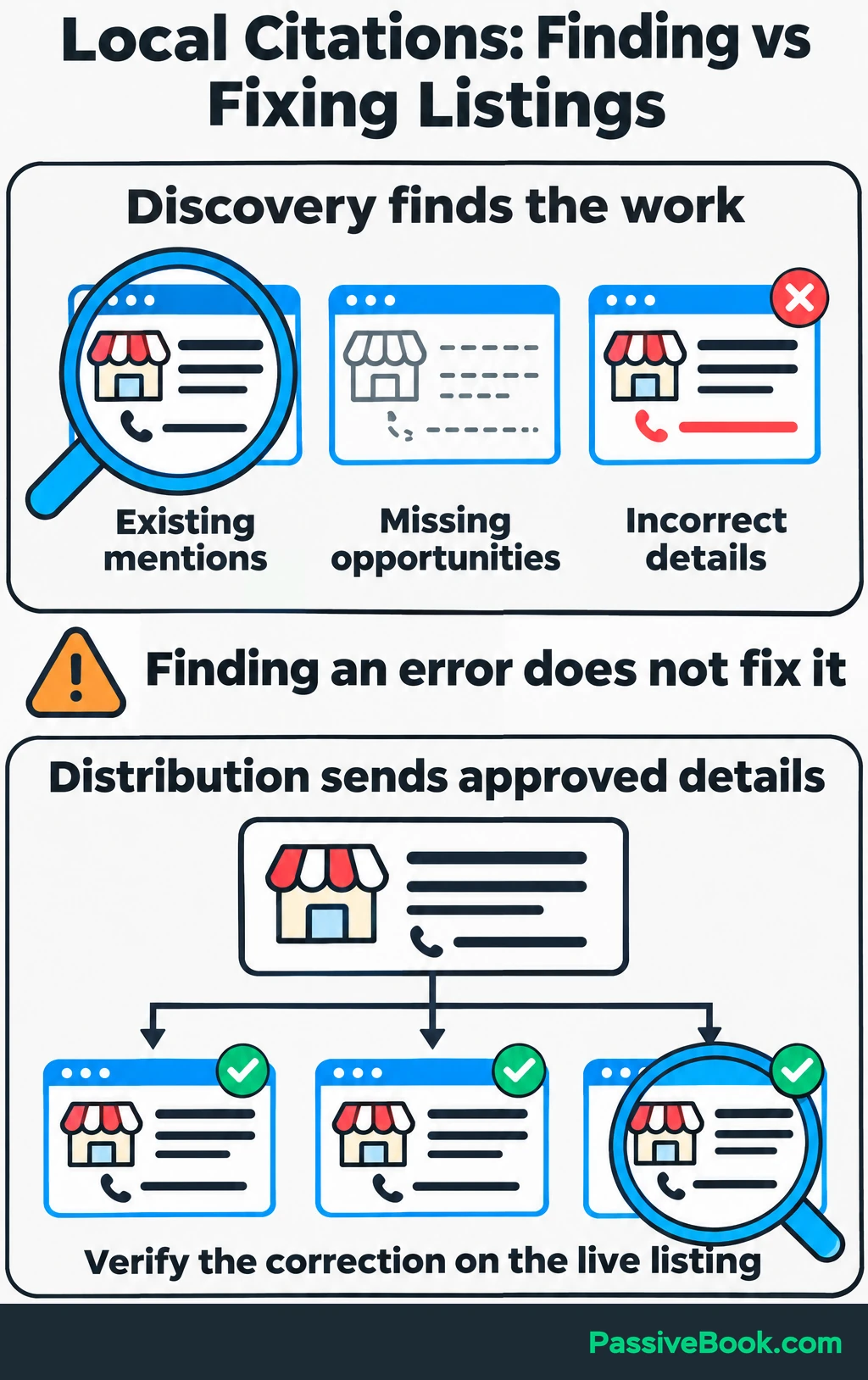
Two distinctions matter before you compare the tools.
First, a citation is a mention of your business details on another website. Citation discovery finds existing mentions and possible listing opportunities. Listing distribution sends your details to participating directories. Finding an incorrect phone number and getting it corrected are different jobs.
Second, a geo-grid checks rankings from several map coordinates. A strong position beside your premises tells you little about visibility across your whole customer area.
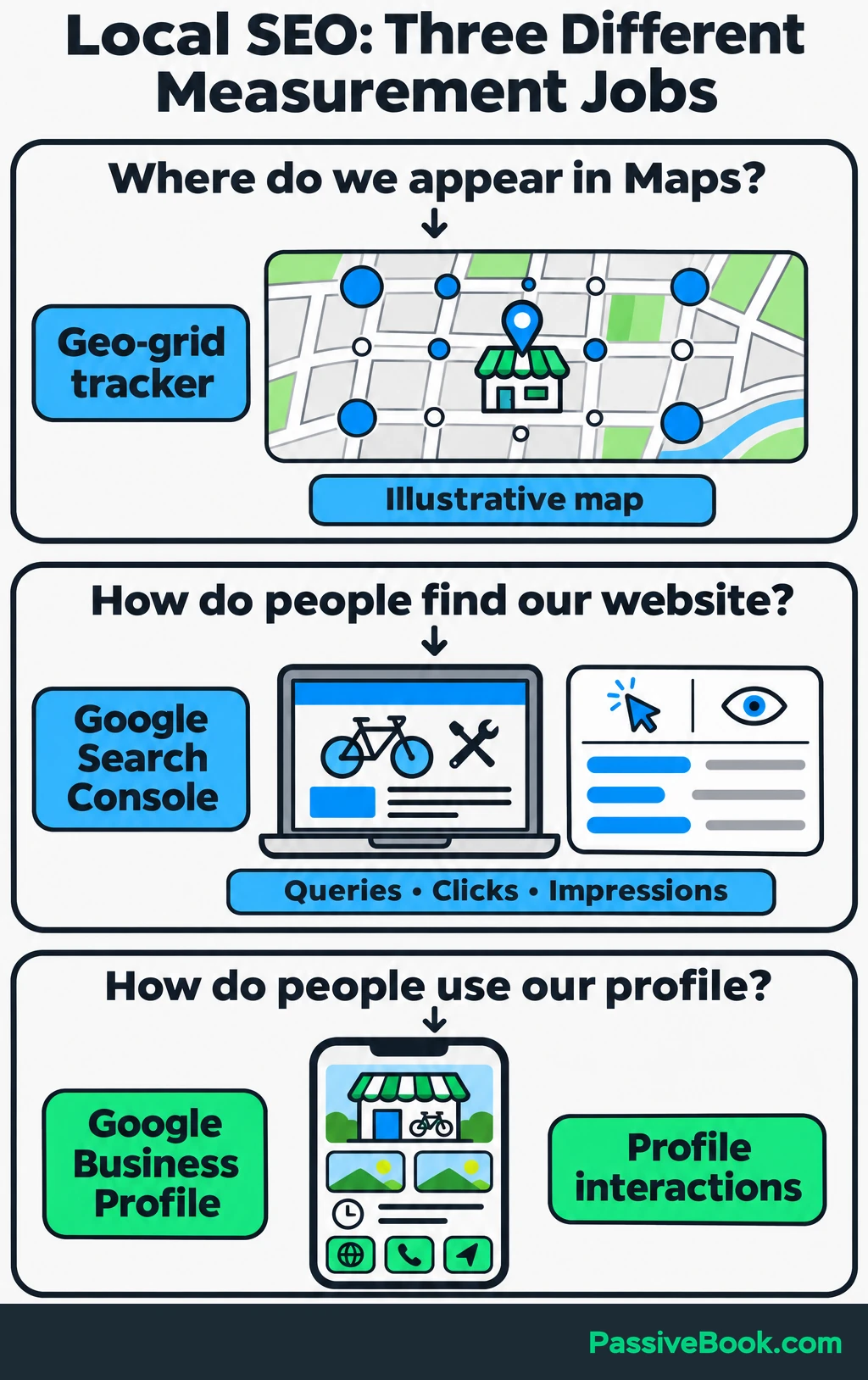
The table also separates Maps visibility from organic rankings: positions in unpaid website search results.
| Tool | Main Job | Maps Tracking | Website Organic Tracking or Data | Listings, Reviews and Reporting |
|---|---|---|---|---|
| Google Business Profile | Maintain your presence on Google | No rank tracking; profile interaction data only | Website-link clicks from your profile, without organic rankings | Business details, review responses and profile interactions |
| Google Search Console | Understand website search performance | No neighborhood Maps tracking | Queries, pages, clicks, impressions and average position | Search reports and indexing checks |
| BrightLocal | Coordinate several local SEO jobs | Map Pack tracking (Google’s mapped business results) and geographic grids | Organic position tracking | Citation audits; listing sync on Manage; review workflows on Grow; shareable reports |
| Localo | Follow guided profile tasks | Position maps and keyword monitoring | No website organic tracking | Profile audits, review management, content scheduling and citation organization |
| Semrush Local | Add local work to a Semrush workflow | Credit-based Map Rank Tracker | Broader SEO research requires separate access | Profile automation; Pro adds listing management and expanded review tools |
| Whitespark Local Citation Finder | Find missing citation opportunities | No Maps rank tracking | No website organic tracking | Competitor citation comparisons, monitoring and paid-plan exports |
| Whitespark Local Ranking Grids | Monitor geographic visibility affordably | Scheduled grids and competitor inspection | Not a website organic tracker | Shareable reports and data exports |
| Local Falcon | Investigate geographic visibility in detail | Grids, scheduled scans and competitor trends | No website organic tracking | Public report links, exports and plan-dependent integrations |
Software can help you spot and complete improvements, but distance still matters. Google says local results mainly depend on relevance, distance and prominence, and you cannot pay Google for a better local ranking. Google’s local ranking guidance
Throughout this guide, imagine you run Maple Street Bike Repair, a single-location shop in Portland with an appointment-booking website. Its workload and calculations are illustrations.
The Best Local SEO Tools for Each Job
Google Business Profile: Best Free Starting Point
Choose Google Business Profile first when your immediate problem is incomplete or outdated business information.
You can manage your hours, services, photos, updates and review responses without buying another platform. For a single location with a manageable number of reviews, that may cover much of your routine profile work.
Check eligibility before purchasing connected software. Your business generally needs a location customers can visit or must travel to customers. An online-only blog or digital-product shop does not qualify simply because its owner has a home address. Google’s business eligibility rules
For Maple Street Bike Repair, I would start with accurate repair services, opening hours, current shop photos and a working appointment link. Follow that link yourself and try to book. A profile can look complete while sending customers to an unhelpful page.
- Cost: Free.
- Add Paid Software When: You need ranking history across neighborhoods, directory distribution, coordinated review requests or reports covering several sources.
I would finish the basic profile work before paying for software that produces a longer list of basic profile work.
Google Search Console: Best Free Tool for Website Search Performance
Google Search Console helps you understand how people find your website through Google Search. It also helps you investigate pages Google has trouble finding or indexing.
Verify ownership of your website, or ask its existing owner to give you access. Then look at the pages connected to services customers can actually book.
Start with clicks to your website and impressions, which count appearances in search results. For the same date range and filters, click-through rate is the percentage of impressions that produced a click. You can examine these measures by page or search query. Average position summarizes the position of your highest result in the recorded searches; it is not your ranking from every nearby street. Google’s Search Console performance metrics
For the bike shop, inspect the tune-up page and the searches leading to it. If people find that page for relevant repair queries, check whether it clearly explains the service and offers an obvious booking action.
- Cost: Free.
- Add Paid Software When: You need scheduled tracking for chosen keywords, competitor comparisons or geographic Maps visibility.
Search Console and a grid tracker answer different questions, so using both can be sensible. Paying for two tools that answer the same question needs a better reason.
BrightLocal: Best for a Broad Local SEO Toolkit
BrightLocal is my first broader-platform shortlist when you need measurement, listing work and reporting in one place.
Its Local Rank Tracker covers organic and Map Pack positions, while Local Search Grid checks geographic visibility. Citation audits help identify inconsistent details and missing opportunities.
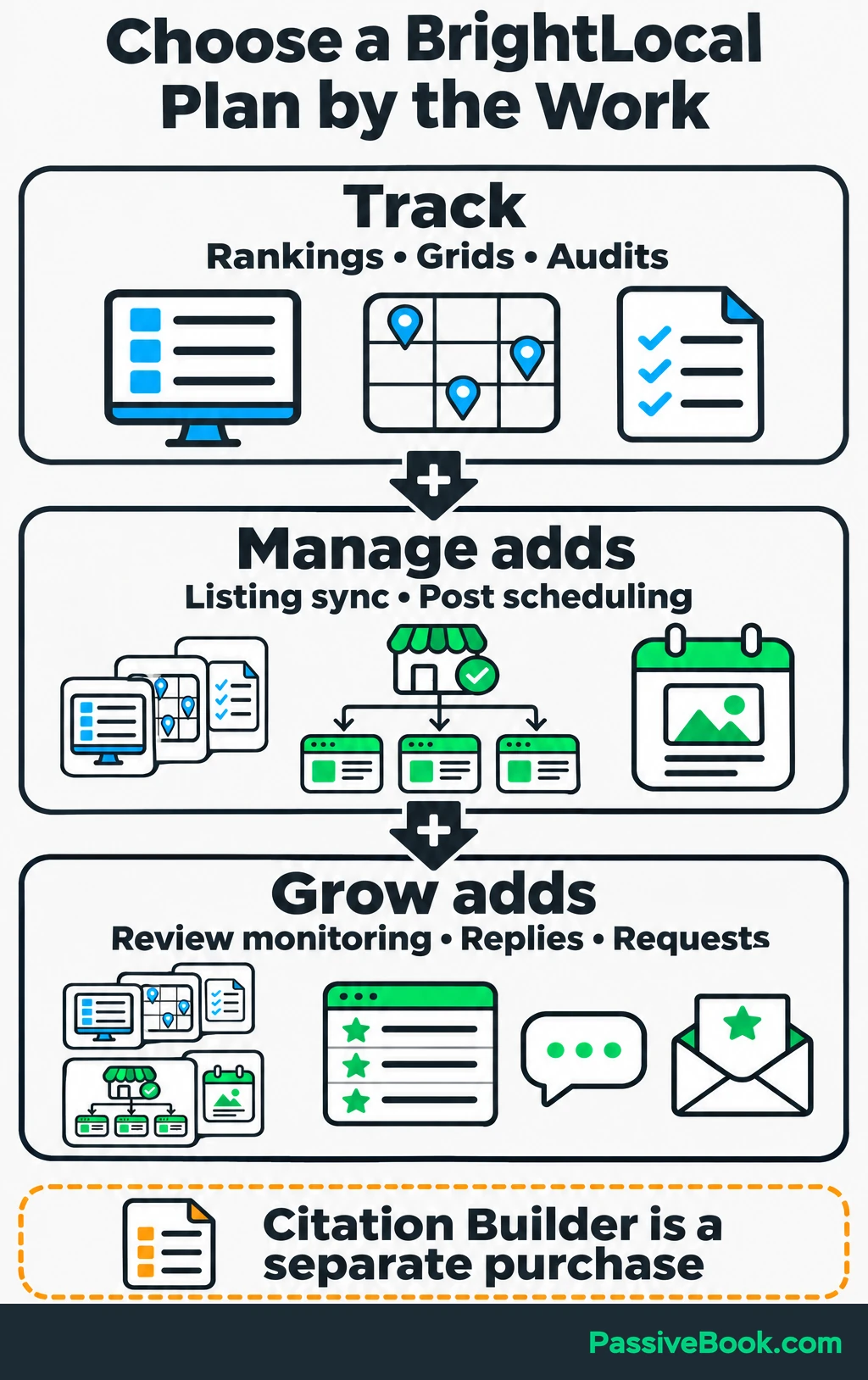
Choose the plan around the work:
- Track: Rankings, grids and audits.
- Manage: Adds listing synchronization and Google post scheduling.
- Grow: Adds review monitoring, responses and acquisition campaigns.
Shareable dashboards and branded reports are useful when you report to clients or need a consistent monthly review. Citation Builder submissions are a separate purchase, including on higher plans.
For one location, monthly billing is $41 for Track, $54 for Manage or $65 for Grow. Annual commitments are $369, $485 and $584 respectively. There’s a 14-day trial without a card. BrightLocal plans and pricing
Country coverage varies by feature. Listing sync supports the US, UK, Canada and Australia; the ranking tools also support New Zealand and Ireland. BrightLocal country coverage
For Maple Street Bike Repair, I would trial Track first if the main problem is understanding visibility. Choose Manage or Grow when their execution features replace work you already need to do.
Localo: Best for Guided Google Business Profile Tasks
Localo is worth testing when the obstacle is knowing what to do next.
Its Smart Tasks, audits and position maps connect profile monitoring with suggested work. Review management and content scheduling help you carry out recurring tasks without starting from a blank page each time.
For Maple Street Bike Repair, the useful test is simple: does the guidance reveal a worthwhile improvement you would otherwise miss? A suggestion to clarify an important repair service may help. Repeated prompts to publish generic updates may just create another chore.
- Cost: Single Business is $49 monthly, or a displayed $39 per month billed annually, plus VAT.
- Free Access: A 14-day trial without a card.
- Capacity: Single Business includes one active profile and one optimization seat for weekly tasks and audits. On larger plans, check how many connected profiles also receive that guidance. Localo features and pricing
I would choose Localo over a pure tracker when guidance is the missing piece. If you already know which changes to make and only need to measure visibility, a dedicated grid tool is a more focused purchase.
Semrush Local: Best for an Existing Semrush Workflow
Semrush Local makes sense when you already work in Semrush and want local profile tasks alongside your other SEO work.
You can also buy Local separately. Just keep its scope clear: a Local subscription does not automatically include the broader keyword research and website SEO tools.
Base includes automated profile management, post publishing, review auto-replies and Map Rank Tracker credits. Pro adds listing management and broader review management and generation.
- Cost: Base displays $30 per location per month and Pro displays $60, both billed annually.
- Tracking Allowance: Base includes 375 Map Rank Tracker credits; Pro includes 1,225.
- Extra Costs: Additional users and reporting options can require add-ons.
- Free Access: Map Rank Tracker offers one free campaign with 50 credits, limited to one keyword and a 5×5 grid. This provides a small tracking test without access to the full Local toolkit. Semrush Map Rank Tracker limits. Check any broader trial’s coverage against the Semrush Local plans and pricing.
For the bike shop, I would consider Pro when directory distribution or its expanded review workflow fills a real gap. Check the directory network for your country before treating listing coverage as settled.
Convenience can justify a subscription. Familiar branding alone cannot.
Whitespark Local Citation Finder: Best for Citation Discovery
Choose Local Citation Finder when you need to find relevant places where your business could be listed.
It compares competitor citations with your own and helps organize missing opportunities. Paid plans include monitoring, opportunity lists and CSV or PDF exports.
The important boundary is execution. Finding a directory does not create your listing, and finding an old address does not correct it. You still need to complete submissions yourself or buy a separate service.
- Cost: Small Business is $39 monthly, or a displayed $33 per month billed annually.
- Free Access: An ongoing free plan includes one campaign, three searches daily and limited results.
- Paid Capacity: Small Business includes five campaigns and 20 daily searches. Whitespark Citation Finder features and pricing
For Maple Street Bike Repair, investigate Portland business directories and relevant cycling listings. Open the live pages and check whether they serve actual customers.
I would rather complete a short list of useful listings than collect hundreds of opportunities I never act on. A spreadsheet full of unfinished submissions is still unfinished work.
Whitespark Local Ranking Grids: Best for a Low-cost Dedicated Grid Tracker
This is a separate Whitespark product from Citation Finder. Choose it when you need to see where your business appears across a customer area.
It offers geographic scans, competitor inspection, scheduled tracking and shareable reports. You can export data when you need to examine results outside the dashboard.
- Cost: Plans start at $10 monthly for 2,000 credits.
- Free Access: The trial includes 200 credits without a card.
- Usage: Each scanned grid point uses one credit, and unused credits expire after the billing period. Whitespark Local Ranking Grids features and pricing
For the bike shop, use a grid covering neighborhoods customers realistically travel from. Inspect the businesses appearing where your visibility is weaker.
This would be my first paid shortlist for a single location whose main unanswered question is, “Where do customers stop seeing us?”
Keep Google Business Profile for profile work and Search Console for website data. You do not need a broader platform just to add geographic monitoring.
Local Falcon: Best for Detailed Geographic Visibility Analysis
Local Falcon is worth comparing when you need to investigate competitors and visibility trends in more detail.
Scheduled scans, competitor and trend reports, public report links, and CSV or PDF exports support recurring analysis. I would test whether those reports help you explain changes more clearly than the simpler alternative.
- Cost: Starter is $24.99 monthly for 7,500 credits.
- Free Access: Signup provides 100 credits without a card.
- Usage: Standard scans use one credit per grid point. Optional Falcon AI analysis adds 25 credits per report.
- Expiry: Monthly package credits expire at the monthly billing-cycle end; annual package credits last until the annual cycle ends.
- Integrations: Looker Studio and Zapier access require an eligible package beyond Starter monthly; Starter annual is eligible. Local Falcon features, pricing and credit rules
For Maple Street Bike Repair, compare Local Falcon directly with Whitespark’s grid product using the same area and keywords. Choose based on useful analysis, sufficient scan capacity and total cost.
I would use built-in reports first. Add an external dashboard when it saves work or answers a reporting requirement.
How Much Will Your Local SEO Setup Cost?
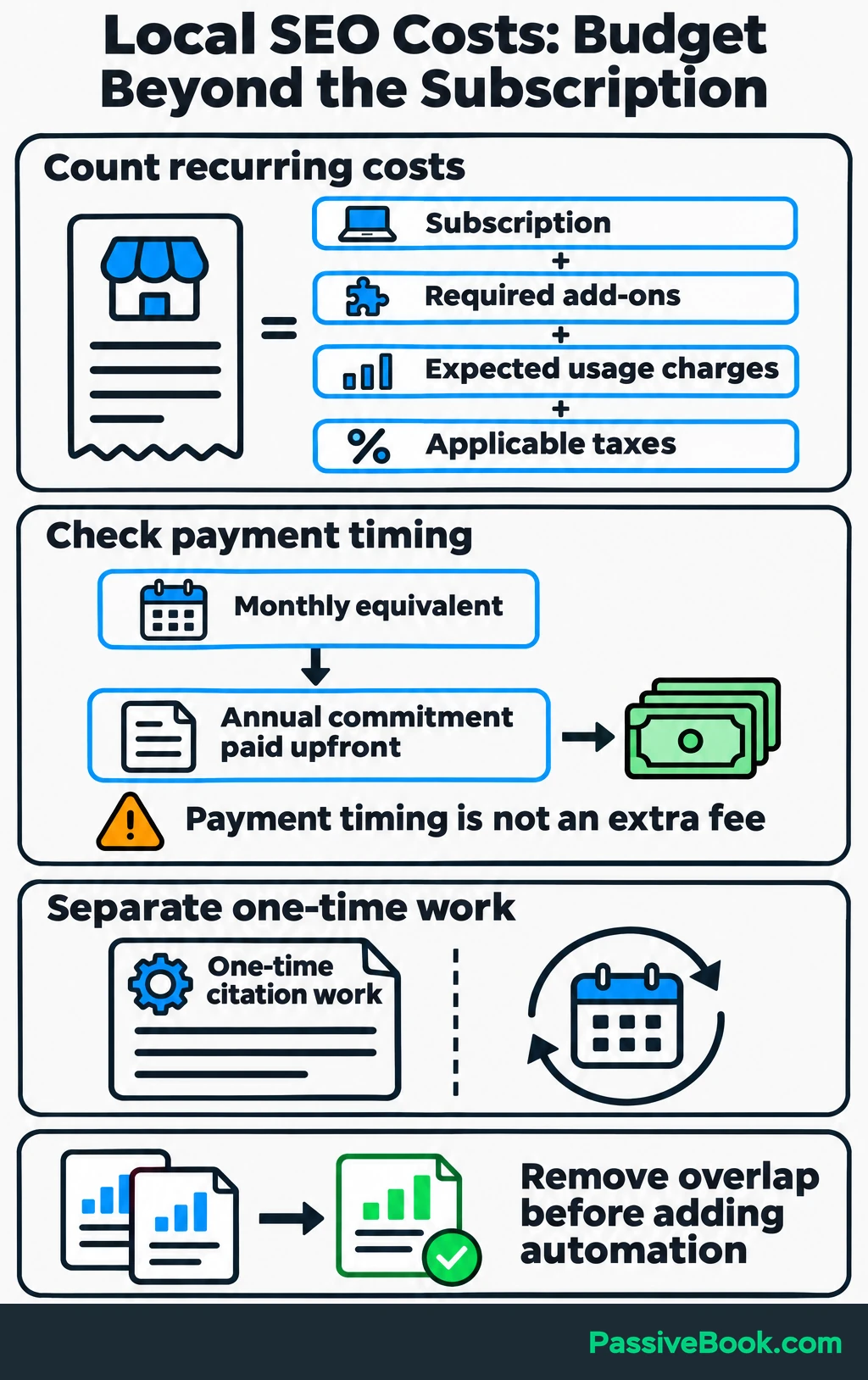
Count the subscription, required add-ons and expected usage charges as your recurring cost. Keep one-time citation work separate, then include applicable taxes.
Annual billing deserves a separate line because it changes the cash you commit upfront. A monthly equivalent on a pricing page is not permission to pay one month at a time.
Once you have two plans that cover the work you need, compare their costs over the same period. Use the prices and billing terms from your shortlist.

Free Software Cost Calculator




Before choosing a grid plan, count how many map positions you will check across all keywords, business locations, scan runs and search platforms. In tools that charge one credit per point, that total gives your standard scan cost in credits.
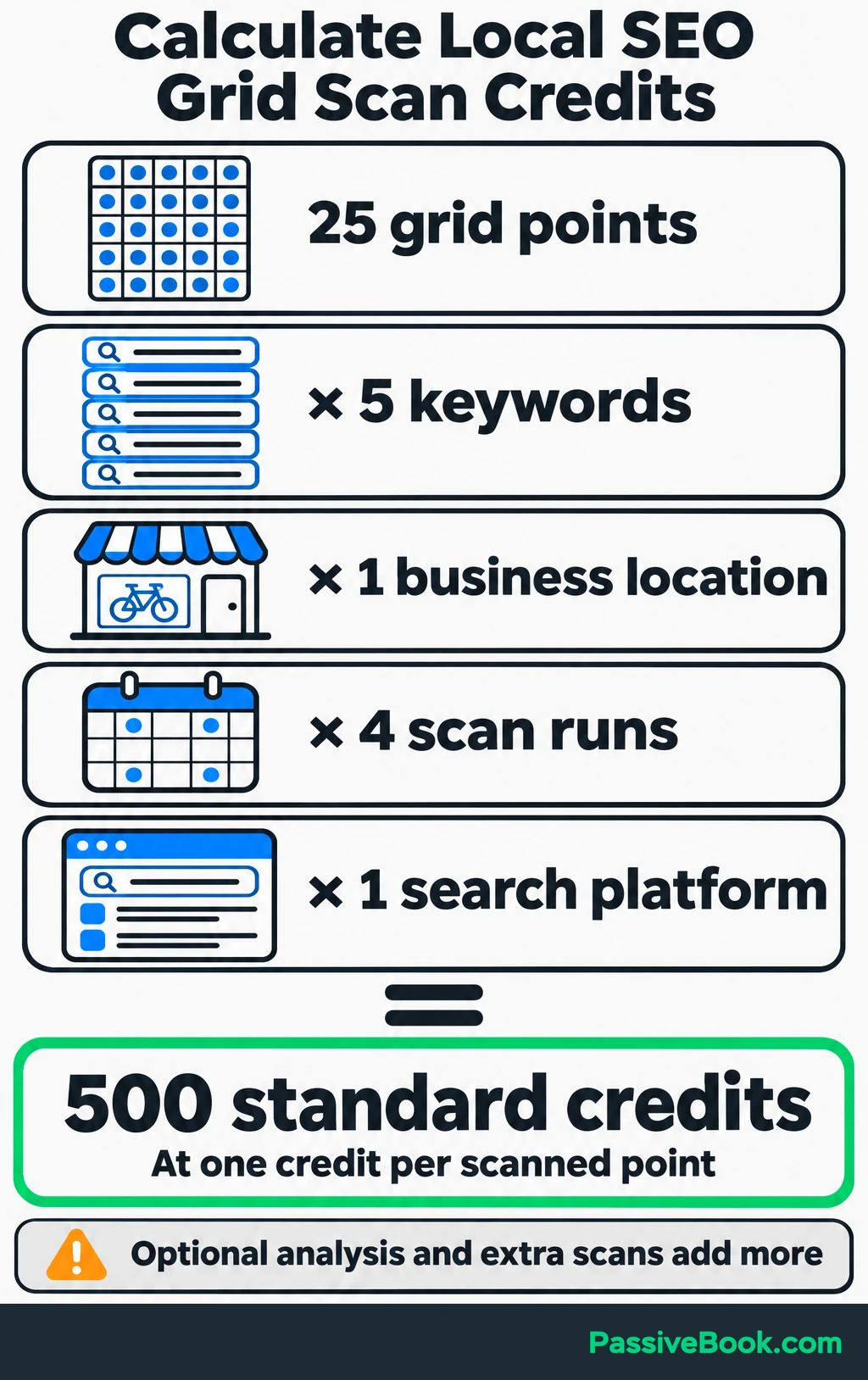
For standard scans:
Grid points × keywords × business locations × scan runs × search platforms tracked
Suppose Maple Street Bike Repair uses a 5×5 grid for five keywords, one location and four Google scan runs:
25 × 5 × 1 × 4 × 1 = 500 standard credits
Four runs are an illustrative workload. Choose your schedule around how often you can review the results and make useful changes. This workload fits the entry paid packages from Whitespark Local Ranking Grids and Local Falcon, but exceeds Semrush Local Base’s included allowance. Check current prices and allowances on the linked vendor pages before subscribing.
Optional analysis and separately commissioned competitor scans add to that total. Competitors appearing inside your own scan results are different from running additional scans centered on their businesses.
For this shop, I would compare three setups:
| Setup | Work It Covers | Work You Still Need to Handle |
|---|---|---|
| Google Business Profile + Search Console | Profile maintenance and website search data | Geographic monitoring, directory work and review-request coordination |
| Free Google tools + Whitespark Local Ranking Grids | Adds affordable geographic monitoring | Listing corrections, profile improvements and review workflows |
| Free Google tools + BrightLocal Manage or Grow | Adds broader coordination, reporting and plan-specific execution | Separate Citation Builder purchases and improvements requiring your judgment |
The grid setup has a lower starting cost because it covers less work. A broader platform becomes worthwhile when its extra functions replace enough manual effort.
I learned to check this across my own websites. I kept two subscriptions because their reports looked different, then listed the decisions I made after reading each. Both kept sending me back to the same pages. I canceled one. Different chart colors were a poor reason to pay twice.
Before subscribing, check:
- Locations and Users: Enough capacity for the businesses and people involved.
- Coverage: Relevant countries, publishers and search platforms.
- Usage: Grid credits, scan schedules and any messaging charges.
- Reporting: Required exports, branding and integrations.
- Exit Terms: Renewal commitments, cancellation rules and access to your data afterward.
Remove overlap before adding automation. Otherwise, you can automate the delivery of three reports you still do not have time to read.
Test Your Shortlist Before Subscribing
Check Rankings Across Your Customer Area
Start with the correct business listing, a few real service searches and an area customers can reasonably travel from.
For Maple Street Bike Repair, initial phrases might include “bike repair Portland” and “bicycle tune-up.” These are example phrases, so check that they match the services and searches you want to monitor.
Set a grid around the customer area. A huge radius can produce an impressive-looking map while telling you little about the people likely to book.
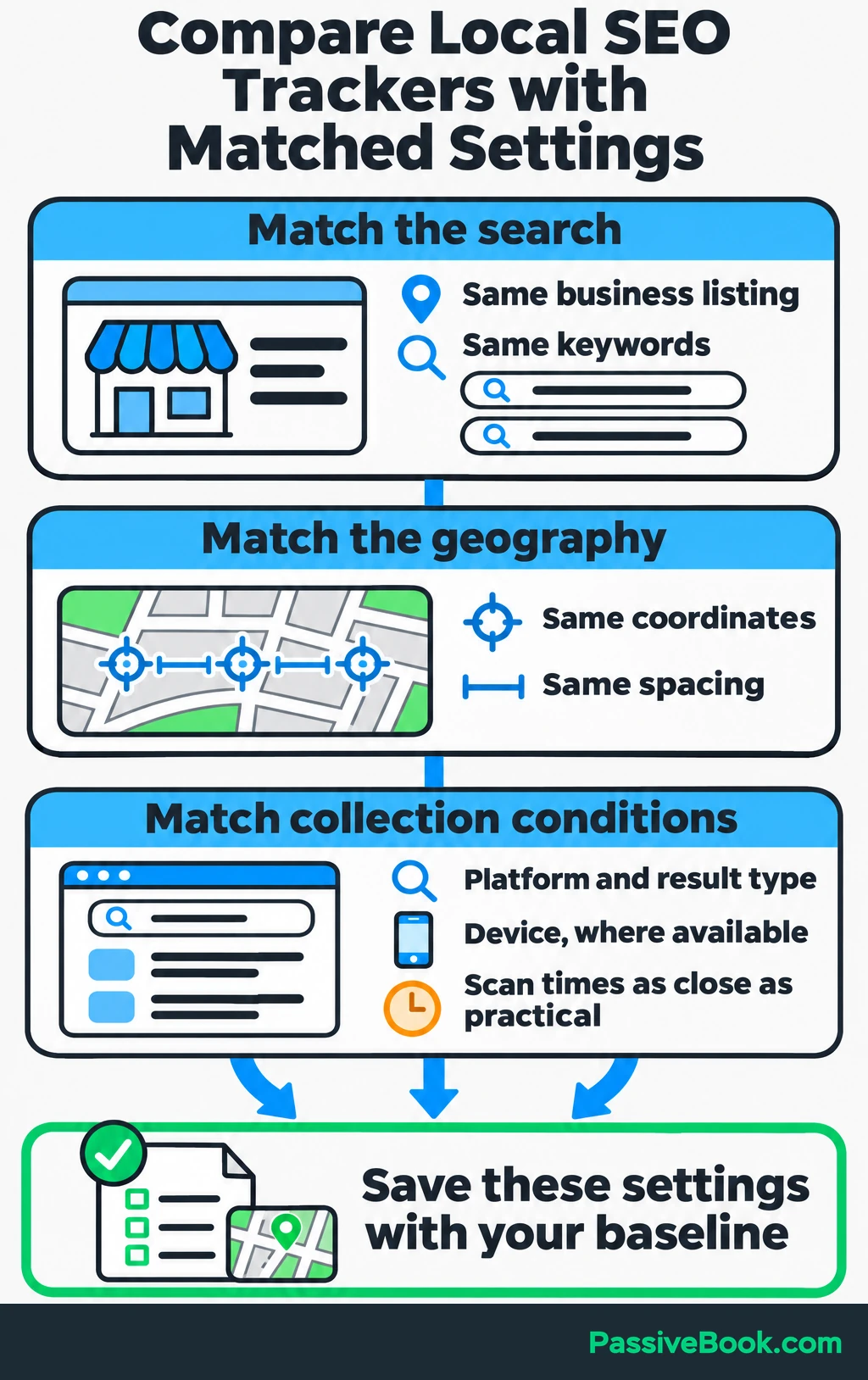
When comparing trackers, match:
- The business listing and keywords.
- Grid coordinates and spacing.
- The search platform and result type.
- Device settings, where available.
- Scan times as closely as practical.
Then inspect individual results. Which businesses appear at a weaker point? Are they nearby, and do they offer the same service?
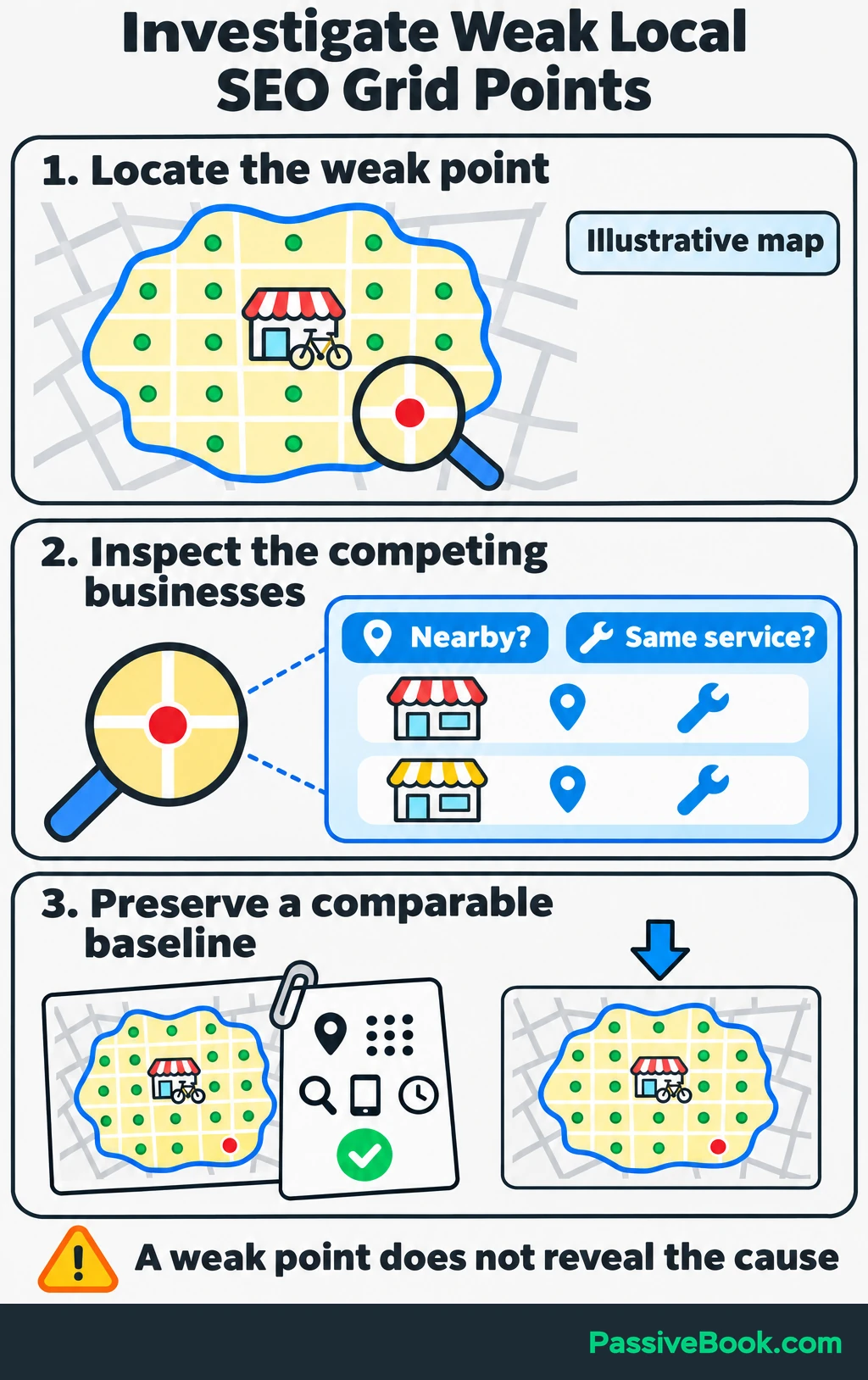
A red map square is a prompt to investigate. It does not identify the cause of a ranking or tell you which edit will fix it.
Save the settings with your baseline. Later scans should answer the same question, so a changed map reflects visibility rather than a changed measurement setup.
Do not choose an accuracy winner from unmatched screenshots. A scan taken at another time or from another coordinate is a different observation.
Complete the Workflow You Are Paying to Improve
Use the trial to finish one real task.
If you need listing management, choose an incorrect live listing and attempt to correct it. If guidance is the attraction, complete a suggested profile task. If reviews are the bottleneck, test the request and response process.
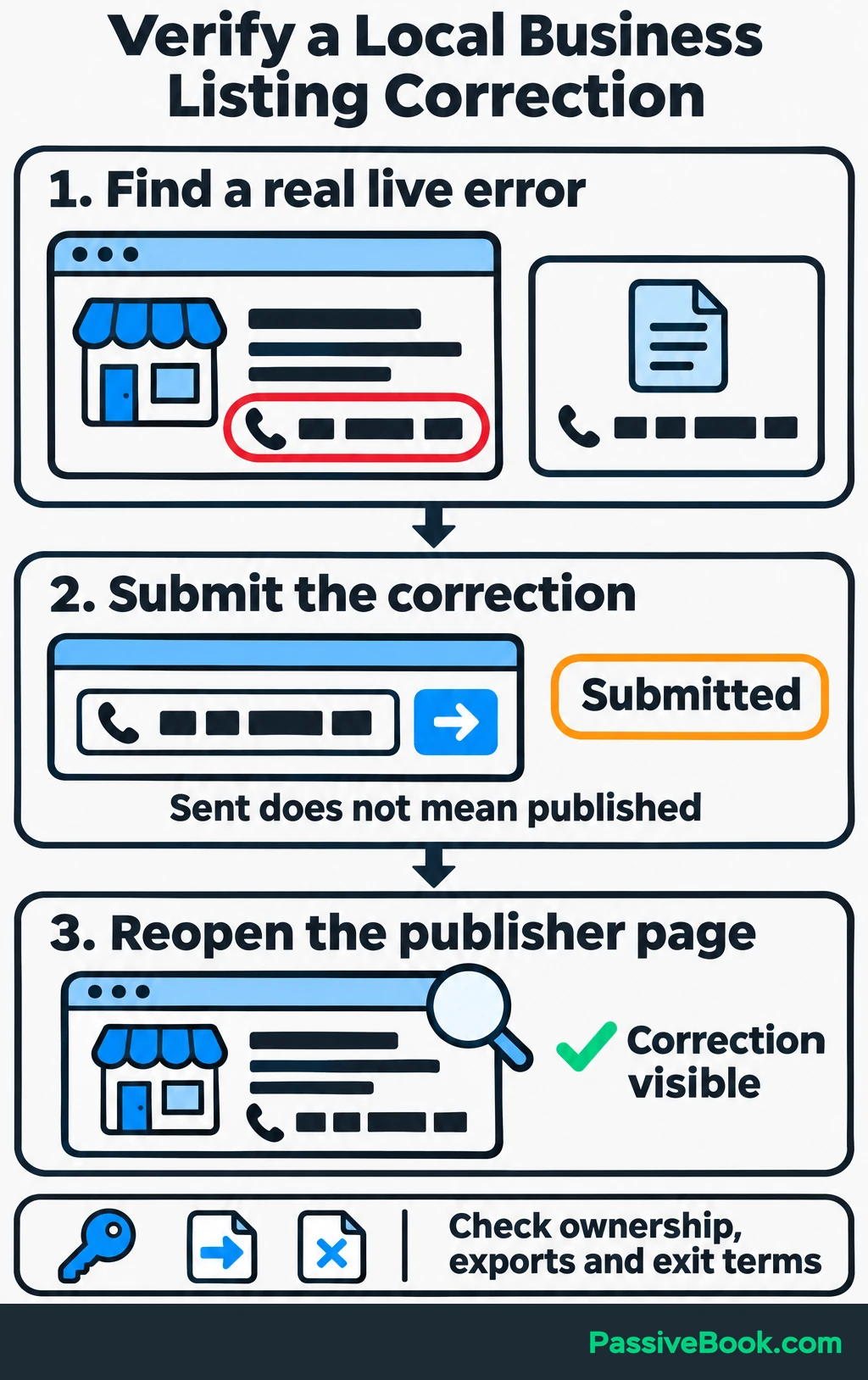
For directory work, open the publisher’s page afterward. “Submitted” means an update was sent; it does not confirm that customers can see the correction.
Also check who controls the listing account, what you can export and what happens to synchronized listings after cancellation. Those details matter when you eventually change tools.
For the bike shop’s review workflow, send requests consistently to eligible customers after a completed repair. Keep the invitation neutral:
“Thanks for visiting Maple Street Bike Repair. If you’d like to share your experience, you can leave a Google review here: [review link].”
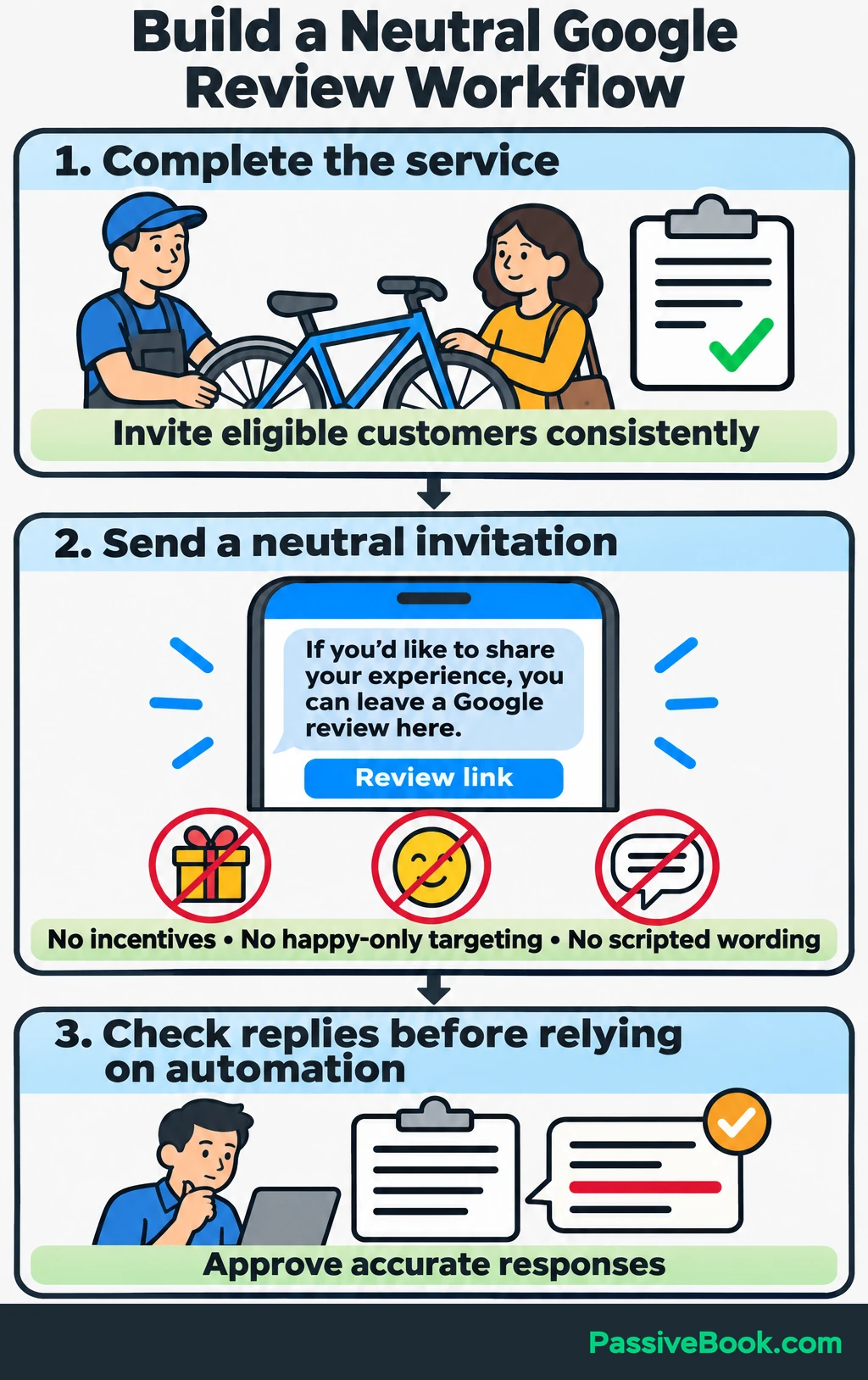
Avoid incentives, requests aimed only at happy customers and instructions to use particular wording. Google prohibits incentivized reviews and selective solicitation of positive reviews. Google’s review policy
Check automated responses before relying on them. A reply that invents details about a repair creates more work than it saves.
Once the process works, schedule repeatable parts such as scans, reports or approved posts. Confirm which actions publish automatically and which wait for review.
Confirm the Reports Help You Act
Build a compact report that connects visibility with customer activity. Each measure should answer a question you can use.
| Question | Evidence to Check | Possible Next Action |
|---|---|---|
| Where are we visible in Maps? | The saved grid for the same keywords and area | Inspect weaker points and the competitors appearing there |
| Are people finding the service page? | Search Console clicks and queries for the tune-up page | Clarify the service information and booking action |
| Are people using the profile? | Profile website clicks, call-button clicks and direction requests | Test links and check contact details |
| Are inquiries turning into work? | Inquiry notes, booking records and completed appointments | Find repeated booking problems and improve follow-up |
Keep those measures separate. Google’s “Calls” metric counts clicks on the profile’s call button, so it does not tell you how many calls were answered or appointments booked. Google Business Profile metric definitions
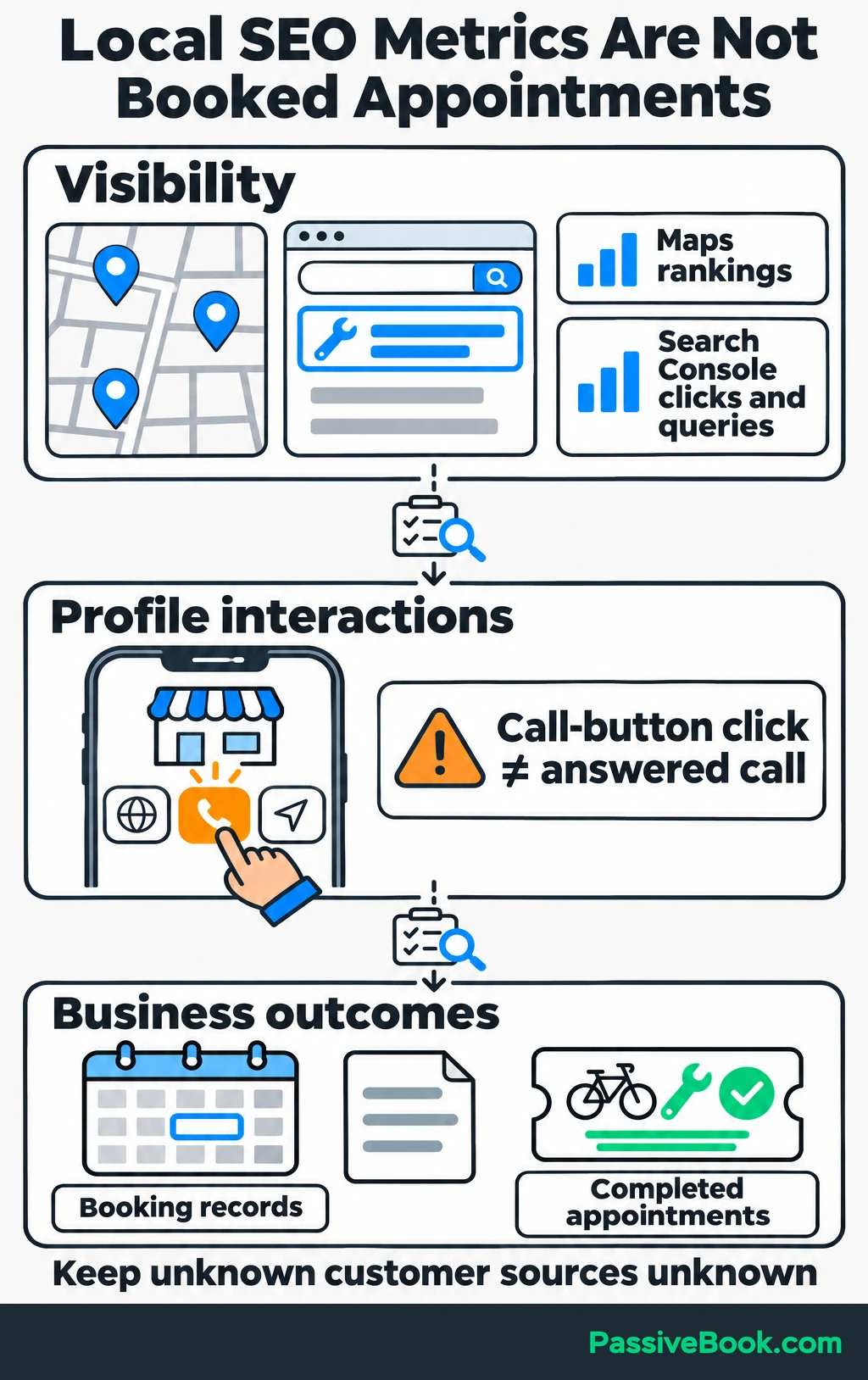
For Maple Street Bike Repair, completed appointments belong in the booking records. If you also record how customers found the shop, retain unknown sources instead of assigning every new booking to SEO.
Turn one finding into a concrete change. Perhaps the tune-up page leaves out what the service includes, or the profile shows incorrect holiday hours. Record what changed and when, then review subsequent results.
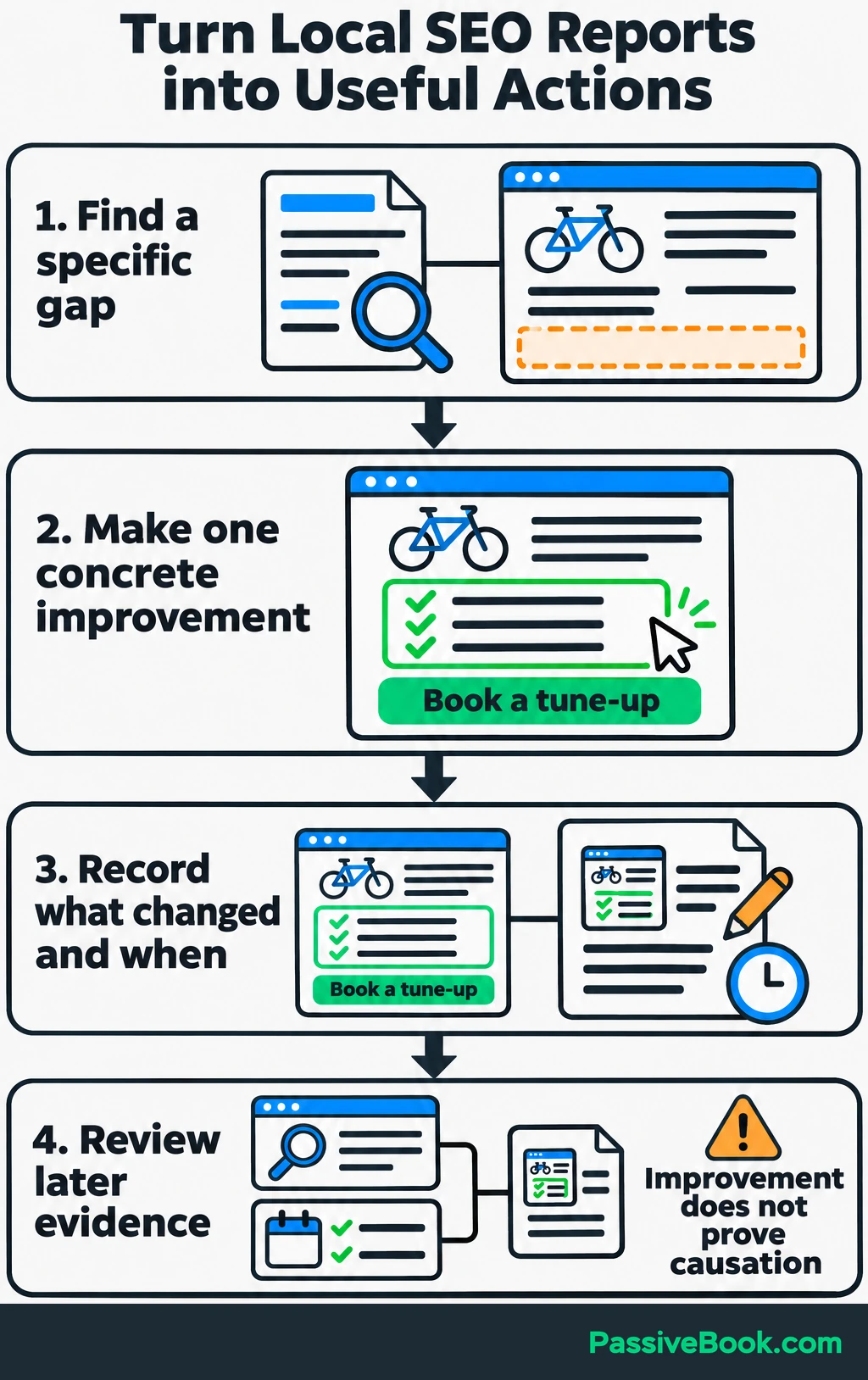
A later improvement does not prove that one edit caused it. The record still helps you make better decisions than guessing from memory.
Keep the smallest setup that produces useful decisions with manageable effort. You can handle routine local SEO yourself and pay for monitoring or coordination where it meaningfully reduces your workload.
What Next?
Write down the one local SEO task you keep postponing, then choose a free tool or trial that lets you finish it. Judge the result by what gets corrected, published or understood.
Use the social buttons to share this comparison when a tool discussion starts turning into a subscription shopping spree.
Which gap would you tackle first: Maps visibility, listings, reviews or reporting? Share your answer in the comments, and bring any other questions too.
Share this post with your friends & followers:

