A tool can hand you thousands of websites to contact, but that still leaves the hard question: why would any of them link to your page?
Without a good answer, you can spend a month paying for research, email credits and follow-ups while collecting very little worth keeping.
The best choice depends on where your campaign gets stuck. This guide compares tools for finding prospects, checking their relevance, reaching the right person and tracking placements, so you can put together a useful link-building system without collecting subscriptions as a second hobby.
Compare the Best Link Building Tools
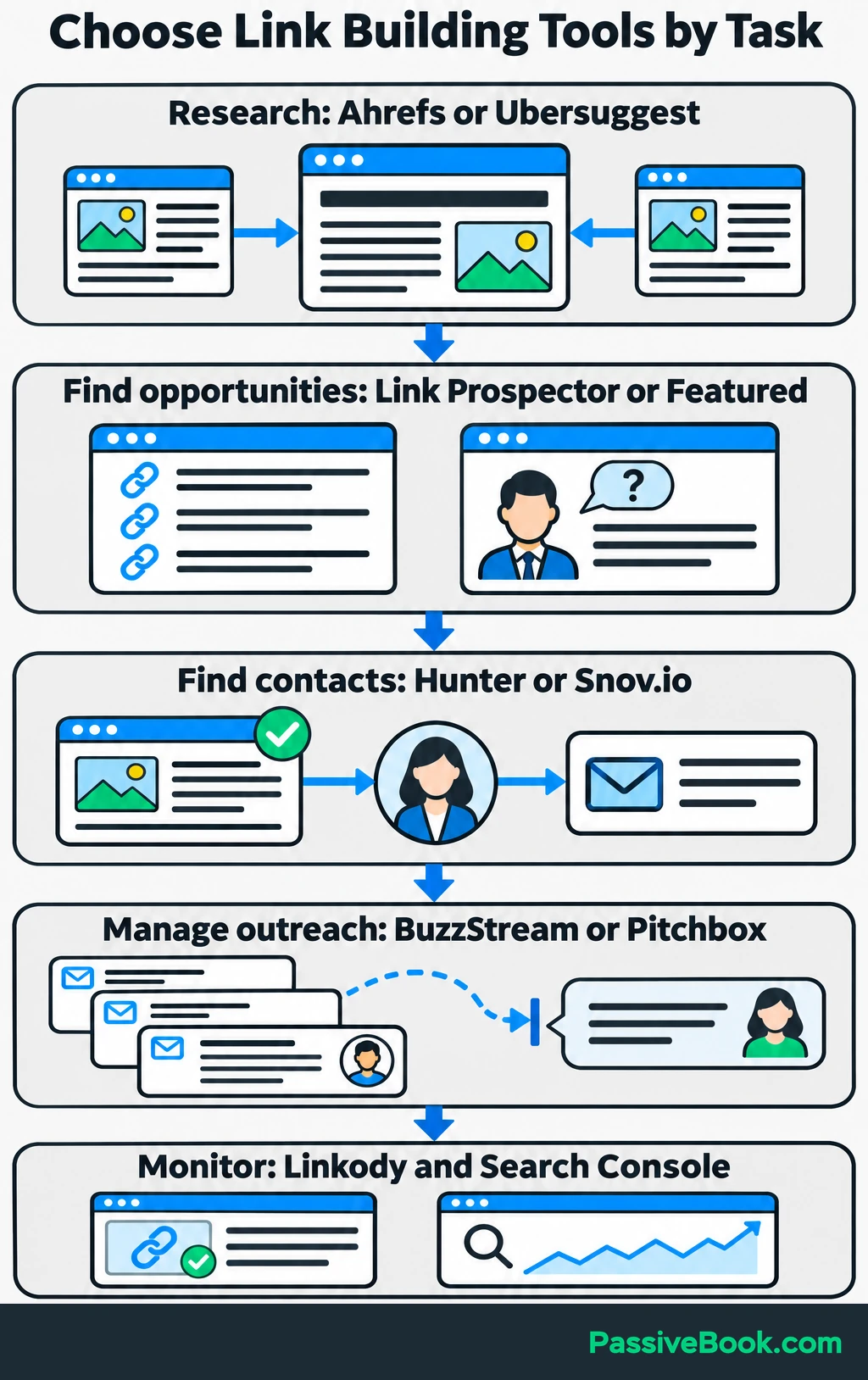
My shortlist is Ahrefs for competitor backlink research, Ubersuggest for lower-cost research, Hunter for finding contacts and sending simple outreach, BuzzStream for managing publisher relationships, and Pitchbox for coordinated team campaigns.
Those tools solve different problems. Ahrefs and Ubersuggest both help you research backlink opportunities, while Hunter helps you contact people. Compare tools that handle the task you need.
The recommendations below reflect documented features, plan limits and workflow fit. Start with the task blocking your progress:
- Research: Find pages that link to competing resources.
- Prospecting: Find relevant publishers, resource pages and editorial requests.
- Contact Discovery: Identify the person responsible for a suitable page.
- Outreach: Manage messages, replies and follow-ups.
- Monitoring: Check placements and follow the promoted page’s performance.
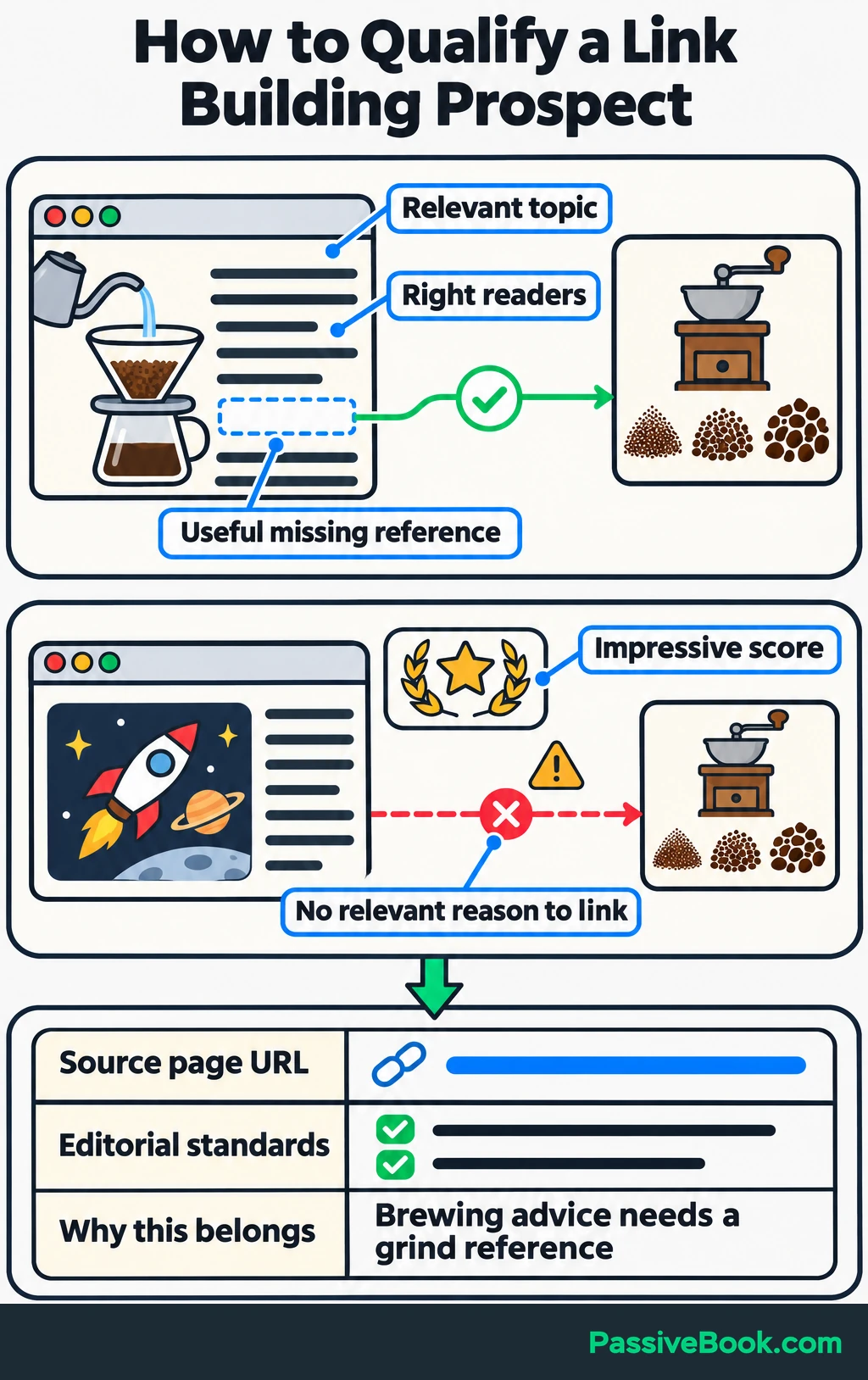
Before comparing software, decide what makes a prospect worth contacting. I would check the page’s topic, its readers, its editorial standards and the specific reason your resource belongs there.
For the examples throughout this article, imagine you run a home-coffee blog that sells printable brew journals. You want to earn links to a free grind-size troubleshooting guide. Brewing tutorials and useful coffee resource pages are sensible places to inspect. An unrelated website with an impressive score is much less interesting.
Authority scores can help you decide what to inspect first. Ahrefs’ Domain Rating, for example, measures a website’s relative backlink-profile strength. It does not establish whether an individual placement is useful, so I would skip universal score cutoffs. Ahrefs explains Domain Rating here.
I learned the value of keeping the actual page in my records after saving a publisher list for one of my smaller sites. When I returned to write pitches, the list contained domains but few notes explaining why I had chosen them. I had given myself the same research job twice. Adding a source-page URL and a “why this belongs” column was more useful than another automation.
That is the standard I would apply to every tool below: does it help you complete the next useful action?
Prices and decision-changing limits are collected in this table. $ means USD; pounds and euros remain in their original currencies. Annual equivalents require the stated annual payment. Use the linked plan pages for current terms, regional prices and applicable taxes.
| Tool | Best-Fit Task | Research, Outreach and Monitoring Coverage | Starting Price and Billing Basis | Main Plan Restriction | Export or Integration Options |
|---|---|---|---|---|---|
| Ahrefs | Competitor backlink prospecting | Backlink research and new/lost-link reports; separate outreach system | Starter: $29/month; Lite: $129/month; Standard: $249/month, monthly billing | Starter has 250 rows per report and no exports; Lite supports exports | Report exports on Lite and above |
| Semrush | Backlink research alongside wider SEO work | Backlink research and checks; journalist outreach is a separate product | SEO Toolkit Pro: $139.95/month, monthly billing | Pro includes five monitored websites and 10,000 results per report | CSV/Excel exports; reporting connections depend on plan |
| Majestic | Topical backlink analysis | Backlink research and campaign tracking; separate sending tool | Lite: £39.99/month; Pro: £79.99/month, monthly billing, excluding VAT | Lite has the Fresh Index; Pro adds the Historic Index and Clique Hunter | Lite includes PDF reports and OpenApps; Pro adds raw data exports |
| Ubersuggest | Lower-cost backlink research | Competitor backlink research; separate outreach and placement checks | Individual: $29/month at the listed USD rate; regional pricing varies | One user and one project; backlink export limits vary by report | CSV exports for backlink research |
| SE Ranking | Research and reporting across several websites | Backlink research, monitoring and SEO reporting; separate sending tool | Core: $129/month; Growth: $279/month, monthly billing | Core includes 10 projects and one manager; Growth includes 30 projects and three managers | Google Analytics, Search Console and Looker Studio connections |
| BuzzSumo | Content-led publisher research | Content research; PR & Comms adds journalist outreach and coverage reporting | Content Creation: $199/month, billed annually at $2,388; PR & Comms: $299/month, billed annually at $3,588 | Content Creation includes one user; PR & Comms includes five users and the media database | CSV/Excel/PDF exports; Slack alerts on PR & Comms |
| Link Prospector | Resource-page prospecting | Publisher discovery; contact research, sending and monitoring handled elsewhere | Pay-as-you-go: $5/credit, no subscription fee; Consultant: $47/month | Consultant includes 20 credits per month; research consumes credits | CSV and BuzzStream exports |
| Featured | Journalist-source opportunities | Request discovery, pitching workflows and media monitoring | Free; Individual Lite: $39/month, or $348/year | Plans share features but have different daily usage allowances | Slack, email and in-app delivery |
| Hunter | Contact discovery with simple outreach | Email discovery, verification and sequences; separate backlink monitoring | Free; Starter: $34/month, billed annually at $408 | Free includes 50 credits/month and one connected account; Starter includes 24,000 annual credits and three accounts | CSV export, Google Sheets add-on and API |
| Snov.io | Contact research and outreach with a CRM | Discovery, verification, sequences and contact records; separate backlink monitoring | Starter: $39/month, monthly billing | Includes 1,000 credits, 5,000 recipients and unlimited team seats | HubSpot, Pipedrive and n8n connections |
| BuzzStream | Publisher relationship management | Prospect research, outreach and link monitoring | Starter: $49/month; Growth: $174/month, monthly billing | Starter: one user, 500 contacts and 1,000 monitored links; Growth adds automation, three users and 25,000 contacts | Chrome extension; Ahrefs integration on Growth |
| Pitchbox | Structured team outreach | Prospecting, outreach, relationship records and link monitoring | Pro: $300/month, or $210/month billed annually at $2,520 | Pro includes two users, two email accounts, one workspace and 2,000 outreach emails/month | CSV campaigns and SEO integrations; API on Advanced |
| Screaming Frog SEO Spider | Broken-link prospect checks | Crawls selected websites; no outreach or web-wide backlink database | Free; paid licence: $279 per user per year | Free crawls up to 500 URLs; paid adds scheduling, custom search and extraction | Crawl-data exports; paid analytics connections |
| Linkody | Dedicated backlink monitoring | Backlink checks and competitor tracking; no sending | Webmaster: €13.90/month, monthly billing | Two monitored websites, 500 monitored links and one user; competitors share the website allowance | Excel/PDF reports |
| Google Search Console | Owned-site search reporting | Sampled link data and search performance; no prospect discovery or sending | Free | Requires property access; the Links report is incomplete | Spreadsheet exports |
Compare the plan that finishes your workflow. Exports, verification credits, connected mailboxes, follow-ups and reporting can matter more than the entry price.
I would automate approved follow-ups, reminders, data transfers and reporting. Keep editorial judgment with you. Google identifies automated link creation, ranking-driven link purchases and excessive exchanges as link spam. Advertising and sponsorship links should use an appropriate sponsored or nofollow attribute. Google’s link-spam policy explains the distinction.
Best Tools for Backlink Research
1. Ahrefs — Best for Competitor Backlink Prospecting
Ahrefs is my first shortlist choice when you need to understand which pages earn links and who links to them.
Use Site Explorer to inspect a competing resource, then use Link Intersect to look for websites linking to competing resources but missing from your backlink profile. Open the source pages before adding anyone to an outreach list.
For the coffee guide, a link inside a brewing tutorial might point to a grind-size chart because readers need a visual reference. That tells you what your guide must supply. Finding the domain alone would miss the reason for the link.
I would choose Lite when prospect lists need to move into another tool. Starter’s lack of exports makes it awkward for that handoff. Ahrefs documents those restrictions here.
Consider Standard if you regularly need to find articles that have earned links with Content Explorer or compare backlink metrics across many URLs with Batch Analysis. You will still need somewhere to manage publisher conversations.
2. Semrush — Best for Backlink Research Alongside Broader SEO Work
I would choose Semrush when backlink research belongs inside an existing SEO workload that also includes keyword research, rank tracking and site analysis.
Its backlink tools let you inspect referring domains, anchor text, competitor gaps and link status. The useful comparison is whether one subscription can handle several jobs you already perform.
For the grind-size guide, investigate competing troubleshooting pages and inspect the pages linking to them. Export the relevant source URLs and preserve your notes about what each publisher needs.
I would skip a second research subscription if Semrush already supplies the prospects you can realistically review.
Keep the product boundaries clear, though. The SEO Toolkit handles backlink research, while the AI PR Toolkit serves journalist outreach. A reference to PR features elsewhere on the website does not mean they are included in the SEO plan.
3. Majestic — Best for Topical Backlink Analysis
Majestic deserves a place on your shortlist when the subject and context of backlinks drive your research.
Topical Trust Flow helps you examine the topics associated with a backlink profile. Link Context helps you investigate the surrounding content. I would use both to decide where to look more closely, then read the page myself.
For the coffee guide, you want to know whether a source genuinely covers home brewing and whether the proposed reference helps that particular article.
Lite suits research using Majestic’s Fresh Index, which focuses on more recently crawled link data. Pro becomes more relevant when you need its Historic Index, raw data exports or Clique Hunter for competitor overlap.
I would choose Majestic for those specific research jobs. Contact discovery and publisher conversations still need their own process.
4. Ubersuggest — Best for Lower-cost Backlink Research
Ubersuggest is where I would start when the budget is tight and you need straightforward competitor research.
It is already my preference for beginner-friendly keyword and competitor work. That makes it a sensible starting point here, but the recommendation rests on its features and cost rather than a claimed link-building result.
Use Backlinks Overview to inspect a competitor’s links. Backlink Opportunity helps you find domains linking to competitors but missing from your profile. Qualify the pages, then export the useful prospects into your tracker.
Check the report you intend to export. Individual allows up to 2,000 Backlinks Overview rows, while Backlink Opportunity exports are capped at 500 rows. Ubersuggest explains the export limits here.
I would test whether those reports produce enough relevant brewing pages before considering a more expensive research tool.
5. SE Ranking — Best for Backlink Research Across Multiple Website Projects
SE Ranking makes sense when several websites need the same research and reporting process.
It combines backlink research and monitoring with rank tracking and project reporting. Its Google Analytics, Search Console and Looker Studio connections can help bring campaign activity and website performance into a shared reporting workflow.
I would compare it with the tools you already pay for. If it can replace separate reporting or monitoring work, the subscription has a clearer purpose.
For the coffee campaign, you could keep backlink checks alongside the guide’s search performance instead of maintaining unrelated reports.
Before switching, check the reports you actually need to deliver and any required add-ons. A subscription can cover several categories while still missing the particular export or client report you rely on.
Best Tools for Finding Editorial Opportunities
6. BuzzSumo — Best for Content-led Publisher Research
BuzzSumo is useful when you need to understand who covers a subject before deciding whom to pitch.
Start with relevant articles and examine their publishers, contributors and angles. Then read the coverage to see what kind of evidence or resource would add something useful.
For the coffee guide, I would look for writers covering common home-brewing problems. A writer publishing equipment launch news may need a different pitch from someone explaining why coffee tastes sour.
Choose Content Creation for article research. PR & Comms adds the media database, journalist outreach and coverage reporting.
I would hesitate to buy it solely for an occasional resource-page campaign. Its broader research capabilities need a recurring job to justify the cost. Check whether it helps you find suitable publishers you would struggle to identify through search or your existing backlink tool.
7. Link Prospector — Best for Resource-page Prospecting
Link Prospector focuses on finding potential link opportunities by topic and opportunity type.
That is useful when you know what you want to find but repeating searches has become tedious. Its Links Pages report is particularly relevant to resource-page research.
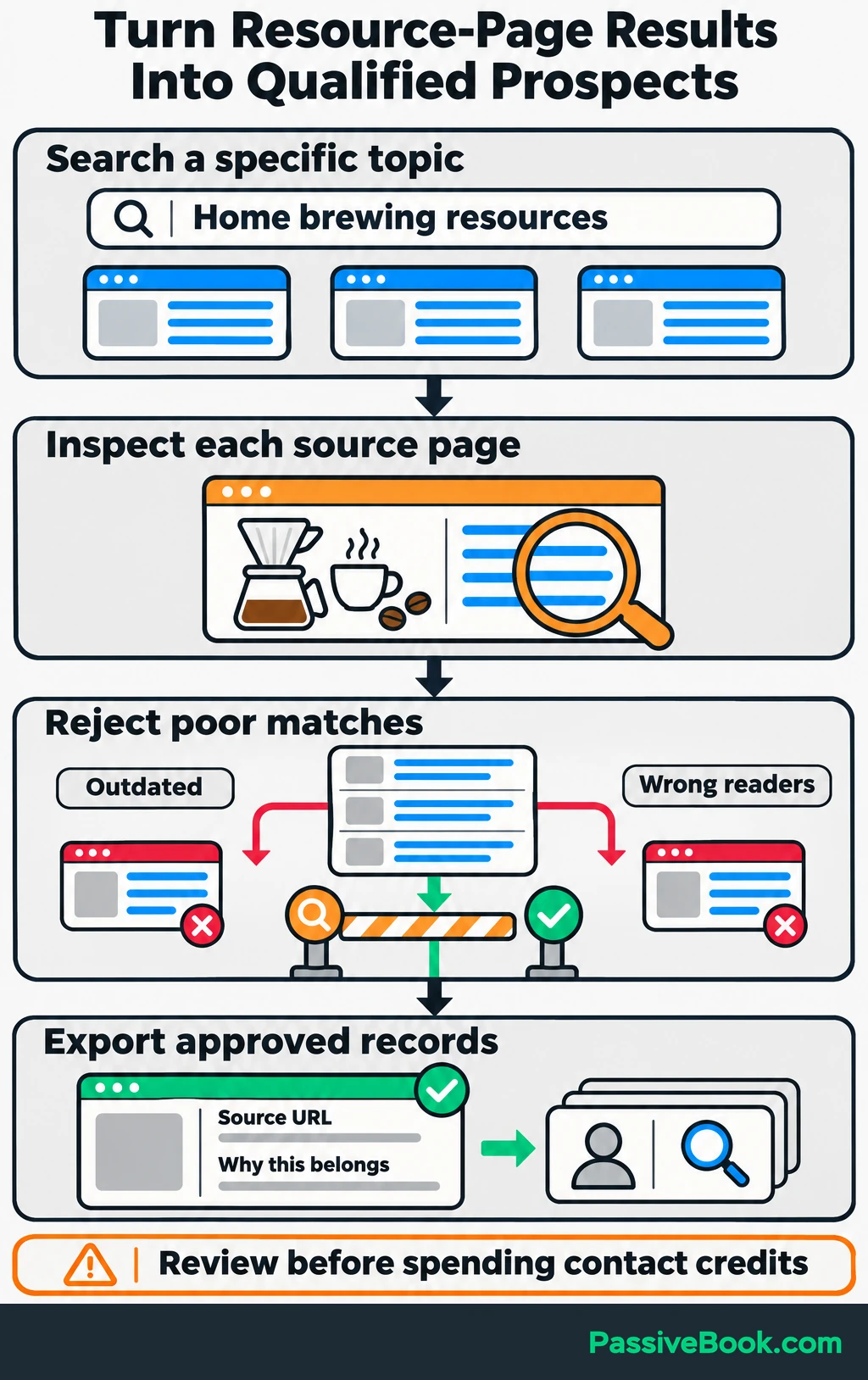
For the grind-size guide, use brewing-related phrases to look for curated coffee resources. Then inspect each result. Some pages may be outdated, barely maintained or aimed at readers your guide does not serve.
The output is a research list, so I would review it before spending contact credits.
Its CSV and BuzzStream exports give you a route into the next stage. Pay-as-you-go credits also make it worth considering for occasional research without adding another permanent subscription.
Choose a recurring plan only when you have enough ongoing prospecting work to use the allowance.
8. Featured — Best for Journalist-source Opportunities
Featured takes a different route: you contribute expertise to a story someone is already preparing.
Look for requests that match your direct experience. Read the question carefully, answer it plainly and provide the specific detail the writer needs.
For the coffee example, a suitable request might concern keeping useful home-brewing notes. You could discuss what you record and how you use those observations, provided that reflects your actual experience.
I would skip requests that require expertise you do not have. A polished answer does not make you qualified to give it.
Start with the free allowance to see whether relevant opportunities appear often enough to justify paid usage. The publisher decides whether to use your contribution and whether the coverage includes a link. Treat that editorial decision as part of the channel.
Best Tools for Contact Discovery and Outreach
Before scheduling outreach emails, follow your mailbox provider’s authentication requirements so receiving services can check that you’re authorized to send from your domain. Gmail’s sender guidelines cover authentication and delivery, including additional rules for bulk senders.
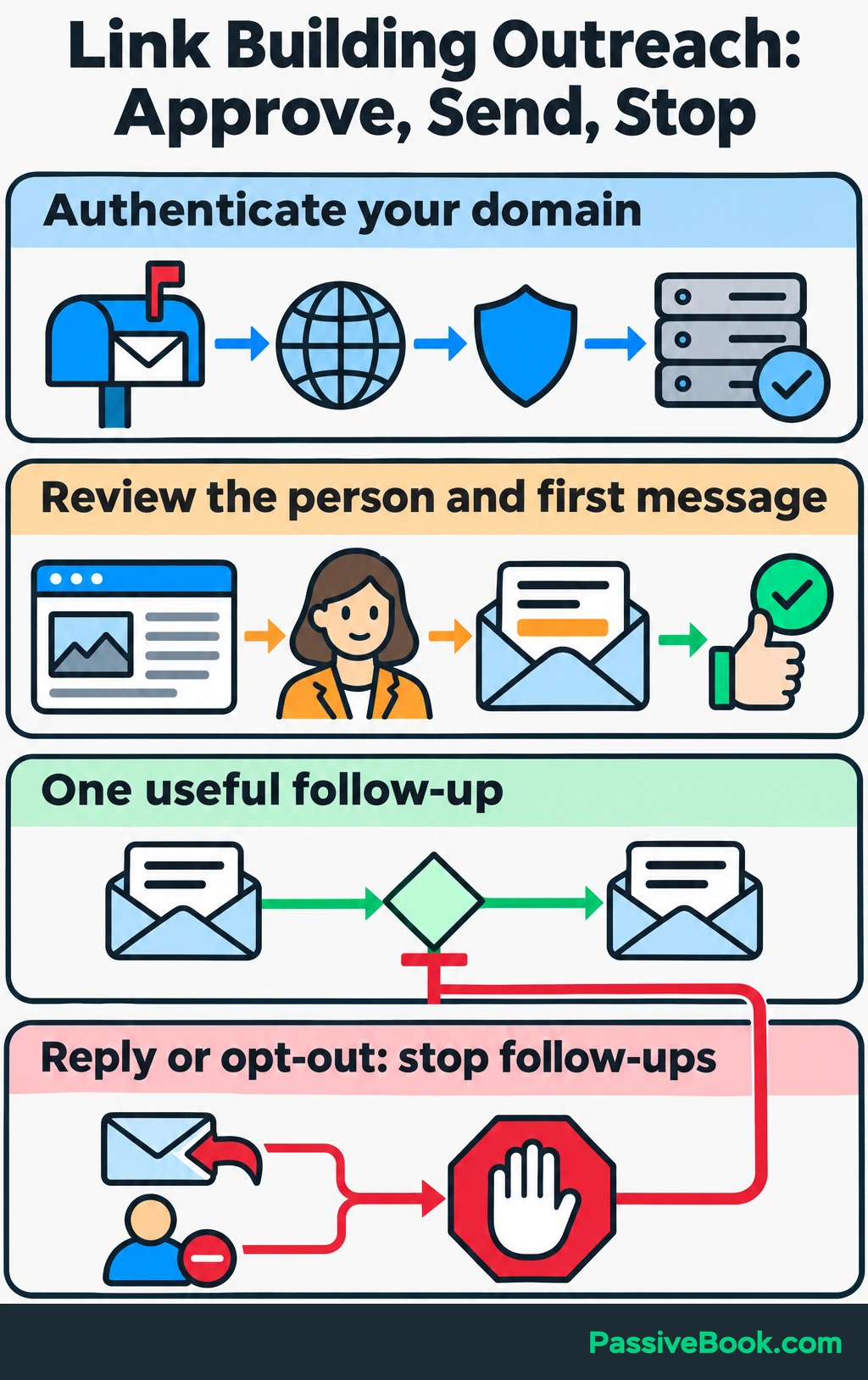
Then test your campaign controls. Replies and opt-outs should stop follow-ups, and you should review the recipient and first message before sending.
My default would be a short, specific email and one useful follow-up. An editor does not need a seven-email reminder that your chart exists.
9. Hunter — Best for Email Discovery With Simple Outreach
Hunter is my starting choice when you already have qualified pages and need contact details plus straightforward sending.
Find the editor or resource owner responsible for the page. Check the address’s verification status, then connect your mailbox to manage personalized outreach and follow-ups.
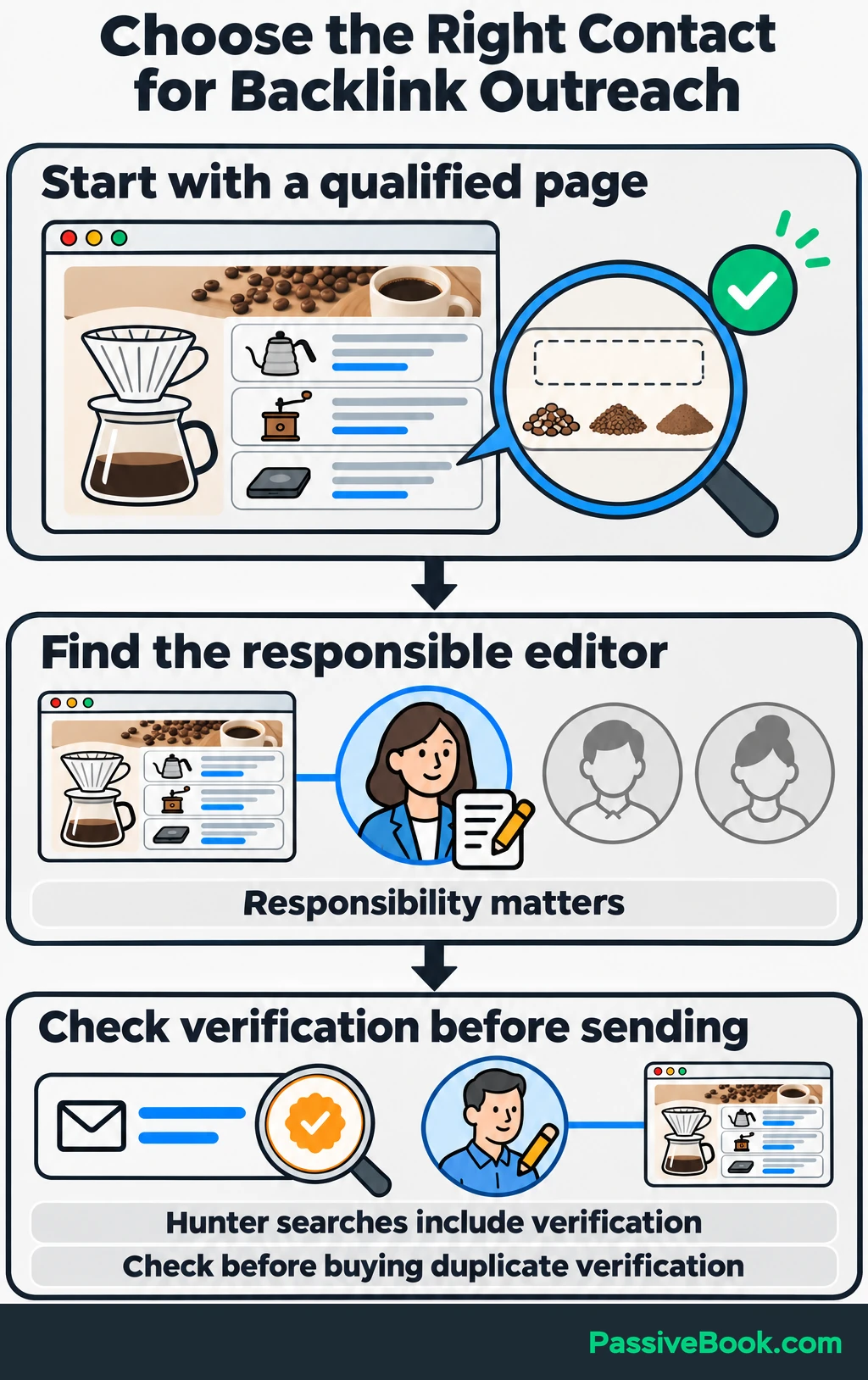
For the coffee guide, the person maintaining a brewing resource page is a better target than whichever address appears first in a domain search.
Hunter’s email searches include automatic verification. Separate verification requests also use credits, so check what is already included before paying another service to repeat the work.
The free plan gives you a way to try the workflow with a small list. I would move to a paid plan when contact research or connected-account capacity becomes a demonstrated limit.
You still need to supply relevant pages and a reason to contact them.
10. Snov.Io — Best for Contact Research and Outreach With a CRM
Snov.io combines email discovery, verification, follow-up sequences and a CRM—a shared place for contact records and outreach activity.
I would compare it directly with Hunter if you want those jobs in one system. The deciding question is whether its contact management and campaign controls make your process easier to maintain.
Keep credits and recipients separate when estimating usage. Credits pay for tasks such as finding or verifying contacts. Recipients are the people you contact, so a generous sending allowance does not remove a smaller research allowance.
For the coffee campaign, preserve the source-page URL, your reason for contacting the publisher and the conversation status alongside the contact.
Snov.io’s connections with tools such as n8n may also help transfer approved records. I would automate that transfer after checking that the important fields survive it.
11. BuzzStream — Best for Managing Publisher Relationships
BuzzStream becomes attractive when remembering the relationship is harder than finding another prospect.
It centralizes contact records, conversation history, campaign stages and link monitoring. That matters when publishers appear across several campaigns or more than one person handles outreach.
For the coffee guide, you want to see whether an editor has already replied, declined a previous suggestion or asked you to contact a colleague. Those details should travel with the record.
I would look closely at the difference between Starter and Growth. Automated follow-ups, bulk sending, team template sharing and project reporting sit on Growth. The lower entry price therefore does not represent the same workflow.
Choose BuzzStream when those shared records and controls solve a recurring coordination problem. A small, carefully maintained spreadsheet can remain perfectly adequate before that point.
12. Pitchbox — Best for Structured Team Outreach
Pitchbox is my shortlist choice when a campaign passes through several people and each handoff needs a clear place.
It combines prospecting, contact discovery, outreach, relationship records, monitoring and reporting. The value comes from using those parts together.
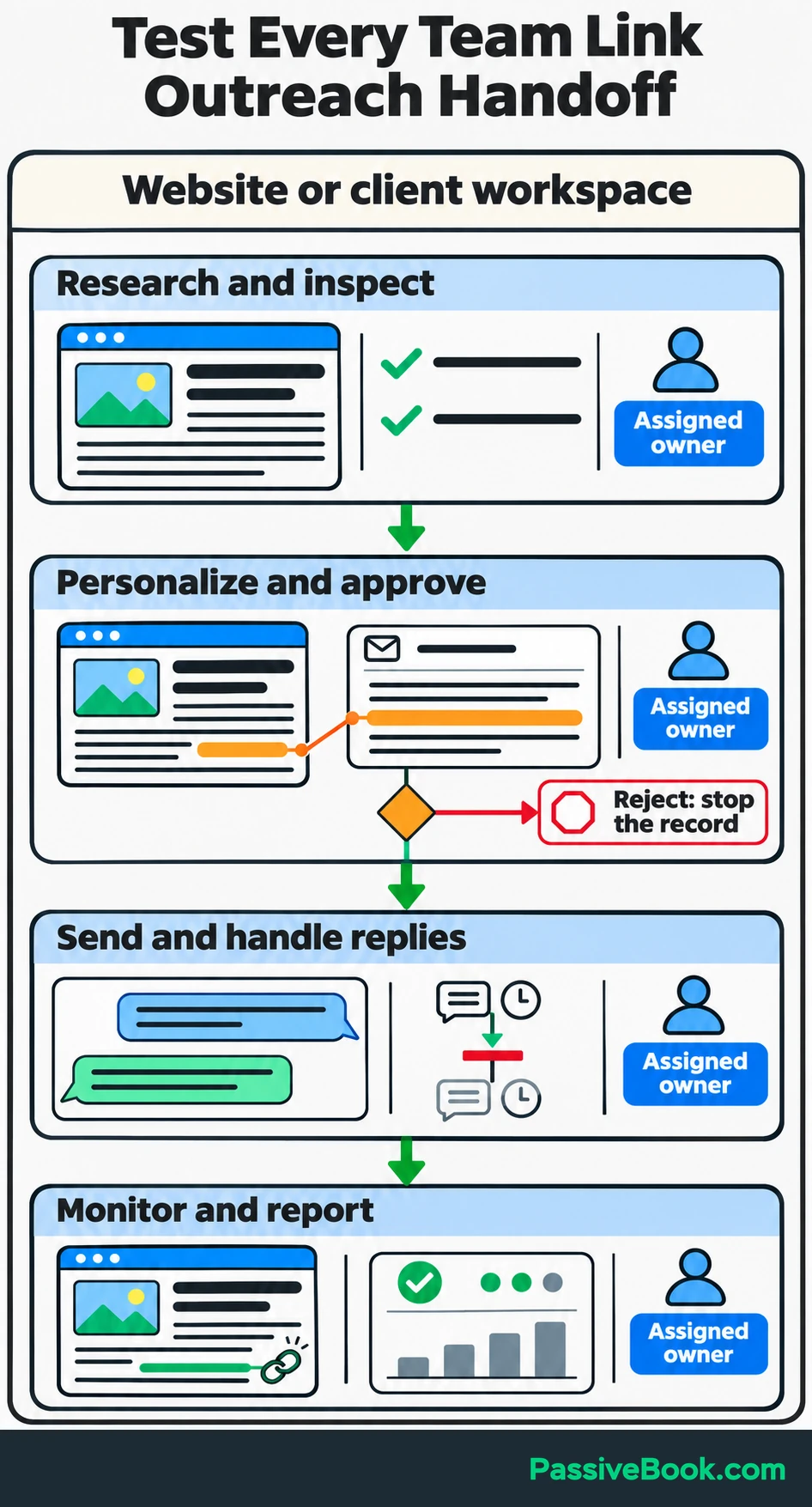
During a demo, bring a real prospect and walk it through research, inspection, personalization, sending and reply handling. Check who owns each action and what happens when someone rejects a prospect.
Pay particular attention to workspaces, which group outreach campaigns for a website or client. Check the allowance in the comparison table against the sites you need to keep separate.
Pitchbox also includes contact-finding and verification features. Compare those with any separate subscriptions you plan to retain.
I would choose it when coordinated campaign work justifies the spend. Having several people involved is a stronger reason than wanting to send more emails.
Best Tools for Checking Links and SEO Progress
13. Screaming Frog SEO Spider — Best for Broken-link Prospect Checks
Screaming Frog crawls selected websites and helps you identify broken references.
For link prospecting, first choose a relevant website. Check its broken outbound links, export the source pages with their broken destinations, and inspect what each missing resource originally supplied.
The pairing matters: a dead destination tells you something broke, while its source page tells you where a useful replacement might belong.
Suppose a brewing tutorial has a dead link to a grind-size reference. Your guide may be a suitable replacement if it fills that gap. A broken link to a grinder’s instruction manual would need something else.
I would begin with the free crawler for small checks. It complements search and backlink databases because it examines selected sites rather than discovering backlinks across the whole web.
14. Linkody — Best for Dedicated Backlink Monitoring
Linkody earns its place when you need regular placement checks and your existing subscriptions leave that job uncovered.
Use it to monitor acquired links and investigate valuable lost placements. Tags and notes can connect each record to the campaign that earned it.
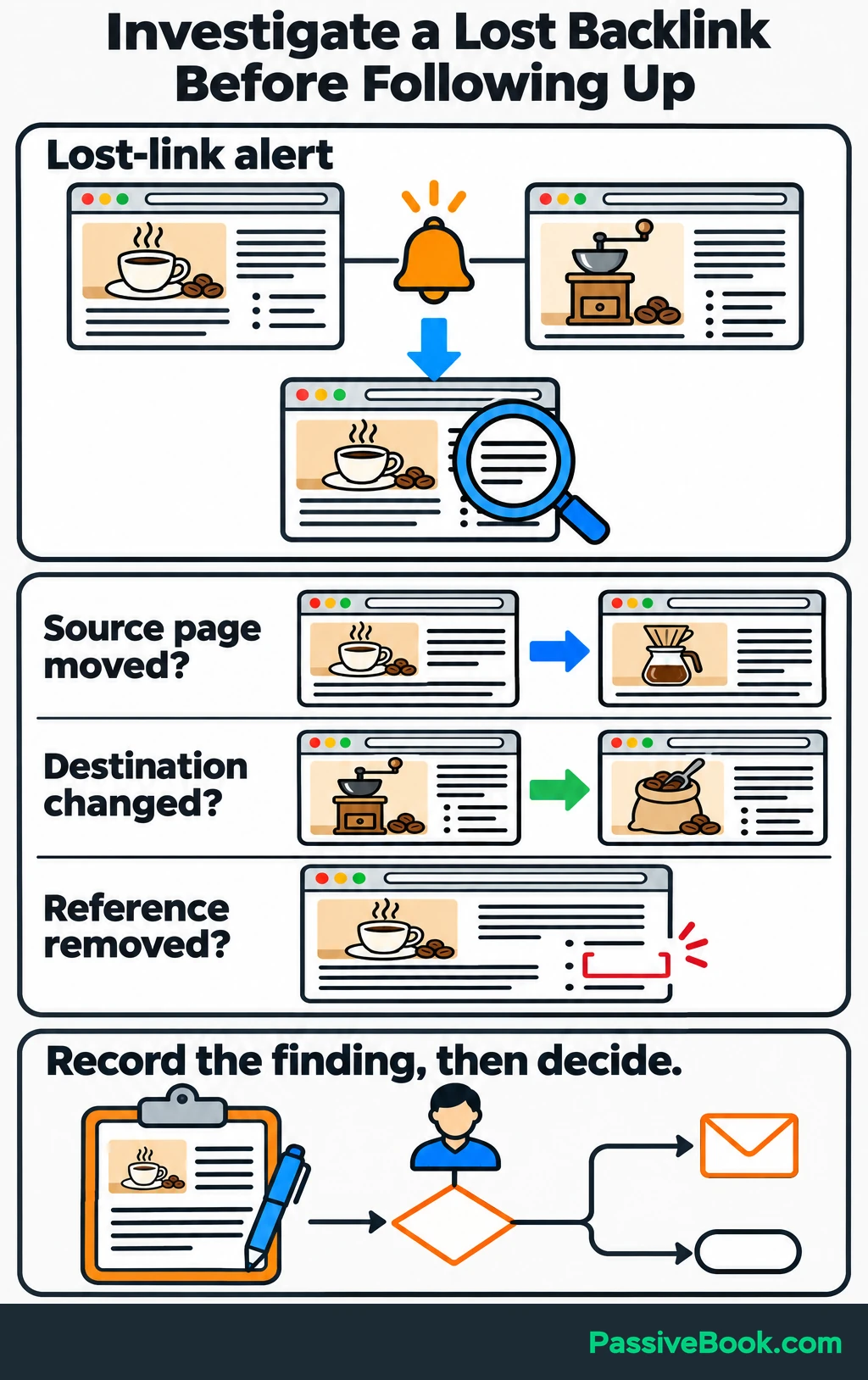
For the coffee guide, a lost link from a useful troubleshooting article deserves inspection. The publisher may have moved the page, changed the destination or removed the reference.
Check the source before deciding whether to follow up.
Watch the website allowance when tracking competitors. Your websites and competitor sites share that allowance, even though competitor links do not consume your own monitored-link quota.
I would add Linkody only after checking what your outreach or SEO tool already monitors. Paying twice to check the same placements is an unusually dull way to waste money.
15. Google Search Console — Best for Free Owned-site Search Reporting
Google Search Console belongs in the stack regardless of which paid tool you choose.
Use its Links report to review linking sites and linked pages, then follow the promoted page’s search impressions, clicks and queries in the performance reports. You need access to the relevant website property.
For the grind-size guide, keep those search results beside your campaign records. This helps you see whether the page’s visibility is changing while you promote it.
The Links report is a sample, can include links that have disappeared and does not show whether links carry nofollow. Confirm placements on their source pages or through a dedicated monitor.
I would use Search Console for owned-site reporting and broader link checks. It cannot replace a live placement log or show you which competing publishers to contact.
Which Tool Stack Should You Choose?
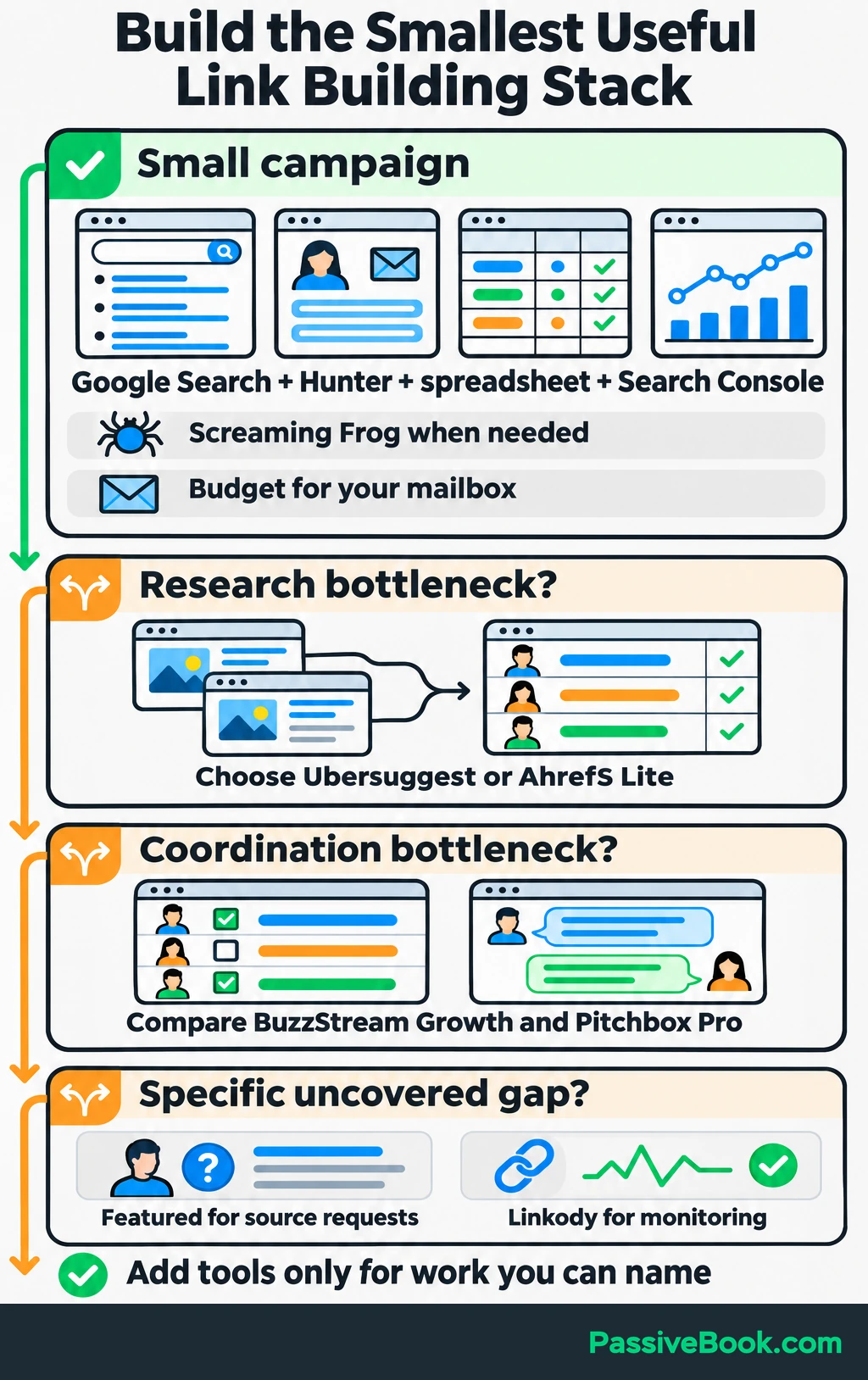
I would begin with the smallest stack that completes a campaign. Add software when you can name the work it will remove.
- For a Small Campaign: Use Google Search for manual prospecting, Hunter’s free allowance for contacts and outreach, a spreadsheet for records, and Search Console for reporting. Add Screaming Frog’s free crawler when broken-link checks serve the campaign. Budget separately for your mailbox.
- When Research Is the Bottleneck: Choose one backlink research subscription. I would start with Ubersuggest for a budget-conscious campaign and consider Ahrefs Lite when competitor investigation and export needs justify it. Pair either with a simple outreach process.
- When Coordination Is the Bottleneck: Compare BuzzStream Growth with Pitchbox Pro. Test conversation records, ownership of tasks, workspace needs and monitoring. Use the rates in the comparison table to price the workflow you actually require.
- When a Specific Gap Remains: Add Featured for suitable source requests or Linkody for uncovered monitoring needs. Each extra subscription should have a distinct job.
Here is how I would run the coffee campaign through that stack.
First, make the resource worth referencing. The guide should help readers connect a brewing problem with a sensible grind adjustment. A publisher needs something useful to send readers to.
Next, choose one discovery method. Start with competitor backlinks or resource-page searches, then inspect the pages before collecting contacts. Record a short reason each page qualifies:
“The tutorial discusses sour pour-over coffee but gives readers no visual grind reference.”
Once the page qualifies, find the person responsible and prepare a message that connects the page’s gap with your resource. A useful excerpt could be:
“Your sour-coffee section mentions grinding finer. My guide includes a visual grind reference that could help readers apply that advice.”
That sentence works only if both descriptions are accurate. AI can help shorten your draft, but inspect the page yourself before approving it.
Before paying for more outreach capacity, try writing one message you would be comfortable sending. The AI Skill below uses passages from both pages to draft the email around a specific, supportable reason to link.

Free AI Editorial Outreach Writer




Finally, log replies and placements, then check the live source pages. Keep the records useful enough that you can pause the campaign and return without reconstructing the work.
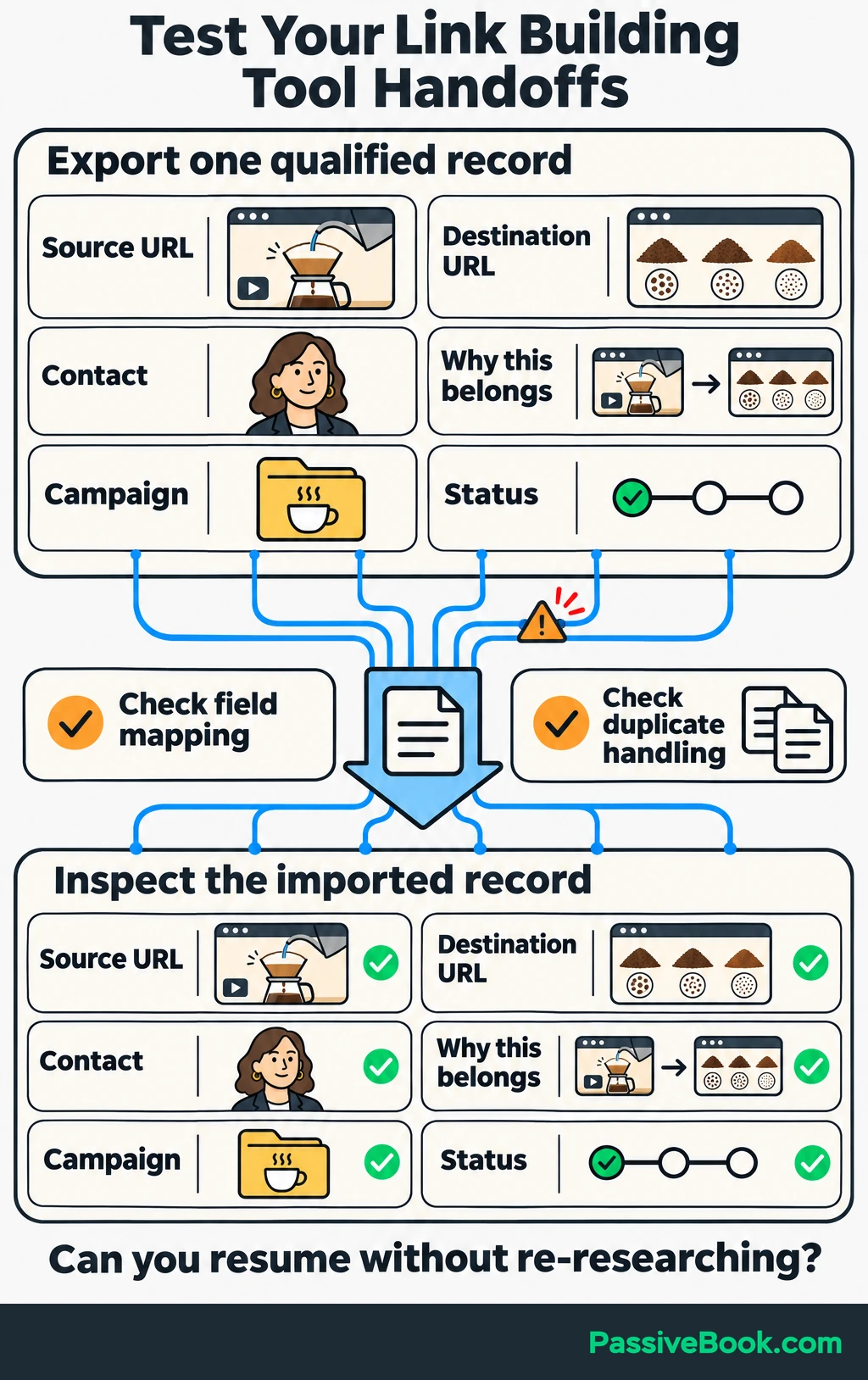
Before subscribing, test that handoff with a small set of records. Transfer source URLs, your destination page, contacts, qualification notes and campaign status between the shortlisted tools. Check duplicate handling and whether the receiving tool preserves the fields you need.
An integration logo is encouraging. A successful transfer of your actual records is better evidence.
How to Decide Whether a Paid Tool Is Worth Keeping
Test shortlisted tools against the same resource and qualification rules. Otherwise, a larger pile of loosely related results can look like better performance.
I would track the following:
| Measure | What to Record | What It Helps You Decide |
|---|---|---|
| Qualified prospects | Pages that meet your relevance and editorial criteria | Whether discovery produces usable opportunities |
| Usable contacts | Appropriate contacts with acceptable verification results | Whether contact research supports outreach |
| Preparation time | Time spent researching, checking and preparing messages | Whether the tool removes the work slowing you down |
| Export friction | Missing fields, duplicates and manual cleanup | Whether the stack works together |
| Credit use | Credits consumed to produce the usable records | Whether the plan fits recurring usage |
| Relevant replies | Responses that engage with the suggestion | Whether your targeting and pitch deserve another batch |
| Retained placements | Relevant links still live at the chosen review point | Whether campaign results persist |
Keep a placement log with the source URL, destination URL, acquisition date, campaign and latest check. Add the link attribute when you inspect it so different kinds of placements remain clear.
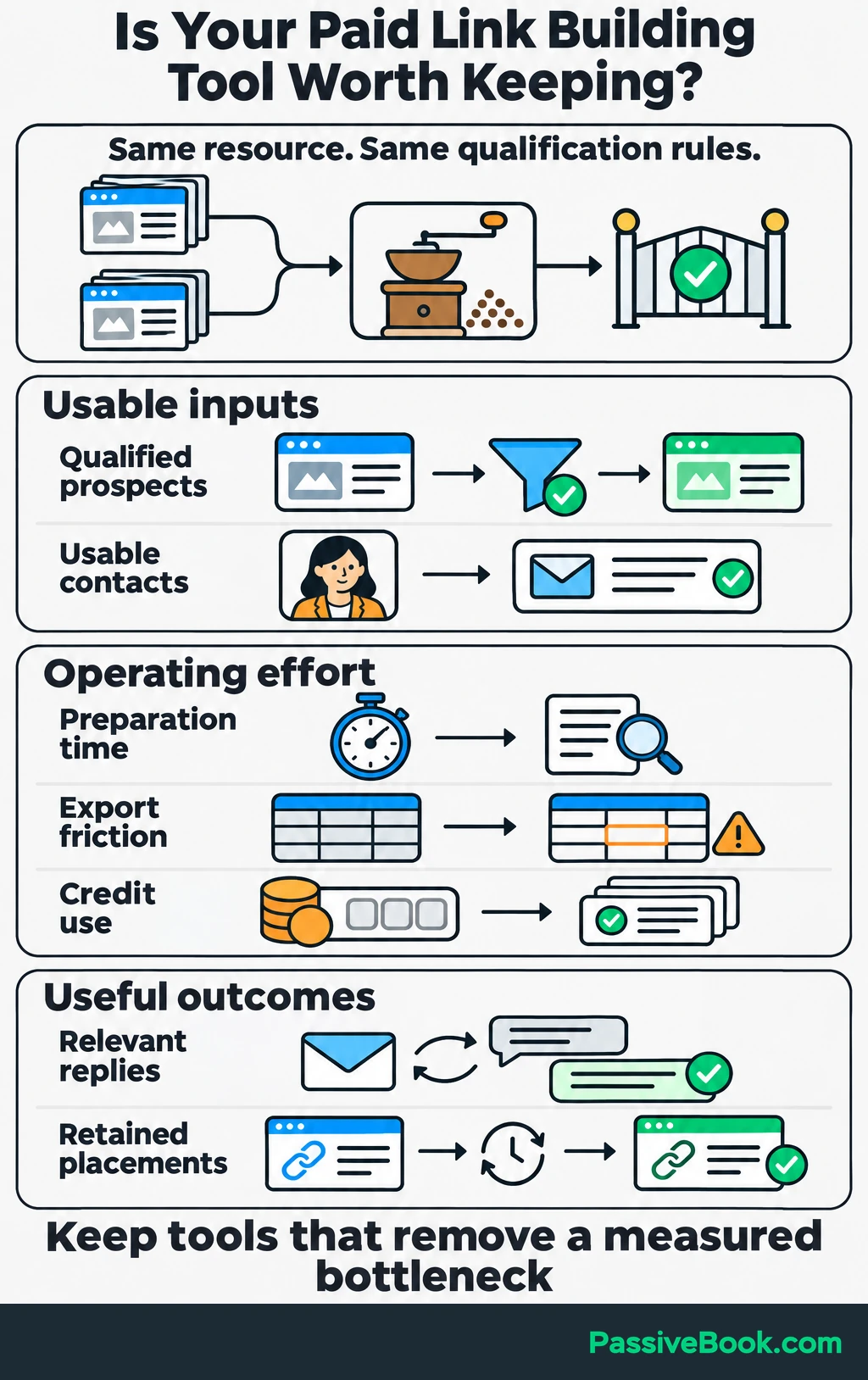
For an operating-cost calculation, count the software spending allocated to one campaign and the labor used for its content and outreach. Divide that total by the relevant links earned by that campaign that remain live at a stated review point.
For illustration, suppose a month-long coffee campaign has $150 in allocated software costs and $250 in content and outreach labor. At its 60-day review, five relevant links earned during that campaign remain live:
($150 + $250) ÷ 5 = $80 per retained relevant link
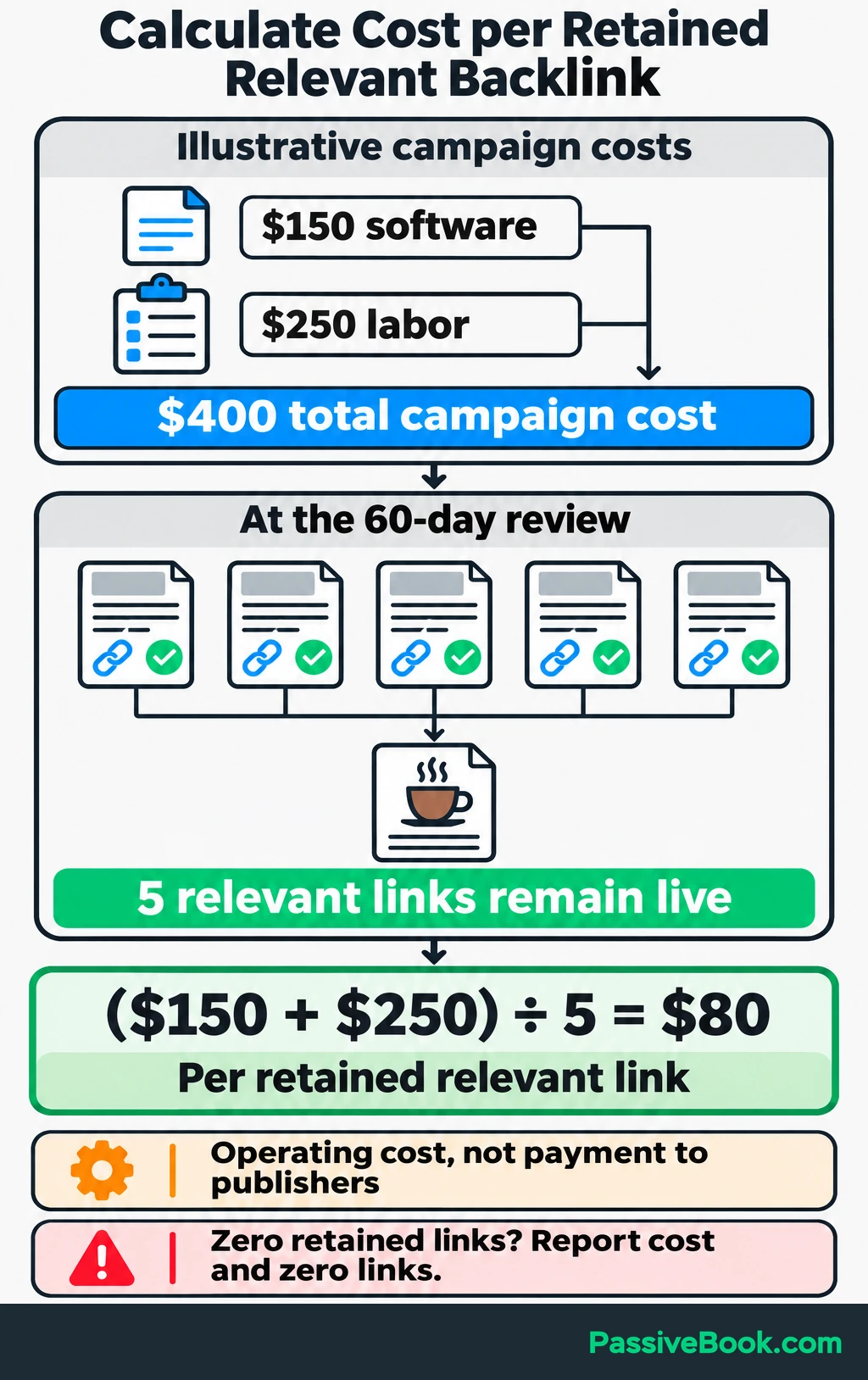
This measures the cost of running the campaign. It does not represent a payment to publishers. If no relevant links remain, report the campaign cost and zero retained links instead of forcing a cost-per-link figure.
I would also follow search clicks to the promoted guide, referral visits from placements, and attributable brew-journal sales or email signups. These show whether the work supports the business. Search growth alone does not prove backlinks caused it because content changes, demand and other factors can move results too.
Keep a subscription when it removes a measured bottleneck at an acceptable cost. Upgrade when a feature or capacity limit blocks useful work.
If you keep exporting prospect lists but never inspect or contact anyone, fix that unfinished work before buying more research capacity.
What Next?
Choose one useful page on your website and qualify five potential linking pages before starting a paid subscription. Write down why each publisher would reasonably reference it, then choose the tool that makes the next step easier.
Use the social buttons to share this comparison when a software discussion needs clearer choices about research, outreach and monitoring.
Which part of your link-building process currently takes the most effort? Tell me in the comments, and bring any other questions about choosing your stack.
Share this post with your friends & followers:

