A free keyword tool can give you hundreds of phrases and still leave you stuck on the useful question: which article should you publish next?
The numbers don’t always make that decision easier. Search volume looks precise, difficulty scores vary, and an export button can turn out to be an invitation to subscribe.
That makes it hard to tell which free option will get you from an idea to a publishing decision. This guide compares nine tools, explains what their metrics tell you, and shows how to turn a shortlist into pages worth creating.
Which Free Keyword Research Tool Should You Choose?
Start with Google Keyword Planner for broad discovery and demand estimates. If you want to explore a topic without setting up an account, choose Ahrefs Free Keyword Generator.
I recommend Ubersuggest for beginners who prefer an approachable overview. Semrush is useful when you have a few serious candidates and want a closer look.
You don’t need all four. Pick one discovery tool, then add another tool when it answers a question your first choice cannot.
The comparison below covers ongoing free access. Paid trials are separate offers, and you don’t need to activate them for this workflow. The linked pages explain the current restrictions.
| Tool | Best Use | Useful Free Output | Account or Installation Requirement | Main Free Restriction |
|---|---|---|---|---|
| Google Keyword Planner | Broad keyword discovery | Related ideas and estimated monthly searches | Google Ads account with completed setup and billing information | Your account may display broad search-volume ranges; competition measures advertisers |
| Ahrefs Free Keyword Generator | Expanding a starting phrase | Related phrases, questions, volume estimates, and limited difficulty data | No account | The FAQ describes access to the top 100 keyword ideas; full research features require paid access |
| Ubersuggest | Beginner-friendly overview | Keyword ideas and demand and difficulty metrics | Free email-based account | Three searches or reports daily; keywords cannot be added directly from research reports to keyword lists |
| Semrush | Detailed checks on shortlisted keywords | Volume, intent, difficulty, and related ideas | Free account; no card required | Ten shared analytics reports daily; Keyword Magic shows ten results per report and allows no exports |
| Keyword Tool | Expanding autocomplete suggestions | Longer phrases for a chosen market and language | No account | Numerical data is limited; complete metric coverage requires Pro |
| AnswerThePublic | Questions and content angles | Questions, comparisons, and related searches | Free account | Three searches daily; some suggestions locked; volume and cost per click for two groups of suggestions per report; XLSX spreadsheet exports limited to 30 keywords each |
| Keyword Surfer | Research beside Google results | Volume estimates, related phrases, collections, and CSV exports | Chrome extension; no Surfer account for basic research | Designed for Chrome; suited to basic research rather than deep competitor analysis |
| Google Search Console | Improving an existing website | Queries, pages, clicks, impressions, click-through rate, and average position | Verified ownership or permission to access a website | Reports your website’s performance, not total market demand |
| Google Trends | Checking demand patterns | Relative interest over time, regional interest, and related searches | Public web tool; no paid subscription | Its normalized index is not a monthly search count; small terms may have insufficient data |
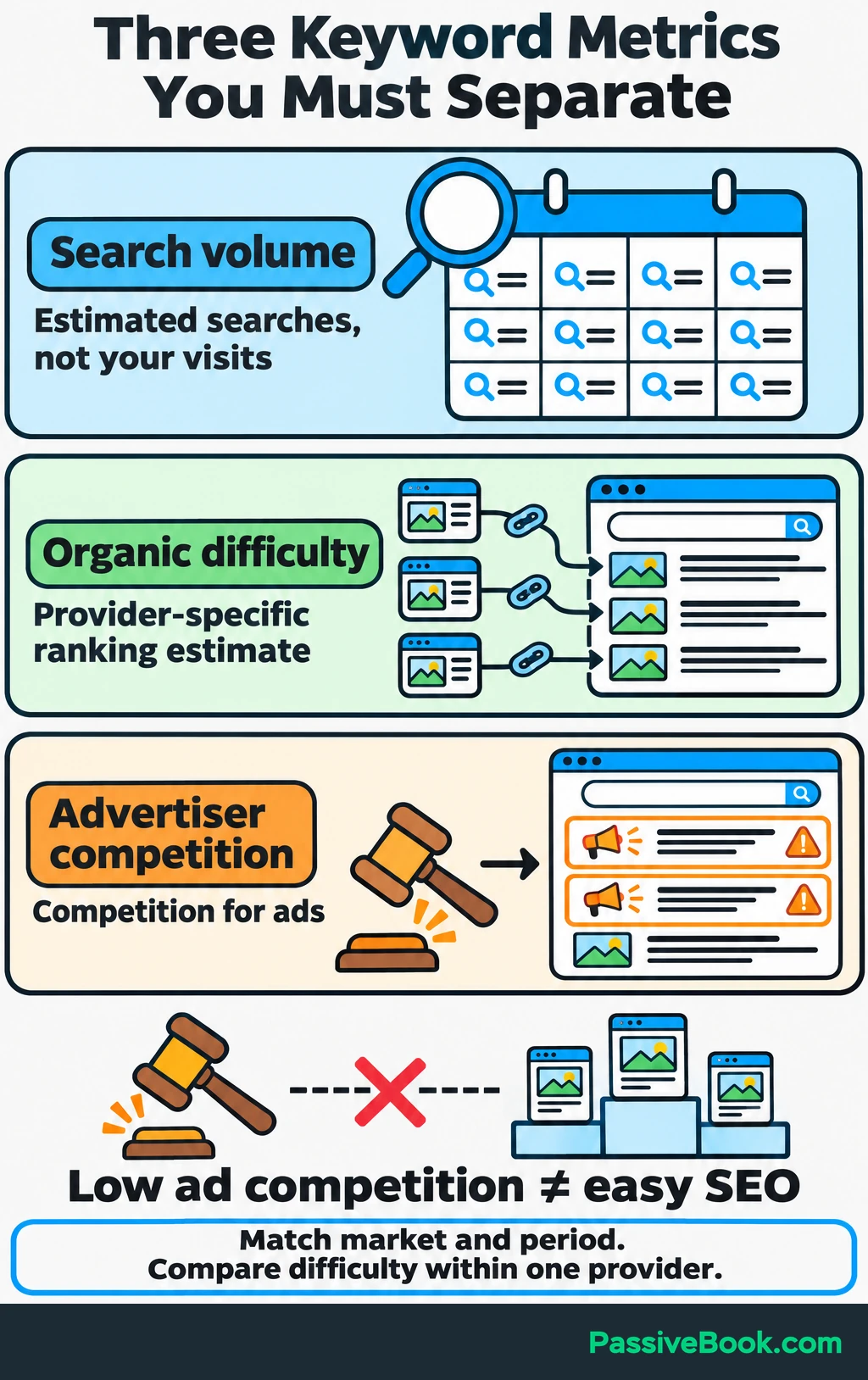
Before comparing numbers, separate three things:
- Search volume estimates monthly searches for a phrase, sometimes grouped with close variants, in the selected market and reporting period. It does not predict your visits.
- Organic difficulty estimates competition in unpaid search results using the provider’s method.
- Advertiser competition describes competition for ads.
That last distinction matters. Keyword Planner’s “Competition” column measures advertiser activity. A “Low” label does not mean an article will be easy to rank. Google’s metric definitions explain what it counts.
Difficulty scores also need context. Ahrefs bases its score on the number of websites linking to the top-ranking pages, and its calculation excludes on-page factors. I use that as an initial filter, then inspect the competing pages. Ahrefs’ difficulty methodology explains the calculation.
Keep the target country and reporting period consistent when comparing demand. Compare difficulty scores within one provider rather than treating a score from one tool as equivalent to another.
The best keyword research tools help you narrow a decision. They cannot make it for you.
The 9 Best Free Keyword Research Tools
1. Google Keyword Planner: Best for Broad Keyword Discovery
Keyword Planner is my starting choice when you want to explore a broad topic and compare estimated demand. It generates ideas from a phrase or website, and there is no separate tool subscription fee.
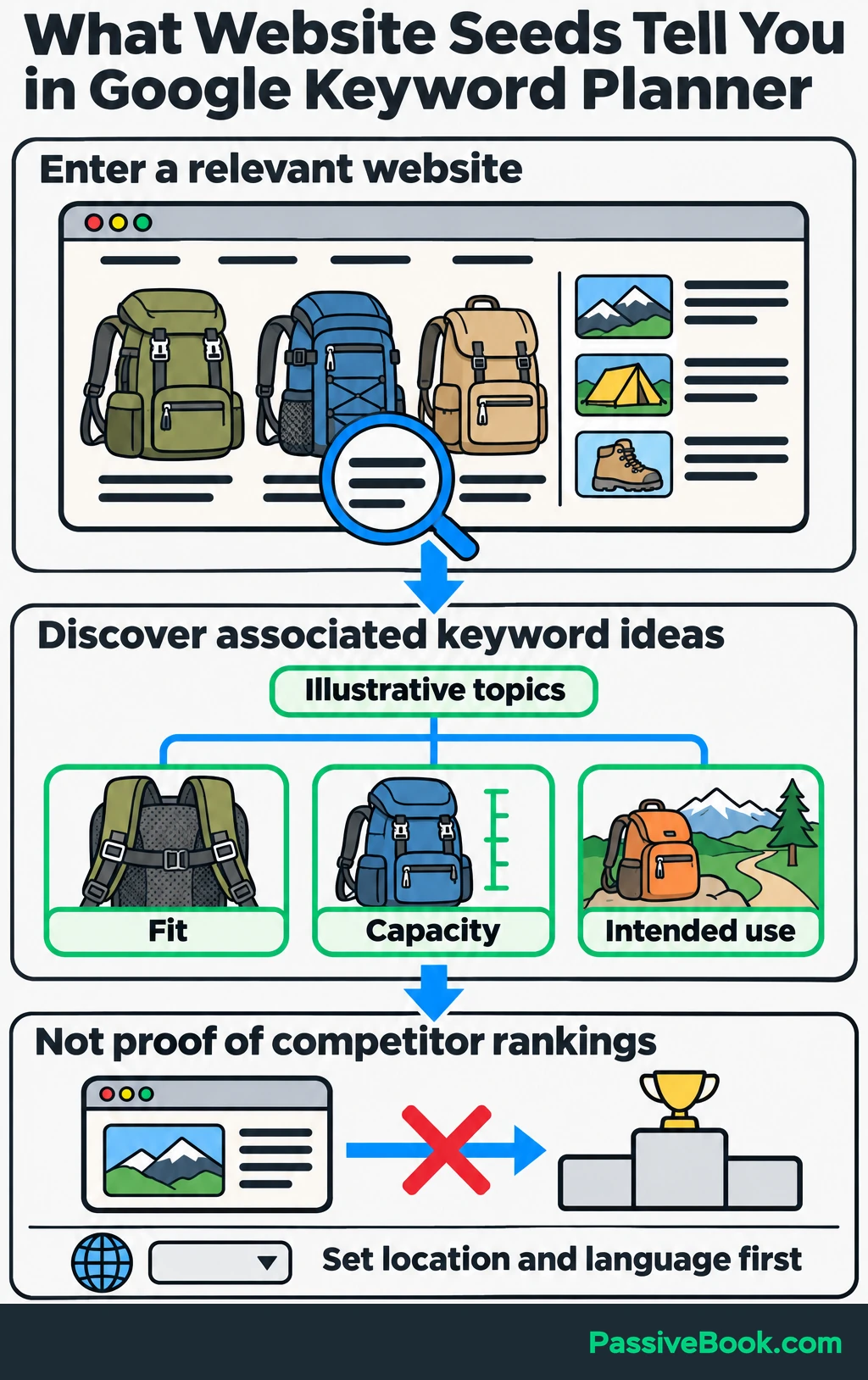
Set your target location and language before collecting ideas. Otherwise, you may build a list around demand from a market you don’t serve.
For the examples throughout this guide, imagine you run an affiliate blog reviewing day-hiking gear. Your starting phrase is “day hiking backpack.” The example keywords and publishing choices below are illustrations, not observed tool results.
Enter that seed, then look for relevant directions such as fit, capacity, and intended use. Retain useful candidates with the volume figures or ranges your account displays.
You can also enter a competing website to discover associated topics. That gives you ideas based on its content. It does not establish which keywords the website ranks for.
I would choose Keyword Planner for broad exploration and use another tool when organic difficulty needs closer attention.
2. Ahrefs Free Keyword Generator: Best for Quick Research Without Signup
Ahrefs Free Keyword Generator is the option I would choose for a quick research session without another account.
Enter a seed, choose your target country, and review related phrases and questions. Use the available volume and difficulty information to screen ideas, then keep the relevant ones in your own spreadsheet.
The useful habit here is to feed a narrower phrase back into the generator. A broad search can point you toward a subject worth exploring in more detail.
For the hiking blog, you might start with backpacks and then investigate fit or capacity. You are looking for a clear reader task, such as adjusting a pack or deciding how much space a day trip needs.
Stop when you have enough candidates to assess. Advanced filtering, extensive competitor research, and full list management belong to paid Keywords Explorer. They are not reasons to dismiss the free generator, but they are reasons to keep your shortlist outside it.
3. Ubersuggest: Best for a Beginner-friendly Keyword Overview
Ubersuggest puts keyword ideas, search volume, SEO difficulty, paid difficulty, and cost per click in one place.
That makes it a useful beginner option, and it fits my preference for affordable tools that help you make a decision without learning an entire reporting system first.
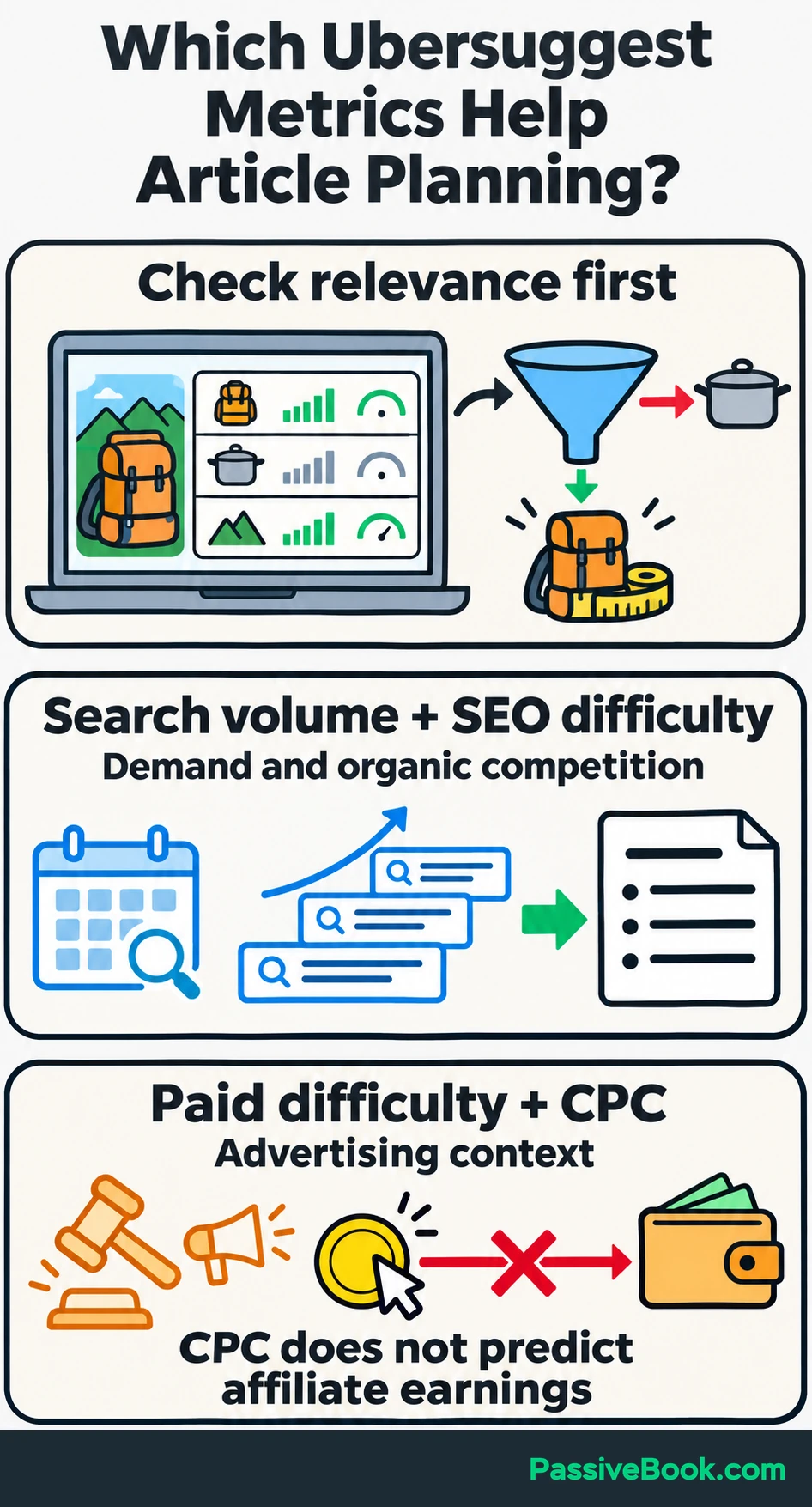
For article planning, focus on relevance, demand, and SEO difficulty. Paid difficulty concerns advertising, while cost per click describes the estimated price of an ad click. Neither tells you what an affiliate visitor will earn you.
Prepare your seeds before opening a research session because the free daily allowance is small. I would investigate a few clear directions rather than spend the allowance trying near-identical spellings.
Keep the candidates you choose in a spreadsheet. That also gives you room to add something the dashboard cannot decide: why this topic belongs on your website.
Choose Ubersuggest if its overview helps you work confidently. If its allowance keeps interrupting discovery, use Keyword Planner or Ahrefs for that stage.
4. Semrush: Best for Occasional Detailed Keyword Checks
I would save Semrush for keywords that could realistically enter your publishing queue.
Keyword Overview lets you inspect a phrase’s volume, difficulty, and ranking results. Its intent label describes what the searcher is trying to do, such as learn something or compare products. Keyword Magic Tool helps you explore related ideas, but the free results are too restricted for me to make it my main bulk-discovery tool.
Semrush’s subscription documentation says accounts with a previous trial or paid subscription to one or more toolkits aren’t eligible for free SEO Toolkit access. Check this restriction before relying on its free plan.
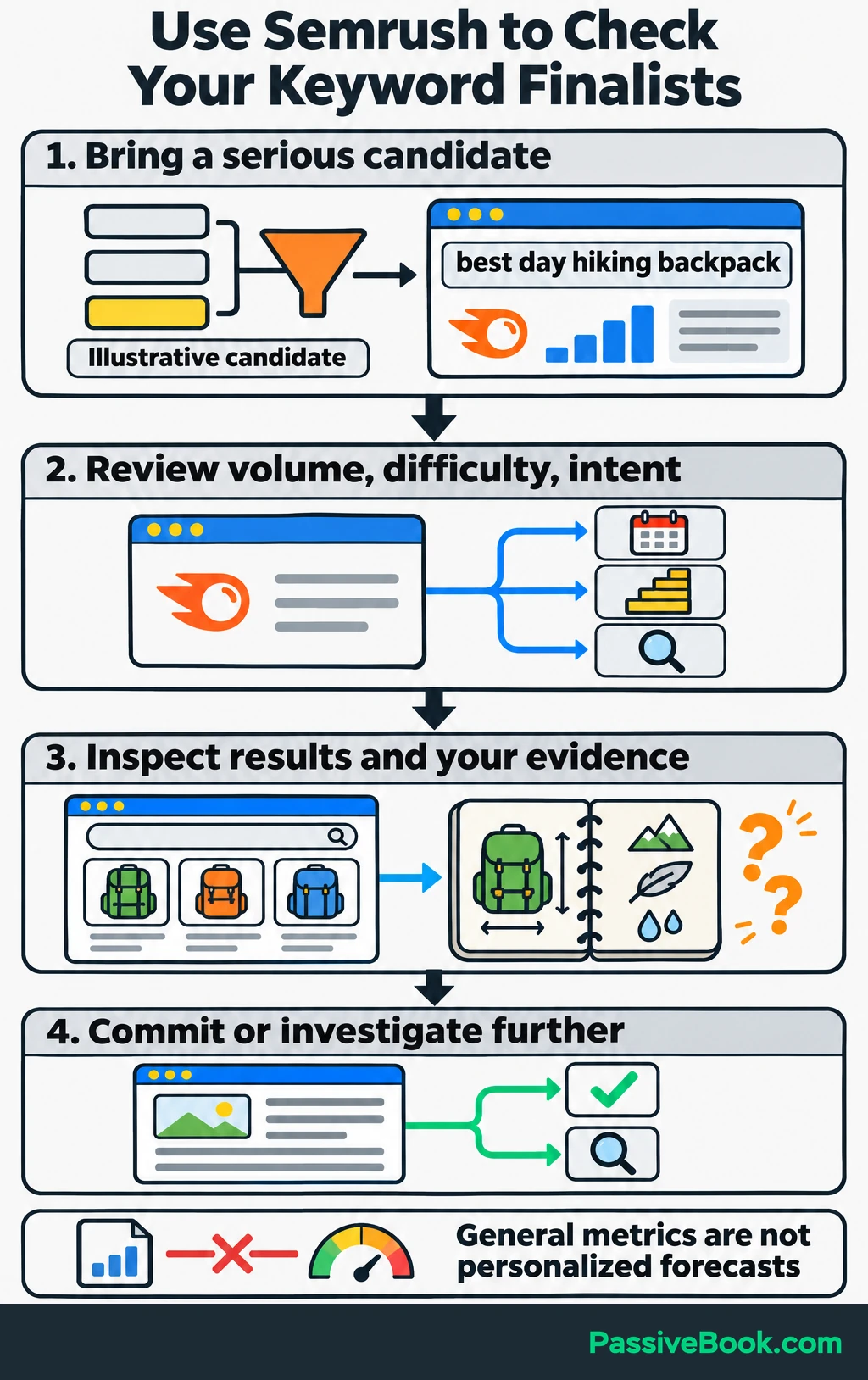
For the hiking blog, “best day hiking backpack” would deserve a check before you commit to a comparison article. The useful question is whether the results suit a page you can produce and support with evidence.
The free account shows general metrics, but it won’t refresh them on demand or tailor difficulty and traffic estimates to your website.
I would skip a paid trial while learning this process. A small set of deliberate checks is enough to find out whether the extra detail changes your decisions.
5. Keyword Tool: Best for Expanding Autocomplete Suggestions
Keyword Tool helps when you want more specific wording around a broad subject. It gathers the phrases Google suggests as you type, using your chosen market and language.
Start with a phrase, then look for added words that change what the person needs. A phrase about a backpack for a short walk may require a different answer from one about fitting an existing pack.
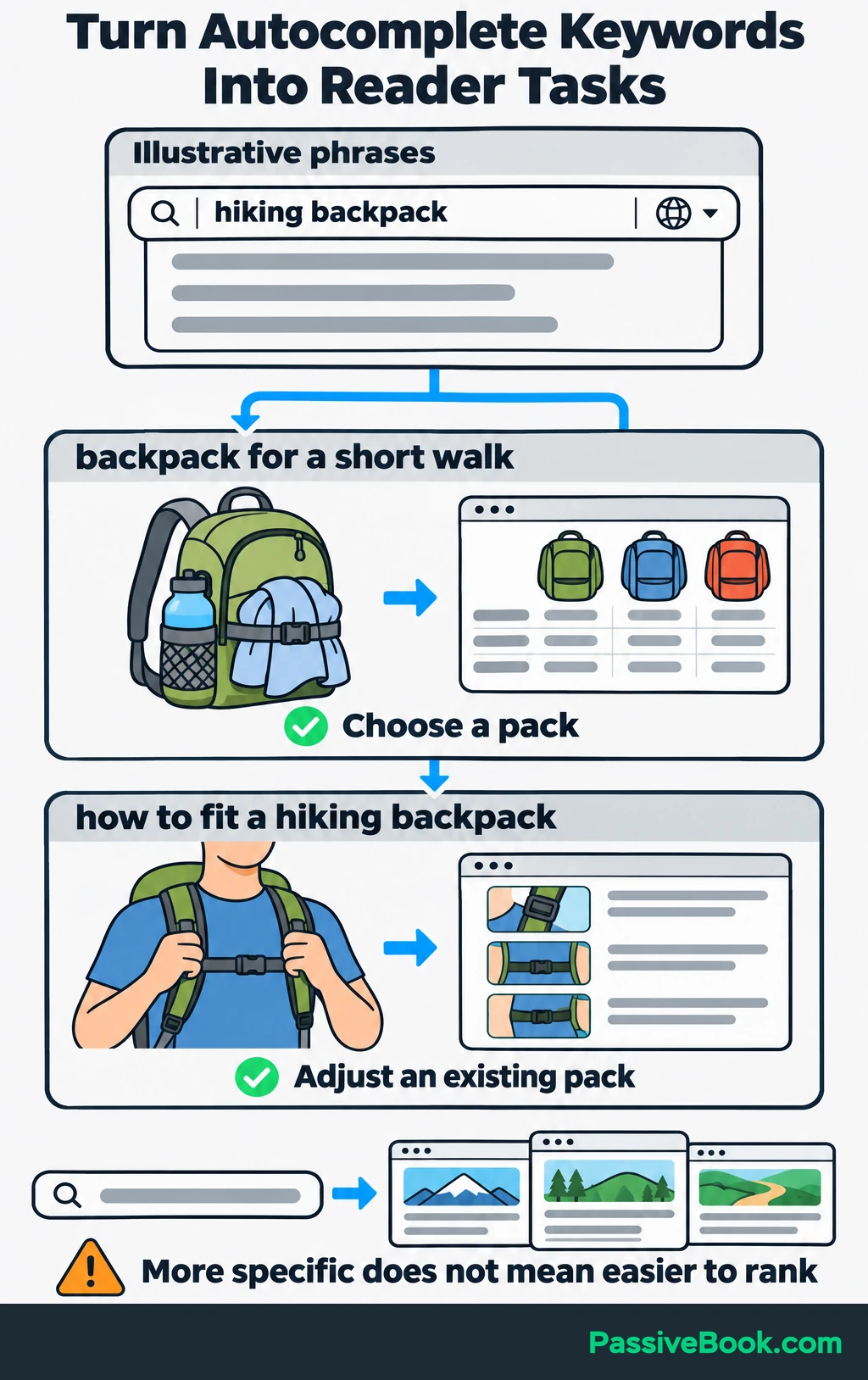
Copy the useful phrases into your shortlist and take them to your main research tool for demand checks.
I would use Keyword Tool for discovery rather than final prioritization. The free version’s strength is its suggestions, while numerical coverage is limited.
Also, a longer phrase is not automatically an easy keyword. “Specific” describes the request. It does not describe the strength of the websites already answering it.
Keep the phrases that reveal a useful task, and discard variations that add words without changing the answer.
6. AnswerThePublic: Best for Finding Questions and Content Angles
AnswerThePublic is useful when you know the subject but need to understand the questions around it. Its reports organize questions, comparisons, and related searches into groups.
I would use it after choosing a broad direction, especially when planning a tutorial. It can help you spot questions your outline has missed.
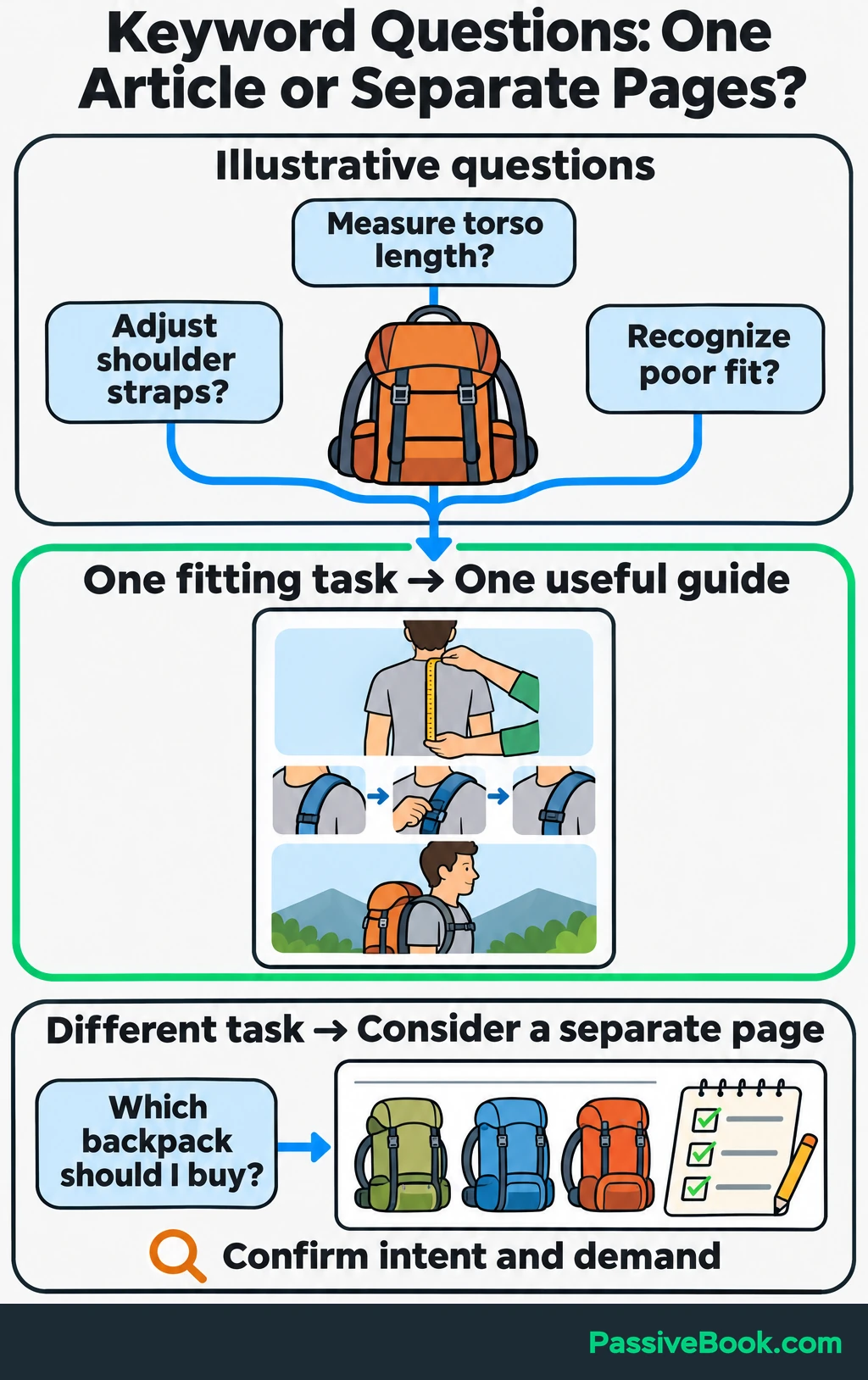
For a backpack-fitting guide, you could investigate questions about strap adjustment, torso measurements, and signs of a poor fit.
Then decide which questions belong together. If several variations need the same explanation, answer them on one page.
A question deserves its own article when it represents a distinct task and needs a different answer. A wheel full of questions is not an instruction to publish a wheel full of articles.
Because the free reports contain locked suggestions and limited metrics, I would pair this tool with a demand-checking tool rather than use it alone.
7. Keyword Surfer: Best for Research Inside Google Results
Keyword Surfer suits a different working habit: collecting ideas while you examine Google’s results.
Install the Chrome extension, choose the relevant location, and search as usual. It adds monthly search-volume estimates and related keyword suggestions beside the results.
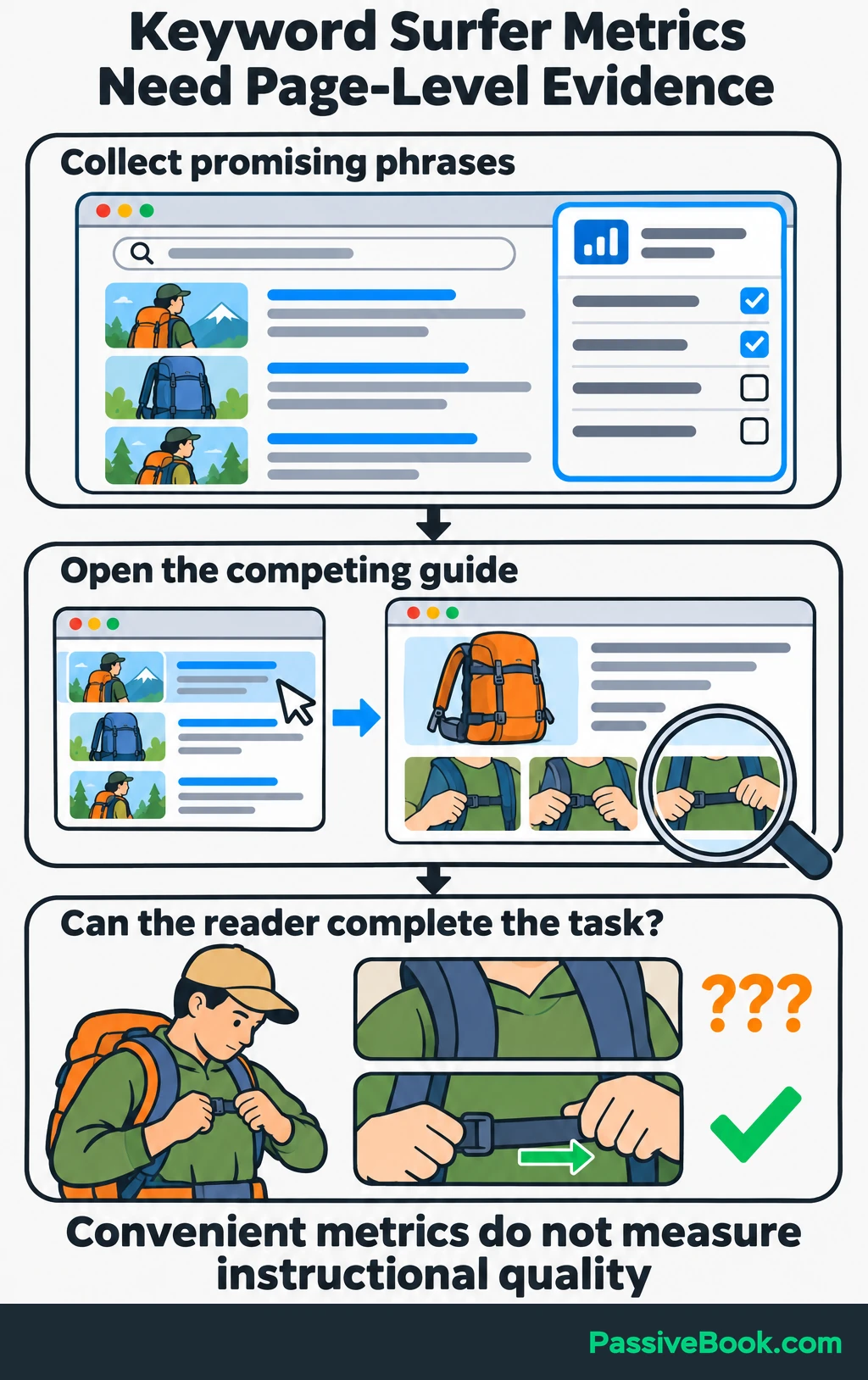
You can save promising phrases to collections and export them as a CSV file, which helps you retain a shortlist without copying every phrase by hand.
I like this arrangement when the main job is reviewing competing pages. You can collect related phrases while checking whether results are tutorials, comparisons, or shops.
The convenience is the benefit. I would still use the underlying pages to judge what you could contribute.
For the hiking blog, that means opening fitting guides and examining their instructions. A tidy metric beside a result cannot tell you whether its photographs make the adjustment process clear.
8. Google Search Console: Best for Finding Opportunities on an Existing Site
Search Console is part of my regular SEO stack because it shows which searches bring up my pages in Google.
It counts clicks to your site and impressions—appearances in Google’s results. Click-through rate is the percentage of those impressions that led to a click, and average position summarizes where your top result appeared. These metrics describe your website during the selected period, not total monthly searches for the keyword.
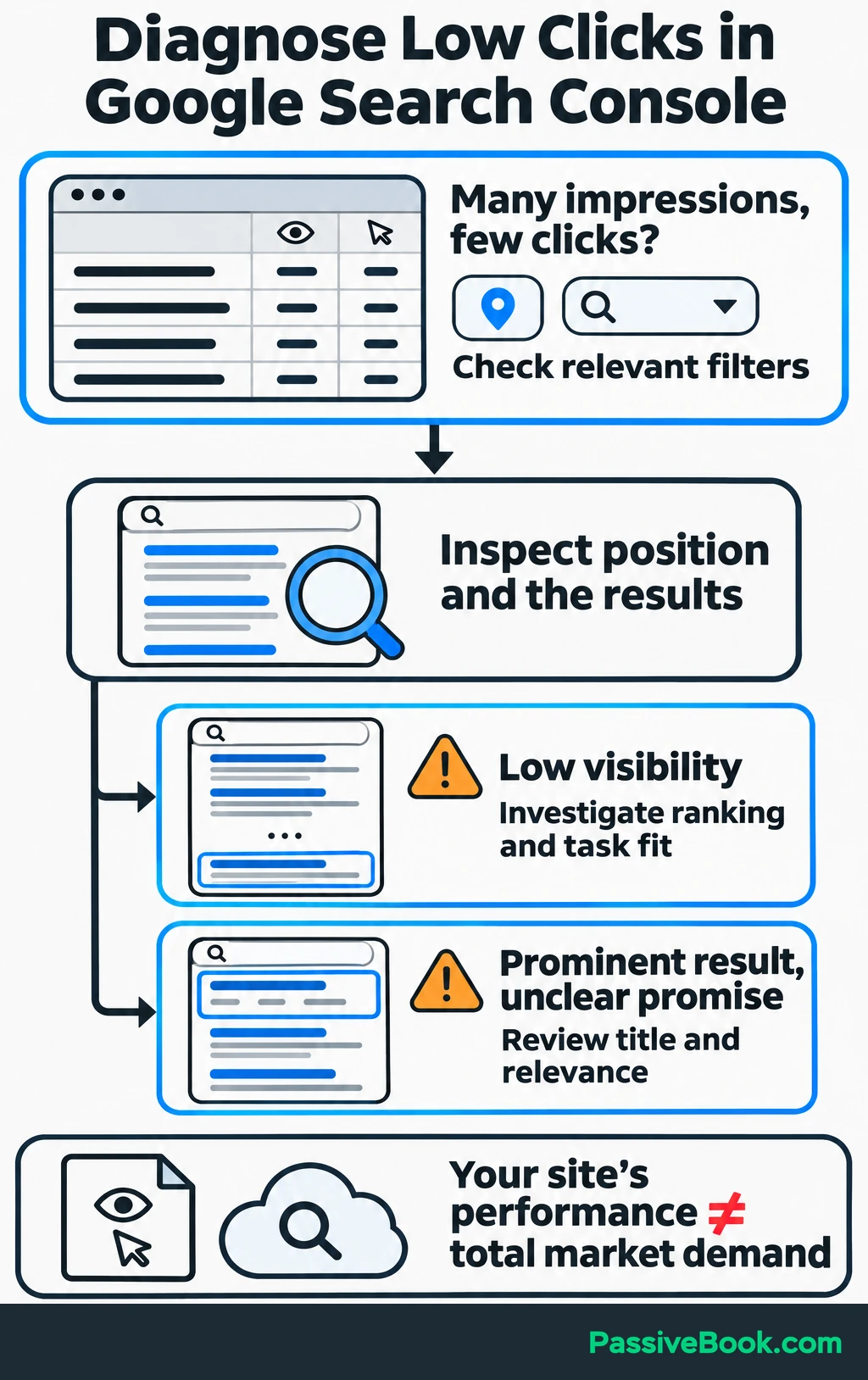
To find an update opportunity, select a page and review its queries. Keep the country and search type relevant to the audience you want to reach.
Suppose your backpack-fitting guide appears for a query about shoulder straps. Check whether the page answers that question clearly. If it belongs within the fitting process, improve the existing guide.
If a query requires a different task, consider a separate page.
High impressions with few clicks deserve inspection, but check position and the search results before rewriting a title. A page appearing far down the results has a different problem from one appearing prominently with an unclear promise.
For a new website with little search data, begin with a discovery tool. Return to Search Console as useful evidence develops.
9. Google Trends: Best for Checking Demand Patterns
Google Trends helps you decide whether timing should affect your content plan.
Compare interest over several years, with the geography and search type held constant. Look for repeated patterns rather than making a publishing decision from one sudden rise.
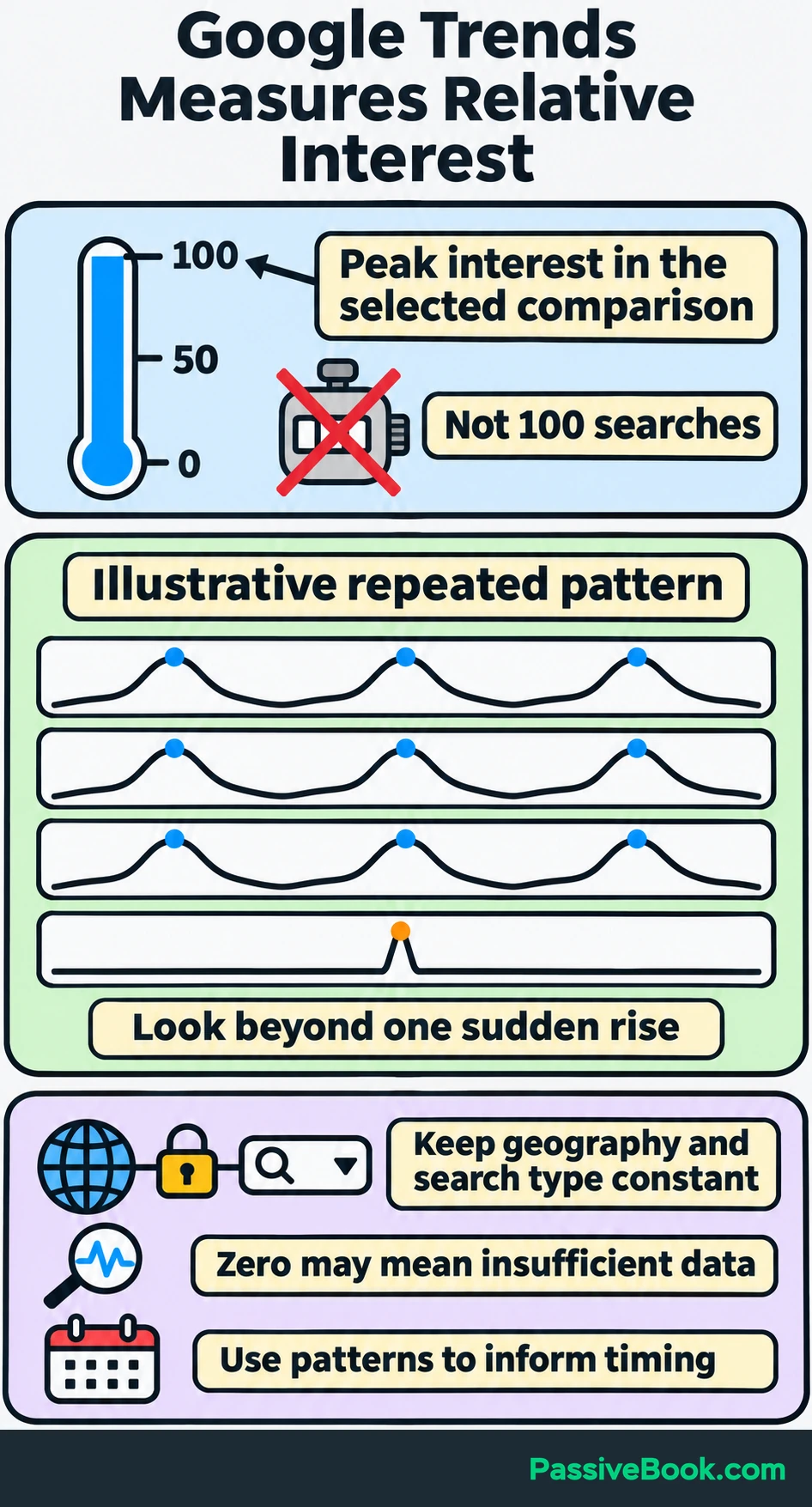
For the hiking blog, you could examine “hiking backpack” to see whether recurring changes in interest should influence when you prepare a guide. Check the pattern rather than assuming every market follows the same outdoor season.
The scale runs from 0 to 100 and shows normalized relative interest. A value of 100 marks peak interest for the selected comparison; it does not mean 100 searches.
Low-volume terms can appear as zero, so I would not discard a relevant keyword on that evidence alone.
Use Trends to inform timing and direction. Use your discovery tool for demand estimates, and keep those two jobs separate in your planning notes.
Turn Your Keyword Shortlist Into a Content Plan
A keyword list becomes useful when every retained phrase leads to a decision: create a page, improve an existing page, investigate further, or discard it.
I would keep this process in one spreadsheet. Moving the same undecided keywords through five dashboards is still indecision, just with more tabs.
Collect Keywords That Fit Your Business
Start with what your website publishes, reviews, or sells. Choose a few seeds connected to that purpose and expand them with one discovery tool.
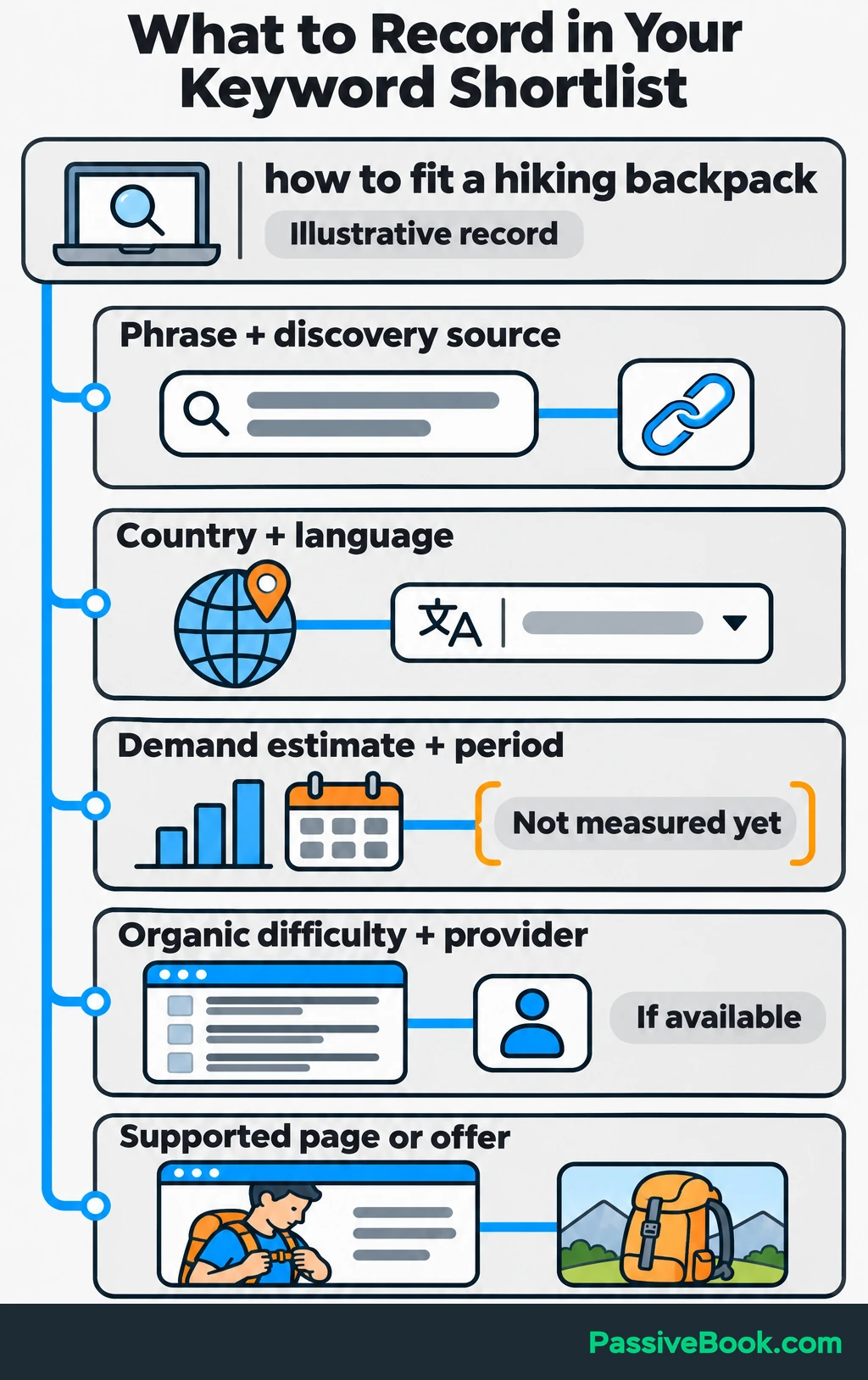
Remove unrelated meanings before comparing metrics. Then record:
- The candidate phrase and where you found it.
- The country and language you researched.
- The available demand estimate and its reporting period.
- Organic difficulty, if available, with the provider named.
- The page or offer the topic could support.
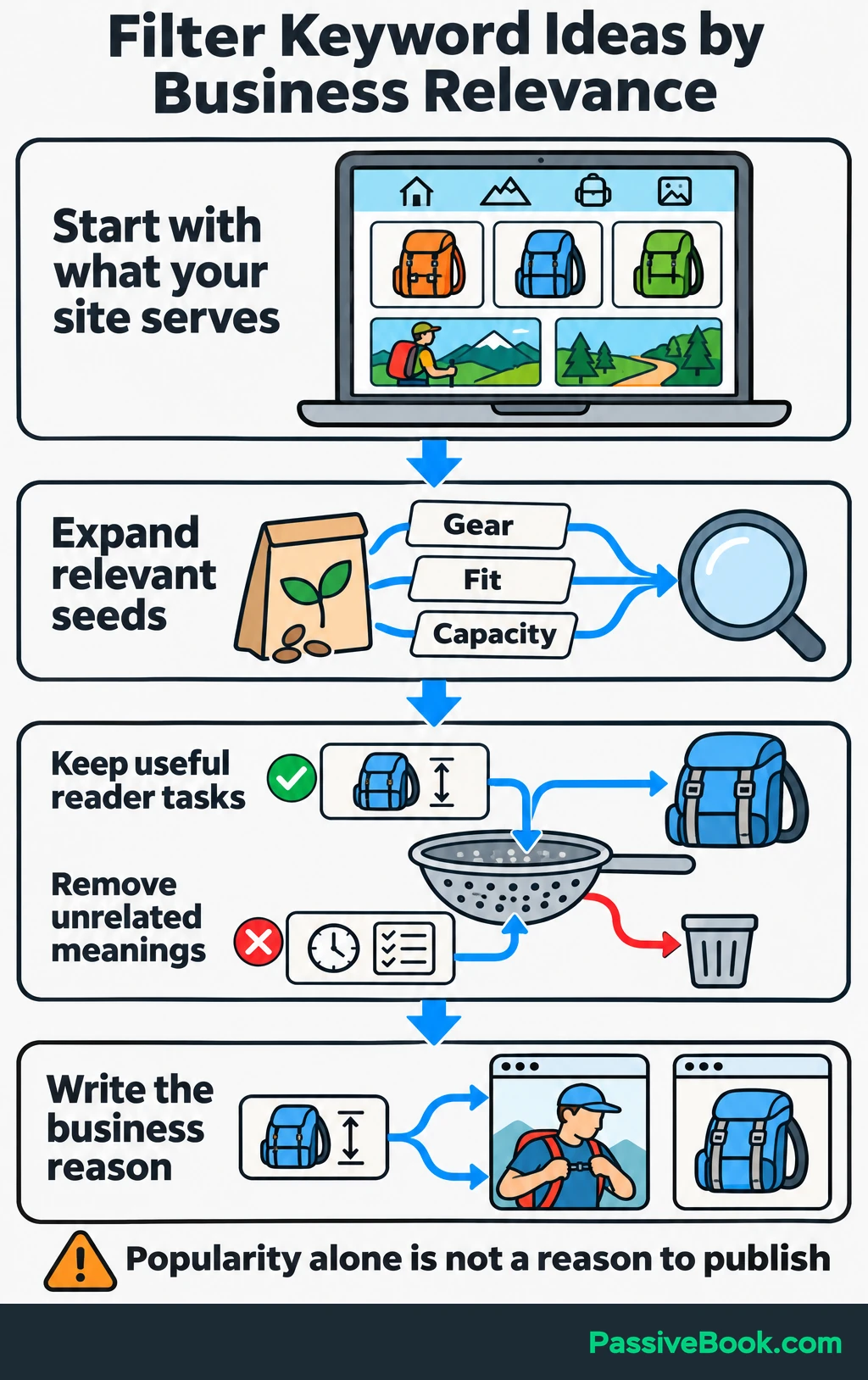
You don’t need a universal minimum search volume. A narrow, useful topic may deserve attention even when its estimated demand is small. A popular phrase outside your business gives you a much harder job explaining why it belongs.
I learned that distinction painfully with my productivity blog. I published more than 127 posts over eight months before abandoning a niche I found too competitive and difficult to monetize. I could keep finding related subjects, but having another subject to write about was not enough.
That is why I now want a business reason beside a keyword before it enters the queue.
For the hiking blog, a fitting tutorial supports the site’s gear coverage and can connect naturally to relevant reviews. A broad article about becoming more productive has no such place.
Check What Searchers Need
Search each finalist in the market you want to serve and examine the leading results.
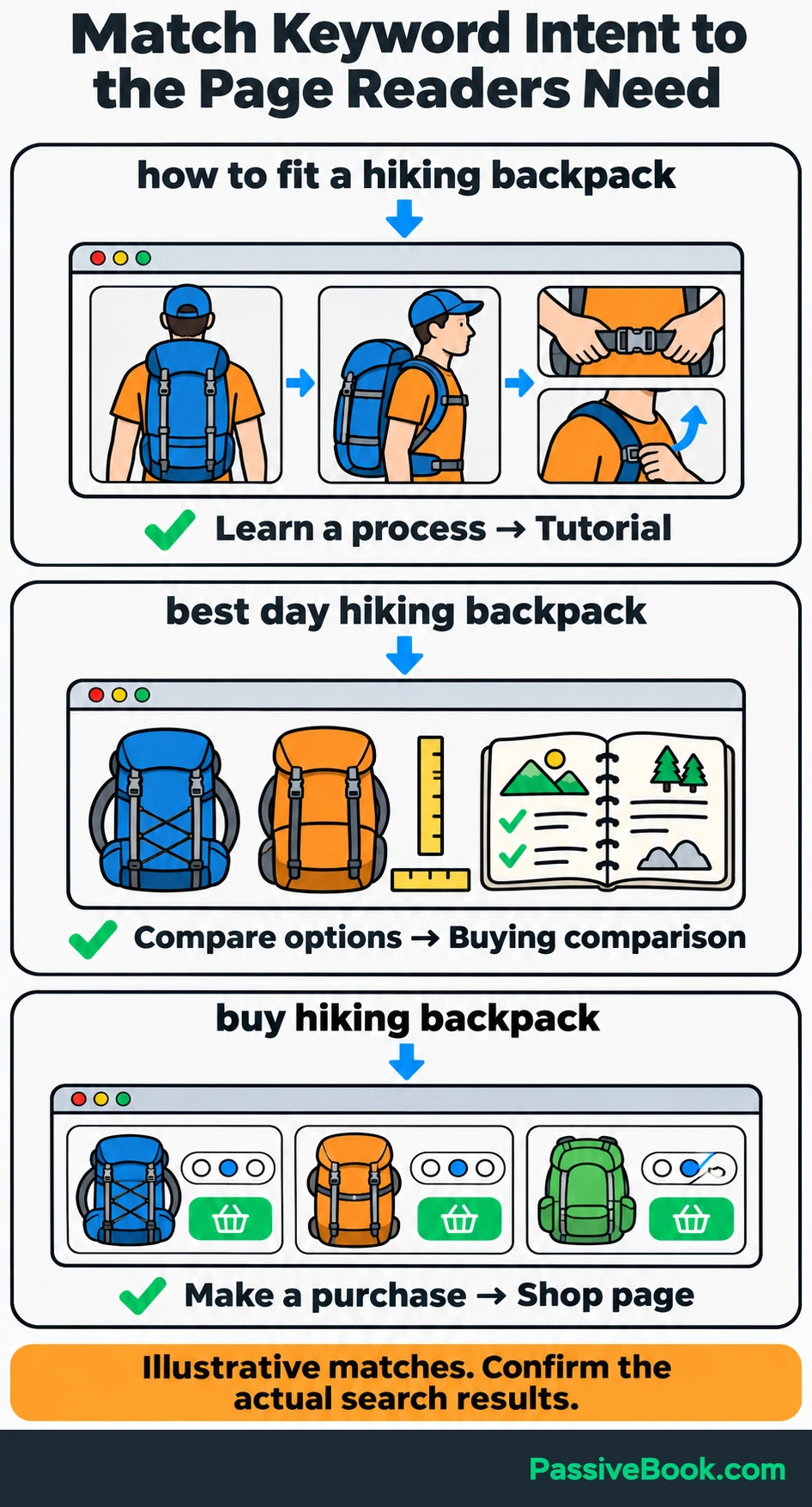
First, identify the main page format. Are people being shown tutorials, product comparisons, shop pages, videos, or a mixture?
Then open the competing pages. Look at what they help the reader do and what evidence supports their answer.
I would ask:
- What task is the person trying to finish?
- What kind of page currently serves that task?
- What useful information or demonstration can I provide?
- Why would a person visit my page after seeing the other results?
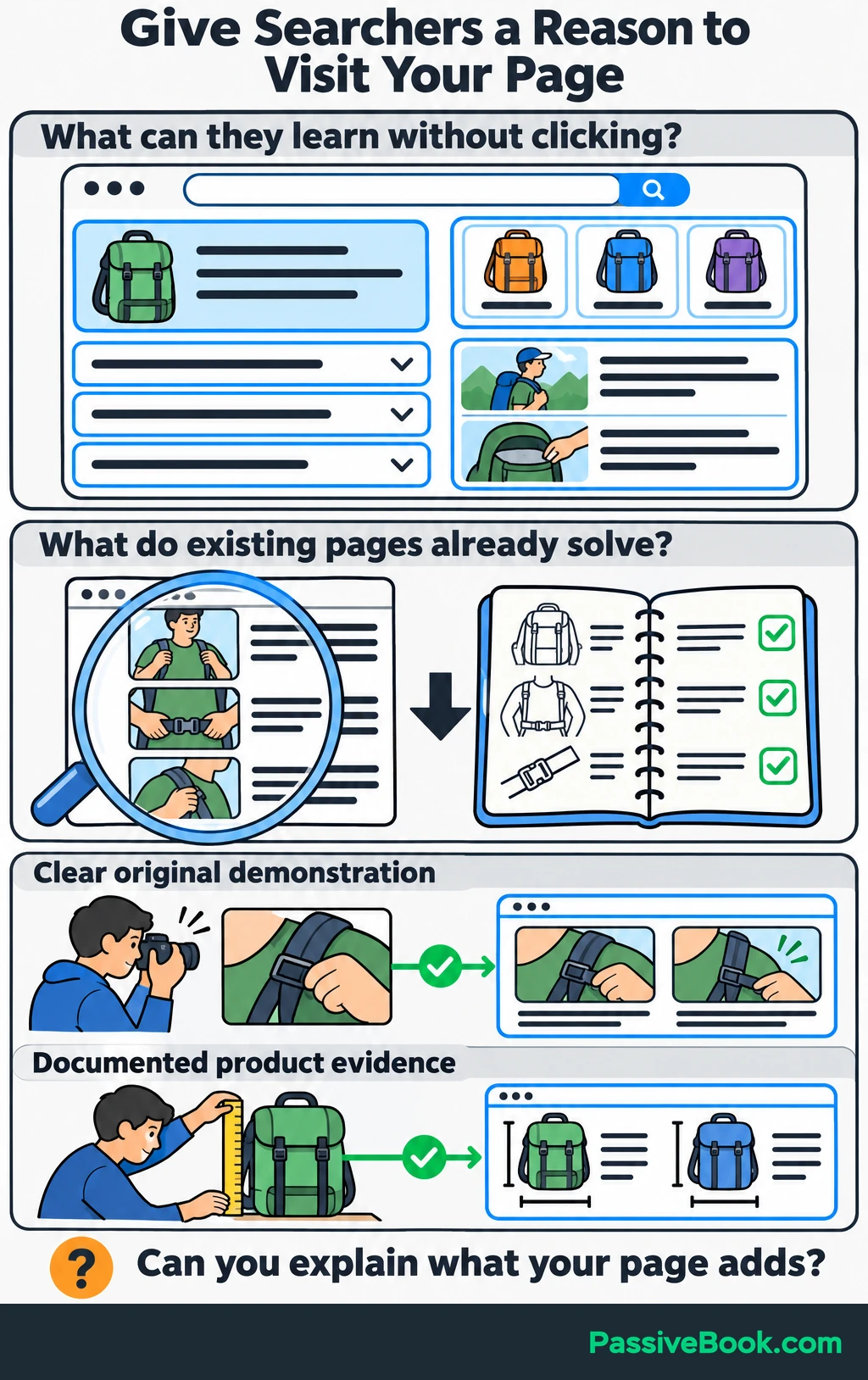
Also look at shopping listings and prominent answer features, such as summaries and question boxes. What can a searcher learn from them without opening a website? That affects what would make your page worth visiting.
For “how to fit a hiking backpack,” a useful contribution might be a clear fitting sequence with original photographs. For a product comparison, it might be documented measurements and observations from using the packs.
Check whether the results leave room for your contribution. If you cannot explain what your page adds, I would investigate another candidate before drafting.
Group Related Phrases and Choose Priorities
Group phrases when they need the same answer and many of the same pages rank for them. Choose one main phrase for the proposed page and retain the others as supporting subjects.
Similar wording alone is not enough. Fitting a backpack and choosing a backpack are different tasks, even though both mention the same product.
For the illustrative hiking shortlist:
- “How to fit a hiking backpack” suggests a tutorial.
- “Best day hiking backpack” suggests a buying comparison.
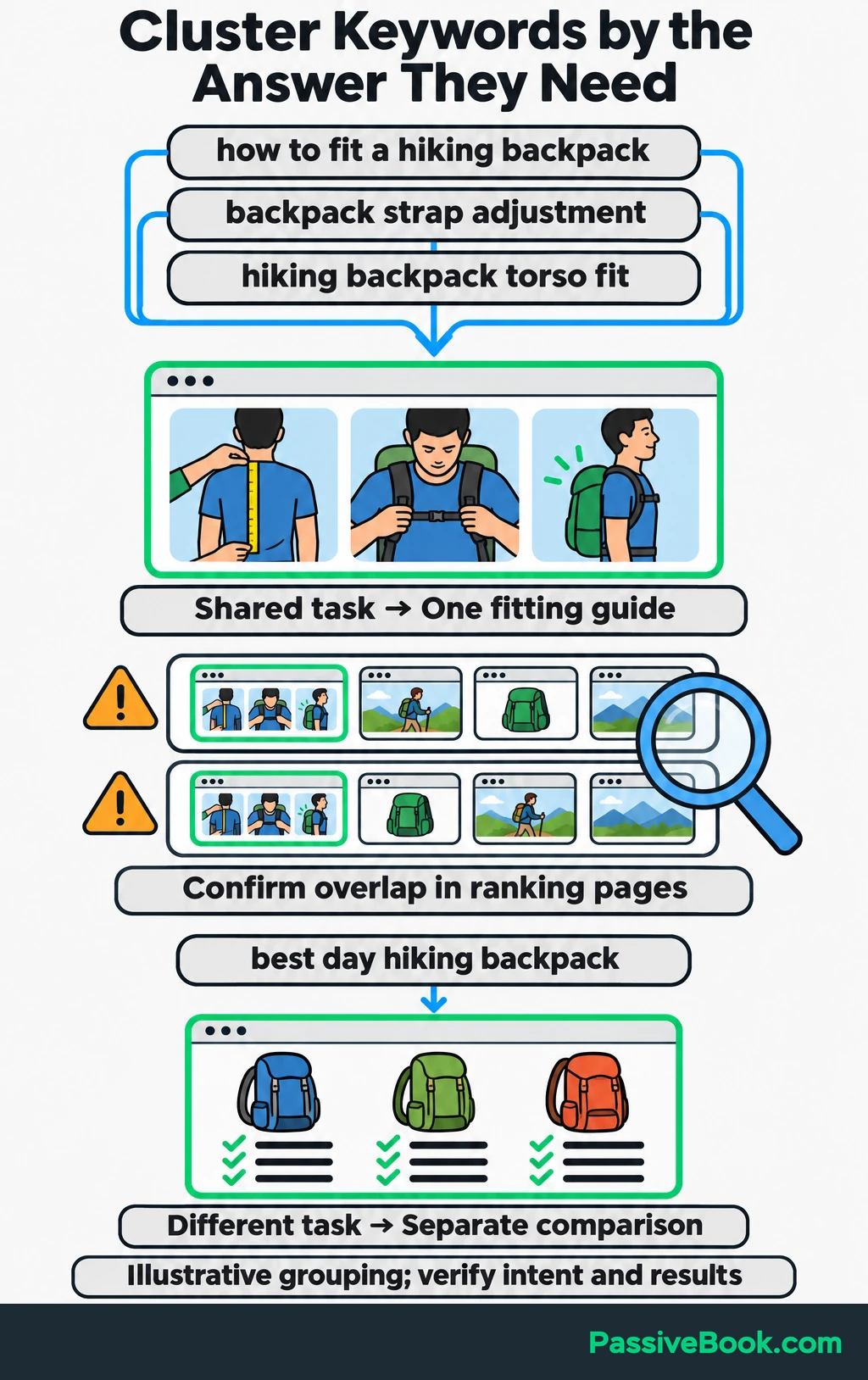
I would prioritize them by business relevance, fit with the searcher’s task, competition, and demand. When two candidates look equally useful, production effort can break the tie.
If several topics still look worth publishing, compare them against the time you have. You can start with just three rather than organize your entire keyword list.
Turn Your Marketing Ideas Into a Publishing Plan
Organize content ideas, set publishing dates, and track what resonates with your audience in one calendar.
Here is how that decision could look. No demand measurements or ranking gaps have been established for these example phrases.
| Primary Keyword | Supporting Phrases | Intent | Proposed Page | Demand Evidence | Priority Reason | Next Action |
|---|---|---|---|---|---|---|
| how to fit a hiking backpack | backpack strap adjustment; hiking backpack torso fit | Learn to fit an existing pack | Illustrated fitting tutorial | Not measured; record a target-market estimate | First if you can demonstrate the process and the reviewed results leave a useful gap | Check results, confirm demand, and photograph the fitting sequence |
| best day hiking backpack | day hiking backpack comparison; daypack capacity for hiking | Compare options before buying | Gear comparison based on documented use | Not measured; record a target-market estimate | Second if gathering credible comparison evidence requires more work | Review results and plan which packs you can assess |
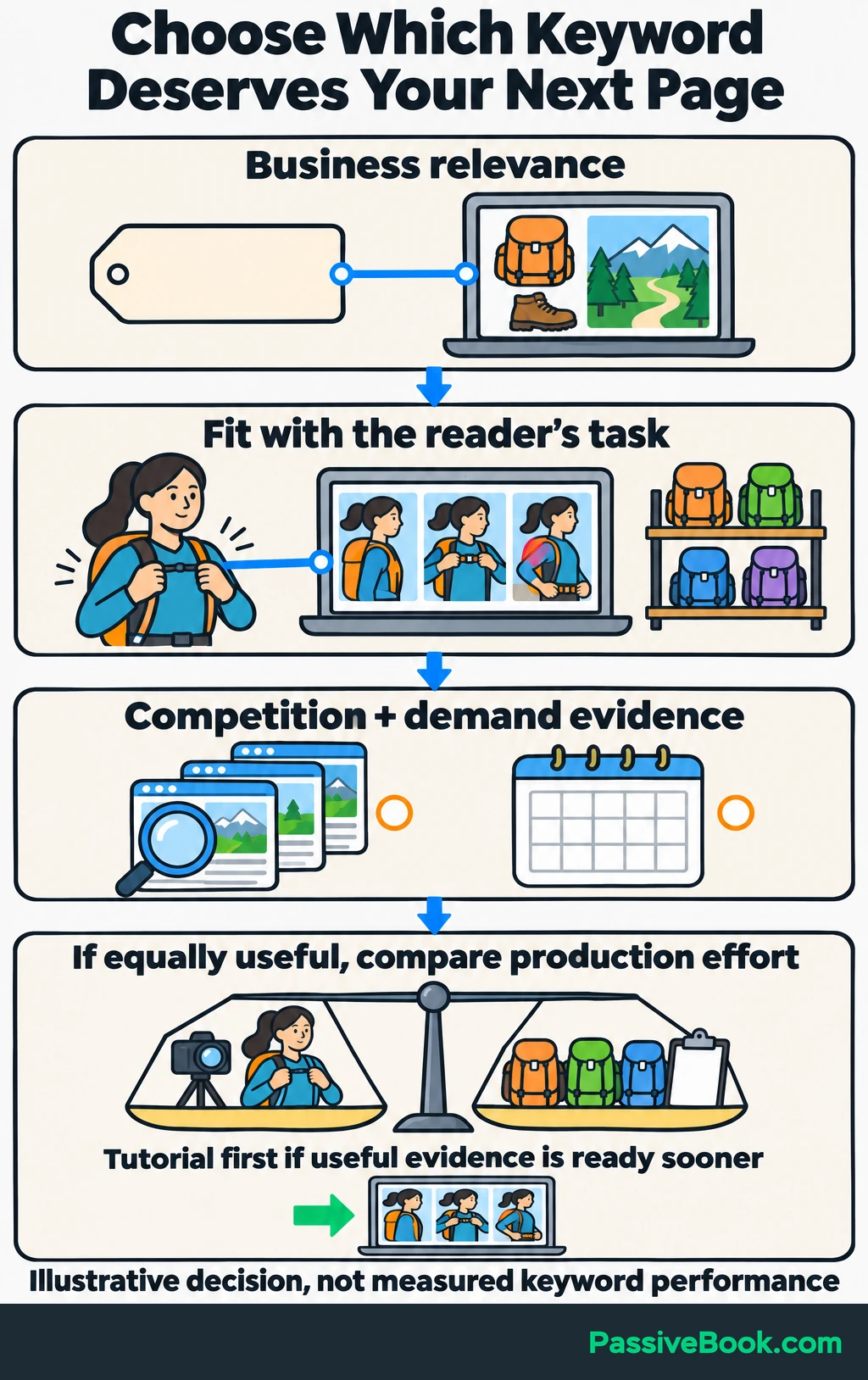
The tutorial comes first under those assumptions because you can produce a useful demonstration sooner. A lower difficulty score alone would not justify that choice.
If the results already answer the fitting question exceptionally well and you have stronger evidence for a comparison, change the order.
After publishing, use Search Console to find the next worthwhile improvement. Review the queries associated with the page and check whether they reveal an unanswered question that belongs there.
Add the missing explanation when it helps the reader complete the page’s task. Don’t expand a focused guide merely because another keyword appeared in a report.
When Is a Paid Keyword Research Tool Worth It?
Keep using free tools while they let you discover relevant topics, assess serious candidates, and maintain a useful publishing queue.
I would pay when a recurring restriction blocks work that matters. That might mean:
- You need deeper competitor research than the free reports provide.
- Manual copying makes a necessary research project too slow.
- Regular client reporting requires repeatable exports.
- You repeatedly reach a limit before finishing planned research.
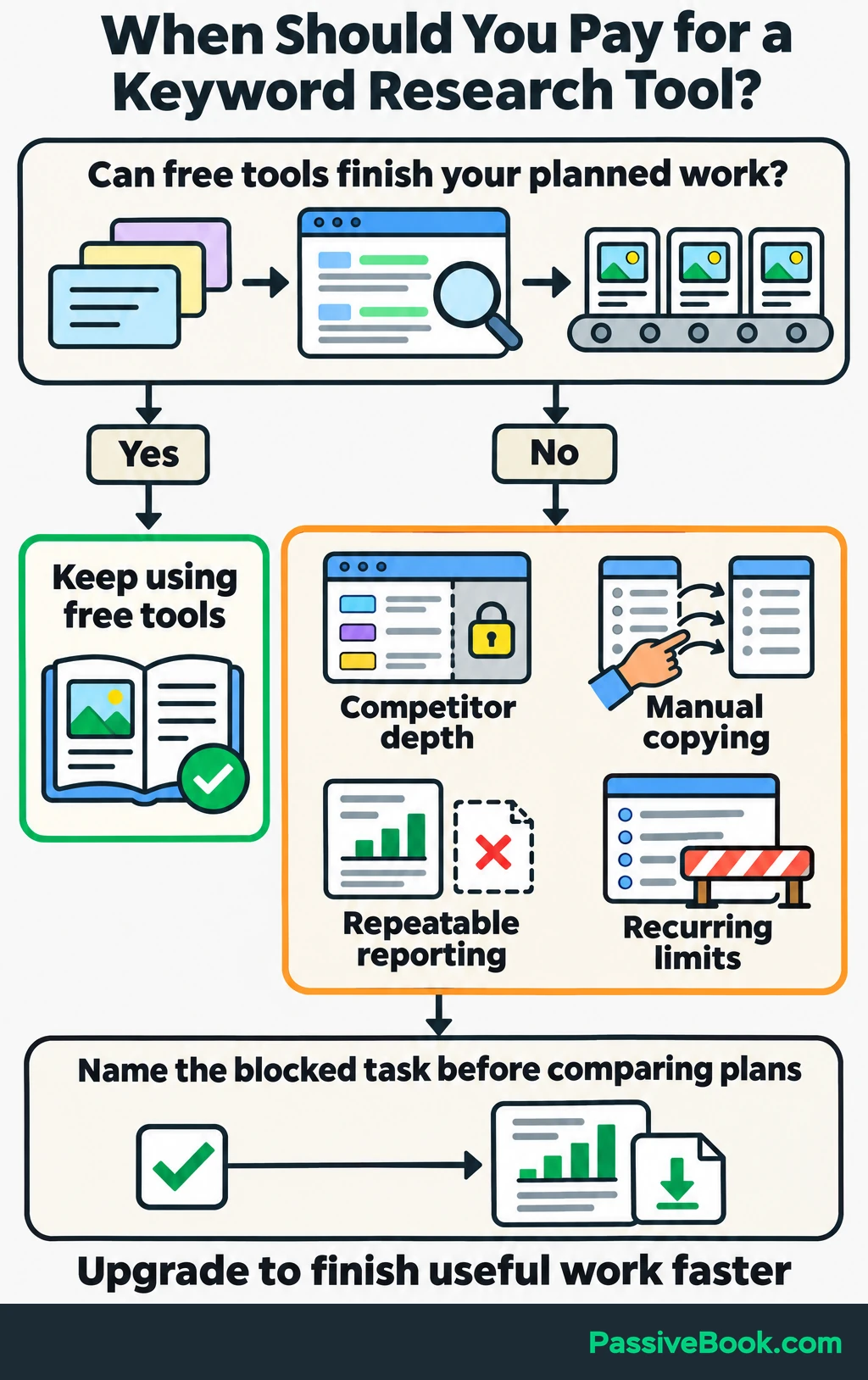
Name the blocked task before comparing subscriptions. “I need to export and assess this research list every month” is a useful reason. “The paid dashboard looks more serious” is an expensive feeling.
Estimate the working time the feature would save, then compare that value with its cost. Also check that the plan you are considering includes the feature you need.
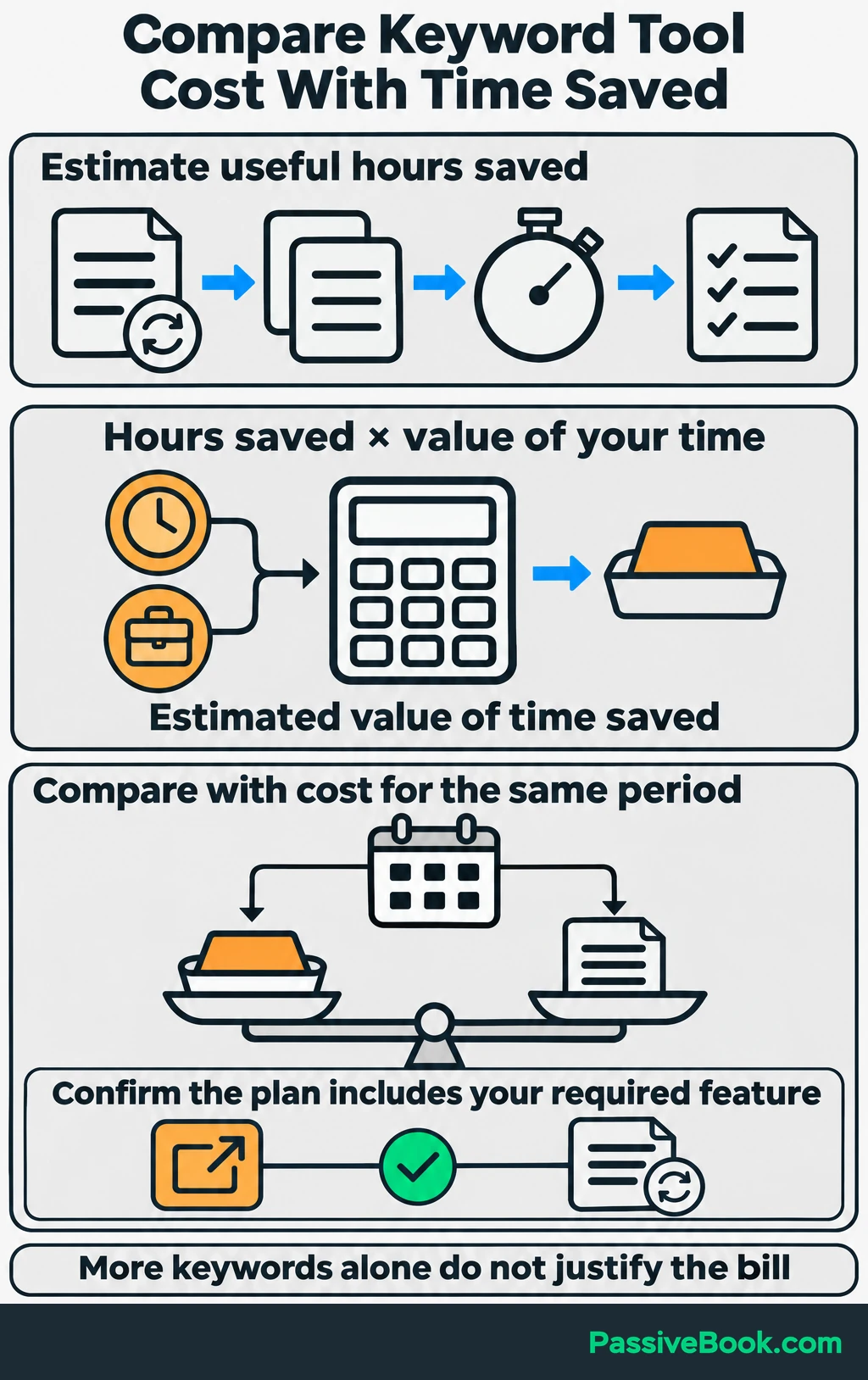
For a short publishing queue, I would stay free and put the effort into better pages. When research becomes a repeated bottleneck, paid software can be a sensible operating expense.
The upgrade should make a useful process faster. It should have a clearer purpose than finding more keywords you haven’t decided to use.
What Next?
Choose one seed connected to your business and use Keyword Planner or Ahrefs to build a shortlist of ten relevant phrases. Check the results for your three strongest candidates, then choose one page you can make useful.
Use the social buttons to share this guide when your next SEO discussion needs a practical way to compare free tools.
Which part slows you down most: finding keywords, judging competition, or choosing what to publish? Leave your answer—and any other questions—in the comments.
Share this post with your friends & followers:

