An SEO audit can hand you hundreds of warnings, but it rarely hands you another free afternoon. Which problems deserve your time, and which can wait?
That’s where tool shopping gets expensive. You can pay for a larger report and still have no clear idea what to fix first.
Before buying another report, you need to know what each tool can check and whether its limits will get in your way. This guide compares free and paid audit tools by coverage, cost, and practical use, then shows how to turn their findings into a manageable repair list.
Which SEO Audit Tools Should You Choose?
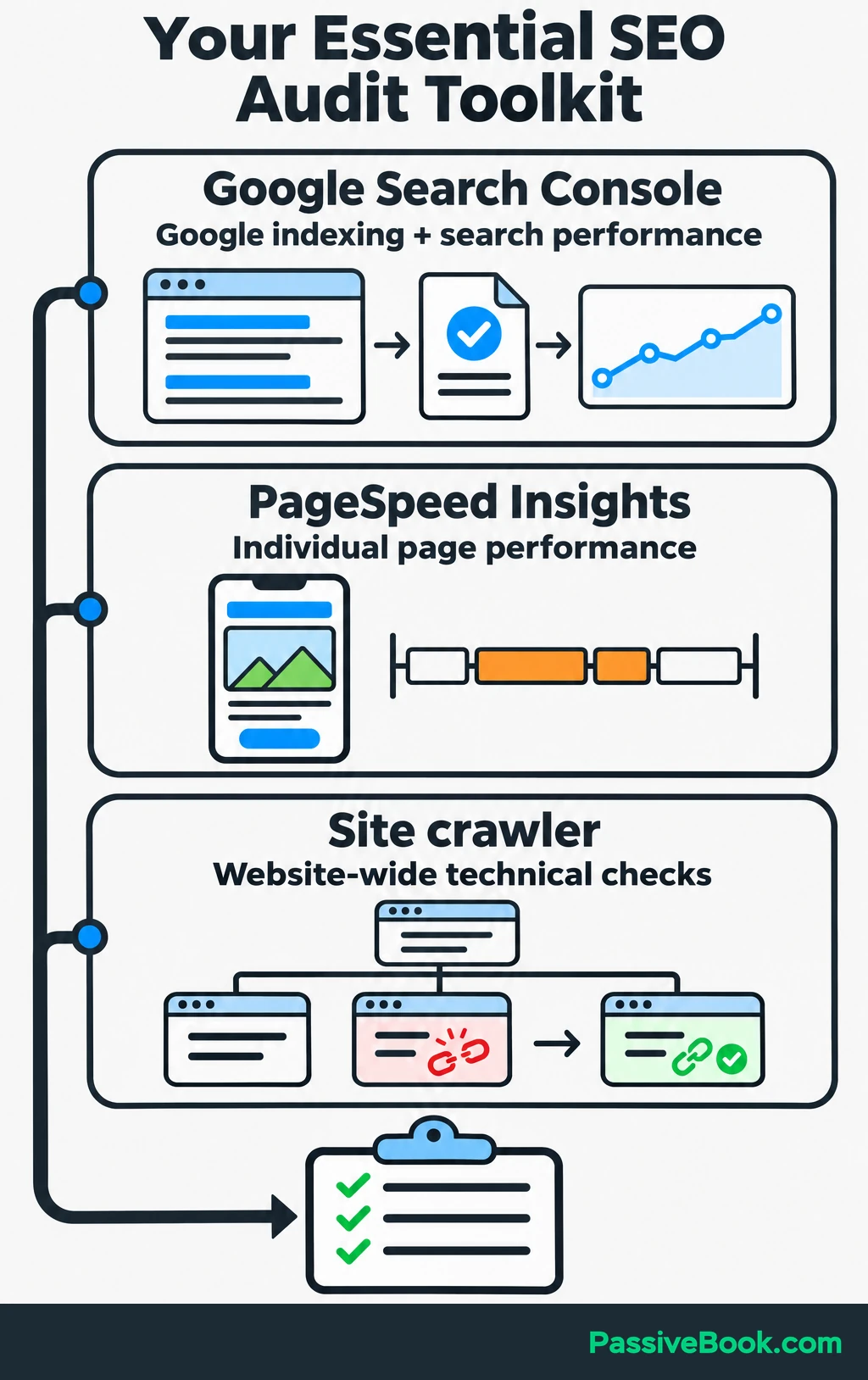
I would start with Google Search Console, PageSpeed Insights, and one site crawler. A crawler follows links and checks pages across your website.
Each tool answers a different question:
- Google Search Console: Can Google find and index your pages, and how are they performing in search?
- PageSpeed Insights: What makes a particular page slow or awkward to use?
- A site crawler: Where are the broken links, redirects, missing titles, and other technical or on-page problems?
For your own website, my starting crawler would be Ahrefs Free. Choose Screaming Frog instead when you want detailed desktop reports and more control over your investigation.
Ubersuggest is worth considering when you also need keyword research. SE Ranking suits recurring work across several websites, and Semrush makes more sense when auditing is part of a broader research workload.
Here’s how their allowances and commitments compare. JavaScript rendering means running a page’s scripts to reveal the content and links they add. Dollar amounts are USD; Screaming Frog’s quote is in GBP. Prices and exact allowances appear here so you can compare them in one place. Use the linked vendor pages for current terms.
| Tool | Audit Role | Ongoing Free Allowance or Temporary Trial | Quoted Paid Option | Billing Commitment | Crawl Allowance | Main Tradeoff |
|---|---|---|---|---|---|---|
| Google Search Console | Google indexing and search performance | Ongoing free service | No paid tier needed | None | Not a full-site crawler you control | Shows Google’s view but doesn’t replace a technical crawl |
| Ahrefs Free | Cloud technical and on-page audits | Ongoing free access for verified websites | Free account recommended here | None for free access | 5,000 crawl credits per verified project per month | Ownership verification required; repeat crawls share the monthly allowance |
| Screaming Frog SEO Spider | Detailed desktop investigation | Ongoing free version | £199 per user per year | Annual licence paid upfront | Free: 500 URLs per crawl. Paid: capacity depends on memory and storage | More report interpretation; advanced features require a licence |
| PageSpeed Insights | Page performance diagnosis | Ongoing free tool | No paid tier needed | None | Individual page tests, not a site-wide crawl | Representative pages must be selected |
| Ubersuggest | Audits alongside keyword, ranking, and backlink research | Limited ongoing free audits; seven-day monthly-subscription trial | Individual lifetime: $290 upfront; regional prices vary | One-time lifetime purchase; monthly option also available | Individual: 1,000 pages per audit report, with weekly crawling | One project; lifetime purchases are final and non-refundable |
| SE Ranking | Recurring audits across websites | 14-day trial without a credit card; no permanent free platform plan | Core: $129 per month on monthly billing | Monthly subscription; annual option available | Core: 250,000 audit pages per month across 10 projects | More capacity and expense than one small website may need |
| Semrush Site Audit | Auditing within a broader SEO suite | Ongoing limited access without SEO Toolkit | SEO Toolkit Pro: $139.95/month; Guru: $249.95/month | Monthly subscription at these quotes | Pro: 100,000 pages/month and 20,000 per audit. Without SEO Toolkit: 100 pages/month | JavaScript rendering requires Guru or a higher eligible tier |
Before choosing, look beyond the headline crawl allowance. Your crawler should identify affected URLs and provide evidence you can act on. Useful checks include:
- Response codes and redirects: Whether a URL loads, fails, or sends visitors elsewhere.
- Indexing directives and canonicals: Whether a page permits indexing and which URL it names as its preferred version.
- Titles and duplicate elements: Missing or repeated page titles, descriptions, and similar problems.
- Internal links: Broken destinations and the pages linking to them.
Broken-link checks and backlink research do different jobs. A crawler can find a broken link in one of your articles. Backlink research investigates other websites linking to yours. Don’t buy a backlink database just to find a broken navigation link.
Treat health scores as summaries within each tool. Compare the actual findings across vendors, rather than picking whichever gives your website the nicest number.
For the examples below, imagine you run a freshwater-aquarium website. You publish tank-setup guides and earn affiliate income from filter reviews. Its findings and figures are illustrations.
Best Free SEO Audit Tools
Google Search Console: Best for Google Indexing and Search Performance
Search Console is where I start when an important page seems absent from Google. I use it for search performance and indexing because those questions deserve a direct check before I change the content.
You can review search queries, impressions, clicks, indexing reports, and websites linking to yours. Access requires ownership verification or permission from an existing owner. Google’s Search Console overview explains its coverage.
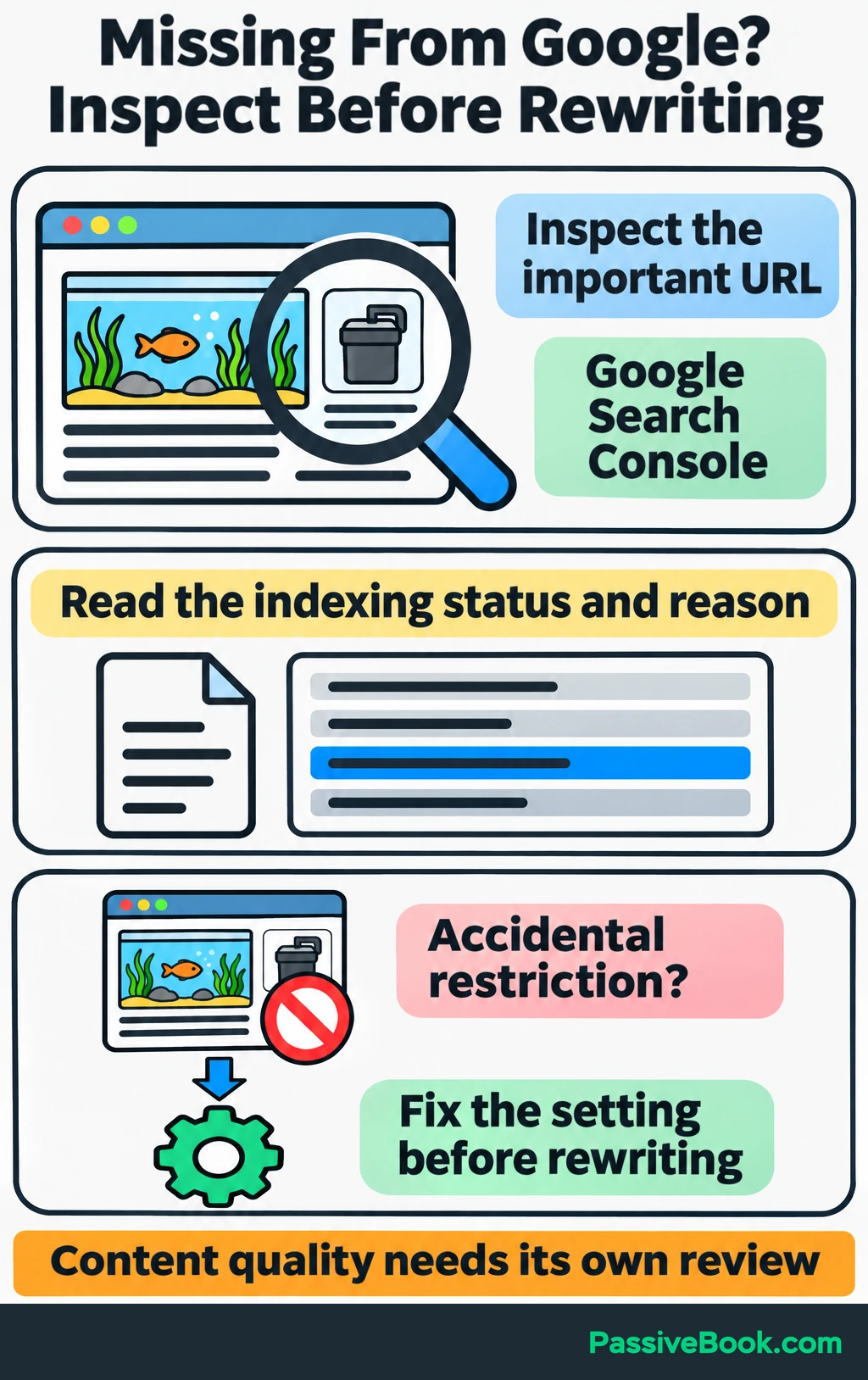
Start by inspecting an important URL. Check whether Google has indexed it, then read the reported reason if it hasn’t.
On the aquarium website, that means inspecting the missing filter review before rewriting its introduction. An accidental indexing restriction calls for a different repair than an article that needs a clearer answer.
Also review the queries and pages already receiving impressions. They help you identify content worth including in the audit.
Keep Search Console alongside your crawler. It won’t give you the same website-wide inventory of titles, redirects, and broken internal links.
Ahrefs Free: Best for Cloud Audits of Your Own Website
Ahrefs Free is my starting recommendation when you want browser-based audits without buying a subscription. You must verify ownership, and you get Site Audit plus limited Site Explorer reports for backlink and search analysis.
The useful part is the affected-page report. Open an issue, examine its URLs, and check the evidence before accepting the suggested fix.
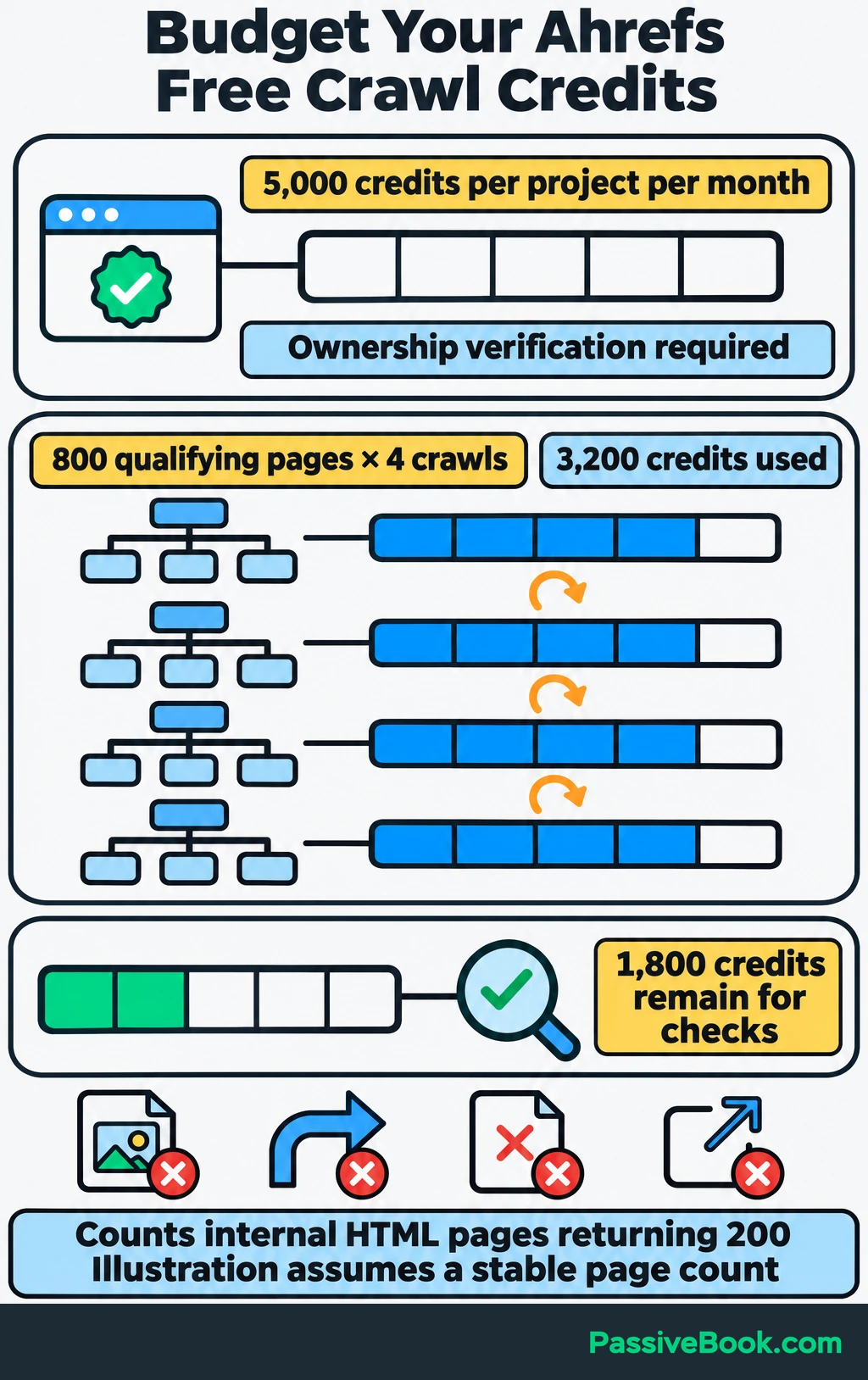
Its monthly allowance needs a little planning. Ahrefs charges one crawl credit for each internal HTML page crawled that returns a successful 200 response. Redirects, error URLs, resources, and external URLs don’t consume those credits. Ahrefs explains its credit rules here.
Count qualifying pages each time they are crawled. For illustration, suppose your aquarium website has 800 such pages:
800 pages × 4 complete crawls = 3,200 credits.
That leaves 1,800 credits from the free monthly allowance for further checks, assuming the page count stays the same.
Schedule crawls around how often you publish or change the website. Leave room to verify repairs rather than spending the whole allowance collecting another report.
Screaming Frog SEO Spider: Best for Detailed Desktop Analysis
Screaming Frog runs on your computer and provides detailed URL reports. I would choose it when I need to trace a specific problem through response codes, redirects, titles, canonicals, or internal links.
The free version is useful for smaller investigations, but its allowance counts URLs, not published articles. Check what the crawl actually reached before treating it as complete.
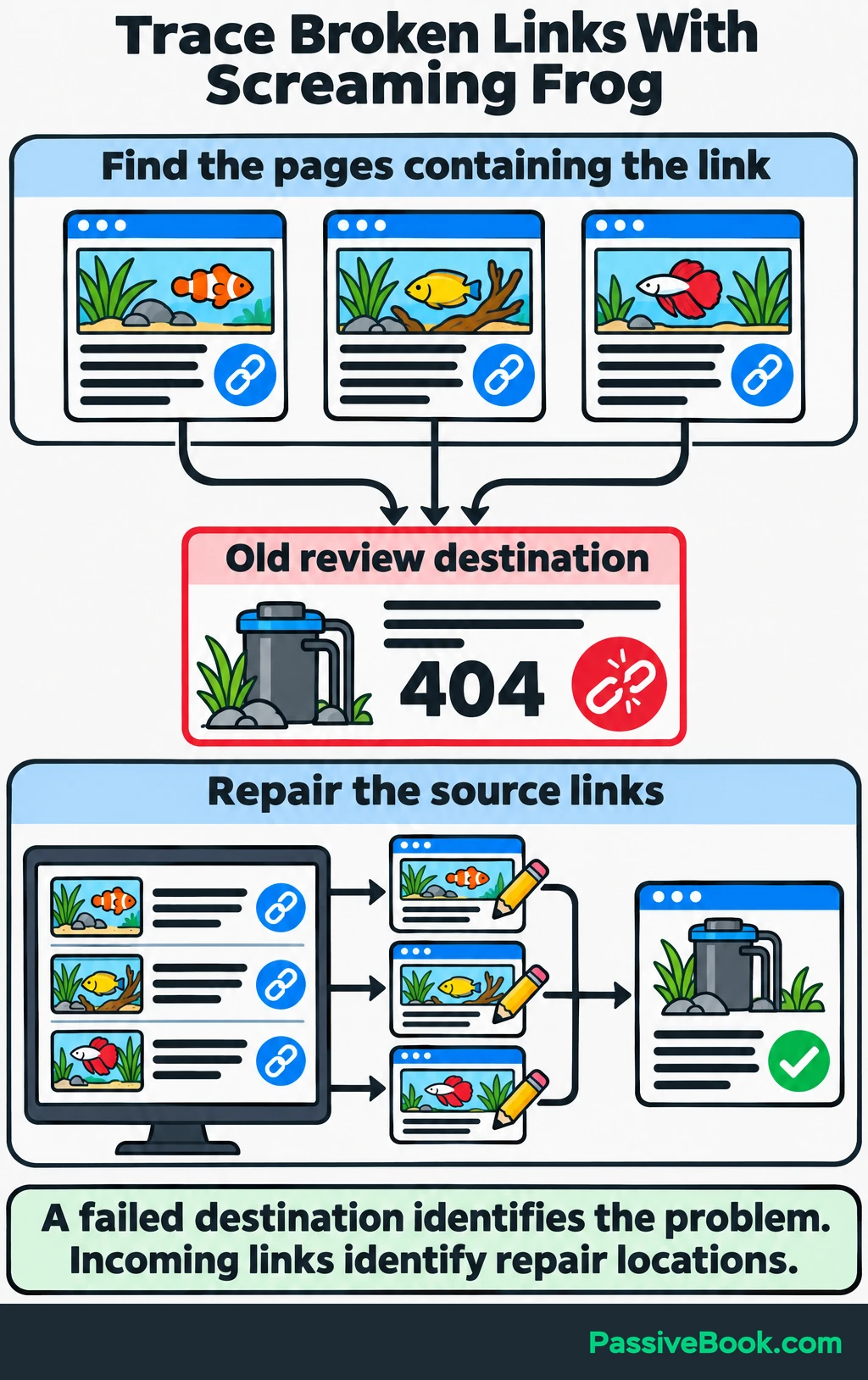
For a broken-link finding, examine both the failed destination and the pages that link to it. On the aquarium website, that could show an old filter-review URL returning a 404 (page not found) and the guides still linking to it.
That gives you a repair location, rather than another warning to stare at.
The paid licence adds larger crawls, saved crawl files, scheduling, JavaScript rendering, and crawl comparisons.
Choose Screaming Frog if you value detailed reports and can spend time interpreting them. Choose a cloud crawler if you would rather have scheduled reports waiting in your browser.
PageSpeed Insights: Best for Diagnosing Slow Pages
PageSpeed Insights helps you investigate individual pages. Start with examples of your main layouts and test both mobile and desktop.
For the aquarium website, I would check:
- Homepage: Navigation, featured content, and shared scripts.
- Tank-setup guide: Long articles with several images.
- Filter review: Product photos, comparison tables, and affiliate links.
Read its two types of evidence separately. Real-user data describes eligible Chrome visitors’ experiences over the previous 28 days. Check whether it covers the tested page or the wider site; it can be unavailable when there aren’t enough observations. Lighthouse, the automated testing tool used by PageSpeed Insights, supplies diagnostics from a simulated page load.
Use the real-user report to understand observed experience and the simulated test to investigate possible causes. A better lab score doesn’t establish that visitors have already experienced the same improvement.
When several tested pages show the same problem, inspect their shared layout. One oversized header image or unnecessary script may deserve attention before you edit individual articles.
Best Paid SEO Audit Tools
Ubersuggest: Best for Auditing Alongside Keyword Research
I recommend Ubersuggest for beginners and budget-conscious creators who also need keyword research and content ideas. Its appeal is getting several useful jobs into one tool.
For auditing alone, I would try the free combination first.
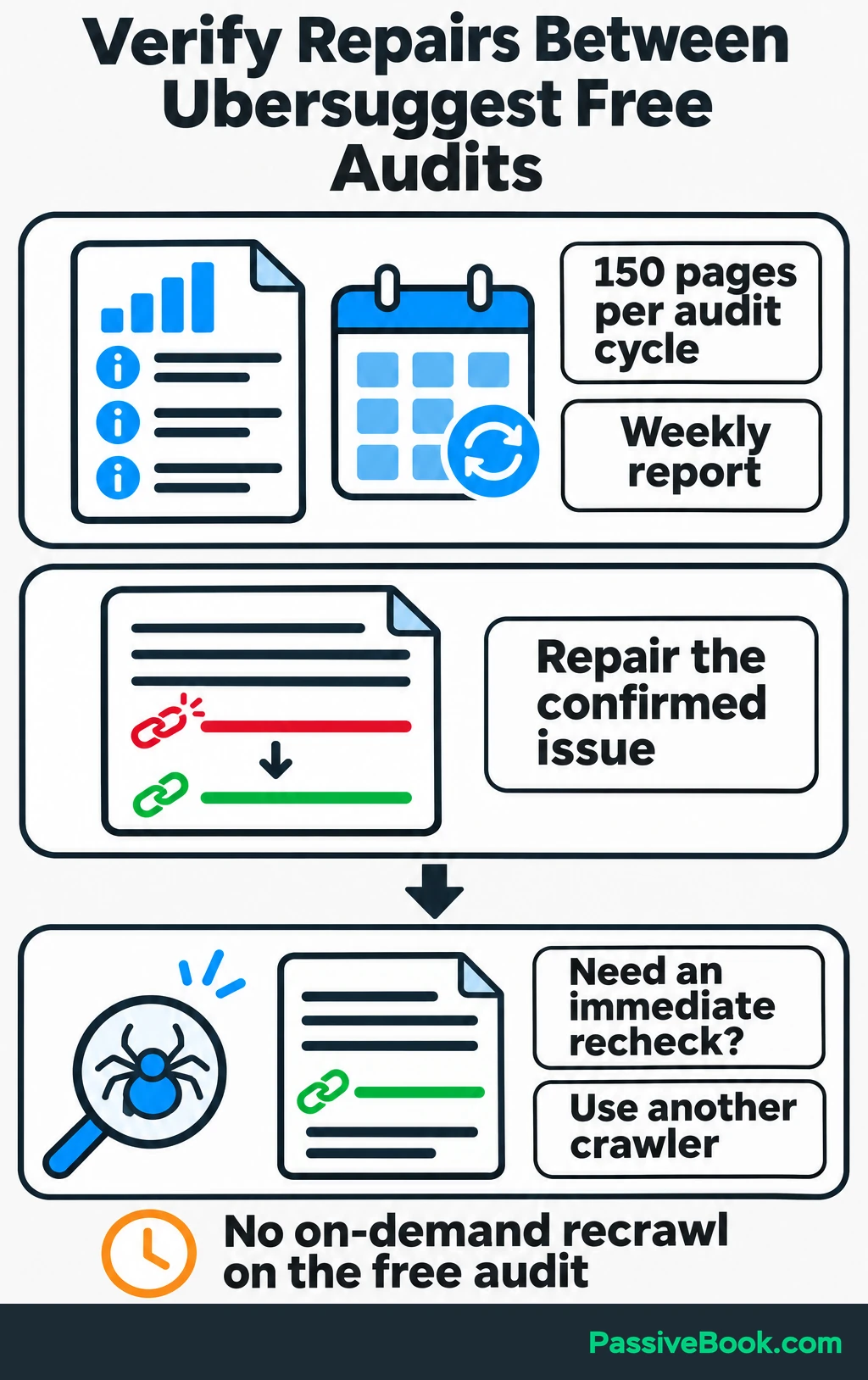
Ubersuggest’s free audit covers 150 pages per audit cycle and produces a weekly report, but it doesn’t allow on-demand recrawling. That matters when you want to check a repair immediately. You can use another crawler for that check rather than upgrading automatically. Ubersuggest’s free audit limits spell out this restriction.
The paid Individual option suits one website within the allowance shown in the comparison table. Before buying lifetime access, use the monthly-subscription trial to work through a real finding.
For example, can you find the articles linking to an unavailable filter review and understand what needs changing?
The trial requires payment information and converts to a paid monthly subscription unless you cancel before it ends. Set a reminder when you start. Ubersuggest’s subscription terms also explain its regional pricing.
SE Ranking: Best for Recurring Audits Across Multiple Websites
SE Ranking becomes more interesting when you manage several websites and need a repeatable audit routine.
You can schedule audits, review affected pages, and download issue reports to organize repairs or hand them to a contractor. That helps when the work involves several people or websites.
Core includes 10 projects and a shared monthly audit allowance. A project is a workspace for a website, so count both your websites and your expected repeat crawls when assessing capacity. SE Ranking’s plan comparison lists its project and audit allowances.
I would use the trial to test the reporting workflow. Can you turn an issue report into a clear task, then return and verify the repair?
For one aquarium website, the free setup may already answer those questions. Paying for spare capacity makes sense when you expect to use it. Otherwise, you have acquired a large empty dashboard with a monthly bill.
Semrush Site Audit: Best for Auditing Within a Broader SEO Suite
Semrush makes the strongest case when you already need regular keyword research, competitor analysis, and position tracking.
Its Site Audit reports help you review technical and on-page findings, inspect affected URLs, and compare crawls after repairs.
Pay attention to two separate limits: monthly capacity and the maximum size of one audit. A large monthly allowance doesn’t mean you can crawl that many pages in a single run.
Also check rendering requirements before subscribing. Pro doesn’t include JavaScript rendering; Guru and Business do. If a review table or important links appear only after scripts run, a crawl without rendering may miss them. Semrush’s Site Audit limits explain these distinctions.
I would skip the broader suite if auditing is the only function you expect to use. Its extra research tools need a place in your working routine to justify the subscription.
When Is a Paid SEO Audit Tool Worth It?
Pay when you can name the constraint you’re removing.
“I need to save and compare crawls after a theme change” is a reason. “The dashboard looks more professional” is an expensive feeling.
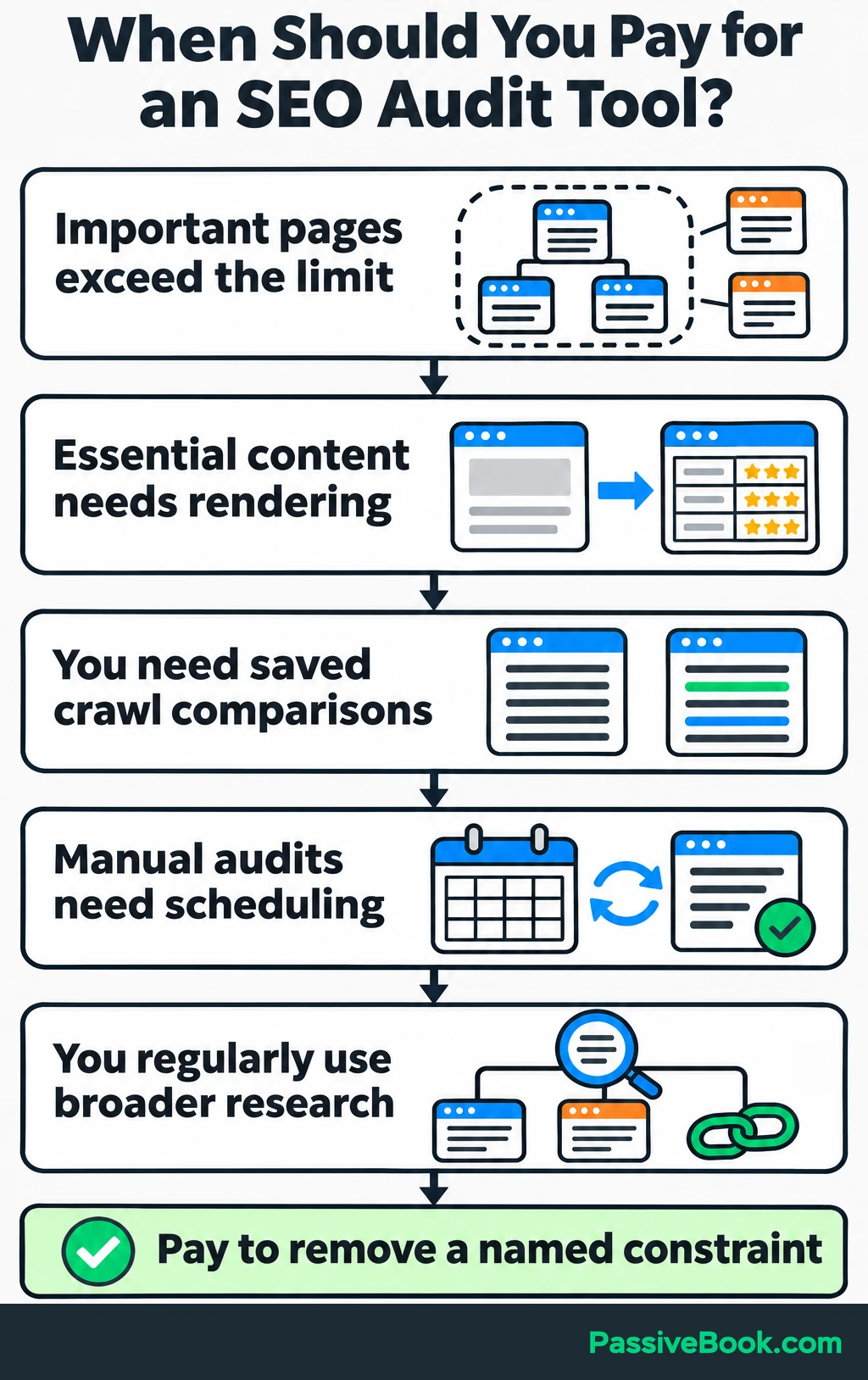
Free tools are sufficient when they cover your important pages, provide understandable evidence, and let you check repairs.
A paid option becomes useful when you need:
- More capacity: Important URLs fall outside the free crawl limit.
- Required rendering: Your existing crawler can’t see essential content or links.
- Saved comparisons: You need to track changes between crawls.
- Reliable scheduling: Recurring audits would otherwise become another manual task.
- Broader research: You already spend time on keyword, competitor, or backlink analysis.
I once kept audit exports in my Downloads folder and treated exporting them as progress. When I returned to the work, I had to reconstruct which findings I’d checked and which were still guesses. The files survived beautifully. The decisions didn’t.
That experience changed what I look for: a report must help me decide, act, and return to the same issue.
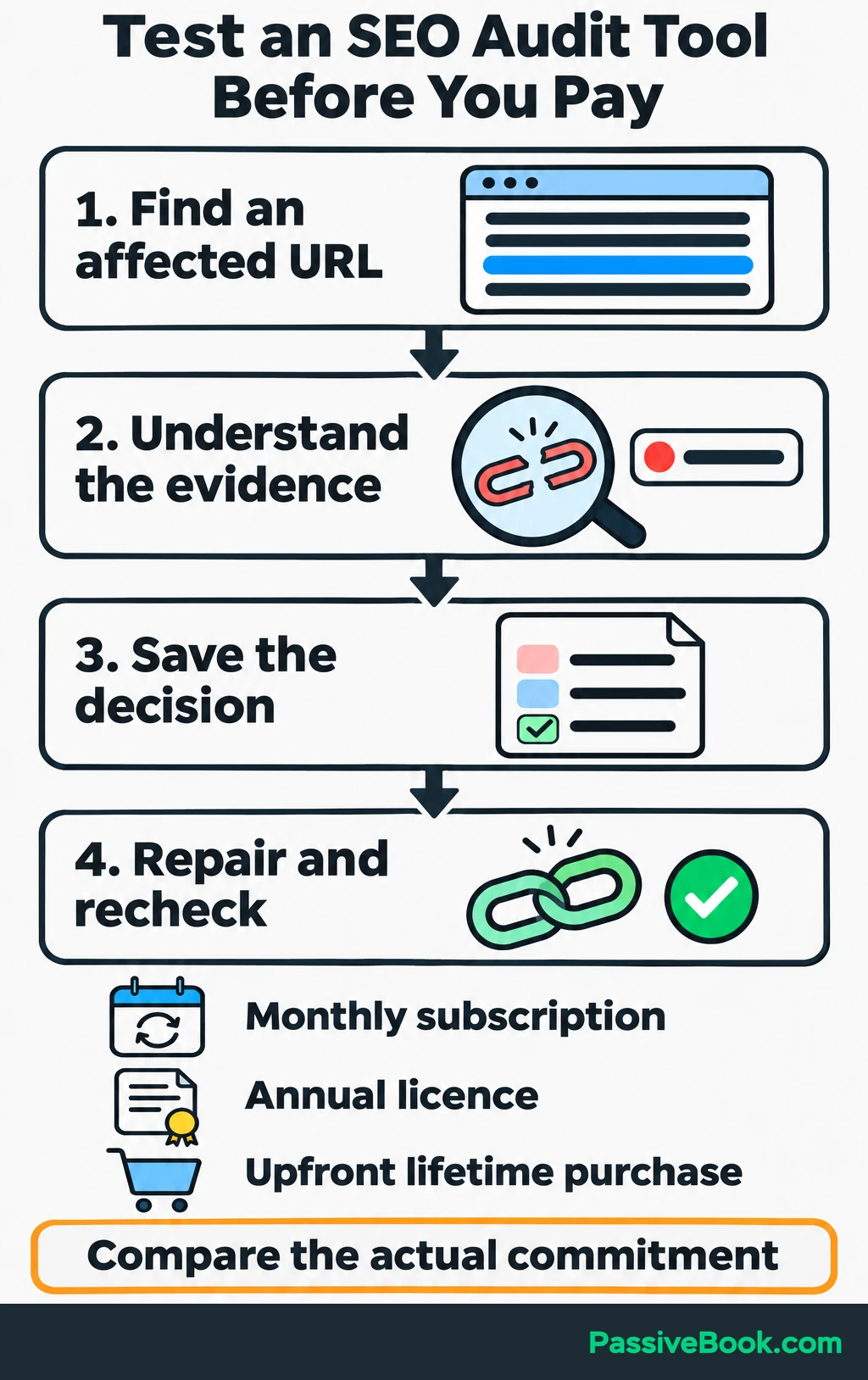
Before paying, test that full loop on your website. Identify an affected URL, understand one finding, save or export the work, and check the repair. Also compare the actual financial commitment: a monthly subscription, an annual licence, and an upfront lifetime purchase tie up different amounts of money.
Choose one primary crawler. Add another when you have a specific question the first cannot answer.
How to Turn an SEO Audit Into Prioritized Fixes
Check That the Audit Covers Important Pages
Decide what the audit needs to cover before starting the crawl. Include pages that help readers find content, answer important questions, or support revenue.
On the aquarium website, that means the tank-setup guides, navigation hubs, and filter reviews. A crawl that checks hundreds of archive URLs but misses the main reviews hasn’t answered the most useful questions.
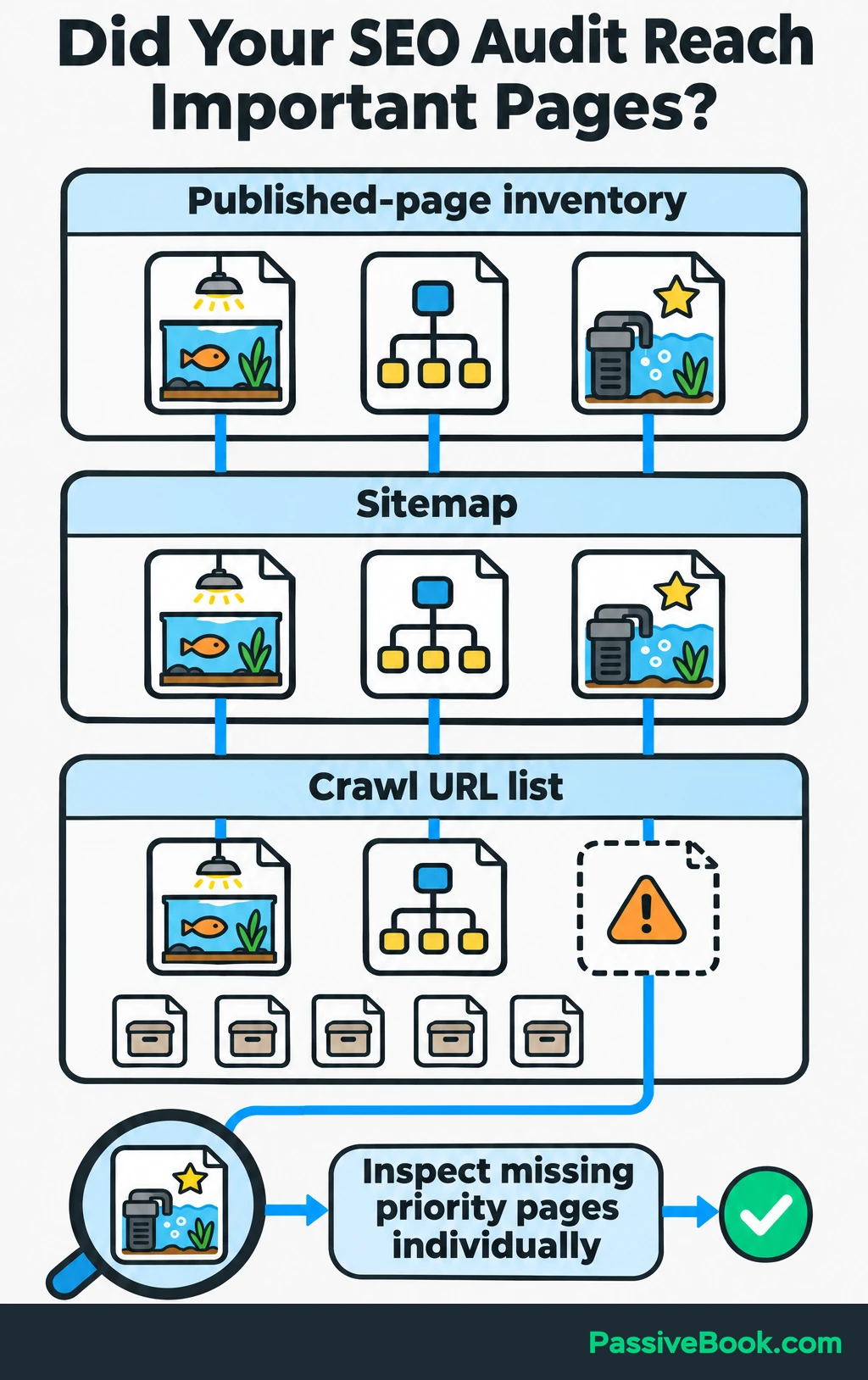
Compare the crawl’s URL list with your sitemap and published-page inventory. A sitemap is a file listing URLs you want search engines to discover.
For missing pages, investigate:
- Crawl limits: Did the audit stop before reaching them?
- Access: Was the crawler blocked or unable to load them?
- Discovery: Do accessible pages link to them?
- Scope settings: Did your audit exclude their folder or page type?
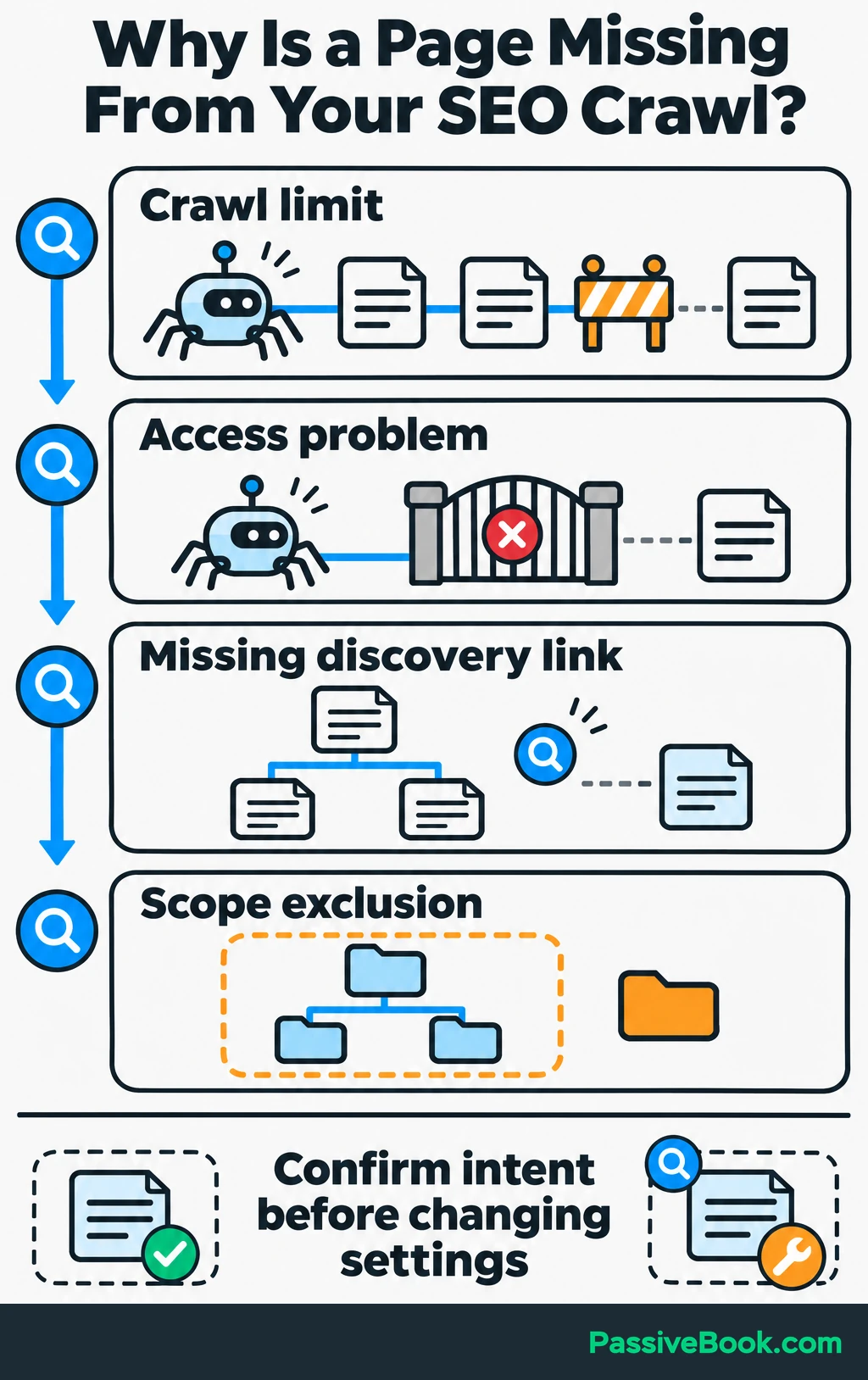
Inspect missing priority pages individually. Separate accidental exclusions from pages you deliberately keep out of search.
Then read a few important pages yourself. A title check can tell you that a tank-setup guide has a title. It cannot establish whether the guide explains the setup clearly or answers the reader’s question.
Technical coverage and useful content both need attention, but they require different checks.
Prioritize Confirmed Problems by Their Consequences
Start with what could prevent important pages from being reached or indexed. Then consider page importance, the number of affected pages, user impact, repair effort, and confidence in the diagnosis.
Don’t let the largest issue count choose your afternoon.
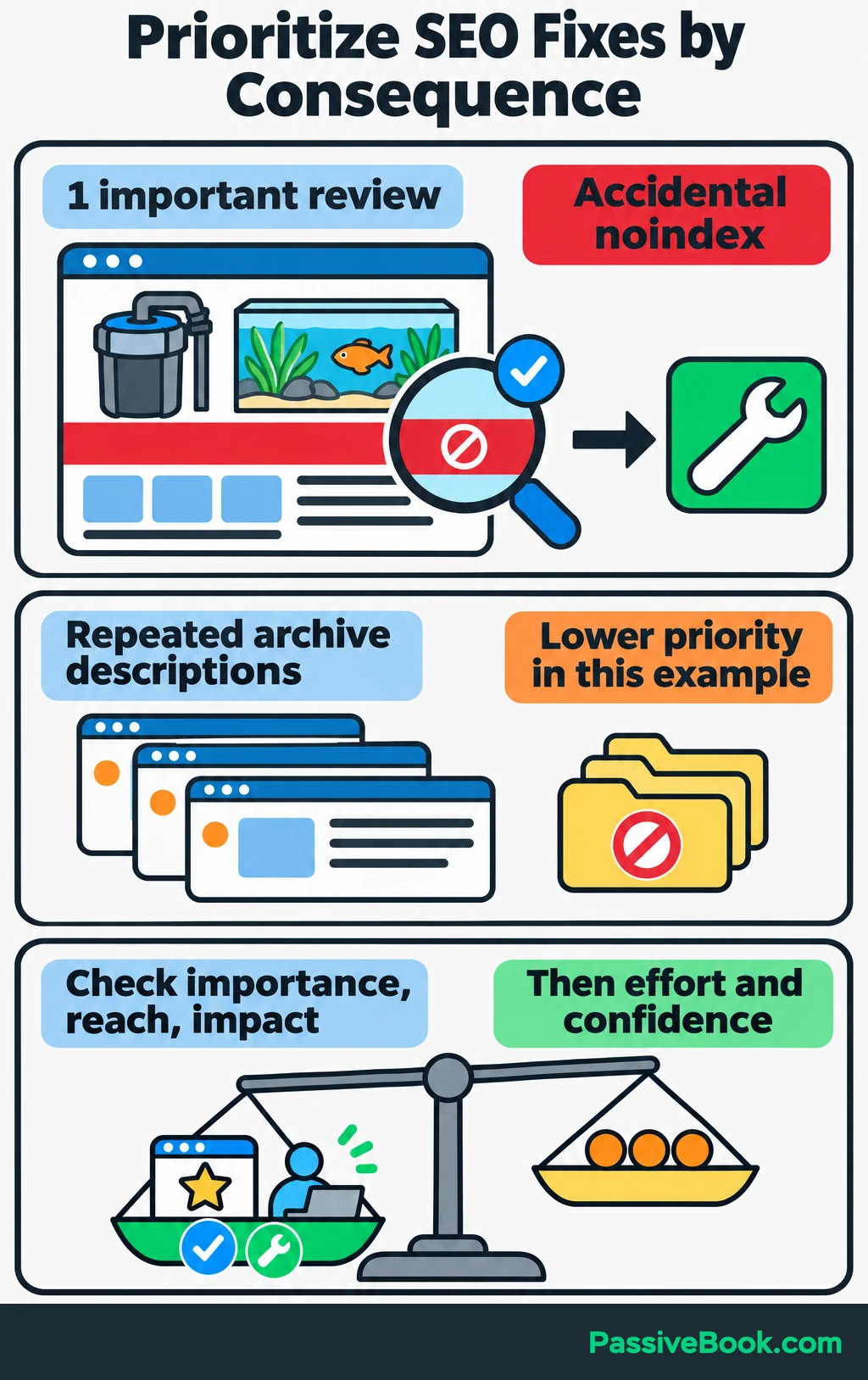
A repeated description on deliberately excluded archives may deserve less attention than one important review carrying an accidental noindex instruction.
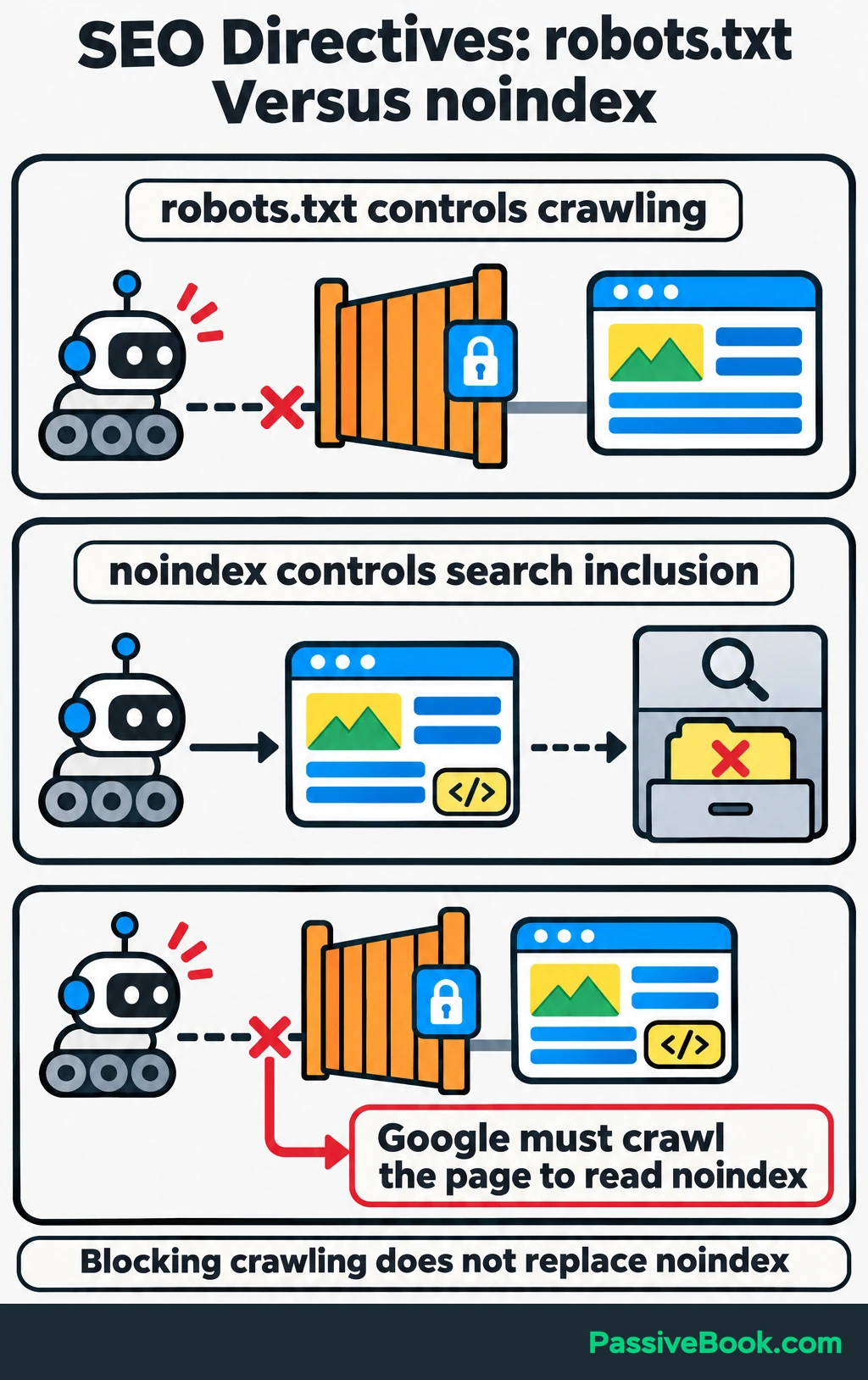
Check the cause before editing settings. robots.txt controls crawling, while noindex tells supporting search engines to leave a page out of their index. Google needs access to the page to read its noindex instruction. Blocking crawling is therefore not a substitute for applying that instruction. Google explains how noindex works.
Keep a repair table with evidence and a verification method. Here is an illustrative version for the aquarium website:
| Issue | Affected URLs | Evidence | Likely Cause | Priority Rationale | Next Action | Verification Method |
|---|---|---|---|---|---|---|
| Important review excluded from indexing | /reviews/quiet-flow-filter/ | Crawler finds noindex; URL Inspection reports the same restriction | Page-level setting left enabled | Blocks an intended search landing page | Confirm it should be public, then remove the unintended instruction | Recrawl and run a live URL check to confirm noindex is gone |
| Guides link to an unavailable review address | /quiet-flow-review/, linked from six guides | Destination returns 404; incoming-link report names the guides | Links weren’t updated after the URL changed | Readers cannot reach the intended review | Confirm the current review replaces the old page, then update the six guides’ links and add a permanent redirect | Test the guides’ links and confirm the old address redirects to the current review |
| Oversized header image on review page | /reviews/quiet-flow-filter/; other reviews using this layout still need checking | PageSpeed Insights flags a header image larger than its displayed size | Shared layout loads a full-size image instead of a smaller version | May slow several important reviews using this layout | Check other reviews using the layout, then resize and compress the shared image | Retest the same pages with comparable settings and check the image’s appearance |
The likely cause is still something to confirm. A crawler report doesn’t establish who changed a setting or why.
Look for shared causes before fixing URLs one at a time. If a broken link appears in the main navigation, correct the navigation. Editing every page that displays it would turn a small repair into a new hobby.
Also separate “broken” from “worth improving.” A working page with a vague title may need attention, but an inaccessible page has a more immediate problem. Review each recommendation in that context rather than accepting the tool’s severity label as your final decision.
Verify Repairs and Monitor Search Performance
Back up the website before changing shared layouts or indexing settings. Apply a small group of related repairs, then rerun the relevant check with comparable settings.
Verify the actual change:
- Availability: Does the intended URL return the expected response?
- Content: Can the crawler see the important text and links?
- Navigation: Do internal links reach the correct destination?
- Indexing settings: Are directives and canonical references appropriate?
- Performance: Does a comparable test show improvement without breaking the page?
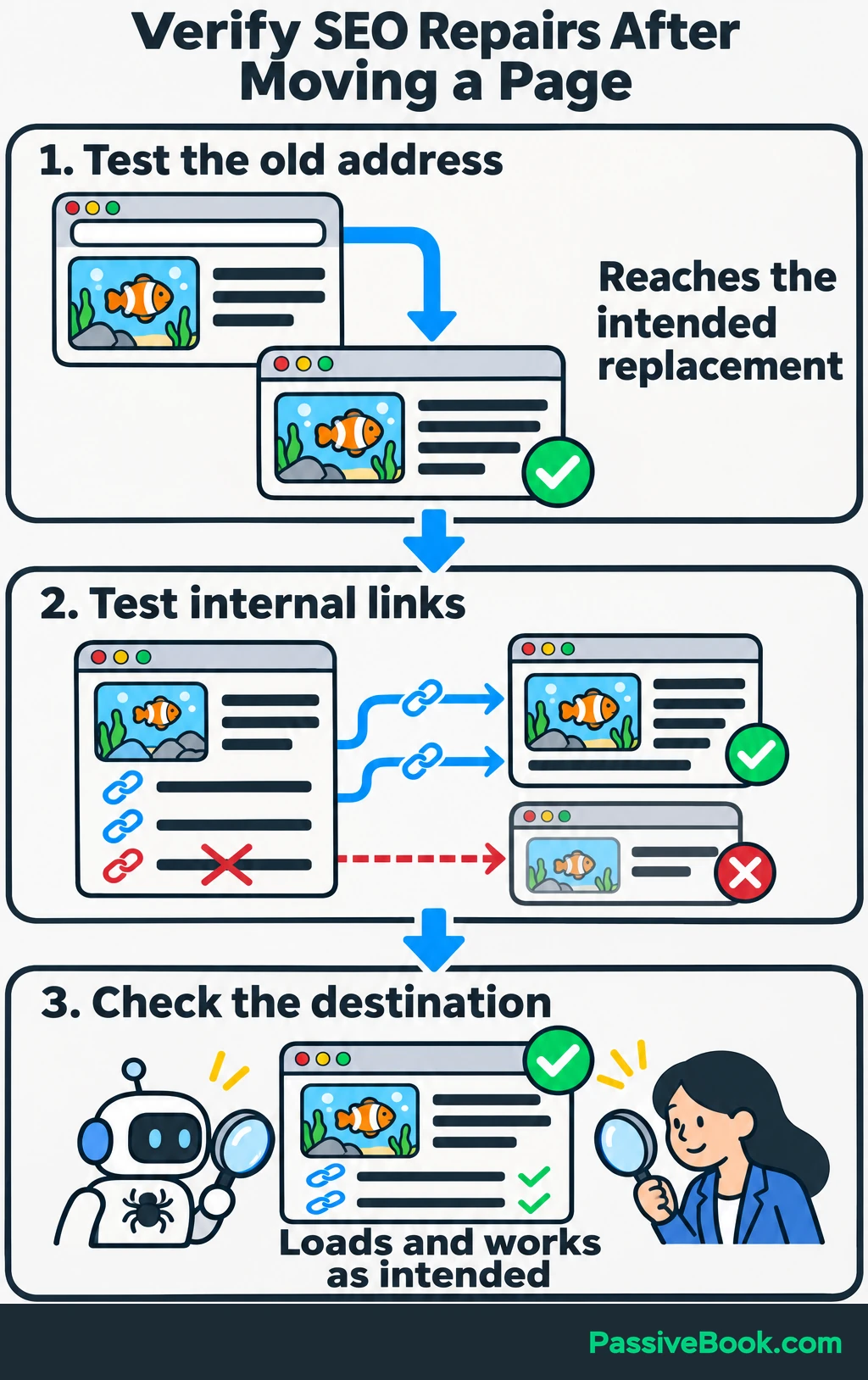
For the filter review, removing an accidental noindex should be followed by a crawl and a live URL check. After a review moves, check both the old address and the internal links pointing to it.
A successful live URL test doesn’t confirm that Google has indexed the updated page or that it will rank. Technical access and search inclusion are separate checks. Google’s URL Inspection documentation explains what the test can establish.
Record the deployment date and monitor the affected pages’ impressions and clicks in Search Console. Keep that observation separate from technical verification. You can confirm that a broken link is repaired immediately; judging search performance requires further observation.
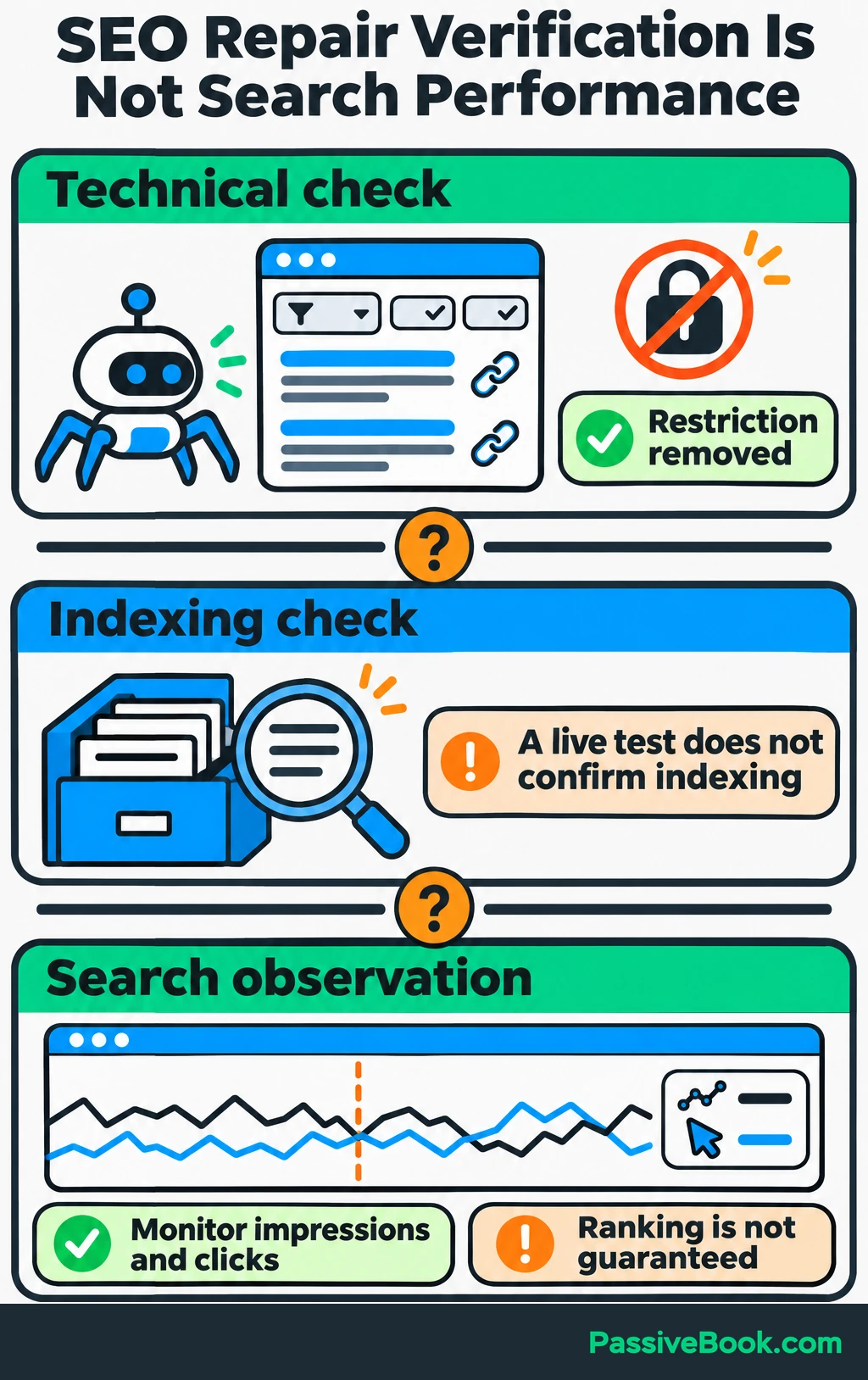
Start with one affected page and matching before-and-after periods. You can see what changed in its search clicks while keeping the cause open for investigation.
Free Website Performance Workbook




I would repeat relevant checks after a theme change, migration, navigation update, or major plugin change. Schedule broader audits around your publishing activity and leave enough time to act on what they find.
An automatic weekly report is useful when somebody reviews it. Otherwise, you have automated the arrival of homework.
What Next?
Inspect one important page in Search Console, then run a crawl and choose one confirmed problem to fix. Verify that repair before shopping for another subscription.
Use the social buttons to share this guide if it would help your readers choose an affordable audit setup and spend more time fixing their websites.
What is the main thing stopping you from acting on your last SEO audit: unclear findings, limited time, or tool limits? Tell me in the comments, and bring any other questions there too.
Share this post with your friends & followers:

