Your product is in stock, the photos look good, and paid ads bring people to it. But search sends almost nobody—or sends visitors looking for something else.
That leaves you paying for visits while guessing whether the problem is wording, missing information or a page Google cannot properly access. Rewriting every description is an expensive way to find out.
The practices below show where product pages lose search visibility or leave buying questions unanswered, so you can decide which changes deserve your limited editing time.
Prioritize Products and Buying Searches
1. Start With Products That Have a Clear Opportunity
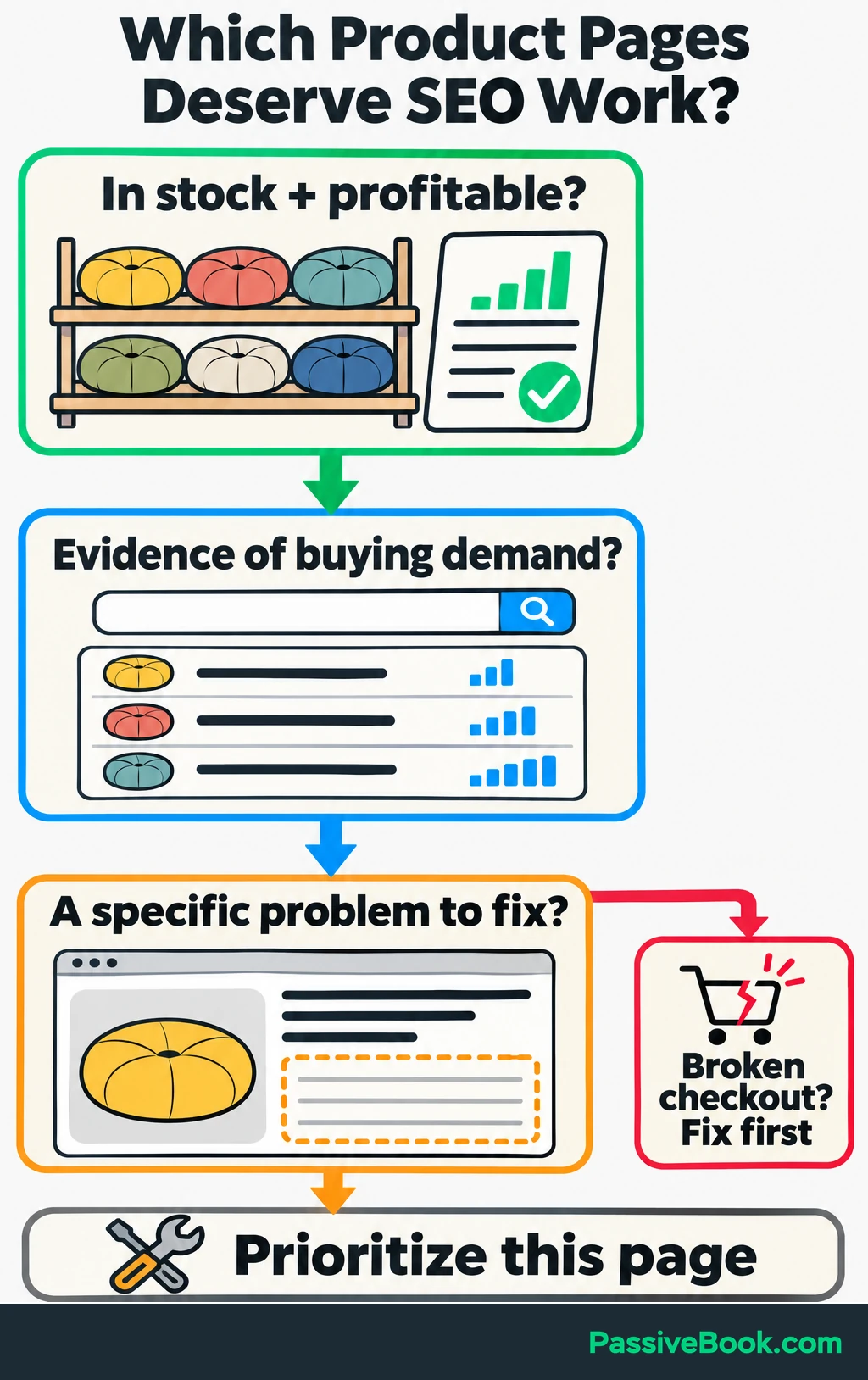
Start with products you can sell profitably and keep in stock. Look for evidence of demand, then identify a page weakness you can fix. Google Search Console, Google’s free search-performance tool, reports impressions: appearances of your pages in search results.
Useful starting points include:
- Search impressions for relevant buying terms.
- Customer questions the page leaves unanswered.
- Products that sell through other channels but receive little organic traffic.
- Pages with incomplete specifications or unclear purchase information.
If a shared template prevents products from loading or being purchased, repair that first. Better descriptions cannot rescue a broken checkout.
My online jewellery store taught me the cost of skipping demand research. I launched without it, ended up with unsold inventory and lost most of my investment. That experience makes me check demand and margins before spending hours polishing a product page.
Keep a spreadsheet with the product URL, main problem, business priority, baseline performance, planned change and release date.
For the examples, imagine your home-goods shop sells the Alder Washable Floor Cushion, which has a removable, machine-washable cover. The product, search phrases, copy and figures below are illustrative.
2. Match Each Product Page to a Specific Buying Intent
Work out what the searcher wants to buy before choosing a keyword.
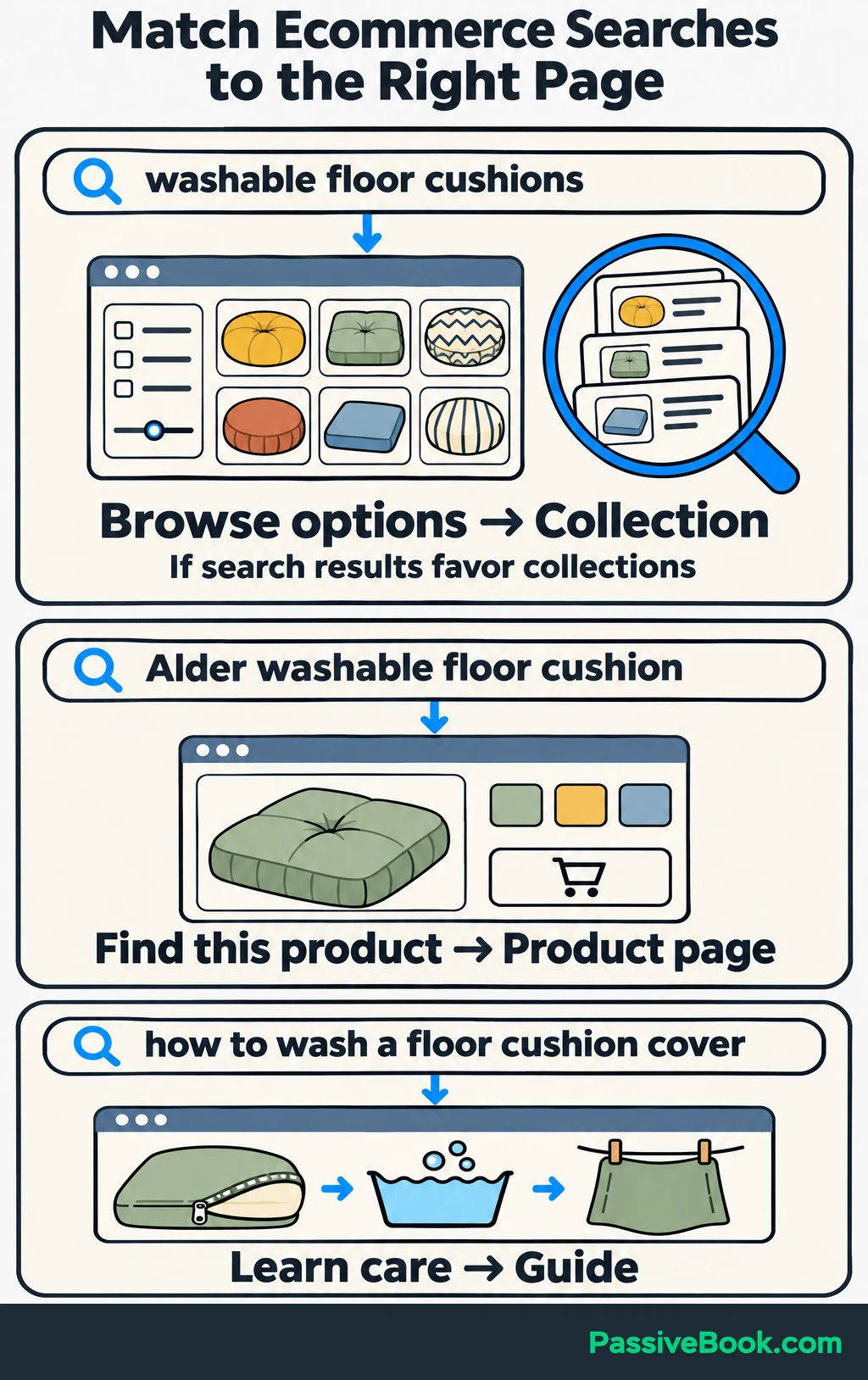
Collect phrases from Search Console, your store’s search box, customer reviews and support messages. Then inspect the search results for promising phrases. Notice whether Google mostly shows individual products, collections or advice articles.
Those page types serve different tasks:
| Example Search | Likely Task | Page to Consider |
|---|---|---|
| “washable floor cushions” | Browse several options | A collection, if results favor collections |
| “Alder washable floor cushion” | Find a particular product | The Alder product page |
| “how to wash a floor cushion cover” | Get care instructions | A care guide linked to the product |
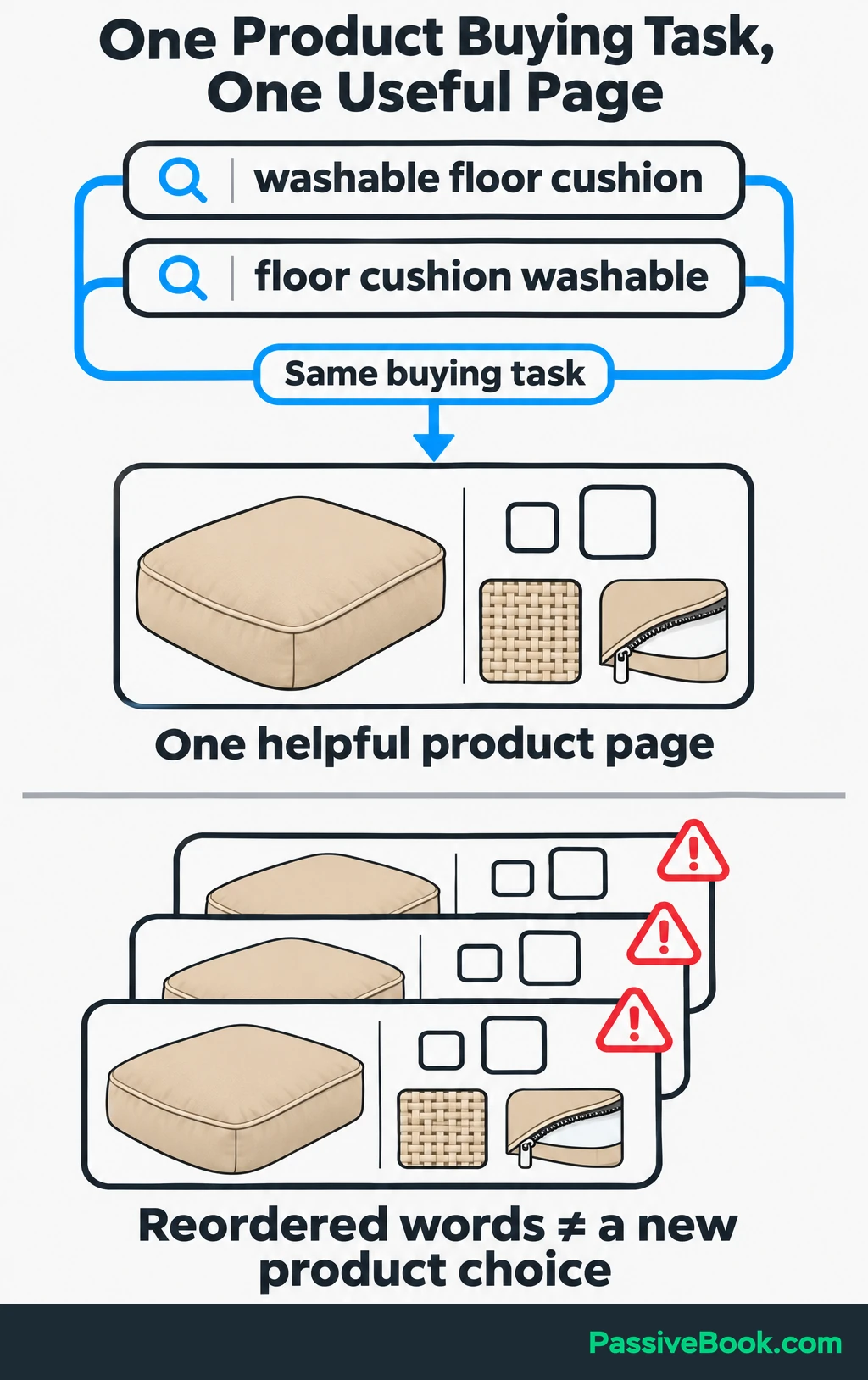
Choose one main buying task for each product page. Support it with accurate details such as the model, product type, material or size.
I would keep closely related phrases on the same useful page. Creating separate pages for “washable floor cushion” and “floor cushion washable” gives you more pages to maintain without giving shoppers another meaningful choice.
Make Product Pages Discoverable
3. Remove Crawling and Indexing Barriers
Inspect a priority product URL with Google Search Console’s URL Inspection tool to see whether Google has indexed it.
Check that:
- The live page returns a successful
200response. - An unintended
noindexinstruction is not excluding it from search. - Crawler restrictions or login requirements do not block access.
- The rendered page includes the product name, description, specifications, price and links.
The rendered page is what remains after the page’s scripts have run. Check this version, because a page can look complete in your browser while important content is missing from Google’s view.
Essential content should load without a shopper clicking or swiping to retrieve it. Google says it does not load primary content that requires those interactions. Google’s mobile indexing guidance.
If the problem needs a developer, provide a failing URL and a specific observation: “The rendered Alder page contains the product name and price, but its description is missing.” That gives them something concrete to investigate.
4. Use Stable URLs and Consolidate Duplicates
Choose a descriptive URL you can keep:
/products/alder-washable-floor-cushion/
I would preserve an established URL unless changing it solves a meaningful problem. A slightly tidier address rarely deserves its own migration project.
Next, check whether navigation paths or tracking parameters create several URLs for the same product.
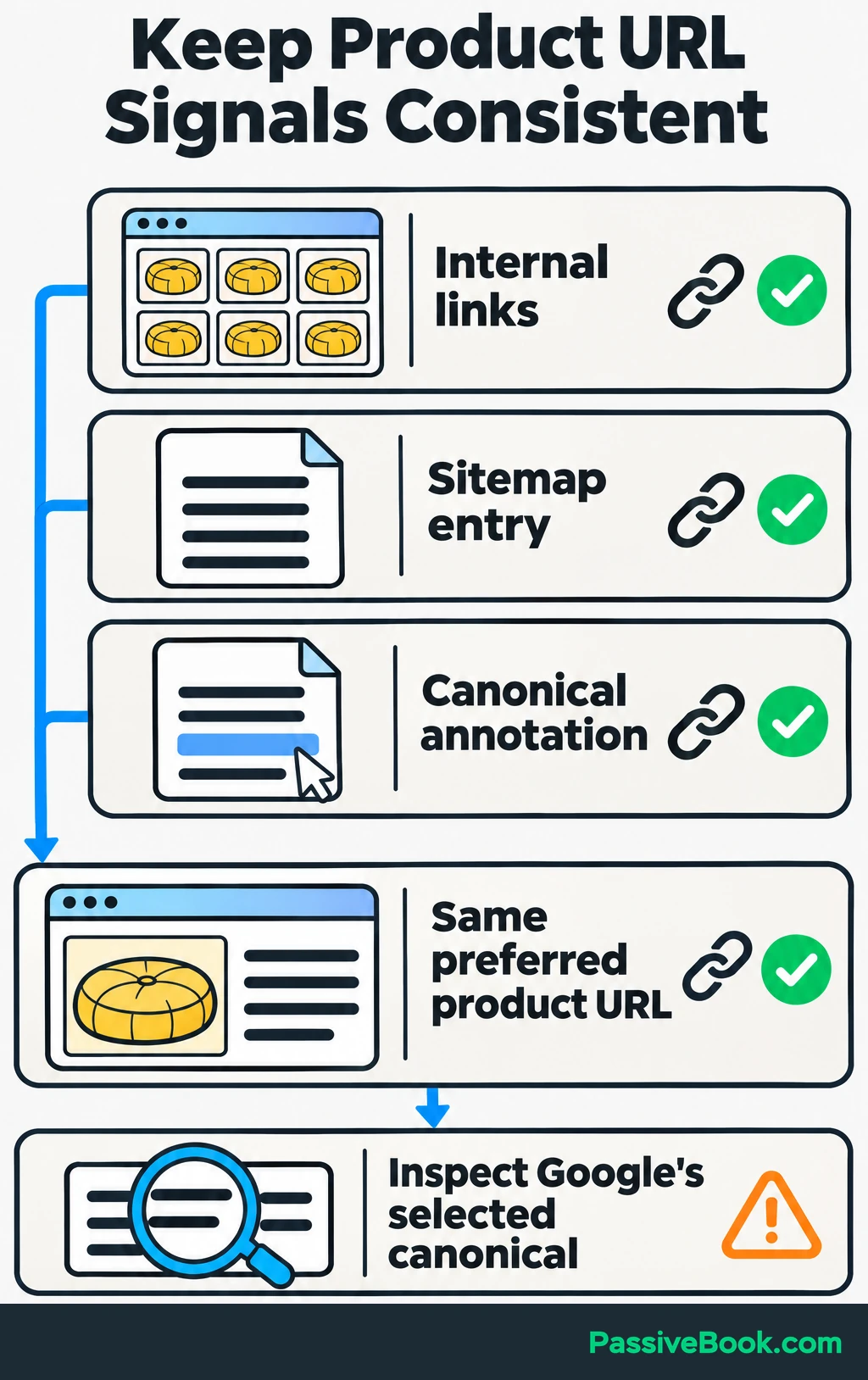
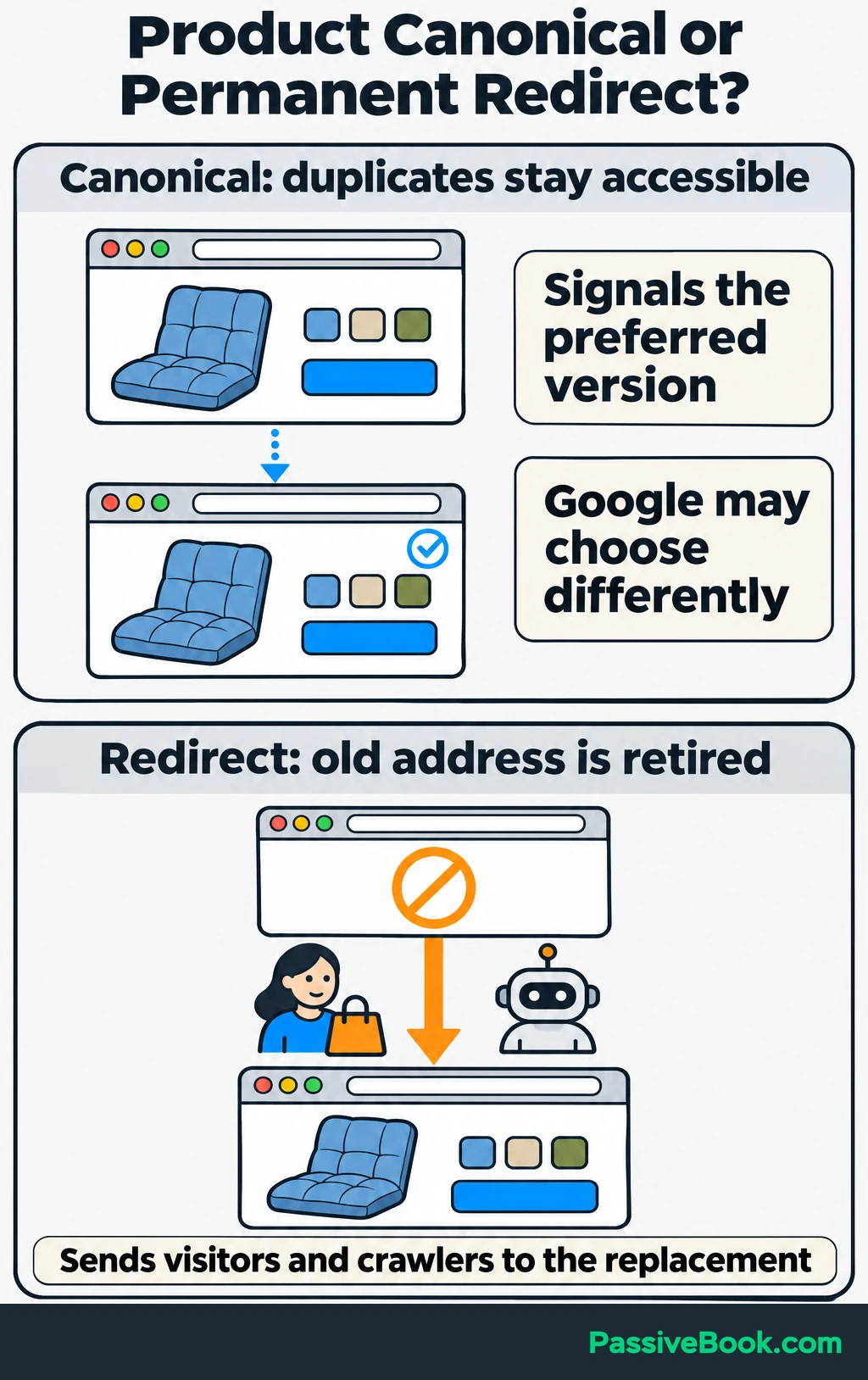
A canonical annotation identifies your preferred version when duplicates remain accessible. A permanent redirect sends visitors and crawlers to a replacement URL when the old address is being retired. These serve different purposes.
Use the preferred product URL in internal links and in your sitemap, the file that lists URLs for search engines. Then inspect Google’s selected canonical in Search Console. Your annotation signals a preference, and Google may select another version. Google’s canonicalization guidance.
5. Plan How Product Variants Appear in Search
Decide whether sizes and colors belong on one product page or deserve separate search landing pages.
For a small catalog, I would usually start with one page and clear selectors. Separate pages make sense when a variant has relevant search demand and useful buying information of its own.
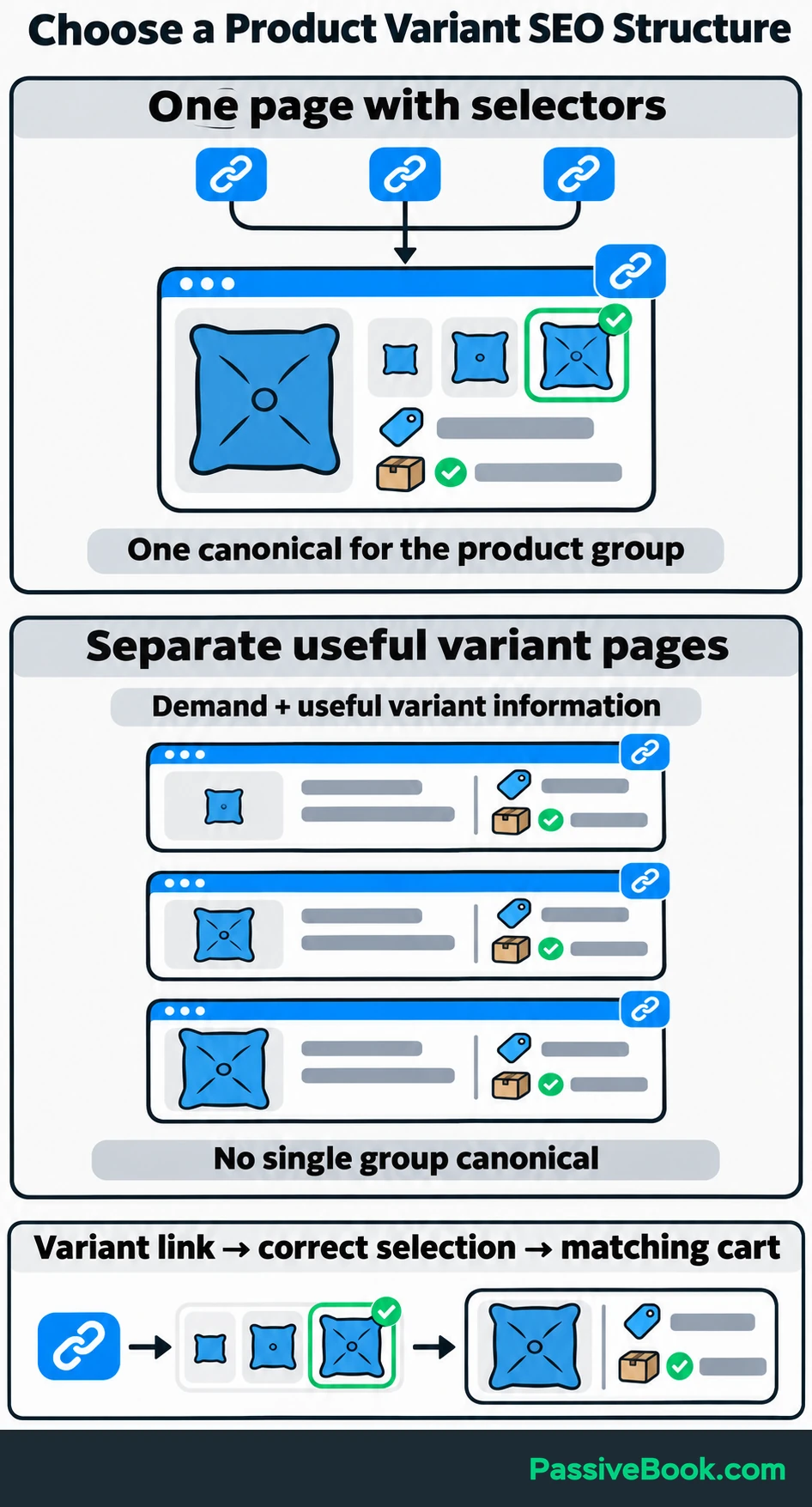
Either way, each variant needs a URL that opens the correct selection. Someone following an Alder large-size link should see that size’s image, price and availability, and add that size to the cart.
Canonical settings must follow the arrangement:
- A single page with selectable variants uses one canonical URL for the product group.
- A multipage arrangement has no single canonical URL representing the whole group. Preserve separately useful variant pages rather than pointing them all to a parent automatically.
Google documents both approaches in its product-variant guidance. Choose the structure first, then make the URLs and product data agree with it.
6. Connect Products Through Internal Links and Breadcrumbs
Make priority products reachable through normal store browsing.
Link from your main navigation to collections, and from collections to products. Use ordinary links that point to page URLs. A product that appears only after a store search is harder to discover because Google generally does not submit searches into site search boxes. Google’s ecommerce navigation guidance.
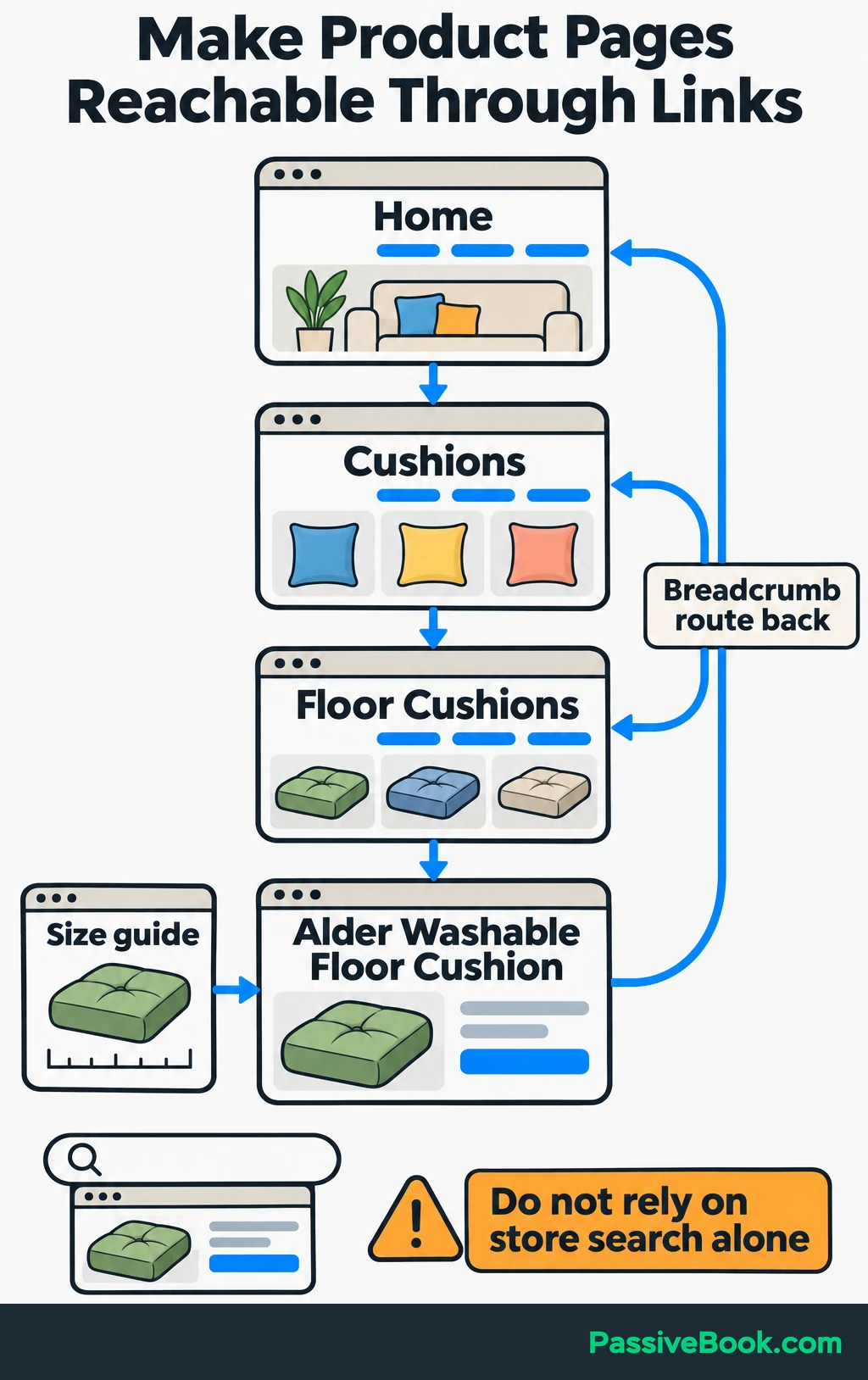
Breadcrumbs give shoppers a clear route back through the store:
Home → Cushions → Floor Cushions → Alder Washable Floor Cushion
Also connect relevant advice to the product. A guide about choosing floor-cushion sizes could link to Alder using its name or another clear description.
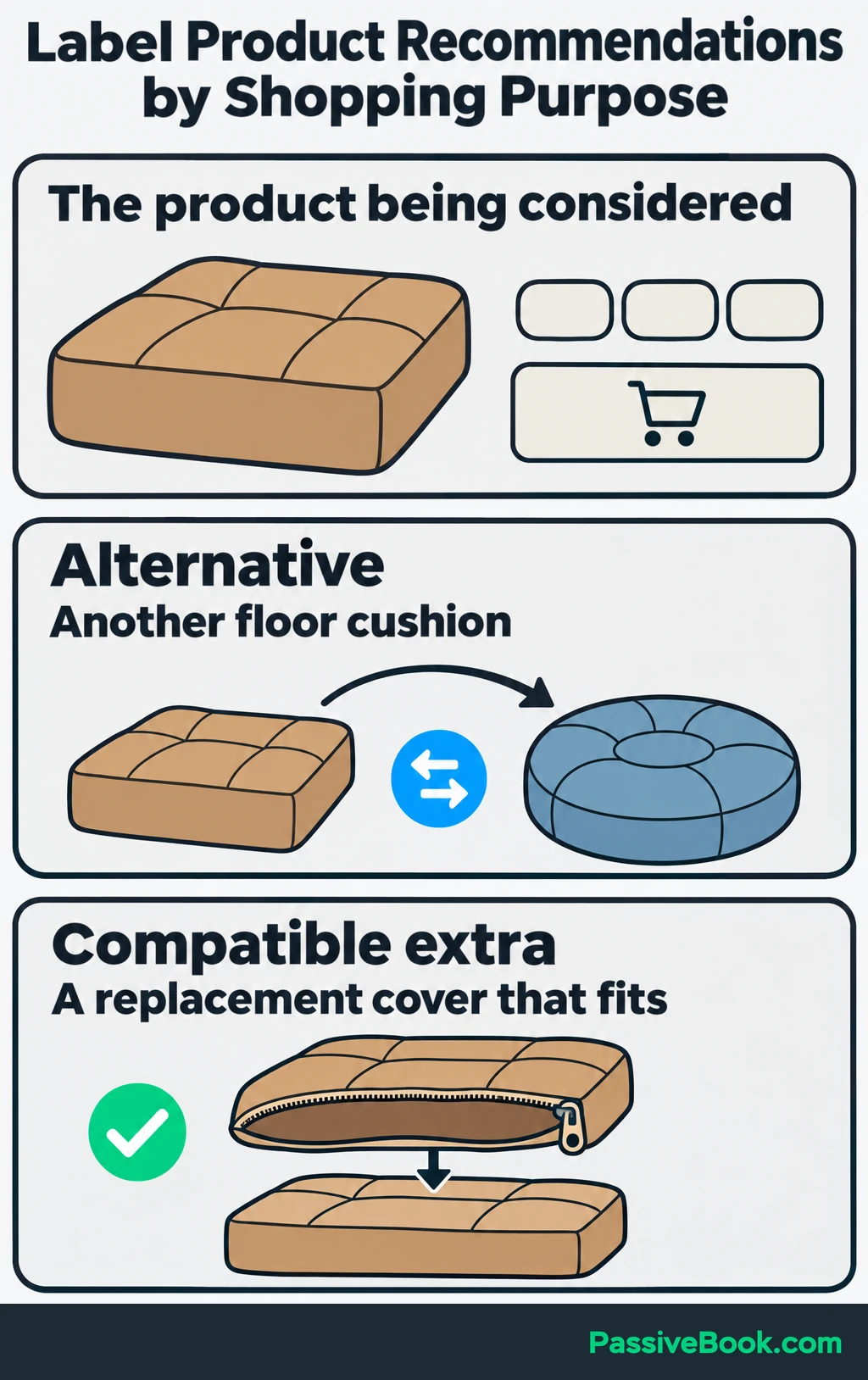
Keep recommendations useful. Another floor cushion is an alternative. A compatible replacement cover is an extra purchase. Label them accordingly so visitors understand why each appears.
7. Keep the Product Sitemap Accurate
Let your store platform or SEO plugin maintain the product sitemap, then check its output.
The product sitemap should contain preferred, indexable URLs. Remove entries for deleted pages, redirected addresses and versions you intentionally exclude from search.
Submit the sitemap in Search Console and investigate processing errors. For a priority product, confirm that its listed URL matches the address used in internal links and canonical settings.
If the sitemap includes modification dates, update them when the page changes substantially. Resetting every date each night makes the field less useful.
I would check the sitemap after a template change, catalog import or large batch of removals. Those are sensible points to catch a mistake before it spreads.
Give Shoppers the Information They Need to Choose
8. Make the Product Name and Headings Descriptive
Give the page one clear, prominent main heading that identifies the product.
“Alder Washable Floor Cushion” tells a visitor more than “Meet Your New Favorite.” You can still use personality in the copy, but the product should be easy to recognize.
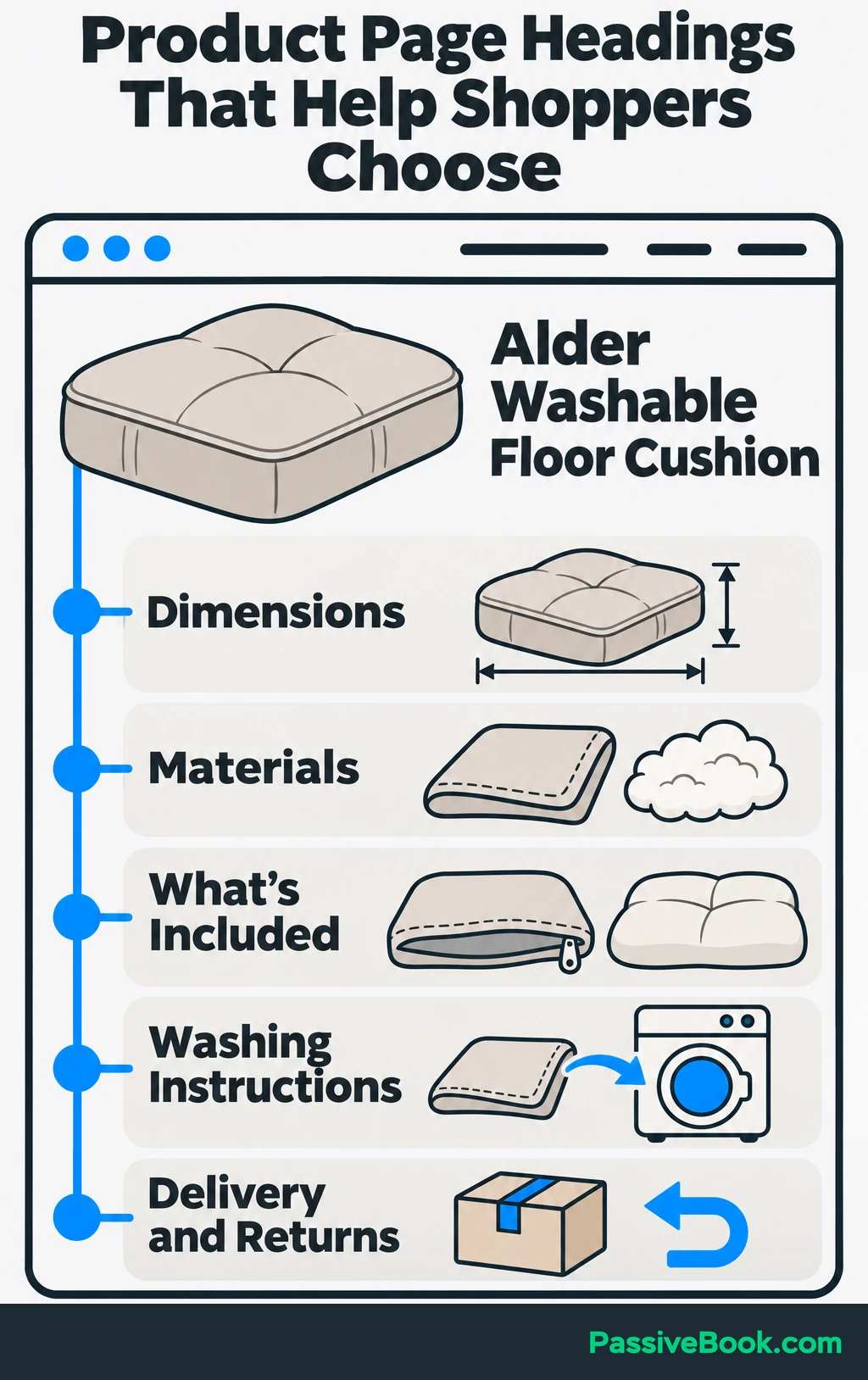
Organize substantial information under headings people can scan:
- Dimensions.
- Materials.
- What’s Included.
- Washing Instructions.
- Delivery and Returns.
Use search language where it accurately describes the item. There is no useful reason to repeat “washable floor cushion” in every heading.
My check is simple: could a visitor find the size, care instructions and included components without reading every paragraph? If the answer is no, improve the organization before adding more copy.
9. Write Descriptions That Explain the Product’s Value
Open with what the product is, what it helps someone do and its most useful distinguishing feature.
Then connect features to practical consequences. For Alder, a short opening could read:
Alder is a floor cushion with a removable, machine-washable cover, so you can wash the cover separately from the insert.
That explains why the feature matters without turning it into an unsupported promise about comfort, durability or stain resistance.
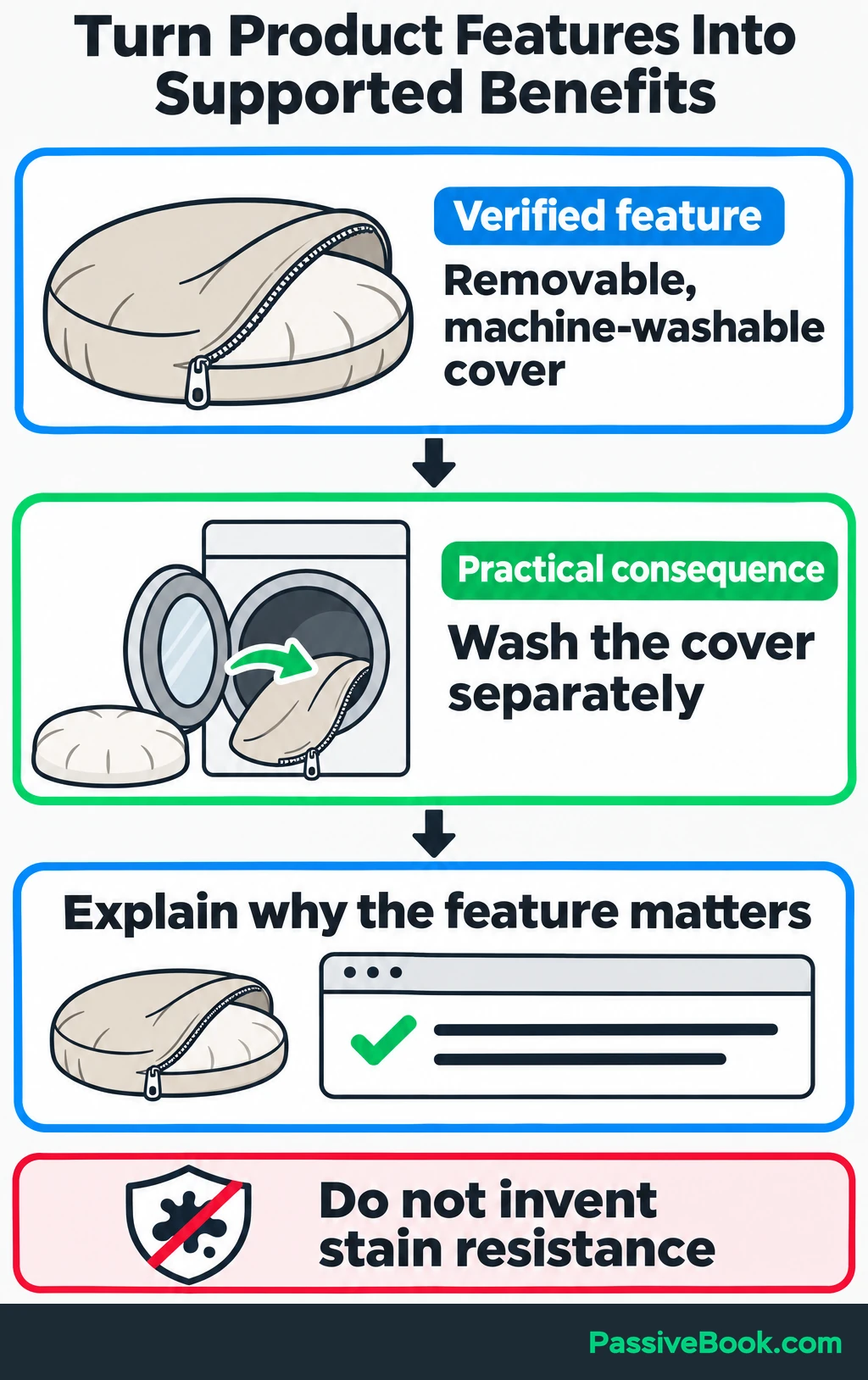
Build the remaining description around buying questions. Explain the available options, what arrives in the package and any relevant limits.
I would use a manufacturer’s description as source material, then add verified information that helps someone choose. Replacing “beautiful” with “stunning” contributes very little to the shopping experience.
If you have the product facts but keep getting stuck on the wording, this tool gives you a first draft to review. It also separates missing information from the copy so you can see what still needs checking.

Free AI Ecommerce Copy Studio




Let unanswered questions determine the length. Stop when the description has done its job; padding it with another paragraph about “elevating your space” will not clarify the washing instructions.
10. Publish Specifications That Prevent Wrong Purchases
Put specifications in readable text so shoppers can compare them. Important measurements should not exist only inside an image.
Include the details that affect suitability:
- Width, length and height, with units.
- Cover and filling materials.
- Included components.
- Care requirements.
- Differences between sizes or other variants.
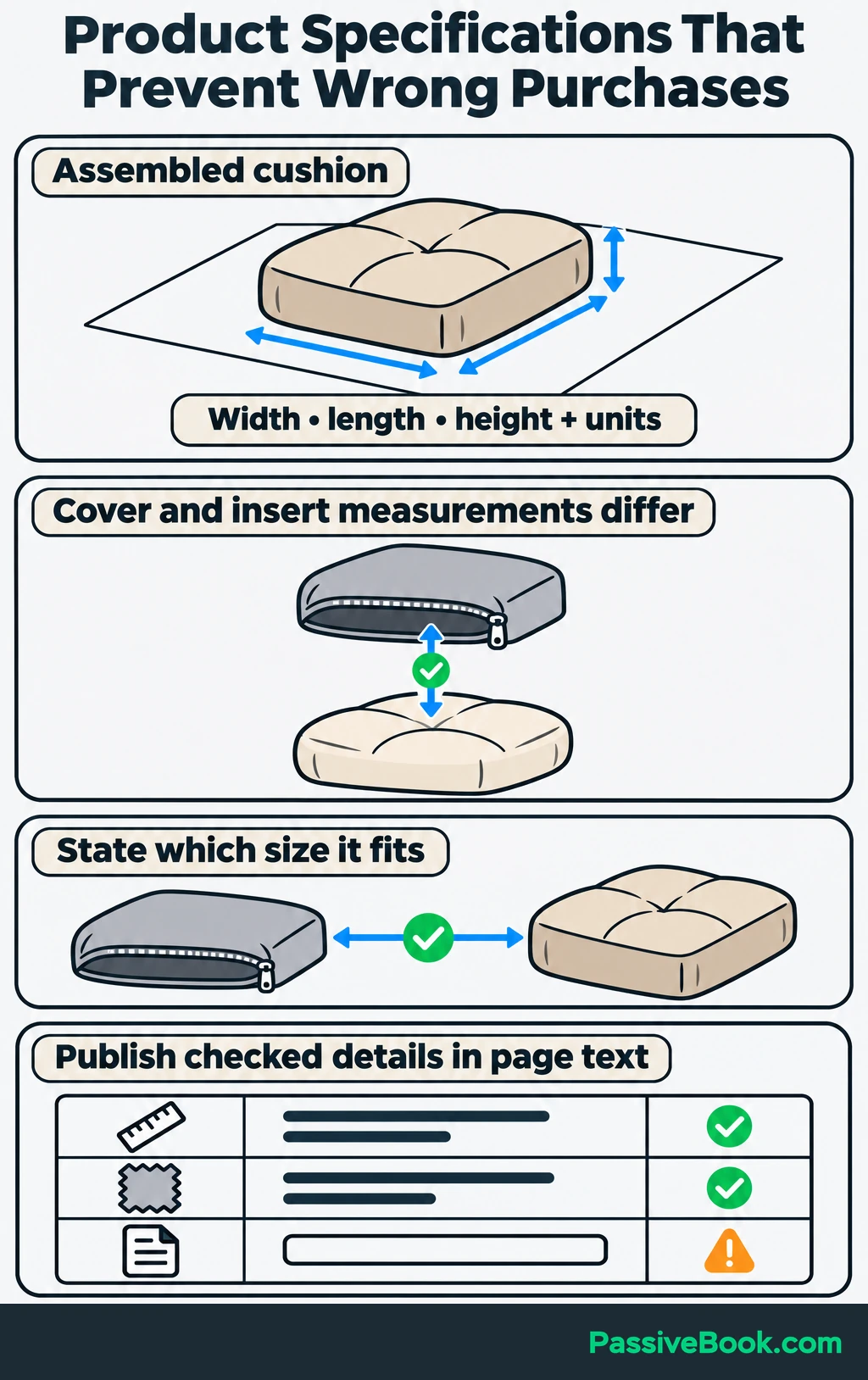
Be precise about what a measurement describes. Assembled cushion dimensions, cover dimensions and insert dimensions may answer different questions.
For Alder, show the assembled measurements and explain how to check whether the cushion fits the intended floor space. If replacement covers are available, identify which size each cover fits.
Populate these fields from checked catalog information. If a material or care instruction is missing, confirm it before publishing. A complete-looking table is no help when its details are guesses.
11. Make Price, Delivery, and Returns Easy to Find
Keep the selected variant’s price, currency, availability and purchase controls together.
When someone changes the Alder size, the price and stock status should update with it. The cart should receive the same selection.
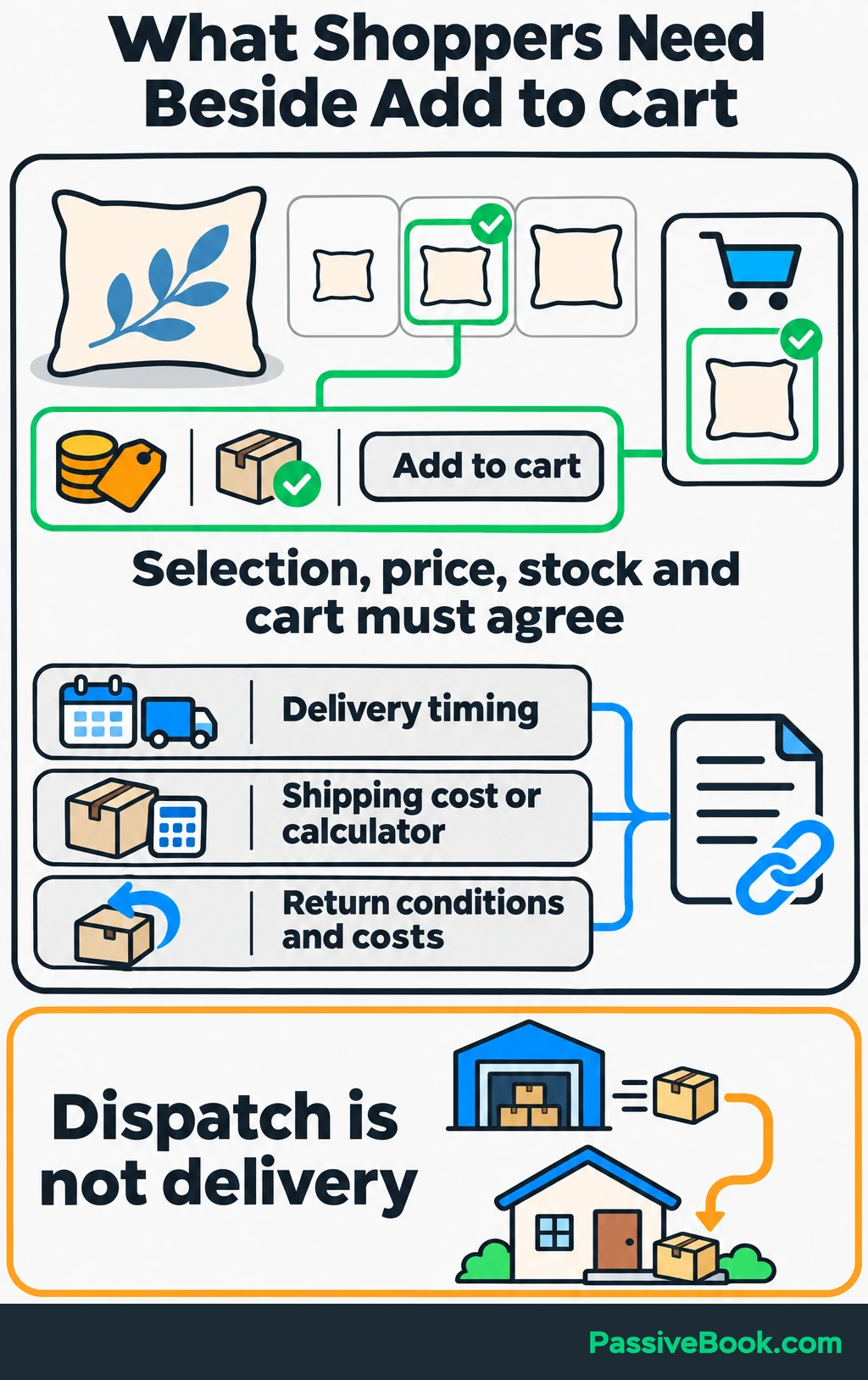
Before the shopper commits, make these points clear:
- The expected delivery timing for their location.
- Shipping charges, or how to calculate them.
- The main return conditions.
- Any relevant return shipping costs or product exclusions.
Put a short explanation beside the buying area and link to the full policies for detail.
I would also distinguish dispatch from delivery. “Ships in three days” does not tell someone when the parcel should arrive. Use the wording that matches what your store can actually promise.
12. Answer Unresolved Product Questions
Review support messages, store searches and recurring review concerns. Each repeated question is a reason to inspect the page.
Put the answer beside the information it clarifies. A question about dimensions belongs near the size chart. A cleaning question belongs near the care instructions.
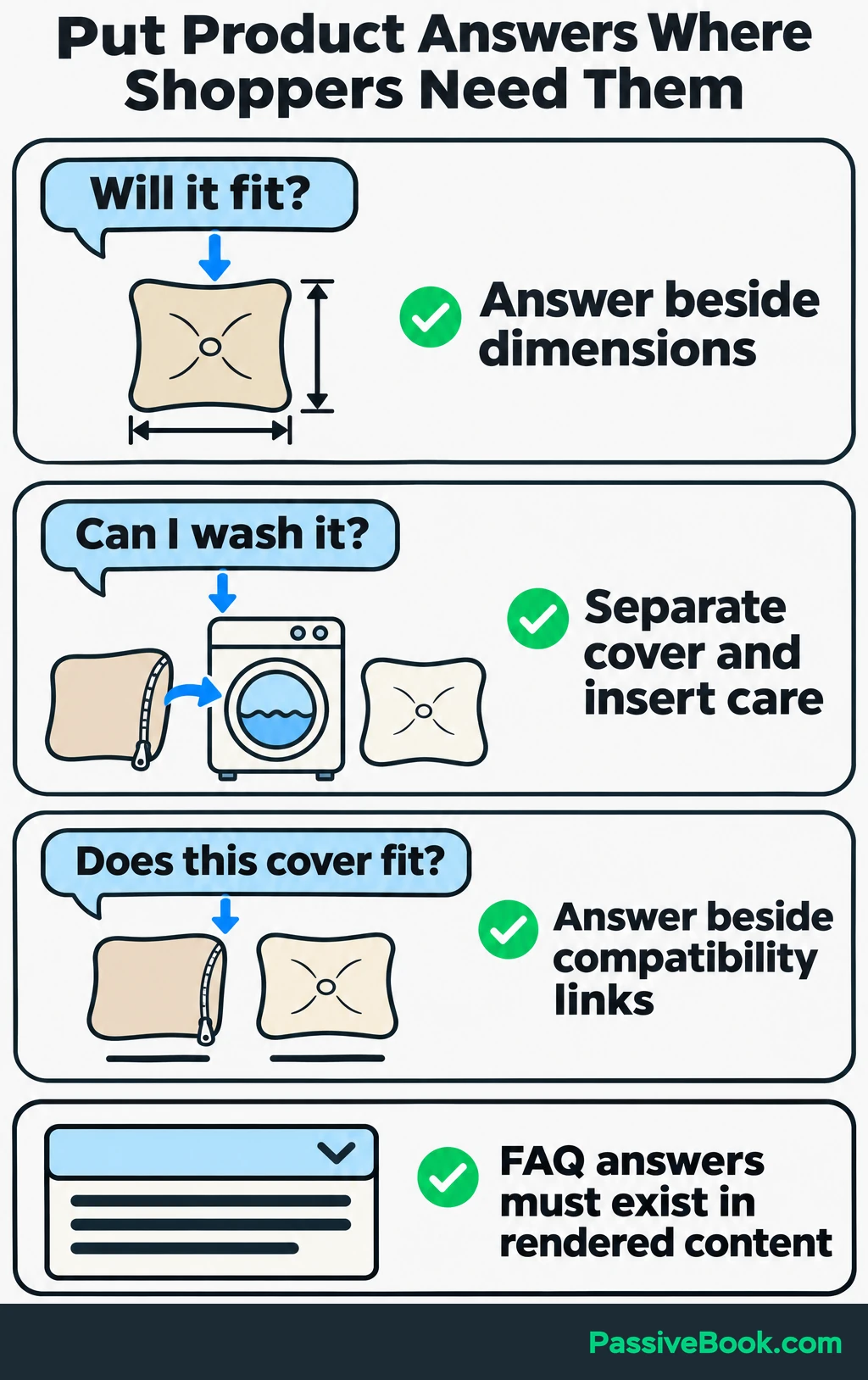
On one of my digital-product sites, I kept answering which software a template needed. The answer was already on the page, buried near the bottom. I moved it beside the file details and added that placement to my publishing checklist. That taught me to check where an answer appears before writing another FAQ.
For Alder, explain cover washing separately from insert care. If you sell replacement covers, make compatibility clear beside those links.
Use a short FAQ for useful questions that remain. Expandable answers should already exist in the rendered page, even when a visitor has to tap to reveal them visually.
13. Display Useful Product Reviews
Ask customers for honest reviews after they have had time to use the product.
A broad request such as “How was everything?” may produce little detail. Invite feedback about the choices future buyers face:
- Did the selected size suit the intended space?
- Were the care instructions clear?
- What would have helped before ordering?
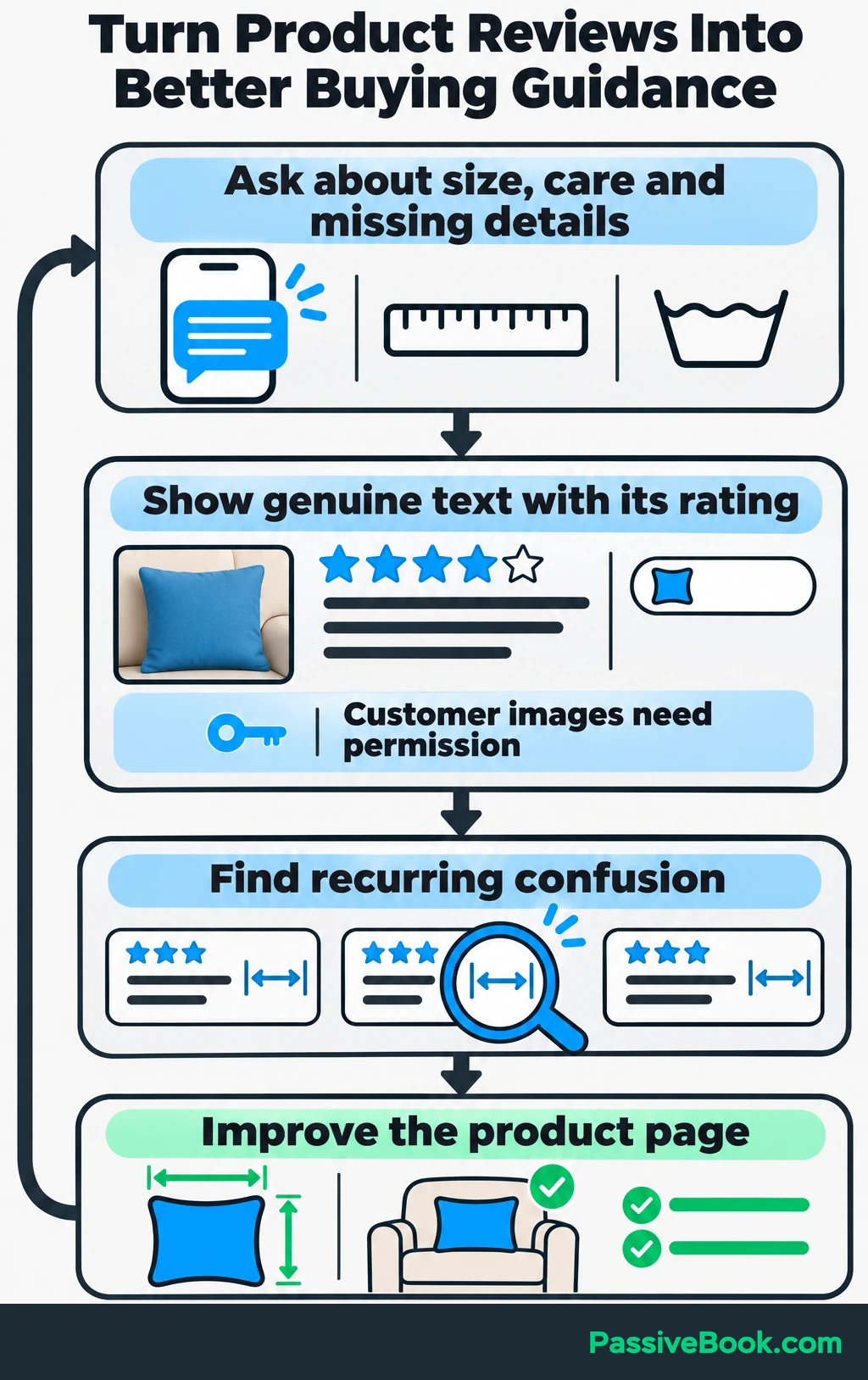
Show review text alongside the rating it supports. Identify the reviewed size or variant when that information is available, and use customer images only with permission.
Keep rating totals accurate and display genuine feedback. If the product has no reviews yet, leave that clear.
Then use the feedback. If Alder buyers repeatedly misunderstand its dimensions, improve the size guidance. Leaving the same confusion in the reviews while the specification section stays vague creates another job for every shopper.
14. Show Informative Images With Useful Alternative Text
Choose images that answer buying questions.
For Alder, I would want the assembled cushion, the cover removed, a close view of its construction and a clear sense of scale. Each image should contribute something.
Use short, descriptive filenames such as alder-cushion-removable-cover.jpg. Make sure product images appear through crawlable HTML image elements, rather than existing only as decorative backgrounds. Google’s image SEO guidance.
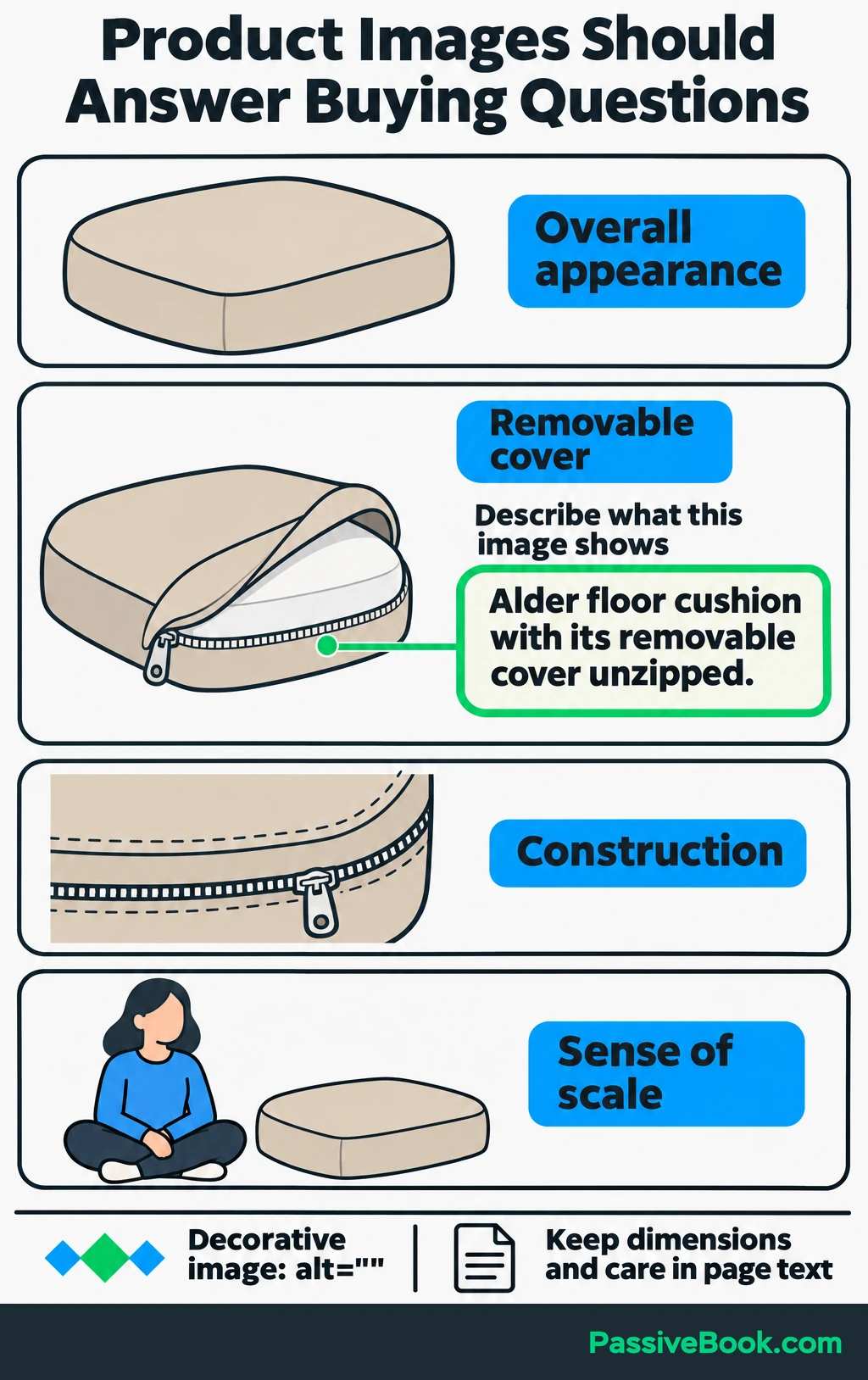
Alternative text should communicate the information or function of the image. For example:
Alder floor cushion with its removable cover unzipped.
Describe what the image actually shows. Repeating a keyword across every image does not help someone understand the gallery.
Purely decorative images should have an empty alternative, alt="", as explained in W3C’s image accessibility guidance. Keep important dimensions and care information in page text too, where everyone can find them.
Improve Product Appearances in Search
15. Write Distinct Search Titles and Meta Descriptions
Write a concise search title that identifies the product and adds a useful distinguishing detail.
For Alder:
Alder Washable Floor Cushion with Removable Cover | Store Name
Keep it consistent with the visible product name. Avoid filling the title with near-identical phrases or claims such as “best” that the page does not support.
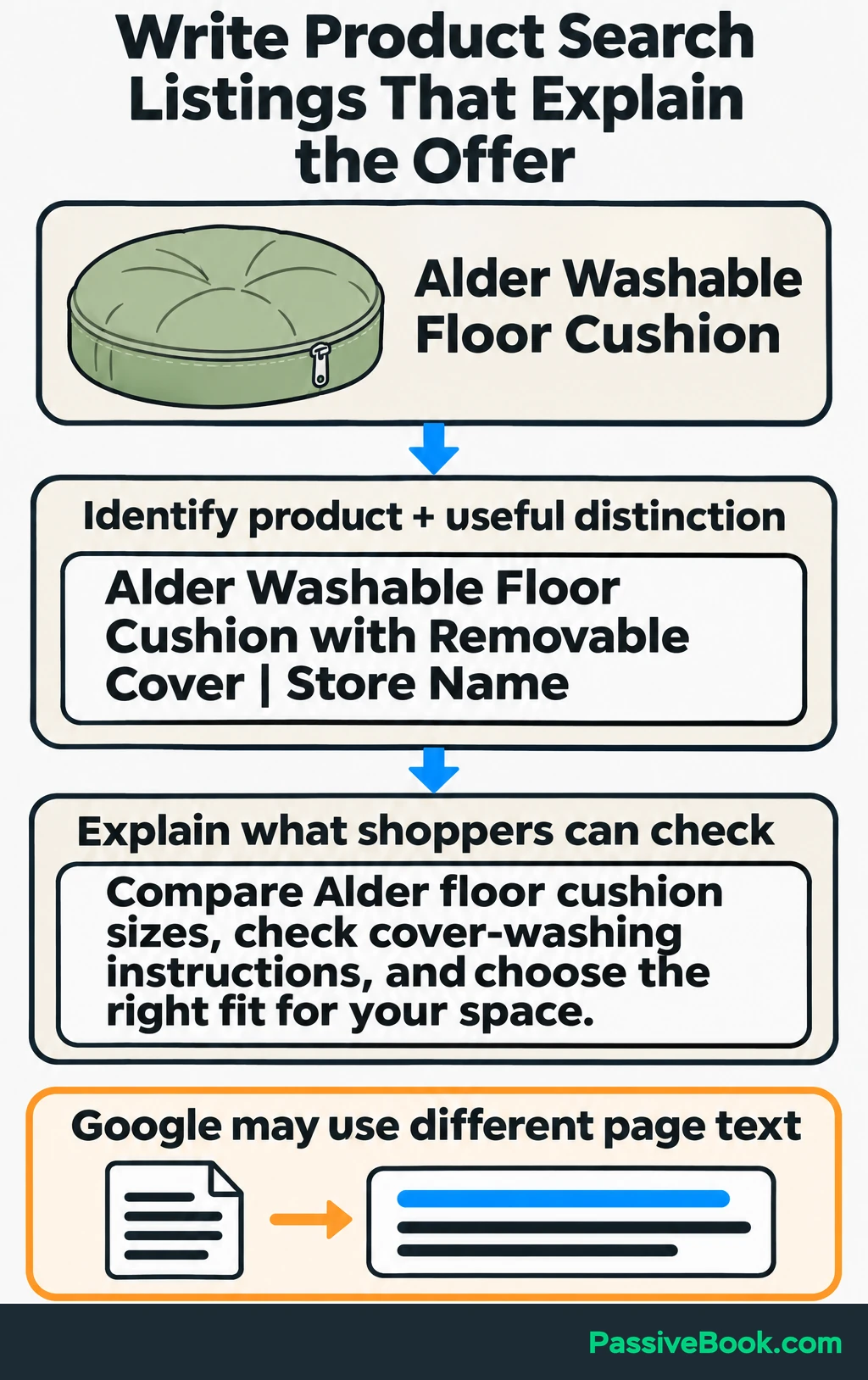
Use the meta description to explain what someone can check or choose on the page:
Compare Alder floor cushion sizes, check cover-washing instructions, and choose the right fit for your space.
Google may use page content instead of your meta description, and the snippet can vary with the search. Google’s snippet guidance.
I would prioritize accurate, useful wording over trying to fill every available character. Preview tools help you spot awkward text, but they cannot promise exactly how a result will appear.
16. Add and Validate Accurate Product Structured Data
Structured data, often called schema markup, labels product facts in a format search engines can read.
Inspect what your platform already generates before adding another plugin or implementation. Duplicate markup can contain conflicting prices or stock information.
For a purchasable product, use Product with an Offer entry inside it for the price, currency and availability. Include the required product name, image, current price and currency, then supply accurate availability, brand and applicable product identifiers. Google sets out the requirements in its merchant-listing documentation.
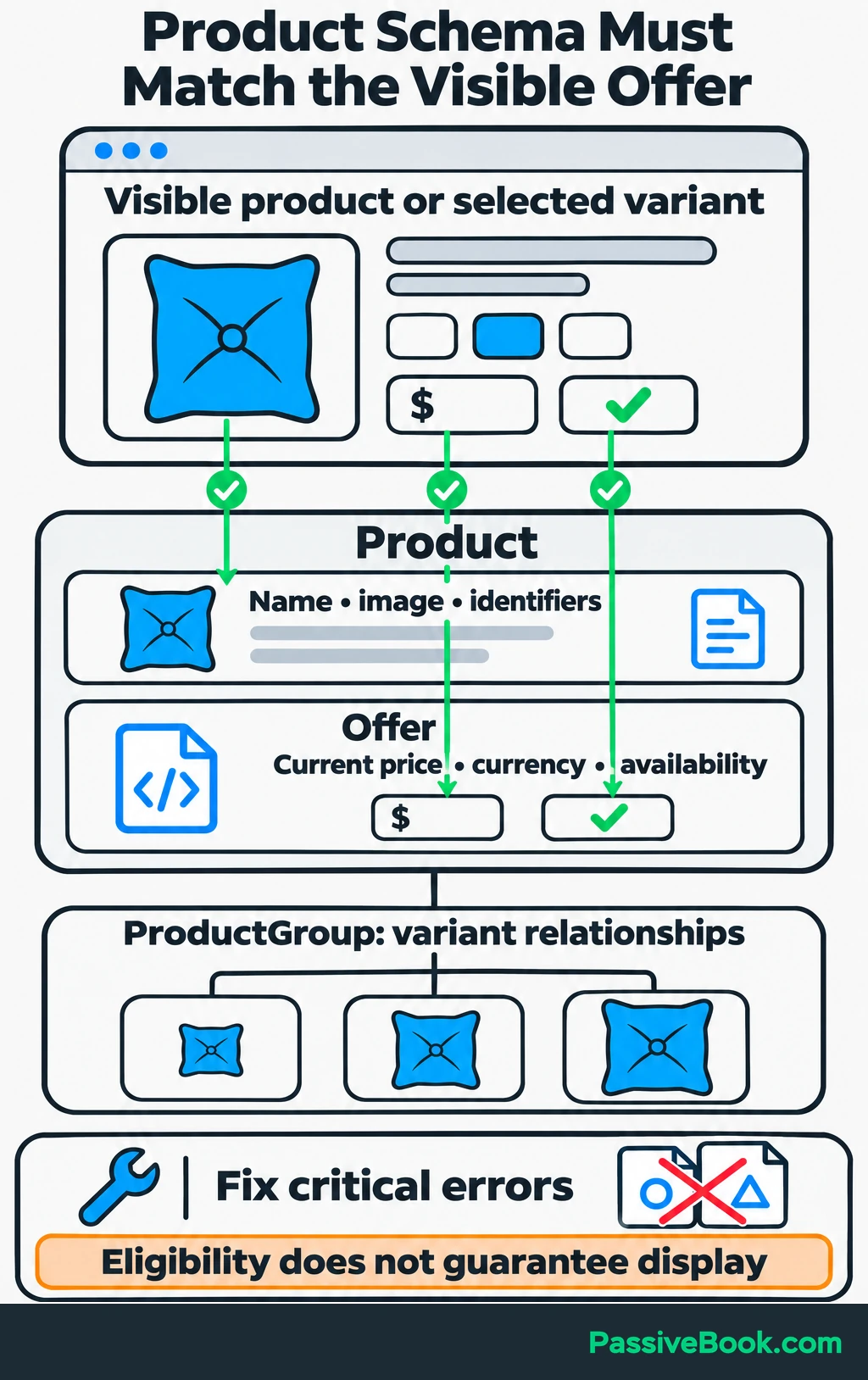
Each offer should describe the matching visible product or variant. Use ProductGroup to describe the variant relationships planned earlier. Include ratings only when they represent eligible, genuine product reviews.
Test representative pages with Google’s Rich Results Test, fix critical errors and monitor Search Console after release. Correct markup supports eligibility for enhanced appearances; it does not guarantee display.
If you already use Merchant Center, keep its catalog data aligned with the same prices, availability and identifiers.
Improve Loading and Mobile Usability
17. Fix the Performance Problems Visitors Experience
Test representative product pages in PageSpeed Insights. Use its diagnostics to find delays, and inspect real-user measurements when available.
Check whether those measurements describe the exact product URL or the whole site. A page with too little data may show broader site results instead.
Core Web Vitals cover loading, response to interactions and visual movement:
| Measure | What It Describes | Good Target |
|---|---|---|
| Largest Contentful Paint, or LCP | When the largest visible image or text block appears | At most 2.5 seconds |
| Interaction to Next Paint, or INP | How quickly the page responds visually to interactions | At most 200 milliseconds |
| Cumulative Layout Shift, or CLS | How much visible content shifts unexpectedly | At most 0.1 |
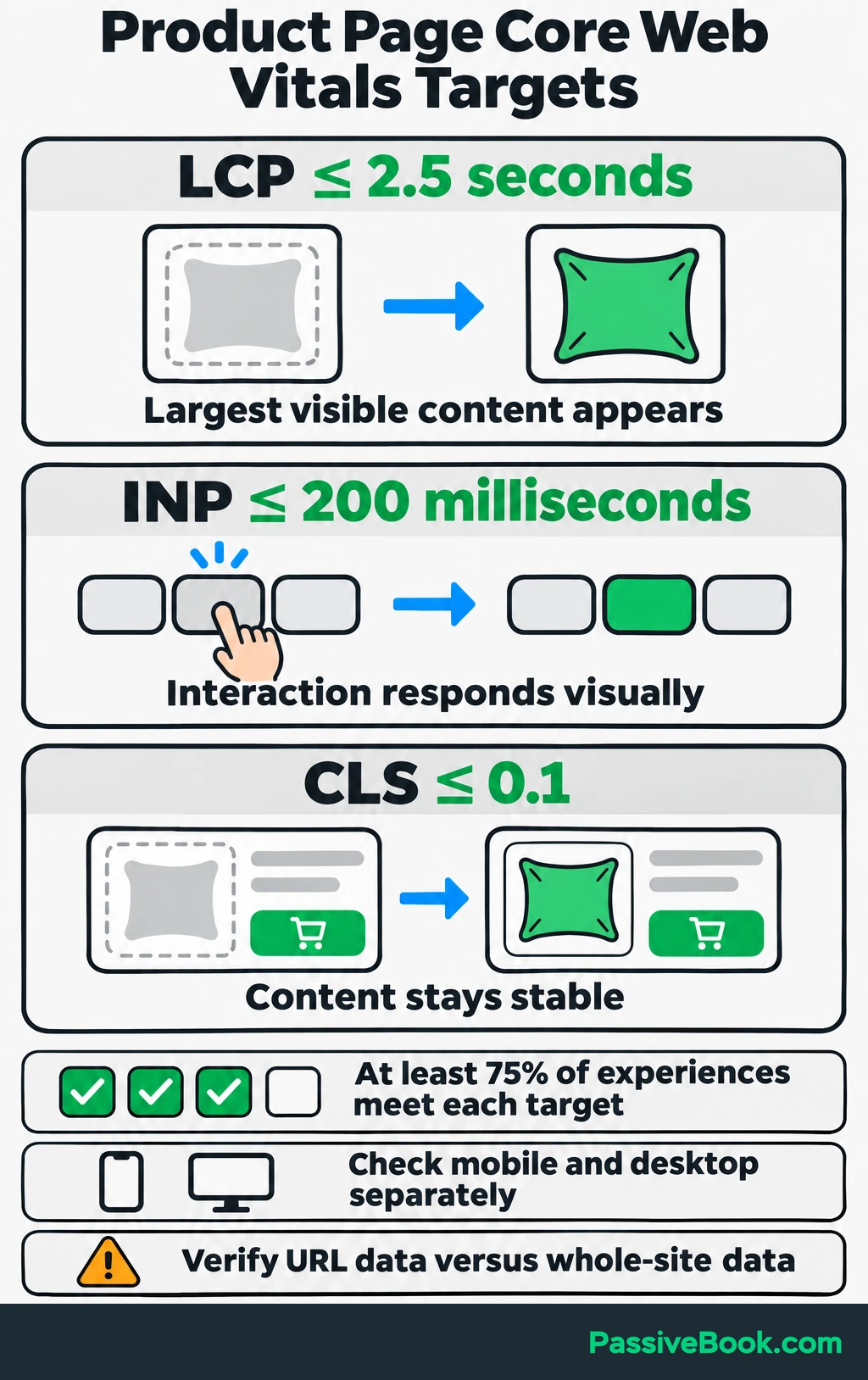
For each measure, at least 75% of recorded experiences should be at or below its target. Check mobile and desktop separately. These targets and the distinction between test results and real-user data are covered in Google’s PageSpeed Insights guidance.
Start with the problems the report identifies. Common fixes include appropriately sized, compressed images, reserved image space and fewer unnecessary scripts.
Load offscreen images and videos only as shoppers approach them. This is called lazy-loading. Avoid it for the main product image when that image is the largest visible element, because it delays the content visitors are waiting to see. Google’s LCP optimization guidance.
18. Test the Mobile Buying Journey
Open a product page on your phone and complete the buying tasks yourself.
Find the specifications, inspect the images, choose a variant, check delivery information and add the item to the cart. Confirm that the cart contains the correct product and selection.
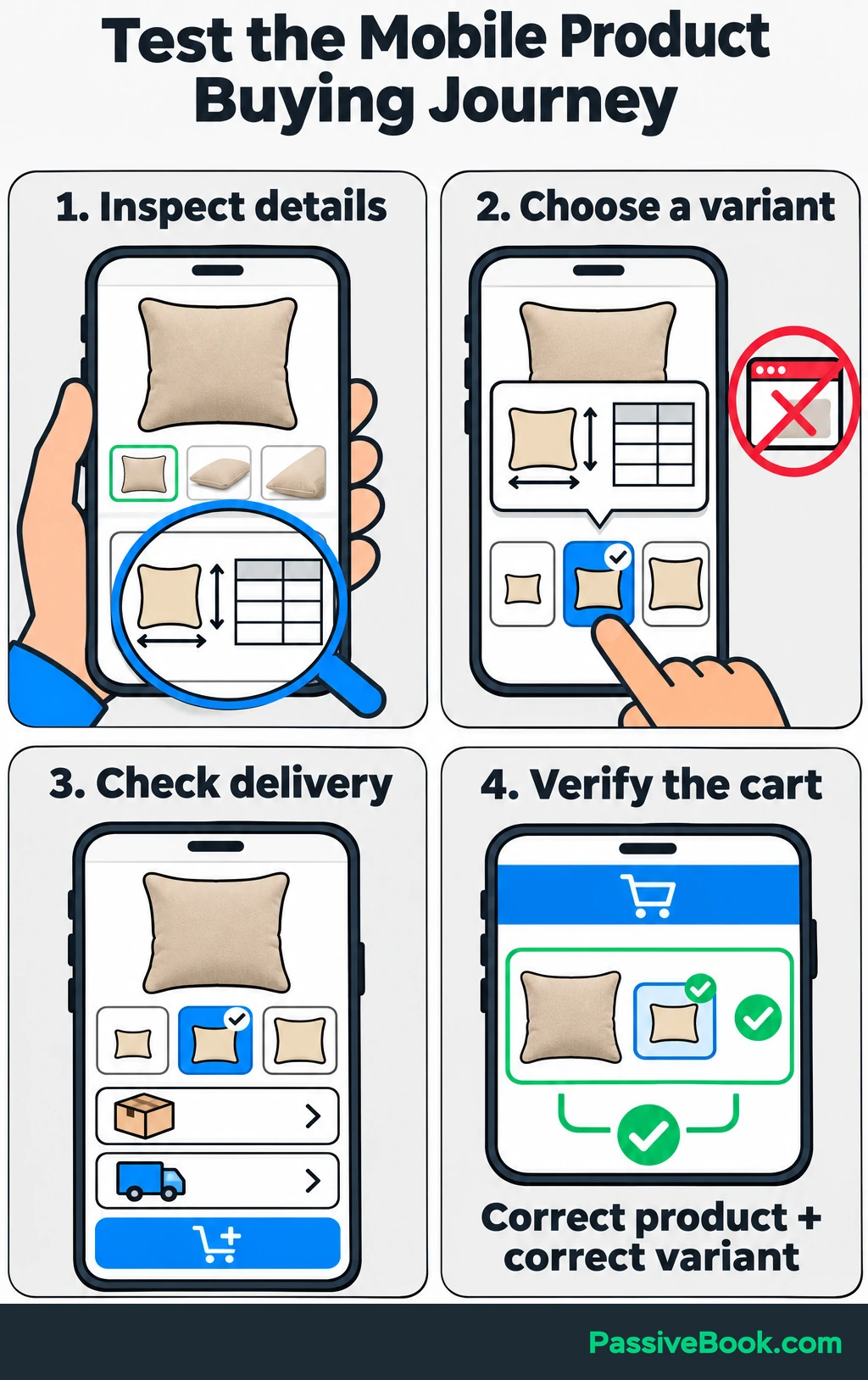
Look for problems such as:
- Text that requires zooming.
- Popups covering selectors or purchase controls.
- Size charts that are difficult to read.
- Buttons that move while the page loads.
- Unclear selection errors.
- Important information missing from the mobile layout.
For Alder, opening the size chart should not reset the selected size. Changing sizes should update the buying information clearly.
Recheck this journey after performance work or template changes. A page that loads faster but adds the wrong variant to the cart still needs fixing.
Maintain Pages and Repeat Improvements
19. Handle Unavailable and Discontinued Products Deliberately
Choose a response based on what will happen to the product.
| Product Situation | What I Would Do |
|---|---|
| Temporarily out of stock | Keep the page accessible, show its status and offer a restock notification or relevant alternative |
| Discontinued but still useful to owners | Retain helpful specifications, care information and compatible replacements |
| Replaced by a genuinely equivalent product | Permanently redirect the retired URL to that replacement |
| Removed with no equivalent replacement | Return 404 or 410, and remove outdated internal links and sitemap entries |
Google recommends returning 404 when a deleted page has no replacement or equivalent. Redirecting every retired product to the homepage can create confusing results. Google’s removed-page guidance.
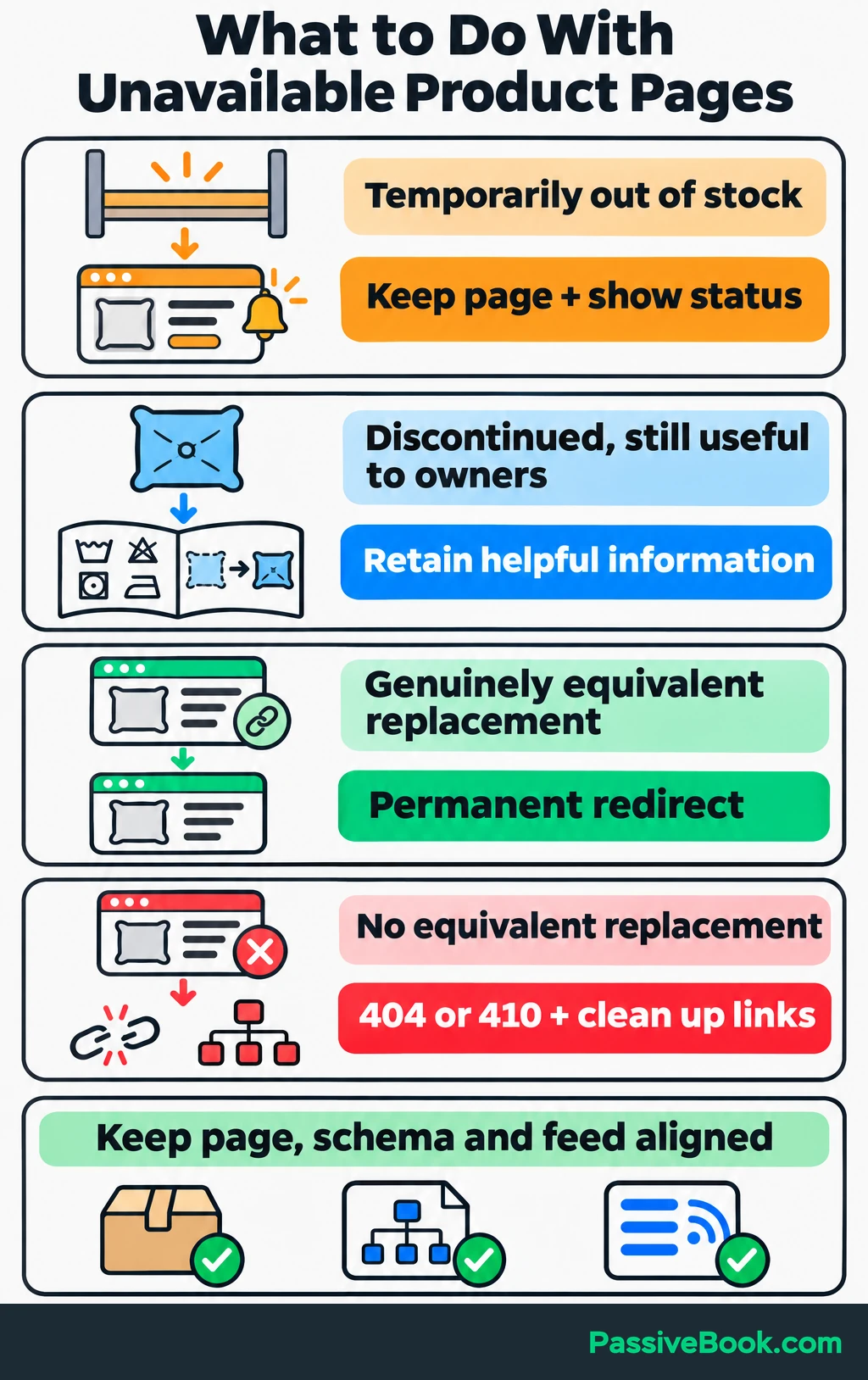
For temporary shortages, prevent orders you cannot fulfill while keeping useful product information available.
Update structured data and any existing product feed whenever availability changes. The visible stock message and machine-readable stock information should agree.
20. Measure Qualified Traffic and Purchases
Compare results with the baseline you recorded before editing.
In Search Console, filter performance data to the product page and inspect relevant queries. Track impressions, clicks, click-through rate and average position, but also read the searches behind those numbers. More visibility for an unrelated query is a reason to investigate.
Next, check that your store’s Google Analytics 4 setup records product views, cart additions and purchases. Place a test order and confirm that it records once with the correct products, currency and values. Google’s ecommerce measurement guidance.
Analytics tracks visits as sessions. For a product-specific purchase rate, start with sessions that began on that product page through organic search. Then count how many of those same sessions included a purchase of that product.
For illustration, suppose 400 sessions began on Alder through organic search during your selected period, and 12 included an Alder purchase:
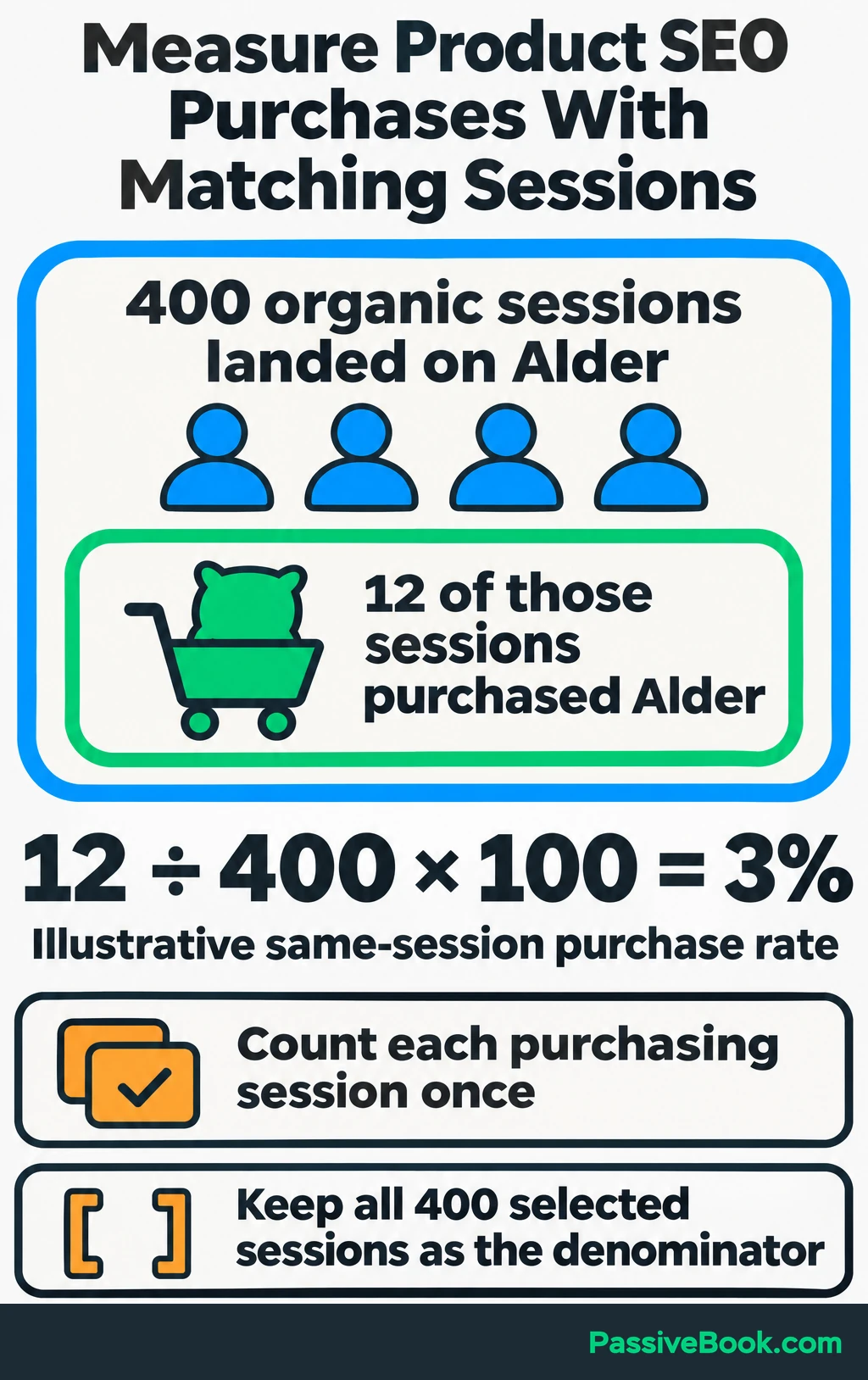
12 ÷ 400 × 100 = 3%
Count each purchasing session once. This measures purchases during those visits, and the denominator remains all 400 selected sessions. A custom report or exploration may be needed to combine the landing-page and purchased-item conditions.
Use the pattern to choose the next investigation:
| What You See | What I Would Check Next |
|---|---|
| A priority page is not indexed | Access, indexing instructions, rendered content and canonical selection |
| Visibility comes from irrelevant searches | Keyword targeting and the page’s actual offer |
| Relevant impressions rise but clicks stay weak | Search-result wording, competing results and product appeal |
| Relevant visits arrive but purchases remain weak | Price, specifications, delivery, returns and mobile usability |
Compare equivalent periods and account for stock changes, promotions and seasonality. With only a few visits or orders, gather more evidence before declaring a winner.
I would increase the SEO budget when organic orders justify the work after product costs, fulfillment, fees and returns. Use that evidence before reducing paid traffic that still brings profitable sales.
21. Repeat Improvements Through Checked Product Templates
Turn verified improvements into a reusable product-page structure.
Keep consistent places for the description, specifications, care instructions, questions, reviews and purchase information. Then fill those sections with accurate product-specific facts.
Use metadata templates for routine products, with manual overrides for priority pages and awkward outputs. On WordPress, Rank Math is my preferred tool for managing those SEO fields.
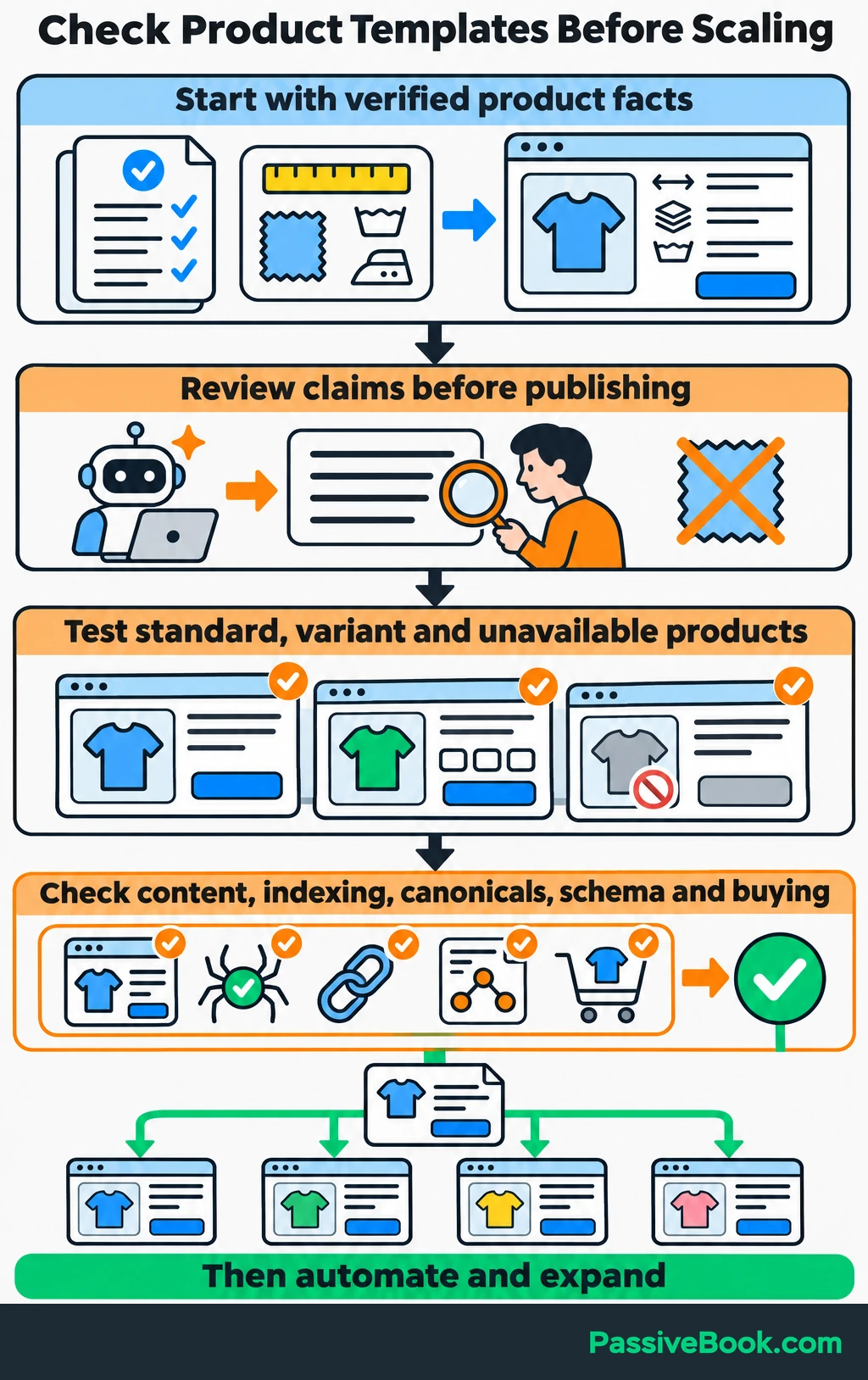
AI can help draft descriptions from checked catalog information. Give it the approved features, dimensions, care details and limits, and review the claims before publishing. An invented material does not become true because it appears in a tidy paragraph.
Test a small batch before expanding. Include a standard product, a product with variants and an unavailable item. Recheck rendered content, indexing instructions, canonicals, structured data and purchasing.
I would automate the repeated work only after that structure passes these checks. Then each new product starts with a useful page and a review process you can repeat.
What Next?
Choose one in-stock product and record its main page problem, current search performance and organic purchase results. Fix the problem you can identify clearly, and note when the change goes live.
Use the social buttons to pass along these checks and help make the next round of product-page edits easier to prioritize.
Which part of your product page leaves shoppers doing the most guessing? Tell me in the comments, and bring any other questions there too.
Share this post with your friends & followers:

