You’ve published an episode worth hearing, but your social post gives strangers little reason to press play. The cover art looks fine. “New episode out now” tells them it exists. It doesn’t tell them why they should care.
Making more announcements can fill your week without showing whether anyone reaches the recording. And filming extra content for every platform can turn promotion into a second production schedule.
That second schedule needs to earn its place. Here’s how to use your recordings to reach people beyond your followers and give them a clear route to the episode, within a routine you can maintain.
Choose One Platform Your Potential Listeners Already Use
Start by looking for people discussing your episode topics. Search the questions your show answers, read the replies, and notice what people keep asking.
Follower counts alone won’t tell you much. Look for relevant participation: follow-up questions, people describing the same problem, and conversations you could usefully join. If you already have listeners, ask where they discover similar shows.
Then choose a platform where those conversations match something you can make regularly.
| Platform | Signs of Audience Fit | First Format to Test |
|---|---|---|
| People discuss relevant demonstrations, visual explanations, and before-and-after examples | A Reel demonstrating one idea or a carousel explaining a short sequence | |
| TikTok | Viewers ask questions about your subject and discuss answers in the comments | A focused answer using episode audio and relevant visuals |
| YouTube | Related explanations or interviews attract viewers asking thoughtful follow-up questions | A Short that delivers one complete idea |
| Active groups or pages discuss problems your episodes address | A useful takeaway or a direct answer to a community question | |
| Your topic appears in conversations about work, clients, or business decisions | A standalone interview insight with a practical lesson | |
| X | People actively discuss your subject and exchange useful replies | A concise takeaway or short thread, followed by participation in the replies |
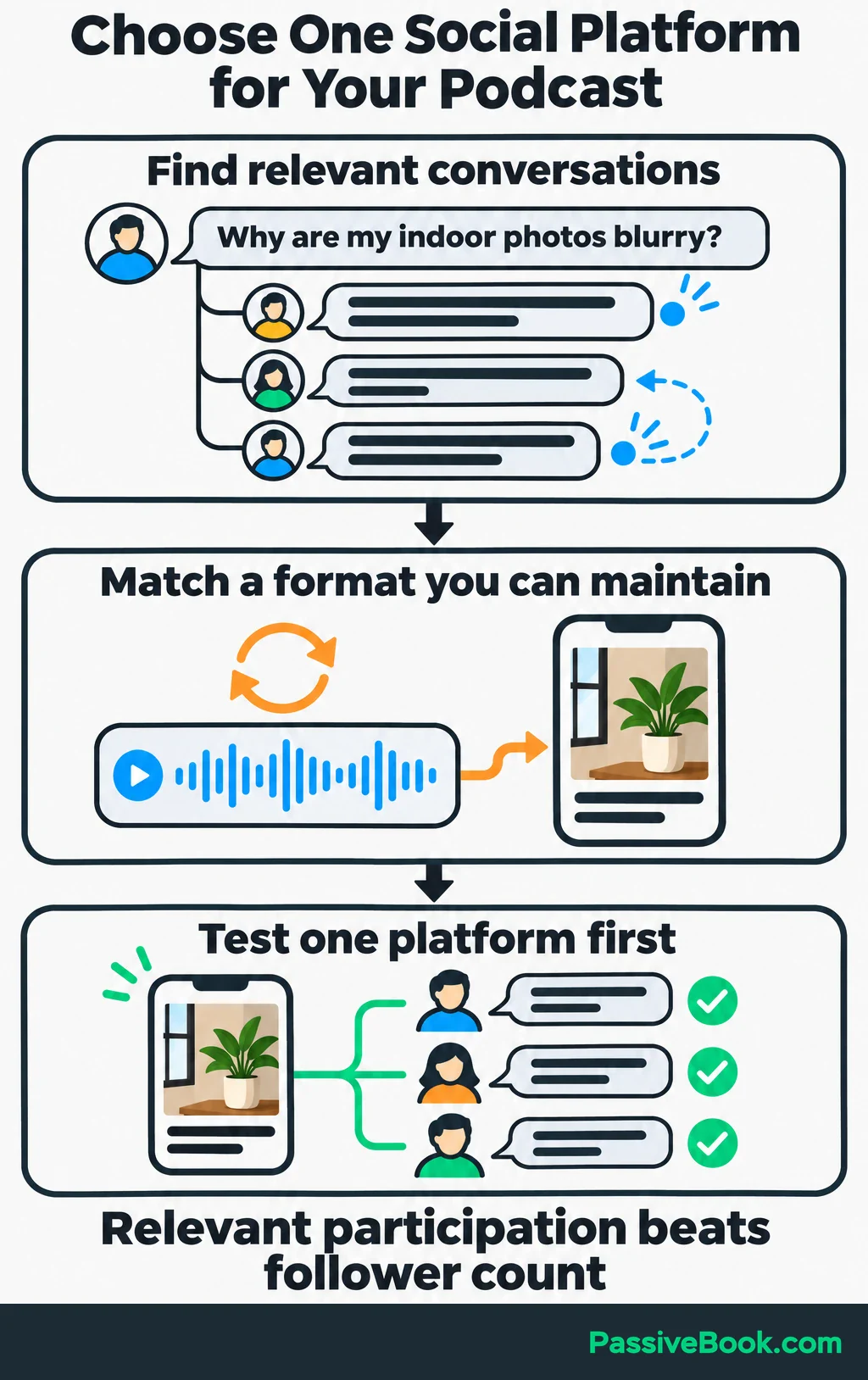
These are places to test. You don’t need six new accounts and six more reasons to feel behind.
If an existing account already attracts people who would enjoy your show, use it. A separate podcast account only helps when it serves a clear purpose.
For the examples below, imagine you sell beginner photography courses and publish a supporting podcast called Everyday Photo Practice. You’re promoting an episode titled “Why Your Indoor Photos Look Blurry.”
I would test Instagram first because photographs can show the problem while the episode audio explains it. Add another platform when adapting successful posts fits your available time and reaches relevant people.
Turn Each Episode Into Useful Social Posts
Select Moments That Stand on Their Own
While editing an episode, mark moments that answer a question, explain something surprising, or capture a useful disagreement. Save the timestamp and write one sentence describing the takeaway.
Choose moments a stranger can understand without hearing the previous ten minutes.
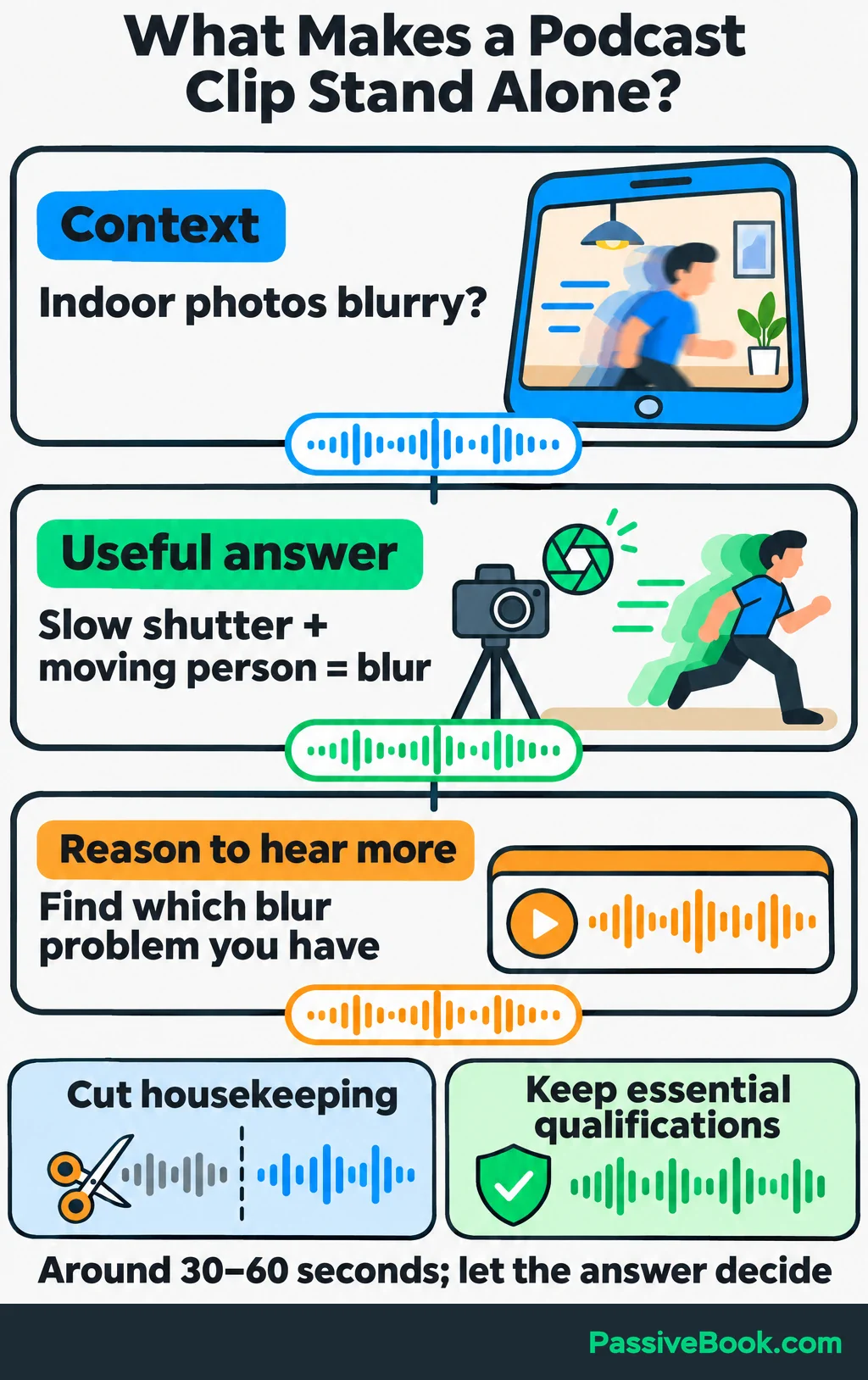
Each post needs three things:
- Enough context to understand the problem.
- A useful answer or satisfying exchange.
- A reason to explore the full episode.
Cut greetings, housekeeping, and phrases such as “as we discussed earlier” when they delay the point. Keep any qualification needed to preserve the speaker’s meaning.
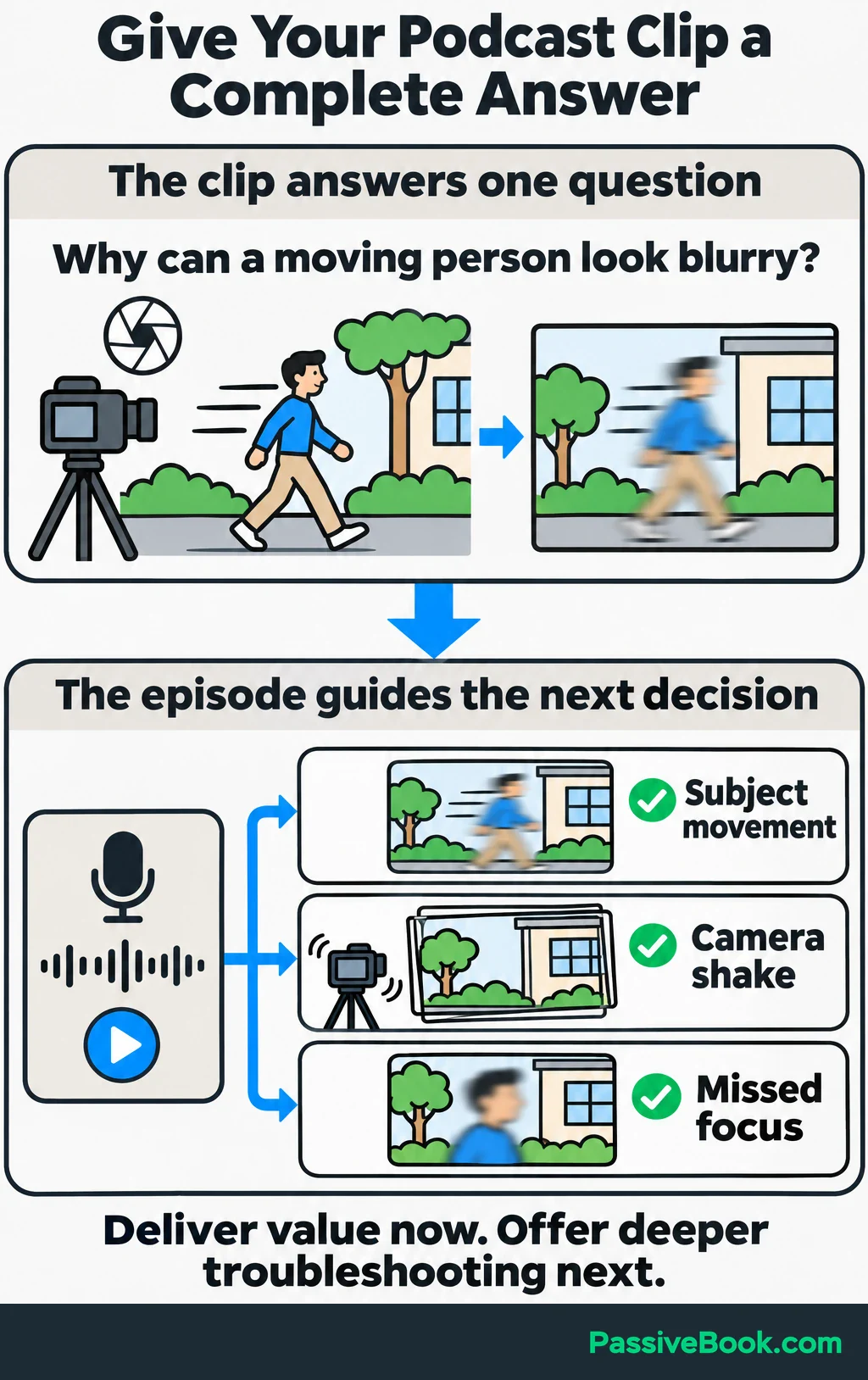
Try a compact excerpt of around 30–60 seconds, but let the explanation determine its length. A complete answer matters more than hitting an arbitrary runtime.
For the photography episode, choose the moment explaining how a slow shutter speed can blur a moving person. That gives the viewer something specific to check.
The full episode can then add the broader process for distinguishing subject movement, camera shake, and missed focus. The clip answers one question, and the episode helps with the next decision.
Create Clips and Written Posts Without Extra Filming
You can make a social video from an audio recording. Pair the excerpt with photographs, simple graphics, or footage you own.
An audiogram is one option: a video combining audio with artwork, captions, and sometimes a moving waveform. But choose visuals that help explain the point. A waveform can show that someone is talking; it can’t show why a photograph looks blurry.
For the photography clip, display an example photograph while the host explains subject movement. Add a close crop so viewers can see the blur being discussed. You can assemble this in Canva without filming yourself.
If you already recorded speaker footage, use it when their expression or exchange adds something. There’s no need to invent another filming task.
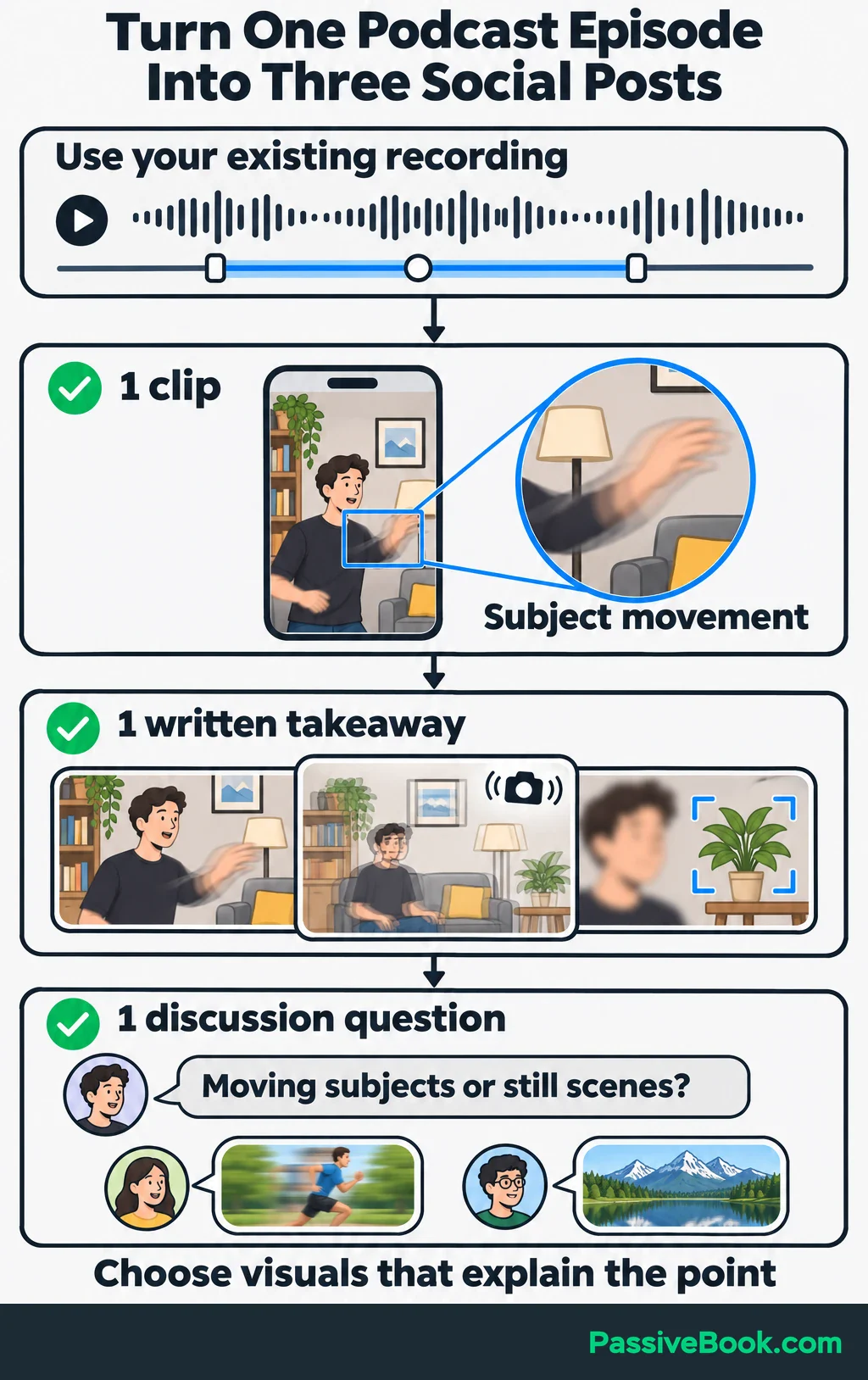
Turn a different takeaway into a carousel or text post. A carousel could cover:
- “Indoor photos blurry? First, identify what looks soft.”
- Subject movement: the person moves during the exposure.
- Camera shake: the camera moves during the exposure.
- Missed focus: the sharpest point falls somewhere else.
- An invitation to hear the full troubleshooting discussion.
Keep the wording brief and let the photographs carry part of the explanation.
For your first promotion cycle, I would make one clip, one written takeaway, and one discussion question. That is enough to test a repeatable process.
Check video captions before publishing. Correct names and technical terms, synchronize the words with the speech, and identify speakers or meaningful sounds when needed. Those details help make the content understandable and follow W3C’s guidance on prerecorded captions. W3C’s caption guidance.
Write a Specific Hook and Listening Invitation
Lead with what the viewer gets from the post. “New episode out now” matters mainly to people already waiting for it.
A stronger opening names a problem or insight:
Indoor photos blurry? Check your shutter speed before blaming the lens.
Then deliver the promised explanation. Don’t spend the whole clip withholding an answer you could have given in one sentence.
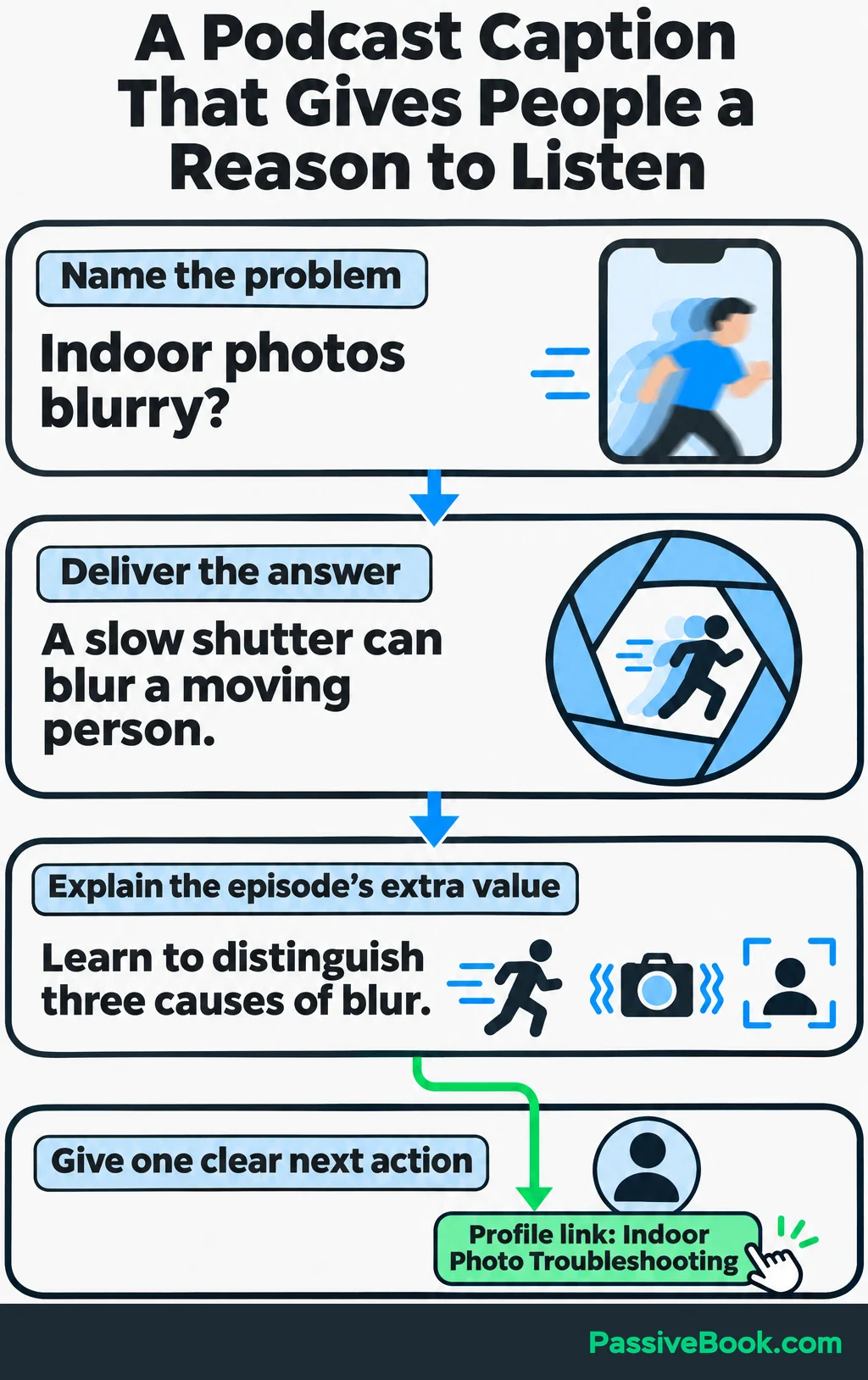
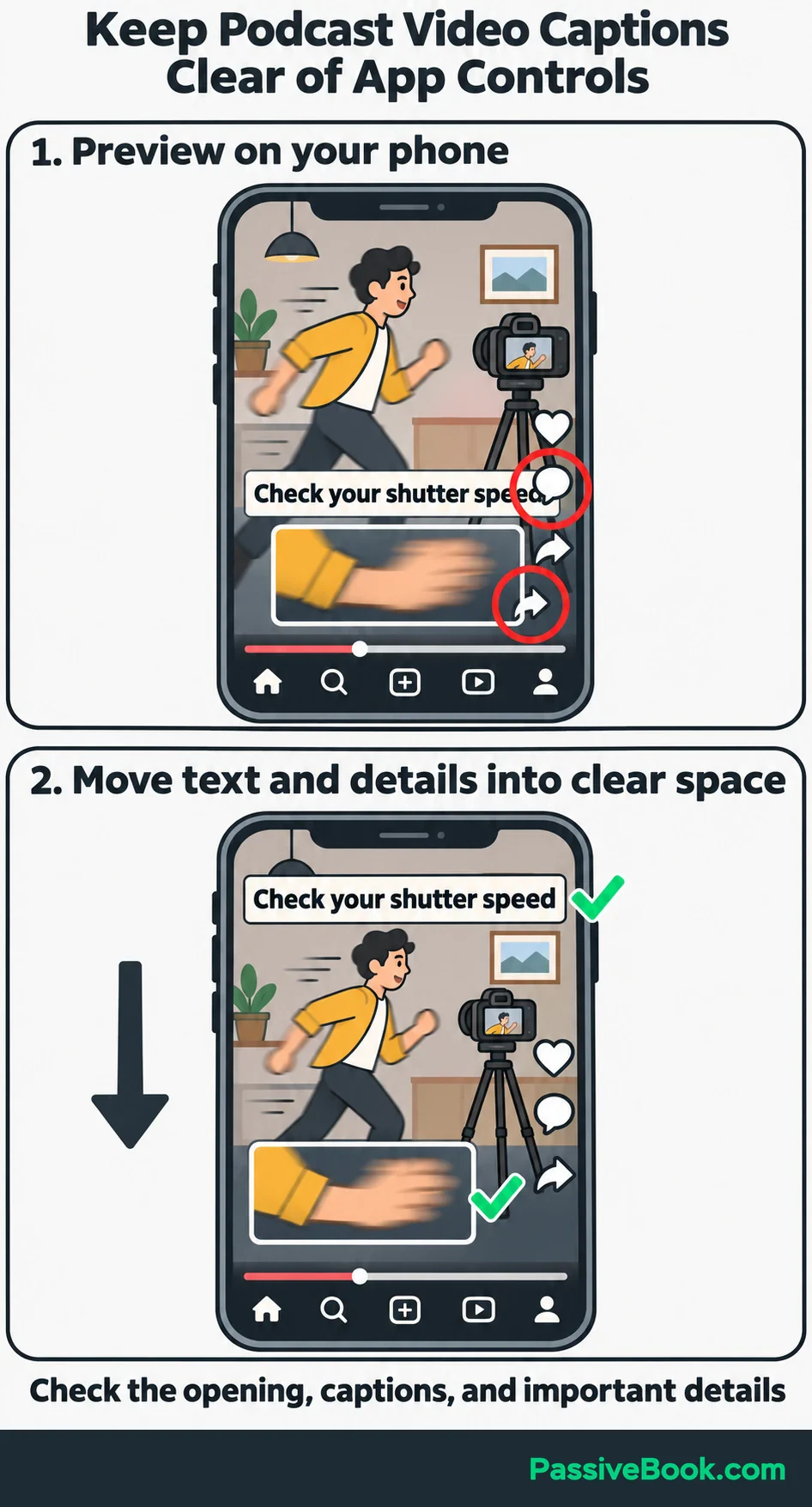
Use familiar topic language in the opening frame, title, and caption. Before publishing a vertical video, preview it on your phone and check that captions and important details remain clear of the app’s controls.
Your listening invitation should explain what the full episode adds. Here’s a complete caption you could adapt:
Indoor photos blurry? Check your shutter speed before blaming the lens.
A slow shutter speed can blur a moving person even when the camera stays still. This clip shows what that looks like.
In “Why Your Indoor Photos Look Blurry,” I walk through subject movement, camera shake, and missed focus so you can narrow down what went wrong.
Listen to the full episode through the link labeled “Indoor Photo Troubleshooting” in my profile.
That gives the post a useful point and one clear next action.
If writing the posts is where you get stuck, AI Podcast Studio can turn your episode material into standalone drafts. Start with an excerpt or a few accurate notes, then check the wording against your recording.
Free AI Podcast Studio




For a conversation post, use a specific question instead:
Do your indoor photos blur when people move, or even when everything stays still?
I would skip the pile of requests to comment, save, follow, share, subscribe, and listen. Choose the action that serves this particular post.
Make the Full Episode Easy to Reach
Send people to the episode you just discussed. A general homepage leaves them searching again.
Use either a direct episode link or an existing episode page with:
- A title that matches the post’s promise.
- A short explanation of what the episode covers.
- A working player.
- Clear choices for listening in their preferred app.
You don’t need a new website to start. If you already have one, an episode page gives you a stable destination you can keep linking to.
Your profile should explain the show’s subject and benefit. For the example, “Practical photography lessons for beginners” tells visitors more than “Official podcast account.”
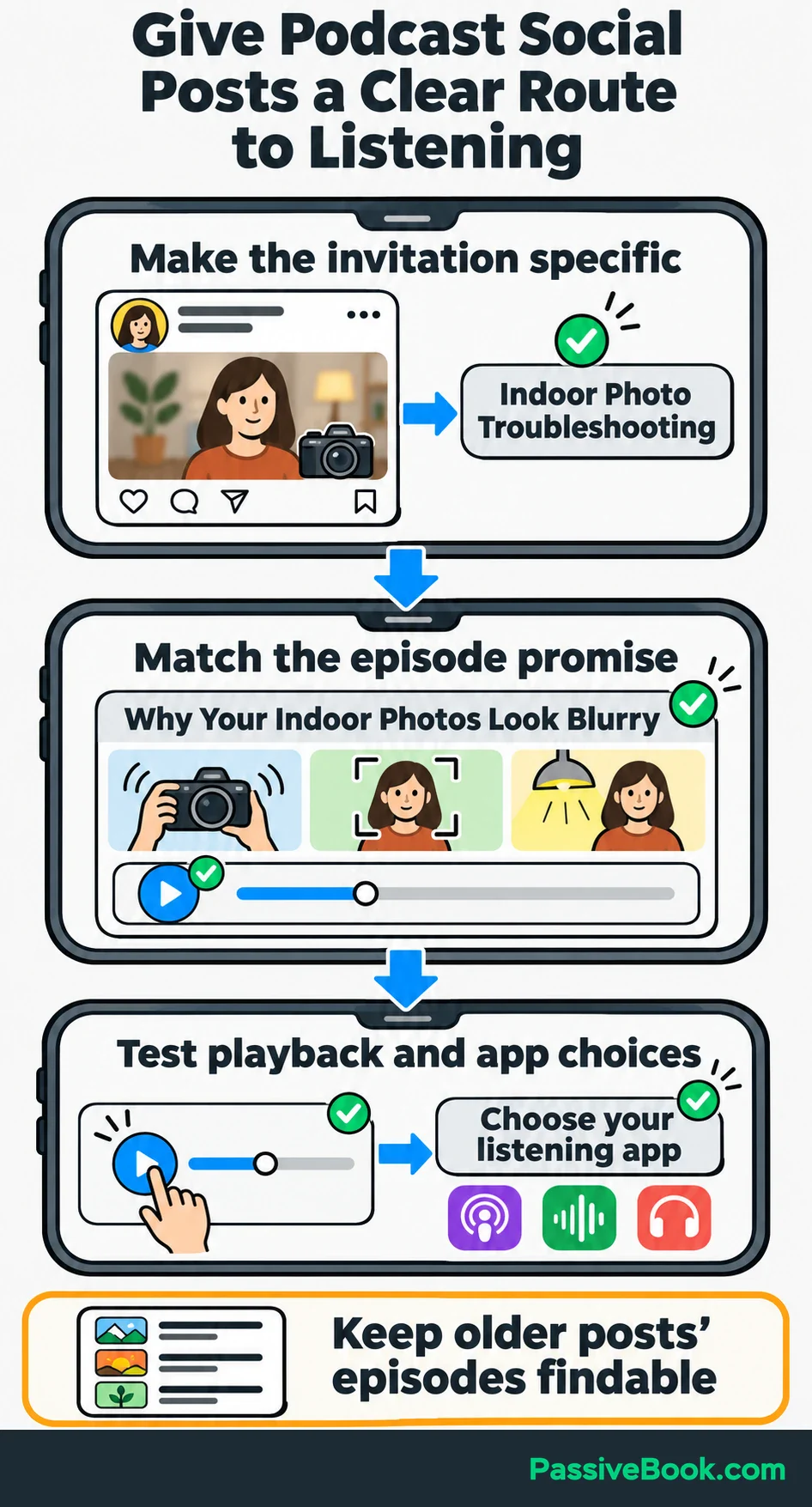
Match the listening instruction to the platform:
- Instagram: Direct Reel and carousel viewers to a clearly labeled episode link in your profile. A Story link sticker can give viewers a direct route.
- TikTok: Display the exact show name and episode title so viewers can search for them. If your profile has a clickable episode link, direct viewers there.
- YouTube: If the full episode is on your channel, connect the Short through its related-video link. The destination must be public or unlisted, and adding the link requires advanced feature access. YouTube’s related-video requirements.
- Facebook, LinkedIn, and X: Include the episode link alongside a specific reason to listen.
For an external listening destination on YouTube, use a channel profile link. Ordinary URLs in Shorts descriptions and comments aren’t clickable, so “link in the description” can leave viewers with no usable route. YouTube’s clickable-link guidance.
Test the whole journey on a phone as a visitor. Open the profile, follow the invitation, and try playback and the listening-app buttons.
Before replacing a profile link, check whether older posts still direct people there. If several episodes remain in circulation, link to a page listing those episodes by title so visitors can find the one a post mentions.
Reach People Beyond Your Existing Followers
Give Guests and Collaborators Something Easy to Share
Look for collaborators whose audiences care about the episode’s subject. Relevant overlap matters more than a large follower count.
Before recording, discuss one simple sharing opportunity. Ask whether the guest would be comfortable sharing a clip featuring their contribution, and agree on any review they need.
After publication, send a small package:
- A clip centered on their useful answer.
- A matching graphic.
- Editable caption copy.
- The episode link and published social post.
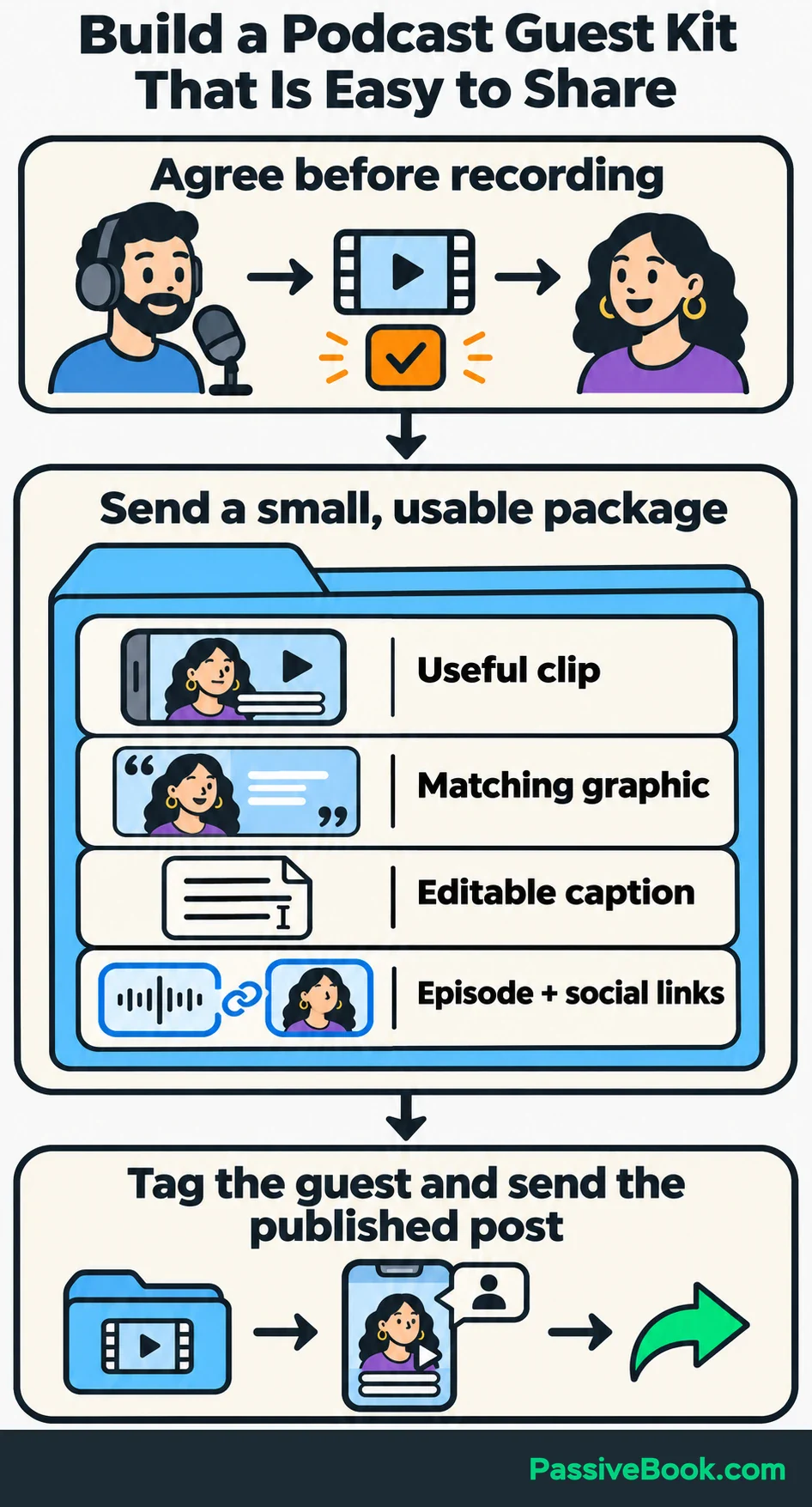
Make the files easy to find and the caption easy to change. Sending someone a folder called “final_final_v7” is technically a delivery system, but I wouldn’t recommend it.
For the photography show, an indoor-portrait educator could explain a mistake beginners make when photographing people at home. A clip featuring that answer gives their audience a reason to care.
Tag the guest’s relevant account and send the published version. They can share or adapt it without searching through the recording.
If your show is solo, propose a joint discussion with a complementary creator or recommend each other’s genuinely relevant episodes. Give the collaboration a useful subject rather than making “exposure” the entire offer.
Join Conversations Around Your Episode Topics
Find questions your episode can help answer, and give a useful answer within the conversation.
Don’t make people leave the discussion just to get the basic point. Add your episode when it offers depth the person actually needs.
For example, someone might ask why indoor photographs look soft even though the camera says they are in focus. Explain that focus and motion blur are different issues, then ask whether the subject was moving.
If the discussion develops and links are allowed, you can identify your connection:
I cover this distinction in my podcast episode “Why Your Indoor Photos Look Blurry.” The troubleshooting discussion may help you work out which problem you’re seeing.
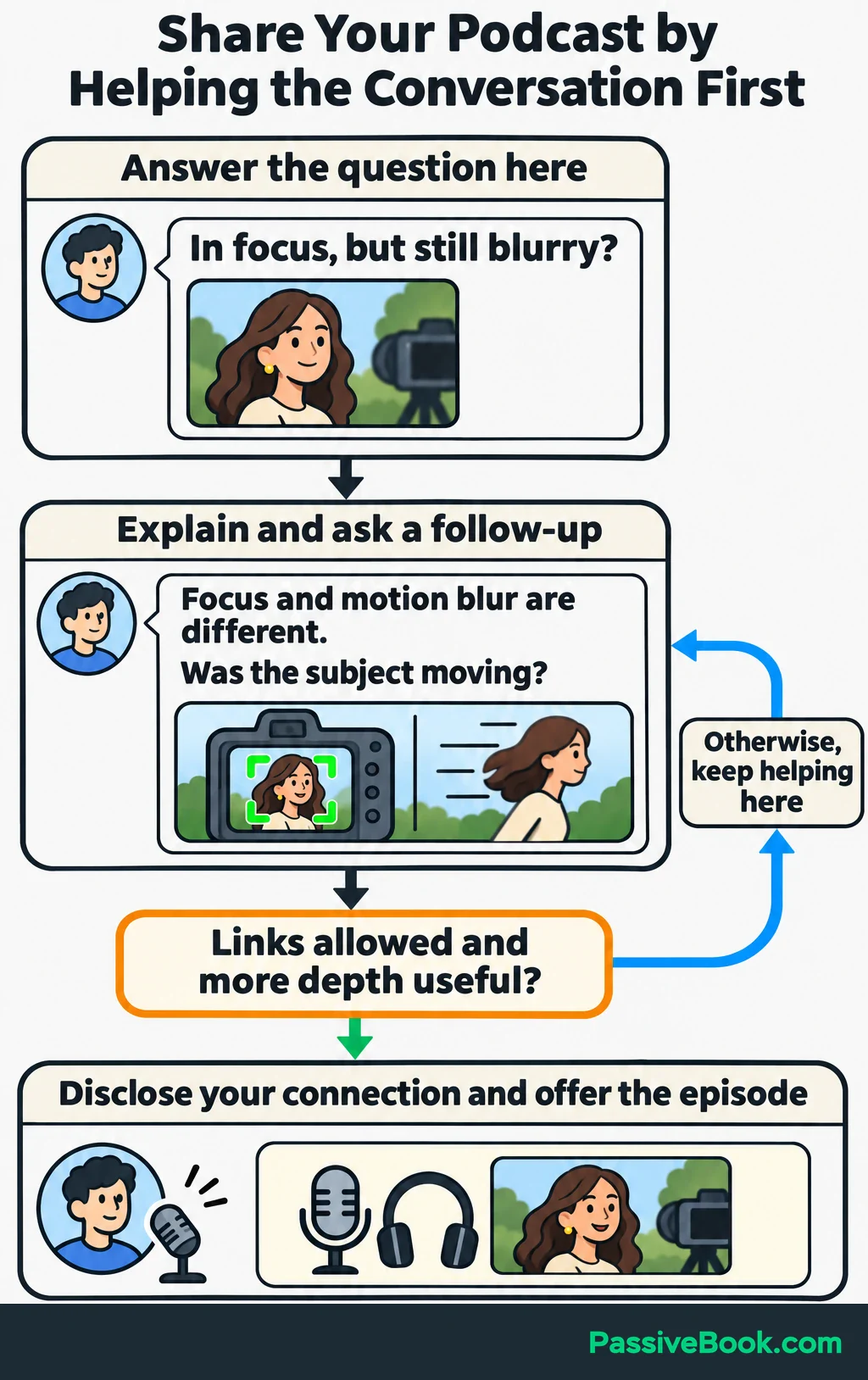
Check each community’s promotion rules first. Reddit, for example, requires authentic participation and prohibits spam alongside its community-specific rules. Reddit’s rules.
Respond to substantive comments on your own posts, too. Recurring questions give you material for follow-up posts and future episodes.
You can also invite listeners to recommend a particular episode when the need arises. “Send this episode to a friend struggling with blurry indoor photos” gives sharing a purpose.
Organic promotion gives you ways to reach people through relevant conversations and collaborations even when your own following is small. Start with those opportunities and assess what they produce.
Batch Promotion Into a Repeatable Routine
Keep one planning sheet. A spreadsheet or Notion table is enough.
Give each post a row with its episode, excerpt timestamp, takeaway, format, platform, caption, destination link, publication date, and status. Add results beside the same row later.
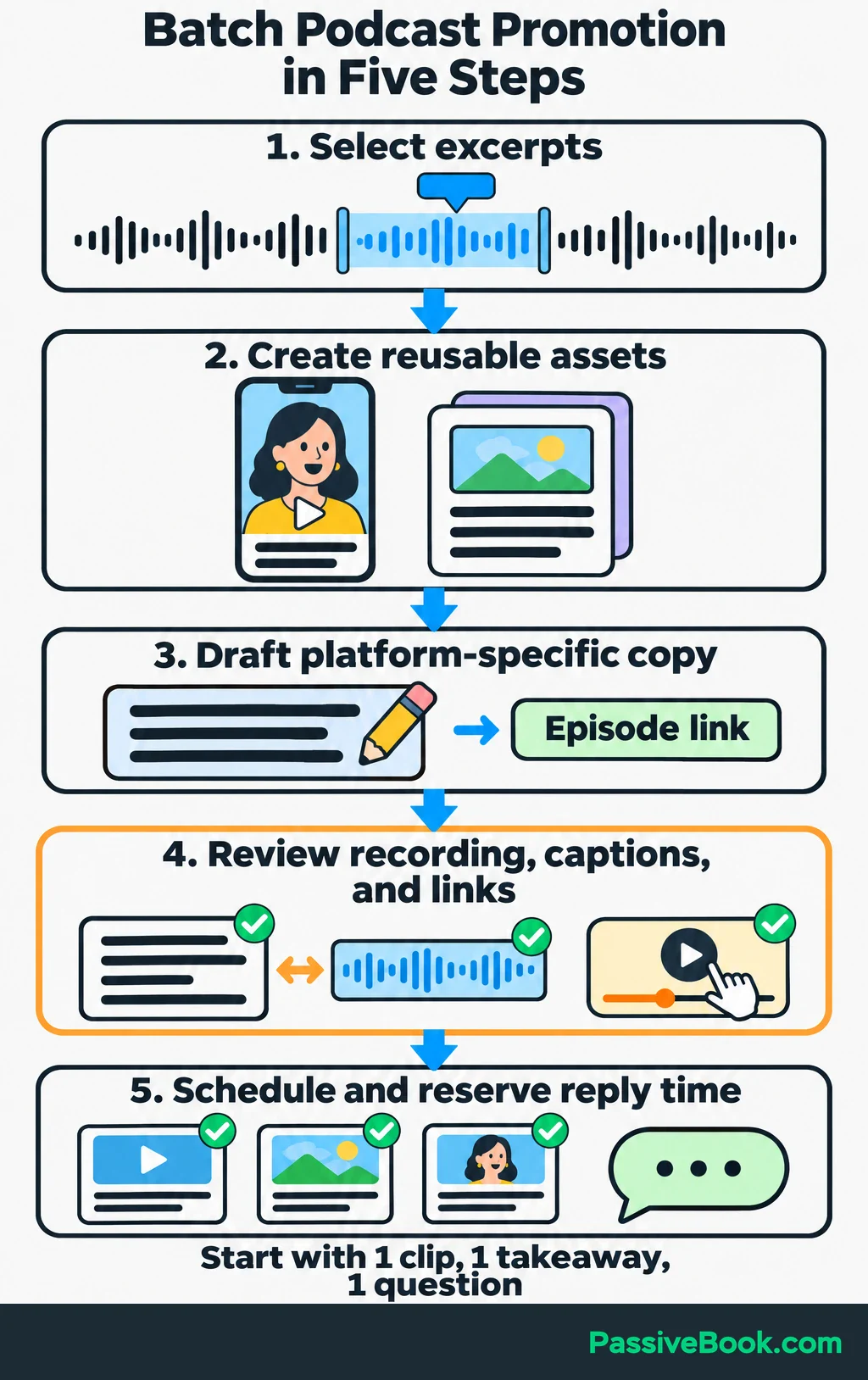
Then group similar tasks:
- Select excerpts while the episode is still fresh in your mind.
- Create the clip and written post using reusable layouts.
- Draft platform-specific copy.
- Check the recording, captions, and links.
- Schedule the posts and reserve time for replies.
Here’s an adaptable calendar for the photography episode:
| Timing | Post | Purpose | Call to Action |
|---|---|---|---|
| Before release, if useful | Ask whether blur happens during movement or with still subjects | Hear how people describe the problem | Reply with the situation |
| When the episode is live | Share the shutter-speed clip | Deliver a useful answer and introduce the episode | Listen through the episode link |
| Between releases | Publish the carousel distinguishing three causes of blur | Explain another takeaway from the episode | Hear the full troubleshooting discussion |
| Later, when relevant | Answer a recurring question using the older episode | Bring useful material back into a current conversation | Listen to the relevant episode |
Treat this as a starting point. A fortnightly show can spread these posts across two weeks. If you can maintain only two posts per episode, choose the two with the clearest purpose.
You can use the podcast presets in our content calendar instead of setting up the dates and production tasks yourself. Choose a small promotion cycle first, then check whether its estimated workload fits the time you have.
Turn Your Marketing Ideas Into a Publishing Plan
Organize content ideas, set publishing dates, and track what resonates with your audience in one calendar.
For Instagram and Facebook, I would start with Meta Business Suite for scheduling supported posts. Use YouTube Studio when publishing on YouTube. There’s little reason to buy a separate scheduler before you know what your routine needs.
AI can help find candidate excerpts or draft captions from a transcript. Ask it to identify self-contained answers and explain what each one teaches. Check its suggestions against the recording before publishing, especially when an edit could remove an important condition.
Once the process works, automate repetitive handoffs. For example, n8n, a workflow tool that connects apps, could copy approved captions and asset links into your publishing queue.
Keep a review step before publication. Automating an unclear post just gets the unclear post out faster.
Measure Which Posts Lead Toward Listening
I spent six months chasing Instagram and Twitter/X followers in another niche without meaningful business progress. My bank balance was still around $47. I had given the follower count far more attention than what those people did next.
That experience shapes how I would assess podcast promotion: followers can be useful, but they don’t show whether anyone reached an episode.
Record a few separate measures:
| Measure | What to Record | Decision It Helps You Make |
|---|---|---|
| Attention | Reach or views, plus viewing duration where available | Whether the topic and opening earn attention |
| Response | Relevant replies and shares | Which ideas people want to discuss or pass along |
| Listening-link traffic | Tracked link clicks or visits to the episode page | Whether interest leads toward the recording |
| Listening | Available episode plays or downloads | Whether the recording is being accessed |
| Effort | Time spent preparing and publishing | Whether the result justifies repeating the task |
For an episode page using Google Analytics, add consistent campaign labels to your links. These are small pieces of text added to a URL so you can distinguish traffic sources. Google calls them UTM parameters. Google’s campaign-link guidance.
For the example, use:
utm_source=instagram
utm_medium=social
utm_campaign=indoor_photo_blur
utm_content=story_shutter_speed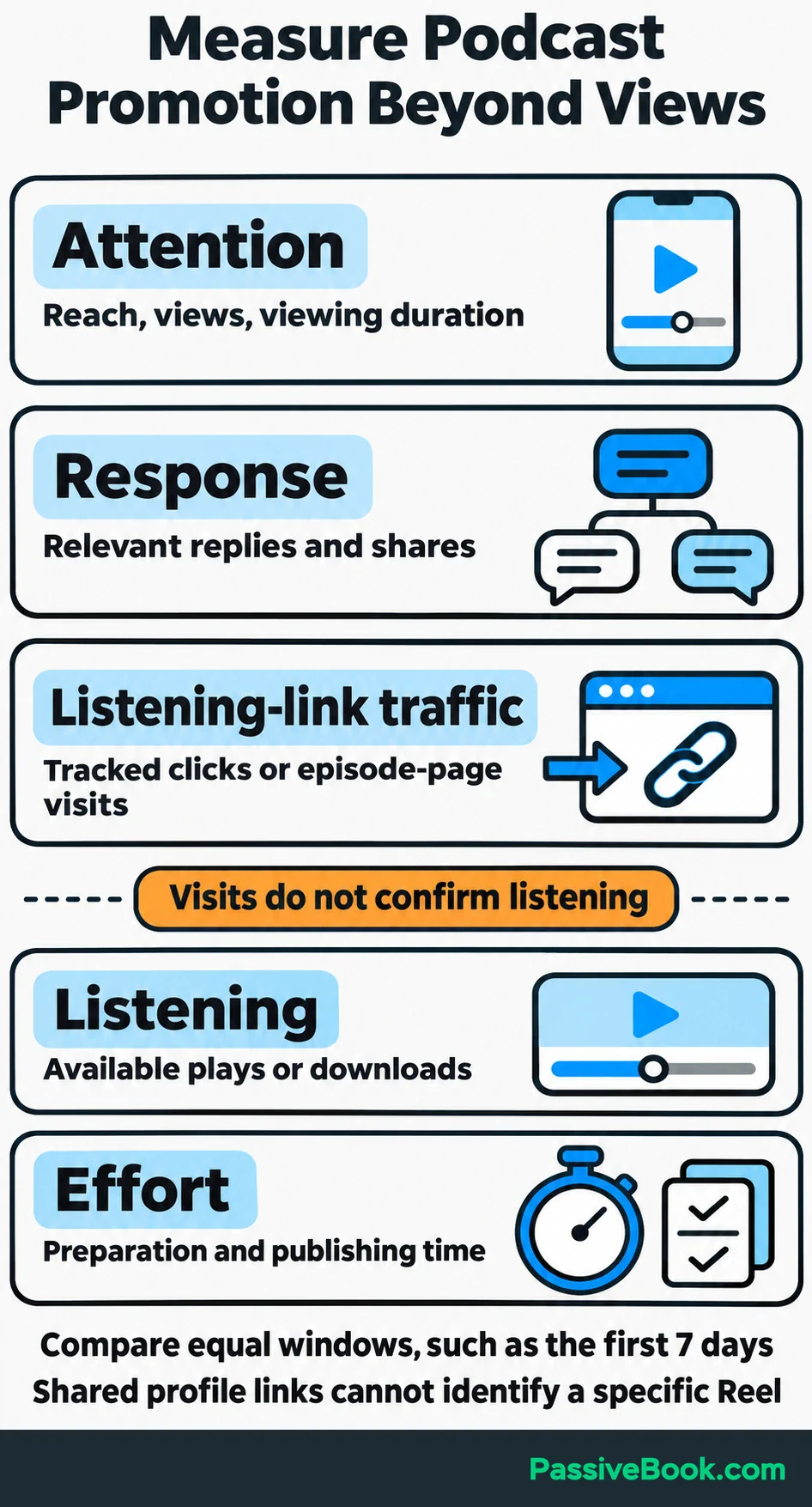
Use utm_content to distinguish posts when each has its own clickable link. A shared profile link identifies that route; it cannot tell you exactly which Reel prompted someone to visit.
If you send people directly to Spotify, Spotify for Creators share links offer reports on clicks, plays on Spotify, and the percentage of clicks that led to plays during the selected period. Those reports concern the Spotify route, so keep them separate from listening elsewhere. Spotify’s sharing-analytics definitions.
A website visit alone doesn’t confirm listening. And a rise in episode plays alongside social activity doesn’t establish which post caused it. Use the evidence you have without giving it more precision than it supports.
Compare posts after equal periods, such as their first seven days, across several promotion cycles. Change one meaningful element at a time.
- Little attention: Test a clearer opening or a more specific problem.
- Attention but little link traffic: Explain what the episode adds and check the listening route.
- Traffic but little observable listening: Check playback, destination choice, and whether the episode opening delivers the promised topic.
- Useful results with too much preparation: Simplify the format or reuse a layout.
Repeat the topics and formats that help people discover or reach your show for a reasonable amount of work. Stop making posts whose main achievement is keeping the calendar full.
What Next?
Choose one published episode and mark three moments that answer questions a new listener might have. Turn the strongest into one useful post, add a working episode link, and record the result before building a bigger schedule.
Use the social buttons to share this guide if it would help turn podcast promotion into a manageable routine.
Where does your process lose momentum: choosing the excerpt, making the post, or getting people to the episode? Tell me in the comments, and bring any other questions along.
Share this post with your friends & followers:

