A listener hears you mention a checklist, but where should they go to find it? Your podcast app profile has a short description, and the download is buried in an old social post.
Each episode can leave you with more resources to share, but no clear place to send people. Building a website sounds like another project to maintain, especially when recording already takes your spare time. This guide walks through choosing an affordable platform and building pages where listeners can play episodes, find those resources and subscribe for updates, while keeping your existing podcast feed.
1. Choose Your Website Platform
Start with your existing website or the site included with your podcast host. Pay for another service when you need something those options cannot do.
Before buying anything, separate these three services:
- Domain: Your website address.
- Website hosting: The service that stores and serves your pages.
- Podcast hosting: The service that delivers your audio and provides your RSS feed, the file podcast apps read for episode information.
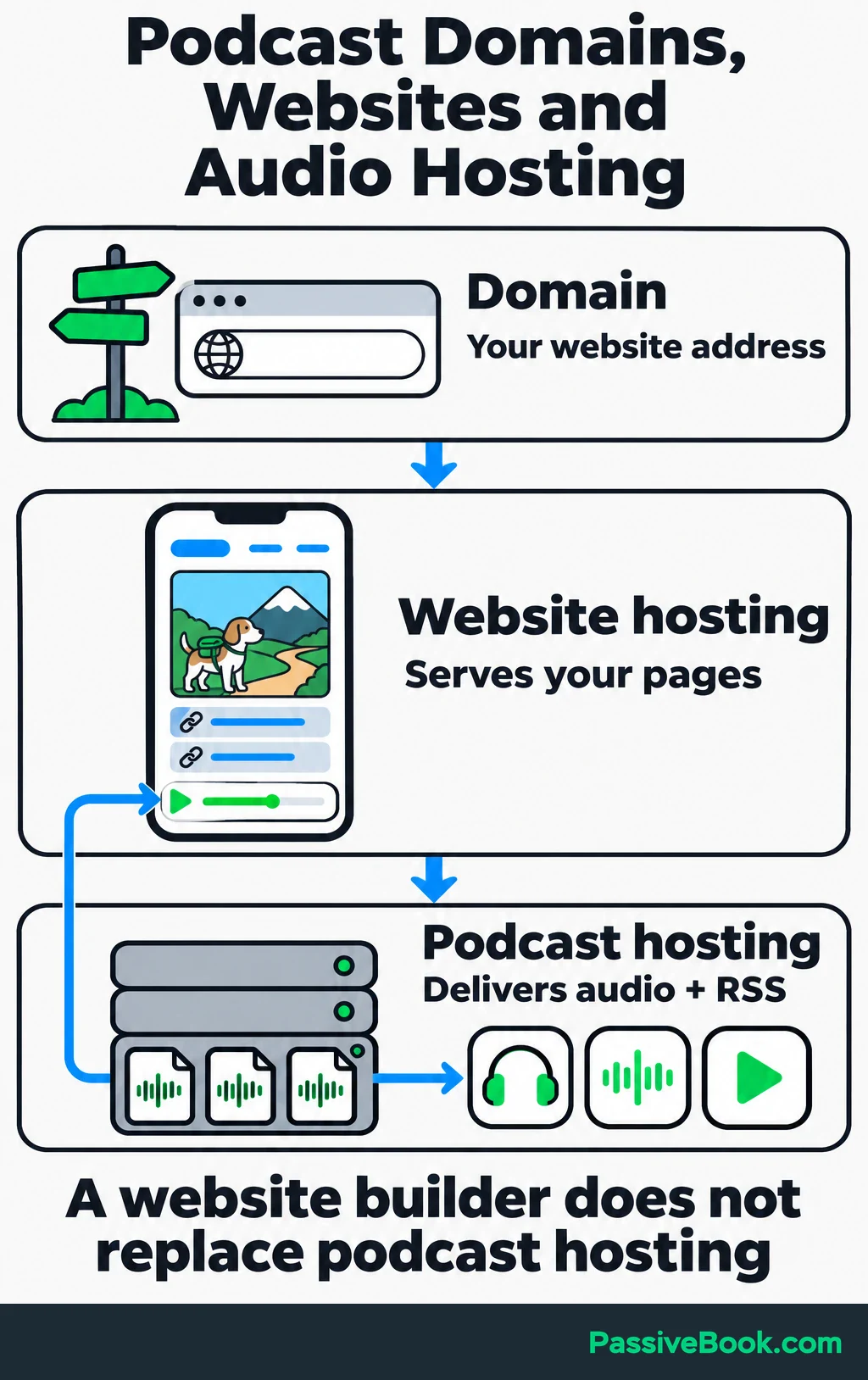
A website builder does not automatically replace podcast hosting.
| Platform | Episode Pages | Cost and Upkeep |
|---|---|---|
| Podcast host’s site, such as Transistor | Automatic updates, player and listening-app links | Bundled with podcast hosting; provider handles platform upkeep |
| Podcast-specific builder, such as Podpage | RSS imports; custom pages on suitable plans | Website subscription plus podcast hosting; provider handles platform upkeep |
| General builder, such as Wix | Podcast Player creates pages from RSS | Free and paid plans; podcast hosting separate; provider handles platform upkeep |
| Self-hosted WordPress | Manual posts or RSS importer | Free software; domain and hosting extra; you handle updates and backups |
I recommend WordPress for control over content and products. If maintaining it would delay your show, use a hosted option. Test mobile playback, check email-form support and confirm content-export options before committing.
The examples follow Trail Days With Dogs, a podcast supporting a shop selling printable dog-walking and day-hike planners.
Calculate the Full Cost Before Subscribing
Add domain, website, podcast-hosting and necessary email charges. Count bundled services once; skip optional extras.
| Setup | Payment and What It Covers |
|---|---|
| Transistor Starter | US$19 per month with monthly billing, including podcast hosting and its website builder; domain registration is separate |
| Podpage Pro | US$228 paid annually, equivalent to $19 per month, or $29 with monthly billing; podcast hosting remains separate |
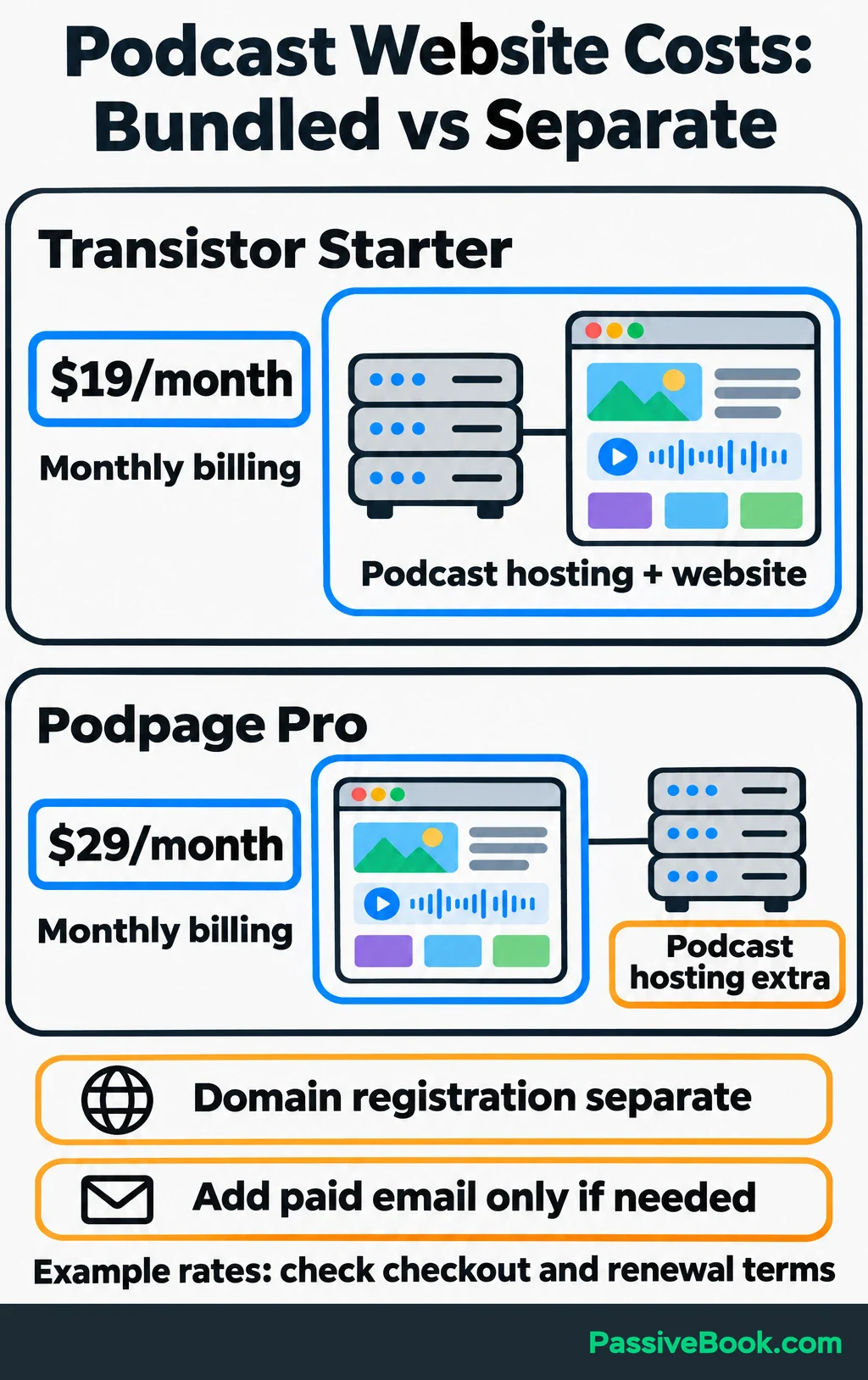
Check current terms on Transistor’s pricing page and Podpage’s pricing page.
For Trail Days With Dogs, annual Podpage Pro plus a $15 domain allowance totals $243 per year before taxes. The domain allowance is an estimate; podcast hosting and any paid email service are extra.
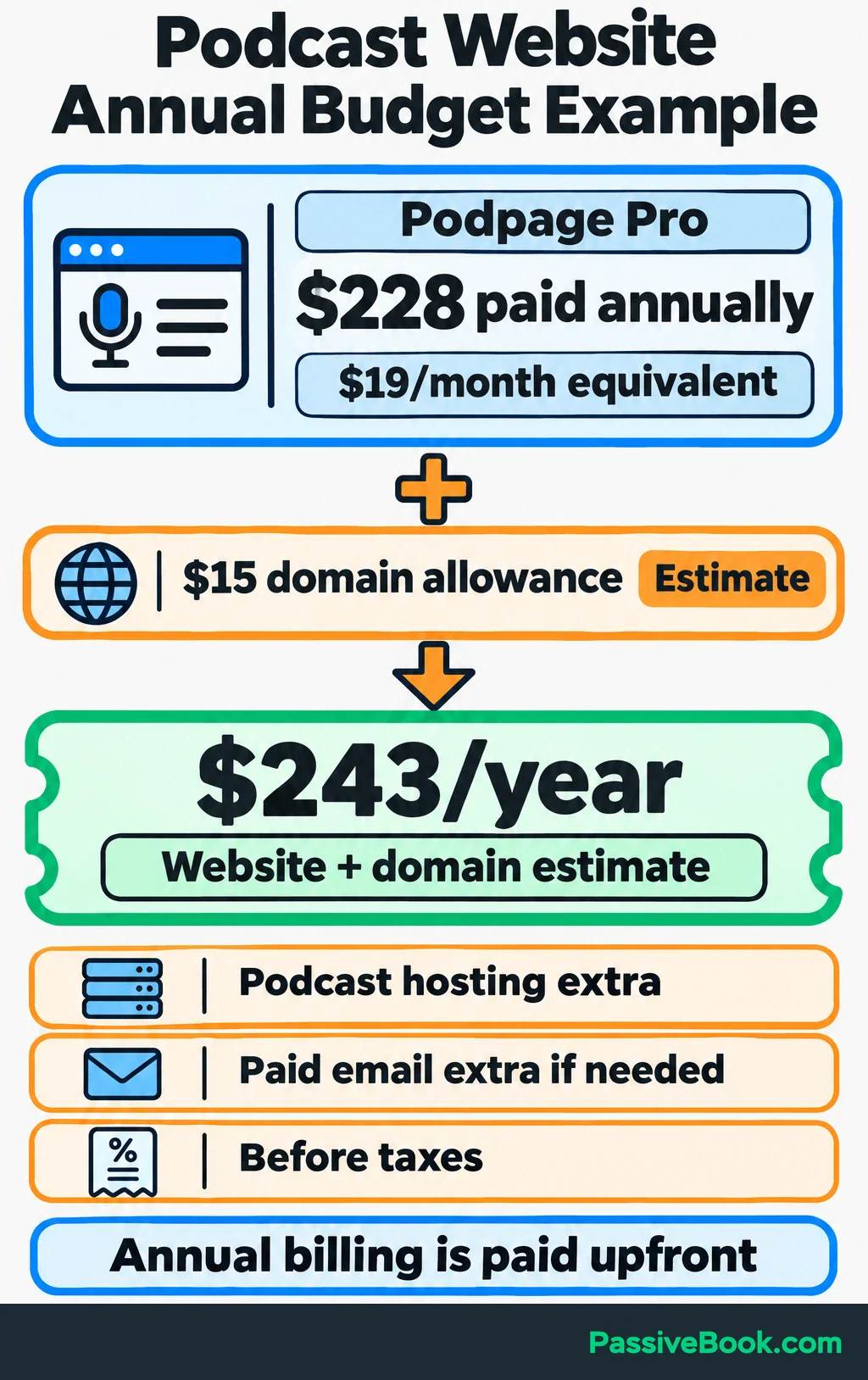
Look at the checkout total and renewal terms. An annual subscription wants its money before your annual enthusiasm has been tested.
Wix’s free plan uses a Wix address and branding; a custom domain requires payment. Transistor and Podpage offer trials, not permanent free plans.
2. Set Up Your Site and Domain
Create your site and choose a simple, mobile-friendly template. For WordPress, use your web host’s installer and activate a maintained theme. GeneratePress is the lightweight theme I use and recommend.
Judge the template by whether you can read the text and reach the player comfortably on a phone. Large artwork is fine, but it should not push listening controls halfway down the page.
Replace the demo content with your:
- Show name and artwork.
- Short description of what the show covers.
- Host introduction.
- Actual listening-app links.
- Contact details.
For the domain, choose something easy to say aloud and spell. If the podcast supports an existing shop or blog, a section of that website may be clearer than a separate address.
You could place Trail Days With Dogs under the planner shop’s website and give it a prominent “Podcast” link. A new domain is optional, not a graduation requirement.
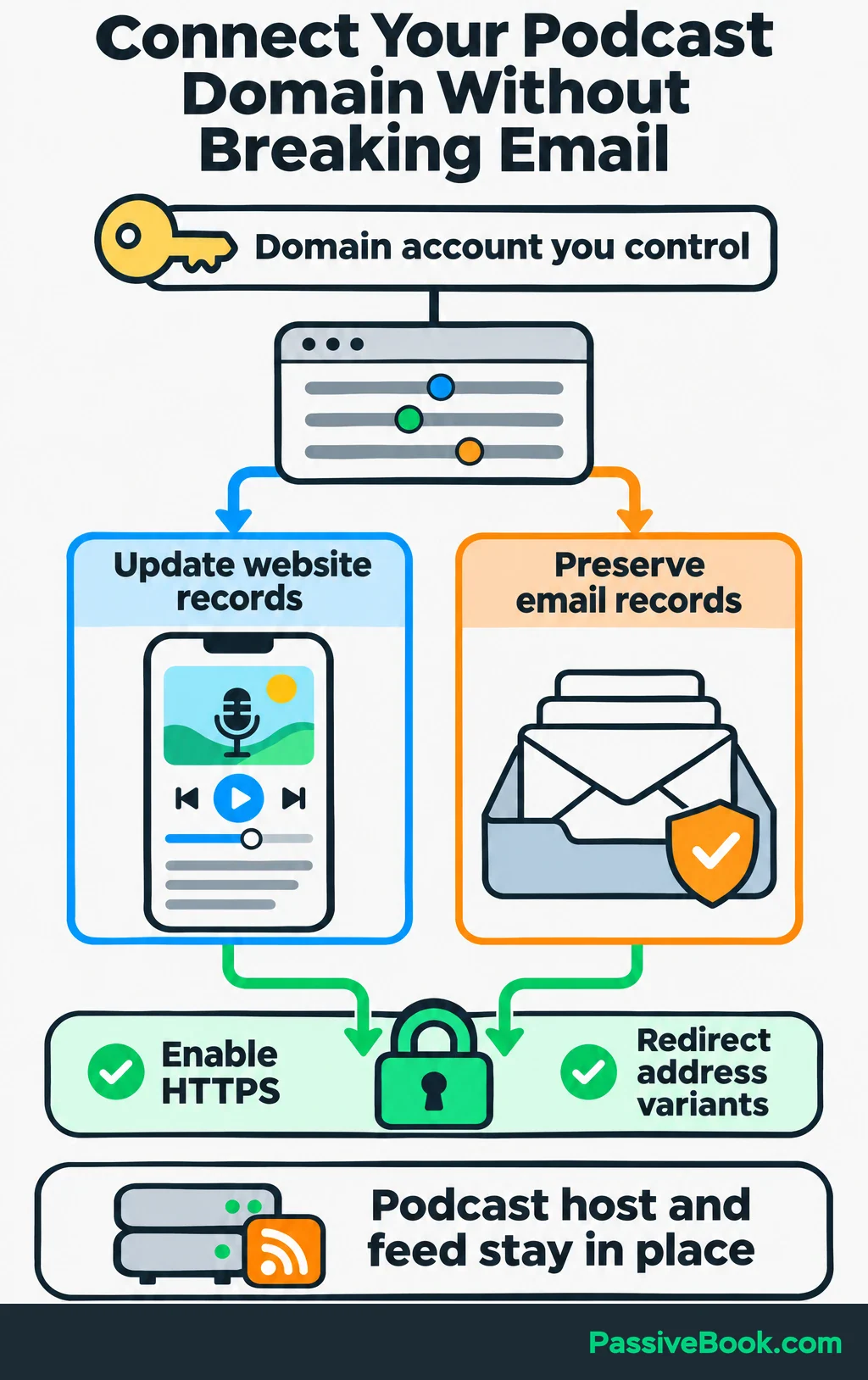
Register any domain in an account you control, enable renewal reminders and connect it using the website provider’s instructions. DNS records are the settings that direct your domain to services such as your website and email. Preserve existing email records when changing the website connection.
Enable HTTPS, which gives your address the secure https:// prefix. Pick one main address and check that other versions, including www, redirect to it.
Your website domain can point to the new site while podcast hosting stays exactly where it is.
3. Connect Your Podcast Episodes
Find the public RSS feed in your podcast host’s dashboard. Copy the feed address itself, rather than your Spotify listing or website address.
For a new show, publish a trailer or episode before testing the connection so there is something to import.
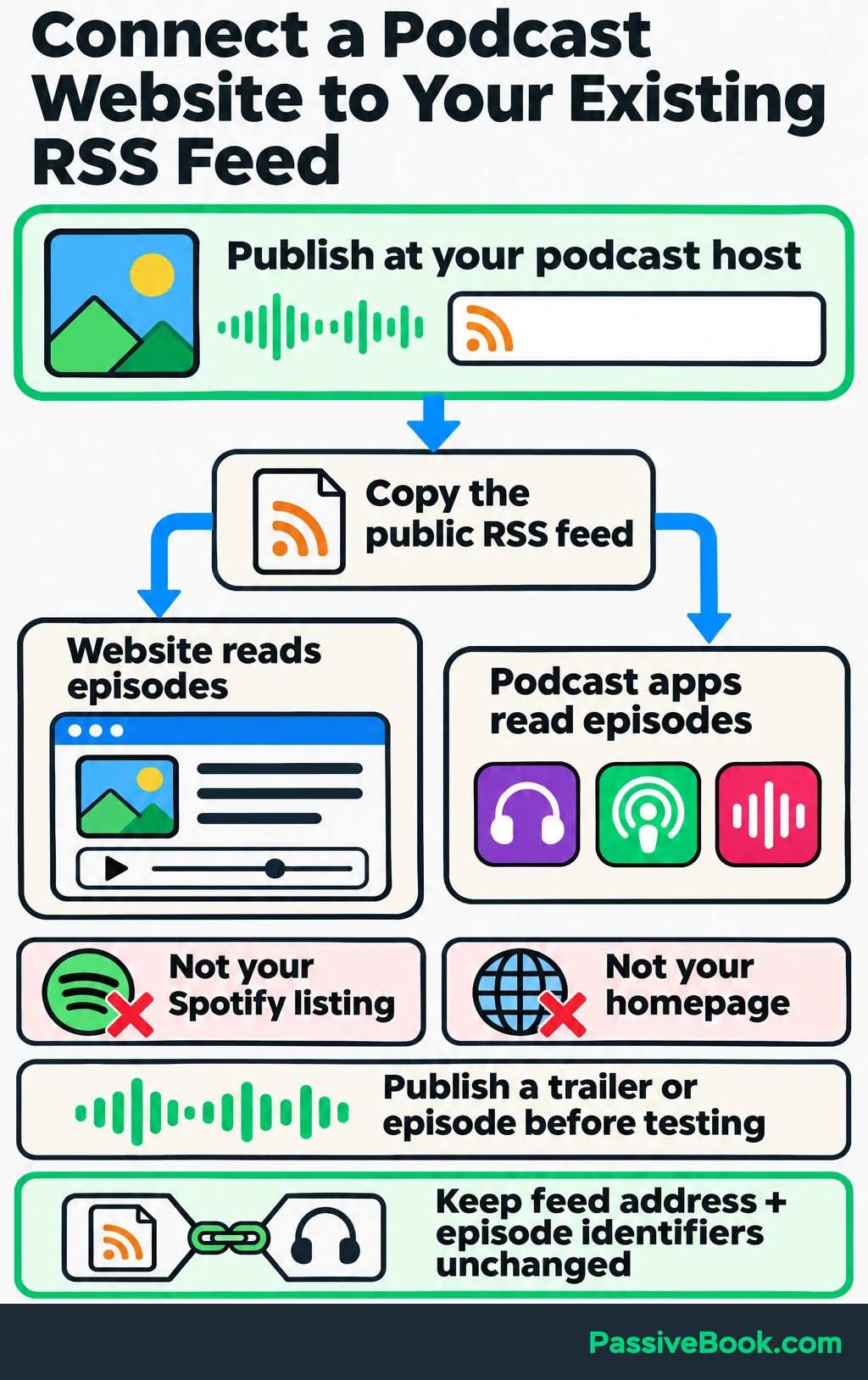
Keep your podcast host as the place where you publish audio and edit feed information. Your website should read from that source.
Adding a website does not require a new feed. Keep the existing feed address and episode identifiers, which podcast apps use to recognize each recording. Apple requires those identifiers to stay unchanged.
Connect a Hosted Website
If you use your podcast host’s included site, activate it and review the pages it creates.
With a separate builder, connect your public RSS feed through its podcast integration. Podpage imports episodes automatically. Wix’s Podcast Player creates both an overview page and individual episode pages while your audio stays with your podcast host.
Start by checking one imported episode:
- Compare its title, artwork and publication date with the original.
- Read the description for broken formatting.
- Play the recording and seek to a later point.
- Open its individual page on your phone.
Then review the archive. If episodes are missing, inspect the source feed and import settings before manually creating replacements. Otherwise, a delayed import could leave you with duplicate pages.
Add Episodes to WordPress
You have two practical routes.
For manual publishing, create a post for each episode and insert the player embed supplied by your podcast host. An embed is a small piece of code that displays the host’s player inside your page.
This gives you control over each page, but you must repeat the publishing work. An automatically updating playlist can play new episodes without creating separate posts.
For automatic posts, install Podcast Importer SecondLine, connect your RSS feed and enable continuous importing. It can also import the original host player from supported providers.
Test one episode before importing the archive. Check the post’s publication status, player, category and layout, then decide where you will add website-only resources.
Importing new episodes does not necessarily update older posts. The plugin lists updating existing episode details as a Pro feature. Check the importer’s capabilities before expecting feed edits to appear on your site.
I would also test whether a later sync preserves your added checklist links and notes. Automation should remove copying work, not quietly remove your useful additions.
4. Build the Pages Listeners Need
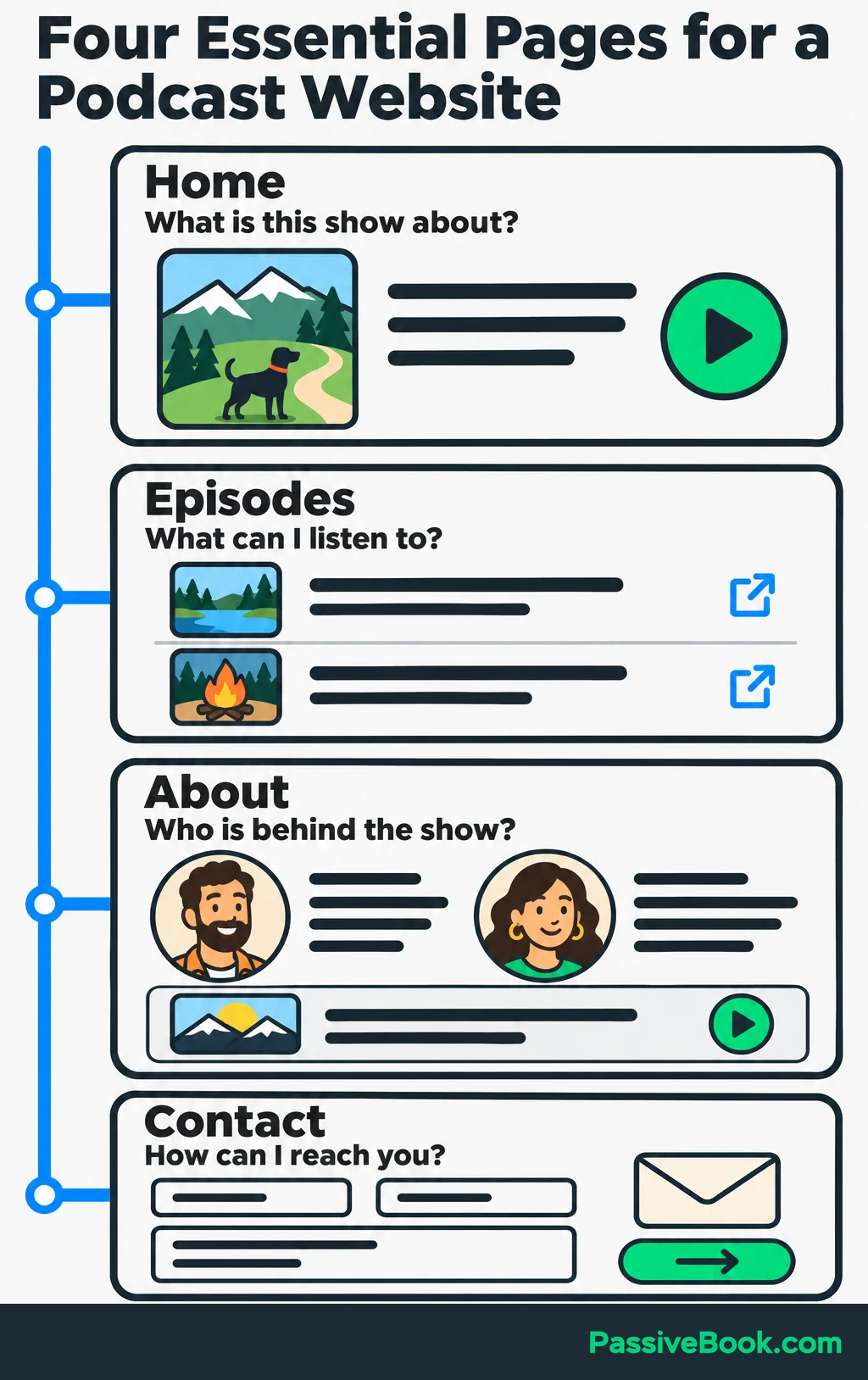
Start with four main pages and a short navigation menu: Home, Episodes, About and Contact.
Each page should answer a different question:
- Home: What is this show about, and where should I start? Explain the benefit, feature a useful starting episode and provide routes to the archive, listening apps and email signup.
- Episodes: What can I listen to? Use descriptive titles, short summaries and links to individual pages. Add categories or search when browsing becomes difficult.
- About: Who is behind the show? Introduce the hosts, explain relevant background and suggest an episode for new listeners.
- Contact: How can I reach you? Provide a working email address or a short form for questions and business inquiries.
The Trail Days With Dogs homepage could open with:
Practical conversations about everyday walks and day hikes with your dog.
Follow that with a visible “Listen to the latest episode” button.
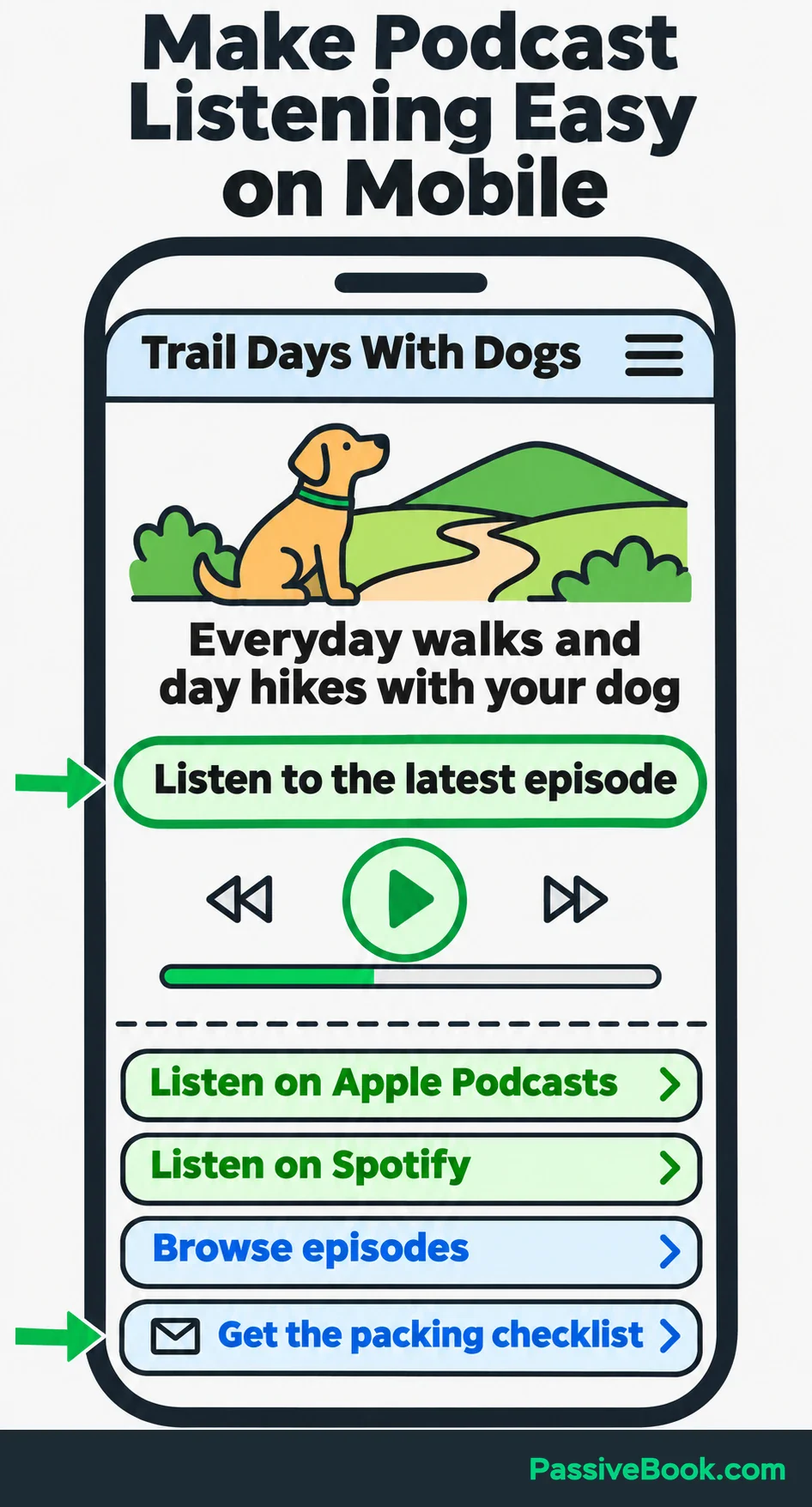
Beside playback options, label links clearly: “Listen on Apple Podcasts” and “Listen on Spotify.” Link to your actual show listings, and include only apps where the show is available.
On mobile, keep the route to listening easy to find. Your navigation menu does not need to resemble an airport departures board.
If the empty pages are slowing you down, AI Podcast Studio can draft the words from your show details. Start with your main pages, then use it again when an episode needs its own page.
Free AI Podcast Studio




Create a Reusable Episode Page
Give every episode a stable URL and save one page layout you can reuse.
Place the descriptive heading, publication date, duration and player near the top. Follow them with a short introduction, useful takeaways, resources and related episodes. Add timestamps when they help people find a particular discussion.
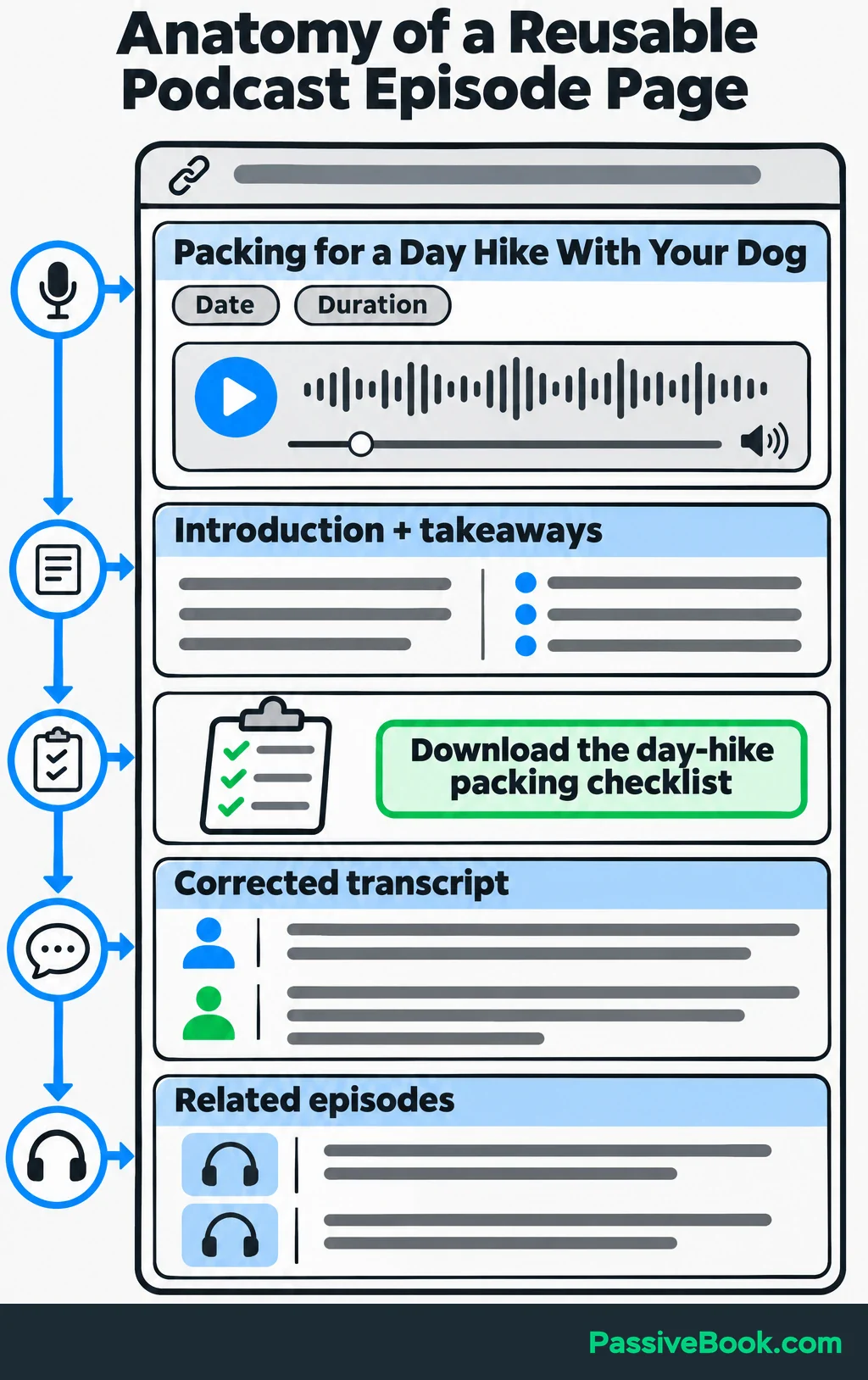
For the example episode, the written content could look like this:
| Page Element | Example Content |
|---|---|
| Heading | Packing for a Day Hike With Your Dog |
| Introduction | “What should you pack before heading out for a day hike with your dog? This episode walks through organizing your supplies and using a checklist before you leave.” |
| Main topics | Grouping water, food and walking gear; checking supplies; adjusting the list for your route |
| Companion resource | “Download the day-hike packing checklist” |
Use descriptive resource links so people know what they will receive.
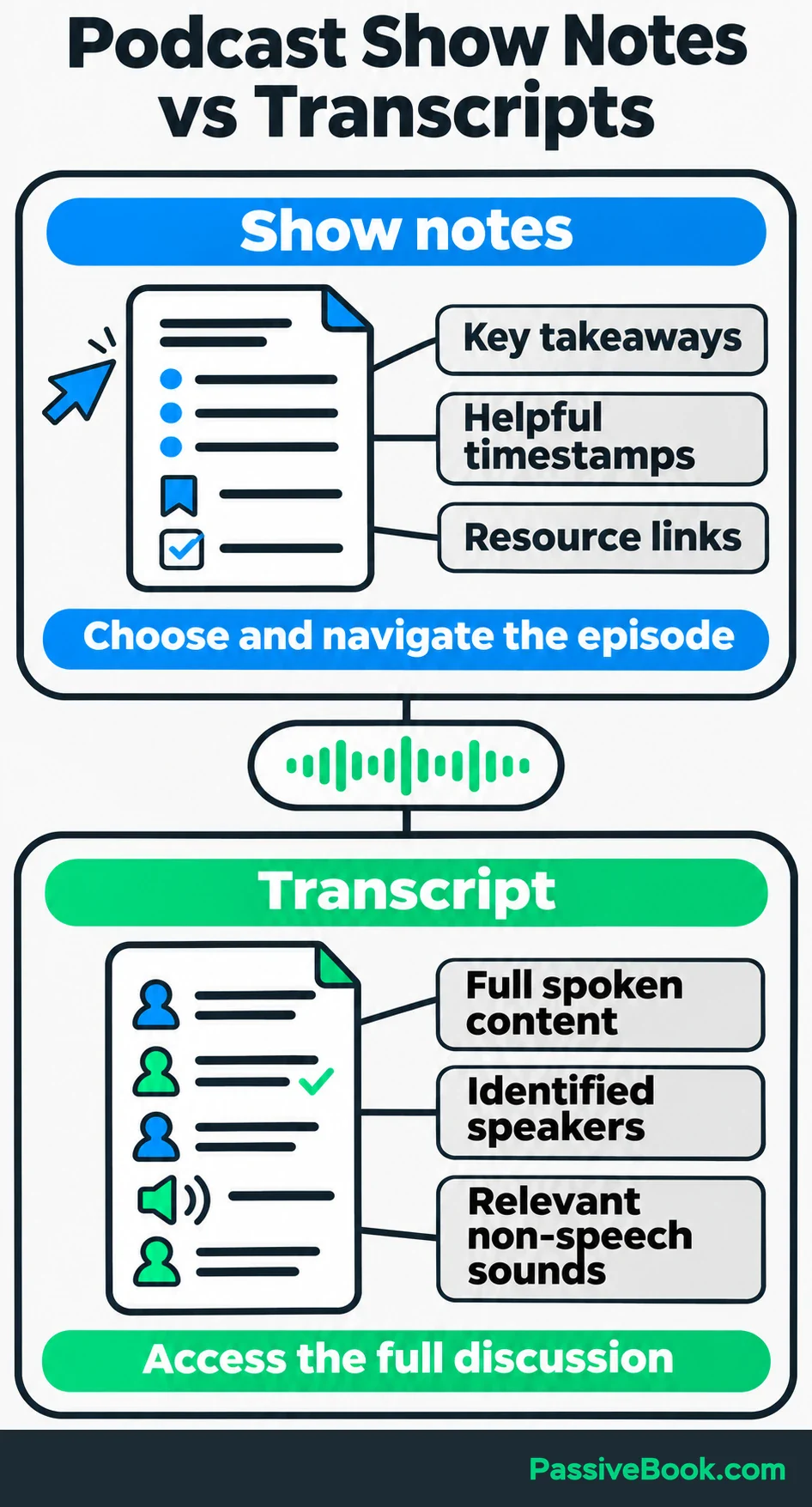
Provide a transcript for people who cannot hear the recording. Correct automated transcription errors, identify speakers and include non-speech sounds when they matter to understanding the discussion. The W3C’s transcript guidance explains what useful transcripts contain.
A transcript and show notes serve different jobs. The notes help someone choose and navigate the episode; the transcript gives them access to its full content.
5. Add an Email Signup Form
Give people a specific reason to subscribe. “Join my newsletter” tells them what you want, but says little about what they get.
For Trail Days With Dogs, the offer could be:
Get the dog day-hike packing checklist and new-episode updates.
Choose one email service and connect it through a supported integration or embedded form. I would choose Kit for a simple hosted setup. If you already run WordPress and use FluentCRM, connect the form there rather than opening another account.
Put the signup on your homepage and in the episode template. Keep email updates clearly separate from following the show in a podcast app.
Ask only for information you need. An email address is enough for a basic checklist offer. Explain how you will use it in a linked privacy notice, make the signup choice clear and provide an unsubscribe option in your emails. Marketing requirements vary by location; the ICO’s email-marketing guidance explains the UK rules.
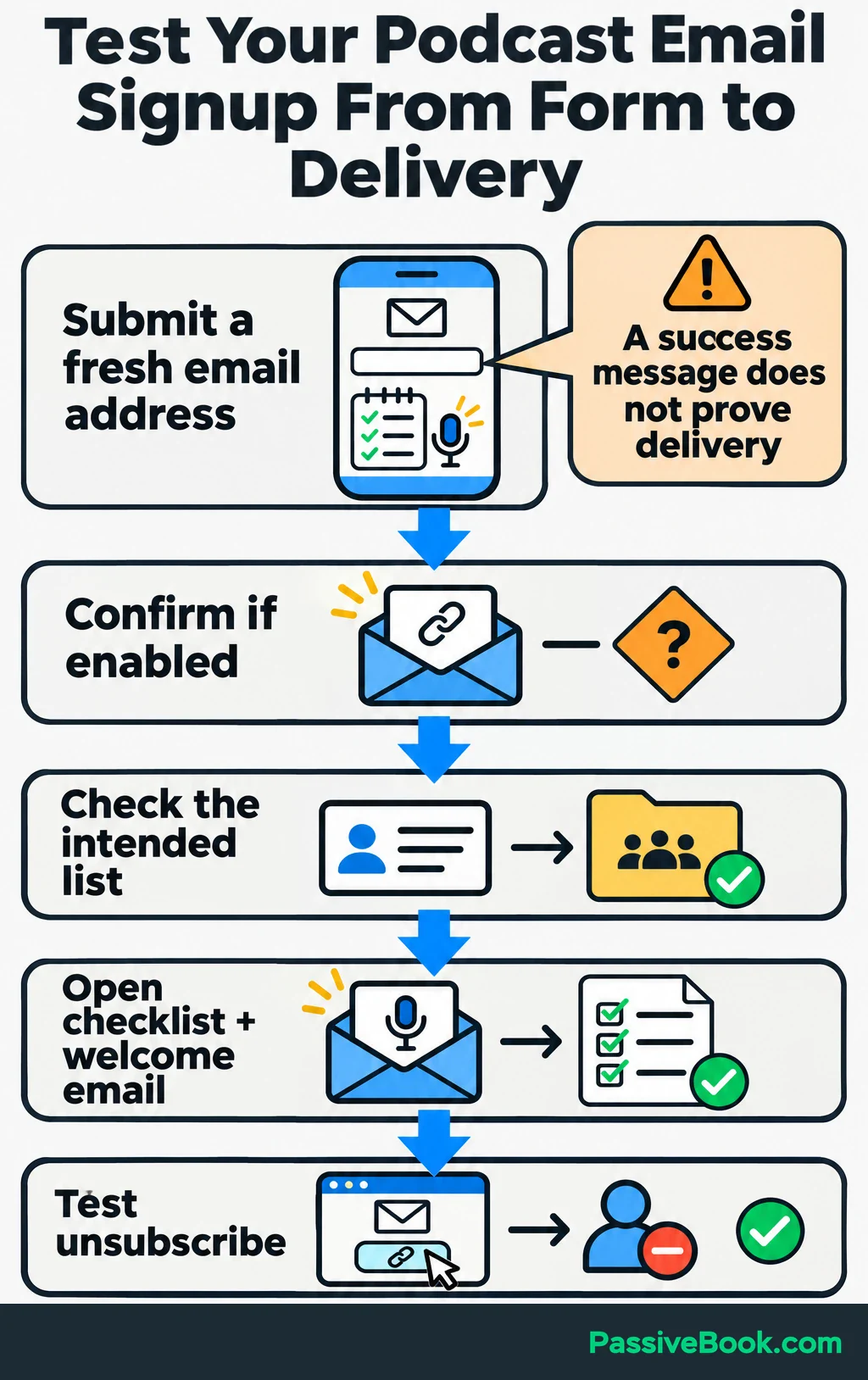
Then test the whole journey with a fresh address:
- Submit the form.
- Complete confirmation if enabled.
- Check that the subscriber reaches the intended list.
- Open the checklist and welcome message.
- Use the unsubscribe link.
On one of my digital-product sites, the form displayed a successful signup message, but my test address landed in the wrong list. I had checked the visible form and stopped too soon.
That is why I follow a test subscriber all the way through delivery. A thank-you message proves that the page responded; it does not prove that the promised email arrived.
6. Make Your Episode Pages Discoverable
Start search engine optimization (SEO) with useful episode pages, rather than a long plugin checklist.
Give each page a concise search title, one clear main heading and a readable URL. Describe the topic instead of relying on an episode number.
Also write a short summary for search results, called a meta description. Search engines may show different text.
For the running example:
- Search Title: Packing for a Day Hike With Your Dog | Trail Days With Dogs
- Main Heading: Packing for a Day Hike With Your Dog
- URL Path:
/episodes/dog-day-hike-packing/ - Meta Description: Hear how to organize supplies for a day hike with your dog, then download the companion packing checklist.
Use the show notes and corrected transcript to explain the subject in readable content. Link every episode from your archive and connect related episodes with descriptive links.
In WordPress, Rank Math is my preferred tool for managing search titles, descriptions and sitemap settings. Hosted builders usually provide their own controls.
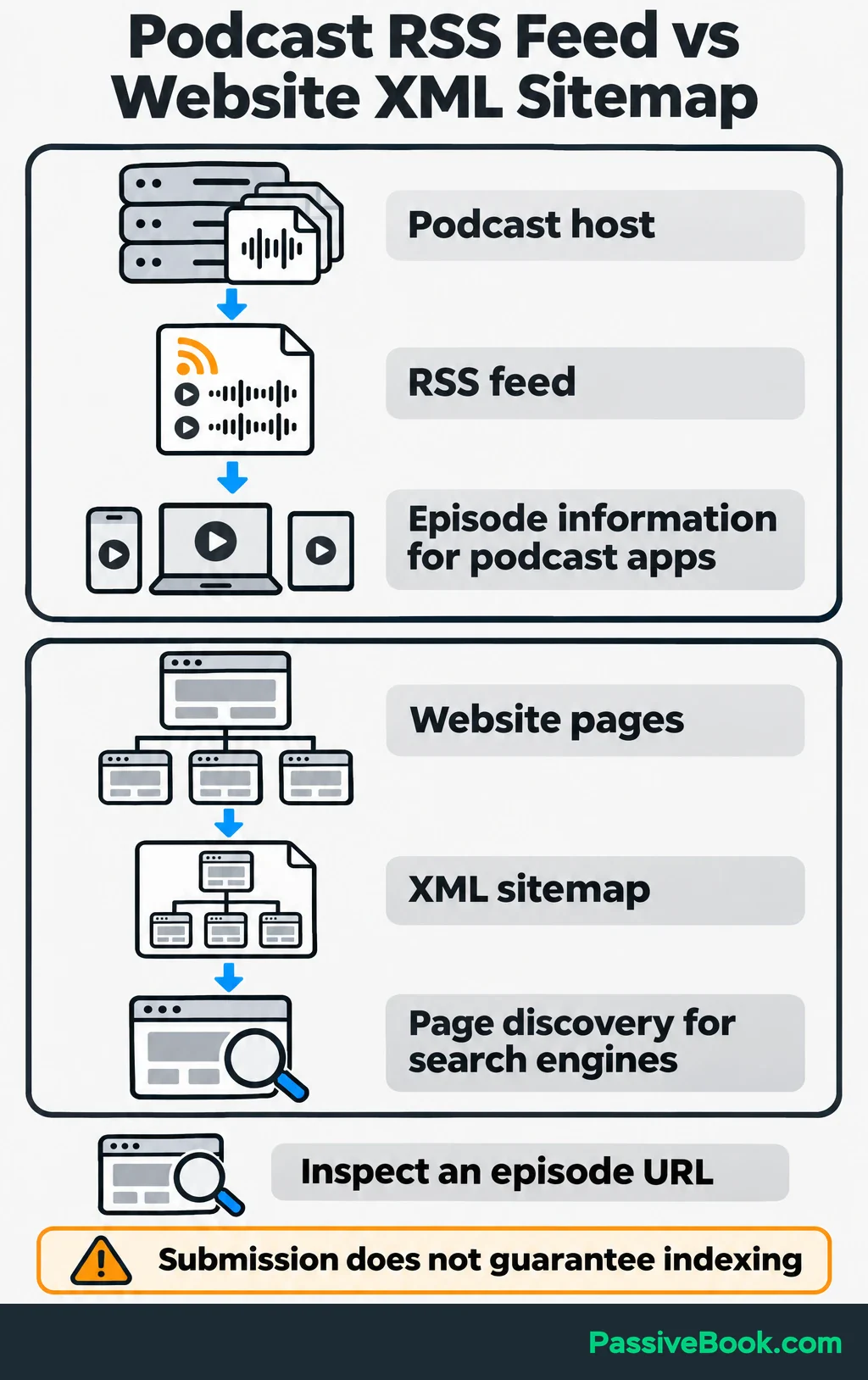
When the site is ready, remove launch passwords and accidental settings that block search indexing. Connect Google Search Console, Google’s tool for checking your site’s visibility in search, and verify ownership.
Submit the XML sitemap generated by your builder or SEO plugin, then inspect one episode URL to check whether Google can access it. This sitemap lists website pages; it is separate from your podcast’s RSS feed. Submitting it helps Google discover pages but does not guarantee indexing. See Google’s sitemap guidance.
7. Measure Visits and Subscriber Actions
Start with your builder’s analytics or one Google Analytics installation. Check whether a plugin or builder has already added it before installing another copy.
You need a few useful signals:
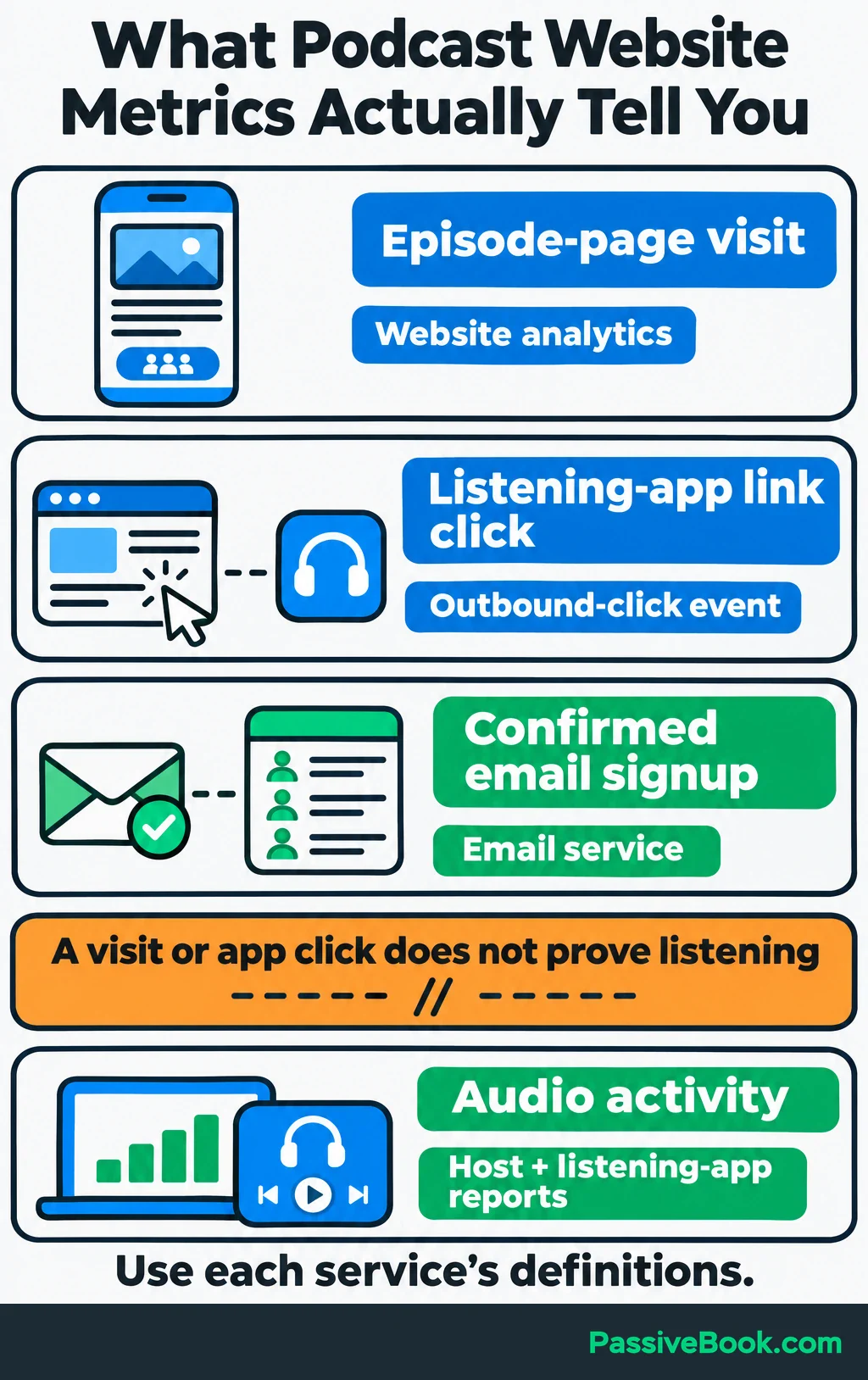
| Signal | Where to Check | What It Helps You Decide |
|---|---|---|
| Traffic sources | Visits grouped by search, email and referring sites in website analytics | Where to promote the next episode |
| Episode-page visits | Visits to individual episode URLs in your page report | Which episodes to feature on the homepage |
| Listening-app clicks | Recorded clicks on your Apple Podcasts and Spotify links | Whether visitors use the links to your show |
| Confirmed email signups | Subscribers confirmed through your website form in your email service | Whether to revise the signup offer or form |
| Audio activity | Your host’s download report and listening apps’ playback reports | Which topics to revisit, using each service’s definitions |
Configure privacy disclosures and any required tracking consent before activating measurement. Where consent is required, tracking must wait until permission is given. UK rules include narrow exceptions with conditions, so do not assume every analytics setup is exempt. See the ICO’s explanation of tracking exceptions.
To record clicks that leave your site, turn on “Outbound clicks” in Google Analytics’ “Enhanced measurement” settings. Test a web link to your Apple Podcasts or Spotify listing and confirm that its destination appears in the collected event details.
Keep the meaning of each signal clear. A website visit does not prove someone listened, and an app-link click does not prove they played an episode.
Use the numbers to choose one improvement. If the packing episode attracts visits but few checklist signups, review the offer and form before buying more traffic. If visitors regularly open one episode, consider featuring it as the starting point on your homepage.
8. Test and Publish Your Website
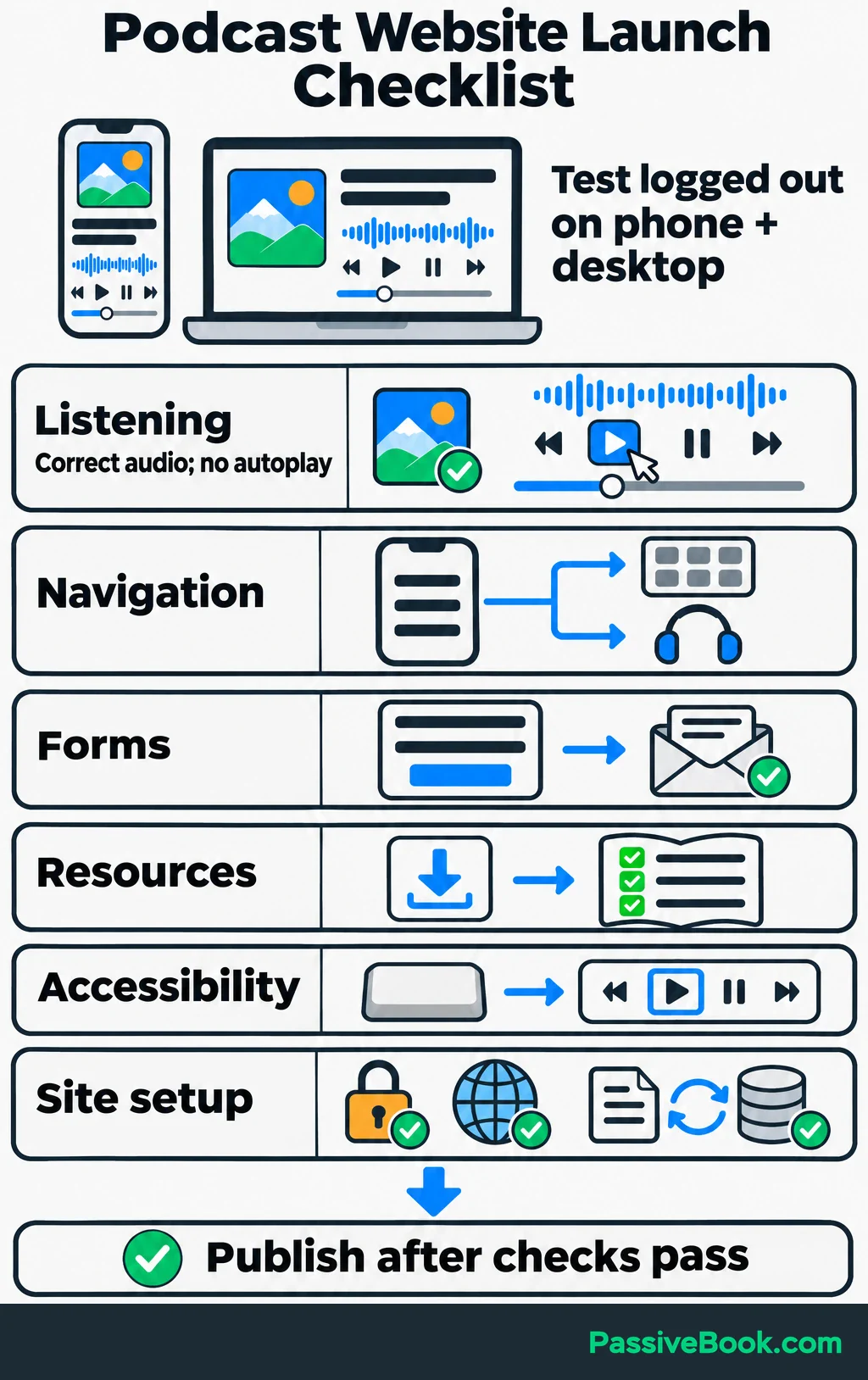
Open the public site while logged out, on both a real phone and a desktop. A page can look fine in the editor and still be awkward to use.
Work through this launch checklist:
- Listening: Play, pause and seek within an episode. Check that each page contains the correct recording and that audio starts only when requested.
- Navigation: Open the mobile menu, browse the archive and follow listening-app links.
- Forms: Send a contact message and complete the full email signup journey.
- Resources: Download the checklist and open other linked files.
- Accessibility: Use the keyboard to reach links, buttons and player controls. Check readable text, visible focus and layouts without sideways scrolling.
- Site Setup: Confirm HTTPS, public page access and backup arrangements.
Check loading speed too. Compress oversized artwork and remove unused widgets or scripts before paying for another performance tool.
For WordPress, confirm that you have a recoverable backup of the site files and database. A backup should come with a known way to restore it.
Once these checks pass, publish and add your website address to your podcast profiles, episode descriptions and channels you control.
When promoting a particular topic, share its episode page. Someone interested in packing for a hike should arrive at that recording, rather than having to search your homepage.
9. Keep Episode Publishing and Maintenance Simple
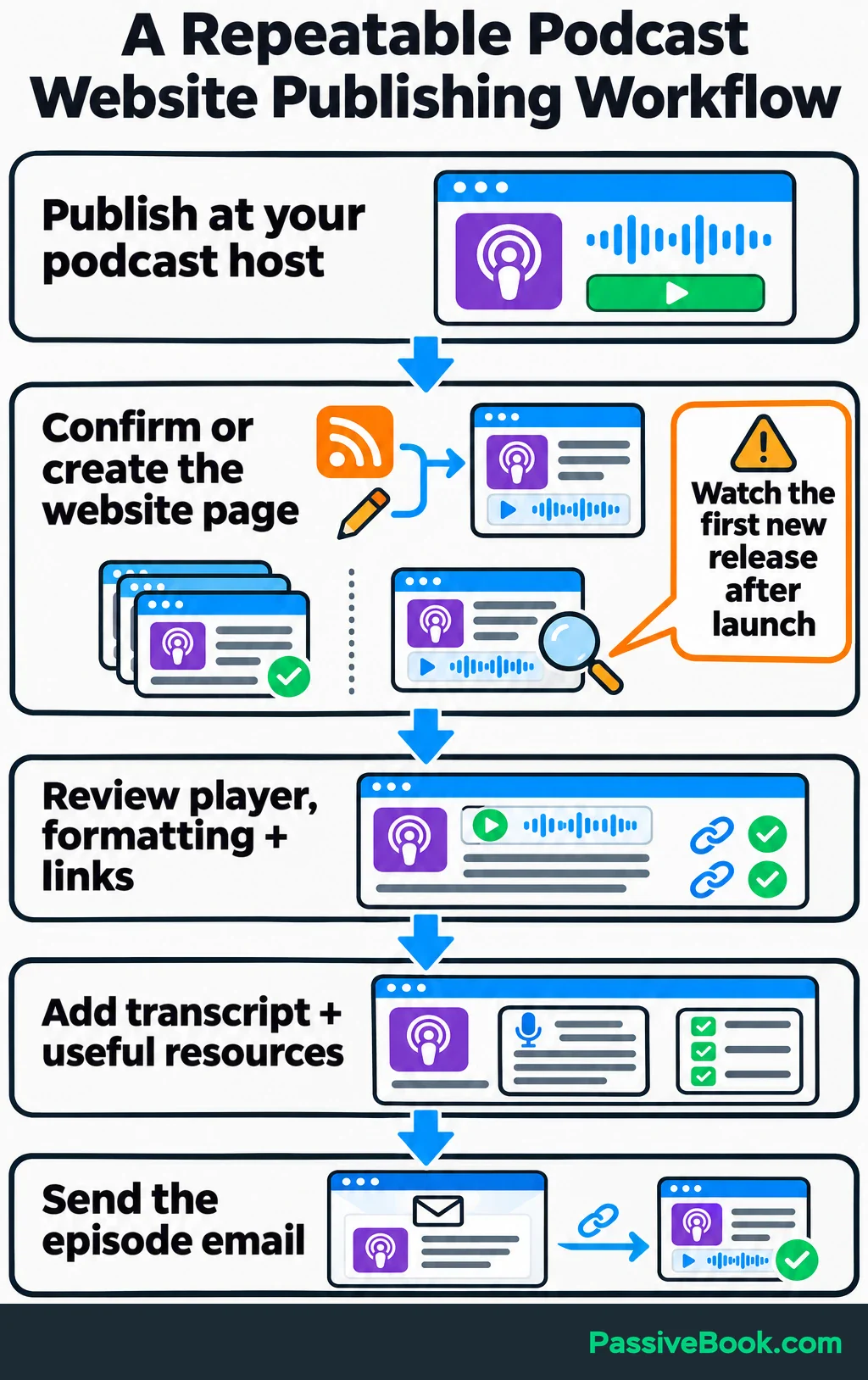
Use one repeatable publishing workflow:
- Publish the recording at your podcast host.
- Confirm that the expected website page appears, or create it if you publish manually.
- Review the title, player, formatting and links.
- Add the transcript and useful website resources.
- Send the episode email update.
Watch the first episode released after launch closely. Importing an existing archive successfully does not prove that the next episode will appear as expected.
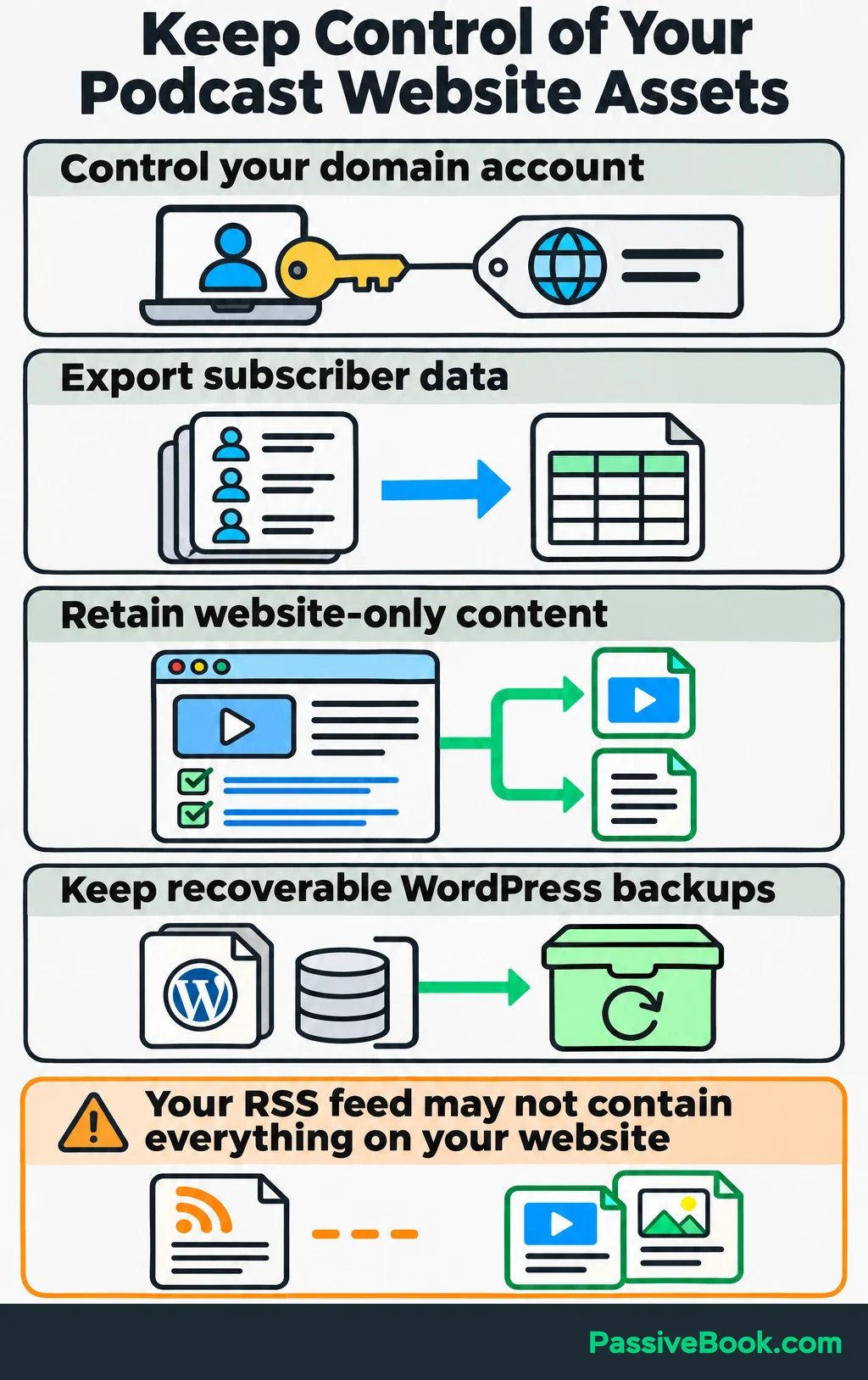
For WordPress, arrange regular updates and recoverable backups. With a hosted builder, find out which maintenance tasks the provider handles and which remain yours.
Keep control of your domain account, export subscriber data regularly and retain copies of important page content. Your podcast feed may preserve episode descriptions, but it will not necessarily contain everything you added to the website.
Set a regular reminder to check playback, broken links, form delivery and renewal charges. I would improve an existing episode page before subscribing to another feature that needs feeding.
You can also connect relevant offers to the discussion. On the packing episode, Trail Days With Dogs could link to its printable day-hike planners after the free resource. Explain what the paid product adds, and keep listening and email signup easy to find.
The website earns its place by helping people take the next useful action. It does not need a new feature every time a software company sends you an email.
What Next?
Check your existing website or podcast host today and see whether it can support one complete episode page, a listening-app link and an email form. Build that page before committing to another subscription.
Use the social buttons to share this guide when a podcast launch needs a clear website plan and a sensible budget.
Which part of your setup would save you the most work if it ran reliably? Leave your answer in the comments, and bring any other questions too.
Share this post with your friends & followers:

