You want customers to hear your audio lessons in their usual podcast app, but you don’t want those lessons sitting in a public directory. Sending everyone the same hidden link looks simple until you need to remove one person’s access.
The other worry is a broken invitation. A published episode is little use if customers can’t subscribe or press play. This guide takes you from choosing a host to delivering lessons in a listener’s app without coding, with checks that catch access and playback problems before you invite customers.
1. Choose How to Restrict Listener Access
Start by deciding who can listen and how you’ll remove access. That choice matters more than your cover art.
Three parts work together:
- Host: Stores your audio and manages access.
- RSS Feed: Gives podcast apps the episode details and audio links.
- Podcast App: Checks the feed and lets the listener stream or download episodes.
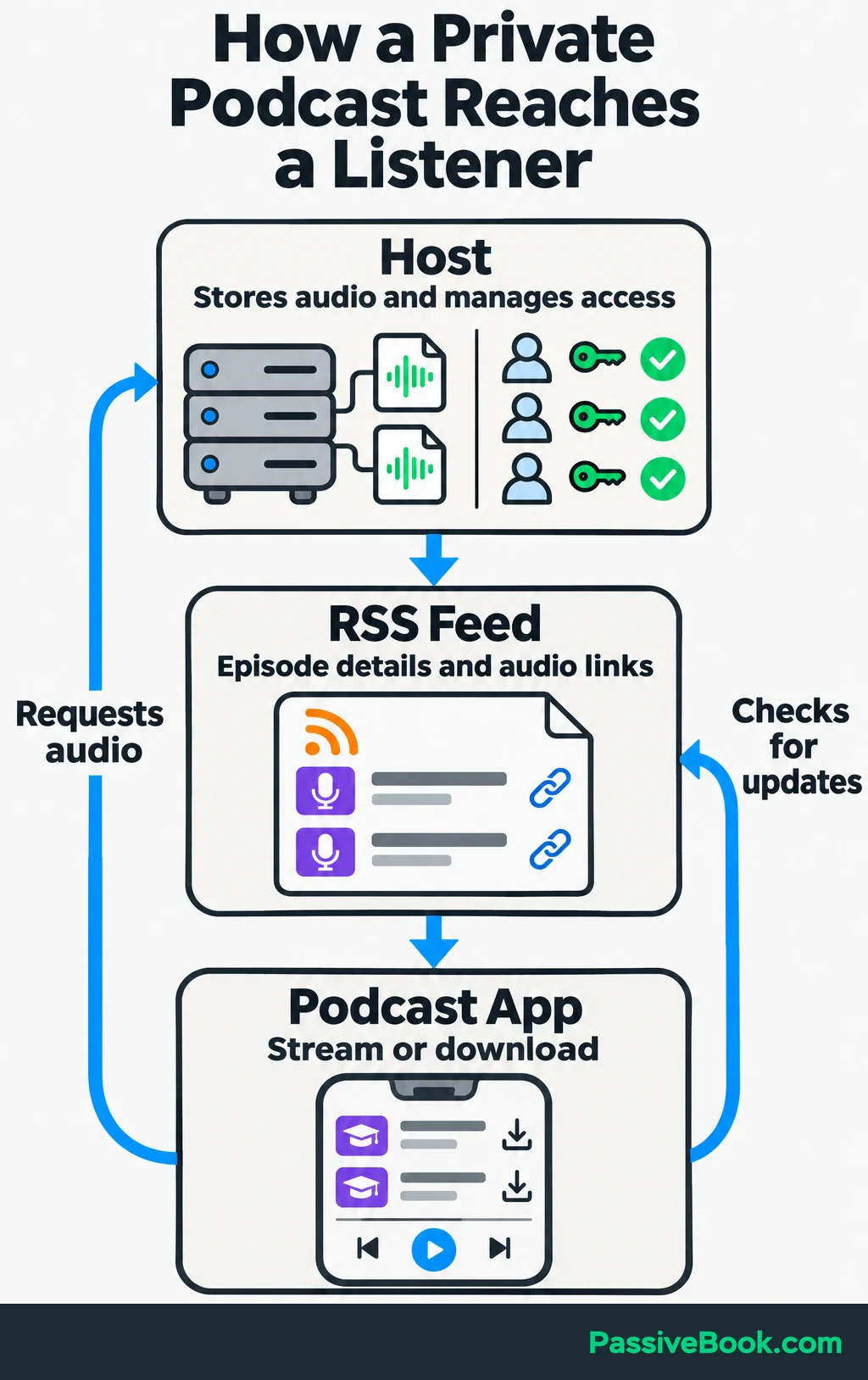
Your host creates and updates the RSS feed. You don’t need to write code or edit feed files.
There are two common access options:
| Access Method | How It Works | When I Would Use It |
|---|---|---|
| Shared unlisted feed | Everyone uses the same URL, and anyone holding it can listen. Removing one person requires changing access for everyone. | A casual group where forwarded access would be acceptable. |
| Individual listener feeds | Each approved person gets a separate feed that you can disable. | Paid lessons, memberships or client resources where access needs to follow a customer list. |
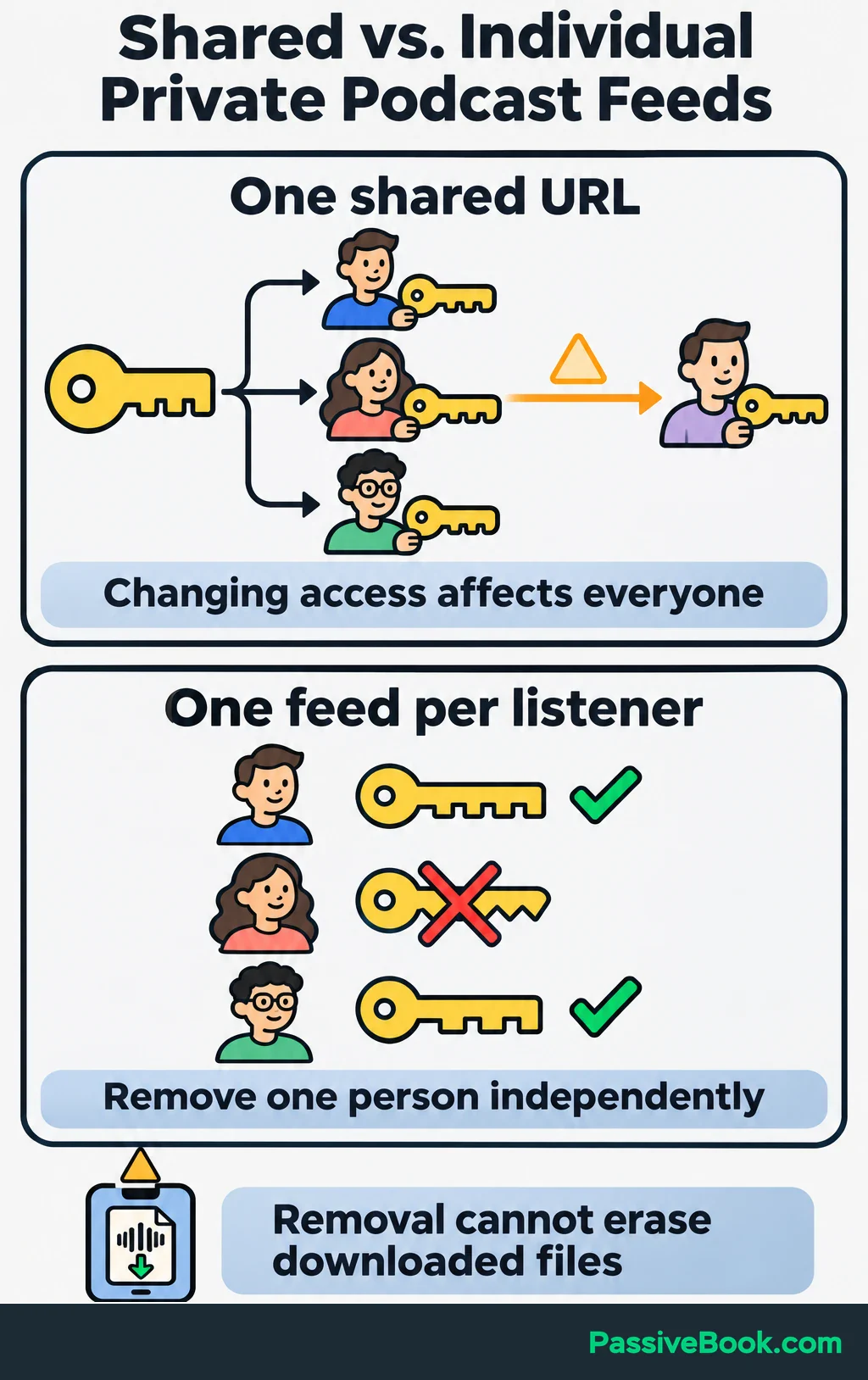
For paid content, I would choose individual feeds. A hidden shared link gives you little control once it travels.
Treat each personal link like a password. Listeners can forward it or record the audio, and removing access cannot erase files already downloaded. If that conflicts with your confidentiality needs, use a controlled listening system rather than ordinary RSS delivery. Transistor explains these security limits.
Throughout this guide, imagine you sell First Freshwater Tank, a paid aquarium-setup course. Its audio lessons are for enrolled customers. Each customer should receive separate access.
2. Choose a Private Podcast Host
Check your existing course platform before buying anything. Look for a documented private-podcast integration that creates personal feeds and manages listeners. A course login alone does not provide that delivery.
If you need a separate host, compare the number of content libraries, approved listeners, supported apps and access controls. Then check whether it connects to your checkout or course platform.
These entry plans suit different needs. Prices below are in USD with monthly billing; use the linked pages for current details.
| Service | Monthly Price in USD, Billed Monthly | Included Private Shows or Feeds | Listener Allowance | Relevant Usage Limits |
|---|---|---|---|---|
| Transistor Starter | $19 | Unlimited private shows | 50 private subscribers across the account | 20,000 audio downloads per month |
| Hello Audio Starter | $17 | One private feed | Unlimited listeners | Unlimited episodes; releasing lessons at intervals after each listener joins requires a higher plan |
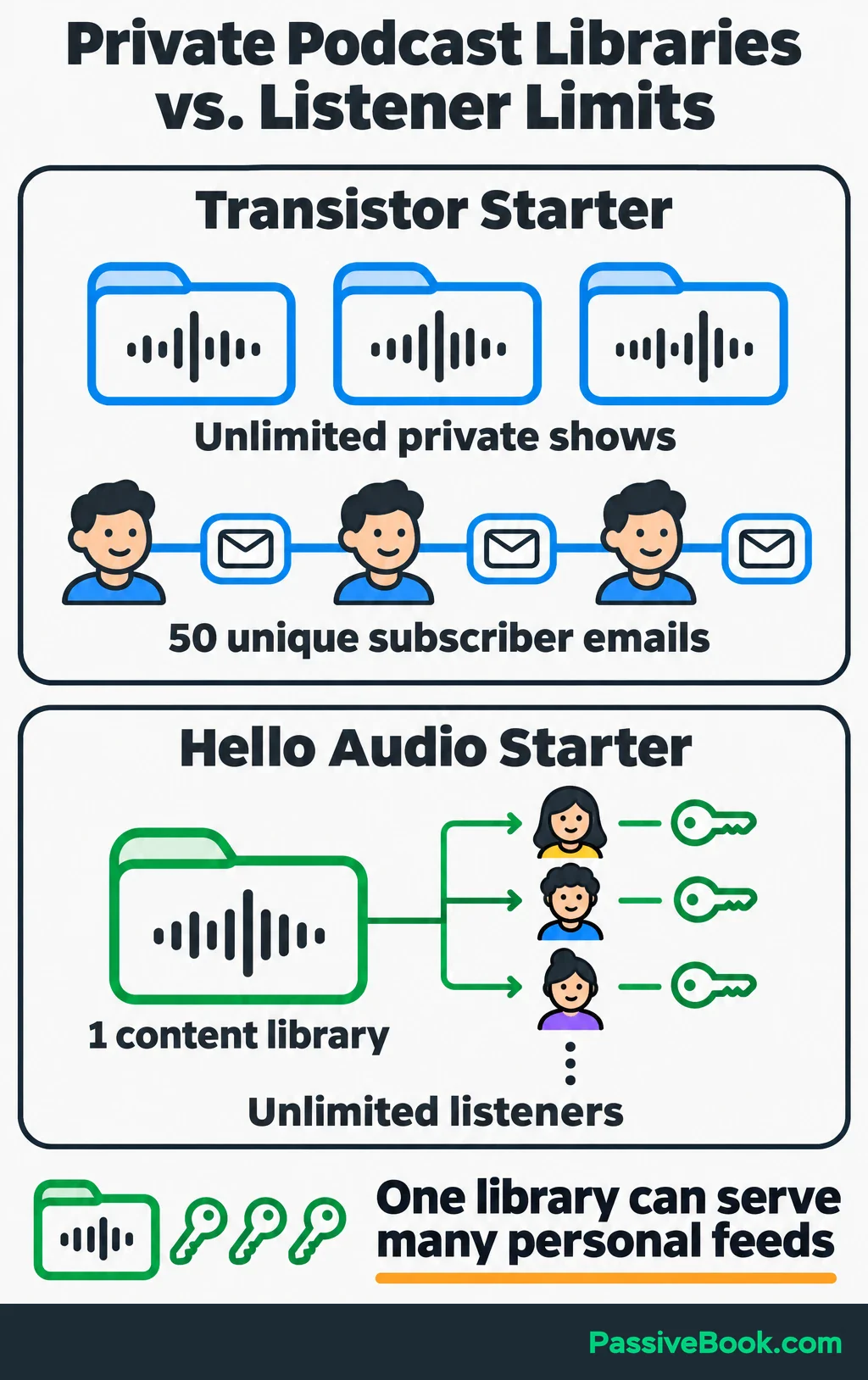
Here, “one private feed” means one content library. It can still provide separate personal subscription links to its listeners.
Transistor counts unique email addresses, so the same person subscribed to several private shows counts once toward the account allowance. Its subscriber-counting explanation is useful if you plan several courses.
For First Freshwater Tank, I would start with Hello Audio Starter if you need one library available immediately after enrollment. You won’t need to upgrade just to add more listeners.
I would consider Transistor when separate libraries matter and the listener allowance fits. Both services support individual access, but choose that method deliberately rather than sharing a universal or unlisted link.
Compare the whole recurring bill, including checkout and any automation service. Transistor does not collect listener payments, so you need a separate payment or membership system. If your course already takes payments, keep that checkout and connect access to it.
A lower hosting price does not always mean a cheaper setup. Add the required extras to each option before choosing another subscription.

Free Software Cost Calculator




3. Create the Show With Private Access Enabled
Create a new private show or feed before uploading customer lessons. Enter:
- Title: First Freshwater Tank.
- Author: Your name or course brand.
- Description: “Audio lessons for enrolled First Freshwater Tank customers.”
- Cover Image: A simple, readable image that matches the course.
These details appear in listening apps, so keep customer names and personal information out of them.
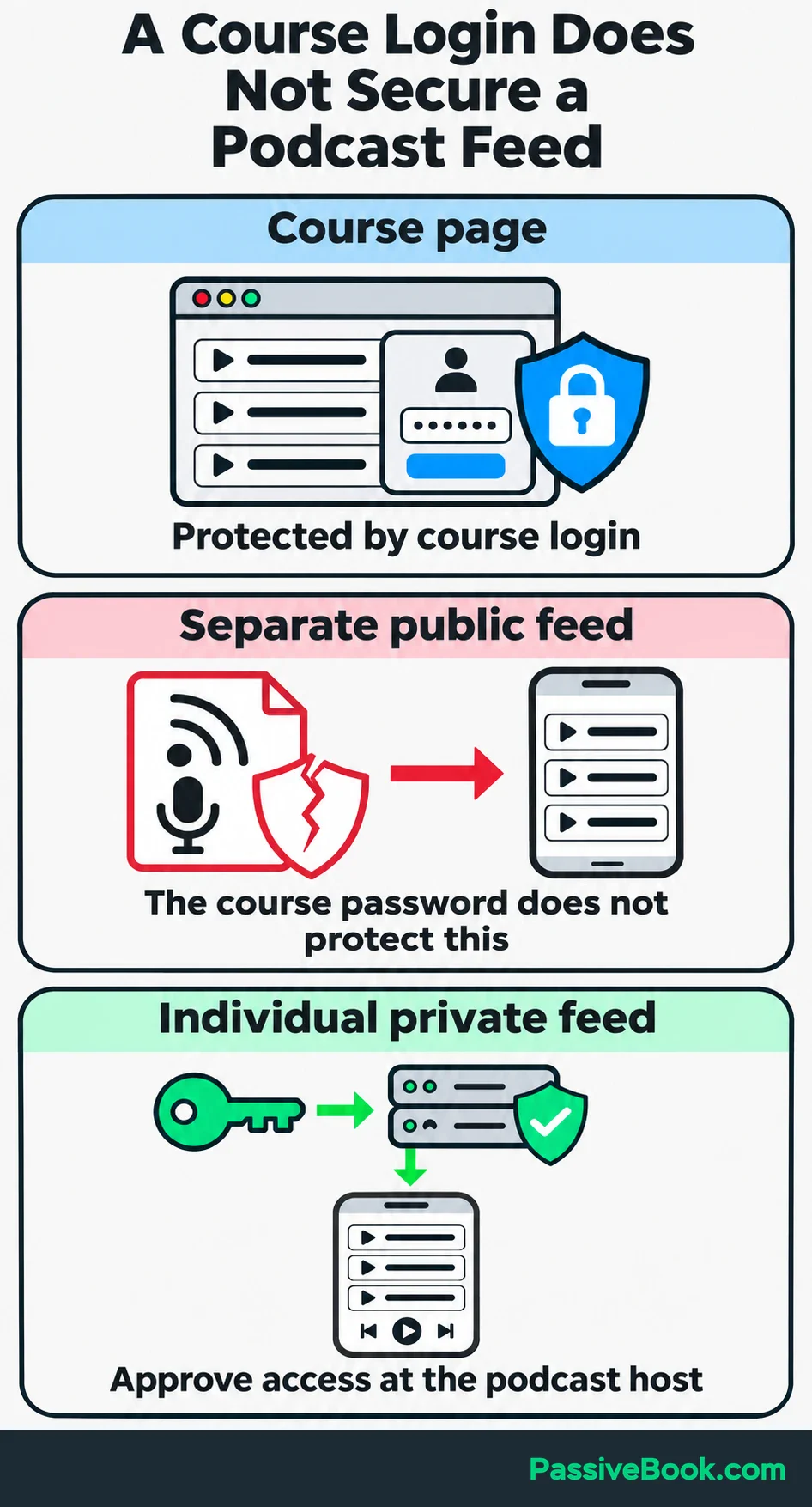
Let the host generate the feeds. In Transistor, choose the private-podcast setup when adding a show. In Hello Audio, create a private feed and plan to add approved listeners individually.
Next, decide how people gain access. For an existing customer list, start with manual addition. An enrollment integration can come later.
Be careful with signup links. A link that lets anyone enter an email address and receive access does not check whether they bought your course. Putting it on a protected lesson page reduces its visibility, but recipients may still forward it.
Keep personal listening links off public pages and leave public directory submission disabled. A password on your course page does not protect a separate, publicly accessible feed or audio file.
If your listeners want to use Spotify, Transistor’s Spotify Open Access connects their Spotify accounts to their approved access. Playback stays restricted, but anyone reaching the listing can see the show title, artwork, episode titles and notes. Leave it disabled if those details must stay private. Transistor documents what Spotify exposes.
4. Upload and Publish Your First Episode
Prepare one finished audio lesson in a format your host accepts. MP3 is a practical starting point, but check the upload requirements before exporting your whole library.
Listen through the file first. Check that the opening is intact, the voice is clear and the lesson ends where it should. Uploading the wrong version is an impressively efficient way to distribute your mistakes.
Then:
- Upload the audio and wait for processing to finish.
- Add a title that makes the lesson easy to identify.
- Write a short description of what it covers.
- Set the intended lesson order.
- Publish it for immediate listening.
For the running example, use:
01 — Planning Your First Freshwater Tank
Start here before buying equipment. This lesson helps you work through the planning worksheet included with your course.
If your host offers a sequential or serial setting, use it for lessons that should play from the beginning. Check the resulting order in the listener’s app rather than relying on numbered titles alone.
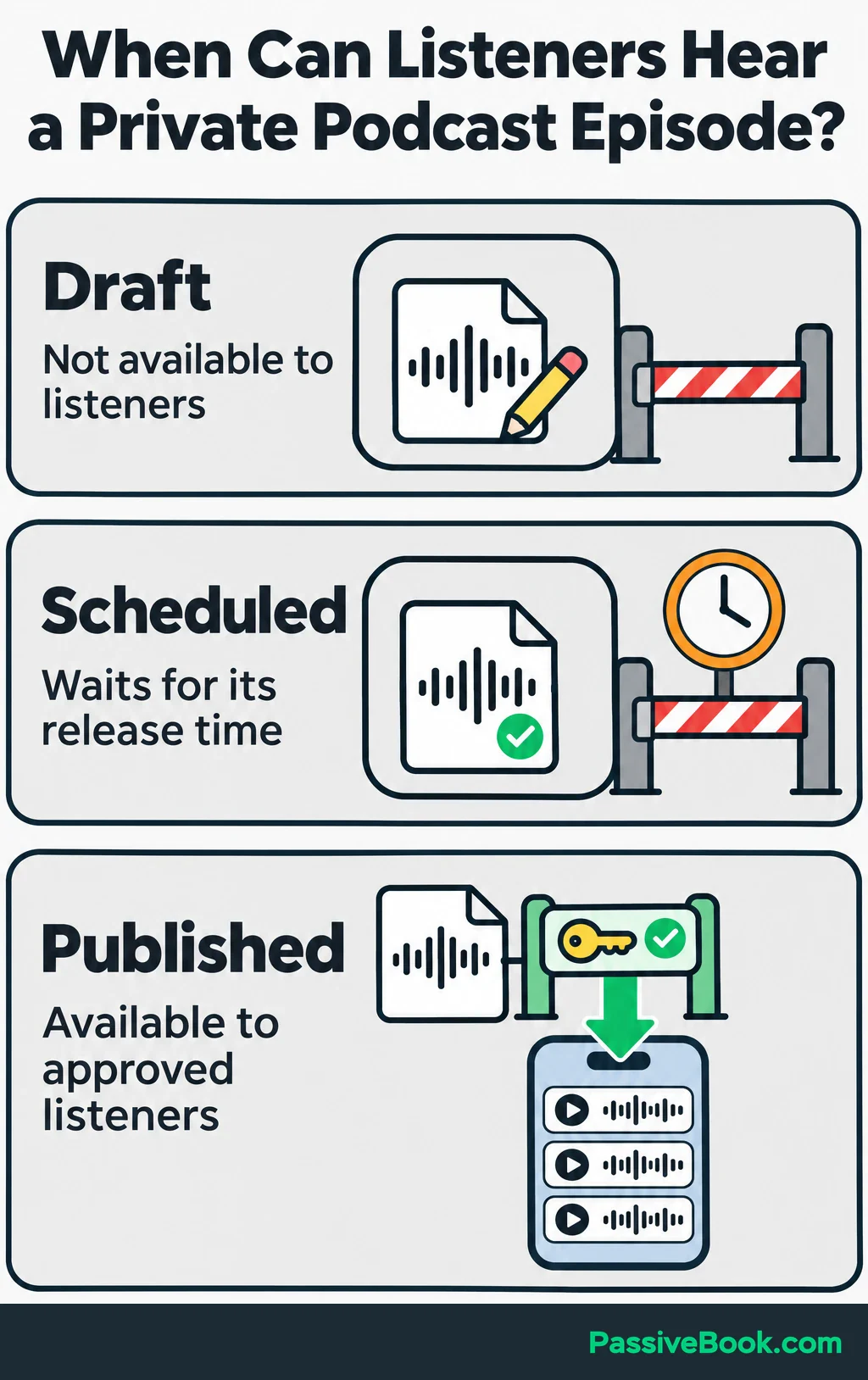
A draft is not available to listeners, and a scheduled episode stays unavailable until its release time. Transistor also requires at least one published episode before you add subscribers, so finish this step before sending a test invitation.
5. Test the Feed as an Invited Listener
Test the customer’s route, not just the audio preview in your dashboard.
Add an email address you control through the individual-listener workflow. Open its invitation on your phone, outside your administrator session.
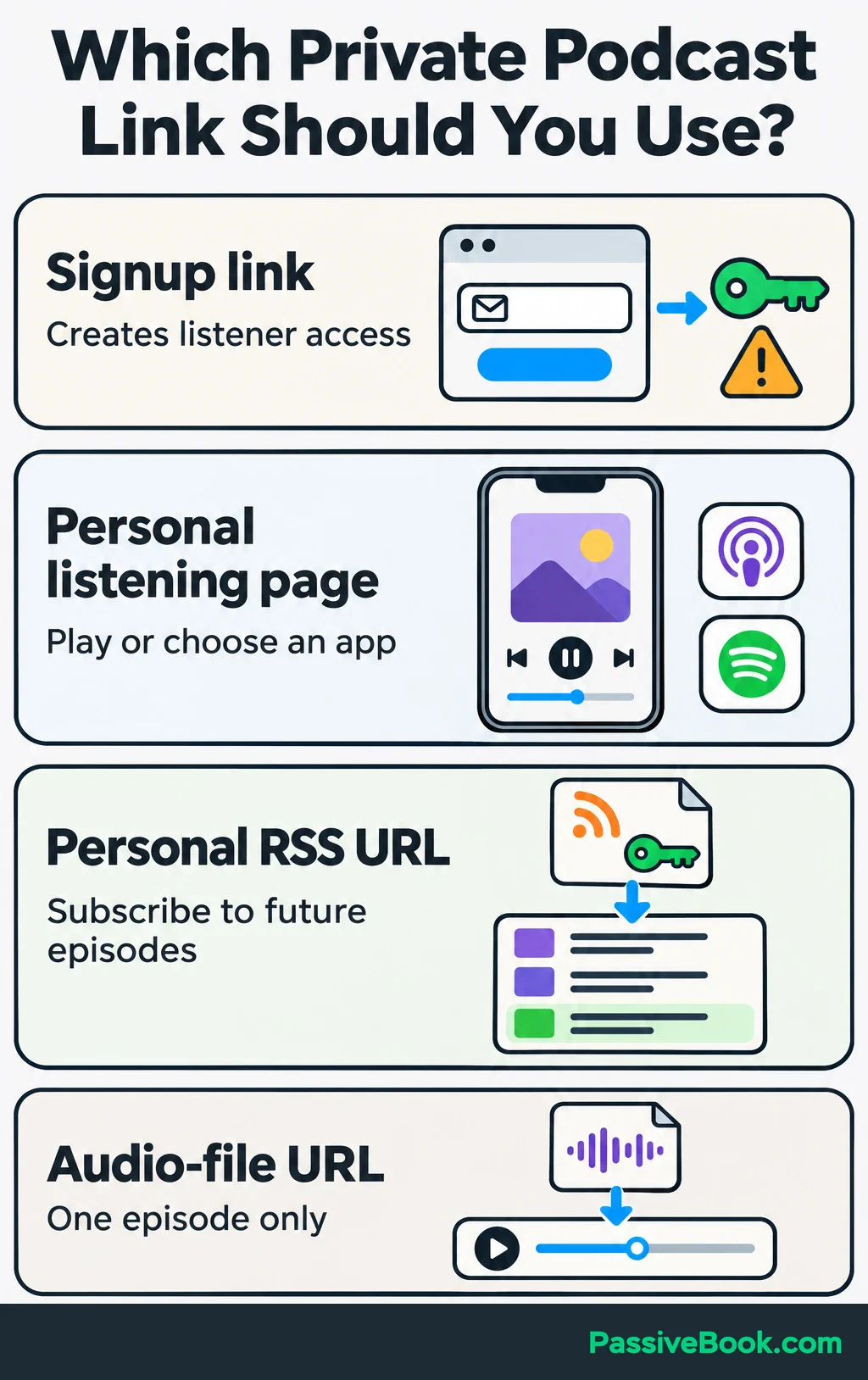
Before subscribing, identify which link does what:
| Link | Its Purpose |
|---|---|
| Enrollment or signup link | Creates listener access, sometimes without checking a purchase. |
| Personal listening page | Offers the approved listener playback and subscription options. |
| Personal RSS URL | Connects that listener’s feed to a compatible podcast app. |
| Individual audio-file URL | Plays or downloads one episode but does not subscribe to future lessons. |
Your administrator dashboard address is not a listening link. Copy the links supplied for the test listener.
If you enabled Transistor’s Spotify integration, use the invitation’s Spotify option to link the listener’s account. Pasting a private RSS URL into Spotify is not the setup route.
Subscribe in Apple Podcasts or Pocket Casts
Open the invitation on your phone and choose one of the host’s supported apps. If the app button works, follow the show and play the first lesson.
If it fails, use the personal RSS URL manually.
In Apple Podcasts on iPhone or iPad:
- Open your Library and its More menu.
- Choose “Follow a Show by URL.”
- Paste the complete personal RSS URL and follow the show.
This adds the show directly to your library without submitting it to Apple’s public catalog.
In Pocket Casts, paste the complete personal RSS URL into podcast search and follow the resulting show. Give it a little time to load if it does not appear immediately.
Copy the whole address, including any characters after a question mark. Those characters may carry the listener’s access credentials, so “tidying” the URL can break it.
For Transistor, the personal listening page also offers browser playback. Test that as a fallback for customers who don’t want to configure an app.
Check Playback and Access Removal
A successful test should cover more than one press of the play button.
- Confirm that the show appears in the app’s library.
- Check the lesson title, description and position.
- Stream the lesson, then test a download.
- Publish another short test episode and refresh the app to confirm that the existing subscription receives it.
Next, remove or disable the test listener. In Transistor, open the menu beside their name and choose “Remove subscriber.” In Hello Audio, switch off “Enabled” in the feed’s Listeners area.
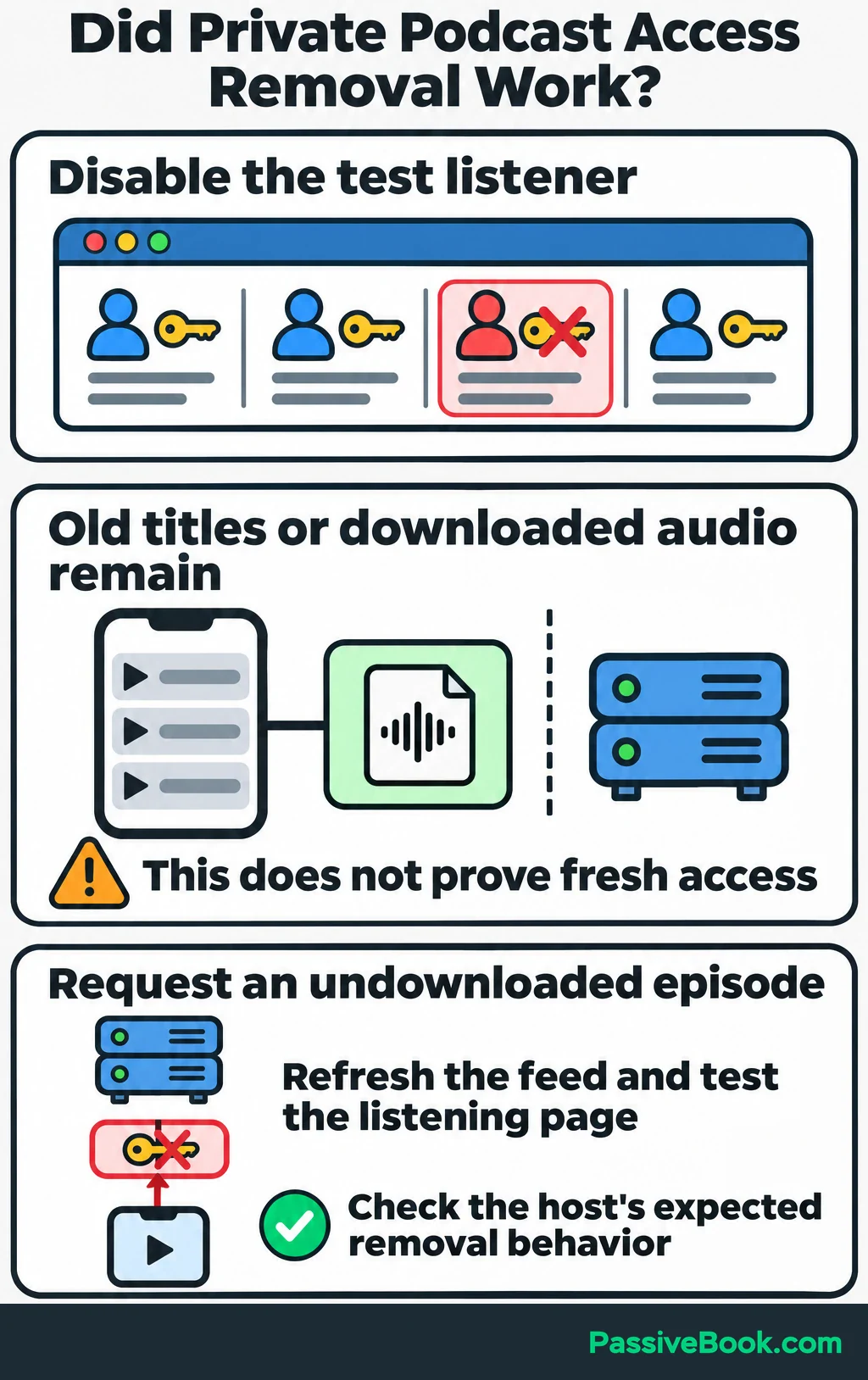
Try their personal listening page and refresh their feed. Test an episode that has not already downloaded.
Transistor says removal disables the subscriber’s feed and landing page. Hello Audio says disabling a listener empties their feed and disables content links. Check your result against the host’s behavior, and resolve unexpected fresh access before inviting customers. Transistor’s removal guidance and Hello Audio’s blocking guidance explain the differences.
An app may keep old episode titles until it refreshes. The useful check is whether the removed listener can retrieve content from the host.
6. Invite Approved Listeners
Match your listener list to the people entitled to access. For First Freshwater Tank, use course enrollment records rather than your entire newsletter list.
Add a few customers first. For a larger import, review the email addresses before sending invitations. A spreadsheet can move the wrong list into the wrong place remarkably quickly.
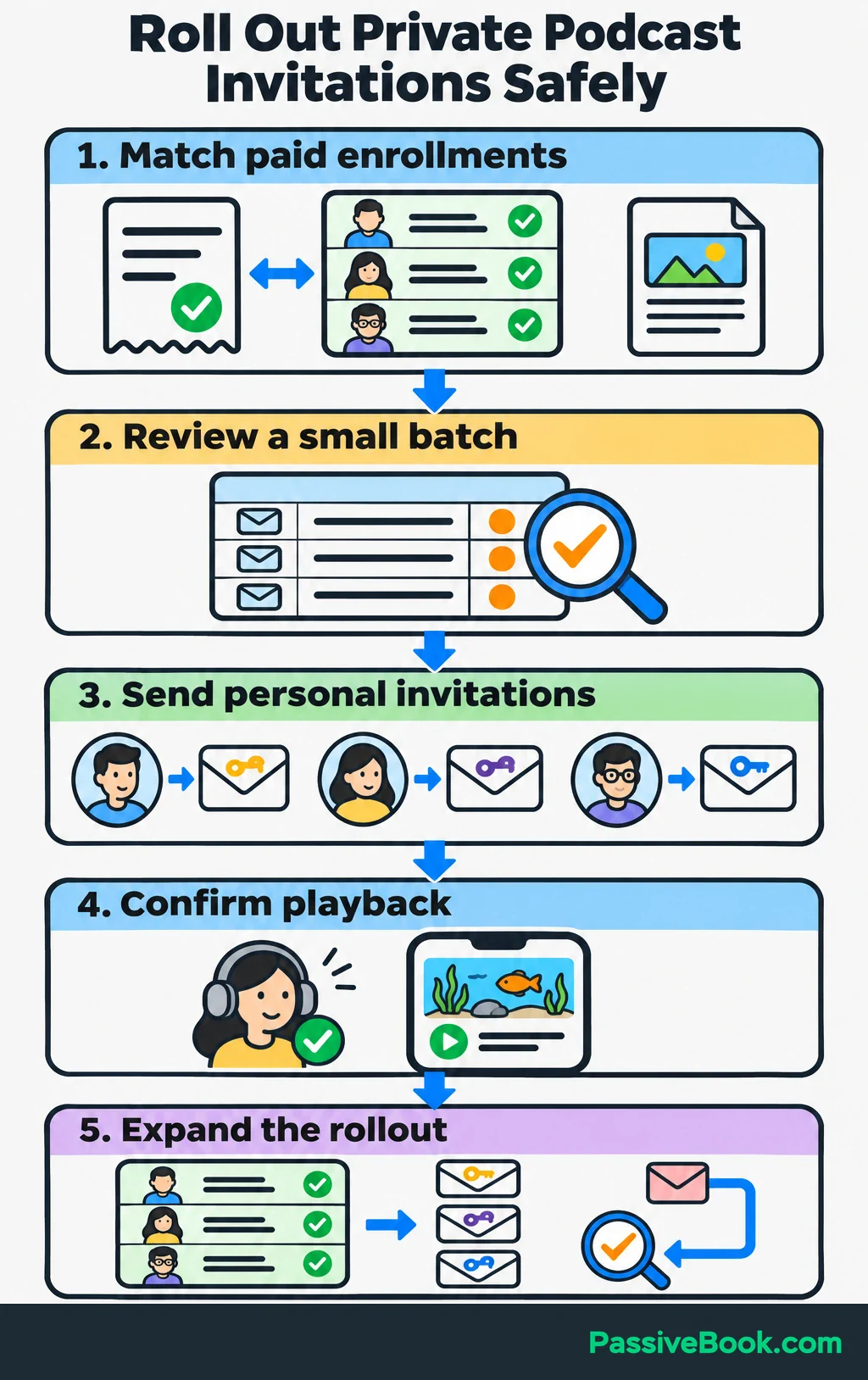
Each person should receive their own invitation. Keep personal links out of group messages, shared documents and public course previews.
Your message needs the show name, the listening link, clear subscription instructions and one support contact. You can adapt this short invitation:
Subject: Your First Freshwater Tank audio lessons
Hi [First name],
Your First Freshwater Tank audio lessons are ready.
Open your personal listening link on your phone: [Personal listening link]
Choose a supported podcast app, follow First Freshwater Tank, and play “01 — Planning Your First Freshwater Tank.”
If the app button doesn’t work, copy your personal RSS URL below. In Apple Podcasts, use “Follow a Show by URL.” In Pocket Casts, paste it into podcast search and follow the show.
Personal RSS URL: [Personal RSS URL]
Please keep these links private because they provide access to your lessons. Use this invitation rather than searching a public podcast directory.
Need help? Reply to this email with your app name and any error message.
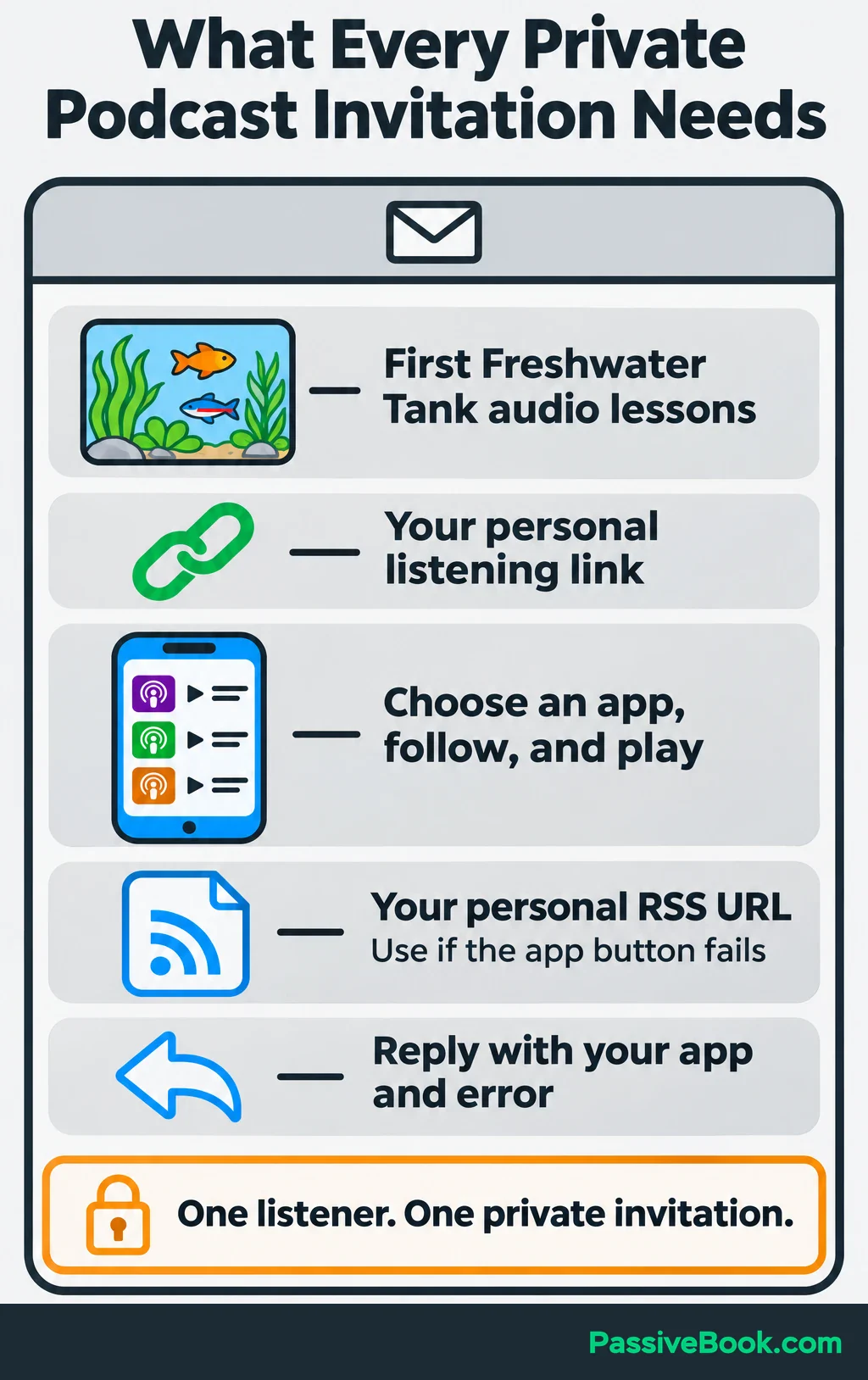
Replace each placeholder with that recipient’s details. If you send this through your own email tool, test the recipient fields before sending it to customers. The host’s built-in invitation is the simpler starting point.
Review undelivered messages and resend invitations privately. Confirm playback with your first few listeners before completing a larger rollout.
7. Maintain Episodes and Listener Access
Publish new lessons to the existing private show. Subscribers should receive them through their current subscriptions rather than needing another invitation.
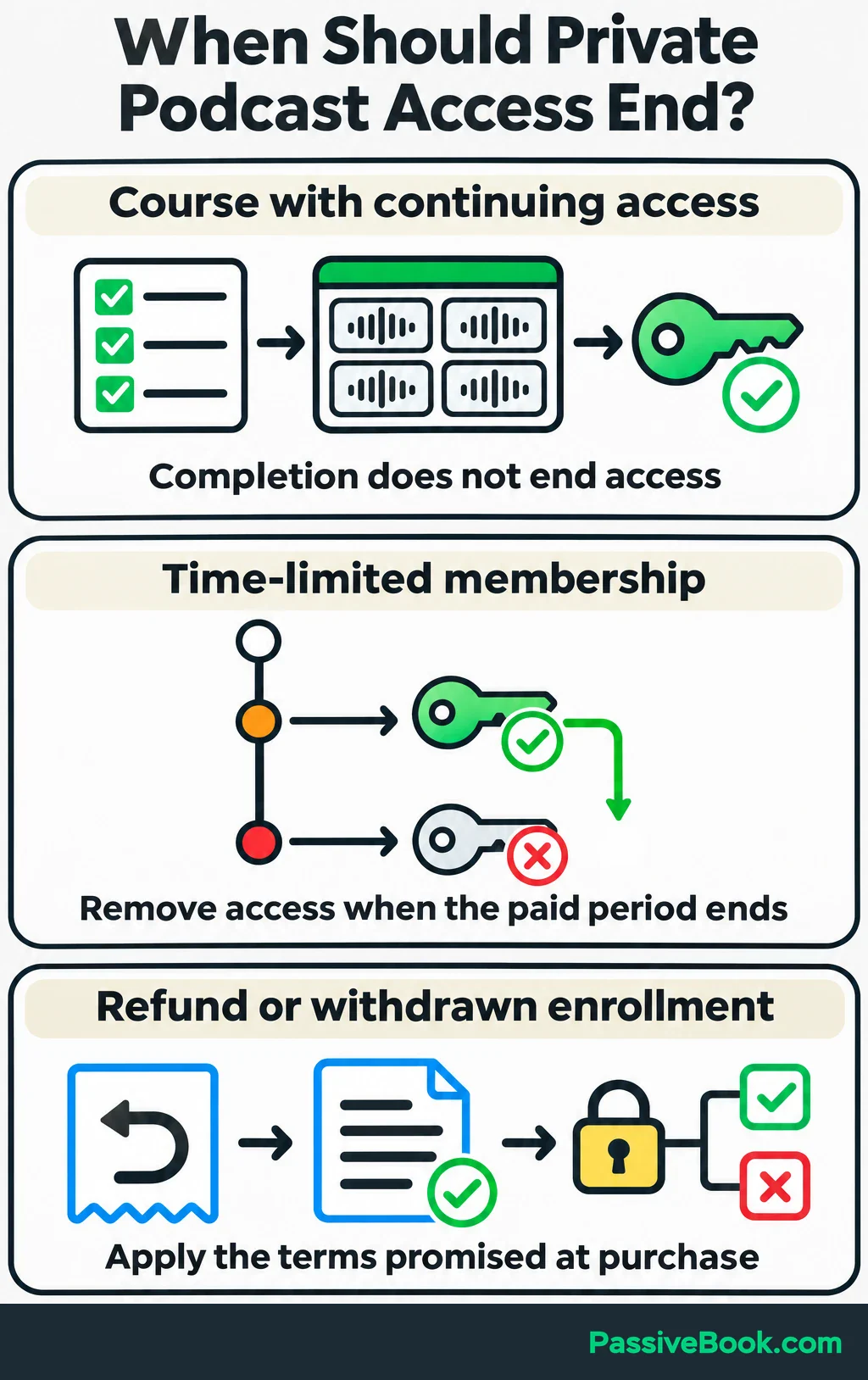
Keep access tied to what the customer purchased:
- Course With Continuing Access: Keep eligible customers enrolled after they finish the lessons.
- Time-Limited Membership: End access when the customer’s paid period ends.
- Refund or Withdrawn Enrollment: Apply the access terms you gave customers when they bought.
I abandoned a membership project because its content treadmill was unsustainable alongside my corporate job. That experience makes me wary of promising weekly releases when a complete lesson library would do the job. Finish the course people paid for before volunteering to run an audio newspaper.
Start with a manual process you understand. Once enrollment and removal become repetitive, automate both.
I would look for a built-in connection between your checkout and podcast host first. Otherwise, consider Make, a tool that connects services and automates tasks, if it supports adding and removing listeners with your chosen services. Test that a purchase adds the listener and that access ends when their paid period expires. An automation that only adds people leaves half the work unfinished.
For First Freshwater Tank, course completion would not trigger removal if the purchase includes continuing access. A membership cancellation is a different event, and removal should follow the actual access end date.
If a personal link is exposed, disable it and use the host’s replacement-access process before sending new credentials privately.
Keep original audio files and an approved-listener list somewhere you control. Also budget for hosting after the course is complete. Transistor requires an active subscription to keep its feeds and hosted episodes available, even when you stop publishing. Its subscription guidance explains what happens when hosting ends.
Troubleshoot Subscription and Playback Problems
Start with the failing step. Resending an invitation will not fix an unpublished episode.
| Problem | What to Check |
|---|---|
| Invitation missing | Verify the email address, ask the listener to check spam, and resend their personal invitation. |
| Feed rejected | Copy the complete personal RSS URL again, confirm that the listener is active, and use a supported app. |
| Episode missing | Check upload processing, publication status, release time and lesson order, then refresh the subscribed feed. |
| Episode visible but unplayable | Preview the uploaded file in the host, check listener access, and test that episode through the personal listening page if available. |
| App-opening button fails | Add the personal RSS URL manually in Apple Podcasts or Pocket Casts. |
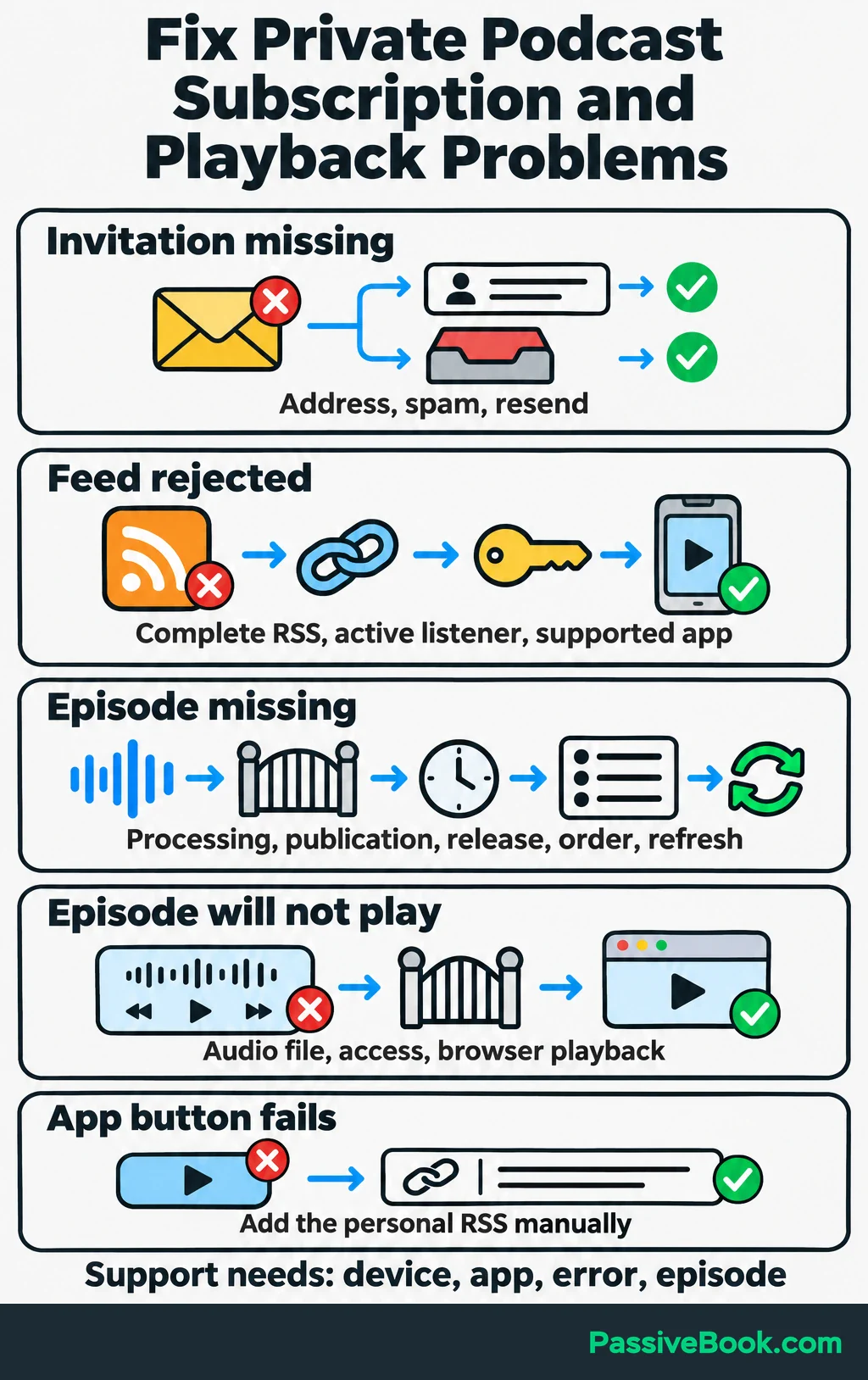
When you need help, collect the device, app name, exact error message and affected episode. Those details make a support request useful.
Send subscription credentials only through private support channels. If you share a screenshot publicly, remove personal listening links and RSS addresses first.
What Next?
Publish one finished lesson and invite a test email you control. Confirm that you can subscribe, play it, receive another episode and lose fresh access when the test listener is removed.
Use the social buttons to share this guide with your course or community team so everyone follows the same invitation and testing process.
Which part of your listener setup needs the most attention: approving access, subscribing or removing access? Share your answer—and any other questions—in the comments.
Share this post with your friends & followers:

