A visitor is interested in your course, but they have one question before buying: will the supplies they already own be enough?
Your sales page covers the lessons, but it doesn’t settle that particular doubt. If asking for help means hunting for an email address or fighting through a chatbot, the question may stay unanswered.
Answering these questions can become another daily job, especially when messages arrive while you’re working elsewhere. Here’s how to handle pre-purchase conversations, choose tools that fit your time and budget, and check whether those exchanges help visitors decide.
What Is Conversational Marketing?
Conversational marketing uses two-way dialogue to understand someone’s needs, answer questions and help them take a relevant next step.
The defining feature is simple: what the person says changes what happens next.
A visitor explains what they need, and your business responds to that need. Putting their first name in a broadcast email doesn’t meet that test. Neither does installing a chat widget that only delivers a sales pitch.
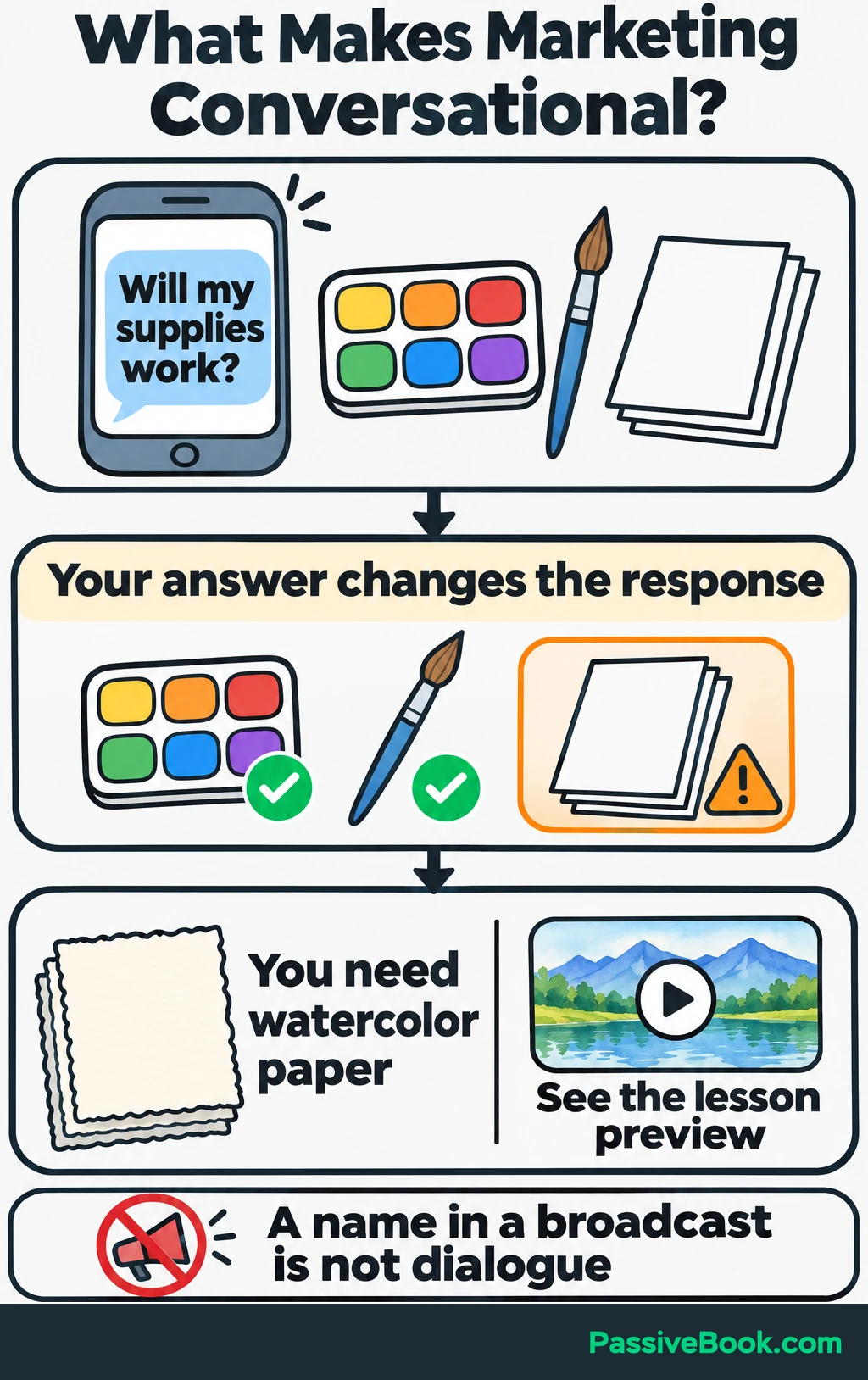
These conversations can happen immediately or continue later. HubSpot’s definition includes both real-time exchanges and conversations at the customer’s own pace. You don’t need someone waiting beside the inbox all night.
Content brings people to an offer and explains it. Conversation helps resolve their individual questions. Marketing, sales and support can share the history, but they serve different purposes: exploring an offer, helping someone buy and solving a customer’s problem.
Throughout this guide, imagine you sell an online beginner watercolor course. It has published supply requirements, lesson previews and purchase and access instructions. The conversations and figures below are illustrations.
How Does Conversational Marketing Work?
A useful conversation follows a clear path:
- Give someone a relevant place to ask for help.
- Understand their question.
- Ask for any missing information.
- Give an answer.
- Offer a suitable next step.
- Save enough context to continue when needed.
For the watercolor course, a visitor wants to know whether their existing supplies will work. You need to compare what they own with the course requirements before recommending anything.
Here’s a short example. Assume the published list requires watercolor paints, a round brush and watercolor paper.
Visitor: “Can I take this course with the supplies I already own?”
Automated assistant: “I’m the course’s automated assistant. What paints, brush and paper do you have?”
Visitor: “Watercolor paints, a round brush and ordinary printer paper.”
Automated assistant: “Your paints and brush match the supply list, but you’ll need watercolor paper for these lessons. Would you like to see the lesson preview before deciding?”
Visitor: “Yes, please.”
Automated assistant: “Here’s the preview: [lesson preview link]. The supply list is beside it.”
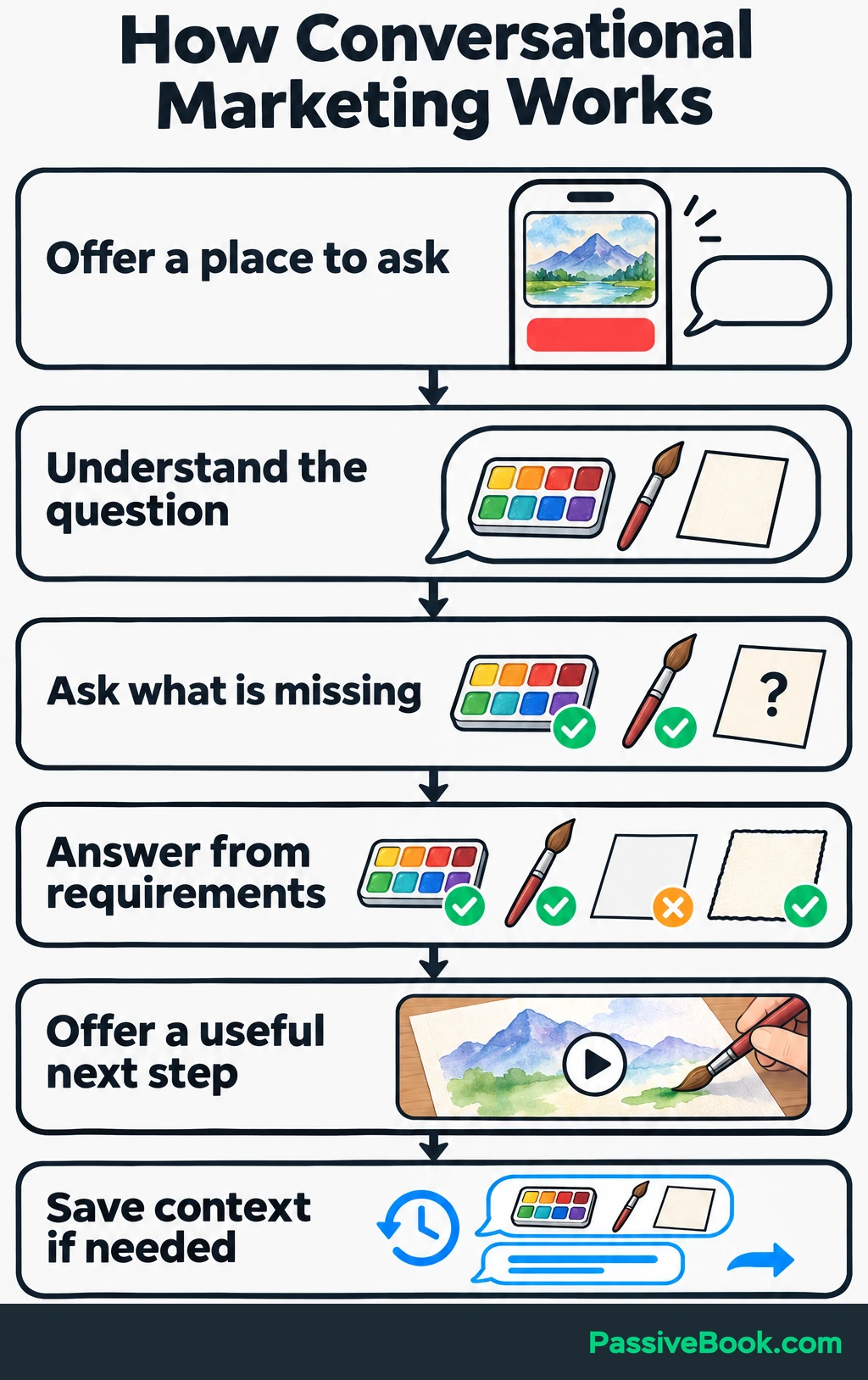
That exchange answers the question and gives the visitor somewhere useful to go. It doesn’t need an email address.
Lead qualification adds another decision: does the offer fit this person, and do they want help buying? Ask questions that affect that decision. A beginner who wants basic painting lessons may fit. Someone seeking advanced portrait training needs a clear explanation that this course doesn’t cover it.
For a physical product, ask about the size or compatibility detail that decides fit. For an agency service, ask about project scope and timing before offering a call.
And when an enrolled student asks why they cannot sign in, move them to support. They have already bought the course. Another checkout link will not improve their mood.
Which Conversational Marketing Channel Should You Choose?
Start where people already ask questions. Then consider when they need an answer, how the exchange will continue and who will manage it.
I would begin with one channel and make it dependable before adding another.
| Channel | Suitable Customer Question | How the Exchange Continues | Operating Requirements | Cost Factors |
|---|---|---|---|---|
| Website chat | “Can I use the supplies I own?” | In the page chat, with optional email follow-up if the visitor leaves | A monitored inbox, clear availability and a way to resume | Subscription, staff seats, AI usage and reply time |
| Messaging apps and social DMs | “Are the lessons suitable for a complete beginner?” | In the existing message thread | A business-managed inbox, reply ownership and checks on platform messaging restrictions | Inbox tools, staff time and any platform message charges |
| Two-way SMS | “Is this the right paper? I’m buying supplies now.” | Through a number that receives replies | Permission handling, monitored replies and working opt-outs | Number rental, message segments, carrier charges and staff time |
| Reply-enabled email | “Does the course teach color mixing in enough detail for me?” | In an email thread the customer can return to | A monitored address, useful subject lines and follow-up ownership | Mailbox service, support tools and handling time |
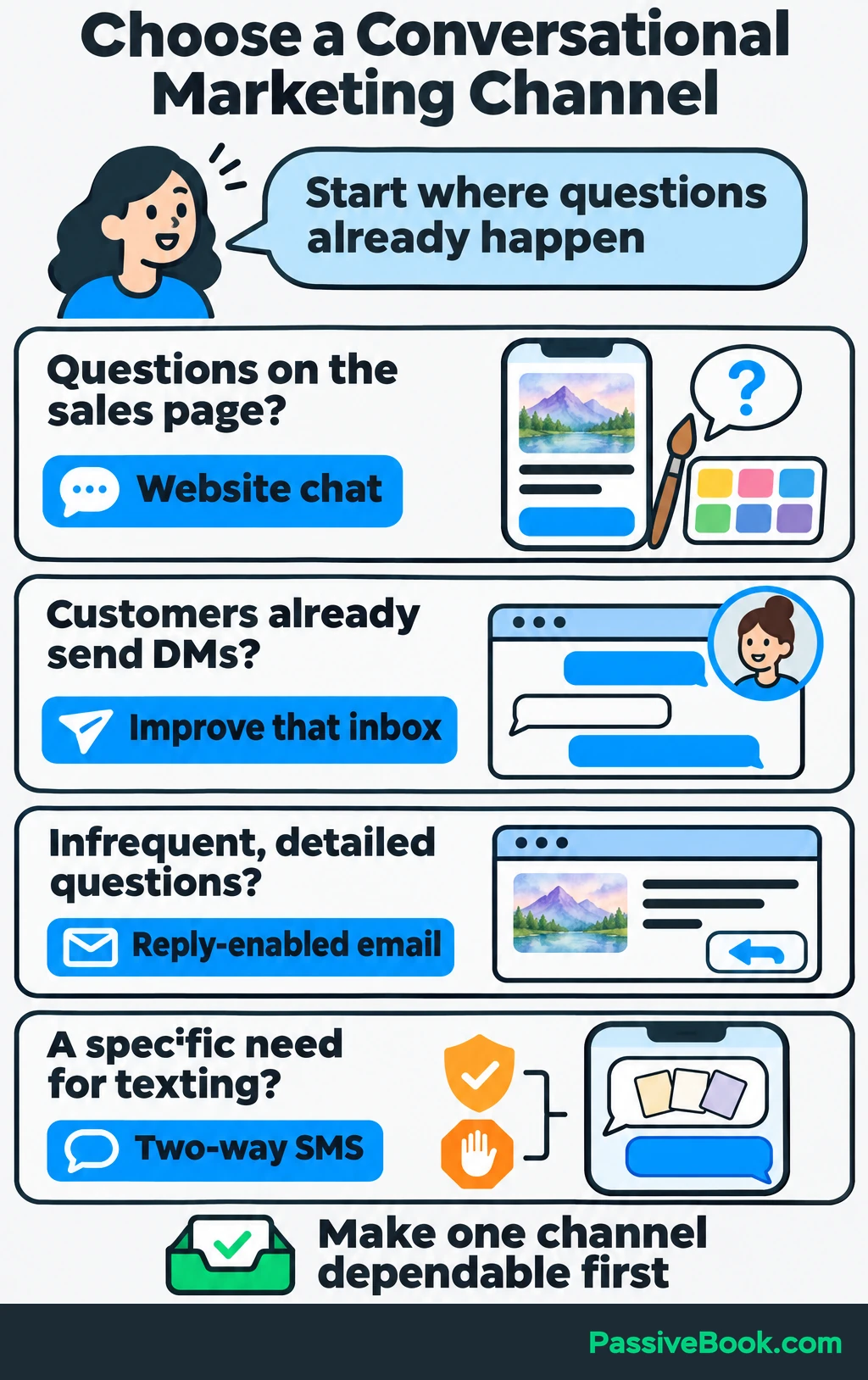
For the watercolor course, I would choose website chat if supply questions arise while visitors read the course page. If most enquiries already arrive through DMs, I would improve that inbox first.
When questions are infrequent, a clear invitation to email may be enough. You can have a useful conversation without buying a chat platform.
SMS deserves a specific reason to exist. I wouldn’t ask for a phone number just to send a lesson-preview link that could appear in the chat.
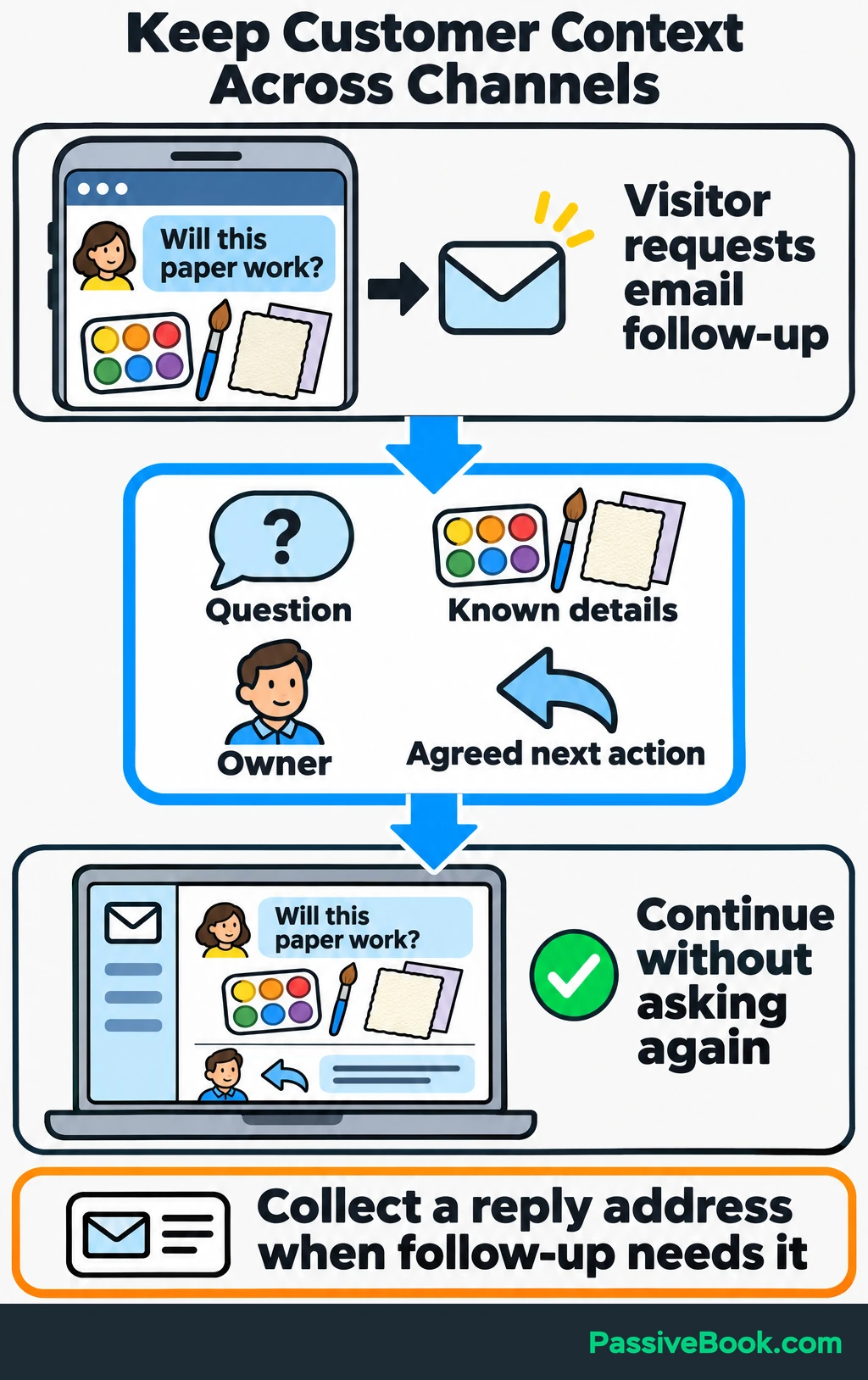
Channels can work together later, but the history needs to travel with the customer. Otherwise, “contact us anywhere” becomes “explain everything again.”
Where Do Chatbots and AI Fit?
The channel carries the conversation. The responder can be a person, scripted automation, AI or a combination.
Choose the responder according to the task.
- Scripted Automation: Uses predefined choices and rules. It suits predictable jobs such as separating supply questions from access problems. Give people a way out when the choices don’t fit.
- AI Assistance: Can interpret different wording and retrieve or draft answers from approved information. “Will my old paint set work?” and “Do I need new paints?” may lead to the same supply guidance.
- Human Assistance: Handles unresolved questions, complaints, policy exceptions and decisions that need individual judgment. Automation can gather the relevant context before the person takes over.
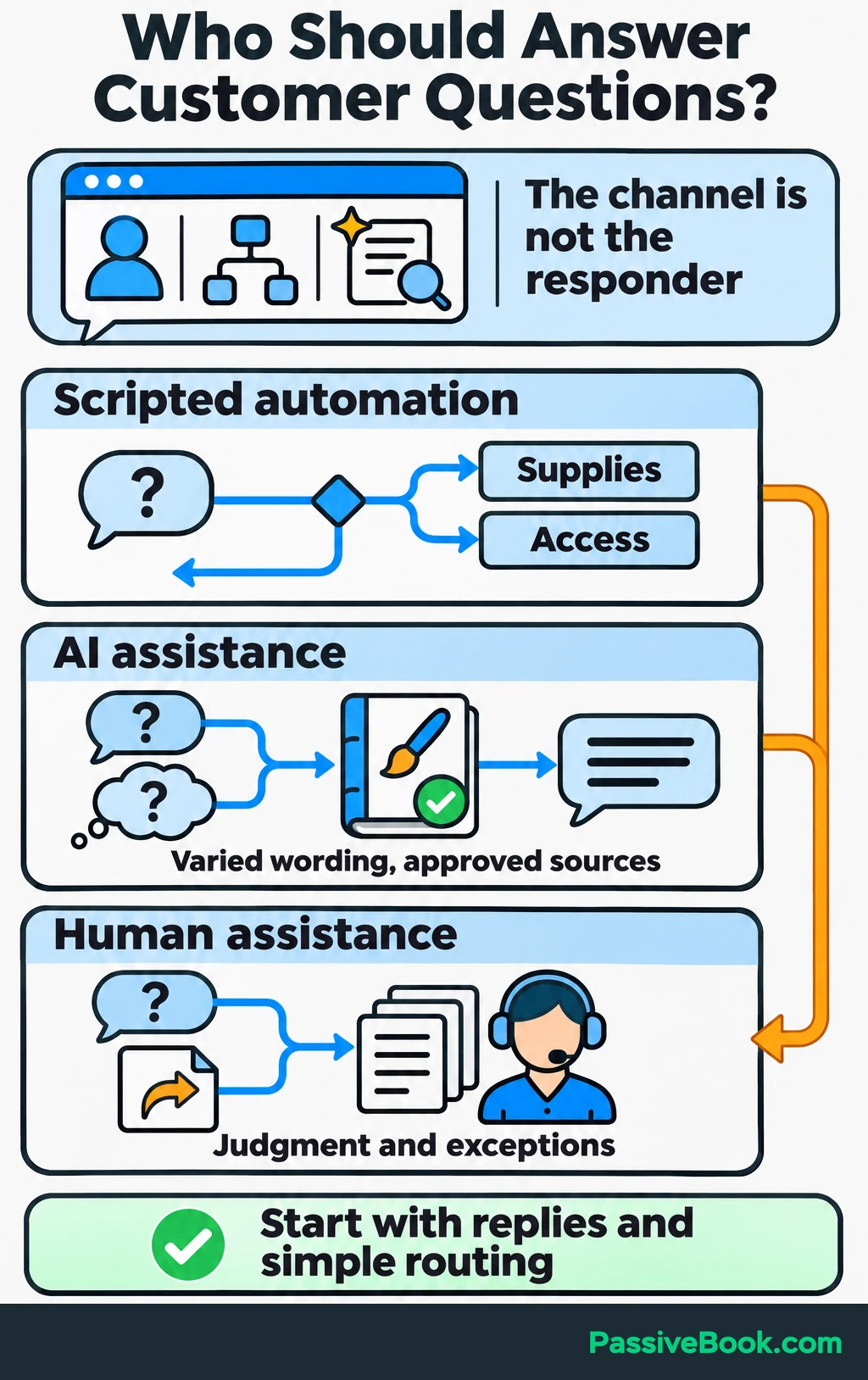
For a small business, I would start with approved replies and simple routing. Add AI when varied questions create enough work to justify maintaining it.
Generative AI creates new replies rather than just selecting a fixed response, and it can confidently give false answers. NIST identifies this risk in its Generative AI Profile. My practical rule is to give the assistant maintained reference material, check its responses and route questions the material cannot answer.
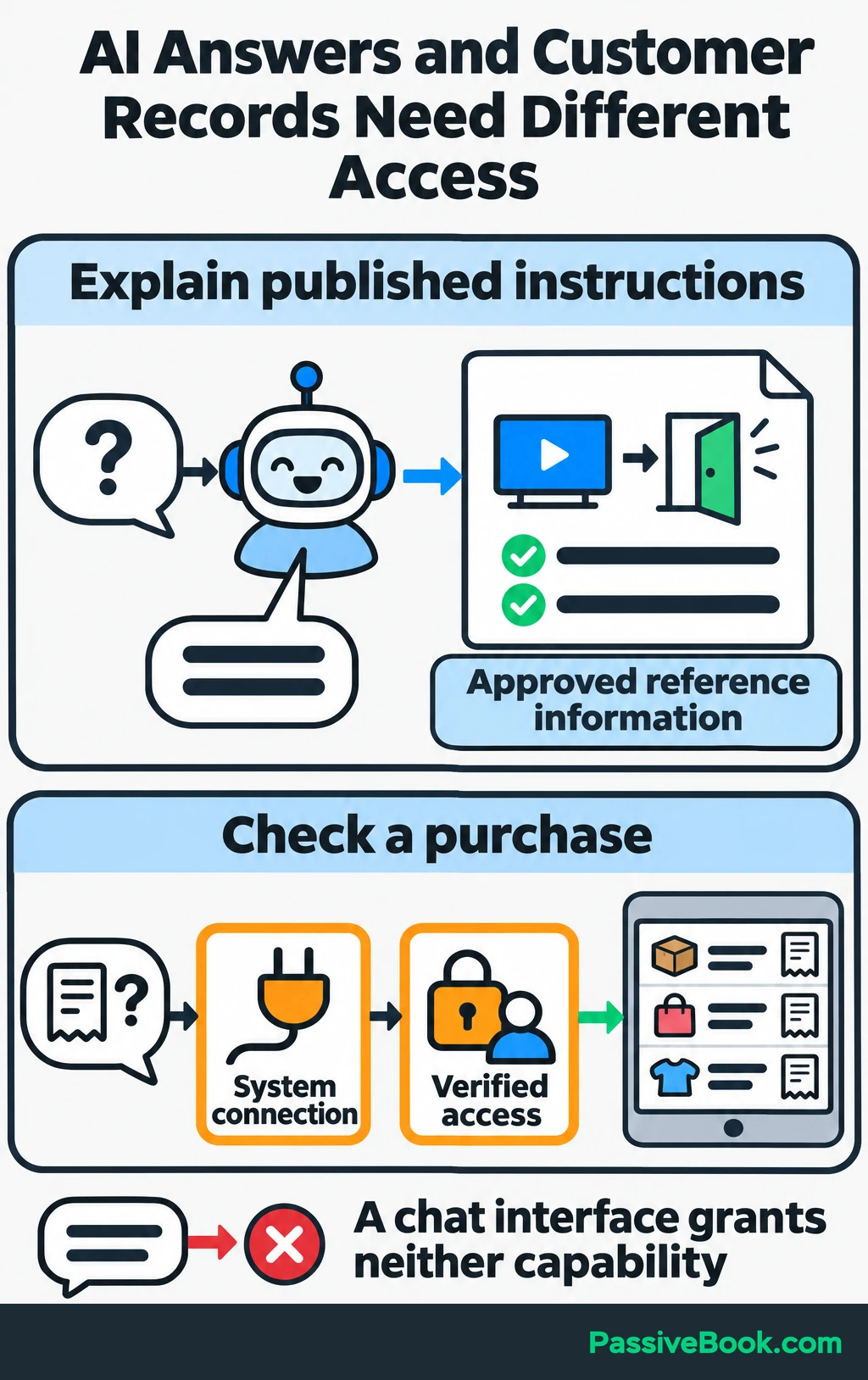
Also separate answering from acting. Explaining published access instructions needs reference material. Checking whether someone purchased requires a connection to the order system and verification that they may access that record.
A conversational interface does not grant either capability by itself.
How to Build a Conversational Marketing Strategy
1. Choose One Customer Problem and Outcome
Read your recent enquiries and look for a recurring obstacle. Choose one that a short exchange can remove.
Before automating it, check whether the page simply needs a better explanation.
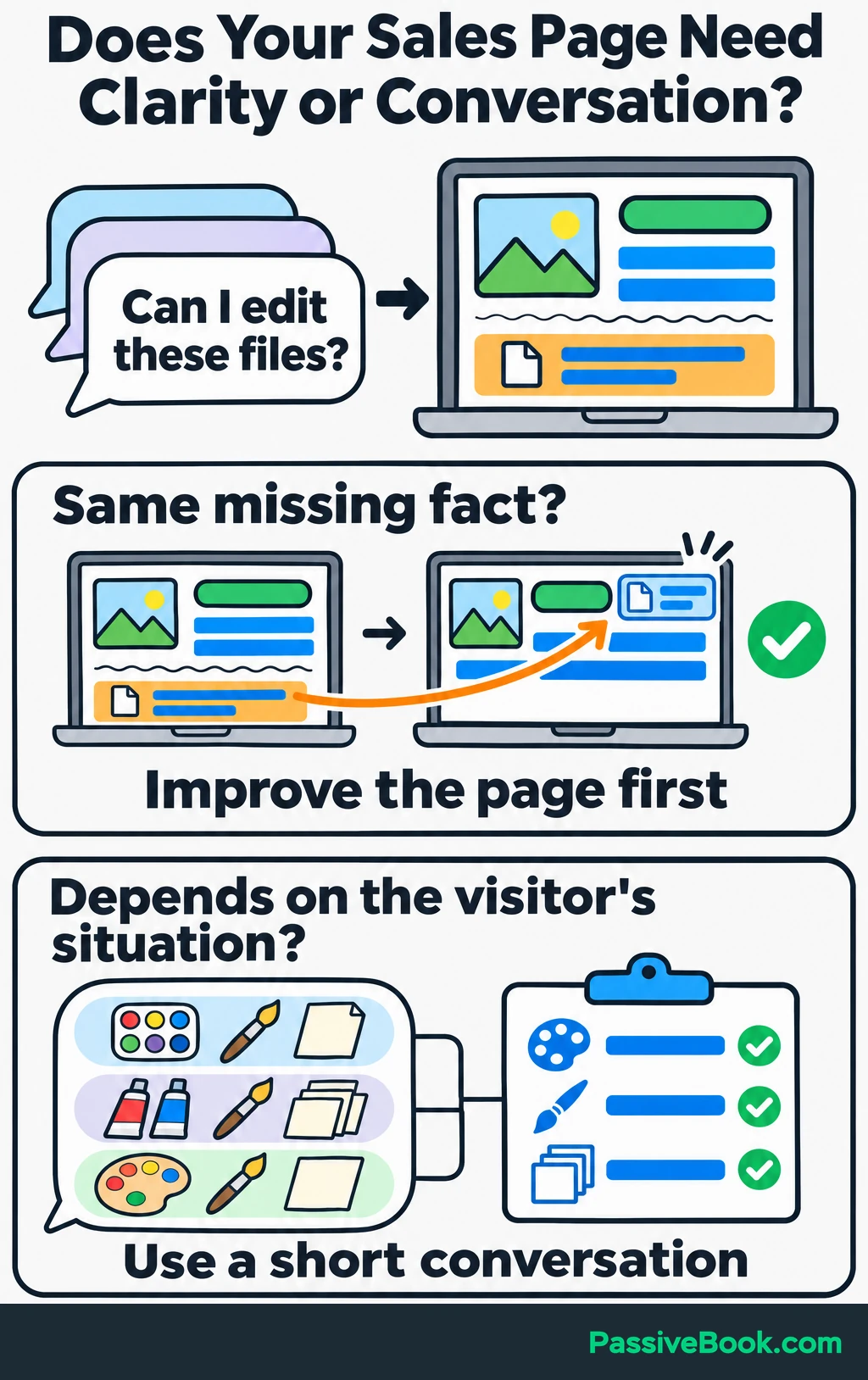
On one of my digital-product pages, people kept asking whether they could edit the files. I had explained what the product helped them do, but buried the file-format detail. I moved that information beside the buy button. It was a page problem before it was a chat problem.
For the watercolor course, the starting problem is supply uncertainty. The immediate journey is:
Course page → supply question → comparison with requirements → preview or purchase help.
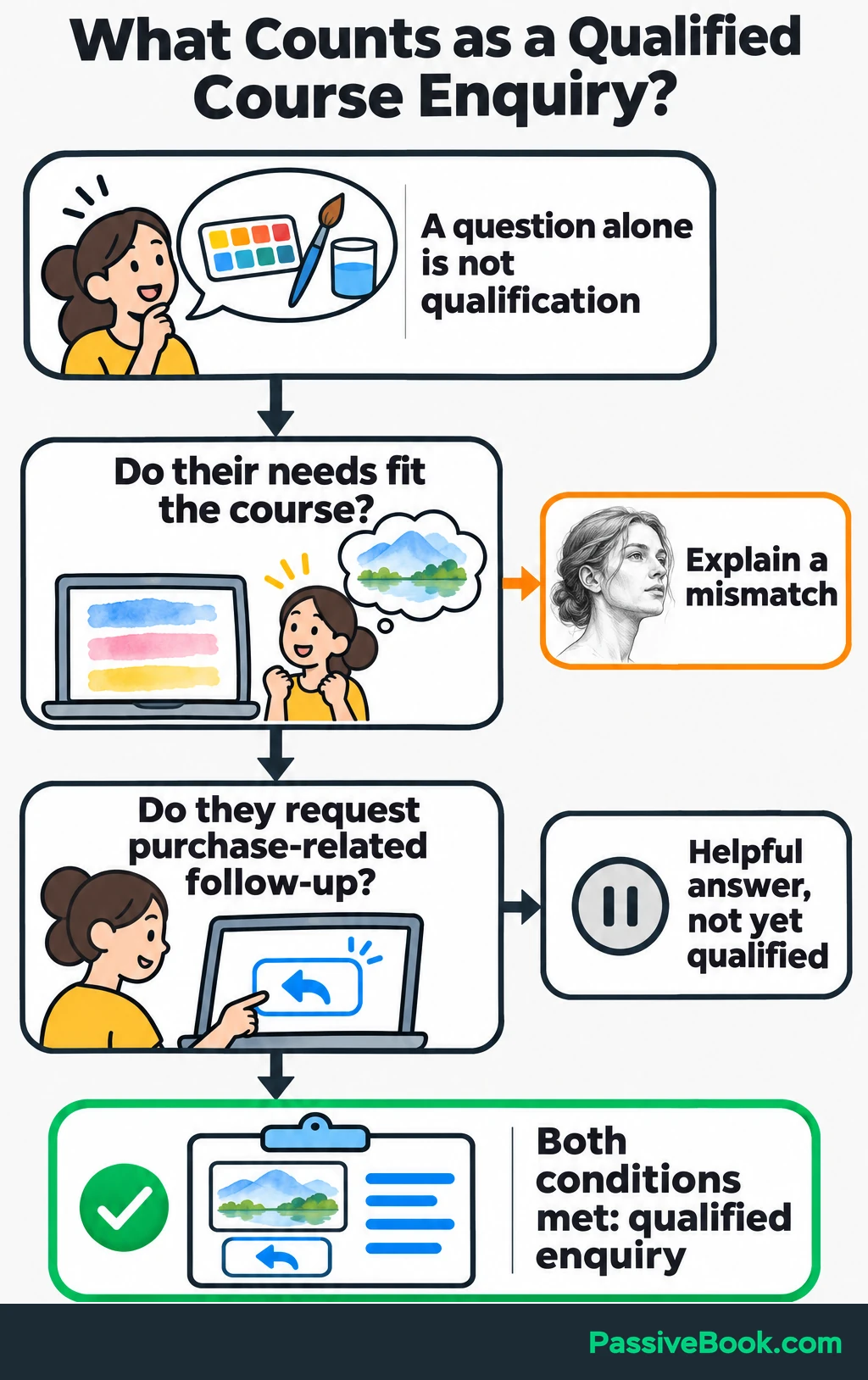
Choose one initial result to measure. For this example, use qualified enquiries: prospects whose needs fit the course and who request purchase-related follow-up. Someone asking one supply question doesn’t automatically qualify.
Record how you handle these enquiries now, including their outcomes and the time involved. That gives you a useful starting point for comparison.
If enquiries are rare, answer them through a monitored inbox first. Repeated exchanges show you what to automate, and you can learn from existing visitors without a paid-ad campaign.
2. Prepare the Information Needed to Answer
Put the information needed for that task in one maintained reference.
For the course, include:
- Lesson coverage and who the course suits.
- Required supplies and accepted alternatives.
- Current price and purchase terms.
- Lesson-preview and checkout links.
- Access instructions.
- Questions that require the owner’s decision.
Keep general course information separate from customer records. The supply list can be public. Purchase details require controlled access.
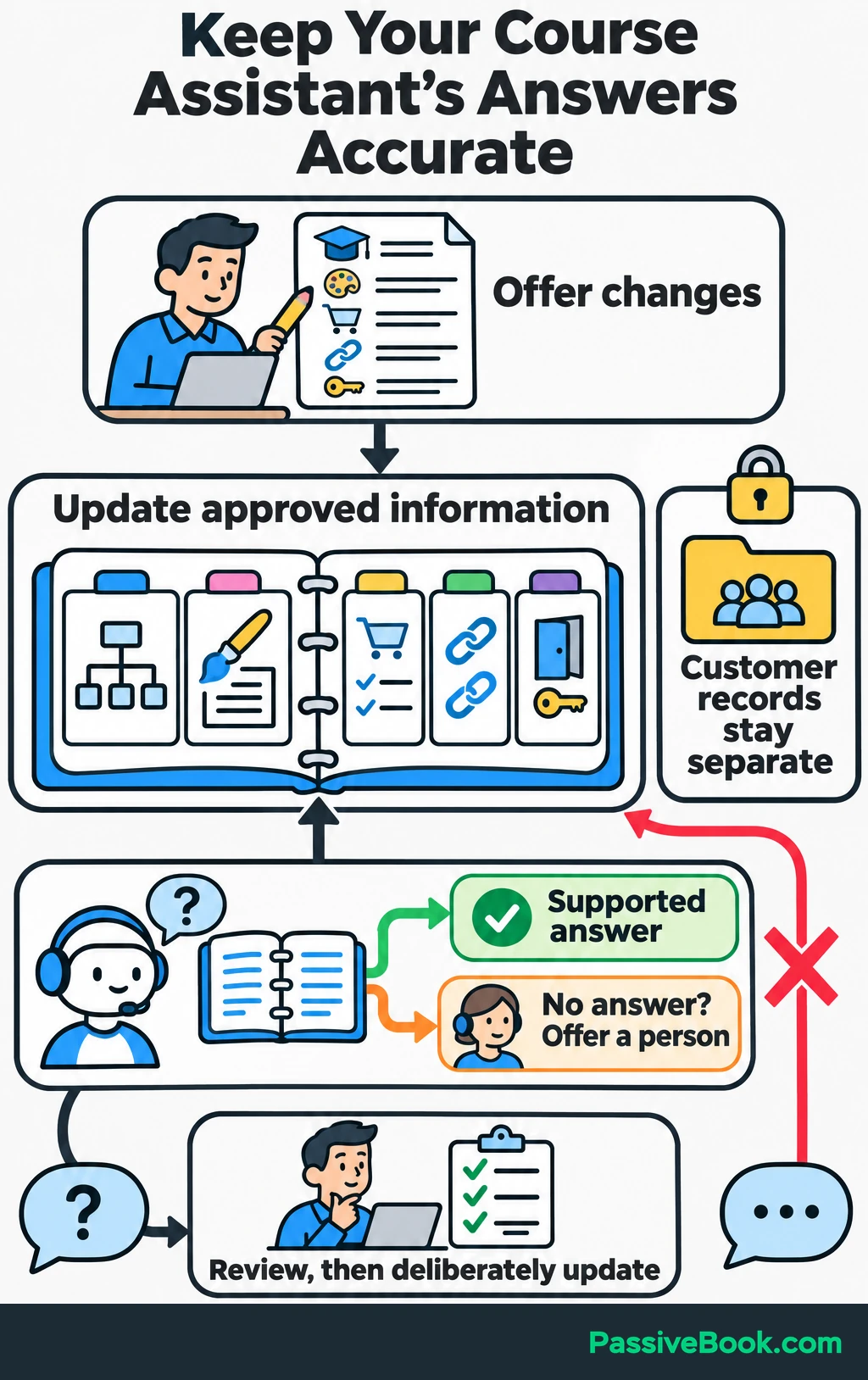
Assign someone to update the reference whenever the offer changes. If that person is you, make it part of changing the product. Otherwise, your sales page and assistant can end up selling different courses.
A short operating instruction could say:
Answer from the approved course information. Ask one clarifying question when needed. If the information does not answer the question, explain that and offer a handoff. Do not invent course details, discounts or exceptions.
That instruction guides behavior, but it doesn’t guarantee correct answers. Test it against actual questions.
And don’t assume the assistant learns from every conversation. Review useful new questions and deliberately update the approved material.
3. Design the Shortest Useful Conversation
Sketch the exchange before configuring software. You need an opening, necessary questions, answer branches, a next action and an exit.
A relevant opening might be:
“I’m the automated course assistant. Need help checking whether your supplies suit this course? You can also ask another question or request the owner.”
Then let the visitor ask. Don’t demand their name, email address and shopping intentions before revealing the paper requirements.
Ask one question at a time, and reuse information already provided. If they have listed their paints and brush, ask only about the missing paper detail.
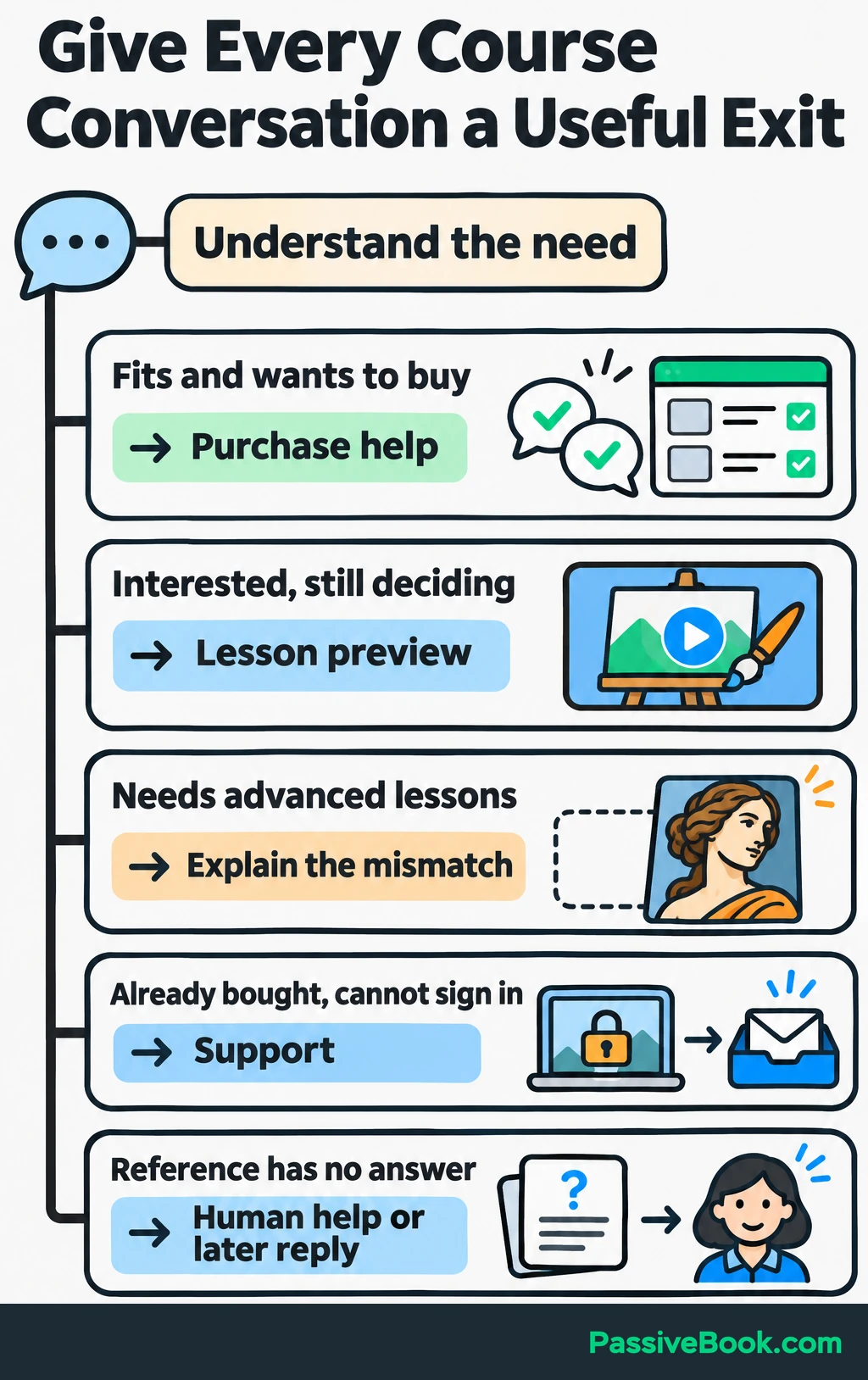
Plan these destinations:
| Conversation Branch | Useful Destination |
|---|---|
| The course fits and the visitor wants to buy | Answer remaining questions and offer checkout |
| The visitor is interested but still deciding | Offer the lesson preview |
| The visitor needs advanced lessons the course doesn’t cover | Explain the mismatch without pushing checkout |
| An enrolled student cannot access lessons | Move to the support process |
| The available information cannot answer the question | Offer help from a person now or arrange a reply later |
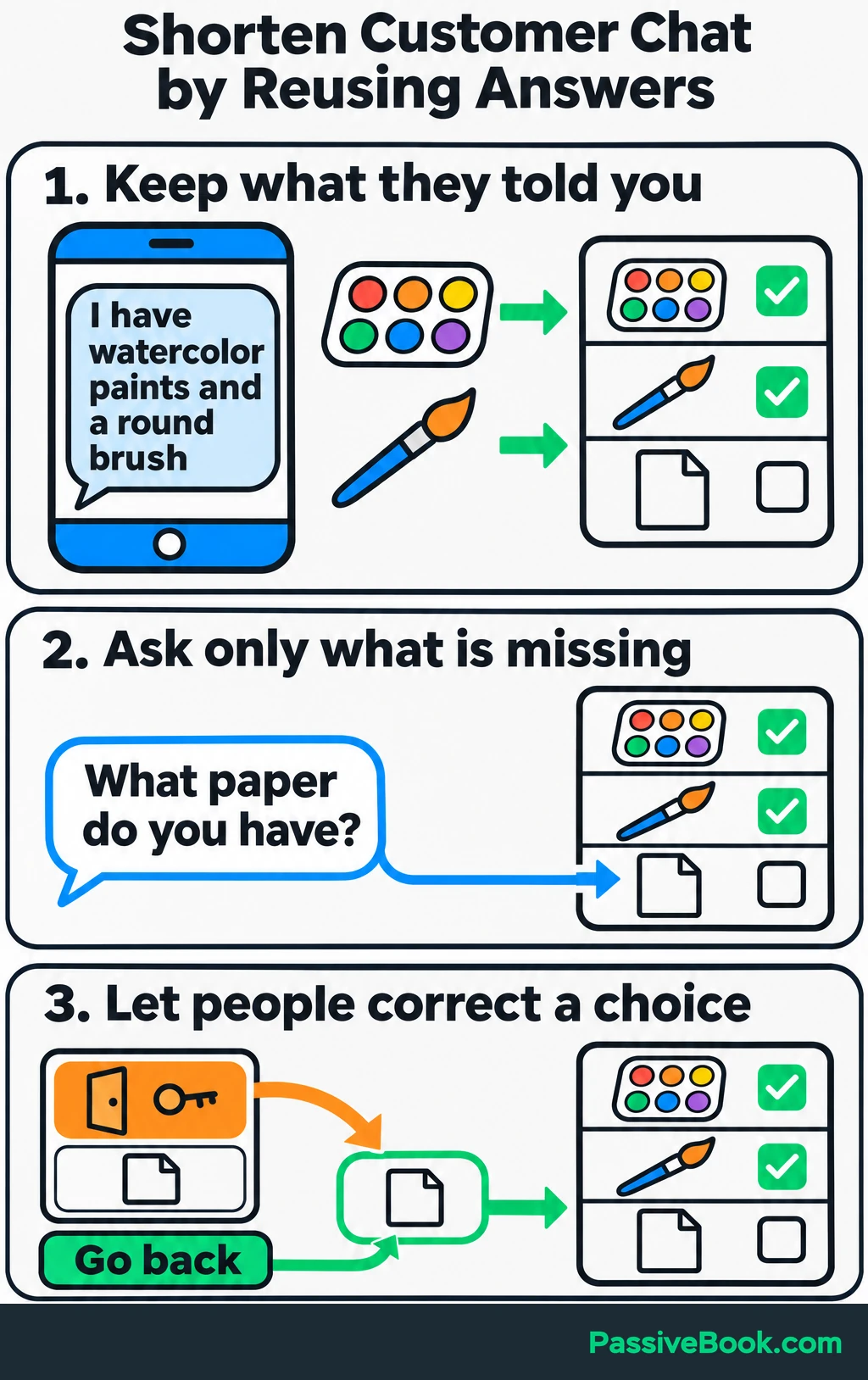
Keep choices short and allow corrections. Someone who selects “supplies” by mistake should be able to go back without restarting.
Collect contact details when the requested action needs them. A follow-up needs a reply address. Reading the supply list does not.
If writing the branches is slowing you down, the AI Skill below can draft them from your own offer information. You’ll have a concrete conversation to review before configuring any automation.
Free AI Customer Support Studio




4. Plan Human Handoffs and Follow-up
A handoff needs a trigger, an owner and enough context to act.
Trigger it when someone requests a person, the reference lacks an answer, an attempted fix fails or the decision requires human authority.
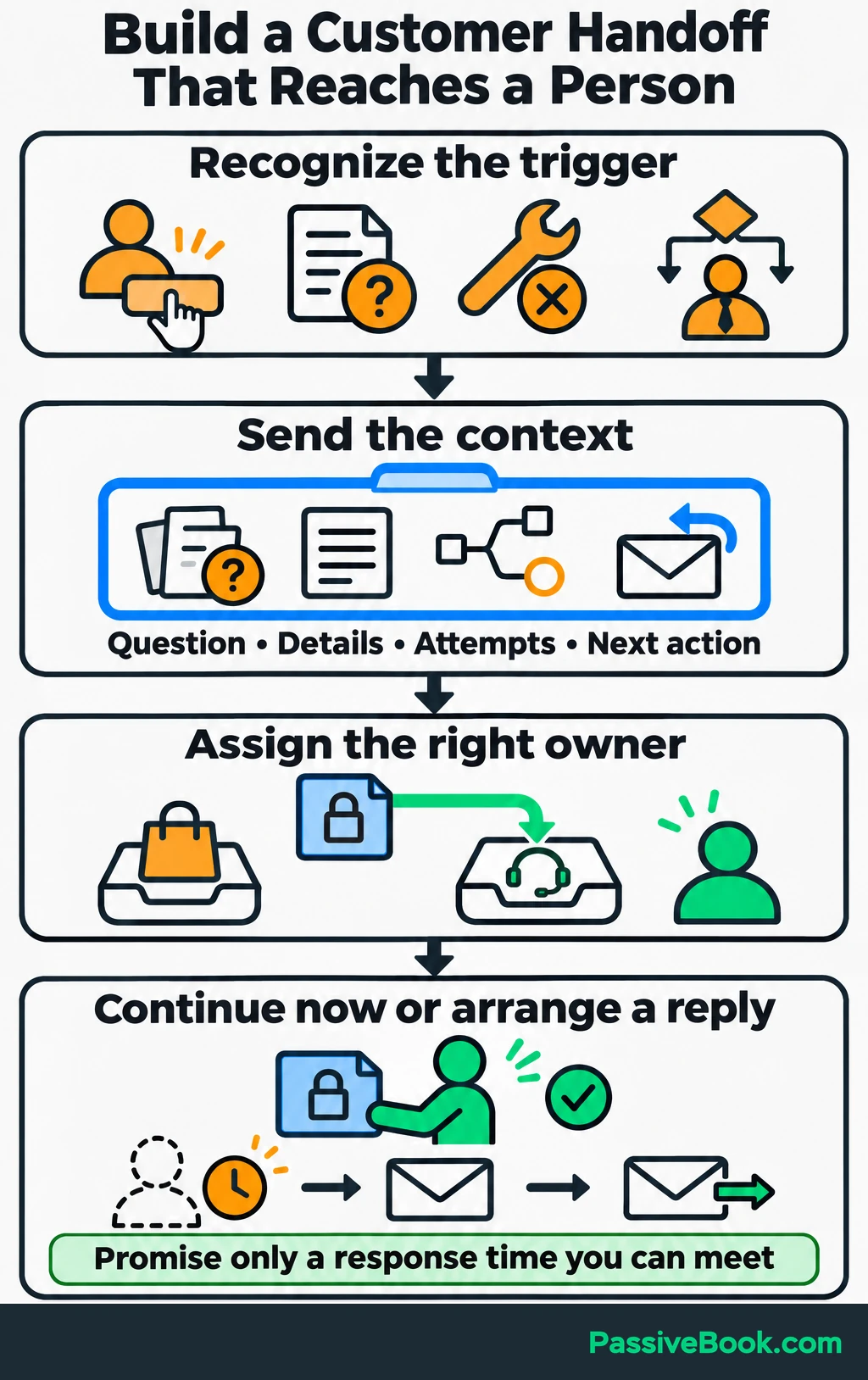
Pass along the question, relevant answers, attempted resolution and agreed next action. Separate sales enquiries from support so an access problem doesn’t land in a queue for purchase follow-up.
For the course, a useful handoff summary might read:
“Visitor owns an unlisted paper type and wants the owner to confirm suitability. No recommendation given. Reply by email requested.”
If nobody is available, offer a realistic way to continue:
“The owner isn’t available in chat. Leave an email address for a reply, or contact [support address] and mention this conversation.”
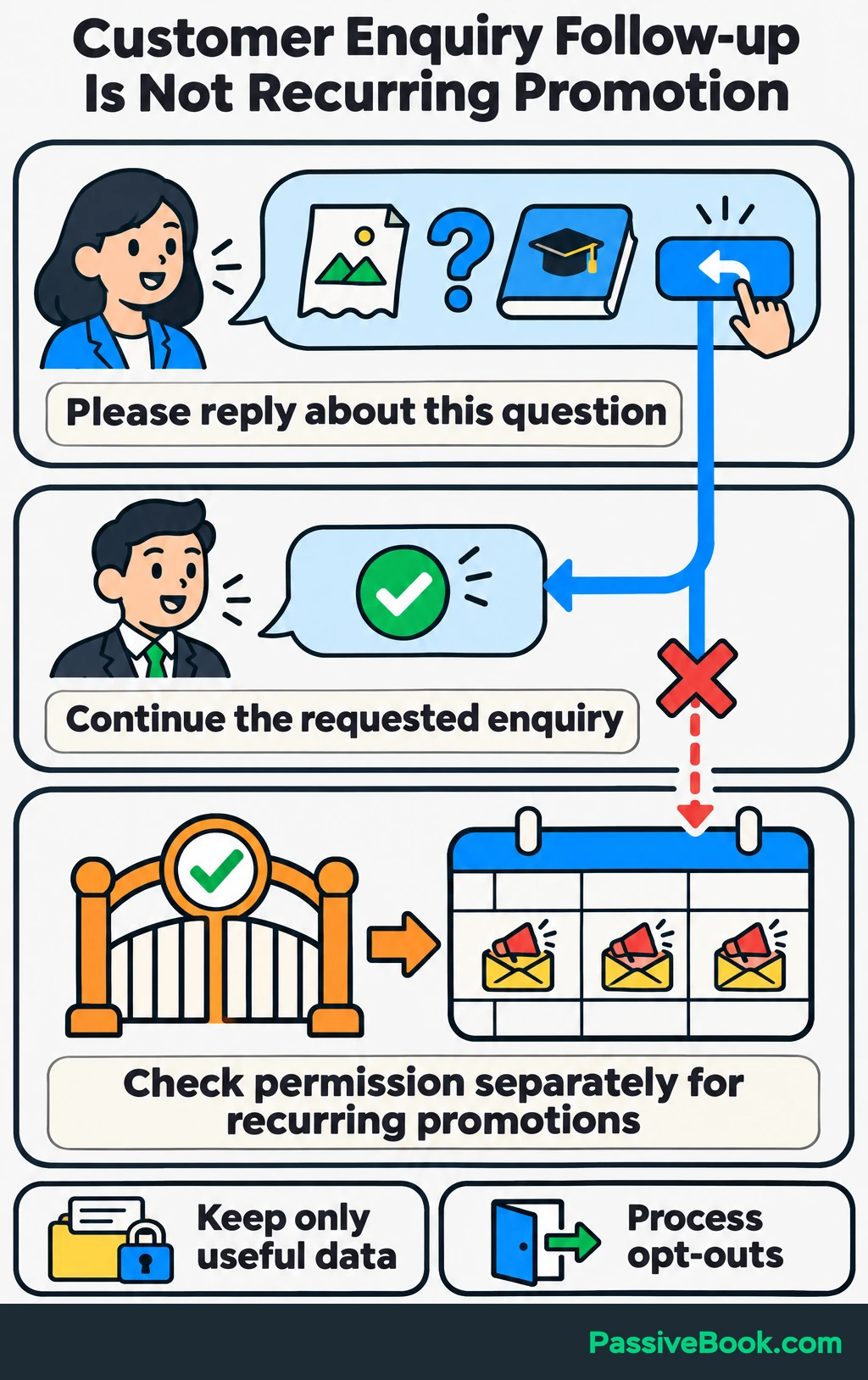
Add a response-time promise only when your actual schedule supports it. Keep the contact method visible so the visitor can reconnect.
Store the minimum useful record: necessary contact details, context, permission status, owner and follow-up status. Explain how you use personal information, limit access and set deletion rules. These practices also support the principles of the EU’s General Data Protection Regulation (GDPR) where that law applies.
Keep enquiry follow-up separate from recurring promotions. If you send texts through Twilio, its Messaging Policy allows replies to an incoming enquiry. That exchange does not give permission for recurring messages. Get the permissions required for your channel and jurisdiction, and process opt-outs.
5. Choose Tools Against the Workflow and Total Cost
Now turn the conversation plan into a shopping list.
Check whether a tool supports your chosen channel, approved answer sources, human routing, conversation history, required integrations, reporting and data export.
I would reuse an existing inbox when it meets those needs. A new subscription should solve a specific gap.
If you use WordPress, FluentCRM is my preferred option for contact organisation and email automation. Check the connection from your conversation tool before relying on it for follow-up.
I use n8n to connect tools without code. For this course workflow, I would use it only where a connection is needed, such as passing an agreed follow-up request into the customer system.
Test the exact action you need. “Integrates with your customer system” is less useful than “creates the follow-up record with the summary and assigned owner.”
Also check failure handling. n8n supports error workflows that can alert you when an execution fails. A missing follow-up should become visible.
Before comparing costs, count everything required to keep the workflow running:
- Subscriptions and staff seats.
- Messaging and AI usage.
- Integration and setup work.
- Hosting or maintenance where needed.
- Reviewing answers and handling exceptions.
Self-hosting can reduce some subscription costs, but maintenance still takes time. I would pay for a simpler setup if the alternative became another weekend job.
6. Test the Complete Experience Before Expanding
Test the conversation through to its destination. A good answer is only part of the job.
Use these cases:
- A suitable prospect asks about supplies.
- Someone wants lessons the course doesn’t offer.
- A visitor asks an unexpected question.
- An enrolled student reports an access problem.
- Someone asks for a person.
- A required integration is unavailable.
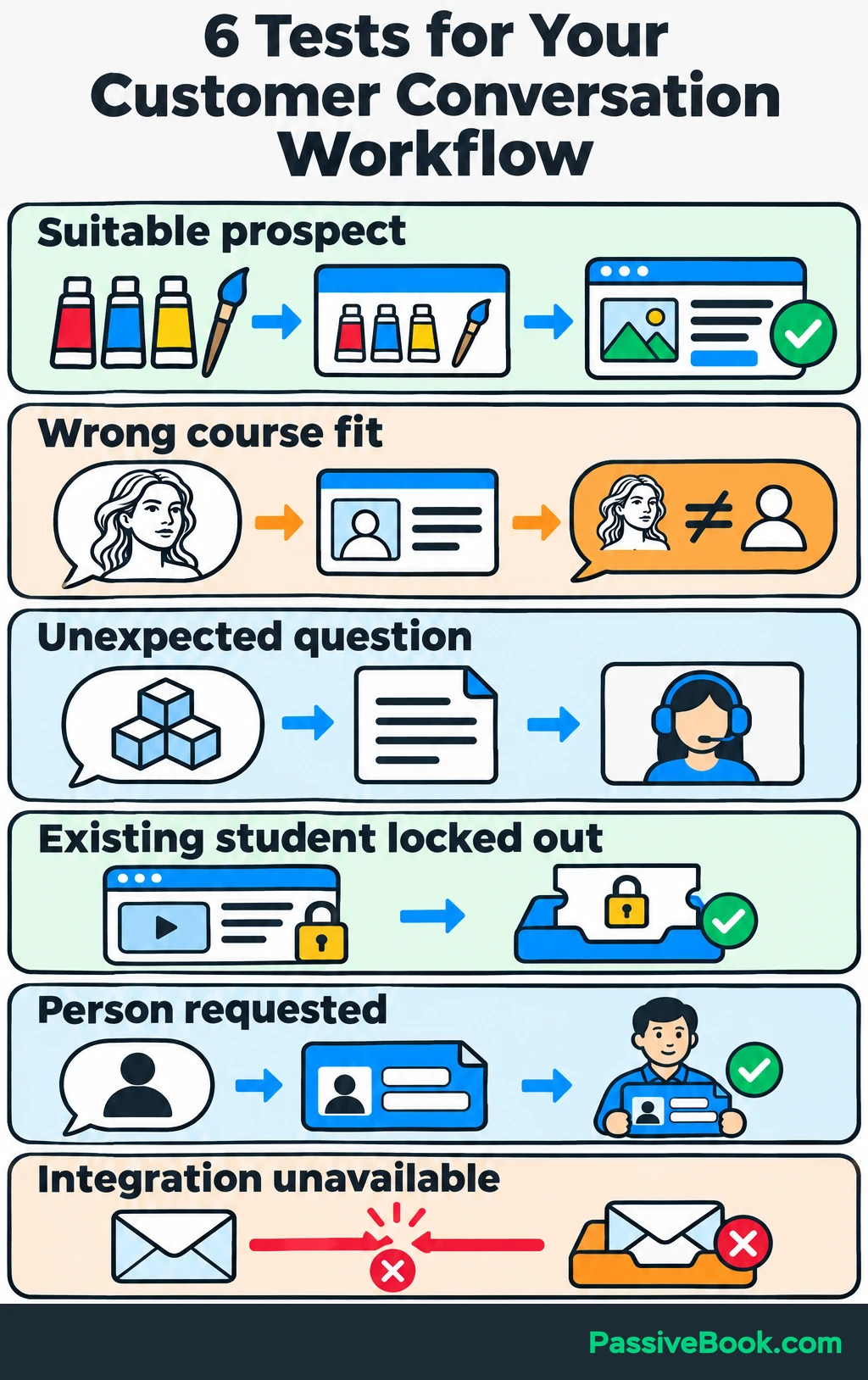
Compare answers with the maintained reference and open every destination link. Confirm that handoffs reach the right owner with context intact.
Check the experience on mobile, including whether the chat covers important page content. Try a wrong selection and see whether you can recover.
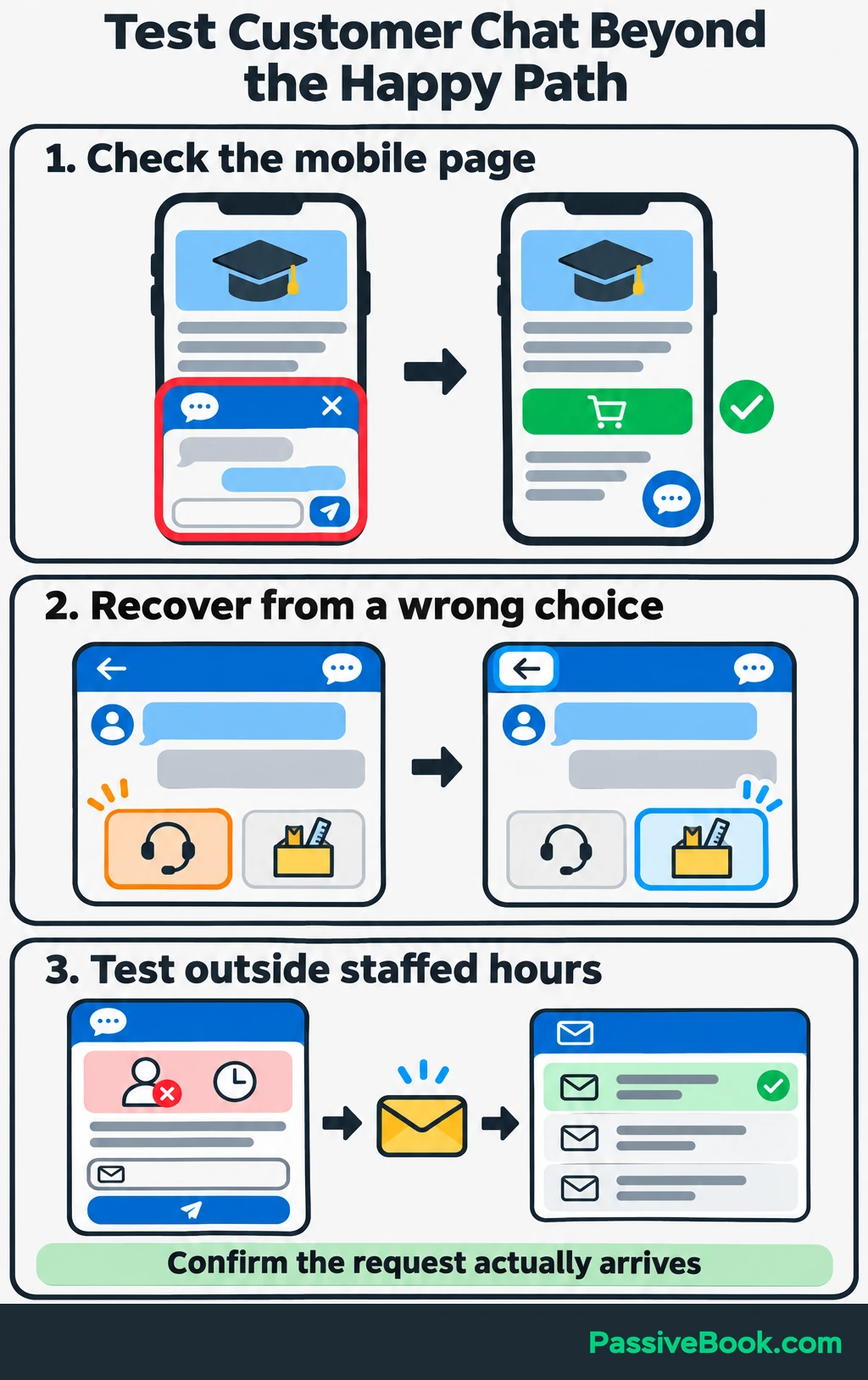
Then test outside staffed hours. Can the visitor request follow-up, and does that request actually arrive?
Launch at the selected entry point and review unresolved conversations weekly at first. Fix confusing questions, missing information and failed handoffs before adding another task or channel.
How Do You Measure Conversational Marketing Results?
Measure the result you chose at the start.
For qualification, track qualified enquiries. For sales assistance, track purchases. For support, track confirmed resolutions. A chat opening is activity, and it tells you little about whether the exchange helped.
Choose the reporting month and allow time for later outcomes. For example, count distinct prospective buyers who start a conversation about the course during that month. Give each person seven days from their first eligible conversation that month to meet your qualification rule or buy. Wait until everyone’s seven-day window has ended before reporting.
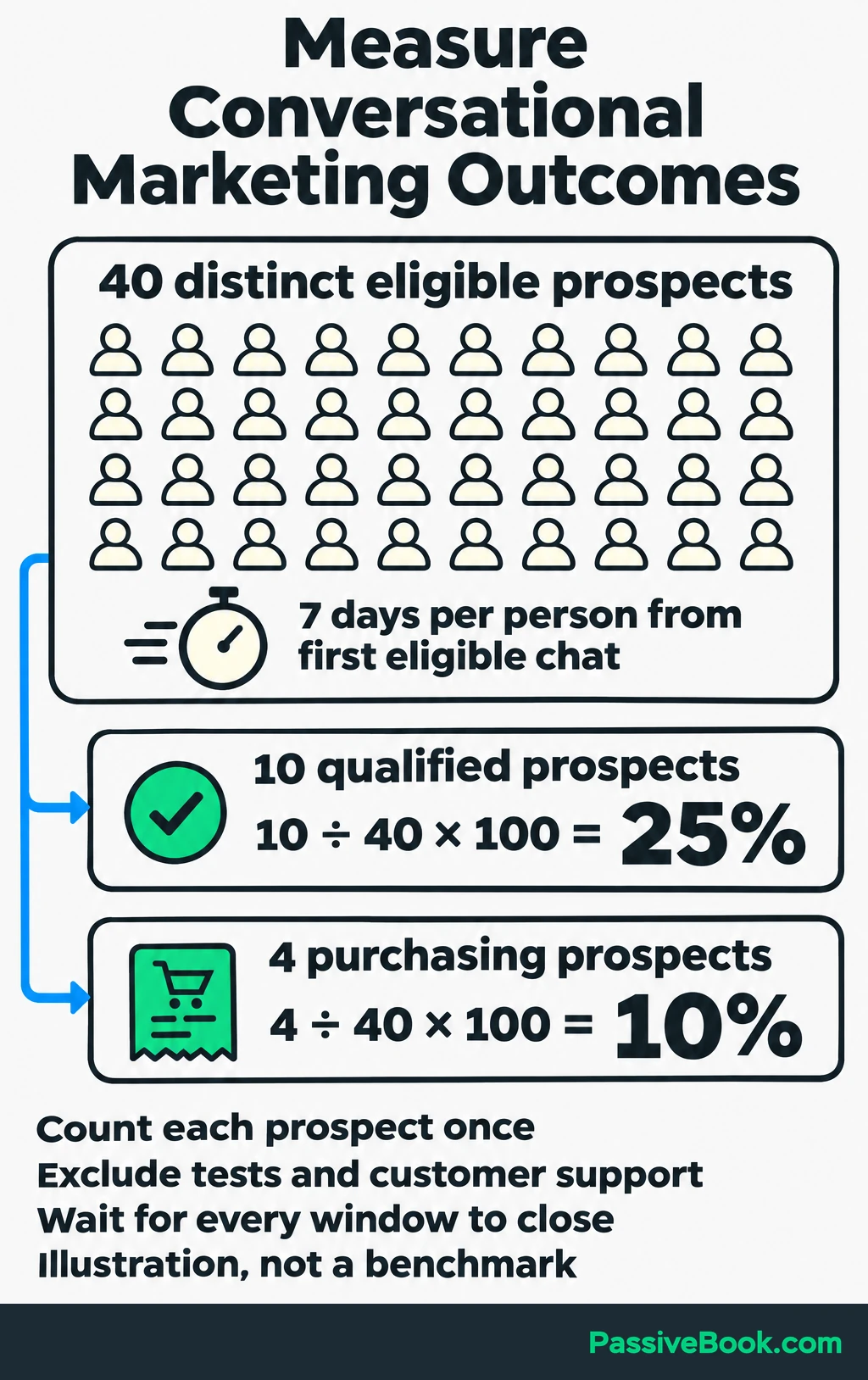
Exclude test conversations and existing-customer support requests from those prospect figures. Count a returning prospect once, rather than once per message.
Suppose 40 distinct prospective buyers start eligible conversations. Within their seven-day windows, 10 of those people meet your qualification rule and four purchase.
| Measure | Calculation | Illustrated Result |
|---|---|---|
| Qualification rate | Qualified prospects ÷ eligible conversational prospects × 100 | 10 ÷ 40 × 100 = 25% |
| Purchase rate | Purchasing prospects ÷ eligible conversational prospects × 100 | 4 ÷ 40 × 100 = 10% |
These are example figures, not benchmarks.
Alongside the primary result, track incorrect or unanswered responses, handoffs that reach their owner, unresolved requests, human handling time and total operating cost. An automated greeting doesn’t count as answering the question.
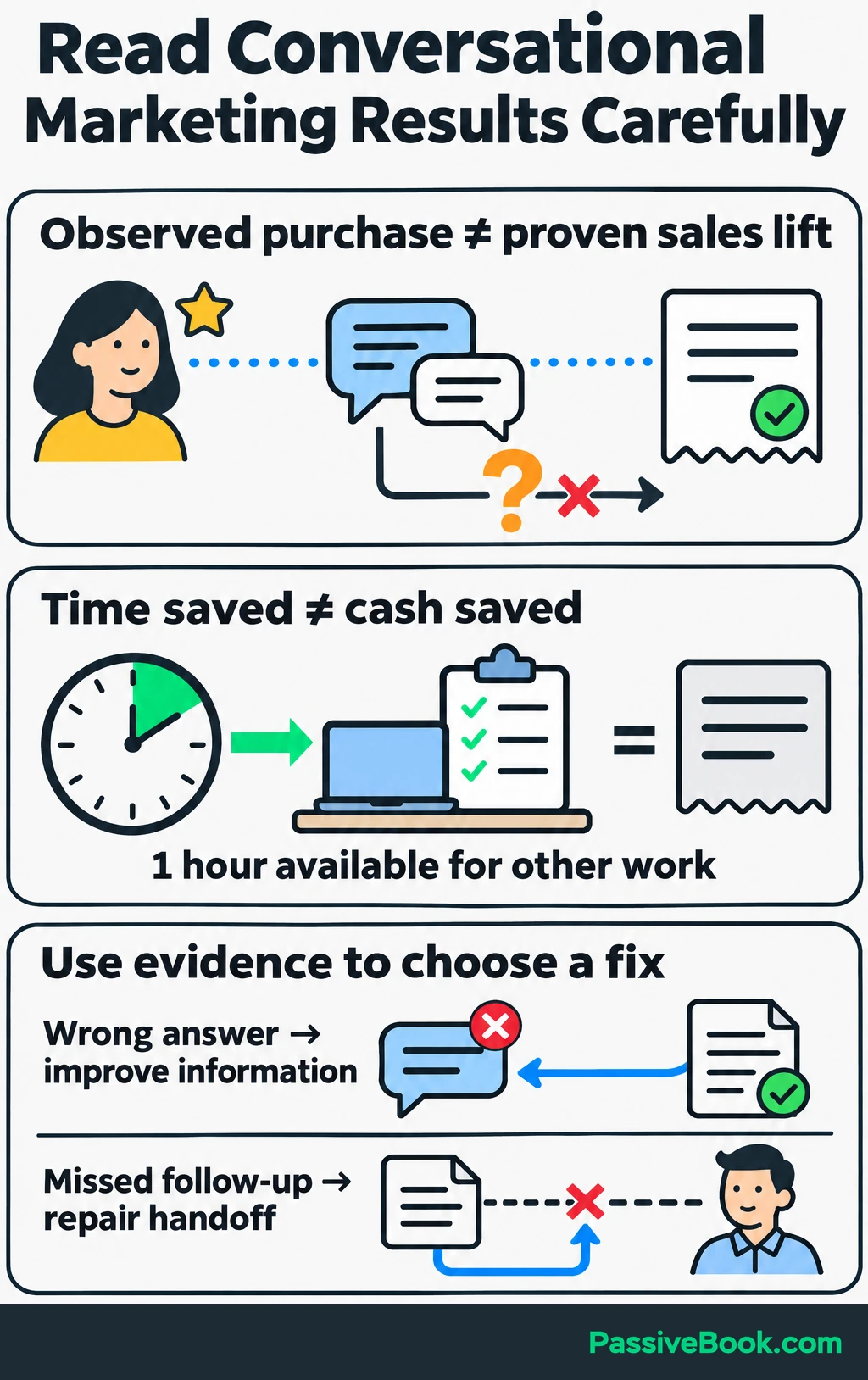
Purchases after conversations don’t prove the conversations caused them. People who choose to ask may already be more interested in buying. Use the figures to assess the workflow without claiming an increase in sales you haven’t established.
Each review should lead to a concrete decision: clarify the supply list, shorten a confusing question, repair a missed handoff or expand a task whose results justify its cost.
Keep time savings separate from cash savings, too. Releasing an hour for other work is valuable, but it doesn’t automatically reduce your bills.
What Next?
Choose one recurring customer question and write its shortest useful answer. Then decide where people should ask it and who will handle anything the answer cannot cover.
Use the social buttons to share this guide when you’re comparing ways to handle customer conversations. A shared workflow makes that discussion more useful than another list of chatbot features.
Which customer question would you handle first, and what would a useful outcome look like? Tell me in the comments, and bring any other questions about setting it up.
Share this post with your friends & followers:

