You spend Saturday writing a post, Sunday making graphics, and Monday wondering whether any of it helped sell your product.
The work is visible, but the connection to revenue is missing. With a few spare hours each week, that gap makes every new channel feel expensive, even when posting is free.
A useful marketing plan gives each piece a job and helps you see where people stop. This guide connects customer research, offers, traffic, email and measurement so you can build a sales path worth improving within the time and money you actually have.
How Online Business Marketing Turns Attention Into Revenue
Your marketing needs to help people move from a problem they recognize to an offer they understand and a purchase they can use.
That takes a connected path:
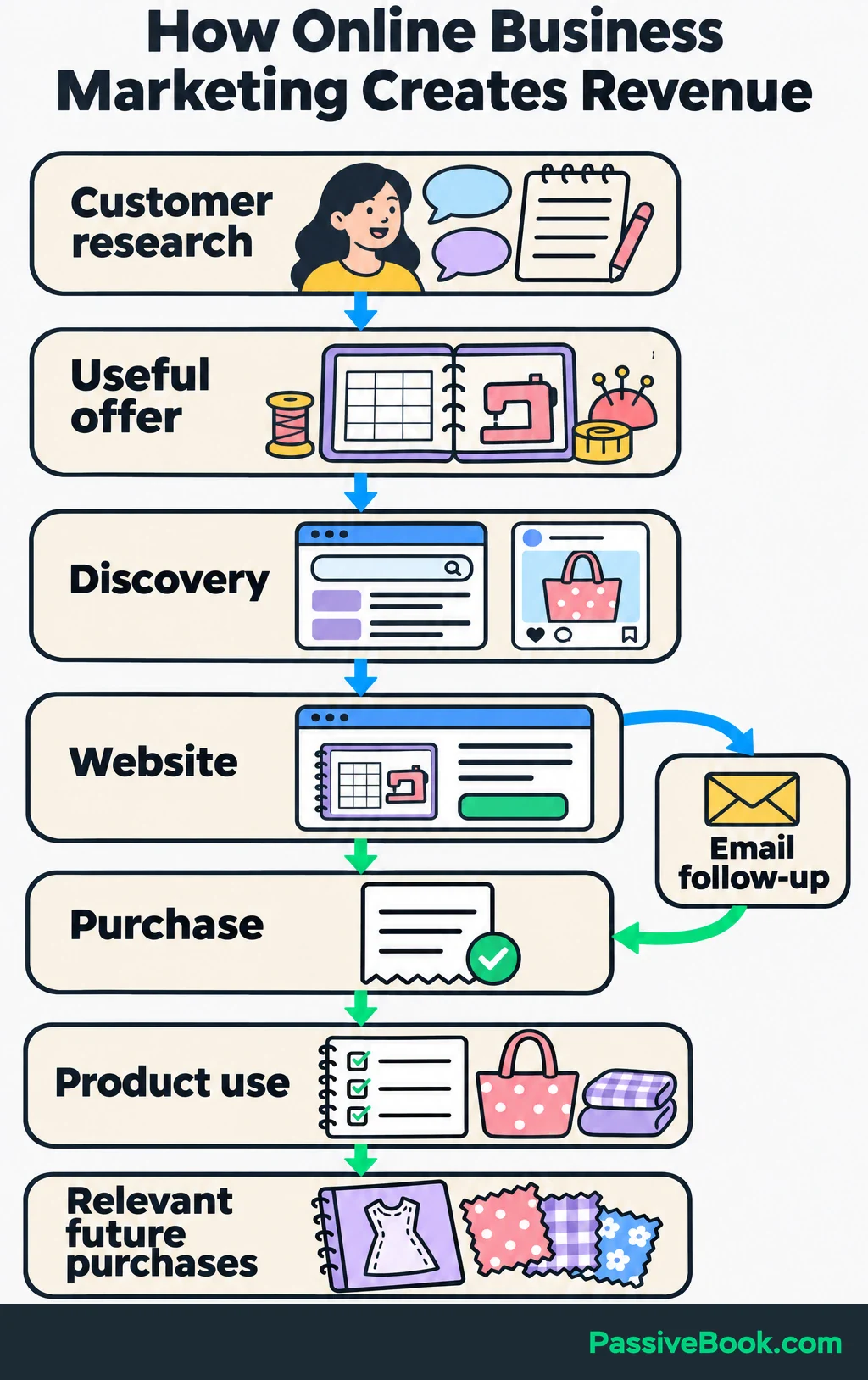
Customer research → useful offer → discovery → website → purchase or email follow-up → product use → relevant future purchases.
Each part answers a different question. Research tells you what matters. Your offer gives people a reason to buy. Distribution brings potential customers to it, and follow-up helps those who need more information.
Start with one offer, one main channel for finding customers, and one follow-up path. You can do this without paid ads or appearing on camera. Organic marketing still takes work, so choose work you can maintain.
Throughout this guide, imagine you run an online shop selling an editable, printable sewing-project planner. A free fabric-buying checklist introduces the paid product. The product details, customer situations, search phrases and calculations are illustrations, not verified demand or observed results.
The aim is to build a path you can measure and improve. A busy content calendar is optional.
Find the Customer Problem Worth Solving
Research Buying Situations
Start with what people already do when the problem appears.
If you have customers, read their orders, enquiries, support messages and reviews. If you are starting from scratch, speak with prospective buyers before building a large product or article library.
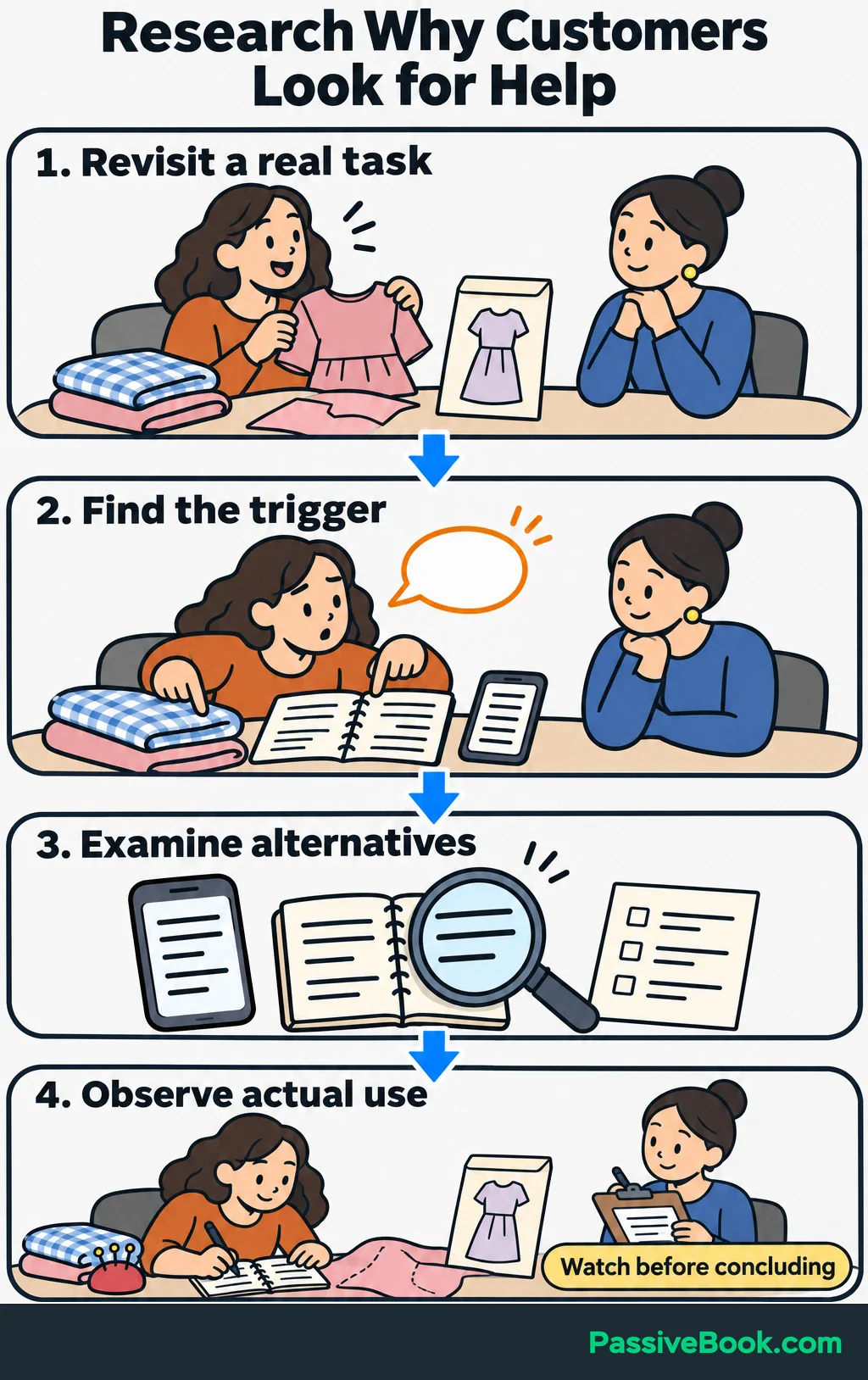
Ask about a recent experience:
- What were you trying to get done?
- What made you look for help?
- How did you handle it?
- Which alternatives did you consider?
- What bothered you about those options?
- What did you eventually buy or use?
These questions keep the conversation grounded. “Would you buy my planner?” invites encouragement. “Show me how you organized your last project” can reveal a problem worth solving.
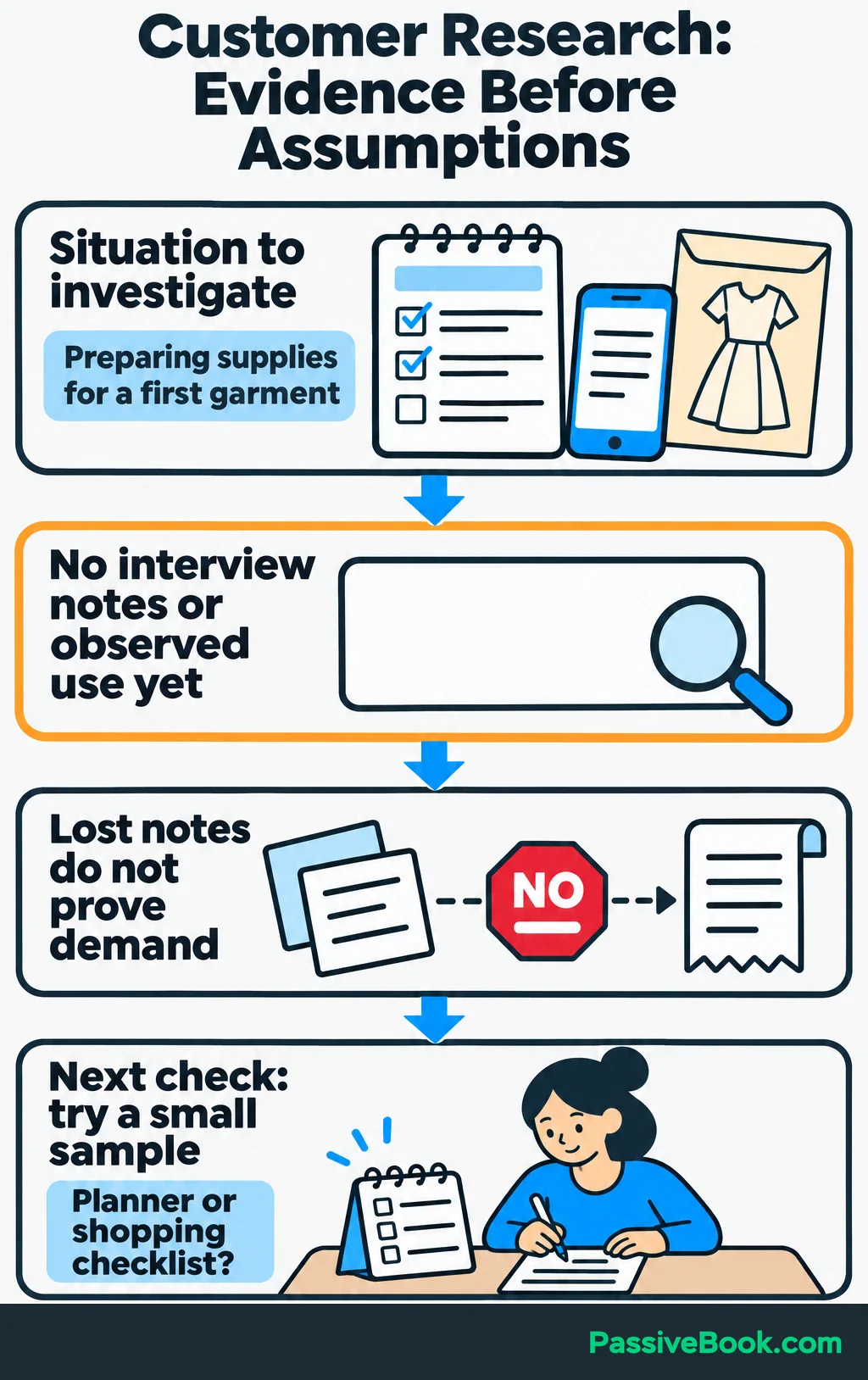
For the planner shop, you might investigate how people keep track of fabric requirements, supplies and changes to a sewing project. Ask them to show you their current notes rather than suggesting that their process must be inconvenient.
Keep a simple research record:
| What to record | What belongs there |
|---|---|
| Buying situation | Preparing supplies for a first garment project |
| Existing approach to check | Notes in a phone, details on the pattern envelope, or a paper list |
| Evidence | No interview notes or observed use yet |
| Unanswered question | Whether they want a reusable planner or only a shopping checklist |
| Next check | Show a small sample and ask them to use it for a real project |
Separate observations from guesses. Someone mentioning lost notes does not establish that they will pay for a planner.
Identify a Meaningful Difference
Compare your offer with everything customers could reasonably use instead.
That includes competing products, free downloads, a spreadsheet, a notebook and doing nothing. Record what each option provides, its format and price, and any complaints you can verify.
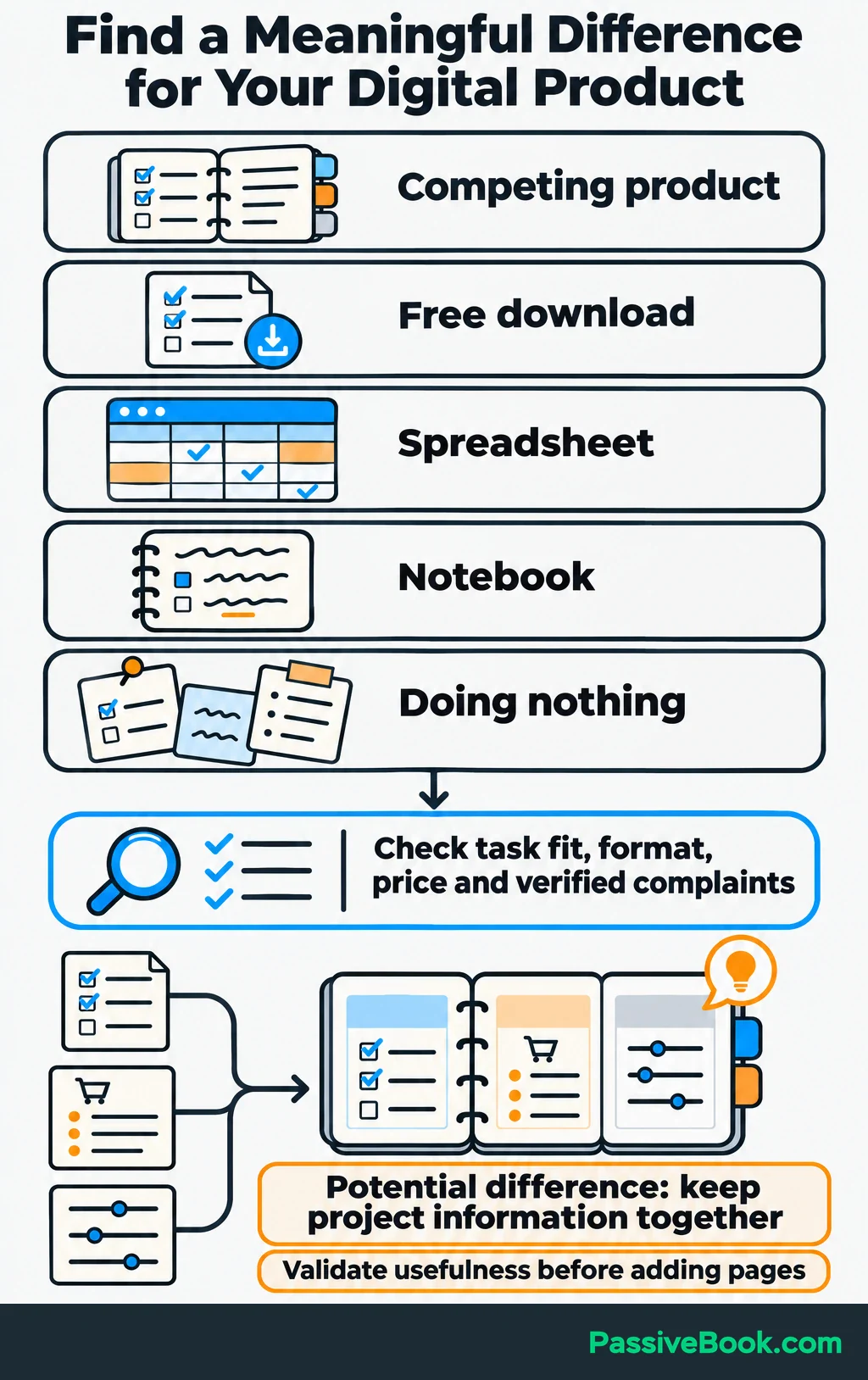
Then choose a difference that matters in the buying situation.
For the sewing planner, keeping project requirements, shopping notes and adjustments together might be useful. But “more pages” means little unless those pages make a task easier.
My online jewellery store taught me this the expensive way. I bought inventory without enough market research and ended up with stock that did not sell. I lost most of the investment.
That experience is why I would check the need before polishing the product. Attractive packaging cannot answer a question you never asked.
Define an Offer That Can Support Marketing Costs
Write one sentence that connects the customer’s situation to the result you help them achieve:
For people preparing a sewing project, this planner keeps fabric requirements, shopping notes and project changes together in reusable pages they can edit and print.
Use that sentence to shape the offer. Explain:
- What the buyer receives.
- Which task each part helps them complete.
- The file format and software needed to edit it.
- How delivery works.
- What is excluded.
- The price and relevant purchase terms.
For this shop, the free checklist helps someone prepare for a fabric-shopping trip. The paid planner adds reusable project records, supply lists and space for adjustments. Show actual previews so visitors can judge that difference. Make clear that sewing patterns and sewing lessons are not included.
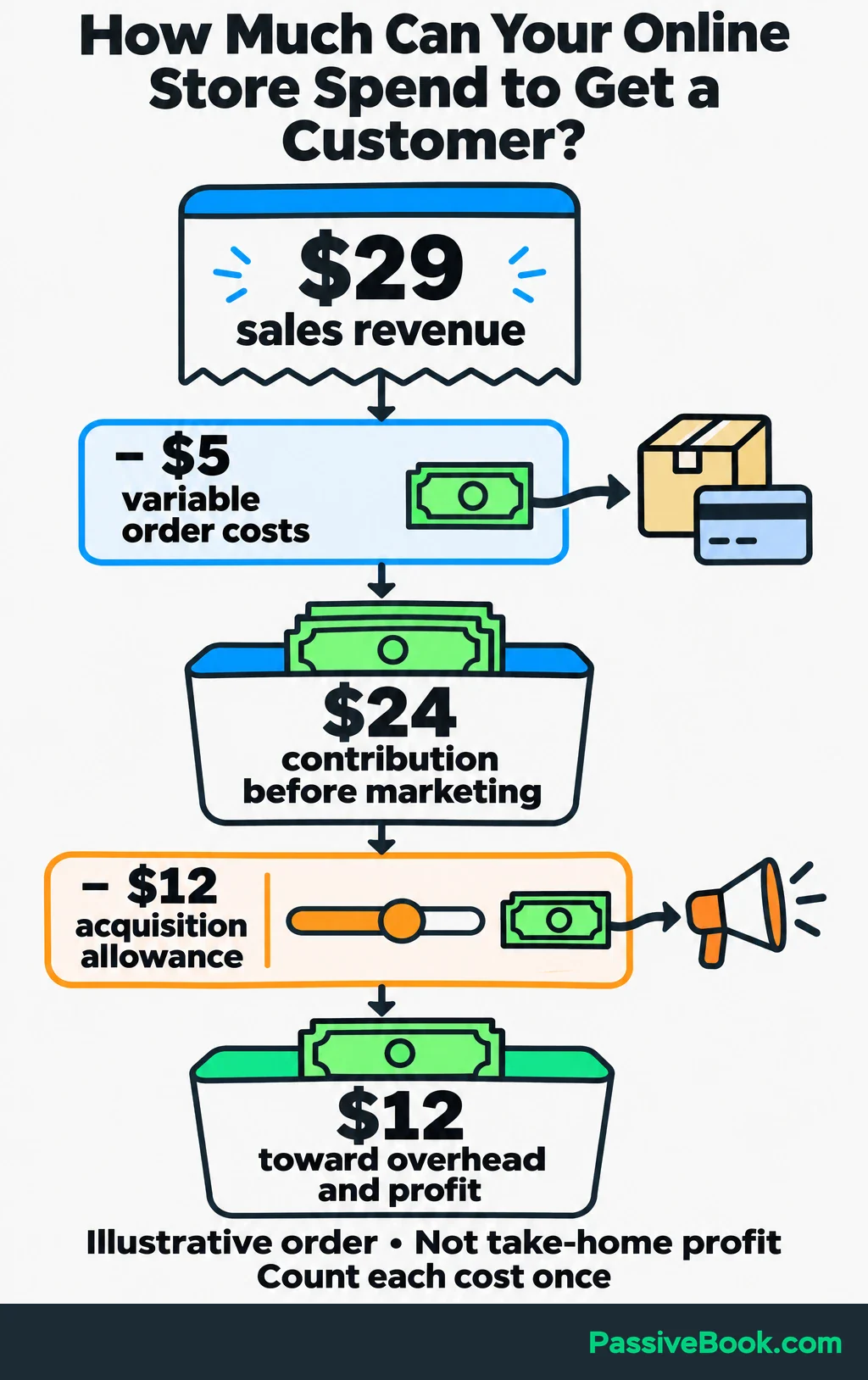
Validate a small version before adding a bundle of extras. Let prospective buyers inspect it, try it and purchase it. Product questions, objections and refunds can show what needs work.
Your price also needs room for marketing.
First, count the money left from an order after discounts, refunds and variable order costs. Exclude taxes collected for authorities. Variable costs can include payment fees, delivery costs, fulfilment and affiliate commissions. You can then set an acquisition allowance: the amount you can spend to attract one new customer.
For an illustrative order:
| Item | Amount |
|---|---|
| Sales revenue, with no discount or refund | $29 |
| Variable order costs | −$5 |
| Contribution before marketing | $24 |
| Acquisition allowance | −$12 |
| Remaining toward overhead and profit | $12 |
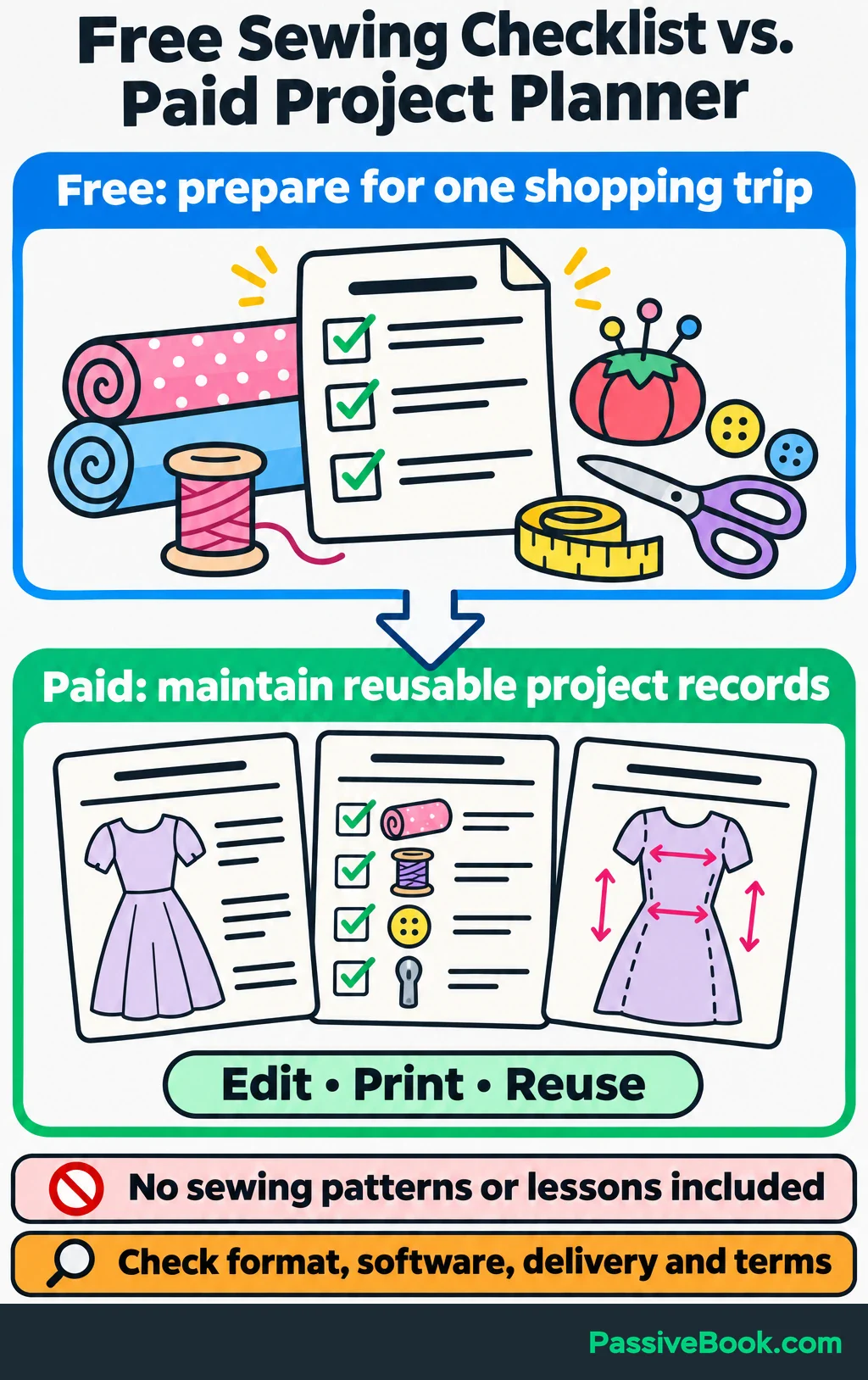
The $24 contribution is what remains for marketing, overhead and profit. It is not take-home profit.
The $12 acquisition allowance is a business choice based on what must remain for overhead and profit. Count each cost once. If a commission is already included in variable order costs, do not subtract it again under marketing.
Set separate limits for cash and time. A campaign that spends little money but consumes every evening can still be a poor choice.
Choose an outcome and a review period, such as first-time purchases from a defined campaign. If you know how often visitors become subscribers, enquiries or buyers, use those rates to estimate how many people you need to reach. Without that data, treat the first campaign as a capped learning test rather than inventing a forecast.
Choose Channels That Fit How Customers Buy
Search reaches people expressing a need. Discovery introduces something while they browse. The same platform can support both behaviours, so look at what customers do there.
This comparison shows the practical demands.
| Channel | Customer behaviour | Suitable content | Initial work | Ongoing maintenance | Cash costs | Primary success measure |
|---|---|---|---|---|---|---|
| Organic search | Looks for an answer, comparison or product | Guides, demonstrations and product pages | Research needs and build useful pages | Update pages and resolve search problems | Website and optional research tools | Relevant visits that lead to enquiries or purchases |
| Searches for ideas or discovers a useful resource | Readable visuals, previews and checklists | Check topic fit and prepare linked visuals | Publish suitable variations and review destinations | Design tools; no media spend for organic Pins | Outbound visits that become subscribers or buyers | |
| Social media and video | Watches demonstrations or joins discussions | Short walkthroughs, photographs and answers | Choose a format and build a repeatable process | Create content and respond to people | Production tools or help, if needed | Qualified visits, enquiries and sales |
| Partnerships | Follows a trusted publisher or business | Joint resources, newsletter features and bundles | Find relevant partners and agree on a contribution | Maintain relationships and review referrals | Placement fees or commissions when agreed | Referred customers and remaining contribution |
| Paid search | Searches for a solution or product | Focused ads and matching purchase pages | Research intent and verify purchase tracking | Review searches, bids and purchase economics | Ad spend plus setup and creative work | Acquisition cost within the allowed margin |
| Paid social | Encounters an offer while browsing | Demonstrations and clear product benefits | Prepare creative, targeting and tracking | Refresh creative and assess purchase results | Ad spend plus creative work | Contribution after advertising costs |
Content is the material you distribute. Your website is where visitors evaluate the offer or buy. Email handles follow-up and customer relationships. These functions support your chosen acquisition channel.
I use blogging and Pinterest for Passive Book. That combination fits how I publish and distribute useful resources, but I would not prescribe it to every business.
For the planner shop, inspect searches and visual content around sewing preparation. Check whether people seek organization tools, whether relevant destinations attract buying interest, and whether you can produce useful demonstrations.
If that research supports Pinterest, a short plan could look like this:
| Decision | Sample plan |
|---|---|
| Customer problem | Project requirements and shopping notes are scattered |
| Offer | Editable, printable sewing-project planner |
| Main channel | Organic Pinterest |
| Destination | A guide to organizing supplies before a sewing project |
| Follow-up | Optional fabric-buying checklist and welcome emails |
| Intended result | First-time planner purchases |
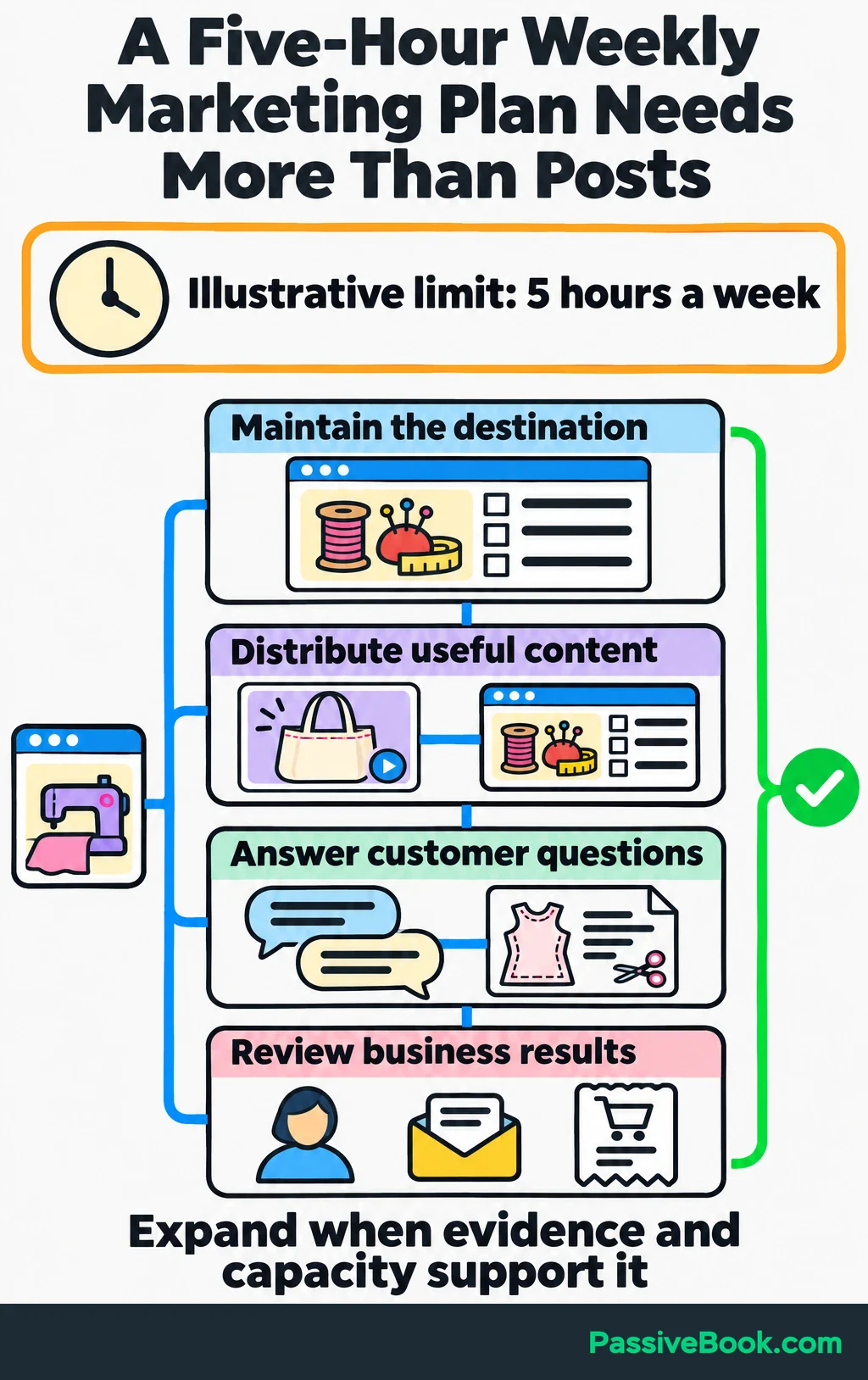
| Limits | Five working hours a week and a fixed monthly cash cap |
| Review | Weekly checks, with decisions based on the completed buying cycle |
Within those five hours, reserve time for the destination page, distribution, customer replies and measurement. Do not give every hour to producing more content.
I favour work that can stay useful: searchable resources, reusable demonstrations, subscriber relationships and documented processes. Add another channel when you have evidence of demand, enough capacity, or a clear reason to reduce dependence on one platform.
Build a Clear Purchase Path
Give Visitors the Right Next Step
Match the destination to the promise that brought someone there.
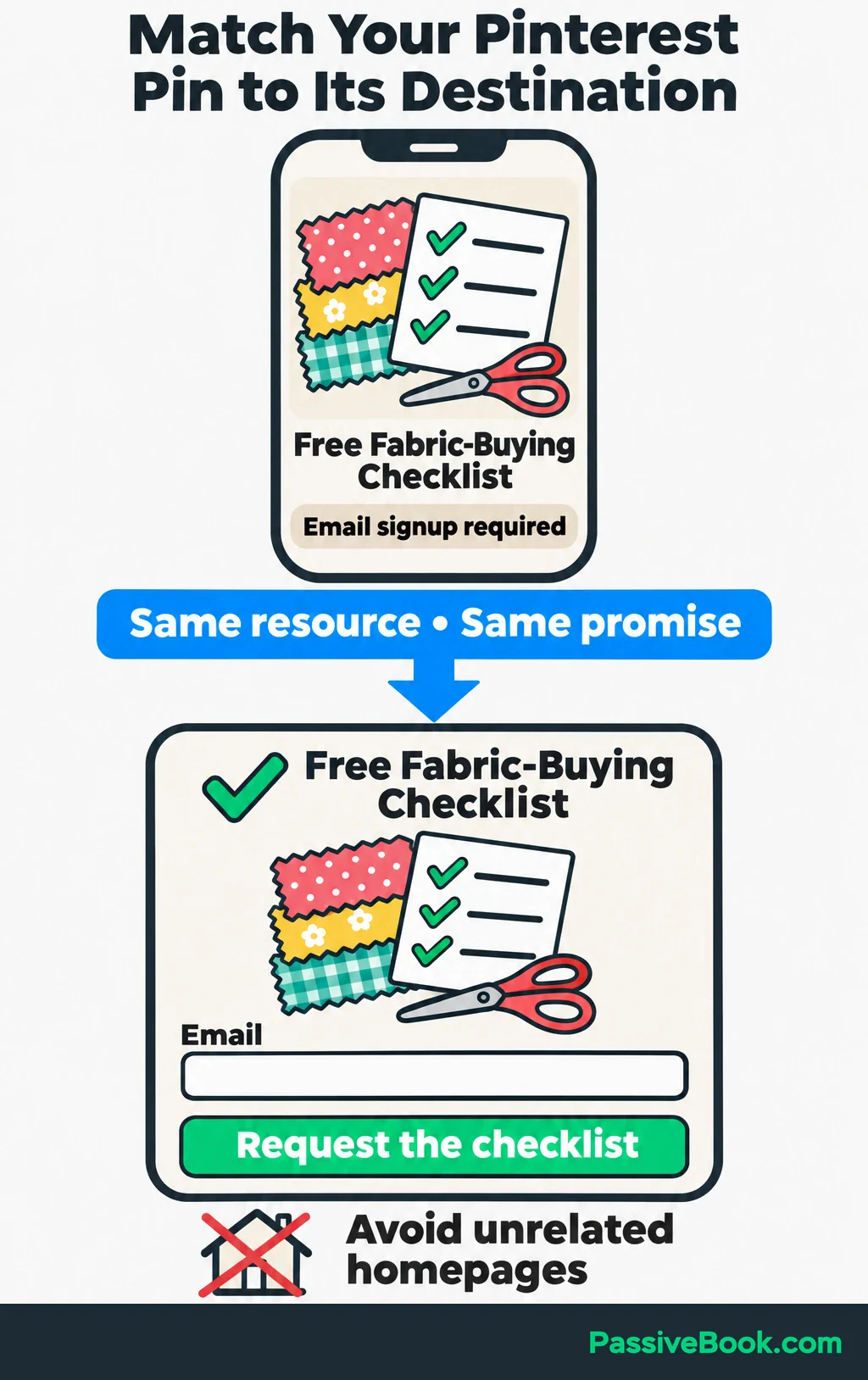
A Pin about organizing sewing supplies should lead to that resource. Sending everyone to a general homepage makes them repeat the search themselves.
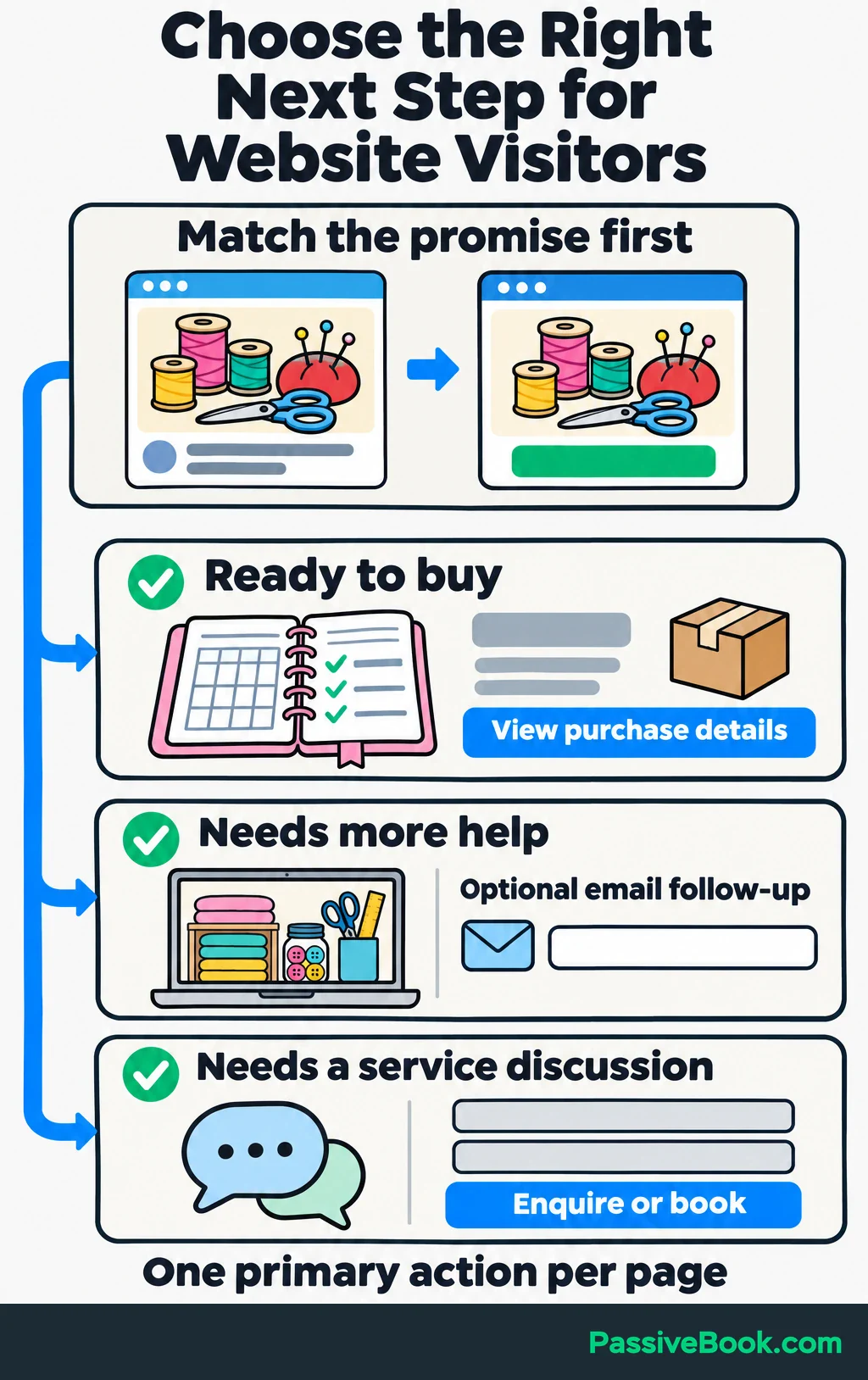
Let ready buyers purchase directly. Offer email follow-up when visitors need help or more information. If you sell a service that requires discussion, make the next action a relevant enquiry or booking.
Each page needs one primary action, supported by the information needed to take it:
- A clear benefit.
- Genuine product previews.
- Price, delivery and access details.
- Customer feedback or a demonstration showing the product in use.
- Answers to likely purchase questions.
The preparation guide can explain the task first and introduce the paid planner where it helps. The optional checklist gives readers a smaller next step. Show what the planner adds so the two offers do not look interchangeable.
Before promotion, complete the entire path on your phone: read the page, submit the form, receive the email, pay and open the download.
Also test keyboard access. Inputs need labels, buttons need to work without a mouse, and errors should explain how to fix the problem. These are among the practices covered in W3C’s accessibility guidance.
Record Meaningful Actions Before Promotion
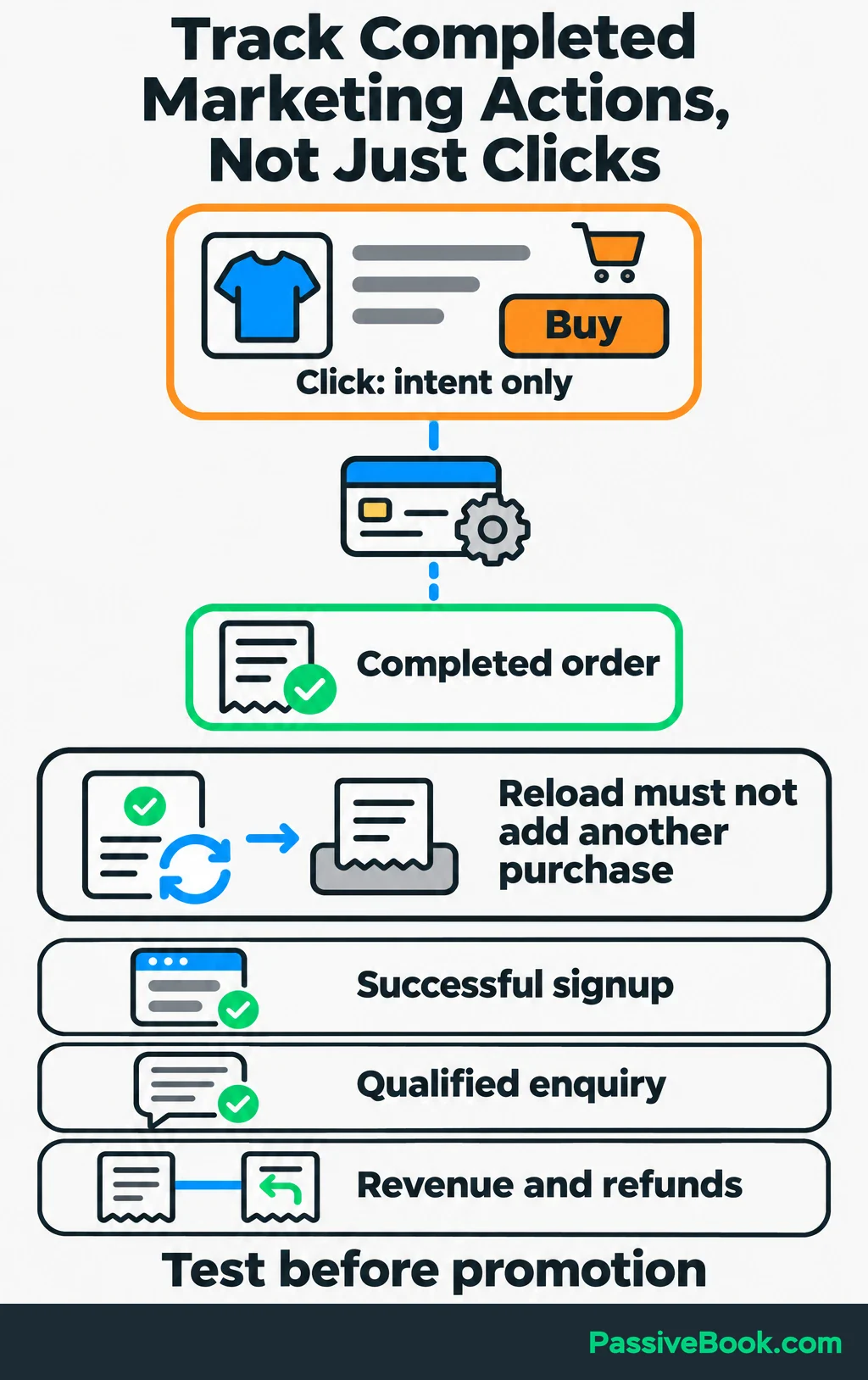
Track completed actions that help you understand the business:
- Successful signups.
- Qualified enquiries.
- Completed orders.
- Sales revenue.
- Refunds.
A click on “Buy” is not a completed order. Test that distinction and check that each purchase appears once, including when someone reloads the confirmation page.
Give your tools separate jobs. Website analytics reports visits and actions. Google Search Console reports Google search visibility and clicks. Email reports show follow-up activity. Order records confirm sales and refunds.
For external promotional links you control, add consistent campaign tags: short labels recording where and how you shared the link, and which campaign it belongs to. For example, use pinterest as the source, organic_social as the medium and sewing-preparation as the campaign name.
Keep personal information out of those labels.
Collect only the information you need and explain its use. Before enabling tracking, check the privacy and consent requirements that apply to your visitors and tools. The ICO’s online-tracking guidance is a starting point for UK requirements.
Attract Potential Buyers With Content and SEO
Choose Topics Connected to the Offer
Search engine optimization (SEO) helps people find your pages through search engines. Start with what someone needs to understand or complete before your offer becomes useful.
Start with customer questions, search suggestions, existing search-performance data and gaps in available answers. Then consider:
- How closely the topic connects to your offer.
- Whether the person wants information, a comparison or a product.
- Whether you can contribute a useful demonstration.
- Whether the competing pages leave a problem unsolved.
High search volume does not rescue a weak connection to what you sell.
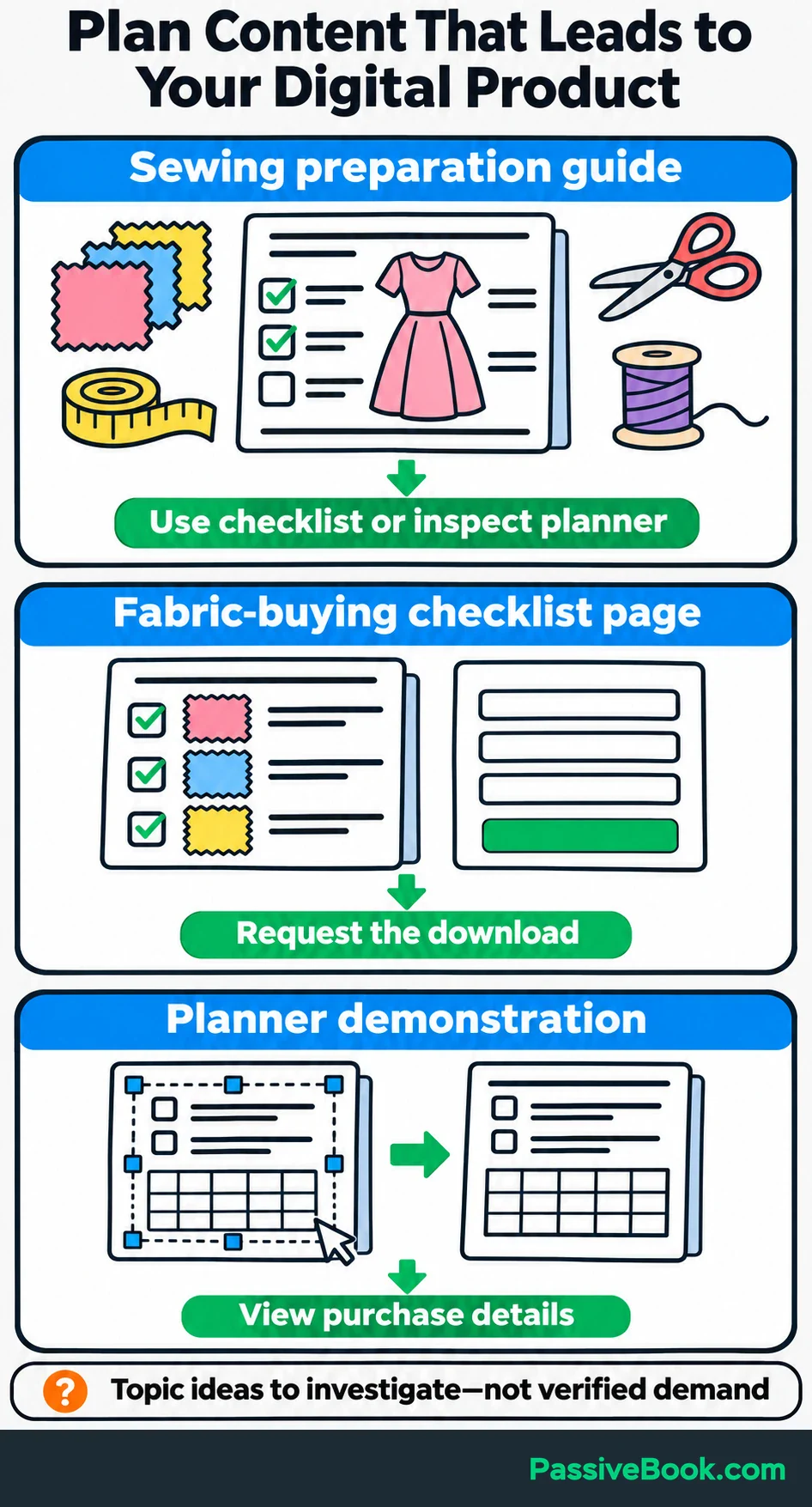
For the planner shop, three pages could serve distinct needs:
| Page | Reader’s task | Relevant next step |
|---|---|---|
| Sewing-project preparation guide | Organize requirements before starting | Use the checklist or inspect the planner |
| Fabric-buying checklist page | Prepare a shopping list | Request the download |
| Planner demonstration | Check how editing and printing work | View purchase details |
These are topic ideas to investigate, not verified keyword opportunities.
Give each page a clear purpose. Publishing several near-identical articles about the same task adds maintenance without necessarily adding help.
Publish Useful, Discoverable Pages
Answer the main question early, then show how to complete the task.
Use your own product previews, annotated examples or demonstrations. A sewing preparation guide should help readers organize a project even if they never buy the planner. That approach fits Google’s guidance on useful, original content.
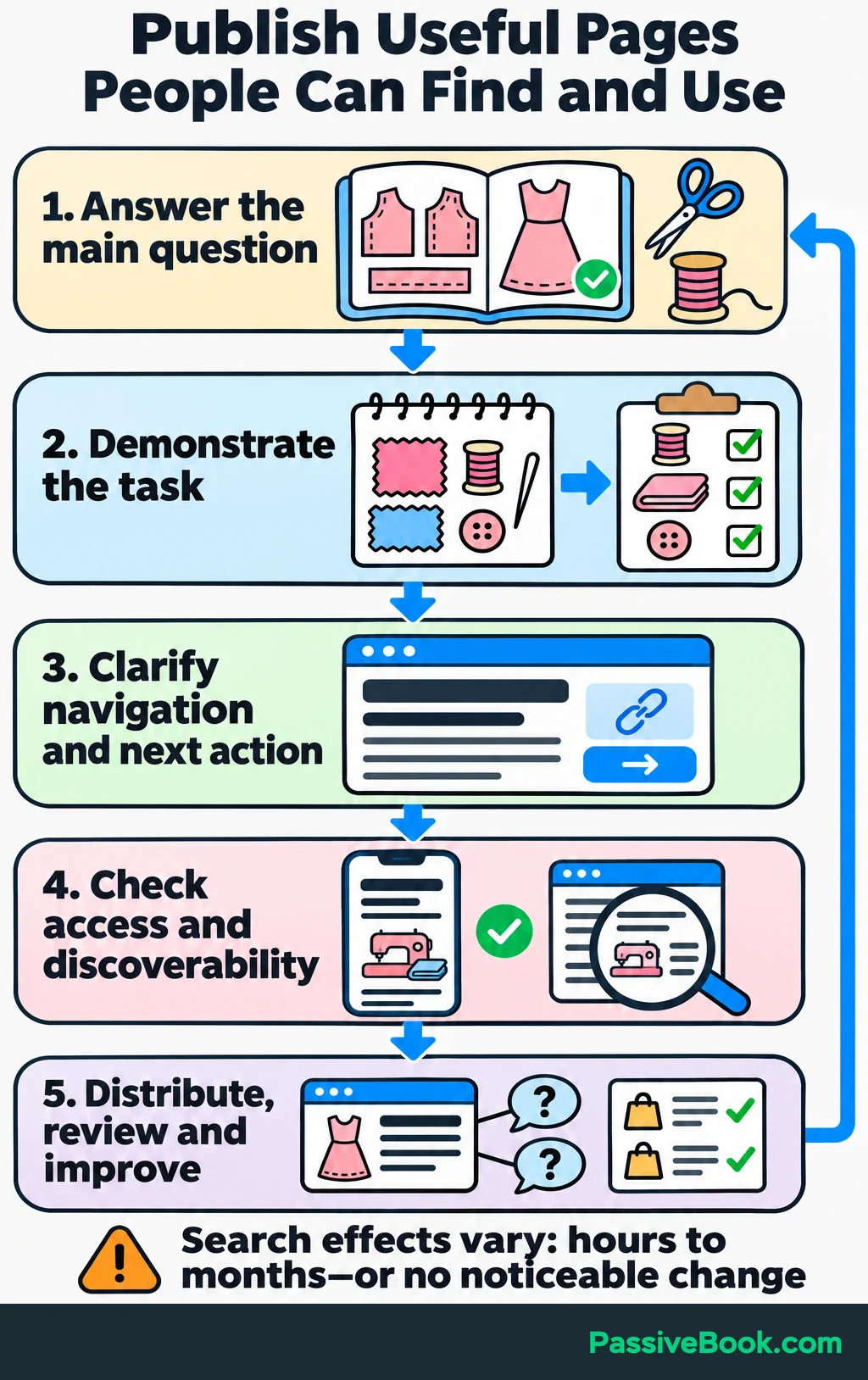
Write descriptive titles and headings. Link related resources where the connection helps the reader, and make the route to the product or signup clear.
Check that important pages load, contain readable content and allow search engines to include them in search results. If a page is missing from search, use Search Console to investigate before rewriting the whole article.
Publication is only part of the work. Distribute the resource through your chosen channel, answer questions it creates and improve it when product details or customer needs change.
Give search changes time to show an effect. Google says some changes can appear within hours while others take several months, and some produce no noticeable improvement. Use that range to set expectations rather than demanding sales from a newly published page next week. Google’s SEO starter guide explains the timing.
Review search queries and clicks alongside relevant signups and purchases. A page attracting the wrong questions may need a different focus, even when its traffic looks healthy.
Reach Customers Through Visual and Social Content
Give your chosen platform a job: discovery, demonstration, answering objections or customer support.
Then adapt useful material to a format people use there. You can create photographs, checklist carousels, annotated screen recordings or hands-only demonstrations without becoming an on-camera personality.
For the planner, show one practical benefit at a time:
- Entering project details into an editable page.
- Turning those details into a shopping list.
- Printing the pages needed for one project.
- Keeping adjustment notes for later reference.
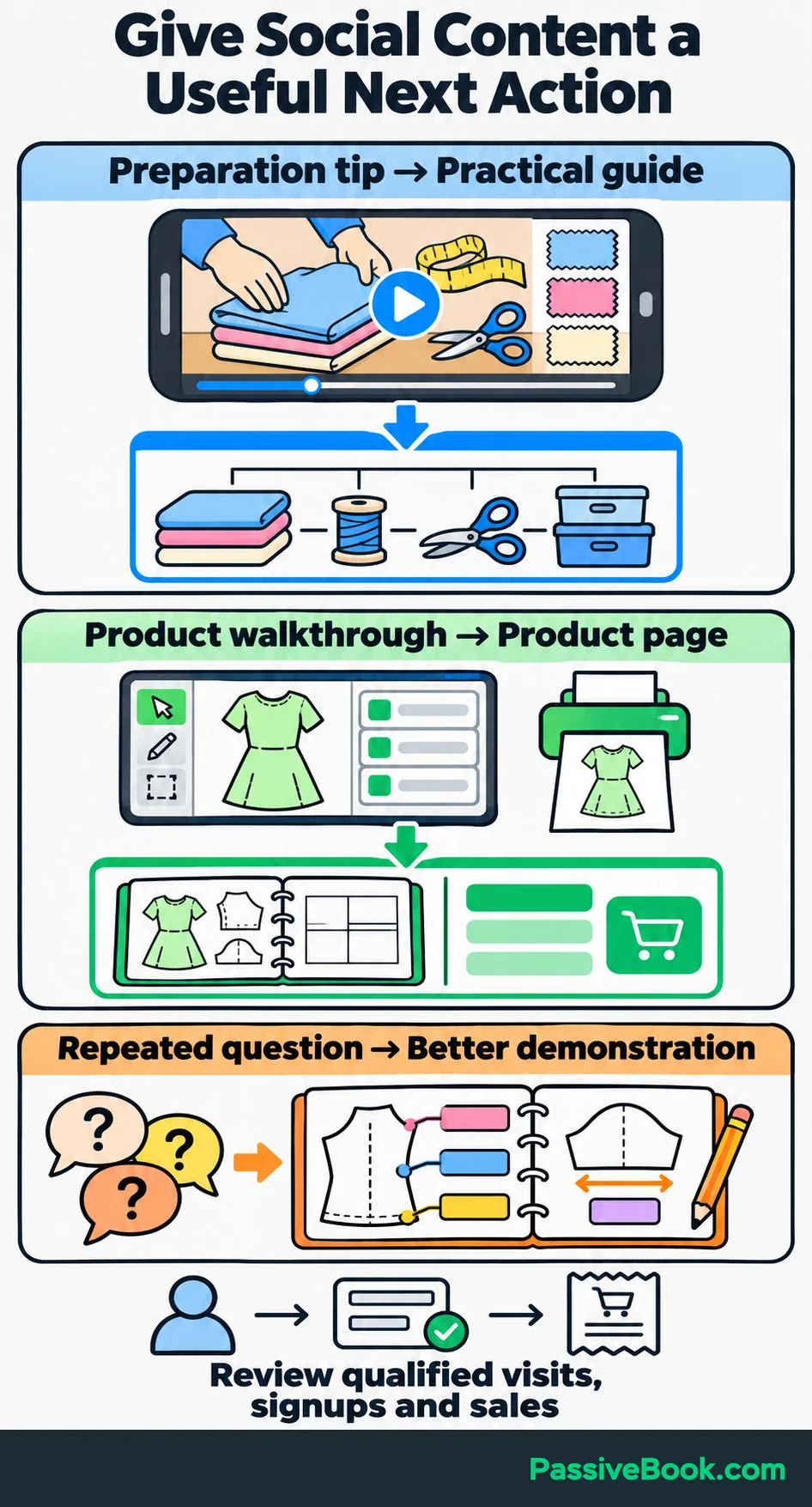
Connect each item to a suitable next action. A quick preparation tip can lead to the guide. A product walkthrough can lead directly to the product page.
On Pinterest, use readable visuals and language that matches the resource. A graphic promising a free checklist needs to lead to that checklist, with any signup requirement clear.
Participation matters too. Answer relevant questions and follow community promotion rules. Repeated questions can supply better demonstration ideas than an empty publishing calendar.
I spent six months chasing Instagram and Twitter/X followers in another niche, while the bank account stayed around $47. That was separate from Passive Book. The missing connection was a useful route from attention to something people could buy.
So I would set a sustainable publishing and response workload, then compare qualified visits, signups and sales alongside reach and saves. Engagement helps explain attention. Your purchase path shows whether that attention supports the business.
Reach Relevant Audiences Through Partnerships
A small, relevant audience can be more useful than a large audience with no reason to care.
Look for complementary businesses, newsletters, creators and communities serving the same buying situation. Read their recent material before proposing anything.
Make the contribution specific. For the planner shop, a sewing newsletter might benefit from a project-preparation worksheet and a short demonstration.
Your proposal should explain what readers receive, what you provide, what the partner contributes and where interested readers go next.
Choose the arrangement deliberately:
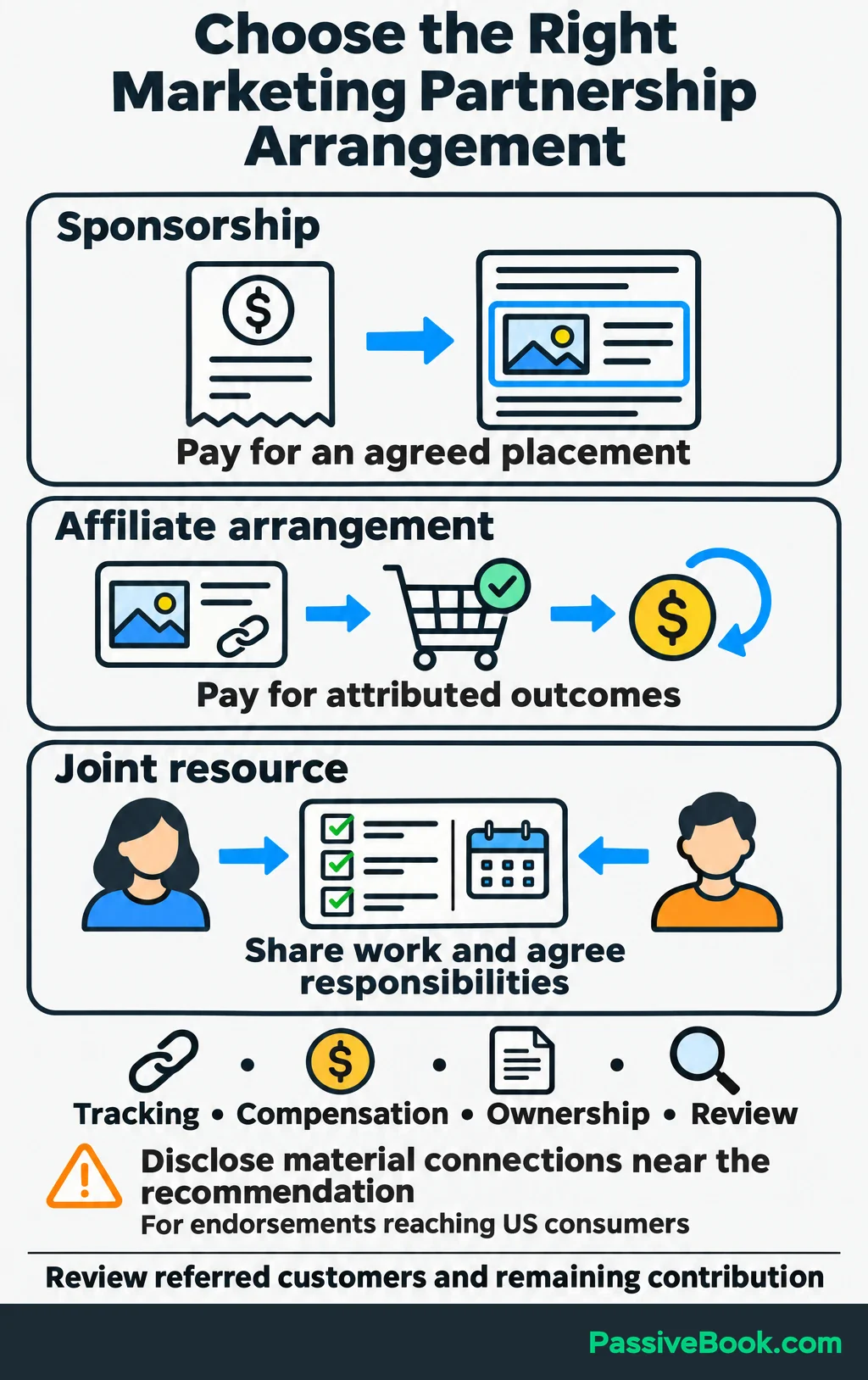
- Sponsorship pays for an agreed placement or deliverable.
- An affiliate arrangement pays for attributed outcomes, usually sales.
- A joint resource shares useful work, with responsibilities agreed in advance.
Agree on tracking, compensation, ownership of the material and a review point. Include placement fees and commissions in your calculations, counting each once.
For endorsements reaching US consumers, payments, gifts and affiliate commissions need clear disclosure near the recommendation when they create a material connection. A buried footer disclosure is a poor choice. The FTC explains disclosure placement and material connections.
After the placement, compare referred customers and the money remaining from their orders. Expand relationships that bring suitable customers at workable costs.
Use Email to Build Customer Relationships
Offer a signup resource that solves an immediate problem and demonstrates how you help.
For the planner shop, the fabric-buying checklist should work as a useful download on its own. Explain what people receive and what future emails will cover before they subscribe.
I would use a clear opt-in for this sequence. Identify the sender and provide a working unsubscribe option. Check the rules that apply to your audience; for example, US commercial email has requirements covering sender information, subject lines, a postal address and opt-outs. The FTC’s CAN-SPAM guide sets these out.
Choose tools around your setup. For a WordPress business, I would consider FluentCRM to manage contacts and automated sequences, connected to a separate service that sends the emails. For a simpler hosted setup, Kit is an option. You do not need both.
Before launch, authenticate your sending domain. SPF identifies authorized senders, DKIM adds a verifiable signature, and DMARC sets a policy for messages that fail authentication checks. Gmail recommends setting up all three. Its sender guidance explains these methods.
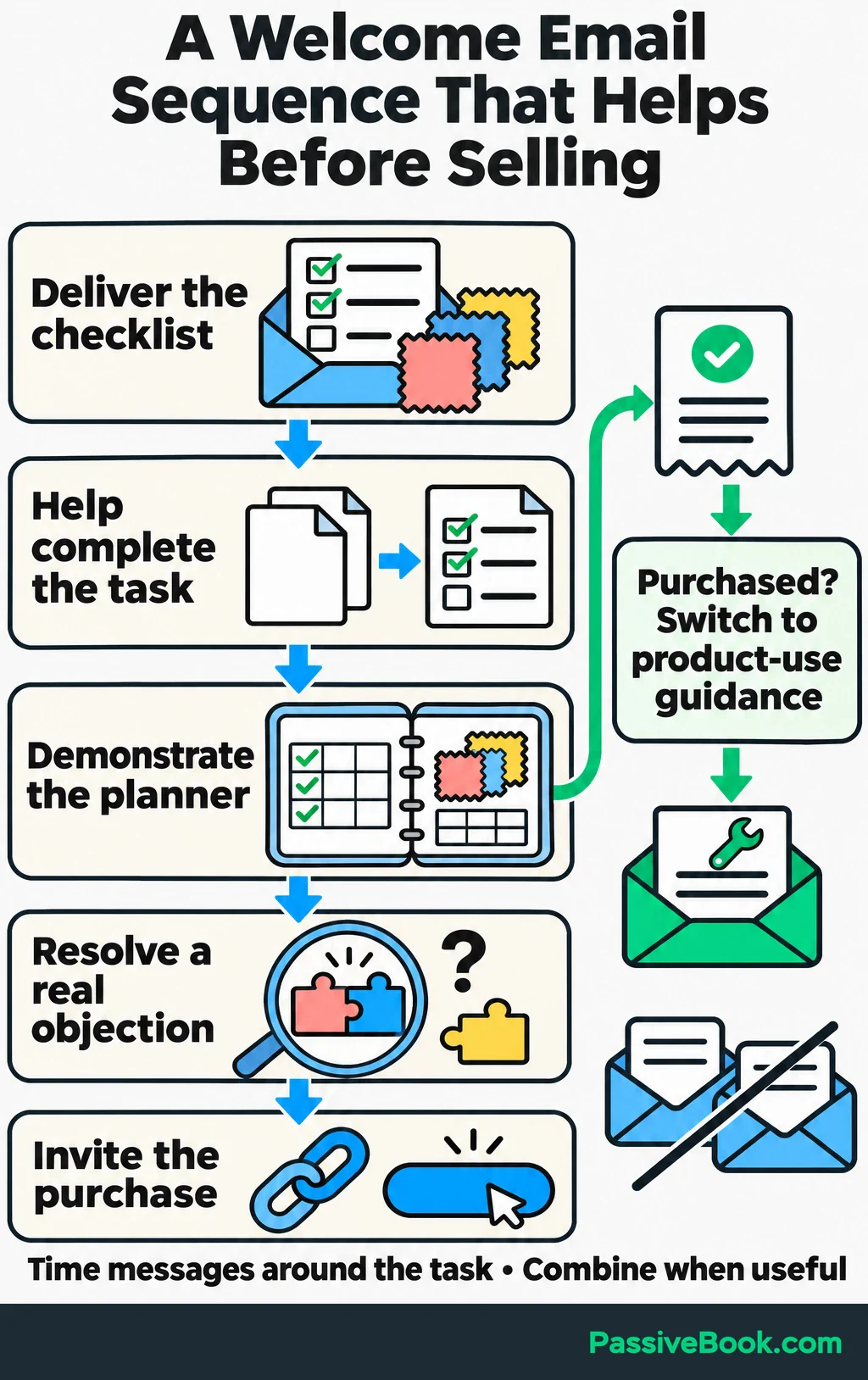
A focused welcome sequence could follow this structure:
| Email purpose | Useful content | Next action |
|---|---|---|
| Deliver the resource | Checklist link and brief instructions | Open the checklist |
| Help with the task | How to gather requirements for one project | Complete the shopping notes |
| Demonstrate the product | Show how the planner connects the notes | Watch the demonstration |
| Resolve a real objection | Explain a recurring question, such as editing requirements | Check compatibility or purchase details |
| Invite the purchase | Summarize the relevant benefit | View the planner |
Let the task determine timing. Someone shopping for supplies tomorrow needs prompt help. There is little value in delaying the useful message to satisfy an arbitrary automation template.
You can also combine purposes when a separate email adds nothing. Remove buyers from introductory sales reminders and send relevant product-use guidance instead.
You have the sequence structure; now the messages need to fit your offer. The copy studio below drafts the emails and matching signup copy from your product details, so the promise stays consistent from signup to purchase.
Free AI Copywriting Studio


After the welcome sequence, continue with messages tied to questions, product use and suitable offers. A reminder about keeping adjustment notes can help a customer use the planner again.
Measure clicks, replies, purchases, unsubscribes and complaints. Avoid making opens your main success measure or automation trigger. Apple’s Mail Privacy Protection can download remote email content in the background without the recipient engaging with the message.
Help Customers Succeed and Buy Again
The first job after payment is helping the customer use the purchase.
Deliver clear access instructions, explain how to edit and print the files, and show where to ask for help. Test this experience with the same care as checkout.
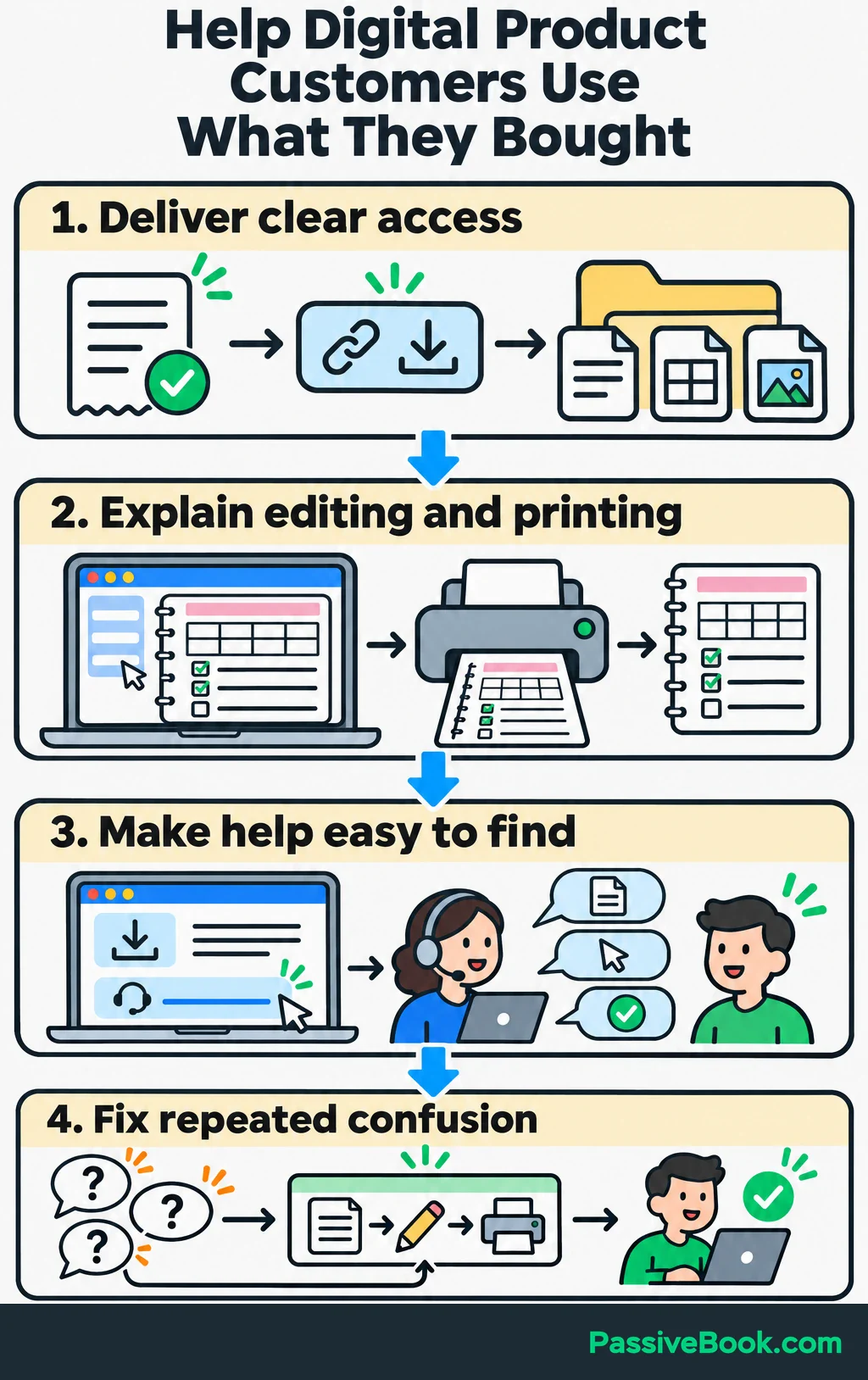
When customers repeatedly ask the same question, fix the product or instructions. A support reply solves one person’s problem. A clearer download page can solve the next person’s too.
Use purchase history and expressed needs to guide later offers. For the planner shop, requests for fabric-inventory pages might justify a complementary product. Do not build it merely because another product would give you something to email about.
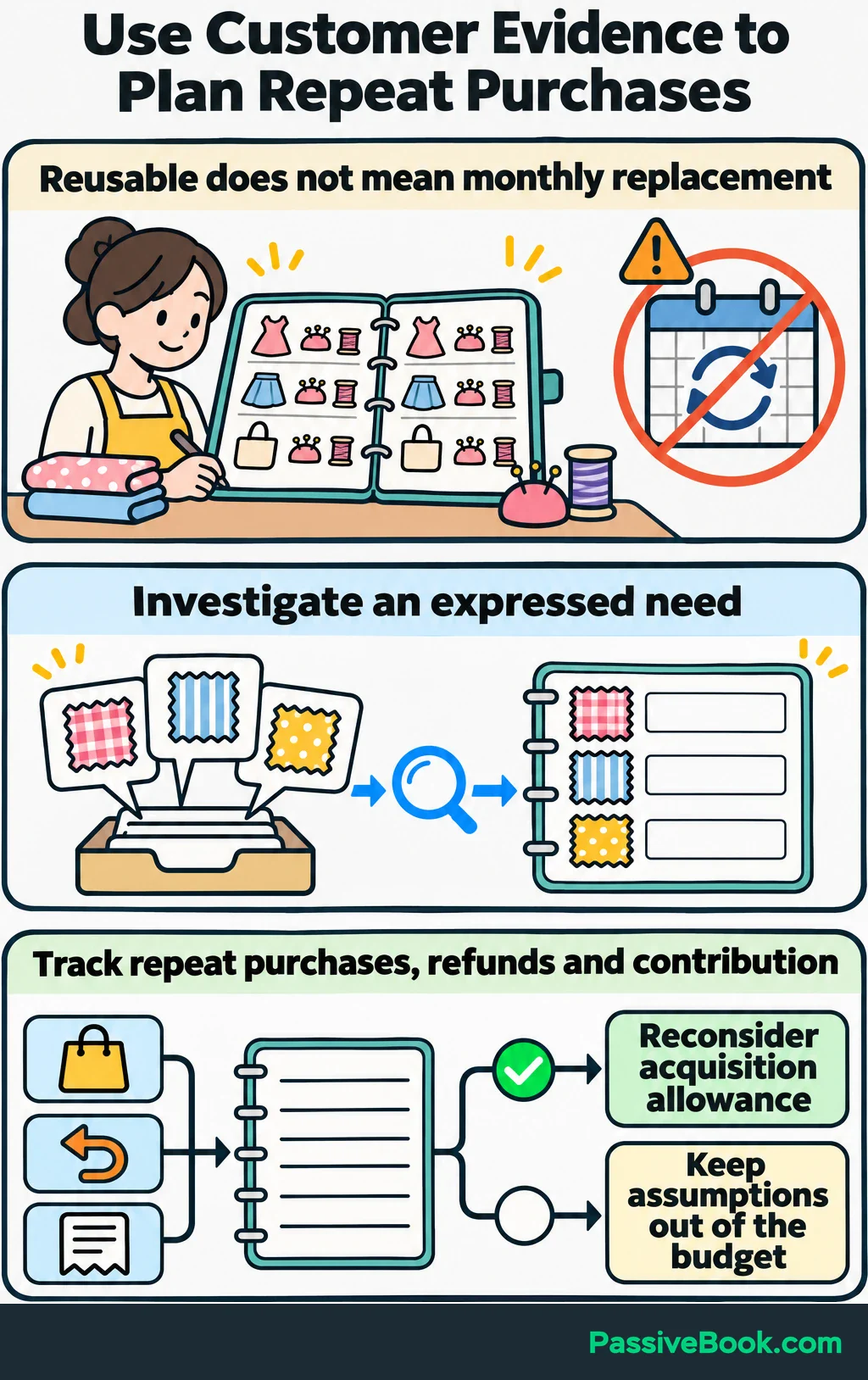
A reusable planner may not need frequent replacement, so do not base the business on customers buying it every month.
Give satisfied customers a simple product link they can share, or a clearly explained referral arrangement.
Track refunds, repeat purchases and contribution per customer. Increase acquisition allowances only when observed repeat-purchase value supports the decision.
Test Paid Advertising Within Your Margins
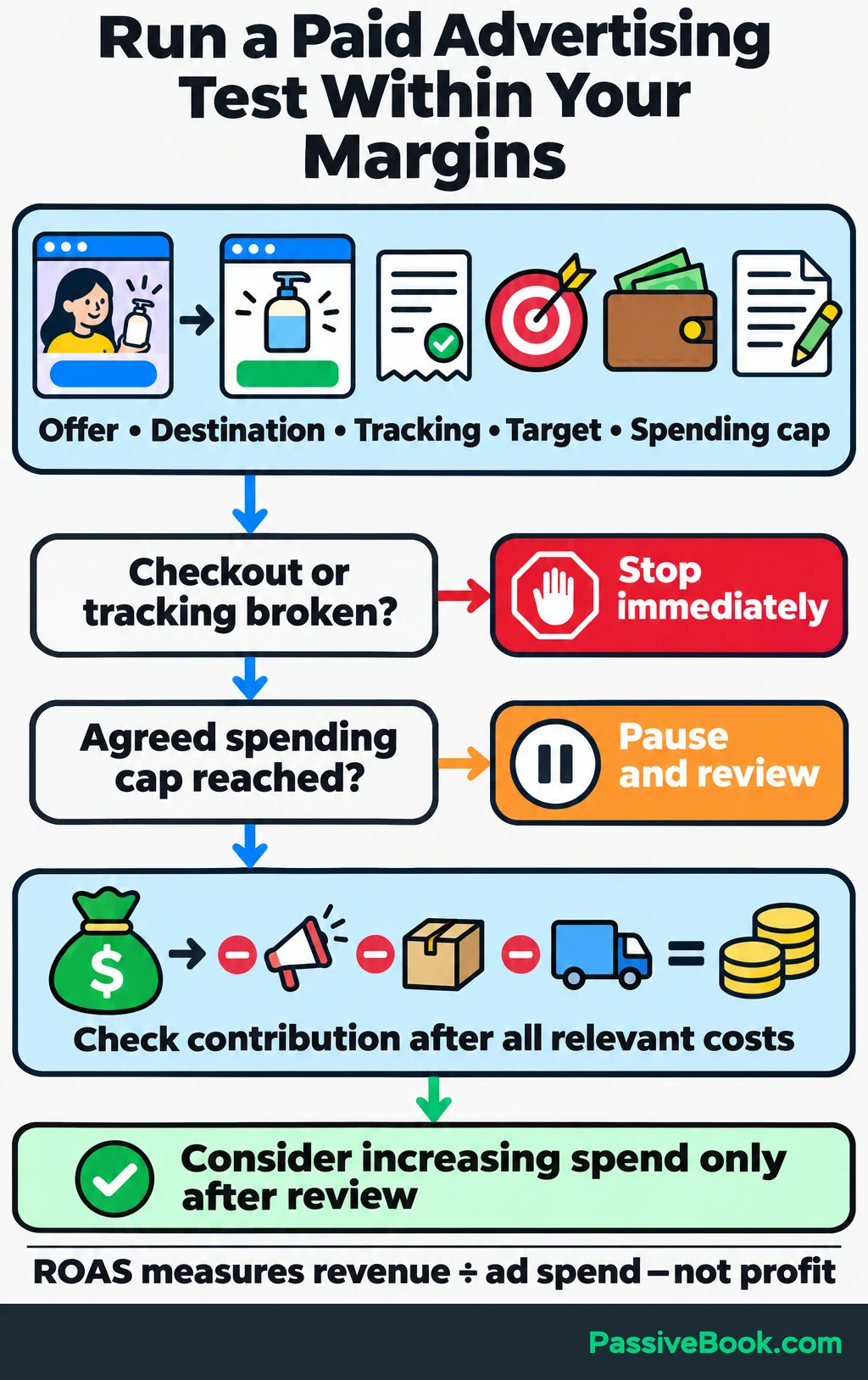
I would test ads after the offer, checkout and tracking work. Paid traffic can help you learn, but every broken step now has a meter running.
Choose paid search when customers express a relevant need through searches. Consider paid social when a demonstration can introduce the offer to suitable people.
Start with:
- One offer and a matching destination.
- A verified completed-purchase event.
- A cash acquisition-cost target.
- A capped test budget you can afford to lose.
- Written stopping conditions.
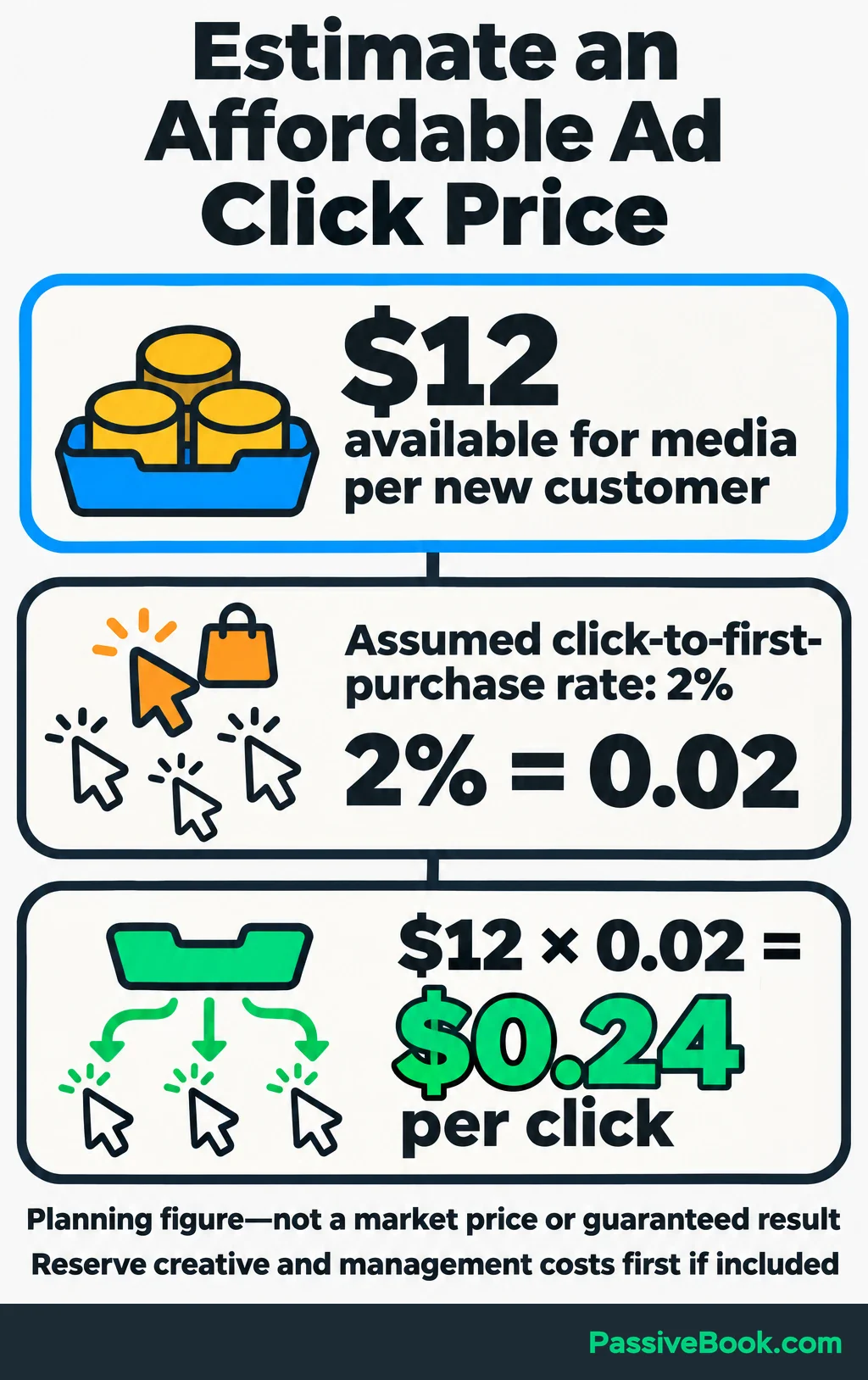
Your acquisition allowance can help estimate an affordable click price.
Count the proportion of ad clicks that lead to a first purchase within the chosen purchase window. Multiply that rate by the amount available for advertising per new customer.
For a separate direct-purchase ad test, assume $12 is available for media spending per new customer and 2% of ad clicks lead to a first purchase:
$12 × 0.02 = $0.24 per click.
That is a planning figure based on an assumed rate. It does not establish that suitable clicks are available at that price. If creative production or management must come from the same allowance, reserve those costs first.
Write the ad around the buying situation and fulfil its promise on the page. For example: “Keep your next sewing project’s supply list and notes together.”
Inspect the full path before increasing spending. Stop immediately if checkout or tracking breaks, and pause when the agreed spending cap is reached.
Return on ad spend is attributed revenue divided by ad spend. It leaves out other costs, so check contribution after creative costs, fees, fulfilment, discounts and refunds before scaling.
Measure Results and Improve the Weakest Step
Connect Channel Activity to Contribution
Keep one scorecard row per campaign for visitors, qualified leads, new customers, net sales revenue, variable order costs, marketing spending, working hours and the next action.
Define a qualified lead before counting one: a new checklist subscriber for this shop, or an enquiry that meets a service business’s project requirements.
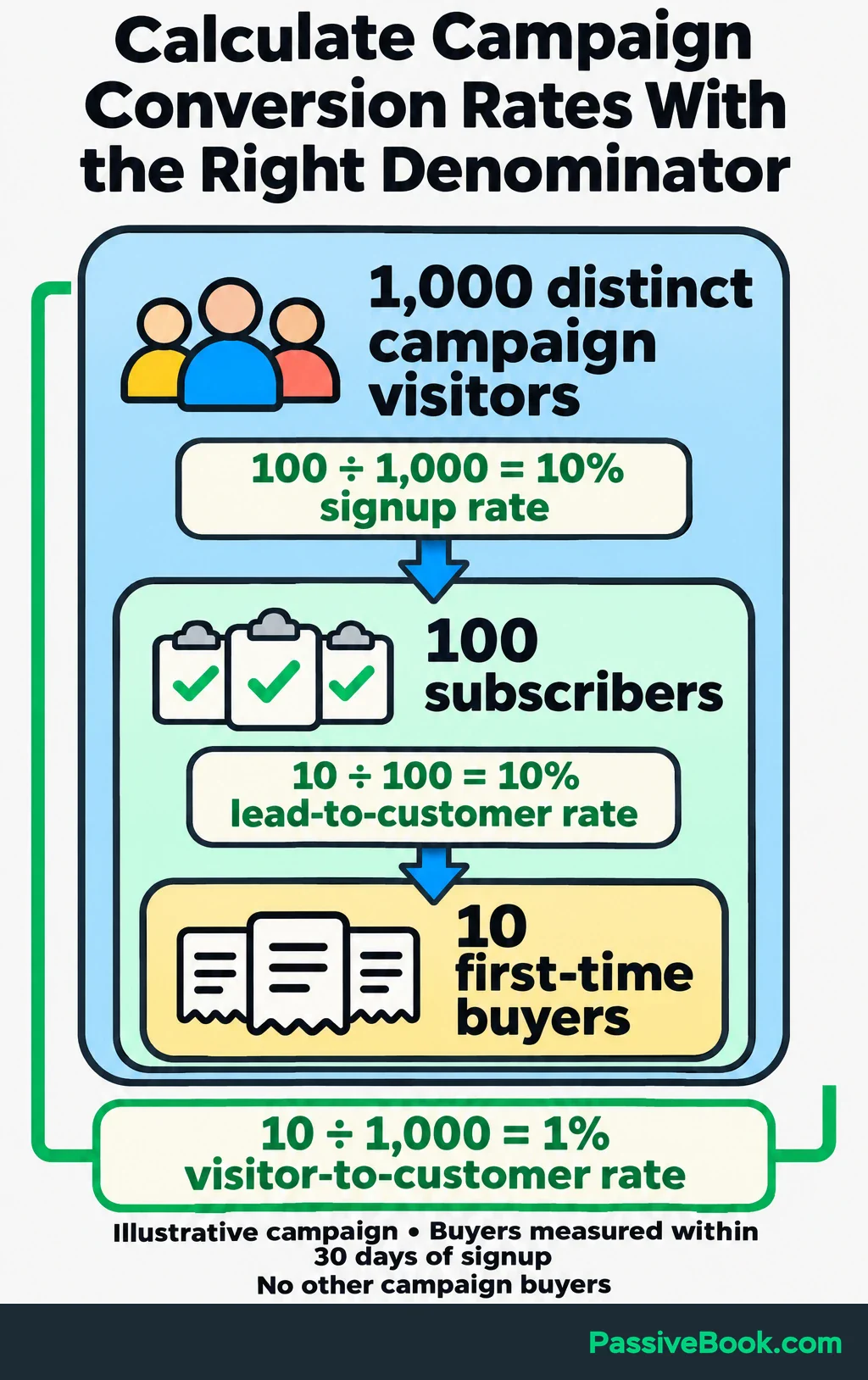
Suppose one campaign brings 1,000 distinct visitors in a month and 100 become checklist subscribers. Within 30 days of each signup, 10 of those subscribers make their first purchase. There are no other campaign buyers. Each buyer places one $29 order, with no discounts, refunds or taxes included in the revenue figure.
| Measure | Calculation | Result |
|---|---|---|
| Signup rate | 100 subscribers ÷ 1,000 visitors | 10% |
| Lead-to-customer rate | 10 buyers from the subscriber group ÷ 100 subscribers | 10% |
| Visitor-to-customer rate | 10 buyers ÷ 1,000 visitors | 1% |
| Sales revenue | 10 orders × $29 | $290 |
Now account for costs and effort. Suppose each order has $5 in variable costs. The campaign uses $100 in cash acquisition spending and seven marketing hours.
| Measure | Calculation | Result |
|---|---|---|
| Variable order costs | 10 orders × $5 | $50 |
| Cash acquisition cost | $100 acquisition spending ÷ 10 new customers | $10 |
| Contribution after marketing | $290 − $50 − $100 | $140 |
| Contribution per marketing hour | $140 ÷ 7 hours | $20 |
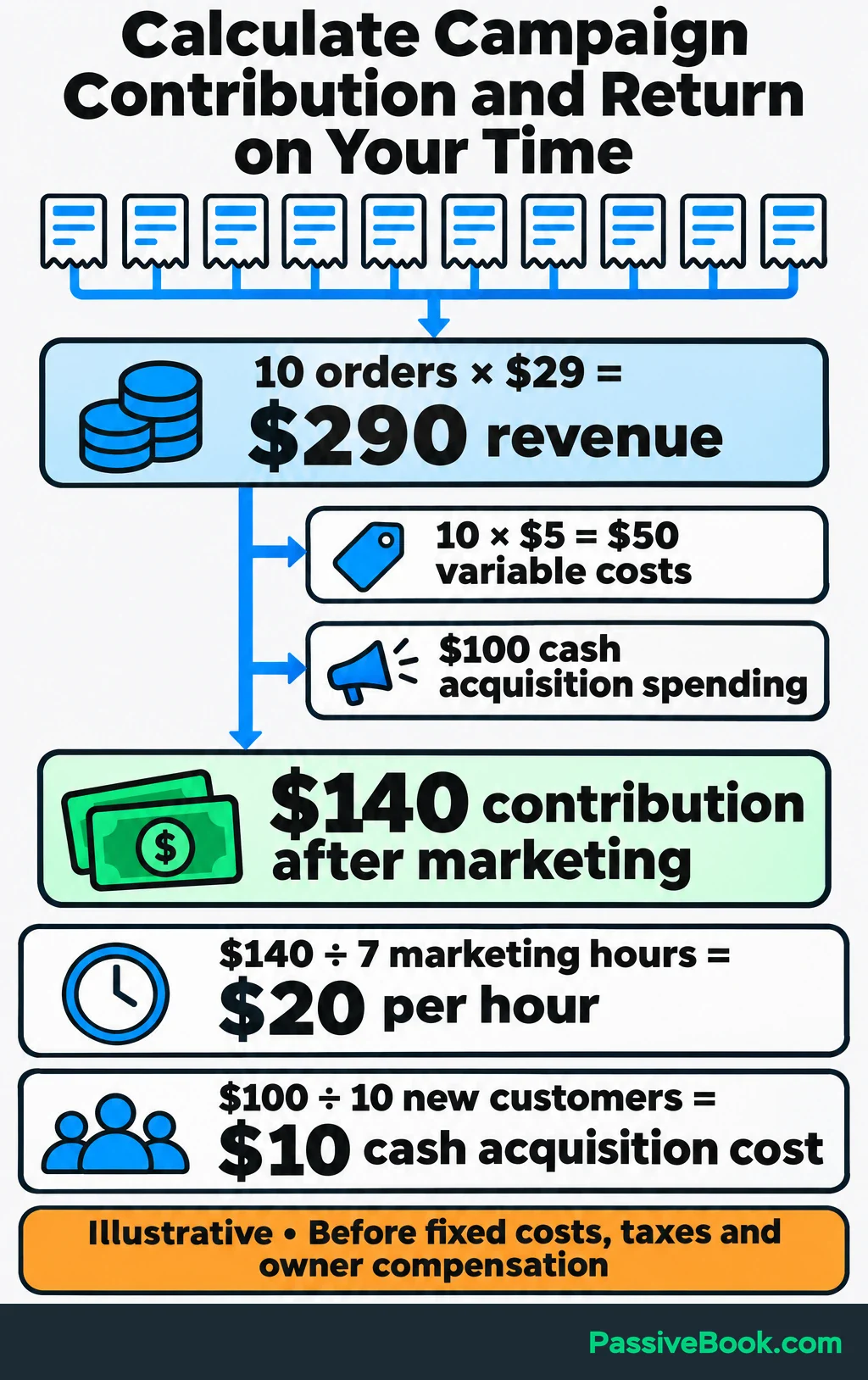
Include all campaign acquisition spending in the $100, and allocate shared costs consistently. Keep owner labour separate: the $20 per hour is before fixed costs, taxes and owner compensation.
Check attributed sales against order records and customer feedback. Attribution assigns credit across recorded interactions; that credit does not prove how many purchases a campaign caused. Several platforms may claim the same order, so do not add their sales totals together.
Fix the Bottleneck Before Expanding
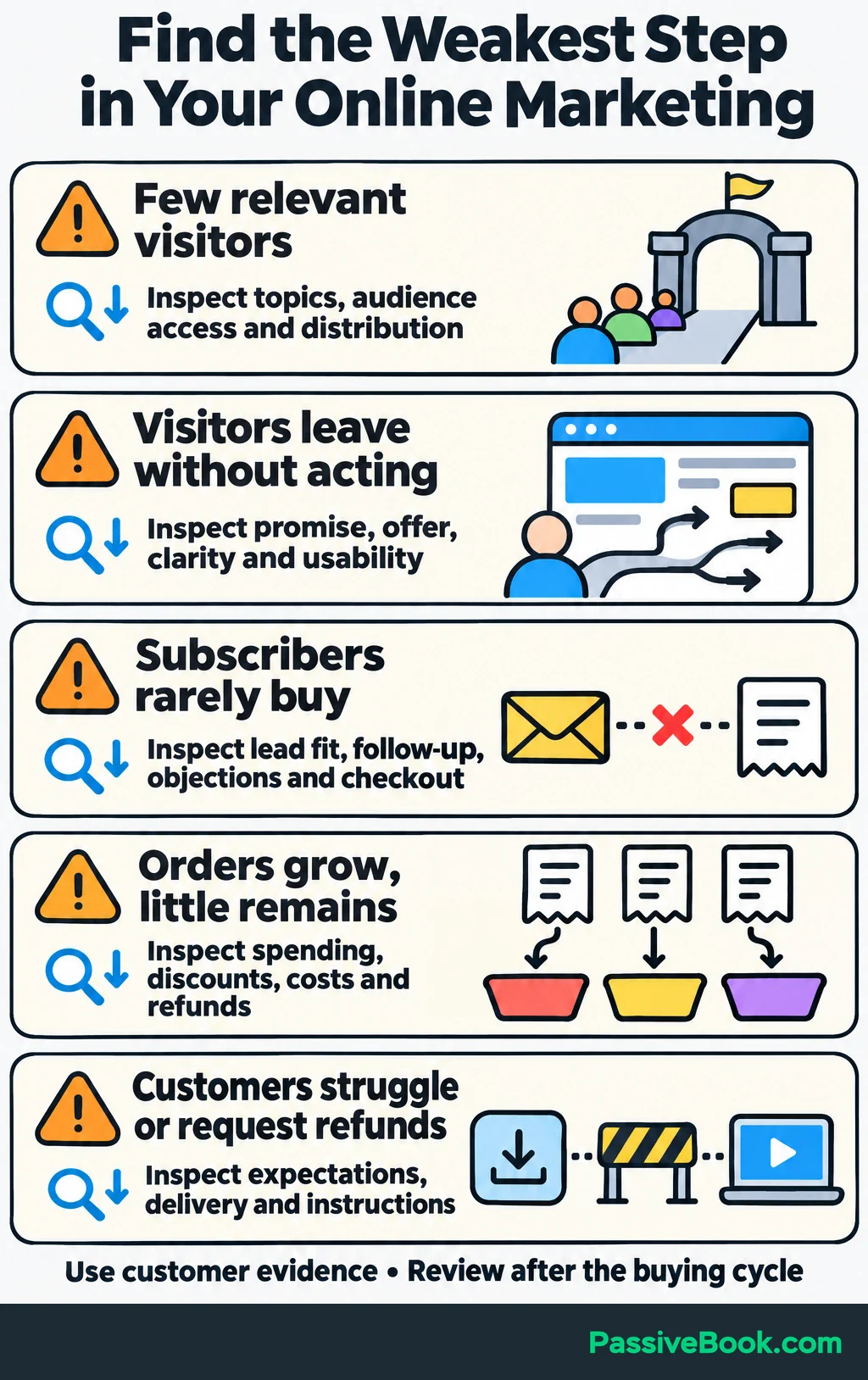
Use the scorecard to choose the next problem to investigate.
| What you observe | What to inspect first |
|---|---|
| Few relevant visitors | Topic choice, audience access and distribution |
| Visitors leave without acting | Promise match, page clarity, offer appeal and usability |
| Subscribers rarely buy | Lead relevance, follow-up, objections and checkout |
| Orders grow but little money remains | Acquisition spending, discounts, variable costs and refunds |
| Customers struggle or request refunds | Product expectations, delivery and instructions |
Use customer questions to choose a change. If buyers keep asking which software edits the planner, clarify that requirement and check whether the questions continue.
Review after the buying cycle. With few sales, one order can shift a rate sharply. Expand when contribution, workload and customer experience support it.
Use AI and Automation to Maintain the System
Document a working process before automating it.
Write down the input, required output, review point, failure signal and person responsible for corrections. Even when that person is always you, the written process makes problems easier to find.
Start with recurring handoffs:
- Delivering the checklist after signup.
- Moving buyers out of introductory sales emails.
- Sending product-access and onboarding messages.
- Scheduling approved distribution material.
- Gathering campaign results for review.
AI can organize supplied customer feedback, draft content briefs, adapt approved material and summarize recorded performance. Keep customer evidence separate from suggestions the model generates.
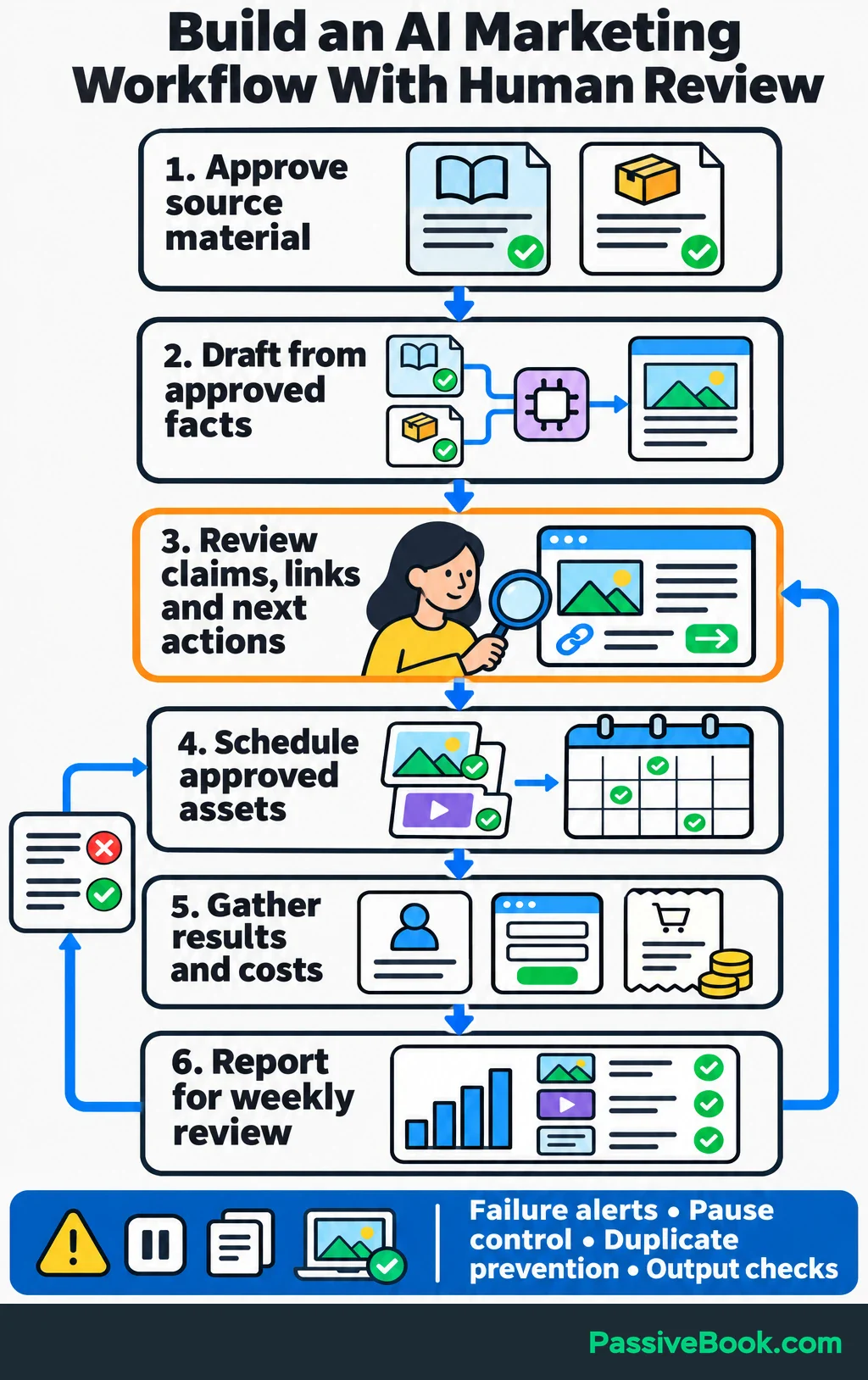
For the planner shop, a content workflow could run like this:
- Approve the sewing-preparation guide and product details.
- Use AI to draft Pin text and demonstration captions from that material.
- Review the claims, links, visuals and next actions.
- Schedule the approved assets.
- Gather visits, signups, purchases and costs.
- Produce a short report for the weekly review.
I use n8n to connect tools. You may be able to handle the first few steps with automation already built into your email platform and scheduler.
Include failure alerts and an easy way to pause publishing. Record what was sent or published so a retry does not create duplicates. Check that expected outputs actually appeared, rather than relying only on a “successful” workflow status.
My custom AI content pipeline reduced article production from days to hours. That was a result from my own process. For your business, measure time saved after review, corrections and maintenance. Put a value on those hours and compare it with software costs before expanding.
Keep the original value as you scale. Google warns that generating many pages without adding value can violate its scaled-content policies. Its guidance on generative AI content explains the distinction.
I would automate the repeated handoffs first. Keep time for customer questions and decisions, because those are what make the system worth running.
What Next?
Write one line connecting a customer problem, your offer, one acquisition channel and the next action visitors should take. Then walk through that path yourself and fix the first missing connection.
Use the social buttons to share this guide when your next marketing discussion needs a clear route from activity to revenue.
Which part of your current path needs the most work: attracting relevant visitors, helping them buy, or keeping enough from each sale? Share your answer in the comments, and bring any other questions too.
Share this post with your friends & followers: