AI can give you a month of posts before you have decided where any of them should send a reader. That looks productive until you have twenty drafts, another tool bill, and no clear route to a signup.
The cost is the time you spend checking and publishing work that has little connection to your offer. To make that work count, this guide uses one article as a running example, with AI prompts for search, social, and email that connect the content to relevant signups and a product offer.
Choose Your First AI Marketing Workflow
Choose one outcome before choosing an AI task. That might be qualified website visits, email signups, inquiries, or purchases.
Then find the recurring task that slows it down. If useful articles sit unfinished because outlining takes too long, start there. If people visit but rarely subscribe, improve the offer and signup copy before producing more articles.
Organic marketing avoids paying for placement, but research, production, tools, and maintenance still cost something. Faster production only helps when the work serves a purpose.
Throughout this guide, imagine you run a website selling printable sewing project planners. Your article helps readers organize unfinished projects. It leads to a free project-inventory checklist, and follow-up emails introduce the paid planner for ongoing tracking. The product details, copy, and figures below are illustrative.
The path is simple:
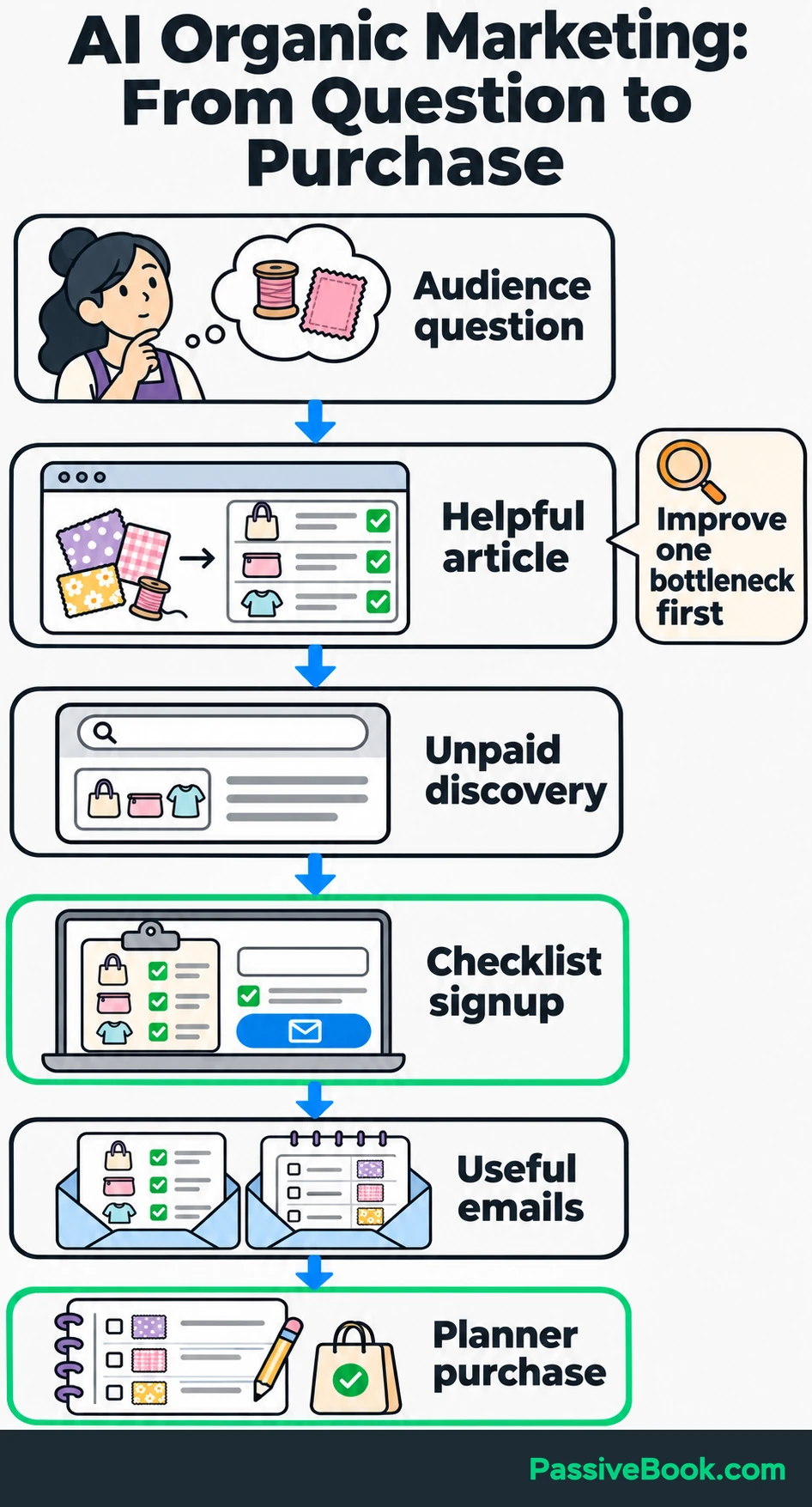
Audience question → helpful article → unpaid discovery → checklist signup → useful emails → planner purchase.
Start with one discovery channel:
| Channel | Choose It When | First Asset for the Sewing Website |
|---|---|---|
| Google Search | People need a detailed answer they can follow | An article about organizing unfinished sewing projects |
| You can show the task clearly in a graphic | A Pin showing a completed project-inventory entry | |
| Relevant communities | People are already discussing the problem | A useful answer about deciding which unfinished project to tackle |
I would build the article first and choose one channel to bring readers to it. Trying to launch everywhere adds work before you know which message helps.
For AI, I would start with Claude for briefs and longer drafts. If you already use ChatGPT, use that. Keep your existing website and email tools rather than rebuilding the business around a new assistant.
Before the first AI-assisted attempt, record how long the whole task takes. Include research, editing, formatting, and publication. A draft that takes five minutes but needs an evening of repairs has not saved you an evening.
Give AI a Reusable Business Brief
Create a short reference document so you do not explain the business from scratch in every conversation.
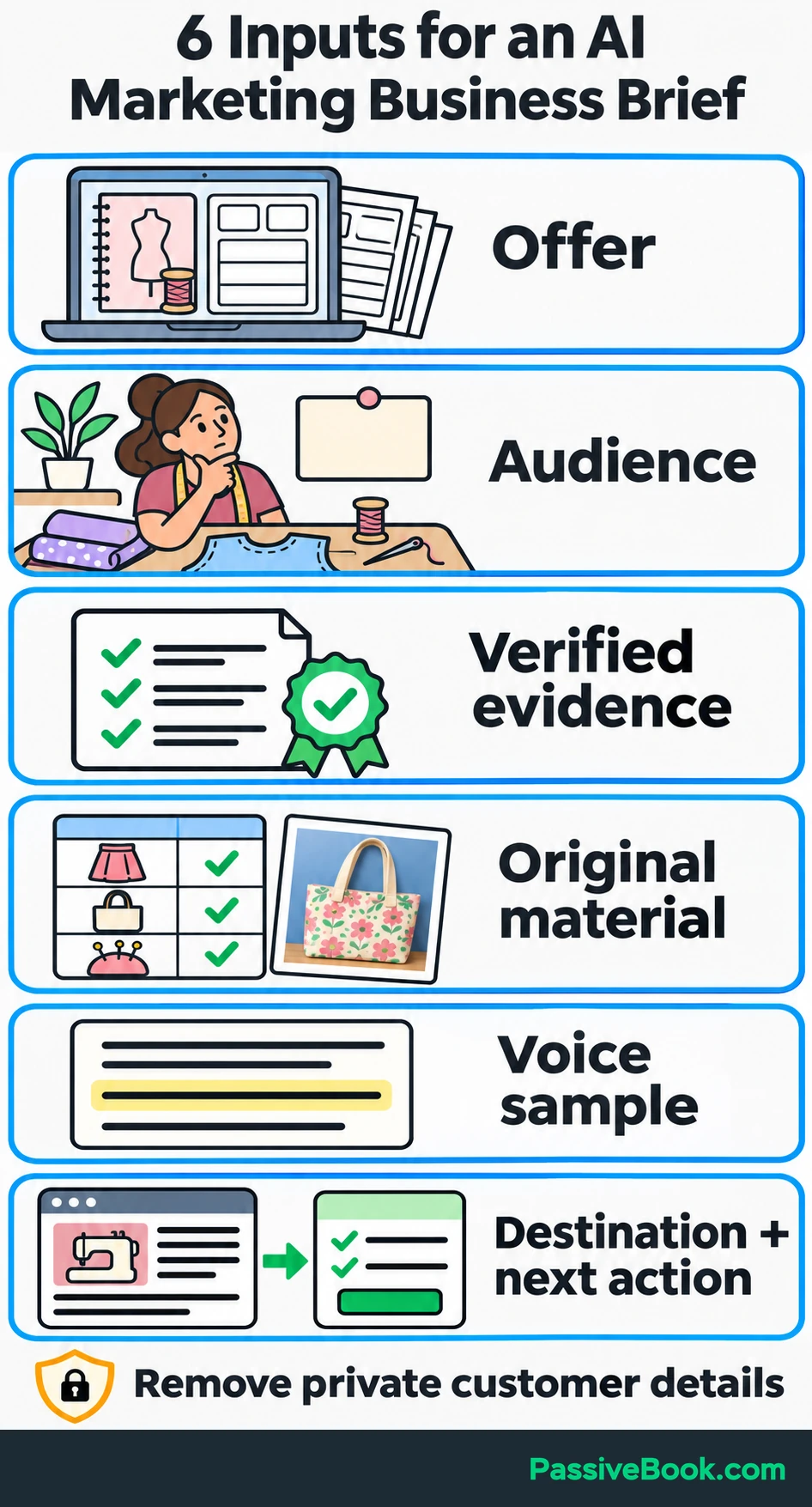
Include:
- Offer: What you sell, what it contains, and what it helps people do.
- Audience: The situation readers face and the task they want to finish.
- Evidence: Approved sources, verified product facts, and relevant observations.
- Original Material: Product screenshots, photographs, demonstrations, or your own explanations.
- Voice: A short writing sample you want the assistant to follow.
- Destination: Where the content will appear and what readers should do next.
For the sewing website, the product facts might say:
The printable planner has fields for project, materials needed, next action, and status. It provides repeatable pages for tracking several projects. The free checklist helps readers make their initial inventory.
Those details give AI something concrete to explain. “We help creative people thrive” gives it permission to produce fog.
Remove names, email addresses, order details, and confidential information from customer messages before including them.
Then use this reusable prompt:
Using the attached business brief and source material, create [deliverable] that helps someone [complete task]. Use [format], match the supplied writing sample, and support [next action]. Base factual claims on the supplied evidence. List missing information separately rather than filling gaps.
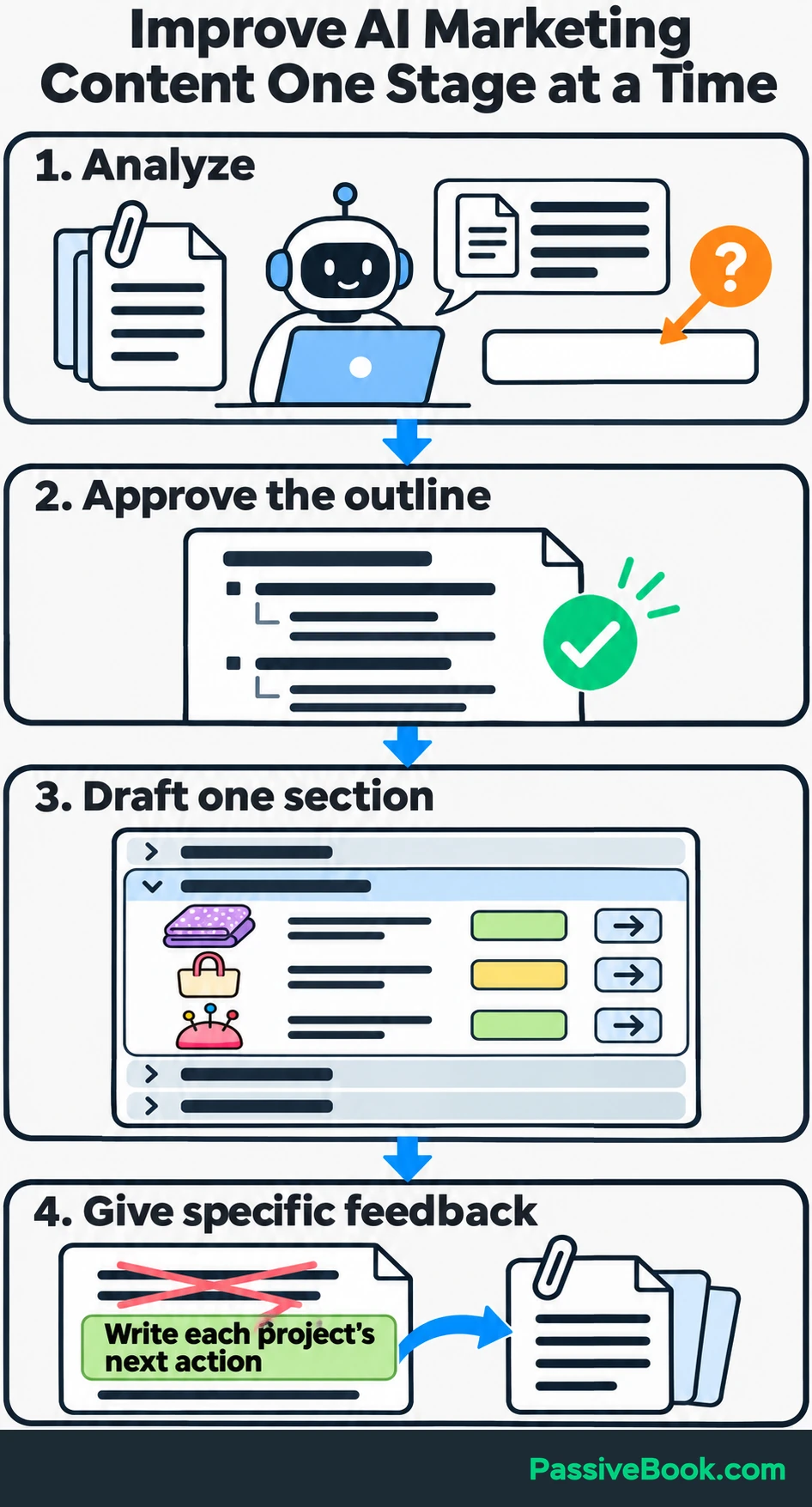
Ask for one stage at a time: analysis, outline, draft, then revision. Keep approved examples and useful corrections in the brief.
Specific feedback beats “make it better.” For example:
Replace the opening about creativity with the problem of finding three unfinished projects and not knowing what each needs next.
Clear instructions, relevant context, and examples are central to Anthropic’s prompting guidance. You do not need an elaborate prompt. You need to explain the job.
Find Useful Content Opportunities With AI
Group Real Audience Questions
Start with questions people have actually asked. Look at customer emails, comments, support requests, public discussions, and search queries already bringing people to your website.
Save the original wording and where it came from. That lets you check whether AI’s summary still reflects the question.
Use this prompt:
Group these questions by the task people want to complete. For each group, show the recurring question, supporting examples, related concerns, and connection to our offer. Separate observed questions from ideas you suggest.
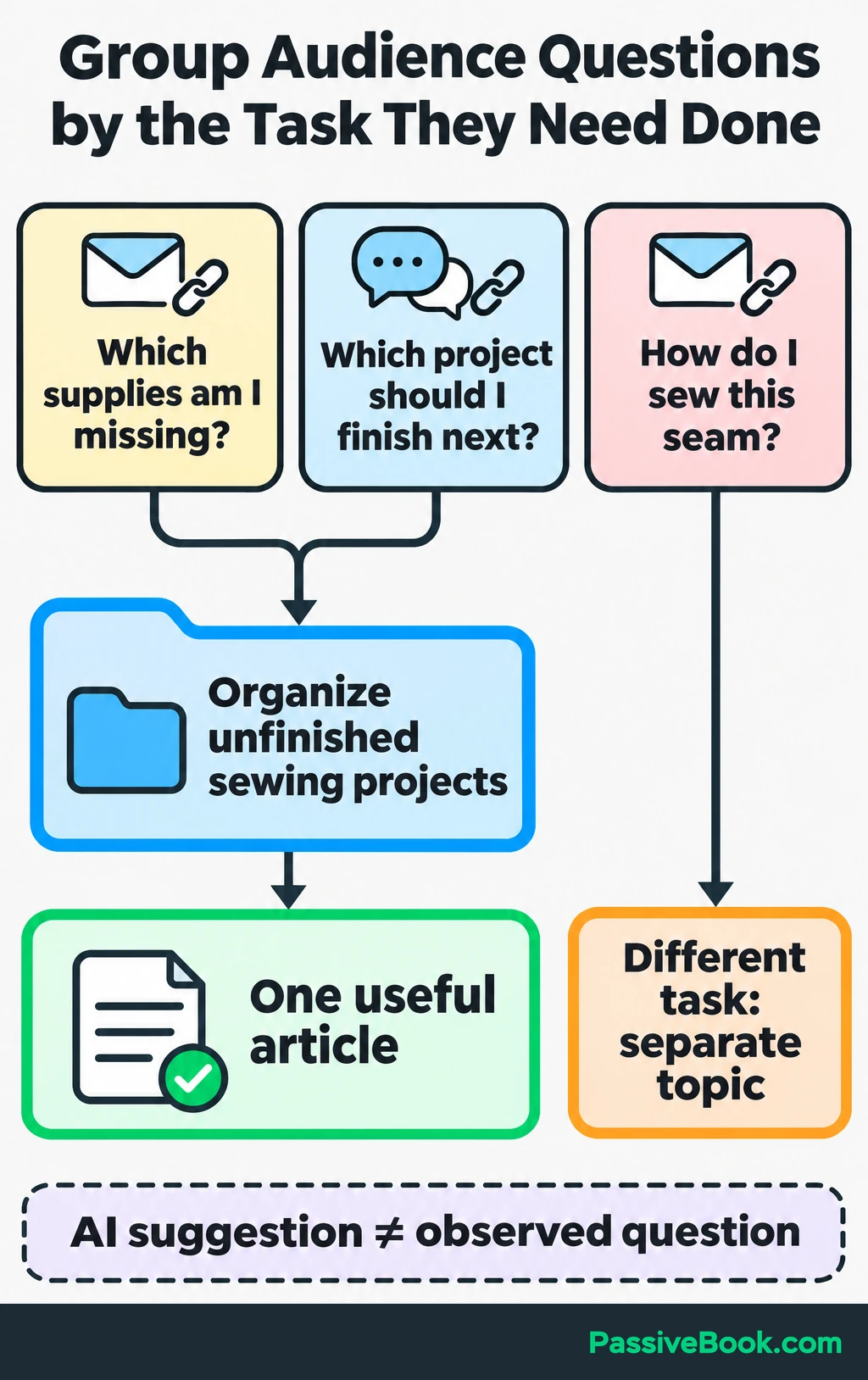
For the sewing website, questions about remembering missing supplies and choosing what to finish could support one article about organizing unfinished projects.
A question about sewing a particular seam belongs elsewhere. It shares the niche, but it asks for a different result.
Prioritize topics you can answer accurately, improve with original material, and connect naturally to a useful next step. A popular question is not automatically a good business topic.
My productivity blog reached more than 127 posts over eight months, but I abandoned it because the niche was too competitive and hard to monetize alone. That experience is why I would check the topic’s fit before asking AI to produce more of it.
Validate the Topic and Build a Search Brief
Treat AI-generated keyword lists as ideas to investigate. They do not establish search demand.
For an existing website, use Google Search Console, Google’s search-performance tool, to see which searches already bring visitors to your pages. For a new topic, use a keyword research tool and inspect the search results yourself.
Look for three things:
- What answer does the searcher appear to need?
- What format would make that answer useful?
- What can you add through your own product, demonstration, or experience?
For the sewing article, a completed inventory entry could explain more than another paragraph about “getting organized.”
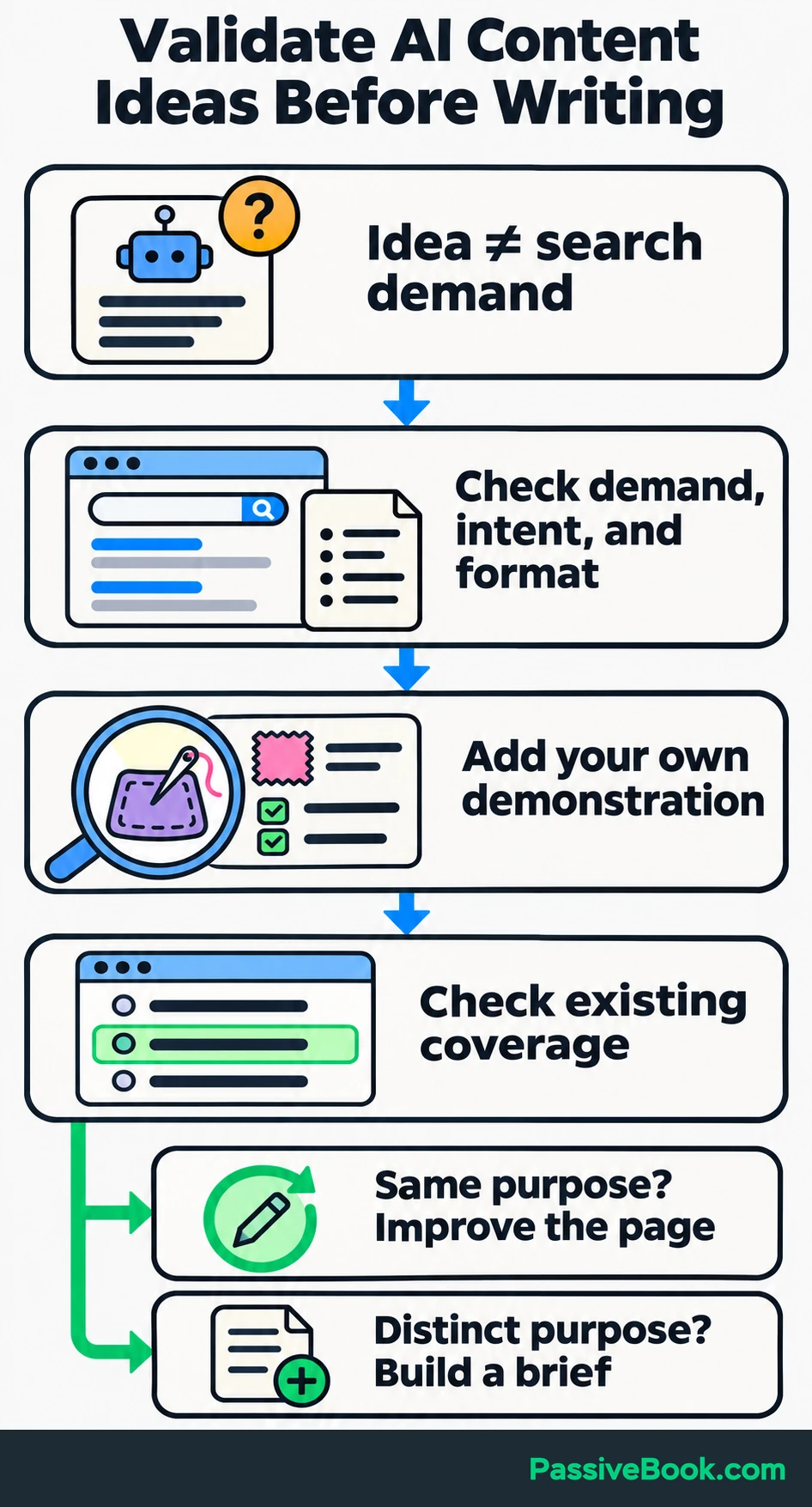
Give AI your notes and a list of existing pages, then ask:
Propose a search brief with the main question, a direct answer, necessary supporting sections, evidence needed, and relevant internal links from this page list. Identify any existing page that already serves the same purpose.
If a suitable article already exists, improve it rather than adding a near duplicate.
Keep the decision in a small planning sheet. Useful columns are audience question, supporting evidence, proposed asset, existing coverage, next action, and priority.
For this example, the article’s scope is listing unfinished projects, recording what each needs, and choosing a next action. It does not need to become a complete sewing course.
Create and Review Content With AI
Draft From Verified Material
Gather your source notes and original material before requesting factual copy. Approve the outline, then draft a manageable section.
Use this prompt:
Draft this approved section using the supplied source notes and original material. Explain the task in order, include a practical example, and match the voice sample. Return unsupported claims and missing inputs separately.
Teach the process before showing the example.
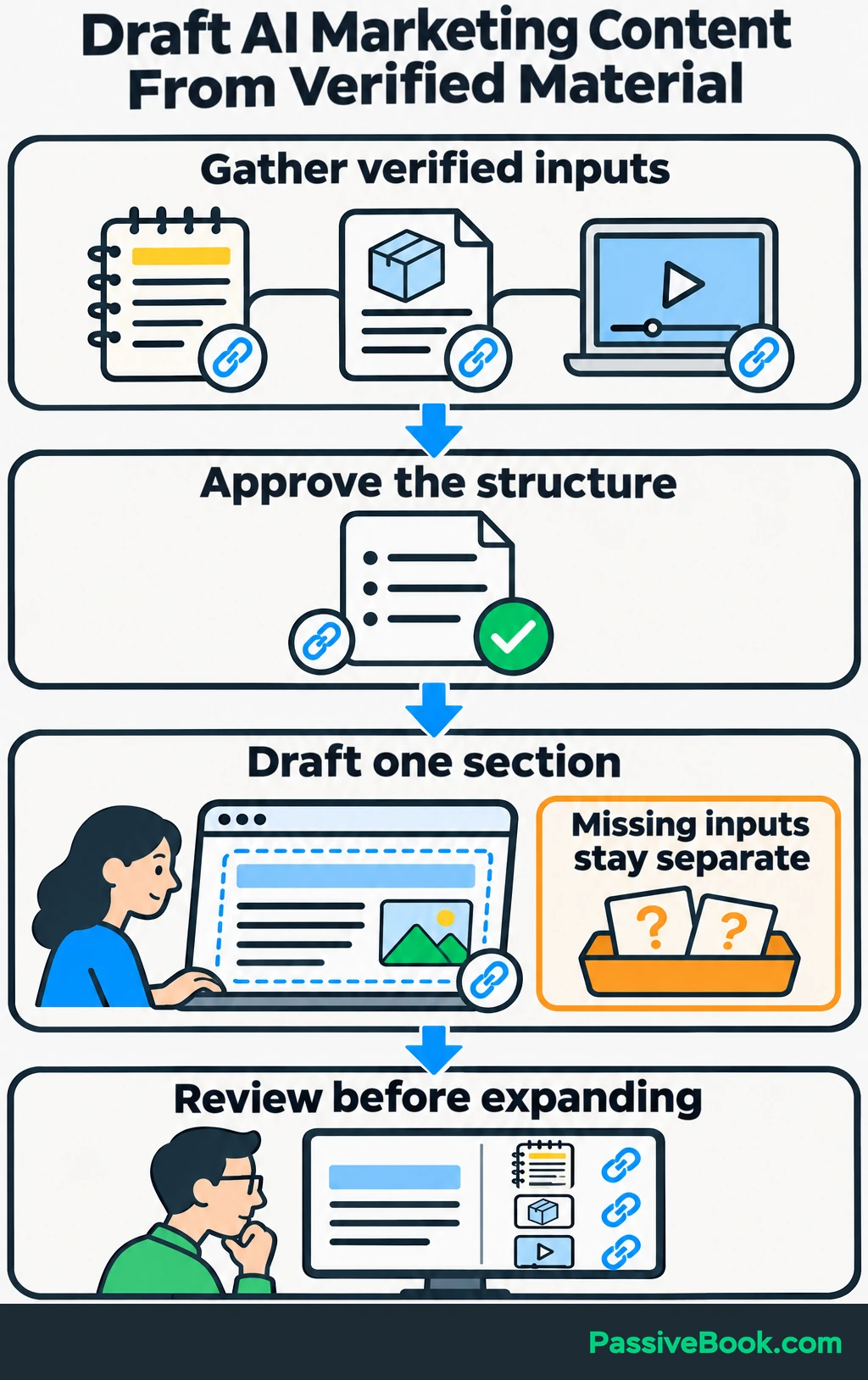
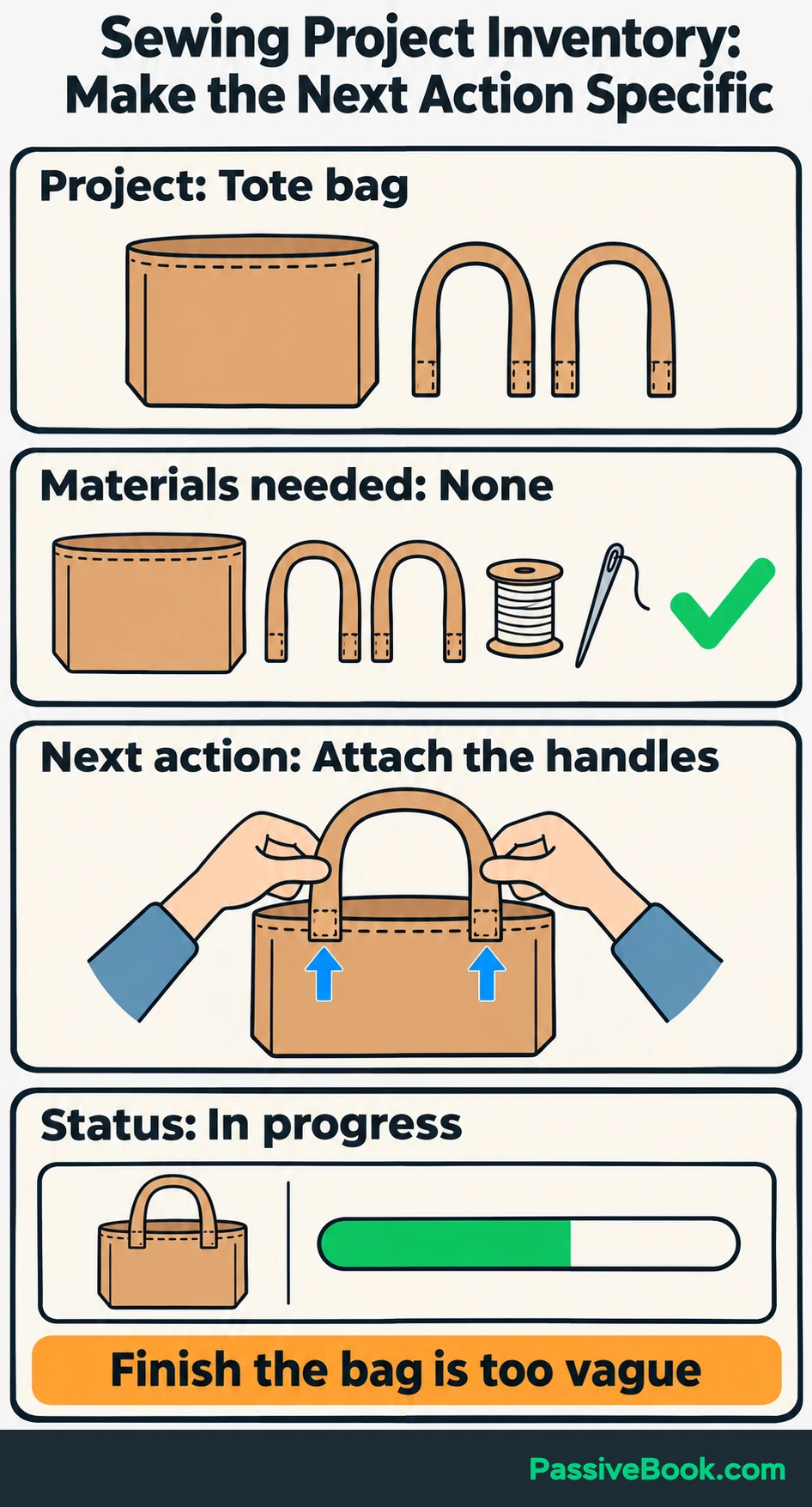
For the project inventory, that could mean:
- Write down each unfinished project.
- Check whether any materials are missing.
- Name the next action you can take.
- Give the project a clear status.
Then show one completed entry:
| Project | Materials Needed | Next Action | Status |
|---|---|---|---|
| Tote bag | None | Attach the handles | In progress |
The entry makes “next action” concrete. “Finish tote bag” still leaves the reader to work out where to begin.
Review a short passage before generating the rest. If AI writes, “Get organized and unlock your creativity,” replace it with, “List each unfinished project and write the next action beside it.”
Save that correction with your brief. Otherwise, you may spend every session removing the same enthusiastic nonsense.
If you’d rather not assemble a fresh prompt for each piece, AI Copywriting Studio can draft from your notes and product facts. You get the copy plus a short list of claims and missing details to review.

Free AI Copywriting Studio




Check Accuracy and Prepare the Page for Discovery
Read the draft as an editor and try the instructions as a user.
Check that:
- Claims: Factual statements and quotations match their original sources.
- Product Details: Features, screenshots, and promises match what buyers receive.
- Instructions: A reader can complete the task without guessing a missing step.
- Contribution: The page includes a useful demonstration, explanation, or resource.
- Destination: Links work and the promised next step is ready.
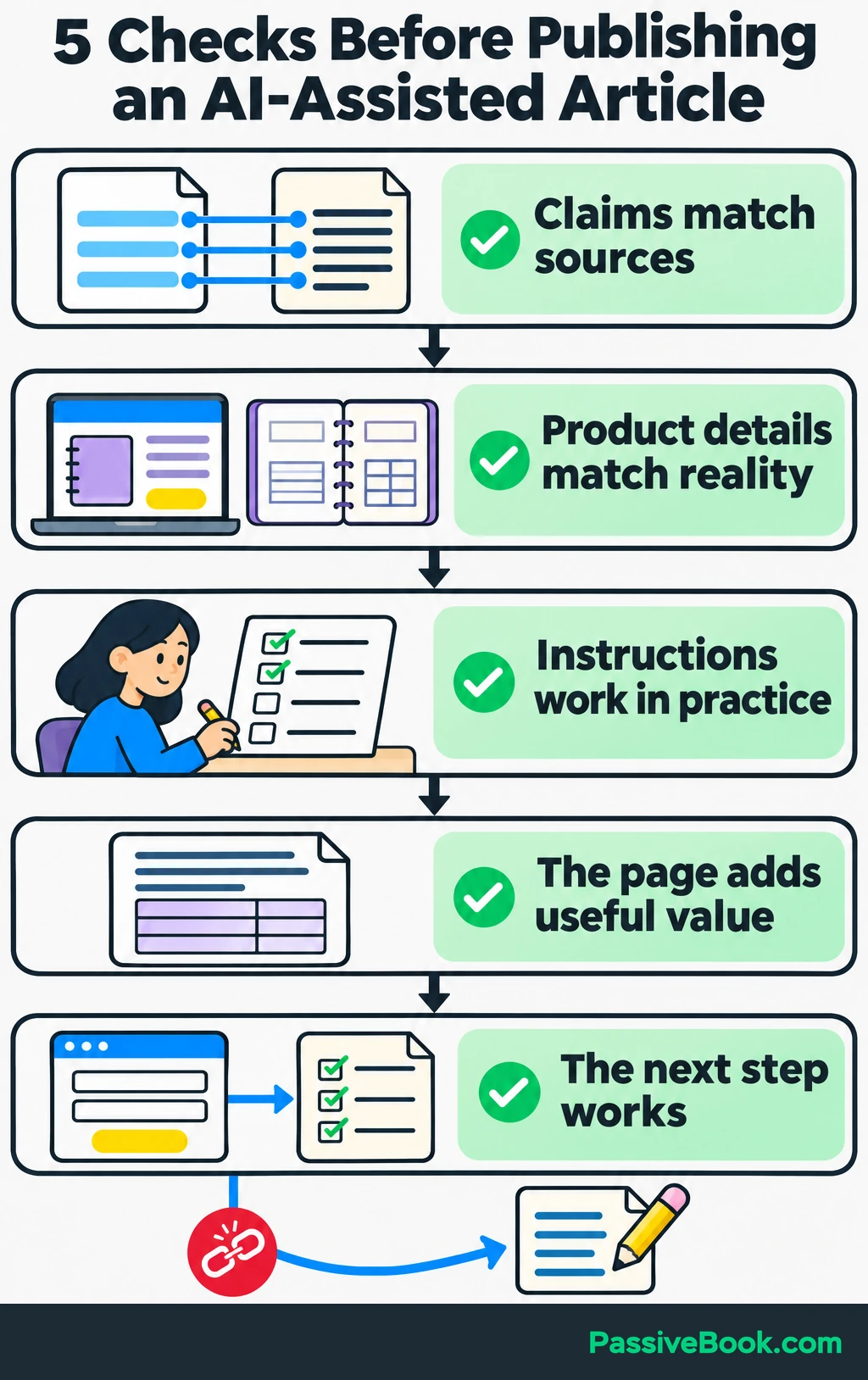
For the sewing article, complete an inventory using the instructions. If you cannot decide what belongs in a field, clarify the explanation before publishing.
AI can also suggest titles, page descriptions, internal links, and image descriptions. Supply your actual page list and images so it has something to work from. Review those suggestions too.
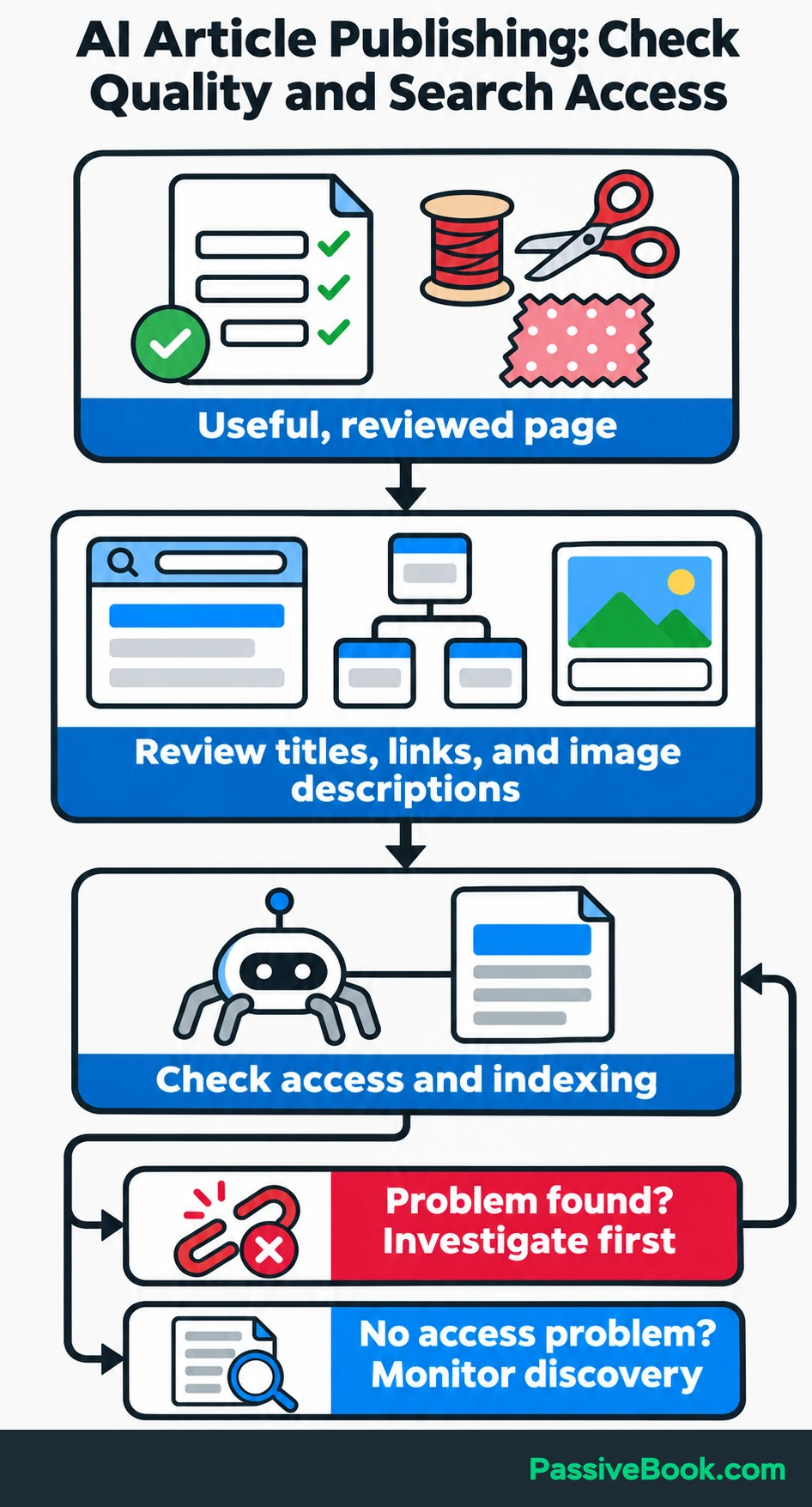
Google identifies research and structuring original content as useful AI applications, but warns that generating many pages without added value may violate its scaled-content-abuse policies. Its guidance also calls for manual accuracy checks. Google’s generative AI content guidance
My rule is to publish when the page helps someone finish the task. The number of drafts waiting behind it does not change that standard.
After publication, confirm that the page is available to search engines. Investigate access or indexing problems before feeding another batch into the same broken setup.
Connect Content to Useful Email Follow-up
Offer a download that helps readers complete the article’s task.
For the sewing website, the free project-inventory checklist helps readers get their unfinished projects onto paper. The paid planner supports continued tracking. Each has a clear job.
Give AI the approved article and ask it to extract the checklist. Then test the download without the article beside it. It needs enough explanation to stand alone.
Prepare the signup page before distributing the article. Explain what people receive and what emails follow. For example:
Get the project-inventory checklist, plus two short follow-up emails about using it and tracking projects with the paid planner.
Assign one purpose to each email: deliver, demonstrate, then introduce the product.
Use this prompt:
Using the approved checklist and product information, draft three emails. The first delivers the checklist, the second demonstrates one useful action, and the third introduces the paid planner. Include subject lines and one main action per message. Match the writing sample and flag missing product details.
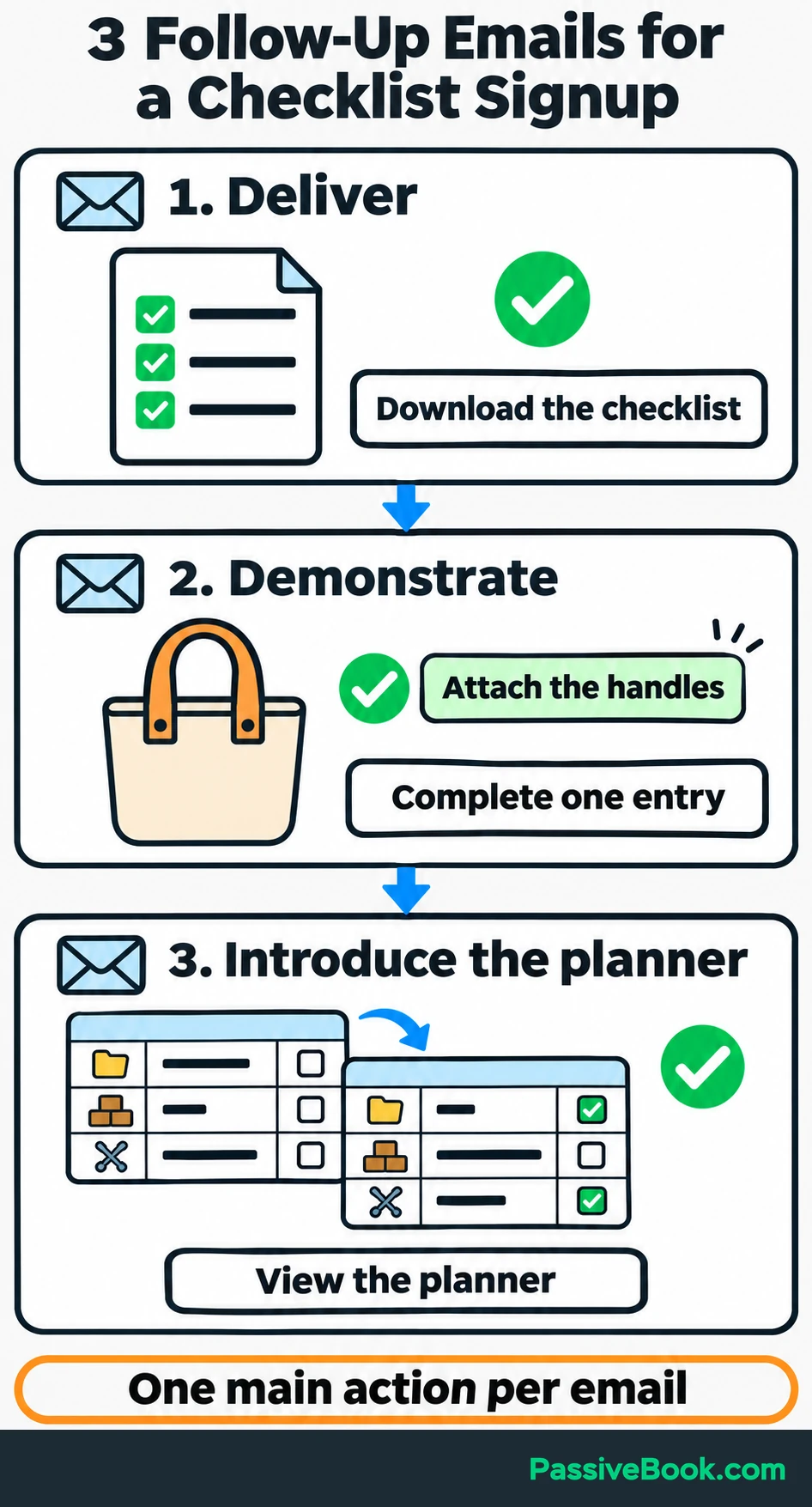
Here is a complete short sequence to adapt. Replace the bracketed links and add your sender details and standard mailing footer.
Email 1: Deliver the checklist
Subject: Your project-inventory checklist
Hi,
Here’s your free checklist:
[Download your project-inventory checklist]
Start by listing the unfinished projects you want to keep track of. Beside each one, record any missing materials and the next action.
You do not have to work through the whole pile at once. One project is enough to try the process.
Over the next two emails, I’ll show you a completed entry and how the paid planner supports ongoing tracking.
Email 2: Demonstrate its use
Subject: Give one unfinished project a next action
Hi,
Choose one project from your checklist and make its next action specific.
“Finish the tote bag” leaves several decisions open. “Attach the handles” tells you where to begin.
Check for missing materials too, so the entry reflects what you can actually do next.
[Open your checklist and complete one entry]
Email 3: Introduce the planner
Subject: Keep track as your projects change
Hi,
Your inventory gives you a starting point. As you work, the next action and status will change.
The printable Sewing Project Planner gives you repeatable pages with fields for project, materials needed, next action, and status.
If you want a place to keep updating several projects, you can see the pages here:
[View the Sewing Project Planner]
Send through your existing email service. For a WordPress website, I would consider FluentCRM, which handles email campaigns and automation inside WordPress. There is no reason to migrate a working setup just for these three messages.
Test signup, delivery, links, and unsubscribe behavior before activating the sequence. Use permission-based signups and follow the laws that apply to your audience. For U.S. commercial email, requirements include accurate sender information, advertising identification, a valid postal address, and a working opt-out process. FTC CAN-SPAM guidance
Adapt Approved Content for Social Discovery
Reuse the approved article rather than asking AI to invent a fresh set of claims for every channel.
Choose one lesson that remains useful without a click, then adapt its presentation:
Turn this approved article into [format] for [channel]. Teach one useful idea per asset, preserve the factual meaning, and suggest a relevant next action. Use only the supplied product details.
For the sewing article, the lesson could be the difference between a project name and a usable next action.
A Pinterest graphic might say:
Unfinished sewing projects? Write the next action beside each one.
Link it to the article, where readers can see the method and request the checklist.
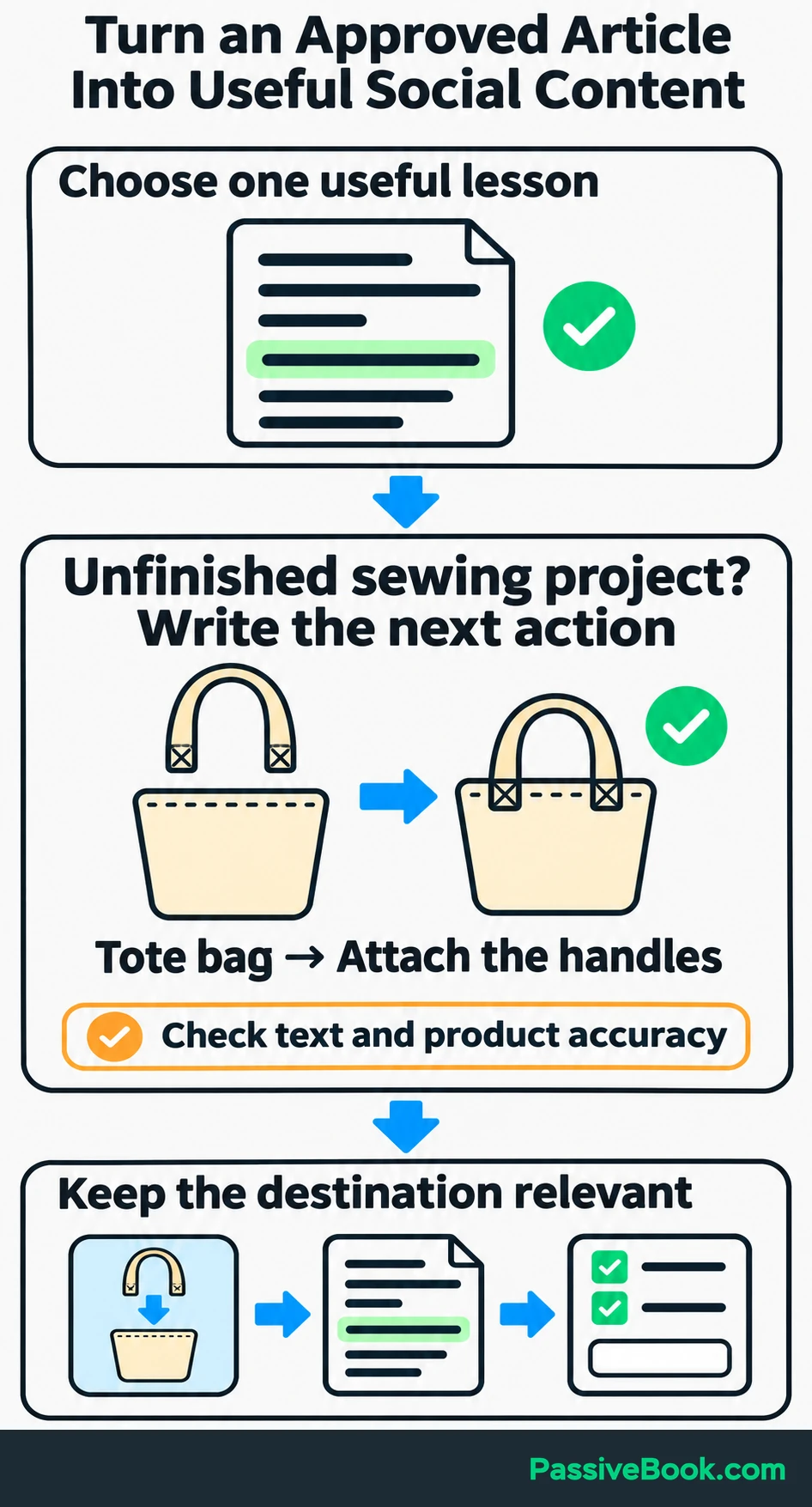
If you choose a carousel instead, use a short sequence:
| Slide | Content |
|---|---|
| 1 | Ask, “Which unfinished project should you pick up next?” |
| 2 | Show the four fields: project, materials needed, next action, and status. |
| 3 | Show a completed entry: “Tote bag; materials needed: none; next action: attach the handles; status: in progress.” |
| 4 | Add “Get the free project-inventory checklist” and direct readers to the article link in your profile or post. |
Use Canva when you need a graphic, and show the real product or checklist. Check that the text is readable and the pictured page matches the download.
You can also record the planner on screen without appearing on camera. Choose the format that explains the task clearly, rather than adding formats to fill a calendar.
In communities, answer the question directly and follow the participation rules before sharing links. AI can prepare a response draft, but complaints, sensitive questions, and personal conversations deserve your attention.
Record each adaptation’s source article, destination, channel, and publication date. New questions from replies can then feed the next content brief.
Use AI to Identify What to Improve
Track discovery and business results separately.
Google Search Console shows which searches displayed your pages, how often they appeared (impressions), and how often people clicked. Click-through rate is the share of those impressions that led to a click. Search Console’s performance report
Confirm signups and purchases in your email and sales systems. If you also use website analytics, test that it records a completed signup. A click on “Get the checklist” should not count as a successful subscription.
Keep a reporting sheet with:
- Asset, channel, and reporting period.
- Visits, confirmed signups, and purchases.
- Total research, production, and review time.
- Tool cost and the next improvement to investigate.
Use consistent campaign labels on external distribution links so you can compare referred visits.
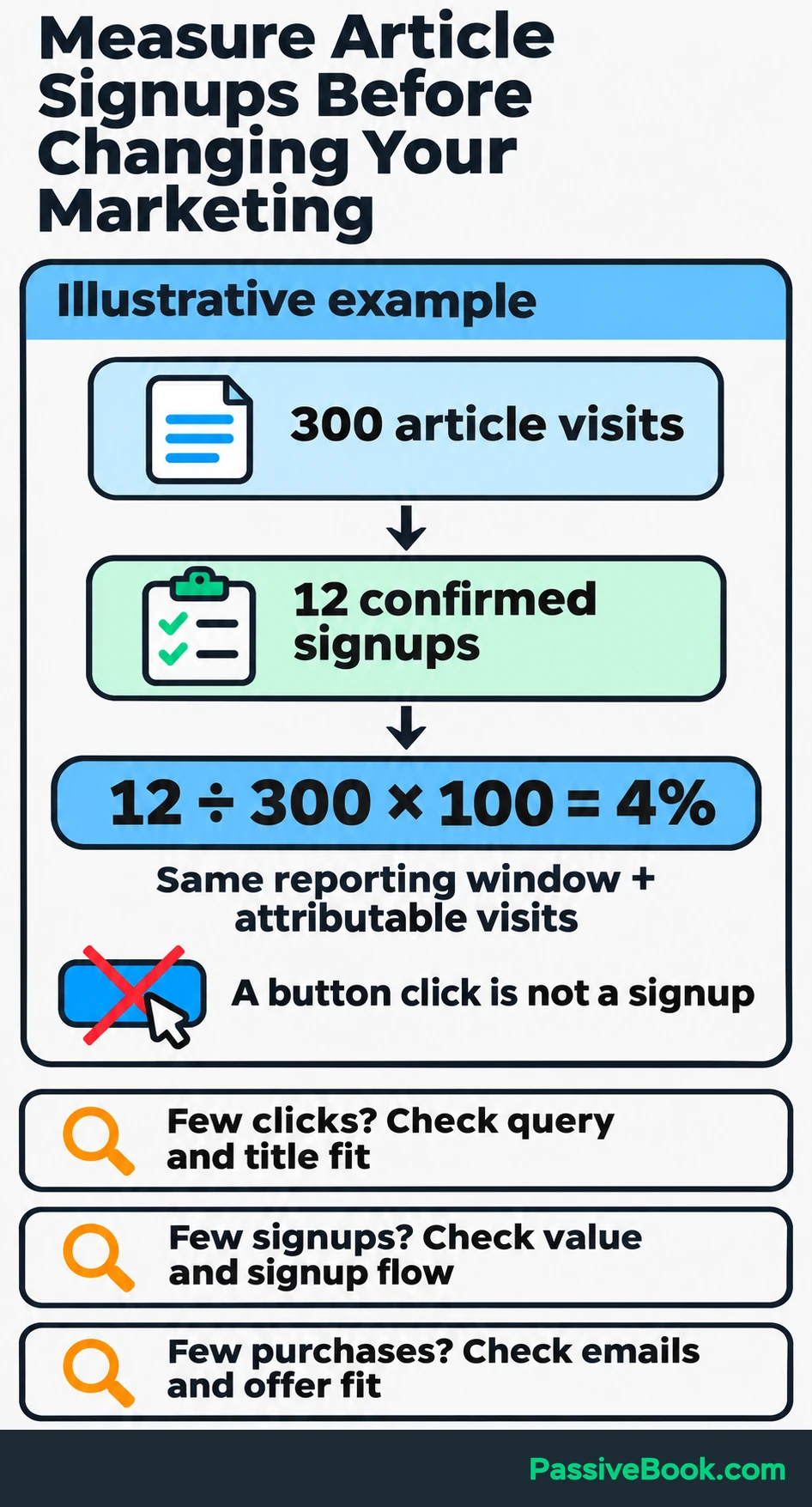
For a signup rate, count confirmed signups attributable to the article visits in the same reporting window, then divide by those visits. If 300 article visits produced 12 confirmed checklist signups, the illustrative visit-to-signup rate is:
12 ÷ 300 × 100 = 4%.
Give AI a labeled export or summary:
Calculate the rates and identify where progress slows. Recommend one change to investigate. Separate observations from possible explanations, identify missing data, and do not claim a cause the data cannot show.
Check the calculations in a spreadsheet. Then choose a change that matches the evidence:
| What You Observe | What I Would Check First |
|---|---|
| Search impressions but few clicks | Whether the query, title, and page answer match |
| Article visits but few signups | Whether the checklist’s value and signup process are clear |
| Checklist signups but few purchases | Whether the emails demonstrate the planner and the offer fits the need |
| Faster drafts but longer editing | Whether the brief is missing facts, examples, or clear instructions |
Change one meaningful thing and record it. Compare similar periods and traffic sources, and give small samples time to develop. A seasonal traffic increase does not prove the AI workflow caused better results.
Keep a workflow when it saves total effort while preserving useful content and relevant audience response. Output volume alone is a poor reason to renew a subscription.
Automate Repeatable Handoffs
Complete one manual cycle before connecting the tools:
Source material → brief → draft → review → approved asset → distribution → reporting.
Once it works, automate a repeated transfer. You might turn an approved brief into a draft task or add an approved Pin to a publishing queue.
I use blogging and Pinterest for Passive Book, and my custom AI content pipeline reduced article production from days to hours. That is my experience with a particular setup. I would still start with one repeatable handoff rather than trying to copy the whole pipeline.
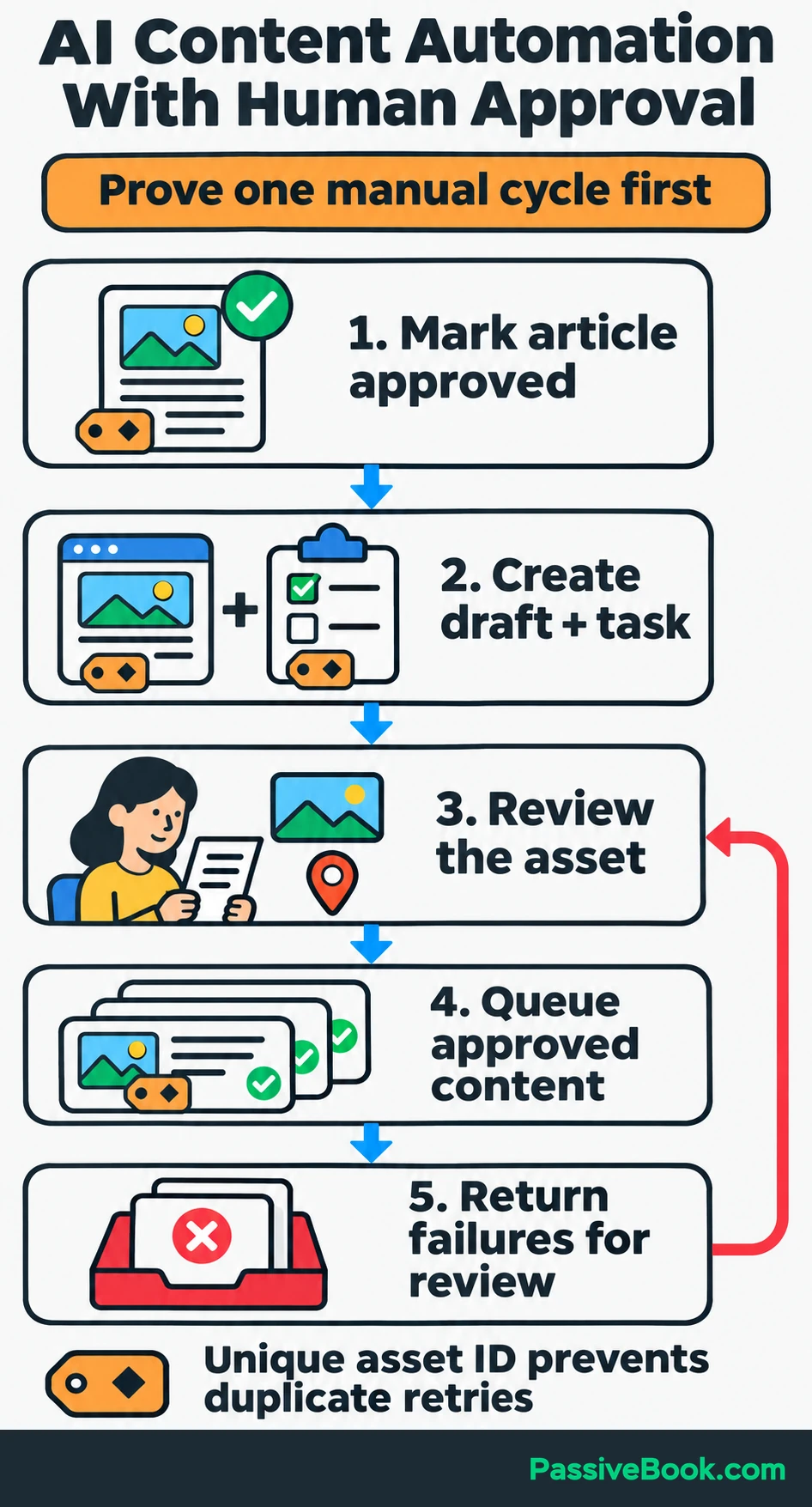
n8n connects apps to automate tasks between them. If you let AI choose which connected tool to use, n8n can require your approval before selected actions run. n8n’s human-review documentation
A practical first setup could work like this:
- You mark an article approved.
- The workflow creates a social draft and distribution task.
- You review the wording, image, and destination.
- Approved assets enter the publishing queue.
- Missing details or failed steps return for review.
Keep approval before publication or activation of a new email sequence. Give each asset a unique identifier so retries do not create duplicate posts or messages.
Test with drafts and expand only when setup and maintenance save more work than they create. Automating confusion just makes it arrive on schedule.
What Next?
Choose one audience question and write the reusable business brief for the content that will answer it. Name the reader’s next step before asking AI for a draft.
Use the social buttons to share this guide when a clearer path from content to signups would help your next marketing discussion.
Which part of that path takes most of your time right now? Share it in the comments, and bring any other questions too.
Share this post with your friends & followers:

