You have an article ready to publish, but it still needs a graphic, promotional posts and an email. Those smaller jobs can eat the evening you meant to spend improving your offer.
AI can help with that work, but a fast draft creates another problem if you have to untangle invented details or rewrite every line.
Those corrections are part of the workload, even if the first draft arrives in seconds. The strategies below put AI to work on articles, promotional posts and follow-up emails, with practical ways to judge whether the finished campaigns are worth the effort.
Start With One Recurring Marketing Task
Start with something you already do regularly and know how to check. Turning an approved article into promotional posts is a good choice because you have source material and can compare each draft against it.
Learning how to use AI in digital marketing becomes easier when you separate three jobs:
- Generative AI creates or transforms material, such as drafting an email from product notes.
- Predictive AI estimates likely outcomes from data, such as which customers may buy again.
- Ordinary automation follows rules, such as sending an approved email after a signup.
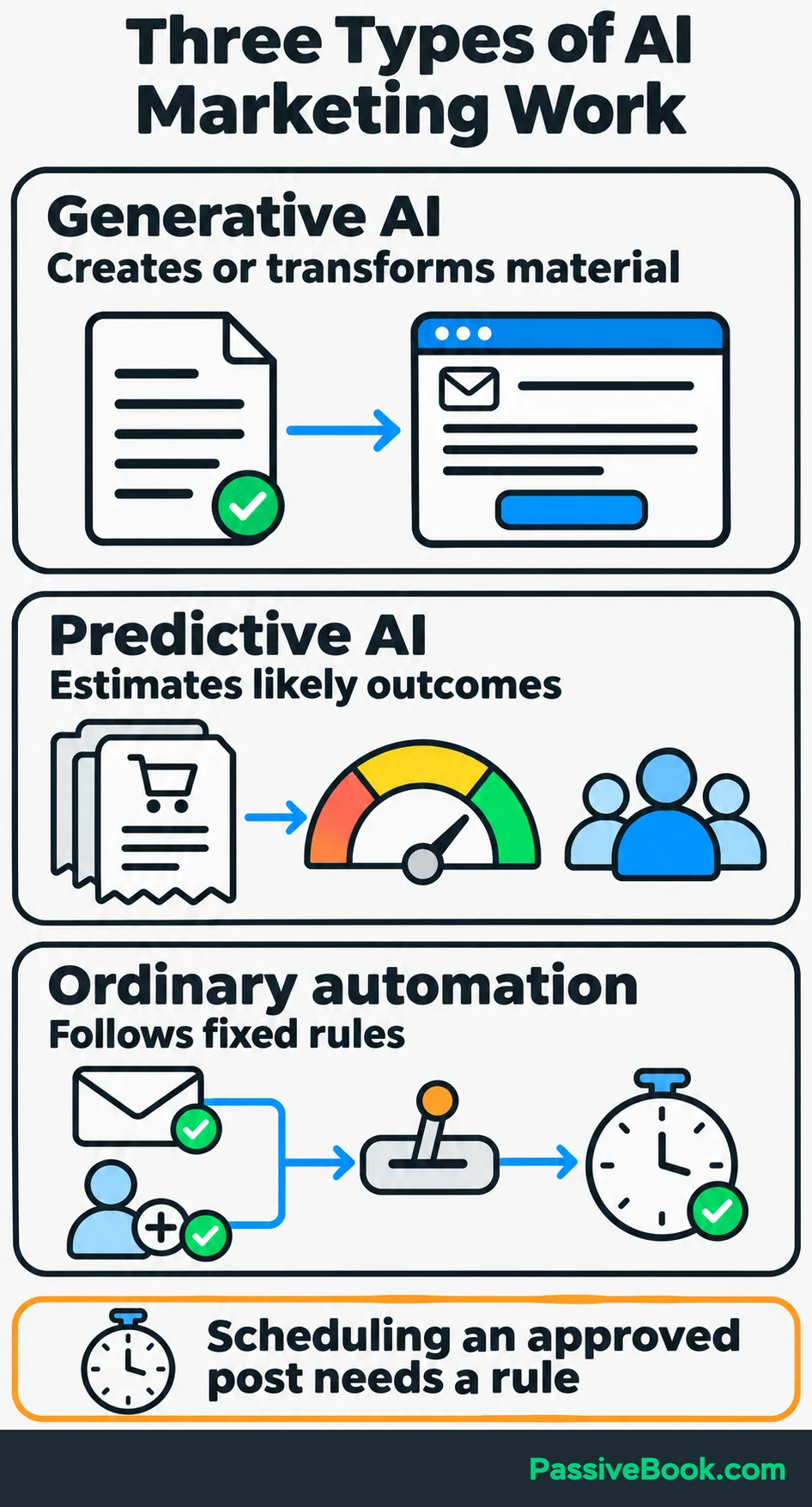
You don’t need an AI decision to schedule a post you’ve already approved. A timer will manage.
For the examples below, imagine you sell printable beginner tote-bag sewing patterns. Helpful articles bring people to your site, and a free fabric-cutting checklist gives them a reason to subscribe. The business, copy and figures are illustrations.
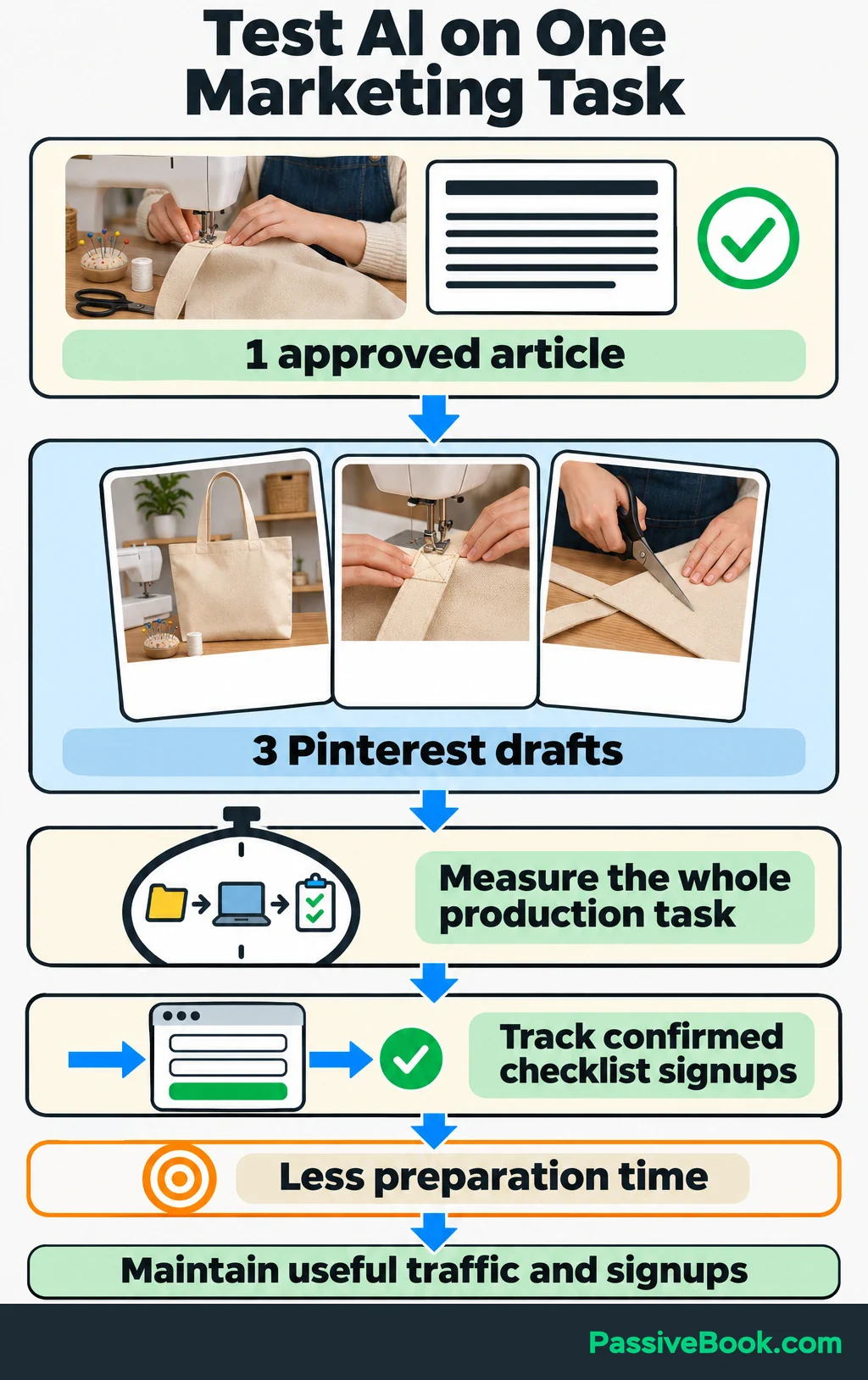
Your first task could be turning each finished sewing article into three Pinterest drafts. Before changing the process, record how long it takes, including editing and checking links.
Then choose one business outcome to watch alongside production time. Here, I would track confirmed checklist signups from Pinterest referrals. Set a clear aim: spend less time preparing each batch while maintaining useful traffic and signup performance.
That gives you a test you can finish. “Use more AI” gives you a subscription bill.
Choose AI Tools That Fit the Task
I would start with one assistant and keep your existing publishing, email and reporting tools.
Claude is my first choice for long-form writing and content planning. ChatGPT is an alternative for drafting and brainstorming. Try both on the same approved material if you’re undecided, and choose the one whose output takes less work to make usable.
Judge the finished result, including corrections. A polished first draft can still be an expensive editing assignment.
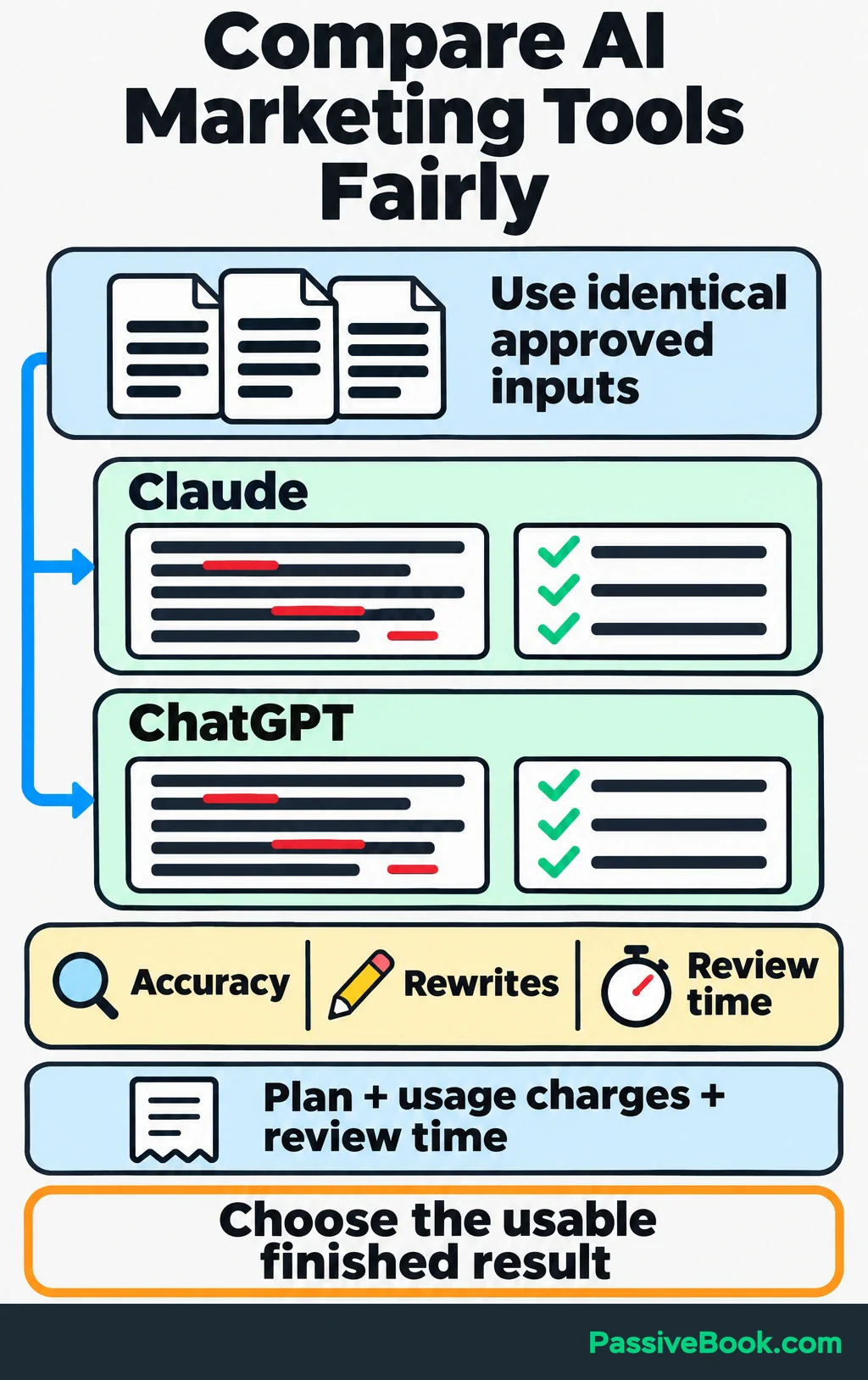
Use a compact comparison like this:
| Marketing Job | Candidate Tool | Required Inputs | Acceptance Criteria | Total Cost to Check |
|---|---|---|---|---|
| Draft and adapt copy | Claude or ChatGPT | Approved article, product facts and voice samples | Accurate details, useful angles and few substantial rewrites | Subscription, any separate usage charges and review time |
| Prepare graphics | Canva | Your photos, brand style and approved copy | Readable design and an accurate view of the product | Any paid plan or assets, plus design time |
| Deliver email sequences | FluentCRM or MailerLite | Approved emails, subscriber rules and purchase information | Correct delivery, working links and buyer exclusions | Plan or license, delivery charges and setup time |
| Review search and website results | Google Search Console and Google Analytics | Connected website, campaign links and tracked signup actions | Reports that connect traffic sources with useful actions | Setup and reporting time, plus any paid reporting tools you add |
Your total depends on your existing plans and workload. Record the actual cost during a trial rather than comparing headline subscription prices alone.
Add a tool when it solves a clear bottleneck. If layouts slow you down, Canva’s Magic Design can generate design options from a prompt and let you adapt them with your own media and brand style.
I would skip specialist AI marketing software until it beats your current process on a real task.
Give AI a Reusable Marketing Brief
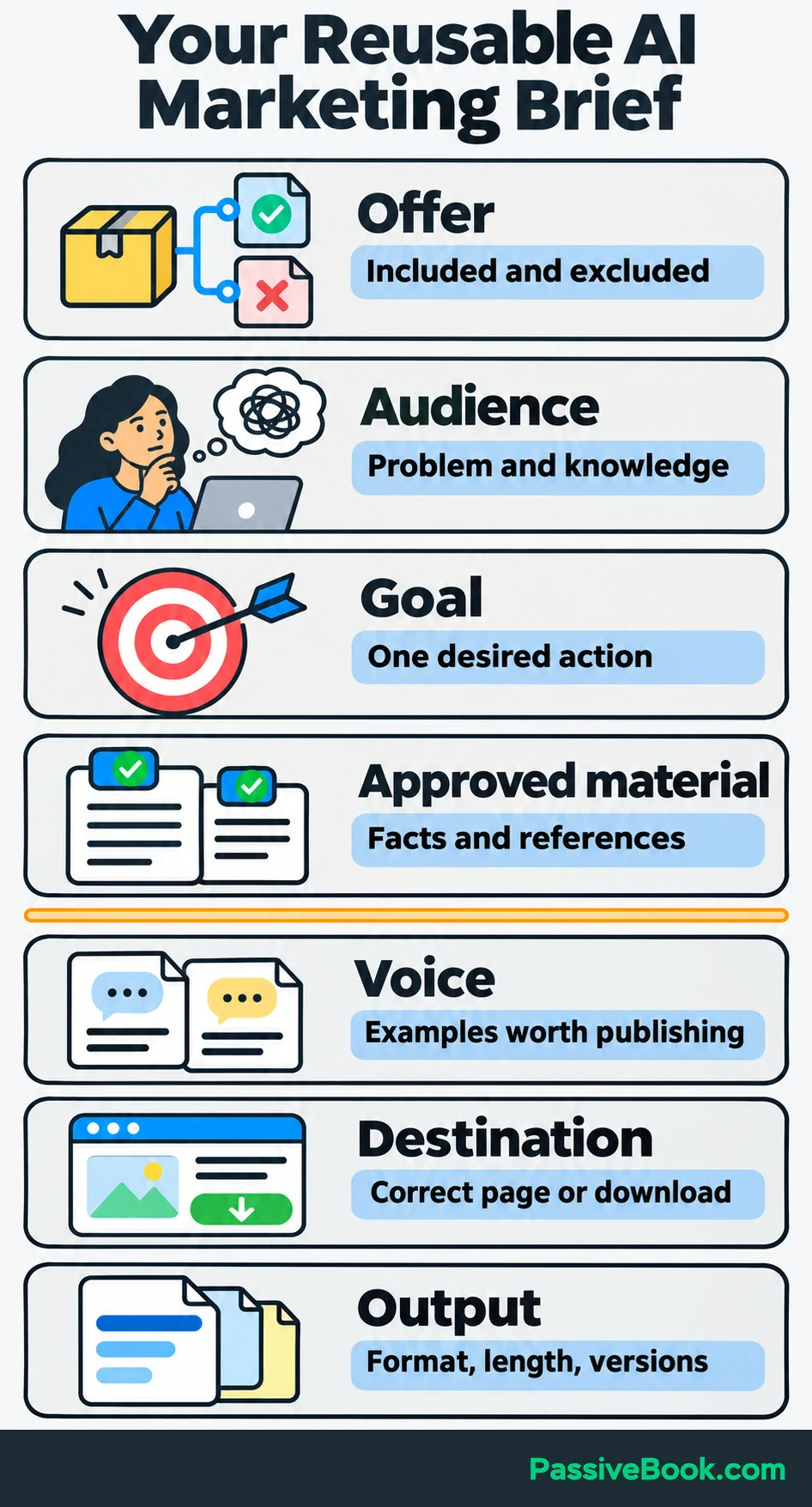
A useful brief gives AI the information you would give a capable freelancer. Keep it in one document so you can reuse it.
Include:
- Offer: What you sell, what’s included and what isn’t.
- Audience: The person’s problem and what they already understand.
- Goal: The action this piece should support.
- Approved Material: Product details, articles, demonstrations and checked references.
- Voice: Two or three short examples you would happily publish.
- Destination: The correct page or download link.
- Output: The format, length and number of versions you need.
For the sewing-pattern business, attach the actual product page, checklist and approved article. Include confirmed printing formats and required materials. Don’t make the assistant guess.
I once gave AI rough product notes and asked for promotional copy. It turned “downloadable files” into “editable files,” which sounded helpful and changed the offer. I caught it during review, so I now keep approved product facts separate from writing instructions.
Examples also help communicate what acceptable work looks like. Anthropic’s prompting guidance recommends relevant examples to guide tone, structure and format.
Use this reusable prompt after attaching your brief:
Using [approved material], create [deliverable] for [audience] to support [goal]. Match [voice examples]. Use only supplied product facts and don’t add unsupported promises. Return [format] with one main call to action linking to [destination]. List missing information and claims that need verification separately.
For a complex assignment, approve the proposed angles before asking for drafts. Then check facts, product details, voice, links and the requested action.
Marketing Copy Studio turns your source material into drafts using a structure for the piece you need. It also gives you separate review notes so you can check the claims before publishing.
Free AI Copywriting Studio


Before uploading customer material, remove unnecessary names, email addresses and other identifiers. Check who can access it, how long the provider retains it and whether it may be used for training. Where UK GDPR applies, identify a lawful basis—a valid legal reason—for each purpose before using personal data with AI, as the ICO’s AI guidance explains.
Practical AI Strategies for Digital Marketing
These applications can share the same brief and source material. Choose the one that removes your current bottleneck before adding another.
Turn Customer Feedback Into Campaign Ideas
AI can help organize customer language, but keep the evidence attached to each suggested theme.
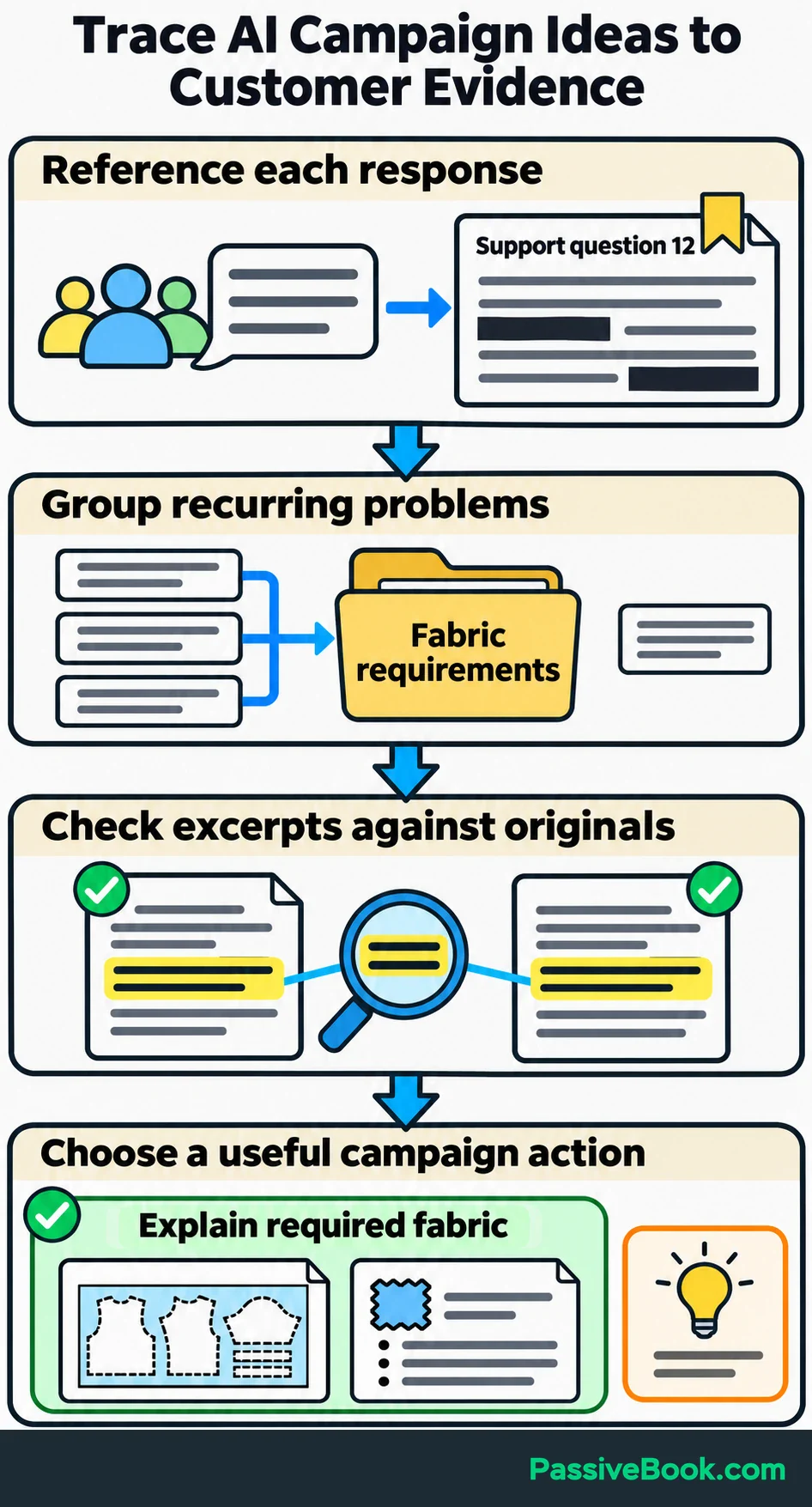
Collect relevant reviews, survey answers, support questions and purchase objections. Give each item a simple reference, such as “Support question 12,” after removing unnecessary personal details.
Then ask:
Group these responses by the problem customers describe. For each theme, return supporting excerpts, their source references and questions our marketing leaves unanswered. Keep isolated comments separate from repeated concerns.
Check the excerpts before acting. A summary is useful only if the original responses support it.
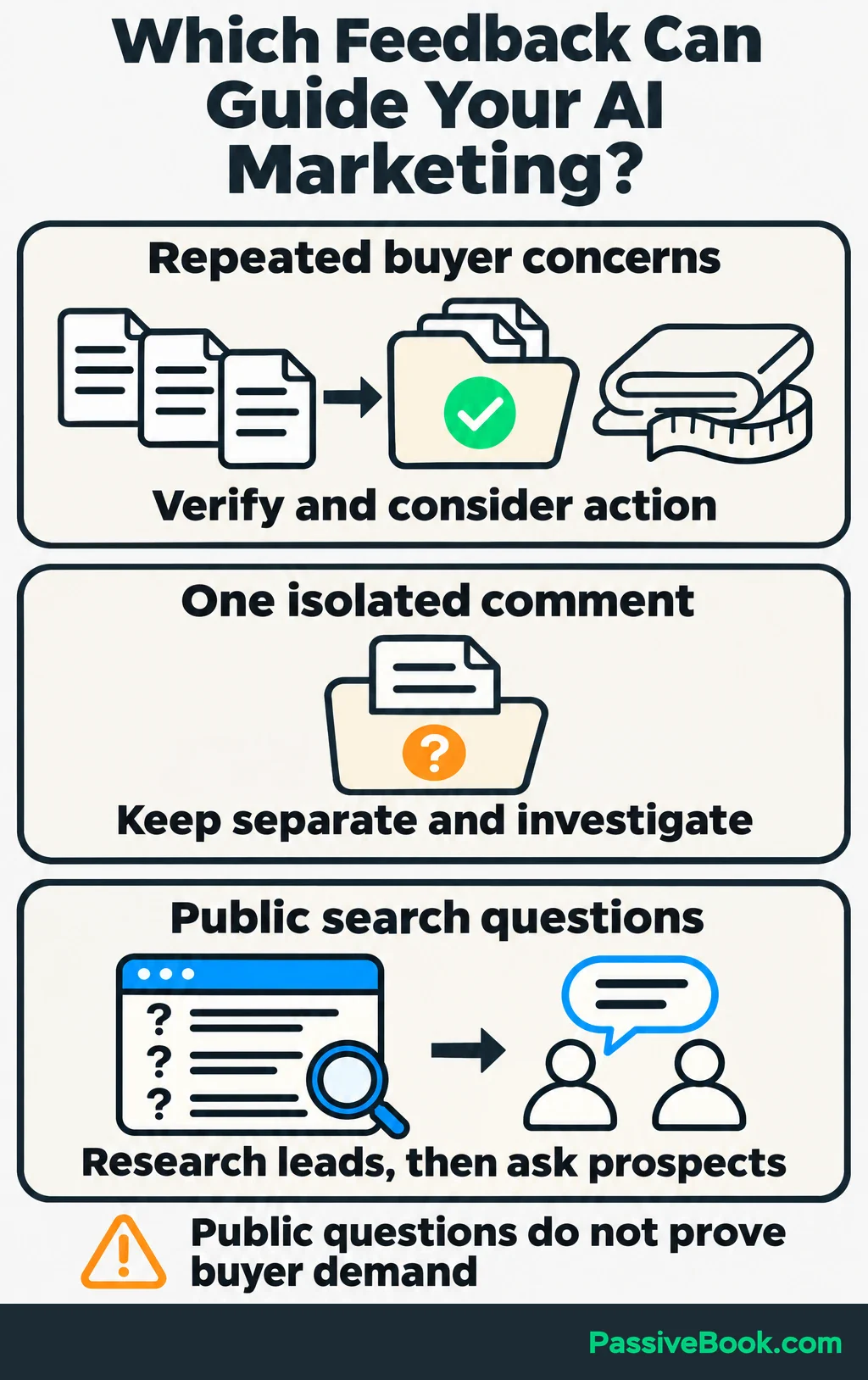
Suppose several sewing-pattern questions concern fabric requirements. You could use that finding to plan an article explaining the cutting layout and improve the materials section of the product page.
Choose a problem your offer can actually address. A clearer explanation of required fabric helps someone prepare. A vague campaign about “unlocking creativity” leaves the same question unanswered.
If you don’t have customer feedback yet, study relevant search results and public questions to find topics worth investigating. Treat those as research leads, then ask prospective customers about them. They don’t establish what your own buyers want.
Create Useful Search Content From Verified Material
Choose one customer question before asking AI for an article.
Check the search results to understand what people expect, whether the subject connects to your offer and what existing pages fail to explain well. If you already have search traffic, review relevant queries in Google Search Console.
You can ask AI to group those queries and suggest a focused brief. Get search-volume figures from a keyword research tool rather than asking a writing assistant to estimate them.
For the sewing-pattern business, you might develop an article about preparing fabric before cutting a beginner tote bag. Supply checked instructions, your demonstration photos and any material-specific guidance the article needs.
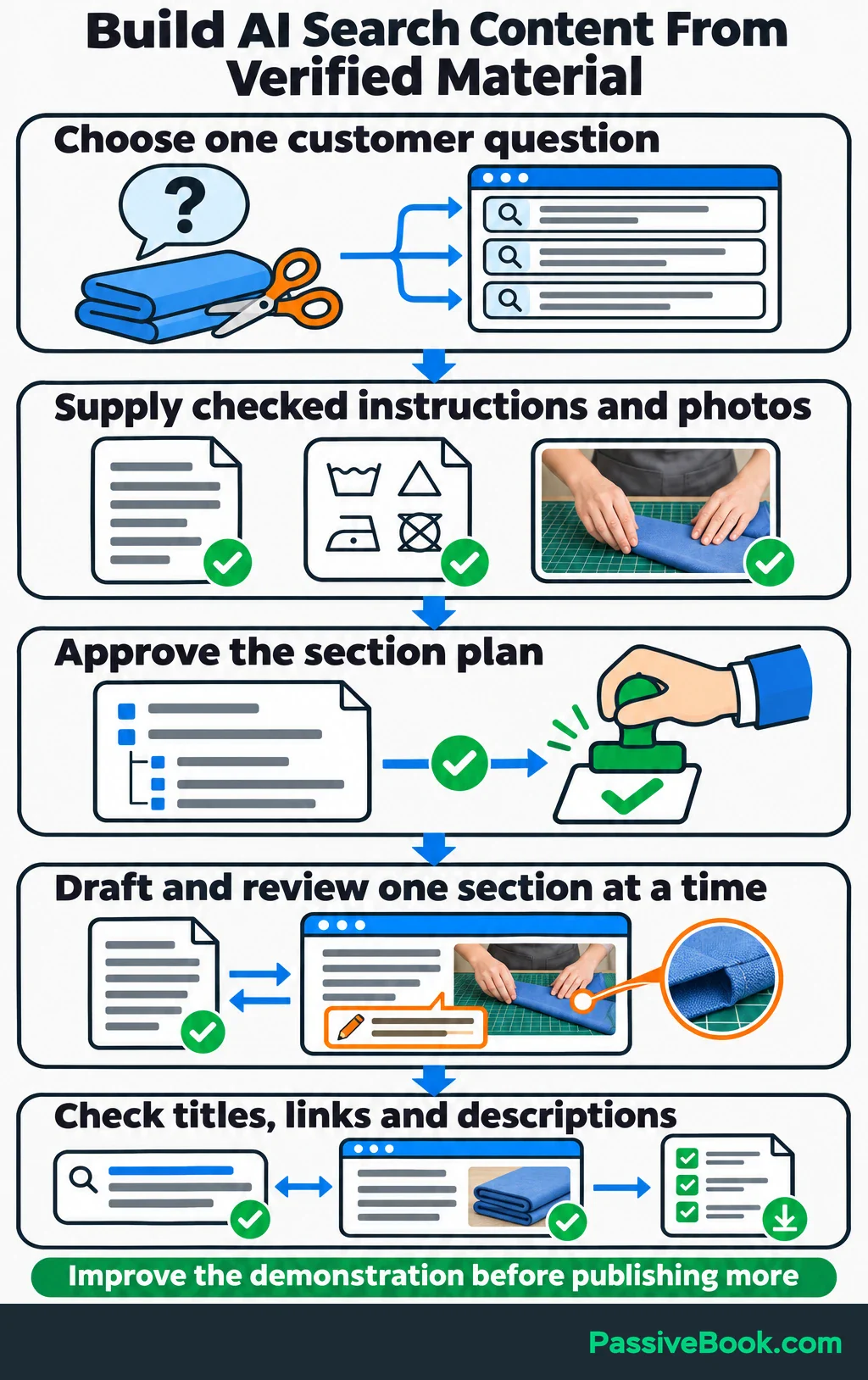
Ask for a section plan, approve it and draft one section at a time. Add the details that make the instructions usable: what the reader should inspect, what a mistake looks like and when to consult the fabric’s care instructions.
Connect the cutting checklist where it helps someone follow through. The link should have a purpose beyond interrupting the lesson with a signup box.
After the article is finished, ask AI for title options, a search description and internal-link suggestions. Check that each suggestion matches the article and points to a real page.
Google’s guidance on generative AI content identifies research and structure as useful applications, and warns that generating many pages without added value may violate its scaled-content policy. I would use the time saved to improve the demonstration before increasing the publishing schedule.
Repurpose Approved Content for Social Channels
Start with a finished article or demonstration. Ask AI to extract its useful lessons and adapt them to a channel you already use.
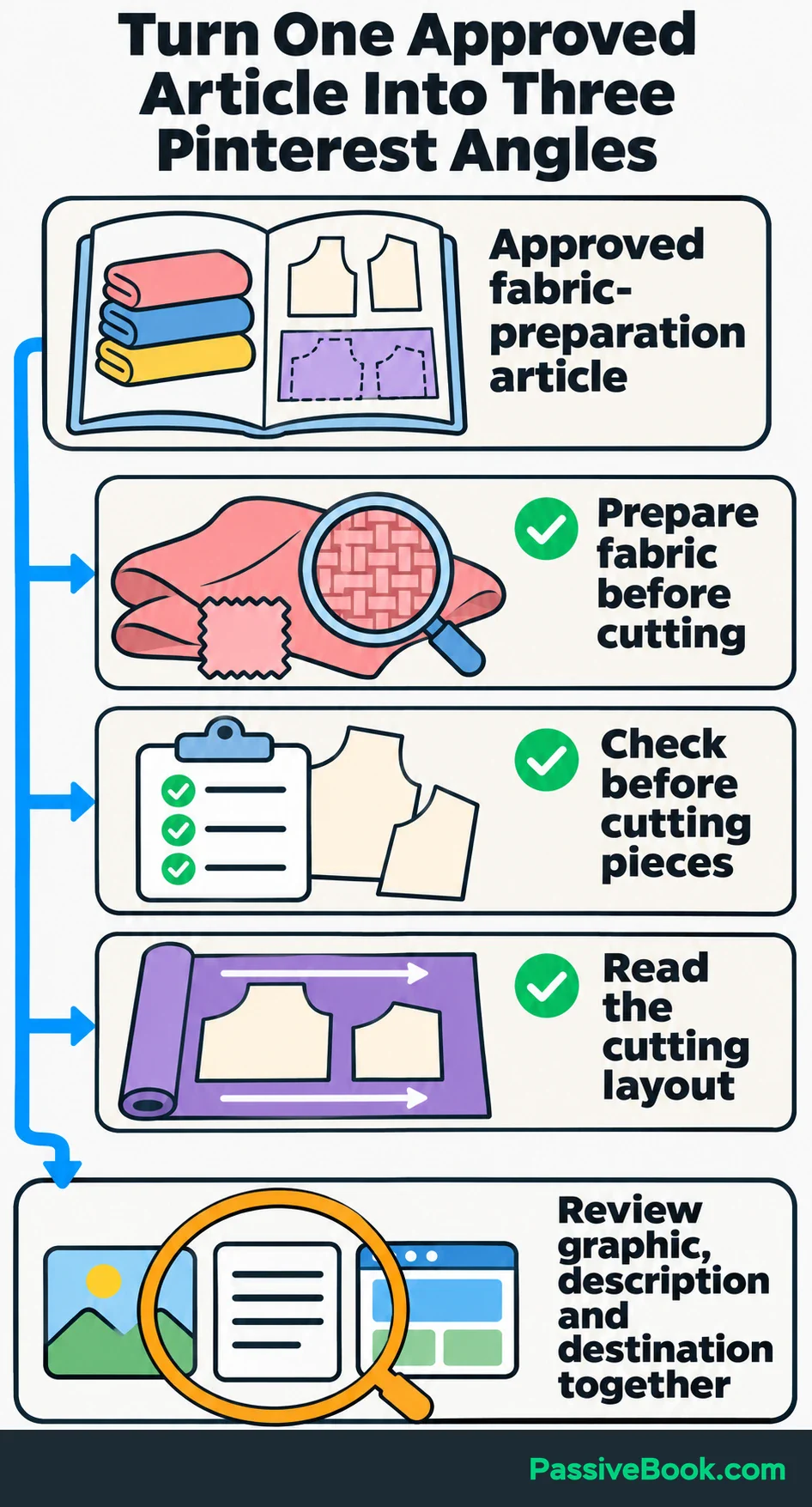
For your fabric-preparation article, the workflow could be:
- Supply the approved article and request three distinct Pinterest angles.
- Check every draft against the article and choose one clear takeaway per Pin.
- Build the graphics with your demonstration photos.
- Review the graphic, description and destination page together, then schedule a small batch.
A focused prompt keeps the output grounded:
From this approved article, draft three Pinterest titles and descriptions. Give each a different useful takeaway, use only advice in the article and direct readers to the full guide. Suggest a visual using the supplied photos.
Possible title directions include:
- “Prepare Your Fabric Before Cutting a Tote Bag”
- “Checks to Make Before You Cut Your Tote-Bag Pieces”
- “Read the Cutting Layout Before You Start”
Use actual pattern pages or demonstration images so the graphic matches what readers will find. If you use Canva’s AI editing features, its commercial-use guidance requires rights to the original image and compliance with its AI terms.
Once the batch runs, track referral visits and confirmed checklist signups. Saves and impressions can help explain which presentation attracted attention, but your signup result tells you whether that attention moved toward the business.
Tailor Emails to Subscriber Interests and Actions
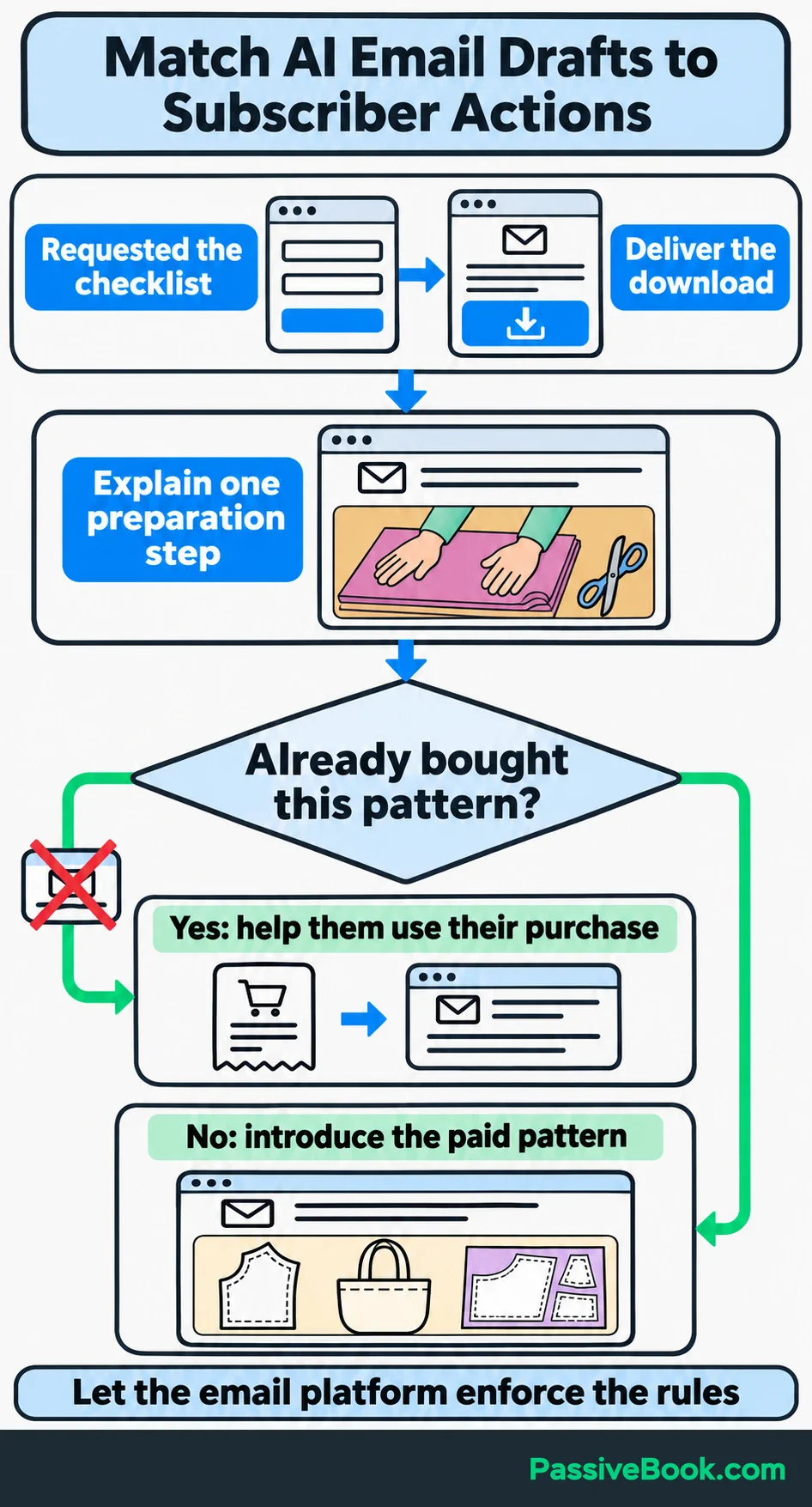
Decide what an email needs to accomplish before asking AI to write it. Delivering a checklist, helping someone use it and introducing a paid pattern are different jobs.
Build variations from information people supplied or actions your email platform records. Give AI a segment description, such as “requested the checklist and hasn’t purchased,” rather than uploading individual subscriber records.
For the sewing-pattern business, a short sequence could:
- Deliver the fabric-cutting checklist.
- Explain one preparation step from the approved article.
- Introduce the paid pattern and explain what it includes.
Existing customers should receive guidance for using their purchase instead of another pitch for the same pattern.
Here’s a complete checklist-delivery email you can adapt. Replace the bracketed details before sending.
Subject: Your tote-bag fabric-cutting checklist
Hi,
Thanks for requesting the fabric-cutting checklist.
You can download it here:
[Download your checklist]
Keep it beside your pattern while you prepare your fabric and work through the cutting instructions. Your pattern’s measurements and layout should guide the project.
In the next email, I’ll walk through one fabric-preparation step before you start cutting.
Happy sewing,
[Your name]
That message has one job, and the download is easy to find.
Let your email platform handle the rules and delivery. For a WordPress site, I would consider FluentCRM, which supports segments and automations based on events such as form submissions and purchases. MailerLite is another option if you prefer a hosted email tool.
Send yourself a test email with the name field left blank. Check the links and mobile layout, then confirm that customers won’t receive sales emails for a pattern they already bought. Review clicks, completed actions and unsubscribes so you can see whether the sequence remains useful.
Improve Landing Pages and Campaign Messages
Use AI to find missing explanations before asking it for more persuasive wording.
Supply the current page, verified product details and relevant customer questions. Ask which questions the page answers, which it leaves open and which answers need more evidence.
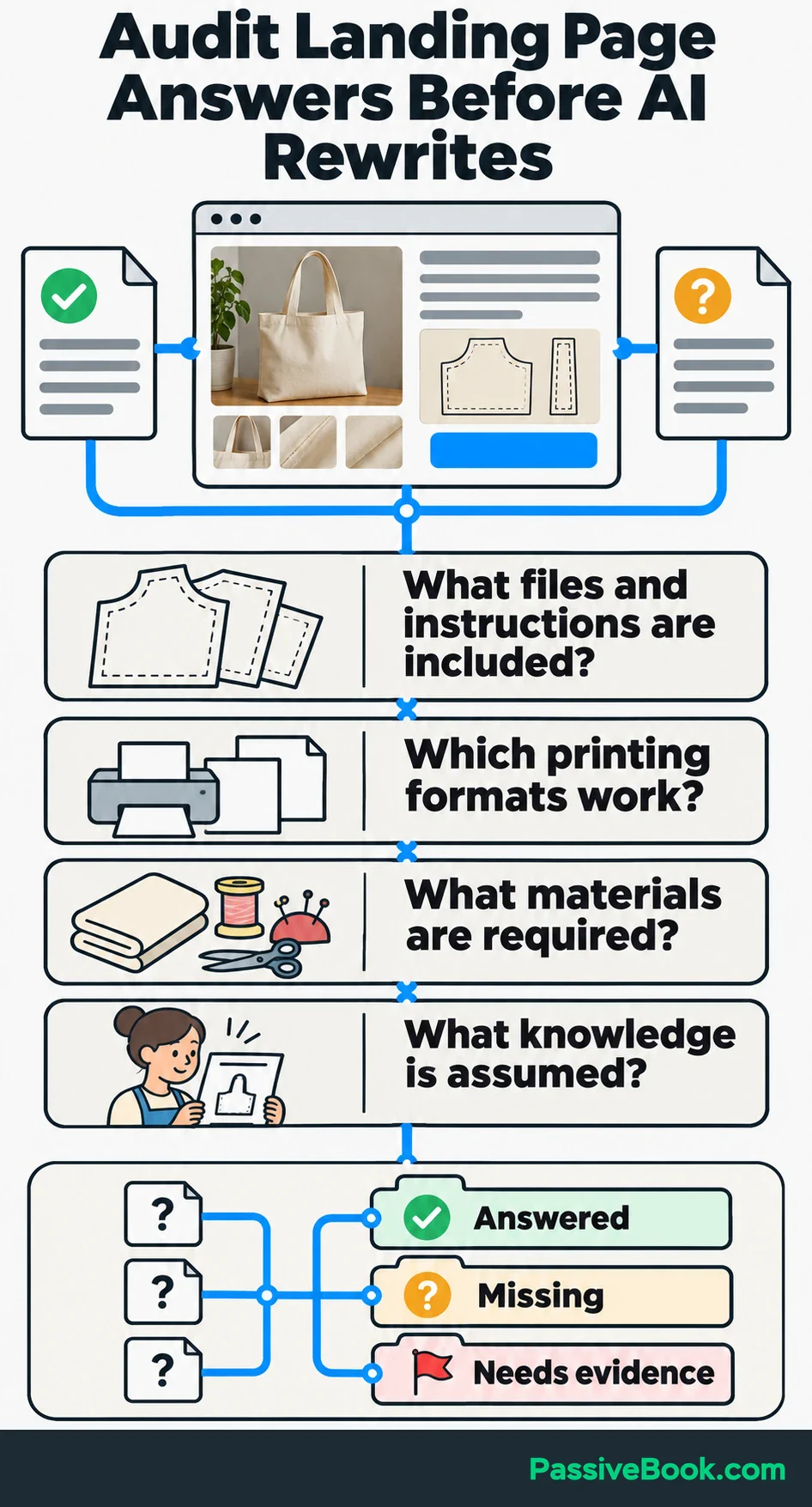
For your tote-bag pattern, buyers may need to know:
- Which pattern pieces and instructions are included.
- Which printing formats are supported.
- What materials they need.
- What prior sewing knowledge the instructions assume.
Confirm those details before requesting new copy. “Beginner-friendly” needs an explanation, and AI shouldn’t invent one.
Then change one meaningful element, such as the offer explanation or headline. Ask:
Using these product details and customer questions, write two alternative offer explanations. Make one focus on following the instructions and the other on preparing materials. Identify the supplied fact supporting each benefit.
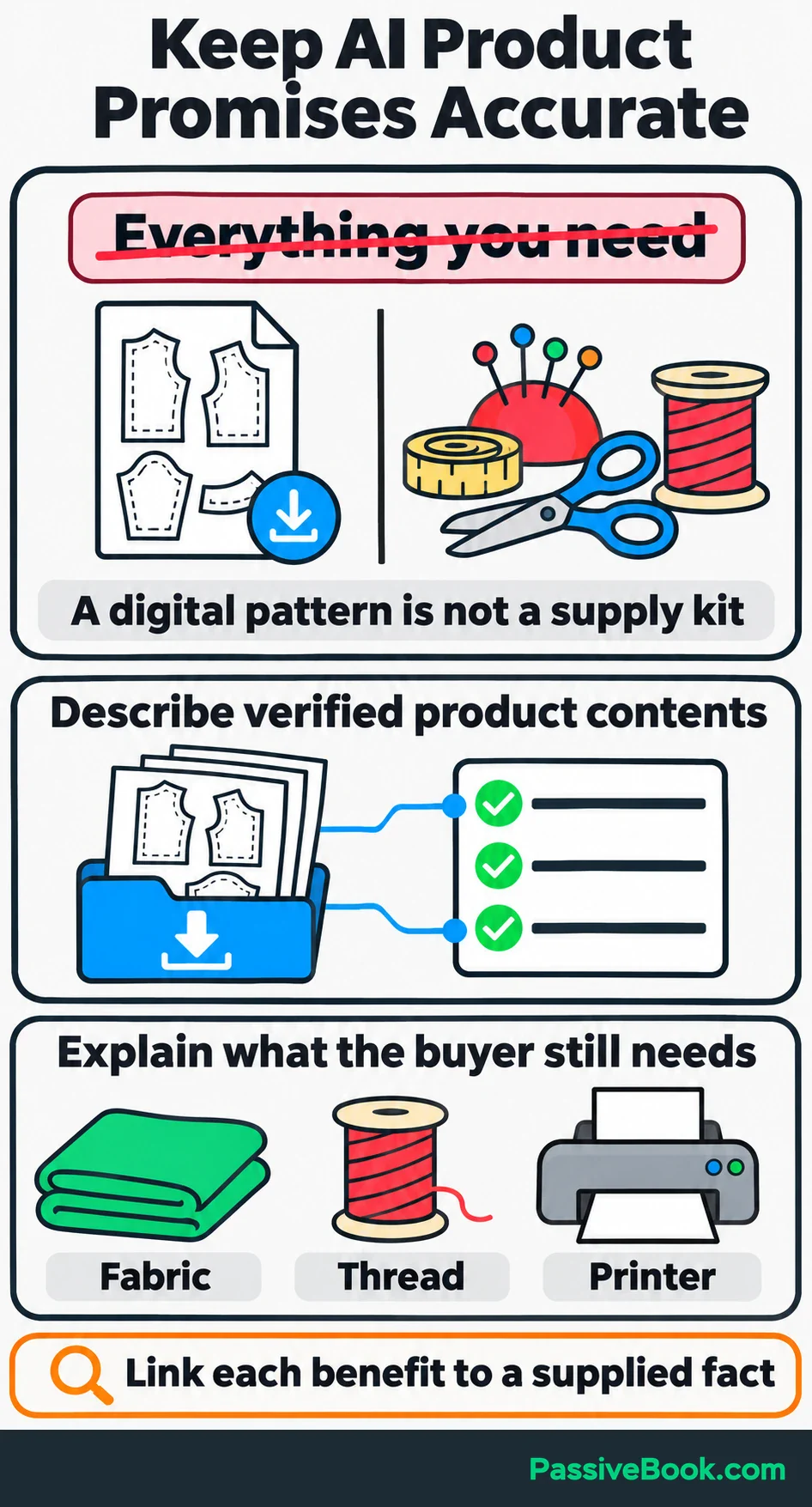
I would choose the version that makes the purchase easier to understand, even if the other sounds more exciting. “Everything you need” is a poor promise when the buyer still needs fabric, thread and a printer.
If paid advertising already fits your plan, you can adapt the same angles into ads that match the landing page. Check purchase tracking and set a spending limit first. Compare acquisition cost with what remains from a sale after variable costs, including payment fees and expected refunds.
I wouldn’t buy traffic simply to give an AI-generated campaign something to do.
Measure Whether AI Improves Your Marketing
Keep production efficiency and marketing performance separate. You can improve one while damaging the other.
Create a small report for each batch or campaign. Include the reporting dates, channel, content version, visits or deliveries, target actions, tool costs and production time.
Ask AI to summarize changes and identify the rows supporting each observation. Have it suggest a next action, then verify its arithmetic in the source spreadsheet.
For production time, count the full task: gathering inputs, prompting, editing, checking and preparing the final output.
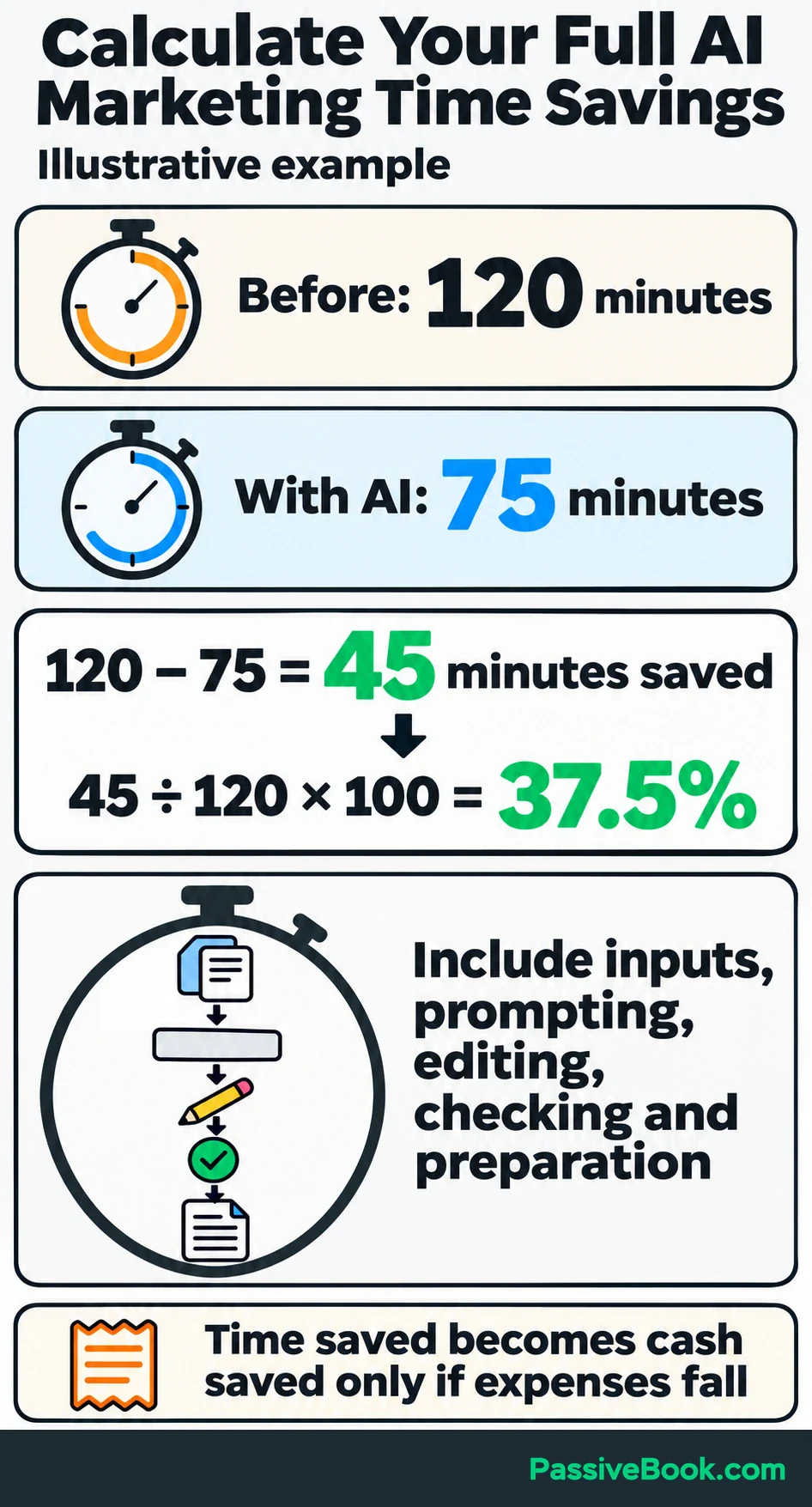
In an illustrative example, a batch previously took 120 minutes and now takes 75 minutes with AI assistance:
- Time saved: 120 − 75 = 45 minutes.
- Percentage saved: 45 ÷ 120 × 100 = 37.5%.
Then check the business outcome. For the Pinterest batch, count new visitors arriving from Pinterest who aren’t already subscribed. Of those visitors, count how many confirm a checklist signup within your chosen observation window.
If 20 of 500 eligible visitors confirm a signup within that window, the conversion rate is:
20 ÷ 500 × 100 = 4%.
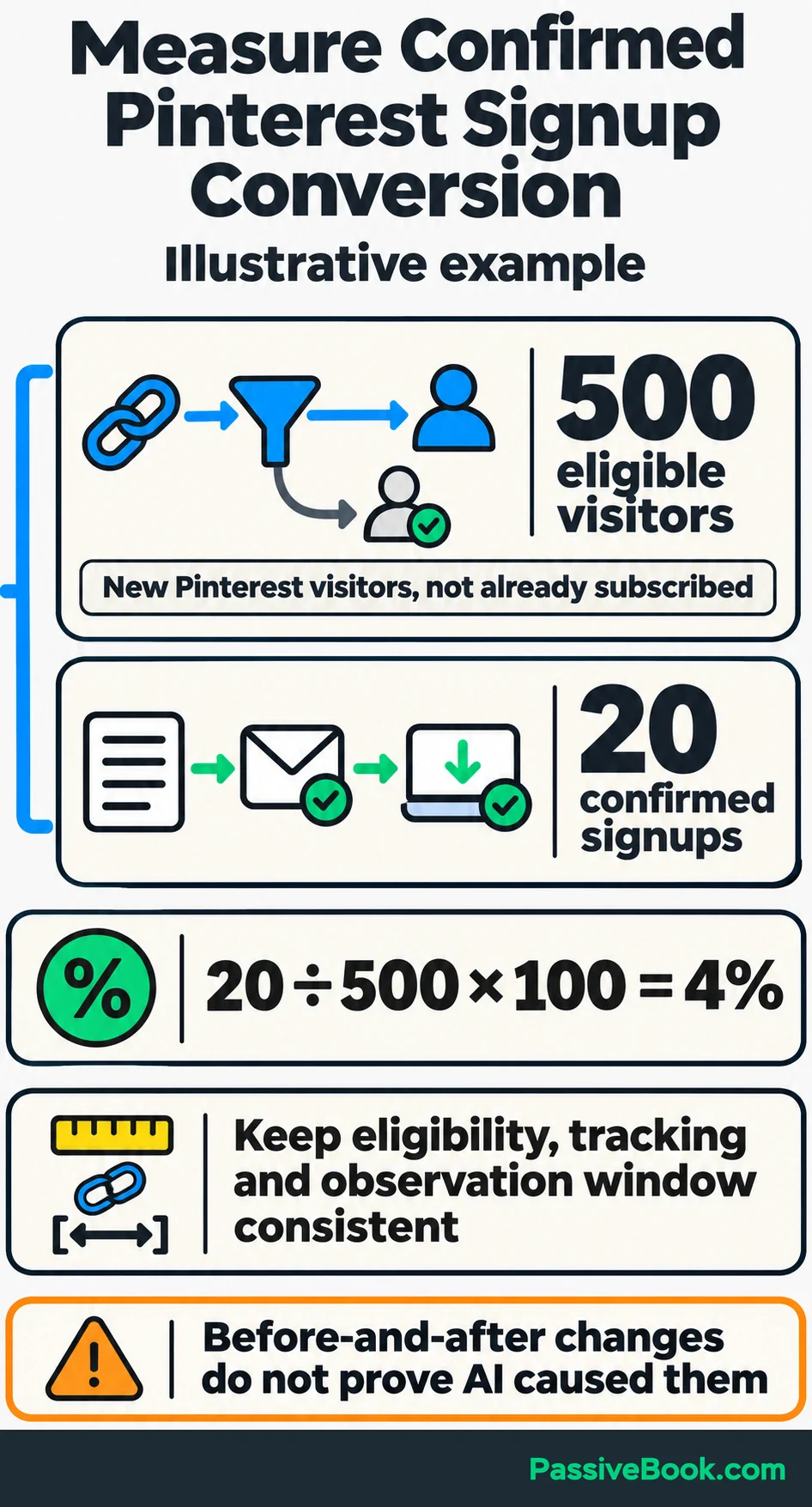
Use the same eligibility rules, tracking and observation window when comparing versions.
A before-and-after increase alone doesn’t show that AI caused it. Traffic sources, timing and other changes can affect the result. If you have enough traffic, randomly split visitors between versions during the same period. Compare one main outcome, such as confirmed signups.
Let the problem guide your next move:
- Little Relevant Traffic: Revisit topics, distribution and campaign targeting.
- Visits Without Signups: Review the offer, page explanation and signup process.
- Too Much Editing: Improve the source material, examples or output instructions.
- Useful Time Saved and Steady Results: Keep the workflow and test another small improvement.
Freed time is valuable, but it becomes cash savings only when an actual expense falls. Count tool costs before declaring the workflow cheaper.
Automate the Workflow Once It Works
Complete the task manually with AI assistance first. Once the inputs and review process work reliably, save them as a repeatable process.
Record the source material, prompt, required output, acceptance checks, reviewer and final destination. Then connect the handoffs that keep repeating:
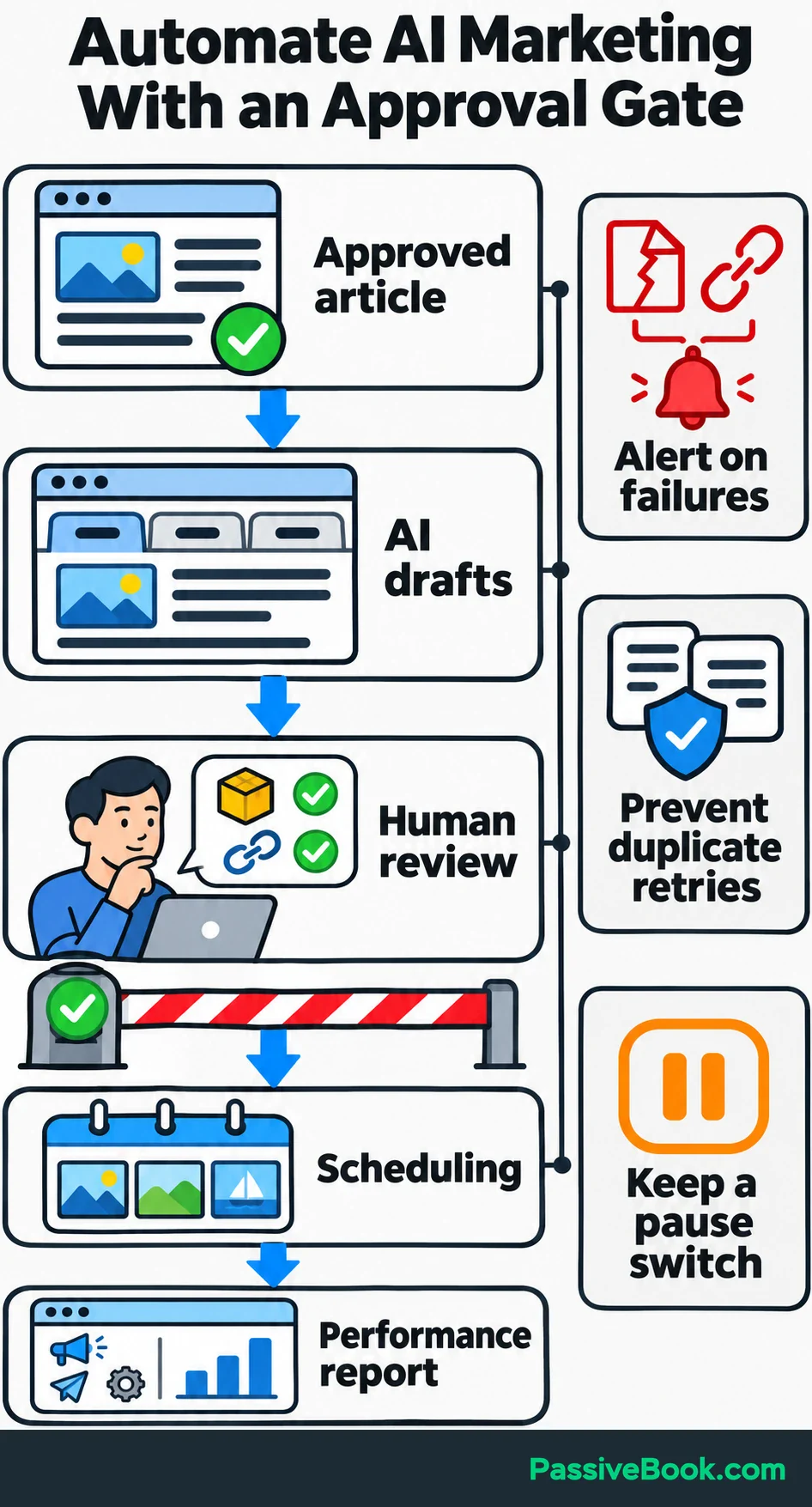
Approved article → AI drafts → human review → scheduling → performance report.
During the pilot, require approval before anything publishes or sends. The reviewer can be you; the point is to make approval an actual step.
I use n8n to connect tools, and my custom Python AI content pipeline reduced article production from days to hours. That result belongs to my particular workflow. You don’t need a coded pipeline to test three promotional drafts.
When repeatedly moving material between apps takes too much time, I would consider Make, a visual tool that connects apps without code. Its pricing guidance explains that workflows consume credits and some AI features use more than ordinary actions. Run a complete test and include any separate AI-service charges when estimating cost.
n8n also lets you run workflows on your own server and add approval steps. I would choose it when I need that control and can manage the setup, updates and maintenance.
Before increasing volume, test what happens when an article is missing, a link breaks or a connection fails. Add failure alerts, prevent retries from creating duplicate posts or emails, and keep a simple way to pause the workflow.
Automation earns its place when the process is stable enough to repeat.
What Next?
Choose one approved article and time how long it takes to turn it into three promotional drafts. Run the same task with one AI assistant, check the result and record the full time again.
Use the social buttons to share this guide when the conversation turns to making AI marketing useful without adding another pile of tools.
Which recurring marketing task would you hand to AI first, and what would you need to see before trusting the result? Share your answer in the comments, and bring any other questions there too.
Share this post with your friends & followers: