You ask AI for a marketing article and get tidy paragraphs, a friendly tone, and several claims you never supplied. Now you have to work out which sentences deserve to stay.
That review can swallow the time you hoped to save. And even accurate copy needs a clear purpose, or it becomes another finished article with nowhere useful to send readers.
The workflow below turns your facts, voice, and offer into a brief AI can follow. It covers the prompts, checks, and publishing decisions that help you produce useful marketing content without handing over your judgment.
Define the Reader’s Question and Next Action
Before opening a writing tool, finish these two sentences:
- “After reading this, the reader should understand ______.”
- “The next useful action is ______.”
Choose one main question and one main action. An article can explain a problem, a product page can help someone decide whether to buy, and an email can invite a reply. Give each piece a clear job.
Look for questions in customer emails, search queries, reviews, and conversations. Remove personal details, then ask AI to group recurring questions. Keep its suggested topics separate from questions people actually asked. A generated idea is something to investigate, not evidence of demand.
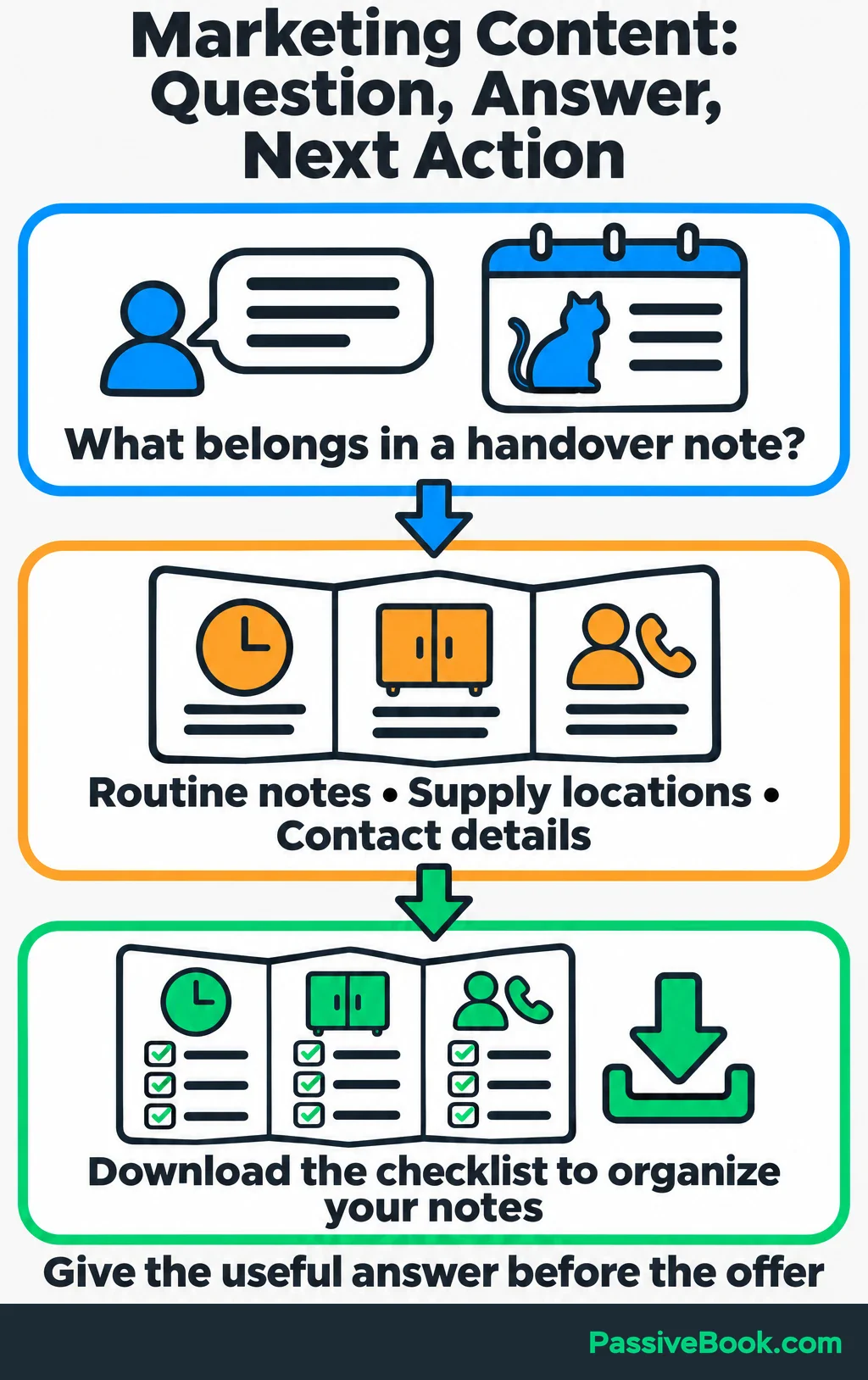
Throughout this guide, imagine you run a cat-sitting business. You’re creating an article answering, “What should I include in a cat-sitter handover note?” It offers a free checklist with sections for routine notes, supply locations, and contact details. All example materials, prompts, and copy are illustrations.
The useful outcome is a clear handover note. The next action is downloading the checklist.
I would answer the question before introducing the offer. Readers should leave with something useful even if they never click. That also gives the download a clear purpose: helping them put the answer into practice.
Choose One AI Writing Tool
Start with one general-purpose assistant and the editor you already use. You can complete this workflow by copying material between them.
These are my preferences, rather than findings from a comparative test:
| Tool | Free Starting Option | My Use | What to Test |
|---|---|---|---|
| Claude | Free plan | My main assistant for long-form writing and content strategy | Does it follow your outline, preserve facts, and need few voice corrections? |
| Gemini | Free access with a Google Account, listed on its US page | Research assistance and finding sources to inspect | Are the sources relevant, and do they support the claims attached to them? |
Either gives you a starting point. I would begin with Claude for this writing workflow because it fits how I work. You don’t need subscriptions to both.
If you compare tools, give each the same brief. Record unsupported claims, missed instructions, useful ideas, and the time you spend correcting the draft. A smooth opening paragraph tells you less than the finished piece’s total editing time.
Upgrade when a recurring limit interrupts work worth finishing. Compare the local subscription cost with the time it actually saves you. Buying another tool before fixing an unclear brief usually gives you another place to paste the same unclear request.
Build a Reusable Content Brief
Gather the Facts the Draft Needs
A brief gives the assistant the information and boundaries for one assignment. Save it in an ordinary document so you can reuse the structure.
Include:
- Reader and Question: Who needs this, and what are they trying to understand?
- Useful Outcome: What should they be able to do afterward?
- Format and Scope: Article, email, or page, with any length constraints and exclusions.
- Approved Facts: Product details, service information, firsthand notes, and supporting sources.
- Offer and Next Action: What you’re inviting readers to do and why it helps.
- Destination: The actual page, form, or download URL.
- Voice: Approved writing examples and a short style guide.
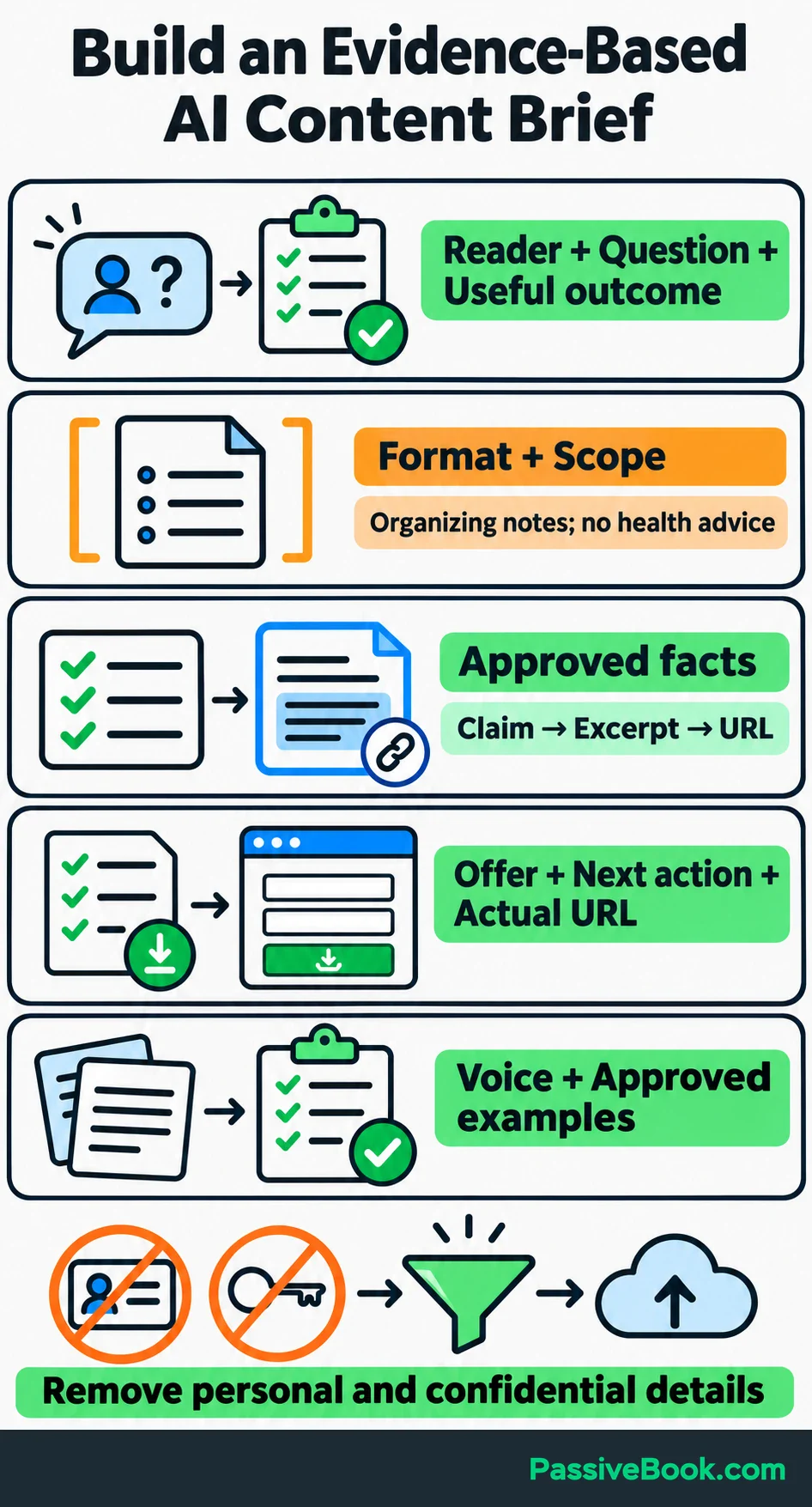
For the cat-sitting article, attach the checklist and approved service description. State that the article covers organizing information, and exclude general cat-care or health advice. The assistant has enough to explain the three checklist sections without inventing recommendations.
For outside sources, save the URL, the relevant excerpt, and the claim it supports. This makes review much easier than receiving a draft followed by a pile of links.
Remove customer names, addresses, phone numbers, access instructions, and confidential material before uploading anything. Use blank forms or made-up entries where needed. Check your provider’s data-use controls too; Anthropic’s consumer-data policy explains when consumer conversations may be used for training. A privacy setting doesn’t make real customer details necessary for this assignment.
Show AI What Your Brand Sounds Like
“Friendly and professional” leaves too much room for interpretation. Give AI two or three pieces of your own approved writing, then ask it to identify observable habits.
Useful traits include direct openings, everyday words, short paragraphs, restrained promises, and concrete examples. Add phrases you avoid.
On one of my digital-product pages, an early AI draft turned a small printable into a “comprehensive system.” The sentence sounded polished, but the product hadn’t grown any new features. I changed the description and added a rule to the brief: describe what buyers receive before describing its benefit.
That rule is more useful than asking for a “better tone.”
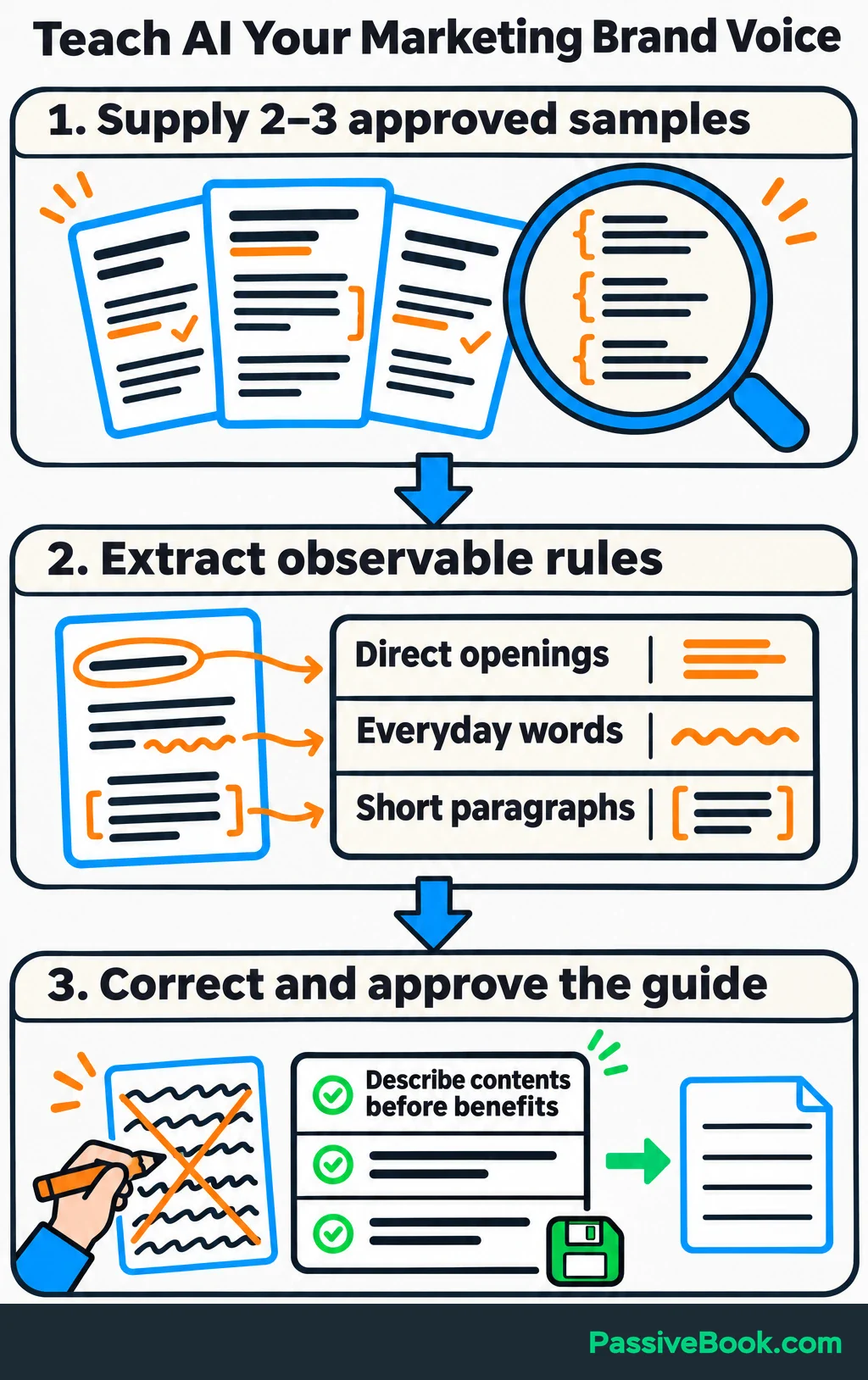
Ask AI to summarize your examples into a short voice guide, then correct it yourself. For the running example, that guide might say:
Open with the practical answer. Use calm, everyday language and short paragraphs. Describe what the checklist contains. Avoid grand promises, pet puns, and claims about outcomes we haven’t measured.
Include a sentence that fits:
Keep routine notes, supply locations, and contact details in separate sections.
And one that needs rewriting:
Unlock seamless pet-care communication with our ultimate solution.
Save the approved guide beside your facts. Supply the relevant material with each assignment, and update it when your offer changes.
Generate Ideas and Approve an Outline
Use AI to sort evidence and explore angles before asking it to write.
Try this prompt after adding your customer questions and business facts:
Using these customer questions and approved business facts,
suggest five content angles.

For each angle, identify:
- The reader question
- The practical takeaway
- The supporting facts needed
- One suitable next action

Separate supplied customer evidence from your suggestions.
Do not present suggested topics as proven demand.
Choose an angle you can answer with specific information. If you want search traffic, inspect the current search results yourself. Look for questions readers still need answered to complete the task. You don’t need to copy every heading competing articles include.
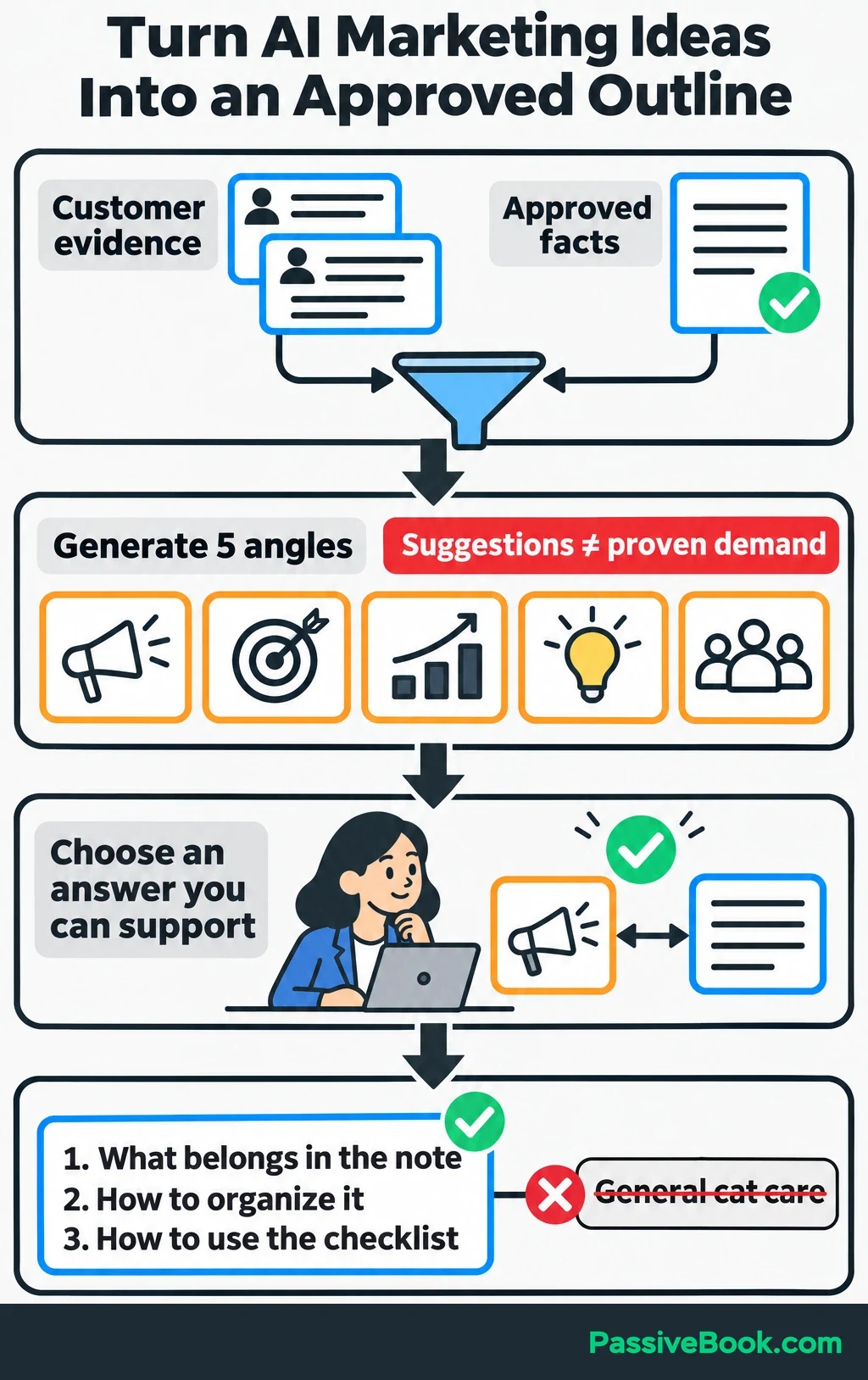
Then request an outline:
Answer the main question early. Put any preparation before the steps that depend on it. Give each section a distinct job and remove repeated advice.
For the cat-sitting article, I would approve this sequence:
- What belongs in the handover note.
- How to arrange it so information is easy to find.
- How to use the free checklist.
I would remove a section on general cat care. It would widen the assignment, require different evidence, and distract from preparing the note.
Fix those choices now. Moving three outline points is easier than untangling a long draft that answers the wrong question.
Draft With a Clear Assignment and Approved Sources
Give the assistant a complete assignment, and separate your instructions from the reference material. Clear labels are enough.
Here’s a reusable drafting prompt:
ASSIGNMENT
Draft [format] answering [reader question].

Help readers [useful outcome] and invite them to [next action].
Follow the approved outline and voice guide below.
Length or scope: [constraints].

FACTUAL BOUNDARIES
Use the approved facts and source excerpts for factual claims.
Mark missing support as [VERIFY].
Ask about information essential to completing the assignment.

Do not invent product details, quotations, testimonials,
statistics, personal experience, or results.

OUTPUT
Return:
1. The draft
2. A list of claims needing review

APPROVED OUTLINE
[Paste outline]

APPROVED FACTS AND SOURCES
[Paste relevant facts, excerpts, and URLs]

VOICE GUIDE AND WRITING EXAMPLES
[Paste approved material]

OFFER AND DESTINATION
[Describe the offer and paste its actual URL]
The instruction about missing support helps expose gaps, but it doesn’t guarantee the assistant will flag every one. You still review the whole draft.

For the running example, the assignment becomes:
Draft a short article helping cat owners prepare a handover note. Explain how to organize routine notes, supply locations, and contact details using the supplied checklist. Use a calm, direct voice and finish with an invitation to download it. Keep the article about organizing information and add no pet-health advice.
A useful passage would be:
Group your notes under clear labels so your sitter can find what they need. Keep routine notes together, list where supplies are stored, and put contact details in a separate section.
Here is a complete short article you can adapt to a matching checklist. Link its final invitation to your real download destination:
What Should I Include in a Cat-Sitter Handover Note?
Include routine notes, supply locations, and contact details, and give each group its own section. This keeps the note easy to scan when your sitter needs one specific piece of information.
Start with the routine notes you want to pass on. Use short entries and put separate instructions on separate lines.
Next, list where supplies are stored. Use locations your sitter can recognize, such as “the cupboard beside the kitchen sink,” rather than “the usual cupboard.”
Keep contact details together. Write each person’s name and how to reach them, then check that the details are correct.
Before handing over the note, read it from your sitter’s point of view. Replace vague references, explain unfamiliar labels, and remove old entries.
Our free handover checklist has sections for routine notes, supply locations, and contact details.
Download the handover checklist to organize your notes before your sitter arrives.
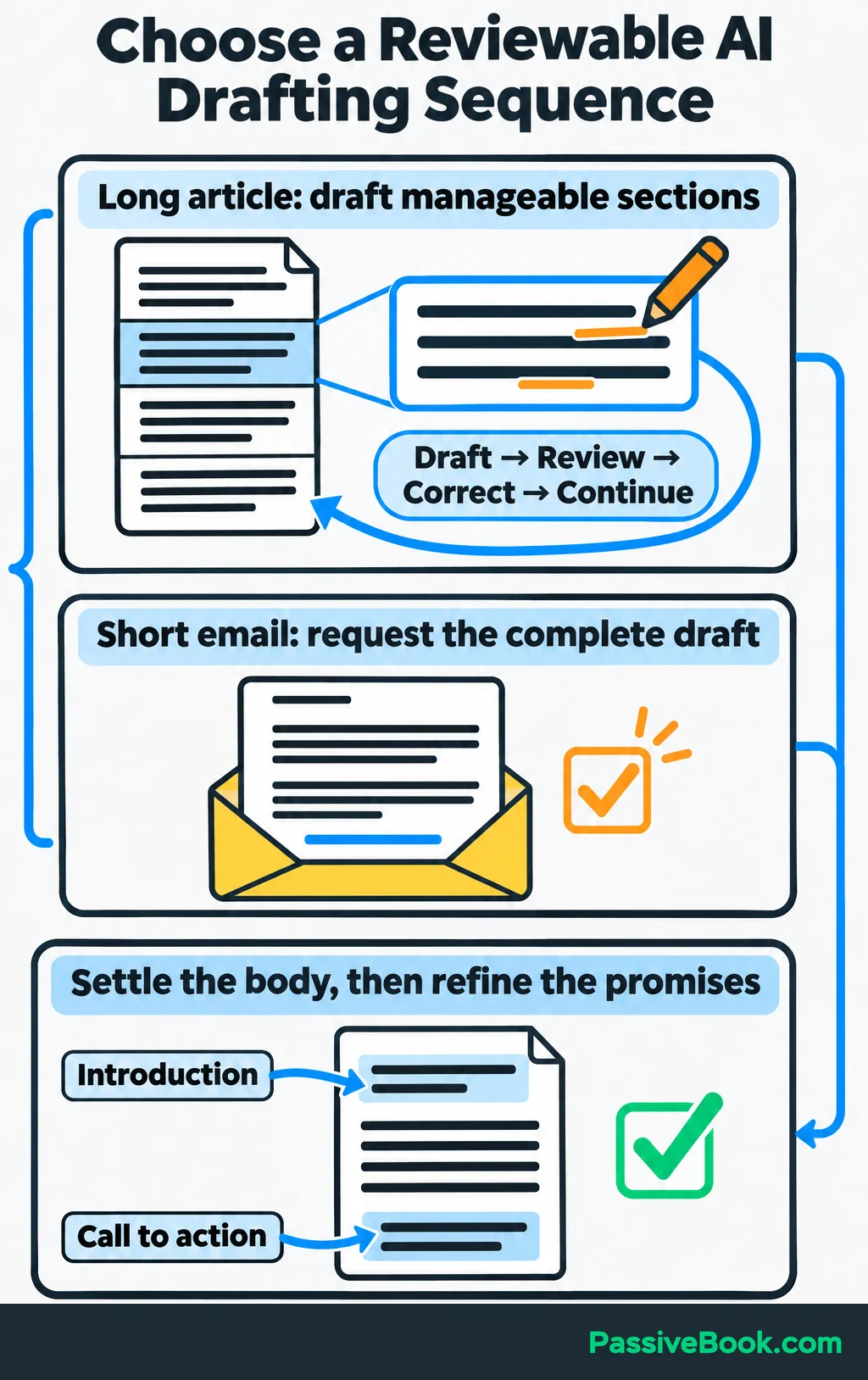
For a long article, draft in manageable sections if that makes review easier. Correct a misunderstanding before it spreads through the whole piece. For a short email or description, request the complete draft.
If you’d rather not assemble each prompt yourself, AI Copywriting Studio can prepare your first draft and a claim-to-source review. You can then spend your time checking the facts and making the copy sound like you.

Free AI Copywriting Studio




Once the body is settled, write or revise the introduction and call to action. Both should promise exactly what the finished content delivers.
Verify Every Factual Claim Before Publishing
Read the draft for claims, not just sentences that sound awkward.
Check numbers, quotations, product details, service promises, factual advice, and links against their underlying sources. AI can produce plausible inaccuracies, and Google explicitly recommends manual fact-checking and review before publication.
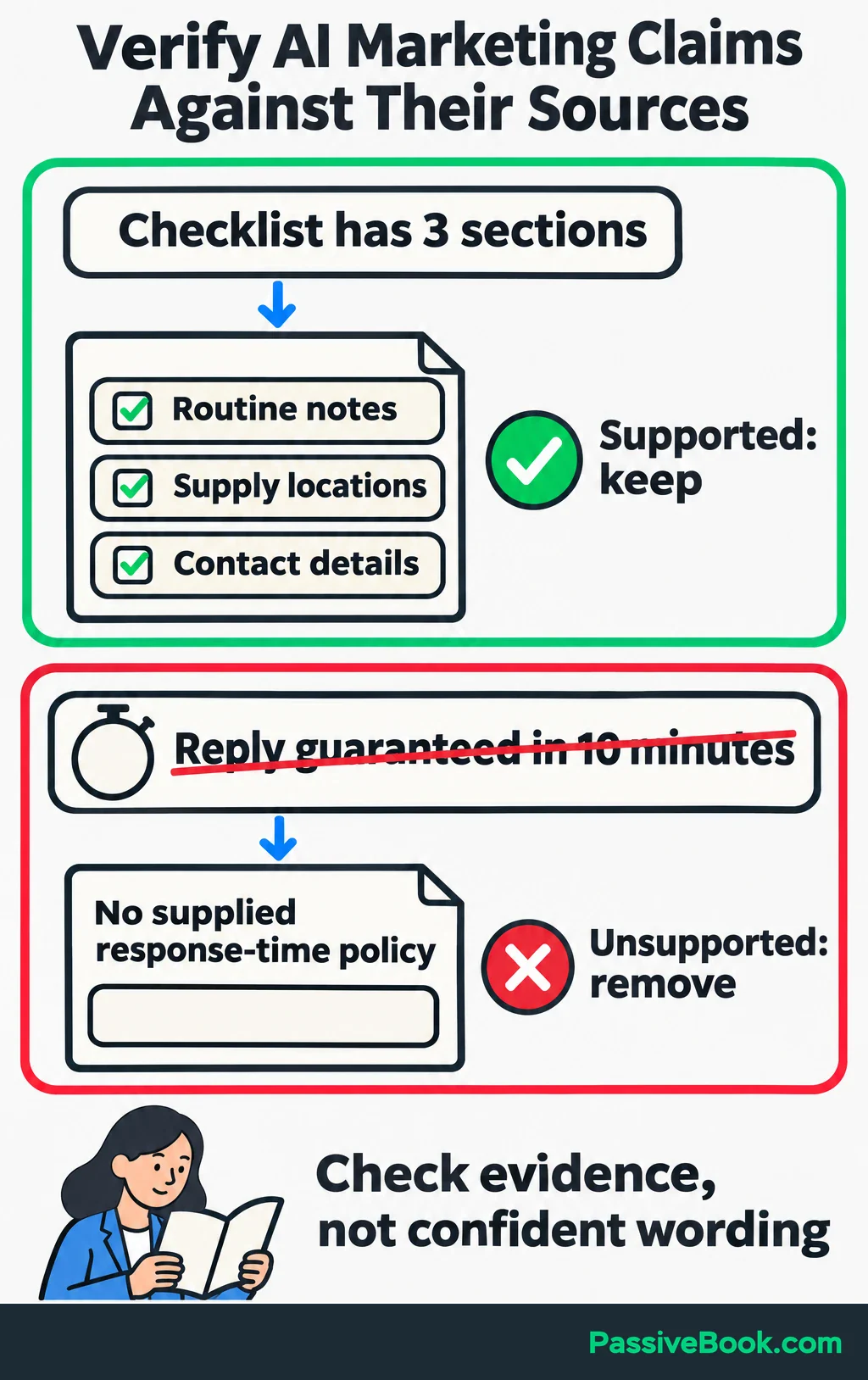
Open the sources yourself. Asking another assistant whether the first assistant was right can help you find questions to investigate, but agreement doesn’t establish accuracy.
A small review table keeps decisions visible. Here’s how I’d check the checklist description and handle an unsupported promise if AI added one:
| Claim | Supporting Item | Decision |
|---|---|---|
| The checklist covers routine notes, supply locations, and contact details | The supplied checklist’s section labels: “Routine notes,” “Supply locations,” “Contact details” | Keep the description |
| The business guarantees a reply within ten minutes | No response-time promise supplied with the brief | Remove the guarantee |

Check that the source supports the actual wording. A source saying a feature is available in one plan doesn’t support saying every customer receives it.
Resolve every [VERIFY] marker by finding support, narrowing the claim, or removing it. Check calculations independently and confirm that links lead to the intended page.
For this example, review every description against the checklist and approved service details. If the assistant adds a reassuring promise, that doesn’t make it your business policy.
Edit for Usefulness, Brand Voice, and Originality
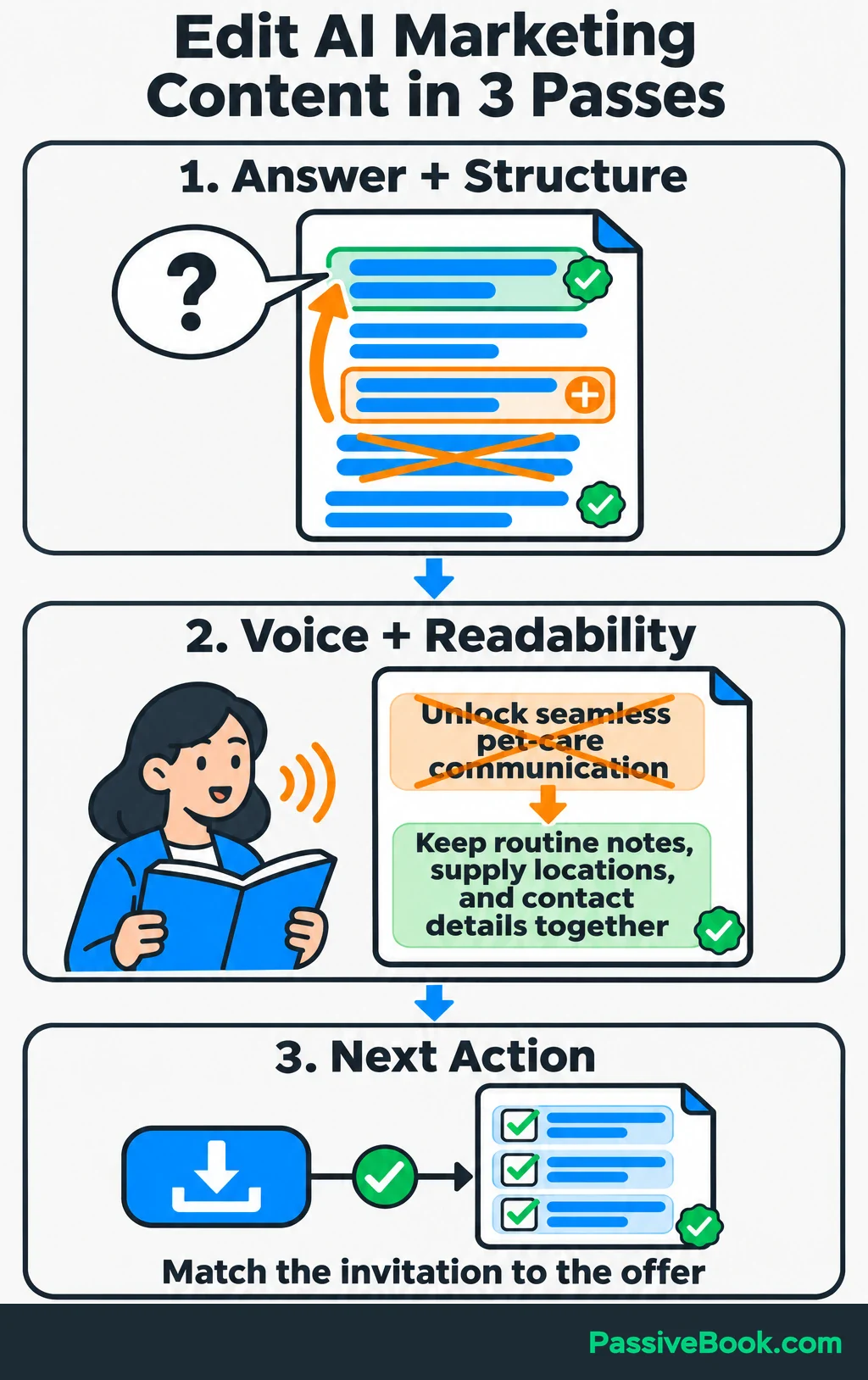
I edit in three passes because trying to fix everything at once makes small wording changes feel like progress.
- Answer and Structure: Does the piece answer the reader’s question early? Add missing steps, then remove repetition and sections that don’t help complete the task.
- Voice and Readability: Replace vague claims with specific wording. Read the draft aloud and rewrite phrases you wouldn’t naturally use.
- Next Action: Check that the invitation follows from the answer and accurately describes the offer.
For example:
“Unlock seamless pet-care communication.”
Becomes:
“Use the checklist to keep routine notes, supply locations, and contact details together.”
The second sentence tells readers what they can do. It also gives you a promise you can check against the product.
Use AI for a focused editing review:
Compare this draft with our voice guide.

Identify the five most useful edits for clarity, specificity,
and flow. Show the original and revised wording and explain
each change briefly.

Preserve verified facts.
Flag revisions that change a promise.
Do not add new claims.
Add your own reasoning, observations, and useful examples where they improve the answer. Don’t ask AI to supply a personal story on your behalf.
Check distinctive borrowed wording against its source and confirm permissions before reuse. Save drafts that show your own writing and substantive edits. The US Copyright Office’s copyrightability report explains that purely AI-generated expression isn’t protected in the United States, while qualifying human contributions can be protected, assessed case by case. Using AI assistance doesn’t automatically remove protection from your own writing.
A plagiarism scan can be a useful check, but I wouldn’t treat its result as proof that every sentence is original or cleared for reuse.
Prepare and Publish the Finished Content
Preview the content where readers will see it. A clean document can become an awkward page or email after formatting.
Before publishing, check:
- Layout: Headings, lists, paragraph breaks, and mobile readability work.
- Links: Downloads, internal links, and buttons reach the correct destination.
- Promises: The title, description, and invitation match the finished content.
- Cleanup: No
[VERIFY]markers, placeholders, or drafting notes remain. - Completion: A reader can successfully take the promised next action.
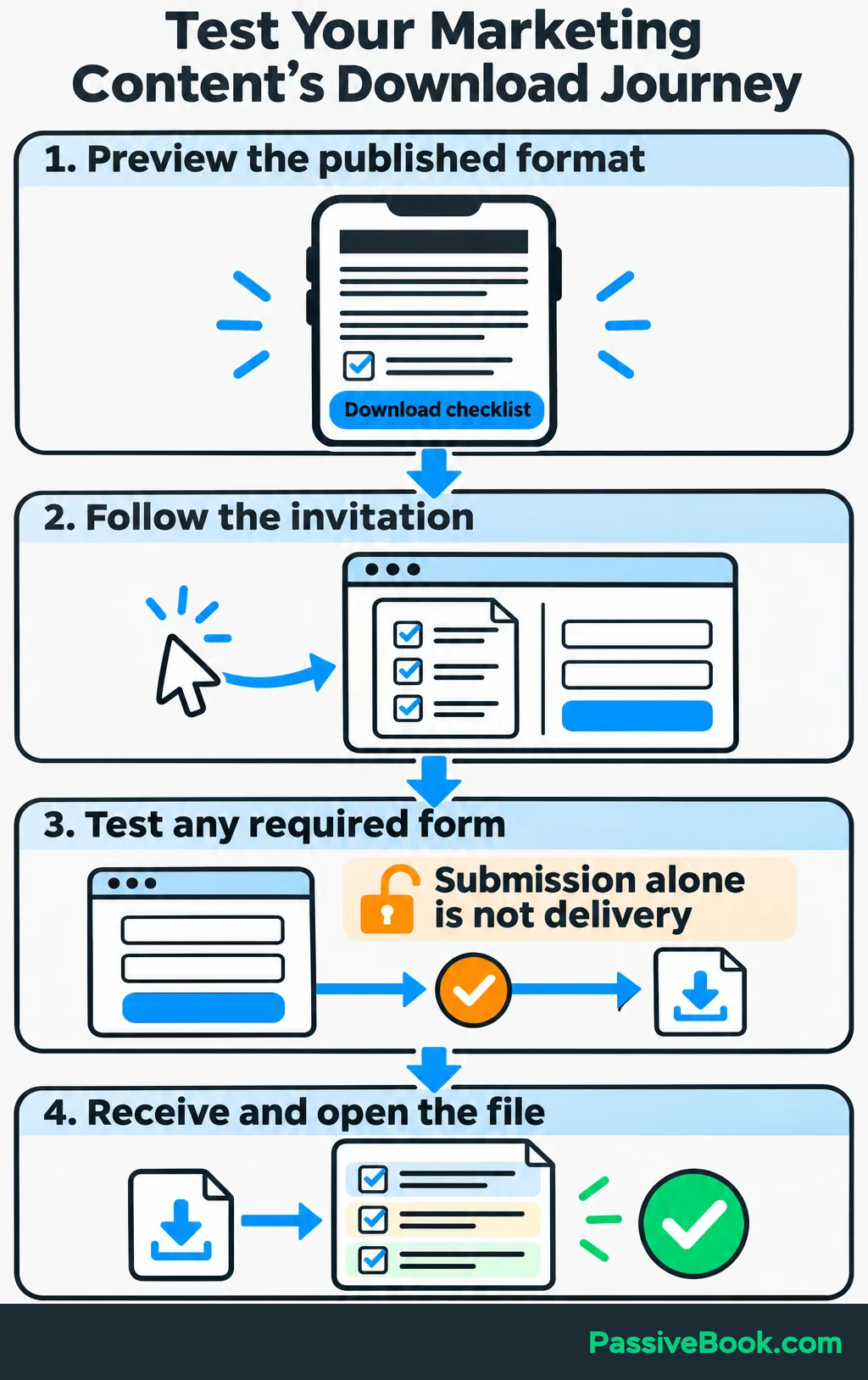
For the cat-sitting article, download the checklist yourself. If there’s a form, test the full route from the article through to receiving the file.
Give articles accurate titles and descriptions, and add internal links where they help readers continue. Publishing more pages isn’t a useful target on its own. Google says generating many pages without adding value may violate its scaled-content abuse policy.
For images, write alternative text that conveys an informative image’s meaning and use empty alternative text for purely decorative images. The W3C’s decision tree explains the distinction. Check AI-written descriptions against the actual image.
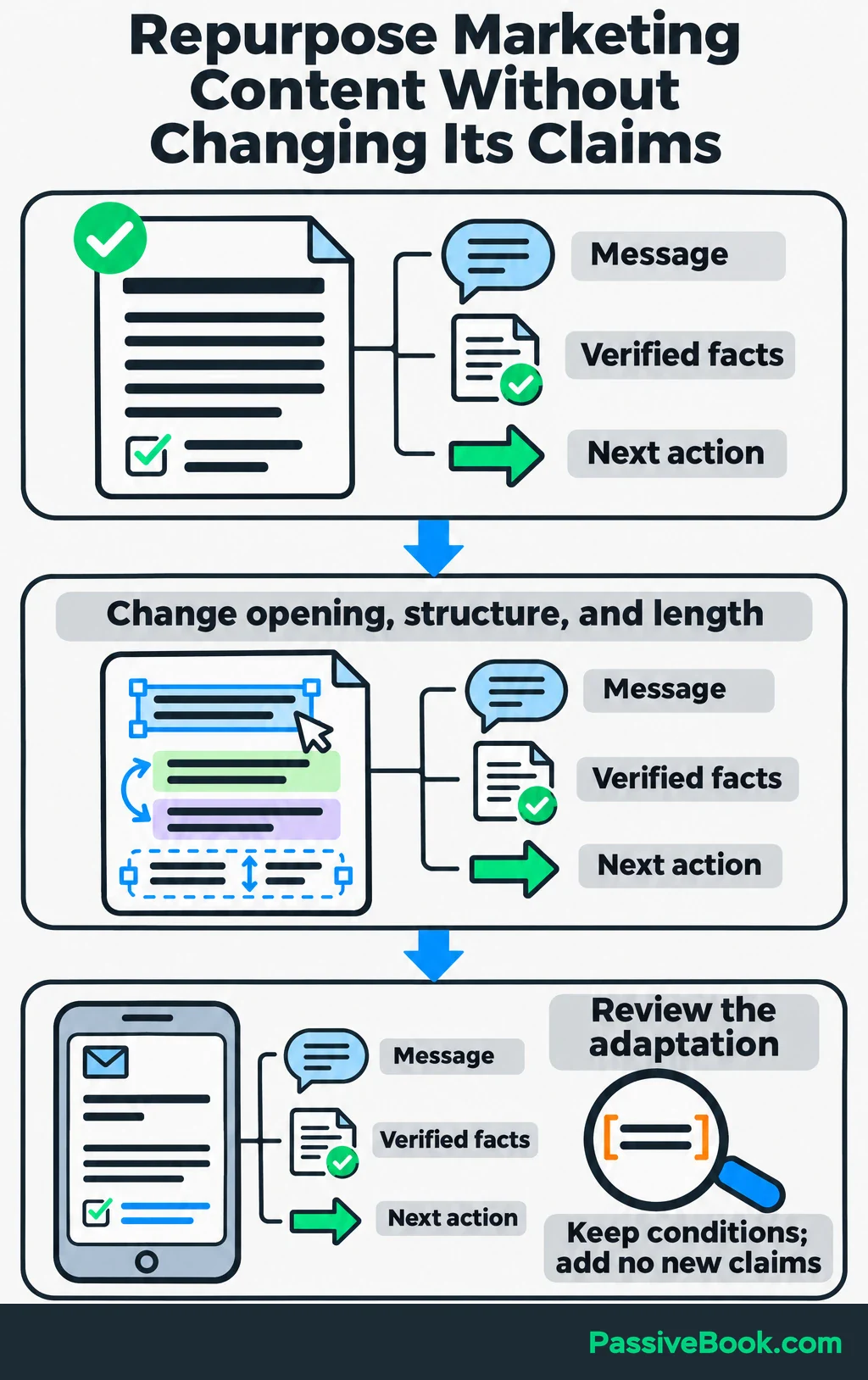
Once the content is approved, adapt it for another channel:
Adapt this approved article into [format] for [channel].

Preserve the central message and verified facts.
Use [next action].
Change the opening, structure, and length to suit the format.
Add no new claims.
An email adaptation could open:
Preparing notes for your cat sitter? Use the handover checklist to organize routine notes, supply locations, and contact details.
Review each adaptation before publishing. Shortening an article can accidentally remove a condition or turn a modest benefit into a guarantee.
Improve the Workflow With Real Results
Measure the time spent on the whole job: briefing, drafting, checking, editing, and publishing. Faster drafting helps only if it doesn’t create more work later.
Compare similar assets. A short promotional email and a researched article have different workloads.
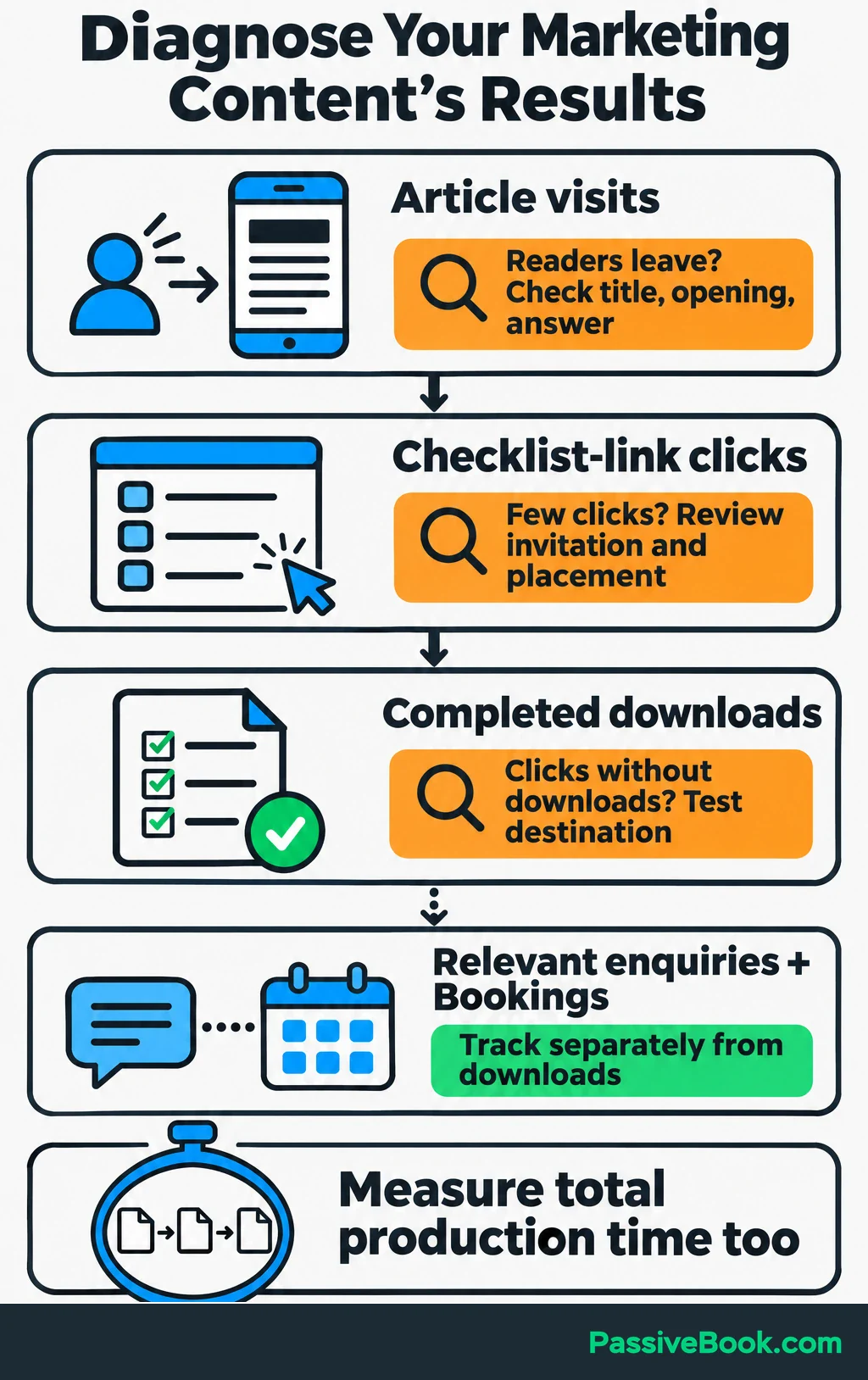
Then track the action you chose at the beginning. For the running example, useful measures are:
| Measure | What to Count |
|---|---|
| Article visits | Visits to the handover article during the review period |
| Checklist-link clicks | Clicks on the checklist invitation within this article |
| Completed downloads | Successful checklist downloads reached through this article; a form submission alone doesn’t confirm delivery |
| Relevant enquiries | Cat-sitting enquiries that mention the article or can be traced to it |
A download is an intermediate result. Keep it separate from enquiries and bookings so you can see what the content contributes.
Use the weakest point to choose your next investigation. If readers arrive but leave quickly, examine the match between the title, opening, and answer. If few click, review the invitation and its placement. If clicks don’t lead to downloads, test the destination before rewriting the article.
Compare equivalent periods and treat small differences cautiously. A handful of visits won’t tell you much about which headline works better.
Save useful corrections in the brief. If you keep removing inflated claims, add a rule and an approved example. If the same term changes between sections, record the preferred wording.
I used Claude Code, an AI coding assistant, to build a Python program that connects my content-production steps. That workflow reduced article production from days to hours. That’s my experience across my own workflow; you can use the process in this guide without building software or expecting the same savings.
I would automate repeatable handoffs once the manual process works: creating a draft document, attaching the brief, moving approved copy, or preparing a review task. Tools such as n8n can connect those steps, with approval before publication.
Let each finished piece improve the system that produces the next one.
What Next?
Choose one customer question and write its useful answer and next action in two sentences. Use those sentences to build your first brief, then take one draft through the full review before adding more tools.
Use the social buttons to share this guide when you want to make faster writing and careful review part of the same process.
Which part currently takes you longest: briefing, drafting, checking, or editing? Tell me in the comments, and bring any other questions there too.
Share this post with your friends & followers:

