You set aside Saturday morning for one article, but writing is only part of the job. There are sources to check, graphics to make, links to test and an email to send.
AI can speed up drafting, yet you still spend your free time moving work between tools. Publish faster without fixing those handoffs and you may simply create a larger review queue.
I ran into that gap while building my own content pipeline. This guide shows how to connect a useful article to promotion, email signups and measured results, with clear approval points so work can move without you supervising every click.
1. Define the First Content Workflow
Start with one action you want the content to support. That could be an email signup, purchase, booking or qualified inquiry. Then work backward to the question someone needs answered before that action makes sense.
For our running example, imagine you run a dog-travel website. You offer a free packing checklist and sell a printable road-trip planner with route, accommodation and packing pages. The business, sample content and calculations below are illustrations.
Your first content path looks like this:
Weekend dog-packing article → free checklist → useful follow-up emails → paid road-trip planner.
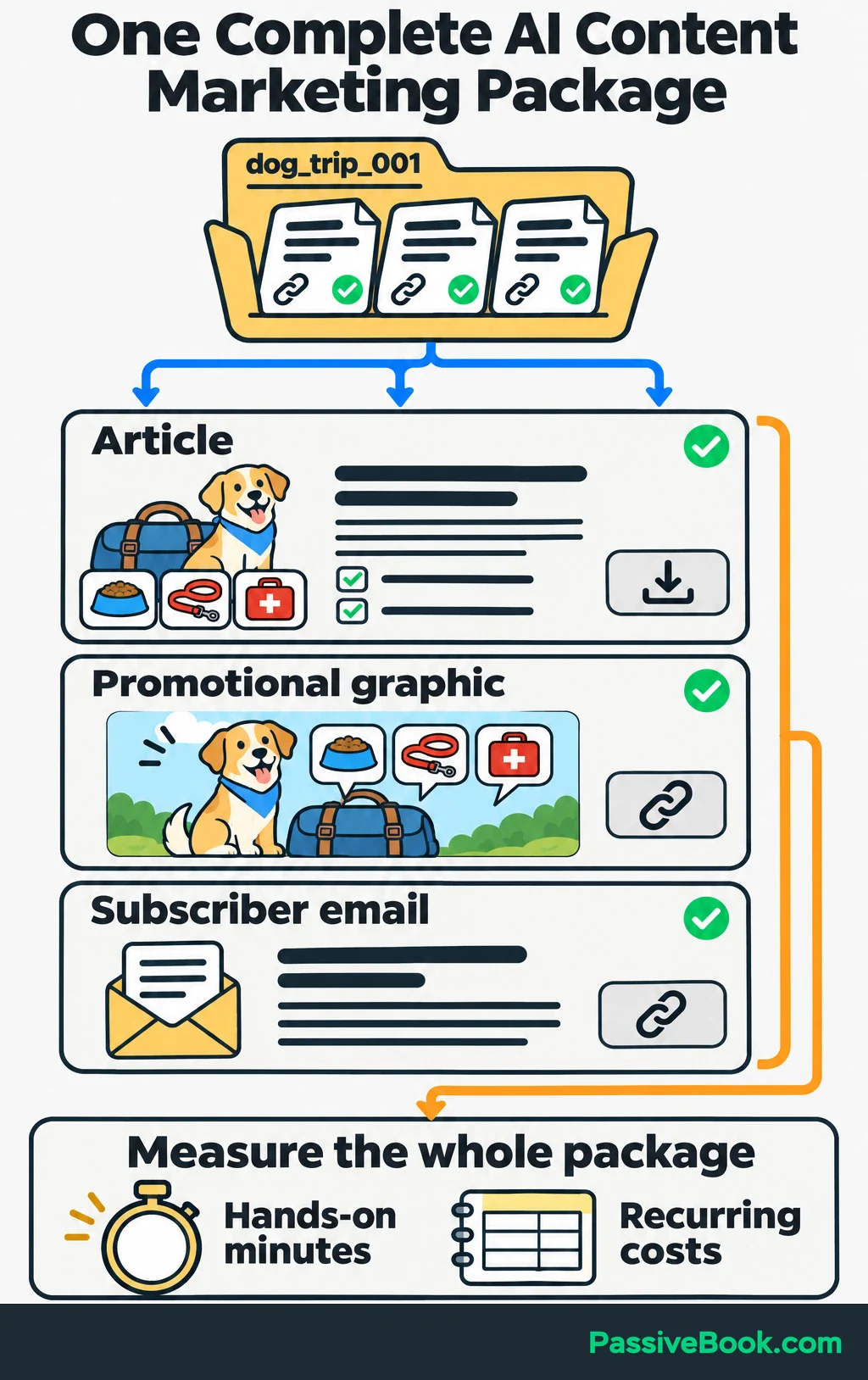
The article’s main call to action is downloading the checklist. The planner comes later, when organizing the wider trip becomes relevant.
Build one complete content package around that path: an article, a promotional graphic and an email. Measure how long the package takes before promising yourself three articles a week. Your calendar has suffered enough optimistic planning.
The repeatable loop is:
Reader question → sourced brief → AI draft → human approval → publication and distribution → results → improvements.
AI prepares the content, automation moves it between tools, and a person controls accuracy and publication.
Keep one content record for the whole package. Give it an ID, such as dog_trip_001, and store or link its reader question, brief, sources, draft, owner, status, approved version, publication URL, promotional assets and results.
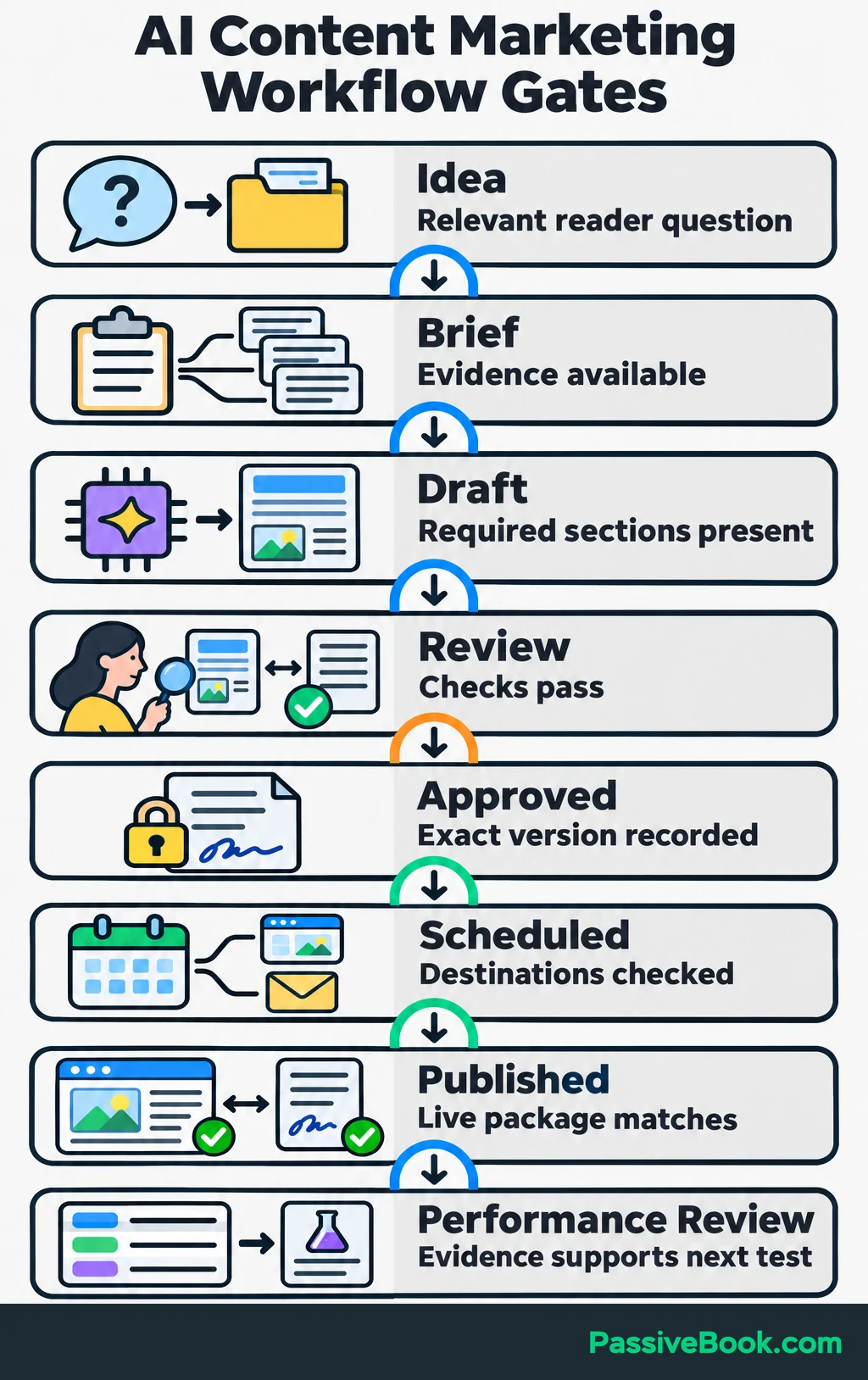
Use clear conditions for moving between stages:
| Stage | Required Input | Output | Owner | Condition for Moving Forward |
|---|---|---|---|---|
| Idea | Reader question and relevant offer | Selected topic | You | The question deserves a new article or an update |
| Brief | Topic, product details and sources | Complete writing brief | You, assisted by AI | Necessary evidence is available |
| Draft | Brief and approved outline | Saved article draft | AI | Required sections are present |
| Review | Draft and source pack | Corrections or approval | Human reviewer | Accuracy and usefulness checks pass |
| Approved | Reviewed content version | Recorded approval | You | Approval names the exact saved version |
| Scheduled | Approved article and assets | Publication schedule | You or automation | Destinations and timing are checked |
| Published | Scheduled package | Live URLs and publication IDs | Publishing workflow | Live content matches the approved package |
| Performance Review | Traffic, outcome, time and cost records | One improvement to test | You | The evidence supports the next change |
You can own every human role. The table makes the decisions visible; it doesn’t require a team.
Record your hands-on minutes and recurring costs for this first package. If you already publish, use a comparable recent package as your baseline. Otherwise, manage the first one manually and measure it.
2. Choose Tools to Fill the Workflow’s Gaps
Before buying anything, list the tools you already have and the jobs they handle. A missing handoff may need an automation. It rarely needs an entirely new marketing platform.
I would start with this small stack:
| Job | Starting Choice | What It Holds or Produces |
|---|---|---|
| Planning | Spreadsheet or Notion | Content records, owners, status and file links |
| AI drafting | Claude | Outlines, drafts and suggested revisions |
| Publication | WordPress, with Fluent Forms for signups | Articles, landing pages and signup forms |
| Your existing email platform | Checklist delivery and follow-up messages | |
| Graphics | Canva | A reusable promotional graphic |
| Measurement | Search Console and Google Analytics | Search visibility, recorded visits and completed actions |
Keep your email platform if it already delivers the checklist and runs the follow-up. For a WordPress business, FluentCRM is my preferred option, but moving a working email setup is extra work that needs a reason.
Add one automation tool when you have a reliable handoff to connect. I would choose Make for a beginner who wants a hosted setup. I use n8n and would consider it when the workflow needs more control.
Self-host n8n only if someone can maintain the server, updates and backups. Its hosting documentation shows the infrastructure involved. A server you must repair on Sunday morning still belongs in your workload.
Estimate the full recurring cost:
- Subscriptions you need to add or upgrade.
- AI model usage for automated drafting and revisions.
- Automation usage, including failed runs and retries.
- Hosting, email delivery and storage.
- Time spent maintaining the system.
Make measures workflow activity in credits, and one run can consume several credits as it reads, processes and writes information. Estimate a complete package using its credit billing explanation.
Automated Claude calls also need an API budget. An API lets your workflow send instructions to the model without opening the chat app. Claude subscriptions and API billing are separate, although some plans include API credits. Count any applicable credits before estimating additional charges, as explained in Anthropic’s billing guidance.
You can build the first package by copying information between tools. Pay to remove a demonstrated bottleneck.
3. Build Reusable Context and Sourced Briefs
Create the Business and Brand Reference
Give AI a compact reference it can use across articles. Include:
- What you sell and what the offer contains.
- Who needs it and what they are trying to do.
- Questions you answer repeatedly.
- Preferred terms and writing rules.
- Approved calls to action.
- Two or three strong writing samples.
Make voice rules concrete. “Sound helpful” leaves plenty of room for cheerful nonsense. “Explain unfamiliar terms, answer the main question early and use specific instructions” gives the model something to follow.
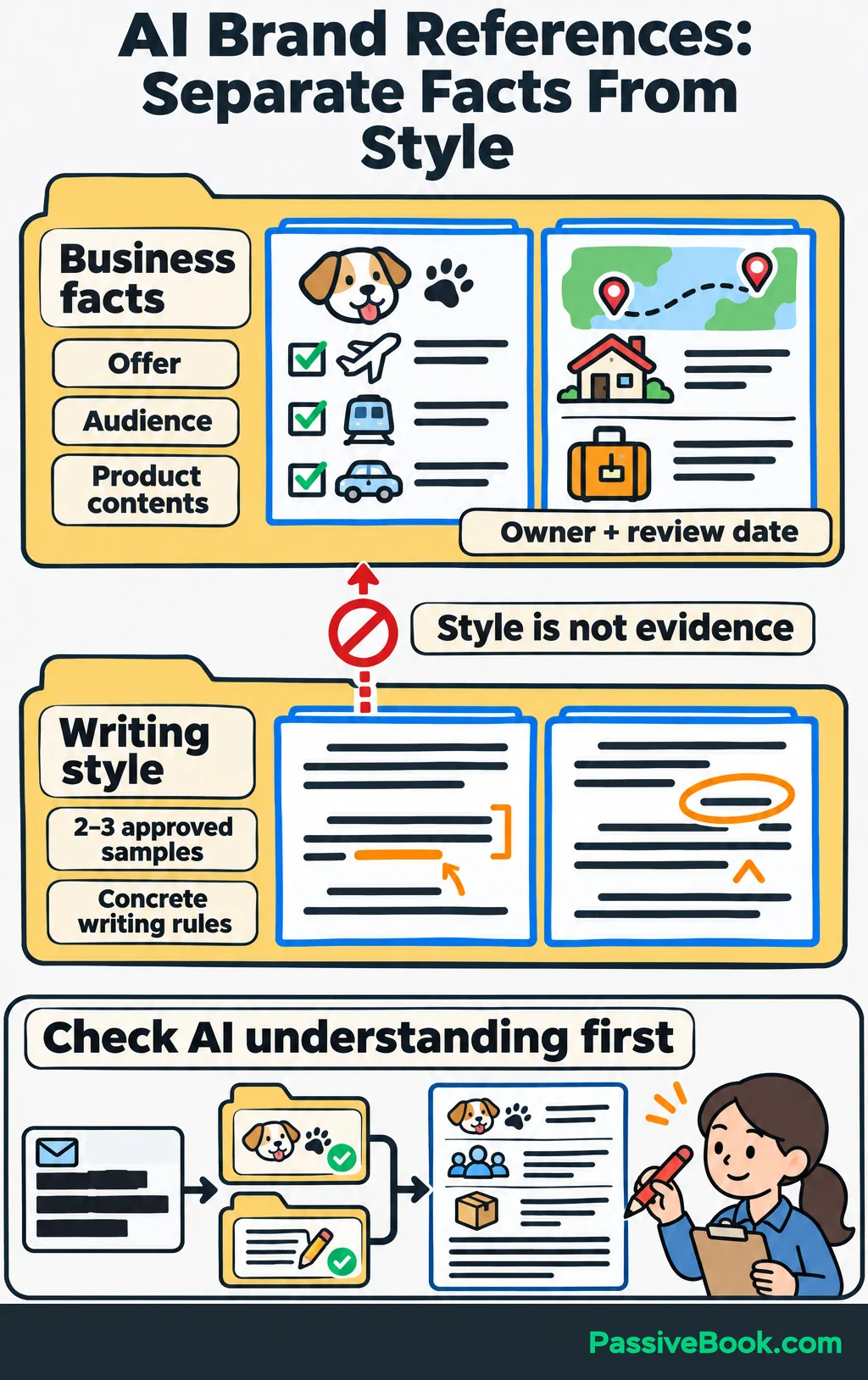
For the dog-travel site, the reference would include the checklist, the planner contents and approved writing samples. Add your own packing photos if you have them, with notes explaining what they show.
Keep writing samples separate from factual material. A lively sentence from an old article should not become evidence for a product claim.
Give changing information an owner and a review date. If you add pages to the planner or change the signup offer, update the reference before generating more content. Remove names, email addresses and other identifying details from customer messages used as context.
Before drafting, ask AI:
Summarize what this business offers, who it helps and what each product contains. List anything missing or unclear.
Correct misunderstandings here. They are cheaper to fix before they appear in an article, three Pinterest graphics and an email.
Turn Reader Questions Into Content Briefs
Collect questions from customer inquiries, site searches, Search Console and relevant search results. Ask AI to group questions by the task someone wants to complete.
“What should I pack?” and “What will I need for two nights away?” may belong in one article. Check your existing content before commissioning both.
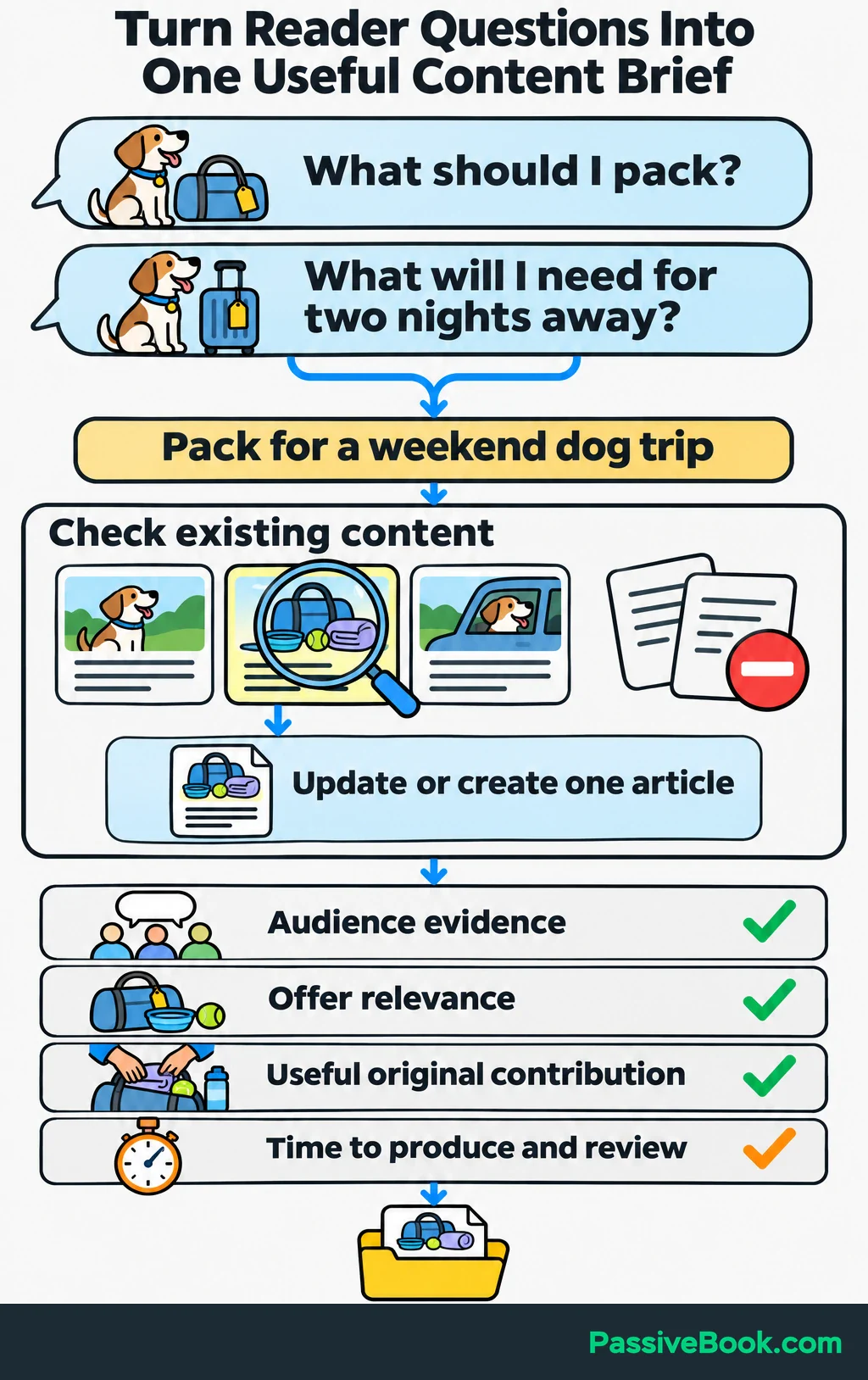
Choose topics using four practical questions:
- Is there evidence that your audience asks about this?
- Does answering it make your offer relevant?
- Can you contribute something useful, such as a demonstration, photo or detailed process?
- Can you produce and review it with the time available?
Use competing pages to spot missing answers. A section earns its place when it helps the reader finish the task.
Each brief should contain the reader’s question, promised outcome, proposed answer, necessary sections, original material, supporting sources, relevant internal links and main call to action.
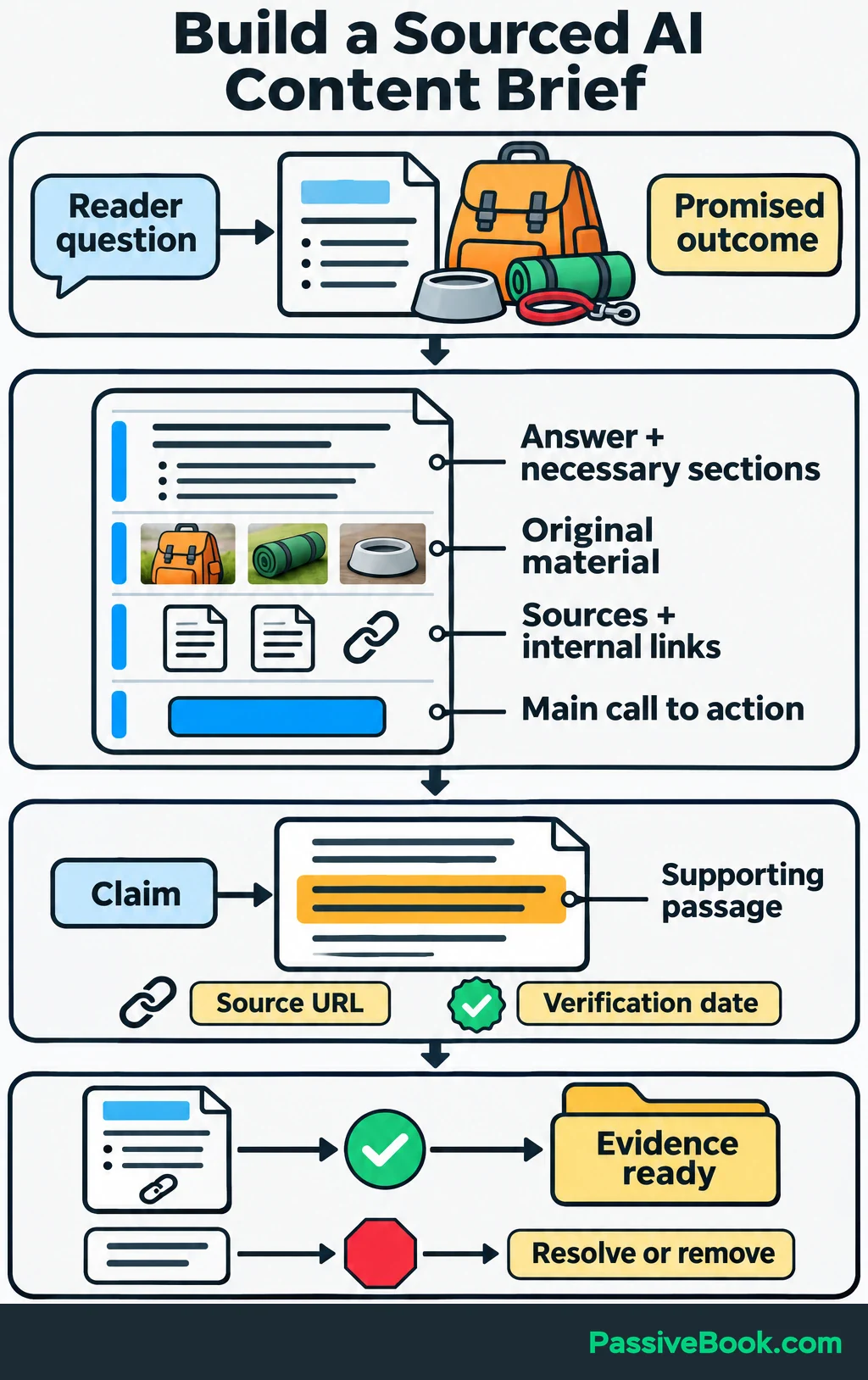
For dog_trip_001, a compact brief might say:
Help readers organize packing for a weekend away with their dog. Use the supplied checklist categories: food and bowls, walking gear, bedding, cleanup supplies and trip paperwork. Show how to gather items by category and check them off. Link to the free checklist.
Open important sources yourself. Save each factual claim beside the supporting passage, URL and verification date so the reviewer can find the evidence quickly.
If evidence is missing, resolve it before drafting or remove the claim. Don’t let an AI-written paragraph turn a research gap into an apparent fact.
4. Create a Repeatable Drafting and Approval Process
Use a Reusable Prompt
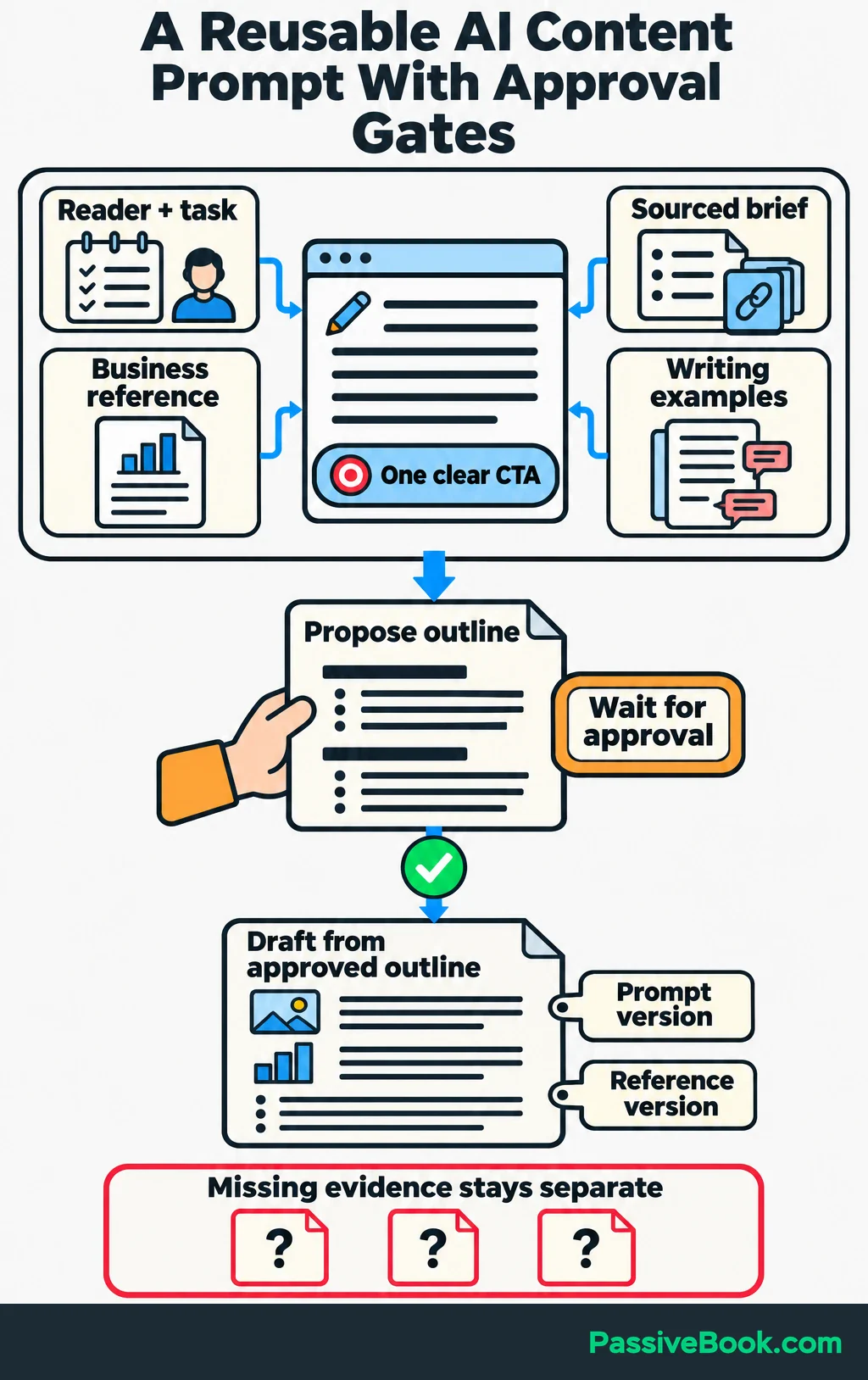
A useful prompt brings together the task, reader, business reference, sourced brief, writing samples, required output and approval criteria.
Here is a template you can adapt:
Help [reader] complete [specific task].

Inputs:
- Business and product reference: [reference]
- Content brief: [brief]
- Verified source pack: [sources and supporting passages]
- Approved writing examples: [examples]

First, propose an outline. Answer the main question early and
put prerequisites before instructions that depend on them.
Wait for my approval before drafting.

After approval, write from that outline in plain language.
Use only supplied or verified facts. Do not invent experience,
tests, quotations, credentials or product features.

Use this primary call to action: [CTA].

List missing evidence and unresolved questions separately
from the publishable draft.
Review the outline before expanding it. Check that it delivers the promised outcome and gives the answer enough space.
For the packing article, ask AI to connect each instruction to a supplied checklist category. A paragraph about “making wonderful memories” can wait until the bowls are packed.
Save the prompt version and reference version with the draft. When the same problem keeps appearing, you need to know which input produced it.
If assembling the inputs is where you get stuck, the copy studio below guides you through them and drafts the supporting messages alongside your article. You still review the facts and approve the copy before anything goes live.
Free AI Copywriting Studio


Require Human Approval
Review the article against a short acceptance checklist:
- Does it help the reader complete the promised task?
- Are the instructions specific enough to follow?
- Do factual claims match their sources?
- Do product descriptions match the actual offer?
- Are calculations, links, headline and metadata (such as the search description) correct?
- Do the images and their descriptions match what they show?
- Does the call to action follow naturally from the article?
For pet content, send animal-health, nutrition or safety advice to an appropriately qualified reviewer. Remove advice you cannot substantiate.
Return weak drafts with precise corrections:
Replace the generic packing paragraph with instructions for gathering the items in the supplied checklist. Remove any item the checklist does not contain.
Google says generating many pages without adding value may violate its scaled-content-abuse policy. Its guidance on generative AI content also calls for accuracy checks across the page and its metadata.
My custom AI content pipeline brought article production from days to hours. Measure your own package, including research, revisions and approval.
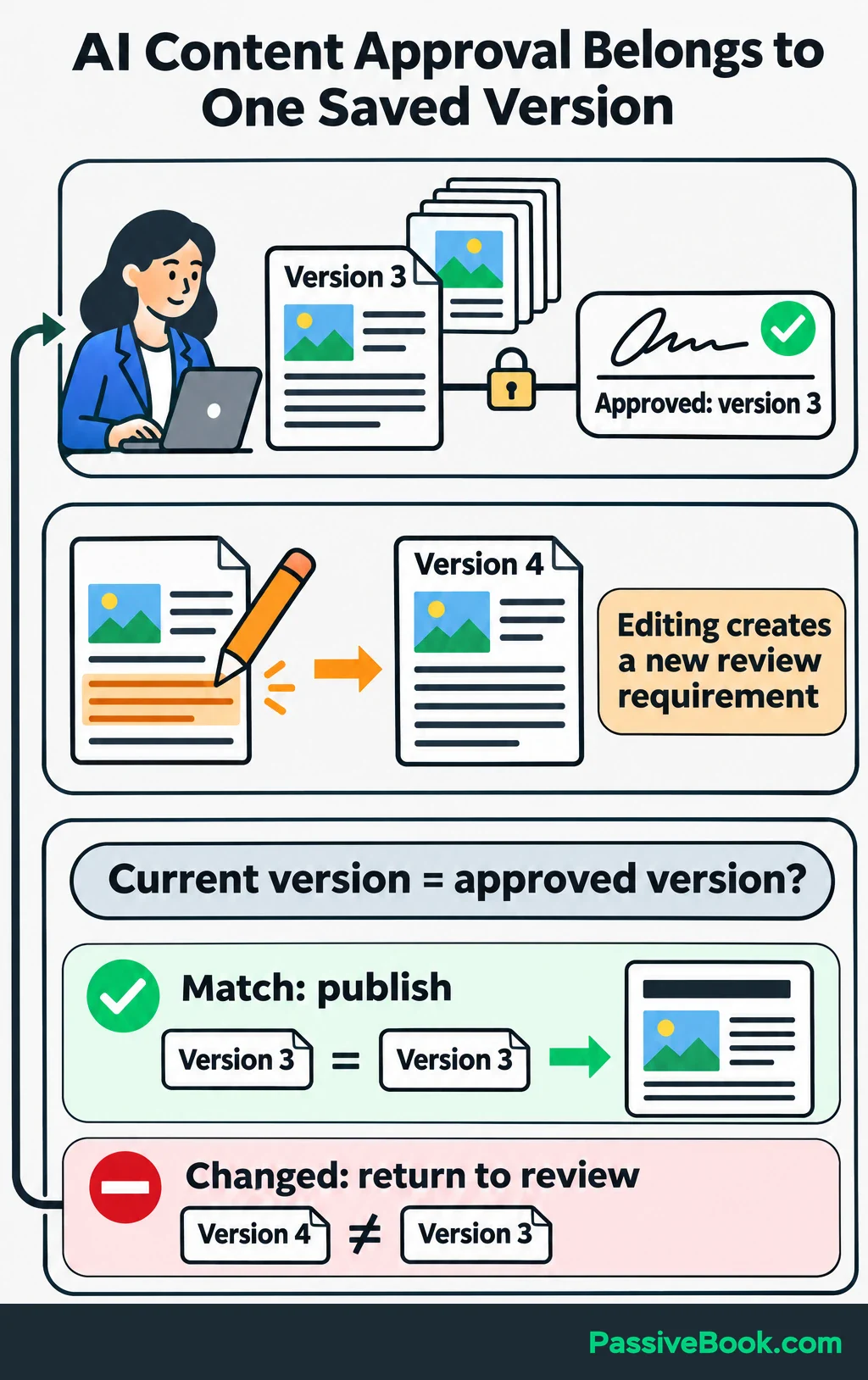
Attach approval to a saved content version. If version 3 is approved and someone changes it, version 4 returns to review. A general “approved” checkbox is too vague to control publication.
5. Build a Measurable Conversion Path
Connect the Article to Its Next Action
Build the destination before promoting it. For the running example, the signup form must deliver the checklist, and the planner’s product page and checkout must work.
A sensible sequence is:
- The article helps readers organize their weekend packing.
- The form offers the matching checklist and explains what emails will follow.
- The delivery email provides the download and explains how to use it.
- A follow-up helps readers organize the wider trip.
- The planner offer shows how its route, accommodation and packing pages support that task.
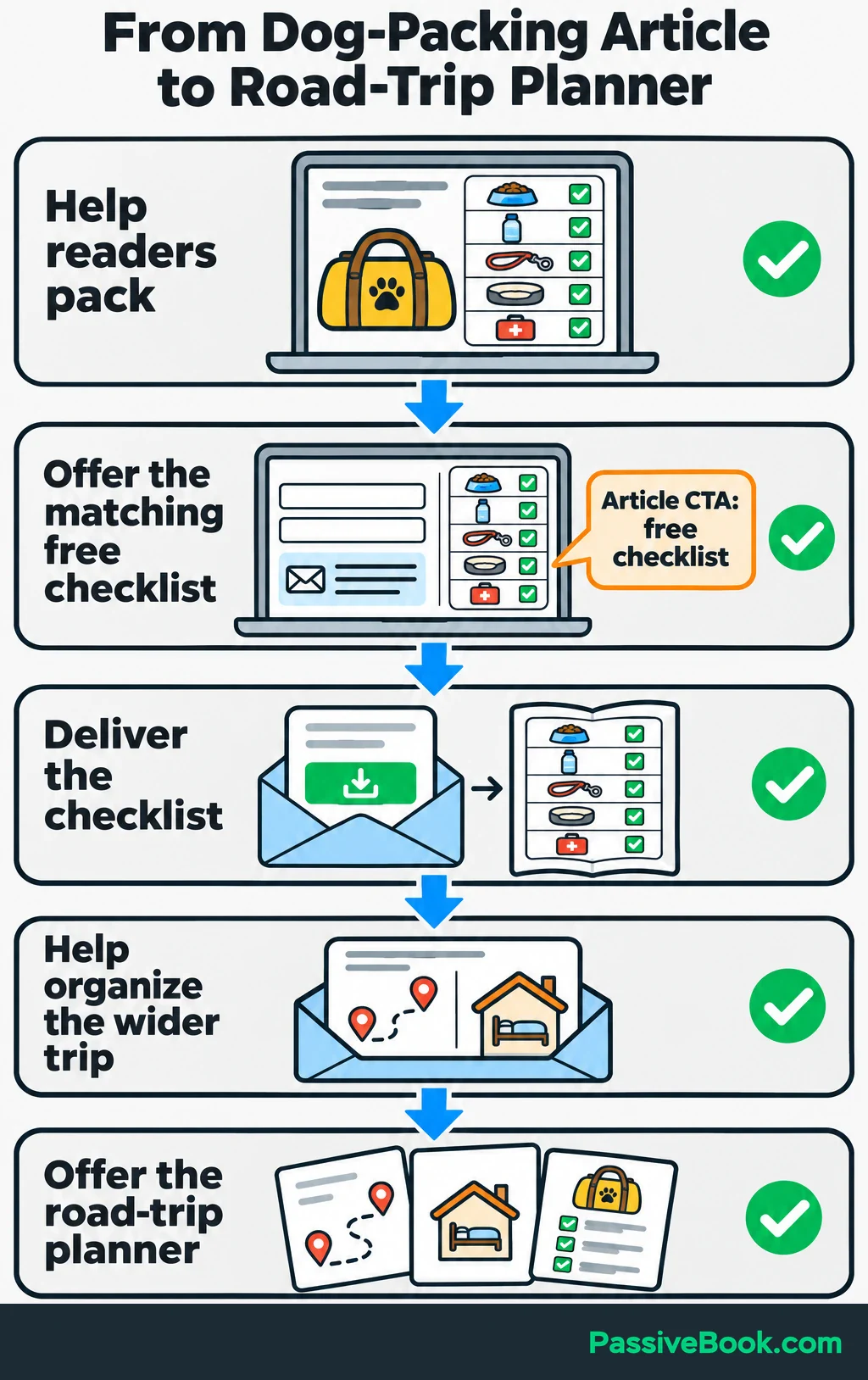
Keep the article’s invitation simple:
Get the free weekend dog-packing checklist and tick off each category as you pack.
The paid planner can appear when the reader needs more than a packing list. There is no need to turn every helpful paragraph into a sales interruption.
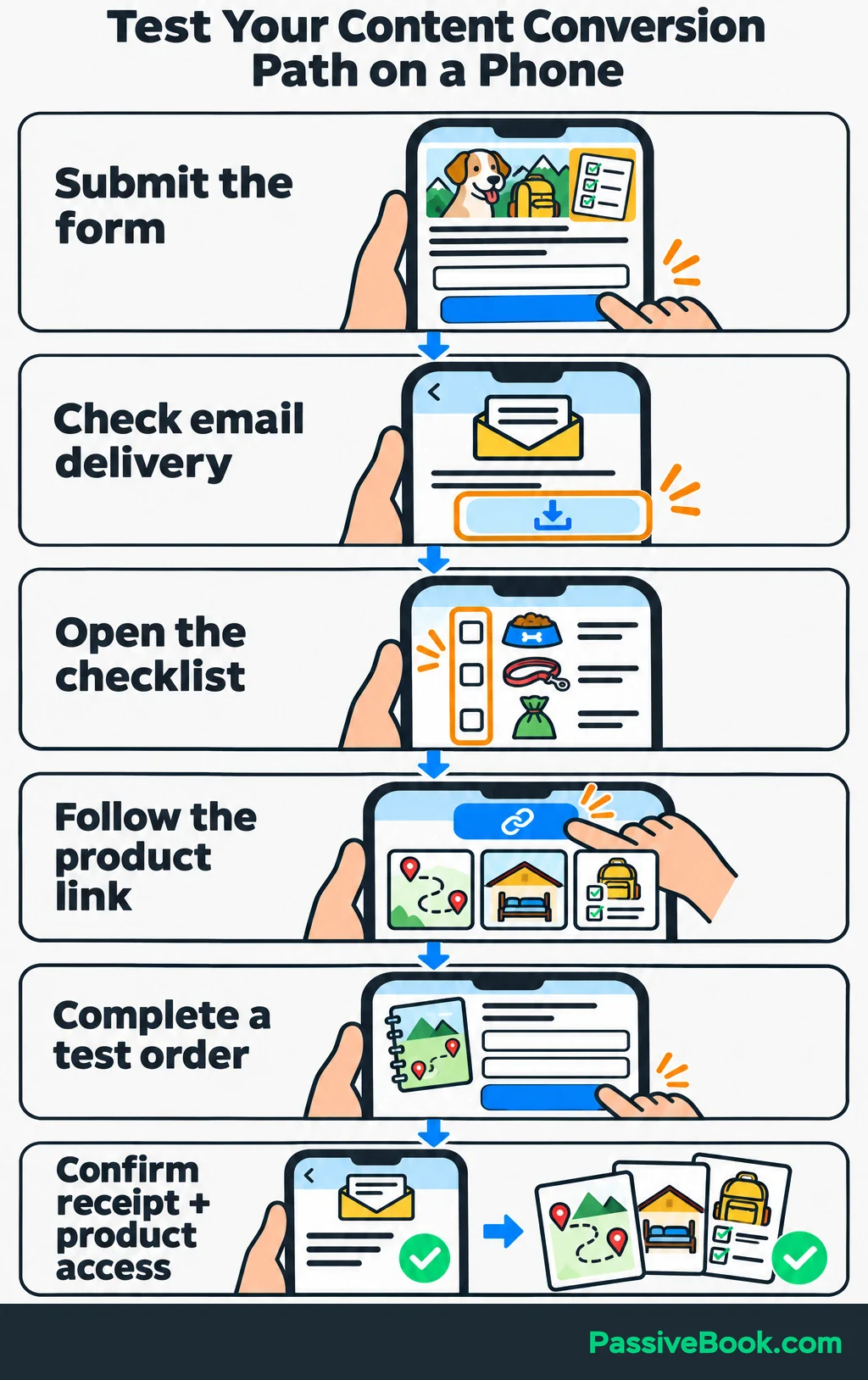
Test the whole path on your phone. Submit the form, open the download, check email delivery, follow the product link and complete a test order. Confirm that the purchase confirmation and product access arrive.
For U.S. commercial email covered by CAN-SPAM, use accurate sender and subject details, include a valid postal address and unsubscribe link, and honor opt-outs within 10 business days. Check when to label messages as ads in the FTC’s business guide.
Track Completed Outcomes
Use your form and checkout integrations to send Google’s recommended events to Google Analytics 4: generate_lead after a successful form submission and purchase after a completed order. Mark generate_lead as a key event for reporting. Count confirmed subscribers separately if signup requires email confirmation.
Tag external promotional links so Analytics can identify their source, campaign and asset. For a Pinterest post (a Pin), add:
utm_source=pinterest
utm_medium=social
utm_campaign=dog_travel_packing
utm_content=packing_pin_a
Use consistent names, and leave campaign tags off links within your site.
Keep names and email addresses out of events and URLs, as Google’s data requirements specify. Follow the consent requirements that apply to your visitors.
In your signup and purchase tests, check for duplicate events. Check the order’s transaction ID, currency, items and value. Refreshing the confirmation page must not record another sale.
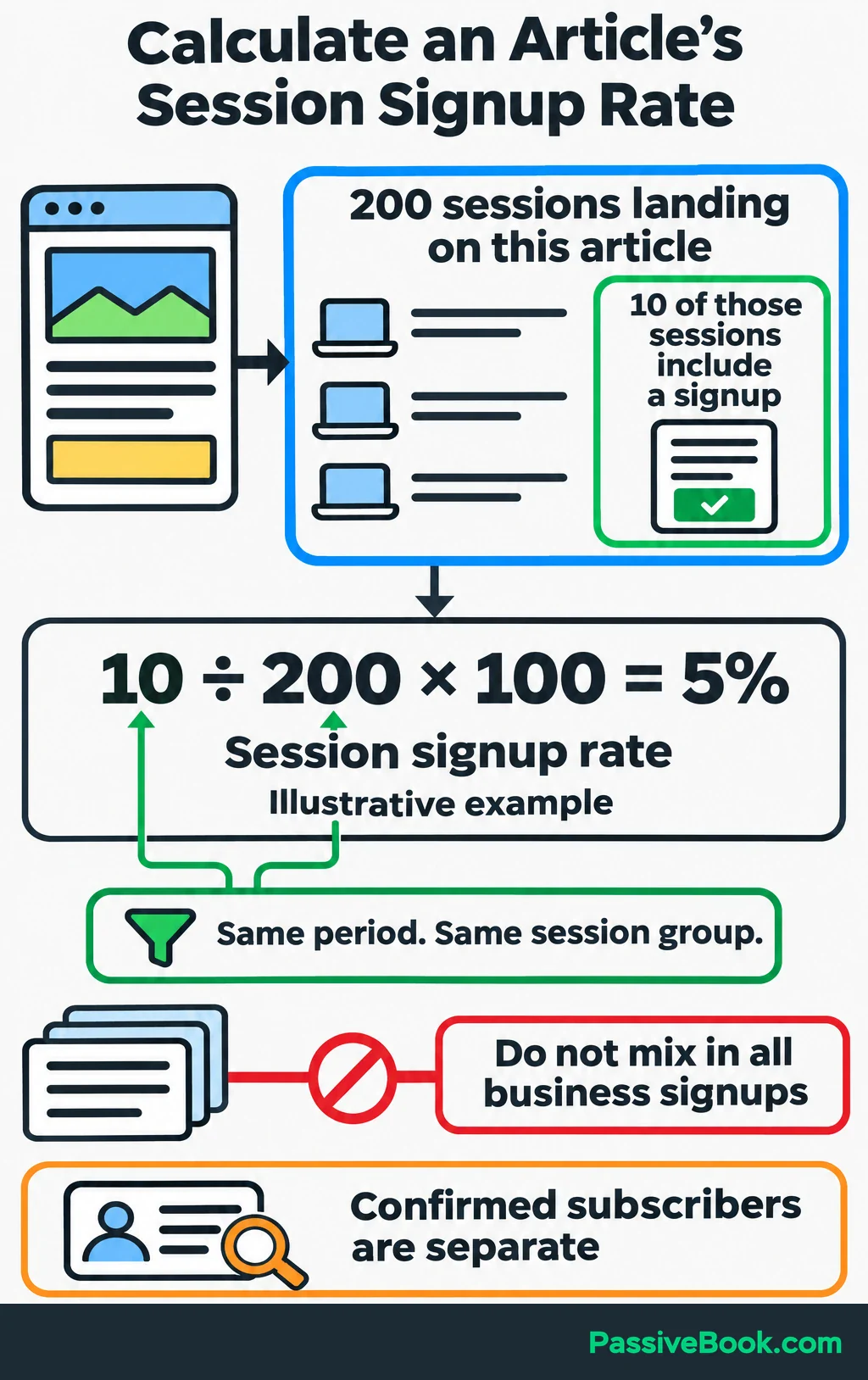
For a simple signup measure, count recorded sessions that land on the article and how many of those sessions include a successful signup. Suppose 10 of 200 such sessions include a signup:
10 ÷ 200 × 100 = 5% session signup rate.
Keep the reporting period and session group the same on both sides of that calculation. Don’t divide every signup your business received by visits to one article.
At $19, one planner order attributed to this path means $19 in sales revenue before costs and refunds.
Confirm outcomes in subscriber and order records. Analytics attribution can miss journeys and does not prove that content caused a purchase.
6. Publish and Repurpose the Approved Content
Publish the approved article with readable paragraphs, useful headings, relevant internal links and its checklist invitation. Check the mobile layout and test the form on the live page.
Then choose one discovery channel. I would start with Pinterest for this example because the packing guide gives you a clear visual topic to test. Add email to continue the relationship with subscribers.
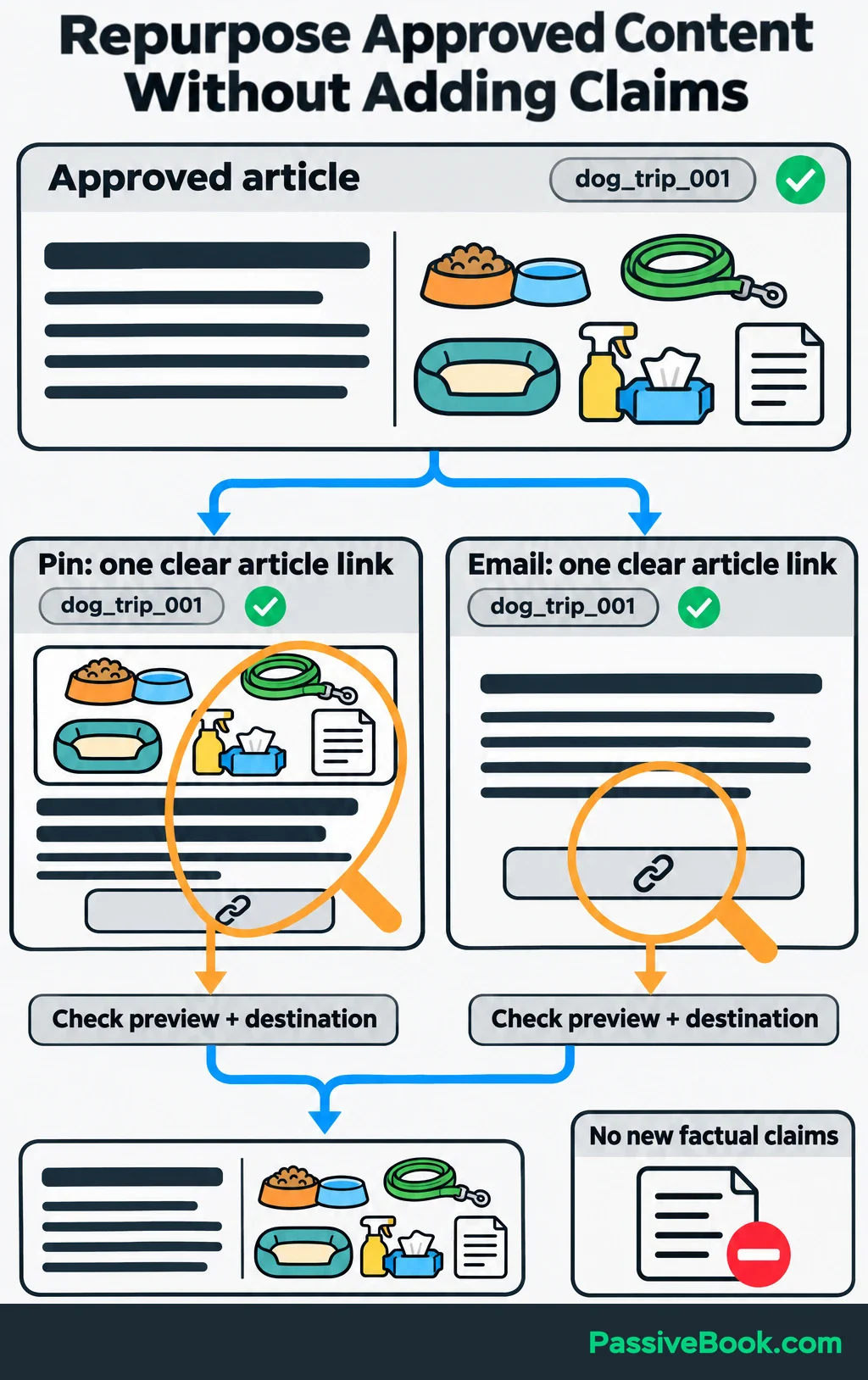
Create promotional content from the approved article. Use this prompt:
Create a Pinterest description and a short subscriber email from the approved article below. Focus on organizing weekend dog packing. Preserve its factual meaning, introduce no new claims and link to the article. Give each asset one clear action.
A compact adaptation could look like this:
| Asset | Example Opening or Copy | Destination |
|---|---|---|
| Pinterest graphic | “Weekend Away With Your Dog? Organize Your Packing” | Packing article |
| Pin description | “Group your weekend packing into five categories, then use the free checklist linked in the guide.” | Packing article |
| Subscriber email | “Before you start filling a bag, gather your packing by category. The weekend guide walks through the list.” | Packing article |
Existing subscribers can read the article without being asked to join the same list again.
Use a reusable Canva layout, but check the final crop and text size. For webpage images, write alternative text that conveys useful information; purely decorative images should use an empty alternative, as described in W3C’s image guidance.
Attach each asset to dog_trip_001, review its preview and destination, and schedule the approved version. The parent ID lets you connect later results to the article that produced the promotion.
7. Automate Reliable Handoffs
Connect One Handoff at a Time
Complete one package manually before automating it. That exposes missing information while the process is still easy to change.
I would automate draft preparation first. It has a clear input and produces something you can inspect before publication.
In Make or n8n, build the handoff like this:
- Watch for a content record marked “Ready for draft.”
- Retrieve its brief, business reference, source pack and approved outline.
- Check that every required input exists.
- Claim the record as processing so another run cannot start the same job.
- Send the inputs to the AI model.
- Save the returned draft against the original content ID.
- Change the status to “Review needed” and notify the owner.
For dog_trip_001, the workflow reads the weekend packing brief and approved outline, creates the draft and saves its location in the same record.
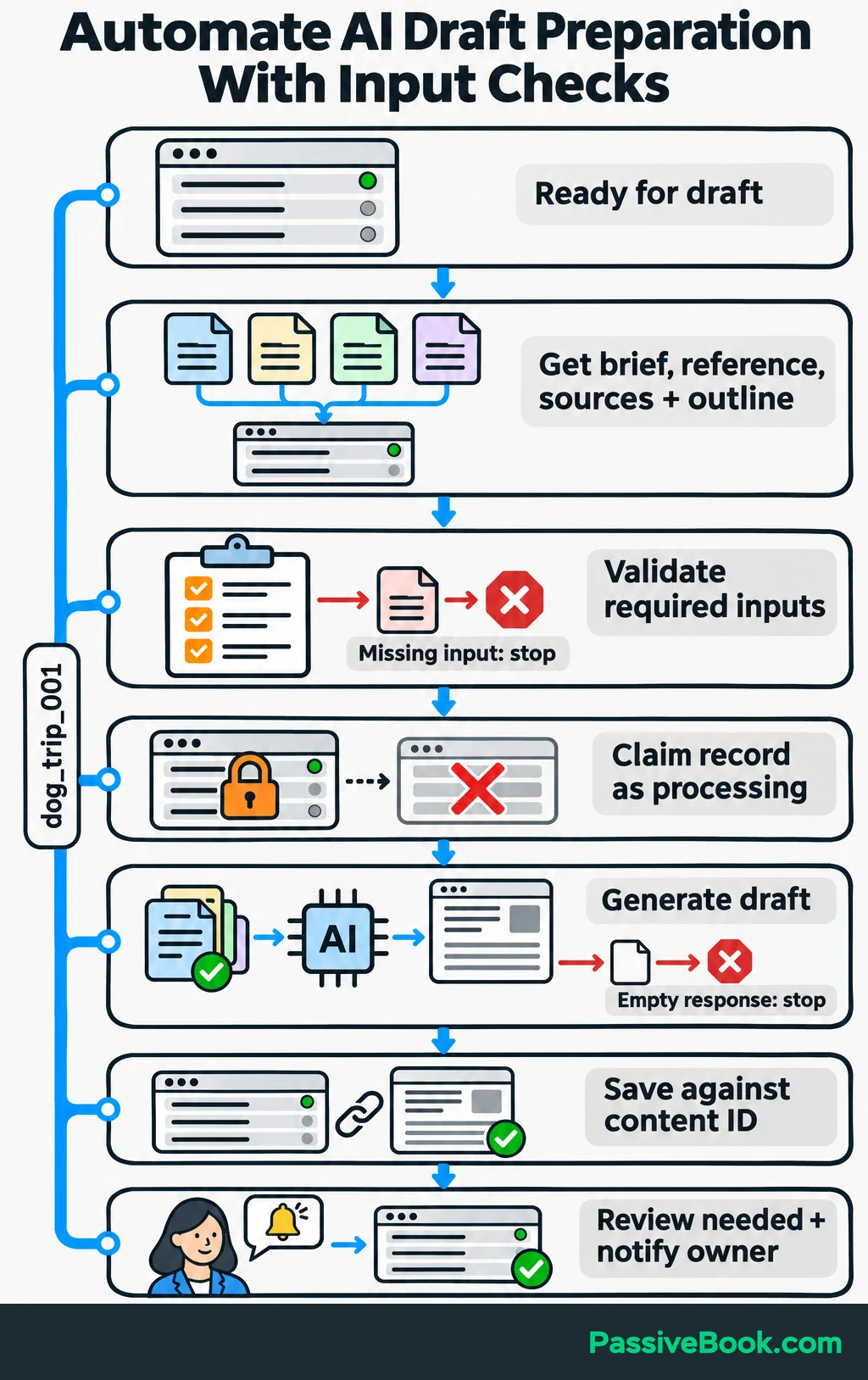
Pass named fields between steps: content_id, brief_url, reference_version, outline_version, draft_url and status. Predictable fields make failures easier to trace than a large block of mixed notes.
Stop the workflow if required inputs are missing or the response is empty. A successful connection does not mean you received a usable article.
Keep publication in a separate sequence:
Retrieve the approved version → confirm approval still matches → publish or schedule → save the publication ID and URL.
Compare the current version with the approved version before sending it to WordPress. If they differ, return the record to review.
Promotional assets need their own approval before distribution. A rejected draft or unanswered review request stays unpublished.
Make Failures Visible and Recoverable
Record what each step completed, including the destination’s article, campaign or publication ID.
Before retrying a publish or send action, check whether it already succeeded. A connection timeout can leave you unsure whether the destination accepted the request. Repeating it blindly can produce duplicate posts or emails.
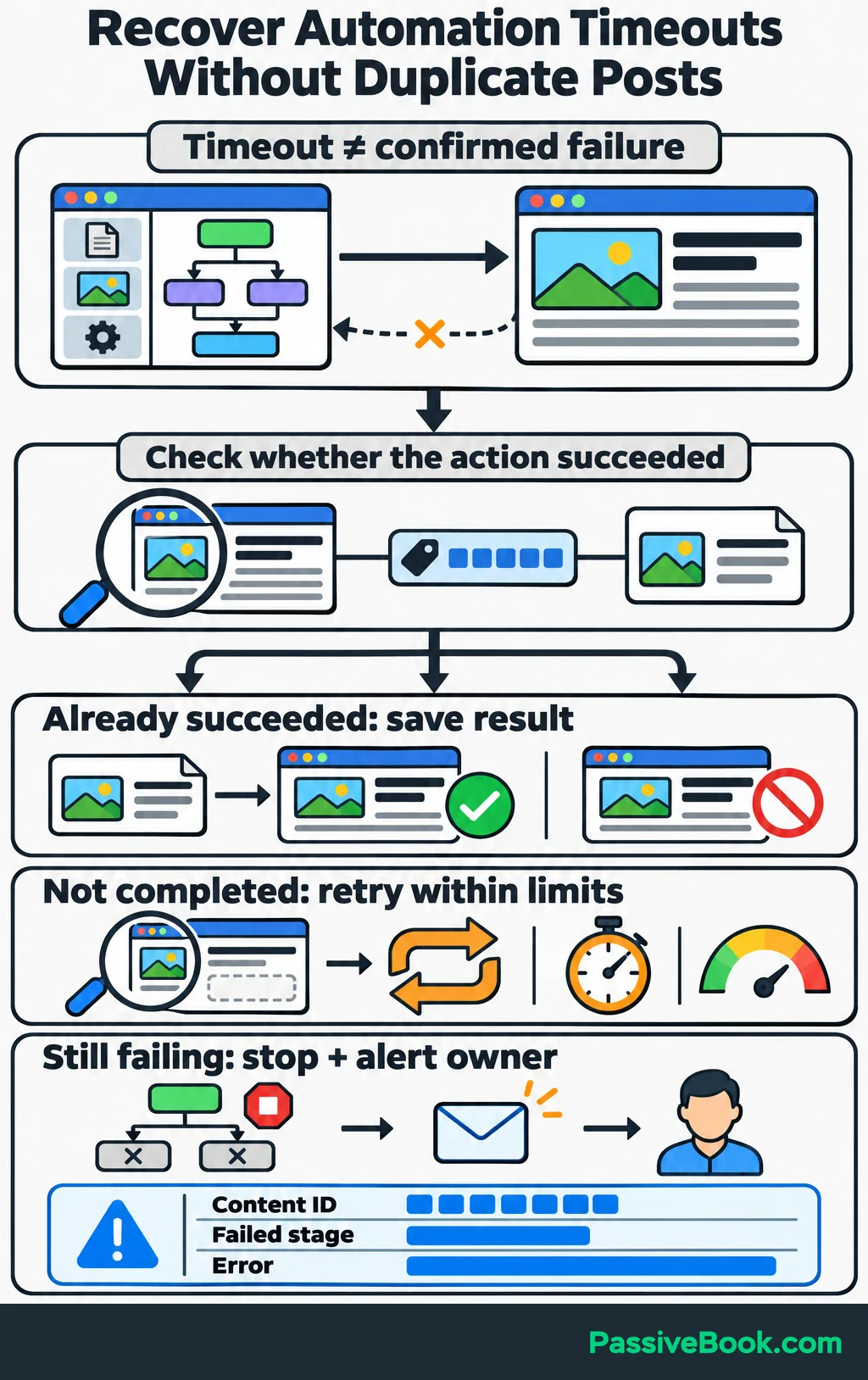
Set a small retry limit and a spending limit. If the problem remains, stop dependent actions and alert the owner with the content ID, failed stage and error. n8n supports dedicated error workflows for handling failed executions.
Store API keys and passwords in the automation platform’s credential storage. Keep a short operating note explaining how to pause the workflow, find the failed record and finish it manually.
Before launch, test these cases:
- A required brief field is missing.
- The model returns an empty or incomplete draft.
- A reviewer rejects the content.
- Someone changes the article after approval.
- A connection fails during publication.
- The same trigger arrives twice.
Each test should leave a clear status and prevent inappropriate downstream actions.
Launch one complete package, then inspect the live article, promotional links, checklist delivery and recorded events. Publish more packages only after the whole path works.
8. Improve Results Before Expanding the System
Find the Weakest Stage
Keep a simple dashboard with these columns:
- Content ID, publication date and promotional channel.
- Recorded visits and signup events.
- Confirmed leads and purchases.
- Attributed revenue.
- Hands-on minutes, revision rounds and allocated tool cost.
Use Search Console for search visibility, Analytics for recorded visits and actions, and your subscriber and order systems for confirmed outcomes. These sources answer different questions.
Choose the next change from the weakest stage:
| What You Observe | What to Investigate First | A Useful Change to Test |
|---|---|---|
| Few relevant visits | Topic choice and distribution | Try a clearer Pin promise that matches the article |
| Visits but few signups | Checklist relevance, CTA and form | Show a checklist preview and test the form |
| Confirmed leads but few purchases | Follow-up and planner offer | Demonstrate the planner pages that help with the wider trip |
| Acceptable results but excessive work | Revisions and repeated handoffs | Improve the brief or automate the repeated transfer |
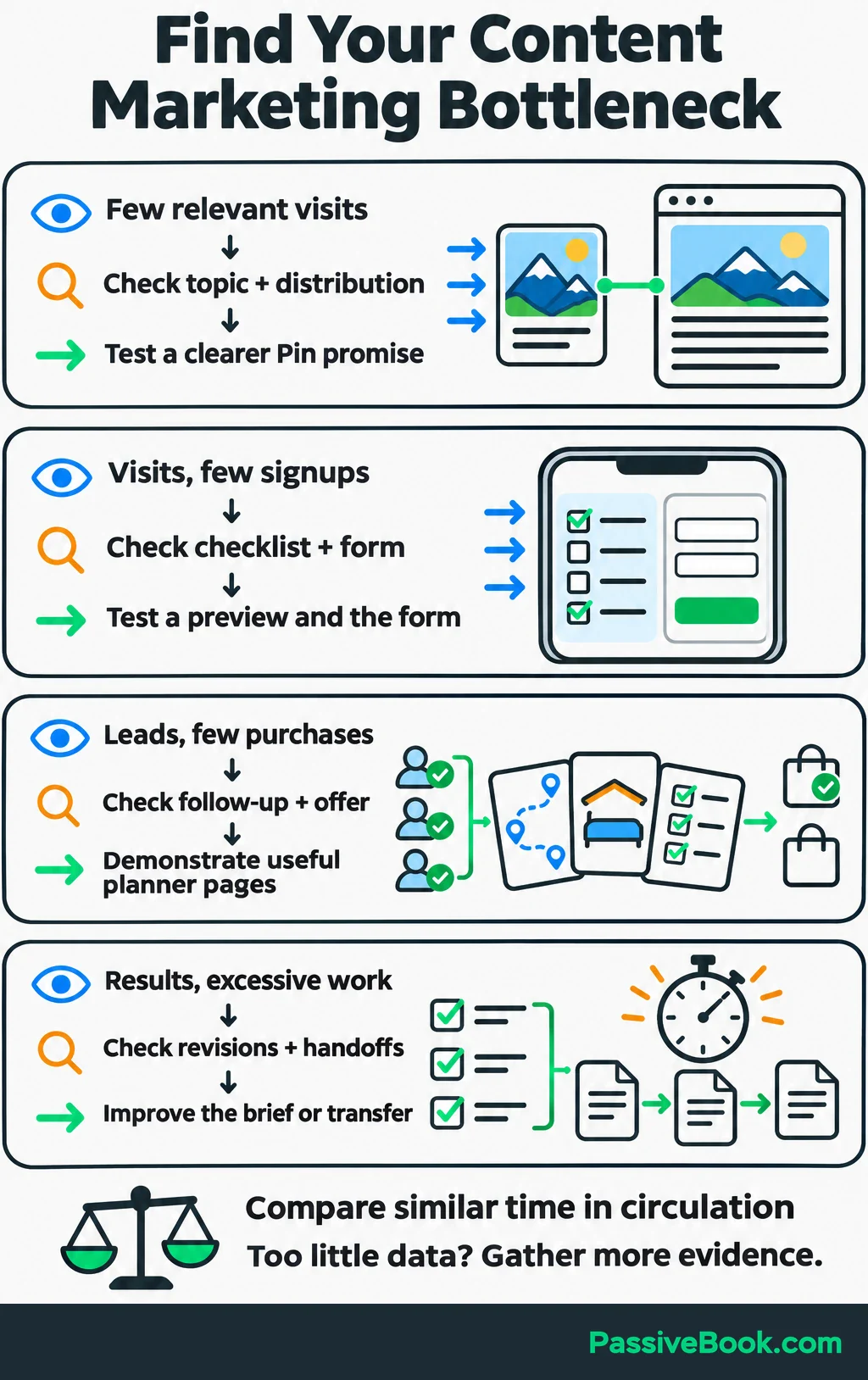
Compare articles with similar time in circulation. A new article and an established page have had different chances to collect visits and sales.
Give AI a cleaned performance export and ask it to identify patterns, cite the rows supporting each observation and suggest one change. If the report contains too few relevant visits to support a conclusion, gather more evidence before rewriting the whole funnel.
Turn recurring edits into better inputs. If every packing draft misstates the planner contents, correct the product reference. If every introduction wanders, fix the brief and prompt.
Also update published content when the underlying facts, offer or instructions change.
Measure Net Time Savings
Count the whole package: research, drafting, review, revisions, publication, distribution, troubleshooting and its share of recurring maintenance. Track initial setup separately.
Compare equivalent packages. An unchecked AI draft and a finished article package are different outputs.
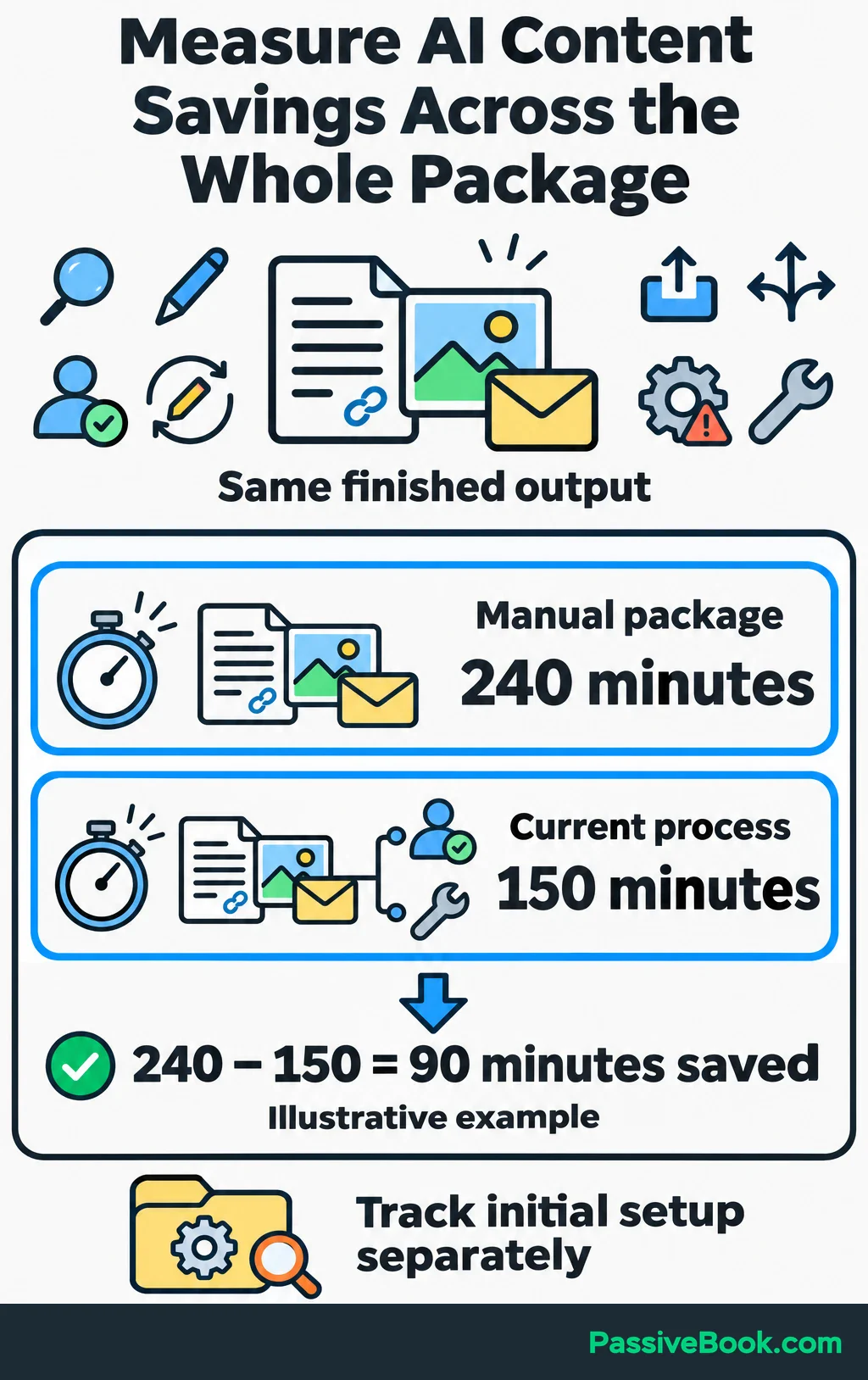
For illustration, suppose your manually managed package took 240 minutes and the current process takes 150 minutes, including review and maintenance:
240 − 150 = 90 minutes saved per package.
Four comparable packages per month would save six hours. If the system adds $30 in recurring monthly costs:
$30 ÷ 6 hours = $5 per hour saved.
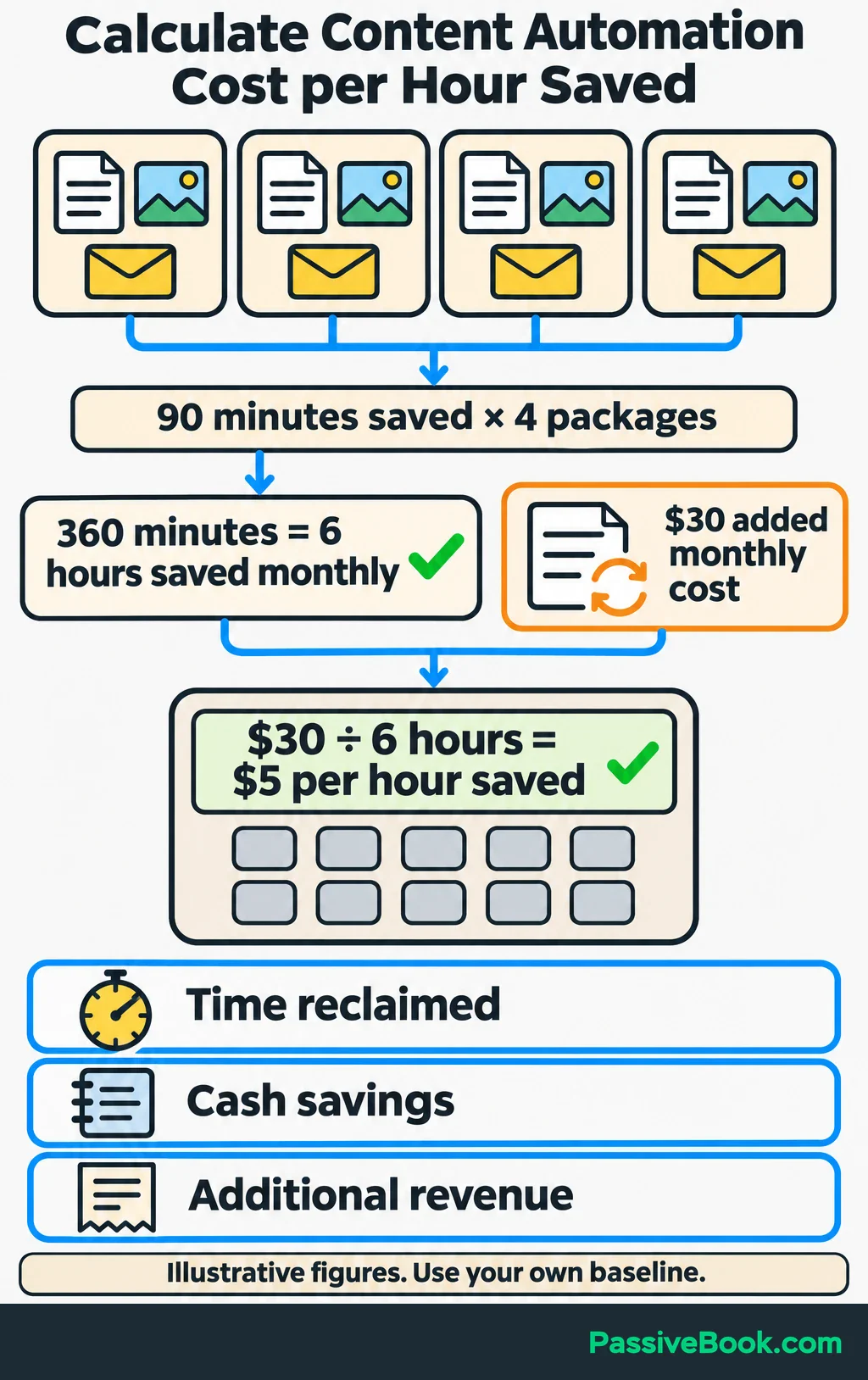
The figures are illustrative. Your own baseline decides whether the system is worthwhile.
Keep three benefits separate. Reclaimed time means you worked fewer hours. Cash savings mean your spending fell. Additional revenue means more sales, which you still need to assess against costs and refunds.
Expand when quality stays reliable, failures are manageable and the measured benefit justifies the cost. I would automate the next proven bottleneck before adding another channel or subscription.
What Next?
Choose one reader question and create its content record. Build the brief, article, promotion and conversion path for that single package, and record the work it takes.
Use the social buttons to share this guide when your next content-planning conversation needs a practical route from AI drafts to measured results.
Which part of your current process consumes the most hands-on time? Tell me in the comments, and bring any other questions about building your system.
Share this post with your friends & followers: