A video can get plenty of views and still leave you wondering whether making the next one is worth your Saturday.
The hard part is connecting what people watch to something your business needs: a useful website visit, an email signup, a purchase or a customer who gets more from what they bought.
Without that connection, it’s hard to decide which ideas deserve your limited time. This guide helps you choose videos worth making, fit production and distribution around your available hours, and track whether viewers take a useful next step. A completed one-page plan brings those decisions together.
1. Choose the Business Outcome
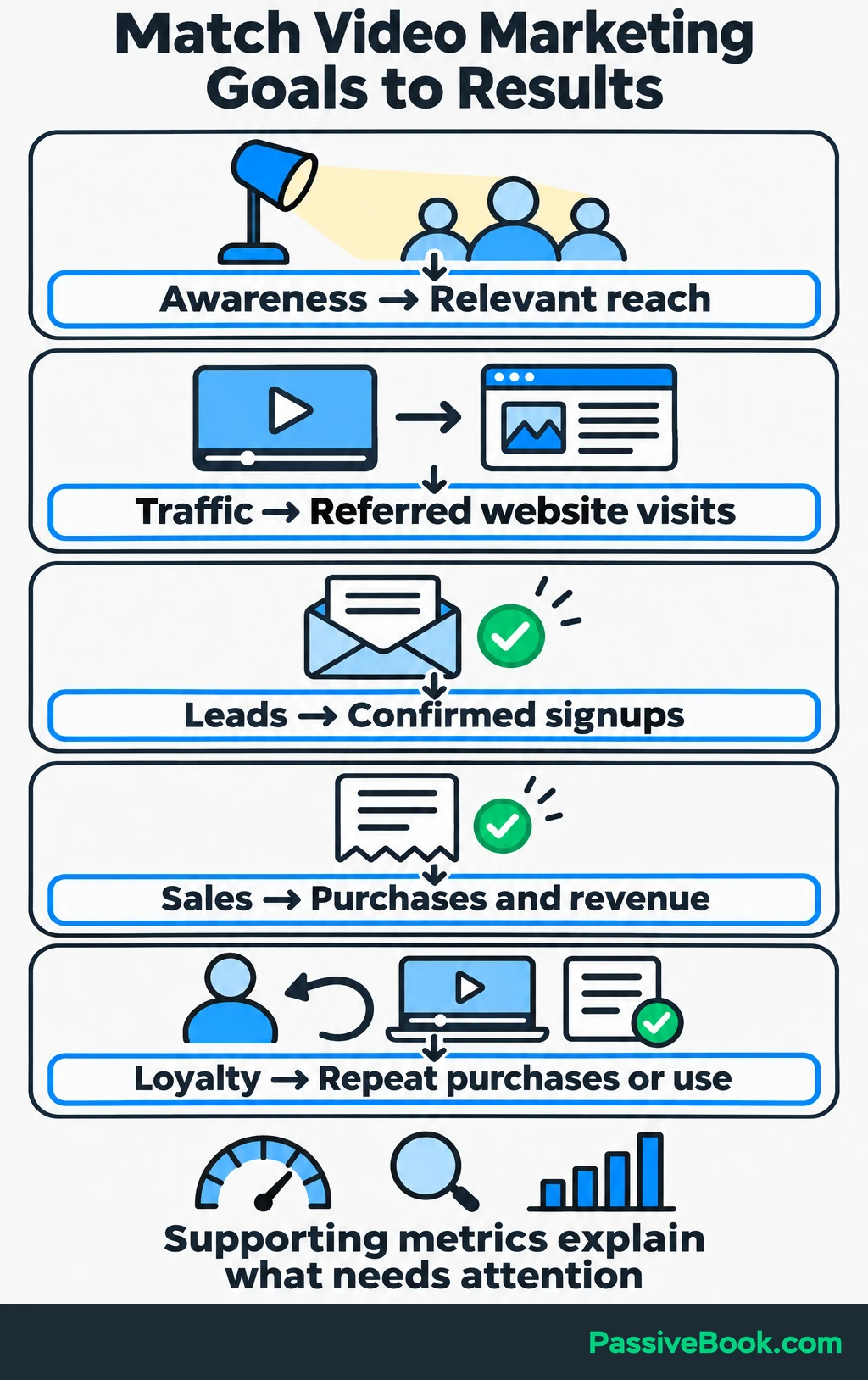
Start with one business outcome for your first planning period. Choose awareness, traffic, leads, sales or customer loyalty, and name the offer or customer activity your videos will support.
“Grow through video” leaves too much undecided. “Get confirmed signups for our free worksheet” tells you what the video needs to help people do.
Use a primary key performance indicator, or KPI, to judge progress. Keep other measures as clues about what needs attention.
| Objective | Primary KPI | Supporting Diagnostics |
|---|---|---|
| Awareness | Reach among people likely to need your offer | Viewer interests, relevant comments and returning viewers |
| Website traffic | Website visits referred by video | Link clicks and the pages visitors view |
| Leads | Confirmed email signups | Landing-page visits and form completions |
| Sales | Purchases and revenue attributed to video | Product-page visits and checkout starts |
| Customer loyalty | Repeat purchases or continued product use | Onboarding completion and recurring support questions |
I spent six months chasing Instagram and Twitter/X followers in another niche while my bank balance stayed around $47. That was a social media lesson, but it shapes how I judge any content channel: attention needs somewhere useful to go.
Write your objective like this:
Help [audience] take [action], measured by [KPI], by [review date].
Throughout this guide, imagine you sell a beginner watercolor course and offer a free color-mixing worksheet. The business, audience findings, targets, budgets and results are illustrations.
Your initial objective could be:
Help beginner watercolor painters get the color-mixing worksheet, measured by 20 confirmed email signups by the end of eight weeks.
Track later course purchases too. Twenty signups tell you people wanted the worksheet; purchases help you judge whether that interest supports the business.
Record your current results before starting. If you have no video history, use the first publishing cycle to establish a baseline rather than borrowing someone else’s conversion target.
2. Find the Audience Questions Worth Answering
Describe the viewer through the task they are trying to complete.
What are they doing? Where are they stuck? What result do they want, and what makes the next step difficult?
For the watercolor course, “beginners interested in art” is too broad. A more useful description is:
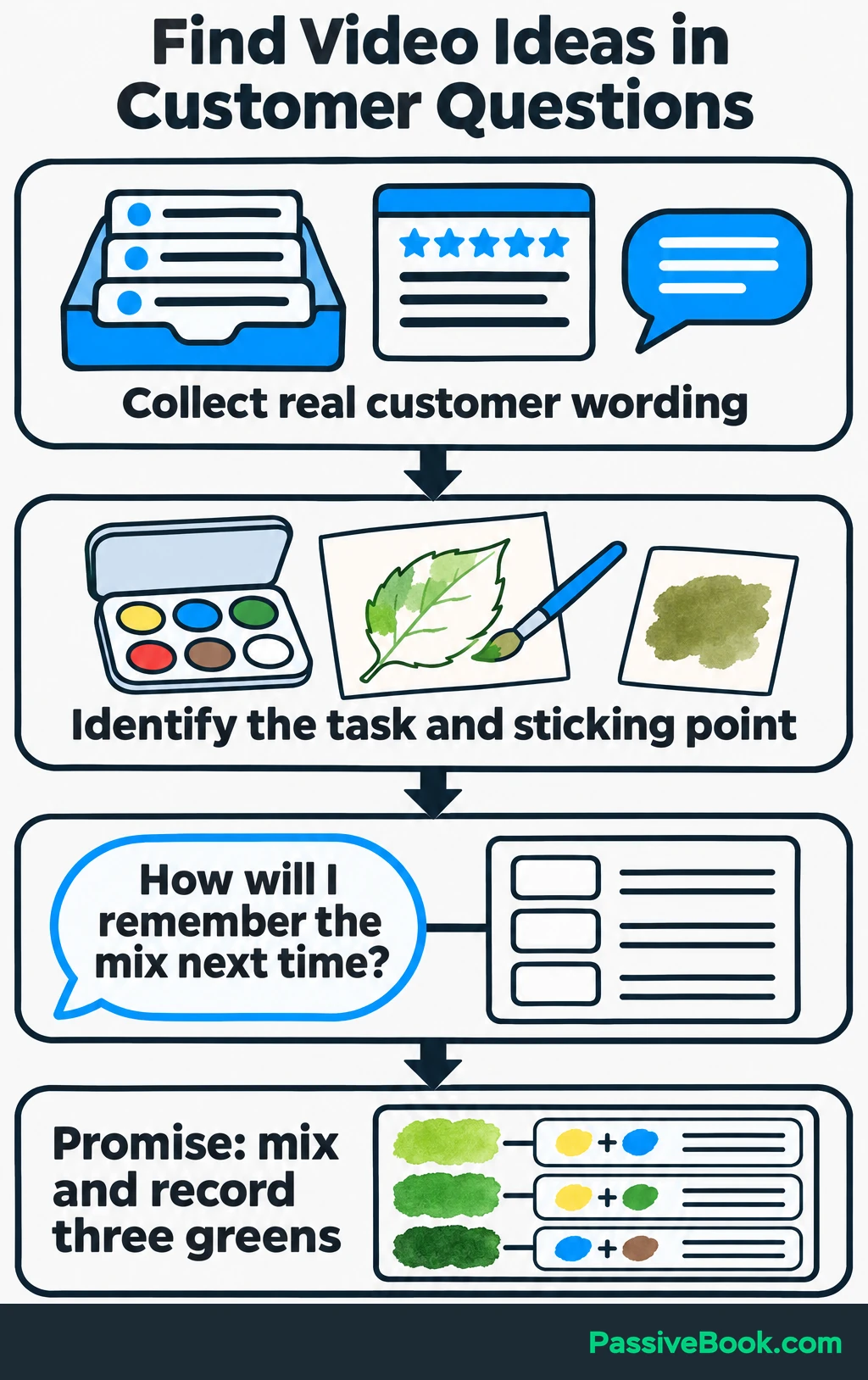
Someone with a basic paint set who wants to paint leaves but keeps mixing greens they don’t like.
That gives you something concrete to investigate.
Look through customer emails, support messages, product reviews, search queries and relevant community discussions. If you have little information, speak with prospective customers. Ask what they last tried and where they got stuck.
Keep their wording in a simple question list:
- “Can I mix a useful green with the paints I already have?”
- “How will I remember the mix next time?”
- “Will this course work with my small paint set?”
Watch competing videos to see which parts remain unclear. Perhaps the finished painting looks lovely, but the presenter never shows the paint proportions. Perhaps viewers keep asking which supplies they need.
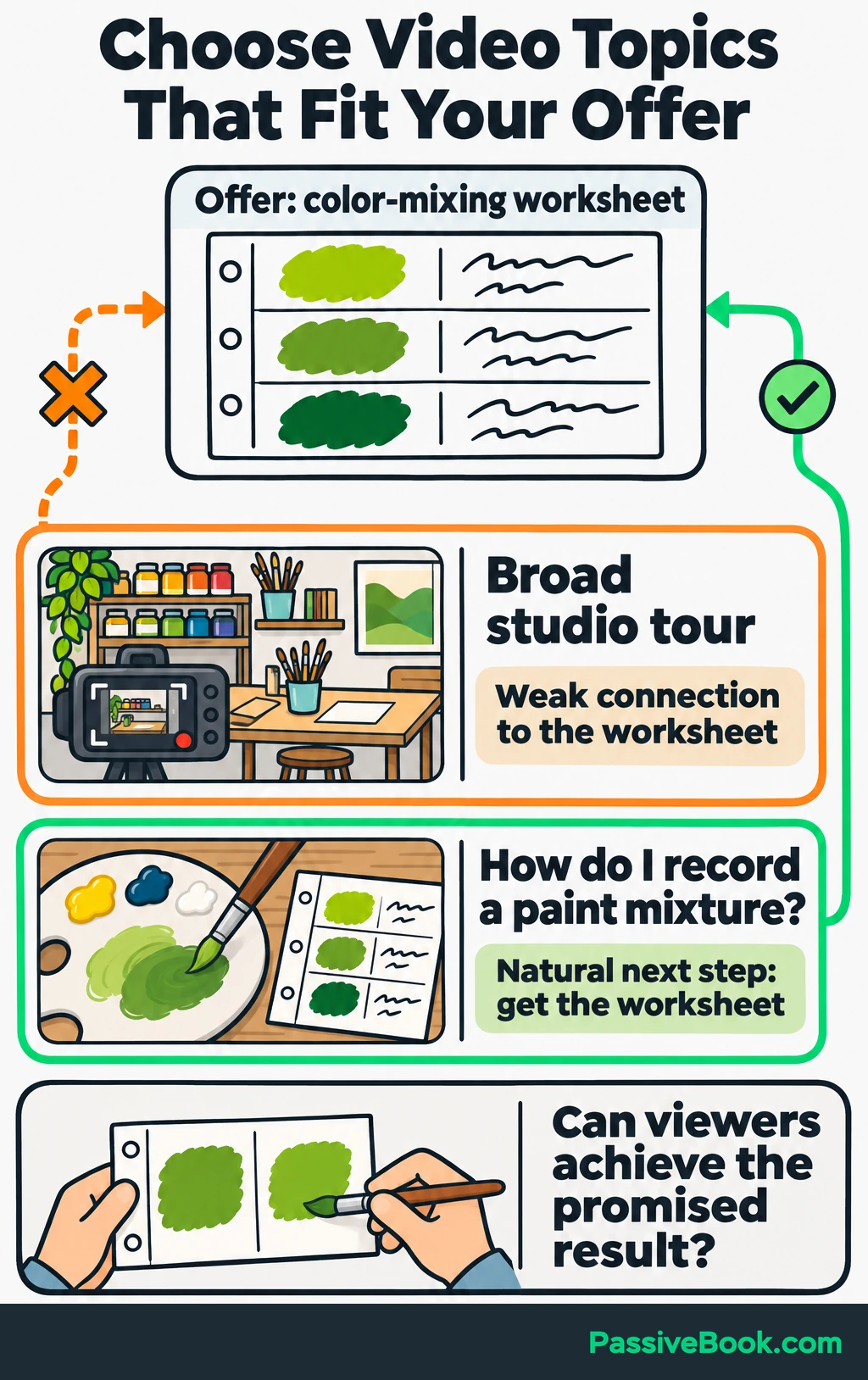
Choose a gap connected to your objective. A question about recording paint mixtures fits the worksheet offer better than a broad studio tour.
Turn the selected question into a clear promise:
After watching, you can mix and record three greens on your worksheet.
That promise gives you a practical test for the finished video: can the viewer actually do it?
3. Map Videos to the Customer Journey
People need different answers before and after a purchase. Someone discovering a technique needs help trying it. Someone considering your course needs to see how you teach.
Map those questions before choosing formats. Then focus on the stage most likely to block your objective.
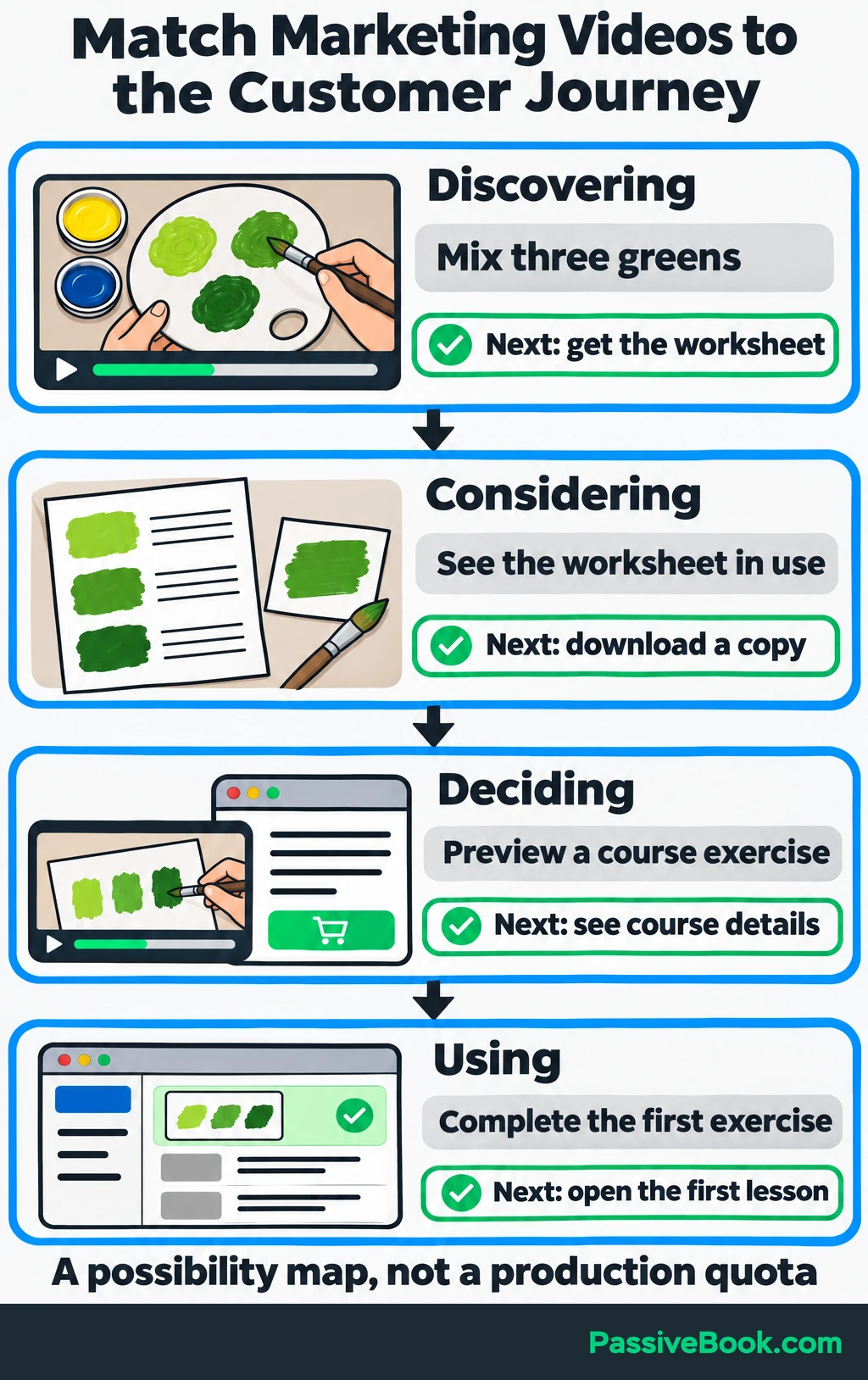
| Customer Stage | Viewer Question | Video Idea | Format | Primary Call to Action | Destination | KPI |
|---|---|---|---|---|---|---|
| Discovering | “How do I mix a green I like?” | Mix three greens from two paints | Hands-only tutorial | Get the mixing worksheet | Worksheet signup page | Confirmed signups |
| Considering | “How would I use this worksheet?” | Record and recreate one mixture | Worksheet demonstration | Download a copy | Worksheet signup page | Confirmed signups |
| Deciding | “Can I follow the course lessons?” | Preview a complete course exercise | Lesson excerpt | See the course details | Course sales page | Purchases |
| Using | “Where should I begin?” | Find and complete the first exercise | Onboarding walkthrough | Open the first lesson | Course lesson page | First-exercise completion |
This is a map of possible videos, not a production quota. For the initial signup goal, I would make the mixing tutorial first. The other videos earn production time when you find a reason to make them.
Give each video one primary call to action, or CTA. It should continue the task the viewer just started.
After teaching paint mixing, offer somewhere to record the mixtures. After showing a course lesson, offer the course details. If someone is already watching a product demonstration to decide whether to buy, a direct purchase route may be the most useful next step.
Asking viewers to subscribe, comment, download, follow and buy gives them a small administrative job. Pick the action that matters most.
4. Set Your Production Limits
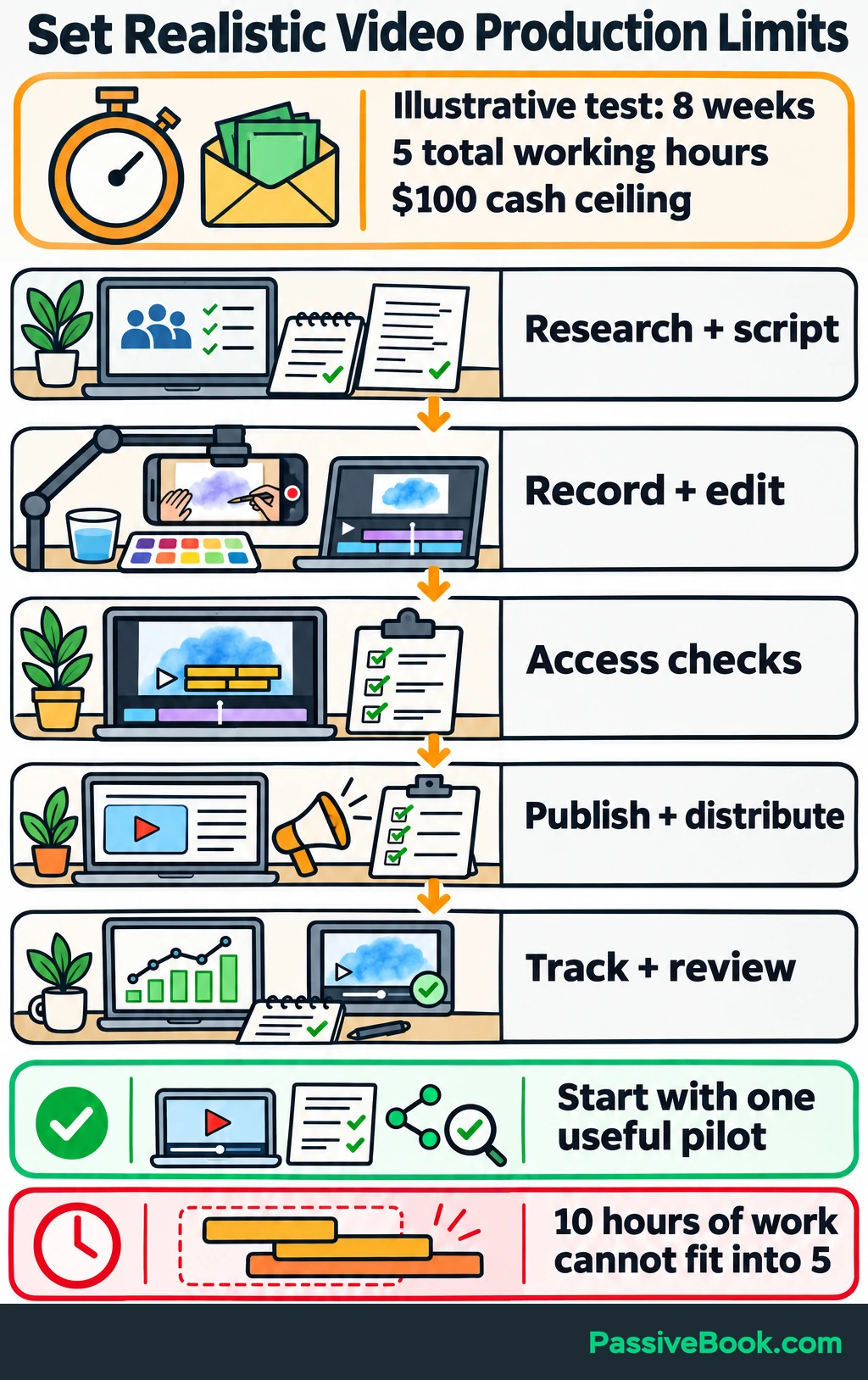
Set both a time allowance and a cash ceiling before committing to a schedule.
Count the whole job:
- Research and scripting.
- Recording and editing.
- Captions and visual descriptions.
- Publishing and distribution.
- Tracking checks and results review.
For the watercolor plan, suppose you have five total working hours and a $100 cash ceiling across eight weeks. The course and worksheet already exist. Any landing-page repairs or tracking setup must still fit inside those five hours.
That is a small test budget, so I would plan one simple pilot and reserve time to distribute and review it.
List what you already have. A phone, a stable overhead mount, daylight and clear narration may cover the demonstration. There is no reason to appear on camera if viewers need to see your hands and the paint.
Assign an owner to each recurring task, even if you handle them all yourself. This makes the workload visible and makes later outsourcing easier.
Then measure the pilot. If recording takes less time than expected but editing consumes the afternoon, you have found the constraint.
Buy equipment or hire help to solve that specific problem. Unclear speech may justify a microphone. Slow editing may justify a simpler format before it justifies an editor.
A camera upgrade cannot rescue a plan that needs ten hours from a five-hour budget.
5. Choose Your Channels and Formats
Choose a channel based on where people seek this answer and how easily they can take the next step.
Look for evidence in customer conversations, existing referral traffic, relevant searches and the questions people ask under similar videos. A platform’s popularity alone tells you little about whether your intended viewers use it for this task.
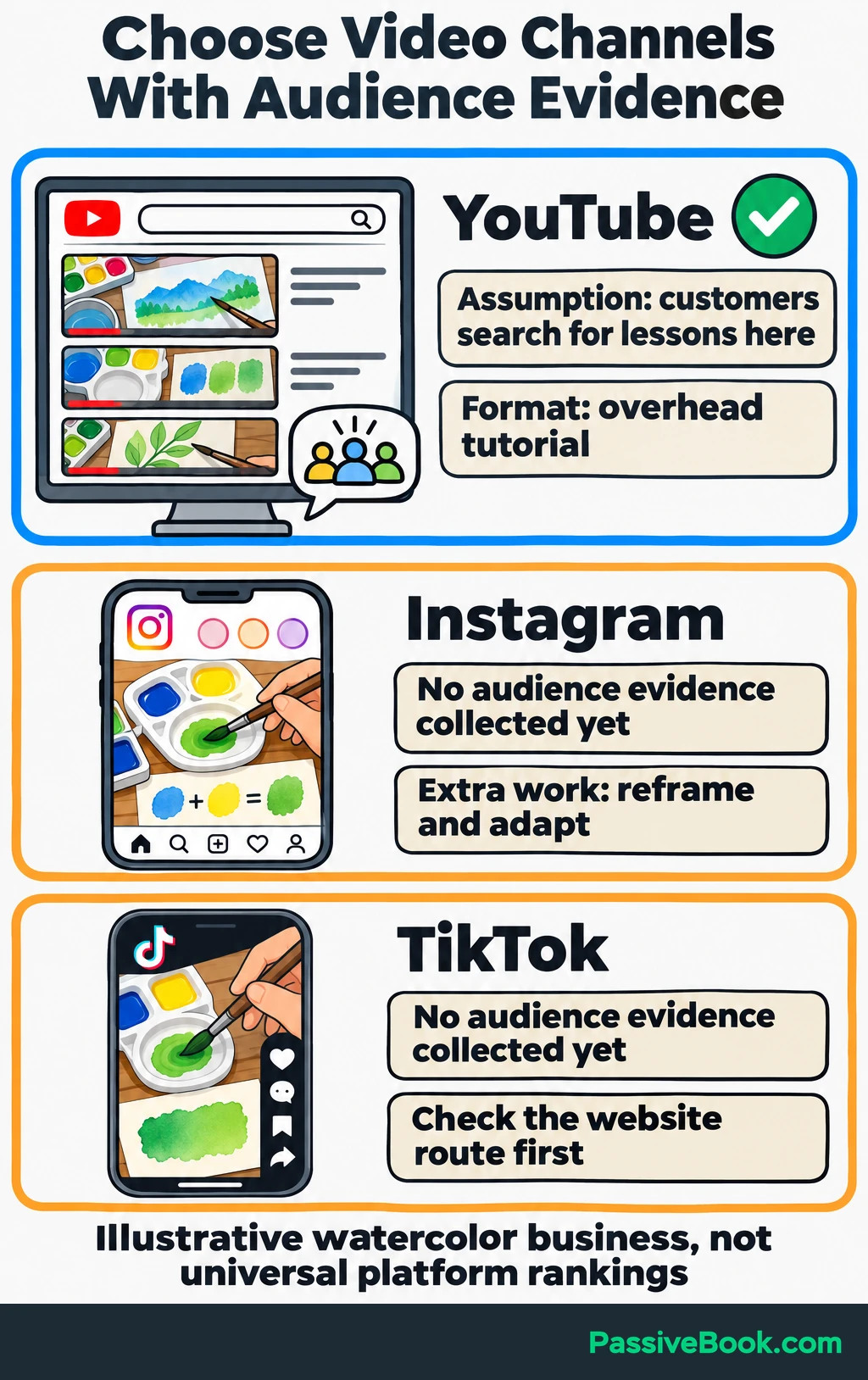
Here is how the watercolor business might compare its options:
| Channel | Audience Evidence | Discovery Context | Suitable Format | Available Next Action | Workload |
|---|---|---|---|---|---|
| YouTube | Suppose prospective customers say they search there for mixing lessons | Searching for a technique or watching related lessons | Searchable overhead tutorial | Worksheet link in an eligible description | Record the full explanation and prepare a title and thumbnail |
| No audience evidence collected yet | Finding a demonstration while browsing | Short vertical demonstration | Verify the account’s route to the worksheet | Reframe footage and provide a suitable opening and CTA | |
| TikTok | No audience evidence collected yet | Discovering a quick visual answer | One clearly shown mixing task | Verify website-link access before committing | Make a self-contained vertical edit |
Under those assumptions, I would choose YouTube first. It matches the reported search habit and gives the technique enough room.
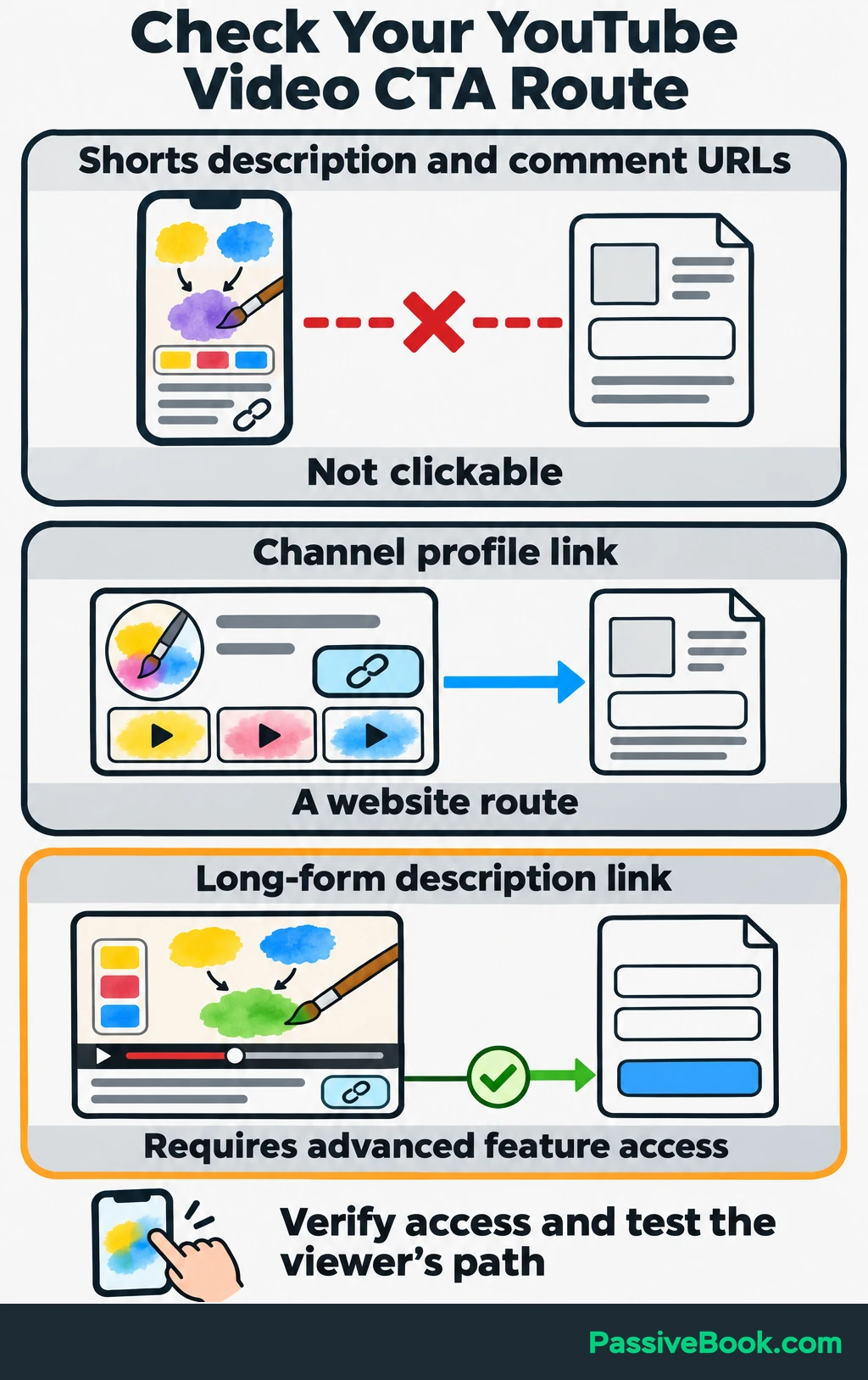
The route off the platform matters. YouTube makes URLs in Shorts descriptions and comments non-clickable. Channel profile links provide a website route, while clickable external links in long-form descriptions require advanced feature access. Check that your planned CTA matches a route viewers can use. YouTube’s link guidance
Let the task determine length. Show enough detail for someone to follow the mixing process, but cut repeated explanation. A short clip can show one visible change; a full lesson can explain how to reproduce it.
Use your website and email alongside the discovery channel. Existing visitors and subscribers may already need the answer, and reaching them does not require opening another social account.
6. Build a Repeatable Content Workflow
Turn Priority Questions Into a Calendar
Rank ideas by three things: how closely they support your objective, how much the audience needs the answer, and how much work they require.
Choose one pilot, then keep a small queue of related ideas. Avoid promising weekly publication before you know what one finished video costs you.
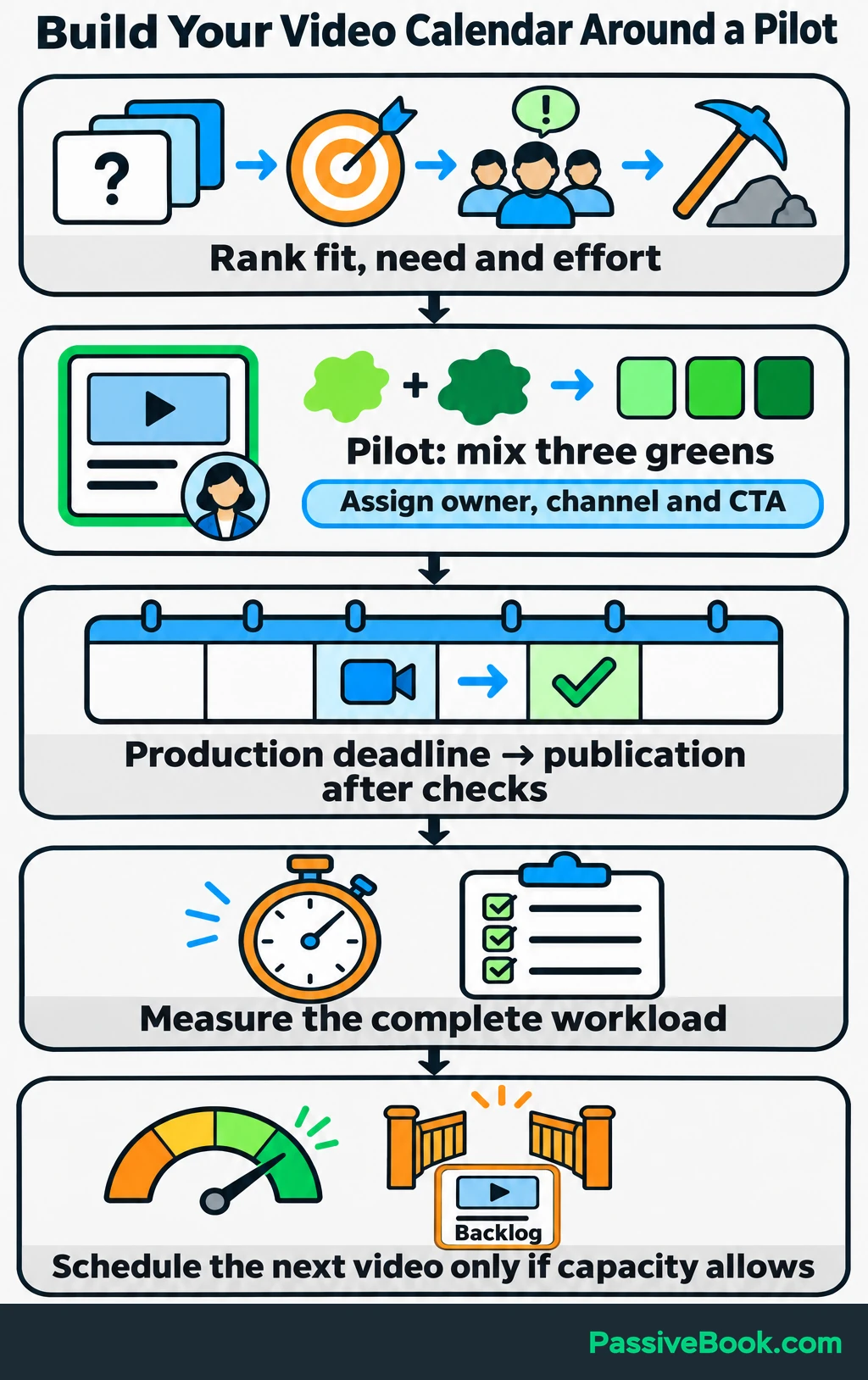
Your calendar should include:
| Viewer Question | Journey Stage | Channel | Format | Owner | Production Deadline | Publication Date | CTA Destination | Status |
|---|---|---|---|---|---|---|---|---|
| How do I mix three greens from two paints? | Discovering | YouTube | Overhead tutorial | You | End of week one | Week two, after checks | Worksheet signup page | Pilot |
| Can I follow a course exercise? | Deciding | YouTube and sales page | Lesson preview | You | Set after pilot review | Unscheduled | Course sales page | Backlog |
The second row remains unscheduled until you know whether the remaining time can support it.
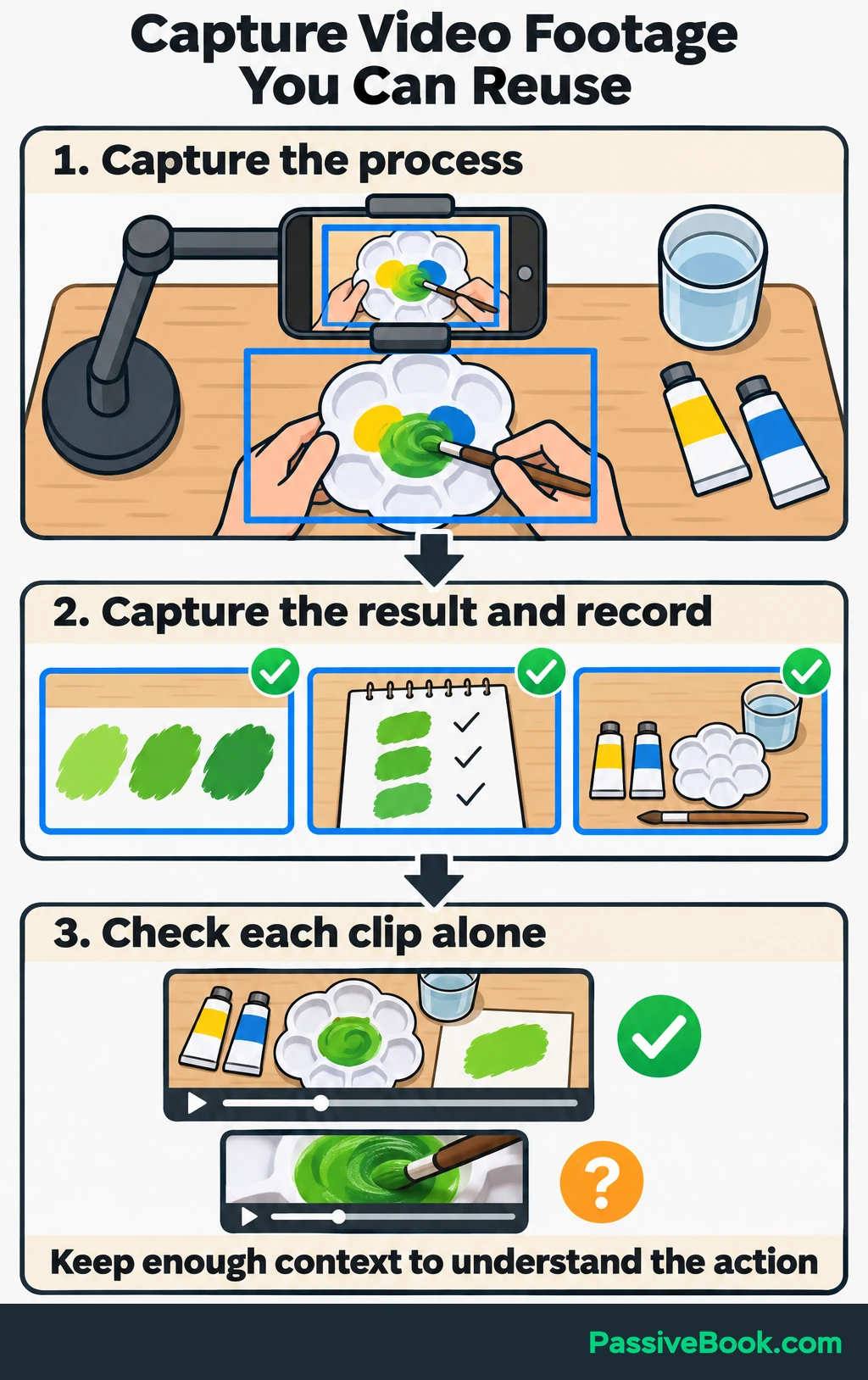
Plan reusable footage before recording. Capture clear shots of the paint mixing, finished swatches and completed worksheet. These may support a later preview or short excerpt.
Keep each reuse understandable on its own. A close-up that makes sense halfway through a lesson may be baffling when it appears alone.
Write a Brief and Script for Each Video
A short brief should tell you what the video must accomplish before you write every line.
Include the viewer’s question, promised takeaway, opening, teaching points, required visuals, CTA, destination and primary metric.
For the pilot, the brief might say:
- Viewer Question: How can I mix and remember three different greens?
- Takeaway: Three labeled swatches with a record of each mixture.
- Opening: Show the finished greens and explain what the viewer will make.
- Teaching Points: Identify the paints, demonstrate each mixture and record the proportions used.
- Required Visuals: Paint labels, palette close-ups, swatches and worksheet.
- Next Action: Download the worksheet from the signup page.
- Success Metric: Confirmed worksheet signups attributed to the video.
Then write the script around the demonstration. A short opening could be:
“Two paints can produce several greens. Here are three mixes you can record and reuse.”
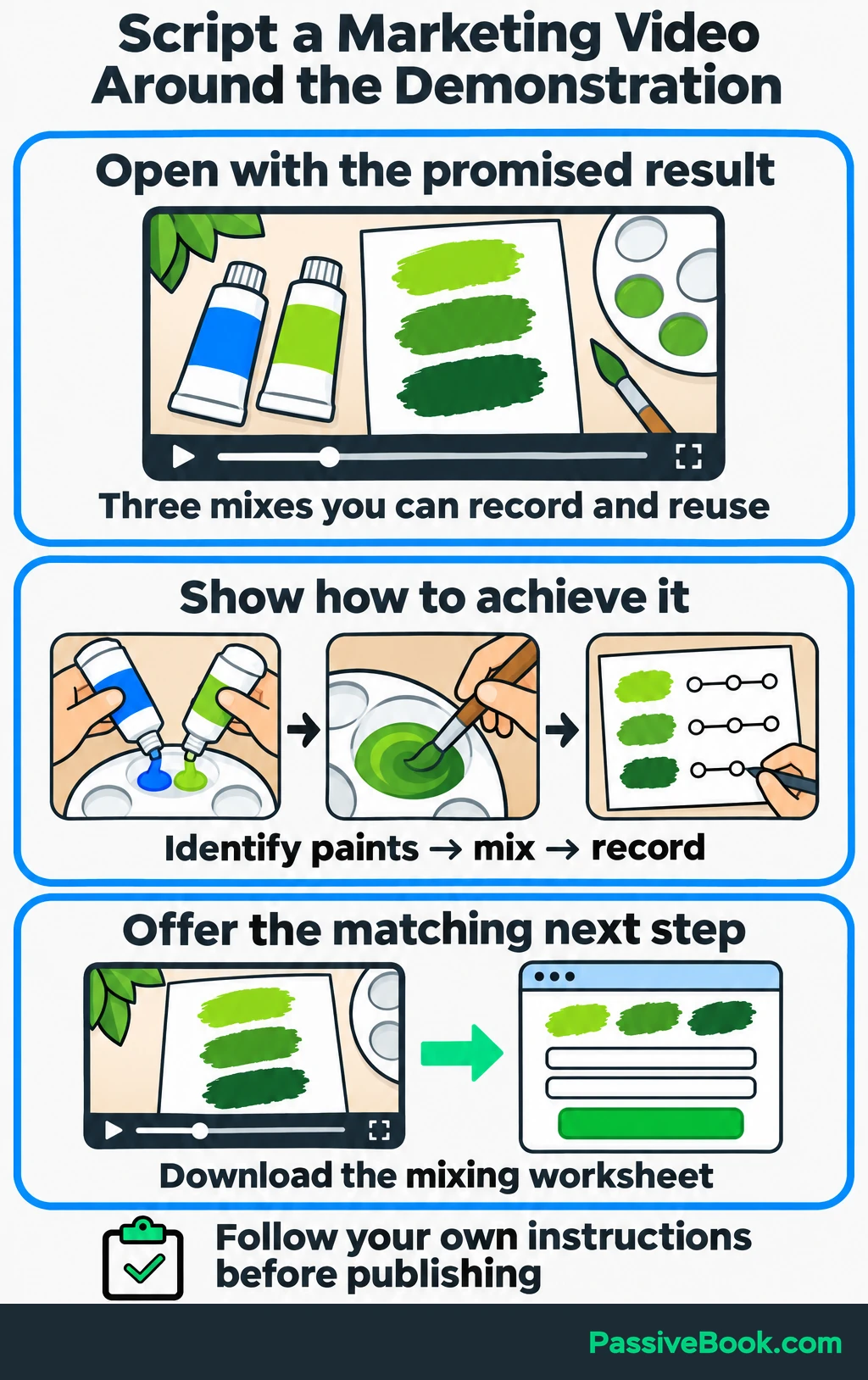
Show the process, explain what changes between mixtures, and finish with a matching invitation:
“Download the free worksheet through the link in the description, then record your own mixtures beside these examples.”
When building a digital-product lesson, I once polished the explanation before working through the exercise from a blank page. Doing the exercise exposed an instruction I had skipped because it felt obvious to me. Since then, I have treated a clear explanation and a usable lesson as separate checks.
For this video, follow your own instructions with the supplies shown. Make sure the promised result is possible.
AI can help organize supplied audience questions, draft openings or suggest useful excerpts. I would give it your actual notes and constraints. Keep a person responsible for checking the demonstration, factual claims and final publication.
If the brief makes sense but the script is still blank, this AI Skill can draft the recording copy and matching invitation from your own notes. You can specify hands-only footage, a screen recording or another format you can realistically produce.
Free AI Video Studio




Record and Edit for Clarity
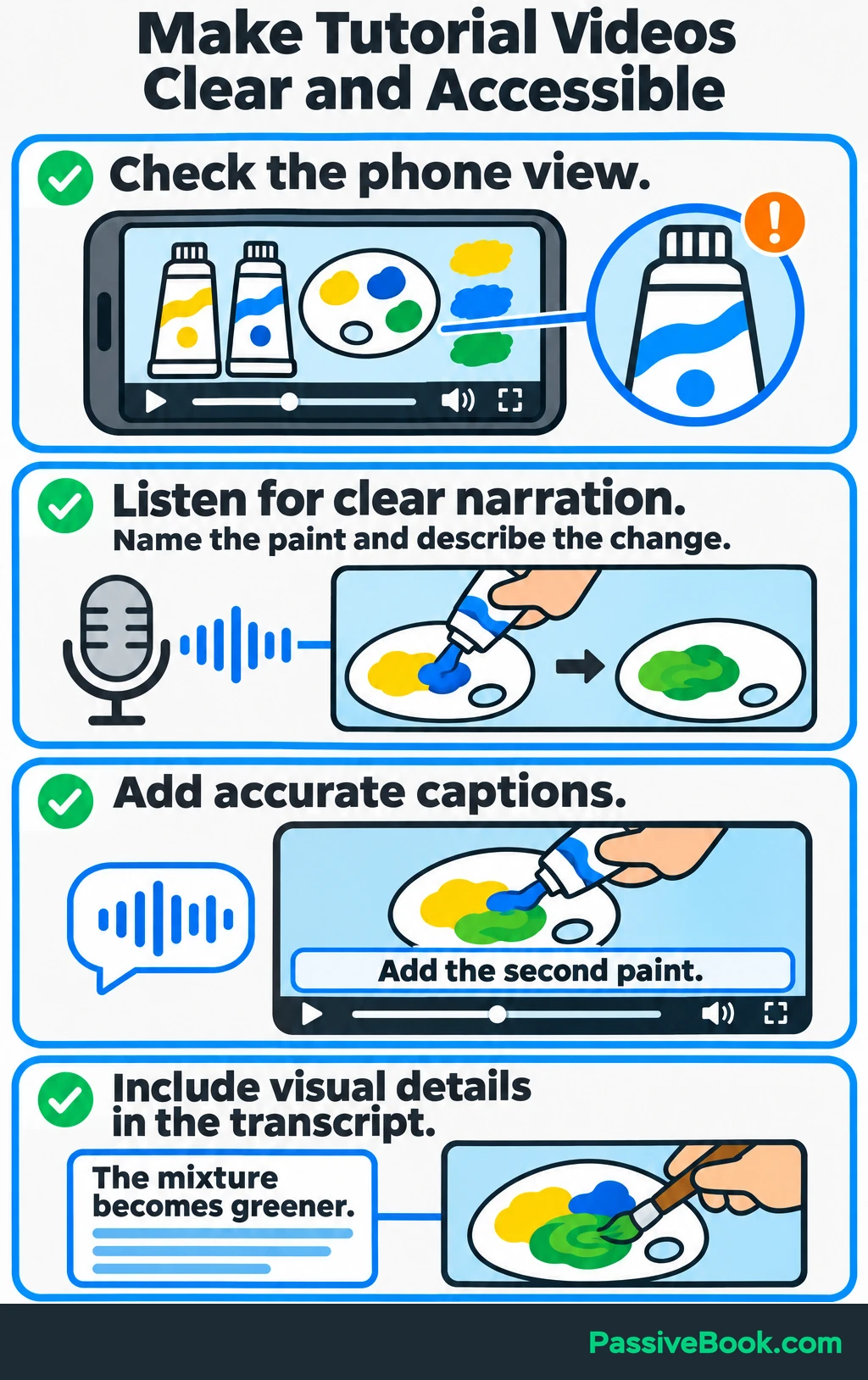
Record a short test before filming the whole lesson. Listen to the audio and inspect the footage on a phone. Can you read the paint labels and see what changes on the palette?
Edit anything that delays the promised answer. A long introduction about your love of watercolor can wait while the viewer learns to mix green.
Include accurate captions and describe essential actions in the narration. Say which paint you add and what changes, rather than relying on “this” and “that.” Provide a descriptive transcript that includes important visual information. W3C’s media checklist explains how captions, descriptions and transcripts address different access needs. W3C accessibility checklist
Check permission for music, images and other assets before publication or reuse. A music license can restrict where and how a track is used, so permission for one destination may not cover another. I would skip background music when it adds nothing to the lesson. YouTube’s music guidance
After the pilot, record the complete workload. Set your recurring schedule from that figure, including distribution and review.
Save a reusable brief, editing checklist and publishing checklist. Once the manual process works, automate reminders and routine handoffs. Automating an unclear process mostly makes the confusion arrive faster.
7. Prepare Tracking and Distribution
Test the Path From Video to Action
Prepare the destination before publishing. If the video promises a color-mixing worksheet, the landing page should show that worksheet and explain how to receive it.
Keep the promise consistent from video to page to delivery email.
Add tracking tags, called UTM parameters, to the worksheet page’s URL so you can identify visits through the tutorial’s link. Google’s campaign URL builder adds these tags for you. Google Analytics reports the resulting visits by source and campaign. Google’s campaign URL guidance
For the mixing tutorial, your tags could be:
| Tracking Field | Example Value |
|---|---|
Source (utm_source) | youtube |
Medium (utm_medium) | organic_video |
Campaign (utm_campaign) | watercolor_worksheet |
Content (utm_content) | three_greens_description |
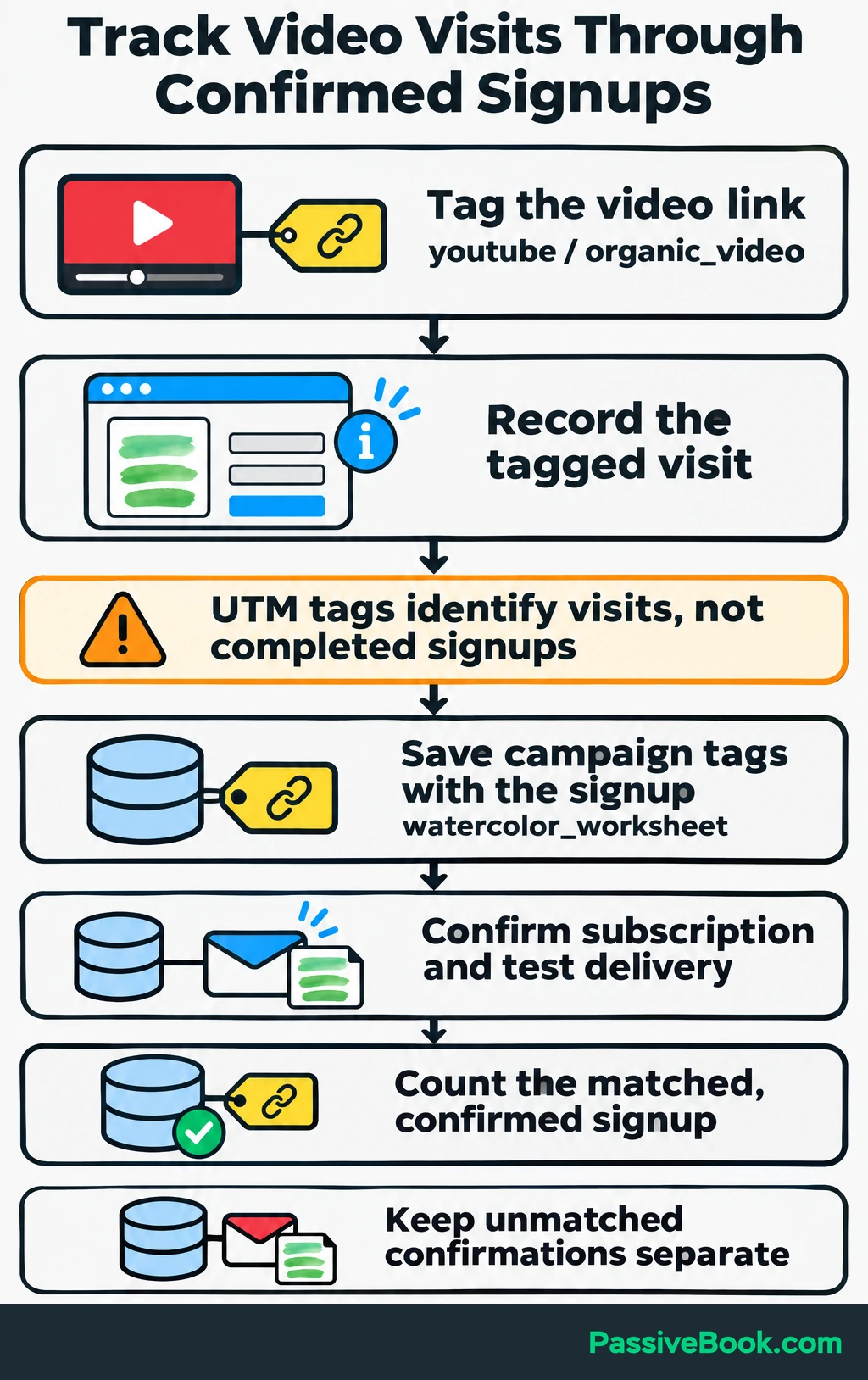
Use consistent spelling. If an email also links to the worksheet page, give that link its own source and medium so those visits stay separate from visits through YouTube.
Tags identify visits; they do not record completed signups. Save the campaign tags with each signup record so you can match the later confirmation to its source. Count confirmed subscriptions, not signup-button clicks. If your setup cannot make that match, keep those confirmations separate from the video’s attributed results.
Test the whole journey on mobile:
- Follow the link from the published placement.
- Submit the form and confirm the subscription.
- Check that the worksheet arrives and opens.
- Verify that the visit and completed signup appear in your records.
Fix a broken delivery email before spending more time on the thumbnail.
Give Every Video a Distribution Plan
Write down where each video will appear, who will place it there, and why that placement helps the viewer.
For the watercolor pilot, the plan could be:
- Primary Publication: A YouTube tutorial titled “Mix Three Watercolor Greens From Two Paints.”
- Thumbnail: The three finished swatches with readable labels.
- Website Placement: An existing article about beginner paint mixing.
- Email Placement: Link to the tutorial in an existing lesson email about mixing colors, and include a direct worksheet download for people already subscribed.
- Optional Excerpt: A short demonstration made only if the time budget permits.
- Owner: You handle publication, placement and link checks.
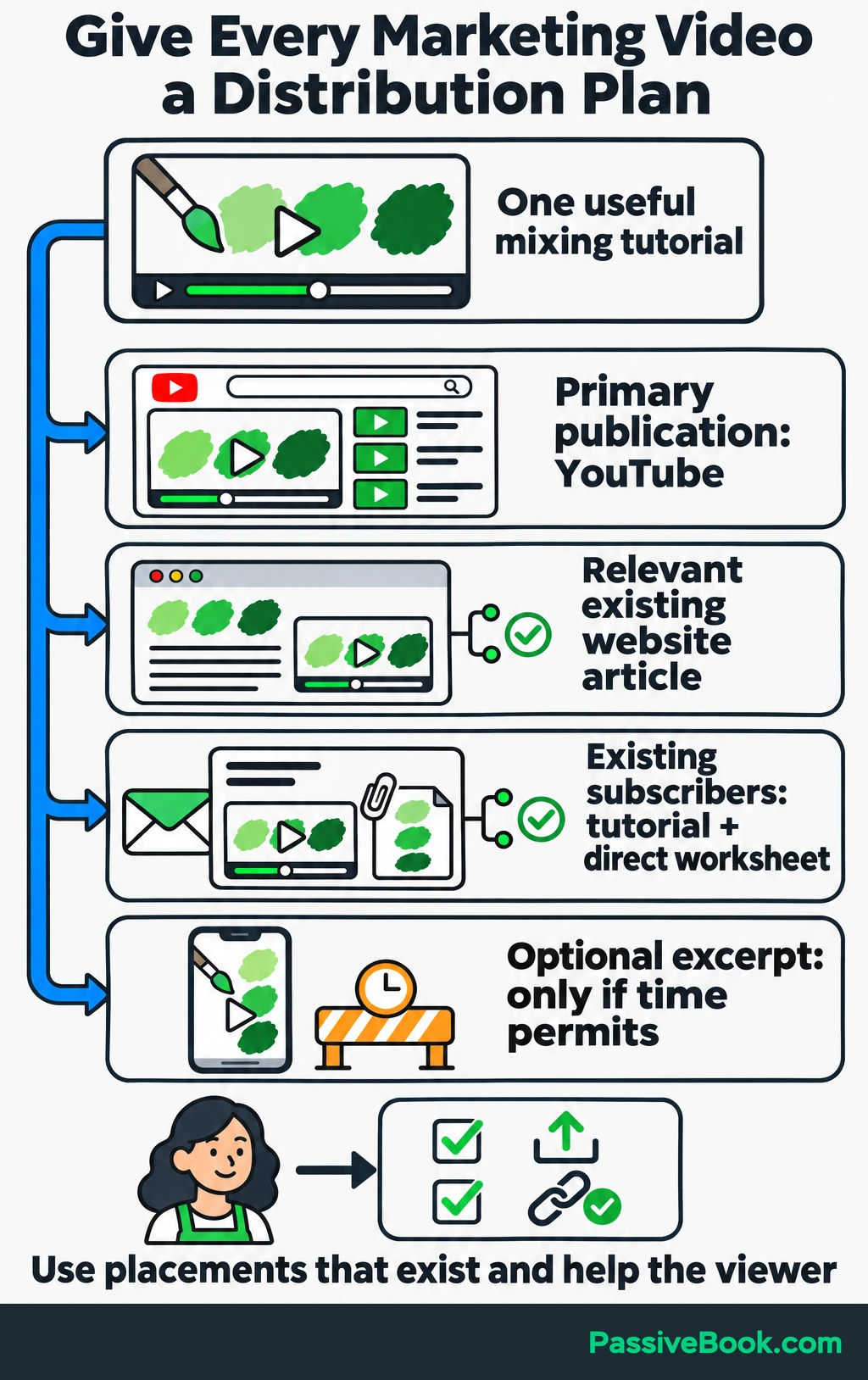
If you have no subscribers or relevant website page, omit those placements. An empty email list is not a distribution channel.
Adapt reused footage to each destination. Adjust the framing, explain the task at the opening, and give a CTA that works there.
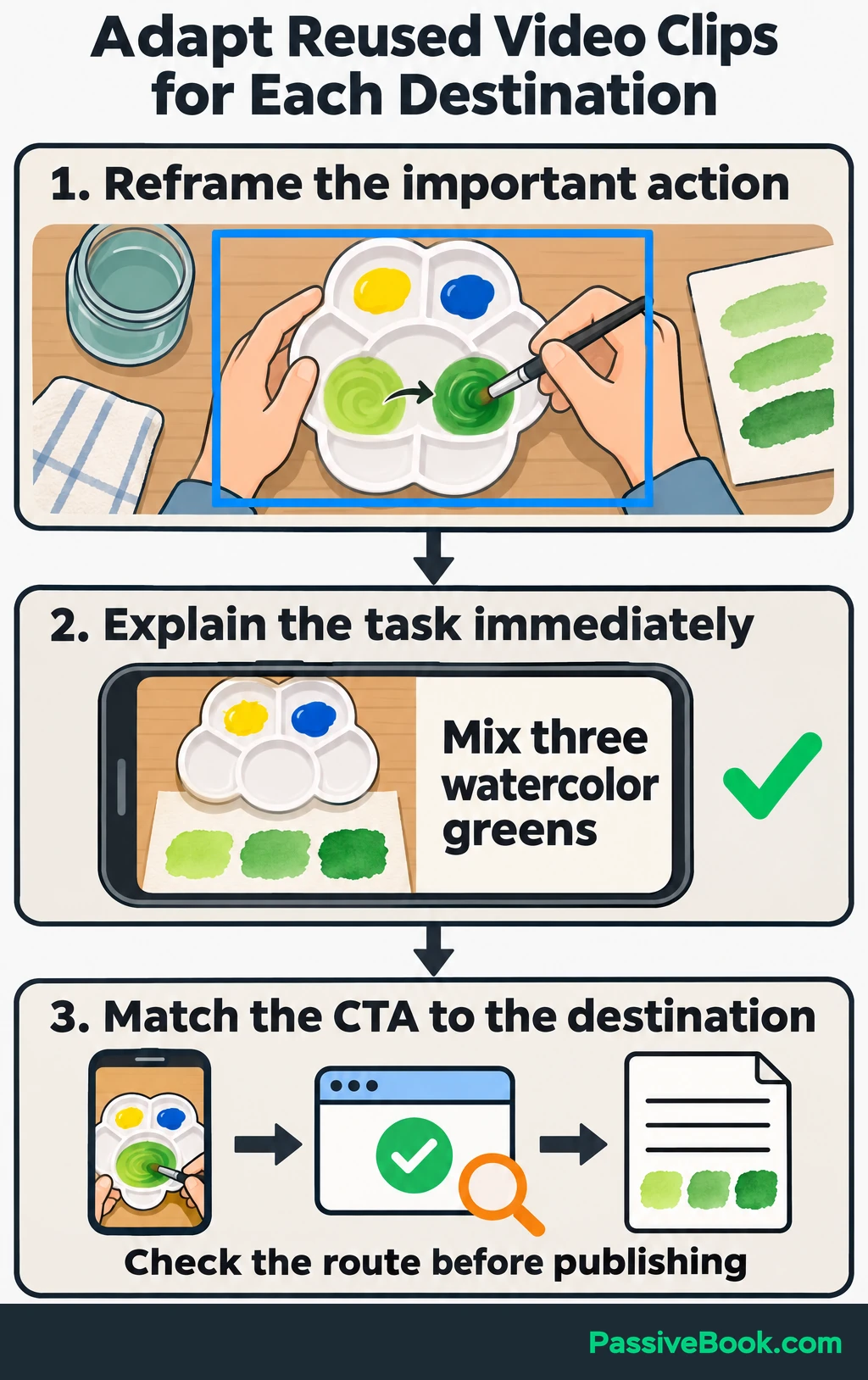
A later course preview belongs on the sales page because it helps visitors assess the teaching. Community answers can also include a relevant video where promotion is allowed, but the answer should be useful in that discussion.
I would begin with organic discovery and existing customer touchpoints for this small test. Paid promotion needs its own budget and outcome target.
Collect substantive comments and unanswered questions. They can reveal the next useful video more clearly than an empty calendar slot.
8. Review Results and Improve the Strategy
Review your primary KPI alongside audience responses and the time spent producing and distributing the video.
Compare similar formats over similar periods after publication. Keep paid and organic results separate so a paid traffic increase does not look like stronger organic discovery.
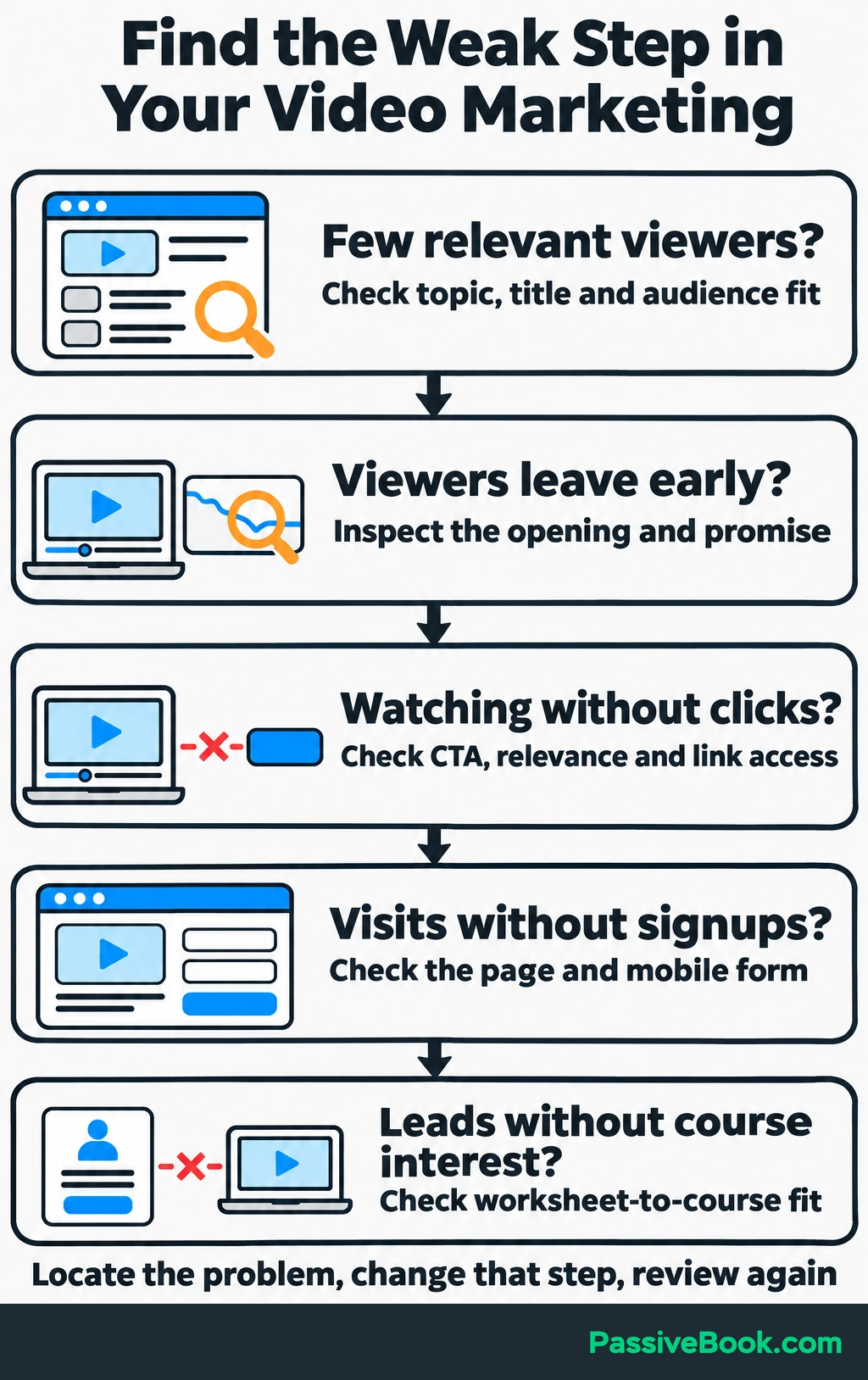
Use the evidence to locate the problem:
| Observed Problem | Checks | Next Change |
|---|---|---|
| Few relevant viewers find the video | Topic wording, title, thumbnail and audience fit | Make the question and visible result clearer |
| Viewers leave early | Whether the opening delivers what the title promised | Show the task or result sooner |
| People watch but do not click | CTA clarity, destination relevance and link access | Explain the worksheet’s use and check the route |
| Visitors arrive but do not sign up | Page promise, mobile form and delivery explanation | Remove friction or clarify the offer |
| People sign up but do not consider the course | Fit between the worksheet, follow-up and course | Improve that connection before seeking more leads |
Watch the footage beside the retention graph. On YouTube, dips can show skipping or abandonment. Spikes can reflect rewatching or sharing, but they can also mean an explanation was confusing. The graph tells you where to inspect; it does not supply the reason. YouTube’s retention guidance
For the tutorial’s signup rate, start with landing-page sessions through its tagged link during the test. Count the signups from those sessions that were also confirmed during the test.
Suppose the eight-week test records 200 of those sessions and 20 confirmed signups from them:
Signup rate = 20 ÷ 200 × 100 = 10%
This is an illustration, not a benchmark. Do not add signups from unrelated traffic to that calculation.
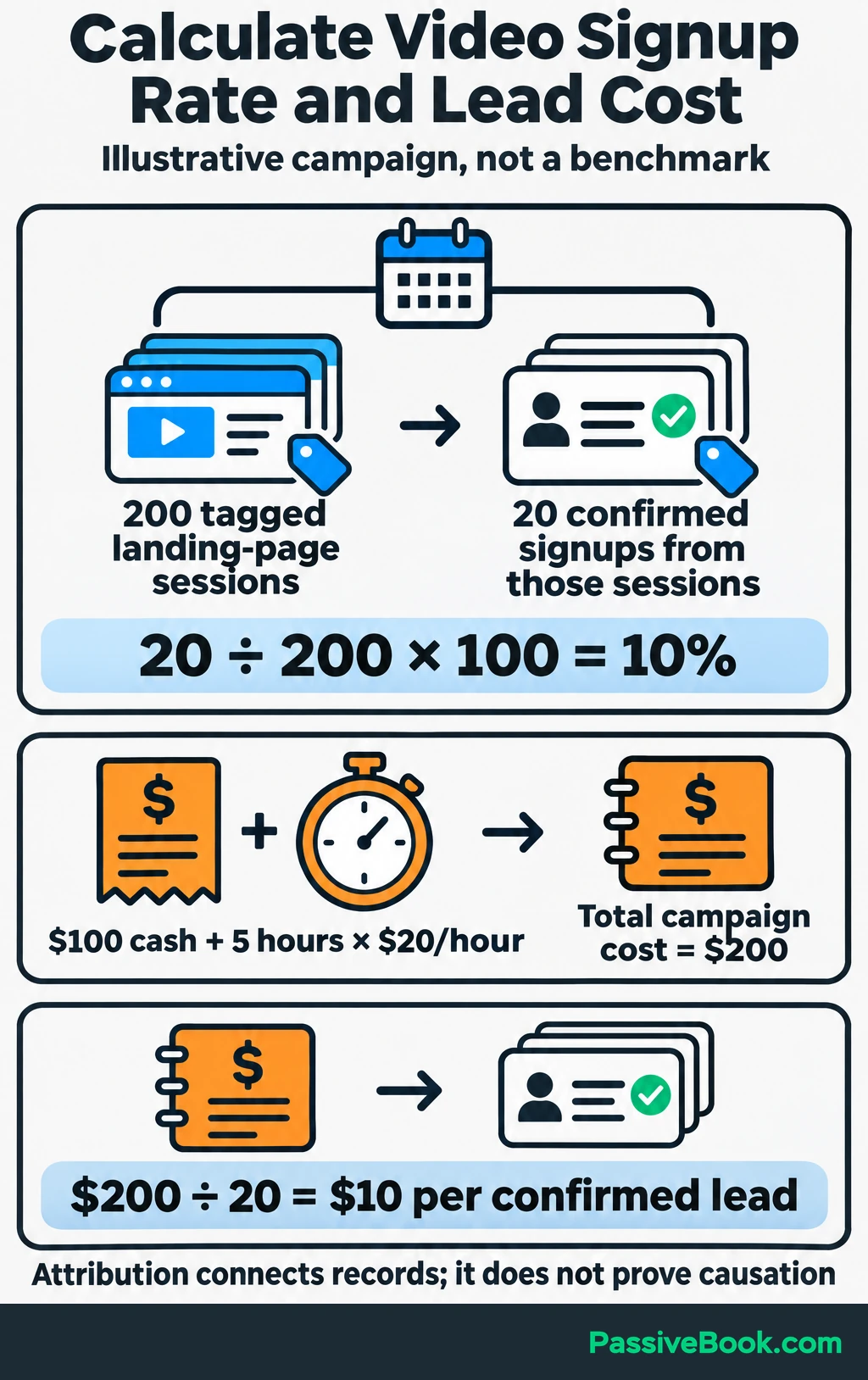
Next, count both cash spending and the value of your time for the same campaign. If you spend the full $100 allowance and work five hours valued at $20 per hour:
Total campaign cost = $100 + (5 × $20) = $200
Cost per confirmed lead = $200 ÷ 20 = $10
As course purchases accumulate, compare the revenue left after product and transaction costs with the marketing cost. Cheap leads have limited value if they never become suitable customers.
Attributed results connect recorded visits and actions to video. They do not prove how many actions happened because of video.
Change the element connected to the observed problem, record what changed, and review again. Repeat useful topics and formats, repair weak steps, and pause work that consumes your allowance without supporting the objective.
One-Page Video Marketing Strategy Template
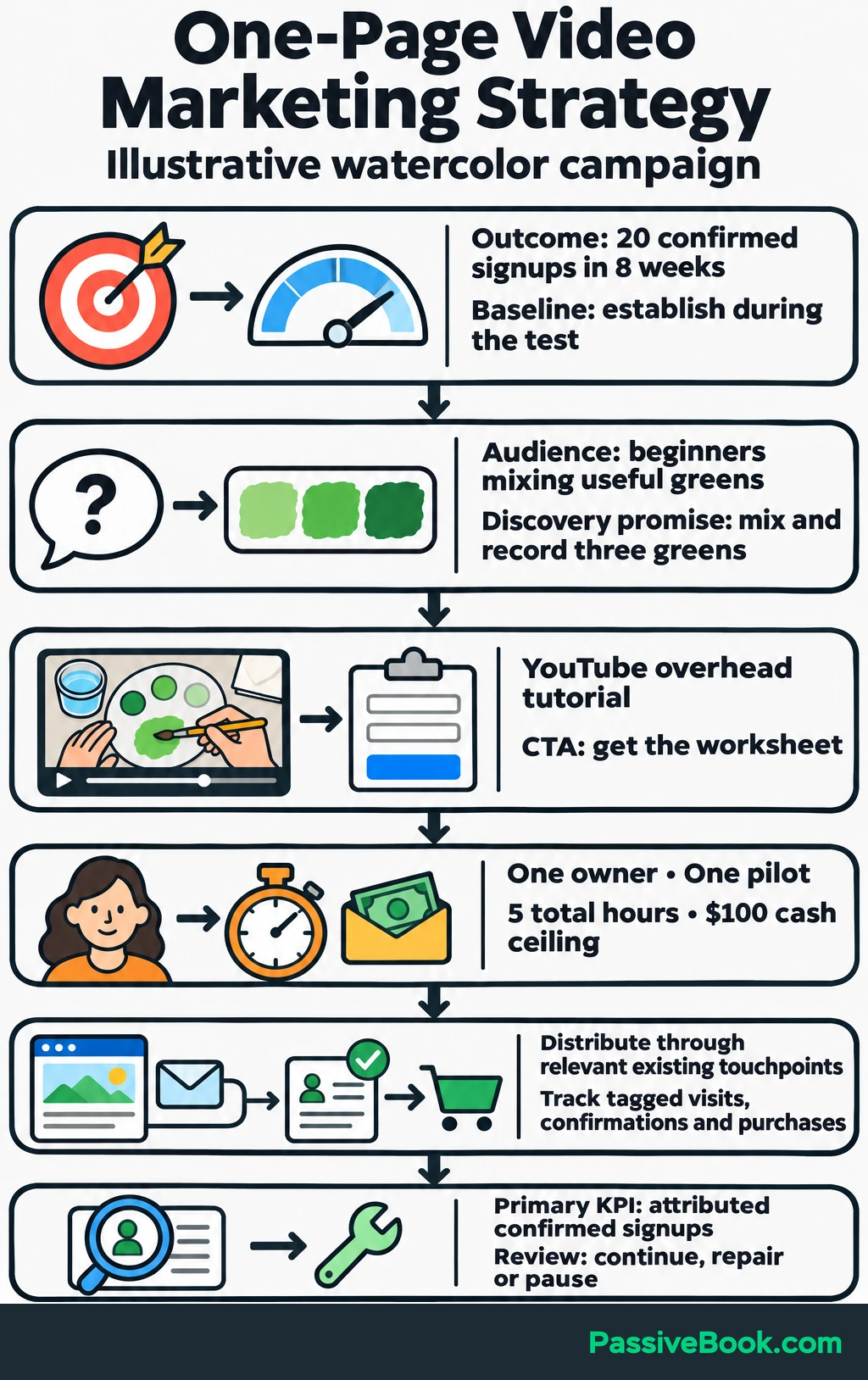
Copy this table into your planning document. The completed example brings the decisions together without committing to a publishing schedule the pilot has not yet justified.
| Field | Fill In Your Plan | Completed Watercolor Example |
|---|---|---|
| Objective and review date | Help [audience] take [action], measured by [KPI], by [date] | Gain 20 confirmed worksheet signups by the end of eight weeks; track subsequent course purchases |
| Baseline | Current result, or when you will establish one | No video baseline yet; establish it during this test |
| Audience question | The specific problem viewers want solved | “How can I mix and remember useful greens with my existing paints?” |
| Priority journey stage | The stage blocking your objective | Discovery leading to worksheet signup |
| Content promise | What viewers can do after watching | Mix and record three greens |
| Channel and format | One primary channel and a suitable presentation | Searchable YouTube tutorial using overhead footage and narration |
| CTA and destination | One next action and its working destination | Download the worksheet through its signup page |
| Time and cash limits | Total working hours and spending ceiling | Five total hours and a $100 cash ceiling across eight weeks |
| Workflow owner | Who handles production, checks and publication | One owner handles the full workflow |
| Pilot scope | The smallest useful video you can finish | One mixing tutorial; further videos depend on measured workload |
| Distribution | Primary publication and relevant additional placements | YouTube, a relevant existing website article and existing emails where available |
| Tracking | How visits and completed actions will be recorded | Tagged external links, confirmed signups and subsequent course purchases |
| Primary KPI | The completed action that determines progress | Confirmed worksheet signups attributed to the campaign |
| Next review decision | What would justify continuing, revising or stopping | Continue topics attracting relevant signups and buyers; revise the video, CTA or page where the path breaks |
To put the plan into motion, choose the pilot question, finish its brief, assign production and set a publication date that fits your available capacity.
What Next?
Write one sentence naming the business action your first video should support, then choose the viewer question that leads naturally to it.
Use the social buttons to share this guide when a video plan needs a clearer connection between publishing effort and business results.
Which part of your current plan is least clear: the audience question, the next action or the measurement? Share it in the comments, and bring any other questions too.
Share this post with your friends & followers:

