You have enough footage for another video, but you’re still deciding what to make. A quick tip? A product reveal? Whatever sound keeps appearing in your feed?
Each choice takes time, and a finished video can still leave you wondering whether it helped. Views alone won’t tell you what deserves another evening of recording.
A useful strategy gives those decisions a purpose. This guide shows how to create a short-form video strategy around questions worth answering, a publishing routine you can maintain, and results that tell you what to make next.
Define the Outcome Your Videos Should Support
Choose one main outcome before you choose video ideas. Otherwise, almost any post can look useful after you find a flattering number.
Your goal might be to:
- Grow an audience that follows a recurring series.
- Start useful conversations around a shared interest.
- Bring interested visitors to your website.
- Collect email signups for a relevant resource.
- Generate inquiries or sales.
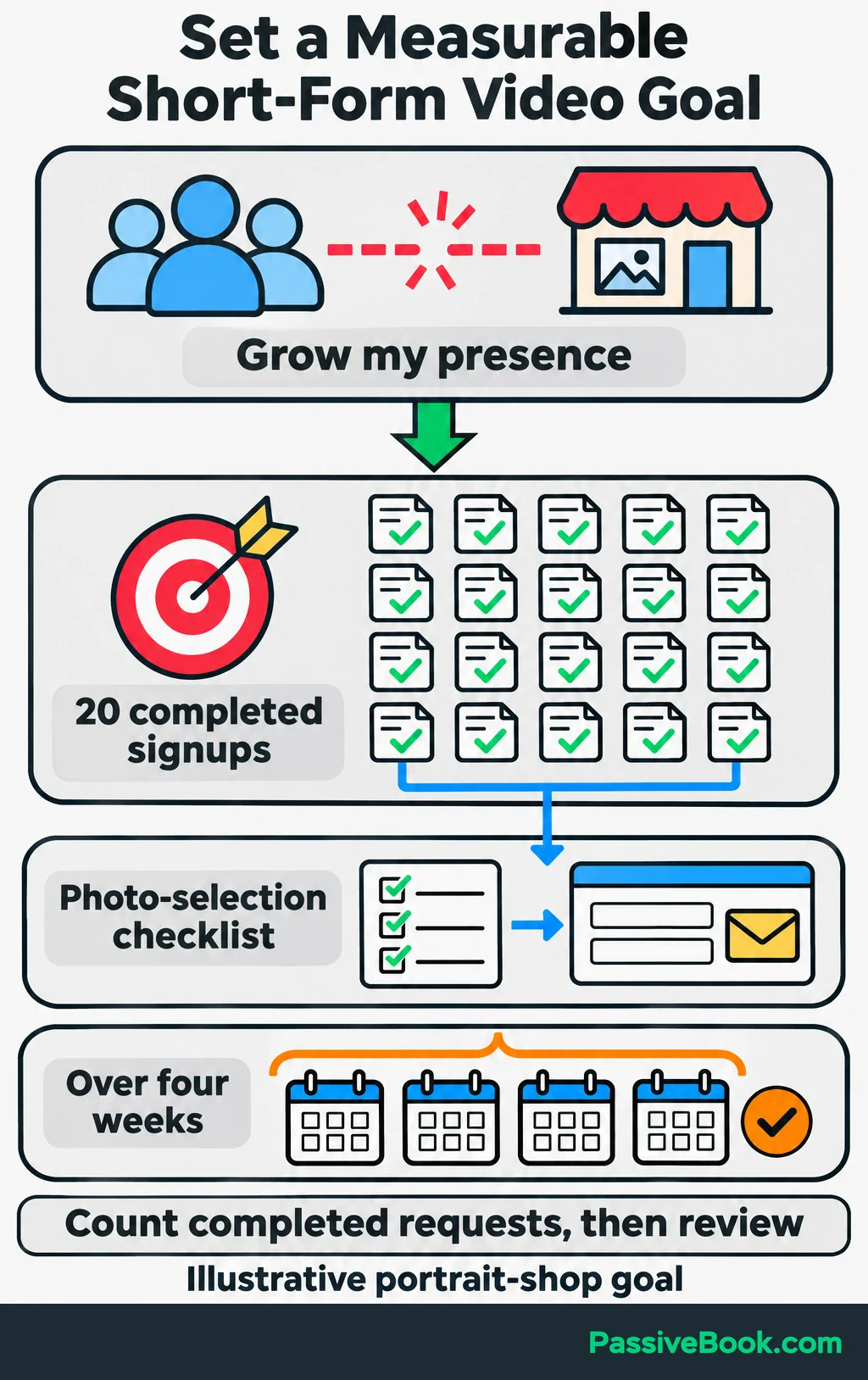
Pick one as your primary goal, then give it a target and a review date. “Grow my presence” leaves too much room for guessing. “Get 20 completed checklist signups over four weeks” gives you something to assess.
For our running example, imagine you sell custom digital dog portraits. Your videos help people choose suitable reference photos and understand how a portrait comes together. The shop, sample copy, schedules, and figures throughout this guide are illustrative.
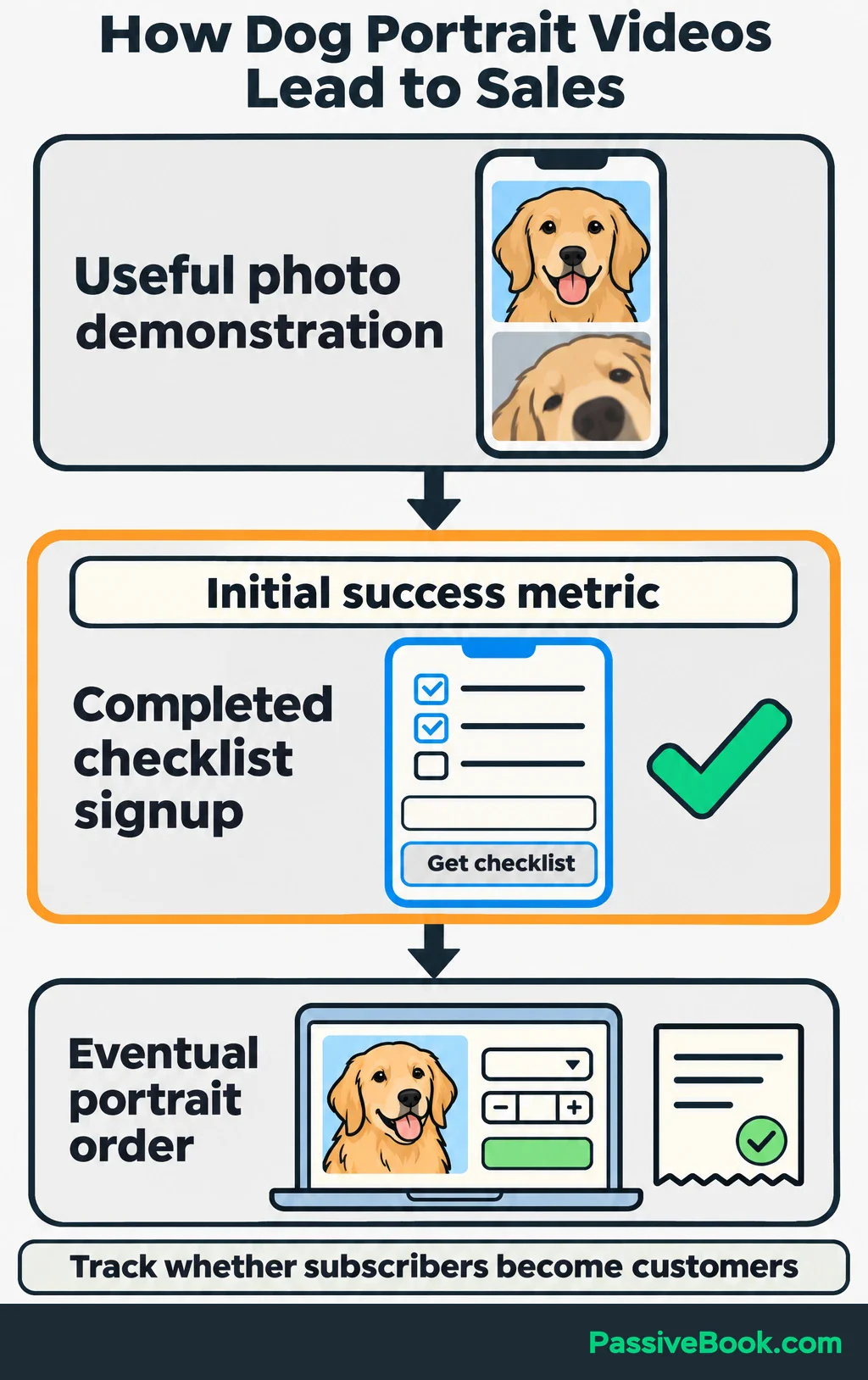
The business path is straightforward:
Useful demonstration → free photo-selection checklist → portrait order.
Completed checklist signups are the initial success metric. Orders remain the eventual business outcome, so you would also watch whether those subscribers become customers.
I spent about six months chasing Instagram and Twitter/X followers in a side niche. There was activity, but little financial progress. Looking back, I had treated growing an account as a complete business plan. It wasn’t much of a plan for what happened after someone followed.
That experience is why I would settle the next action before filling a content calendar.
Build a one-page strategy as you work through this guide. Here is what the portrait shop’s first version could contain:
| Decision | Starting Choice |
|---|---|
| Audience | Dog owners choosing a photo for a custom portrait |
| Primary goal | 20 completed checklist signups over four weeks |
| Primary platform | Instagram Reels, assuming relevant conversations already happen there |
| Content pillars | Reference photos, portrait process, displaying artwork |
| Recurring formats | Photo comparisons and screen-recorded demonstrations |
| Cadence | Two videos per week |
| Next action | Request the free photo-selection checklist |
| Main performance metric | Completed signups from tracked Instagram visits |
The platform and cadence are starting choices. Later sections will help you check whether they fit your audience and available time.
If you’re sharing pet content for enjoyment, a business offer is optional. You could instead measure new followers for a series or comments that contribute useful experiences. Give the videos a clear purpose either way.
Find the Audience Questions Worth Answering
Describe your viewers by the situation they face, the problem they have, and the outcome they want.
“People who like dogs” gives you very little direction. “Dog owners unsure which photo to send for a portrait” suggests several useful videos immediately.
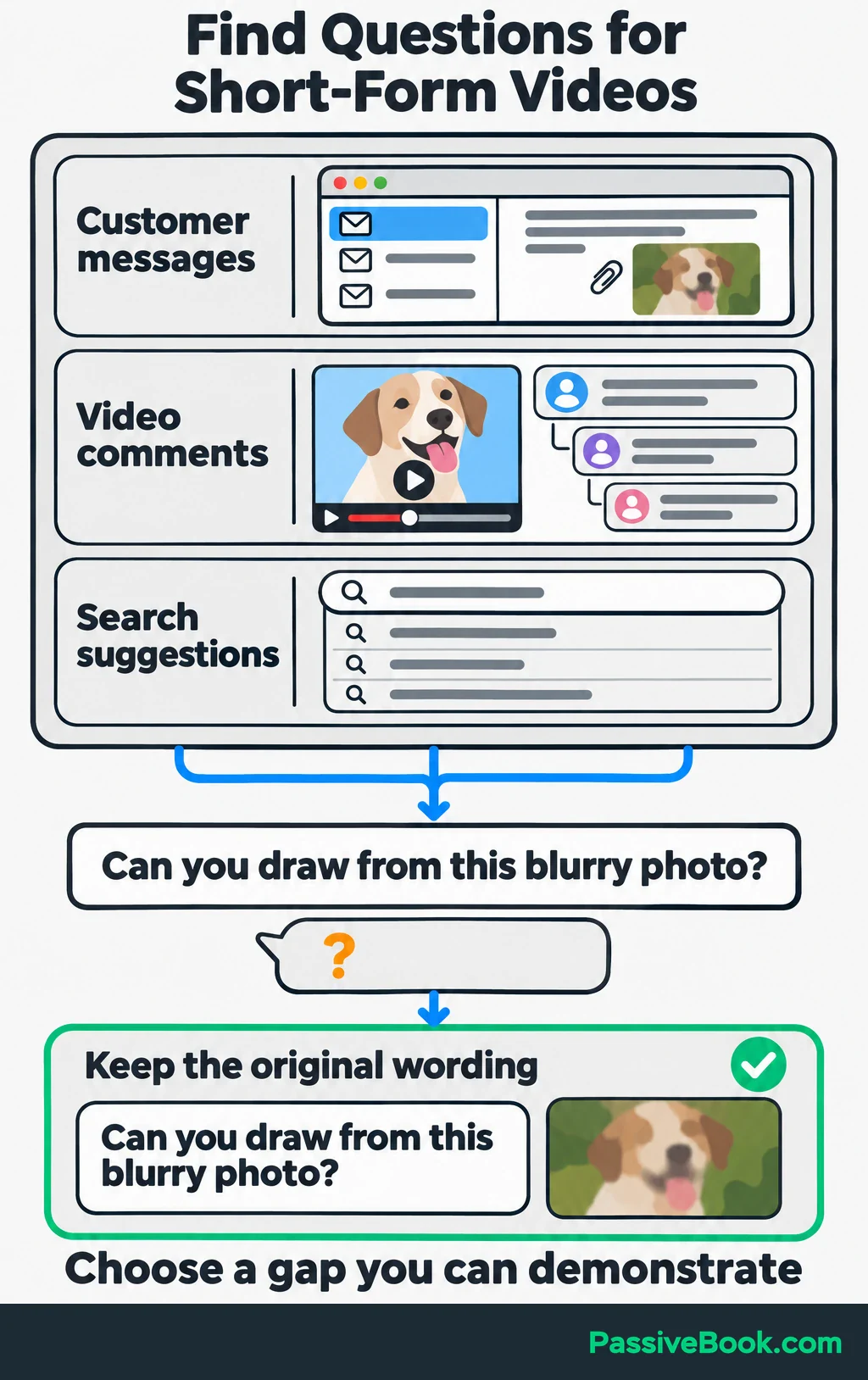
Collect questions from places where people already ask for help:
- Customer emails and messages.
- Comments beneath your posts and comparable accounts.
- Search suggestions on your chosen platform.
- Relevant communities and everyday conversations.
- Questions people ask before buying.
Keep the original wording. “Can you draw from this blurry photo?” tells you more than a planning note called “reference quality.”
When reviewing other accounts, look for questions that remain unanswered or explanations that stop too soon. A popular transformation video might show the finished portrait without explaining why the artist selected that particular photo.
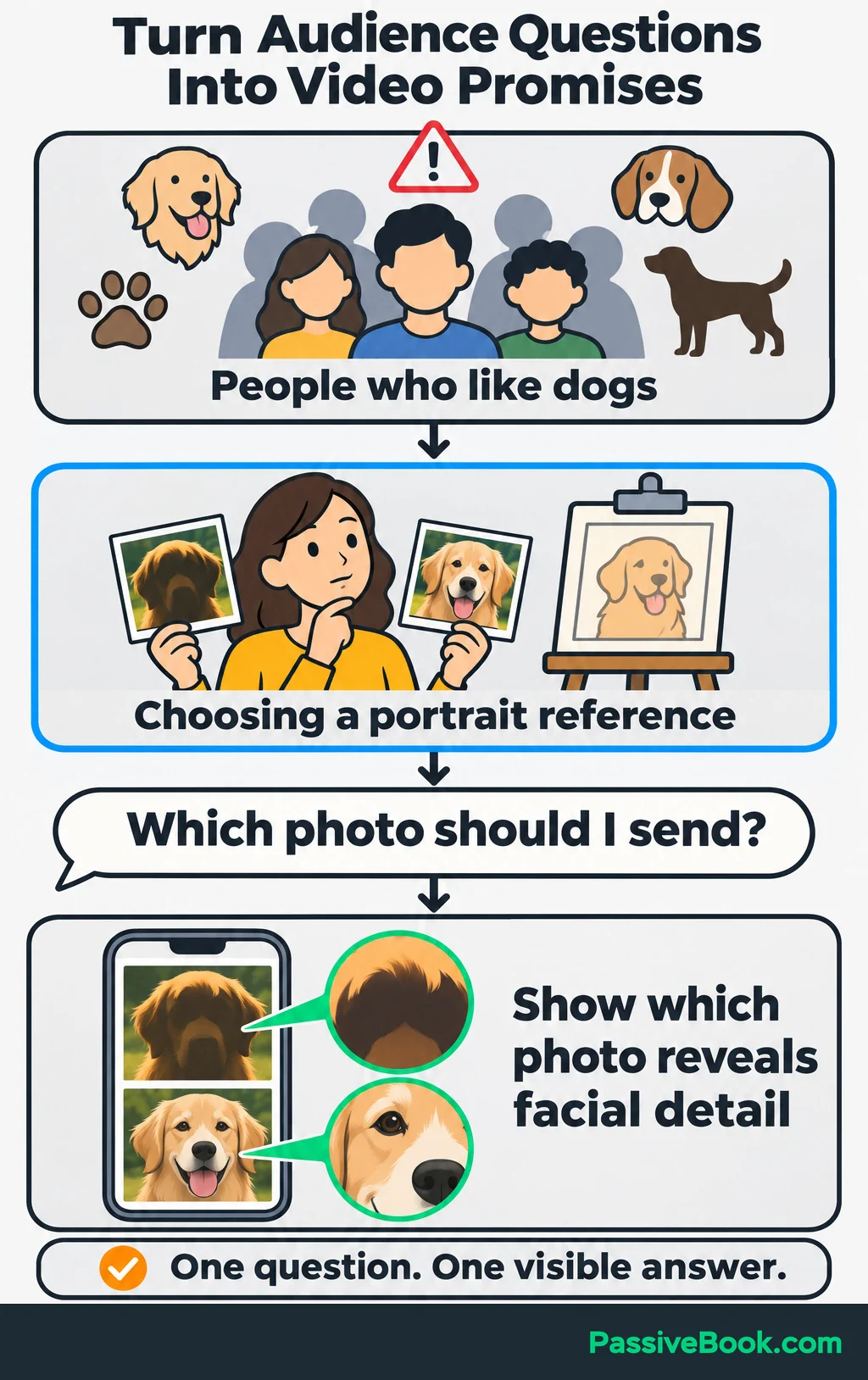
That gap could become your next video.
Turn each question into one clear promise. For example:
Question: “Which photo should I send?”
Video promise: “Compare two photos and show which one makes the dog’s facial details easier to see.”
Choose questions you can answer with your own knowledge and footage. A narrow answer you can demonstrate is more useful than a broad claim you can only repeat.
Choose a Primary Platform
I would start with one platform. Choose it based on evidence that your audience is there, a format you can make, and a workable route to your goal.
Check regional availability first. Then search for the questions you collected and inspect the conversations around relevant videos. A large view count matters less than comments from people facing the problem you solve.
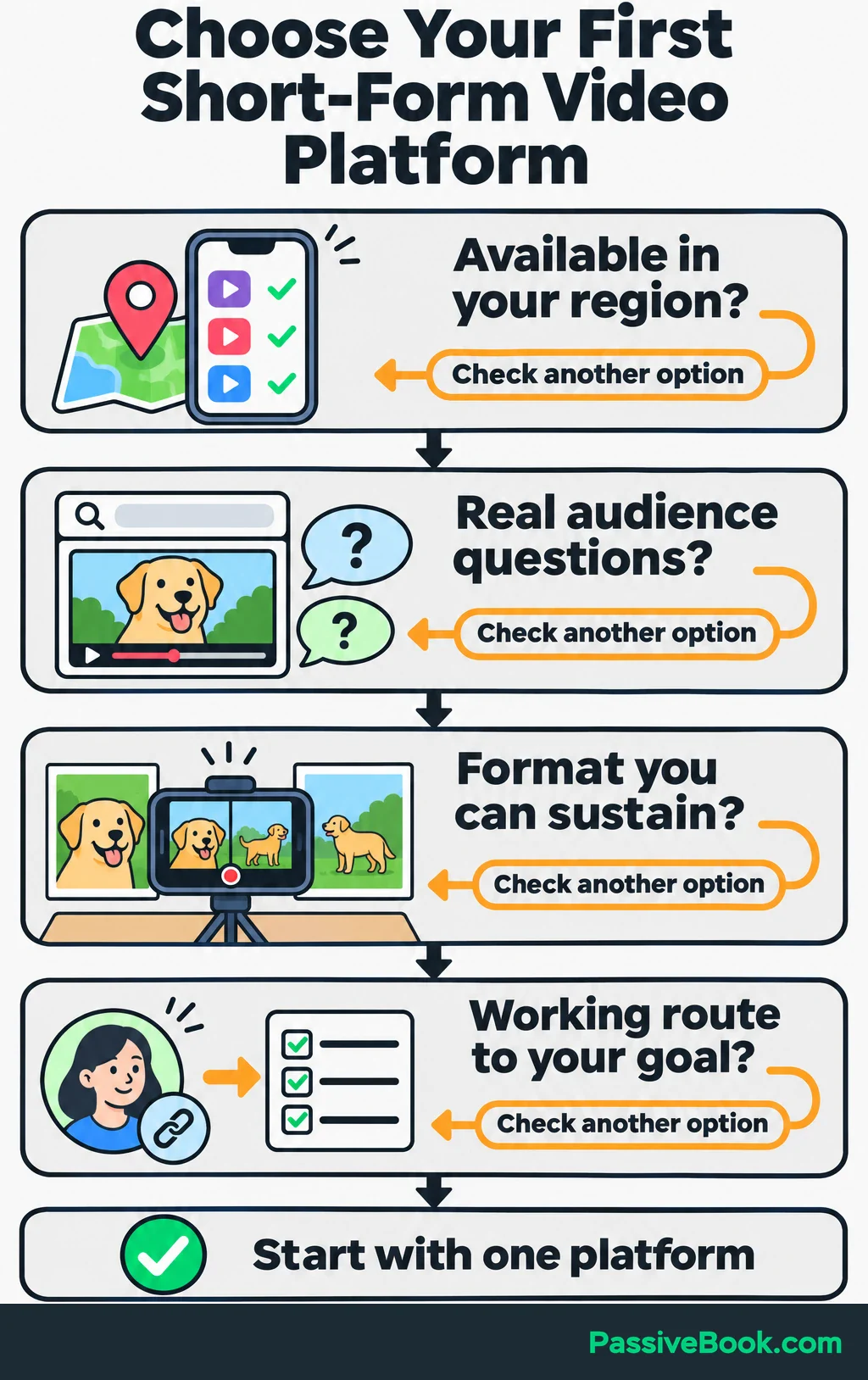
Use this comparison to guide your checks:
| Platform | Evidence of Audience Interest to Look For | Recurring Video Concept | Route to the Goal | Additional Work |
|---|---|---|---|---|
| TikTok | Searches and comments asking about portrait references or commissions | Compare two reference photos and explain your choice | Eligible website profile link to the checklist | Check link access and music permissions, then manage comments |
| Instagram Reels | Relevant followers, customer messages, and questions beneath artwork posts | Show a photo becoming a portrait and explain one decision | Profile link to the checklist page | Prepare a readable cover and handle relevant messages |
| YouTube Shorts | Search results and comments asking for drawing or reference-photo help | Complete mini-tutorial on one photo-selection problem | Channel-profile link to the checklist | Write a clear title and adapt the destination instruction |
Check the route out of the video before committing to a traffic goal. YouTube channel-profile links are clickable, but website URLs in Shorts descriptions and comments are not. Your invitation therefore needs to direct viewers to your channel profile. YouTube’s link guidance
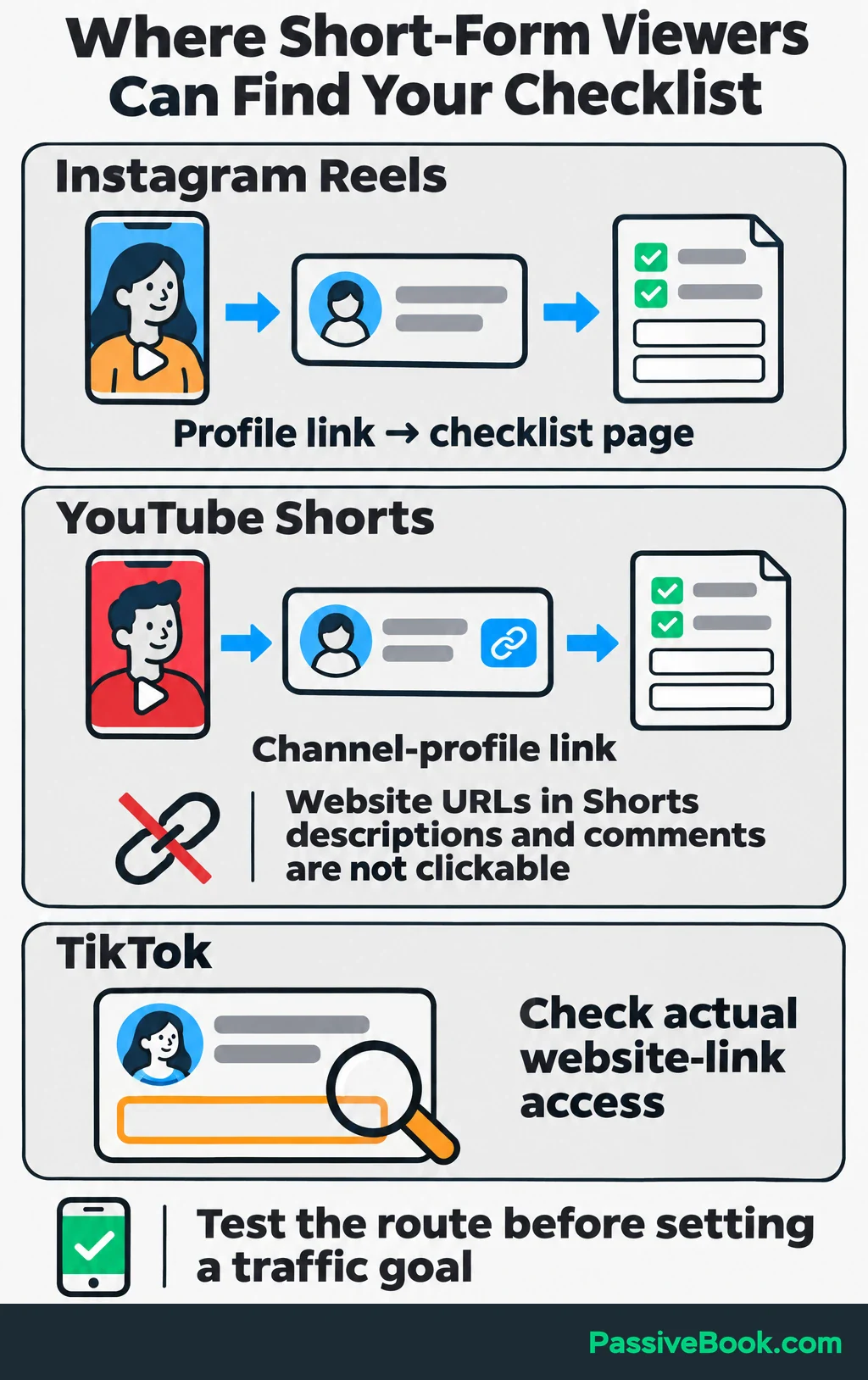
TikTok says personal accounts need at least 1,000 followers to add a website profile link. Check the intended account’s actual access before building a signup strategy around that link. TikTok’s account guidance
For the portrait shop, I would choose Instagram first if customer questions and relevant relationships already exist there. If those signals were stronger on YouTube, I would test Shorts instead.
Skip a second platform until adapting, publishing, responding, and reviewing fit your schedule. Cross-posting still creates work after the export finishes.
Build Content Pillars and Recurring Series
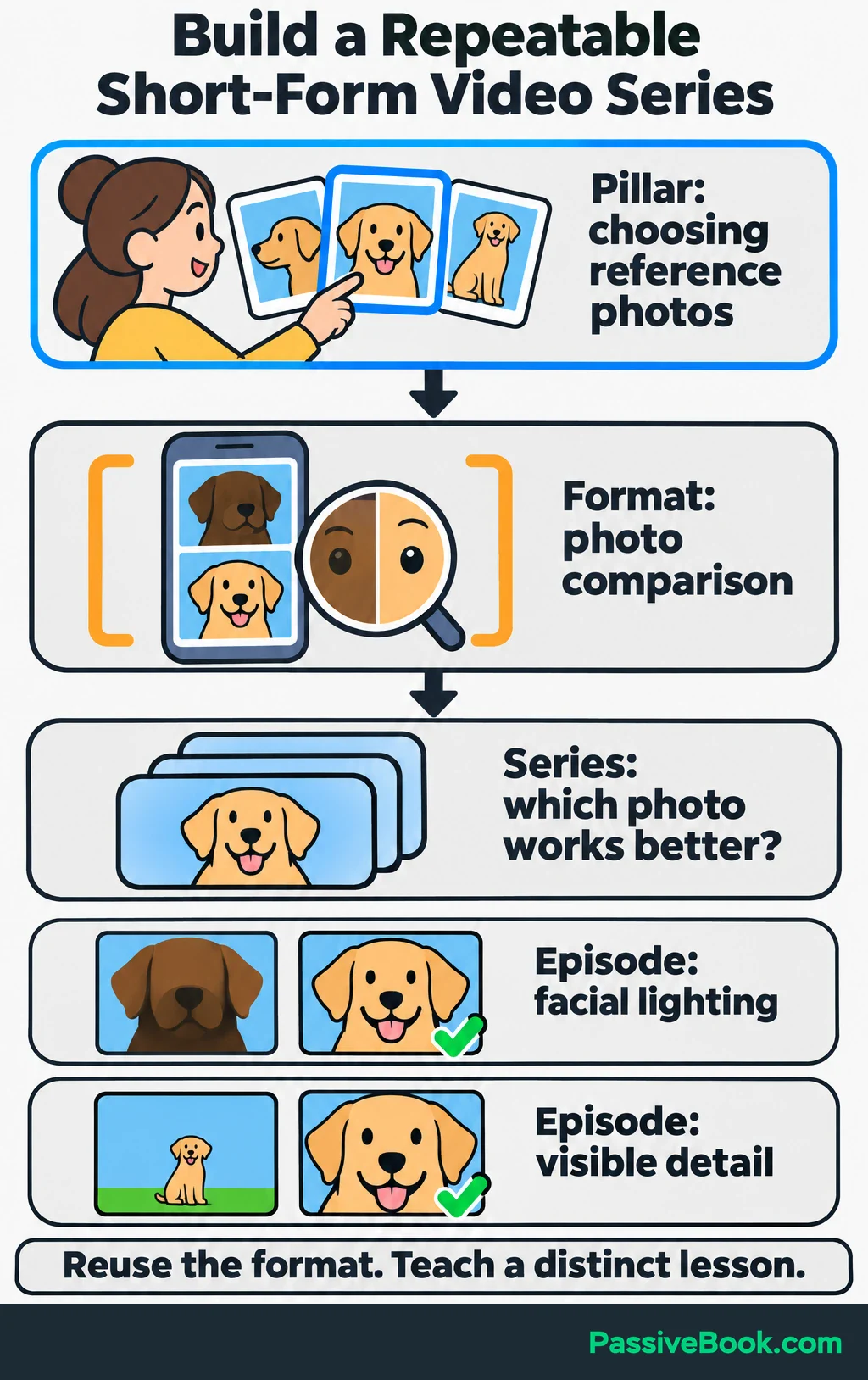
Content pillars are the audience needs you return to. Formats are how you explain them.
“Choosing reference photos” is a pillar. A side-by-side comparison is a format. Keep those separate and you can reuse a useful presentation without repeating the same lesson.
Choose a few pillars, then give each a recurring series:
| Content Pillar | Recurring Series | Useful Episode |
|---|---|---|
| Choosing reference photos | “Which photo works better?” | Compare a shaded face with a clearly lit face |
| Understanding the portrait process | “One drawing decision” | Show how a crop changes the composition |
| Displaying finished artwork | “Before you print” | Compare two print sizes using paper mockups |
Each series needs a repeatable question and a distinct answer in every episode. Changing the dog while delivering the same lesson indefinitely will get old for you, too.
Keep an idea bank in a spreadsheet or Notion, a tool for organizing notes and projects. Include:
- The viewer’s question.
- Its content pillar.
- The presentation format.
- The promised takeaway.
- Footage or assets needed.
- The relevant next action.
This also makes batching easier because you can spot ideas that need the same recording setup.
I would use trends only when they help explain an existing idea. A sound that suits a portrait reveal may be useful. Rebuilding your week around an unrelated joke is harder to justify.
Claude or ChatGPT can suggest variations from your collected questions. Give the tool the questions and available footage, then ask for distinct video promises. Select ideas you can actually demonstrate. AI can produce a very confident list of things you have no evidence for.
Script Each Video Around One Clear Promise
Write the answer before polishing the opening. You need to know what the video delivers before deciding how to attract attention to it.
A hook is the opening image or line that gives viewers a reason to keep watching. Build the video from there:
Hook → necessary context → demonstration → takeaway → next action.
The context may be a single sentence. Sometimes the opening visual provides all of it.
Make the Opening Immediately Understandable
Show the subject and explain why someone should keep watching in the opening words and image.
For the photo-comparison video, put both photos on screen immediately. A logo animation would spend that time introducing your business while the viewer is still deciding whether the subject interests them.
Try a few openings for the same lesson:
- “Which photo would you send for a portrait?”
- “This photo shows the expression I need more clearly.”
- “Before you choose your favorite photo, zoom in on the eyes.”
Each gives the viewer a specific reason to watch. Choose the one that best matches the demonstration.
Deliver a Complete Payoff
Match each spoken point to a useful shot. If you mention the eyes, show the eyes. If you discuss cropping, display the crop.
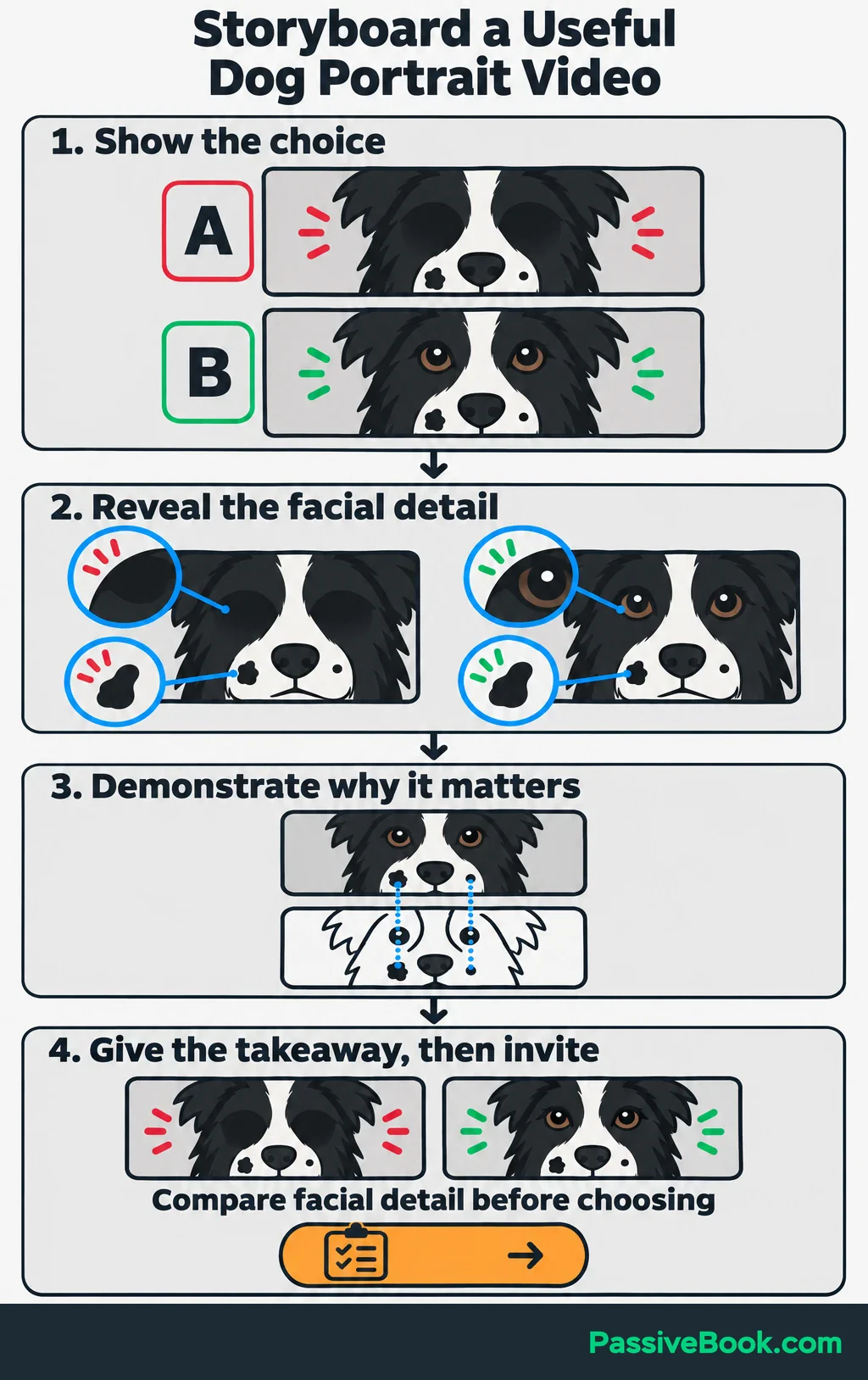
Here is a complete short script you can adapt, using photos that show the stated differences:
| Visual | Spoken Script |
|---|---|
| Two photos labeled A and B | “Which photo would you send for a portrait? I’d choose B.” |
| Close-up of both faces | “In A, the eyes fall into shadow. In B, you can see the eyes and the markings around the muzzle.” |
| Drawing beside photo B | “Those details give me a clearer reference for the drawing. Here’s how the markings carry across.” |
| Both photos return | “Compare facial detail before you choose your favorite shot. For a fuller photo check, get the free checklist through the link in my profile.” |
The answer arrives before the invitation. Someone who leaves without requesting the checklist still learns something useful.
If you know the answer but keep getting stuck on the script, AI Social Copy Studio can draft two versions around footage you can actually make. You’ll have the spoken lines and matching shots together before you record.

Free AI Social Copy Studio




Choose the shortest runtime that preserves that understanding. Cut repeated points, dead time, and unrelated setup, but leave viewers enough time to inspect the photos.
Platform capacity is a separate decision. YouTube accepts square or vertical Shorts up to three minutes, but that allowance gives you room when the explanation needs it. It does not set a target length. YouTube’s Shorts length guidance
If a topic supports both a concise answer and a fuller demonstration, test both across comparable videos. Check whether the extra detail helps people understand and take the intended action.
Give Viewers One Relevant Next Action
Choose an invitation that follows naturally from the lesson.
A reference-photo comparison can lead to the checklist. A display-size demonstration might ask viewers to save it for printing. An episode in a recurring series could invite them to follow for the next comparison.
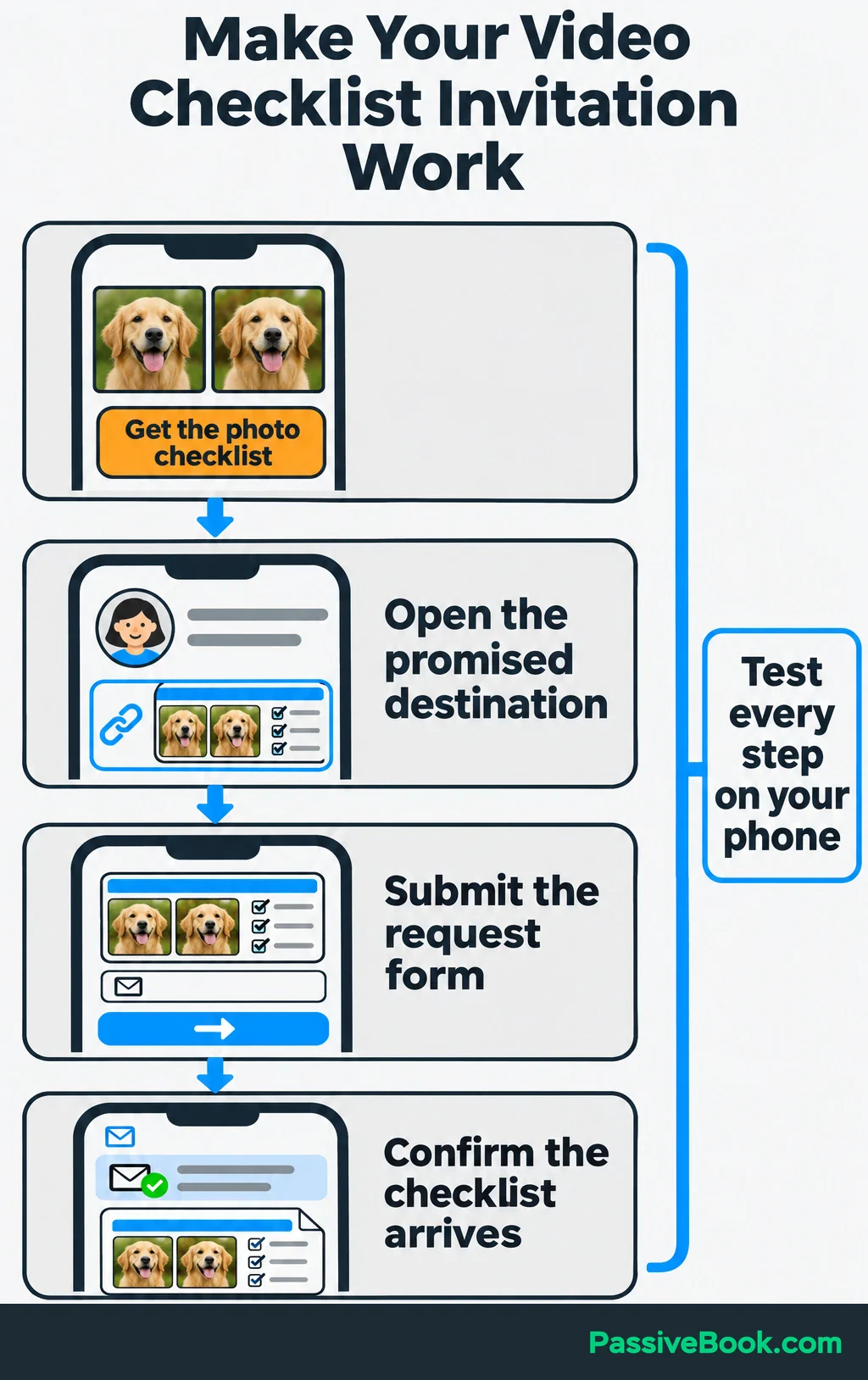
I would avoid asking for a follow, comment, save, share, and signup at the end of the same video. Pick the action that serves the goal.
Prepare the destination before publishing. If you promise a checklist, the link should lead directly to a page that explains it and lets people request it.
Test the whole experience on your phone, including the form and delivery email. A clear video cannot rescue a download that never arrives.
Build a Production Routine You Can Sustain
A strategy needs to fit an ordinary week, including the week when work runs late and you don’t feel especially creative.
My membership-site attempt depended on constant new premium content, and that treadmill became unsustainable alongside a corporate job. I would apply the same lesson here: choose recurring formats you can produce with the time you actually have.
Batch Recording and Editing
Group videos by their recording setup. Prepare the scripts and shot list first, then capture related footage together.
For the portrait shop, one session could cover photo comparisons, close-ups of reference details, and a screen recording of the drawing process.
You can do this without appearing on camera:
- Record your hands working on a tablet.
- Capture your screen while comparing photos.
- Narrate over the drawing process.
- Use clear text over footage when speech adds little.
Start with your phone, stable framing, and understandable audio. I would postpone equipment purchases until a specific problem keeps spoiling otherwise useful footage.
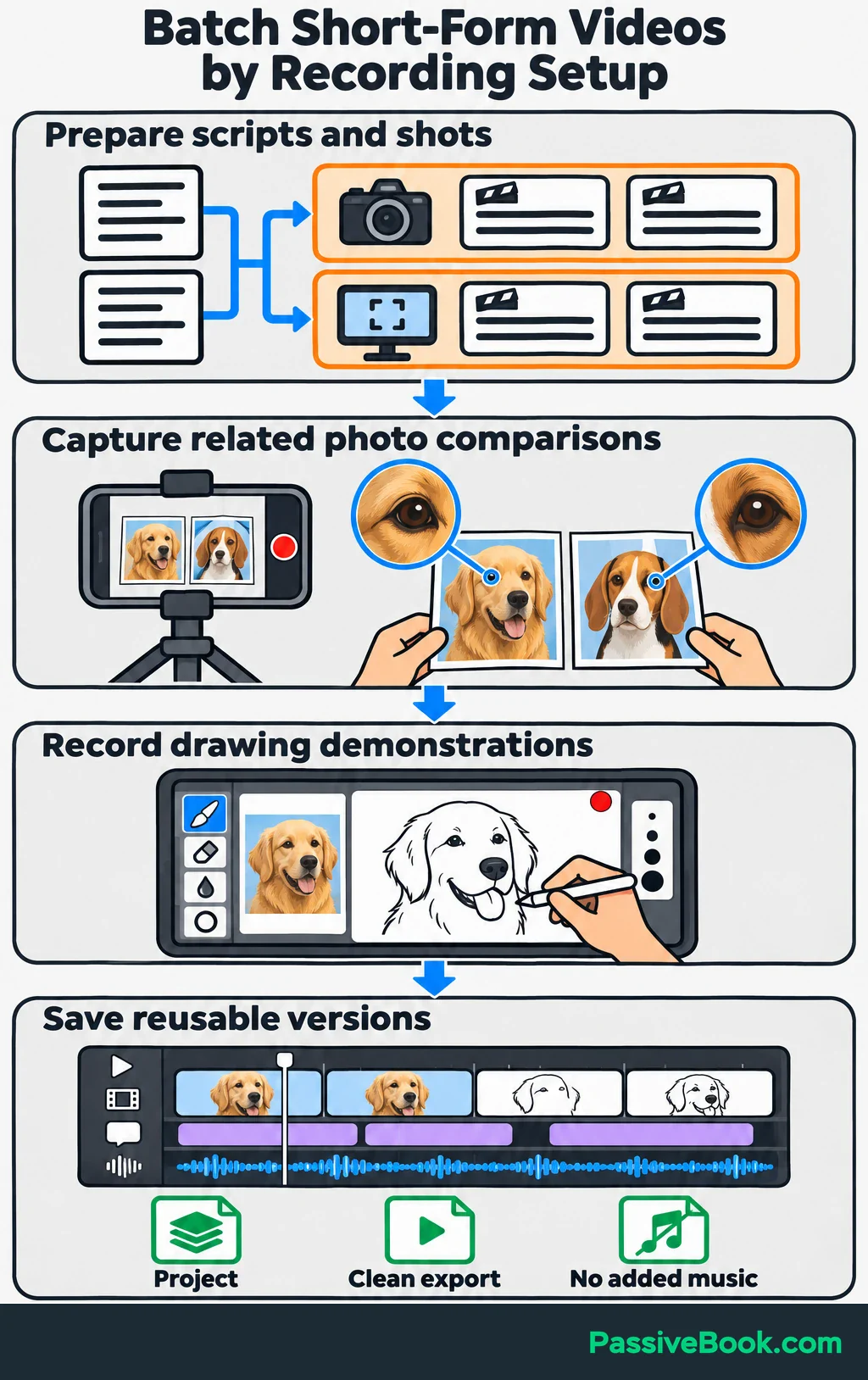
Create a vertical master, such as 1080 × 1920 pixels. Show the whole composition when discussing layout and move closer when discussing a small detail.
Edit for comprehension. Remove pauses that add nothing, but let each comparison remain visible long enough to follow. Canva can handle simple text and layout work if you already use it.
Add accurate captions for speech and meaningful sounds. Correct automatic transcription, synchronize it with the audio, and keep the text readable against the footage. W3C’s caption guidance
Save the original project, a clean export without platform watermarks, and a version without added music. Those files make later adaptations easier.
Set Cadence From Measured Capacity
Time one complete production cycle. Include scripting, recording, editing, platform adjustments, and uploading.
Also reserve time for work shared across the batch: planning, setup, replies, and reviewing results.
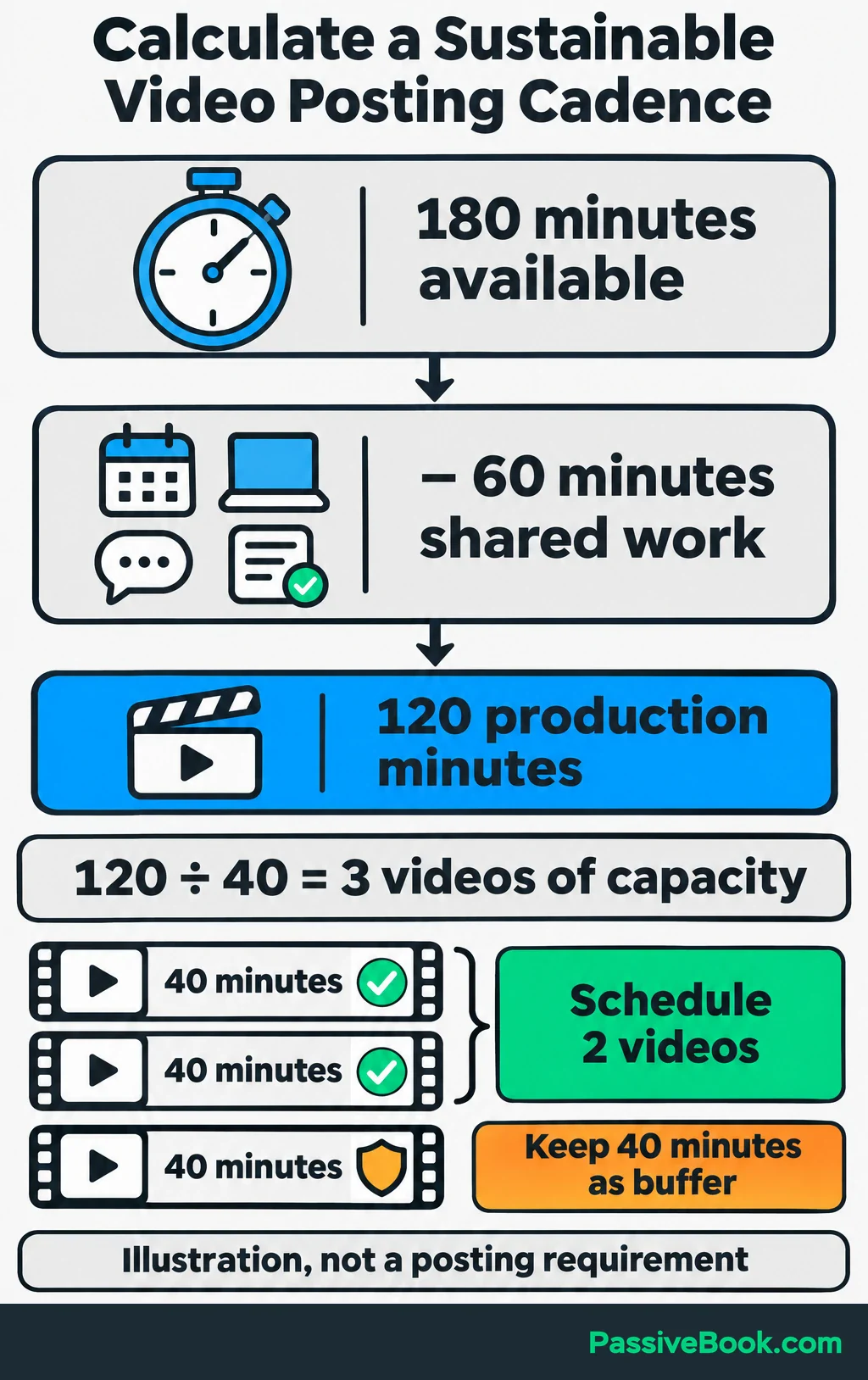
To estimate capacity, subtract that shared work from your available time, then divide the remainder by the time needed for one finished video.
For illustration:
- Weekly time available: 180 minutes.
- Shared planning, setup, replies, and review: 60 minutes.
- Time per finished video: 40 minutes.
That leaves 120 minutes for production, enough for three videos. I would schedule two and keep the remaining 40 minutes for corrections or delays.
You don’t need to fill every available minute. YouTube explicitly says there is no minimum posting cadence required for Shorts to perform well. YouTube’s cadence guidance
For the example shop, the two-video week could contain one reference-photo comparison and one photo-to-portrait demonstration. They share a setup but answer different questions.
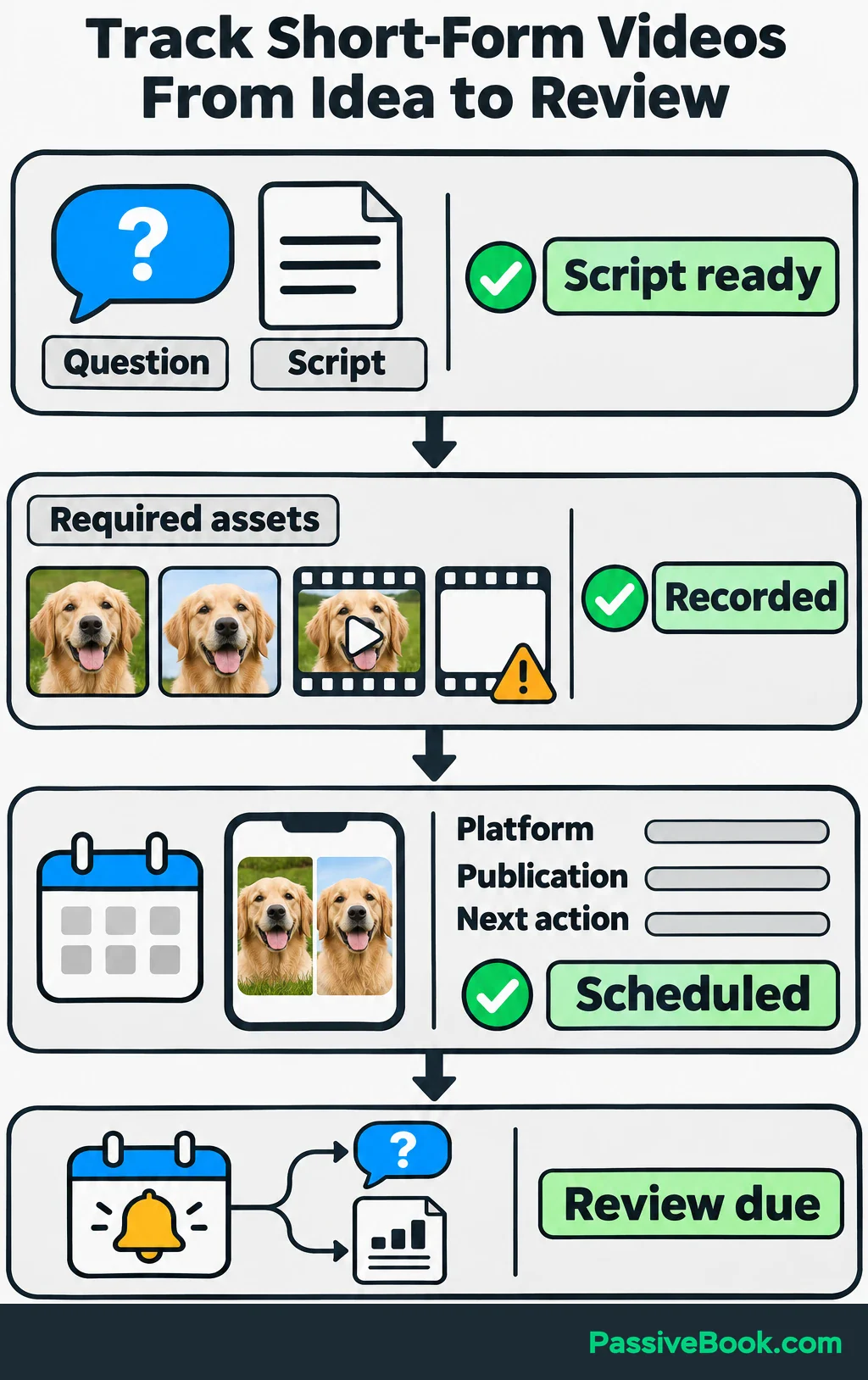
Keep a calendar with the question, script, required assets, platform, publication date, next action, status, and review date. A simple status such as “script ready,” “recorded,” or “scheduled” should tell you what needs work next.
Adapt and Publish Each Video
When you add another platform, export its version from the original project. Adjust the opening, framing, description, and destination instruction for that platform.
The core lesson can stay the same. The invitation must match what viewers can actually do.
Preview the upload on your phone and check:
- Text remains readable beneath platform buttons and captions.
- Important details stay inside the visible frame.
- Captions match the speech.
- Audio is clear.
- The promised next action works.
Use the audience’s question naturally in the title or caption. “Which photo should I send for a dog portrait?” explains the subject more clearly than a string of broad hashtags.
Check music permissions for each destination and intended commercial use. TikTok’s Commercial Music Library provides business-use tracks with region and placement filters; select music cleared for the TikTok use you need. TikTok’s commercial music guidance
I would start with narration and useful natural sound, adding music when it improves the video. It is one less thing to adapt.
Longer recordings can supply several short videos, but each clip should deliver a complete answer. A portrait-process recording might yield one lesson about reference detail and another about composition. An isolated middle section may need a new opening or ending.
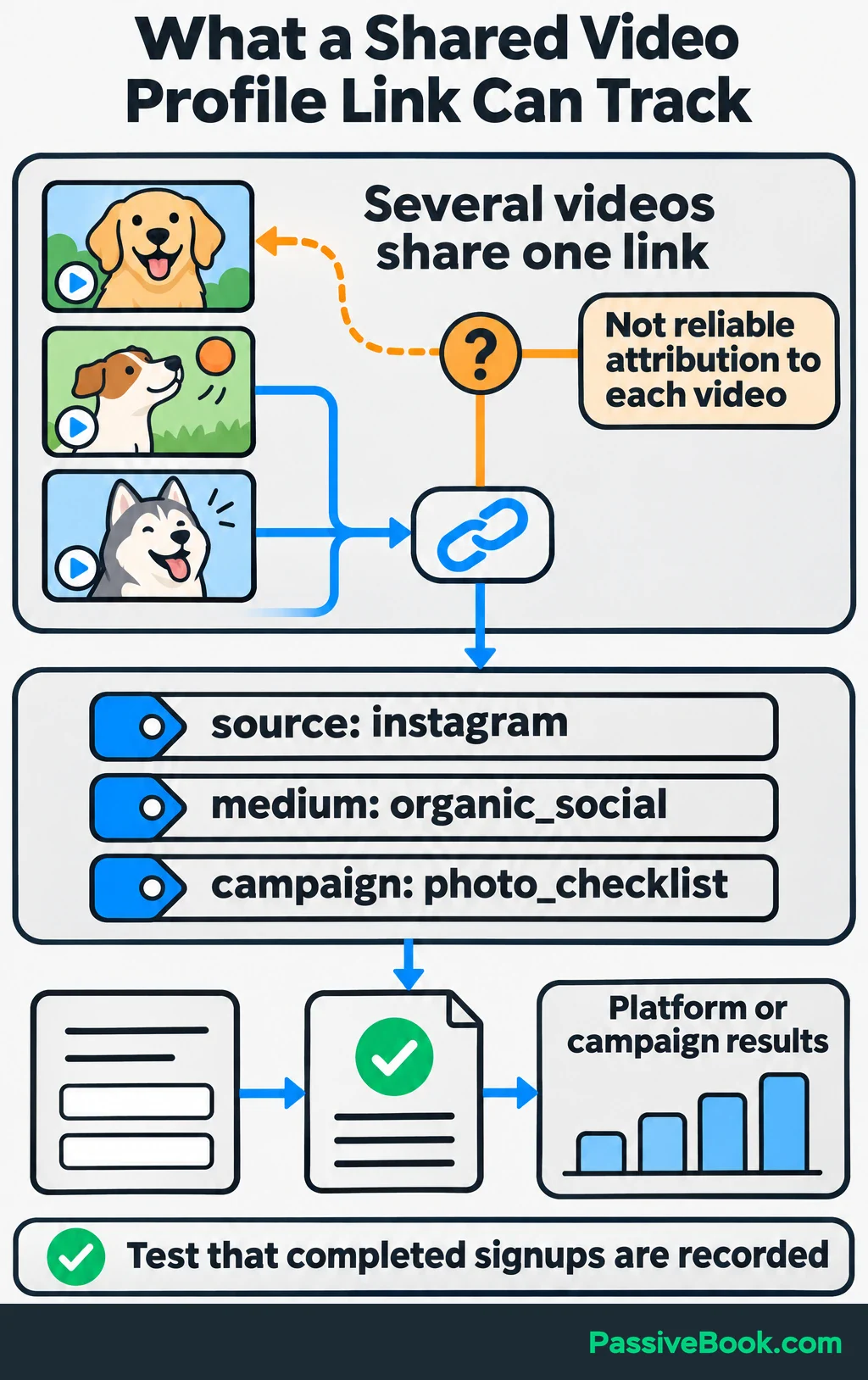
For website goals, tag destination links consistently. Campaign parameters are labels added to a URL so analytics can identify the traffic source. For example, use instagram as the source, organic_social as the medium, and photo_checklist as the campaign. Google Analytics’ campaign parameter guidance
Test that completed signups or purchases are recorded. If several videos share one profile link, report those results at platform or campaign level. That shared link cannot tell you which individual video prompted every visit.
Schedule finished videos, respond to useful comments, and return recurring questions to your idea bank.
Once the routine works, automate repetitive handoffs. I would start with native scheduling tools, such as Meta Business Suite for Instagram or YouTube Studio for YouTube. Consider n8n, a workflow automation tool, when repeated file transfers or publishing rules justify it. Keep a final review of the actual upload.
Use Results to Improve the Next Batch
A review should end with a production decision: repeat a topic, change an opening, simplify a format, or fix the destination.
A dashboard that only tells you which video won the week leaves most of that work unfinished.
Measure Attention and Goal Completions
Keep two groups of measures.
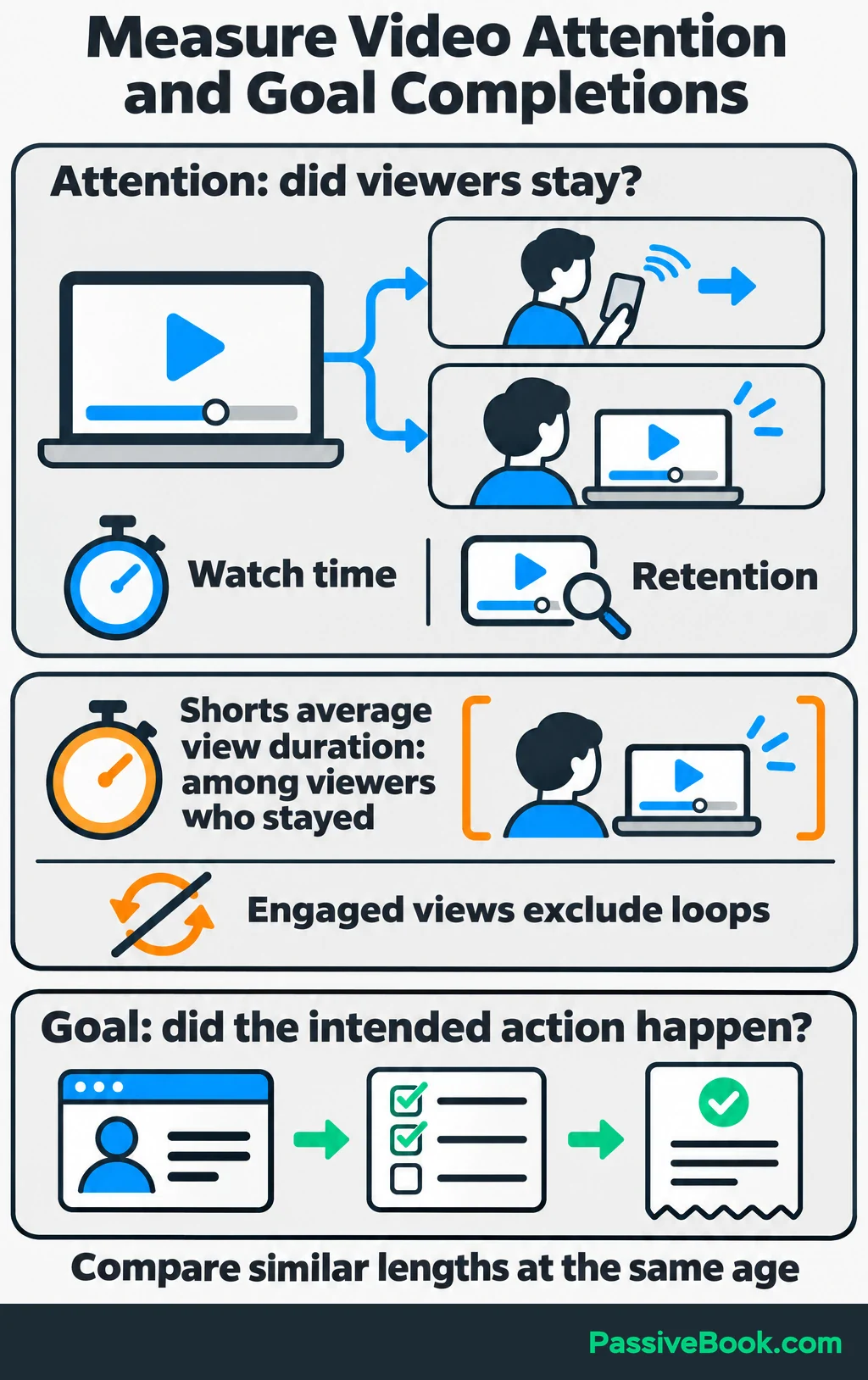
Attention measures help explain whether viewers stayed: watch time, retention, or the share who continued watching where available.
Goal measures show whether the video system served its purpose: follows, useful responses, completed signups, inquiries, or purchases.
Record each video’s question, pillar, format, hook, length, production time, and attention results. Add goal actions at the level you can reliably attribute them.
Compare several videos of similar length on the same platform, measured at the same age. For example, review each after seven days rather than comparing yesterday’s upload with one that has circulated for a month.
Read the metric definitions. YouTube’s engaged views count occasions when viewers stayed beyond the initial seconds, excluding loops. Its Shorts average view duration is calculated among those who stayed, so that average alone won’t show how many people moved on immediately. YouTube’s metric definitions
For the shop’s website goal, calculate the share of tracked landing-page sessions that produced a completed signup.
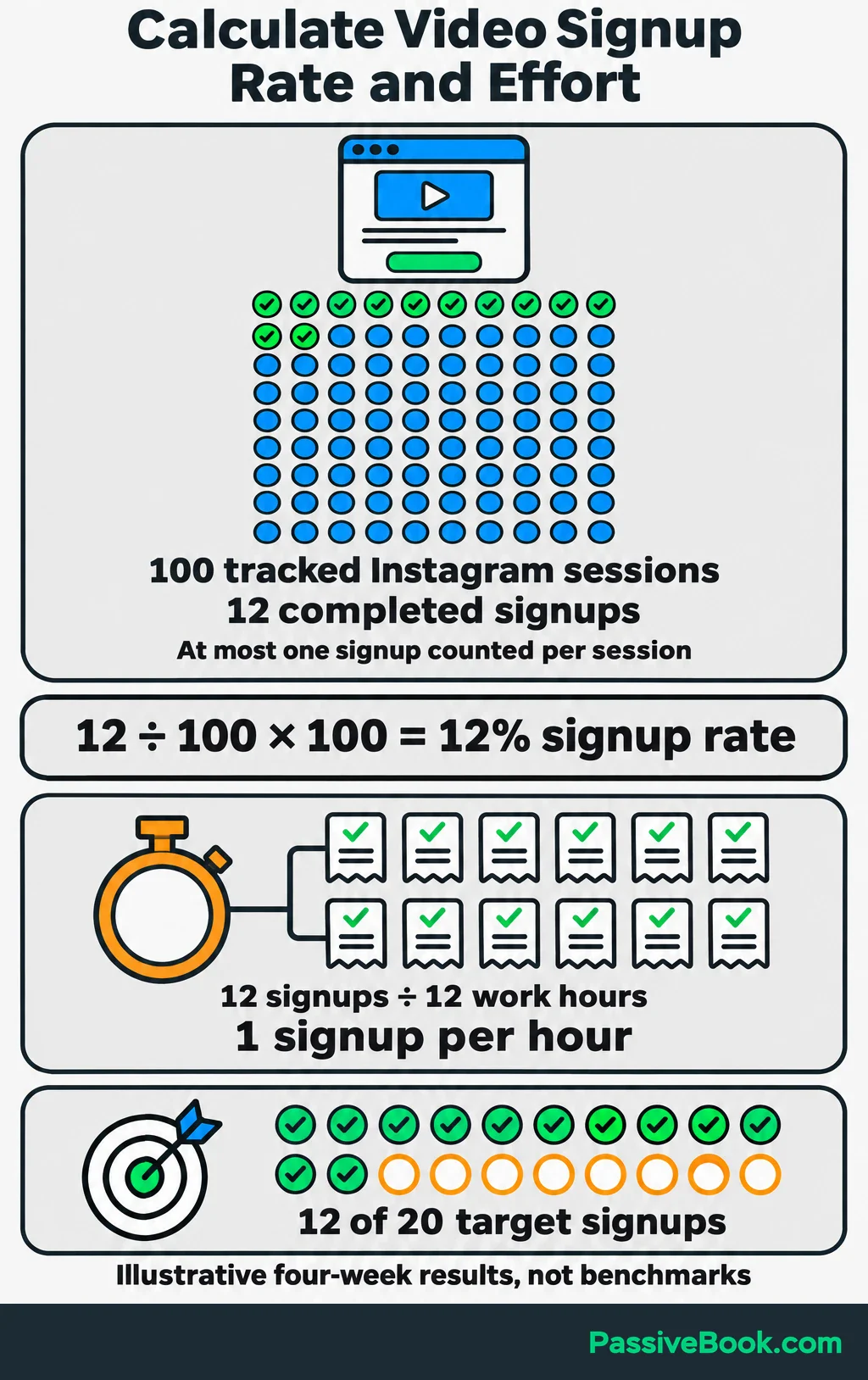
Suppose, over the four-week example period, 100 tracked Instagram sessions produced 12 completed checklist signups, with no more than one counted per session:
12 ÷ 100 × 100 = 12% signup rate
If the full video workflow took 12 hours during that period, those results also equal one signup per hour of work.
Those figures are illustrations, not benchmarks. They would put the shop below its 20-signup target and give you something concrete to investigate. You would still need to track whether those subscribers later ordered portraits.
Change the Part That Is Losing Attention or Actions
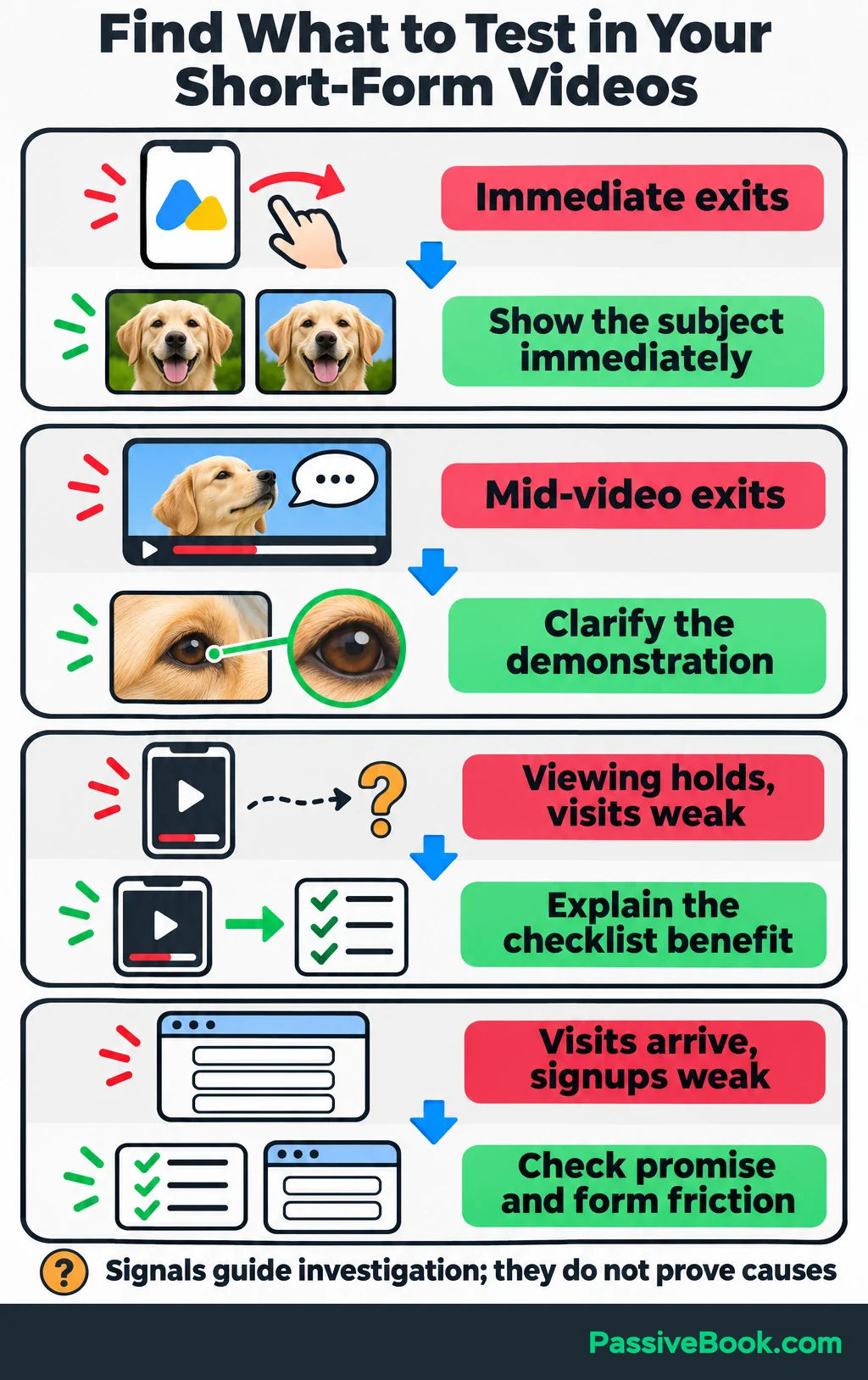
Use the pattern in the results to choose your next test:
| What You Observe | What to Check | A Useful Change to Test |
|---|---|---|
| Viewers leave immediately | Is the subject visible and the promise relevant? | Show both reference photos from the first frame |
| Viewers leave during the explanation | Is that moment confusing, repetitive, or unrelated? | Replace the vague explanation with a labeled close-up |
| Viewing holds up but visits are weak | Is the invitation clear and relevant? | Explain exactly what the checklist helps viewers check |
| Visits arrive but signups are weak | Does the page deliver the video’s promise? | Show a checklist preview and simplify the request form |
Treat these as places to investigate. A drop in attention tells you where to look; it does not explain the cause by itself.
Change one major element at a time across comparable videos. In the photo-comparison series, test opening with both photos visible instead of a title screen. Keep the format and topic type similar enough to make the comparison useful.
I would wait for a pattern across several videos before rebuilding the strategy. One unusually strong or weak post gives you a question to explore.
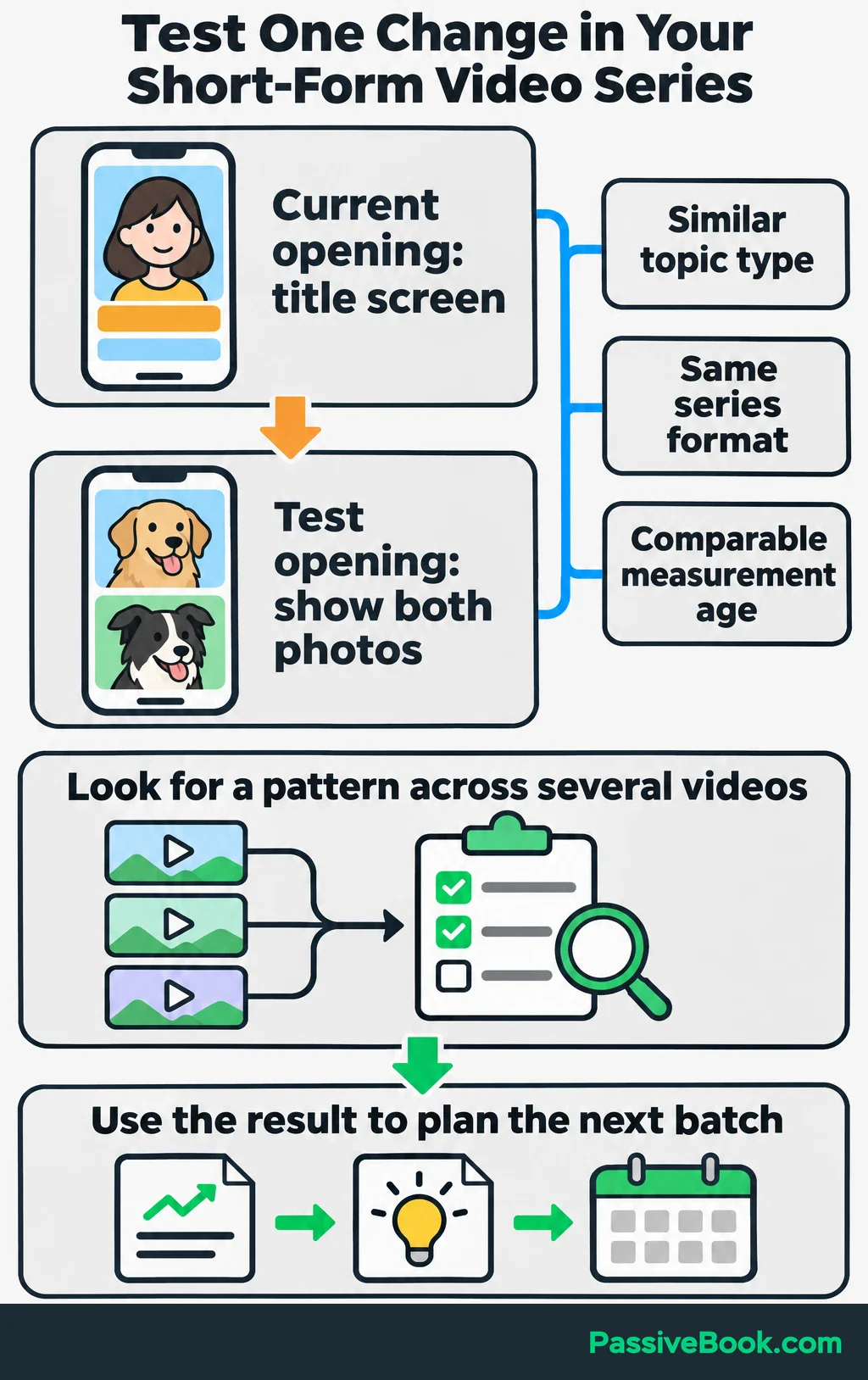
Expand topics and formats that support your goal at manageable effort. Simplify or pause expensive formats before adding volume or another platform.
Then update the strategy page, idea bank, and calendar. The review should change what you make next week.
What Next?
Choose one real audience question and write the answer you could demonstrate in a single video. Add its intended next action to your strategy page before you record.
Use the social buttons to share this guide when your next content-planning conversation needs a practical way to decide what to make and whether it helped.
Which audience question could become a series you would enjoy making repeatedly? Share it in the comments, along with any other questions about building your video routine.
Share this post with your friends & followers:

