A useful tutorial can take an entire Saturday to make. Before you give it another one, you need to know what happens after someone watches.
Views tell you that people arrived, but they don’t tell you whether the video helped them trust your business, join your email list, or buy. Without that connection, every new upload becomes another expense you hope will pay off.
That uncertainty makes another Saturday hard to justify. By following one brushing tutorial from idea to leads and sales, this guide shows what a repeatable video strategy asks of your time and budget—and how to judge whether that work is paying off.
What Is a Long-form Video Marketing Strategy?
A long-form video marketing strategy is a repeatable plan for using detailed videos to answer audience questions and guide interested viewers toward a useful business action.
The path looks like this:
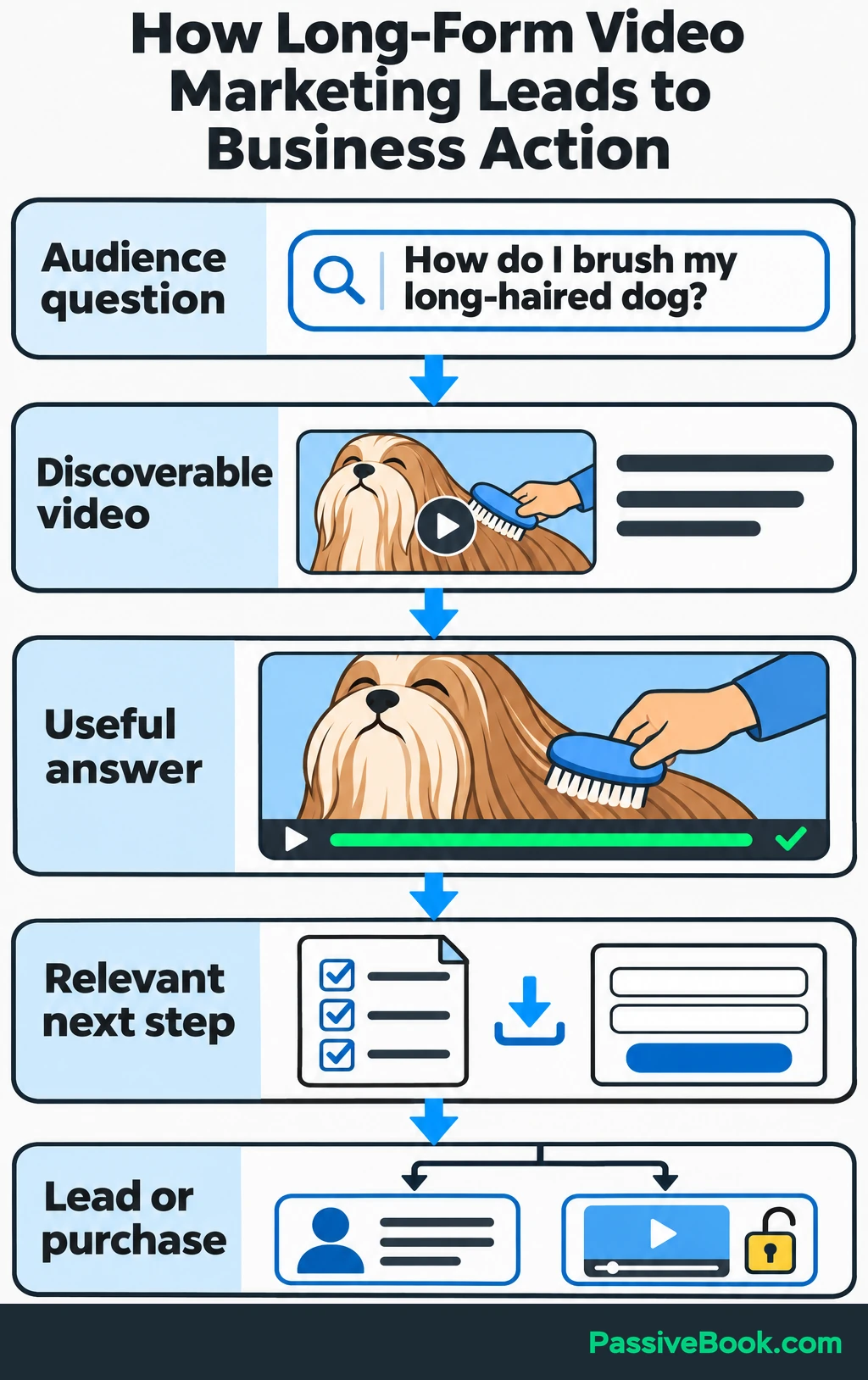
Audience question → discoverable video → useful answer → relevant next step → lead or purchase.
Each video needs a place in that path. A tutorial might attract people with a problem and introduce a free resource. A product walkthrough might help an interested buyer decide whether your offer fits.
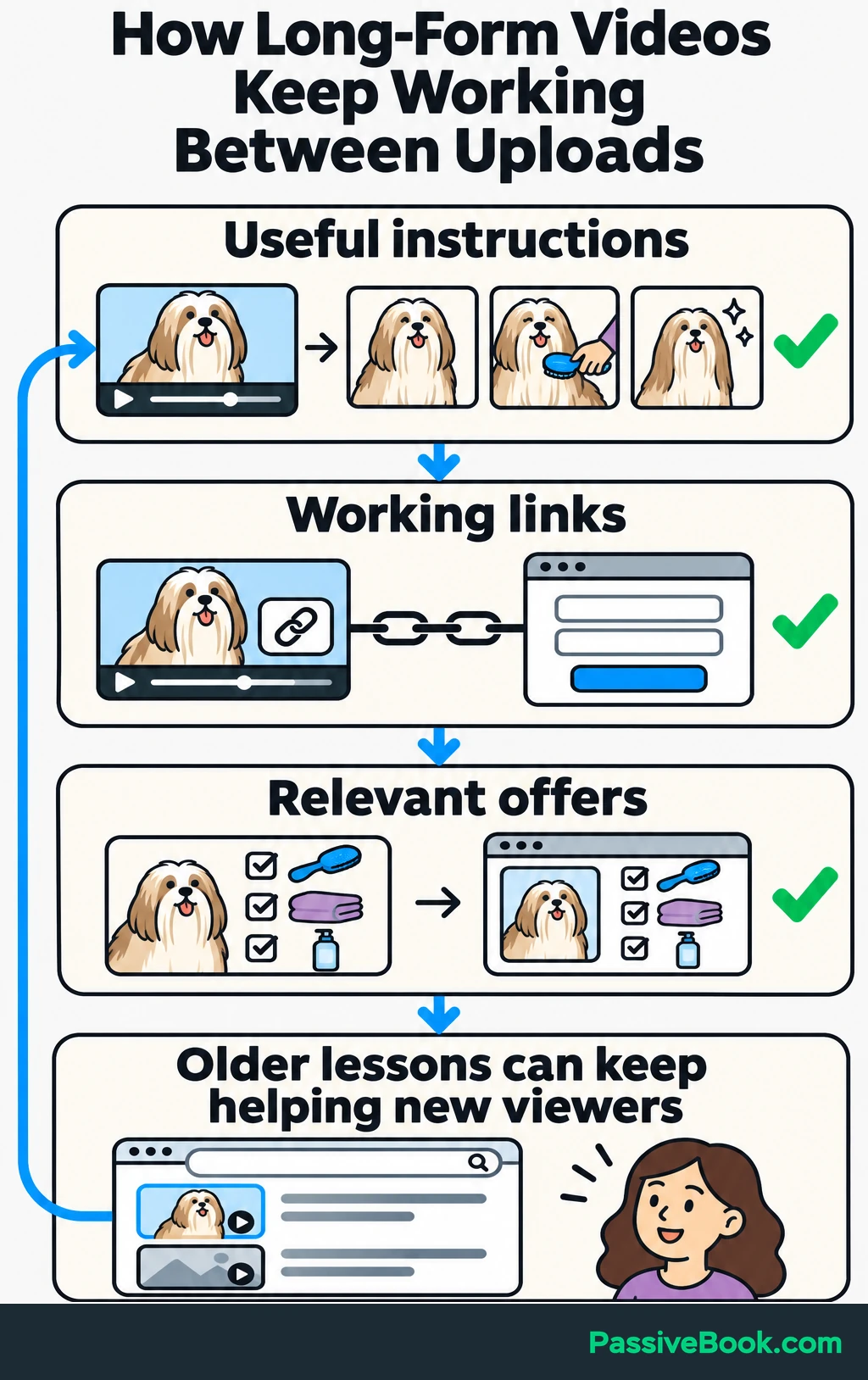
The aim is to build a connected library of answers that remains useful between uploads. Older lessons can keep working when their instructions, links, and offers still make sense.
Throughout this guide, imagine you sell an online course about routine home coat care for long-haired dogs. Your free brushing checklist supports a brushing tutorial and introduces the course. The business, sample topics, copy, and figures are illustrations.
How Long Should a Long-form Video Be?
Give the question enough time for a complete answer, then remove repetition.
A hands-on demonstration may need room for preparation, several steps, and common difficulties. A simple comparison may take less time. YouTube recommends choosing a length that suits the content rather than chasing one ideal runtime. YouTube’s video-length guidance.
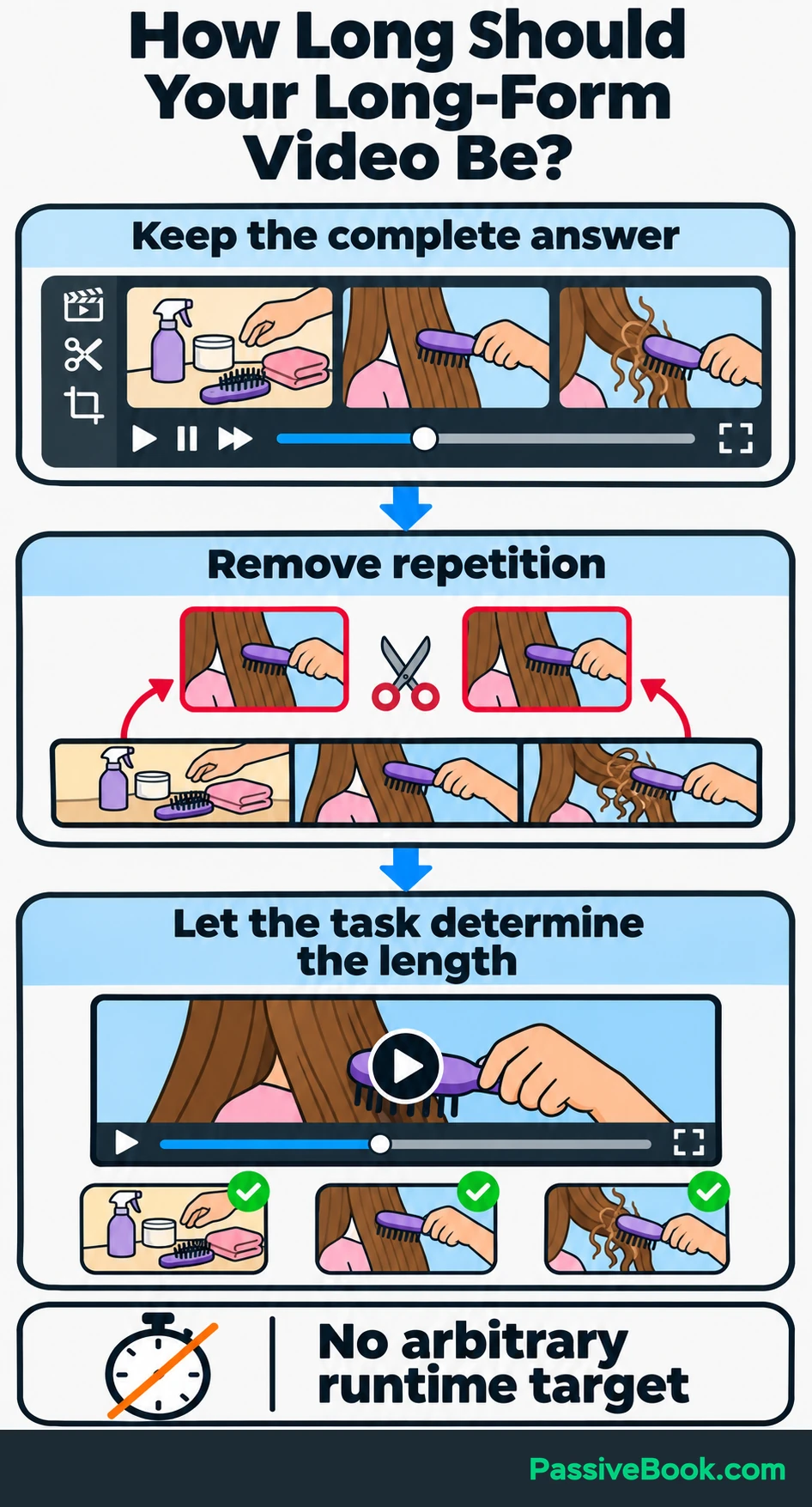
I would choose long-form when viewers need to follow a process, understand a difficult idea, or evaluate a solution. Short clips can handle smaller questions and lead into the full lesson.
For the brushing tutorial, the demonstration determines the length. An arbitrary ten-minute target shouldn’t decide which steps survive the edit.
Choose the Business Outcome Before the Topic
Choose one primary outcome for each video:
- Relevant new viewers.
- Qualified website visits.
- Email leads.
- Inquiries.
- Purchases.
Then name the destination that supports it. “Grow the business” is too vague to guide a script. “Bring interested viewers to the brushing-checklist signup page” gives you something to build and measure.
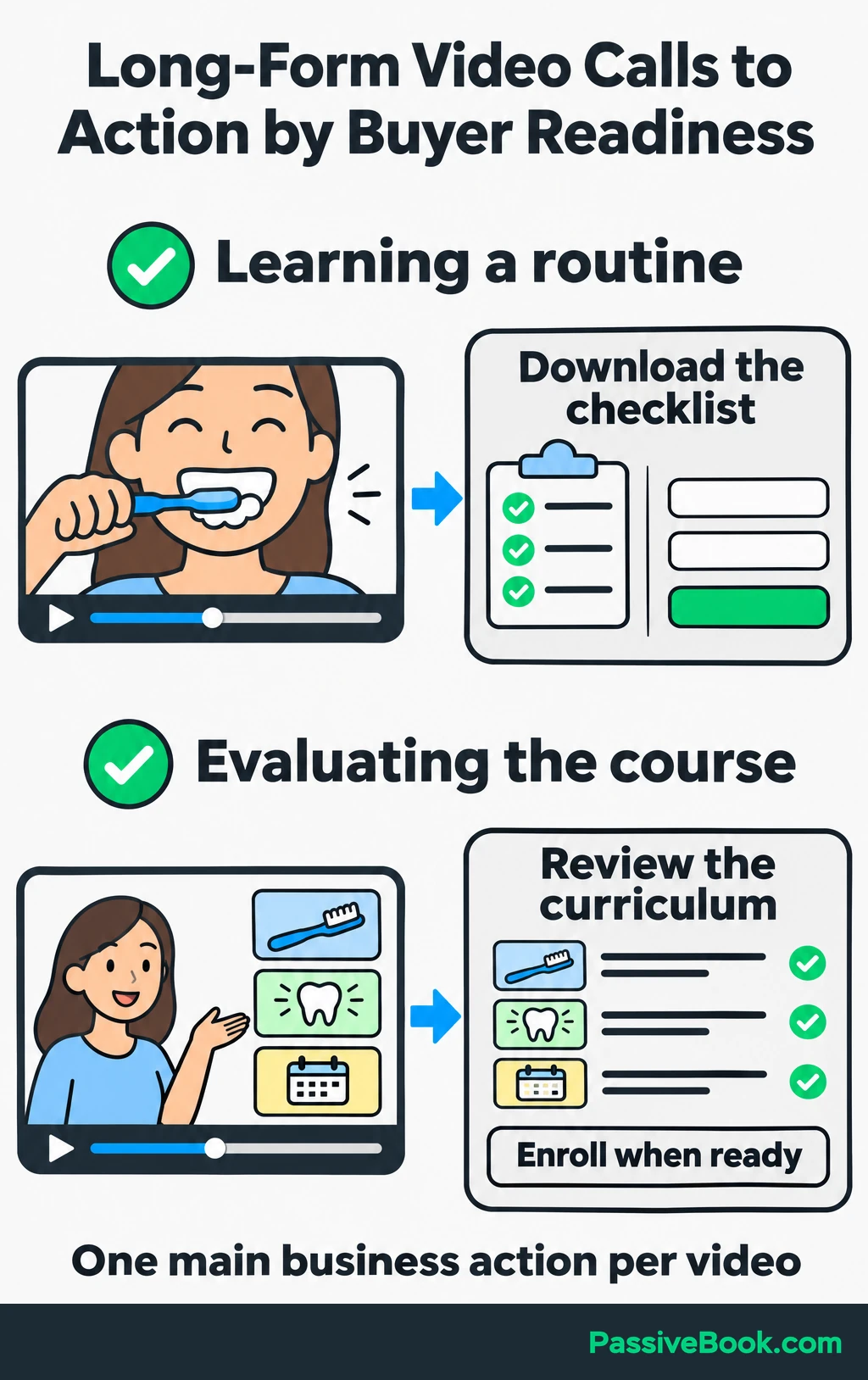
Match that action to the viewer’s readiness. Someone learning a routine may welcome a checklist. Someone watching a course walkthrough may be ready to review the curriculum and enroll.
I spent six months chasing Instagram and Twitter/X followers in another niche. I kept finding reasons to make the next post, but meaningful revenue didn’t follow. The follower count gave me activity to celebrate while the business still needed a way to earn.
That experience shapes how I would approach video: decide where useful attention should lead before spending hours producing it.
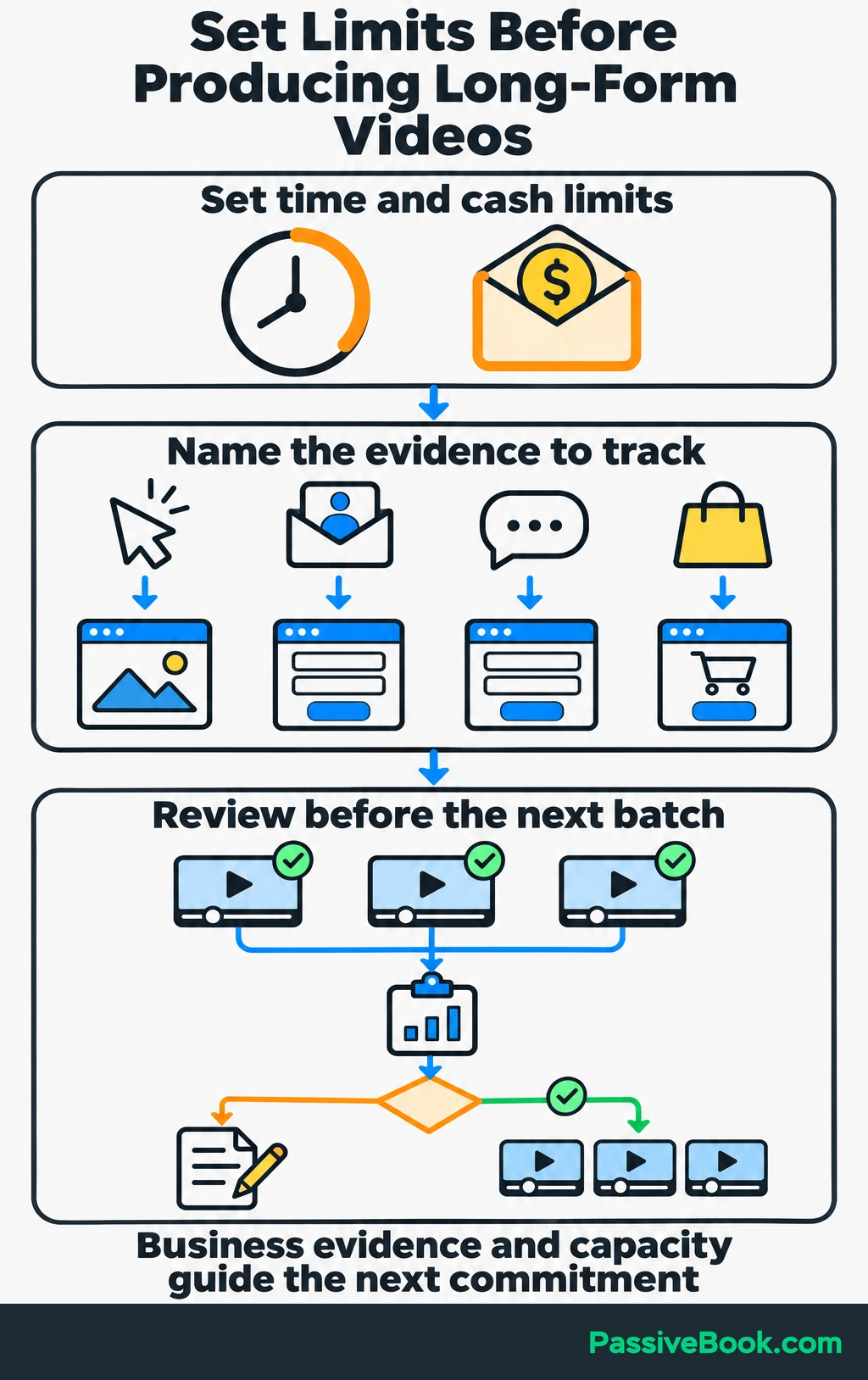
Returning viewers, thoughtful questions, and qualified inquiries can suggest growing trust. Track those alongside leads and sales rather than treating “authority” as an invisible benefit that excuses every expense.
Also set a production limit. Decide how much time and money you can commit to an initial group of videos, and what evidence would justify another group. Choose that boundary before enthusiasm writes the budget.
You can price a small pilot before you have any video results. This planner includes your working time and shows how different conversion assumptions change the sales needed to cover it.

Free Marketing Campaign Planner




Find Audience Questions Worth Answering
Start with questions people already ask. Record their words, where you found the question, and what they need to accomplish.
Useful sources include:
- Customer emails and support messages.
- Replies to a short audience survey.
- Relevant community discussions.
- Comments beneath existing videos.
- Search suggestions and related searches.
- Questions that appear during sales conversations.
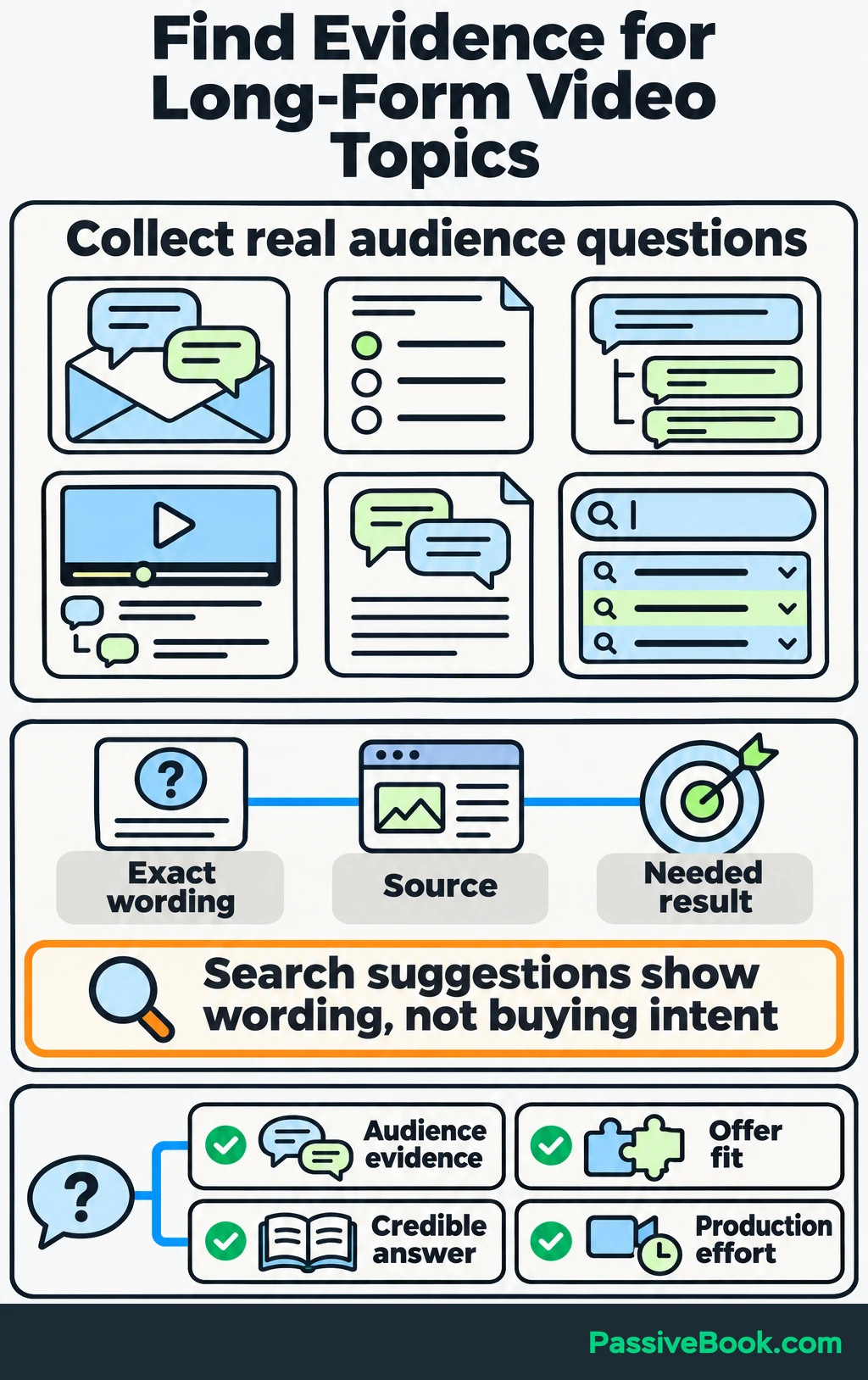
Search suggestions can help you find wording, but they don’t establish buying intent. A recurring customer question connected to your offer deserves attention even when a keyword tool shows little data.
Separate questions by what the viewer needs:
| Viewer’s Need | Illustrative Question | Video’s Job |
|---|---|---|
| Understand a problem | “Why does my dog’s coat still look untidy after brushing?” | Explain the issue within your expertise |
| Complete a task | “How do I brush my long-haired dog at home?” | Demonstrate a complete routine |
| Choose a solution | “What does this coat-care course teach?” | Help viewers assess the offer |
Next, inspect existing videos. Look for a missing close-up, an unexplained choice, or a step that leaves commenters confused. A useful gap prevents someone from completing the task. “The competition’s thumbnail is ugly” is a less compelling production brief.
Rank potential topics by audience evidence, relevance to your offer, your ability to answer credibly, and production effort. I would start with a clear customer problem I can demonstrate well.
Turn the chosen question into a brief:
| Planning Field | Brushing Tutorial Example |
|---|---|
| Audience question | How do I brush my long-haired dog at home? |
| Evidence source | Collect actual customer questions and relevant comments; demand is unverified in this example |
| Video promise | Show the routine through a complete, clearly filmed demonstration |
| Demonstration needed | Preparation footage, tool close-ups, each reviewed step, and a recap |
| Primary call to action | Download the brushing checklist |
| Related video | Choosing tools for the routine |
| Production effort | One demonstration setup, separate narration, and close-up editing; measure actual hours |
| Success metric | New checklist leads from the tutorial’s tagged website link |
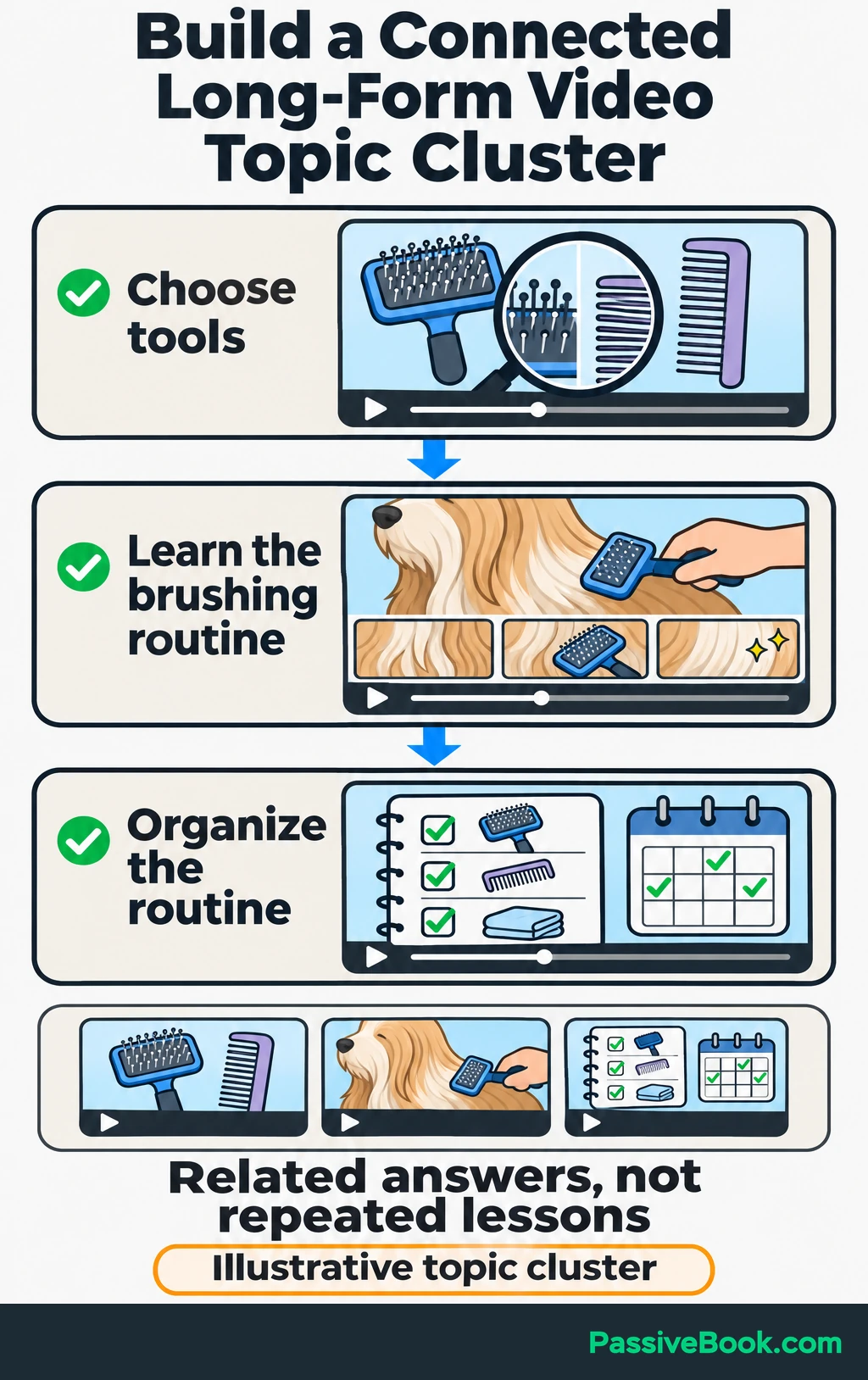
Plan a small group of related answers around that brief. Tool selection, the brushing demonstration, and organizing a routine could form a useful sequence without repeating the same lesson three times.
Build a Production Plan You Can Sustain
Choose a Primary Publishing Home
Choose your main platform by how your audience finds detailed answers, whether older videos remain discoverable, what you can measure, and how viewers can reach your offer.
For this example, I would use YouTube for public tutorials, with website pages and email supporting them.
Give each channel a clear job:
- YouTube hosts the full lesson.
- Your website connects the lesson to written help and the checklist.
- Email brings relevant subscribers to the lesson.
- Selected social posts introduce useful excerpts.
Start with one publishing home. Uploading everywhere creates more packaging, link checks, and reporting before you know whether the lesson works.
Choose a Format That Makes the Answer Clear
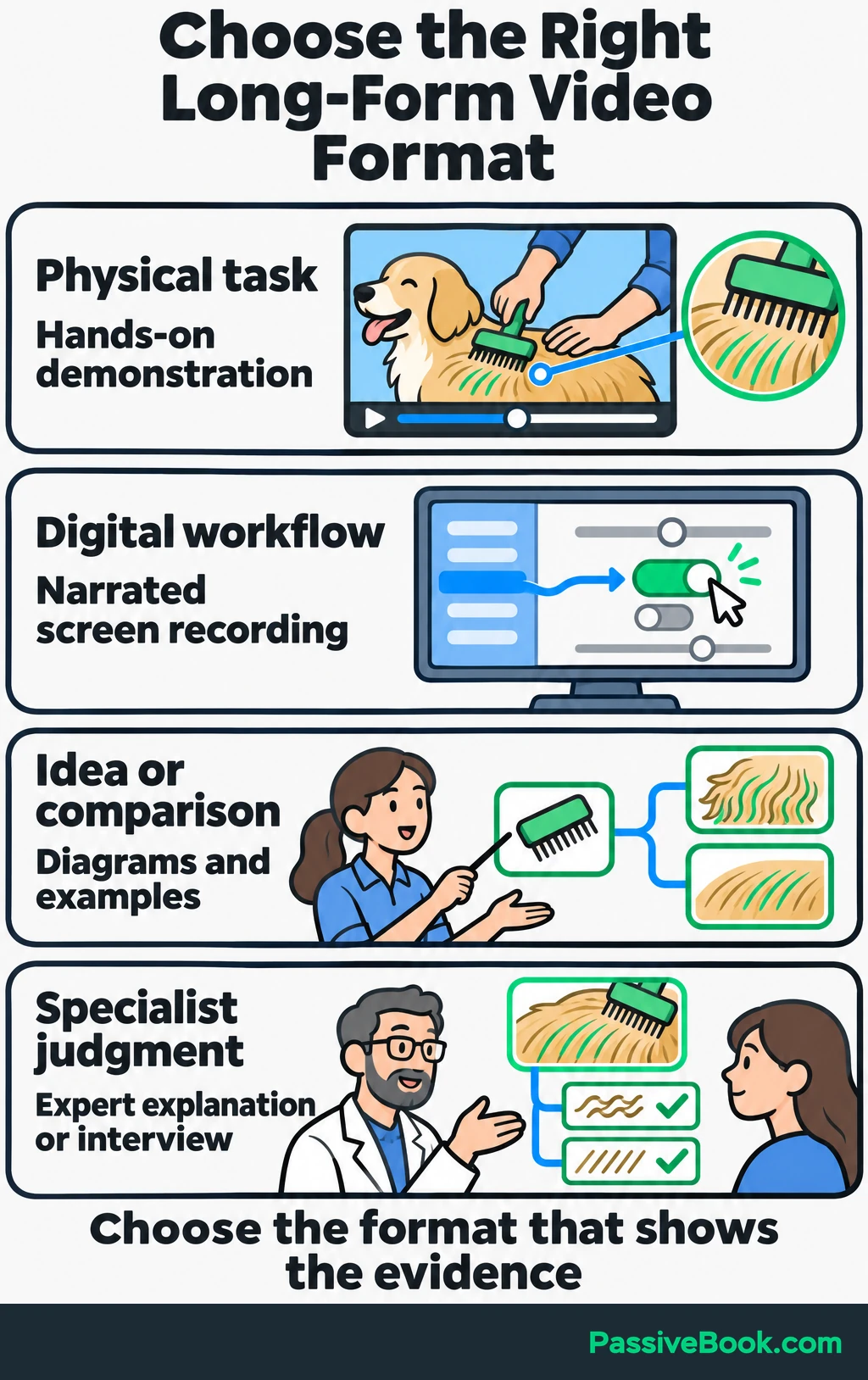
Use the format that shows the evidence viewers need.
| What Viewers Need to Understand | Suitable Format |
|---|---|
| A physical task | Hands-on demonstration with close-ups |
| A digital workflow | Screen recording with narration |
| An idea or comparison | Narrated diagrams, examples, or slides |
| A specialist judgment | Expert explanation or interview |
The brushing tutorial needs clear views of the hands, tools, and dog. The presenter’s face is optional because the demonstration carries the lesson.
Start with available equipment. A phone, stable support, usable light, and clear narration may cover the first production. Record a test before buying anything.
Upgrade to solve a visible problem. If viewers cannot see the detail, improve the framing or lighting. If speech is difficult to hear, address the audio. A new camera won’t rescue a missing explanation.
Set a Workable Publishing Cadence
Estimate the whole job: research, scripting, recording, editing, thumbnails, publishing, distribution, and review.
Track working hours separately from cash spending. Otherwise, a “free” video can quietly consume three evenings.
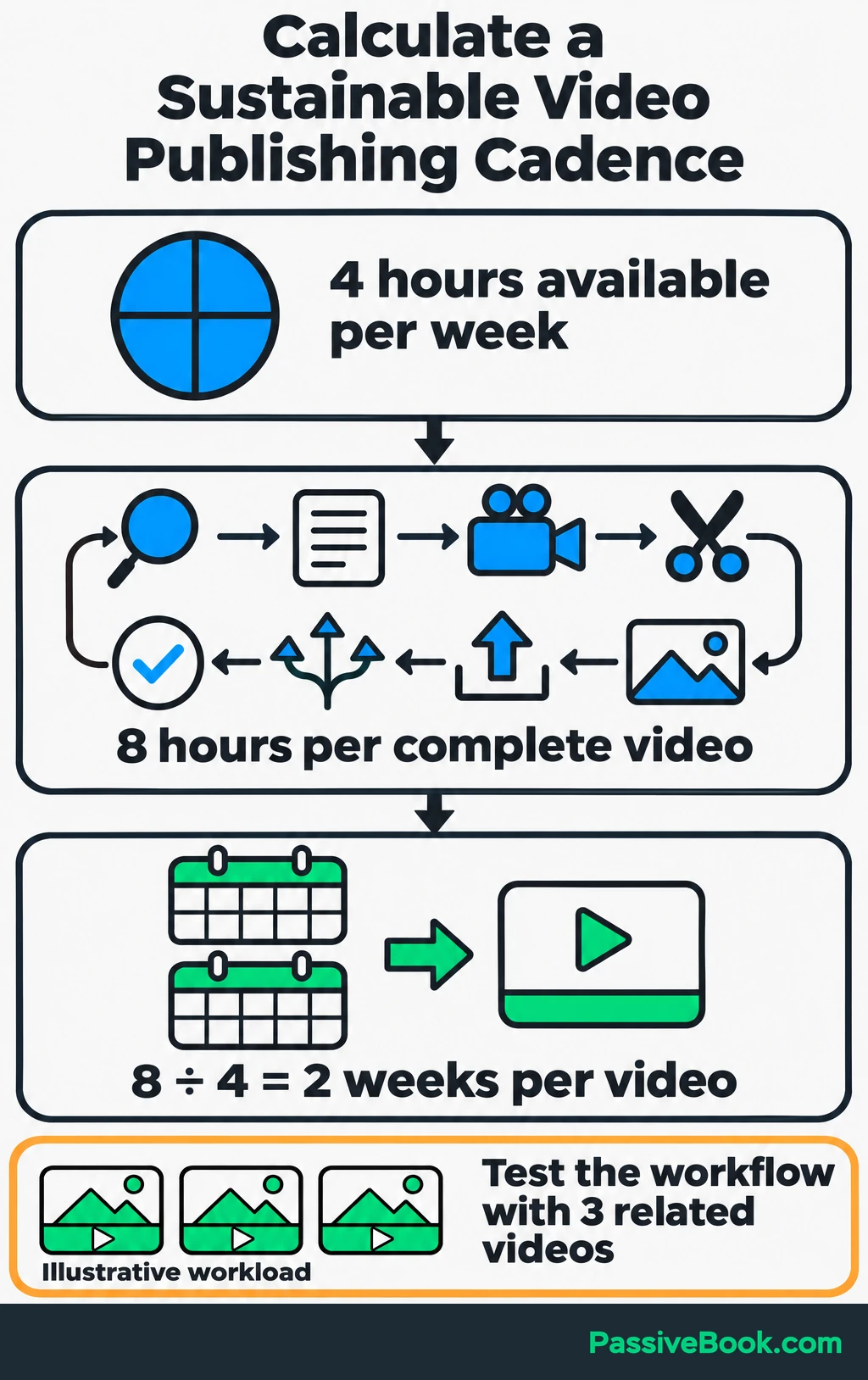
I would test the process with three related videos before committing to a permanent schedule. If you have four hours a week and each video takes eight hours, one every two weeks is a more useful starting point than a weekly promise you cannot keep.
YouTube says daily or weekly uploads are unnecessary and reports no correlation between growth in views across uploads and the time between uploads. That supports choosing a sustainable schedule; it doesn’t guarantee results from occasional publishing. YouTube’s publishing-frequency guidance.
Batch compatible tasks once the briefs are clear. Record tool close-ups together, for example, while keeping each lesson’s required footage separate.
Build the Conversion Path Before Recording
Prepare the next step before you ask viewers to take it.
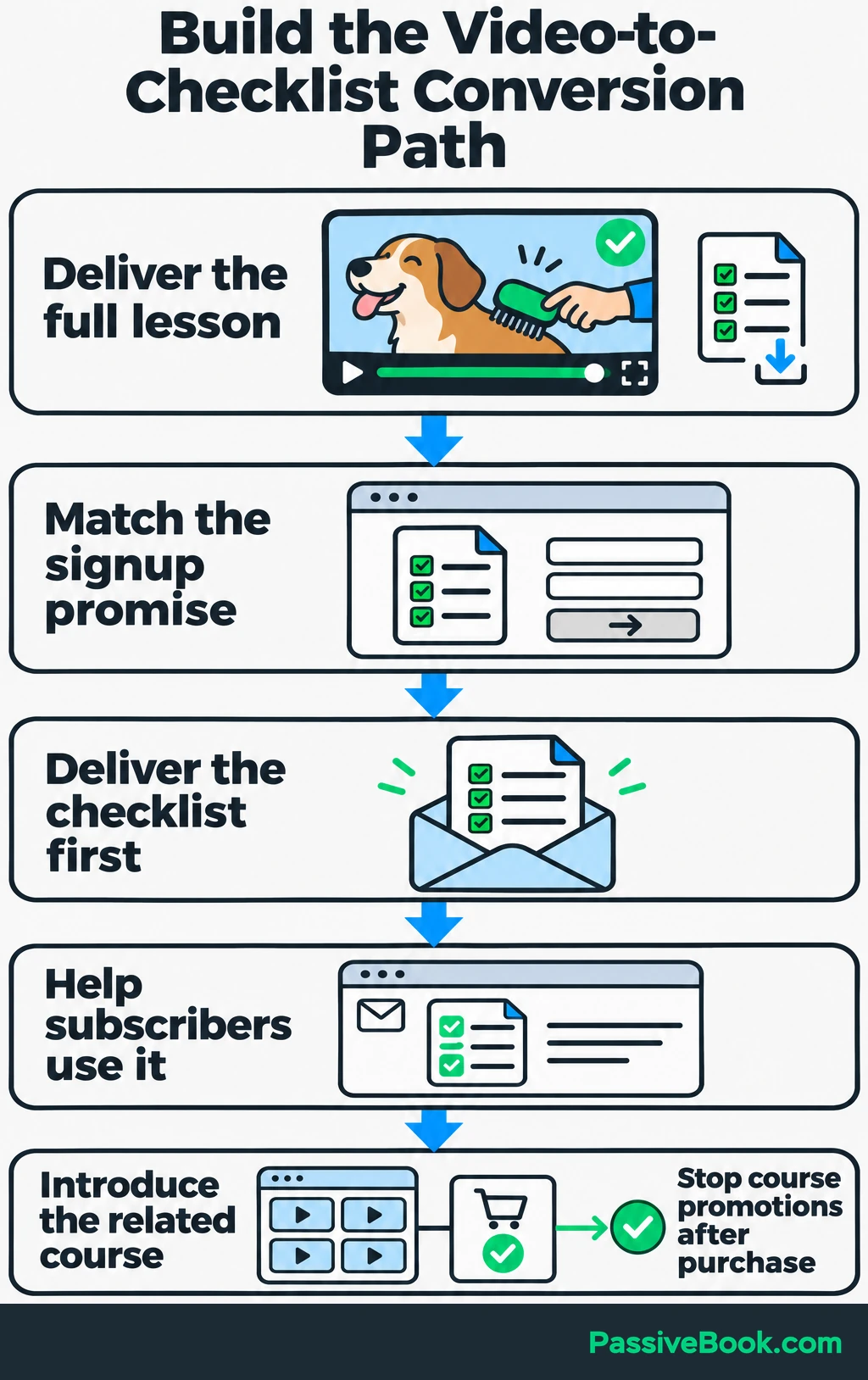
For the brushing tutorial, that means having:
- A checklist that supports the demonstrated routine.
- A signup page that makes the same promise as the video.
- A working form and resource-delivery email.
- Follow-up that helps subscribers use the checklist.
- A relevant introduction to the course.
If you already run WordPress, I would build the page there, collect signups with Fluent Forms, and deliver the checklist and follow-up emails through FluentCRM. A video experiment doesn’t need a separate collection of subscriptions.
On YouTube, clickable external links in long-form descriptions and comments require advanced feature access. Confirm that access before telling viewers to “click below.” YouTube’s clickable-link requirements.
Give the video one primary business call to action. Introduce it when its usefulness becomes clear:
“Download the brushing checklist below so you can keep the sequence beside you.”
Repeat it briefly near the close. The lesson should still deliver its promised answer without requiring the download.
For follow-up, deliver the resource first, help the subscriber use it, and then explain how the course addresses a related need. Stop course promotions when someone buys.
Set up Tracking for the Intended Action
Add UTM parameters—tags on your website link—to identify which video or promotion sent each visit. Google Analytics campaign tagging.
For the tutorial’s description link, use this pattern with your own checklist-page address:
https://example.com/checklist/?utm_source=youtube&utm_medium=video&utm_campaign=coat_care&utm_content=brushing_tutorialKeep names consistent. For email or social promotions, change the source, medium, and content to match the channel and placement.
Record new signups and completed purchases. Google Analytics supports generate_lead and purchase events, but you must set them up. Google Analytics recommended events.
Trigger the lead event after a successful submission, and count each new subscriber once in your lead total. Include value, currency, and a unique transaction identifier with each completed purchase. Keep email addresses and other personal information out of analytics URLs and event data.
Test the complete path:
- Follow the tagged link.
- Submit the form.
- Check that the resource arrives.
- Confirm that the intended event appears.
- Complete a checkout test if purchases are the goal.
Where possible, save the source, campaign, and video name with each lead in your customer system so you can connect later purchases to the signup.
Script a Video That Delivers One Clear Result
Align the Opening With the Promise
Draft the title, thumbnail idea, and opening together. They should describe the same task.
For the tutorial:
- Title: “How to Brush a Long-Haired Dog at Home.”
- Thumbnail: a clear demonstration close-up with little or no text.
- Opening: “Here’s the brushing routine we’ll work through, with close-ups of each step.”
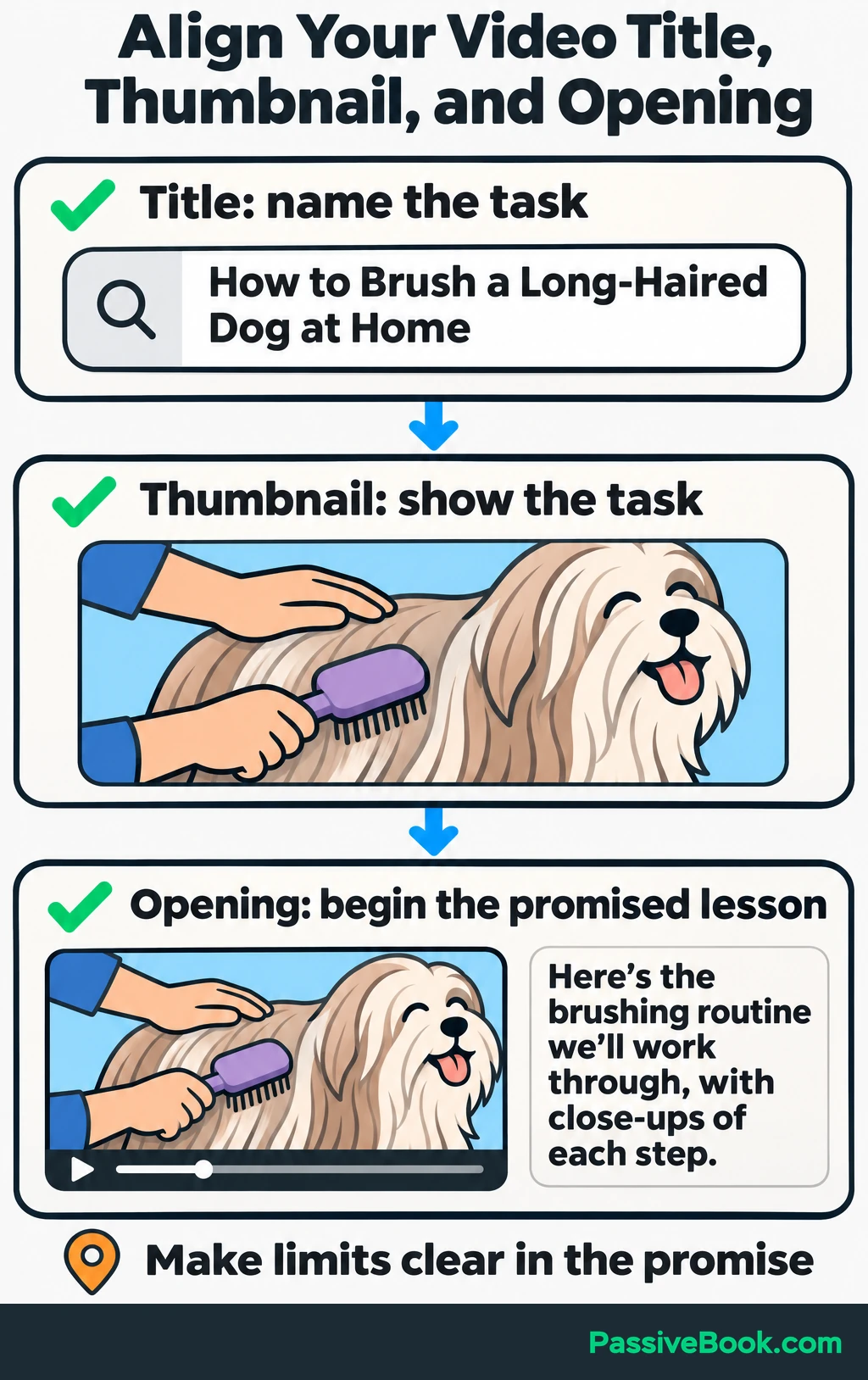
Show useful footage early so viewers can see what the lesson contains.
I would skip the long logo animation and personal introduction. Someone who clicked for a demonstration has already told you what they want first.
If the lesson applies only to certain coat types or situations, make that scope clear in the promise. A broad title creates an obligation the video must meet.
Teach the Task in the Order Viewers Need It
Use a two-column script: what viewers hear and what they need to see.
| Narration or Segment | Footage Needed |
|---|---|
| State the lesson’s scope and result | Brief preview of the demonstration |
| Explain preparation | Clear view of the setup and required items |
| Teach each reviewed step | Close-ups that show the action without obstruction |
| Explain a common difficulty | Relevant footage and the reviewer-approved response |
| Recap the sequence | Short visual summary |
| Introduce the checklist | Resource preview and clear download instruction |
Have a suitably qualified groomer review the substantive coat-care instruction before recording. The marketing plan should organize expert guidance, and the demonstration must accurately show it.
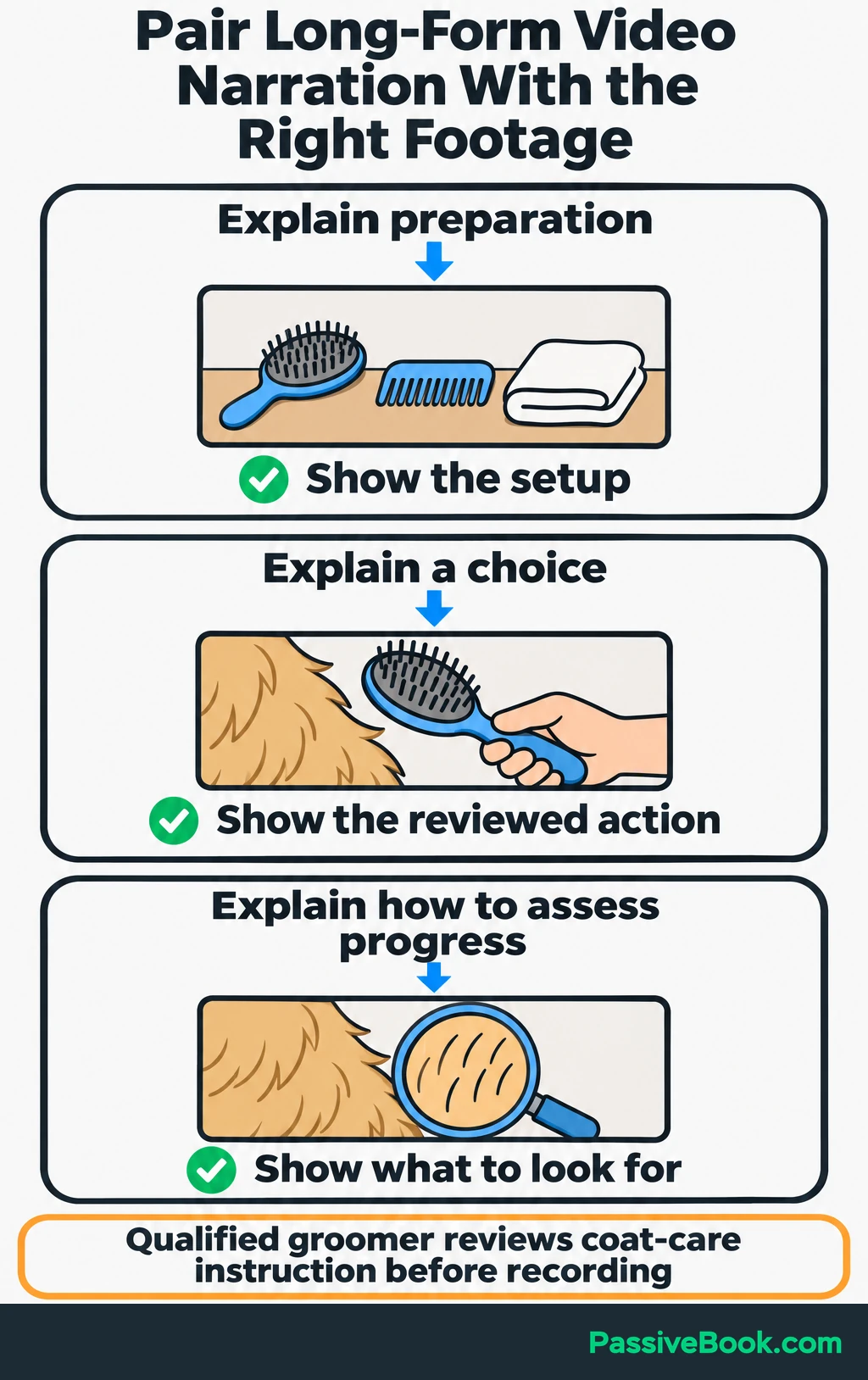
Put prerequisites immediately before the steps that need them. Explain a choice, demonstrate it, and show how viewers can assess their progress.
Plan accessibility in the script. Describe essential visual details in the narration, prepare accurate captions, and provide a transcript that includes important visual information. Planning this early reduces the need to patch missing explanations after filming. W3C’s accessible-media planning guidance.
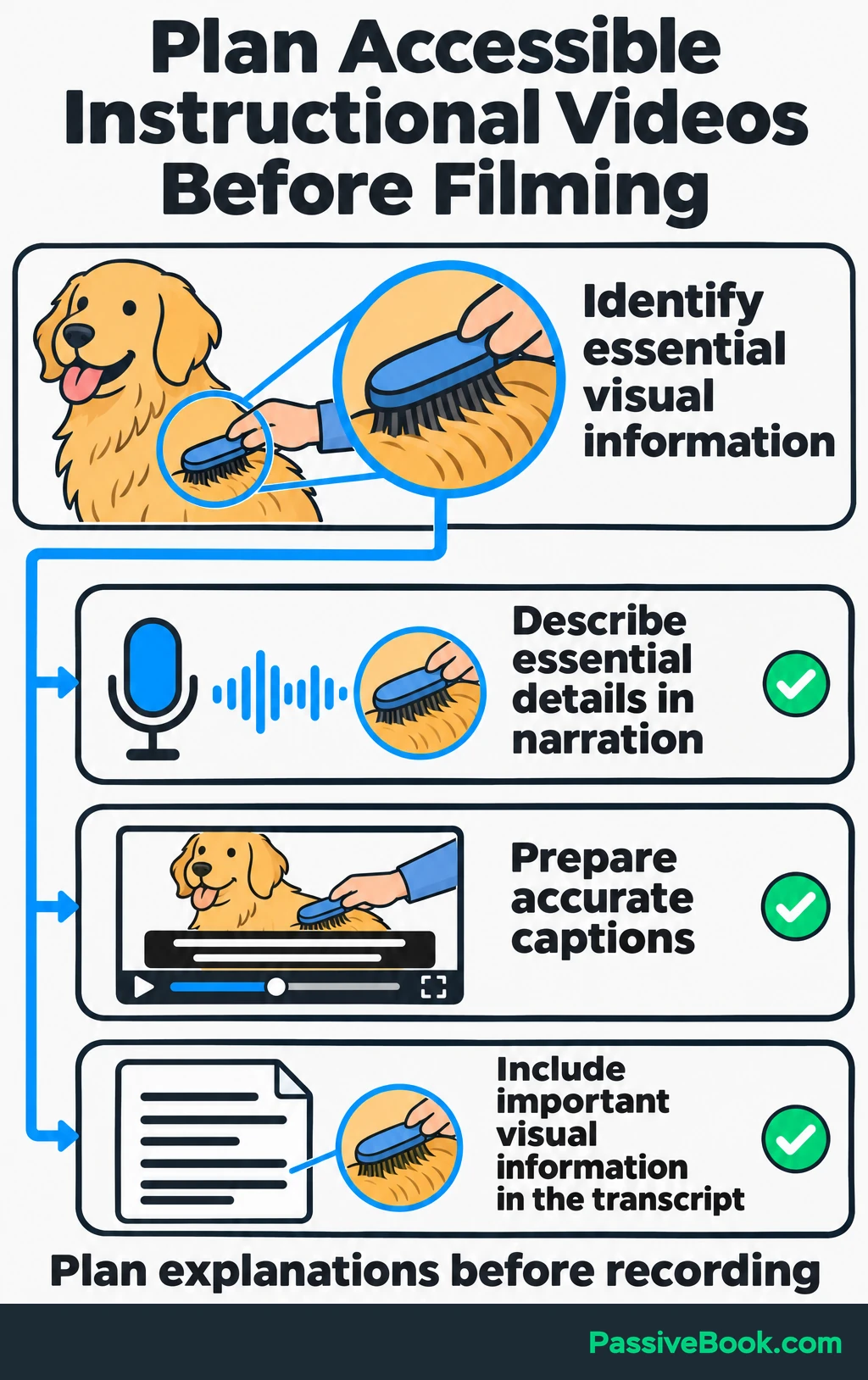
End with the checklist invitation, then briefly point to the next useful lesson. A related tool-selection video should answer the viewer’s next question rather than reopen the lesson you just finished.
If you have the teaching notes but not the script, AI Video Studio can turn them into narration, visual directions, and a relevant invitation to your offer. It also drafts the title and description around the same promise.
Free AI Video Studio
Record and Edit for Understanding
Record a short test using the actual setup. Play it back before filming the full demonstration.
Check whether speech is clear, the frame stays steady, and the important action remains visible. Watch on a phone too. A detail that fills your editing monitor may disappear on a small screen.
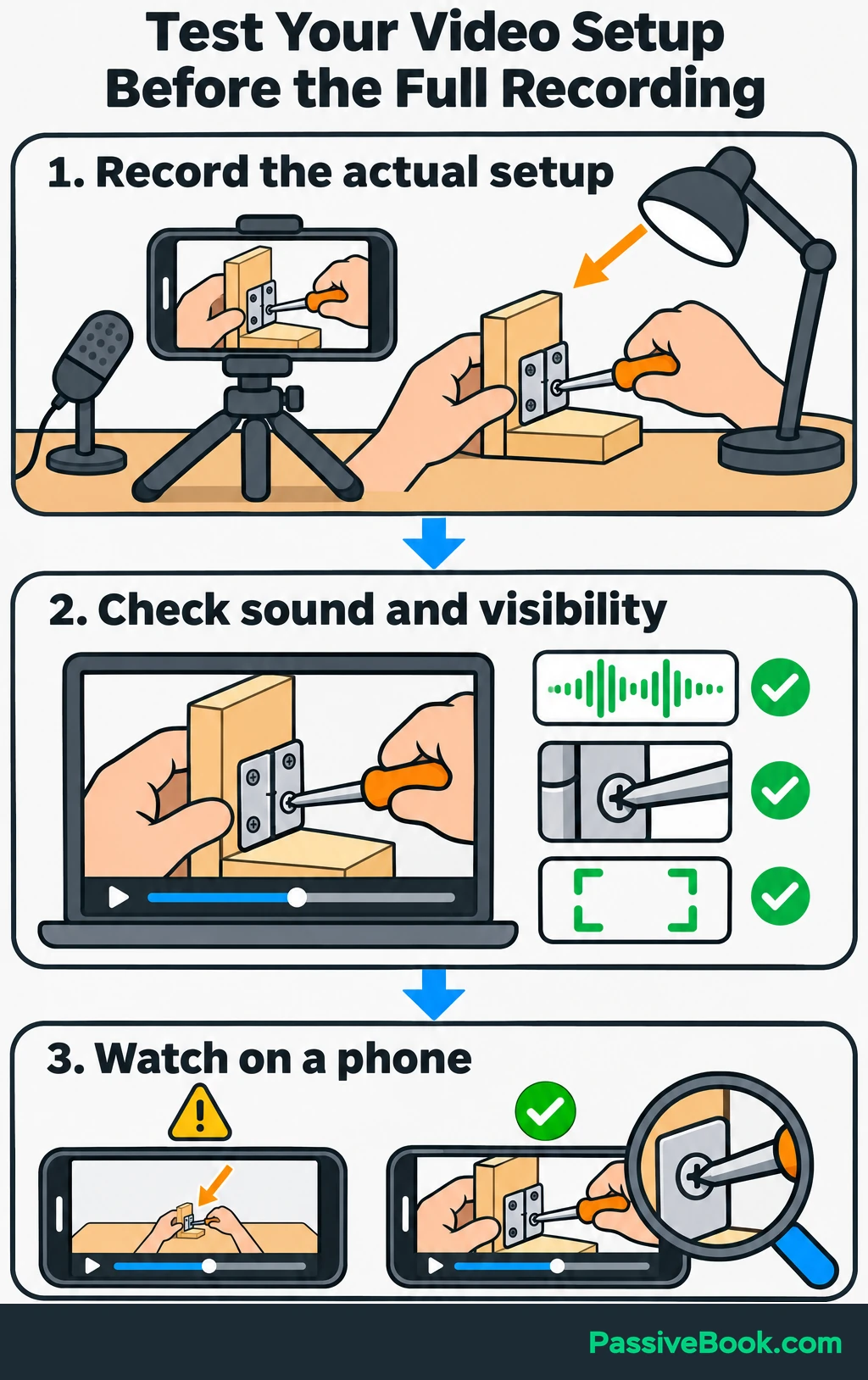
Record in manageable sections and capture the close-ups listed in the script. While everything is ready, collect replacement lines and any missing detail shots.
Use your own footage or assets licensed for your intended use, and retain permission records. YouTube’s copyright guidance.
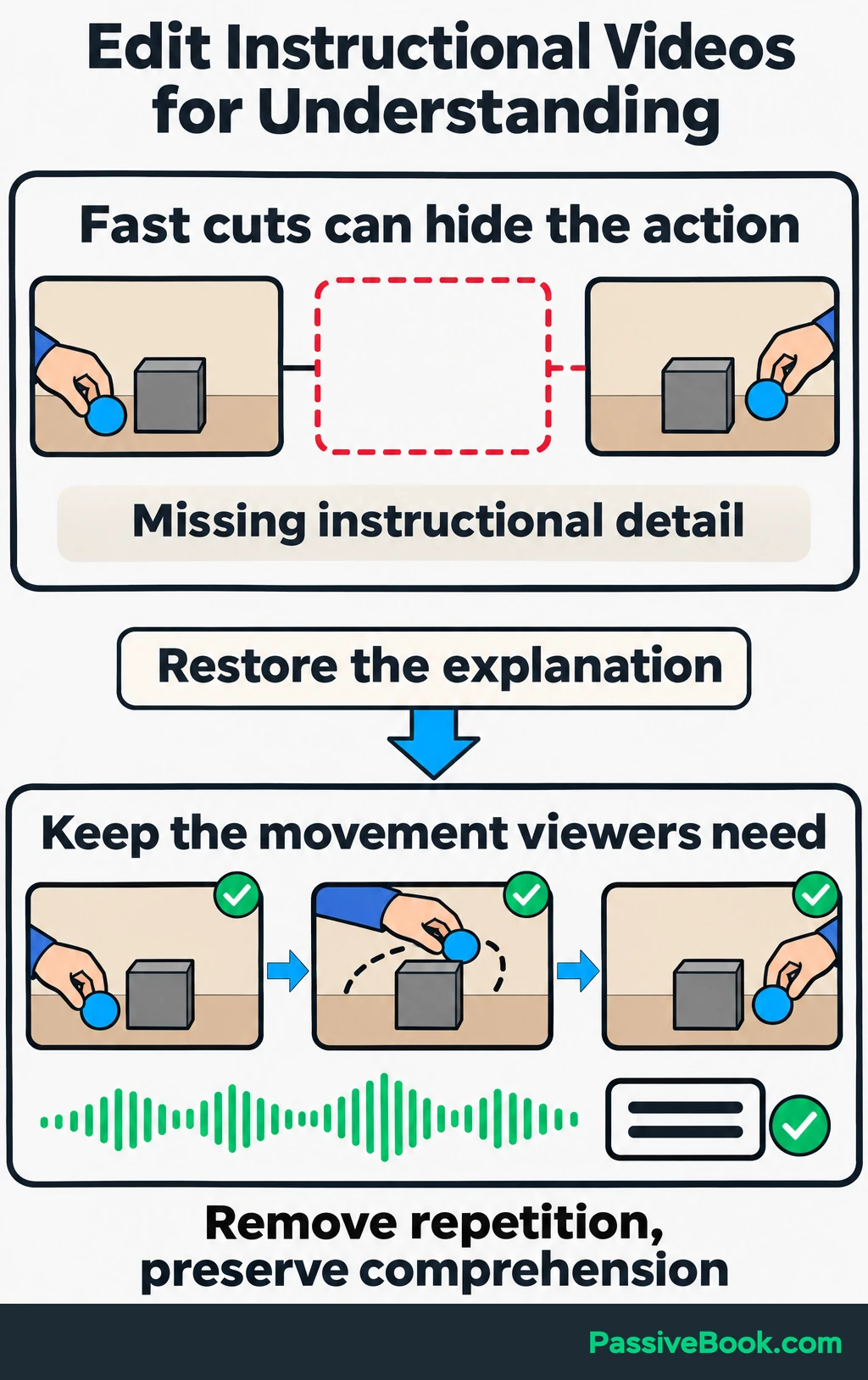
During editing, remove repetition, irrelevant pauses, and decorative sequences that delay the answer. Keep enough of each demonstration for viewers to follow what happened. A fast montage may look polished while hiding the exact movement people came to see.
Keep narration clear above any music, make labels readable, and correct caption errors.
Finally, compare the finished video with its title and opening. Every promised part should be present and understandable. I would fix a missing close-up before spending another hour on transitions.
Publish Videos People Can Find and Choose
Package the Video for YouTube Discovery
Write a specific title in the audience’s language and pair it with a thumbnail that shows the task clearly.
YouTube says search considers relevance, engagement, and quality. Relevance includes how well the title, description, and video match the query, while engagement can include watch time for that query. Keyword repetition cannot replace a useful answer. How YouTube search works.
For the brushing tutorial, keep the packaging tied to the demonstrated routine. Avoid a title promising a complete grooming course when the video teaches one task.
Prepare these publishing elements:
- A short description explaining what the lesson covers.
- The promised checklist link near the beginning.
- Chapters that help viewers find meaningful sections.
- Reviewed captions.
- A playlist containing related lessons.
- An end screen pointing to a relevant next video.
You can make the thumbnail in Canva, but test it at a small size before publishing. The image should remain understandable without a paragraph of text.
Check playback, links, and the destination page on mobile before promoting the upload. A correct description link is useful only if the page at the other end works.
Give the Video a Useful Website Page
Embed the tutorial where visitors need the same answer. Add a concise written explanation, supporting material, links to related lessons, and the checklist invitation.
The page should help someone use the lesson. A raw transcript pasted beneath the player may need editing and descriptions of important visual details.
If Google video results are part of your plan, understand the difference between an article containing a video and a dedicated watch page. A watch page exists mainly so visitors can watch one video.
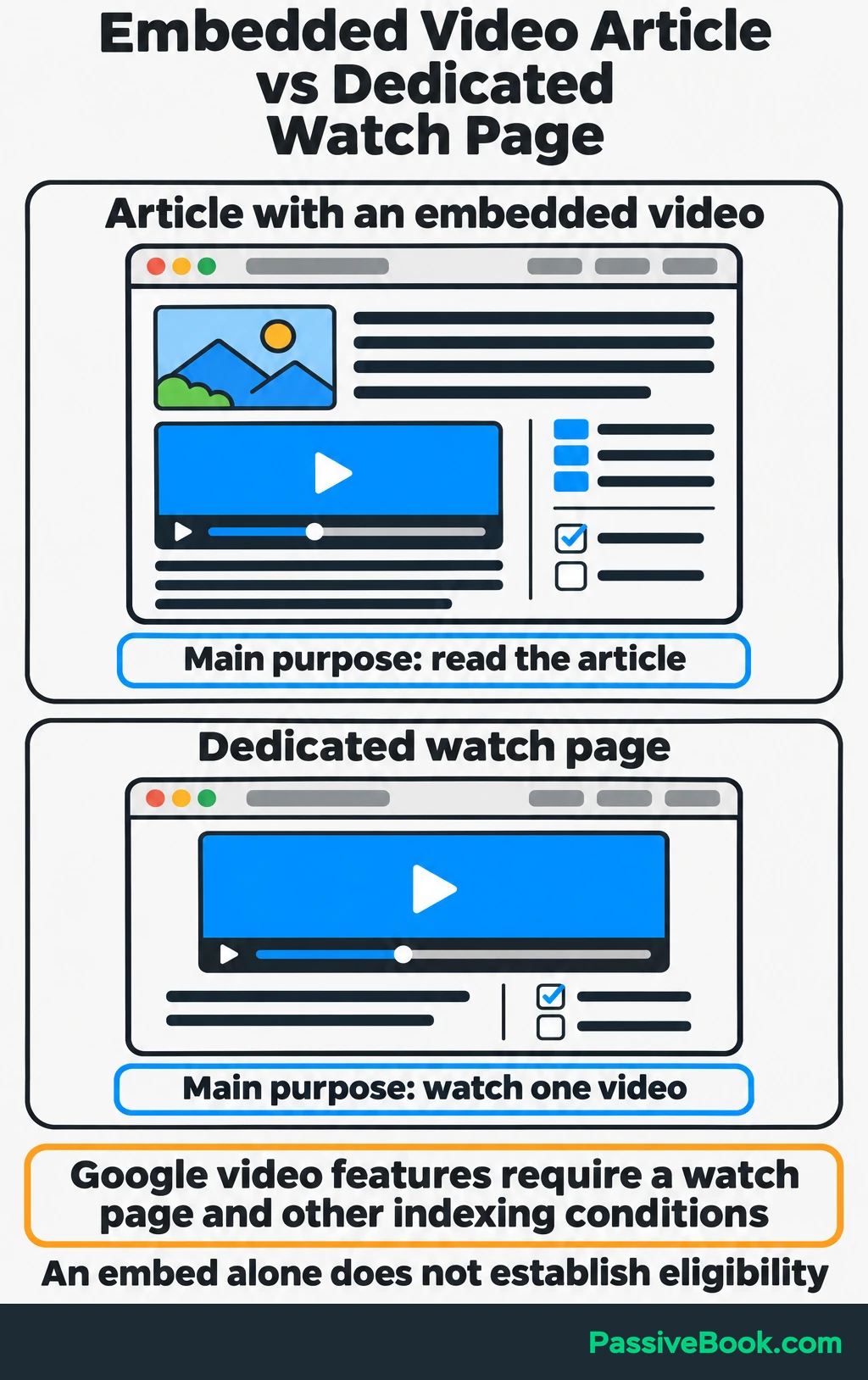
Google requires a watch page for eligibility for video features, alongside other indexing conditions. Adding an embed to a supporting blog article does not automatically make that article eligible. Google’s video SEO requirements.
I would start by placing the tutorial where it helps readers most. Build a dedicated watch page when video search is a deliberate part of the strategy.
Use Google Search Console, Google’s website search reporting tool, to check the page’s search traffic and, where relevant, whether Google has indexed the video. Keep those website results separate from YouTube’s search reports.
Distribute Each Video Through Relevant Organic Channels
Start with people who already need the answer.
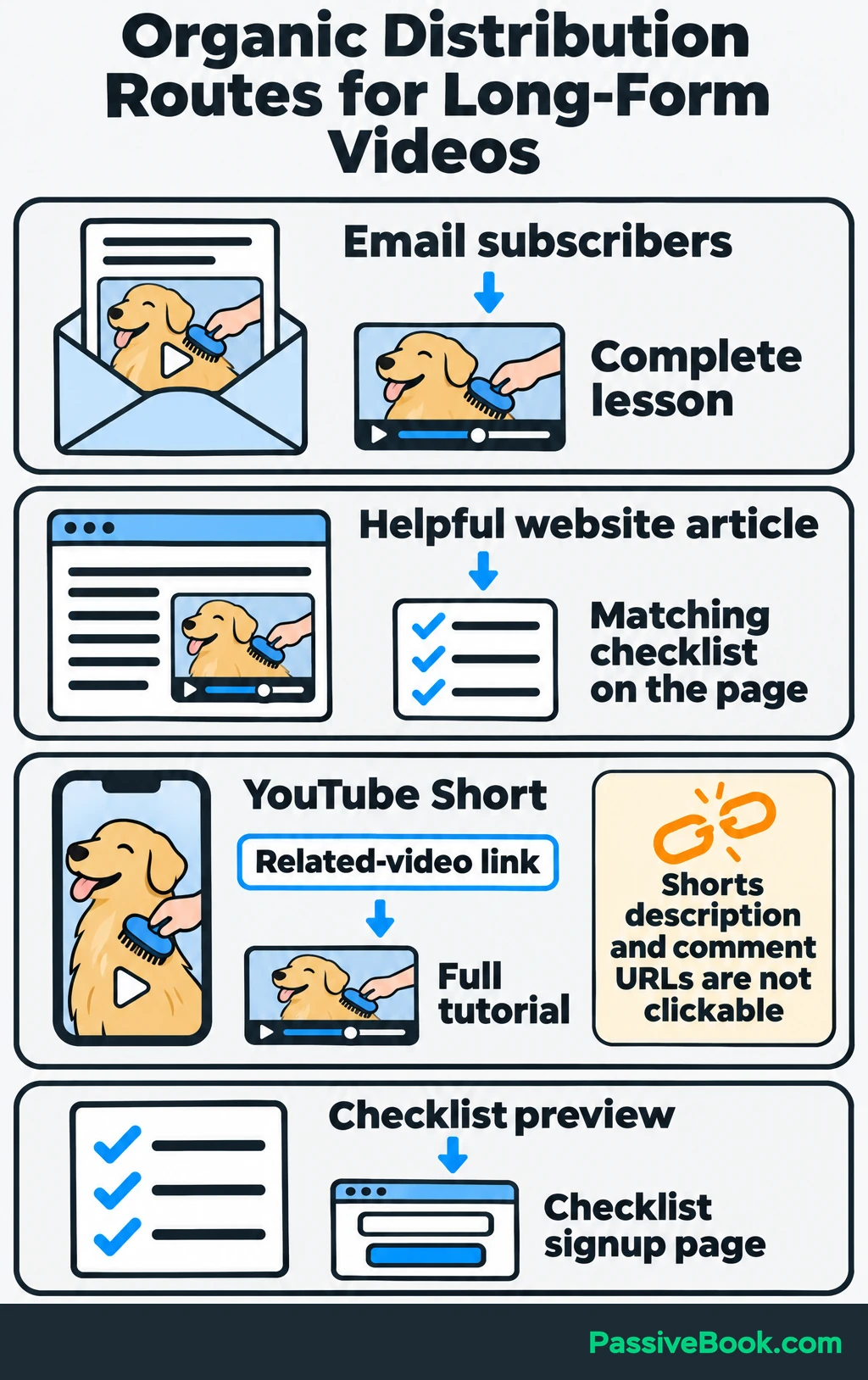
Send the tutorial to relevant email subscribers, add it to related articles, and use it when customers ask the question it answers. These uses give the video a practical job immediately.
Introduce the problem solved rather than announcing “New video!”
A short email excerpt could say:
“Still unsure what the routine should look like? This lesson shows each stage in close-up, and the matching checklist is linked beneath it.”
Choose a small distribution plan you can repeat:
| Asset | Useful Placement | Destination |
|---|---|---|
| Full brushing tutorial | Relevant email message | Complete lesson |
| Embedded tutorial | Related coat-care article | Matching checklist on the page |
| Self-contained demonstration clip | A channel where the audience watches clips | Full tutorial through a supported clickable route |
| Checklist preview image | Resource-focused post | Checklist signup page |
Each excerpt should make sense on its own. Preserve any explanation needed to understand the action shown.
In communities, answer an existing question and share the lesson only where promotion is allowed. Include useful information in the post itself. A link dropped into an unrelated discussion creates work for moderators rather than demand for your course.
If you use YouTube Shorts, description and comment URLs are not clickable. Use its supported related-video link to direct viewers to the full tutorial. YouTube’s link guidance.
Tag links that lead from distribution channels to your website. Compare the relevant visits and leads they produce before adding another channel to your workload.
Measure the Path From Viewing to Business Results
Read Discovery, Viewing, and Conversion Together
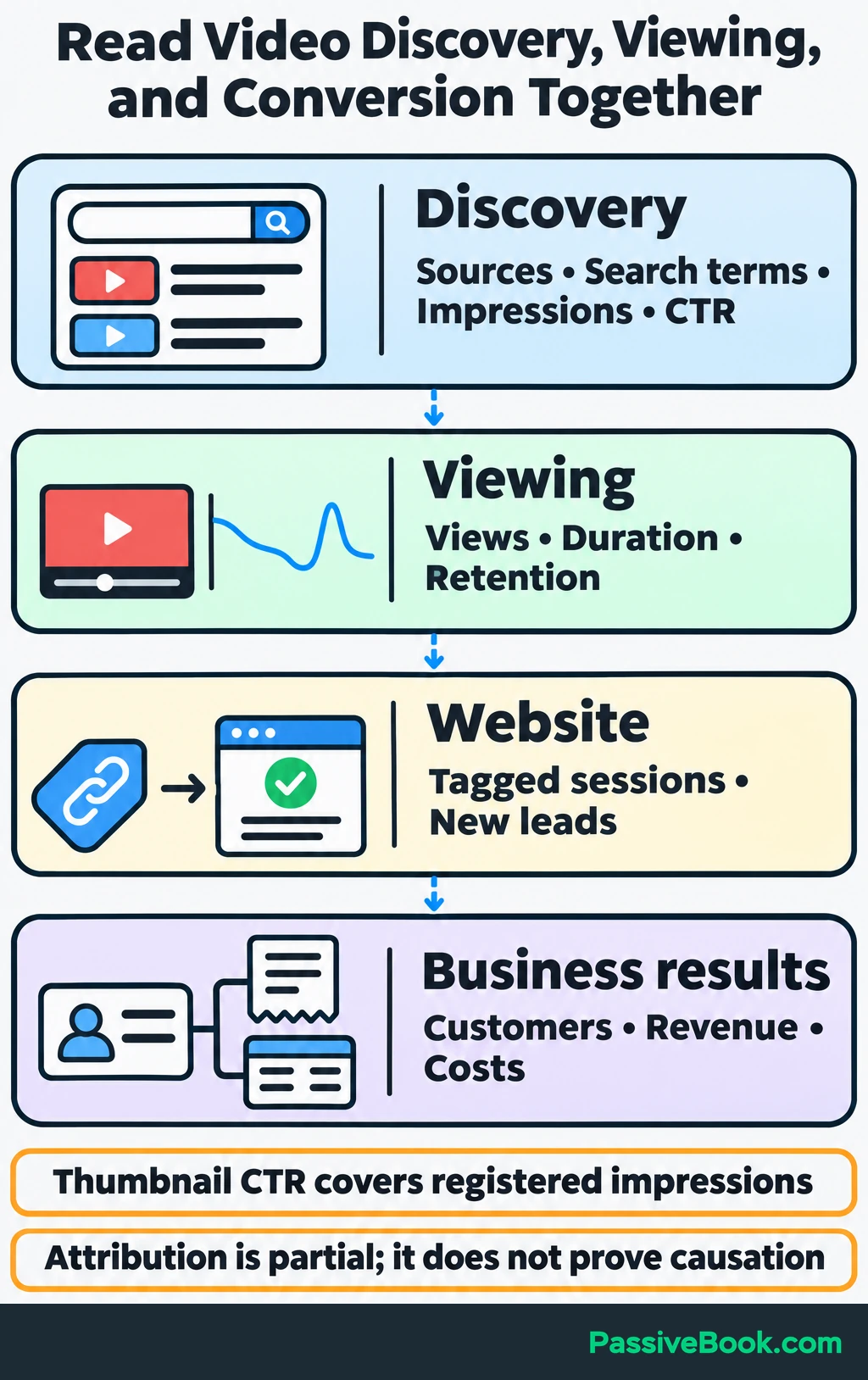
Keep one scorecard row per video:
| Group | Fields to Record |
|---|---|
| Production | Video, publication date, working hours, cash spending |
| Discovery | Traffic sources, search terms, impressions, thumbnail click-through rate |
| Viewing | Views, average view duration, retention observations |
| Website | Tagged landing-page sessions and successful lead submissions |
| Commercial results | Customers, attributed sales revenue, refunds, fees, and variable delivery costs |
Search terms and traffic sources help you check audience fit. YouTube’s thumbnail click-through rate counts views after registered thumbnail impressions, excluding some ways viewers find videos. YouTube’s metric definitions.
Watch the footage beside the retention graph. Dips can show skipping or departures; spikes can reflect sharing or rewatching, including because an explanation was unclear. YouTube’s retention guidance.
Compare videos with similar purposes, sources, and publication ages over a window that covers your buying cycle. Tracking can miss later or cross-device journeys and doesn’t prove that video alone caused a purchase.
Calculate Conversion Rates and Production Economics
Suppose the brushing tutorial’s first 90 days produce:
- 200 tracked landing-page sessions from its description link.
- 40 new leads generated during those sessions.
- Four customers from those 40 leads who purchase within that same 90-day window.
The landing-page lead rate counts new leads from the tracked sessions: 40 ÷ 200 × 100 = 20%.
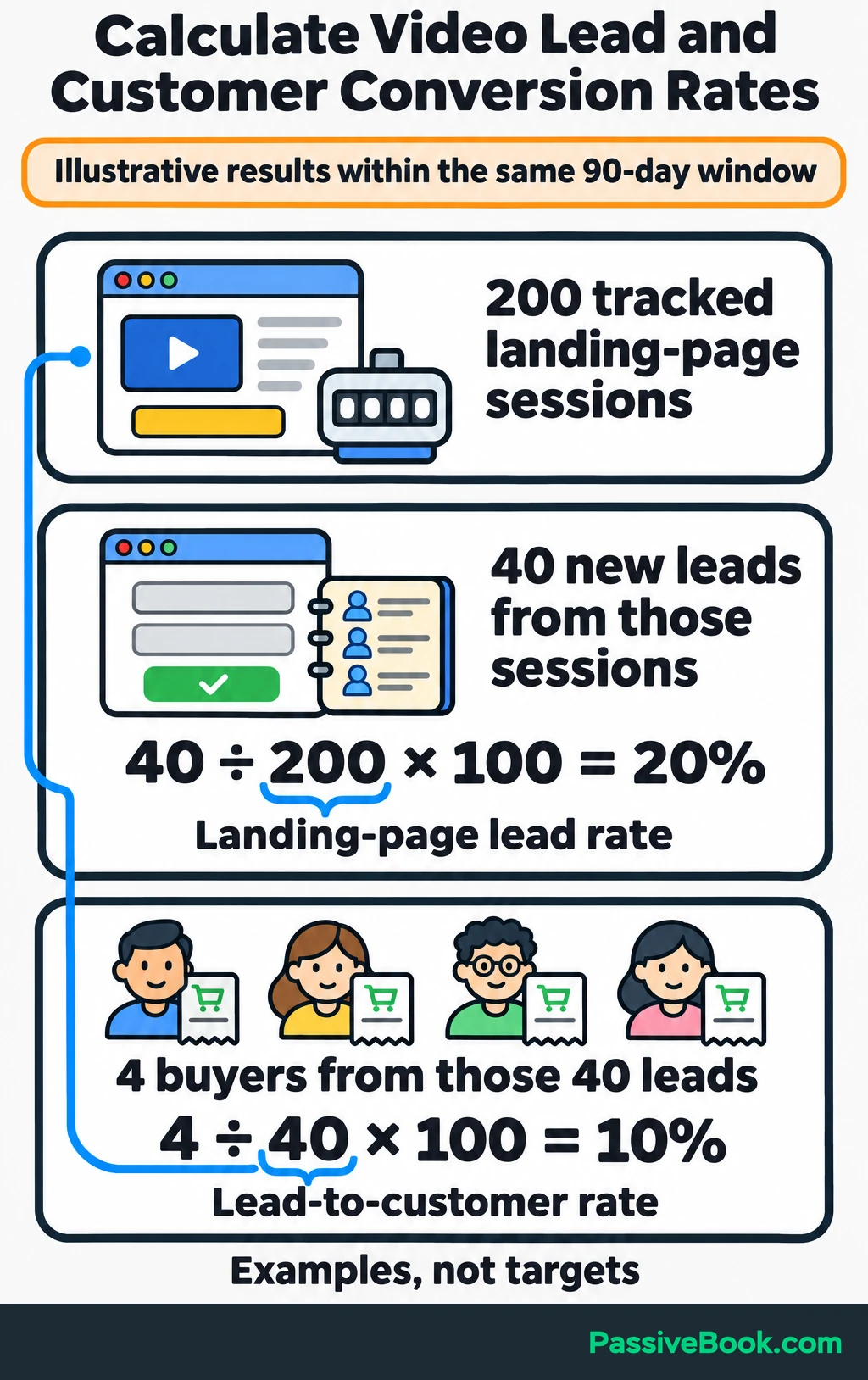
The lead-to-customer rate counts buyers from those 40 leads: 4 ÷ 40 × 100 = 10%.
These are examples, not targets. Compare lead groups with similar follow-up periods so newer leads have the same chance to buy.
To check whether sales cover video costs, subtract refunds, payment fees, and variable delivery costs from the revenue credited to the video. If $40 remains per purchase, four purchases contribute $160.
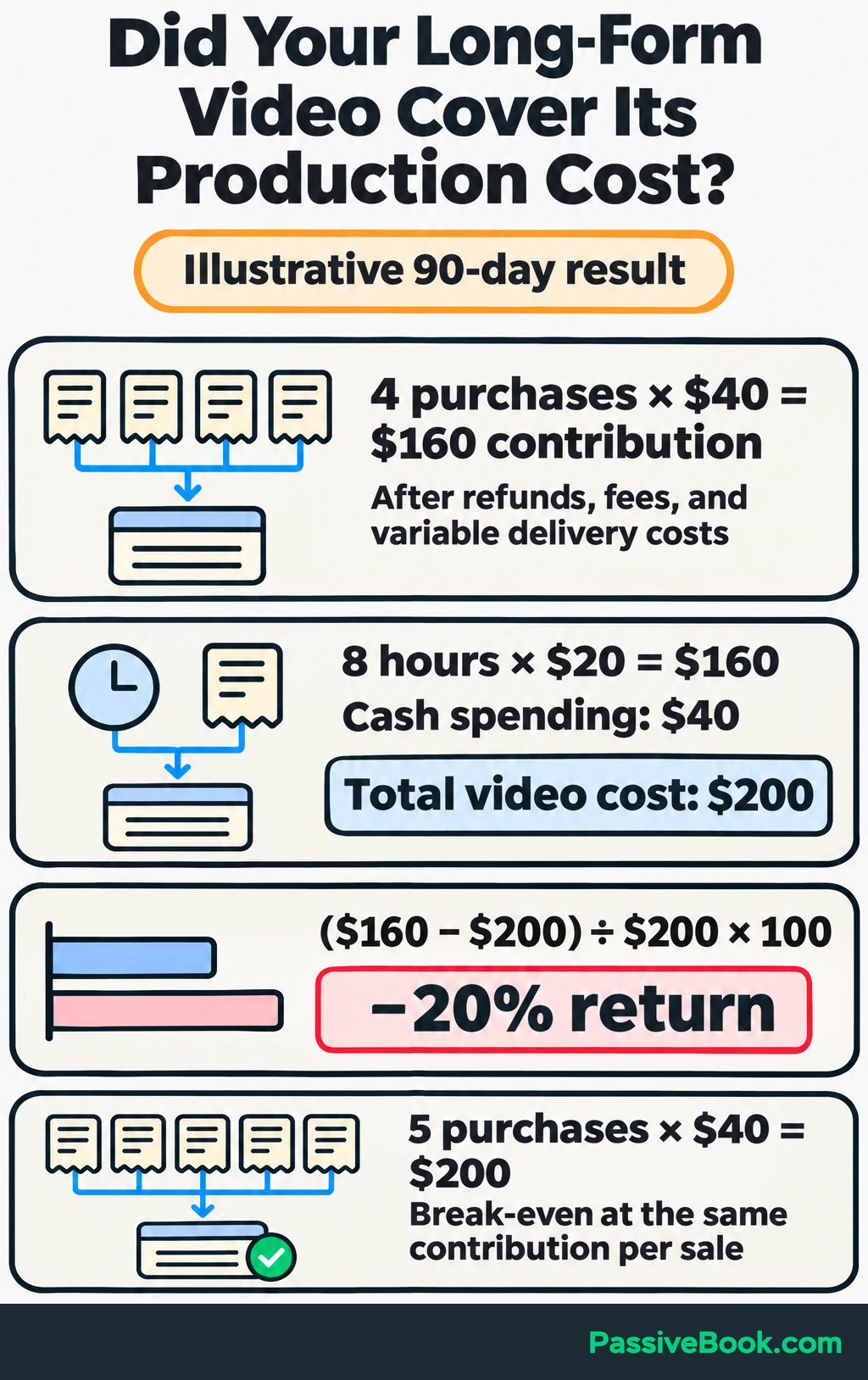
Include production and distribution costs:
| Cost | Illustrative Amount |
|---|---|
| Eight working hours valued at $20 per hour | $160 |
| Cash spending | $40 |
| Total production and distribution cost | $200 |
Return compares the contribution left after video costs with the amount spent:
($160 − $200) ÷ $200 × 100 = −20%Five purchases would cover the $200 cost at the same contribution per sale. This video hadn’t covered its cost within 90 days. Record later sales and maintenance costs as they occur.
Improve the Bottleneck Before Increasing Output
Use the scorecard to choose the next improvement.
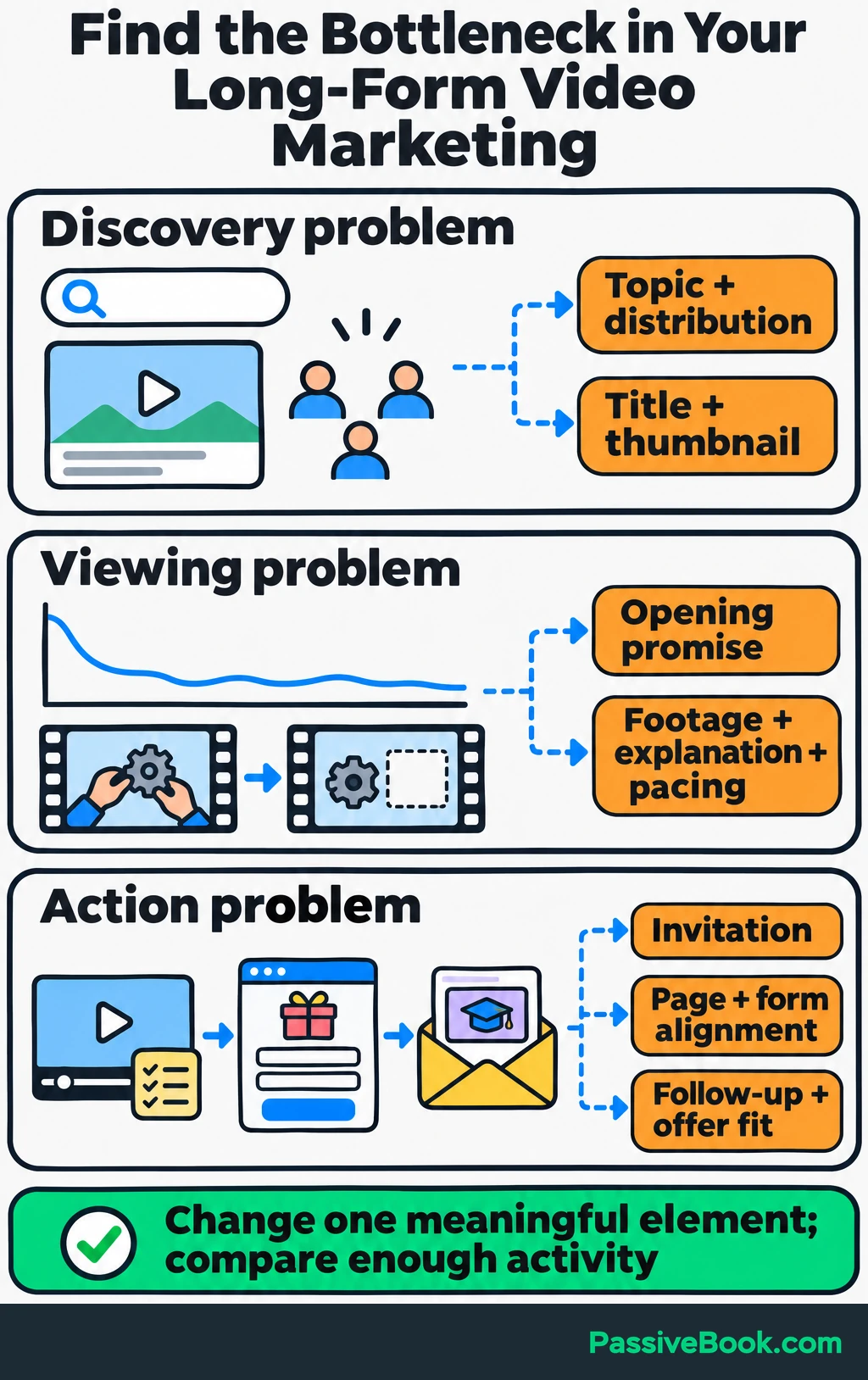
| Observed Problem | What I Would Inspect First |
|---|---|
| Few relevant people encounter the video | Audience evidence, topic wording, and distribution |
| Impressions produce few views | Whether the title and thumbnail communicate a useful, accurate promise |
| Viewers leave near the opening | Whether the video starts delivering what the packaging promised |
| Viewers struggle with one segment | Missing footage, unclear explanation, or rushed pacing |
| Engaged viewers rarely visit the website | Relevance, timing, and clarity of the checklist invitation |
| Website visitors rarely subscribe | Agreement between the video’s promise, page copy, resource, and form |
| Leads rarely buy | Fit between the free lesson, follow-up, course, and subscriber’s needs |
Change one meaningful element at a time when practical, and record what changed. Look for enough comparable activity to judge it. One extra sale after a thumbnail edit is a reason to keep watching, not a complete explanation.
Expand around questions that produce useful business results, including lessons with modest view counts. Repair broken links, update outdated explanations, connect related videos, and redistribute a lesson when the question comes up again.
Once the workflow works, turn it into reusable parts:
- A research brief.
- A two-column script.
- A required-footage list.
- Thumbnail and editing templates.
- A publishing checklist.
- A distribution plan.
- A reporting sheet.
AI can draft outlines, supporting copy, caption corrections, and repurposed assets. Give it the approved material and check the output against the actual lesson. Review pet-care accuracy, demonstration quality, and the final publication yourself or with the appropriate specialist.
For repeated file transfers and reports, I would use n8n, which connects apps and runs tasks automatically. Automate a process after you understand what each handoff needs. Otherwise, you get the same missing file faster.
Increase production when business results and available capacity justify it. The strongest questions and clearest formats should guide the next group of videos.
What Next?
Choose one recurring audience question and complete its production brief before recording anything. Name the promised result, the next step, and the metric that will tell you whether the video helped your business.
Use the social buttons to share this guide when a conversation about video growth needs to include leads, sales, and production time.
Which part of your current path needs the most work: getting discovered, holding attention, or turning interest into action? Leave your answer in the comments, and bring any other questions too.
Share this post with your friends & followers:

