A customer asks whether your product will fit what they need. A photo helps, but showing it in use would answer the question faster—and let them ask the next one.
Then you consider the evening it could take to prepare and run a live demonstration. If only a handful of people attend and nobody follows up, was it worth the work?
That uncertainty makes another session hard to justify. This guide helps you build a low-cost livestream plan that brings relevant viewers to a demonstration and uses its questions and replay to support leads or sales.
Choose One Marketing Goal
Choose the action you want viewers to take before choosing what to say. That action gives the session a purpose and gives you something useful to measure afterward.
Three goals make a practical starting point:
- Reach: Introduce your business to prospective customers through a useful lesson.
- Leads: Invite interested viewers to request a relevant resource and join your email list.
- Sales: Help viewers evaluate a product and decide whether to buy.
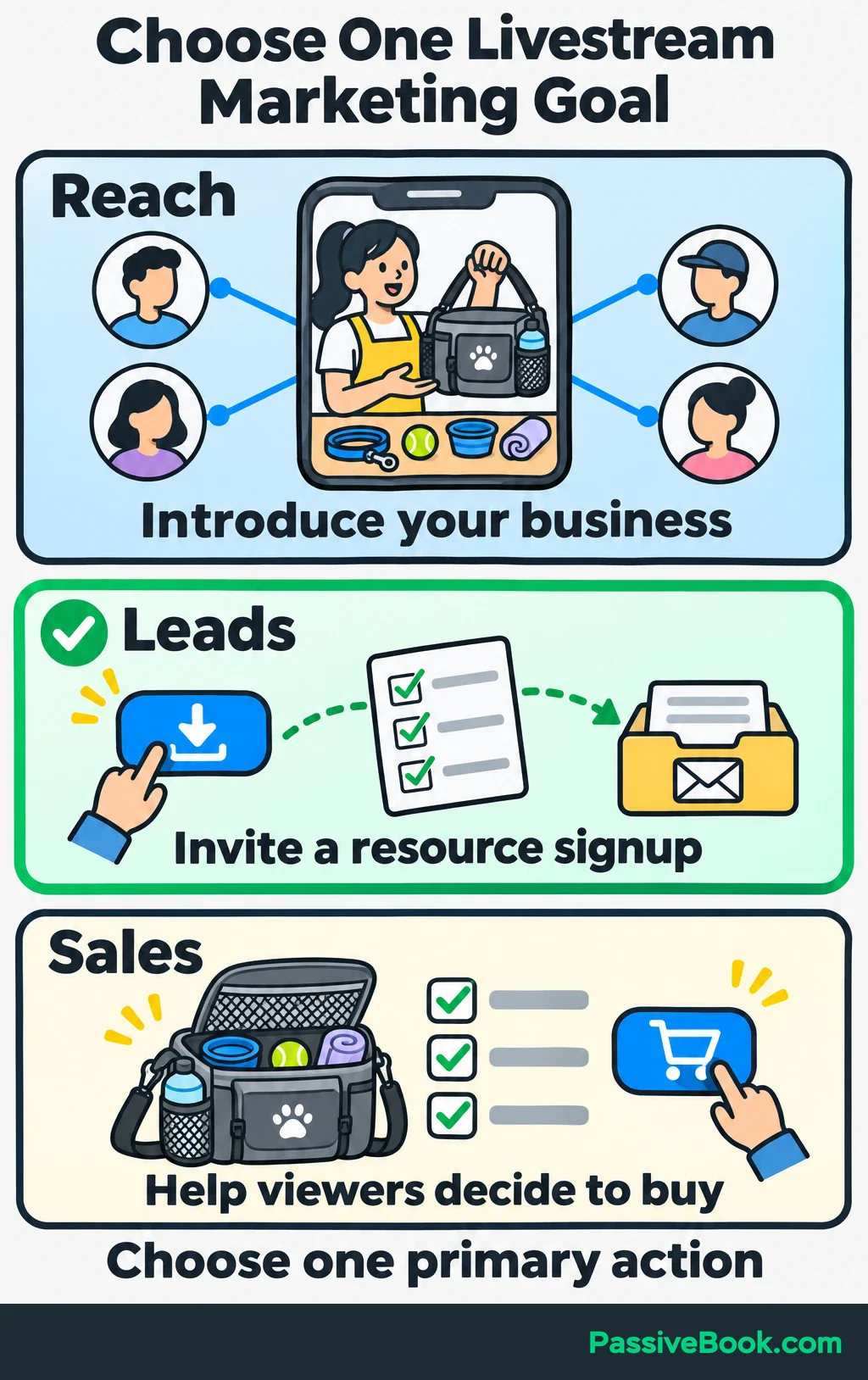
I would choose one primary goal, even though a session may contribute to all three.
I spent six months chasing Instagram and Twitter followers for a side niche around 2022. The audience numbers gave me plenty to check, but my bank balance stayed around $47. That experience is why I care more about customer actions than follower counts.
Throughout this guide, imagine you run an online shop selling washable dog-walking bags. You also offer a free walk-packing checklist. The copy, schedule, and results below are illustrations.
For your first session, choose leads. Show viewers how to organize their walking essentials, invite them to download the checklist, and introduce the bag through relevant follow-up.
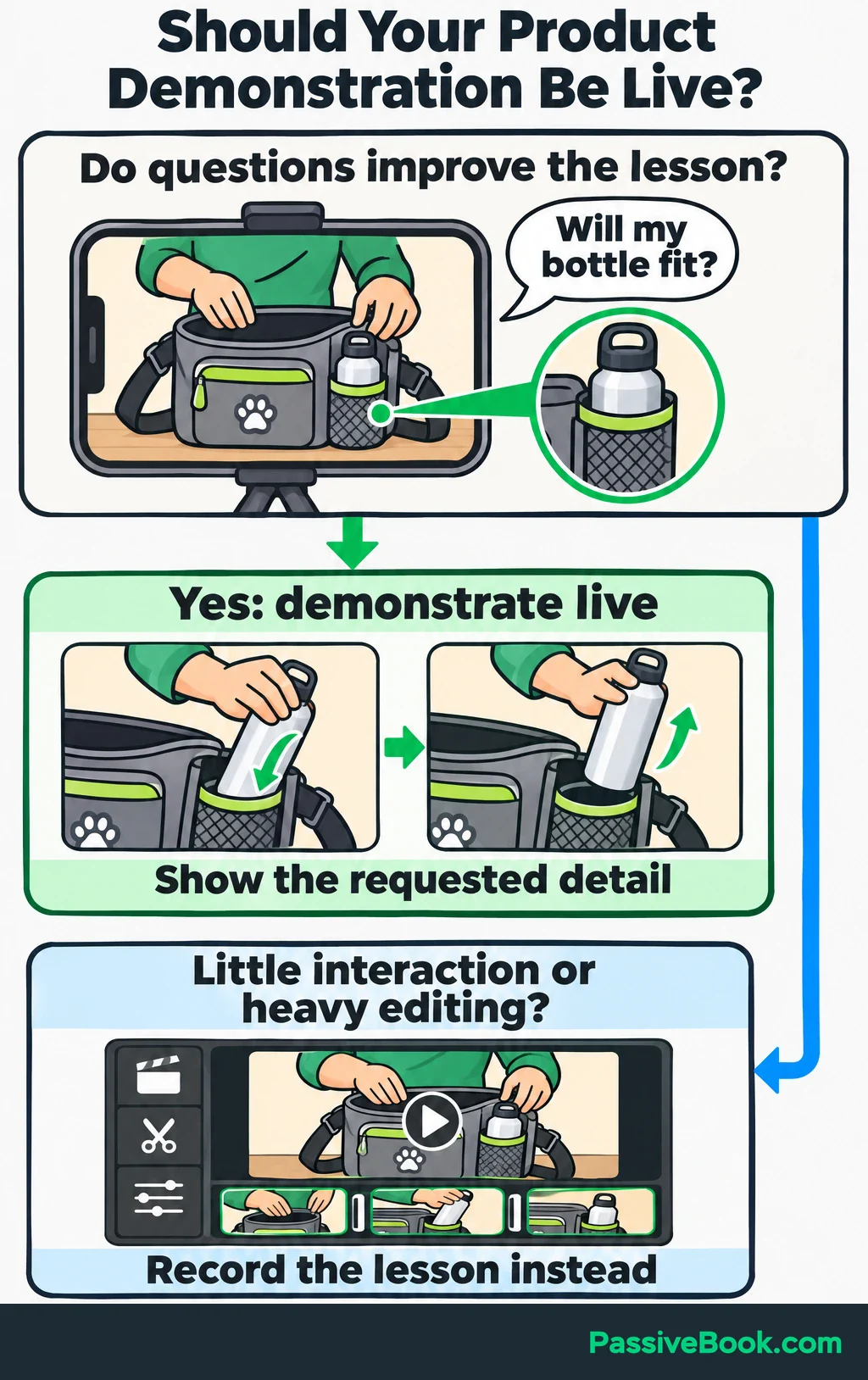
Live video earns its place when participation improves the lesson. Viewers can ask whether an item fits or request a closer look at a compartment. If the material needs heavy editing and offers little room for questions, I would record it instead.
Choose a Platform Your Customers Already Use
Start with evidence of customer interest. Look at where people ask product questions, respond to your posts, or watch related demonstrations. If you have an email list, ask where subscribers would prefer to join.
Then compare whether you can present clearly, access live streaming, and send viewers to your website.
The evidence column below shows what to look for; it does not assume your customers use any particular platform.
| Platform | Evidence Your Customers Use It | Suitable Presentation | Access Requirements |
|---|---|---|---|
| YouTube | Customers mention related tutorials or respond to your existing videos. | A detailed demonstration with close-ups and questions. | Enable Live on an eligible, verified channel. Mobile requires 50 subscribers and activation may take 24 hours; desktop webcam streaming avoids that mobile subscriber threshold. |
| Your posts and Stories already receive relevant product questions. | A visual demonstration for an existing audience. | A public account with at least 1,000 followers is required. Instagram’s requirement | |
| Customers regularly comment on your business updates and invitations. | A demonstration or customer Q&A. | The account must be at least 60 days old; Pages and professional-mode profiles need 100 followers. Access requirements documented by Streamlabs | |
| TikTok | Your short demonstrations attract questions from potential buyers. | A focused demonstration that responds to viewer requests. | Hosts must be at least 18 and meet follower requirements. TikTok’s LIVE eligibility explanation |
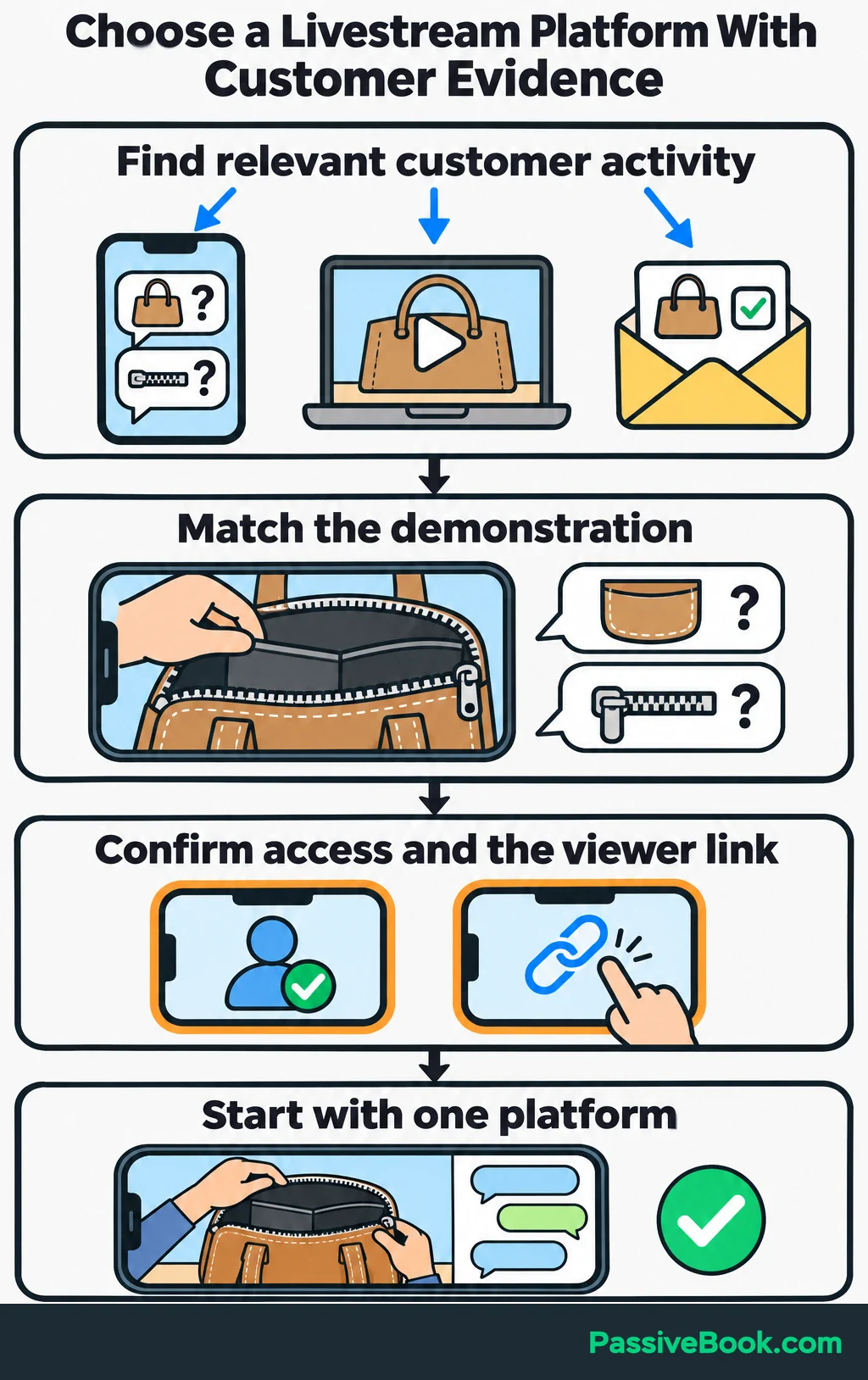
Choose one platform for the first session. Reading one chat while demonstrating a product is enough work.
If your customers respond on Instagram and you have access, start there. If they prefer YouTube tutorials, use YouTube. The platform with the largest total audience does not automatically contain your next customer.
Before announcing anything, confirm live access on your account and test how viewers will reach the checklist. Use the actual broadcast format you plan to use because a link that works elsewhere may not work the same way there.
Plan a Livestream Around One Customer Problem
Collect questions from customer emails, comments, support requests, and sales conversations. Choose one problem you can meaningfully address in a single session.
“Learn about our products” gives people little reason to attend. A promise tied to a task is easier to understand:
Pack a Dog-Walking Bag So Your Essentials Are Easy to Reach
Teach the process first. Group items by use, give frequently needed items an accessible place, and check whether you can retrieve them without unpacking everything.
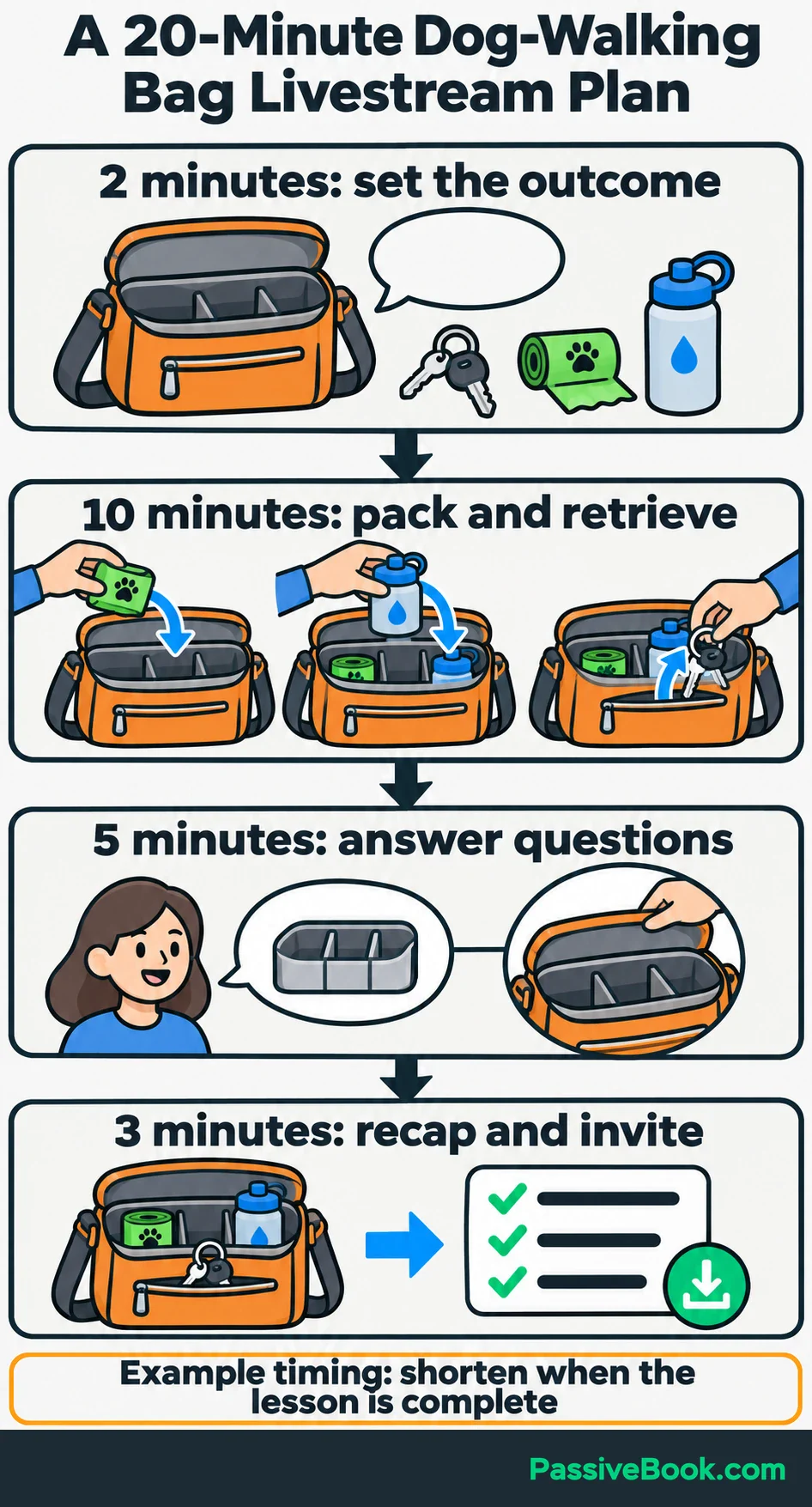
Then demonstrate that process with the bag. Show where you put the waste bags, water bottle, keys, and other essentials, and retrieve each item so viewers can judge the arrangement.
Write a running order rather than scripting every sentence. For this example, a 20-minute plan could look like this:
| Time | What Happens |
|---|---|
| First 2 minutes | State the outcome, show the unpacked items, and explain how to ask questions. |
| Next 10 minutes | Pack the bag, explain each choice, and demonstrate retrieving items. |
| Next 5 minutes | Answer questions and show requested details. |
| Final 3 minutes | Recap the process and invite viewers to download the checklist. |
Treat that length as a starting point. Shorten the session if you can deliver the lesson sooner, and leave room for useful questions.
Gather the demonstration materials and several genuine customer questions beforehand. A hands-only view works well here because viewers need to see the bag. Your face does not need to supervise every zip.
Prepare the Signup or Purchase Path
Build the destination before inviting viewers. Otherwise, you can finish a useful session and have nowhere useful to send people.
For a resource signup, the page should explain what the download contains, show a preview, and ask only for the details needed to deliver it. For a sale, show the demonstrated product, its price, what is included, and the purchase and return terms.
In the bag example, the checklist should help someone organize a walk using supplies they already own. Include space beside each item to note where it will go. You can introduce the bag briefly, but the resource should deliver its promised value independently.
Use your existing website and email tools where possible. On WordPress, I would use GenerateBlocks for the page, Fluent Forms for signup, and FluentCRM for follow-up. If you prefer a hosted email service, Kit is another option. A single checklist does not need a new software collection.
Make ongoing marketing signup explicit and explain what subscribers will receive. Follow the rules that apply to your recipients. US commercial-email requirements include accurate sender details, a valid postal address, and a working opt-out mechanism. FTC commercial-email guidance
Add campaign tags—labels in links that tell your website analytics which promotion brought a visit. Use one campaign name, such as walk_packing_live, and separate tagged links for invitations, the broadcast, the replay, and follow-up emails. Check that your signup and order tracking retain the campaign name so you can connect subscribers and purchases to the session.
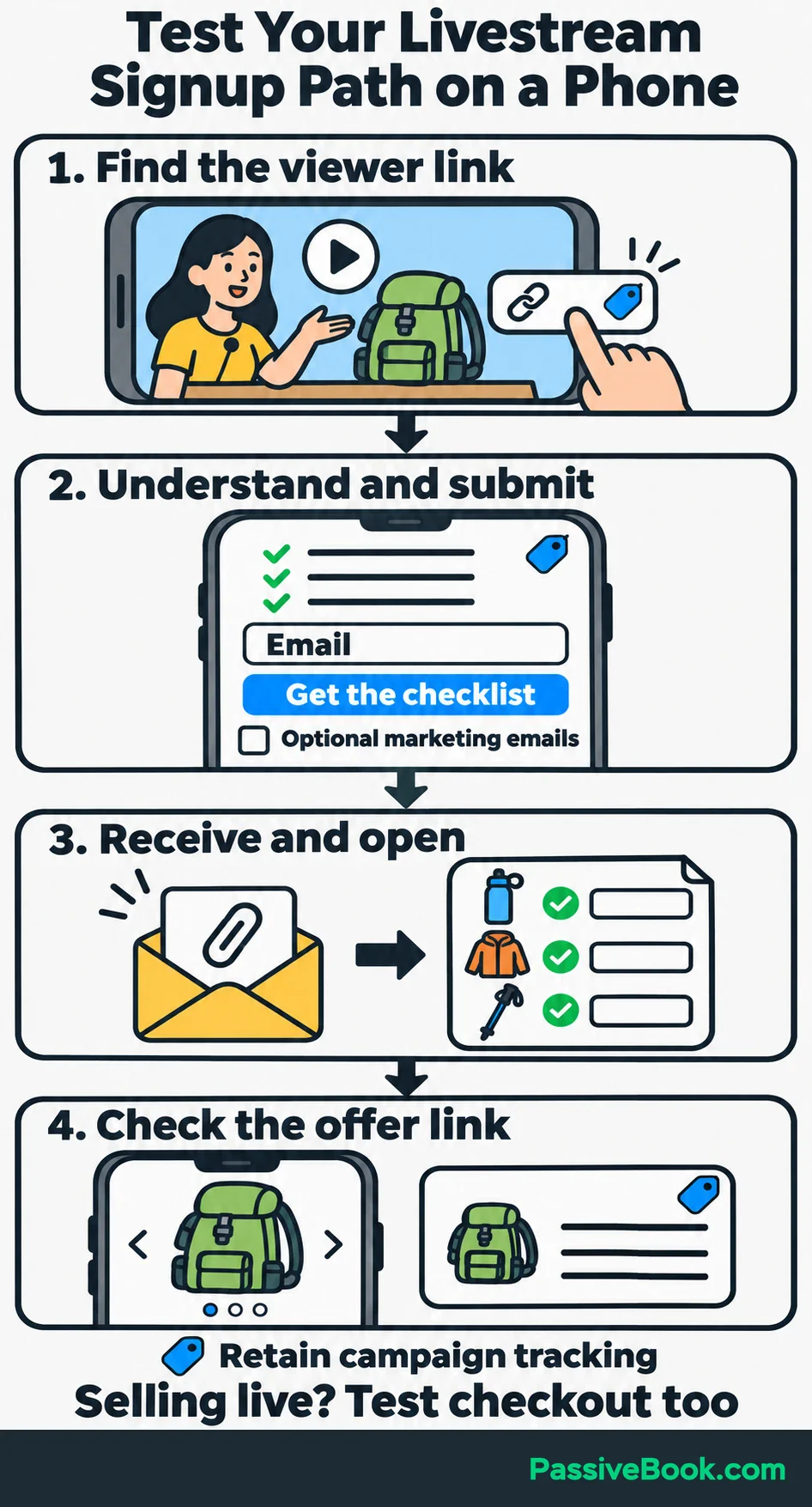
Finally, test the entire route on a phone:
- Find the link as a viewer would.
- Open the page and submit the form.
- Confirm that the checklist arrives and opens.
- Check that any product link leads to the correct offer.
For a sales session, complete a test checkout too. Testing only the page leaves half the journey unchecked.
Promote the Livestream With a Clear Reason to Attend
People need a reason to make time for your session. Lead with the problem you will help them solve, and explain what attending live adds.
For the bag demonstration, that extra value is being able to ask about the layout or request a closer look before choosing how to organize their own supplies.
Invite People Who Already Know Your Business
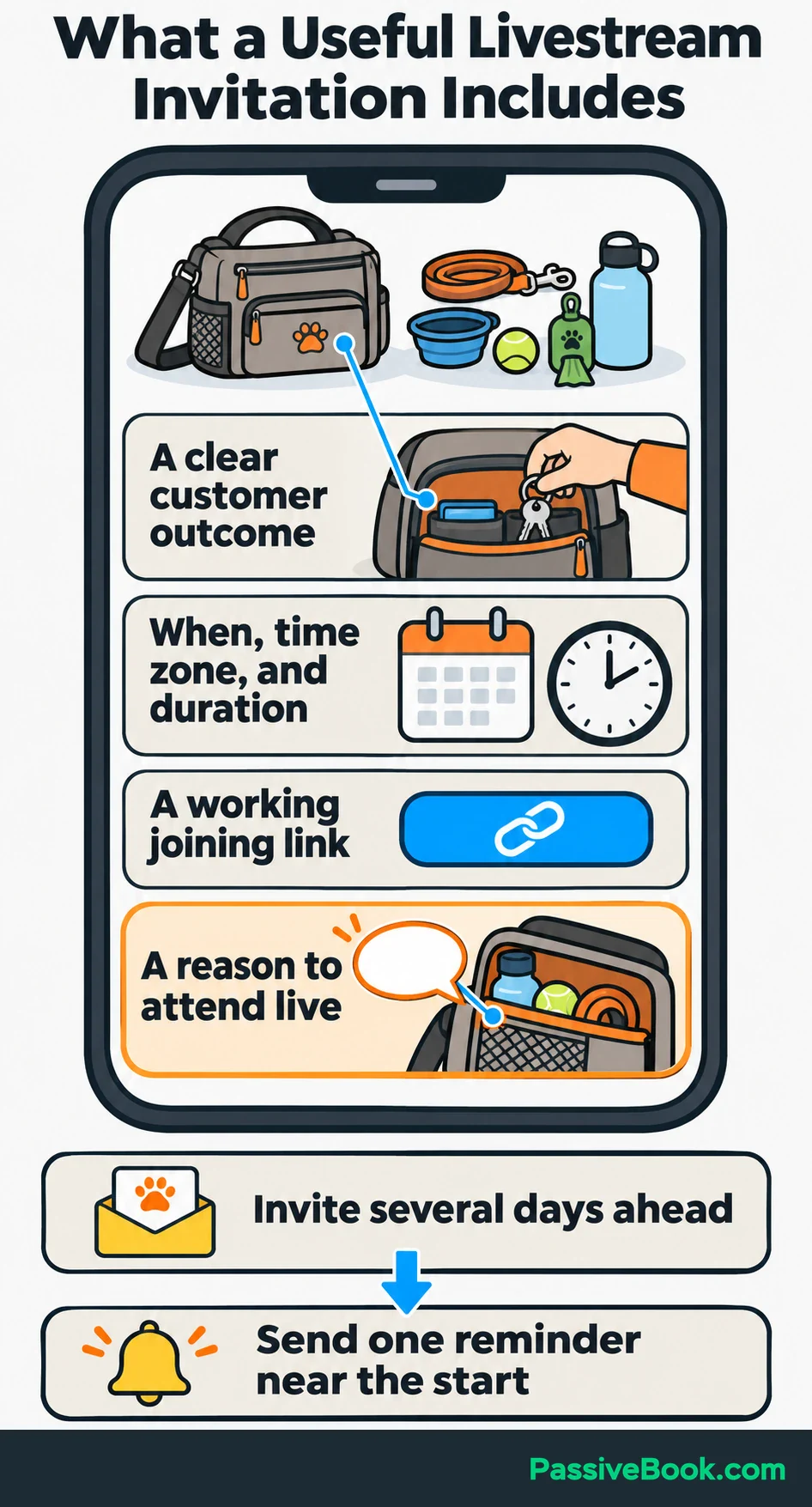
Create one place where people can find the joining link and session details. Include the outcome, date, time zone, expected duration, and opportunity to ask questions.
Share it with relevant email subscribers, existing social audiences, and visitors to related website pages. A photo of the unpacked essentials beside the bag provides a useful preview.
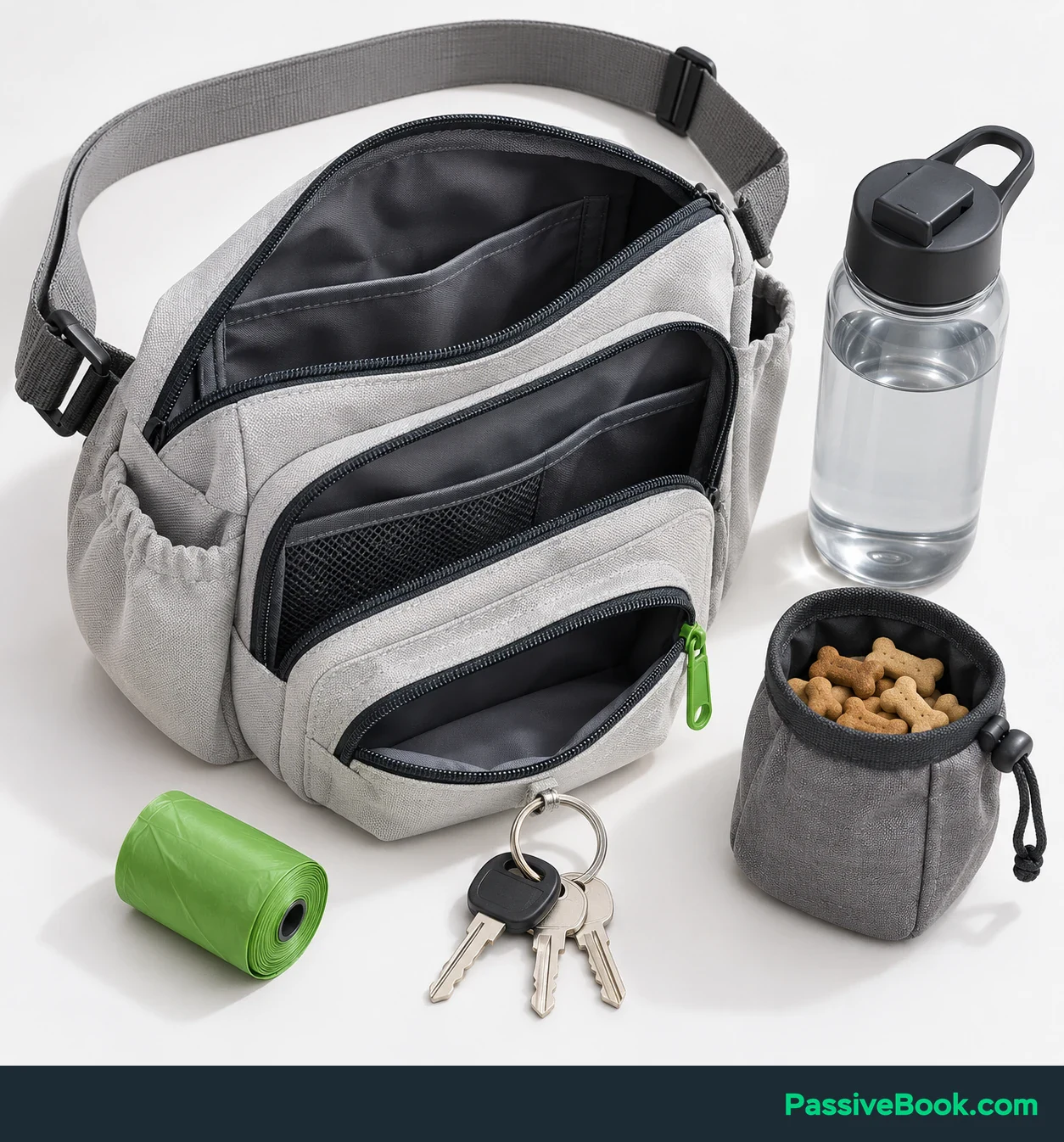
Here is a complete invitation you can adapt:
Subject: Pack your dog-walking bag with me
Keys buried again? Join me for a live demonstration of how I organize walking essentials so they’re easy to reach.
I’ll pack the bag, show how I retrieve each item, and answer your questions about the layout. You can use the same process with a bag you already own.
When: [date] at [time and time zone]
Length: About 20 minutes
Join here: [joining link]
Bring your packing questions. I’ll also share a free checklist so you can plan where your own essentials will go.
Give people time to plan, then send a short reminder near the start. I would begin with an invitation several days ahead and one reminder, then adjust based on responses.
If the demonstration is clear but the invitation is still blank, the AI Live Event Writer can write a first draft around your customer’s problem. It also gives you matching reminder and outreach copy, so you’re not starting each message from scratch.
Free AI Live Event Writer




Choose a time your audience can realistically attend. Ask if you have no useful attendance history.
Reach Relevant Viewers Beyond Your Following
Find a complementary creator or business whose audience shares the problem. For the bag shop, a dog-walking service could contribute practical packing questions while you demonstrate the arrangement.
Agree on the lesson, each person’s contribution, and who will promote it. Give your collaborator a ready-to-share invitation, preview image, and joining link.
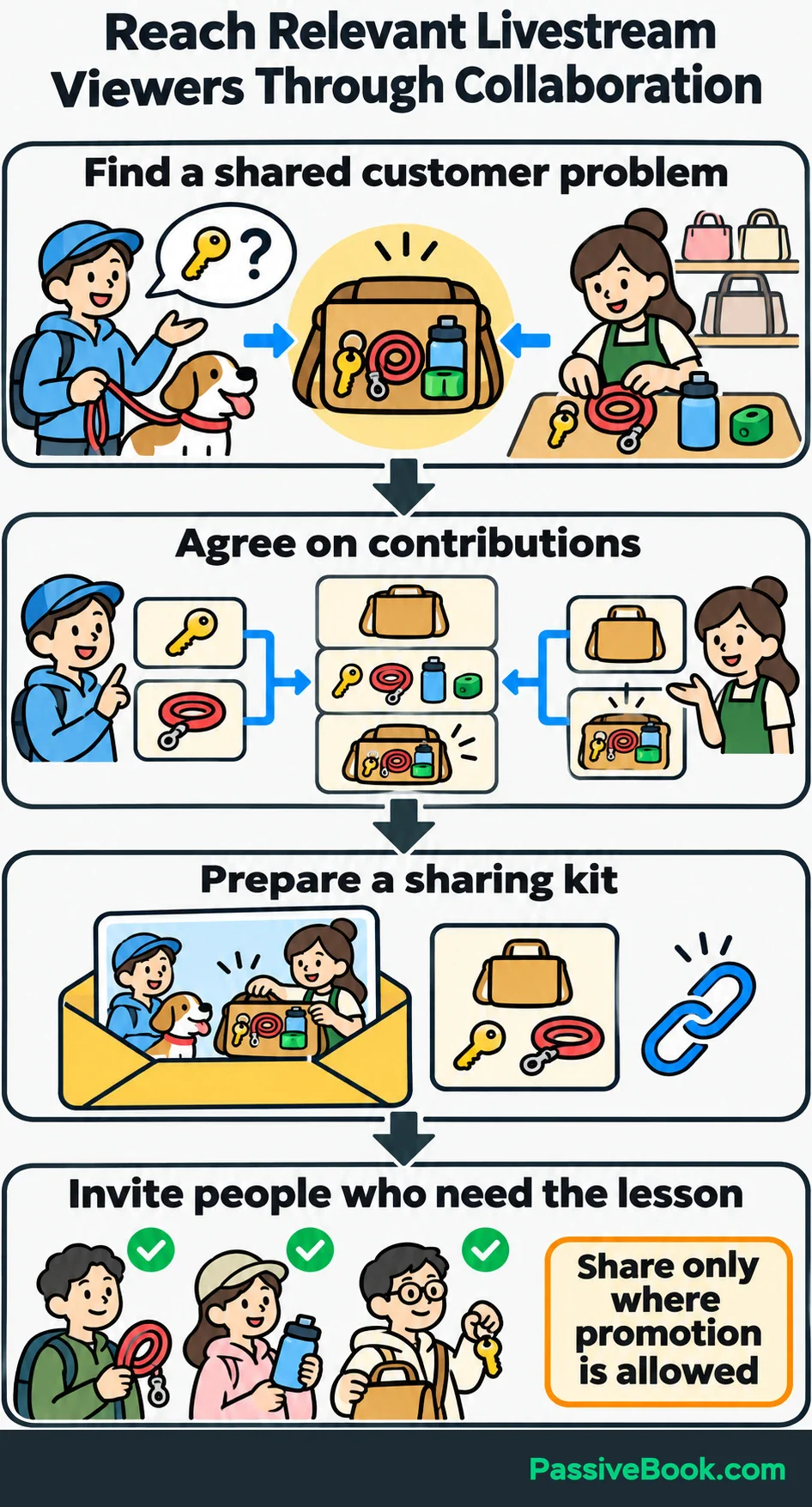
I would choose a small, relevant audience over a large audience with no interest in the problem. Follower count cannot tell you whether anyone needs what you sell.
Share in communities that allow event promotion, and explain the useful lesson rather than dropping a bare link. With a small following, personally invite people who have already expressed interest and collect their questions beforehand. Platform discovery can be a bonus; it should not be your whole attendance plan.
Test a Simple Streaming Setup
Start with a phone or computer you already own, stable support, clear audio, usable light, and a reliable connection.
Position the camera close enough to show the task. For the bag demonstration, viewers should be able to see your hands, the compartments, and the packed items. A wide shot of the room adds little.
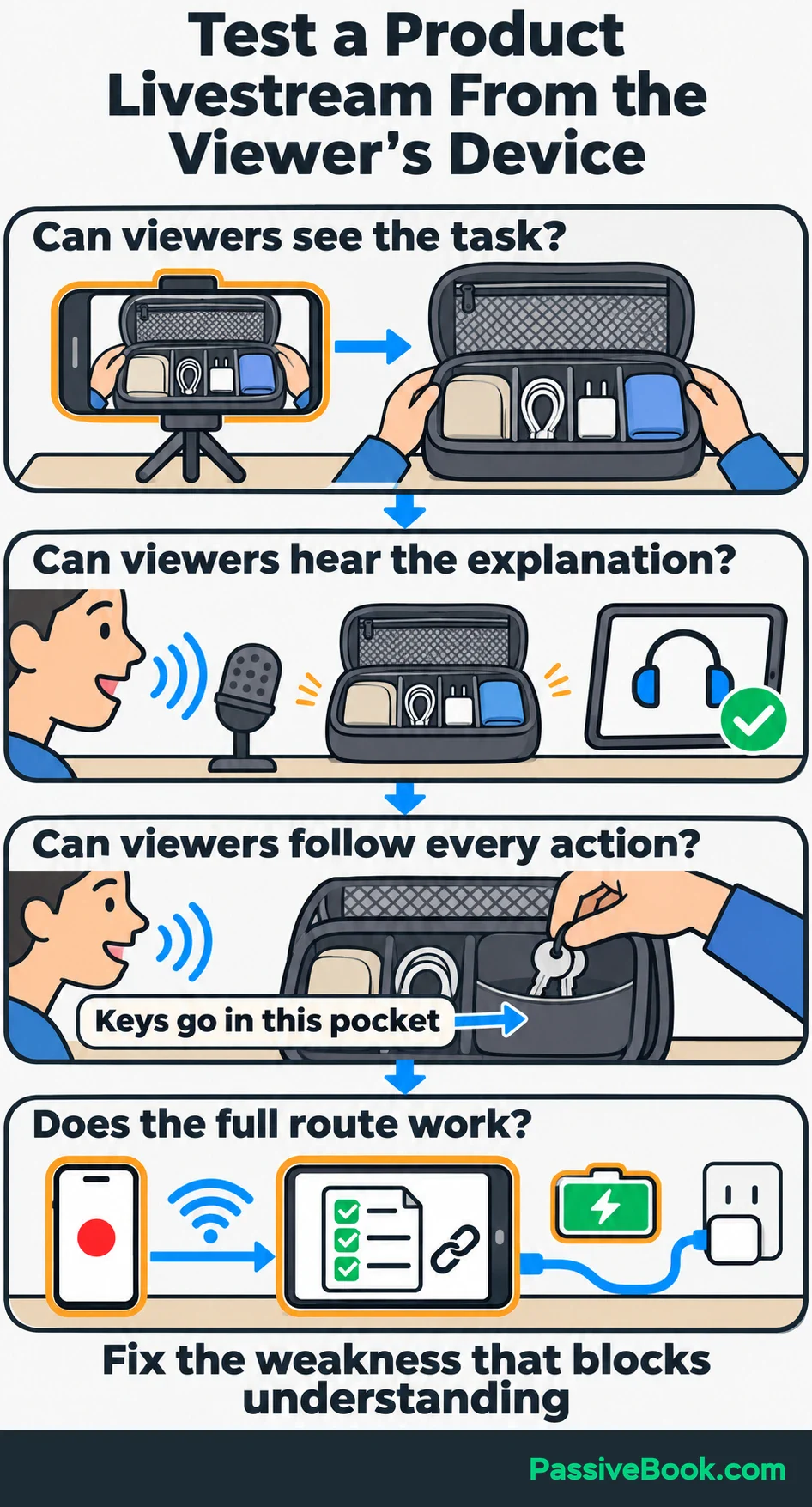
Rehearse the opening, one tricky part of the demonstration, and the checklist invitation. Watch the test from another device and check:
- Whether speech is clear over handling noises.
- Whether your hands block the details you are explaining.
- Whether the connection stays usable.
- Whether power and recording are ready.
- Whether the destination link is easy to find.
Arrange live captions, describe important visual actions aloud, and prepare a captioned replay. For example, say which pocket you are using instead of relying on “put it here.” W3C’s media accessibility checklist explains the different needs of live and recorded video.
Keep your running order and destination link within reach. If the connection fails, have a simple response ready: try reconnecting, update the joining page, and announce a replacement if you cannot continue.
Upgrade the specific weakness that prevents viewers from following. Buy a microphone because the sound is unclear, not because somebody’s desk tour made you feel under-equipped.
Host a Useful Session That Leads to Action
Deliver the Promised Value Immediately
Start at the announced time. State the outcome, explain how to ask questions, and begin the demonstration.
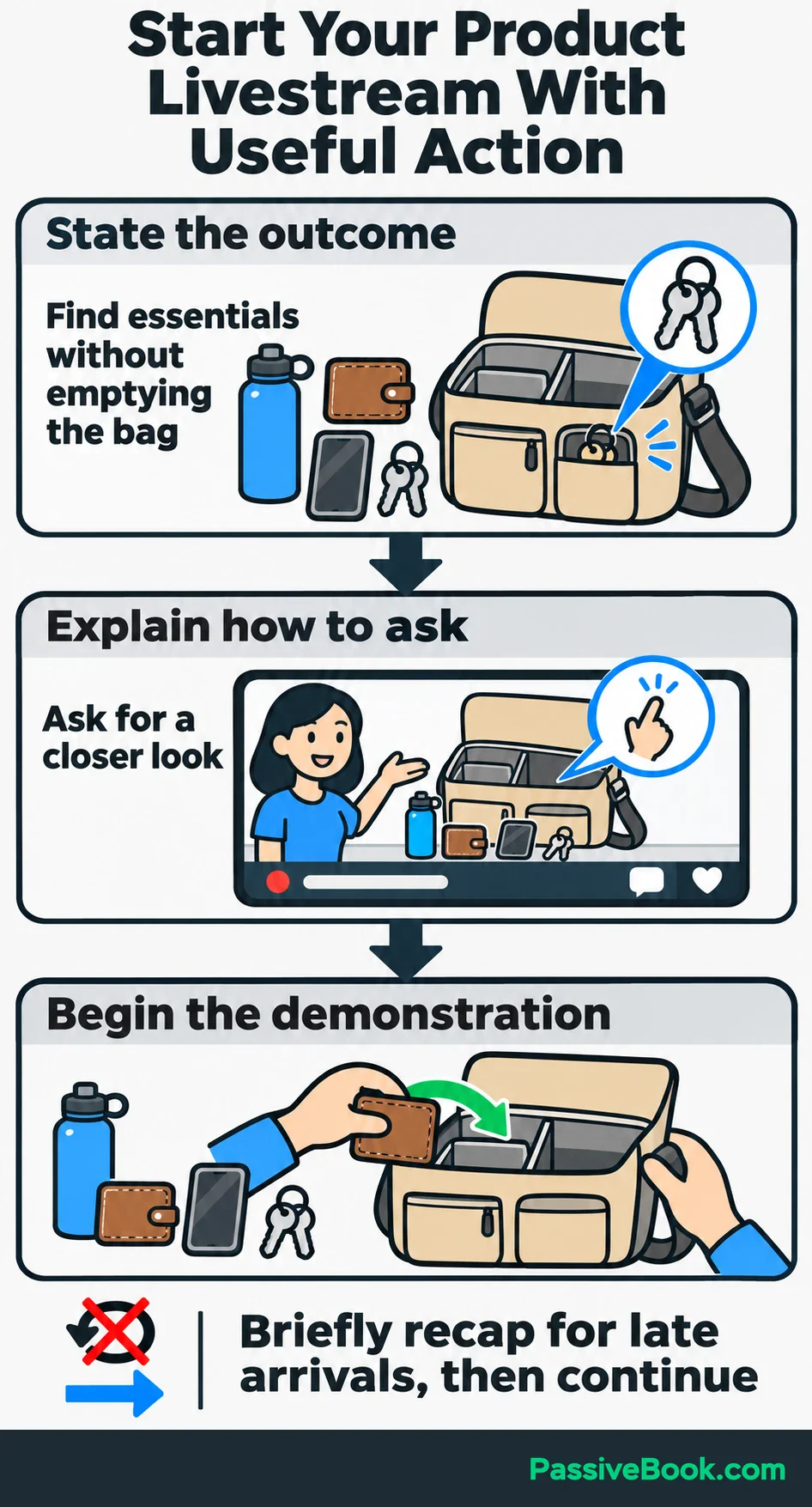
Do not spend the opening waiting for the viewer count to rise. The people who arrived on time should get what they came for.
While preparing a walkthrough for one of my digital products, I caught myself explaining how I had built it before showing what a buyer could do with it. Listening back, the useful part started far too late. Now I put the first useful action near the top of my notes.
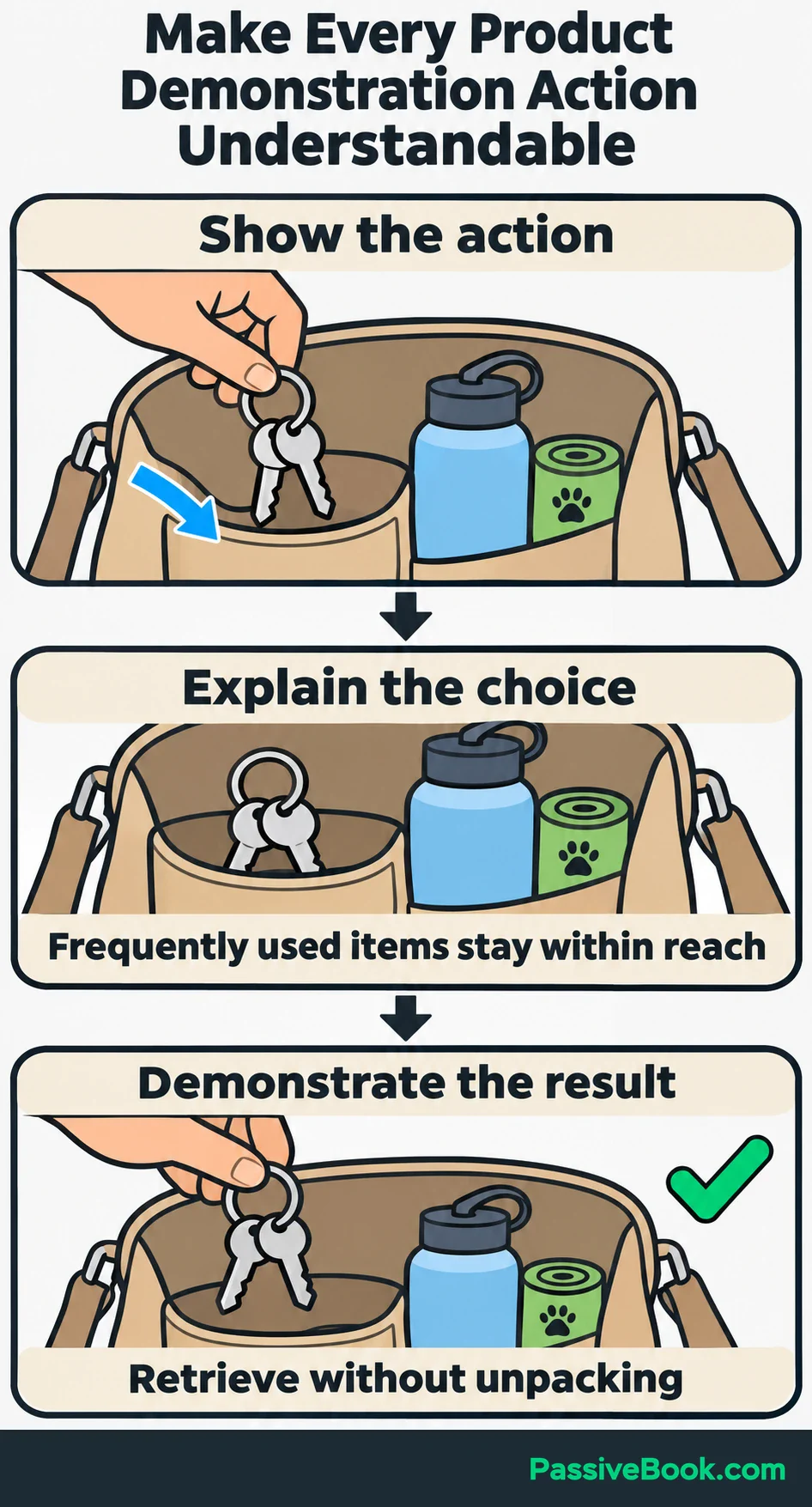
For your bag session, that means starting with the items and the packing problem:
“I’ll show you how I arrange these essentials, then check whether I can reach each one without emptying the bag.”
Show each action clearly and explain why you made that choice. At natural transitions, give late arrivals a brief recap and continue. Restarting the introduction repeatedly makes everyone else watch the beginning on a loop.
Use Questions to Improve the Demonstration
Ask questions that help you decide what to show next:
“Which item do you struggle to find during a walk?”
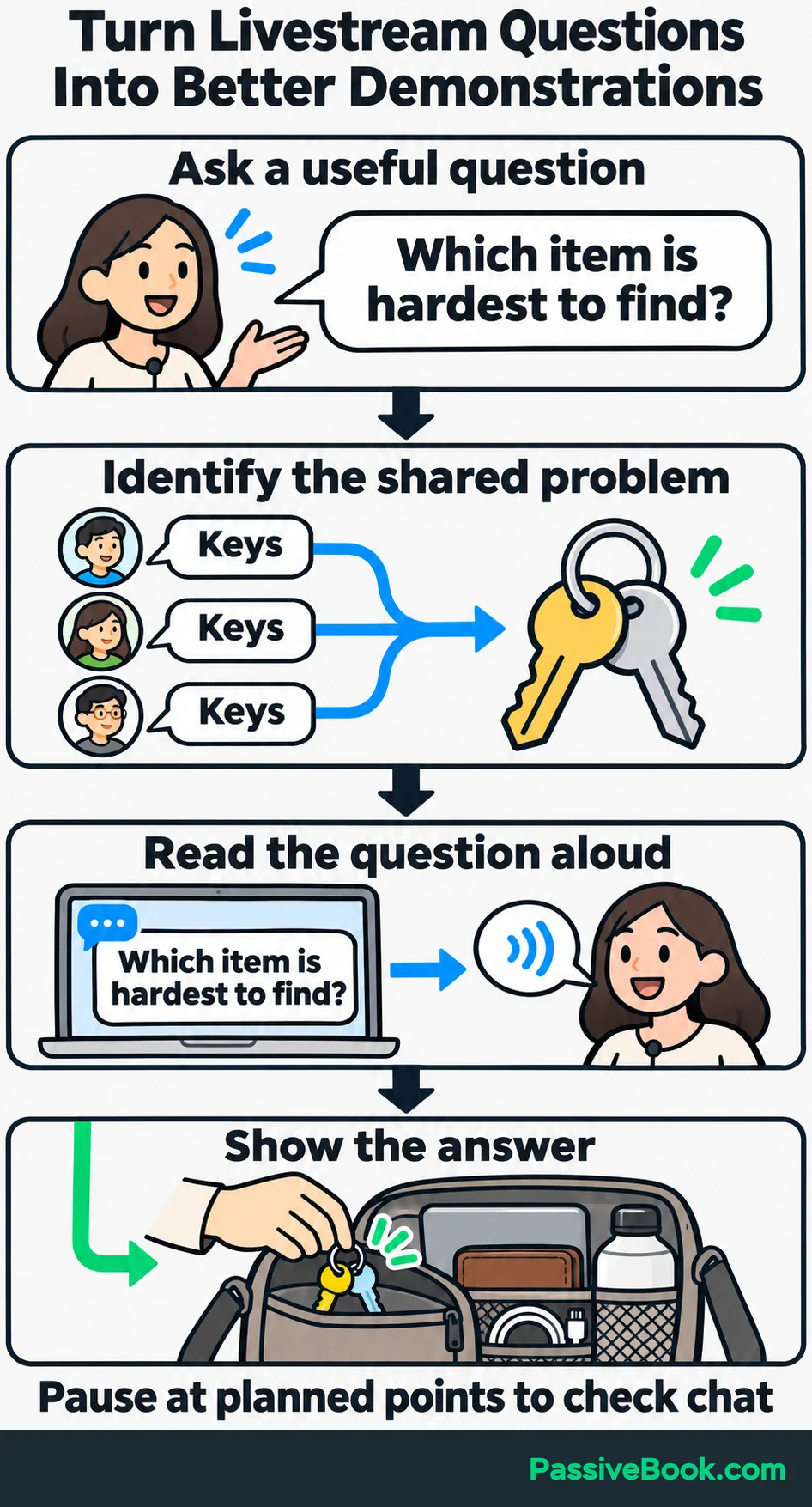
If several viewers mention keys, show where you put them and demonstrate reaching them. That answer now has a visible consequence.
Read relevant questions aloud before answering so the recording still makes sense. Pause at planned points rather than trying to pack, talk, and scan every comment at once.
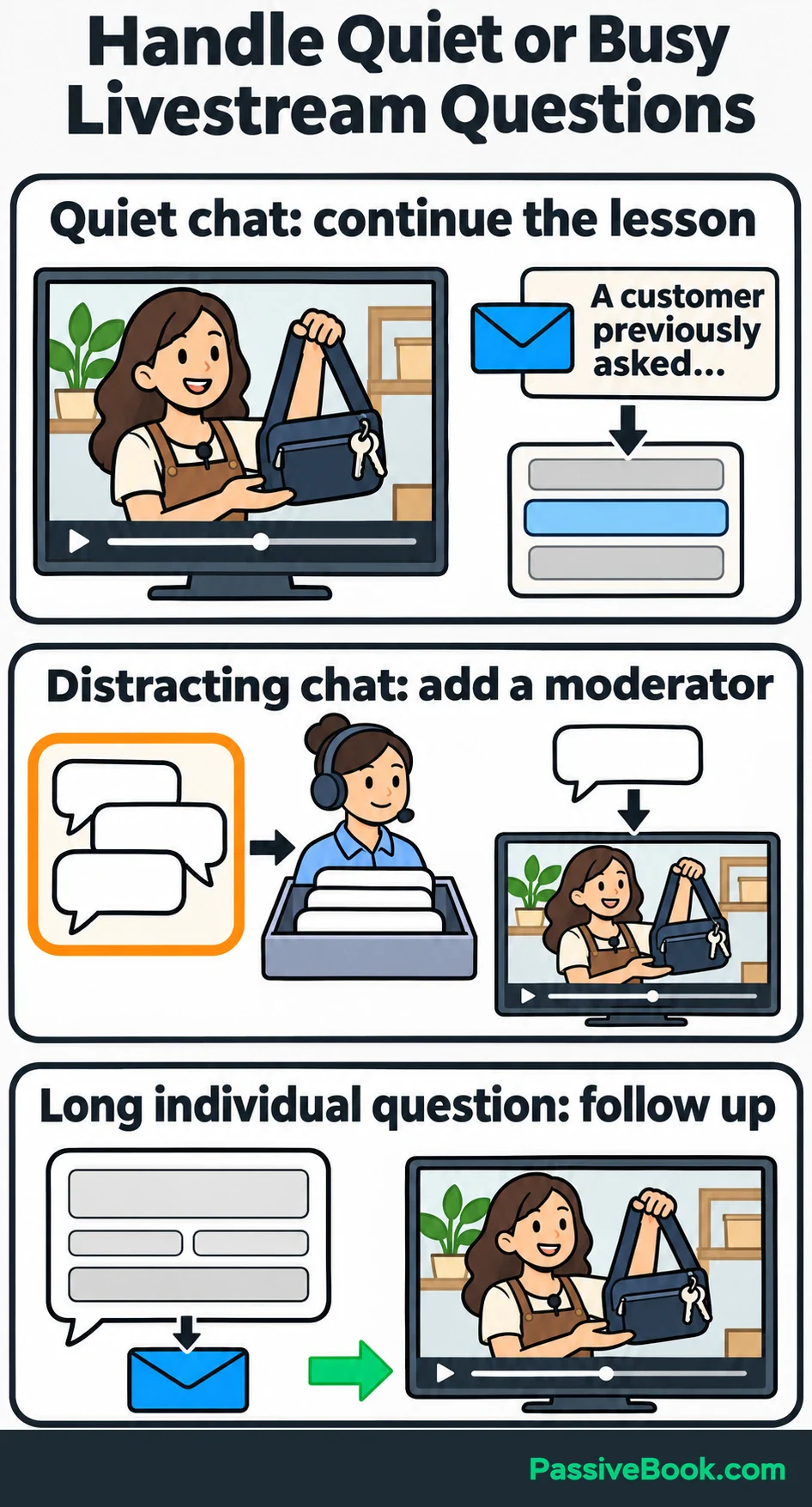
When chat is quiet, continue with your prepared lesson and the genuine questions collected beforehand. Introduce them honestly as questions customers have asked. There is no need to pretend the chat is busier than it is.
Add a moderator when comments start distracting you from the demonstration. Save long, individual questions for follow-up so one exchange does not consume the whole session.
Give Viewers One Clear Next Step
Once you have delivered useful material, explain the primary invitation and where to find it:
“Download the free walk-packing checklist to organize your own essentials. It lists the items we covered and leaves space to plan where each one will go. The link is in [tested link location].”
Repeat that invitation briefly during the closing recap.
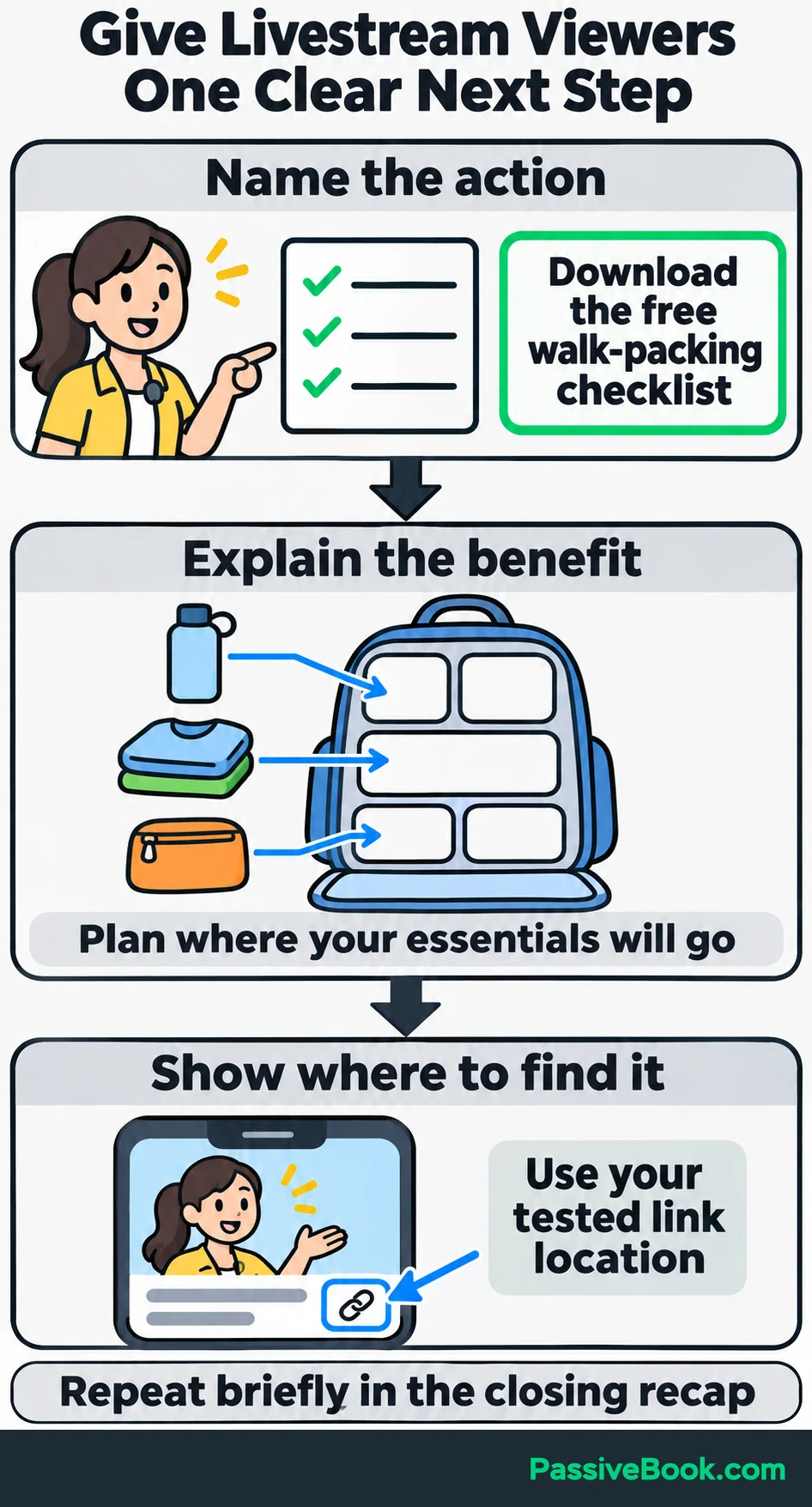
For this lead-focused session, the checklist is the main action. Asking viewers to subscribe, follow, share, download, visit the shop, and buy makes the next step harder to choose.
For a sales-focused version, spend more time demonstrating the offer, explaining who it suits, and answering purchase questions. Then direct viewers to checkout.
Follow up and Reuse the Recording
Continue the Path From Interest to Purchase
Deliver the promised checklist promptly. Send the replay and a short recap to people who requested them, with the same primary invitation for anyone who has not downloaded it.
For subscribers who agreed to further emails, continue the lesson before introducing the purchase:
- Show one practical packing arrangement they can try.
- Answer a recurring question about the bag.
- Invite them to inspect the product page if its layout suits their needs.
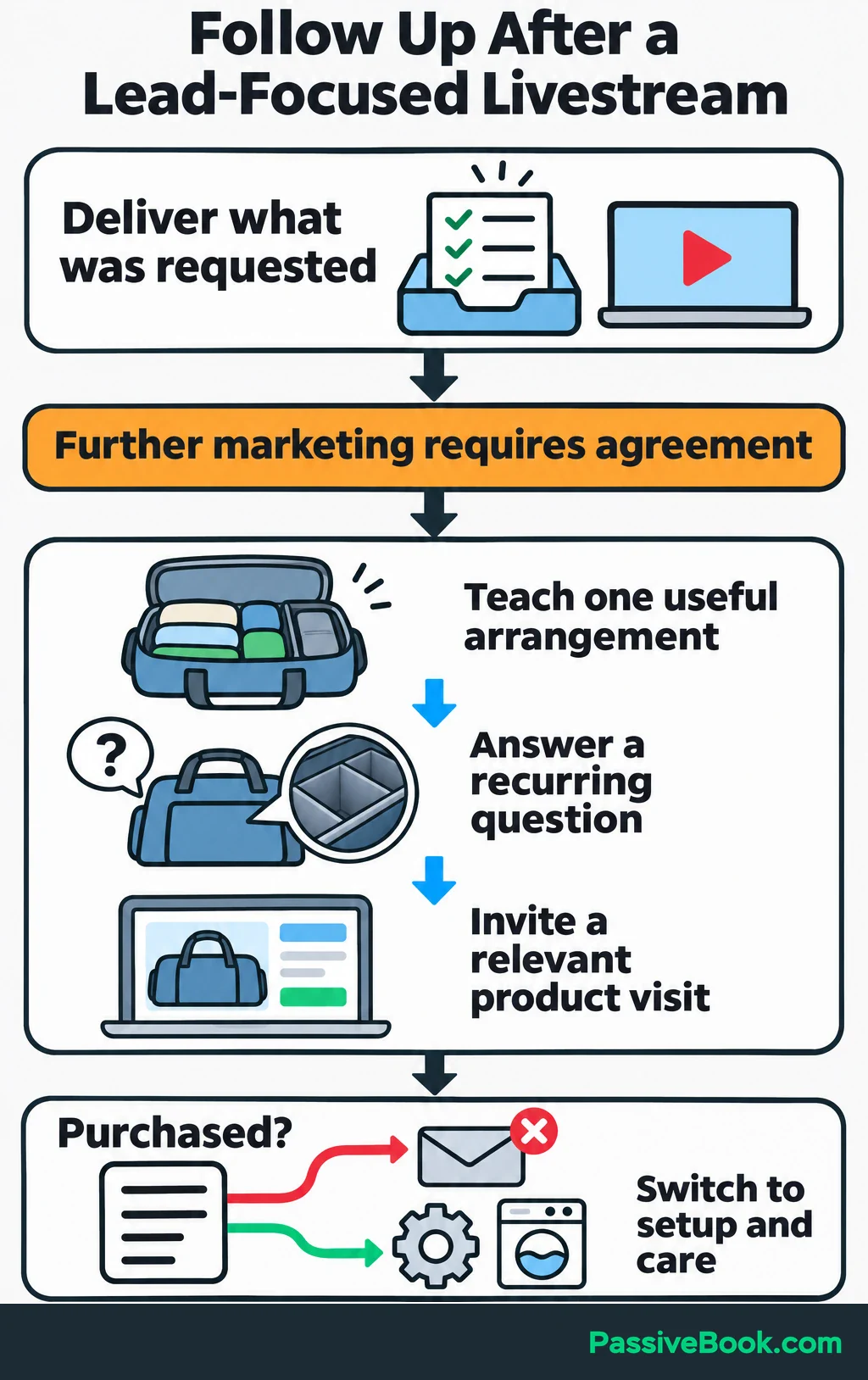
Use questions from the session to make those messages specific. If viewers struggled to understand the compartment layout, send a clear photograph with the relevant dimensions and product details.
I would skip an extra email if it adds nothing useful. An unanswered buying question earns a message; an empty slot in a sequence does not.
Separate prospects from purchasers in your email tool. Someone who bought the bag needs setup and care instructions, and should stop receiving messages asking whether they want to buy that same bag.
Turn the Session Into Reusable Content
Save your own copy of the recording promptly. Then remove waiting time and technical interruptions, give the replay a descriptive title, and check its next-step link.
Extract a few complete answers or demonstrations rather than publishing every available scrap. For this session, useful excerpts might show:
- How you arrange the most frequently used items.
- How you retrieve something without unpacking the bag.
- The answer to a common question about the layout.
Give each excerpt enough context to stand alone, add captions, and direct interested viewers to the checklist or replay.
Reuse the invitation, running order, and follow-up structure for the next session. Once the process works, automate reminders and resource delivery through your email tool. Use n8n or Make if you need to connect separate systems.
That is where the work can compound: one session answers questions live and leaves useful material for later visitors. It does not require a promise to perform on camera every evening.
Measure Results and Improve the Next Livestream
Review the primary goal over a consistent reporting window, such as the seven days beginning with the broadcast. Track live viewing and replay viewing separately, and record the total time spent preparing, promoting, hosting, and following up.
Use a small results sheet:
| Stage | Metric | Data Source | Next Action |
|---|---|---|---|
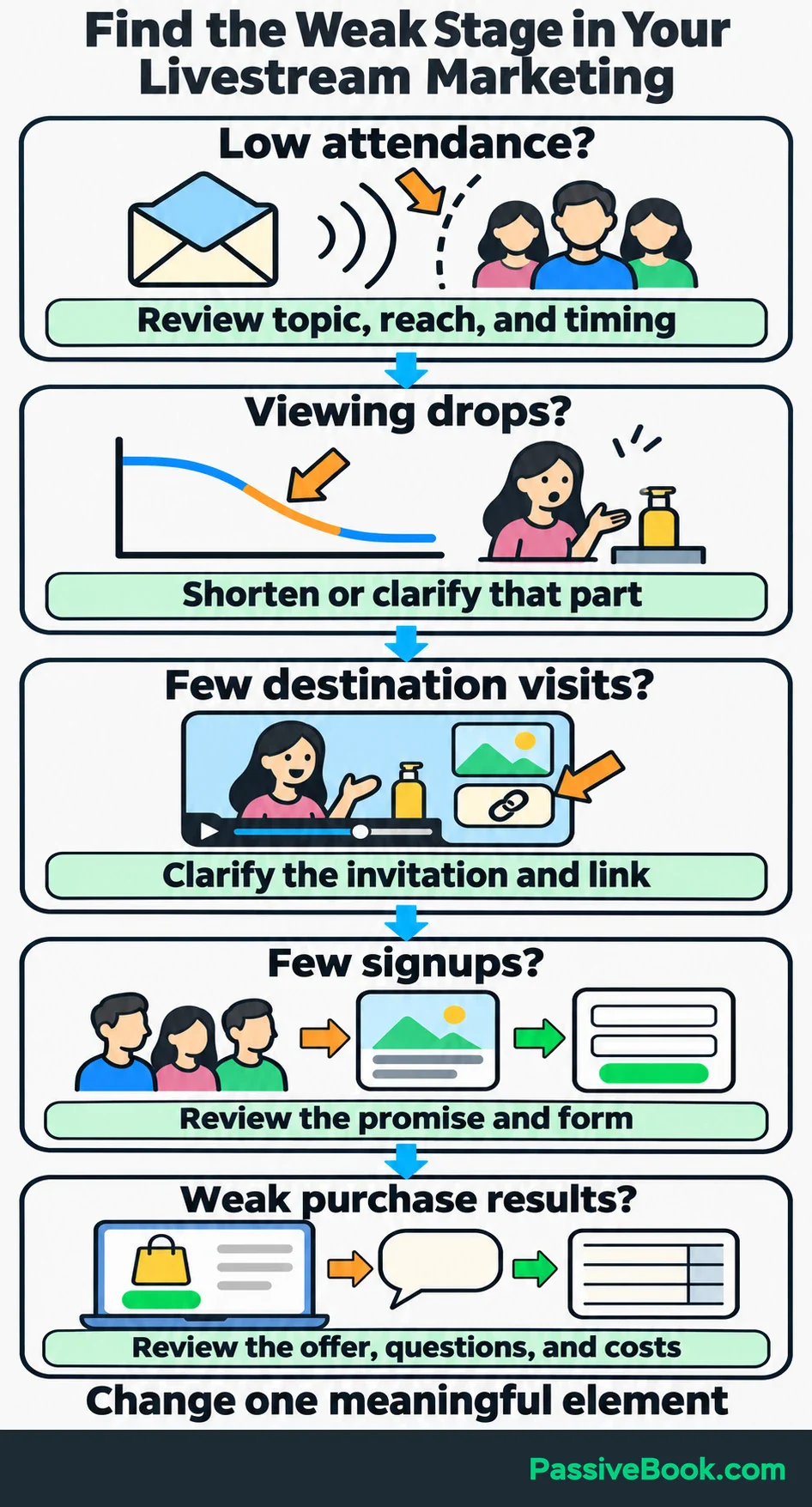
| Attendance | Live views and peak concurrent viewers | Platform analytics | If attendance is weak, review the topic, invitation reach, and timing. |
| Viewing Engagement | Average viewing duration and retention | Platform analytics, where available | Watch where attention drops and shorten or clarify that part. |
| Destination Visits | Visitors arriving through campaign-tagged links | Website analytics | If viewing holds but visits are low, clarify the invitation and link location. |
| Signups | New confirmed email subscribers from those visitors | Form and email records | If visits produce few signups, review the resource promise and form. |
| Purchases | Campaign-attributed orders, revenue, and refunds | Shop records and campaign tracking | Review the offer, buying questions, and costs before repeating the session. |
Live views count how many times the broadcast was viewed, including repeat views. Peak concurrent viewers is the largest audience watching at once. Average viewing duration tells you how long each view lasts on average; retention helps you find where viewers stop watching. YouTube’s livestream metric definitions
To calculate signup conversion, count the landing-page visitors who became new email subscribers and divide that number by all visitors in the same group and reporting window.
Suppose that, during your seven-day window, 40 distinct visitors arrive at the checklist page through campaign-tagged links. Eight of those visitors become new confirmed subscribers:
8 ÷ 40 × 100 = 20% signup conversion
Within that window, your shop also records two campaign-attributed orders, each containing one $29 bag:
2 × $29 = $58 in attributed bag sales revenue
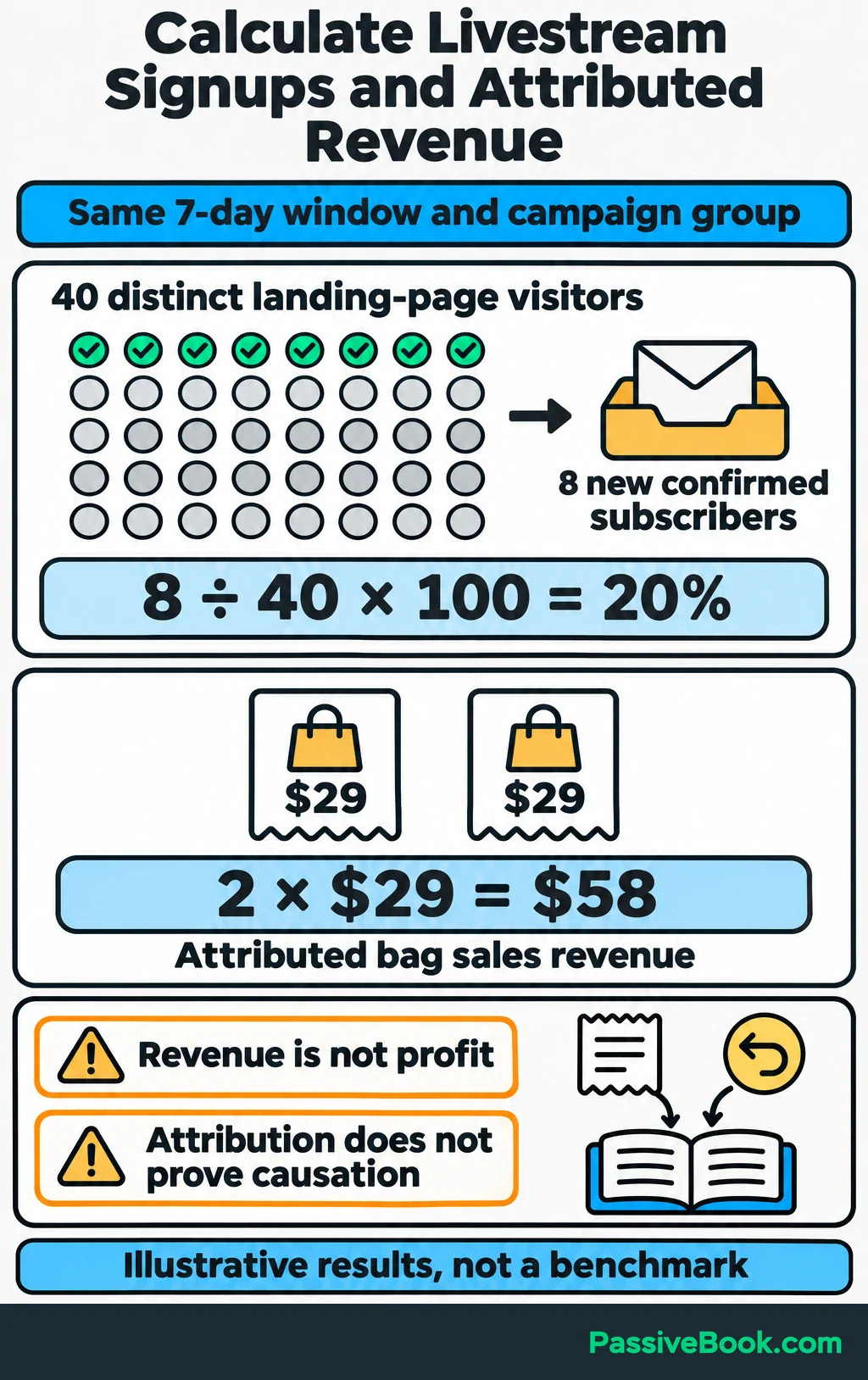
These are illustrative results, not a benchmark.
Campaign attribution connects orders to recorded marketing activity. It does not establish that the livestream caused every purchase. To judge whether the session was worthwhile, account for refunds, product and fulfillment costs, payment fees, event expenses, and your time.
Then change one meaningful element. If people watched but rarely clicked, improve the invitation before buying a better camera. If visitors reached the page but did not sign up, inspect the promise and form.
I would run a small trial before committing to a weekly schedule. Repeat sessions that produce useful customer actions at a cost you can sustain, and reconsider the format if several focused attempts fail to justify the effort.
What Next?
Choose one recurring customer question and write a single sentence describing what you could show live to answer it. Then choose the customer action that would make that session worth running.
Use the social buttons to share this guide when you want to turn a livestream idea into a session with a clear path to leads or sales.
Which customer question would make the strongest first demonstration for your business? Share it in the comments, and bring any other questions about planning or running the session.
Share this post with your friends & followers:

