A free video embed looks like an easy saving when you’re adding your first lesson or product demo. The harder choice comes when you need fewer distractions, control over who can watch, or viewing data that reaches your email system.
Paying creates its own risk. You can buy a generous storage allowance and still face delivery charges, or discover that the integration you need belongs to a higher plan. The comparison below weighs those costs against player control, access, and business features, so you can choose a host that fits how you publish and sell.
Should You Use YouTube or a Dedicated Video Host?
Use YouTube when you want people to find and share your public videos. Pay for dedicated hosting when control over the player, viewer access, reporting, or integrations solves a clear business problem.
Those jobs can sit alongside each other.
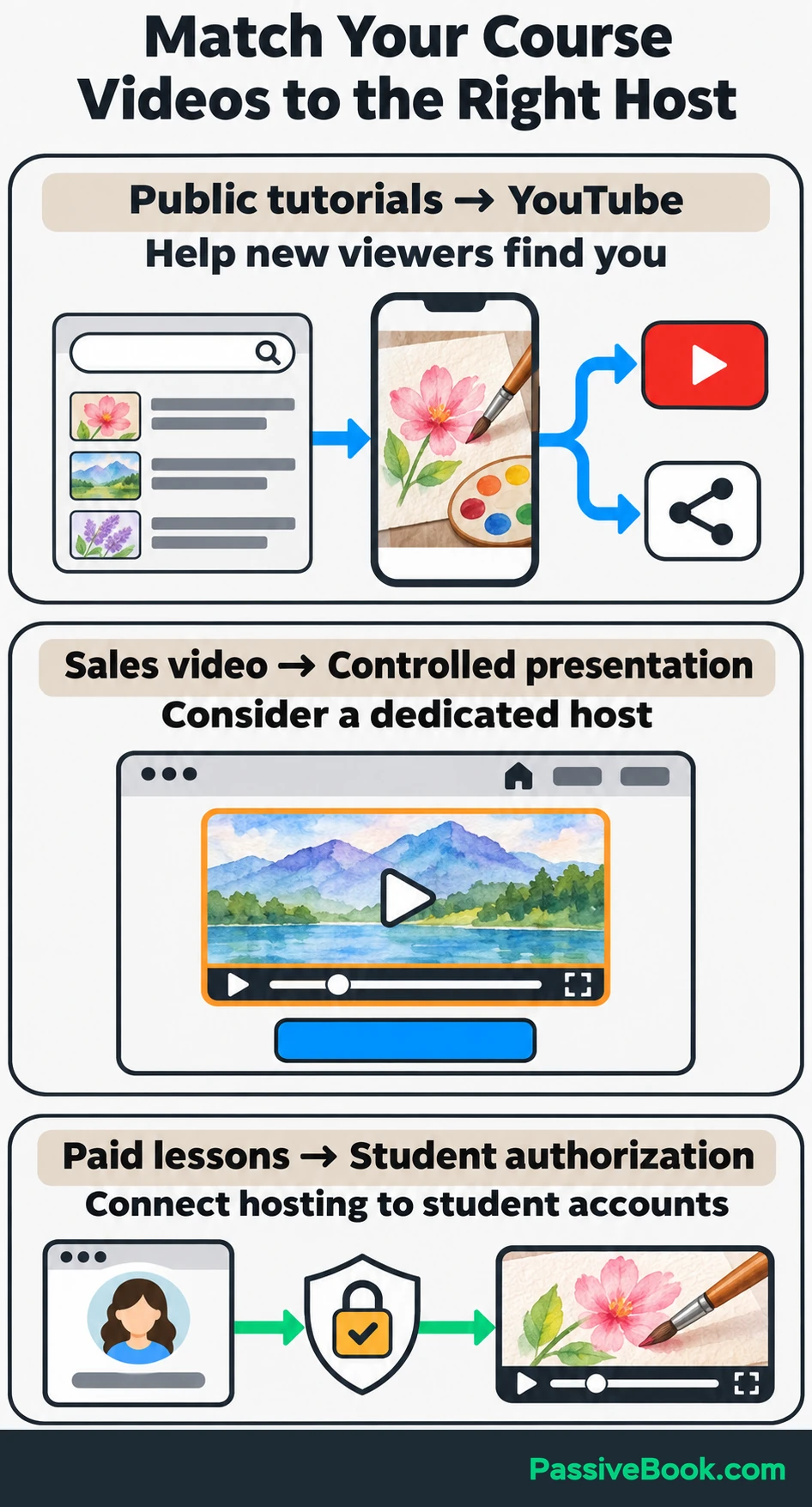
Imagine you sell a beginner watercolor course. You have public tutorials, a sales video, and lessons reserved for students. I would treat them differently:
- Public tutorials: Use YouTube to reach people searching for painting help.
- Sales video: Consider a dedicated host so the presentation and next action stay under your control.
- Paid lessons: Choose hosting that works with your student accounts and access rules.
You don’t need one platform to do everything. But I would also avoid adding three services before checking what you already have.
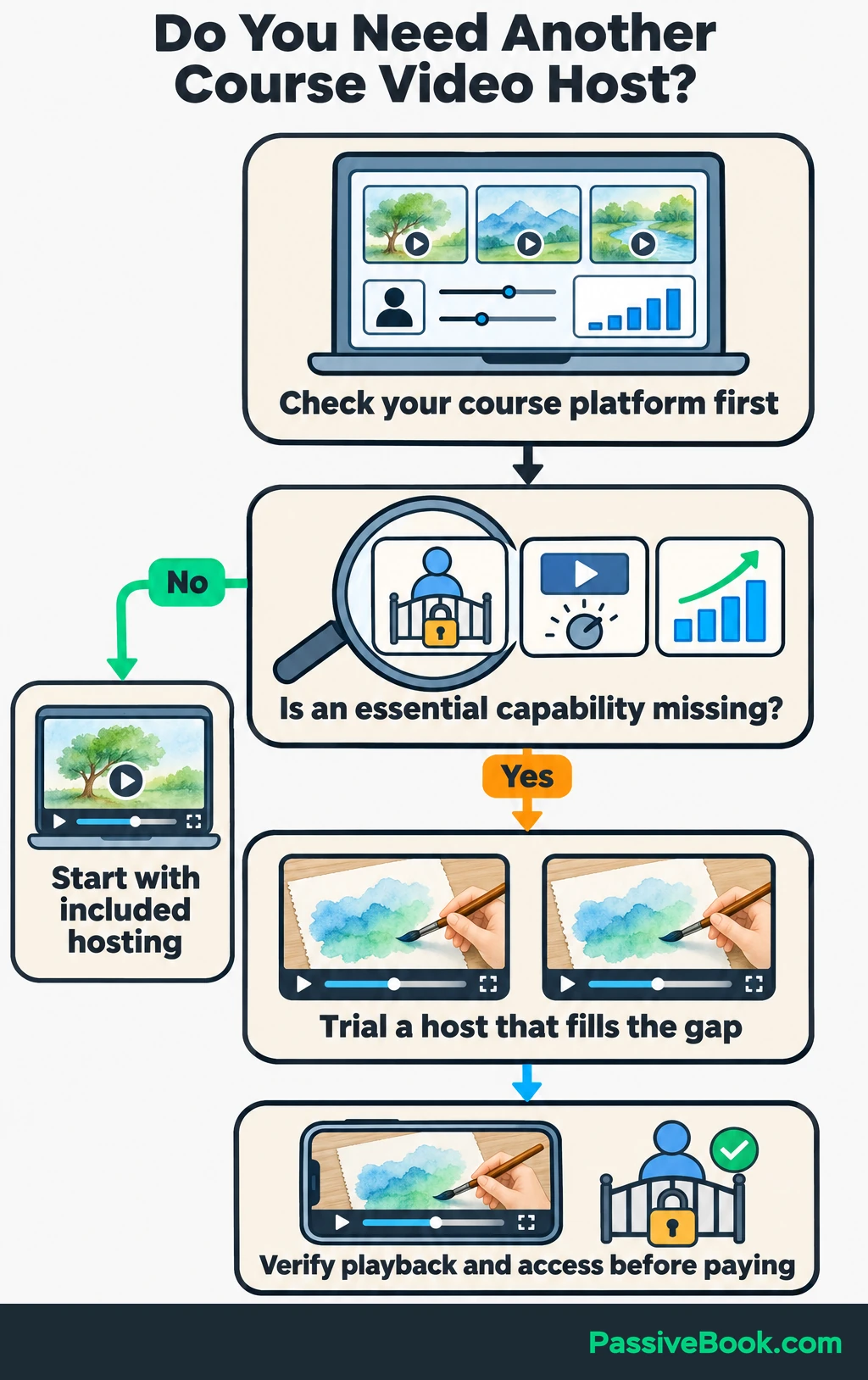
If your course platform includes suitable video hosting, start there. A separate subscription needs to solve a gap, such as weak access controls or missing engagement reports. Paying twice to store the same lessons is an unusually dull way to spend money.
A dedicated host also doesn’t automatically mean better playback. Price and feature lists won’t tell you how a lesson behaves on a student’s phone and connection. That needs a trial.
What Should You Compare in a Business Video Host?
Start with the jobs your videos must do, then turn those jobs into requirements.
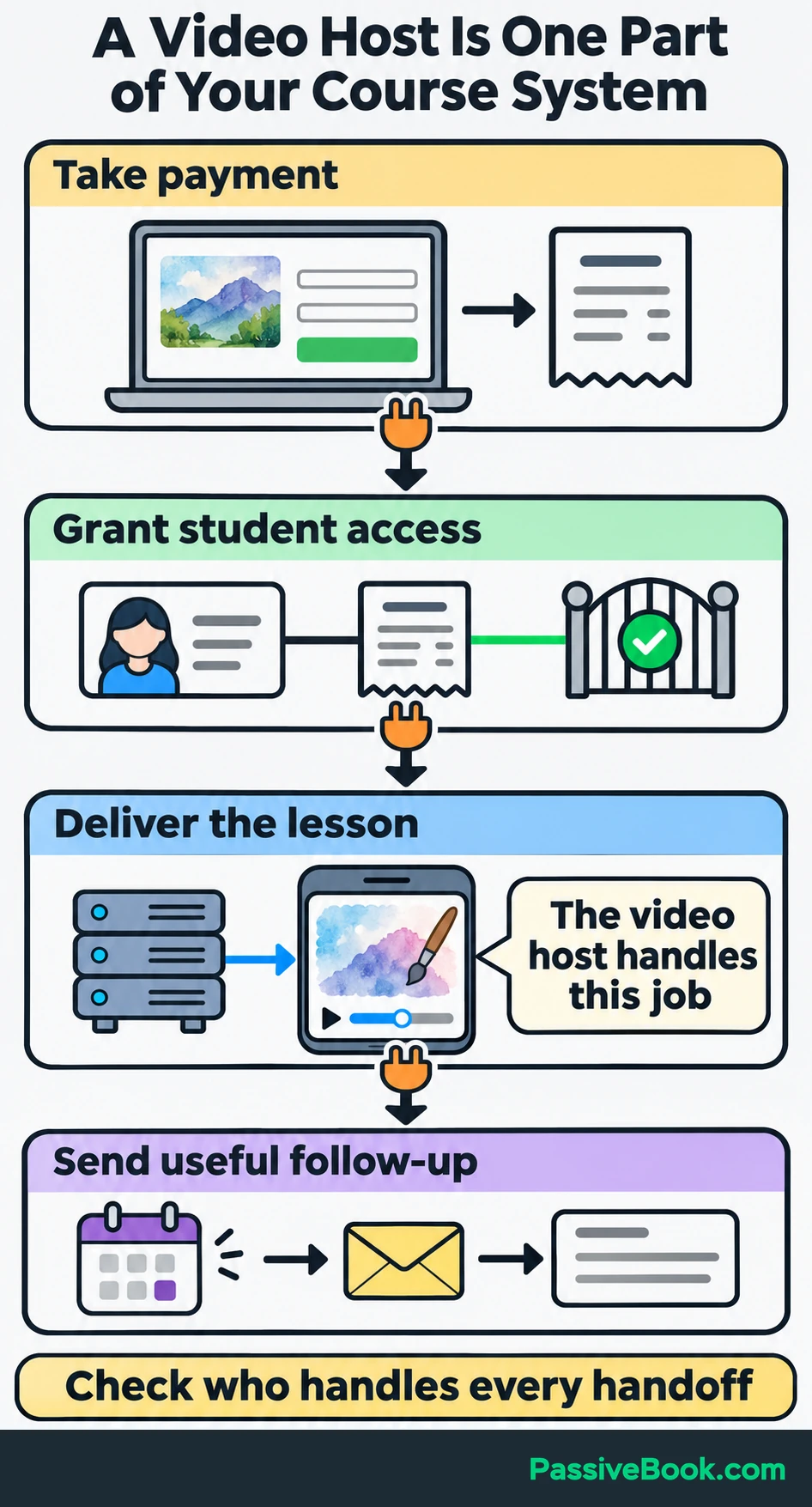
When organizing one of my digital products, I initially grouped everything under “course setup.” That hid several separate jobs: taking payment, granting access, delivering lessons, and sending follow-up emails. Once I separated them, it became easier to see which tool needed to handle each part.
I would make the same distinction here. A video host may deliver your lessons without managing purchases or knowing which customer bought which course.
Use this checklist to narrow the options:
| Requirement | What to check |
|---|---|
| Presentation | Can you remove host branding, choose player colors, and control what happens after playback? |
| Playback | Does the intended plan support the resolution you need, and can viewers see important details clearly? |
| Access | Can the host enforce your actual rules for students, customers, or staff? |
| Reporting | Can you find where viewers leave, rather than only count plays? |
| Integrations | Can the required data reach your email or customer system on an affordable plan? |
| Support | Who helps when playback or an integration fails, and through which support channel? |
| Spending | What is included, when does it reset, and what happens when you exceed it? |
| Migration | Can you export useful files and reports, and how much work will replacing embeds take? |
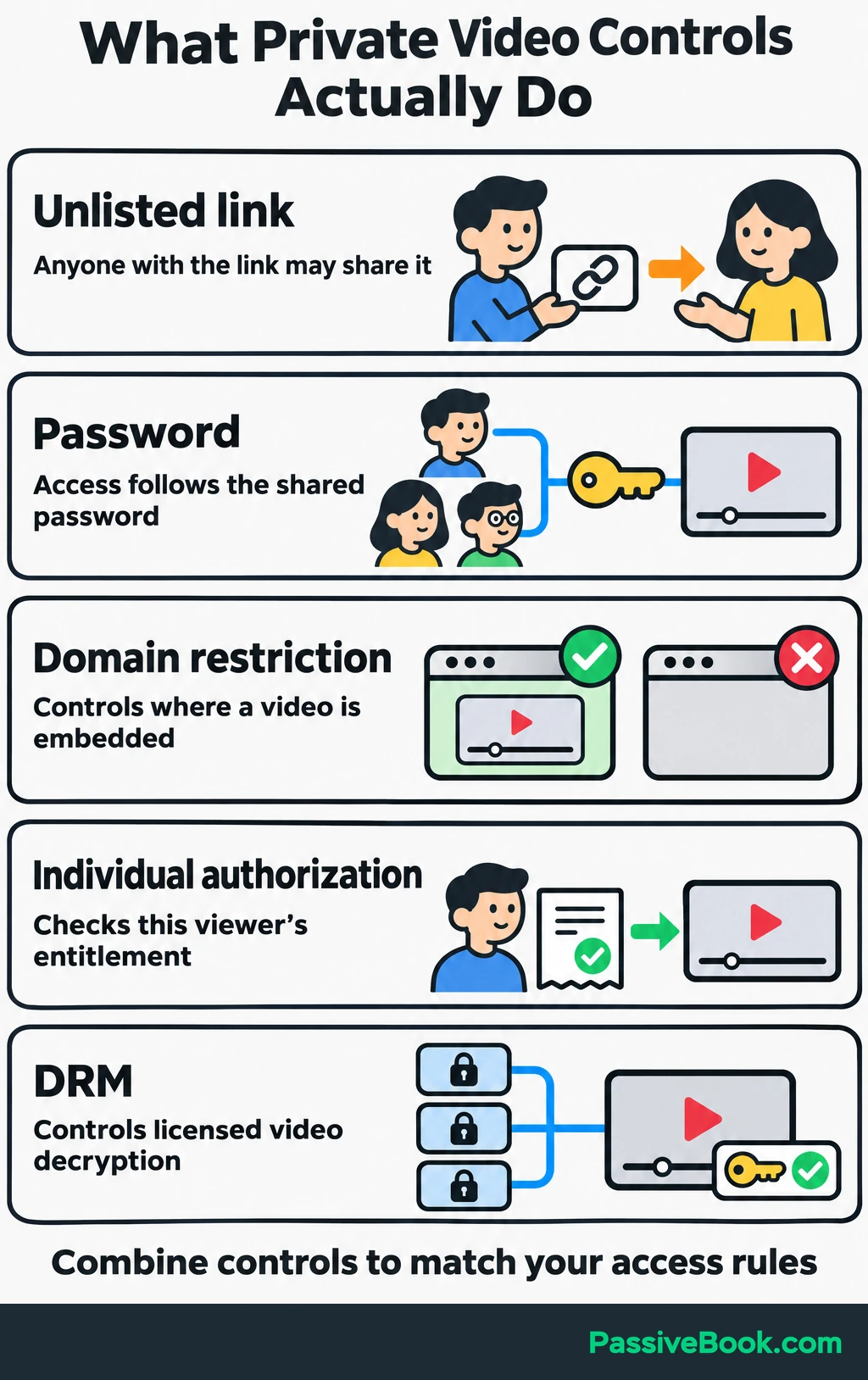
Security deserves a closer look because several different controls get called “private.”
- Unlisted link: Reduces discovery, but people with the link may still share it.
- Password: Gives access to anyone who knows the shared password.
- Domain restriction: Limits which websites can embed the video.
- Individual authorization: Checks whether a particular viewer should have access.
- DRM: Digital rights management controls how encrypted video is unlocked through a licensed player.
These controls can work together. A domain restriction can stop another website from embedding a lesson, but it doesn’t decide whether a visitor bought your course.
For the watercolor lessons, I would require student authorization. For a public sample, I would care more about presentation and easy playback.
Also separate storage from delivery. Storage is the library you keep online. Delivery is what the host sends when people watch or download it. A small library can generate a large delivery bill if it gets watched repeatedly.
Finally, give every advanced feature a job. “Find where students abandon the brush-control lesson” is useful. “Have advanced analytics” is a subscription looking for a purpose.
The Best Video Hosting Platforms Compared
The best video hosting platforms solve different problems. My default shortlist is SproutVideo for business embeds, Bunny Stream when cost matters and your website handles customers, and Wistia when viewing data will guide marketing decisions.
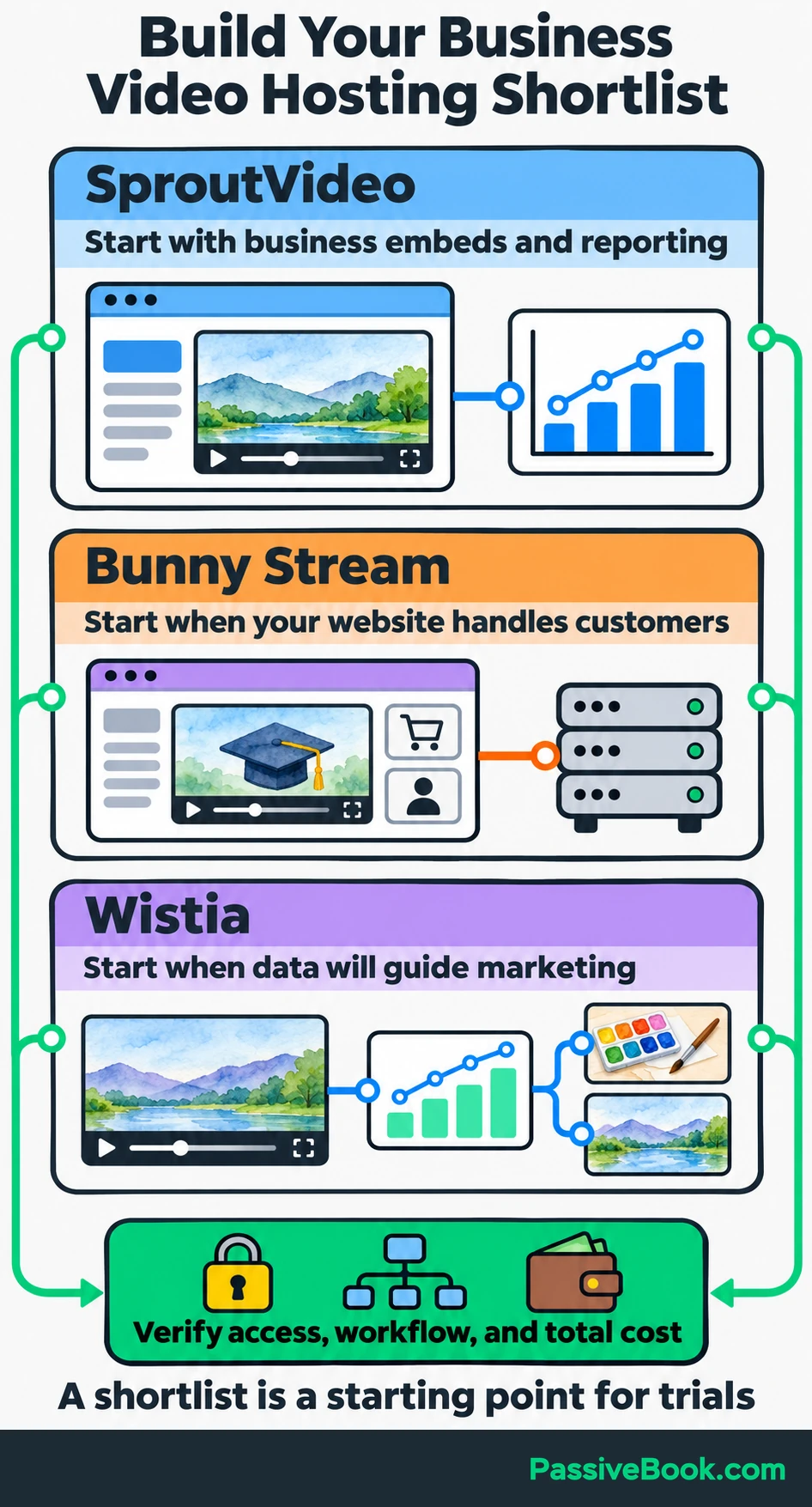
These recommendations are based on official product documentation, rather than original playback tests.
The table focuses on hosting and embedded playback. All prices are in USD, before applicable taxes. Annual equivalents require an annual commitment, and the linked pages provide current terms.
| Platform | Best-Fit Use | Relevant Starting Price and Commitment | Storage Allowance or Rate | Delivery Allowance or Rate | Principal Trade-Off |
|---|---|---|---|---|---|
| SproutVideo | General business embeds | Seed: $15 monthly, or $12/month billed annually. Viewer logins require Sprout: $45 monthly, or $35/month billed annually. | Seed includes 150 GB | Seed includes 150 GB/month on monthly billing, or a pooled 1,800 GB/year on annual billing. Seed extras: $0.25/GB. | Stronger access controls require higher tiers; excess usage costs extra. |
| Bunny Stream | Economical delivery through an existing website | Usage billing with a $1 account minimum per month | $0.01/GB in the default storage region; replication adds charges | Volume starts at $0.005/GB. Standard varies by region, including $0.01/GB in Europe and North America. | Customer access and business workflows need suitable integrations. |
| Wistia | Video marketing and engagement analysis | Free; Business starts at $79/month billed annually. Business + Signals starts at $329/month billed annually. | Free: 25 GB. Business: 250 GB. | Free: 200 GB/month. Business: 1 TB/month. | Marketing automation connections can require the higher package. |
| Vimeo | Team review and collaboration | Studio: $400/month billed annually; ten seats included | 10 TB managed storage | 36 TB managed bandwidth per year | A substantial annual commitment for a small library. |
| VdoCipher | DRM-protected paid lessons | Published Starter plan: $149/year | 100 GB | 1,000 GB prepaid delivery credit | Protection requires integration and device checks; delivery credit can run out before the year ends. |
| Cloudflare Stream | Custom websites and applications | Storage capacity starts at $5/month | Each storage block holds 1,000 video minutes | $1 per 1,000 delivered minutes | Application access and business workflows need implementation work. |
| YouTube | Public discovery and sharing | No hosting subscription | Upload rules apply; there is no purchased storage allowance | No metered hosting bill to the uploader | Limited presentation control and unsuitable unlisted-link protection for paid lessons. |
SproutVideo: Best for General Business Video Hosting
SproutVideo would be my first trial for a business website that needs a branded player and useful reporting without building a custom video system.
Its ad-free, white-label player can use your branding without displaying SproutVideo’s. You also get lead capture, calls to action, and integrations with customer and marketing tools. Engagement heatmaps show which sections of a video people watch.
For the watercolor business, I would consider Seed for the sales video and public samples. Seed includes passwords and controls over which websites can embed a video, but individual viewer logins require Sprout.
That access distinction matters more than the number of videos you plan to upload. Don’t choose Seed expecting it to manage individual student logins.
The main downside is how costs grow: extra usage is chargeable, and stronger access features require an upgrade. An optional bandwidth cap can limit extra delivery consumption, so decide how you want to balance spending control against continued viewing.
Bunny Stream: Best for Economical Usage-based Hosting
Bunny Stream is where I would look when the website already handles checkout and student accounts, and the main need is economical video delivery.
Its included player supports custom colors and controls, captions, and chapters. Standard encoding is included, while premium encoding, transcription, and enterprise DRM add charges.
The low delivery rate deserves attention, but the network choice matters too. Volume uses fewer delivery locations than Standard. I would choose between them using audience locations and a playback trial, rather than assuming both networks offer the same experience at different prices. Bunny’s delivery-tier documentation explains that distinction.
For paid watercolor lessons, the course system must check student access before issuing protected playback access. Uploading a video and placing its embed on a page doesn’t complete that connection.
I would shortlist Bunny when a suitable course integration already exists or someone can implement it. If setup becomes a custom development project, include that work in the saving you expect.
Wistia: Best for Video Marketing Analytics
Choose Wistia when you have a real use for viewing data, forms, and video experiments.
For example, the watercolor sales video might open with a long introduction before showing what students will paint. Engagement graphs can show whether viewers leave during that introduction, and A/B testing can help compare two versions.
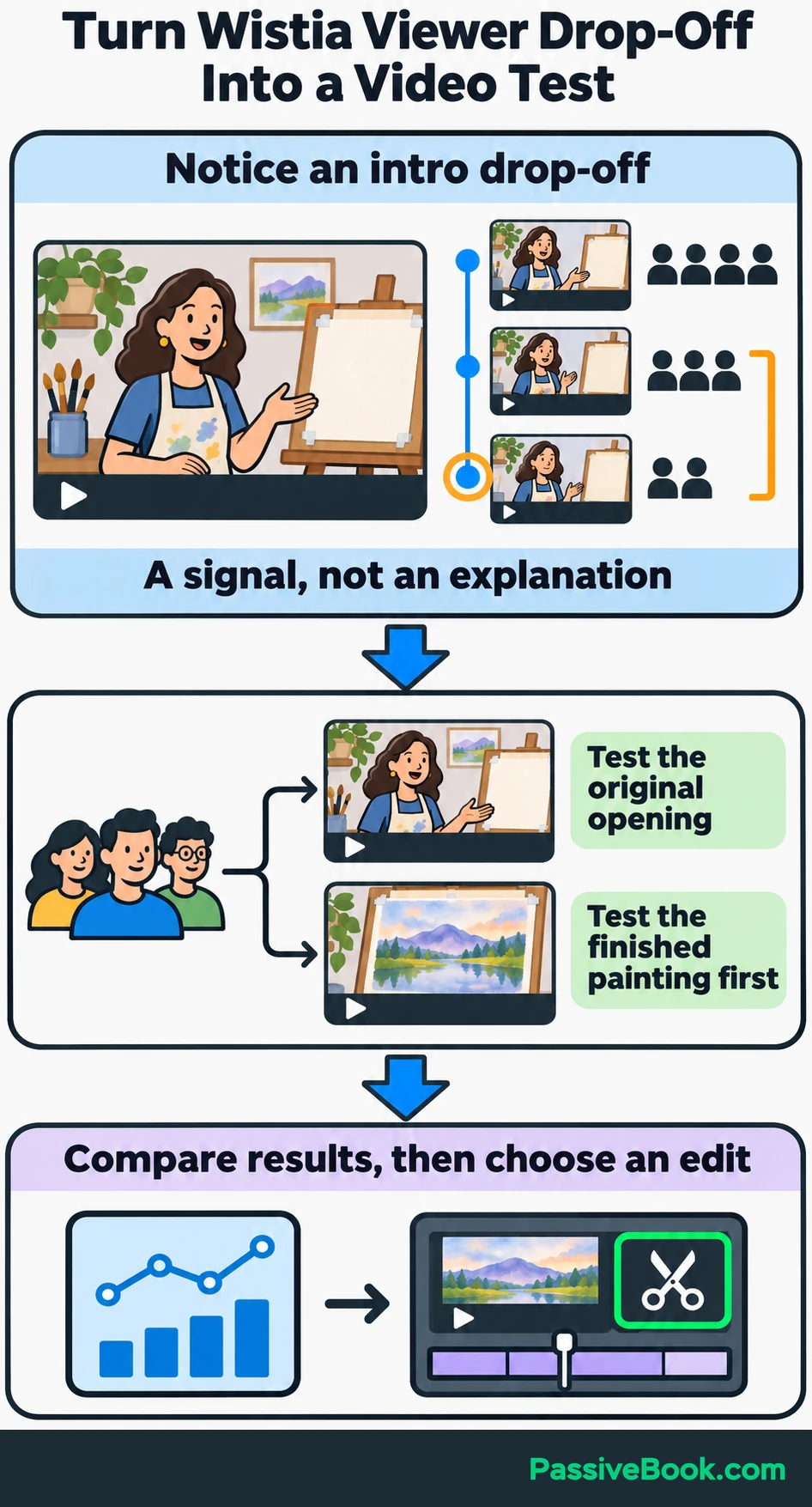
That gives the reporting a decision to support: keep the introduction, shorten it, or lead with the finished painting. A drop-off alone doesn’t explain why people left, so use it to choose what to investigate.
Business includes heatmaps, forms, calls to action, A/B testing, and branding removal. Marketing automation connections to HubSpot, Marketo, and Pardot sit in Business + Signals.
That tier distinction is the buying check I would make first. If you use FluentCRM, Kit, or another email tool, verify the exact connection your workflow needs before subscribing.
I would skip Wistia when all you need is straightforward playback. Its case becomes stronger when someone will regularly use its reports and experiments.
Vimeo: Best for Collaborative Video Workflows
Vimeo makes more sense when several people create, review, and manage videos together.
Studio includes review links, shared folders, team controls, player customization, stable embeds, analytics, and marketing integrations. For the watercolor course, that could mean an editor uploads a revision and a teaching partner leaves feedback before publication.
Its allowance language needs care. Embeddable and non-public videos use managed storage and bandwidth. The unlimited public allowances apply to public videos that cannot be embedded, so they don’t remove the limits on your course website’s videos.
Also confirm which plan your account can use. Vimeo’s policy generally places business activity on business plans, although it may approve an individual plan for a particular account. Don’t build your budget around an individual plan without checking eligibility. Vimeo’s Plan Usage Policy explains the categories.
I would choose Vimeo when collaboration saves enough work to justify Studio. For a solo operator with a handful of finished lessons, I would trial a smaller option first.
VdoCipher: Best for DRM-protected Paid Lessons
VdoCipher belongs on your shortlist when licensed, encrypted playback is a requirement.
It supports Google Widevine and Apple FairPlay DRM, along with viewer-specific watermarks. Your course system still needs to authorize students; DRM adds protection to playback rather than replacing customer access checks.
For the watercolor course, I would consider it if copying and redistribution are serious concerns. A public sales video usually doesn’t need that level of protection.
Keep expectations sensible. DRM does not make lessons piracy-proof, and screen-capture protection varies across devices and playback environments. Watermarks can discourage copying without guaranteeing it cannot happen. VdoCipher’s protection documentation describes the available mechanisms.
Its delivery credit also needs watching. The prepaid plan ends when that credit runs out or after one year, whichever comes first. Confirm the current package and renewal terms on VdoCipher’s pricing page before buying, then test protected playback on the devices your students use.
Cloudflare Stream: Best for Custom Websites and Applications
Cloudflare Stream fits when video needs to connect closely to a custom website or application.
It handles upload, encoding, storage, playback, and viewing analytics. For restricted lessons, your application checks whether the student has access and then issues a signed playback token—a code Cloudflare validates before serving the video.
That flexibility comes with work. Someone must implement the authorization and connect any business processes around it. A hosted player doesn’t automatically supply student management, checkout, or email follow-up.
Stream’s documented adaptive delivery supports resolutions from 360p to 1080p. Adaptive delivery adjusts quality to the viewer’s connection, but I would exclude it if 4K playback is essential. Cloudflare’s Stream overview describes its delivery capabilities.
I already favor Cloudflare for parts of my website stack, but that wouldn’t settle this choice. I would trial Stream for a custom build and choose a simpler service when its existing features cover the job.
YouTube: Best for Free Public Hosting and Discovery
YouTube is my choice for public tutorials designed to attract an audience.
For the watercolor business, a lesson on painting a simple wash could introduce your teaching style and direct interested viewers to the course website. Public videos can appear in search and recommendations, while anyone with an unlisted link can watch and reshare it. YouTube explains those visibility rules here.
The trade-off is presentation control. Ads can appear even when you haven’t monetized your videos. That makes YouTube a weaker fit when uninterrupted presentation is a requirement. YouTube’s advertising policy confirms this.
Related videos also cannot be completely disabled in embeds. Setting rel=0 limits them to your own channel rather than removing them. Google’s player documentation describes the behavior.
I would happily use YouTube for discovery and keep paid lessons on hosting connected to student authorization. An unlisted link is easy to share because sharing is part of its job.
What Will Video Hosting Cost as Viewing Grows?
Estimate the library you will store and the amount viewers will receive. Then add required feature upgrades, seats, and paid extras.
Keep one-time integration and migration work separate so you can see both the monthly bill and the effort needed to get started.
For minute-based billing, multiply the month’s expected plays by the average minutes delivered per play during that month. For GB-based billing, use measured delivery traffic or state how much data you assume each minute of playback will transfer. The size of your uploaded file alone won’t tell you the streaming bill.
Here is an illustrative watercolor course:
- The library contains 20 lessons of ten minutes each, totaling 200 stored minutes.
- During one month, 100 students each receive 60 minutes of video, totaling 6,000 delivered minutes.
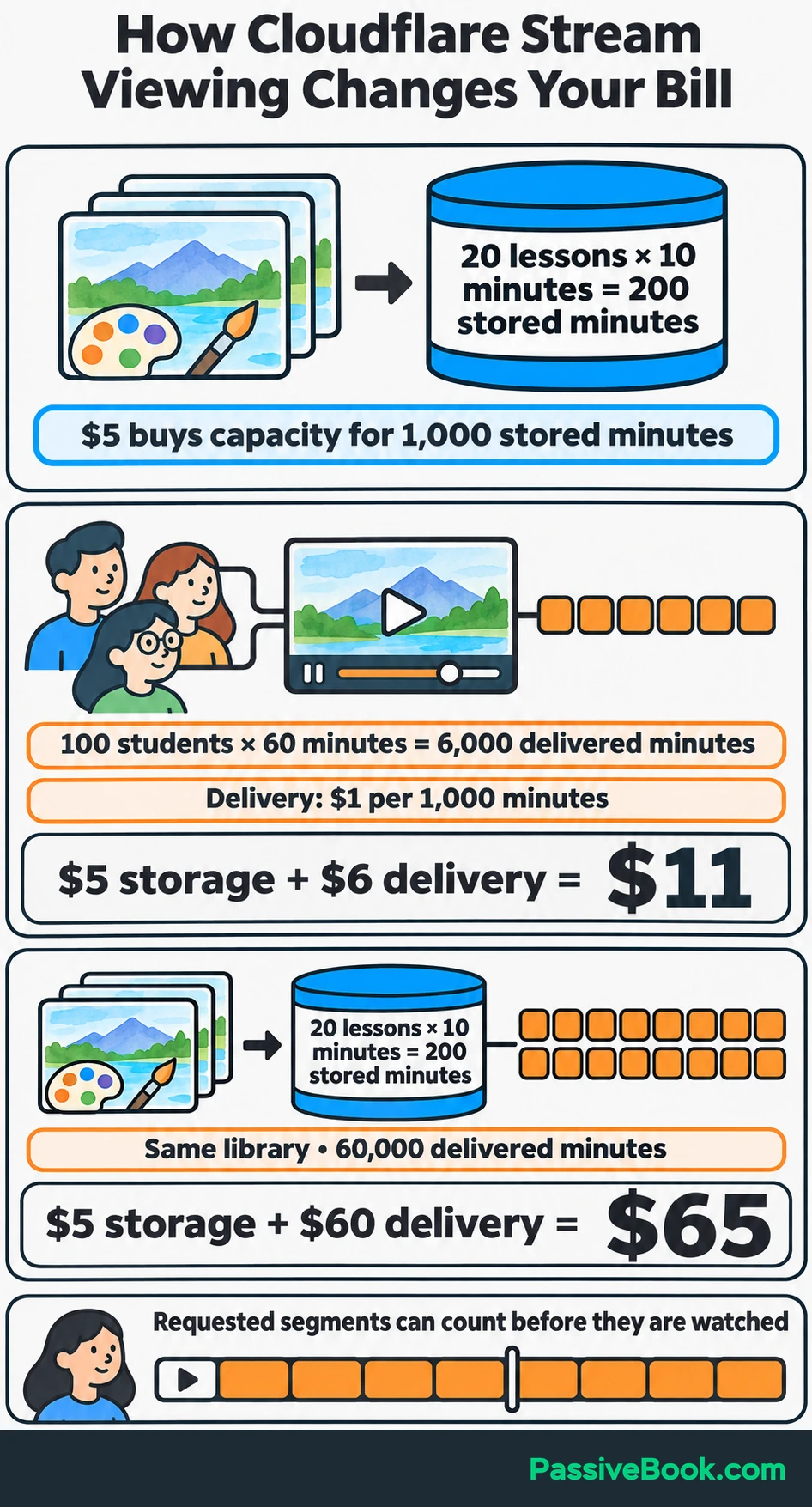
Using Cloudflare Stream’s rates from the comparison table:
| Monthly Usage | Storage Charge | Delivery Charge | Total |
|---|---|---|---|
| 200 stored minutes and 6,000 delivered minutes | $5 | $6 | $11 |
| The same library and 60,000 delivered minutes | $5 | $60 | $65 |
These are delivery estimates, rather than guarantees based on watch time. Requested video segments count toward delivery, including content loaded ahead that a viewer may never watch. Leave room for that when estimating usage. Cloudflare’s billing rules explain what is counted.
Bunny uses different units. As a separate illustration, suppose its usage report shows 10 GB of billable storage in one region and 200 GB of Volume delivery for the month.
At the table’s rates, storage costs $0.10 and delivery costs $1, producing a $1.10 total before paid extras. Generated video versions increase billable storage, and replication adds further storage charges.
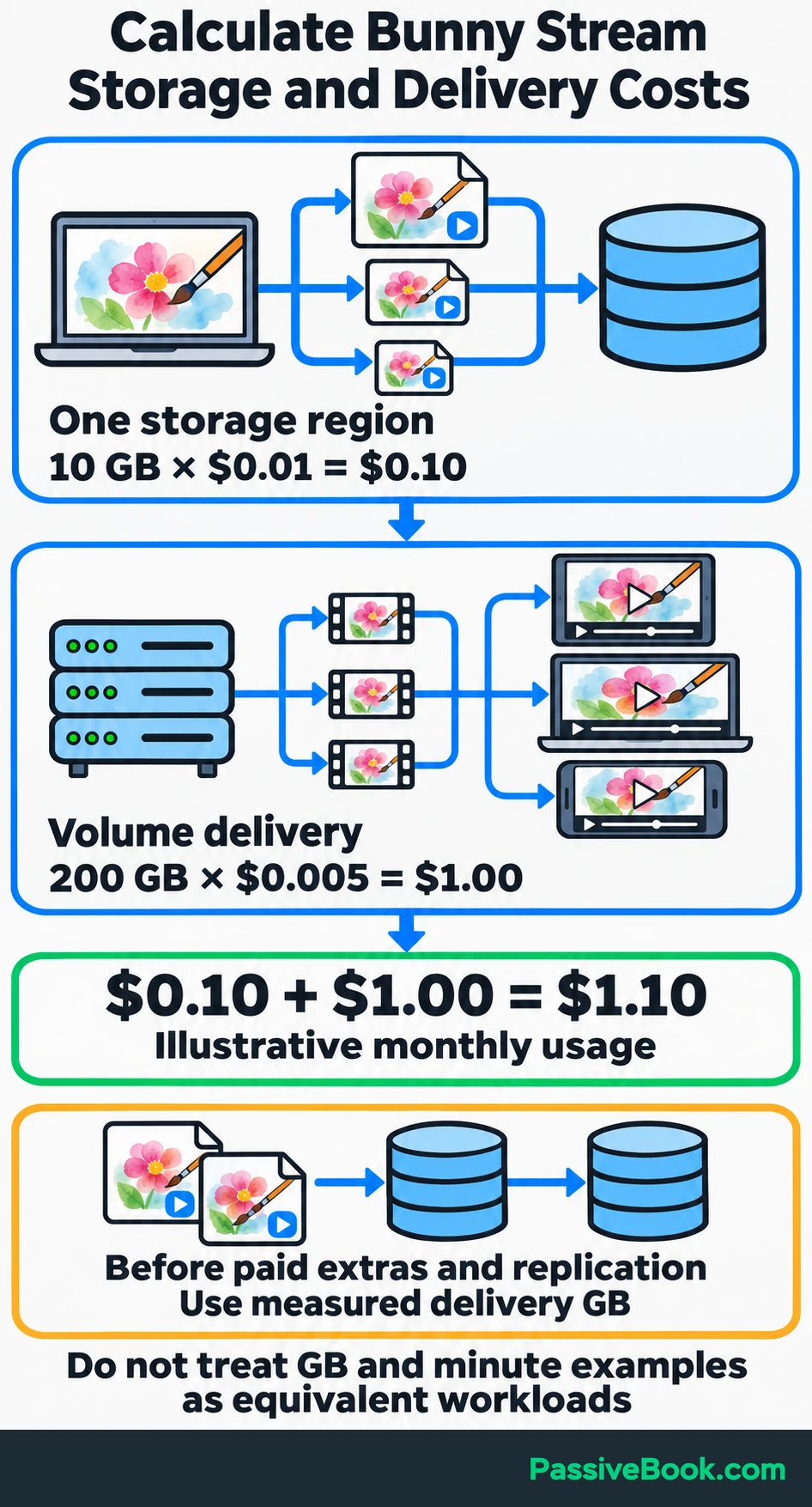
Those two examples show different billing models. They are not equivalent viewing workloads or evidence that one host provides better playback.
Before choosing, estimate both an ordinary month and a busy month. Check whether extra demand will:
- Increase the bill: Usage-based services and overages can grow with viewing.
- Consume future credit: A busy launch can use much of a yearly delivery pool.
- Require an upgrade: Access controls or integrations may determine the plan before viewing does.
- Reach a spending control: Understand whether a cap warns you, restricts delivery, or requires action.
I would choose a slightly higher predictable bill over a cheaper service that needs ongoing manual work. Cost-conscious means counting your time too.
A cheaper plan can lose its advantage once you include delivery charges and setup work. Put your two suitable hosts side by side before choosing a billing term.

Free Software Cost Calculator




Test Your Shortlist Before Committing
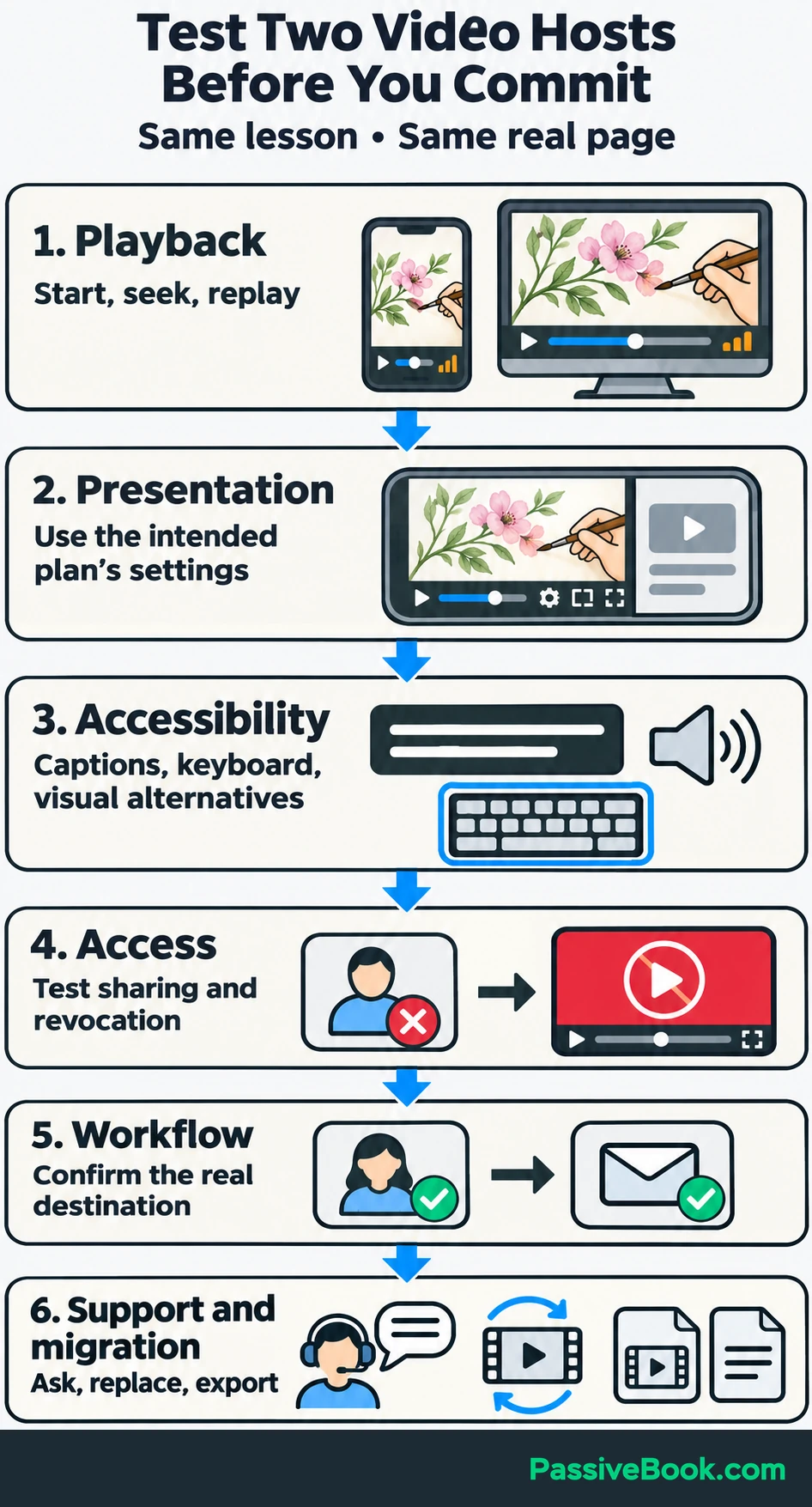
Remove any host that fails an essential access rule, integration, resolution requirement, or spending constraint. Then trial two finalists with the same representative lesson on a real page.
For the watercolor course, choose a lesson with fine brush detail, movement, spoken instructions, and pauses. A simple title card won’t reveal whether students can see the technique.
Run the trial through the whole viewing experience:
- Playback: Try startup, seeking, and repeated playback on phones and computers. Include a slower connection and feedback from customers in relevant regions.
- Presentation: Check player branding, mobile layout, full-screen viewing, and what happens when the video ends. Use the settings available on the plan you intend to buy.
- Accessibility: Correct the captions and confirm that controls work with a keyboard. Make sure essential visual instructions are also explained through narration or an appropriate text alternative.
- Access: Try watching while logged out, sharing a playback link, embedding elsewhere, and revoking a student’s access.
- Business workflow: Send a real test lead to your email system or find the lesson’s engagement report. Confirm that the result is useful without repeated copying and pasting.
- Support and migration: Ask a practical setup question, test video replacement, and export the files and reports you expect to keep.
Finish the student-access integration during the trial. A successful upload proves that the host accepts your file; it doesn’t prove that refunded customers lose access.
For email workflows, test the exact destination you use. I would keep FluentCRM on a WordPress business if it already handles follow-up, then verify how the host can pass data into it. Buying a new email system just to match a video tool needs a strong reason.
Keep original videos and caption files independently, and record every page containing an embed. That list makes a future move manageable. Also check what happens to links, reports, and access settings when you replace a video.
If downtime would interrupt paid delivery, review available support and any contractual service commitment. A feature page cannot establish reliability.
Choose the lowest total-cost option that passes these checks. I would commit annually only after playback, access, workflow, and projected usage justify the saving.
What Next?
Pick one representative video and write down its three essential requirements. Use those requirements to choose two hosts for a trial before moving the rest of your library.
Use the social buttons to share this comparison when your next tool discussion needs clearer costs and fewer feature-list arguments.
Which requirement would rule out a host for your business: access, playback, reporting, or cost? Share your answer in the comments, and bring any other questions about your shortlist.
Share this post with your friends & followers:

