You have time to publish one useful article this week, and AI has suggested fifty. The hard part is deciding which one deserves your time and how it will help the business.
Choose poorly, and you can spend your limited hours polishing content that attracts the wrong readers or gives them nowhere useful to go. This guide follows a dog-travel blog from audience questions to a strategy brief, a ranked topic list, a calendar, and a repeatable workflow for publishing, distribution, and tracking sales.
1. Set the Business Goal
Start with the result you want content to support. That might be product purchases, qualified inquiries, repeat orders, or email subscriptions connected to an offer.
“Publish more” describes activity. It doesn’t tell you whether that activity helped.
Write your goal with three parts:
- Baseline: What your records show now.
- Target: The result you want to reach.
- Review Date: When you will judge progress.
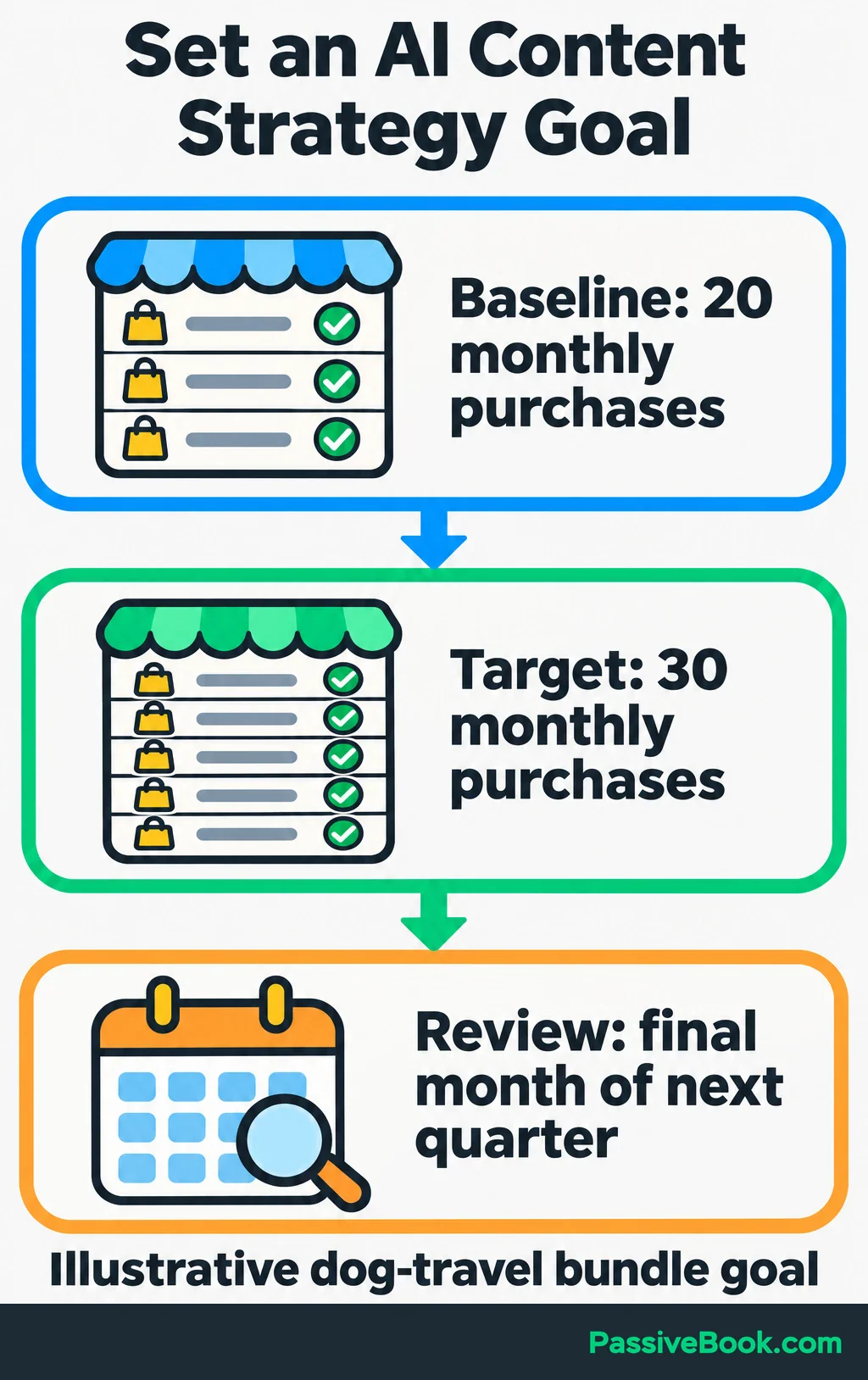
Throughout this guide, imagine you run a dog-travel blog selling a printable packing and trip-planning bundle. Its audience notes, plans, and figures below are illustrations.
Your goal might be:
Increase monthly bundle purchases from 20 in the last complete month to 30 in the final month of the next quarter.
Without reliable records, make your first task establishing a baseline. Asking AI for a reasonable growth target won’t repair missing sales data.
Then identify the actions that could lead toward purchases. For this blog, those might be visits to a packing guide, completed checklist sign-ups, and product-page visits. Each helps explain where readers continue or stop.
Give your assistant the actual inputs:
Our offer is [offer]. Our goal is [goal], and our current results are [data, including the reporting period]. Recommend one primary outcome metric and the supporting actions to track. Explain how each action connects to the offer. Identify missing inputs without inventing figures.
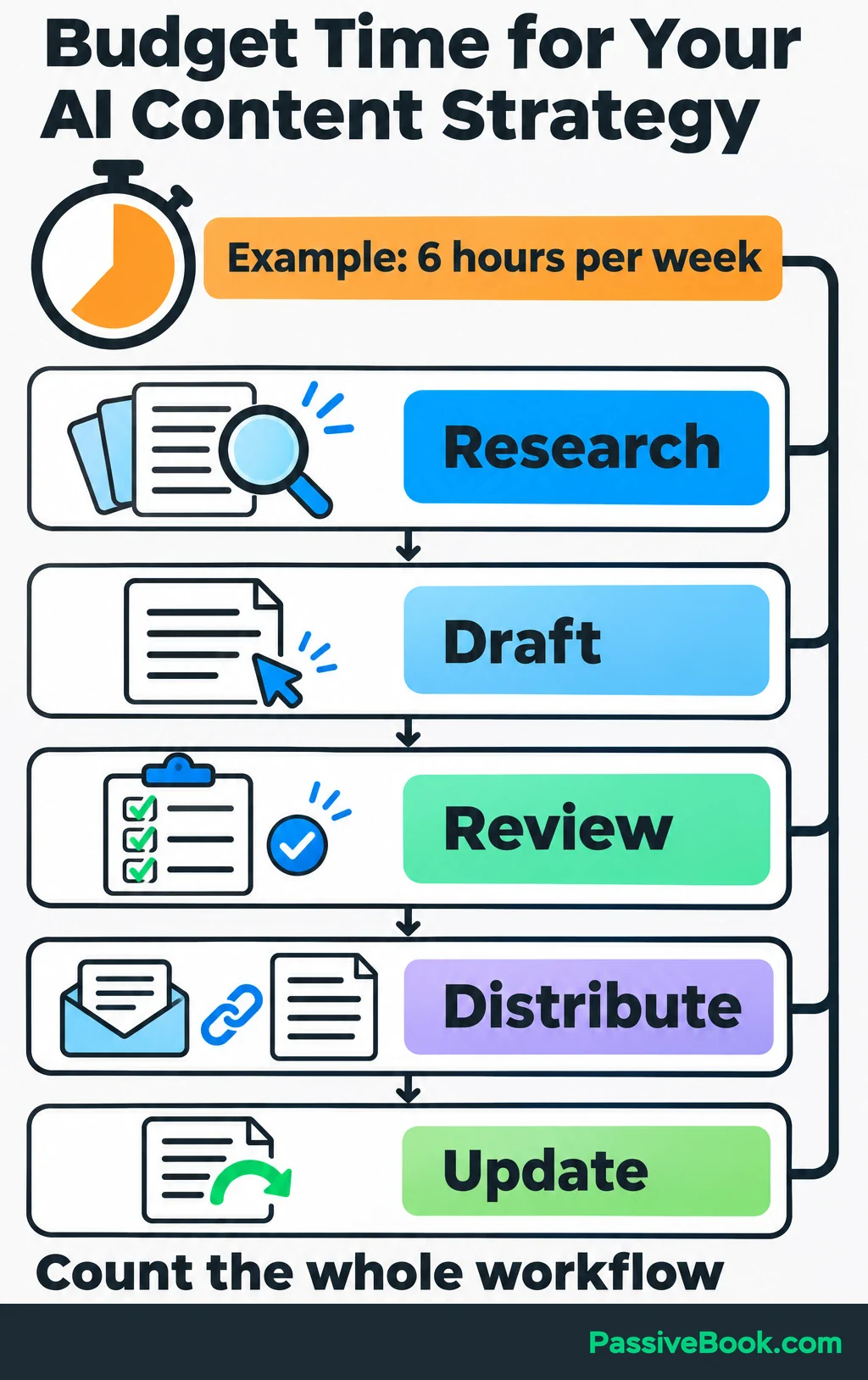
Set a capacity limit alongside the goal. Include research, drafting, review, distribution, and updates. If you have six hours a week, the plan must fit six hours.
I would start with Claude as your AI assistant, a spreadsheet or document for planning, and your existing publishing tools. Add another subscription when you can name the task it will improve. A crowded tool dashboard is surprisingly good at looking like progress.
2. Build Audience Personas From Real Evidence
Gather Questions and Context
Collect the questions people already ask. Useful sources include customer messages, newsletter replies, site searches, purchase objections, and relevant public discussions.
Save the wording and the situation behind it. “I need a packing list” tells you less than “I keep finding things I forgot after I’ve zipped the bag.”
If you have a website, check the search queries and pages receiving impressions and clicks. Google Search Console’s performance report shows evidence of your existing visibility in Google Search. It won’t reveal every question your wider audience has.
For a new project, speak with prospective readers. Ask what they want to do, what they have tried, and where they get stuck. Use community discussions to find more questions, then check whether those questions match the people you want to serve.
Keep a small evidence table. Illustrative notes for the dog-travel blog might look like this:
| Source ID | Question or Observation | Collected | Audience Context | Unresolved Question |
|---|---|---|---|---|
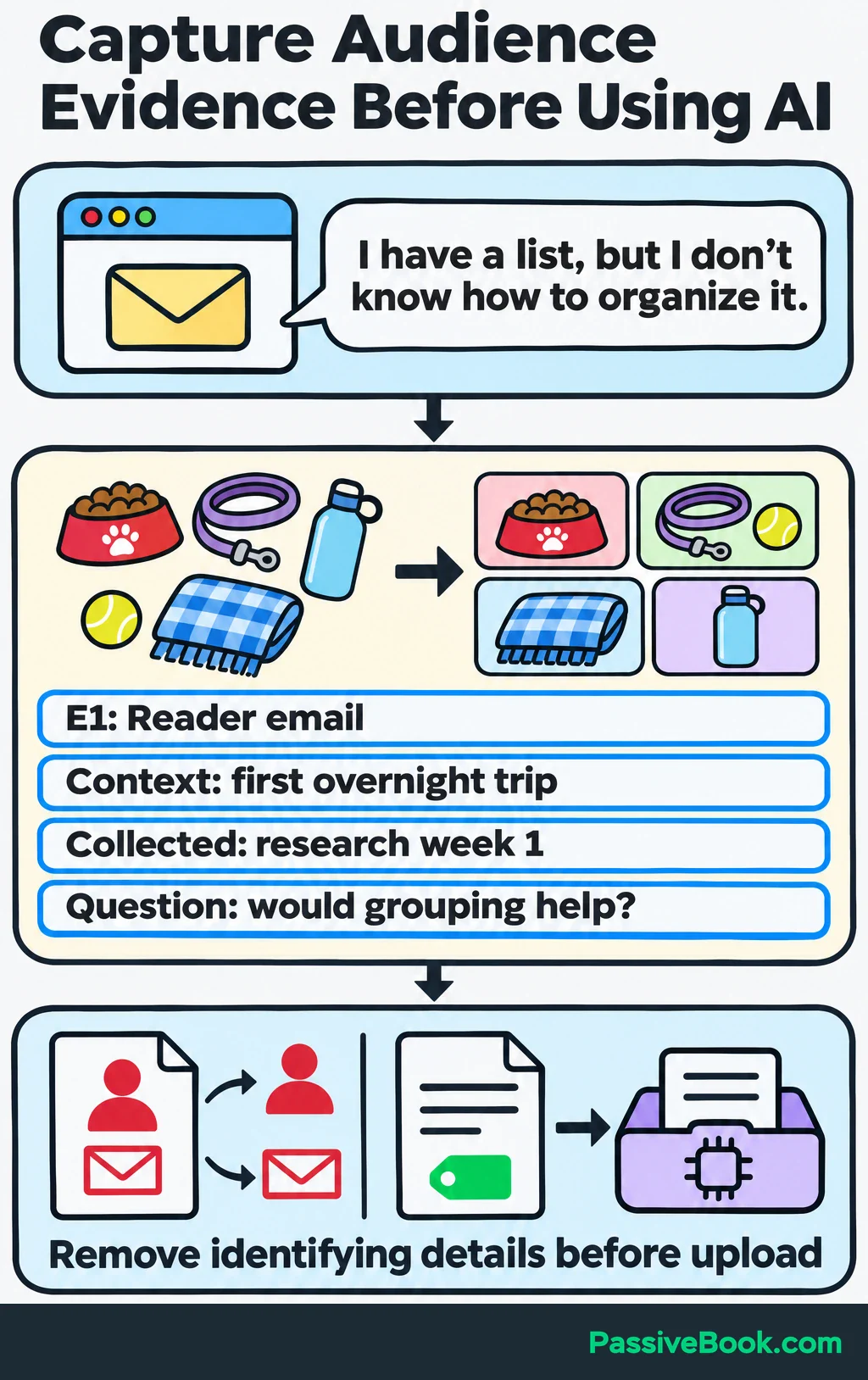
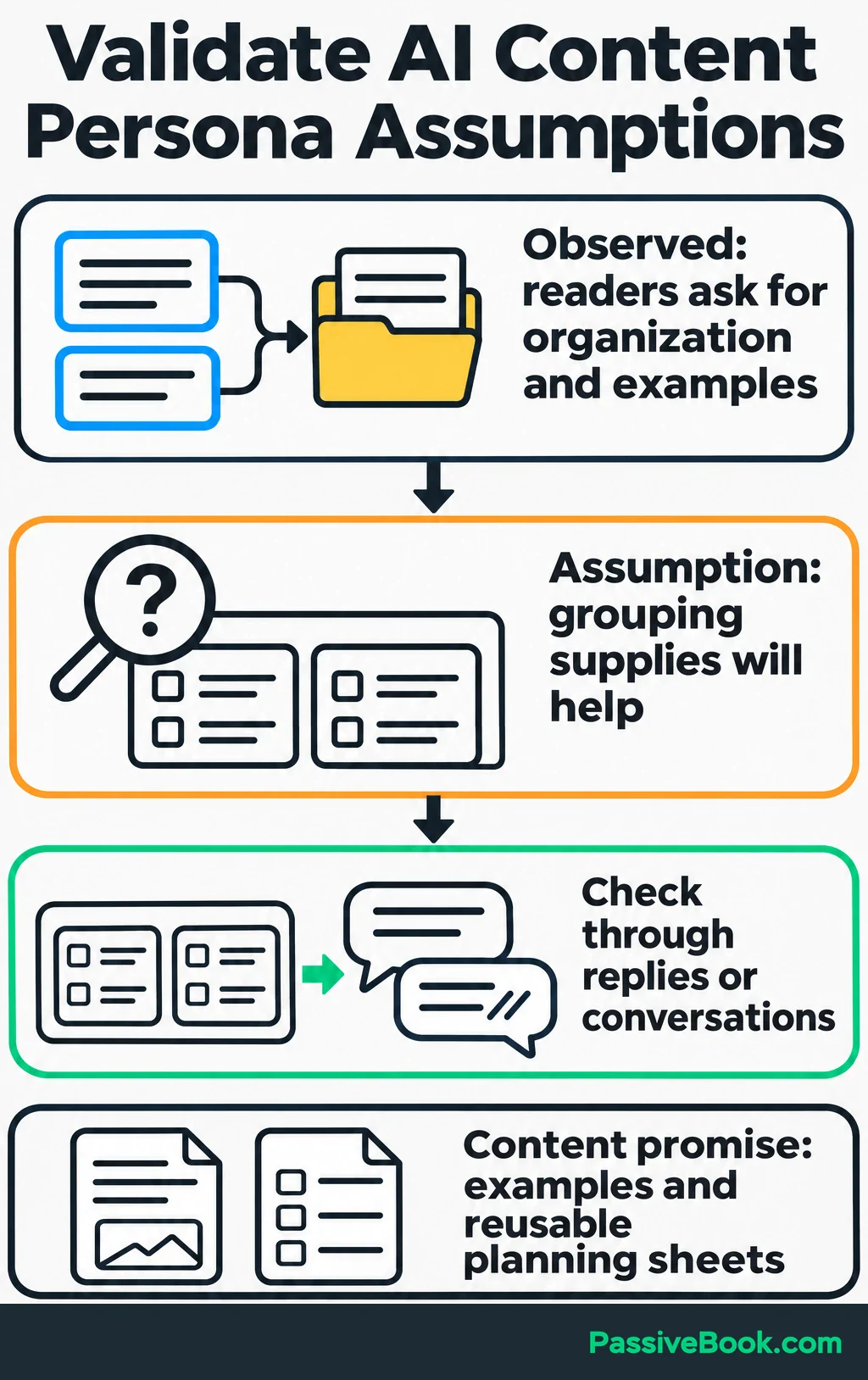
| E1: Reader email | “I have a list, but I don’t know how to organize it.” | Research week 1 | Preparing for a first overnight trip | Would grouping supplies by use help? |
| E2: Community discussion | “Does anyone have a filled-in example?” | Research week 1 | Starting a packing list | Which parts need explanation? |
| E3: Customer reply | “I rewrite the same list every trip.” | Research week 2 | Travels regularly | Would a reusable sheet solve the problem? |
Before uploading material, remove names, contact details, and identifying details the task doesn’t need. Keep private source records separately. This follows the principle of using only necessary personal information described in the ICO’s AI data-minimisation guidance.
Turn Evidence Into Useful Personas
Build short profiles of readers with similar needs. These personas should show what each group wants to accomplish, what blocks them, and what information would help them act.
An invented name and favorite coffee order contribute very little here.
Ask AI to organize your notes:
Group these source-labelled observations into needs-based personas. For each persona, list the desired outcome, recurring questions, constraints, objections, supporting source IDs, and unanswered questions. Separate observations from assumptions. Do not invent demographics or treat repeated copies of one discussion as independent evidence.
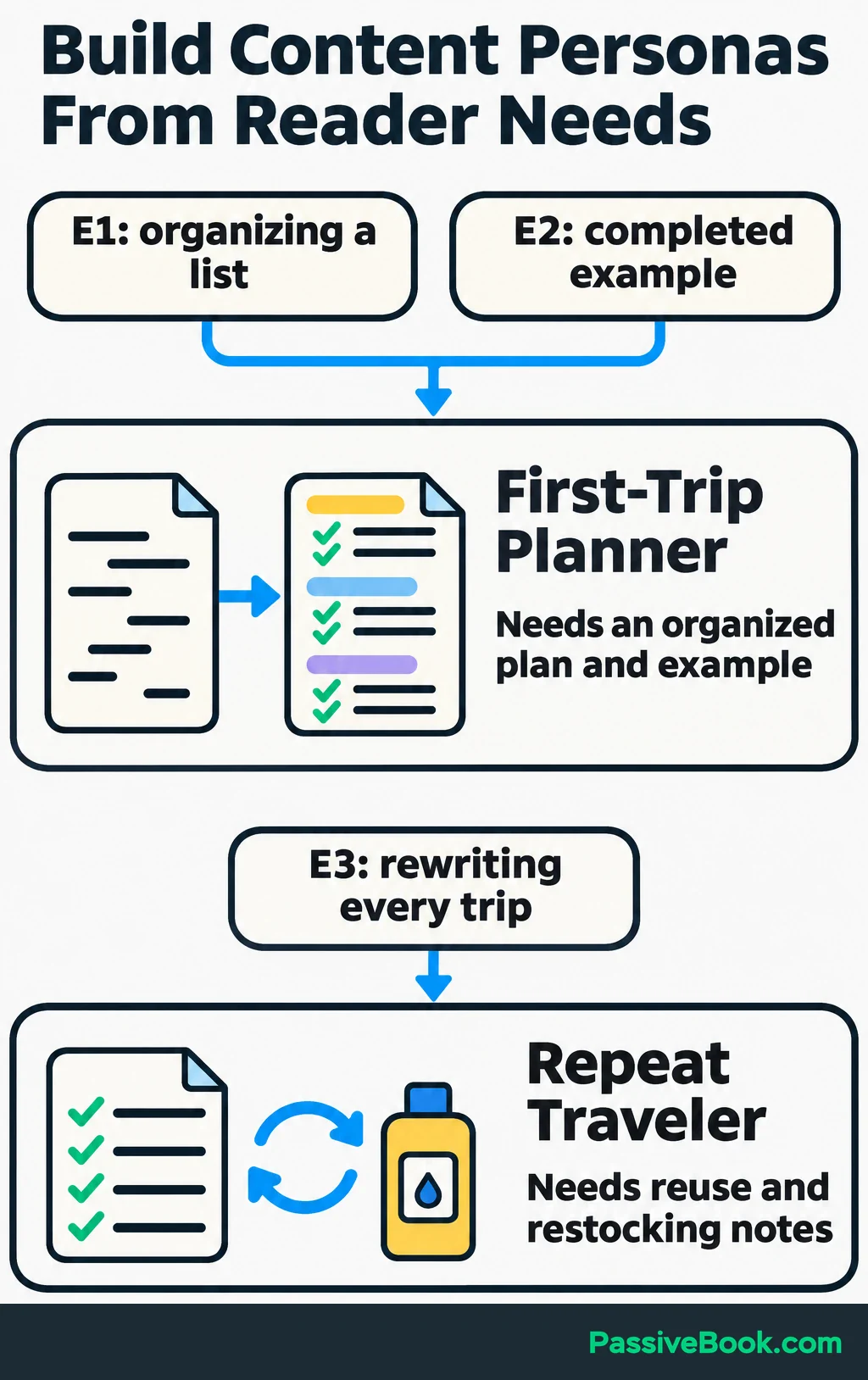
The example suggests two useful groups:
- First-Trip Planner: Needs help turning a loose list into an organized packing plan, with a completed example.
- Repeat Traveler: Wants a reusable checklist and a way to record what needs replacing before another trip.
These are working summaries. Check important assumptions through replies or conversations before building a large content plan around them.
Choose one priority group for the next publishing cycle. If first-trip questions dominate your evidence and fit the bundle, start there.
Then write your content promise:
Help people prepare for dog trips with completed packing examples and reusable planning sheets.
That sentence gives AI a clear boundary and gives you a reason to reject unrelated ideas.
3. Choose Channels That Fit the Audience
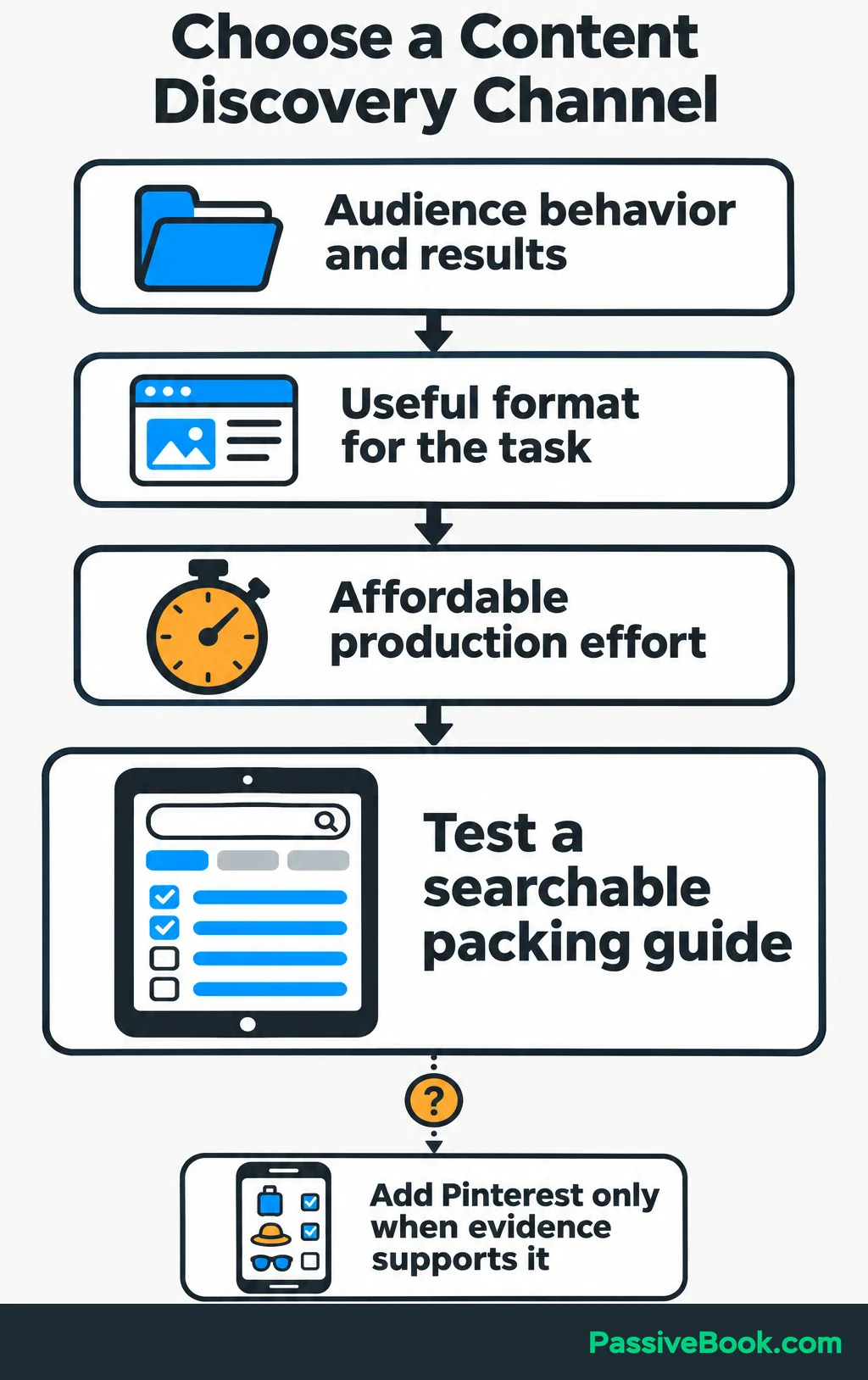
Choose one main way people will discover your content. Use audience behavior, existing results, useful formats, and the effort you can afford.
For the dog-travel blog, I would test a searchable written guide first. A packing list is something readers can refer back to while doing the task. If your evidence shows people already find and save visual checklists on Pinterest, that could justify a supporting discovery channel.
Email serves a different purpose: helping people continue after the first visit.
Ask AI to compare the options using your evidence:
Using this audience research, existing channel results, and weekly capacity, compare suitable channels. Show audience fit, useful formats, production effort, and the next action each can support. Cite the supplied evidence behind each recommendation and flag unsupported assumptions.
Keep the reader’s journey simple:
Packing guide → free checklist → email showing how to reuse it → paid planning bundle.
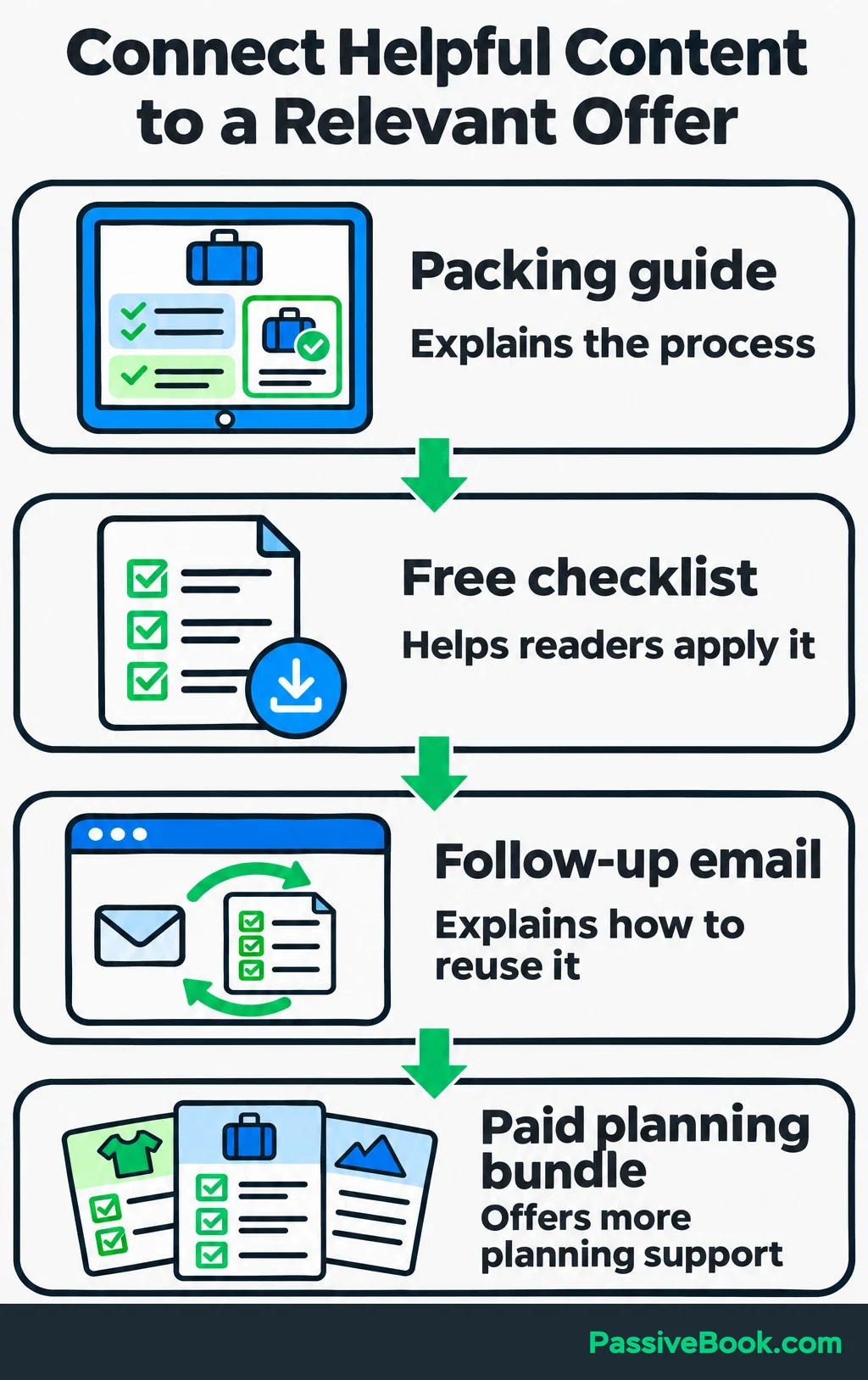
Each step needs a reason to exist. The guide explains the process. The checklist helps readers apply it. The email answers a likely follow-up question. The bundle offers more planning support.
Ask your assistant to inspect that journey for gaps:
Where does this sequence ask readers to act before giving them enough information? Identify missing explanations and suggest a useful next action for each asset.
Check its suggestions yourself. A packing guide should help readers organize a packing list even if they never subscribe or buy. I would skip a second discovery channel until the first resource and its follow-up work properly.
4. Prioritize Topics That Serve Readers and the Business
Before creating new topics, list what you already have. Record the question each piece answers, its format, channel, next action, and available results.
For a new site, start with the questions collected in step two.
Group those questions into a few recurring areas, often called content pillars. The dog-travel blog could cover:
- Preparing a packing list.
- Organizing trip-planning information.
- Reusing and updating plans between trips.
Merge close variations when one resource can satisfy the same need. “Dog weekend packing list” and “What to pack for an overnight dog trip” may belong in one guide after you inspect what readers need.
For search-led topics, examine current search results. Look at the purpose and format of the pages: are readers being shown checklists, detailed instructions, product pages, or something else?
Use keyword-tool data when you need demand estimates. Leave those figures blank when you don’t have them. A number supplied from an AI assistant’s memory isn’t a measured keyword opportunity.
Then look for help you can add: a completed sheet, clearer instructions, your own demonstration, or a useful explanation missing from existing resources.
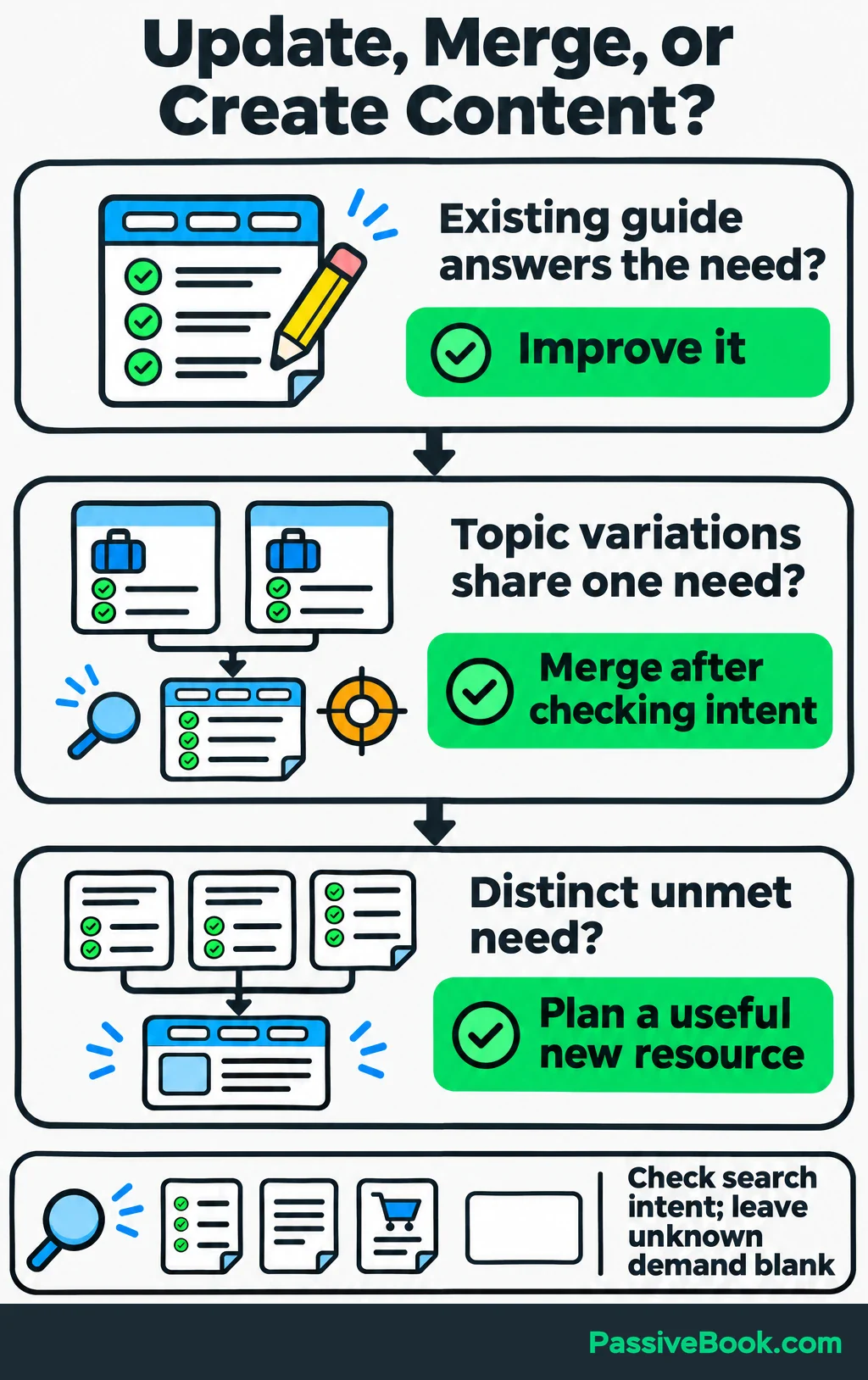
Here is a compact version of the topic backlog:
| Reader Question | Supporting Evidence | Useful Contribution | Next Action | Priority Decision |
|---|---|---|---|---|
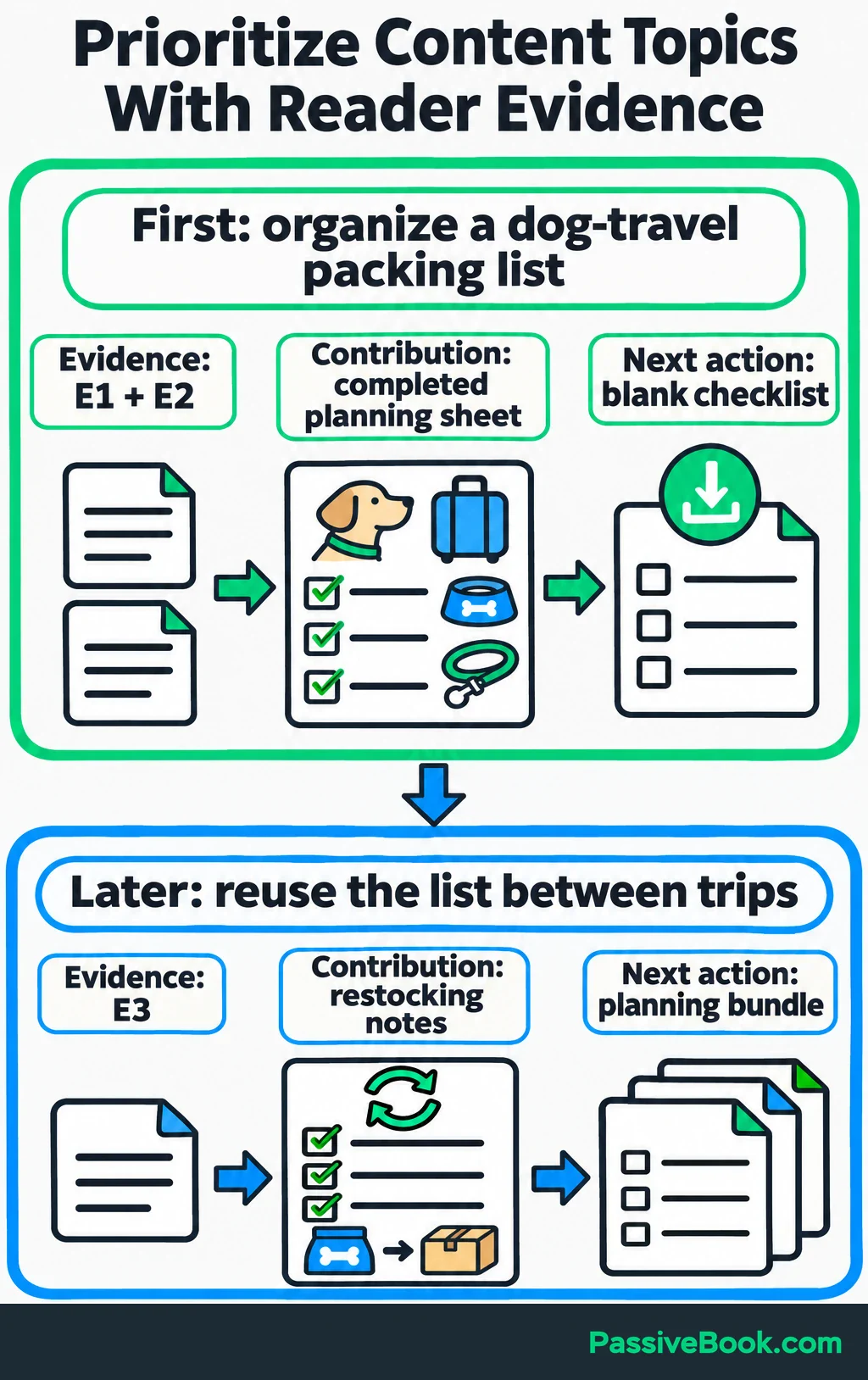
| How do I organize a dog-travel packing list? | Reader email about organizing an existing list (E1); community request for a filled-in example (E2) | Annotated list and completed planning sheet | Download a blank checklist | First: directly addresses the priority group’s problem |
| How do I reuse my list between trips? | Customer reply about rewriting the list every trip (E3) | Restocking notes and a reusable checklist | Explore the planning bundle | Later: serves a distinct follow-up need |
Add columns for pillar, reader intent, existing coverage, estimated effort, and demand data as those become available.
Give AI the whole decision:
Using this audience evidence, content inventory, offer, channel plan, and capacity, recommend a publishing order. Explain each priority, merge overlapping topics, and identify existing resources to update. Consider audience need, demand evidence, offer fit, original contribution, and effort. Leave unknown demand figures blank.
If an existing guide already answers the first question, improve it. You don’t need another URL to prove that you worked this week.
5. Build an Actionable Content Plan
Save the decisions so far in a strategy brief. This becomes the shared context for future prompts, drafts, and reviews.
For the running example, a compact brief would look like this:
| Decision | Strategy |
|---|---|
| Business goal | Grow monthly bundle purchases from 20 to 30 by the quarter-end review |
| Priority audience | People preparing an organized packing list for a first overnight dog trip |
| Content promise | Completed examples and reusable sheets that make trip preparation easier to organize |
| Content pillars | Packing preparation, planning information, and reusing lists |
| Channels | Searchable blog content, followed by useful email |
| Offer | Printable packing and trip-planning bundle |
| Voice | Calm and practical: “Group your supplies by when you’ll use them.” |
| Success measures | Purchases, relevant visits, completed sign-ups, product-page visits, human hours, and tool costs |
| Capacity | Six hours per week across research, production, review, distribution, and updates |
Keep this brief short enough to use. Attach the relevant evidence rather than turning every prompt into an archive dump.
Each approved topic also needs its own content brief. State the reader’s question, intended outcome, scope, sources, original material, format, and next action.
Here is a reusable prompt:
Create a content brief using the strategy and evidence below.

Approved topic: [topic]
Strategy brief: [paste relevant strategy]
Audience evidence: [paste source-labelled observations]
Existing content: [paste related assets]
Available sources and original material: [paste material]
Production capacity: [time and owner]

Include:
- The reader’s main question.
- What the reader should be able to do afterward.
- Scope and necessary explanations.
- Suggested structure.
- Supporting sources for substantive claims.
- Original examples or demonstrations to include.
- One relevant next action.
- Research gaps and assumptions requiring approval.

Use only the supplied evidence for factual findings.
Do not invent audience observations, experience, or demand figures.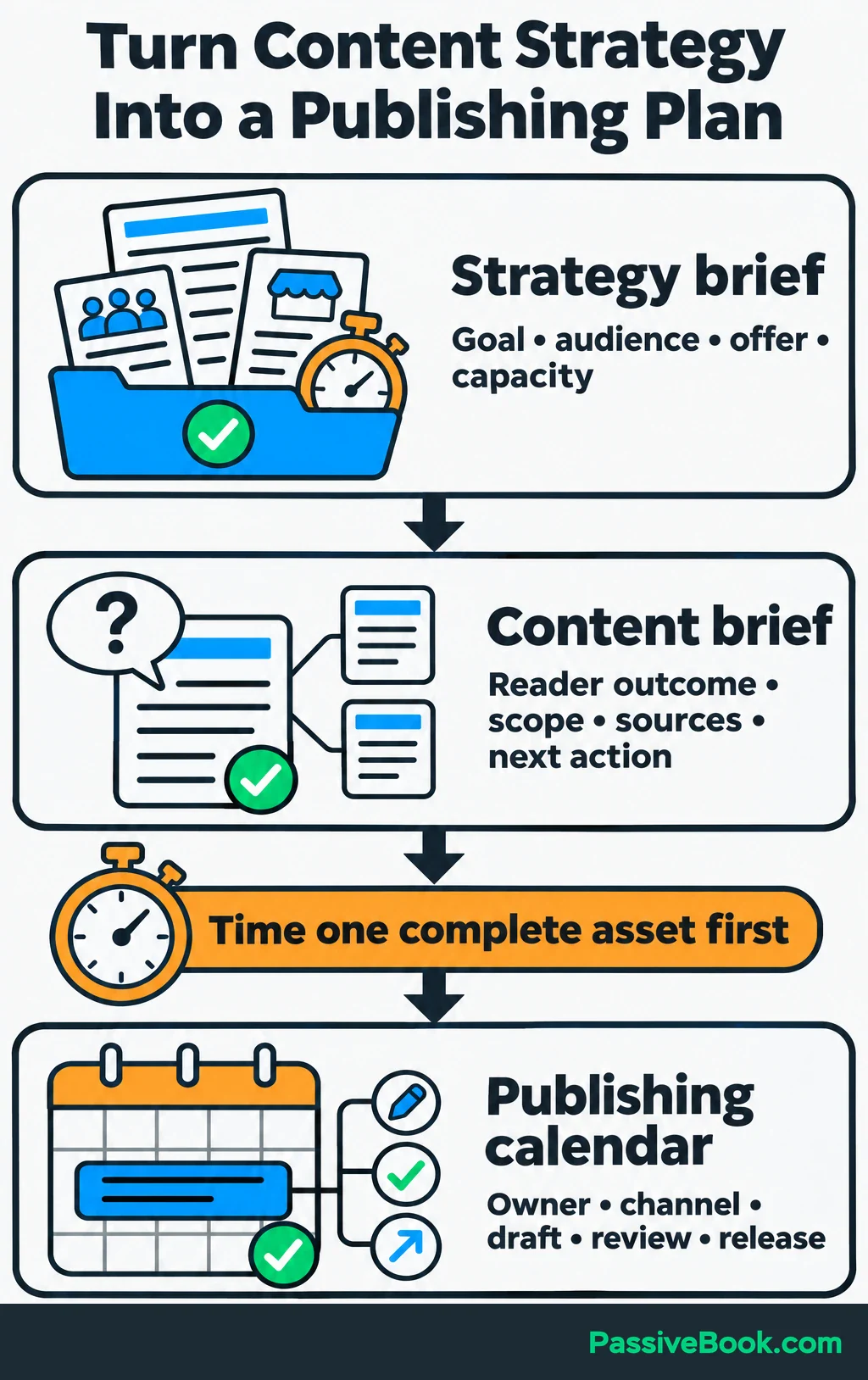
The packing guide’s brief might specify:
- Topic: “How to Make a Dog-Travel Packing List.”
- Reader Outcome: Organize existing supplies into a list they can check and reuse.
- Scope: Group items by use, record quantities, and distinguish “packed” from “still to add.”
- Evidence: E1 and E2, plus feedback on the draft checklist.
- Original Material: An annotated list, completed planning sheet, and blank checklist.
- Next Action: Download the free checklist, with an optional explanation of the fuller paid bundle.
I learned to tighten briefs when I kept rewriting AI drafts that were perfectly readable but had no useful example. The instructions described the topic and tone, so the drafts delivered exactly that. Once I specified what readers needed to complete, I had something concrete to review.
If you have the inputs but are struggling to turn them into useful instructions, AI Copywriting Studio can draft both briefs. It also flags the details your example is missing, so you have something specific to review.
Free AI Copywriting Studio


Before setting a publishing schedule, time one asset through the whole process. Include corrections, formatting, and distribution.
Your calendar can stay simple:
| Asset | Publish or Update | Draft Due | Review Due | Release |
|---|---|---|---|---|
| Packing guide | Update an existing guide if suitable; otherwise publish | Week 1, Wednesday | Week 1, Friday | Week 2, Monday |
| Checklist walkthrough email | New email | Week 2, Tuesday | Week 2, Wednesday | Week 2, Thursday |
Also record the owner, channel, format, source readiness, next action, and review date. When working alone, owner still means you, but separate draft and review deadlines help preserve time for checking.
6. Produce Content With a Repeatable AI Workflow
Draft From an Approved Brief
Gather evidence before asking for a full draft. For substantive claims, save the supporting passage or data, URL, date, and conditions that affect its meaning.
Give AI the approved brief, relevant sources, and a few examples of your writing. Request an outline first:
Outline this approved brief using the supplied evidence. Put prerequisites before dependent steps, show where each example belongs, and flag missing support. Stop for approval before drafting. Once approved, draft one section at a time without inventing facts, quotations, product tests, or personal experiences.
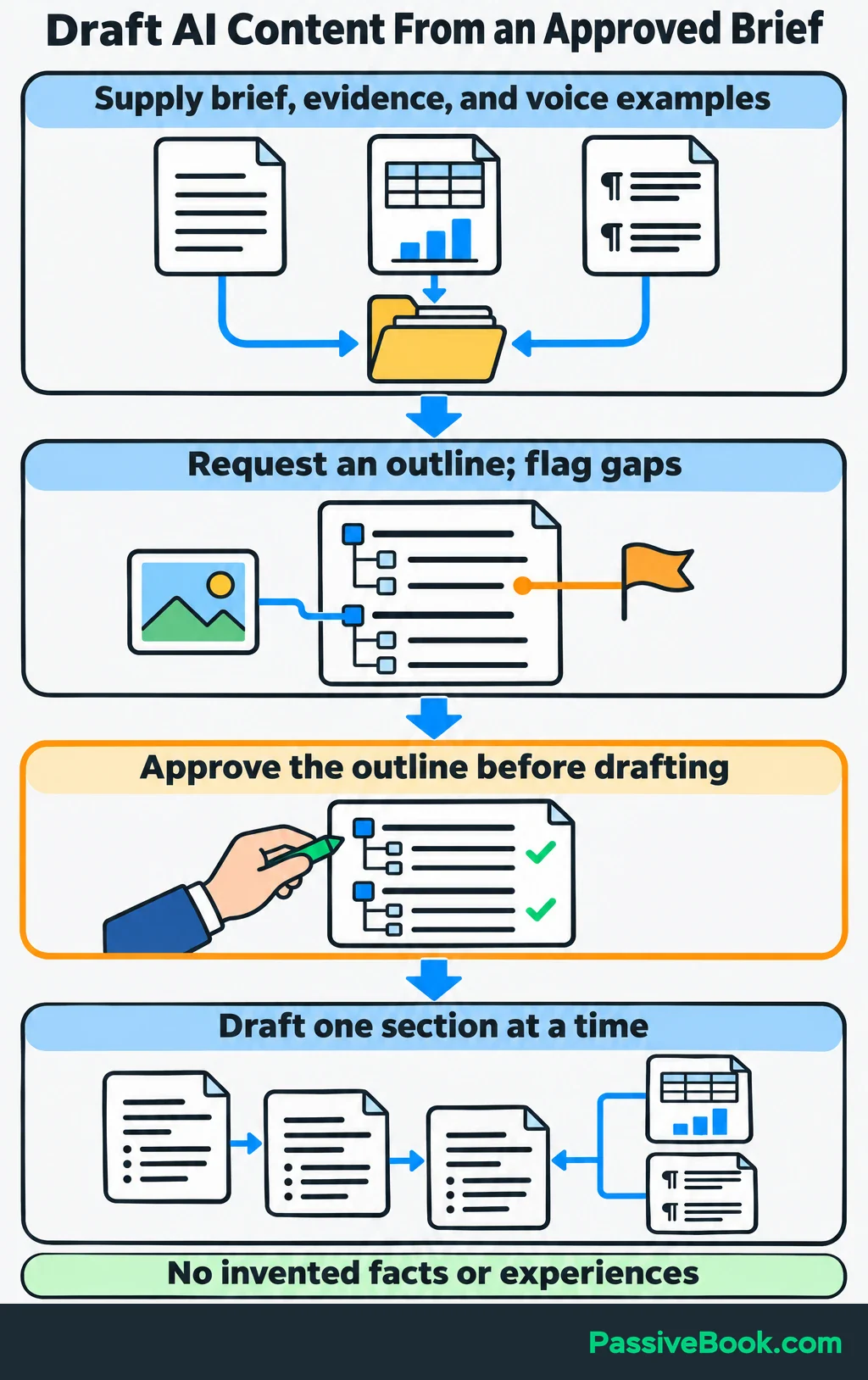
Read the outline as someone trying to complete the task. Does it explain how to organize a list before introducing the finished sheet? Does the example answer the question that brought the reader there?
Then draft in manageable sections. Add your own photographs, demonstrations, completed examples, and explanations where they help.
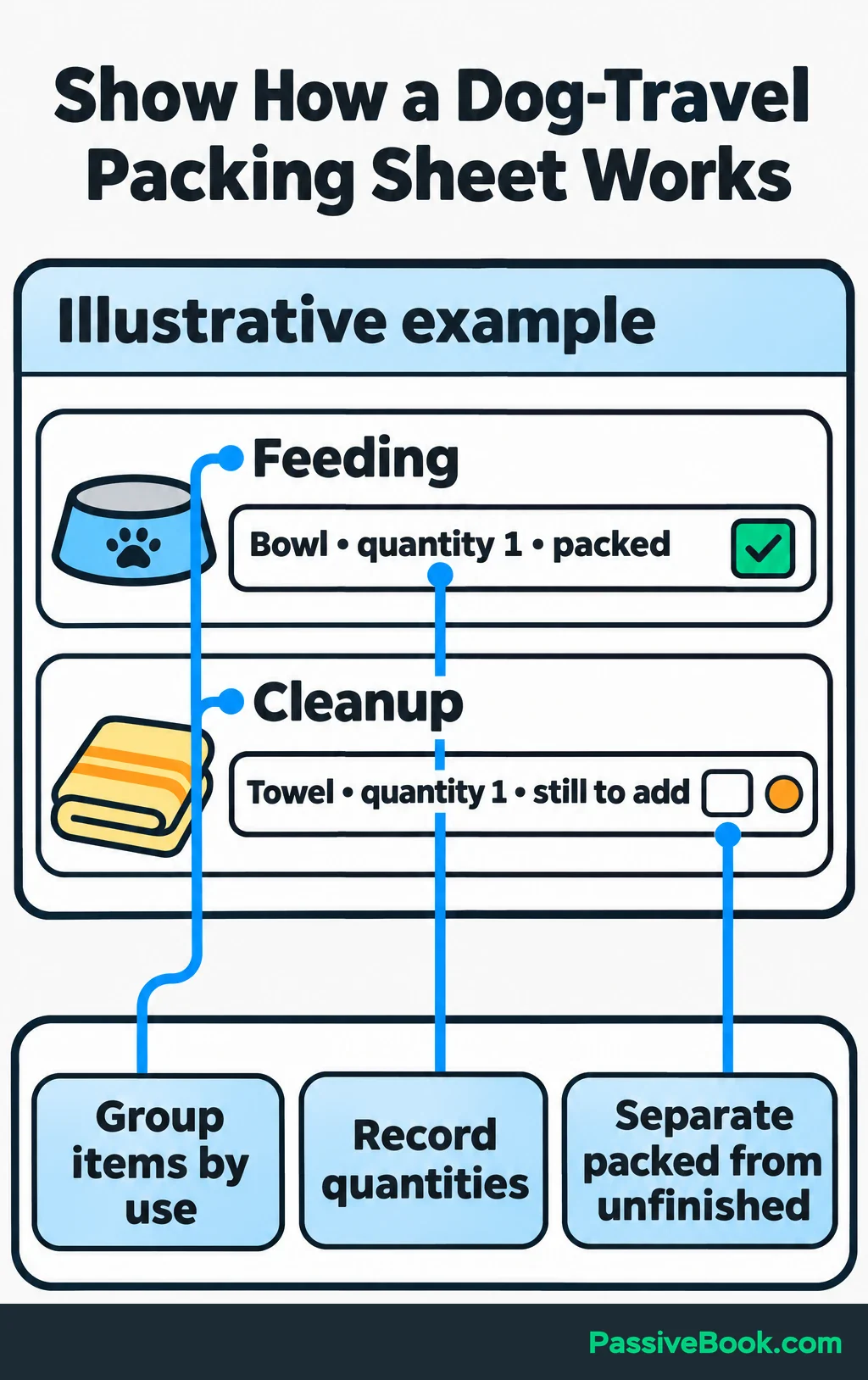
For the packing guide, show part of a filled-in sheet and explain the choices. A paragraph telling readers to “stay organized” is less useful than showing how the sheet separates packed items from unfinished tasks.
Save effective prompts and approved examples with the strategy brief.
Review Before Publishing
AI can confidently produce false information. NIST’s Generative AI Profile, section 2.2, describes this risk, including outputs that contradict their inputs.
Use a review checklist that catches actual failures:
- Evidence: Open cited sources and check that they support the wording and conditions used.
- Task Completion: Follow the instructions and confirm that the reader can achieve the promised outcome.
- Original Material: Check that examples match the real download or product.
- Editing: Remove vague advice, repeated points, and phrases you would never say.
- Presentation: Review titles, descriptions, images, links, and mobile formatting.
- Next Action: Test the sign-up, download, purchase path, and tracking.
Assign a final approver, even when that person is you.
In Google Analytics 4, record a completed sign-up as an event, then mark it as a key event: an action that matters to your business. A button click alone doesn’t prove someone subscribed.
For search content, volume needs the same judgment. Google’s generative AI guidance warns that generating many pages without added value may violate its scaled-content-abuse policy. AI use alone is not the issue described there.
7. Distribute Approved Content
Give each channel version a useful job. A copied article introduction rarely makes a helpful email or visual preview.
For the dog-travel guide:
- Email: Walk readers through one completed section of the packing sheet and link to the full explanation.
- Visual Preview: If Pinterest fits your channel plan, show a readable section of the completed checklist and link to the guide.
Use the approved resource as the source:
Adapt this approved resource for [channel and format]. Help the reader accomplish [specific task], preserve the essential instructions, and use our voice. Lead to [relevant next action]. Do not add claims or imply the preview contains the full resource.
Review each version for missing context and working links before scheduling it.
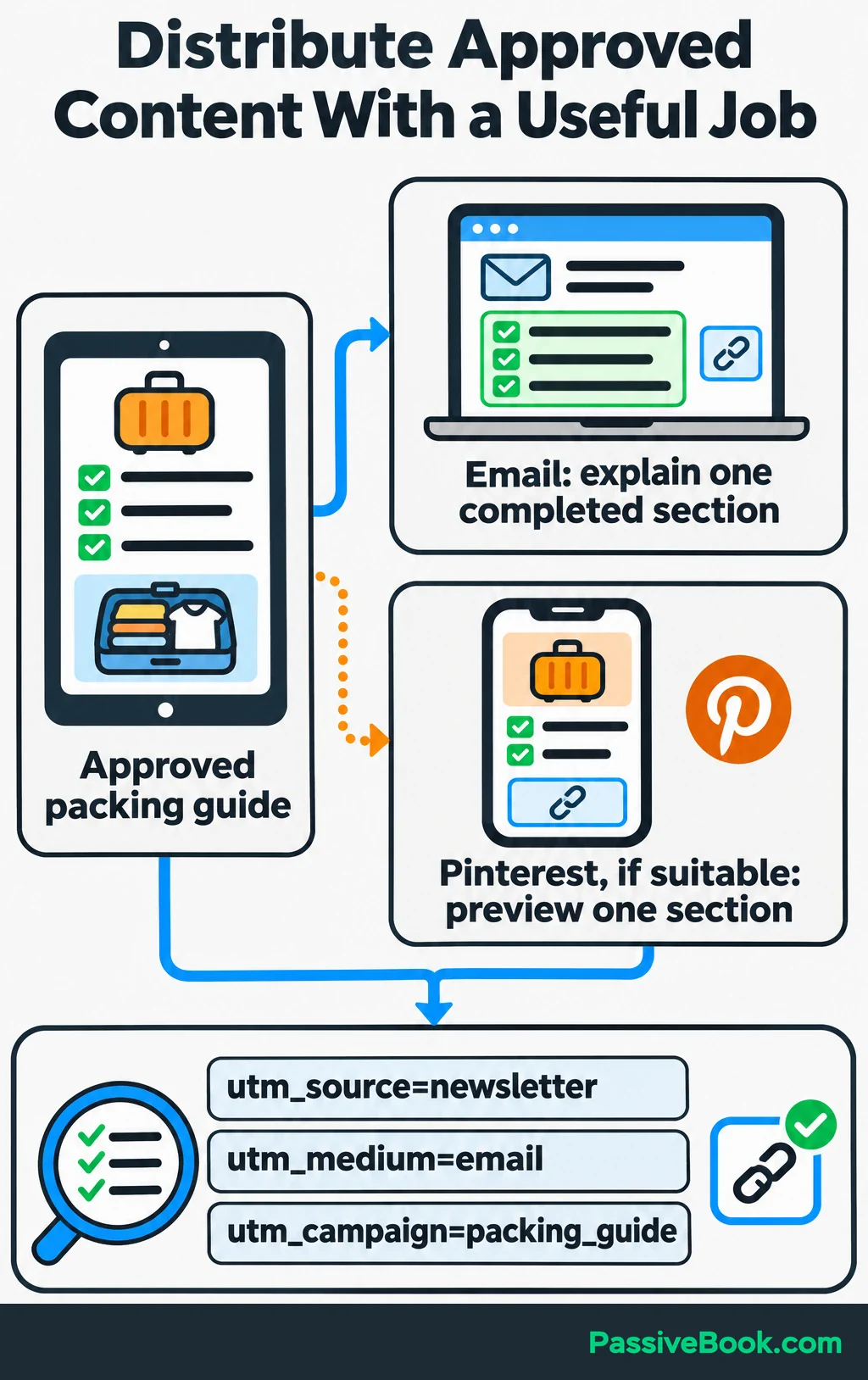
Add campaign tags to links you share in emails or other external channels so Google Analytics can identify where visits came from. For example: https://example.com/packing-guide/?utm_source=newsletter&utm_medium=email&utm_campaign=packing_guide. The three tags identify the source, channel, and campaign; keep their spelling consistent.
Once the process works, automate predictable handoffs:
Approved brief → draft → review → publication → distribution → measurement.
I built a custom Python AI content pipeline that reduced article production from days to hours. That experience makes me enthusiastic about automation, but the useful question is still which repeated task deserves it.
I would choose Make for a straightforward visual setup, or n8n when a self-hosted workflow suits your setup and maintenance capacity. Both connect steps across tools.
Start with creating draft records, preparing adaptations, or collecting reports. Require approval before publishing, flag failed runs, and check an asset’s unique ID before creating another copy.
8. Measure Results and Improve the Strategy
Review the business outcome first, then use the supporting actions to investigate what happened.
For the dog-travel blog, confirm bundle purchases against order records. Compare those results with visits, completed sign-ups, and product-page visits for the same reporting period.
Keep a compact report by asset and channel. Include revenue, total human production hours, and tool costs alongside the audience actions. Record production hours when the work happens so you can compare similar assets over time.
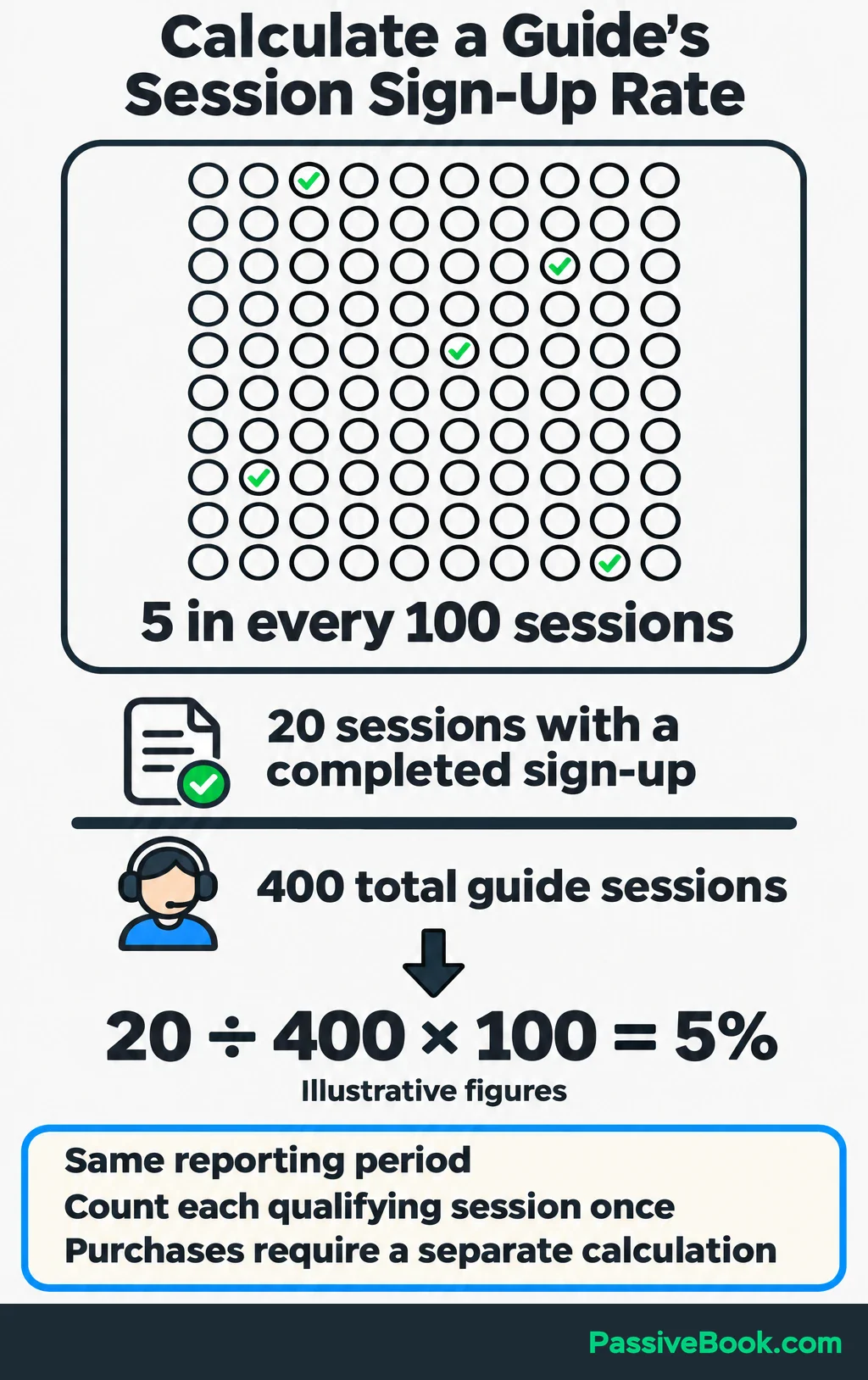
Be precise with conversion rates. Count sessions that included a completed checklist sign-up, then divide by all guide sessions in the same period.
For illustration, suppose there were 400 guide sessions during one month, and 20 of those sessions included a completed sign-up:
Session sign-up rate = 20 ÷ 400 × 100 = 5%.
That is the percentage of guide sessions with at least one completed sign-up. Calculate later purchases separately using a clearly defined group and observation period.
Ask AI to analyze the report:
Compare this report with our goal. Cite the rows supporting each finding and check the arithmetic. Separate observations from possible explanations. Identify missing data and recommend one change to evaluate next, with a review date.
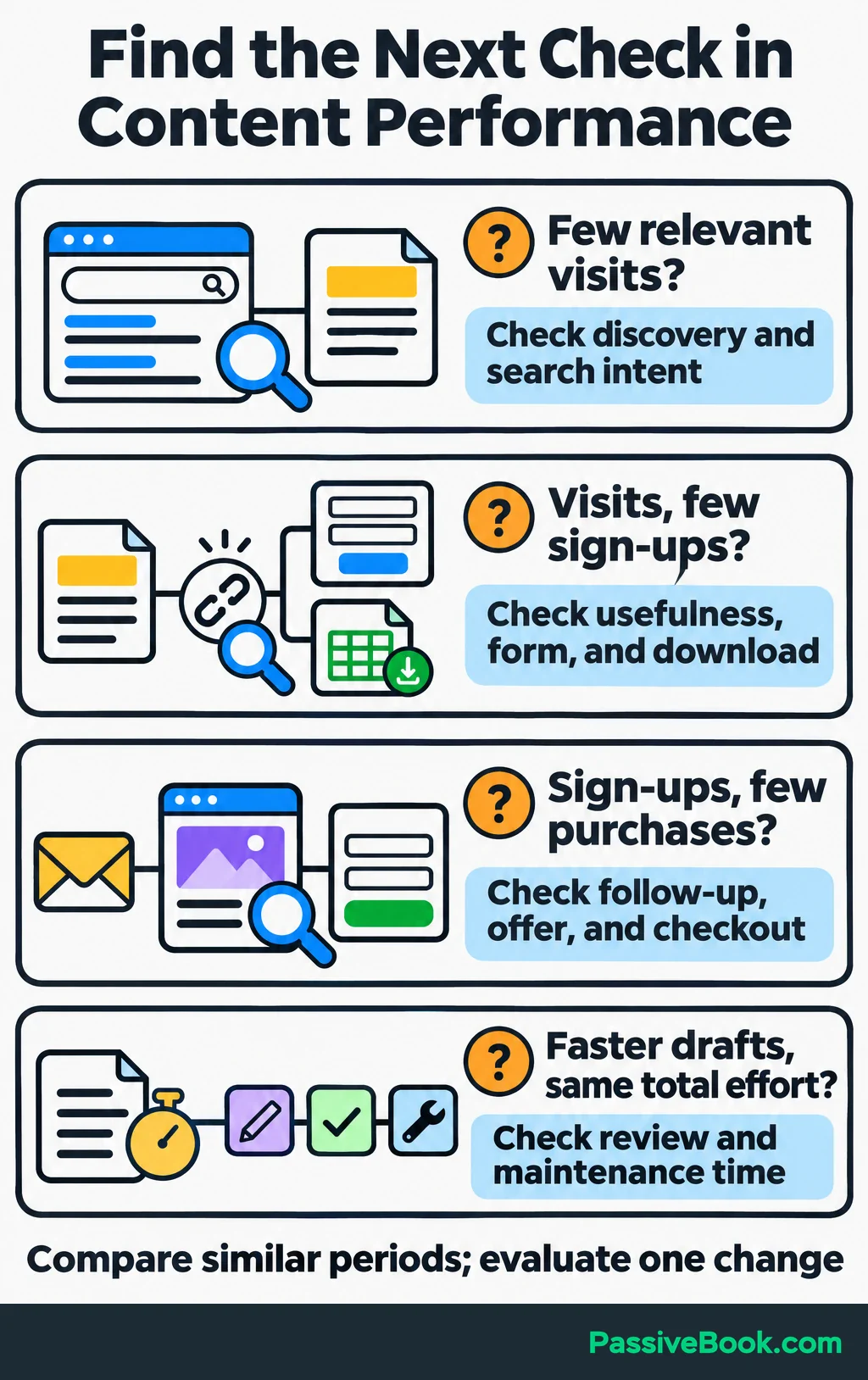
Use the findings to choose where to investigate:
| Observed Pattern | Next Check |
|---|---|
| Few relevant visits | Inspect discovery, search intent, and whether distribution reached the intended audience |
| Visits but few completed sign-ups | Check the guide’s usefulness, checklist relevance, form, and download path |
| Sign-ups but few purchases | Review follow-up, offer fit, product explanation, and checkout |
| Faster drafts but unchanged total effort | Look at correction, review, formatting, and automation maintenance time |
Compare similar periods and account for content age, seasonality, and small samples. A new guide’s first week is a poor match for an established guide’s busiest month, and a change in results doesn’t establish its cause.
Choose one change, record the result you expect, and set the next review date. Feed new questions back into your personas and topic list.
Judge efficiency separately from growth. Faster production is useful, but you still need to know whether the content is helping people and supporting the business.
What Next?
Write a one-sentence business goal and collect five real audience questions before generating another topic list. Use those inputs to choose one resource worth producing, then build its brief.
Use the social buttons to share this guide when your next content-planning discussion needs a clearer link between AI ideas and business results.
Which decision in your current content process feels least grounded in evidence? Tell me in the comments, and bring any other questions about building your workflow.
Share this post with your friends & followers: