A shop wants to order two cases, but you need to check a spreadsheet, an open order and the warehouse shelf before promising a delivery date.
That checking takes time, and a wrong answer can leave you buying replacement stock or explaining why an accepted order cannot ship.
Wholesale inventory software earns its place when it makes those decisions easier to trust. This guide explains which features to compare, what they should do with your orders, and how to test whether the subscription you can afford will handle the work.
What Should Wholesale Inventory Management Software Handle?
Wholesale inventory management covers goods from purchasing and receiving through storage, customer orders, shipping and returns. The software should connect those activities so a change in one place reaches the people who need it.
I would start with your actual work before booking demos. Write down:
- The product variants you track.
- Whether you buy and sell individual units, cases or both.
- Your sales channels, monthly order volume and busiest periods.
- The locations holding stock.
- The accounting, shipping and ordering tools that need to connect.
Throughout this guide, imagine you supply cotton tea towels to independent homeware shops. Each color has its own product record, and you sell towels individually and in cases of 12. The quantities, costs and demand figures below are illustrations.
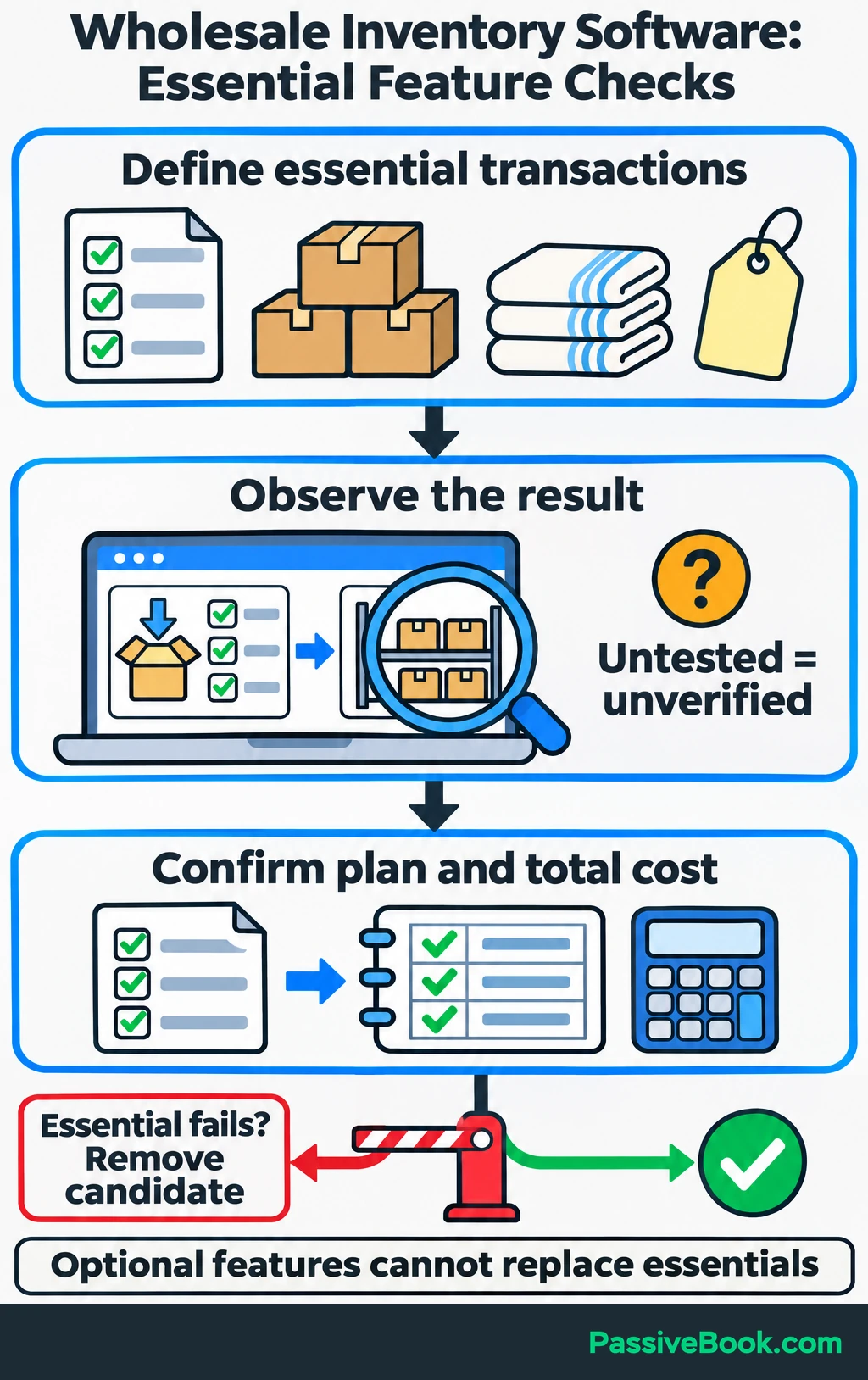
Turn your requirements into transactions a vendor can demonstrate:
| Requirement | Priority | Test Transaction |
|---|---|---|
| Shared stock for individual and case sales | Essential | Receive eight cases, then sell two cases and three individual towels |
| Customer-specific pricing | Essential | Enter the same order for two shops with different agreed prices |
| Warehouse transfers | Essential if you hold stock at separate sites | Ship two cases from one location and receive them at another |
| Customer ordering portal | Optional unless customers need it | Place an order using the shop’s agreed prices and permitted quantities |
For each candidate, add columns for the required plan or add-on, observed result and additional cost. Leave an untested feature marked “unverified” rather than awarding a pass because a salesperson said yes.
A tool that fails an essential transaction leaves the shortlist. Fifty optional features do not repair that failure.
You do not need to write a specification from scratch. The AI Provider Buying Assistant turns a few notes about your operation into a brief and vendor email, so you can ask each supplier to demonstrate the same work.

Free AI Provider Buying Assistant




Stock Accuracy Across Products and Locations
On-hand, Reserved and Available Stock
A single stock number cannot tell you everything you need to know. Compare how each system separates:
- Physical stock on hand.
- Stock reserved for accepted orders.
- Stock available for new orders.
- Incoming stock on purchase orders.
- Damaged goods and returns awaiting inspection.
Also establish when quantities change. Does accepting an order reserve stock? Does shipment reduce physical stock?
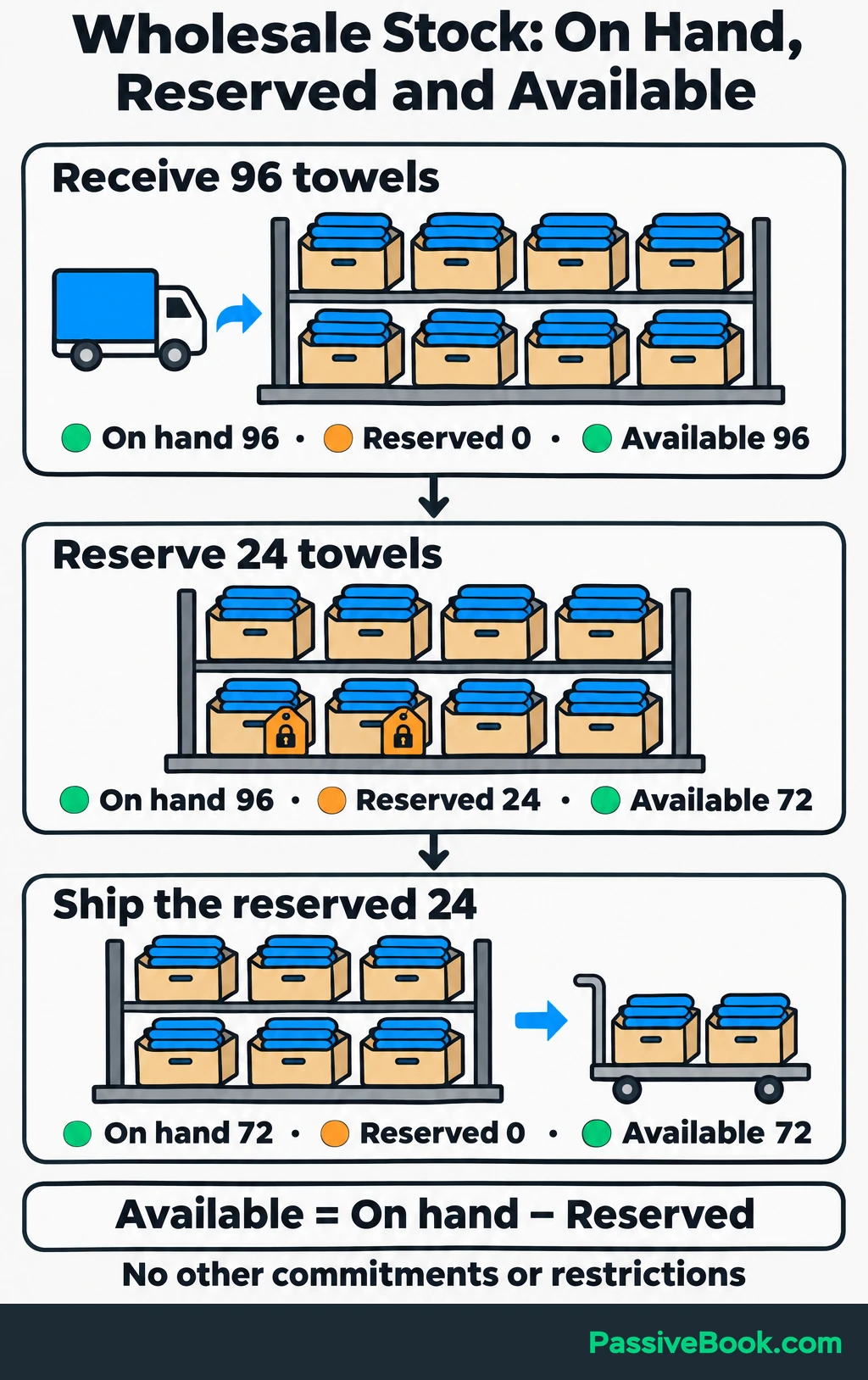
For example, Unleashed’s inventory software defines available stock as on-hand stock minus allocations. Allocations are quantities committed to outgoing transactions, such as customer orders or warehouse transfers. Stock on hand falls at dispatch.
Use one towel color with no other commitments or restrictions to test that distinction:
| Action | On Hand | Reserved | Available |
|---|---|---|---|
| Receive 96 towels | 96 | 0 | 96 |
| Reserve 24 for a shop | 96 | 24 | 72 |
| Ship those 24 | 72 | 0 | 72 |
The software’s labels may differ, but you should be able to explain every balance. Incoming purchases should remain distinguishable from goods ready to ship.
SKUs, Case Packs and Barcode Workflows
Give each color a unique stock keeping unit, usually called a SKU. A code such as TT-NAVY identifies the navy towel wherever it appears.
Compare support for your own SKU, the supplier’s product code, the individual barcode and the case barcode. These may identify related things, but they must lead to the correct stock movement.
Choose a base counting unit, such as one towel. Then test purchases and sales against that shared balance:
- Receiving eight cases of 12 adds 96 towels.
- Selling two cases removes 24 towels.
- Selling three individual towels removes another three.
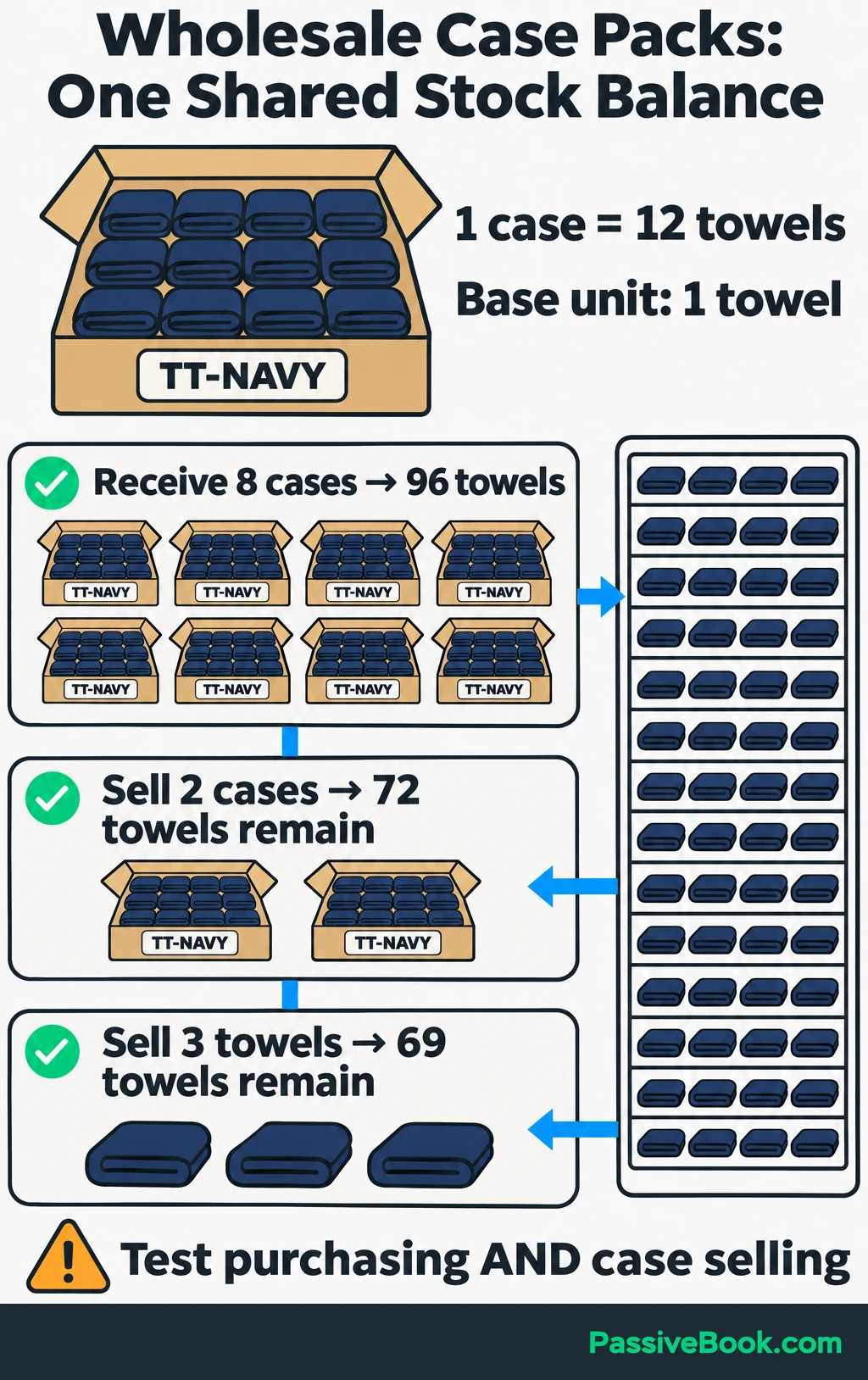
Test both directions. Unleashed’s units-of-measure documentation describes alternative purchasing units that convert into base stock units, while sales orders use the base unit. Purchasing conversion alone does not establish the case-selling workflow you need.
Try barcode receiving, picking and counting with the devices your team will use. Scan the wrong color and a case barcode where an individual barcode is expected. Check whether the system catches the mistake.
For stock counts, require a review of differences, an adjustment reason and a history showing who changed what. Add bundle deductions, batch tracking, expiry dates or serial numbers only when your products require them.
Multiple Warehouses and Transfers
A combined stock total is useful, but it does not tell you whether goods are in the right place to fulfill an order.
Compare quantities and availability by location. If staff need shelf-level directions, check bin tracking too. Ask whether each warehouse can have its own reorder settings and order-allocation rules.
For a transfer with travel time, test three stages:
- Two cases leave the source location’s available stock.
- The 24 towels remain visible in transit.
- They become available at the destination after receipt.
Microsoft’s documentation for its Business Central software describes separate shipment, in-transit and receipt records. Check whether a candidate tracks goods during the journey or simply changes their recorded location.
If another company stores and ships your goods, include its receipts, shipment confirmations, returns and adjustments in the trial. Agree who investigates a mismatch before the first one arrives.
Reordering and Supplier Management
Reorder Points and Purchasing Automation
A reorder point tells you when stock needs replenishing. It combines expected demand while you wait for delivery with a safety buffer.
Oracle describes the principle as demand during replenishment lead time plus safety stock. For steady demand, you can estimate that demand by multiplying average daily sales by the number of days needed to replenish.
Suppose one towel color sells four units daily, replenishment takes 10 days and you choose a 20-unit buffer:
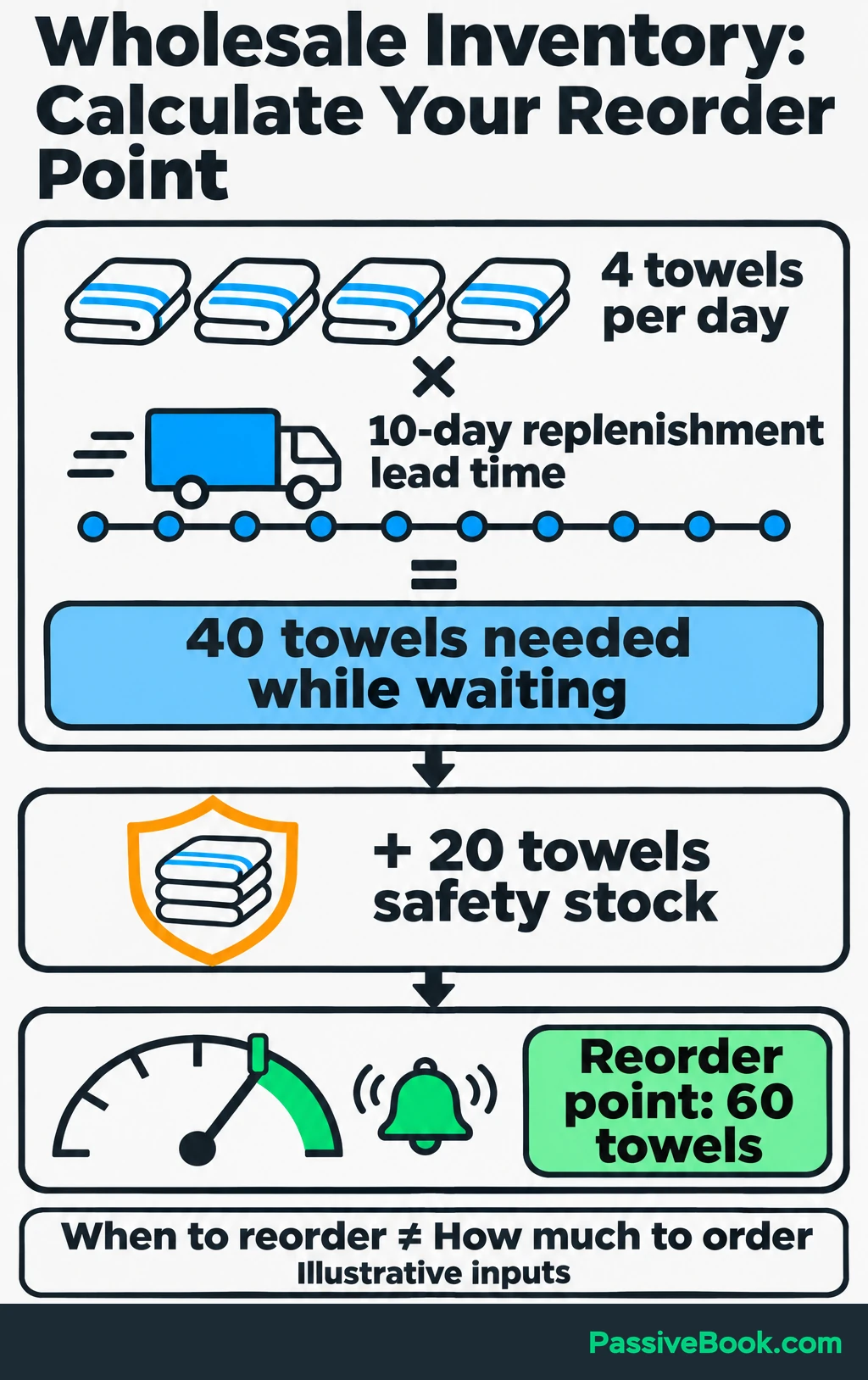
(4 towels × 10 days) + 20 towels = 60 towels
That gives an illustrative reorder point of 60 towels. Your own inputs should come from recorded demand and delivery times.
Next, compare what happens when the threshold is reached:
| Capability | What It Does |
|---|---|
| Low-stock alert | Tells someone to review the item |
| Purchase suggestion | Recommends a quantity |
| Draft purchase order | Prepares an order for approval |
| Automatic submission | Sends the purchase order without a separate approval |
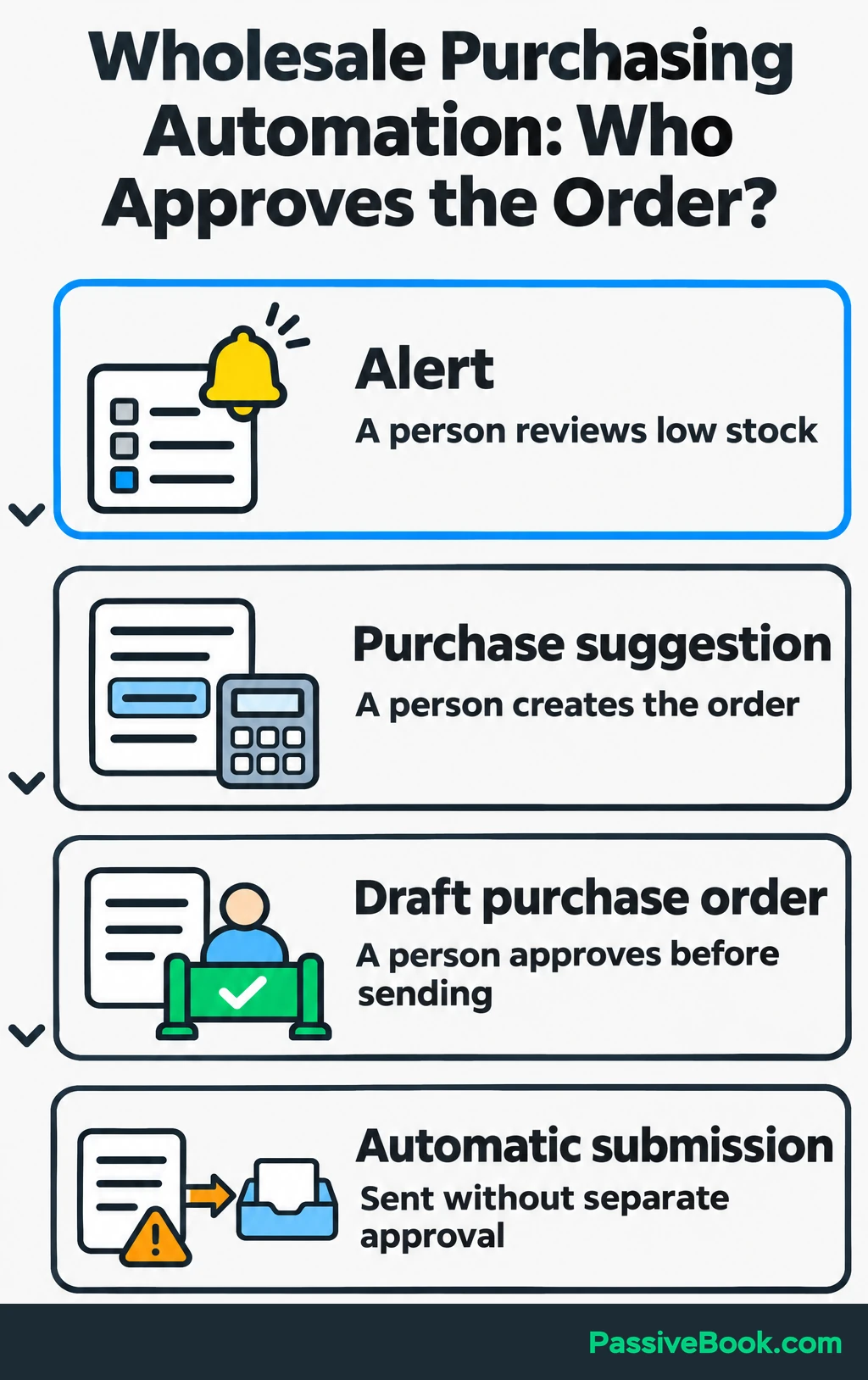
I would begin with draft purchase orders. You get less typing while keeping a chance to catch a strange quantity before it becomes a supplier commitment.
The reorder point also differs from the order quantity. Check whether the system supports ordering a fixed quantity or replenishing up to a target stock level. Then test whether it applies supplier minimums and rounds purchases to full cases.
Finally, add an outstanding purchase and an unfilled customer order. Change their due dates and inspect the recommendation. A delivery arriving after the customer needs the goods cannot solve that shortage, and a reserved order should not be deducted twice.
Supplier Records and Demand Forecasts
Supplier records should hold the details that affect buying: product codes, prices, case sizes, minimum quantities, lead times and alternative suppliers.
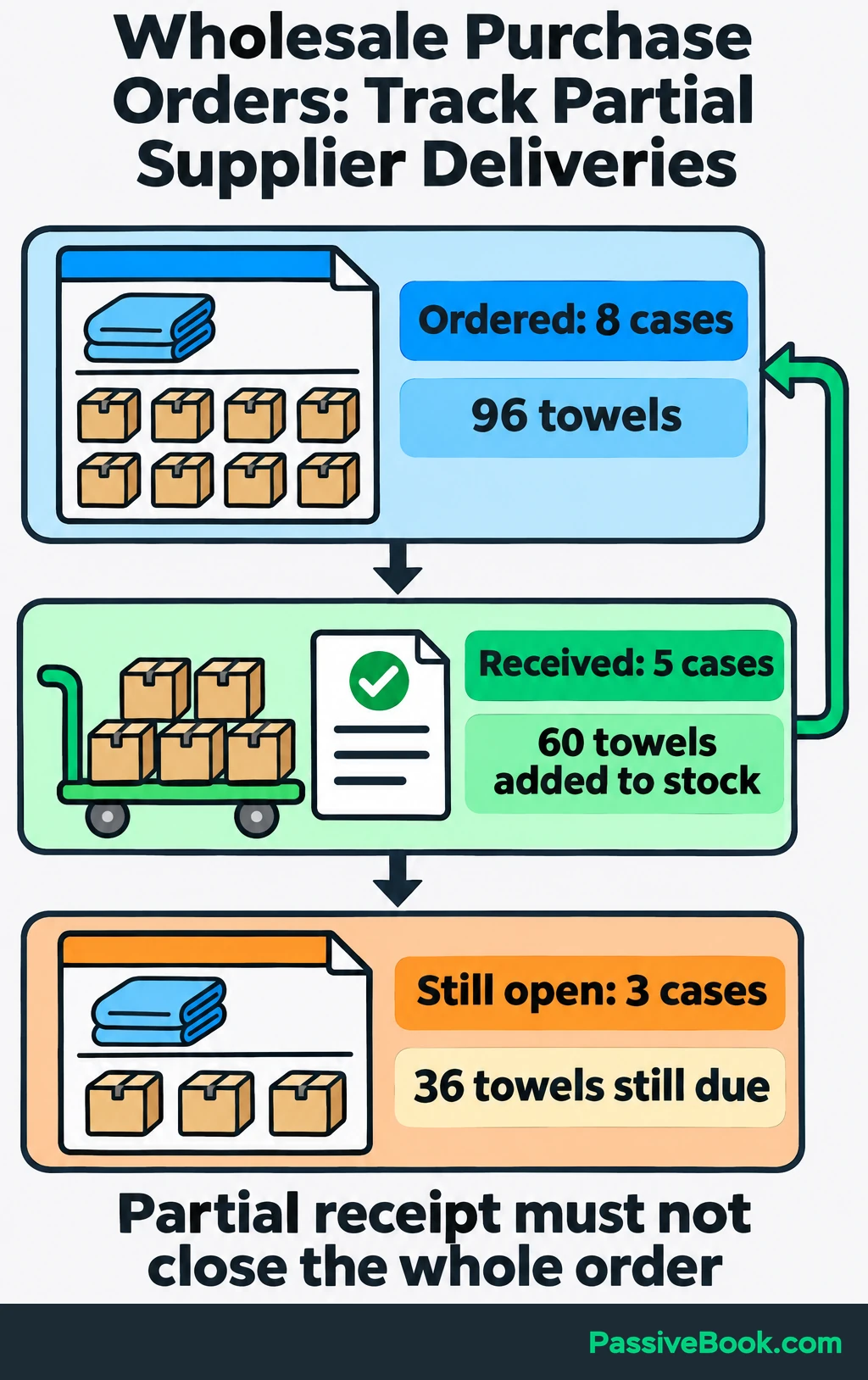
Follow a suggested purchase through approval and partial receipt. If you order eight cases and receive five, the other three should remain open. You should not need a separate reminder sheet to remember them.
For forecasting, ask what history the system uses and whether you can inspect and override its suggestion. Check how it handles:
- Seasonal demand and planned promotions.
- Periods when stock was unavailable.
- One unusually large shop order.
- Different demand at separate locations.
That large order matters. A shop’s opening order may be useful business, but you may not expect it every week.
I would compare suggested purchases with your recent buying decisions using the same products and period. Inspect the quantities, spending and possible shortages. An “AI forecasting” label needs to earn its extra cost through better decisions you can understand.
Wholesale Ordering and Fulfillment
Wholesale orders need more than a checkout button. Compare customer price lists, quantity discounts, minimum orders and rules about permitted case quantities.
Create the same towel order for two shops with different agreed prices. Then increase the quantity to test a discount threshold. Customer pricing and quantity discounts are separate checks; Zoho Inventory’s price-list documentation describes both customer-assigned lists and volume pricing.
If you offer credit, establish where payment terms and credit holds are controlled. That may be the inventory tool, accounting software or a connected ordering system. Try to dispatch an order on credit hold and check that the system blocks it.
Trace an accepted order through reservation, picking, packing and shipment. Look for the documents and checks your team needs, including clear product codes, quantities and customer details.
Then try the awkward transactions:
- Ship part of an order and leave the rest open.
- Put an unavailable quantity on backorder.
- Cancel an unshipped order and release its reservation.
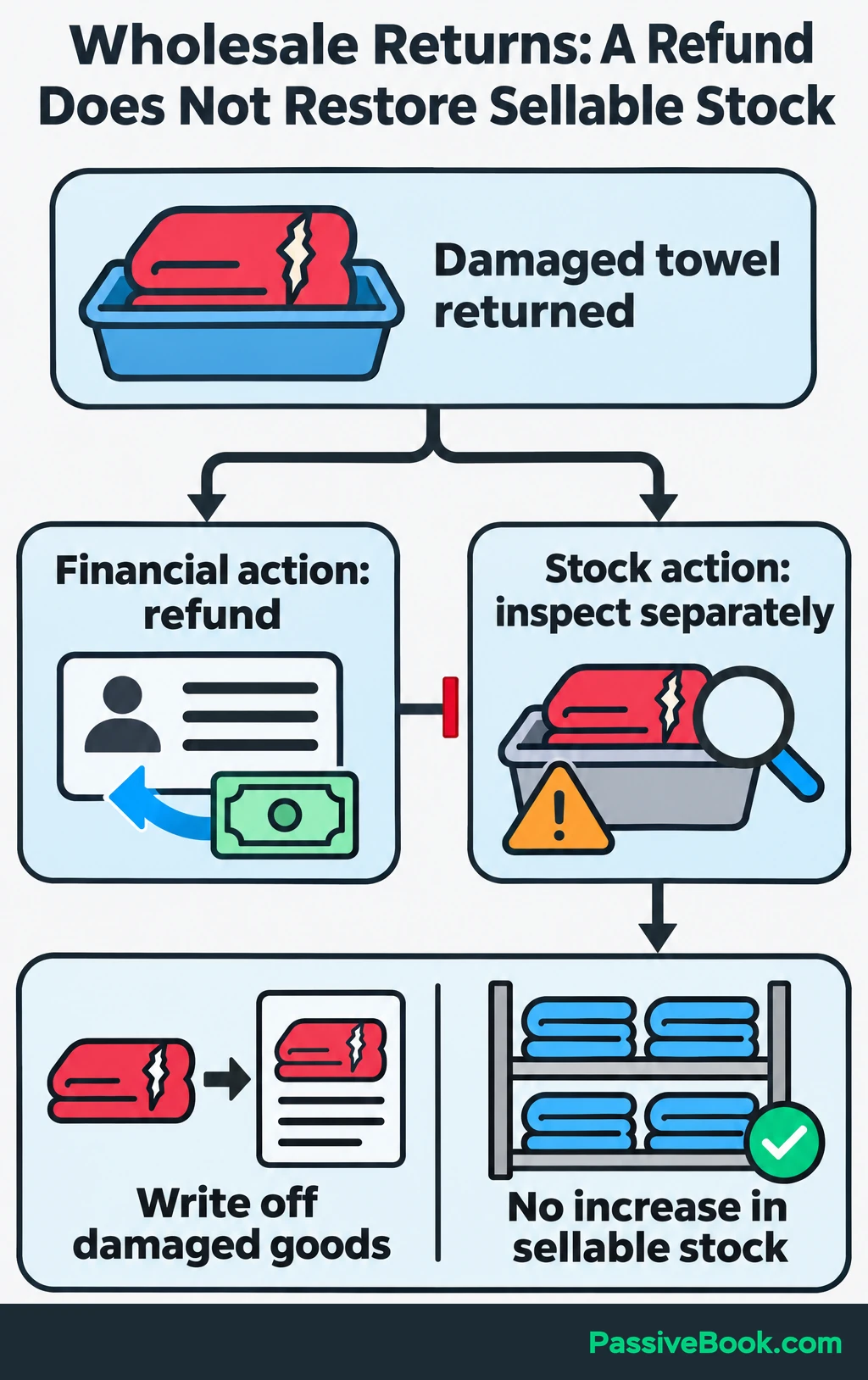
- Receive a damaged return, inspect it and write it off.
A refund should not make a damaged towel available for sale. Check the financial action and physical stock action separately.
Add a self-service ordering portal when it saves enough order entry to justify its cost. If retailers require electronic data interchange, or EDI, you need a connection that exchanges their required order and shipment documents. Test customer prices and availability through those connections too.
Integrations That Keep Stock and Orders Aligned
An integration badge tells you a connection exists. Your comparison needs to establish what crosses it.
Map the records exchanged with your ecommerce store, wholesale ordering system, accounting software, shipping service and fulfillment provider. For products, stock quantities, prices and orders, decide which system holds the records the other tools copy.
For each connection, record:
- Which information it transfers and in which direction.
- How often updates run.
- How products and locations match.
- Which subscription or connector it requires.
- Who maintains it and handles failures.
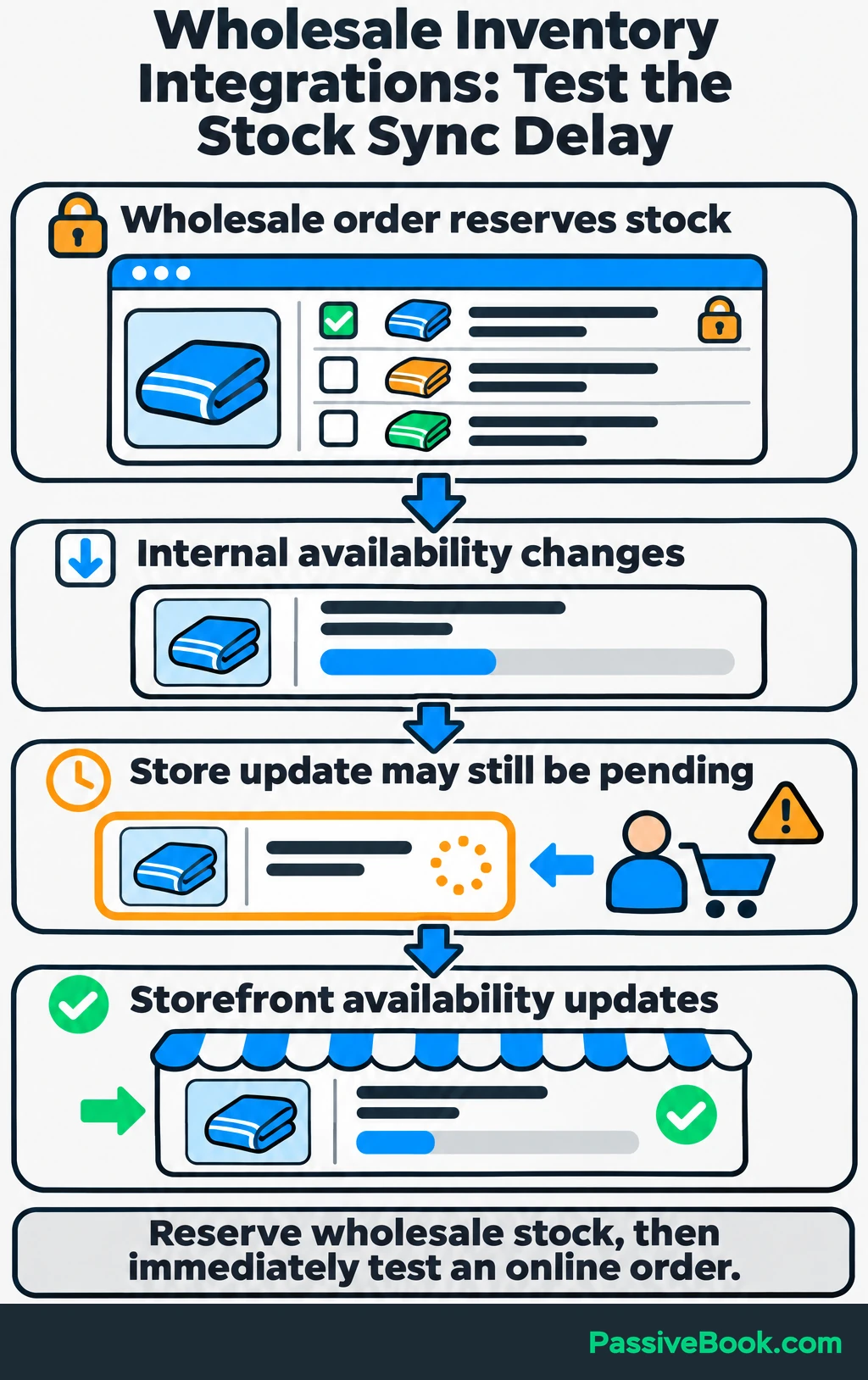
Pay particular attention to “real-time” claims. An immediate change inside inventory software does not guarantee an immediate storefront update. Unleashed’s Shopify integration documentation, for example, specifies stock updates at configurable intervals.
Test a wholesale reservation followed immediately by an online order for the same towel color. Watch which available quantity reaches the store and when. Decide whether that delay is acceptable for your selling activity.
Also test a failed order import. Someone should be able to see the error, correct it and retry without creating a duplicate order.
I like automation, but I would keep stock and order exchange on a supported connection where possible. A custom workflow is another thing your small team has to maintain. Include connector fees and that maintenance work in the comparison.
Reporting That Reveals Shortages and Tied-up Cash
Reports That Lead to Purchasing Decisions
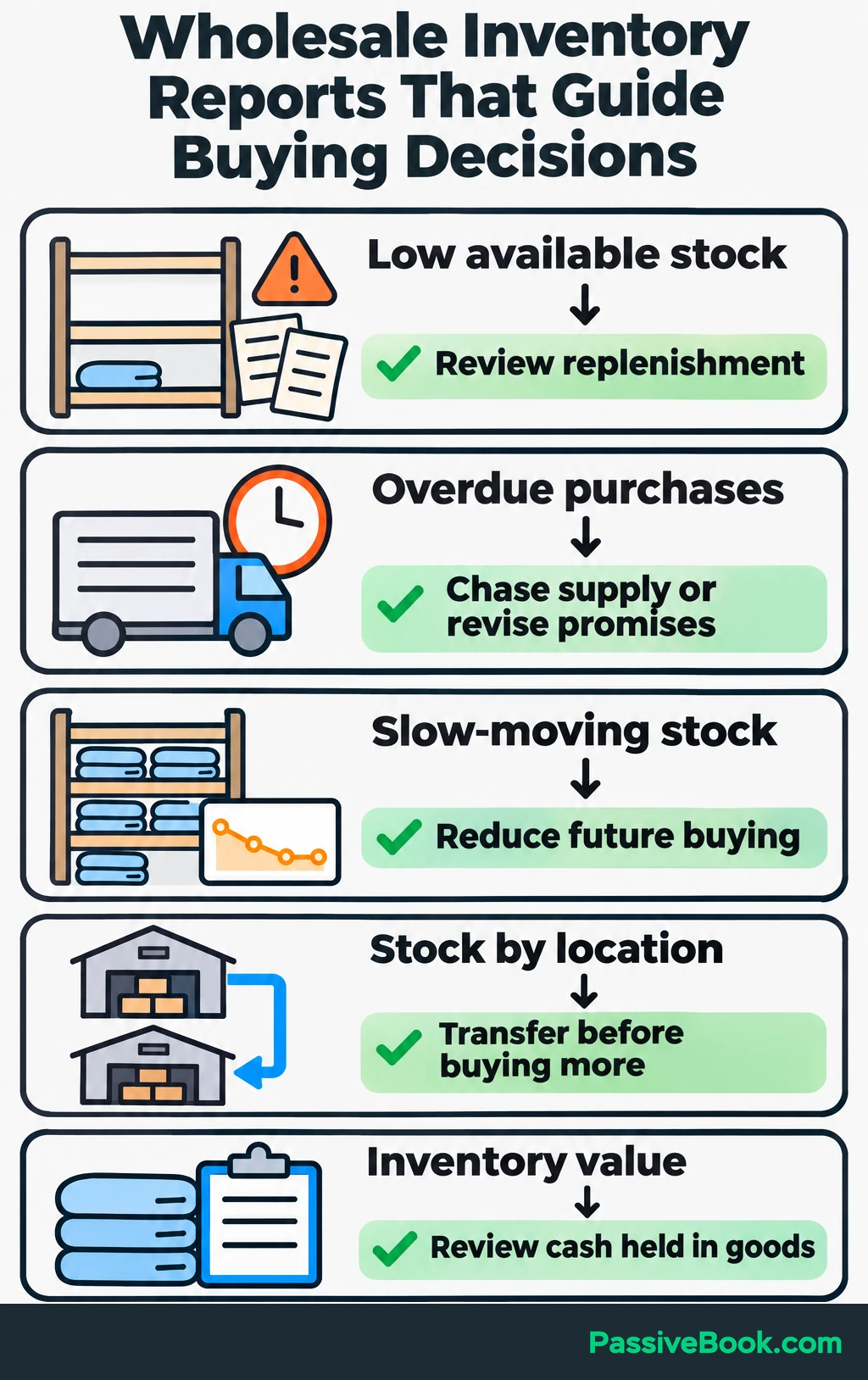
Start with reports that answer a buying or fulfillment question:
| Report | Decision It Should Help You Make |
|---|---|
| Low available stock and backorders | Replenish a popular color before more orders are accepted |
| Overdue purchases | Chase the supplier or revise customer delivery promises |
| Slow-moving stock | Reduce future purchases of a weak-selling color |
| Stock by location | Transfer existing towels before buying more |
| Inventory value | See how much money is held in goods |
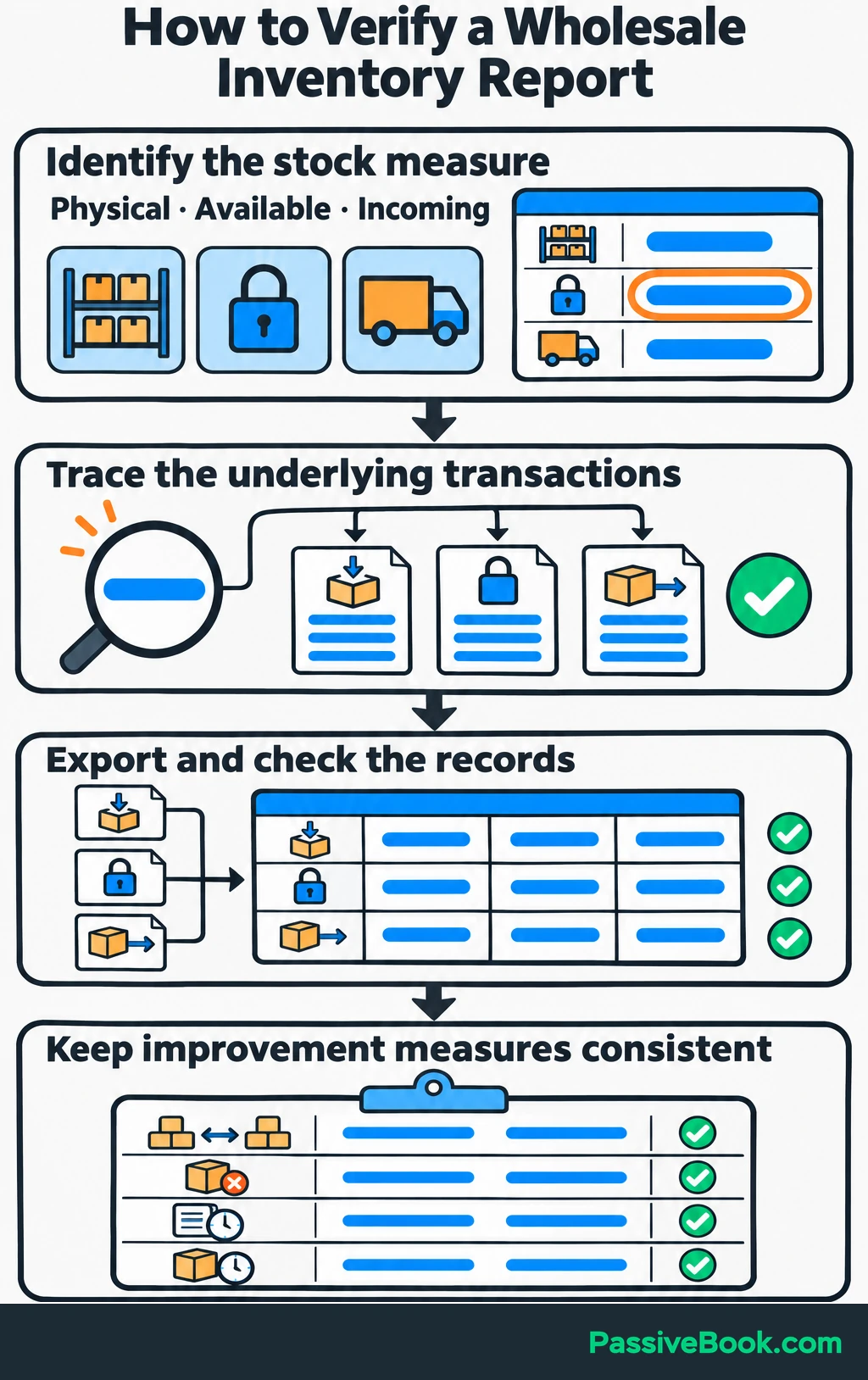
Check whether a report shows physical, available or incoming stock. Then trace one balance back to its transactions and export the underlying records.
I learned to take slow stock seriously with my online jewellery store. I bought without enough market research, ended up with unsold inventory and lost most of the roughly $1,200 I put in. When I reviewed what remained, I found myself looking at purchase costs rather than products.
That loss does not prove software would have prevented it; I needed better evidence of demand before buying. I would use slow-moving stock reports alongside low-stock warnings to decide what to purchase next.
Before implementation, record stock discrepancies, fulfillment mistakes, purchasing administration time and money held in slow-moving goods. Keep the same definitions when assessing improvement.
Landed Cost and Accounting Reconciliation
The supplier’s unit price may not represent the full cost of getting goods into stock.
Compare how the system assigns inbound freight, duties and other applicable purchasing charges to receipts. Microsoft’s item-charge documentation explains how assigned charges increase inventory value and later enter the cost of goods sold.
For an illustration, take a receipt of 96 towels bought at $3 each, plus $48 inbound freight. To spread that freight equally across these identical units, add the purchase and freight costs, then divide by the 96 towels:
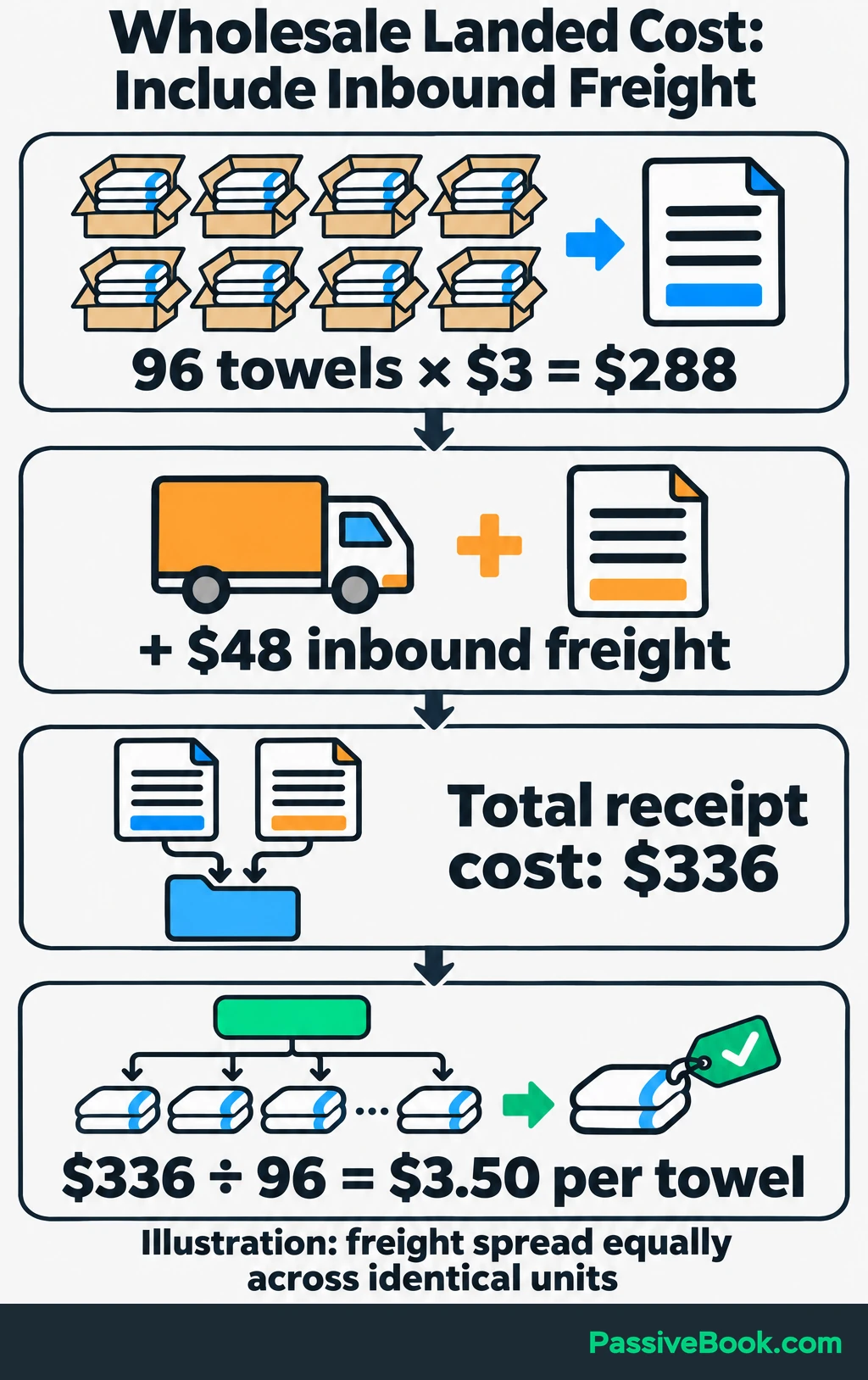
((96 × $3) + $48) ÷ 96 = $3.50 per towel
Ask the person responsible for accounting to verify the costing method and entries for a receipt, shipment, return and stock adjustment.
Include a freight invoice that arrives after the goods. Check how that later cost reaches inventory and the accounts, especially if some towels have already shipped.
What Will the Software Actually Cost?
Compare the Plan That Includes Your Essentials
Price the subscription that passes your tests. Starting prices are useful only if that plan includes the work you need.
For example, Zoho Inventory’s US pricing page places unit conversion and stock counting in Premium rather than Standard. That makes the feature boundary relevant to a case-pack operation. Check the linked page for current regional prices and billing terms.
Build your cost comparison in two parts:
| Recurring Costs | Setup Costs |
|---|---|
| Subscription and required users | Product-data cleanup and migration |
| Extra locations or order capacity | Onboarding and training |
| Connectors and paid add-ons | Scanners or other equipment |
| Ongoing support or maintenance | Your team’s setup time |
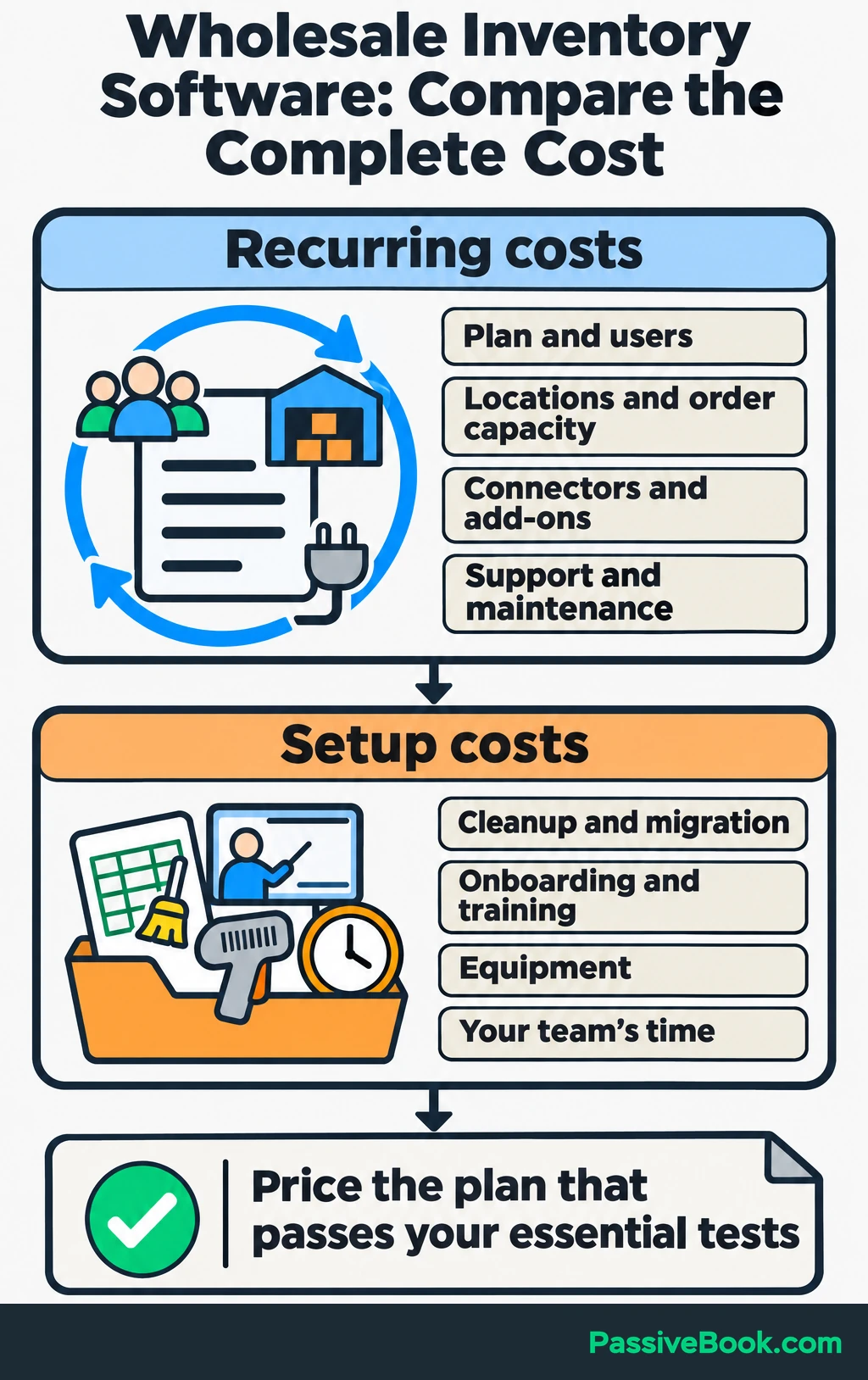
Internal time is part of the effort even when it does not produce a separate invoice.
Get a quote for your current operation and expected growth. Check how the vendor counts orders, users and locations, because those definitions determine which plan you need.
Before committing, confirm renewal and cancellation terms, support hours and usable exports of your data. A cheap subscription becomes less appealing if leaving it requires rebuilding your records by hand.
Judge Value Against Your Current Losses
Software is worth paying for when credible benefits justify its complete cost. You do not need an enterprise budget to make that comparison, but you do need a baseline.
Use measured administration time, documented error costs and avoidable inventory expenses. If better availability could recover lost orders, value those orders after their variable costs rather than counting the full sales amount as profit.
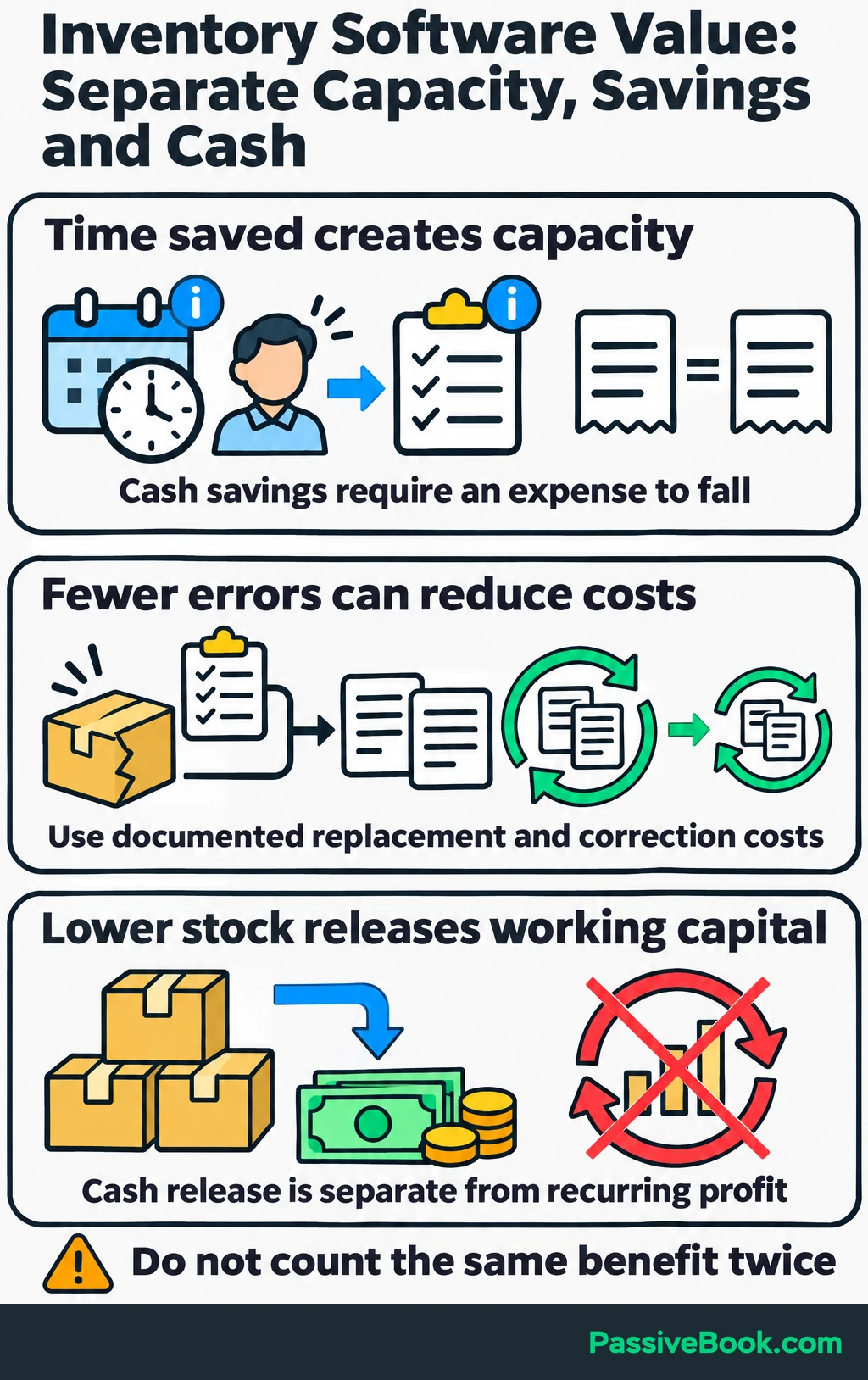
Keep three kinds of benefit separate:
- Time saved creates capacity for other work unless it removes an actual expense.
- Fewer errors can reduce recorded replacement, shipping or correction costs.
- Lower stock holdings release working capital; that release is separate from recurring profit.
I would avoid a return-on-investment estimate that needs every possible benefit to happen. Start with improvements you can explain from your own records.
Compare credible recurring benefits with the recurring bill, then decide whether the setup expense and disruption are justified. Do not count the same saved order or reduced purchase twice.
How to Test Software Before Committing
Run the Same Transactions in Every Candidate
Use a small sample of clean, checked data. Include towel colors, supplier details, case conversions and customer prices. Write down expected quantities and costs before entering transactions.
Reuse the same tests in each candidate. Otherwise, one tool gets a tidy demonstration while another gets your difficult return.
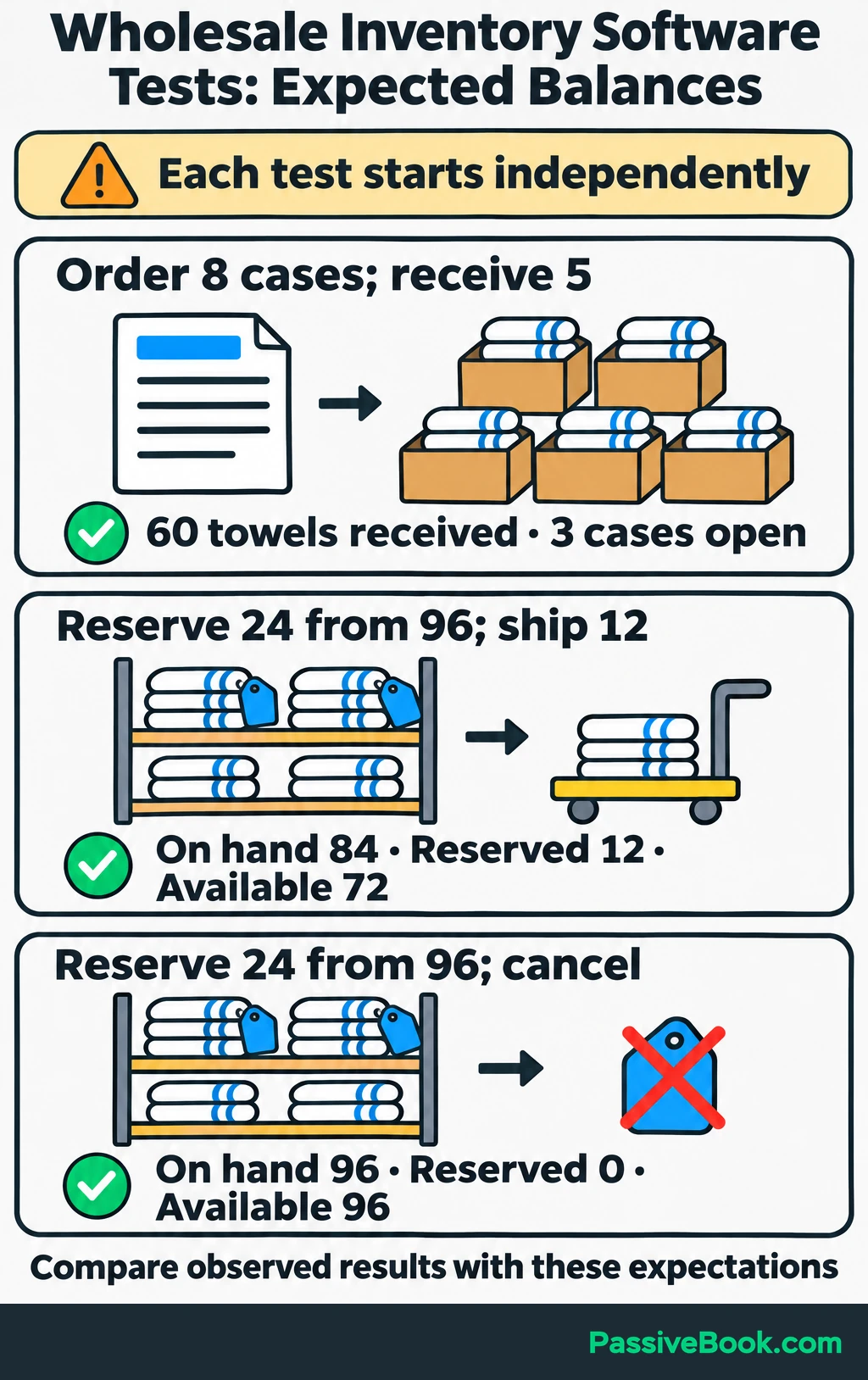
Here are several compact tests to include. Each row starts independently:
| Workflow | Starting State and Action | Expected Result |
|---|---|---|
| Partial purchase receipt | Order eight cases; receive five | 60 towels received and three cases still open |
| Partial shipment | Reserve 24 from 96; ship 12 | 84 on hand, 12 reserved and 72 available |
| Cancellation | Reserve 24 from 96; cancel before shipment | 96 on hand and available |
| Damaged return | Receive one damaged towel and refund it | No increase in sellable stock |
| Count correction | Record 72; physically count 71 | 71 towels on hand after review; adjustment reason and change history recorded |
Add transfers, bundles or traceability tests when essential to your operation.
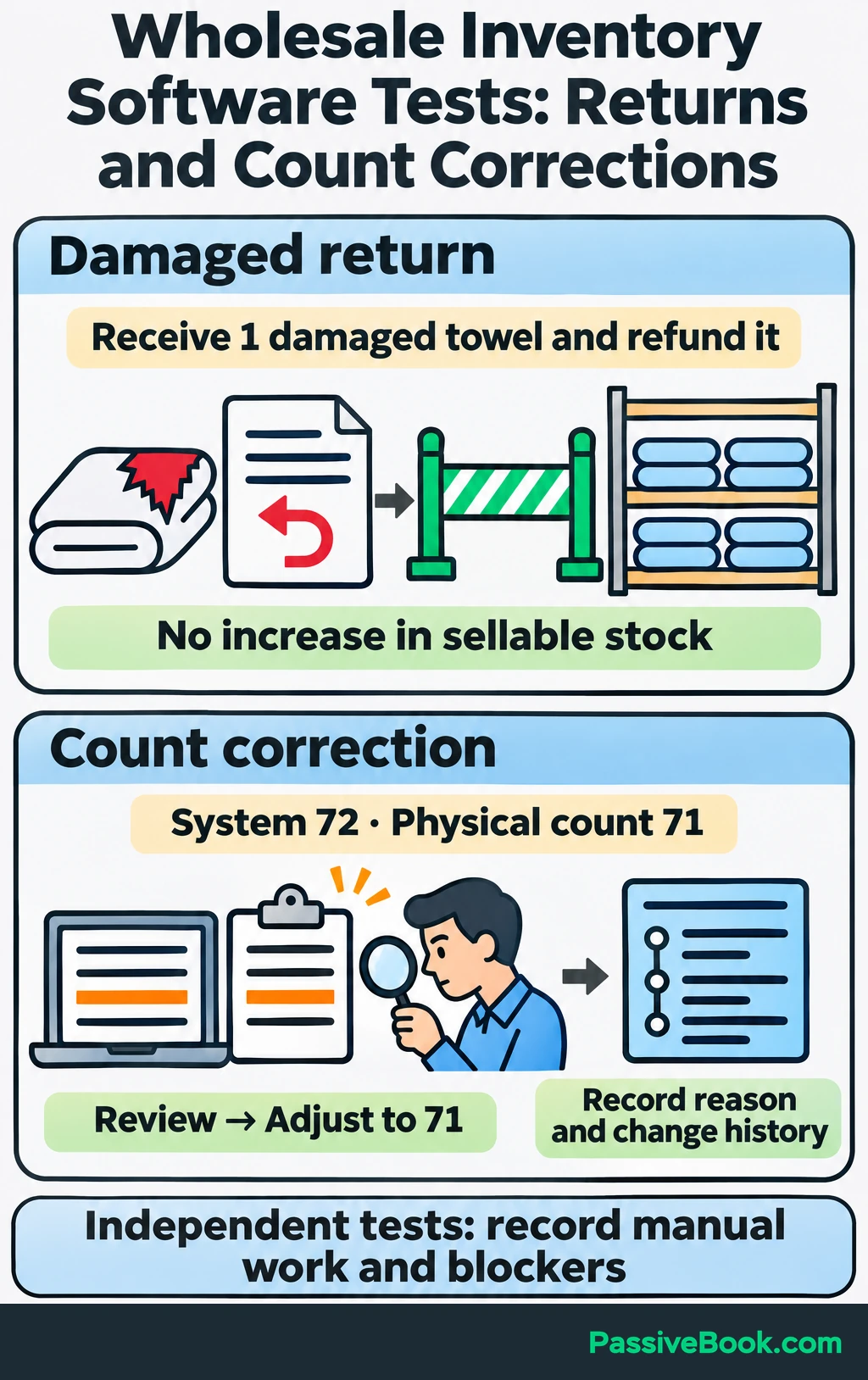
Beside each test, record the observed result, manual work required and any blocker. Use those results to finish your earlier feature comparison, including the qualifying plan and extra costs.
Let the people who receive goods, buy stock and ship orders complete their own tasks. Watch whether they can find information, correct mistakes and work within suitable permissions.
A workaround deserves scrutiny when it becomes part of every order.
Confirm Migration and Support Fit Your Team
A successful demo still leaves the switch to manage.
Confirm that imports can preserve unique SKUs, unit conversions, opening quantities and values, plus outstanding purchase and sales orders. Reconcile the sample import against your original records before expanding it.
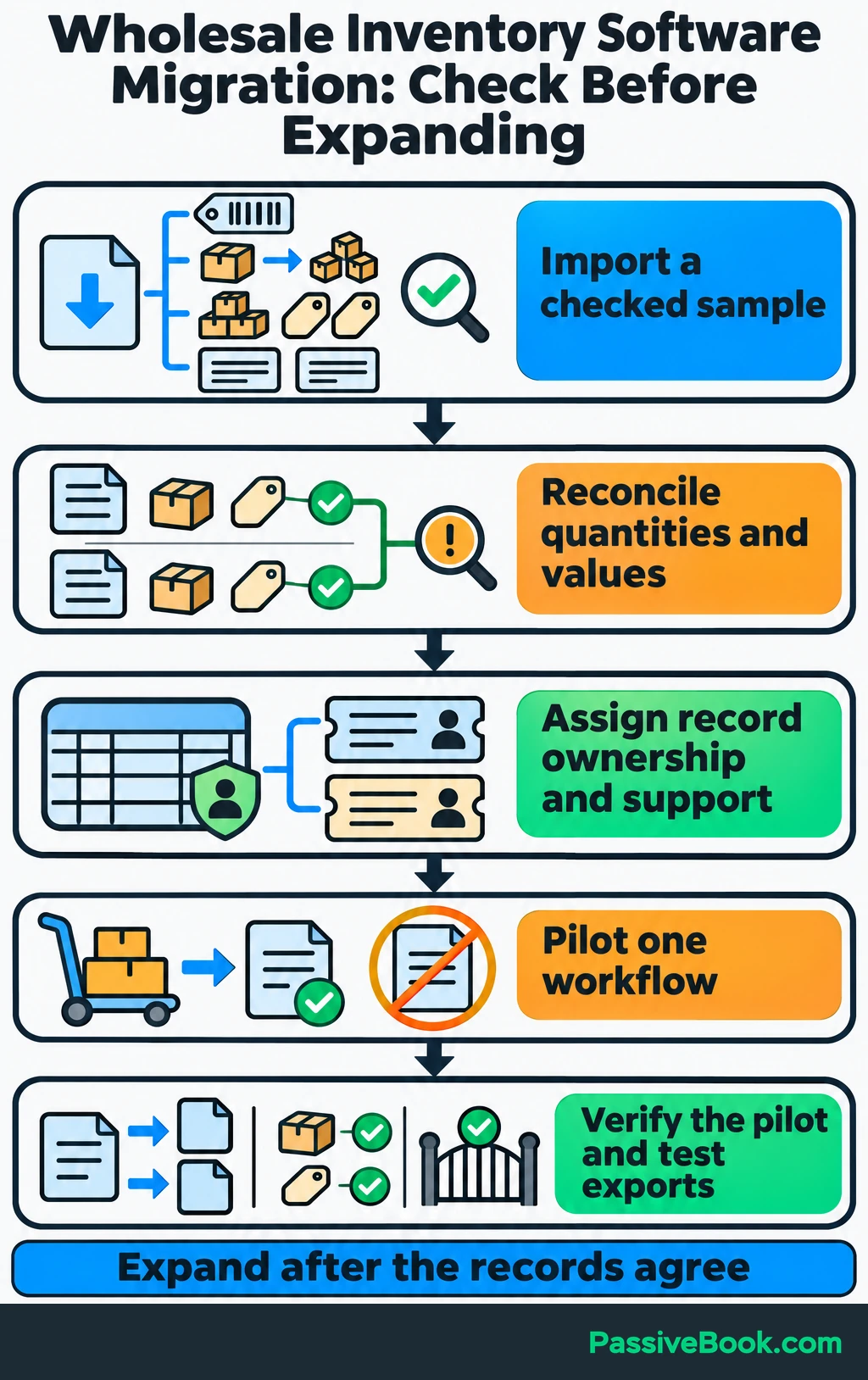
Assign responsibility for migration, training, support and unresolved differences. Test exports of products, stock balances and transaction history too.
I would pilot one workflow, such as receiving supplier deliveries. Decide which system holds the official records and how transactions will be entered during the switch so no order is missed or duplicated. Check the pilot’s quantities and values against your original records before moving more work across.
Choose the lowest total-cost system that passes your essential tests, supports expected growth and can be run by the team you have. That last condition matters. Software that needs constant specialist attention has a staffing cost even when the subscription looks reasonable.
What Next?
Choose one product you sell by the case and write down its expected balances after a receipt, reservation and shipment. Use those three transactions to begin your first software trial.
If this guide makes the comparison easier, use the social buttons to share a practical way to test inventory software before paying for it.
Which inventory task currently needs the most manual checking in your business? Tell me in the comments, and bring any other questions about comparing systems.
Share this post with your friends & followers:

