You can have AI write fifty product descriptions before you know whether anyone wants the first product. That feels like progress, right up until the supplier’s invoice arrives.
The expensive part is committing money and time to an offer you haven’t tested. A polished store can hide that problem for weeks. This guide follows one offer from idea to launch, with practical AI prompts, tool comparisons, and cost checks to help you build a store, attract buyers, and judge whether the next hour or dollar is worth spending.
Step 1: Find a Customer Problem Worth Solving
Start with a situation people want to improve. Find out what they use now, what bothers them, and why they would pay to switch.
Throughout this guide, imagine you’re building a small store selling roll-up organizers for crochet hooks. The business, sample copy, and financial figures are illustrative.
Your first research question is whether people struggle to carry their hooks without losing them inside a project bag.
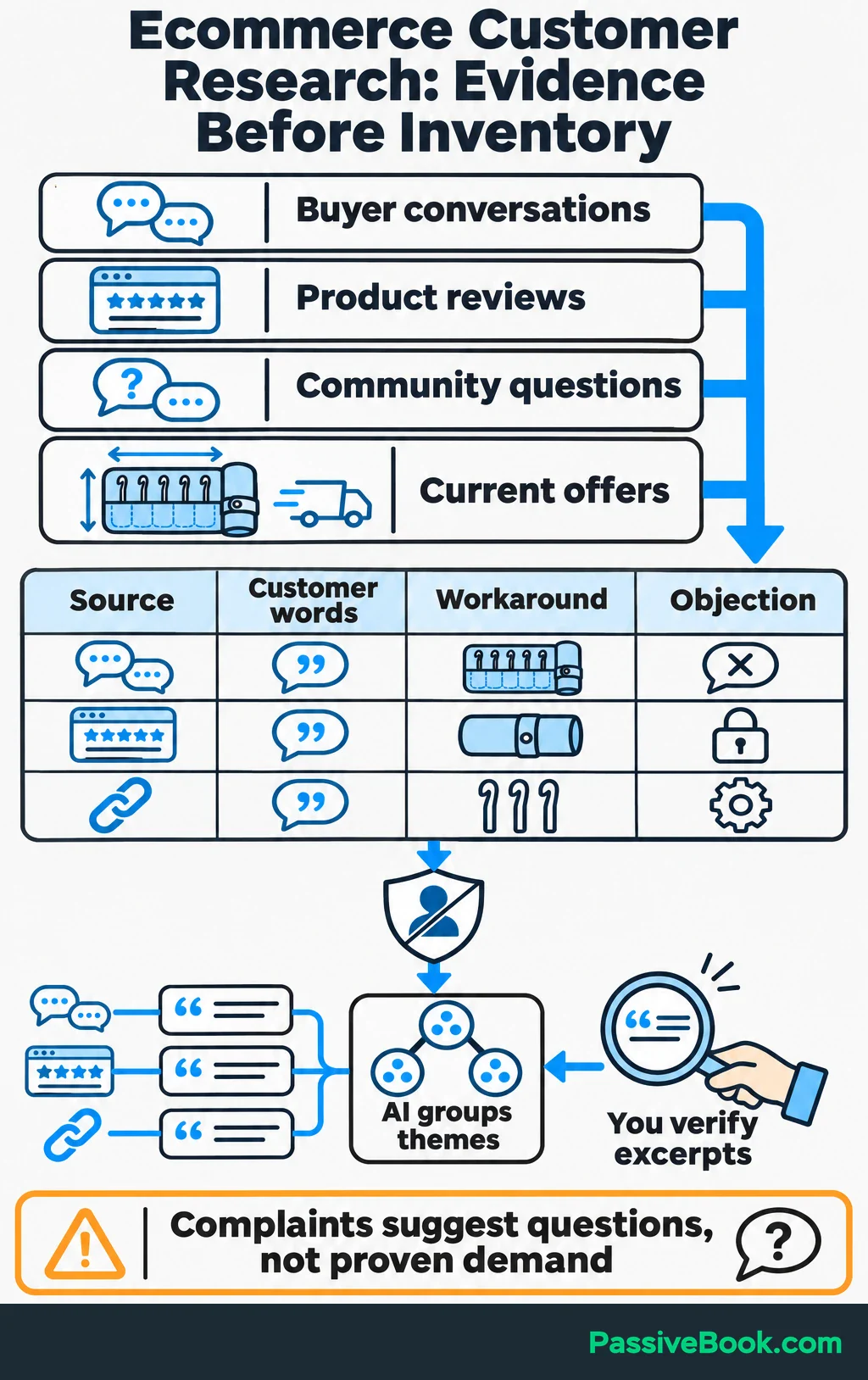
Collect evidence from:
- Conversations with potential buyers about their current storage.
- Competing product reviews, including what satisfied buyers value.
- Community questions about carrying and organizing supplies.
- Current offers, with prices, dimensions, and delivery terms.
Keep a simple spreadsheet with the source, the customer’s words, their workaround, and any purchase objection. Remove identifying details before sharing comments with an AI assistant.
Then ask:
Group these comments by customer problem, current workaround, and purchase objection. Include a supporting excerpt and source for each theme. List unanswered questions. Don’t infer demand beyond the evidence provided.
Read the excerpts yourself. Several complaints about narrow pockets might justify investigating wider ones, but they don’t prove people will buy your version.
I bought inventory for my online jewellery store without doing this work. I started with about $1,200, ended up with unsold stock, and lost most of the investment. I had chosen products I liked, but I hadn’t established why customers would choose mine.
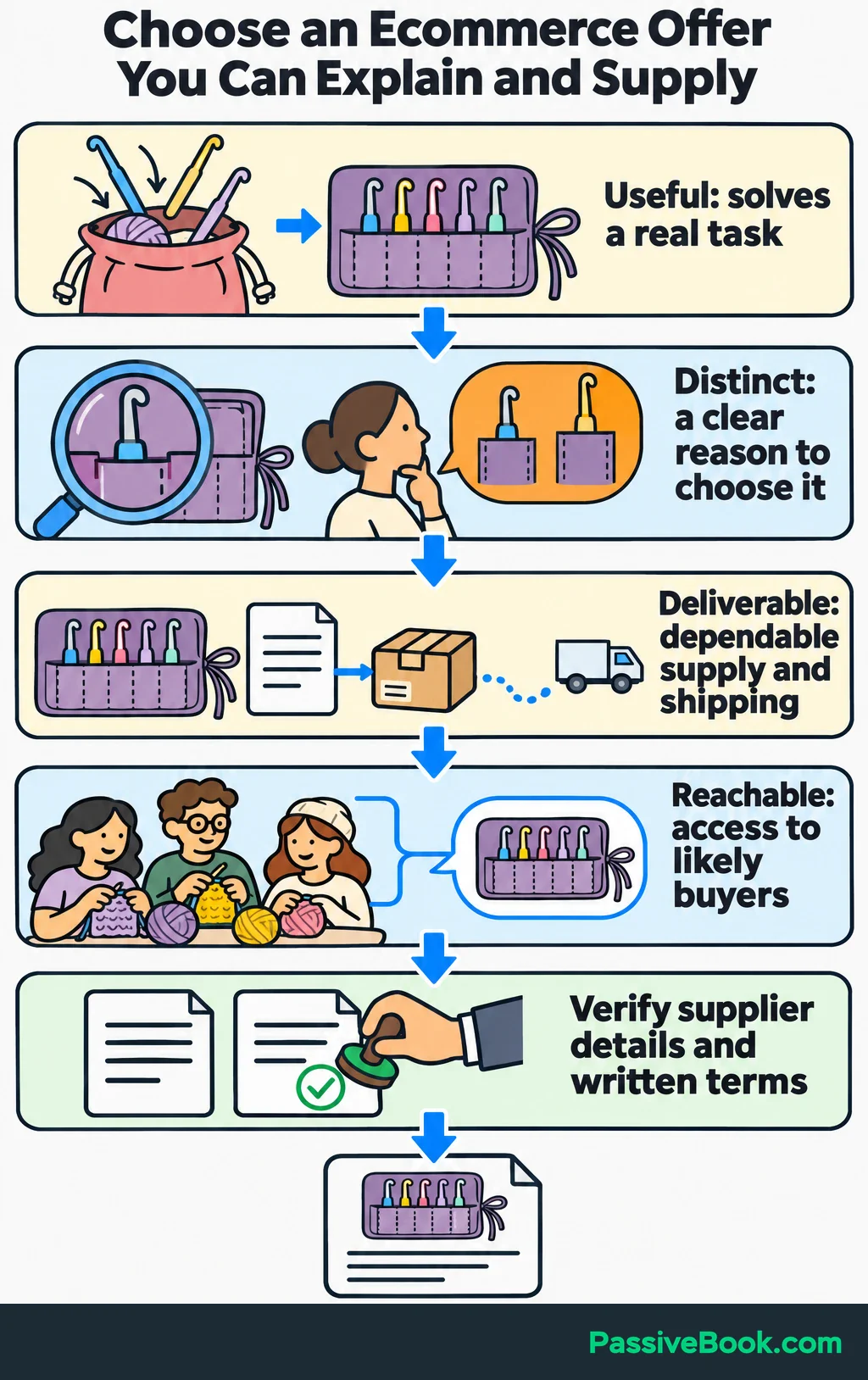
For your offer, compare usefulness, a clear reason to choose it, delivery difficulty, and access to buyers. Pick one you can explain and supply. Check any AI-suggested supplier against its actual business details and written quote.
Step 2: Check Product Quality and Order Economics
Verify the Product and Fulfillment Model
Decide how the product will reach the customer before committing to inventory.
A small batch gives you a chance to inspect each item and control packing, but it ties up cash. Supplier-direct shipping avoids holding the whole batch yourself, but you still need dependable dispatch, delivery information, and a workable returns process.
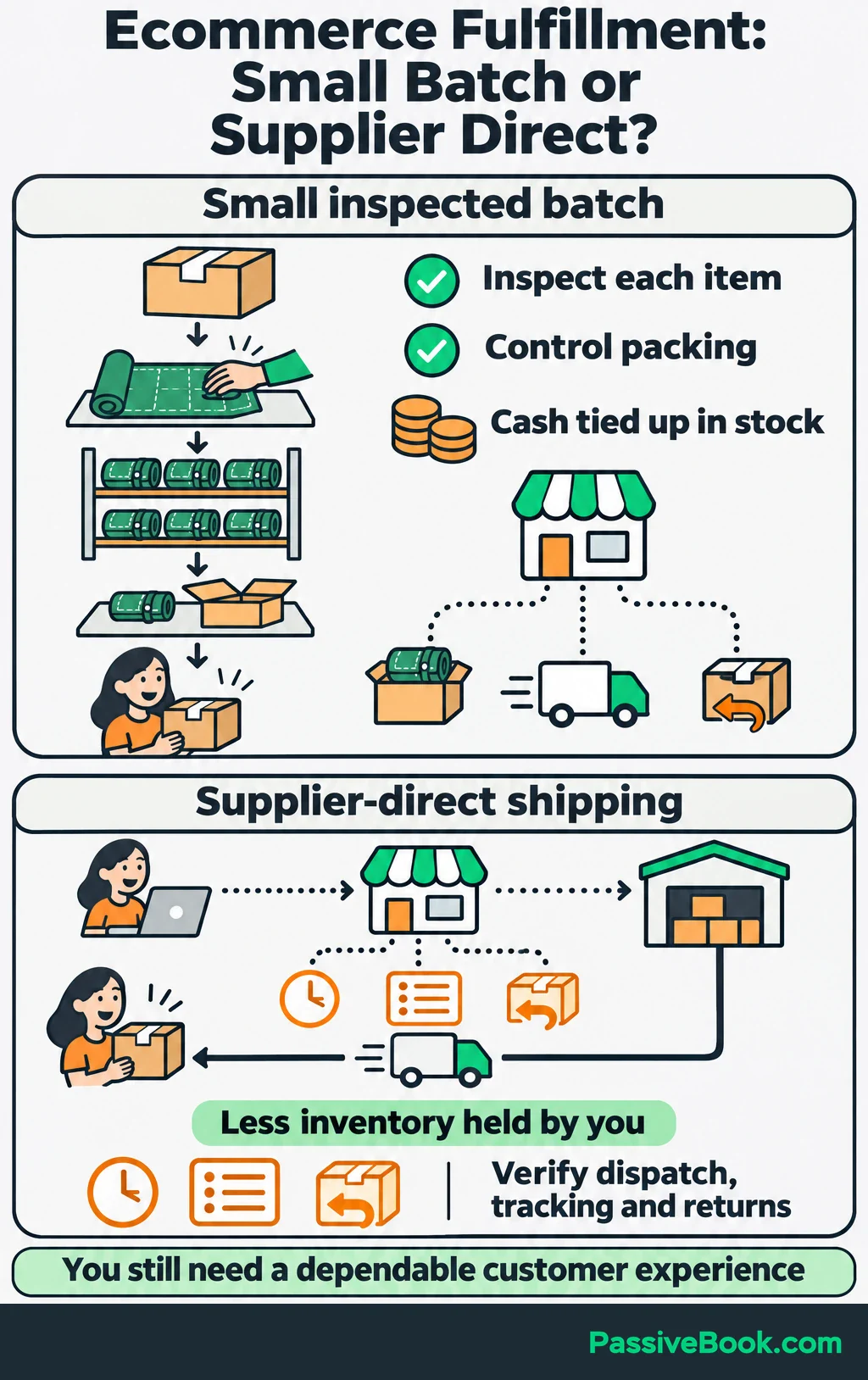
For a first physical-product test, I would favor a small inspected batch when the minimum order and budget allow it.
Get written quotes covering:
- Minimum order quantity and product cost.
- Inbound freight, duties, and packaging.
- Dispatch times and available tracking.
- Defective-item handling and the returns address.
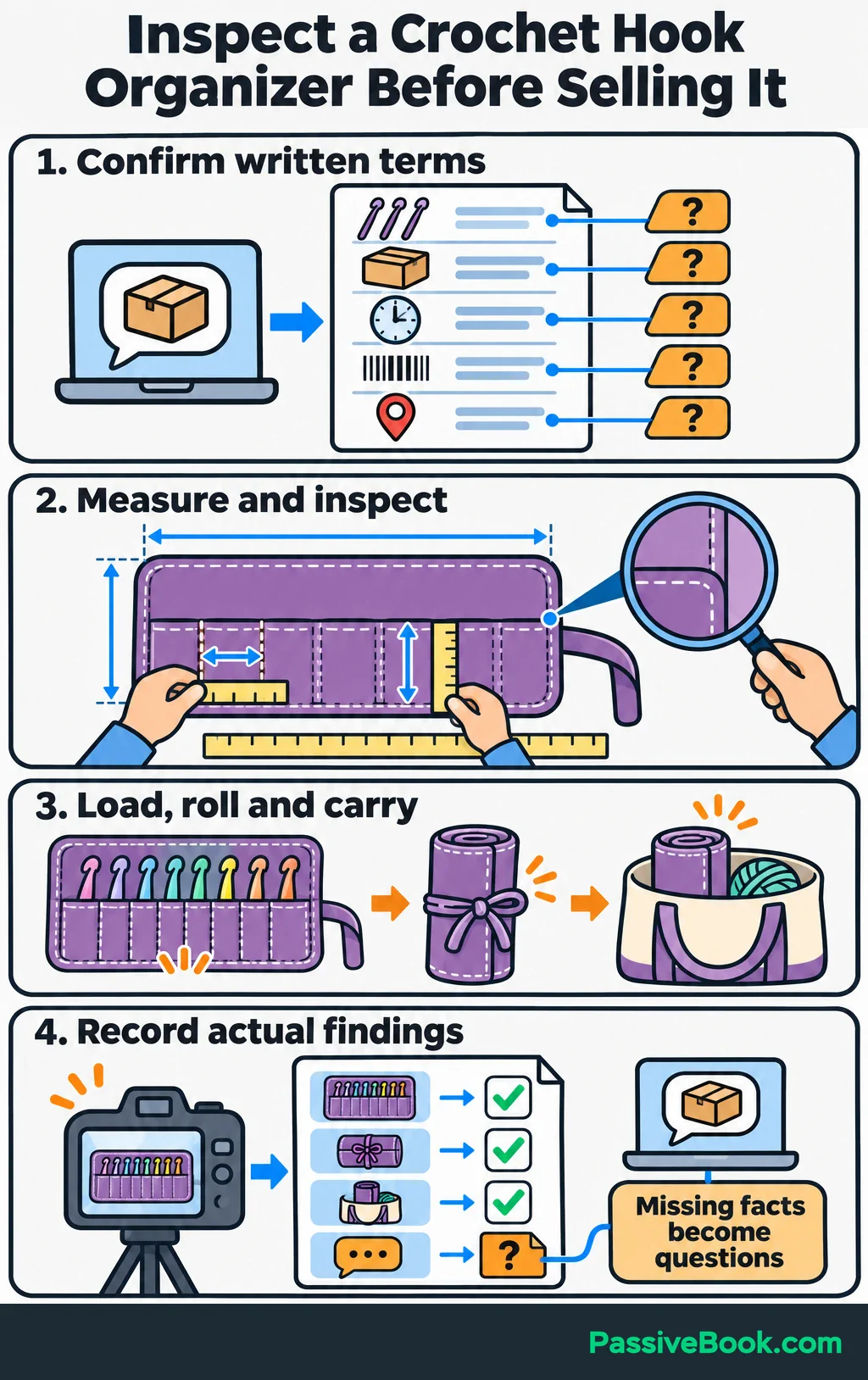
Order a sample. For the organizer, check stitching, pocket widths and depths, overall dimensions, closure, and care instructions. Load it with the hooks you intend to show, roll it up, and carry it in a bag. Photograph the actual item.
AI can put quotes and inspection notes into a comparison table. Missing information should become a supplier question, not a guessed answer.
If you’re selling a download instead, test the file and delivery process. Include any licensing restrictions and per-sale delivery costs in your checks.
Calculate What Each Order Leaves You
Work out what remains after paying the costs caused by an order. That amount, called contribution, must cover customer acquisition (what you spend to bring in buyers), monthly running costs, and profit.
Start with revenue after discounts, excluding sales taxes collected for the authorities. Include any shipping charge paid by the customer, then subtract the full shipping expense.
Here’s an illustrative order in US dollars:
| Item | Amount |
|---|---|
| Revenue after discounts, excluding collected sales tax | $30.00 |
| Product cost, including inbound freight and duties | −$9.00 |
| Packaging | −$1.00 |
| Shipping paid by the store | −$5.00 |
| Assumed payment and platform transaction fees | −$1.20 |
| Allowance for expected refund and return losses | −$1.80 |
| Contribution before acquisition and fixed costs | $12.00 |
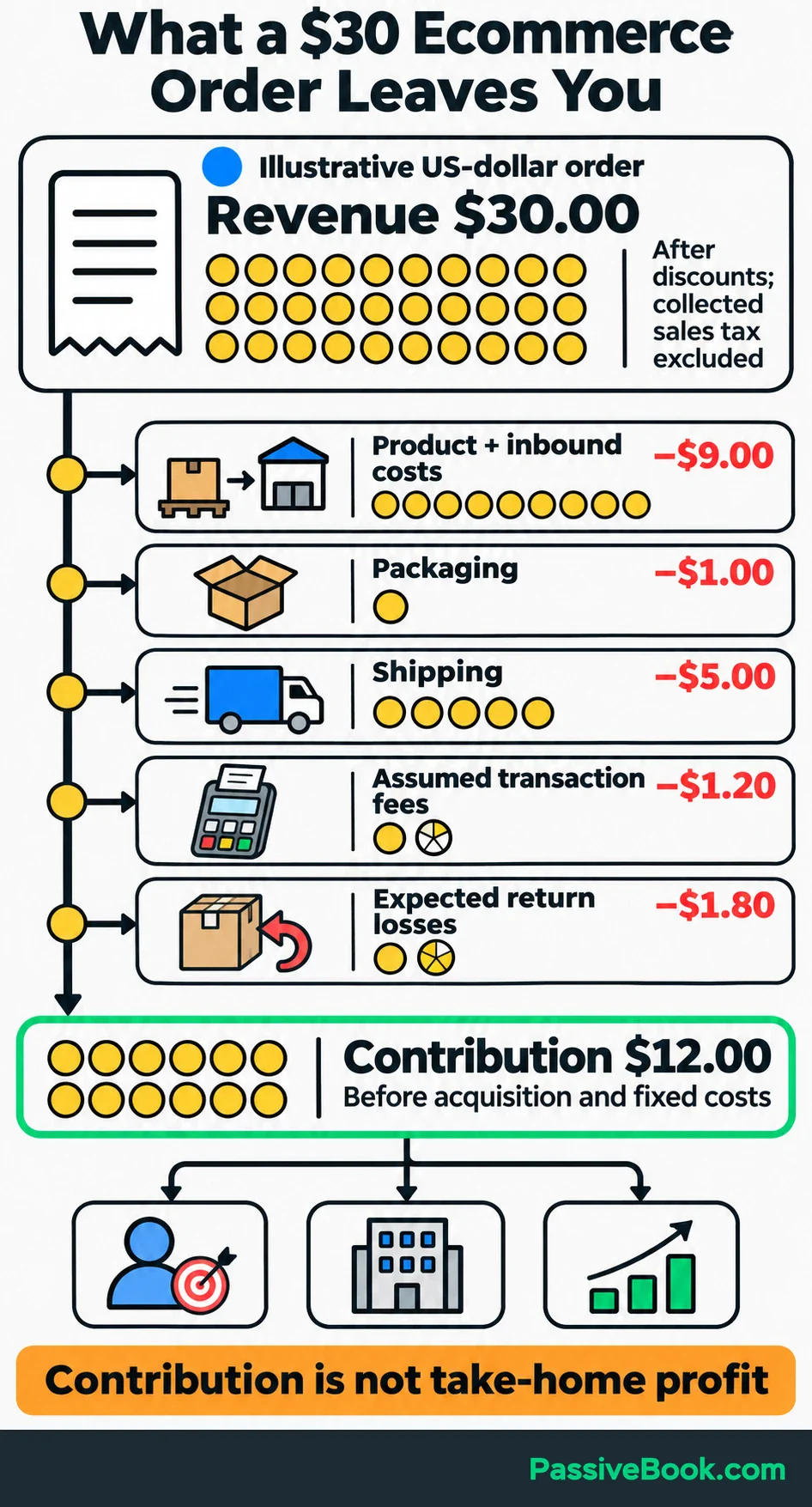
The $12 is contribution, not take-home profit.
With assumed monthly overhead of $48 and no acquisition spending, four such orders cover that overhead. If acquiring each order costs $7, only $5 remains, so you need ten orders to cover the same overhead.
Owner pay and income tax sit outside these examples. Your acquisition limit should also leave room for profit and unexpected costs; spending the entire $12 to get a sale leaves nothing for either.
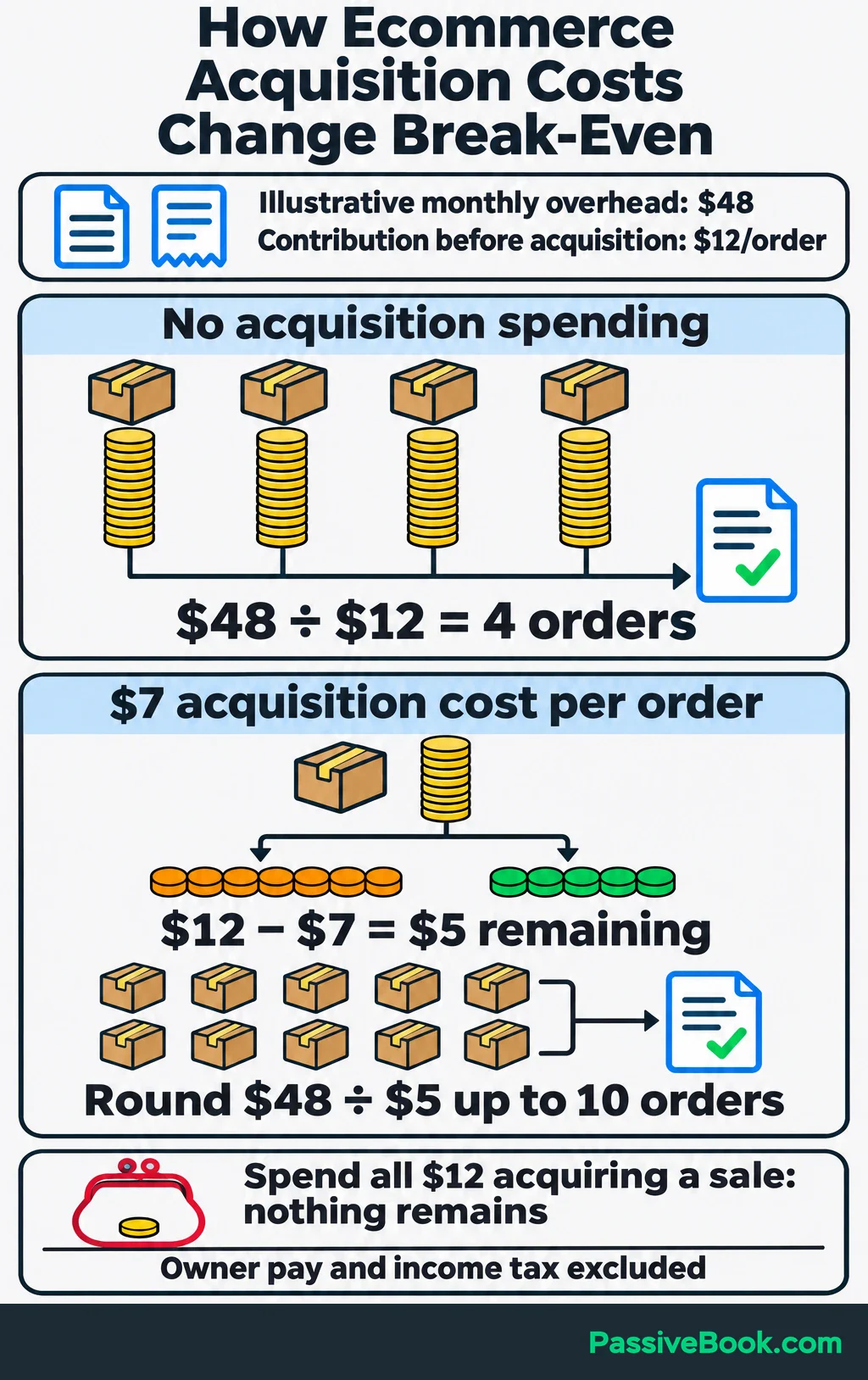
Keep this calculation in a spreadsheet. Ask AI to identify missing costs and compare scenarios, then check the arithmetic against actual quotes.
If you’d rather not build the formulas yourself, use our calculator to test your offer. It also works backward from your profit target, so you can see what price or order volume the numbers would require.
Free Pricing Profit Calculator




You also need cash before payouts arrive. Reserve enough for supplier bills, shipping, and refunds, and check the processor’s first-payout and settlement timing. Stripe explains that these depend on factors including country and account circumstances in its payout guidance.
Step 3: Test Interest Before Building the Full Store
Build a simple offer page before a full catalog. An existing website or a basic landing-page tool such as Carrd is enough for this test.
Give AI your research and sample findings, and ask it to draft a page explaining:
- The problem the product addresses.
- What the buyer receives.
- The proposed price.
- The main reason to choose it.
- How to join the launch list or ask a question.
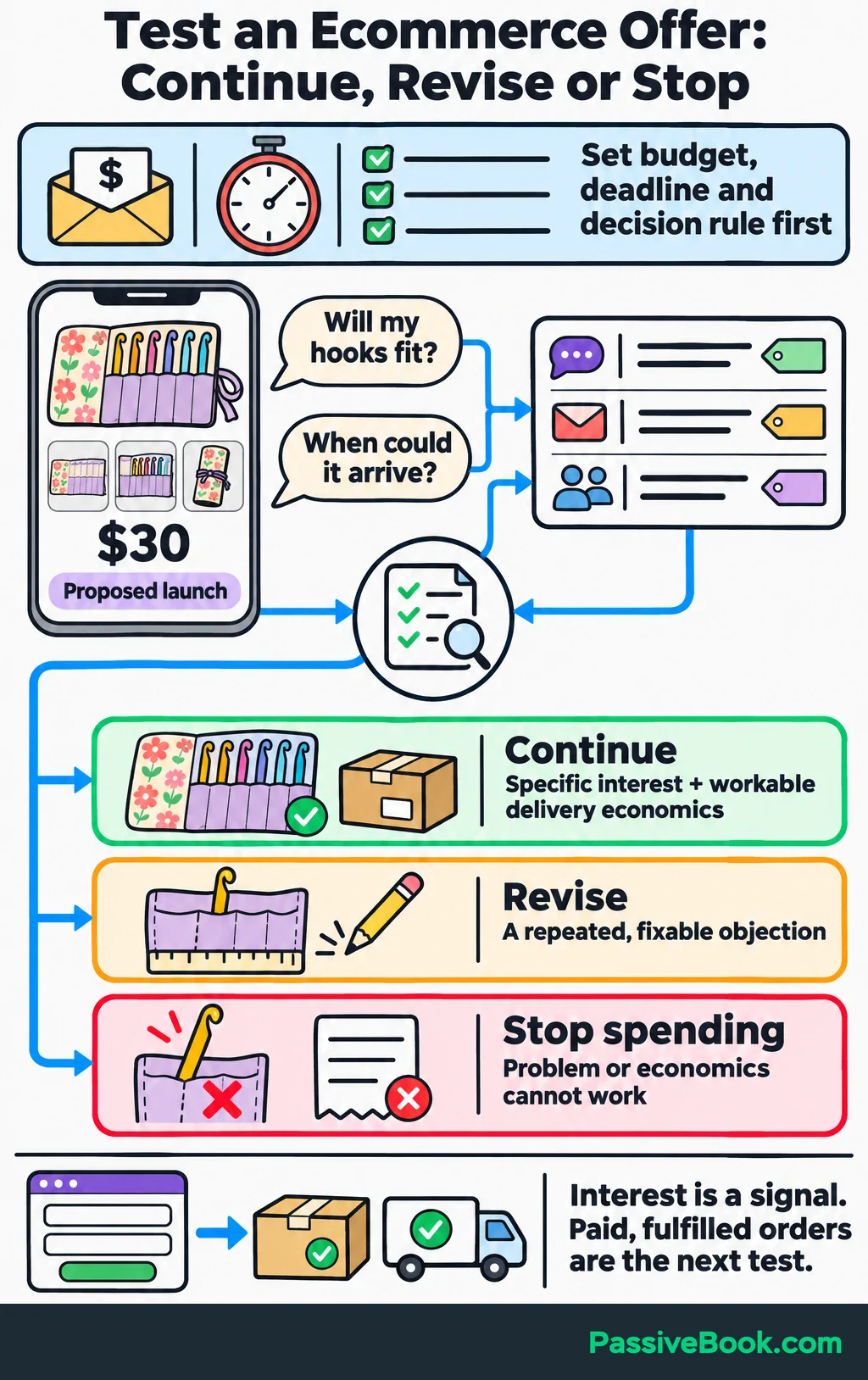
For the organizer, show the real sample open, filled, and rolled. Make it clear that this is a proposed launch rather than an available product.
You don’t need a full catalog to explain one proposed offer. Our AI Ecommerce Copy Studio turns your notes into page copy, with the launch status made clear and unanswered product questions kept separate.
Free AI Ecommerce Copy Studio
Reach potential buyers through conversations, communities that allow promotion, or original demonstrations. Record where each inquiry came from.
Ask about current behavior before asking for opinions:
What do you carry your hooks in now? What goes wrong with it? At $30, what would stop you from choosing this organizer?
“I like it” is pleasant. A specific question about fit, delivery, or buying at the stated price gives you more to investigate.
Set your spending cap, deadline, and decision rule before collecting responses. For example, you might allow two weeks and a fixed sample-and-page budget, then review whether prospective buyers expressed concrete purchase interest at $30.
Use three possible decisions:
- Continue toward a limited launch when interest is specific and delivery still makes financial sense.
- Revise when the same fixable objection keeps appearing.
- Stop spending when the product cannot solve the problem or leave enough contribution.
Signups and inquiries show interest. The first paid, fulfilled orders will test willingness to pay and your ability to deliver.
Finish with one reusable offer brief: customer situation, verified product facts, proposed price, main objection, and delivery plan. This becomes the shared reference for the store, emails, and support drafts.
Step 4: Choose a Small Tool Stack
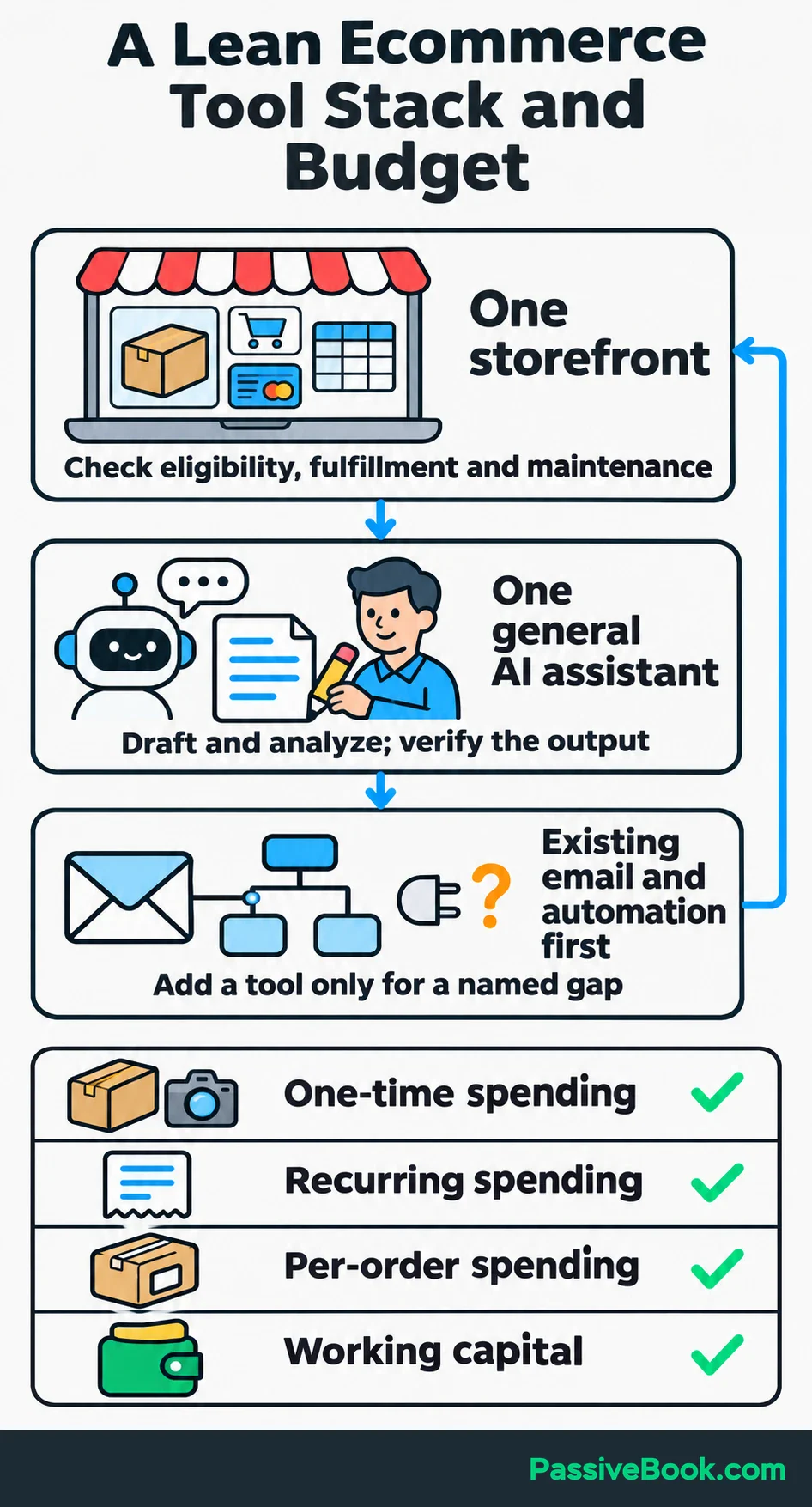
Choose the storefront around payments, fulfillment, cost, and the maintenance you can handle.
Check business-country and product eligibility before paying for a subscription. For example, access to Shopify Payments depends on the business’s location and category; unsupported businesses need another provider. See its eligibility requirements.
For a small store, I would compare these two options:
| Platform | Suitable Situation | Standard Cost | Maintenance Responsibility | Additional Expenses |
|---|---|---|---|---|
| Shopify | You want a hosted physical-product store with less technical upkeep | US Basic: $39 monthly, or $29 per month billed annually at $348 upfront; use your local quote | Shopify handles hosting and platform updates; you manage settings, products, and apps | Domain, processing, applicable transaction fees, optional themes and apps |
| WooCommerce | You already use WordPress or want control and accept maintenance work | Core software has no subscription or revenue share; hosting is separate | You or your host handle updates, backups, security, and compatibility | Hosting, domain, processing, optional extensions, and maintenance help |
Check Shopify’s current pricing and WooCommerce’s cost breakdown before budgeting. For an unproven offer, I would avoid an annual commitment just to reduce the monthly equivalent.
I prefer WordPress for control, but that doesn’t make it the right starting point for everyone. If maintaining a site would consume your available evenings, a hosted store may be worth the subscription.
Add one general AI assistant. I use Claude for longer drafts and ChatGPT for quick tasks. You don’t need both paid subscriptions to begin, and neither replaces checkout, stock records, or fulfillment.
Start with your store’s existing email and automation features. Make and n8n connect apps and run workflows between them. Add one when you can name a connection or rule your store cannot handle.
Before buying tools, complete four budget lines:
- One-time spending: sample, setup, and initial photography.
- Recurring spending: storefront or hosting, domain renewal, email, and chosen subscriptions.
- Per-order spending: the costs calculated in Step 2.
- Working capital: inventory, shipping, supplier bills, and a refund reserve.
If you already have a store, keep functioning tools and improve the weakest step first.
Step 5: Build the Store From Verified Product Facts
Create Accurate Listings With AI
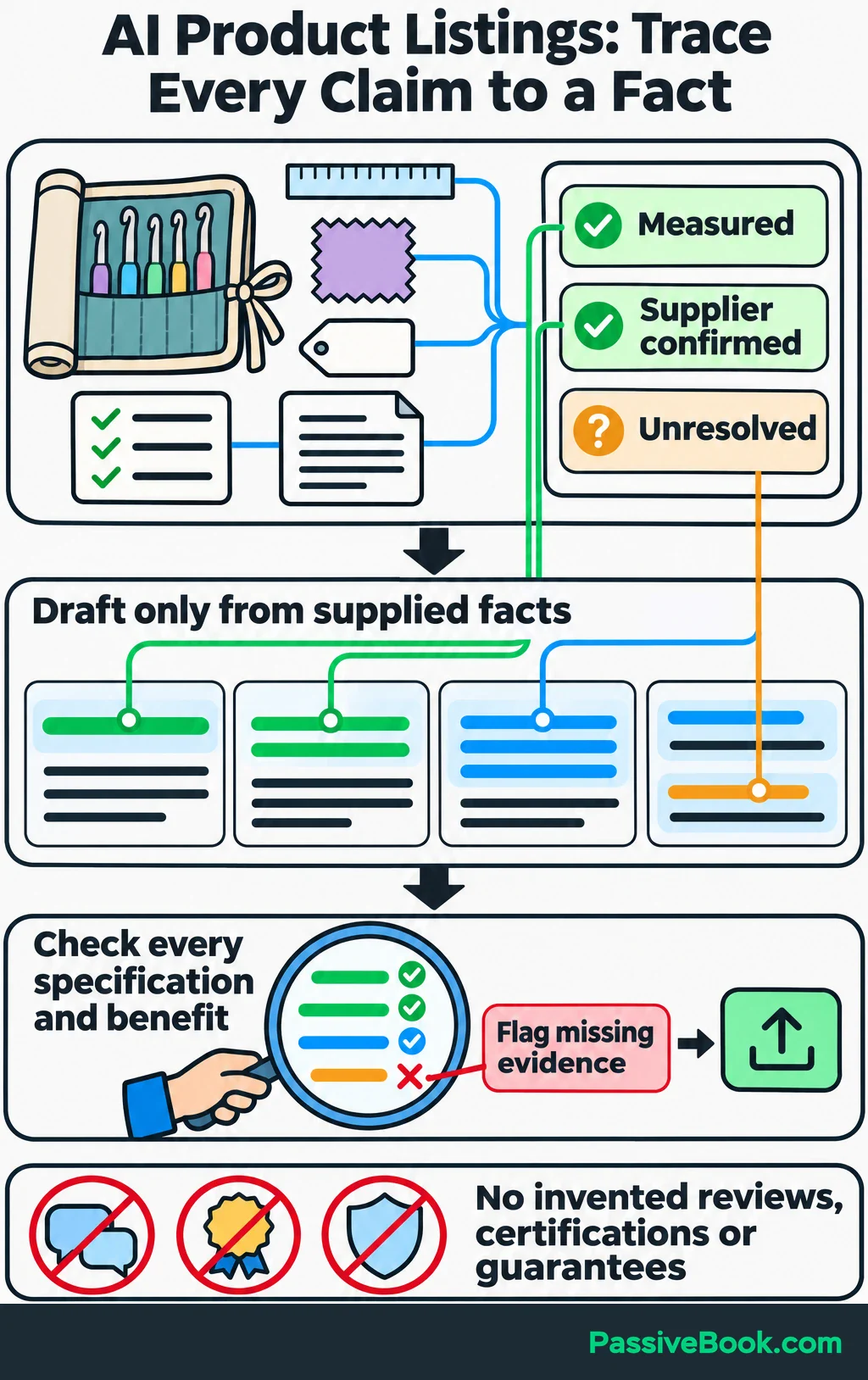
Prepare a product fact sheet before asking for sales copy. Include dimensions, materials, colors, care, included items, price, stock, and delivery information.
Record what you measured yourself and what the supplier confirmed. Keep unresolved details visible.
Use this prompt:
Using only the product fact sheet and customer research below, draft a clear product title, benefit summary, specifications, and answers to purchase questions. Connect each benefit to a supplied fact. Flag missing information instead of filling it in. Don’t add accessories, testimonials, certifications, guarantees, or unsupported claims.
The useful part is connecting a feature to a task. A tie closure might let the buyer roll the organizer around their hooks, but it doesn’t automatically make the product waterproof or suitable for every handle shape.
A short description could begin:
Keep your crochet hooks together when you move between projects. Check the pocket measurements below against your hooks before choosing this organizer. Hooks shown in the photographs are not included.
That final sentence belongs only if it matches the actual offer.
Shopify warns that generated descriptions can add facts and benefits you never supplied. I would check every specification and claim against the product fact sheet before publishing, whichever AI tool wrote the draft.
Use actual product photographs to show scale, pockets, closure, and capacity. AI can suggest a shot list, clean up a distracting background, or draft image descriptions. Check that edits preserve the product’s color, shape, stitching, and included items.
Leave the review area empty until you have genuine feedback. Invented buyer quotes create false evidence; the US FTC’s reviews-rule guidance covers fake and false reviews and testimonials.
Make the Route to Purchase Clear
Choose a business name and domain, then connect the domain to your storefront.
Give the builder or AI assistant your offer brief, preferred visual style, required pages, and main action. Ask for a page structure, review it, and build it with a simple theme and visual editor.
Start with:
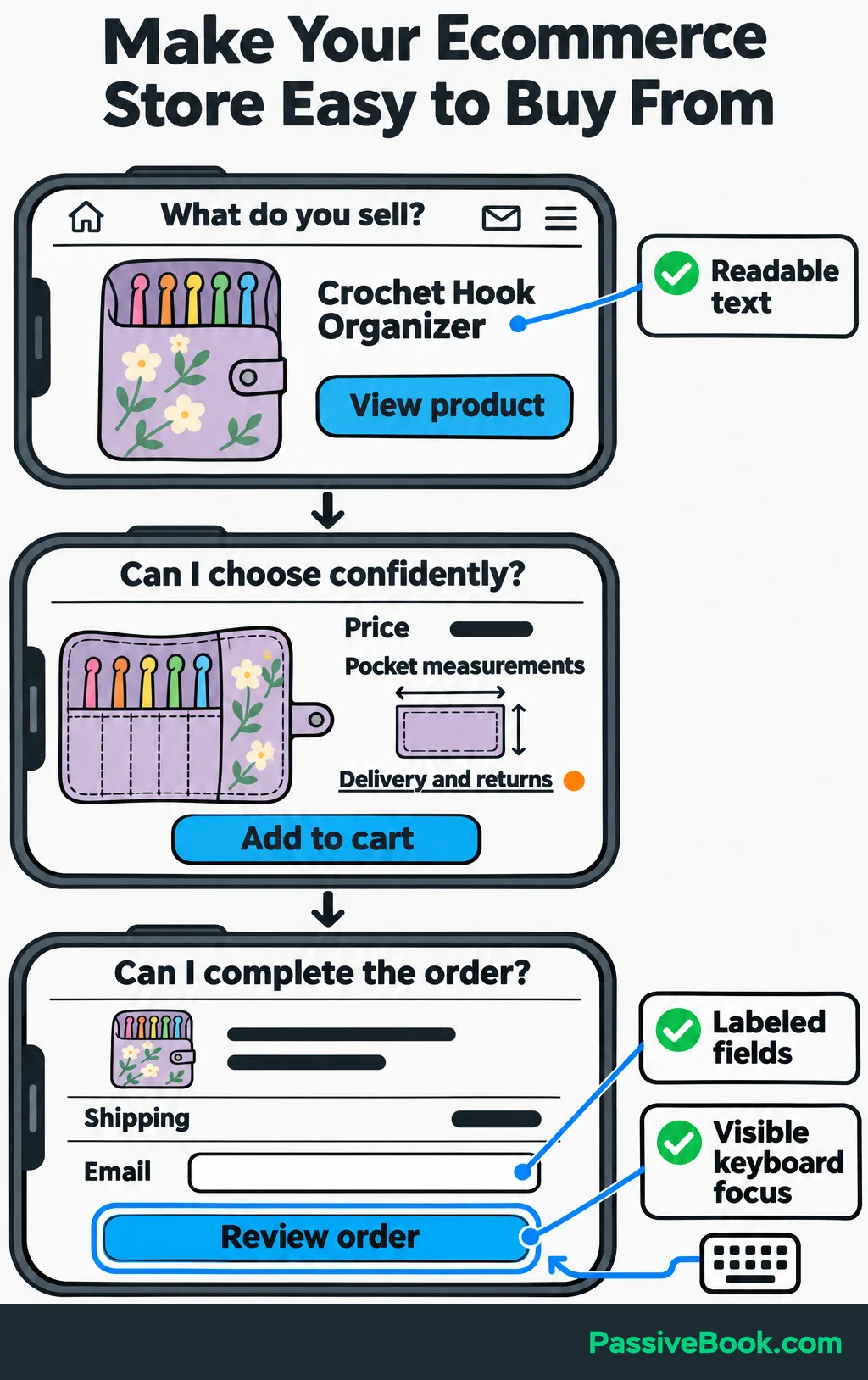
- A homepage explaining what you sell.
- A product page with price, photographs, specifications, and a purchase button.
- Contact information.
- Delivery and returns information that matches your operation.
- Privacy information describing your actual data use.
Keep navigation short. Remove demo products, placeholder images, and generic promises.
Check the store on a phone and move through it with a keyboard. Readable text, labeled form fields, visible keyboard focus, descriptive image alternatives, and usable buttons all deserve attention.
Put delivery costs and important terms where shoppers can find them before paying. A beautiful homepage does very little for a buyer who cannot work out when the parcel might arrive.
Step 6: Connect Payments and Test the Complete Order
Before accepting orders, check registration, licensing, product, and tax obligations with the authorities where you operate and sell. For US businesses, the SBA launch checklist identifies the main setup areas to investigate.
Connect a supported payment provider and complete identity and bank verification. Confirm payout currency, processing charges, and any additional platform transaction charges. These can change the order calculation; Shopify explains its own conditions in its payment-fee guidance.
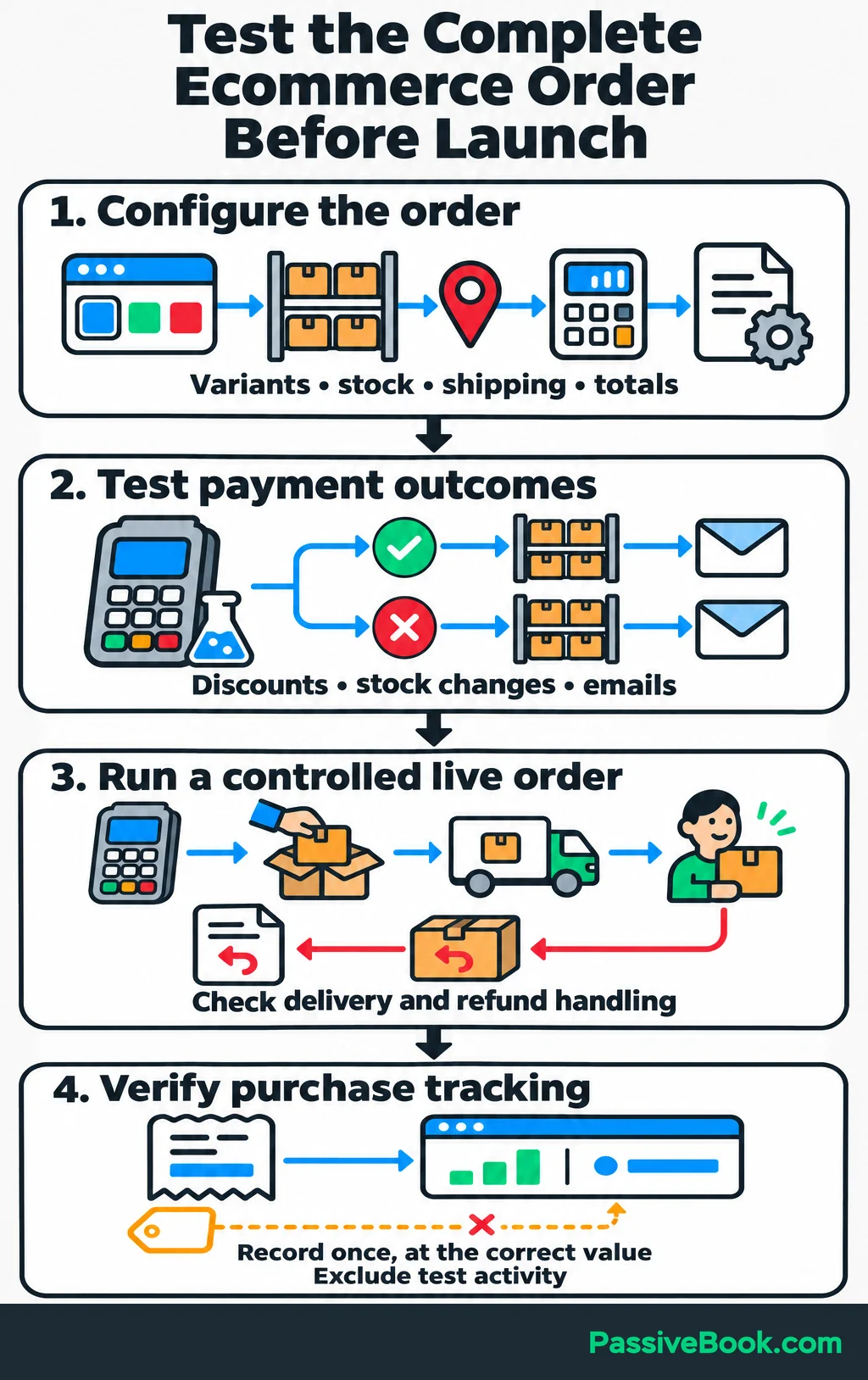
Then configure the complete order:
- Match each color or other variant to the correct stock record.
- Set shipping destinations, charges, handling estimates, and tax settings.
- Check confirmation emails, tracking messages, and the returns address.
- Document who confirms payment, packs or routes the order, dispatches it, and handles delivery problems.
Shipping promises need to match what you can support. For US merchandise orders, delays can require notices and cancellation or refund options under the FTC’s prompt-delivery rules.
Use the provider’s supported testing method to check successful and failed payments. Include discounts, variants, shipping totals, stock changes, and customer emails.
Next, run a controlled live order through delivery and check cancellation or refund handling. Look at the experience from the buyer’s side: confirmation, parcel, tracking, and access to help.
Connect purchase tracking before inviting traffic. Confirm that an order is recorded once with the correct value, and exclude test orders from reports.
Open when a customer can understand the offer, pay, receive the product, and get help. Review early orders manually so you can catch problems before repeating them.
Step 7: Attract Buyers Through One Repeatable Channel
Turn Buyer Questions Into Useful Content
Choose one discovery channel based on where prospective buyers already look and what you can maintain.
That might mean articles found through search, Pins on Pinterest, or posts in a relevant community that allows promotion. Email comes afterward, when someone has shown interest.
For the organizer, I would start with Pinterest if research showed buyers used it to find crochet storage ideas. Hands-only photographs or clips could demonstrate capacity and fit, with each Pin linking to the organizer’s product page. That gives buyers a way to see the product without turning you into a daily on-camera presenter.
Build each piece around one buying question:
- How much space does it take inside a project bag?
- How does the closure work when the pockets are filled?
- Which hooks were actually tested in it?
- What should someone measure before ordering?
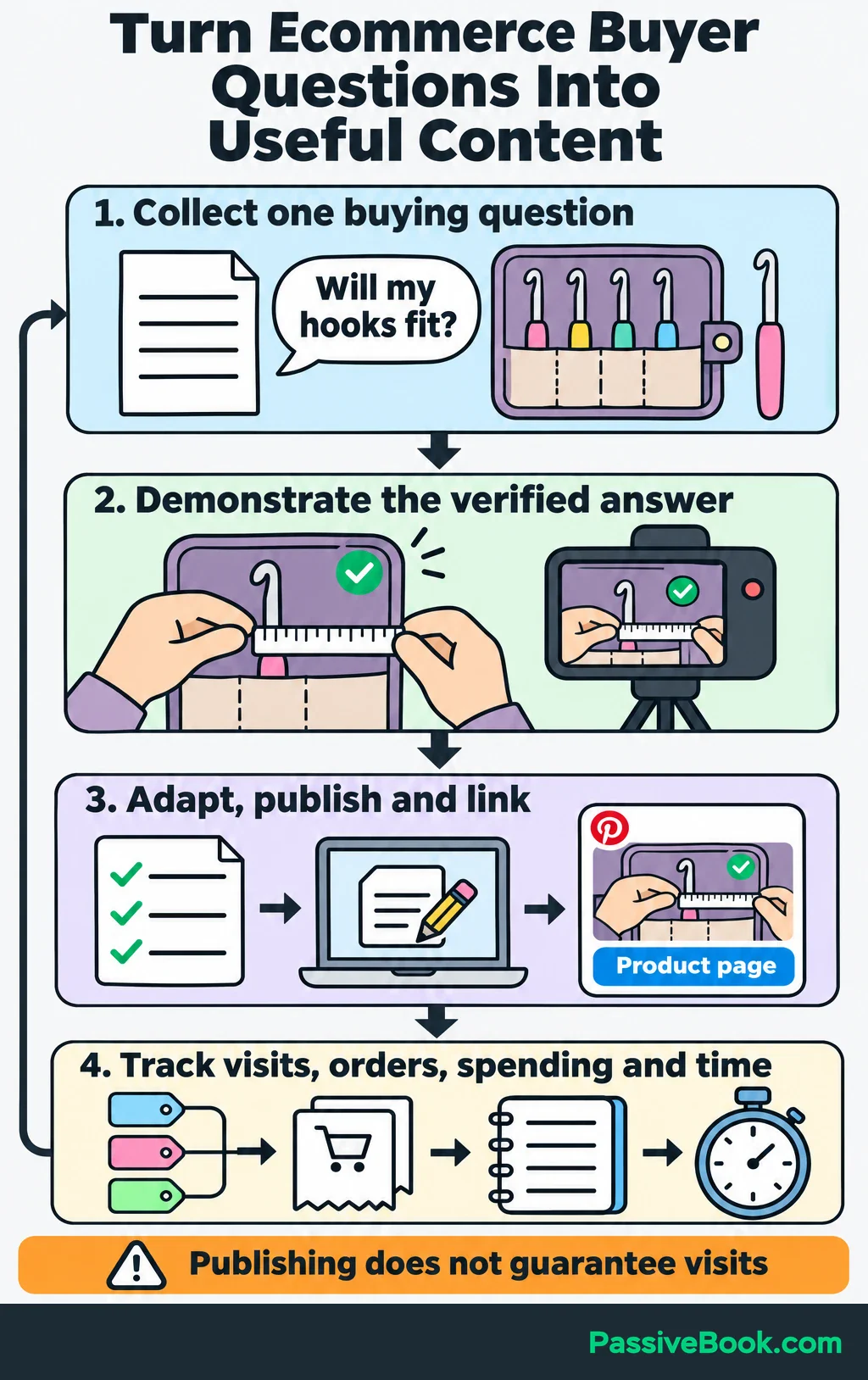
Create the answer first, then ask AI to adapt it into a caption, article outline, or visual brief. Give it the approved facts so each version stays consistent.
The repeatable process is simple: collect a question, make a useful answer, publish it, and link to the relevant product page.
Track visits, orders, and acquisition spending by source. Keep the time spent producing content visible too. Organic traffic takes work, and publishing alone doesn’t guarantee visits.
I would skip paid ads until tracking works and the order calculation leaves room for a controlled test. Set the spending cap from the contribution available and the cash you can afford to risk.
Follow Up With Interested Shoppers
Give people a useful reason to subscribe and explain what messages will follow.
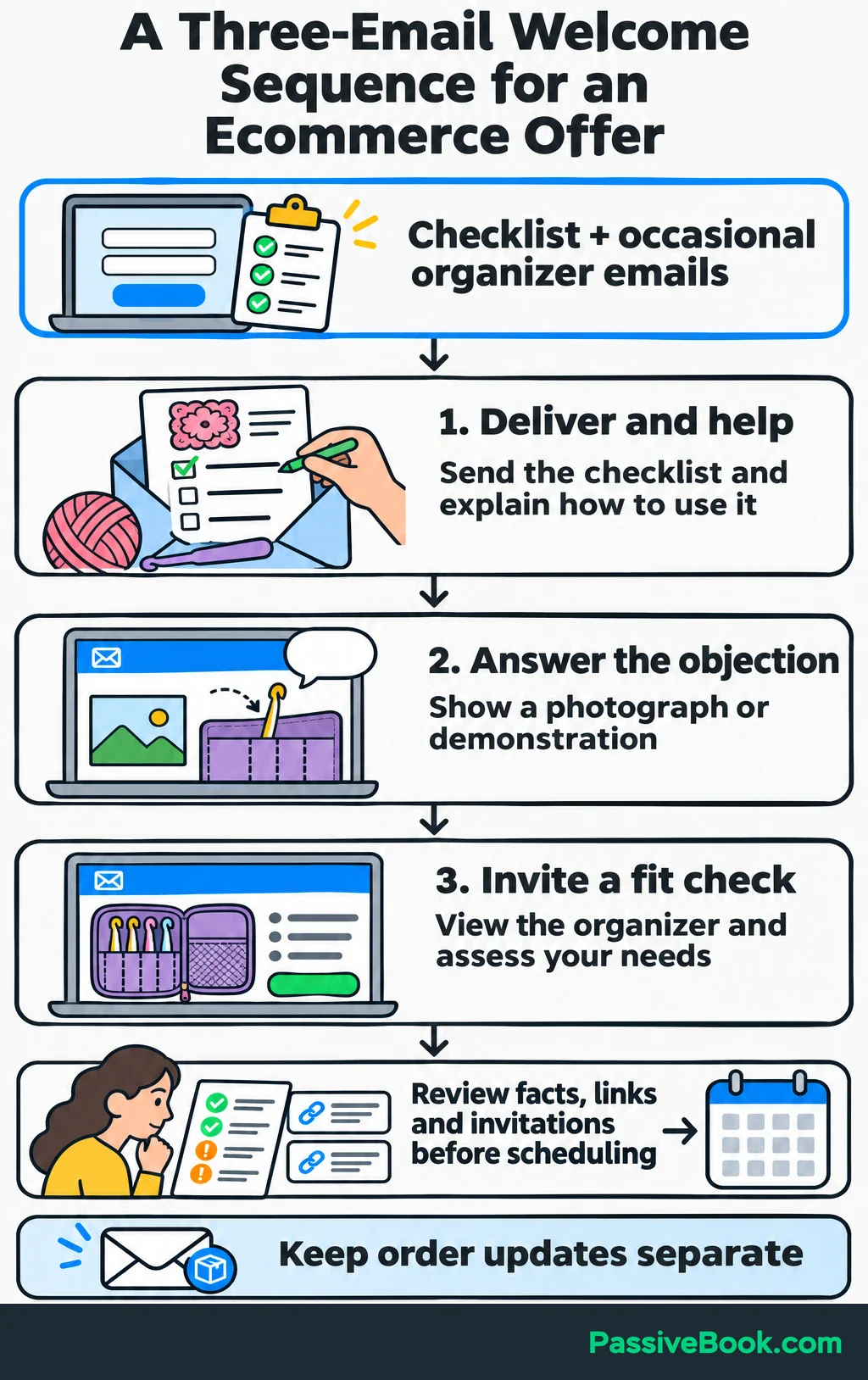
For the organizer store, a crochet-project packing checklist could lead naturally to the product. The signup should make clear that subscribers will receive the checklist and occasional organizer-related emails.
Build a short sequence:
- Deliver the checklist and help the subscriber use it.
- Answer the main purchase objection with a photograph or demonstration.
- Invite the subscriber to view the organizer and check whether it fits their needs.
Ask AI to draft from approved product facts and real questions. Review every link, product detail, and purchase invitation before scheduling.
On one of my digital-product sites, I asked AI to turn rough product notes into follow-up emails. The drafts kept adding lessons that weren’t in the download. I replaced the rough notes with an approved contents list, and reviewing the emails became much easier.
For your store, use the same approach: give the assistant a firm reference before asking it to persuade.
Keep promotional messages separate from order updates. Add checkout reminders and care messages through supported workflows with the permissions required where you sell.
For US commercial email, requirements include accurate sender details, appropriate advertising identification, a valid postal address, and a working opt-out method. Follow the FTC’s CAN-SPAM guidance and check applicable consent rules elsewhere.
Step 8: Automate Routine Work With Human Review
Automate Predictable Tasks
Complete a process manually before automating it. You need to know what a successful result looks like and what can go wrong.
For each workflow, write down what starts it, what information it needs, and what it should do. Decide who handles exceptions and how they’ll hear about failures. If that’s you, send alerts to a task list or inbox you actually check.
Start with predictable updates:
| Trigger | Automatic Action | AI Role | Human Approval | Failure Alert |
|---|---|---|---|---|
| Available organizer stock falls below your chosen threshold | Create a restock-review task with current stock and open orders | None needed | Approve any purchase | Notify you if the stock check fails |
| A paid, unfulfilled order arrives | Check whether the order was already processed, then create a fulfillment task | None needed | Review flagged orders | Alert you about missing information or failed task creation |
| A support message arrives | Save a draft beside the original message | Retrieve approved information and draft a reply | Approve before sending | Keep failed drafts in a visible queue |
| A weekly reporting period ends | Gather order, fee, shipping, and refund records | Summarize checked figures and flag unusual rows | Review findings and decisions | Report missing data or failed imports |
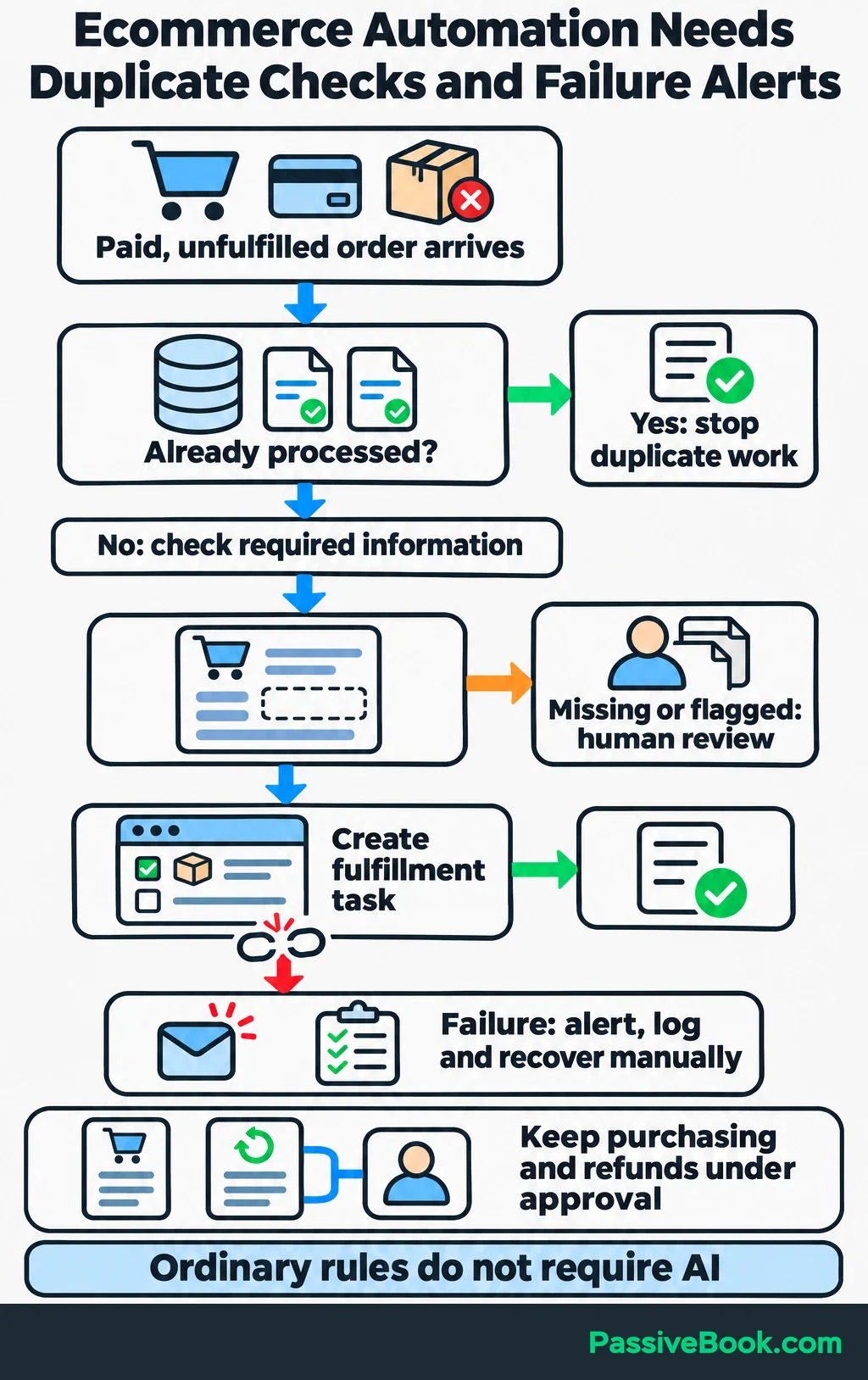
A low-stock alert doesn’t need AI. Ordinary rules can compare a number with a threshold without developing an opinion about your brand voice.
Use existing store features first. I use n8n for connected workflows, but self-hosting brings upkeep. I would consider Make when a visual service is a better fit and the store cannot handle the process itself.
Test normal orders, duplicate events, missing information, and failed connections. Keep logs, alerts, and a short manual recovery procedure. Retain approval for purchasing and refunds.
Assist Support With Approved Answers
Create a support reference containing verified product facts, delivery information, returns rules, and clear escalation instructions.
Begin with this flow:
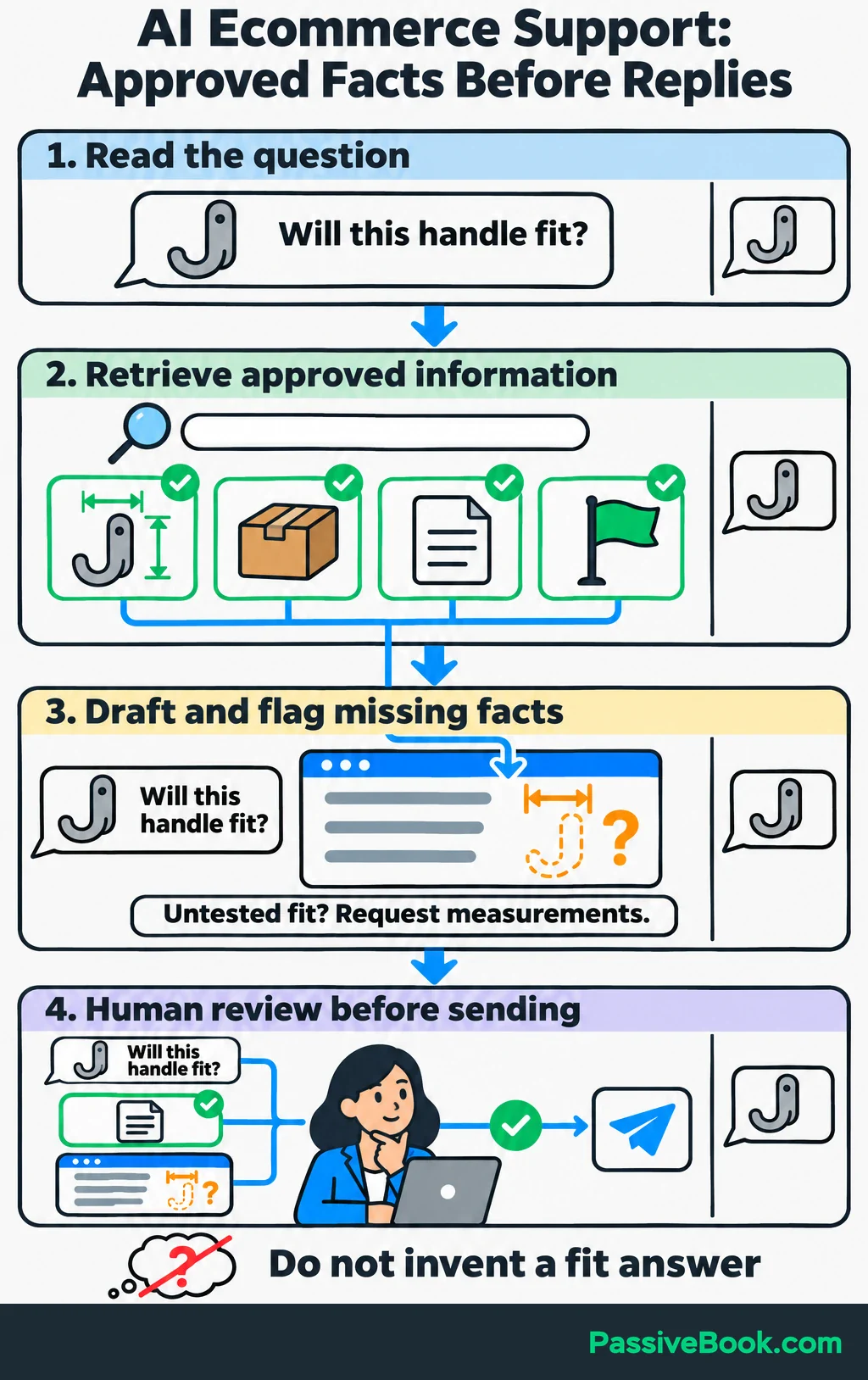
Incoming message → find relevant approved information → draft reply → human review.
Tell the assistant to identify missing information. If a shopper asks whether an unusual hook handle fits and you haven’t tested it, the draft should request measurements or flag the question for you.
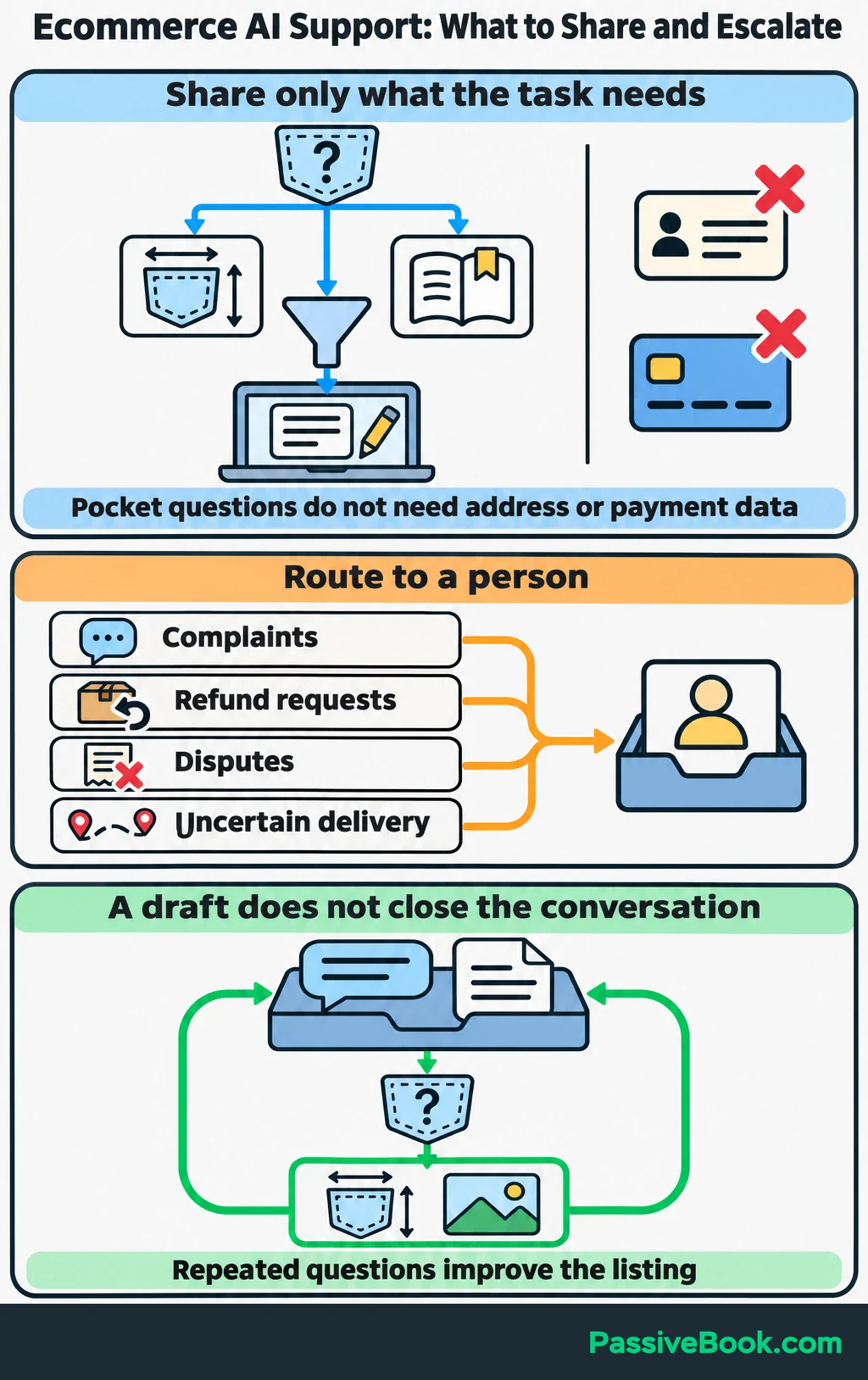
Route complaints, refund requests, disputes, and uncertain delivery cases to a person. Keep unresolved conversations visible even when a draft has been created.
Use repeated questions to improve the store. If shoppers keep asking about pocket depth, add the measured depth and a useful photograph to the listing.
Share only the customer information needed for the task, and restrict connected-tool access. A question about pocket dimensions doesn’t require the customer’s address or payment information.
Step 9: Improve Profit Before Expanding
I would start with a weekly review, using orders and expense records rather than whichever dashboard looks most encouraging.
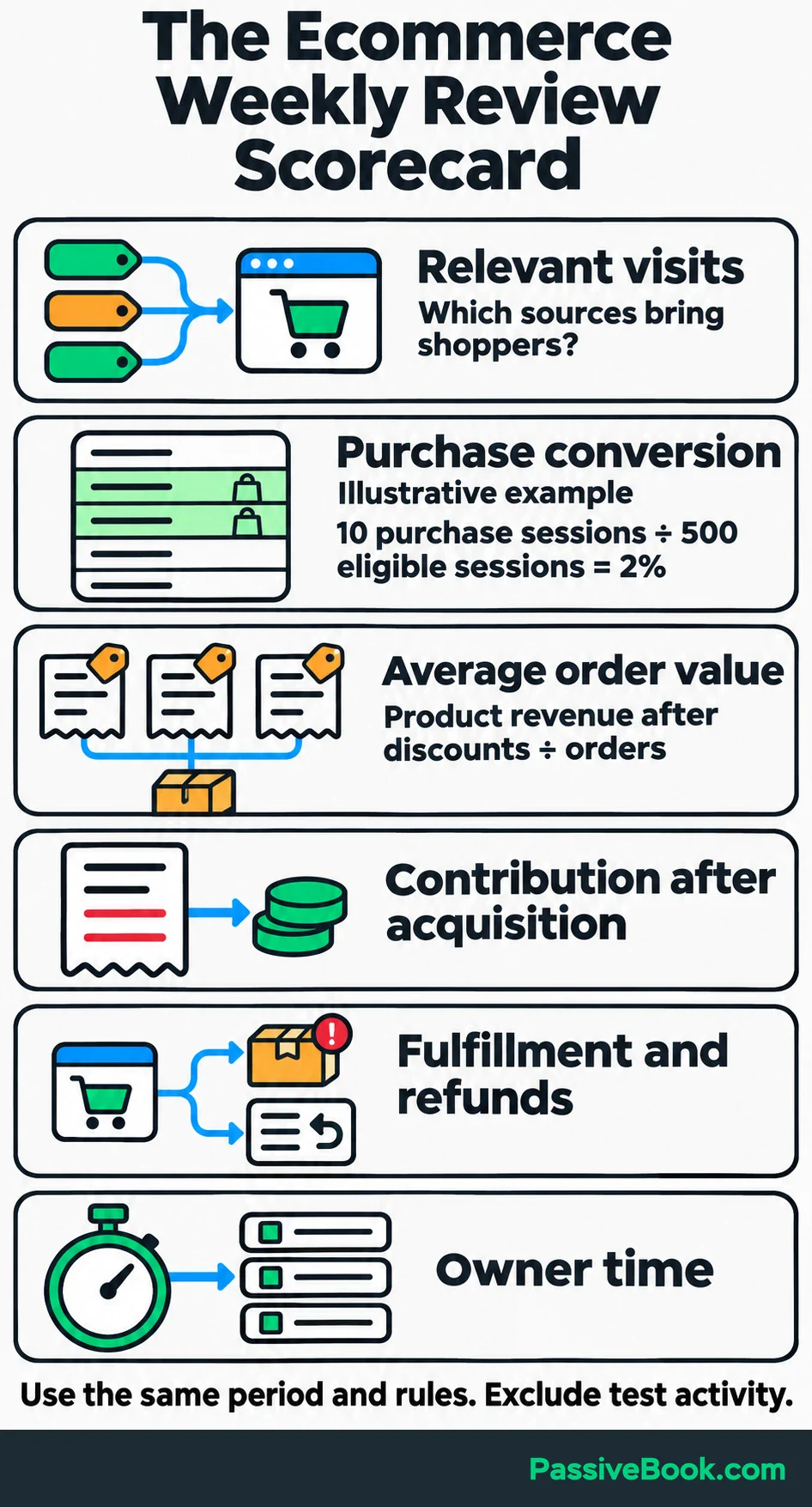
Match orders with discounts, fees, refunds, product costs, and shipping. Then review a compact scorecard:
| Measure | What to Check |
|---|---|
| Relevant visits | Which sources brought shoppers to the offer? |
| Purchase conversion | What share of eligible store sessions included a completed purchase? |
| Average order value | How much product revenue did each order generate after discounts? |
| Contribution after acquisition | What remained after order costs and acquisition spending? |
| Fulfillment and refunds | Which products or promises caused problems? |
| Owner time | Which recurring tasks consumed the most time? |
For conversion, use the same period and measurement rules throughout. For example, 10 sessions containing a purchase out of 500 eligible store sessions is 2%. Exclude test activity from both groups.
Give AI a bounded task:
Using these reconciled figures, identify the largest contribution loss and suggest one change to investigate. Show the supporting rows and flag missing information.
Let the evidence guide the work. Too little relevant traffic calls for distribution work. Visits without purchases call for investigating the offer and checkout. Sales with little contribution call for examining prices and costs.
Change one meaningful element at a time and record what happens. With few orders, customer conversations and observed problems are more useful than announcing an A/B-test winner.
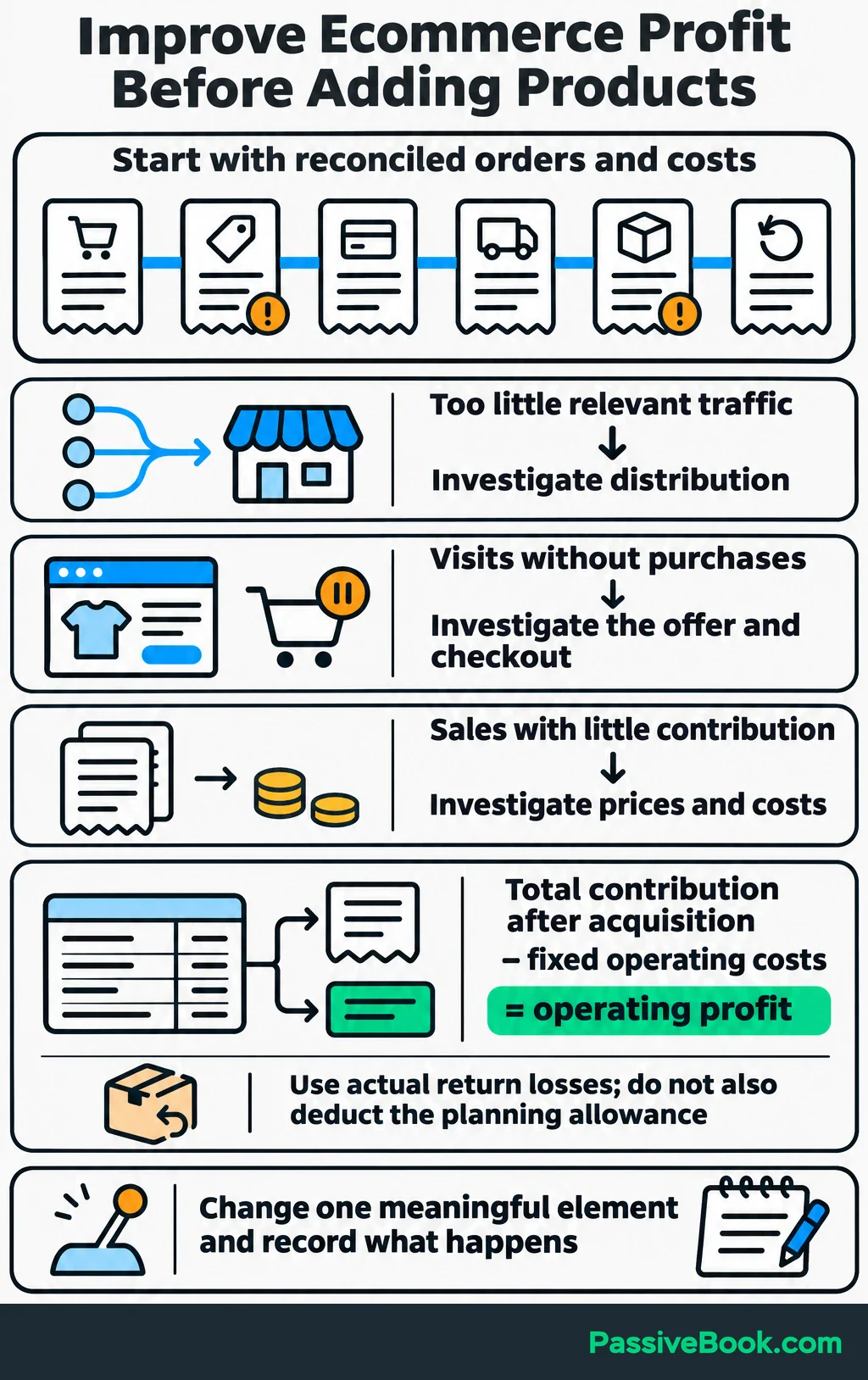
To calculate operating profit, subtract fixed operating costs from total contribution after acquisition. In reconciled results, use actual refund and return losses rather than deducting both those losses and the earlier planning allowance.
Evaluate automation the same way: time saved and errors avoided must justify tool charges and maintenance.
For the organizer store, resolve recurring fit or capacity problems before adding products. Expand when paid orders show workable economics and dependable delivery, and keep improving the facts, photographs, emails, procedures, and workflows you can reuse.
What Next?
Write a one-page offer brief for a single product: the customer’s problem, your evidence, the proposed price, and what you still need to verify. Use AI to organize it, then check every claim yourself.
Use the social buttons to share this guide when you want to compare launch plans and spending decisions.
Which part of your offer needs the most evidence before you spend more? Leave your answer in the comments, along with any other questions.
Share this post with your friends & followers:

