Your store sells products just fine, but the shopping experience you want keeps running into the same answer: “The theme doesn’t support that.”
A custom storefront sounds tempting. So does keeping the checkout that already works. The hard part is knowing whether more freedom will solve a valuable problem or leave you paying developers to maintain features your platform used to handle.
Headless commerce can give you that freedom, but it also changes what you own and maintain. Here’s how the pieces connect, what the benefits actually require, and how to judge whether the extra work earns its place in your business.
What Is Headless Commerce?
Headless commerce separates the customer-facing storefront, called the front end, from the systems that run commerce, called the back end. The two connect through application programming interfaces (APIs). Developers build the storefront’s presentation separately from the commerce engine, as Shopify’s architecture guide explains.
The parts have different jobs:
- The front end controls page layouts, navigation, product displays, and shopping interactions.
- The back end supplies product information, pricing, cart functions, and order management.
- An API is a documented way for one piece of software to request information or ask another system to perform an action.
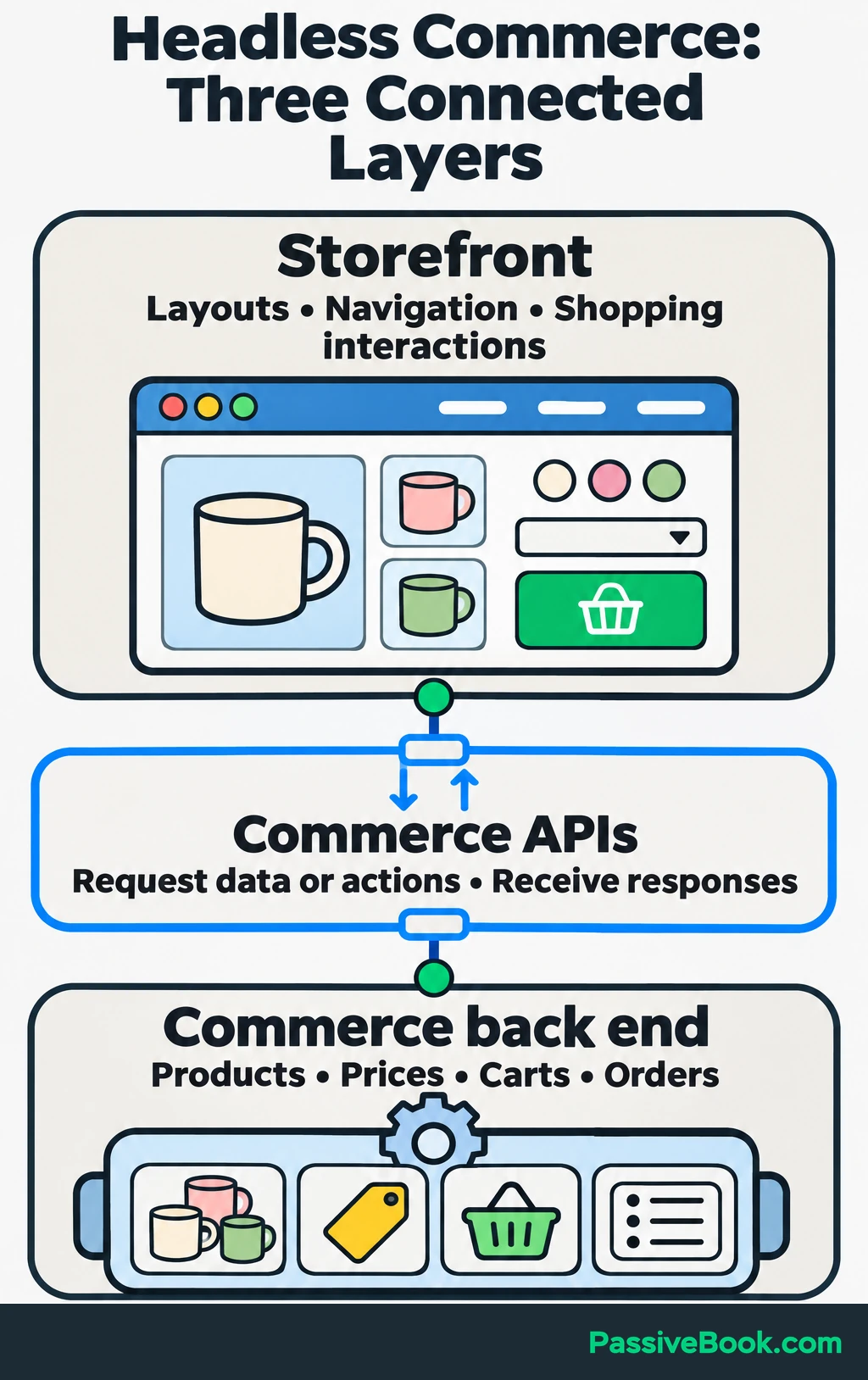
A headless commerce platform makes commerce functions available through APIs, so a separate website or app can use them. “Headless” describes how the system is built. It doesn’t describe a visual style or require a particular business size.
For the examples below, imagine you run an online store selling ceramic coffee mugs. Your current storefront uses your commerce platform’s theme system. You’re considering a selector that helps shoppers find mugs by capacity, dimensions, and finish, and you might want a mobile app later.
How Does Headless Commerce Work?
The Storefront Requests Commerce Data Through APIs
The storefront asks for commerce data, receives a response, and turns that response into something shoppers can use.
Website or mobile app ↔ Commerce APIs ↔ Commerce back endFor example, the storefront might request available products, their variants, prices, and availability. A variant is a particular product option, such as a mug in a specific size and finish.
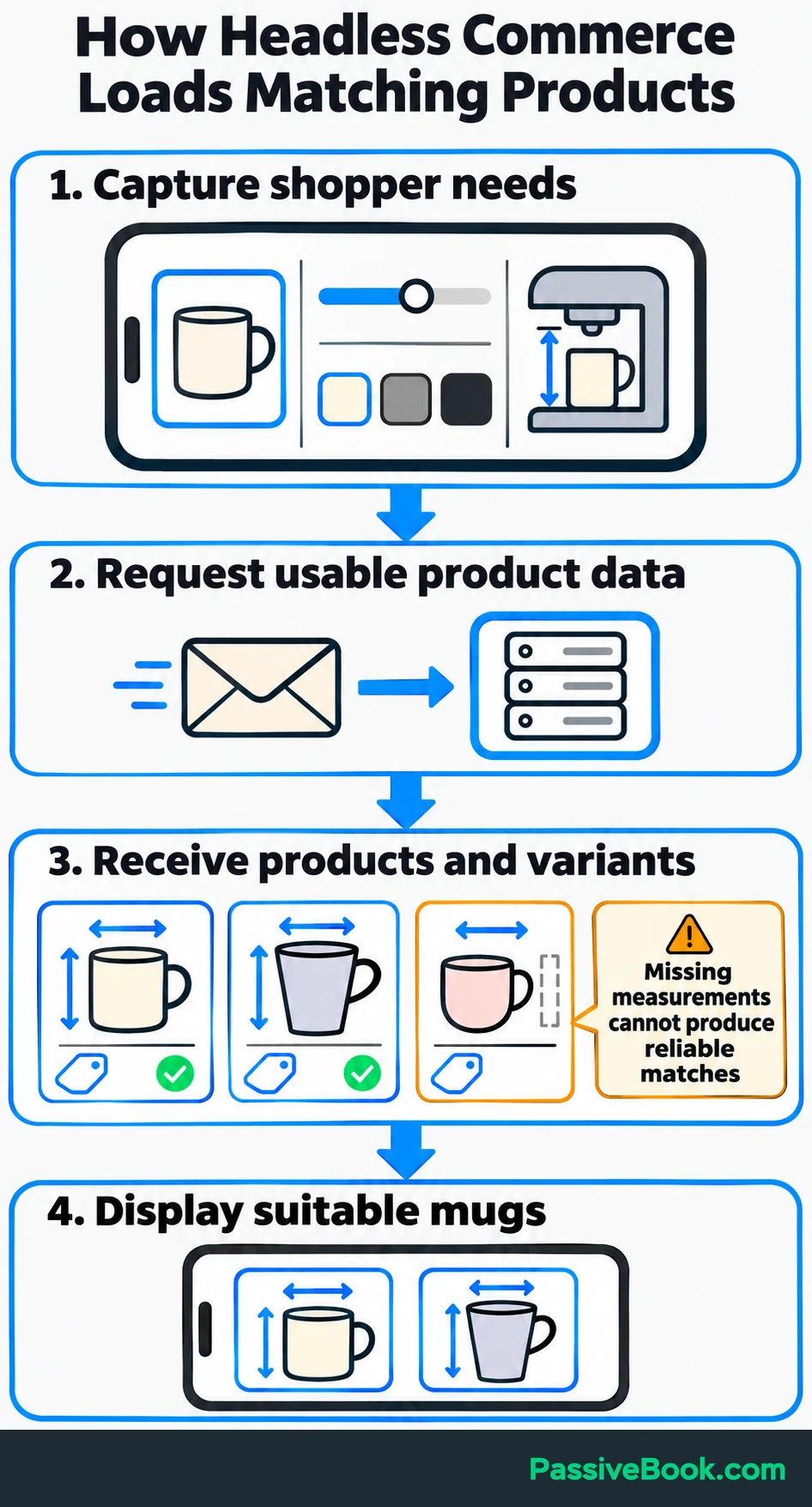
Your mug selector could then ask shoppers:
“How much coffee should it hold, and how much space is beneath your coffee machine?”
The storefront uses their answers to display suitable mugs. That requires accurate capacity and dimension data in a form the application can request. A separate storefront cannot rescue missing measurements.
You can also connect a content management system, or CMS, to supply buying guides and campaign content. A separate CMS is optional; it isn’t what makes commerce headless.
Cart and Checkout Connect Browsing to an Order
Once a shopper chooses a product, the storefront sends the selected variant and quantity to the cart API. The commerce back end handles the cart according to its rules, and the storefront displays the result.
For your mug store, the flow could look like this:
- A shopper chooses a 350 ml mug with a matte finish.
- The storefront sends that variant’s identifier and a quantity of one to the cart API.
- The API returns the cart contents and estimated cost.
- The shopper continues to checkout to provide delivery and payment details.
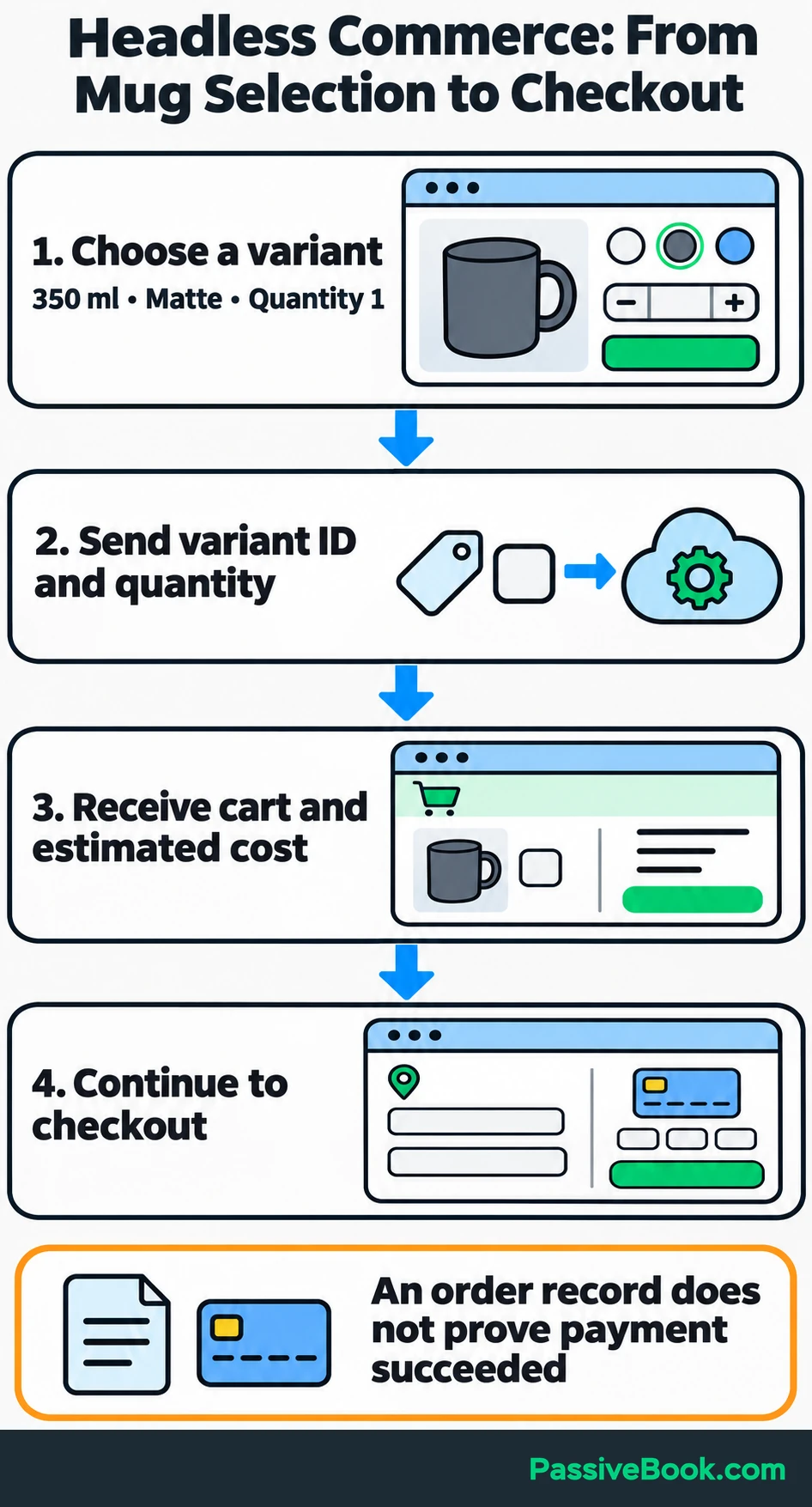
Headless does not require you to build payment processing or a custom checkout. For example, Shopify’s cart API returns a checkout URL that sends the shopper to its hosted web checkout.
The checkout flow coordinates payment and order creation. Their exact sequence depends on the platform and payment method, so an order’s existence alone does not necessarily mean payment succeeded.
How Is Headless Commerce Different From Traditional Ecommerce?
A traditional, integrated storefront uses the commerce platform’s themes and tools to build and display pages. A headless storefront is a separate application connected through APIs.
Integrated does not mean unchangeable. You can often customize themes, add extensions, and build specific features without separating the whole storefront.
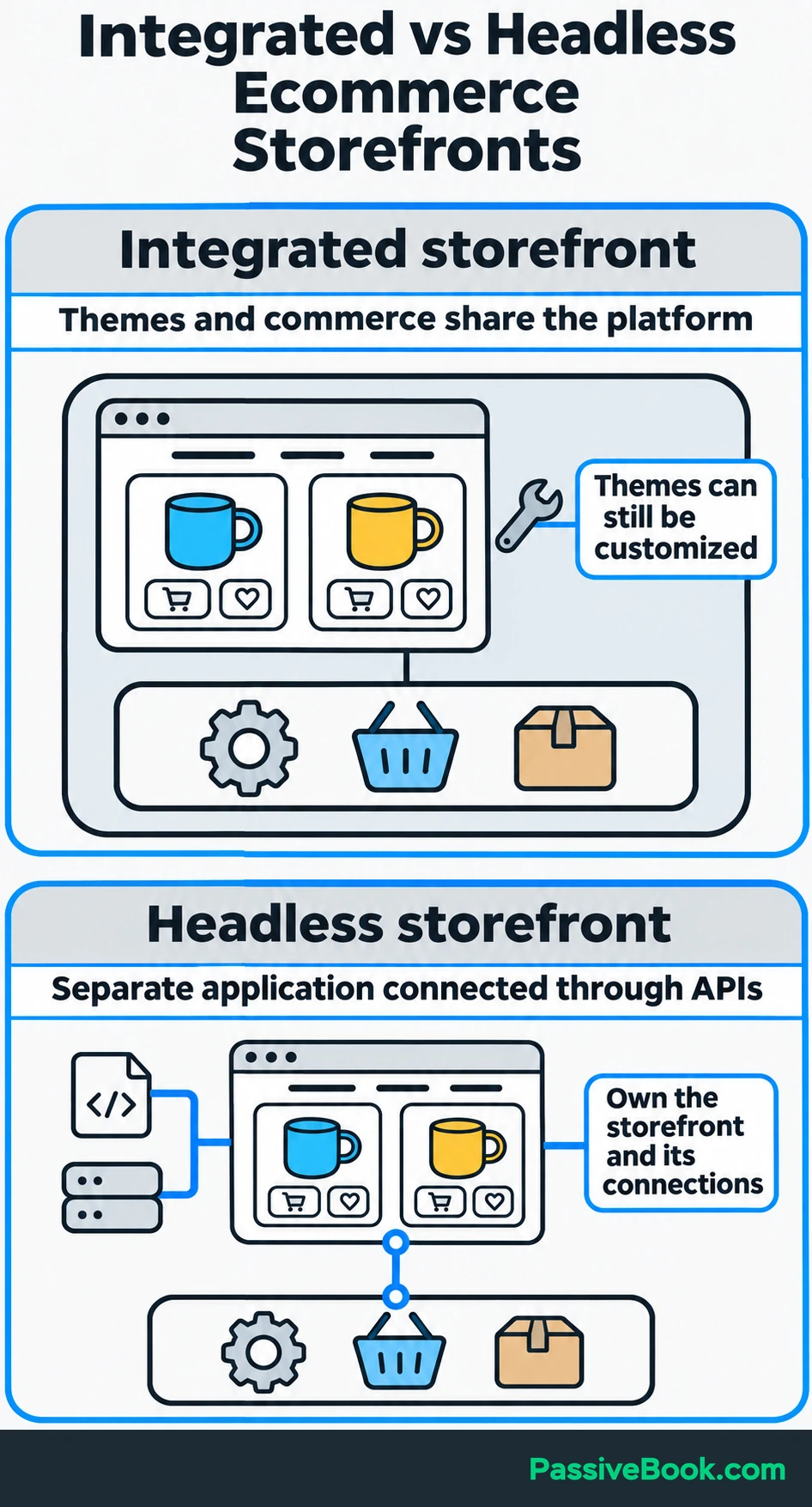
The useful comparison is the work required to deliver the same buying experience.
| Consideration | Integrated Storefront | Headless Storefront |
|---|---|---|
| Customization | Modify themes and extend supported features | Build presentation and interactions separately, within available API capabilities |
| Initial development | Start with an existing theme and shopping flow | Build or adapt storefront code and connect the shopping flow |
| Hosting responsibility | Hosted platforms run the storefront; self-hosted stores need hosting management | Arrange storefront hosting, directly or through a managed service |
| Integration compatibility | Extensions can use the platform’s theme hooks and built-in features | Check whether each extension has an API or separate storefront integration |
| Maintenance ownership | Maintain customizations and extensions; platform duties vary | Maintain the storefront application and its connections, alongside back-end duties |
Platform names don’t determine the architecture. Shopify, for example, supports both an integrated storefront and separately built experiences.
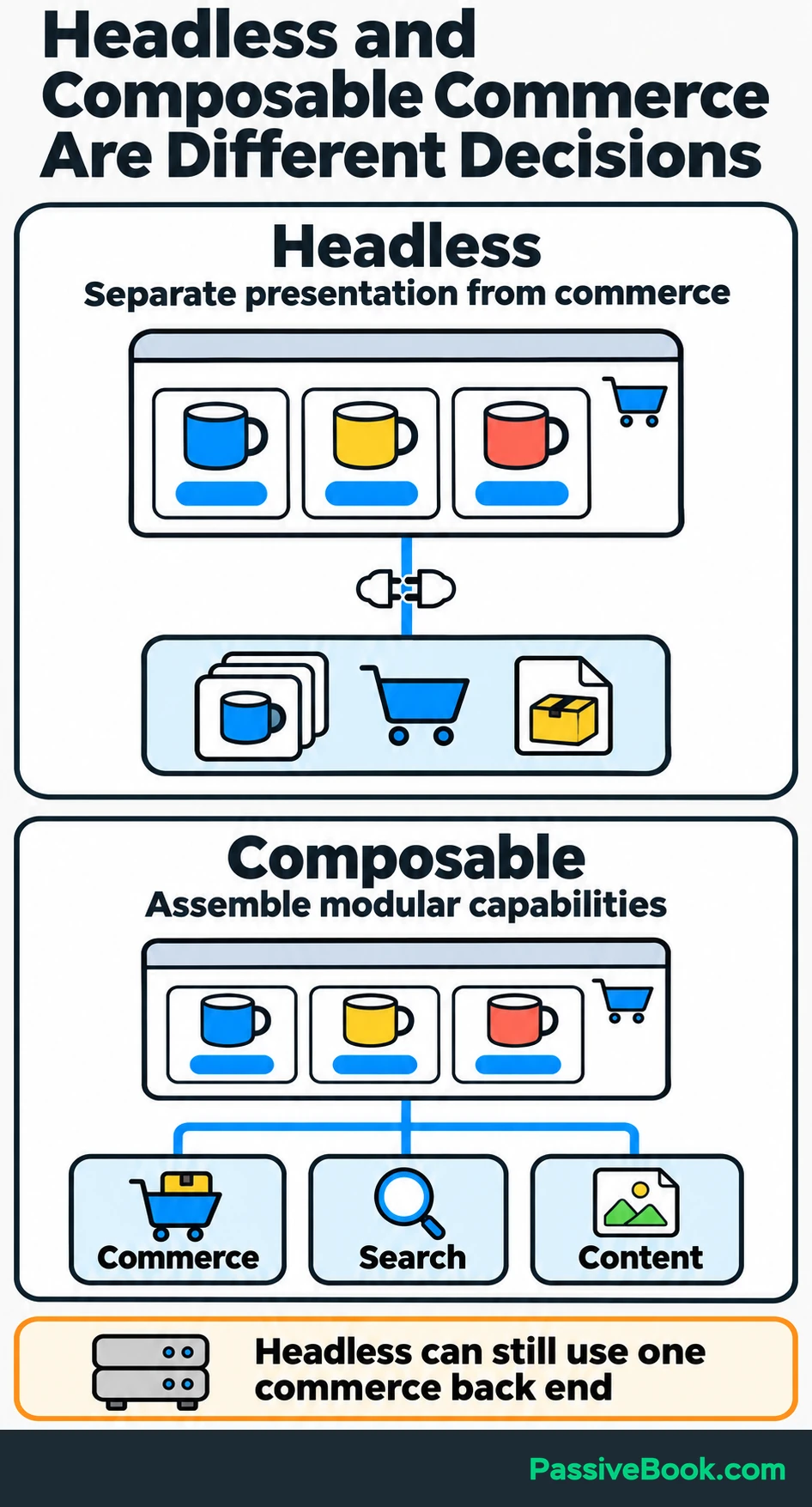
For your mug store, changing the theme keeps the integrated architecture. Replacing the theme-based storefront with a separate application while keeping the commerce engine makes the store headless.
You may also hear “composable commerce.” That means assembling modular capabilities, such as commerce, search, and content, into a system. Headless specifically separates presentation from commerce. A headless store can still use one commerce back end rather than a collection of separate services. commercetools explains this distinction.
What Are the Benefits of Headless Commerce?
More Control Over the Shopping Experience
Headless gives developers more control over how shoppers discover, compare, and choose products.
Instead of arranging every buying task around a product grid, you can build the interface around the questions customers need answered.
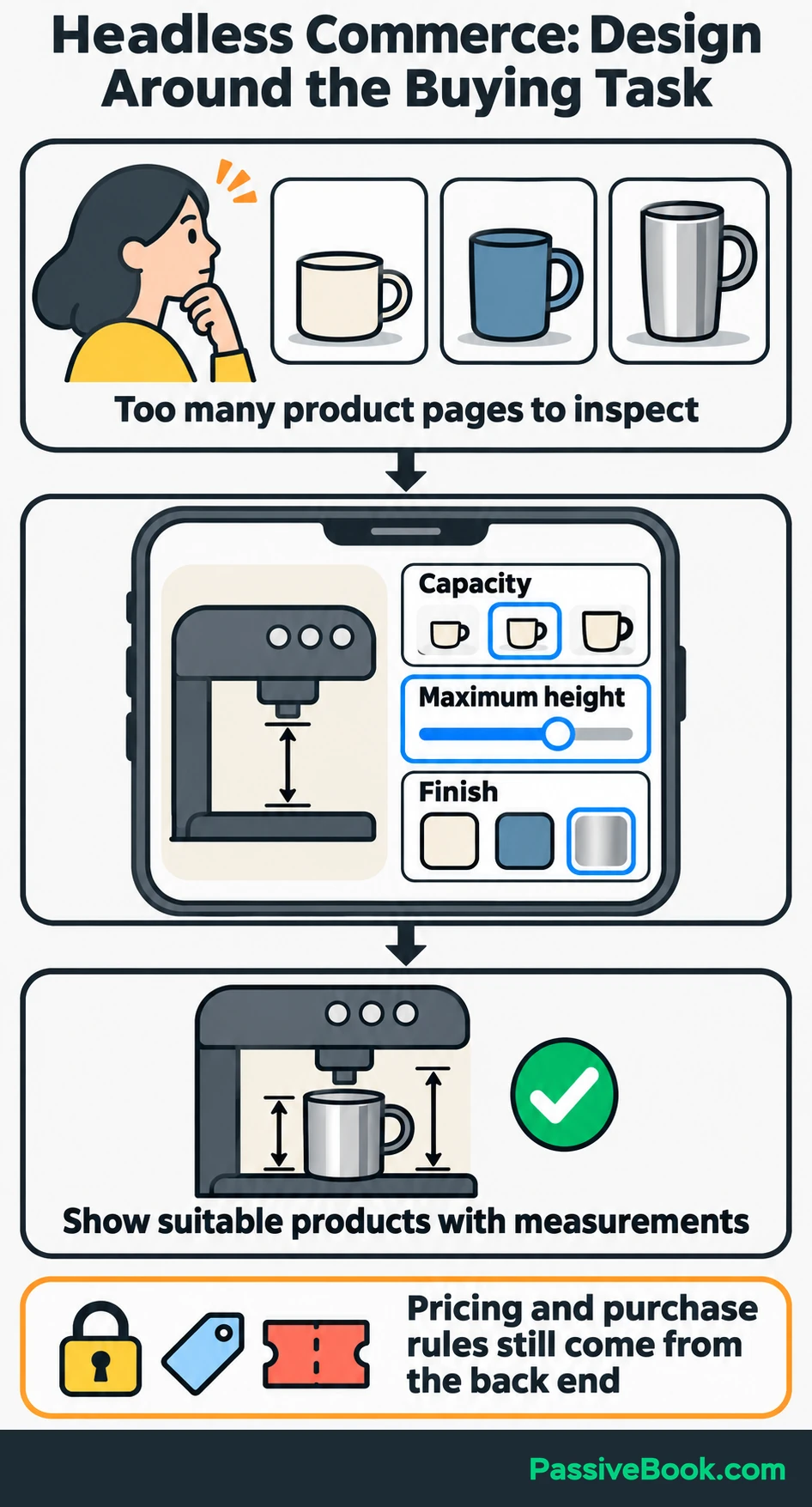
Your mug selector could collect capacity, maximum height, and preferred finish, then show matching products with their measurements beside them. Shoppers would have fewer product pages to inspect manually.
The commerce engine still controls the available pricing and purchase rules. A custom interface cannot offer a promotion or purchase option that the back end cannot support.
I would pursue this freedom when the buying task calls for it. A different-looking product grid alone would rarely justify the added responsibility.
More Independent Storefront Development
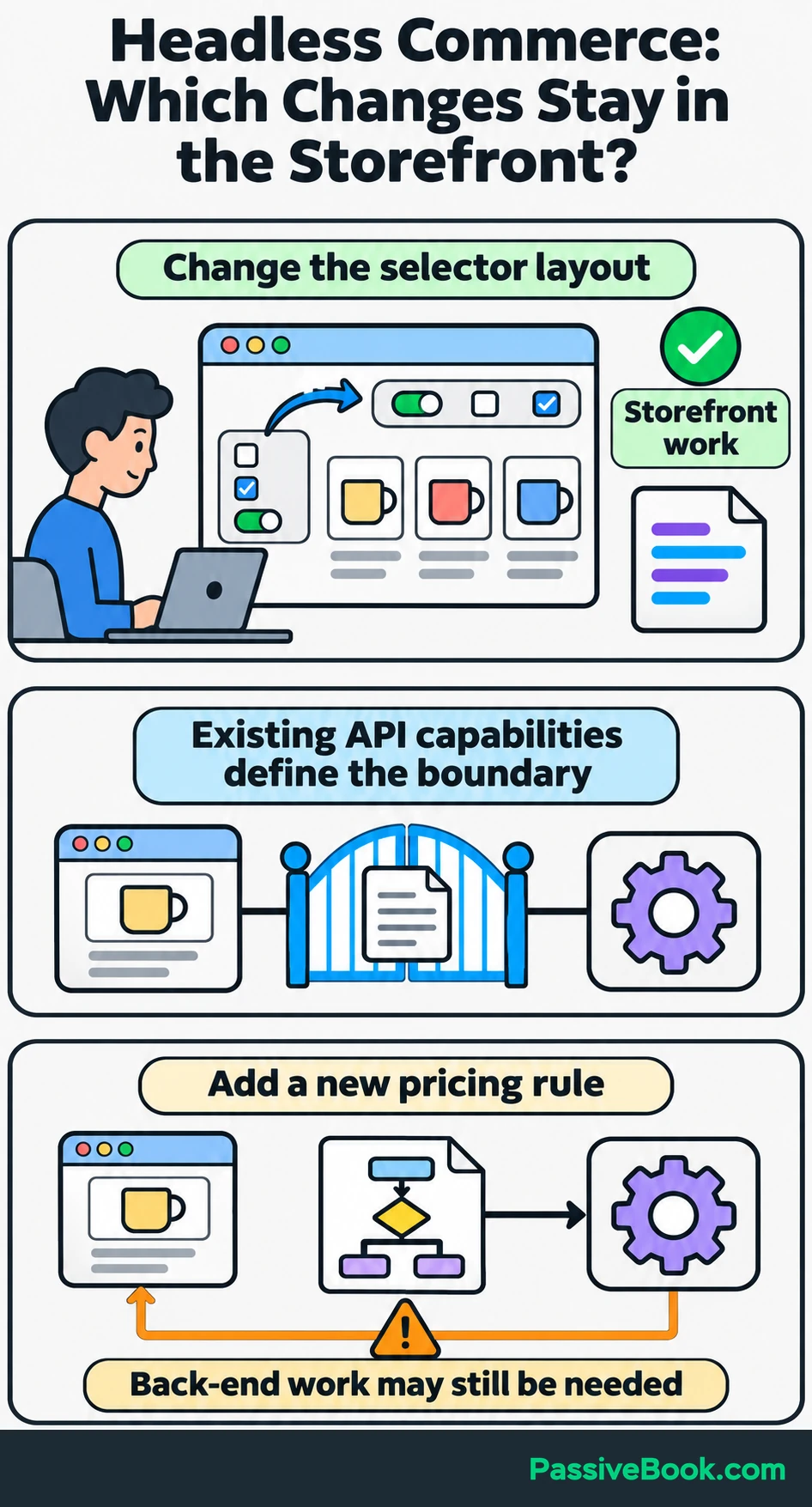
A separate storefront lets developers choose their own tools and release schedule for presentation changes. Changes the existing APIs cannot support may still require back-end work.
For your mug store, changing the selector’s layout could be a storefront task. Adding a new pricing rule might still require back-end work.
There is a real example of this separation in Shopify’s Kotn case study. Shopify reports that Kotn used its Storefront API to consolidate two stores, introduce a new CMS, and build custom shopping experiences. The account says Kotn could make site changes more quickly.
That is a vendor-published account, rather than independent testing. It illustrates a workable approach, but it does not establish a conversion lift you should expect from your own build.
Reusable Commerce Capabilities Across Channels
A website and mobile app can use the same catalog and commerce services while presenting them differently.
If your mug store later launches an app, it could reuse the existing commerce engine. You would still need to build the app’s interface and connect its shopping flow.
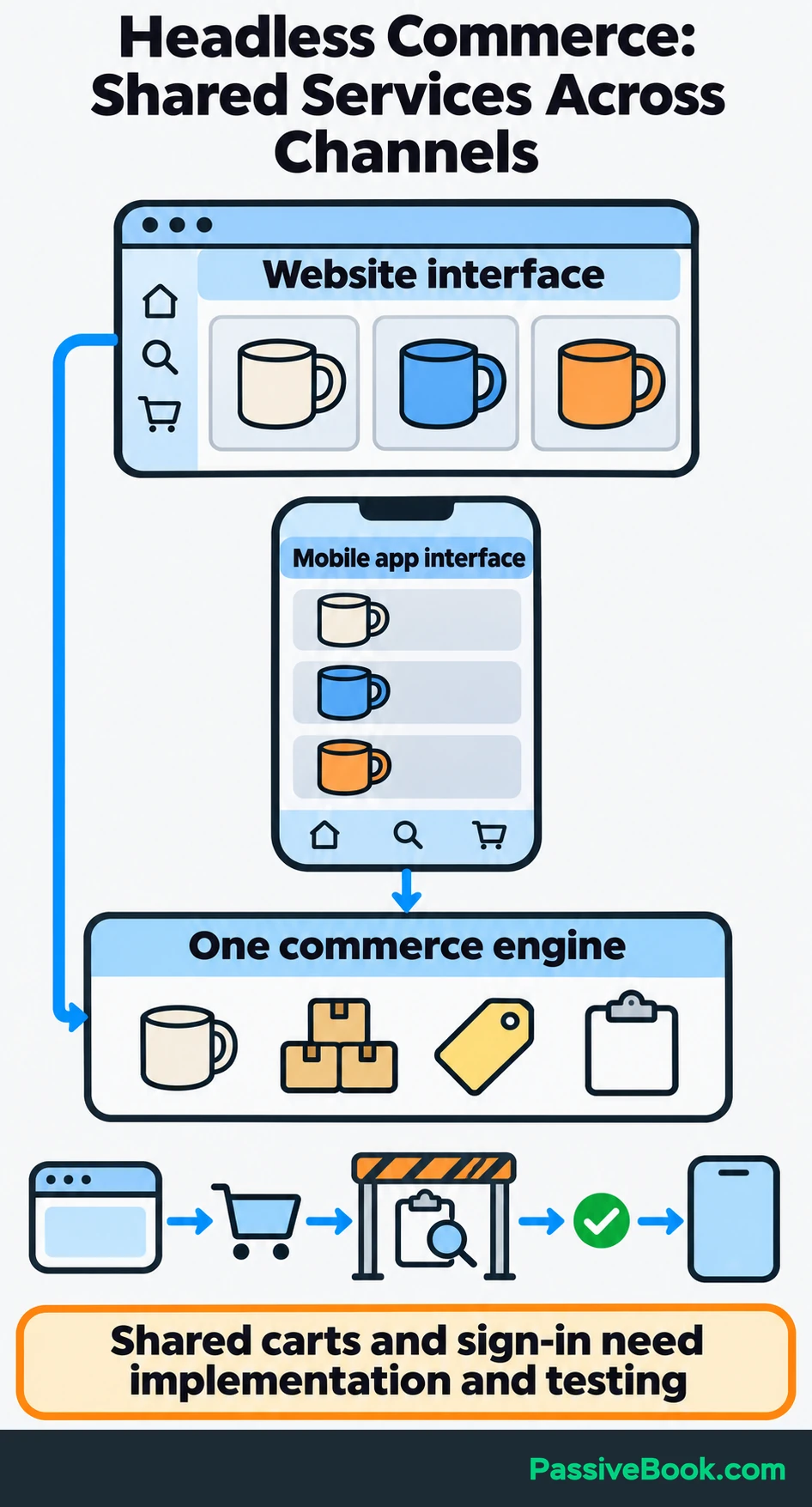
Shared services also need deliberate coordination. Customer sign-in, inventory availability, order history, and carts must work across the intended channels.
A shopper starting a cart on the website and finding it in the app is a feature to implement and test. It does not appear automatically because both use the same API.
I would skip an app until it serves a clear customer need. “We might want one later” is a weak reason to fund a more complex website now.
Greater Control Over Performance and Scaling
With a separate storefront, your team can choose how pages load, how images are delivered, what gets cached, and which scripts run.
Caching means keeping a reusable copy of data or content so the system does not have to fetch or generate it again for every visit.
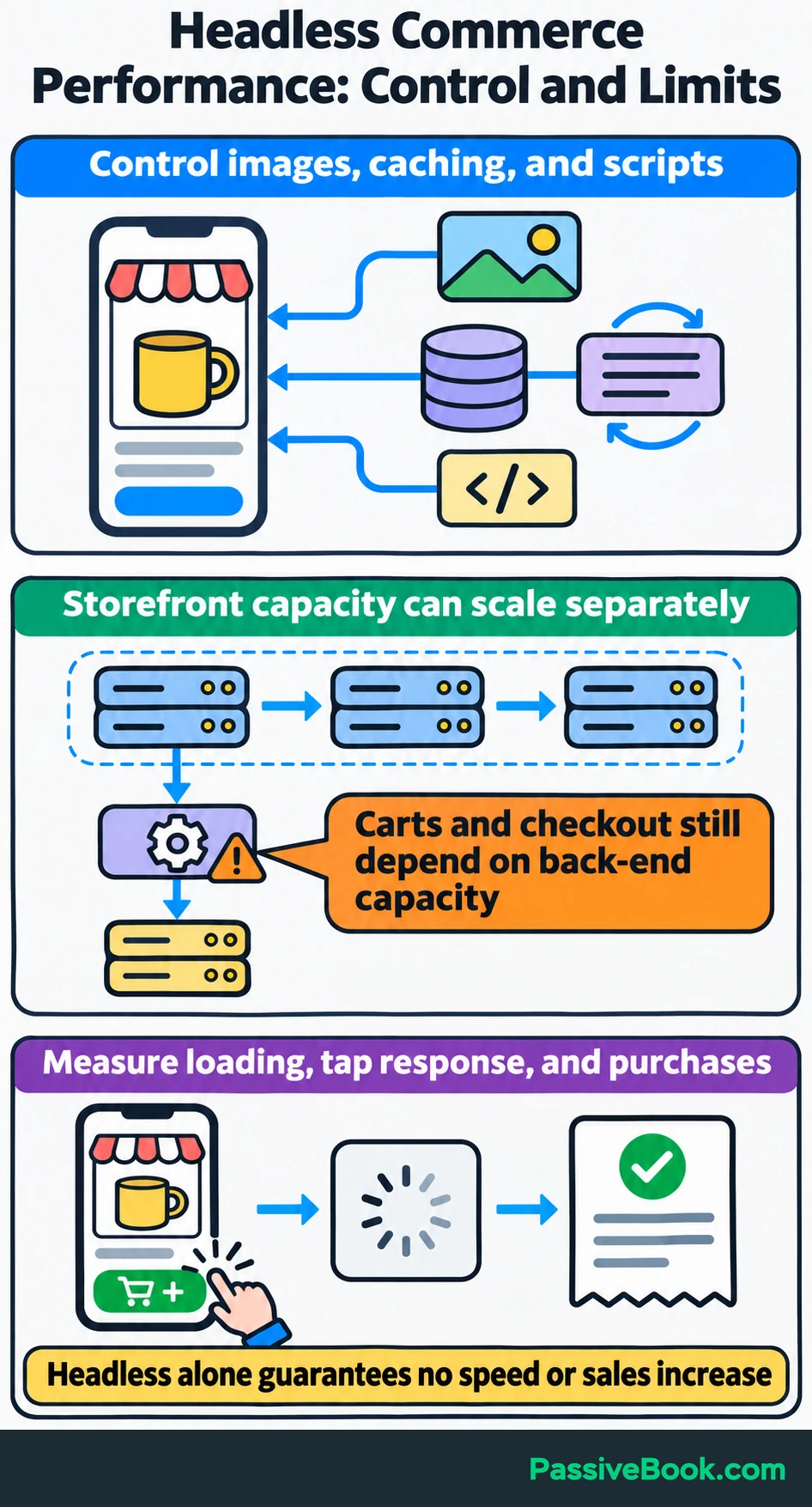
You can also adjust the storefront’s delivery capacity separately from the commerce back end. However, product requests, carts, and checkout still depend on back-end and API capacity.
Headless alone guarantees neither faster pages nor more sales. A poorly built custom storefront can be slow too.
Compare the proposed build with your current store on mobile. Look at loading speed, response to taps, and whether shoppers can complete purchases. A cleaner architecture diagram is pleasant, but customers cannot buy from it.
What Are the Trade-offs of Headless Commerce?
More Development and Maintenance Responsibility
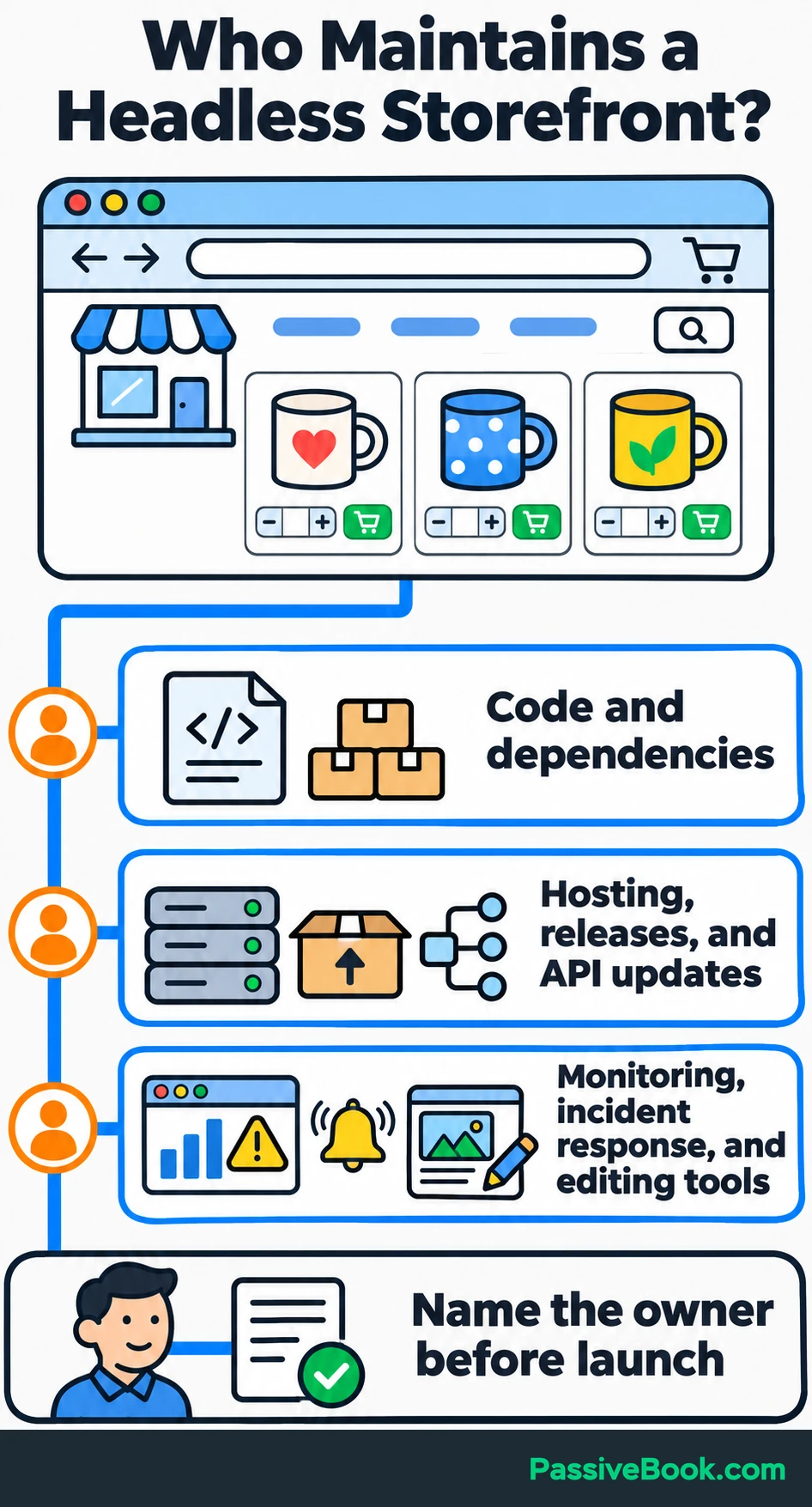
A managed commerce platform can continue running your commerce back end, but someone must own the separate storefront.
That work includes:
- Maintaining storefront code and the software it relies on.
- Managing hosting and releases.
- Updating API connections.
- Monitoring errors and responding when shopping breaks.
- Keeping editing and preview tools usable.
The editing workflow deserves attention before development starts. Ask the team to demonstrate how you will change a campaign banner, publish product information, and preview a page.
On one of my digital-product sites, I put promotional text directly into a custom page layout. Changing the offer meant changing code, and a routine content update became a technical task. That experience is why I now ask to see the editing process before approving custom page work.
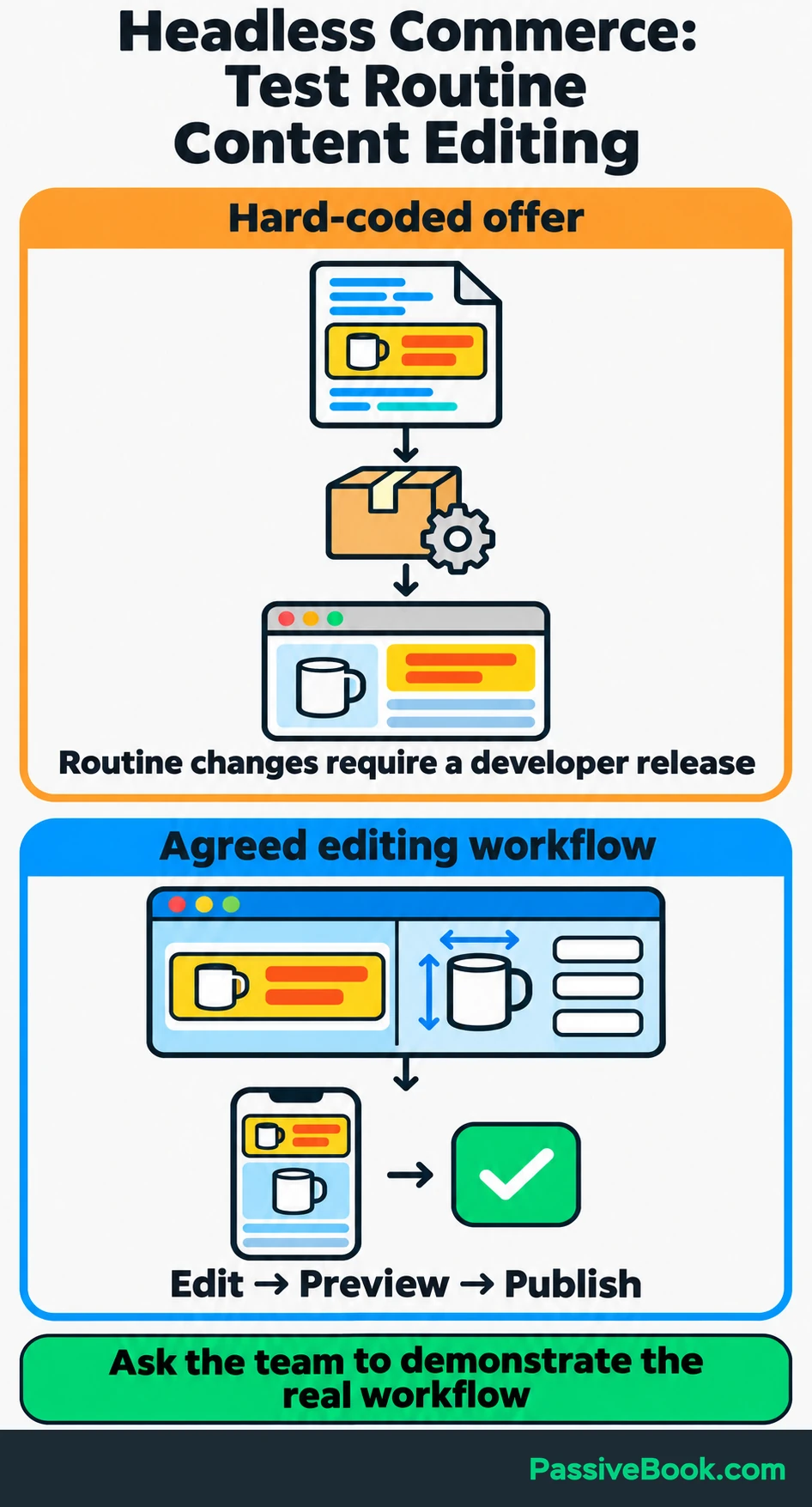
For your mug store, you should be able to update product measurements and campaign content through an agreed workflow. If every offer needs a developer release, include that dependency in the decision.
Extensions need the same scrutiny. BigCommerce explicitly notes that its headless Catalyst framework does not support every marketplace app or platform feature. Check your essential features individually rather than assuming they carry over. BigCommerce’s storefront documentation lists those limitations.
More Connections That Can Interrupt Shopping
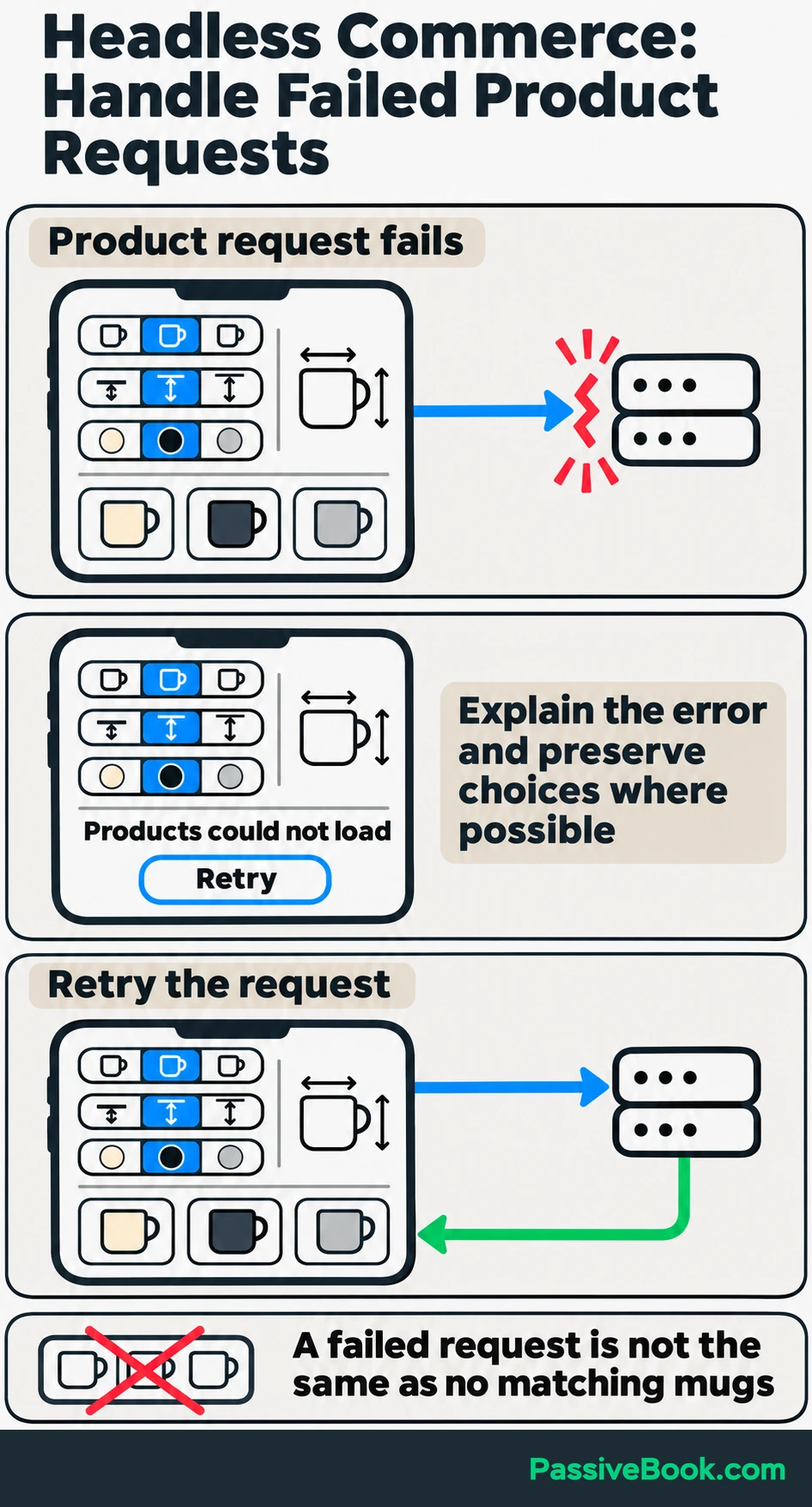
The storefront needs useful responses from the systems behind it. If those connections fail, shoppers may see stale availability, an empty cart, or a checkout button that goes nowhere.
For your mug selector, decide what happens when a product request fails. Show a clear message and a way to retry rather than silently displaying no matches. Preserve the selected variant and cart where possible.
Credentials also need correct handling. Keep private API credentials on the server and use only credentials intended for public clients in browsers or apps. Shopify explicitly distinguishes public storefront access from private server access in its authentication documentation.
Search engine optimization (SEO) becomes part of the storefront build too. Search engines need access to product content, links, and page titles. If a product page no longer exists and has no replacement, it should return an appropriate status code, such as 404 (“not found”).
Server rendering or prerendering prepares page content before it reaches the browser. Google recommends considering these approaches because not all crawlers can execute JavaScript. Its JavaScript SEO guidance explains the distinction.
What Does Headless Commerce Cost?
There is no useful universal headless price. A custom selector connected to an existing commerce engine is a different project from rebuilding a store, replacing integrations, and launching an app.
Budget for the required experience and the work after launch. Shopify’s own headless suitability guidance warns about added cost and complexity, and the need for developers to maintain the storefront.
Use a cost breakdown like this when requesting estimates:
| Expense | Initial Work | Recurring Cost | Responsible Party |
|---|---|---|---|
| Design and development | Design pages and build shopping interactions | Feature changes and accessibility fixes | Designer and storefront developer |
| Integrations | Connect search, reviews, accounts, and other required tools | Service fees and connection updates | Integration developer and service providers |
| Migration and testing | Move required data, map URLs, and test purchases | Retest shopping flows after changes | Developer and store operator |
| Commerce subscriptions | Configure the platform and required services | Platform and service charges | Store operator |
| Storefront hosting | Configure hosting and publishing for the storefront | Hosting, traffic, and monitoring charges | Hosting provider and technical owner |
| Optional content tools | Set up content fields, editing, and page previews | Tool subscriptions and upkeep | Content owner and developer |
| Ongoing support | Establish monitoring and support arrangements | Maintenance time and incident response | Named employee, contractor, or agency |
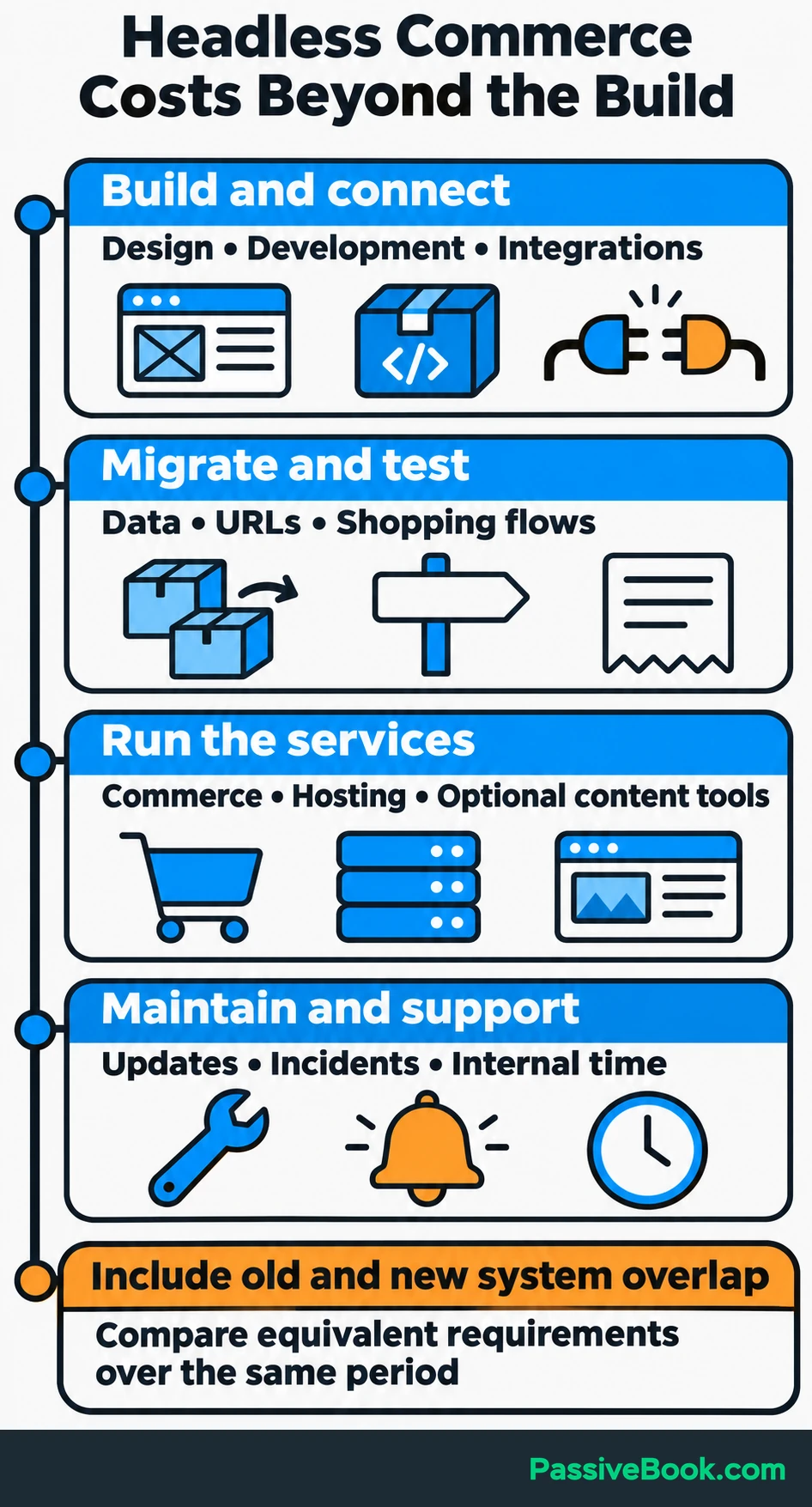
Compare equivalent requirements over the same period. Count the initial build and migration, recurring services, maintenance, and internal staff time.
Put your current storefront and the proposed build into one comparison. Keep cash spending separate from the value of your team’s maintenance time.
Free Software Cost Comparator




Also include any period when you pay for both the old and new systems. Keeping the commerce engine can reduce migration work, but it does not remove storefront testing.
To test whether additional sales could cover the expense, count only the extra cost compared with keeping the integrated store. Then divide it by the contribution from each additional order: the money left after variable order costs.
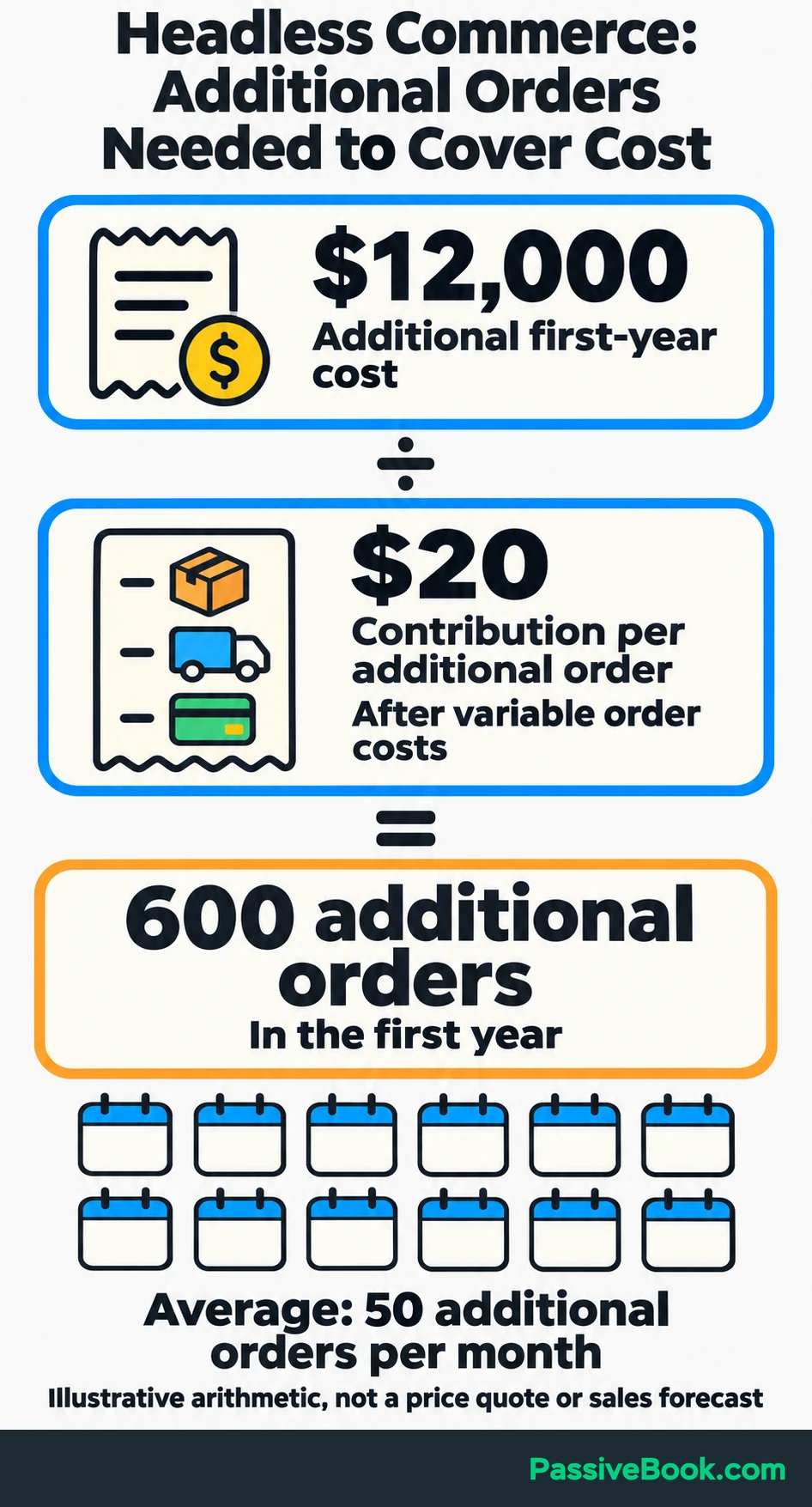
For illustration, suppose your mug store has:
- An additional first-year cost of $12,000, including development and first-year operation.
- A contribution of $20 per additional order after variable costs.
The calculation is:
$12,000 ÷ $20 = 600 additional orders in the first yearThat averages 50 additional orders per month. These figures illustrate the arithmetic; they are not market prices or a sales forecast.
Headless might also save development time or support a required sales channel. Count that value where you can explain it, but don’t assume a conversion increase will arrive to pay the bill.
Is Headless Commerce Right for Your Business?
Identify a Constraint Worth Solving
Start with a specific requirement your current storefront struggles to meet.
For the mug store, that might be:
“Shoppers need to filter mugs by capacity, machine clearance, and finish, then buy the matching variant.”
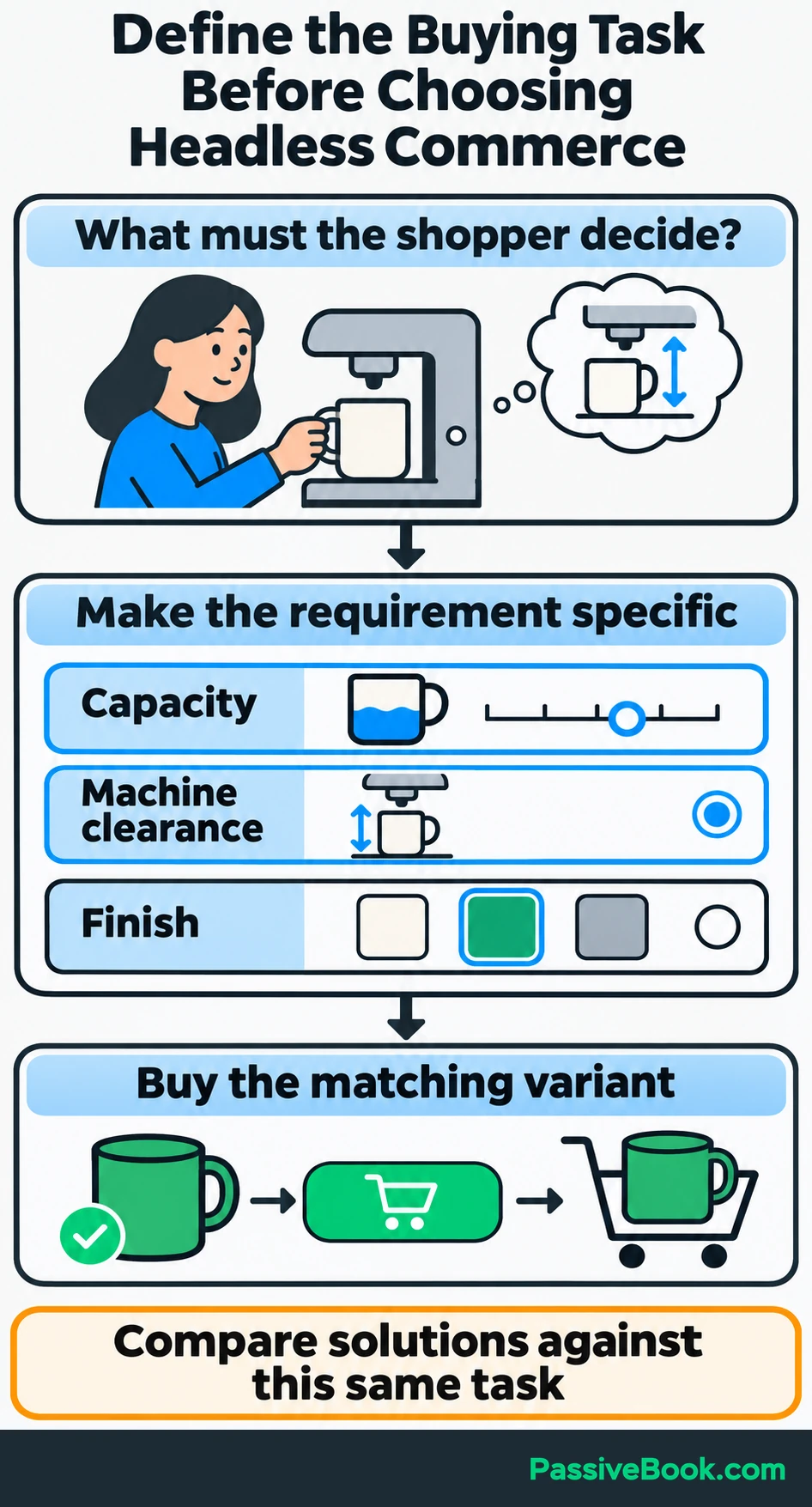
That gives you something concrete to compare. Ask what it would take to deliver that experience through the existing theme and what a separate storefront would change.
My default would be to keep the integrated storefront if a theme improvement or supported extension meets the need at a sensible cost.
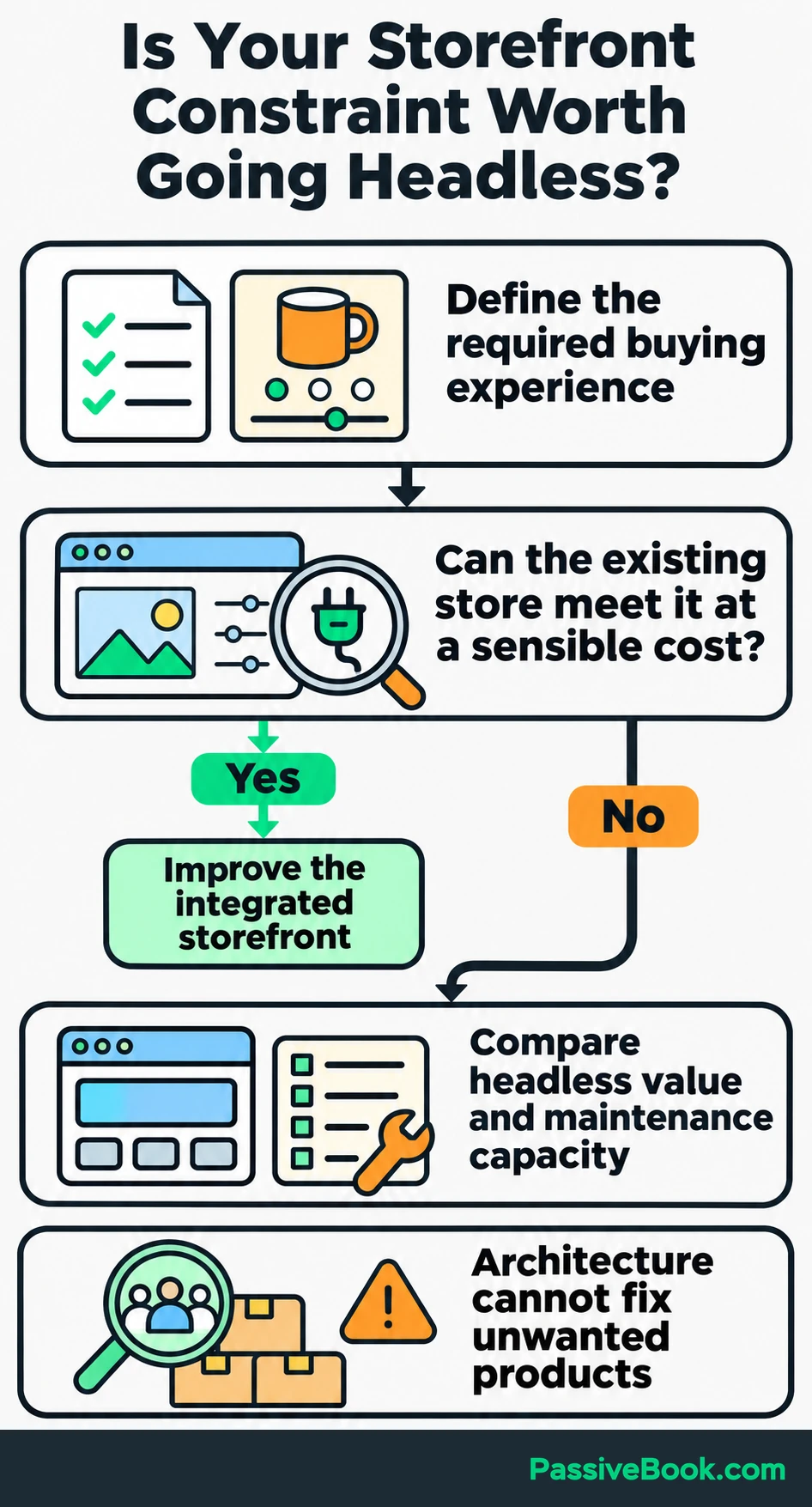
My online jewellery store failed because I skipped market research and bought inventory people did not want. More control over the storefront would not have fixed that. I keep that distinction in mind when a technical project starts sounding like a business strategy.
A smaller business can have a strong reason to go headless. A larger business can have no reason at all. The requirement, expected value, and maintenance capacity should decide.
Confirm Platform and Team Readiness
Before choosing tools, confirm that the platform’s APIs support the whole buying journey you need.
Check products and variants, availability, pricing, promotions, carts, customer accounts, and checkout. Review authentication requirements and usage limits, and confirm that essential integrations support the proposed storefront.
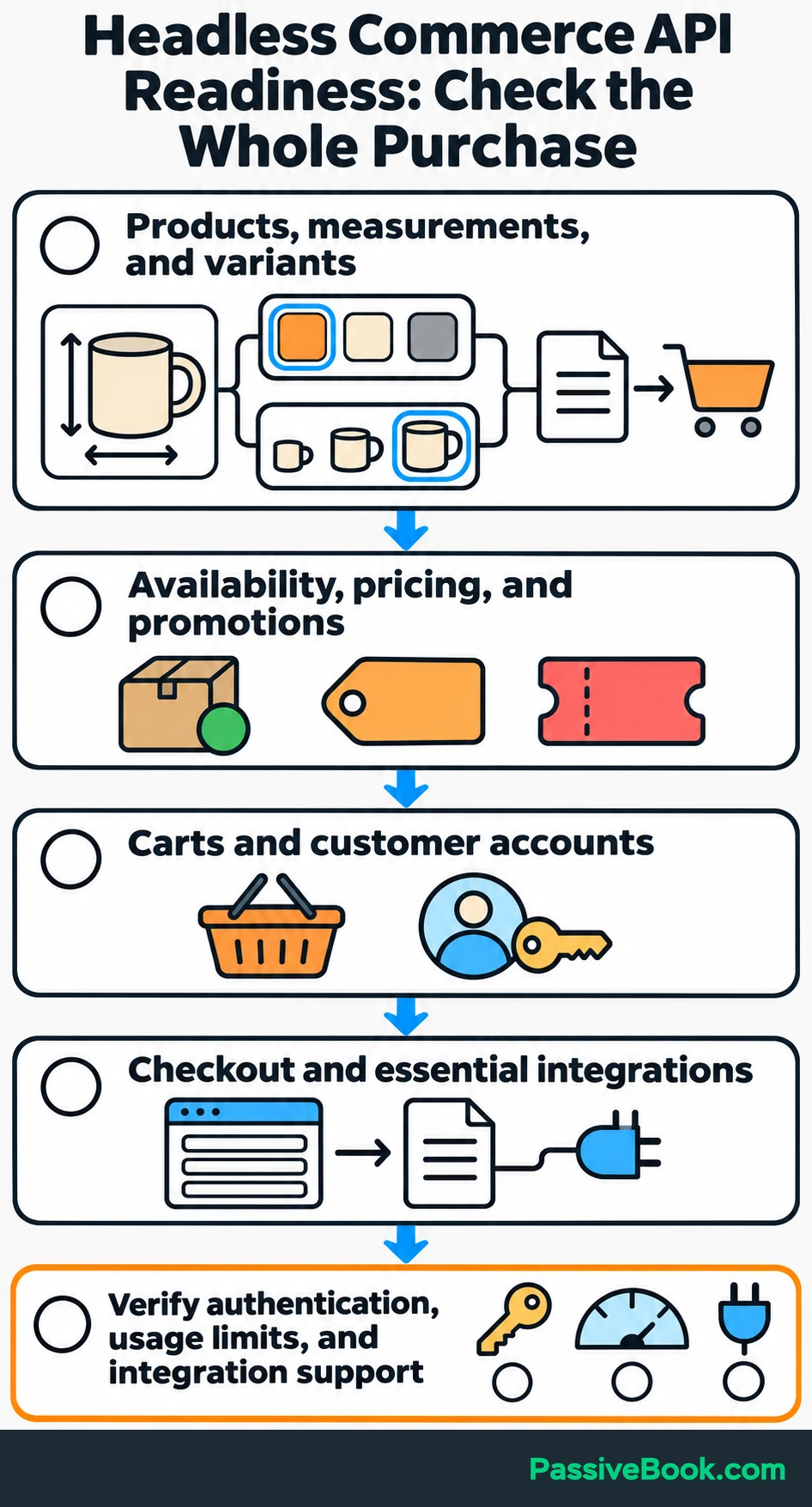
For your mug store, verify that capacity and dimensions are available through the API in a usable format. Then check that the selected finish and size map to the correct purchasable variant.
Evaluate your current commerce engine before replacing it. Separating the storefront and changing the back end are two different decisions, and combining them expands the project.
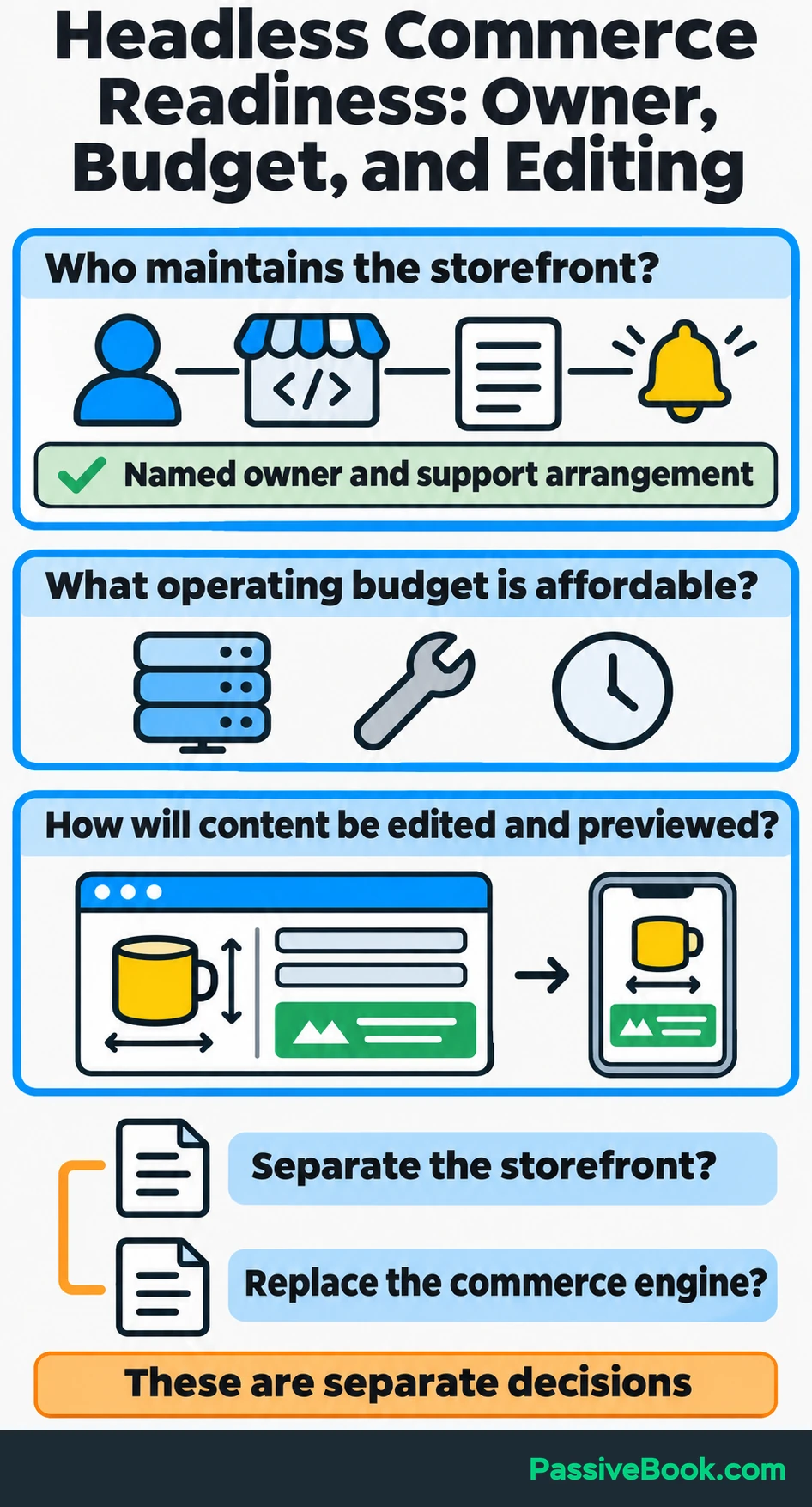
I would also require three practical answers:
- Who maintains the storefront after launch?
- What operating budget can the business afford?
- How will you edit and preview routine content?
“An agency built it” does not answer who will fix it six months later. Name the owner and agree on the support arrangement before committing.
Validate a Complete Purchase Before Committing
Ask for a working version of the hardest buying journey before funding the full rollout.
For the mug store, test the selector with real product data, choose a matching variant, and complete checkout. Include a discount, shipping calculation, payment, and verification that the correct order reaches the back end.
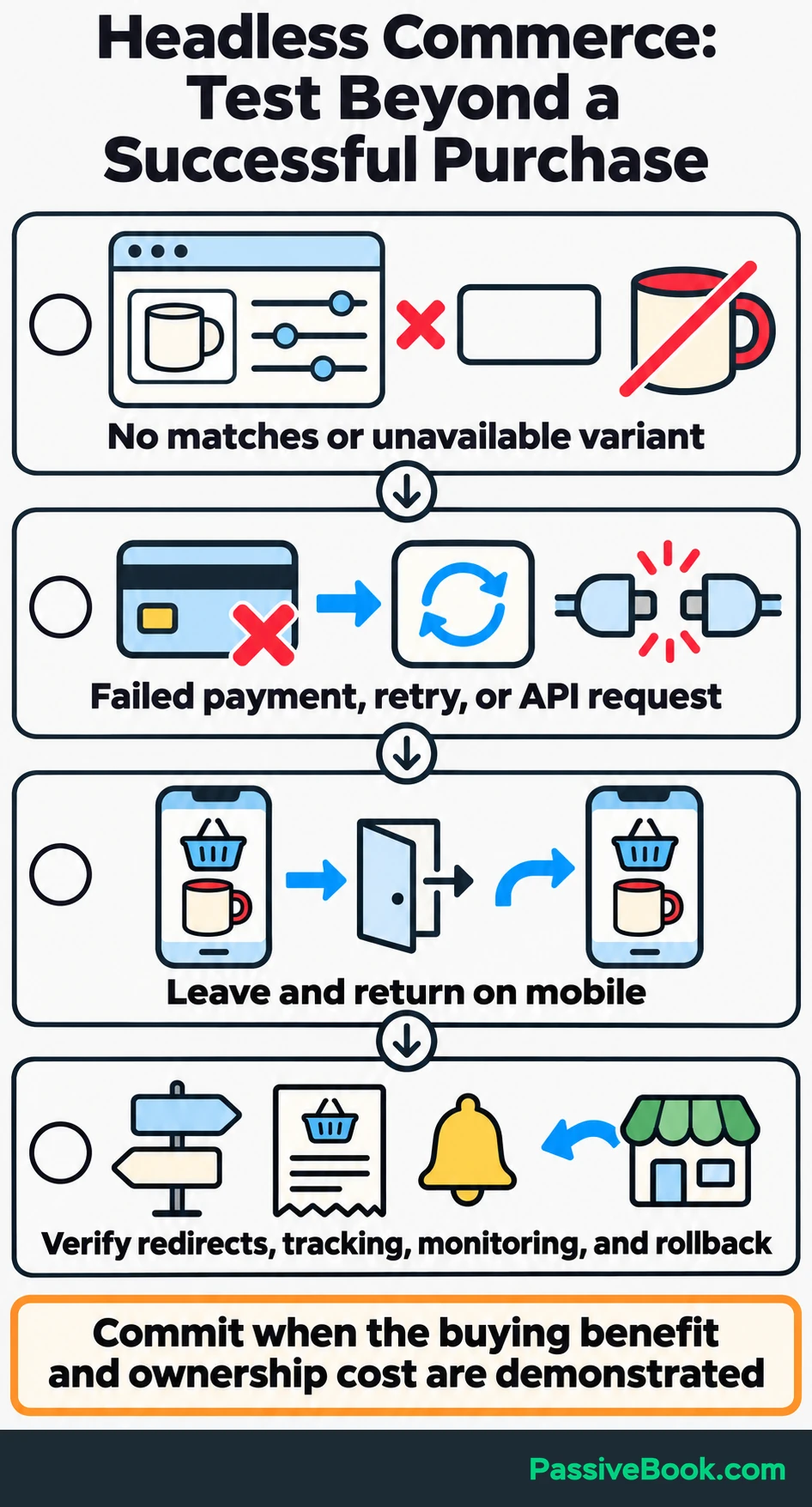
Then test the awkward cases:
- No mugs match the selected measurements.
- A selected variant becomes unavailable.
- A payment fails and the shopper retries.
- A mobile shopper leaves and returns to the cart.
- A required API request fails.
Judge the result against the original reason for considering headless. Does the selector help shoppers choose? Can your team update its data? Does the complete purchase work reliably?
For an existing store, include redirects from changed URLs, purchase tracking, error monitoring, and a way to restore the previous storefront if launch goes wrong.
Commit when the working purchase demonstrates the benefit and the ownership cost fits the business. A polished product page is only one part of that evidence.
What Next?
Write down one shopping task your current storefront handles poorly, then request an estimate for solving it within the existing platform. Use that as the comparison for any headless proposal.
If this guide helps you weigh flexibility against maintenance, use the social buttons to share it and bring that trade-off into the conversation before a build gets approved.
What requirement would make a separate storefront worth maintaining for your business? Share your answer in the comments, and bring any other questions about headless commerce too.
Share this post with your friends & followers:

