You choose an affordable plan, start adding products, and discover that tracking stock by size and color requires an upgrade. Then the shipping connection needs another subscription. Your cheap store is collecting monthly bills before it collects orders.
The harder part is knowing which costs buy something useful and which ones you could avoid. Switching later can mean rebuilding product pages and reconnecting the tools that keep orders moving. This comparison weighs 13 platforms by selling features, running costs, integrations, and the work they leave you to handle, so you can choose a store you can afford to run as well as launch.
Best Ecommerce Platforms at a Glance
Before comparing designs, eliminate any platform that cannot support your business country, payment provider, products, inventory, or essential software connections. A beautiful checkout is little use if you cannot receive its payments.
Next, decide who will maintain the store:
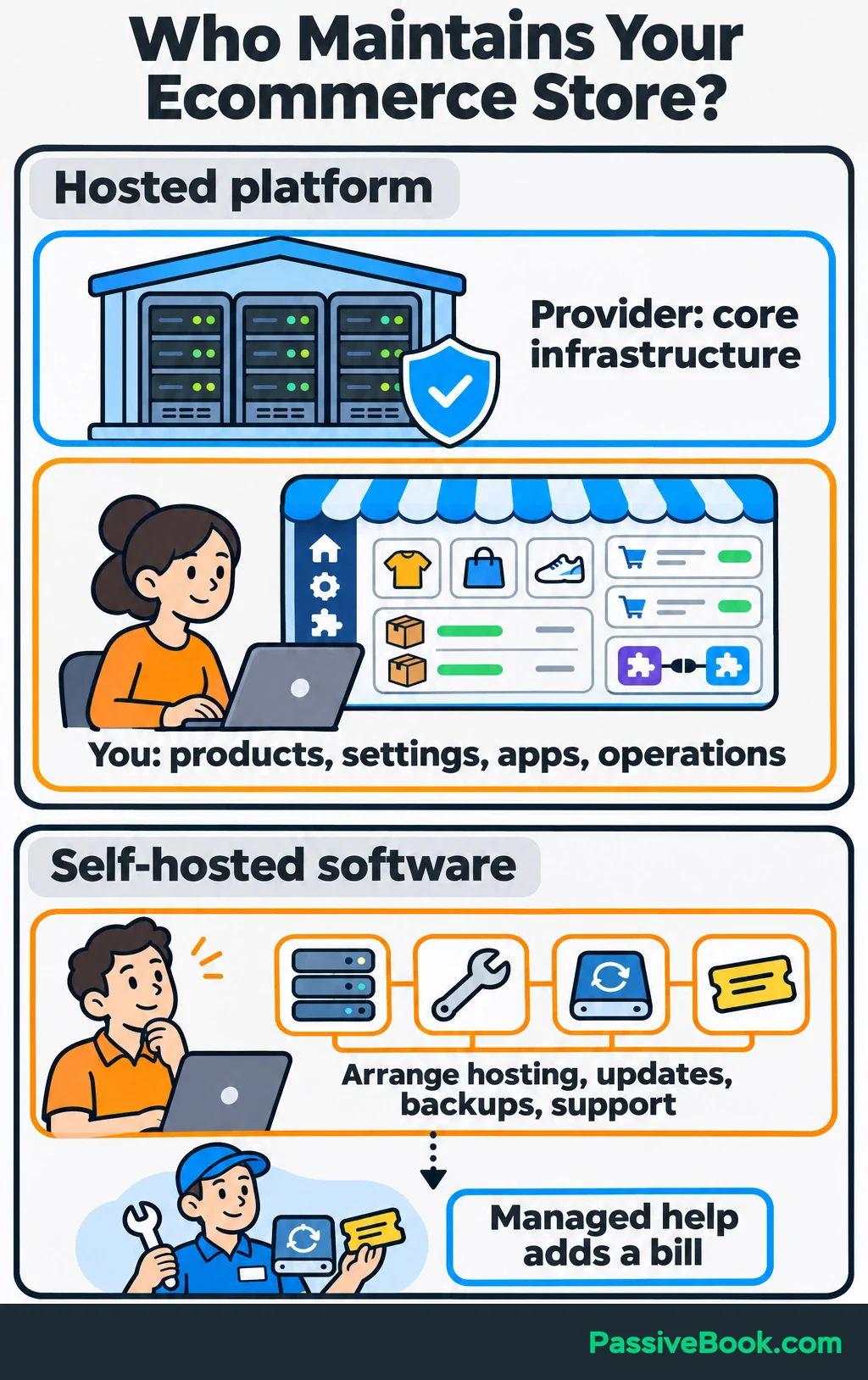
- Hosted platforms run the core infrastructure for you. You still manage products, settings, apps, and business operations.
- Self-hosted software requires you to arrange hosting, updates, backups, and technical support. A managed service can take on some of that work, but its bill belongs in your comparison.
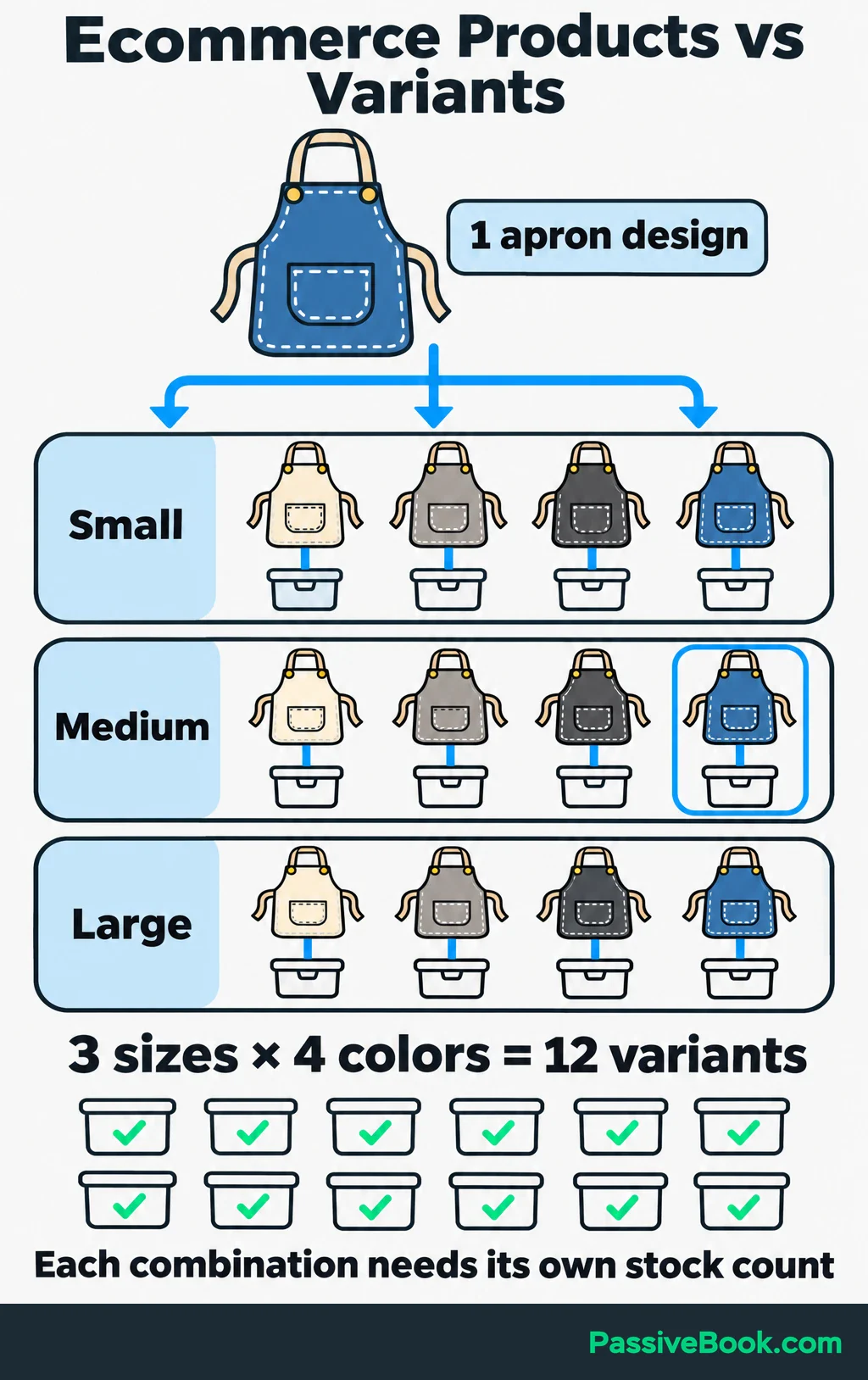
Also separate products from variants. A product is the item you list; a variant is a particular combination of its options.
Throughout this guide, imagine you sell washable kitchen aprons online and occasionally at local markets. One apron design comes in three sizes and four colors. That creates 12 variants, and each combination needs its own accurate stock count. The store and all example figures are illustrative.
The ratings below are documentation-based editorial judgments. I assessed documented store-management features, selling capabilities, operating costs, integrations, and flexibility to grow or leave. These are not hands-on test scores, customer-review averages, or measured differences in speed, uptime, conversion, or support quality.
The bands mean:
- 4.5/5: My strongest broad recommendation.
- 4/5: A strong choice with meaningful tradeoffs.
- 3.5/5: A useful choice for narrower needs.
- 3/5: A specialist choice within this general comparison.
Ties are ordered by capability, cost, and operating effort. A specialist can still be the right choice for your business.
Prices below exclude introductory promotions and applicable taxes. Dollar figures are US-dollar reference rates; regional offers can differ. “Annual” means a monthly equivalent with an annual billing commitment. The linked pages carry current terms. Where tracked inventory requires a paid plan, that qualifying plan appears here.
| Rank | Platform | Editorial Rating | Best Fit | Qualifying Selling-Plan Price and Billing Term | Hosting Responsibility | Principal Restriction or Extra Cost |
|---|---|---|---|---|---|---|
| 1 | Shopify | 4.5/5 | A standalone online store | Basic: $39/month monthly, or $29/month billed annually | Shopify runs core hosting | Apps cost extra; Basic adds a 2% third-party transaction fee where applicable |
| 2 | WooCommerce | 4/5 | Selling through WordPress with control | Core plugin: free; no platform subscription | You or your hosting provider | Hosting, maintenance, extensions, and processing |
| 3 | BigCommerce | 4/5 | Complex catalogs and multiple storefronts | Core: $39/month monthly or $29/month annually; Growth: $105 or $79 respectively | BigCommerce runs core hosting | Sales-triggered upgrades, payment-provider fees, and additional storefront charges |
| 4 | Wix | 4/5 | Visual website building with a store | Core: $29/month billed annually | Wix runs core hosting | Required apps and higher-plan features can add costs |
| 5 | Square Online | 4/5 | Shared online and in-person selling | Free: $0/month; Plus: $49/month per location; Premium: $149/month per location | Square runs core hosting | Processing, hardware, and paid subscriptions for additional locations |
| 6 | Squarespace | 4/5 | A brand website with straightforward commerce | Basic: $25/month monthly or $19/month annually; Core: $39 or $29 respectively | Squarespace runs core hosting | Basic adds a 2% online-store transaction fee; Core removes it |
| 7 | Ecwid by Lightspeed | 4/5 | Adding commerce to an existing website | Business: $65/month monthly or $49/month billed annually | Ecwid hosts commerce; your existing website remains separate | Business is needed for separately tracked variation stock |
| 8 | Sellfy | 3.5/5 | Downloads, subscriptions, and simple merchandise | Starter: $29/month monthly or $22/month billed annually | Sellfy runs core hosting | Annual sales limits; processing remains additional |
| 9 | Big Cartel | 3.5/5 | A small maker catalog | Platinum: $15/month; Diamond: $30/month, on monthly billing | Big Cartel runs core hosting | Free Gold lacks inventory tracking; paid plans have catalog ceilings |
| 10 | Shift4Shop | 3/5 | Stores seeking built-in selling tools | Non-US End-to-End offer advertises $41/month; confirm written terms | Shift4Shop runs core hosting | Subscription terms depend on location, plan, and processing conditions |
| 11 | PrestaShop | 3/5 | A customizable standalone store | Classic: free download; Hosted: €29/month or €290/year, excluding VAT | You arrange Classic hosting; Hosted includes it | Modules, implementation, and compatibility work |
| 12 | OpenCart | 3/5 | Self-hosted management of multiple stores | Downloadable software: free | You or your hosting provider | Hosting, extensions, maintenance, and optional commercial support |
| 13 | Adobe Commerce | 3/5 | Enterprise business purchasing and global operations | Quote-based | Depends on deployment; managed SaaS is available | Implementation, integrations, licensing, and specialist support |
Subscription prices do not include payment processing unless explicitly stated. An additional platform transaction fee is a separate charge, and it can apply on top of your processor’s fee.
The 13 Best Ecommerce Platforms, Ranked
1. Shopify: Best Overall for a Standalone Online Store
Editorial rating: 4.5/5.
Shopify is my starting recommendation when the store is the main business. Its hosted setup brings products, inventory, checkout, orders, and shipping into one system, and apps extend the workflows that need more.
I used Shopify during my physical-product and print-on-demand experiments. Having the store software handled helped me get on with selling, but it did not solve the business decisions. My jewellery store still ended with unsold inventory because I had skipped market research. A working checkout cannot rescue stock nobody wants.
For the apron store, I would shortlist Shopify when online orders are the priority and market selling is occasional.
Its main cost risk is the app list. Before adding anything, check whether the plan already covers the job. Also confirm Shopify Payments eligibility for your country and business category before budgeting around its rates.
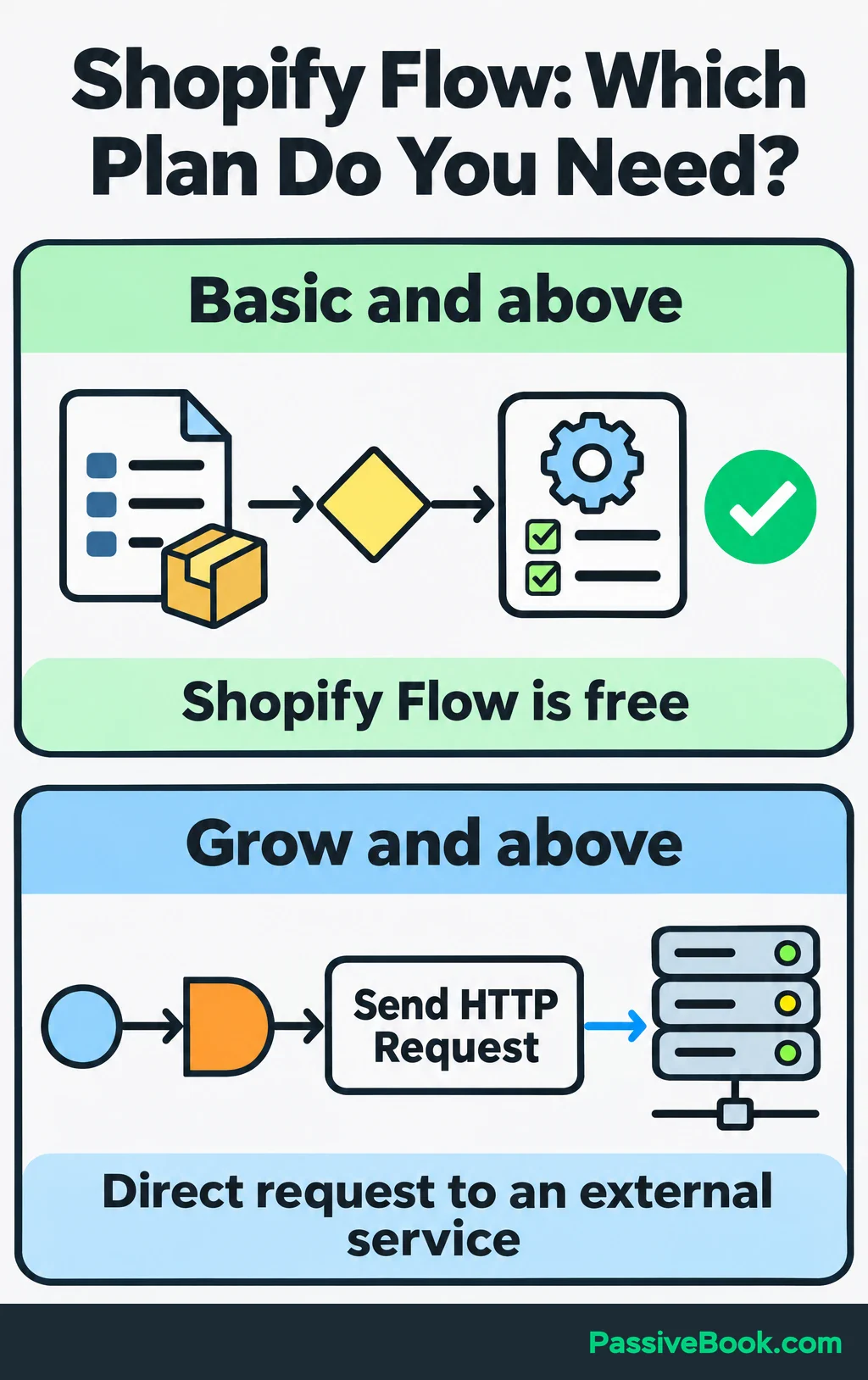
Shopify Flow automates store tasks and is free on Basic and above. Sending a direct request to an external service with its “Send HTTP Request” action requires Grow or above. Shopify Flow plan requirements
2. WooCommerce: Best for WordPress Stores That Need Control
Editorial rating: 4/5.
WooCommerce is my choice when an existing WordPress site is central to the business. You can keep content and commerce together, choose your hosting, and build around a workflow that a hosted platform handles awkwardly.
I use WooCommerce for selling digital products through WordPress. That fits how I already publish and manage my sites. It is a different setup from running the example apron store, which also needs shipping, physical stock, and market sales.
The free core plugin removes a platform subscription, but the operating work remains. Hosting, extensions, renewals, backups, and technical help all need a budget.
For the apron store, I would price the shipping and in-person inventory connections before choosing WooCommerce. Then I would assign responsibility for updates and checkout problems.
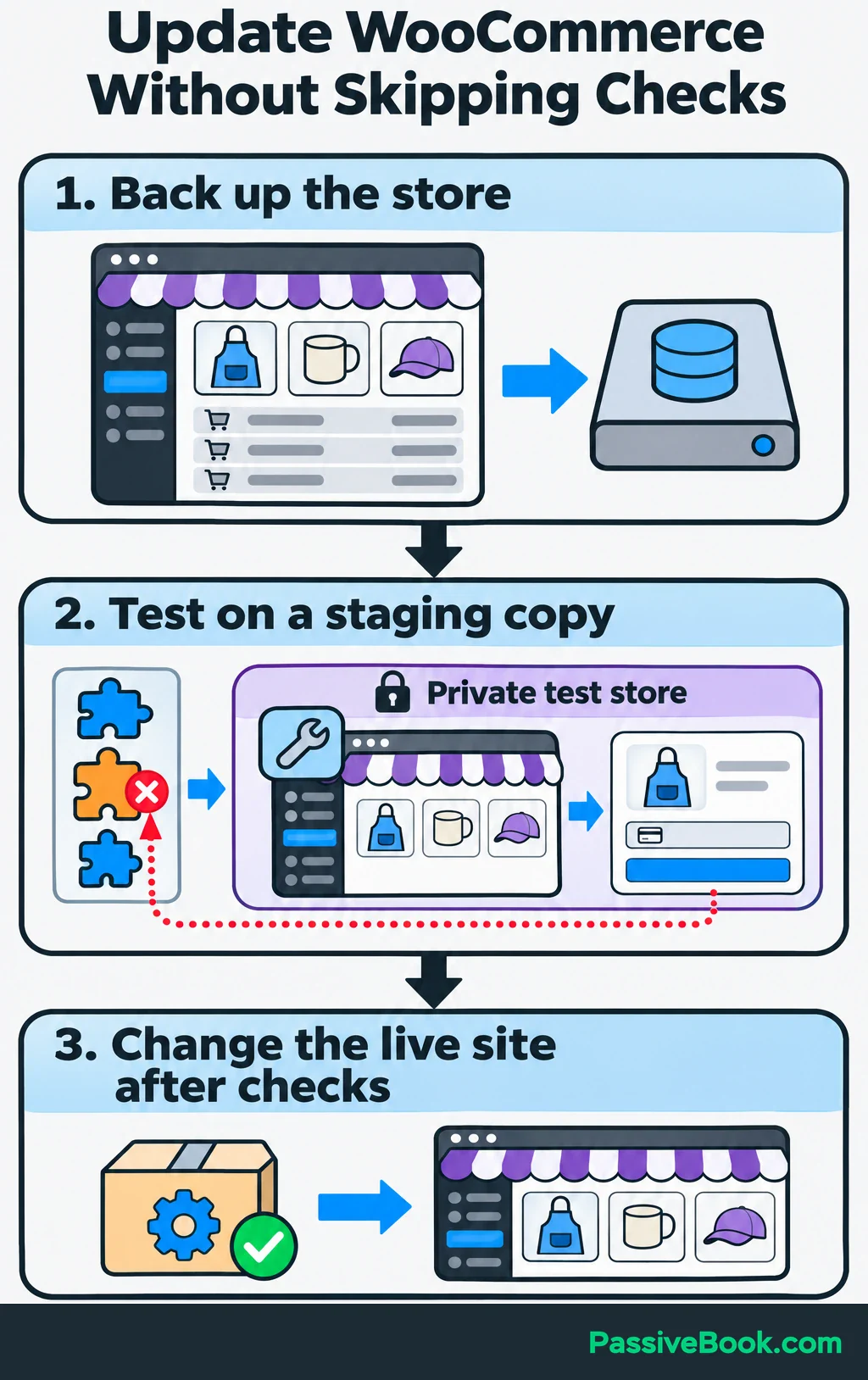
My rule is simple: back up the store and test updates on a staging copy—a private copy used for checks—before changing the live site. Control earns its place when you can maintain it.
3. BigCommerce: Best for Complex Catalogs and Multiple Storefronts
Editorial rating: 4/5.
BigCommerce deserves a shortlist when catalog rules, multiple storefronts, or connections to existing business systems drive the choice. I would want a concrete requirement before choosing it for a small apron catalog.
BigCommerce bases automatic upgrades on gross merchandise value (GMV), its measure of eligible sales over the preceding twelve months. It includes shipping and taxes, then reduces gross order value by 10% for this calculation. Core automatically upgrades above $30,000 in GMV; Growth upgrades above $100,000.
Payment choice also affects cost. BigCommerce adds a platform fee for providers outside its Embedded Payment Providers list. This “Open Payment Provider” fee is 2% on Core, 1% on Growth, and 0.6% on Scale, applied to eligible order GMV processed through those providers. Payment processing still costs extra.
Abandoned-cart recovery—emails to shoppers who leave without completing a purchase—starts on Growth. Additional storefronts cost extra. I would price the required setup and its next upgrade together using the plan page linked in the table.
4. Wix: Best for Visual Website Building With an Integrated Store
Editorial rating: 4/5.
Wix suits you when building and editing the wider website matters almost as much as running the shop. I would consider it when you want visual control over product pages, helpful articles, and other business pages without arranging hosting.
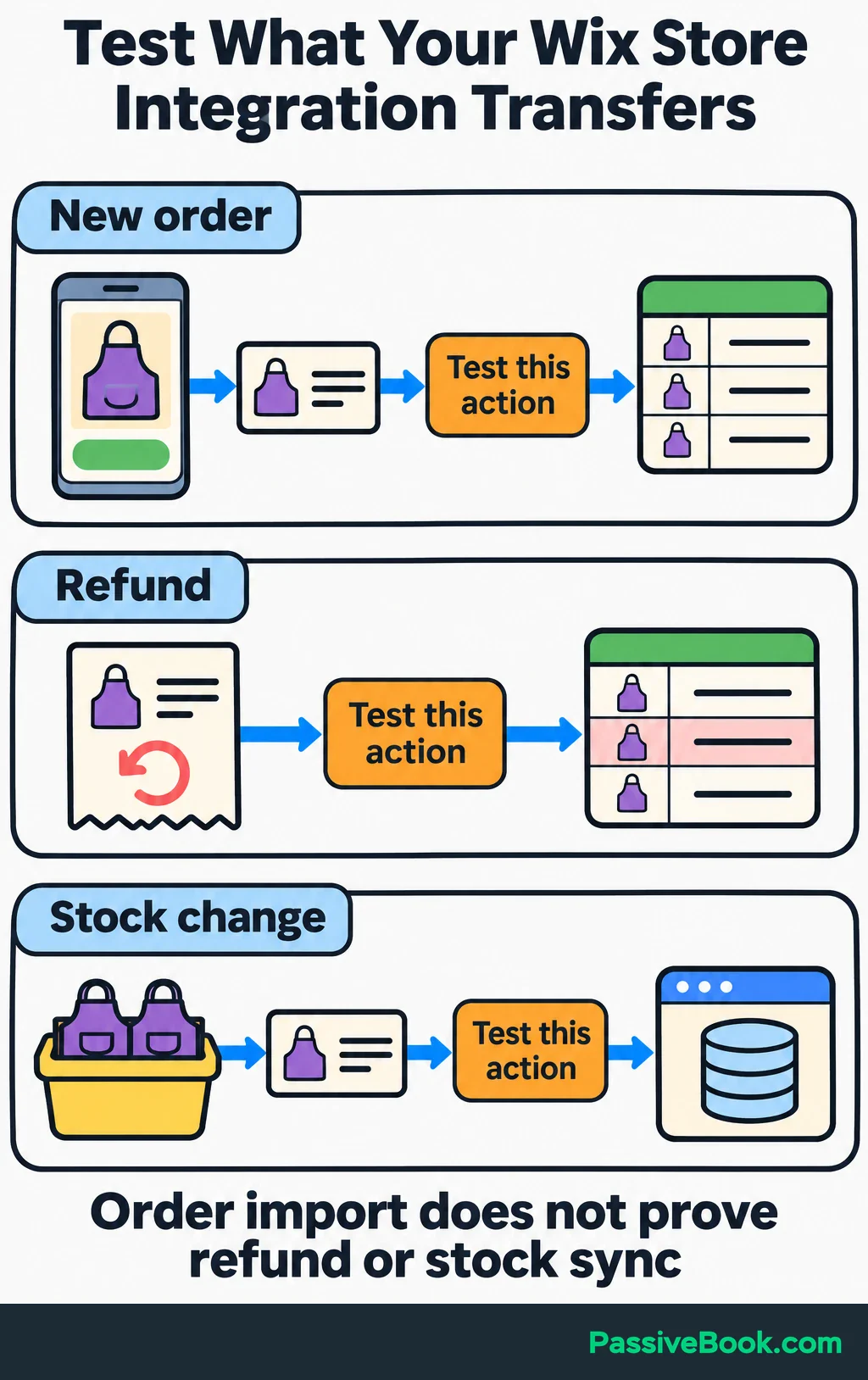
Core is the starting selling plan in this comparison. The decision should turn on the store’s operations once you have established that the website editor suits you.
For the apron store, that means checking whether your preferred shipping, accounting, and inventory tools can exchange the information you need. A connection that imports new orders may still leave refunds or stock changes untouched.
I would choose Wix over a more specialized commerce platform when its editing approach saves meaningful work and the required selling connections are already available. I would pause if the plan depended on several workarounds before the first order.
A flexible page editor is useful. It should not become compensation for an awkward order process.
5. Square Online: Best for Selling Online and in Person
Editorial rating: 4/5.
Square moves up my shortlist when the same stock sells through a website and at a market or counter. Shared inventory gives it a clear purpose, especially if you already use Square for in-person payments.
For the apron store, the important test is specific: sell one medium blue apron at the market and check that the website’s available quantity changes correctly. Enable stock tracking first, and test the actual variation you sold. Square documents inventory management across its selling channels. Square inventory features
The free subscription makes Square worth investigating on a tight budget, but compare its payment costs and storefront requirements too. Hardware belongs in the setup budget, and paid subscriptions apply per location.
I would start here when connected in-person selling saves more work than extra storefront flexibility would. If nearly all sales will happen online, I would compare it directly with Shopify before deciding.
6. Squarespace: Best for a Brand Website With a Straightforward Shop
Editorial rating: 4/5.
Squarespace is a sensible candidate when product photography, clear presentation, and a cohesive website are central to the sale.
For the apron store, that could mean pages showing fit, fabric details, washing instructions, and close-up photographs. Those details help buyers choose, so I would give the website-building experience real weight.
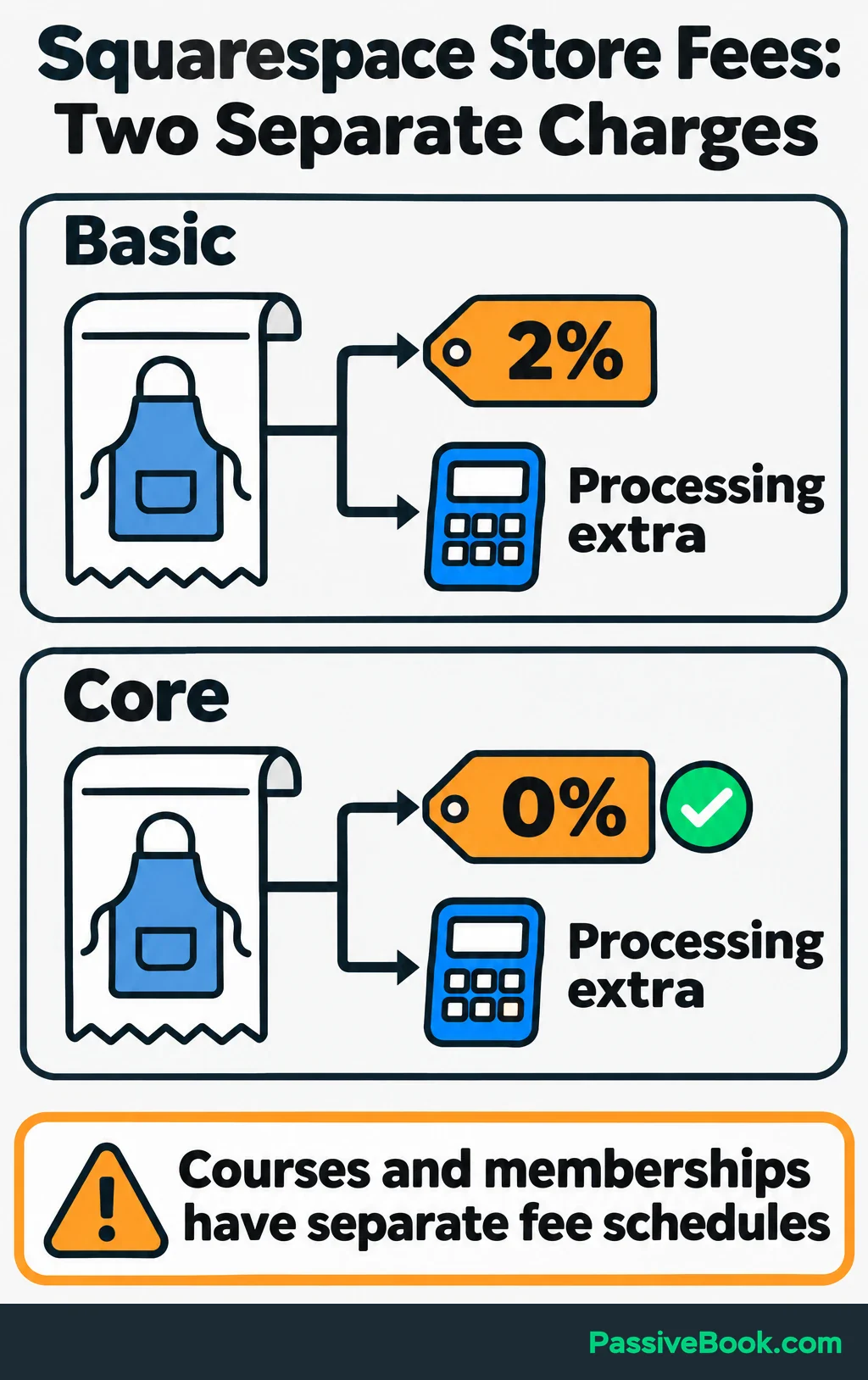
The plan choice still needs arithmetic. Basic carries the online-store transaction fee shown in the table, while Core removes it. Payment processing remains separate. Courses and memberships have their own fee schedule, so do not apply the physical-store terms to every product type.
I would compare Squarespace with Wix when website editing leads the decision, then check shipping, fulfillment, and accounting connections before committing.
My preference would change if the store needed complicated order routing or several tightly connected sales channels. Attractive product pages earn attention, but somebody still has to get the right apron into the parcel.
7. Ecwid by Lightspeed: Best for Adding Commerce to an Existing Website
Editorial rating: 4/5.
Ecwid is worth considering when you like your existing website and want to add a shop. It can supply the commerce layer without requiring a complete website rebuild, and it also offers its own Instant Site.
The qualifying plan matters more than the size of the catalog here. Separate stock and prices for product variations require Business or Unlimited. Our apron store therefore needs Business to track size-and-color combinations properly, even if it sells only a few designs. Ecwid variation requirements
I would compare the cost of keeping the existing site plus Ecwid with the cost and work of replacing the site altogether.
That comparison can favor Ecwid when the website already does its job well. It becomes less convincing if you are paying to preserve a site you were planning to rebuild anyway.
8. Sellfy: Best for Digital Downloads and Simple Merchandise Sales
Editorial rating: 3.5/5.
Sellfy fits a focused business selling downloads, subscriptions, and merchandise. I would shortlist it when those sales matter more than building a detailed retail operation.
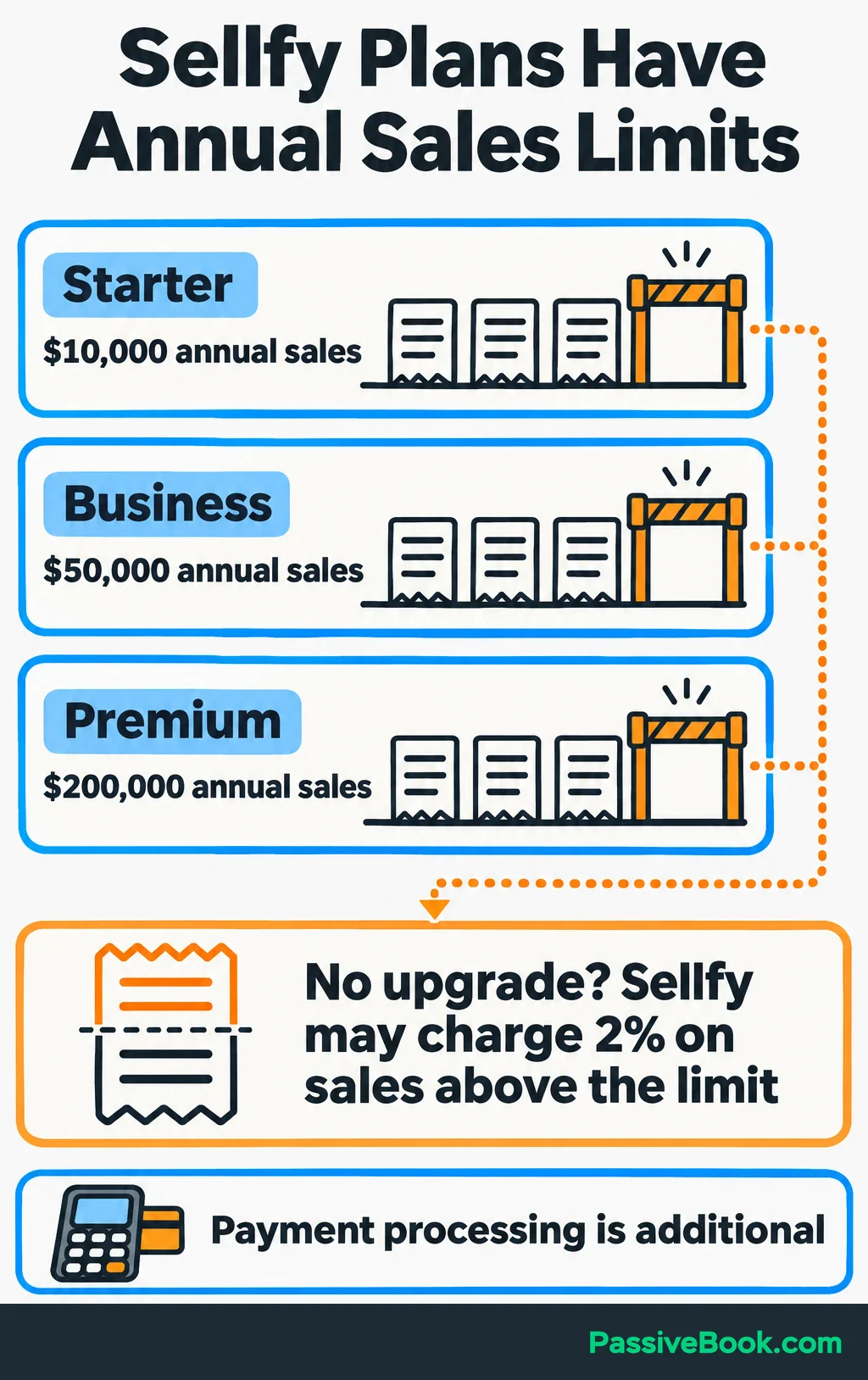
Starter allows $10,000 in annual sales, Business $50,000, and Premium $200,000. If you exceed the relevant limit without upgrading, Sellfy may charge 2% on sales above it. Stripe or PayPal processing is additional, and abandoned-cart recovery and upselling start on Business.
Those terms make the annual sales forecast important. A low starting subscription tells you little if you expect to outgrow its sales allowance quickly.
For the apron store, I would favor Shopify or Square unless Sellfy’s simpler selling setup covered the whole job. Before choosing it, I would test stock management and the shipping process with actual size-and-color combinations.
A shorter feature list can be useful when it removes work. It becomes a problem when the missing feature sends you back to a spreadsheet after every order.
9. Big Cartel: Best for a Small Maker Catalog
Editorial rating: 3.5/5.
Big Cartel is appealing when you intend to keep the catalog small and want a modest subscription.
Gold is free and supports five products, but it lacks inventory tracking. Platinum supports 50 products and adds tracked stock. Diamond supports 500 products. Our apron store therefore needs a paid plan even if its product count fits Gold. Big Cartel plan features and limits
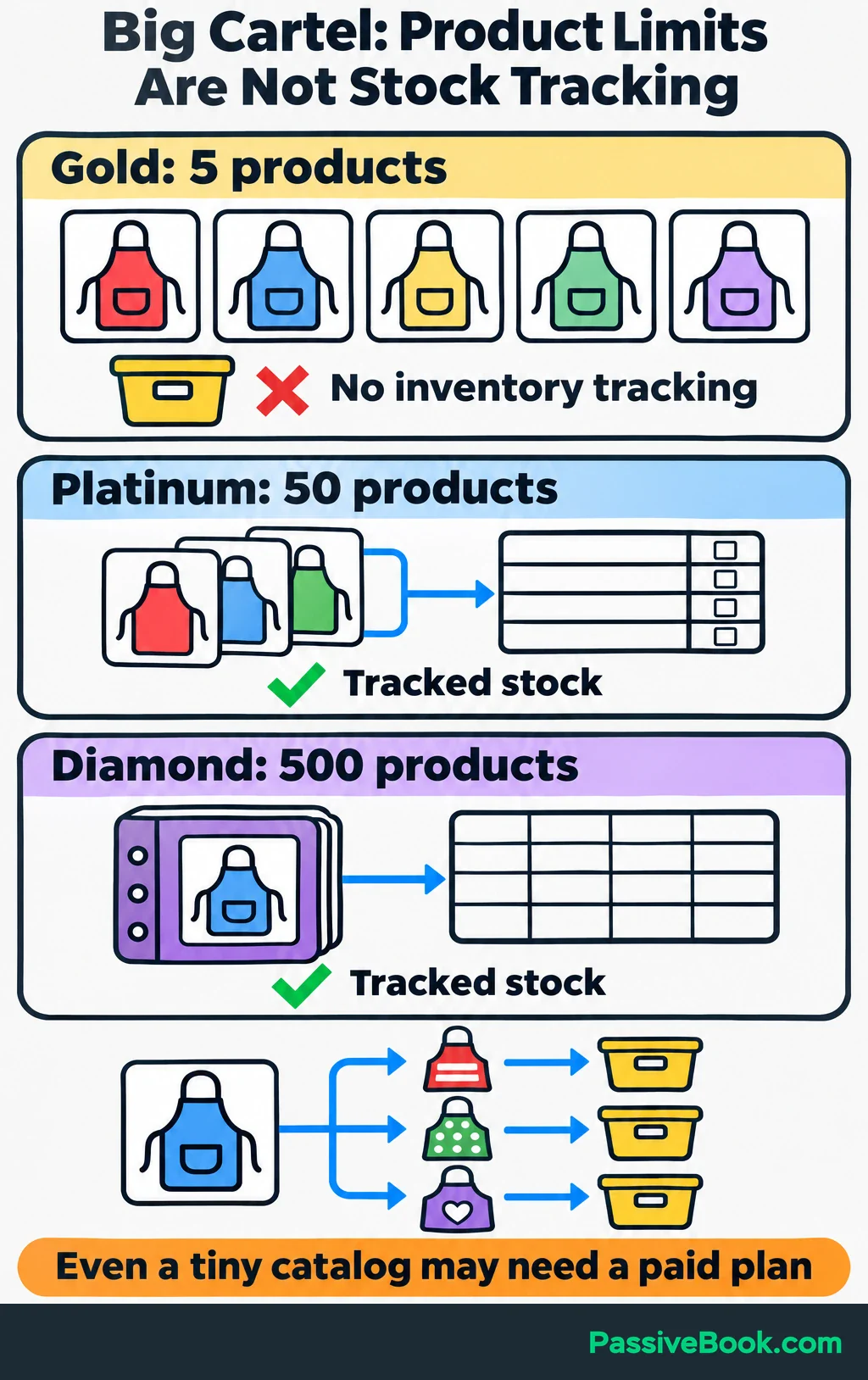
Diamond also adds abandoned-cart recovery and connections through Zapier, a tool that passes information between apps. I would pay for those only when there is a clear job for them.
For a compact apron range, Big Cartel deserves a look. The useful question is whether the small catalog is a deliberate business choice or just the first month of a much larger plan.
I would skip it if the next realistic stage already approaches its catalog ceiling or needs connections that are difficult to arrange. Saving on the subscription is less useful if you are already planning the migration.
10. Shift4Shop: Best for Stores Prioritizing Built-in Selling Tools
Editorial rating: 3/5.
Shift4Shop is worth examining when its built-in checkout, shipping, marketing, and abandoned-cart tools closely match your requirements. Included tools can reduce the need for separate subscriptions.
I would approach its offer through a written quote. The advertised non-US reference price is in the table, but its terms say subscription charges can depend on the plan and monthly processing amount.
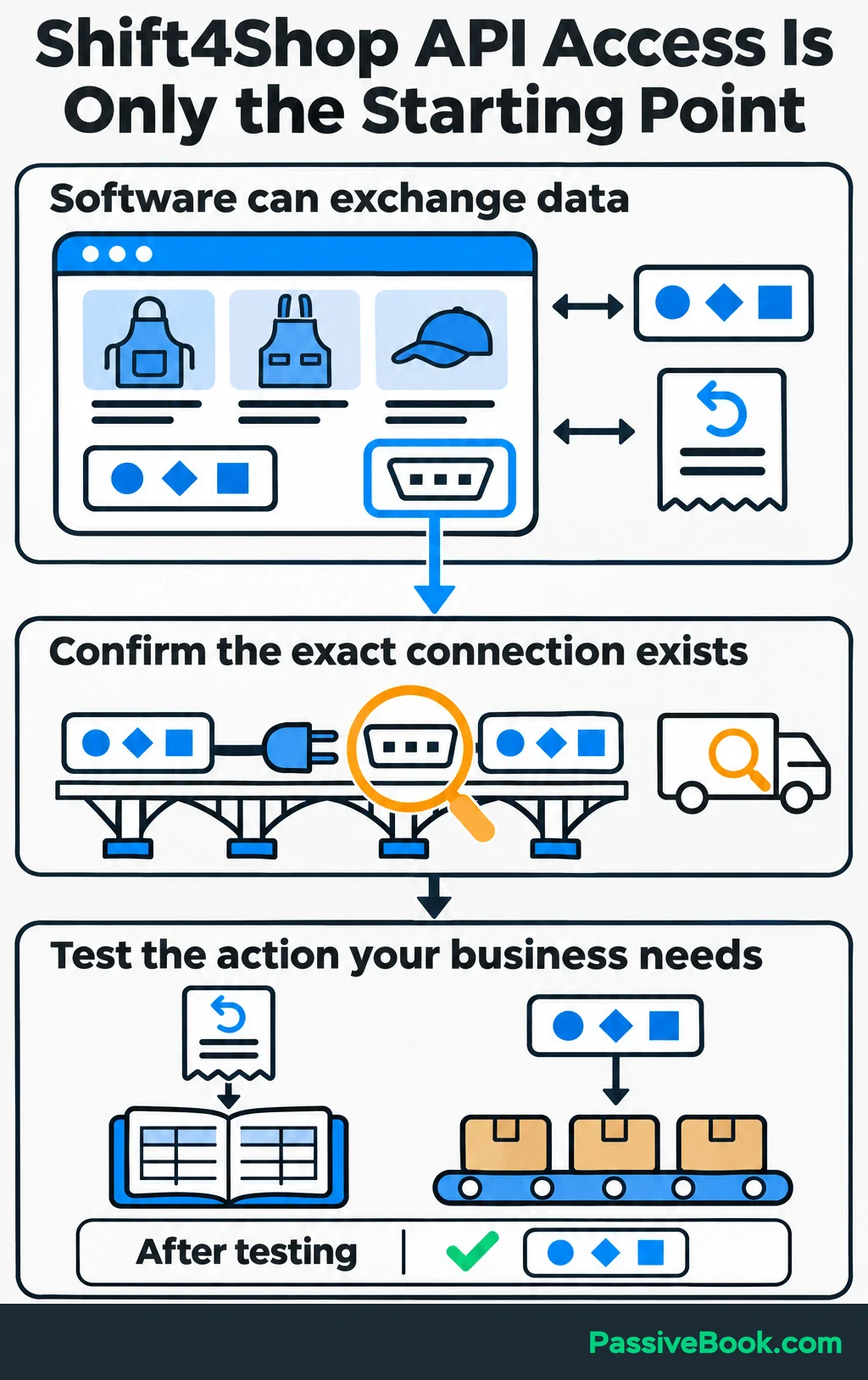
Ask for the subscription, payment provider, processing rates, and volume conditions in one document. That gives you something concrete to compare with the other finalists.
For the apron store, I would also check the exact accounting and fulfillment connections. API access—the ability for software to exchange data—does not mean a finished connection exists for your tools.
I would choose Shift4Shop when the included features replace services I would otherwise pay for and the written payment terms remain competitive. A long feature list alone would not persuade me.
11. PrestaShop: Best for a Customizable Standalone Store
Editorial rating: 3/5.
PrestaShop suits a business that wants a customizable commerce system and has access to technical help.
Classic is free to download, and you arrange hosting separately. Hosted includes hosting, installation, and support. Those are different operating arrangements, so decide which one you are comparing before building the budget.
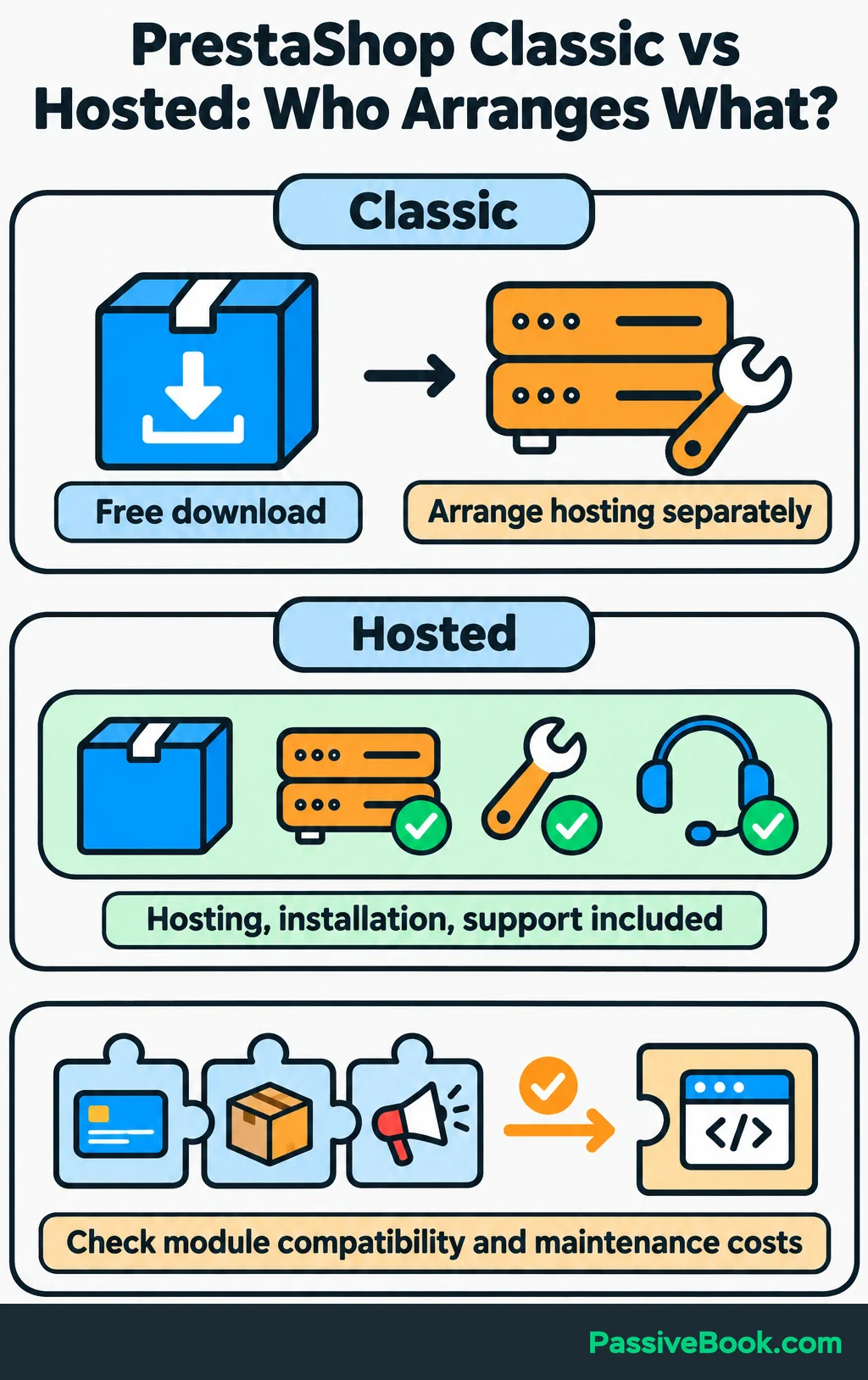
I would start with the required payment, shipping, and marketing modules. Modules are add-ons that extend the store, and their compatibility with your chosen edition and version matters.
For the apron store, I would want a specific reason to take this route: perhaps an essential selling process that the simpler hosted options cannot handle well.
Then I would obtain a price for implementation and ongoing maintenance. Customization is useful when it solves a real problem you can afford to maintain. I would not commission it merely to reproduce a standard checkout with more people involved.
12. OpenCart: Best for Self-hosted Multi-store Management
Editorial rating: 3/5.
OpenCart deserves consideration when managing several storefronts from one administration system is an actual requirement. Its multi-store tools support separate themes, product assignments, settings, and prices.
The downloadable software is free, but hosting, extensions, maintenance, payment processing, and commercial support can all add costs.
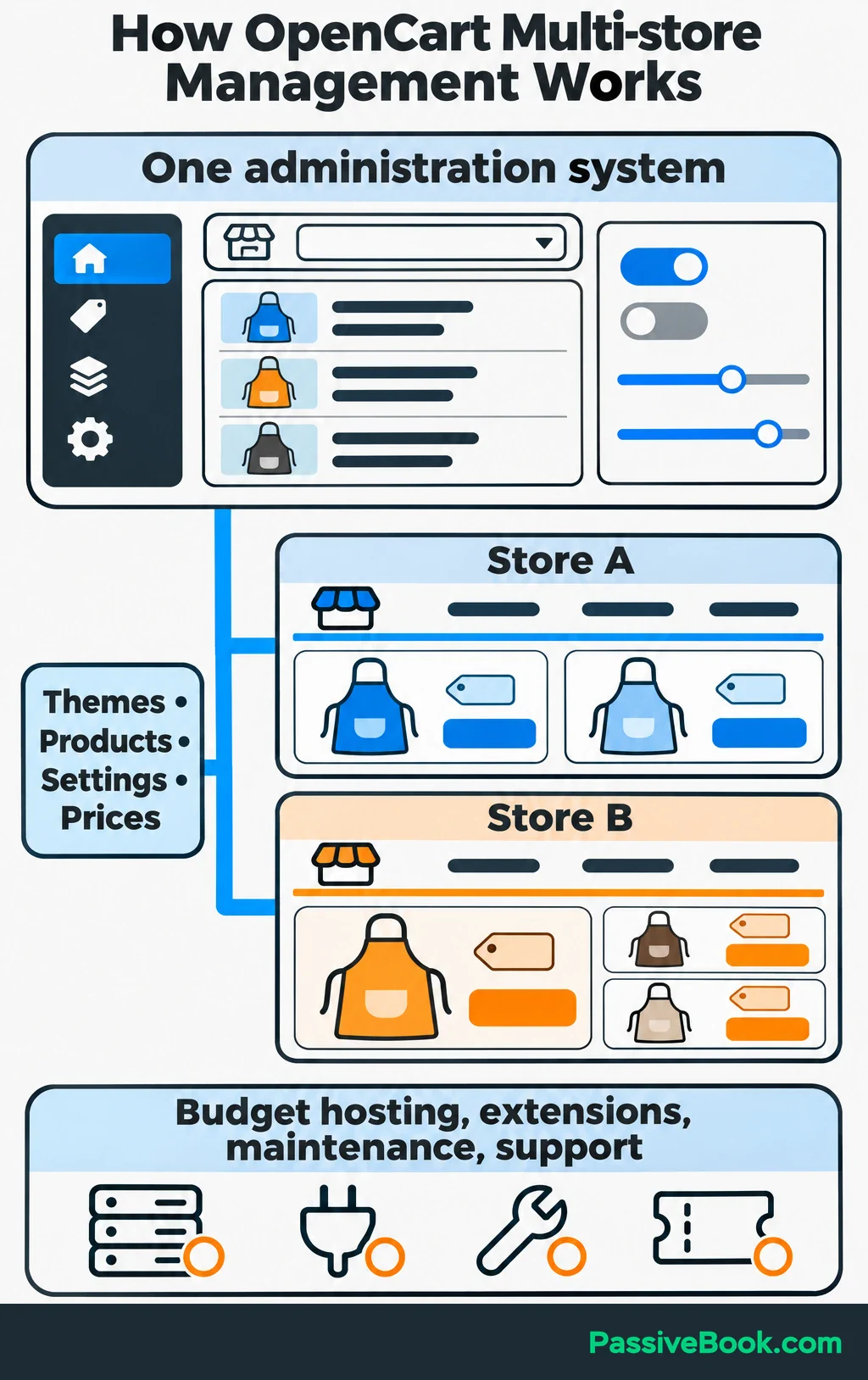
For the example apron store, I would first ask why more than one storefront is needed. One small range sold online and at local markets does not automatically justify a multi-store setup.
If OpenCart remains a finalist, test the exact size-and-color stock arrangement and confirm compatible shipping and payment extensions. Do that before paying for design work.
I would choose it when multi-store control solves a current operating problem and technical ownership is covered. For a first store with ordinary requirements, I would begin with the options higher on this list.
13. Adobe Commerce: Best for Enterprise B2B and Global Operations
Editorial rating: 3/5.
Adobe Commerce belongs on a different kind of shortlist. It suits businesses whose purchasing accounts, negotiated quotes, multiple brands, and system integrations justify a formal implementation project.
This comparison covers paid Adobe Commerce, which is distinct from Magento Open Source.
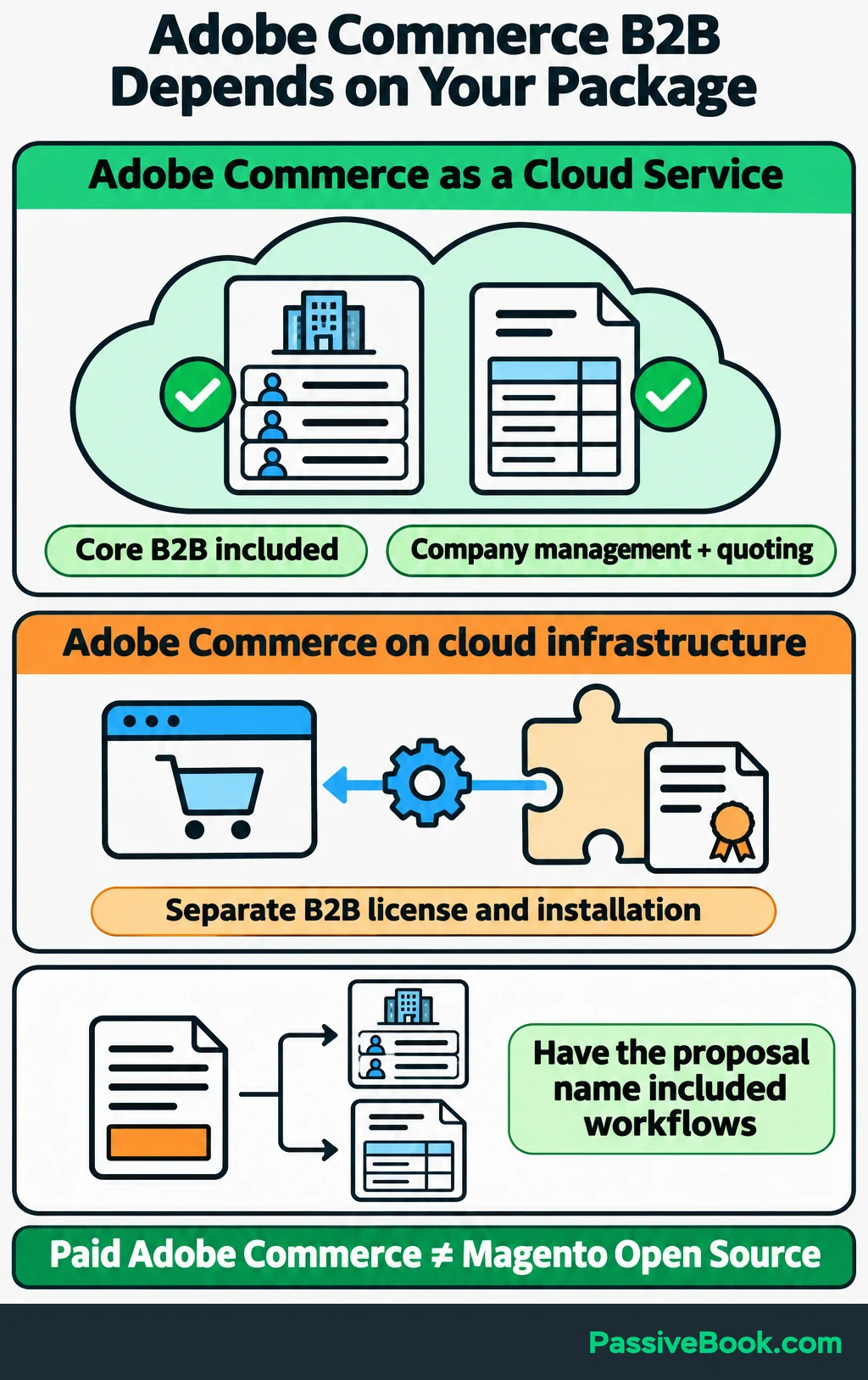
Its package matters. Adobe Commerce as a Cloud Service includes core business-to-business features such as company management and quoting. On Adobe Commerce cloud infrastructure, B2B requires a separate license and installation. Adobe Commerce offering differences
I would request a proposal covering deployment, implementation, integrations, support, and ongoing operation. It should name the purchasing workflows included in the quoted package.
The apron store would need a substantial change in requirements before I considered this route. Selling bulk orders alone would not convince me to begin an enterprise software project.
Its specialist rating reflects its fit for this audience. Enterprise flexibility brings commitments that a straightforward store may have no reason to take on.
What Will Your Ecommerce Platform Actually Cost?
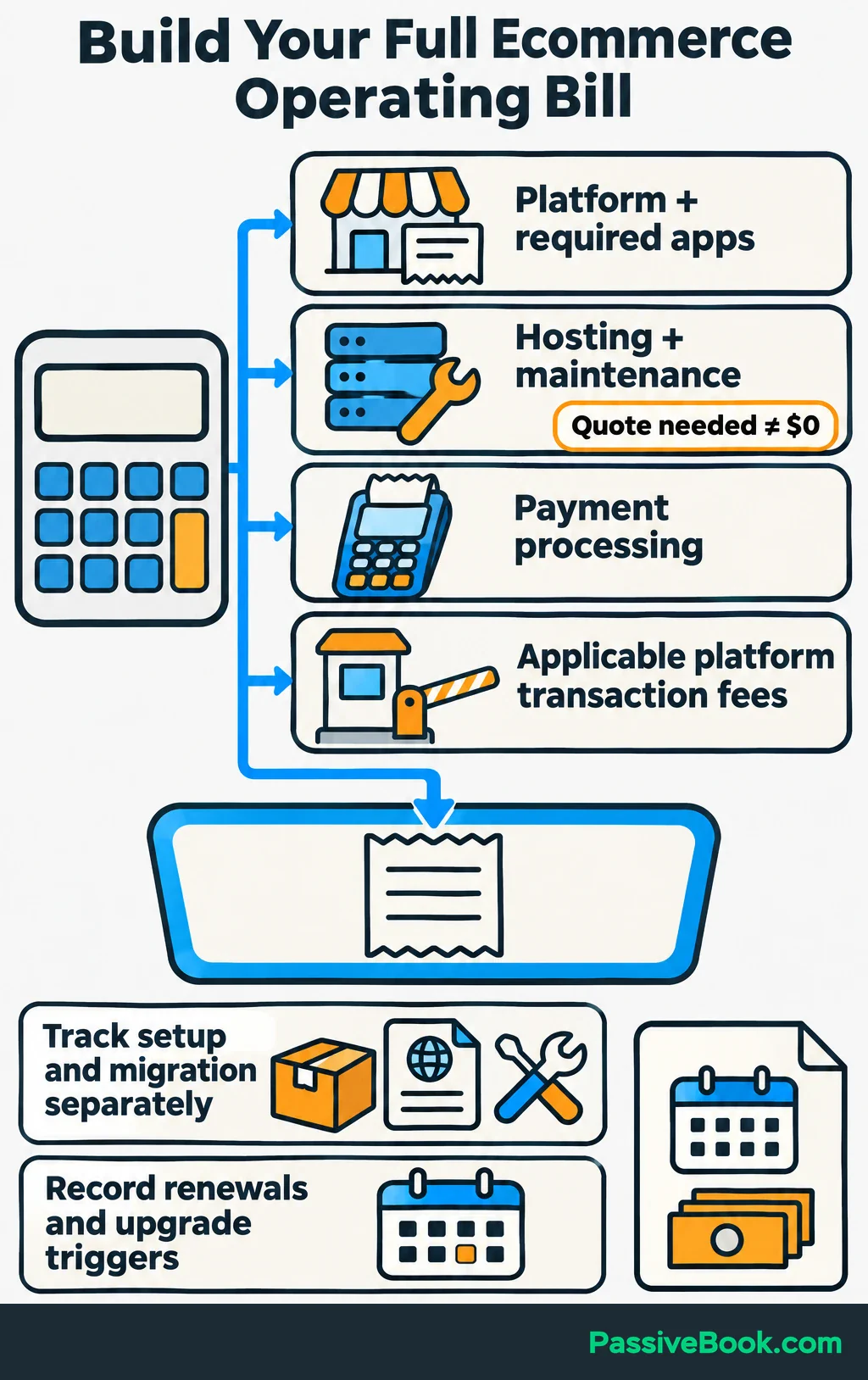
Count the software and services needed to run the store each month. Include the subscription, required apps, hosting and maintenance, payment processing, and any applicable platform transaction fees.
Keep setup and migration costs separate so you can see both the ongoing bill and the money needed to get started.
A useful worksheet looks like this:
| Store Setup | What the Plan Covers | Additional Costs to Confirm |
|---|---|---|
| Ecwid Business on an existing website | Separate stock counts for all 12 apron variants | Existing website hosting and payment processing: quote needed |
| Square Free for website and market sales | Online store and shared online/in-person stock | Compatible payment hardware: quote needed; processing calculated below |
| WooCommerce core on WordPress | Product listings, checkout, orders, and stock | Hosting, maintenance, processing, and required shipping or market-stock extensions: quote needed |
| Shopify Basic for a standalone store | Hosted storefront, checkout, orders, and variant stock | Required apps and market-payment hardware: quote needed; processing calculated below |
Replace assumptions with quotes before committing. Include domain renewals, technical help, and app renewal prices. Record annual prepayments and the feature or sales threshold that would force an upgrade. If an important cost is unknown, leave it marked “quote needed” instead of quietly counting it as zero.
For payment processing, count the sales processed at the relevant rate and the number of those transactions:
Processing cost = processed sales × percentage rate + transaction count × fixed fee
Here is a worked comparison for the apron store. Assume 100 US domestic standard online card orders at $40 each, totaling $4,000. There is no shipping charge, tax, refund, or paid app in this illustration.
Shopify Basic’s reference standard online card rate through Shopify Payments is 2.9% plus $0.30. Square Free’s online card rate is 3.3% plus $0.30. These are the reference rates on the pricing pages linked above.
| Cost | Shopify Basic, Annual Billing | Square Free |
|---|---|---|
| Subscription allocated to one month | $29 | $0 |
| Percentage processing charge | $4,000 × 2.9% = $116 | $4,000 × 3.3% = $132 |
| Fixed processing charge | 100 × $0.30 = $30 | 100 × $0.30 = $30 |
| Combined monthly amount | $175 | $162 |
| Subscription prepayment | $348 annually | None |
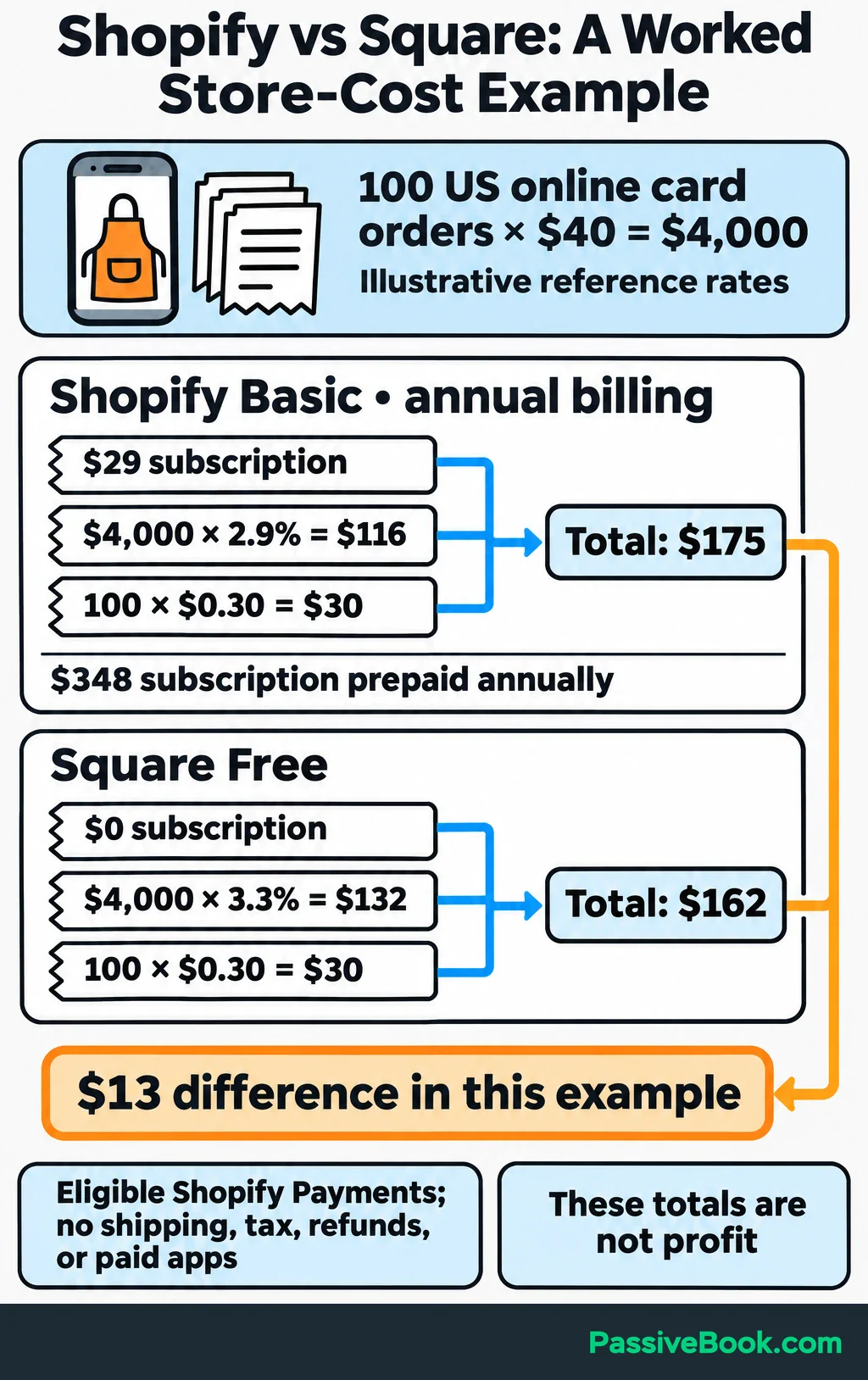
Shopify’s calculation assumes eligible Shopify Payments transactions, so it does not add the third-party platform transaction fee.
The difference is $13 for that month. I would compare that saving with the features and services still needed on each platform. If either setup needs a paid app, a different storefront plan, or extra technical work, add it before choosing.
The cheaper option can change with your sales volume and required extras. Use the calculator below to compare your two setups and see which one has the lower full bill.

Free Platform Cost Calculator




These figures cover the listed software and payment charges. To assess profit, you still need the cost of making or buying aprons, packaging, delivery, returns, and other business expenses.
How to Choose a Platform You Can Keep
Match Two Finalists to Your Essential Workflows
Choose two finalists after checking country, payment, and product eligibility. Two gives you a useful comparison without turning the project into thirteen unfinished trial stores.
Write down what must work now:
- Product types, options, and stock tracking.
- Countries you sell from and ship to.
- Payment methods and payout requirements.
- Shipping, pickup, and return rules.
- Website, market, and other sales channels.
- Accounting, fulfillment, and customer-follow-up software.
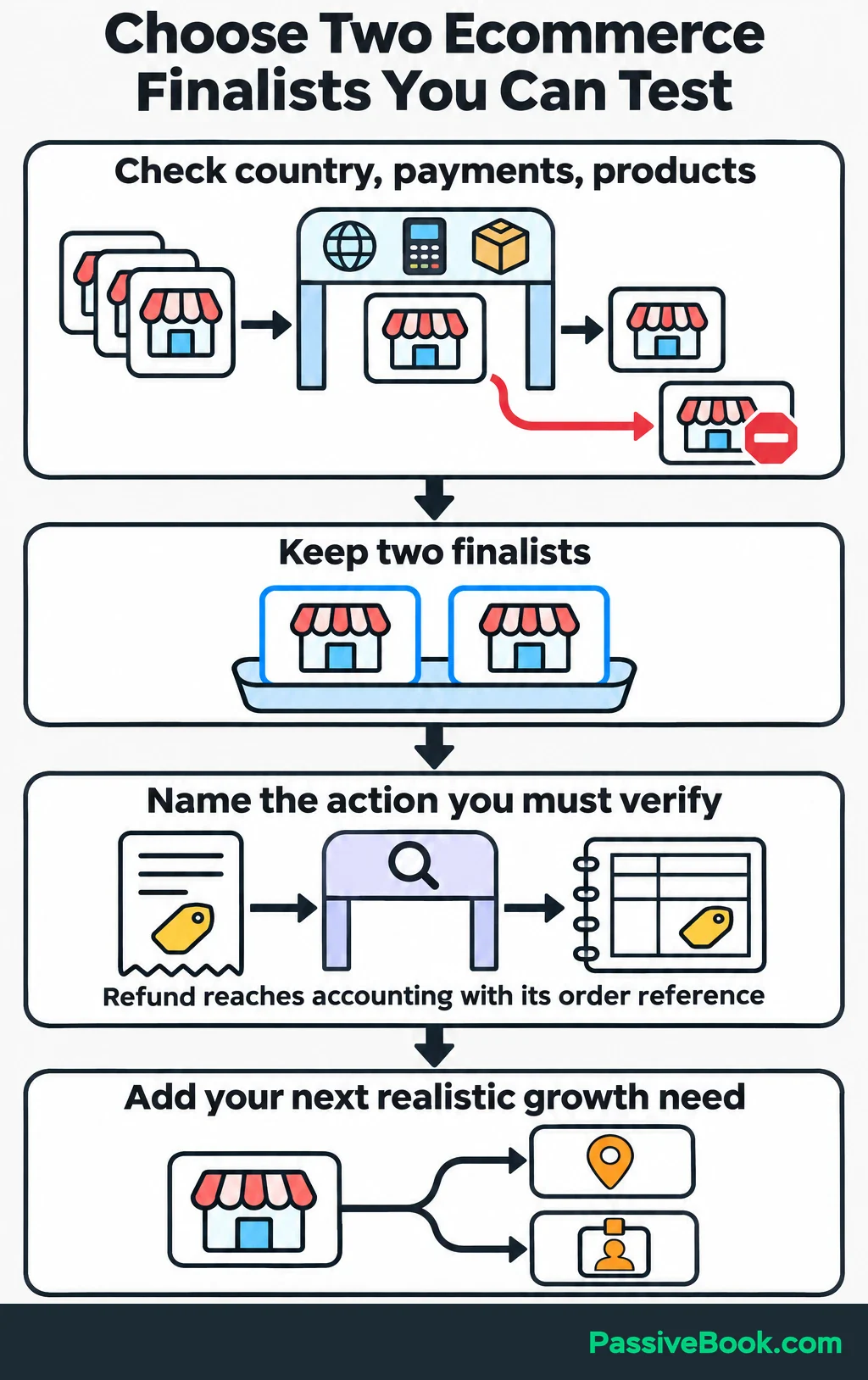
Then add your next realistic growth requirement. That might be another location, a staff member, or wholesale accounts. Give it a likely time horizon instead of buying for an imagined global empire.
For each integration, name the action you need. “Works with accounting” is too vague. “A refund reaches accounting with the correct order reference” is something you can test.
For the apron store, I would compare Shopify and Square first because both deserve consideration for its online and market selling needs. If an established WordPress site already drives the business, WooCommerce could replace one finalist.
Test an Order and One Useful Automation
Build the same sample product on both finalists, including its options, stock, weight, and shipping rules. Use the platform’s test-payment tools where available, then complete an appropriate live check before launch.
Follow the order beyond checkout:
- Buy from a phone and check the shipping choices.
- Confirm the order email contains the right details.
- Check that a failed payment does not become an order ready to ship.
- Prepare fulfillment and add tracking.
- Cancel or refund an order and inspect the result.
- Check whether stock is restored as intended.
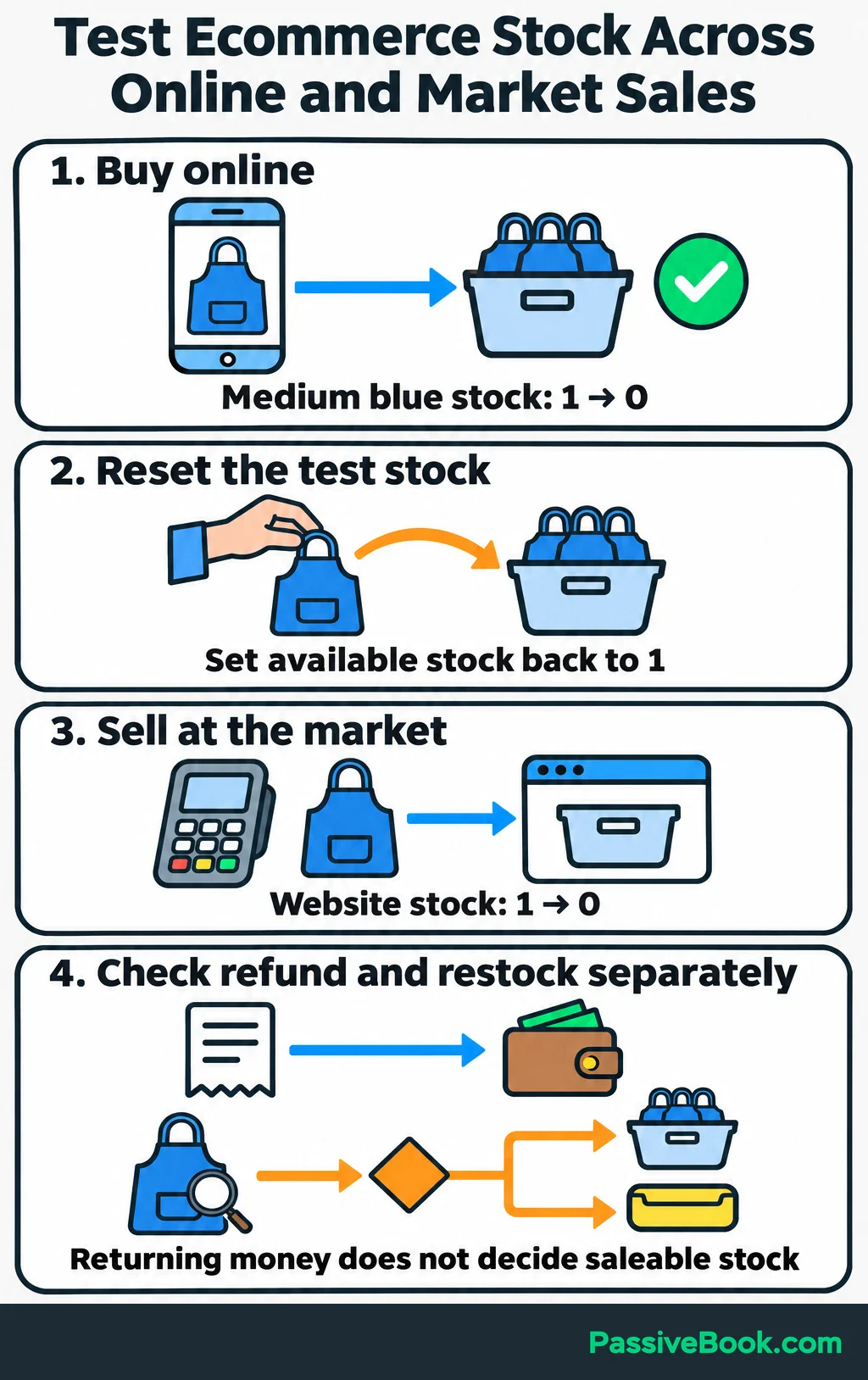
For the apron store, set the medium blue variant to one available unit. Buy it online and confirm its stock falls to zero. Reset it to one for the in-person sale test, then check that the website again shows zero. Refunding money and returning an item to saleable stock are separate decisions, so check both.
Next, automate one useful task. I would start with a low-stock alert before building a complicated customer-follow-up system.
The intended behavior could be:
When the medium blue apron falls to two available units, send me its product code and remaining quantity.
Record the required plan, any app needed to connect the tools, how many workflow runs are included, and the cost. Trigger the workflow and check what happens when delivery fails. A useful automation needs a way to reveal problems, or it becomes another thing you must remember to inspect.
If the platform’s own tool handles the job, I would use it. For more involved connections, I use n8n to pass data between tools and run actions automatically. Make does similar work through a hosted drag-and-drop editor. Check that either tool supports the exact store action you need.
Also ask who owns a checkout failure, broken connection, or hosting incident. Review the support coverage included in the proposed plan.
Finally, confirm payment-security and validation duties with your provider or acquiring bank. Outsourcing payment processing still leaves merchants with responsibilities, as the PCI Security Standards Council explains. PCI SSC guidance on outsourced processing
Check What You Can Take With You
Export sample products, variants, customers, and orders before committing. Open the files and inspect what you actually receive.
For the apron store, I would look for product codes, size-and-color combinations, stock quantities, image references, and usable order history. Then I would test a small import into the likely destination.
An export button does not mean everything will transfer cleanly. Shopify can import customer details in CSV files, which you can open in a spreadsheet. Existing customer passwords cannot be imported through those files. Shopify customer-import limitations
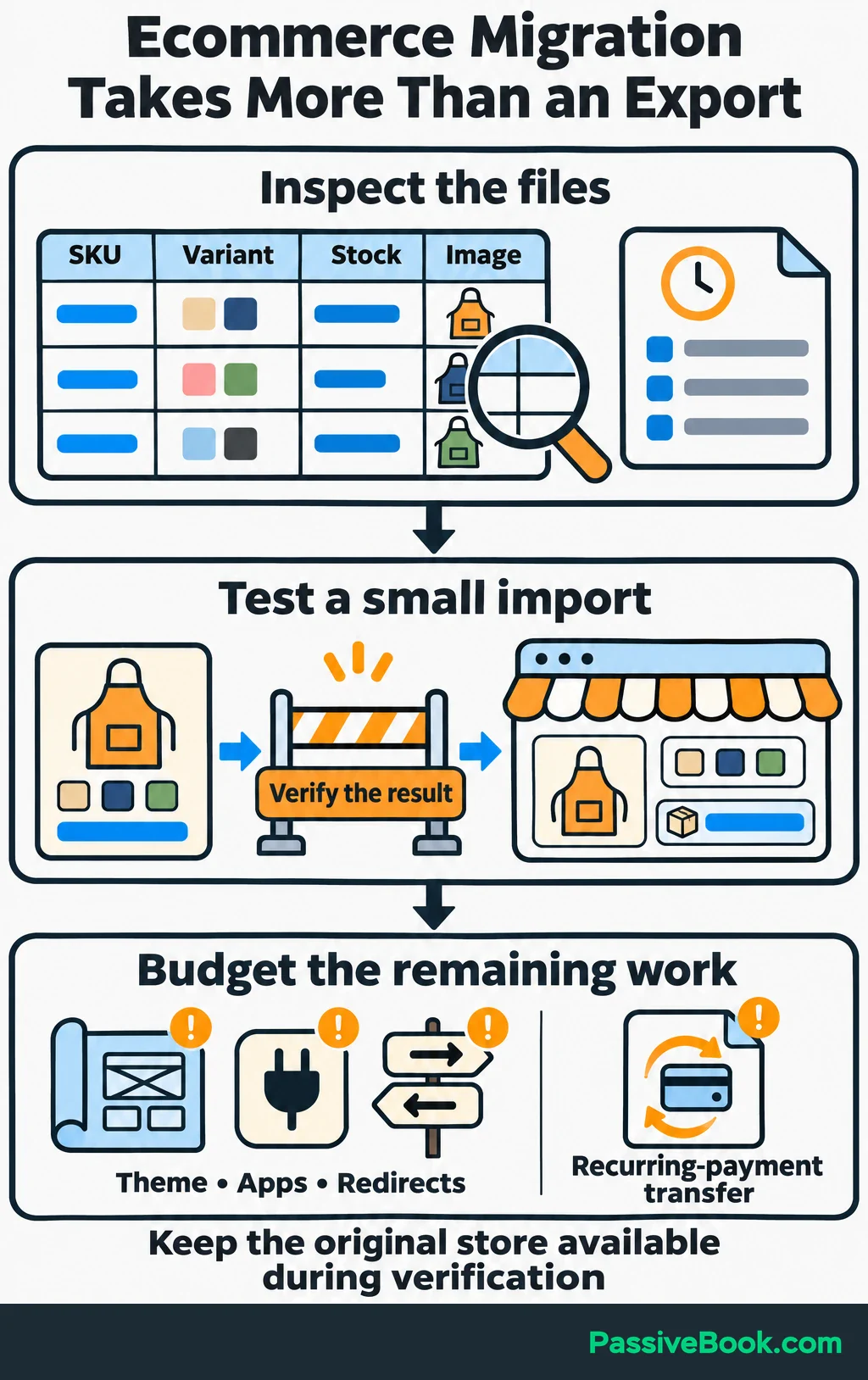
Your migration estimate should also cover theme rebuilding, app replacements, redirects from old page addresses, and any recurring-payment transfer. Those jobs can remain even when the product spreadsheet imports correctly.
For an existing store, test redirects and a sample import before making the move. Keep the original store available while you verify the replacement.
I would choose the finalist whose required workflows, next upgrade, maintenance, and eventual exit I can afford. That is a more useful definition of “best” than the highest rating alone.
What Next?
Write your five essential store requirements and use them to narrow this list to two platforms. Then test the same product, order, and stock change on both.
Use the social buttons to share this comparison when platform discussions get stuck on headline prices—the qualifying plan and full operating bill can change the choice.
Which requirement is hardest to satisfy without stretching your budget? Tell me in the comments, and bring any other platform questions with you.
Share this post with your friends & followers:

