A store can look ready to launch before you discover that its cheapest plan cannot handle your shipping rules. By then, you’ve uploaded products, adjusted the design, and spent evenings learning the wrong system.
The subscription is only part of the cost. Apps, payment fees, and maintenance can change which platform you can afford to keep.
I’ve used Shopify for physical-product experiments and WooCommerce for digital sales through WordPress, and both left me with questions a feature list couldn’t answer. This guide turns those questions into cost comparisons and store trials you can use before committing.
Define Your Store’s Essential Requirements
Choose the simplest platform that handles your essential tasks, fits your ongoing budget, and passes a realistic store trial. A modest setup can serve you for years when it supports the business you actually run.
Start by writing down what happens between a customer finding a product and receiving it:
- What do you sell, and which options can customers choose?
- How will customers pay?
- Where will you ship, and how will you charge for delivery?
- Who holds stock, packs orders, and handles returns?
- Which other tools must receive order or customer information?
If you sell downloads, subscriptions, or personalized products, include their specific needs now. Delivering a file and collecting recurring payments are different jobs.
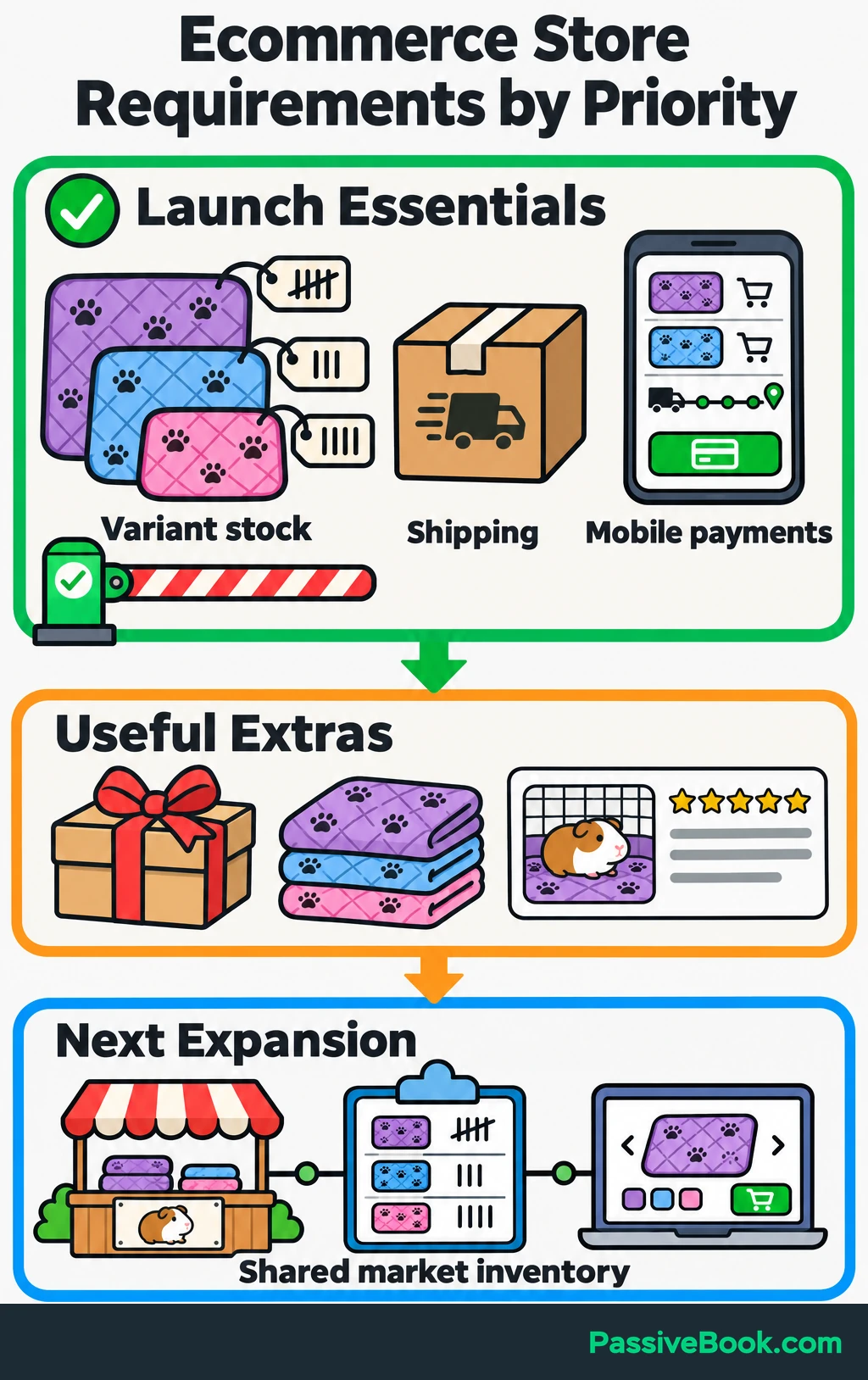
For the running example, imagine you’re opening a shop selling washable guinea pig cage liners. You hold the stock, offer several sizes and colors, and launch with domestic shipping and one selling currency. The costs and sample outcomes below are illustrations.
Divide your requirements into three groups:
- Launch Essentials: Separate stock counts for each size-and-color combination, a sizing guide, delivery charges, mobile checkout, order emails, and returns.
- Useful Extras: Gift wrapping, product bundles, and customer photo reviews.
- Next Expansion: Selling the same stock at occasional local markets.
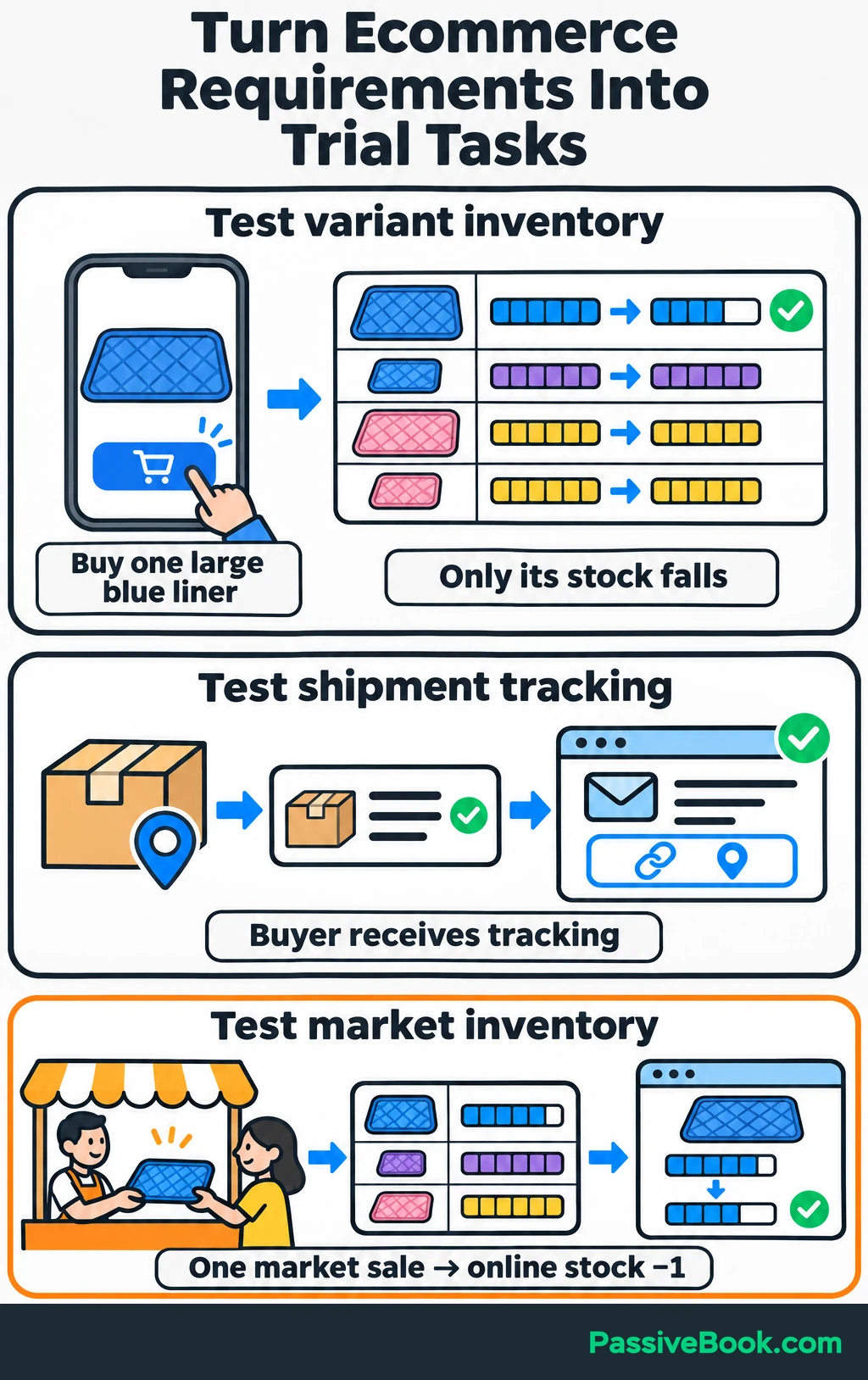
Make each requirement testable. “Good inventory management” tells you little. “Stop selling the large blue liner when its stock reaches zero” gives you something to check.
Payment eligibility comes before design. Confirm that a provider supports your business location, product category, bank account, and currencies. For example, Shopify Payments requires a supported country and eligible business; otherwise, you need a supported third-party provider. Shopify’s eligibility requirements explain those conditions.
Keep one comparison worksheet. For each finalist, record the required plan, add-ons, total cost, and what happened in these tests:
| Requirement | Priority | Trial Task |
|---|---|---|
| Track stock separately for every size and color | Essential | Buy one large blue liner and check that only its stock count falls |
| Send shipment tracking to the buyer | Essential | Add tracking to a shipped test order and check that the buyer receives the link |
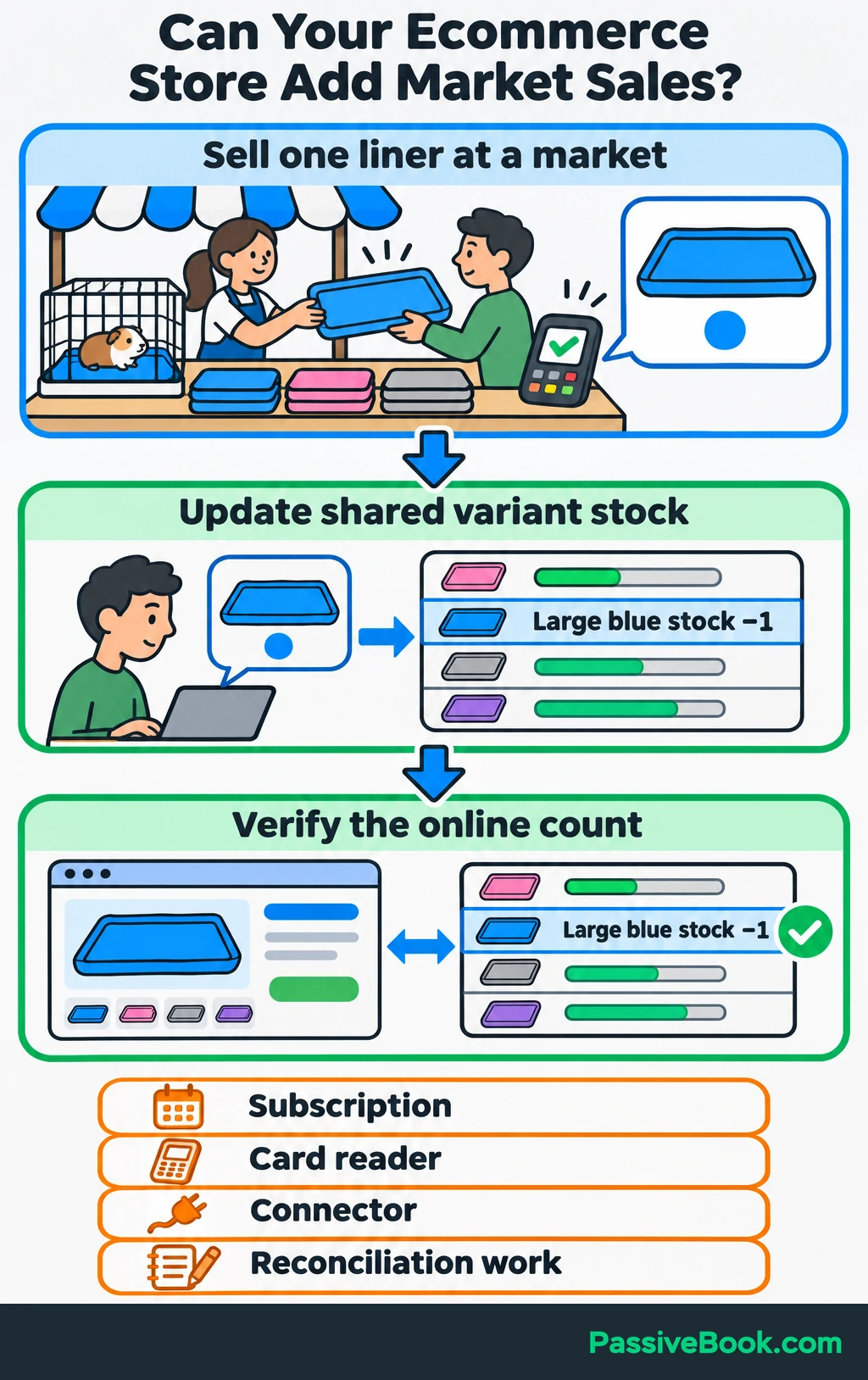
| Share stock with market sales | Next expansion | Record one market sale and check that online stock falls by one |
Reject a platform that fails an essential requirement. A beautiful theme cannot pack an order.
Shortlist Platforms You Can Maintain
The platform provides your product catalog, storefront, checkout, and order-management tools. It also creates an ongoing maintenance arrangement, whether you notice that arrangement or not.
Choose something you can look after during an ordinary working week.
Hosted or Self-Hosted?
With a hosted platform, the provider runs the hosting and core software. You still manage your products, settings, connected apps, and accounts, but you have fewer technical jobs to organize.
I would usually start here for a new physical-product store when the owner has limited time and little interest in website maintenance.
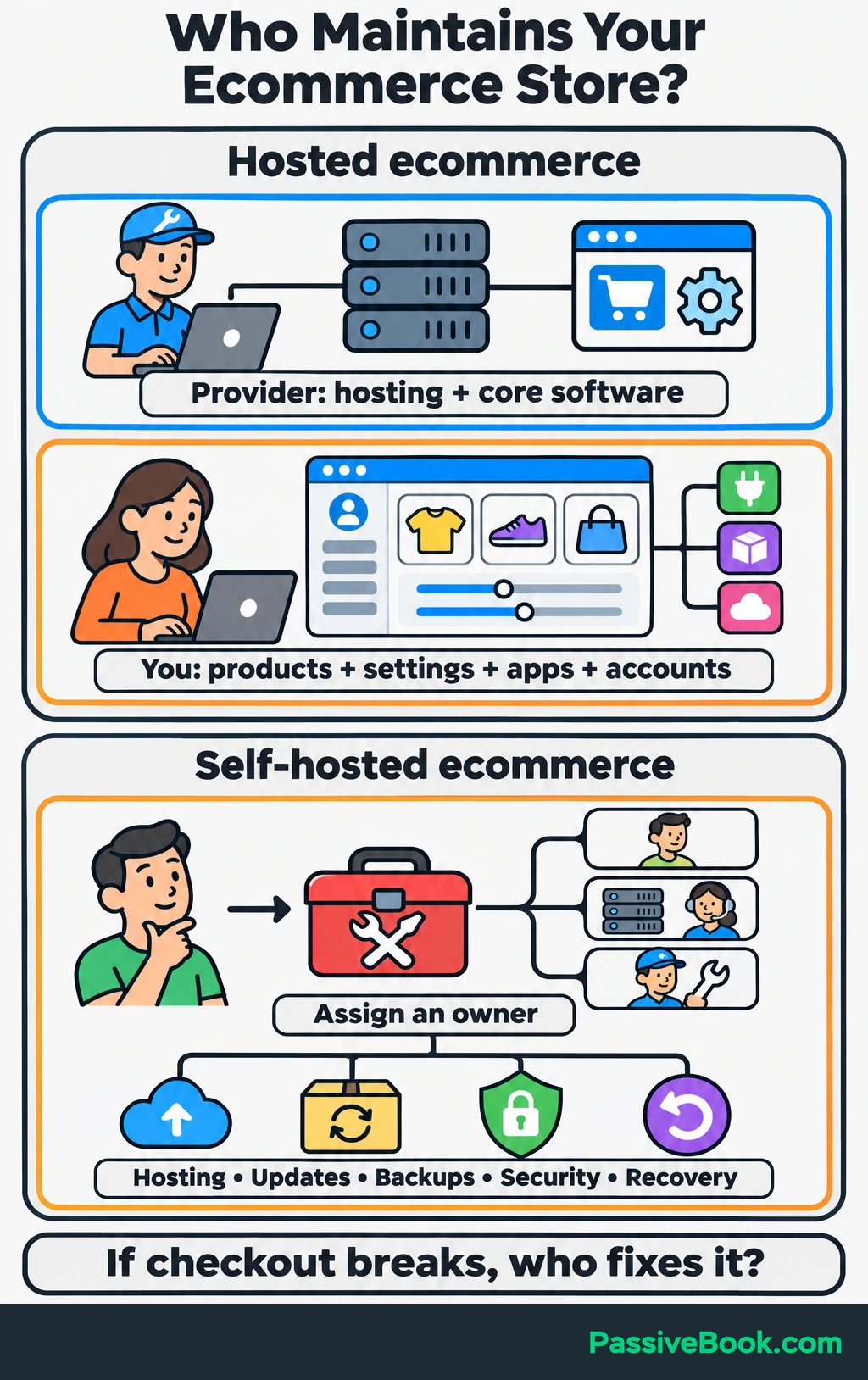
Ask where the provider’s responsibility ends. If an app stops sending orders to your shipping service, who investigates? “Contact the other company” is an expensive support strategy when both companies use it.
With self-hosted software, you choose the hosting and have more control over the code. You also need a clear owner for updates, backups, security, and recovery. That can be you, a managed hosting service, or someone you pay.
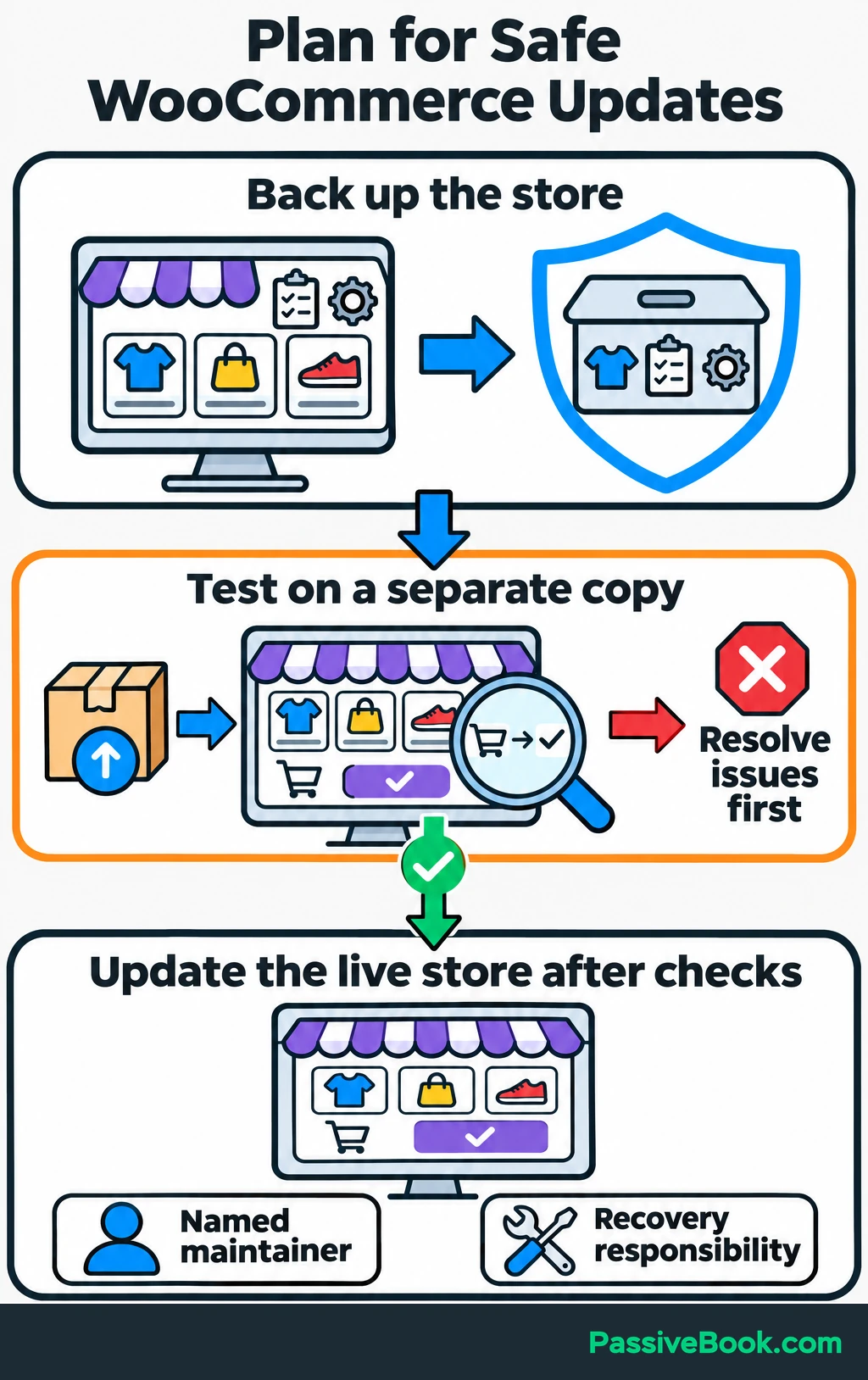
WooCommerce recommends backing up the store and testing updates on a separate copy before changing the live site. Include that work in your maintenance plan. WooCommerce’s update guidance describes what needs checking.
I prefer self-hosted WordPress when its control serves a real need. I use WooCommerce for digital-product sales through WordPress, where I already know the system. That does not make it the easiest choice for someone starting from scratch.
Ask yourself: if checkout breaks on a Tuesday evening, who fixes it, and what will that cost?
Ecommerce Platforms Worth Comparing
Shortlist two or three options. You do not need five trial stores to make a sensible decision.
These are the candidates I would consider:
| Platform | Reason to Consider It | Starting Cost Basis | Maintenance Responsibility | Main Cost or Capability Restriction |
|---|---|---|---|---|
| Shopify | A dedicated physical-product store where you want hosted operations | Paid store subscription; hosting included | Provider handles hosting and core software; you manage settings and apps | Apps add costs, and additional platform fees can apply with third-party payment providers |
| WooCommerce | An existing WordPress site or a specific need for hosting and code control | Core software has no monthly subscription; hosting, extensions, and processing cost extra | You or your chosen providers handle hosting, backups, updates, and recovery | A low software bill can come with more maintenance work or paid help |
| Wix | A visually built website whose commerce needs fit its included tools | A payment-enabled subscription; compare Core with Business | Provider handles hosting and core software; you manage the store and connected apps | Required commerce features may determine which plan you need |
| Square | Online sales and in-person selling need to work together | US Free option has no monthly subscription; processing still costs money | Provider handles hosting and core software; you manage selling settings and connections | Connecting a custom domain requires a paid plan |
| BigCommerce | Its included commerce tools replace extensions you would otherwise buy | Paid hosted subscription | Provider handles hosting and core software; you manage configuration and integrations | Sales-based plan changes and fees for some payment providers affect the total |
Use local prices and compare the same billing period. An annual plan’s advertised monthly equivalent means a larger payment upfront. Compare normal renewal prices rather than introductory offers.
For the cage-liner shop, I would test Shopify first if starting without WordPress experience. I would add WooCommerce if maintaining WordPress is already comfortable, or Wix if visual editing matters more. Square becomes more relevant when market selling is a definite plan.
I would bring BigCommerce into the shortlist when I can name the included tools that justify choosing it. “We might need everything later” is how a small shop acquires a large software bill.
Calculate the Total Cost at Your Expected Sales Volume
Price the exact setup that meets your requirements. The cheapest advertised plan may be irrelevant if you need another plan to launch.
Separate your costs into three groups:
- One-Time Costs: Setup help, initial design work, data imports, and any theme purchase.
- Recurring Costs: Subscription or hosting, domain renewal, essential apps, backups, and maintenance help.
- Usage Costs: Payment processing, additional platform transaction fees, currency conversion, and charges based on orders or automation activity.
Record renewal terms, cancellation conditions, and upgrade triggers beside each expense. Keep your own maintenance hours in a separate column so they remain visible.
I’ve caught myself comparing subscription prices while leaving my own work out of the calculation. That makes a setup look cheap right until it starts consuming the evening I had set aside for the business.
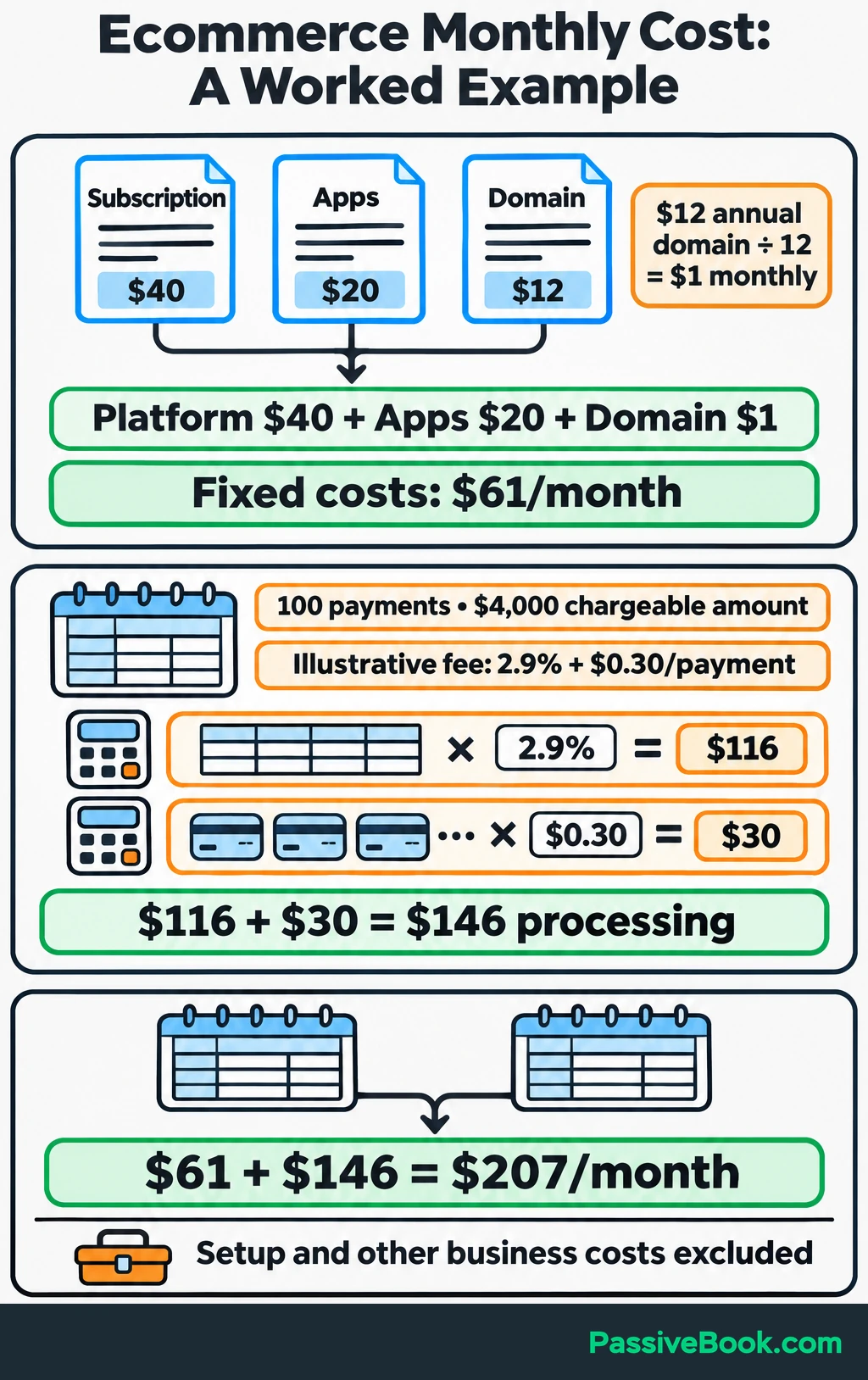
For a monthly estimate, count the fixed expenses first, then add the charges generated by that month’s payments.
Suppose the cage-liner shop has:
| Fixed Expense | Assumed Cost | Monthly Equivalent |
|---|---|---|
| Platform subscription or hosting | $40 per month | $40 |
| Essential apps | $20 per month | $20 |
| Domain renewal | $12 per year | $1 |
| Total | $60 per month + $12 per year | $61 |
The domain is paid annually, but spreading it across 12 months makes comparisons easier.
Now assume the shop takes 100 payments with a combined chargeable amount of $4,000. For this illustration, processing costs 2.9% of that amount plus $0.30 per payment.
The percentage charge is $116, and the 100 per-payment charges add $30. Processing therefore costs $146, bringing the monthly operating estimate to $207.
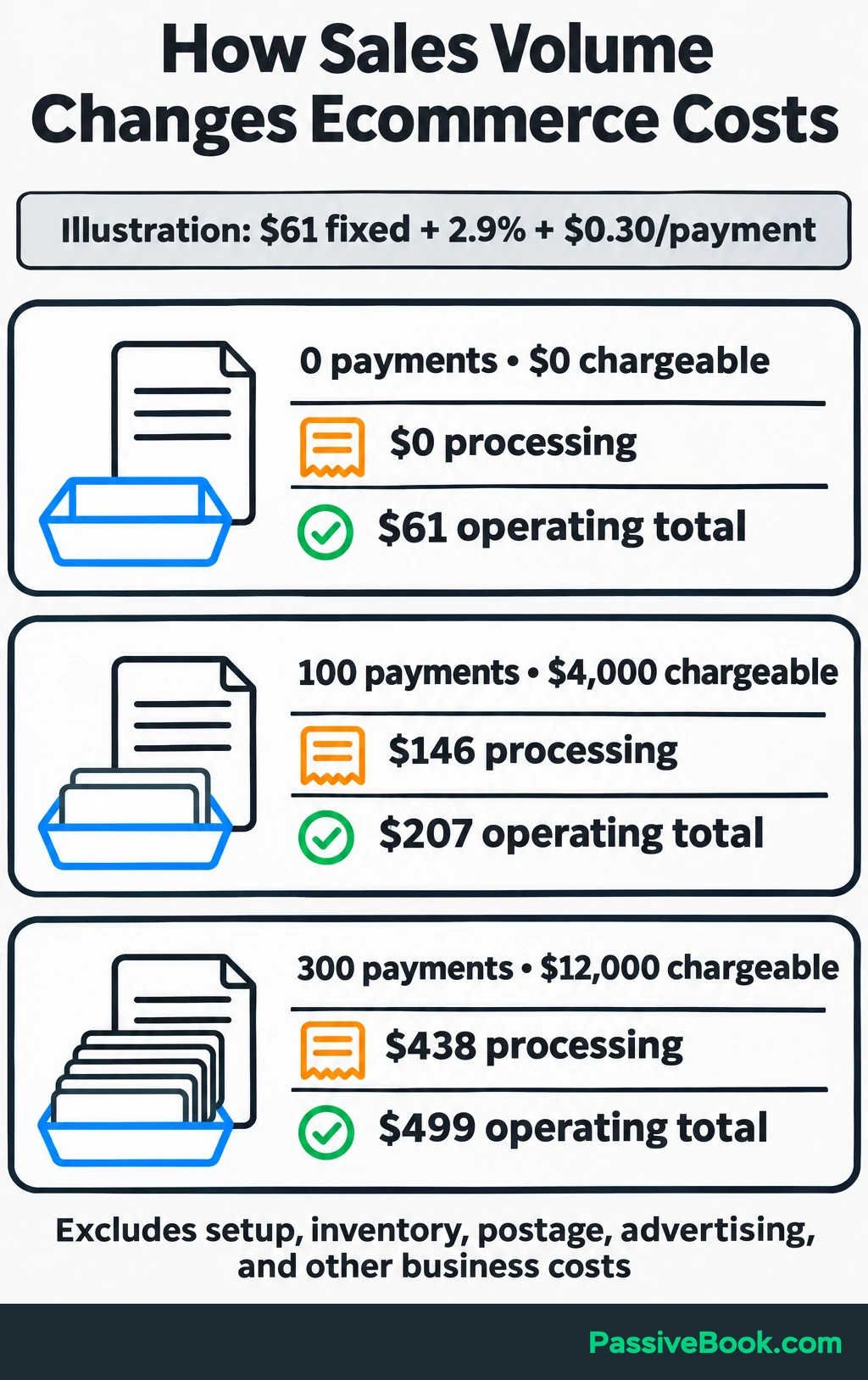
Use the provider’s definition of the chargeable amount. It may include shipping and tax, so product revenue alone may give you the wrong estimate.
Compare a quiet month with expected sales and a plausible growth level:
| Monthly Payments | Total Chargeable Amount | Assumed Processing Cost | Operating Total Including $61 Fixed Costs |
|---|---|---|---|
| 0 | $0 | $0 | $61 |
| 100 | $4,000 | $146 | $207 |
| 300 | $12,000 | $438 | $499 |
These totals exclude setup, inventory, postage, advertising, and other business expenses. Add any applicable platform fees, refund charges, and currency-conversion costs to your own worksheet.
An upgrade can sometimes reduce the total bill. Compare its extra subscription cost with the processing savings and essential apps it replaces. Pay more when the numbers or required features justify it.
Once you have prices for two suitable platforms, run both through the same sales assumptions. A lower subscription can still leave you with a higher monthly bill.
Free Platform Cost Calculator




Test Finalists With the Same Store Tasks
Build a small version of your store on each finalist. Use the same products, photos, delivery assumptions, and essential connections.
Record what you completed, how long it took, where you needed help, and what required another purchase. “Possible with custom development” belongs in the cost column.
Product Management, Checkout, and Fulfillment
Start with one product that represents the difficult parts of your catalog.
For the cage-liner shop, create a liner with size and color options, separate stock counts, photos, weight, care instructions, and a sizing guide. These combinations are called variants.
Then run one order through its whole life:
- Select a size and color on a phone, and check an unavailable combination.
- Check guest checkout, any discount, delivery charges, applicable tax, and the final total.
- Buy using a payment method you intend to offer.
- Confirm that the correct variant loses stock and the order email arrives.
- Mark the order fulfilled and send tracking information.
- Process a refund and inspect the payment record, order status, and stock count.
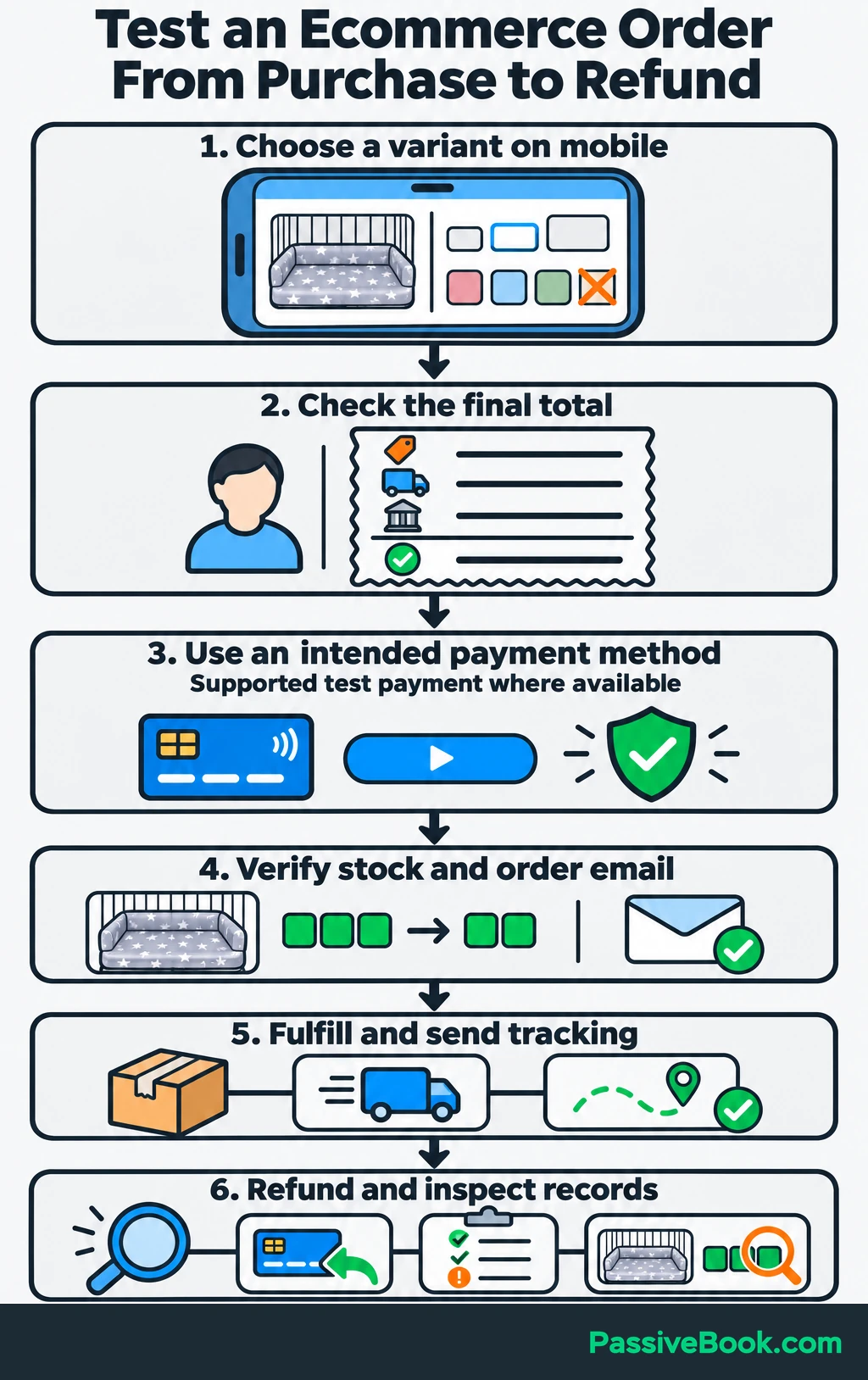
Use supported test payments where available. If a step requires a small real purchase, account for any fees that remain after the refund.
Try a bulk price or stock update too. Adding one item can be pleasant while changing 40 items becomes an afternoon.
Test any essential checkout change on the plan you intend to buy. If you need a required personalization field or a particular delivery choice, confirm it works there before committing.
SEO Controls and Mobile Usability
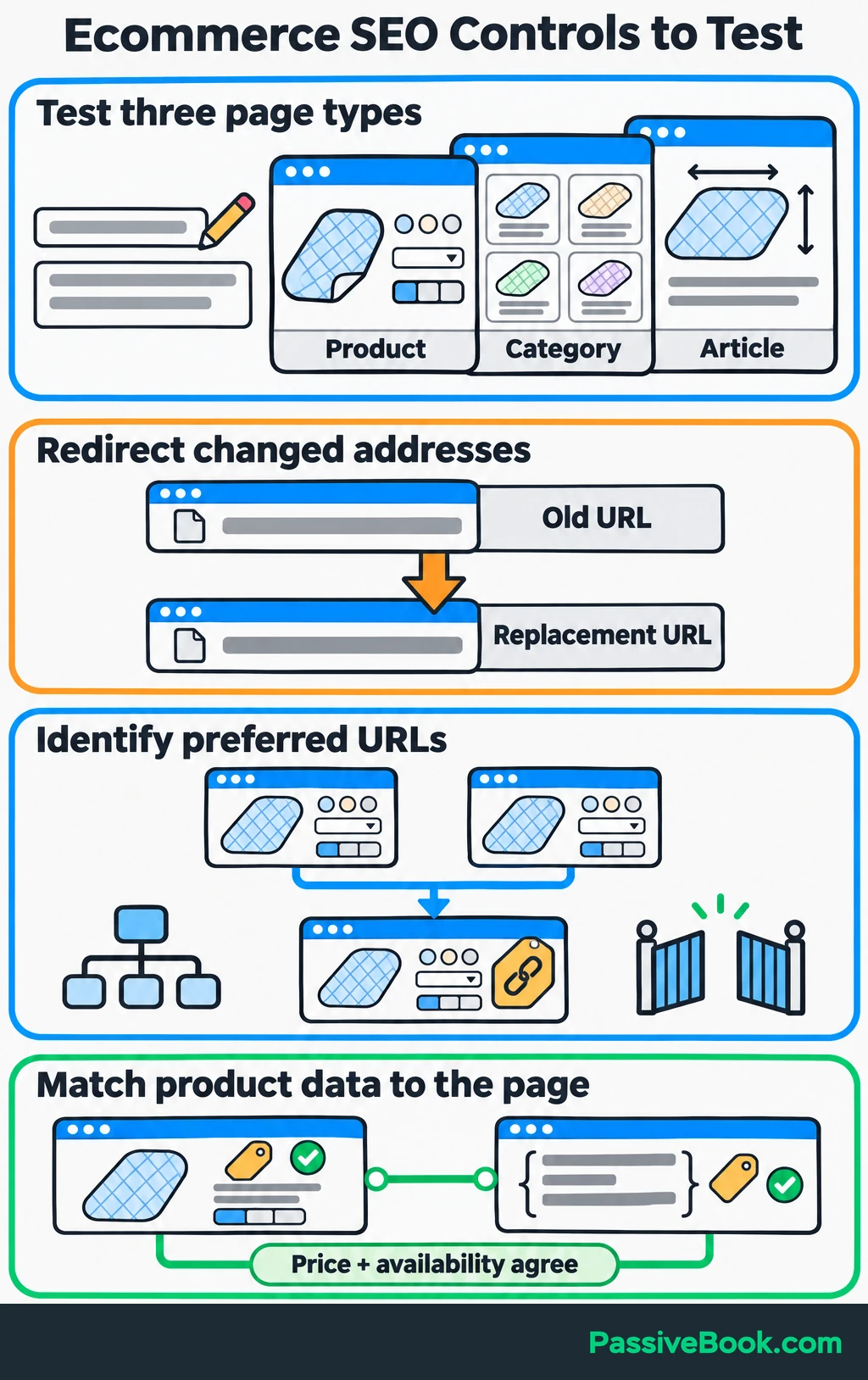
Create three representative pages: a product page, a category page, and an article. Use them to check the platform’s search engine optimization (SEO) tools, which help search engines find and understand your content.
For the example shop, that means a liner product, a washable-liners category, and a guide to choosing the right size.
Check whether you can:
- Edit page titles, descriptions, product text, and image descriptions.
- Organize navigation so buyers can find the sizing guide.
- Control important URLs and redirect an old address to a replacement.
- Publish useful articles without an awkward separate setup.
- Make important public pages available for search indexing.
Also confirm that the platform provides a sitemap, which lists pages for search engines, and handles duplicate product addresses sensibly. A canonical tag identifies the preferred address when several URLs show the same content. Google’s ecommerce URL guidance explains these relationships.
Check product structured data too. This is information in the page’s code that identifies details such as price and availability. It can support richer product appearances in Google, and it should agree with what shoppers see. Google’s product guidance describes its purpose.
I would compare these controls rather than choose a platform because its feature page promises “powerful SEO.”
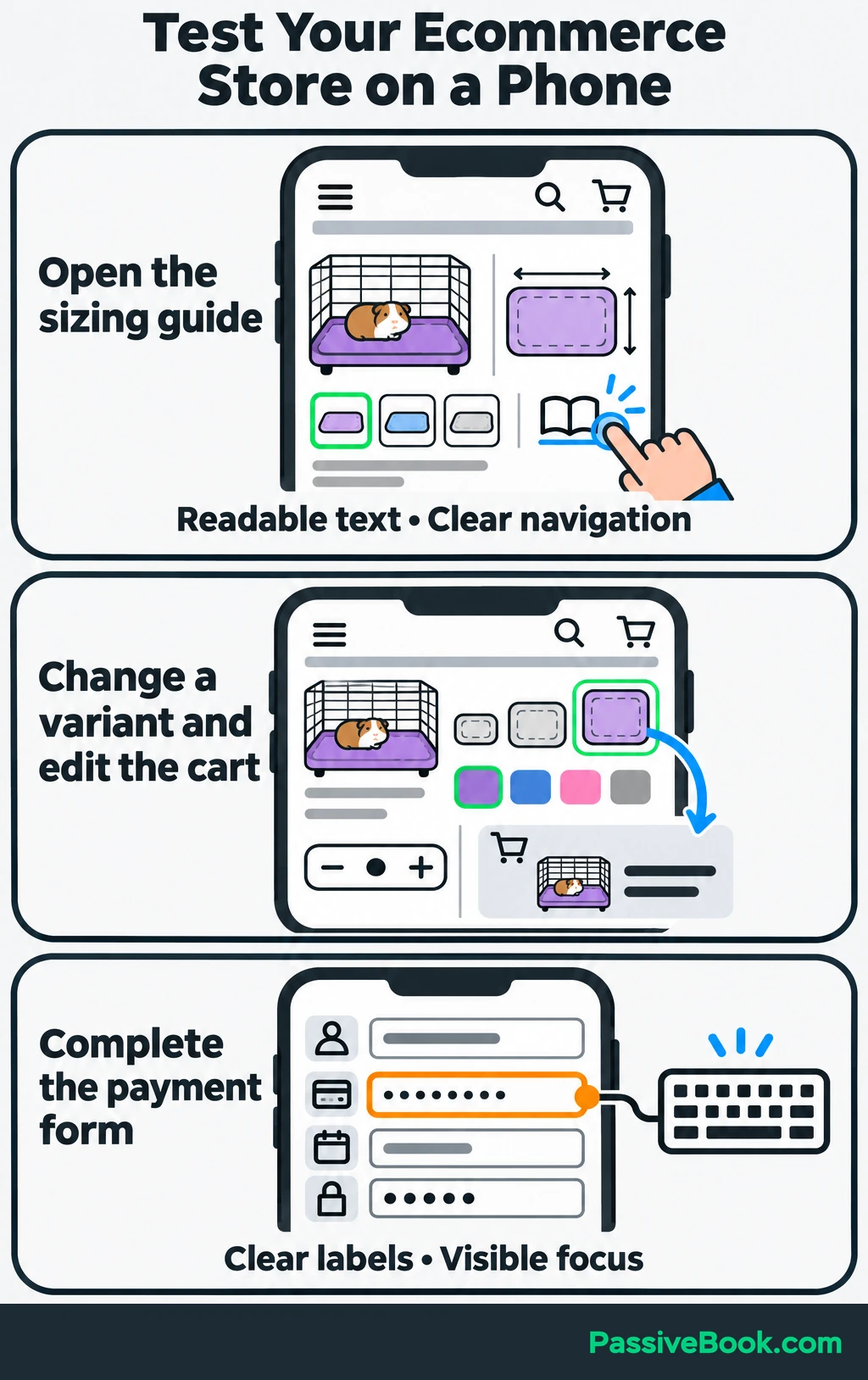
Then test the actual theme with your images and essential apps installed. On a phone, open the sizing guide, change a variant, edit the cart, and enter payment details.
Check readable text, clear form labels, keyboard navigation, and a visible marker showing which link or field is selected. A checkout that looks tidy in a promotional screenshot still needs to work in someone’s hands.
Integrations and Automation
An integration connects your store with another tool. The useful question is what that connection can actually do.
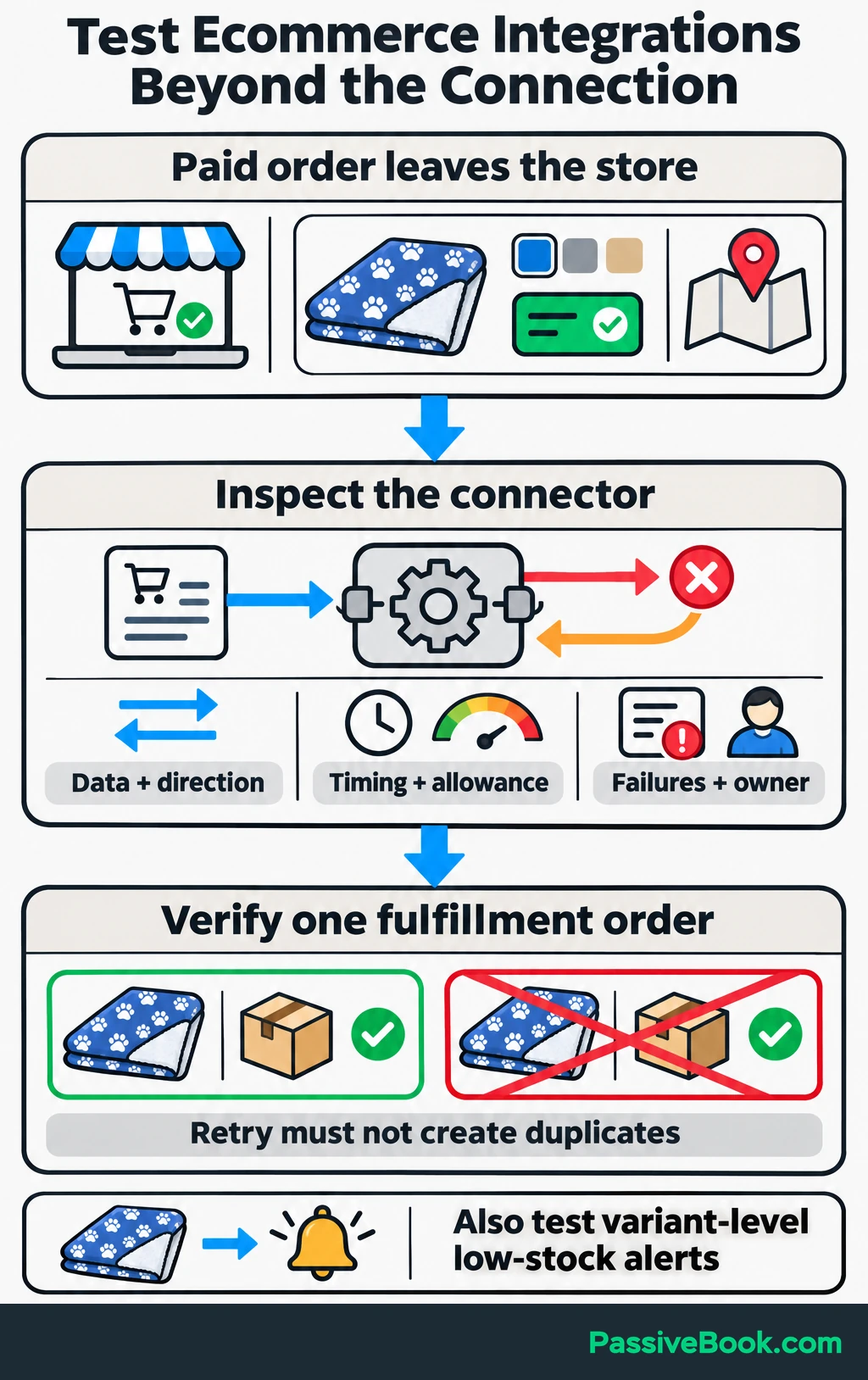
List the actions you need. For the cage-liner shop, those might be sending paid orders to a shipping service, passing sales to accounting software, and alerting you when one variant runs low.
For each connection, check:
- Which information moves, and in which direction.
- Whether changes arrive immediately or on a schedule.
- Which plan, connector, and usage allowance the workflow needs.
- Where failures appear and who handles them.
Test a paid order reaching fulfillment and a low-stock alert for one size-and-color combination. If you retry a failed transfer, check that it does not create a duplicate order.
I would start with built-in automation when it completes the job. Make, a visual tool for connecting apps, is worth considering when a missing step needs another service. I use n8n for more involved workflows, but I would not add that maintenance work just to avoid one straightforward native connection.
Include the connector’s subscription and usage charges in your monthly estimate.
Assess AI separately. Give a product-description tool the liner’s actual materials, dimensions, and care instructions, then inspect its draft. Record the editing effort and cost.
A useful draft saves writing time. It tells you nothing about whether an order will reach the shipping service.
Reporting and Support
Make sure reports answer questions you will act on.
For the cage-liner shop, you need to see which sizes and colors sell, which variants need replenishing, where orders come from, and how refunds change net sales.
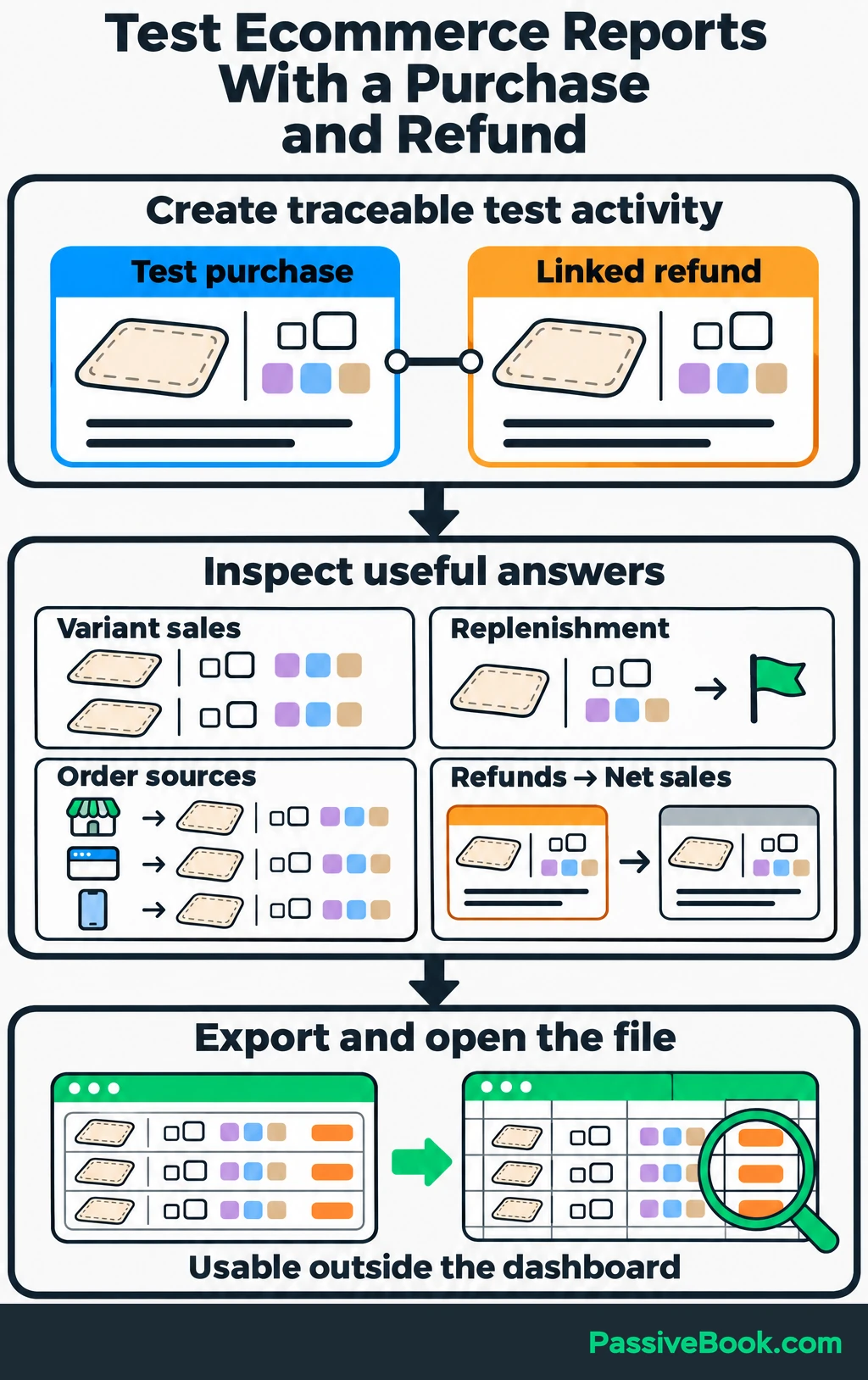
Run a report that includes your test purchase and refund. Export it and check that the information remains usable outside the dashboard. Test any essential connection to your analytics tools as well.
Then submit a realistic support question during the hours you expect to work:
“I need separate stock counts for each size and color. Can this plan send a low-stock alert for one combination, and where would I check a failed alert?”
Judge whether the reply resolves the task. A quick greeting is pleasant, but the useful part is getting unstuck.
Check Growth Limits and Exit Options
Choose one plausible expansion and price it. You do not need to prepare for every business you could someday become.
If the cage-liner shop plans to sell at local markets, check how online and in-person stock will stay aligned. Include any extra subscription, card reader, connector, and reconciliation work.
Other stores may need a second stock location, staff access, subscriptions, or international selling. Test the expansion that has a credible reason to happen next.
Review the limits that would trigger another plan. For sales-based upgrades, use the provider’s stated calculation rather than assuming it matches your product revenue.
Ask about capacity in concrete terms: your expected number of variants, busiest order period, and required connections. Establish who handles slow pages or checkout problems when traffic rises.
Before committing, export sample products, customers, and orders. Open the files and inspect whether they contain the details you would need elsewhere:
- Variants and their stock counts.
- Product images or usable image references.
- Order line items and customer information.
- Essential custom fields.
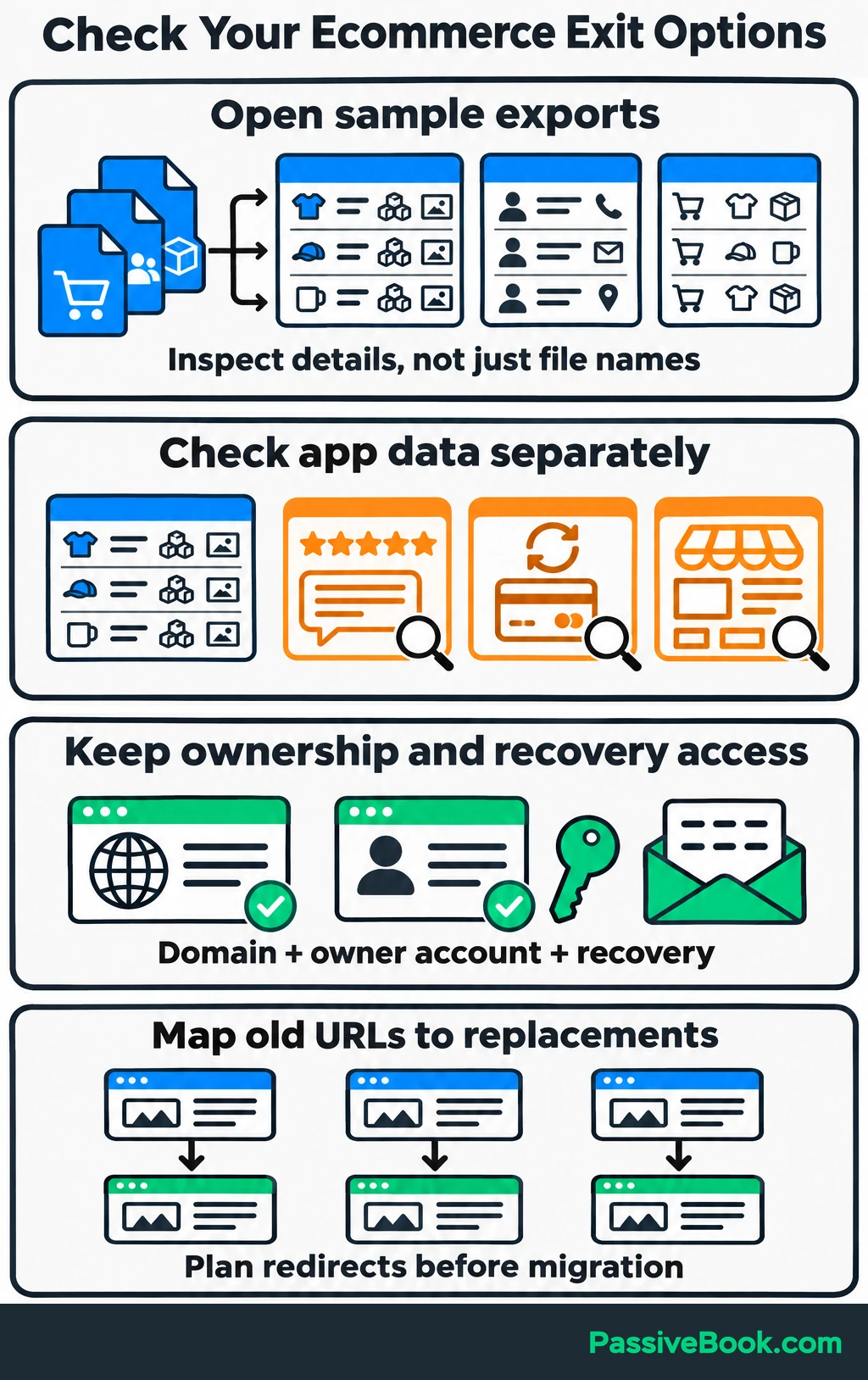
Check app data separately. A product export does not show whether reviews, subscription records, or the storefront design can move.
Keep domain registration and essential accounts under your control. If someone helps build the store, make sure you hold the owner account and recovery details.
Finally, check redirect support. Moving to new URLs can bring temporary ranking fluctuations while Google processes the change, so a future migration needs a map from old addresses to their replacements. Google’s site-move guidance explains that process.
An exit plan does not mean you expect to leave. It means you know what leaving would involve.
Choose the Platform That Passes Your Tests
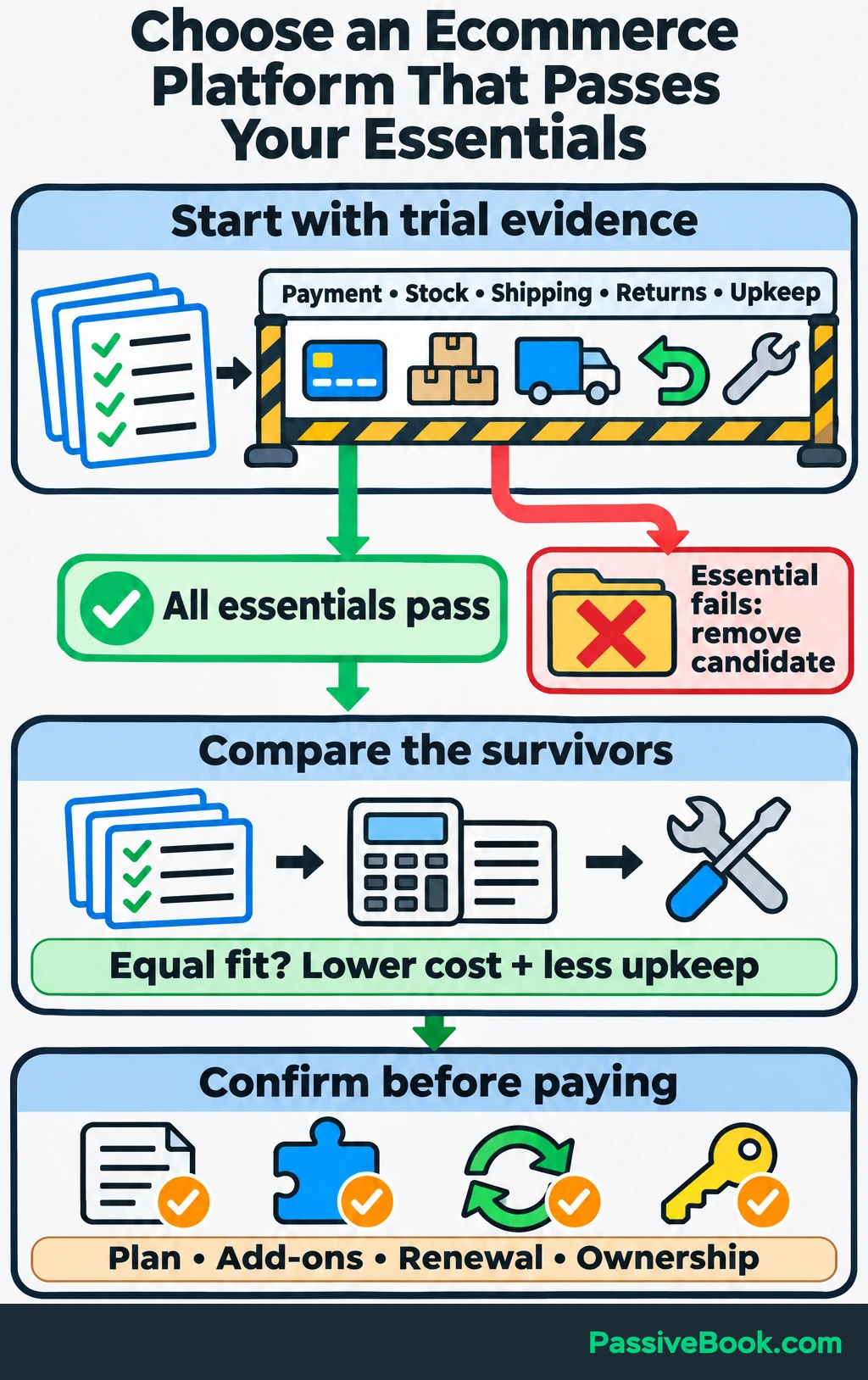
Remove every candidate that fails a must-have. Then compare the survivors using the evidence in your worksheet.
For the cage-liner shop, I would put payment eligibility, variant inventory, shipping, returns, and manageable upkeep ahead of design extras.
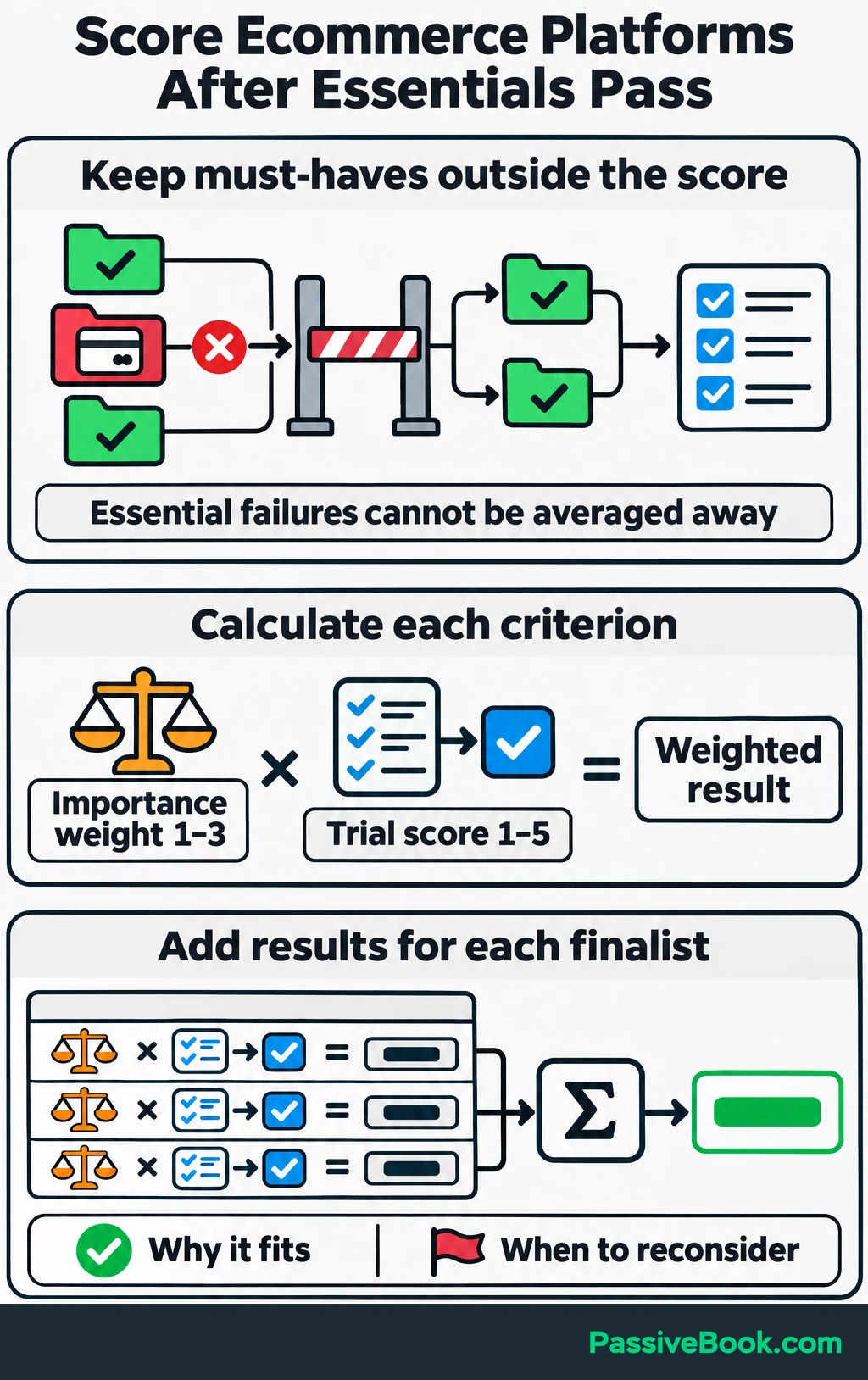
A simple score can help when two platforms pass. Give each remaining criterion an importance weight from 1 to 3, then score each finalist from 1 to 5 based on the trial. Multiply the score by the weight and add the results.
Keep essential requirements outside that scoring exercise. Excellent design cannot compensate for an unsupported payment method.
Resolve anything that could block taking or fulfilling an order, and confirm the chosen plan, required add-ons, renewal terms, and account ownership before paying.
When finalists work equally well, I would choose the one with lower total cost and less maintenance.
My online jewellery store failed because I skipped market research and ended up with unsold inventory. A more elaborate platform would not have fixed that. I keep that experience close when software shopping starts to feel like business progress.
Write a short decision note that names why the platform fits and what would justify reconsidering it. For example, after a successful trial:
“This setup handles separate variant stock, domestic shipping, mobile payments, and refunds within my budget. I will review it before adding market sales because shared inventory will become essential.”
That is a useful decision. “It had the most features” leaves you with much less to work from.
What Next?
Write your five launch essentials in a comparison worksheet and choose two platforms to test with one real product.
Use the social buttons to share this guide when platform comparisons start turning into a pile of open tabs. The worksheet and store trial give those comparisons a stopping point.
Which requirement is most likely to decide your choice, and why? Share it in the comments, along with any other questions about your shortlist.
Share this post with your friends & followers:

