A payment provider quotes a low rate, but your store platform adds another charge. The checkout says a purchase was approved, but the money hasn’t reached your bank. Both details matter when you have orders to ship.
Choosing payments gets confusing because fees, checkout features and access to funds are often described separately. This guide connects those pieces so you can compare providers that work with your store, understand the full bill and payout terms, and test the setup through to the bank deposit.
What Is Ecommerce Payment Processing?
Ecommerce payment processing connects your checkout to the services that approve payments, collect funds and pay your business.
The customer’s payment method is separate from those services. A card or wallet is how someone chooses to pay. The gateway and processor help carry out that payment.
| Component | Responsibility | Must You Buy It Separately? |
|---|---|---|
| Payment gateway | Securely collects and sends payment information from checkout | Often bundled with processing |
| Payment processor | Routes transaction messages and coordinates processing between the parties involved | Often included in a payment service |
| Payment service provider, or PSP | Can bundle the gateway, processing and other payment tools | Usually replaces the need to arrange those services separately |
These functions work together, and one company can provide several of them. You don’t need three subscriptions just because there are three names. Stripe explains the distinction between gateways, processors and PSPs.
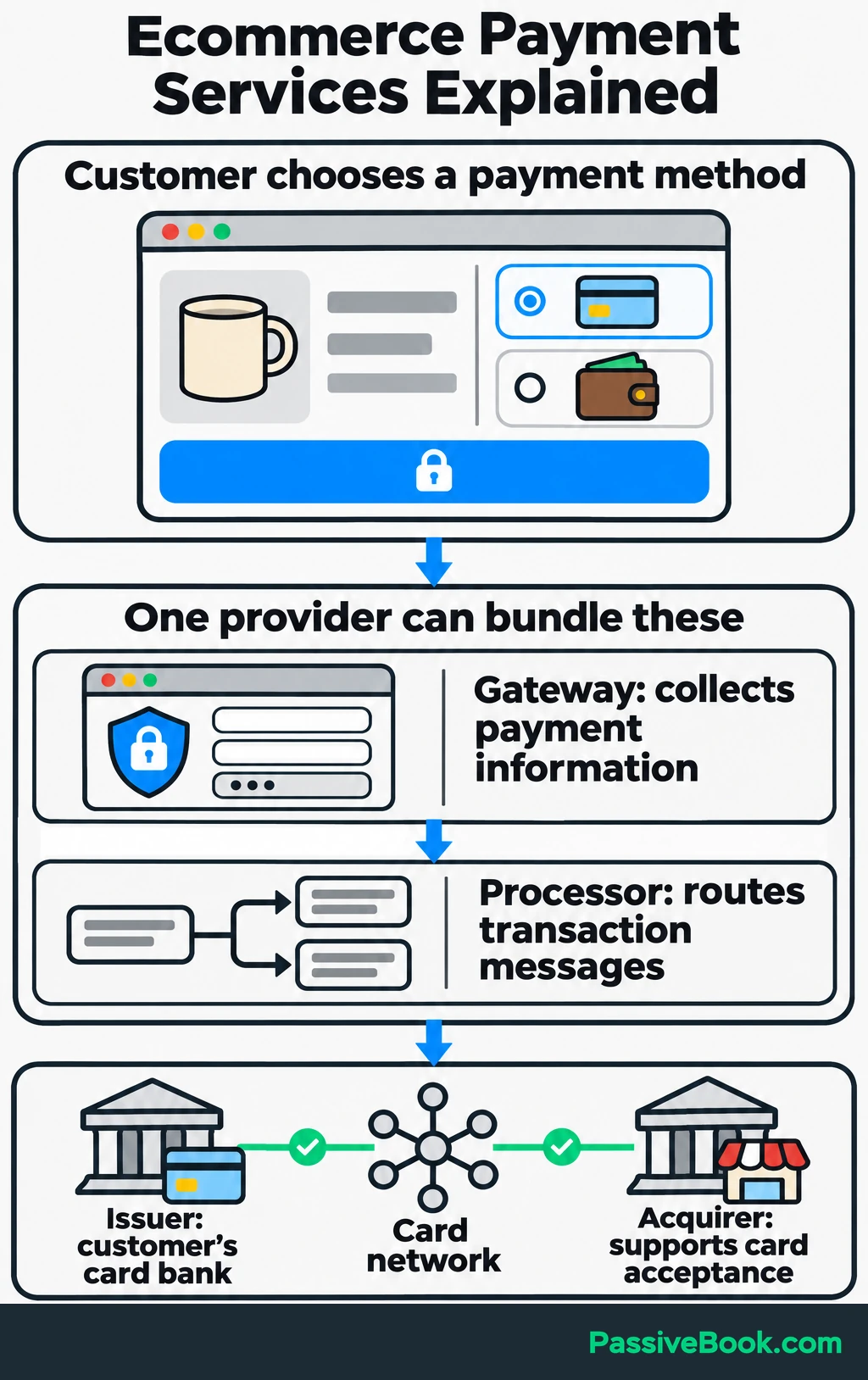
For card payments, three other names matter:
- The issuing bank issued the customer’s card.
- The acquiring bank supports your business’s acceptance of card payments.
- Card networks, such as Visa and Mastercard, connect participating institutions and set transaction rules.
A merchant account receives the proceeds from card payments before payout to your business bank account. A bundled service can arrange card acceptance for you, while a separate gateway needs compatible processing and merchant-account services.
To make the decisions concrete, consider a US-based Shopify store selling ceramic coffee mugs. You want customers to pay easily, orders to reach fulfillment correctly, and deposits you can match to your sales.
How Does an Online Payment Reach Your Bank?
From Checkout to Settlement
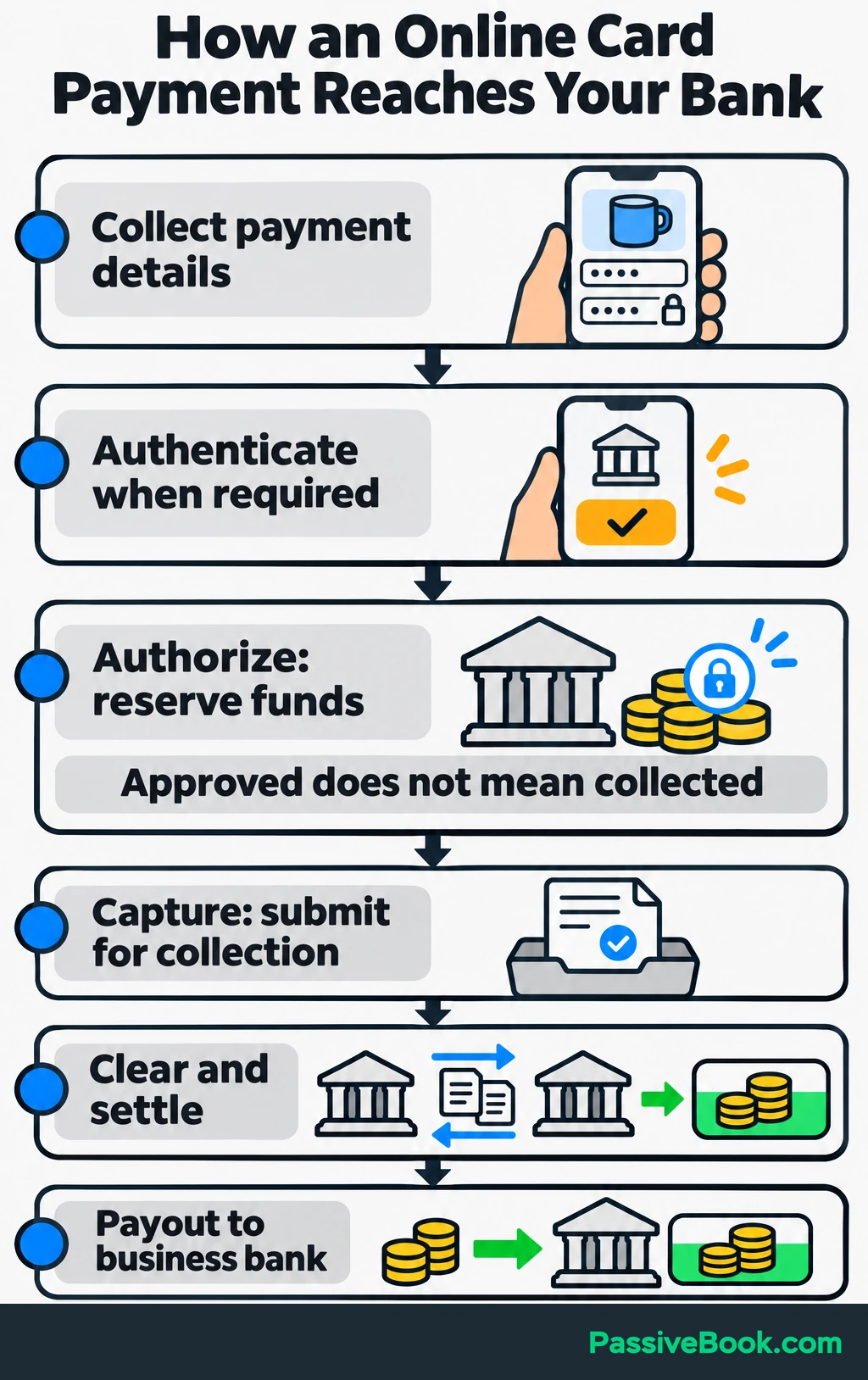
A card payment moves through several stages, even when checkout makes it look like one action:
- Payment collection: The customer enters card details or selects a saved payment method. The gateway securely passes the payment information onward.
- Authentication, when needed: The card issuer checks the payer’s identity, sometimes through a banking app or another verification step.
- Authorization: The processor routes the request through the card network to the issuer. Approval reserves funds or available credit.
- Capture: The approved charge is submitted for collection.
- Clearing and settlement: Transaction details are exchanged, and funds move between the participating financial institutions.
- Payout: Your provider sends available funds to your business bank account.
Authorization and capture are separate steps. An approved card payment has not necessarily been collected yet. Shopify describes the card-processing stages.
For an in-stock mug order, I would usually choose automatic capture so an approved payment proceeds to collection without another task.
Delayed capture can make sense if you need to confirm stock before collecting payment. But you must capture before that authorization expires. Check the transaction’s actual deadline because authorization windows vary. Stripe’s capture guidance explains those limits.
This sequence describes card payments. Other methods can confirm differently, so keep payment status separate from order status. An order can exist while its payment is still pending.
When Do Payouts Arrive?
There are several clocks running:
| Timing | What It Tells You |
|---|---|
| Checkout response | Whether the payment was approved, declined or needs another step |
| Capture timing | When the approved charge is submitted for collection |
| Settlement delay | When proceeds become available in your provider balance |
| Payout schedule | When available funds are sent to your bank |
| Bank arrival | When your bank makes that deposit available |
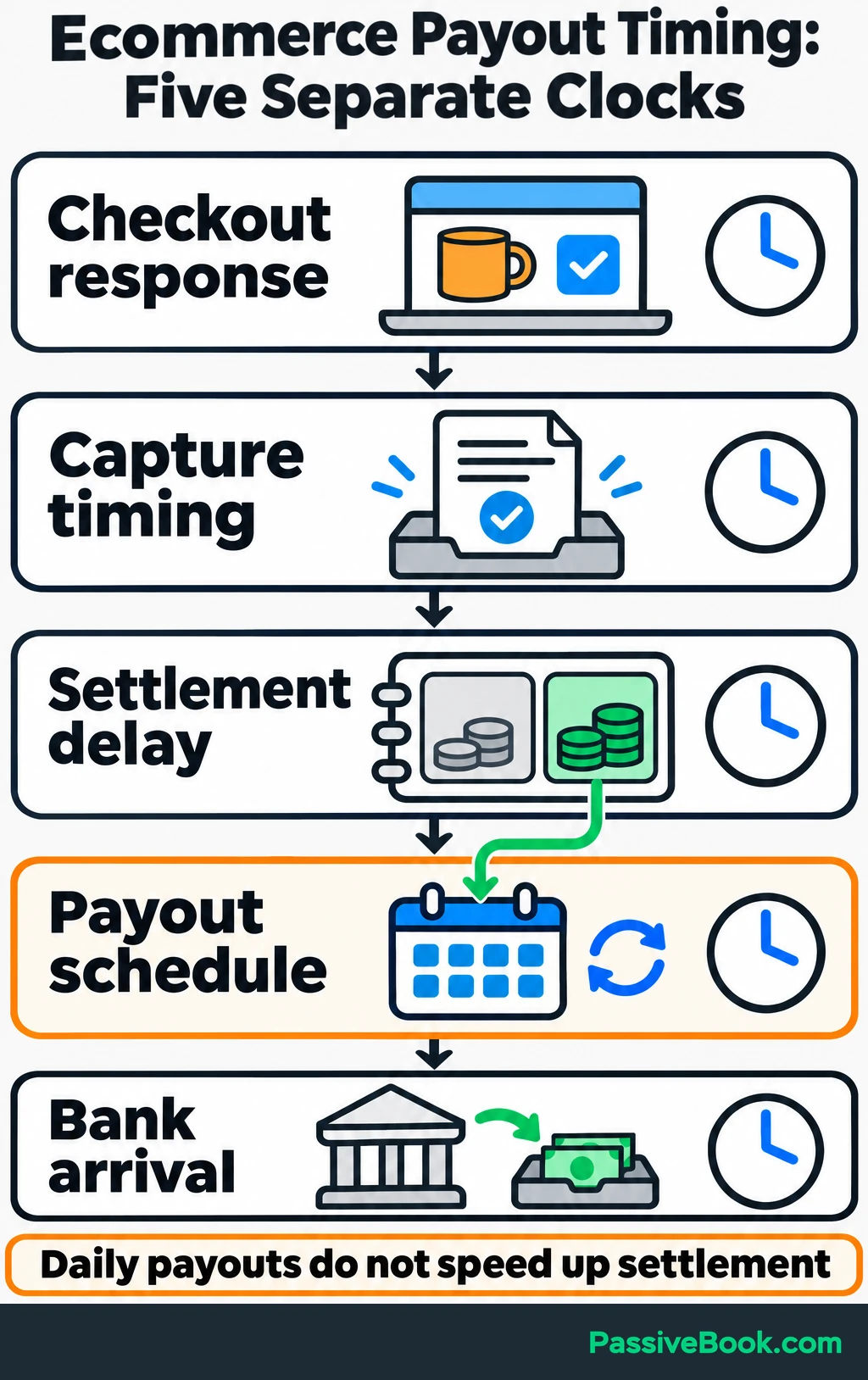
Choosing daily payouts does not make unsettled funds available sooner.
For example, Stripe typically schedules an initial payout to complete within 7–14 days after the first successful live payment, depending on country, industry and risk. Later payouts follow the account’s terms, and the receiving bank can add time. Stripe’s payout documentation explains the timing.
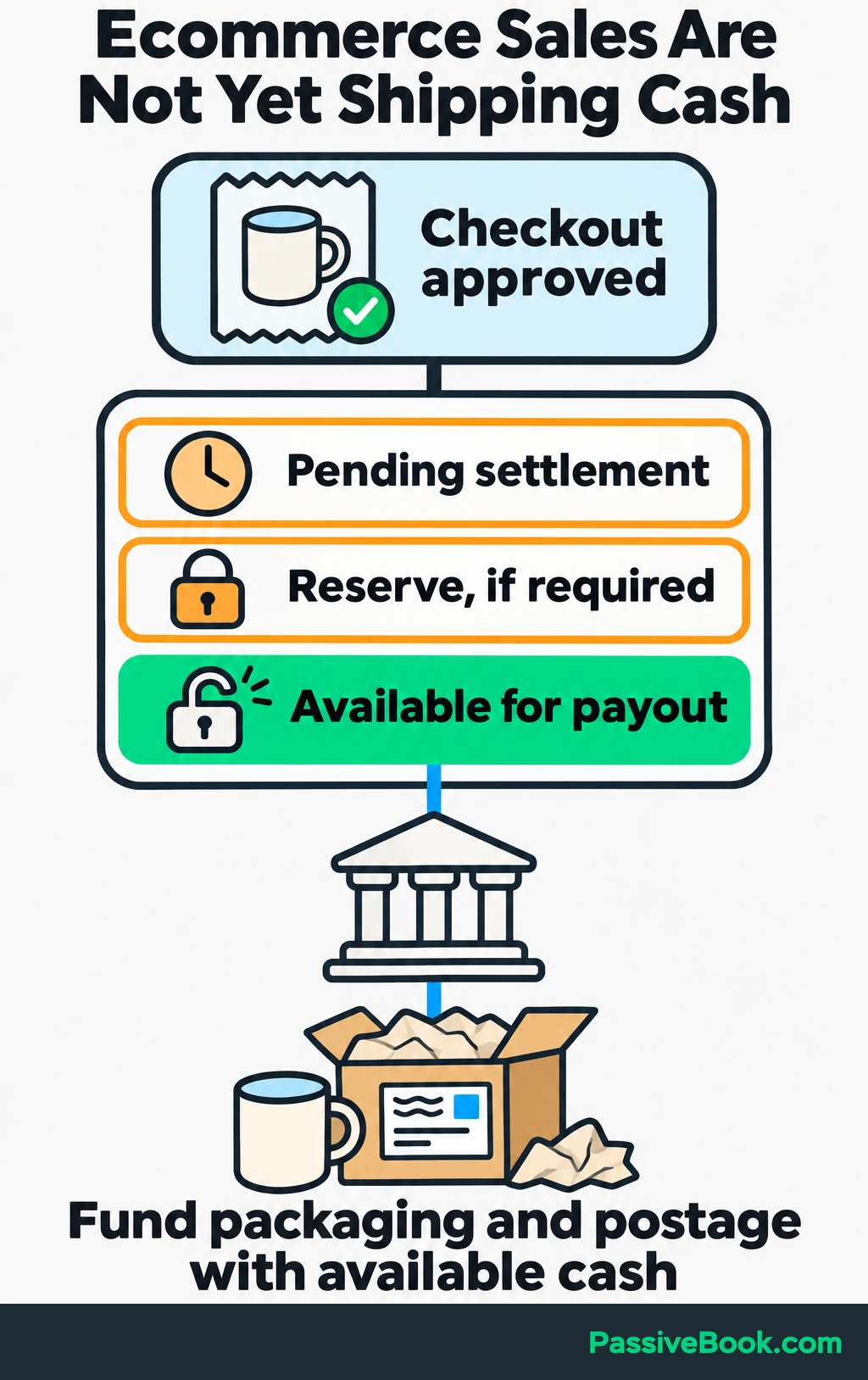
Before committing, check first-payout terms, normal settlement timing, payout frequency and any reserve conditions. A reserve is money the provider holds back under its account terms.
For the mug store, packaging and postage may need paying before the sales proceeds arrive. Plan those expenses around available cash rather than the checkout’s “paid” message.
Which Payment Methods Should Your Store Accept?
Start with where customers live, which currencies you sell in and your usual order value. Then use checkout data or customer requests to decide what else deserves a place.
| Method | Customer Experience | Confirmation Timing | Merchant Costs | Fulfillment Implications |
|---|---|---|---|---|
| Cards | Enter card details or use a saved card | Authorization usually returns quickly | Percentage and fixed fees; possible extras | Check capture and fraud status before release |
| Wallets | Use saved cards, linked accounts or balances | Depends on the wallet and funding method | Check the specific wallet arrangement | Follow the provider’s confirmed payment status |
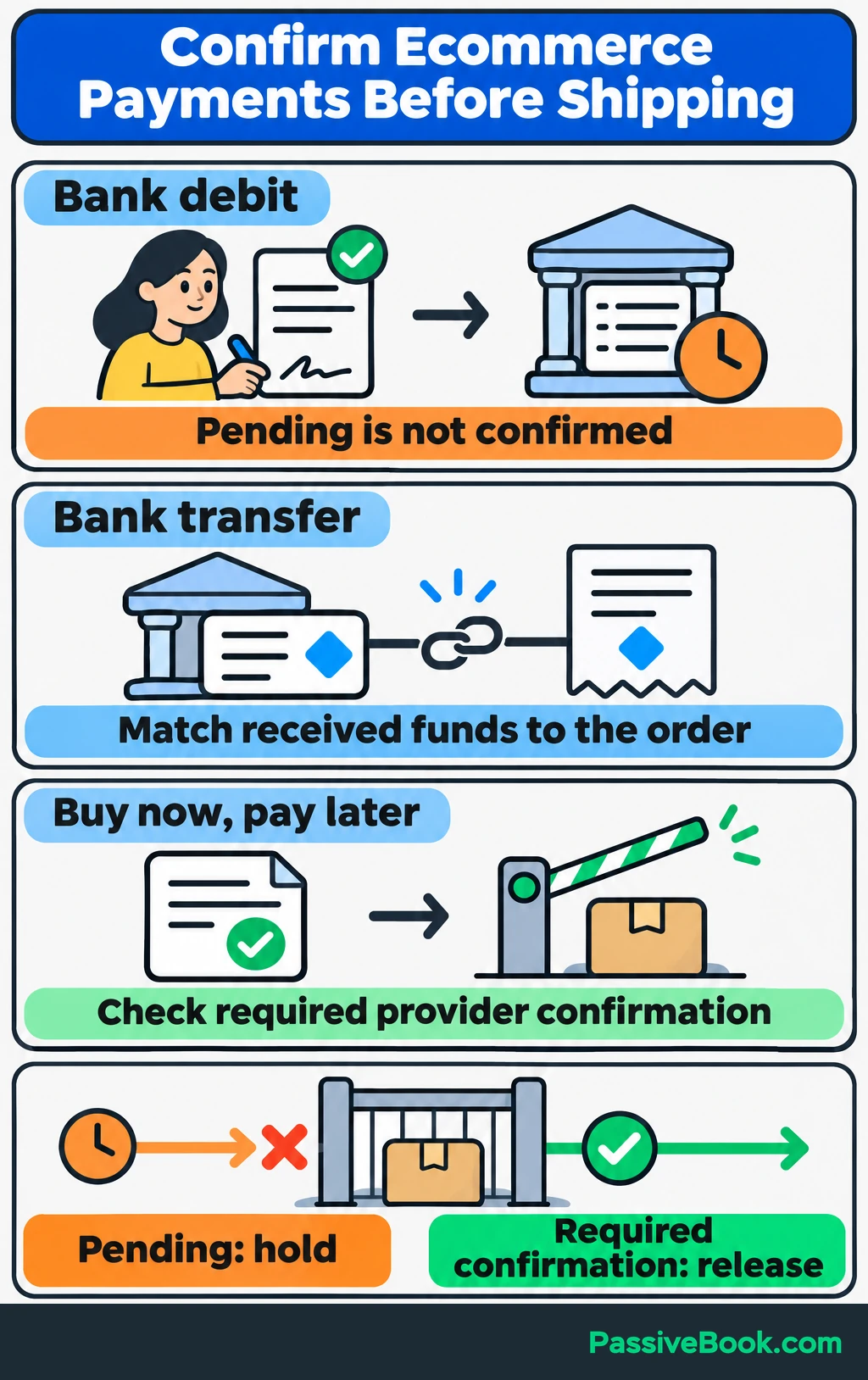
| Bank debits | Authorize your business to pull funds | Can take several business days | Method-specific fees and return charges | Don’t treat a pending debit as confirmed |
| Bank transfers | Initiate payment from a bank account | Depends on the transfer system | Transfer, provider or currency charges may apply | Match received funds to the order |
| Buy now, pay later | Pay through an installment or deferred-payment provider | Depends on provider approval | Compare merchant fees and refund terms | Release orders against the required confirmation |
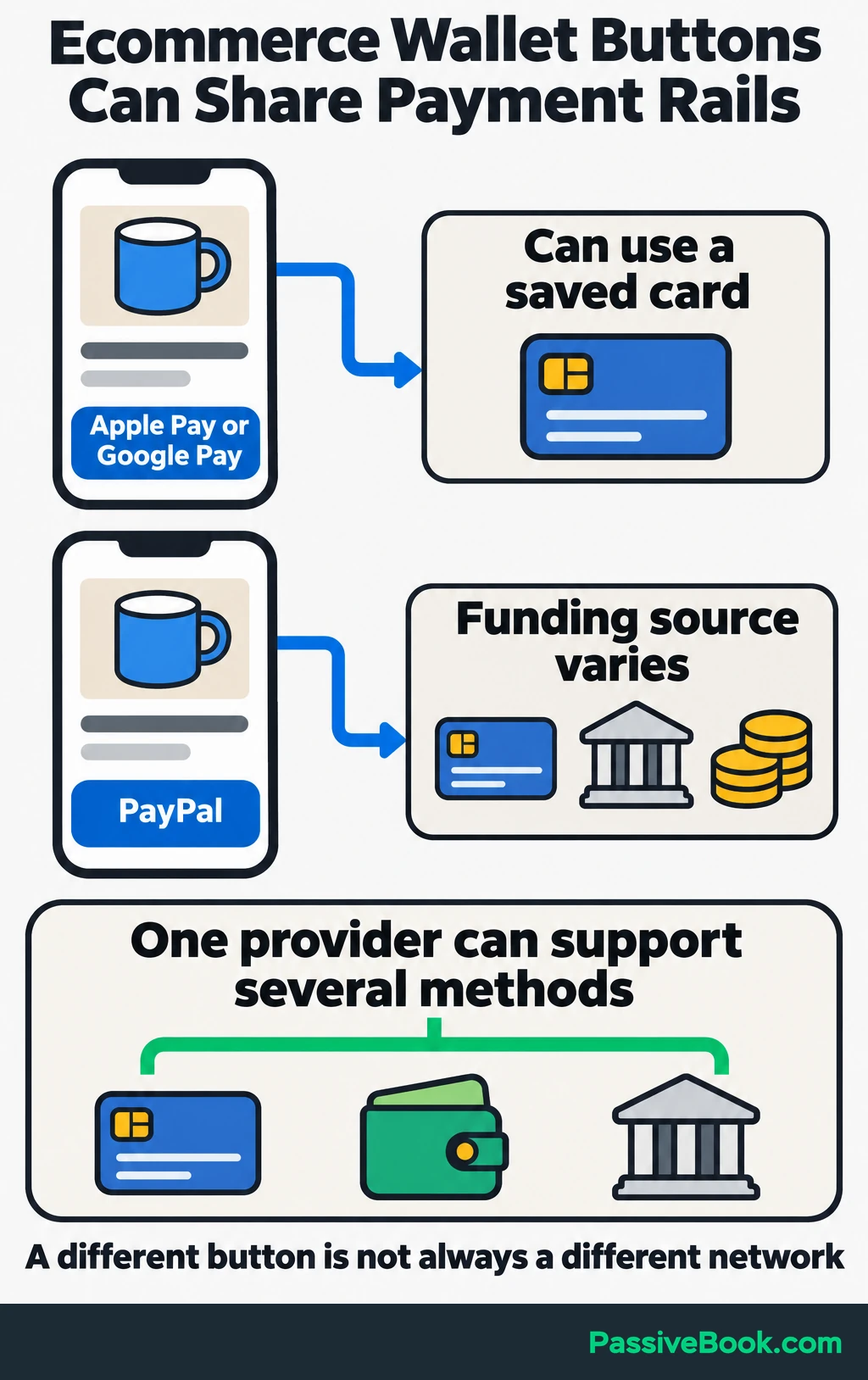
Wallets and cards can overlap. Apple Pay and Google Pay can use saved cards, while PayPal can use several funding sources. A different checkout button does not necessarily mean a different underlying payment network. Stripe’s payment-method overview explains these families.
For the mug store, I would start with cards and relevant wallets. I would add regional methods when customer demand supports them.
Buy now, pay later deserves a separate decision. Check purchase eligibility, merchant fees and what happens when you issue a partial refund. An installment button needs a reason to be there beyond “the provider offered it.”
One provider can support several methods, so adding a payment option does not always require another processing account.
How Much Does Ecommerce Payment Processing Cost?
Understand the Pricing Model
The headline percentage is only part of the bill.
Three pricing models commonly appear in quotes:
- Blended pricing: A quoted rate bundles underlying card costs and the provider’s markup for a defined transaction category.
- Interchange-plus pricing: The card issuer’s fee (interchange) and card-network fees are charged separately from the provider’s markup. The total changes with the cards and transactions you process.
- Tiered pricing: Transactions fall into different pricing groups. Ask what qualifies for each rate and what moves a payment into a more expensive group.
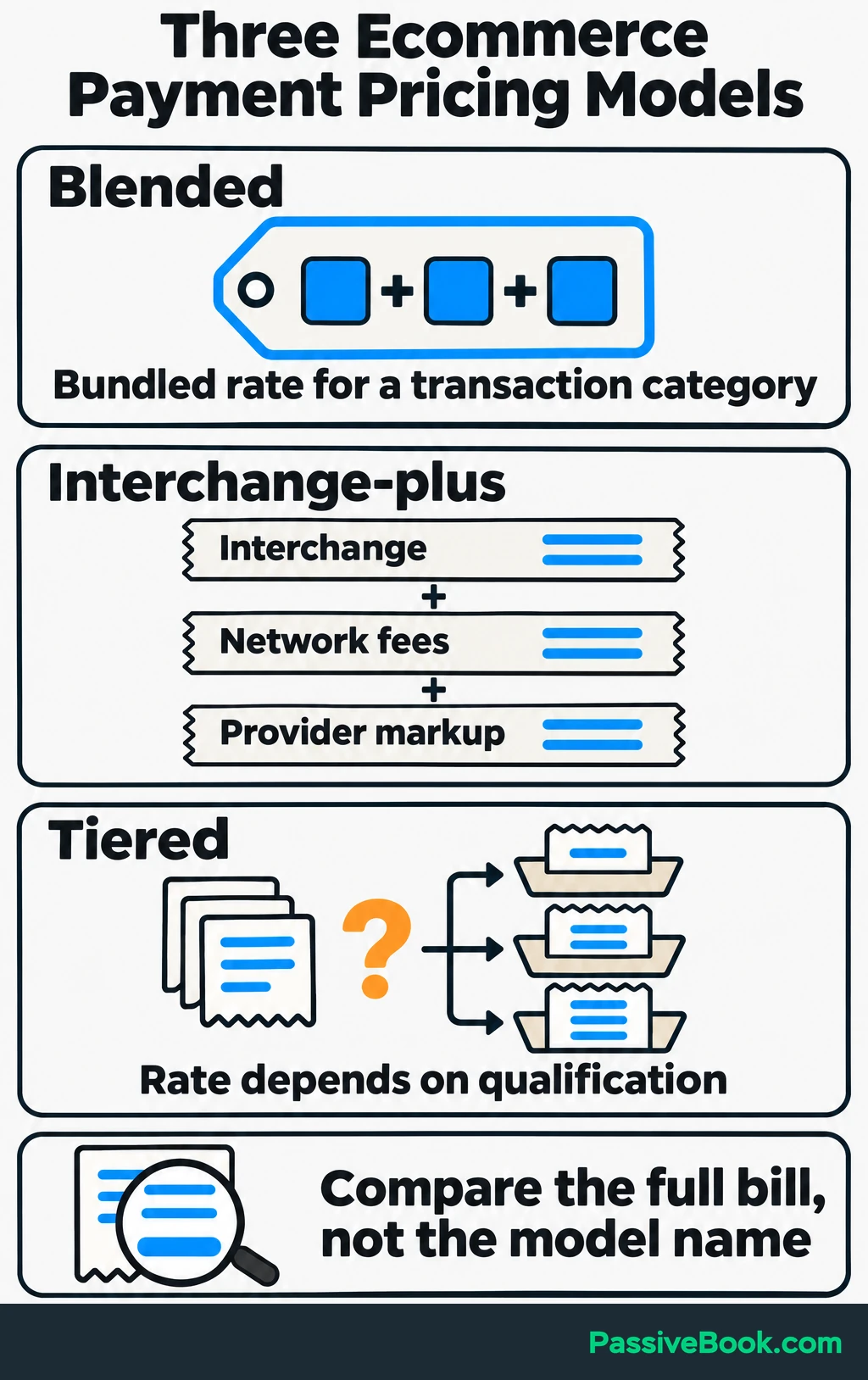
Blended pricing makes budgeting simpler, while interchange-plus gives more visibility into the components. Neither structure automatically produces the lowest total. Stripe explains how interchange-plus differs from blended pricing.
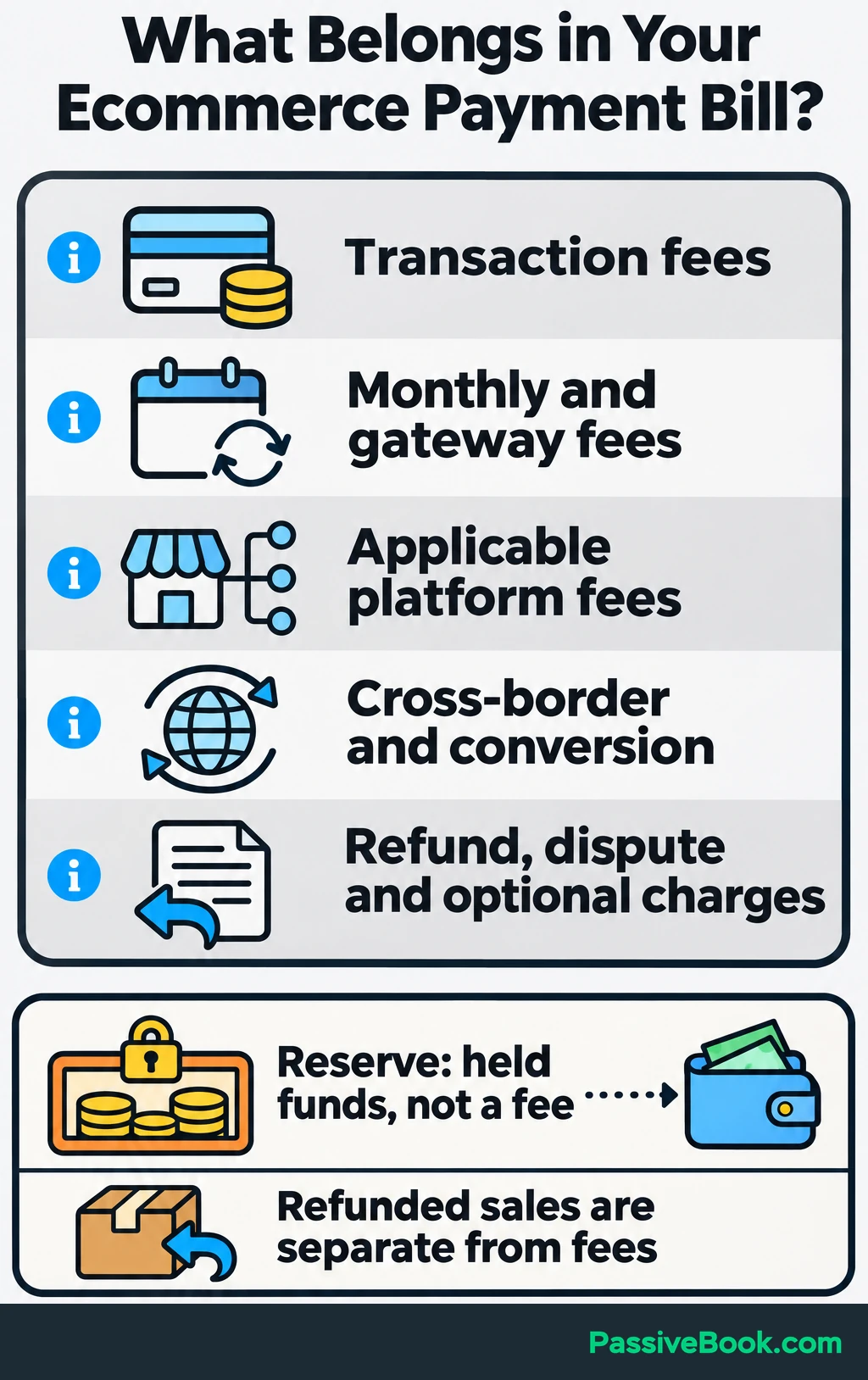
Request a written quote covering:
- Transaction charges: Percentage and fixed fees for each relevant payment method.
- Recurring charges: Monthly processing, gateway and required integration costs.
- Platform charges: Any extra transaction fee your store platform applies.
- Cross-border costs: International-card and currency-conversion charges.
- Exceptions: Refund-fee treatment, dispute fees and optional faster-payout charges.
Shopify can charge plan-dependent third-party transaction fees on applicable external-provider payments, in addition to the provider’s processing fees. Shopify Payments transactions are exempt, and PayPal transactions are exempt when Shopify Payments is the primary provider. Shopify’s fee rules explain the conditions.
Keep reserves separate from fees. Held funds reduce the cash you can use, but the hold itself is not a processing charge. Also separate payment fees from refunded sales and disputed purchase amounts.
Compare Complete Quotes Using the Same Orders
Compare providers against the same sales activity. Otherwise, one quote may look cheaper simply because it assumes larger orders or fewer international customers.
For percentage-plus-fixed pricing, count the full payment value subject to the fee and the number of charged transactions:
Transaction charges = processed value × percentage rate + transaction count × fixed fee
Then add applicable monthly, platform, gateway and other payment charges. Include shipping and tax in the processed value when the fee applies to the full checkout payment.
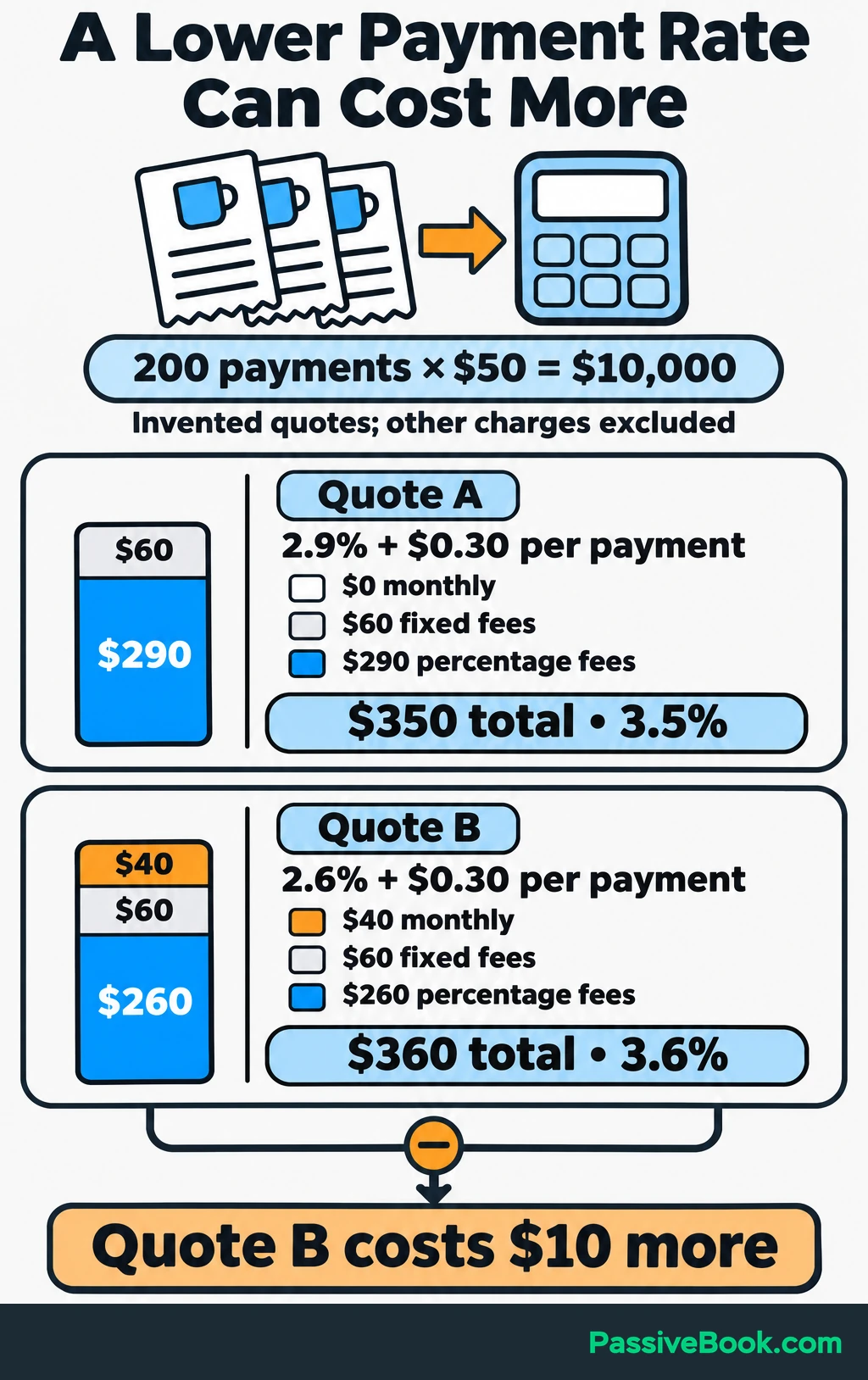
Suppose the mug store receives 200 successful domestic card payments in one month. Each final checkout total is $50, including any shipping and tax, so the store processes $10,000.
Here are two invented quotes. For this simplified comparison, assume no refunds, disputes, international cards, currency conversion or extra platform or gateway charges.
| Cost | Quote A | Quote B |
|---|---|---|
| Percentage fee | 2.9% | 2.6% |
| Fixed transaction fee | $0.30 | $0.30 |
| Monthly payment-service fee | $0 | $40 |
| Percentage charges on $10,000 | $290 | $260 |
| Fixed charges on 200 payments | $60 | $60 |
| Total included payment charges | $350 | $360 |
| Effective payment cost | 3.5% | 3.6% |
The effective payment cost shows what share of the month’s gross processed sales went toward the included payment charges:
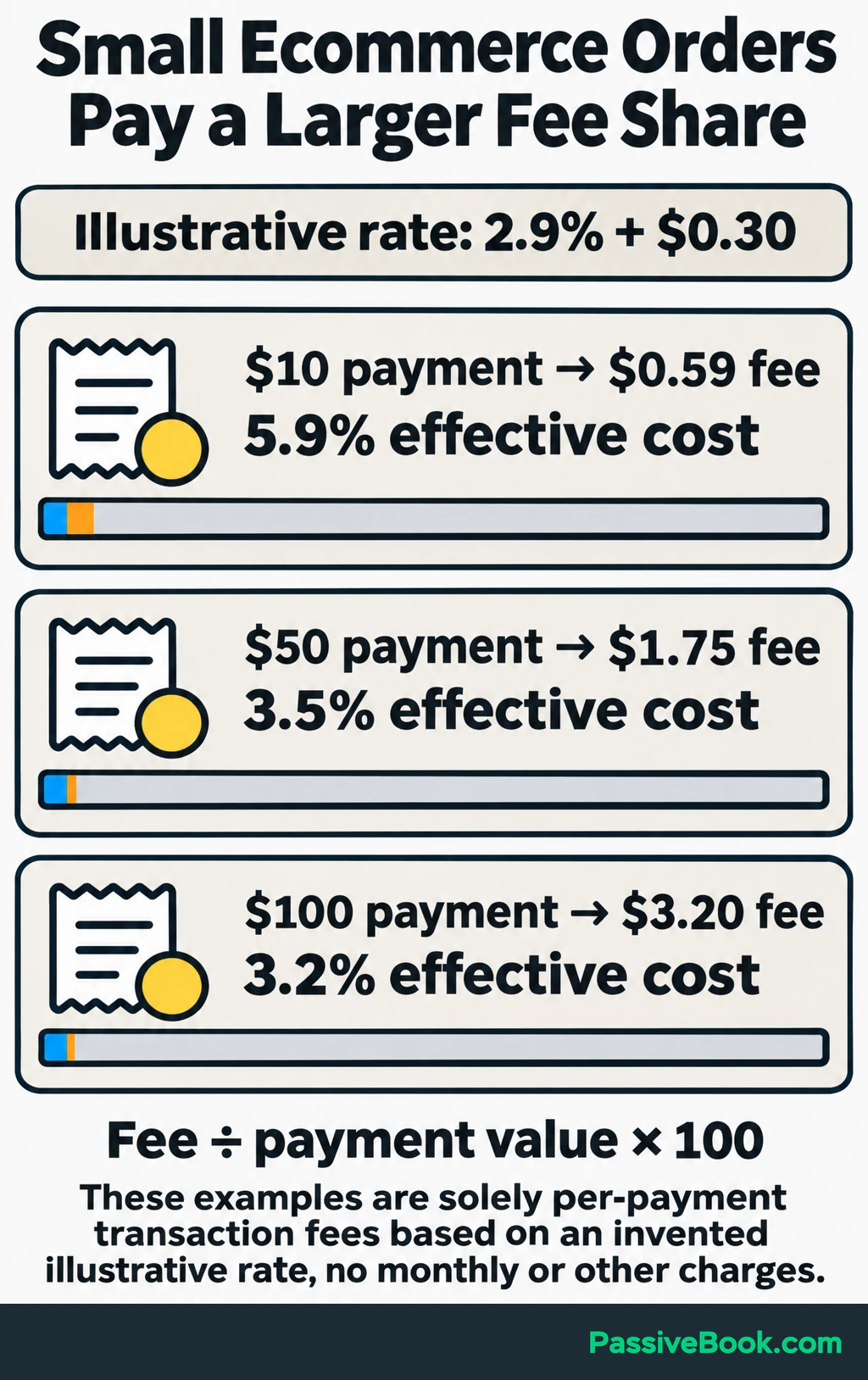
Effective payment cost = included payment charges ÷ gross processed sales × 100
Quote B saves $30 in percentage charges but adds $40 monthly. It costs $10 more at this volume.
For your own comparison, keep the period, transaction mix, currencies and included cost categories consistent. Add every applicable charge before choosing. Also rerun the numbers if your order size changes because fixed transaction fees take a larger share of small purchases.
A lower monthly bill is only useful if you can also fund orders while payouts are pending. Use the calculator to compare both quotes against your expected sales and see the cash each setup could require.
Free Platform Cost Calculator




How Do You Choose a Payment Provider?
Check Eligibility and Integration First
Eligibility comes before a feature comparison.
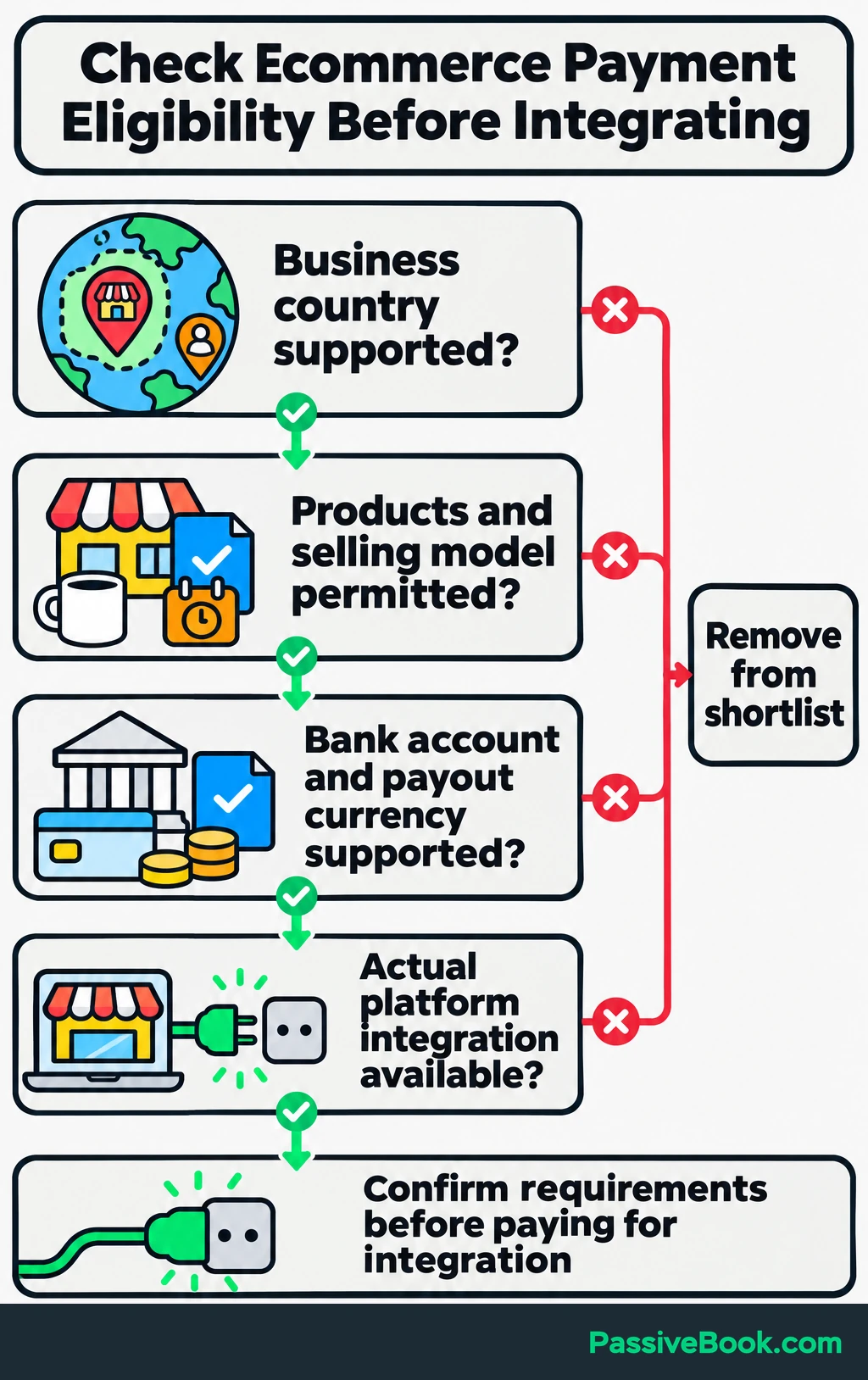
Confirm that the provider supports your business country, products, selling model, bank account and payout currency. A service accepting payments from customers in a country does not necessarily accept merchants based there.
Read the prohibited and restricted-business rules against what you actually sell. Obtain any required approval before paying for integration work.
Next, write down your essential capabilities:
- Payment methods and selling currencies.
- Full and partial refunds.
- Accounting exports and payout reports.
- Subscriptions or saved payments, if needed.
- In-person payments and inventory syncing, if needed.
I would choose a maintained platform integration when it meets those needs. For a store built outside a supported platform, a provider-hosted checkout is often my next choice.
A hosted checkout sends customers to a provider-run payment page. An embedded checkout places the provider’s payment form inside your site. A custom checkout gives more control, but someone must build and maintain it.
There is also a practical limit for the running example: standalone Stripe is not available to activate in Shopify countries where Shopify Payments is supported. That includes the US. It is also not a workaround for a business category Shopify Payments does not accept. Shopify explains this availability rule.
Check the actual integration before putting a provider on your shortlist.
Evaluate Security and Fraud Controls
I prefer provider-controlled card collection and tokenization. Tokenization lets the store work with a reference to payment details instead of directly storing the card number.
Also use HTTPS, protect administrator accounts with multifactor authentication, and keep store software and payment integrations updated.
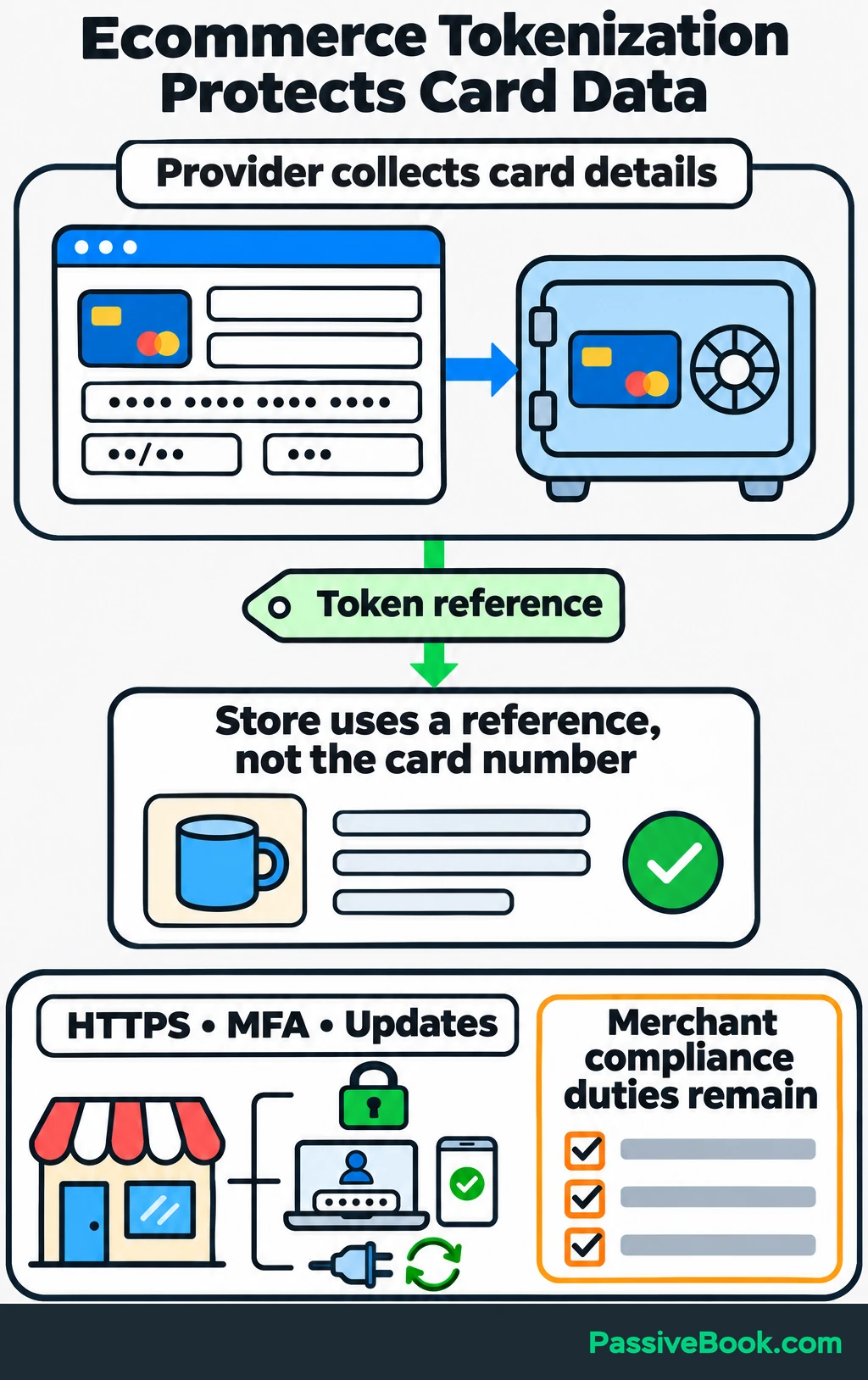
Ask for evidence that the provider complies with the Payment Card Industry Data Security Standard, or PCI DSS—the security requirements for handling card data. Then ask your acquiring bank or the organization managing your compliance program what your store must do to demonstrate compliance.
Outsourcing card processing can reduce the requirements that apply directly to your systems, but it does not remove merchant responsibility. The PCI Security Standards Council explains the remaining duties.
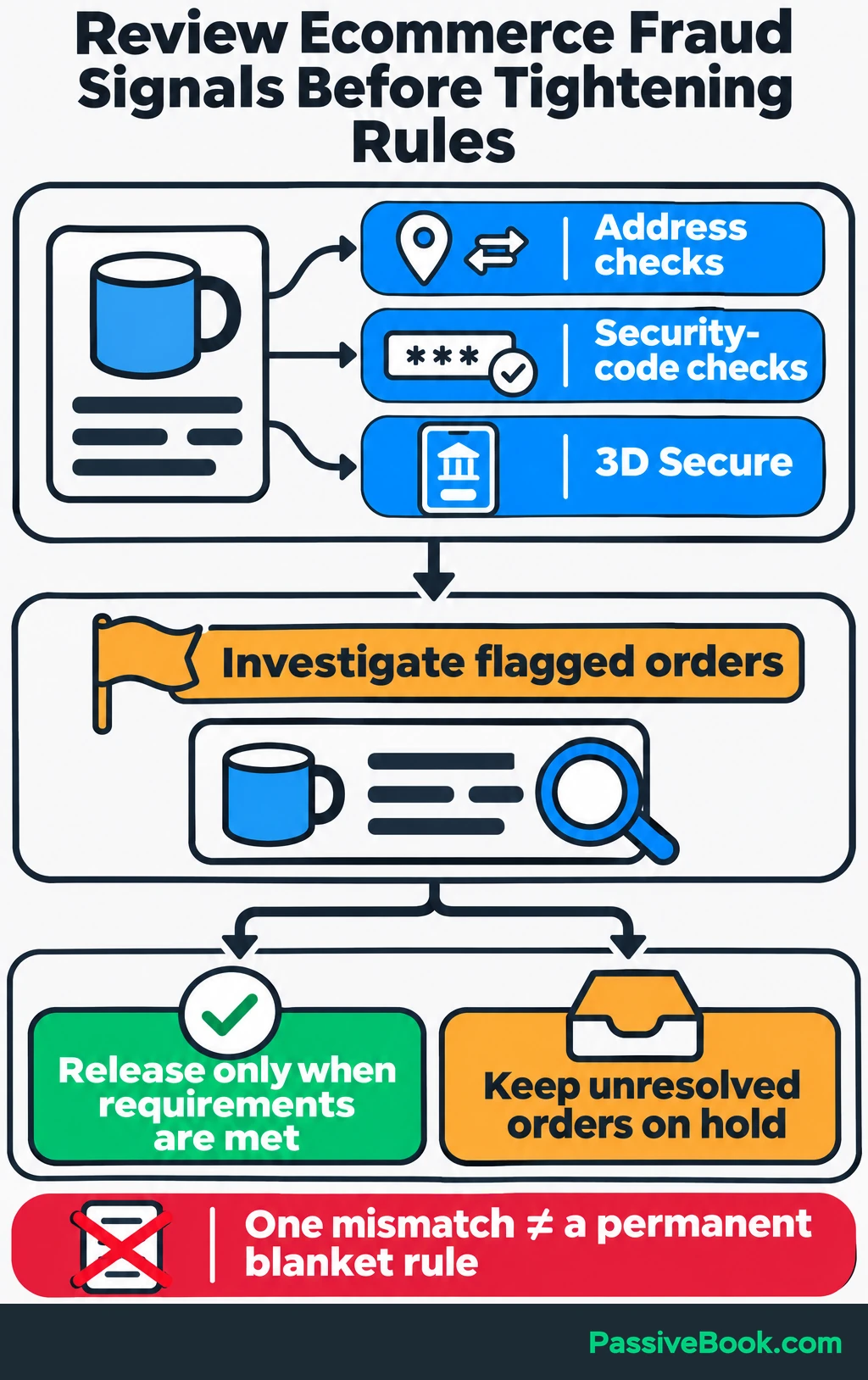
Compare the controls you can actually use:
- Fraud screening and clear reasons for flagged payments.
- Address and card security-code checks.
- 3D Secure, which supports identity checks through the card issuer.
- A review queue for suspicious orders.
- Dispute alerts and evidence-submission tools.
Ask how the integration handles authentication rules for your business and customers. Where Strong Customer Authentication applies, it generally requires two different types of identity check, such as a password and confirmation on a registered phone.
For the mug store, I would start with the provider’s recommended fraud settings and review flagged orders before making rules stricter. A mismatched detail deserves investigation, but it should not automatically become a permanent rule that blocks every similar customer.
Review Account Terms and Support
Read the terms that affect what happens when something goes wrong.
Check reserve provisions, account reviews, payout restrictions and any documents you may need to provide. Compare those terms with your ability to fund shipping, replacements and refunds.
Support needs more detail than “available.” Find out:
- Support access: Which channels operate during your selling hours?
- Problem ownership: Does the platform, integration developer or provider handle a failed checkout?
- Account restrictions: How do you submit documents and request a review?
- Exit terms: Are there contract commitments or cancellation charges?
- Data access: Can you export reports and move eligible saved-payment details or subscriptions?
Saved-payment migration can require cooperation between providers. Ask about it before building a subscription business around an account.
Eliminate providers that fail essential requirements. Then choose among the remaining options using complete cost, customer experience, access to funds and maintenance work.
Which Payment Providers Are Worth Comparing?
These providers suit different requirements. They are not five interchangeable buttons you can add to any platform.
| Provider | Suitable Store Requirements | Integration Approach | Costs to Include | Decisive Constraint |
|---|---|---|---|---|
| Shopify Payments | A Shopify store seeking payment administration within the platform | Built into Shopify | Processing, Shopify subscription and optional payment charges | Business country and category must qualify |
| Stripe | A supported store integration or a checkout needing more control | Platform integrations, hosted checkout, embedded forms and custom components | Processing, international payments, conversion and optional services | Confirm platform support; standalone Stripe is unavailable in the US Shopify setup described above |
| PayPal | Customers want PayPal, or the store needs a suitable PayPal checkout product | Platform integration or hosted and embedded products | Fees for the exact product, funding method, currency and optional services | The selected product must fit the platform and account eligibility |
| Square | Online and in-person sales need connected records | Square tools and supported ecommerce integrations | Online and in-person processing, hardware and paid services | Check exactly which sales, inventory and customer records sync |
| Authorize.net | A store retaining a compatible merchant account or arranging a combined service | Gateway-only or all-in-one arrangement | Gateway charges plus processing and merchant-account costs where separate | A gateway-only quote is incomplete without compatible processing |
For Shopify Payments, review the country and business requirements before treating it as your default.
Stripe’s checkout options let supported businesses choose between prebuilt and more customized payment interfaces. You do not have to build every field yourself.
PayPal offers different checkout products, so price the one your integration uses. Its US merchant-fee schedule separates charges by payment product and method.
Square is worth examining when connected online and in-person records matter. For example, its WooCommerce integration supports sales, inventory and customer-data syncing with Square POS. Confirm what your selected integration supports through Square’s ecommerce integration details.
Authorize.net’s gateway-only and all-in-one arrangements serve different needs. A small gateway fee is not the whole processing bill.
Stripe is my primary processor, and PayPal is my secondary option for buyers who prefer it. For the US mug store already using Shopify, though, I would check Shopify Payments first and compare compatible external providers only where they offer a concrete advantage.
Adding PayPal for customer choice is a separate decision from replacing the main processing setup.
How Do You Set up and Test Payment Processing?
Connect the Approved Account
Prepare the identity, business, ownership and bank information requested during onboarding. Complete verification before relying on the account for a launch.
Then connect the maintained integration and configure:
- Payment options: Enable the selected methods and currencies.
- Collection: Set automatic or delayed capture to match fulfillment.
- Payouts: Confirm the receiving bank account and available schedule.
- Customer records: Set receipts, support details and a recognizable billing descriptor—the name buyers see on their statement.
- Refunds: Decide who can issue them and how they are recorded.
Make the final checkout total clear before payment. Customers should be able to see the products, shipping, taxes and discounts that produce it.
Test the Complete Order Lifecycle
On an early store, I checked whether I could take a payment and called the setup finished. Then I tried to find the transaction I would need for a refund and had to work backwards through the account.
That changed my launch check. I now follow the payment through the tasks I will need after the sale.
Use the provider’s test environment to check:
| Test | Expected Result |
|---|---|
| Successful payment | Correct amount collected and order updated |
| Decline or failed authentication | Clear next action and no fulfillment |
| Cancelled checkout | No shipment or misleading paid status |
| Double-click or duplicate submission | No unintended duplicate charge or fulfillment |
| Delayed confirmation | Order remains pending until the required confirmation |
| Full and partial refund | Correct amount returned and records updated |
Repeat relevant checks on mobile and desktop for each enabled method. Try keyboard navigation, check field labels and read the errors as a customer would.
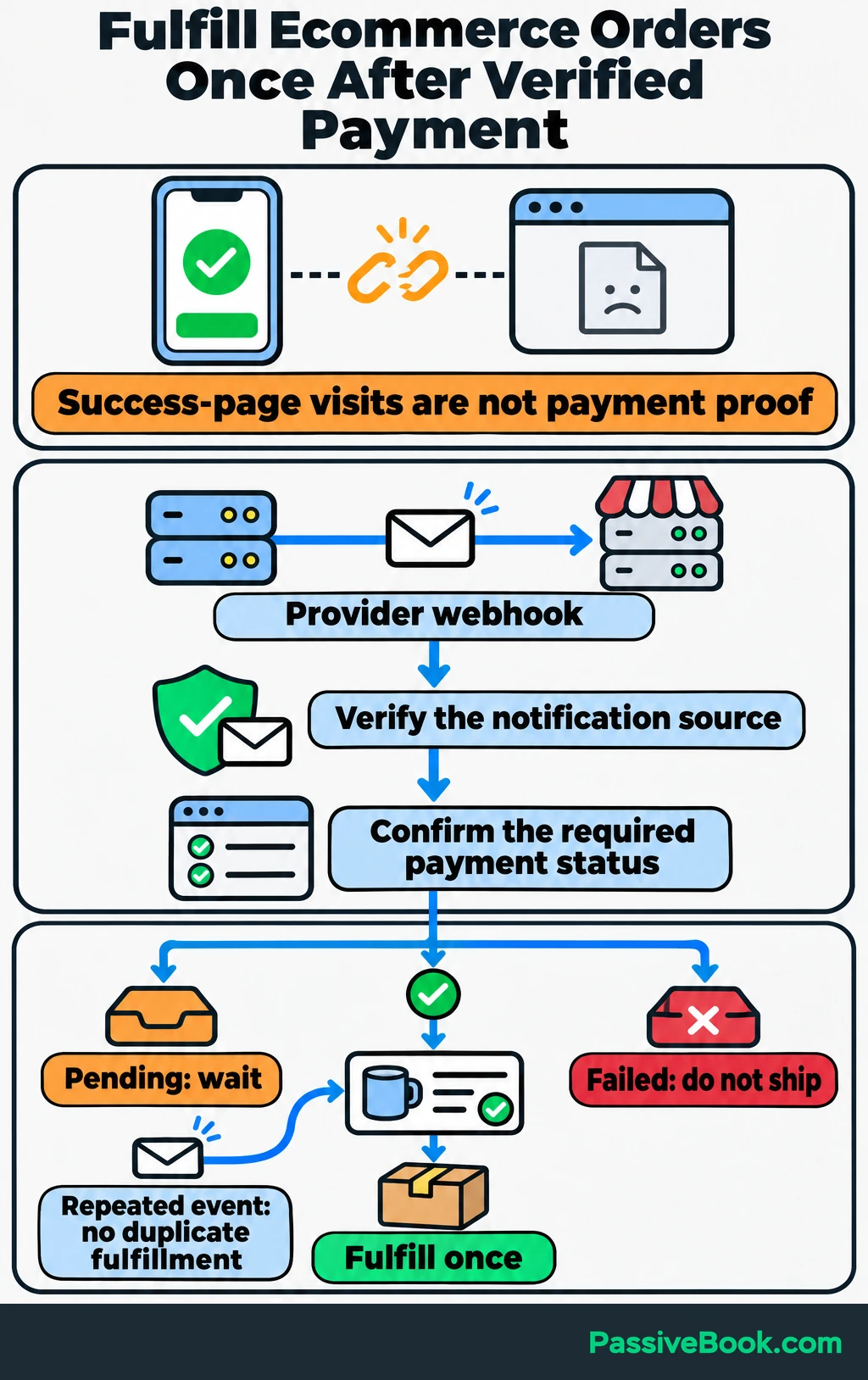
Before your store automatically releases an order for shipment or delivers a download, it must confirm the payment with the provider. A webhook is a notification the provider sends directly to your store’s software when payment status changes. The software must verify that the notification came from the provider.
A visit to the success page is not enough: the customer might pay and then lose their connection before that page loads. Repeated notifications must also be handled without fulfilling the same order twice. Stripe’s fulfillment guidance explains these requirements.
With a maintained platform integration, confirm that it handles this correctly. With a custom integration, make it an explicit requirement for the developer.
For the mug store, the result should be simple: a successful captured payment can release the order for fulfillment once, a pending payment stays pending, and a failed payment never triggers shipment.
Finish the provider’s launch checks, then make a permitted live transaction. Verify the receipt, refund process, recorded fees and eventual bank payout.
How Do You Keep Payments Working After Launch?
Resolve Failed Payments
Start with the recorded payment status and failure information. “The payment didn’t work” can mean incorrect details, an issuer decline, an incomplete identity check, a fraud block or an integration error.
Those causes need different responses. Stripe’s decline guide distinguishes issuer declines, blocked payments and integration errors.
Give the customer the next useful action:
- Correct incomplete or invalid details.
- Complete the bank’s authentication step.
- Contact the card issuer when appropriate.
- Try another supported method.
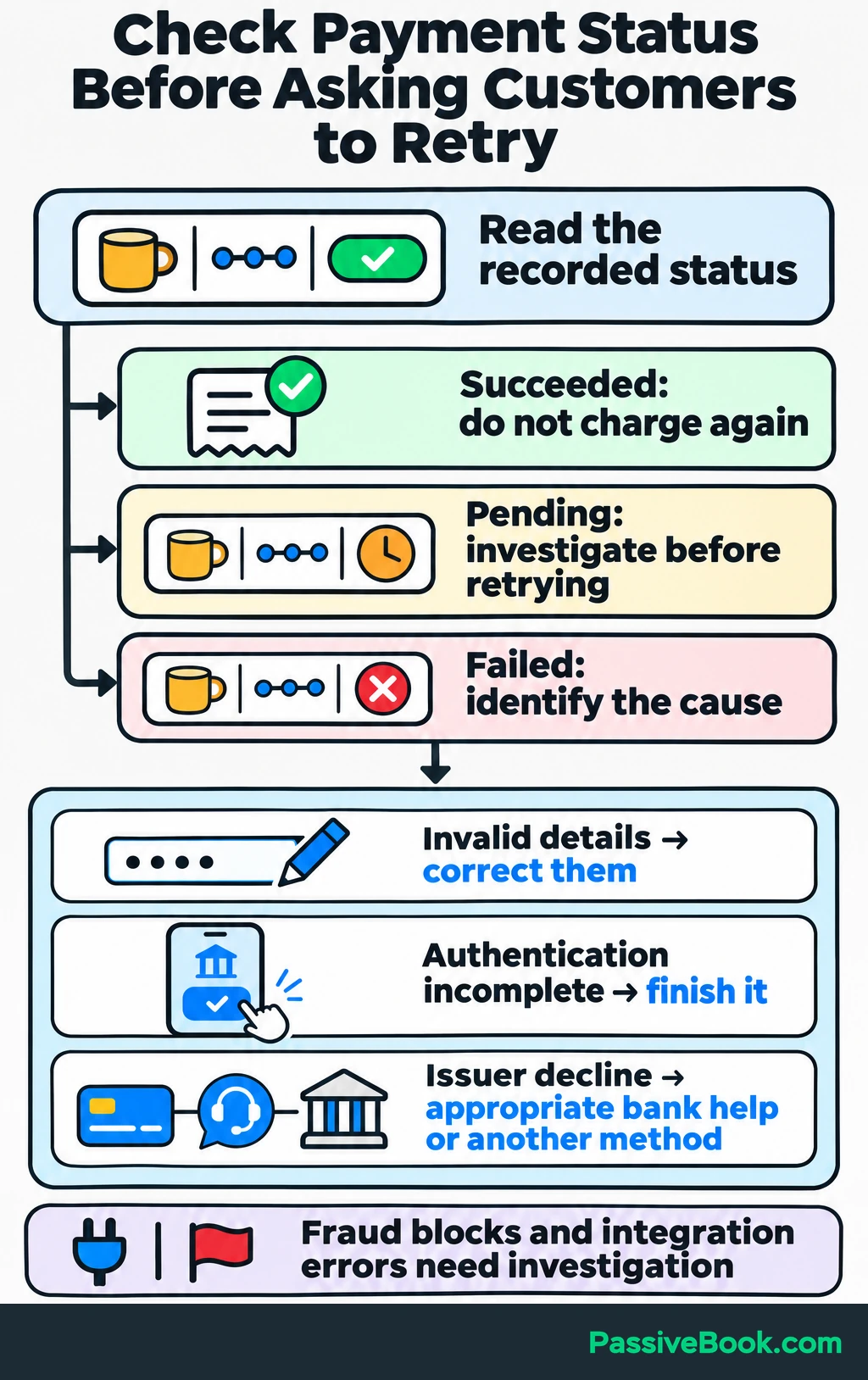
Check whether a payment already succeeded or remains pending before asking the customer to pay again.
For store-wide problems, compare affected methods and devices, check provider service status, and investigate recent checkout changes. Send support the transaction reference and error information so they can locate the failure.
I would also watch successful payments by method and device. A problem appearing just after a checkout update gives you a clear place to begin investigating.
Handle Refunds and Disputes
A refund is initiated by your business. A card dispute is raised through the customer’s bank.
Issue refunds against the original transaction, track their status and tell the customer when to expect the funds under the provider’s applicable timing. An accepted refund request does not mean the customer’s bank has already posted it.
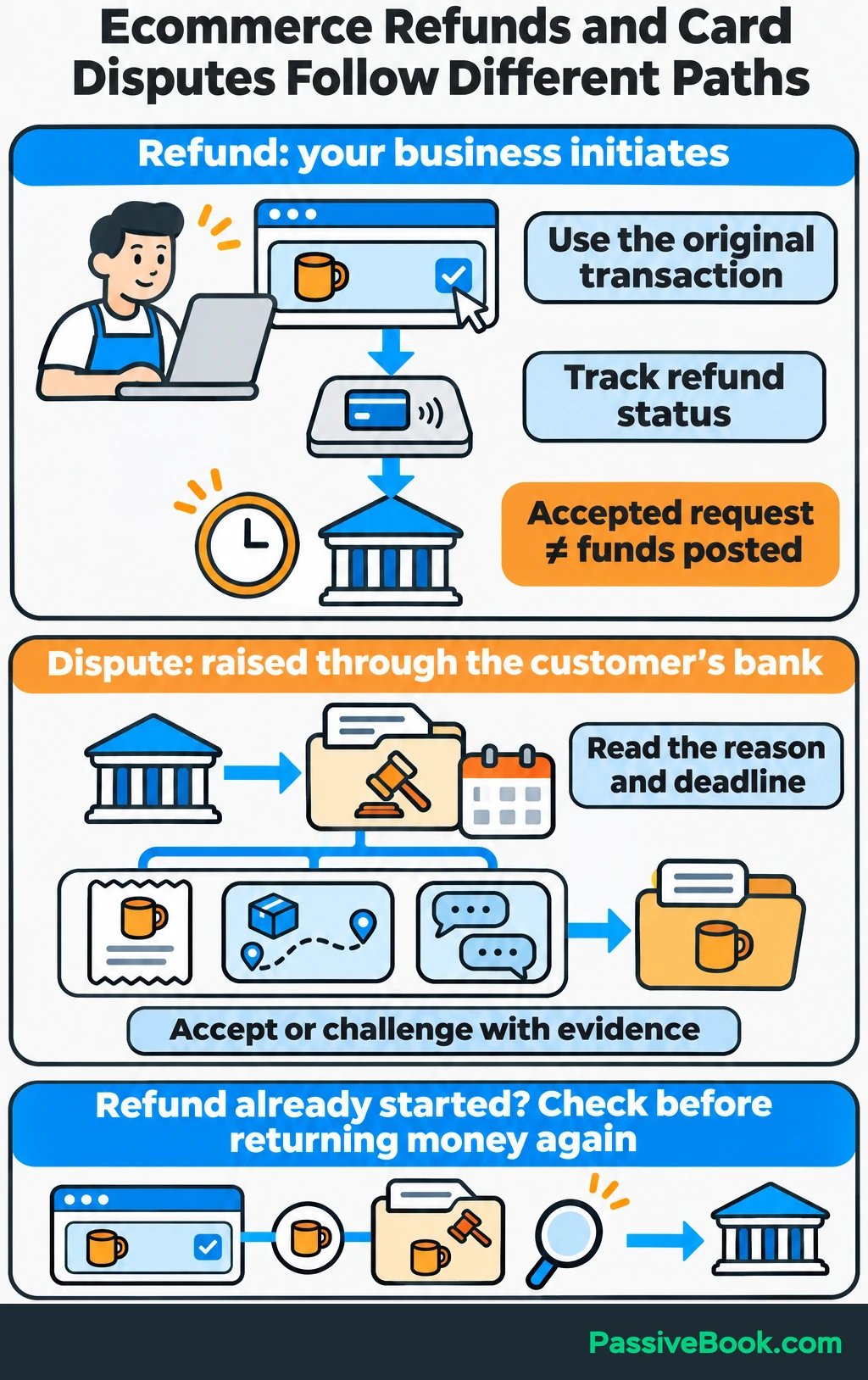
For a dispute, read the reason and response deadline first. Gather the order record, delivery evidence and relevant customer communications, then decide whether to accept or challenge it. Stripe’s dispute-response guidance explains the process.
For the mug store, keep tracking details, damage reports and replacement conversations linked to the order. If a dispute arrives after a refund has started, check its status before sending another payment back.
Reconcile Payments With Payouts
Reconciliation means matching what you sold to what the provider collected, deducted and deposited.
Use transaction and payout identifiers to connect:
Orders → gross payments → fees and adjustments → net payout
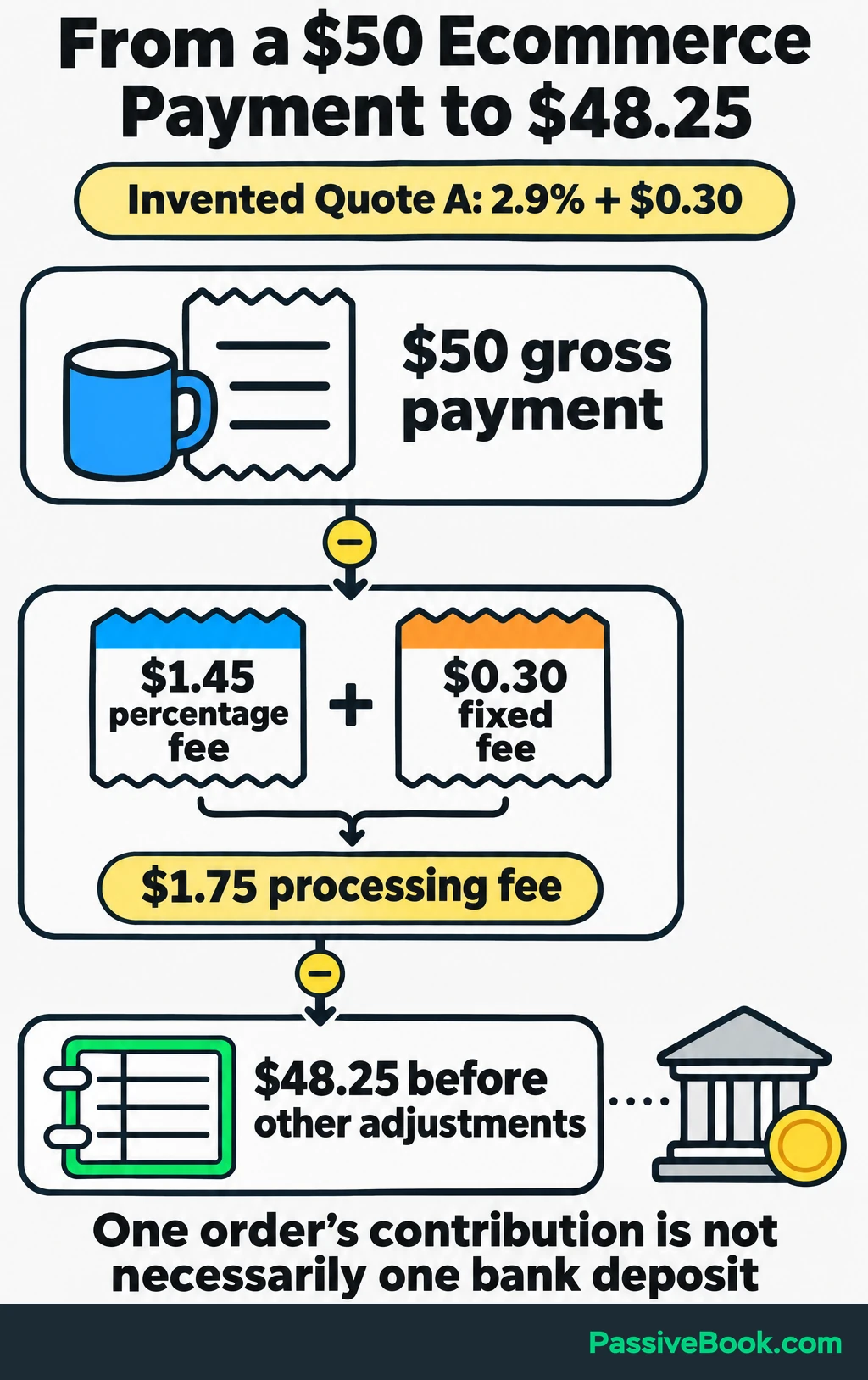
Under the invented Quote A, a $50 mug order incurs $1.75 in processing fees:
$50 × 2.9% + $0.30 = $1.75
That order contributes $48.25 before other adjustments.
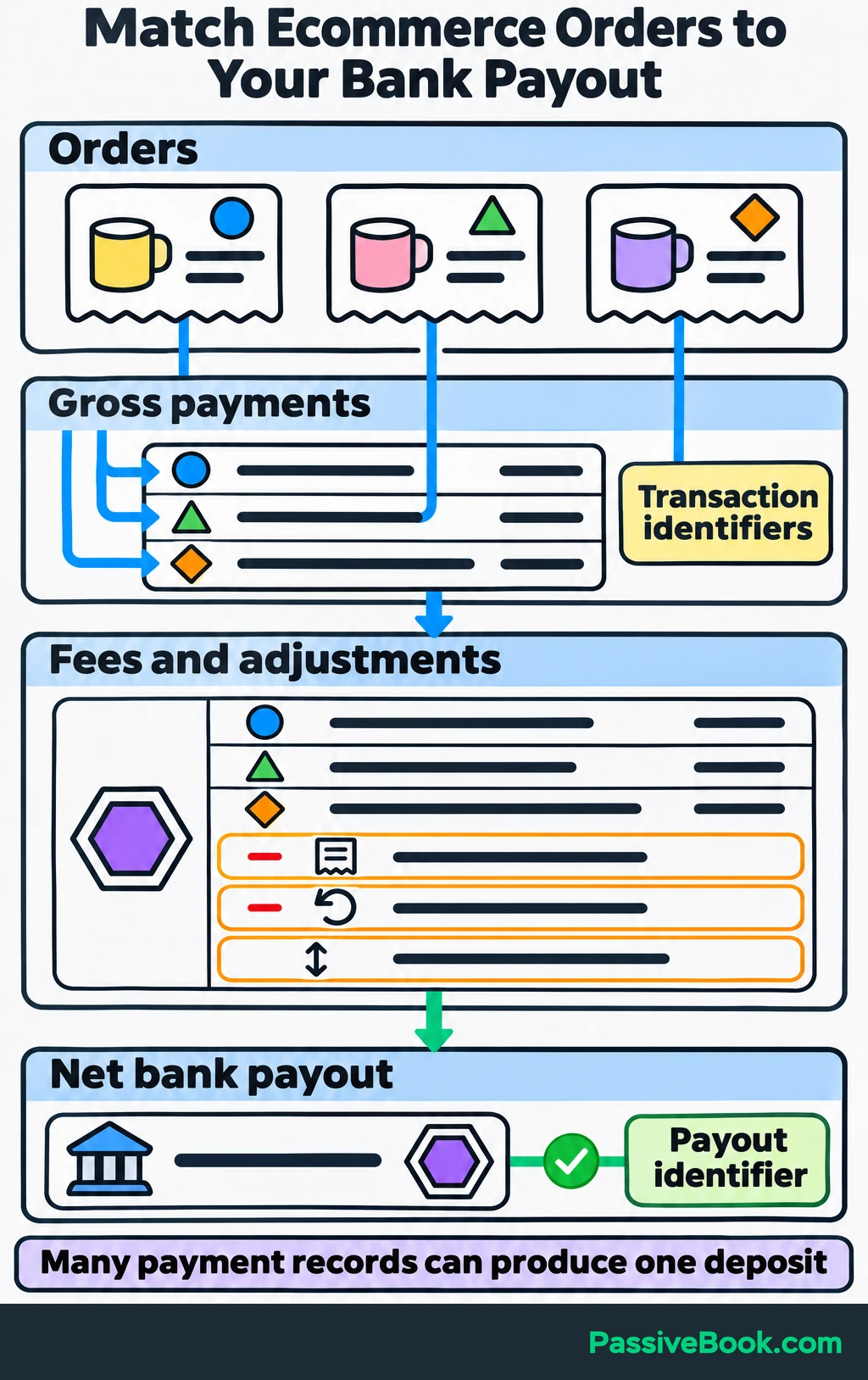
A bank payout can combine many payments, refunds and other entries, so it may not match any single order total. Compare its component records with the provider’s payout report.
I would begin with a weekly review and immediate alerts for payment failures, disputes and account restrictions. Increase the review frequency when transaction activity calls for it.
Revisit the provider when customers need unsupported methods, integration problems keep returning, or a complete competing quote offers enough savings to justify the switch.
What Next?
Write down your business country, store platform, required payment methods, expected monthly orders and average checkout value. Use that list to eliminate unsuitable providers, then compare two complete quotes against the same orders.
Use the social buttons to share this guide when a provider comparison gets stuck on the headline rate. The full bill and payout terms deserve a place in that conversation.
Which part of your payment setup still needs the most clarity: fees, checkout reliability or access to funds? Share your answer in the comments, along with any other questions.
Share this post with your friends & followers:

