A customer asks where their order is, and answering takes three checks: your store, a warehouse message and the carrier’s tracking page. You still can’t tell whether the parcel actually left.
Meanwhile, another order needs the same item, but your stock count includes units already promised to someone else. Now you’re making delivery promises from information you don’t trust.
That uncertainty creates work every time an order changes hands. This guide walks through the full journey, including damaged deliveries and refunds, so you can see what’s waiting, who owns it and which handoffs are worth automating.
What Is an Ecommerce Order Management System?
An ecommerce order management system, or OMS, connects your orders, inventory, fulfillment and after-sales service. It helps you track what a customer bought and what still needs to happen before their order is resolved.
Your process defines the work. The software helps people carry it out and keeps the records together.
The ecommerce order management process follows this sequence:
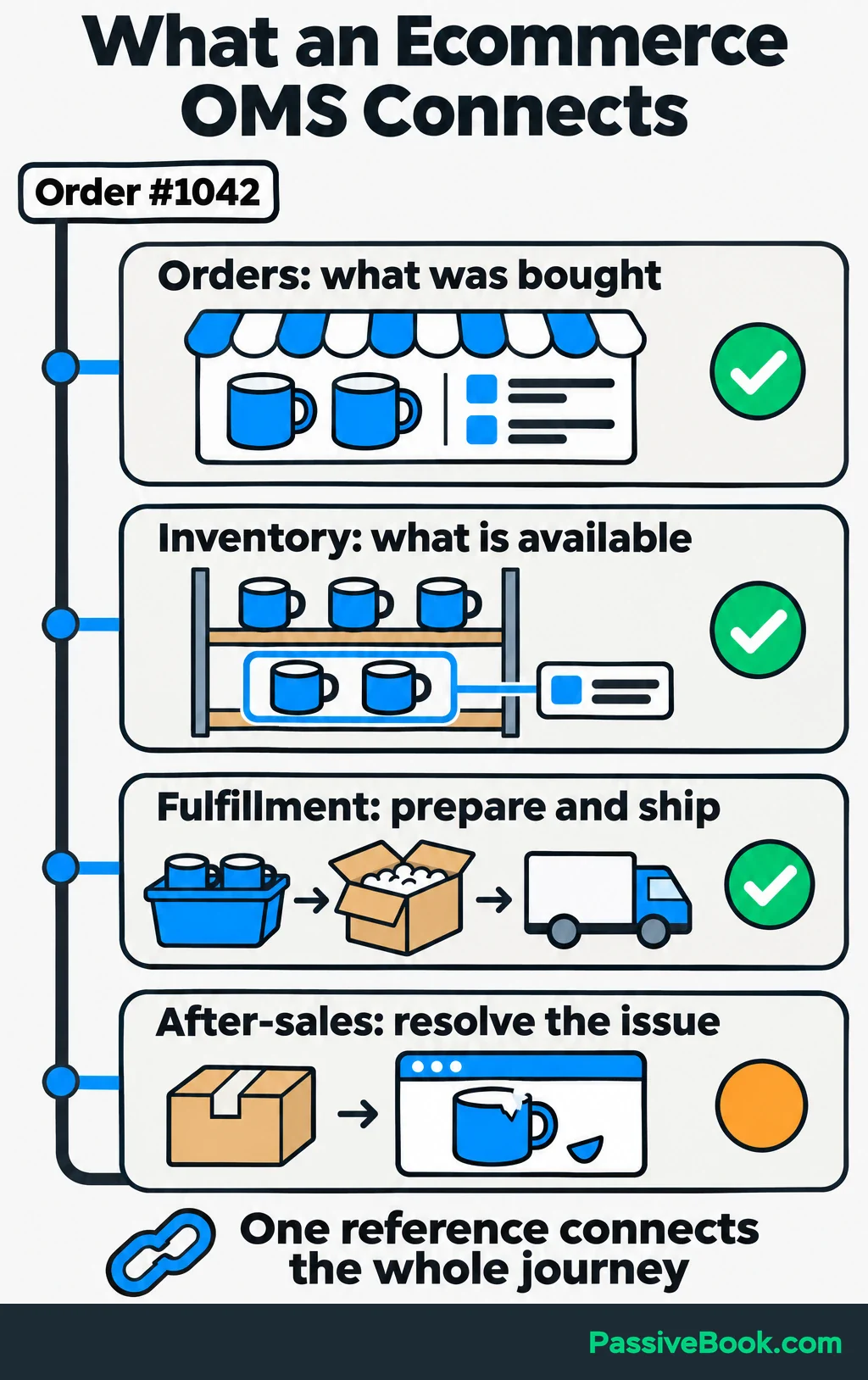
Order placed → details checked → stock reserved → fulfillment accepted → items picked and packed → parcel dispatched → delivery monitored → returns or refunds resolved.
Inventory management tells you what stock you have. Fulfillment covers preparing and shipping the goods, and carriers transport the parcels. An OMS connects those activities, but your existing store tools may already cover what you need.
My earlier online jewellery store ended with unsold inventory because I hadn’t done proper market research. I spent time organizing products before establishing whether people wanted them. Better order handling wouldn’t have fixed that demand problem. It solves a different problem: reliably delivering what customers have already bought.
For the examples below, imagine you run an online ceramic mug shop. Order #1042 contains two blue 250-milliliter mugs. We’ll follow that order through delivery and a damaged-item complaint. All example figures are illustrative.
Map Your Current Order Workflow
Start with one completed order and one that went wrong. Follow the records from checkout through the final customer update.
Look for places where you copied information, waited for a reply or chased someone to find out what happened. Those are useful starting points because you can point to the work they created.
For each stage, record six things:
| Stage | Trigger | Responsible Person or System | Required Information | Completion Signal | Exception Action |
|---|---|---|---|---|---|
| Validate order | Checkout creates order | Store checks; owner reviews holds | Items, address, payment result | Approved for fulfillment | Owner resolves hold before release |
| Reserve stock | Reservation rule is met | Inventory system | Item, quantity, location, existing commitments | Reservation linked to order | Owner reviews shortage |
| Assign fulfillment | Order is approved and stock reserved | Packing team or partner | Picking details and dispatch deadline | Task accepted | Owner chases or reassigns |
| Pick and pack | Picking task accepted | Packer | Item identifiers, quantity, packaging instructions | Contents verified and parcel ready | Packer reports discrepancy |
| Dispatch | Parcel ready for collection | Dispatch person and carrier | Label, tracking, parcel contents | Handover recorded | Owner investigates missed collection |
| Monitor delivery | Carrier accepts parcel | Tracking system; owner handles exceptions | Tracking events and delivery promise | Delivery recorded; complaints handled separately | Owner investigates and updates customer |
| Resolve return | Customer requests help | Owner and returns handler | Original items, reason, agreed remedy | Remedy completed and records checked | Owner follows up on unfinished action |
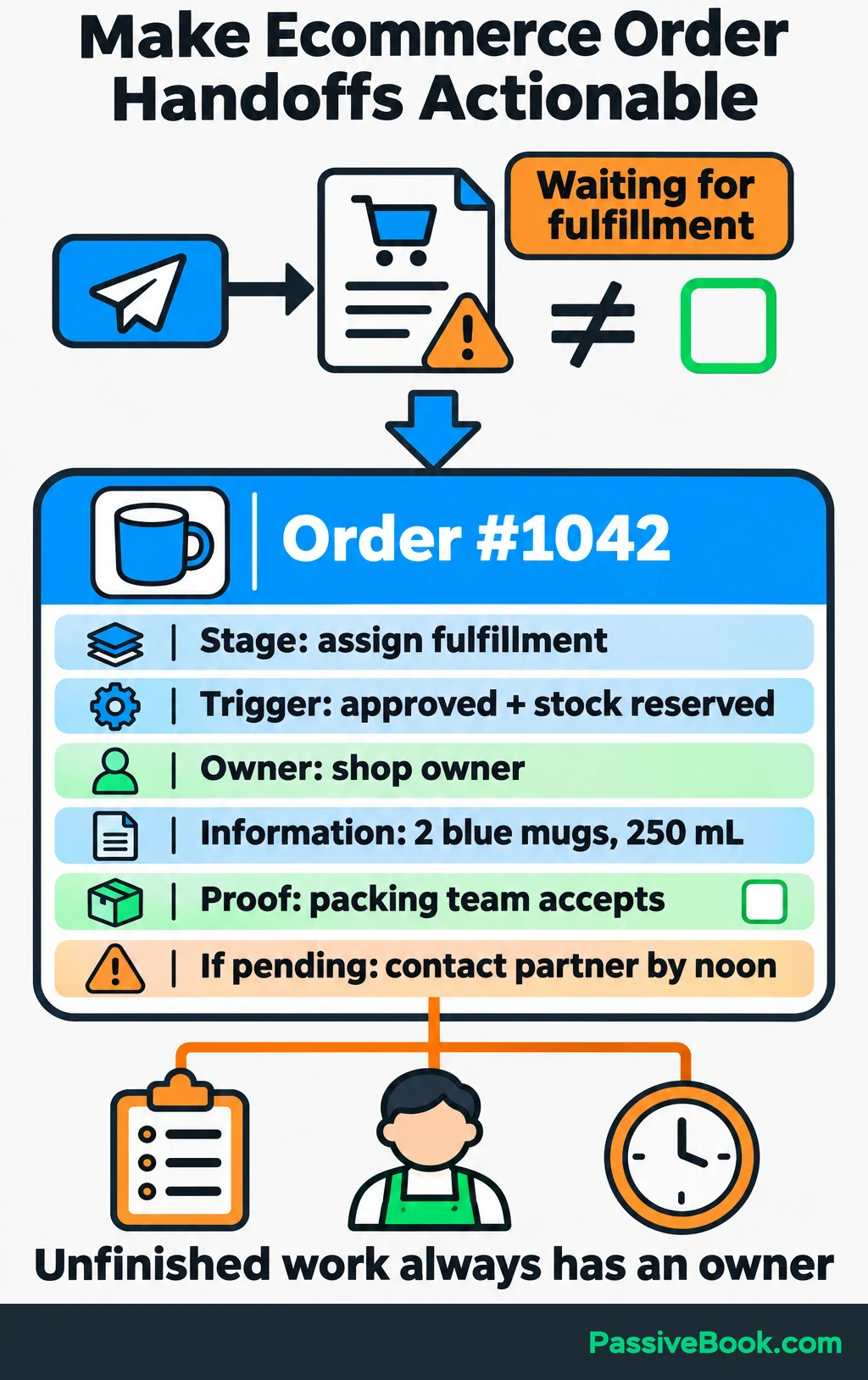
One person can own several stages. The important part is that each unfinished task has an owner.
Keep payment, fulfillment, delivery and returns separate. “Paid” tells you nothing about whether the parcel left. “Delivered” tells you nothing about whether a damaged-item complaint remains open.
Preserve the original order reference across your tools. Record when each handoff was requested and accepted, and give unresolved tasks a next-action deadline.
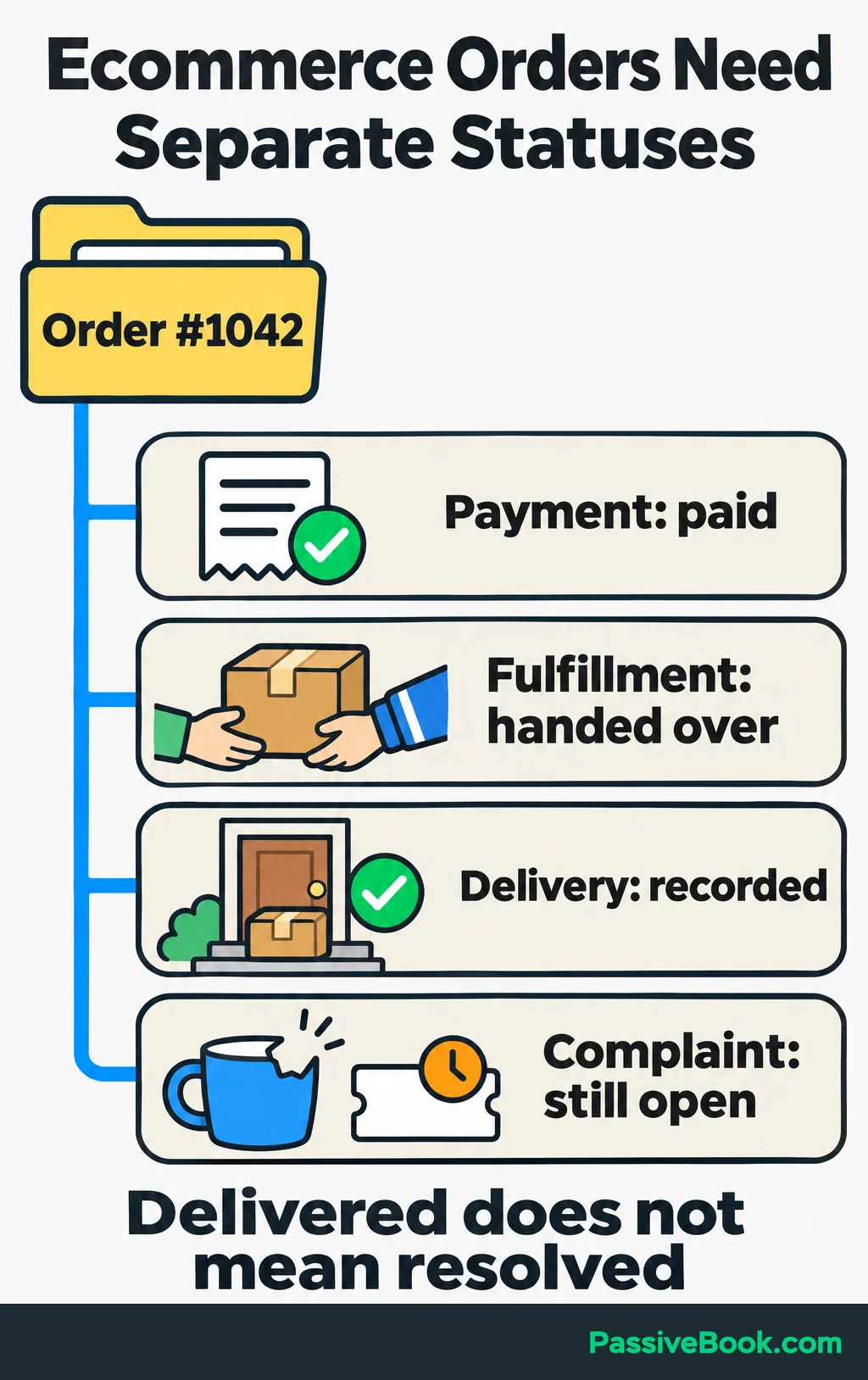
A useful note looks like this:
Order #1042: fulfillment requested at 10:10 a.m.; acceptance still pending. Owner to contact the packing partner by noon.
“Waiting” becomes actionable when you record who must do what next.
You don’t need to write an operations manual to clarify one troublesome handoff. AI Operations Writer turns your current steps into instructions your team or fulfillment partner can review and use.

Free AI Operations Writer




The Ecommerce Order Management Process, Step by Step
1. Capture and Validate the Order
Bring orders from every sales channel into one working queue. You need a dependable place to see what requires attention, even if customers buy through different storefronts or marketplaces.
Each order should contain:
- Order details: Original reference, sales channel and time placed.
- Customer details: Contact information and complete delivery address.
- Purchase details: Exact item identifiers, variants, quantities, prices and discounts.
- Delivery details: Shipping service and the delivery promise shown at checkout.
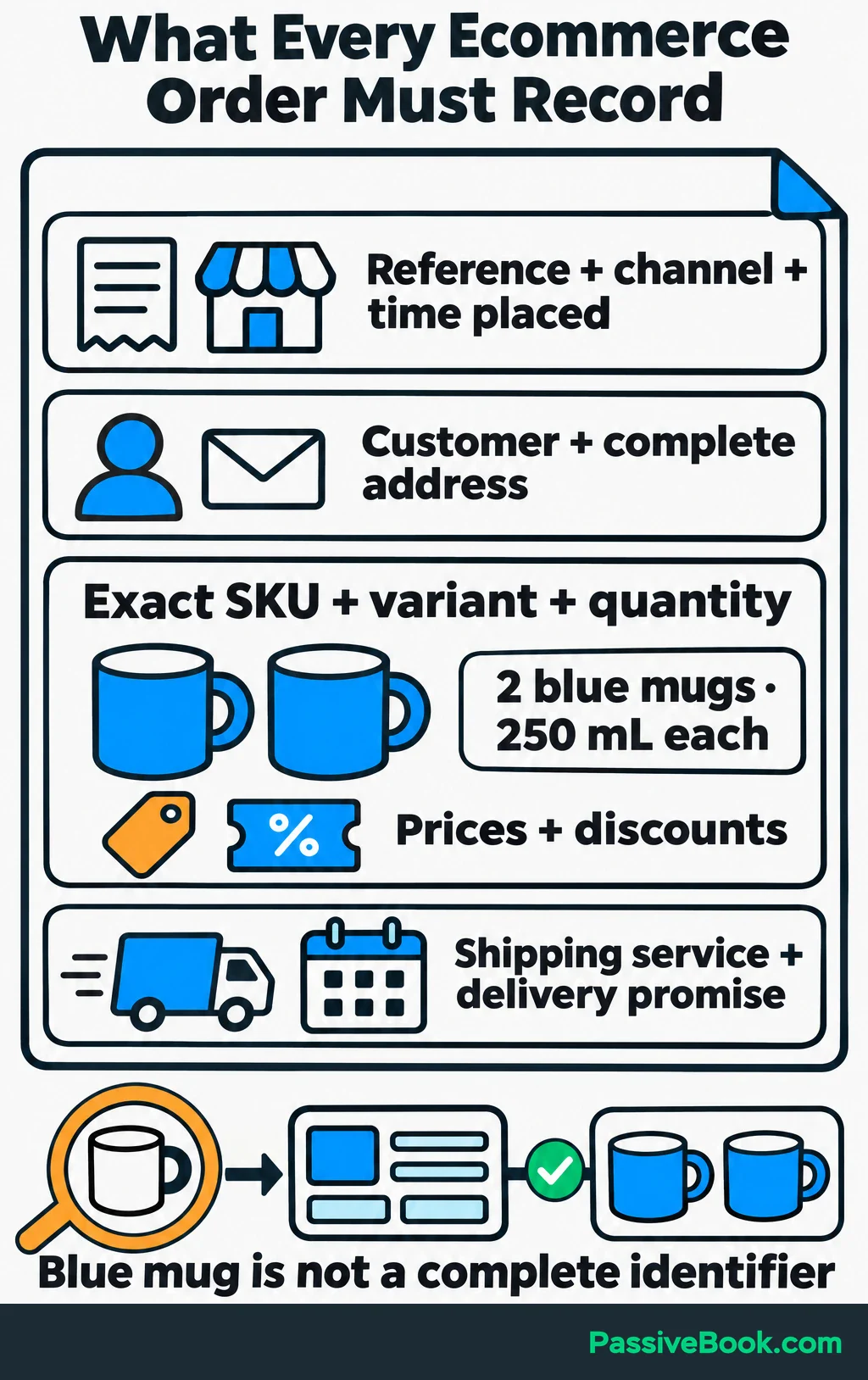
An item identifier, often called a SKU, distinguishes the exact product. “Blue mug” may be too vague if you sell several sizes.
Before releasing fulfillment, check payment status, address completeness, shipping eligibility and any fraud-review flags. Put unresolved orders on hold with a reason, owner and next action.
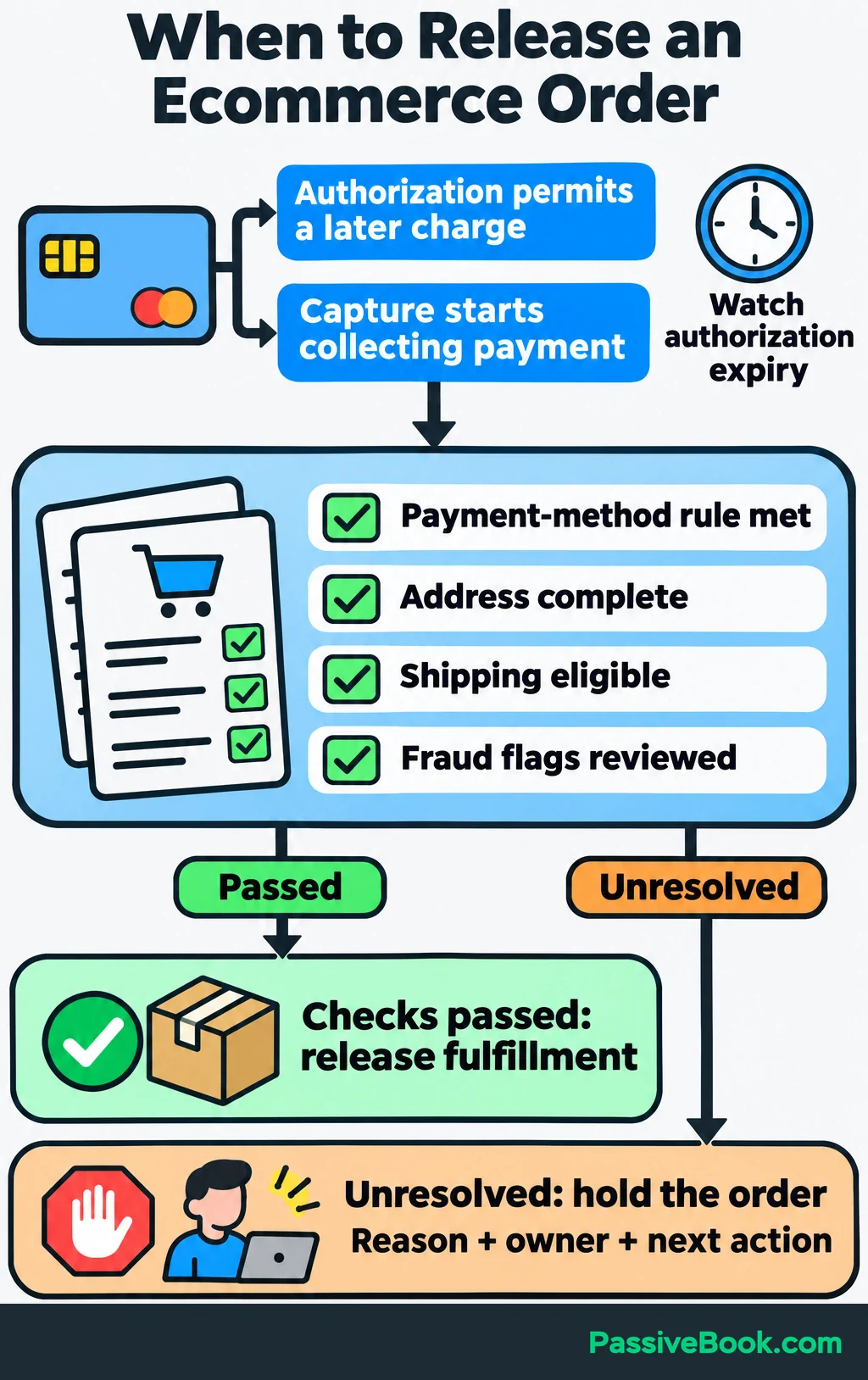
Write a release rule for each payment method you accept. As Shopify’s payment guidance explains, card authorization permits a later charge; capture starts collecting the payment. If you capture later, monitor the provider’s authorization deadline so it doesn’t expire while the order waits.
Send an acknowledgment that confirms the purchase and explains what happens next. For order #1042, it should show two blue 250-milliliter mugs and the order reference. That gives the customer a chance to spot an error before packing begins.
2. Check and Reserve Available Inventory
Choose the inventory record that controls availability for each item and location. Other tools should update from it rather than maintain competing counts.
Separate stock you physically hold from stock you can still sell. Some units may already belong to open orders, and others may be damaged or held for inspection. Incoming deliveries also need their own count. Shopify separates these quantities into inventory states: on hand, available, committed, unavailable and incoming.
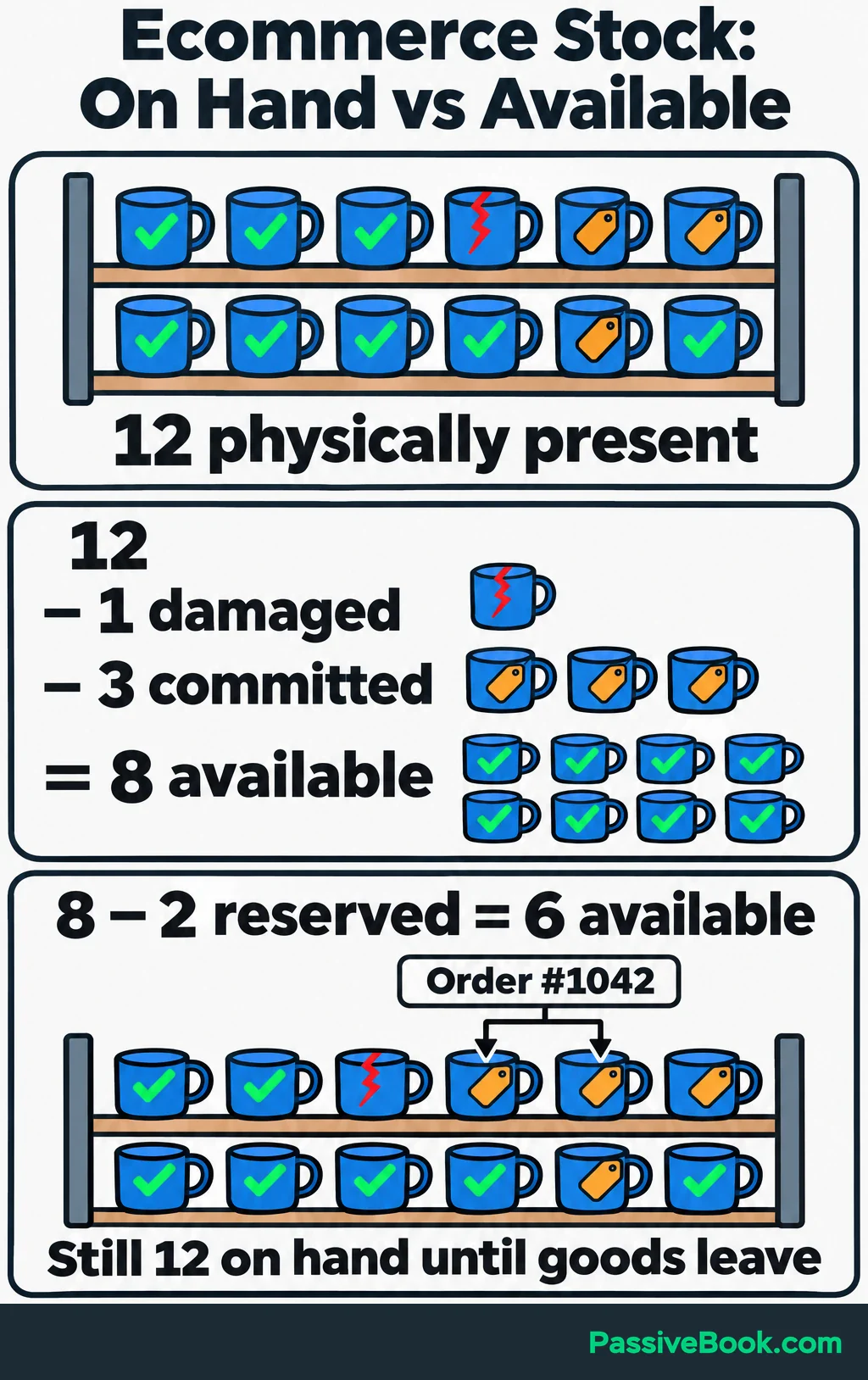
For the mug shop, count only the units available for a new purchase:
| Stock Category | Blue 250-Milliliter Mugs |
|---|---|
| Physically present | 12 |
| Damaged and unavailable | 1 |
| Committed to earlier orders | 3 |
| Available for new orders | 8 |
Reserving two mugs for order #1042 leaves six available for new orders. You still physically hold 12 until goods leave.
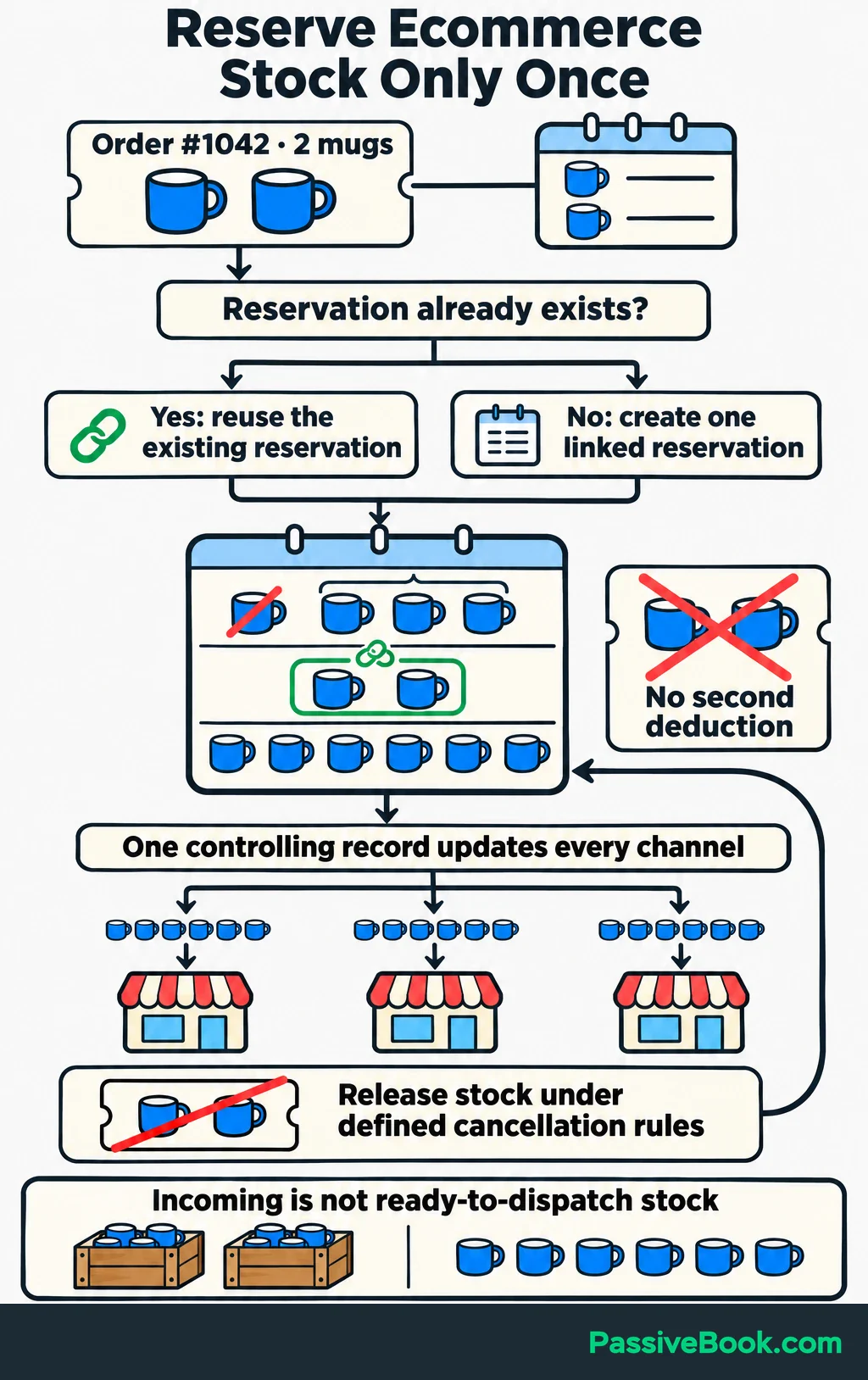
Check whether checkout already created that reservation. A second tool must recognize it rather than subtract the same two mugs again. Define when canceled or expired orders release their reservations, and make sure other sales channels receive the updated availability.
When stock is short, send the order to a decision-maker. They can check another location, offer a customer-approved alternative, agree a backorder date, arrange a partial shipment or cancel and refund.
Keep incoming stock separate from stock ready to dispatch. A supplier’s expected delivery needs to support a clear backorder promise before you sell against it.
3. Assign Fulfillment and Confirm Acceptance
Send the approved order to whoever will prepare it: you, a warehouse, a supplier or a third-party logistics provider. A third-party logistics provider, usually called a 3PL, stores and ships goods for other businesses.
The request needs the exact items and quantities, packing instructions, delivery address, shipping service and dispatch deadline.
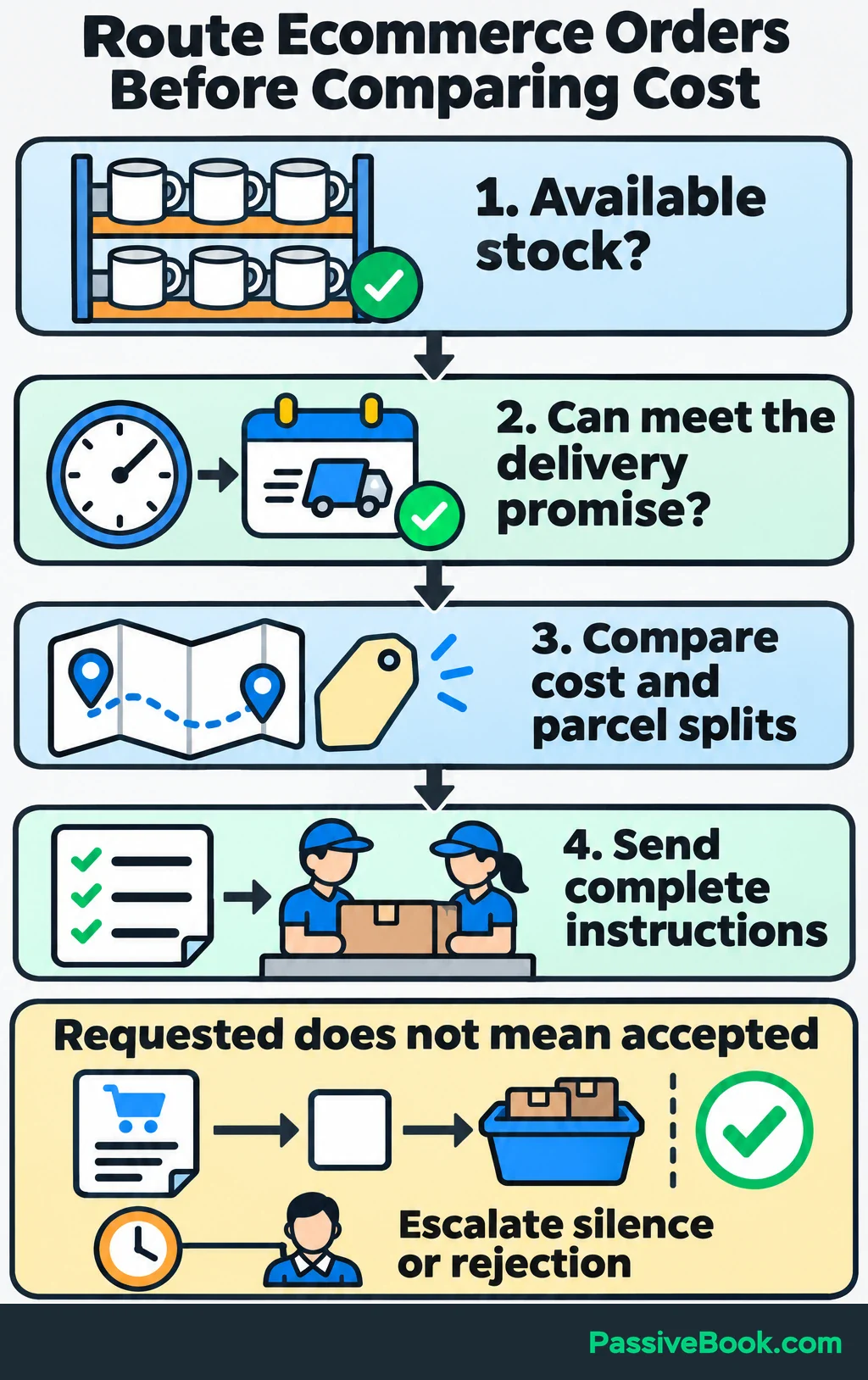
If several locations can fulfill the order, first check which has available stock and can meet the delivery promise. Then compare shipping costs and unnecessary parcel splits. The cheapest location is a poor choice if it cannot dispatch in time.
Require an acceptance signal. For order #1042, the handoff completes when the packing team accepts the task. Until then, someone must watch for rejection or silence.
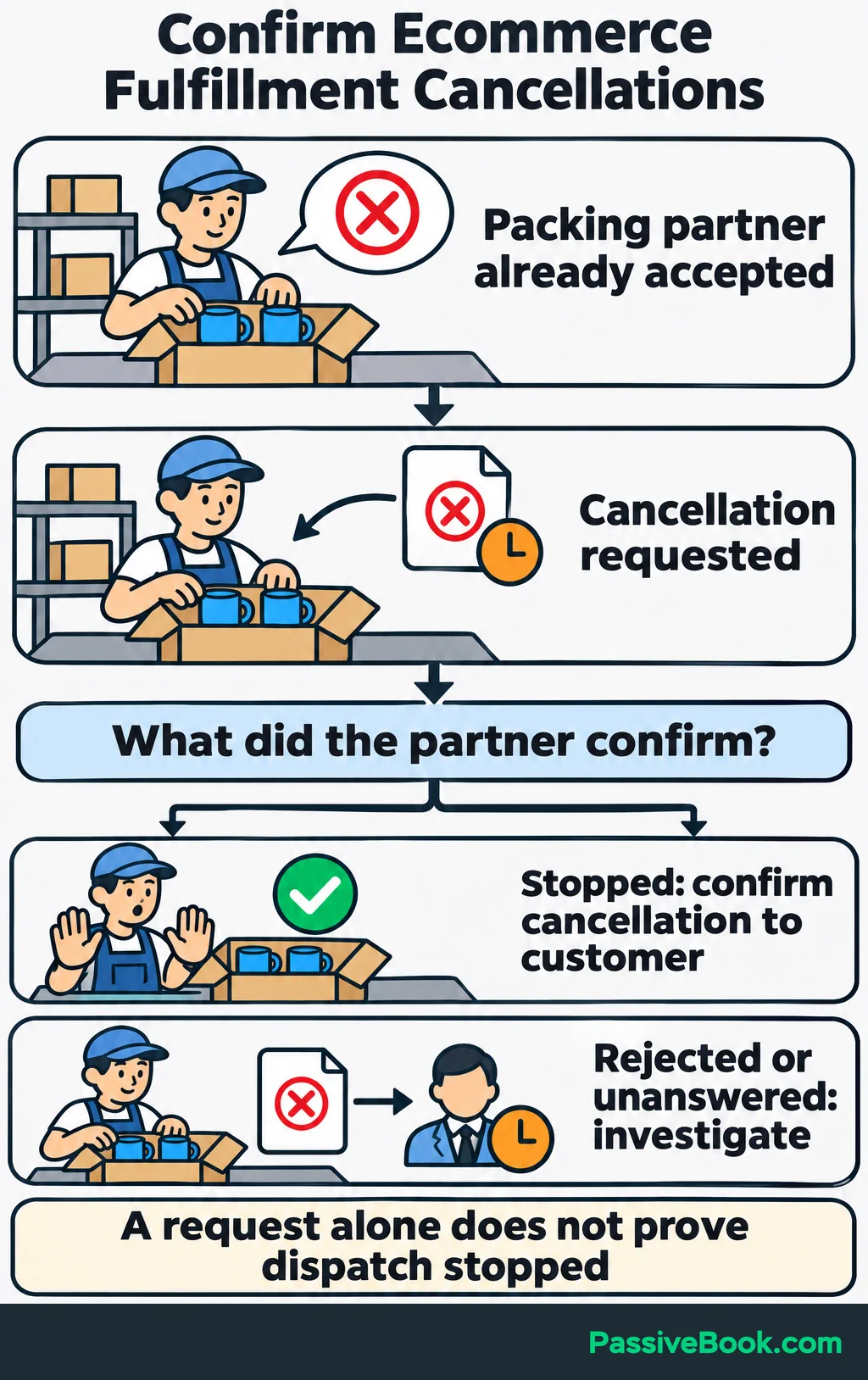
Edits and cancellations need the same discipline. Once a partner has accepted fulfillment, confirm that they have stopped work before telling the customer that dispatch has been canceled. As Shopify’s fulfillment-service guidance explains, the partner can reject a cancellation request.
I would set a clear escalation deadline for unanswered requests. Otherwise, an order can spend the afternoon waiting while everyone assumes someone else has it.
4. Pick, Verify, and Pack the Items
Give the picker the item identifier, variant, quantity and storage location. Before sealing the parcel, check the goods against the order.
For order #1042, the check is specific:
- Contents: Two blue mugs, each with a 250-milliliter capacity.
- Condition: No visible cracks, chips or other damage.
- Packaging: Protection suited to ceramics, with the mugs secured against movement.
- Parcel match: The correct shipping label attached to the verified parcel.
Use barcode checks where your tools support them. If you pick manually, use a consistent checklist and compare the actual goods with the order details.
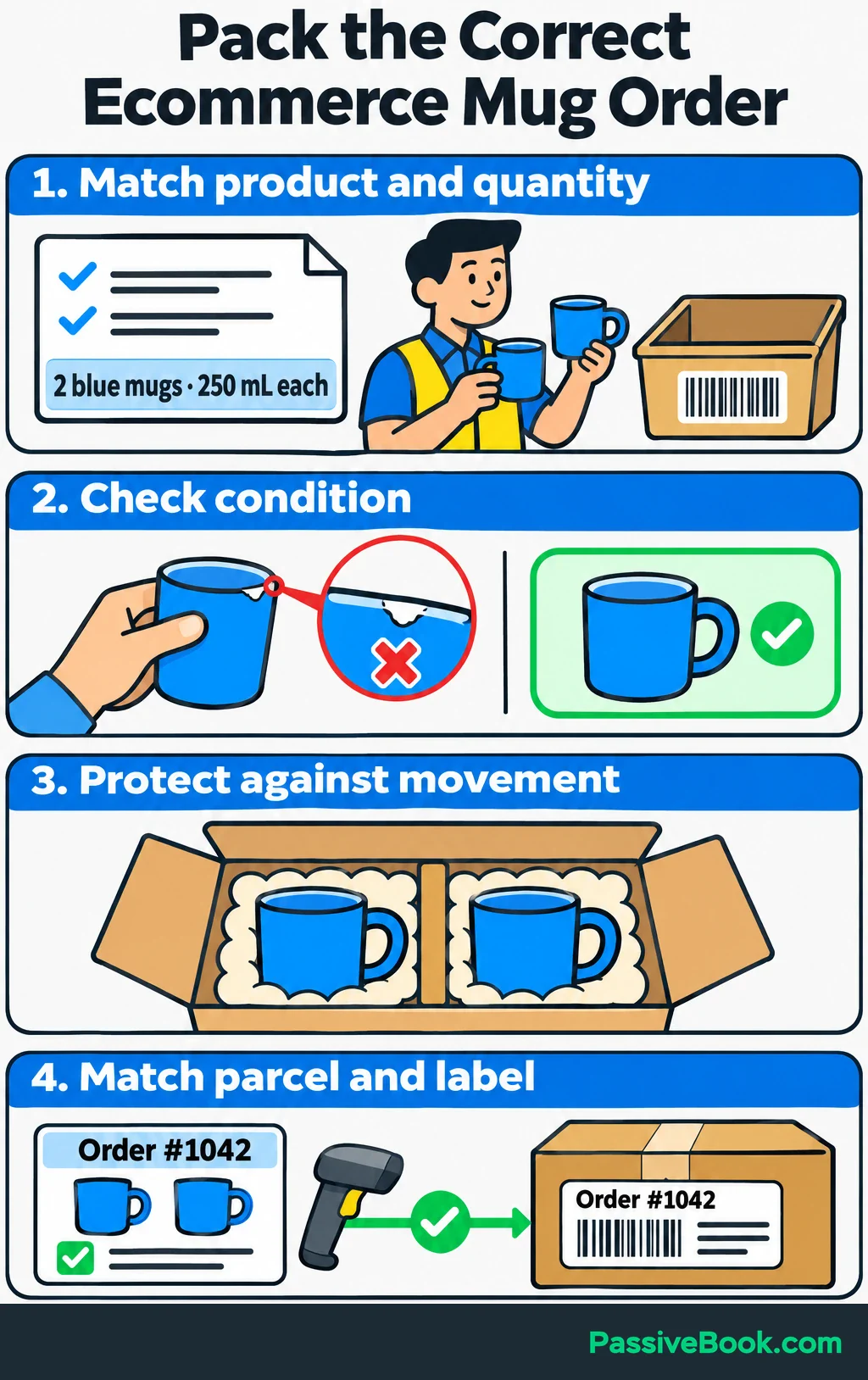
Resolve missing or damaged items before dispatch. Record any customer-approved change against the original order so packing, payment and customer-service records stay aligned.
Also define when your system records goods leaving stock. At that event, reduce the physical quantity and clear the corresponding reservation. Available stock should not fall a second time merely because previously reserved goods have now shipped.
Printing a label should not quietly trigger another stock deduction in a separate tool.
5. Dispatch the Parcel and Record Carrier Handoff
Choose the shipping service using the delivery commitment, destination, packed weight and dimensions. Confirm that the carrier’s terms suit the goods you are sending.
Attach tracking to the correct shipment and record which items are inside. This matters when one order travels in several parcels.
Keep label creation separate from carrier handoff. According to UPS’s tracking definitions, “Label Created” means UPS has received shipment details; it does not confirm that UPS has the parcel.
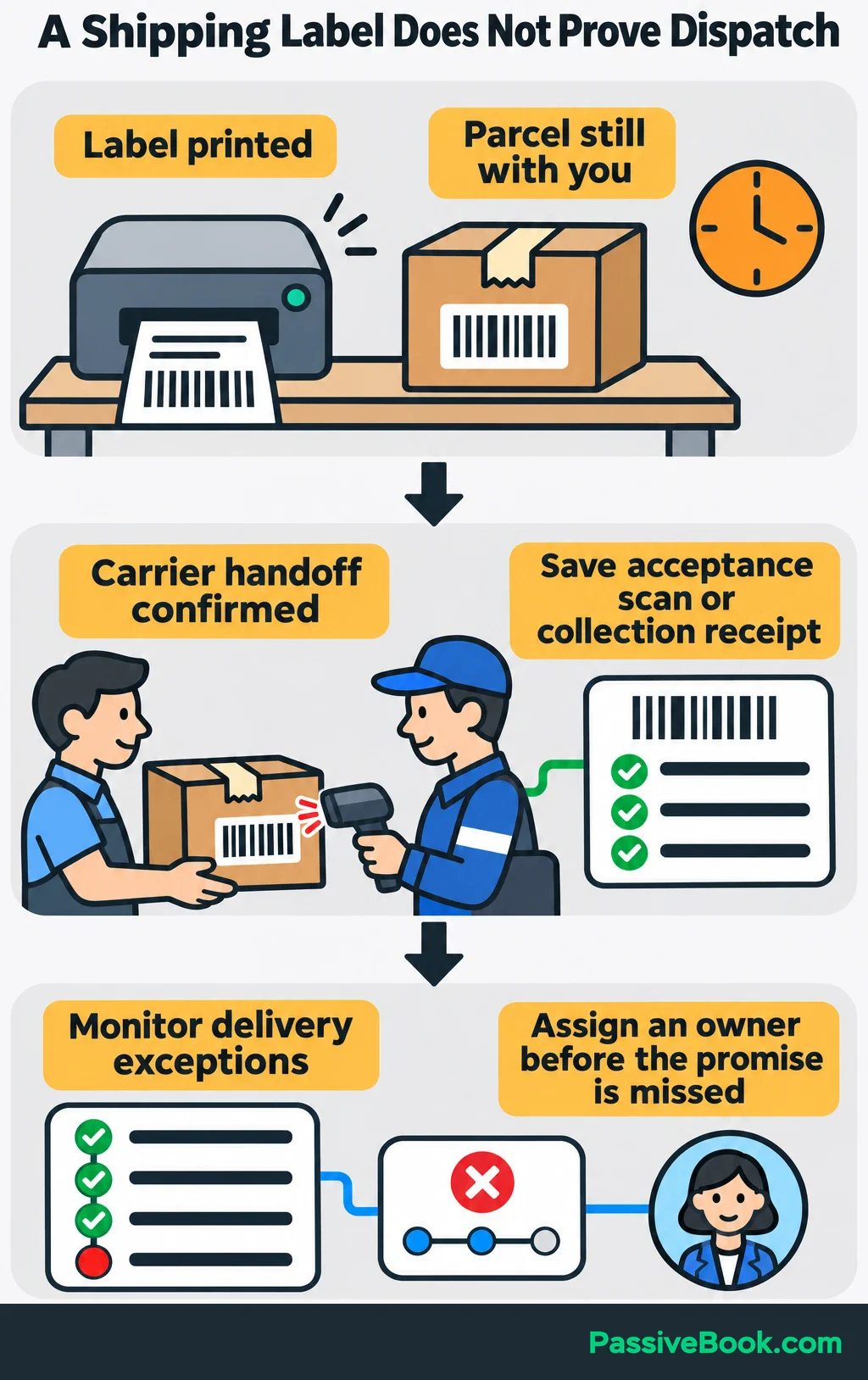
Record the actual handover through a collection record, carrier acceptance scan or another agreed signal. Then send an update that matches what happened.
For order #1042, a dispatch message can say that both mugs have been handed to the carrier and provide the tracking link. If only one item shipped, identify it and explain what remains outstanding.
A tracking number is useful. An accurate account of what happened is more useful.
6. Monitor Delivery and Resolve Exceptions
Once the parcel leaves, bring carrier updates into the order record. Create tasks for missed collections, failed delivery attempts, carrier exceptions and deliveries overdue against the promised window.
Every exception needs three things: an owner, a next action and a deadline for updating the customer.
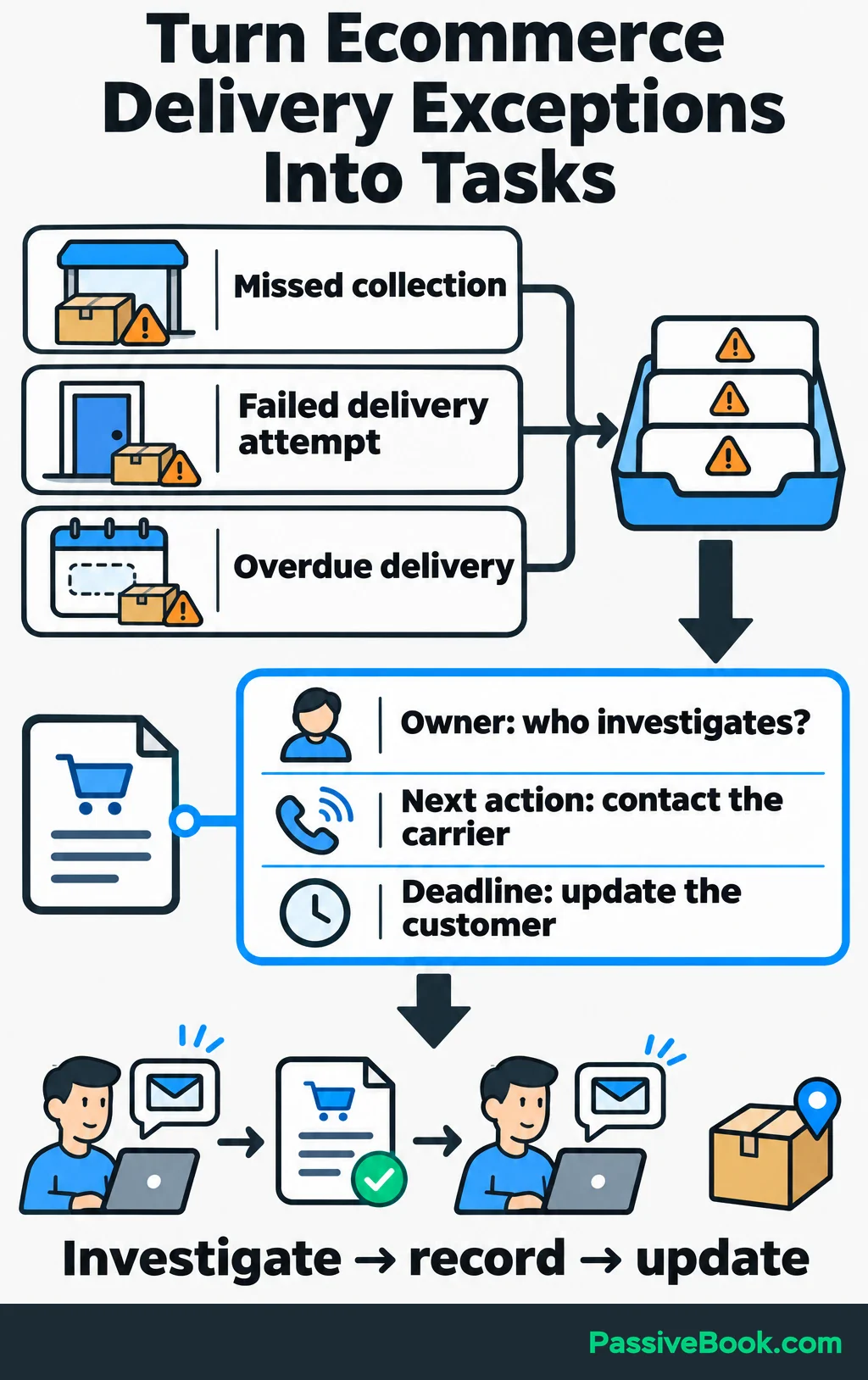
“Contact carrier, then update customer by tomorrow afternoon” gives you a task you can complete. “Delivery issue” gives you a label to stare at.
Now suppose order #1042 is marked delivered, but the customer reports that one mug arrived broken. Keep the delivery event and the complaint as separate records. The carrier’s scan does not close the customer’s problem.
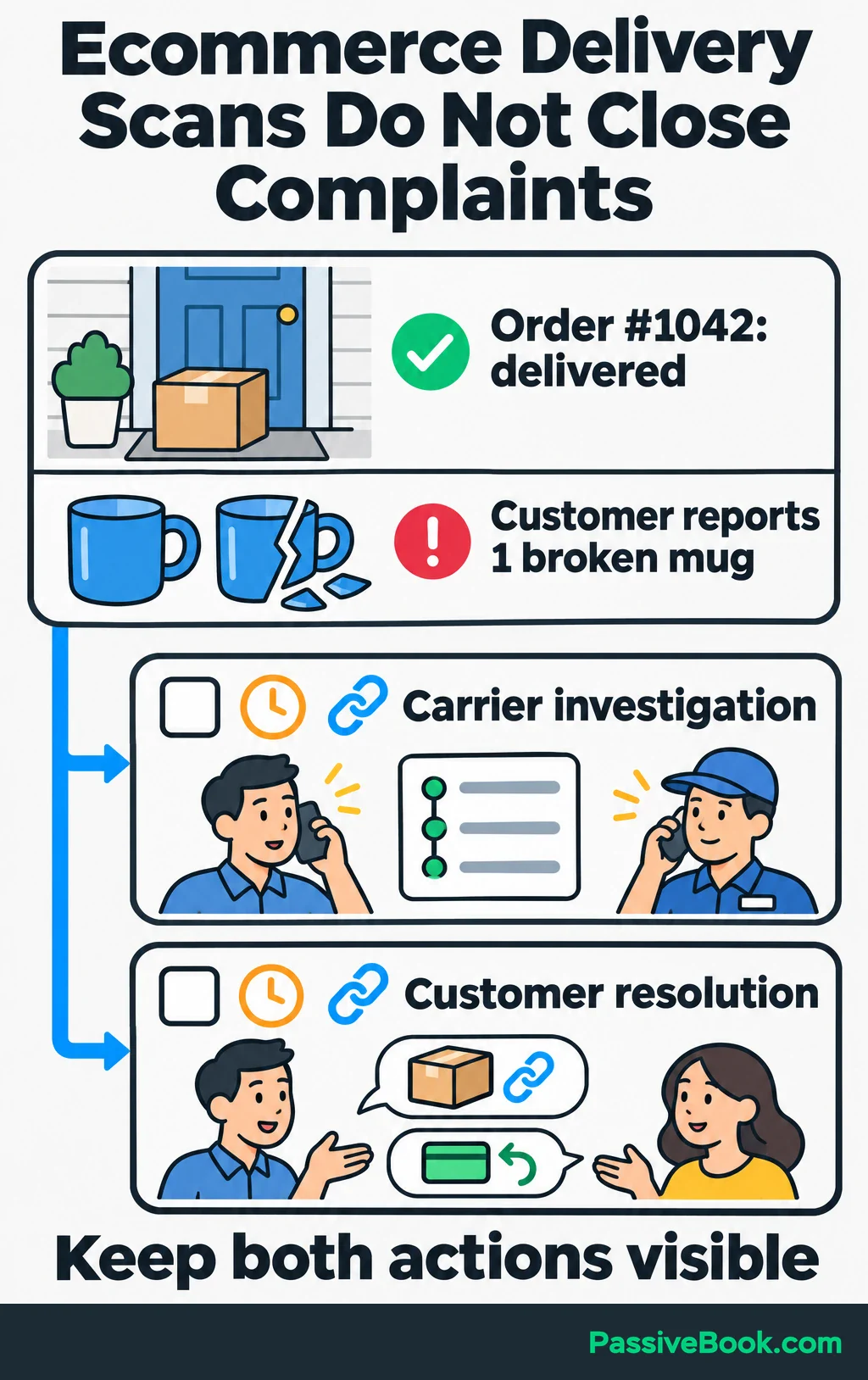
Record the affected item, quantity and requested remedy. Link any replacement or refund to the original order so the next person can understand the whole case.
You can investigate with the carrier while also arranging the customer’s resolution. Keep both actions visible so one does not disappear behind the other.
7. Complete Returns, Exchanges, and Refunds
Start by identifying what the customer needs. A cancellation before dispatch, a physical return, an exchange and a refund without a return involve different work.
Link the request to the original order line, quantity, reason and agreed resolution. That prevents a complaint about one mug from accidentally becoming a refund for two.
Apply the consumer rules governing the sale when deciding eligibility and remedies. For example, the UK government’s returns guidance makes clear that store policies cannot remove customers’ legal rights to returns and refunds.
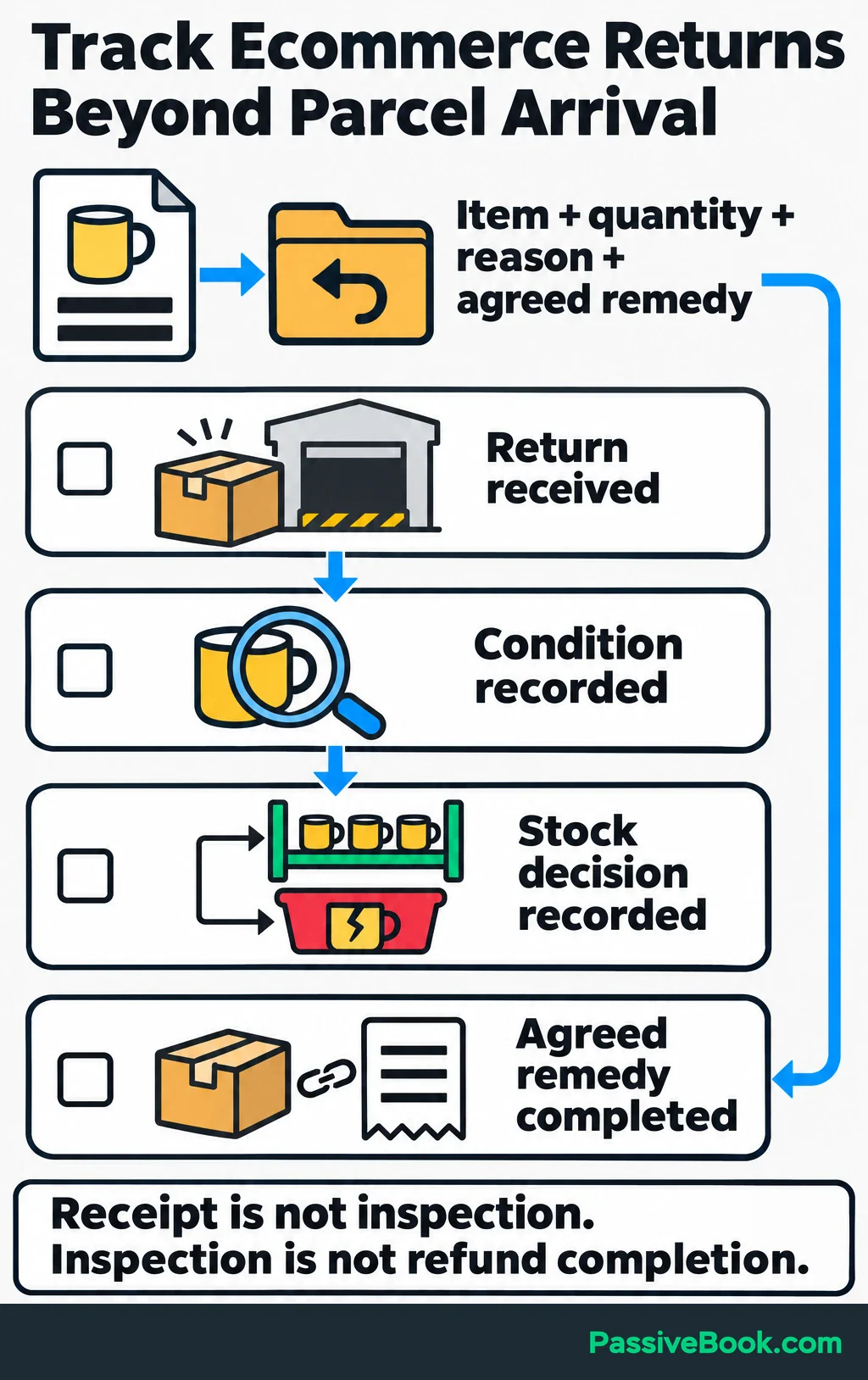
When a physical return is required, give clear instructions and track these events separately:
- Return received: The parcel has arrived.
- Inspection completed: The item’s condition has been recorded.
- Stock decision made: Sellable goods can return to availability; damaged goods remain unavailable.
- Remedy completed: The agreed refund, replacement or exchange has been carried out.
Inspection and refund processing need separate records so neither gets mistaken for the other.
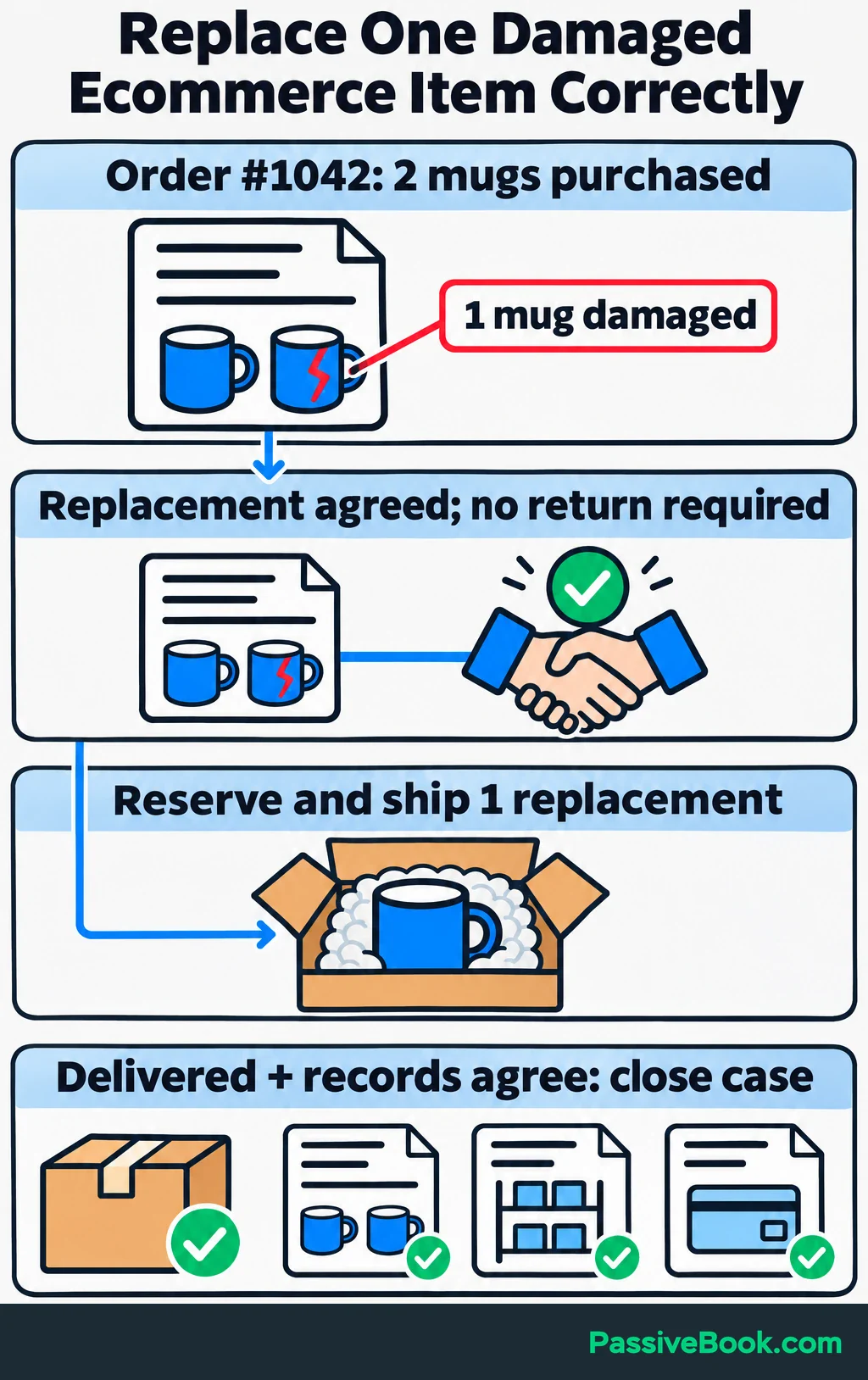
For order #1042, suppose the customer agrees to a replacement and no physical return is required. Record one damaged mug, reserve one replacement, and link its shipment to the original case. Close the case after the agreed replacement is delivered and the order, stock and payment records agree.
Review repeated reasons too. Frequent breakage calls for a packaging review. Repeated wrong variants call for a picking or product-record check.
Find the Bottlenecks Causing Delays and Errors
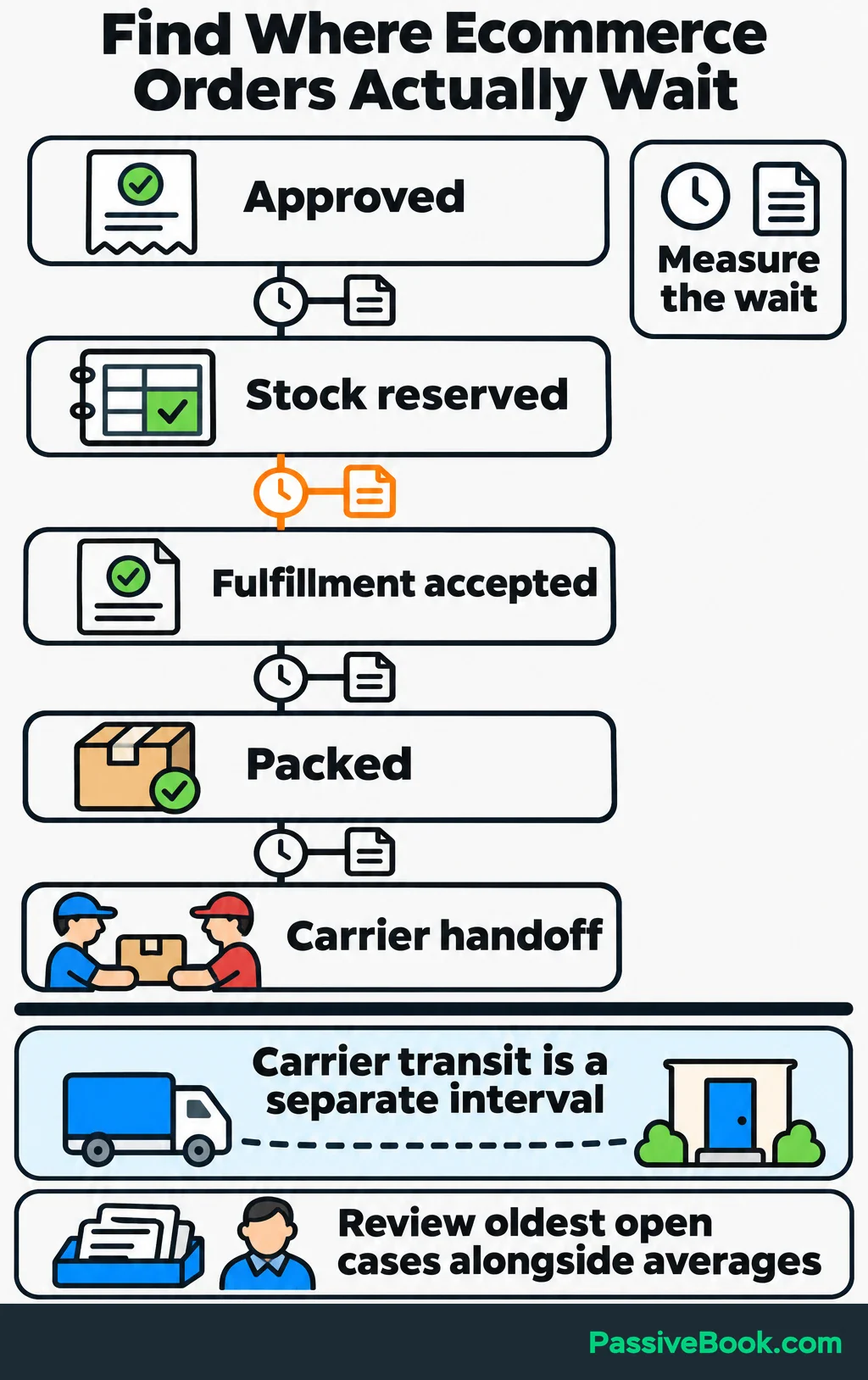
Start with the oldest unresolved orders. Compare timestamps between stages to see where they waited.
Separate payment delays, stock shortages, unaccepted fulfillment requests, packing delays and missed collections from carrier transit time. Each has a different fix.
Track how long orders and returns take, what share of orders leave on time, and how often shipped orders have item or quantity errors:
| Measure | Calculation | Possible Cause to Check | Corrective Action |
|---|---|---|---|
| Order-to-carrier-handoff time | Handoff time minus order-placement time for each dispatched order | Long waits for approval or picking | Review stage timestamps and fix the largest recurring wait |
| On-time dispatch | Orders due in the period that reached the carrier by their deadline ÷ all orders due for dispatch in that period × 100 | Missed collection cutoff or unaccepted tasks | Escalate tasks before the cutoff |
| Wrong-item or quantity error rate | Orders in a shipped group with a confirmed item or quantity error reported within the chosen window ÷ all orders in that group × 100 | Similar variants or skipped checks | Improve item records and pre-sealing verification |
| Return-resolution time | Completed remedy time minus request time for each resolved case | Inspection backlog or unprocessed remedies | Assign the next action and review overdue cases |
For error rates, group orders by dispatch week or month and use the same reporting window for every order, such as complaints received within 30 days of dispatch. Mark each group incomplete until every order has had the full window.
For on-time dispatch, count every order due during the period, including overdue orders that never shipped. Suppose 50 orders were due and 46 reached the carrier by their deadlines:
46 ÷ 50 × 100 = 92% on-time dispatch.
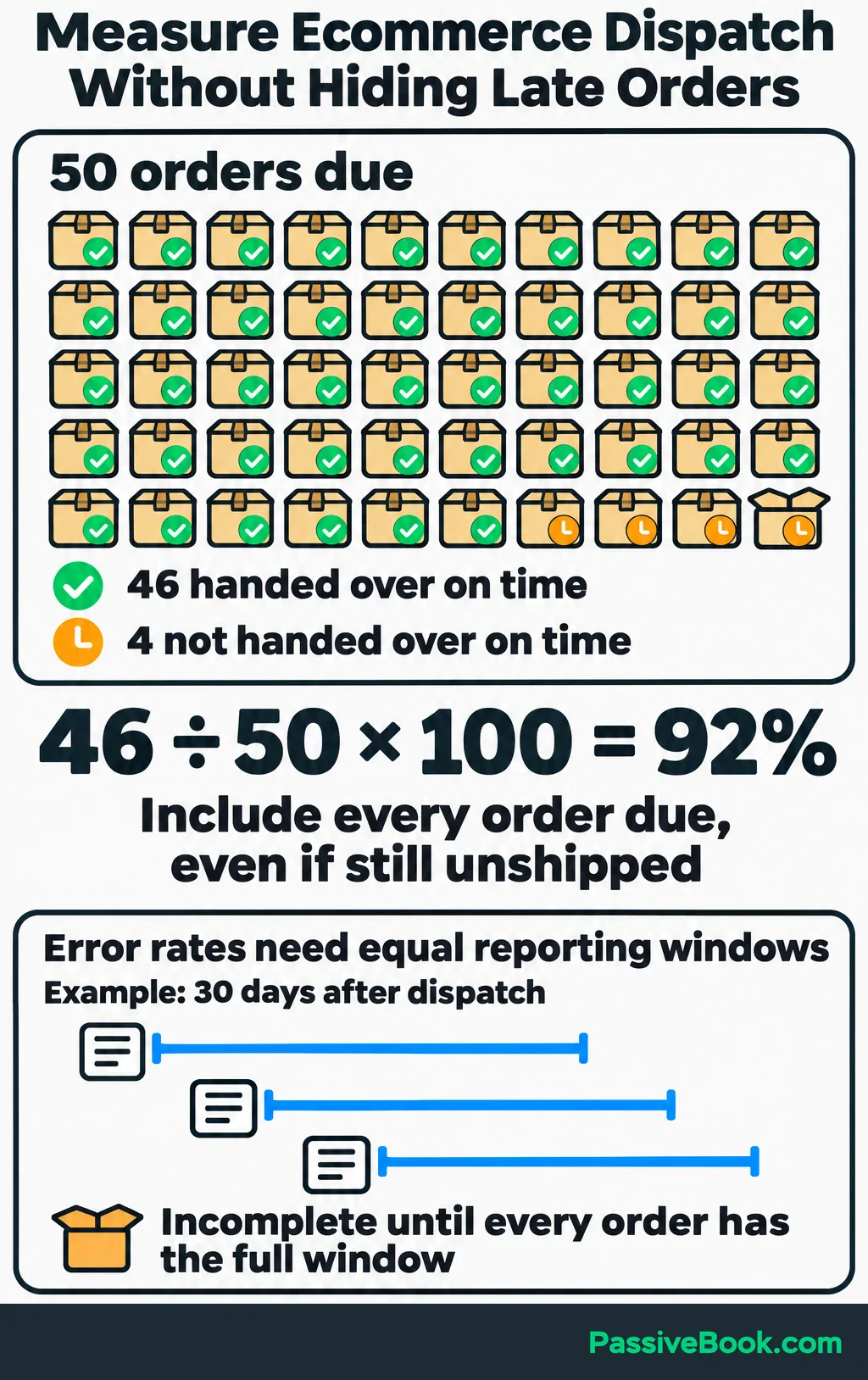
Leaving unshipped orders out would make the result look better while hiding the work customers are still waiting for.
I would fix repeated failures with a clear customer impact first. An unnamed owner or conflicting stock count deserves attention before a prettier dashboard.
After changing the process, compare results using the same definitions and delivery commitments. Keep the oldest open cases visible alongside averages so unresolved orders cannot disappear from the review.
Automate Repetitive Handoffs
Automate a handoff after you understand what should trigger it and how you will know it worked.
Start with a bottleneck you have already found. For each automation, define the trigger, required conditions, action, completion signal and failure route.
For the mug shop’s dispatch update:
| Part | Rule |
|---|---|
| Trigger | Carrier handover is recorded |
| Conditions | Shipment has a tracking reference and its dispatch message has not already been sent |
| Action | Send the customer a tracking update for the items in that parcel |
| Completion signal | Record successful sending against that shipment |
| Failure route | Assign missing tracking or failed sending to the owner |
I use n8n to connect tools across my online businesses. For a simpler visual setup, I would also consider Make. Both are workflow automation tools, but I would first check whether the store’s existing automation can handle the job. Another subscription should earn its place.
Repeated updates need careful handling. A webhook is an automatic message one system sends another when something happens, such as an order being placed. Shopify’s duplicate-delivery guidance warns that the same message can arrive more than once.
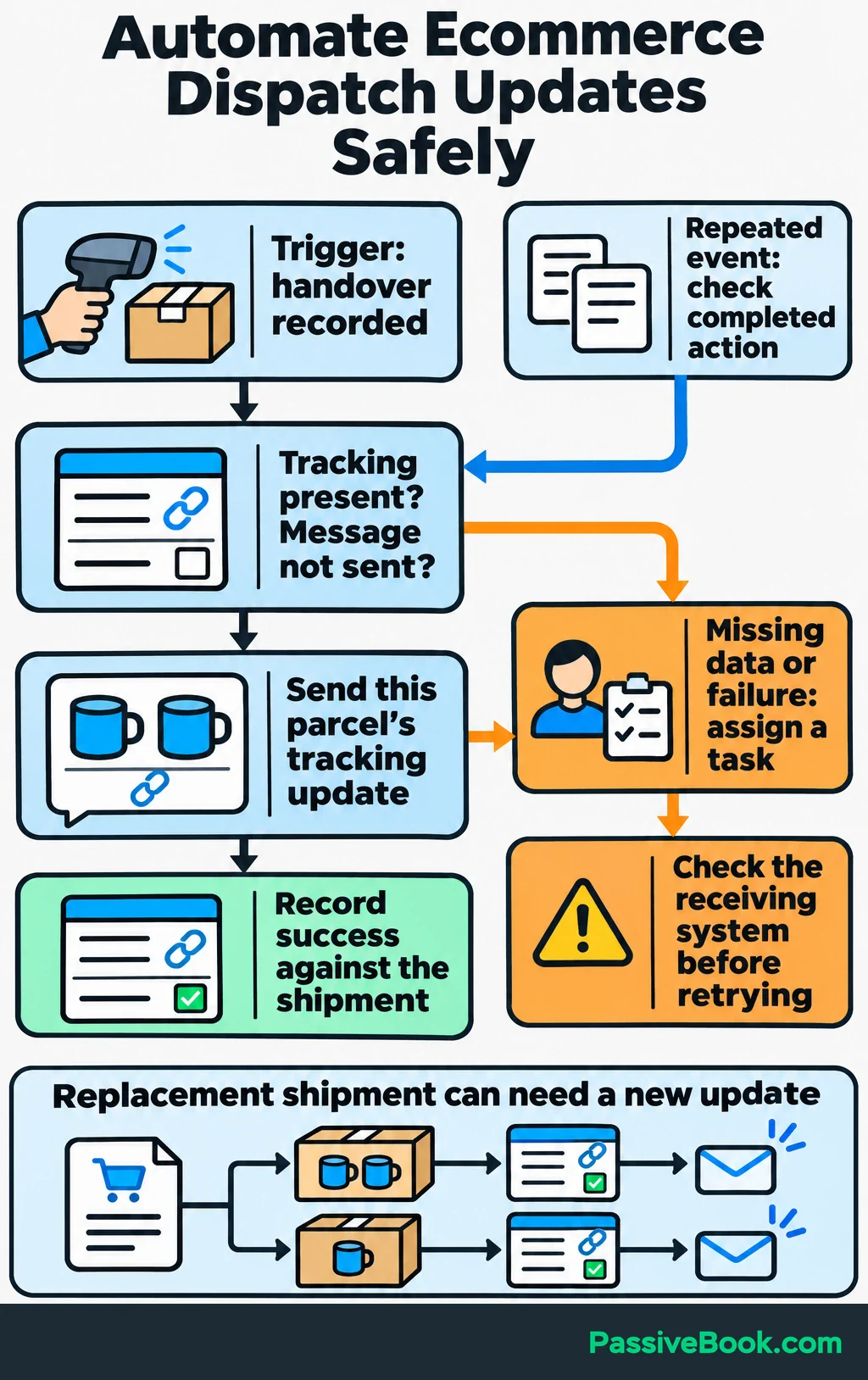
Check whether the particular action has already completed. Track a dispatch message by shipment, for example, because the replacement mug needs a legitimate new update even though it belongs to order #1042.
For uncertain failures, check the receiving system before retrying. A transfer may have succeeded even when its confirmation failed. Blindly retrying can create another shipment or refund.
Also compare connected records periodically with the original orders, quantities and current statuses. Shopify recommends reconciliation checks because webhook delivery is not guaranteed.
Before enabling an automation, test:
- Normal order: The intended action completes and leaves a record.
- Repeated notification: The completed action is not repeated.
- Failed transfer: The failure creates a visible task and can be recovered safely.
- Cancellation: Fulfillment stops at the correct stage and reservations are handled correctly.
- Return or replacement: Quantities stay correct and legitimate follow-up work still runs.
Keep uncertain substitutions, disputed refunds and policy exceptions with a person who can decide. I would use AI to summarize a complaint before I let it choose the remedy.
Do You Need a Dedicated OMS?
Keep your existing tools when they reliably show orders, stock commitments, fulfillment handoffs, tracking and unresolved tasks. One store and one packing location may need clearer rules more than another platform.
A dedicated OMS becomes worth considering when coordination repeatedly exceeds those tools: several channels compete for shared stock, orders move between locations, or partners require constant chasing.
Turn those failures into purchase requirements.
| Observed Problem | Requirement to Test |
|---|---|
| Two channels sell the same remaining stock | Shared inventory commitments update correctly across both channels |
| Partner requests disappear without acceptance | Unaccepted requests become visible, assigned exceptions |
| Partial shipments confuse customer support | Each parcel shows its items, tracking and outstanding quantities |
| Cancellations arrive after packing begins | The system records both the stop request and the partner’s response |
| Failed updates leave records out of sync | Failed actions are visible and records can be reconciled |
An OMS coordinates orders. A 3PL stores and ships goods. You may need either, both or neither.
Compare the full cost: subscriptions, usage charges, connectors, migration, training and ongoing maintenance. Include the work needed to keep the new system reliable.
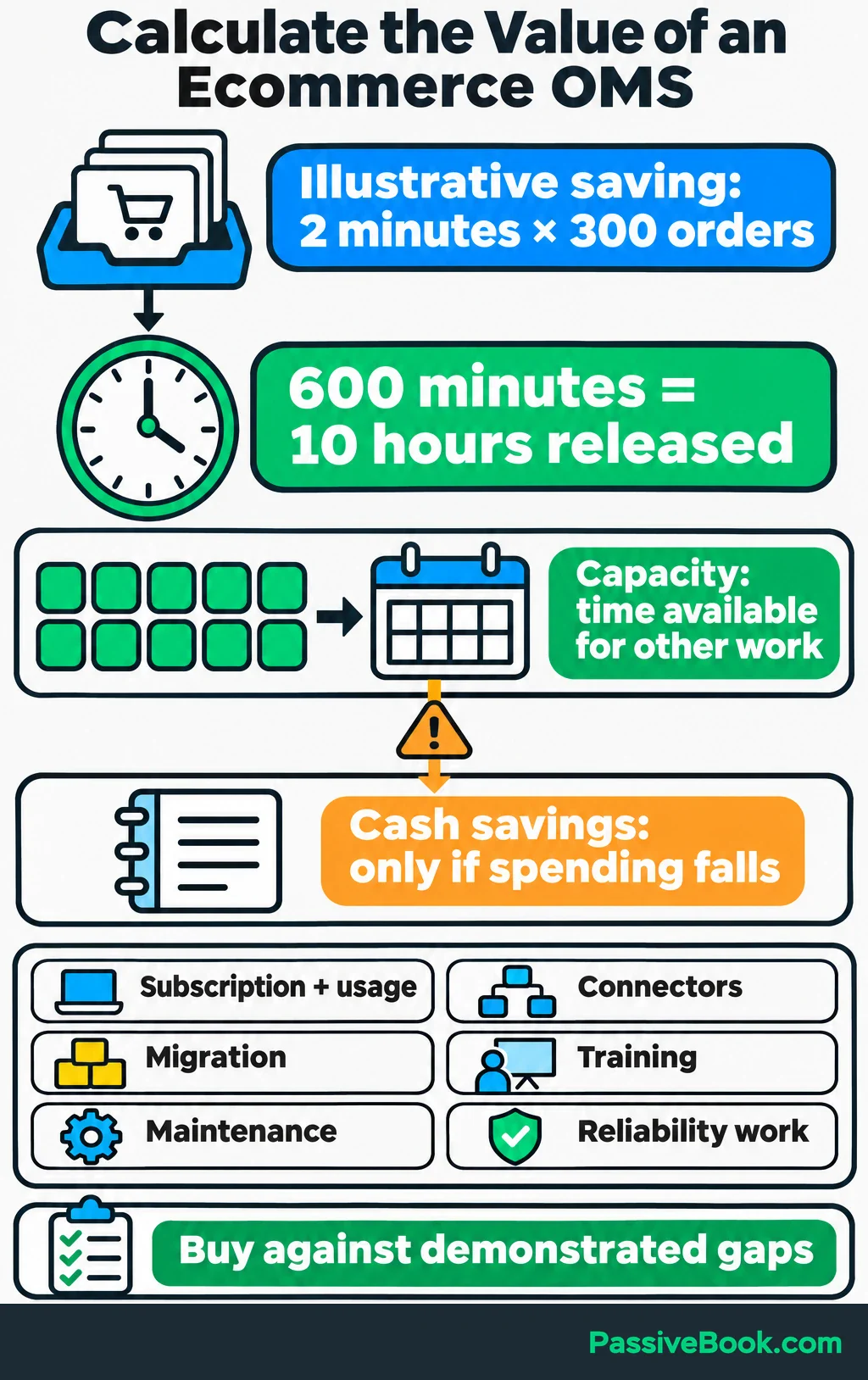
To estimate value, count the handling time you expect to remove from the orders that actually need it. If a proposed change saves an assumed two minutes on each of 300 monthly mug orders, that releases 600 minutes, or 10 hours.
Value those hours using your labor cost, but separate released capacity from cash savings. Expenses fall only if you actually spend less. Time you regain can still be valuable without appearing as extra cash in the bank.
Ask each candidate to demonstrate your mapped workflow, including shortages, partial shipments, partner cancellations, failed updates and damaged-item resolution. Record what passed, what failed and what required extra setup.
Before switching, reconcile open orders and inventory. Test a small batch of orders before moving every order. Keep one system responsible for sending fulfillment requests during the test, and decide how to recover failed transfers without sending a request twice.
I would buy against demonstrated gaps. A long feature list is easy to admire and surprisingly hard to pack a mug with.
What Next?
Trace one completed order and one unresolved order today. Write down each handoff, its owner and the signal that proves it finished. Then fix the first place where an order can wait without anyone noticing.
Use the social buttons to share this guide when you want to put clearer order handoffs into practice together.
Which stage creates the most chasing in your current process? Tell me in the comments, and bring any other order-management questions with you.
Share this post with your friends & followers:

