Your supplier asks whether you want to reorder, and there’s money in the bank. But some of it belongs to the tax authority, another bill is due, and your latest payout includes sales from several days.
That makes a simple buying decision harder than it should be. You can see money moving without knowing what the store has earned or what you can safely spend.
This guide shows how to turn those transactions into reliable books. We’ll follow one small store from customer payments through inventory, expenses, and monthly reports, so your next stock order rests on more than a reassuring bank balance.
How Ecommerce Accounting Works
Bookkeeping means recording transactions and checking them against bank statements, processor reports, and other supporting records. Those checks are called reconciliation. Accounting uses those records to work out profit, prepare reports, and guide decisions.
For an online store, follow two connected flows:
- Customer orders → payment processor → bank account.
- Inventory purchases → stock on hand → cost of goods sold.
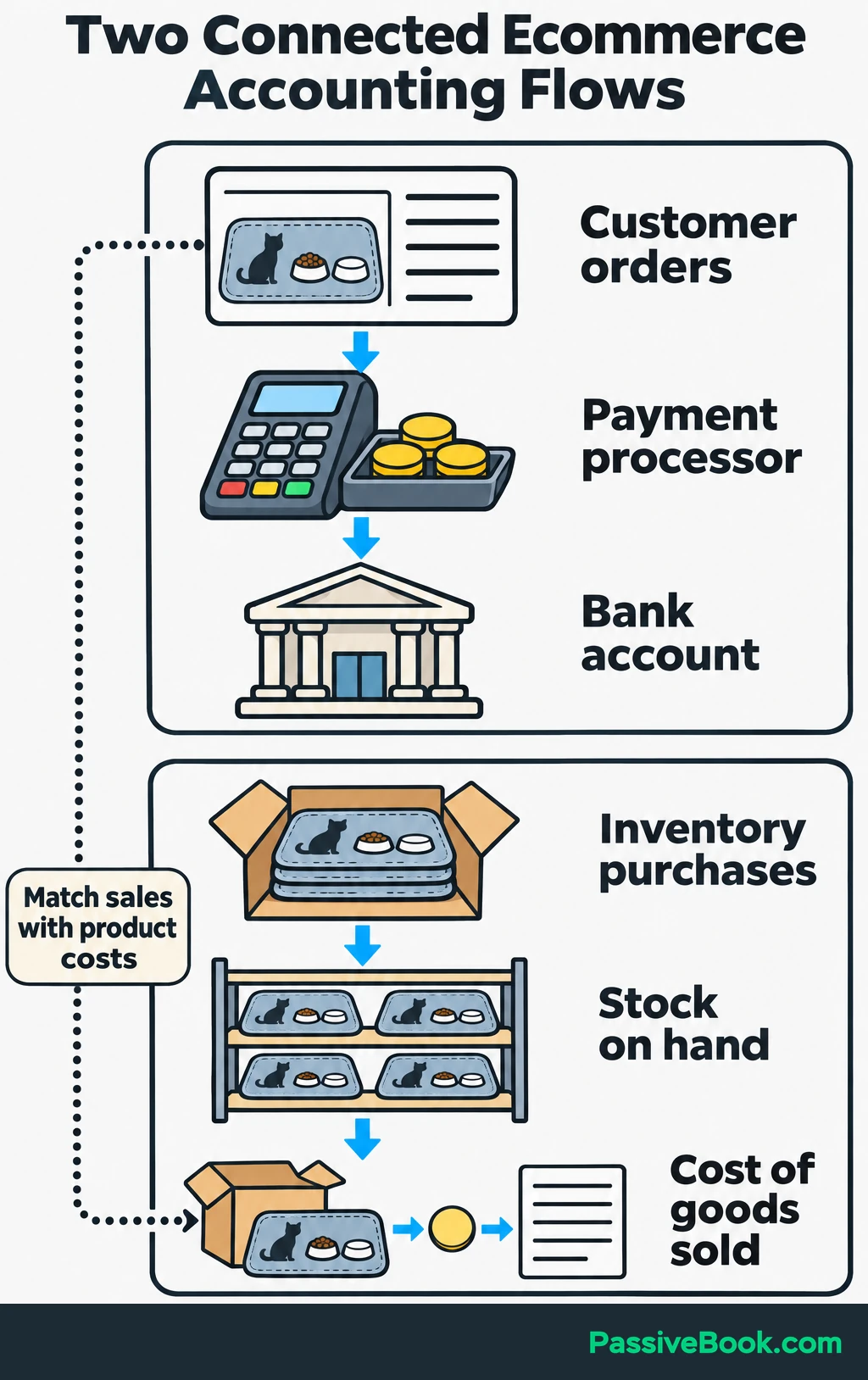
A payment processor handles customer payments before transferring money to your bank. Cost of goods sold, or COGS, is the recorded cost of the products you sold.
These flows explain why revenue, profit, and cash differ. Revenue measures sales activity. Profit subtracts the associated costs. Cash shows money received and paid.
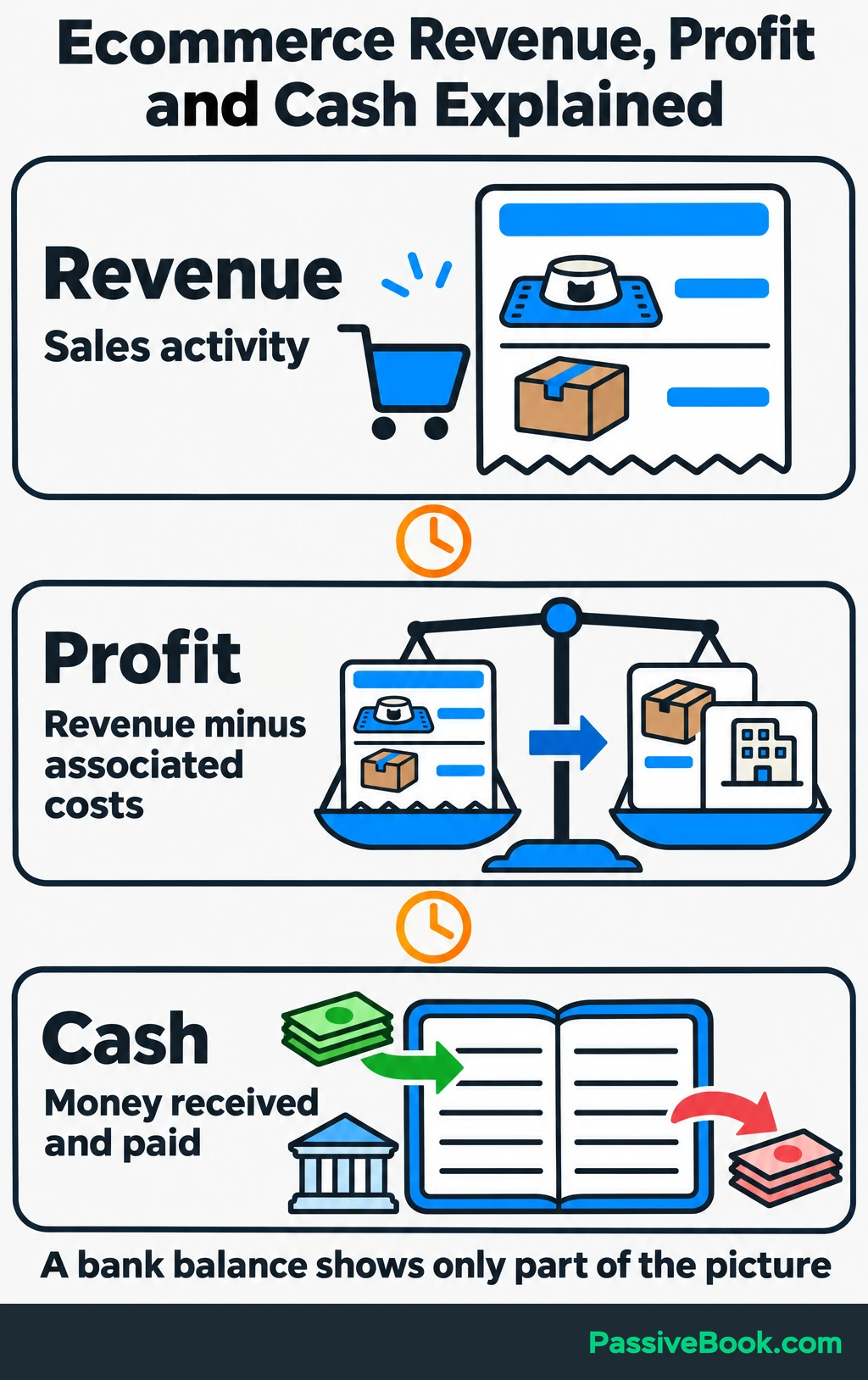
A store dashboard, processor deposit, or bank balance gives you part of the picture. You need connected records to establish profitability.
Throughout this guide, imagine you run a small online store selling washable cat feeding mats. The figures are hypothetical US dollar amounts, not industry benchmarks. The example uses inventory-based accrual accounting, and all its activity takes place within one month.
1. Set up Your Accounting System
Choose Cash or Accrual Accounting
Your accounting method decides when transactions enter the books.
Cash accounting generally records income when received and expenses when paid. Accrual accounting records revenue when earned and expenses when incurred. For inventory, that connects a product’s cost with its sale.
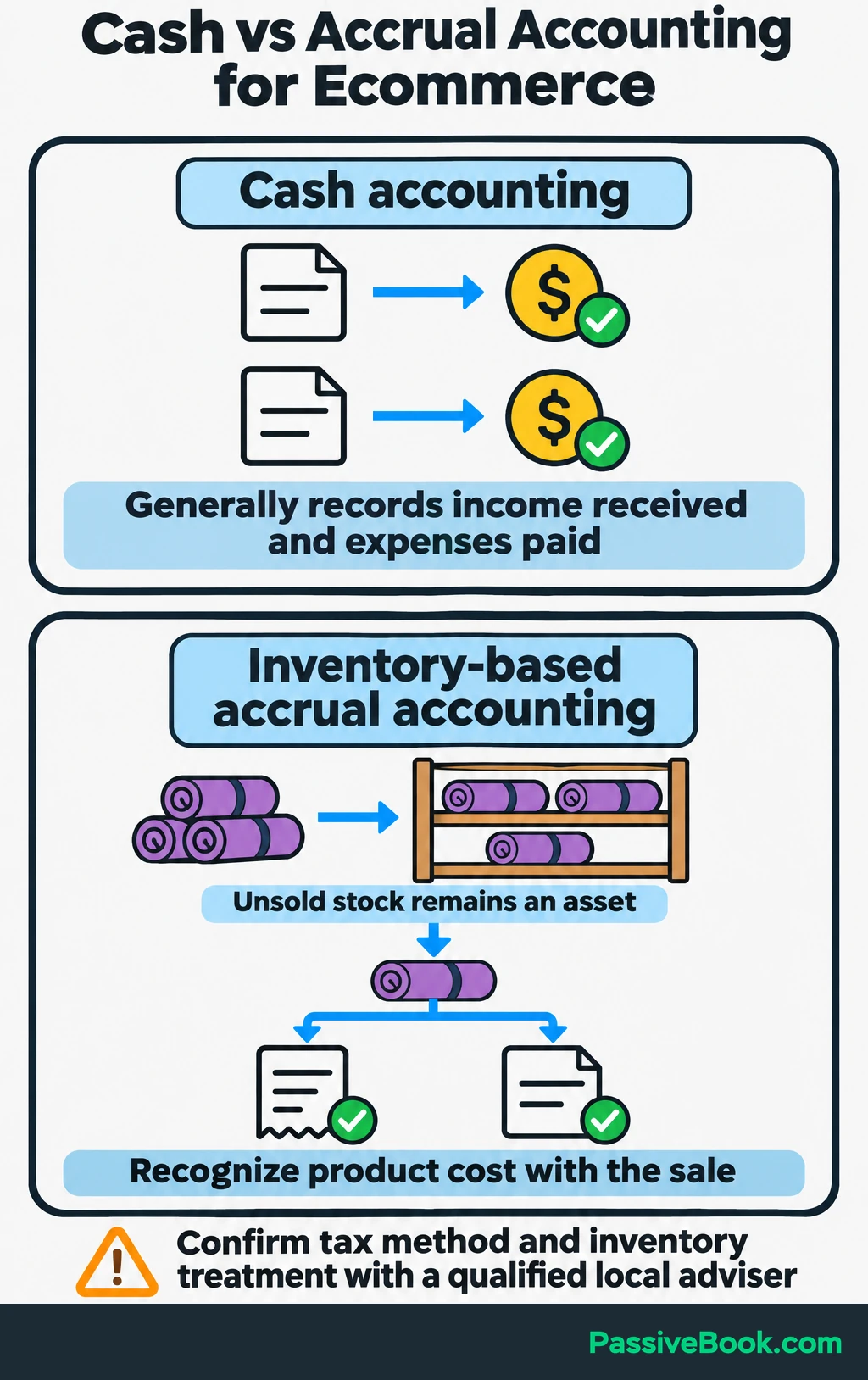
I would use accrual reports to understand a stock-based store’s performance. Buying mats in one month and selling them in another shouldn’t make the first month look disastrous and the second look unusually profitable.
Confirm your permitted tax method and inventory treatment with a qualified local adviser before setting up the books. US rules provide inventory exceptions for qualifying small businesses, and changing an established accounting method generally requires IRS approval.
Also, US cash accounting doesn’t always mean waiting for the bank deposit. Funds available without substantial restrictions, or received by your agent, can count as received earlier. The IRS accounting-method rules explain these distinctions.
Separate Business Finances and Establish Opening Balances
Use dedicated business bank and payment accounts. Record money you put into the business as an owner contribution, and keep owner withdrawals separate from expenses.
Next, choose a bookkeeping start date and document what the business owns and owes on that date:
- Bank and processor balances.
- Inventory quantities and costs.
- Unpaid customer invoices and supplier bills.
- Loans and tax liabilities.
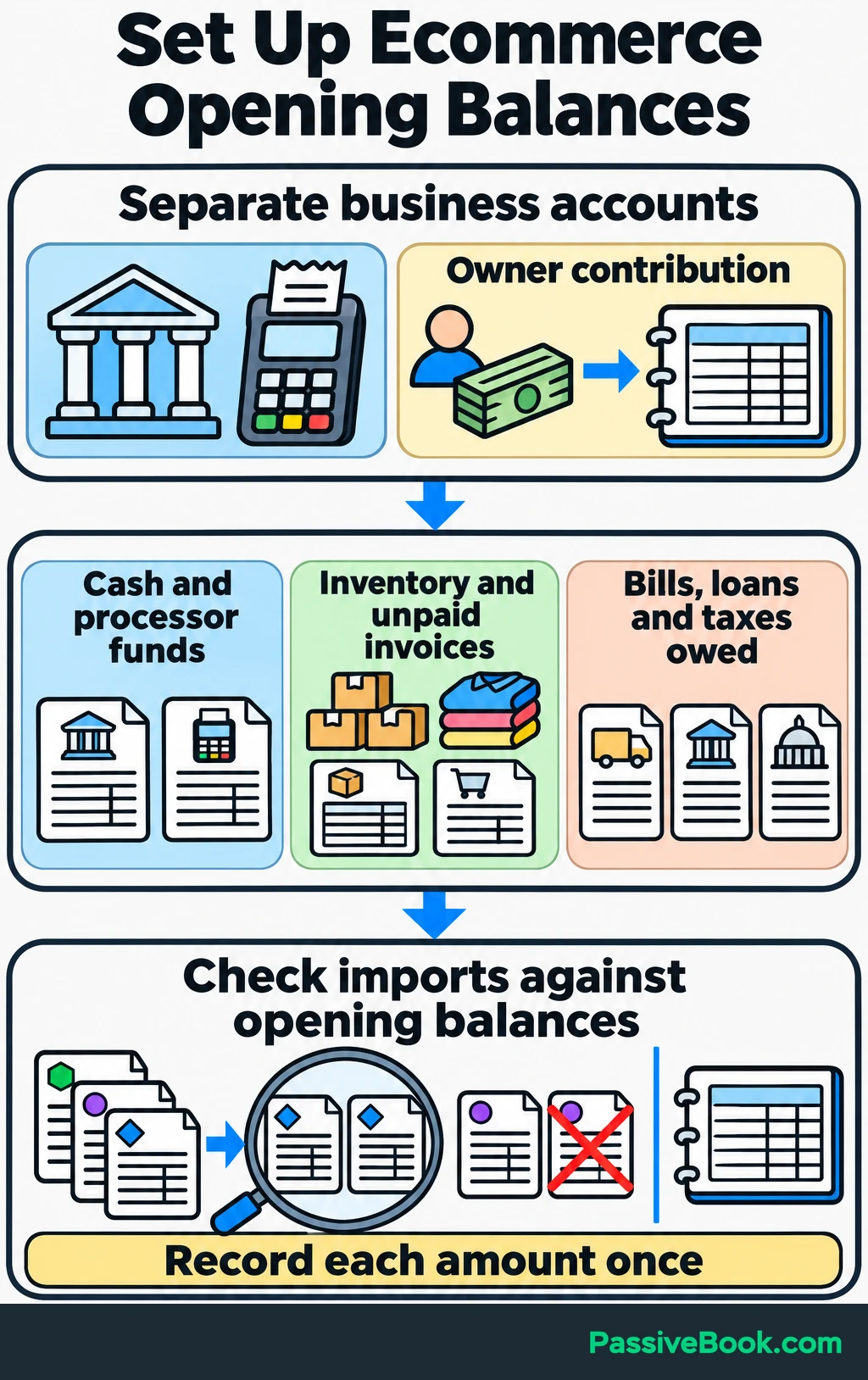
If you import older transactions, check that they don’t duplicate amounts included in your opening balances.
Create a chart of accounts—the categories used in your books. Include product sales, shipping income, discounts, refunds, payment fees, inventory, COGS, operating expenses, taxes owed, and processor funds.
Save order exports, payout statements, supplier invoices, receipts, and stock records in monthly folders or attach them to entries. A bank payment may not explain what you bought. For US supporting-document requirements, consult the IRS recordkeeping guidance; follow your local retention requirements.
Choose Software and Professional Support
Your ledger is the main record of your accounts. I would compare Xero and QuickBooks Online, starting with whichever your bookkeeper supports well.
Check bank and sales-channel connections, currencies, inventory features, accountant access, and transaction limits. Confirm whether each connection imports fees and payouts as well as sales.
A spreadsheet can work initially if you can maintain complete records and reconcile every balance. Once that becomes difficult, the subscription you avoided may be costing you evenings.
Add a settlement connector when manually breaking down payouts takes too long. A2X summarizes settlement activity for Xero or QuickBooks Online; it works alongside your ledger and stock records.
Software and professional help can work together:
| Workflow | Your Work | What You Pay For |
|---|---|---|
| Owner-managed | Record transactions, reconcile accounts, and review reports | Software and occasional setup or tax advice |
| Outsourced bookkeeping | Supply documents, explain unusual transactions, and approve decisions | Software, routine bookkeeping, monthly reports, and agreed tax support |
| Hybrid | Capture receipts, check imports, and answer questions | Software, professional setup, and monthly review; agree tax fees separately |
For a beginner with limited time, I would choose a hybrid arrangement: professional setup, routine owner checks, and an agreed monthly review.
Hire a bookkeeper when reconciliations fall behind or unexplained balances persist. Use an accountant or qualified tax professional for accounting methods, inventory treatment, tax filings, and selling across jurisdictions. In the US, a certified public accountant (CPA) may fill that role.
Agree on responsibilities, monthly deliverables, and fees. Compare the full cost of software, connectors, inventory tools, setup, support, and correction time.
2. Record Sales and Reconcile Payouts
Separate Sales, Fees, Refunds, and Tax
Start with order records and the processor’s settlement breakdown. A settlement groups the activity behind a payout.
Record the underlying sales and deductions separately. Treating the net deposit as revenue hides fees, refunds, and tax inside one number.
Refunds reduce sales, while any processing fees you still pay remain expenses. Handle the physical return separately: sending money back doesn’t prove that a usable product came back.
Sales tax imposed on buyers and collected for remittance belongs in a liability account—money owed—rather than revenue. Paying it to the authority reduces that liability. This matches the IRS treatment of buyer-imposed sales taxes.
Before configuring tax collection, confirm where you must register, which products are taxable, and who must collect and file. Keep marketplace-handled tax separate from your direct-store obligations. A marketplace collecting tax can still leave seller registration or reporting duties, as Streamlined Sales Tax explains.
Match Payouts to the Bank and Processor Balance
Use a separate clearing account in your books for each processor that pays you independently. This account tracks money the processor holds before transferring it to your bank. Customer receipts increase it; refunds, fees, and payouts reduce it.
For each payout:
- Obtain its transaction breakdown.
- Record the components in the right accounts.
- Record the payout as a transfer from the processor account to the bank.
- Match that transfer to the bank deposit using the payout identifier.
Give sales one route into your books. If a connector has already recorded them, the bank deposit should match the transfer already recorded.
Here’s the cat-mat store’s completed settlement. You ship 50 mats at $20 each and collect shipping income and tax. Then you refund five mats and their related tax, keep the shipping income, and pay processing fees.
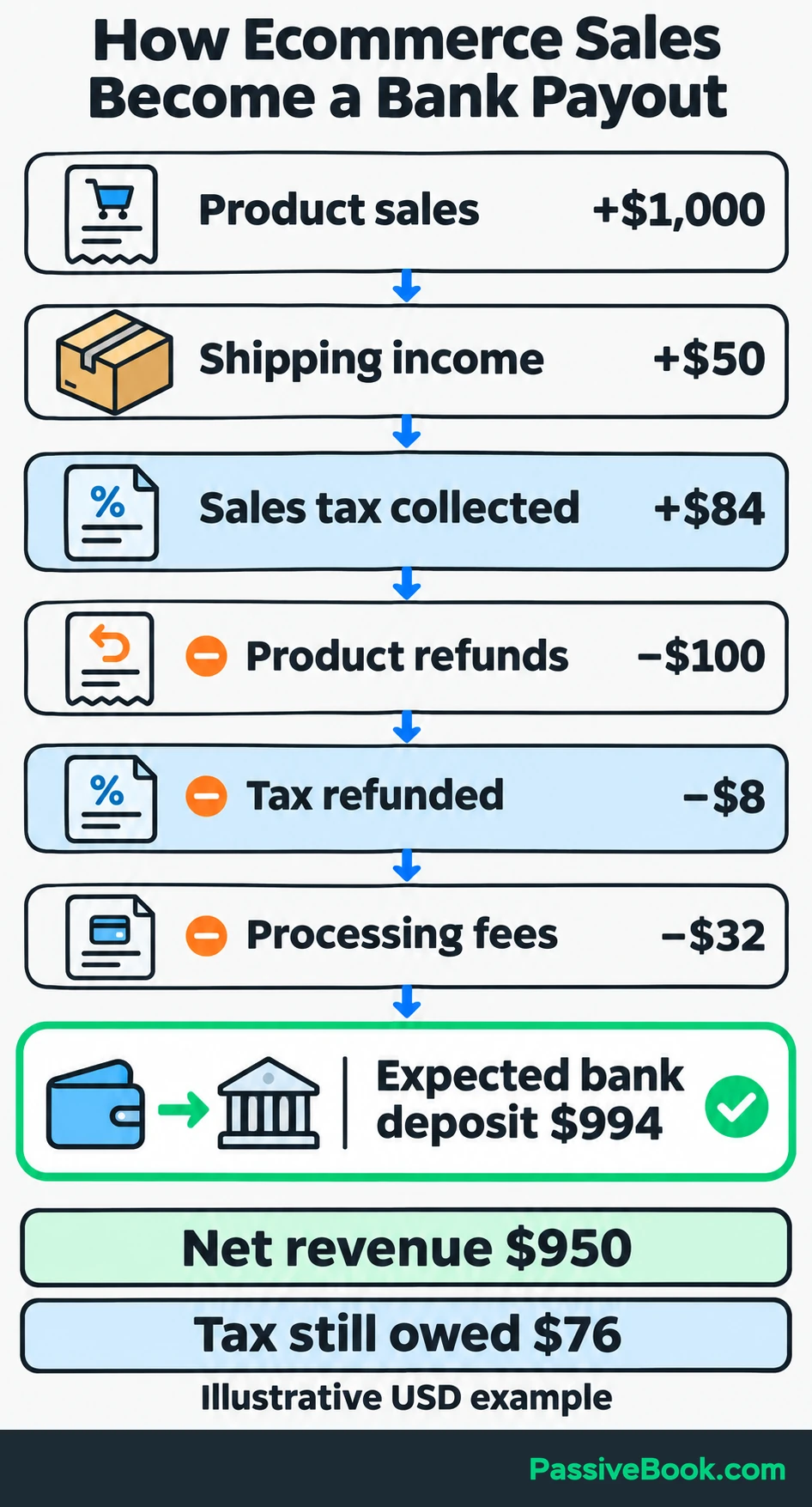
The expected payout counts everything collected, less refunds and fees:
| Settlement Component | Amount |
|---|---|
| Product sales | $1,000 |
| Shipping income | $50 |
| Sales tax collected | $84 |
| Product refunds | −$100 |
| Tax refunded | −$8 |
| Processing fees | −$32 |
| Expected bank deposit | $994 |
The calculation is:
$1,000 + $50 + $84 − $100 − $8 − $32 = $994.
Net revenue is $950: product sales plus shipping income, less product refunds. The remaining tax liability is $76.
The tax amounts are illustrative inputs, not a rate to apply to your store. In this example, you must remit the tax. All five returned mats are resalable, and there are no discounts, reserves, or other adjustments.
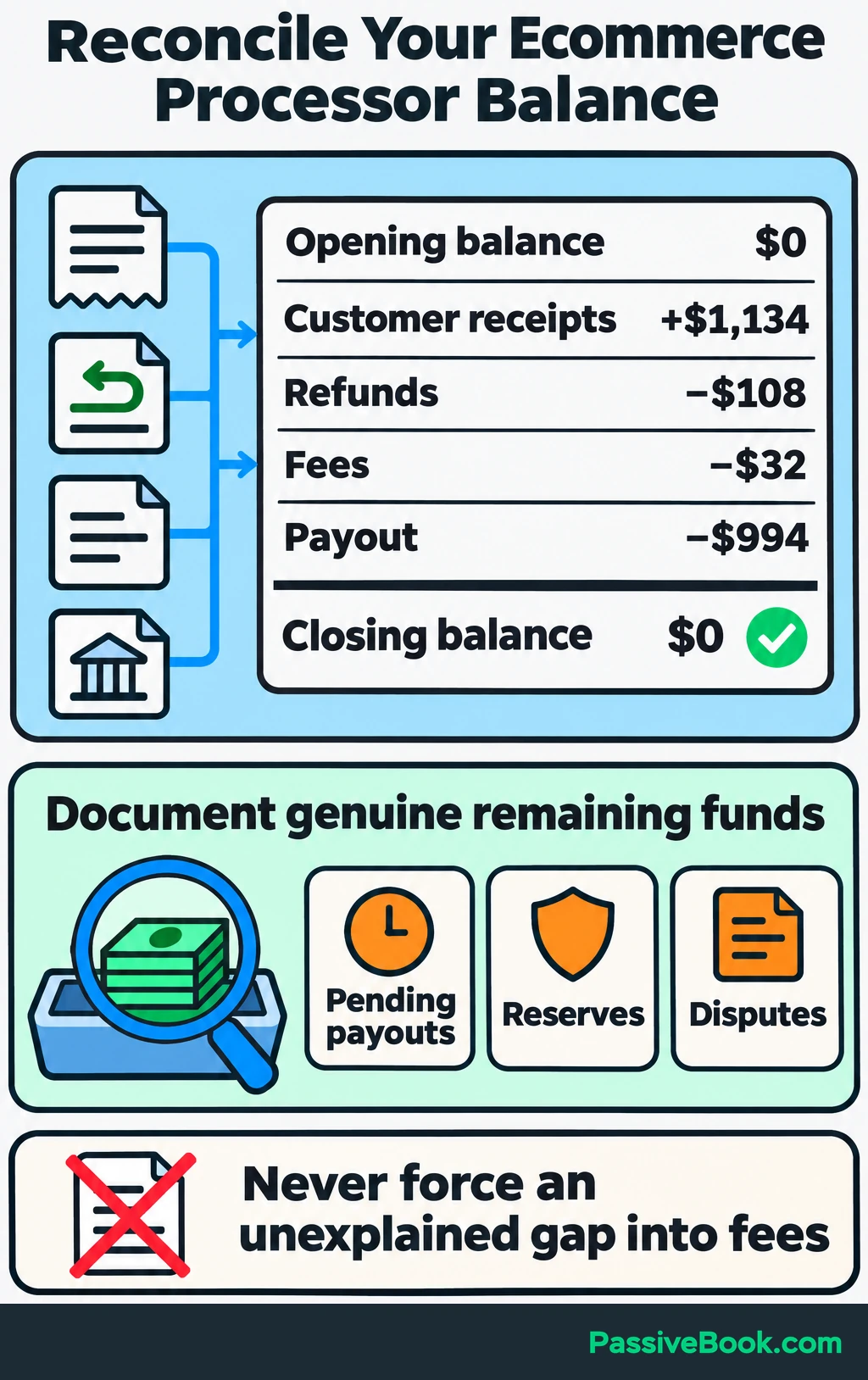
Matching the deposit is only part of reconciliation. You must also explain the processor’s full closing balance. Start with its opening balance, add customer receipts, subtract refunds, fees, and payouts, then include documented adjustments.
Here, a zero opening balance plus $1,134 received, less $108 refunded, $32 in fees, and the $994 payout leaves zero.
In your actual books, remaining funds might belong to pending payouts, reserves, or disputes. Check dates, currencies, missing imports, and duplicates when amounts differ. Carry documented pending funds forward. Don’t turn an unexplained gap into a “processing fee” just to finish.
You don’t need to build a reconciliation sheet from scratch. Start with one payout in this workbook to separate matched money from differences that still need an explanation.
Free Ecommerce Reconciliation Workbook




3. Track Inventory and Cost of Goods Sold
Track stock by SKU, the code identifying each product variant. Your record should show opening quantities, purchases, shipments, returns, and adjustments, including your stock held by a fulfillment company.
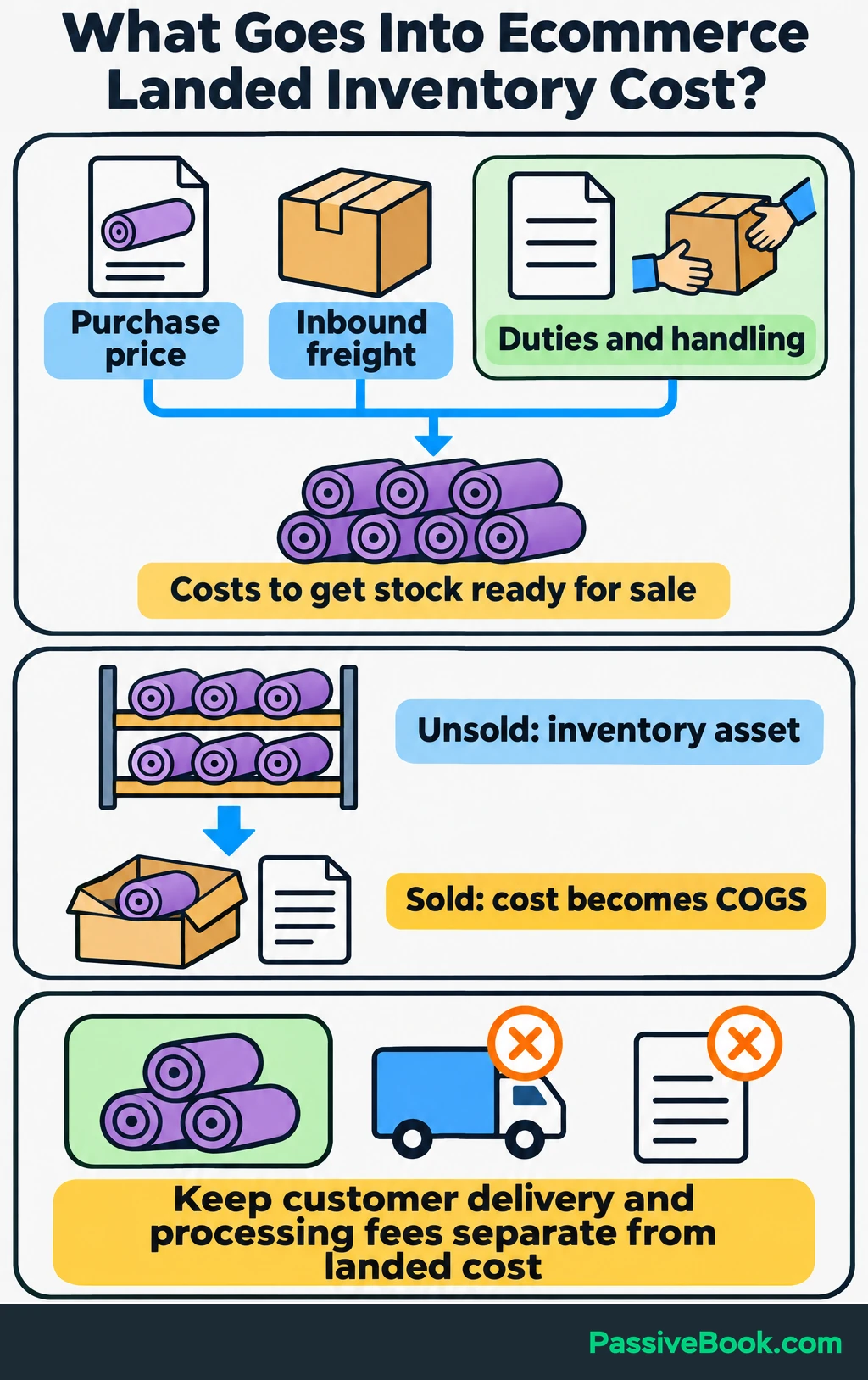
Record both quantity and cost. Landed unit cost includes the purchase price and attributable costs of getting stock ready for sale, such as inbound freight, duties, and handling.
Under inventory-based accrual accounting, unsold goods remain an asset. Their cost becomes an expense when you sell them. These cost and timing principles are described in IAS 2 Inventories.
Use a consistent costing method permitted by your accounting requirements. First-in, first-out assigns the oldest stock costs to sales first; weighted average uses an average unit cost. Keep delivery to customers and payment processing fees separate from landed inventory cost.
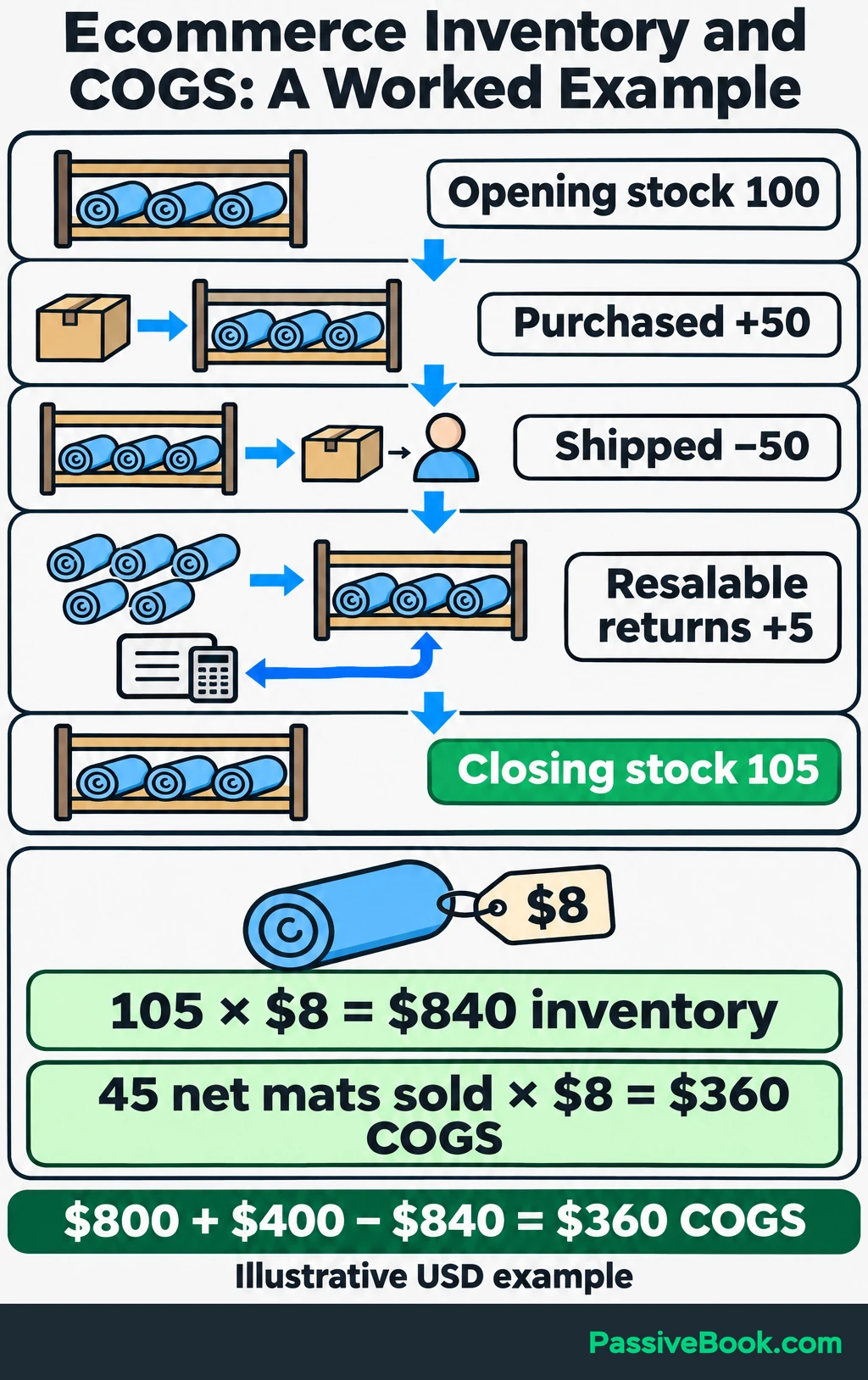
When a resalable return comes back, restore it at its recorded cost and reverse the related COGS. Record damaged stock and losses separately rather than quietly treating them as sales.
For the mat store, every unit costs $8:
| Stock Movement | Units |
|---|---|
| Opening stock | 100 |
| Purchased | +50 |
| Shipped to customers | −50 |
| Resalable returns received | +5 |
| Closing stock | 105 |
Closing inventory is 105 × $8 = $840.
To calculate COGS from periodic stock records, count the cost available for sale and subtract what remains. Adjust separately for losses or other movements unrelated to sales.
For this example:
$800 opening inventory + $400 purchases − $840 closing inventory = $360 COGS.
That matches 45 net mats sold at $8 each.
Count your stock and investigate differences before trusting its value or placing another order. A spreadsheet can’t tell you that a box is missing.
My jewellery store attempt in 2013–2014 started with roughly $1,200, and I lost most of that investment after inadequate market research left me with unsold inventory. What stayed with me was how easily money could become stock that didn’t move. Better records wouldn’t have created demand, but knowing what’s already on the shelf belongs before the next purchase.
4. Record Expenses and Other Cash Movements
Capture each cost with its date, supplier, amount, category, payment account, and supporting document. Include business costs you paid personally, and record whether the business owes you repayment or you contributed the money.
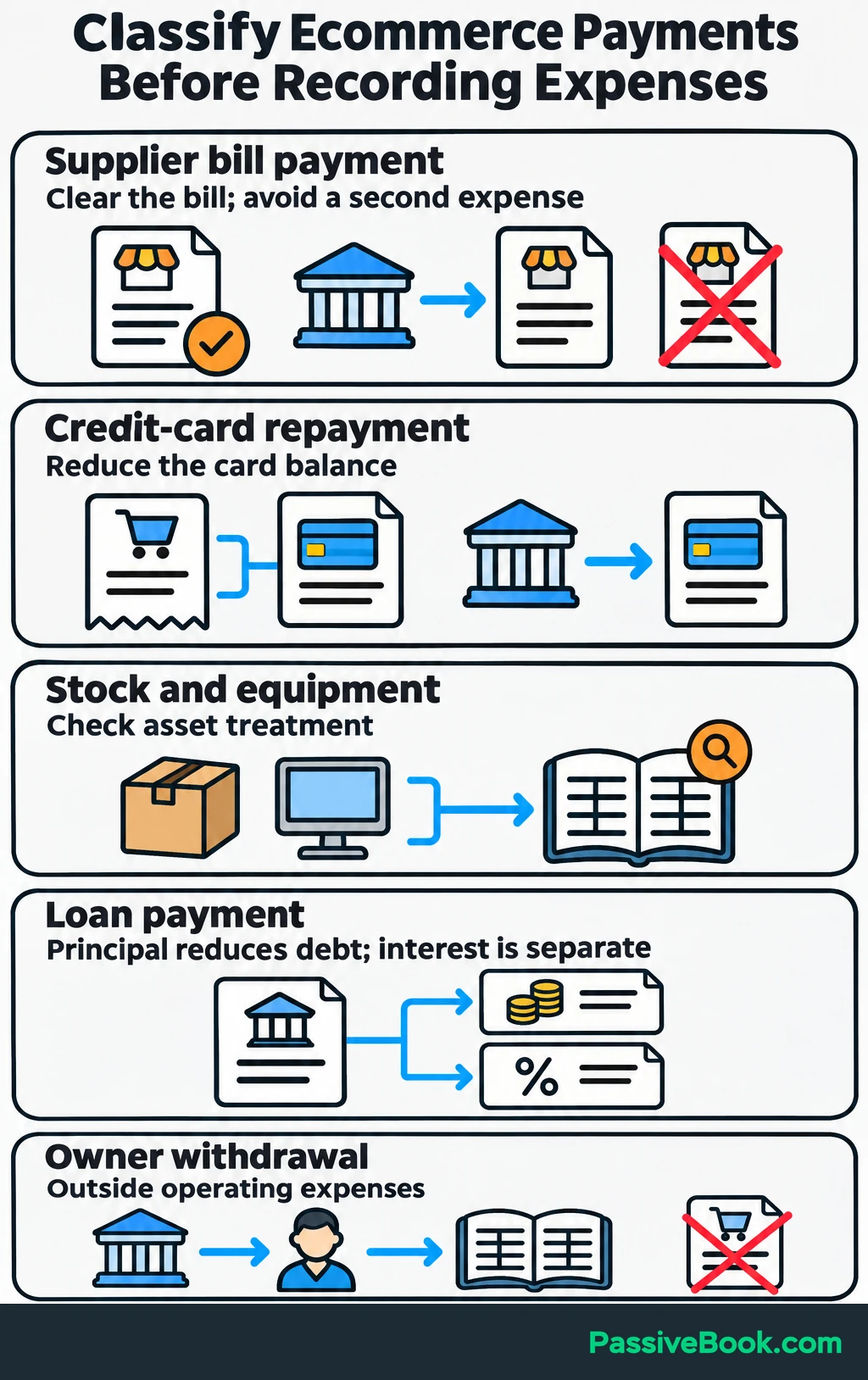
If you already entered a supplier bill, match its payment to that bill. The payment clears what you owe; it shouldn’t create another expense.
The same applies to credit cards. Record the purchase once, then treat the card repayment as a transfer that reduces the card balance.
Check what each cash movement represents:
- Inventory purchases add stock before becoming COGS.
- Equipment may need recording as an asset rather than an immediate expense.
- Loan principal reduces debt, while interest is recorded separately.
- Owner withdrawals belong outside operating expenses.
For the mat store, record these operating costs:
| Expense | Amount |
|---|---|
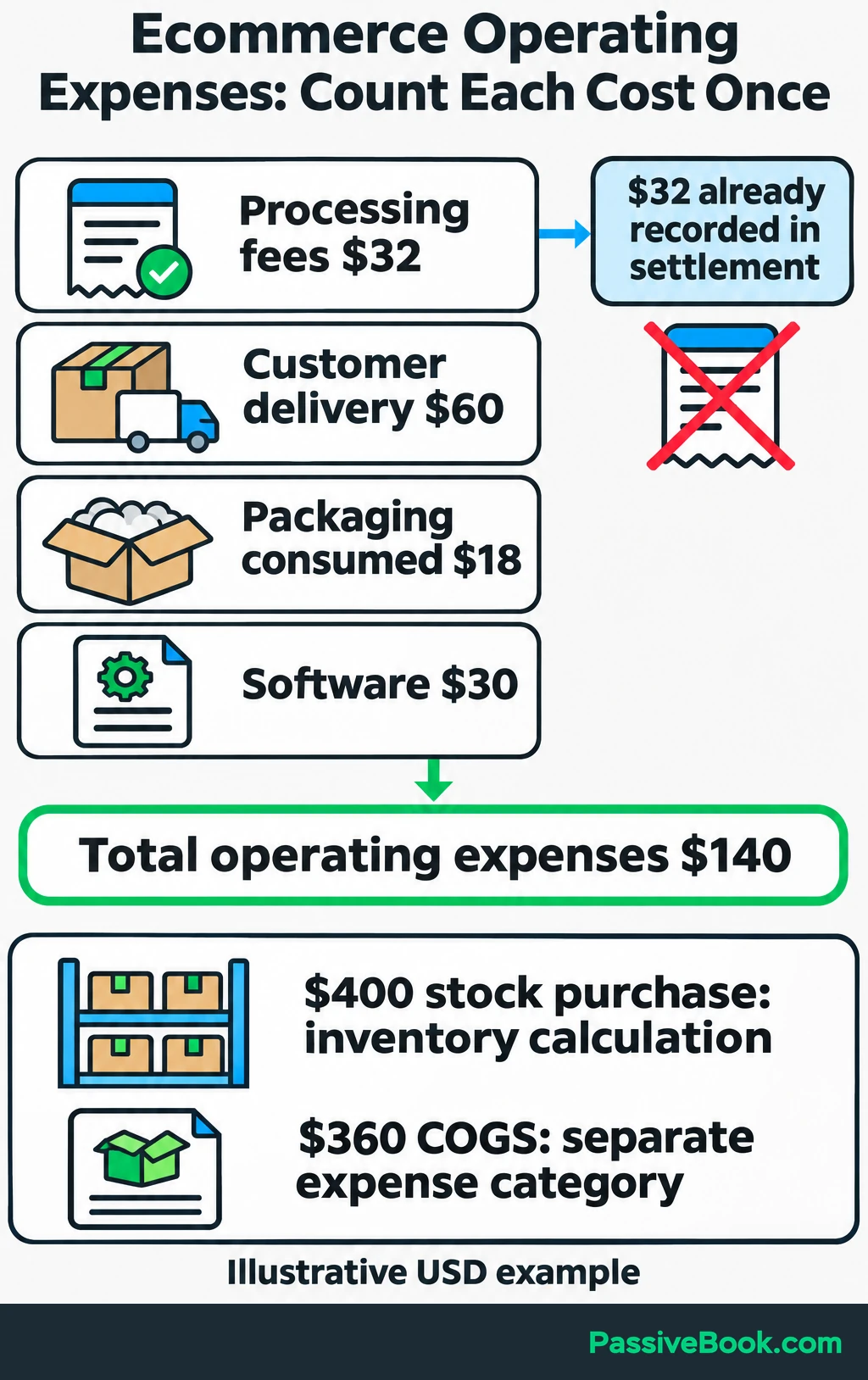
| Processing fees already recorded | $32 |
| Delivery to customers | $60 |
| Dispatch packaging consumed | $18 |
| Software | $30 |
| Total operating expenses | $140 |
The $32 fee appears once. The $400 stock purchase stays in the inventory calculation, and the $360 COGS remains separate from these operating expenses.
5. Automate Routine Work and Review Exceptions
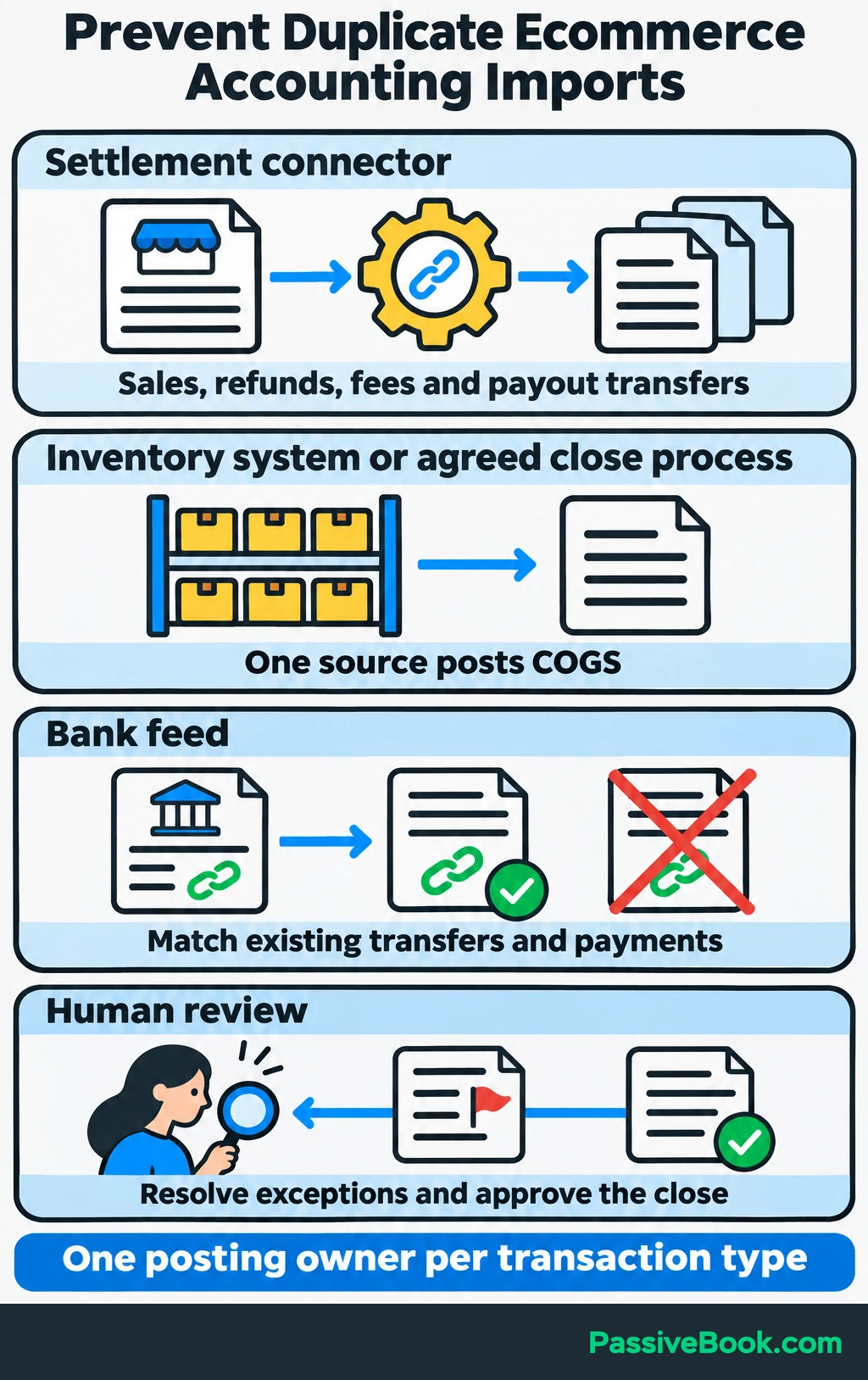
Before connecting tools, decide which system posts each transaction type: sales, refunds, fees, stock movements, COGS, and transfers.
For the mat store, your settlement connector could post sales, refunds, fees, and payout transfers. Your inventory system or agreed month-end process could post COGS. The bank feed then matches transfers and payments.
Keep order, payout, and source identifiers so you can trace summarized entries back to their details.
Before enabling recurring posting, check a complete settlement, a refund, and activity spanning month-end. Confirm that the accounts, tax treatment, dates, and amounts are correct, and that another integration won’t duplicate them.
Then automate work with clear rules:
- Bank and card imports.
- Receipt collection.
- Settlement summaries.
- Approved categories for predictable recurring costs.
I would review exceptions weekly: failed connections, missing documents, unmatched payments, and unexpected balances. That gives automation somewhere useful to send problems.
AI tools such as ChatGPT can help suggest categories, extract receipt details, or explain report terms. Compare amounts and proposed entries with the source documents before accepting them.
Keep tax decisions, inventory valuation, unusual adjustments, unexplained differences, and final close approval with a competent person. A plausible category doesn’t prove that a transaction is correct—or that every transaction arrived.
6. Close Your Books Each Month
Closing the books means checking and completing a period so you can use its reports.
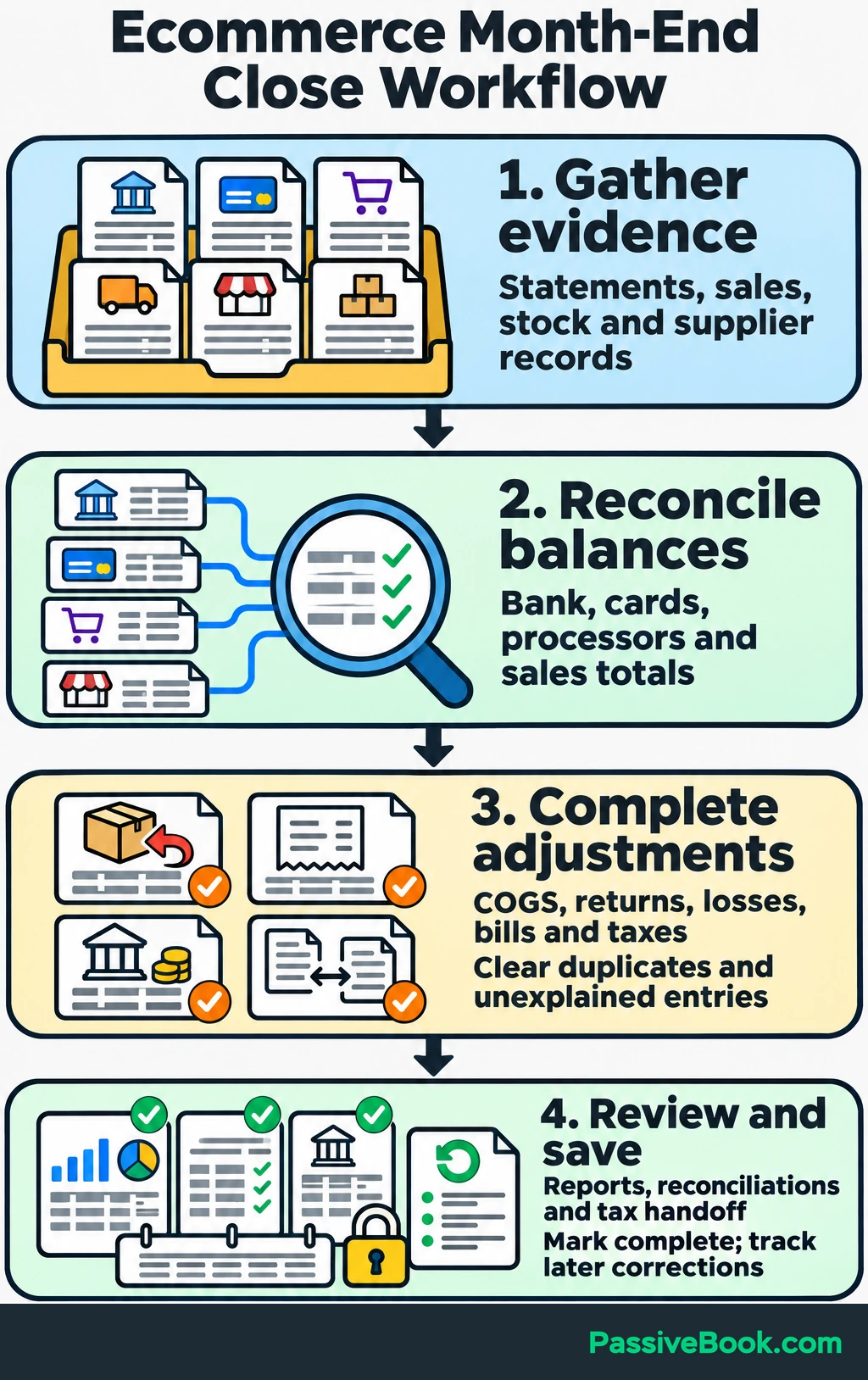
Capture receipts and resolve import problems during the month. Then use this month-end checklist:
- Gather bank, credit-card, processor, sales, inventory, and supplier records.
- Reconcile every bank, card, and processor balance to its supporting statement or report.
- Compare sales-channel totals with ledger sales, refunds, shipping income, and taxes using matching periods and time zones.
- Complete inventory and COGS adjustments, including resalable returns and stock losses.
- Record unpaid bills under your accrual method, and clear duplicates, uncategorized entries, and unusual balances.
- Reconcile transaction taxes from collections through refunds and remittances, separating marketplace-handled amounts.
- Save the reviewed reports and reconciliations, then mark the period complete. Lock it if your software allows, and keep a record of later corrections.
Pay attention to month-end timing. A sale earned this month can reach the bank next month. Your books should explain that gap through the processor balance.
Also confirm that only one system posts COGS. Two accurate imports can still produce one very inaccurate report.
Maintain a filing calendar and update a separate income-tax estimate. Collected sales tax and tax on your profit are different obligations. US businesses may need estimated payments; the IRS estimated-tax guidance explains who must pay and when.
Save your profit and loss statement, balance sheet, and cash-flow statement alongside the reconciliations. For your tax handoff, provide the same ledger, inventory valuation, supporting documents, and a short list of unresolved questions with amounts and source references.
If you hire help, make these deliverables part of the agreement.
7. Use Your Reports to Manage Profit and Cash
Check Whether the Store Is Profitable
Read the profit and loss statement in order. Subtract COGS from net revenue to find gross profit, then subtract the remaining expenses to find profit before income tax.
Here’s the completed mat-store example, using only the costs listed:
| Profit and Loss Item | Amount |
|---|---|
| Net revenue, including retained shipping income | $950 |
| Cost of goods sold | −$360 |
| Gross profit | $590 |
| Operating expenses | −$140 |
| Profit before income tax | $450 |
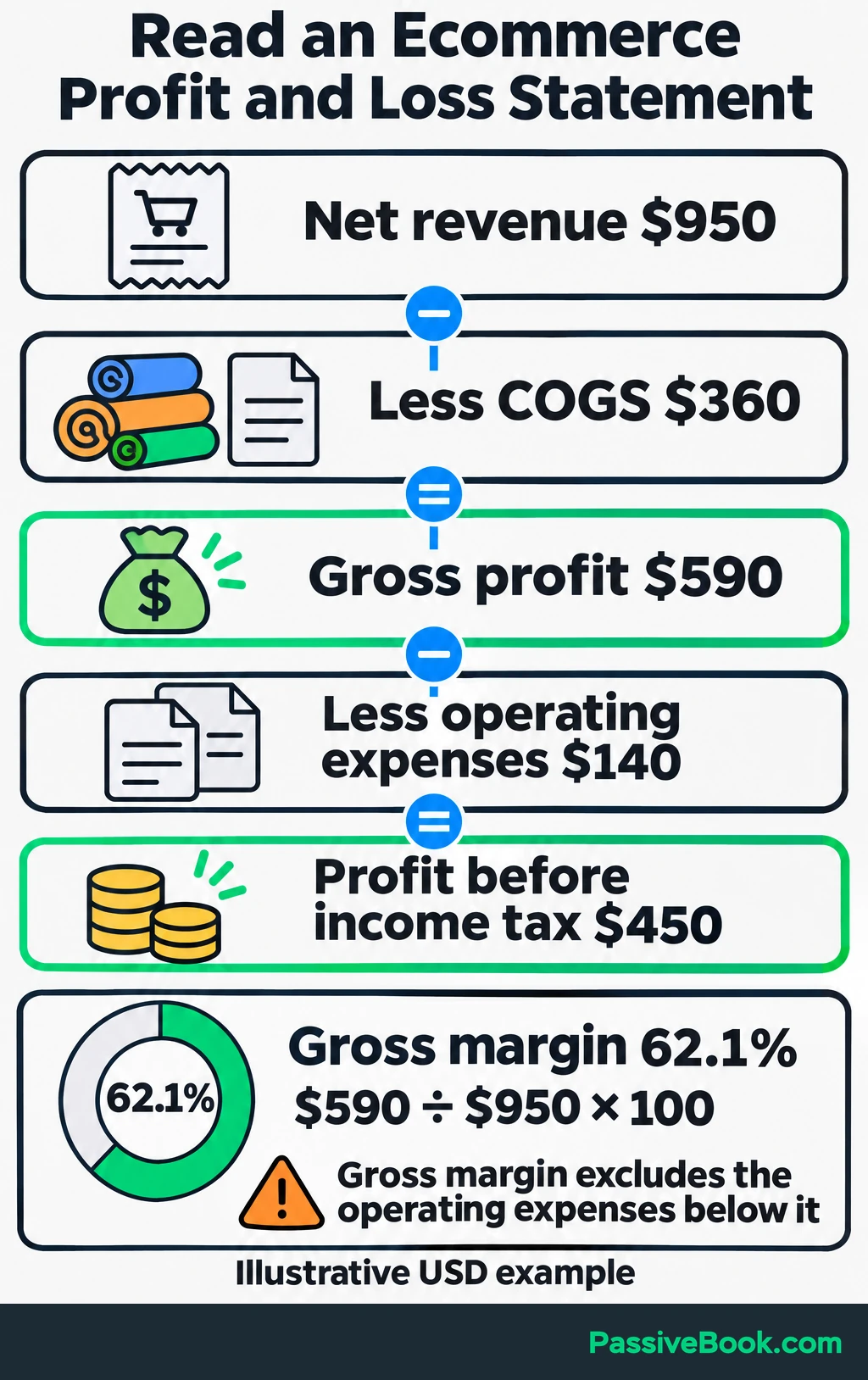
Gross margin tells you what share of net revenue remains after COGS. Divide gross profit by net revenue:
$590 ÷ $950 × 100 = 62.1%.
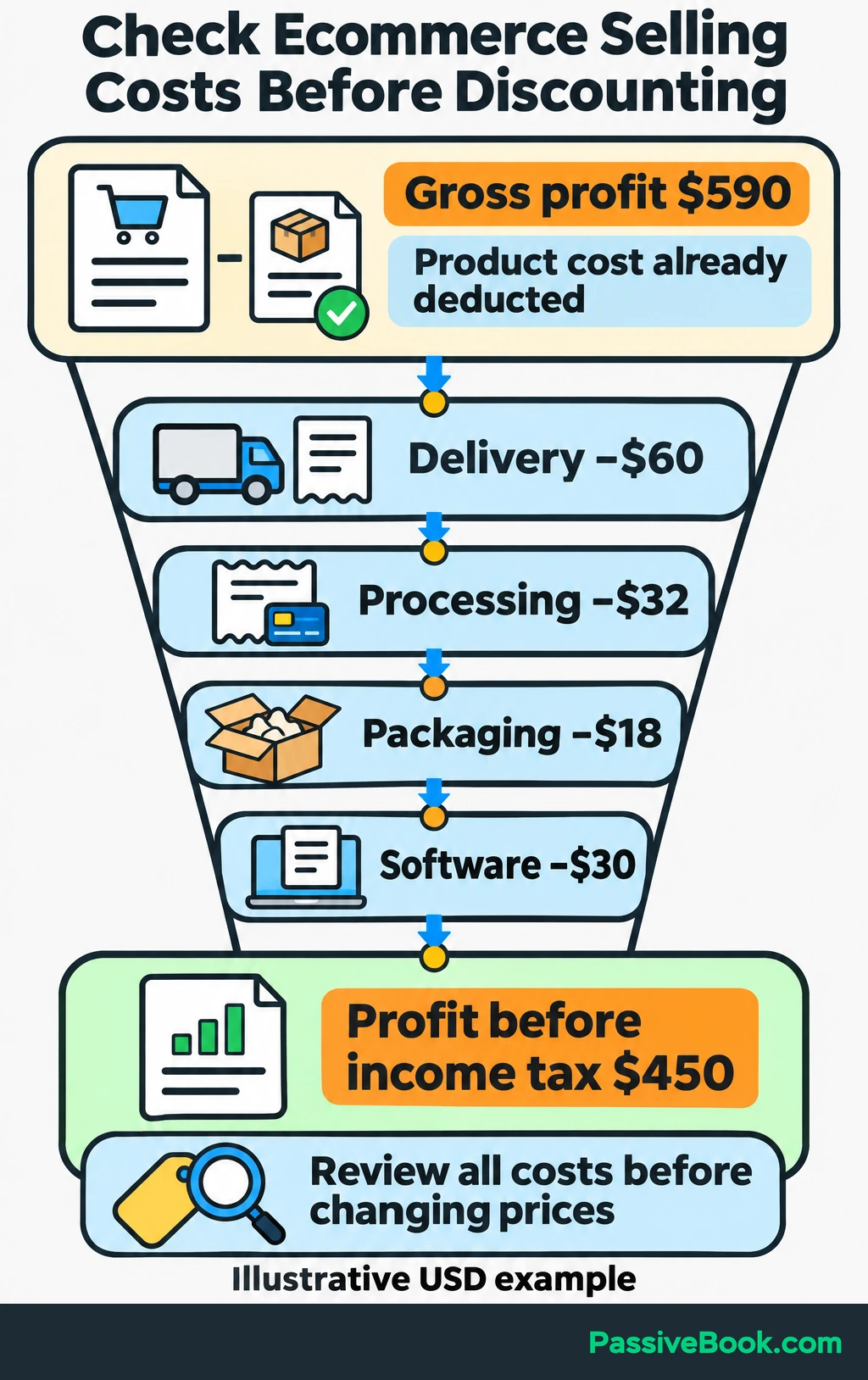
That percentage doesn’t include the operating expenses listed below gross profit. Delivery costs and processing fees still need paying.
When profit changes, look for the cause before changing prices. Check supplier costs, discounts, refunds, delivery charges, and fees.
I would review the amount left after both product and selling costs before offering a discount. A healthy-looking gross margin can still leave little room once you pay to deliver the order.
Check What Cash You Can Spend
Use the balance sheet to see cash, processor funds, inventory, unpaid bills, loans, and taxes owed. The cash-flow statement explains past cash movements.
For spending decisions, build a forecast that puts expected receipts and payments on their actual dates. Include payout delays, stock purchases, refunds, operating bills, debt payments, and taxes.
Start with available cash, add expected receipts, and subtract scheduled payments.
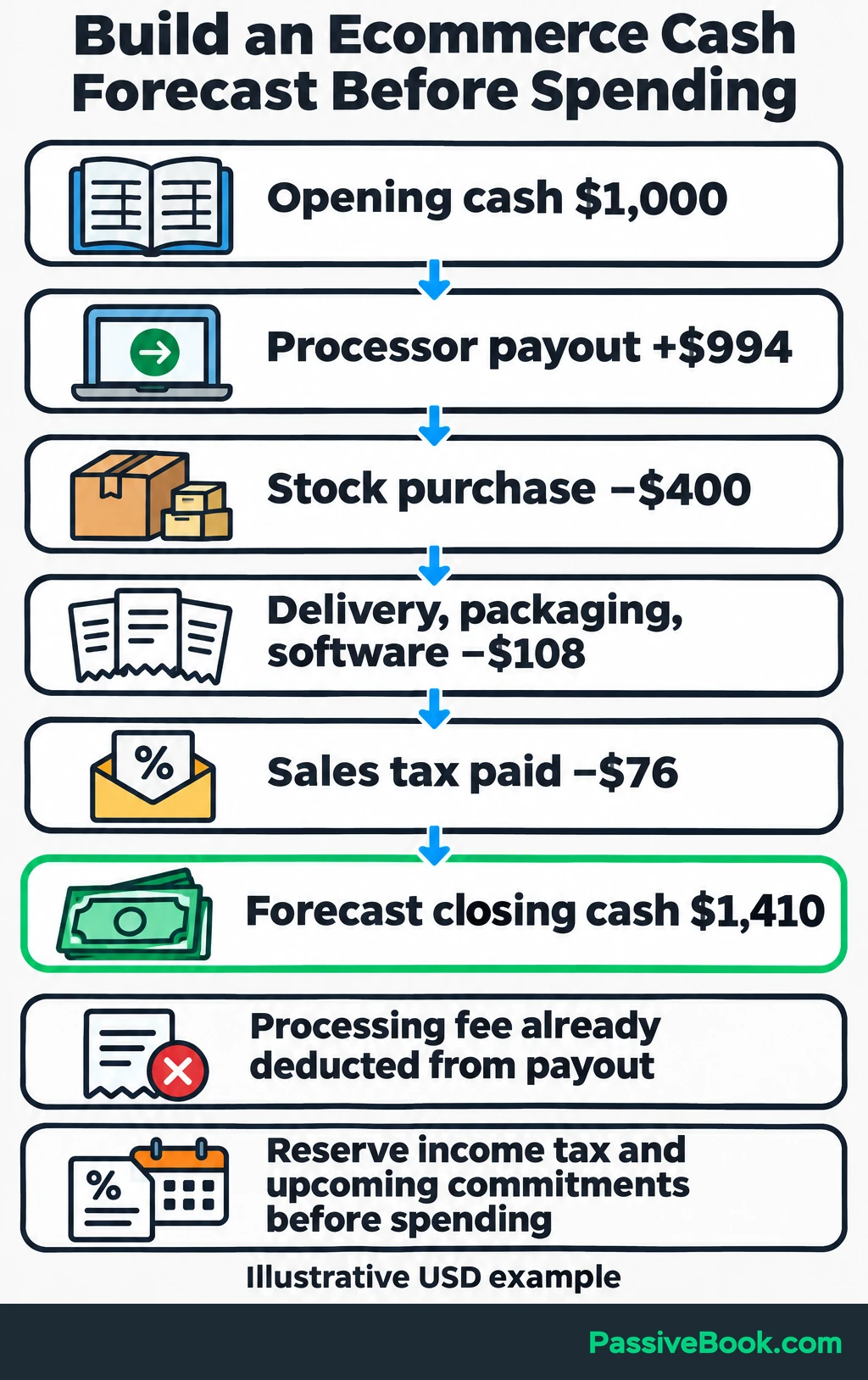
The mat store starts with $1,000 cash. Its forecast includes the $994 payout and these payments, all clearing within the example month:
| Cash Movement | Amount |
|---|---|
| Opening cash | $1,000 |
| Processor payout | +$994 |
| Stock purchase | −$400 |
| Delivery, packaging, and software | −$108 |
| Sales tax remittance | −$76 |
| Forecast closing cash | $1,410 |
The calculation is:
$1,000 + $994 − $400 − $108 − $76 = $1,410.
The processing fee is already deducted from the payout, so don’t subtract it again.
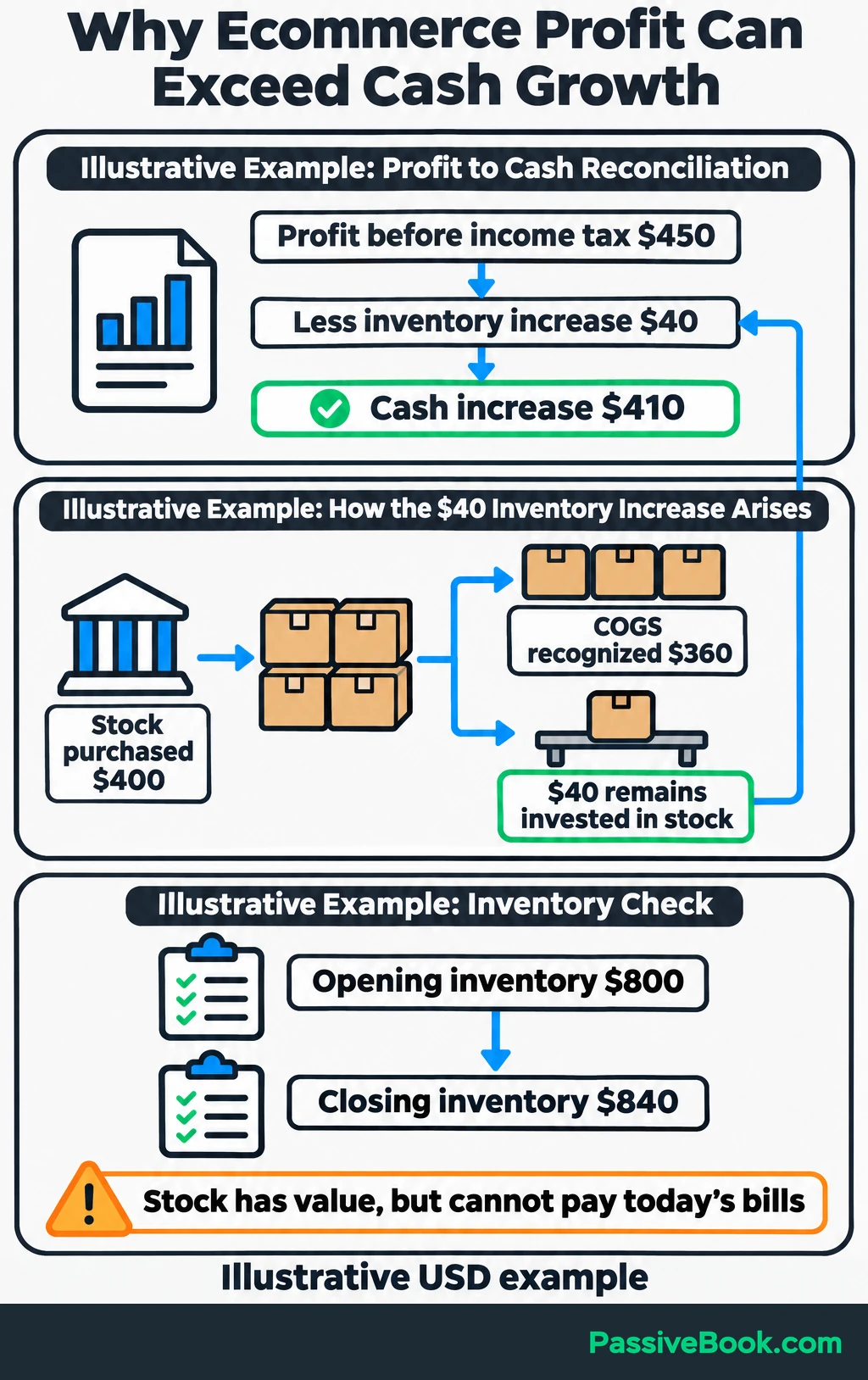
Cash rises by $410, while profit before income tax is $450. The $40 difference is the inventory increase from $800 to $840. You bought $400 of stock but used only $360 as COGS.
The remaining mats have value, but they can’t pay a software bill.
Before spending the closing cash, reserve any required income-tax amount and money committed to upcoming payments. Compare the forecast with actual cash regularly, and adjust purchasing or payment timing while you still have choices.
A positive month-end balance can still hide a shortage before your next payout. Use the Ecommerce Cash Calculator to find the tightest date and estimate how much room remains for a stock order.
Free Ecommerce Cash Calculator
What Next?
Take your latest processor payout and trace it from customer receipts through refunds and fees to the bank deposit. Record any difference with its source and amount, then resolve it before adding more automation.
Use the social buttons to share this guide when a conversation about store sales needs a clearer picture of profit and spendable cash.
Which part of your current records would you least trust when deciding whether to reorder stock? Tell me in the comments, and bring any other accounting questions too.
Share this post with your friends & followers:

