Before you spend your evenings writing a book, can you explain why a stranger would buy it instead of the books already on Amazon?
You may know enough to help someone, yet still be unsure what belongs in a first book or whether anyone wants it.
Publishing access is free, but editing, diagrams, cover work, and your time can add up before the first sale. This guide follows a practical repair book from idea to publication, so you can weigh that investment against what each sale could earn and see what publishing a useful first book involves.
How an Amazon KDP Business Works
Kindle Direct Publishing (KDP) lets you publish Kindle ebooks, paperbacks, and hardcovers without account fees or publishing charges. You provide the manuscript, cover, book details, and price. Amazon’s publishing overview
For print editions, Amazon prints and ships copies as customers order them, and printing costs come out of your royalties. You don’t need a garage full of books.
Your work is to choose a reader problem, produce a worthwhile book, help readers discover it, and maintain the listing. You can begin without an existing audience or paid ads, but you still need a plan for reaching people.
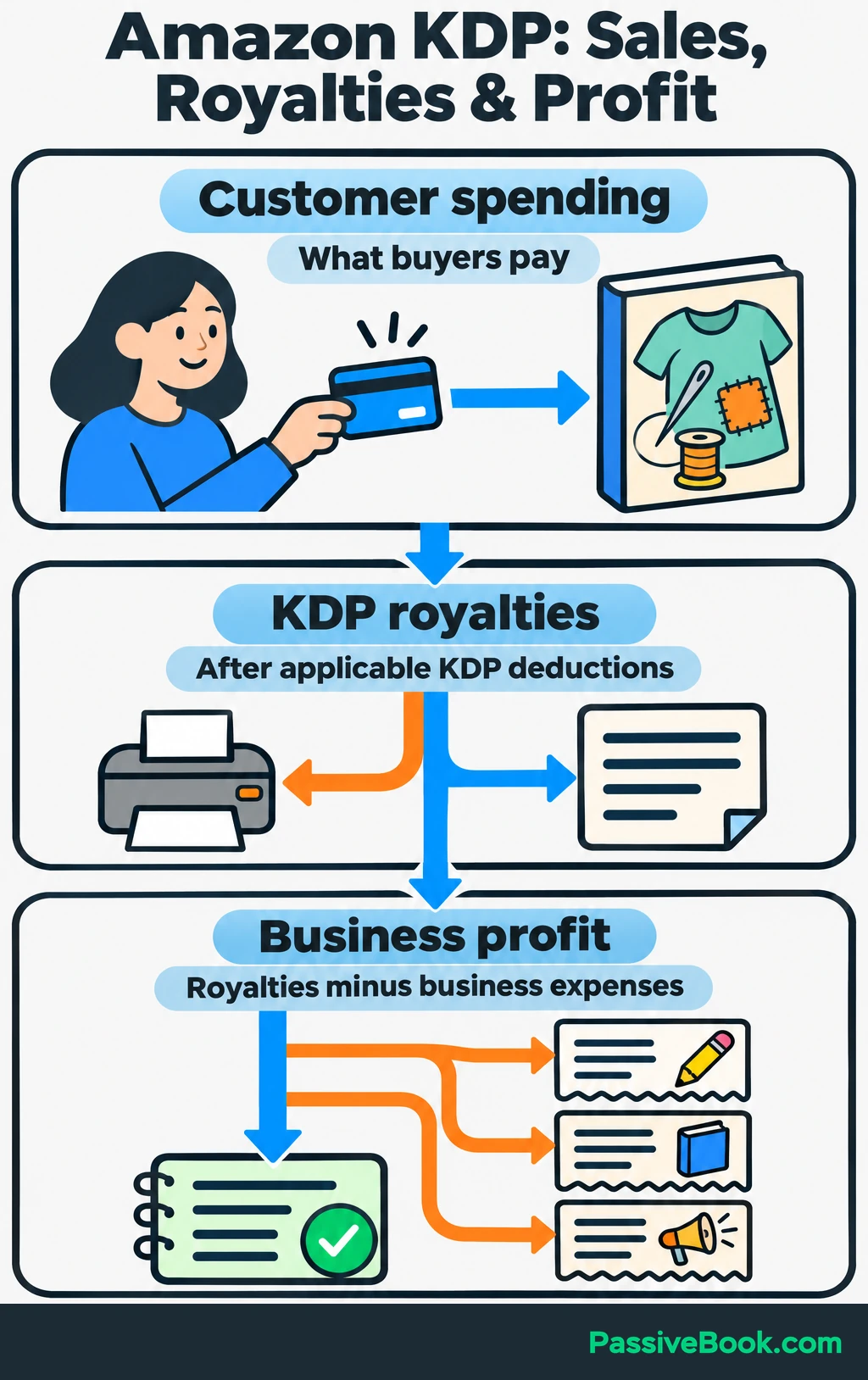
Keep three amounts separate:
- Customer spending is what buyers pay.
- Royalties are what you earn through KDP after its applicable deductions.
- Business profit is what remains after your production and operating expenses.
Throughout this guide, imagine you run a clothing-repair education business and want to publish Simple Hand Repairs for Everyday Clothes. The business, sample copy, budget, and sales calculations are illustrations.
I would start with one focused book. A catalog becomes useful when readers want its books, and uploading more titles doesn’t solve a weak first offer.
1. Set up Your KDP Account
Do You Need an LLC for Amazon KDP?
No. KDP accepts individuals and companies, so forming an LLC is not a requirement for opening an account. Use the legal details of the person or entity operating the business. KDP account requirements
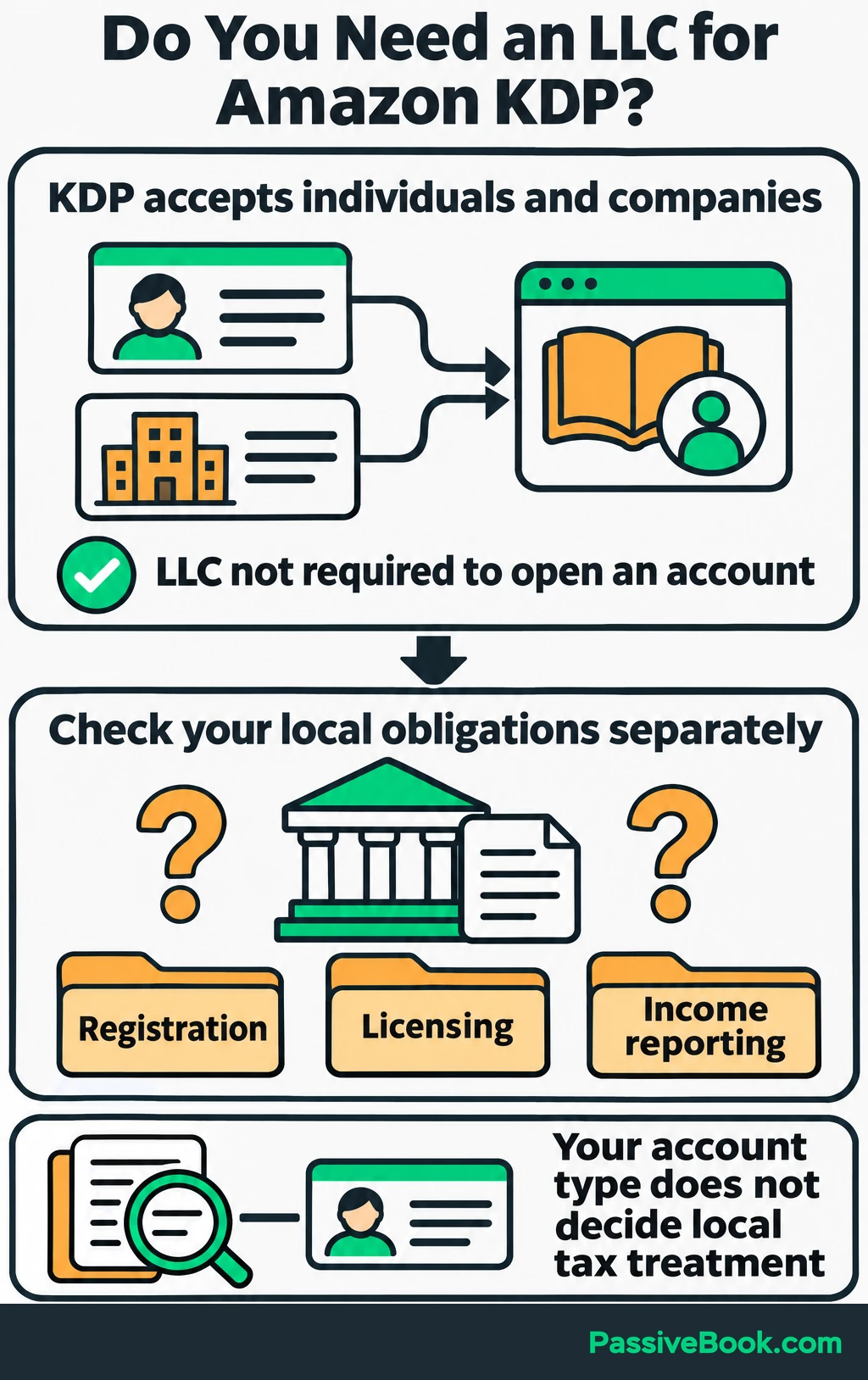
Your local requirements are a separate question. Before selling, check your business registry and tax authority for any registration, licensing, and income-reporting obligations that apply where you live.
I would resolve those basics before buying production services. An individual account can be a simple starting point, but it doesn’t decide your local tax treatment.
Complete Your Identity, Banking, and Tax Information
First, check whether KDP supports new accounts in your country and which identification it accepts. If your country isn’t on its list, you cannot open a new account there. Do this before spending money on a manuscript. Supported countries and accepted IDs
Then complete the setup:
- Sign in to KDP with an Amazon account or create one.
- Complete two-step verification and enter your legal name, address, and business information.
- Complete identity verification when requested.
- Add a supported bank account, using details that match your bank’s records.
- Finish the tax questionnaire with valid taxpayer information.
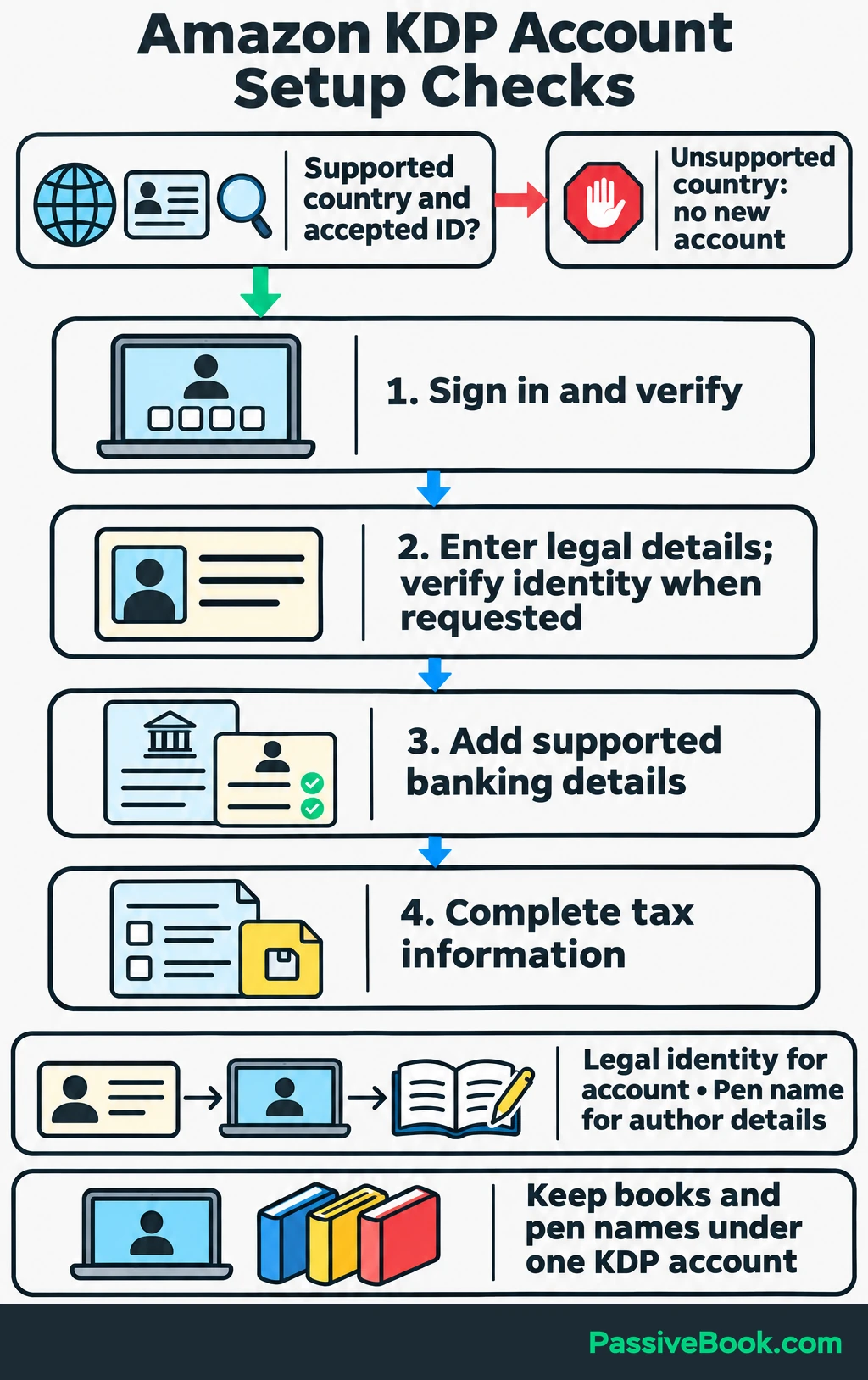
A pen name belongs in your book’s author details. Your account, payment, and tax information should identify the actual person or business.
If you’re outside the U.S., check the withholding shown by the tax questionnaire and whether you qualify for treaty benefits. Keep copies of submitted tax documents and payment records.
Keep your books and pen names under one KDP account. Don’t create another account to separate unrelated niches. KDP’s multiple-account policy
2. Validate One Book Idea
Define a Specific Reader Problem
Start with subjects you can explain credibly. Then narrow each subject to a situation and an outcome.
“Sewing” is a subject. “Fixing small clothing problems without a sewing machine” gives you a clearer reader and a manageable book.
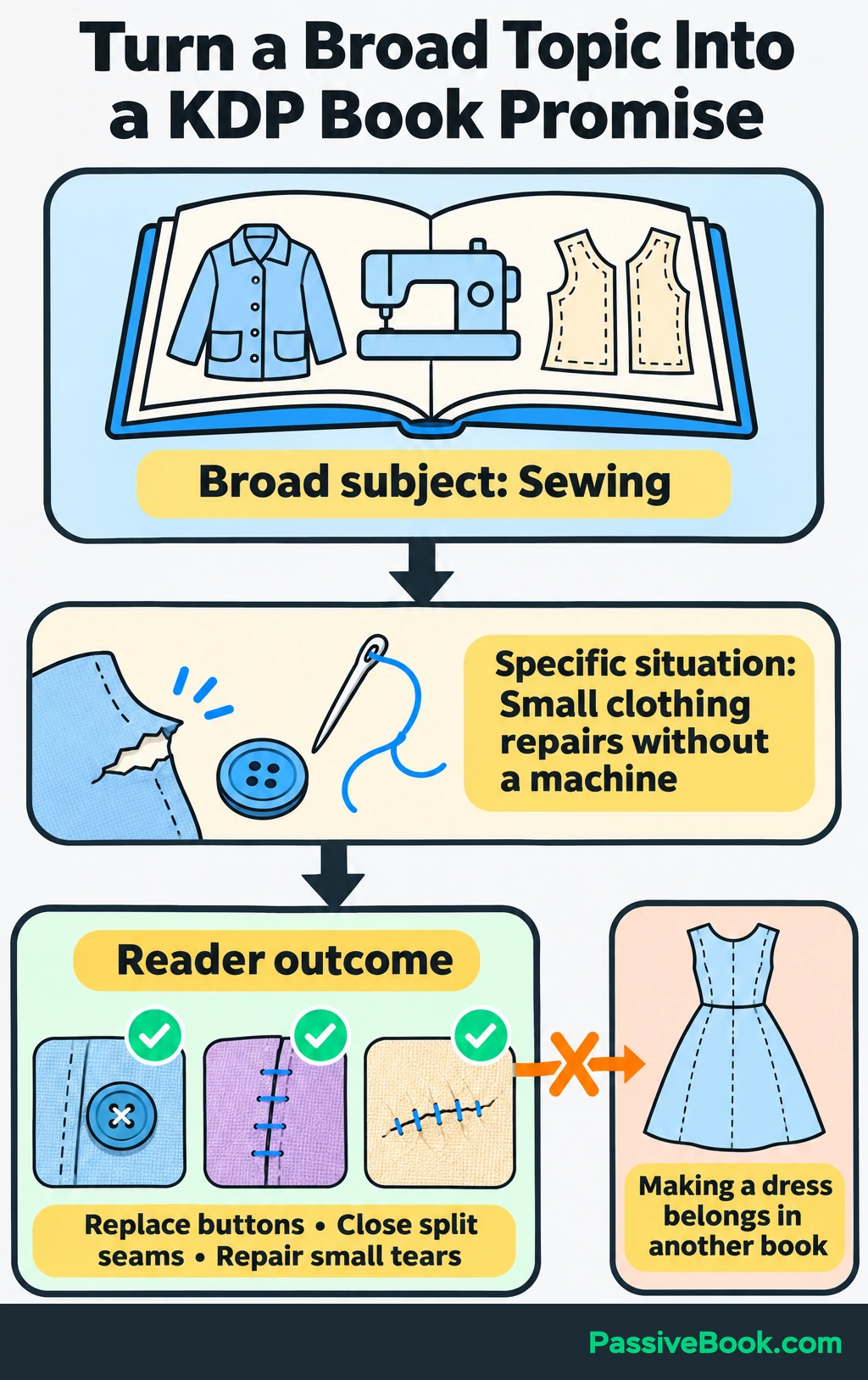
Write a one-sentence promise before planning chapters. For the repair guide:
Learn to replace buttons, close split seams, and repair small tears by hand.
That promise sets useful limits. A chapter on making a dress from scratch would belong somewhere else.
If you know the subject but keep widening the book, the AI Skill below can help you put boundaries around it. Start with a promise, outline, and opening you can assess before committing to a manuscript.
Free AI Book Writing Studio




Gather questions from conversations, relevant communities, customer emails, and Amazon search suggestions. Look for problems people describe in their own words.
I learned this through a rushed course in my digital-product business. I spent more time arranging the lessons than checking whether people wanted the result. It attracted few sales and a bad review, and I took it down. Now I want evidence of the problem before I build the product around it.
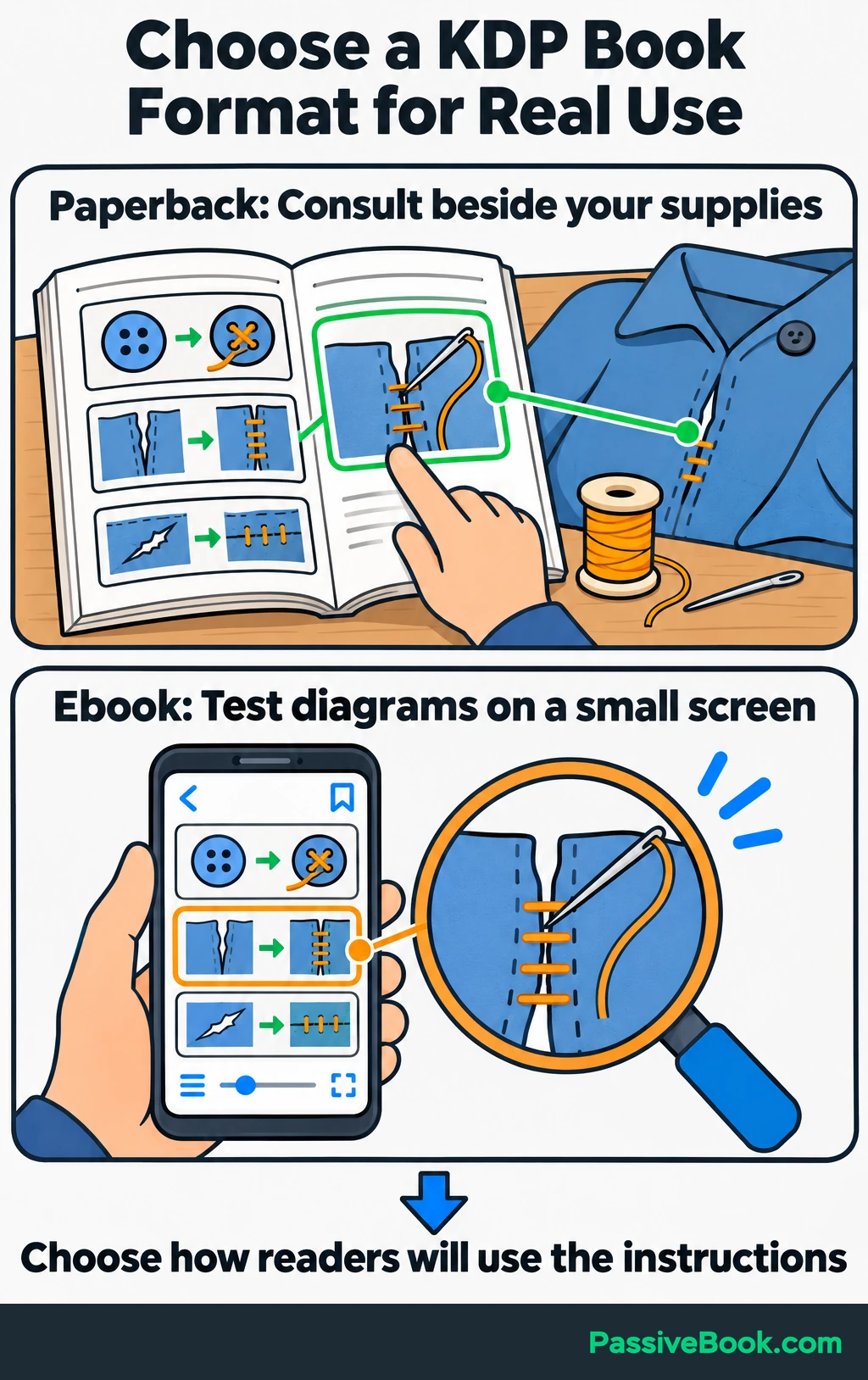
Choose a format that suits how the book will be used. For the repair guide, I would prioritize a paperback readers can place beside their supplies. An ebook could offer convenient access, but its diagrams must remain useful on a small screen.
Check Demand and Competing Coverage
Search the Amazon marketplace where you intend to sell. Compare books that help the same reader achieve the same result.
For each relevant book, record:
- The search phrase you used and the comparable title.
- Its format, price, and main promise.
- Its Best Sellers Rank and the date you observed it.
- What its sample shows about instruction quality.
- Recurring complaints in reviews.
- A specific improvement you could deliver.
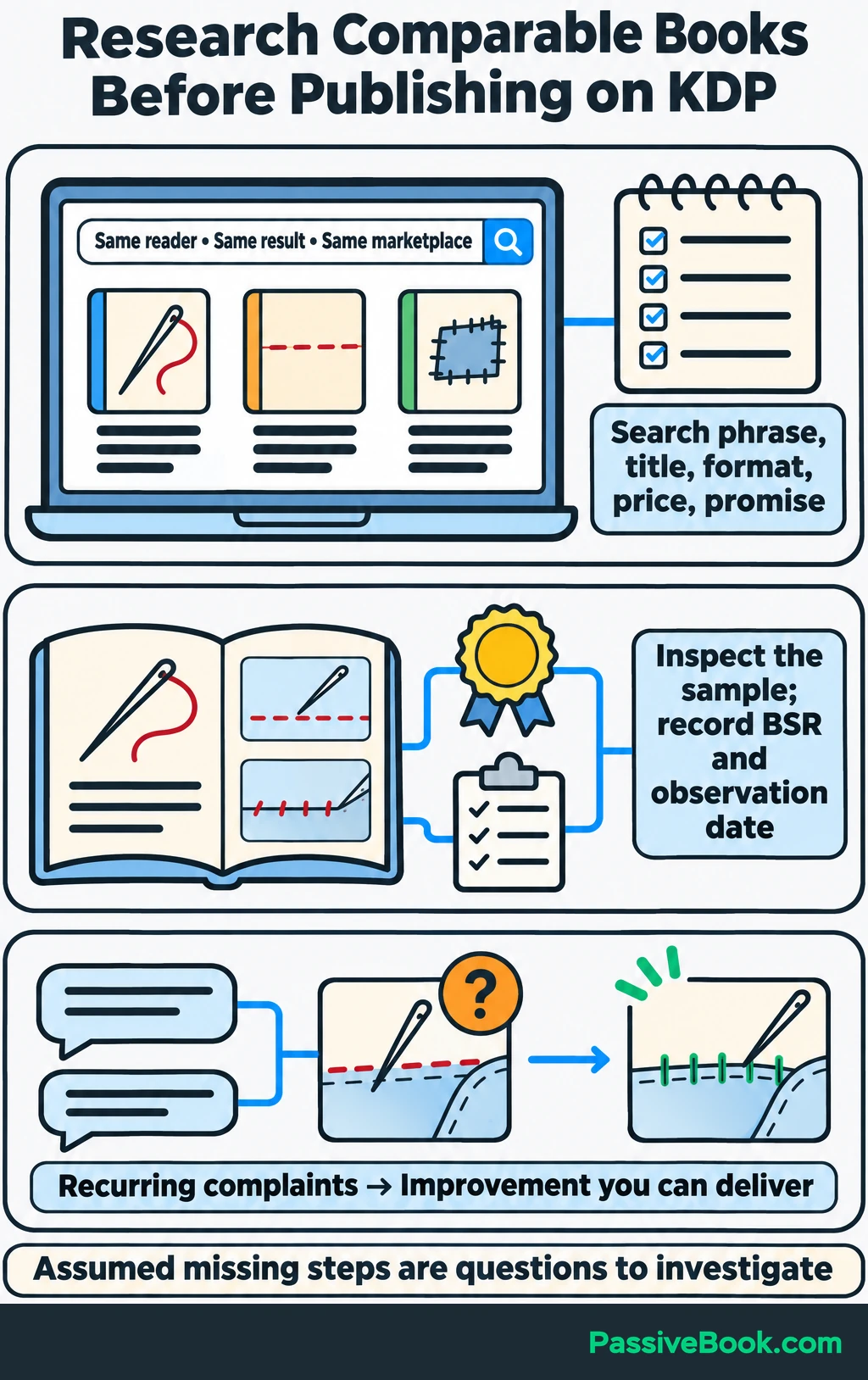
Compare paperback ranks with paperback ranks and ebook ranks with ebook ranks. Amazon’s rankings reflect relative customer activity, and each format has its own Best Sellers Rank. A rank is not a verified sales or profit report. Amazon’s sales-rank explanation
For the repair guide, investigate whether competing books assume prior sewing knowledge, skip preparation, or use diagrams that beginners struggle to follow. Those are research questions, not established gaps.
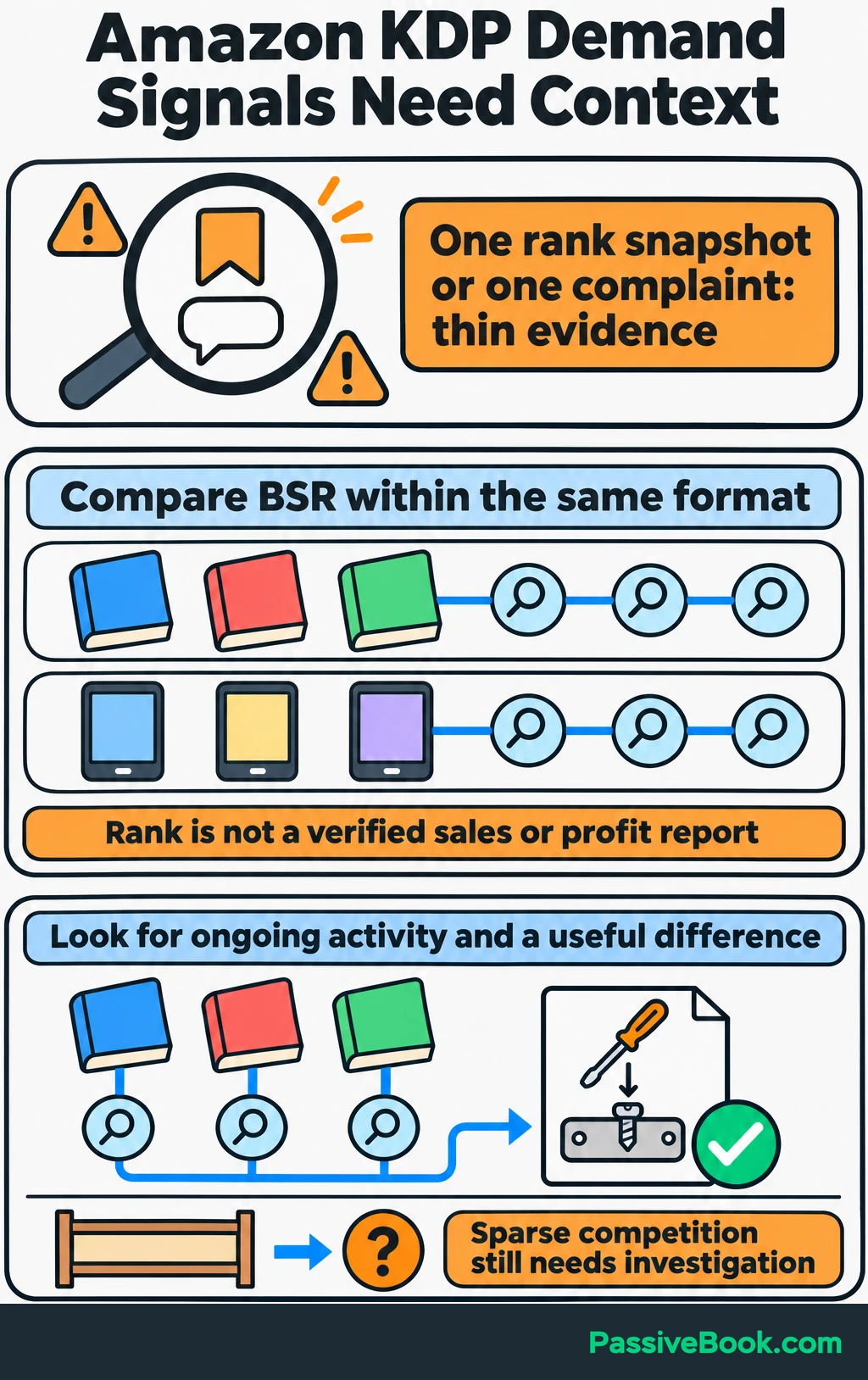
Revisit promising listings before committing your budget. One rank snapshot or one unhappy reviewer is thin evidence.
I would proceed when several books show ongoing reader activity and I can explain a useful difference I can produce well. Sparse competition needs investigation too: an empty shelf might mean an opening, or it might mean few people want the book.
3. Check Startup Costs and Profit Potential
Set a First-book Budget
Budget for editing, cover design, formatting, licensed assets, proof copies, shipping, software, and promotion. Use existing tools where possible: Kindle Create prepares interiors, KDP’s Cover Creator makes covers, and Canva handles design if its dimensions and asset licenses suit your book.
Here is an illustrative $200 budget for the repair guide:
| Expense | Planned Amount | What the Plan Assumes |
|---|---|---|
| Editing help | $100 | A limited review of a short, revised manuscript |
| Cover work | $50 | Help improving a cover you have already drafted |
| Proof copies and shipping | $30 | An allowance to replace with the checkout total |
| Contingency | $20 | Small corrections or replacement assets |
| Formatting, diagrams, and promotion | $0 cash | You complete these yourself with existing tools |
| Total | $200 | Your maximum initial cash commitment |
These allowances cover limited help. Before hiring, agree on deliverables, revisions, file formats, and publishing rights. If quotes exceed your budget, reduce the scope, raise the cap deliberately, or postpone.
Track your hours too. Recovering $200 after months of work can still be a poor return.
Calculate Royalties and Break-even Sales
On Amazon.com, paperbacks priced at $9.98 or below use a 50% royalty rate; those at $9.99 or above use 60%. Amazon then subtracts printing costs. Thresholds vary by marketplace.
For the 120-page, 6 × 9-inch repair guide with black ink and white paper, Amazon.com printing costs $1 plus $0.012 per page:
$1 + (120 pages × $0.012) = $2.44
At a $12.99 list price, the royalty is:
($12.99 × 0.60) − $2.44 = approximately $5.35 per copy
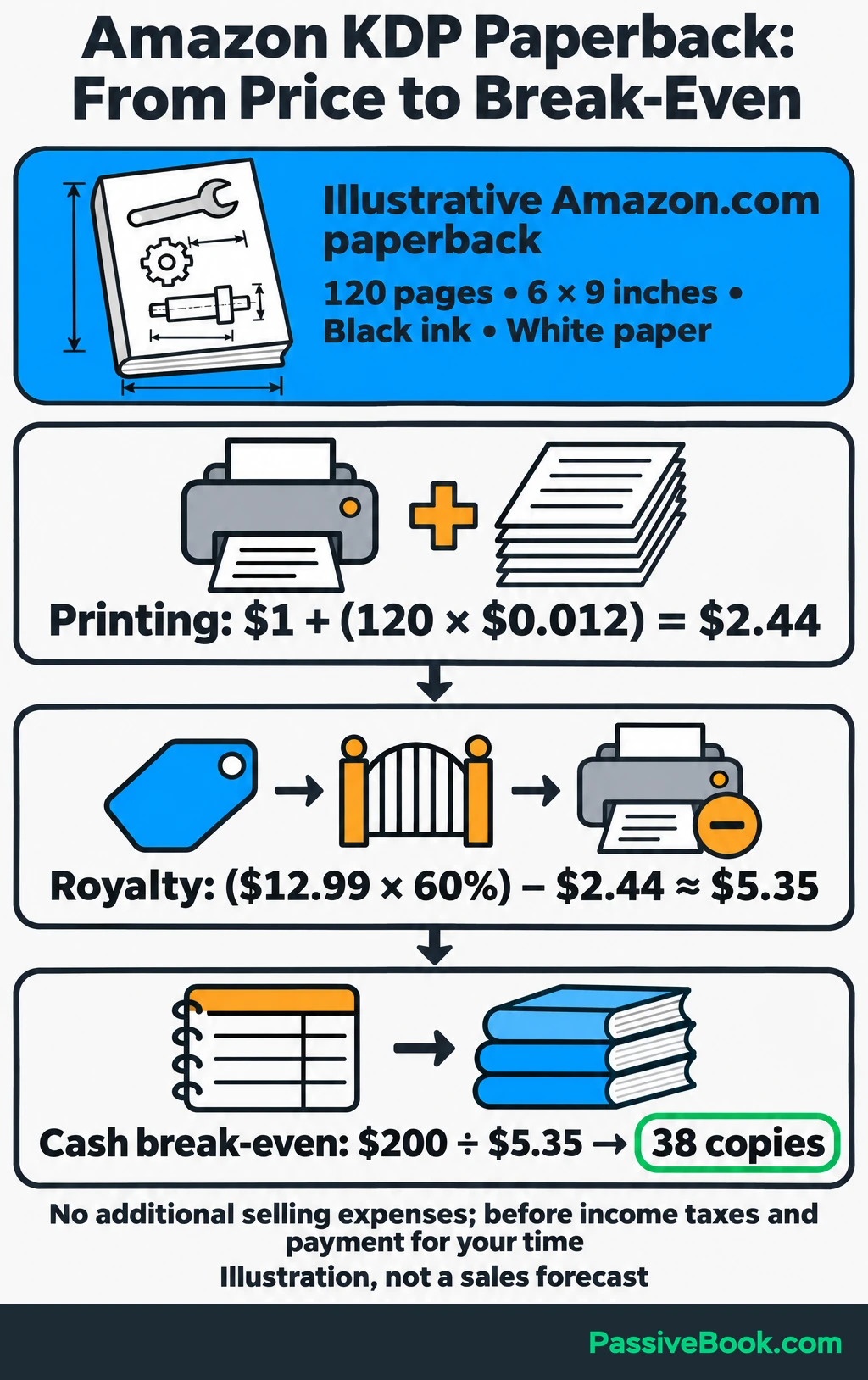
Other specifications and marketplaces change the cost. Paperback printing rates
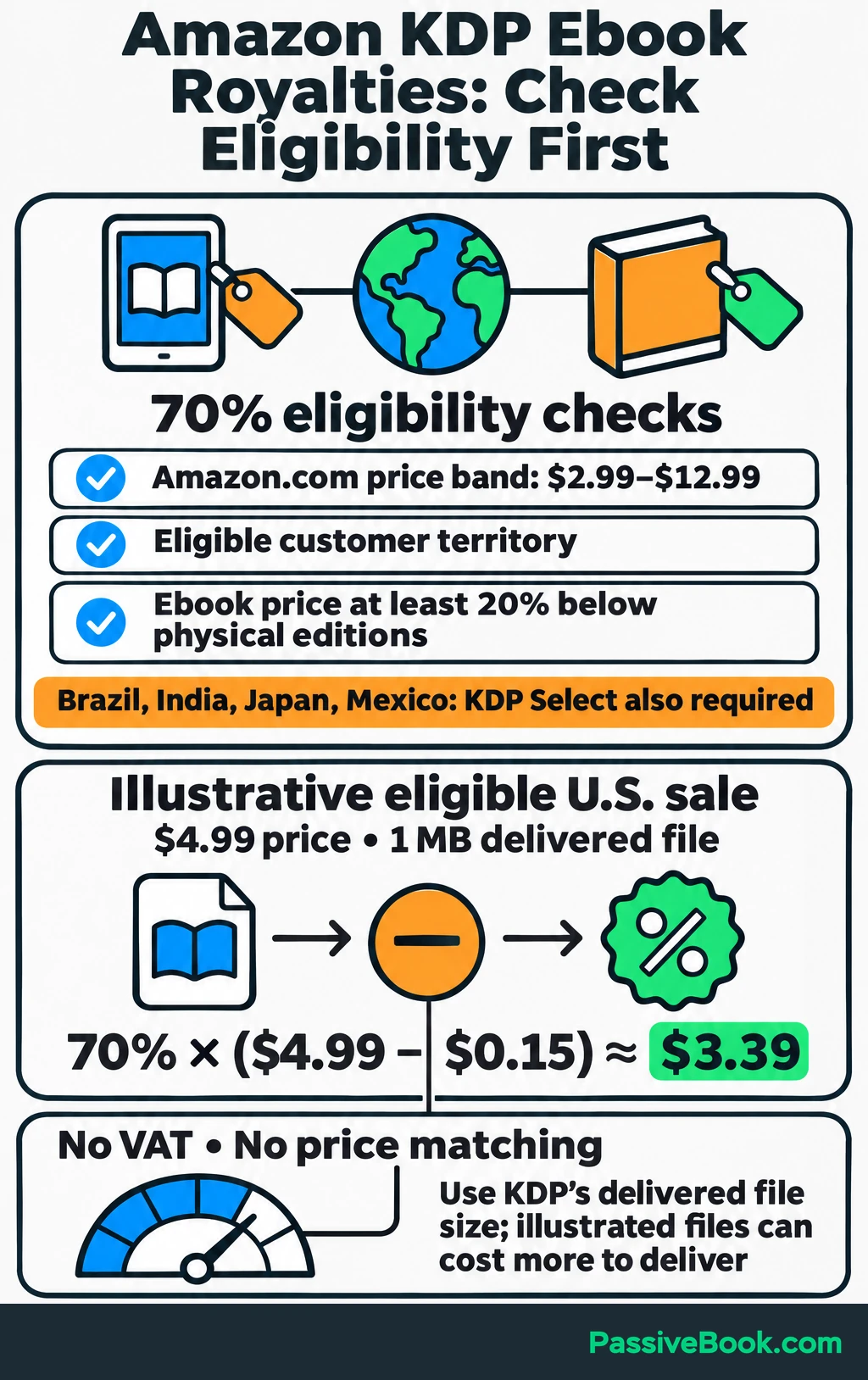
Ebooks offer 35% and 70% royalty options. Both exclude VAT, a sales tax in some markets; 70% also deducts delivery costs before applying the percentage. Its Amazon.com price band is $2.99–$12.99. Ebook price requirements
The 70% option requires an eligible customer territory and an ebook Amazon list price at least 20% below any physical edition’s Amazon list price. Sales to customers in Brazil, India, Japan, and Mexico also require KDP Select, an optional program with ebook exclusivity requirements explained below.
For an eligible U.S. sale at $4.99, with a 1 MB delivered file, no VAT, and no price matching:
0.70 × ($4.99 − $0.15) = approximately $3.39
Use KDP’s delivered file size, especially for illustrated books. Ebook royalty conditions and delivery charges
To find how many copies recover your cash budget, divide production spending by your contribution per sale: the royalty left after additional selling expenses. With $200 spent, roughly $5.35 per paperback, and no additional selling expenses:
$200 ÷ $5.35 = 38 copies, rounded up
That recovers cash before income taxes and payment for your time; it doesn’t predict sales speed.
Recovering your cash and earning something for your evenings are different targets. Use the calculator to see both, with worked examples you can change to match your book.
Free Pricing Profit Calculator
Check final specifications in KDP’s royalty calculator. If the required sales look implausible beside your demand research, revise before funding.
Royalties are generally paid about 60 days after the reporting month ends, subject to payment thresholds. Expanded Distribution, which reaches bookstores and libraries through distributors, generally takes 90 days. KDP payment timing
4. Create a Book Worth Buying
Write Toward the Promised Outcome
Turn the book’s promise into a sequence readers can follow. Put prerequisites before tasks, and give each chapter a clear job.
The repair guide might cover:
- Choosing basic supplies and checking the fabric.
- Practicing the stitches used in the book.
- Replacing a missing button.
- Closing an opened seam.
- Repairing a small tear.
- Checking the repair and avoiding common mistakes.
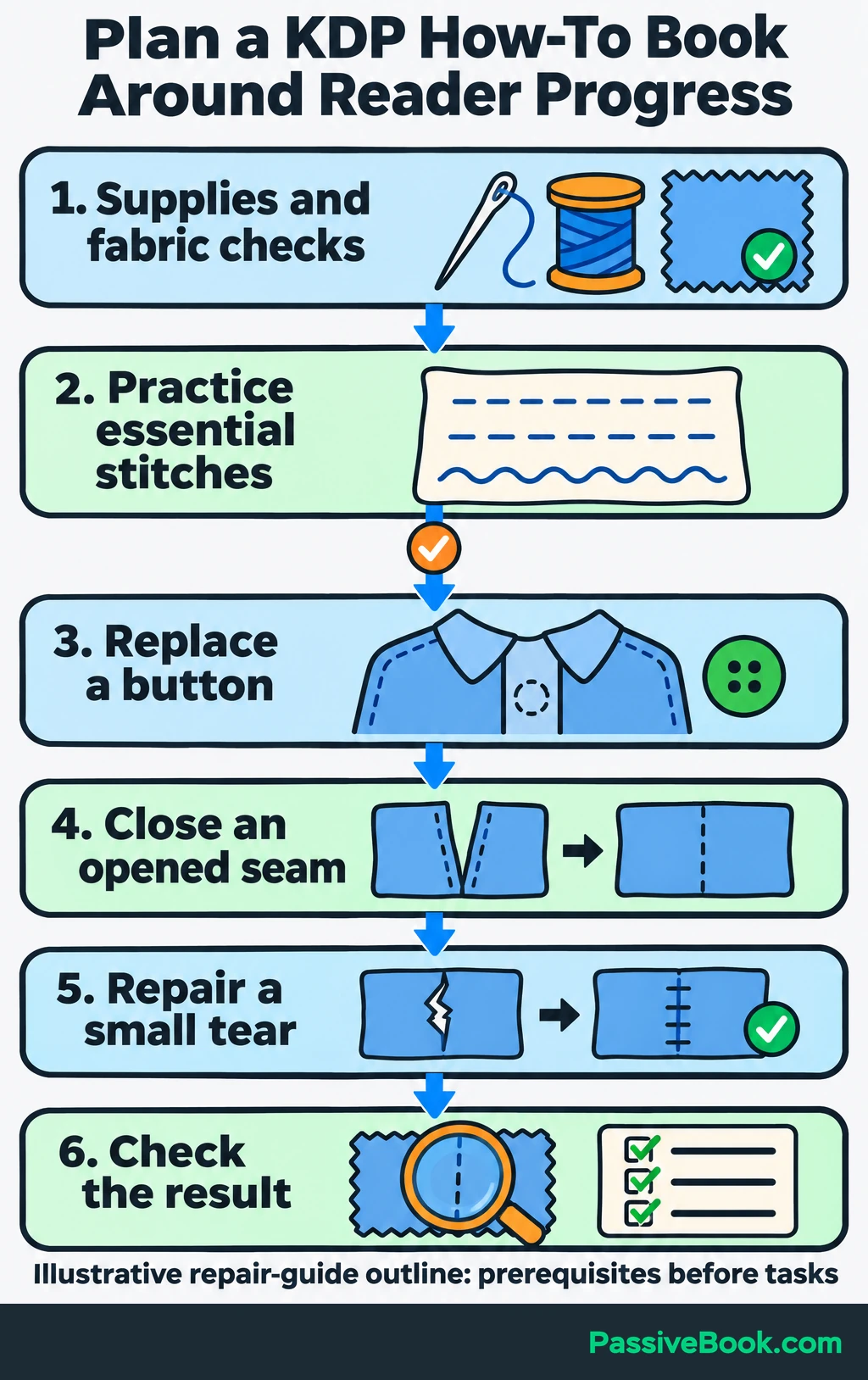
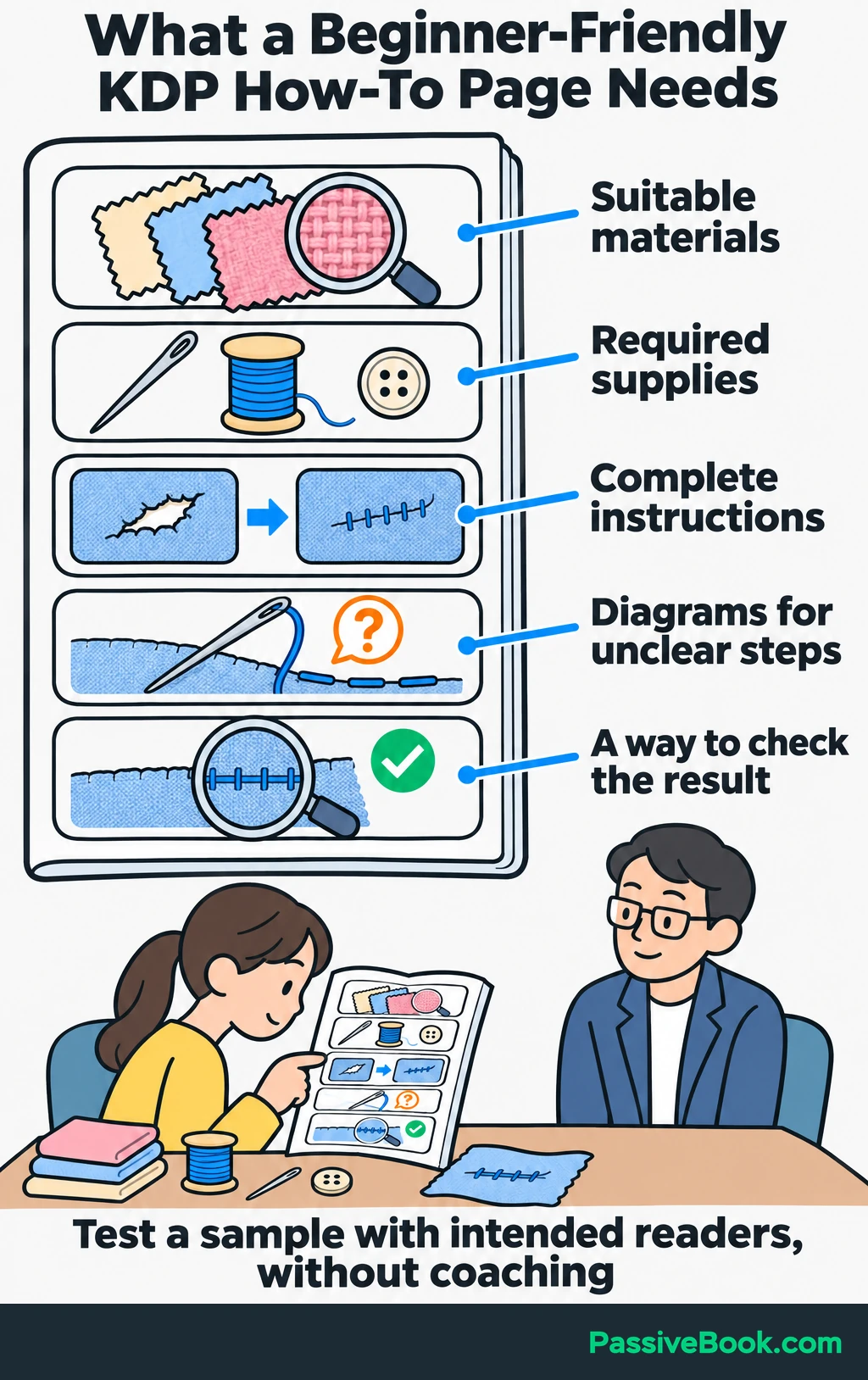
For each repair, include suitable fabrics, required supplies, instructions, diagrams, and a way to check the result.
An instruction such as “secure the thread” may sound clear to an experienced sewer. A beginner needs to see what that means. Familiarity is very good at hiding missing steps from the author.
You can write, dictate, or commission the manuscript. If you hire a writer or illustrator, approve a sample before commissioning the whole book.
Revise the structure before proofreading. Then ask intended readers to follow a sample repair without coaching. Watch where they pause or misunderstand, and fix those points.
Keep permission and license records for text, photos, diagrams, fonts, and commissioned work. Make sure your agreements cover the editions and uses you plan to publish.
Use AI With Human Review
I use Claude, an AI writing assistant, for long-form work. Here, I would use it to organize notes, identify repeated explanations, and question unclear instructions.
A useful request is:
Review this chapter for steps that assume prior knowledge. List what a beginner would need explained, and identify any instruction that needs a diagram.
Then inspect the suggestions yourself. AI can flag a confusing passage, but it cannot prove that a clothing repair works.
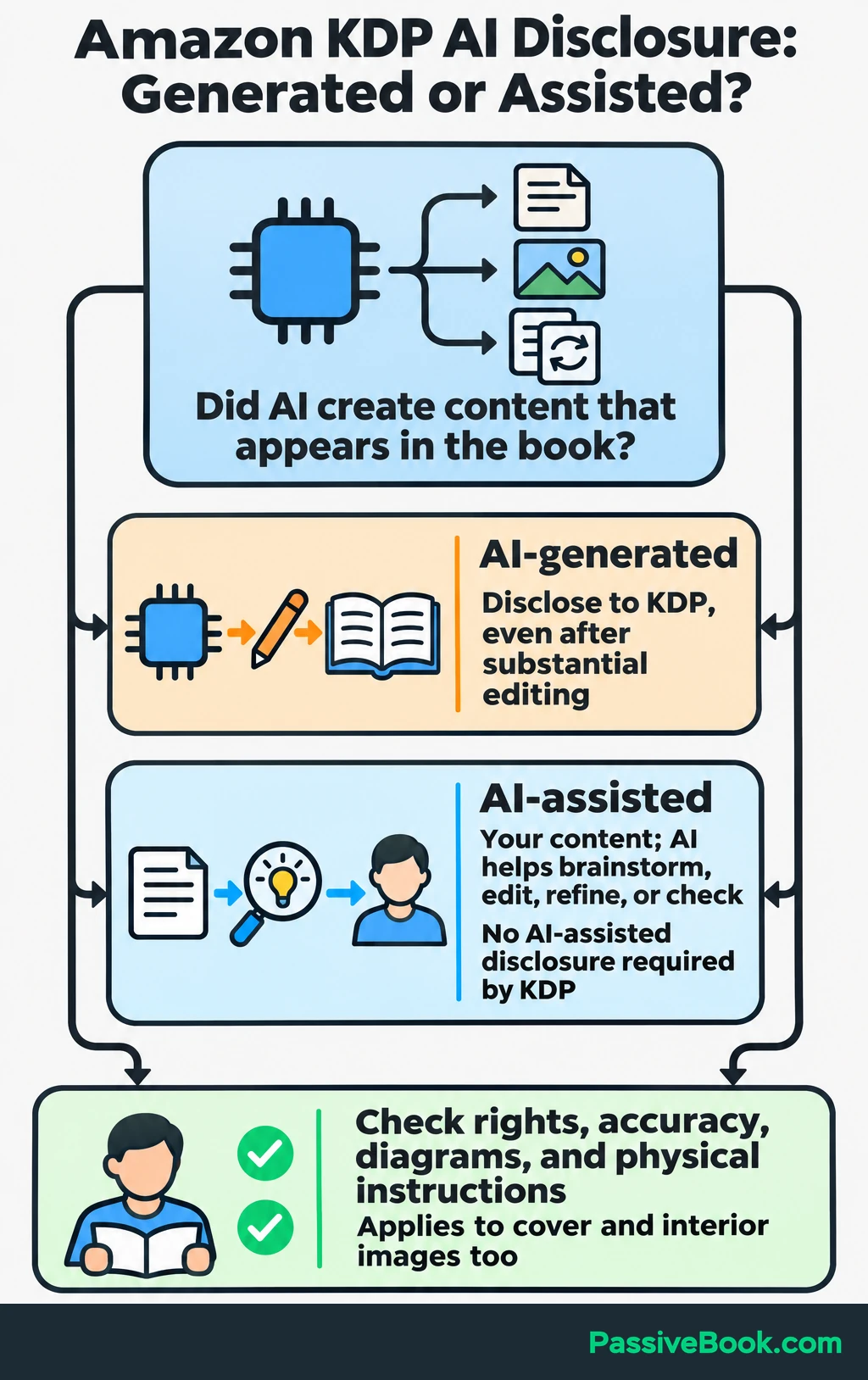
KDP distinguishes between two uses:
- AI-generated: AI created text, images, or translations that appear in the book. You must disclose this to KDP, even after substantial editing.
- AI-assisted: You created the content and used AI to brainstorm, edit, refine, or check it. KDP does not require that disclosure.
The disclosure rule covers both cover and interior images, and you remain responsible for rights and content quality. KDP’s content and AI rules
For the repair guide, test every retained instruction and check each diagram against the physical task. A convincing drawing of an impossible stitch is still an impossible stitch.
5. Prepare the Interior and Cover
Format Each Edition for Its Readers
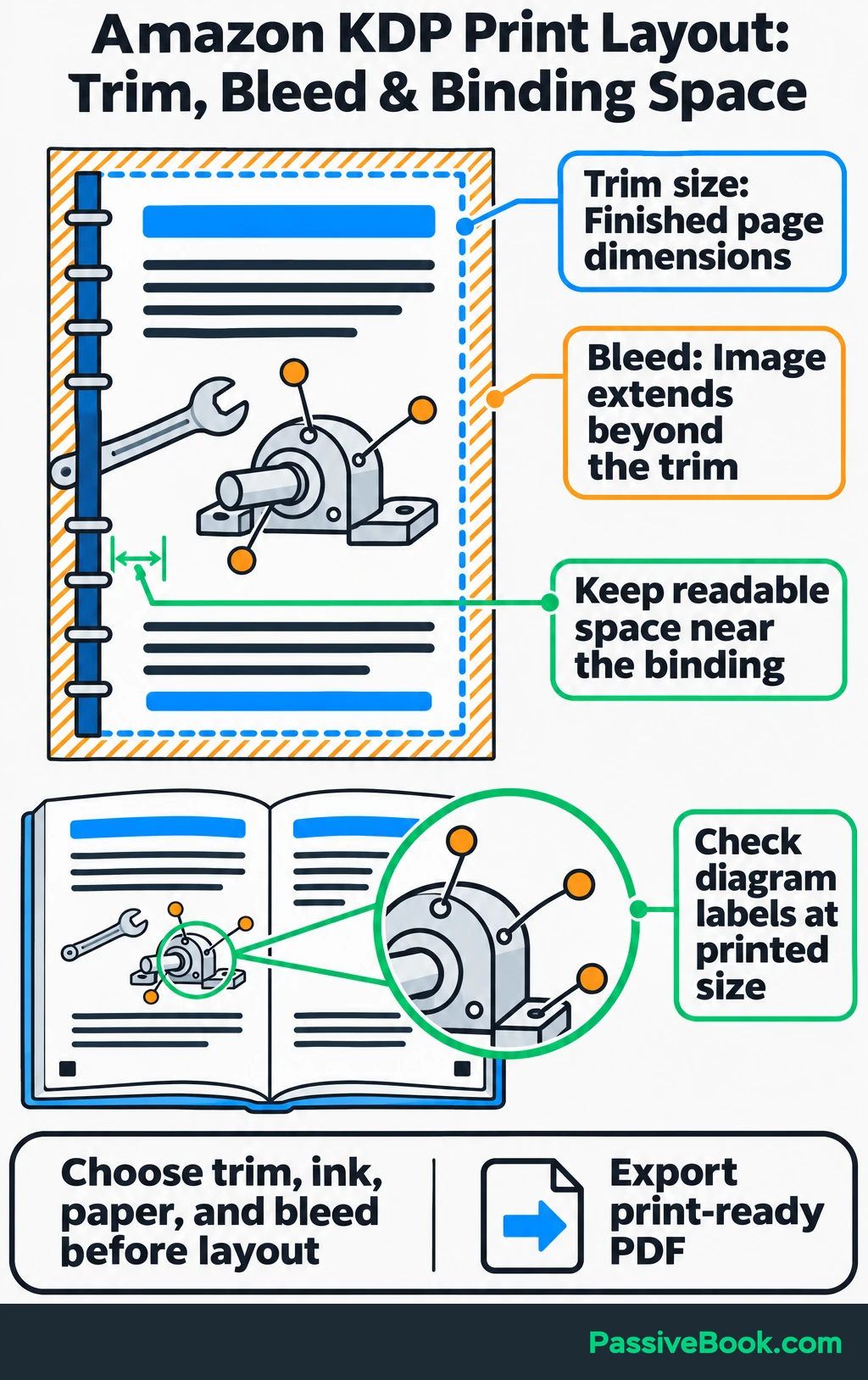
For print, choose the finished page dimensions (trim size), ink, paper, and bleed before laying out the pages. Bleed means an image extends to the edge of the trimmed page.
Use readable type, consistent headings, page numbers, and enough space near the binding. Check that diagram labels remain clear at the actual printed size, then export a print-ready PDF.
For Kindle, prepare a reflowable edition, which lets text adjust to the reader’s screen and font settings. EPUB, DOCX, and Kindle Create’s KPF output are supported options.
Add a working table of contents and logical chapter navigation. Preview the book at different screen sizes and larger font settings. Keep instructions close to the images they explain.
Use meaningful alternative text for informative images so readers using assistive technology can understand their purpose. Report the accessibility features actually included in the finished ebook.
Print editions also need an ISBN, the identifier used for a particular book edition and format. For this guide, you could choose:
- A free KDP ISBN, usable only through KDP and displaying “Independently published.”
- Your own ISBN from the appropriate agency, allowing your publisher name (imprint) to appear and use with other publishing services for that edition.
Paperback and hardcover formats need separate ISBNs. Kindle ebooks don’t require one. KDP ISBN options
Design a Clear, Professional Cover
Study comparable books to understand what readers expect, then create an original design.
The cover should make the subject clear at thumbnail size. For the repair guide, a close view of hand sewing on everyday clothing would communicate more than a decorative pile of fabric.
Use Canva, Cover Creator, or a designer according to your skills. I would choose a simple, readable cover over one packed with badges, promises, and tiny text.
Show the draft to likely readers without explaining it first. Ask what they think the book teaches and who it appears to help. Their answers reveal whether the cover communicates the right promise.
Build the print cover’s front, spine, and back from the final page count and print specifications. Prepare a separate front-cover image for the ebook.
6. Publish Your First Book
Write Accurate Book Details
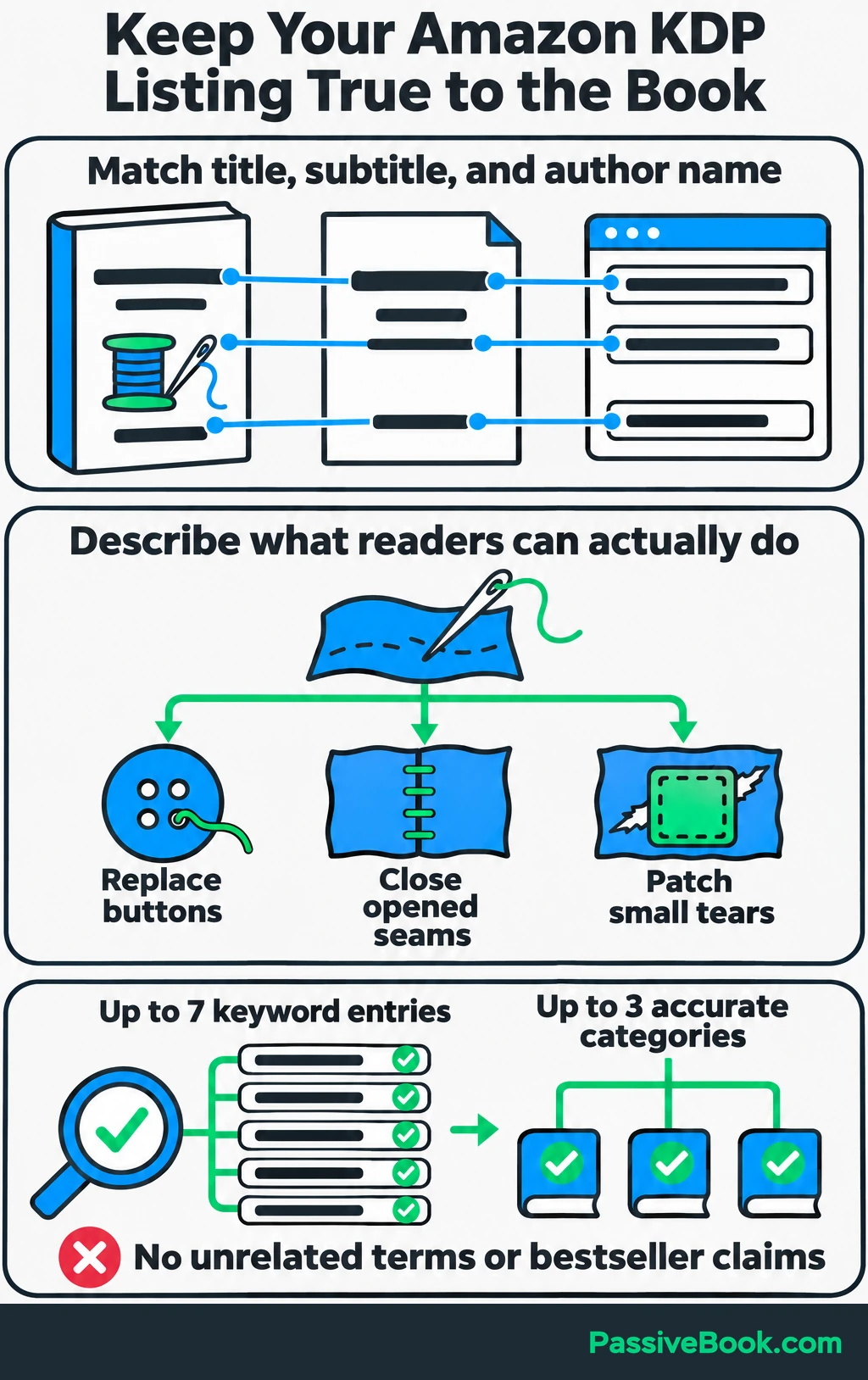
Create the edition you want to publish and enter its title, subtitle, author name, and description. Keep the title, subtitle, and author name consistent with the cover and manuscript.
Lead the description with the reader’s problem, then explain what the book contains and what readers can do with it.
For the repair guide, an opening could be:
Replace a missing button, close an opened seam, and patch a small tear with illustrated hand-sewing instructions. Start with basic supplies and practice the stitches used in each repair.
That gives readers a concrete reason to continue reading. “Transform your wardrobe forever” asks the description to do rather more work than the book promises.
Add relevant keywords or short phrases and choose categories that accurately describe the contents. KDP allows up to seven keyword entries and up to three categories.
For this book, “clothing repair by hand” is a phrase to investigate. Check what it returns before using it, and don’t treat it as verified demand. Avoid unrelated popular terms, other authors’ names, and claims such as “bestseller” in the title or keyword fields.
Choose Pricing and Distribution
Select only the territories where you hold publishing rights. Then set prices using your margin calculation and the value offered by comparable books.
Check each marketplace’s price and estimated royalty rather than assuming a currency conversion produces a sensible local price.
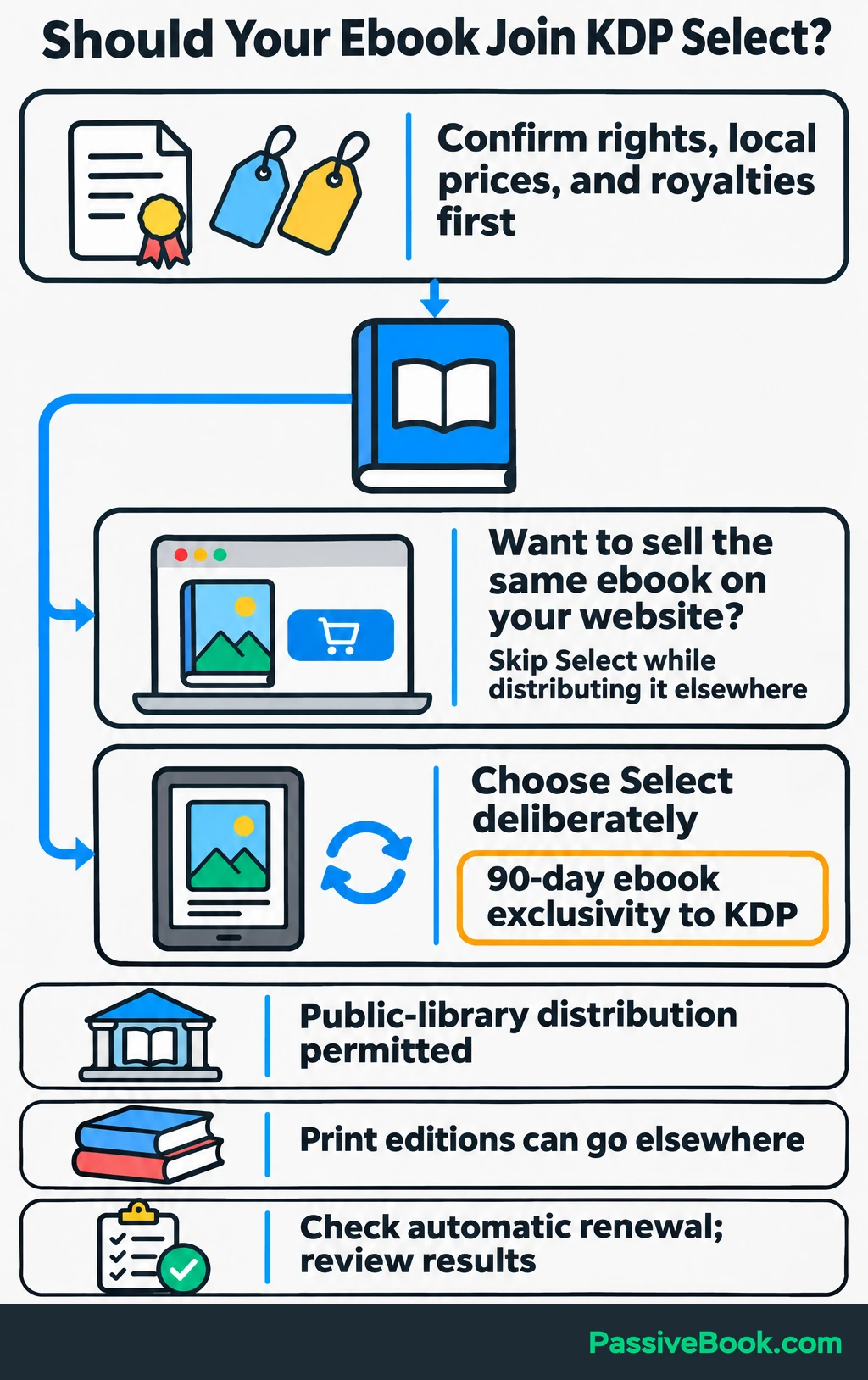
Decide whether to enroll the ebook in KDP Select before distributing it elsewhere. Select is optional, and each enrollment lasts 90 days. During that period, ebook distribution must remain exclusive to KDP, with public-library distribution permitted. Print editions can still be distributed elsewhere. Check the automatic renewal setting when enrolling. KDP Select requirements
Select provides access to Amazon’s subscription-reading program and promotional options. Subscription-reading income is separate from royalties on retail ebook sales.
For an education business that also wants to sell the same ebook through its website, I would skip Select initially. If Amazon subscription reading becomes a deliberate part of the plan, consider a defined enrollment test and review the result before renewal.
Preview, Proof, and Submit
Upload the manuscript and cover, complete the content and rights declarations, and inspect the entire preview. Resolve warnings and check every page.
For the paperback, approve the print preview and order a proof before submitting the final version. Include shipping in your budget.
Check the physical copy for:
- Text disappearing into the binding.
- Diagrams or labels that are too small.
- Weak contrast in black-and-white images.
- Cover or spine alignment problems.
- Missing pages, awkward breaks, or incorrect page numbers.
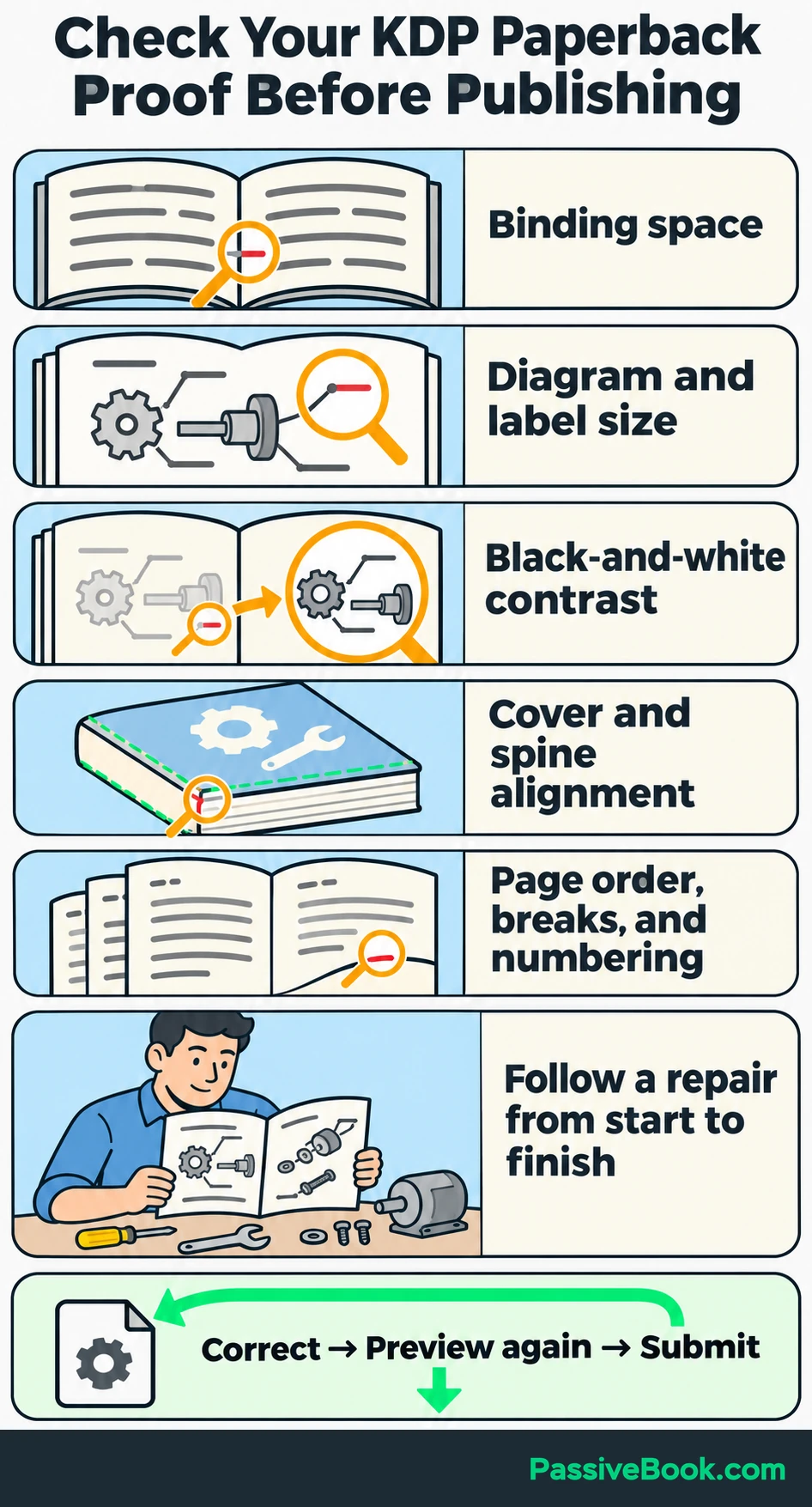
For the repair guide, place the proof beside the supplies and follow a repair from start to finish. That tests whether the layout works during use.
Correct the files, preview again, and submit. Monitor the status and address any stated issues.
Wait until the listing is purchasable before announcing availability. Then inspect the live title, description, formats, prices, and buying options, and check the reading sample when it appears.
7. Reach Your First Readers
Choose one discovery channel you can maintain around your existing commitments. That might be a blog, an email list, a relevant community, or a partnership.
Start with a useful piece of the book that stands on its own. For the repair guide, publish an illustrated button-replacement tutorial and link to the full guide for the other repairs.
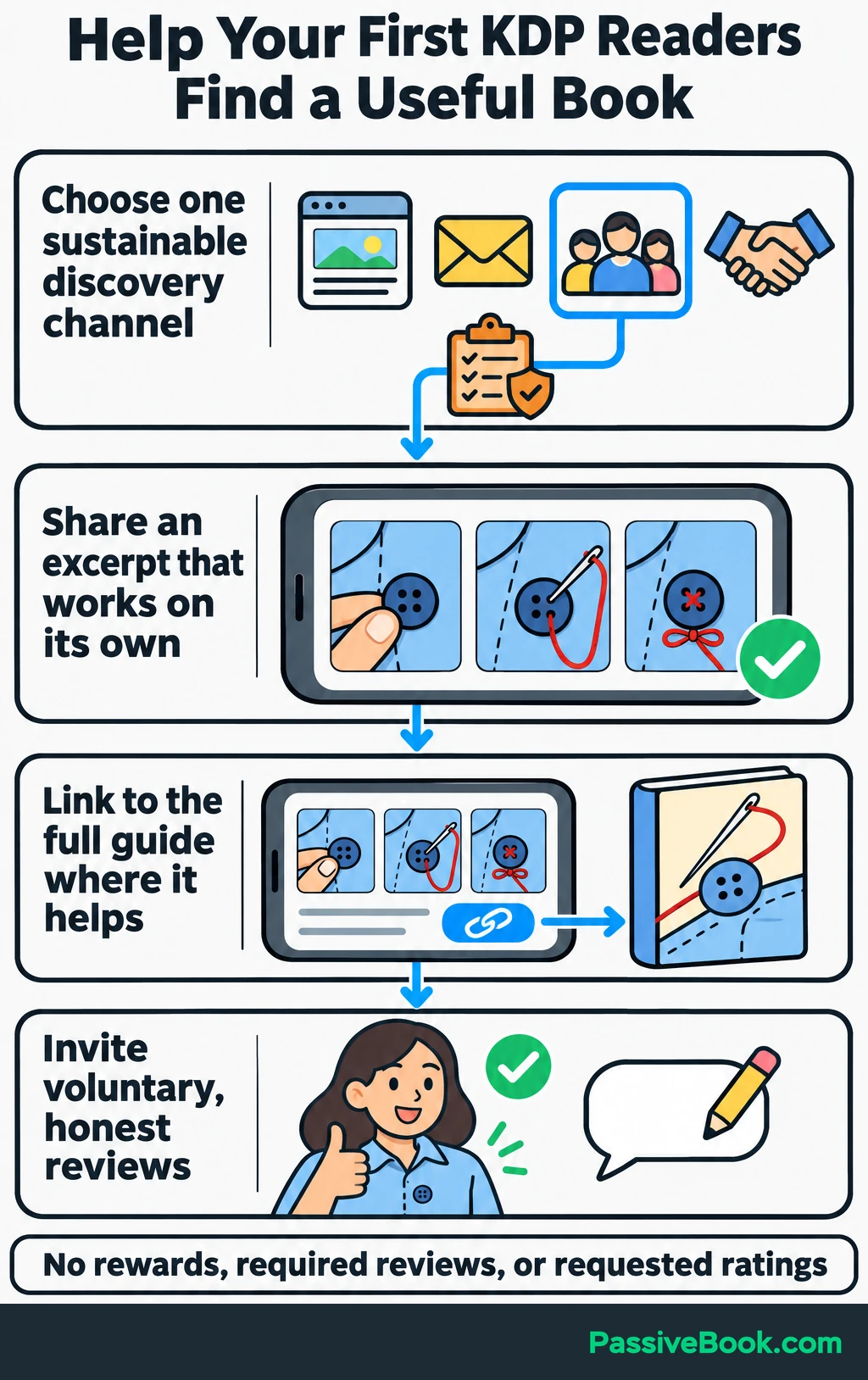
If you already publish related articles, add the book where it helps the reader take the next step. A sewing tutorial is a sensible place for the repair guide; every page on your site is not.
Without an audience, contribute useful material to communities that permit promotion. You could also approach a relevant sewing newsletter with a clear offer to share an excerpt. Read its submission rules first.
Invite voluntary, honest reviews. A short request is enough:
If you’ve read the book, you’re welcome to leave an honest review on Amazon about your experience using it.
Don’t offer rewards, ask for a particular rating, or make a review a condition of receiving a copy. Amazon permits free or discounted book copies without requiring a review or trying to influence it. Amazon’s book-review rules
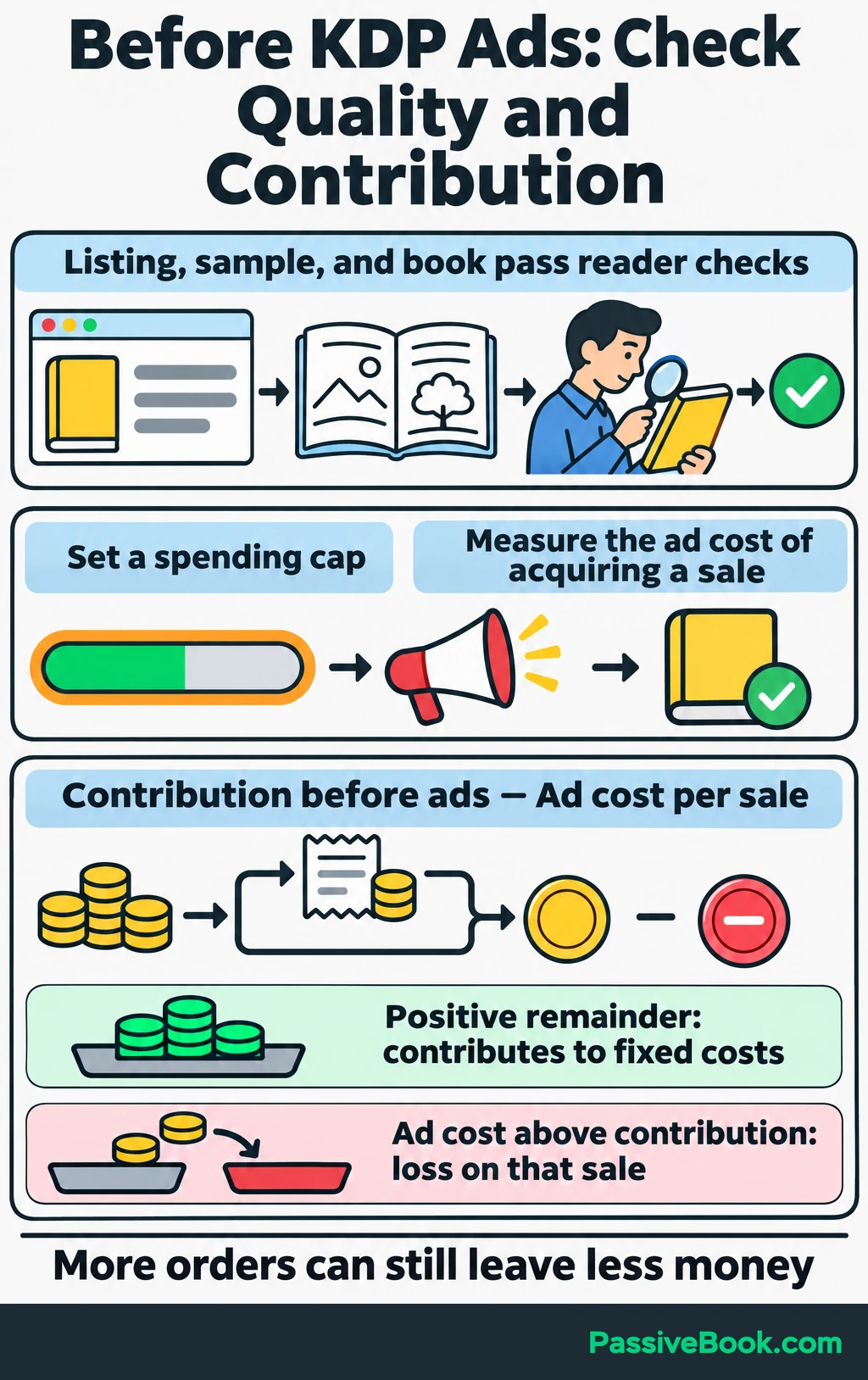
I would leave paid advertising until the listing, sample, and book have passed basic reader checks. If you test ads, set a spending cap and compare the cost of acquiring a sale with the contribution from that sale. More orders can still leave you with less money.
8. Improve the First Book Before Expanding
Keep a simple record of units sold by format, royalties, expenses, promotion dates, reader feedback, and major changes. Separate royalties earned from payments received so payment delays don’t confuse your review.
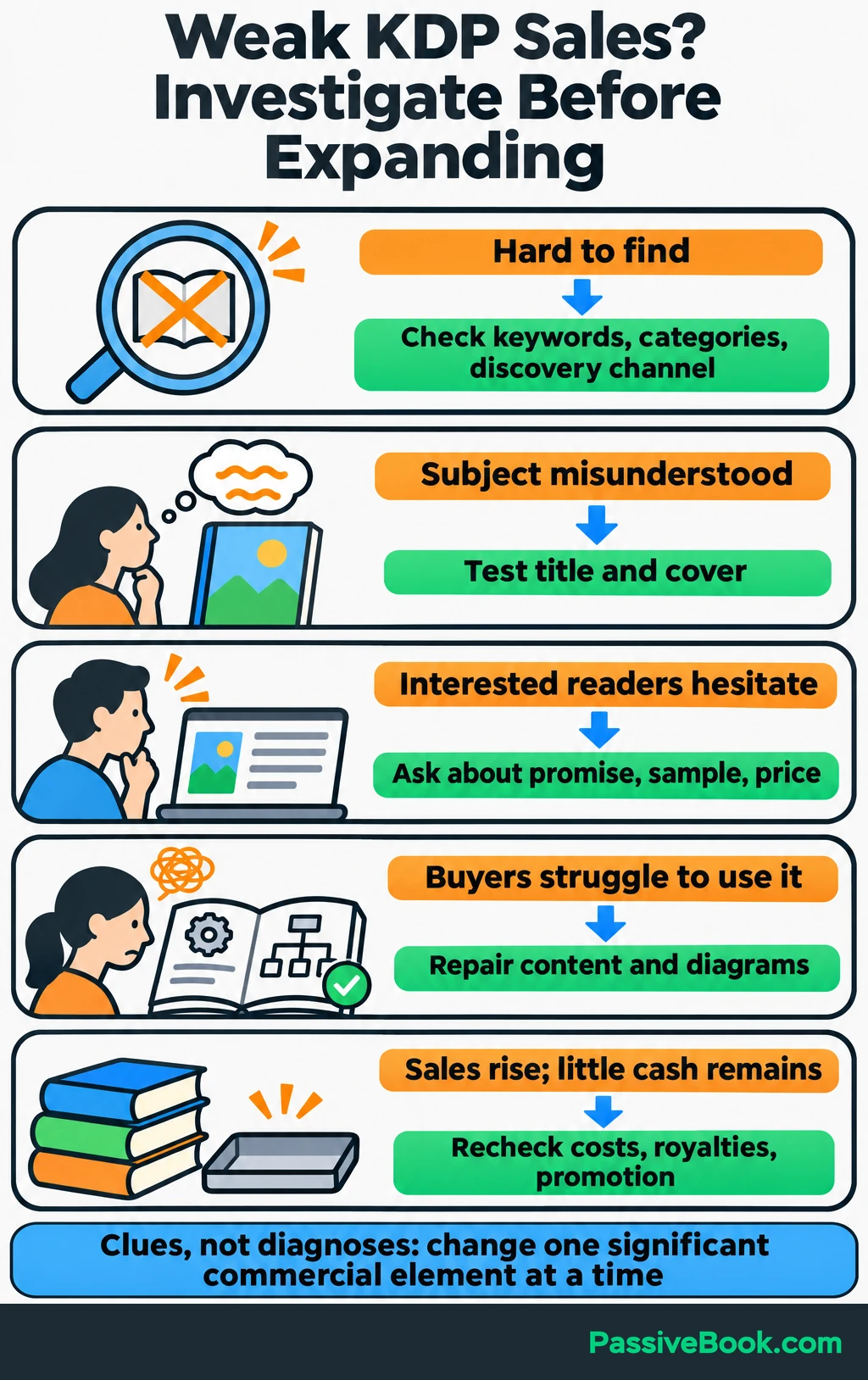
When sales are weak, investigate the likely problem before changing everything.
| What You Observe | What to Check Next |
|---|---|
| People cannot find the book through relevant searches | Review keywords, categories, and your discovery channel |
| Likely readers misunderstand the subject | Test the title and cover without explaining them |
| Readers inspect the listing but hesitate | Ask what feels missing or unclear about the promise, sample, or price |
| Buyers struggle to use the instructions | Repair the content and diagrams before increasing promotion |
| Sales rise but little cash remains | Recheck production costs, royalties, and promotional spending |
These checks guide investigation; low sales alone don’t tell you which part failed.
Correct production problems promptly. For commercial changes, adjust one significant element at a time and record what happened. With very few sales, give yourself room to observe rather than declaring victory after one extra order.
Choose a second book from repeated reader questions and buying behavior. For the repair business, a separate guide to altering hems might make sense if readers keep asking for it. Give it a distinct promise and its own budget.
Reuse formatting styles, cover layouts, production checklists, and expense records. A spreadsheet or Notion board is enough at first. If the administration becomes repetitive, n8n, a tool that connects apps and automates tasks, can prepare reminders and reporting summaries.
Keep human review of the content, permissions, final files, and publication decisions. That is where mistakes become customer problems.
I would expand when the first book gives me evidence worth building on: useful reader feedback, a workable margin, and a workload I can sustain. Continue, revise, or stop based on that evidence. A catalog-size target is a poor reason to finance another book.
What Next?
Write the one-sentence promise for your first book, then find three comparable titles in your intended Amazon marketplace. Use those comparisons to decide whether the idea deserves a production budget.
If this guide helped you connect the publishing steps to the money involved, use the social buttons to share it and make that planning easier for other readers.
What reader problem could you explain well enough to build your first useful book around? Leave your answer in the comments, and bring any other questions too.
Share this post with your friends & followers:

