You can generate a digital product over a weekend and still have no clear reason for anyone to buy it. The file exists, but the problem it solves is vague.
That’s an expensive way to spend your spare time, even when the tools are free.
I’ve launched a course that barely sold, and the bad review hurt more than the quiet checkout. Here’s how to take one small AI-assisted offer from an idea to a finished download and a sales page, then reach people who could use it.
Choose a Specific Problem Your Product Can Solve
Start with a task people already need to finish. Find out what makes it awkward, what they use now, and what a better result would look like.
“I want to sell pet printables” gives you a category. “I want to help owners put their cat-sitter instructions in one place” gives you something to investigate.
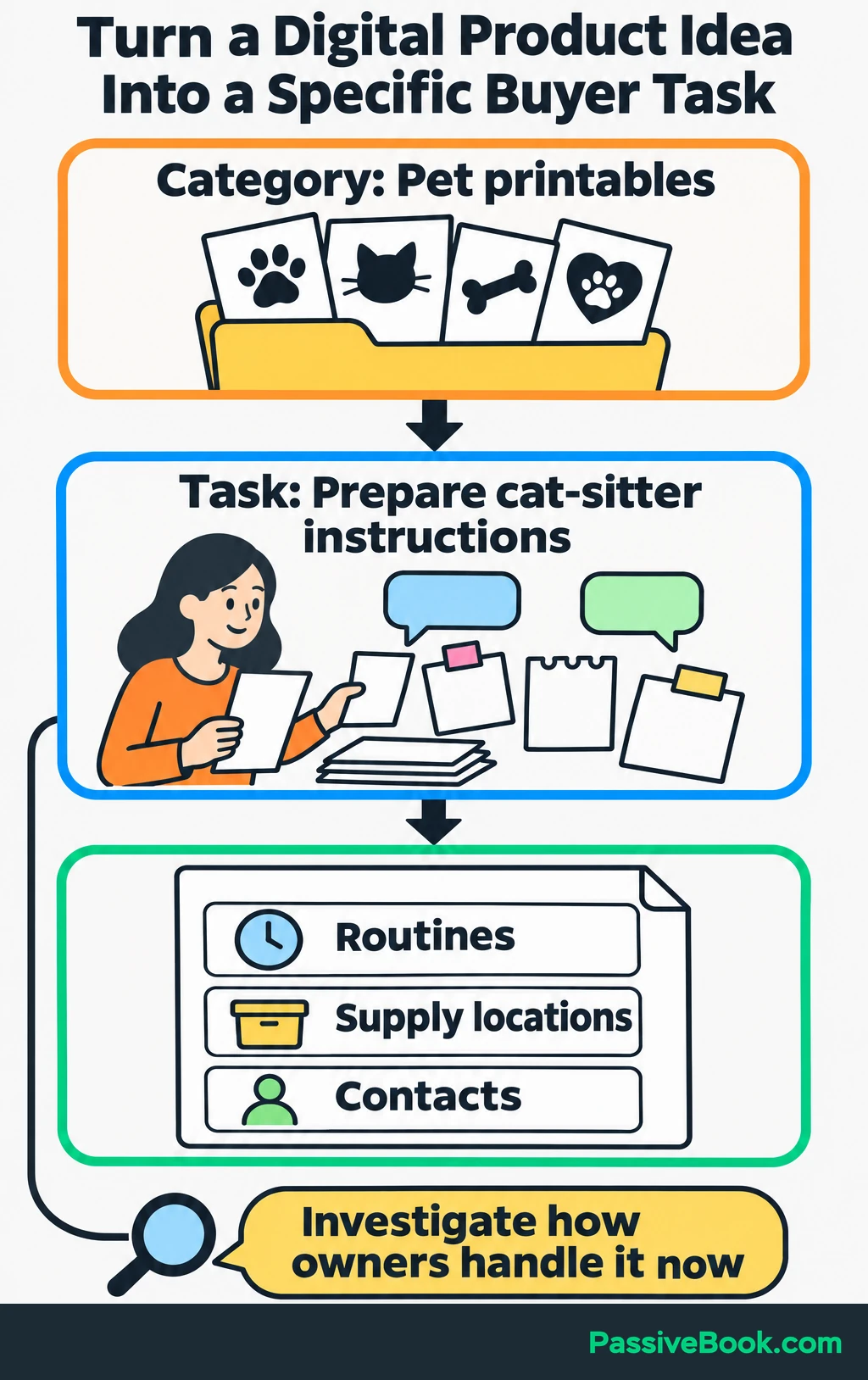
We’ll use a printable cat-sitter handoff kit throughout this guide. Its owner completes it with existing care instructions, supply locations, routines, and contacts. The kit, prompts, sample copy, and financial examples are illustrations rather than results from a tested business.
To research your own idea:
- Read reviews of products that help with the same task. Note what buyers found useful and what they still had to create themselves.
- Look through relevant community discussions for repeated questions and workarounds.
- Ask prospective buyers how they handled the task last time. A description of what happened is more useful than a prediction about what they might buy.
Keep the original notes. You can ask AI to group anonymized observations, but check each suggested pattern against what people actually said. Three differently worded complaints may describe one problem, and one loud complaint may describe nobody else’s problem.
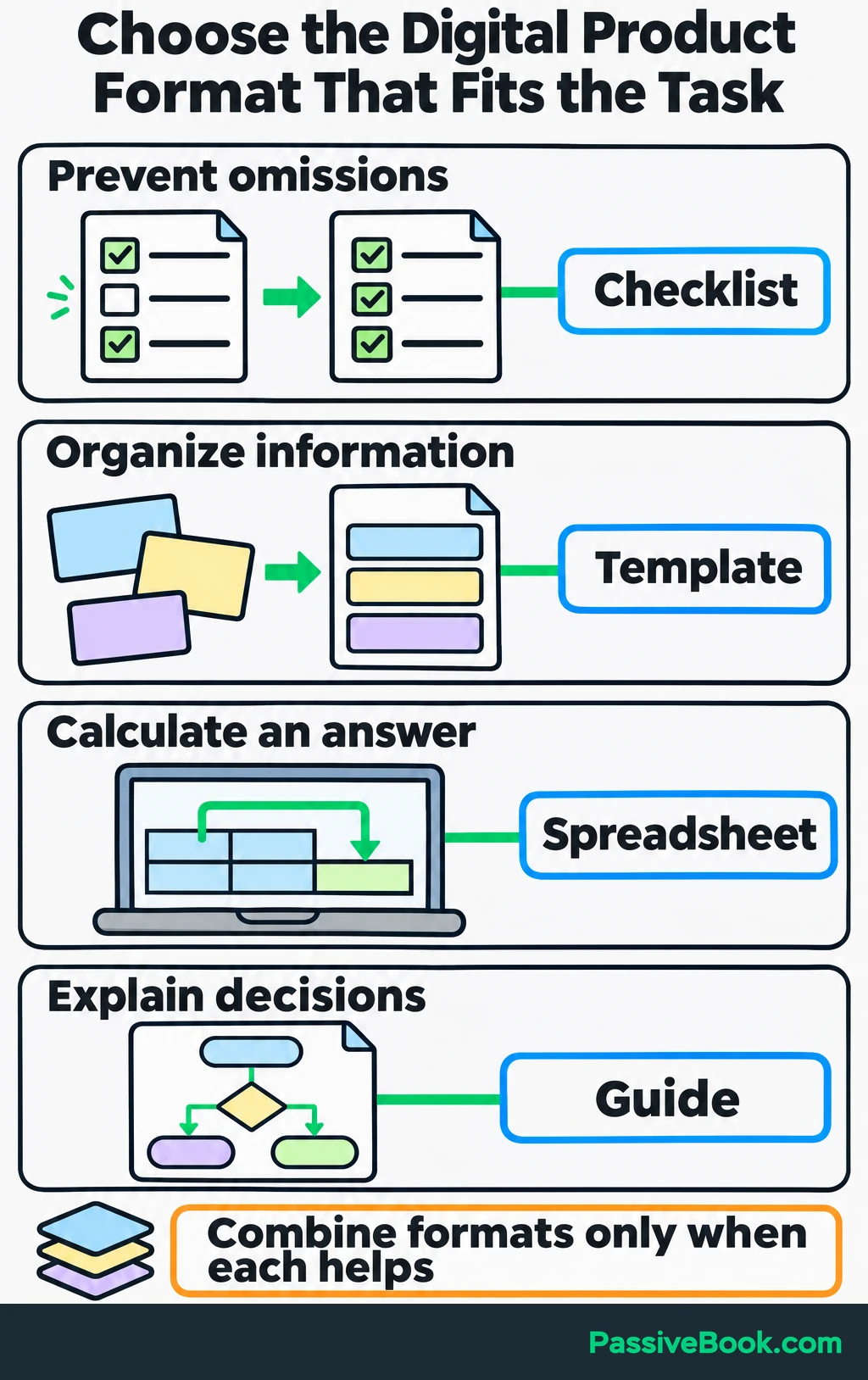
Choose a format that fits the work. A checklist helps prevent omissions, a template organizes information, a spreadsheet calculates, and a guide explains decisions. You can combine them, but each part should earn its place.
Write the offer in one sentence:
This printable kit helps cat owners prepare sitter instructions by bringing their cat’s routines, supply locations, and contacts into one handoff.
For a first version, I would set a firm time and spending limit before starting. Two evenings for research and a sample is a reasonable personal limit to try. Don’t buy a collection of subscriptions while the buyer’s problem is still a guess.
Test the Offer Before Building the Full Product
Compare a few products that solve the same task. Record their contents, prices, previews, and recurring complaints.
Look for an improvement you can explain plainly. Perhaps the instructions are hard to scan, the writing spaces are tiny, or buyers need to gather information from several separate files. Copying a competitor’s pages gives you little reason to exist.
Build one representative page and show it alongside a concrete offer. Include the proposed price, the files buyers would receive, and how they would use them.
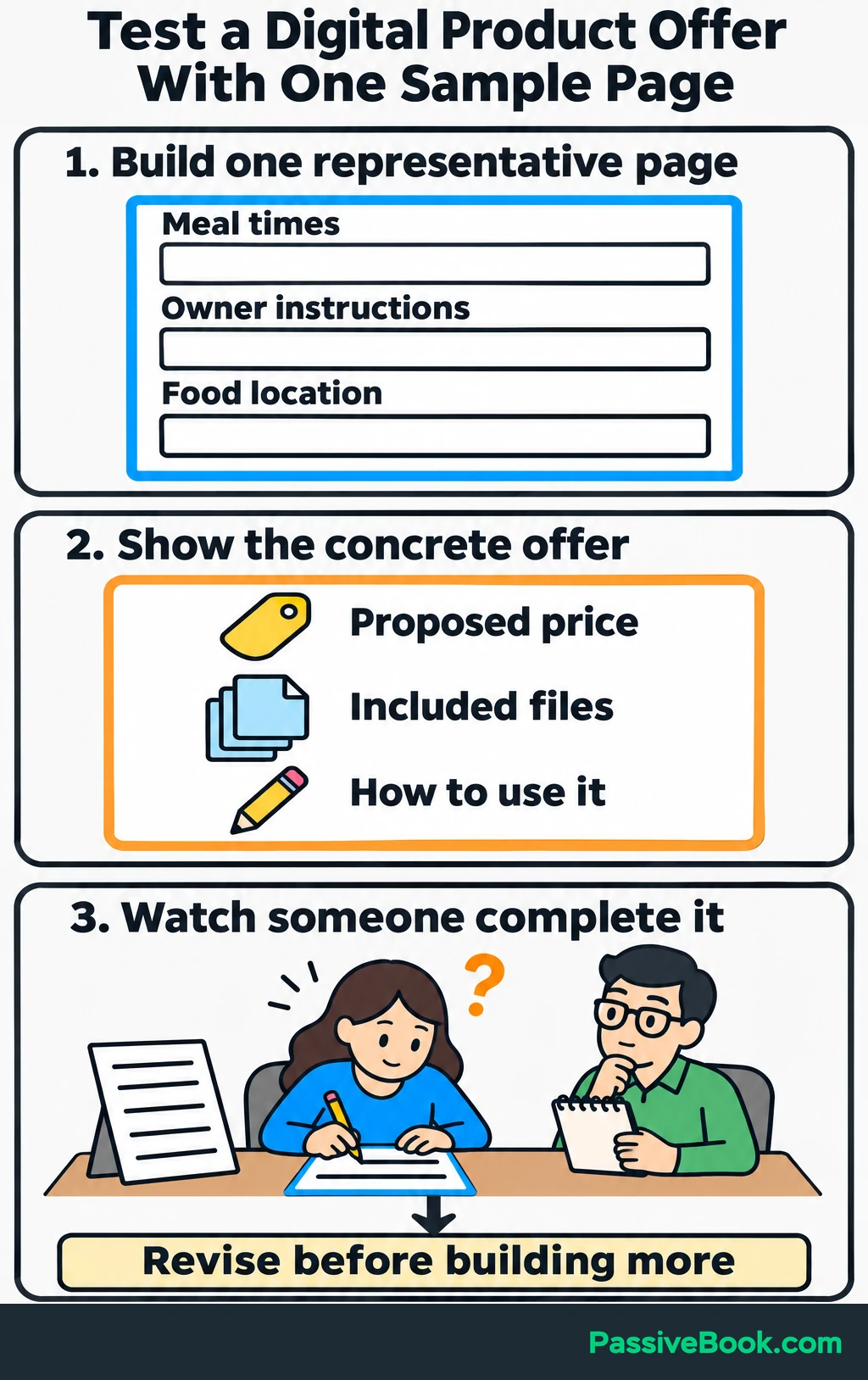
For the handoff kit, start with the routine and feeding page. Ask someone who has arranged cat sitting to complete it using their existing instructions.
Useful questions include:
- What did you use to share instructions last time?
- Which information was hardest to gather?
- Where did you hesitate while completing this page?
- What would you still need before handing it to your sitter?
- At the proposed price, what would stop you from buying the complete kit?
Then offer a clear next action, such as requesting a trial or joining a launch notification list. Ask permission to contact them when it’s ready.
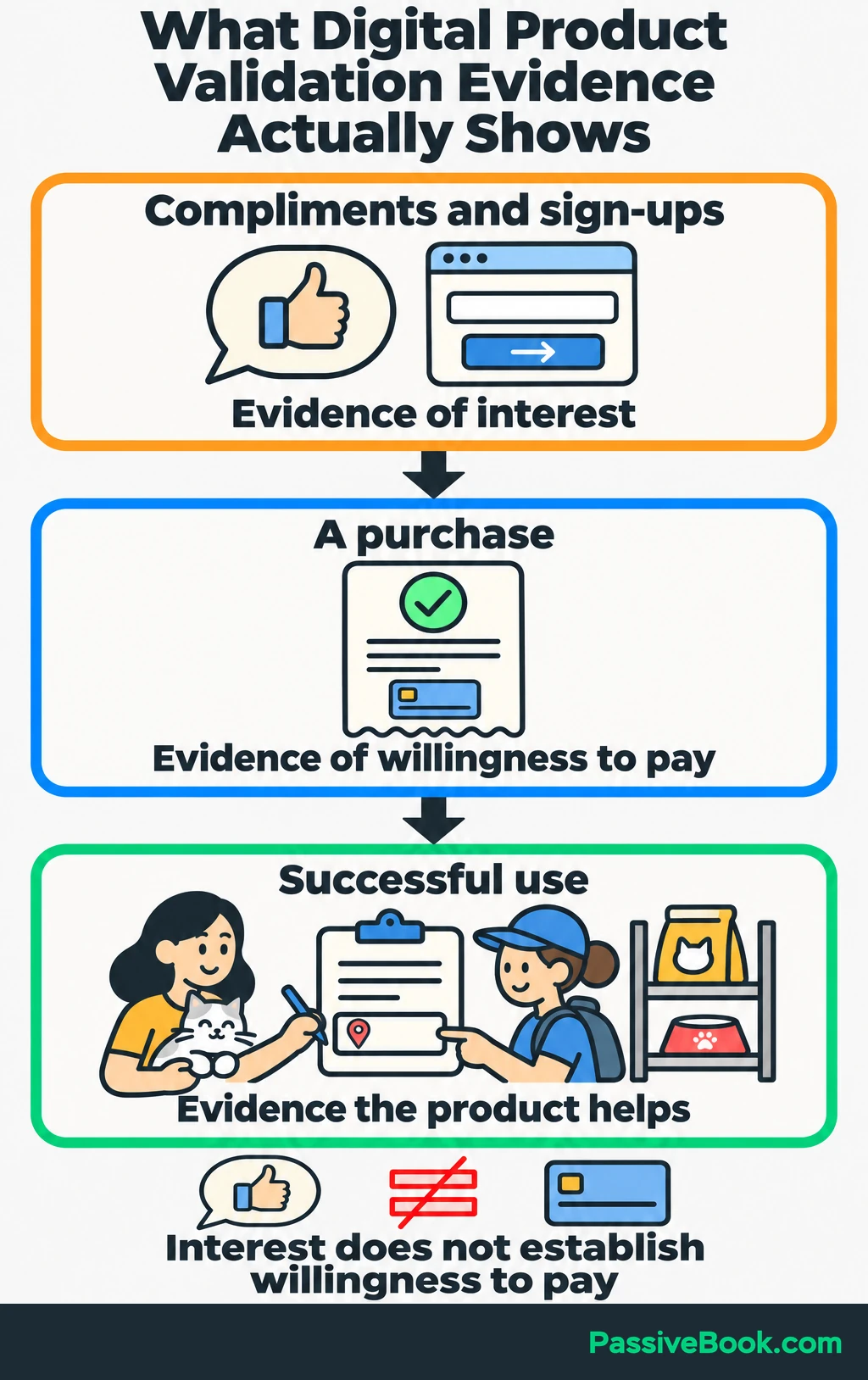
Compliments and sign-ups show interest. They don’t establish willingness to pay. A purchase tests that, and successful use tests whether the product helps.
I learned this with a rushed course. I built it without validating the offer, made few sales, received a bad review, and took it down. By then, I had plenty of finished material and very little evidence that I had built the right thing.
Now I would continue with a small version when people describe the same problem, can use the sample, and give concrete reasons to consider the priced offer. If they need a different format or result, revise the offer before producing more pages.
Create the Product With AI
Define What the Finished Product Must Do
Write a short product brief before asking AI to draft anything. It should tell you:
- Who will use the product and what they need to finish.
- Which components are required.
- What information you will supply and what the buyer will complete.
- Which files you will deliver.
- How you will decide whether it works.
For the handoff kit, the first version could contain four blank pages:
- Daily routine and owner-provided feeding instructions.
- Owner-provided litter-care instructions.
- Supply locations.
- Owner, backup, and veterinary contacts.
These categories draw on the American Animal Hospital Association’s pet-sitter instruction guidance, which covers routines, supplies, and contacts. The kit organizes information; the owner supplies the individual care directions.
The kit passes its test when an owner can complete the pages and a sitter can find the routine, supplies, and contacts without you explaining the layout.
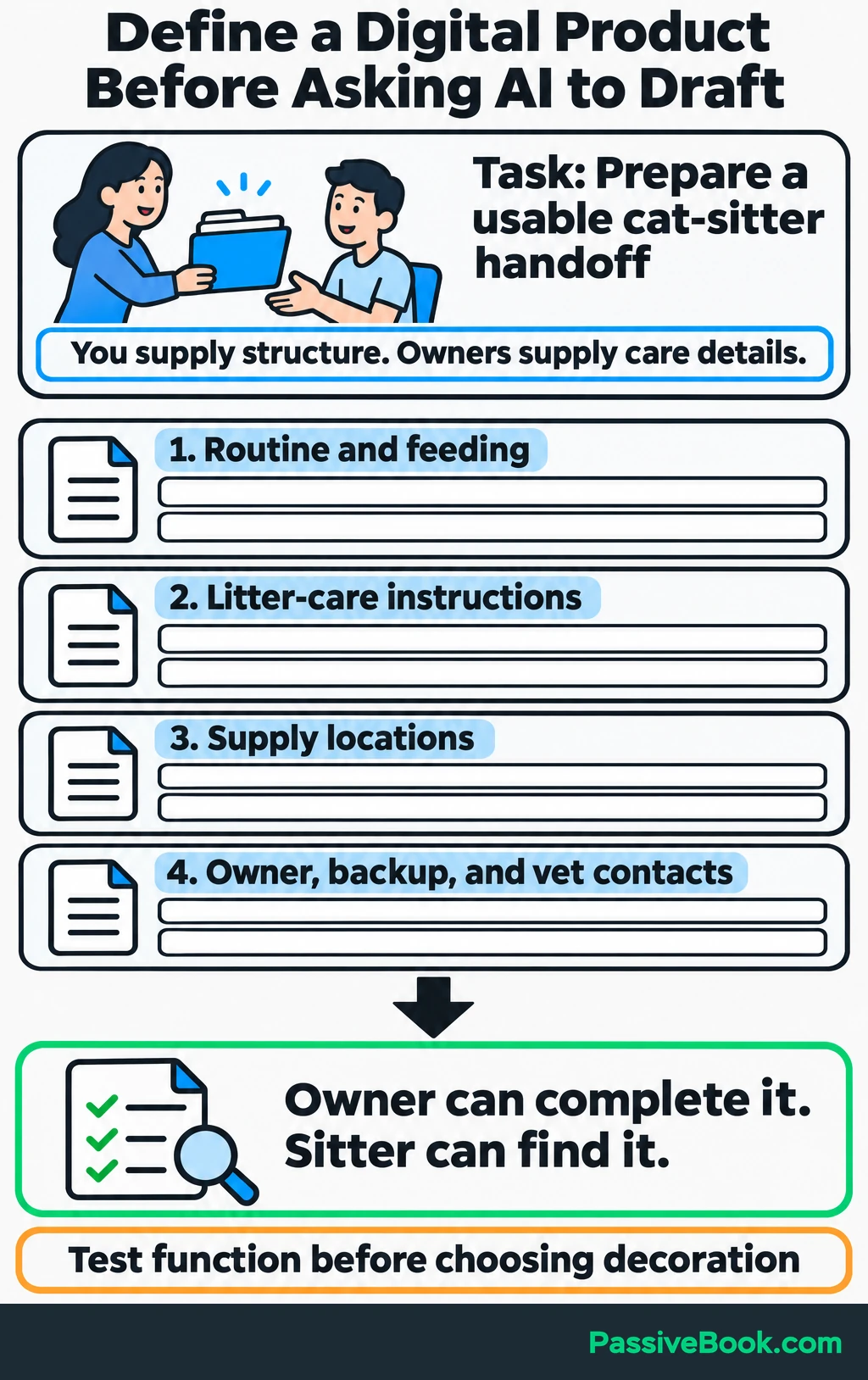
Keep factual requirements separate from preferences. A readable contact field serves the task. A green border is a design choice.
I would start with Claude for drafting and Canva or a familiar document editor for layout. Add another tool when you can name the production problem it will solve.
Check your writing tool’s terms before selling its output. Anthropic’s consumer terms assign its rights, if any, in outputs to you subject to compliance, but that doesn’t clear anyone else’s rights.
Commercial permission also differs from copyright protection. The U.S. Copyright Office’s report distinguishes human-authored work from generated material and explains that prompting alone generally does not establish authorship of the output.
Draft and Revise One Component at a Time
Give AI a small, defined job. Supply the purpose, approved notes, required fields, format, and limits.
Here is a prompt you can adapt for the example:
Create one printable routine and feeding page for a cat-sitter handoff kit.
Its purpose is to help an owner record existing instructions so a sitter can find them quickly.
Include fields for the cat’s name, meal times, owner-provided food quantities, preparation instructions, food location, and other established daily routines.
Leave all individual care details blank. Do not recommend food quantities, schedules, treatments, or changes to care.
Add this completion instruction: “Copy your cat’s current feeding instructions here.”
Return a plain-text page outline with short labels and space suggestions. Mark any missing product requirement [NEEDS INPUT].
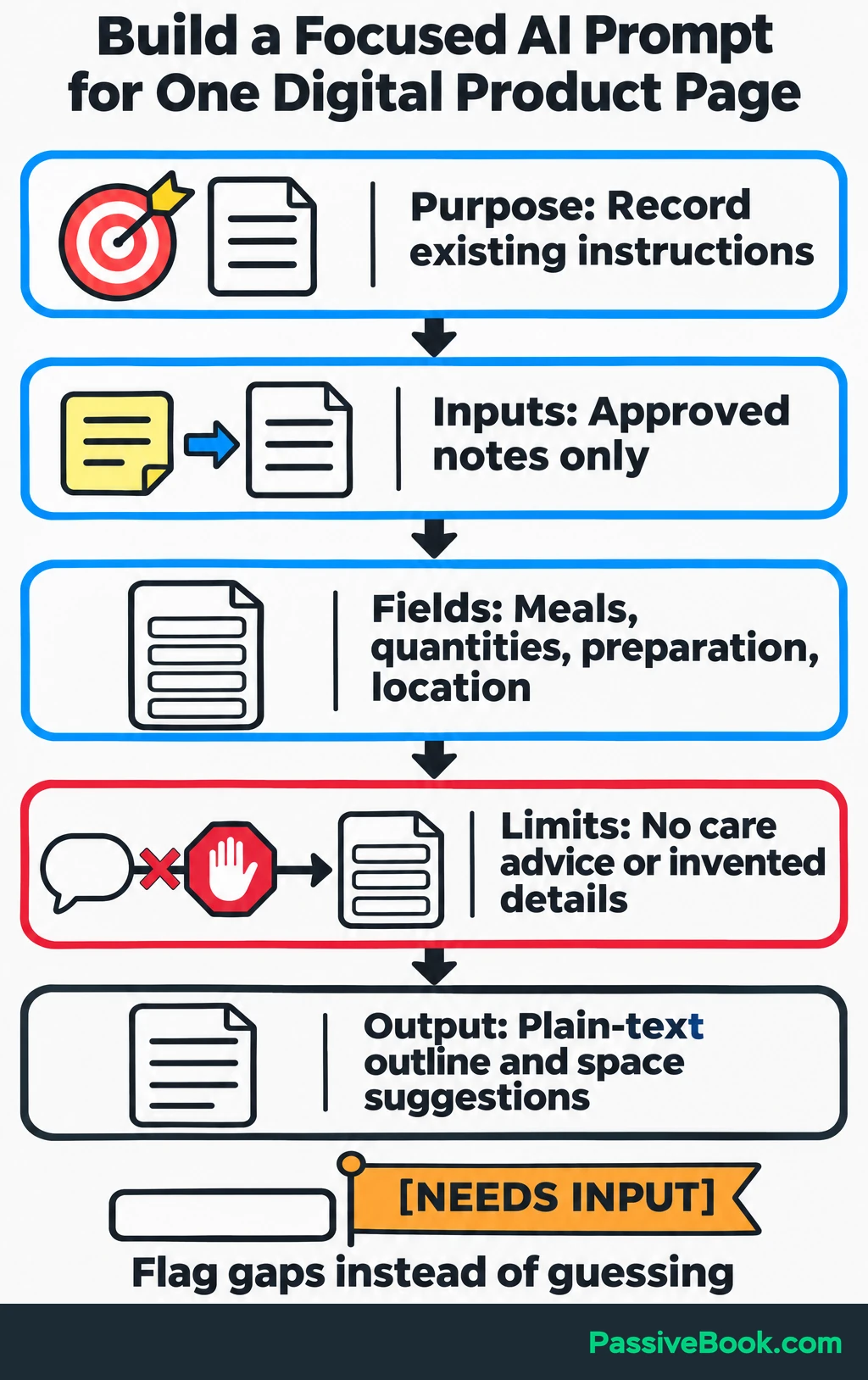
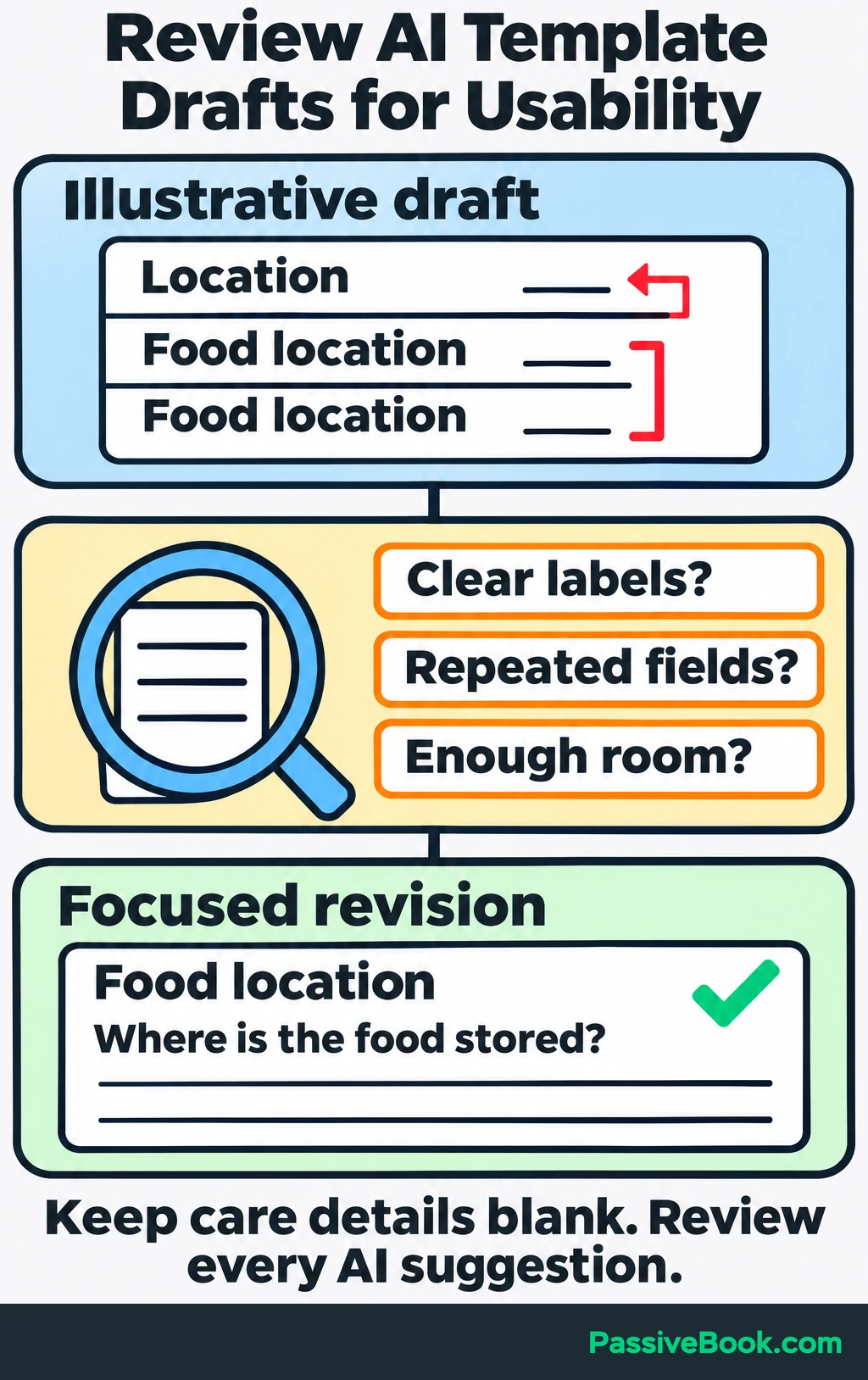
This gives you something manageable to review. Check whether the labels make sense, whether fields repeat, and whether the page leaves enough room for a real answer.
Then ask for a focused revision:
Find ambiguous labels, duplicated fields, and missing completion steps. Suggest specific changes without adding care advice.
Review the suggestions yourself. AI can propose “helpful” additions that expand the product beyond its purpose.
You don’t need to work out every label and instruction from a blank prompt. AI Resource Builder drafts one component at a time so you have something concrete to review and test.

Free AI Resource Builder




Use invented details in prompts and examples. Customers’ addresses, phone numbers, and home-access instructions have no useful role in generating a blank template.
Keep treatment decisions with the owner’s veterinarian. If you cannot judge the accuracy of a care guide, I would choose an organizational product you can test directly rather than sell advice you cannot verify.
Package Files Buyers Can Use Immediately
Move approved content into your layout tool. Use clear headings, readable text, consistent labels, and generous writing space.
For this kit, I would skip decorative illustrations. A sitter looking for the food location doesn’t need to admire a watercolor cat first.
Deliver the format you promised:
- A printable PDF is intended for printing and completing by hand.
- A fillable PDF has working fields buyers can type into.
- An editable template lets buyers change the underlying layout or content in the named software.
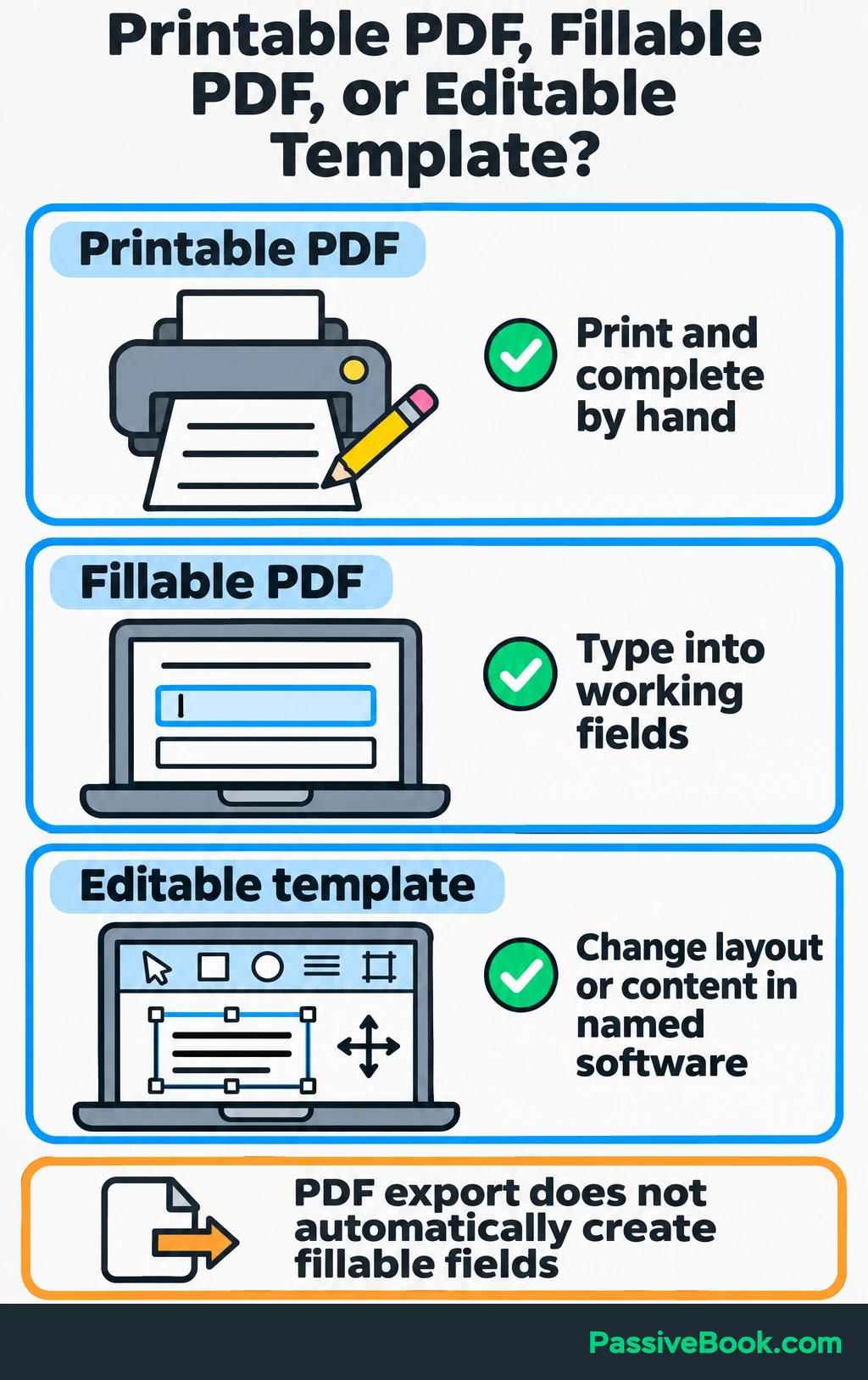
These are different products. Exporting a PDF doesn’t automatically make it fillable.
A simple package could contain:
cat-sitter-kit.pdf— the four blank pages.completed-sample.pdf— a clearly labeled fictional example.start-here.pdf— completion, printing, and sharing instructions.
Tell buyers to review their completed information with the sitter and share it privately.
Use your own assets or assets licensed for the product you’re selling. For downloadable templates made in Canva, I would use original elements and appropriately licensed Free Content. Canva’s selling guidance restricts templates containing Pro Content to Canva template links and prohibits standalone resale of library content.
Test the Product Against the Buyer’s Task
Test the exported files, because those are what buyers receive.
First, complete the task yourself using only the package and its instructions. Then give it to someone unfamiliar with the product and watch without coaching.
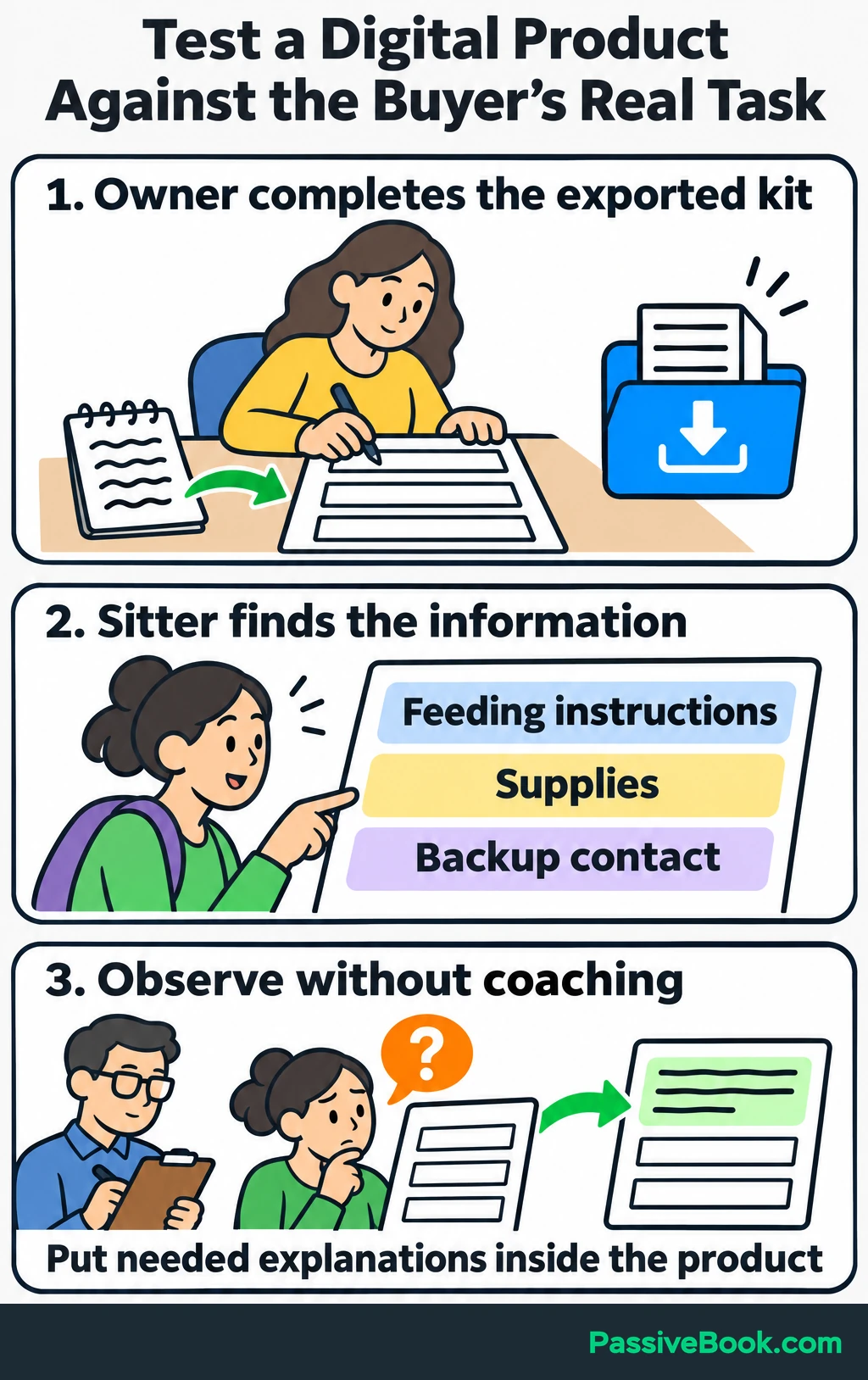
For the handoff kit, ask an owner to complete it, then ask a sitter to locate specific information. Can they find the feeding instructions? Do they know where the supplies are? Is the backup contact easy to identify?
Record hesitation as well as mistakes. If you keep explaining a field, the explanation belongs in the product.
I once assumed that labels were enough in a template I sold. Buyers kept asking what belonged in a particular blank. I shortened the label and added a completion instruction beside it, and the page finally explained itself. I now look for that problem before adding more features.
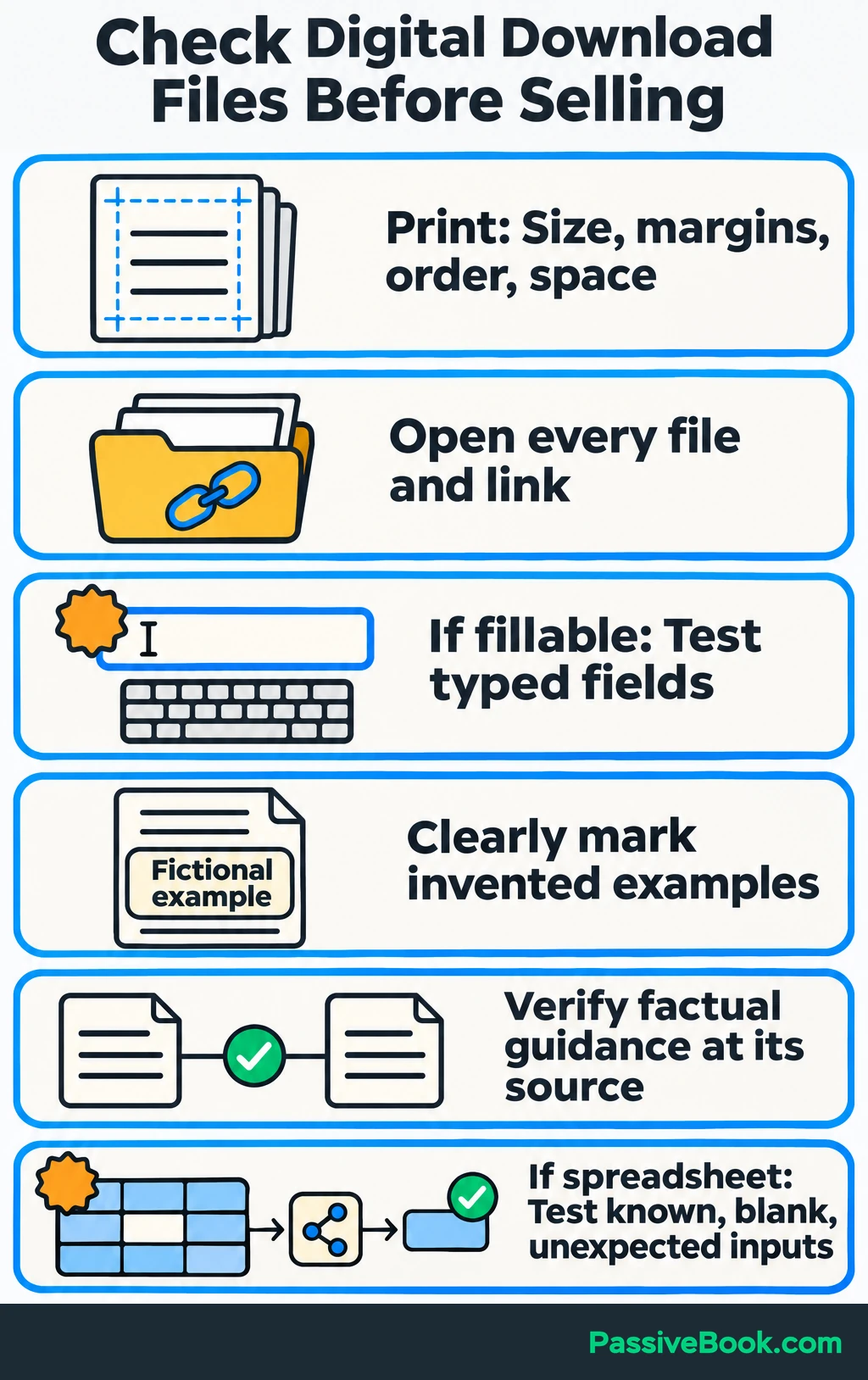
Check the files in the ways buyers will use them:
- Print the PDF and check text size, margins, page order, and writing space.
- Open every included link and file.
- Try typed fields if you promise a fillable version.
- Confirm that fictional examples are clearly marked.
- Verify factual guidance against its original source.
For a spreadsheet, test formulas with answers you already know, plus blank and unexpected inputs. For a tutorial, have a tester follow it from the stated starting point.
“Ready to sell” means the content is accurate, the files work, the instructions make sense, and a tester can finish the promised task. A polished cover comes after those checks.
Choose Where to Sell
Choose one selling route for the first version. Check seller eligibility, identity requirements, payout access, total costs, and file delivery before committing to it.
The main choice is whether you want to reach buyers through a marketplace or bring them to your own product page.
| Selling Route | How Buyers Find It | Ordinary Fees | Digital Delivery | Ongoing Responsibilities |
|---|---|---|---|---|
| Etsy | Marketplace searches and links you share | $0.20 listing fee, 6.5% transaction fee, and country-dependent payment processing; setup and other charges may apply | Uploaded digital files delivered through Etsy | Listing improvements, messages, product support, and policy compliance |
| Gumroad | Links from your content, outreach, or audience; Discover is a separate route | Per-sale platform and processing charges; see the worked calculation below | Hosted checkout and download access | Bringing buyers to the page, support, and file updates |
| Existing WordPress site with WooCommerce | Your articles, search traffic, email, or shared links | Payment processing, hosting, and any paid extensions | Download delivery through your configured store | Website maintenance, checkout, delivery, support, and applicable tax setup |
The Etsy figures come from its fee policy. Check the linked policy for current charges before choosing it.
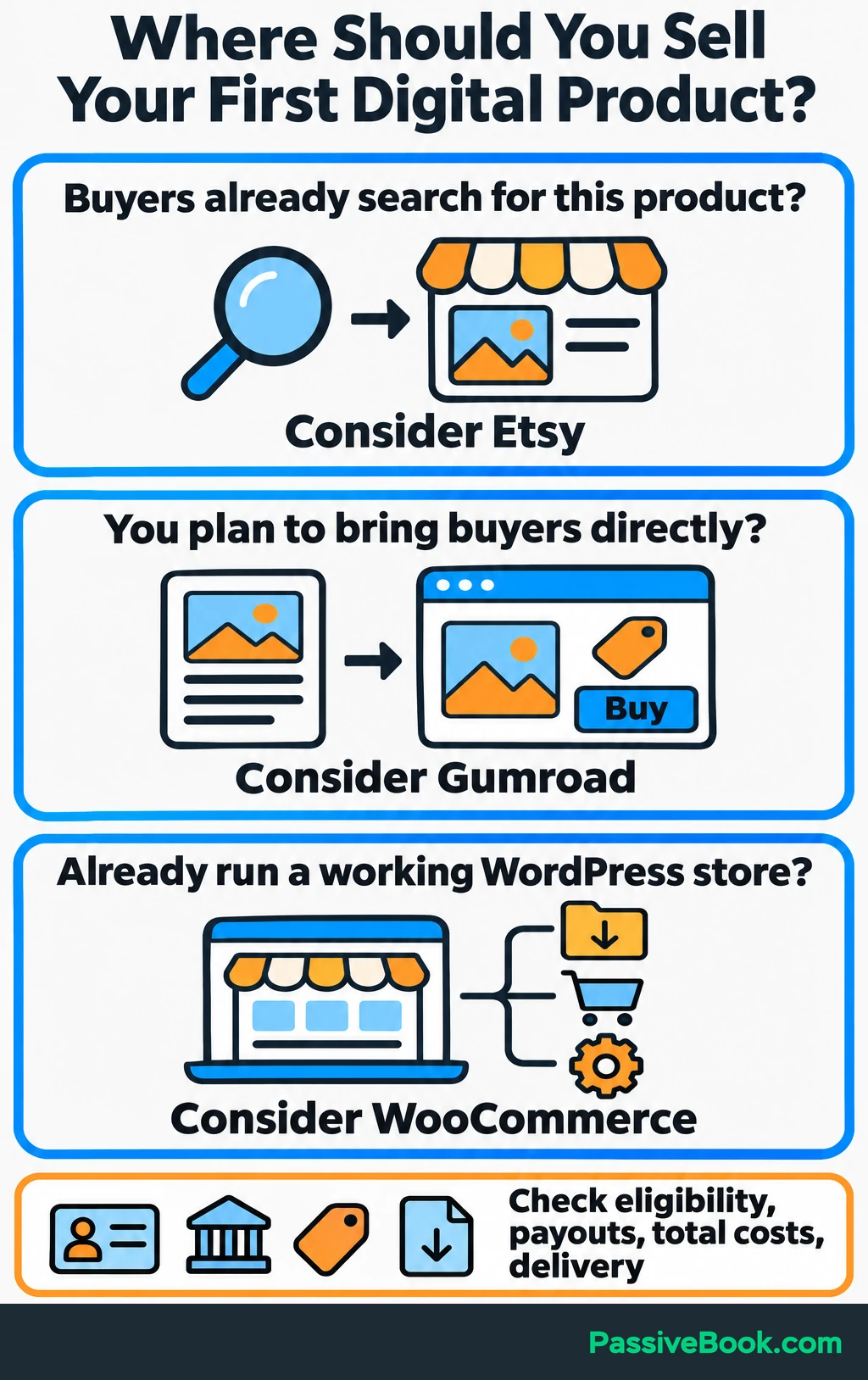
I would choose Gumroad for a simple offer I plan to promote directly. I would consider Etsy when research shows buyers already search there for that product type. If you already maintain a working WordPress store, use it rather than building another checkout.
Your website and a hosted checkout can also work together. An article can explain the problem and send interested readers to Gumroad.
For Etsy, the product must meet its originality requirements, and you must disclose AI use in the listing description when the item was created using AI. Its Creativity Standards also exclude AI prompt bundles.
Price and Publish a Clear Offer
Calculate What Remains From Each Sale
Use comparable products to understand buyer expectations, then choose a price to test. Consider how useful and complete your product is, which usage rights it includes, and how much support you promise.
Don’t price it by how quickly AI produced the draft. Buyers pay for the finished result, and you still need enough money left to maintain it.
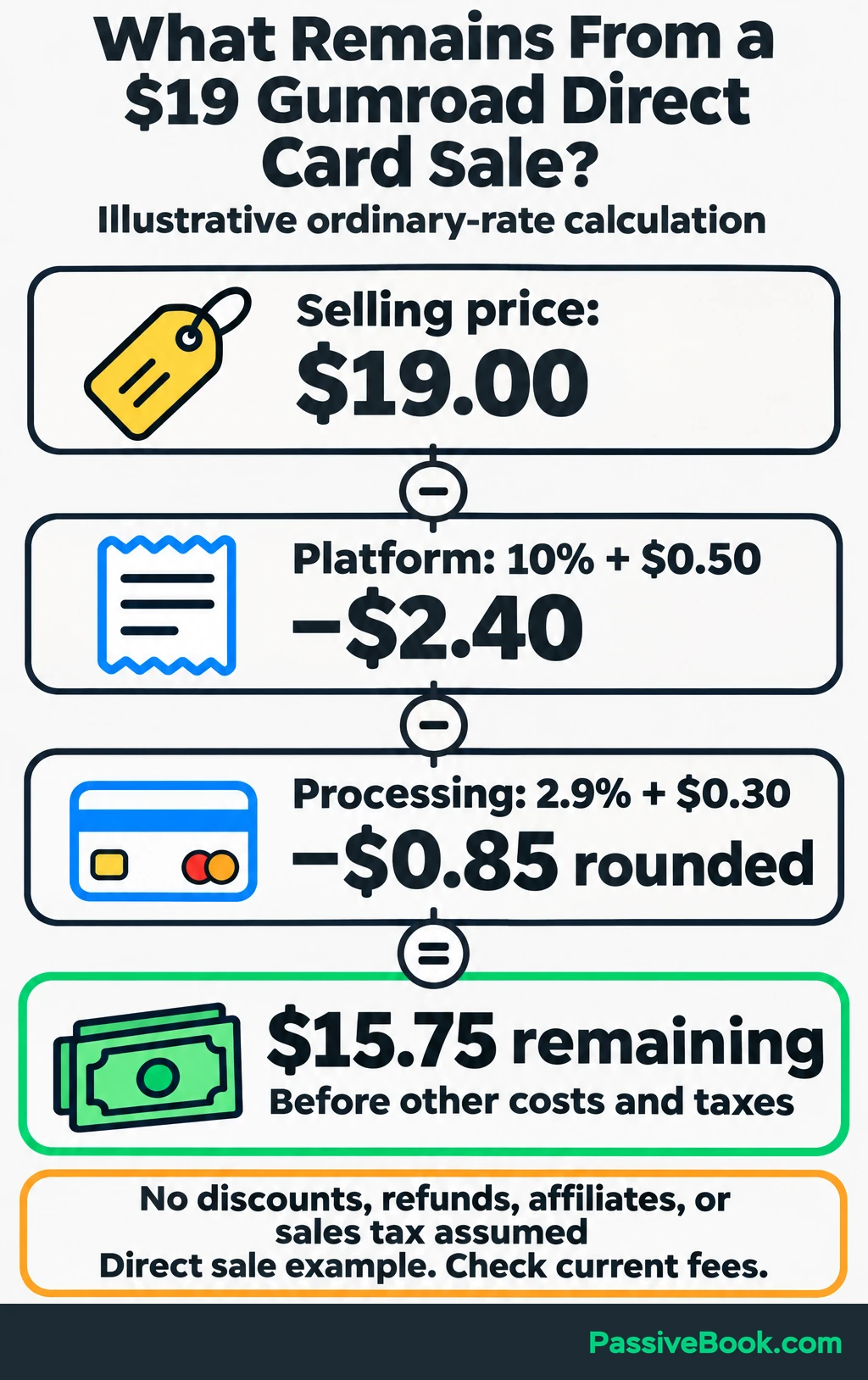
Count what remains after the costs caused by each sale: platform fees, payment processing, paid acquisition, affiliate commissions, and other variable costs. Track production time and fixed software expenses separately.
For illustration, consider a $19 direct Gumroad card sale at ordinary rates:
| Item | Amount |
|---|---|
| Selling price | $19.00 |
| Platform fee: 10% plus $0.50 | −$2.40 |
| Card processing: 2.9% plus $0.30, rounded | −$0.85 |
| Remaining before other costs and taxes | $15.75 |
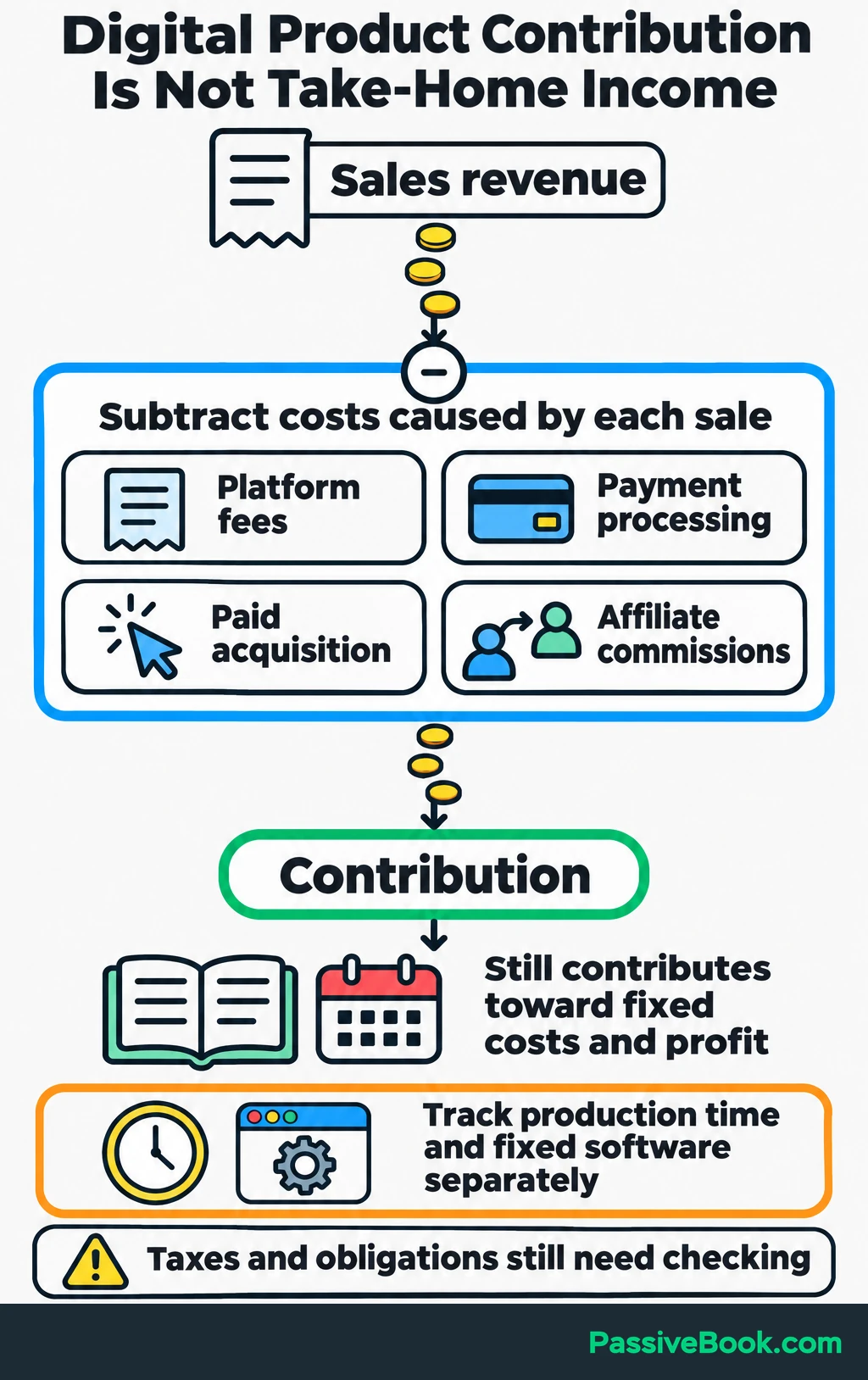
This assumes no discount, refund, affiliate commission, or sales tax charged to the buyer or applied to fees. Gumroad Discover sales use a different fee: 30%, including processing. Check Gumroad’s fee breakdown for current terms.
The remaining amount is your contribution toward fixed costs and profit, not take-home income.
Also check which taxes your platform handles. Gumroad acts as merchant of record, meaning it is the seller to the buyer and collects and remits applicable sales taxes. You may still owe income taxes and have reporting obligations.
Show Exactly What the Buyer Receives
Lead with the buyer’s task and the useful result. Then make the contents and requirements easy to check.
For the kit, the opening could be:
Put your cat’s routines, supply locations, and contacts in one printable handoff. Download four blank pages, a fictional completed sample, and a short setup guide. Print the pages, add your existing instructions, and review them with your sitter.
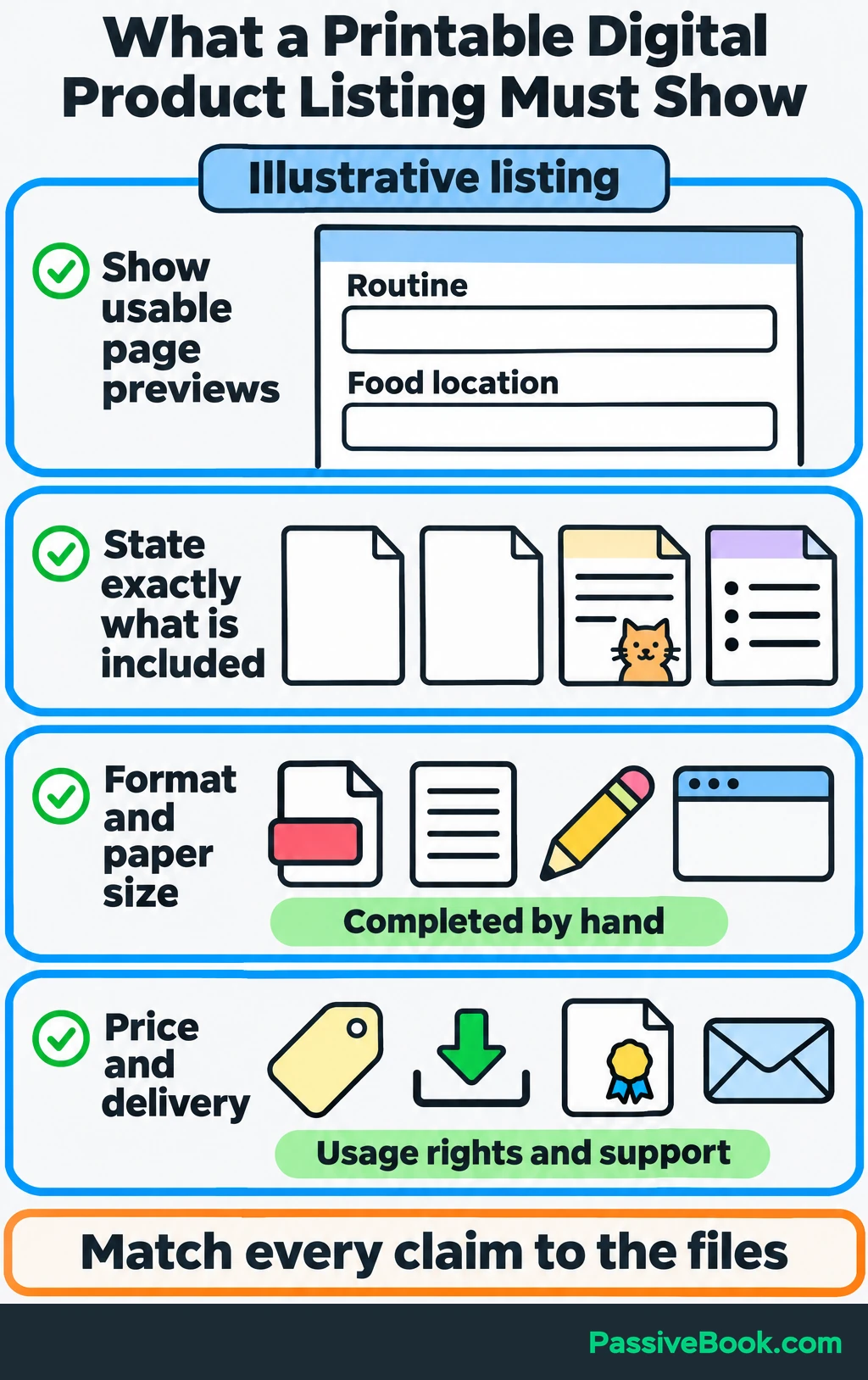
Show readable previews of actual pages. A tiny stack of mockups may look impressive, but it tells buyers little about whether they can use the product.
Include the file formats, paper sizes, software requirements, price, delivery method, usage rights, and support contact. Explain that this version is completed by hand if you aren’t supplying fillable fields.
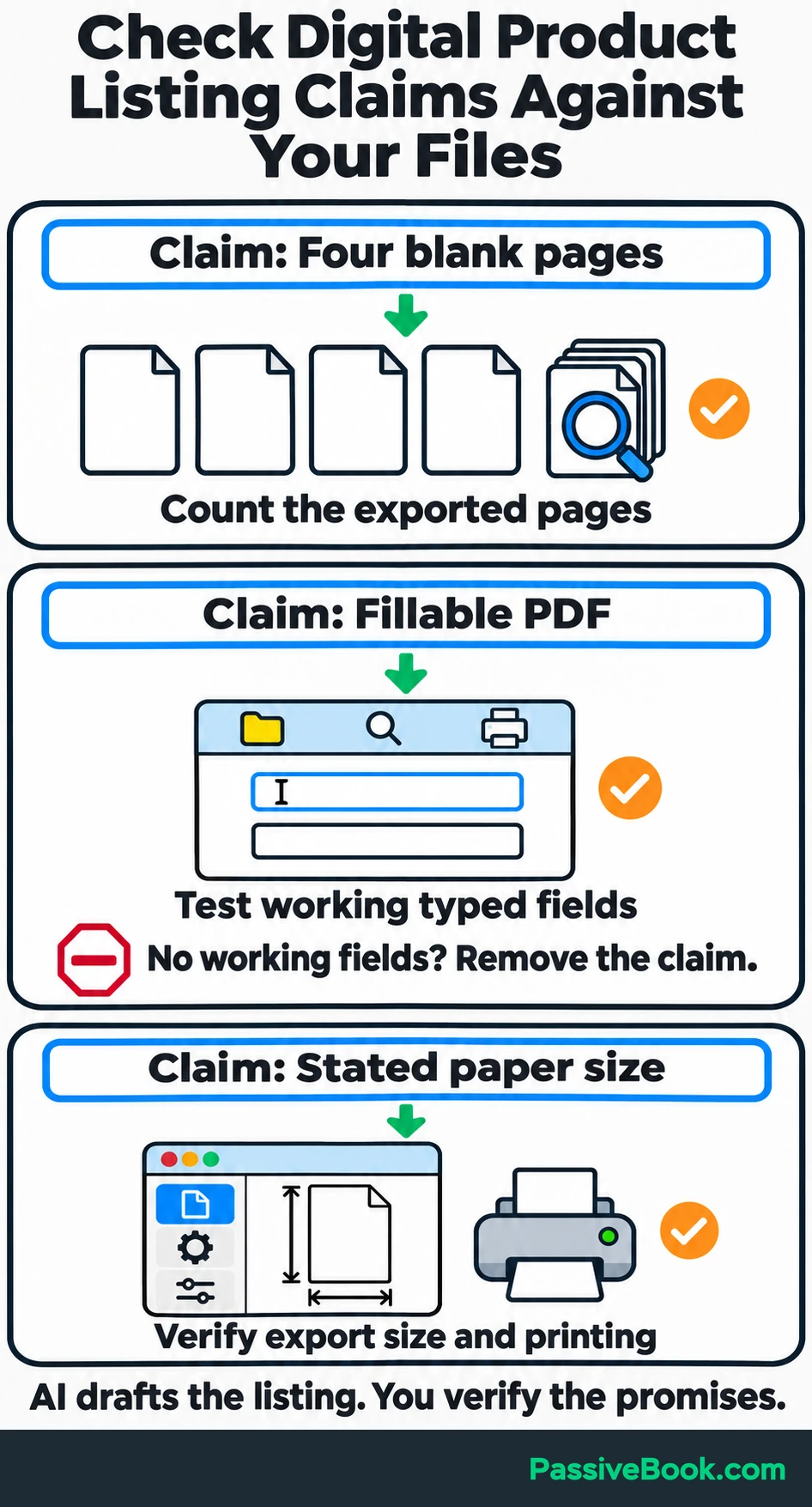
Ask AI to draft the listing using your final file list and tester feedback. Compare the draft with the exported files, especially claims about fillable fields, paper sizes, and included pages.
Publish refund terms that respect applicable consumer rights. For EU consumer downloads, check that your checkout gets the buyer’s express consent to immediate delivery and acknowledgment that they lose their right to cancel once downloading begins. Include confirmation of both in the purchase confirmation, as explained in the EU digital-content selling guidance.
Check Checkout and Delivery
Use the platform’s supported testing process to go through the purchase from beginning to end.
Check that:
- The checkout shows the correct product and price.
- The confirmation explains how to get the files.
- Download access works.
- The package contains the promised version.
- The page and download process work on a phone.
- Buyers can find help if delivery fails.
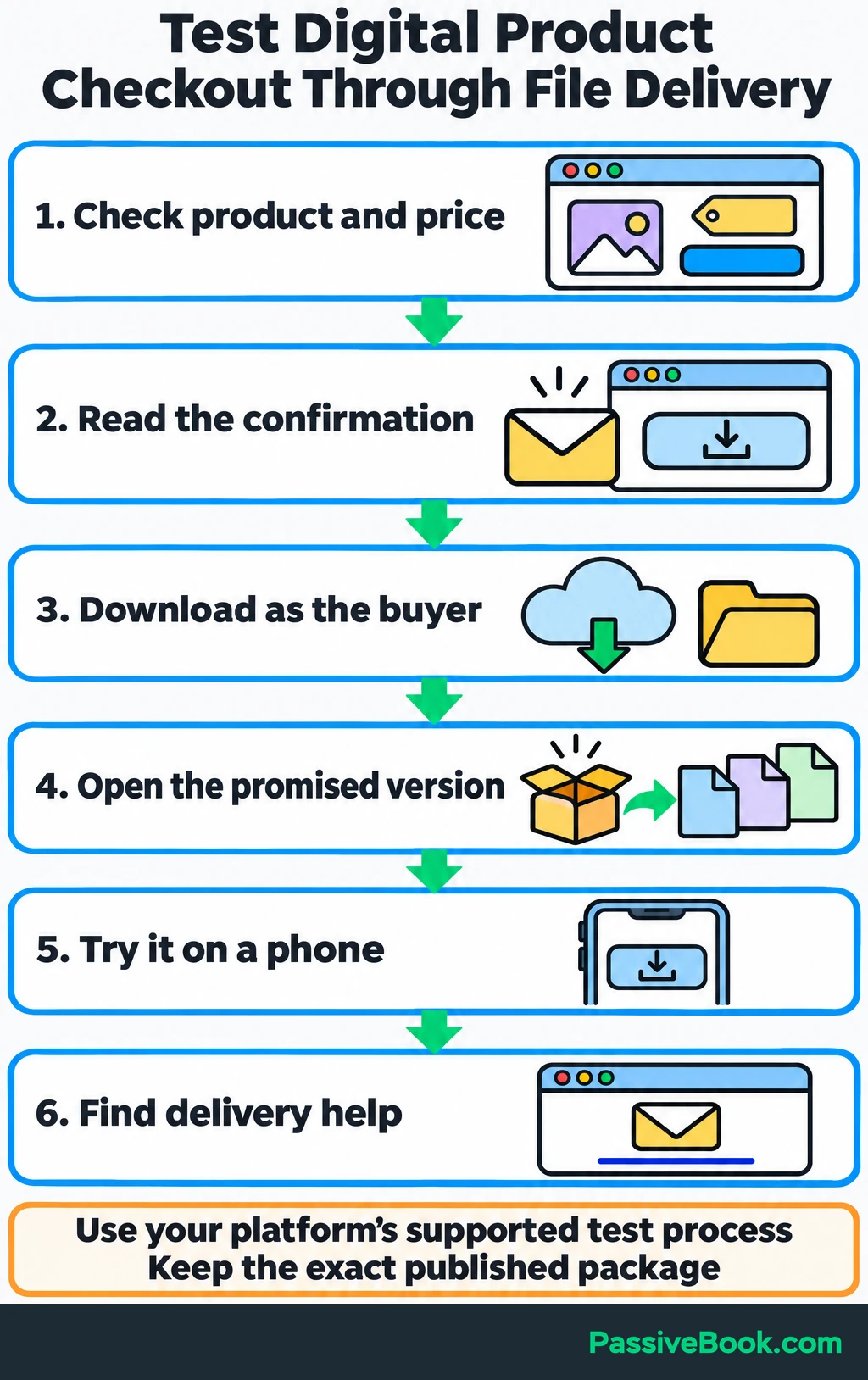
Open the downloaded copy rather than the file on your computer. It’s surprisingly easy to upload yesterday’s version and admire today’s improvements.
Once the full process works, enable automatic delivery and purchase confirmations. Keep a copy of the exact package you published so you can identify what a buyer received.
Reach Your First Buyers
Put the Offer in Front of People Facing the Problem
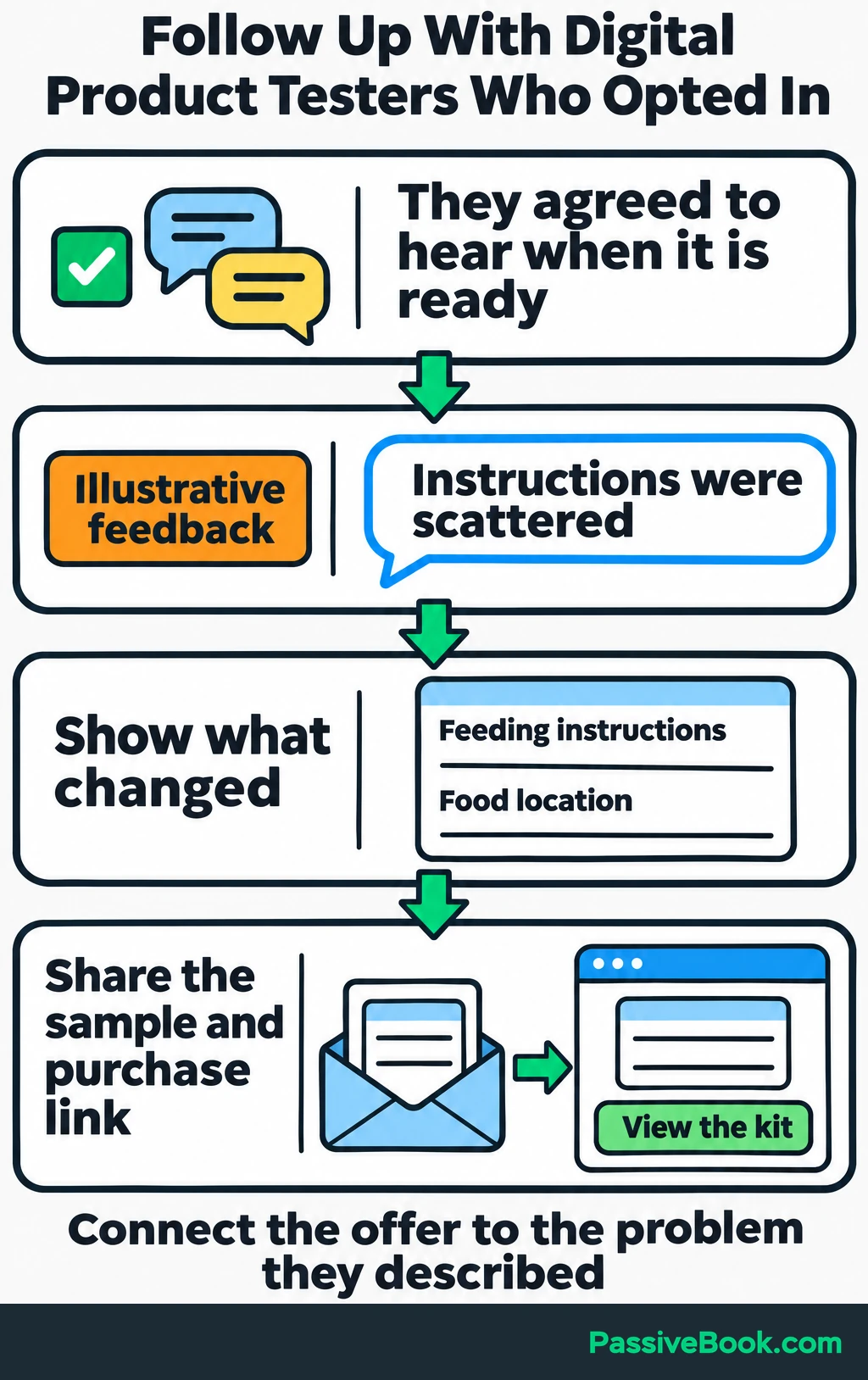
Start with people who helped you test the idea and agreed to hear about the finished product.
Show what changed because of their feedback and give them the purchase link. Keep the message specific:
You mentioned that sitter instructions were scattered across messages. I’ve revised the routine page to make the feeding instructions and food location easier to find. Here’s the sample and a preview of the complete printable kit:
.
Replace the placeholder with your actual product page.
If you have relevant visitors, subscribers, or customers, introduce the product where it helps with a question they already have.
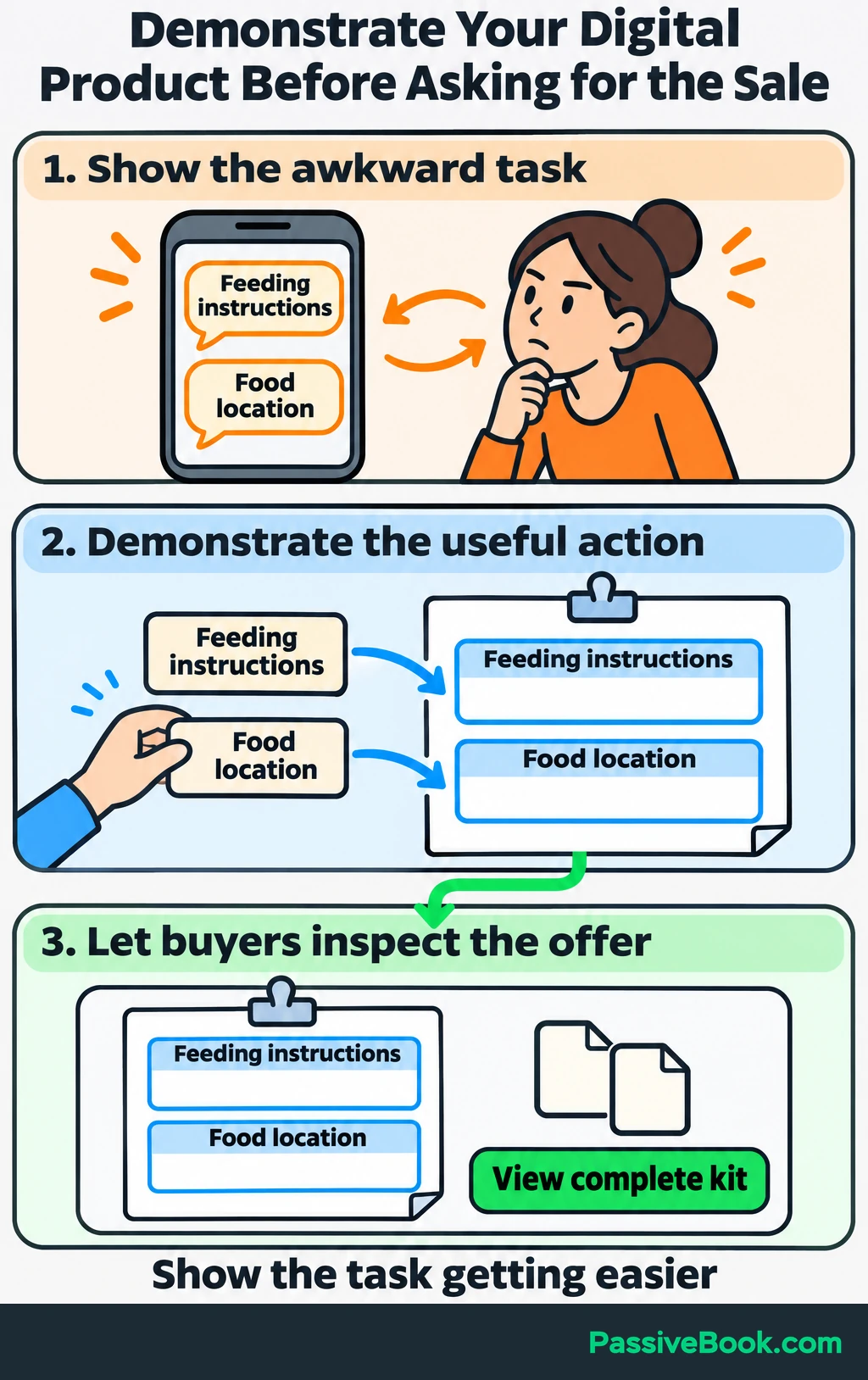
Without an audience, participate in communities where people discuss the task. Answer questions usefully, follow promotion rules, and share a sample when it fits the conversation. Posting the same sales pitch in ten groups is distribution in the loosest possible sense.
Demonstrate the product before asking for the sale. For this kit, show how an owner brings existing feeding instructions and the food location together on one page.
Send interested people to the product page so they can inspect the preview, understand the offer, and buy without a private explanation from you.
Build One Repeatable Discovery Path
After the first outreach, choose one way to keep reaching new buyers.
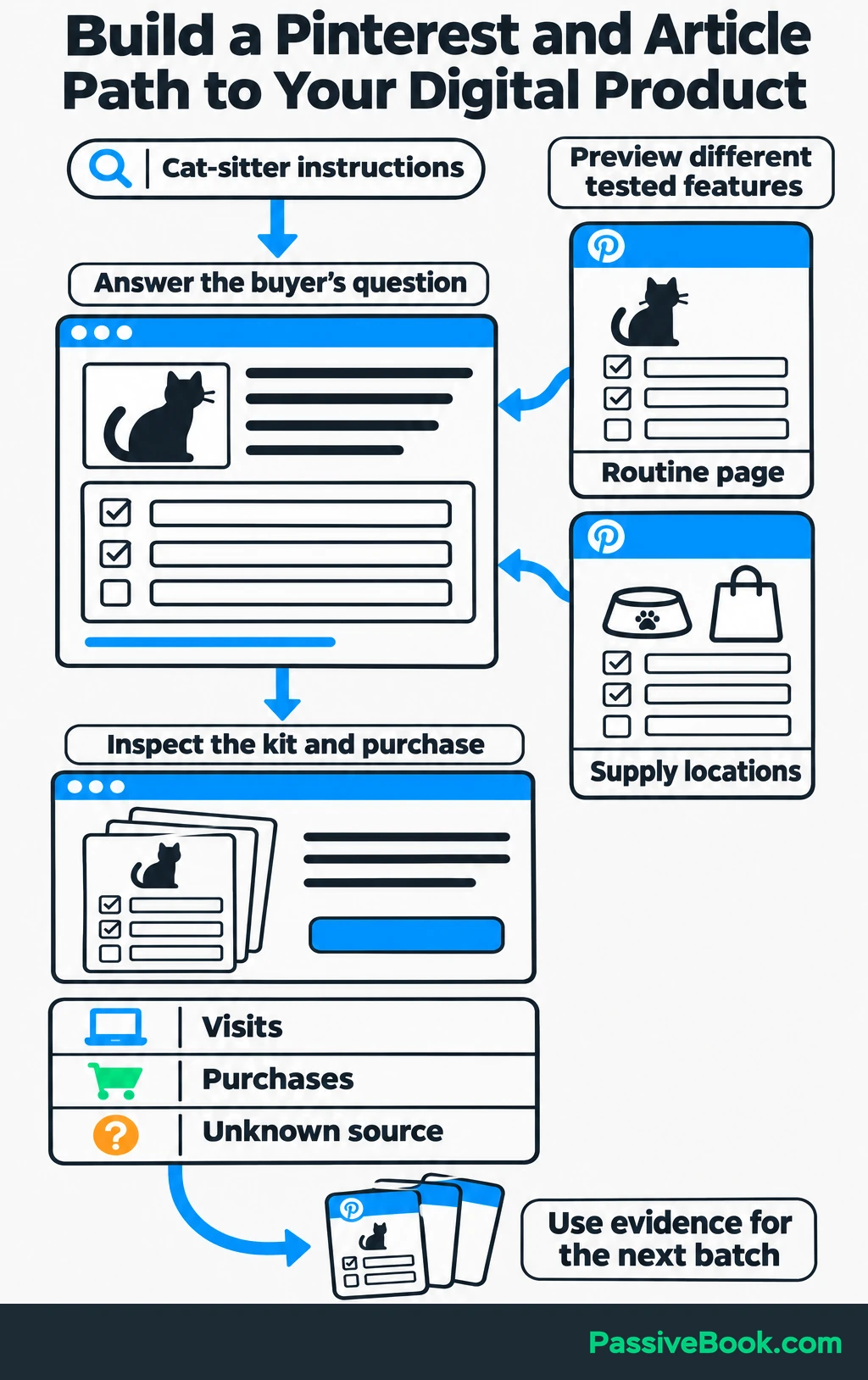
I would use marketplace search for an Etsy-led offer. For a content-led business, I would start with a useful article supported by Pinterest, which is a combination I use in my own business.
For the handoff kit, the article could explain how to prepare cat-sitter instructions. Show a useful excerpt and link to the kit where it saves the reader work.
Then create a small batch of Pins showing different useful parts of the same product. One might preview the routine page, while another focuses on gathering supply locations.
Ask AI to adapt approved material:
Draft three Pinterest headlines and descriptions using only these tested product features. Give each a different practical angle. Do not add guarantees, medical claims, or features that aren’t listed.
Review the drafts and publish a manageable batch. Track which pieces bring product-page visits and purchases before making the next batch.
Use buyers’ language throughout. If people describe the task as “leaving instructions for a cat sitter,” don’t replace it everywhere with a clever product name they haven’t heard before.
Add recurring buying questions to the listing. Each useful answer can help the next visitor decide without waiting for you to reply.
Improve and Repeat the Process
Review visits, purchases, contribution after variable costs, refunds, and support questions over the same period.
Keep the record simple:
| Traffic Source | Visits | Purchases | Contribution | Buyer Feedback | Next Change |
|---|---|---|---|---|---|
| Research follow-up | Record product-page visits from your shared link | Count purchases attributed to that link | Record revenue minus variable costs | Note objections and problems buyers report | Choose one change supported by those notes |
| Article and Pinterest | Track visits by source where possible | Record attributed purchases; mark unknowns | Record contribution from those purchases | Note repeated questions about contents or use | Improve the relevant article, Pin, or product detail |
Separate paid sales from free test downloads. If you can’t attribute a purchase reliably, mark the source as unknown.
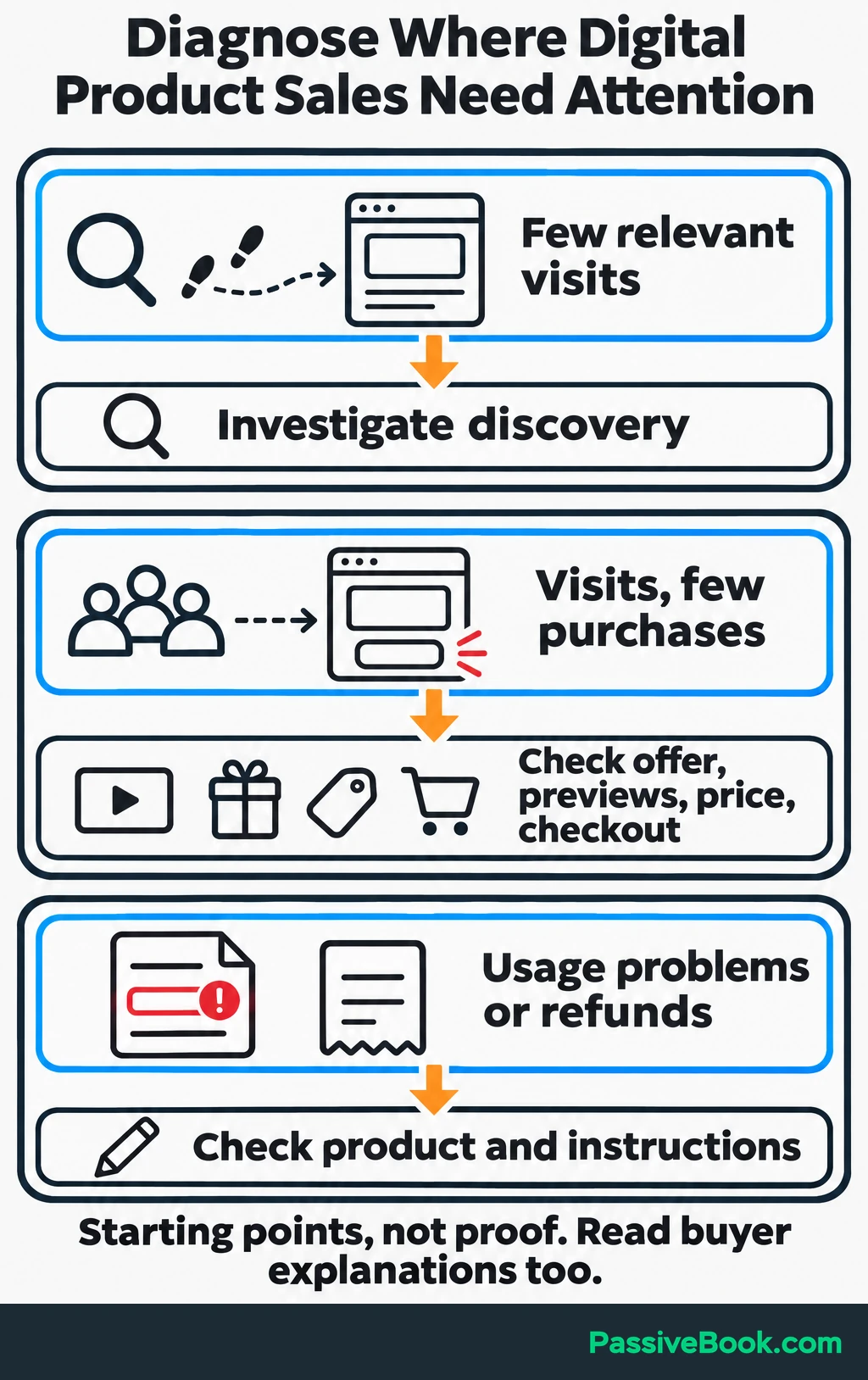
Let the problem determine the next action:
- Few relevant visits suggest you need to improve discovery.
- Visits with few purchases call for checking the offer, previews, price, and checkout.
- Usage problems or refunds call for fixing the product and instructions.
These are starting points for investigation. A handful of visits cannot tell you that an idea has failed, so read buyer explanations alongside the numbers.
Change one meaningful element at a time and record what happened. For the kit, fix confusing fields before adding another set of pages.
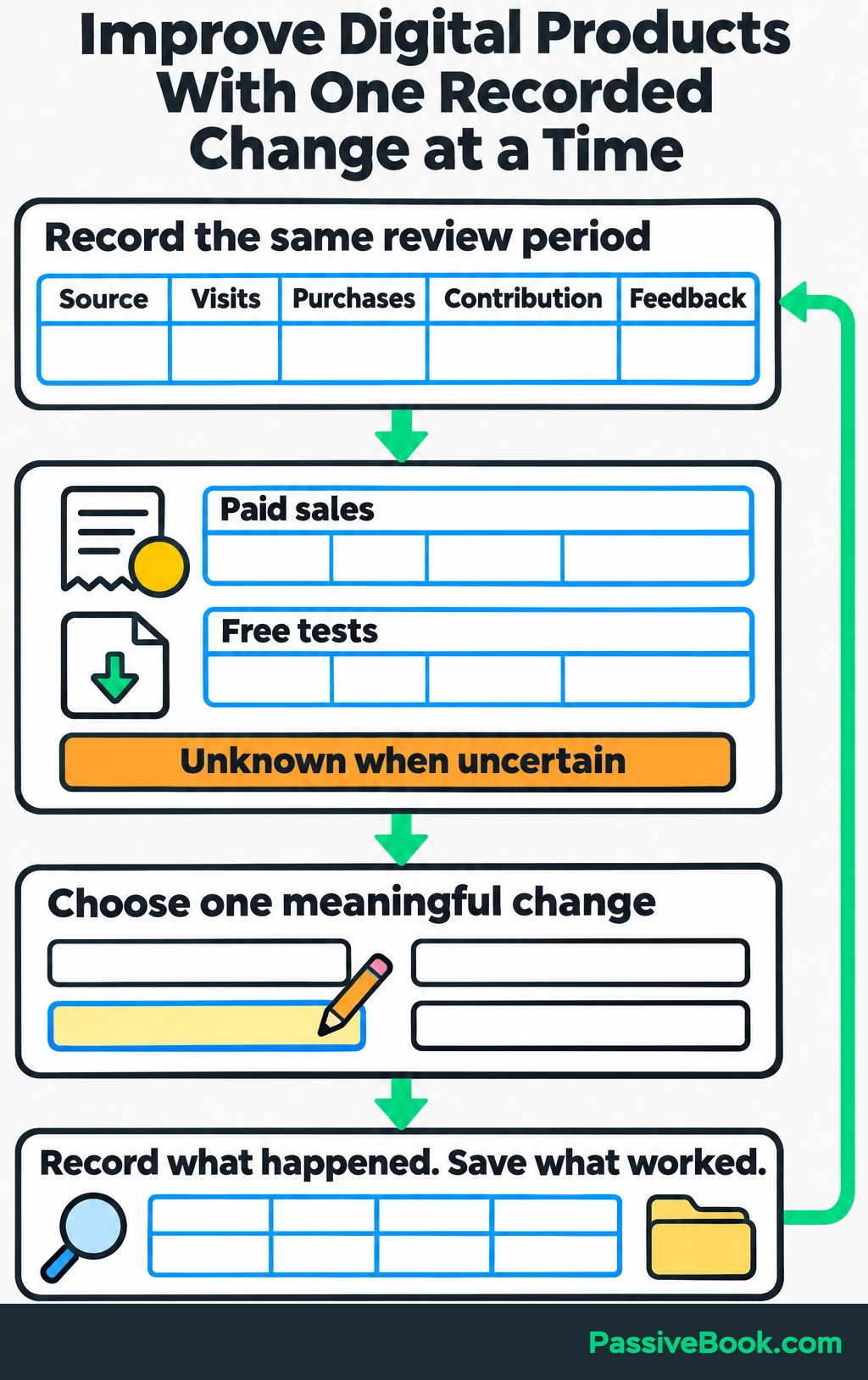
Save the prompts, layouts, specifications, and support replies that worked. Before automating a recurring task, decide what starts it and what it should produce. Also decide how you’ll notice and fix failures. I would let the selling platform handle delivery before building a custom workflow around it.
Use repeated buyer needs to choose a related product. If owners keep requesting a version for multiple cats, investigate that request before creating a large bundle.
Automatic delivery reduces fulfillment work. Dependable income still requires products people use, a way for new buyers to find them, and enough attention to keep both working.
What Next?
Write a one-sentence offer and build one representative page. Show it to people who have recently completed the task, with the proposed price beside it, before spending another evening on production.
Use the social buttons to share this guide if testing a small offer first could save your circle from another folder of unfinished products.
Which part of your idea still needs the strongest evidence: the problem, the product, or the price? Share it in the comments, and bring any other questions too.
Share this post with your friends & followers:

