A viewer can enjoy your dog-grooming video and have no reason to buy the course behind it. Perhaps they watch dogs for fun, or perhaps they already pay a groomer and prefer it that way.
When your budget is small, those differences matter. Views tell you that people watched, but they don’t tell you whether you reached likely customers.
The long list of targeting settings can make that distinction harder to act on. This guide follows a home-grooming course through a YouTube-only audience test, with control over who sees the ads and where they run, and purchases to judge whether the spend was worthwhile.
Define the Customer You Want to Reach
Start with the buying situation, not a list of interests. Describe the problem your offer solves, who can use it, where you can sell it, and what you want the viewer to do.
Look for clues in customer questions, sales records, product reviews, and website activity. A repeated question about a specific problem gives you more to work with than “our customers like dogs.”
Throughout this guide, imagine you sell an online course teaching owners to groom long-haired dogs at home. The search terms, settings, copy, and financial figures are illustrative.
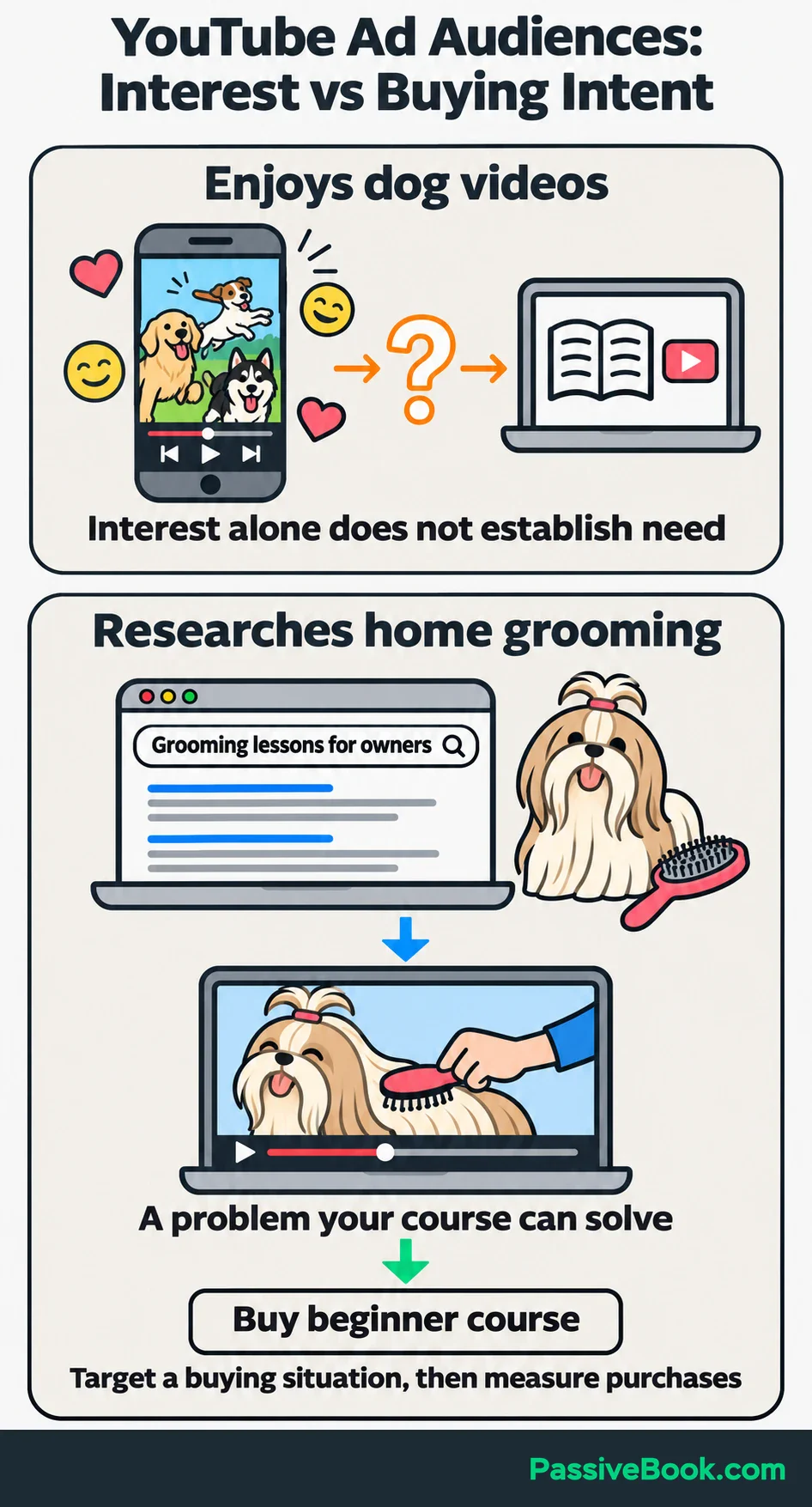
Your starting customer description might be:
“I want to reach people researching brushing and coat maintenance for their own long-haired dogs, and invite them to buy a beginner grooming course.”
That description suggests useful behavior to target. Someone researching grooming lessons is closer to the offer than someone watching funny dog compilations.
Choose one primary outcome before opening the campaign builder:
- Purchases: People buy the course.
- Qualified Inquiries: People ask about a service they could reasonably purchase.
- Video Views: People watch the content.
- Reach: Your message reaches more people.
For the course, I would choose purchases and work out an affordable cost per sale.
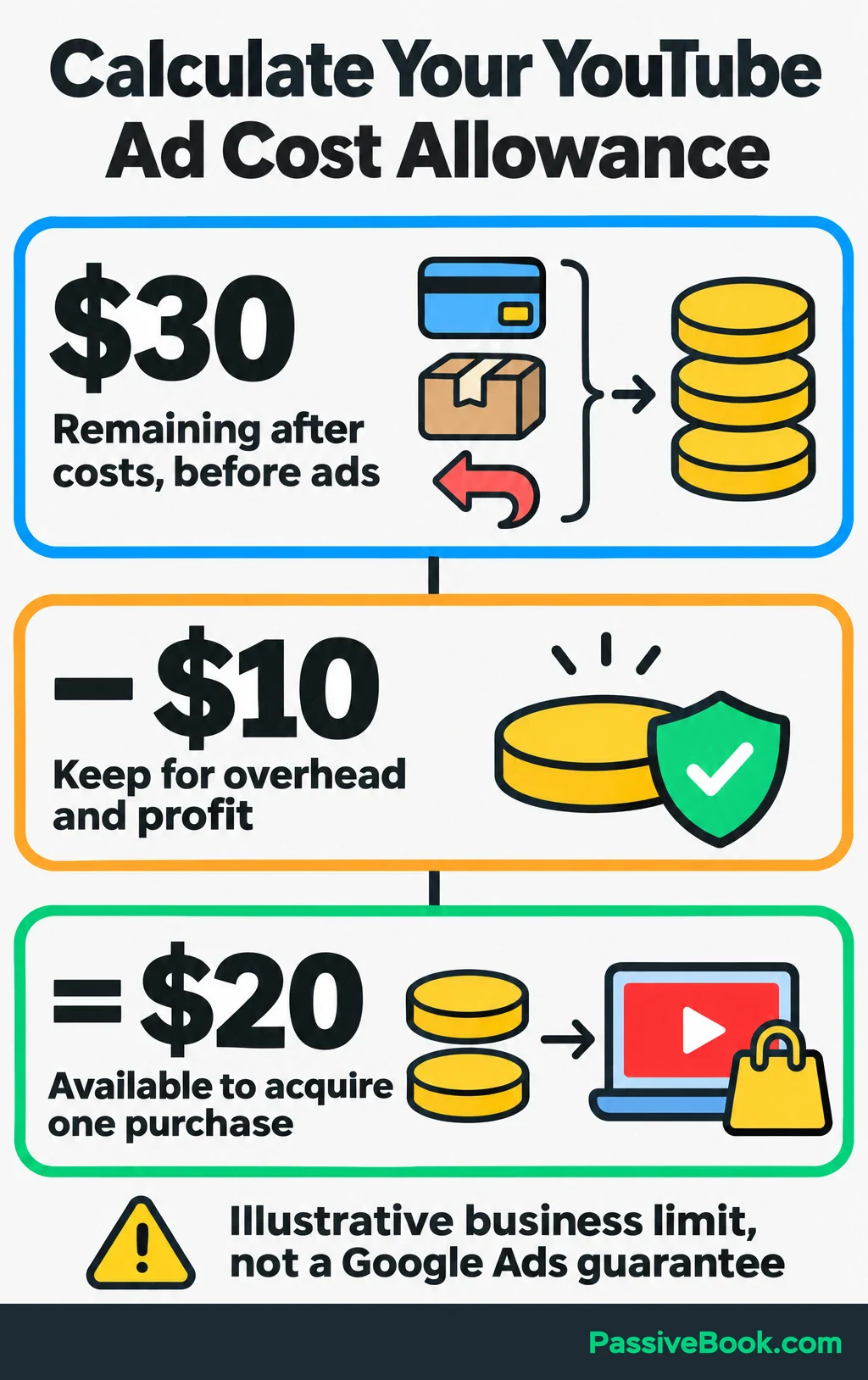
First, count what remains from each sale after costs such as payment fees, delivery, and expected refunds, but before advertising. Suppose that leaves $30, and you want to retain $10 toward overhead and profit.
That leaves $20 available to acquire a purchase:
$30 − $10 = $20
This is the example business’s spending limit per sale. It does not predict what Google Ads can achieve.
Choose a Campaign That Supports Your Goal
Use Demand Gen for this purchase-focused setup. It replaced Video Action campaigns, including the former Video campaign subtype called “Drive conversions.” Older tutorials may send you looking for an option that has moved. Google explains the Video Action migration here.
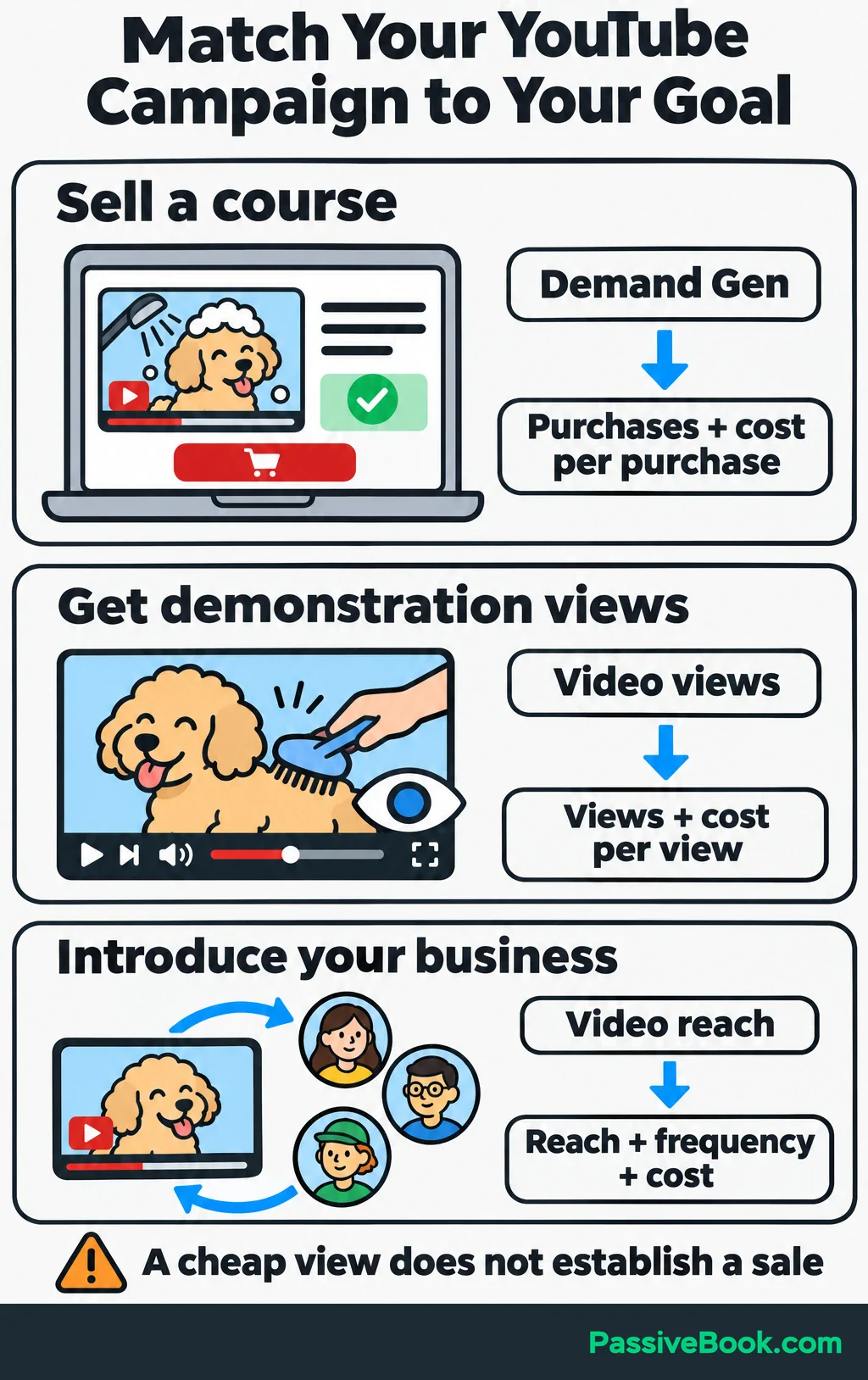
The campaign should match the result you want:
| Your Main Goal | Campaign I Would Choose | Result to Judge |
|---|---|---|
| Sell the grooming course | Demand Gen with a purchase conversion goal | Purchases and cost per purchase |
| Get more people to watch a demonstration | Video views | Views and cost per view |
| Put an introduction in front of more people | Video reach | Reach, frequency, and cost |
A cheap view can be useful when viewing is the goal. It is much less impressive when you needed a sale.
For a YouTube-only Demand Gen test, manually choose your channels at the ad-group level. In “Channels,” select “Let me choose,” then select YouTube and the surfaces your video suits:
- In-stream: Ads played around other videos.
- In-feed: Ads shown in browsing and discovery areas.
- Shorts: Ads shown within the Shorts feed.
Automatic channel selection can include other Google channels. Review this setting instead of assuming a video ad will run only on YouTube.
Also separate the people you want from the content around your ad. Audience targeting identifies likely viewers. Contextual targeting uses placements, topics, or content keywords to influence where an ad appears.
Choosing a grooming channel as a placement does not select its subscribers as your audience. And on YouTube, topic and content-keyword inputs can act as hints rather than strict delivery limits. This walkthrough uses audience targeting so the first test stays focused on one idea. Google’s contextual targeting guidance explains that distinction.
Build an Audience Around Relevant Behavior
There are two useful starting points.
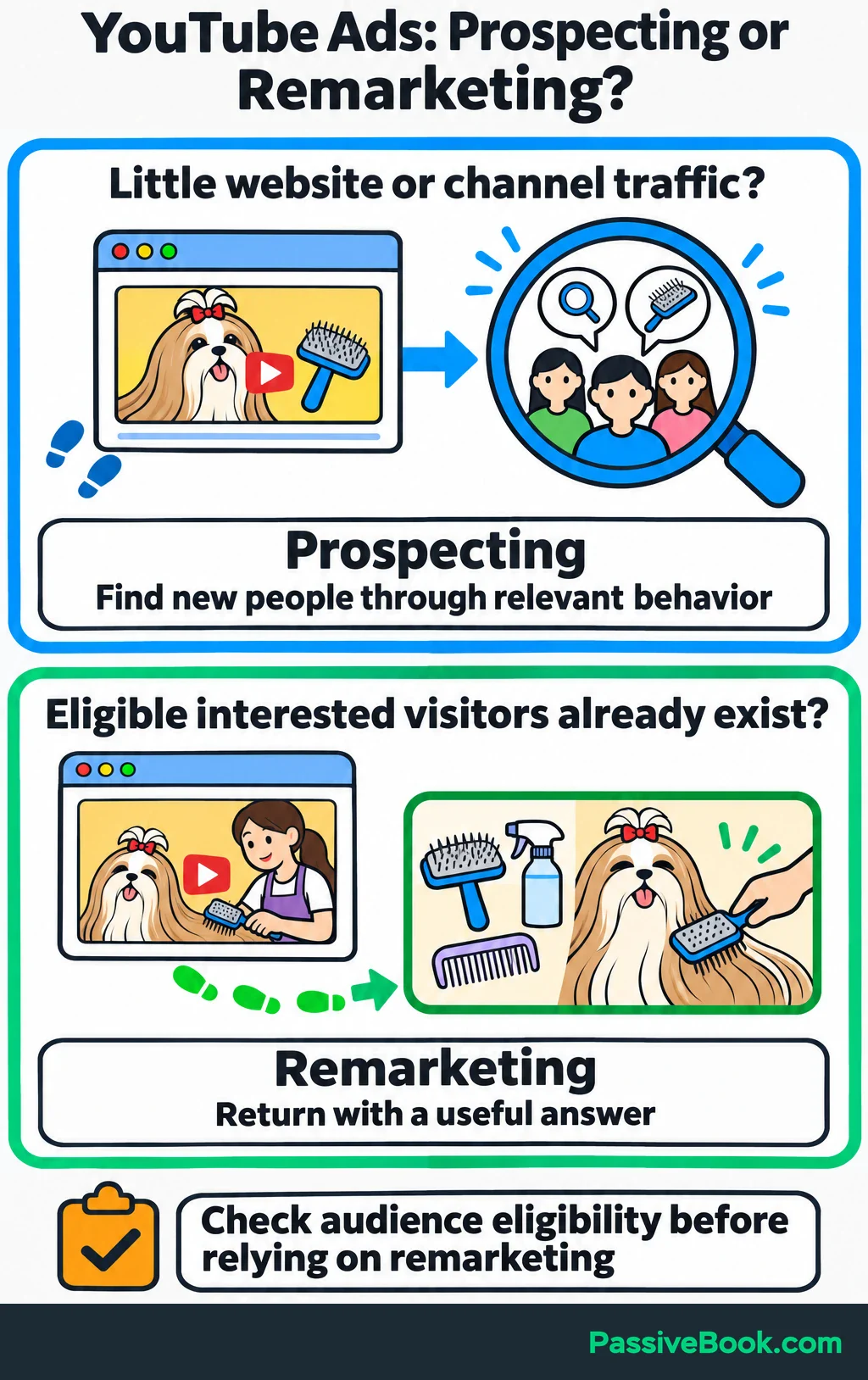
Prospecting finds people who have not yet interacted with your business. Remarketing brings back people who have already visited, watched, or taken another meaningful action.
I would start with prospecting if the website and channel have little traffic. If you already have an eligible audience of interested visitors, remarketing gives you a second opportunity to address their questions.
Find New Prospects Through Interests and Purchase Intent
Google offers several ways to describe a prospective audience:
| Audience Option | What It Describes | How I Would Use It |
|---|---|---|
| Affinity | Sustained interests and habits | Test a relevant pet interest as a broader approach |
| In-market | Recent purchase intent | Consider a segment whose description closely matches the offer |
| Custom segment | Searches, websites, or apps related to your offer | Start with research about home grooming |
| Life events or detailed demographics | Events such as moving, or facts such as homeownership | Skip for this course unless customer evidence connects them to purchases |
Search the audience selector and read the available segment descriptions. Don’t select every pet-related option because the names sound friendly.
For the course, I would begin with a custom segment based on relevant searches. Possible inputs include:
- “how to brush a long-haired dog”
- “dog grooming lessons for owners”
- “how to maintain a long-haired dog’s coat”
Use search history as the basis for this segment. Select “People who searched for any of these terms on Google” and enter your phrases. Google can reach people who searched those or similar terms; the viewer does not need to be searching when your ad appears.
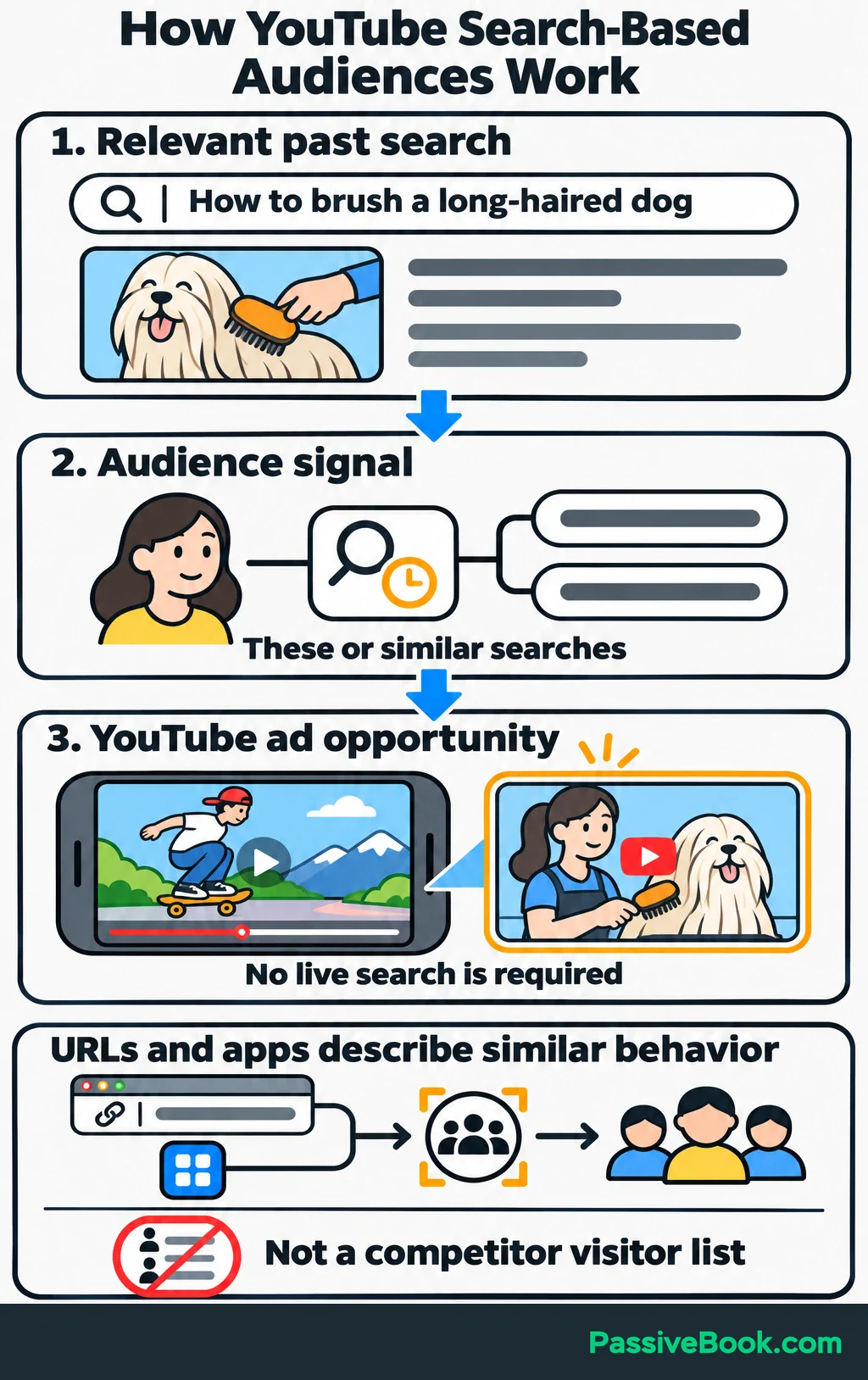
That distinction matters: you are using previous behavior to identify potential buyers, rather than placing a Search ad against a live query.
You can also enter relevant website URLs or apps to describe the audience. These inputs help Google find people using similar websites or apps. They do not give you a competitor’s visitor list, and they do not place your ad on those sites. Google documents how custom-segment inputs work here.
I would skip extra URL and app inputs for the first test if the searches already express the buying problem clearly. More inputs should improve the idea, not decorate it.
If you’re struggling to turn your offer into useful search phrases, AI Video Studio can draft them from your own details. It gives them as candidates, so you can review the list before using it.

Free AI Video Studio




Re-engage People Who Already Know Your Business
Build remarketing around meaningful actions. A visit to the course page usually tells you more about purchase interest than a visit to an unrelated article.
Useful segments for the course could include people who:
- Viewed the Offer: Visited the course page without purchasing.
- Started Checkout: Began buying but did not complete the order.
- Watched a Demonstration: Engaged with an eligible brushing video on your channel.
Install the Google tag, Google’s website tracking code, before relying on visitor segments. Create a segment based on visits to the course-page URL and exclude purchasers. For YouTube engagement audiences, link your channel to Google Ads, enable data collection, and make sure personalized ads are enabled for eligible content.
Then set membership duration—the length of time someone stays in the segment—around the buying decision. If people usually decide within a few weeks, I would begin there rather than follow them around for months.
Check the segment’s eligible YouTube size before building a campaign around it. YouTube requires at least 100 active eligible users within the previous 30 days. Your total website visits or channel subscribers do not establish that eligibility. Google explains data-segment size requirements here.
Uploaded customer contacts use Customer Match, which has separate account requirements. Direct targeting requires good policy and payment history, at least 90 days of Google Ads history, and more than US$50,000 in lifetime spend. Exclusions are available to compliant accounts with good payment history without those history and spend thresholds.
For a first campaign, I would use eligible website or YouTube segments and leave customer uploads until there is a clear reason to use them. If you do upload contacts, use data people shared directly with your business, provide the required disclosures, and obtain required consent. Google’s Customer Match policy covers eligibility and data use.
Apply Your Audience and Delivery Boundaries
Inside the Demand Gen ad group, create or select an audience and add the segment that supports your targeting idea. Review its demographics and exclusions before saving it.
Use a name you can understand later, such as:
“Home grooming searches — prospecting”
Start with that one approach. Combining unrelated segments makes the results harder to explain.
Keep prospecting and remarketing in separate ad groups when they need different messages. For a test intended to reach new people, exclude existing visitor and customer segments where appropriate. Otherwise, familiar visitors may contribute sales to what you thought was a prospecting test.
Set Locations and Languages You Can Serve
Choose markets where people can buy and use the offer. Then choose languages supported by the video, sales page, checkout, and customer support.
Review these settings explicitly. Demand Gen defaults to all locations and all languages at the ad-group level.
For the example, assume the first test serves the United States and uses English. That is a deliberate test market, not a recommendation to advertise there regardless of your business.
Also review what the location selection means:
- Presence: People likely to be in or regularly in the selected market.
- Presence or Interest: Those people plus people elsewhere who have expressed interest in that market.
I would choose Presence for this test because I want to evaluate buyers within the selected country. Interest in the United States is not the same as being a customer there. Google explains its location options here.
Choose Demographics Without Inventing a Buyer Profile
Review age, gender, parental status, and household income, but narrow them only when the offer or customer evidence gives you a reason.
A grooming course does not automatically call for one gender, one income group, or one narrow age band. Human parental status also does not identify dog ownership. The label “pet parent” has not rewritten Google’s demographic categories.
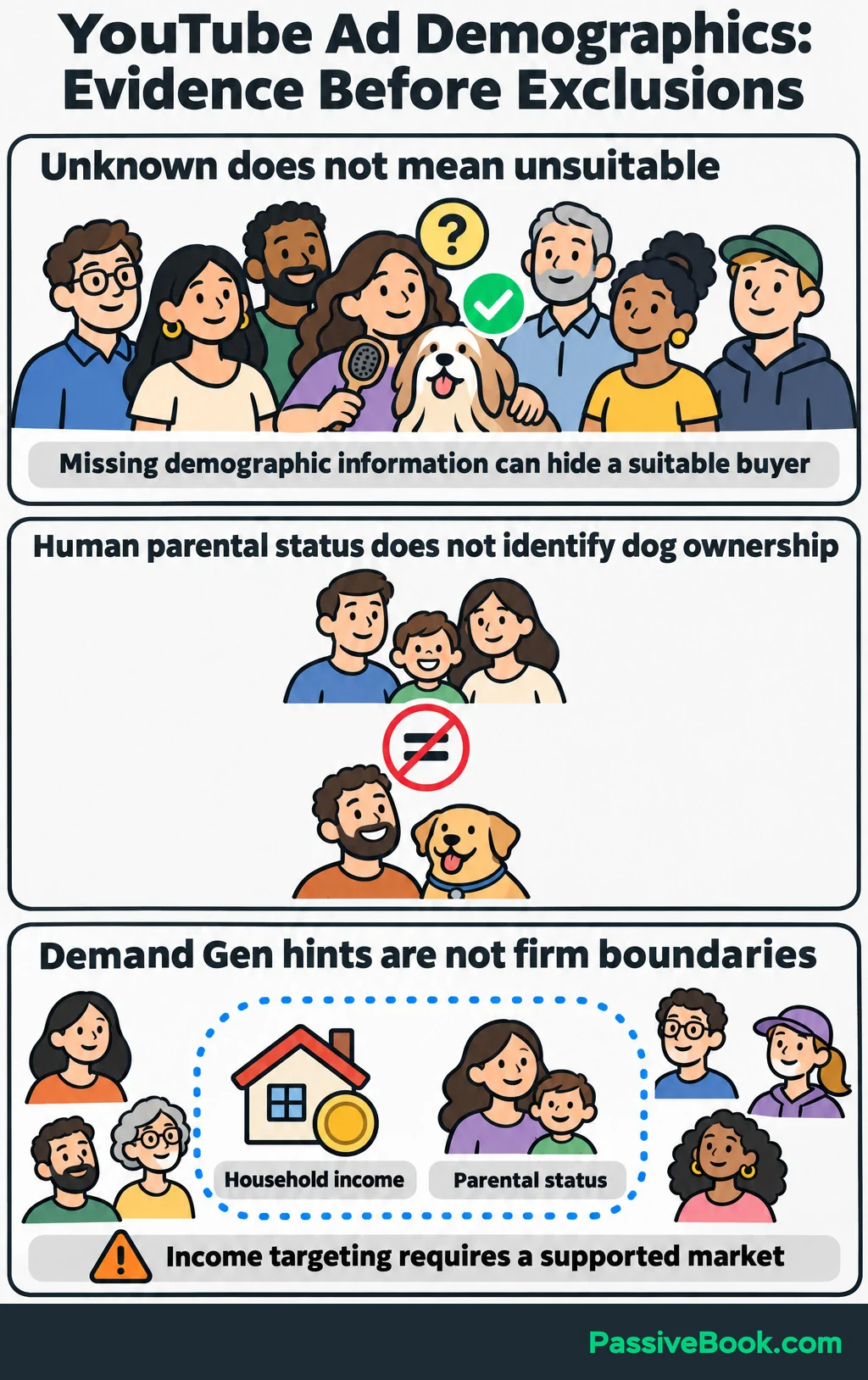
I would keep the eligible demographics broad for this test and include “Unknown.” Unknown means Google has not identified that demographic information; excluding it can remove suitable viewers. Household income targeting is available only in supported markets. Google describes these demographic options here.
In Demand Gen, treat household income and parental status as hints rather than firm boundaries. Selecting those categories does not prevent delivery outside them. Its Demand Gen targeting comparison confirms this limitation.
Control Expansion and Exclusions
For the first audience test, turn optimized targeting off. This lets you evaluate delivery to the audience you selected.
When optimized targeting is enabled, your selections become signals that help Google find likely converters beyond them. That can be useful later, but it changes what the test tells you.
Expansion can also go beyond selected demographics. If age or gender must remain restricted, apply the separate controls that keep those boundaries in place.
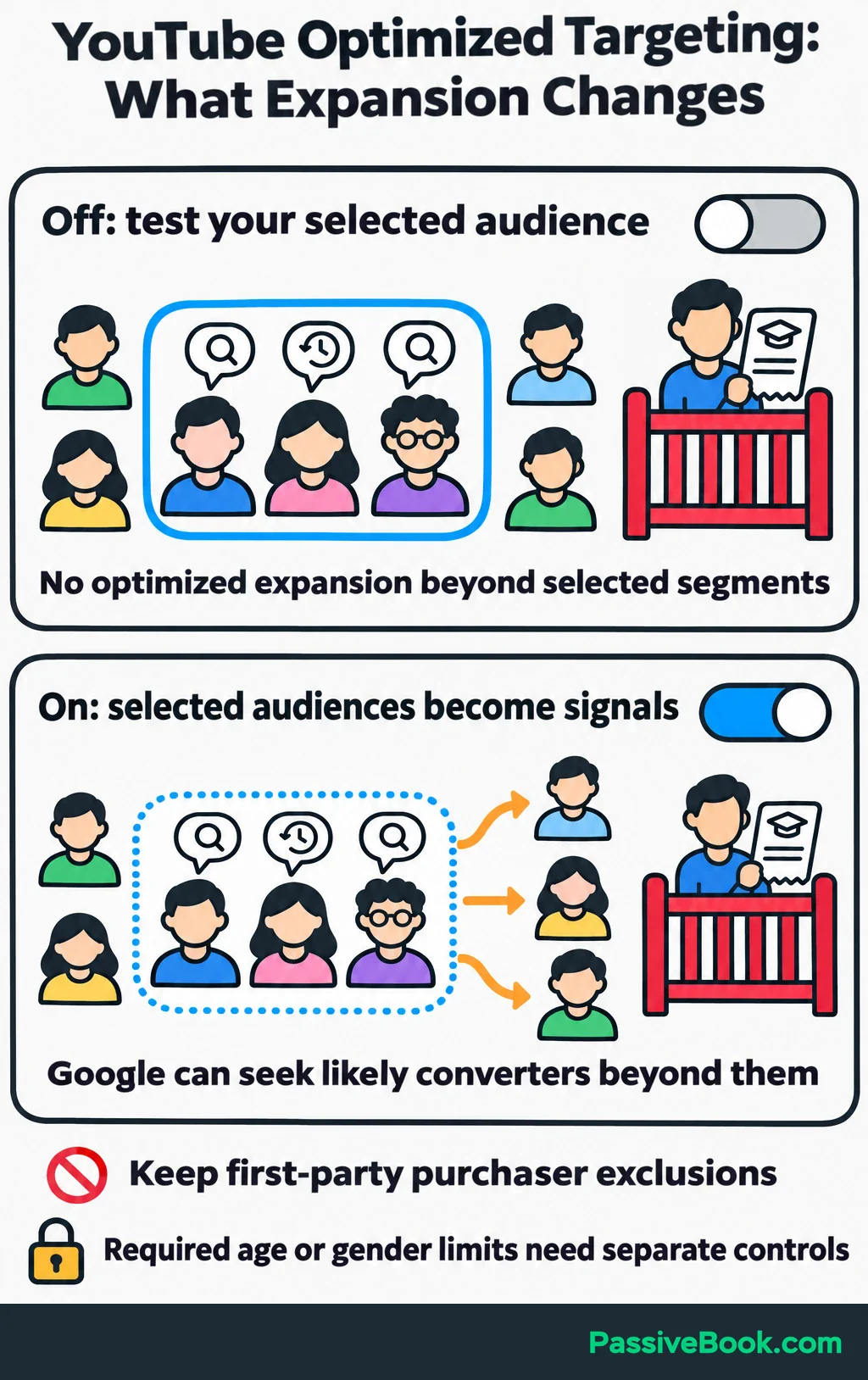
Exclude purchasers from ads selling the same course. Optimized targeting respects exclusions based on your first-party audience data, so keep those exclusions in place when you test expansion. Google explains optimized targeting and its exclusion rules here.
Audience exclusions answer “Who should not receive this ad?” Content suitability answers “What content should this ad avoid?”
Review account-level content suitability separately. Its controls have different coverage across YouTube surfaces, so check the selected formats before relying on an exclusion. Google lists content suitability coverage and limitations here.
Here is the example setup brought together:
| Setting | Selected Value | Why It Fits This Test |
|---|---|---|
| Prospecting audience | Custom segment based on home-grooming searches | Uses relevant search behavior to find potential course buyers |
| Location | United States, Presence | Targets people likely to be in or regularly in the intended market |
| Language | English | Matches the video, sales page, checkout, and support |
| Demographics | All eligible age ranges and genders, including Unknown; income and parental status unrestricted | No customer evidence supports narrowing these groups |
| Purchaser exclusion | Eligible segment of course buyers | Removes recognized purchasers who already own the course |
| YouTube surfaces | In-stream and in-feed | Limits delivery to the selected surfaces for the landscape demonstration |
| Optimized targeting | Off | Prevents optimized expansion beyond the selected audience segments |
Match the Message to the Audience
Targeting can put an ad in front of a suitable person. The message still needs to give that person a reason to care.
For new prospects, use a problem-led opening, show a useful piece of the process, and offer one next action.
The grooming-course opening could be:
“Does your long-haired dog’s coat tangle again after brushing?”
Follow it with a clear demonstration of one technique taught in the course. Then invite viewers to see the lessons.
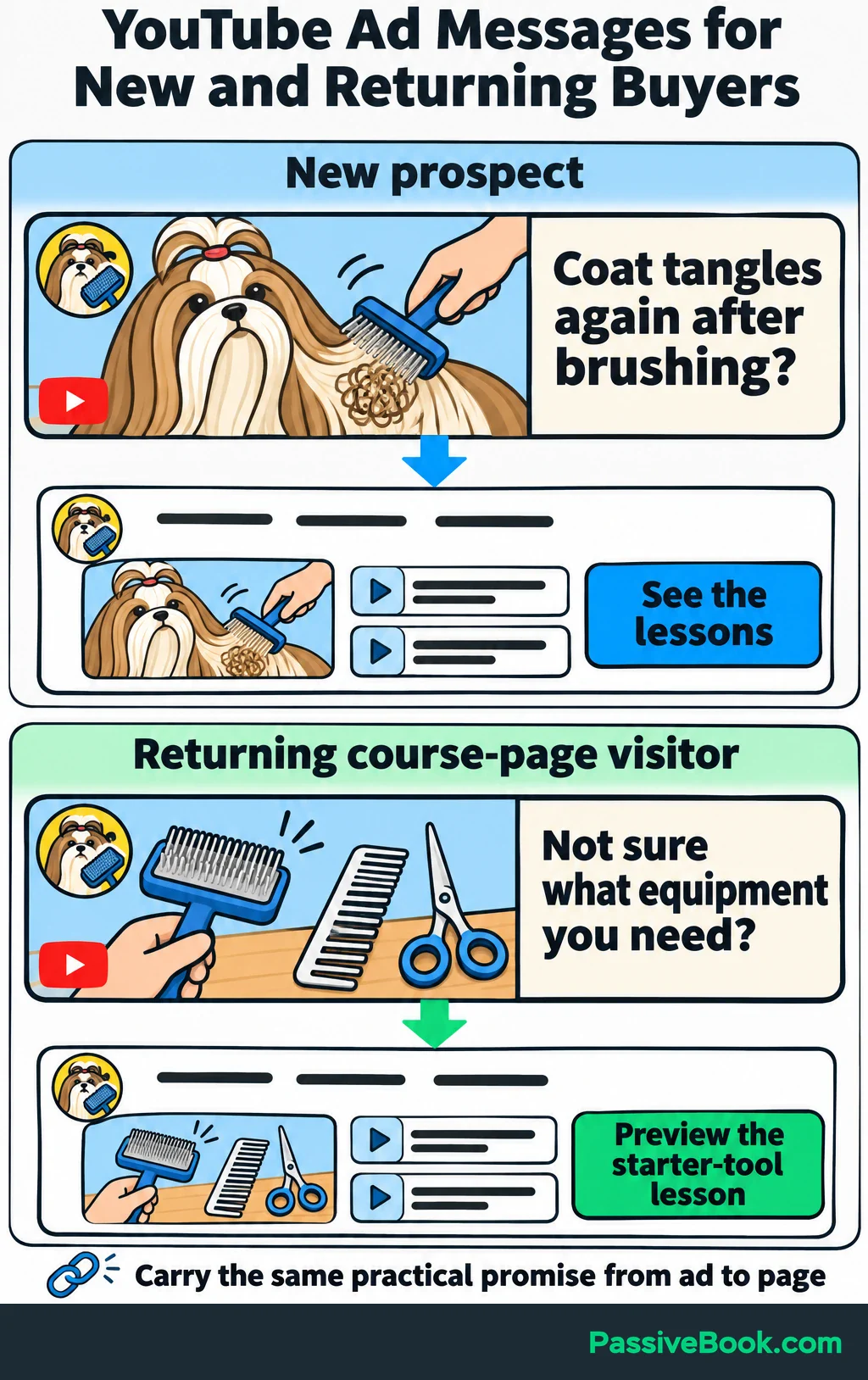
Returning course-page visitors need a different reason to act. They already know the offer exists, so show a lesson preview or answer a real purchase question:
“Not sure what equipment you need? Preview the course’s starter-tool lesson.”
On one of my digital-product pages, I led with the lesson list and left the practical result several paragraphs down. Reviewing the page alongside customer questions made the gap obvious: I was describing what I had made before explaining why someone would use it.
I would check your ad and page for that same gap. If the ad promises help with brushing, the page should show how the course teaches brushing. Don’t send viewers to a general homepage and ask them to find the connection.
Add your YouTube-hosted video, destination URL, and call to action to the ad. Preview every selected surface, and check that the demonstration, captions, and text remain clear.
You do not need to be on camera. A useful close-up demonstration with clear narration can explain the offer.
Launch a Focused Targeting Test
Set up purchase measurement before choosing conversion bidding.
Install Google Ads purchase tracking or import the purchase event from Google Analytics 4 (GA4), which records activity on your site. Set the purchase action to “Primary” and include its goal in campaign bidding so Google uses purchases to adjust bids.
Keep page visits and other diagnostic actions out of that bidding goal. Set them to “Secondary” for reporting only, and check that a custom goal has not added them back into bidding. Otherwise, the campaign may chase an easy action that does not pay you. Google explains primary and secondary conversion actions here.
Complete a test purchase and verify that:
- Recording: The purchase action fires.
- Order Details: The value, currency, and transaction identifier are correct.
- Duplication: The same order is not counted twice through separate tracking setups.
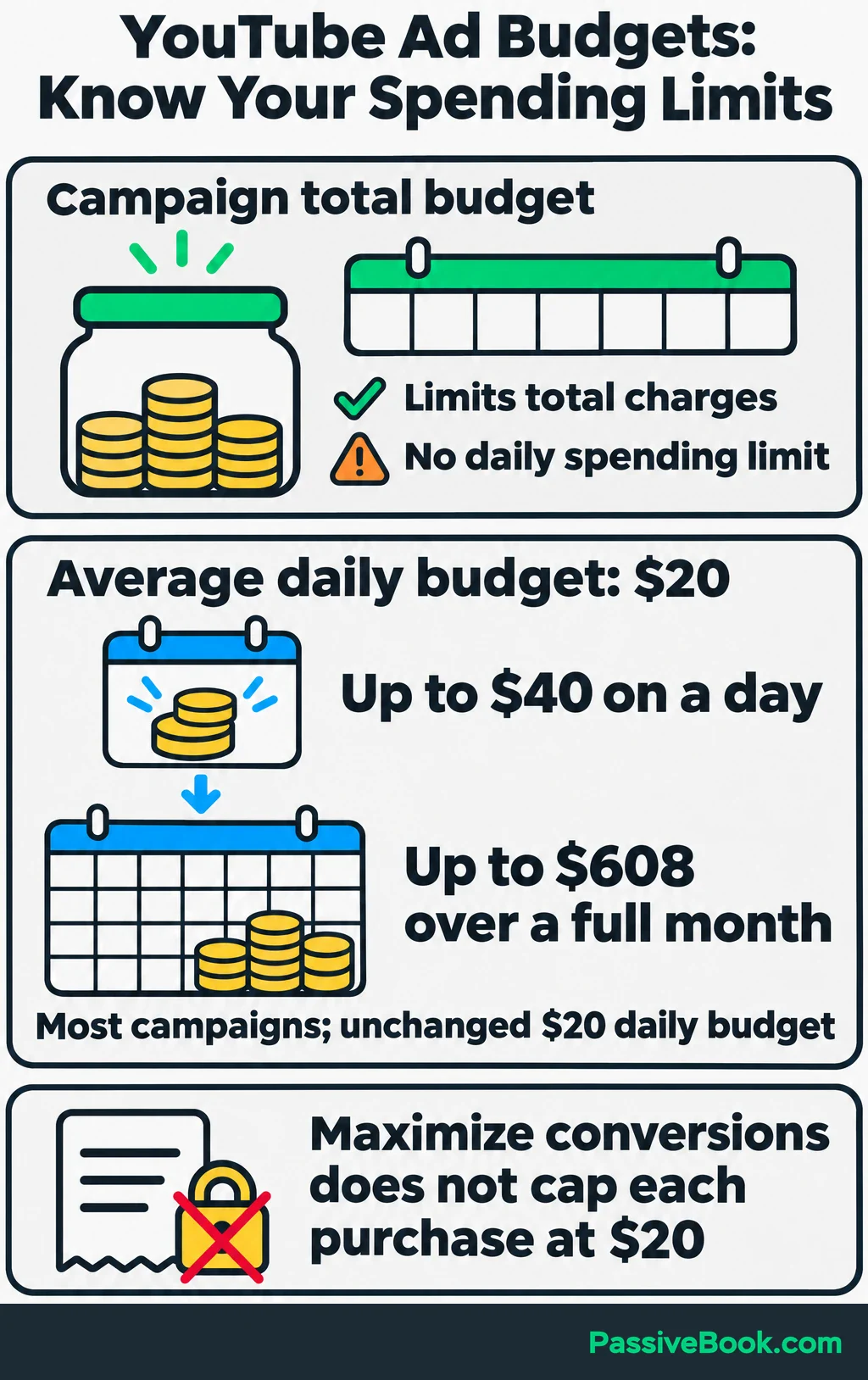
For this purchase test, I would choose Maximize conversions with purchases as the bidding outcome. This strategy tries to get as many purchases as possible within your budget; it does not cap the cost of each purchase at $20.
Start with one audience. When you compare another, keep the creative, offer, conversion goal, and delivery settings consistent. A different audience plus a different video tells you very little about which change mattered.
Set a test budget you can afford to spend without a sale. If the platform’s minimum budget is more than you can comfortably risk, postpone the test. A campaign builder’s recommendation does not know your bank balance.
For a fixed total spending ceiling, choose a campaign total budget when creating the campaign and set start and end dates. It limits total charges, but it does not impose a daily spending limit.
An average daily budget works differently. For most campaigns, an unchanged $20 average daily budget permits charges of up to $40 on a day and $608 over a full month. It does not guarantee one purchase a day at the example’s $20 acquisition allowance. Google explains total budgets and average daily spending limits here.
Before publishing, review:
- Audience: The intended segment is selected.
- Boundaries: Locations, languages, and demographics match the test.
- Expansion: Optimized targeting is set deliberately.
- Exclusions: Eligible purchaser and visitor exclusions are applied.
- Channels: Only the intended YouTube surfaces are selected.
- Measurement: Purchases are the bidding outcome.
- Spending: The budget and dates match your ceiling.
- Destination: The page loads, continues the promise, and supports checkout.
After launch, check approval status, actual delivery, and spend. Fix a broken link or tracking fault immediately. Audience performance needs more time to assess.
Improve Targeting Using Business Results
For a sales campaign, start with purchases and cost per purchase. Views and clicks help explain the path, but they do not replace the result.
To calculate cost per purchase, divide an audience’s ad spend by the purchases attributed to it for the same reporting period. Use the same attribution settings when comparing audiences.
For illustration, $100 spent on the grooming-search audience produces five recorded purchases:
$100 ÷ 5 = $20 per purchase
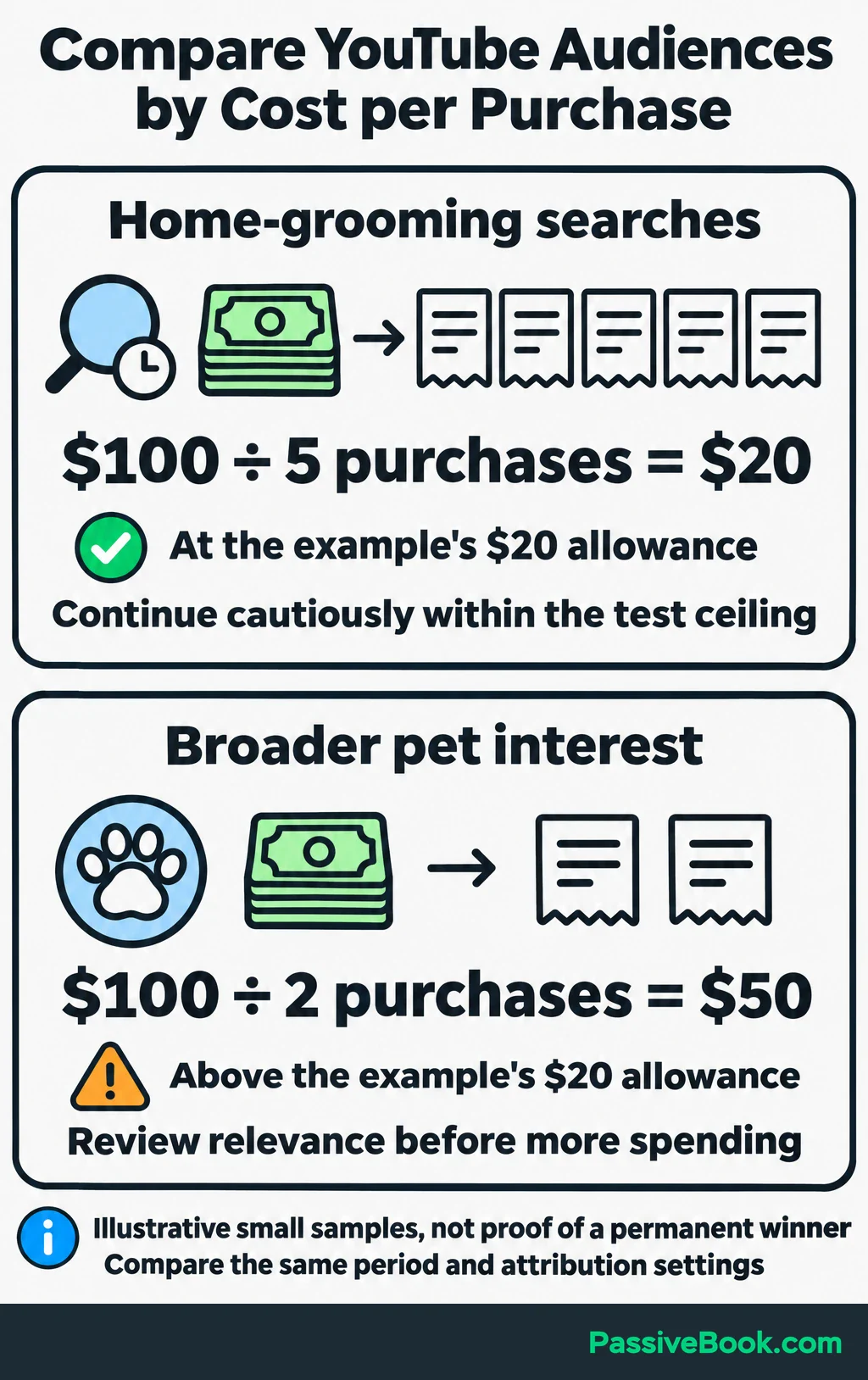
Compare that with the $20 acquisition allowance established earlier.
| Audience | Spend | Purchases | Cost Per Purchase | Next Action |
|---|---|---|---|---|
| Home-grooming search segment | $100 | 5 | $20 | Continue cautiously within the test ceiling |
| Broader pet-interest segment | $100 | 2 | $50 | Review relevance before committing more spend |
These small samples help decide what to investigate next. They do not establish that one audience will always perform better.
Allow the normal purchase delay before judging recent spending. Someone who first watched yesterday may still be deciding.
Keep conversion settings consistent when comparing audiences. An engaged-view conversion can follow a qualifying video engagement without an ad click, provided the purchase happens within the relevant window. Don’t compare one audience’s click-only results with another audience’s results that include engaged-view conversions. Google explains engaged-view conversions here.
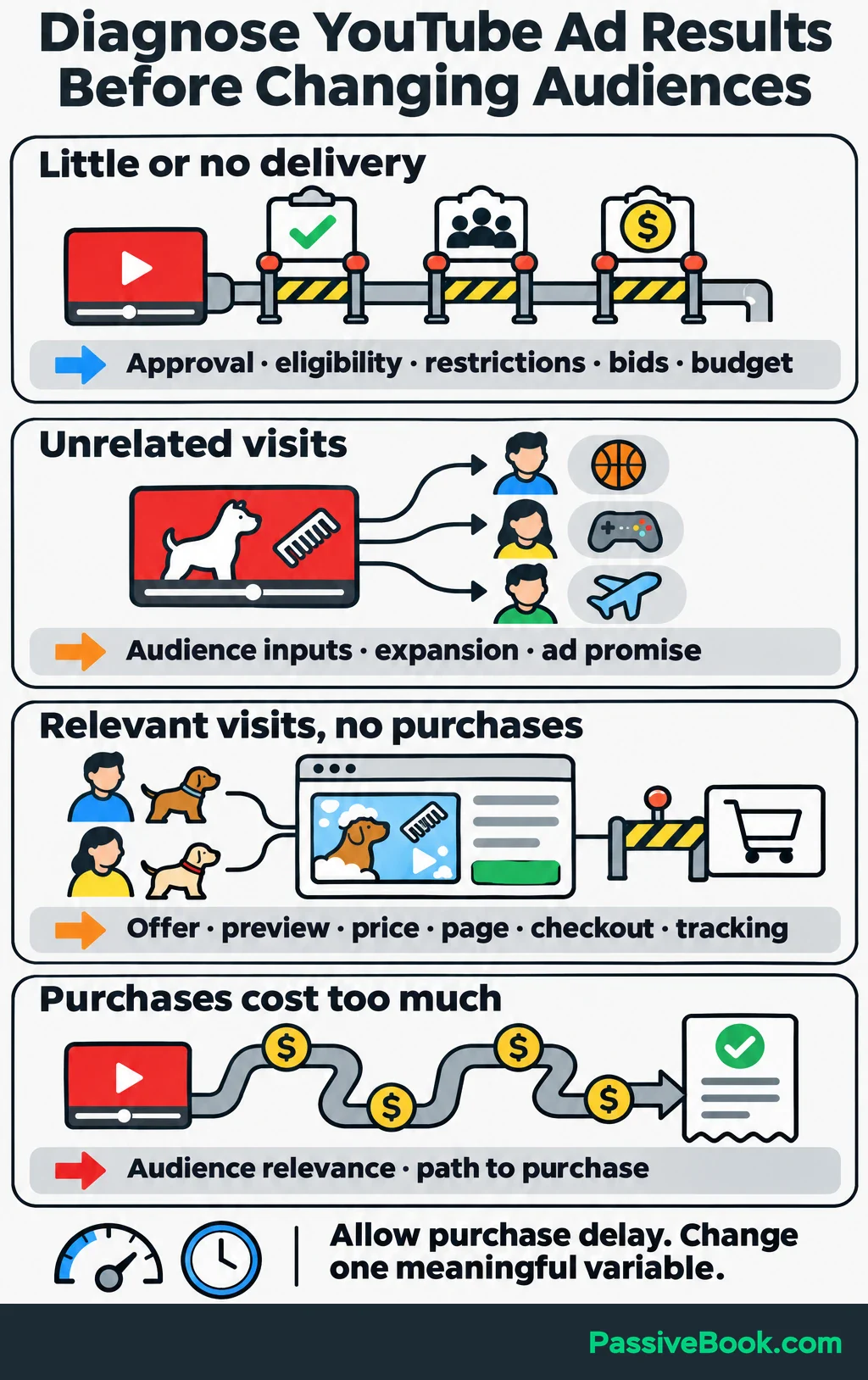
When results disappoint, locate the problem before replacing the audience:
| What You See | What to Check First |
|---|---|
| Little or no delivery | Approval, audience eligibility, restrictive settings, bids, and budget |
| Visits that appear unrelated to the offer | Audience inputs, expansion settings, and the ad’s promise |
| Relevant visits but no purchases | The offer, lesson preview, price, page clarity, checkout, and tracking |
| Purchases at an unaffordable cost | Audience relevance and the path from ad to purchase |
Use audience, demographic, and placement reports to investigate waste. A few visits without a purchase are not enough reason to exclude an entire demographic group.
Change one meaningful variable at a time. Keep a brief record of the change, the reason, and the result. That prevents the familiar cycle of adjusting six settings and crediting whichever one you remember.
Once an approach produces affordable purchases with enough consistency to justify another test, expand through a related audience or a separate optimized-targeting test. Increase spending gradually and watch whether acquisition costs remain affordable.
I would scale the evidence, not the excitement of seeing the first sale.
What Next?
Write one sentence describing the buying problem your offer solves, then turn it into a draft audience. Before publishing, check whether your expansion, channel, and location settings preserve the test you intended.
Use the social buttons to share this guide when you discuss ad spending with collaborators; the setup table gives you a concrete starting point for that conversation.
Which customer behavior would give you the strongest reason to show your ad? Share your thinking in the comments, and bring any other questions about your setup too.
Share this post with your friends & followers:

