You have a useful product and enough footage to show how it works. Then Google Ads asks you to choose between views, clicks and conversions, and each option looks like a reasonable place to put your money.
The problem is that a busy video report can hide a quiet checkout. A small test still costs real money, so you need a clear way to judge it. This purchase-focused walkthrough takes you through running YouTube ads in Google Ads and judging whether the sales justify more spending. It also covers what to change when views, visits or leads matter more.
Choose the Right Campaign for Your Goal
Start by choosing one result that would make the campaign useful. That could be watching a video, visiting your website, submitting an inquiry or buying a product.
Pick one primary outcome because it determines what Google should try to get for your budget. A campaign built to attract viewers has a different job from one built to find buyers. Google Ads calls completed actions such as purchases and inquiries conversions.
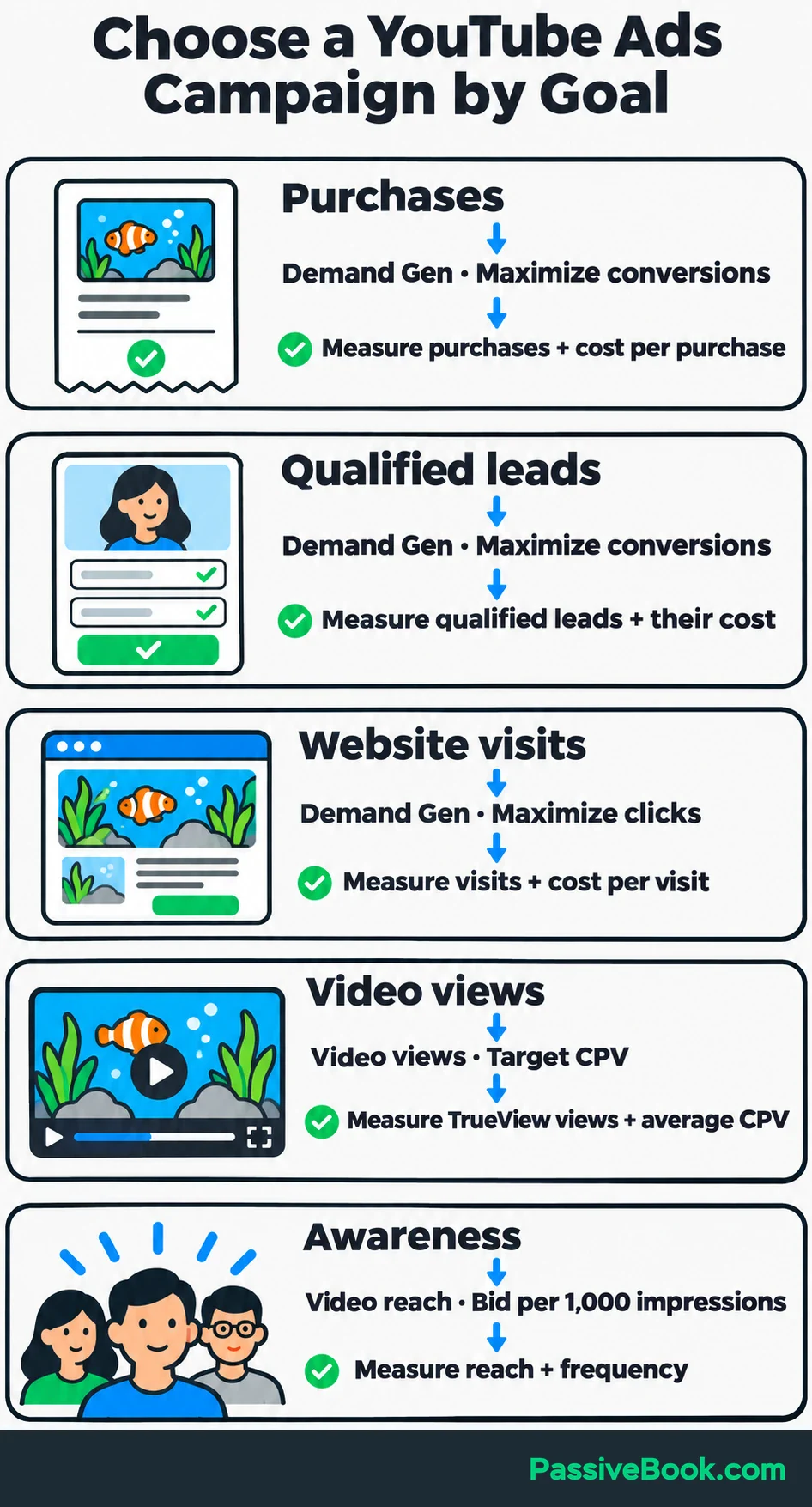
Demand Gen, the campaign type used in this walkthrough, can show video ads on YouTube and other Google channels.
Throughout this guide, imagine you sell a $49 online course that teaches beginners to set up a freshwater aquarium. Completed purchases are the primary outcome. This business and all example budgets, costs, copy and results are illustrations, not benchmarks or observed performance.
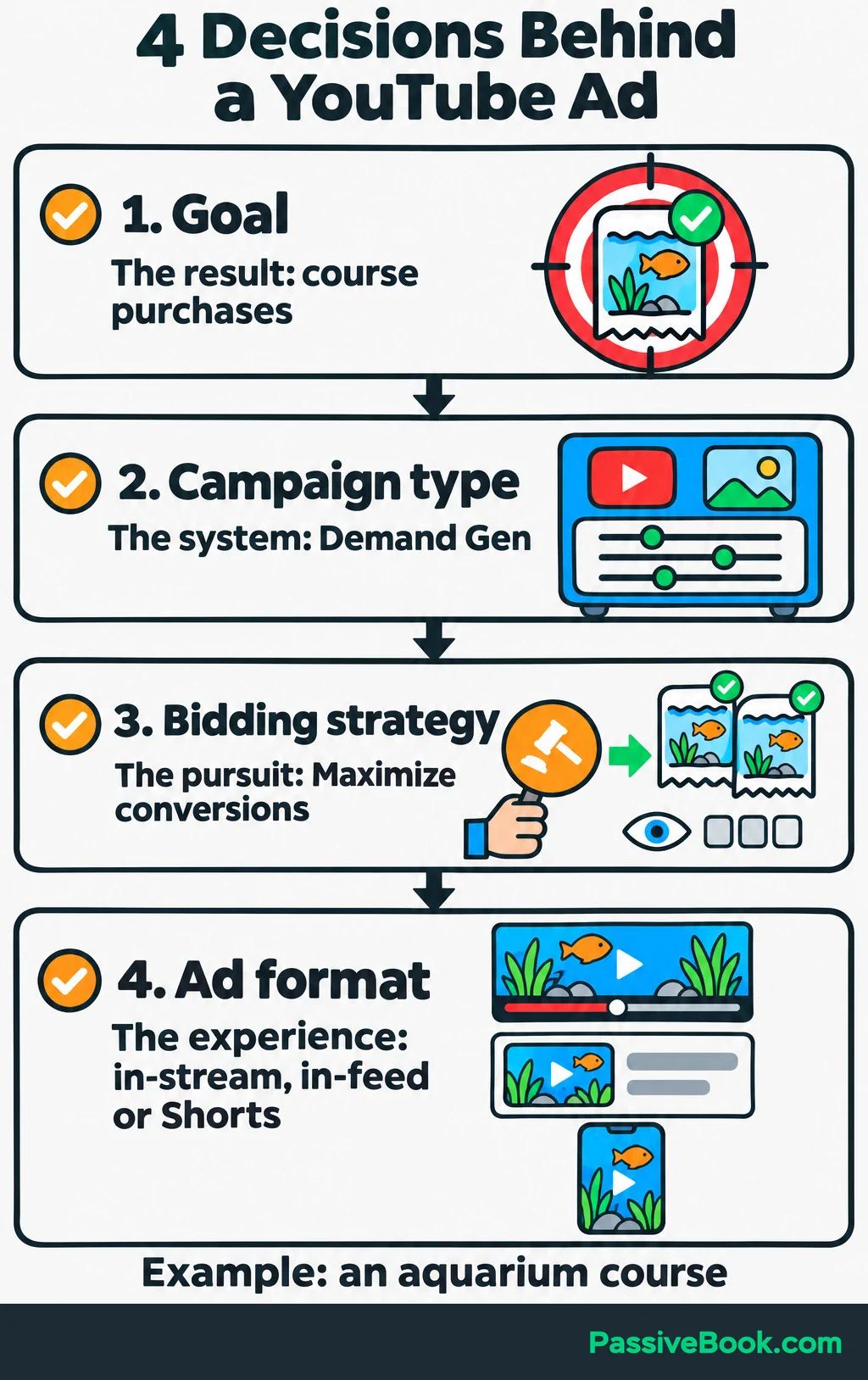
Four choices shape your campaign:
- Goal: The business result you want.
- Campaign Type: The system and controls you use to pursue it.
- Bidding Strategy: What Google tries to get when it bids for advertising space.
- Ad Format: How viewers encounter your message.
Here is where I would start:
| Desired Outcome | Campaign Route | Bidding Approach | Success Metric |
|---|---|---|---|
| Course purchases | Demand Gen | Maximize conversions; consider a target cost per purchase once results support one | Purchases and cost per purchase |
| Relevant inquiries | Demand Gen | Maximize conversions using the lead action | Qualified leads and cost per qualified lead |
| Website visits | Demand Gen | Maximize clicks | Visits and cost per visit |
| Video views | Video → Video views | Target cost per view | Qualifying views, reported as “TrueView views,” and average cost per view |
| Awareness | Video → Video reach | Bid per 1,000 impressions (ad appearances) | People reached and how often they see the ad |
For the aquarium course, I would choose Demand Gen and optimize for purchases. It replaced the older Video campaign route called “Drive conversions.” Google’s migration guidance.
Match the Ad Format to Your Message
Choose the viewing experience that suits your message:
- Skippable In-Stream: Plays before, during or after other videos, and viewers can skip after five seconds. Introduce the problem and offer early.
- In-Feed: Appears in discovery areas such as search results and the home feed. The thumbnail and headline need to make watching worthwhile.
- Shorts: Appears between Shorts. Prepare a vertical version that makes sense immediately.
- Bumper: Runs for up to six seconds without a skip option. Use it for one brief awareness message.
- Non-Skippable In-Stream: Gives you space for a complete awareness message within the selected format’s limits.
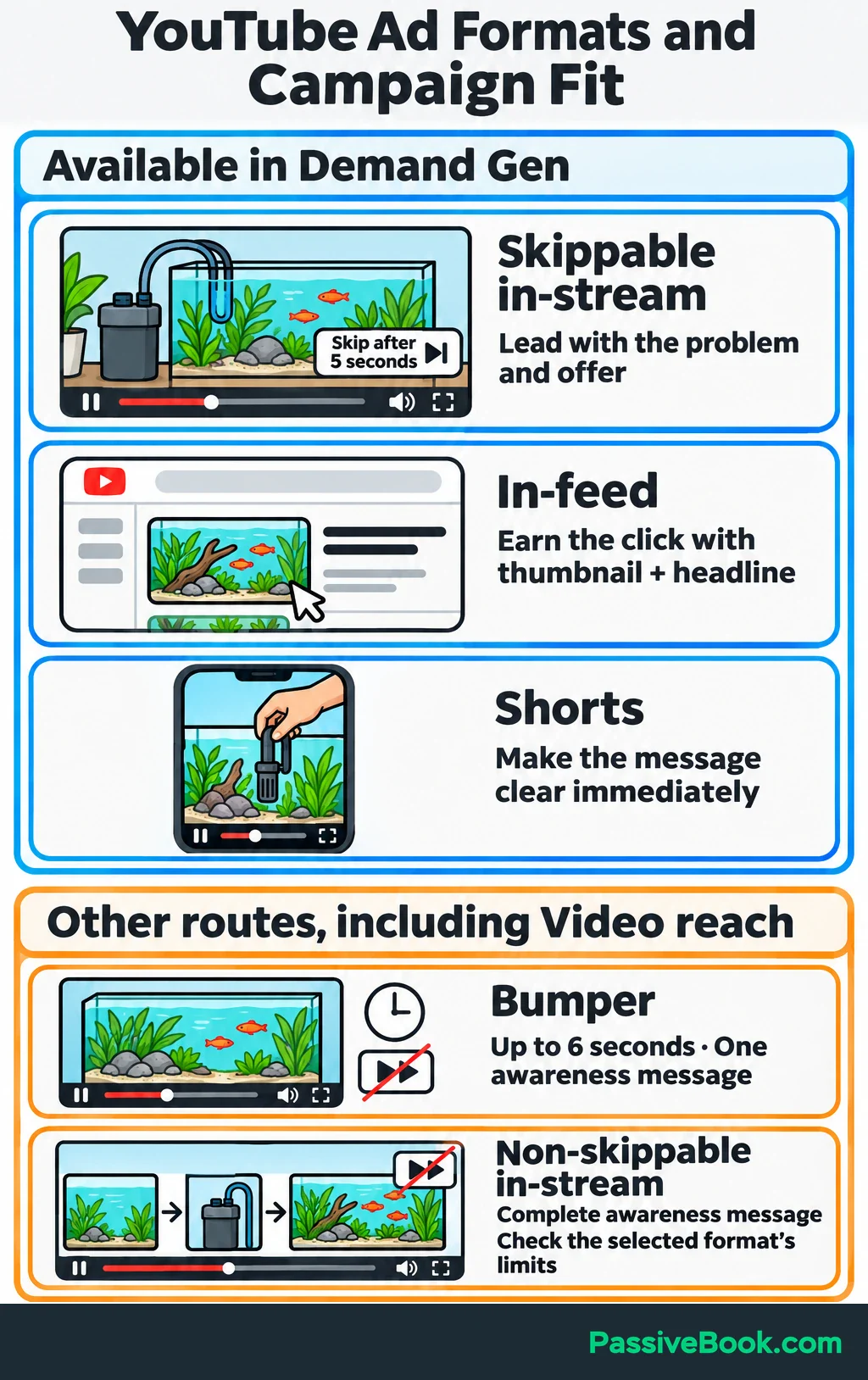
Demand Gen supports the in-stream, in-feed and Shorts video formats used in this walkthrough. Bumper and non-skippable ads belong to other campaign routes, including Video reach. Google’s video format guide.
If your main aim is to get people to watch a useful video, choose Video views. It can distribute across in-stream, in-feed and Shorts, but its bidding pursues views. I would not select it for the course and then judge it mainly on sales.
Set a YouTube Ads Budget You Can Afford
Your budget should come from what the business can risk and what a customer is worth. An online average advertising cost cannot tell you either.
Understand What You Pay For
These terms describe different costs:
| Term | Meaning | What It Helps You Judge |
|---|---|---|
| CPV | Cost per qualifying video view | How much viewing costs |
| CPM | Cost per 1,000 impressions | How much ad exposure costs |
| CPC | Cost per click | How much clicking costs |
| CPA | Cost per conversion | How much the chosen action costs |
Billing and optimization are separate. Demand Gen video ads on YouTube use impression-based billing, even when bidding aims for conversions. A target CPA does not mean Google charges you only when someone buys. Google’s Demand Gen billing guidance.
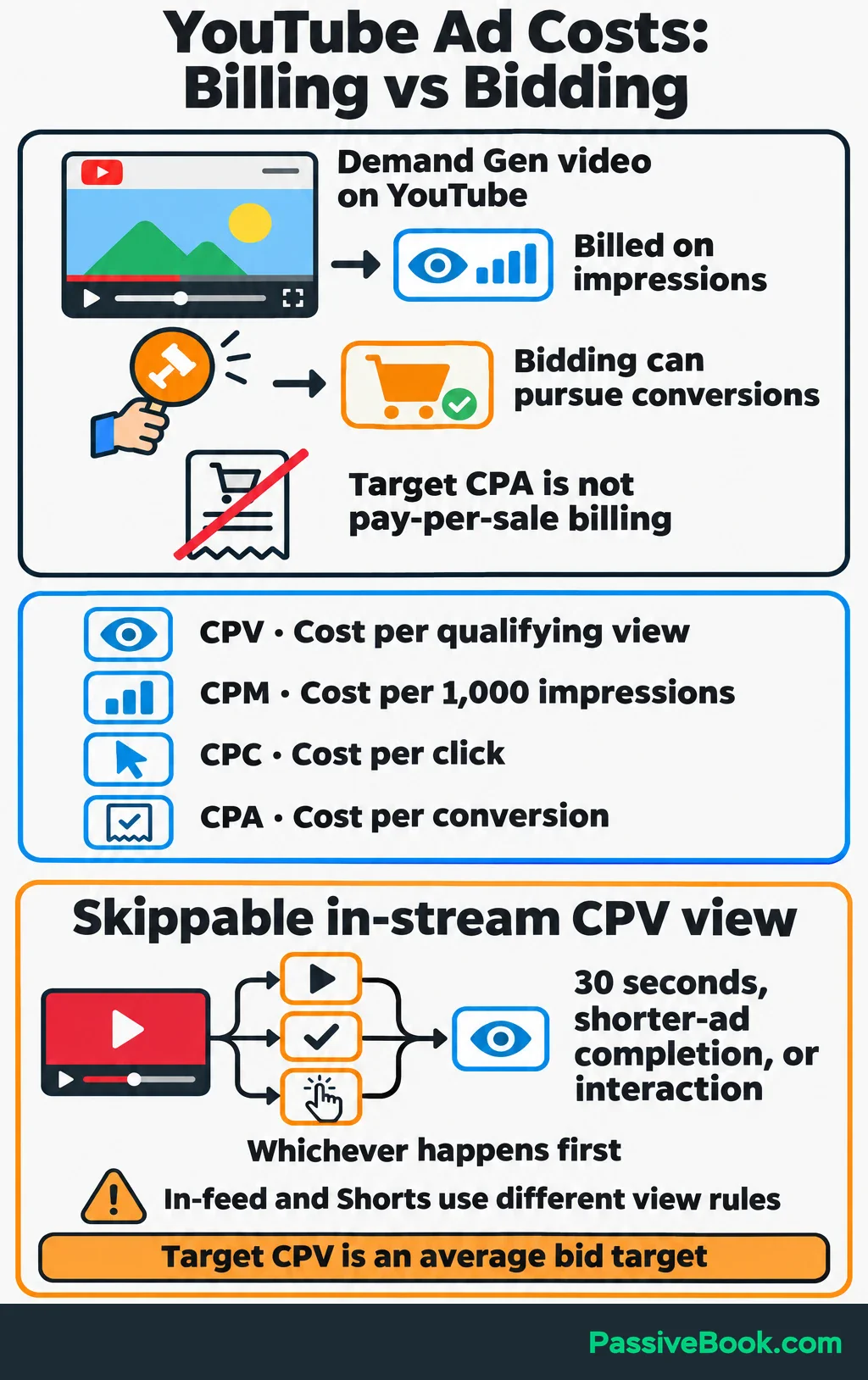
Video views campaigns use target CPV. This is an average bid target, so individual views can cost more or less.
For skippable in-stream ads, a billable view occurs when someone watches 30 seconds, finishes a shorter ad or interacts with it, whichever happens first. In-feed and Shorts use different qualifying rules, so a “view” does not mean the same watch time across every format. Google’s CPV definition.
Set Your Acquisition Target and Spending Limit
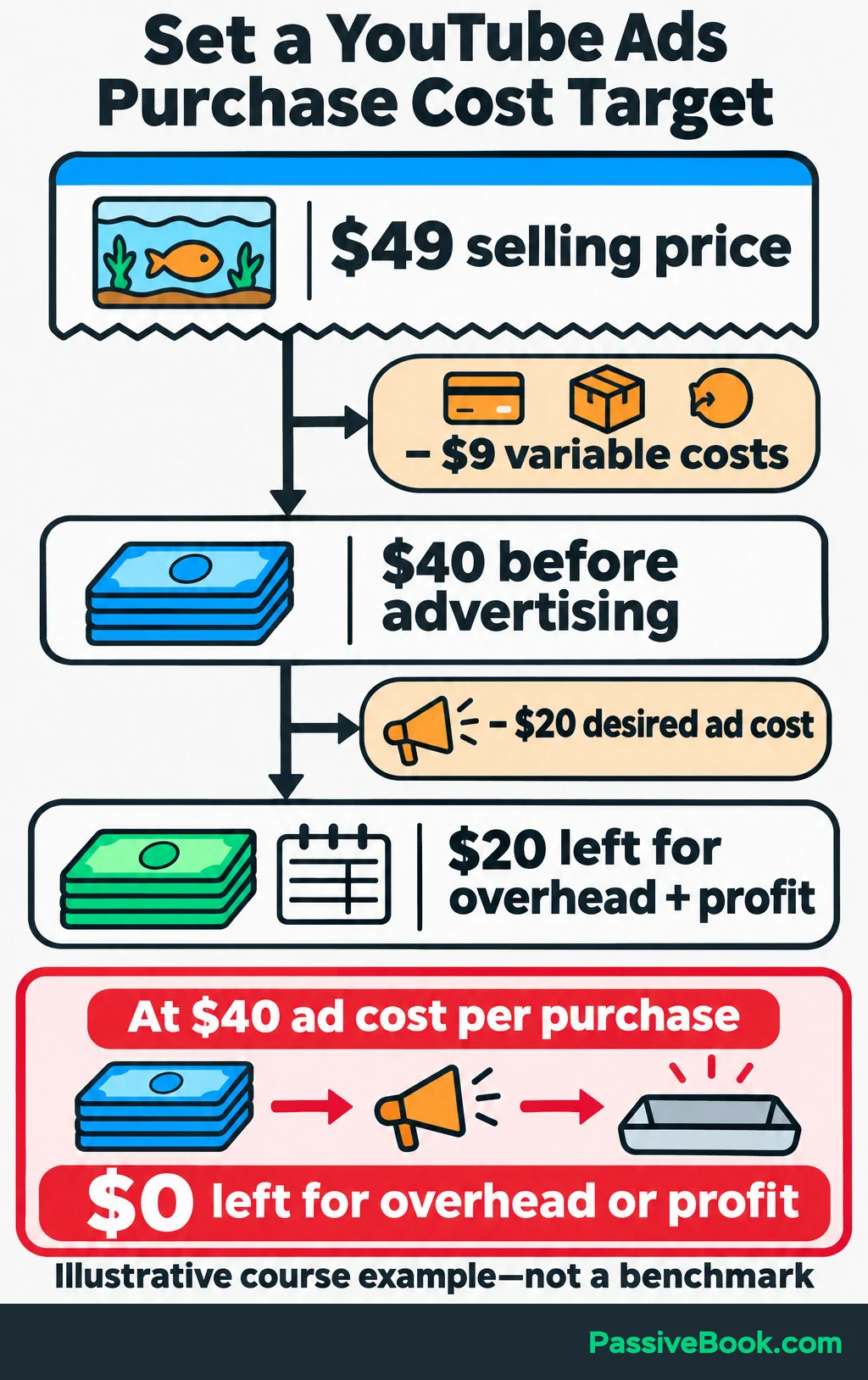
First, work out how much each sale leaves before advertising. Subtract the costs that arise from making that sale, such as payment processing, delivery and expected refunds.
For the illustrative course:
| Item | Amount |
|---|---|
| Selling price | $49 |
| Assumed variable costs per sale | $9 |
| Amount left before advertising | $40 |
| Desired advertising cost per purchase | $20 |
| Amount left toward overhead and profit | $20 |
Aim for an average advertising cost of $20 or less per purchase. At $40, the sale would leave nothing for overhead or profit.
Next, set the amount you can lose if the test produces no sales. Suppose that allowance is $200. You might review tracking and delivery after $100 of spend and stop at $200 unless you make a deliberate decision to fund another test.
Check the minimum budget required by your selected Demand Gen setup before committing. Google enforces minimum values during setup. If the required amount exceeds your allowance, postpone the test rather than stretching the budget to satisfy the form. Google’s Demand Gen budget requirements.
I would use a campaign total budget for a fixed test. It caps billed advertising spend at the total you set, but spending can vary because there is no daily limit. You must provide start and end dates spanning at least three days, and you cannot change the budget type after creating the campaign.
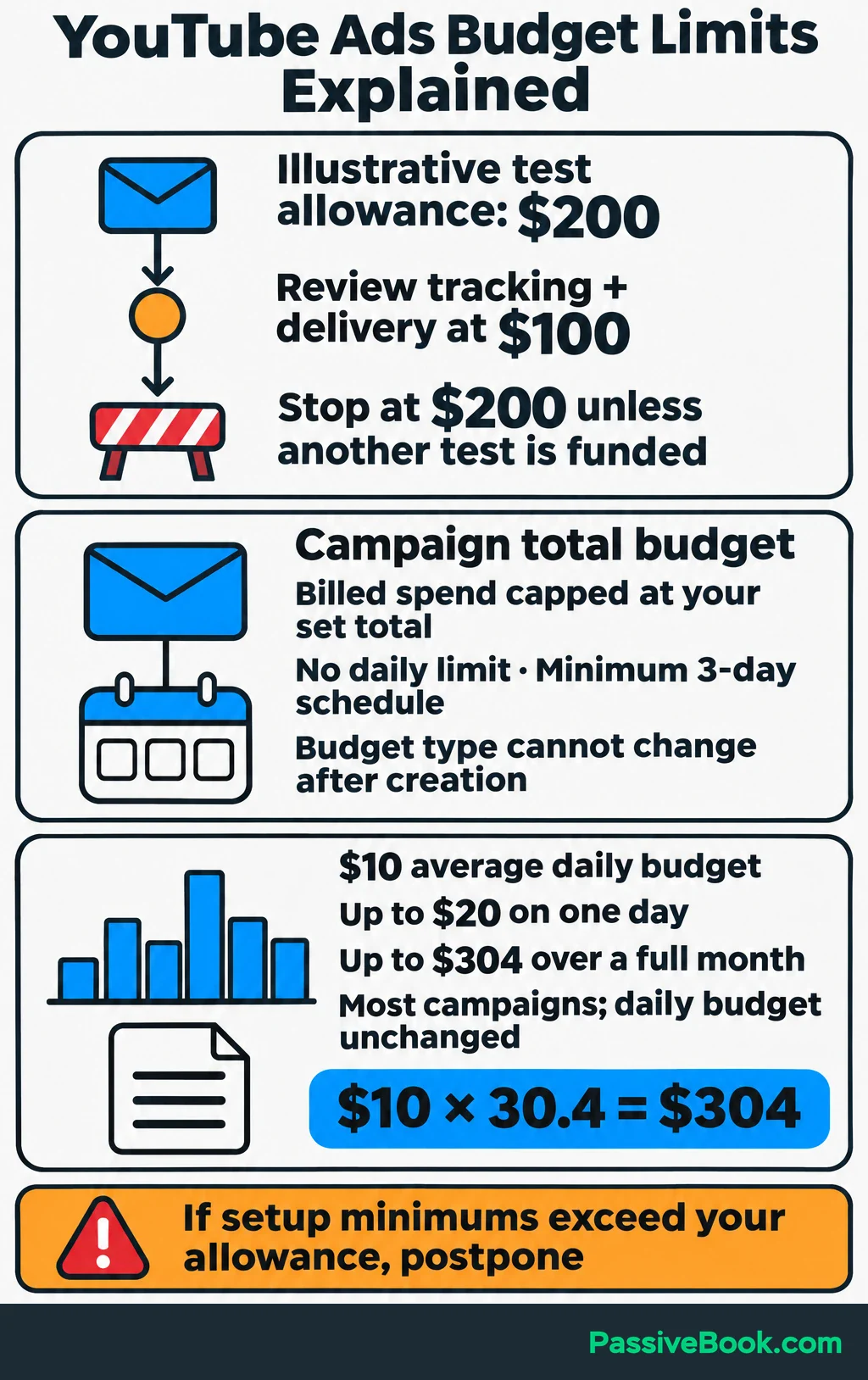
An average daily budget works differently. For most campaigns, Google can charge up to twice that amount on a day and 30.4 times an unchanged daily budget over a full month. A $10 average could therefore mean $20 on one day and $304 over the month. Google’s budget rules.
A spending cap limits your exposure. It does not guarantee enough purchases to prove whether the campaign can work.
If you want to see how your own numbers fit together, the Marketing Campaign Planner does the calculations for you. It also shows how different conversion assumptions change the outcome without treating them as promises.

Free Marketing Campaign Planner




Create a Video With One Clear Next Step
Before filming, check whether the offer deserves promotion.
I once rushed a course out without validating it properly. It made few sales, received a bad review and I took it down. That experience changed what I want to see before promoting a product: a clear promise, useful material and some evidence that people want the result.
For your offer, speak with likely buyers or examine feedback from existing customers. Advertising adds another cost to finding out that the product needs work.
Once the offer is ready, build the video around four jobs:
- Attention: Show a problem the intended buyer recognizes.
- Introduction: Make the product and business clear early.
- Demonstration: Show something useful from the product.
- Direction: Give viewers one next step.
For the aquarium course, open on an empty tank with the equipment beside it:
“Setting up your first freshwater aquarium? Start with a clear plan.”
Introduce the course, then show a short lesson excerpt that explains one setup decision. End with:
“See the course lessons.”
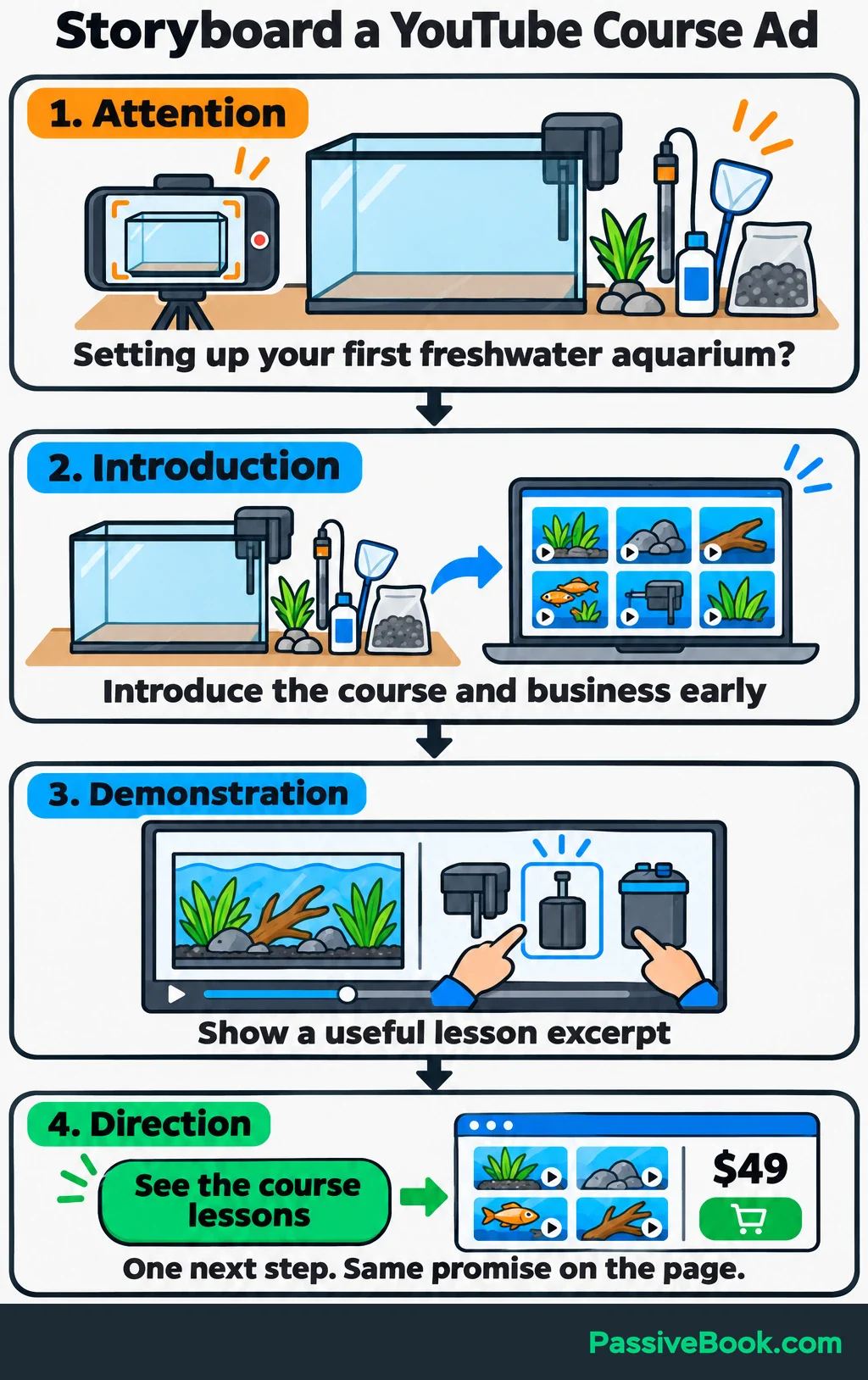
That is enough direction for a purchase campaign sending people to the course page. You do not also need to ask them to subscribe, comment and follow three other accounts.
I would start with clear phone footage and a voiceover. Show the equipment, your hands and the lesson material. An on-camera presenter is optional. Canva can help you assemble clips, captions and simple text, but editing cannot rescue an unclear message.
If you know what you’re selling but not what to say, AI Advertising Studio gives you a first script and shot list. It works with the footage you already have or can capture yourself.

Free AI Advertising Studio
Prepare horizontal and vertical versions, and check that the demonstration and essential text remain visible in both. Use understandable audio, readable captions and footage, images and music you own or have permission to use in advertising.
Send buyers to a page that continues the same promise. For the course, that means showing what the lessons teach, who they suit, the price and a straightforward way to buy. Test the page and checkout on your phone.
For a views campaign, the promoted content should reward watching. A useful tutorial needs a different destination from a course sales pitch.
Prepare Your Google Ads and YouTube Accounts
Get the accounts ready before building the campaign:
- Create or access a Google Ads account you can administer.
- Complete the business and billing details, confirm the currency and time zone, and add a payment method.
- Upload your finished video to YouTube as public or unlisted, and keep its URL ready. Private videos cannot serve as these ads.
- Link the business’s YouTube channel to Google Ads, with the appropriate administrator or channel owner approving the request.
Channel linking enables additional reporting and audiences based on eligible channel interactions. It is useful even if your first campaign targets new viewers.
The account has three main layers. Campaigns hold spending and bidding settings. Ad groups organize audiences and distribution. Ads contain the video, text and destination.
For the first course test, I would keep this small: one campaign, one ad group and one core message, with horizontal and vertical versions where needed.
Track Your Goal Before Launching
For the aquarium campaign, record a purchase conversion only after a successful payment.
For website purchases or leads, choose one measurement route:
- Google Ads Tag: Create a website conversion action for a completed purchase or inquiry. Install the Google tag—the code that sends website activity to Google Ads—and configure it to record that action.
- Google Analytics Import: Link the Google Analytics property that measures your website. Mark the completed purchase or inquiry as a key event, then import it into Google Ads as a conversion.
Your website or store integration may handle much of the installation. For a purchase, pass the order value, currency and a unique transaction ID so the measurement includes the sale’s details.
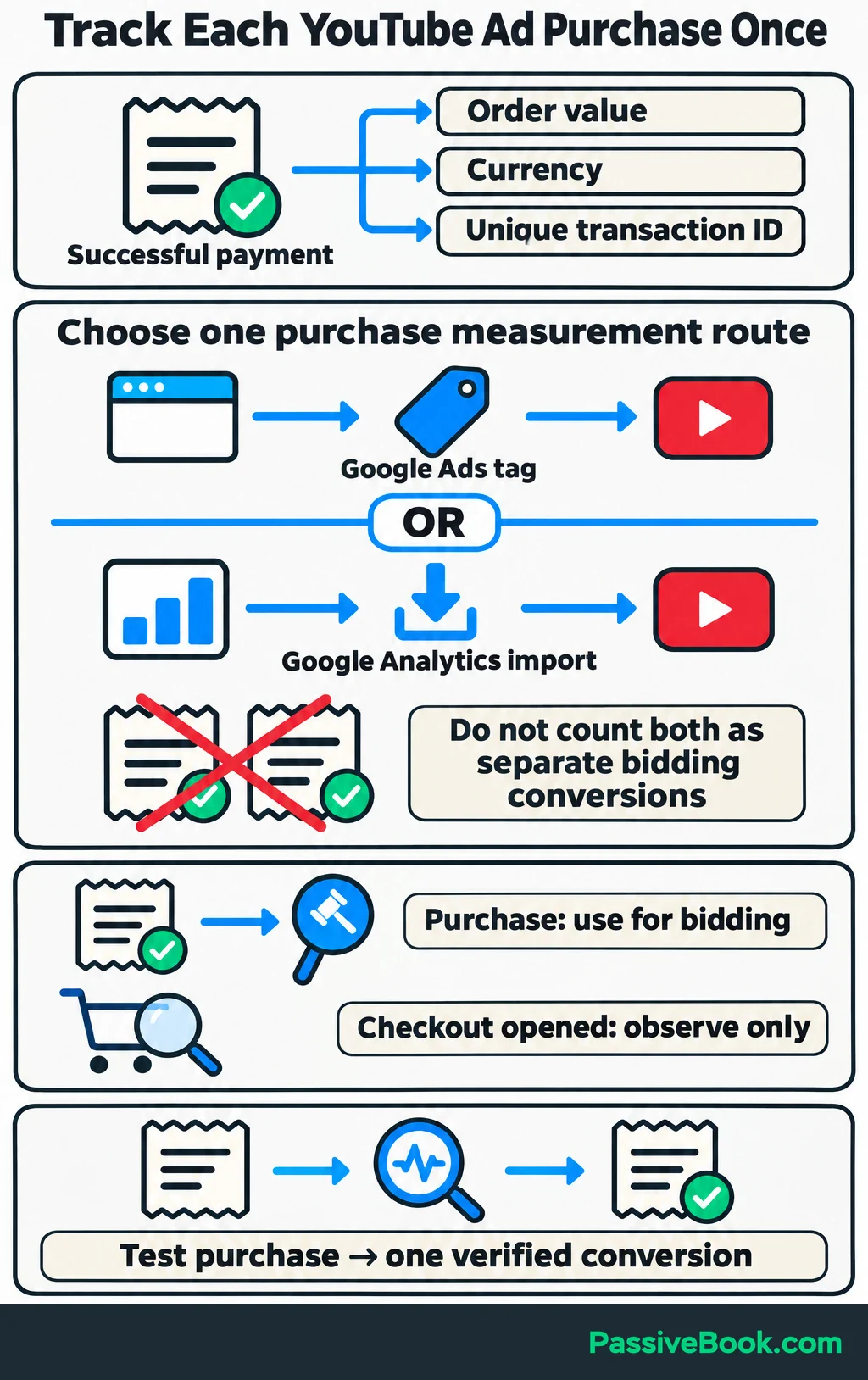
Tell Google to bid for purchases: make the purchase action primary and include its standard purchase goal in the campaign. Keep actions such as opening checkout secondary so you can observe them without steering bids toward incomplete purchases.
I would skip custom goals for this first campaign because they can use secondary actions for bidding. Google’s primary and secondary conversion rules.
Before launch:
- Complete a test purchase or inquiry.
- Use tag or event diagnostics to verify that the completed action fires once.
- Check the value, currency and transaction ID.
- Confirm that the same sale is not counted through both a Google Ads tag and an Analytics import as separate primary conversions.
For a views-only campaign, Google Ads’ video reporting measures viewing. You only need website conversion tracking if you also want to measure actions on your site.
Collect required consent and pass visitors’ choices to Google. If you receive traffic from the European Economic Area, Google requires consent signals for the relevant advertising measurement and personalization uses. Google’s EEA consent requirements.
Build and Launch Your Campaign
Configure Bidding and Budget
Create a campaign using the goal and type chosen earlier. For the course, select Sales, Demand Gen and the purchase conversion goal.
I would start with Maximize conversions when there is no reliable campaign history to support a bidding target. It seeks conversions within the budget.
The course’s $20 acquisition target remains your business evaluation figure. It is not an enforced ceiling under Maximize conversions. Later, a target CPA can guide bidding toward an average acquisition cost, but it still does not cap every purchase’s cost.
For the other main goals:
- Website Visits: Choose Demand Gen with Maximize clicks.
- Video Views: Choose the Video campaign type and Video views, then enter the average amount you are willing to bid for a qualifying view.
- Leads: Use the completed inquiry or lead action as the conversion goal instead of purchases.
Enter your planned budget and dates. Resolve setup requirements within your allowance, and check the purchase goal again before moving on.
Choose Your Audience and Where Ads Appear
Set locations where you can sell and languages supported by both the ad and destination. Do not leave broad defaults in place just because the course is delivered online.
To keep this test on YouTube, use the ad group’s “Channels” settings. Choose “Let me choose,” then select only the YouTube formats you prepared: in-stream, in-feed, Shorts or a combination.
I would start with one audience theme around preparing a first freshwater tank.
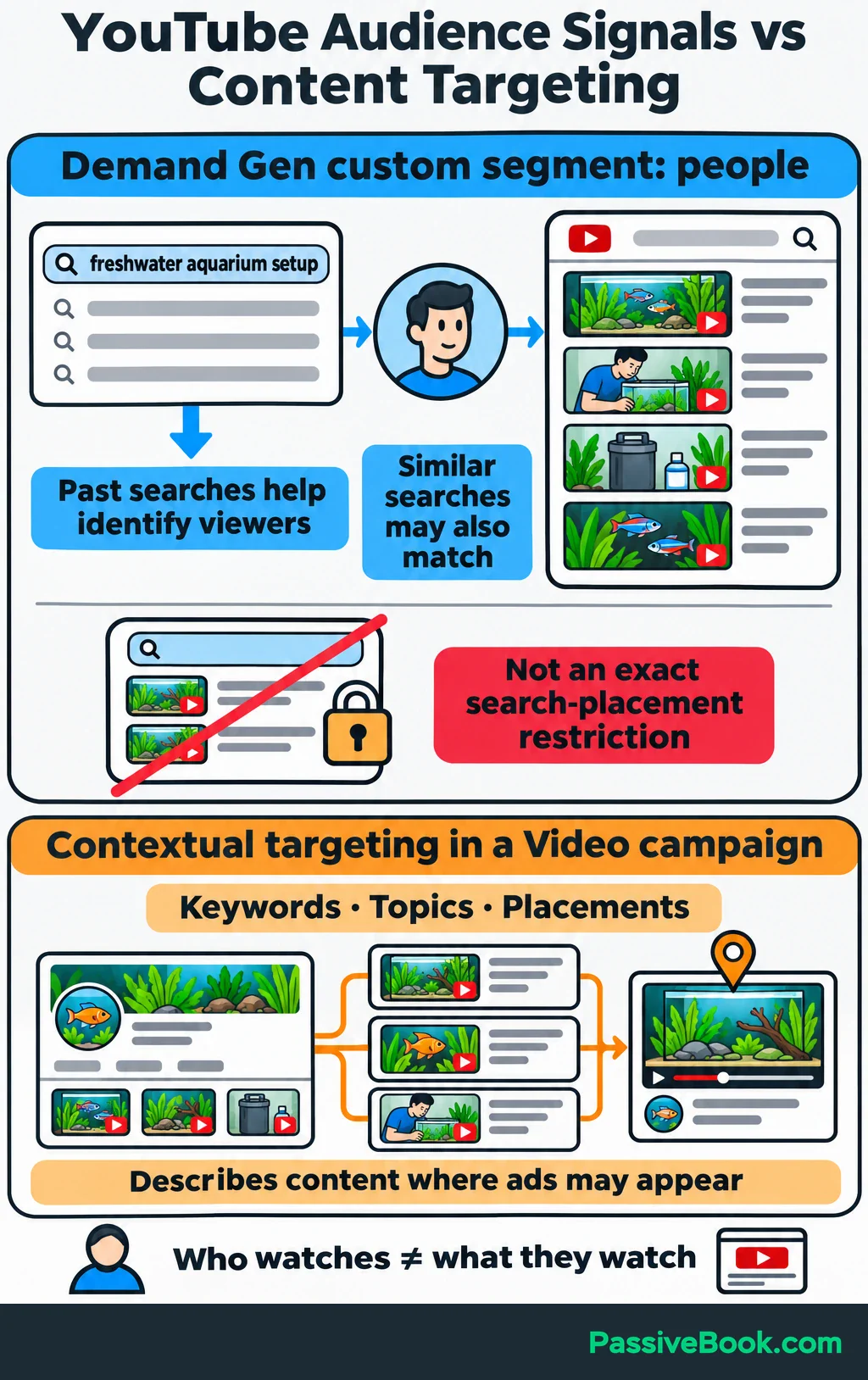
Create a custom segment to group people by their search activity. Use phrases such as:
- “freshwater aquarium setup”
- “first fish tank equipment”
- “beginner aquarium course”
Choose the option for people who searched those terms on Google properties. Google may also match similar searches. These phrases help find viewers based on past searches; they do not make your video appear only when someone types a listed phrase. Google’s custom segment guidance.
Also review optimized targeting. When enabled, it can expand beyond your selected audience signals to seek conversions. For a first test designed to assess this audience theme, I would turn it off. You can test broader discovery later.
If you choose a Video campaign with contextual targeting, keep people and content separate. Audience segments describe viewers; keywords, topics and placements describe content where ads may appear. Review content exclusions for environments you want to avoid.
Add the Ad and Publish
Add the uploaded video, destination URL, business identity, call to action and any other assets the selected format requests.
Preview every selected format and any automatically generated creative versions. Look for cropped demonstrations, tiny text, awkward captions and a call to action that disappears too quickly.
Before publishing, check:
- Goal: Completed purchases are the campaign’s main conversion.
- Spending: The budget type, amount and dates match your test.
- Distribution: Locations, languages and YouTube surfaces are intentional.
- Audience: The selected theme and expansion setting match your plan.
- Destination: The course page and checkout work on common devices and are accessible in targeted locations.
- Message: The page shows the same offer, lesson promise and price as the ad.
Submit the campaign, then check its review and delivery status. Publishing does not mean it is already serving. Resolve disapprovals, billing problems or required account checks before expecting impressions.
Measure Results Against Your Original Goal
Start with spending and delivery. If the campaign is barely serving, sales numbers will tell you little.
Then follow the path from impressions to viewing or clicks, website visits and completed actions. Each stage helps you locate a problem, but the original goal determines success.
Use the measures that fit that goal:
- Views: TrueView views and average CPV.
- Visits: Website visits and cost per visit.
- Leads: Qualified inquiries and cost per qualified lead.
- Sales: Purchases, CPA and return on ad spend, or ROAS.
- Awareness: People reached and average frequency.
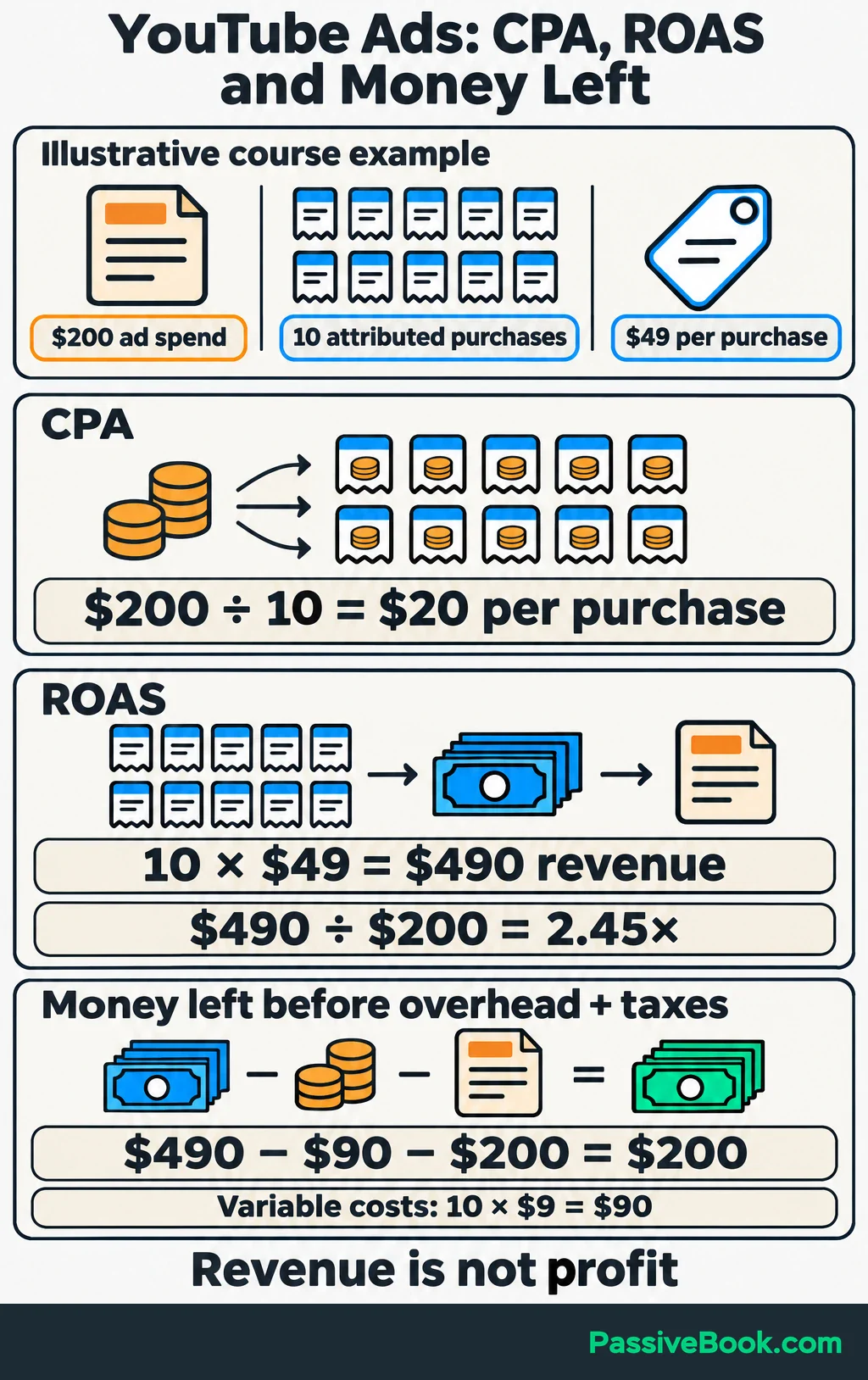
For sales, CPA tells you how much advertising spend went into each attributed purchase. ROAS compares attributed sales revenue with advertising spend.
Suppose the course campaign spends $200 and records 10 attributed purchases worth $49 each:
- CPA: $200 ÷ 10 purchases = $20.
- Attributed revenue: 10 × $49 = $490.
- ROAS: $490 ÷ $200 = 2.45×.
Revenue is not profit. Those 10 sales also carry the assumed $9 variable cost each. Subtracting $90 in variable costs and $200 in advertising from $490 leaves $200 before overhead and taxes.
A simple review record could look like this:
| Date Range | Spend | Primary Result | Cost per Result | Attributed Revenue | Next Action |
|---|---|---|---|---|---|
| Test days 1–10, reviewed after conversion delays | $200 | 10 course purchases | $20 per purchase | $490 | Reconcile orders and run another bounded test before scaling |
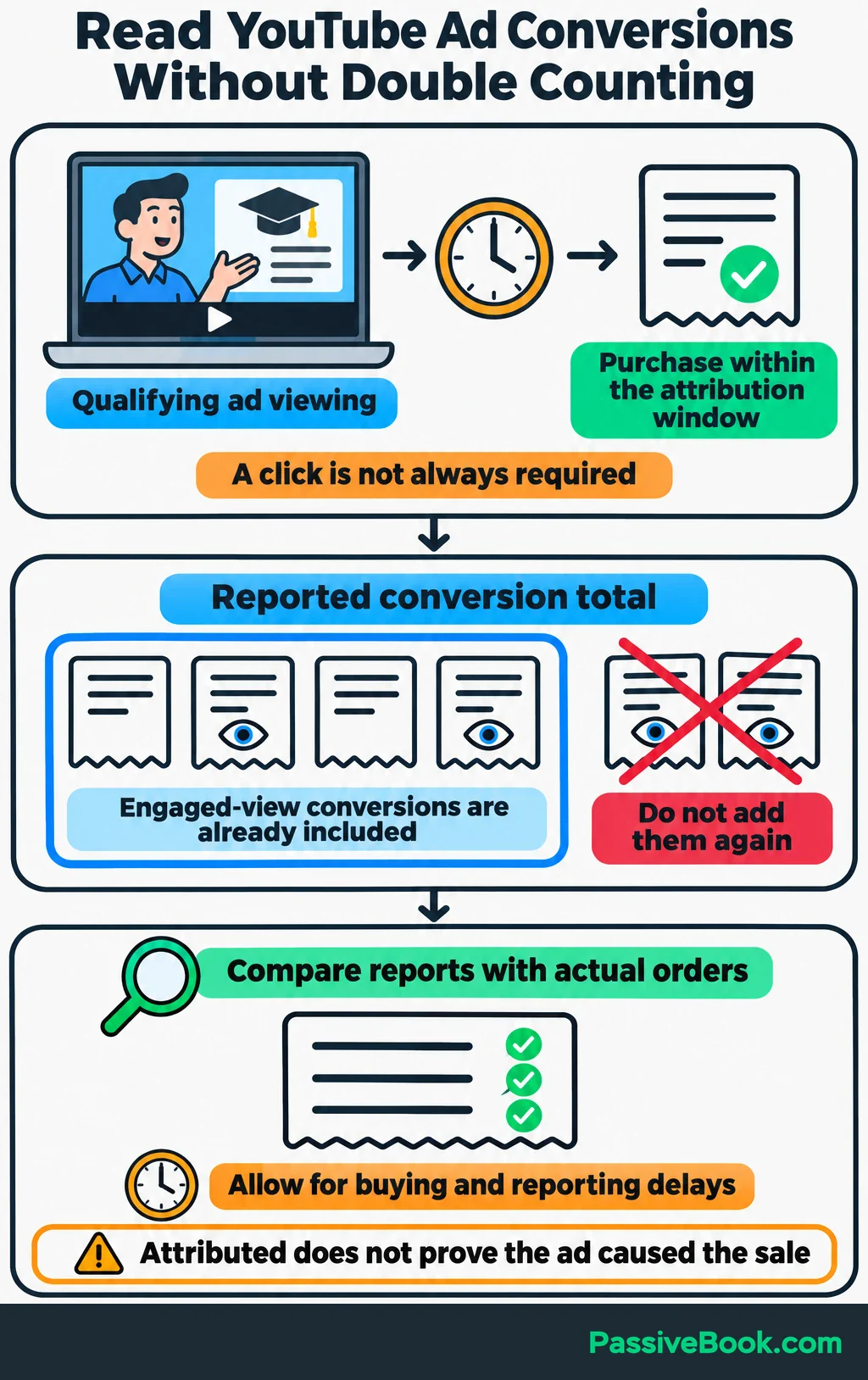
Compare reported purchases with actual orders, and check the attribution window—the period after an ad interaction during which a purchase can receive credit.
A purchase can receive engaged-view credit after qualifying viewing without a click. These conversions are already included in conversion totals, so do not add them again. An attributed sale also does not prove the ad caused a sale that would otherwise never have happened. Google’s engaged-view reporting guidance.
Allow time for people to buy and for reporting to catch up. Google notes that conversion delays and low conversion volume can make recent results look incomplete or unstable. Ten purchases would be useful evidence, but I would not treat them as a settled acquisition cost. Google’s campaign performance guidance.
Improve Results Before Increasing Spend
More budget gives the campaign more room to spend. First, decide whether the current results deserve it.
Fix the Weakest Part of the Campaign
Use the observed problem to choose the next change:
| What You See | What to Check First | A Useful Next Change |
|---|---|---|
| No delivery | Approval, billing, dates, enabled status, restrictive targeting and bids | Resolve a disapproval or billing error, enable the campaign, or correct its dates, targeting or bids |
| Weak viewing or clicking | Opening, pacing and fit between audience and message | Test a clearer opening |
| Weak in-feed response | Thumbnail and headline | Show the problem or lesson more clearly |
| Visits but few purchases | Page promise, lesson details, price, checkout and tracking | Make missing lesson details or pricing easy to find, or repair a checkout error |
| Cheap leads but weak sales | Whether inquiries come from suitable potential buyers | Clarify who the offer serves |
For the course, visits without purchases would send me to the landing page before I filmed another ad. Can visitors immediately see what they will learn, what it costs and whether it suits their experience level?
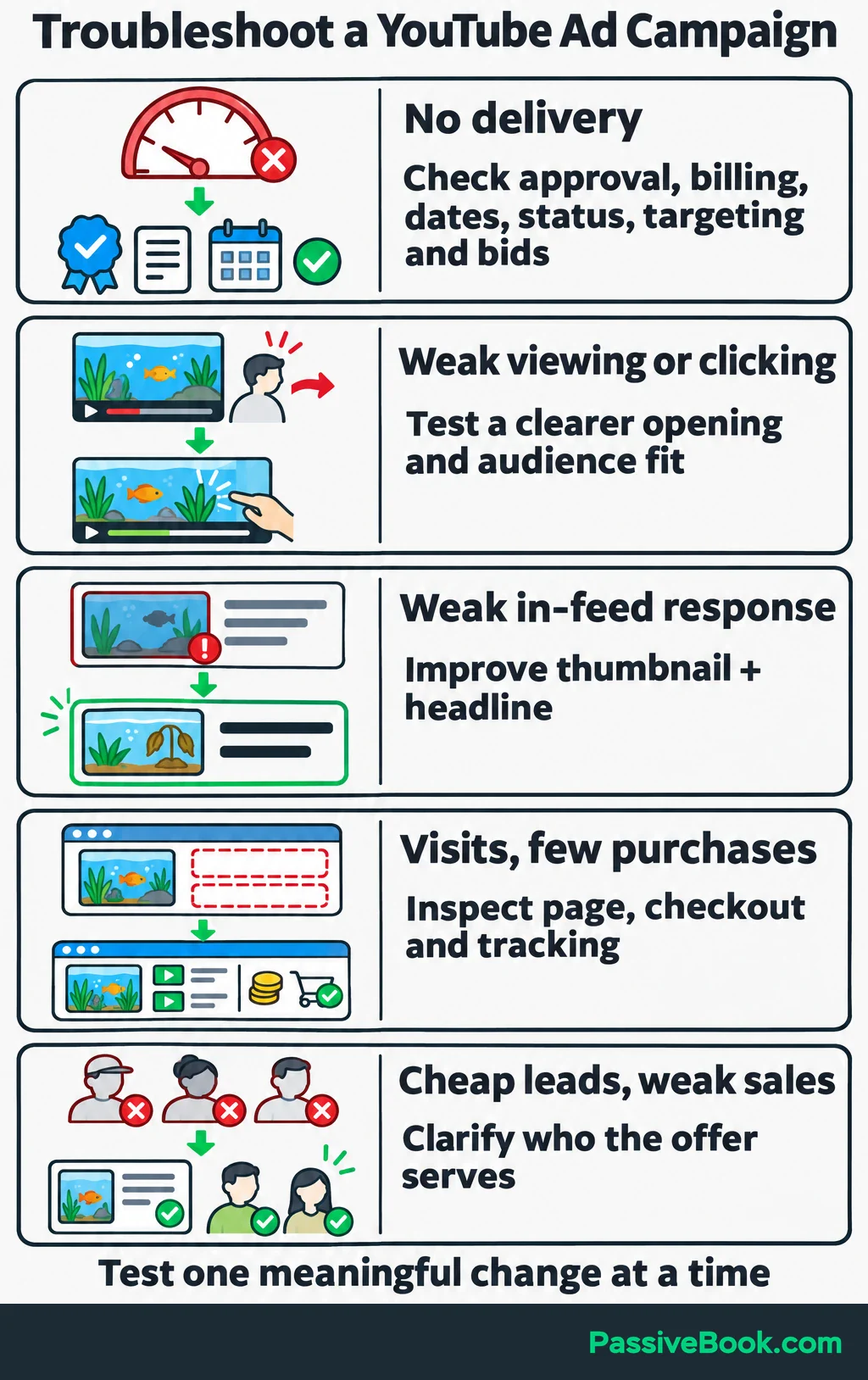
Test one meaningful change at a time and record why you made it. For example: “Show a lesson excerpt earlier because the opening describes the course but never demonstrates it.”
Avoid repeatedly changing bidding, targeting and creative together. Large settings changes can restart learning, and changing everything leaves you with little idea of what helped.
Decide Whether to Pause, Continue, or Scale
Use rules agreed before the campaign started:
- Pause: Tracking breaks, the destination fails or spending reaches the agreed cap. Review the results and correct any tracking or page problem before funding another test.
- Continue: The campaign remains within its allowance and the evidence justifies more observation.
- Scale: Actual sales, customer quality and acquisition cost meet the business target across enough activity to support another spending decision.
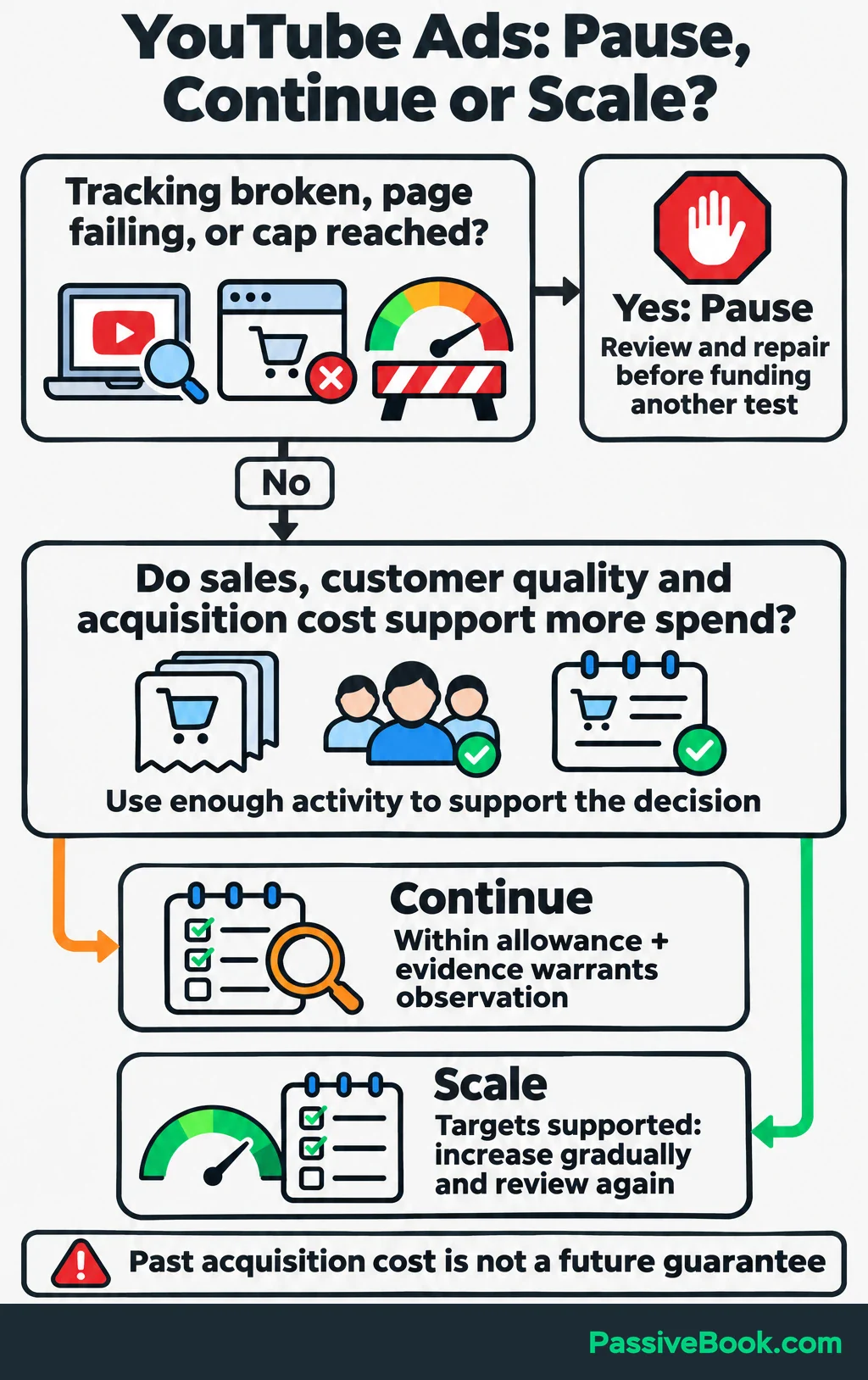
Increase spending gradually and review the same measures again. A larger budget can reach more expensive opportunities, so yesterday’s acquisition cost is not a promise for tomorrow.
Keep one record of the offer, video, audience, spending, conversions, revenue and next change. I would rather have a plain spreadsheet that informs the next campaign than a beautiful dashboard nobody uses to make a decision.
What Next?
Write down one offer, one primary outcome and the maximum amount you can lose on a test. Then check whether your tracking can measure that outcome before you publish.
Use the social buttons to share this guide with a group planning its first campaign, so the budget conversation happens before the spending starts.
Which result would make your first YouTube ad test worthwhile? Leave your answer in the comments, and bring any setup questions with it.
Share this post with your friends & followers:

