Your YouTube ads are getting views, but the orders barely cover what you spent. You could change the audience, replace the video, or increase the budget. The trouble is knowing which change deserves your money.
A cheap view can still lead to an expensive customer, and a healthy-looking revenue report can hide thin margins. The checks and worked example below help you find where your YouTube budget is being wasted, choose a useful test, and judge whether to scale, hold, or pause based on what those orders leave in your business.
Set CPA and ROAS Targets From Your Margins
Before changing the campaign, work out what you can afford to pay for its result.
Cost per acquisition, or CPA, is advertising spend divided by acquisitions. Choose what an acquisition means: a purchase, a new customer, or a qualified lead. These are different outcomes, so don’t mix them in one target.
Return on ad spend, or ROAS, is attributed revenue divided by advertising spend. It measures revenue against ad costs, but it doesn’t tell you what profit remains.
For the running example, imagine you sell insulated lunch bags for commuters. The figures and ad excerpts throughout this guide are illustrations, not benchmarks or forecasts.
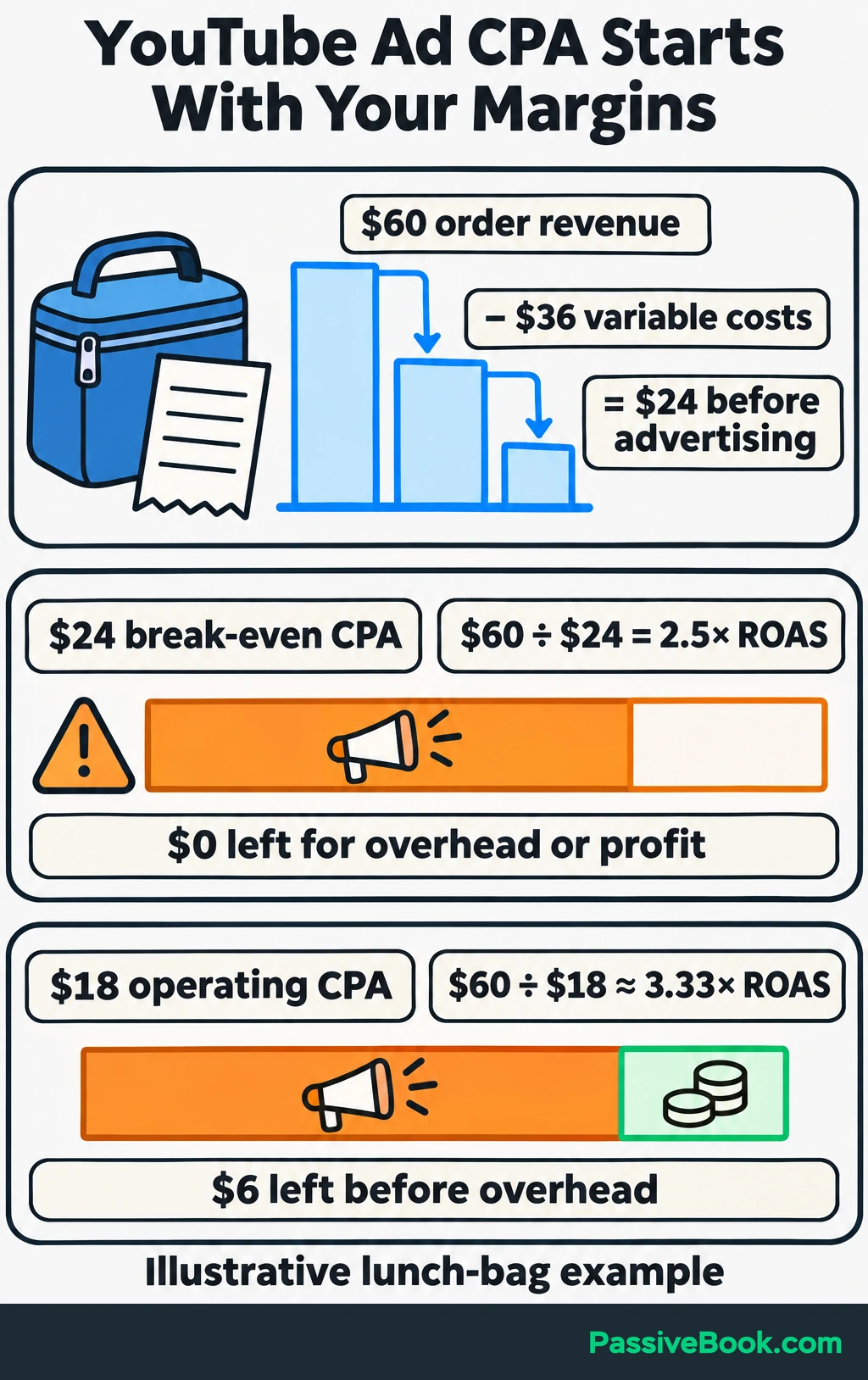
Start with the amount each order leaves before advertising. Subtract product costs, fulfillment, payment fees, and expected returns from order revenue.
| Item | Amount Per Order |
|---|---|
| Order revenue | $60 |
| Variable costs | $36 |
| Contribution before advertising | $24 |
| Operating CPA target | $18 |
| Amount left after advertising, before overhead | $6 |
You can spend $24 to acquire that order before advertising consumes its entire contribution. That is advertising break-even, and it still leaves nothing for overhead or profit.
The corresponding revenue ROAS is $60 ÷ $24 = 2.5×. At the more useful operating target of $18 per purchase, ROAS is about 3.33×.
I would use the operating target to guide spending. Breaking even on advertising while ignoring everything else is a fairly expensive way to stay busy.
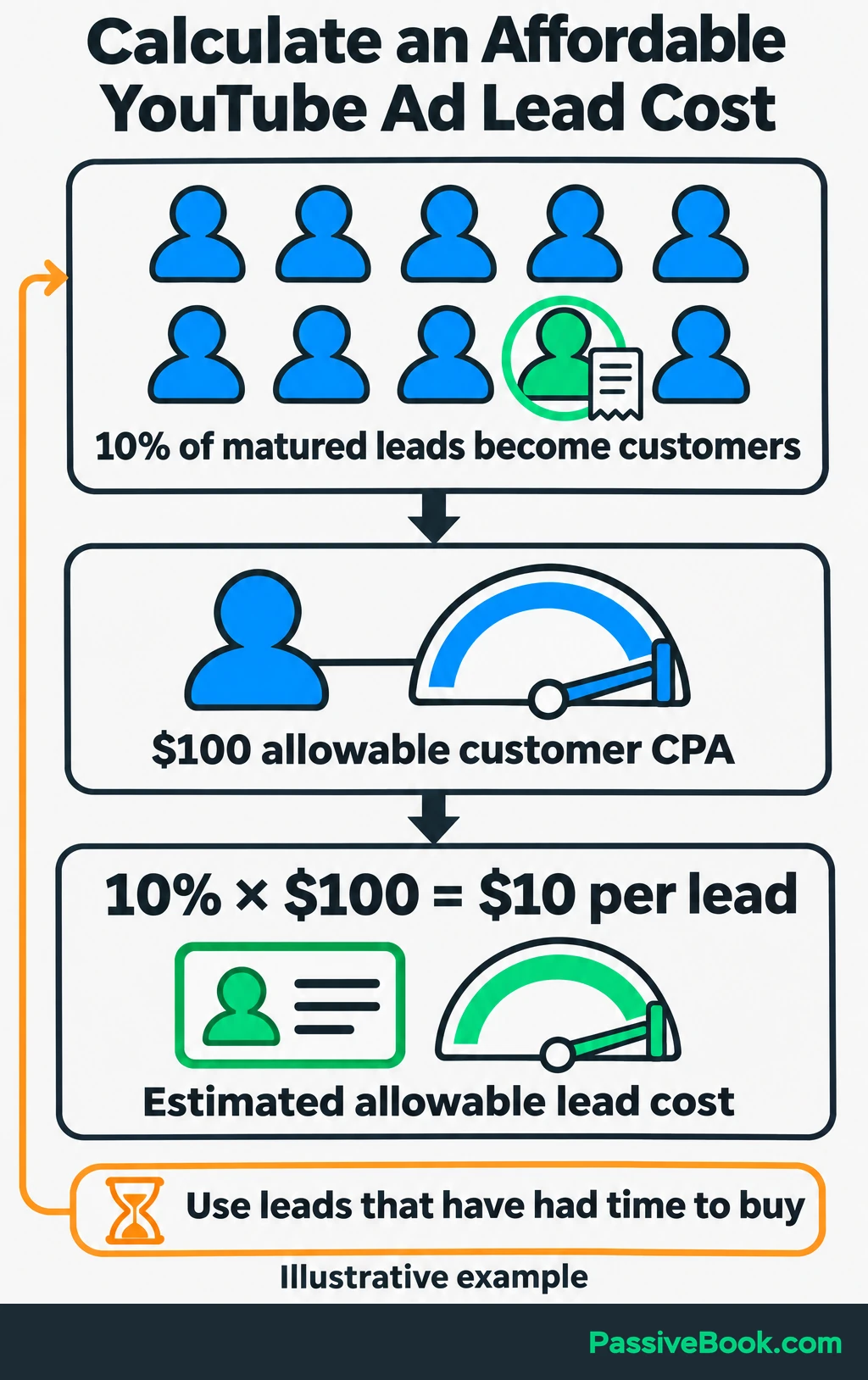
If you collect leads, start with a group that has had enough time to buy. Divide the number of those leads who became customers by all leads in that group. If 10% became customers and you can afford $100 to acquire each customer, you can afford an estimated $10 per lead.
Likewise, only let repeat purchases justify higher acquisition costs when your records show that repeat contribution. An optimistic spreadsheet cannot place another order.
Verify What the Campaign Counts as a Conversion
A campaign can report improving conversions while optimizing for something you don’t want to buy.
Complete a test purchase and inspect the tracking with Google’s Tag Assistant, a tool for checking website tags. Confirm that:
- The event fires after a completed purchase.
- One order produces one purchase event.
- The correct order value and currency are sent.
- Each order sends its own unique transaction ID.
Check for overlapping purchase tracking, especially when both a Google Ads tag and an Analytics import record sales. Google’s transaction-ID deduplication works within the same conversion action, so two separate purchase actions still need review. Google’s transaction-ID guidance
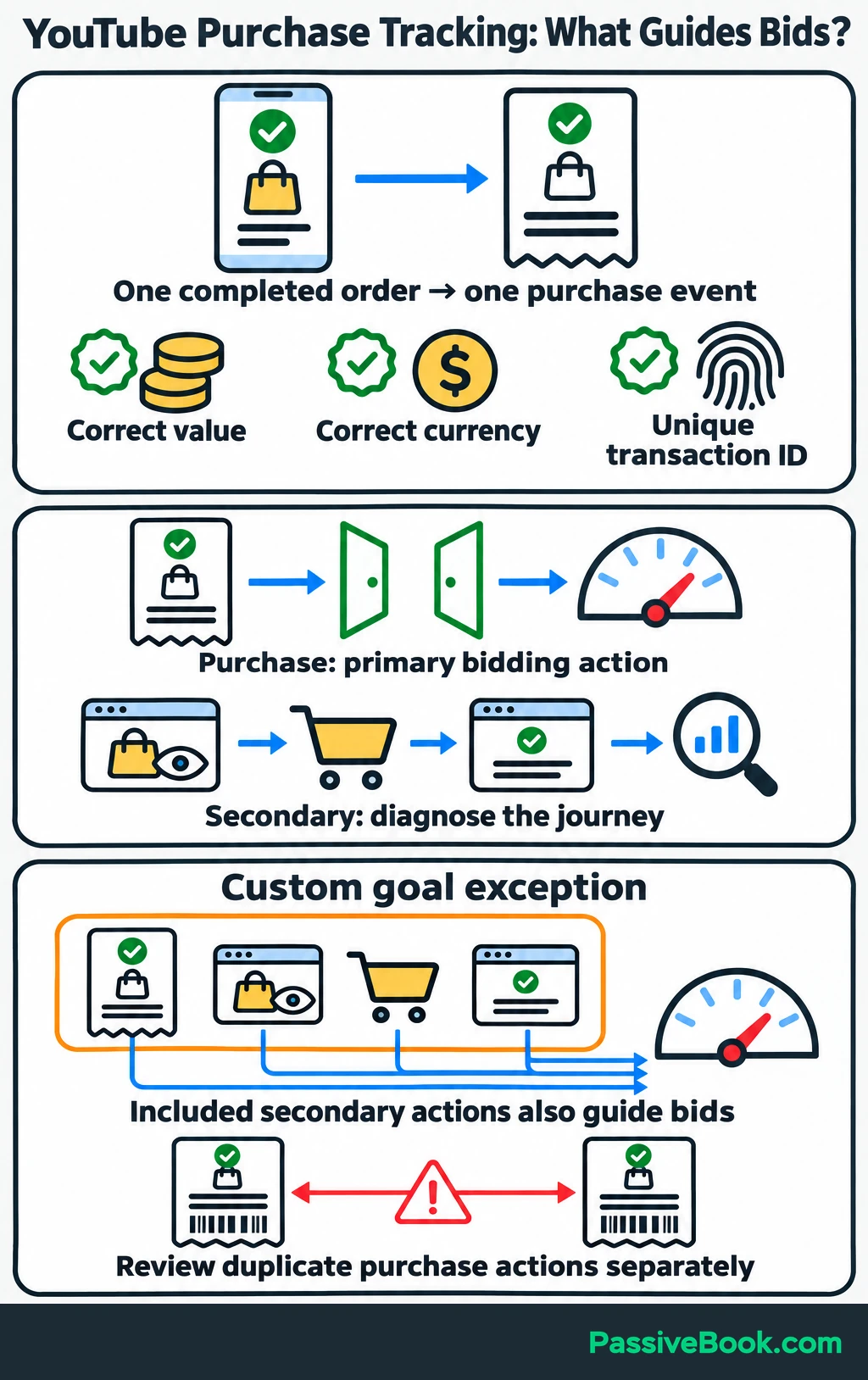
Next, inspect which conversion actions the campaign uses for bidding. For the lunch-bag store, completed purchases should be the primary action that guides bids. Keep product views, add-to-carts, and checkout starts as secondary actions for diagnosis.
If the campaign uses a custom goal—a hand-picked set of conversion actions—review every action it contains. Even actions marked secondary influence bidding when included in that custom goal. Google’s primary and secondary conversion guidance
Also separate purchases attributed after an ad click from engaged-view conversions. An engaged-view conversion can follow qualifying video engagement without a website click. Both can appear in conversion reporting, but they describe different paths to a purchase. Google’s engaged-view conversion definitions
Keep those definitions and attribution windows consistent when comparing campaigns. Reconcile attributed revenue with store orders, but don’t add Google’s claimed sales to another platform’s claimed sales and call the total revenue. Both may claim credit for the same order.
Once basic tracking works, consider enhanced conversions, which supplement measurement using hashed first-party customer information. Check the diagnostics after setup and meet the disclosure and consent requirements for sharing that data. Google’s enhanced conversions overview
Find the Biggest Source of Wasted Spend
Start your review with spend, purchases, conversion value, CPA, and ROAS. Then use views, clicks, visits, and checkout activity to explain the result.
Choose a period that gives purchases time to appear. Recent spend is visible before every resulting conversion has arrived, so the latest days can look worse than they eventually prove to be. Check your campaign’s observed conversion delay rather than assuming yesterday’s figures are complete. Google’s conversion-delay guidance
Low purchase volume also calls for patience. One order can change a small segment’s CPA dramatically. That is weak evidence for excluding an entire audience.
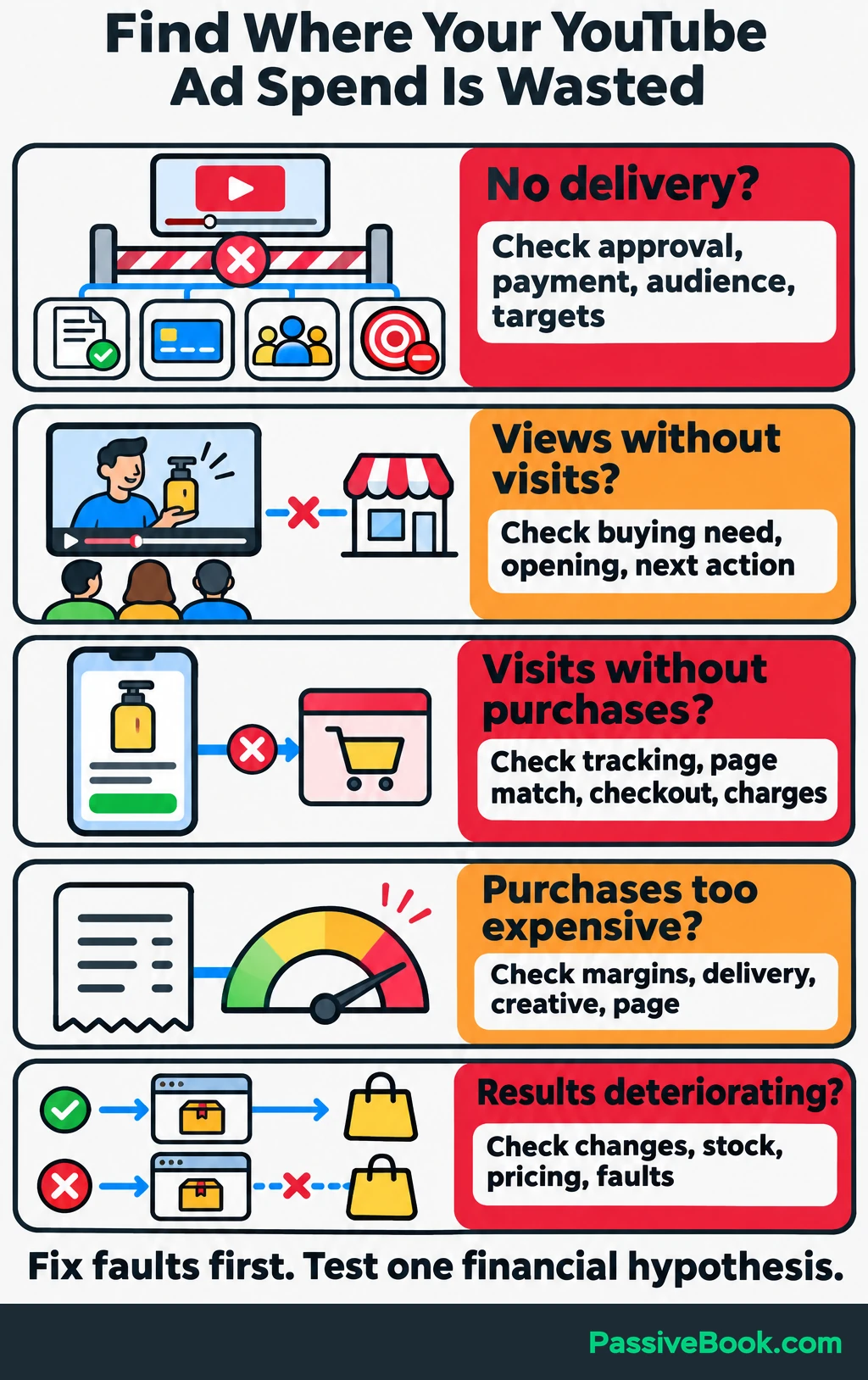
Use this table to choose where to investigate first.
| Performance Symptom | First Checks | Change to Test | Success Metric |
|---|---|---|---|
| Little or no delivery | Ad approval, payment issues, audience size, restrictive bid targets | Remove an accidental restriction or test a target supported by past results | Delivery resumes and evaluated purchase CPA stays affordable |
| Views without visits | Audience need, opening, product visibility, next action | Show the product earlier and clarify why to visit | More relevant visits, followed by affordable purchases |
| Visits without purchases | Tracking, ad-to-page match, mobile checkout, shipping charges | Fix a broken step or answer the biggest buying question | Purchase rate among comparable paid visits |
| Purchases above allowable CPA | Order value, margins, audience delivery, creative, page friction | Test the largest plausible cause of expensive orders | Purchase CPA reaches the operating target |
| Previously profitable results deteriorate | Recent changes, inventory, pricing, website faults, delivery mix | Repair the fault or test the suspected source of decline | Purchase efficiency recovers over a comparable period |
Fix broken tracking or checkout immediately. Otherwise, choose the largest avoidable financial loss and write one hypothesis.
For the lunch-bag store:
Visitors may be leaving because the ad shows a packed bag, but the product page doesn’t show what fits. Adding the same capacity demonstration near the purchase button should help more paid visitors buy.
That gives you a change to make and a business result to assess. “Improve engagement” gives you neither.
Align Campaign Type, Bidding, and Budget With Sales
Use a Campaign That Optimizes for the Intended Outcome
Check what the existing campaign is built to pursue. A Video Views campaign seeks views. If your purpose is sales, use a campaign setup and bidding goal designed for conversions.
Demand Gen, a Google Ads campaign type that can optimize for purchases across YouTube and other placements, replaced Video Action campaigns. Older tutorials may describe controls that no longer match your account. Google’s Video Action migration guidance
Confirm where the campaign can spend, too. If this budget is specifically for YouTube, select YouTube through the ad group’s channel controls, which also let you choose individual formats. Google’s Demand Gen channel controls
In-stream ads play before, during, or after videos. In-feed ads appear in feeds and search results, while Shorts ads run between Shorts. Google’s video format definitions
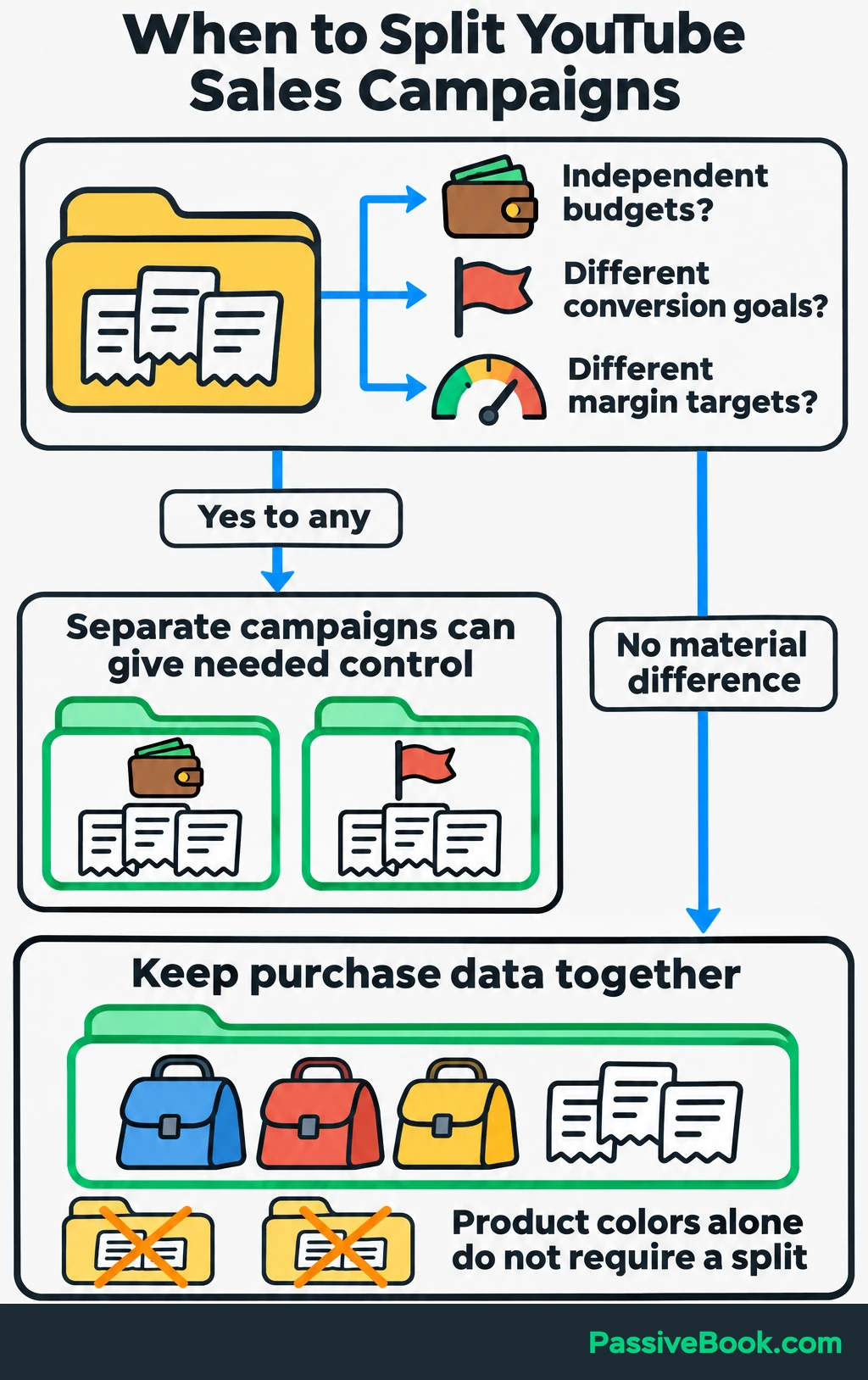
Keep the structure simple enough to support useful decisions. The lunch-bag store doesn’t need a separate campaign for every color.
Separate campaigns when you need independent budgets, different conversion goals, or different margin targets. Otherwise, unnecessary splits spread limited purchase data across more campaigns.
Match Bidding to Conversion Volume or Value
Choose bidding according to the result you can measure reliably.
| Bidding Approach | What It Pursues | When I Would Consider It |
|---|---|---|
| Maximize Conversions | More conversions within the budget | Purchases have broadly similar economic value |
| Target CPA | Conversions at an average cost target | Purchase history supports a realistic acquisition target |
| Maximize Conversion Value | More measured conversion value within the budget | Order values vary and tracking sends accurate values |
| Target ROAS | Conversion value at an average return target | Value tracking, qualifying history, and business economics support it |
Target CPA does not cap the cost of every purchase. Target ROAS does not guarantee profit. Treat both as average efficiency goals.
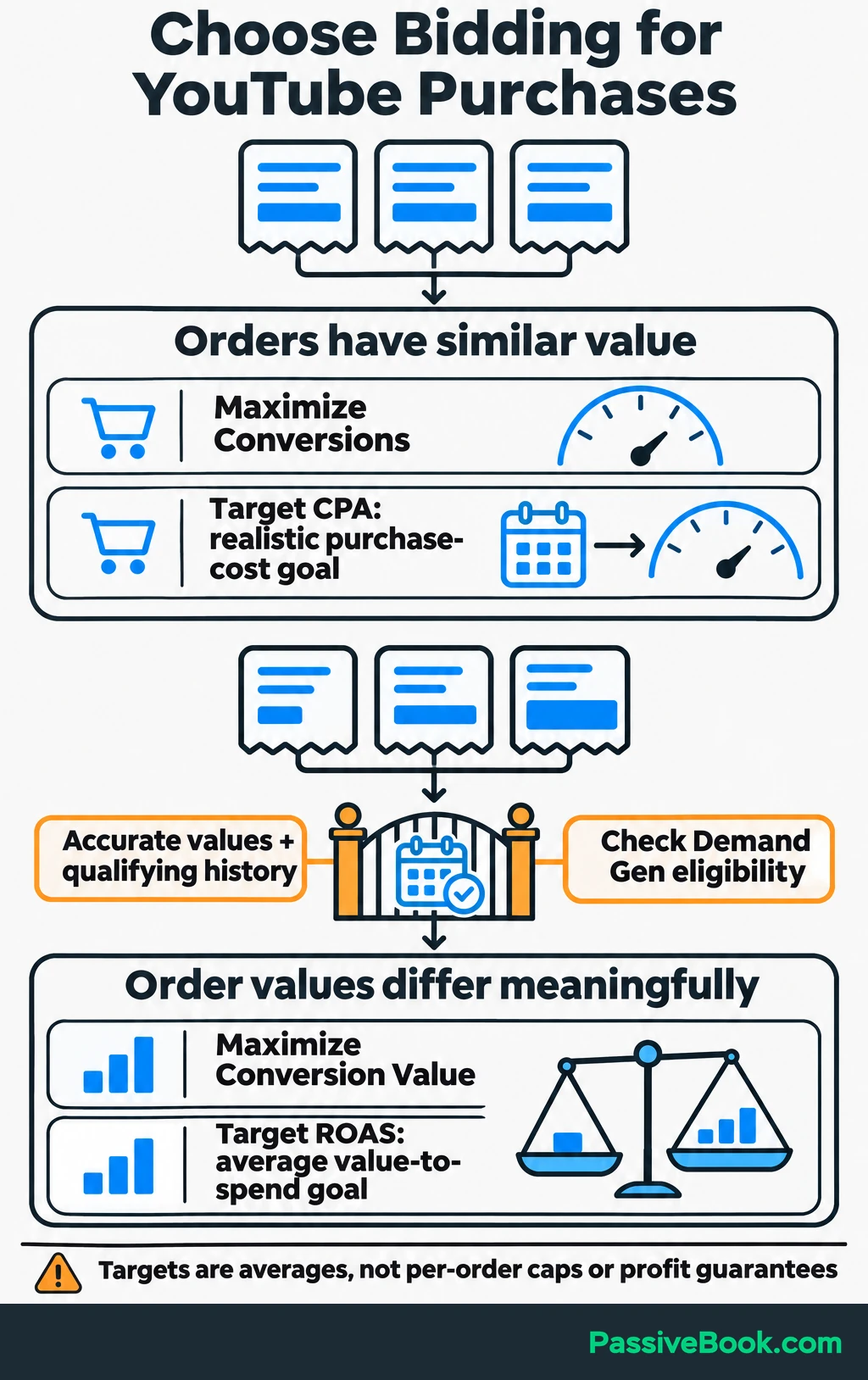
Demand Gen requires qualifying conversion-value history for both Maximize Conversion Value and Target ROAS. Check eligibility before planning a switch, and keep the existing setup sending accurate purchase values while that history builds. Google’s value-based bidding requirements
For the lunch-bag store, I would favor purchase-volume bidding while order values remain similar. More complicated bidding earns its place when the values differ enough to affect the decision.
If delivery stalls, inspect tracking, audience restrictions, demand, and target realism before loosening the target. Your allowable CPA remains a business constraint even when the campaign would happily spend more.
Keep Testing Within an Affordable Spending Allowance
Set a total test allowance separately from the daily budget. This is the amount you can afford to spend on the question, including an inconclusive answer.
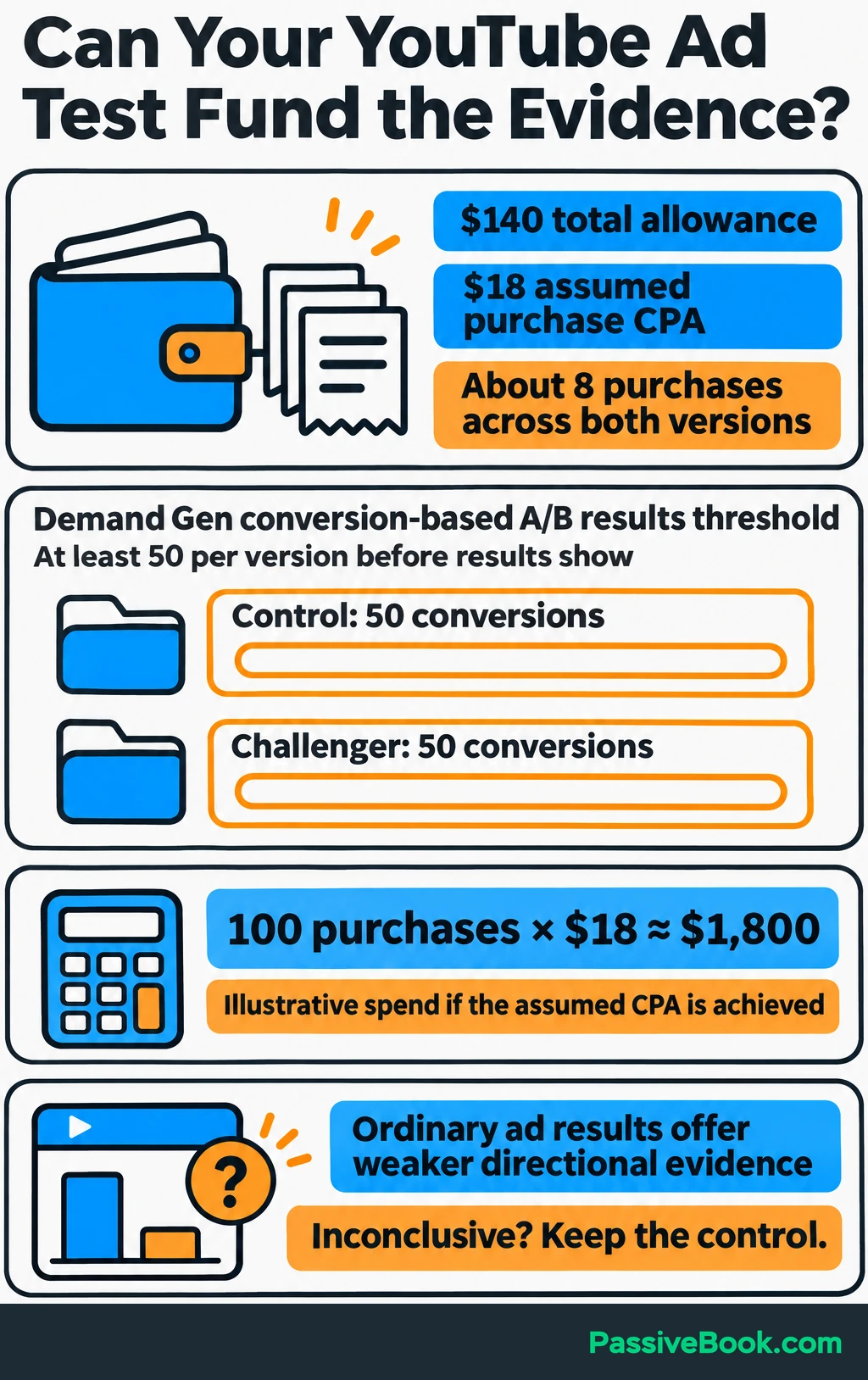
Suppose the lunch-bag store allows $140 for a test. At an assumed $18 CPA, that represents roughly eight purchases across the whole test if that CPA is achieved. Splitting it among six videos and four audiences would leave very little evidence anywhere.
I would fund one meaningful comparison.
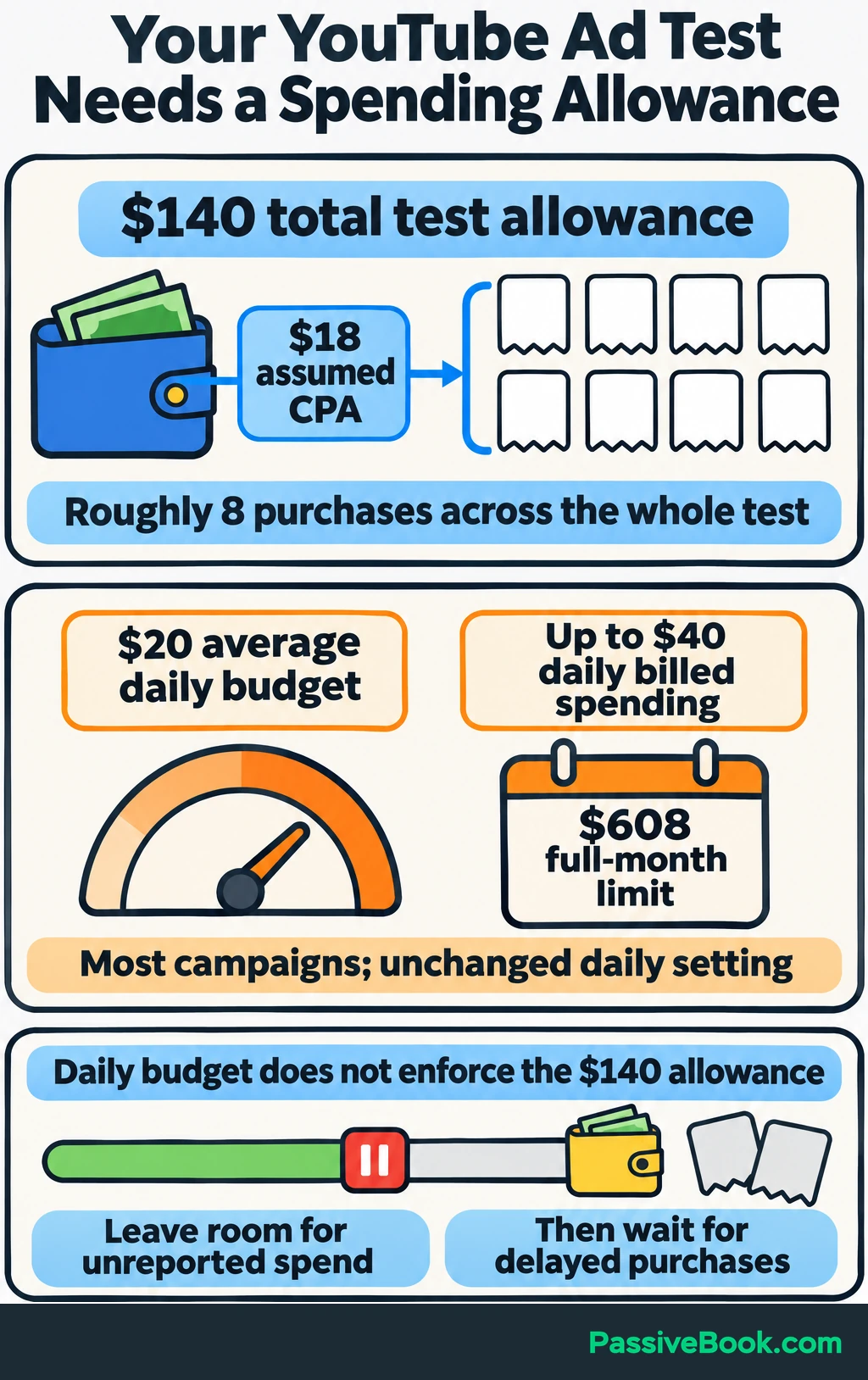
Also remember that an average daily budget is an average. For most campaigns, an unchanged $20 daily setting permits up to $40 in daily billed spending and a $608 full-month limit. Those limits do not enforce your separate $140 test allowance. Google Ads spending limits
Monitor cumulative spending and pause before the allowance is used up, leaving room for spend that has not yet appeared in the report. Then let outstanding conversions arrive before judging the result.
A small budget can support useful diagnosis. It cannot guarantee a decisive experiment.
Refine Targeting Around Buyers and Actual Delivery
Test a Clear Buying Need
Describe the buying situation before choosing an audience.
For the lunch-bag store, “people interested in cooking” is broad. “People researching insulated bags for taking lunch to work” connects more closely to the purchase.
Use a custom segment—an audience Google builds from inputs such as search terms or website addresses—to reach people with that buying need. Illustrative inputs might include “insulated lunch bag for work” and “lunch bag that fits meal prep containers.”
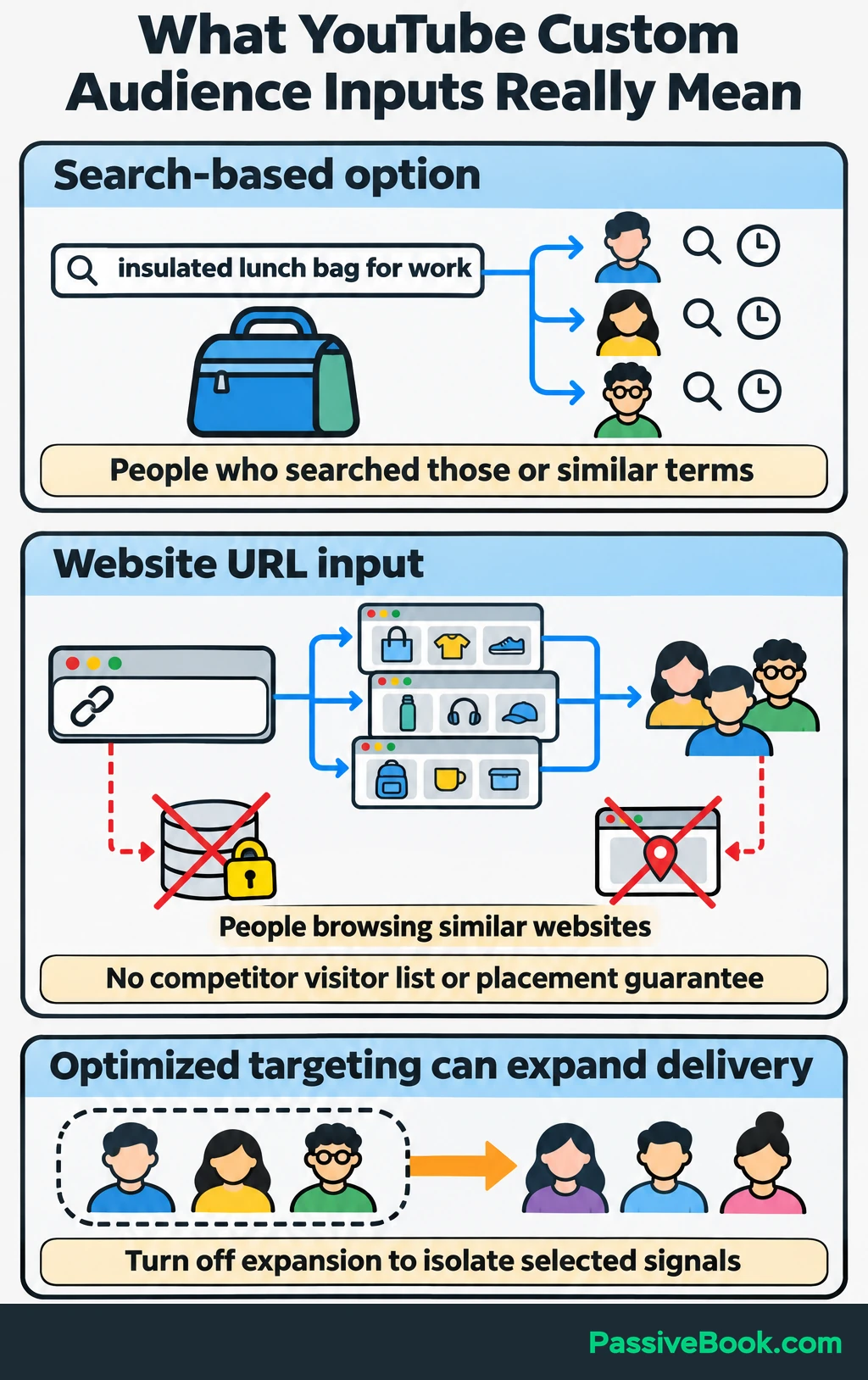
Check which custom-segment option you select. Search-based inputs can reach people who searched those or similar terms on Google properties. Website URL inputs identify people browsing similar websites; entering a competitor’s URL does not give you its visitor list or place your ad on that website. Google’s custom-segment definitions
Then inspect optimized targeting. It can reach beyond your selected audience signals. Turn it off when the purpose is to isolate those selections, and assess expansion separately when you want to find additional buyers. Google’s optimized targeting guidance
The distinction matters because a profitable campaign using expansion does not prove that your chosen segment alone produced the result.
Separate Prospecting From Returning-visitor Messaging
People discovering the product need a reason to care. People who already inspected it may need an unanswered question resolved.
For prospecting, demonstrate how the bag fits into the workday. For product-page visitors, show its capacity or how the lining cleans. Someone who abandoned checkout may need clear delivery information more than another introduction.
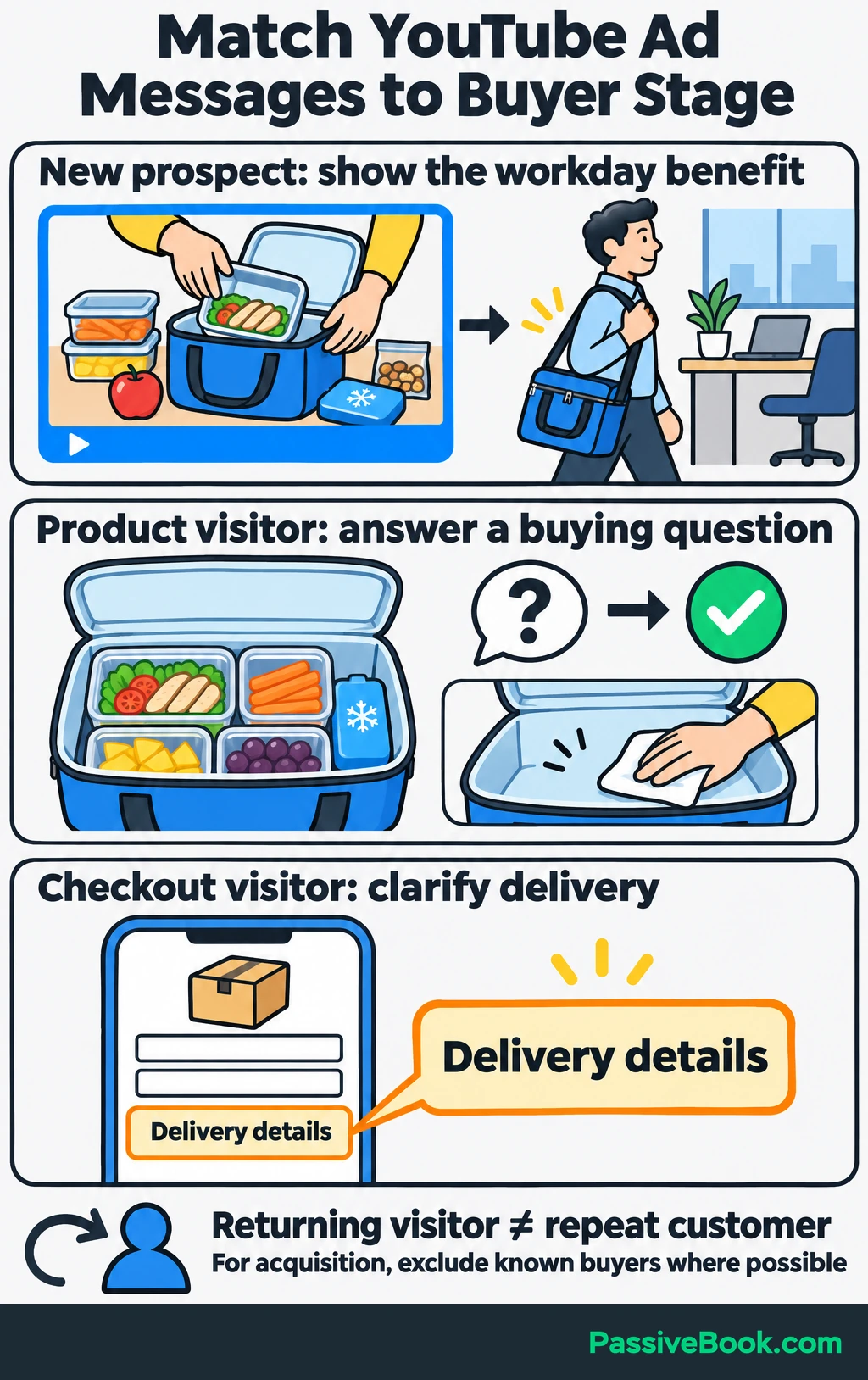
Choose an audience membership period that fits the buying cycle, and make sure the audience is large enough to serve.
Returning visitors can still be first-time customers. If the campaign’s purpose is acquiring new customers, exclude known purchasers where your available data and controls allow it.
Keep new-customer and repeat-customer economics separate in your review, but don’t automatically create more campaigns. A reporting distinction only needs a separate campaign when it requires separate spending control.
If you plan to use uploaded customer lists through Customer Match, check account eligibility first. Access to targeting differs from access to exclusions, and the data must meet Google’s collection, disclosure, and consent requirements. Google’s Customer Match policy
Inspect Where the Campaign Actually Spends
Your selected audience describes your intention. Delivery reports show where the money went.
Compare geographic delivery with the places you ship to, and confirm that the language settings suit the offer. Review devices and schedules, but avoid excluding a segment because of one expensive purchase.
For Demand Gen, separate YouTube results from other channels before describing the whole campaign as YouTube performance. Within YouTube, inspect in-stream, in-feed, and Shorts results.
Also review placements and content suitability. Exclude delivery for a clear reason, such as content unsuitable for your brand or a location you cannot serve.
I would skip long exclusion lists assembled from guesswork. Every restriction should earn its place through a business reason, and its effect on reach and acquisition cost deserves a review.
Test Video Creative That Produces Purchases
Make the Buyer, Benefit, and Next Action Clear
Give viewers a recognizable problem, show the product early, and demonstrate a reason to buy. End with one clear next action.
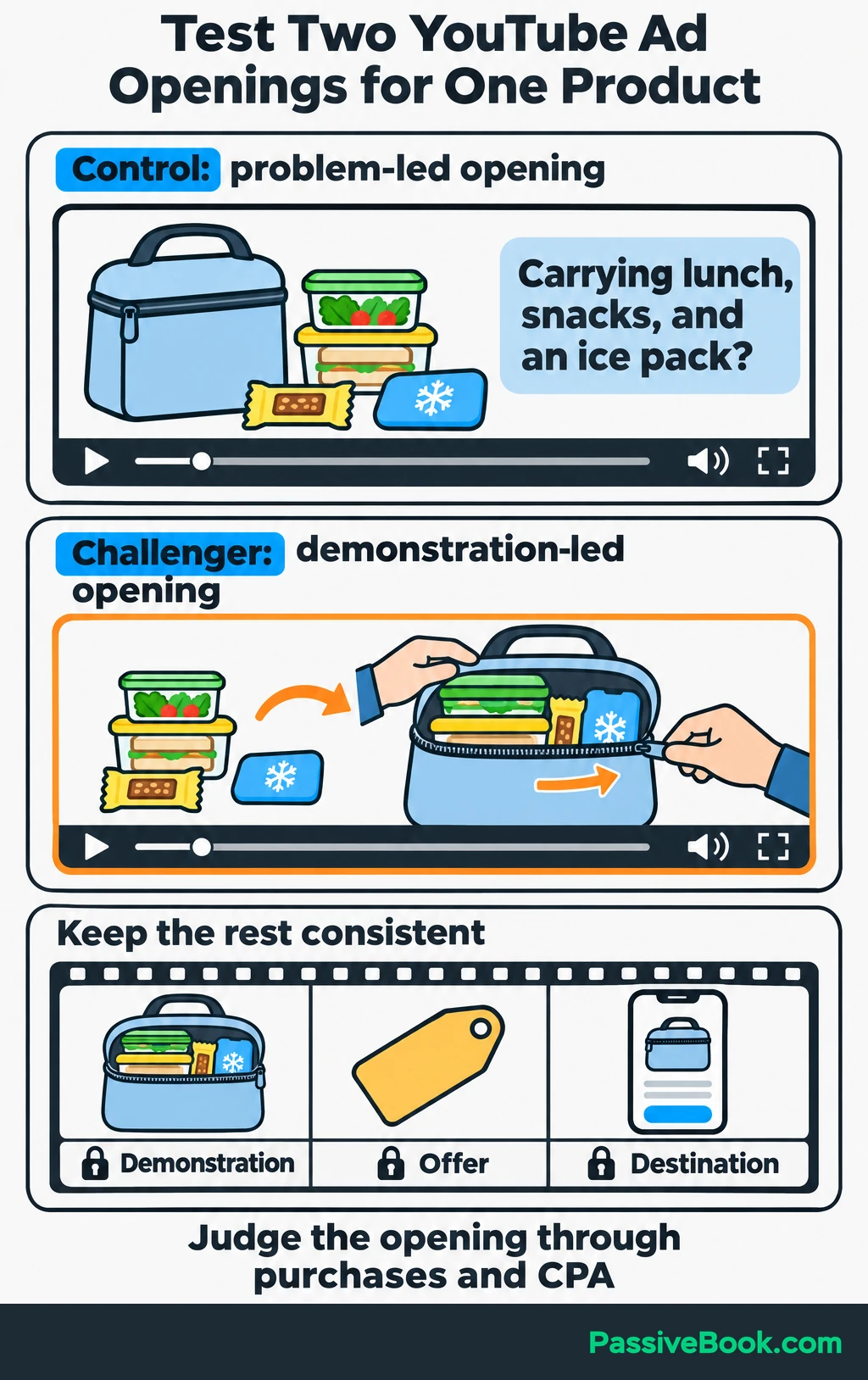
For the lunch-bag store, compare these openings:
- Problem-led opening: “Carrying lunch, snacks, and an ice pack?” Show the items beside the bag.
- Demonstration-led opening: Show those same items fitting inside, then close the zip.
Keep the rest of the demonstration, offer, and destination consistent. Otherwise, you won’t know which difference deserves credit.
If choosing the change is easier than writing it, AI Video Studio can draft a challenger around your existing footage. It marks what to replace and what to leave alone.

Free AI Video Studio




After testing the opening, test another meaningful buyer concern. Capacity versus cleaning is useful because each answers a purchase question. Moving the logo a little to the left probably deserves less of your afternoon.
There is evidence that tailored creative can improve business results. Google’s historical Decathlon case reported 51% higher ROAS in Singapore after generic video ads were replaced with tailored ads. The comparison covered one month before and one month after, with Search ads active in both periods, so it does not isolate creative as the sole cause or establish an expected uplift. Original Decathlon case report
My takeaway is to test whether the message answers a specific buying need. I would not turn that result into a forecast for a lunch bag.
Record reusable demonstrations, voice-over, and calls to action in one session. You can show hands packing the product without making the owner the star.
Adapt the Creative to Its Format
Prepare deliberate horizontal and vertical versions. A wide product shot cropped into a narrow frame may hide the detail that makes the demonstration useful.
Preview each intended placement and check:
- Text remains readable on a phone.
- Captions carry the meaning when audio is unavailable.
- Product details stay visible.
- Platform controls don’t cover the next action.
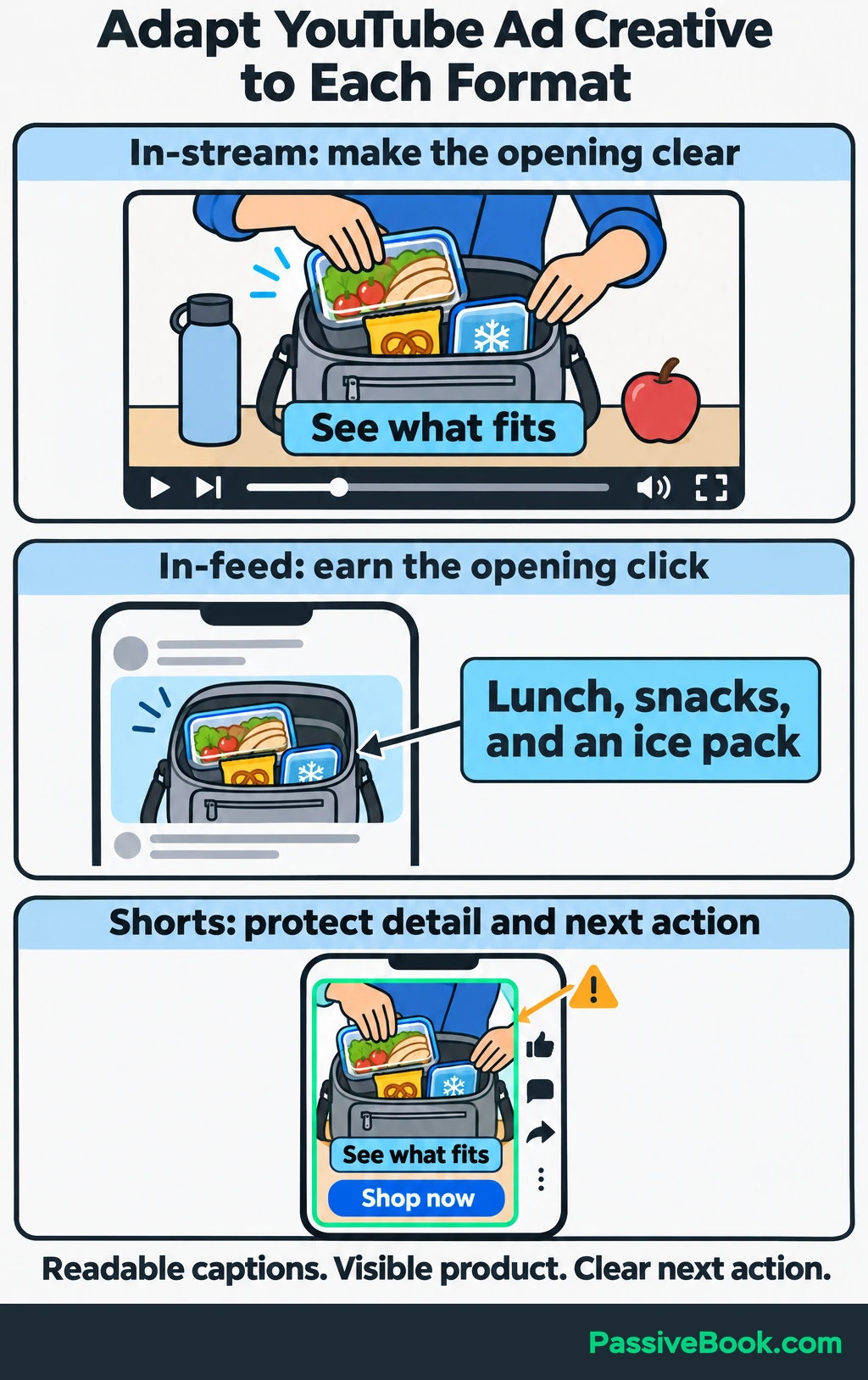
For in-feed ads, make the thumbnail and headline explain why the video is worth opening. For in-stream and Shorts, make the opening understandable immediately.
Compare creative within comparable formats. A stronger click rate can help locate an improvement, but the final decision still comes back to purchases, CPA, and conversion value.
Compare a Control With One Challenger
Before launching, record the current version (the control), one proposed change (the challenger), and the rule for deciding what happens next.
For the lunch-bag opening test, that could be:
| Test Item | Decision |
|---|---|
| Hypothesis | Showing packed capacity immediately will attract visitors who understand what the bag offers |
| Control | Problem-led opening |
| Challenger | Demonstration-led opening |
| Primary business metric | Purchase CPA |
| Spending allowance | $140 across the comparison |
| Keep condition | Lower purchase CPA than the control, within the $18 target, with enough purchases to support the decision after allowing for conversion delay |
| Stop condition | Allowance reached, checkout breaks, or tracking becomes unreliable |
Keep the audience, offer, destination, and other major settings stable while testing the opening.
Demand Gen A/B experiments split traffic between versions for a controlled comparison. With conversion-based bidding, Google requires at least 50 conversions per version before it can show results. Budget for both versions and keep purchases as the outcome if purchases are the question you need answered. Google’s Demand Gen experiment requirements
The $140 allowance cannot fund that purchase volume at the assumed CPA. I would use fewer variations and treat ordinary ad-level results as direction for the next decision. Unequal delivery means they are weaker evidence than a controlled experiment.
An inconclusive test is a valid outcome. Keep the control and record what remains uncertain.
Check audience delivery, pricing, availability, and the website before blaming the video for a sustained rise in purchase CPA. Refresh the message if those checks point to it. An old video is not automatically a tired video.
Fix Landing-Page Friction That Blocks Sales
Carry the ad’s promise onto the destination. A lunch-bag demonstration should lead directly to the relevant product page, where visitors can inspect capacity, dimensions, cleaning instructions, delivery terms, returns, and the purchase action.
I once reviewed a digital-product page where I had explained the contents but buried the file format near the bottom. I knew how the download worked, so I had treated that detail as obvious. Moving it beside the purchase button made the offer clearer. I hadn’t run a controlled test, so I couldn’t claim a sales lift, but I had removed an unnecessary question.
Apply that check to the lunch-bag page: what does the buyer need to know before paying?
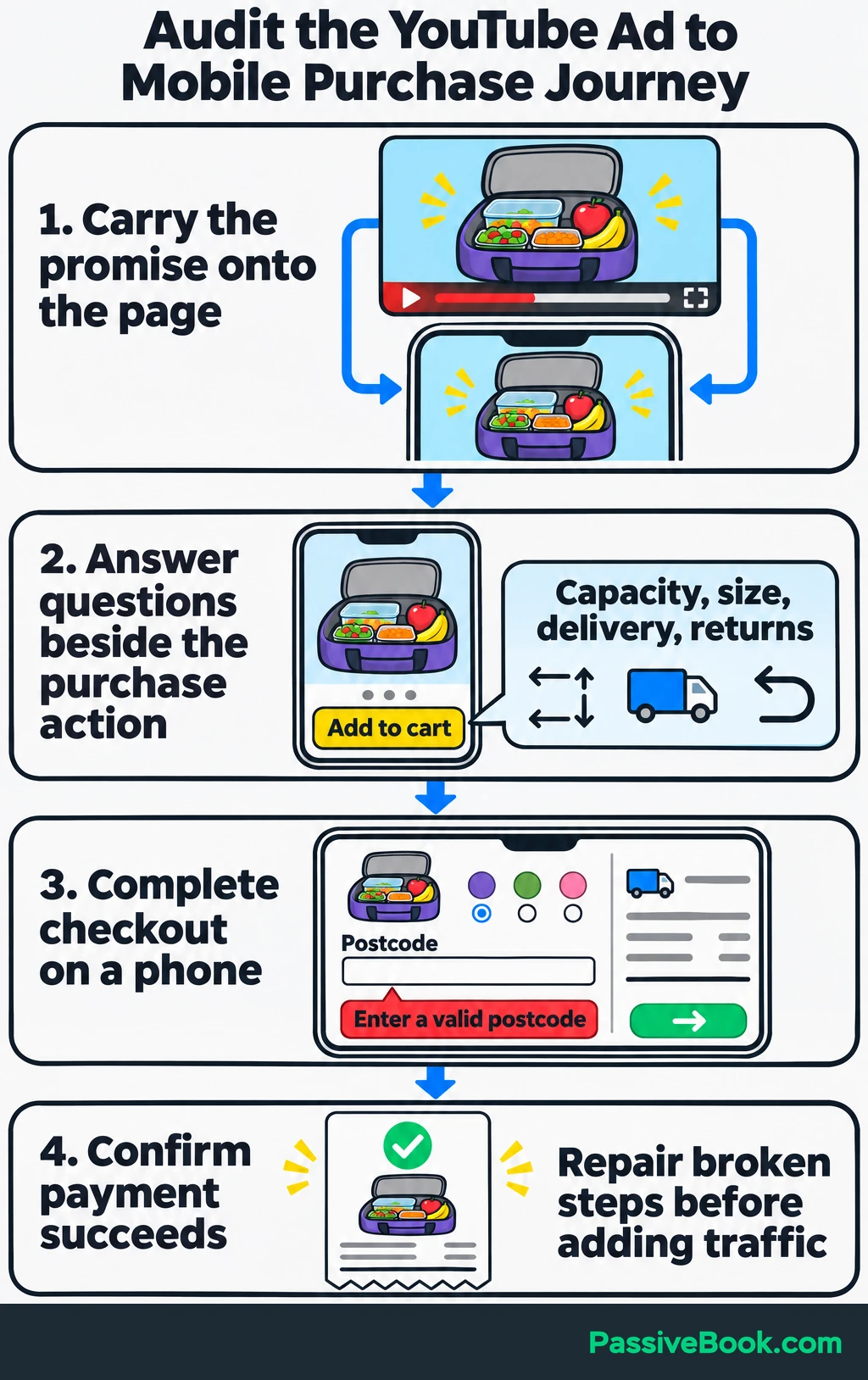
Complete the journey on a phone. Select a variant, add it to the cart, enter an address, and finish payment. Repair broken buttons, unavailable options, slow pages, unexpected charges, and checkout failures before increasing traffic.
Then compare paid landing-page sessions, add-to-carts, checkout starts, and purchases within the same analytics source and period.
To calculate a session-based purchase rate, count paid landing-page sessions that included a purchase and divide by all paid landing-page sessions in that group. Don’t divide Google Ads attributed conversions by an unrelated Analytics session total.
Test the largest plausible obstacle with comparable incoming traffic. For the lunch-bag store, that might mean placing the packed-capacity demonstration beside the purchase button. Judge the result through purchases or contribution per visitor.
Make forms easy to complete, too. Associate labels with fields, give clear instructions, and explain how to fix errors. “Enter a valid postcode” helps; “Something went wrong” leaves the buyer doing detective work. W3C’s accessible forms guidance
Scale, Hold, or Pause Based on Business Results
Move Budget Toward Profitable Opportunities
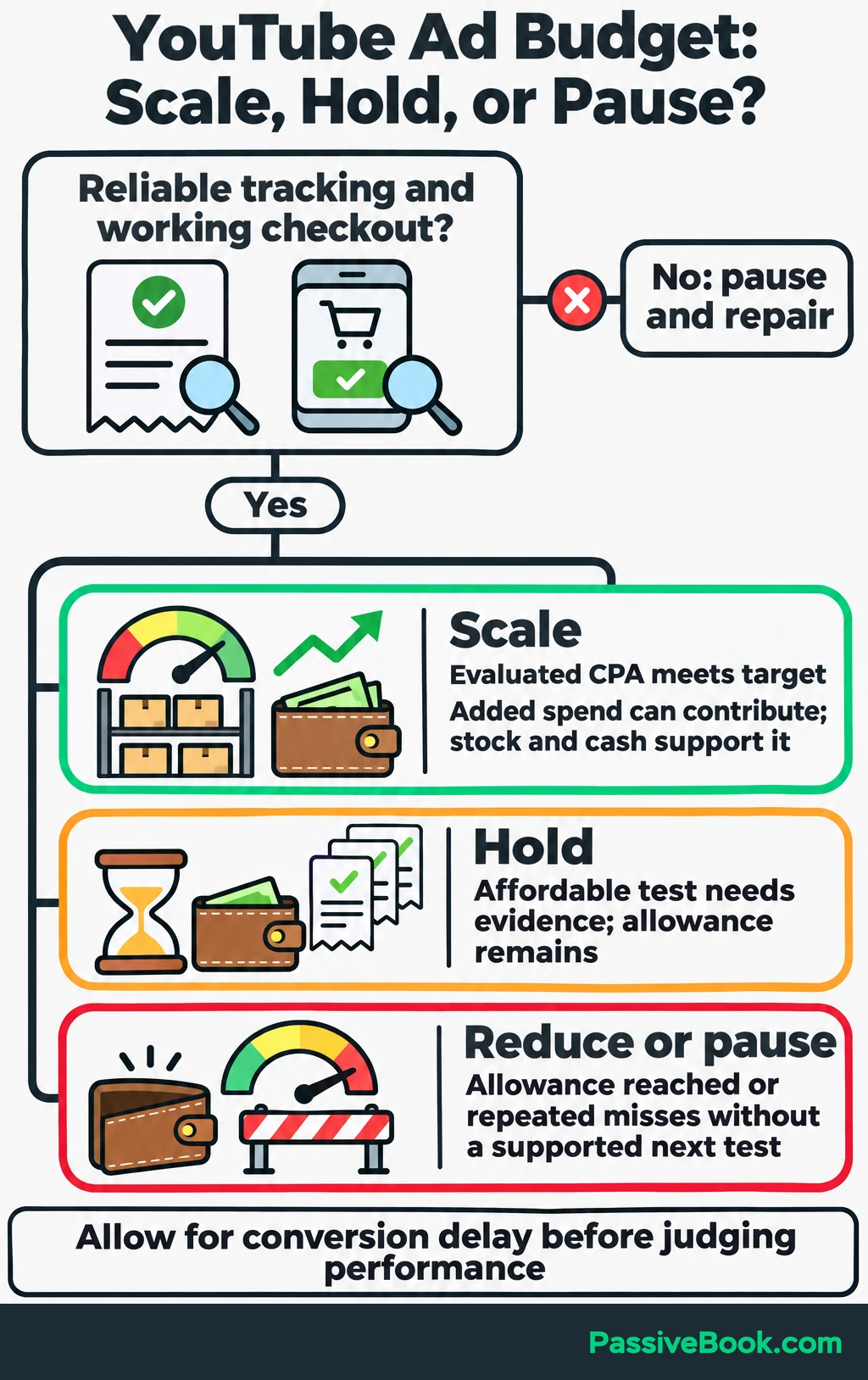
Scale when tracking is sound, purchase CPA meets the operating target after allowing for conversion delay, and you have the stock and cash to fulfill more orders.
Consider a later evaluation period for the lunch-bag store. To see what the orders leave before overhead, subtract their variable costs and advertising spend from their revenue.
Suppose $360 in advertising produces 20 orders:
| Result | Calculation |
|---|---|
| Revenue | 20 × $60 = $1,200 |
| Purchase CPA | $360 ÷ 20 = $18 |
| Revenue ROAS | $1,200 ÷ $360 ≈ 3.33× |
| Contribution after advertising | $1,200 − $720 − $360 = $120 |
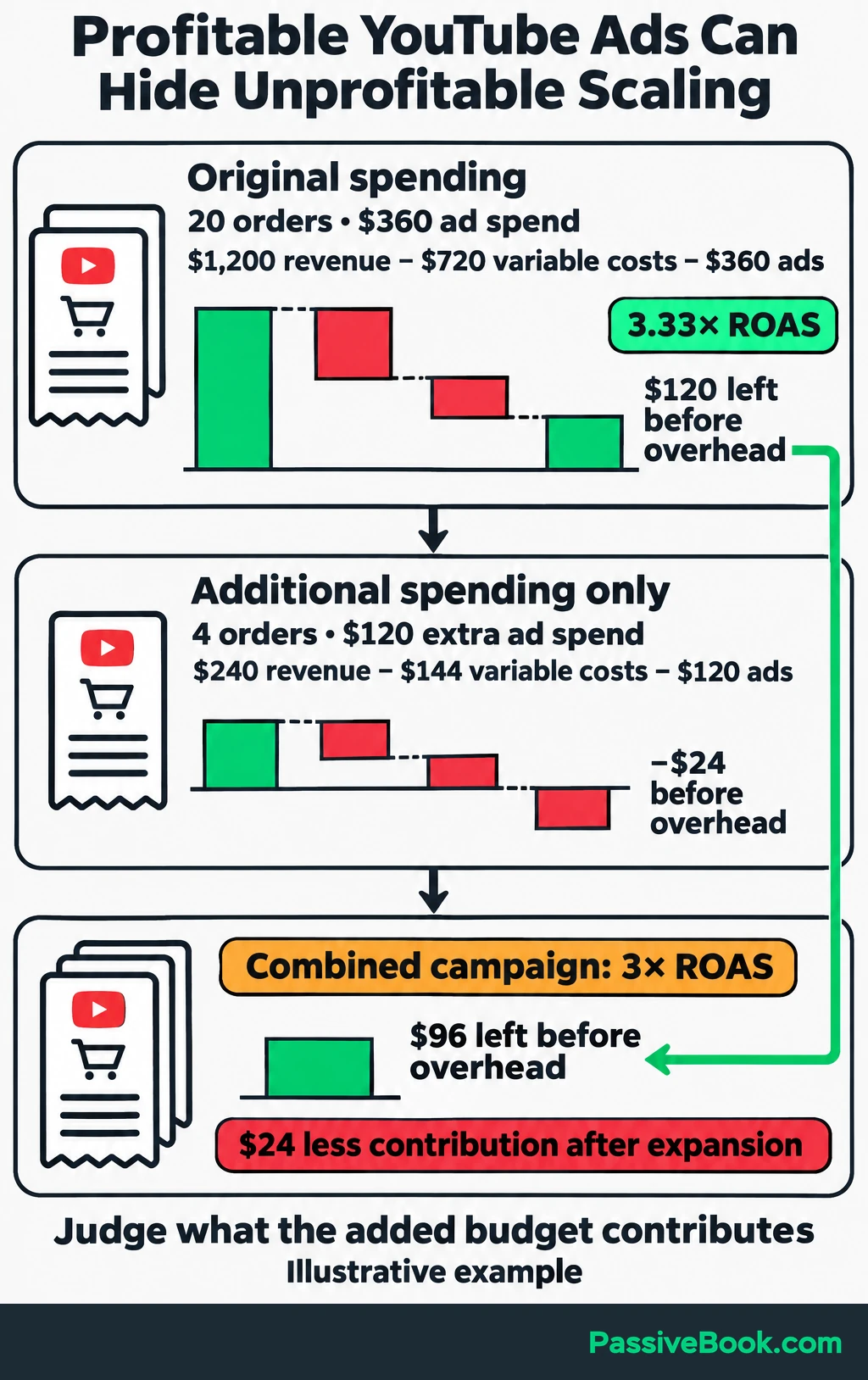
The campaign meets the operating target and leaves $120 before overhead.
Now assess an expansion separately. Another $120 produces four additional orders, bringing $240 in revenue. Those orders leave $96 before advertising, so the extra spending loses $24 before overhead.
The combined campaign still reports 3× ROAS, above its 2.5× advertising break-even. But the additional spend made the business worse off.
That is why I would increase spending in measured stages and review what the added budget contributes. The old average can hide an unprofitable expansion.
Before increasing the budget, put the extra spending on its own line. This workbook shows what it would leave under your expected CPA and a downside case, without letting the existing campaign’s average hide the difference.
Free Ad Performance Workbook
Use three decisions:
- Scale: Evaluated results meet the operating target, and the additional spending has room to contribute profit.
- Hold: An affordable test still needs information, and its allowance remains available.
- Reduce or pause: The allowance is reached, results repeatedly miss the target without a supported next test, or the purchase journey breaks.
You don’t owe a campaign another budget increase because it used to work.
Make Optimization a Repeatable Routine
Keep a compact dashboard showing spend, purchases, conversion value, CPA, ROAS, and the operating target. For lead generation, include eventual qualified leads and customers so cheap inquiries don’t masquerade as success.
Check pacing, disapprovals, tracking failures, and website availability often enough to catch expensive problems. Schedule deeper reviews around the conversion delay and the amount of useful purchase evidence.
Maintain a short change log:
- Hypothesis: What you think is causing the problem.
- Adjustment: The single change you made.
- Allowance: What you agreed to spend.
- Outcome: What happened after allowing for conversion delay.
- Decision: Keep, revise, scale, hold, or pause.
I would automate alerts before automating budget increases. A spending alert or tracking-failure alert can remove repetitive checking without handing an incomplete report control of your money.
Only enable budget rules when their conditions reflect your business targets and evaluation period. Otherwise, you have automated the expensive part.
What Next?
Complete one test purchase and write your allowable purchase CPA beside the campaign’s reported CPA. Use that gap to choose one problem to investigate before changing the budget.
Use the social buttons to share this guide when a campaign review needs to move from views and clicks to what each order actually leaves.
Which part of your campaign makes the spending decision hardest: tracking, targeting, creative, or the checkout? Share your answer in the comments, and bring any other questions with it.
Share this post with your friends & followers:

