A six-second reminder and a three-minute lesson can both become YouTube ads, but they ask viewers to do different things. Which deserves your budget when you want customers?
The awkward part is that choosing the video format doesn’t finish the decision. Your campaign can pursue views while you’re waiting for sales, and a cheap view won’t tell you whether anyone wants the offer.
This guide connects the formats to the results they can help you measure, the videos you need and a test budget you can afford. That gives you a way to judge the spend before a healthy view count starts looking like success.
Compare the Six Main YouTube Ad Formats
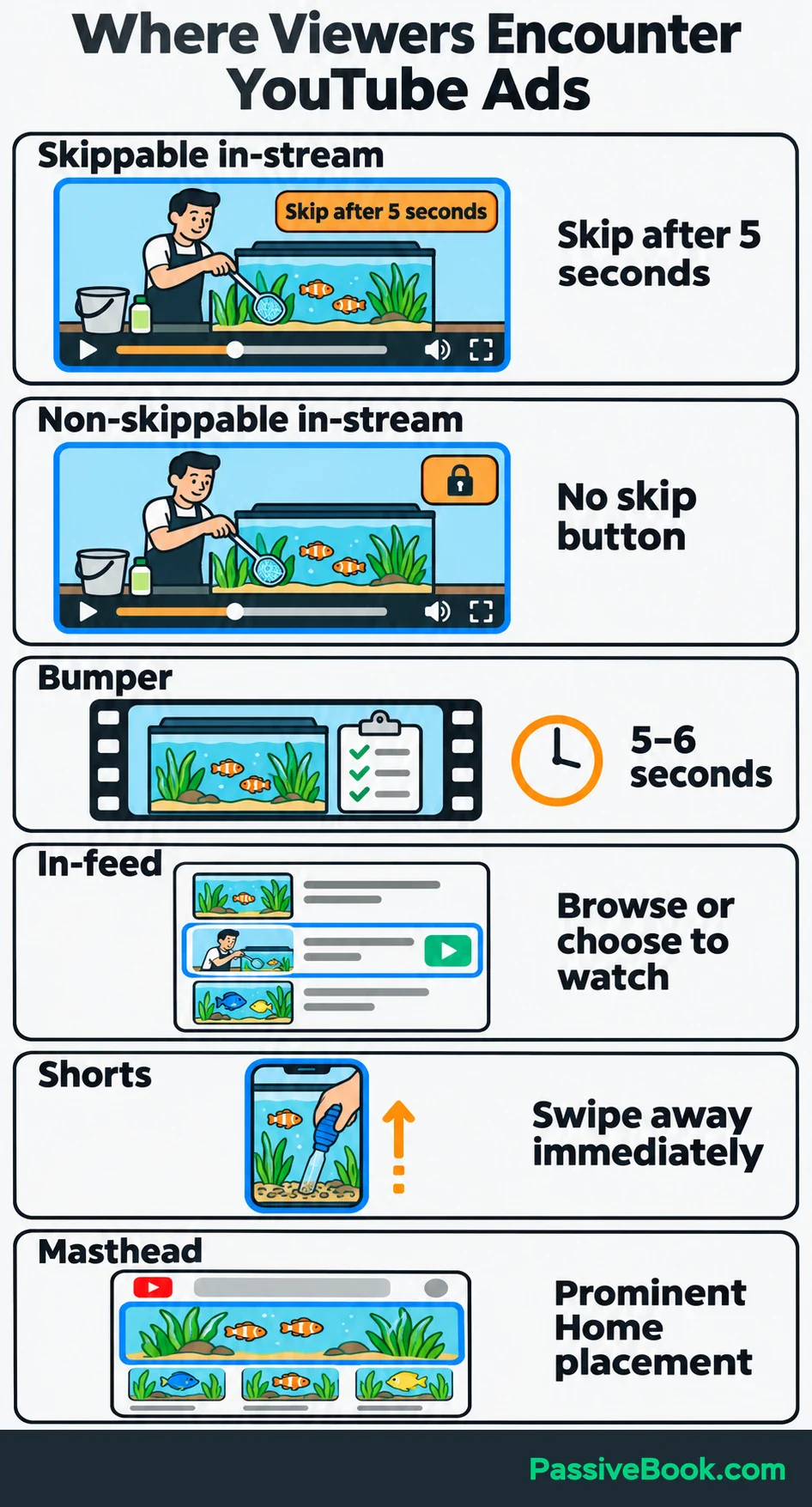
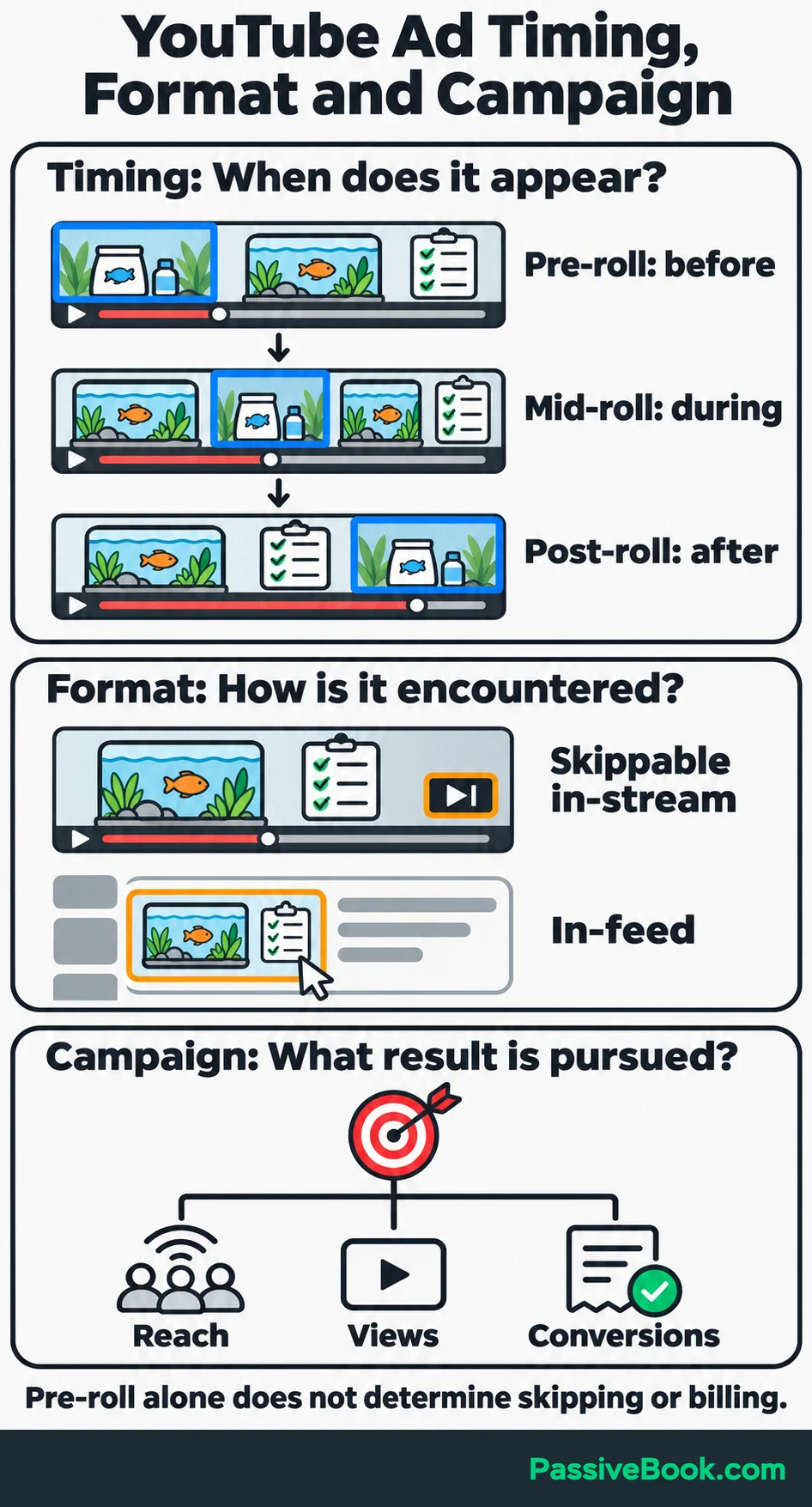
YouTube ad formats describe how people encounter your message. The campaign determines which results Google tries to get, how it bids and where the ads can appear.
Pre-roll, mid-roll and post-roll mean before, during and after another video. They describe timing. “Pre-roll” alone doesn’t tell you whether an ad is skippable or how you’ll pay.
Here’s the practical comparison. CPV means cost per qualifying view, CPM means cost per thousand impressions and CPH means cost per hour. Billing marked “campaign-dependent” changes with the campaign and bidding method. Google’s format comparison covers the main differences.
| Format | Placement | Skip Behavior | Video Length | Charging Basis | Best-Fit Use |
|---|---|---|---|---|---|
| Skippable in-stream | Before, during or after videos | Skip after five seconds | No fixed maximum | Campaign-dependent: CPV or impressions | Demonstrations and offers that need explanation |
| Non-skippable in-stream | Before, during or after videos | No skip button | Auction: up to 30 seconds; reservation: up to 60. Subtype may require less | Target CPM | A compact awareness message |
| Bumper | Before, during or after videos | No skip button | Five to six seconds | Target CPM | Recognition and reminders |
| In-feed video | Search, Home, Watch Next and subscription feeds | Viewers can scroll past | No fixed maximum | Campaign-dependent; CPV rules explained below | A useful video people choose to explore |
| YouTube Shorts | Between organic Shorts | Swipe away immediately | Up to three minutes; only the first 60 seconds play in the feed. Under 60 seconds recommended | Campaign-dependent | A quick visual demonstration |
| Masthead | Prominent YouTube Home placement | Viewers can move past it | No fixed maximum; autoplay varies by device | Reserved CPM or CPH | A planned campaign for broad awareness |
To make the choices concrete, imagine you sell a beginner aquarium-care course and offer a free tank-maintenance lesson. That gives you three possible outcomes: introduce the course, attract lesson viewers or acquire customers.
Those outcomes can use some of the same formats, but they need different campaigns and measures of success.
Skippable in-stream Ads
Choose skippable in-stream when you need room to demonstrate a product, explain a problem or make an offer. Viewers can skip after five seconds, so the useful part needs to arrive early.
For the aquarium course, I would open on the maintenance checklist and the task it helps organize. Then show one action and explain what the course teaches.
A short opening could be:
“Not sure what belongs in your weekly tank-care routine? Start with a checklist you can follow.”
I would skip the animated logo introduction. Nobody interrupted their evening hoping to watch your logo assemble itself.
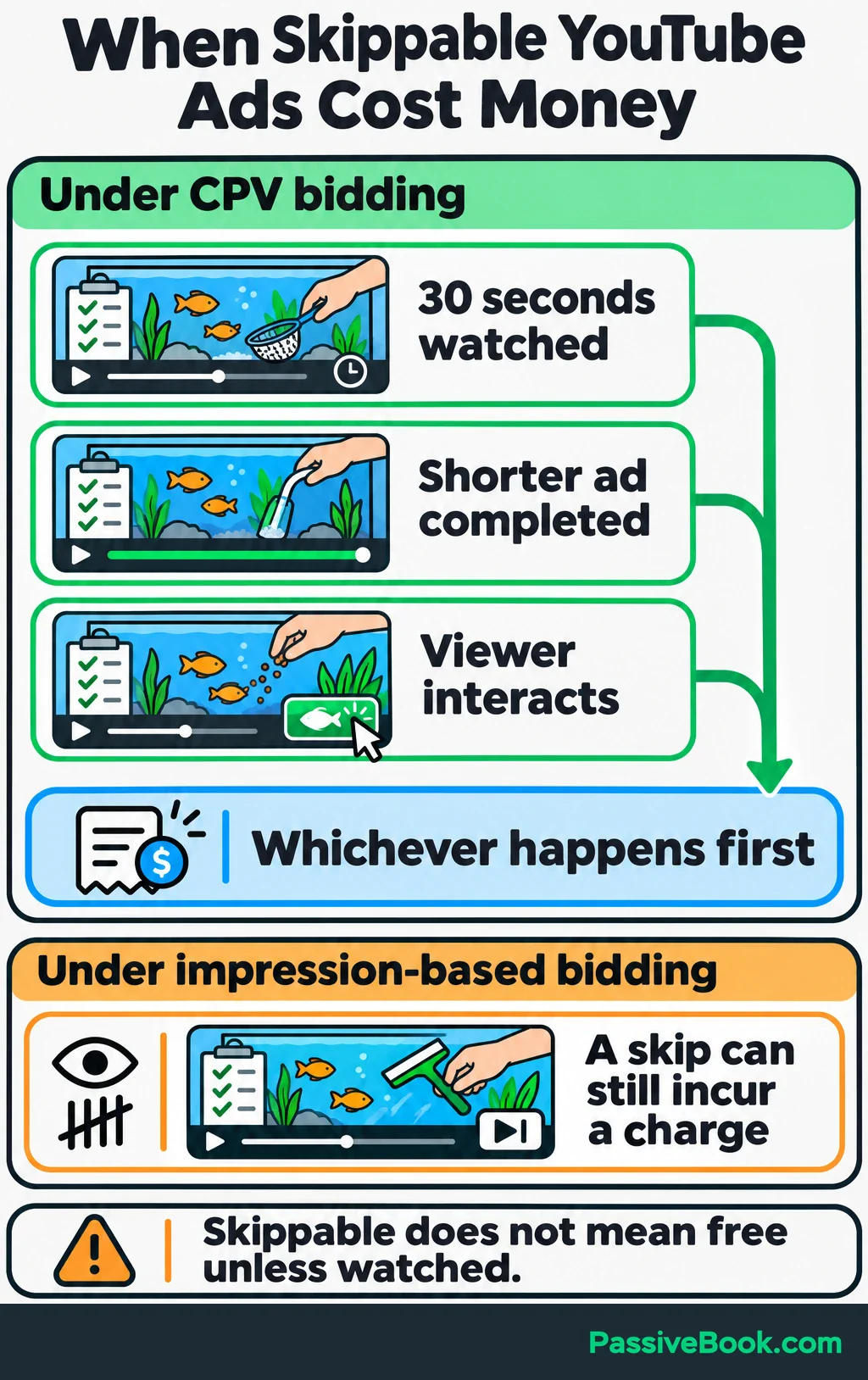
Under CPV bidding, you pay when someone watches 30 seconds, finishes a shorter ad or interacts with it, whichever happens first. Impression-based bidding can charge even when someone skips. So “skippable” doesn’t automatically mean “free unless watched.”
Non-skippable in-stream Ads
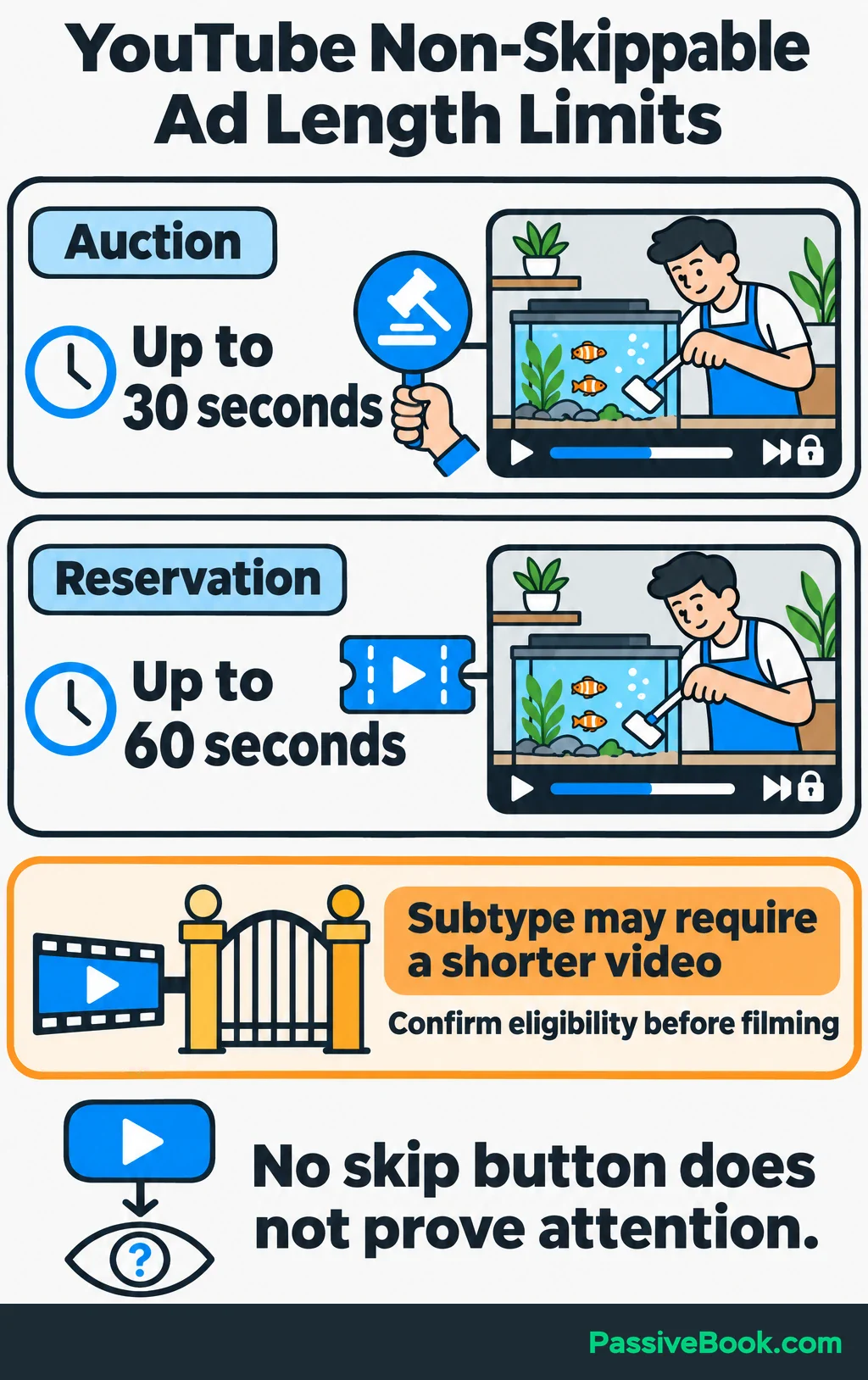
Choose this format when your goal is exposure to a compact, complete message. It removes the skip button, but it doesn’t prove that someone paid attention or wants to buy.
Auction ads cannot exceed 30 seconds, while reservation ads can reach 60 seconds. The campaign subtype may impose a shorter limit, so confirm eligibility before filming. Google’s video-length policy sets those boundaries.
For the course, show one recognizable situation, one benefit and one next step: organizing tank maintenance, following a clear routine and exploring the course.
I wouldn’t squeeze the entire syllabus into the available time. A captive audience still has a wandering mind.
Bumper Ads
Bumpers are non-skippable videos lasting five to six seconds, bought through target CPM bidding. They suit a message people can understand almost at a glance.
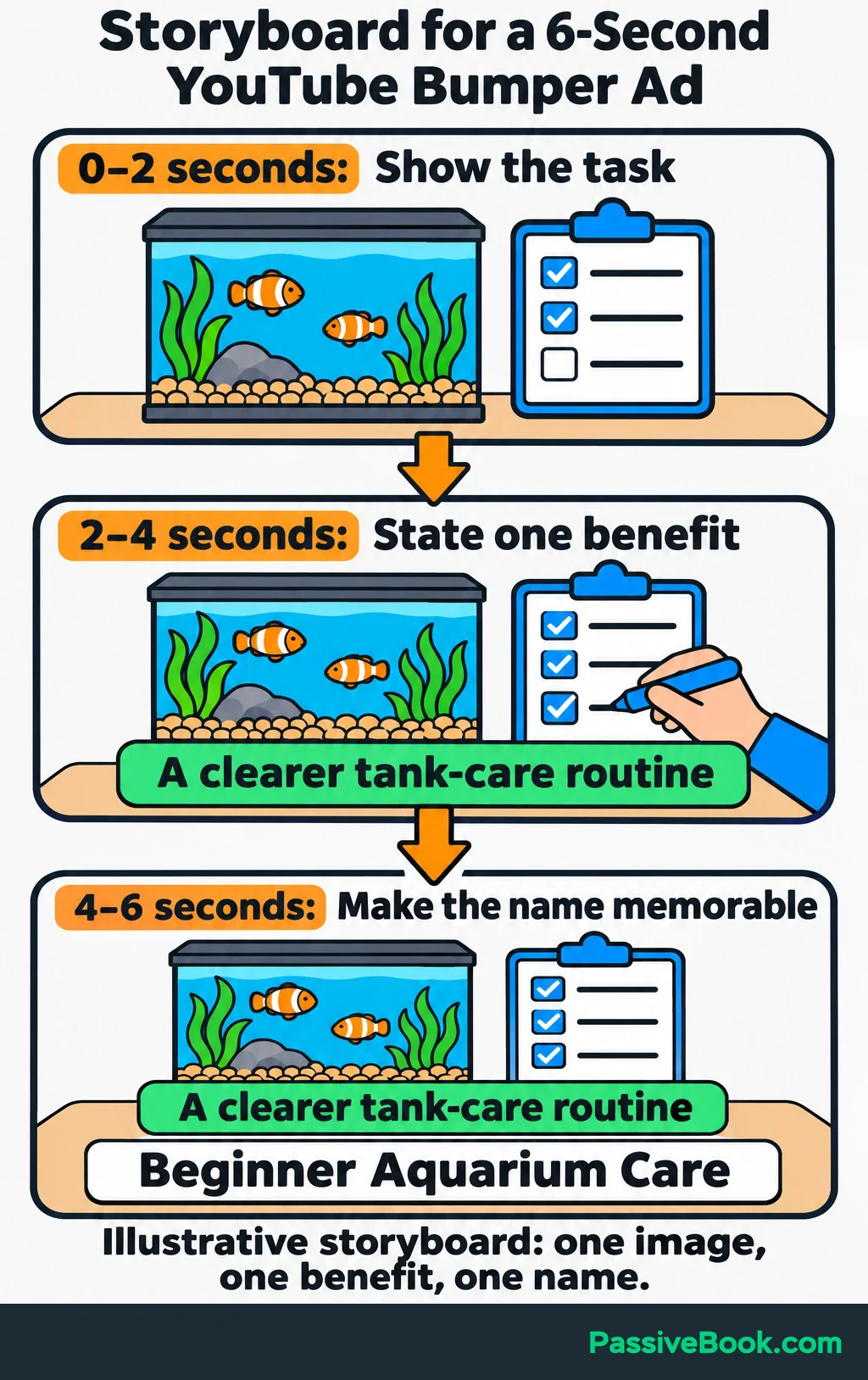
Use one image, one benefit and a recognizable name. For example:
“A clearer tank-care routine. Beginner Aquarium Care.”
That can reinforce a longer demonstration, but it cannot replace one. If viewers need an explanation before the offer makes sense, I would start with a longer format and leave bumpers for later.
In-feed Video Ads
In-feed ads appear while people search or browse YouTube. They use a thumbnail and supporting text, and playback can include muted previews.
Choose them when the video answers a question someone would willingly spend time exploring. For the free aquarium lesson, a headline such as “Build Your Weekly Tank-Maintenance Checklist” makes a clear promise.
The video should deliver that answer. I would show the checklist in the thumbnail and avoid a dramatic image that the lesson never explains.
Preview what each clickable element does in your selected campaign. Opening a YouTube video and visiting your course website are different actions.
Under CPV bidding, a qualifying view can come from clicking the thumbnail to watch, watching autoplay for ten seconds or completing a shorter ad. You’re therefore buying qualifying viewing, which may happen without a website visit. Google’s CPV rules explain the thresholds across formats.
YouTube Shorts Ads
Shorts ads appear between organic Shorts, and viewers can swipe away immediately. I would choose them for something you can show quickly.
Prepare a vertical 9:16 edit with a clear opening, readable captions, sound and one next step. Vertical is a recommendation rather than the only accepted shape, but it gives you a sensible starting point for a phone screen.
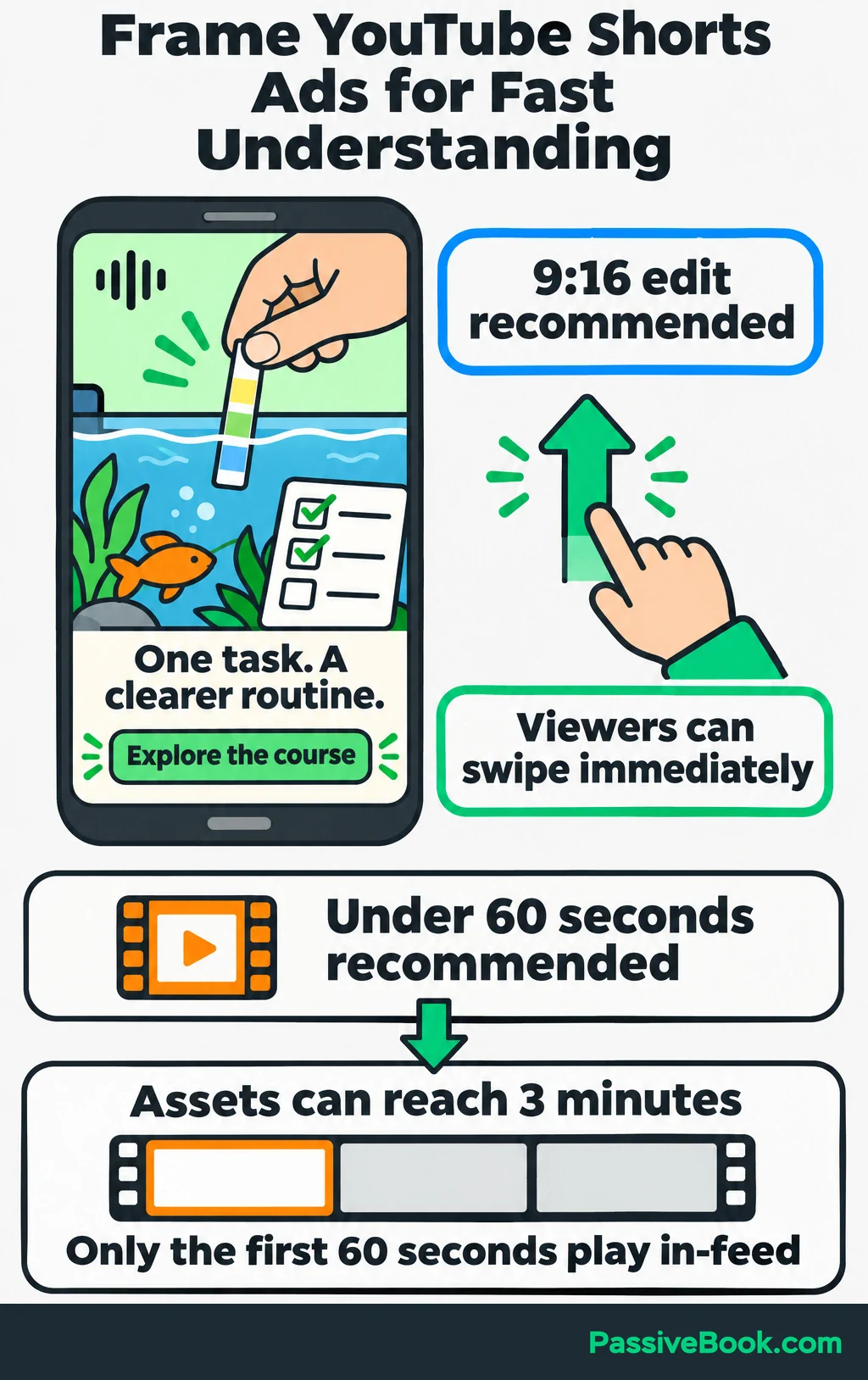
For the course, show one checklist item being completed. Frame the task closely enough that viewers can understand it without inspecting a tiny aquarium in the middle of a horizontal video.
Google recommends ads under 60 seconds. Longer assets can reach three minutes, but only their first 60 seconds play within the Shorts feed. Google’s Shorts specifications explain that distinction.
Under CPV bidding, qualifying views include ten seconds watched, completion of a shorter ad or a call-to-action click. Other campaign billing can differ.
Masthead Ads
Masthead reserves prominent video placement in the YouTube Home feed across devices. It is designed for planned, broad awareness, with buying based on impressions or reserved hours. You need a quote for the proposed placement. Google’s Masthead guidance explains the buying options.
I would skip it for an initial course-sales test. First, I’d want evidence that the offer, page and acquisition cost work together.
Buying a more prominent position doesn’t answer those questions. It gives your unanswered questions a larger audience.
Set a Budget Around the Result You Need
Start with what a customer is worth to the business before choosing a view or impression bid.
For a sale, count the money left after costs that come with delivering that sale. Suppose the course sells for $49 and has $9 in variable costs. That leaves $40 before advertising, fixed costs and profit.
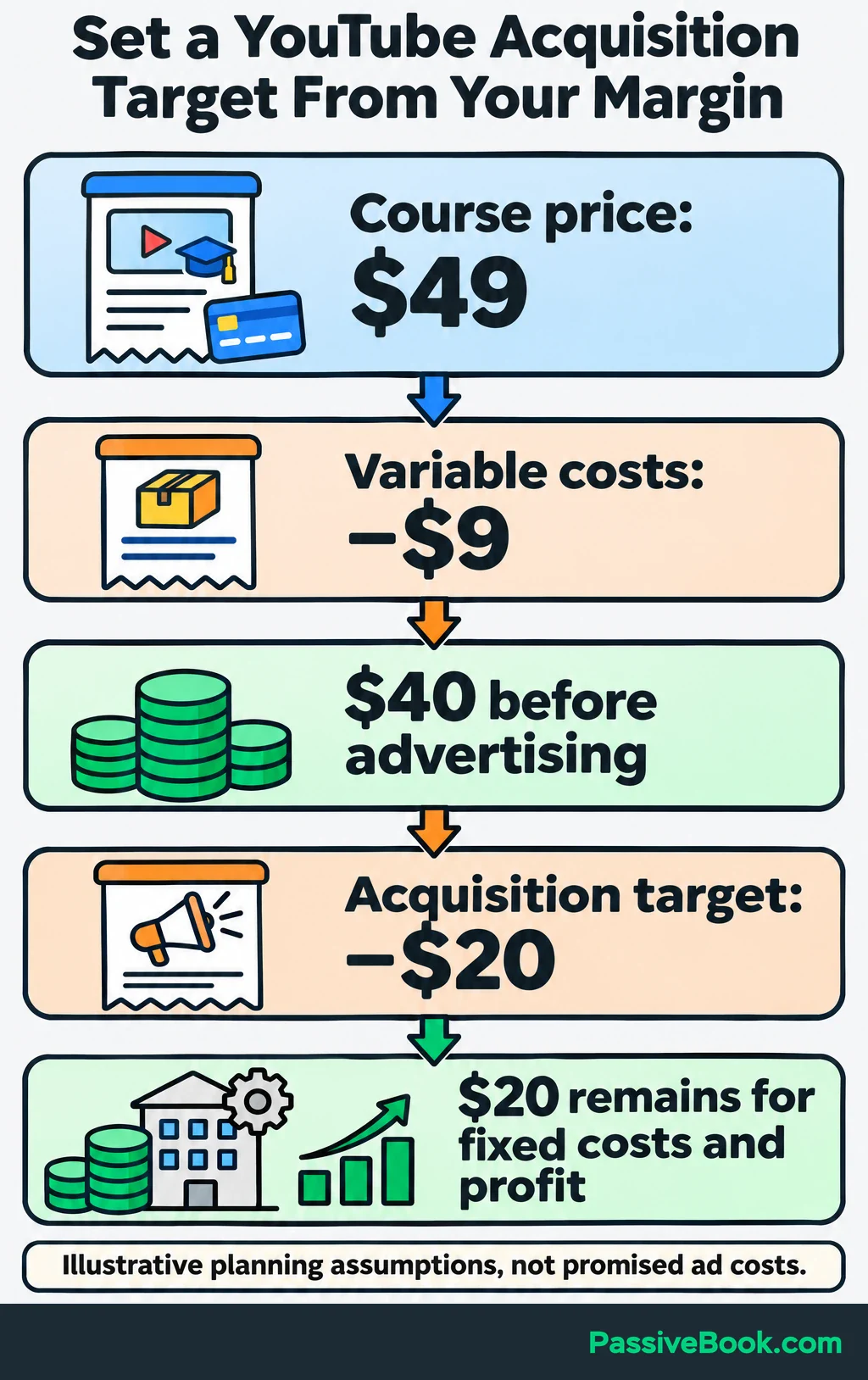
If you spend $20 to acquire a customer, another $20 remains toward fixed costs and profit. I would use that relationship to set an acquisition target rather than copying a “good YouTube CPV” from another business.
Keep the buying units separate from the outcome:
- CPM: What you spend per thousand ad impressions.
- CPV: What you spend per qualifying video view.
- CPC: What you spend per click.
- Advertising Acquisition Cost: Campaign ad spend divided by the new customers attributed to that campaign.
For an illustrative first test, you might choose a $200 total cap and a $20 customer-acquisition target. Those are planning assumptions, not expected platform costs or promised purchases.
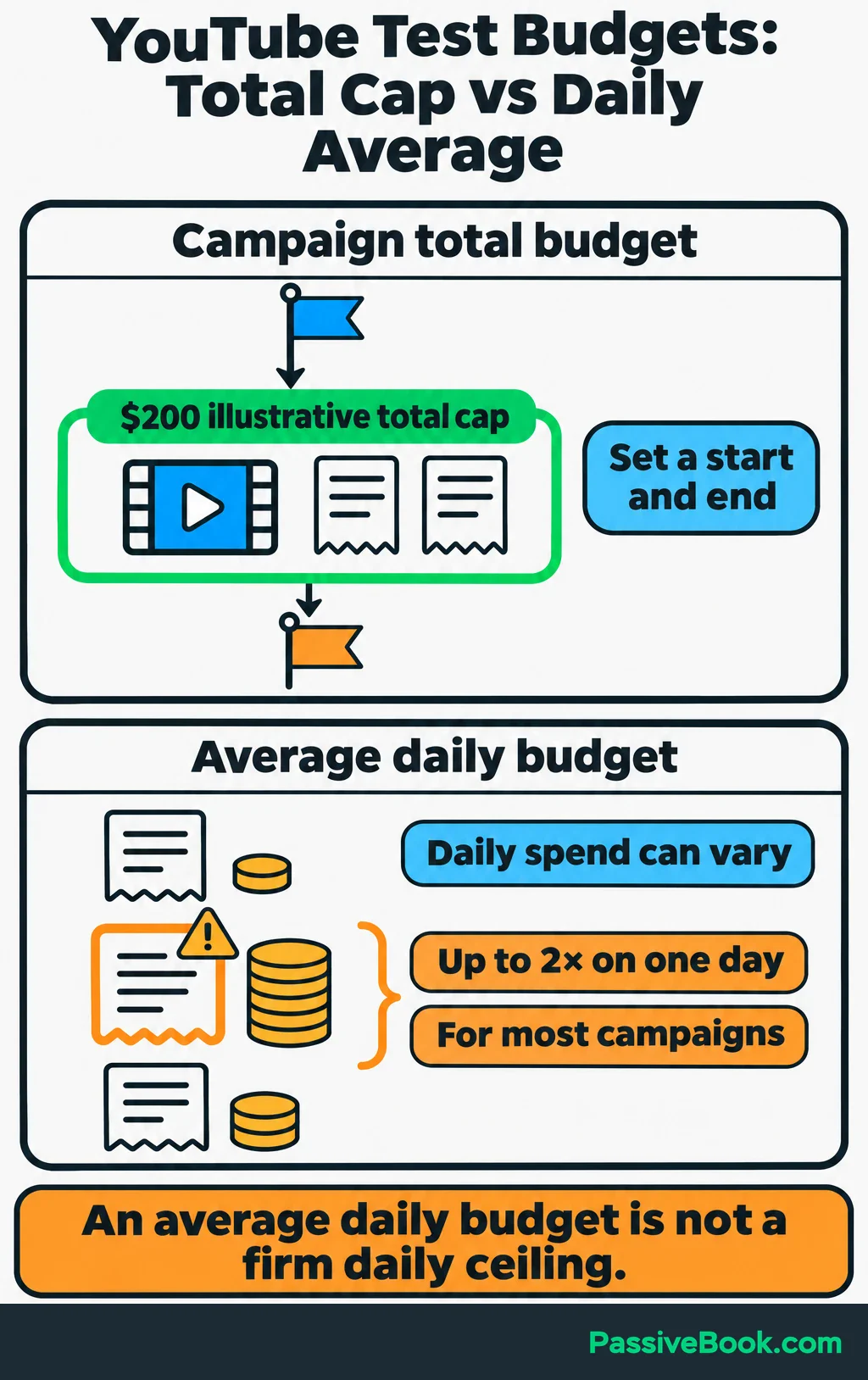
Use a campaign total budget with start and end dates to limit a fixed test’s billed spend. Google’s total-budget rules cover this option.
An average daily budget works differently: for most campaigns, billed spend can reach twice that amount on an individual day. It is an average, so don’t treat it as a firm daily ceiling. Google’s daily-budget guidance explains the limits.
I would keep the first test to one offer, one primary outcome and a small creative set. Dividing a modest budget among six formats gives each one less room to tell you anything useful.
Match Your Goal to the Right Campaign
Choose the result first, then select the campaign and compatible formats. These are practical starting choices rather than a complete campaign catalog.
| Goal | Campaign | Suitable Formats | Required Creative | Primary Success Metric |
|---|---|---|---|---|
| Introduce the offer | Video reach | Skippable in-stream, bumpers, in-feed and Shorts for efficient reach; non-skippable options through the relevant subtype | A recognizable message, with edits suited to selected placements | Unique reach, with frequency and CPM |
| Get people watching | Video views | Skippable in-stream, in-feed and Shorts | A useful promoted video and edits that work across selected formats | Qualifying views, with CPV |
| Generate registrations or purchases | Demand Gen with conversion-focused bidding | Skippable in-stream, in-feed and Shorts | A clear offer, call to action and matching destination, plus conversion measurement | Cost per qualified registration or customer acquisition cost |
Build Awareness With Video Reach
Choose Video reach when the immediate job is introducing your offer or repeating a recognizable message.
Efficient reach supports skippable in-stream, bumpers, in-feed and Shorts. Non-skippable reach supports bumpers and non-skippable in-stream. These choices affect which videos you need to prepare. Google’s Video reach guidance explains the options.
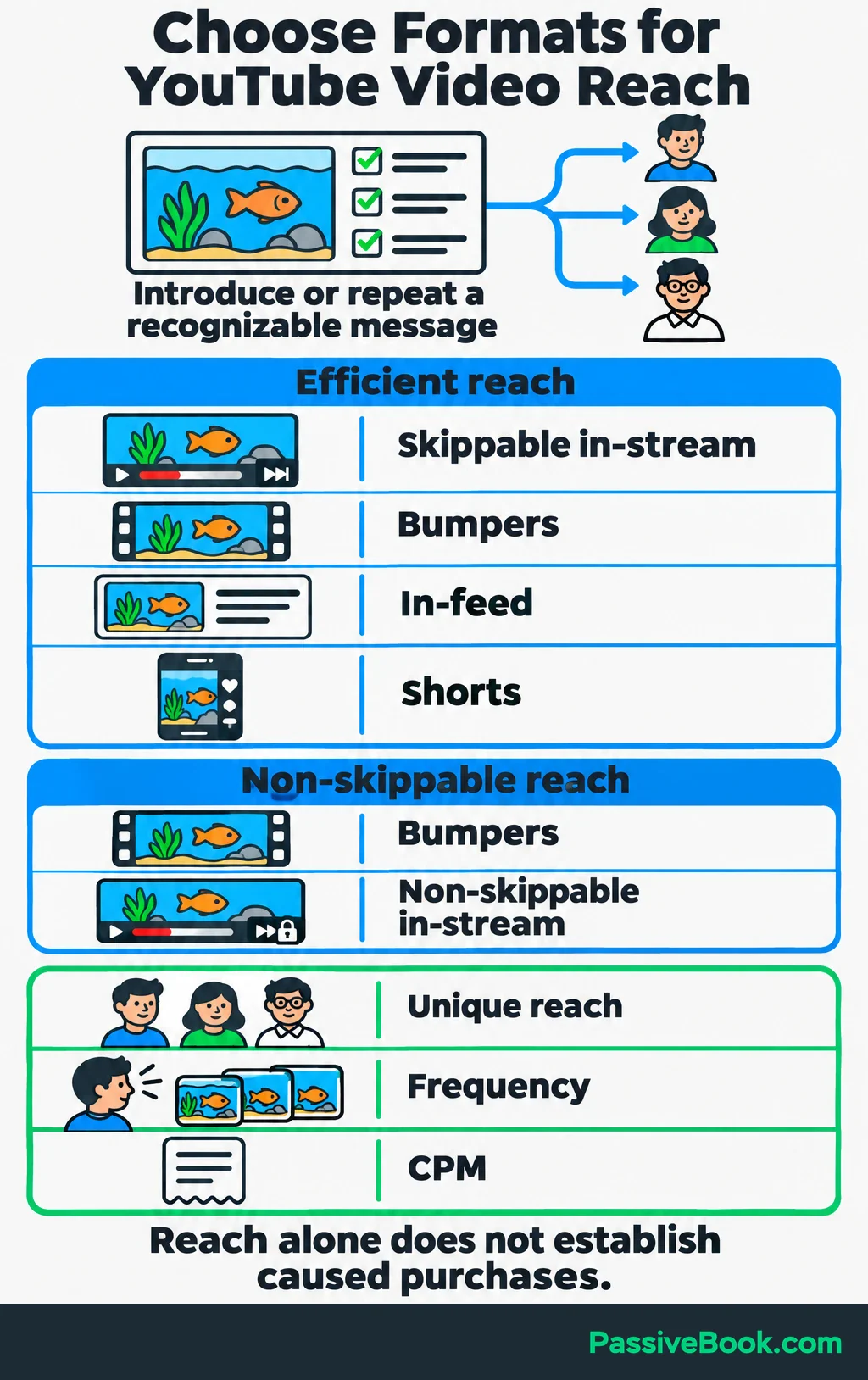
For the aquarium course, I would keep the idea consistent across edits: a clear routine for beginner tank maintenance.
Use a longer demonstration when the benefit needs explaining and a bumper when it only needs reminding.
Judge awareness by unique reach, frequency and CPM. Unique reach estimates how many different people you reached, while frequency shows how often they encountered the advertising. Purchases can still matter to the business, but reach alone won’t establish that the campaign caused them.
Attract Viewers With Video Views
Choose Video views when watching the free lesson is the immediate objective. These campaigns use target CPV and can combine skippable in-stream, in-feed and Shorts.
The context changes what the video needs. An in-feed lesson must fulfill its title, an in-stream ad needs a useful opening and a Shorts edit needs clear vertical framing.
In multiformat Video views campaigns, you cannot pin each individual video exclusively to one format. Google distributes the assets across the selected formats, so prepare videos that remain understandable wherever they can appear. Google’s Video views guidance covers delivery and bidding.
Track qualifying views, reported as TrueView views, and CPV. Check how much of the lesson people watch, too: a qualifying view can be much shorter than the full lesson.
I would choose this campaign to test interest in the lesson. If the question is whether people will register or buy, I would choose a conversion-focused campaign instead.
Generate Leads or Sales With Demand Gen
Define the conversion before creating the campaign. For this example, it could be a completed free-lesson registration or a course purchase.
Choose Demand Gen with conversion-focused bidding when that action is the goal. It supports video advertising across YouTube and can also deliver across other Google surfaces. Google’s Demand Gen overview describes its goals and capabilities.
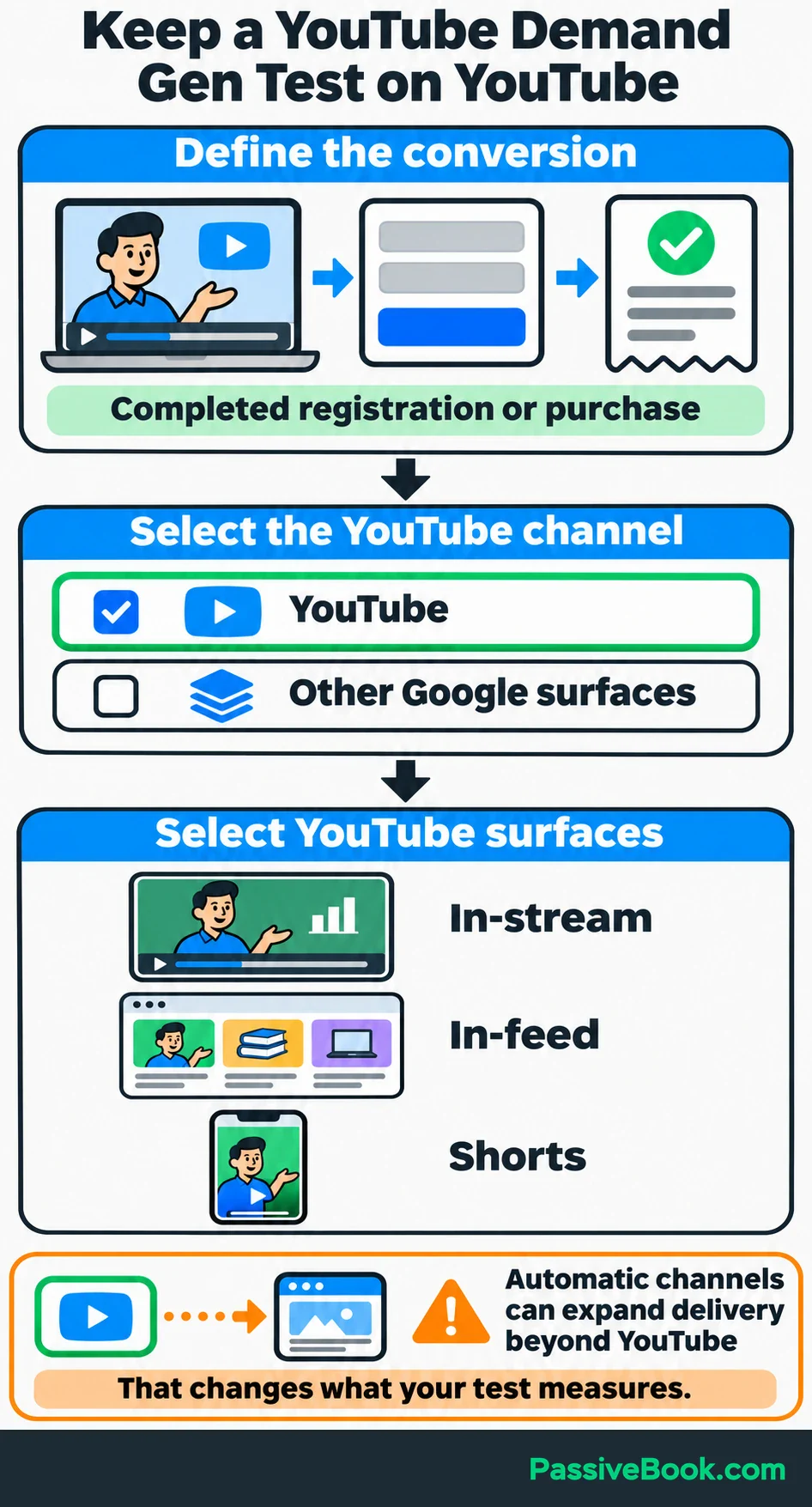
If you want to evaluate YouTube specifically, select YouTube through channel controls. You can also select individual YouTube surfaces. Automatic channel selection can spread delivery beyond YouTube, which would change what your test measures. Google’s channel-control guidance explains those boundaries.
For the course-sales test, I would start with a skippable demonstration linked to the course page and optimize for purchases. For a physical pet product, I’d show it in use and link to its product page. For a local service, I’d show the work, restrict locations to the service area and measure completed bookings.
For a first purchase campaign, I would start with Maximize conversions, which asks Google to seek as many purchases as the budget allows. Keep your acquisition target as the test’s success measure. If you use target cost per acquisition, or target CPA, Google tries to achieve that average cost per conversion; it doesn’t guarantee customers at that price. Google’s bidding guide explains the options.
If you choose registrations instead, follow what happens afterward. A cheap subscriber who never engages with the lesson or considers the course may be an expensive lead in disguise.
Prepare the Assets and Measurement Your Choice Requires
You don’t need a presenter on camera to explain a useful offer. Clear footage, narration and captions can show the task and the result.
When preparing a demo for one of my digital products, I caught myself explaining the controls before showing the finished result. I changed the opening to show what the buyer could make, then explained how it worked. That is the order I would use for the aquarium ad, too: show the useful outcome before touring the course.
If you have an offer but no script, AI Video Studio can turn it into words and shots you can actually record. It can work with screen recordings or product footage, so appearing on camera is optional.

Free AI Video Studio




Prepare the following before spending:
- Video: Upload the ad to YouTube as public or unlisted. Make an edit suited to each selected placement.
- Supporting Copy: Write the headline, description and call to action, and prepare a thumbnail where required.
- Destination: Send registration ads to the lesson signup page and purchase ads to the course page.
- Measurement: Configure the completed registration or purchase as a conversion action.
- Delivery Settings: Set the locations, languages, audience and channels that fit the offer.
For editing, I would use a tool you already know. Canva can handle a straightforward combination of footage, captions and an end card. Buying another subscription won’t make an unclear offer easier to understand.
Before spending on registrations or purchases, make sure Google Ads can record the completed action. You can set up conversion measurement using the Google tag, code on your website that sends measurement data to Google. Alternatively, import the action from a linked Google Analytics 4 account. In Analytics, an action marked as important is called a key event.
Complete a test action and check that it appears correctly. If both systems record the same purchase, make sure you aren’t counting it twice as a primary conversion. A page visit should not masquerade as a sale.
Test the signup form and checkout on a phone, too. Confirm that the lesson arrives after registration and that the purchase confirmation works.
Finally, make targeting match the offer. For the aquarium course, start with interests or audience signals relevant to beginner aquarium care rather than treating every pet interest as equally useful. Check any automatic audience expansion and network settings so you understand where the campaign can deliver.
Use Results to Keep, Change or Stop Your Choice
Review the metric you chose before launch. For acquisition decisions, compare formats against the same customer outcome rather than declaring the video with the most views the winner.
I spent six months chasing Instagram and Twitter/X followers in another niche. The follower count gave me something to check, but it didn’t give the business a working path to revenue. That experience is why I want a customer measure beside any attention measure.
For the course, calculate acquisition cost from attributed purchases and check those purchases against actual orders.
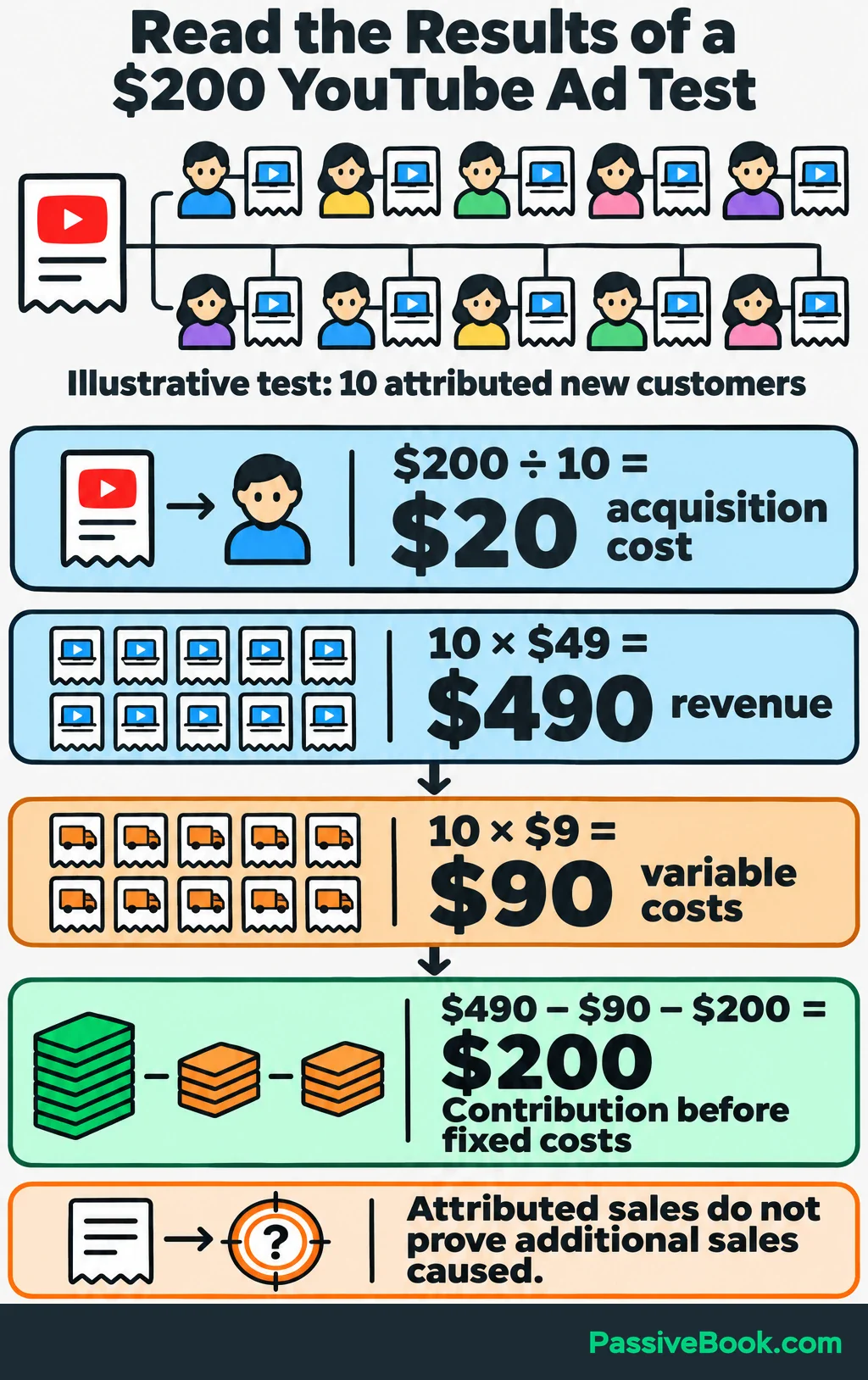
Suppose the illustrative $200 test is credited with ten course purchases from ten new customers. Each buys one course for $49, with $9 in variable costs per purchase:
| Measure | Calculation | Result |
|---|---|---|
| Advertising acquisition cost | $200 ad spend ÷ 10 attributed customers | $20 per customer |
| Revenue | 10 purchases × $49 | $490 |
| Variable costs | 10 purchases × $9 | $90 |
| Contribution after advertising | $490 − $90 − $200 | $200 before fixed costs |
Allow for the delay between seeing an ad and buying. Also review click-through and engaged-view conversions separately.
An engaged-view conversion can credit a purchase after qualifying viewing without an ad click, provided the purchase falls within the configured conversion window. Google’s engaged-view guidance explains how that credit works.
Attributed sales are useful evidence, but they don’t establish how many additional sales the advertising caused. That distinction matters before you treat every credited order as new business.
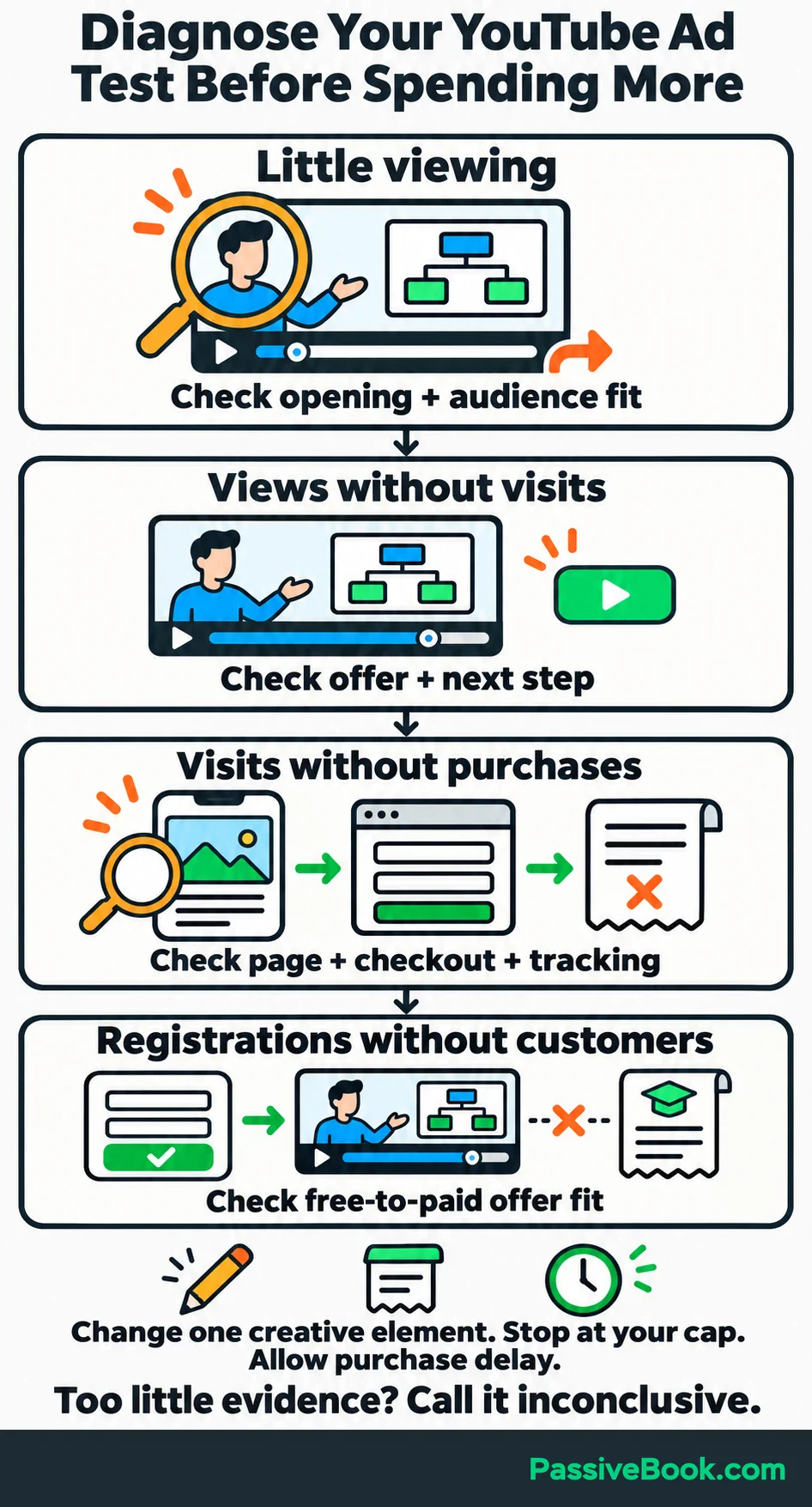
When results fall short, investigate the transition that looks weak:
- Little Viewing: Check whether the opening communicates the benefit and whether the audience fits. These are clues to investigate, not a diagnosis by themselves.
- Viewing Without Visits: Review the offer, next step and destination behavior. A views campaign may be delivering exactly what you asked it to deliver.
- Visits Without Purchases: Test the page, price, mobile experience and checkout, and confirm purchase tracking.
- Registrations Without Customers: Review whether the free lesson attracts people who also want the paid course.
Keep the offer and audience stable while testing one substantial creative change. That gives you a clearer basis for deciding whether the change helped.
Stop spending at the cap you set, then allow the relevant purchase delay before judging the final result. Expand when the customer outcome meets your business target. If the budget produces too little evidence, call it inconclusive rather than promoting a handful of views into a business strategy.
What Next?
Write a one-line test brief: “I want [result], using [campaign and format], with a total cap of [amount] and a success target of [metric].”
Then check whether you have the video, destination and measurement to run that test.
Use the social buttons to share this guide when a format comparison could help make an advertising decision clearer.
Which result would make your first YouTube ad test worth the spend? Tell me in the comments, and bring any other questions about choosing or measuring the campaign.
Share this post with your friends & followers:

