You have a useful product, a phone camera, and enough budget to test an ad. What belongs in those opening seconds: the problem, the product, or the offer?
Pick without a clear reason and you can spend an afternoon editing a video that gives viewers no reason to stay. Better lighting won’t resolve a confusing message, and refilming takes time you may not have. This guide follows one dog-towel ad from brief to finished script and test, so you can decide what to show, what to film, and which version deserves more budget.
Write a Focused Creative Brief
Before writing dialogue, decide what the ad must help someone understand. A short brief keeps the script, footage, and landing page pointed toward the same outcome.
Answer six questions:
- Viewer’s Situation: What is happening when the product becomes useful?
- Problem: What specific difficulty does the viewer recognize?
- Benefit: What does the product help them do?
- Evidence: What can you show or support?
- Objective: What business outcome should the campaign produce?
- Next Step: What should the viewer do after watching?
Throughout this guide, imagine you run PuddlePaw, an online shop selling dog-drying towels with hand pockets. The business, scripts, and scenarios are illustrative.
Your brief could read:
After a wet walk, handling a loose towel around a dog can feel awkward. Show how PuddlePaw’s hand pockets let the owner hold and move the towel. Demonstrate the actual product, then send interested viewers to its product page. Judge the sales campaign by purchase results.
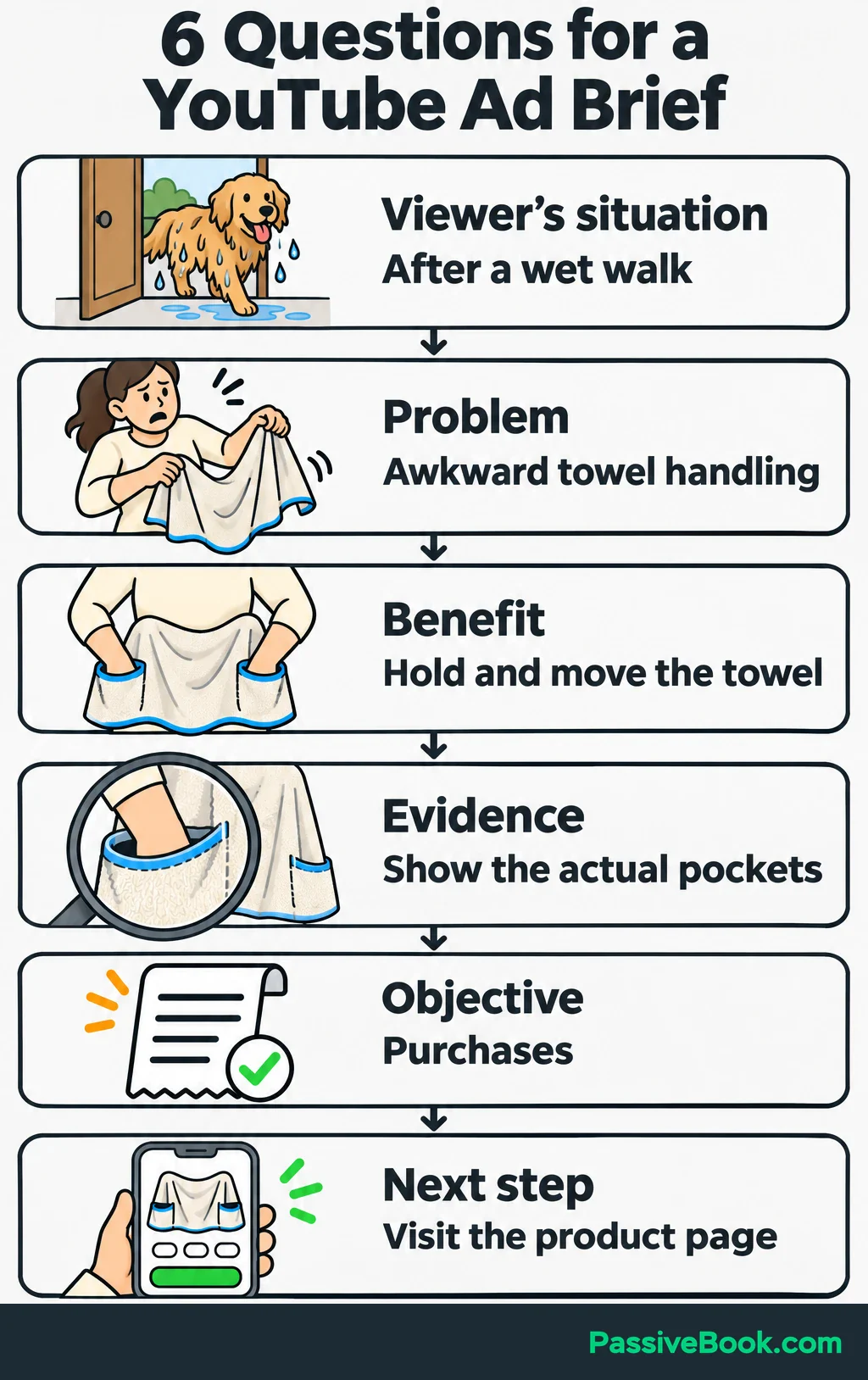
That brief gives every scene a job. A close-up of the pockets belongs. A long montage of dogs running through fields probably doesn’t.
I once drafted a digital-product sales page around everything included in the download. Reading it back, I could see the contents, but I had to hunt for the reason to buy. I moved the buyer’s problem ahead of the list. That is the same check I would apply here: can an unfamiliar viewer understand why this product exists?
Gather wording from customer questions, reviews, and buying objections. For a new viewer, explain the product’s purpose. For someone who already understands it, answer the concern holding up a purchase, such as how the pockets are used.
Choose the objective before scripting. Introducing a brand, earning product-page visits, collecting leads, and selling a product require different asks. For PuddlePaw’s purchase campaign, I would keep the towel’s product page as the destination rather than adding a newsletter signup along the way.
Choose the Format Before Writing the Script
The format changes how viewers meet your ad and how easily they can leave. Choose it before planning the opening or deciding which footage to capture.
Here is the practical difference between the main options. The viewing rules come from Google’s video ad format guidance.
| Format | Viewing Context | Viewer Control | Creative Job | Assets to Prepare |
|---|---|---|---|---|
| Skippable in-stream | Before, during, or after another video | Can skip after five seconds | Establish relevance and identity immediately, then explain the offer | Demonstration, interchangeable openings, clear closing |
| Shorts | Between videos in the Shorts feed | Can swipe away immediately | Open with action and make the message readable vertically | Vertical footage, captions, close product shots |
| In-feed | Search, home, and related-video feeds | Can choose to watch; inline autoplay can also occur | Make a specific thumbnail and headline promise, then deliver it | Thumbnail, headline, opening that makes sense during autoplay |
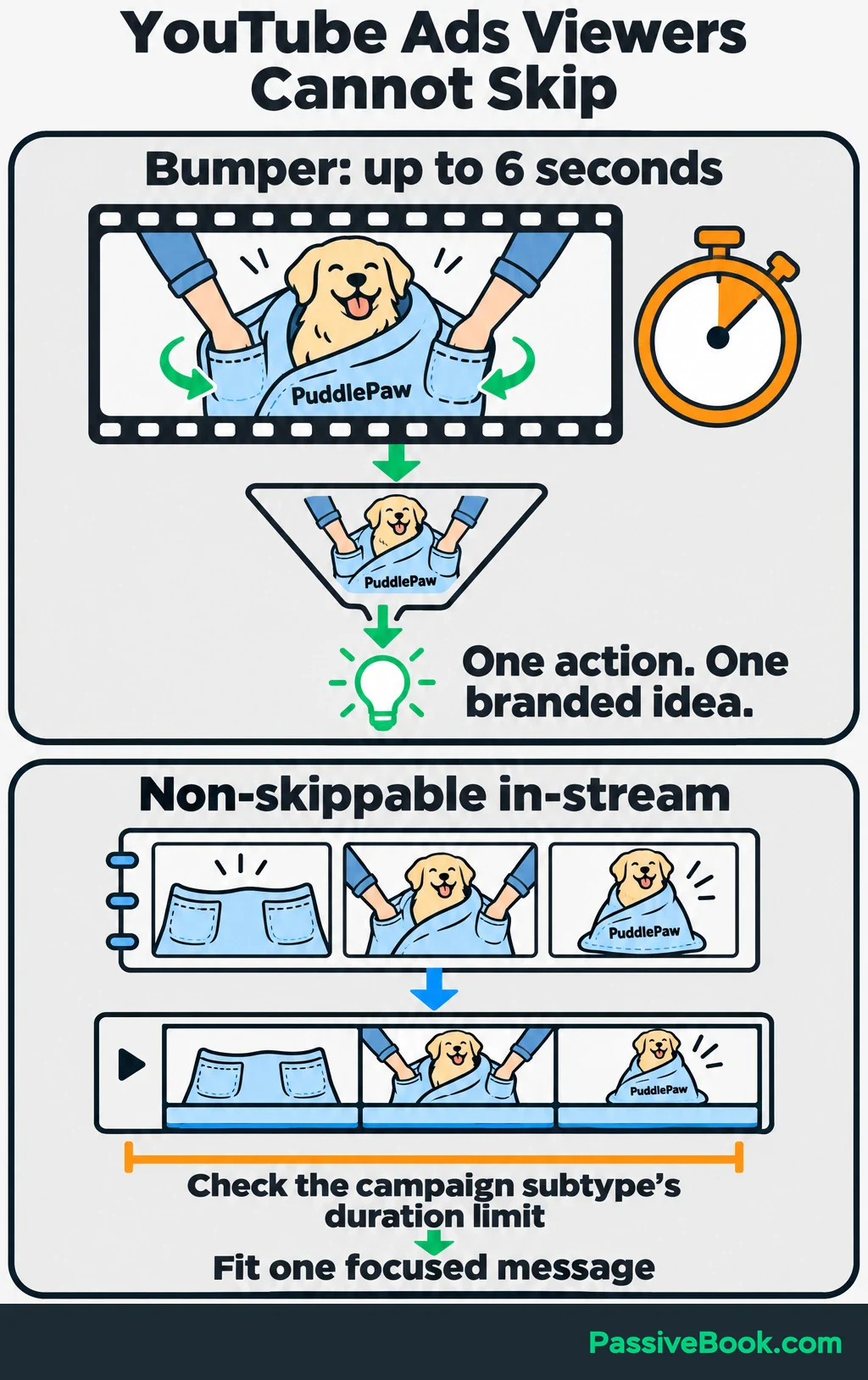
| Bumper | A short interruption around video content | Cannot skip; lasts up to six seconds | Leave one memorable, branded idea | One product action, brief line, brand cue |
| Non-skippable in-stream | Before, during, or after another video | Cannot skip the ad | Deliver a focused message within the permitted duration | Script fitted to the campaign subtype’s duration limit |
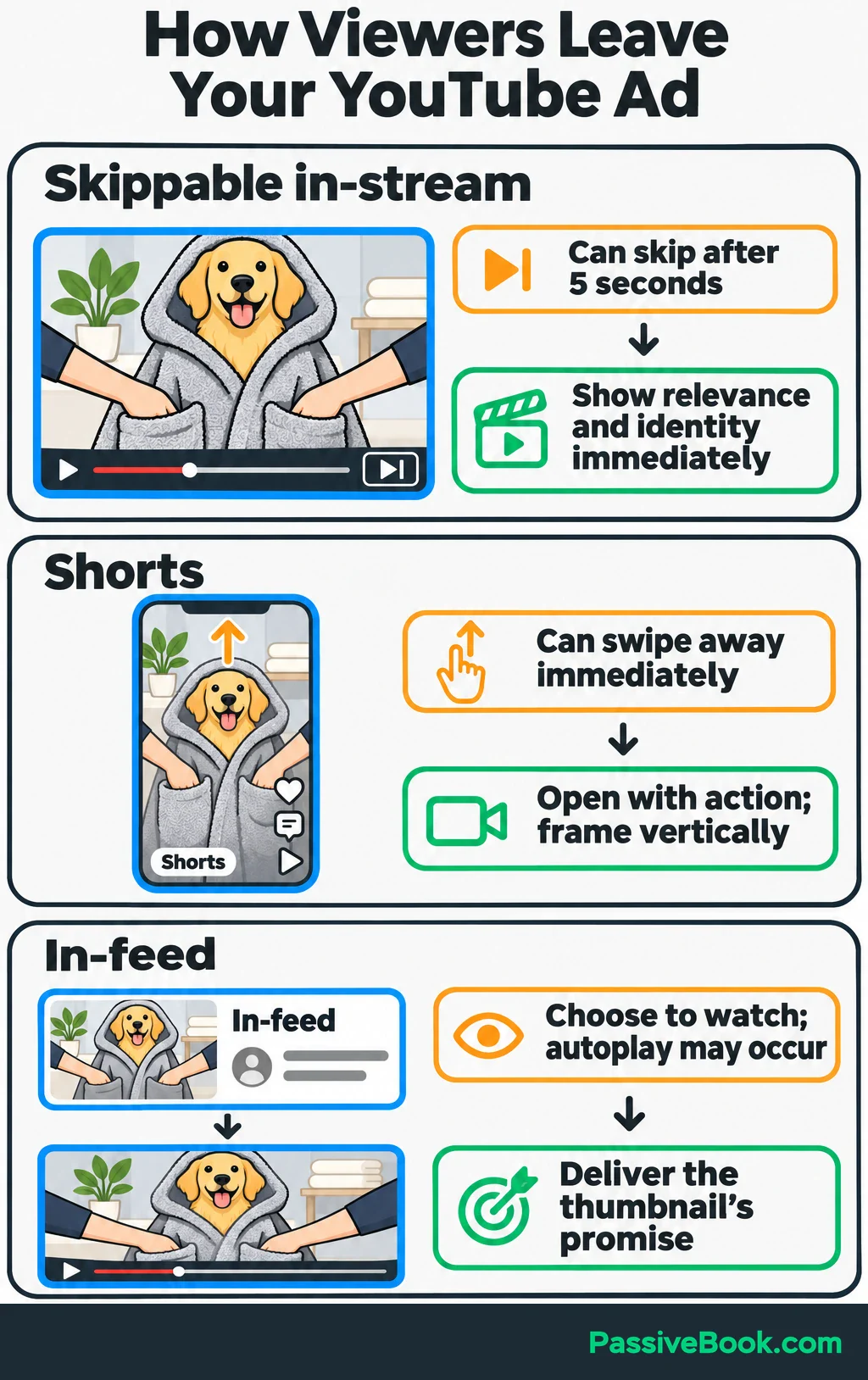
For PuddlePaw, I would start with a concise skippable demonstration if that format fits the chosen sales campaign. It gives you room to show the pockets and a clear opening to test.
A Shorts version needs deliberate vertical framing. Simply cropping the horizontal edit may leave a hand, the towel, or the important text outside the picture.
For in-feed, a headline such as “How This Dog Towel’s Hand Pockets Work” makes a clear promise. The opening should show those pockets, because that is what the viewer came to see.
A bumper might show hands entering the pockets, the towel moving around the dog, and the PuddlePaw name. I would skip the full sales explanation there.
Let the explanation determine runtime. Add time when a useful demonstration or buying concern needs it. An empty space on the editing timeline is not a buying concern.
Build the Hook, Story, and Offer With YouTube’s ABCDs
Google’s ABCDs stand for Attention, Branding, Connection, and Direction. Use them as checks across the ad rather than four scenes that must appear in order. A single shot can attract attention, show the brand, and explain the product. Google’s ABCD guidance provides the framework; your results still need testing.
The most useful YouTube ad creative best practices help viewers understand the offer. They don’t require you to squeeze a miniature film into every placement.
Attention: Make the Opening Relevant Immediately
Pair the first image with a specific reason to watch. Start with a recognizable problem, the product in use, or a demonstration that answers a real question.
For the same PuddlePaw offer, draft three openings:
| Hook | Spoken Opening | Matching Footage |
|---|---|---|
| Problem recognition | “Wet dog, awkward towel?” | Hands adjusting a loose towel after a wet walk |
| Demonstration | “Watch how PuddlePaw’s hand pockets work.” | Hands entering the pockets immediately |
| Buying objection | “Another dog towel? Here’s the difference.” | Close-up showing the pockets and how they are used |
Each opening needs footage that fulfills its promise. If you say “watch how,” show how. Don’t spend the next eight seconds introducing the company.
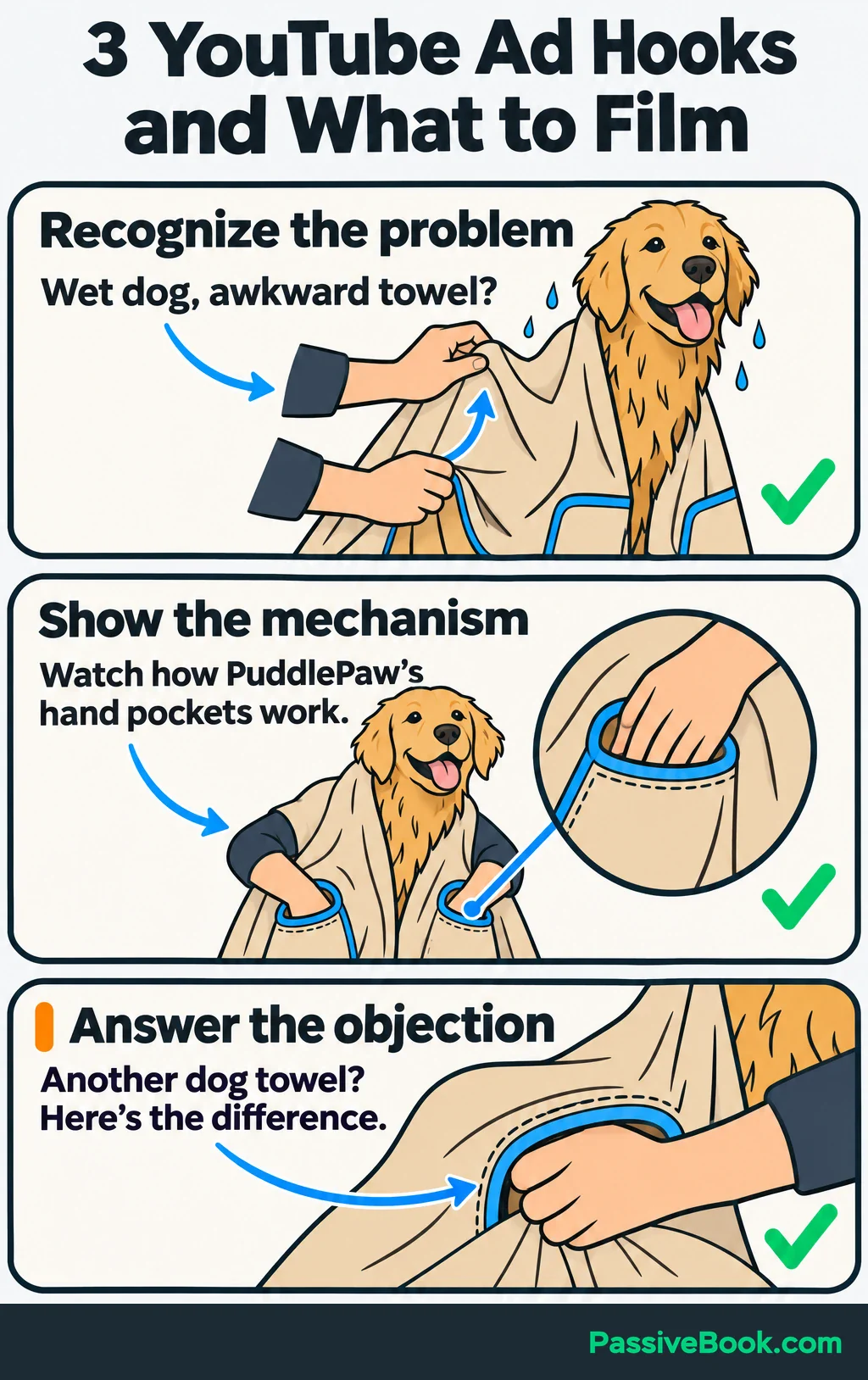
I would film all three, then initially test two. That gives you alternatives without splitting a small budget across too many versions.
You can use the same approach for your own offer without starting from an empty page. AI Advertising Studio turns your product details and available footage into opening options and a script you can review before filming.
Free AI Advertising Studio




Keep attention after the opening by making the action easy to follow. Use a close-up when the pockets matter and a wider shot when viewers need to understand the movement. Change shots to reveal something useful.
Remove greetings, slow logo animations, and narration that merely announces what the next scene will explain. “Let me show you how this works” is often time you could spend showing it.
Branding: Make the Advertiser Recognizable Early
Introduce the product or brand within the first five seconds. Google recommends early branding in its downloadable ABCD reference guide.
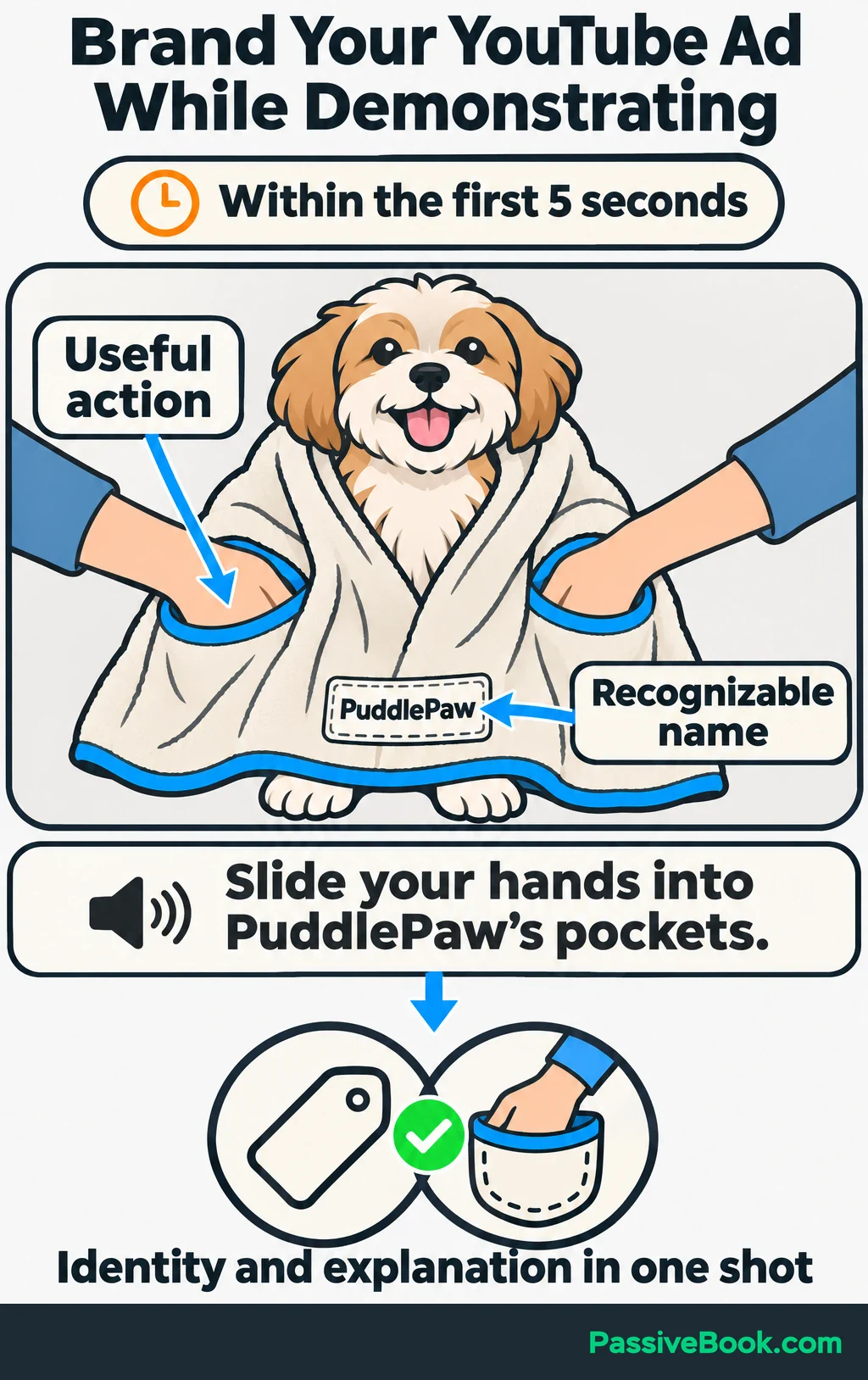
Work the name into the demonstration. For example:
“Slide your hands into PuddlePaw’s pockets, then bring the towel around your dog.”
Pair that line with a readable product label or brand overlay. The viewer can learn the name while watching something useful.
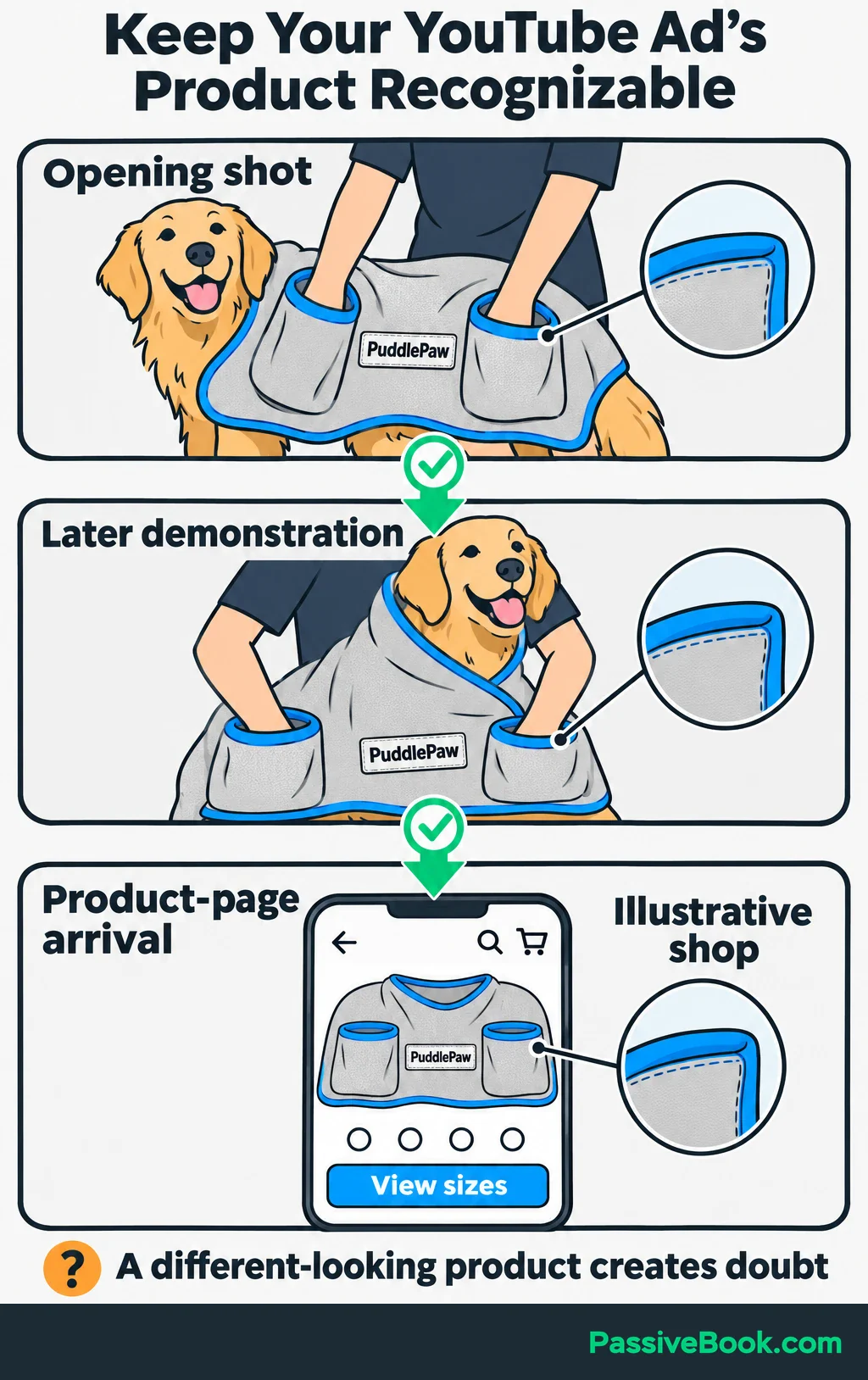
Keep the towel recognizable across the edit and product page. If the ad features one color and the page opens on a completely different-looking product, the visitor has to work out whether they arrived in the right place.
I would choose a clear product shot over a decorative brand introduction. A logo can identify the seller while the demonstration continues.
Connection: Demonstrate One Benefit
Build the story around a situation the viewer recognizes, then show the product’s role in it.
For a problem-led PuddlePaw opening, the sequence is straightforward:
- Show the awkward towel-handling moment.
- Reveal the hand pockets.
- Demonstrate how the towel is held and moved.
- Offer a way to inspect the product.
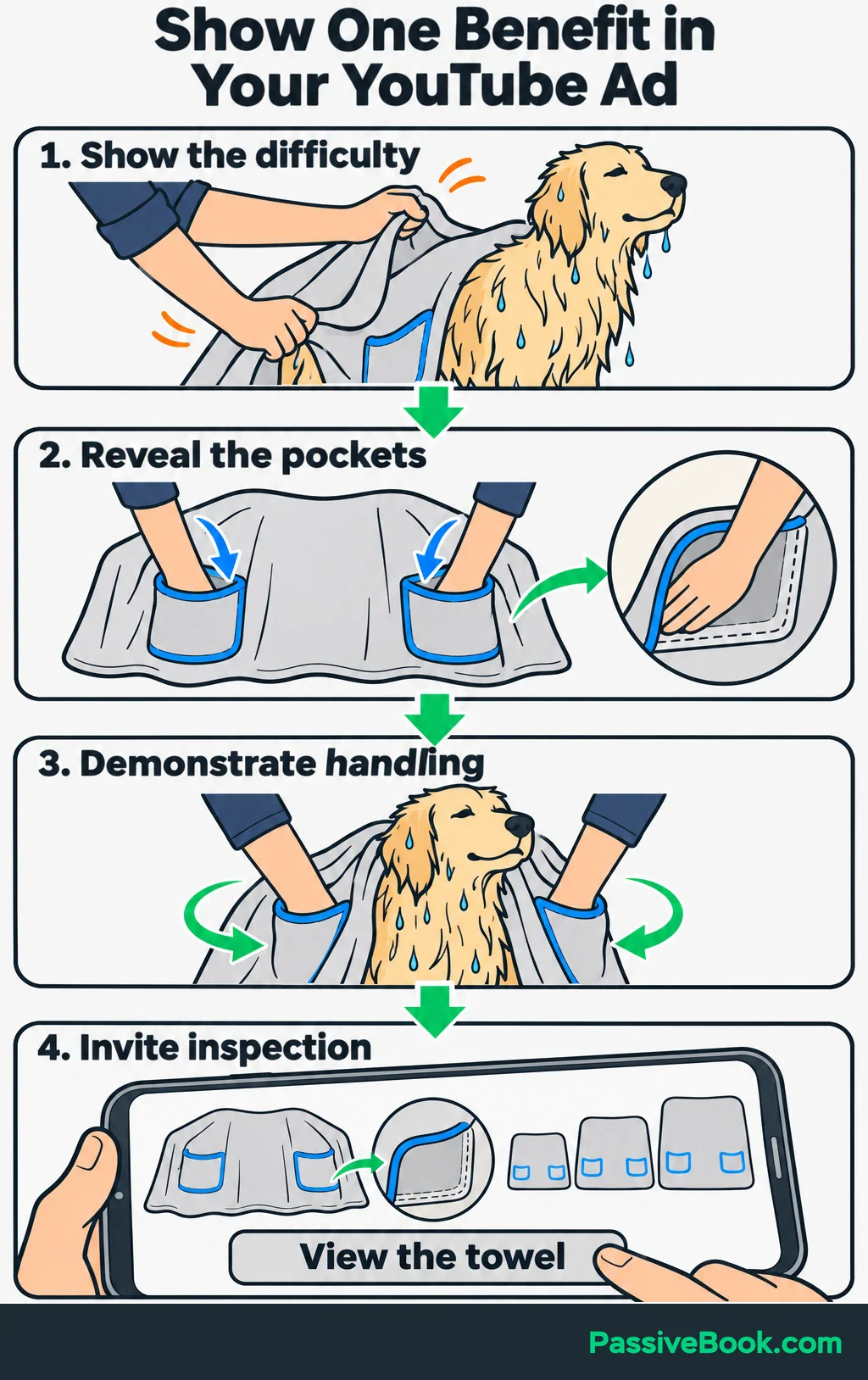
A demonstration-led opening can begin at step two, then briefly explain the situation. You don’t need to manufacture suspense around a towel pocket.
Keep the benefit tied to what the footage establishes. You can show how someone handles the towel. That does not establish faster drying, better absorption than another brand, or a calmer dog.
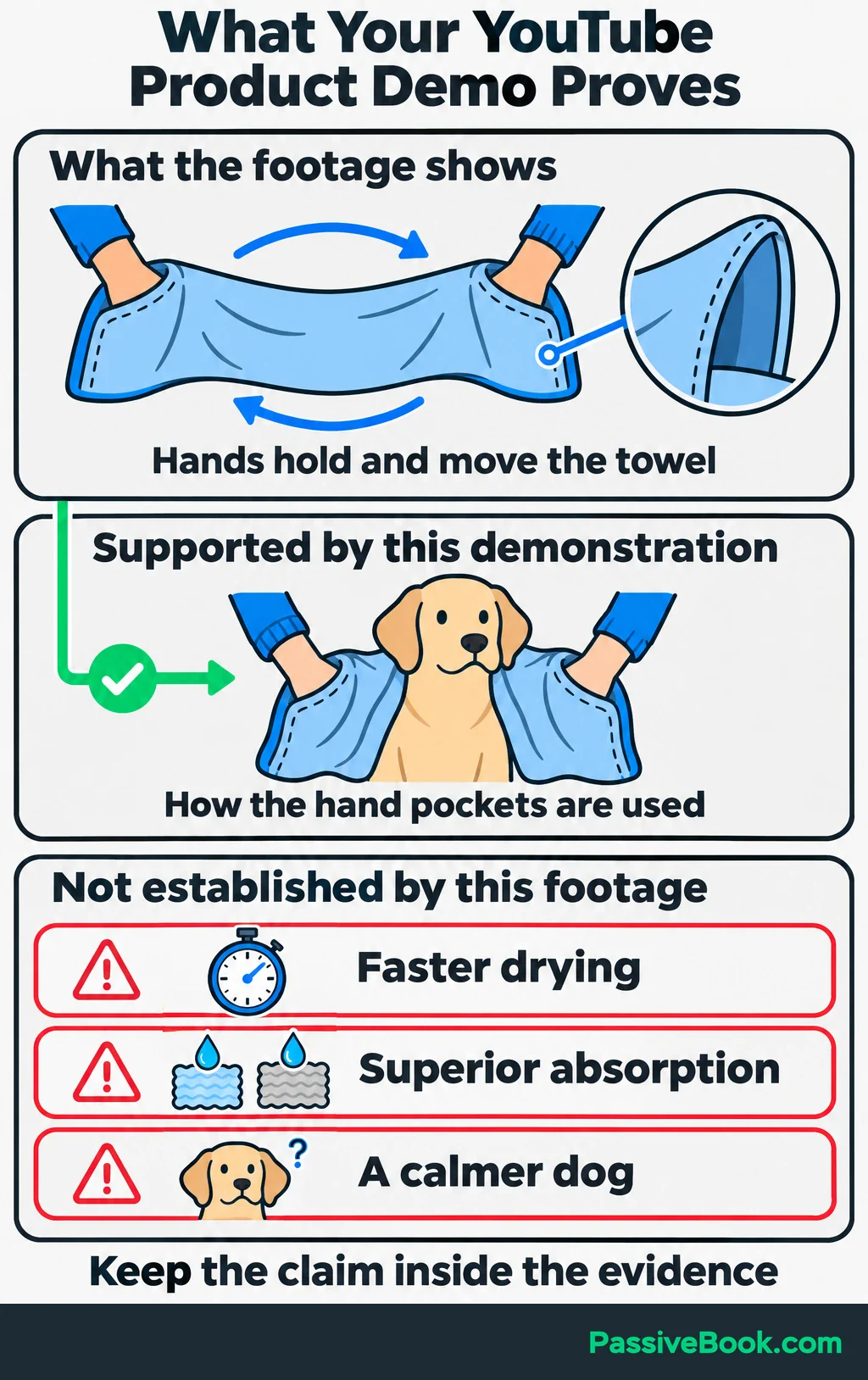
Use a genuine demonstration, and include customer footage or testimonials only with permission. An invented customer reaction adds no useful evidence.
If a buying question needs an answer, show the relevant detail. For a question about the pockets, film them clearly from inside and outside. A feature list is less helpful when a close-up would settle the question.
Direction: Give Viewers One Clear Next Step
Once the product makes sense, tell viewers what to do and what they will find. This request is your call to action, or CTA.
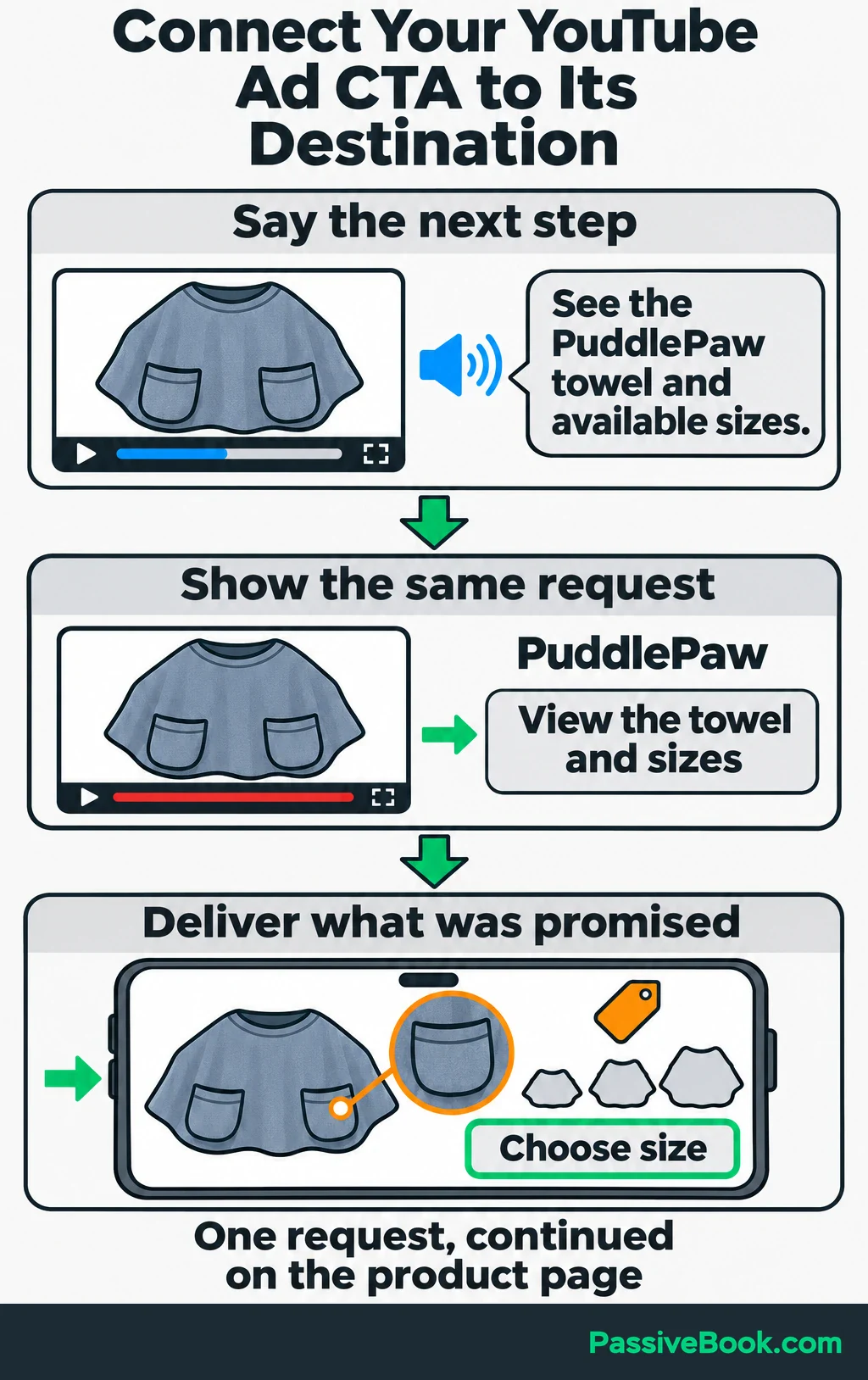
For PuddlePaw:
“See the PuddlePaw towel and available sizes on the product page.”
Put the same request on screen and say it aloud. You can introduce it after the demonstration and repeat it at the close if the edit gives viewers enough time to read it.
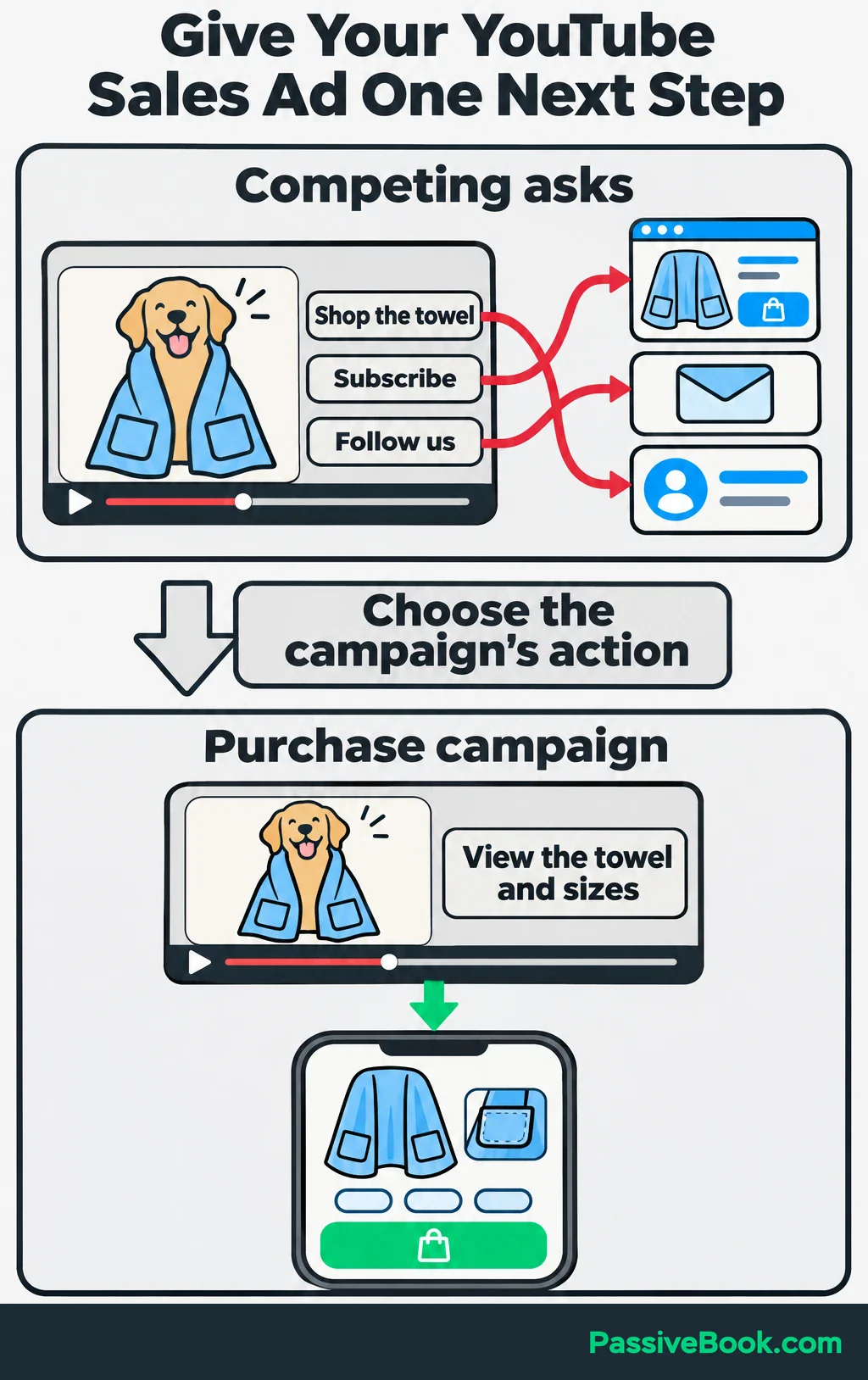
Keep the ask consistent. “Shop the towel,” “subscribe,” and “follow us” send people toward three different outcomes.
The destination should continue the ad’s promise. Show the same towel, explain the hand pockets, and make size information and buying options easy to find. Sending interested viewers to a homepage creates another search task just when they are ready to inspect the product.
Produce Reusable Video Assets With Simple Equipment
Turn the script into a storyboard before filming. For each scene, record the approximate timing, footage, spoken words, on-screen text, and purpose.
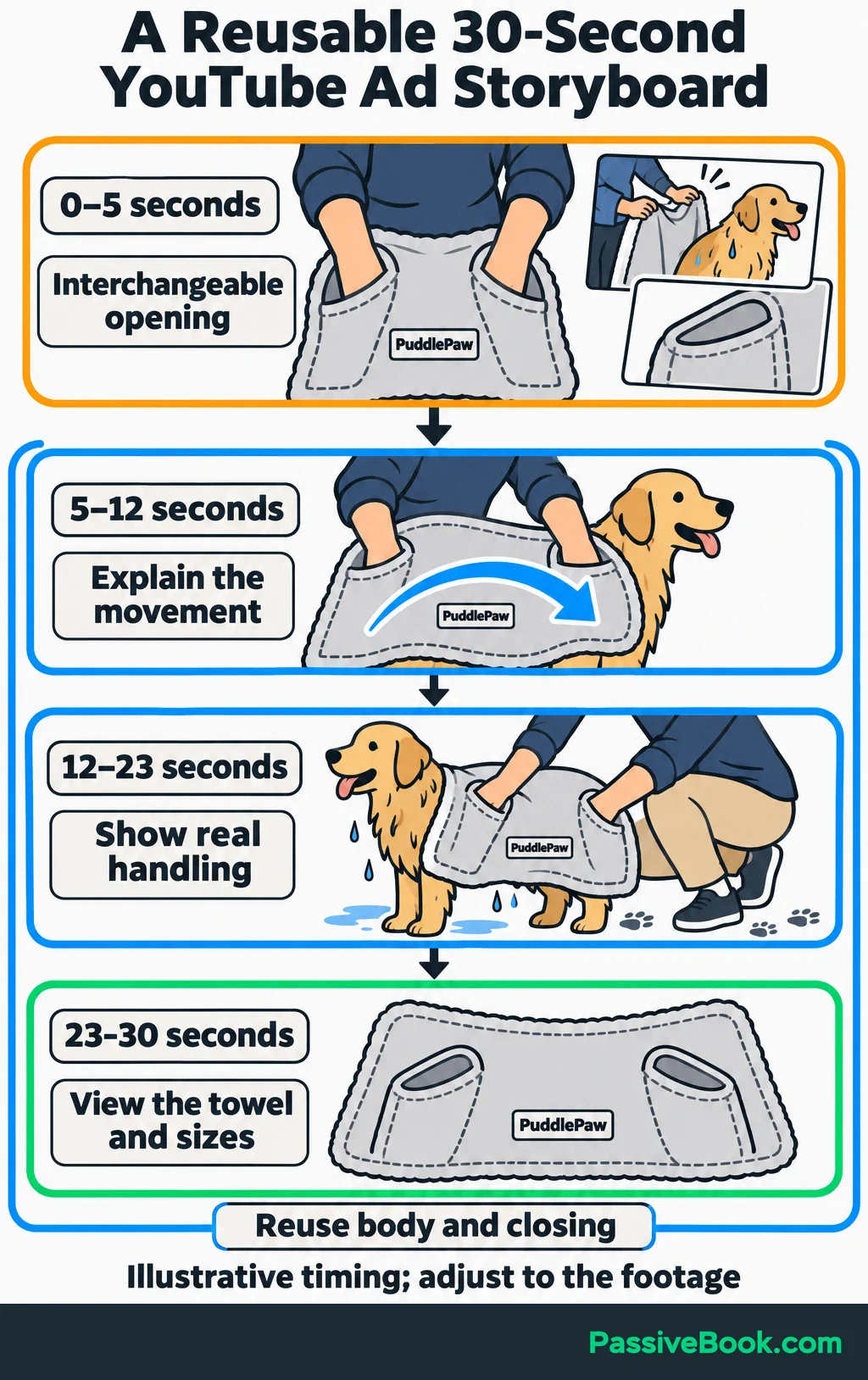
Here is a complete 30-second PuddlePaw script using the demonstration hook. The timing is a planning example, so adjust it to the footage and natural speaking pace.
| Timing | Footage | Spoken Words | On-Screen Text | Purpose |
|---|---|---|---|---|
| 0–5 seconds | Hands enter the pockets; PuddlePaw name is visible | “Watch how PuddlePaw’s hand pockets work.” | “PuddlePaw — hand-pocket dog towel” | Reveal the mechanism and identify the product |
| 5–12 seconds | Close-up of hands inside the pockets, then towel around the dog | “Slide your hands into the pockets, then bring the towel around your dog.” | “Hands inside. Towel around.” | Explain the movement |
| 12–23 seconds | Real post-walk use, followed by a clear side angle | “Keep your hands inside as you move the towel over the wet coat. Here’s the same motion from the side.” | “See how the pockets are used” | Demonstrate handling |
| 23–30 seconds | Product shot with pockets visible and a readable closing card | “See the PuddlePaw towel and available sizes. Visit the product page to take a closer look.” | “View the towel and sizes” | Give one next step |
Film the alternative openings during the same session. Keep the body and closing ready to reuse, and capture extra close-ups of the pockets, product label, and towel in use.
Hands-only footage and voiceover are sensible choices when they explain the product clearly. You do not need to become the face of the business to show how a pocket works.
Start with a stable phone camera, useful light, and clear audio. Record narration in a quiet room, and keep music low enough that every word remains easy to hear.
Frame horizontal and vertical shots deliberately. Google recommends 1080p, including 1920 × 1080 for horizontal and 1080 × 1920 for vertical. Keep the product, branding, and text within the safe zones in Google’s video specifications, where interface controls are less likely to cover them.
For a small production setup, I would use tools already available. Canva can handle a straightforward edit and text overlays. ChatGPT or Claude can help draft hook options, shorten narration, and organize a shot list.
Give AI clear boundaries:
“Write five opening lines for a dog towel with hand pockets. Focus on towel handling after a wet walk. Do not claim faster drying, superior absorption, or customer results.”
Check every line against the actual product and footage. AI can shorten a sentence, but it cannot verify what your towel does.
Before export, watch the ad on a phone and a larger screen. Check the opening, captions, audio, framing, and closing request. Use filenames such as puddlepaw_pockets_demo_horizontal_v1 so the test report can be matched to the right edit.
Run a Focused Creative Test
Choose the primary success metric before launching. Otherwise, it is easy to declare victory using whichever number improved.
Match the metric to the campaign’s job:
- Purchases: Use purchase cost per acquisition, or CPA, to assess cost per attributed purchase.
- Purchase Value: Use purchase return on ad spend, or ROAS, when differences in order revenue matter. It shows the purchase revenue attributed to the campaign for each dollar spent on its ads.
- Lead Generation: Use cost per qualified lead and define what makes a lead qualified.
- Awareness: Assess reach within the intended audience and the cost of that reach; use brand-lift measurement when available.
- Viewing: Assess the cost and volume of qualifying views, with viewing metrics as supporting evidence.
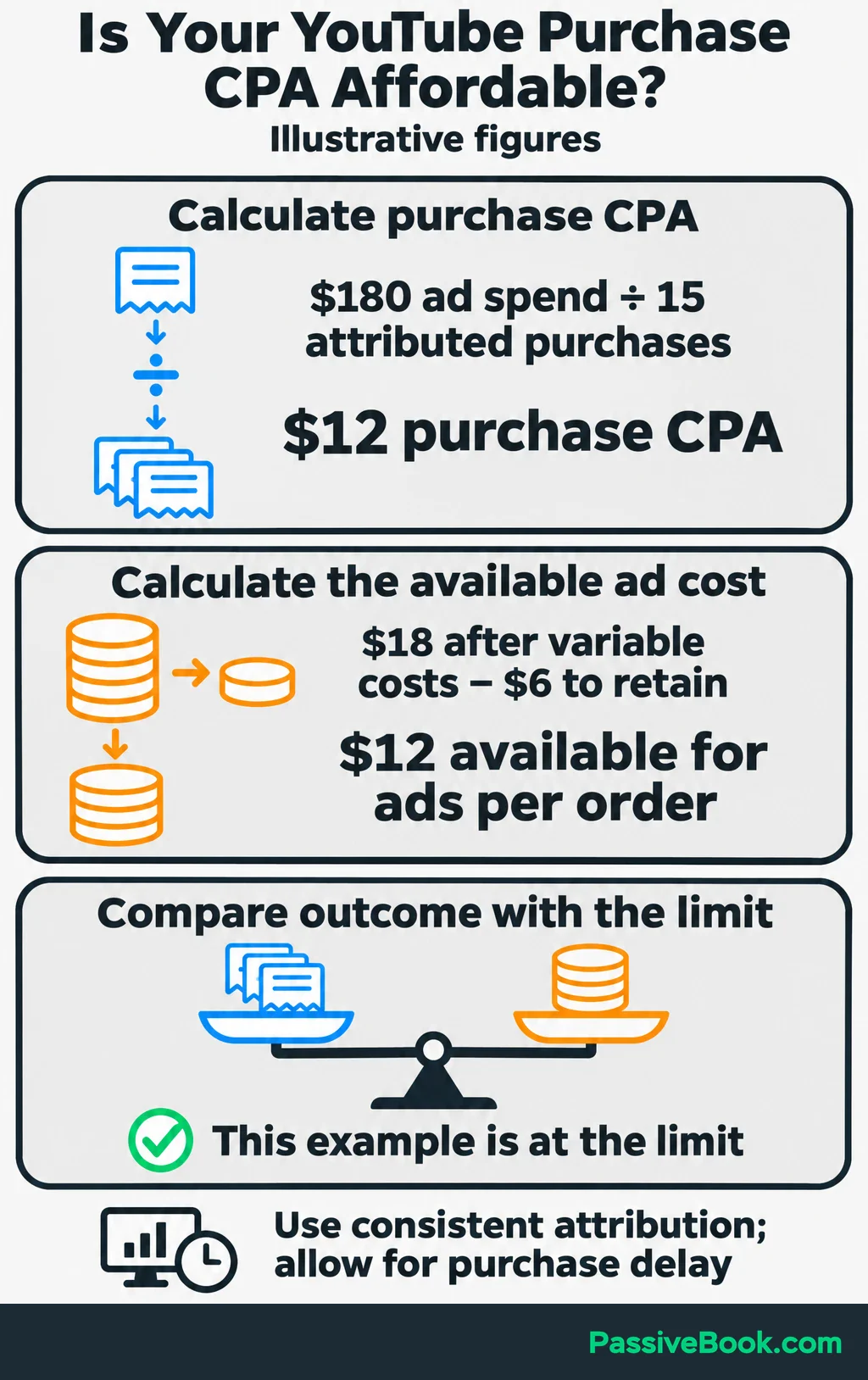
For PuddlePaw’s sales test, I would start with purchase CPA and an acceptable cost per order.
To calculate it, count the test’s ad spend and the purchases attributed to that spend under the same reporting settings. Divide spend by attributed purchases.
For illustration, $180 in spend and 15 attributed purchases gives a purchase CPA of $12.
The acceptable limit comes from the business. Suppose an order leaves $18 after product costs, fulfillment, payment fees, and other variable costs, before advertising. If you need to retain $6, you have $12 available for advertising per order. Those figures are illustrative, but the decision is real: a lower CPA can still be too expensive.
Before testing, place a test order and verify that the purchase records correctly. Check that it is not counted twice and that order value is accurate.
Keep attribution settings consistent across variants. Google can attribute an engaged-view conversion when someone meets the format’s engagement requirement and converts within the configured window. An attributed purchase therefore need not follow an ad click. Google’s engaged-view conversion explanation describes those conditions.
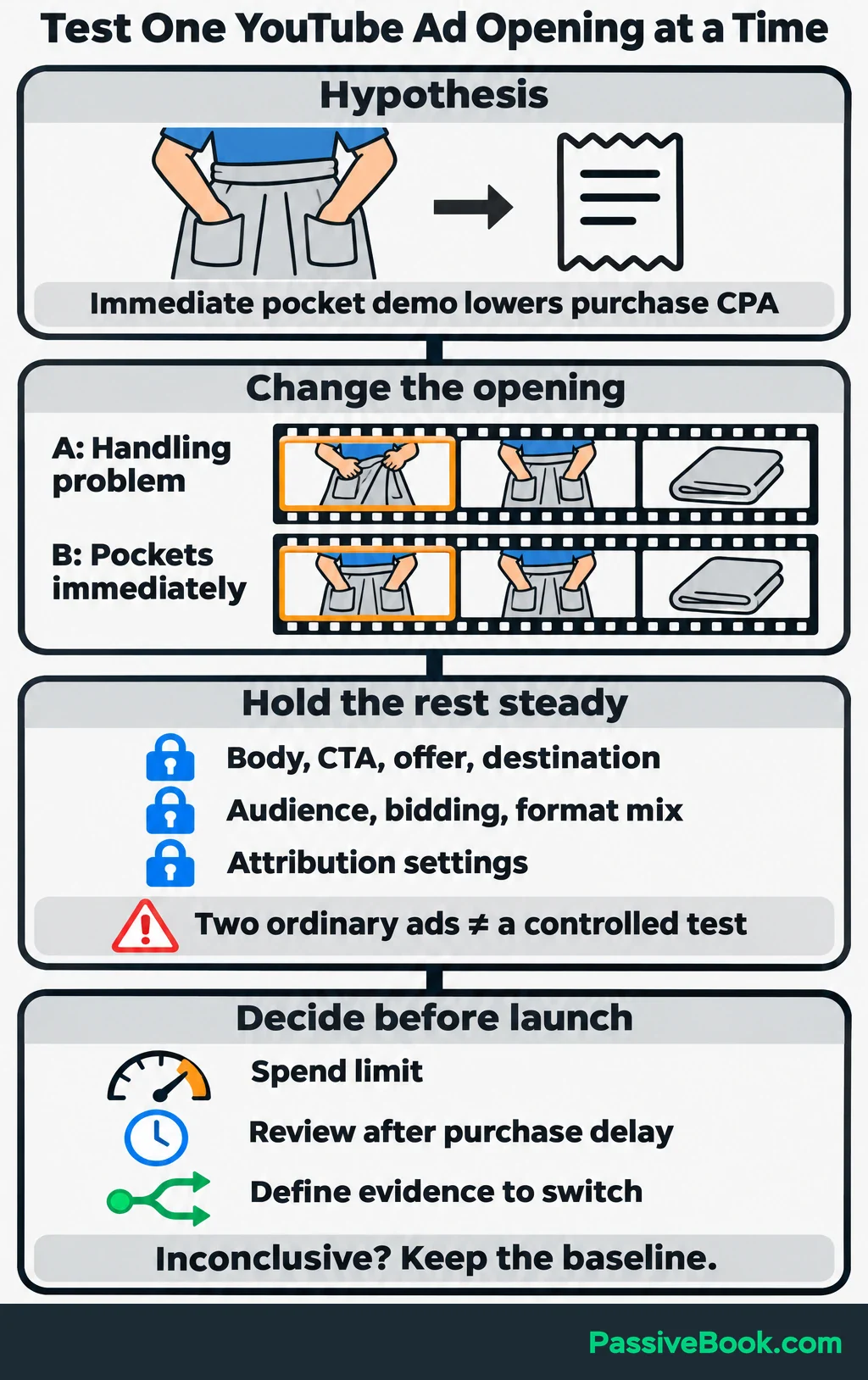
Write one hypothesis:
“Showing the hand pockets immediately will reduce purchase CPA compared with opening on the towel-handling problem.”
Compare those openings while holding the body, CTA, offer, destination, audience, bidding, and format mix steady. If you also change the price and audience, you lose the ability to explain the result.
If you are unsure whether towel handling is the right benefit, test that central idea before polishing opening lines. A sharper hook cannot rescue an offer the audience does not want.
Choose the campaign for your business objective, then use its testing options. Google’s basic video asset A/B test supports Video View and Efficient Reach campaigns. If you use Demand Gen, a campaign type that can run video ads on YouTube, use its asset A/B experiment.
Adding two ads to an ordinary ad group does not create a controlled comparison. Delivery can be uneven, so treat that reporting as a useful signal rather than clean proof that one opening caused the difference.
Before launch, record:
- Spending Limit: The total amount you can afford to spend learning.
- Review Date: When you will assess the test, allowing for the account’s purchase delay.
- Decision Rule: What evidence would justify switching to the new opening, keeping the original ad, or stopping both? The original ad is your baseline for comparison.
Recent purchase totals can be incomplete because conversions arrive after the initial ad interaction. Use the account’s conversion-lag reporting to judge when results are ready for review.
If the experiment reports insufficient data or similar performance, it has not established a winner. Google’s video experiment interpretation guidance says each campaign needs at least 100 conversions before it can calculate differences for conversion metrics. If reaching that threshold would exceed your budget, stop at your spending limit and keep the original ad.
Use Performance Patterns to Choose the Next Edit
Read the primary outcome first. If one PuddlePaw opening earns more views but produces worse purchase CPA, the sales test has not given you a reason to replace the baseline.
Then use supporting metrics to decide what to investigate.
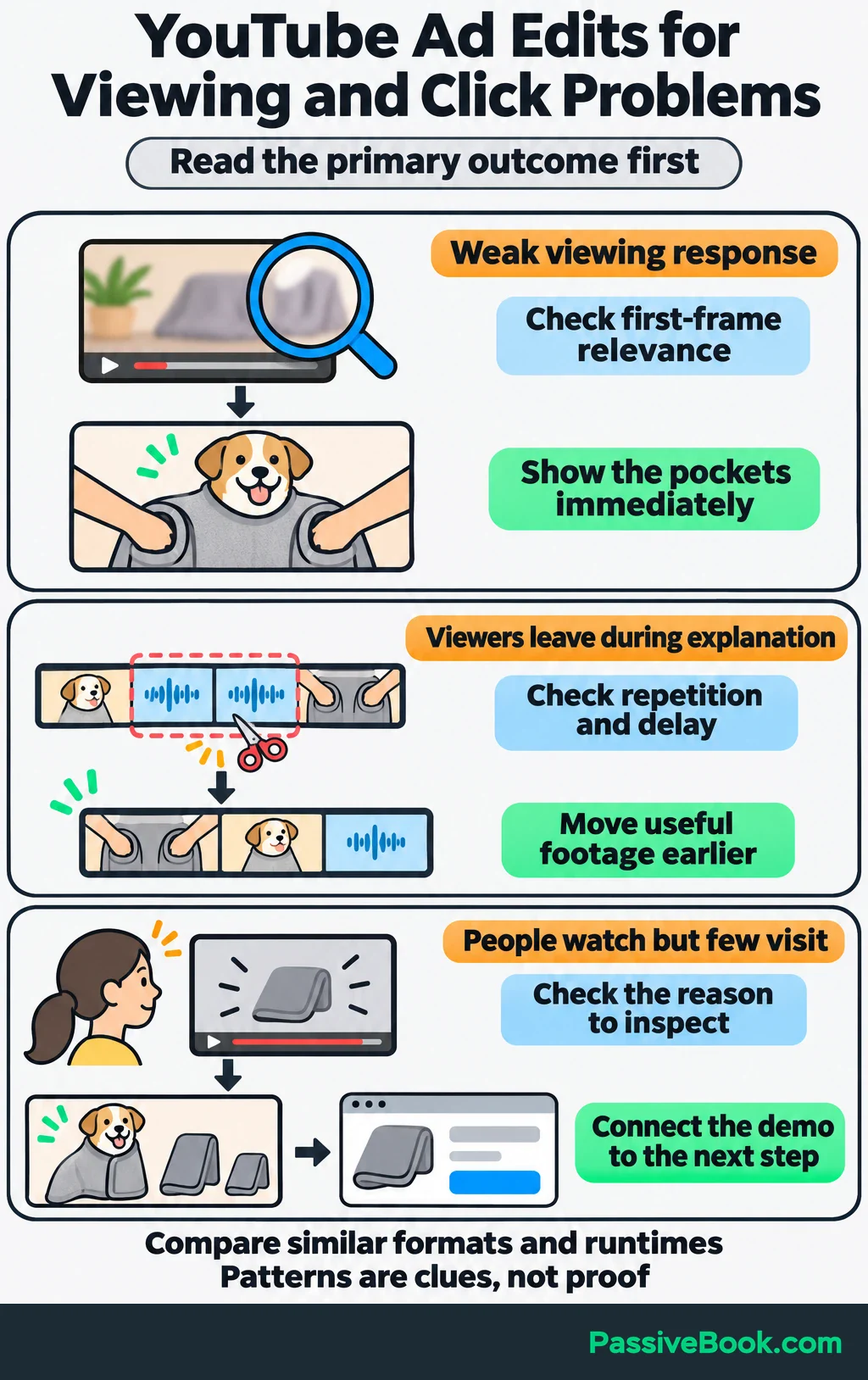
Compare viewing metrics within the same format and similar runtime. Google counts TrueView views differently across formats, and a drop when the five-second skip button appears does not by itself establish creative failure. The 25%, 50%, 75%, and 100% playback metrics can help locate broad weak points. Google’s video metric definitions explain these differences.
Those playback points are clues, not a precise account of why someone left. Match them to the scenes before choosing an edit.
| Observed Pattern | Checks to Make | Next Edit |
|---|---|---|
| Weak viewing response compared with a similar ad | Is the first frame clear? Does the intended audience recognize the problem? Is the promised action visible? | Open on the pockets in use and make the first line more specific |
| Viewers leave during the explanation | Is narration repeating the image? Is the demonstration delayed? | Remove repeated wording and move useful footage earlier |
| People watch but few visit the site | Does the ad give a reason to inspect the towel? Is the next step clear? | Connect the demonstration to the product-page request |
| Site visits arrive but purchases remain weak | Is tracking working? Does the page match the ad? Are price, sizes, delivery, and checkout clear? | Correct the page or offer; revise the ad if it creates the wrong expectation |
| CPA improves but remains above the acceptable limit | Does the improvement survive purchase delay? Can the order support this advertising cost? | Keep spend controlled and test a stronger concept before expanding |
| Opening changes produce little useful difference | Is the underlying benefit persuasive? Are viewers asking a different buying question? | Keep the better-supported baseline and test a new story or benefit |
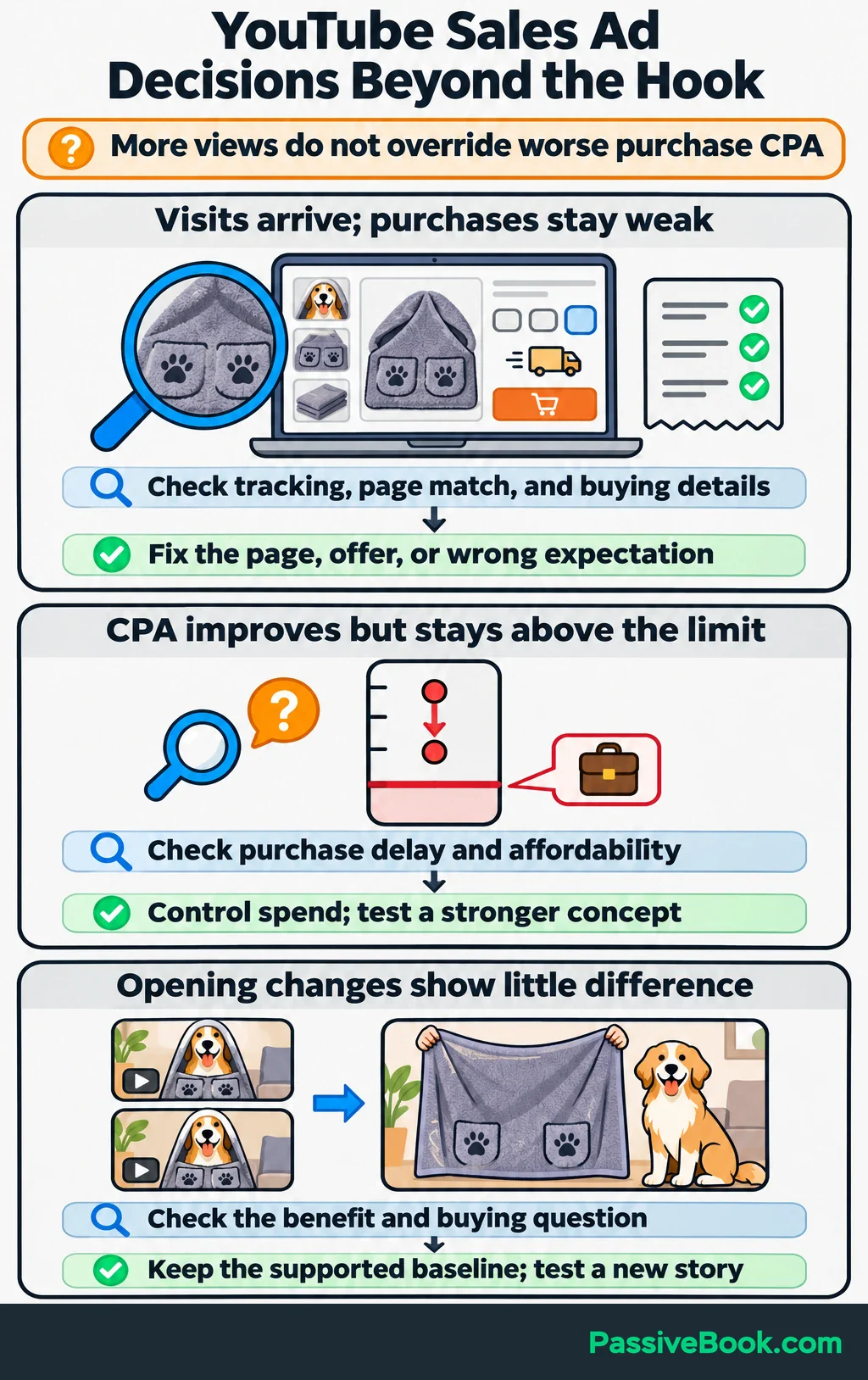
For PuddlePaw, repeated opening edits might show that the pockets are already clear. If visitors still need to understand the towel’s size before buying, another clever opening is unlikely to answer that question. Show the relevant product detail.
Keep a short test log with the hypothesis, changed element, spend, primary outcome, supporting metrics, and next action. Link each entry to the exported video and reusable footage.
That record saves you from filming the same idea again because nobody remembers why the last version was dropped. Keep the strongest supported baseline and replace it when the evidence gives you a reason.
What Next?
Write a six-line brief for one product, then film two openings and one shared demonstration. Set the success metric and spending limit before the ad goes live.
Use the social buttons to share this guide when a creative review needs a practical way to choose the next edit.
Which part of your current ad is hardest to make clear: the opening, the benefit, or the next step? Share your answer in the comments, and add any other questions there too.
Share this post with your friends & followers:

