Before you pay for a click, can you explain what happens after it? A visitor needs to understand your offer, complete the next step, and receive what you promised. You also need to know whether that visit produced a customer.
A gap anywhere along that route can leave you paying for traffic while guessing what went wrong. When your budget is small, that guessing can use up the money you set aside for a test. The checks below help you find gaps in your offer, costs, customer journey, tracking, and follow-up, then decide whether to launch, fix a blocker, or validate demand first.
What Needs to Be Ready Before You Spend?
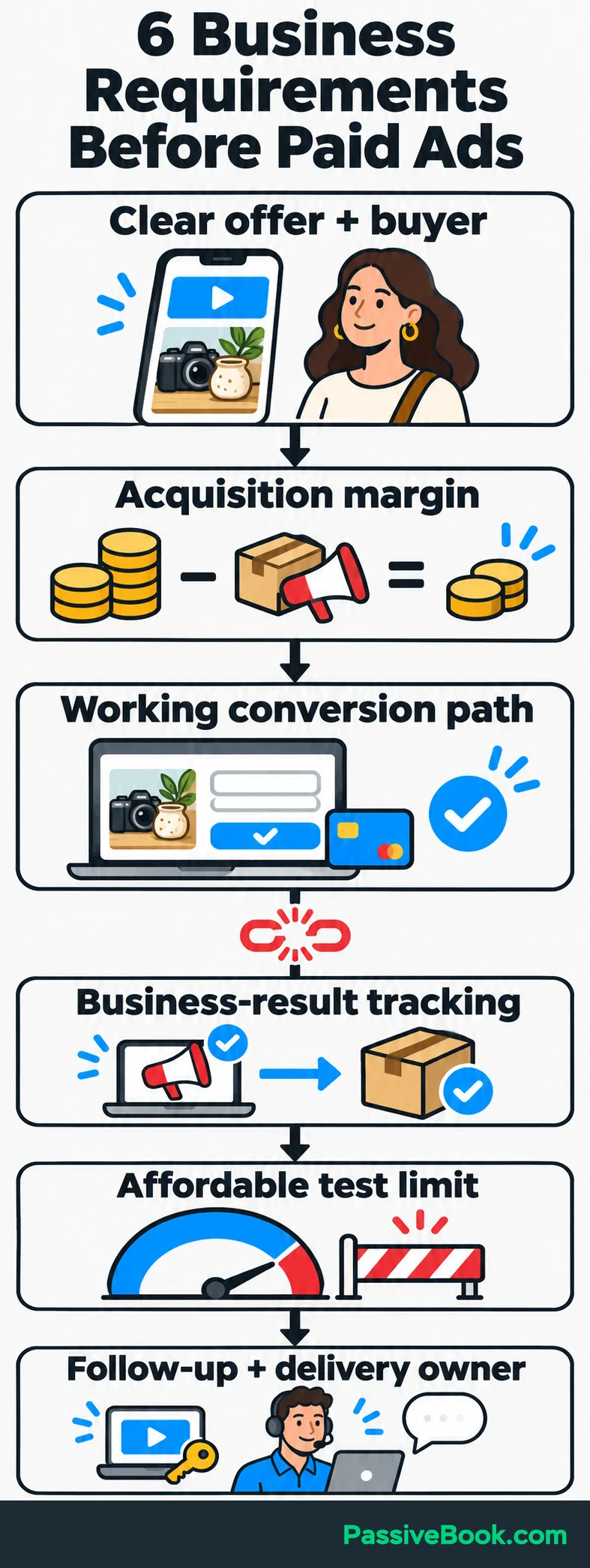
You need six things working together:
- A clear offer for a specific buyer.
- Enough margin to pay for acquisition.
- A working route from the ad to a purchase, inquiry, or booking.
- Tracking that records the business result.
- A test budget you can afford to lose.
- Someone responsible for follow-up, delivery, and support.
Choose one primary outcome before doing anything else. For a course sold directly, that might be a completed purchase. For a service, it could be a qualified inquiry that you later connect to a sale.
Ads bring people to the offer, but the page and buying process still have work to do. More traffic cannot repair a checkout that rejects payments.
For the examples, imagine you sell a $100 online course on photographing handmade products with a phone. It teaches lighting, backgrounds, and a repeatable shooting process. The business, copy, costs, and results below are illustrations.
Define One Offer for a Specific Buyer
Write down who the offer helps, what they struggle with, what they receive, the price, and the practical benefit.
Keep it specific enough that a potential buyer can recognize their situation. For the course, that might sound like:
Learn to photograph your handmade products using a phone and window light. The $100 course includes demonstrations, editing lessons, and a reusable shot checklist.
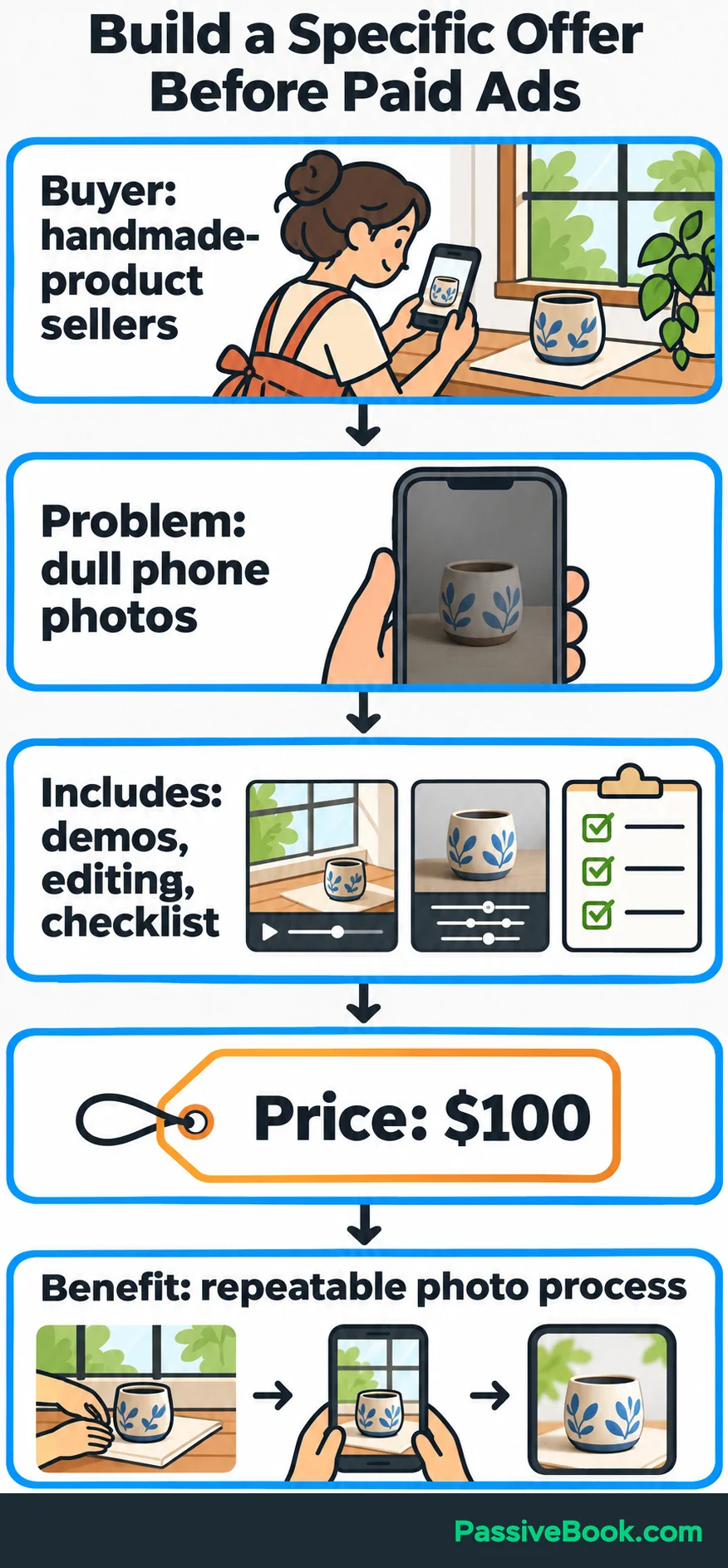
That gives you something concrete to discuss with buyers. “Better photos” alone leaves too much unanswered.
Ask people who match the intended audience:
- How do you take product photos now?
- Which part takes the most time or gives you trouble?
- What have you already tried or paid for?
- What would you need to see before buying this course at $100?
Listen for purchase barriers. Someone may need proof that the lessons work with their phone, rather than another promise about professional-looking results.
During product development, I once rushed a course without validating it. It received few sales and a bad review, and I removed it. Finishing the material had felt like progress, but it hadn’t answered whether people wanted that particular product.
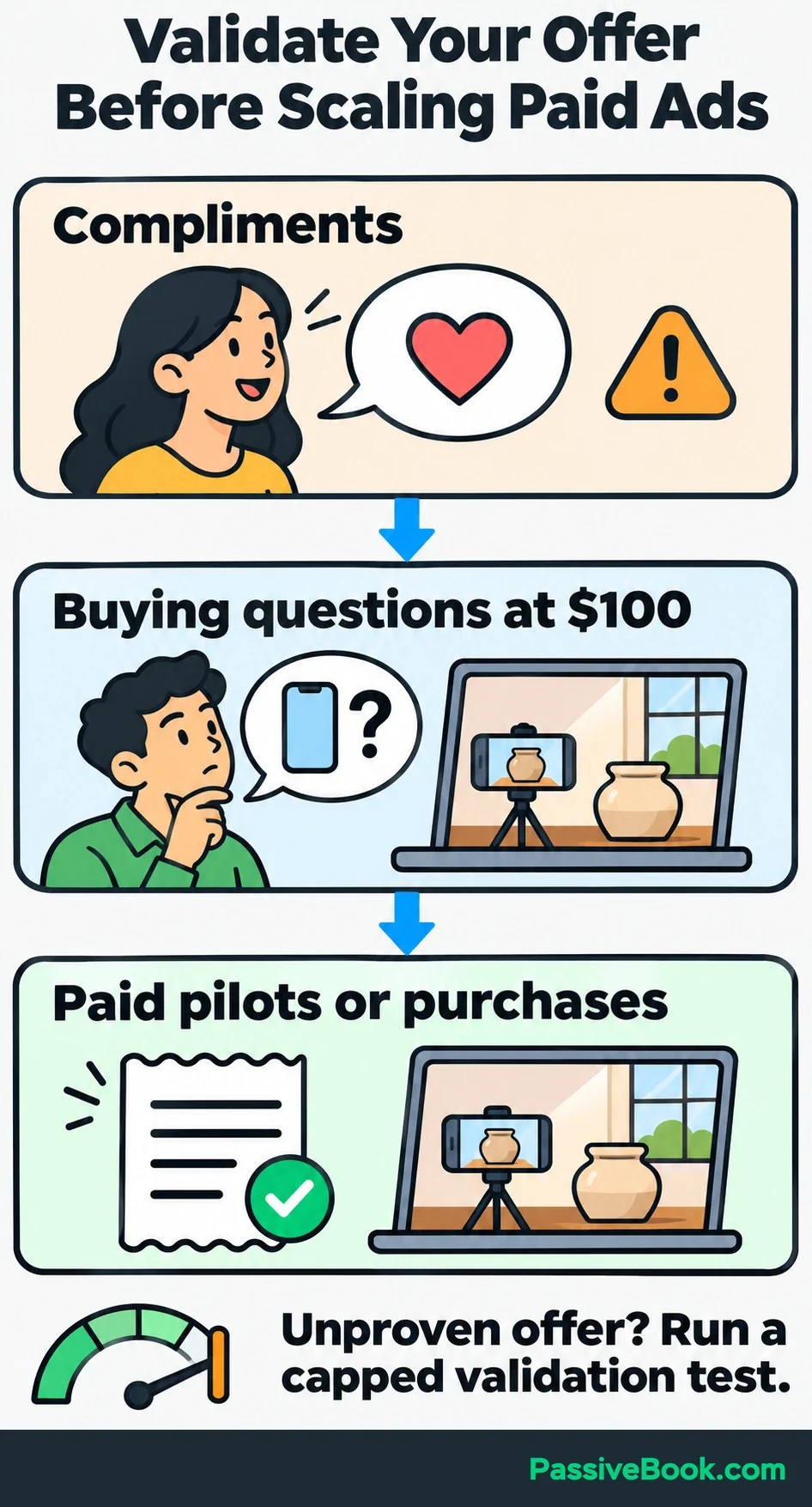
I would look for purchases, paid pilots, or serious questions about buying at the stated price before committing substantial money to ads. Compliments are encouraging, but they don’t cover the bill.
An unproven offer can still go through a small validation test. Just make the question clear: will people pay for this? Keep that budget separate from plans to scale.
Calculate What You Can Afford to Pay for a Customer
Start with the money left from a sale before acquisition costs.
Use revenue after discounts, exclude tax collected for authorities, and subtract costs that rise with sales. These can include payment fees, delivery, support, and an allowance for expected refunds.
For the example course:
| Item | Amount per new customer |
|---|---|
| Revenue, excluding collected tax | $100 |
| Assumed variable costs, including expected refunds | −$30 |
| Contribution before acquisition | $70 |
| Reserve for overhead and desired profit | −$40 |
| Total acquisition allowance | $30 |
That $30 is the most this example business can spend acquiring a customer while preserving its reserve.
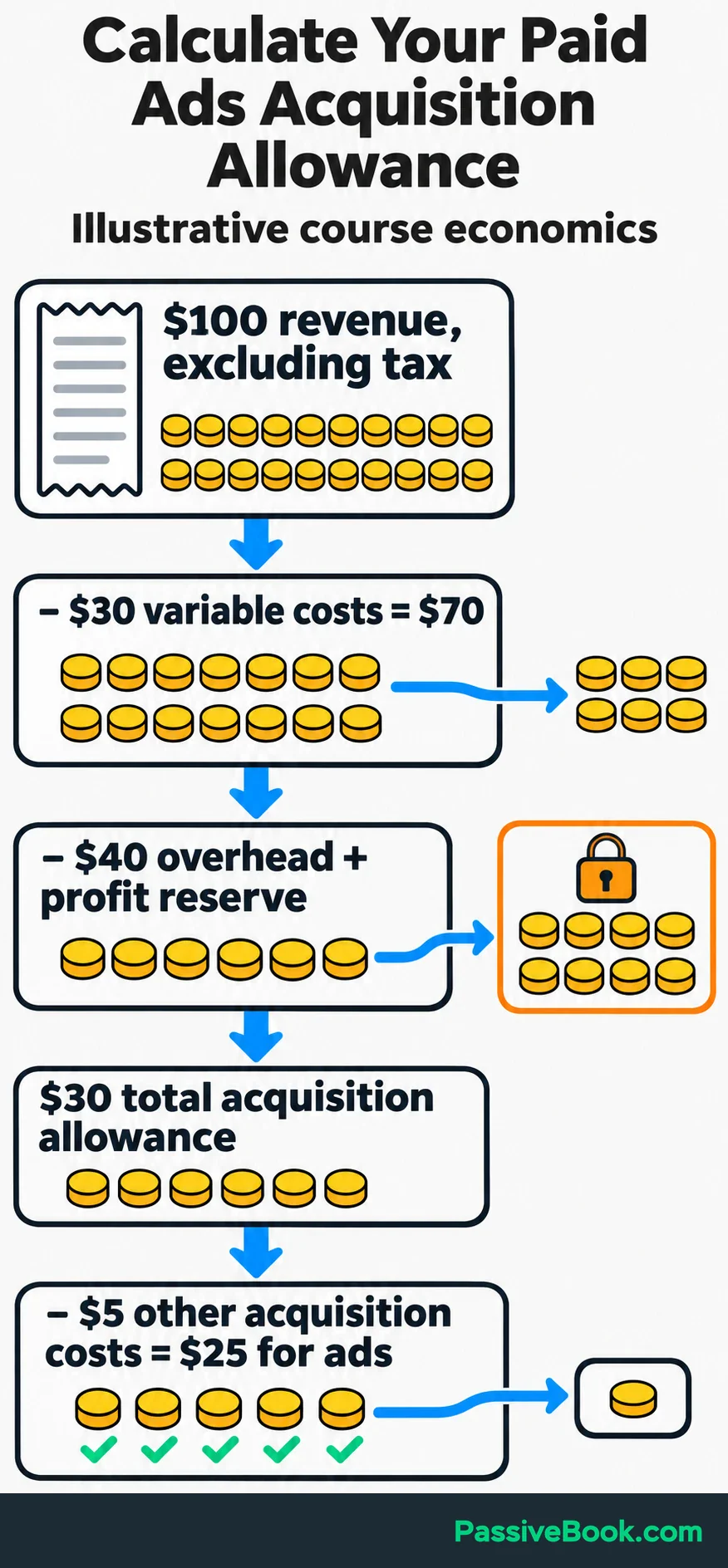
Advertising cost per new customer is ad spend divided by the number of first-time customers it brought in. Total customer acquisition cost, or CAC, adds expenses such as making the ads, campaign management, and sales work before dividing by the new customers acquired. Use costs and customers from the same acquisition group, and allow time for those customers to buy.
If those other costs use $5 per customer, only $25 remains for advertising. Don’t give the same dollar two jobs.
Return on ad spend, or ROAS, compares attributed revenue with ad spend:
ROAS = attributed revenue ÷ advertising spend
With a $100 sale and a $30 advertising allowance, the required ROAS is about 3.33×, assuming no other acquisition expenses.
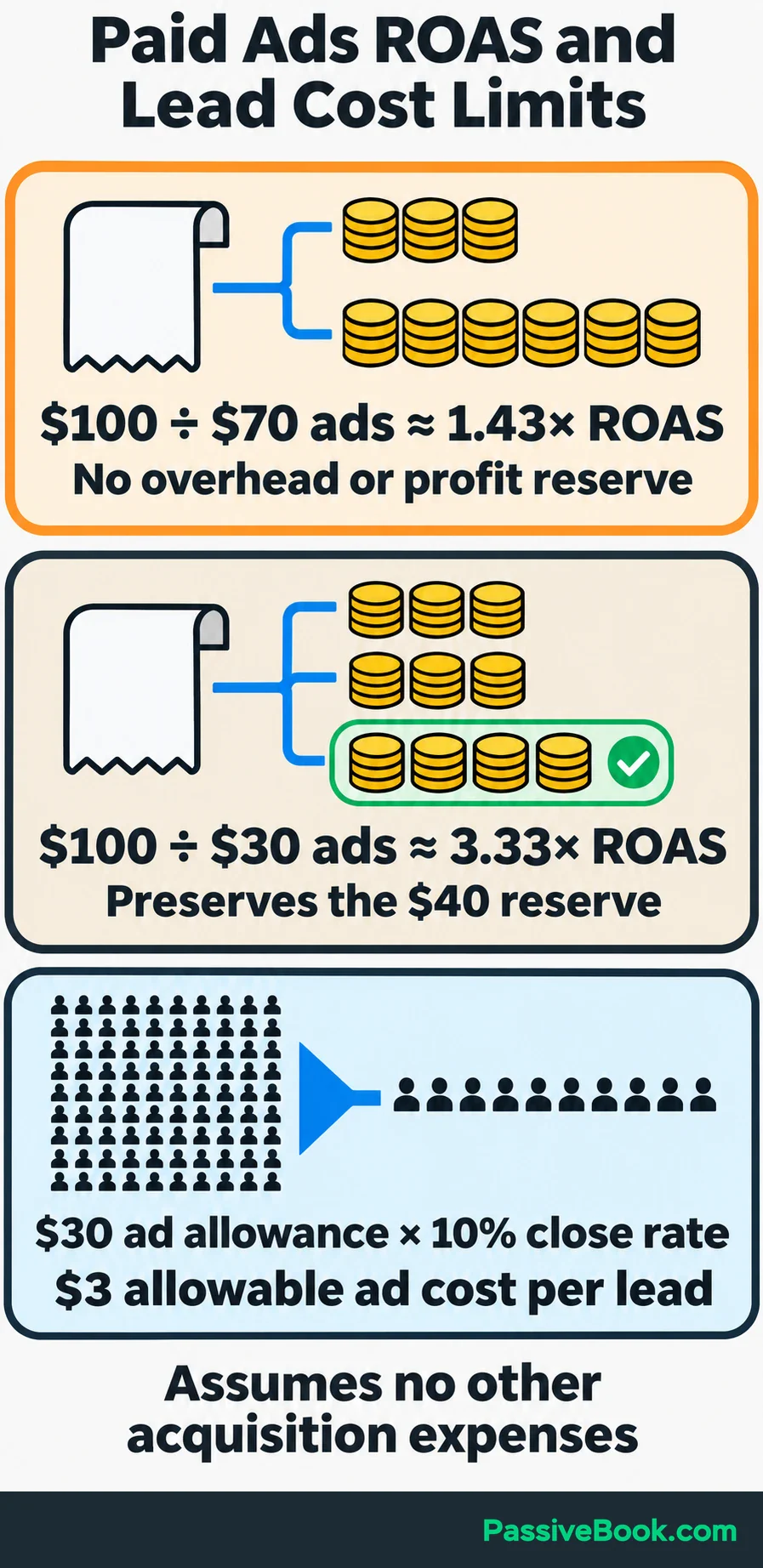
About 1.43× would cover the example’s variable costs and advertising alone. It would leave nothing for the $40 overhead and profit reserve. A campaign can report revenue above ad spend and still fail your business economics.
For lead campaigns, work backward from customers. Count leads from the same acquisition group and allow enough time for their buying decision.
If 10 of every 100 comparable leads eventually buy, the close rate is 10%. With a $30 advertising allowance per customer:
Allowable advertising cost per lead = $30 × 10% = $3
Use that as an assumption until your records support it. A cheap lead who never buys is still an expense.
I would use first-purchase economics initially. Paying more because customers might buy again needs evidence from customer records and enough cash to wait for those later purchases.
Prepare a Focused First Campaign
Choose One Channel That Fits the Buying Situation
Start with how people encounter the problem.
Search advertising can put an offer in front of people looking for a relevant solution. A social-feed campaign gives you space to demonstrate something they may not be searching for yet.
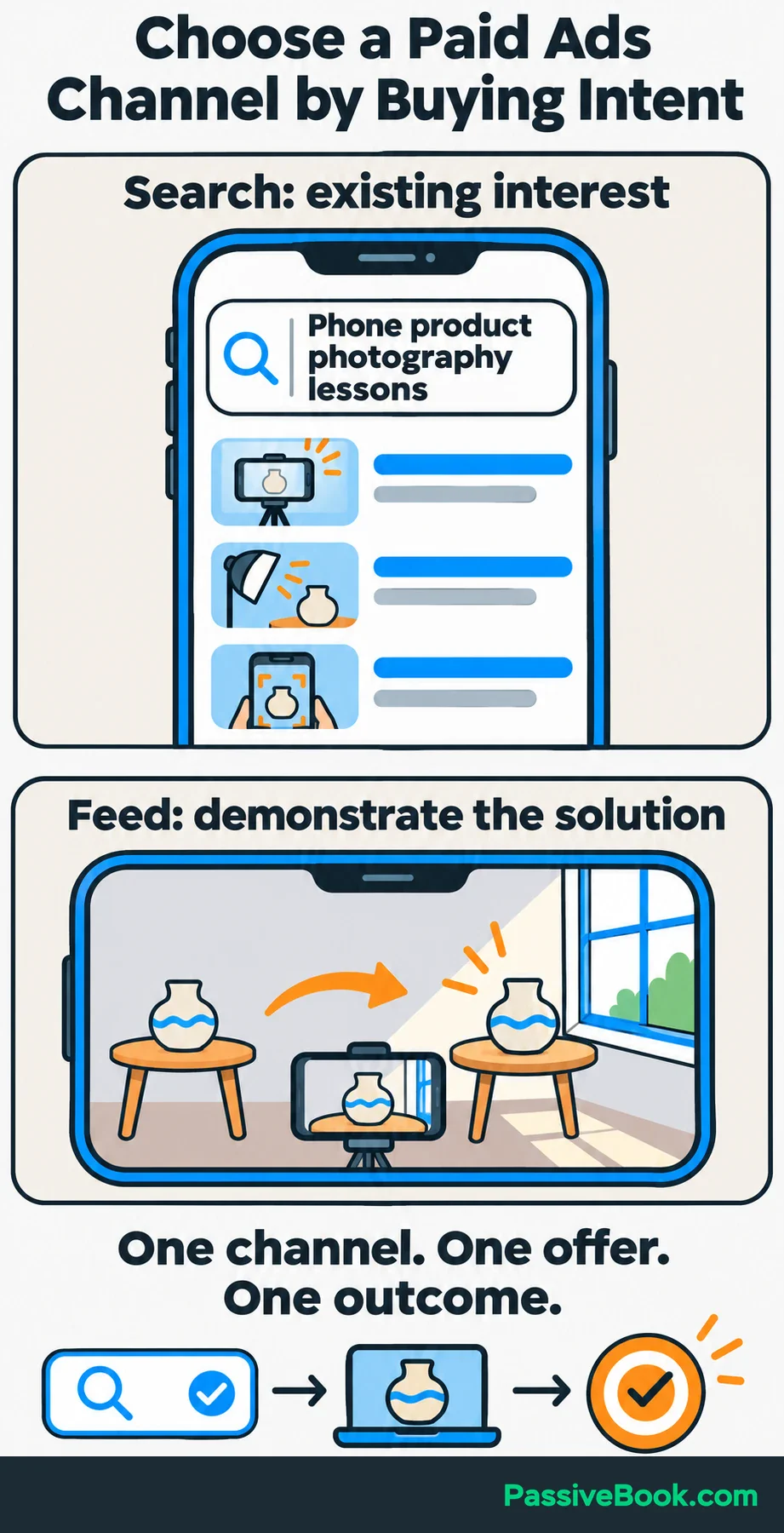
For the photography course, investigate whether people search for phone product-photography lessons and whether those searches suggest an interest in buying instruction. Compare that with your ability to show a useful lighting demonstration in a feed.
I would start with a demonstration-led campaign for this example because the lesson is easy to show. That is a choice to test, not evidence that the channel will be profitable.
Use one channel and one offer initially. Match the campaign objective to the chosen result: purchases for direct sales, or leads for an inquiry process. If you need buyers, a report full of inexpensive clicks doesn’t answer the question.
Secure the Advertising Account
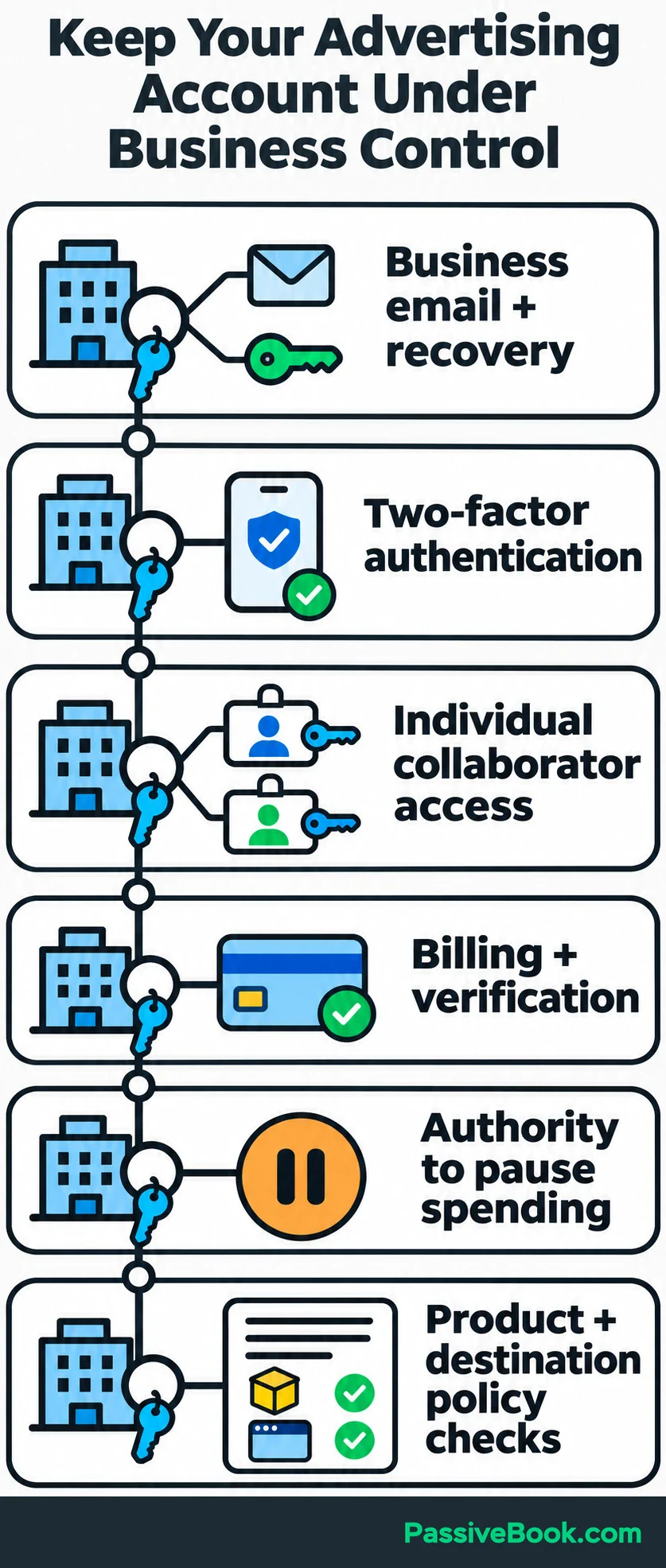
Keep the account under the business’s control. Use a business-controlled email address, enable two-factor authentication, and make sure recovery details are current.
Before scheduling the campaign:
- Add and check billing details.
- Complete outstanding verification.
- Give collaborators the access they need through their own accounts.
- Confirm who can change budgets and pause spending.
- Review the platform’s rules for the product, claims, images, and destination page.
I would resolve account access before hiring anyone to manage campaigns. You should be able to pause spending without waiting for a contractor to wake up.
Create Ads That Introduce the Offer Clearly
Prepare a small set of ads that shows the problem, introduces the product, and gives one next action.
For the course, a short excerpt might say:
Product photos looking dull? Watch how moving a table beside a window changes the shot, then preview the phone photography course.
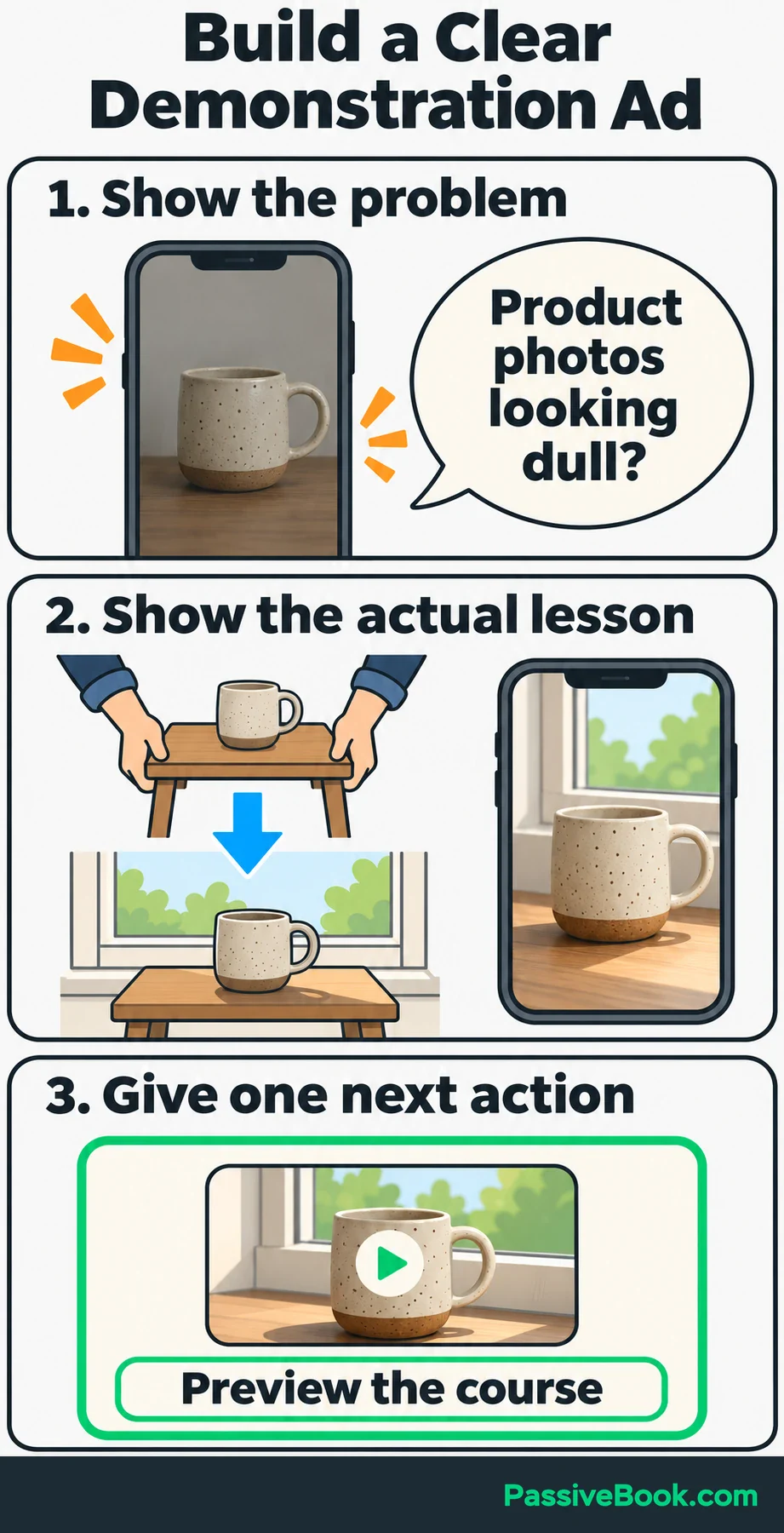
Show the actual demonstration. Keep the result representative of what the lesson teaches.
Test one meaningful difference, such as a demonstration versus a checklist preview, while keeping the offer and destination consistent. Otherwise, you may change five things and learn very little.
Use real testimonials and claims you can support. Skip invented sales outcomes, fake deadlines, and promises that every buyer will get the same result.
Build and Test the Conversion Path
Make the Landing Page Answer the Buying Questions
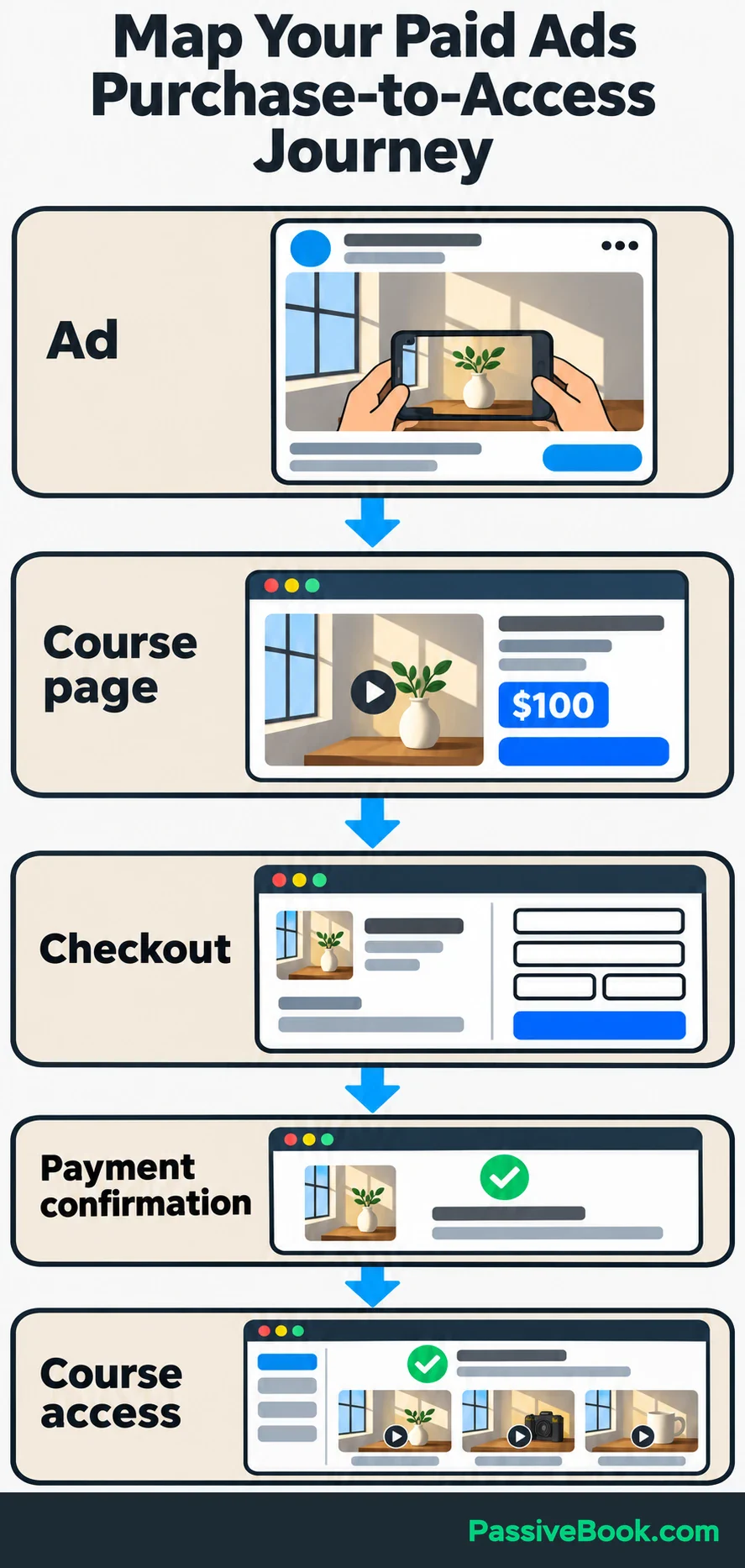
Map the route before building more pages:
Ad → course page → checkout → payment confirmation → course access
If buyers need a conversation, the route could lead to an inquiry form, follow-up, and then a purchase. Choose the route that suits the buying decision.
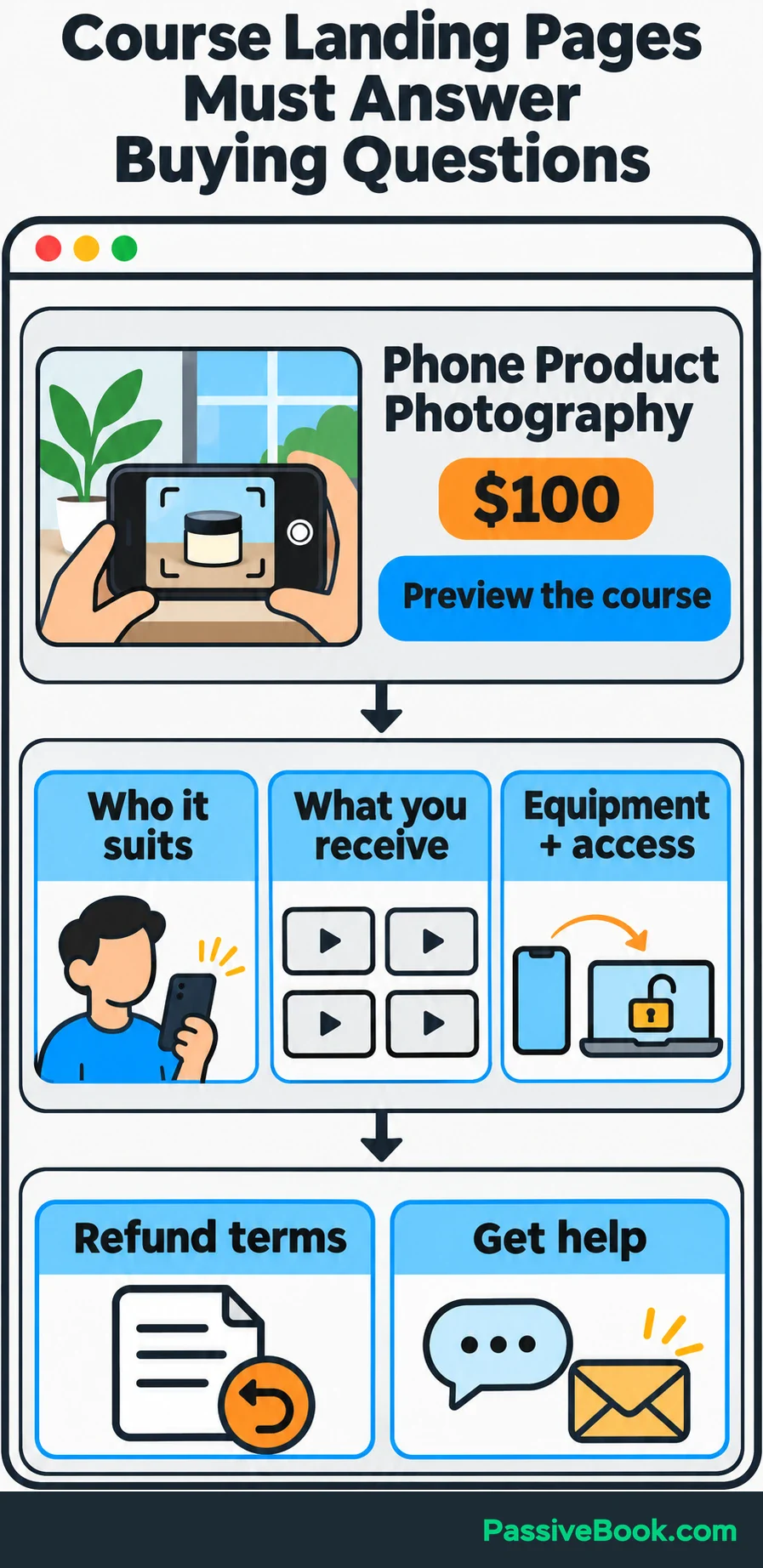
The landing page should answer:
- What will I receive?
- Is this suitable for my situation and experience?
- What does it cost in total?
- How and when do I get access?
- What equipment or preparation do I need?
- What are the refund terms?
- Where can I get help?
Keep the page aligned with the ad. An ad about window lighting should lead to a page that makes that lesson easy to find.
Address the main objection from your research. If buyers worry about needing an expensive phone, show the equipment used in the preview and explain the course’s actual requirements.
If the offer is clear but the wording isn’t, AI Copywriting Studio can draft a matching ad and page opening. It works from your actual price, delivery details, and supported claims.

Free AI Copywriting Studio




You can build this within your existing website. I wouldn’t add another page platform unless the current site prevents you from making a clear, working page.
Check common devices and access from your target market. Google Ads explicitly requires destinations to work, remain accessible in targeted locations, and be easy to navigate. Google Ads destination requirements
Complete the Journey as a Customer
Test the entire route on a phone and desktop. Start at the destination visitors will reach, then complete the purchase or inquiry.
Check readable text, loading, buttons, form errors, payment, and confirmation. For the course, payment should produce a working access email and login, and the customer should be able to find the lessons and support details.
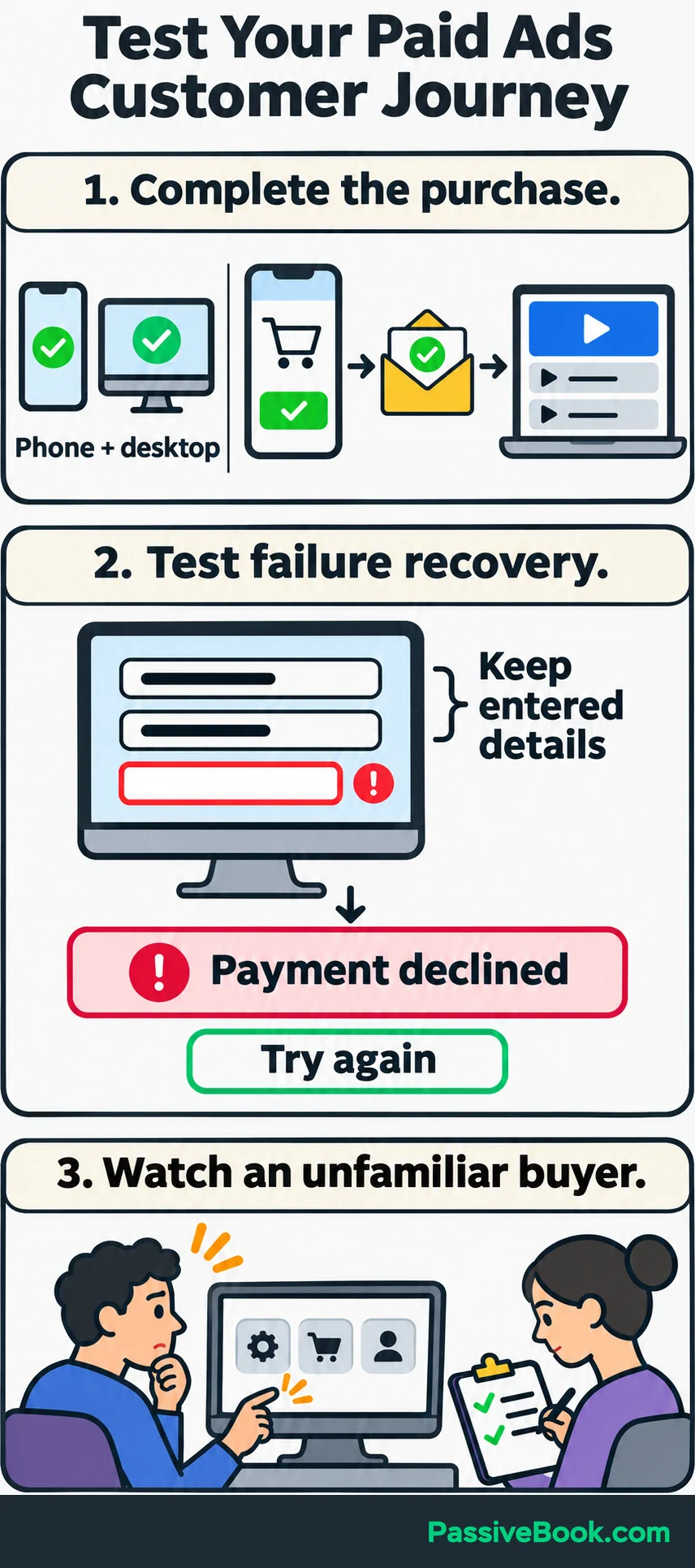
Test failure as well as success. A declined payment needs a useful message, and a missing form field should not erase everything someone entered.
Then ask someone unfamiliar with the offer to complete the task without coaching. Watch where they hesitate.
If you need to say, “Just click that little link,” you’ve found something to fix.
Prepare Follow-up and Customer Delivery
Decide who handles inquiries, access problems, support, and refunds. If that person is you, choose a checking schedule you can maintain around your other commitments.
Set up notifications and a backup way to find missed messages. Promise only response times you can meet.
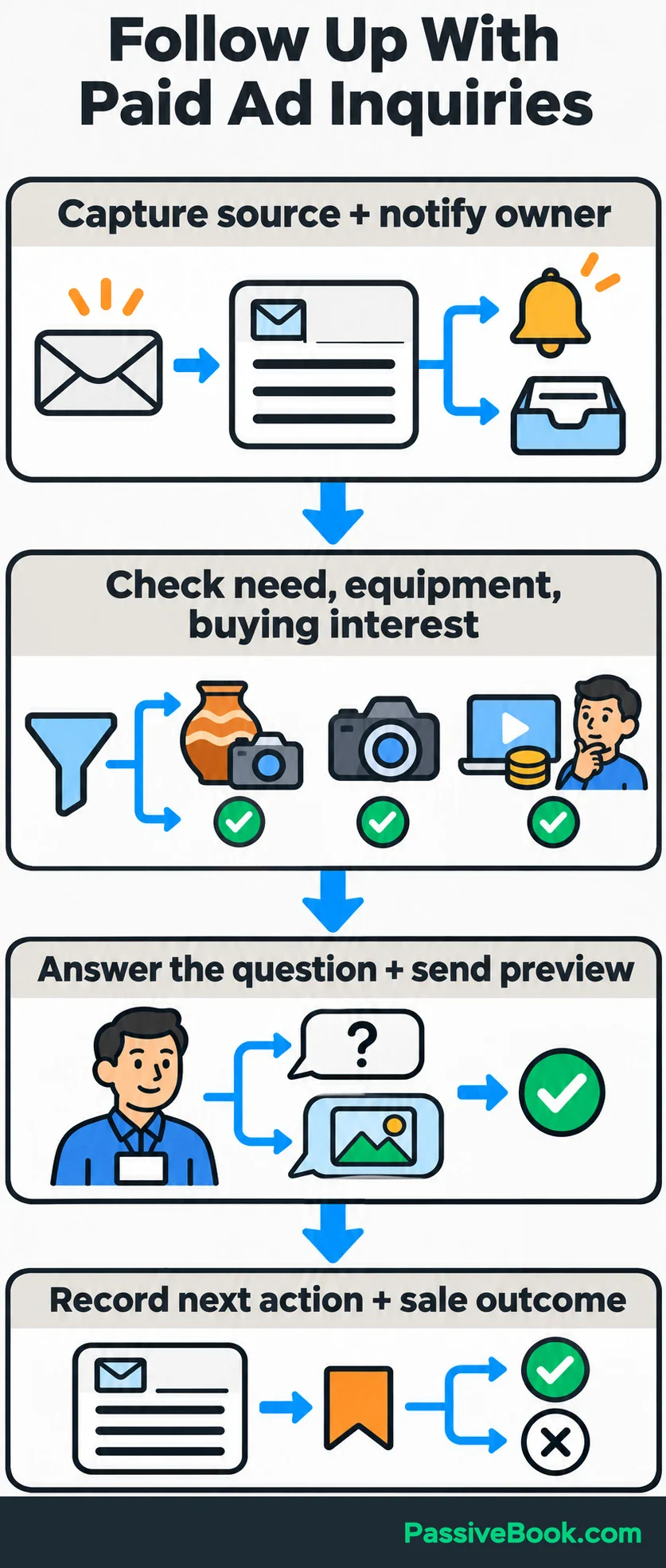
For inquiry campaigns, a spreadsheet may be enough. Record the source, inquiry date, buying need, qualification, next action, and eventual sale.
Define a qualified lead in practical terms. For the course, that could be someone who photographs their own products, has compatible equipment, and is considering the paid lessons. Downloading a free checklist alone doesn’t establish buying intent.
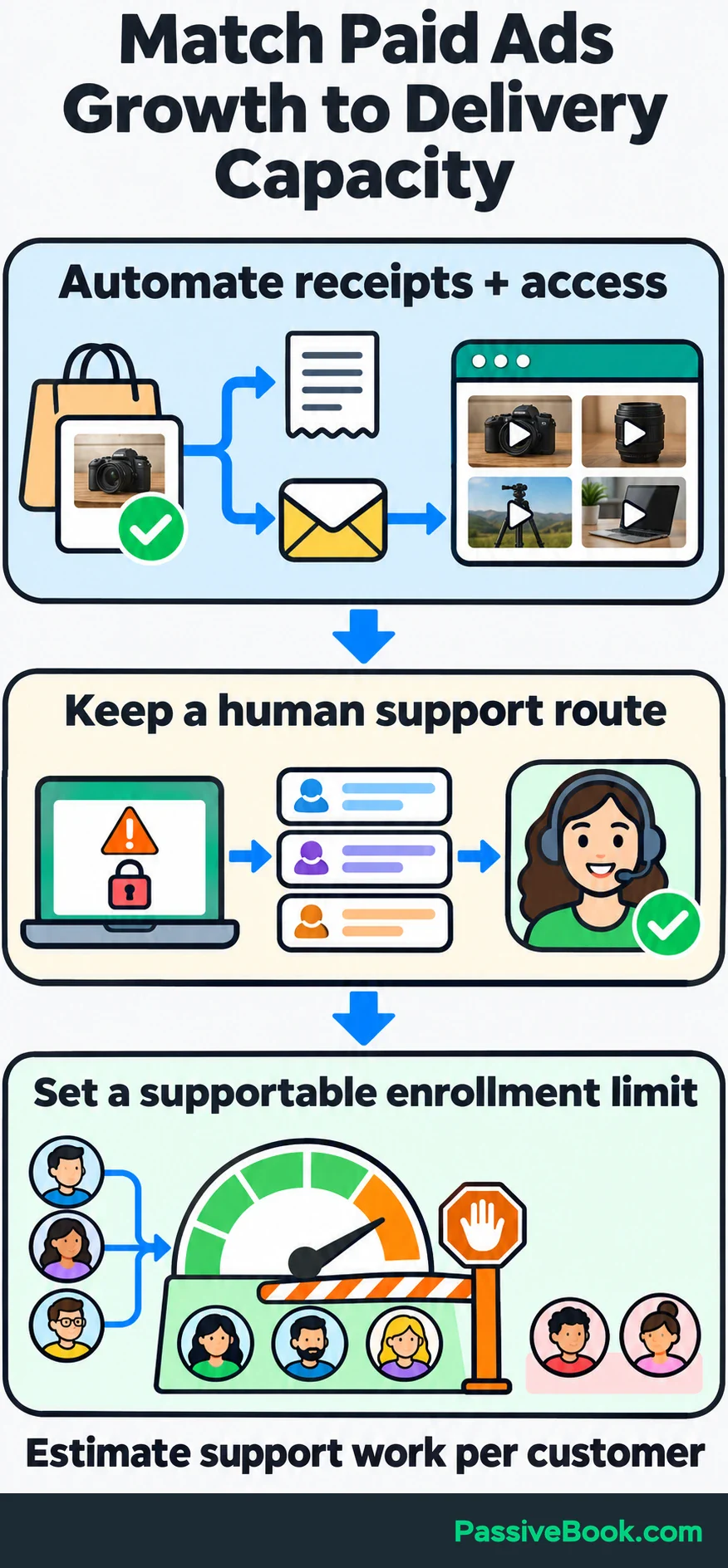
Follow-up should help with the next decision. Send a requested preview and answer the person’s question before adding a sales pitch. Automate routine receipts and access instructions, but keep a route to a human when something goes wrong.
Set up marketing permission and unsubscribe handling for the rules that apply to your business and recipients. For example, UK rules require consent or a qualifying exception for unsolicited marketing emails to individual subscribers. The products-and-services exception covers details collected directly during a sale or discussion about buying, when you market your own similar products or services. It also requires an opt-out when collecting details and in every subsequent marketing message. ICO email marketing guidance
Finally, check capacity. Estimate the support work each new customer may create and set an enrollment limit you can handle. Automated access doesn’t make delivery effortless if every second buyer needs help logging in.
Verify Tracking From Click to Business Result
Connect website analytics and the selected ad platform’s conversion tracking to the outcome you chose.
For purchases, record completed orders. For inquiries, record successful submissions and connect them to qualification and eventual sales. Keep page views and checkout starts as supporting signals.
Add source labels to ad links so you can identify the platform and campaign behind a visit. Check that those labels reach the order or lead record, including when checkout happens on another domain.
Run a test transaction or submission and compare the tracking with the actual record. Check:
- The correct event was recorded.
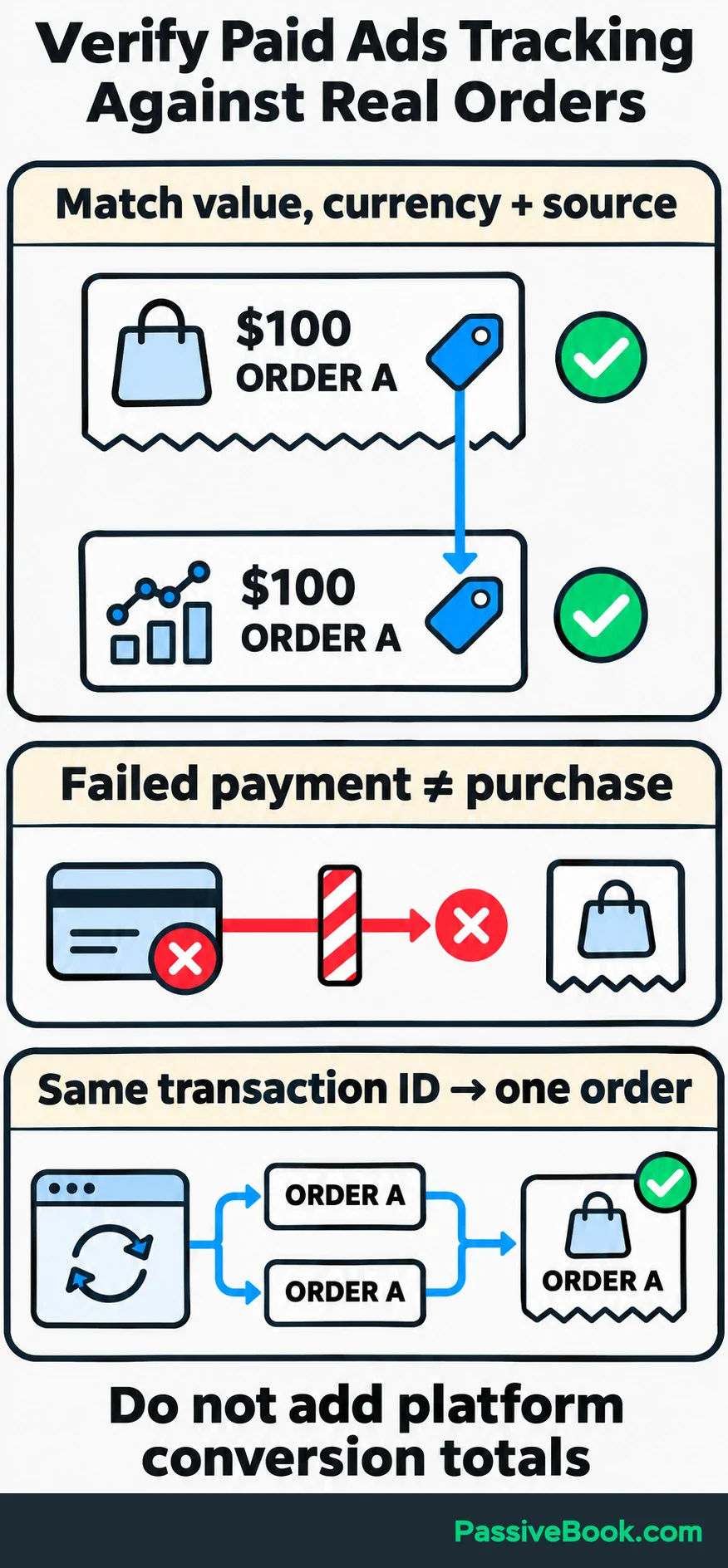
- The order value and currency match.
- A failed payment didn’t become a purchase.
- A successful submission created a usable lead record.
- The source information survived the journey.
If you use Google Analytics 4 (GA4) to measure website visits and actions, inspect the test purchase in DebugView, its live event-testing report, before relying on sales reports.
Reload the confirmation page too. It should not create another counted order. Each order needs a unique, nonempty transaction ID so GA4 can recognize duplicate website purchase events. GA4 transaction-ID guidance
Configure the required privacy disclosures and consent controls before activating tracking. For covered Google products serving users in the EEA, UK, and Switzerland, Google’s policy requires legally valid consent for cookies where legally required and for personal-data use in ad personalization. Google EU user consent policy
Once ads run, compare reports with customer records, payments, and refunds. Different systems can credit the same sale differently, so don’t add their conversion totals together. Use consistent reporting periods and revenue definitions when comparing them.
Set an Affordable Test Budget
Define the Spending Limit
Write the test question first:
Can this offer acquire new customers through this channel within our advertising allowance?
Then set a maximum loss that protects essential expenses and customer delivery. Include page work, creative, tools, and management in the total test cost before deciding how much remains for ads.
To estimate new customers, divide ad spend by an assumed cost per click, then apply an assumed first-purchase rate to the resulting visits. The example below assumes each click produces one visit from someone who hasn’t bought before.
Here is how sensitive the course example is to that second assumption:
| Assumption or result | Scenario A | Scenario B |
|---|---|---|
| Advertising spend | $300 | $300 |
| Assumed cost per click | $0.60 | $0.60 |
| Estimated visits, assuming one per click | 500 | 500 |
| Assumed purchase rate among those visits | 2% | 1% |
| Estimated first-time customers | 10 | 5 |
| Advertising cost per new customer | $30 | $60 |
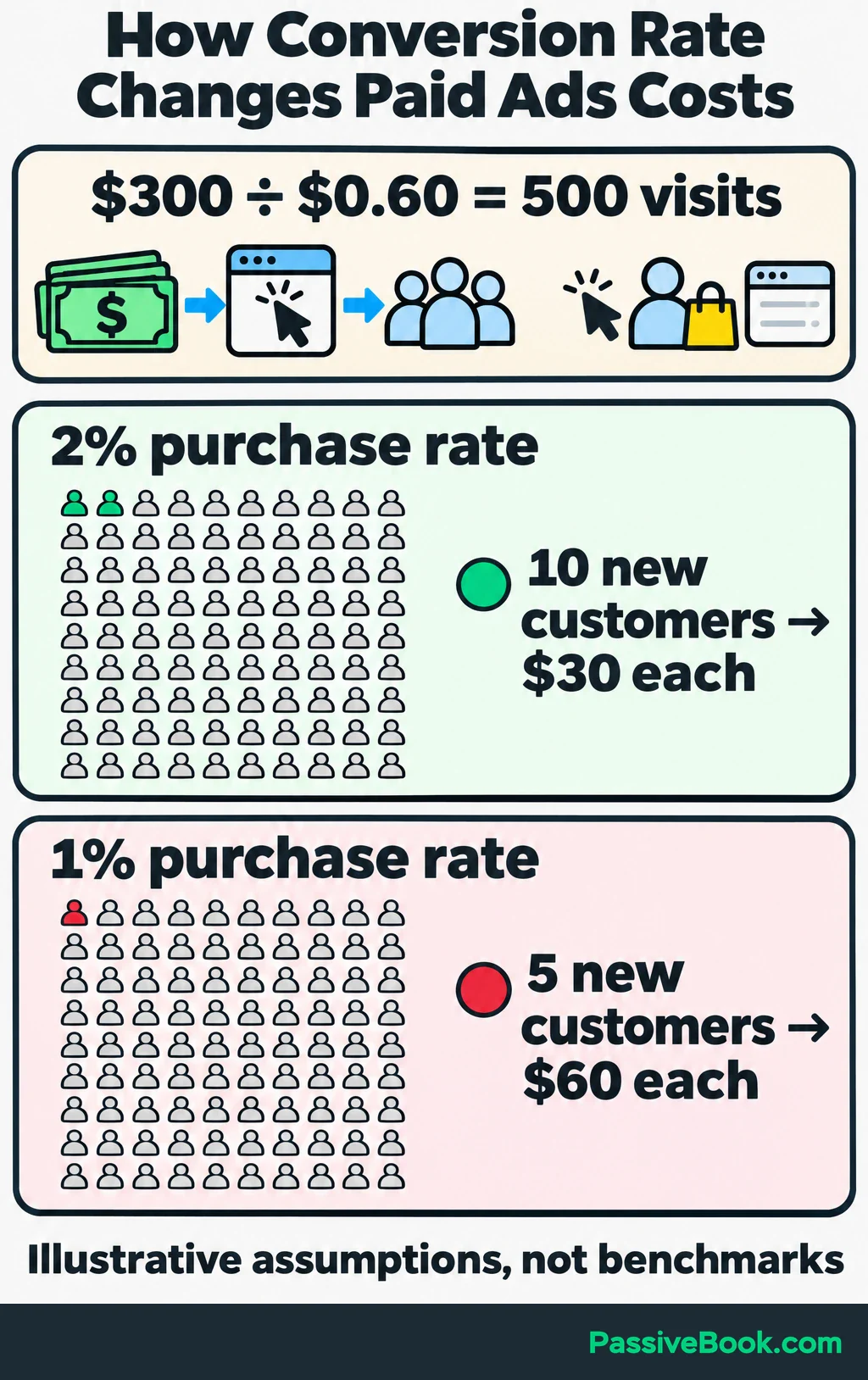
These figures illustrate sensitivity. They are not benchmarks, forecasts, or a recommended minimum budget.
Your margin and setup costs can change what an affordable click looks like. Use the calculator to compare a few scenarios and see how much cash is exposed if the test produces no customers.
Free Marketing Profit Calculator
At 2%, the example reaches its $30 advertising allowance before other acquisition expenses. At 1%, it misses that allowance substantially. The same spend and traffic can produce very different economics.
Set spending controls using the platform’s actual billing rules. For most Google Ads campaigns with average daily budgets, a day’s billed spend can reach twice the daily setting. That setting alone doesn’t enforce your total test allowance. Google Ads spending limits
Use available total limits, an end date, alerts, and scheduled reviews as appropriate. Leave room for spend that can accrue before a pause takes effect.
Decide When to Pause or Continue
Choose review points before launch and allow time for buyers to finish their decision. A course sold immediately and a service booked after a consultation need different observation windows.
Keep a simple report with spend, completed actions, qualified leads where relevant, new customers, revenue, advertising cost per new customer, and total CAC.
Pause immediately for broken checkout, failed tracking, delivery problems, or the spending limit.
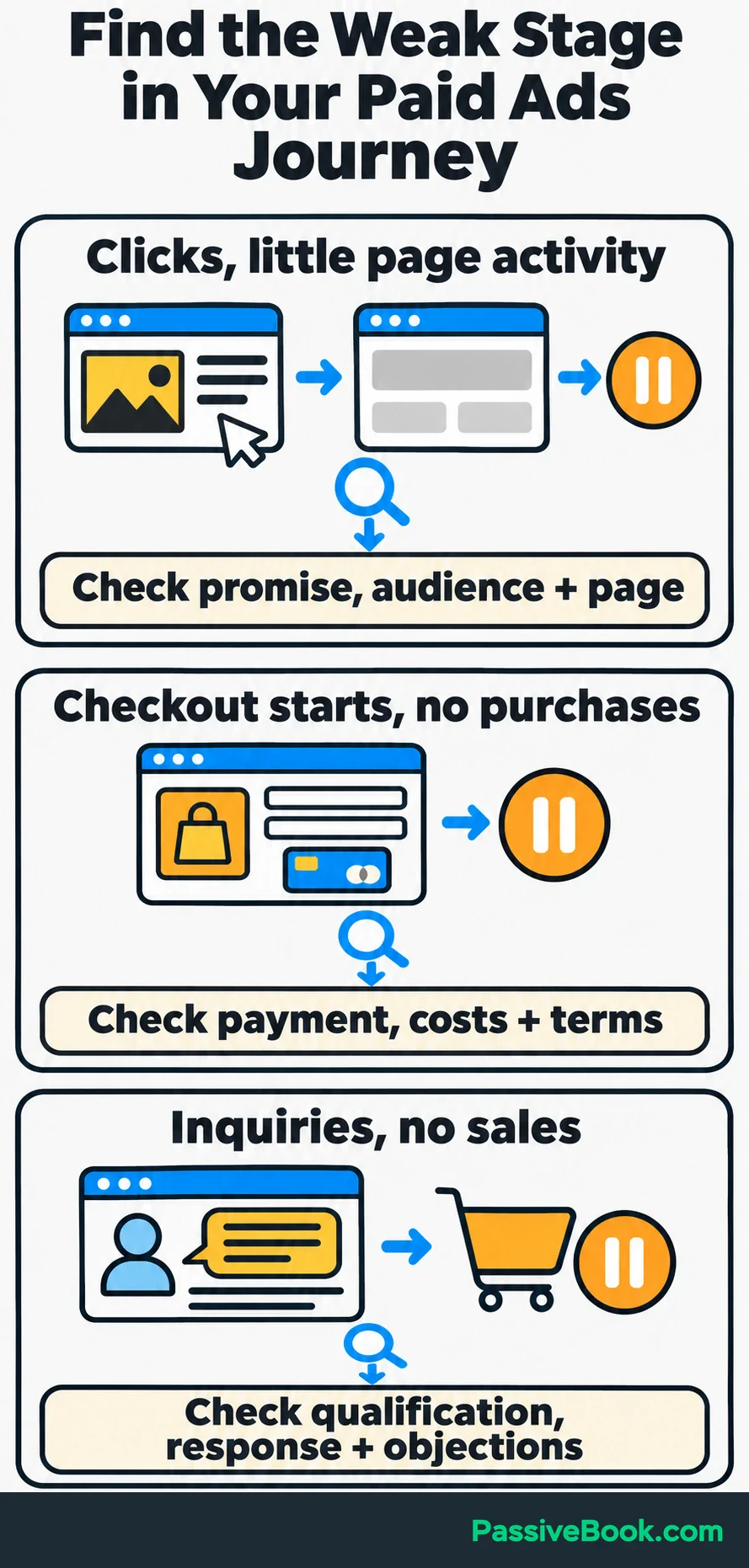
For weak results, inspect the affected stage:
- Clicks without meaningful page activity: check the ad’s promise, audience, and page experience.
- Checkout starts without purchases: test payment and look for unclear costs or terms.
- Inquiries without sales: review qualification, response handling, and objections.
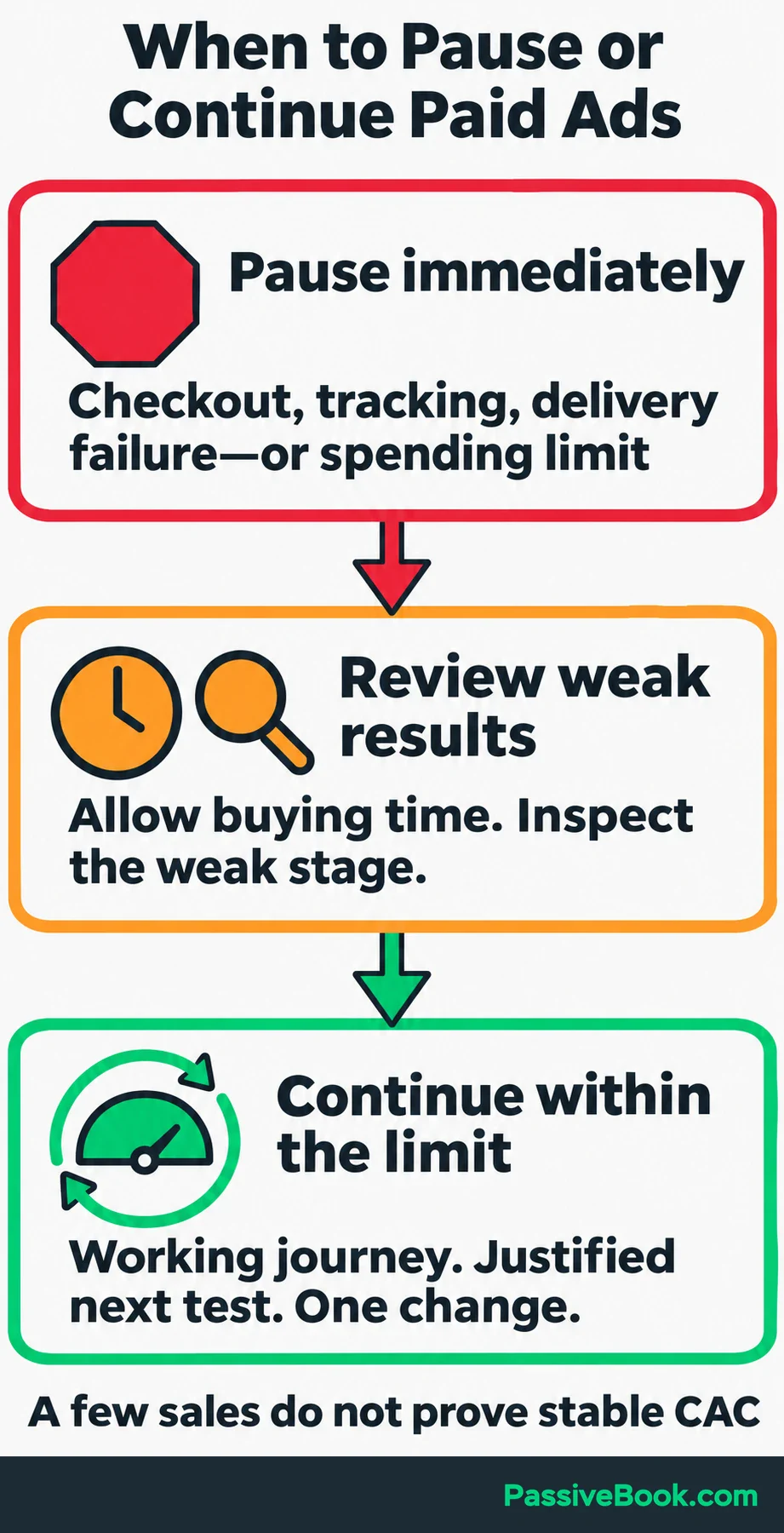
Continue within the agreed limit when the journey works and the results justify another test. Change one meaningful thing at a time.
A handful of purchases can show promise or expose problems. I wouldn’t use it to declare a stable acquisition cost or assume a larger budget will perform the same way.
Use a Readiness Checklist to Decide Whether to Launch
Check evidence rather than relying on “I think that’s set up.” The course example has a written offer and cost assumptions, but it doesn’t yet show completed checks:
| Readiness area | Evidence in the course example | What to confirm before launch |
|---|---|---|
| Offer and buyer | A $100 phone-photography course for handmade-product sellers; no buyer conversations or purchases provided | Confirm the main buying objection or run a capped validation test |
| Acquisition allowance | Illustrated ceiling: $30 total acquisition cost, leaving $25 for ads if other acquisition costs are $5 | Replace assumed costs with your own figures |
| Channel and assets | Demonstration-led feed campaign proposed and an ad excerpt drafted | Finish the demonstration and link the ad to the matching course page |
| Account access | Ownership, recovery, billing, and verification checks are not documented | Confirm the business controls access and can pause spending |
| Conversion path | Purchase-to-access route mapped; phone and desktop tests not documented | Complete payment, receive confirmation, and open the lessons |
| Tracking | No test purchase matched to a tracking record is provided | Match the order, value, currency, and campaign source; check for duplicate purchases |
| Follow-up | No assigned responder or tested notifications are provided | Assign someone to inquiries and support, then test notifications |
| Delivery capacity | No working course login or support limit is demonstrated | Test course access and set a customer limit you can support |
| Test budget | $300 used to illustrate possible results; no affordable loss limit established | Set the full test cost, ad cap, spending controls, and review points |
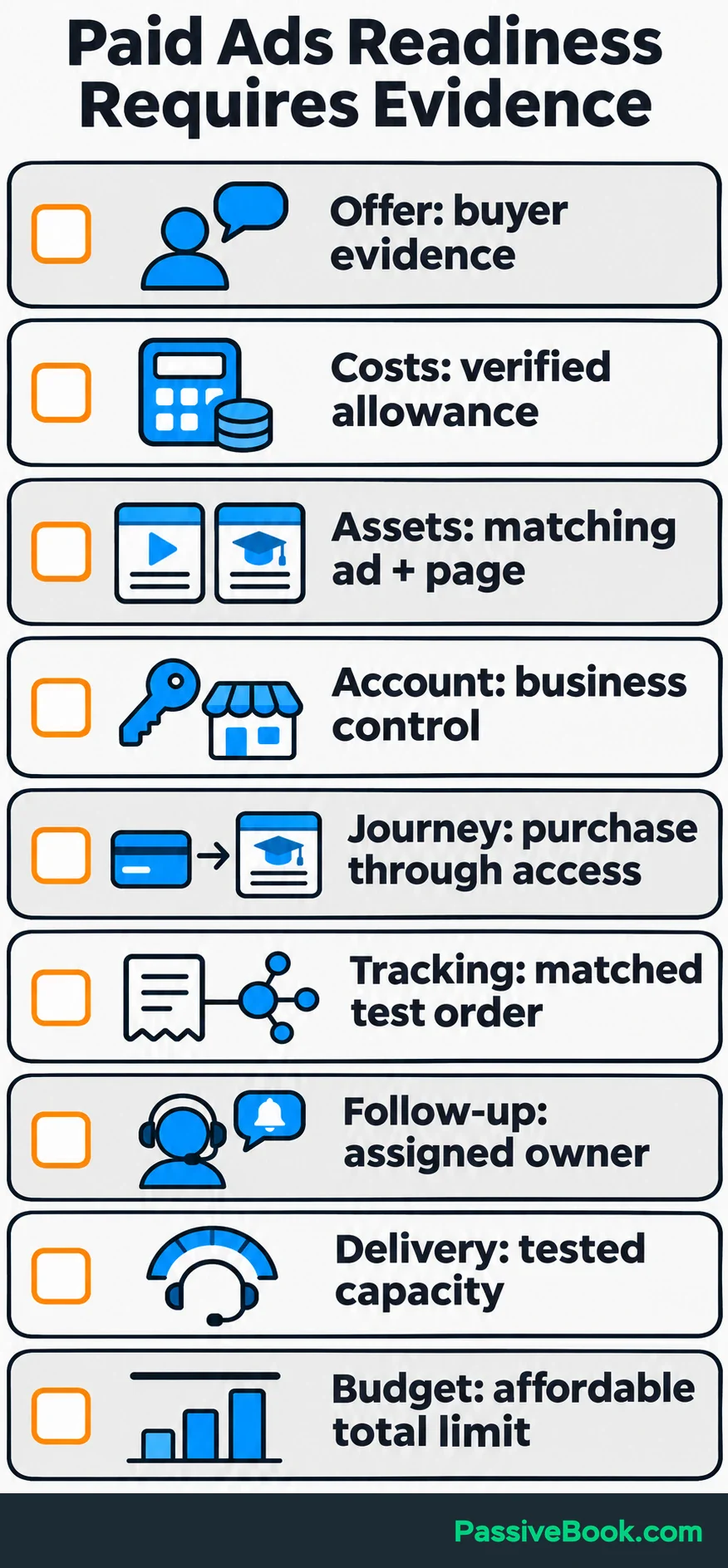
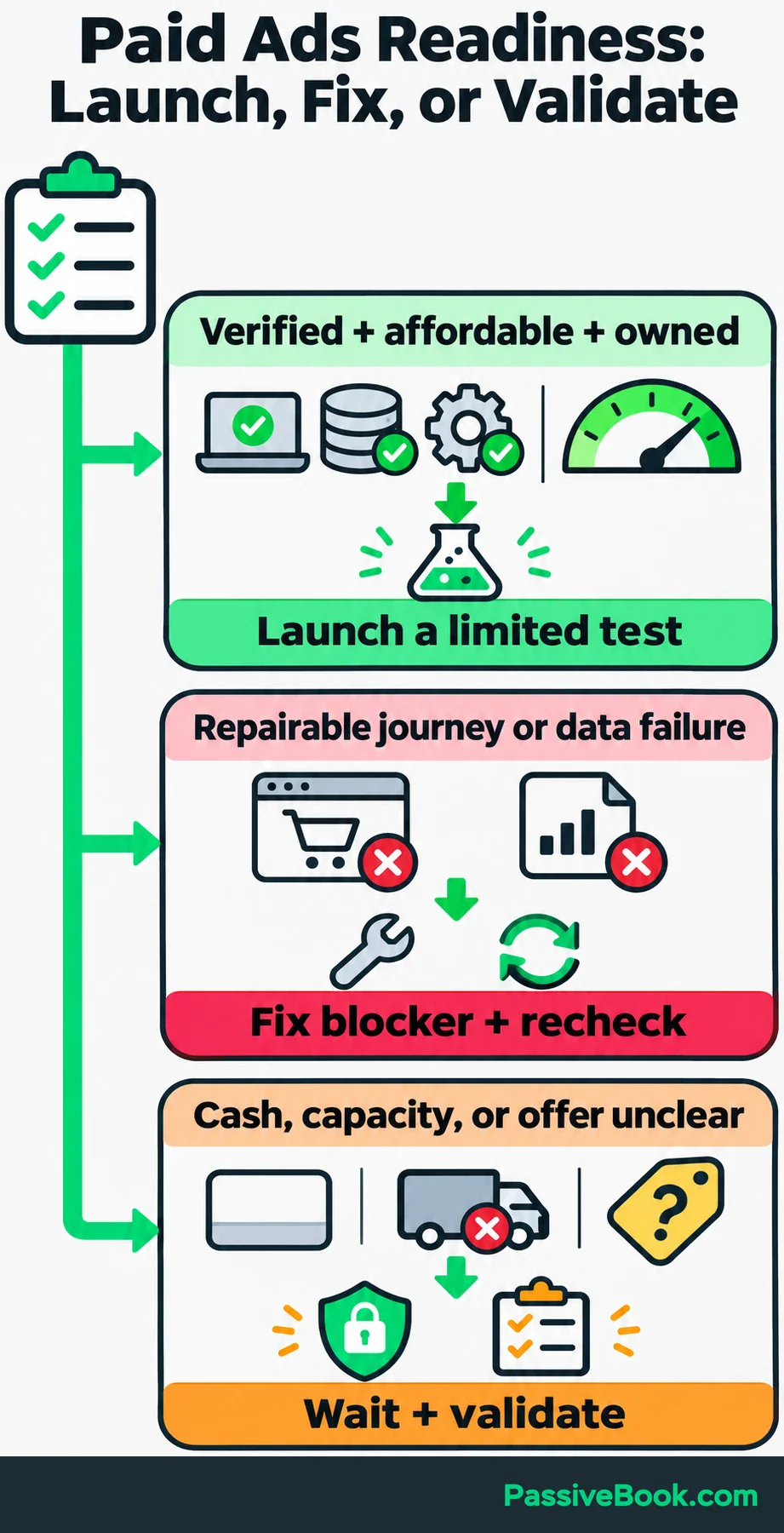
Use the result to make one of three decisions:
- Launch a limited test: The offer and price are clear, costs are known, the journey and tracking work, spending is affordable, and follow-up and delivery have owners.
- Fix a blocker first: Repair unclear pricing, broken payments, missing conversion data, or unanswered inquiries, then repeat the affected check.
- Wait and validate: Preserve cash if you need immediate advertising profits to meet obligations, cannot serve more customers, or lack a clear offer with known costs.
Save a one-page test brief with the offer, buyer, primary outcome, channel, acquisition allowance, total spending limit, responsibilities, and review rules.
For the course, one useful line would be:
Primary outcome: a completed first purchase. Pause for checkout or tracking failures, and stop at the agreed spending limit.
Readiness gives you permission to run a controlled experiment. It doesn’t require pretending the result is already known.
What Next?
Walk through your purchase or inquiry process from the customer’s side and record the first point that fails or causes hesitation. Fix it before funding more visits.
Use the social buttons to share this guide when a paid-ad test is being planned, so the conversation starts with the offer, costs, and customer journey.
Which readiness check would stop you from launching right now? Share it in the comments, and bring any other questions about preparing your test.
Share this post with your friends & followers:

