You have an offer ready and a little money to test it. Then comes the uncomfortable question: how much can you spend to get a customer and still come out ahead?
An ad report can show sales while leaving out product costs, creative work and refunds. That makes a promising campaign easy to misread.
You don’t need a large budget to start, but you do need a limit and a way to judge the result. This guide connects your offer, channel choice and first campaign to the money each new customer leaves behind.
Define the Offer and Conversion Goal
Start with one offer and one customer problem. Write down what you sell, what makes someone need it and why they would choose it over another option.
Look for evidence in customer conversations, product reviews, inquiries and purchase records. Pay attention to the words people use when describing their problem. “I keep losing the small pieces” gives you more to work with than “values convenience.”
My jewellery store taught me the cost of skipping this work. I put roughly $1,200 into the business without doing market research, and unsold inventory swallowed most of that investment. Choosing stock had felt like progress, but I hadn’t established whether people wanted to buy it.
For the worked example, imagine you run an online store selling washable lunch bags with a separate cutlery pocket. The figures below are planning assumptions, not reported campaign results.
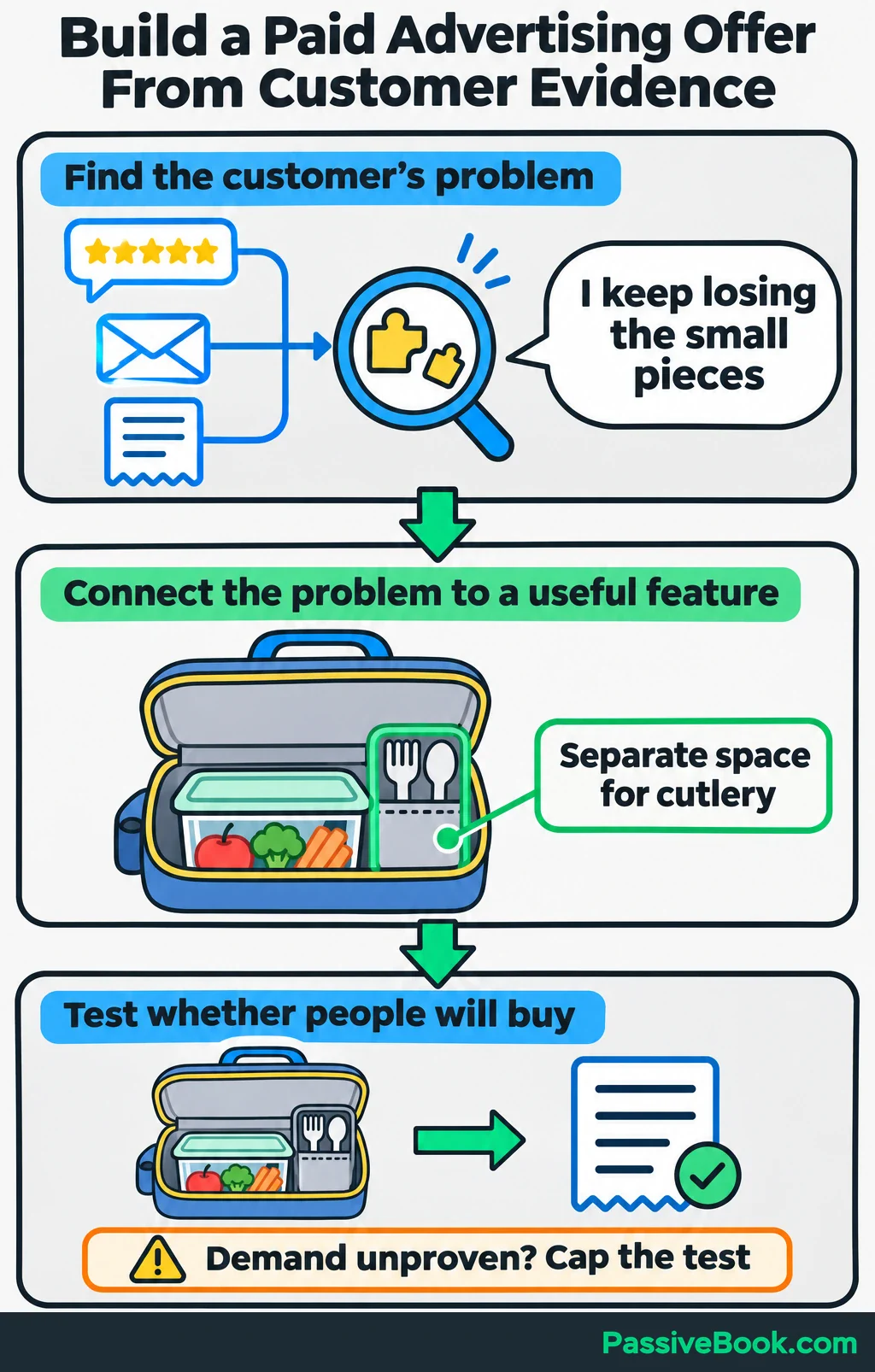
Your offer helps people carry lunch containers and keep cutlery easy to find. The main conversion is a completed purchase, and customer records tell you which buyers are new. Throughout the calculations, assume every purchaser is a new customer and places one order.
Choose an equally clear action for your campaign:
- Product Sales: A completed purchase.
- Lead Generation: An inquiry that meets your stated requirements.
- Appointments: A confirmed booking for a service you can deliver.
For leads, define those requirements before launch: the relevant need, service area and purchase conditions. Decide who follows up and how quickly.
Clicks help explain what happened, but they aren’t the business goal. If demand is unproven, treat the first campaign as a capped test of whether people will buy.
Calculate Your Acquisition-cost Ceiling
Before choosing a budget, work out how much one new customer leaves you before advertising.
Start with net sales revenue after discounts and refunds, excluding sales tax you collect for the government. Then subtract costs that come with fulfilling the order:
- Product or production costs.
- Packing and fulfilment.
- Payment fees.
- Shipping costs you cover.
- Expected return handling and other variable costs.
If you already deducted refunds from revenue, don’t subtract their value again under returns.
For the lunch bag, assume:
| Item | Amount Per New Customer |
|---|---|
| Net sales revenue | $40 |
| Variable costs | $22 |
| Contribution before advertising | $18 |
| Target advertising cost | $12 |
| Amount left for other expenses and profit | $6 |
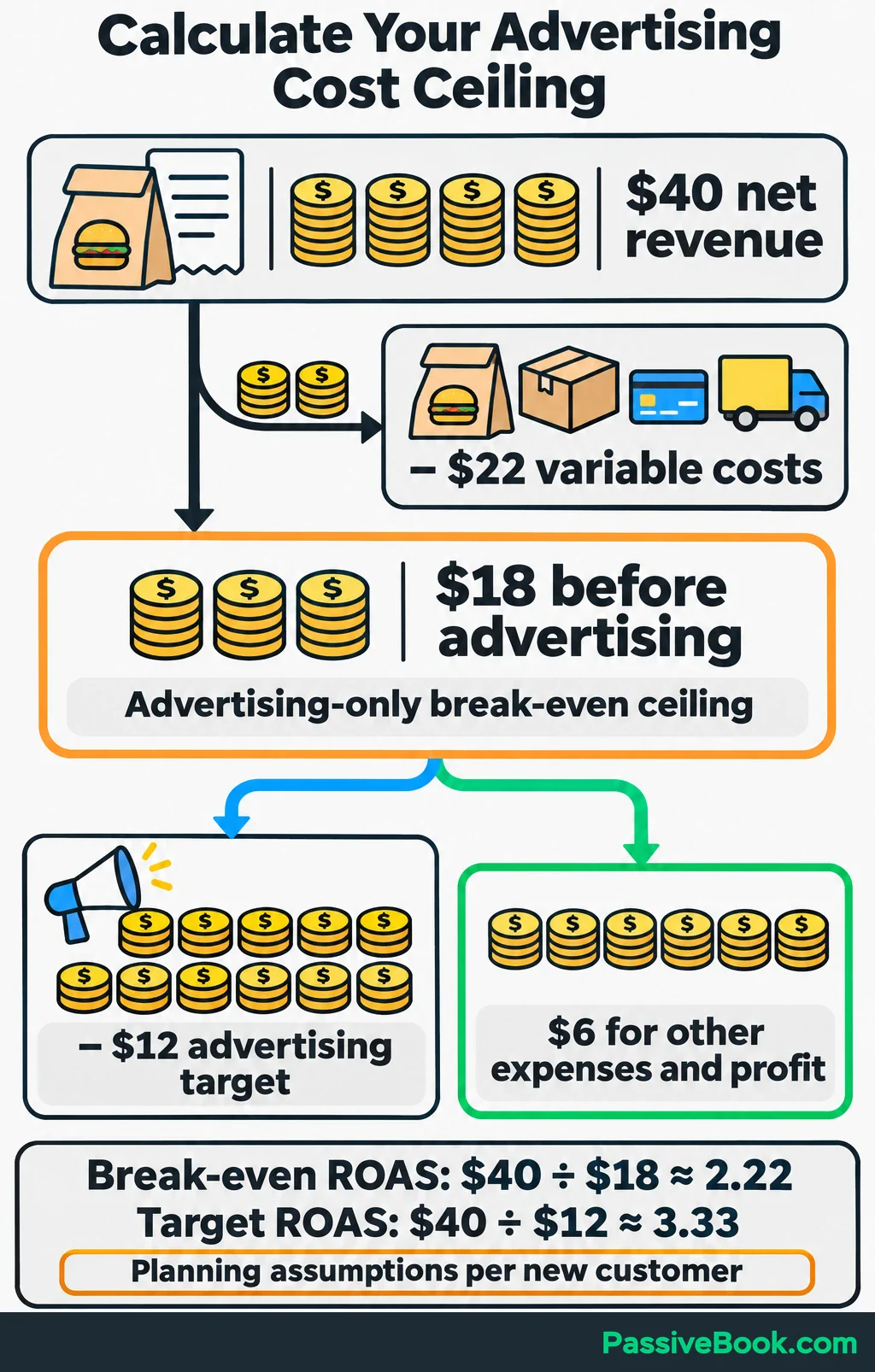
The $18 contribution is the advertising-only break-even ceiling. Spend all $18 acquiring the customer and nothing remains for creative work, overhead or profit.
I would set the initial advertising target below that ceiling. Here, $12 leaves $6 to cover those other needs.
Return on ad spend, or ROAS, compares revenue with advertising spend. To find the advertising-only break-even ROAS, divide net revenue by contribution before advertising:
$40 ÷ $18 ≈ 2.22
The $12 advertising target requires a higher ROAS:
$40 ÷ $12 ≈ 3.33
Keep advertising cost separate from total customer acquisition cost. The latter also includes the other acquisition expenses you count, such as campaign creative.
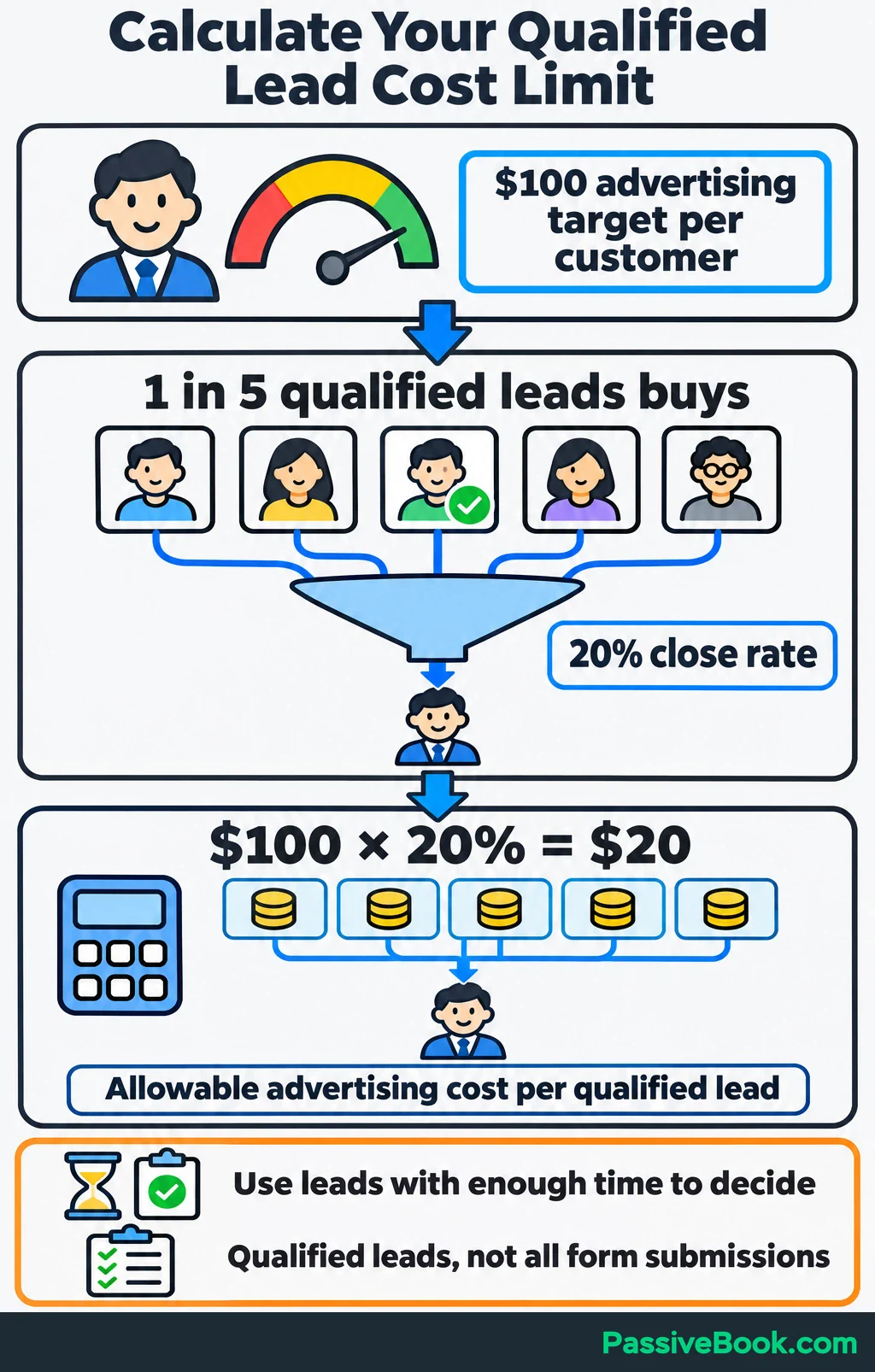
For lead campaigns, work backwards from customers. Multiply your target advertising cost per customer by the share of qualified leads who become customers. If you can spend $100 per customer and one in five qualified leads buys, your allowable cost is $20 per qualified lead. Use leads that have had enough time to reach a buying decision.
Base your first ceiling on the first purchase. I would include repeat purchases only when customer records show their contribution and how long you must wait to receive it.
Choose the Best Channel for Your First Test
Choose the channel where the buying situation fits your offer and where you can afford to produce useful ads.
Google Search can reach people already searching for your product or solution. That makes it worth considering when you have a clear offer and relevant buying searches. It doesn’t make every search affordable.
Use this comparison to narrow your choice:
| Channel | Customer Context | Suitable Offer | Required Assets | Main Spending Risk |
|---|---|---|---|---|
| Google Search | Looking for a product or solution | An offer that answers a specific buying search | Search copy and a closely matched page | Paying for expensive or irrelevant searches |
| Facebook and Instagram | Browsing a feed and discovering products | A benefit you can explain or demonstrate quickly | Clear images or short demonstrations and a matching page | Repeatedly paying to show weak creative to unfamiliar people |
| Searching, browsing and planning | A product or idea people can picture using | Product or idea-led visuals and a relevant destination | Attracting saves and visits that don’t progress toward buying | |
| YouTube | Watching an explanation or demonstration | Something easier to understand when shown in use | A useful video and a clear next action | Paying for attention without enough purchase interest |
| Considering work and business needs | An offer whose relevance depends on professional responsibilities | A focused business message and credible sales or inquiry page | Reaching professionals whose roles don’t make them suitable buyers |
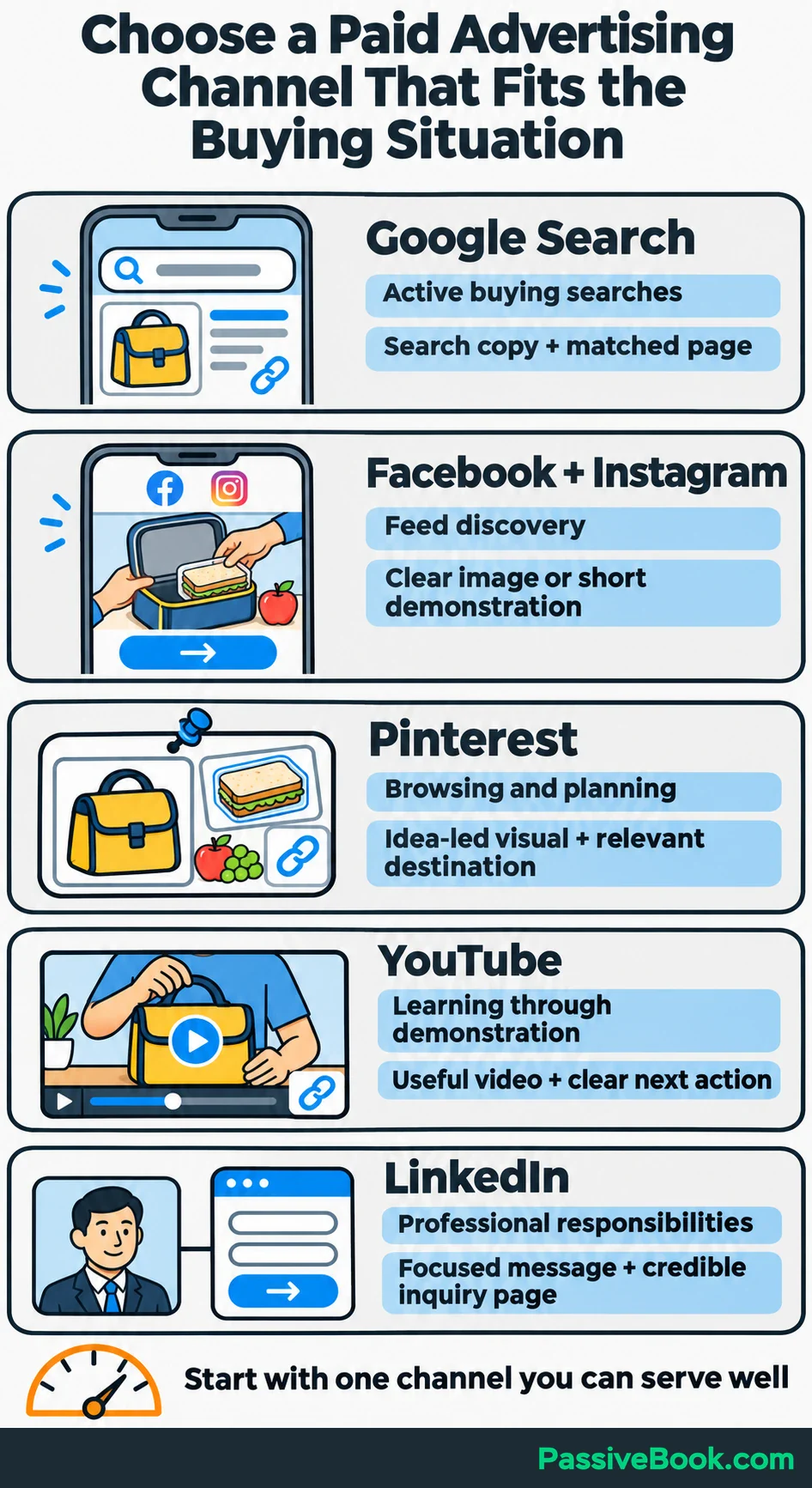
I would start with one channel. A modest budget split across five platforms gives you five small piles of uncertainty.
For the lunch-bag example, assume research finds relevant shopping searches at costs worth testing. Search becomes the first choice because you can answer those searches with a product page.
Inspect competing ads and pages for useful clues. Do they emphasize size, washing instructions or delivery? Those details can reveal buying questions, but an active competitor ad doesn’t prove the campaign makes money.
Your production capacity matters too. If you can make clear product photos but cannot sustain video production, include that constraint in the choice.
Define Your Targeting
Turn your customer description into delivery rules. Start with locations you can serve, relevant intent and any genuine purchase requirements.
Avoid inventing age or gender restrictions because they make the audience description look complete.
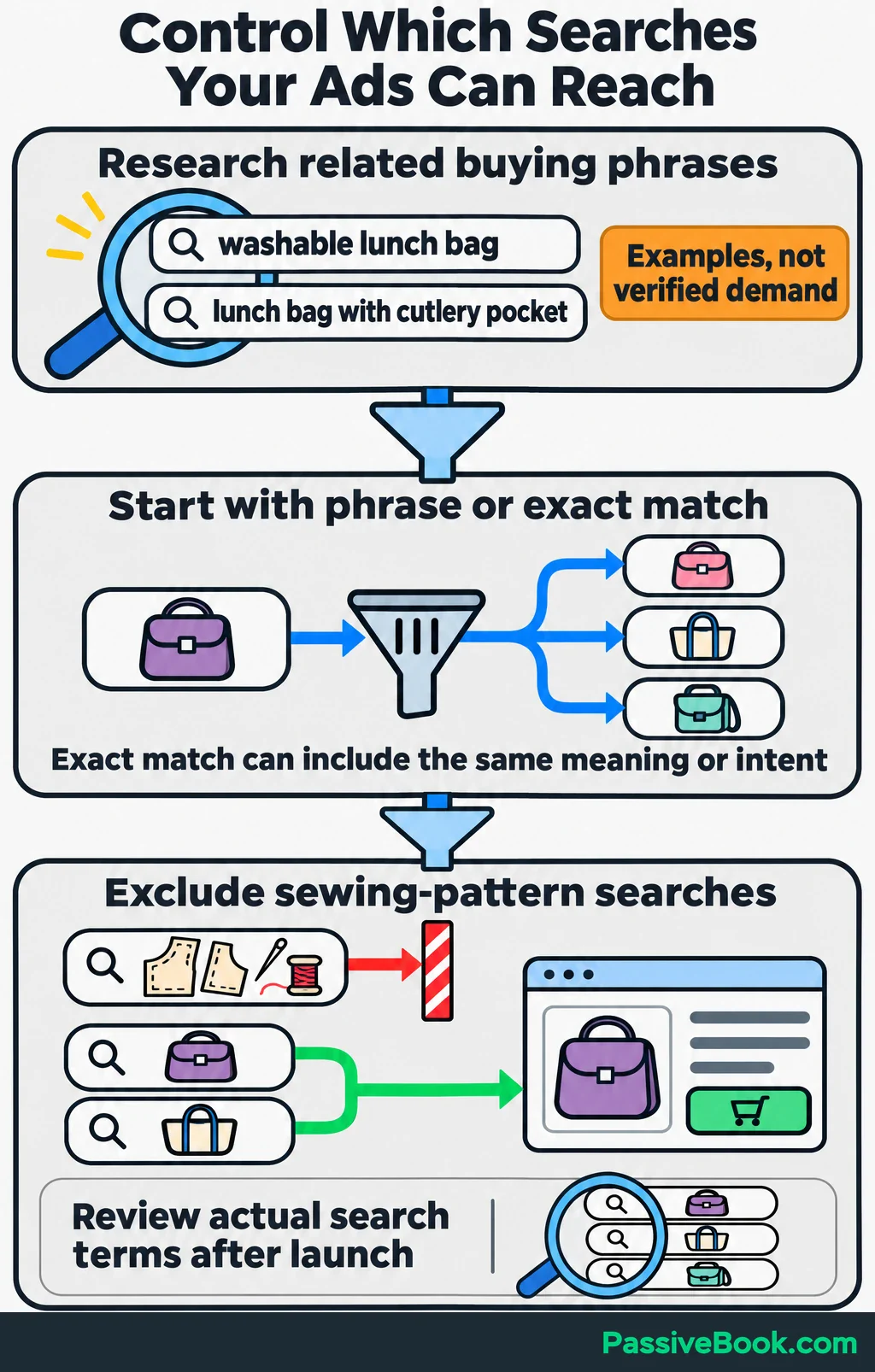
For Search, group closely related buying phrases so each group can share a relevant ad and destination. The lunch-bag campaign might investigate phrases such as “washable lunch bag” and “lunch bag with cutlery pocket.”
These are example phrases to research, not verified demand.
For a tightly controlled first test, I would limit which searches can trigger your ads by starting with phrase match or exact match. Even exact match can include searches with the same meaning or intent, so don’t treat the keyword list as a list of every query you will buy. Google’s keyword-matching explanation describes how meaning affects matching.
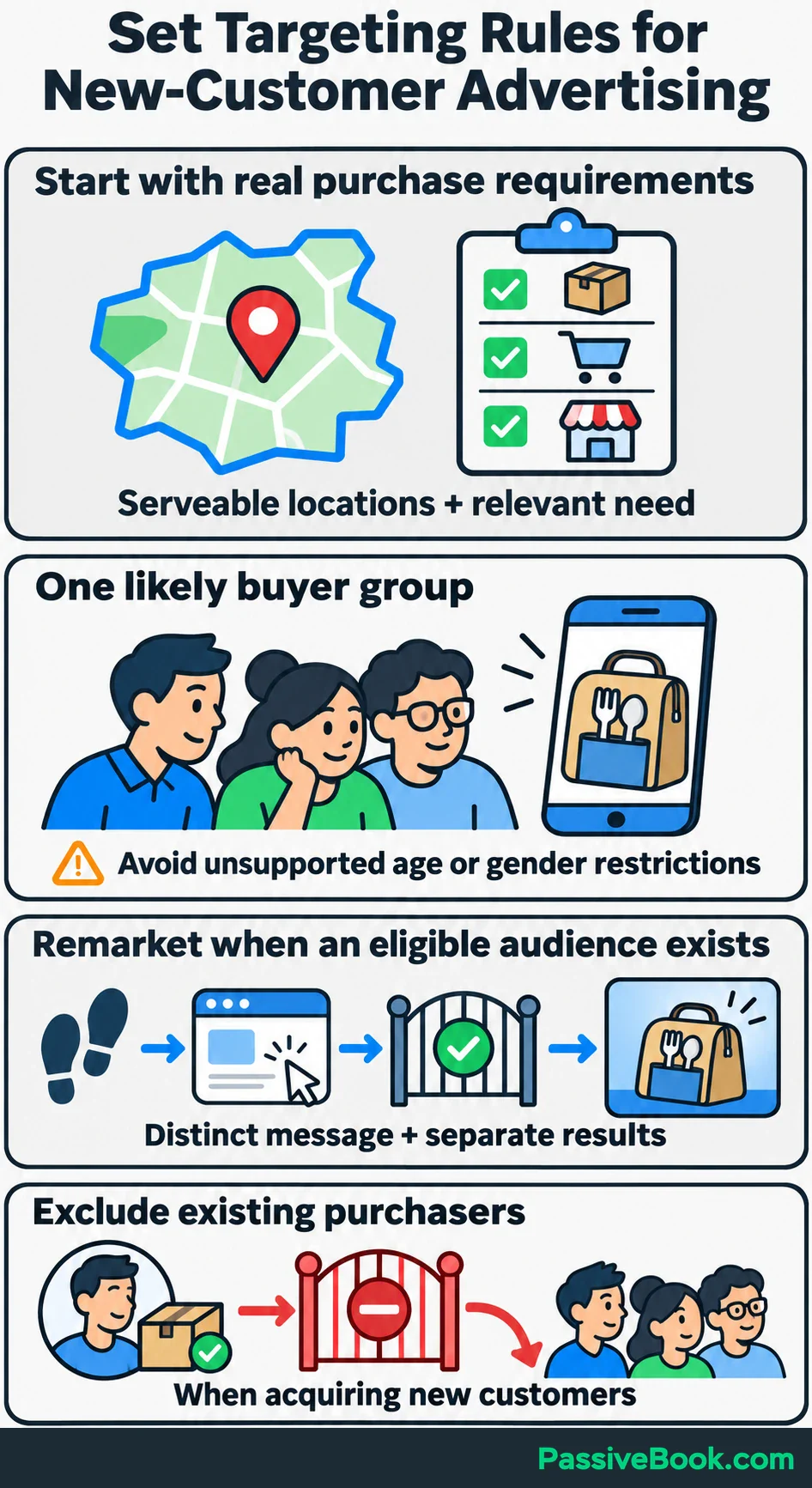
Add negative keywords to exclude clearly irrelevant searches. If you sell finished bags, searches for sewing patterns are a different need. Review the actual search terms after launch and refine those exclusions.
On social platforms, start with one likely group of buyers and ads that show why the offer matters to them. Skip the maze of tiny audiences until you have evidence that separate treatment helps.
Remarketing reaches people who have already interacted with you. Use it once an eligible audience exists, give it a distinct follow-up message and review its results separately. Exclude existing purchasers when the goal is new-customer acquisition.
Set an Affordable Test Budget
Choose a total advertising amount you can lose without needing immediate sales to pay essential bills. Then budget separately for creative, page work, tracking and paid tools.
Next, estimate what that amount could buy.
You need two inputs: cost per click and the share of paid clicks expected to produce purchases. Use your own relevant campaign data where possible. For Search, Google Keyword Planner provides estimates of search activity and targeting costs.
For the example, assume a $120 advertising budget and a $0.60 cost per click:
$120 ÷ $0.60 = 200 clicks
Now compare two possible purchase rates among those clicks:
| Assumed Purchase Rate | Purchases From 200 Clicks | Advertising Cost Per Purchase |
|---|---|---|
| 5% | 10 | $12 |
| 2% | 4 | $30 |
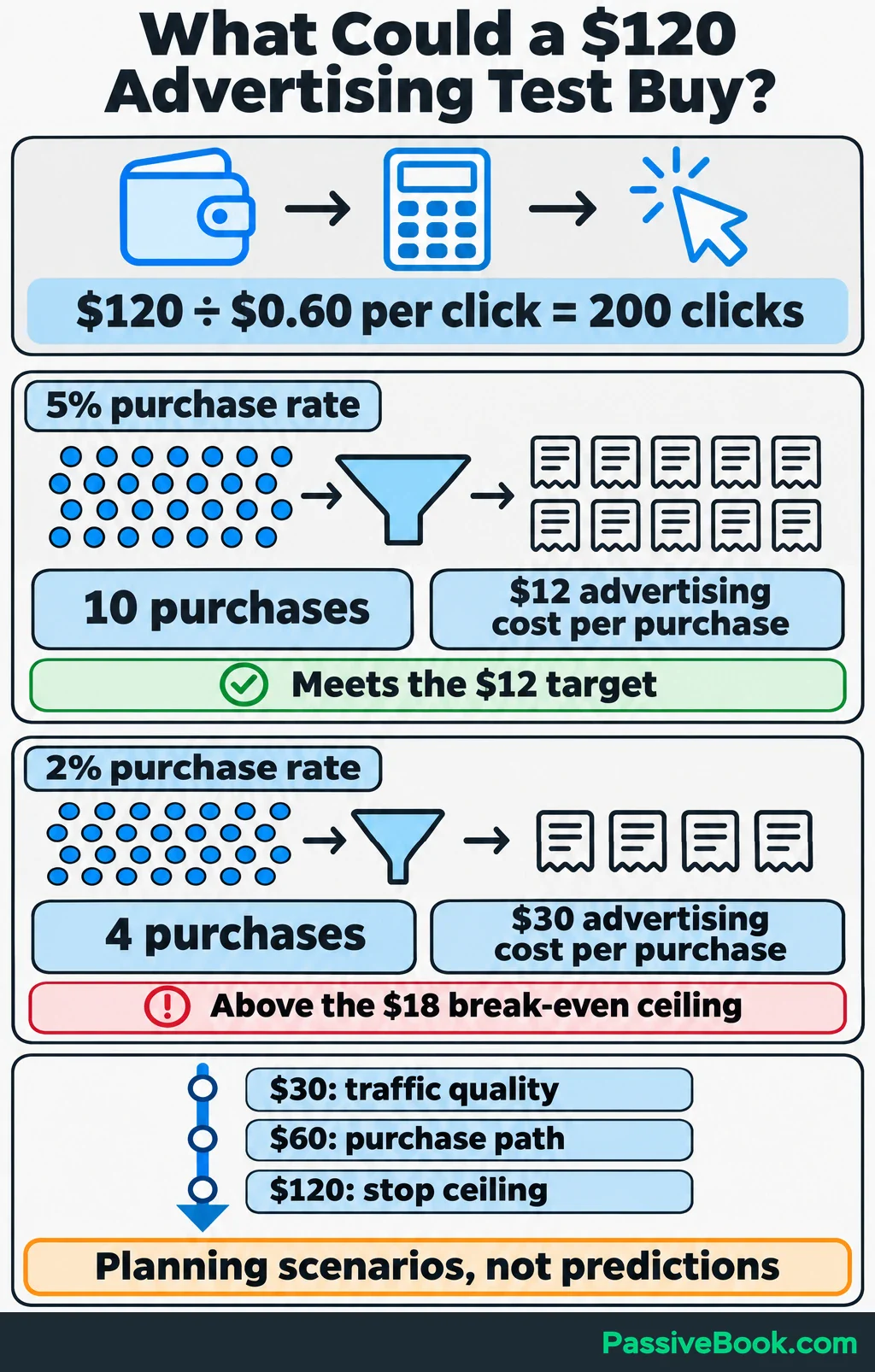
The first scenario meets the advertising target. The second exceeds the $18 advertising-only break-even ceiling.
These scenarios show what must happen for the economics to work. They don’t predict what will happen.
The purchase rate isn’t the only assumption worth checking. Use this calculator to include your other test costs and see how much room your budget leaves if results are weaker than expected.
Free Marketing Profit Calculator




A small budget limits your exposure, but it may produce too few purchases to compare ads reliably. I would use the first test to check relevance, the buying path and whether acquisition costs look workable.
Write down your review points before launch. For this example, you could check traffic quality after $30, review the purchase path at $60 and stop delivery within the $120 ceiling.
Check the platform’s spending rules too. For most Google campaigns, daily charges can reach twice the average daily budget. Google’s spending-limit guidance explains the limits.
Use an enforceable total limit where available. Otherwise, leave headroom for daily variation and reporting delays, monitor spend and pause before exhausting the amount you can afford.
Build a Clear Path From Ad to Purchase
Create Ads Around One Reason to Buy
Connect a customer problem to a specific benefit, show what supports it and give one next action.
For Search, answer the buying question behind the query. For visual placements, show the product doing the job.
The lunch-bag campaign could test two messages while keeping the product and destination consistent:
- Organisation: Show how containers and cutlery fit into separate spaces.
- Easy Cleaning: Show the washable material and explain its care requirements.
A short Search copy excerpt could read:
Washable Lunch Bags
Keep lunch containers and cutlery together. See dimensions, pocket details and colours.
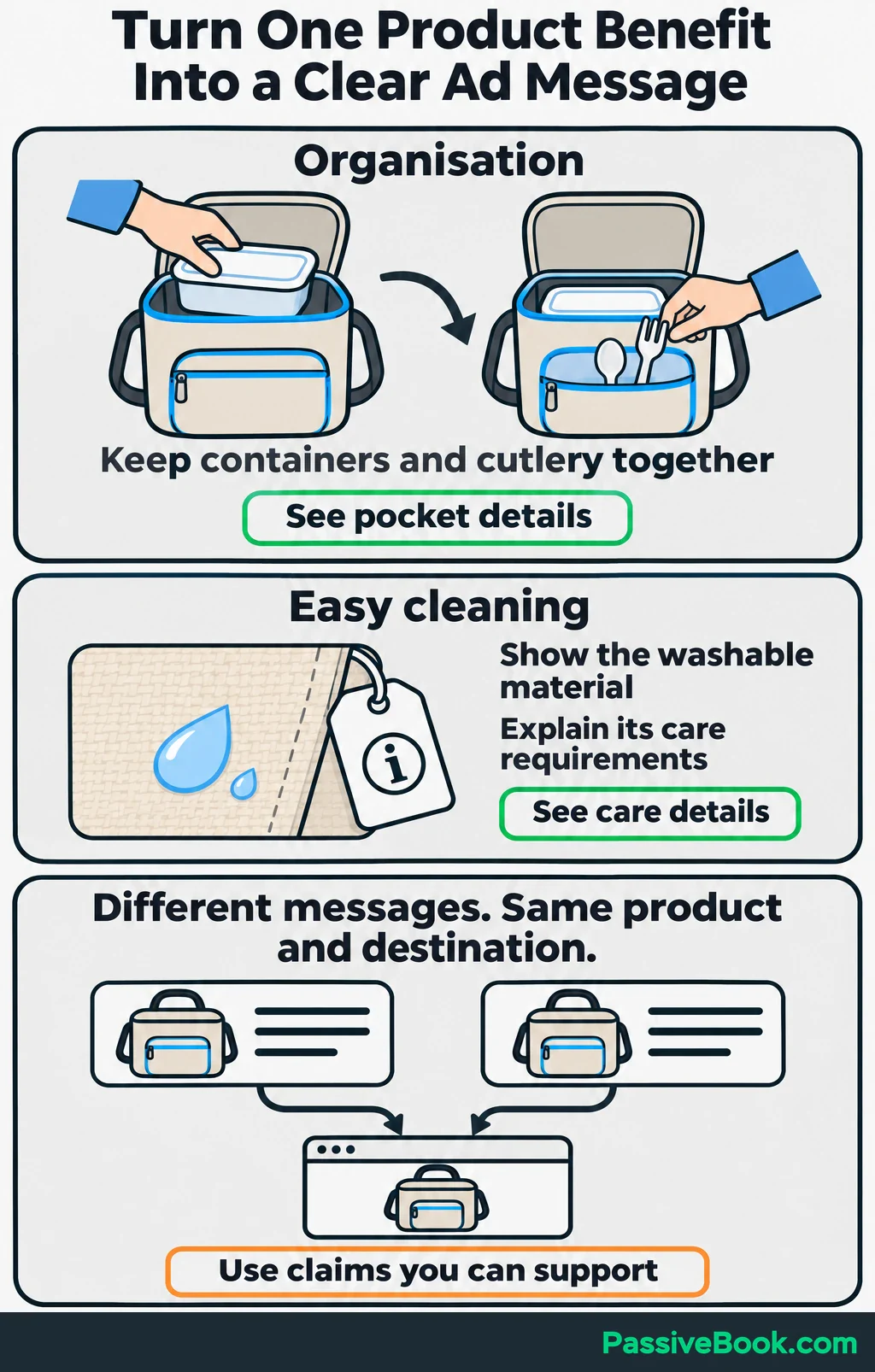
For a visual ad, show someone packing the bag and retrieving the cutlery. That explains the pocket’s purpose better than a product photo against a blank wall.
I would prepare a few distinct messages, then give the strongest ones enough traffic to assess. Twenty near-identical headlines won’t rescue an unclear reason to buy.
If you’re stuck turning the benefit into actual copy, AI Advertising Studio can draft two distinct messages from your offer and evidence. It also gives you a matching page opening, so the promise doesn’t change after the click.
Free AI Advertising Studio
Use claims you can support, genuine reviews and any required endorsement disclosures. For US advertising, the FTC’s small-business advertising guidance sets out the requirement for truthful, supported claims.
Make the Landing Page Fulfil the Promise
Send people directly to the advertised offer. If the ad promises organised storage, the page should quickly show what fits and where.
Make these details easy to find:
- The main benefit and product in use.
- Price, dimensions and relevant specifications.
- Delivery charges and expected delivery timing.
- Care instructions and returns information.
- A clear purchase button.
On one of my digital-product pages, I had listed every file in the bundle but buried the preview. Reviewing the page made the gap obvious: I was explaining the contents before showing what the buyer would receive. I moved the preview ahead of the long description.
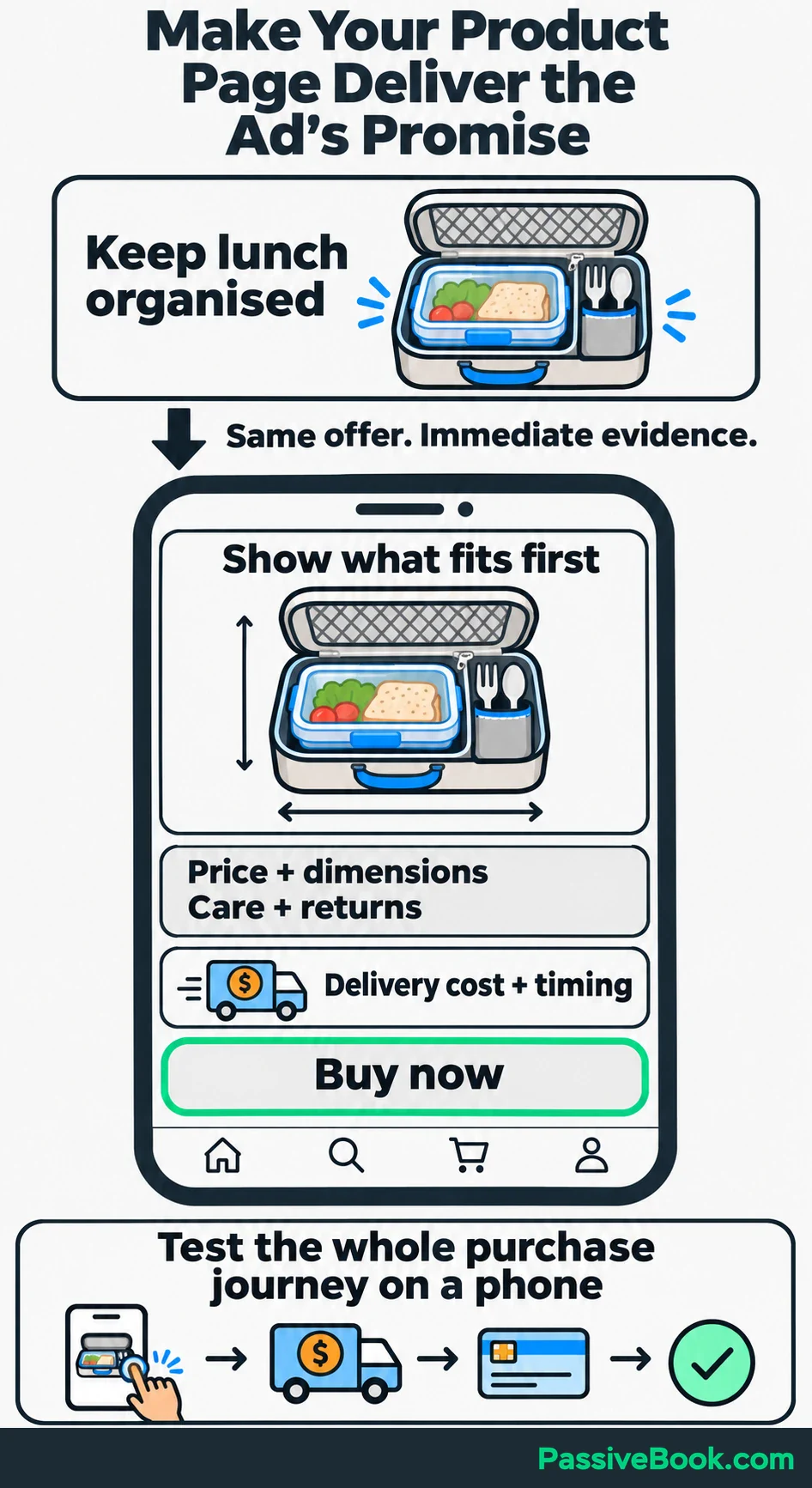
I would make the same check here. Show the packed lunch bag and its dimensions before asking visitors to read several paragraphs about organisation.
If your site uses WordPress, the GenerateBlocks plugin lets you arrange the page’s text, images and buttons. I wouldn’t buy a separate landing-page tool for this test.
Complete the whole journey on a phone. Check loading, text, product options, delivery charges, payment and confirmation.
For inquiries, explain what happens after submission and have the follow-up ready before buying traffic.
Verify Conversion Tracking Before Spending
Connect the ad platform’s conversion measurement to your chosen business action. Use website analytics, such as Google Analytics, to understand what happens between arrival and conversion.
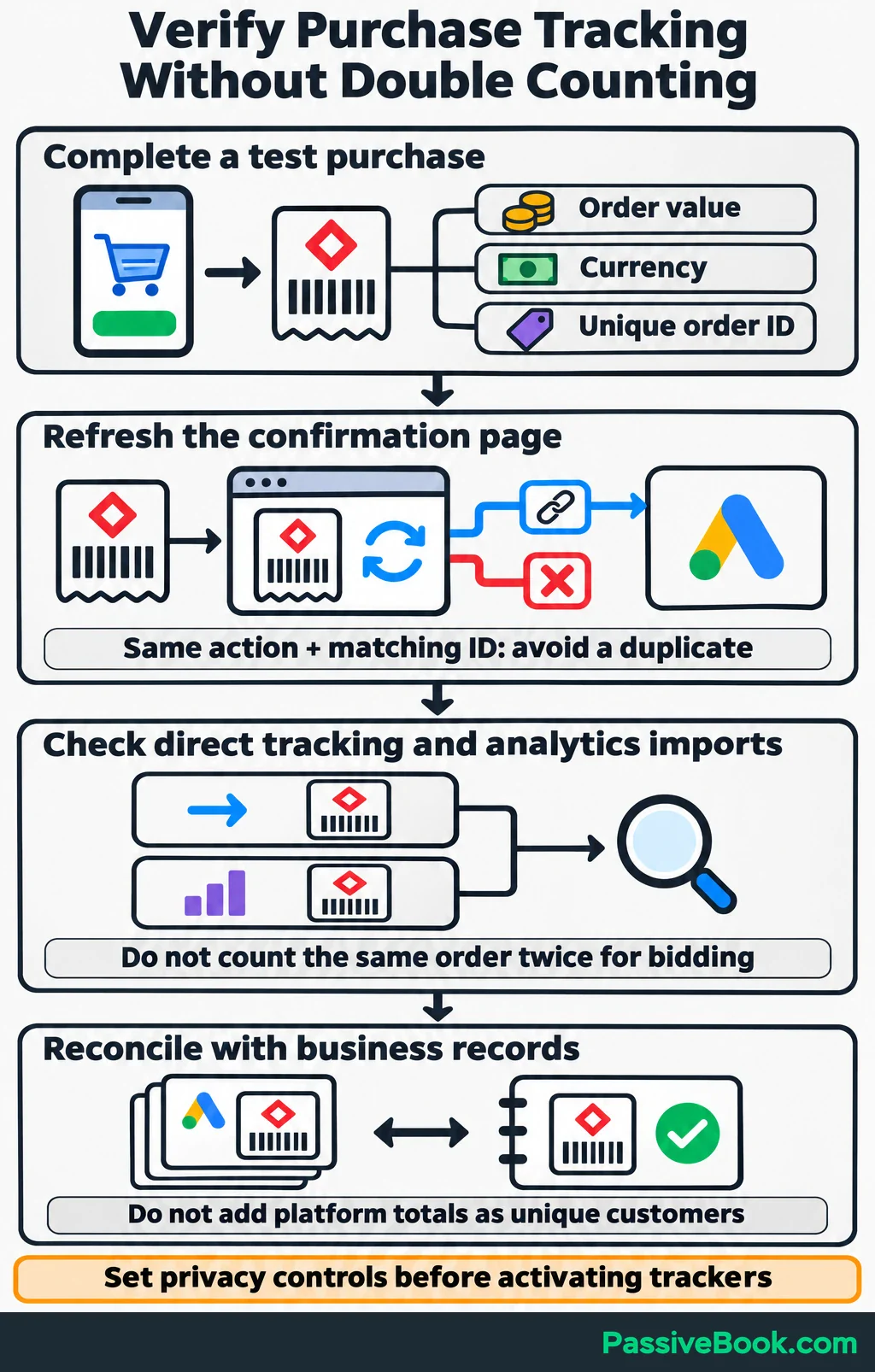
For purchases, record the order value, currency and a unique order identifier. Google Ads uses matching transaction IDs to avoid counting an order twice within the same conversion action, including when a confirmation page reloads.
Before launch:
- Complete a test purchase or inquiry.
- Confirm the correct event, value and currency in the measurement tools.
- Match the event to the order or inquiry in your business records.
- Check that refreshing the confirmation page doesn’t create another counted purchase.
- If you track purchases directly and also import them from analytics, check that the same order isn’t counted twice in the conversions used for bidding.
Use consistent campaign labels on advertising links so analytics can identify the source, campaign and ad. Keep the tracking codes the ad platform adds to your links, too.
For leads, connect the original inquiry to its qualification status and eventual sale. A form submission alone cannot tell you whether the campaign found suitable customers.
Set privacy controls before activating advertising trackers. Under UK rules, storage and access technologies used for online advertising require consent. The ICO’s online-advertising guidance explains that requirement.
Finally, reconcile advertising reports with unique orders. Attribution assigns credit under selected rules, and different platforms can claim the same sale. Don’t add their conversion totals together as unique customers. Google Analytics’ attribution guidance explains how that credit is assigned.
Configure and Launch a Focused Campaign
Translate your decisions into campaign settings. Choose the objective, conversion event, keywords or audience, destination, locations, schedule, bidding approach and spending controls.
For the lunch-bag test, I would use one Search campaign with closely related shopping keywords and a product-page destination. Completed purchases would be the main success signal. Product views and basket additions would help diagnose the journey.
Keep budget and bidding separate in your mind:
- Budget: How much spending the campaign has available, subject to the platform’s limits.
- Bidding: How the platform sets auction bids and pursues your selected outcome.
With verified purchase tracking, I would start with a conversion-focused bidding option and judge it against the acquisition target.
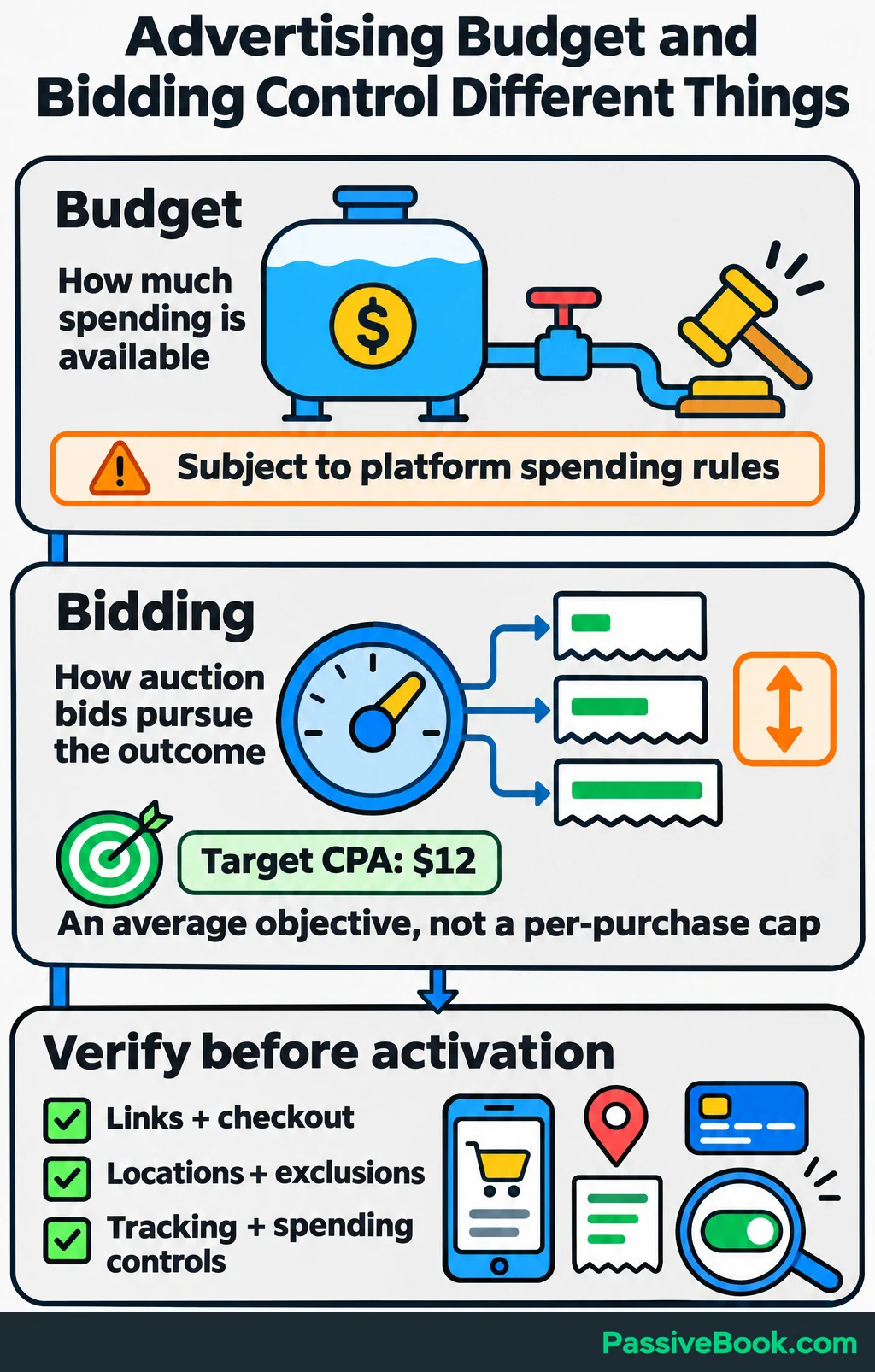
If you set a target cost per action, or CPA, treat it as an average objective. Entering $12 doesn’t guarantee that each purchase will cost $12 or less. Google’s Target CPA explanation makes that distinction clear.
Before activation, preview the ads and verify the links, locations, exclusions, checkout, tracking, billing and spending controls. Check which networks or placements are included so delivery matches your intended test.
Check promptly after launch for approval problems, missing delivery, technical errors and unexpected spend.
Keep a short change log with the date, change and reason. Separate campaigns when different objectives, locations or economics need independent control.
Measure Customer Acquisition and Profitability
Build a compact report that connects advertising activity to customer records and costs.
For the worked example, assume the campaign produces ten purchases from ten new customers. Each order generates $40 in net revenue and costs $22 to fulfil. Advertising costs $120, and campaign creative costs $30.
| Measure | Example Result |
|---|---|
| Advertising spend | $120 |
| Paid clicks | 200 |
| Completed purchases | 10 |
| New customers | 10 |
| Net revenue from those orders | $400 |
| Advertising cost per new customer | $12 |
| Acquisition cost including creative | $15 |
| ROAS | 3.33 |
| Contribution after variable, advertising and creative costs | $30 |
ROAS counts attributed net revenue for the campaign, not all revenue from your store:
$400 ÷ $120 = 3.33
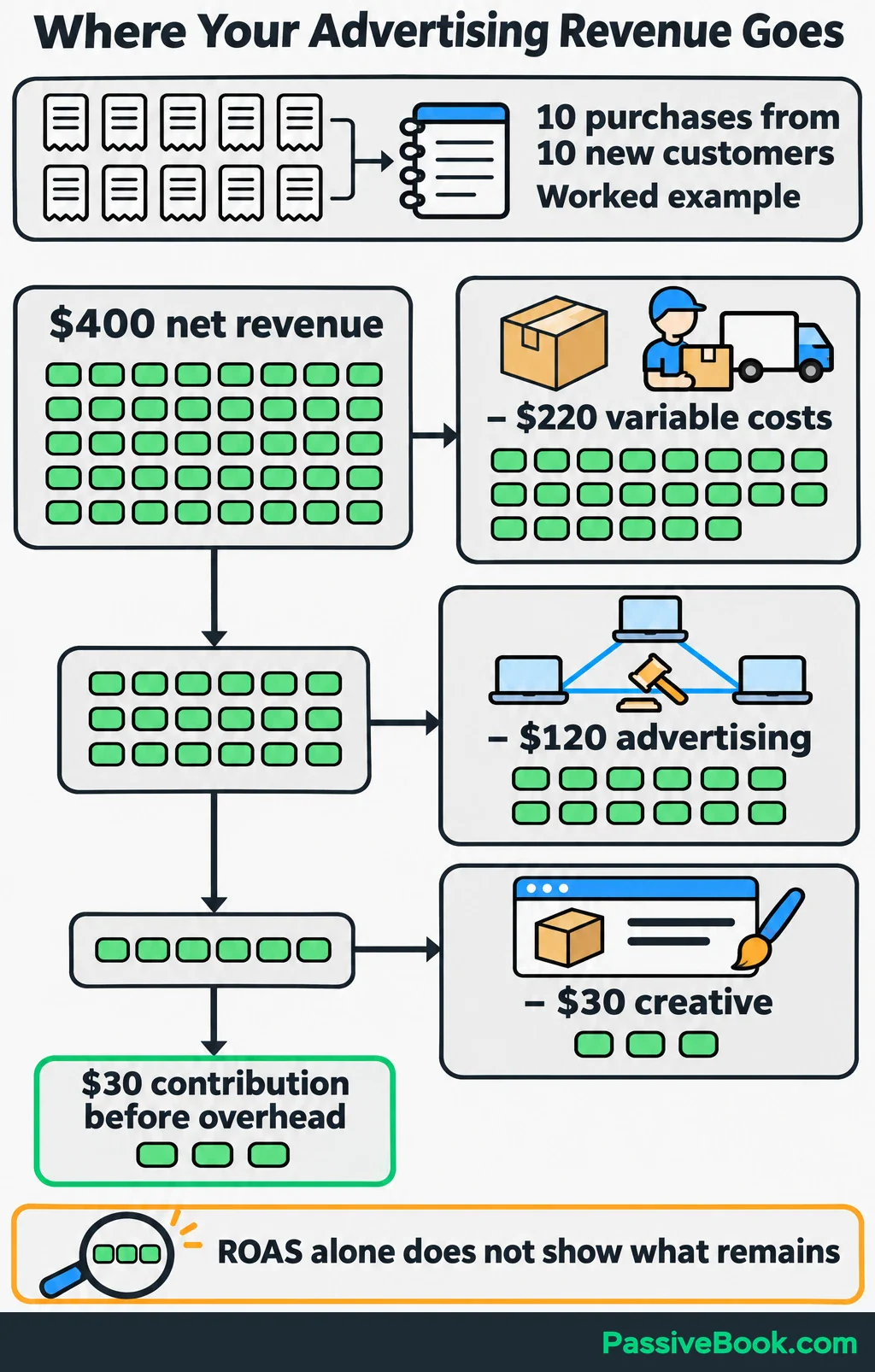
It leaves product and creative costs out of the calculation.
To calculate campaign return on investment (ROI), first identify all the costs you are including. Here, they are $220 in variable costs, $120 in advertising and $30 in creative: $370 altogether.
ROI = ($400 − $370) ÷ $370 × 100 ≈ 8.1%
That leaves $30 before overhead.
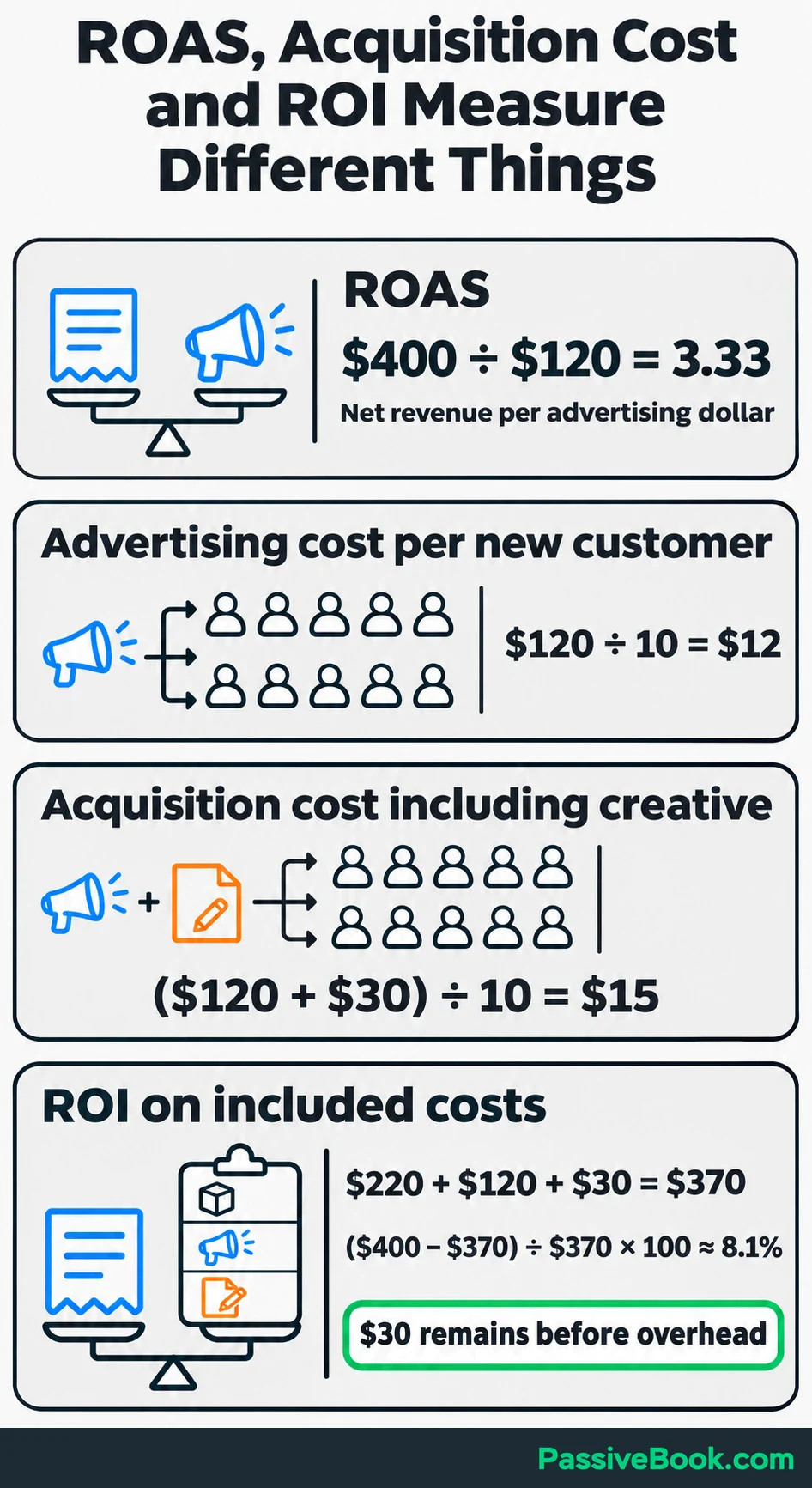
This is why I wouldn’t scale from ROAS alone. The campaign meets the $12 advertising target, but its remaining contribution is modest.
For lead campaigns, add qualified leads and the share of those leads who become customers. Judge the result through customer contribution, not cheap inquiries.
Give recent clicks enough time to produce purchases before making the final assessment. Google’s conversion-delay guidance explains why recent acquisition costs can initially look worse.
Use the same follow-up window when comparing results. And remember that attributed sales show where credit was assigned; they don’t prove every buyer would otherwise have stayed away.
Improve Results Before Increasing Spend
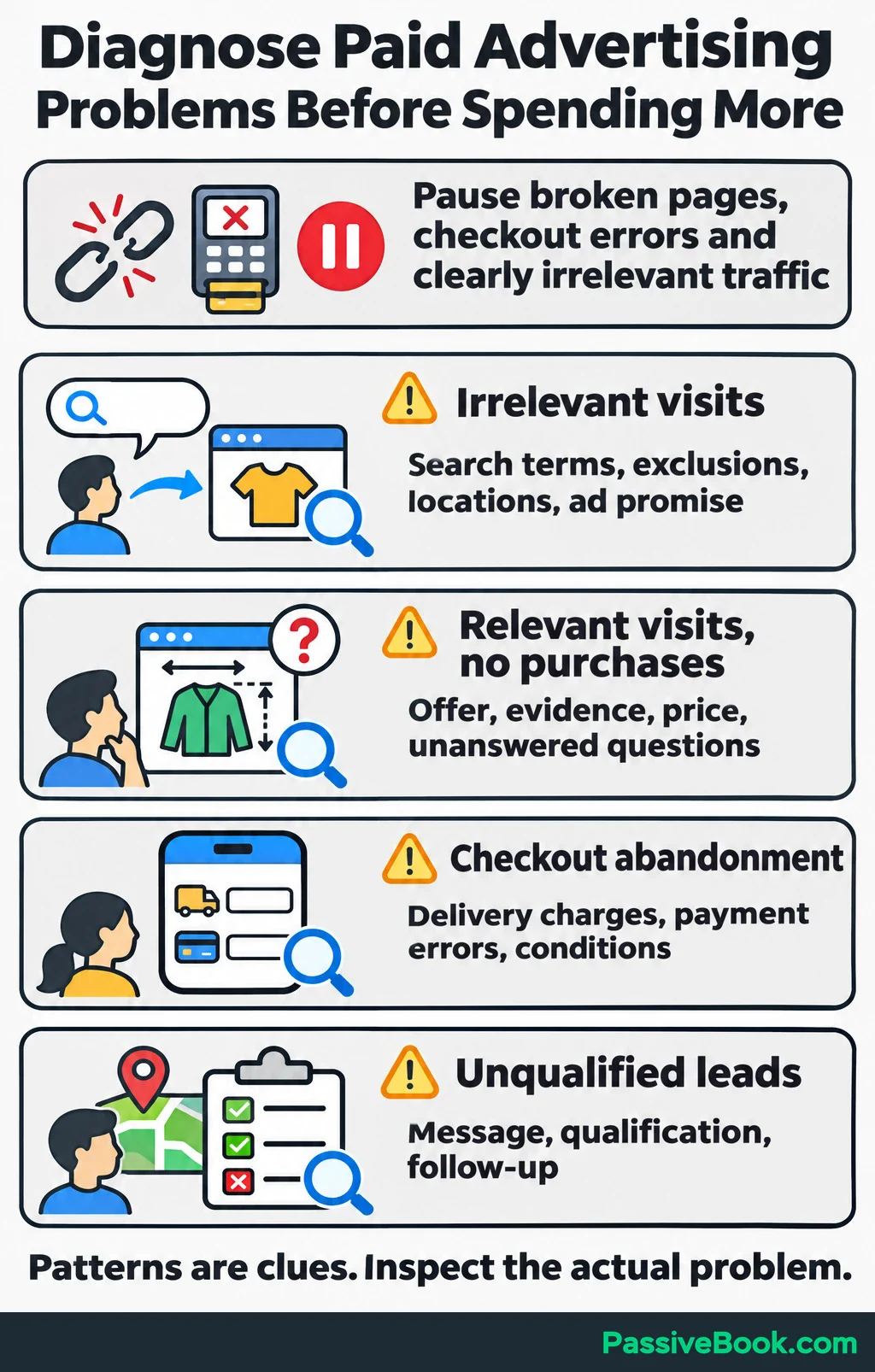
Start by fixing failures that waste money immediately. Pause broken destinations, checkout errors and clearly irrelevant traffic.
Then investigate where suitable visitors stop progressing:
- Irrelevant Visits: Review search terms, exclusions, locations and the ad’s promise.
- Relevant Visits Without Purchases: Examine the offer, product evidence, price and unanswered questions.
- Checkout Abandonment: Check delivery charges, payment failures and unexpected purchase conditions.
- Unqualified Leads: Revisit the message, qualification requirements and follow-up.
Treat each pattern as a clue, then inspect the actual problem.
Suppose lunch-bag visitors repeatedly ask whether their food containers will fit. I would test a clearer dimensions image and a photo showing a packed bag.
Write the hypothesis plainly: “Showing what fits will help suitable visitors decide whether to buy.”
Keep the offer and targeting steady while testing that change. Record the purchase rate, acquisition cost, spending limit and next decision.
With a modest budget, I would investigate one substantial change at a time. Changing the audience, ad, price and page together leaves you guessing about what helped.
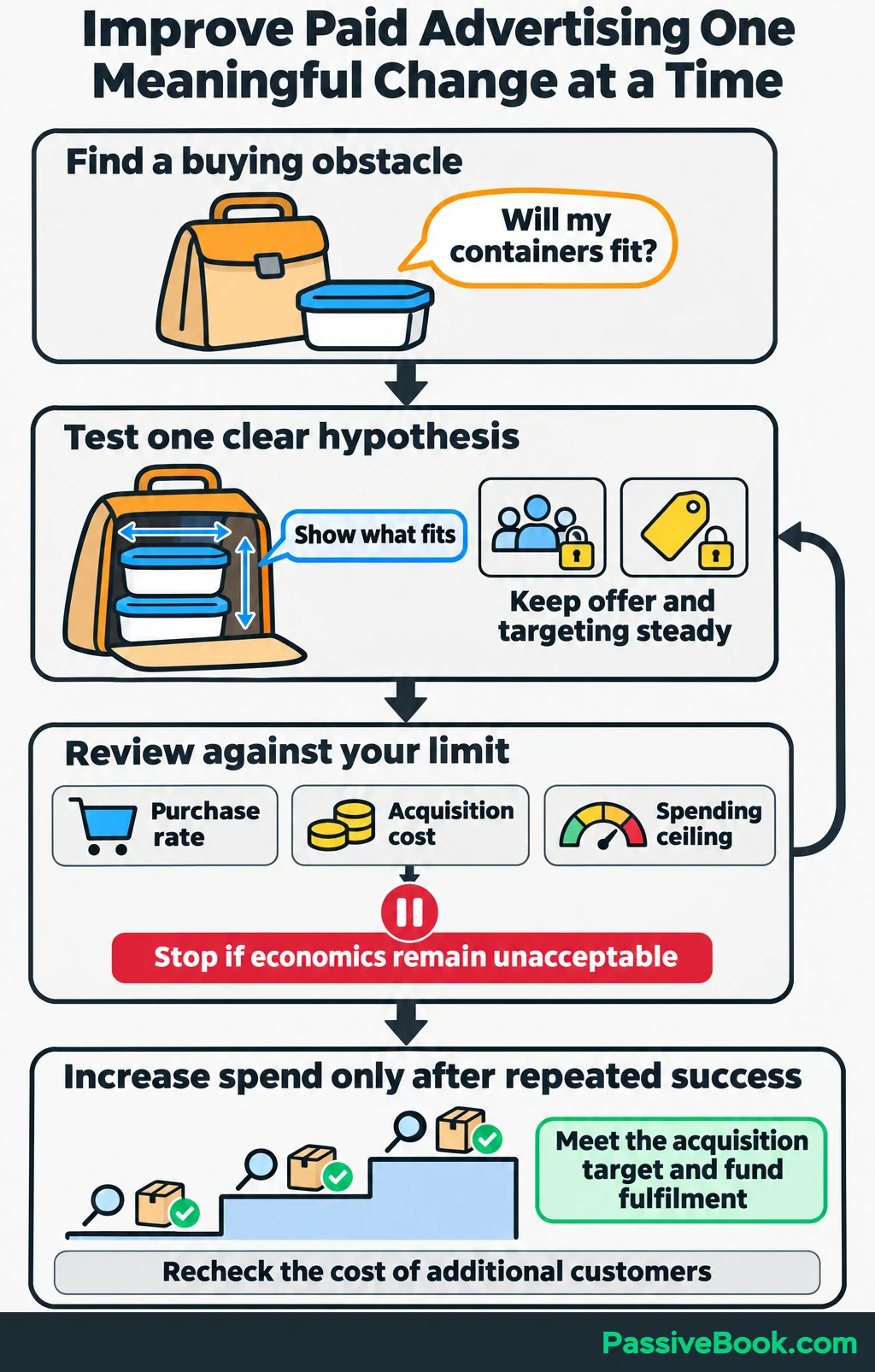
Stop at the predetermined spending ceiling when the economics remain unacceptable. Review the weak stage before funding another test.
Increase spending in controlled increments after repeated reviews meet your acquisition target and you can fund fulfilment. Recheck the cost of the additional customers as spending grows.
Keep the strategy on one page. Record the offer, customer, conversion goal, acquisition ceiling, channel, targeting and budget. Add the creative idea, tracking method, review point and next decision.
That page gives you a reason for each setting and a clear test to run.
What Next?
Write down the most you can afford to spend for one new customer. Include the costs that sit outside the advertising dashboard, then use that figure to decide whether your first test is worth funding.
Use the social buttons to share this guide when the conversation turns to ad budgets. A spending ceiling is more useful than another promise of cheap clicks.
Which part of your first campaign feels least certain: the offer, channel or acquisition cost? Tell me in the comments, and bring any other questions there too.
Share this post with your friends & followers:

