Your product looks useful on video, but paying to put it in front of strangers feels different from posting it for free. Every day the campaign runs, money leaves your account.
Views and clicks can look encouraging while orders stay flat. You still have to decide whether another day of spending is worthwhile, often with only a few sales to judge it by.
That uncertainty makes a first campaign hard to manage on a limited budget. This guide takes one small TikTok campaign from account setup to launch and review, with a firm spending ceiling and clear reasons to improve, pause, or expand it.
Plan an Affordable First Campaign
Choose One Business Outcome
Choose one offer and one action, such as a purchase or qualified inquiry.
For the running example, imagine you sell washable dog-walking treat pouches through an online shop. You want people to buy one from your website.
All example prices, budgets, copy, and results below are teaching assumptions, not TikTok benchmarks or actual campaign results.
Match the campaign objective to the action:
- Sales: Use this for purchases, with your website as the destination.
- Lead Generation: Choose this for inquiries collected through your website or a form inside TikTok.
- Traffic: Use this when visits are the outcome. It does not ask TikTok to optimize for purchases.
These distinctions follow TikTok’s objective definitions.
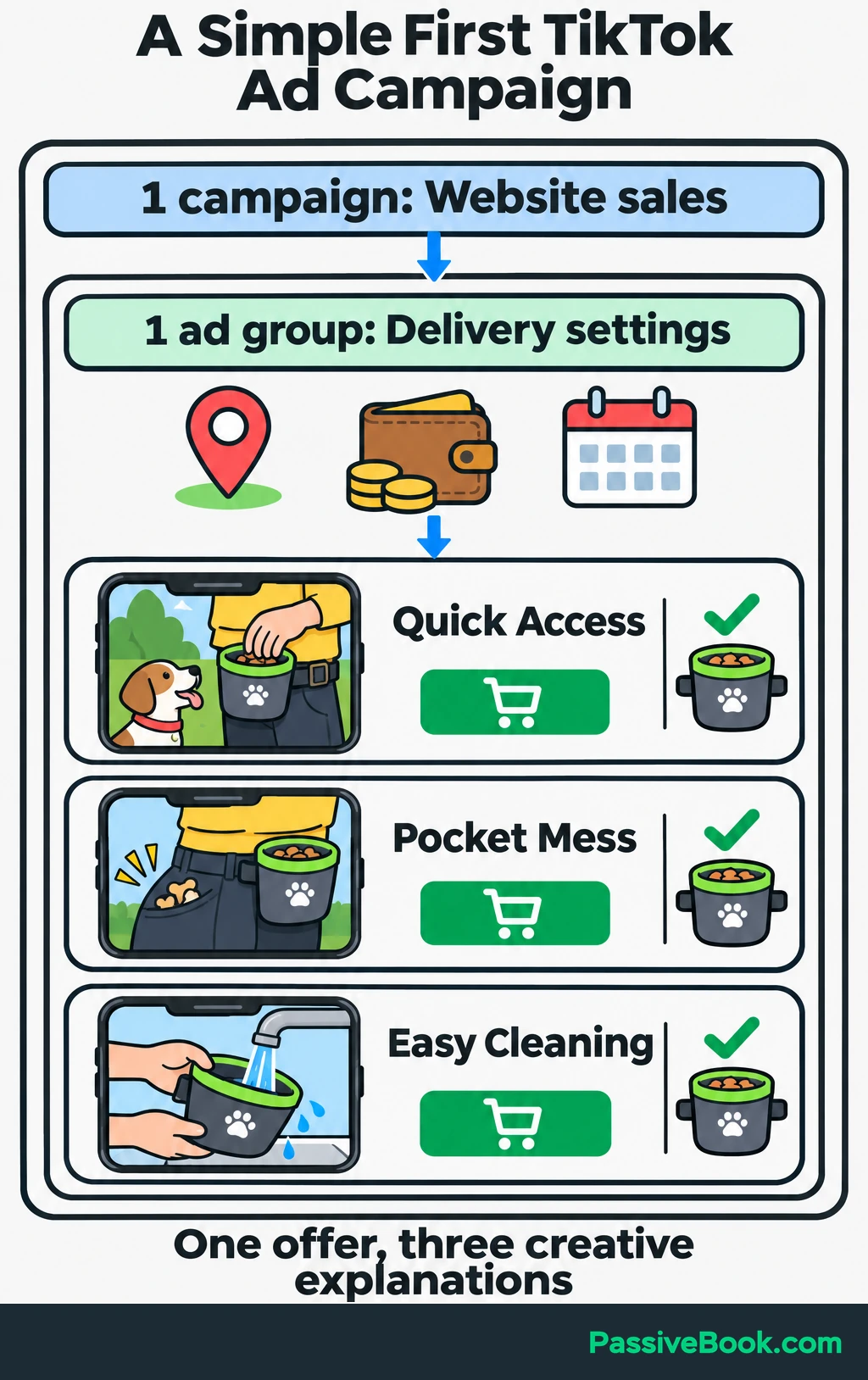
I would start with one campaign, one ad group, and three video ads. The campaign holds the objective, the ad group holds delivery settings, and the ads contain your videos and copy.
That gives you three ways to explain the same offer without dividing a small budget across several audiences.
Calculate Your Target Acquisition Cost
Before deciding what to spend, work out how much an order leaves you before advertising.
Start with revenue after discounts and expected refunds, excluding collected tax. Subtract product costs, packing, fulfillment, payment fees, and other costs that rise with each order.
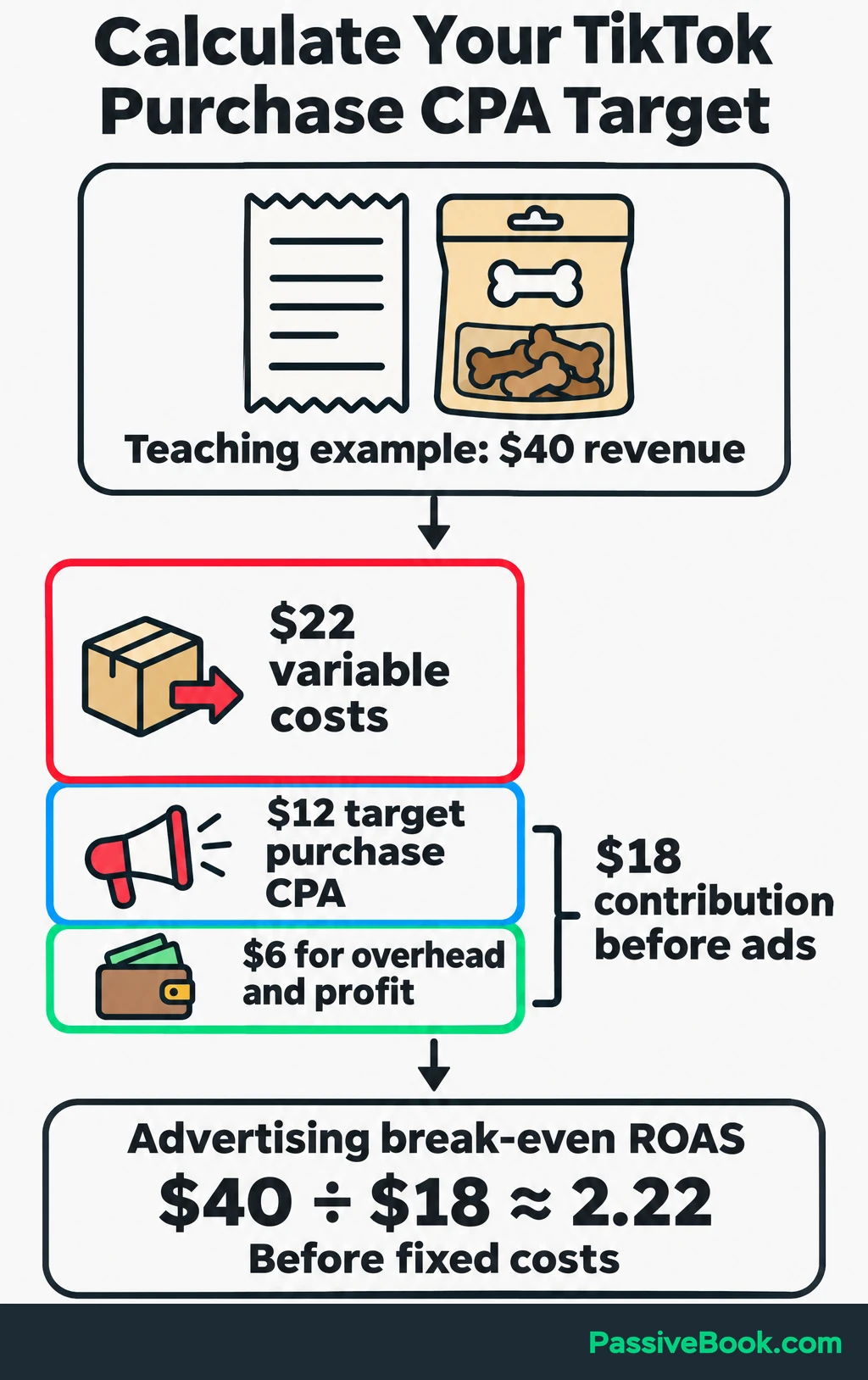
For the pouch shop:
| Item | Amount per order |
|---|---|
| Revenue after discounts and expected refunds | $40 |
| Product, fulfillment, payment fees, and other variable costs | $22 |
| Contribution before advertising | $18 |
| Amount to retain toward overhead and profit | $6 |
| Target cost per purchase | $12 |
The $18 contribution is your break-even ad spend per order before fixed costs. At the $12 target cost per purchase, or purchase CPA, $6 remains for overhead and profit.
My print-on-demand experiment brought in about $1,200 in revenue over six months, but only about $300 in profit. Hiring designers ate into the margin. That experience changed how I read a sales total: I want the costs beside it before I get excited.
Return on ad spend, or ROAS, is revenue credited to ads divided by ad spend. The pouch’s advertising break-even ROAS is $40 ÷ $18 ≈ 2.22, before fixed costs.
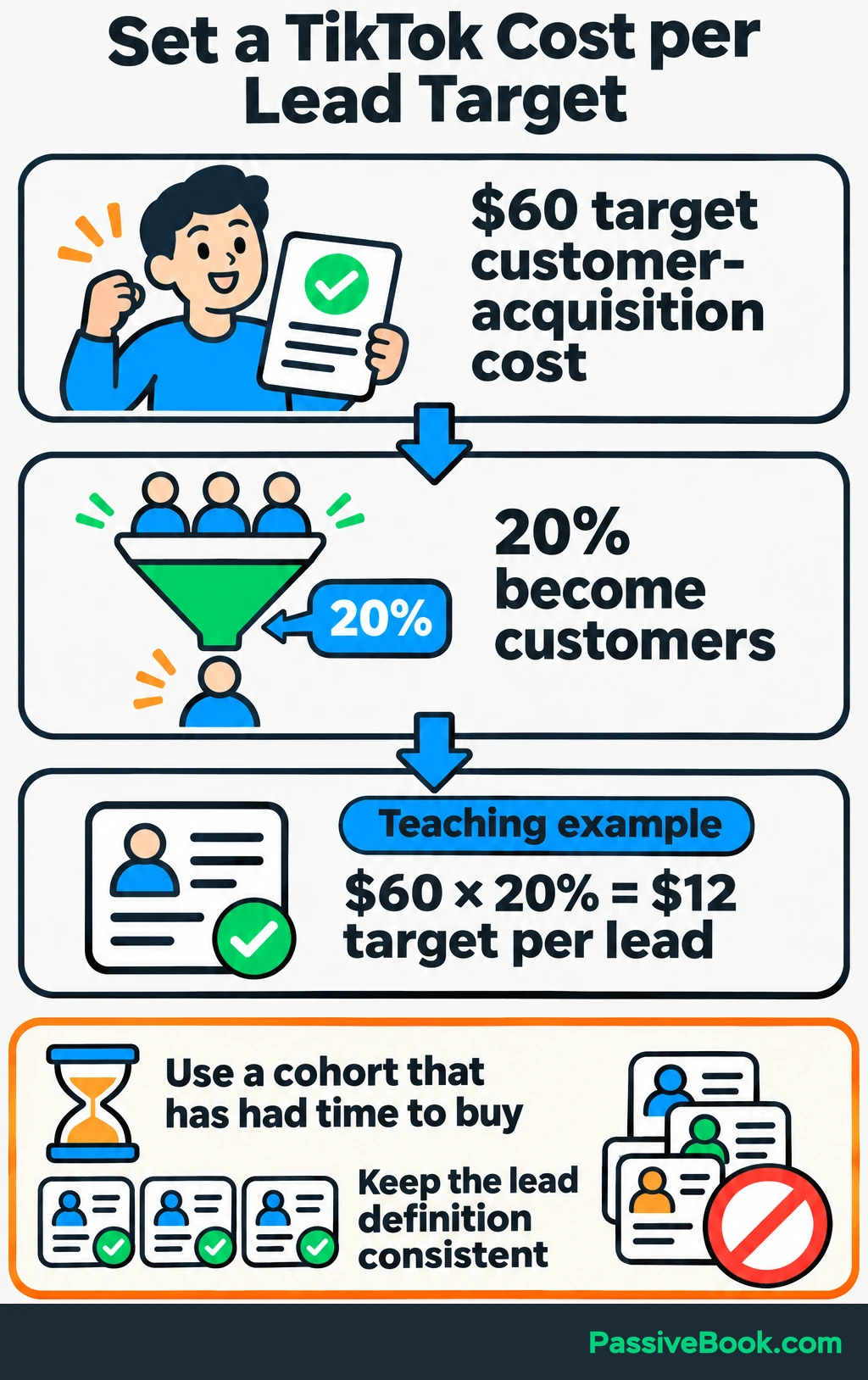
For inquiries, work backward from what a customer is worth acquiring. Multiply your target customer-acquisition cost by the share of leads that become customers. For example, a $60 acquisition target and a 20% lead-to-customer rate give a $12 target cost per lead.
Use a lead group that has had enough time to buy, and keep its definition consistent. A rate calculated from qualified inquiries cannot justify the same spending on every unfiltered form submission.
Set a Firm Test Budget
Choose the maximum advertising spend you can afford to lose on this test. Allow separately for filming, editing, samples, and other campaign costs.
TikTok has minimum budgets. Its published daily thresholds require more than US$50 at campaign level and more than US$20 at ad-group level. Lifetime ad-group minimums depend on the scheduled number of days. Check the amount accepted in your account’s currency against TikTok’s budget requirements.
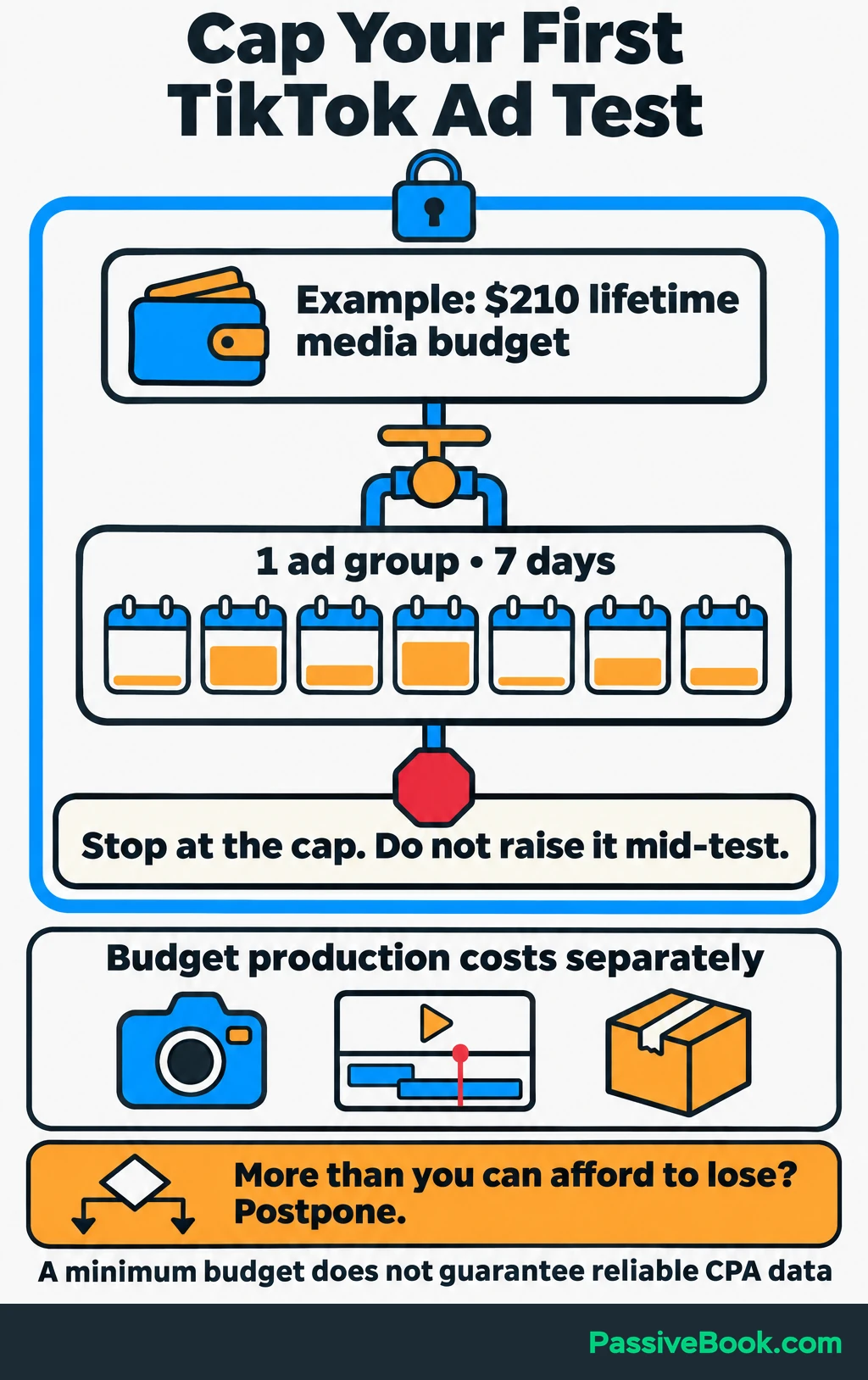
For this example, I would use a $210 lifetime budget over seven days, applied to one ad group without a separate campaign budget. Spending can vary by day, but the lifetime setting limits total media spend to that amount.
Write down the limit before launching. Do not raise it halfway through because you feel close to a breakthrough.
If the required commitment exceeds what you can comfortably lose, postpone the campaign. You can prepare the page and videos without buying delivery. Meeting TikTok’s minimums also does not guarantee enough purchases to establish a dependable CPA.
Create Your TikTok Ads Manager Account
Check availability before spending time on account setup. TikTok limits self-serve account creation by region, and your registered region determines which locations you can target.
Also check that your product or service is eligible to advertise in the intended market. An account’s availability does not make every offer eligible.
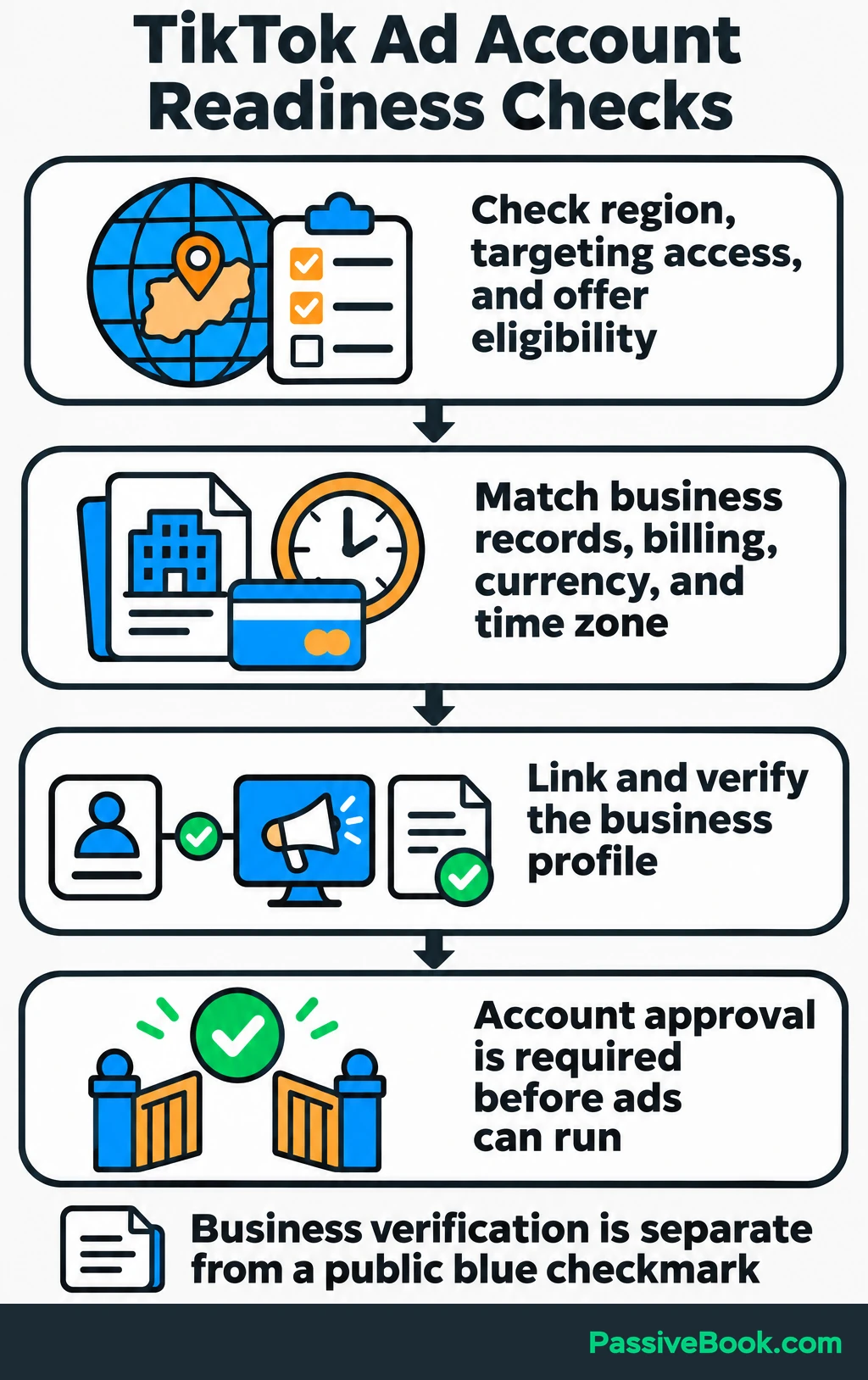
Once those checks pass:
- Register for TikTok Ads Manager using an email address or phone number.
- Verify the email address or phone number.
- Enter your legal business name, industry, country or region, currency, and time zone.
- Supply the requested business documents, billing details, tax information, and payment method.
- Check the account’s approval status.
Use details that match your business records. Pay particular attention to the time zone because it affects scheduling and reporting.
You can prepare campaigns while account approval is pending, but ads cannot run until the account is approved.
Link your business’s TikTok profile and complete the requested verification. TikTok’s Custom Identity transition moves new campaigns to linked, verified profiles. This business verification is different from a public blue checkmark.
Prepare the Destination for Your Ads
Send people to the page that lets them complete the advertised action.
For a single product, I would use its product page. Making visitors find the pouch again through a homepage adds work after you have already paid for their attention.
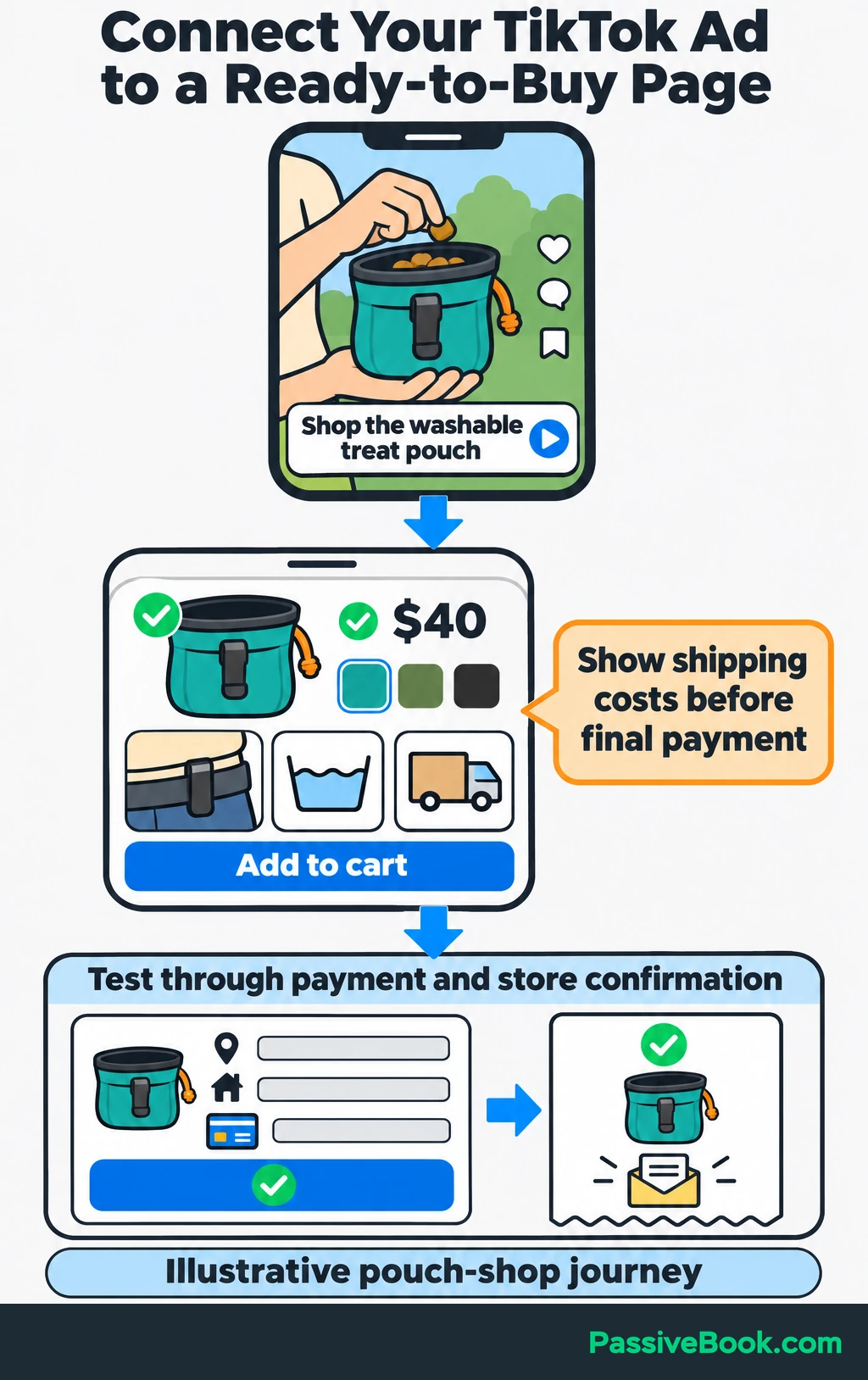
The video and page should agree on the product, price, offer, and next action. For the pouch, the page needs:
- Product details: Size, attachment method, materials, and cleaning instructions.
- Buying details: Price, available options, shipping charges, delivery information, and returns.
- Next action: A clear purchase button and a working checkout.
Complete the whole journey on your phone. Read the page, choose an option, add the pouch to your cart, enter an address, and finish payment. Check that the confirmation appears and the order reaches your store.
Watch for surprises. If shipping changes the total significantly, customers should be able to discover that before the final payment step.
For website inquiries, use a focused form and a confirmation explaining what happens next. Ask only for details you need to assess and answer the inquiry.
An Instant Form collects inquiries inside TikTok. Prepare essential contact fields, one useful qualification question, your business’s privacy-policy URL, and a confirmation message. Decide who will answer submissions before paying to collect them.
Set up and Verify Conversion Tracking
For a website campaign, open Events Manager and create a website data connection. Choose your store platform’s supported integration if one is available, then follow its steps to install TikTok Pixel, the code that reports website actions to TikTok.
TikTok recommends combining Pixel with Events API, a connection that sends events from your business’s systems, for a more reliable data connection. Its website connection guidance explains the options.
For the pouch shop, track the stages that help you see where buying stops:
| Customer action | Event to verify |
|---|---|
| Opens the product page | View Content |
| Adds the pouch to the cart | Add to Cart |
| Starts checkout | Initiate Checkout |
| Completes payment | Purchase, including value and currency |
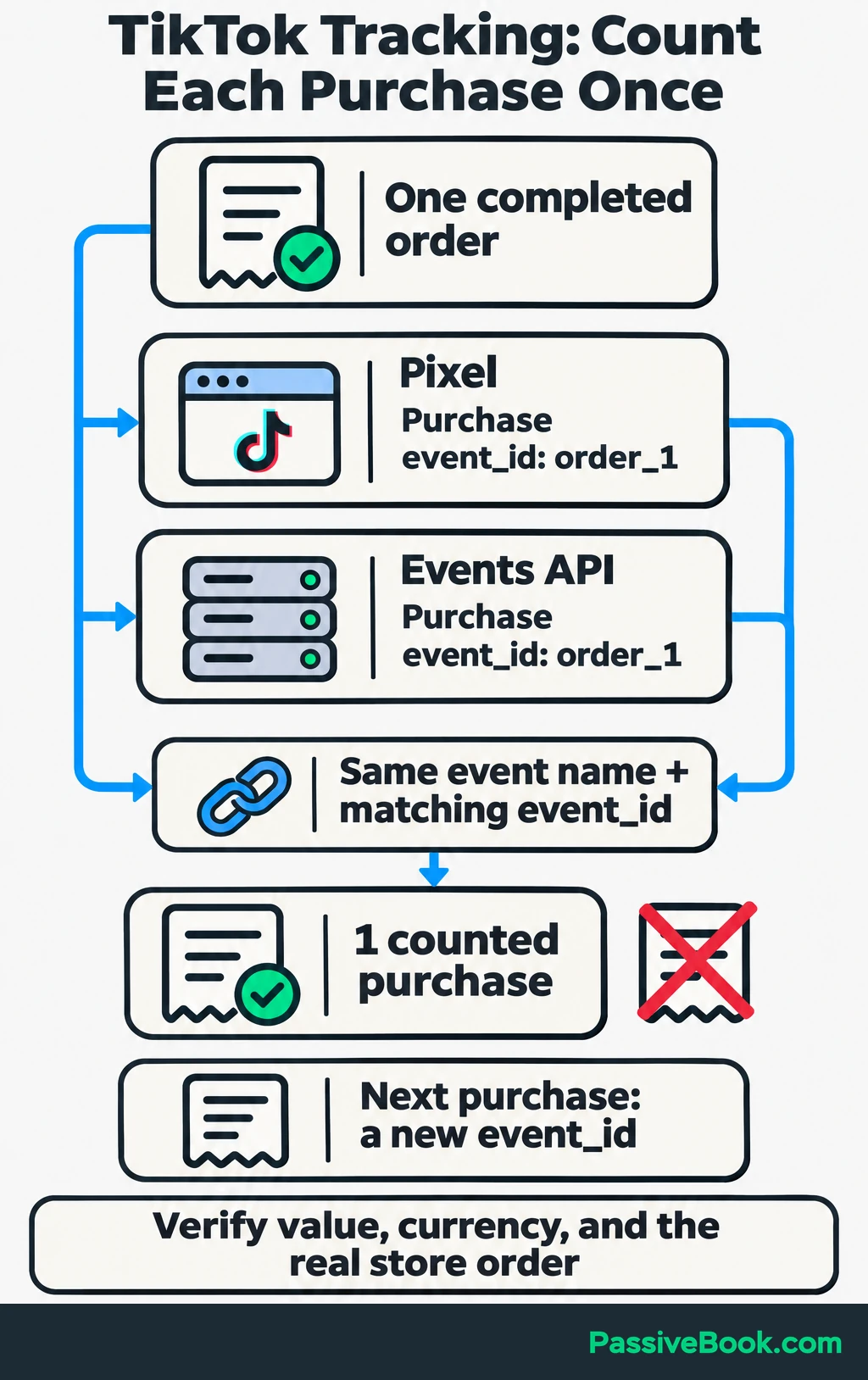
If Pixel and Events API both report a purchase, TikTok needs to recognize them as two copies of the same event. Send the same event name and matching event_id for both copies, with a distinct identifier for each purchase. This is event deduplication.
Provide the required privacy notices and consent controls. Where cookie consent is required, keep the relevant cookies disabled until consent is given and when it is declined, as described in TikTok’s Pixel consent requirements.
Then place a test order. In Events Manager, inspect the test events and diagnostics. Confirm that:
- Sequence: Product view, cart, checkout, and purchase appear at the right points.
- Purchase details: Value and currency match the order.
- Counting: One completed order is counted once after deduplication.
- Store record: The order exists in your store, not just in an event report.
For website inquiries, track successful submissions rather than clicks on the submit button. New setups use the Lead event; an existing integration may show the older SubmitForm name.
For Instant Forms, submit a test lead and check that it reaches the person or system handling follow-up. Keep qualification and eventual customer outcomes alongside the submissions.
Create Three Videos That Demonstrate the Offer
Show the Problem, Product, and Next Action
Build each video around three jobs: make the problem recognizable, demonstrate the product, and give one next action.
Show why the product matters before listing its features. “Washable fabric” becomes easier to understand when viewers see the pouch being cleaned after a walk.
I would film hands, the attached pouch, close-ups, and a short voiceover. You do not need to appear on camera if the footage explains the offer clearly.
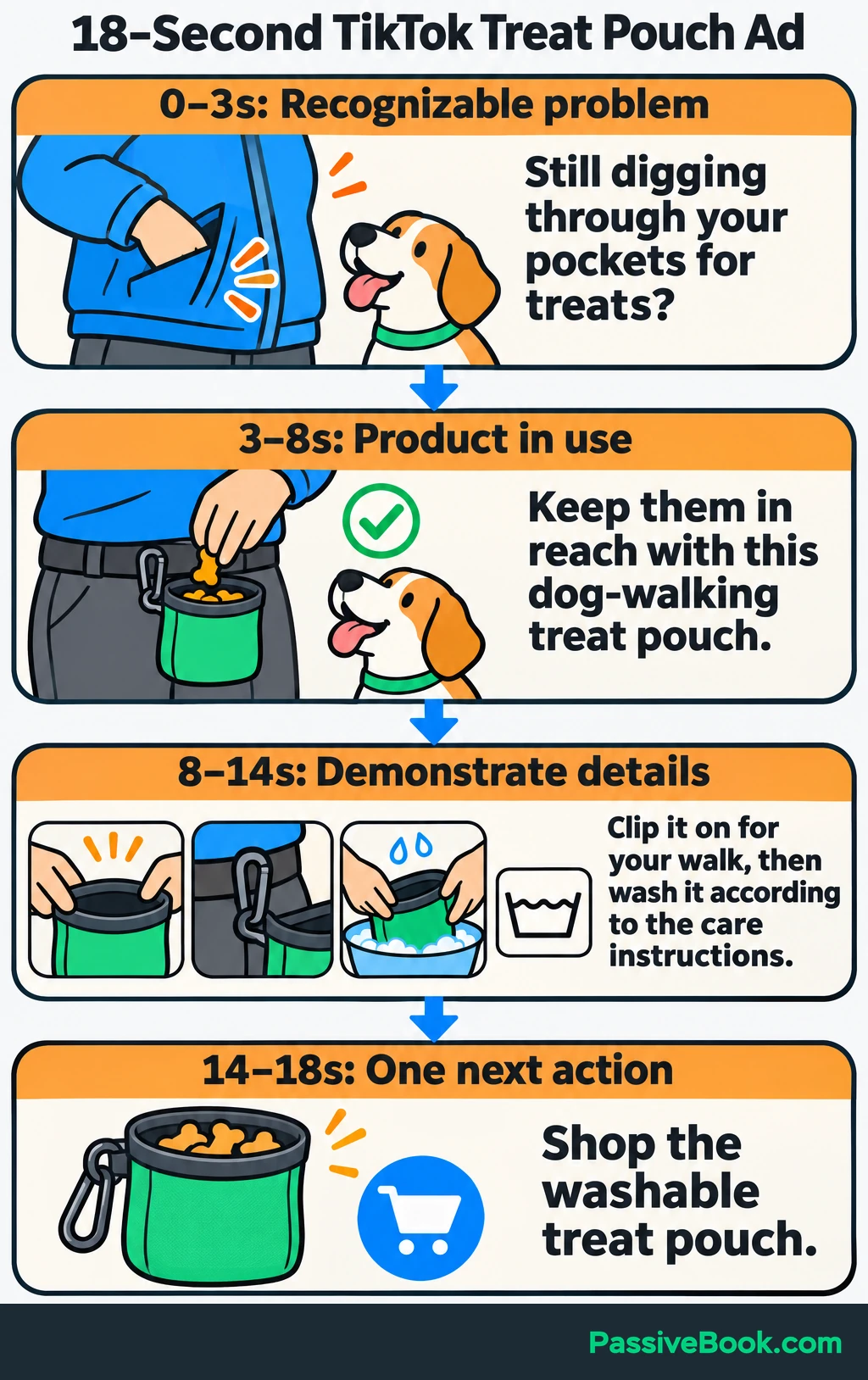
Here is a complete short script for the quick-access version:
| Approximate timing | Footage | Voiceover or on-screen text |
|---|---|---|
| 0–3 seconds | A hand searches a jacket pocket for treats | “Still digging through your pockets for treats?” |
| 3–8 seconds | Attach the pouch and take out a treat | “Keep them in reach with this dog-walking treat pouch.” |
| 8–14 seconds | Show the opening, attachment, and cleaning process | “Clip it on for your walk, then wash it according to the care instructions.” |
| 14–18 seconds | Close-up of the pouch beside its product name | “Shop the washable treat pouch.” |
Film a vertical 9:16 master at 1080 × 1920. Keep text readable, cut pauses, and leave room around important details so buttons and captions do not cover them. Check the finished ad preview.
Use footage you own or have permission to advertise with. For music, choose a suitable track from TikTok’s Commercial Music Library or obtain the necessary rights independently. A song available for an ordinary post is not automatically cleared for an ad. See TikTok’s commercial music guidance.
Give Each Variation a Clear Hypothesis
Each version should test an explanation for why someone might care. Changing a background color gives you a new file, but little to learn.
For the pouch, keep the offer and main demonstration consistent while trying these openings:
| Ad name | Opening idea | Hypothesis |
|---|---|---|
| Quick Access | Show the pocket search, then the attached pouch | Seeing treats within reach will make the benefit clearer |
| Pocket Mess | Show crumbs left in an empty pocket | Keeping treats out of clothing will make the pouch more appealing |
| Easy Cleaning | Open with the pouch being cleaned | Showing maintenance will answer a practical buying concern |
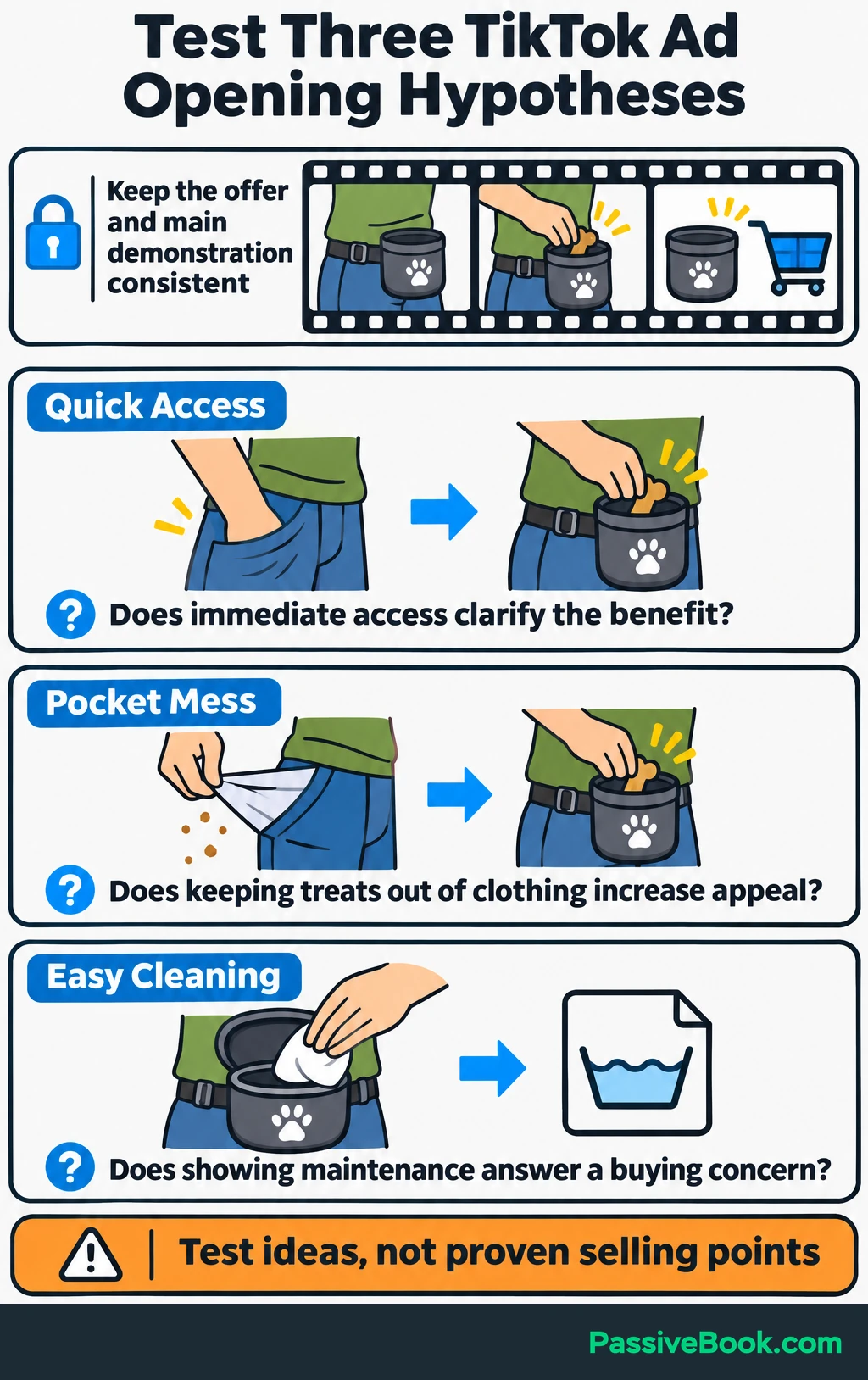
These are test ideas, not proven selling points.
Save the demonstration footage and alternative openings in clearly named folders. The next version should not require another full filming session.
If you are struggling to turn your offer into three different videos, AI Advertising Studio can draft them around the footage you can actually film. You will get the words, shots, and supporting copy together.
Free AI Advertising Studio




Configure the Campaign and Ad Group
Select the Objective and Conversion Event
Create a campaign using the outcome you chose earlier.
For the pouch shop, tell TikTok to seek completed website purchases: select Sales and set the destination to Website. Choose your verified website data connection, set the optimization goal to Conversion, and select Purchase as the event.
For inquiries, choose Lead Generation and your prepared website or Instant Form destination. Align optimization with the submission you intend to evaluate.
Use the manual controls for this first campaign. Some accounts show manual and automated options together in the upgraded Smart+ creation flow. The layout can differ, but you still need to check the objective, event, budget, audience, and placements.
Give the campaign and ad group names you can recognize later. For example:
- Campaign:
Treat Pouch | Website Sales | First Test - Ad group:
Serviceable Locations | Broad | Seven Days
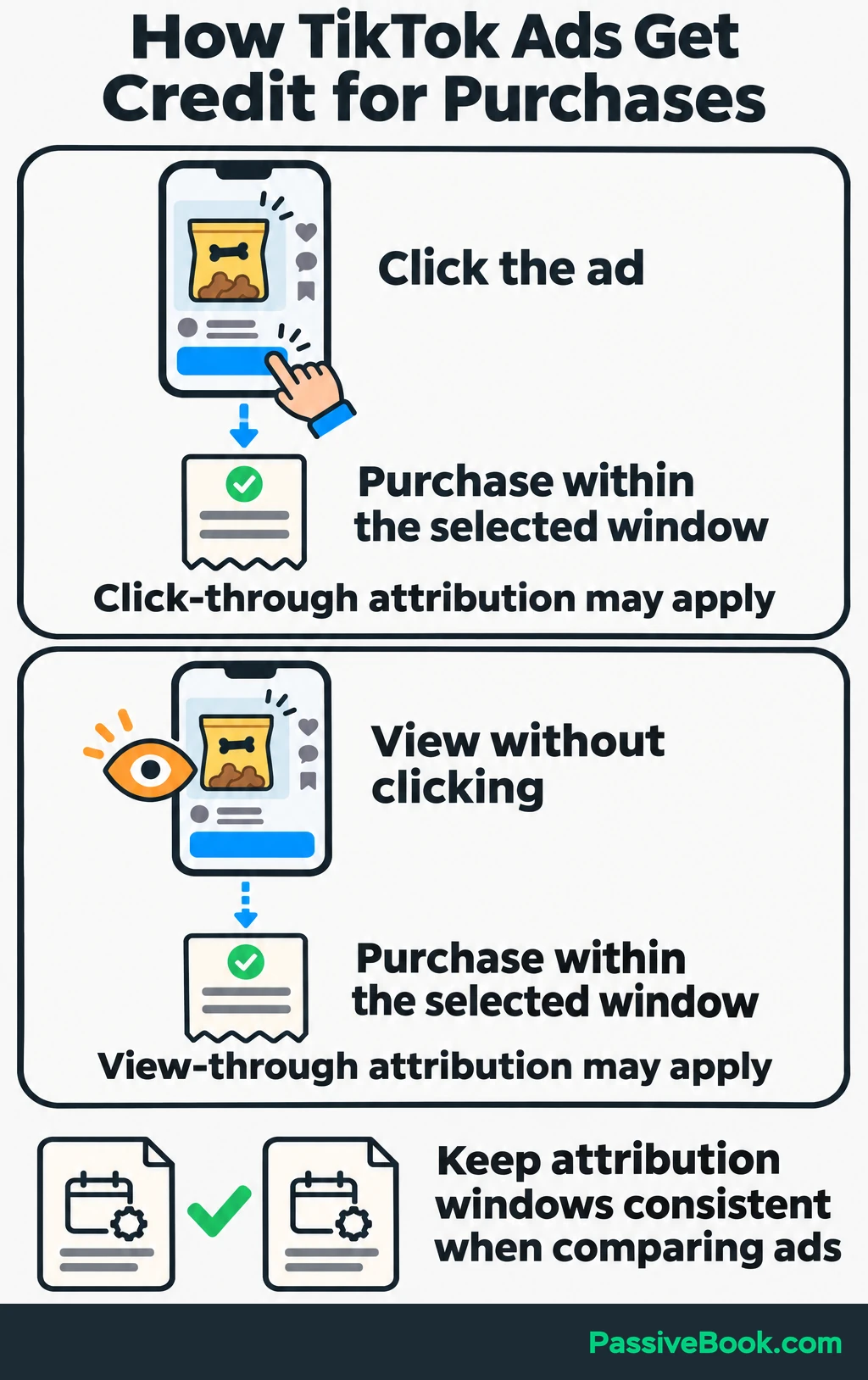
Also record the attribution windows. These define how long after an ad click or view TikTok can credit a conversion. A view-through conversion can be credited even when the person did not click the ad. Keep the settings consistent when comparing videos. TikTok explains attribution windows here.
Apply the Budget, Schedule, and Bidding Strategy
Choose Ad group budget and enter the planned lifetime limit. For the example, that is $210 across seven days.
Set fixed start and end dates, check the account time zone, and choose a start time when you can inspect delivery. You want to be available if the destination breaks or the wrong settings went live.
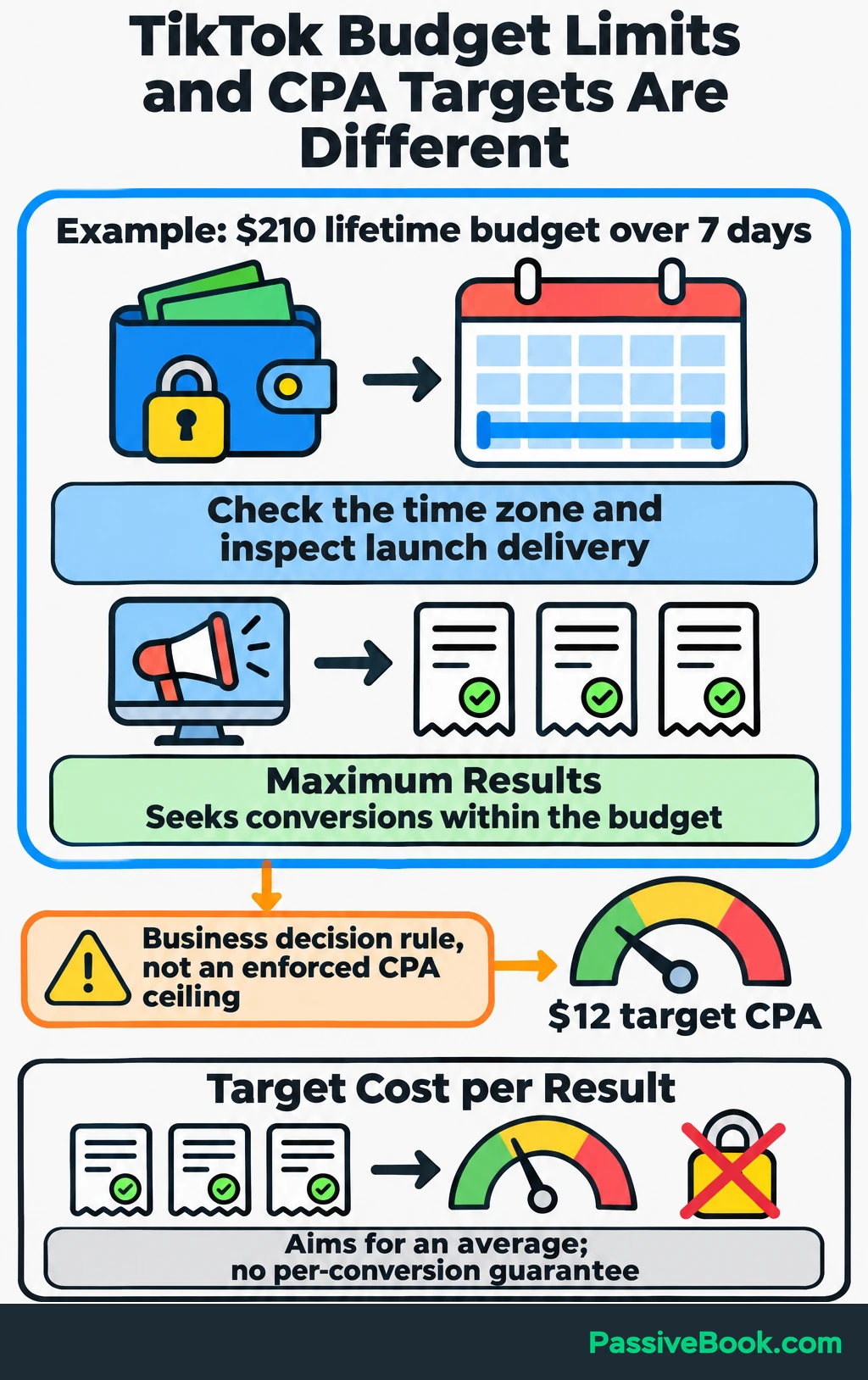
For a first test, I would choose Maximum Results. It seeks the most conversions within the budget without requiring you to enter a CPA bid.
Your $12 target CPA remains a business decision rule. Maximum Results does not enforce it.
Target Cost per Result instead aims toward an average cost you specify, but it does not guarantee that every conversion will stay below that amount. These distinctions come from TikTok’s bidding definitions.
Set Audience and Placement Boundaries
Start with locations you can serve and the necessary age and language restrictions. Within those boundaries, I would begin broadly rather than stack guesses about interests.
For the pouch shop, that means eligible adults in the chosen shipping area. You do not need a complicated theory about every hobby a pouch buyer might have.
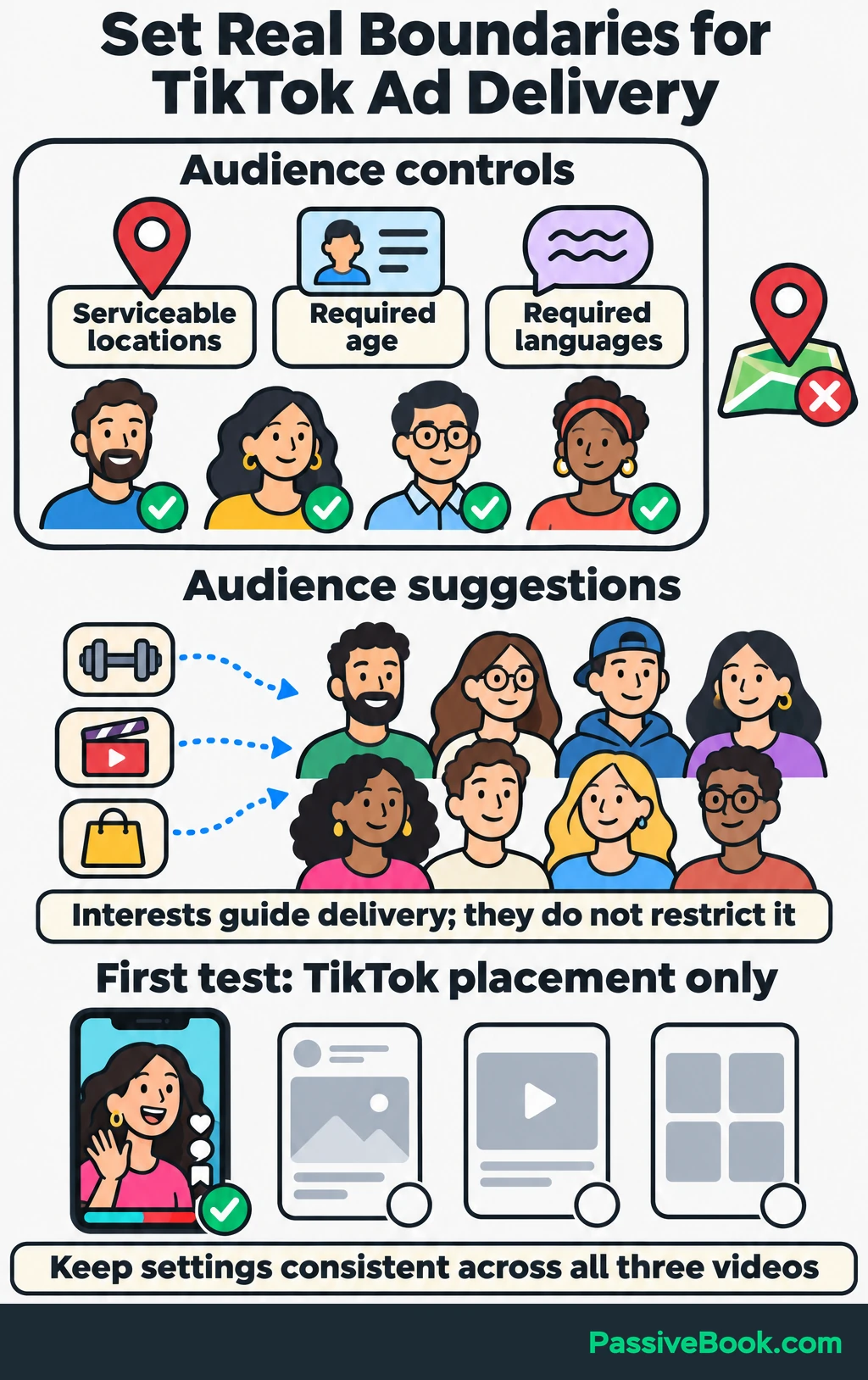
Prevent delivery outside your required locations, minimum age, and languages by setting them under Audience controls. Interests entered under Audience suggestions guide delivery but do not limit it. If you need restrictions those controls do not offer, choose Switch to custom targeting and check any audience-expansion settings. TikTok’s targeting guidance lists the available controls.
Choose placements deliberately, too. Automatic placement can include surfaces outside TikTok. For this first test, select TikTok alone so you can judge delivery there.
Keep audience and placement settings consistent across the three videos. Save another audience for a separate test.
Upload, Review, and Launch Your Ads
Select your linked identity and upload the videos. Use one video and one text version per ad so each result connects to a clear version.
Spark Ads let you advertise an existing post from your account or an authorized creator. Use that route when you already have suitable content and the required permission.
For the pouch ads, add concise supporting copy:
Keep treats within reach on your next walk. See the washable pouch, attachment details, and care instructions.
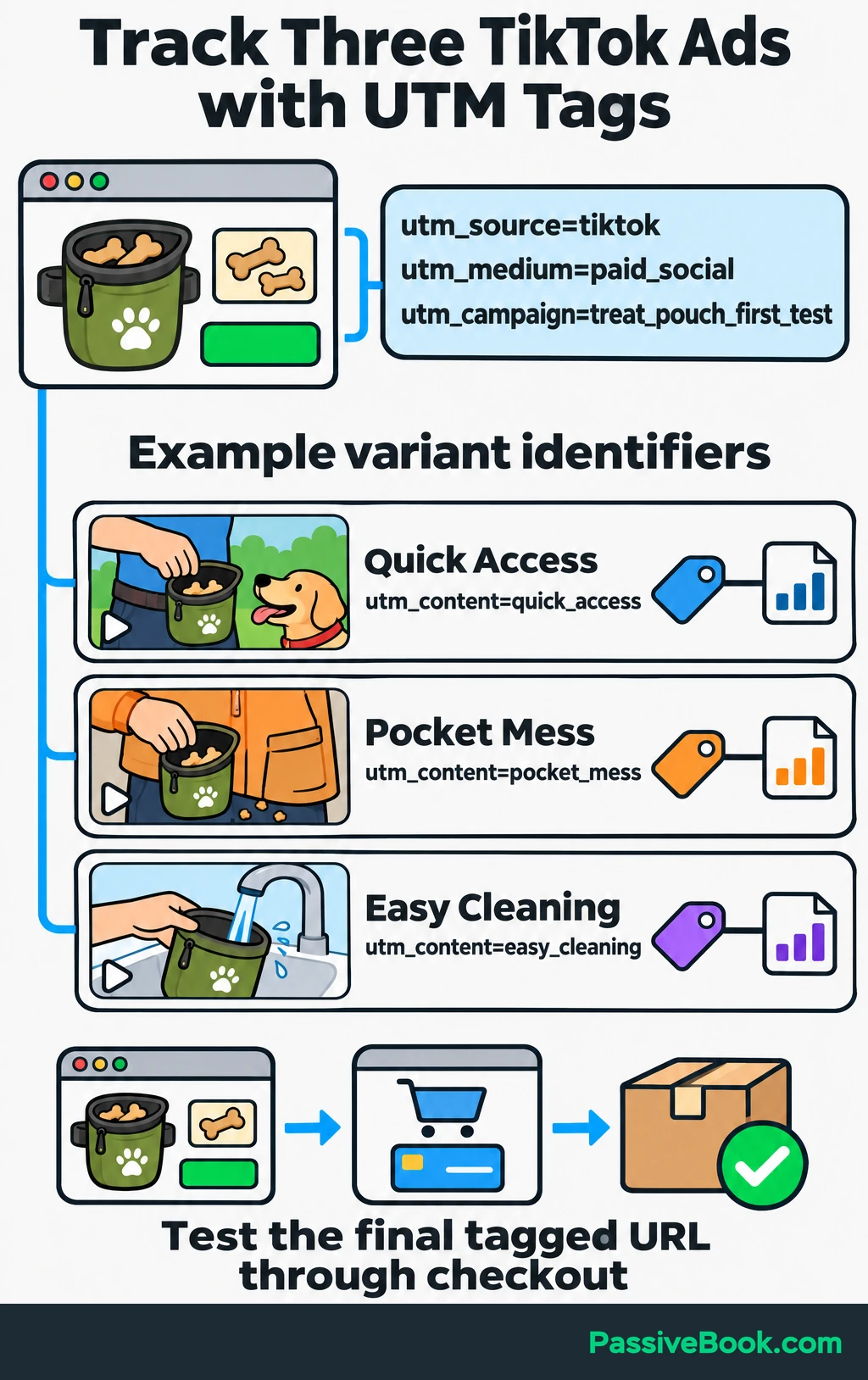
Choose a purchase-focused call to action and enter the product-page URL. For lead campaigns, attach the prepared inquiry destination.
Add URL identifiers so website analytics can distinguish the campaign and videos. For example:
utm_source=tiktok
utm_medium=paid_social
utm_campaign=treat_pouch_first_test
utm_content=quick_access
Change utm_content for each variant and keep the other values consistent. Test the final tagged URL through checkout.
Before submitting, check:
- Video: Cropping, readable captions, audio, product details, and identity.
- Destination: Correct page or form, matching offer, working purchase or submission process.
- Tracking: Correct data connection and conversion event.
- Delivery: Audience, placements, budget, dates, time zone, and payment readiness.
Submit the ads for review and inspect their status. If an ad is rejected, address the stated reason or appeal an apparent mistake.
Once delivery starts, confirm that spend, impressions, and destination visits appear. Approval tells you the ad can run; these checks tell you whether it is running as intended.
Measure Results Against Your Acquisition Target
Build a compact report you can review without hunting through several dashboards.
Include the reporting period, ad name, spend, impressions, destination clicks, landing-page views, purchases, purchase revenue, CPA, and ROAS.
Use destination clicks when measuring visits. TikTok’s “all clicks” also includes social interactions, so it answers a different question.
For the same reporting period and ad scope:
| Measure | Calculation | What it helps you judge |
|---|---|---|
| Purchase CPA | Spend ÷ attributed purchases | Cost of each credited order |
| Destination click-through rate | Destination clicks ÷ impressions × 100% | How often an impression leads to a destination click |
| Destination cost per click | Spend ÷ destination clicks | Cost of getting a destination click |
| ROAS | Attributed purchase revenue ÷ spend | Revenue credited for each advertising dollar |
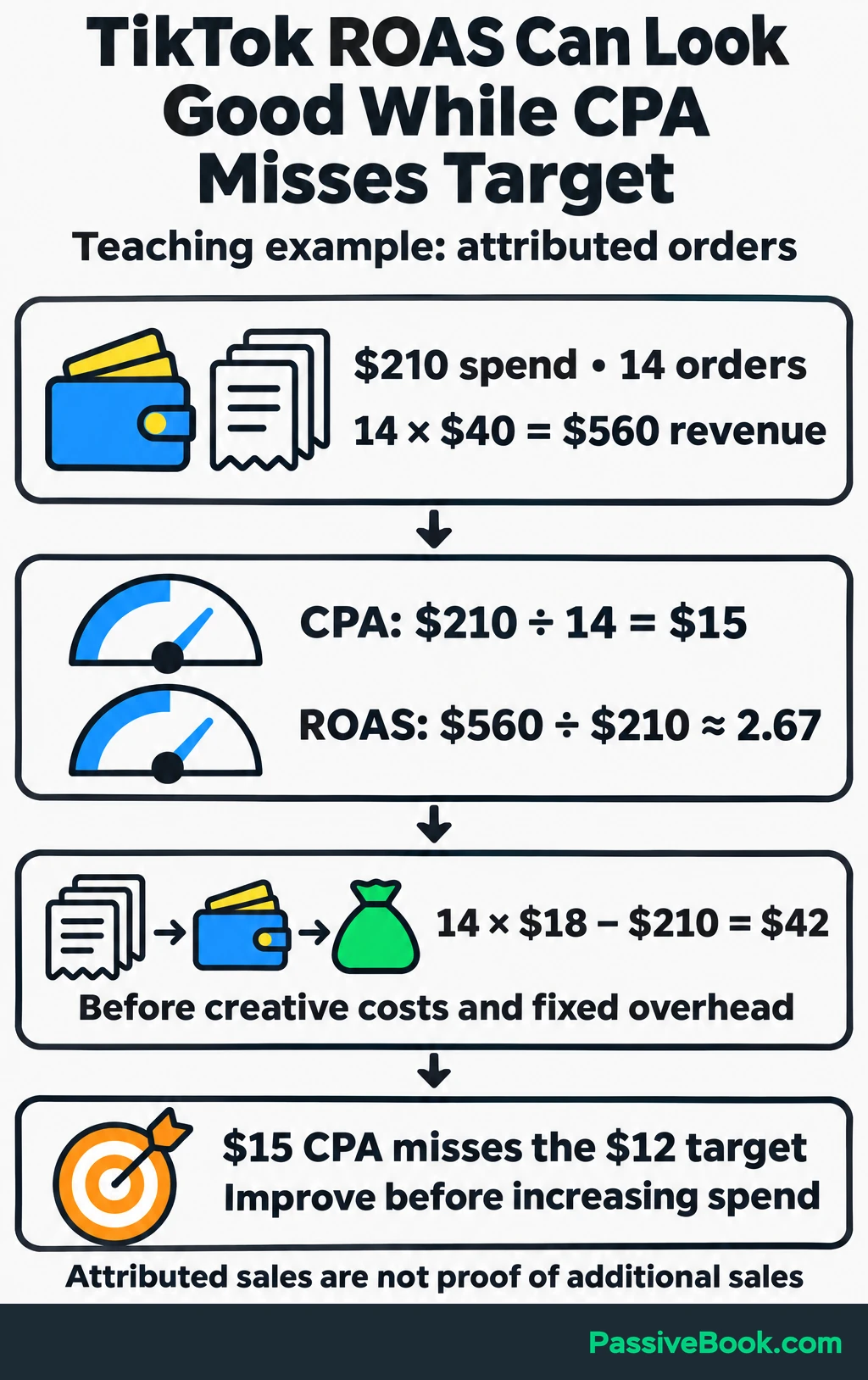
If there are no purchases, report the spend and zero purchases. You do not have a usable purchase CPA yet.
Compare matching periods and the attribution settings you recorded. TikTok and website analytics can credit sales differently, especially when view-through attribution is involved. Check reported purchases against actual orders and review cancellations and refunds.
Here is the pouch example after reporting has had time to catch up:
| Result | Calculation |
|---|---|
| Advertising spend | $210 |
| Attributed orders | 14 |
| Attributed revenue | 14 × $40 = $560 |
| Purchase CPA | $210 ÷ 14 = $15 |
| ROAS | $560 ÷ $210 ≈ 2.67 |
To judge the money left, count the contribution from those orders and subtract advertising:
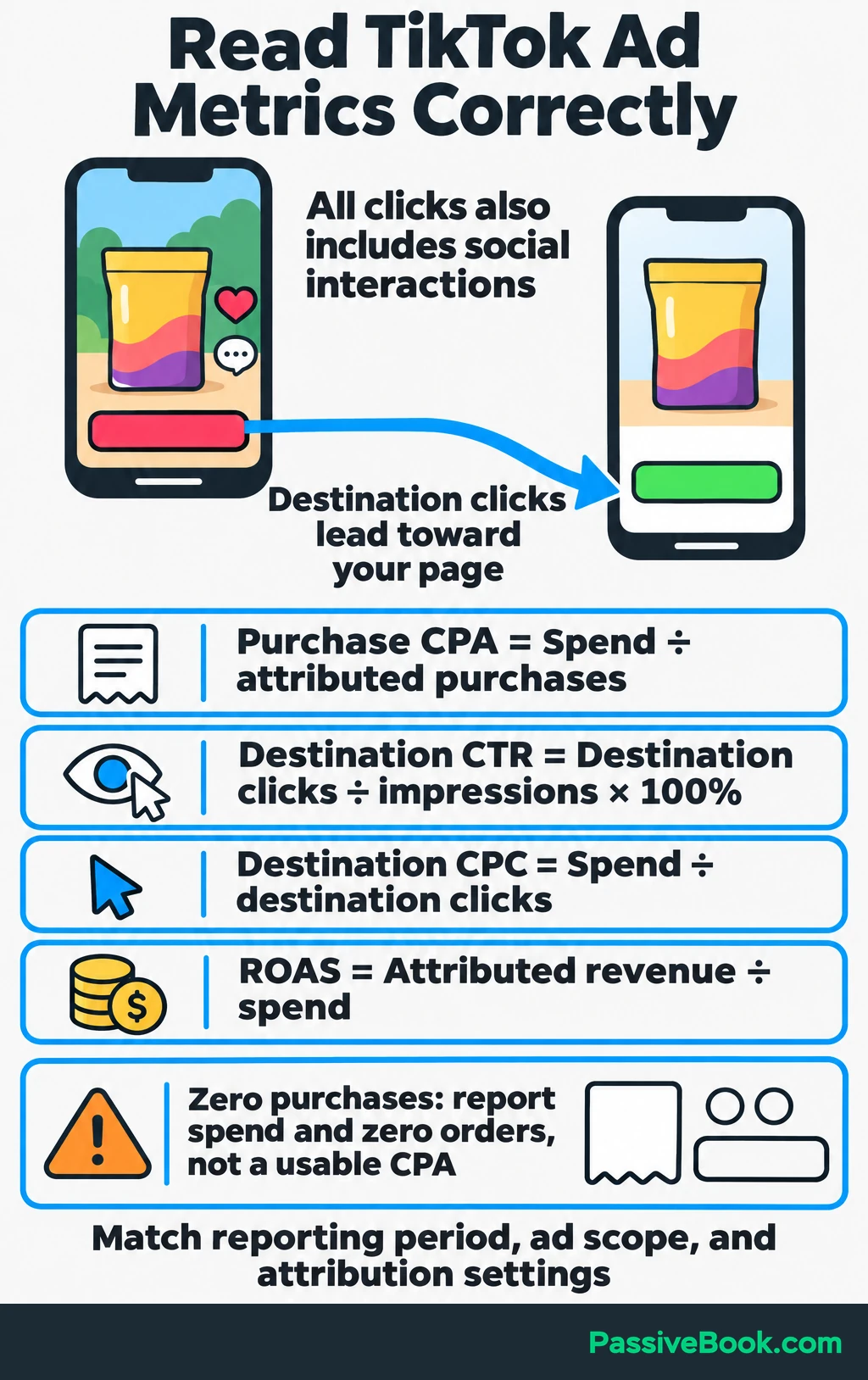
14 orders × $18 contribution − $210 spend = $42
That leaves $42 before creative costs and fixed overhead. It clears advertising break-even, but misses the $12 target CPA.
I would improve this campaign before increasing its budget. A positive revenue multiple does not overrule the margin calculation.
This calculation describes the economics of the attributed orders. It does not prove that all 14 sales were additional sales caused by advertising. Also separate new customers from returning buyers before calling purchase CPA your customer-acquisition cost.
For lead campaigns, report both qualified-lead cost and eventual customer-acquisition cost. Cheap submissions are useful only if enough become suitable customers.
Improve the Weakest Part of the Campaign
Fix Delivery and Technical Failures First
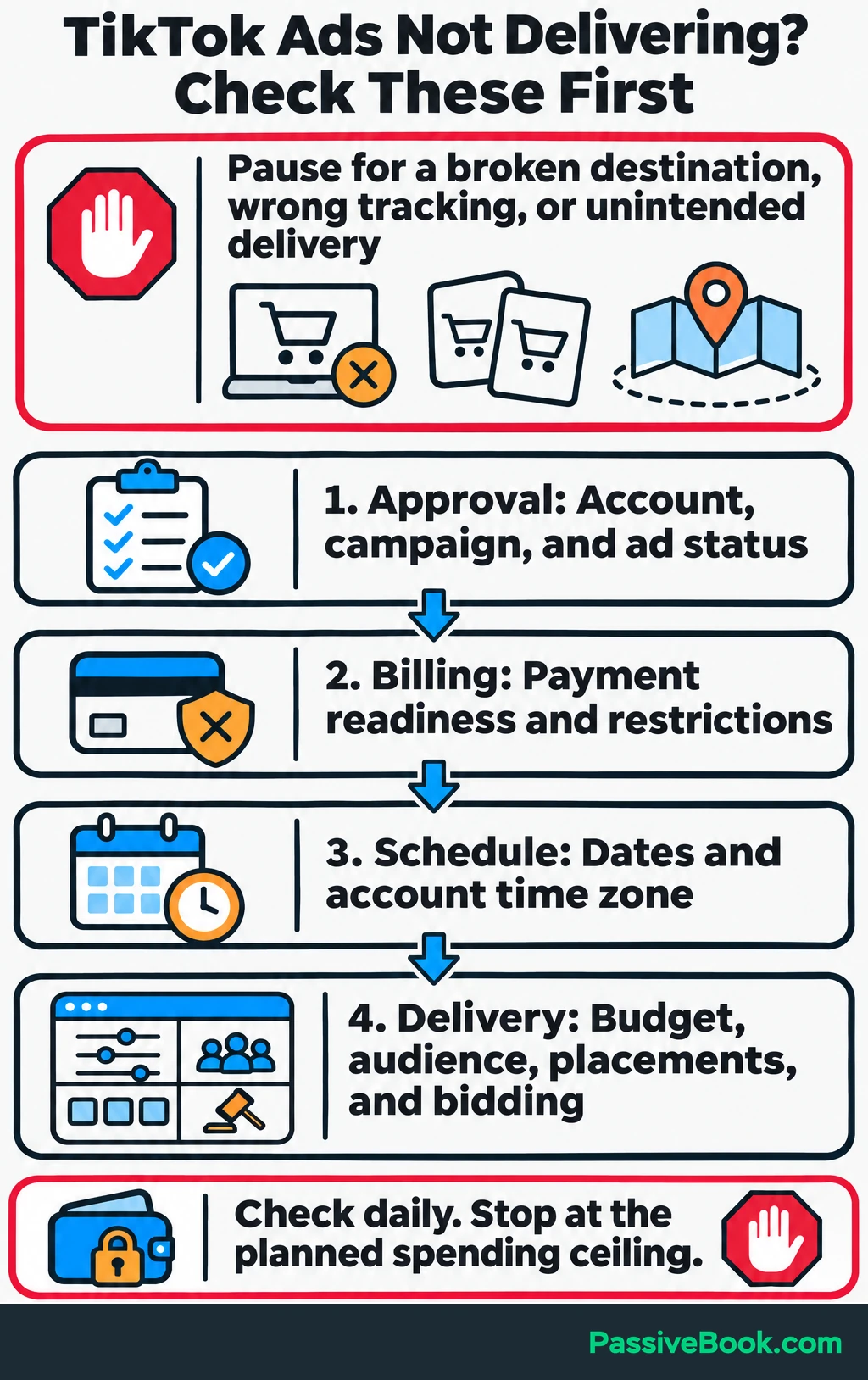
Check spend and technical health daily. Use those checks to catch failures, not to rewrite the campaign every morning.
If delivery is absent or unusually low, inspect:
- Approval: Account, campaign, and ad status.
- Billing: Payment readiness and any account restrictions.
- Schedule: Start date, end date, and time zone.
- Delivery settings: Budget, audience restrictions, placements, and bidding.
An overly restrictive Target Cost per Result bid can limit spending. Reassess it against your affordable acquisition cost before raising it.
Pause immediately for a broken destination, incorrect purchase tracking, or unintended delivery. There is no useful lesson in buying more traffic for a checkout that cannot take payment.
Stop at the planned spending ceiling.
Diagnose Where Potential Customers Drop out
Once delivery and tracking work, follow the customer’s journey. Choose the most plausible obstacle and change that first.
| Symptom | First check | Change to test | Success measure |
|---|---|---|---|
| Viewers leave before the demonstration | Does the opening explain the problem or show the product? | Put the pouch in use earlier | More viewers reach the demonstration |
| People watch but rarely visit | Is the benefit and next action clear? | Replace vague copy with a specific reason to view the pouch | Better destination click-through rate, followed by purchases |
| Clicks do not produce corresponding page visits | Does the tagged URL open the right page promptly on a phone, and is page-view tracking working? | Fix the faulty link, slow mobile page, or missing page-view event you find | A larger share of destination clicks produces recorded page visits |
| Product-page visits produce few purchases | Can shoppers find attachment details and shipping costs, and complete checkout? | Add missing buying details or fix the checkout failure you find | More completed orders at an acceptable CPA |
| Local-service inquiries rarely qualify | Are inquiries coming from outside the area you serve? | State your service area and ask for a postcode | Lower cost per qualified lead or customer |
| Purchases still cost more than the target | Which video has the lowest CPA, and what benefit does it demonstrate? | Test a new opening around that benefit while keeping the page and offer steady | Lower CPA without reducing contribution per order |
For the pouch, imagine shoppers can see the product but cannot tell how it attaches. A close-up and a plain explanation on the page address that uncertainty.
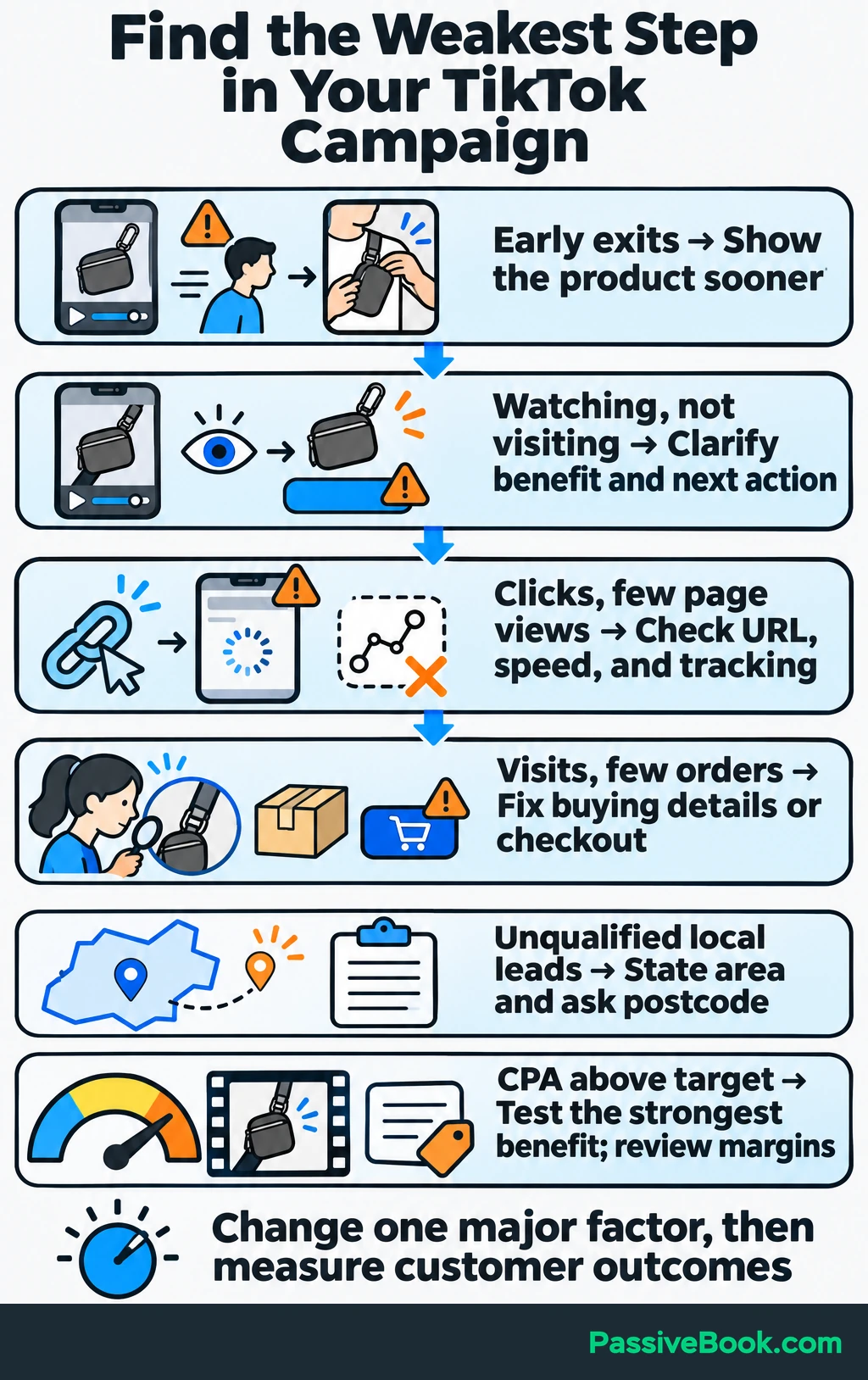
Changing the audience at the same time would make the result harder to interpret. If sales improve, you would not know which change helped.
When the offer itself leaves too little contribution, advertising tweaks may not solve the problem. Review pricing, costs, or the offer before buying more traffic.
Retest Before Increasing Spend
Keep a short test record: what you expected, the major change, spend, customer outcomes, and the next decision.
For example:
The product page does not clearly show the attachment. Add a close-up and explanation, keep the ads and delivery settings steady, and compare purchase results after reporting catches up.
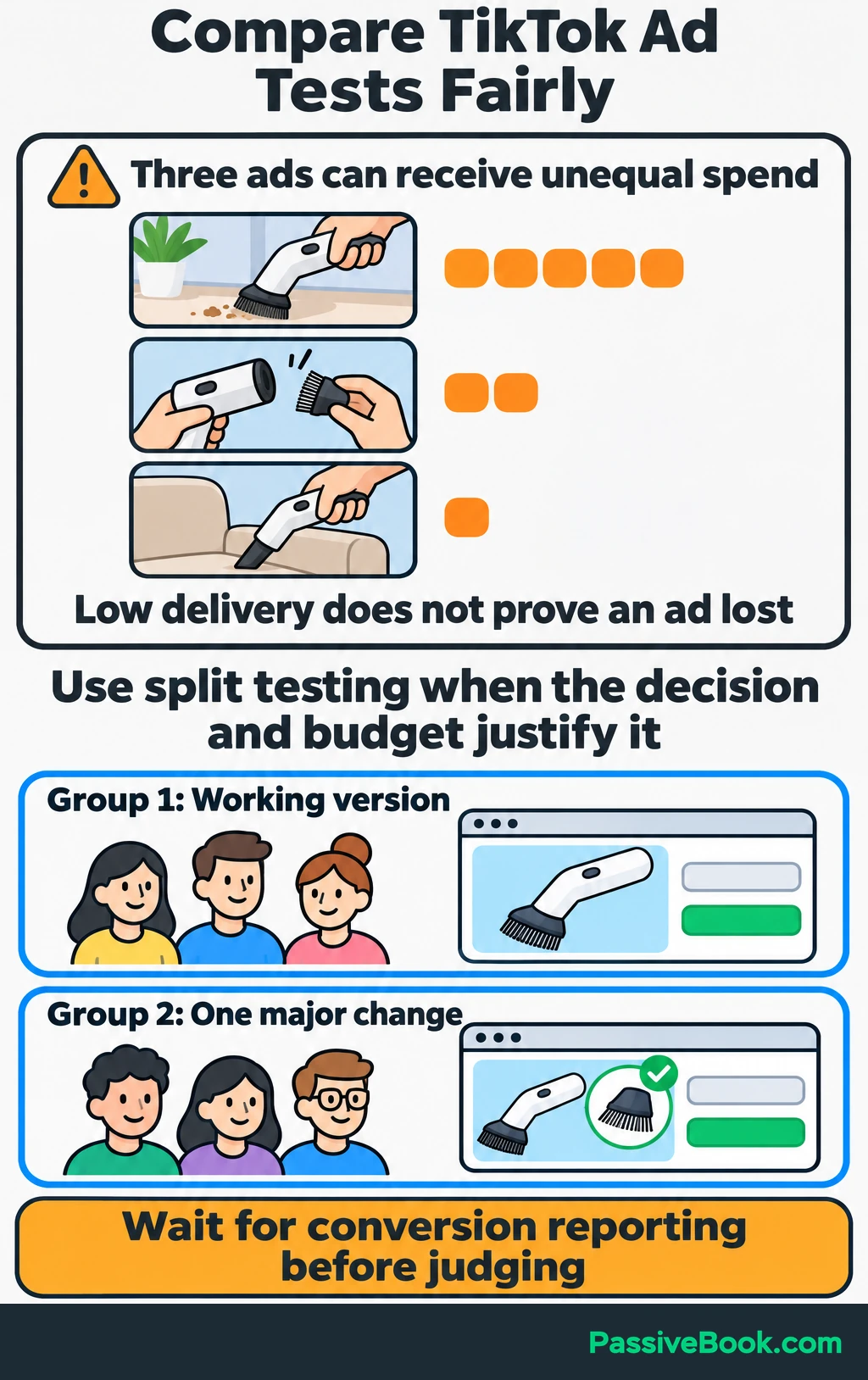
Keep a working version for comparison. The three-ad setup helps you decide what to try next, but TikTok may distribute spend unevenly. The least-delivered video has not necessarily received a fair test.
When the decision justifies a controlled comparison and you can fund it, TikTok’s split-testing tool separates audiences so each group sees one version.
Allow conversion reporting to catch up before judging a change. While TikTok is learning which people respond to your ads, keep delivery settings steady and retain your spending limit. “The algorithm is learning” is not permission to spend money you did not budget.
When performance declines consistently, test new openings or demonstrations in the existing ad group. Reuse useful footage instead of rebuilding every video.
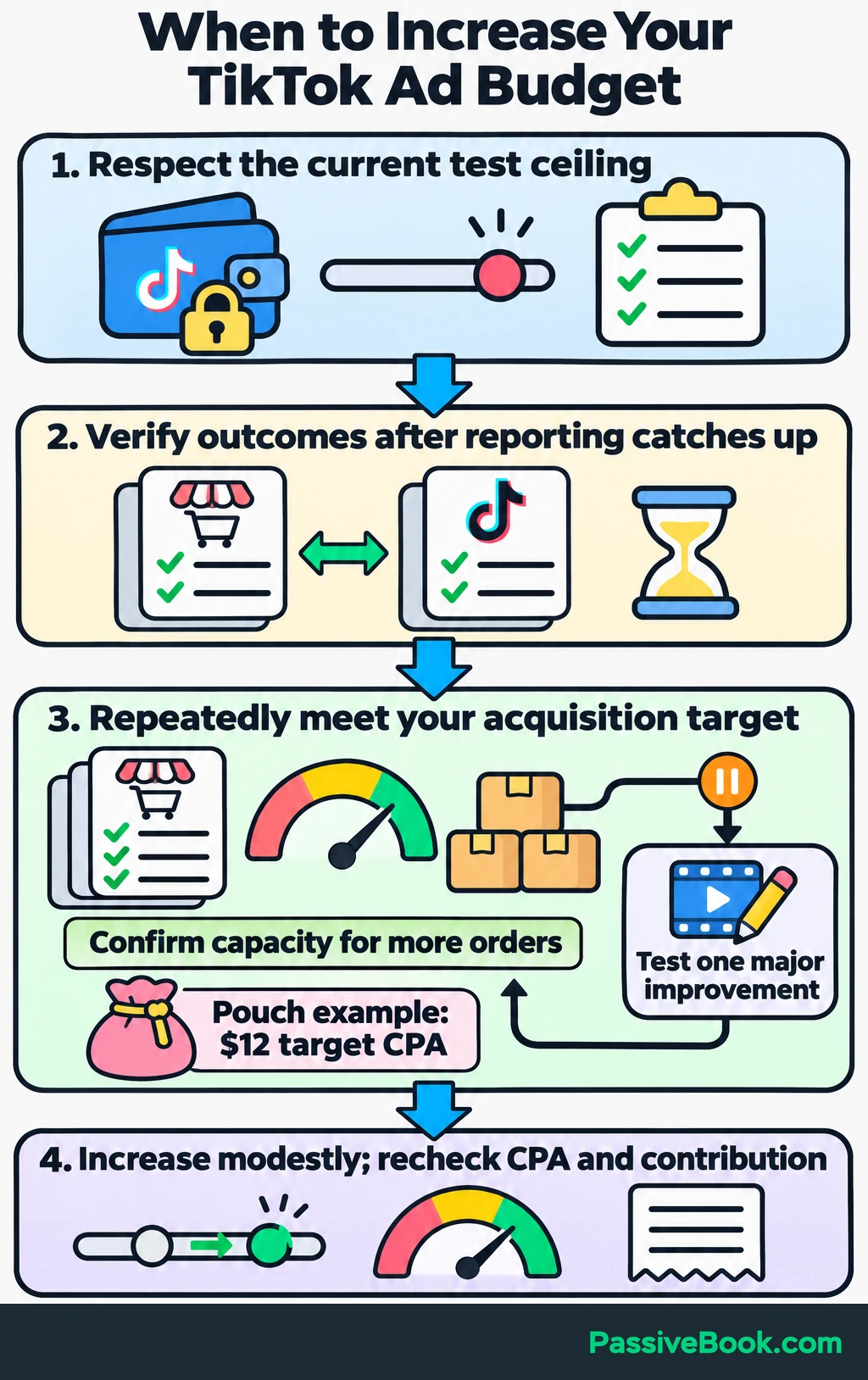
Increase spend only after verified customer outcomes repeatedly meet your acquisition target and you can fulfill more orders. Make modest increases, give each adjustment time to produce results, and recheck CPA and contribution.
The useful routine is simple: spend within a limit, verify the outcome, find the weakest step, and test one major improvement.
What Next?
Calculate the amount one order leaves before advertising and write down your maximum test spend. Those two numbers will tell you whether you are ready to launch or need to improve the offer first.
Use the social buttons to share this guide when you want to compare campaign decisions with the costs and customer outcomes behind them.
Which part of your customer’s journey feels least certain right now? Tell me in the comments, and bring any other questions about your first campaign.
Share this post with your friends & followers:

