A click on your ad costs money even when the visitor leaves without buying. That makes the first campaign feel less like marketing and more like leaving your wallet beside an open window.
The hard part is deciding which searches deserve that money and proving whether they bring customers. A busy dashboard can hide a very quiet checkout. This guide follows a shop selling washable guinea pig cage liners through its first Microsoft Ads campaign, connecting ad spending to confirmed orders so you can control test spending and decide when to scale, revise or pause.
1. Start With a Search Campaign for One Offer
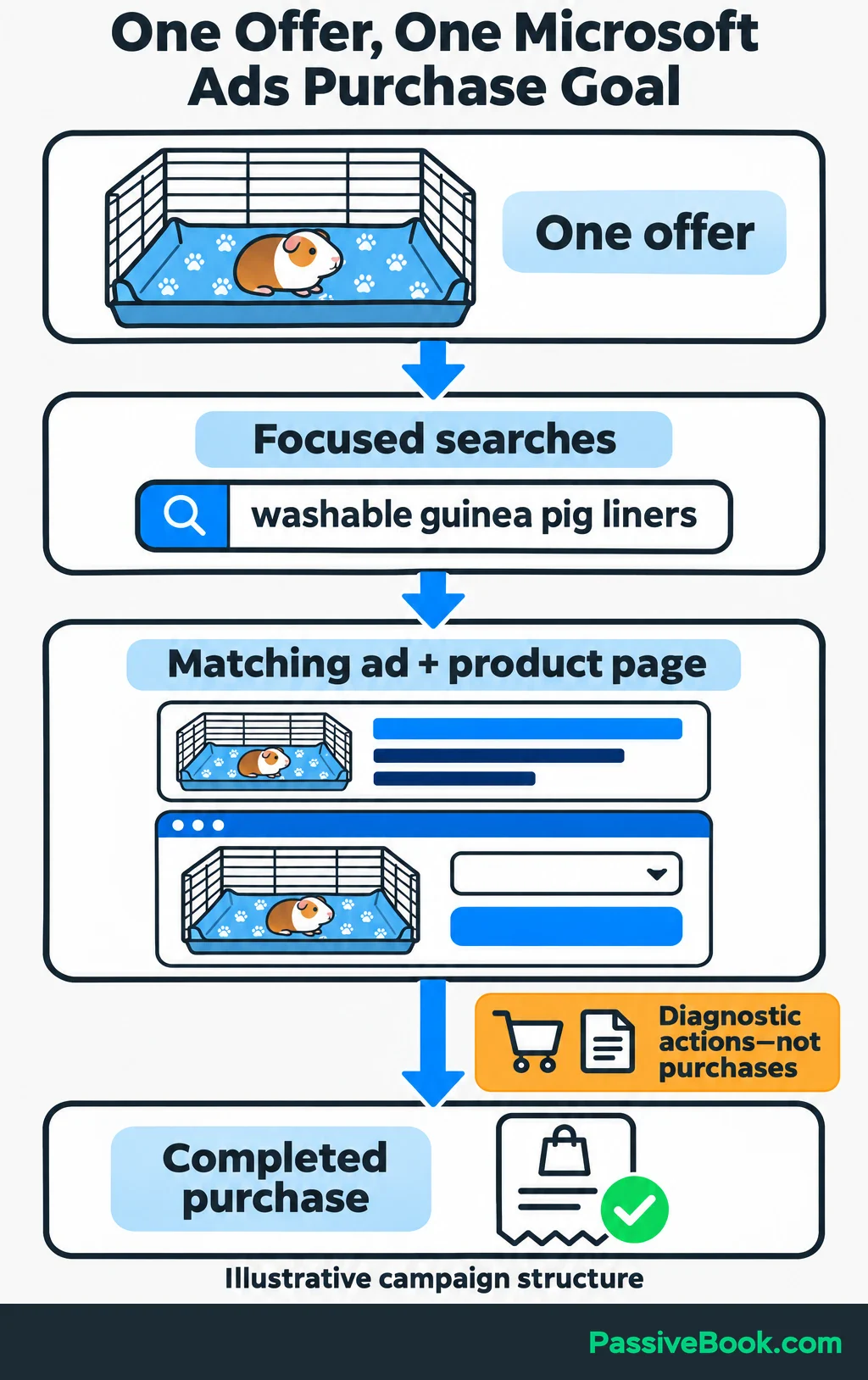
Choose one offer and one business result before creating the campaign. For a shop, that result should usually be a completed purchase. Page views and cart additions can help explain what happened, but neither pays for the next batch of stock.
For the liner shop, the first campaign will promote washable cage liners and measure completed orders. Its keywords, copy and figures throughout this guide are examples, not measured demand or campaign results.
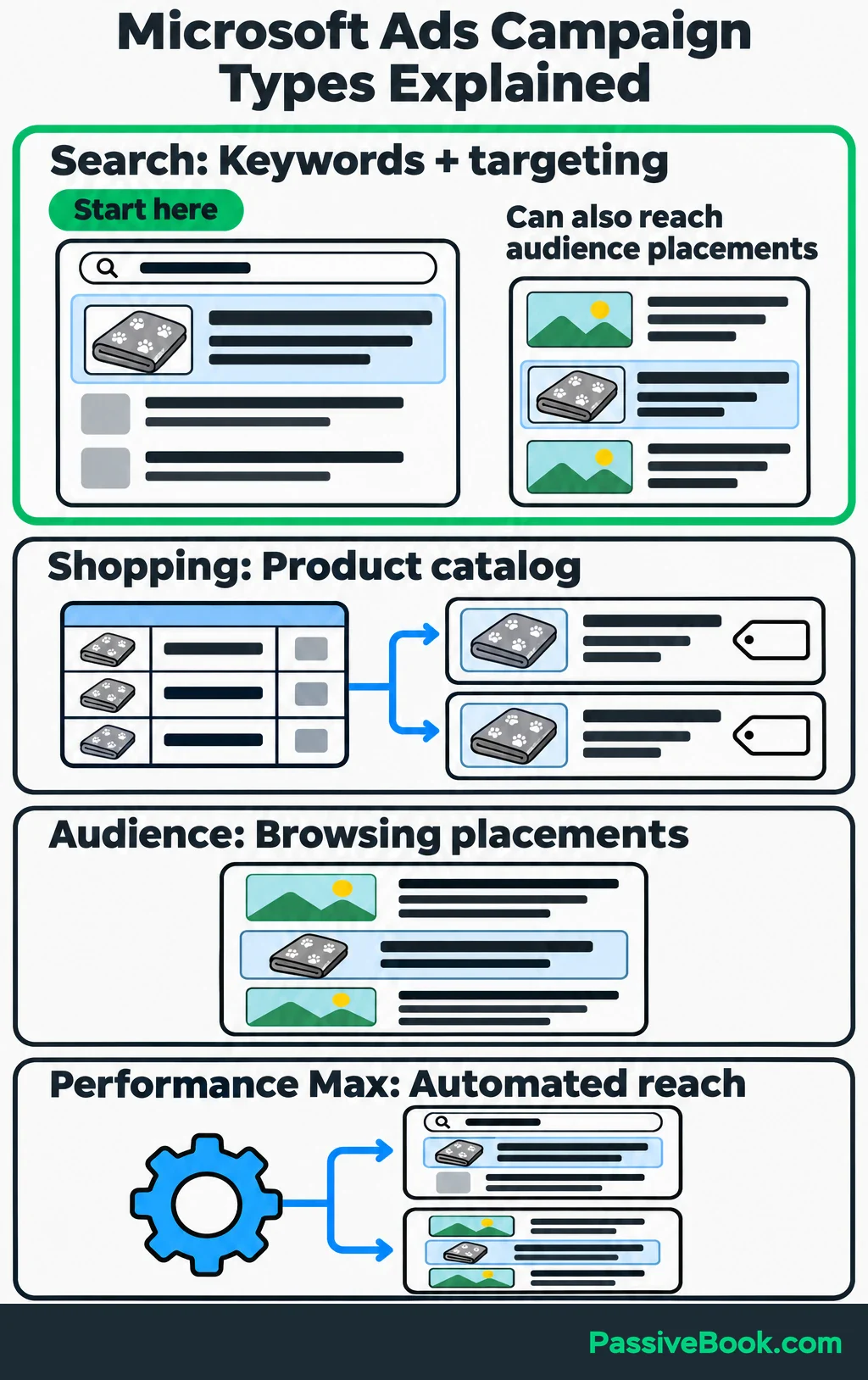
I would start with keyword-based Search when people already search for what you sell. Microsoft Advertising, formerly Bing Ads, can show ads alongside searches on Bing and partner sites. Search campaigns can also reach people browsing sites such as MSN and Outlook. These are called audience placements, so this isn’t a Bing-only channel. Microsoft’s network overview
The other campaign types have different jobs:
| Campaign Type | What It Does |
|---|---|
| Search | Matches keywords and targeting to potential customers. This is our starting point. |
| Shopping | Uses catalog information to promote individual products. |
| Audience | Reaches people while they browse websites and other placements. |
| Performance Max | Uses automation across search and audience placements. |
A responsive search ad combines headlines and descriptions you supply. It’s an ad format within Search, rather than another campaign type.
Before committing money, check whether relevant searches exist and whether your margins could support the likely click costs. My jewellery store taught me the cost of skipping that question. I launched without market research and lost most of an investment of about $1,200. That wasn’t a Microsoft Ads experiment, but the lesson applies: setting something up is not evidence that people want it.
2. Set an Affordable Acquisition Target
Three measures will guide your decisions:
- Cost Per Click (CPC): Advertising spend divided by clicks.
- Cost Per Acquisition (CPA): Spend divided by your chosen conversions. Here, that means completed orders.
- Return on Ad Spend (ROAS): Revenue attributed to advertising divided by ad spend.
Search advertising generally charges for clicks, including those that produce no sale. There is no fixed price list for each keyword because costs depend on the auction. Microsoft’s advertising-cost explanation
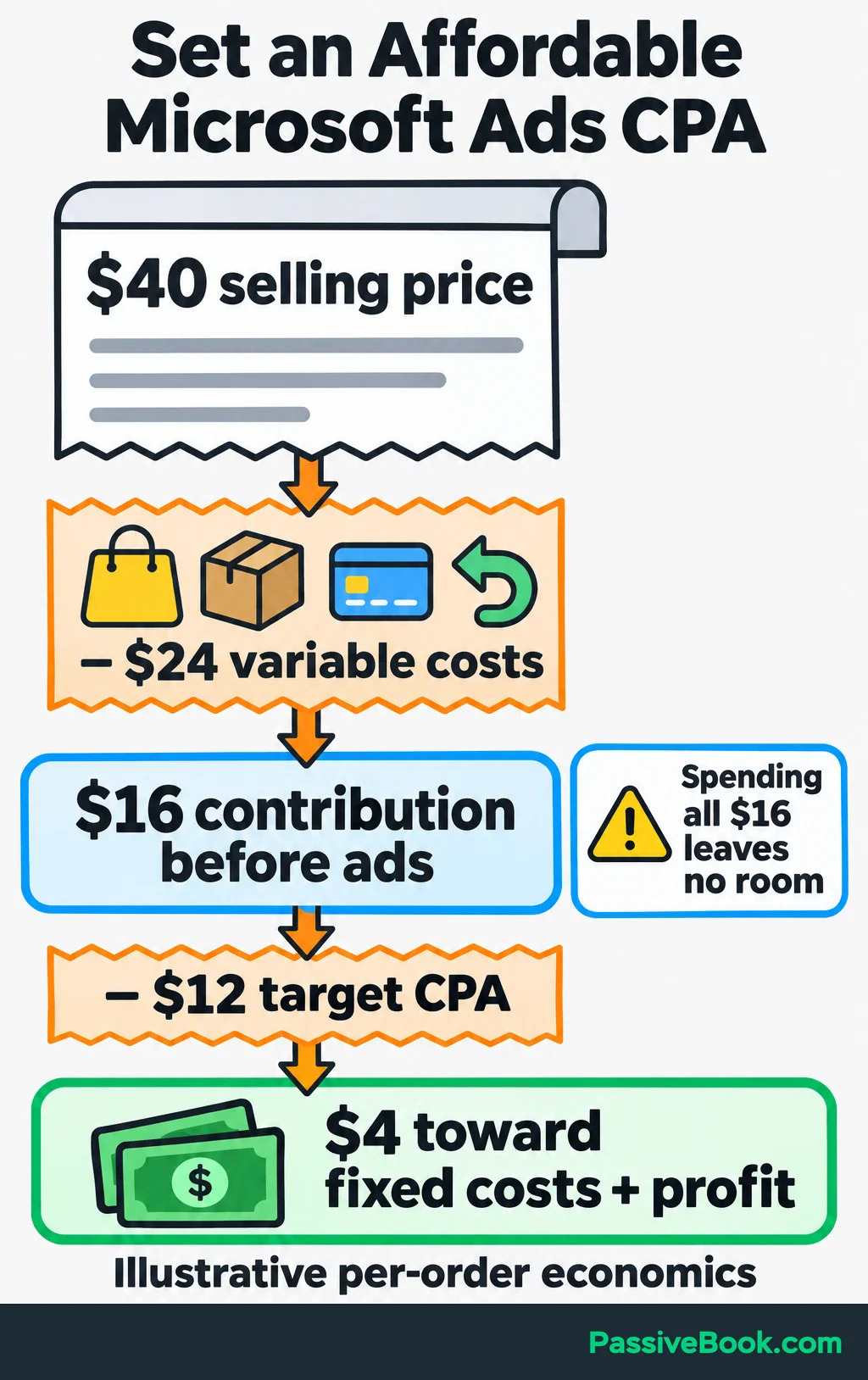
Start with what an order leaves you before advertising. Subtract the costs that come with making and fulfilling that sale, including payment fees and an allowance for returns.
For the liner shop:
| Item | Amount Per Order |
|---|---|
| Selling price | $40 |
| Product, fulfillment, payment fees and expected returns | $24 |
| Contribution before advertising | $16 |
| Target acquisition cost | $12 |
| Amount left toward fixed costs and profit | $4 |
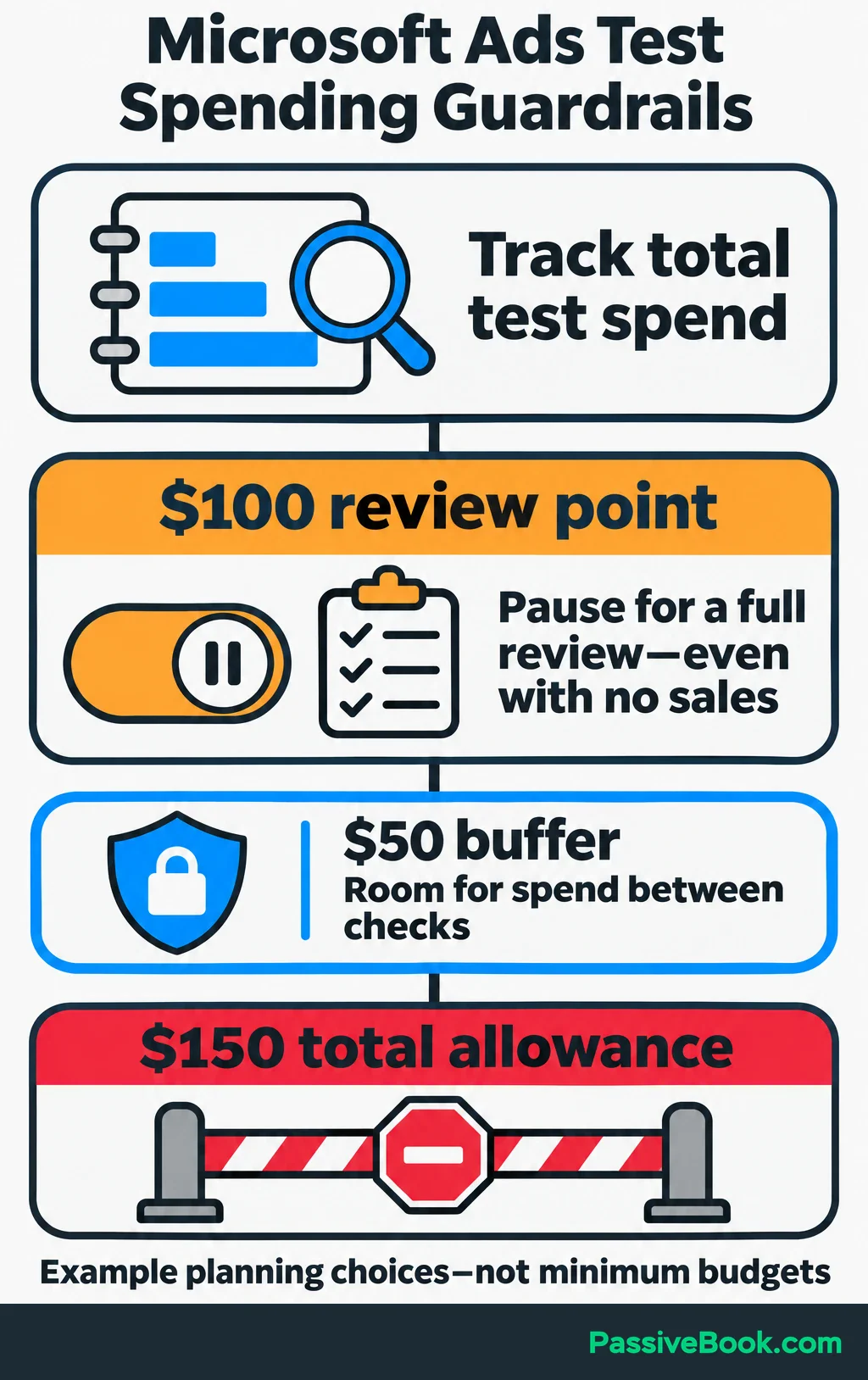
The $16 contribution is the money available before advertising, fixed costs and profit. Spending all $16 to win the order would leave nothing for the other two.
I would use the $12 target to judge the campaign, then set a separate total test allowance. For example, cap the test at $150 and pause for a full review at $100, whether or not sales have come in. Those are planning choices, not recommended minimums.
For inquiries, work backward from customers. Multiply contribution per customer by the share of qualified leads that become customers, using leads whose sales follow-up is complete. Then lower that amount to leave room for fixed costs and profit. A form submission needs a clear definition of “qualified”; otherwise, cheap spam can look remarkably efficient.
3. Create Your Microsoft Advertising Account
Register with accurate business and contact details. Confirm the account currency and reporting time zone, then add an accepted payment method.
When Microsoft requests advertiser identity verification, follow the business or individual route that fits your situation. Use details that match the required documents, including the registered name and address where applicable.
Keep the campaign paused while you build it. Billing details should not become the starting gun.
If you already have a useful Google Ads campaign, a one-time import can save work. Review the import results and check its keywords, negatives, locations, bids, budgets and destinations before launch.
I would skip recurring imports for this first test. Microsoft documents that automated imports can reactivate campaigns and restore settings from Google Ads, including budgets. An imported campaign still needs its own spending review.
4. Set up and Test Conversion Tracking
Install UET Across the Purchase Journey
First, confirm that a customer can move from the product page through checkout to a successful order confirmation. Tracking cannot rescue a broken payment form.
Next, create a Universal Event Tracking tag, usually called UET, in Microsoft Advertising. Install it across the website using a supported store integration, a tag manager or direct installation. Use one installation method so you don’t accidentally load the same tag twice.
The distinction matters: UET collects website activity, while a conversion goal tells Microsoft which activity counts as success. Installing the tag alone does not define a purchase.
Keep Microsoft Click ID auto-tagging enabled. It adds a click identifier called msclkid to the landing-page address so a later purchase can be linked to the ad click. Make sure redirects preserve it. If checkout uses another domain, check that the integration supports tracking across that journey.
For visitors from the European Economic Area (EEA), UK and Switzerland, send their consent choices through UET Consent Mode or the supported Transparency and Consent Framework. These tell UET whether advertising cookies are allowed. Test that your consent setup passes the visitor’s choice, and keep the privacy notice consistent with the tracking you use. Microsoft’s consent-signal requirements
Configure and Validate the Purchase Goal
Create a purchase conversion goal and connect it to the event your store sends after a successful transaction. If you use an event goal, its conditions must match the event values sent by your integration.
For this campaign:
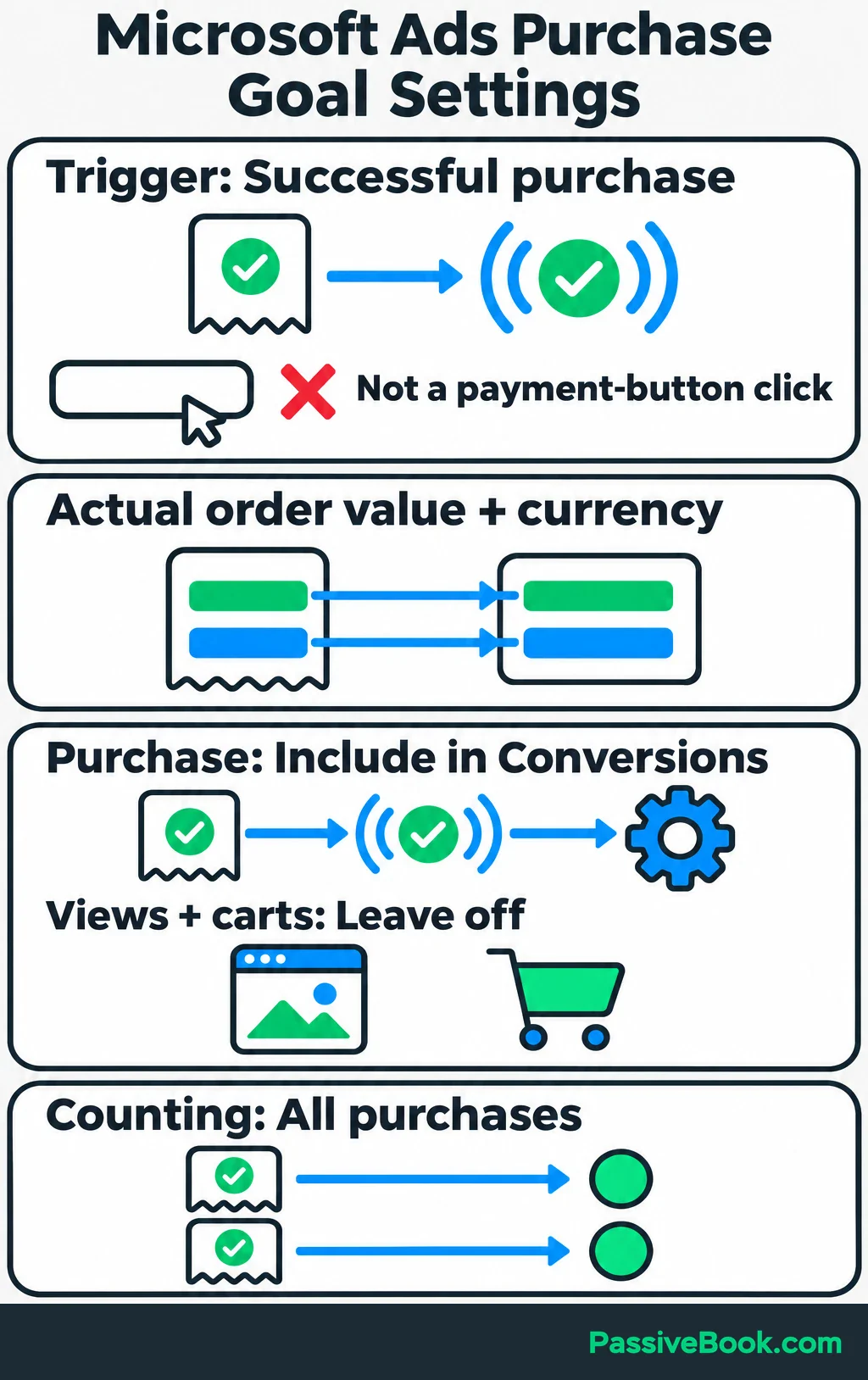
- Purchase Event: Fire after a successful order, rather than when someone clicks the payment button.
- Revenue: Send the actual order value and currency.
- Optimization Goal: Use purchases to guide bidding by selecting Include in “Conversions” for the purchase goal. Leave that option off for page views and cart additions.
- Counting: Choose All for purchases so separate orders can count separately.
For a lead goal, Unique can make sense when you want one conversion per ad click. It does not mean one conversion per person forever.
Use Microsoft’s UET Tag Helper browser extension to inspect what the tag sends. Select the purchase goal to test before completing a test purchase, then check:
- The correct tag loads through the journey.
- The successful purchase matches the goal.
- Revenue and currency match the test order.
- One completed order sends one purchase event.
- A failed payment or confirmation-page reload does not create another purchase.
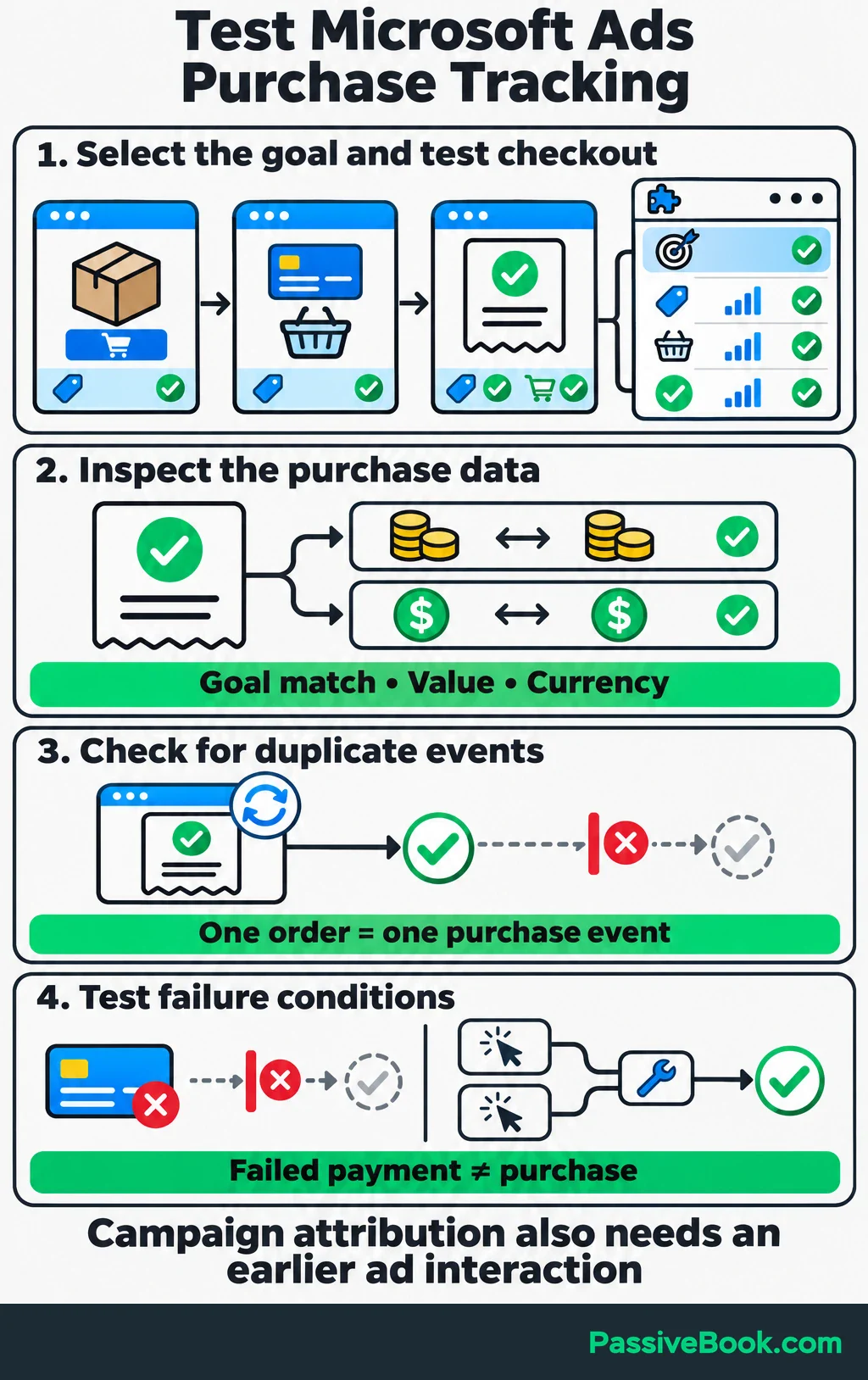
Use the store integration’s order-based duplicate protection, or fix the event trigger if reloads send it again. Changing the counting option is not a substitute for fixing duplicate events.
On a digital-product site, I once found that the purchase confirmation worked but the revenue field in my analytics was empty. The buyer had paid; my report had no idea how much. Since then, I check the event’s contents as well as whether it fires.
A successful test confirms that the tag sends the right data and matches the goal. For the purchase to appear as a campaign conversion, Microsoft must also be able to link it to an earlier ad interaction. Microsoft’s conversion-tracking guidance
5. Configure Your Search Campaign
Set the Campaign Budget
Choose the objective that matches the result you want, then select Search. Give the campaign a useful name, such as “Guinea Pig Liners — Search.”
The objective describes the outcome, the campaign type determines the advertising approach, and the bidding strategy controls how bids are set.
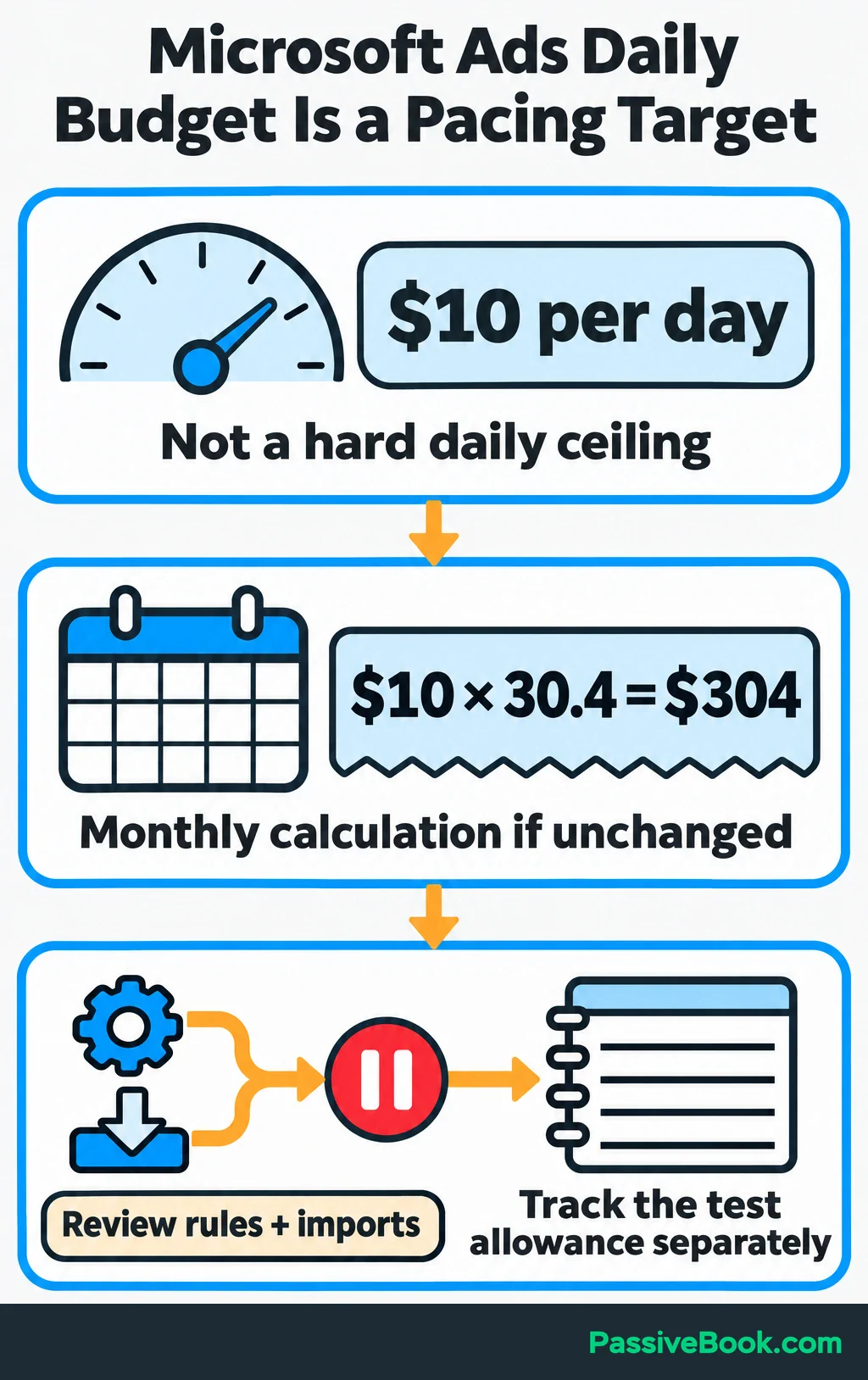
Choose a daily budget that fits your test allowance and how often you can review spending. It is a pacing target, not a hard daily ceiling. When unchanged, Microsoft calculates the monthly budget as the daily amount multiplied by 30.4, so $10 per day corresponds to $304 per month. Microsoft’s budget calculations
Track cumulative test spending separately. Leave room between your review point and total allowance because spending can continue between checks. Also review automated rules and imports that could change the budget or reactivate delivery.
Choose Locations and Distribution
Target only places you can serve profitably. For the liner shop, check shipping coverage, delivery costs and checkout currency before choosing locations.
If interest from elsewhere has no value, select people in your targeted locations. Match the ad language to the customer and landing page. I would leave an online shop’s schedule open initially unless fulfillment or results justify a restriction.
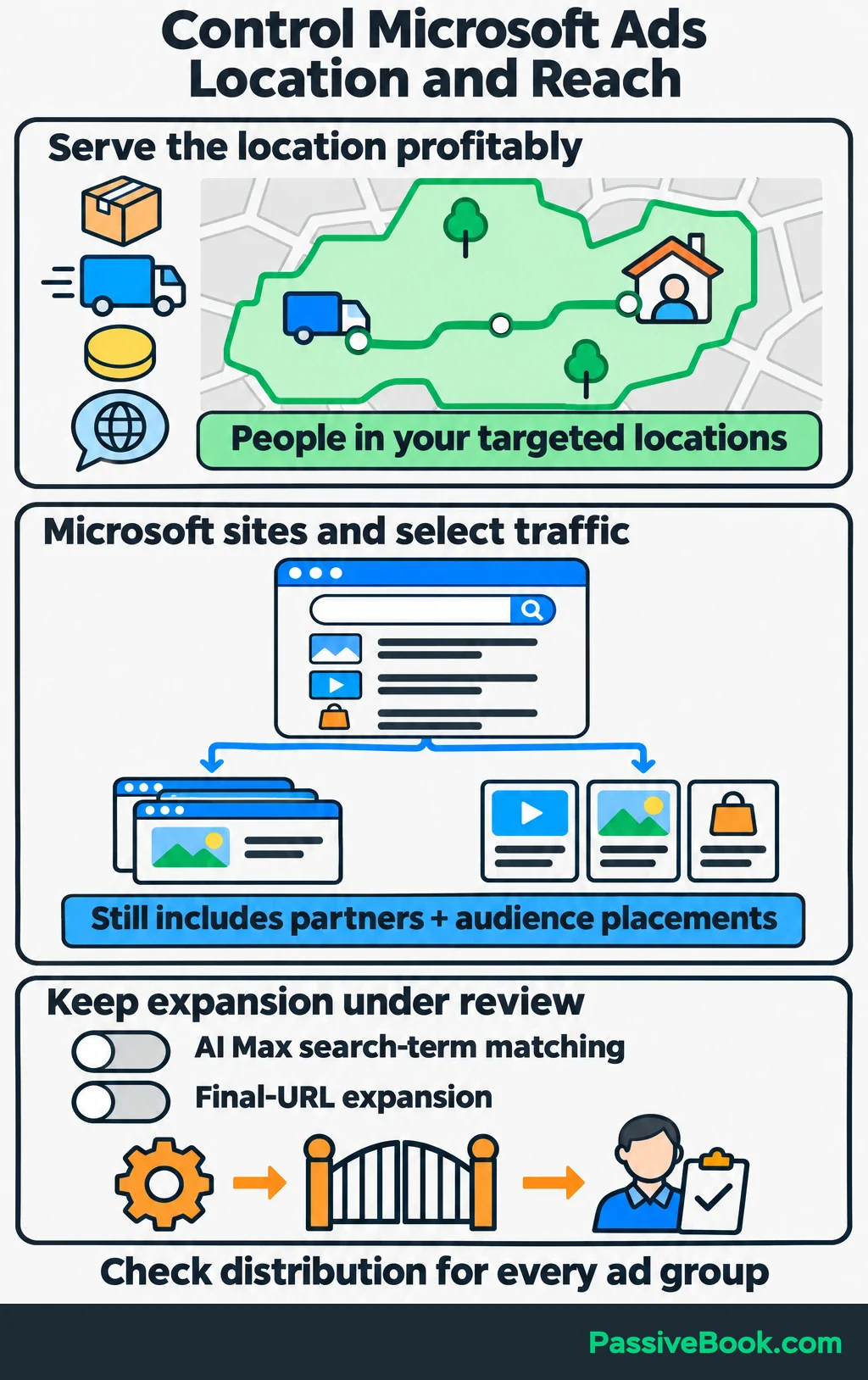
For a narrower first test, choose “Microsoft sites and select traffic” and check it for each ad group. This option still includes selected partners and audience placements. Microsoft’s distribution options
Keep AI Max search-term matching and final-URL expansion disabled initially. Microsoft says these features can reach beyond your keyword list and send visitors to other pages. I would test that expansion separately once the original campaign is measurable. Microsoft’s AI Max explanation
Review auto-apply recommendations too, and disable changes that would alter your keywords, targeting or ads without review.
6. Build Focused Keyword Groups
A campaign holds the shared budget and targeting. Ad groups organize related keywords and ads within it.
Start with one group when the searches need the same message and destination. Create another when the intent or landing page meaningfully changes.
Find Searches With Purchase Intent
Use Microsoft Keyword Planner, the built-in keyword research tool, with your intended location and language. Look for searches that describe the product closely, then examine demand and estimated costs.
For the liner shop, research candidates such as:
- “washable guinea pig liners”
- “buy guinea pig cage liners”
- “reusable guinea pig cage liners”
These are ideas to investigate, not verified opportunities. A broad phrase such as “guinea pig care” tells you far less about whether the person wants a liner.
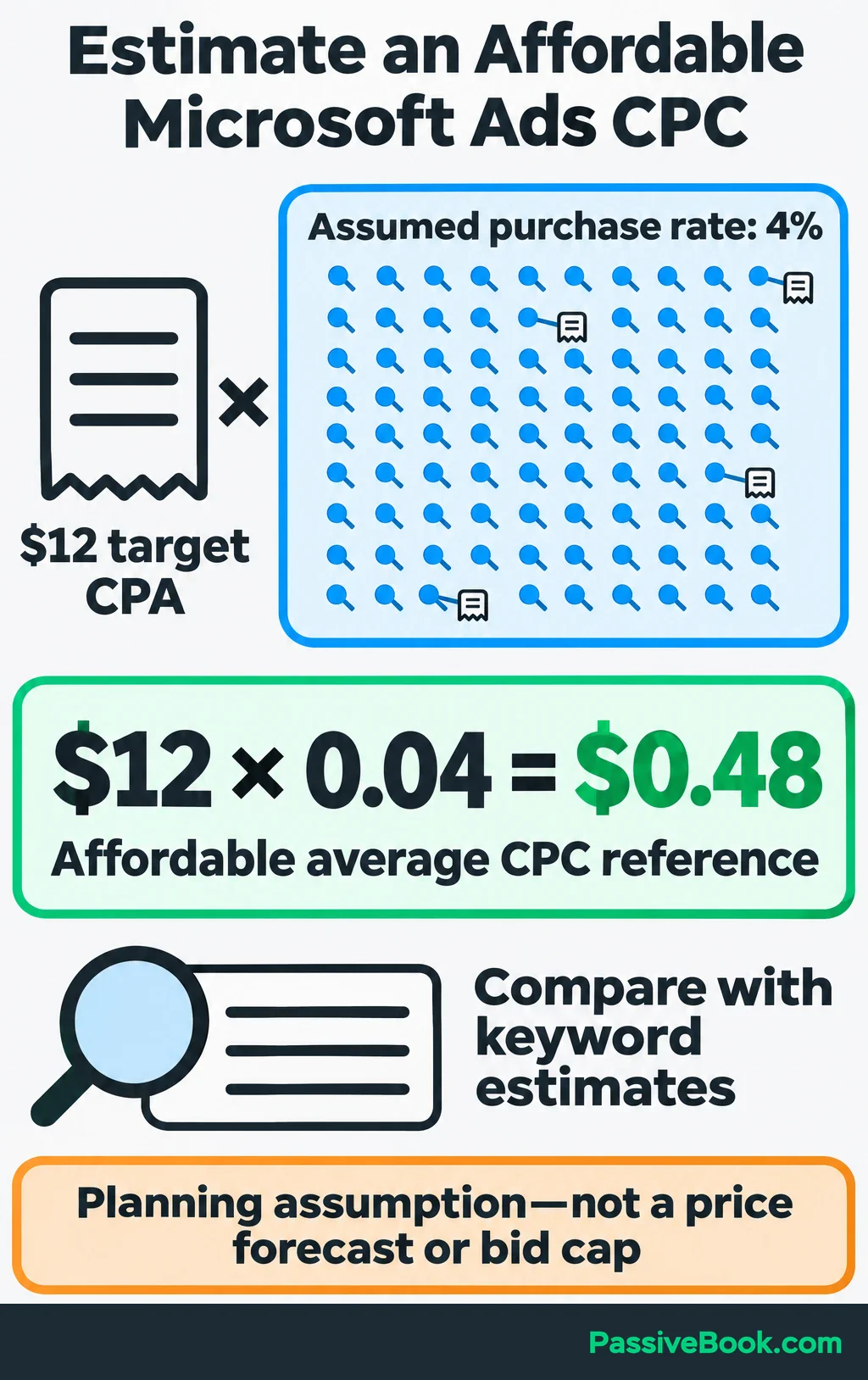
Next, compare click costs with your economics. To estimate an affordable average CPC, multiply target CPA by an assumed purchase conversion rate: the share of paid clicks expected to produce an order.
With a $12 target CPA and an assumed 4% purchase rate:
$12 × 0.04 = $0.48 affordable average CPC
That purchase rate is a planning assumption, and $0.48 is an affordability reference rather than a predicted auction price or hard bid limit.
If relevant keyword estimates sit well above it, investigate the gap before spending. You may need a stronger offer, better margins or more focused searches. A small budget does not make an expensive customer affordable.
One assumed purchase rate can make a test look safer than it is. Use the calculator below to compare different scenarios and see how easily your allowance could produce no customers.
Free Marketing Profit Calculator




Control Matching and Exclude Irrelevant Searches
I would start with exact and phrase match:
| Match Type | Example | What to Expect |
|---|---|---|
| Exact | [washable guinea pig liners] | Searches with the same meaning and close variants. |
| Phrase | "guinea pig cage liners" | A wider range of searches around that meaning. |
| Broad | guinea pig cage liners | Additional related searches, including ones without those exact words. |

Exact match is not a promise that every query will reproduce your keyword word for word. Microsoft’s match-type definitions
Add negative keywords for searches your offer cannot satisfy. “Sewing pattern” and “free download” are sensible candidates for a shop selling finished liners.

Negative phrase match blocks the specified phrase in the same order, including within a longer query. Negative exact match blocks the complete query. Unlike positive matching, negatives do not automatically cover plurals, synonyms and misspellings, so add relevant variants separately. Microsoft’s negative-keyword rules
Check for conflicts before launch. Don’t exclude “small” merely because it sounds less valuable if you sell liners for small cages.
7. Match Your Ads to the Landing Page
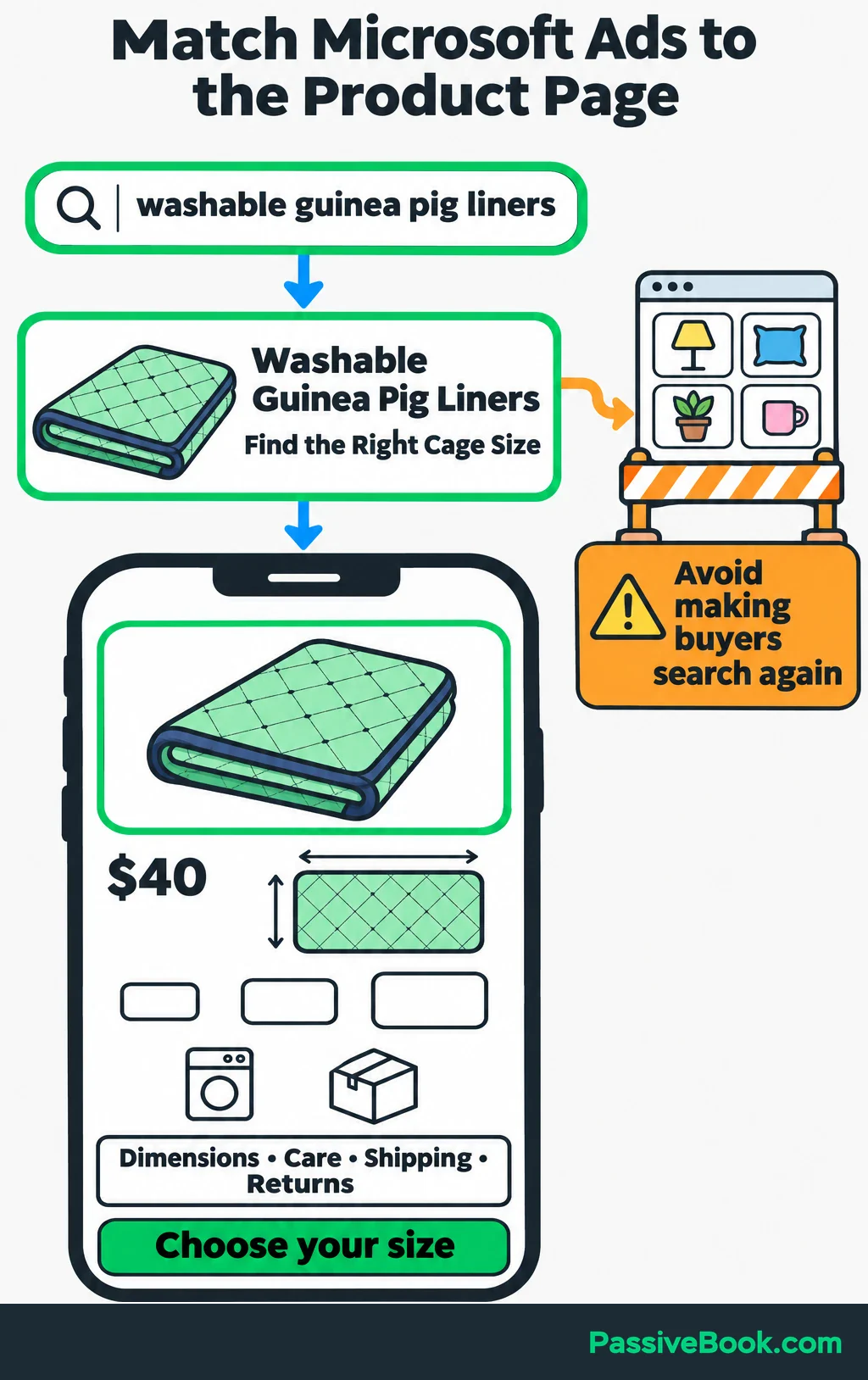
Before writing the ad, make sure the destination answers buying questions.
For the liner shop, show the product, price, dimensions, materials, care instructions, shipping details and returns. Put the buying action where people can find it, then test the page and checkout on mobile and desktop.
Send a liner search to the liner page. You have already paid for the visit; making the buyer find the product again adds another hurdle.
Create a responsive search ad with messages that make sense in different combinations. Microsoft accepts 3–15 headlines and 2–4 descriptions; ordinary English limits are 30 characters per headline and 90 per description. Microsoft’s responsive search ad specifications
Here is a complete starter set for the example offer:
| Asset | Sample Copy |
|---|---|
| Headline 1 | Washable Guinea Pig Liners |
| Headline 2 | Find the Right Cage Size |
| Headline 3 | Shop Reusable Cage Liners |
| Description 1 | Washable liners for guinea pig cages. Check sizes, care instructions and delivery. |
| Description 2 | Find a liner that fits your cage. View dimensions and choose your size online. |
| Final destination | The shop’s washable guinea pig liner collection page |
Use this structure to state what you sell, answer a buying question and invite the next action.
The liner example gives you a structure, but your offer needs its own wording. The AI Skill below turns your page text and confirmed selling points into an ad set you can review before launch.
Free AI Advertising Studio
Use sitelinks to add links below the ad to pages such as sizing and delivery information. Callouts are short text highlights that can name product features. Check generated suggestions against the actual offer. “Free delivery” is a costly piece of creative writing when you charge for shipping.
8. Choose a Bidding Strategy
For this small, keyword-focused test, I would choose Enhanced CPC. You set starting ad-group and keyword bids, and Microsoft adjusts them up or down based on conversion likelihood. Those bids are not hard per-click ceilings. Manual CPC is unavailable for Search.
Use keyword estimates and your affordable-CPC calculation to choose starting bids. If competitive traffic appears unaffordable, revisit the economics before raising them.
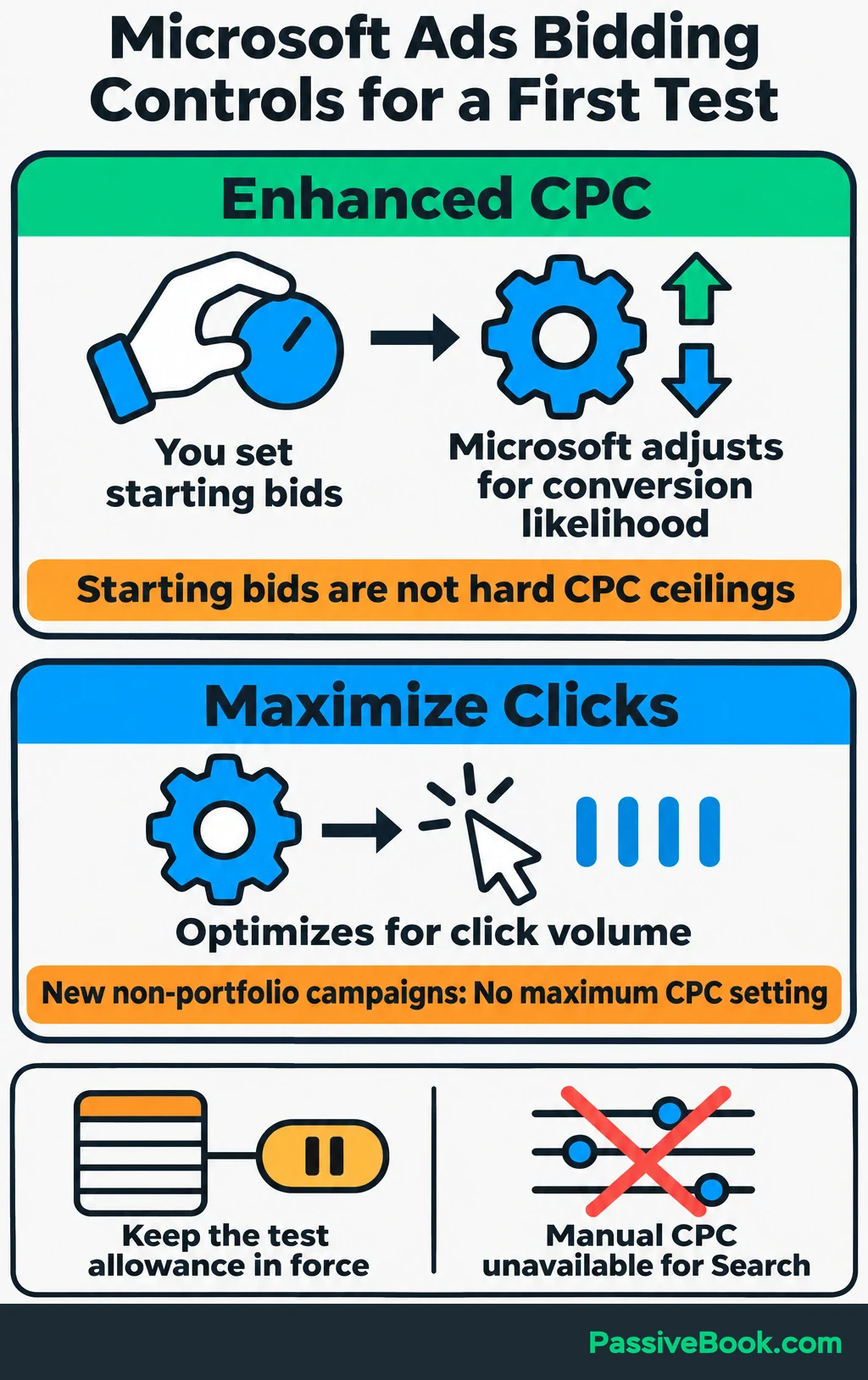
Maximize Clicks is an automated alternative focused on click volume. New non-portfolio campaigns using it no longer offer a maximum CPC setting. Portfolio strategies manage bidding across multiple campaigns, which this first test does not need. Check cumulative spending against your test allowance and pause at your review point. Microsoft’s CPC-cap announcement
Once tracking produces dependable data, consider:
- Maximize Conversions: Bid toward conversion volume, with an optional target CPA.
- Maximize Conversion Value: Bid toward tracked value, with an optional target ROAS.
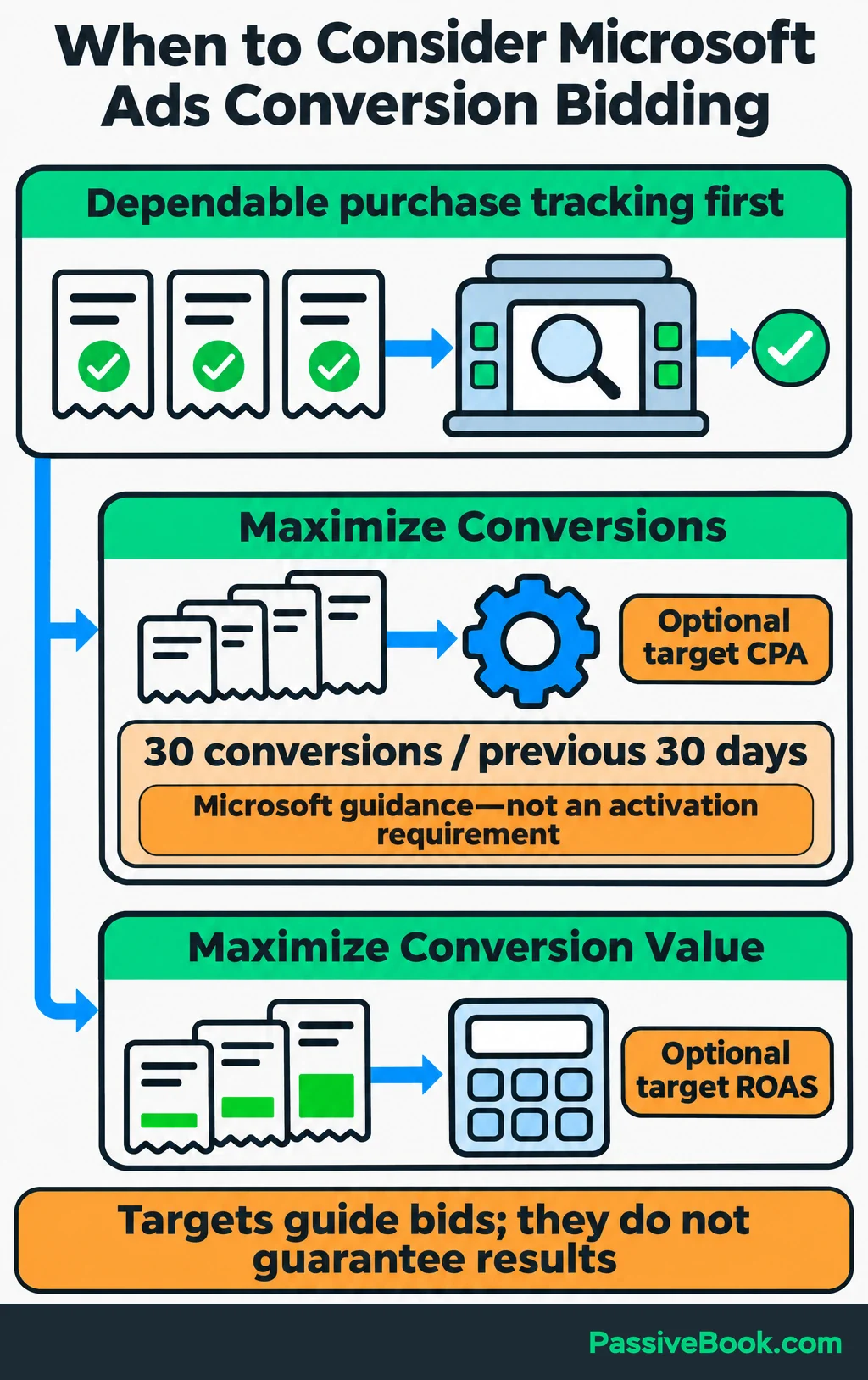
Microsoft recommends at least 30 conversions in the previous 30 days for Maximize Conversions and target CPA. That is guidance, rather than an activation requirement. Targets guide bidding; they do not guarantee an affordable result on every order. Microsoft’s bidding-strategy guidance
I would keep the first decision simple. A bidding system needs an accurate purchase signal, and it cannot fix margins that were too thin before the campaign started.
9. Review and Launch the Campaign
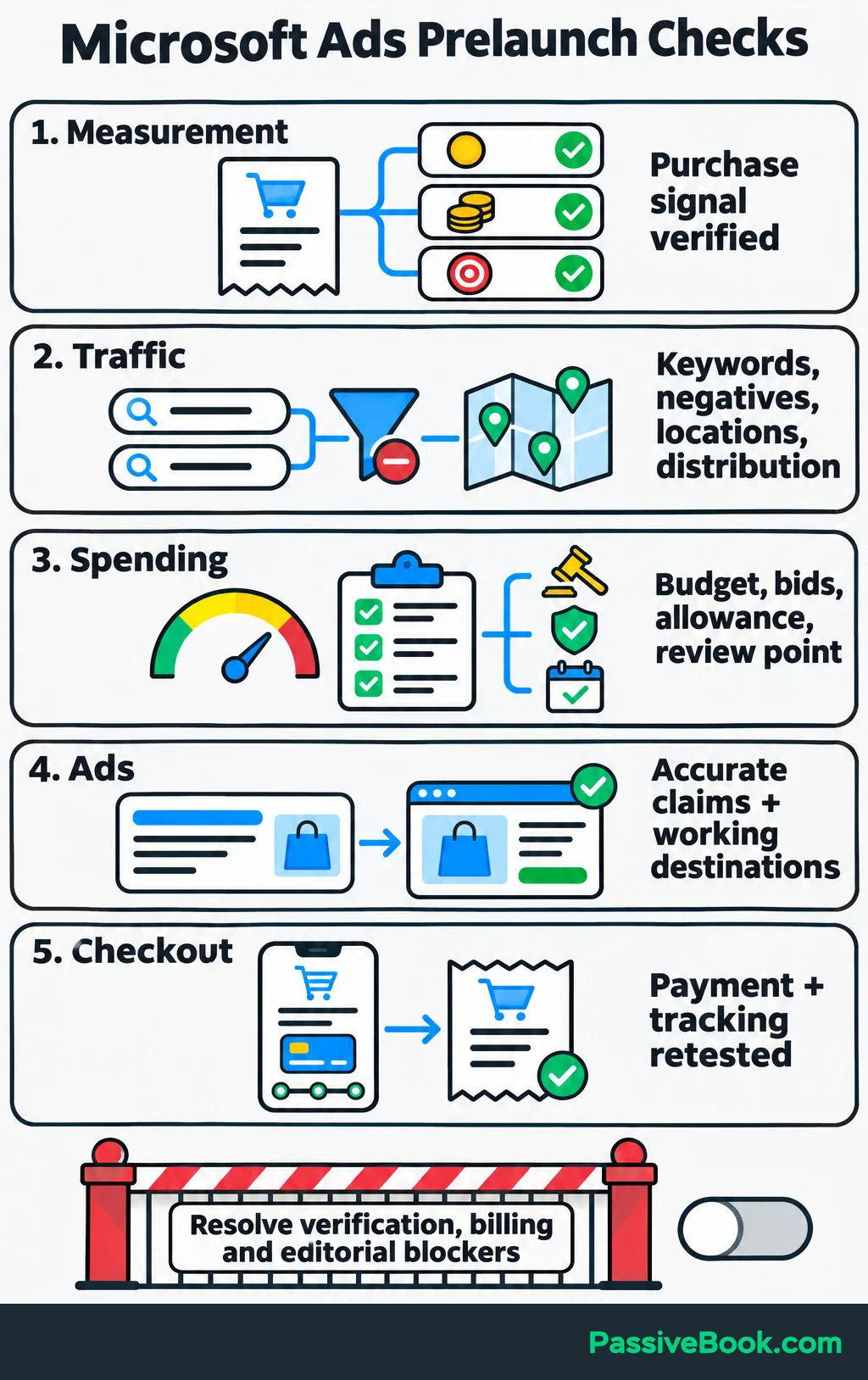
Review the paused campaign before enabling it:
- Measurement: Correct purchase goal, revenue, currency and optimization settings.
- Traffic: Relevant keywords, sensible negatives, serviceable locations and reviewed distribution.
- Spending: Daily budget, starting bids, total allowance and review point.
- Ads: Accurate claims, working URLs and messages that match the destination.
- Checkout: Successful payment and tracking tests after the final page changes.
Resolve verification, billing and editorial issues, then enable delivery.
During the initial launch period, check spending, search relevance, destinations and tracking daily. Pause immediately for broken checkout, incorrect destinations, tracking failures or clearly irrelevant traffic.
If nothing delivers, use the delivery status and diagnostics before increasing bids. Check account and campaign status, approvals, billing, restrictive targeting, negative-keyword conflicts, demand and bidding constraints.
A campaign with an unresolved billing problem does not need a larger budget. It needs the billing problem fixed.
10. Optimize Toward Affordable Customer Acquisition
Remove Irrelevant Traffic
Review actual search terms after launch. Keywords show what you asked to target; search terms show what people entered.
Add negatives for clear mismatches. When a useful new theme appears, give it suitable ads and a relevant destination instead of collecting it in an unrelated group.
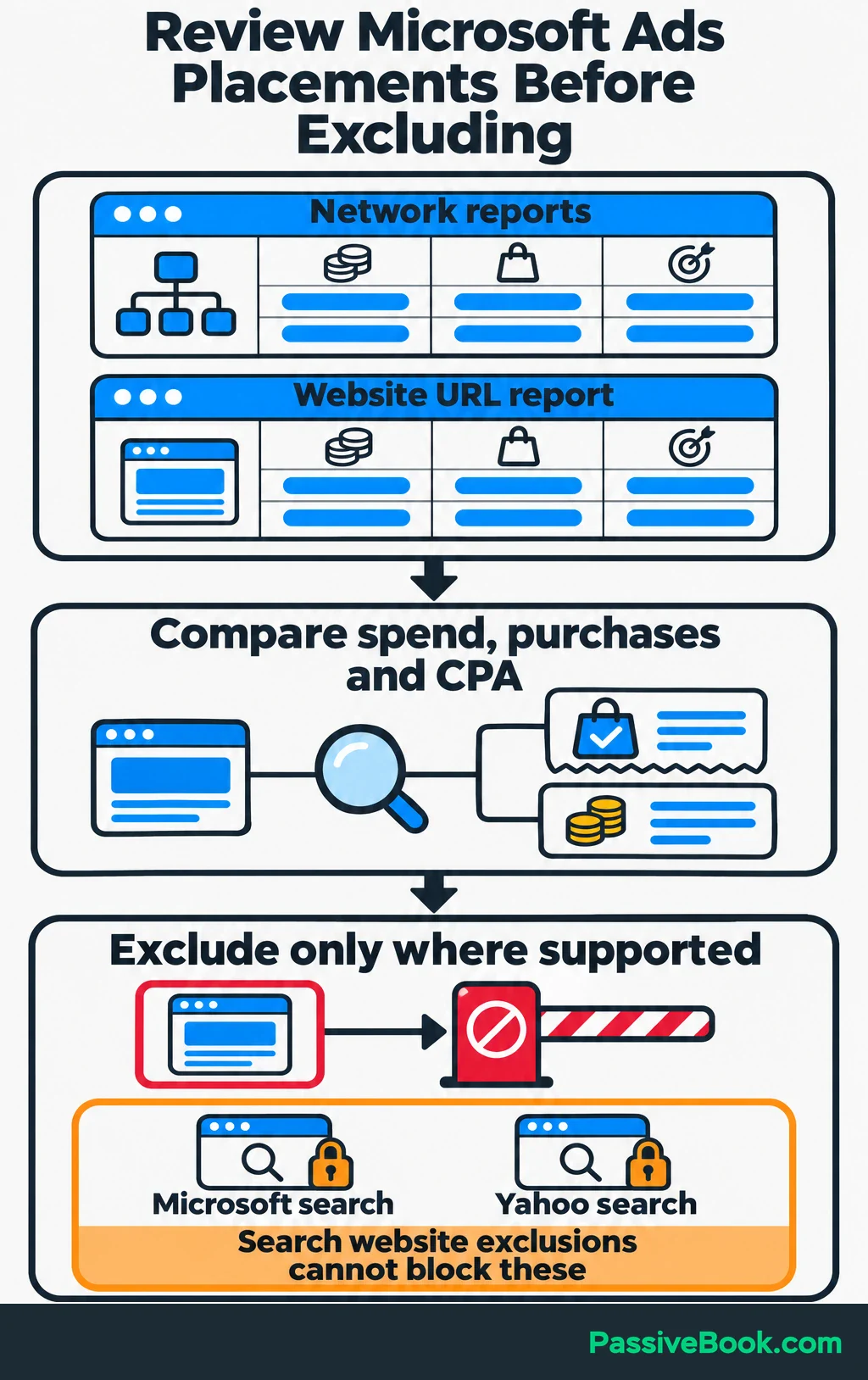
Use network reports to compare spending and conversions across traffic sources. The Website URL report shows the sites or groups of sites where your ads appeared. Exclude unsuitable placements where supported, but remember that Search website exclusions cannot block Microsoft or Yahoo search traffic. Microsoft’s website-exclusion rules
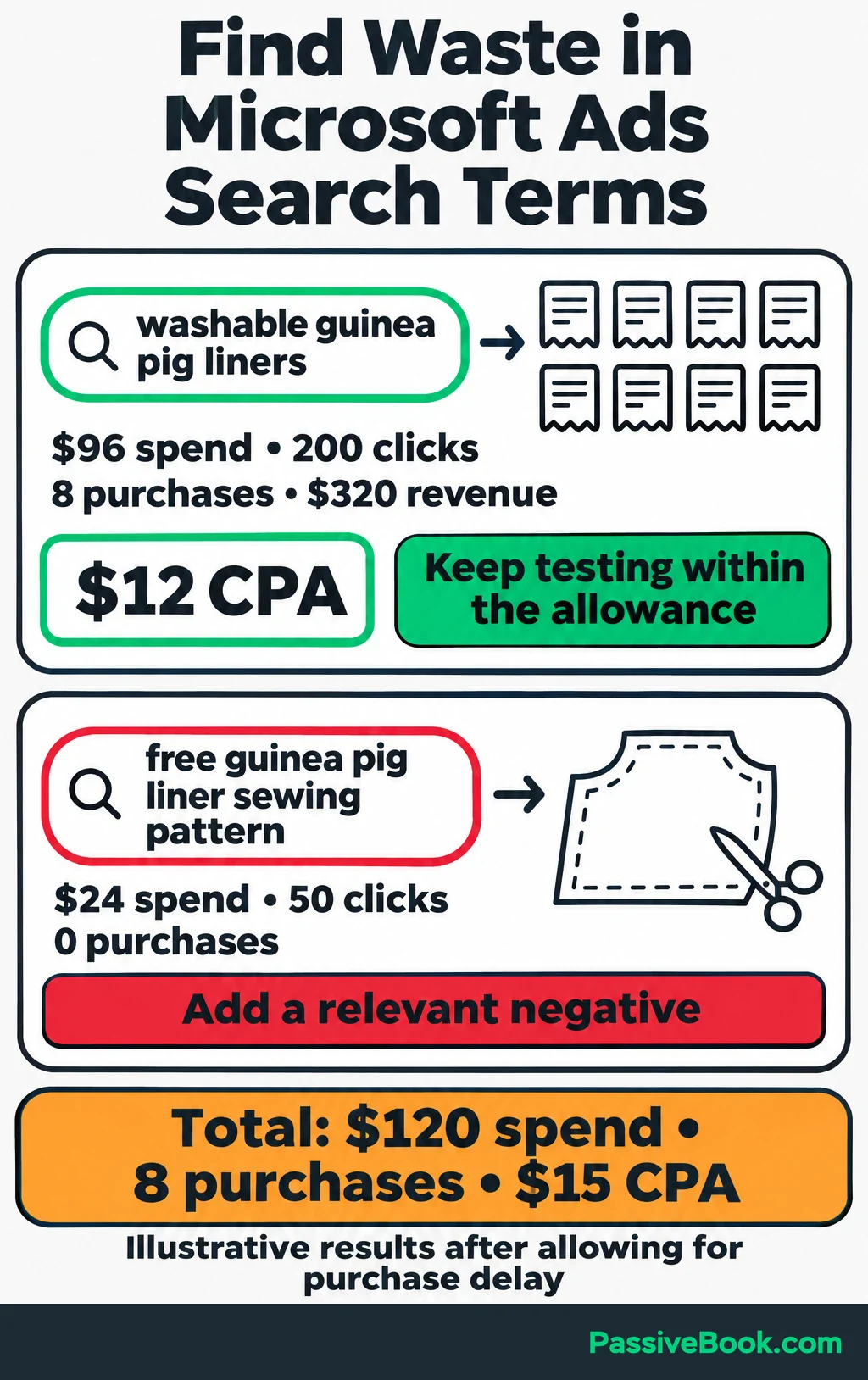
Keep a review sheet with spending and sales together. Here is an illustrative breakdown after allowing time for purchases from those clicks:
| Search Term | Spend | Clicks | Purchases | Revenue | CPA | Next Action |
|---|---|---|---|---|---|---|
| washable guinea pig liners | $96 | 200 | 8 | $320 | $12 | Keep testing within the allowance |
| free guinea pig liner sewing pattern | $24 | 50 | 0 | $0 | No purchases | Add a relevant negative |
| Total | $120 | 250 | 8 | $320 | $15 | Remove waste before expanding |
Compare locations and devices too, using acquisition cost and order quality. Apply only the controls supported by your bidding strategy.
Fix the Weakest Part of the Purchase Journey
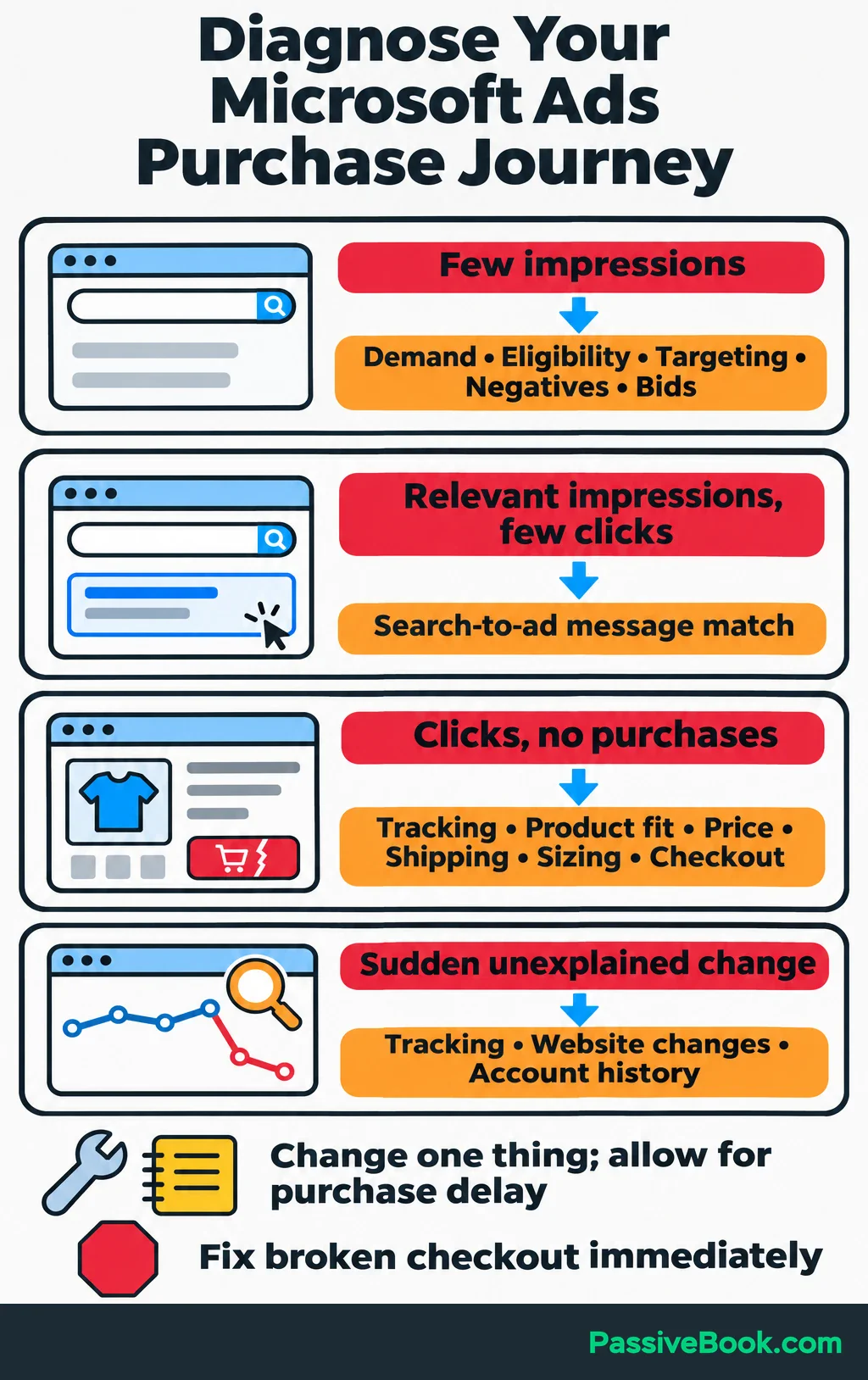
Diagnose the problem before changing settings:
| What You See | What to Check First |
|---|---|
| Few impressions | Demand, eligibility, targeting, negative conflicts and bids |
| Relevant impressions but few clicks | Whether the ad clearly matches the search and offer |
| Clicks but no purchases | Tracking, product fit, price, shipping, sizing and checkout |
| A sudden unexplained performance change | Tracking, website changes and account change history |
Change one meaningful thing at a time. Record the reason, change date and result.
For example: “Visitors need clearer sizing information, so move the dimensions beside the size selector.” That gives you a decision to assess. “Improve the page” gives you an afternoon of moving buttons around.
Allow the normal purchase delay before judging recent clicks. A few visits or one order cannot establish a dependable pattern, but a broken checkout deserves action immediately.
Compare Acquisition Cost With Contribution
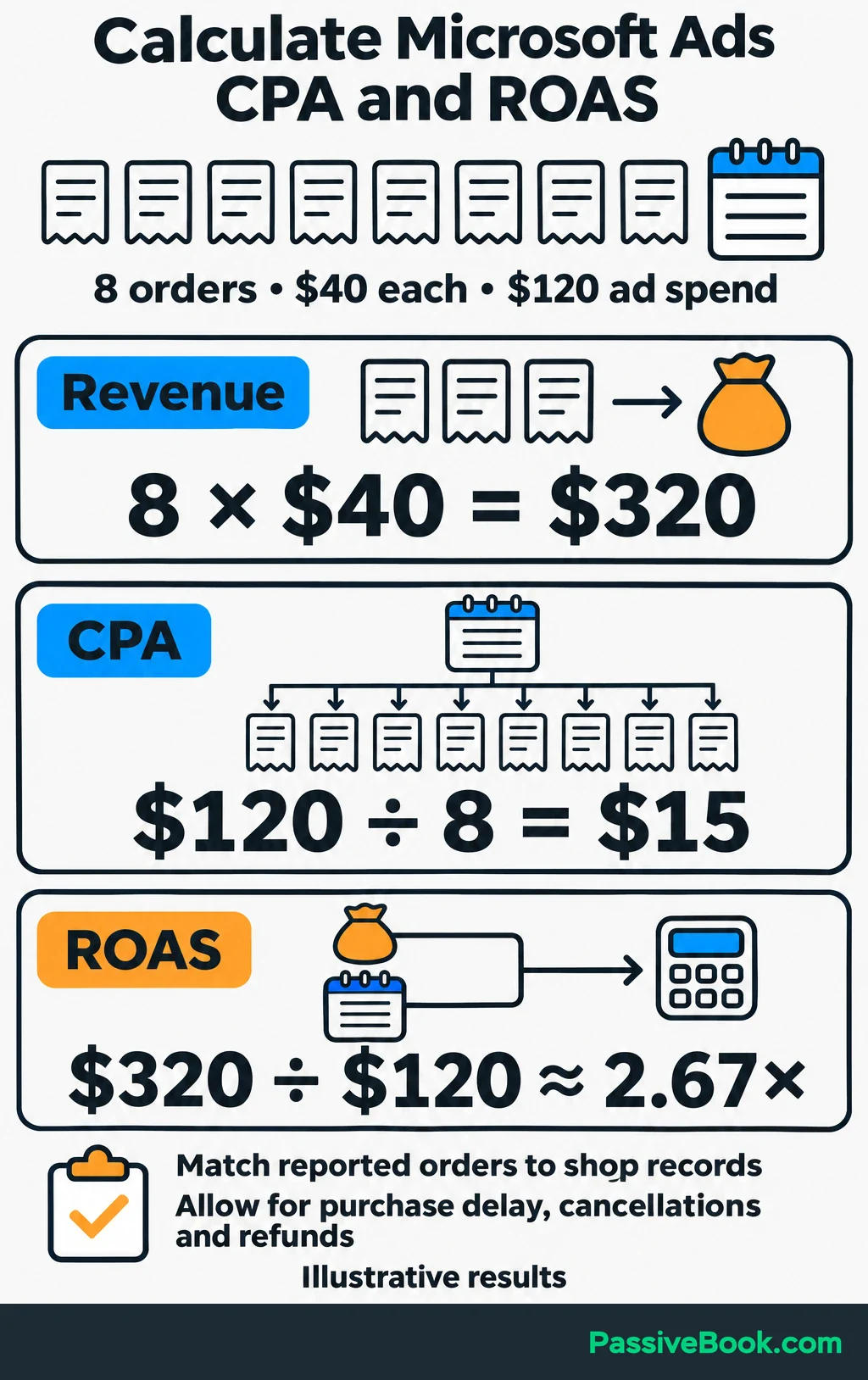
Choose a period of ad clicks and compare its spending with the purchases and revenue attributed to those clicks. Allow for the normal purchase delay before judging that period. Reconcile reported orders and revenue with the shop’s records, including cancellations and refunds.
Our example spent $120 and produced eight orders worth $40 each:
- Revenue: Eight orders × $40 = $320.
- CPA: $120 ÷ eight purchases = $15.
- ROAS: $320 ÷ $120 ≈ 2.67×.
Now check what remains after variable costs and advertising. Each order contributes $16 before ads, so:
Eight orders × $16 − $120 advertising = $8
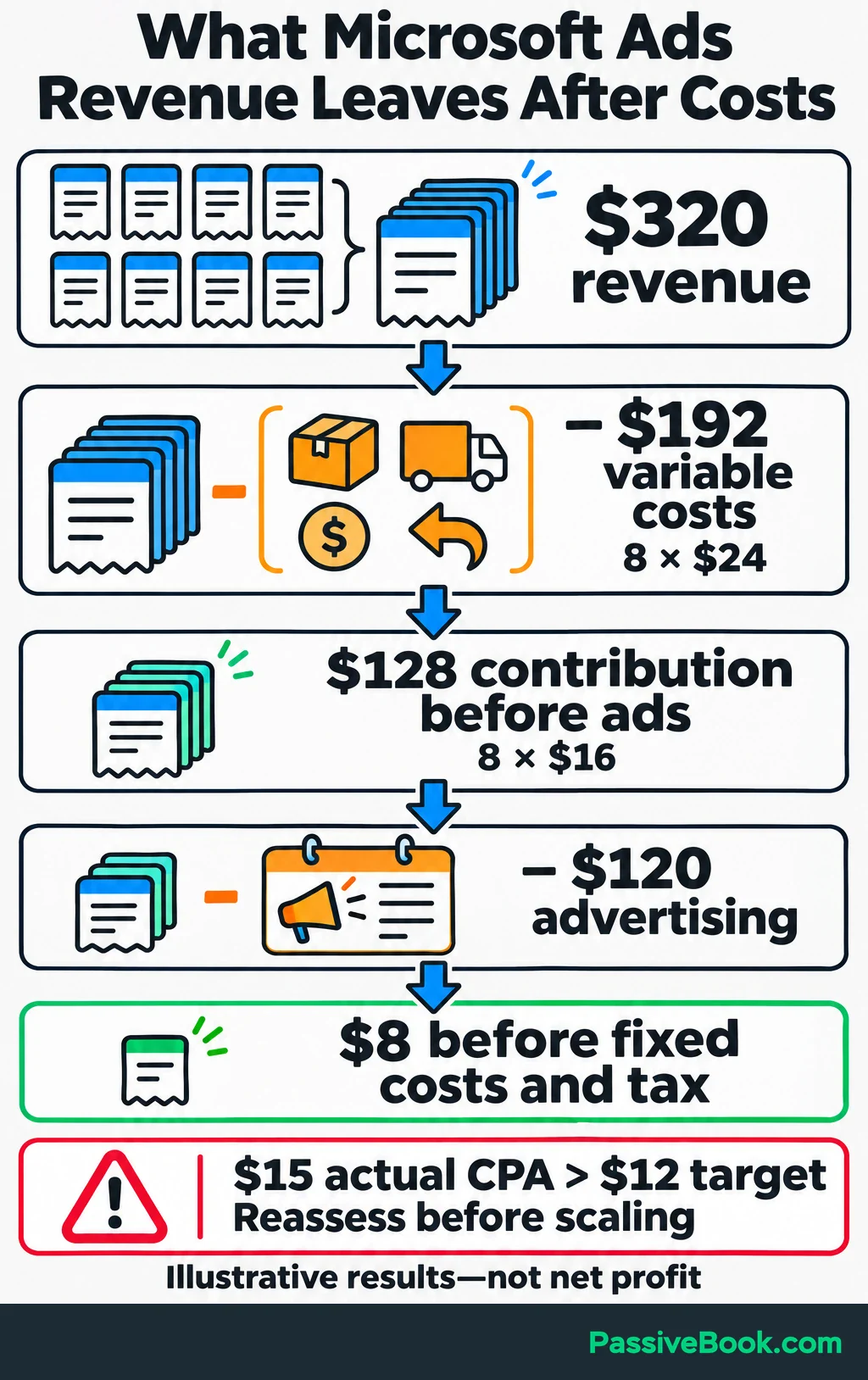
That leaves $8 before fixed costs and tax. The revenue report looks much healthier than the money left over.
The campaign also exceeds its $12 target CPA. I would remove the irrelevant traffic and reassess before increasing spending. Positive contribution alone is not enough when the target was set to leave room for running the business.
Scale, Revise, or Pause
Make the next decision from verified results:
- Scale: Increase spending gradually when acquisition costs consistently meet the target and you can fulfill more orders. Check whether the additional orders remain affordable.
- Revise: Test a specific improvement when the diagnosis supports it and money remains in the test allowance.
- Pause: Stop when tracking is unreliable, the allowance is reached or acquisition costs exceed what the business can support.
If you switch to Maximize Conversions, with or without a target CPA, allow time for bidding to adjust. Microsoft describes an initial learning period of roughly one to two weeks for these strategies, and budget or conversion-goal changes can restart it. Keep your spending allowance in force throughout.
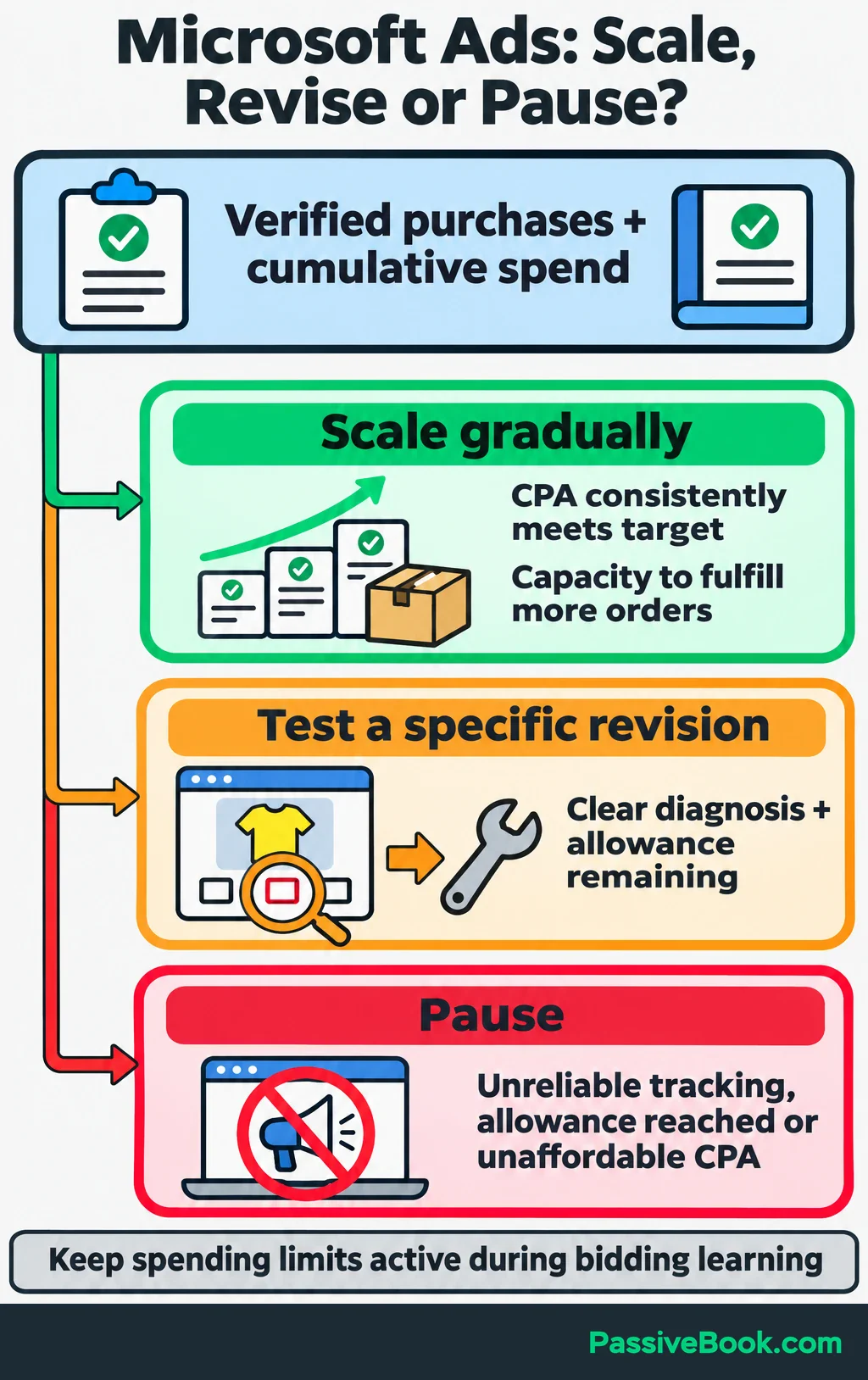
After the launch period, I would use a weekly review alongside spending and tracking alerts. Check confirmed sales, remove irrelevant traffic, compare CPA with the target and choose the next useful improvement. Increase review frequency when spending rises.
Automation should reduce repeated work. It should not automate your willingness to keep paying for an unsuccessful test.
What Next?
Calculate what one order leaves before advertising, then write down your target CPA and total test allowance. Those numbers give every later campaign decision a purpose.
Use the social buttons to share this guide when a campaign discussion needs to move from “more clicks” to affordable customers.
Which part of your purchase journey would you want to verify before paying for traffic? Share your answer, or any other questions, in the comments.
Share this post with your friends & followers:

