Your product could belong on the shelves of dozens of shops, but you still need to reach the person who decides what those shops stock. LinkedIn gives you ways to find professional buyers, and choosing the right ones takes more thought than pressing “Launch.”
A broad audience can use up your budget collecting clicks from people who will never order. A cheap inquiry can be just as disappointing if it comes from the wrong business.
This guide walks through a capped test that connects buyer targeting, a clear offer, and lead tracking, so you can judge whether LinkedIn deserves more of your money.
Step 1: Define Your Buyer and Offer
Start with the buying decision you want to influence. LinkedIn makes sense when someone’s company, role, or professional responsibilities help you identify them as a potential customer.
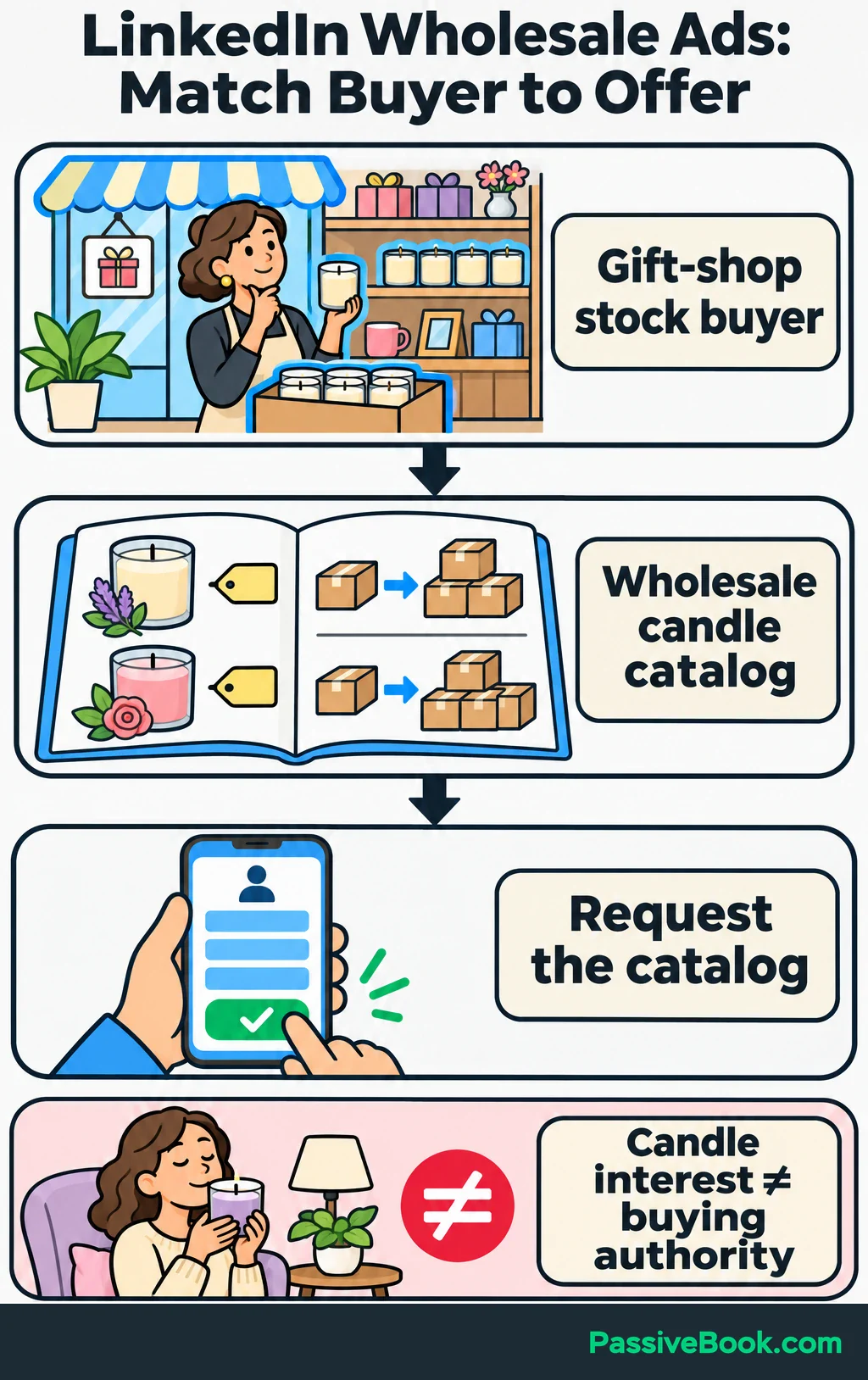
Throughout this guide, imagine you sell wholesale scented candles to independent gift shops. You want to reach the people who choose stock for those shops. Enjoying candles doesn’t make someone a wholesale buyer.
The business, ad copy, budgets, and results below are illustrations.
Choose one offer and one next action. For this campaign, offer a wholesale catalog containing your product range, prices, minimum order, and ordering details. The next action is requesting that catalog.
Before spending, decide what makes an inquiry worth pursuing. In this example, a qualified lead should meet four conditions:
- The business is a verifiable gift retailer.
- The contact owns the shop or helps choose its stock.
- You can supply the shop’s location.
- The contact is interested in stocking your candles.
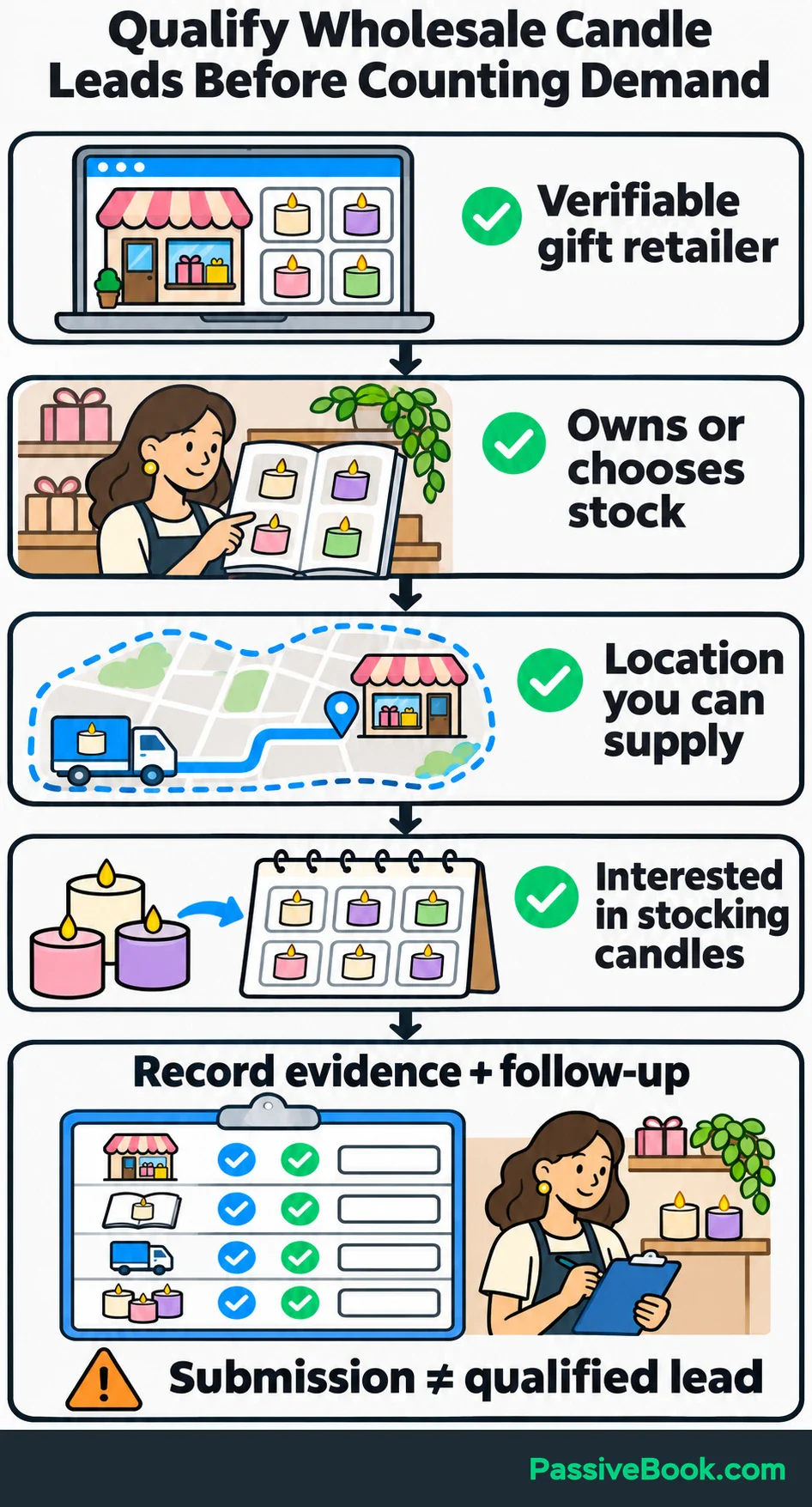
Put these conditions in a spreadsheet, with space for the evidence and follow-up outcome.
When reviewing inquiries on a digital-product site, I found that my “interested” pile mixed purchase questions with requests for help using files already bought. I separated those messages before judging demand. A busy inbox had made the opportunity look bigger than it was.
The same distinction matters here. A completed form gives you someone to assess; it doesn’t finish the assessment.
Step 2: Set Up Campaign Manager Access
Campaign Manager is where you build, launch, and measure LinkedIn ads.
Sign in through your personal LinkedIn account, then create or select the advertising account for your business. Associate the correct LinkedIn Page and add your billing details.
Check the Page and currency carefully before creating the account. LinkedIn says you cannot change either afterward. LinkedIn’s account requirements
You also need permission to create the ads. For single-image ads, that means creative manager access or higher on the ad account, plus one of these roles on its Page: super admin, content admin, or Sponsored Content poster. Give collaborators their own access.
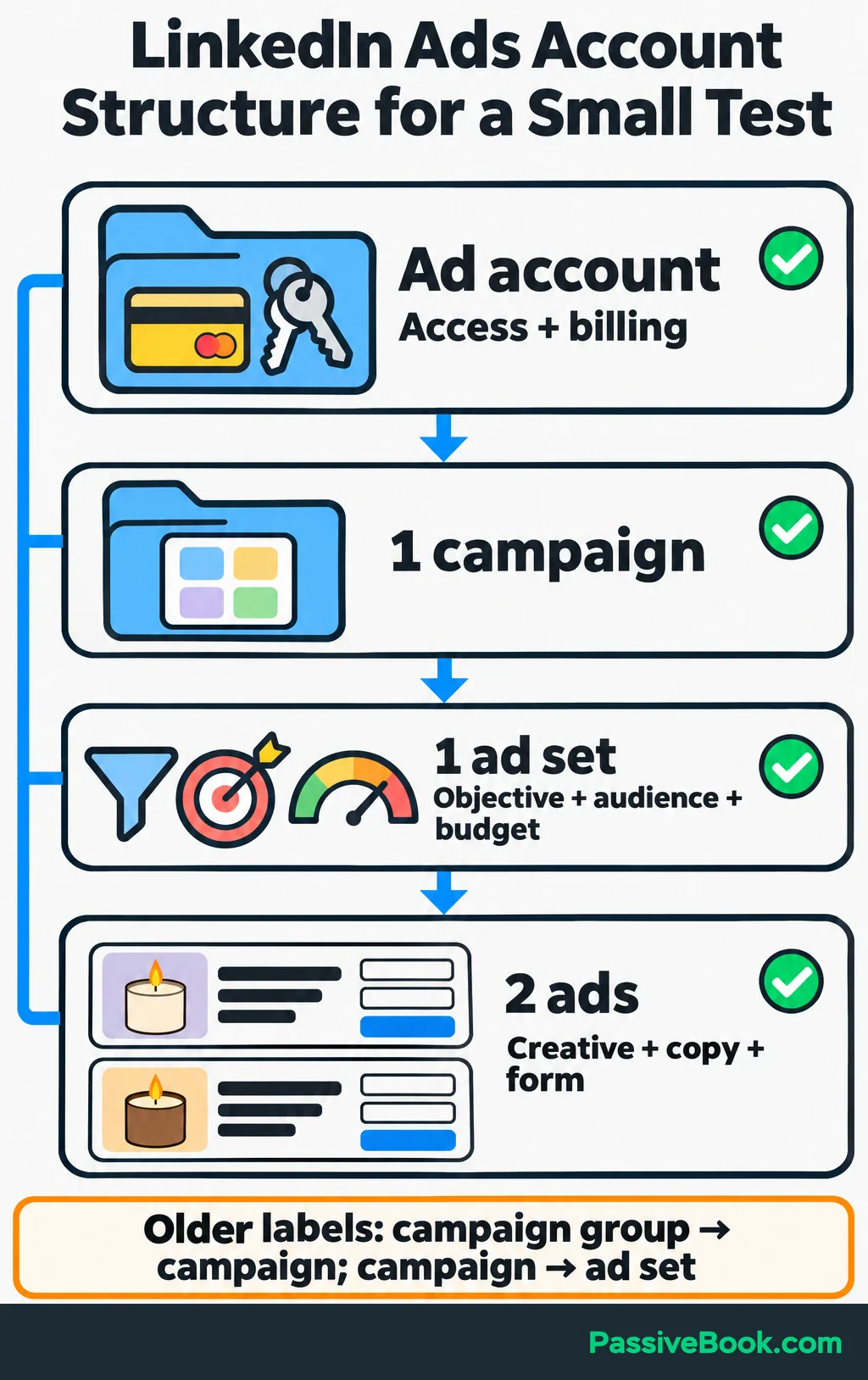
Understand the structure before building anything:
| Level | What It Holds or Controls |
|---|---|
| Ad account | Your advertising activity, access, and billing |
| Campaign | Related ad sets grouped under one initiative |
| Ad set | The objective, audience, delivery settings, and individual budget when shared budgeting is off |
| Ad | The image or other creative, copy, and destination or form |
Older accounts may show “campaign group” where this guide says “campaign,” and “campaign” where it says “ad set.” The underlying structure is the same.
For the candle test, you need one campaign, one ad set, and two ads. Keep the first build small enough to understand at a glance.
Step 3: Choose Your Objective and Ad Format
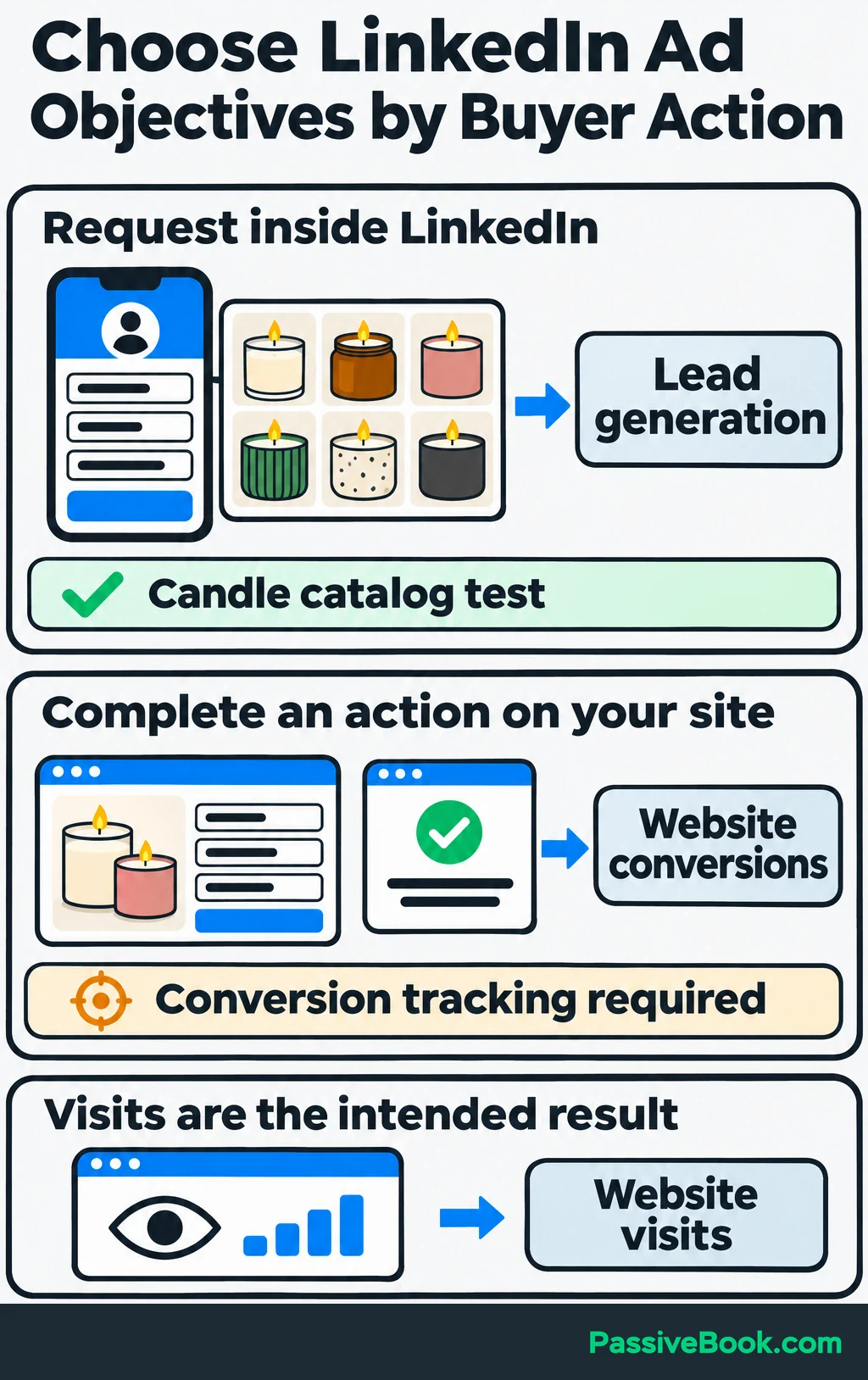
Create a campaign and its first ad set. Choose the manual setup option, Classic, then choose the objective based on what you want the buyer to do.
For the catalog offer, I would choose Lead generation. Buyers can submit a LinkedIn Lead Gen Form, which can fill in details from their profile.
Three useful formats support this objective:
| Format | Suitable Use | Required Asset |
|---|---|---|
| Single image | Present one clear offer, such as a wholesale catalog | A product photograph or graphic, ad copy, and a form |
| Video | Show a product in use or explain something buyers need to see | A video, captions, ad copy, and a form |
| Document | Let buyers browse a guide or catalog preview | A document such as a PDF, ad copy, and a form |
Start with a single-image ad and a Lead Gen Form. You can show the actual candle range without producing a video or redesigning the whole catalog.
Choose Website conversions when the valuable action happens on your site, such as a completed inquiry or purchase. LinkedIn requires conversion tracking for this objective. LinkedIn’s Website conversions requirements
Website visits fits a campaign where visits themselves are the intended result. I would skip it for this test because the question is whether you can attract potential stockists at an acceptable cost.
Step 4: Prepare Lead Capture and Tracking
Prepare the route you chose before you finish building the ads. The candle campaign uses a LinkedIn form. The website instructions below cover campaigns that send people to your own pages.
Create a LinkedIn Lead Gen Form
Repeat the offer in the form headline and explain what happens after submission.
For example:
Request Our Wholesale Candle Catalog
Get the range, wholesale prices, minimum order, and ordering details for your gift shop.
For this test, request first name, last name, email, and company name, then add one custom question:
What is your shop’s website?
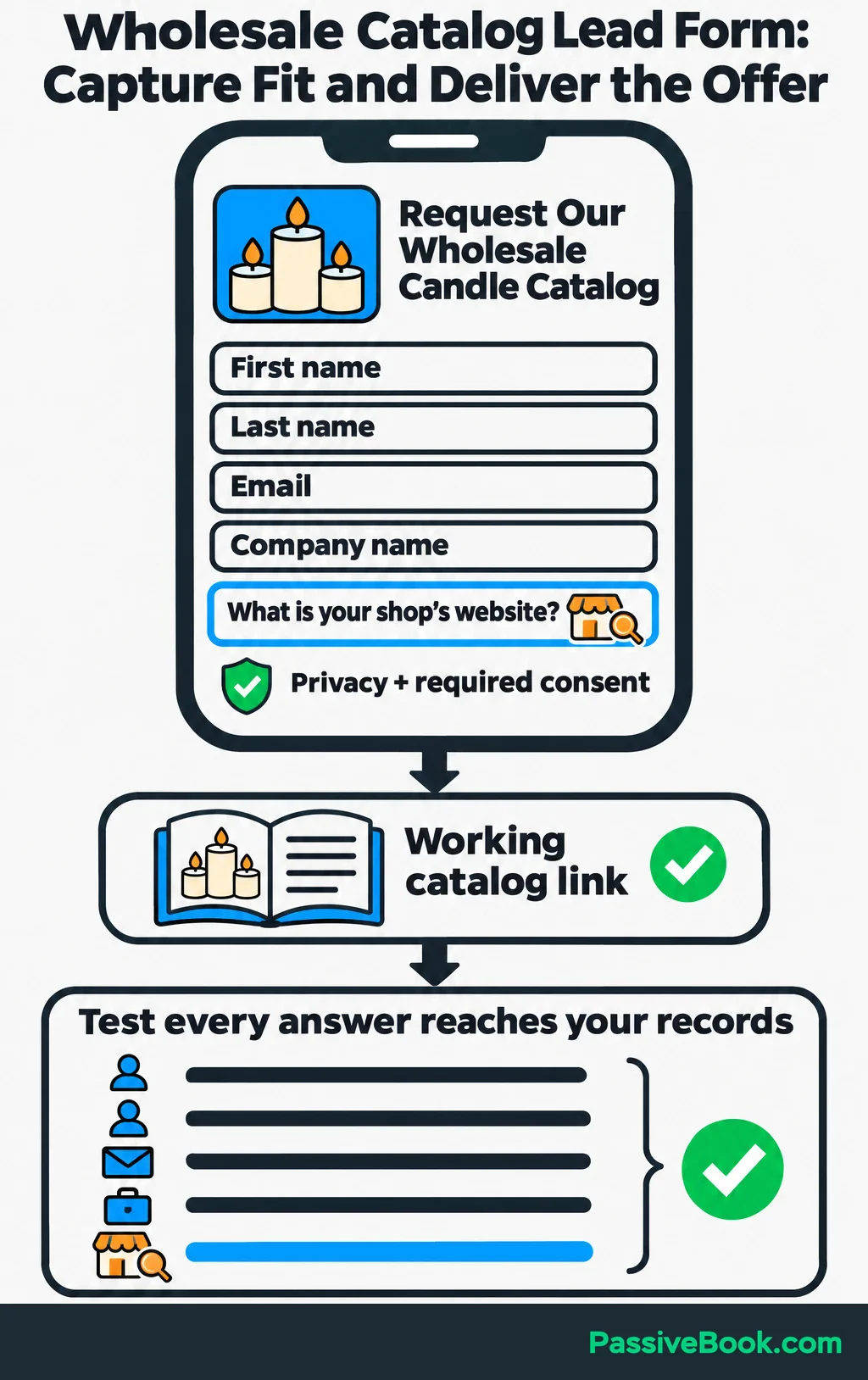
LinkedIn recommends three to four fields. I’d add the website question to check buyer fit and skip the phone number unless you plan to call. LinkedIn’s Lead Gen Form specifications
Include your privacy-policy URL, explain how you’ll use the details, and collect any consent needed for follow-up. Put a working catalog link in the confirmation message.
Arrange lead downloads or connect your CRM, the system where you keep contact and sales records. For downloads, confirm viewer access or higher on the ad account and Lead Gen Forms manager access or higher on its Page. LinkedIn’s lead-access requirements
Send a test lead and check that every answer reaches the intended destination, including the shop website.
Prepare Website Conversion Tracking
If your ad sends buyers to your website, build a page that repeats the offer, explains who it is for, and provides one clear action.
Install LinkedIn’s Insight Tag, its website tracking code, directly or through your existing tag manager. In Campaign Manager, create a conversion that records visits to a dedicated confirmation page. If your form has no confirmation page, configure an event to record successful submissions through your site code or tag manager. Associate the conversion with the ad set.
Apply any required tracking consent, and keep the tag off pages that collect or contain sensitive data. LinkedIn’s website conversion requirements
Add consistent tracking parameters—labels attached to destination URLs—so Google Analytics can identify each campaign and ad. For this test, use:
utm_source=linkedin
utm_medium=paid_social
utm_campaign=wholesale_catalog
utm_content=range_image_a
Submit the form yourself. Confirm that the inquiry arrives, the tag is recognized, and the conversion records once after a successful submission, rather than on a button click that could fail.
Prepare Lead Follow-Up
Assign someone to retrieve inquiries, deliver the catalog, and ask about stocking needs. If that person is you, give the task a place in your calendar.
Your lead record should include:
- Contact and business details.
- Campaign, ad set, and ad source.
- Qualification status and the reason for that decision.
- Follow-up date and response.
- Any resulting order.
Once the process works, you can automate lead routing and catalog delivery through an existing integration or n8n, a tool that connects apps. Keep qualification and buyer replies visible so automation doesn’t hide problems.
Step 5: Build an Audience of Likely Buyers
Combine Buyer Attributes Correctly
Choose to build your audience manually so you can inspect the criteria.
Start with locations you can supply and the appropriate profile language. Use permanent-location targeting when the buyer’s established location matters.
Then combine relevant company attributes with buying roles. For the candle campaign, look for suitable retail businesses and titles such as Owner or Purchasing Manager.
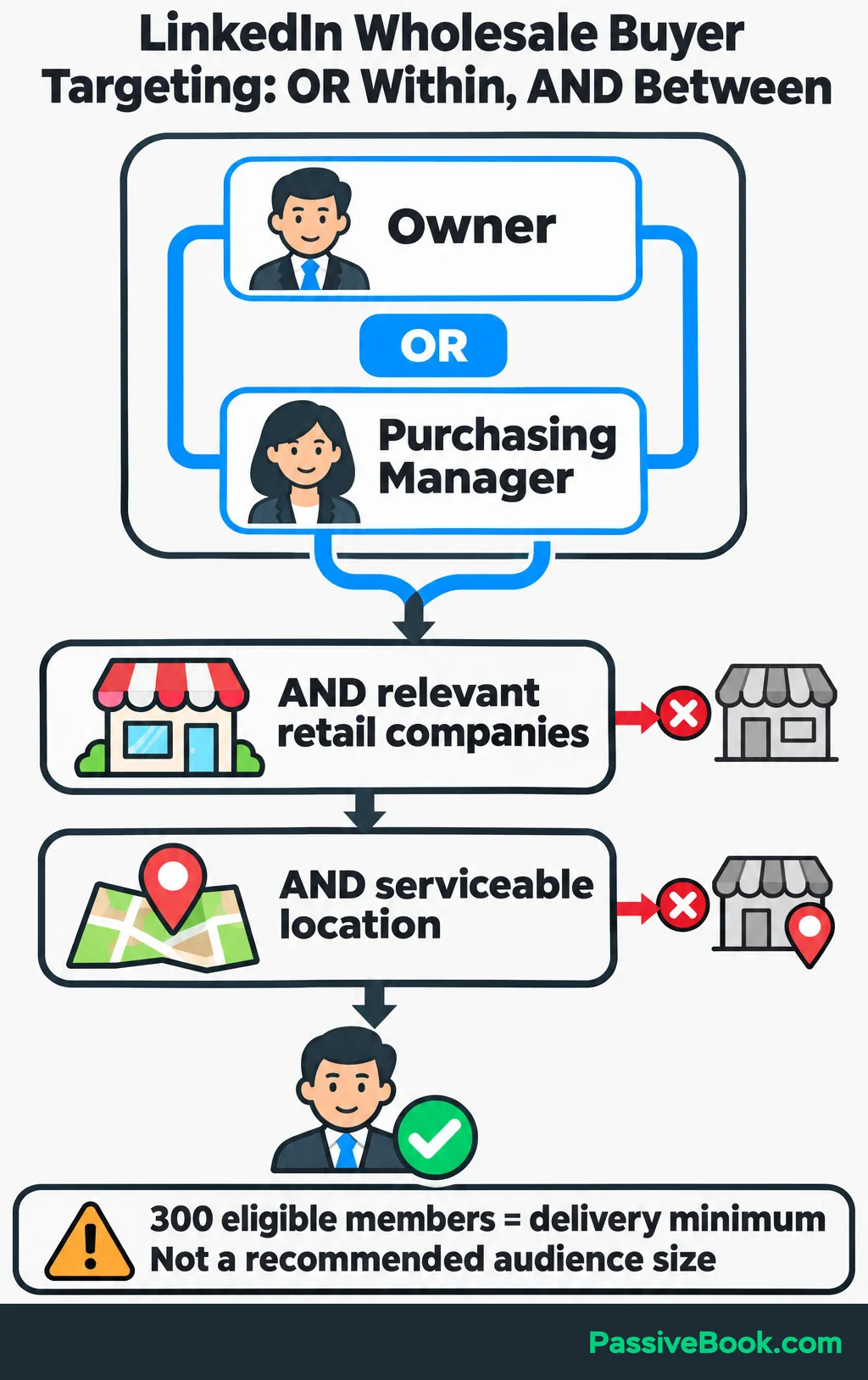
The intended logic is:
(Owner OR Purchasing Manager)
AND relevant retail companies
AND serviceable location
OR allows acceptable alternatives. AND requires the groups to apply together. A shop owner can qualify without also holding the title Purchasing Manager.
Inspect the audience summary after making your selections. Check that you haven’t accidentally included anyone with an owner title across every industry.
Broad retail categories can include many unrelated businesses. Where possible, select named companies you want to reach, but check that enough of their buyers can be reached for the campaign to run. There is no guaranteed “independent gift-shop buyer” category. Use the available attributes to find likely buyers, then use form answers and follow-up to qualify them.
LinkedIn requires at least 300 eligible member accounts. That is a delivery threshold, not a recommended audience size or proof that a tiny audience will perform well. LinkedIn’s audience-size requirements
If your audience is too small, remove restrictions that don’t determine buying fit. An unnecessary seniority filter can go; a location you cannot supply should stay excluded.
Control Audience Expansion and Placements
Turn off Audience Expansion for the first test. You want to learn whether your selected buyer criteria work before allowing broader delivery.
I would also keep the first test in LinkedIn’s feed. Turn off LinkedIn Audience Network, which extends eligible ads to third-party apps and websites. Test it separately once you can compare lead quality.
Exclude your employees and any usable existing-customer audiences when your goal is acquiring new customers.
Save the audience with a name that identifies the buyer and market, such as Gift Retail Buyers — UK, if that is where you can supply. “Audience 1” becomes less charming when Audience 7 arrives.
Step 6: Set Your Test Budget and Bidding Strategy
Calculate Your Lead-Cost Ceiling
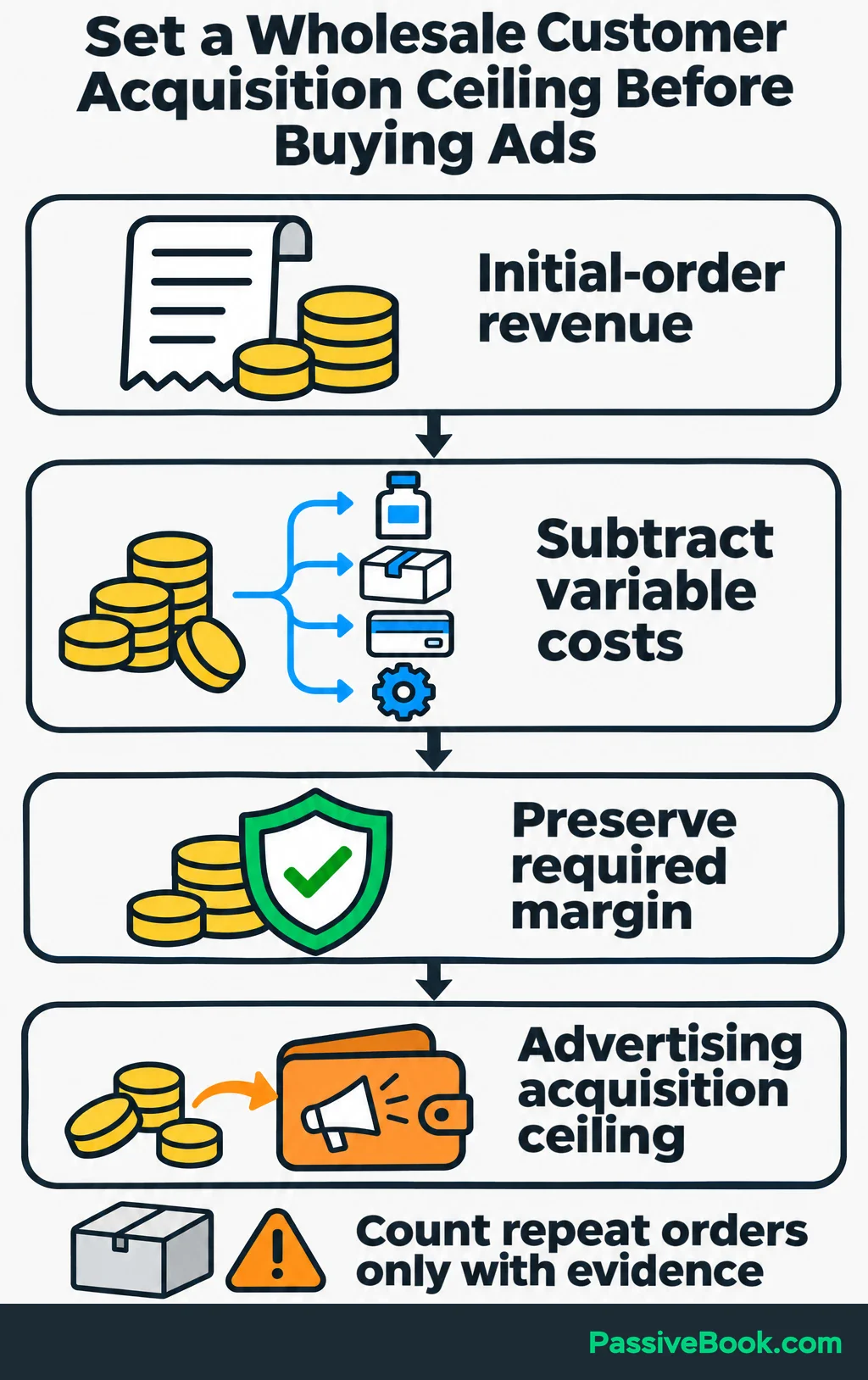
Work backward from the amount you can afford to spend acquiring a customer.
Start with the money left after product costs, fulfillment, payment fees, and other variable costs. Then preserve the margin you need. What remains sets an advertising acquisition-cost ceiling.
I would base a first test on the initial order unless you have evidence of repeat purchases. A hoped-for reorder shouldn’t pay for today’s advertising.
Next, estimate how many qualified leads become customers within your normal sales cycle. Use comparable business data where available. Otherwise, make the assumption explicit.
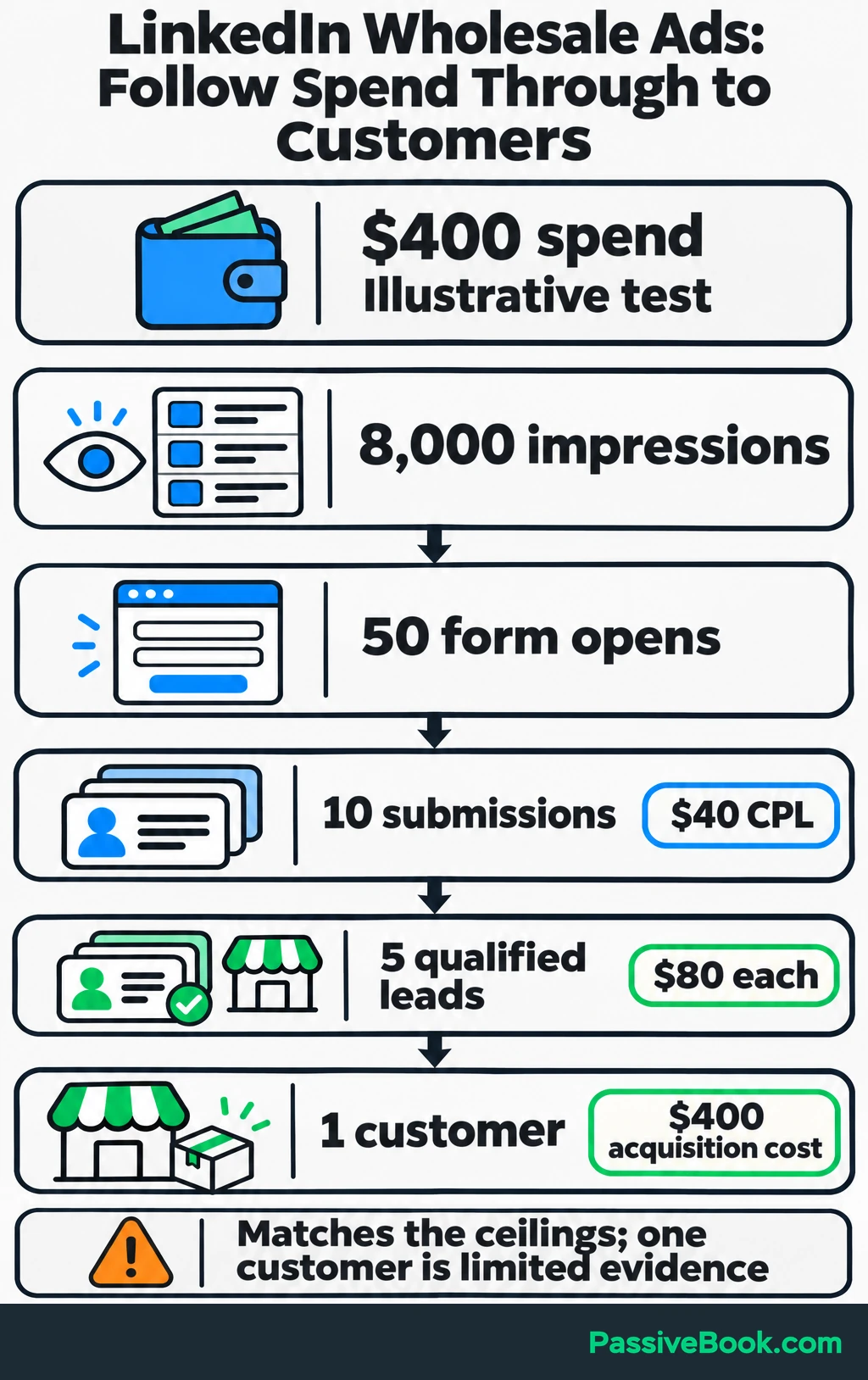
For the candle example, assume the business can support a $400 advertising cost per new customer, and 20% of qualified leads become customers.
The allowable spend per qualified lead is:
$400 × 0.20 = $80Now account for inquiries that fail qualification. If half of submitted leads qualify, the allowable cost per raw submission is:
$80 × 0.50 = $40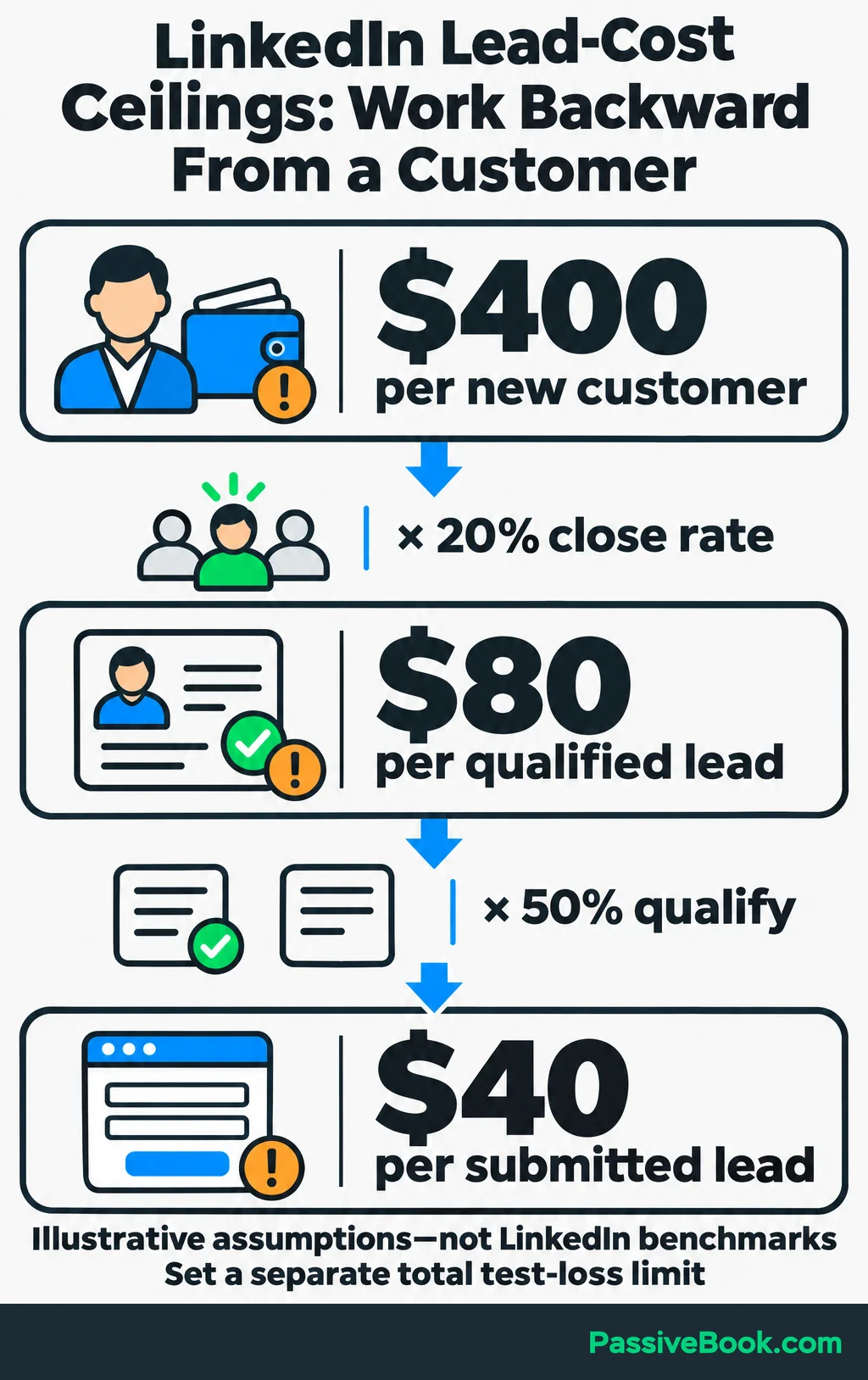
That gives you three planning limits:
| Measure | Illustrative Ceiling |
|---|---|
| Cost per submitted lead | $40 |
| Cost per qualified lead | $80 |
| Advertising cost per new customer | $400 |
These are assumptions for this business, not LinkedIn benchmarks. Replace them with your own economics.
Set a separate total test budget you can afford to lose. The lead-cost ceiling tells you what would be acceptable; the test budget tells you how much you will risk finding out.
Your first estimates may be wrong, so it helps to see how much room they leave. This calculator works out your cost limits and shows what happens when qualification or sales conversion falls short.
Free Marketing Profit Calculator




Set Spending Limits and Choose a Bid
Check the platform minimum against your available funds. LinkedIn lists a US$10 minimum daily budget, but the minimum displayed for your currency and schedule governs your setup. LinkedIn’s budget minimums
For this example, set a $400 lifetime budget at the ad-set level, with start and end dates covering 14 days. Leave shared budget optimization off so the ad set keeps its own budget.
A lifetime budget limits total delivery spend across that schedule. Daily budgets are averages and can be exceeded on individual days, so I prefer a lifetime limit for a bounded first test. LinkedIn’s budget and pacing rules
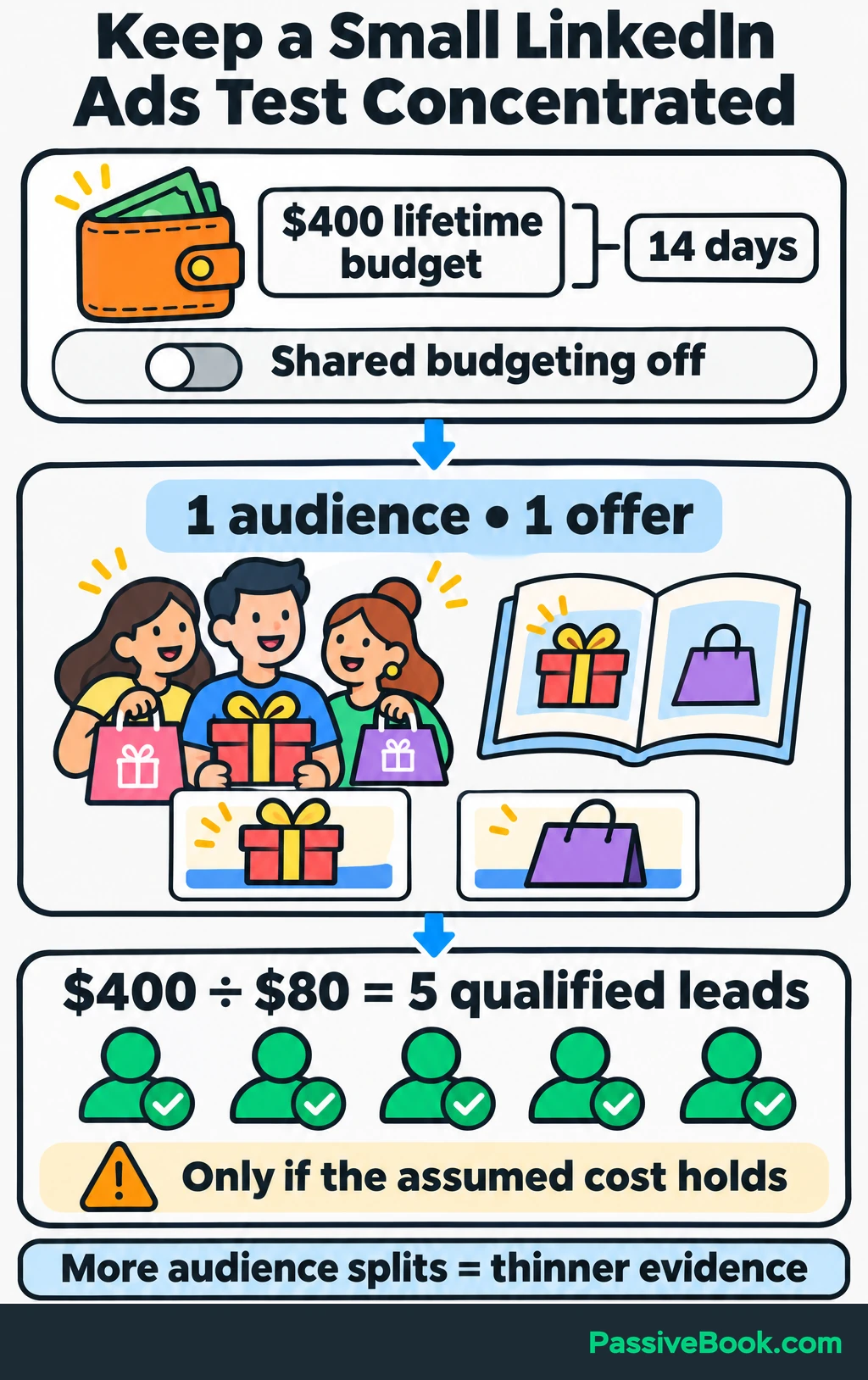
Keep the test concentrated on one audience and offer. At the planned $80 qualified-lead cost, $400 would buy five qualified leads if performance matched the assumption. Splitting that money among several audiences would leave very little evidence about each.
For bidding, start with Maximum delivery and the Leads optimization goal. Maximum delivery automates bids, aims to spend the available budget, and charges by impressions, meaning ad displays.
It does not guarantee affordable leads. Once you have actual costs, you can consider cost cap, which targets an average cost per result rather than guaranteeing each lead’s price. LinkedIn’s bidding strategies
Step 7: Create Ads That Make the Offer Clear
Build the ad around four things: the buyer, their need, your offer, and one action.
For the candle campaign, make the wholesale context visible immediately. A beautiful candle photograph alone could attract shoppers looking for one candle for their living room.
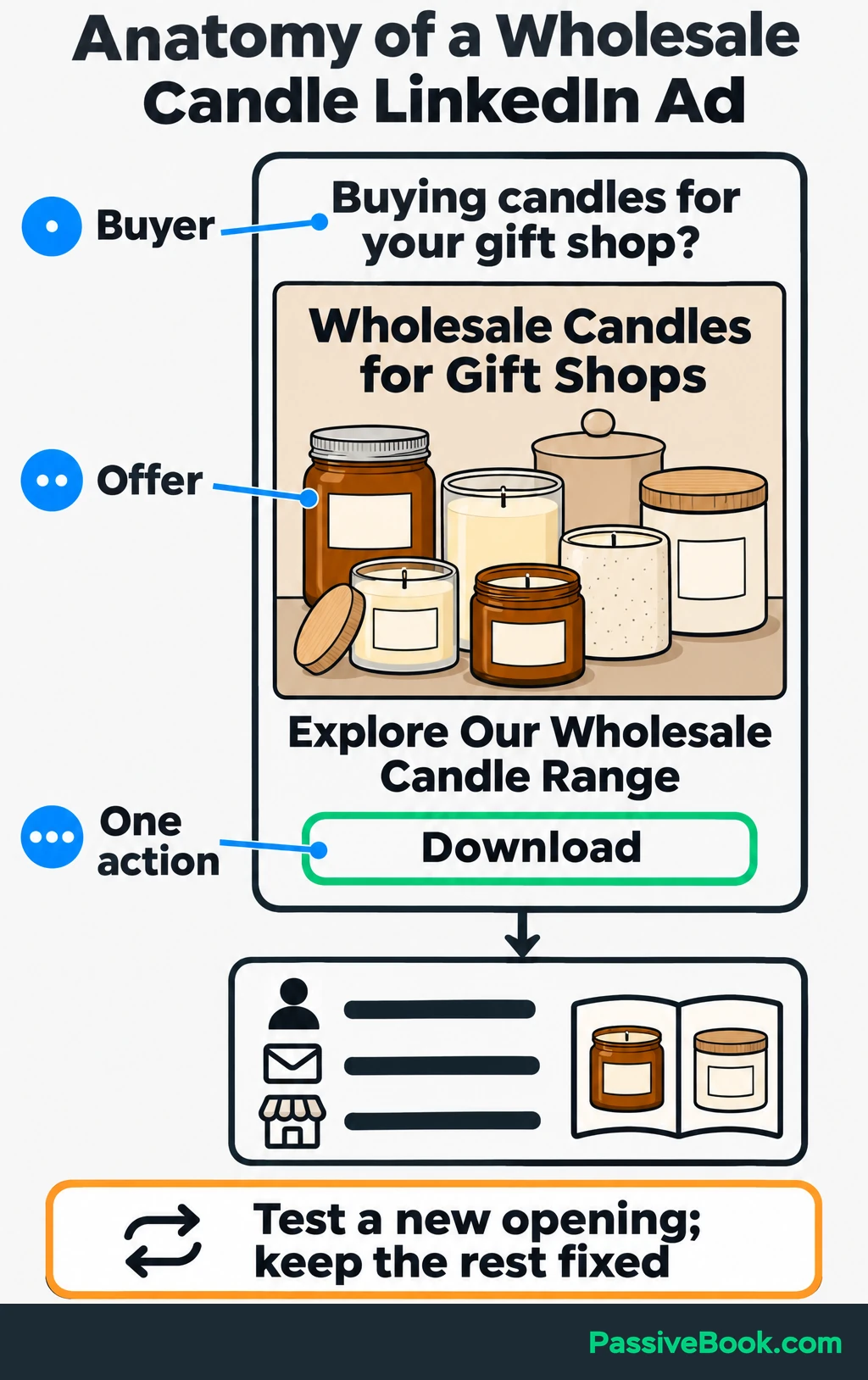
Here is a complete starting ad you can adapt:
| Ad Element | Sample |
|---|---|
| Introductory text | Buying candles for your gift shop? Request our wholesale catalog for the range, prices, and ordering details. |
| Image | A clear photograph of the actual candle range, with readable text: “Wholesale Candles for Gift Shops” |
| Headline | Explore Our Wholesale Candle Range |
| Call to action | Download |
| Attached form | The wholesale catalog request form prepared in Step 4 |
Use your own product photograph and genuine business terms. Create two variations with one meaningful difference. Keep the image, headline, offer, and form the same, but change the opening.
The second opening could focus on stocking requirements:
Planning your shop’s next candle order? Get our wholesale catalog to check prices, minimum order, and ordering details.
That tests the angle of the message without changing the whole ad.
If the candle example doesn’t translate neatly to your business, AI Social Copy Studio can draft your own ads and matching lead-capture copy. It uses your buyer criteria to make clear who the offer is for.

Free AI Social Copy Studio
You can prepare the image in Canva. A square image at 1200 × 1200 pixels is a straightforward starting point. Keep the file within 5 MB and aim for introductory text within LinkedIn’s 150-character recommendation to reduce truncation. LinkedIn’s single-image specifications
Attach the prepared form and preview both desktop and mobile layouts. Check cropping, small text, the headline, and the button. For a website campaign, also check that the destination opens correctly on a phone.
Step 8: Review and Launch Your Campaign
Before submitting, review the settings that could send money or inquiries in the wrong direction:
- The objective matches your intended action.
- The correct form or website conversion is attached.
- Locations, buyer criteria, and AND/OR logic match your plan.
- Exclusions, expansion, and placements are set as intended.
- The budget, bid, dates, and billing details are correct.
- Both ads show the right offer and destination.
Use names that make reporting understandable. For example:
| Item | Example Name |
|---|---|
| Campaign | Wholesale Catalog Test |
| Ad set | Gift Retail Buyers — UK |
| Ad A | Range Opening |
| Ad B | Stocking Requirements Opening |
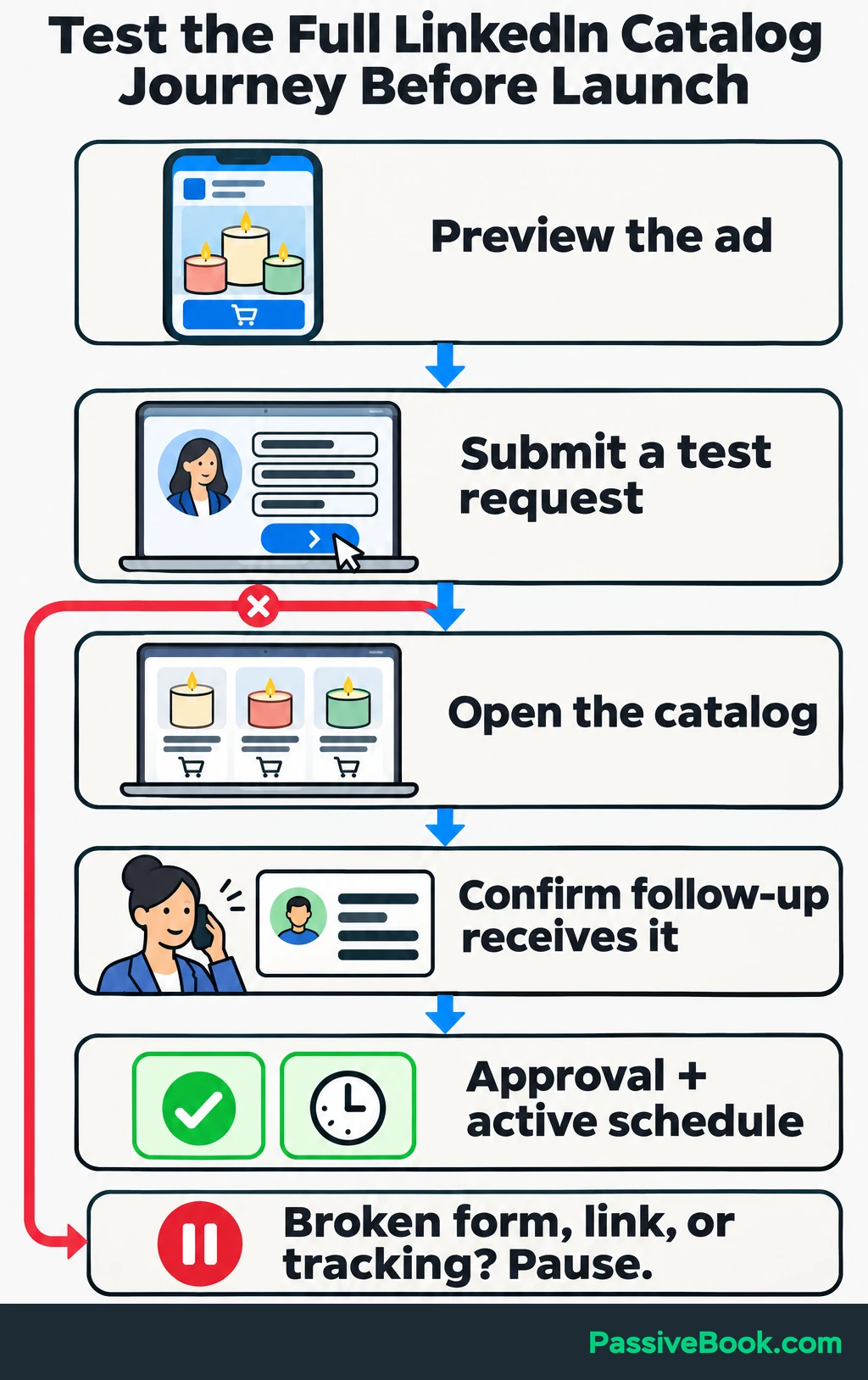
Run through the full journey from the ad preview. Submit a request, open the catalog, and check that the inquiry reaches the person responsible for follow-up.
Then submit the ads and forms for review. They need approval and an active schedule before delivery can begin. Inspect the status and address any rejection reason shown.
Once delivery starts, check that impressions and spend are appearing, and confirm that incoming leads are reaching you. Pause immediately if a form, destination, or tracking setup is broken.
A quiet campaign needs investigation. A broken campaign needs the pause button.
Step 9: Measure Results and Improve the Campaign
Compare Results With Your Cost Limits
Follow the campaign from impressions to form opens or landing-page clicks, then submissions, qualified leads, and customers. If a stage stalls, use the checks below.
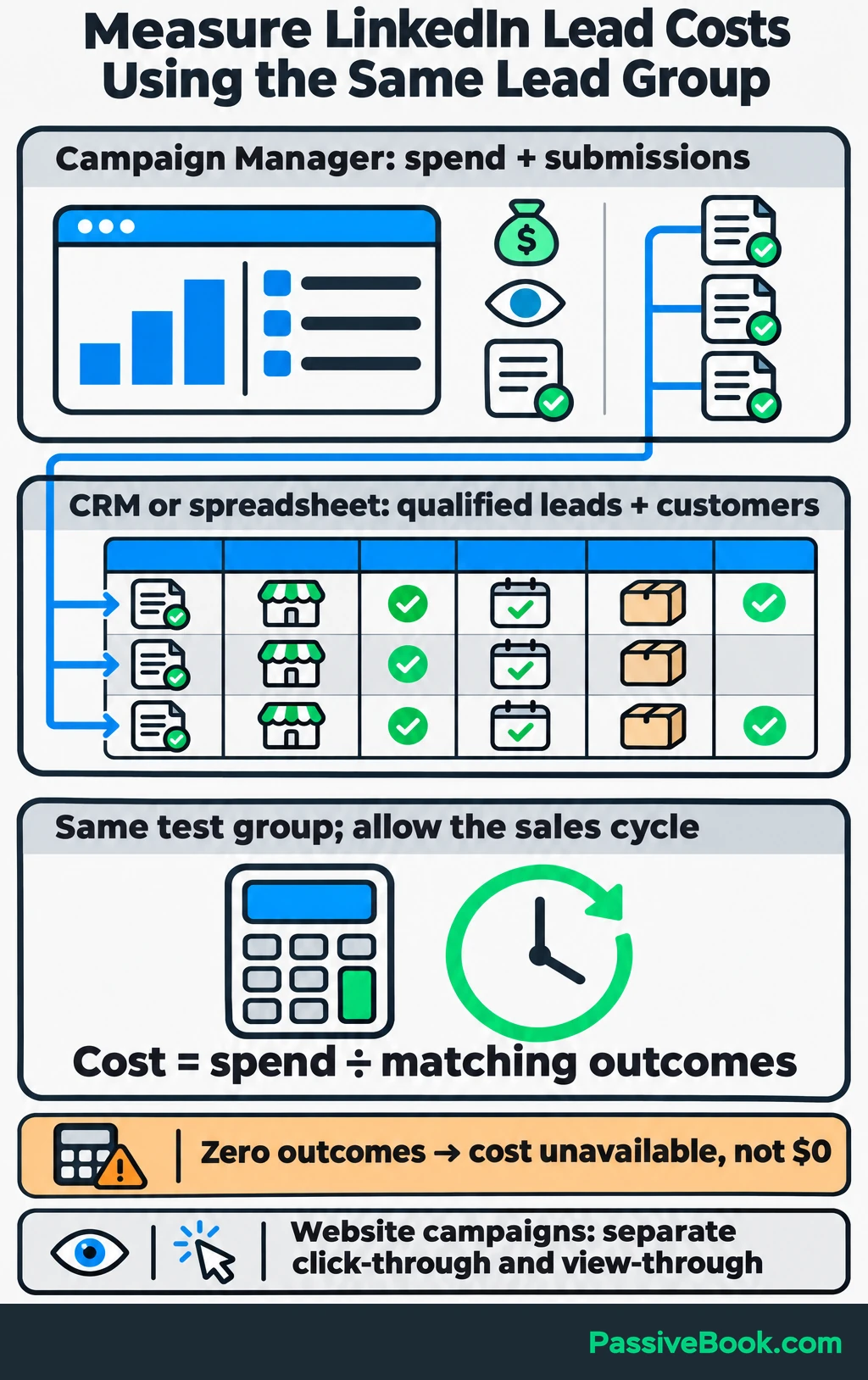
Use the campaign’s spend and the leads it generated during the same test period. Count qualified leads and new customers only from that group, and allow the normal sales cycle before judging customer outcomes.
Calculate:
- Cost per lead, or CPL: spend divided by submissions.
- Qualified-lead cost: spend divided by qualified leads.
- Advertising acquisition cost: spend divided by new customers.
Keep the spend visible when an outcome count is zero, and mark its cost as unavailable rather than entering zero.
Here is how the illustrative test might look after follow-up:
| Campaign / Ad Set | Spend | Impressions | Form Opens | Submissions | Qualified Leads | Customers | CPL | Qualified-Lead Cost | Advertising Acquisition Cost |
|---|---|---|---|---|---|---|---|---|---|
| Wholesale Catalog Test / Gift Retail Buyers — UK | $400 | 8,000 | 50 | 10 | 5 | 1 | $40 | $80 | $400 |
These results match the planned cost ceilings. They would justify examining another test, but one customer does not establish predictable performance.
Use Campaign Manager for delivery and form data, then add qualification and customer outcomes from your spreadsheet or CRM. The dashboard cannot replace a check of whether the shop is a suitable buyer.
For website campaigns, review click-through and view-through conversions separately. View-through conversions credit actions after an ad impression without requiring a click. Keep attribution settings consistent when comparing tests, and reconcile reported conversions with actual inquiries and sales. LinkedIn’s conversion metric definitions
Fix the Stage Losing Buyers
Find the earliest stage where the campaign stops producing useful progress.
| What You See | What to Check First |
|---|---|
| Little or no delivery | Check for rejected ads, failed billing, future start dates, or an audience below the minimum. Then review budget and bids. |
| Impressions but few form opens or landing-page clicks | Check whether the opening names gift-shop buyers and the image makes the wholesale catalog offer visible. |
| Form opens or page visits without submissions | Confirm that the form matches the ad’s offer, remove unnecessary questions, and test loading and submission. |
| Submissions without qualified leads | Review submitters’ businesses and roles. Tighten targeting or make the wholesale context clearer. |
| Qualified leads without orders | Read follow-up replies for concerns about the candle range, prices, minimum order, or delivery terms. |
Read the actual inquiries alongside the numbers. A report might show low-cost submissions while the messages reveal that people expected retail prices.
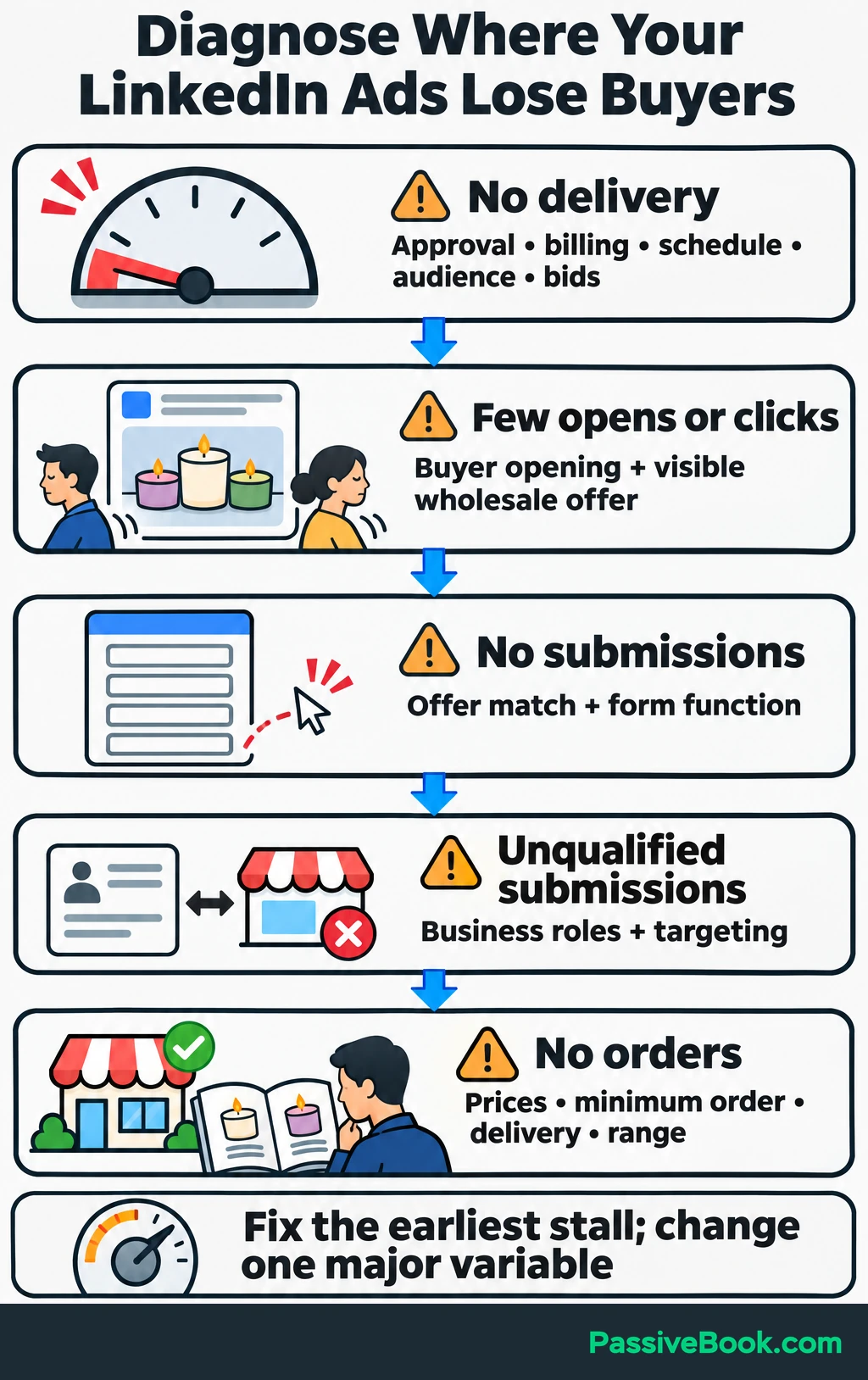
Change one major variable at a time. If you rewrite the offer, replace the image, and rebuild the audience together, you won’t know which change mattered.
Record what changed, when it changed, and what happened afterward. With a small budget, two ads may receive uneven delivery, so avoid declaring a winner from a handful of clicks.
Decide Whether to Stop or Increase Spend
Pause when you reach the agreed loss limit or when lead quality makes the economics unworkable. Reaching the budget limit isn’t a reason to add money.
Continue testing when you can name a specific unanswered question and afford the next test. For example, clearly stating “wholesale” in the image could help you test whether consumer interest caused poor qualification.
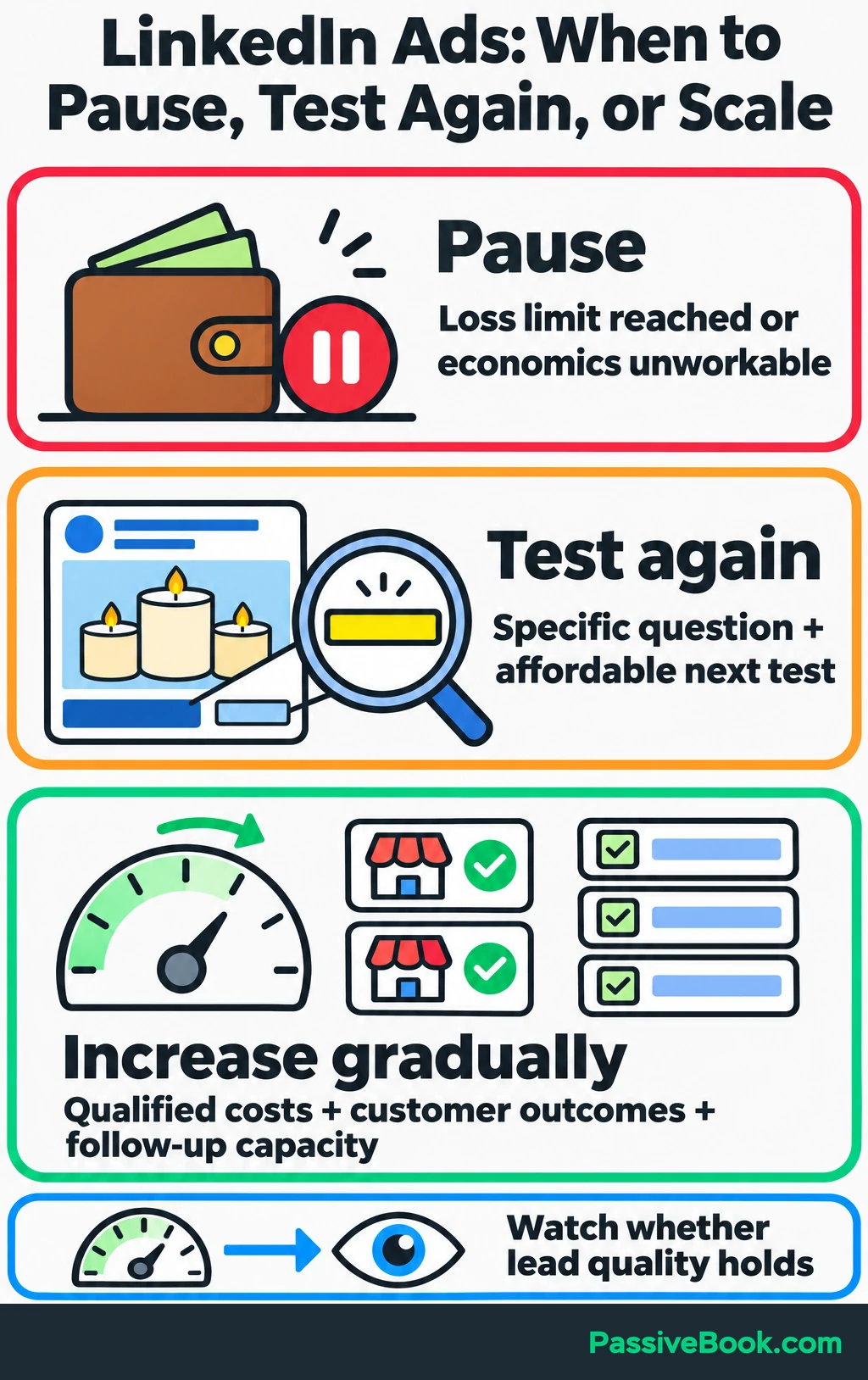
Increase spending gradually when qualified-lead costs and customer outcomes support it, and when you can handle the follow-up. Watch whether lead quality holds as delivery grows.
Save the useful parts: the offer, audience, ads, form, tracking setup, qualification rules, and follow-up process. That gives the next campaign a starting point you can explain and repeat.
What Next?
Write down your qualified-buyer criteria and maximum acceptable lead cost before opening Campaign Manager. Those two decisions will help you judge every setting that follows.
Use the social buttons to share this guide when you want a campaign discussion to include spending limits and buyer quality alongside ad ideas.
What would an inquiry need to show before you would call it a qualified lead? Share your answer in the comments, and bring any other questions about your first LinkedIn test.
Share this post with your friends & followers:

