Someone searches the App Store for a feeding reminder, but your app is buried among results they may never reach. Apple Ads can put it in front of people looking for that task.
The uncomfortable part is paying for those visits before you know what they are worth. Downloads can rise while subscription revenue barely moves.
That gap leaves you with little to go on when deciding whether to spend more or stop. This guide follows a small search-results campaign from setup to its business results, so you can judge whether another test deserves your budget.
Choose How to Run Your App Store Ads
Apple offers two ways to promote an app. Choose based on how much control you want over the test.
| Decision | Apple Ads Basic | Apple Ads Advanced |
|---|---|---|
| What you pay for | Installs, up to your chosen maximum cost per install | Ad taps, which may or may not lead to installs |
| Search controls | Apple handles matching; you cannot choose keywords or audiences | Manage Bids campaigns let you choose keywords, bids, and audience settings |
| Budget control | Monthly budget for each app promotion | Daily campaign budget |
| Placements | Search results | Search results, Today tab, Search tab, and other apps’ product pages |
| Reporting | Simple performance overview | Detailed campaign, keyword, and search-term reports |
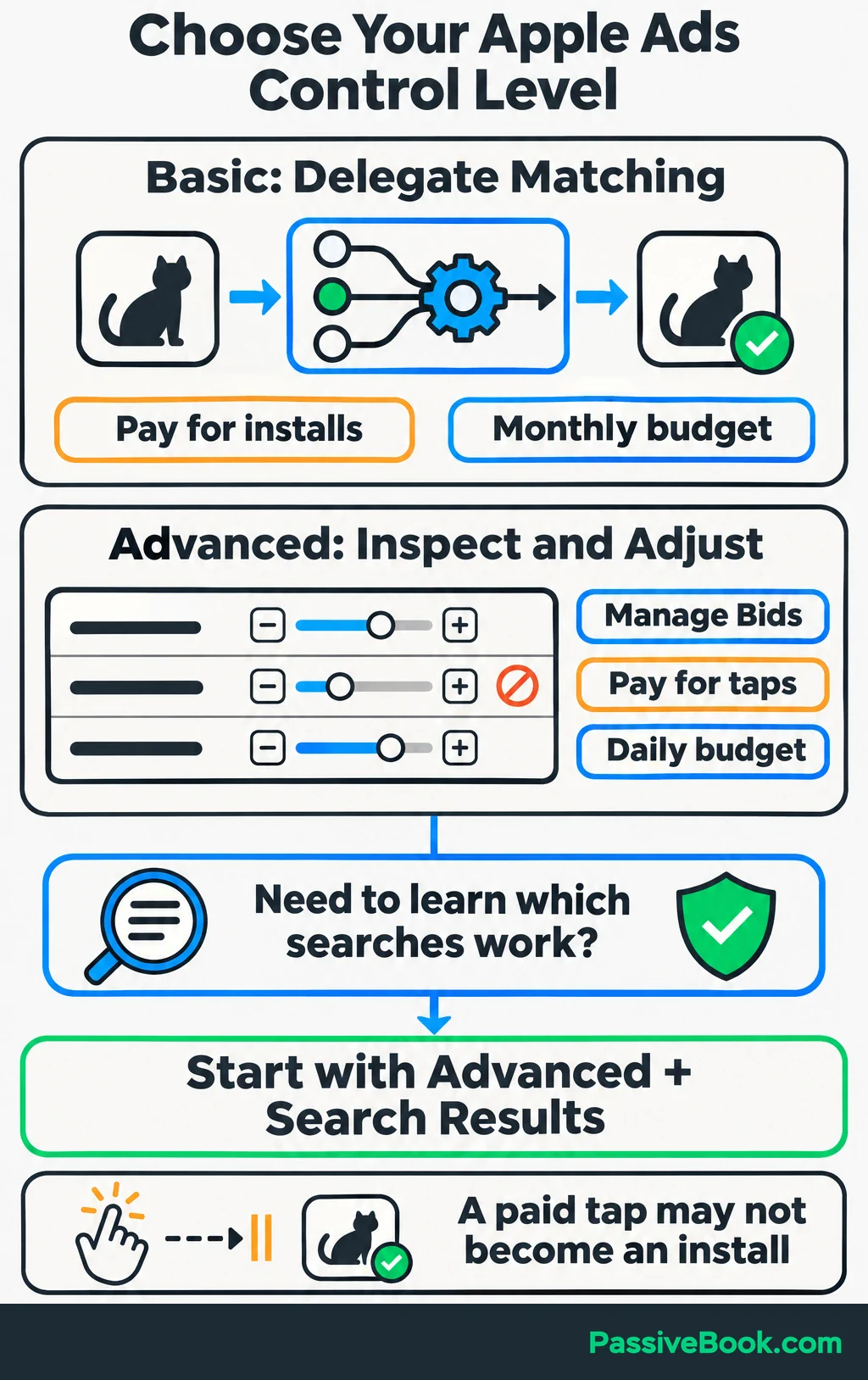
These are the main differences in Apple’s comparison of Basic and Advanced.
I would start with Advanced and its Manage Bids strategy. You have more settings to learn, but you can see which searches used your budget and decide what to exclude.
Start with search results because you can connect the search to a task your app performs. Leave the other placements for separate tests.
Throughout this guide, imagine you run a cat-care subscription app with feeding reminders, shared household schedules, and care logs. Its keywords, budgets, conversion rates, and results are illustrations, not measured demand, industry benchmarks, or my campaign results.
Set Up Your Apple Ads Account
Make Your App Available and Link App Store Connect
Your app should be live in the market where you want to advertise. Check that its features work there and that the listing meets local language requirements.
Create your Apple Ads account using the Apple Account associated with App Store Connect, then link the accounts. App Store Connect is where you manage the app and its store listing; linking makes the app available for promotion.
Use the same sign-in email for both services. The person linking them needs:
- An Account Holder, App Manager, Admin, or Marketer role in App Store Connect.
- An Account Admin, Campaign Group Manager, or Link Accounts role in Apple Ads.
If your app does not appear, check the account link and permissions before rebuilding anything. An invisible app can be an access problem.
Complete Business and Billing Details
Enter your legal business name, contact details, address, and applicable tax information.
Choose your account currency and time zone carefully. Apple does not let you change either afterward, and billing uses UTC regardless of your selected reporting time zone. Apple’s account setup requirements explain these restrictions.
Add a payment method supported for your billing country and currency. Confirm that it is accepted before scheduling the launch.
Keep the campaign paused while you finish preparation. Adding a valid payment method can activate a campaign that is otherwise ready to run.
Check Your Eligibility for the $100 Credit
Apple offers a one-time US$100 new-account credit, converted into your account currency where needed.
To qualify, you must be a developer and registered App Store Connect account holder with an app available in a supported market. Link App Store Connect to your top-level Apple Ads account; linking only a campaign group does not qualify. Check Apple’s introductory credit eligibility for the current offer.
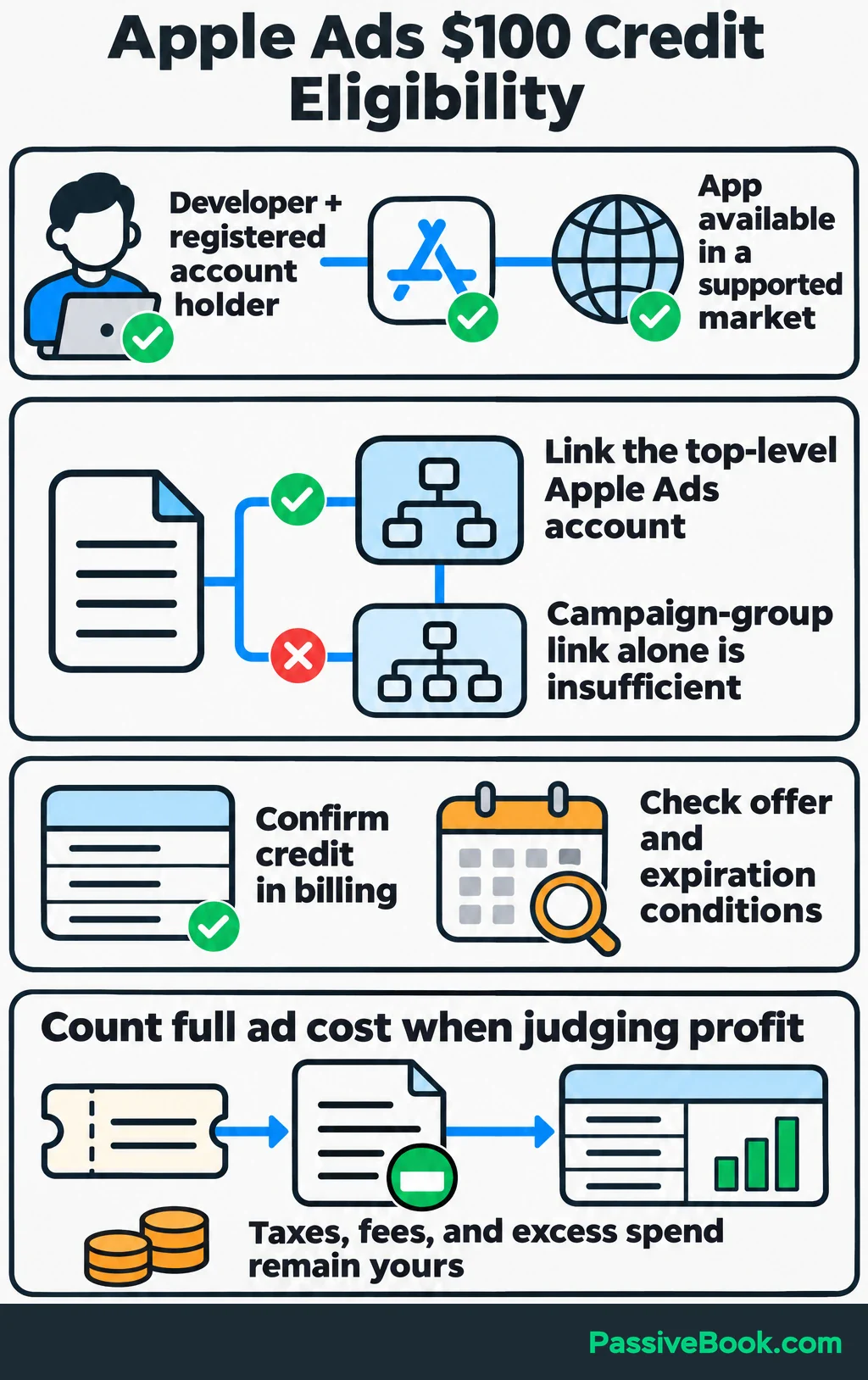
Confirm that the credit appears in billing and check any expiration conditions attached to it. You remain responsible for spending beyond the credit, and it cannot pay taxes or other fees under Apple’s promotional credit terms.
Treat it as funding for the experiment. When judging whether the campaign can keep running profitably, count the full advertising cost.
Calculate What You Can Afford to Pay for an Install
Set your acquisition target before accepting a suggested bid.
First, choose how long you can wait to recover your advertising costs. A subscription business might use 90 days, but that only makes sense if your cash can support the wait.
Then work out how much a paying customer contributes during that period. Start with revenue and subtract platform fees, refunds, and variable costs such as usage-based services. This leaves contribution before advertising.
When I reviewed the pricing of one of my digital-product bundles, I had revenue beside the selling price but refunds and delivery costs elsewhere. Bringing those costs into the same sheet changed what I considered an acceptable sale. For your app, do that work before buying installs.
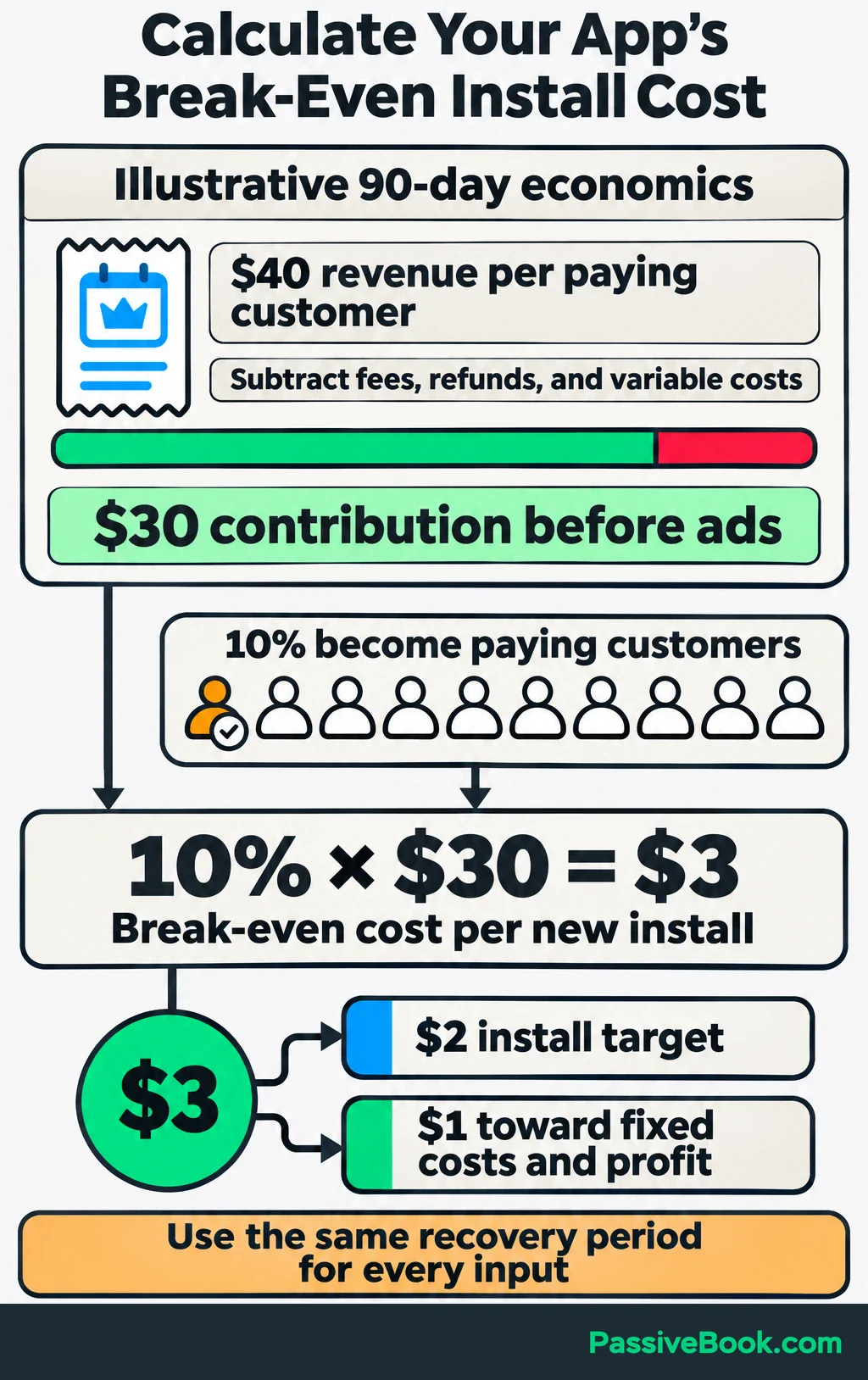
To find a break-even install cost, multiply the share of new installers who become paying customers by the contribution from each paying customer over the same period:
Break-even cost per new install = install-to-paying-customer rate × contribution per paying customer
For the cat-care app, assume:
- Each installer who subscribes produces $40 in revenue during the 90 days after installing.
- After fees, refunds, and variable service costs, $30 remains before advertising.
- Of each group of new installers, 10% become subscribers within 90 days.
The break-even cost is:
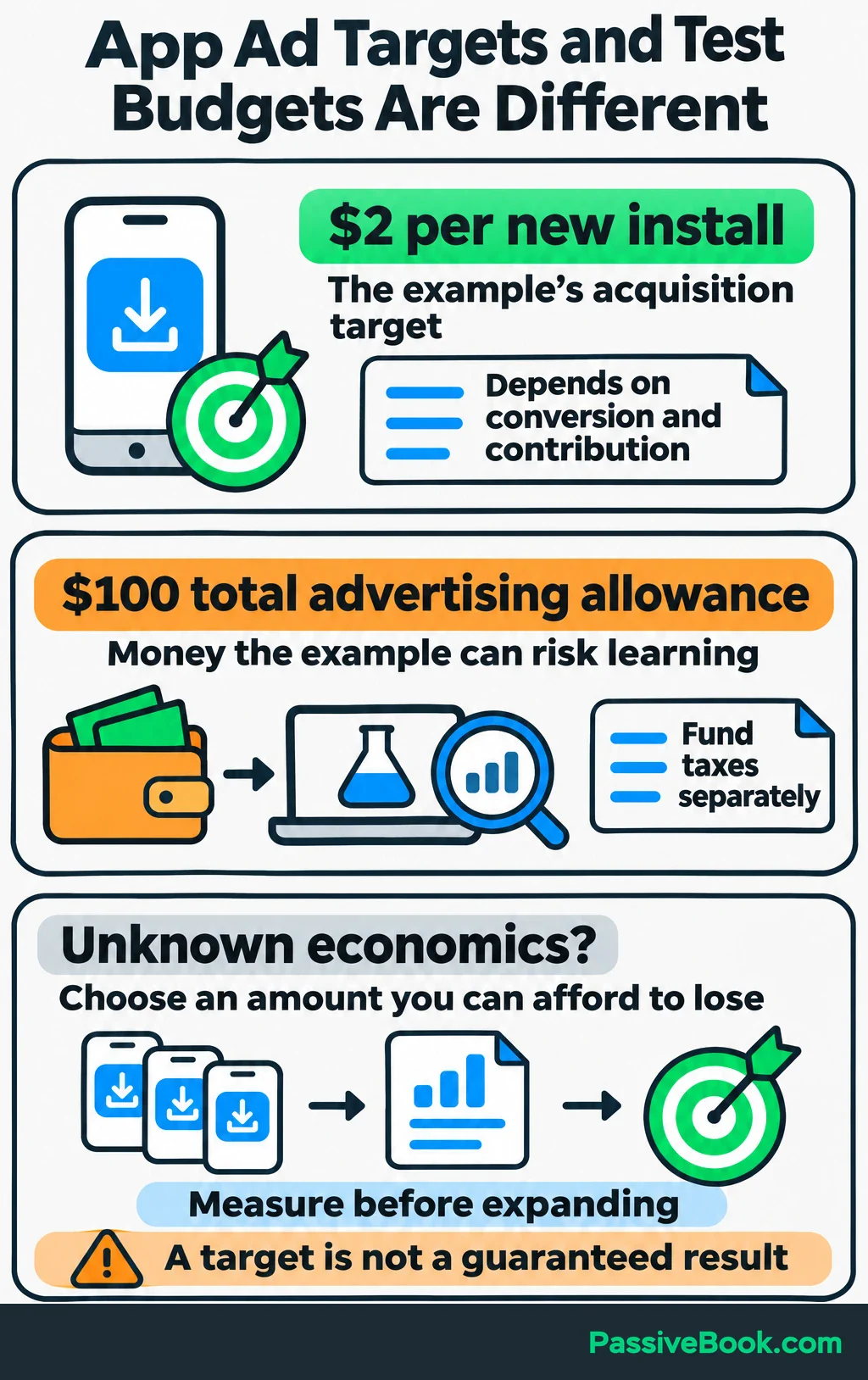
10% × $30 = $3 per new install
I would set a lower target, such as $2. At those assumptions, each install leaves $1 toward fixed costs and profit.
If you do not know your conversion rate or customer value, choose a test amount you can afford to lose. The example risks $100 in advertising, with applicable taxes funded separately. That buys a chance to learn; it does not buy a promised number of subscribers.
If customer value is still an estimate, compare a cautious case with a more optimistic one before choosing your spending limit. The calculator below works out both, including how renewals change what an install could be worth.
Free App Acquisition Calculator




Create Your First Search-Results Campaign
Select the App, Market, and Bidding Strategy
In the Campaigns dashboard, choose Create Campaign, select your app, and choose the search-results placement.
Begin with one market where the app works, the listing suits the language, and you can judge whether searches are relevant. Give the campaign a readable name, such as Cat Care — US — Search.
A campaign holds market and budget settings. Inside it, ad groups organize related keywords, bids, audience settings, and ads.
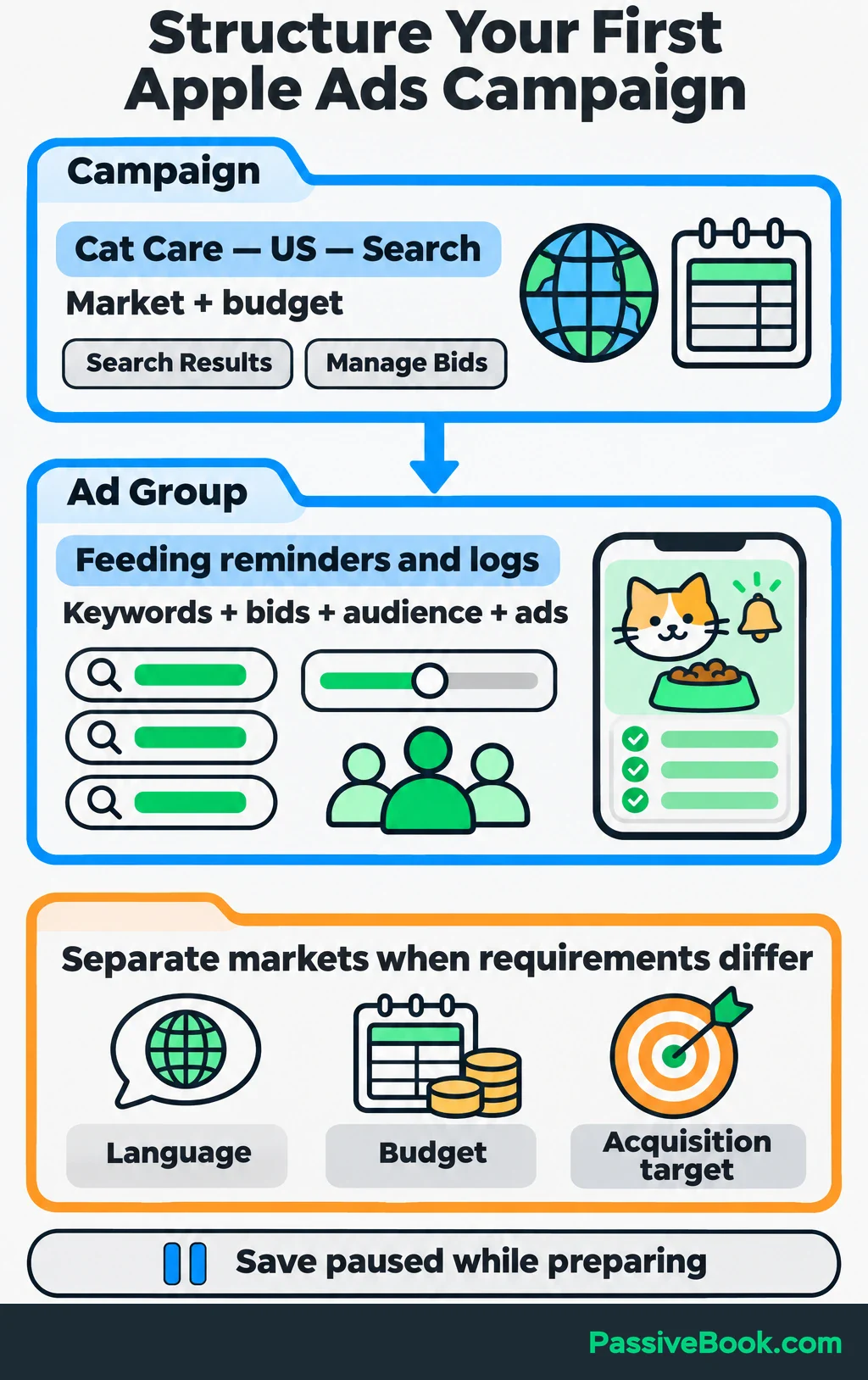
Separate markets when they need different budgets, languages, or acquisition targets. Combining them saves administration only when those requirements align.
Choose Manage Bids for this walkthrough. It lets you select keywords and set maximum tap bids.
Advanced also offers Maximize Conversions, which uses automated matching and bidding toward an average install cost. It still charges per tap, its automated ad group requires Search Match, and the target is not a ceiling on each install’s cost.
Apple recommends funding at least five conversions daily and allowing at least two weeks before assessing that strategy. Those are Apple’s automation recommendations, so I would not squeeze it into this smaller, ten-day test.
For audience settings, I would keep age and gender unrestricted unless the app has a real requirement. Those refinements exclude people who have Personalized Ads turned off. Restrict location when your service is available only in a particular area.
Save the campaign with its status set to Pause while you complete the remaining work.
Set Your Bid and Spending Limits
Your maximum cost-per-tap bid, or max CPT, is the most you are willing to pay for a tap. The actual charge can be lower and depends on the auction, including relevance and competing bids.
Estimate an affordable starting bid by multiplying your target install cost by the share of taps you expect to produce new downloads:
Starting max CPT = target cost per new install × expected tap-to-new-download rate
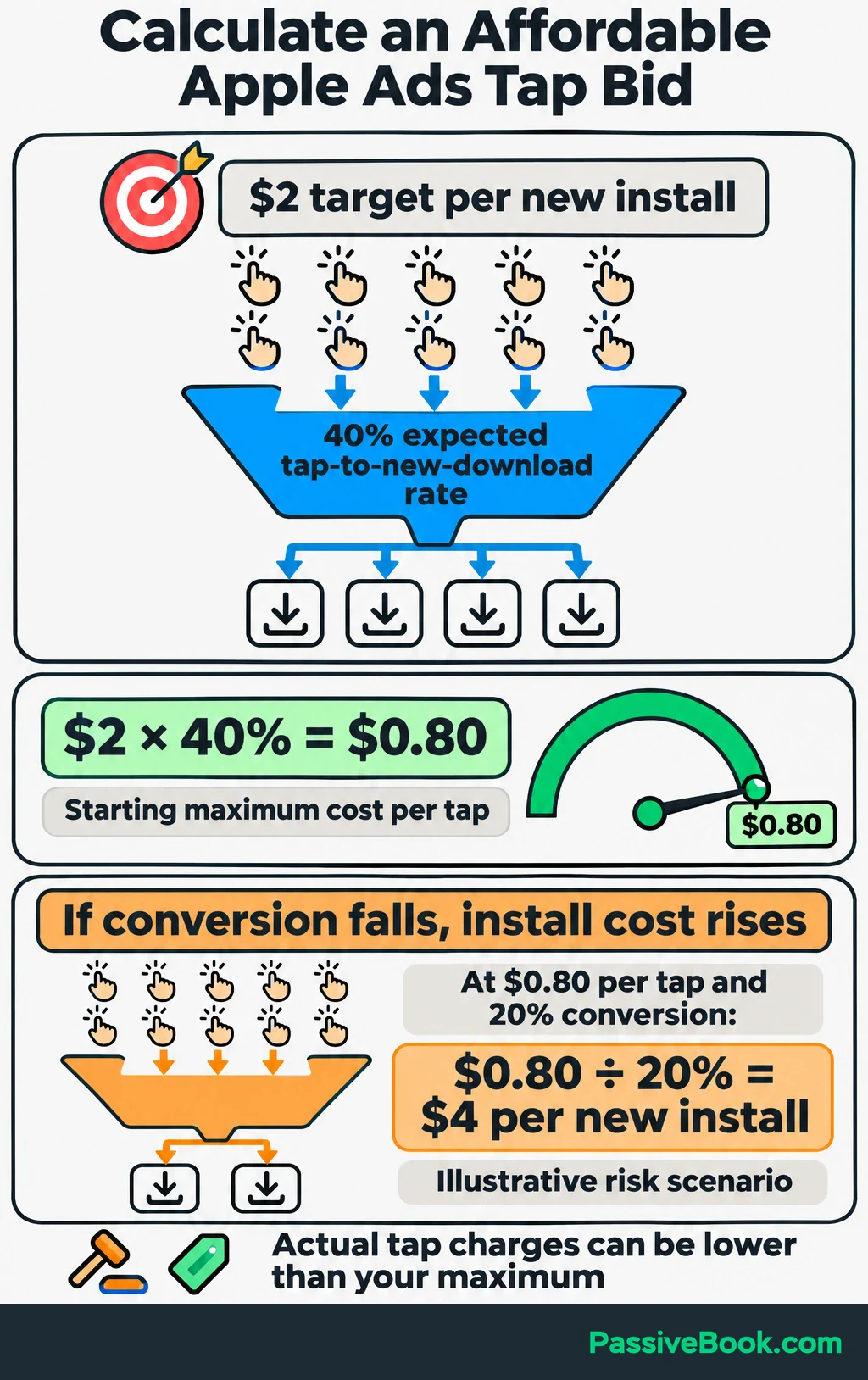
For the example:
$2 × 40% = $0.80 per tap
This follows Apple’s starting-bid calculation. Compare its suggested bid with your own limit. A suggestion may help you enter more auctions, but it does not know your profit requirement.
Next, pair a daily budget with an end date.
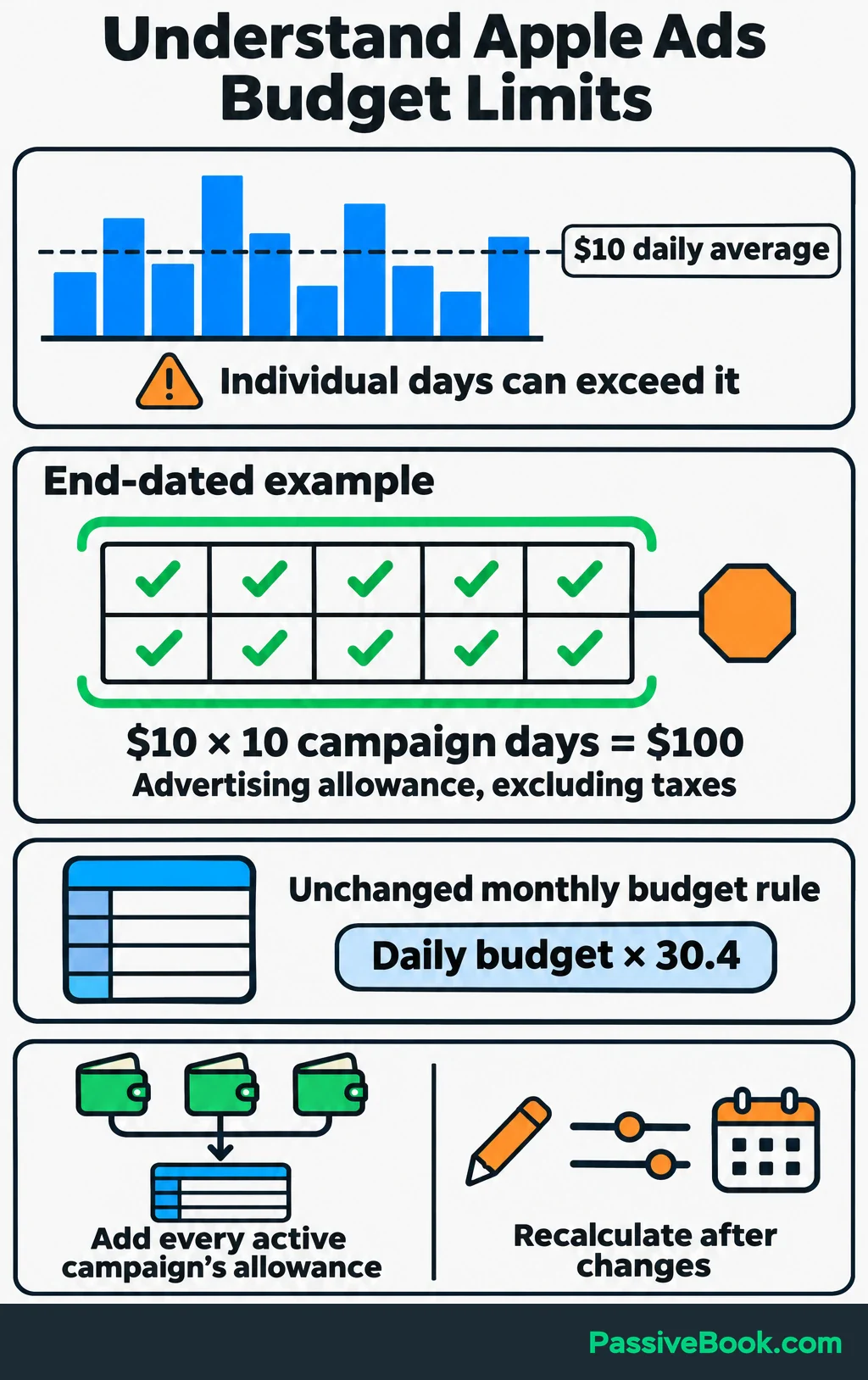
Apple’s daily budget is an average. Individual days can exceed it, while an unchanged daily budget limits monthly advertising spend to the daily amount multiplied by 30.4. For an end-dated campaign, Apple states that spending will not exceed campaign days multiplied by the daily budget. See Apple’s budget rules.
The example campaign uses:
| Setting | Starting choice |
|---|---|
| Campaign | Cat Care — US — Search |
| Strategy | Manage Bids |
| Ad group | Feeding reminders and logs |
| Default max CPT | $0.80 |
| Daily budget | $10 |
| Duration | 10 campaign days, with an end date |
| Advertising allowance | Up to $100, excluding applicable taxes |
The bid calculation depends on the assumed conversion rate. If fewer taps become new downloads, the install cost rises even when the tap price stays unchanged.
Add the allowances for every active campaign when checking total exposure. Changing a budget or extending dates changes that exposure, so recalculate before saving.
Choose Keywords That Match Your App
Build your first keyword list from tasks people can complete in the app. Write down the need first, then the phrase someone might search.
For the cat-care app, possible starting terms include:
- Cat feeding reminder.
- Cat feeding tracker.
- Cat care schedule.
Review Apple’s keyword suggestions and keep terms that match the product. A popular phrase is not useful if the person wants something you do not offer.
Put feeding reminders and feeding logs in one ad group. Create another group only when a different need calls for different bids or screenshots.
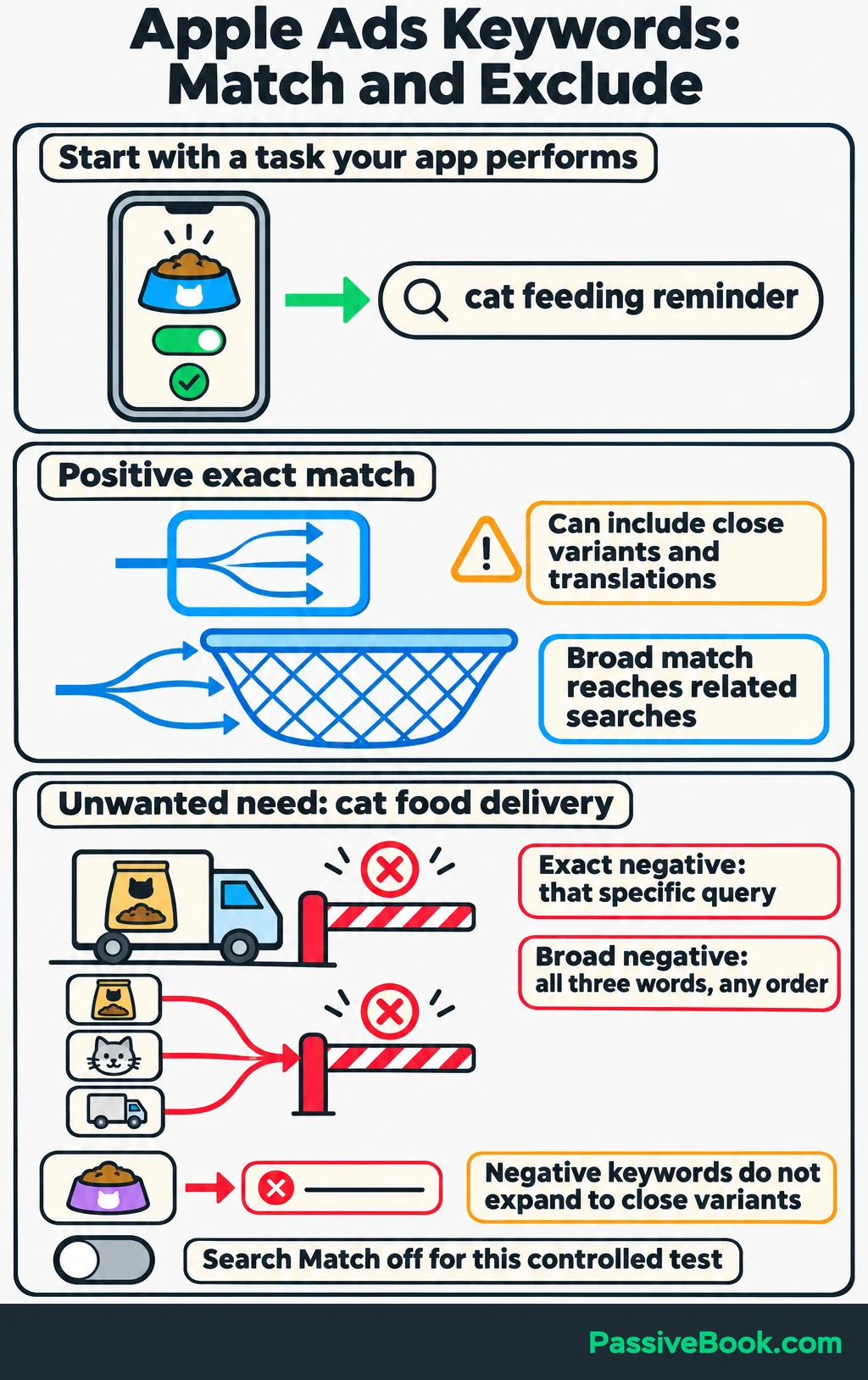
For this controlled test, turn Search Match off. Search Match automatically discovers searches, while keyword match types determine how your chosen keywords match what people type.
Select exact match deliberately because new keywords default to broad match. Exact match can still include close variants, word rearrangements, spelling changes, and translations. Broad match reaches a wider set of related searches. Apple’s match-type definitions also explain how exclusions behave.
Use negative keywords to block needs the app cannot meet. For example, “cat food delivery” describes a service the reminder app does not provide.
Choose the exclusion carefully:
| Negative setting | What it blocks |
|---|---|
Exact negative: cat food delivery | That specific query |
Broad negative: cat food delivery | Searches containing all three words, in any order |
| Additional unwanted variants | Add separately; negatives do not expand to close variants like positive keywords |
Apply an exclusion at campaign level when it affects every ad group. Use an ad-group exclusion when it applies only to that theme.
I would skip a giant keyword list at launch. A few clear needs make the first search-term report easier to understand.
Match Your Ad to the Search
Start with the default search-results ad, which Apple builds from your App Store product-page assets. Your listing is therefore part of the advertising work.
For each keyword theme, ask what someone needs to see to recognize that the app solves their problem. Put that task in the first relevant screenshots.
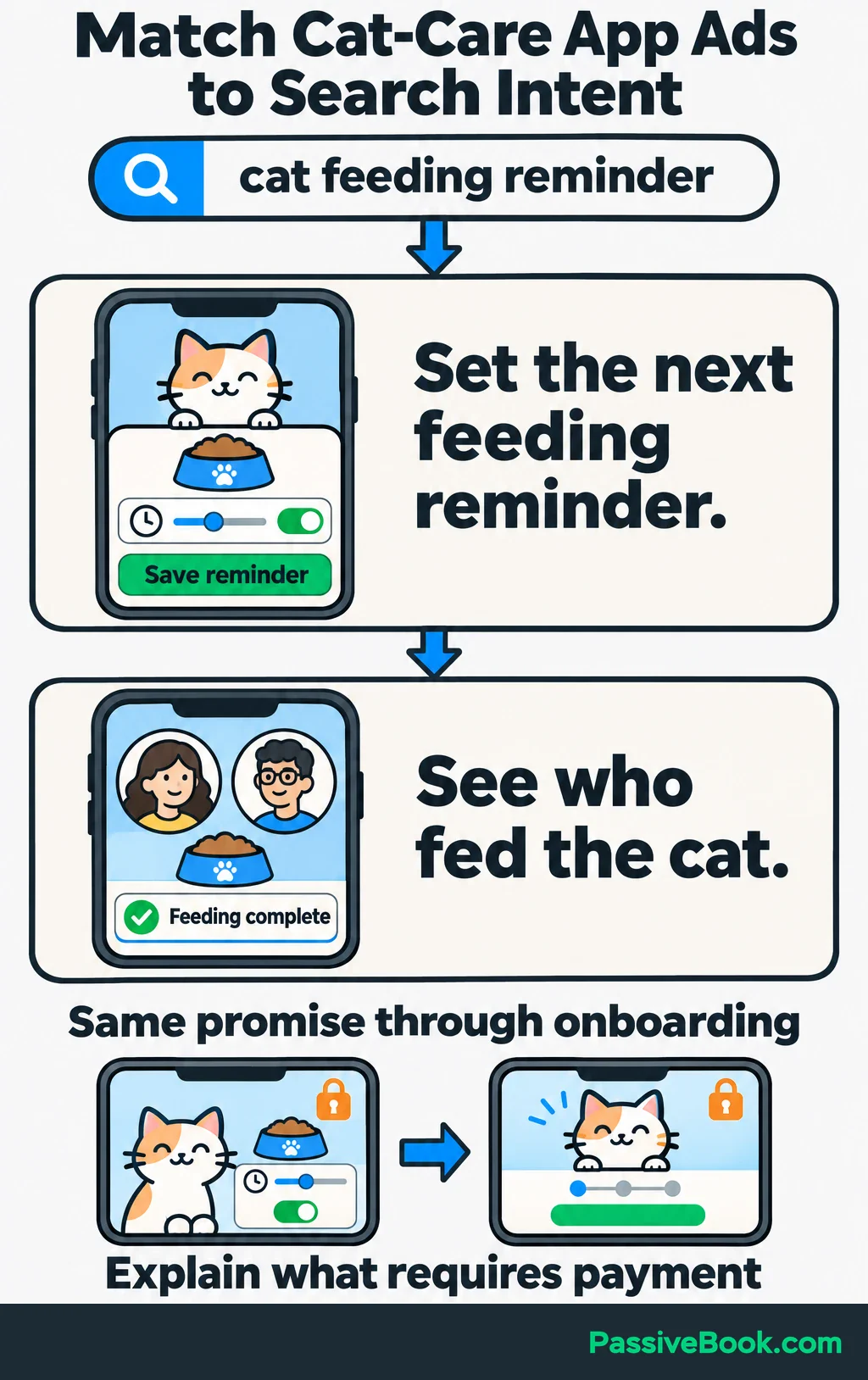
For “cat feeding reminder,” show the reminder being created and a feeding being marked complete. Short screenshot captions might read:
“Set the next feeding reminder.”
“See who fed the cat.”
The second caption should sit beside a screen that shows the shared household log.
Make the subscription offer understandable, too. The ad, product page, and onboarding should lead toward the same experience, with a clear explanation of what requires payment.
Custom product pages are alternate versions of your App Store listing with different screenshots, previews, or promotional text. I would use one for an ad variation when a keyword theme needs a different demonstration, rather than producing several versions before you have useful traffic.
Before launch, check market and category eligibility, rights to images and other assets, and the accuracy of your listing. Apple requires substantiated claims and accurate descriptions of the app under its Advertising Policies.
Connect Install and Subscription Tracking
Apple Ads reports spending and downloads it credits to your ads. To judge the business result, connect those downloads to trial starts, paid subscriptions, refunds, and revenue.
Apple’s AdServices framework lets your app request a record showing whether Apple credits its download to an ad. A mobile measurement provider can handle that connection for you and combine reporting across advertising channels.
With your own integration, the process is:
- The app requests an attribution token through AdServices.
- Your integration sends the token to Apple’s attribution service.
- Apple returns an attribution record when it finds a match.
- Save the acquisition record with the user’s record in your analytics so later subscriptions and refunds can be grouped by campaign.
The token must be exchanged within its 24-hour lifetime. Apple’s attribution-token documentation describes the request and response fields.
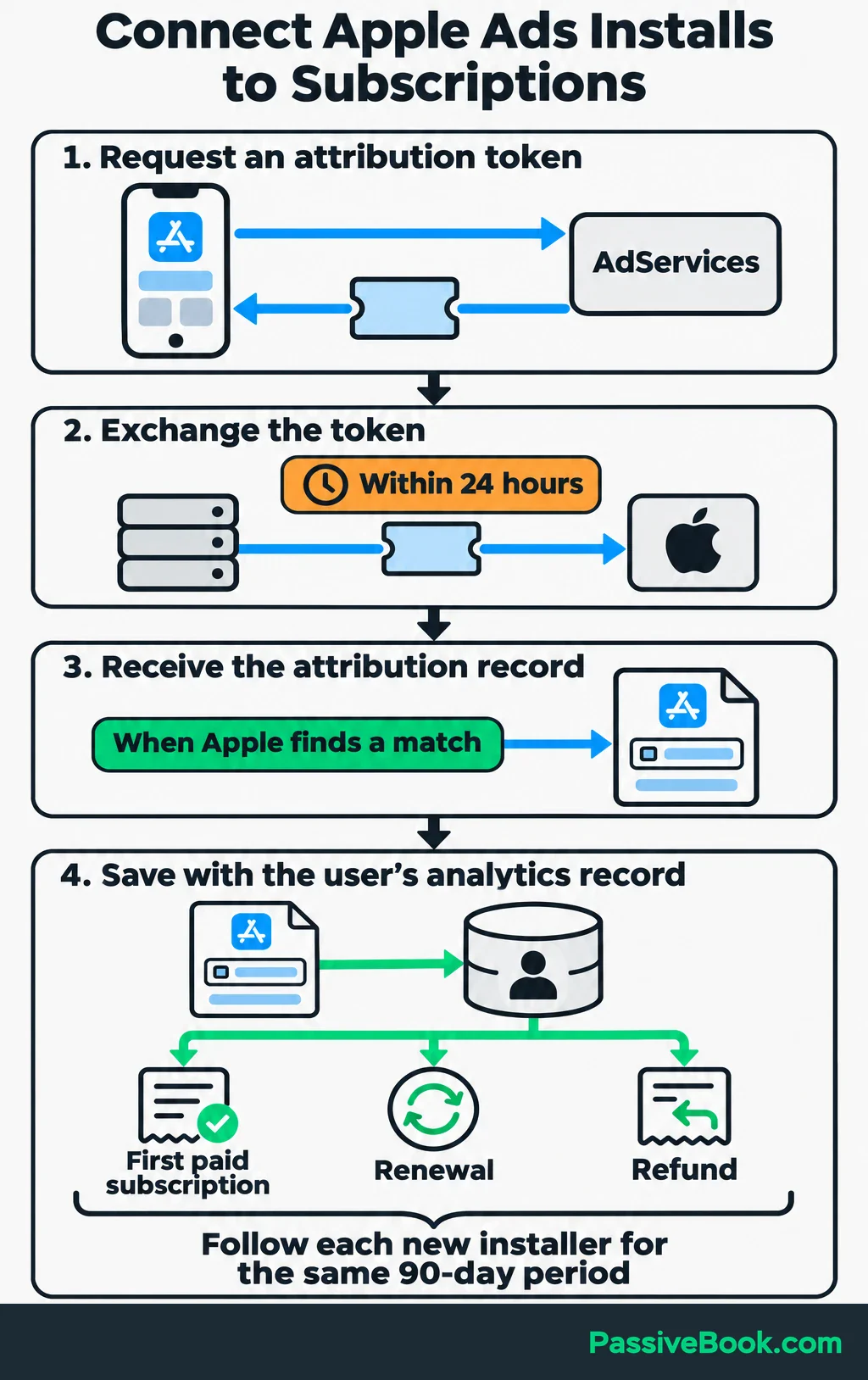
For the example, group first-time installers by campaign and follow each installer for 90 days. Count their first paid subscriptions separately from renewals.
I would pay for a measurement provider when managed integration or combined channel reporting saves enough work to justify the cost. It is optional.
Expect some reporting differences: Apple counts App Store downloads, while measurement providers commonly count an install at first app open. Their attribution windows can differ, too.
Before launch, test the token exchange and subscription events, including refunds. Check that a test payload is recognized as test data, then verify real campaign identifiers once traffic begins.
Describe your data collection accurately and check any third-party SDK’s behavior. Obtain App Tracking Transparency permission when your activity meets Apple’s definition of tracking, including covered uses by third-party code. Apple’s privacy requirements explain that distinction.
Launch and Confirm Your Ads Are Running
Review the campaign as one connected journey: a relevant search leads to an accurate listing, then a working app and a measurable offer.
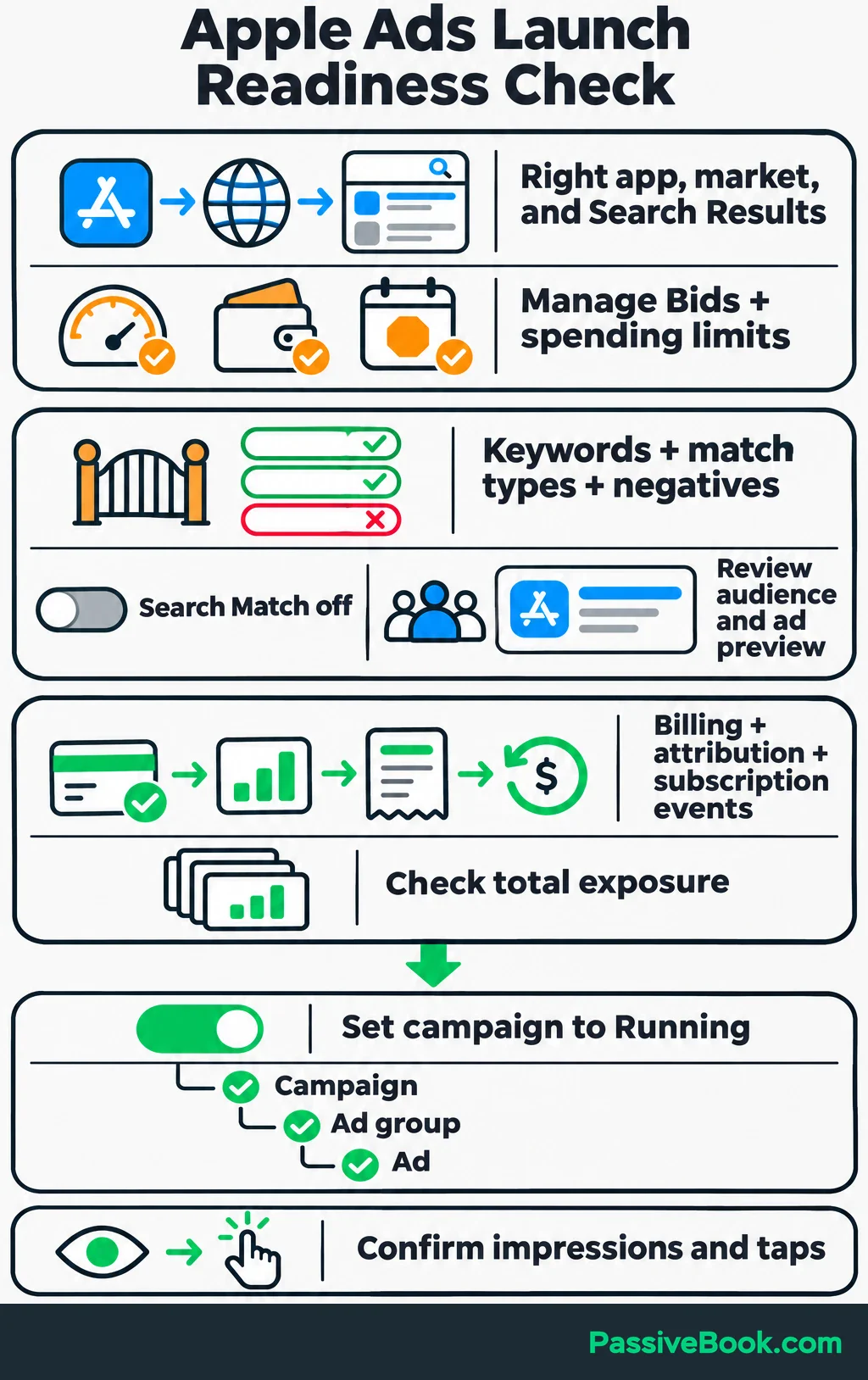
Before switching it on, check:
- The selected app, market, and search-results placement.
- Manage Bids, maximum tap bids, daily budget, and end date.
- The combined allowance across active campaigns.
- Keywords, match types, negatives, and Search Match being off.
- Audience settings and the ad preview.
- Billing, attribution, and subscription events.
Change the campaign status to Running when everything is ready. Confirm that the campaign, ad group, and ad are eligible to run, then look for impressions and taps.
If you chose Basic instead, finish the same financial and tracking preparation first. Select the linked app, markets, monthly budget, and maximum cost per install. Its promotion starts as soon as it is created with a valid payment method present, so complete the checks before creating it.
When delivery is missing, read the displayed status before increasing bids. Check payment problems, dates, app availability, policy issues, narrow audiences, and conflicting exclusions.
A bigger bid will not repair a billing problem. It will merely be a bigger bid waiting behind the same problem.
Record the launch settings and check spending against your test allowance while the campaign runs.
Measure Acquisition Cost and Return
Read Installs and Costs in the Dashboard
Use the Campaigns dashboard to review spend and delivery, then inspect keyword and search-term results. A keyword is what you bid on; a search term is what the person actually typed.
Keep tap-through results separate from total results. Apple counts tap-through installs within 30 days of an ad tap and view-through installs within one day of an impression. Installs include new downloads and redownloads, so use new-download metrics when judging first-time acquisition. These distinctions follow Apple’s reporting definitions.
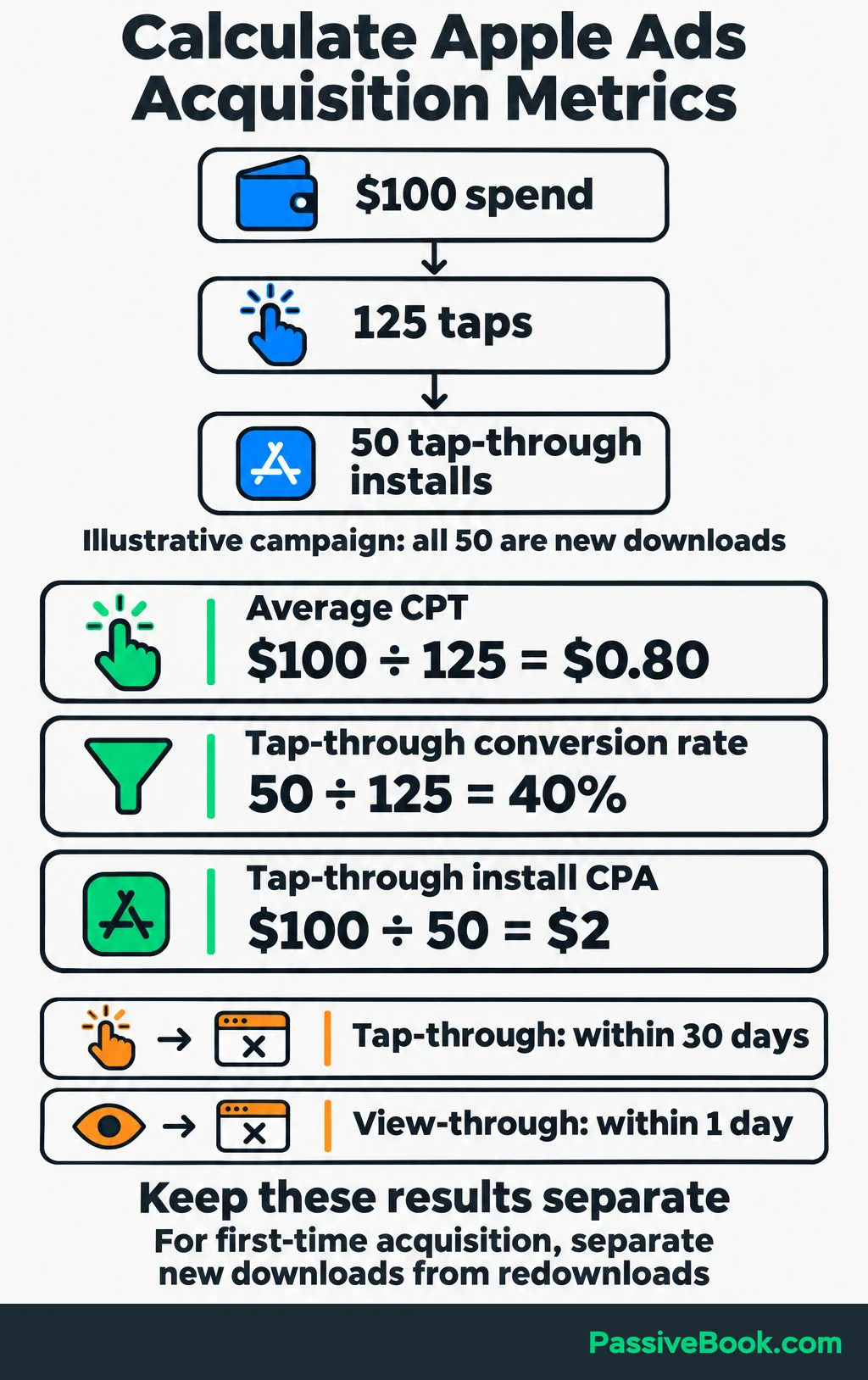
Count spend and taps for the selected campaign period, then count installs attributed to those taps within 30 days. Allow that window to close before treating the install count as final. Then calculate:
- Average CPT: spend divided by taps.
- Tap-through conversion rate: tap-through installs divided by taps.
- Tap-through install CPA: spend divided by tap-through installs.
Suppose the example campaign spends its full $100 allowance and produces:
| Campaign measure | Example result |
|---|---|
| Acquisition group | New downloaders from the ten-day test |
| Spend | $100 |
| Taps | 125 |
| Tap-through installs | 50 |
| New downloads from those taps | 50 |
| Average CPT | $100 ÷ 125 = $0.80 |
| Tap-through conversion rate | 50 ÷ 125 = 40% |
| Tap-through install CPA | $100 ÷ 50 = $2 |
All installs happen to be new downloads in this example. If your report includes redownloads, divide spend by new downloads separately to find the cost of first-time acquisition.
Save these figures by campaign and acquisition period, then add new paying customers, revenue, and contribution from your own records.
Calculate Whether Acquired Customers Are Profitable
Follow each new installer for the same 90 days used to set the spending target, and count each new subscriber once. For the cat-care app, assume five of the 50 installers subscribe during that window. Together, those subscriptions produce $200 in revenue and $150 in contribution before advertising within the same window.
| Measure | Calculation | Result |
|---|---|---|
| Paying-customer acquisition cost | $100 spend ÷ 5 new subscribers | $20 |
| Return on ad spend, or ROAS | $200 revenue ÷ $100 spend | 2.0 |
| Contribution after ads | $150 contribution before ads − $100 spend | $50 before fixed costs |
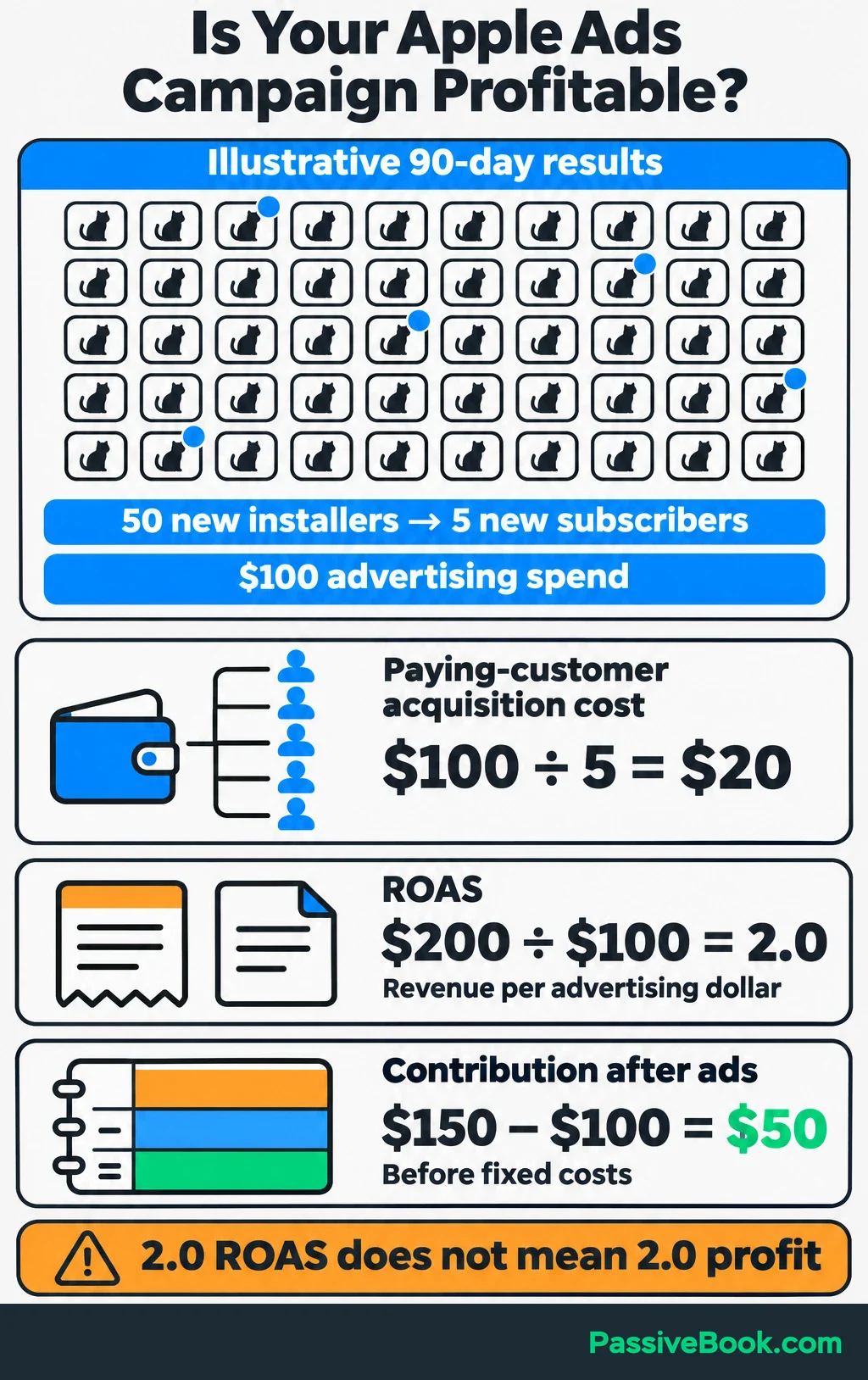
A ROAS of 2.0 means two dollars of revenue for each advertising dollar. It does not mean two dollars of profit.
In this example, the campaign meets its $2 install target and leaves $50 before fixed costs.
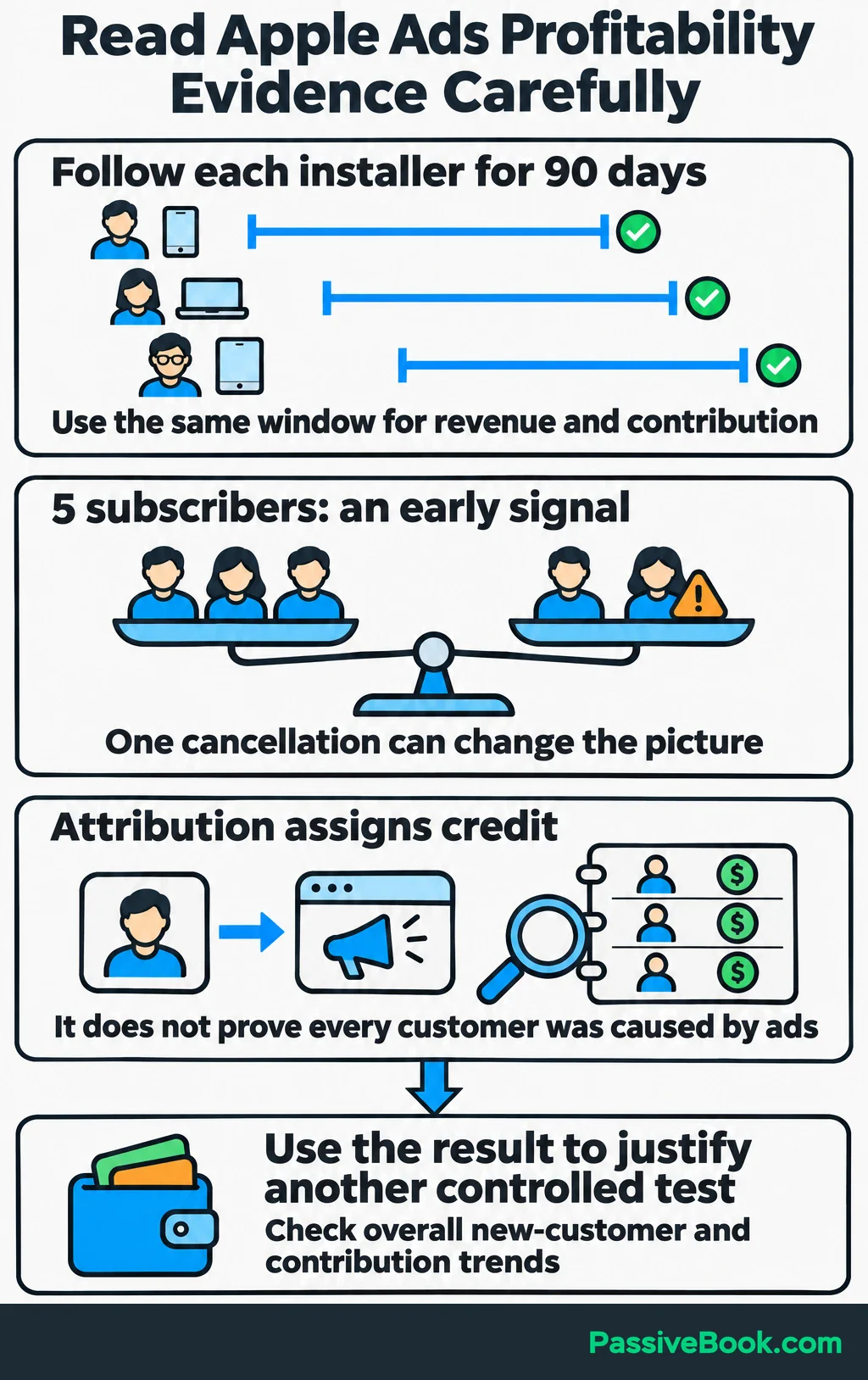
Five subscribers are an early signal, and one cancellation can change the picture. I would use that result to justify another controlled test before committing substantially more money.
Attribution assigns credit to advertising; it does not prove every customer arrived because of it. Check overall new-customer and contribution trends alongside the campaign report.
Improve Results Before Increasing Spend
Start with the search terms. Remove irrelevant queries, then investigate relevant searches that attracted paying customers.
When you find a useful term, add it deliberately as an exact-match keyword. If you later test broad match or Search Match, give discovery its own campaign budget so it cannot consume the original test’s allowance.
Use the point where people stop to choose what to investigate:
| What you see | What I would check first |
|---|---|
| Few or no impressions | Eligibility, keyword relevance, audience restrictions, exclusions, and bids |
| Impressions but few taps | Whether the search matches the app’s visible promise and screenshots |
| Taps but few new downloads | Whether the product page clearly demonstrates the searched-for task |
| New downloads but few subscriptions | Onboarding, product usefulness, subscription terms, and the offer |
| Subscribers but poor contribution | Acquisition cost, refunds, retention, and variable service costs |
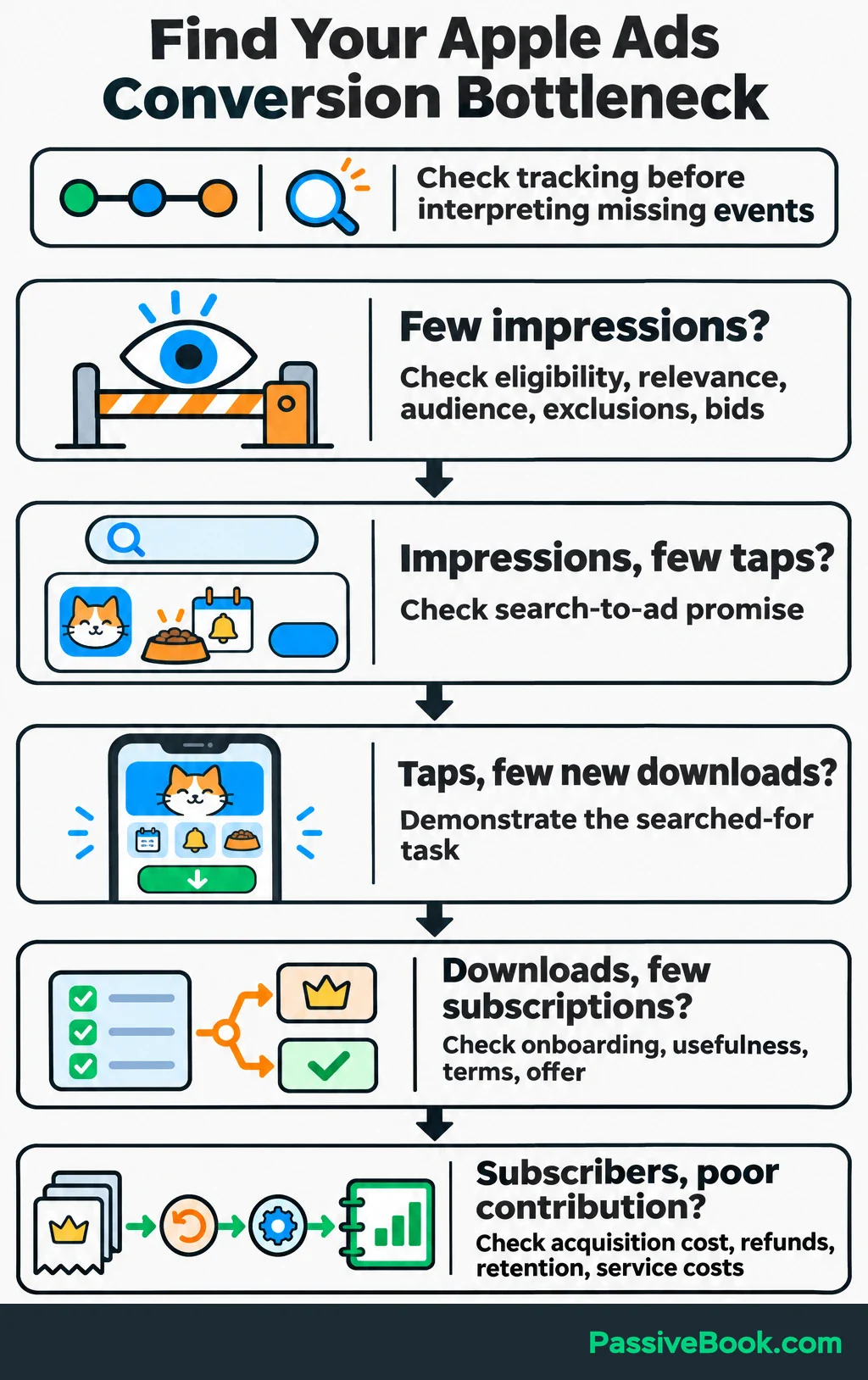
These are starting points for diagnosis. Check tracking before treating an empty event report as proof that nobody subscribed.
For the cat-care app, people might install after seeing the feeding reminder but never try the shared schedule. I would check whether onboarding helps them complete a useful first action before adding more keywords.
Lower bids or pause terms whose customer acquisition costs exceed your economics. Keep terms that bring affordable subscribers, even when another keyword produces cheaper installs.
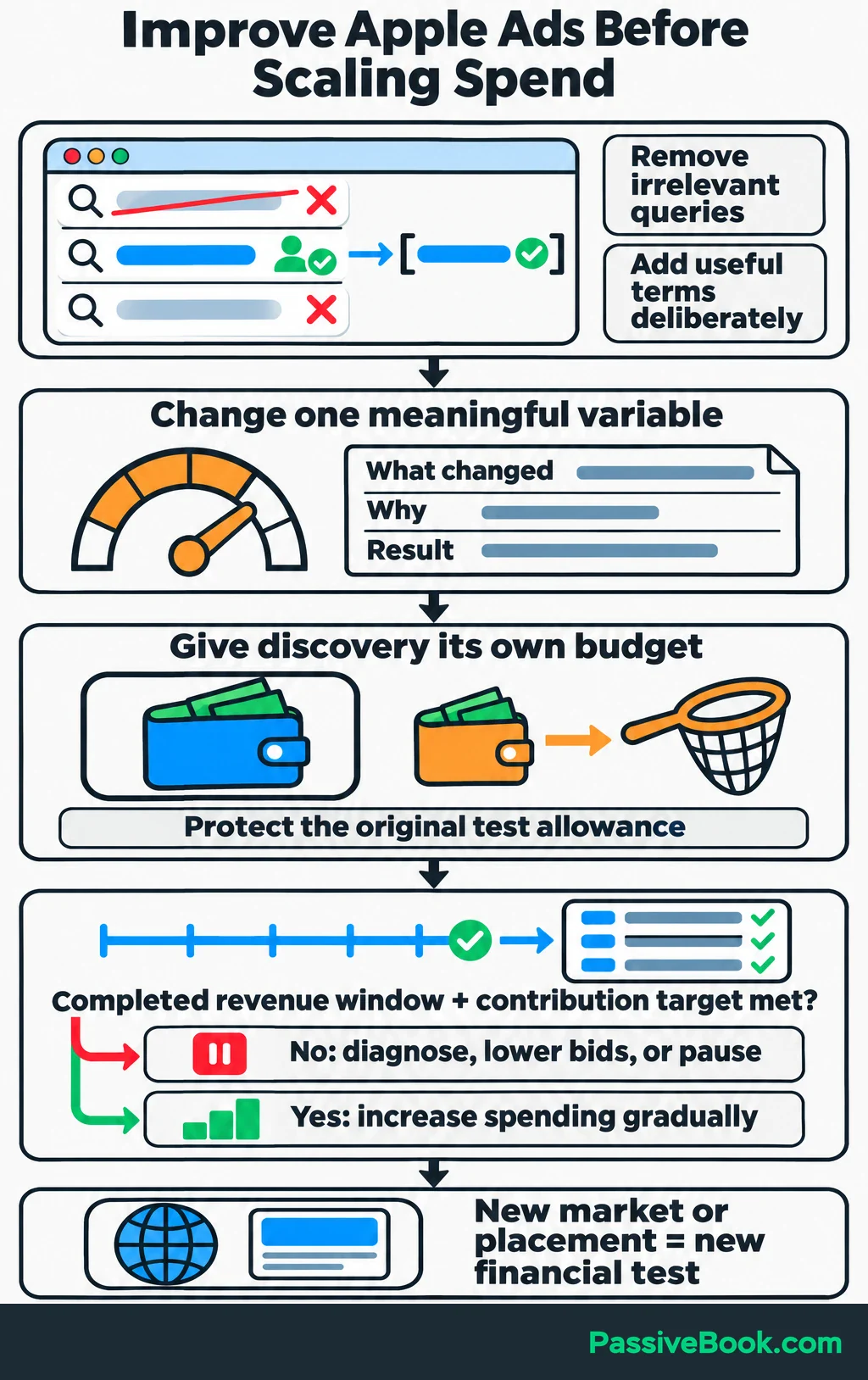
Change one meaningful variable at a time and record what changed, why you changed it, and the result. Otherwise, a new bid, new screenshots, and a new offer leave you guessing which one mattered.
Increase spending gradually when acquired groups have completed the chosen revenue period and meet your contribution target. Recalculate that target when pricing, subscription conversion, or service costs change.
Treat another market or placement as a fresh financial test. It needs to earn its budget on its own results.
What Next?
Write down your maximum affordable cost per new install before opening the campaign builder. Use your own customer contribution and conversion figures, or mark the assumptions you still need to test.
Use the social buttons to share this guide when a launch discussion needs a clear way to connect ad spending with subscriber value.
Which part of your acquisition calculation is least certain right now: install conversion, paid subscriptions, or customer contribution? Share it in the comments, and bring any other questions there too.
Share this post with your friends & followers:

