Your product is ready to sell, but shoppers have to find it first. Amazon offers to put it in front of more people, and suddenly you’re choosing bids, keywords and budgets before you know what a sale can afford to cost.
The worry is reasonable: a campaign can collect paid clicks without collecting orders. Even orders can leave you worse off if advertising eats the margin. To help you judge that risk, this guide follows one small Amazon campaign and shows how to decide which orders are worth paying to reach.
Start With Sponsored Products
I would start with Sponsored Products. These ads promote an individual listing and send shoppers to its product detail page. You pay when someone clicks, whether they buy or leave. Amazon’s Sponsored Products overview
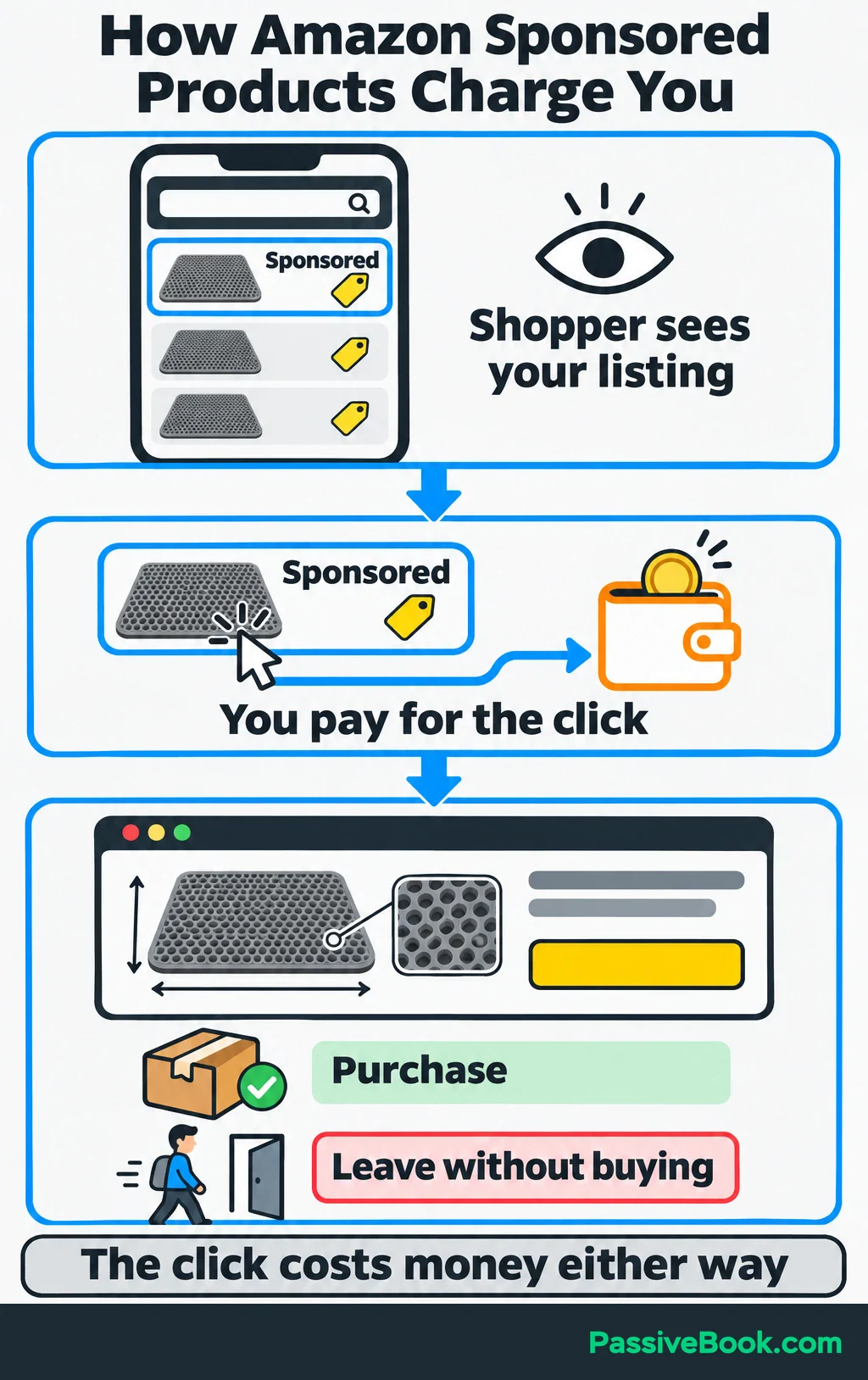
Keep the first campaign focused on one product and one goal: getting orders at an advertising cost your margin can support.
Other formats have useful roles later:
| Ad Type | What It Helps You Do | When I Would Consider It |
|---|---|---|
| Sponsored Brands | Introduce your brand or a collection of products | When you have a Professional selling account enrolled in Amazon Brand Registry and a clear reason to promote the wider range |
| Display ads | Reach audiences across Amazon and other sites | When your first campaign’s results justify testing broader reach |
Amazon outlines these different roles in its advertising campaign guide. You don’t need to launch several formats to learn whether one product can support paid traffic.
Throughout this guide, imagine you sell a washable cat litter mat on Amazon. Its prices, costs, keywords, budgets and results are illustrations, not benchmarks or reported performance.
Prepare One Product for Advertising
Before building the campaign, check that you can advertise the product. For a seller, the main requirements include:
- An active Professional selling account in good standing.
- A valid payment method.
- The ability to ship to customers in the marketplace you choose.
- A product listing eligible for the Featured Offer, Amazon’s main buying option.
- A product and listing content that meet Amazon’s advertising policies.
Check the Sponsored Products eligibility requirements if the product is unavailable for advertising.
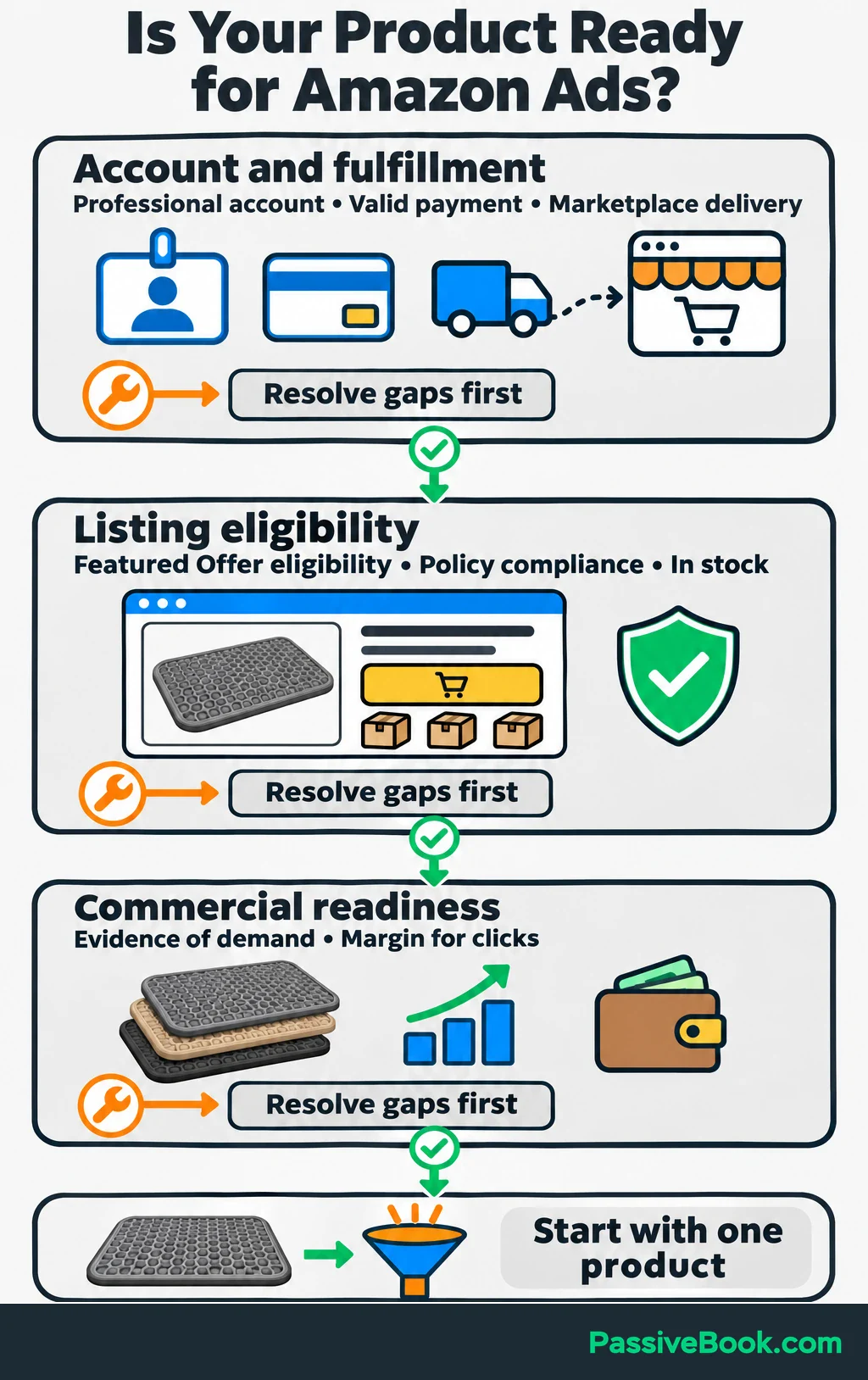
Start in a marketplace where you already sell and fulfill orders. Choose an in-stock product with some evidence of demand and enough margin to pay for clicks.
I learned the demand lesson through my online jewellery store. I put about $1,200 into it without enough market research, ended up with unsold inventory and lost most of that investment. That loss shapes my decision here: I wouldn’t pay to send shoppers to a product without some evidence of demand.
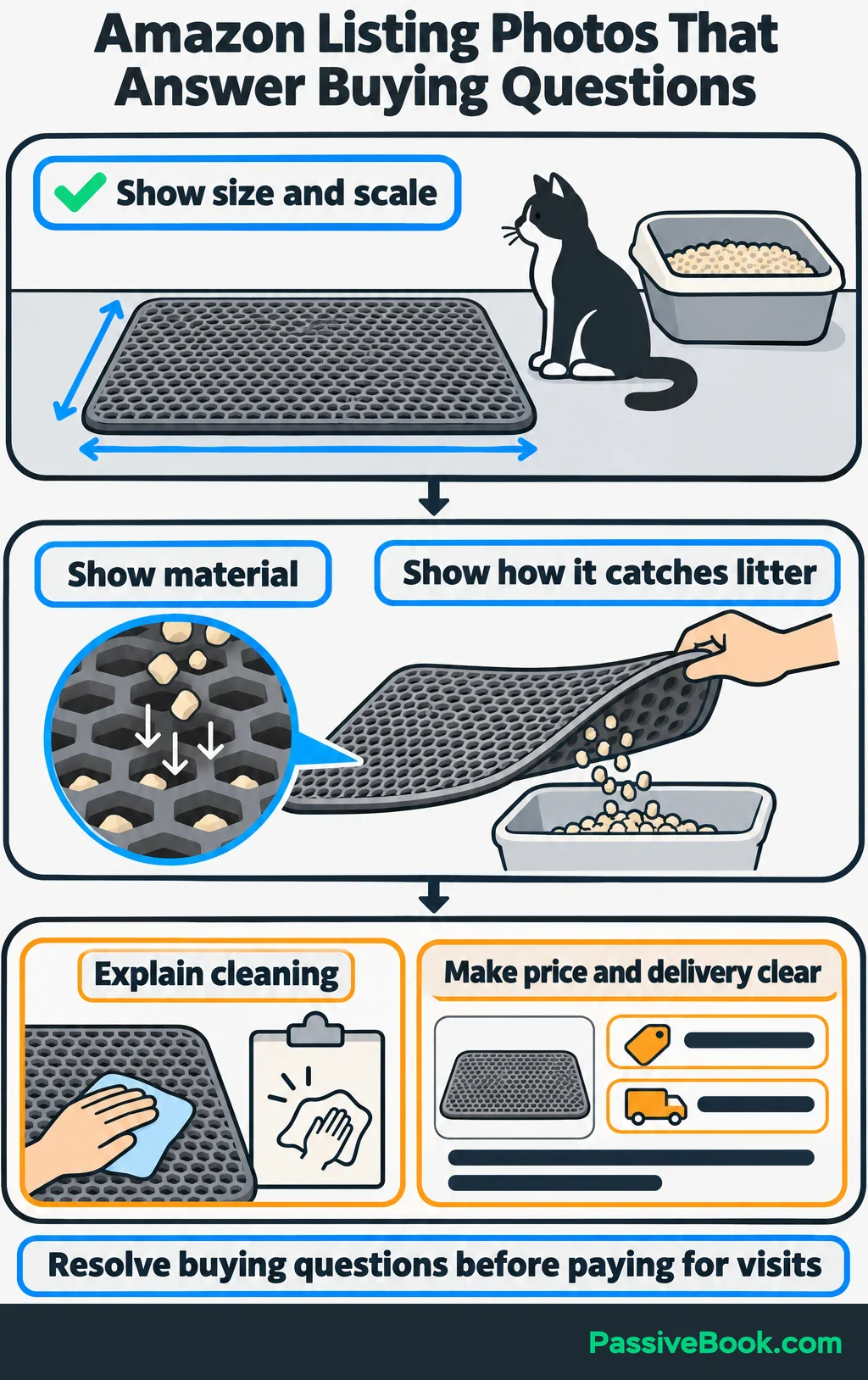
Next, read the listing as a shopper deciding whether to buy. For the litter mat, it should answer:
- What are its dimensions?
- What material is it made from?
- How does it catch litter?
- How do you empty and wash it?
- What does it cost, and when will it arrive?
Use clear photos that show scale, surface detail and cleaning. “Washable” needs a cleaning method. It isn’t permission to leave the buyer guessing.
Set Spending Limits From Your Product’s Margins
Calculate Your Break-even ACoS
First, work out what one sale leaves before advertising. Subtract the costs that come with making and fulfilling that sale from its selling price.
Include product cost, Amazon selling and fulfillment fees, shipping, packaging and expected discounts or returns. Count each expense once.
For one mat per order:
| Item | Illustrative Amount |
|---|---|
| Selling price | $25.00 |
| Total variable costs before advertising | $17.50 |
| Contribution before advertising | $7.50 |
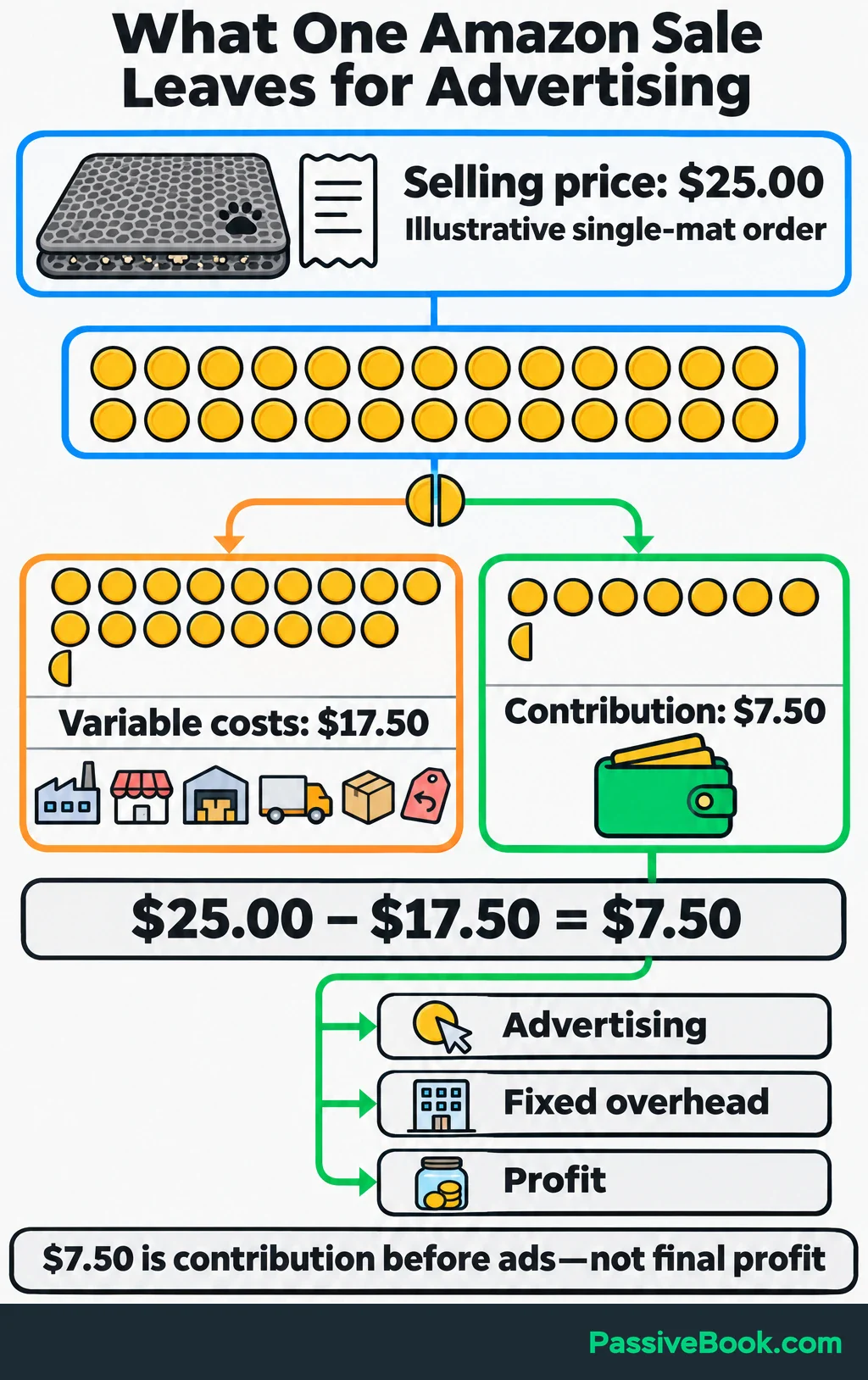
That $7.50 is what remains to pay for advertising, fixed overhead and profit.
For Sponsored Products, “attributed sales” are sales Amazon credits to ad clicks. Advertising cost of sales, or ACoS, tells you what percentage of that sales revenue went toward ads:
ACoS = advertising spend ÷ attributed sales × 100
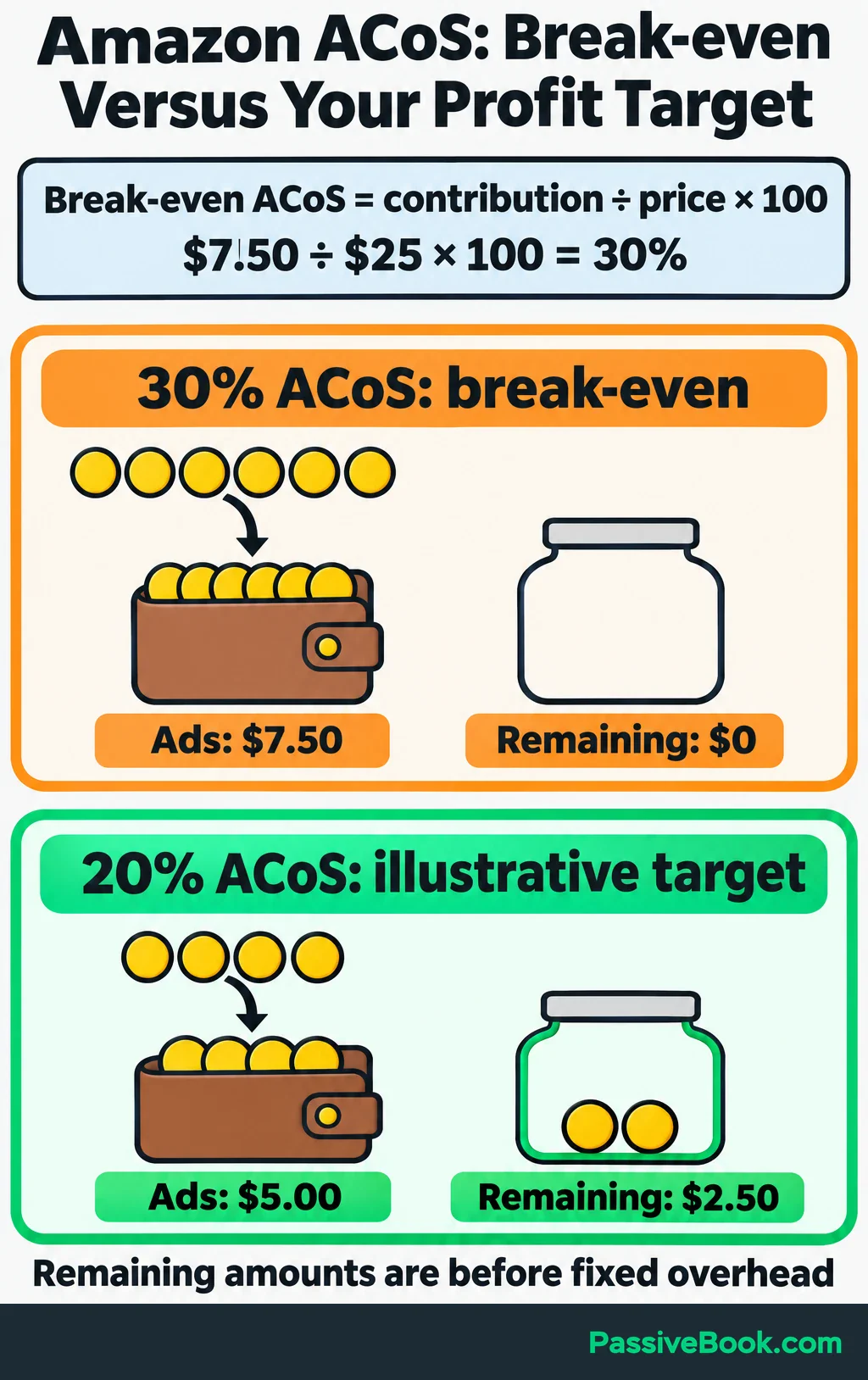
To find the point where advertising would consume the product’s entire contribution:
Break-even ACoS = contribution before advertising ÷ selling price × 100
For the mat, $7.50 ÷ $25 × 100 = 30%. At 30% ACoS, nothing remains from those orders for fixed overhead or profit. Amazon also connects break-even ACoS to product margins.
I would choose a lower target. At 20% ACoS, the advertising allowance is $5 per mat order, leaving $2.50 before fixed overhead.
Choose an Affordable Starting Bid
Your bid is what you offer for a click. Your average cost per click, or CPC, is what you actually spend per click.
To estimate an affordable CPC, combine your advertising allowance per order with the share of ad clicks you expect to become purchases:
Affordable CPC = target advertising cost per order × expected click-to-order conversion rate
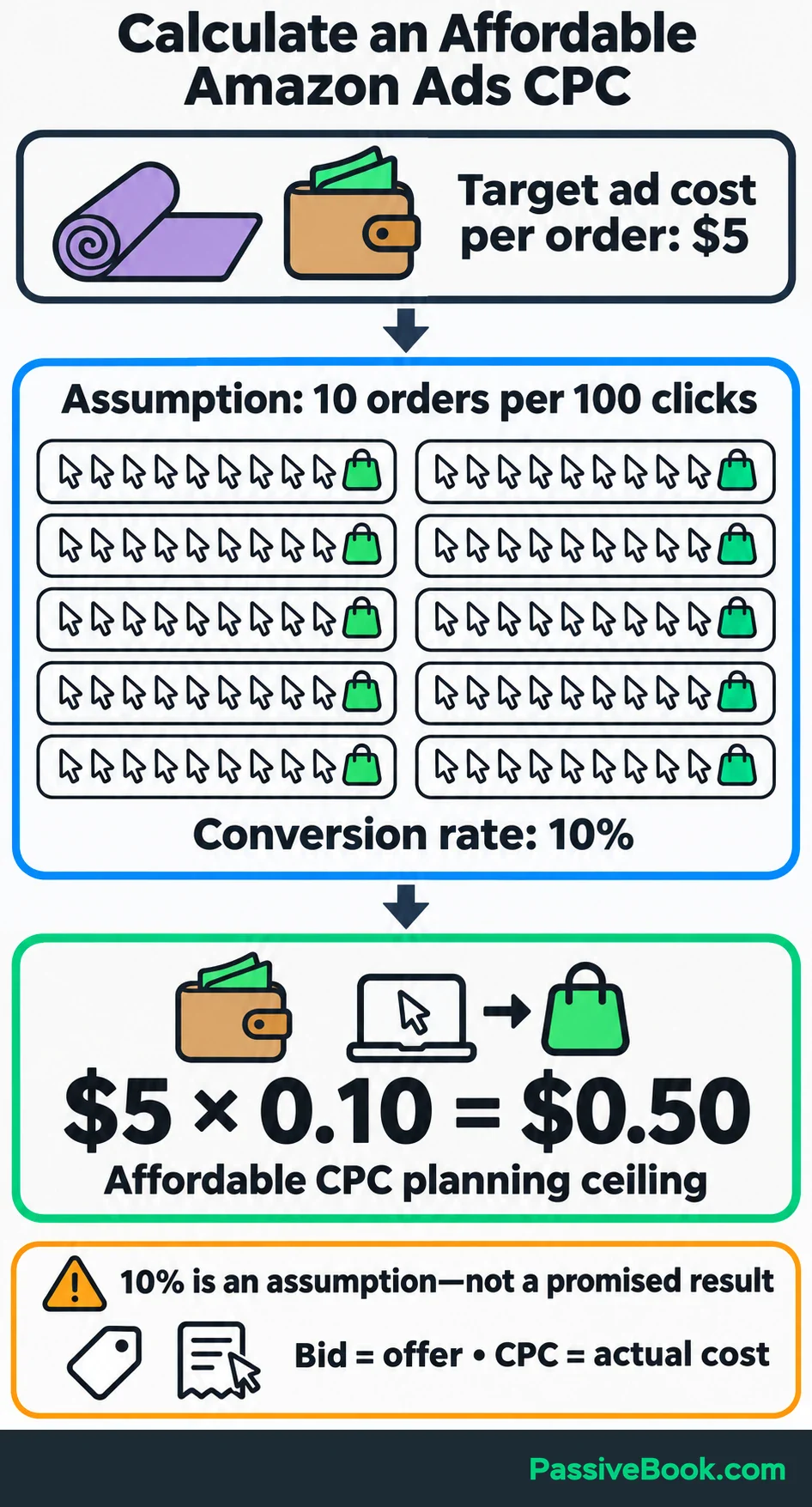
Suppose the mat can afford $5 in advertising per order and you assume 10 purchases for every 100 ad clicks:
$5 × 0.10 = $0.50
That makes $0.50 a planning ceiling under this assumption. It doesn’t establish that your listing will convert at 10%.
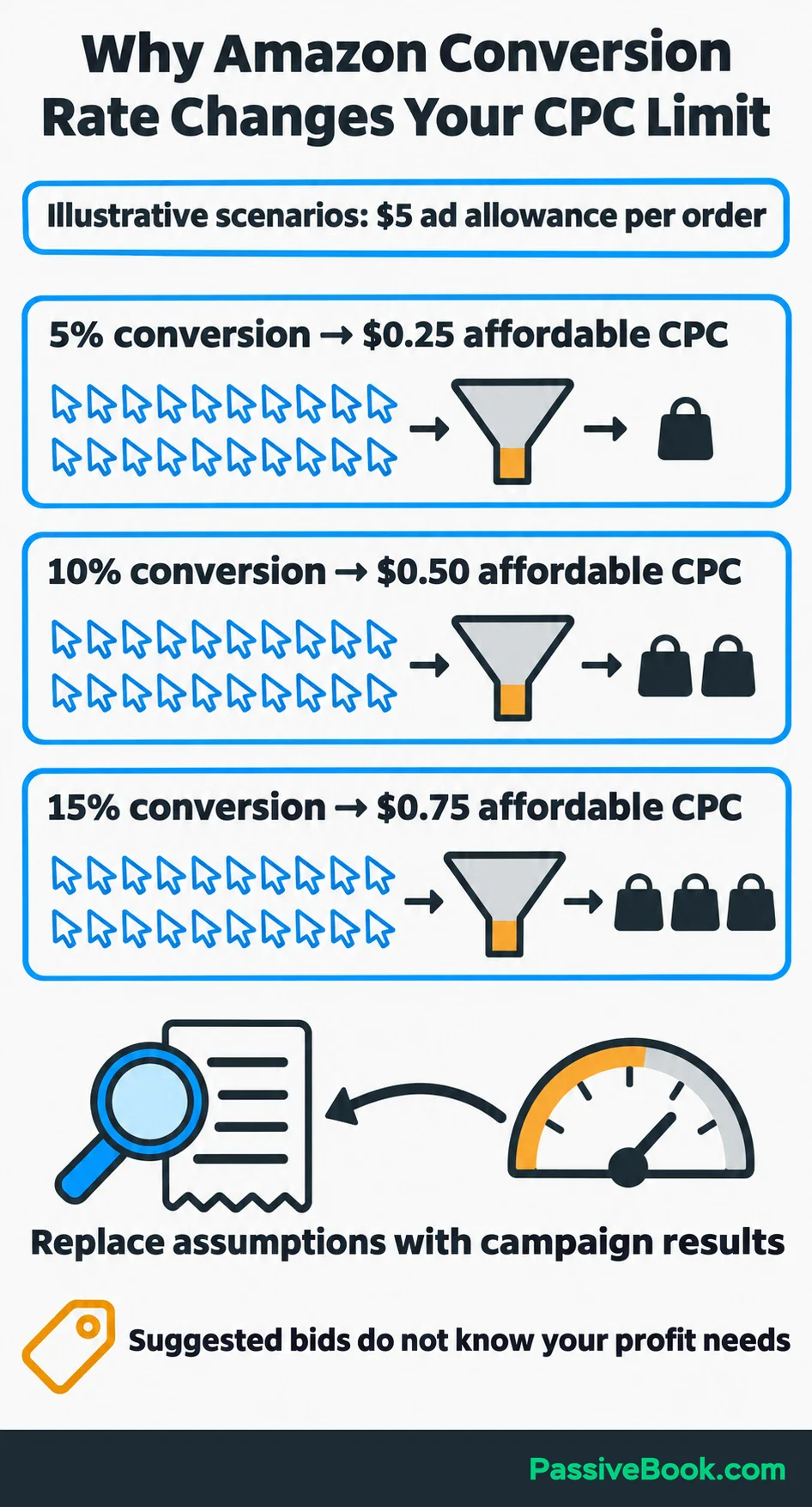
Use past ad purchases divided by their associated clicks when you have that data. Replace the estimate with this campaign’s results as they develop. If fewer clicks become orders, your affordable CPC falls.
Compare Amazon’s suggested bids with your limit. A suggestion can help you understand the auction, but it doesn’t know what profit you need to keep.
If suggested bids exceed what you can afford, I would narrow the targets or improve the listing and product economics before spending more.
One conversion estimate can make a bid look more affordable than it is. Use this calculator to see how weaker conversion or a promotion changes what your product can afford to spend.
Free Marketing Profit Calculator




Set a Daily Budget and Total Test Allowance
Choose an amount you could afford to spend without receiving any orders. That is your total test allowance.
Then divide it across your planned test days. An illustrative $70 allowance over 14 days gives you a $5 daily planning budget. If you add another campaign, split the existing allowance between them. Selling and fulfillment fees remain separate from ad spending.
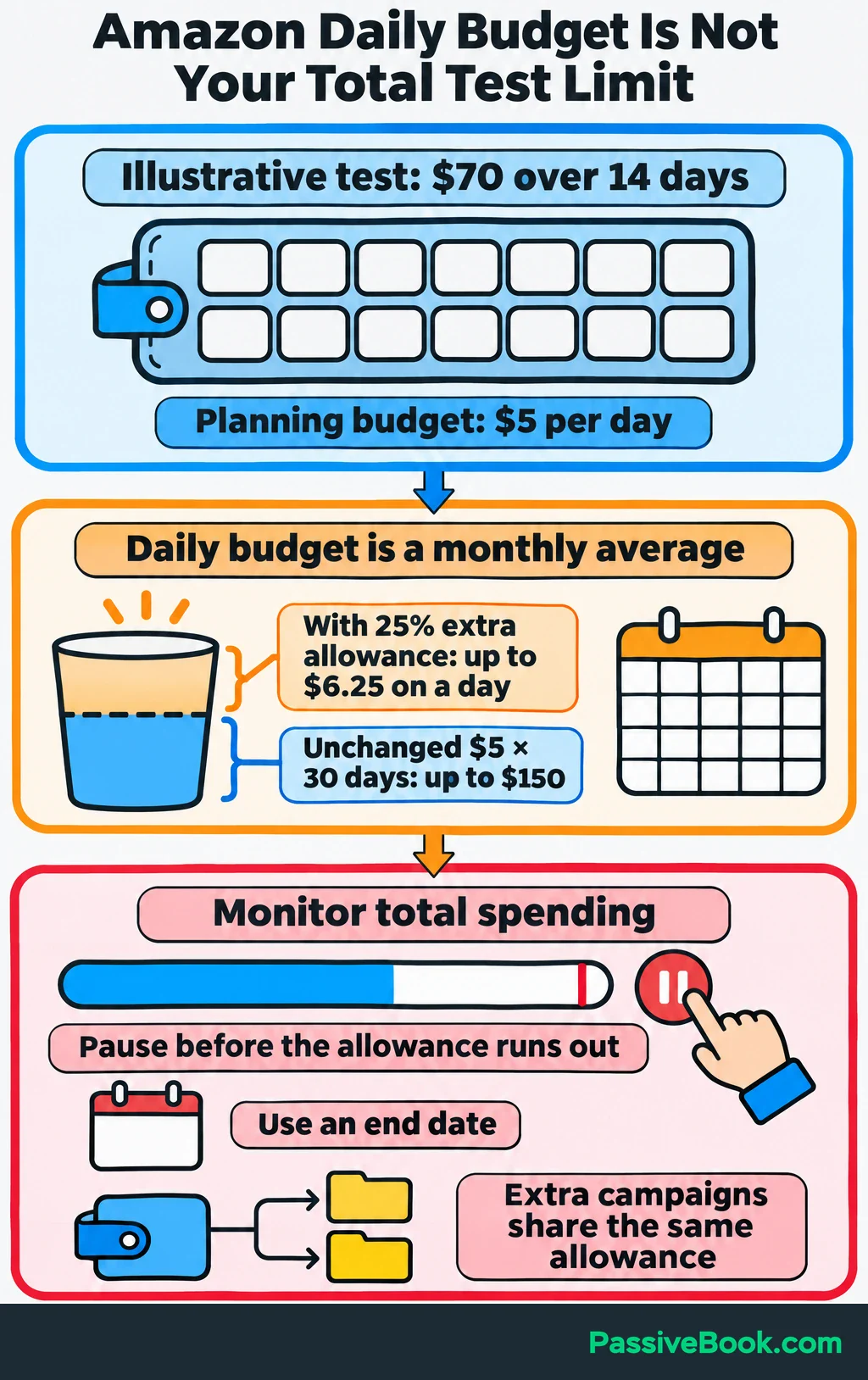
Amazon’s daily budget is an average over a calendar month. Using unspent funds, Amazon can spend up to 100% above it on busy days. You can reduce that additional allowance to 25% in campaign settings. An unchanged $5 daily budget over a full 30-day month allows up to $150 in advertising spend. Amazon’s daily-budget rules
For a small first test, I would choose the 25% setting and an end date.
A shorter test still needs its own cumulative spending check. Don’t assume that setting $5 per day creates a strict $70 limit for 14 days. Monitor spending and pause with room left before your allowance is exhausted.
Choose Relevant Keywords and Targeting
Targeting determines which searches or product placements can show your ad.
With manual targeting, you choose keywords or products. Keyword targeting uses phrases related to what shoppers want. Manual product targeting selects individual products or categories.
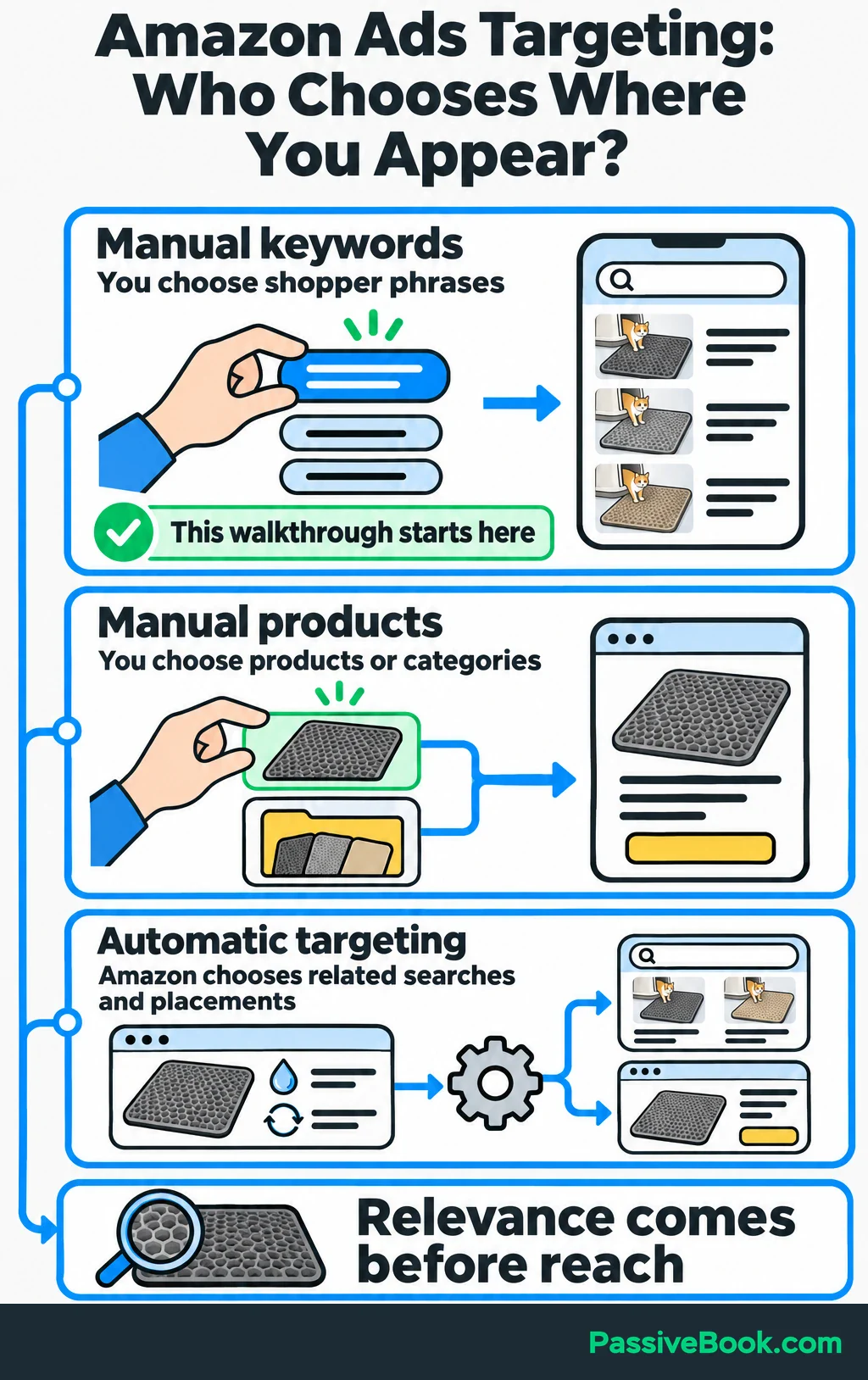
With automatic targeting, Amazon chooses related searches and product placements based on your listing and its systems.
For this walkthrough, I would use manual keywords because you can inspect the searches you intend to fund before launching.
Build a Focused Manual Keyword Campaign
Start with the product’s features and uses. Then check relevant Amazon search suggestions and the keyword recommendations available while creating the campaign.
A keyword is a phrase you target. A search term is what the shopper actually enters. They won’t always be identical.
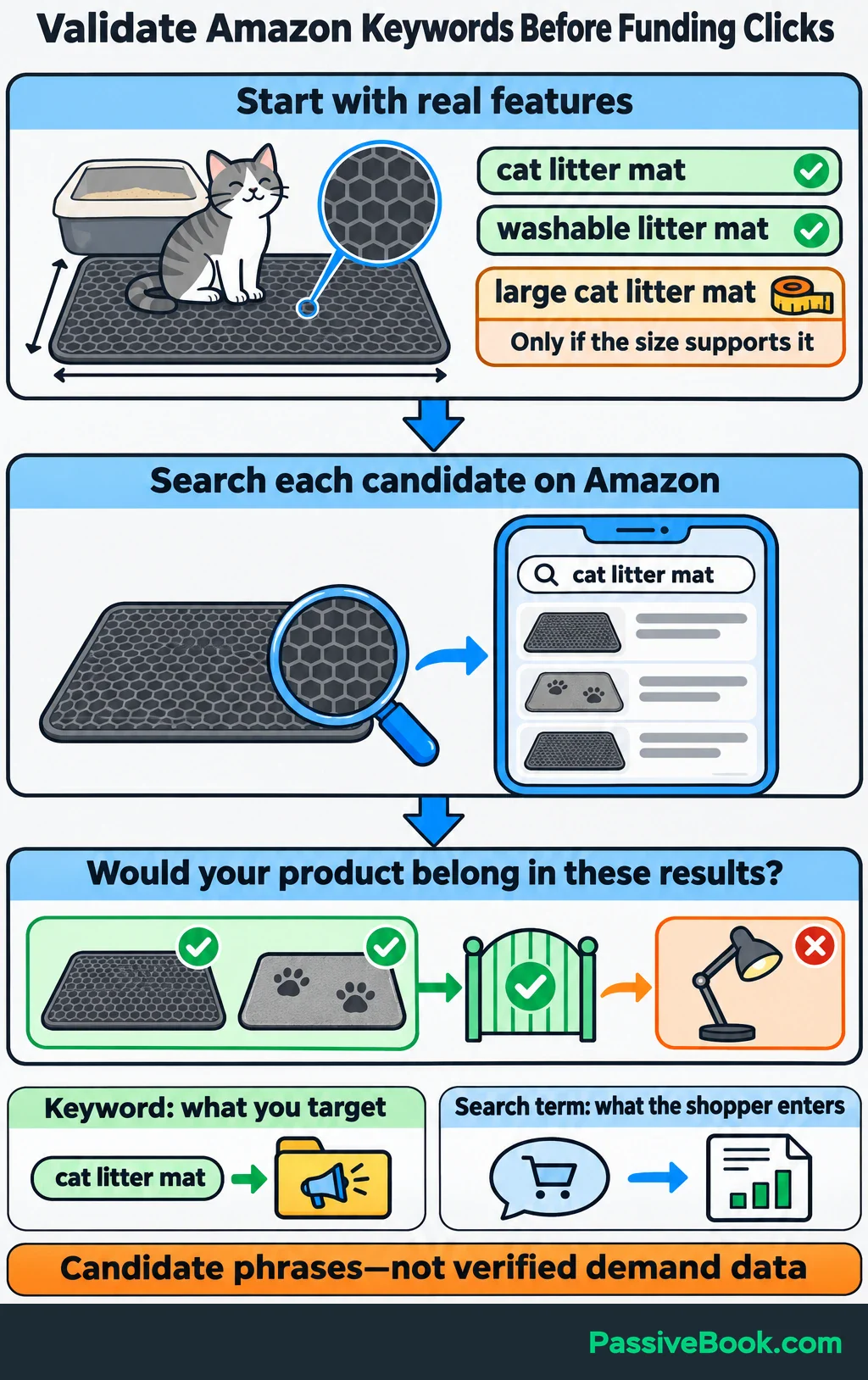
For the mat, investigate phrases such as:
- “cat litter mat”
- “washable litter mat”
- “large cat litter mat,” if the size supports that description
Search each phrase yourself and inspect the results. Would your mat make sense beside the products shown? These are candidate phrases to investigate, not verified search-volume opportunities.
Match types control how widely Amazon can interpret your keyword:
| Match Type | Reach | Mat Example |
|---|---|---|
| Exact | Most restrictive; includes the keyword and close variations | “cat litter mat” can match that search and close variations |
| Phrase | Includes the phrase or close variations within longer searches | “cat litter mat” could match “large cat litter mat” |
| Broad | Can include related meanings, even without the original keyword words | “cat litter mat” could reach a related search such as “litter trapping rug” |
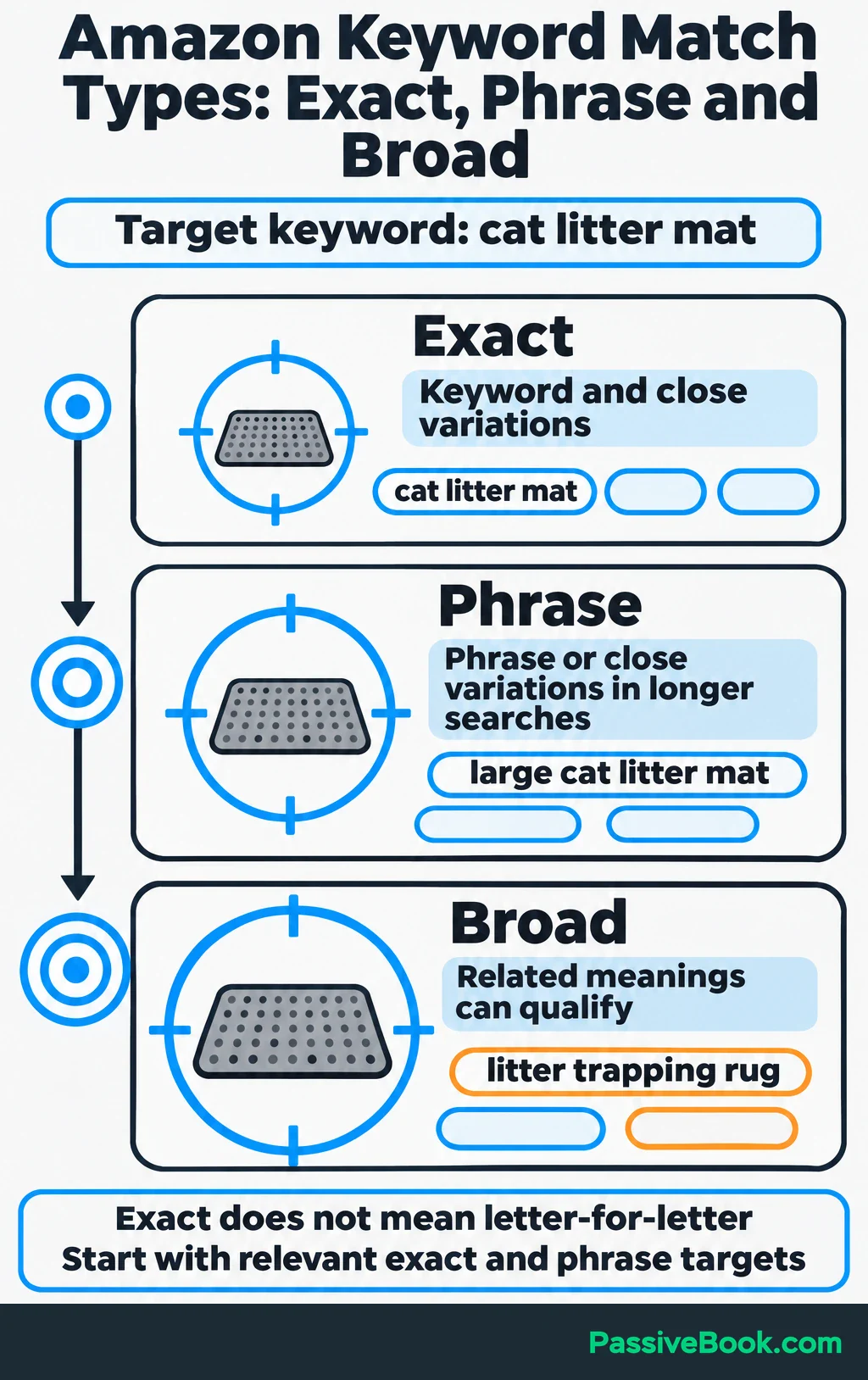
Exact and phrase both allow close variations, so exact doesn’t mean letter-for-letter matching. Amazon’s match-type definitions
I would begin with a short list of highly relevant exact targets and a few phrase targets. Reserve broad discovery for spending you have time to review.
Add obvious exclusions before launch. A negative keyword prevents matching searches from showing your ad. For this washable mat, “disposable” is a sensible negative phrase. Keep useful words such as “cat,” “litter” and “mat” available.
Use Automatic Targeting for Discovery
Automatic targeting is a reasonable alternative if you want Amazon to find initial targets. You can also add it later with a separate share of your existing allowance.
Its four groups serve different purposes:
- Close Match: Searches closely related to your product.
- Loose Match: Searches with a looser connection.
- Substitutes: Product pages for similar items.
- Complements: Product pages for items used alongside yours.
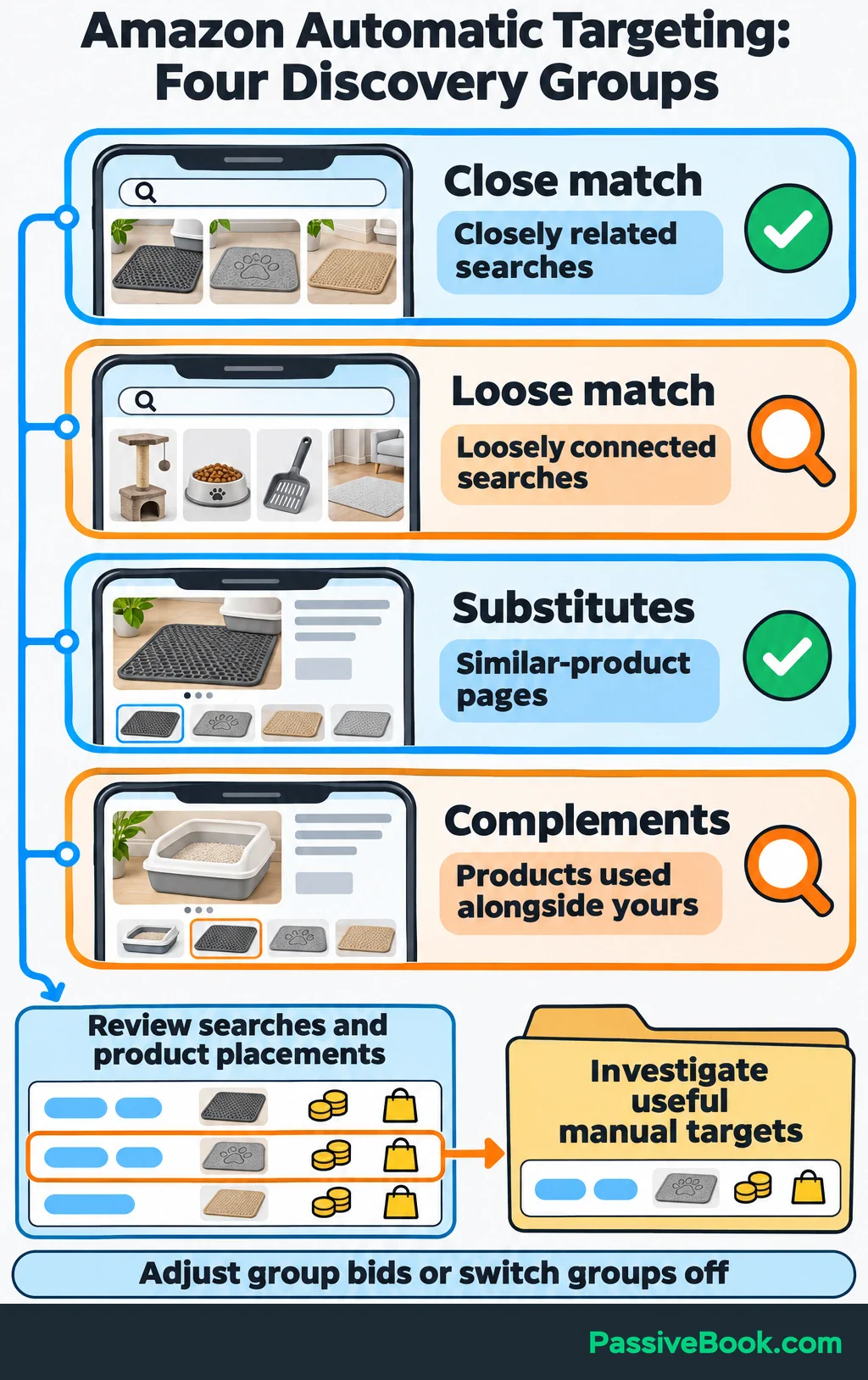
You can adjust bids by group or turn groups off. Amazon explains these controls in its Sponsored Products targeting guide.
For the mat, I would start discovery cautiously with close match and substitutes. Test the wider groups only when you can review their spending.
The useful output is the search-term report: it can reveal searches and product placements worth targeting manually.
Build and Launch Your Campaign
Add Your Product and Targets
Have your margin calculation, keyword list and spending allowance ready before opening the campaign builder.
- Sign in to Amazon’s advertising console with your seller account and confirm the marketplace and billing details.
- Choose “Create campaign,” then “Sponsored Products.”
- Give the campaign a recognizable name, such as
Litter Mat | Manual | US. - Enter your start date, end date and planned daily budget.
- Select “Manual targeting” and create one ad group to hold the product and its targets.
- Add the product using its ASIN, Amazon’s product identifier.
- Choose keyword targeting and enter your selected keywords, match types and individual bids.
- Add your negative keywords.
The basic product ad uses information from your listing, so this is where your earlier listing work pays off.
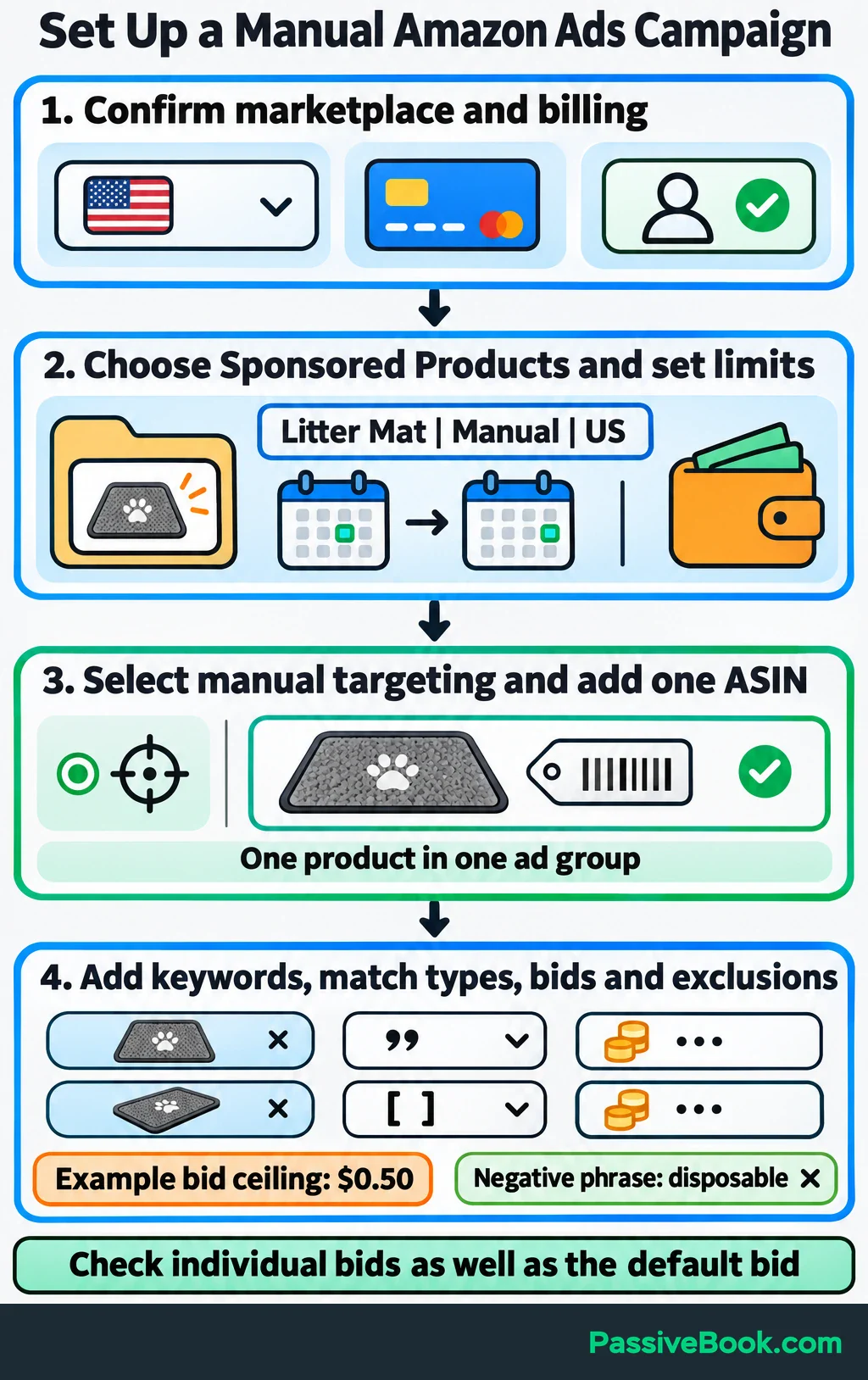
Keep every initial keyword bid within your affordable CPC. In the mat example, that means $0.50 or less under the assumed conversion rate. Check individual keyword bids as well as the default bid.
For an automatic campaign, choose automatic targeting instead, then enter your group bids and relevant exclusions.
Configure Bidding and Review Spending Controls
I would start with “Dynamic bids—down only.” Amazon can lower your bid when a click appears less likely to produce a sale.
Fixed bidding leaves the bid unchanged by the bidding strategy. Dynamic up-and-down bidding can raise it as well as lower it. Down-only gives a beginner a more cautious starting point. Amazon’s bidding strategies
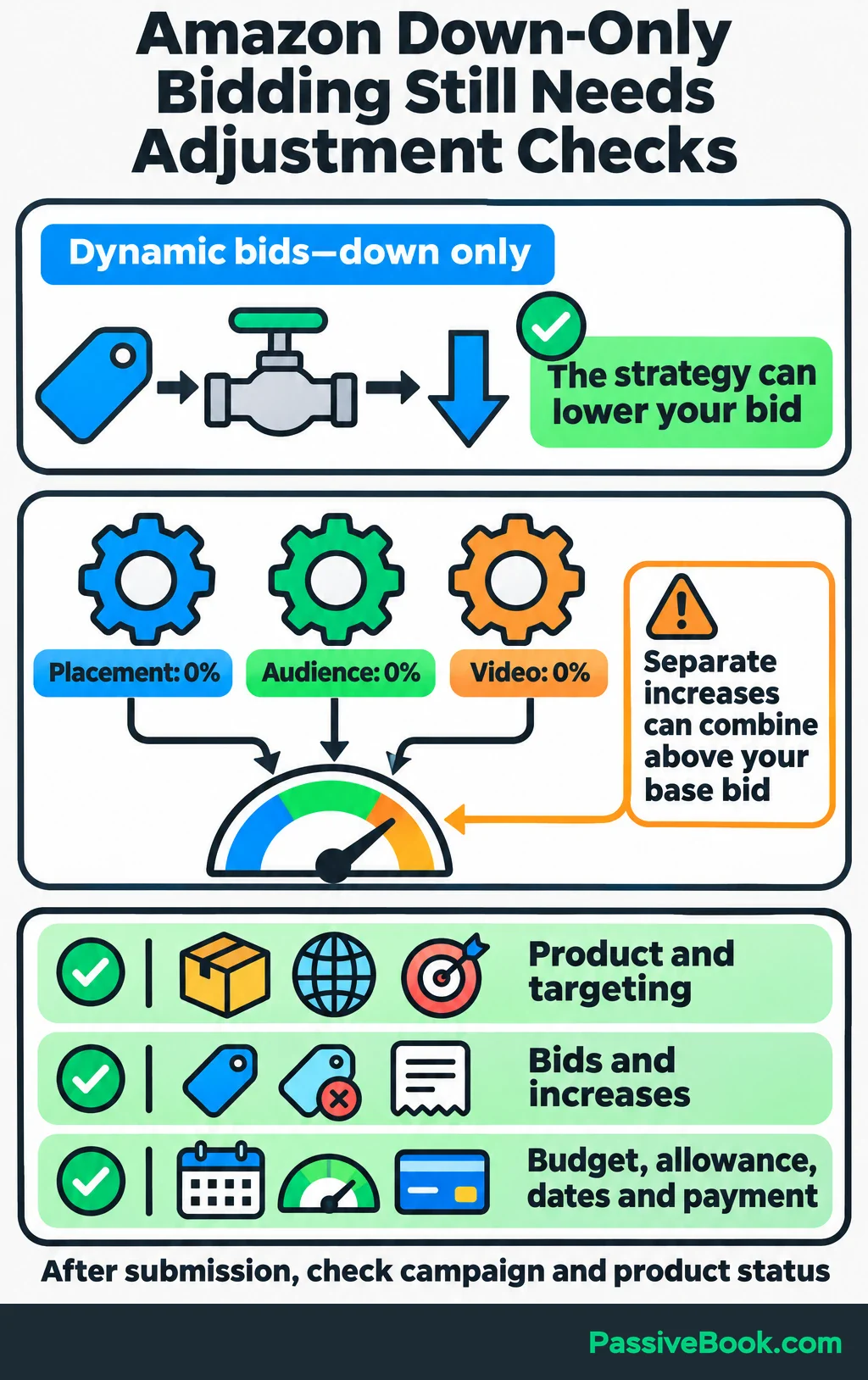
Also leave placement, audience and video bid increases at zero wherever those options appear. These are separate adjustments, and different types can combine to raise the effective bid above your base amount. How Sponsored Products bid adjustments work
Before launching, check:
- The correct product, marketplace and targeting method.
- Keywords, match types and exclusions.
- Default and individual bids.
- Bidding strategy and additional bid increases.
- Daily budget, additional daily-spend allowance and dates.
- Payment details.
Once you’ve checked the settings, submit the campaign. Then check the campaign and product status. Resolve billing, inventory, Featured Offer or policy problems before deciding that missing impressions require a higher bid.
Read Campaign Results Against Your Profit Target
Start with three questions: Is the ad showing, are shoppers buying, and what remains after advertising?
Use the same campaign and reporting period for the calculations below. Match attributed purchases and sales to the clicks being evaluated.
| Metric | Meaning or Calculation | Decision |
|---|---|---|
| Impressions | Times the ad appeared | Check whether the campaign is delivering |
| Clicks and CTR | Clicks show visits; click-through rate is clicks ÷ impressions × 100 | Review targeting and the visible offer if shoppers rarely click |
| Average CPC | Spend ÷ clicks | Compare traffic cost with your affordable CPC |
| Attributed purchases and conversion rate | Purchases credited to ads; conversion rate is attributed purchases ÷ clicks × 100 | Check whether paid visits become orders |
| Spend and attributed sales | Advertising cost and sales revenue credited to it | Check allowance usage and sales value |
| ACoS | Spend ÷ attributed sales × 100 | Compare with your margin-based target |
| ROAS | Attributed sales ÷ spend | See sales revenue per advertising dollar |
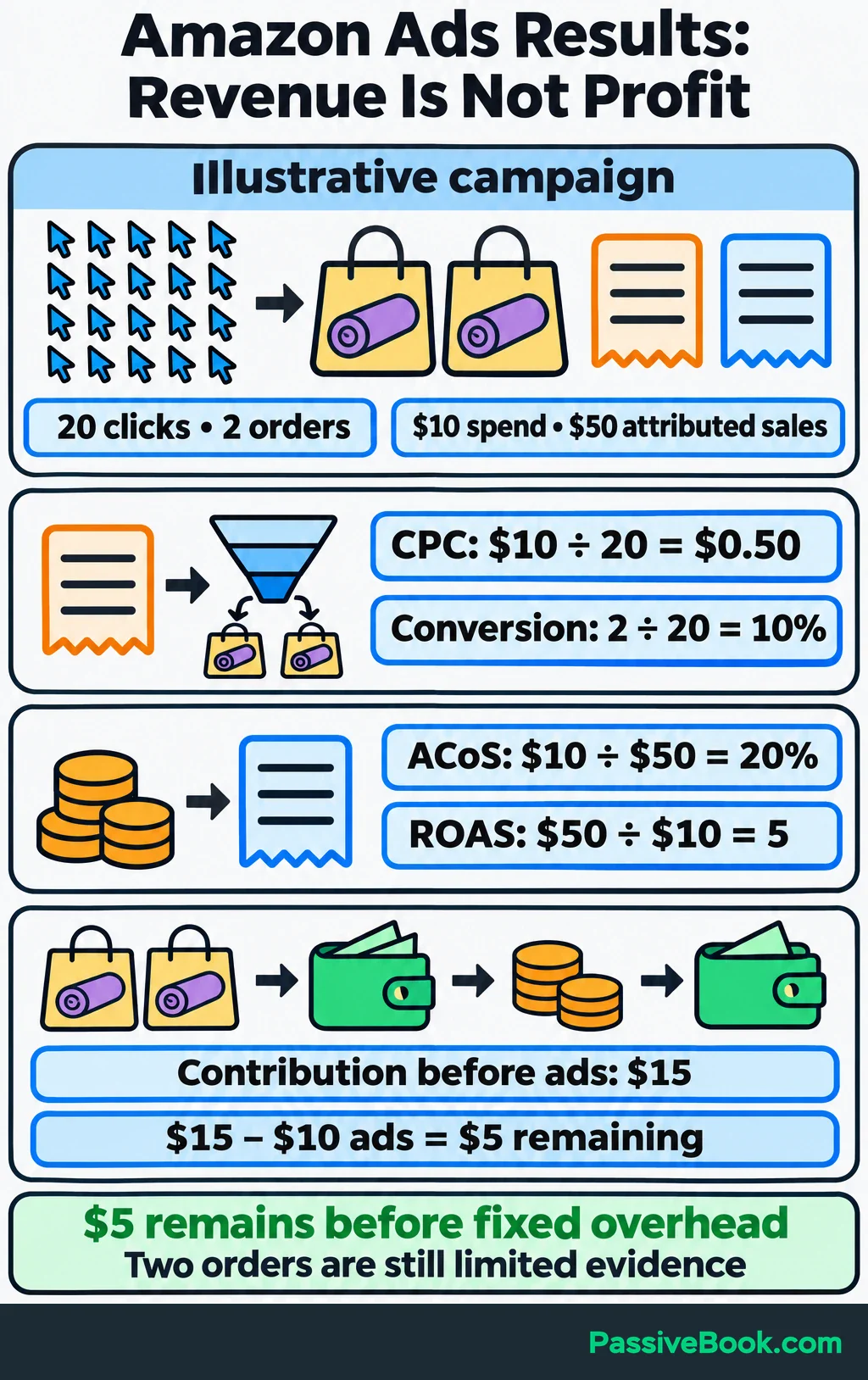
ROAS means return on ad spend. It measures revenue, so a ROAS of 5 doesn’t mean $5 of profit. If no sales have been credited to the ads, there’s no ACoS to compare with your target; review spending and search relevance instead. Amazon’s Sponsored Products report definitions explain purchases, purchase rate and attributed sales.
Suppose the mat campaign records 20 clicks, two single-mat orders, $10 in spending and $50 in attributed sales:
- Average CPC:
$10 ÷ 20 = $0.50. - Conversion Rate:
2 ÷ 20 × 100 = 10%. - ACoS:
$10 ÷ $50 × 100 = 20%. - ROAS:
$50 ÷ $10 = 5.
Those two orders contribute $15 before advertising. Subtract the $10 ad cost, and $5 remains before fixed overhead. That matches the target, but two orders are still a small amount of evidence.
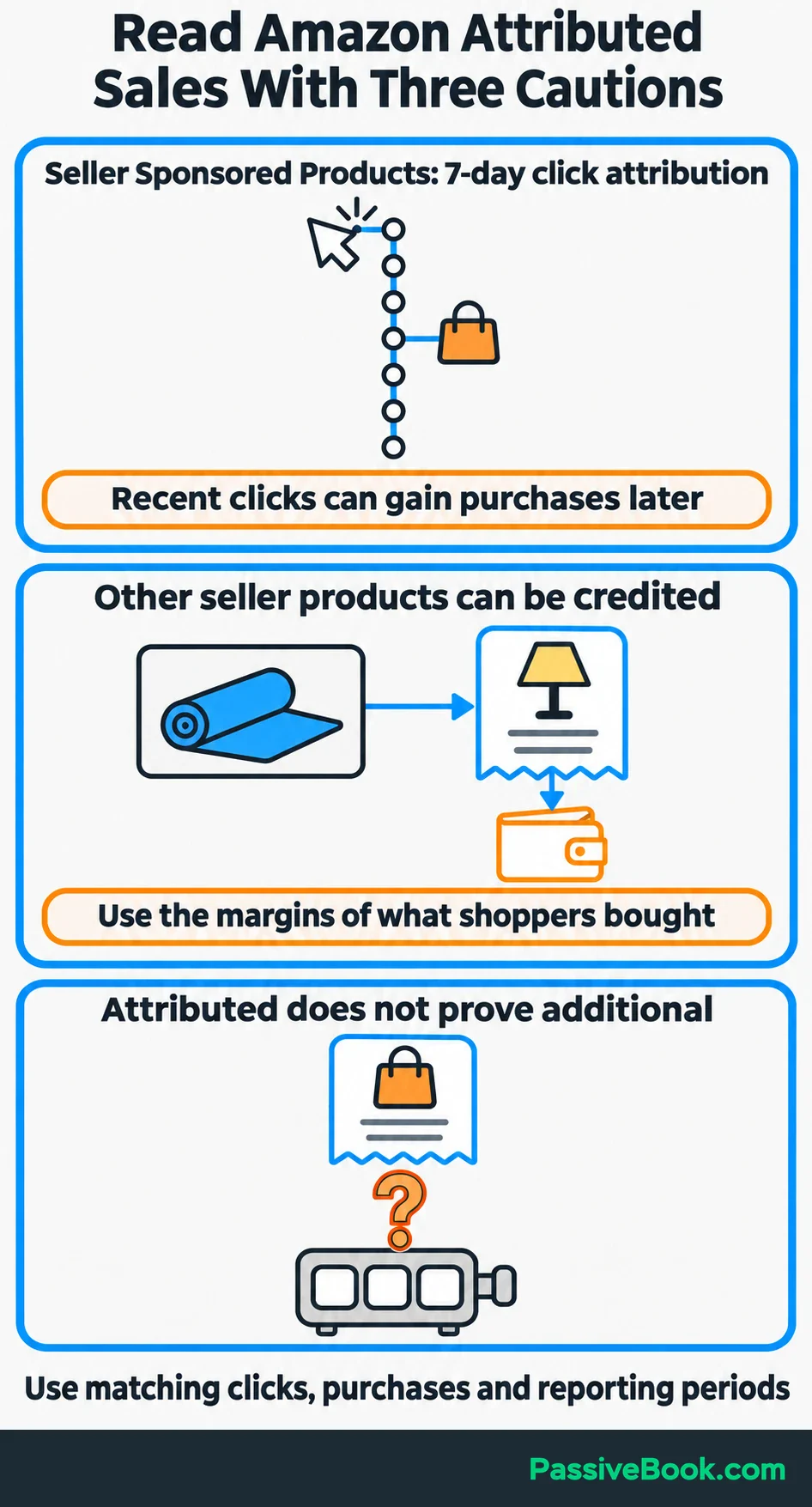
For seller Sponsored Products campaigns, Amazon uses a seven-day click-attribution window. Recent clicks can therefore gain attributed purchases later. Attributed sales can also include other products sold by the seller, so use the margins of what customers actually bought. Amazon’s attribution rules
Attributed sales are sales credited under those rules. They don’t prove that every credited order was an additional sale caused by advertising.
Next, open the search-term report and sort by spend. Inspect the searches and product ASINs receiving the most money. Campaign totals tell you how the campaign is doing; these rows help you decide what to change.
Improve Sales Without Increasing Waste
Fix the Problem Shown by the Results
I wouldn’t respond to every disappointing result by raising the bid. First, locate the problem.
| Symptom | Checks | Next Action |
|---|---|---|
| Few impressions | Campaign status, stock, Featured Offer, relevance, remaining budget and bids | Resolve delivery problems, then consider an affordable bid increase |
| Impressions without clicks | Search relevance, main image, title, price and visible delivery offer | Tighten targeting or improve what shoppers see |
| Clicks without orders | Actual search terms, dimensions, cleaning details, price and delivery | Remove irrelevant traffic or fix unanswered buying questions |
| Orders above target ACoS | CPC, conversion rate and contribution per order | Lower acquisition cost or improve conversion and margin |
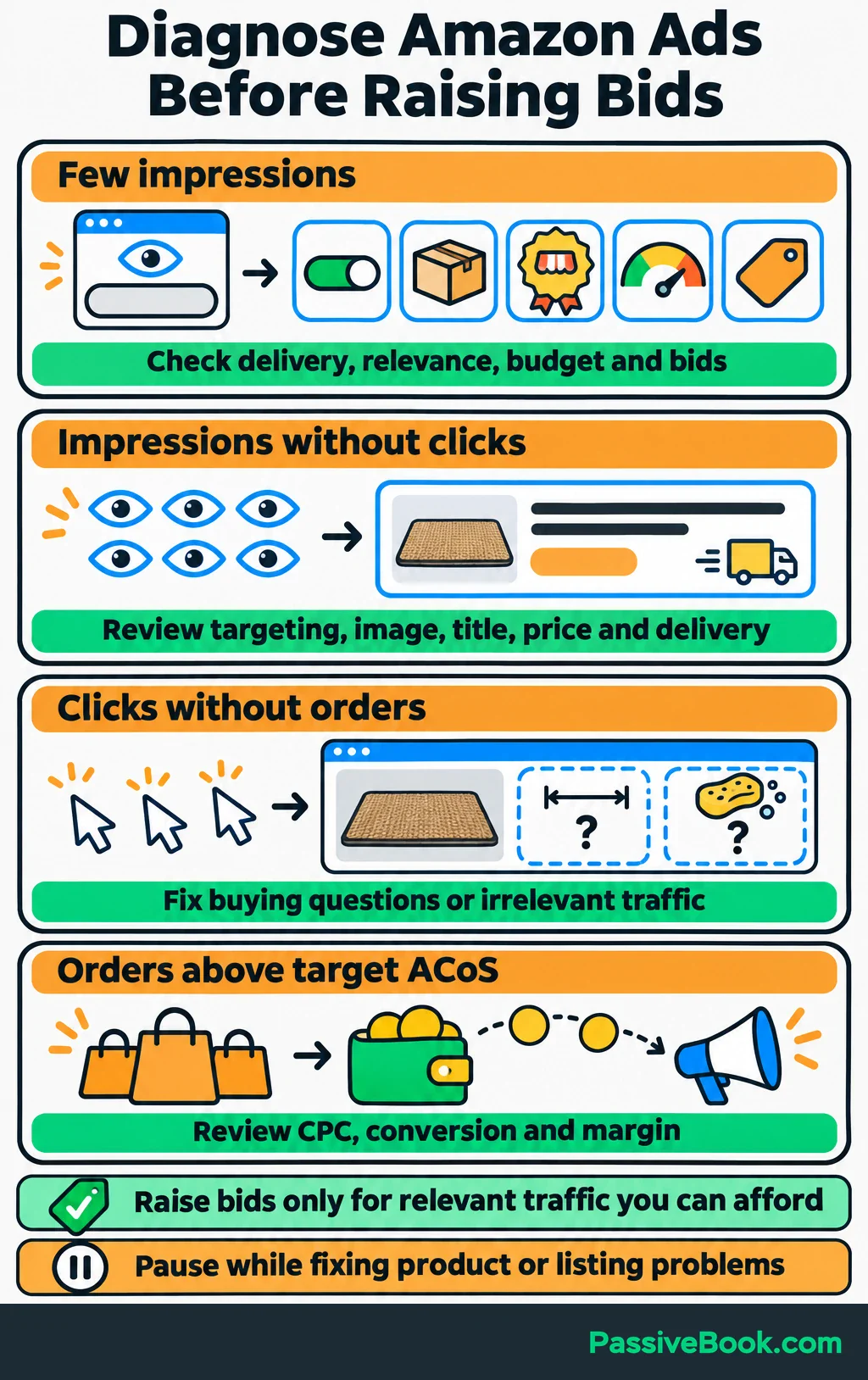
For example, if shoppers click the mat but the listing doesn’t clearly show its size, I would fix the size information before paying for more visits.
Raise bids only when relevant targets get few impressions and the higher click cost still fits your advertising allowance. If a listing or product problem prevents profitable purchases, pause advertising while correcting it.
Cut Unproductive Spending
Review the highest-spending search terms and targets first. Exclude clearly irrelevant traffic as soon as you identify it.
For relevant traffic, allow for the attribution window when judging results. You can pause spending while waiting for recent clicks to mature; you don’t need to keep paying to give earlier clicks time.
Use your target advertising cost per order as a review trigger. In the example, a search term spending $5 without an order deserves attention.
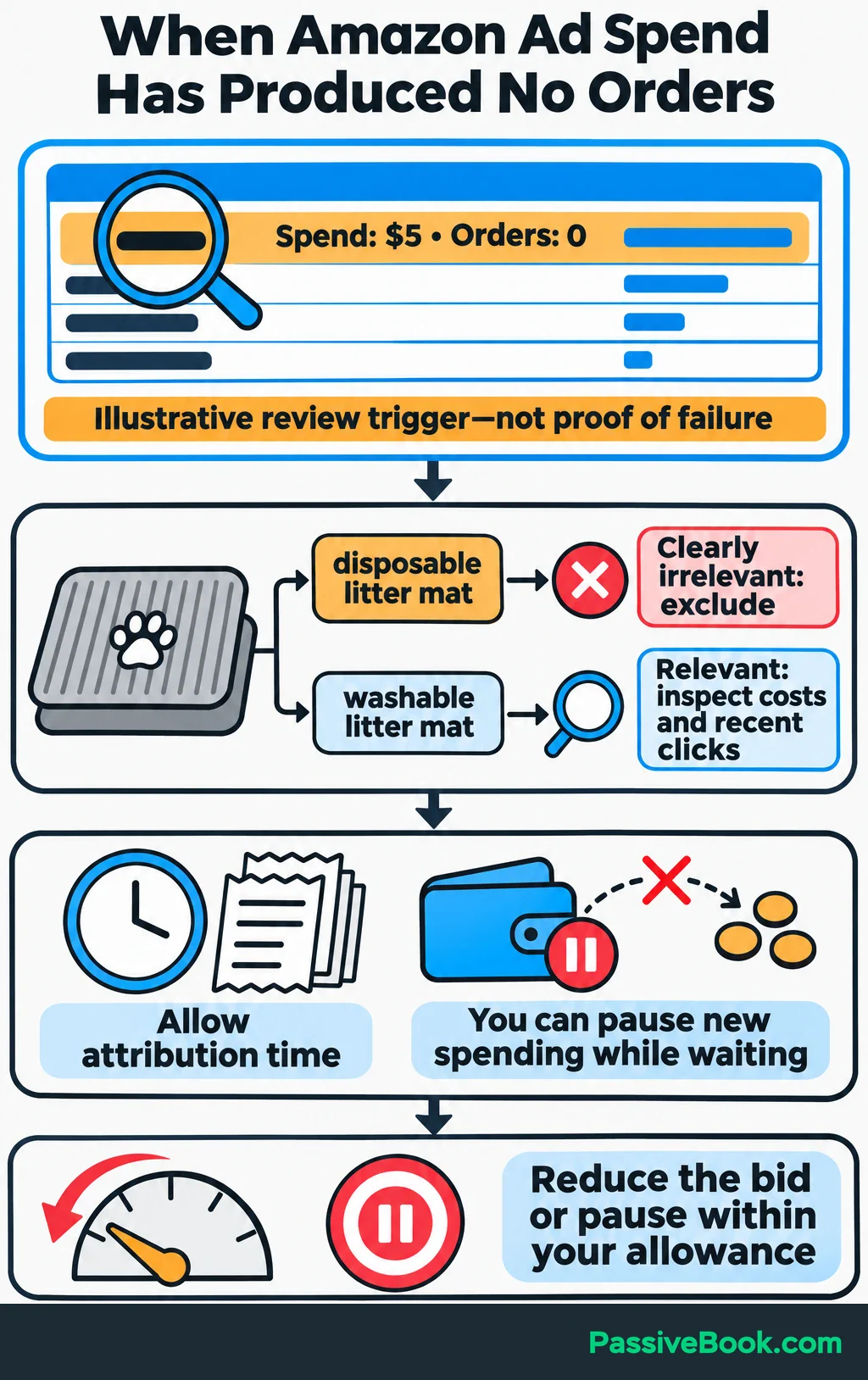
That doesn’t prove it cannot convert. Check relevance, then decide whether to reduce its bid or pause it. A small allowance may require you to stop before the evidence is conclusive.
Choose exclusions carefully:
- Negative Exact: Exclude a specific unwanted query and close variations.
- Negative Phrase: Exclude searches containing an unwanted phrase and close variations.
- Negative Product Target: Exclude an unwanted ASIN placement in automatic or product targeting.
For the mat, “disposable” as a negative phrase addresses a clear product mismatch. Amazon describes these options in its negative targeting rules.
When relevant traffic remains too expensive, lower the bid or pause the target. Relevance gives a click a reason to happen, but it doesn’t make that click affordable.
Give Profitable Targets More Room
Add relevant search-term discoveries that meet your cost target as manual exact targets. If an automatic campaign finds a productive product placement, consider a focused manual product-targeting test.
Increase the campaign budget when it meets your target ACoS and repeatedly runs out of funds. That gives working targets more chances to serve.
Test higher bids separately when profitable targets need more visibility. Increasing the budget and bid together makes it harder to tell which change affected your results.
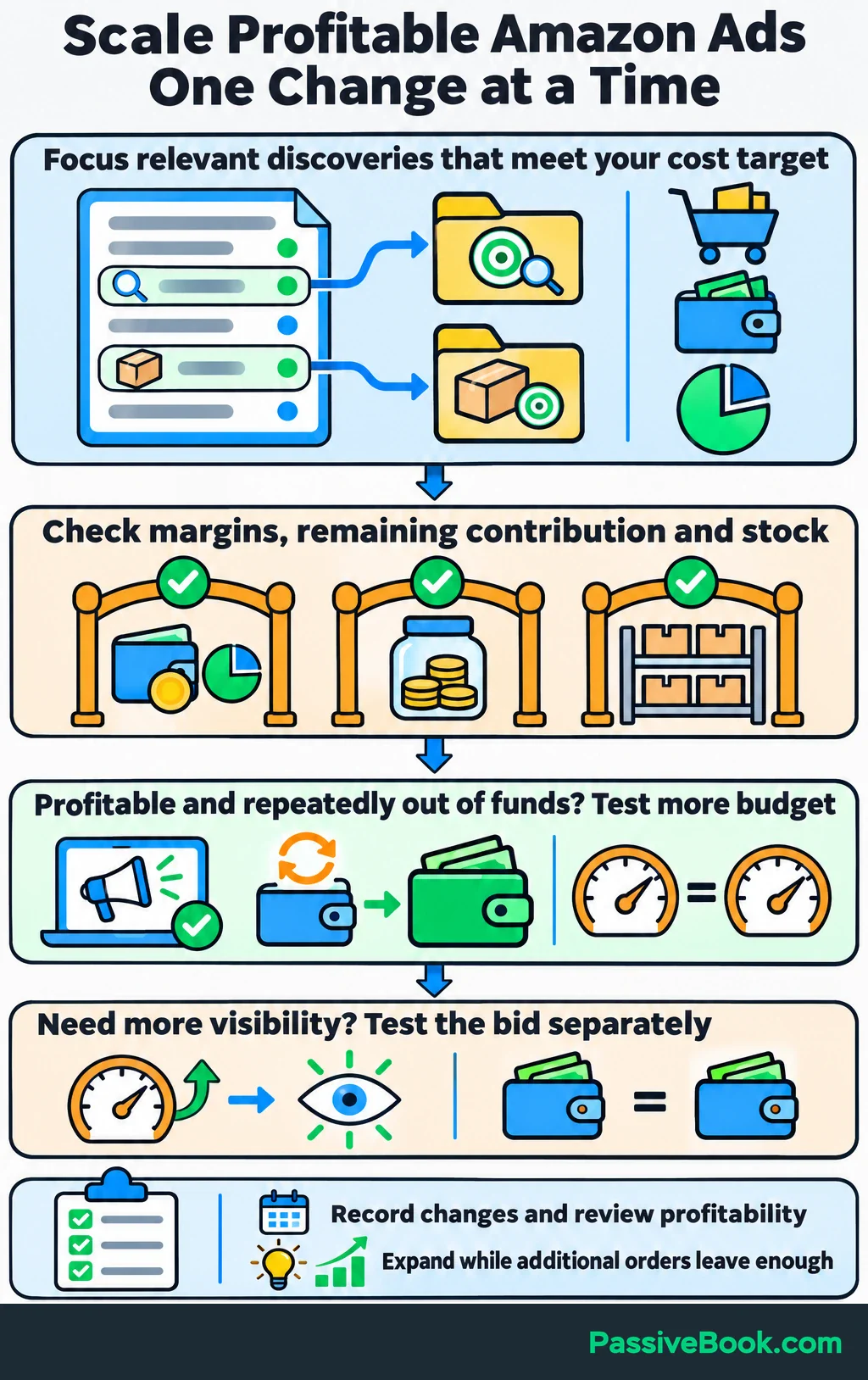
Before expanding, check that:
- Margins Still Work: Fees, discounts and returns haven’t removed the contribution you expected.
- Orders Leave Enough: Contribution after advertising meets your requirement.
- Stock Can Support Sales: You can fulfill additional orders without creating a shortage.
Record each major change with its date and reason. A spreadsheet is enough for a first campaign; I would skip a paid optimization tool until managing the campaigns becomes a real workload.
Check spending and delivery daily at launch. Begin with a weekly review of search terms and profitability, and review sooner when spending approaches your test allowance. Expand while additional orders continue to leave the contribution you need.
What Next?
Calculate what one product leaves before advertising, then write down your target advertising cost per order before creating the campaign.
Use the social buttons to share this guide when a discussion about Amazon sales needs a clearer view of what those sales cost.
Which part of your product’s costs could change how much you can afford to spend on a sale? Share your answer—and any other questions—in the comments.
Share this post with your friends & followers:

