Your pet-care video gets views and grateful comments, but the subscriber count barely moves. People found the answer they needed. Whether they want another lesson from you is harder to tell.
That gap makes the next upload a frustrating bet: you could spend another weekend filming and still have little sign that an audience is forming. This guide helps you give those viewers a reason to subscribe, with sample requests and ways to guide them toward another useful lesson. It also shows how to compare subscription gains so you can choose where your limited production time goes next.
Give Viewers a Clear Reason to Return
A subscription request needs a promise behind it. What will someone keep getting from your channel after this video?
Write that recurring benefit in one sentence. Name who the videos help and what those viewers can repeatedly accomplish. “Pet tips” leaves too much work for the viewer. “Beginner cat-training demonstrations and simple practice routines” gives them something concrete to expect.
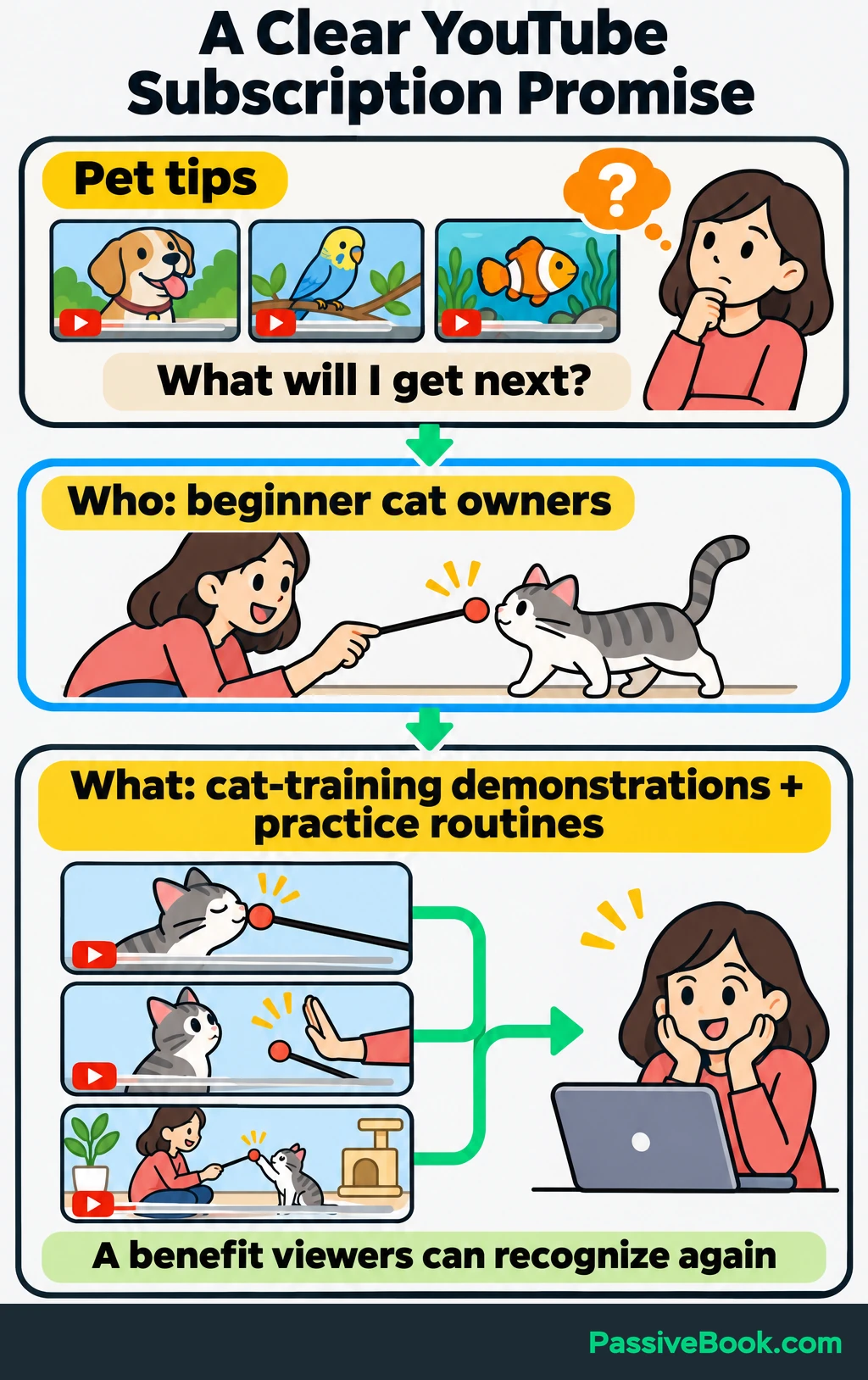
Throughout this article, imagine you run a beginner cat-training channel that supports a business selling printable practice logs. The scripts and figures are illustrations.
Start by planning connected videos that answer successive questions:
| Video | Complete Answer It Delivers | Useful Follow-up |
|---|---|---|
| Introducing a target-touch exercise | Shows a cat touching the end of a target stick with its nose | Adding a cue |
| Adding a cue | Shows how a word or gesture asks for the touch | Building a practice routine |
| Building a short practice routine | Shows a short session from the first cue to the final repetition | Recording each session in a printable practice log |
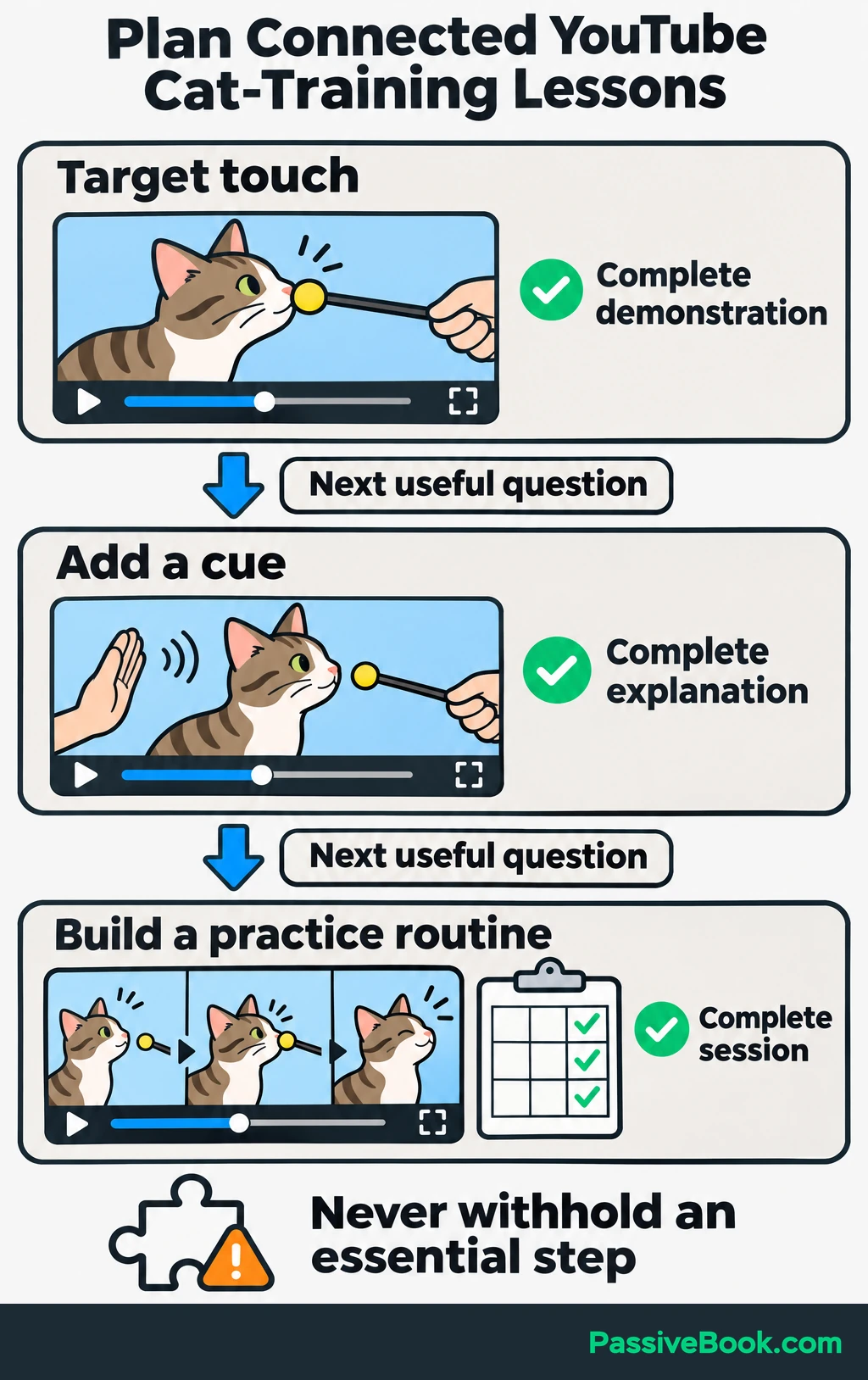
Each video should deliver its own answer. Don’t withhold an essential step so people have to watch another upload. A useful follow-up earns another view; an unfinished lesson earns irritation.
Choose a pace you can maintain around your other work. I would rather publish one clear lesson every two weeks than promise daily videos and disappear. Keep the subject and format recognizable, too. YouTube recommends similar topics and familiar formats as ways to build a returning audience. YouTube’s core-audience guidance
Comments can help you choose the next lesson. Answer relevant questions and keep a short list of those that recur. If viewers repeatedly ask how to fit practice into their day, that question belongs ahead of an unrelated video you happened to feel like making.
Deliver Useful Help Before Asking Viewers to Subscribe
Make the title, thumbnail, and opening promise the same result.
If the title offers a beginner target-touch demonstration, show that exercise early. A thumbnail suggesting an impressive trick may attract people, but it sets a different expectation from a basic lesson.
I would plan the opening in this order:
- Show the task or result viewers came to see.
- Explain what the lesson will help them understand.
- Begin the demonstration.
A short opening could be:
“Here’s what a target touch looks like. I’ll show the exercise up close and explain what’s happening at each step.”
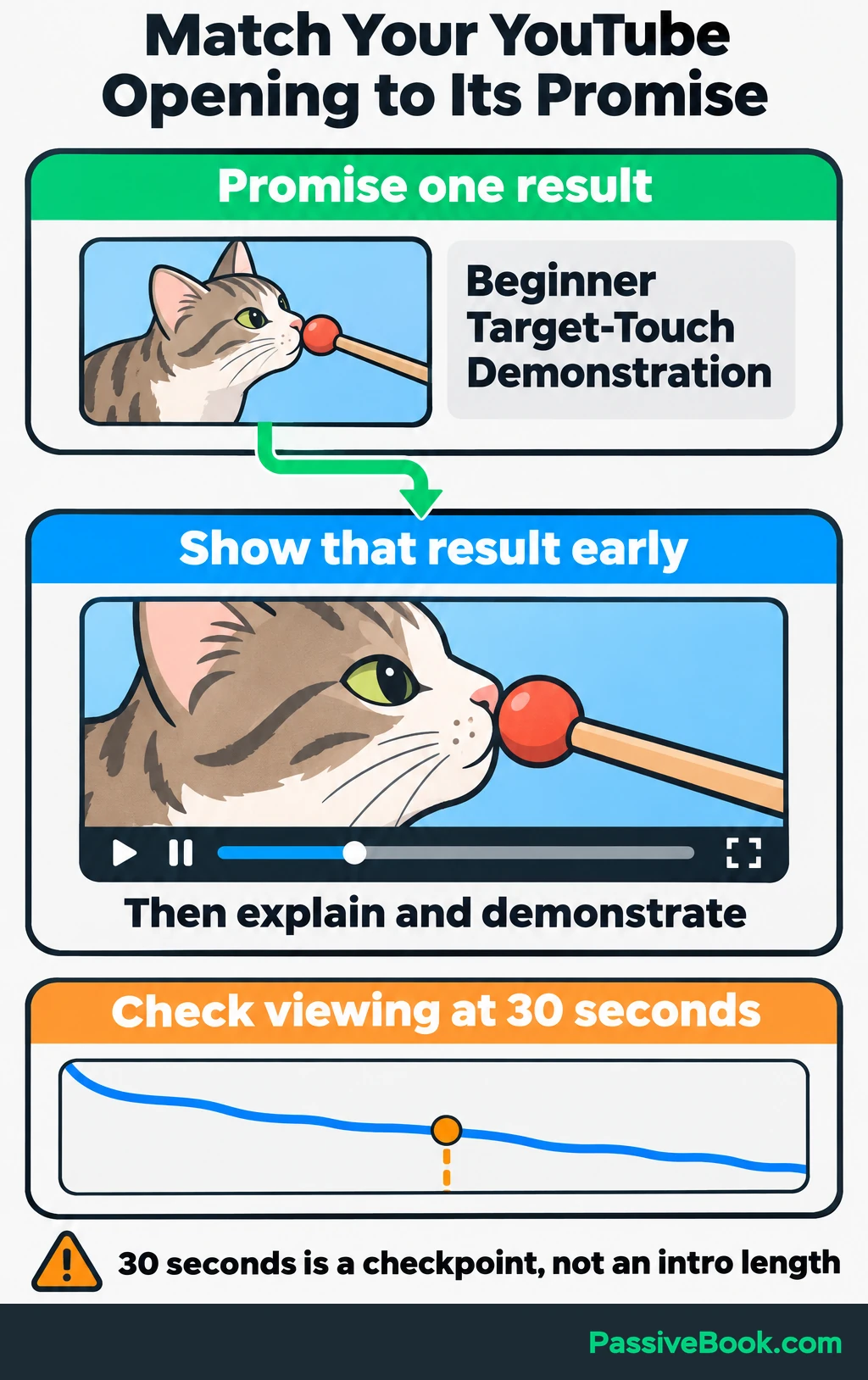
There’s no need for a long greeting, channel history, or animated logo before that. Viewers haven’t yet received the help they clicked for.
Let them see a meaningful part of the demonstration before the main subscription request. Then make the request at a natural pause and continue teaching. You don’t need to wait until the final goodbye, when some viewers have already left.
You also don’t need a talking-head introduction. Close-up footage, narration, and readable captions can carry this kind of lesson. Film what the viewer needs to understand. Your face can join the production when it has a job to do.
After publishing, check audience retention: the report showing how viewing holds up through the video. Watch the opening again wherever people leave or skip. Did you repeat the promise instead of delivering it? Was the important action too small to see?
YouTube’s introduction metric measures the percentage still watching after 30 seconds. Use that checkpoint to assess your opening; it isn’t an instruction to make your introduction 30 seconds long. YouTube’s retention guidance
Ask Viewers to Subscribe for a Specific Benefit
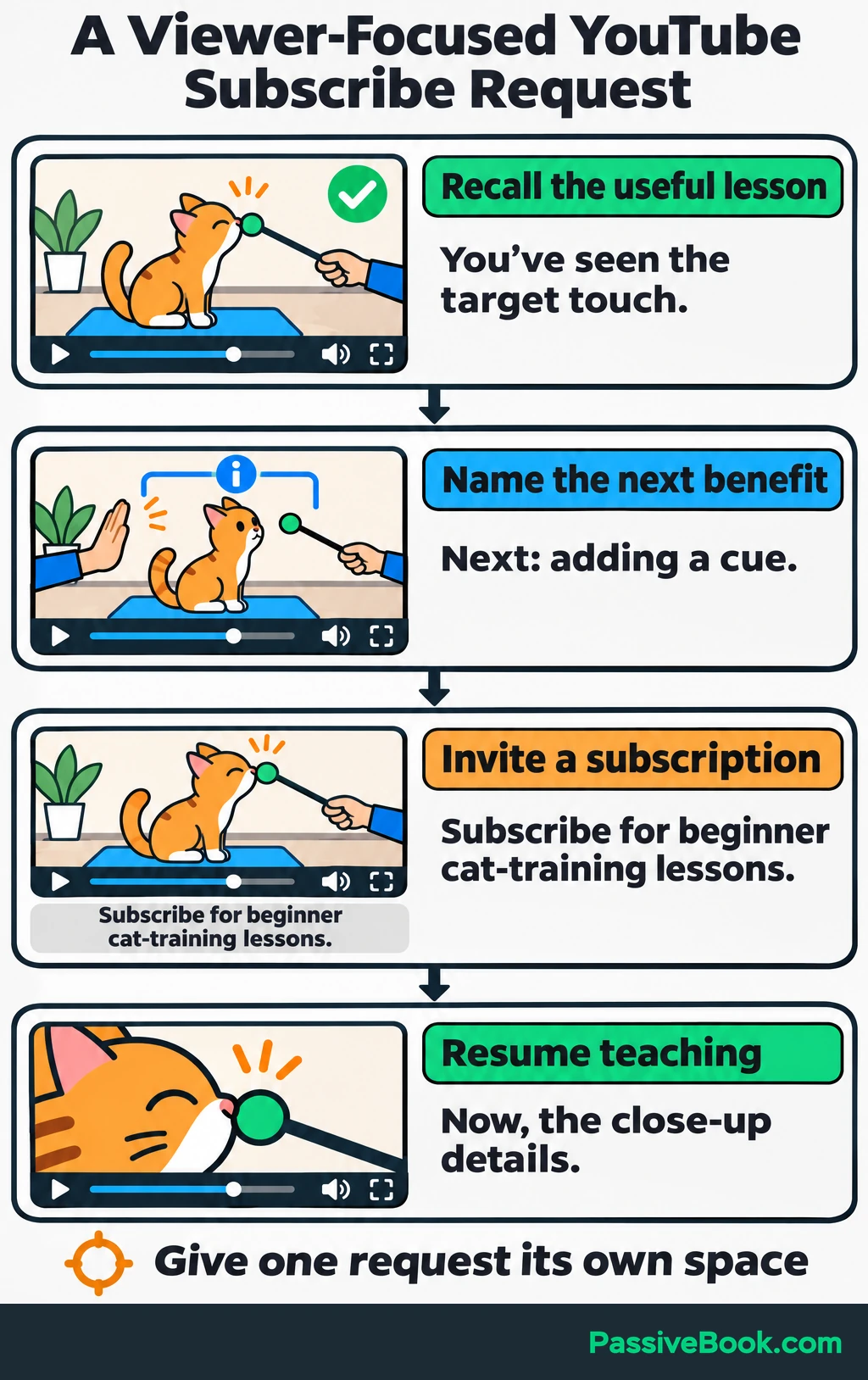
A useful subscription request connects three things: what viewers just learned, what related help they can expect, and the invitation to subscribe.
“Subscribe to support the channel” asks for a favor. I would lead with what the viewer gets.
Here’s a complete request you could adapt after the demonstration:
“You’ve seen how the target-touch exercise works. Subscribe for the next lesson on adding a cue and more beginner cat-training demonstrations. Now let’s look at the details that were harder to see in that first example.”
The final sentence returns to the current lesson. The request gets a brief moment without becoming a commercial break.
If adapting the cat-training example to your own videos feels awkward, AI Video Studio can draft the request around what you actually teach. Give it your outline and follow-up lesson to get wording you can use in narration or captions.
Free AI Video Studio




If the cue lesson is already available, say so and recommend it at the end.
Pair the spoken request with a small, clear visual prompt. Keep the demonstration visible instead of covering it with a giant bouncing button. For a video without narration, concise on-screen text can do the same job:
“More beginner cat-training demonstrations. Subscribe for the next lesson.”
Give this request its own space. Asking people to subscribe, comment, buy a practice log, and join your email list in one breath turns a simple decision into homework.
The practice log can have a separate place where it helps explain the routine. It doesn’t need to interrupt the subscription request.
Guide Viewers to the Next Useful Video
Connect Long-form Videos With End Screens
Choose the follow-up before writing your ending. That lets you finish the current answer and explain why the next video is useful.
For the target-touch lesson, the ending might be:
“That covers the target-touch demonstration. When you’re ready to understand how a cue fits into the exercise, watch the lesson shown here.”
Match that recommendation to the video displayed on screen. If you name the cue lesson but show your newest upload about something else, the viewer has to solve the mismatch.
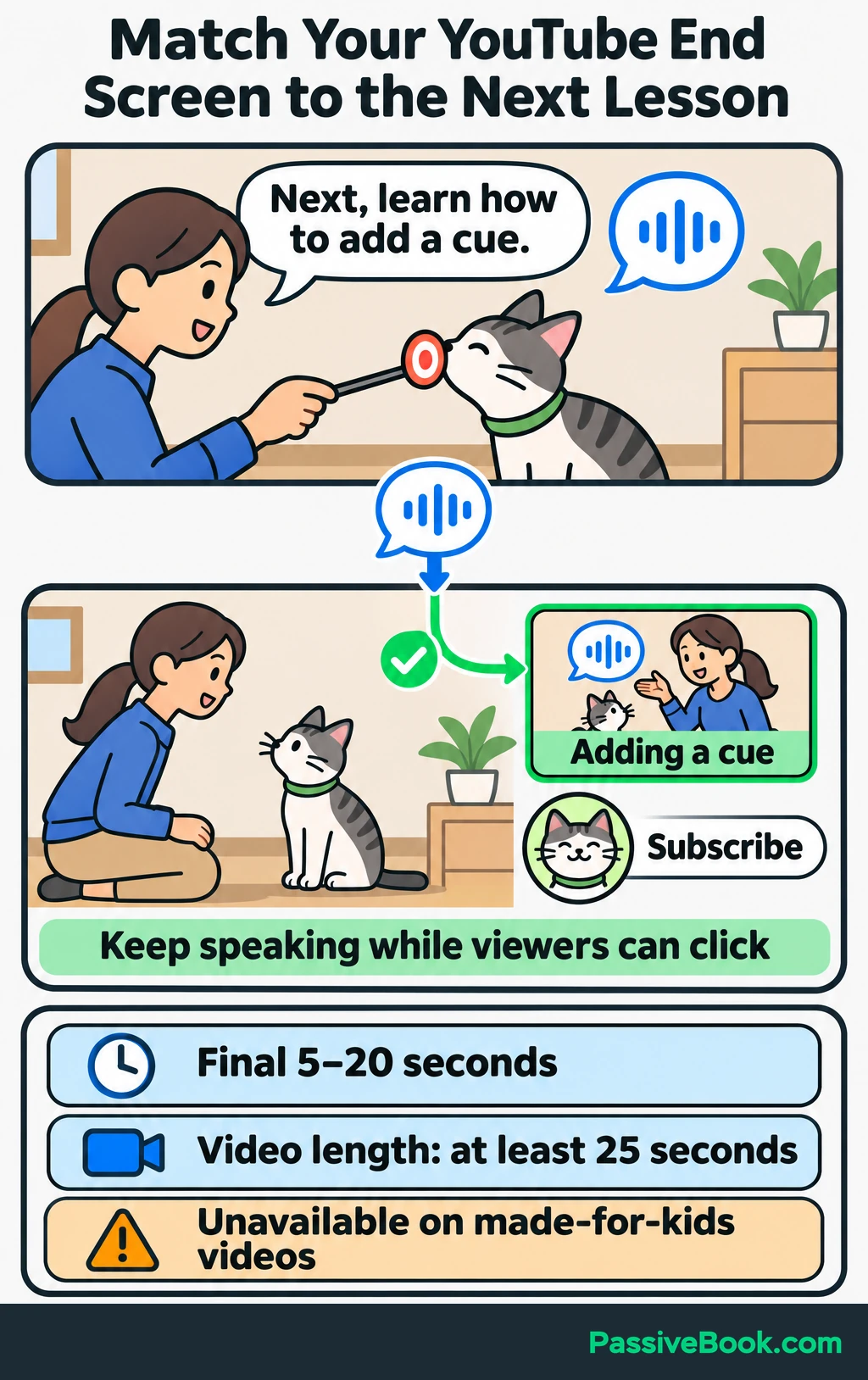
An end screen adds clickable video and subscription prompts near the end of a video. Use it to recommend one specific next lesson and invite viewers to subscribe. In YouTube Studio’s video editor, select End screen and add Video and Subscribe elements. Leave clear space for both in the final shot, and keep speaking while they’re visible so viewers hear the recommendation when they can act.
End screens can appear during the final 5–20 seconds of videos that are at least 25 seconds long. They aren’t available on videos set as made for kids. Plan your ending around those requirements. YouTube’s end-screen requirements
Put the connected lessons in a “Beginner Cat Training” playlist, ordered from the starting exercise through the practice routine. Then check relevant older videos and point them toward the closest useful continuation.
I would choose the next video for its connection to the current question, rather than automatically promoting the latest upload. “New” describes your publishing calendar. It doesn’t explain why someone should watch.
Connect Shorts to the Same Channel Promise
A Short should help the same person who would benefit from the rest of your channel.
Show one clear part of the target-touch demonstration and explain it well enough to stand alone. An unrelated funny pet clip might attract attention, but it gives you little reason to expect interest in beginner training lessons.
If you also publish a fuller demonstration, connect the Short to it with a Related Video link. This feature requires advanced feature access, and the destination must be a public or unlisted video from your channel. YouTube’s Related Video requirements
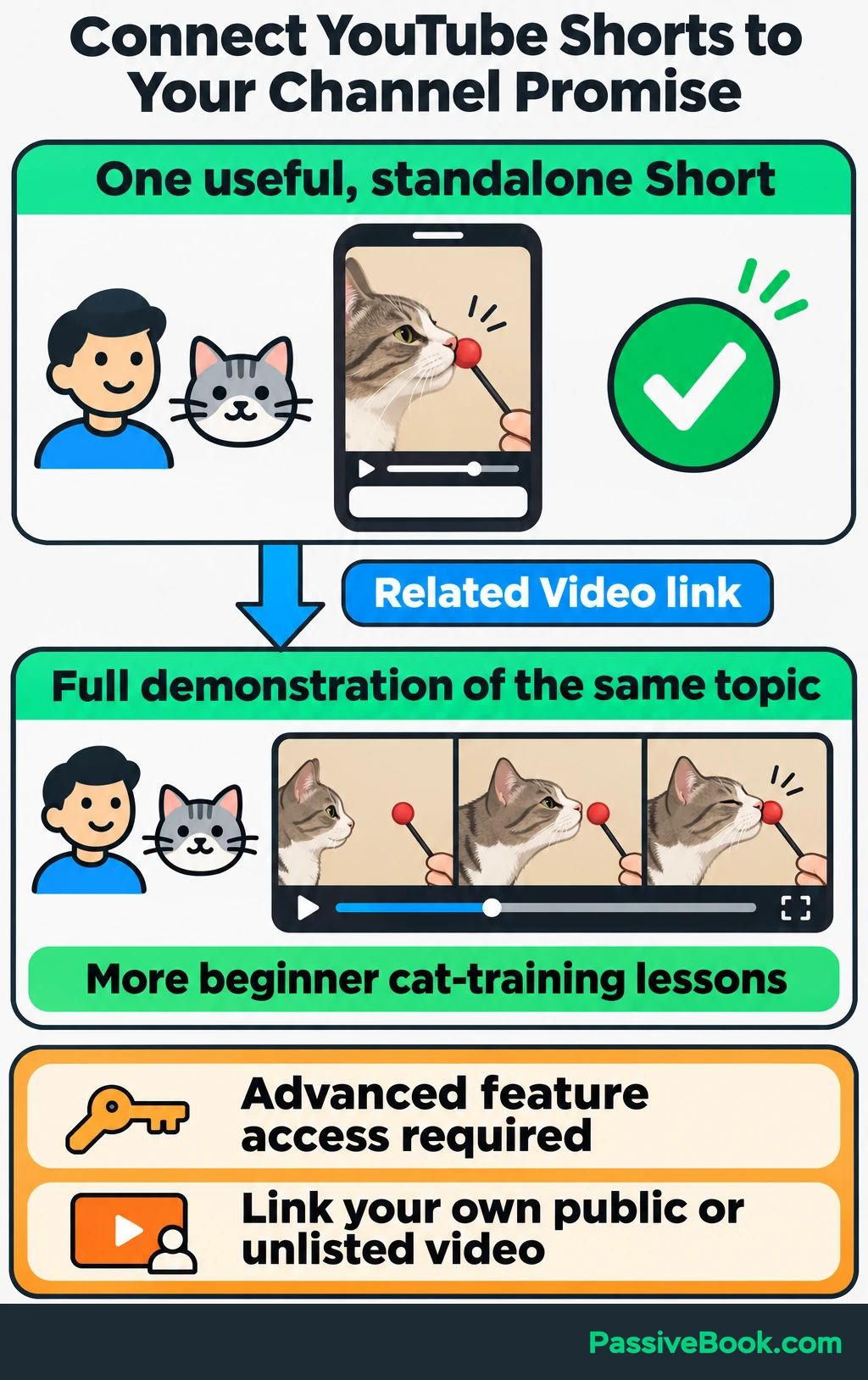
Explain the destination in plain words:
“The linked lesson shows the full demonstration and explains each part.”
A brief subscription request can still name the recurring benefit: more beginner training demonstrations. It doesn’t need a different channel promise just because the video is vertical.
Publishing both Shorts and long-form videos is optional. I would get one useful format working before adding another production schedule.
Make Your Channel Page Confirm the Subscription Promise
Someone who visits your channel page should quickly recognize the same benefit your video promised.
Put that benefit in your banner and the opening of your description. For this example:
“Beginner cat-training demonstrations and simple practice routines.”
Check the banner on a phone. A message that only survives on a wide desktop screen isn’t doing much work for mobile visitors.
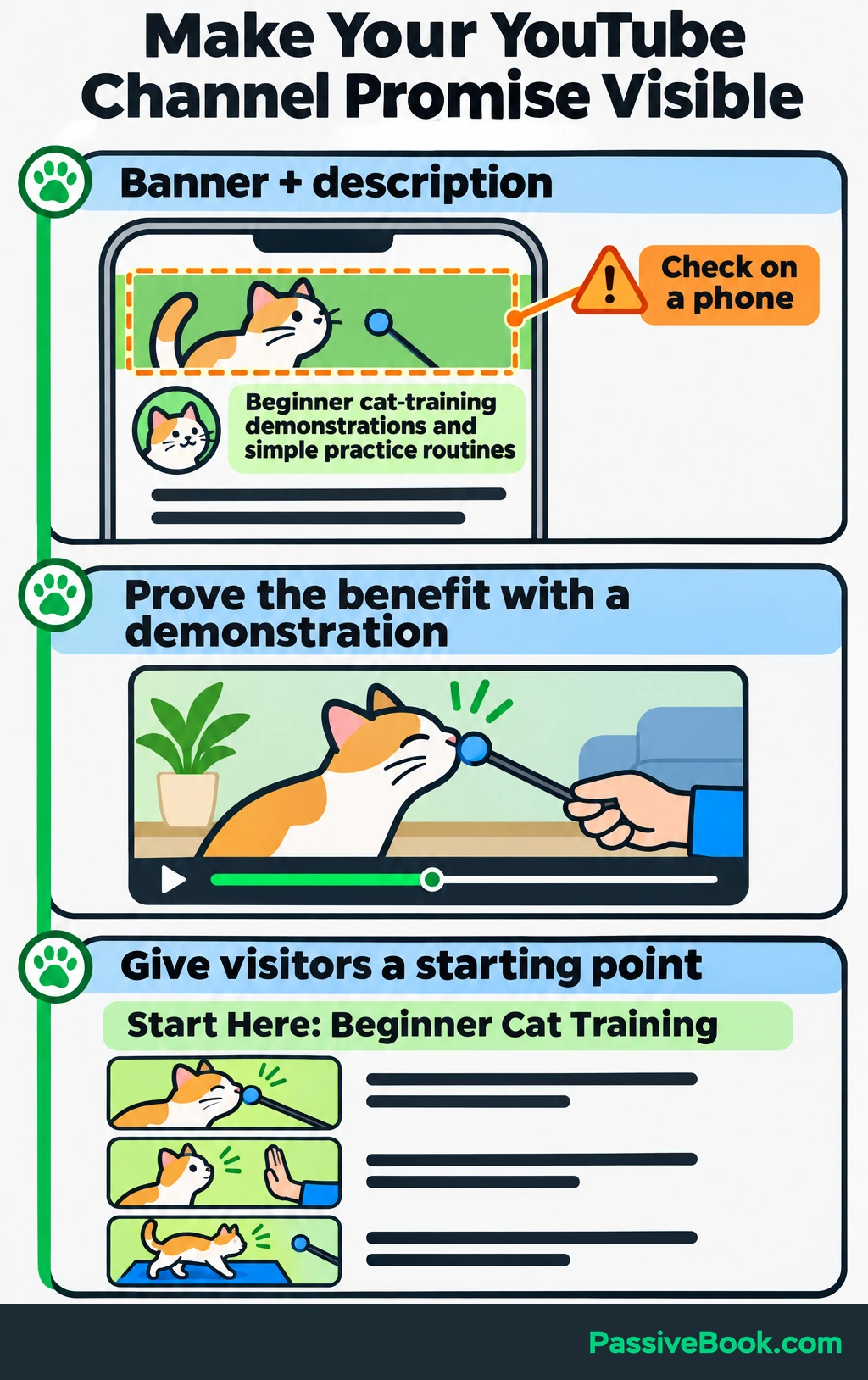
Choose a representative demonstration as the trailer for people who haven’t subscribed. I would use a video that quickly proves the channel is useful, rather than making a separate introduction full of promises.
Organize the Home tab so visitors can find a sensible starting point:
- A “Start Here: Beginner Cat Training” playlist.
- The connected target-touch, cue, and routine lessons.
- Related demonstrations that serve the same beginner audience.
You can mention the printable practice logs in the description, but keep the channel’s viewing benefit clear. People should understand why they would watch again before being asked to shop.
A polished banner can confirm that promise. It can’t supply one the videos don’t deliver.
Measure Which Videos Earn Subscriptions
Calculate Subscriptions per 1,000 Views
Count the subscribers gained from a video and the views that video received during the same reporting period. Use subscribers gained for this calculation, and review subscriber losses separately.
In YouTube Studio’s detailed analytics, select the video and reporting dates, then record both figures.
The calculation is:
Subscribers gained ÷ views × 1,000
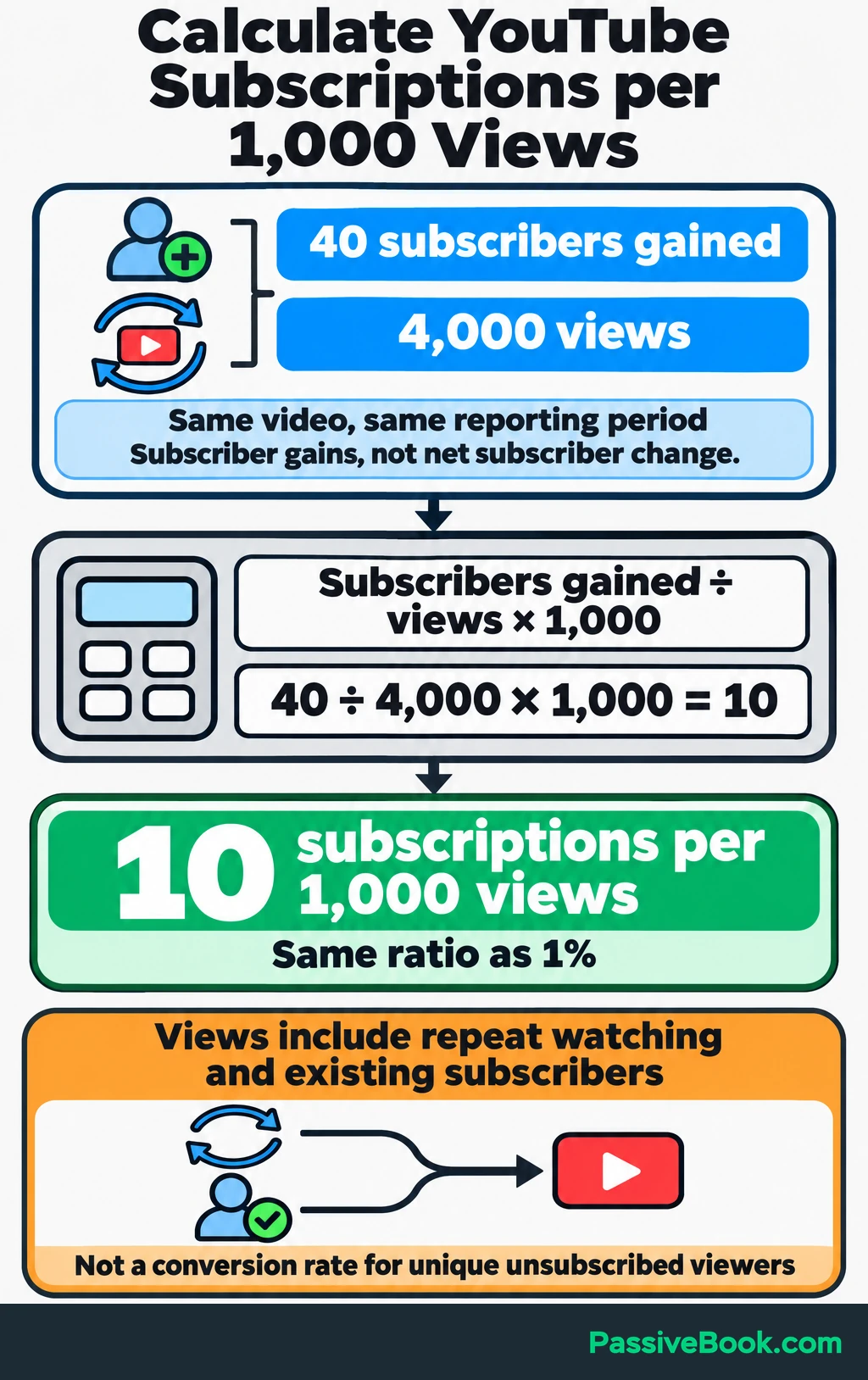
For illustration, suppose the target-touch lesson receives 4,000 views and gains 40 subscribers during the selected period:
40 ÷ 4,000 × 1,000 = 10 subscriptions per 1,000 views
The same ratio expressed as a percentage is 1%.
That does not mean 1% of individual unsubscribed viewers subscribed. Views include repeat watching and views from existing subscribers. Treat this as a comparison between subscription gains and viewing activity.
Use the Results to Choose Your Next Improvement
Record each video’s results and the change tested. These illustrative long-form lessons cover their first 28 days:
| Video | Views | Subscribers Gained | Subscriptions per 1,000 Views | Change Tested |
|---|---|---|---|---|
| Target touch | 4,000 | 40 | 10 | Original request |
| Adding a cue | 2,000 | 30 | 15 | Named the next lesson |
| Practice routine | 3,000 | 24 | 8 | Shortened the opening |
Compare similar topics and formats over equivalent periods. Keep paid results separate and use the same denominator.
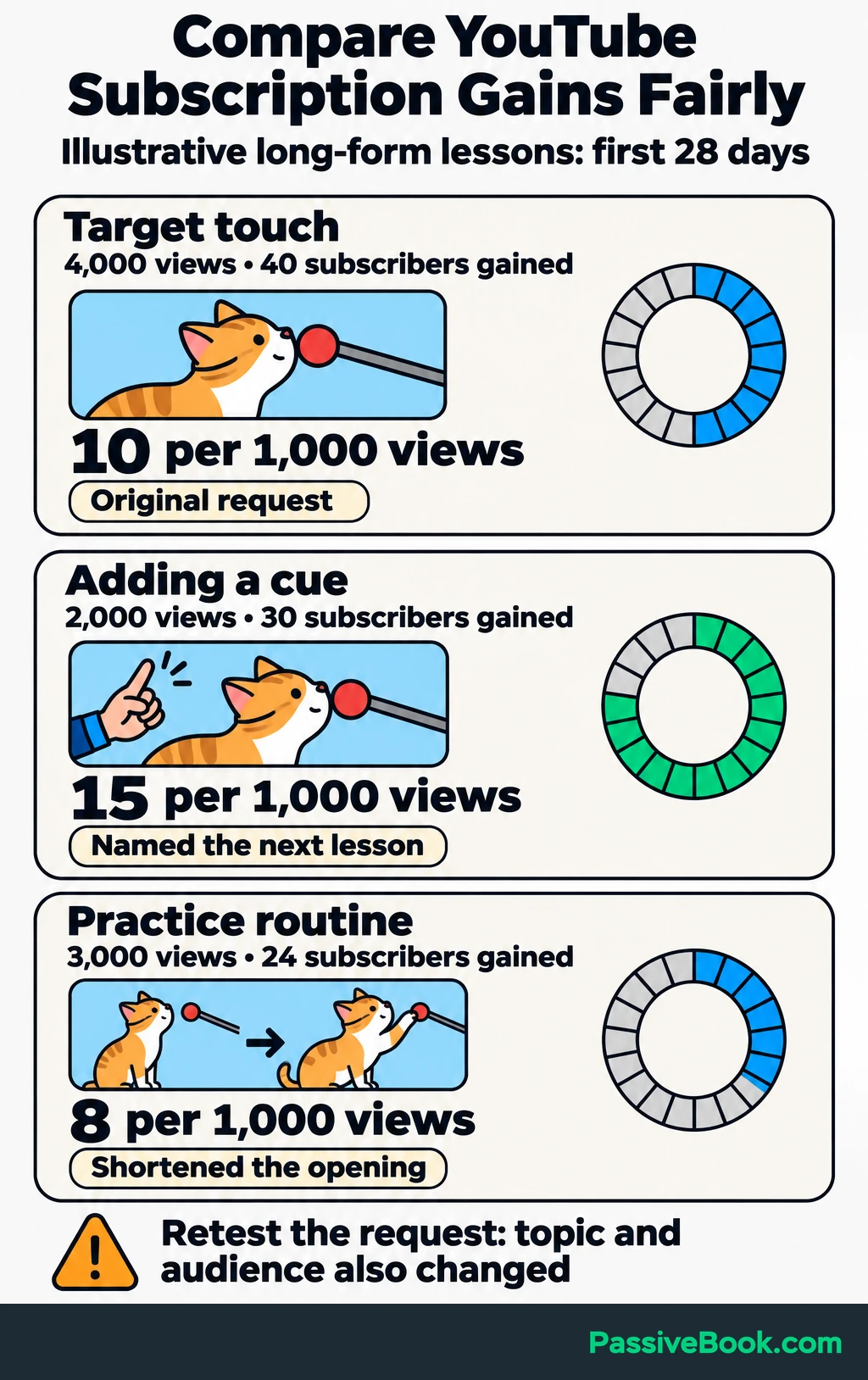
The cue lesson’s higher ratio is a reason to test that request again, but the topic and viewers also changed.
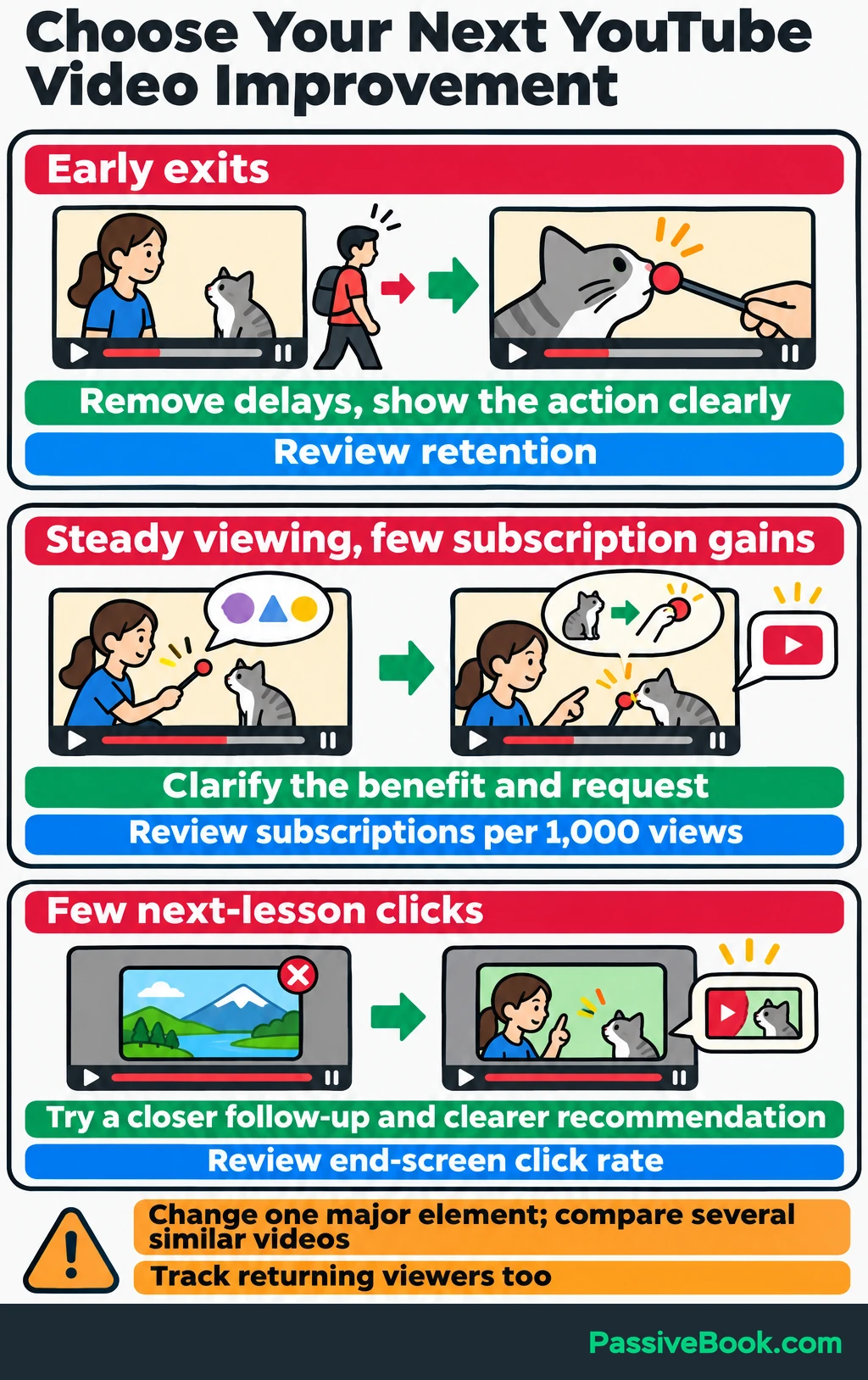
Choose the next change by looking at where the viewing journey appears weakest:
- Early exits: Shorten delays before the demonstration or make the action easier to see.
- Steady viewing but few subscription gains: Make the recurring benefit and subscription request more specific.
- Few clicks to the next lesson: Try a closer follow-up or a clearer spoken recommendation, then check the end-screen click rate.
I spent six months chasing Instagram and Twitter/X followers without meaningful financial progress. I watched the count but neglected what followers could do next, so I’d track continued viewing here too.
Returning viewers watched before and came back during the selected period. Track them alongside gains. YouTube’s audience definitions
Review weekly, changing one major element at a time. Look across several similar videos before making it your default; small counts can swing sharply. There’s no prize for refreshing analytics more often than you can make useful decisions.
YouTube subscribers aren’t an email list you control. If the channel supports your practice-log business, track email signups or sales separately.
Is Paid Promotion Worth Trying?
I would fix the organic viewing journey first. Ads buy exposure, but the video still needs to deliver useful help and explain why someone should return.
Consider a paid test only when you can measure the result and afford to lose the test budget. Before starting, choose a spending cap and the highest cost per attributed subscriber you’re willing to accept. If you can’t explain what would make the test worthwhile, keep the money.
Google Ads’ Demand Gen campaigns let you promote your channel and optimize for subscriptions or follow-on views after linking your YouTube channel to your Google Ads account. Follow-on views count later viewing on linked channels after someone sees your ad. Google Ads’ YouTube engagement guidance
To assess subscriber cost, count campaign spending and the subscriptions attributed to that campaign under its attribution settings:
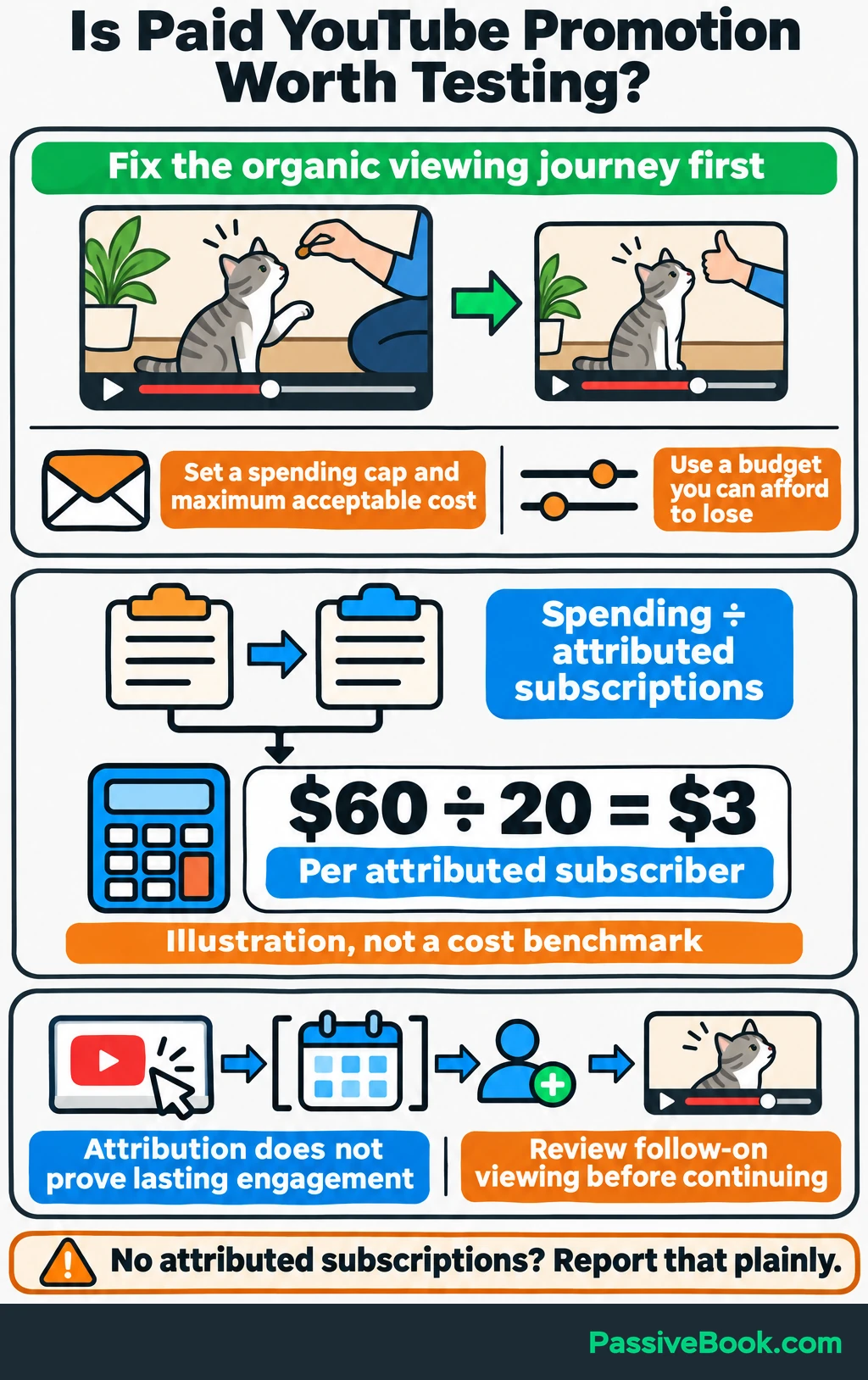
Campaign spending ÷ attributed subscriptions
For illustration, $60 spent with 20 attributed subscriptions gives a cost of $3 per attributed subscriber. If there are no attributed subscriptions, report that plainly.
Attribution counts a qualifying subscription to a linked channel after an ad view or click within the attribution period. It doesn’t establish lasting engagement, so review follow-on viewing before continuing.
For a small channel with limited time and budget, I would usually spend the next hour improving the lesson sequence before buying more exposure.
What Next?
Choose one video that already gets relevant views and write a single sentence explaining why its viewers should subscribe. Then check whether the video delivers that benefit and points to a useful follow-up.
Use the social buttons to share this guide when a conversation about channel growth needs to move beyond “post more.”
What useful lesson would give your current viewers a reason to return? Share it in the comments, and bring any other questions there too.
Share this post with your friends & followers:

