You spend Saturday filming and editing a useful video, then publish it to a handful of views. The next weekend arrives, and you’re still unsure whether to change the topic, the thumbnail or the whole channel.
That uncertainty eats into limited time. Making more videos feels productive, but it can mean repeating the same problem with better lighting. These 11 strategies connect your topic choices to clicks, watch time and repeat visits, so you can decide what needs work before spending another weekend filming.
1. Give Viewers a Clear Reason to Return
A useful video answers one question. A useful channel gives the same person several reasons to watch.
Start by writing one sentence that describes the recurring benefit of your videos. Name what viewers want to do and how your channel helps them do it.
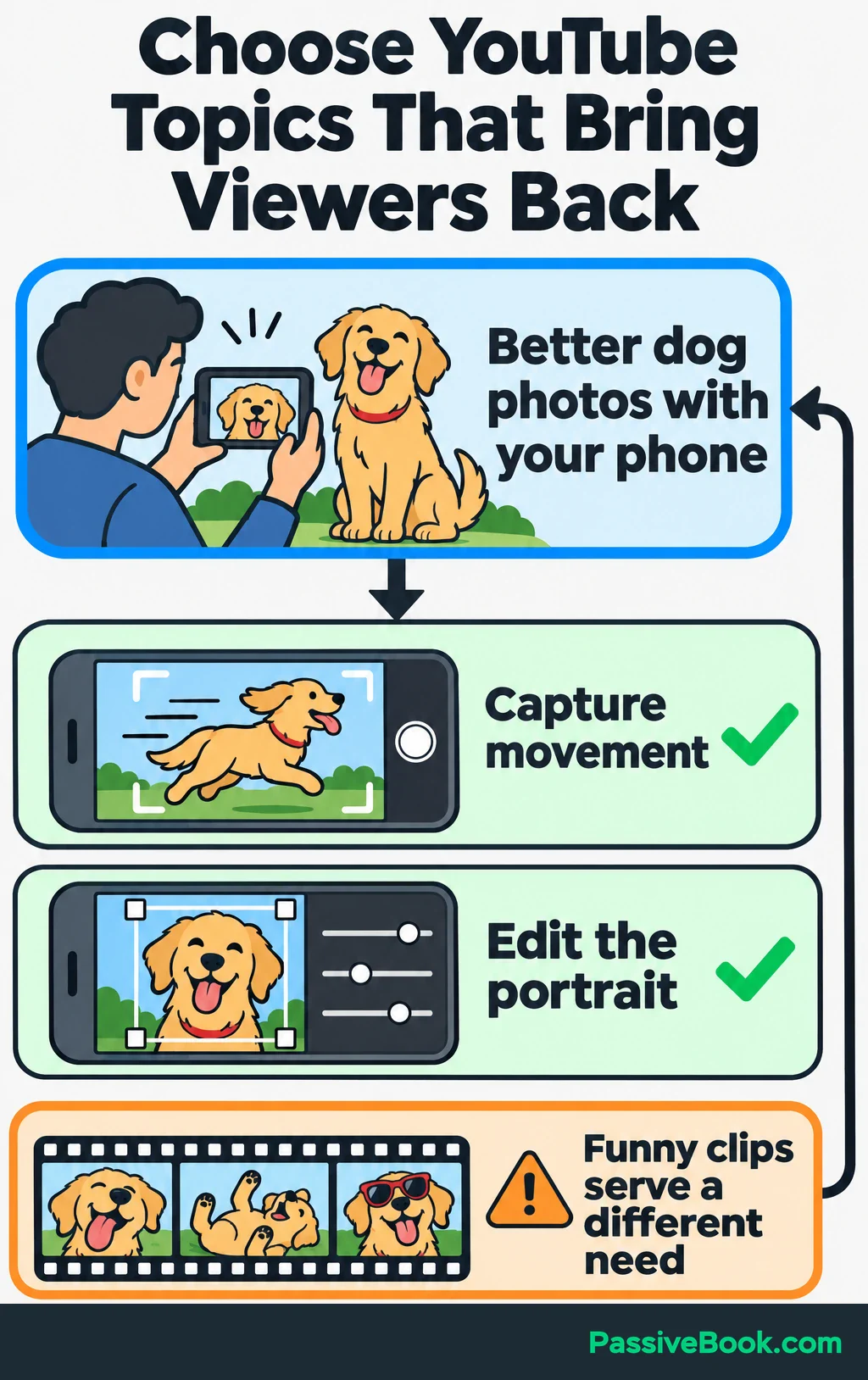
Imagine running a channel that teaches phone photography of dogs, with downloadable photo-session planners for sale. It’s a business you could build around practical demonstrations without becoming a full-time presenter. The sample copy and demonstrations below illustrate how that business could work.
Its channel promise could be:
“Take clearer, more expressive photos of your dog with your phone.”
That sentence makes topic decisions easier. A lesson about photographing a moving dog fits. A compilation of funny dog clips may attract views, but it gives people a different reason to watch.
Use the same promise in your channel description and choice of featured videos. Someone visiting your channel should quickly understand what subscribing will bring them.
Track subscriber growth, but also check your monthly audience. YouTube defines this as the unique viewers who watched in the previous 28 days and considers it a better estimate of active audience size than subscriber count alone. YouTube’s audience guidance
2. Choose Topics That Answer Real Viewer Questions
Before recording, find a question you can answer clearly with something viewers can see.
Collect ideas from:
- YouTube search suggestions.
- Comments beneath your videos and related videos.
- Relevant community discussions.
- Customer questions and conversations.
- Search terms already bringing viewers to your channel.
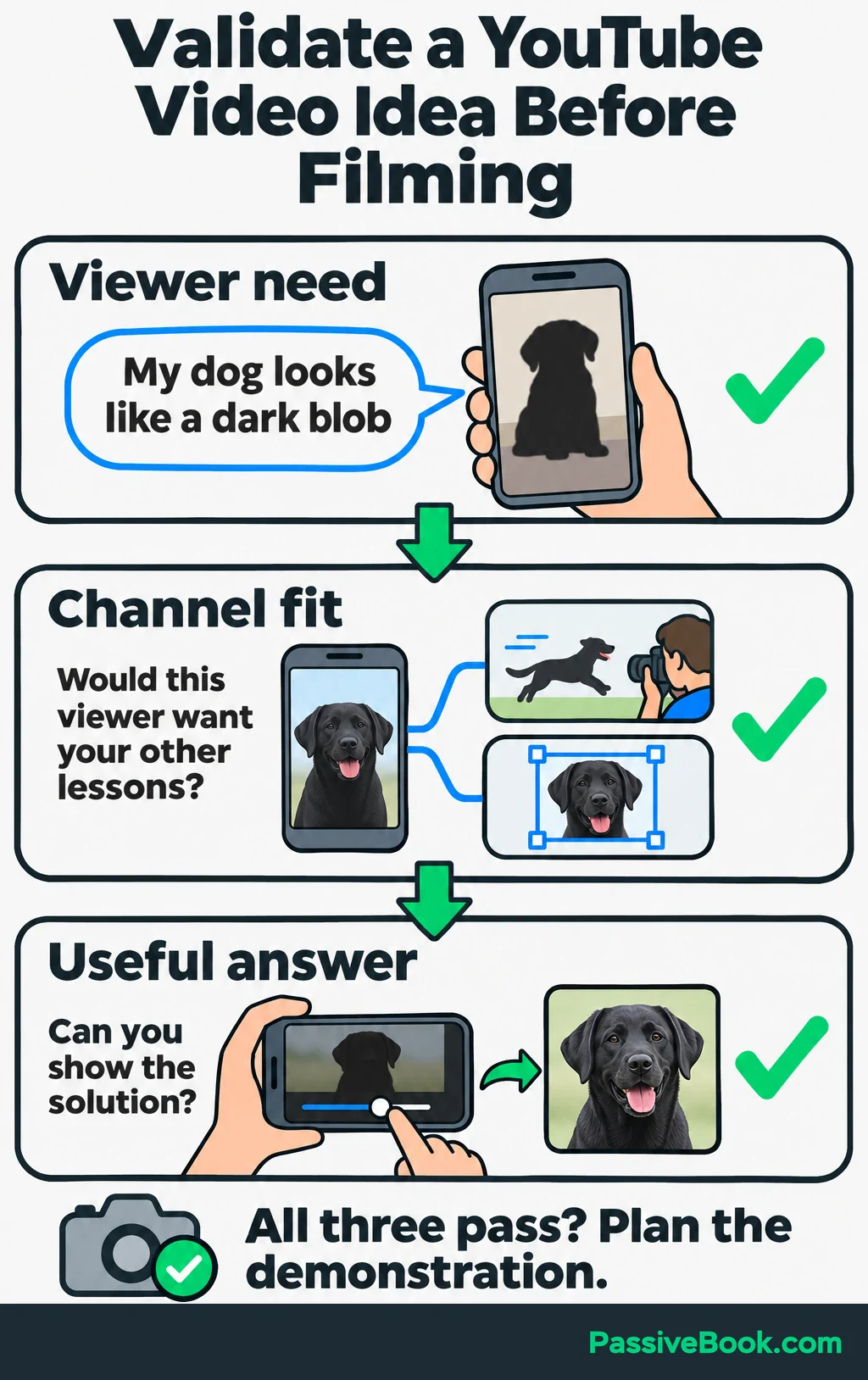
Keep the viewer’s wording where possible. “My dog looks like a dark blob in every photo” tells you more than a planning note that says “photography tips.”
Search suggestions and comments are clues, though. They don’t tell you how many people search for a topic.
Next, watch a few existing answers. Look for a missing demonstration, a confusing step or a question the comments keep raising. Your contribution might be a clearer explanation using equipment viewers already own.
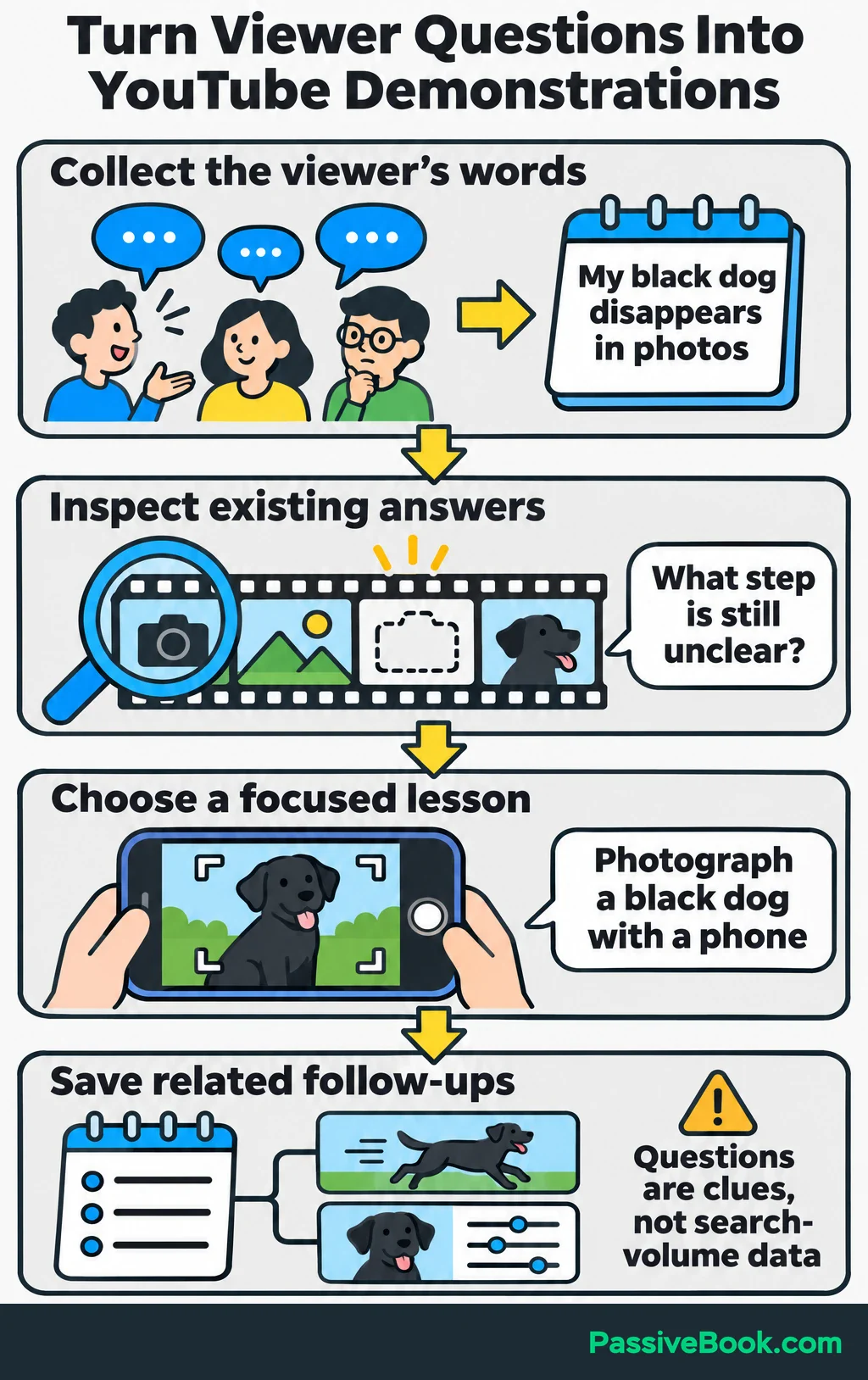
For the running example, “dog photos” is too broad to guide production. “How to Photograph a Black Dog With Your Phone” gives you a subject, a problem and a practical boundary.
I would prioritize an idea when it passes three checks:
- Viewer Need: You can point to a specific question people ask.
- Channel Fit: Someone interested in this answer could reasonably want your other videos.
- Useful Answer: You can demonstrate the solution rather than repeat general advice.
Save nearby questions as follow-ups. Photographing a dark coat, capturing movement and editing a portrait can become connected lessons. That gives you a direction beyond chasing whatever happens to be popular this week.
3. Write Titles That Make the Value Clear
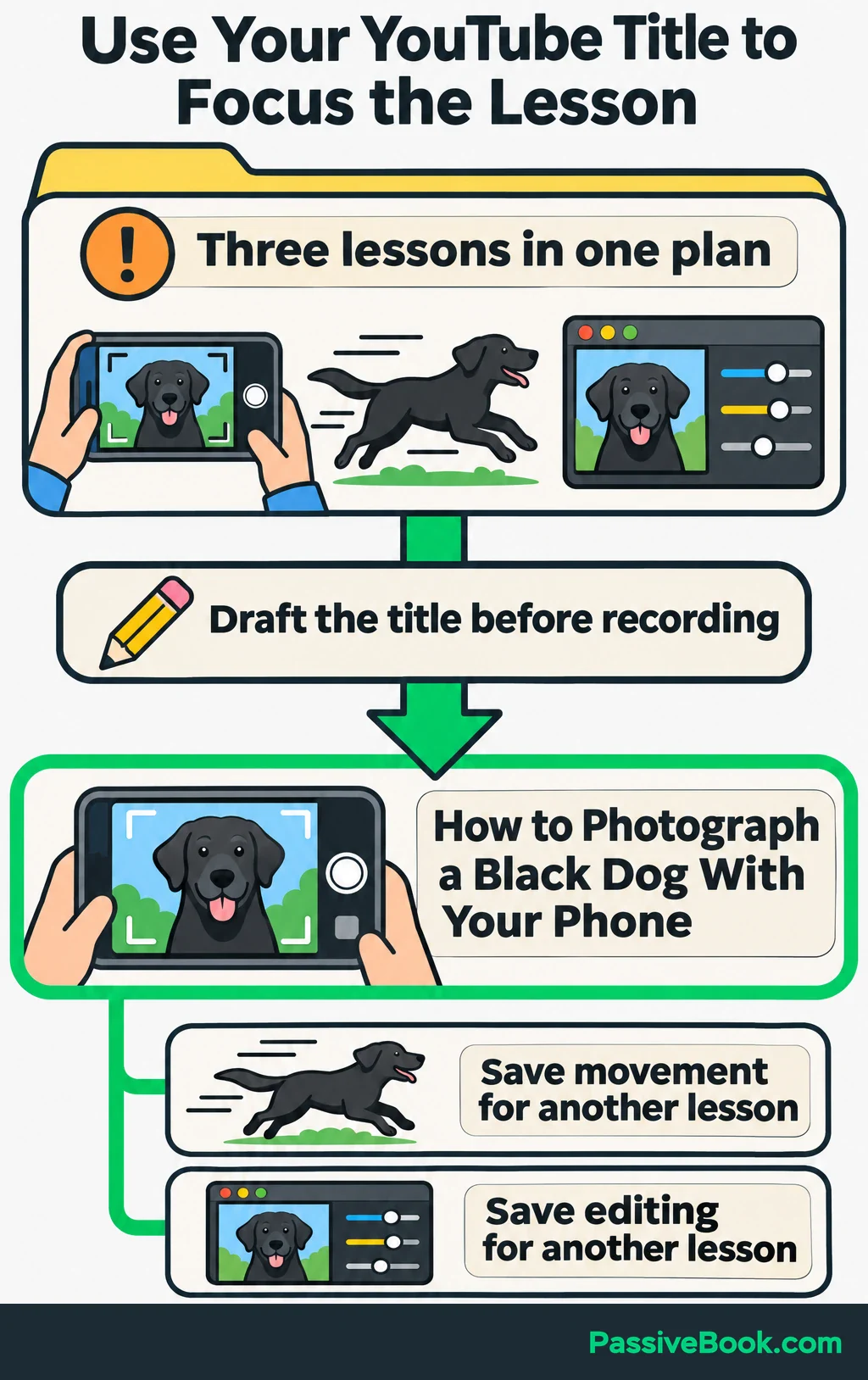
Draft the title before you record. It forces you to decide what the video will deliver, and it helps you spot an idea that has grown into three separate lessons.
Put the task or recognizable problem early. Leave your channel name and episode number until the end, if you need them at all.
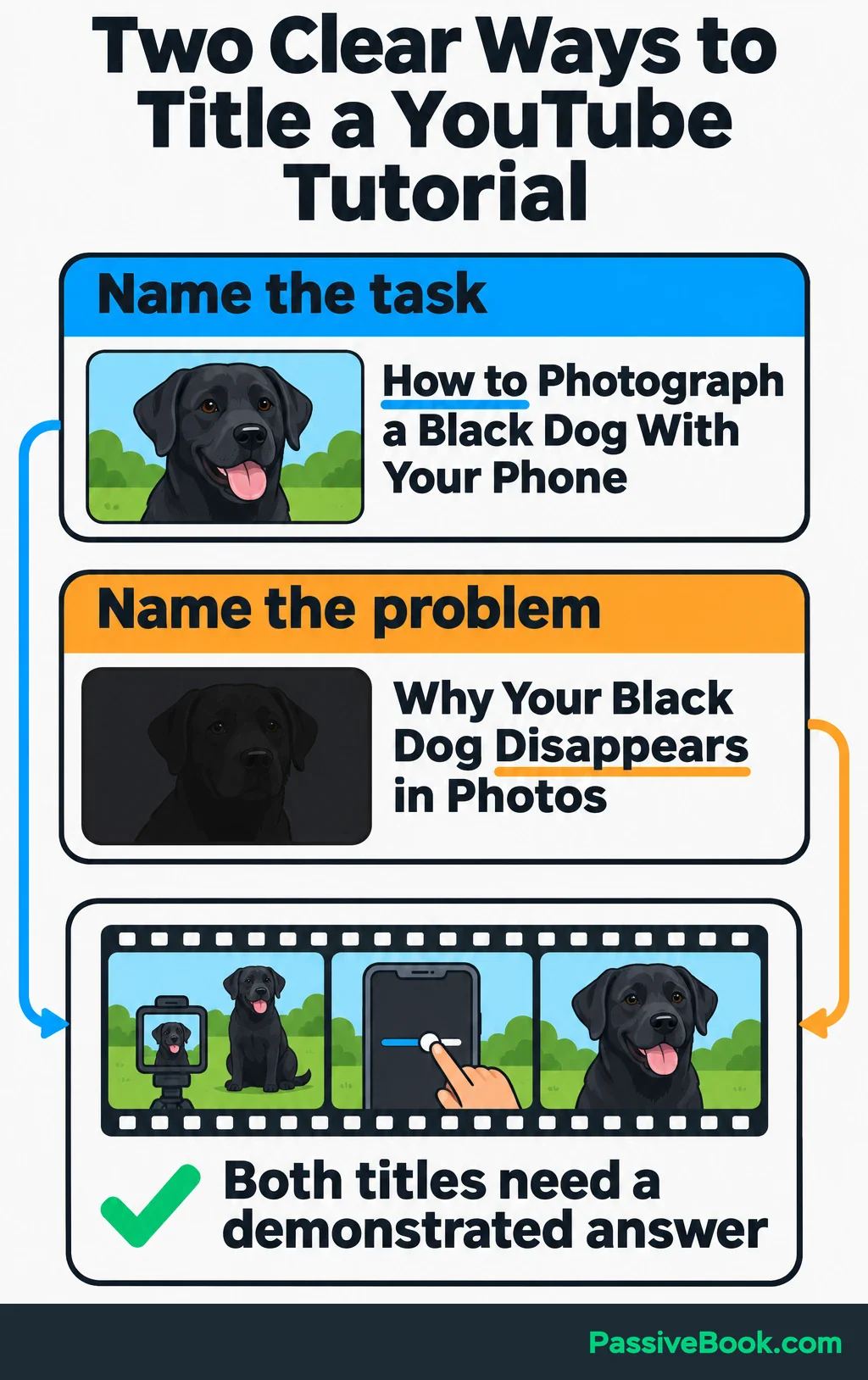
The photography lesson could use either of these approaches:
- Task Title: “How to Photograph a Black Dog With Your Phone”
- Problem Title: “Why Your Black Dog Disappears in Photos”
The first names the answer directly. The second starts with a frustration viewers recognize. Both need footage that explains the problem and demonstrates a practical solution.
For a new channel, I would start with the task title because its value is easier to understand without knowing the creator.
Use the viewer’s language naturally in the opening description and narration too. YouTube Search considers how the title, description and video content match a query, alongside engagement for that search. Tags mainly help with spelling variations, so I would spend my limited time clarifying the promise before polishing a tag list. YouTube’s discovery guidance
A useful final check: could a stranger explain what they’ll learn after reading the title once? If they need your explanation, keep editing.
If you have a video idea but the wording still feels vague, AI Video Studio can draft a few options from your notes. It pairs each title with a thumbnail idea so they make the same promise.
Free AI Video Studio




4. Make Thumbnails Communicate One Strong Idea
Plan the thumbnail with the title. Let them do different jobs.
The title can explain the task, and the image can make the result visible. For the black-dog photography lesson, use a clear portrait produced during the actual demonstration. Viewers should be able to recognize the dog’s face even when the thumbnail is small.
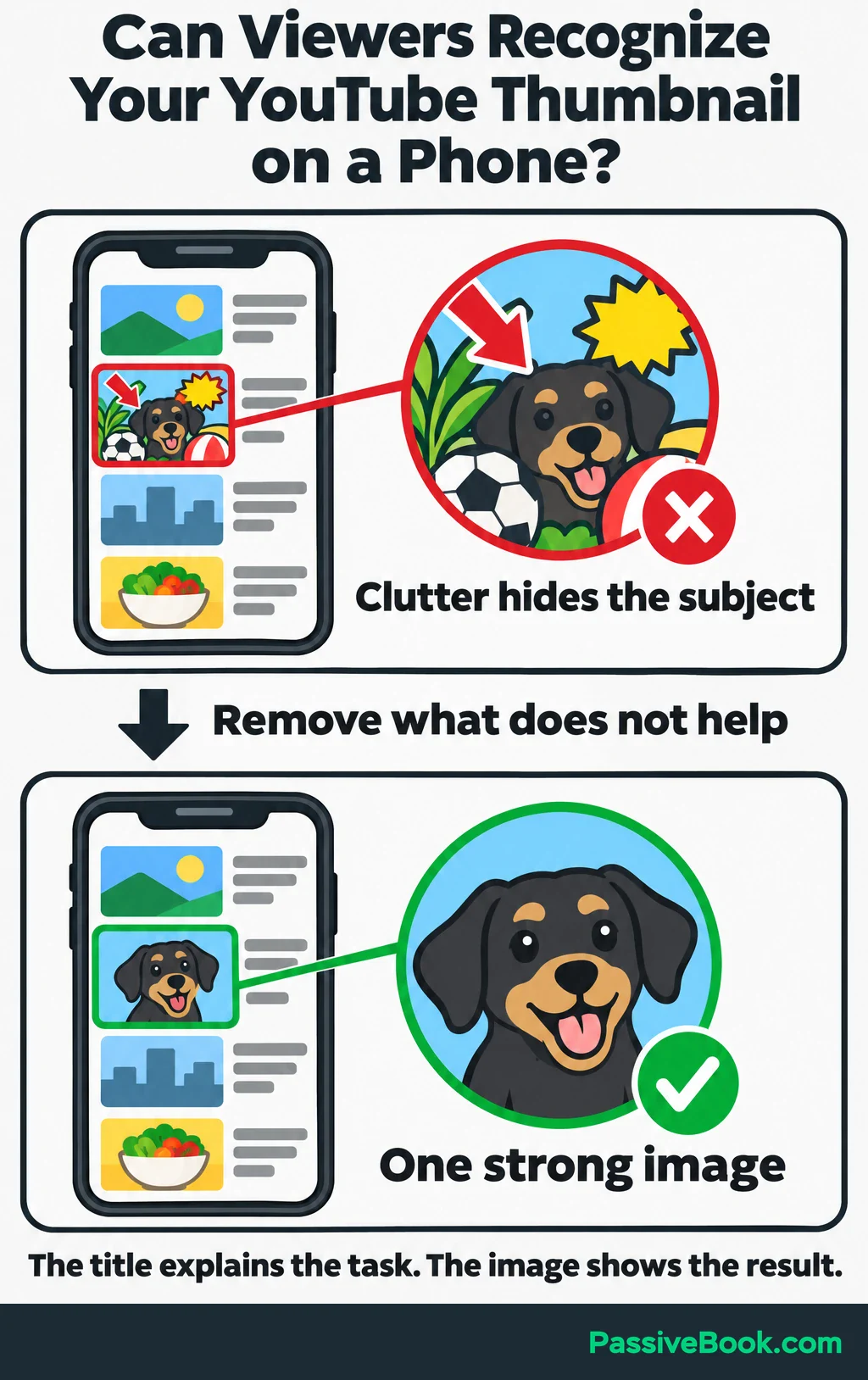
I would start with one strong image and no text. Add a short label only if it helps explain something the title and image leave unclear.
Before publishing, shrink the design to roughly the size you see while browsing on a phone. Check whether:
- The subject is easy to recognize.
- Any text remains readable.
- The background competes with the subject.
- Each extra element contributes something useful.
Capture thumbnail options while filming. It’s much easier than finishing the edit and discovering you have no suitable image.
Canva works well for a reusable layout. Keep the same basic font and spacing, then change the image and any necessary label. The template should save decisions, but it shouldn’t make every video look interchangeable.
Use results you can show in the footage. If the thumbnail promises a transformation the lesson never produces, the opening has a problem before you say a word.
5. Keep Viewers Watching by Delivering the Promise
Make the Opening Immediately Useful
Start with evidence that viewers have found the right video.
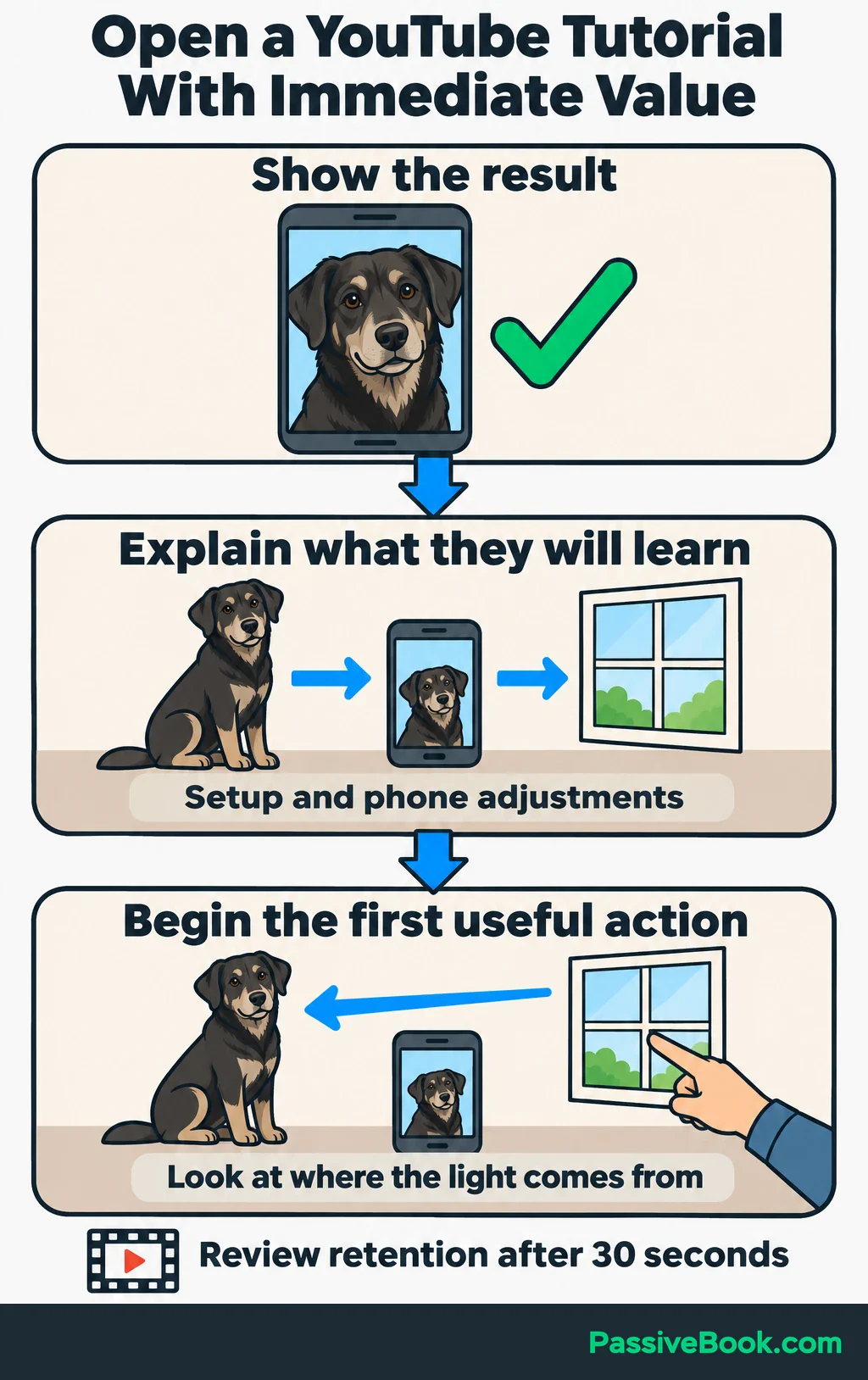
Show the result or the problem, explain what they’ll learn, and move into the first useful action. A long greeting delays the answer they clicked for.
For the photography lesson, the opening could show the finished portrait beside footage of the setup:
“Here’s the portrait we’re working toward. I’ll show you the setup and the phone adjustments used to take it. First, let’s look at where the light is coming from.”
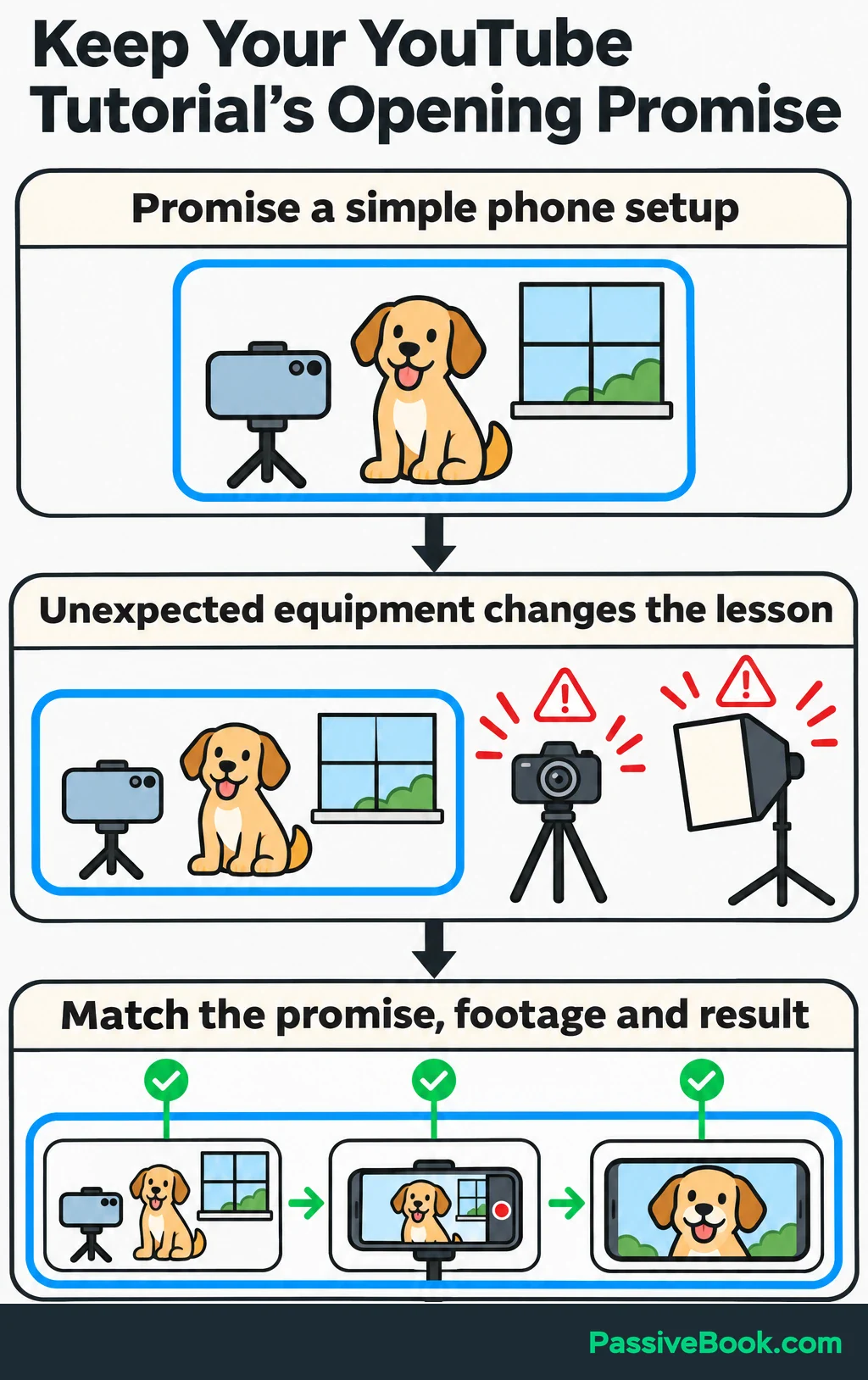
The footage needs to support those words. Don’t promise a simple setup and then quietly introduce extra equipment halfway through.
After publishing, review how many viewers remain after the first 30 seconds. Use that alongside the opening footage to judge whether you met the title-and-thumbnail expectation quickly enough.
Make Every Segment Advance the Answer
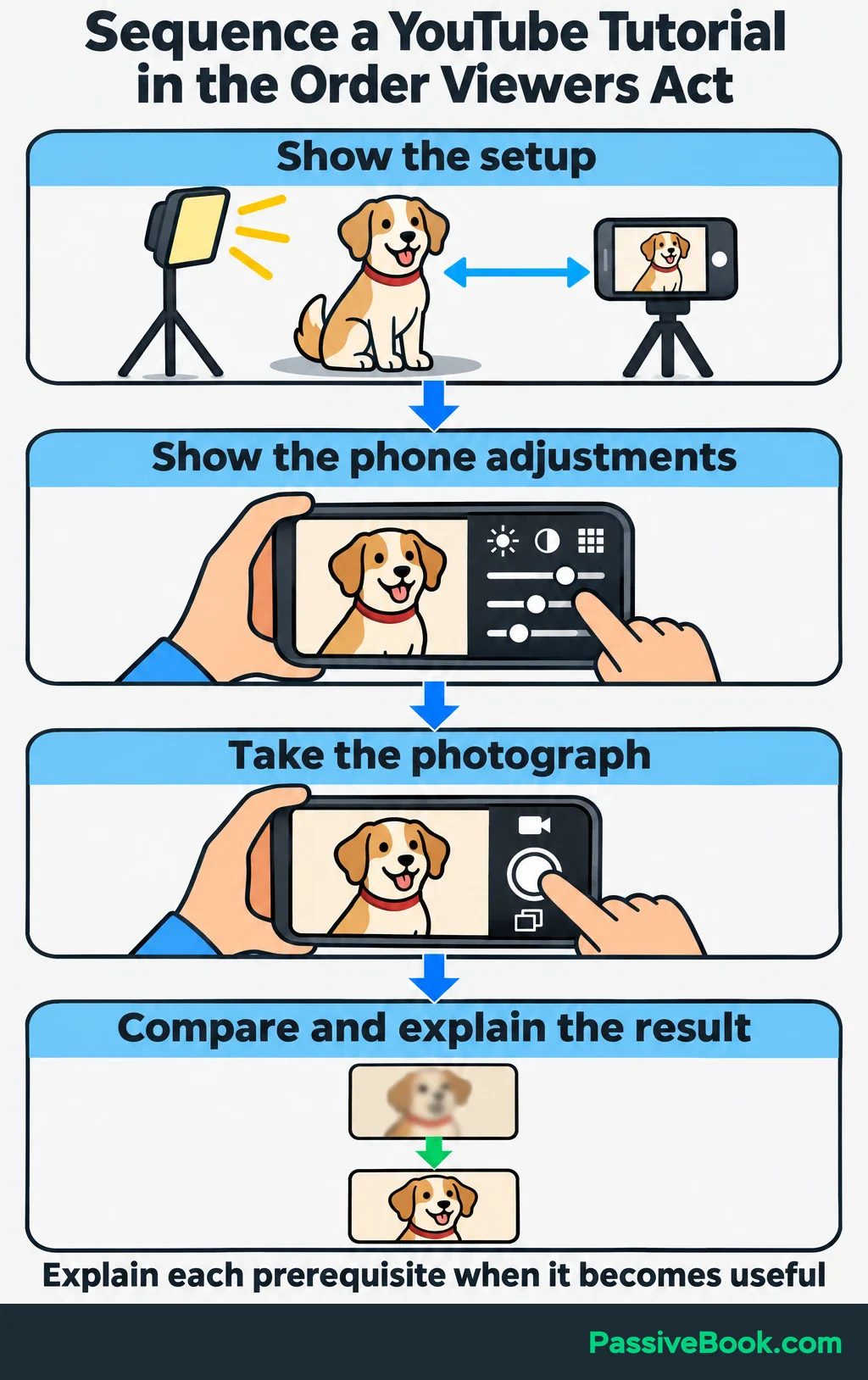
Arrange the lesson in the order viewers need to act. Explain a prerequisite just before it becomes useful.
For this demonstration, that might mean showing the setup, recording the phone adjustments, taking the photograph and comparing the result. Explain what changed while the relevant image is on screen.
Cut repeated explanations and unrelated detours. Keep pauses that help viewers see an action or understand a comparison. Fast editing isn’t much help if nobody can follow the lesson.
Choose the length the answer needs. I would rather watch a complete seven-minute demonstration than a three-minute version that skips the awkward step.
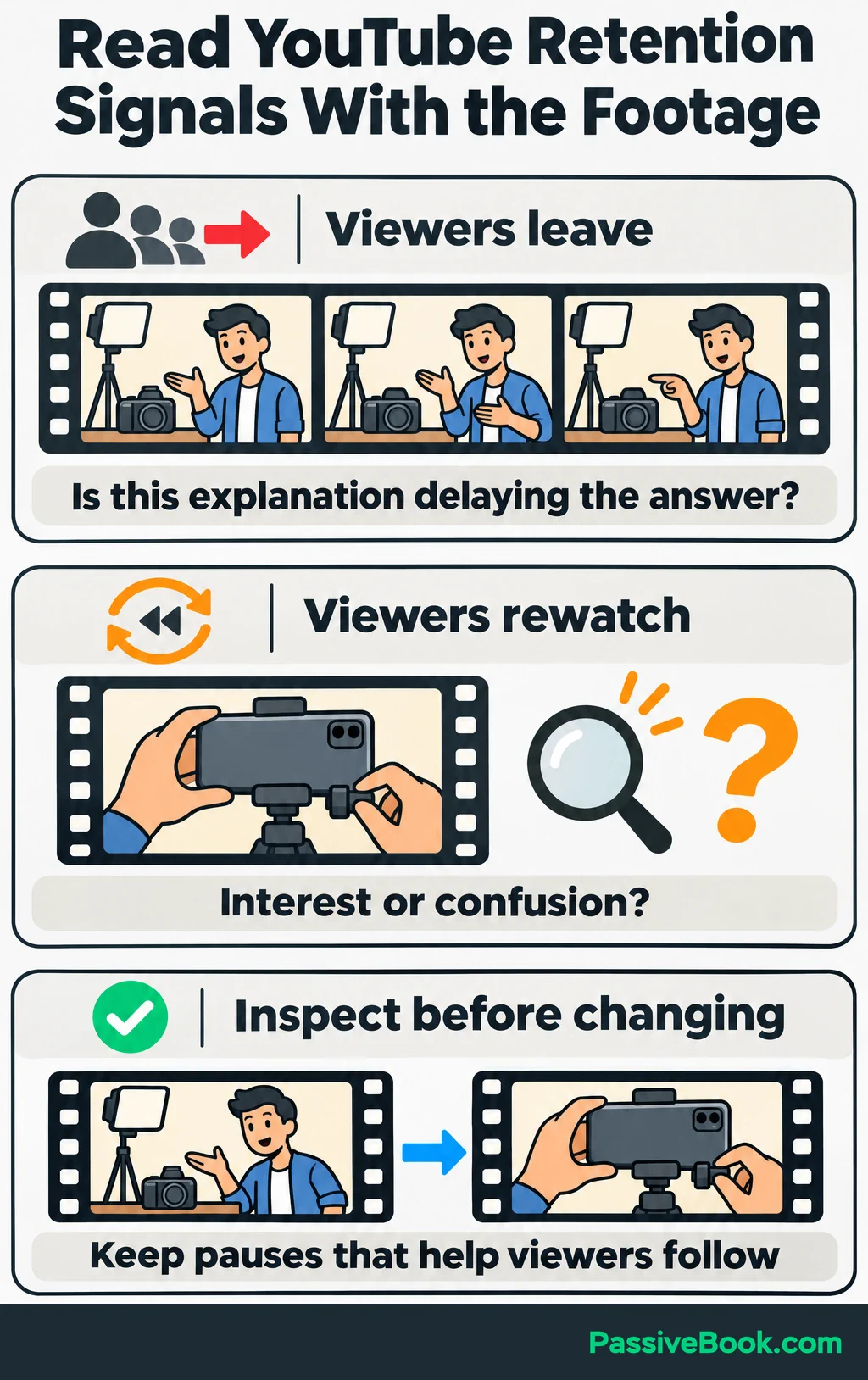
YouTube’s retention report shows where viewers skip or leave, and where they rewatch. A spike can mean interest or confusion, so inspect the footage before deciding what to repeat. The report also measures the percentage still watching after 30 seconds. YouTube’s retention guidance
If viewers repeatedly leave during your equipment introduction, try moving each item’s explanation to the moment you use it.
6. Build a Production Routine You Can Sustain
Choose a format that teaches the lesson without adding unnecessary work.
You can combine narrated demonstrations, hands-only footage and screen recordings. For the photography channel, viewers need to see the setup, the phone screen and the resulting images. Your face doesn’t need to appear in every shot.
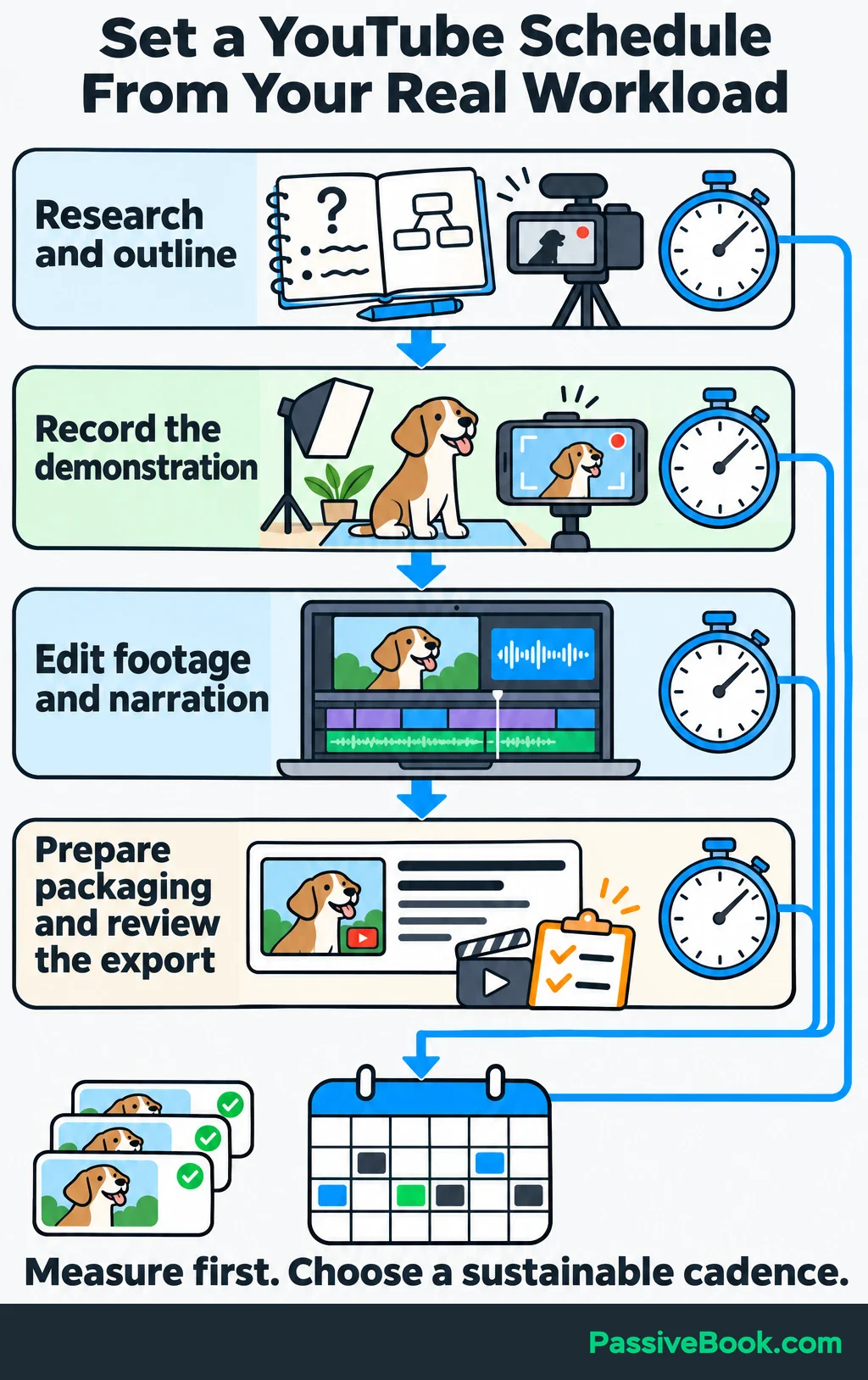
Before promising a schedule, finish one video and record how long each stage takes:
- Research and outline.
- Record the demonstration.
- Edit the footage and narration.
- Prepare the title, thumbnail and description.
Use that experience to set a realistic publishing commitment. Include time for the parts you tend to forget, such as reviewing the final export.
I spent six months building a membership site alongside corporate work, and its continuing content demands became unsustainable. The workload after launch was the problem. That experience makes me cautious about any plan whose success requires feeding it forever at a pace I already struggle to maintain.
I would start with a schedule you can keep during an ordinary busy month. YouTube says daily or weekly uploads aren’t required, and its analyses found no correlation between growth in views across uploads and the time between them. YouTube’s publishing-frequency guidance
Batch related work where it helps. Record shared setup footage together, reuse your editing structure and schedule finished videos in YouTube Studio. Build a small buffer before increasing frequency.
7. Give Each Video a Useful Next Watch
Ask what someone will need after completing the current lesson.
That question produces a better recommendation than automatically pointing every viewer to your newest upload.
After photographing a black dog, the next useful lesson might be editing that portrait on a phone. Finish the photography answer first, then explain what the editing walkthrough adds:
“You now have the photo. In the next walkthrough, I’ll use this same image to show the editing adjustments and compare the result.”
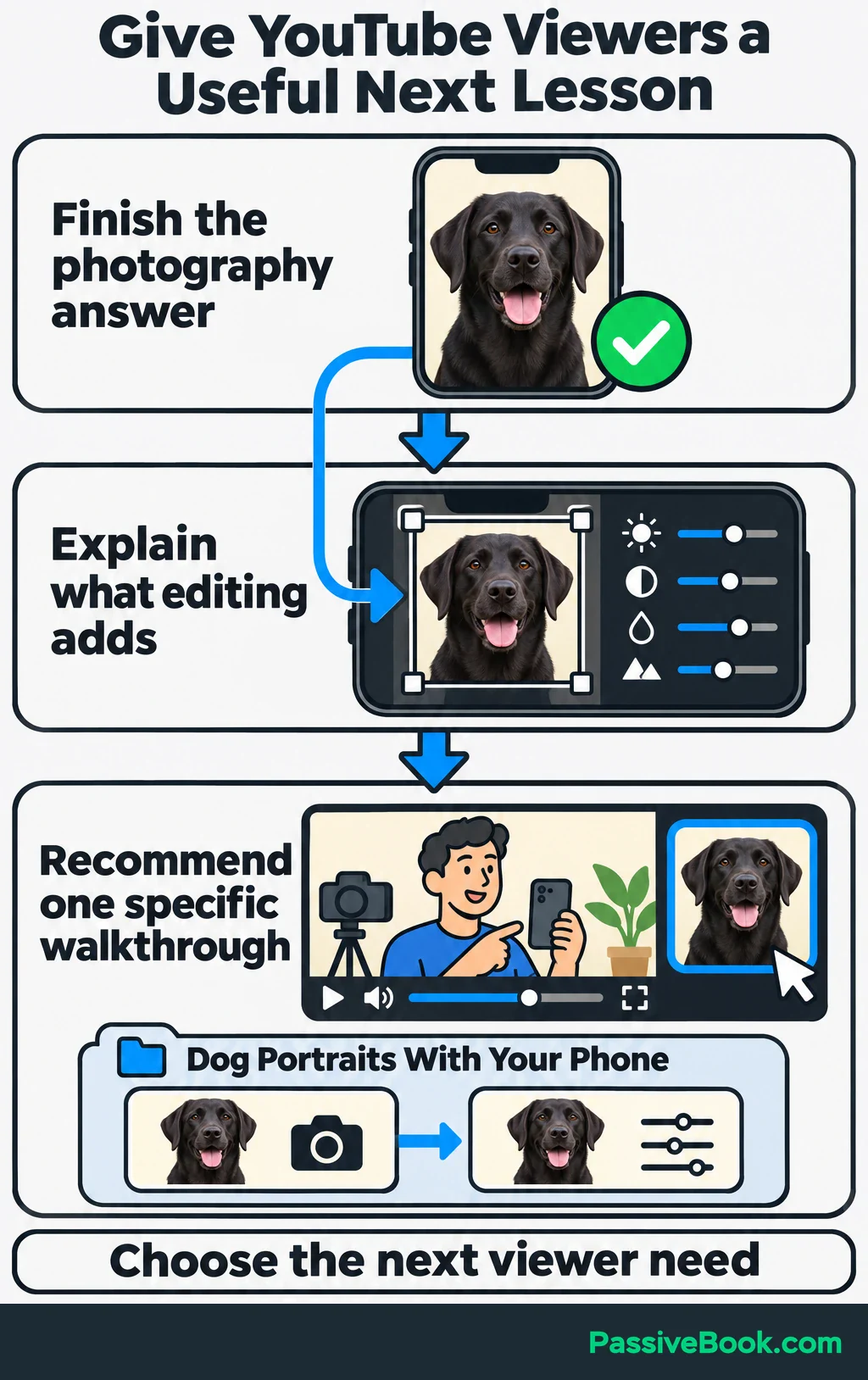
Group connected lessons into a clearly named playlist, such as “Dog Portraits With Your Phone.” Recommend one specific next video so viewers don’t have to choose from a pile of unrelated options.
Use an end screen—a clickable recommendation near the end of your video—to link to that lesson. Leave visual space for it while you explain why the next lesson helps. End screens can appear in the final 5–20 seconds, require a video at least 25 seconds long and aren’t available on videos designated made for kids. YouTube’s end-screen requirements
Revisit older videos when you publish a better follow-up. A useful video can keep introducing people to the rest of your channel.
8. Use Shorts to Introduce Your Core Topics
Choose a small demonstration that helps the same person your main videos serve.
For the photography channel, a Short could show one adjustment from the longer tutorial and the photograph it produced. Give that small lesson a beginning, an action and a result.
I would skip a clip that ends just before the answer. Viewers should get something useful even if they never watch another second of your channel.
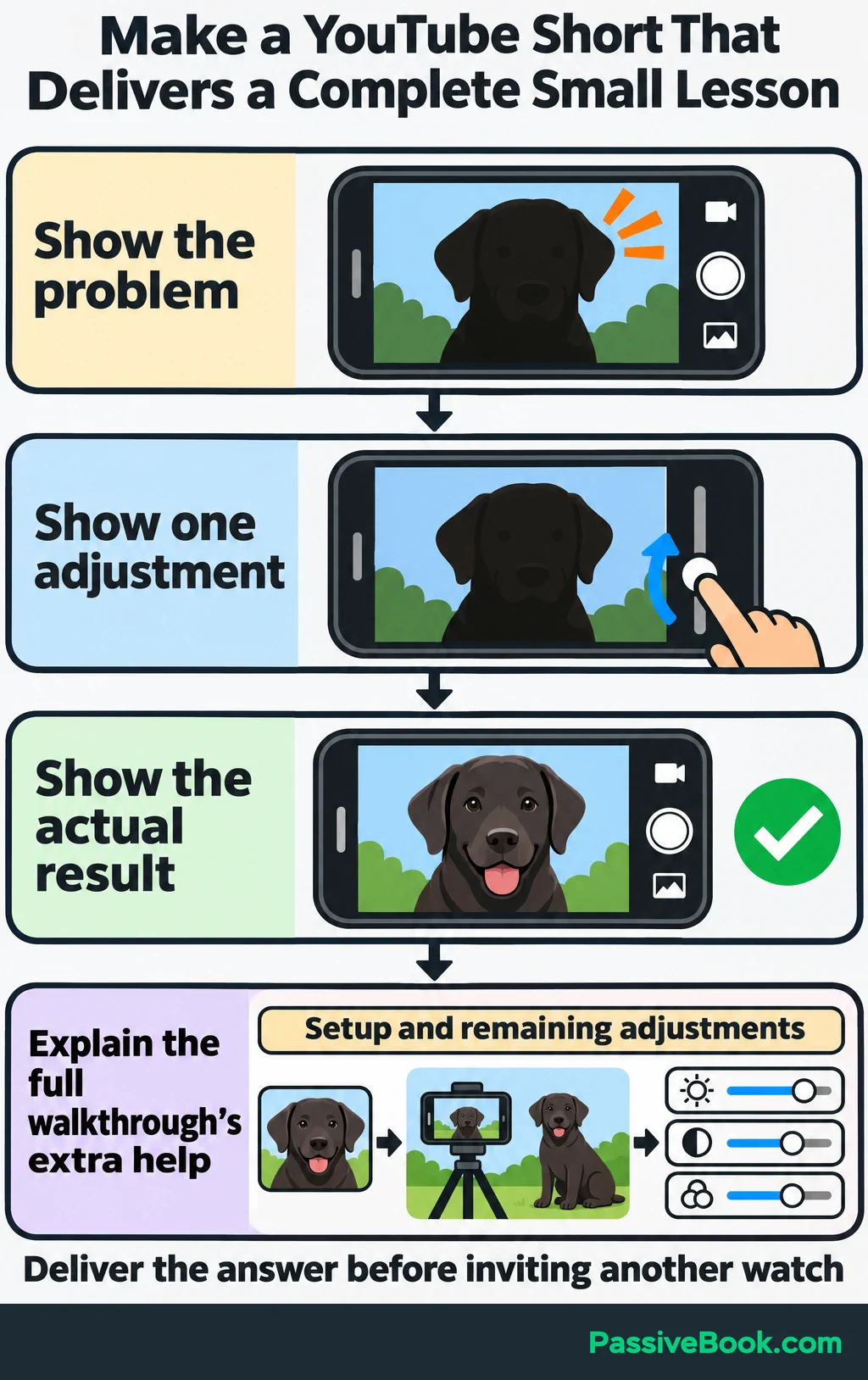
To make the Short:
- Establish the photography problem immediately.
- Show one adjustment clearly.
- Display the actual result.
- Explain what extra help the full walkthrough provides.
You might end with:
“The full walkthrough shows the setup and the remaining phone adjustments.”
Attach that walkthrough using Related Video in YouTube Studio. This adds a clickable link beneath your channel handle. It requires advanced feature access, a channel permission listed in Studio’s Feature eligibility settings. The linked video must be public or unlisted and belong to your channel. YouTube’s related-video requirements
Treat this as an experiment. Don’t assume a large Shorts audience will move to longer lessons.
Look for evidence that people are interested in the connected content. If producing Shorts takes most of your available time and the main lessons keep slipping, simplify the experiment before adding more clips.
9. Turn Viewer Questions Into an Ongoing Conversation
Ask one question that helps you understand what viewers need next.
“Any thoughts?” leaves people with too much work. A focused question gives them a clear starting point:
“What causes the most trouble when you photograph your dog: movement, lighting or getting their attention?”
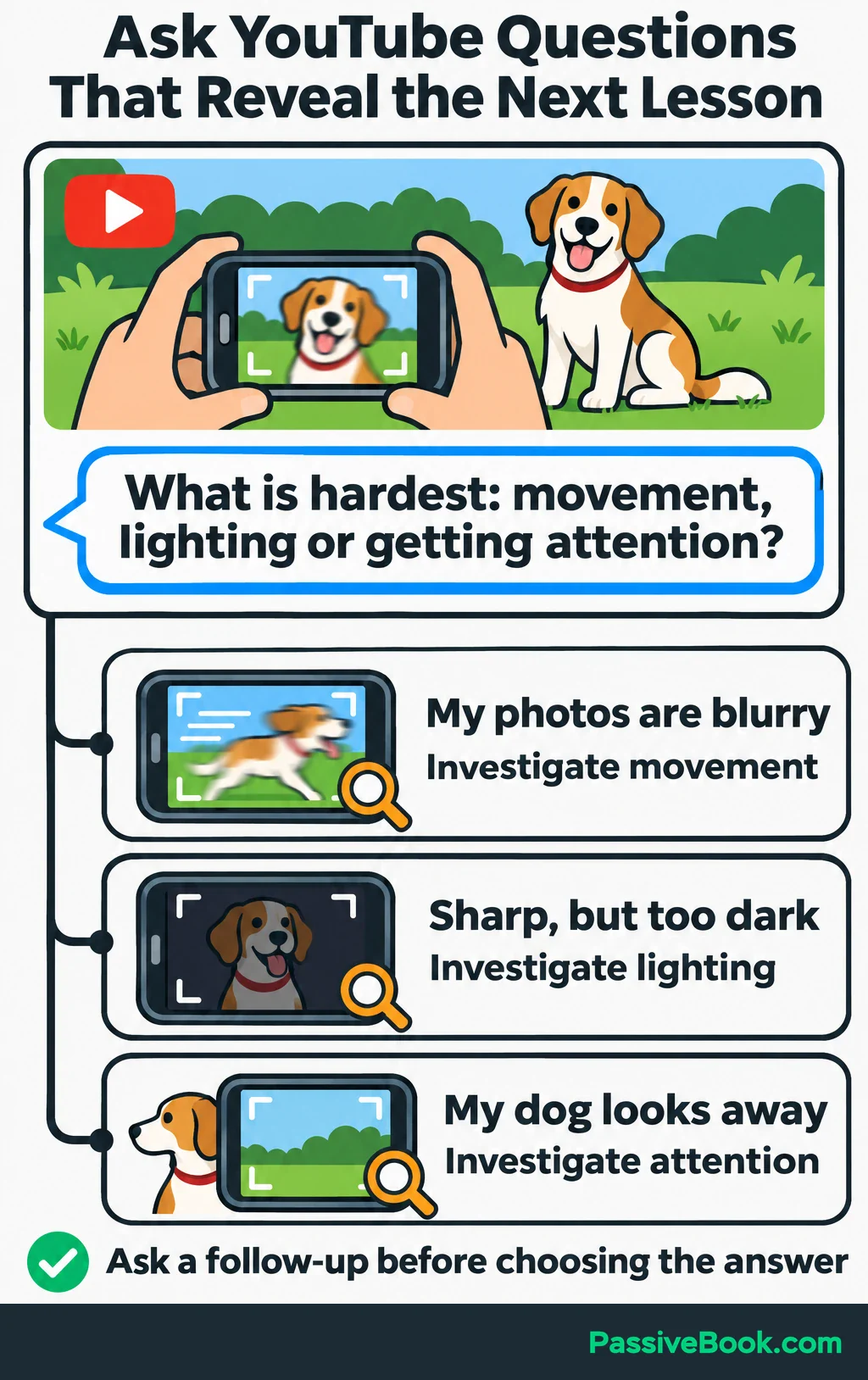
Reply to substantive answers and ask a follow-up when you need detail. A comment about blurry photos may lead to a different lesson from a comment about photos that look sharp but too dark.
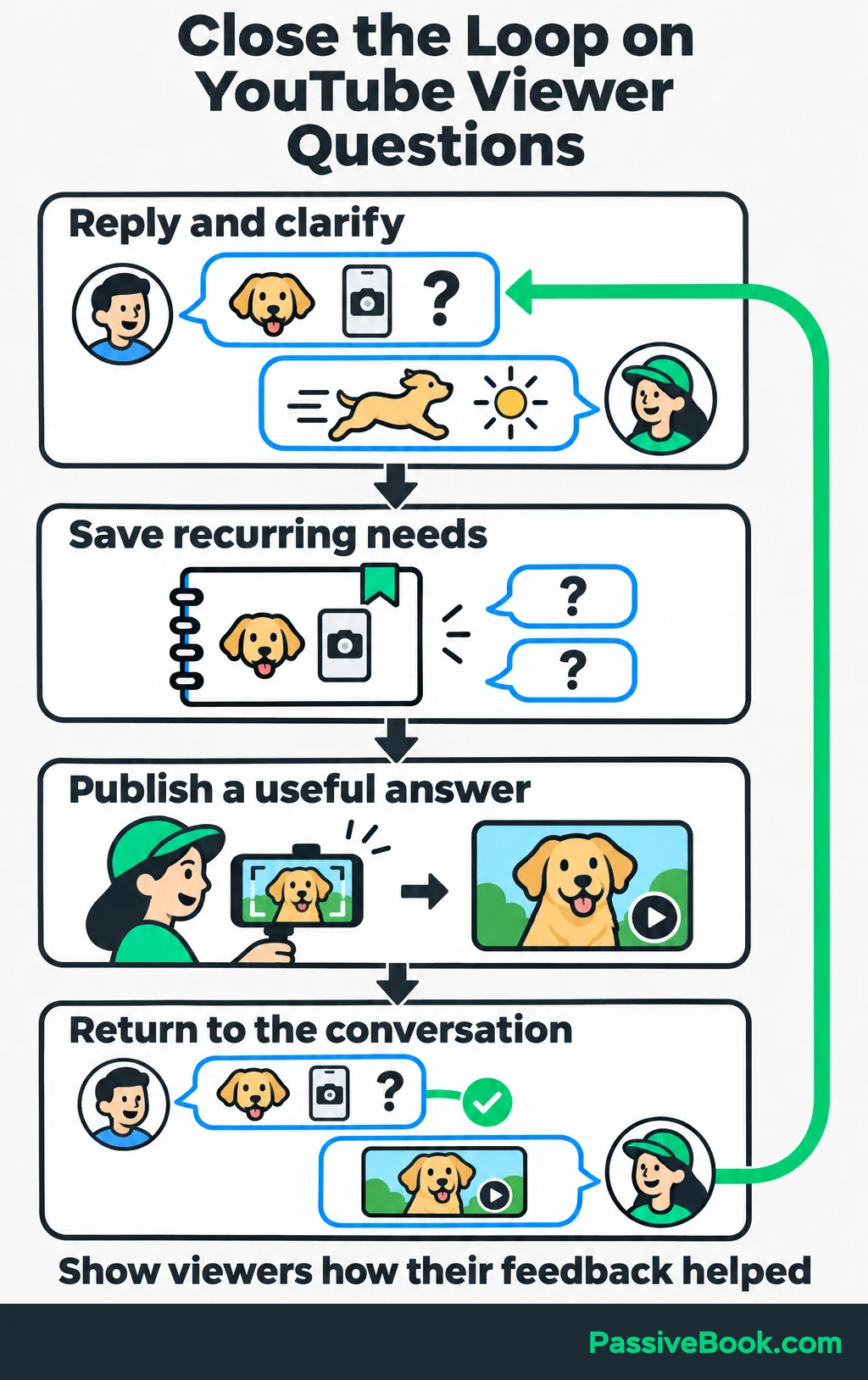
Keep recurring questions in your topic list. When you publish an answer, return to the relevant conversation and point the person toward it. That closes the loop and shows you used their feedback.
Invite subscriptions after delivering something useful, and name the continuing benefit:
“Subscribe for more practical lessons on taking dog photos with your phone.”
I would skip requests to like, comment, subscribe and share before the first useful demonstration. That’s a lot of paperwork for someone who just wanted a better photo.
You don’t need to spend all day replying. Set aside a manageable block after publishing and check back for questions that deserve a proper answer.
10. Reach Relevant Viewers Beyond Your Channel
Start where your answer already belongs.
If you have a matching article, embed the demonstration beside the step it explains. If you have an email list, send a short message about the problem the video solves. In communities, contribute where the discussion is relevant and helpful links are allowed.
For the photography business, an article about photographing dark-coated dogs is a natural home for the video. A general pet discussion may need a written answer first, with the demonstration offered only when it adds something useful.
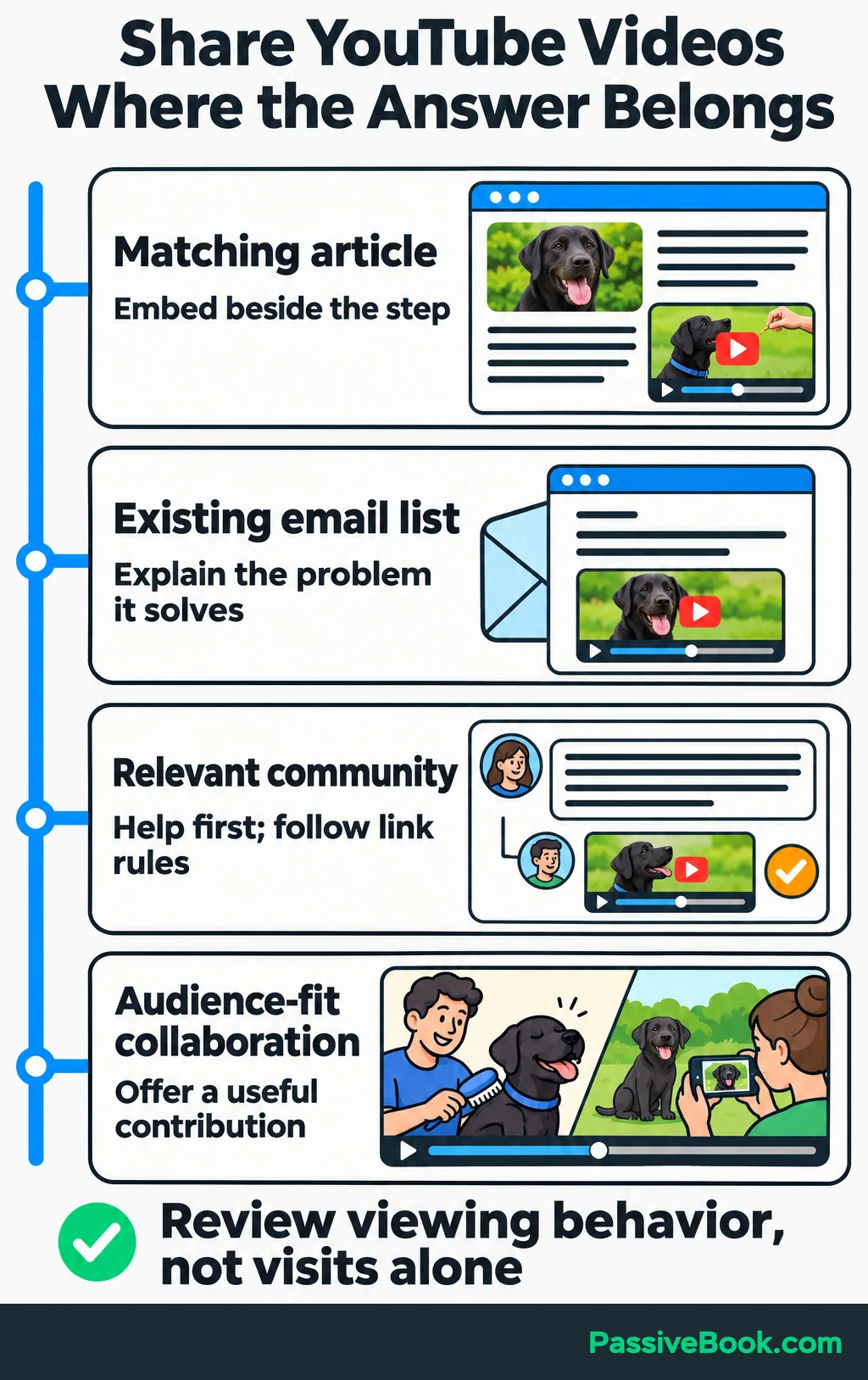
I would use an existing blog or email list before opening three new social accounts. Each new account brings another publishing routine, and your main video still needs finishing.
Collaborations should follow the same logic. Look for overlapping viewer needs and a contribution you can make well.
You could offer another creator a short phone-photography demonstration for a video about capturing everyday moments with a dog. Explain what you’ll provide, how it helps their viewers and which relevant lesson people can watch afterward.
Audience fit matters more to that decision than subscriber count.
Review the watching behavior of referred viewers where data is available. A source that sends fewer interested viewers may deserve more attention than one that produces a brief burst of visits.
11. Use Analytics to Choose Your Next Improvement
Find Where the Viewer Journey Breaks Down
YouTube counts certain thumbnail displays as impressions. Impression click-through rate (CTR) is the percentage of those displays that led to views. It excludes views from other sources. YouTube’s CTR guidance
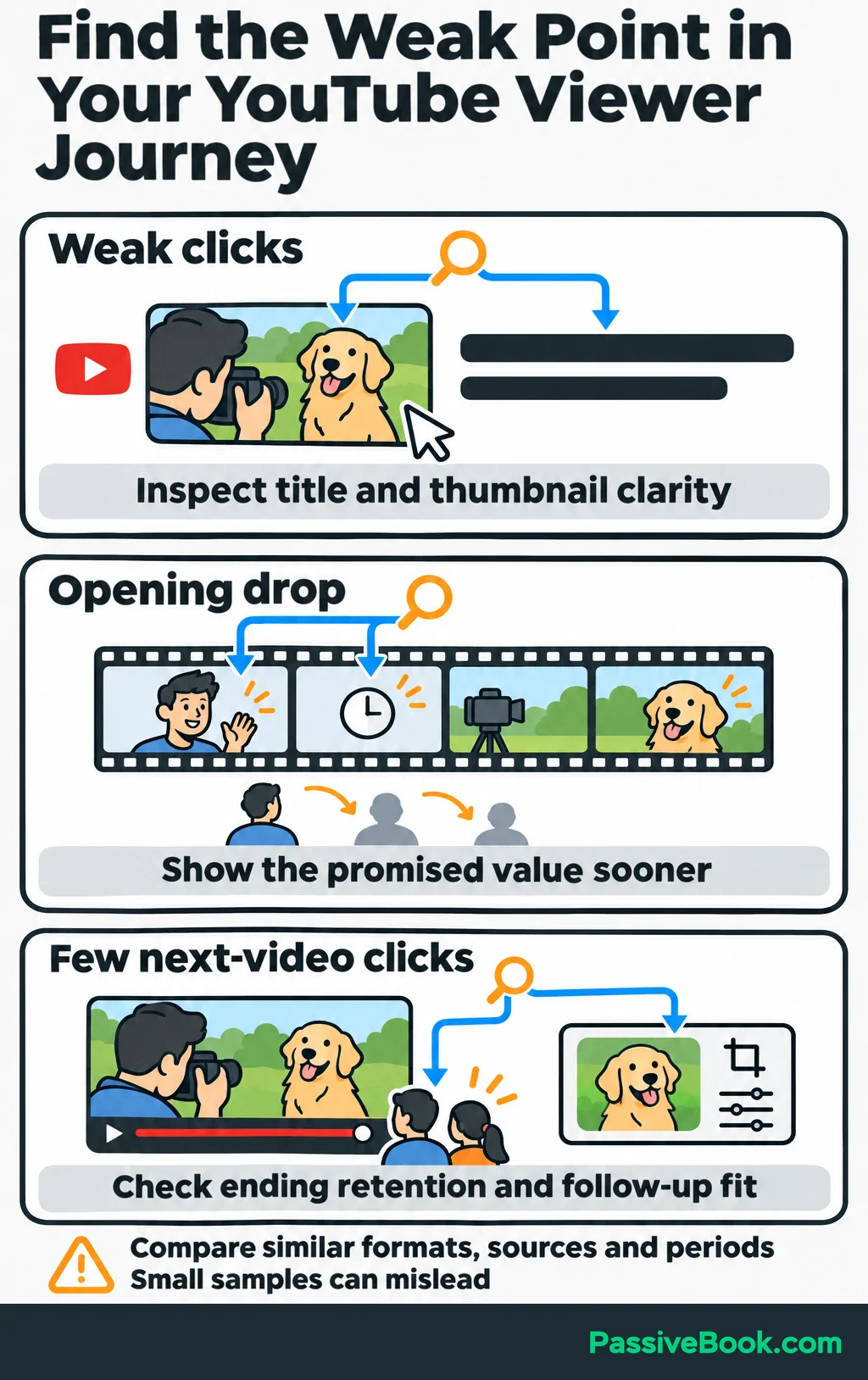
Compare similar formats and traffic sources over similar periods after publication. Small samples can mislead, so use the table to choose what to inspect before making a change.
| Signal | Question to Investigate | Next Action |
|---|---|---|
| Weak clicks compared with similar videos from the same traffic source | Can viewers quickly understand the task and result? | Clarify the title or simplify the thumbnail. |
| A sharp drop near the opening | Does the footage promptly deliver what the title promises? | Show the result sooner and remove the delayed introduction. |
| Few clicks on the recommended next video | Is the follow-up relevant, and do enough viewers reach its recommendation? | Check retention near the ending and explain the next lesson’s benefit more clearly. |
Test an Improvement and Apply What You Learn
Choose one improvement from the table.
YouTube’s A/B testing tool compares up to three titles, thumbnails or combinations using watch time. It requires a computer and advanced feature access; eligible long-form videos exclude private, age-restricted and made-for-kids videos. YouTube’s A/B testing requirements
Test meaningfully different options. Record what you changed and learned, including inconclusive results.
I spent six months chasing Instagram and Twitter/X followers in another niche without a way to turn that attention into sales. Audience growth didn’t give me a business model.
For the photography channel, offer the planner after the lesson to help viewers organize their next shoot. Track visits, email sign-ups and purchases separately. Clickable external links in long-form descriptions require advanced feature access. YouTube’s clickable-link requirements
What Next?
Choose one planned or published video and write down the viewer question it answers. Then use the diagnostic table to pick one improvement you can make today.
Use the social buttons to share this guide when a conversation about YouTube growth needs a practical next step beyond “post more.”
Where does your viewer journey seem to break down? Tell me in the comments, and leave any other questions there too.
Share this post with your friends & followers:

