Your latest video gets a “too fast” comment, a few topic requests, and fewer views than the last upload. Which of those should change what you make next?
Following every suggestion can send your channel in five directions. Ignoring them leaves you spending another weekend on a video without knowing what you learned from the previous one. This guide shows how to use comments and viewing data to give your next upload a clearer topic, a stronger opening, or a lesson viewers can follow—without turning channel reviews into another job.
1. Collect Feedback About One Viewer Problem
Start by writing the result your video promises. That gives you a clear question to investigate: did the video help viewers get there?
Keep the promise narrow enough to check. “Learn watercolor” tells you little about what needs improving. “Paint a smooth sky wash without streaks” gives you specific steps to examine.
Throughout this guide, imagine you run a watercolor channel that supports a business selling downloadable practice sheets. The comments, scenarios, and performance figures are illustrations.
I would start with YouTube Studio, YouTube’s free dashboard for managing videos and checking performance, and one spreadsheet. If you already plan content in Notion, keep the log there. You need somewhere to record decisions and find them before scripting.
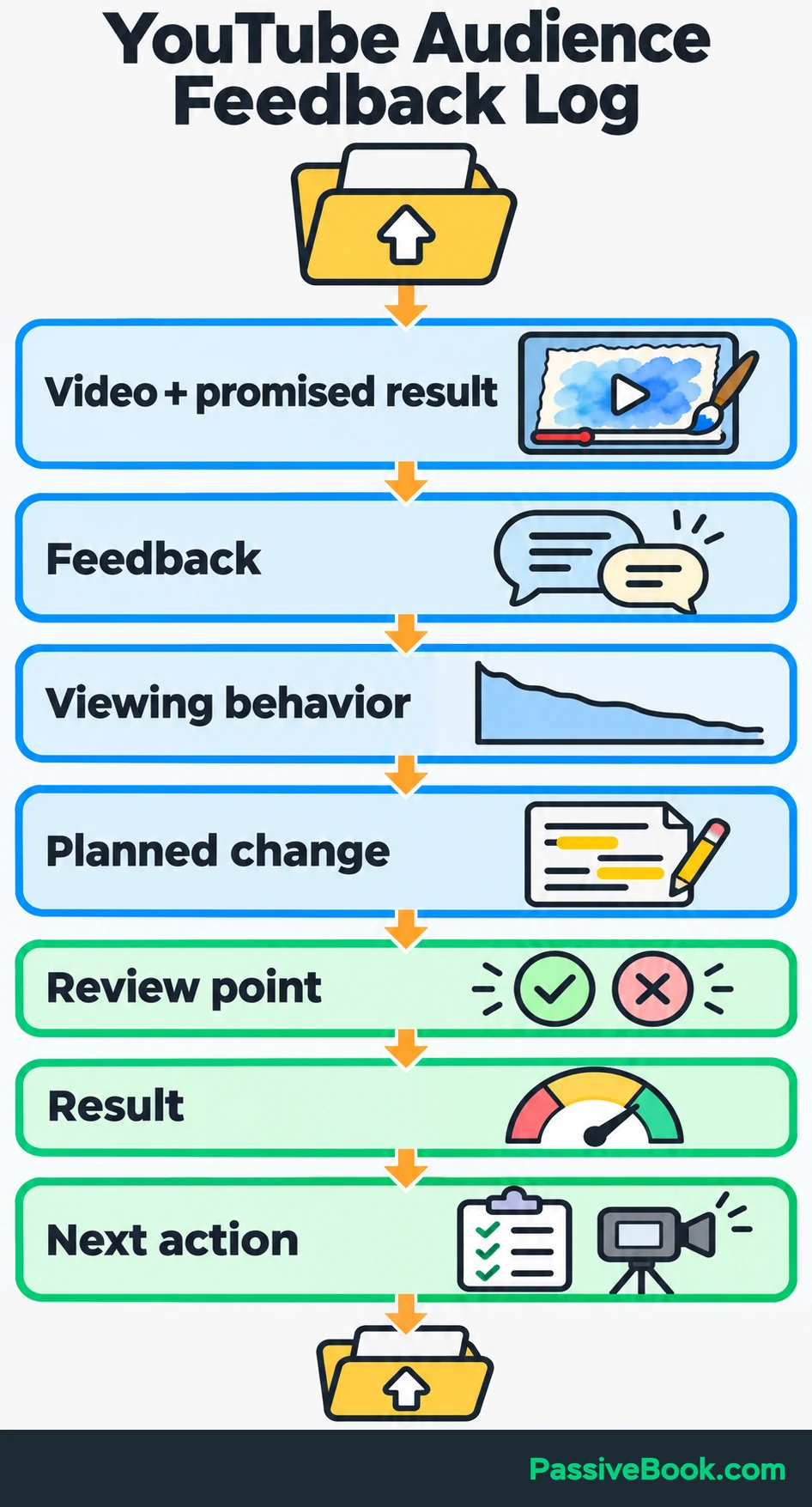
Create one entry per upload with these fields:
- Video: Title, link, promised result, and publication date.
- Feedback: Useful comments, poll responses, and links or short excerpts.
- Behavior: Clicking, traffic sources, viewing patterns, and relevant timestamps.
- Planned Change: The main improvement and the reason for choosing it.
- Review Point: When you will assess it and which uploads you will compare.
- Result: What changed in the selected measures.
- Next Action: Keep, revise, or gather more evidence, followed by a production instruction.
Fill the entry as you work. It does not need to become a reporting project.
Ask Specific Questions in Comments and Polls
Ask about a step viewers have just seen. A broad “What do you think?” makes them do the work of deciding what feedback you need.
During the paper-preparation demonstration, you could ask:
“Which part of preparing the paper was hardest to follow?”
Repeat that question in a pinned comment so viewers can answer after trying the lesson.
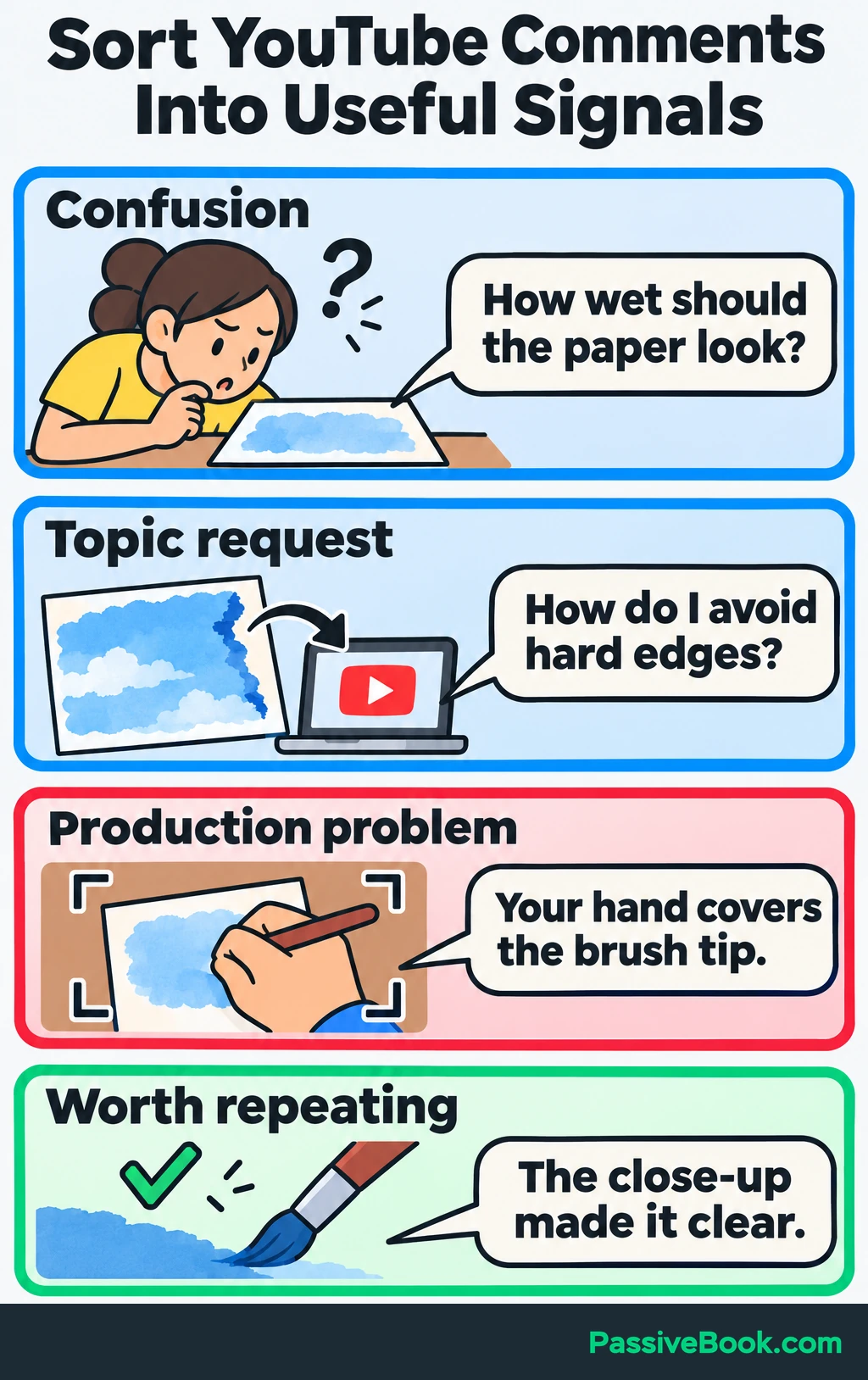
Read recent comments as well as the prominent ones, and sort useful responses into four groups:
- Confusion: “I couldn’t tell when the paper was wet enough.”
- Topic Requests: “Could you show how to avoid hard edges?”
- Production Problems: “Your hand covers the brush tip.”
- Worth Repeating: “The close-up made the difference clear.”
Save enough of each comment to preserve its meaning. “Too fast” needs a follow-up: was the brush moving too quickly, or did you leave out an explanation?
If your channel has posts available, use a poll to shortlist related lessons. For the watercolor channel, the choices might be avoiding hard edges, mixing clear colors, or painting clouds.
Treat the result as input from people who chose to respond. A winning poll option earns consideration, but it does not tell you what every viewer wants.
Record How Viewers Click and Watch
For long-form videos, open the video’s analytics in YouTube Studio. Record counted thumbnail displays (impressions), impressions click-through rate (CTR), and the places viewers found the video (traffic sources).
Impressions CTR measures how often a registered thumbnail impression led to a view. Use Studio’s figure rather than dividing total views by impressions, because some views come from places that do not count toward those impressions. YouTube’s CTR explanation
Next, inspect audience retention—the share of viewers watching at each point—while replaying the video. Note what happens during the opening, obvious dips, and passages viewers keep watching.
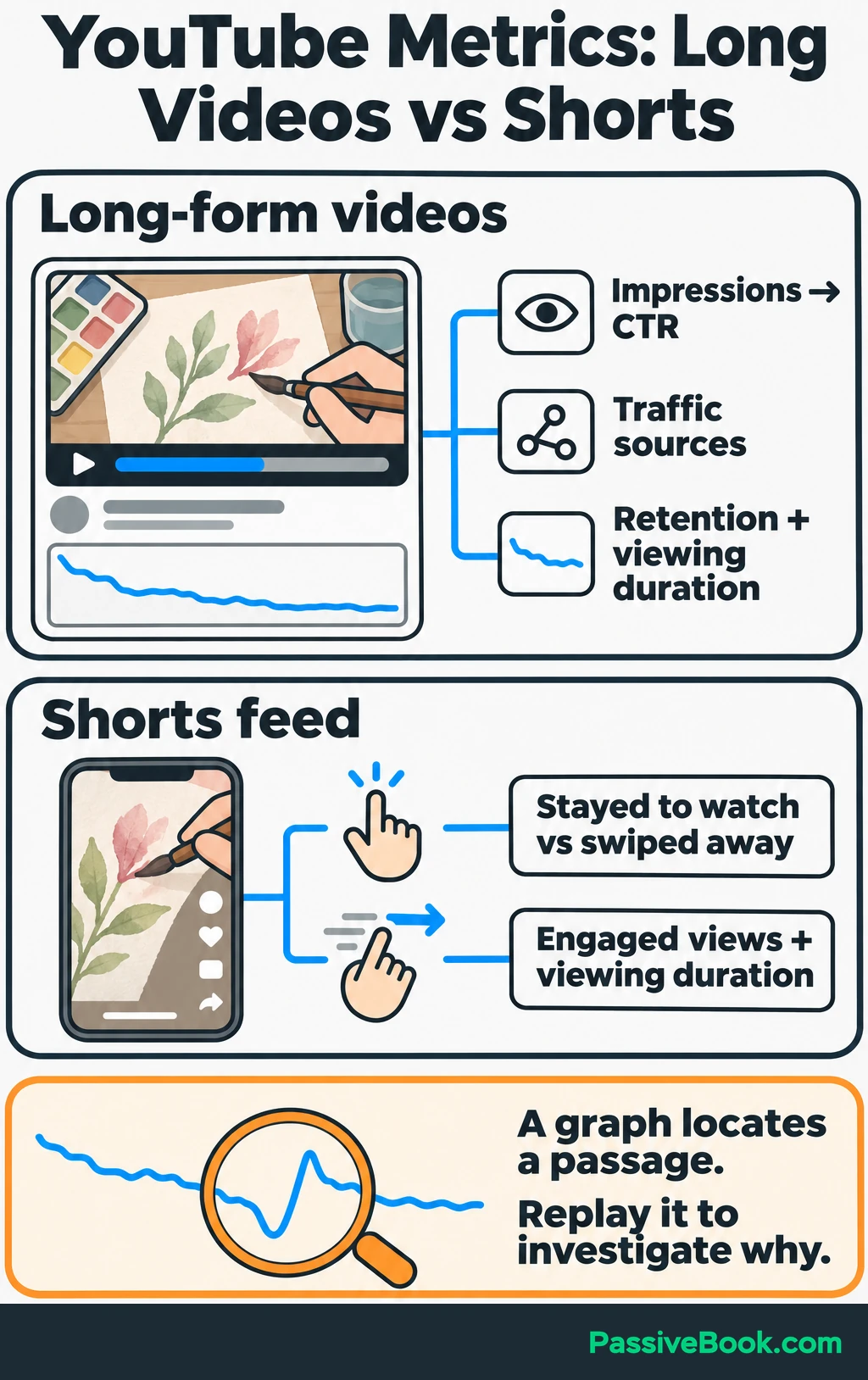
A dip can mean people skipped ahead or left. A spike can mark something worth replaying, but it can also mean the explanation was confusing. The graph helps you locate a passage to inspect; it does not explain the viewer’s reason. YouTube’s retention guidance
Write a concrete observation:
“Retention falls during the equipment introduction, before the first brushstroke.”
Also record average view duration and average percentage viewed so you can check the overall viewing result later.
Keep Shorts in a separate comparison group. For discovery in the Shorts feed, start with “stayed to watch” versus swiping away, then examine engaged views and viewing duration. Engaged views count times viewers stayed beyond the initial seconds, excluding loops. Thumbnail CTR should not be your main entry measure for that feed. YouTube’s Shorts metric definitions
2. Identify the Problem Behind the Signals
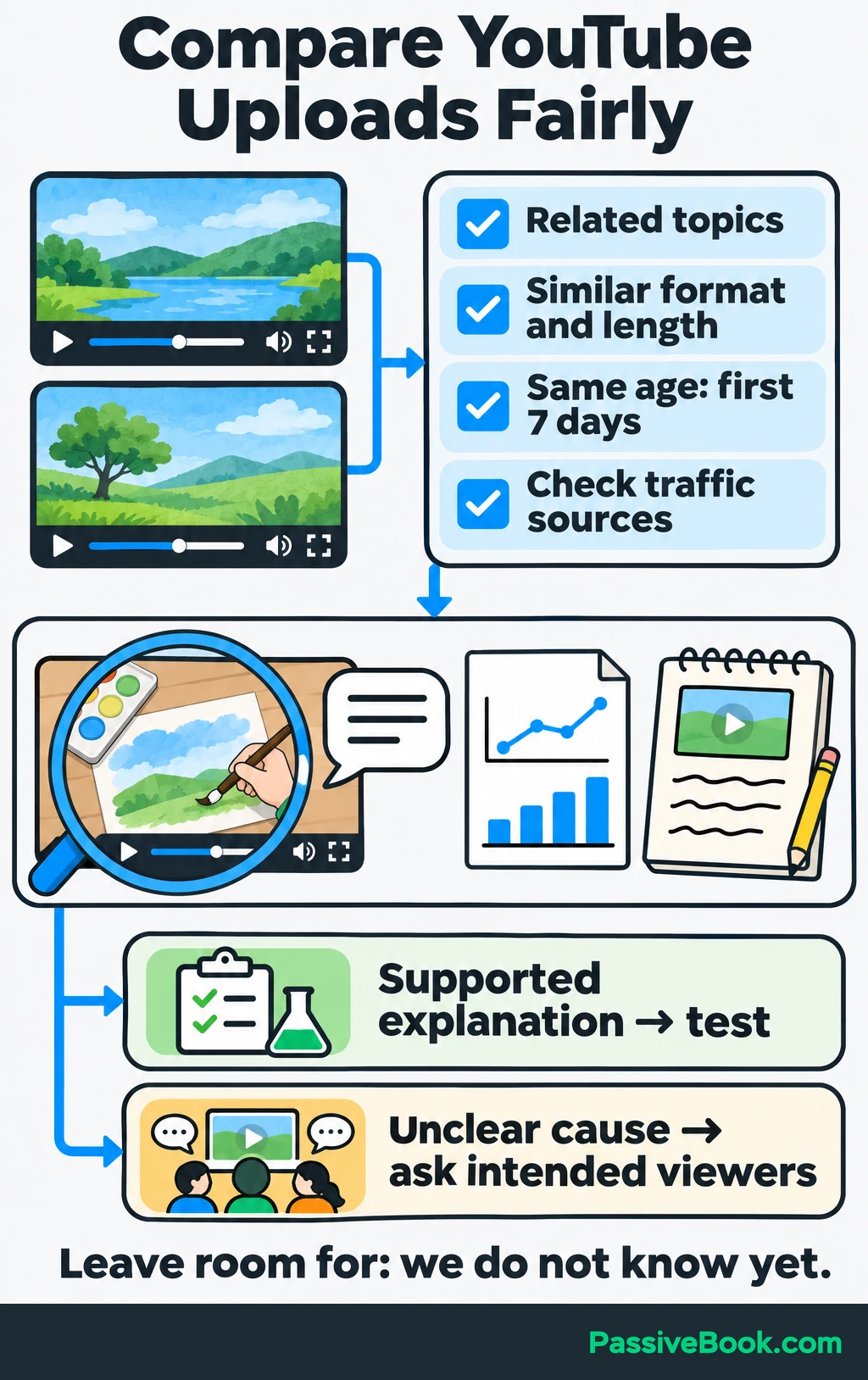
Compare uploads with similar formats, related topics, and roughly similar lengths. Use the same age after publication: the first seven days of one video against the first seven days of another.
Check traffic sources before judging the difference. A video reaching a broader audience may have a lower CTR than one mainly reaching familiar viewers. Your own comparable uploads are more useful than a universal “good CTR” target. YouTube’s guidance on interpreting CTR
Then separate what happened from what you think caused it.
“Viewers leave during the equipment introduction” is an observation. “They want painting to begin sooner” is a possible explanation. Comments asking when painting starts make that explanation worth testing.
Use a table like this to connect signals to decisions:
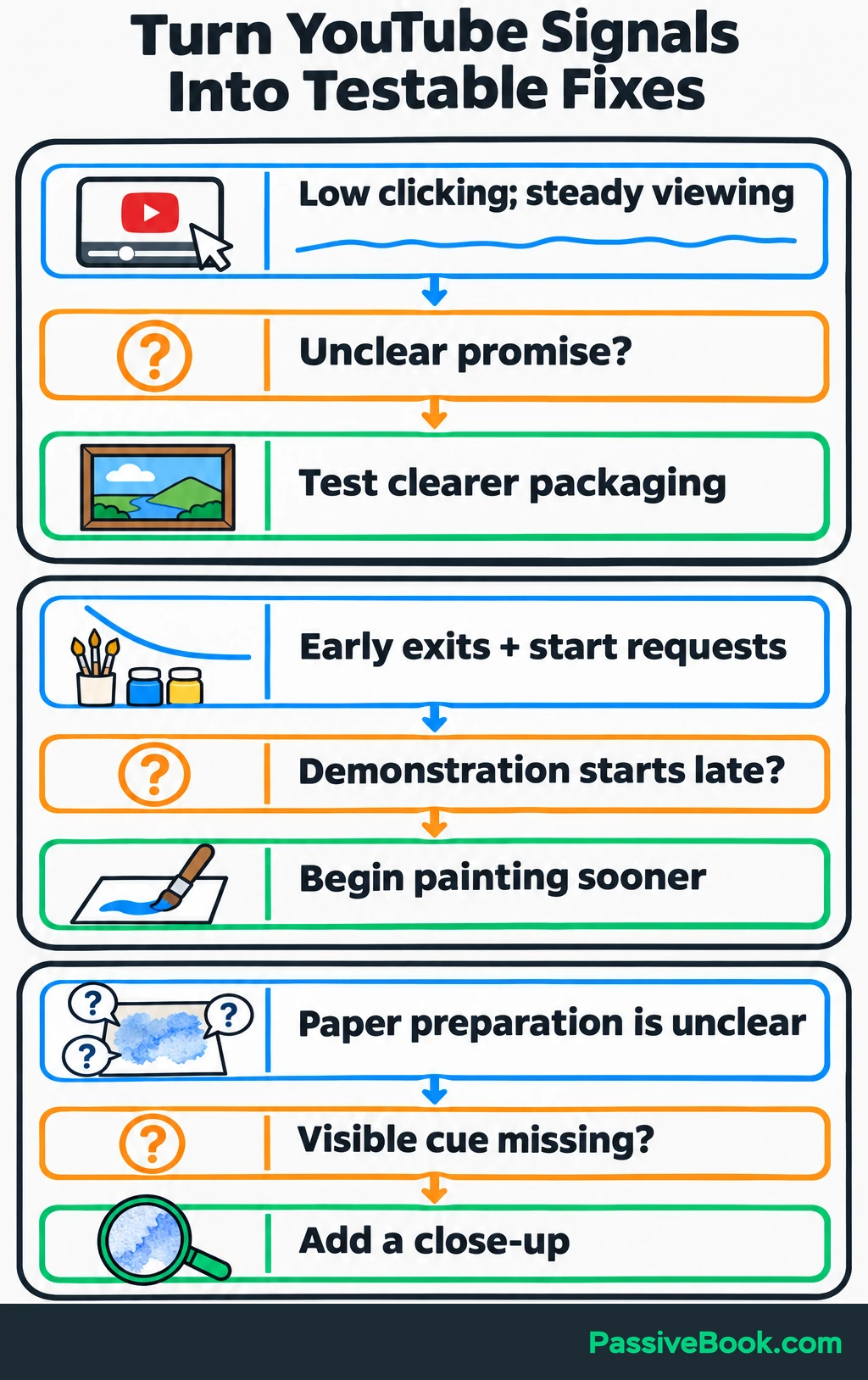
| Observed Signal | Possible Explanation | Supporting Feedback | Next Action |
|---|---|---|---|
| Lower clicking than comparable uploads, with steady viewing afterward | The title or thumbnail may not make the result clear | No relevant comments yet | Check whether the promised result is easy to recognize, then test one title or thumbnail change |
| Early departures during the equipment introduction | Useful instruction may begin too late | “When does the painting start?” | Begin the demonstration sooner |
| A dip during paper preparation | Viewers may struggle to judge the paper’s surface | “How wet should it look?” | Add a close-up and explain the visible cue |
| Repeated questions about hard edges | Viewers may need a focused follow-up | “Why does my sky dry with a dark line?” | Plan a lesson that demonstrates the problem and its correction |
Replay the relevant passage before choosing a fix. You may find an obvious problem, such as quiet audio or a hand blocking the demonstration. Fix that directly.
When feedback is sparse or conflicting, leave the cause unresolved. Ask a few intended viewers to watch a draft and mark where they become confused. Keep those notes separate from published-video analytics so you remember where the evidence came from.
A small channel can still collect useful questions. It just needs to leave room for “we don’t know yet.”
3. Turn the Strongest Signal Into One Content Change
Choose a problem that affects the promised result, has supporting observations, and can be addressed in the next upload.
I learned the cost of skipping validation with a rushed course. It attracted few sales and a bad review, and I took it down. I had finished making the product without doing enough to check whether it answered the right need. That experience is why I look for evidence of a viewer problem before committing more production time.
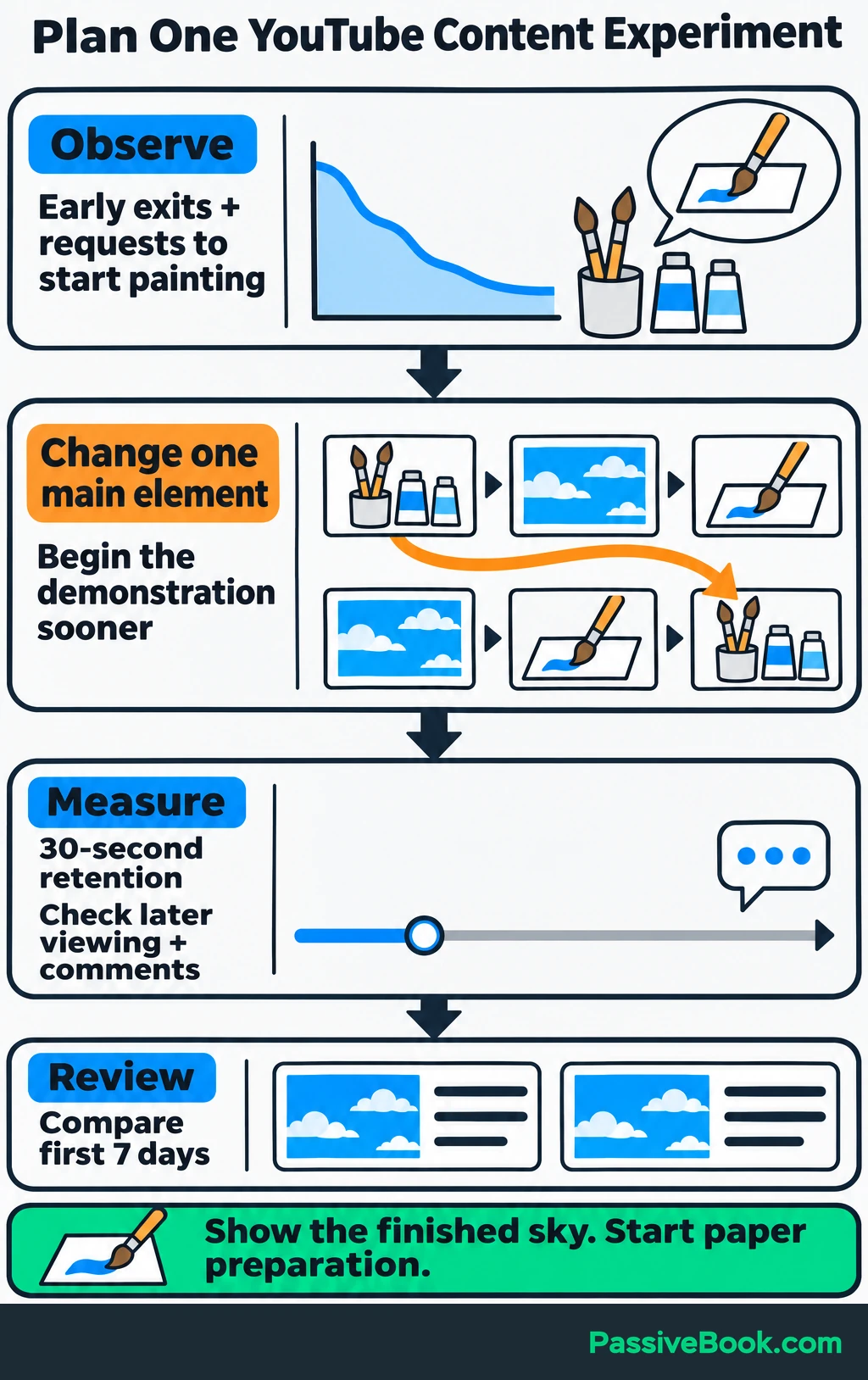
Write a short experiment brief before scripting:
“Because we observed [signal], we will change [element] to help viewers [outcome]. We will assess [primary measure], check [supporting result], and review [comparison window].”
For the watercolor channel:
“Because viewers leave during the equipment introduction and ask when painting starts, we will begin the demonstration sooner. This should help viewers reach the first useful step. We will assess retention at 30 seconds, check later viewing and related comments, and compare the first seven days with a similar sky tutorial.”
Change one main element where practical. Record other meaningful differences, such as a shorter runtime or a different topic.
Put the decision into the script or production brief immediately. “Improve the opening” is easy to forget. “Show the finished sky, then begin paper preparation before discussing equipment” tells you what to film.
Choose Topics From Recurring Viewer Needs
Turn repeated questions into a narrow promise. Then identify the demonstration needed to answer it.
For example, questions about unwanted hard edges could become:
“How to Avoid Hard Edges in a Watercolor Sky”
That gives the next video a clear job. Show the unwanted edge, explain what happens during the process, and demonstrate the correction.
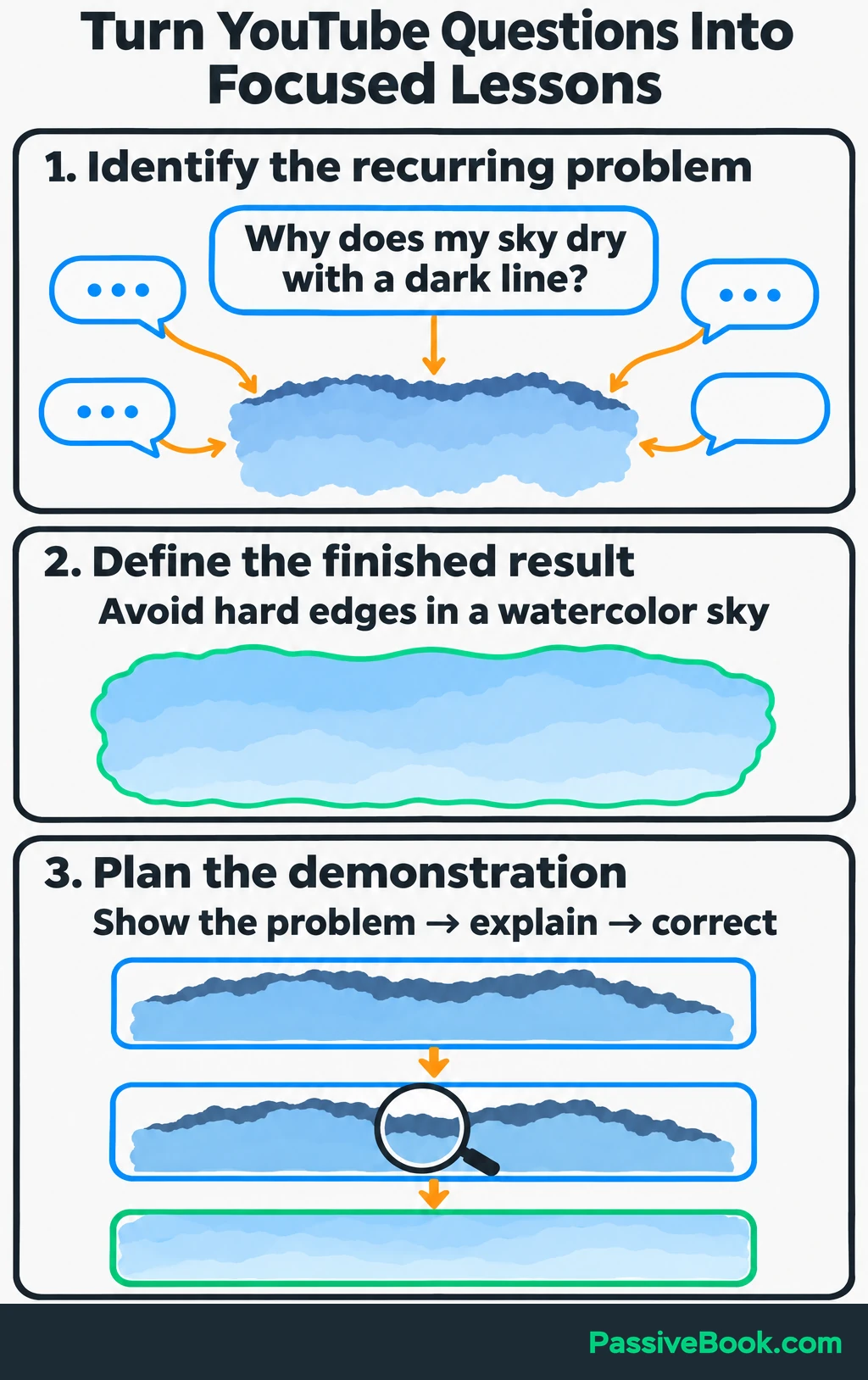
A compact topic brief needs:
- Viewer Problem: The sky dries with an unwanted hard edge.
- Finished Result: A sky wash with the soft transition shown in the lesson.
- Demonstration: A close comparison of the problem and the corrected process.
Use poll responses to help choose between relevant needs. I would skip a popular request if it pulls the channel away from the lessons and practice sheets it exists to support.
After publishing, look for viewers watching the promised demonstration and asking relevant next-step questions. “Can I use this approach for clouds?” tells you something different from another round of “Which step fixes the edge?”
Improve the Promise in Titles and Thumbnails
When clicking trails comparable uploads but viewing holds up, investigate how you present the video.
Make the outcome easier to recognize. For example:
| Element | Broad Version | Clearer Version |
|---|---|---|
| Title | “Watercolor Sky Tutorial” | “How to Paint a Smooth Watercolor Sky Without Streaks” |
| Thumbnail | Brushes and paint tubes on a desk | A close view of the finished smooth wash |
The title names the result and the thumbnail shows it.
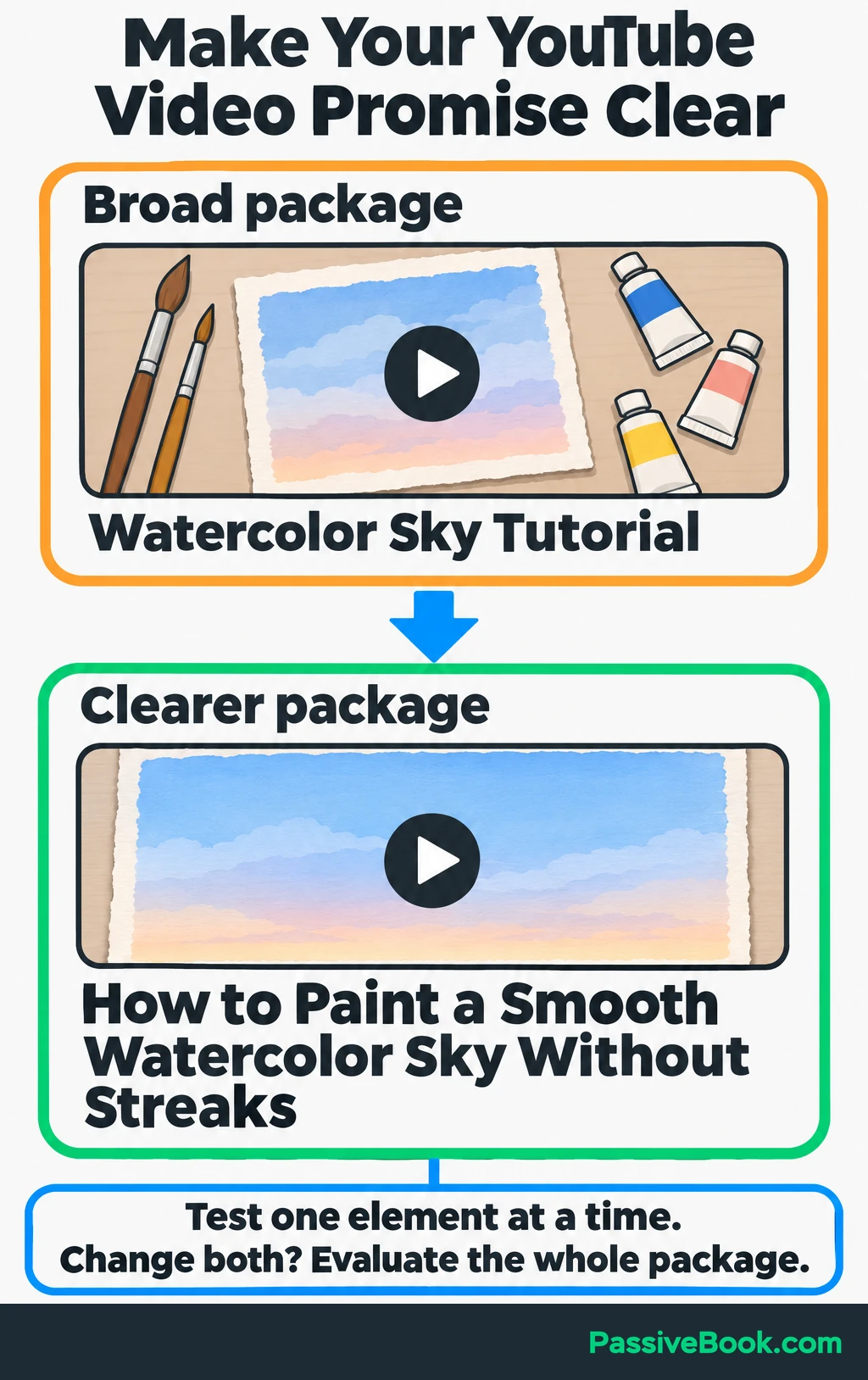
Choose the title or thumbnail as your main test. If you change both together, record that you are comparing whole packages; you will not know which individual element made the difference.
For eligible long-form videos, YouTube’s desktop A/B testing can compare up to three titles, thumbnails, or combinations. Advanced-feature access is required, and Shorts are excluded. YouTube’s A/B testing requirements
If testing is unavailable, record a manual change and review what follows. Keep your conclusion modest because the audience and traffic sources may also change over time.
Improve Hooks, Scripts, and Formats Where Viewers Struggle
The opening should confirm the title’s promise and begin helping viewers promptly.
For the watercolor lesson, a short opening could be:
“Here’s the smooth sky we’re painting. First, I’ll show you how wet the paper looks before the color goes on.”
Show the finished result as you say it, then start the demonstration. Introduce equipment when viewers need it.
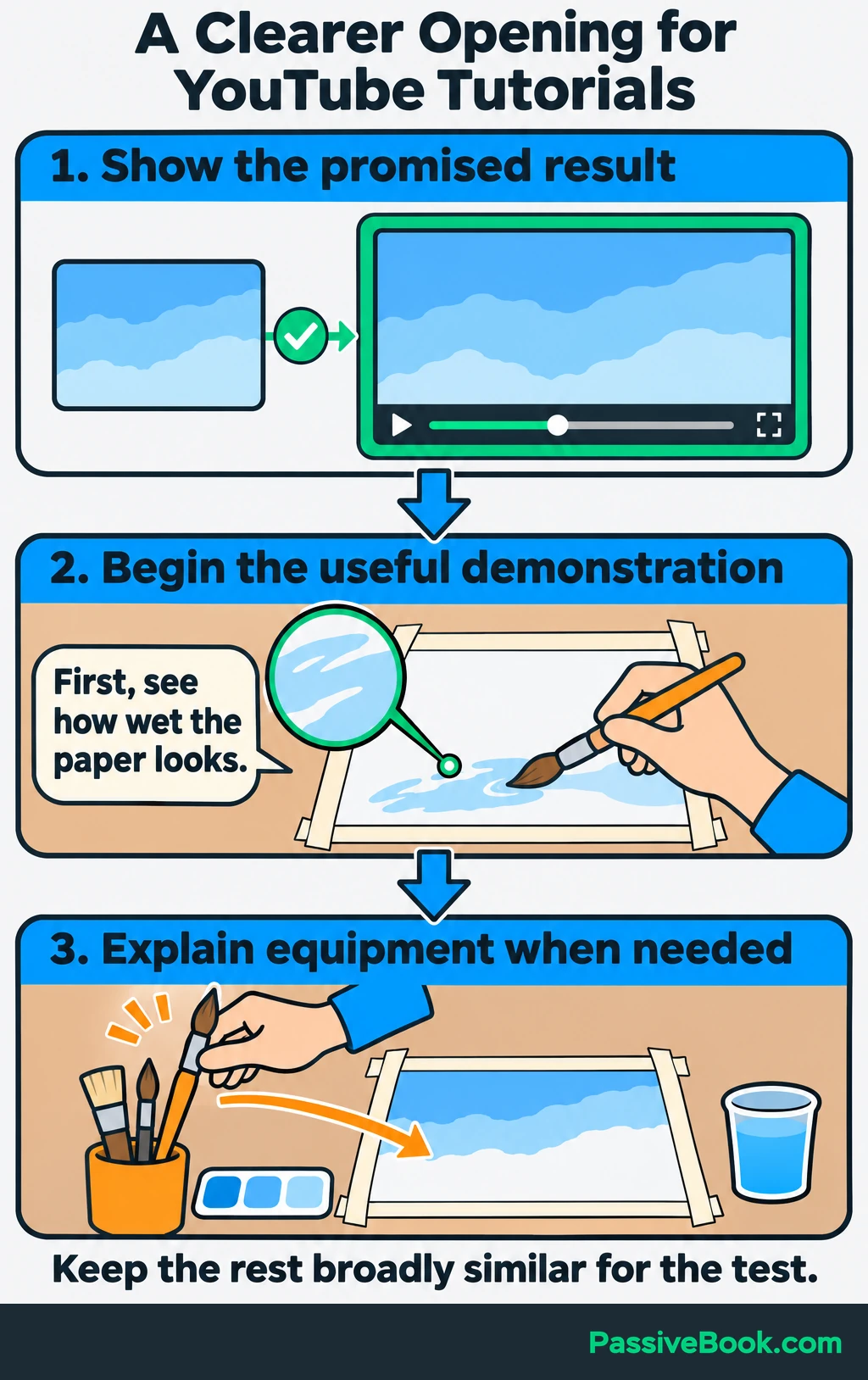
For the opening experiment, keep the rest of the teaching approach broadly similar. Save other changes for later unless an obvious problem needs fixing.
When the difficulty is inside the lesson, revise that passage. Replace “wet the paper” with a close-up and an explanation of what the viewer should look for on the surface.
Let the problem determine the format:
- Visibility Problem: Use a closer overhead view so viewers can see the paper.
- Missing Explanation: Add the reason for the action and the cue that shows when to stop.
- Repeated Explanation: Remove repetition that delays the next useful step.
- Useful Material Buried Late: Introduce it earlier or build a focused follow-up around it.
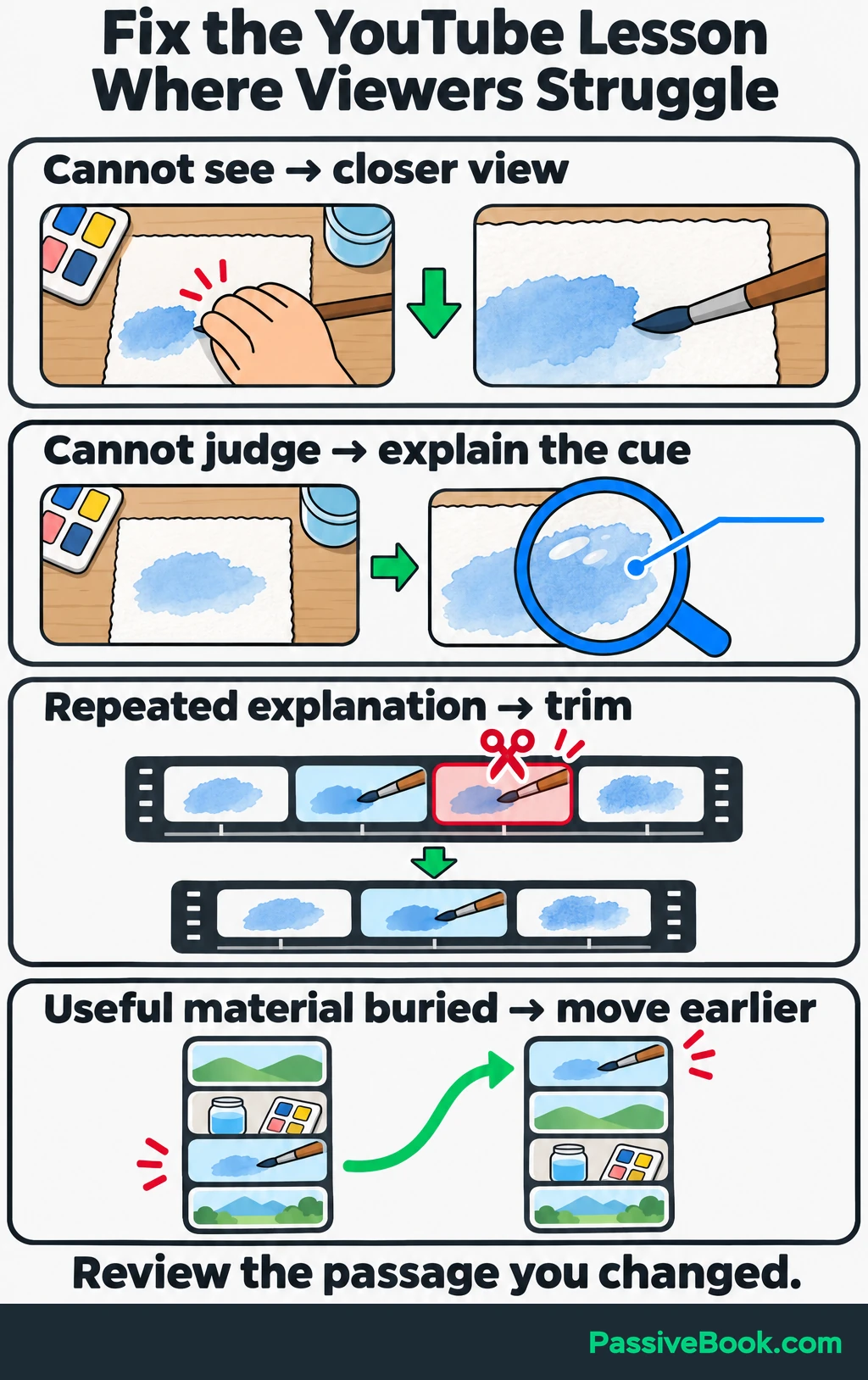
You do not need to appear on camera to make these improvements. In this example, viewers need to see the paper and brush clearly.
Match the measure to the change. Review opening retention for a hook, the relevant passage for script clarity, and clicking plus subsequent viewing for titles and thumbnails.
If you know what needs to change but not how to write it, AI Video Studio can draft the revision from your own material. Start with one opening or lesson passage rather than rewriting everything.
Free AI Video Studio




4. Review the Result and Choose What to Repeat
Set the review point before publishing. For a weekly channel, I would start with a seven-day review. If videos gain most of their audience slowly through search, add a later check at the same age for each comparison.
Avoid judging retention immediately after publishing. YouTube says the data typically takes one to two days to process. YouTube’s retention processing guidance
At the review, check the primary measure and one supporting result. An opening that holds more viewers for 30 seconds deserves closer inspection, but you also want to know whether they continue watching.
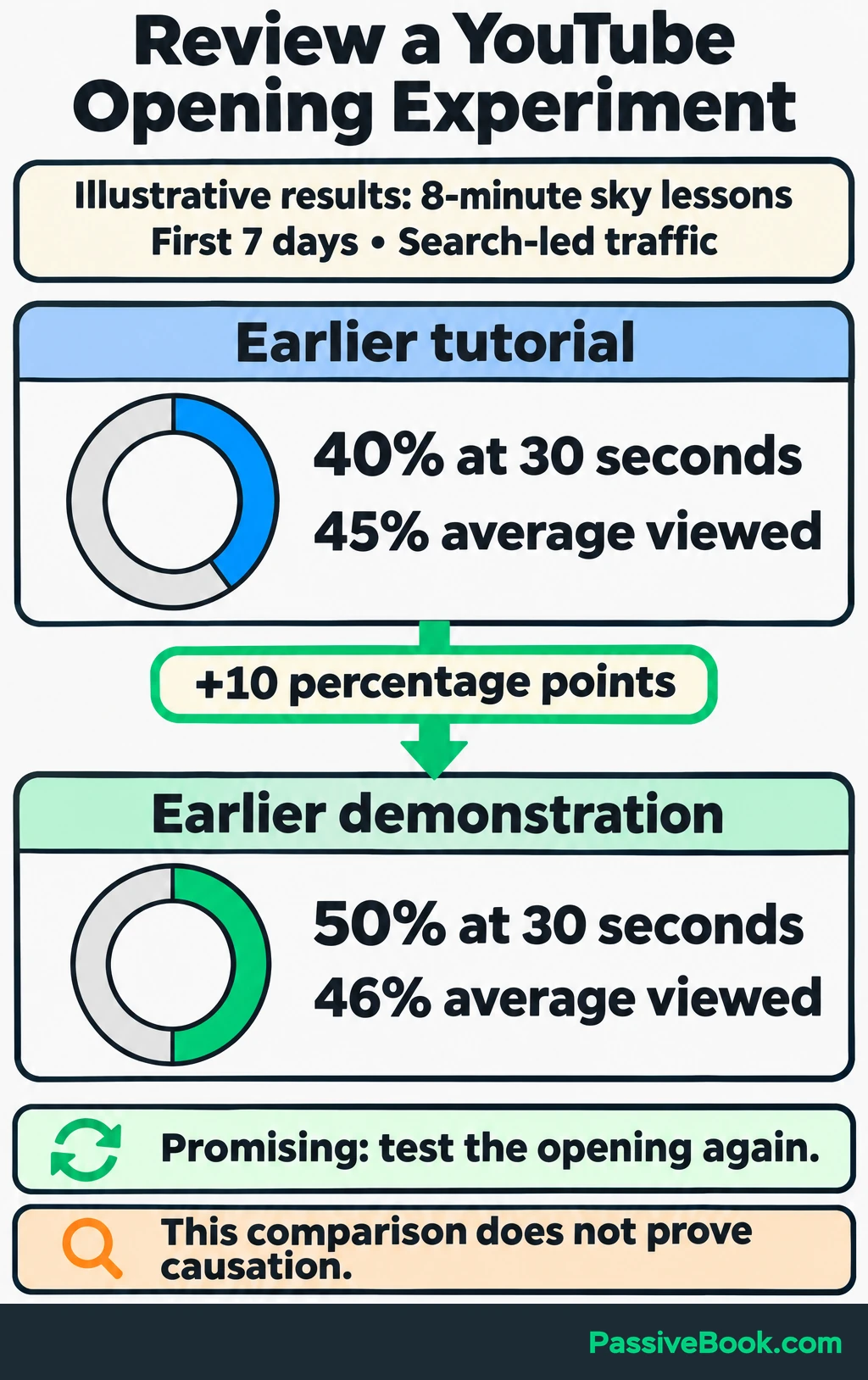
Here is the illustrative result for the earlier-opening experiment. Both videos are eight-minute sky lessons, and each column covers its first seven days.
| Measure | Earlier Tutorial | Follow-Up With Earlier Demonstration |
|---|---|---|
| Retention at 30 seconds | 40% | 50% |
| Average percentage viewed | 45% | 46% |
| Leading traffic source | YouTube Search | YouTube Search |
The opening measure is the share of viewers still watching at 30 seconds. It rose from 40% to 50%, an increase of 10 percentage points. Overall viewing also held up.
That supports trying the opening again. It does not prove the edit caused the improvement because the uploads also differ in topic details, audience, and distribution.
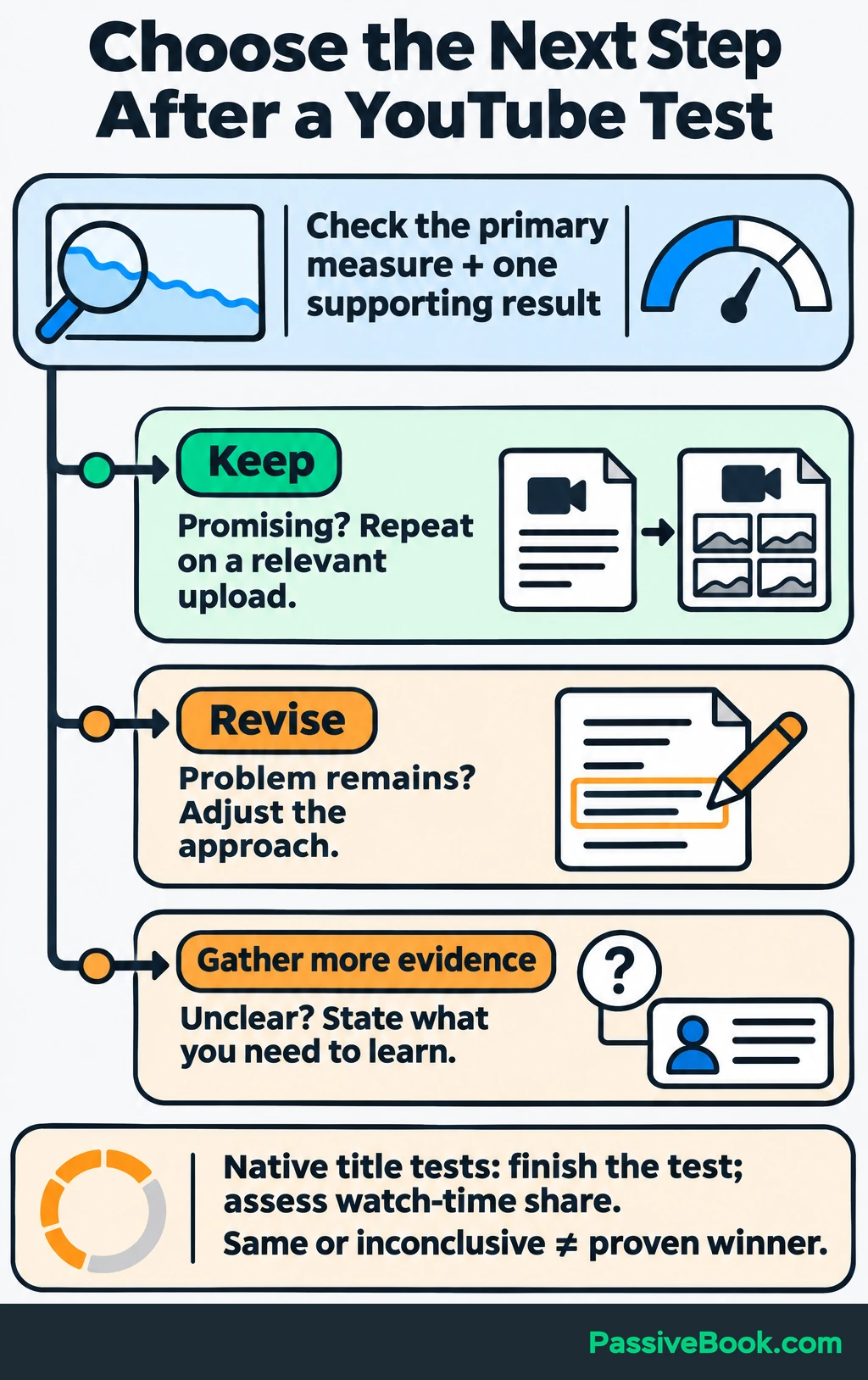
For native title and thumbnail tests, let the test finish. It can take a few days to two weeks, and YouTube reports results using watch-time share rather than CTR alone. If the result is “Performed Same” or “Inconclusive,” choose the version you prefer without calling it a proven winner. YouTube’s testing results guidance
End the review with one decision:
- Keep: Repeat the promising change on another relevant upload.
- Revise: Adjust the approach because it did not solve the observed problem.
- Gather More Evidence: Leave the explanation open and state what you need to learn.
For the example, the log could read: “Keep testing an earlier demonstration. Opening retention improved and overall viewing held up.”
5. Close the Loop and Carry the Lesson Forward
Tell viewers when their feedback has shaped a lesson. Reply to the useful question with the relevant follow-up and explain what changed.
For the opening experiment, you might say:
“You asked when the painting begins, so this lesson gets straight into paper preparation.”
Then ask whether the change helped:
“Was it easier to get started with this opening, or did you need an explanation sooner?”
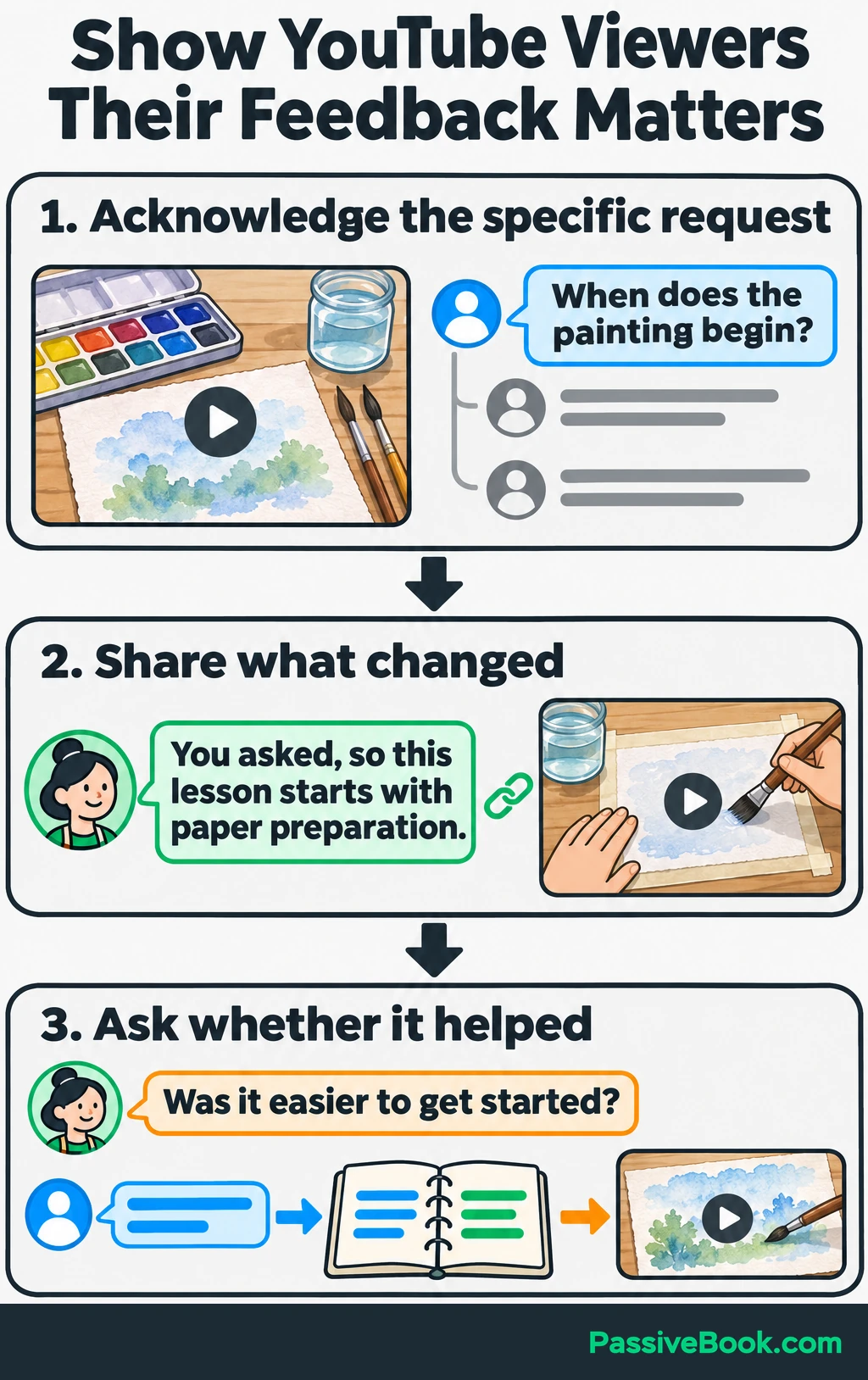
Add the responses to the same log. They become evidence for the next review.
Fit the cycle into work you already do:
- During Comment Checks: Save useful questions and clarify vague feedback.
- Before Scripting: Review the previous lesson and choose one improvement.
- During Production: Follow the specific instruction recorded in the brief.
- At the Review Point: Assess the result and write the next action.
I would keep this manual until the review produces decisions consistently. Then automate routine exports or reminders if they save time. An automated report that nobody uses is just a punctual distraction.
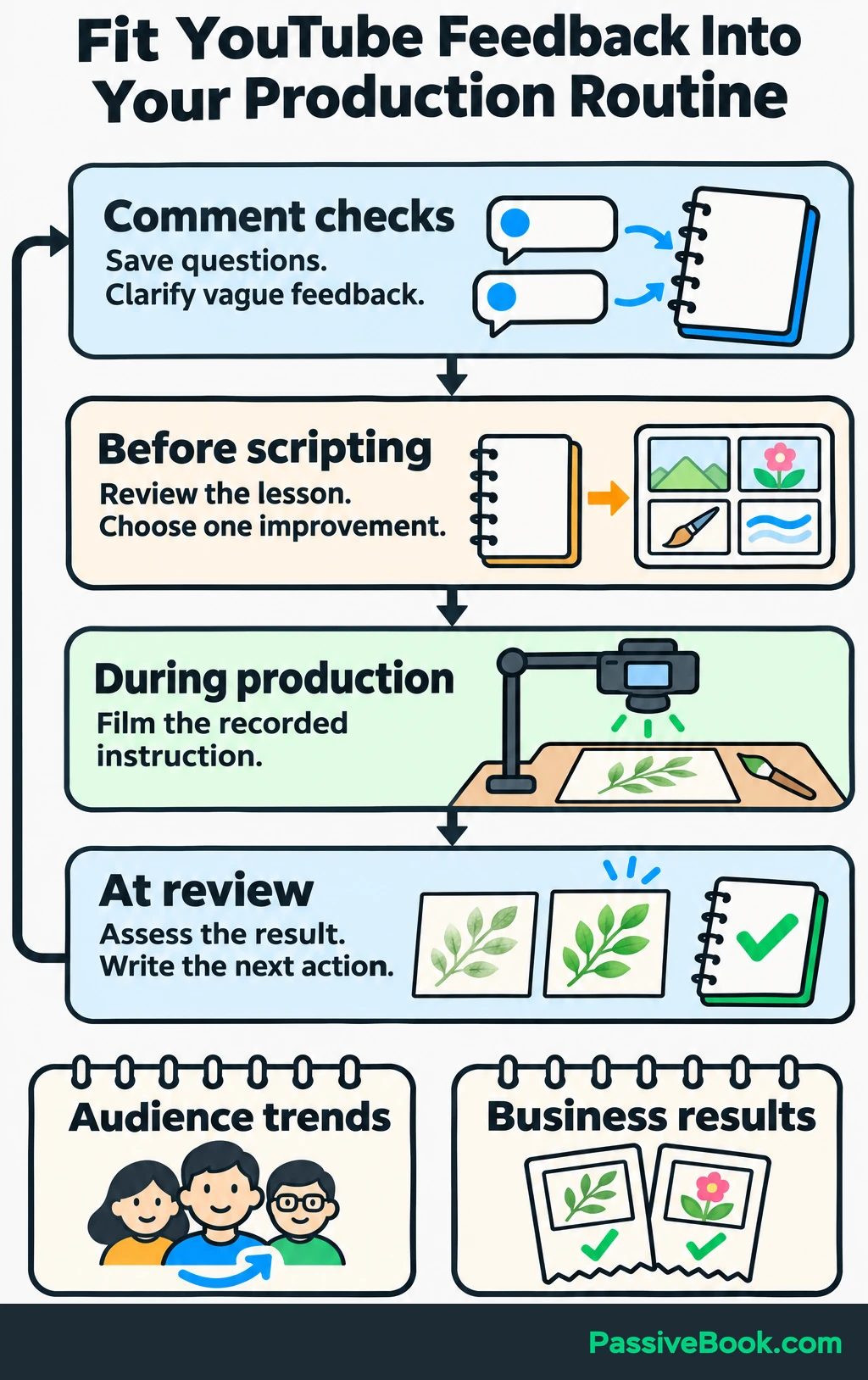
Across several uploads, also review subscriber gains and returning viewers—people who watched your channel before and came back for more. These longer trends help you assess the channel beyond one experiment. YouTube’s returning-viewer definition
Keep business results beside those audience measures. For the watercolor channel, that could mean practice-sheet signups or sales. Keep them separate so you can see whether lessons are improving and whether they support the business.
Finish every cycle with a production instruction and the next question. For example: “Begin useful instruction before the equipment overview. Next, investigate whether viewers can judge the paper’s wetness.”
That gives the next upload a clear starting point.
What Next?
Open the feedback log for your latest upload and write its promised result, one viewer observation, and one change worth investigating.
Use the social buttons to share this guide when you want to turn a discussion about disappointing views into a concrete plan for the next video.
Which part of your latest upload would you investigate first, and what evidence points you there? Share your answer or any other questions in the comments.
Share this post with your friends & followers:

