A viewer finishes your tutorial, leaves a thoughtful question, and disappears. Your next upload gets views, but you can’t tell whether any of those people came back.
That makes YouTube hard to justify around a day job. You’re spending evenings making videos without seeing a relationship grow beyond each upload. This guide shows how to give those viewers a reason to keep learning with you, with community activities that fit your schedule and connect free lessons to practice, recommendations, and relevant paid help.
Give Viewers a Clear Reason to Return
Define the Progress Your Channel Helps Viewers Make
Start with a problem that keeps coming up for the people you want to reach. Look through customer emails, comments, and relevant discussions. If your channel is new, use questions people already ask elsewhere rather than waiting for your own comment section to fill up.
You’re looking for connected needs. A person who solves one problem should have a good reason to watch another of your videos.
Throughout this guide, imagine you sell a beginner watercolor course and publish free painting tutorials. The activities and sample wording illustrate the process, rather than reported results.
Your channel promise could be:
Finish simple watercolor paintings through guided beginner practice.
That gives you a useful filter for topics. Brush control, smooth washes (broad layers of diluted paint), and small painting projects all serve the promise. A video about expensive studio renovations might attract attention, but would those viewers want your ordinary lessons?
Use the same test for collaborations. I would choose a smaller channel teaching beginner drawing over a larger channel whose audience mainly wants art-market news.
My six months chasing Instagram and Twitter followers taught me to separate attention from business progress. I wouldn’t choose YouTube topics by reach alone.
Put your promise in your channel description and demonstrate it in your featured starting video. Then make titles and thumbnails specific enough that viewers can recognize the lesson’s result. “Paint Your First Watercolor Sky” gives them a clearer reason to click than “My Creative Journey.”
Connect Videos Around the Next Useful Step
Plan a short sequence before filling a calendar with unrelated ideas. Each video should deliver a useful result and make the next lesson easier to understand.
For the watercolor channel, that might look like this:
| Lesson | What Viewers Finish | Useful Next Step |
|---|---|---|
| Brush-control practice | A sheet of simple strokes | Use those strokes to cover a larger area |
| Painting an even wash | A small background wash | Apply the technique to a sky |
| A simple landscape | One finished painting | Try another subject with the same skills |
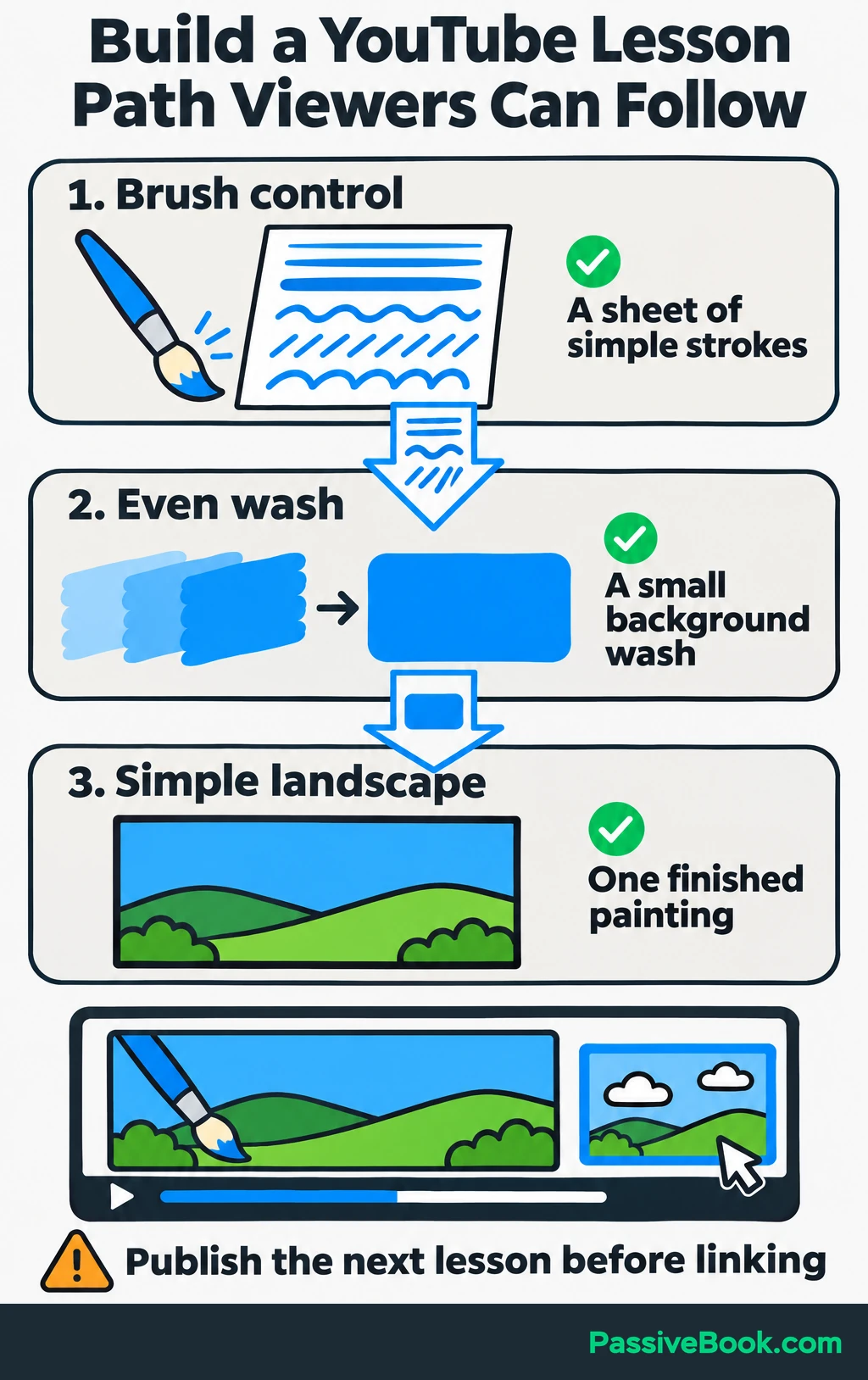
Group the videos in a clearly named playlist, such as “Your First Watercolor Paintings.” Keep a familiar teaching pattern: show the finished result, explain the materials, demonstrate, then give a practice task.
At the end, explain why the next video matters:
“You’ve practiced covering a small area evenly. In the next lesson, we’ll use that wash to paint the sky in a simple landscape.”
Then point to that lesson with an end screen—a clickable recommendation near the end of your video. Publish the next video before sending viewers to it.
You can build familiarity without appearing on camera. Use overhead demonstrations, clear narration, and a teaching approach viewers recognize. Your face isn’t the only familiar thing you can offer.
Turn Comments Into Two-Way Conversations
Ask one question that helps you understand the viewer’s experience. “What did you think?” leaves them with too much work.
A better prompt follows directly from the lesson:
“Where did your wash become uneven: the first stroke, the overlap, or the drying edge?”
Say it in the video and repeat it in your own comment so viewers can answer while the problem is fresh.
When replies arrive, prioritize questions that block progress and experiences that could help other viewers. Give something useful before requesting more information:
“Compare your practice strip with the close-up of the overlapping strokes in the lesson. Did the patch appear before or after the previous stroke dried?”
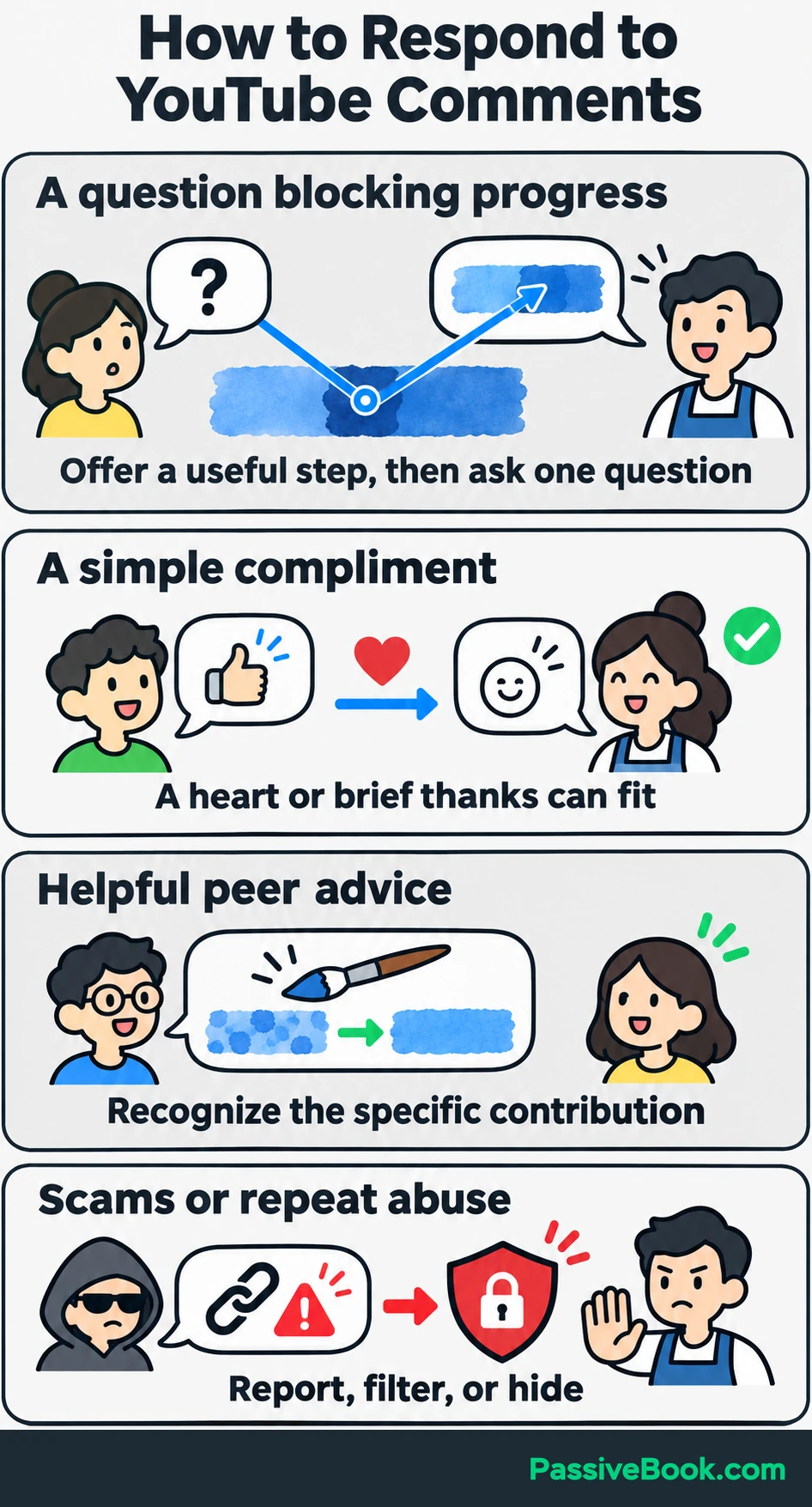
That moves the conversation forward. A reply containing only “Thanks for watching!” acknowledges the person, but it leaves their question sitting there.
You don’t need to turn every comment into a lengthy exchange. A heart or brief thanks suits a simple compliment. Save your attention for places where it changes what someone can do next.
When the same difficulty appears repeatedly, demonstrate it in another video. Return to the original discussions with the answer and mention that viewer questions shaped the lesson. Following through gives people a reason to contribute again.
If you’re stuck on the wording, AI Video Studio can draft the question and pinned comment around your own lesson. Review the copy before posting, and use actual viewer comments when you want help planning the next video.
Free AI Video Studio




Recognize useful peer help too. If a viewer explains how they organized their practice, thank them for the specific contribution and invite others to compare approaches. Quiet viewers should still feel welcome; watching and practicing counts even when they never comment.
Keep the space usable with a few plain rules: discuss the work respectfully, skip unsolicited promotions, and report impersonation or scams. Review held comments, add recurring spam terms to your filters, and hide repeat abusers. You don’t owe a scam account a thoughtful debate.
Ask permission before featuring identifiable viewer artwork in a video or republishing a contribution elsewhere. A public comment isn’t an invitation to use someone’s work in your next promotion.
Let Viewers Shape the Channel Between Videos
Use Posts to Collect Input and Share Follow-Ups
YouTube posts let you share polls, images, and short updates between videos. Give each post one job: help choose between relevant lessons, uncover a difficulty, or collect practice updates.
For the watercolor channel, ask which part of painting a wash needs another demonstration. Offer a few choices, then invite details in the comments. A vote tells you where interest sits, while the explanation helps you plan the lesson.
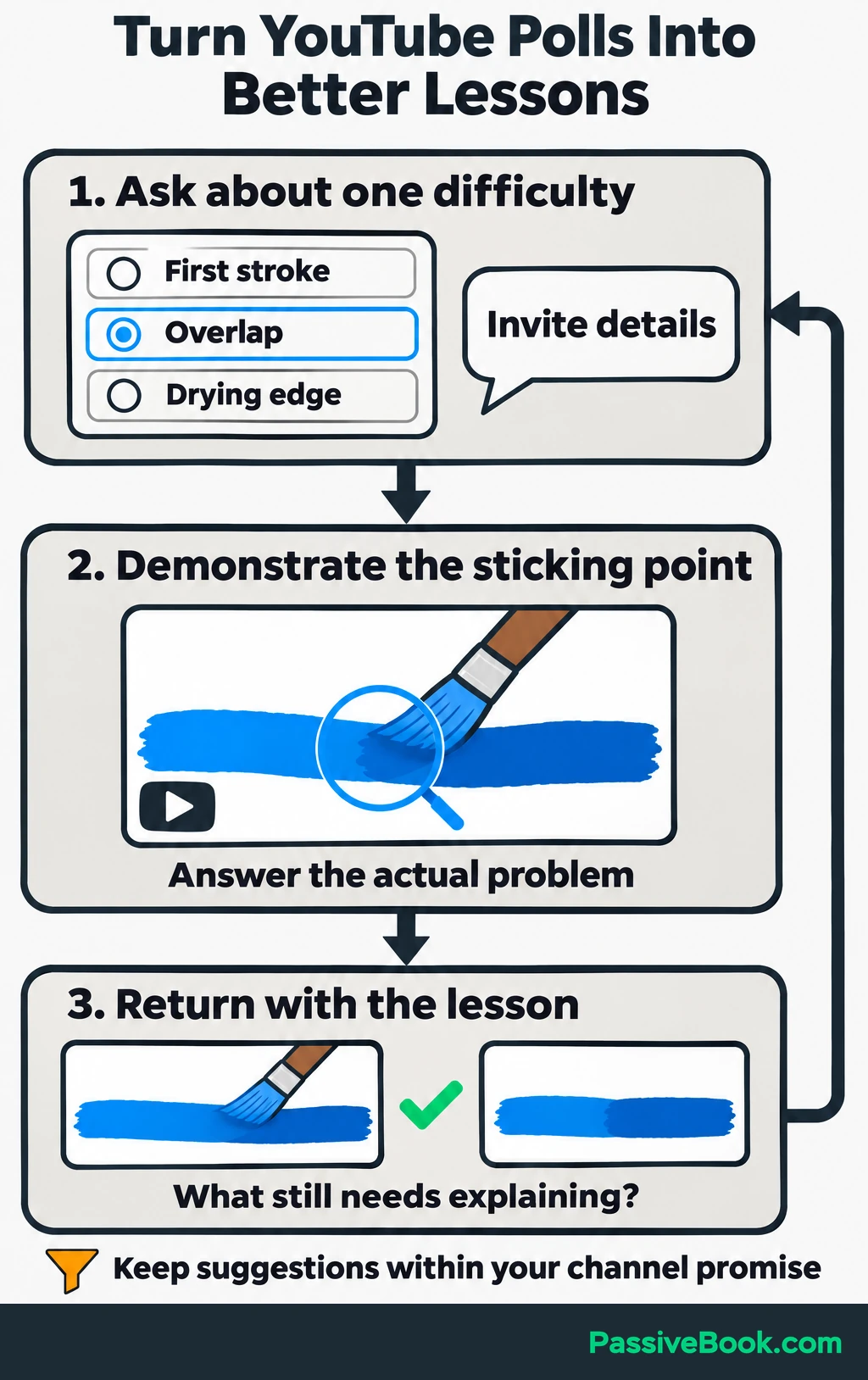
Check access before making posts part of your routine. YouTube lists restrictions for supervised accounts, channels set as made for kids, and Germany. If posts aren’t available to you, collect input through video comments instead. YouTube’s post availability
The useful part comes after the poll. Publish the demonstration and return with a follow-up:
“The overlap was the sticking point in the poll, so this lesson shows that section close up. After trying it, which part still needs explaining?”
Choose suggestions that serve the wider channel promise. One request for an advanced portrait series doesn’t mean your beginner channel needs a new identity.
I would reuse unresolved questions from existing videos before inventing a separate stream of post ideas. The teaching stays connected, and you avoid creating another content job.
Add a Community for Viewer-Led Discussions
Creator posts let you start conversations. YouTube’s dedicated Community also lets subscribers start discussions and share pictures. Add it when people want to exchange progress and help one another between lessons.
YouTube requires existing post access, an age over 16, and an eligible channel that isn’t supervised, made for kids, or a VEVO channel. Check those conditions before planning activities around it. YouTube’s Community requirements
Begin with a welcome post explaining the purpose and rules. Then introduce one recurring activity, such as a watercolor practice thread.
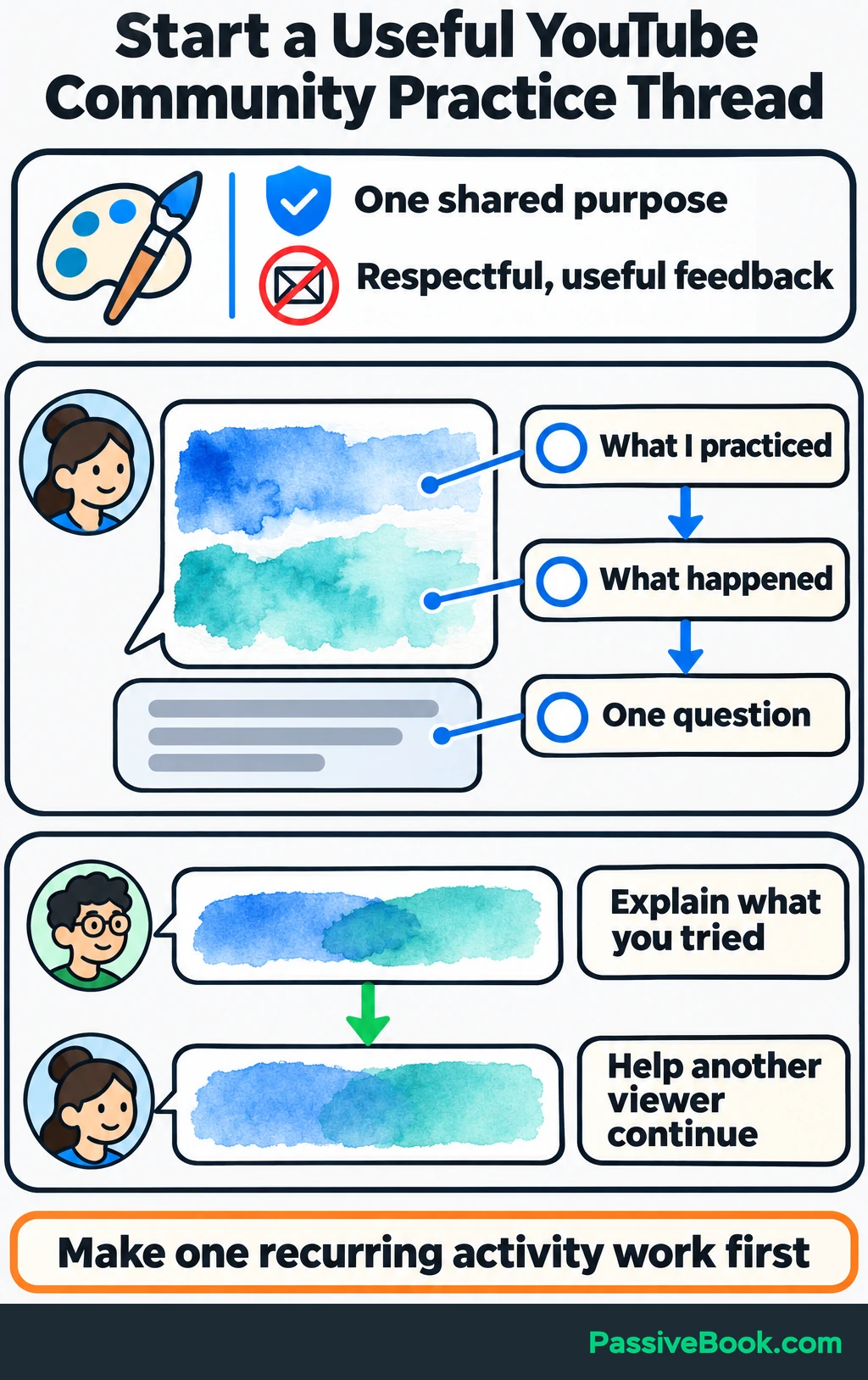
Keep the invitation easy to answer:
“Share what you practiced, what happened, and one question you’d like help with.”
Model useful feedback. Ask members to explain what they tried rather than declaring someone else’s painting “wrong,” and recognize answers that help another person continue.
I would wait to add challenges, themed days, and extra threads until that first activity works. An empty space with seven weekly events is still an empty space. It just has a busier calendar.
Use Live Streams for Shared Practice
Choose live sessions when immediate questions improve the task. A tricky demonstration, practice session, or focused troubleshooting lesson has a clear reason to happen live.
Collect questions beforehand and prepare something worth watching even if only a few people attend. A small audience can still practice with you, and a well-planned session can serve replay viewers too.
Check access before announcing a date. General live streaming requires channel verification, a creator aged at least 16, and no live-streaming restrictions in the preceding 90 days. Native mobile streaming adds a minimum of 50 subscribers, and first activation can take up to 24 hours. General live requirements, mobile requirements
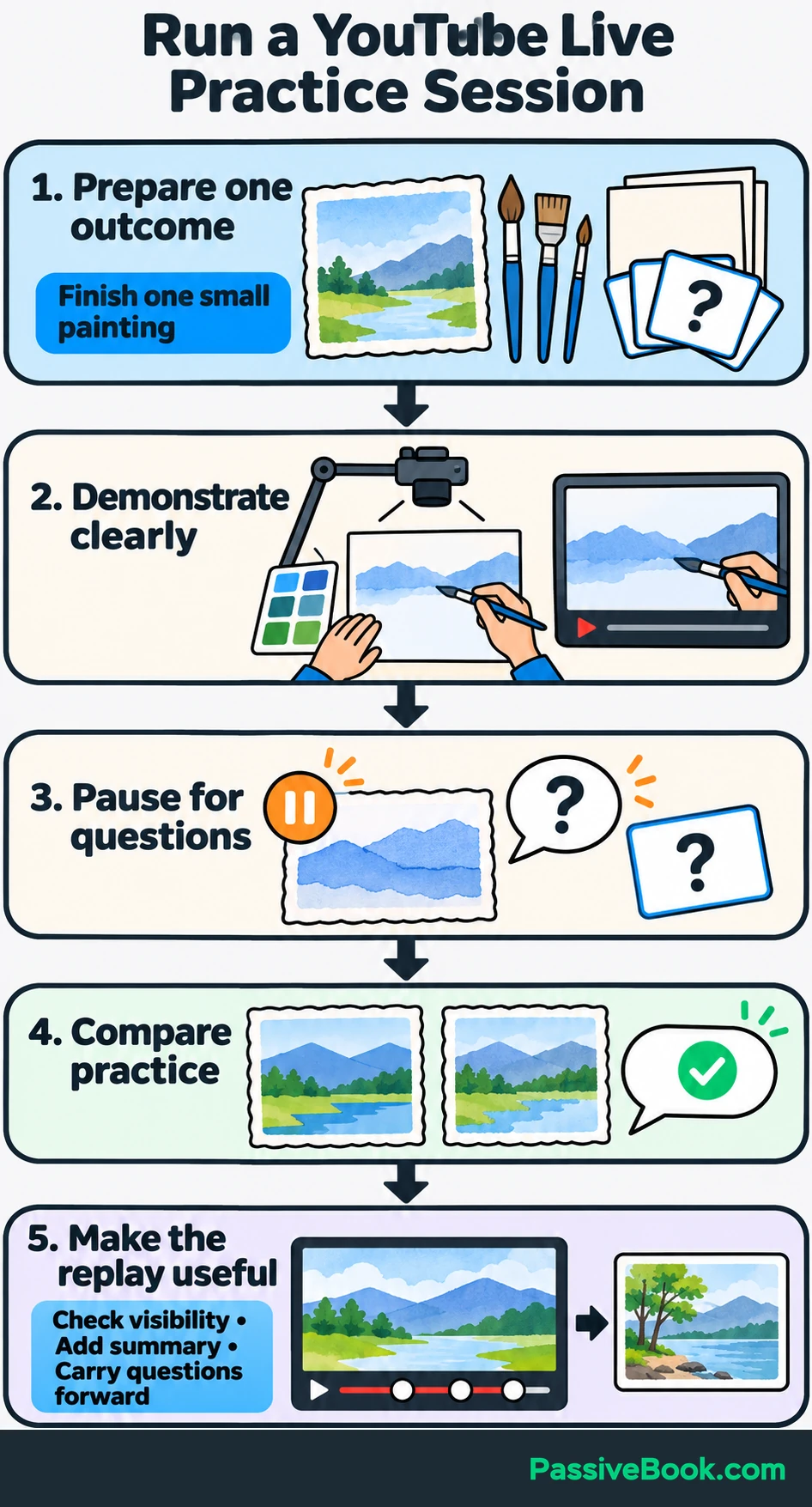
For the watercolor channel, I would run an overhead landscape demonstration with a narrow outcome: finish one small painting using the wash technique already taught.
Announce the result, materials, and time through your existing videos and posts. During the session:
- Welcome people and explain what they’ll finish.
- Pause at planned points to read questions.
- Invite viewers to compare what happened in their own practice.
- Acknowledge helpful answers from other participants.
- Finish with one practice task and a relevant next lesson.
Avoid making the session depend on a constant flow of chat. Prepared questions give you useful material when the room is quiet.
Afterward, check the replay’s visibility before sharing it. Add a short summary and timestamps for the main demonstration and questions. Carry unanswered questions into your next suitable video or post, rather than stretching the stream until you’re exhausted.
Build an Engagement Routine You Can Sustain
Start with connected videos, one useful comment prompt per video, and time to respond. Add another format when it solves a problem you can name.
Posts can collect input between uploads. Live sessions can resolve questions through immediate feedback. A Community can support ongoing peer discussion. You don’t need to launch all three.
YouTube says daily or weekly uploads aren’t required, and its analyses found no correlation between time between uploads and growth in views across uploads. That supports choosing a rhythm you can maintain, rather than treating a weekly deadline as a platform rule. YouTube’s publishing-frequency guidance
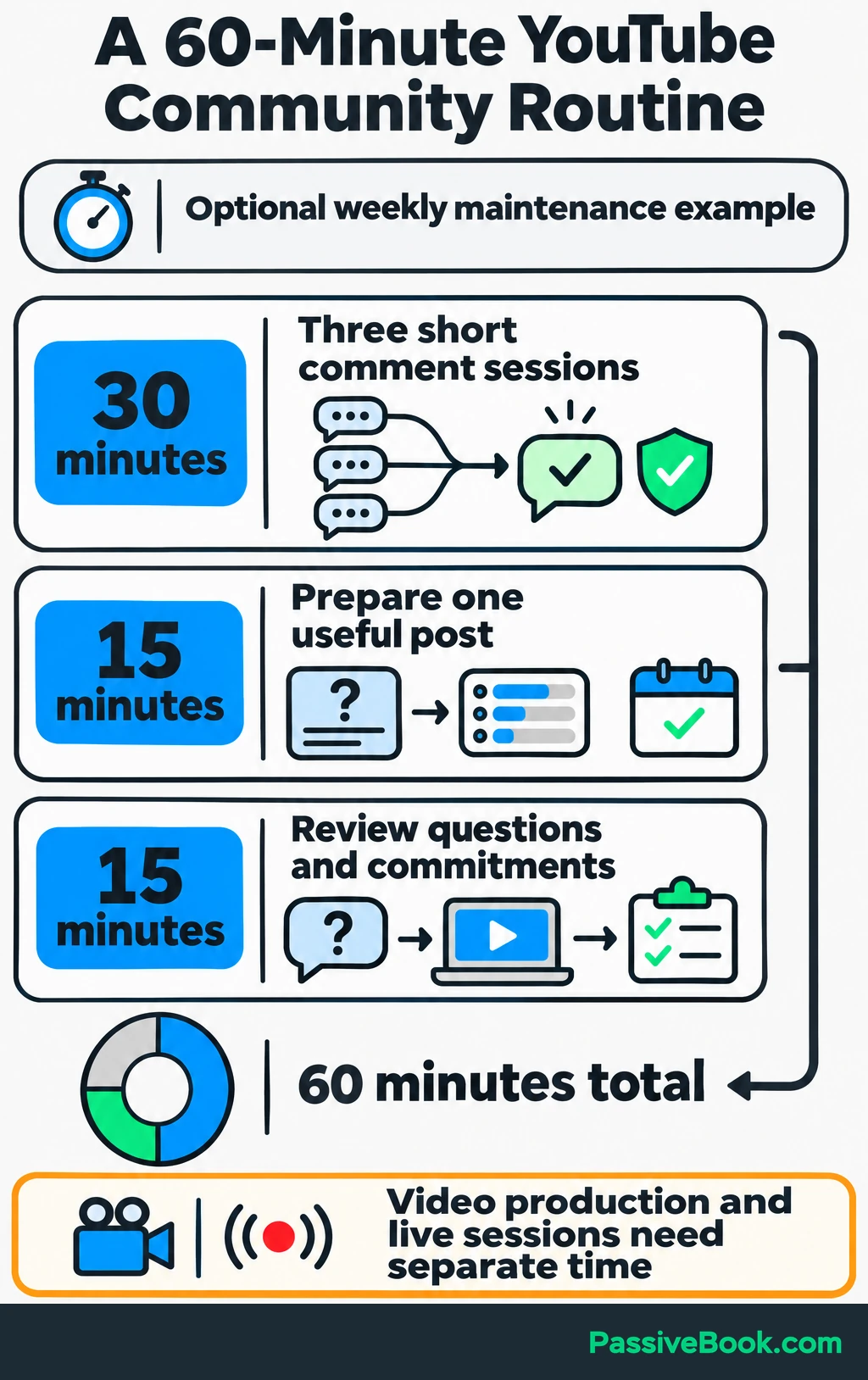
For a channel with manageable comment volume, try this optional weekly routine:
| Activity | Time | What Gets Done |
|---|---|---|
| Three short comment sessions | 30 minutes | Answer progress-blocking questions, recognize contributions, and review held comments |
| Prepare one post | 15 minutes | Ask about an unresolved difficulty or share a promised follow-up |
| Review questions and commitments | 15 minutes | Choose the next useful lesson and record unfinished replies |
That’s 60 minutes for community maintenance. It excludes video production and live sessions, so budget for those separately.
Keep a simple record with three fields: the question, the follow-up you promised, and whether you delivered it. A spreadsheet is enough. Batch preparation and schedule finished videos and posts when that helps you protect your evenings.
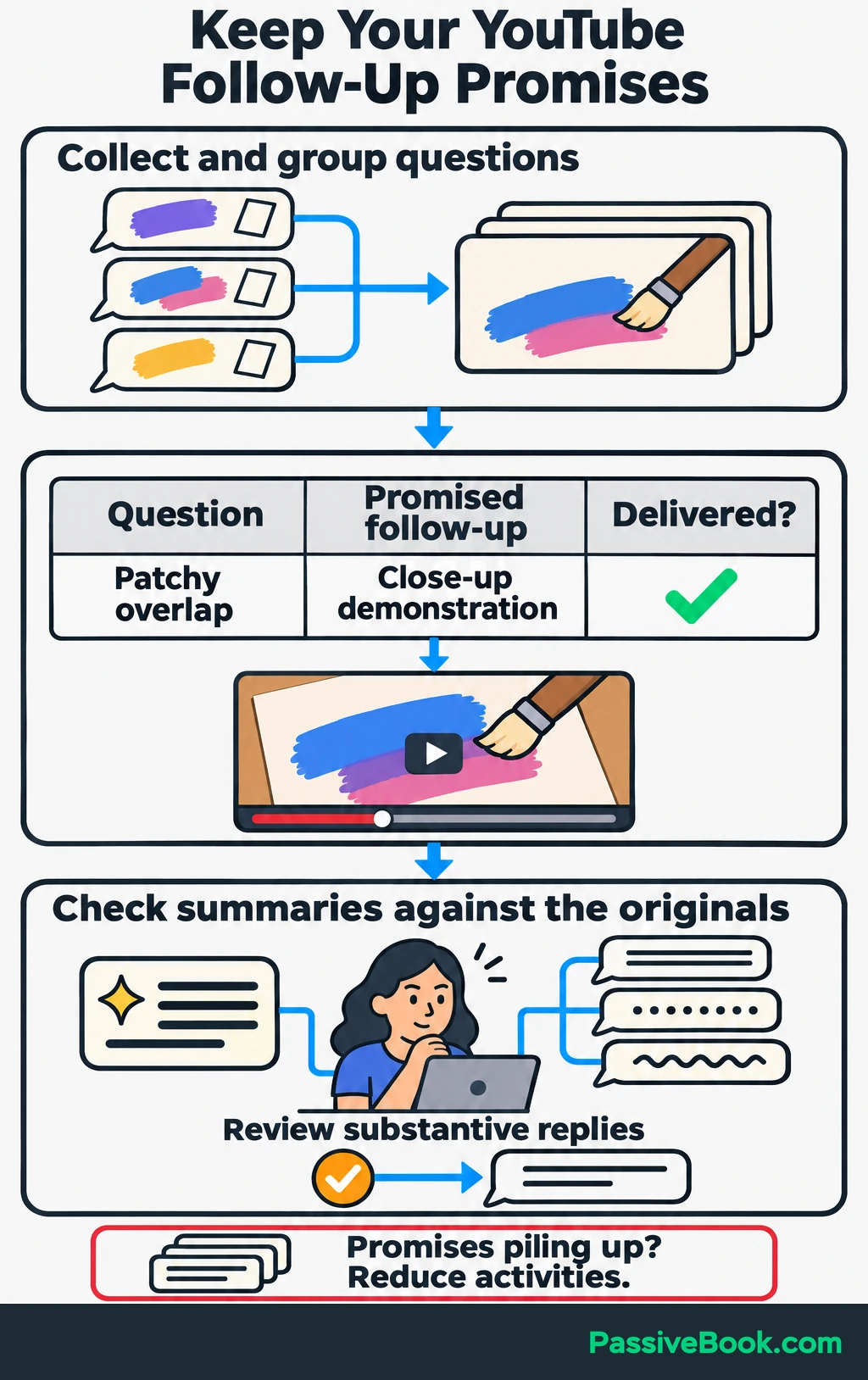
AI can group similar questions or draft a summary from your notes. Check those summaries against the original comments, and review substantive replies before publishing them.
I would automate collecting questions before automating responses. Gathering material saves time without asking software to pretend it knows someone’s frustration. Fabricated conversations, automatic praise, and unreviewed personal replies undermine the relationship you’re trying to build.
When unanswered questions start piling up, reduce the number of activities. Protect useful replies and completed promises before adding another weekly event.
Give Supporters a Relevant Next Step
Extend the Relationship Through Email
Offer something that helps viewers apply the lesson. For the watercolor channel, a printable practice sheet fits better than a broad ebook about becoming an artist.
Explain both the resource and the emails that follow:
“Download the practice sheet to repeat today’s brush exercises. I’ll also send beginner painting exercises and occasional information about my course.”
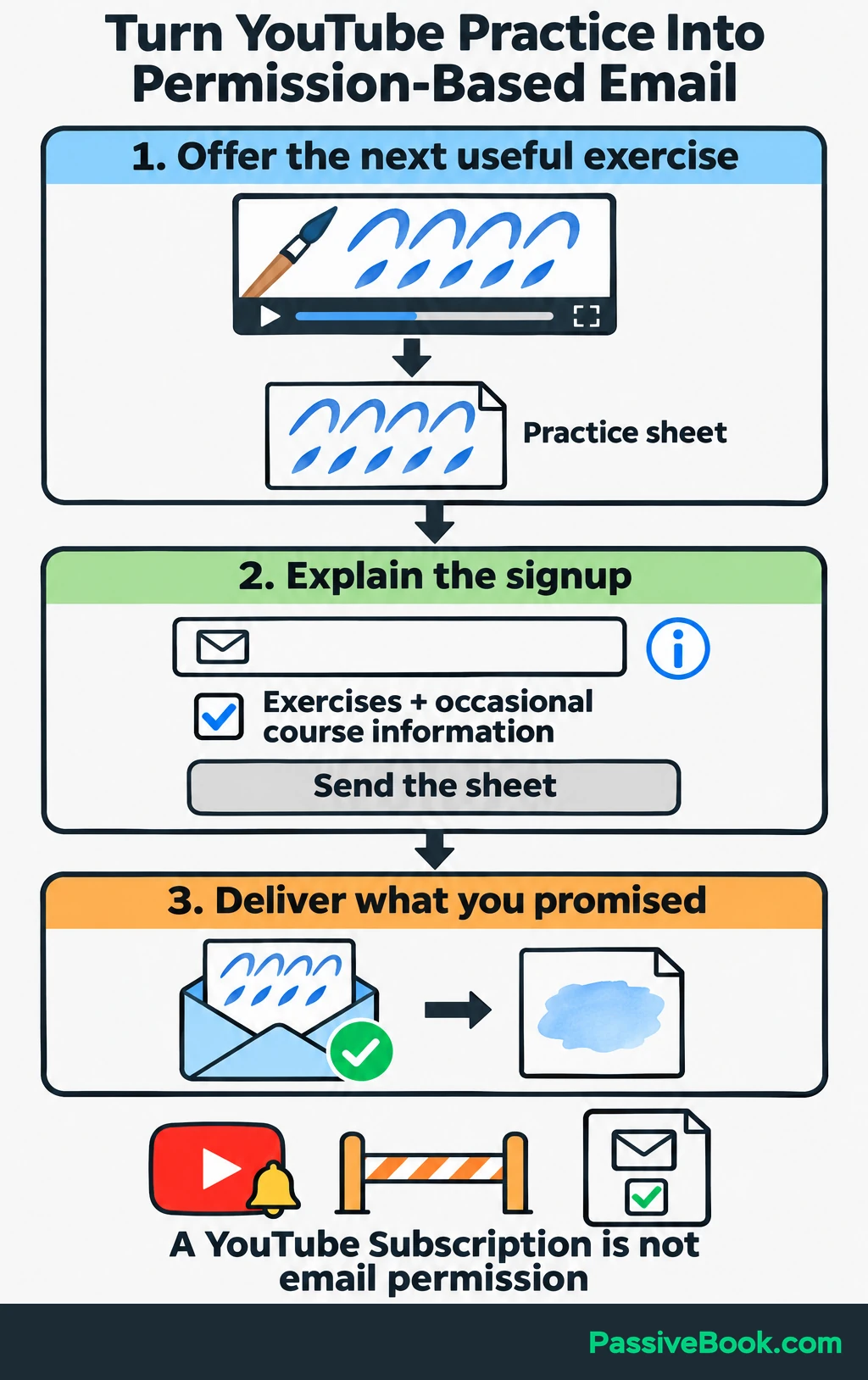
Use a signup form that delivers what you promised and records the person’s permission. A YouTube subscription doesn’t put someone on your email list.
Place the invitation where viewers can act on it. Channel profile links are clickable, while clickable external links in long-form descriptions and comments require advanced-feature access. URLs in Shorts descriptions and comments aren’t clickable, so direct those viewers to your channel profile link. YouTube’s link rules
Keep the setup simple. Use your existing email tool to deliver the sheet and send a useful follow-up exercise. You can introduce the course when it becomes a relevant next step.
YouTube still controls access to your channel audience. Permission-based email gives you another way to maintain the relationship beyond the platform, and viewers can choose whether they want it.
Offer Paid Help That Matches Viewer Needs
Look for repeated requests for structure, depth, or feedback. Those can guide an offer, but a comment saying “I’d love this” and a completed purchase are different behaviors.
For the watercolor business, the paid course could organize scattered practice into a clear sequence of beginner projects. Introduce it after a lesson where that structure would help.
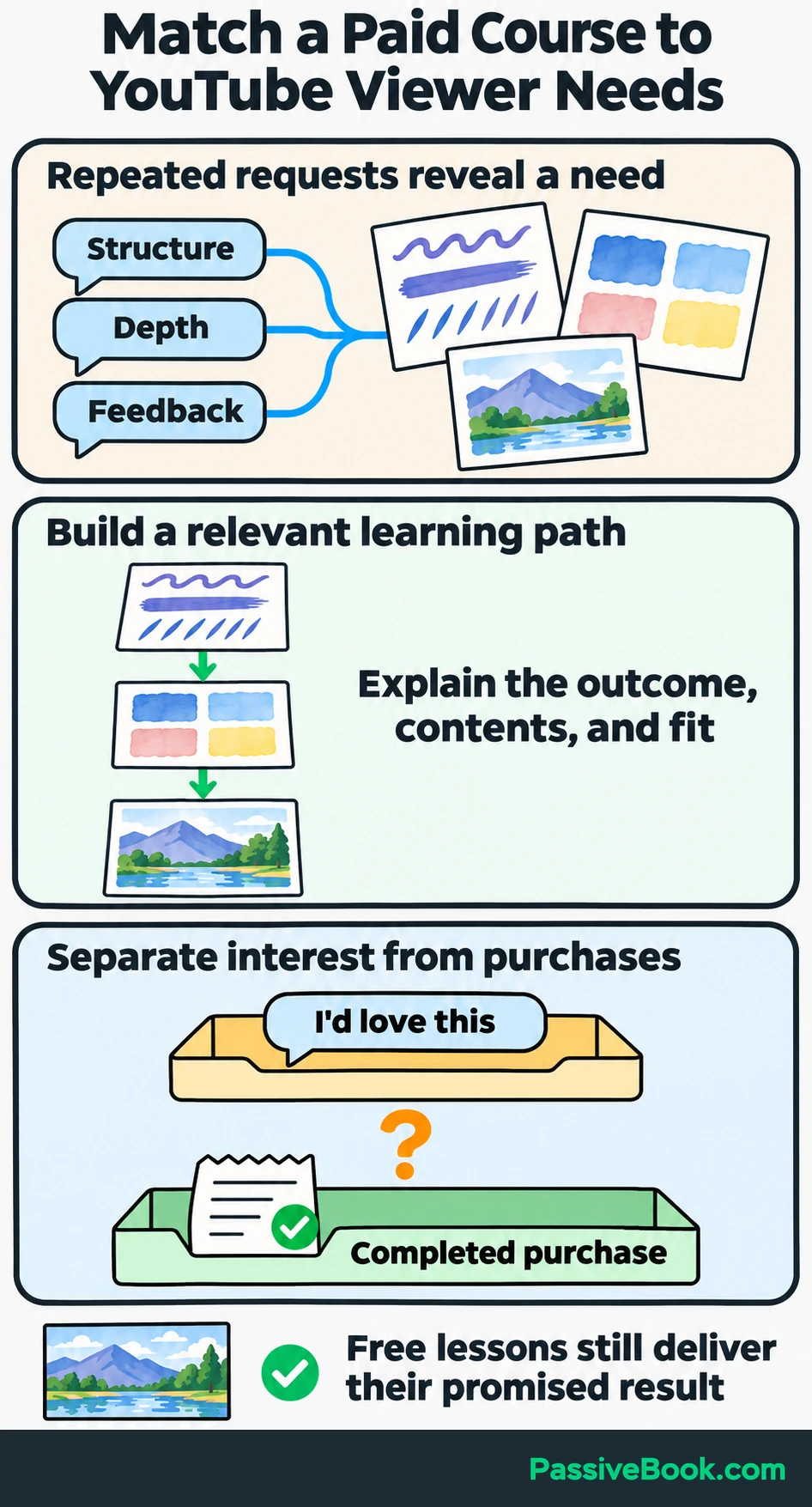
Explain the outcome, what’s included, and who it suits:
“If you want a guided order for your practice, the beginner course takes you from brush exercises to finished small paintings. The course page shows the projects and materials so you can decide whether it fits.”
Keep each invitation focused on one immediate action. At the end of an early lesson, the next video may be the best choice. After a practice session, the sheet might help more. When someone wants a complete learning path, show them the course.
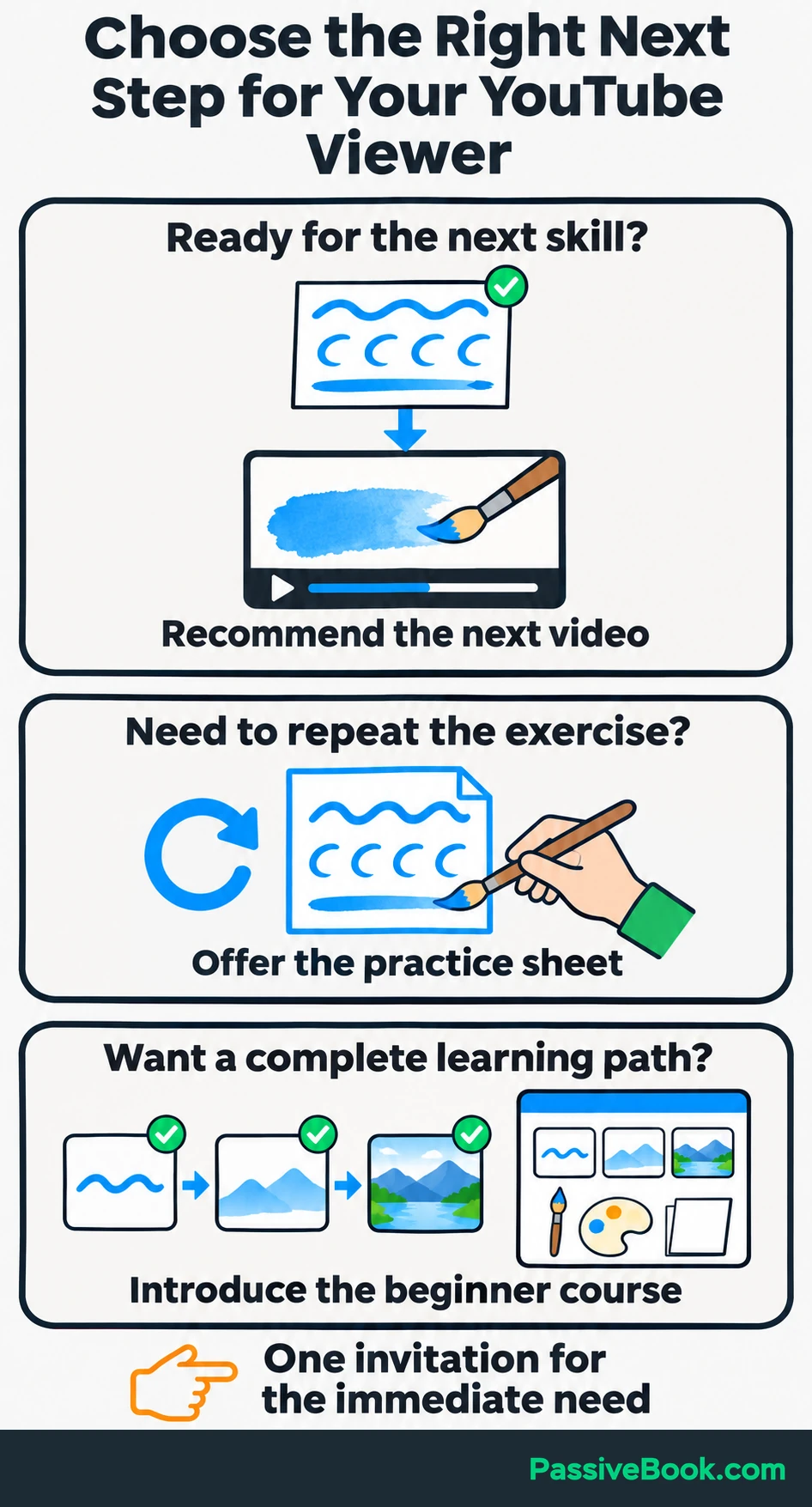
Free lessons should still deliver their promised result. Holding back the essential step to force a sale makes the free lesson worse, and it gives viewers a fair reason to distrust the paid one.
Helpful public replies should remain available to people who never buy. Some may later recommend a lesson because it solved their problem. Make that easy by inviting viewers to share the specific tutorial, and recognize useful recommendations and viewer-to-viewer support.
Add Memberships When You Can Sustain the Benefits
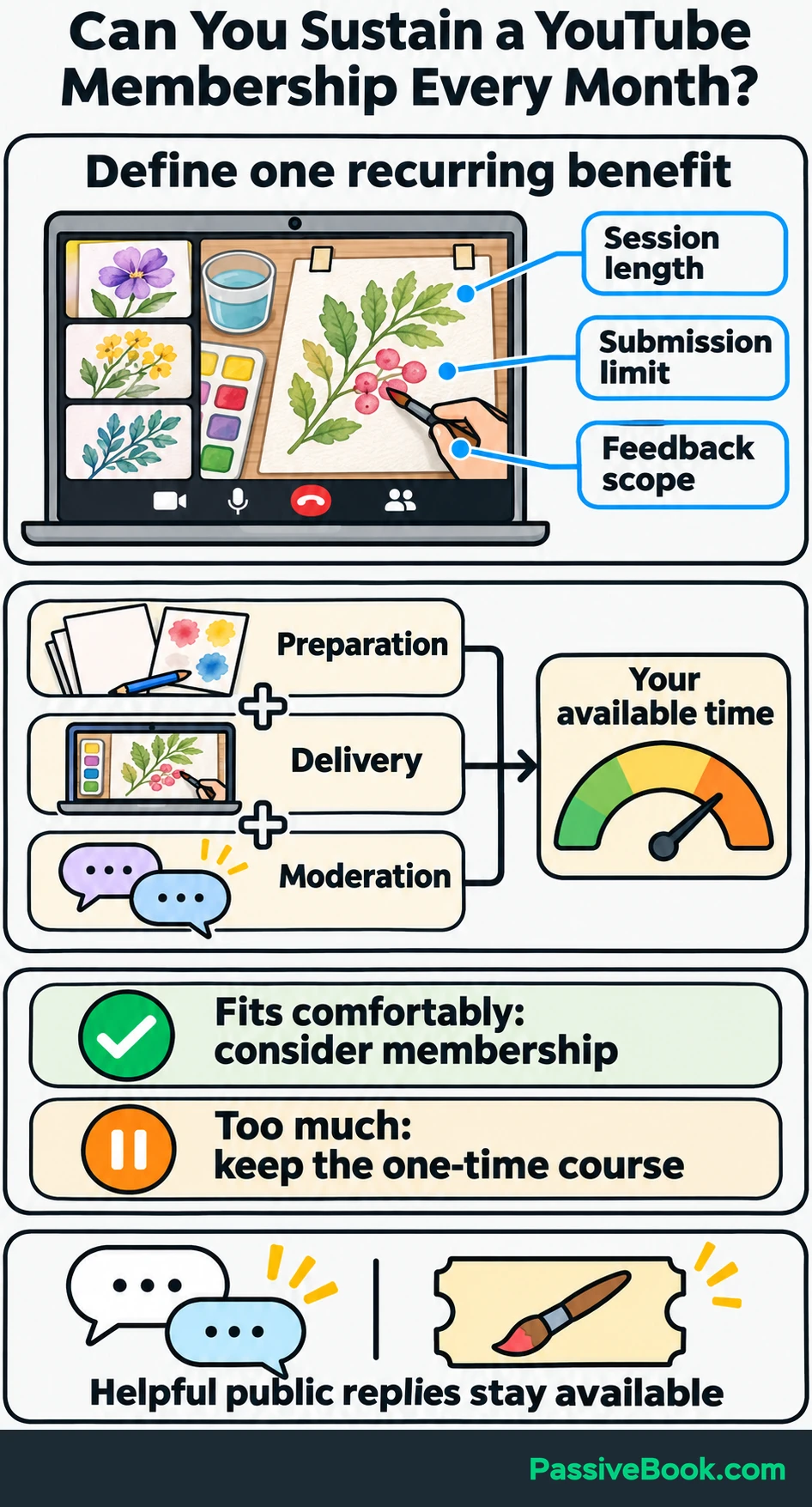
YouTube channel memberships let viewers pay monthly for extra benefits. I would add them only when viewers want something you can deliver every month without straining your schedule.
For example, a monthly group painting clinic could review a fixed number of submitted exercises. Define the session length, submission process, and feedback scope before offering it. Include preparation and moderation in your time estimate.
I spent six months building a separate membership site alongside corporate work around 2021, then abandoned it because the continuing content workload was unsustainable. That experience makes me cautious about promising a fresh library of premium lessons every month. Recurring revenue comes with recurring obligations.
Check eligibility before selling yourself on the idea. YouTube’s fan-funding requirements include participation in the YouTube Partner Program, an age of at least 18, and an eligible location. Memberships also have their own content and policy conditions. Fan-funding requirements, membership eligibility
Write down what a normal month of delivery involves. If the plan already strains your available time, keep the course as a one-time offer and revisit memberships later.
Keep ordinary appreciation and useful public conversation outside the paywall. Membership should purchase a defined extra benefit, rather than permission to receive a helpful reply.
Measure Whether Viewers Return and Participate
Subscriber totals alone can’t tell you whether people return or use your lessons.
Review monthly audience in YouTube Analytics. It counts unique viewers over the preceding 28 days. Casual viewers watched at least monthly for one to five months in the past year; regular viewers did so for more than six months. YouTube’s audience definitions
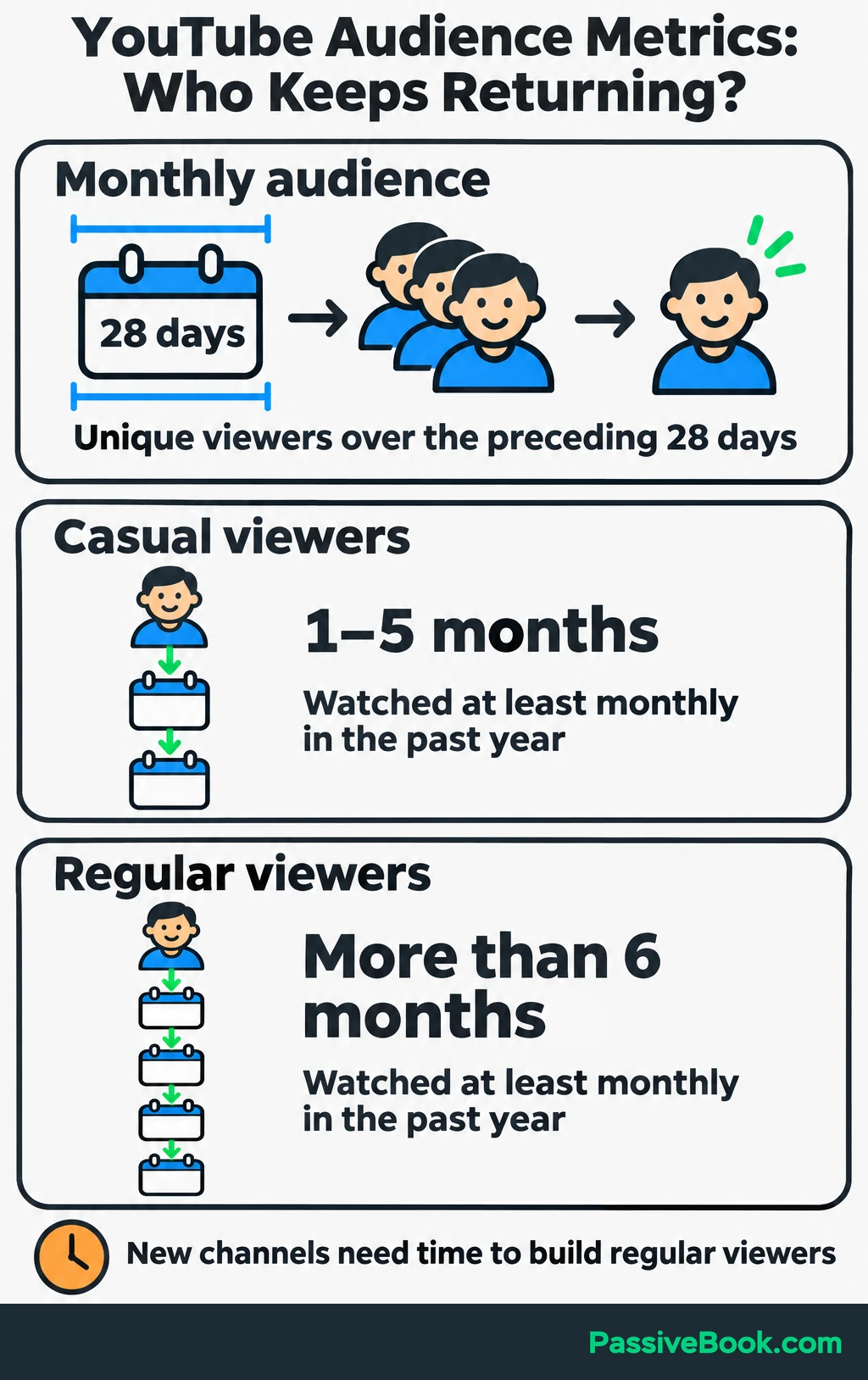
A new channel needs time to qualify viewers as regulars. Comments reveal only the viewers who choose to speak up.
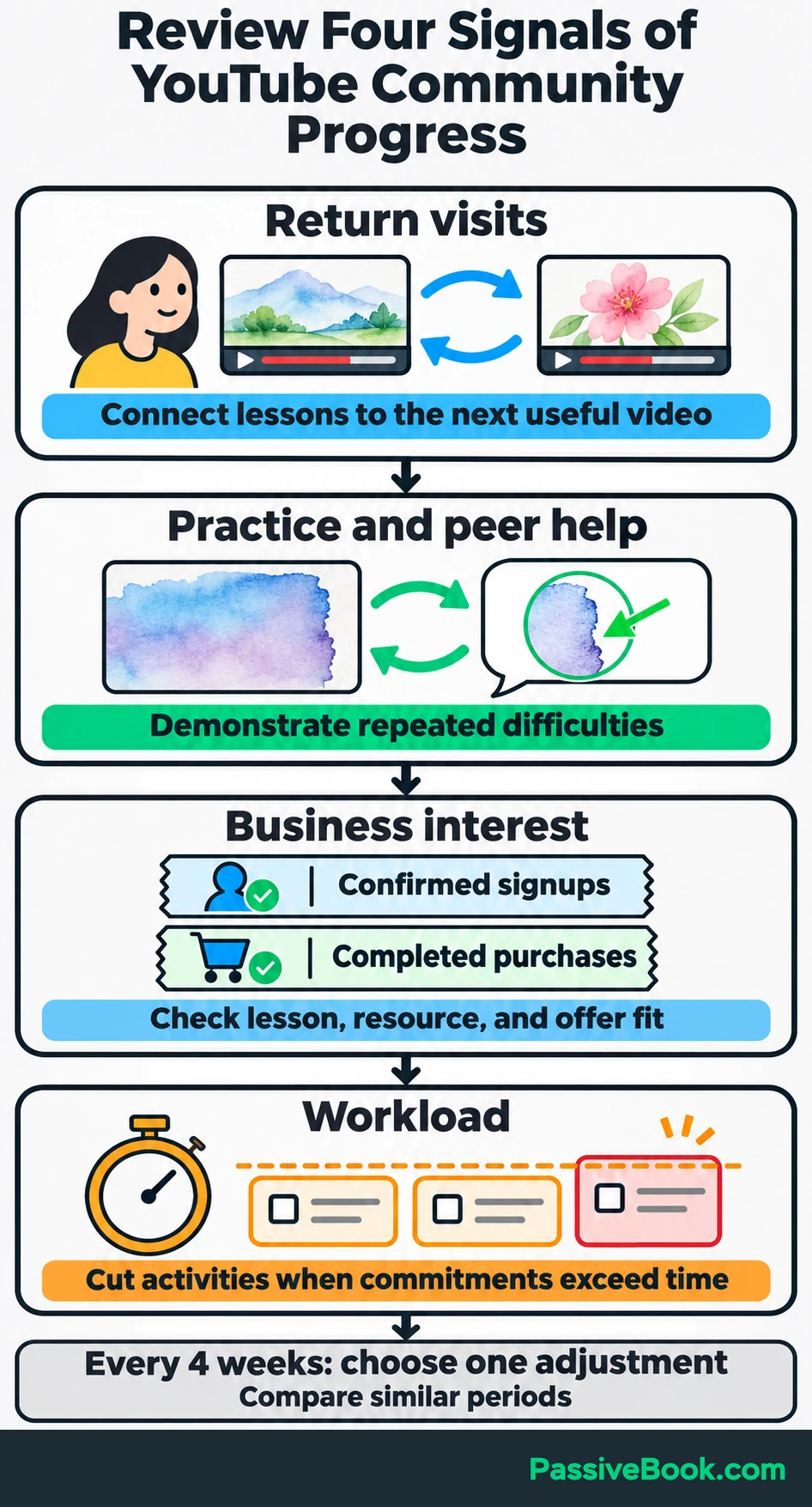
Review these signals every four weeks:
| What to Track | Observable Signal | Next Action |
|---|---|---|
| Return visits | Casual and regular viewer counts | Connect popular lessons to a useful next video |
| Practice and peer help | Practice reports and replies that help another viewer | Demonstrate repeated difficulties and recognize helpful answers |
| Business interest | Confirmed practice-sheet signups and completed course purchases, counted separately | Check whether lesson, resource, and offer serve the same need |
| Workload | Minutes spent and promised replies still unfinished | Cut activities when commitments exceed available time |
Add tracking tags to links shared on YouTube so your website analytics can identify those visits. Use signup and order records to count confirmed actions.
Compare similar periods and note changes in topics or publishing activity. A month with a live workshop won’t be directly comparable to a month with no uploads.
Choose one adjustment for the next cycle. Changing everything at once makes it harder to learn what helped.
What Next?
Open your latest useful video and write one question viewers can answer from trying the lesson. Set aside ten minutes to respond, and record any follow-up you promise.
Use the social buttons to share this guide if it would help turn a content calendar into a routine that leaves room for viewers.
Which part of your current routine gives people the strongest reason to return? Share your answer in the comments, and bring any other questions about building your community.
Share this post with your friends & followers:

