You spend an evening making a useful video, and the comments amount to “Great tips” and a suspicious offer to promote your channel. People are watching, but there’s little conversation to build on.
That leaves you guessing what viewers tried, where they got stuck, and what they want you to cover next. Asking them to “leave a comment” hasn’t given you much to work with. To get beyond polite thanks, this guide covers questions viewers can answer from experience and a reply routine that keeps the discussion going without taking over your week.
Check That Viewers Can Leave Comments
Start with one published video that still gets views. You can improve its comment section now, then use what you learn on upcoming uploads.
Open that video in YouTube Studio, where you manage your channel, and check its comment settings. Turn comments on where permitted, and remove subscriber-only restrictions if you want first-time viewers to join in. Changing your upload defaults won’t update existing videos.
Comments aren’t available on private videos or videos marked “Made for Kids.” YouTube may also disable comments for safety reasons. Keep your audience setting accurate rather than changing it to unlock comments.
Then open the published video’s comment area and check what viewers encounter. Is commenting available? Does a restriction ask them to subscribe first?
Finally, review the held comments in Studio. Approve legitimate contributions that were caught by moderation. A viewer may already have asked a useful question that nobody else can see.
Ask One Specific Question Worth Answering
Make the Question Easy to Answer
Choose one contribution you want before writing the invitation. That might be a practical question, a shared experience, or an obstacle you could address in another video.
Ask for one thing at a time. “What do you think?” makes viewers decide what kind of answer you want before they can write it.
For the examples below, imagine you run a channel sharing home-grooming routines for long-haired dogs and sell printable grooming checklists. The conversations and figures are illustrations.
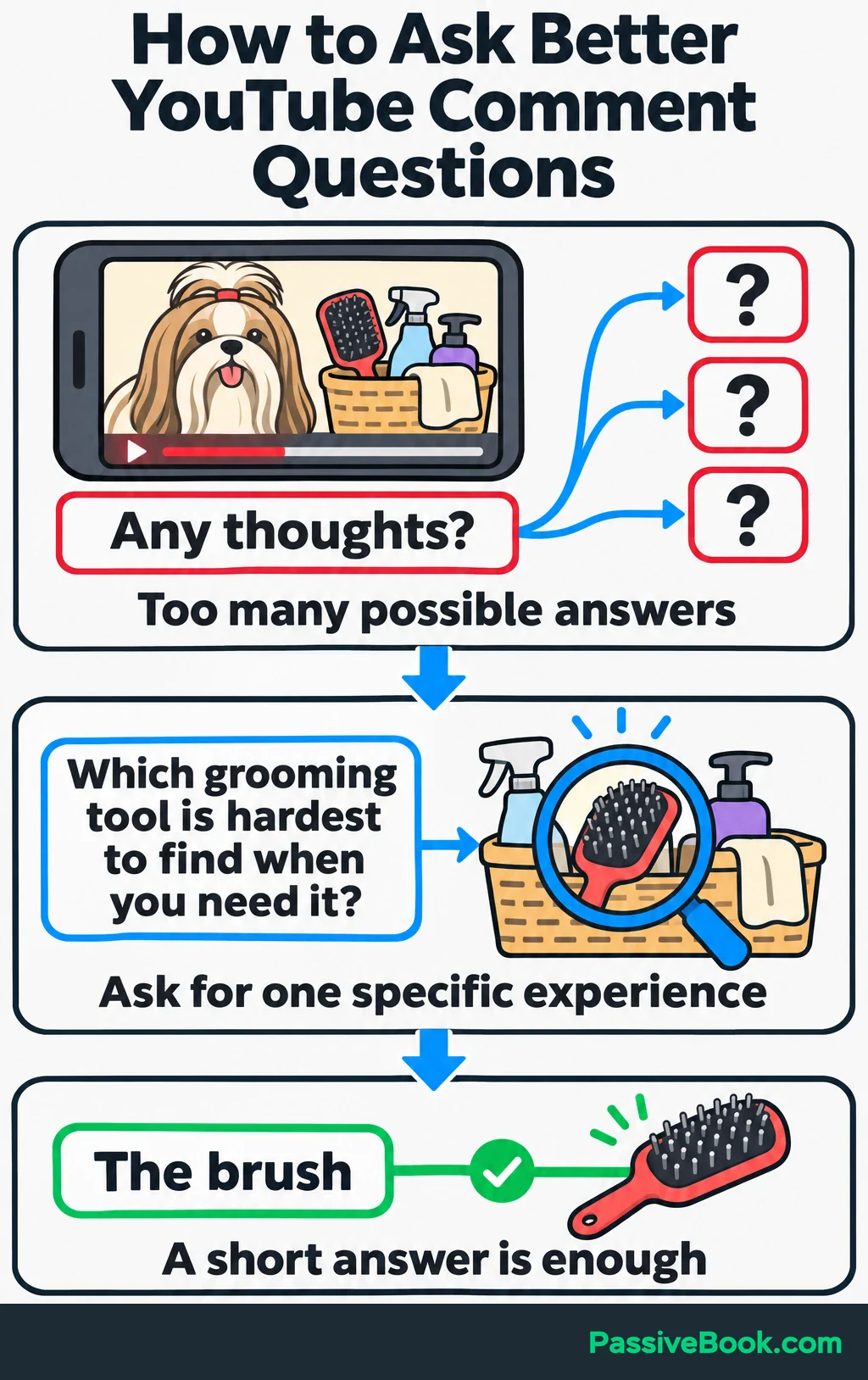
Here’s how two prompts could change:
| Video Topic | Vague Prompt | Improved Prompt | Response It Invites |
|---|---|---|---|
| Cleaning up after brushing | “What do you think?” | “Which part of brushing cleanup takes longest: cleaning the brush, removing fur from fabric, sweeping the floor, or something else?” | One cleanup task the viewer struggles with |
| Storing grooming supplies | “Any thoughts?” | “Which grooming tool is hardest to find when you need it?” | A specific tool that gets misplaced |
Both questions let viewers answer from experience. They don’t need expertise or a polished story. “Removing fur from fabric” is enough.
I made a similar mistake with a digital-product tutorial. I asked for “feedback” and got polite thanks, but little I could use. When I asked which step needed another screenshot, the replies named specific gaps. That’s the kind of answer I would design a YouTube prompt to invite.
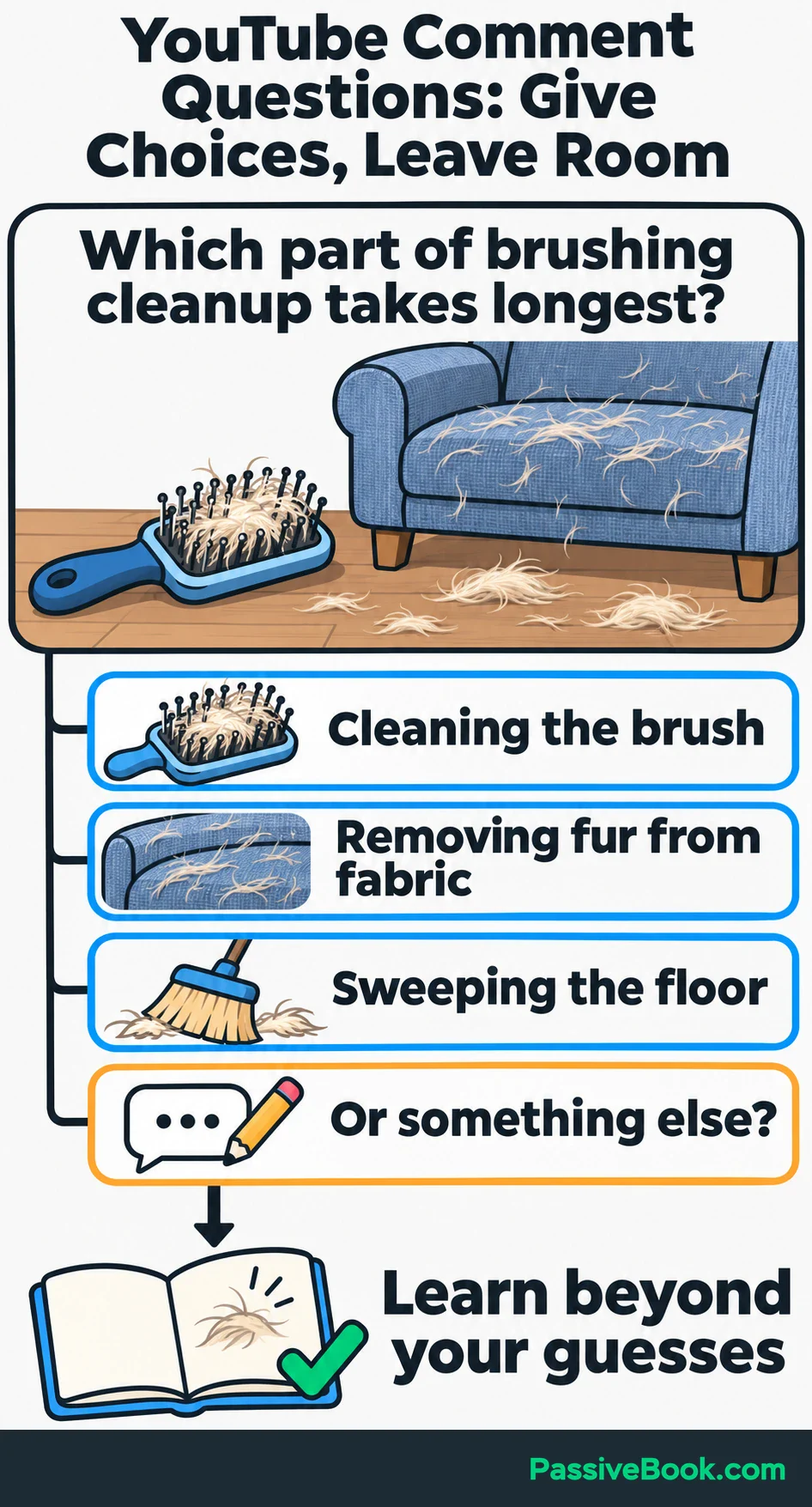
Choices can help, but leave room for an answer you didn’t predict. Otherwise, you may learn which of your guesses viewers prefer rather than what actually bothers them.
If you’re stuck on the wording, AI Video Studio can draft an invitation from your own video outline. You’ll get a question to say in the video and a matching comment to post beneath it.

Free AI Video Studio




And yes, you can ask directly. YouTube permits encouraging viewers to comment. Buying comments, using bots, or joining exchanges meant to inflate counts crosses a different line. I would skip all of it. A hundred empty comments still leave you with nothing useful to answer.
Ask When Viewers Have Enough Context
Show the relevant idea before asking about it.
In the grooming video, demonstrate how you prepare and clean the brushing area. Then ask which part of cleanup takes viewers longest. They now have something concrete to compare with their own routine.
Give the question its own moment. Say it aloud, show it on screen, or do both. A hands-only demonstration can carry the same invitation as a video with your face in it.
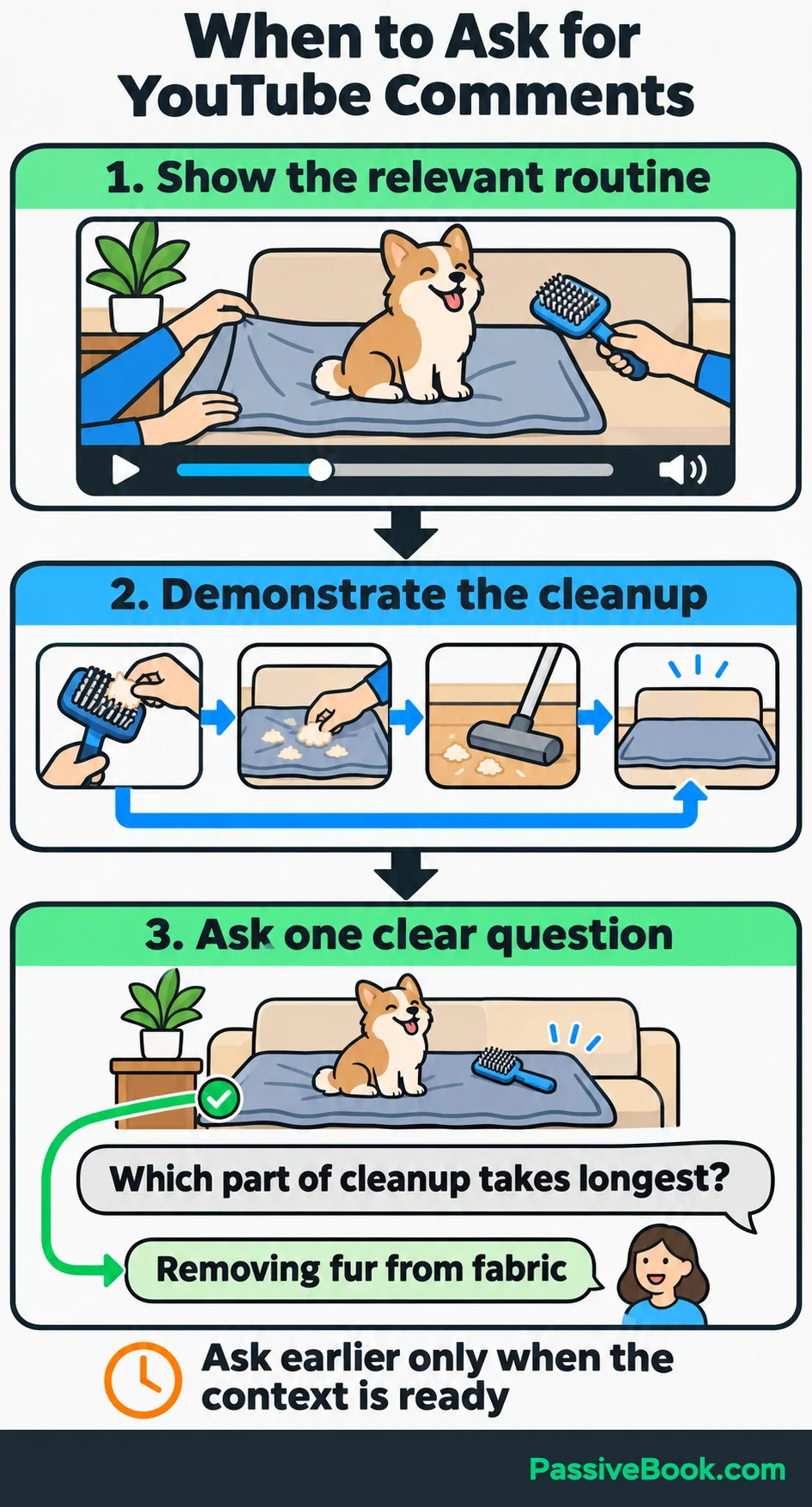
Avoid stacking “like, subscribe, share, download, and comment” into one breath. I would give the comment question space and place other requests elsewhere.
After publishing, check the video’s audience-retention graph in its analytics. This shows how viewing changes through the video. If many viewers leave before your invitation, try asking at an earlier relevant moment in the next upload.
Move the question closer to the demonstration that makes it answerable. Asking earlier helps little if viewers still lack the context.
Use a Pinned Comment to Start the Discussion
A pinned comment gives people a clear starting point when they open the discussion. Use it to reinforce the video’s question rather than introduce several new requests.
Your channel needs access to advanced features to pin comments. Check that access before relying on a pin in your publishing routine.
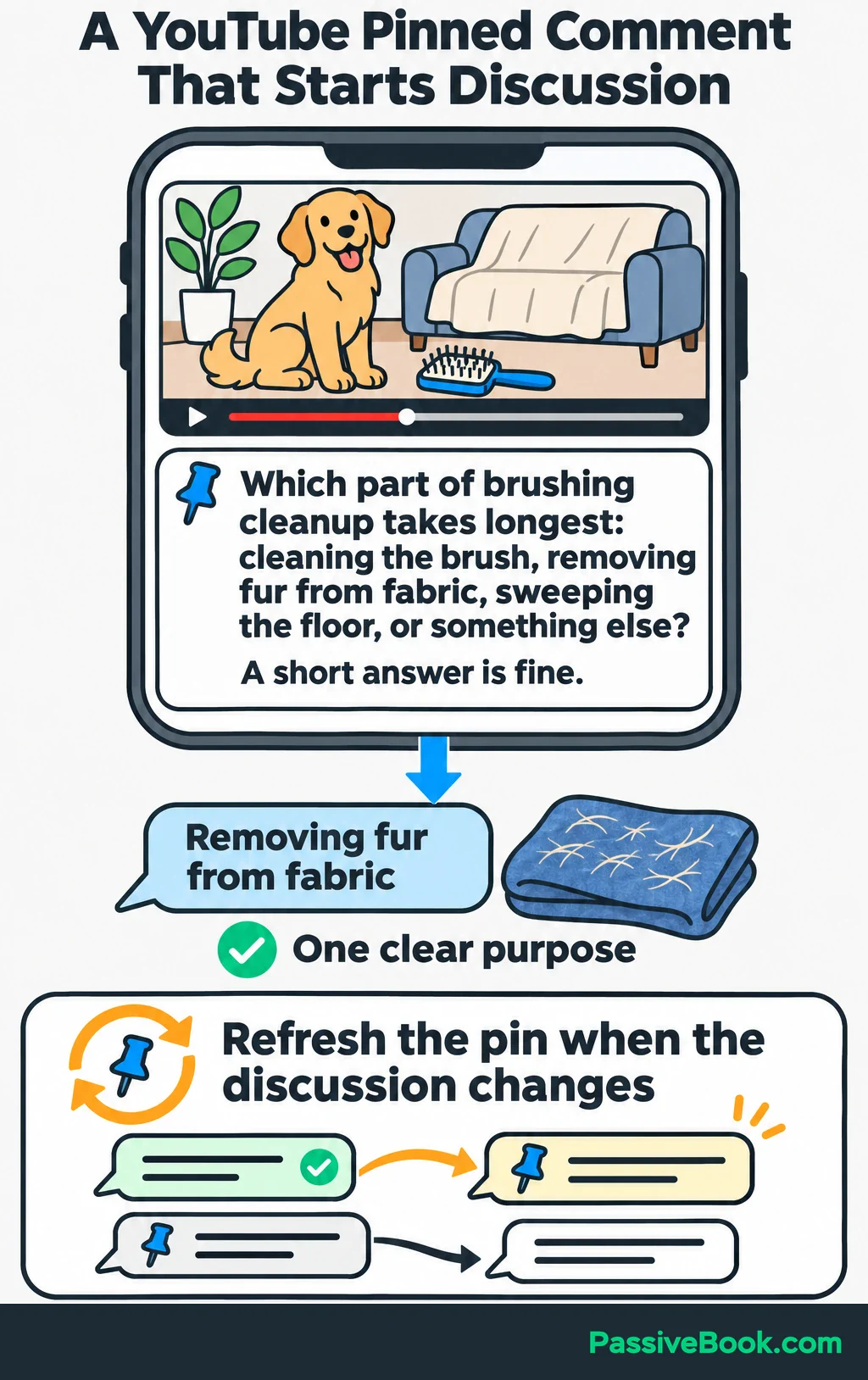
Here’s a complete comment you could use beneath the cleanup video:
Which part of brushing cleanup takes longest: cleaning the brush, removing fur from fabric, sweeping the floor, or something else? A short answer is fine.
Post it beneath the video, open its three-dot menu, and choose “Pin.” Pinning another comment replaces the existing pin.
I would keep the printable-checklist pitch out of this invitation. Give the discussion one clear purpose, and place the product information in the description.
Your own question doesn’t have to stay pinned forever. A viewer might describe a useful cleanup routine that gives others a better starting point. You can highlight that contribution instead.
If the same misunderstanding keeps appearing, update the pin with a short clarification. Let it serve the conversation happening now.
Write Replies That Keep Conversations Moving
Answer First, Then Invite a Useful Follow-up
Read the viewer’s actual point and respond to it before asking anything else.
A useful reply gives them something they can use, then explores a remaining problem if there is one. For example:
Viewer: “How do you keep loose fur off the sofa?”
Creator: “Try covering the seat with a washable throw before brushing, as shown in the video. Is fur also spreading onto the floor?”
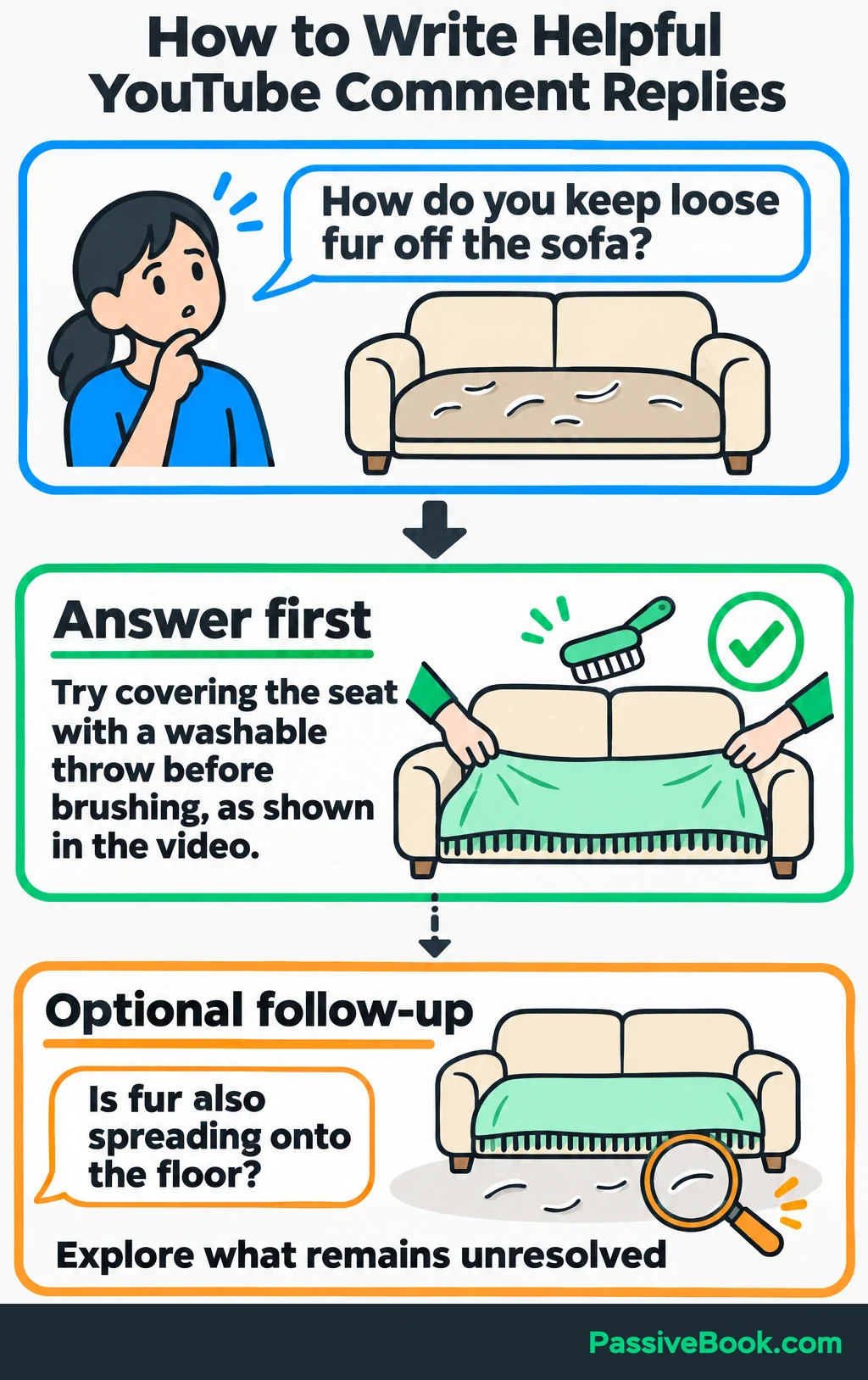
The answer comes first. The follow-up helps you understand whether the suggested step addresses the whole problem.
You can also invite other viewers into that thread:
“Has anyone found a washable cover that stays in place on a small sofa?”
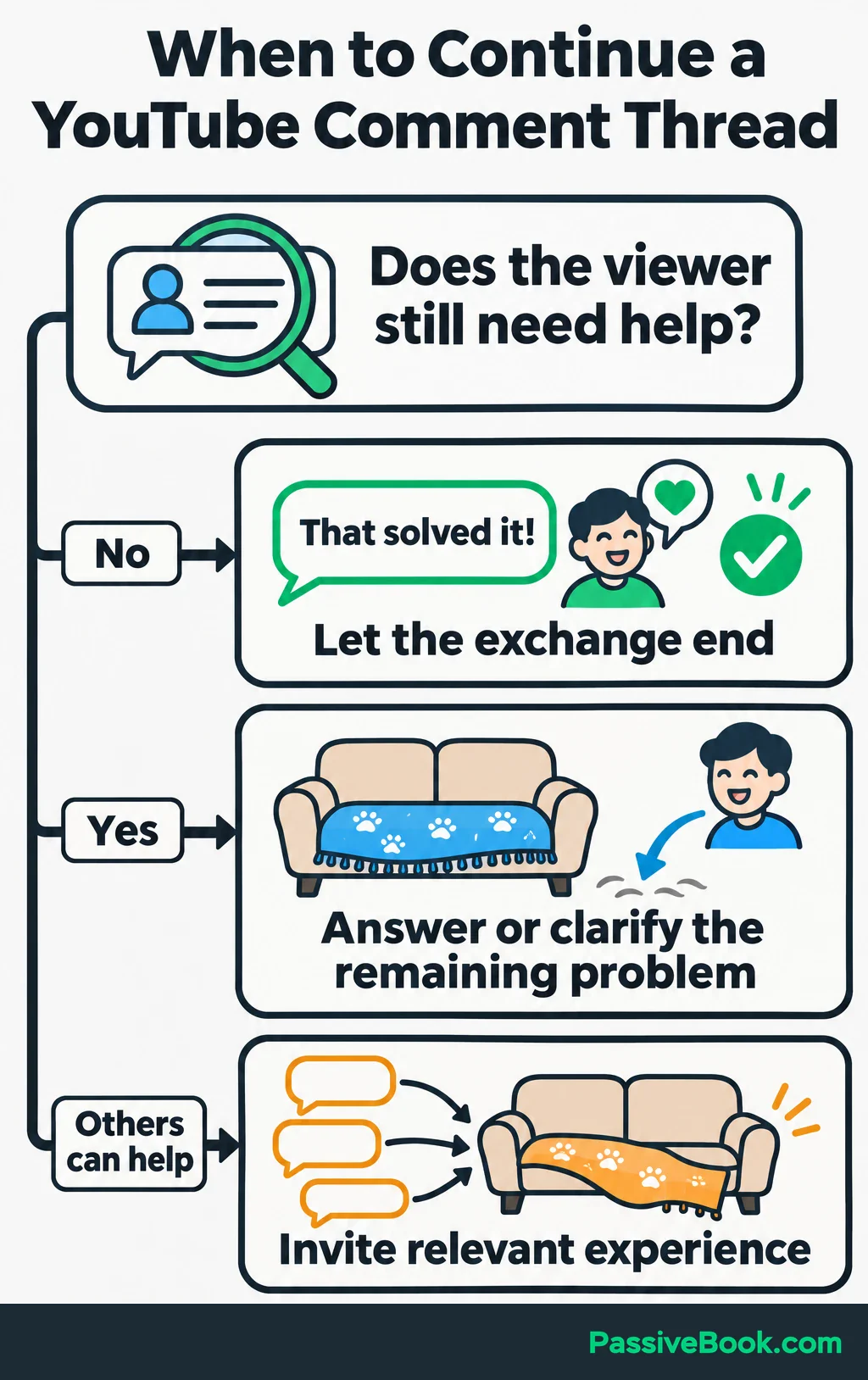
That question serves the original commenter and gives others a clear way to help.
But let complete exchanges end. A thank-you or heart is enough for simple praise. If someone says your storage idea solved their problem, you don’t need to interrogate them about their brush drawer.
I would judge a reply by whether it helps the person or adds something useful for the next reader. Another question is optional.
Build a Reply Routine You Can Maintain
Check comments after publishing, then return at intervals you can sustain. For a small channel, you might start with a ten-minute session after an upload and a few short checks during the week. Adjust that budget to the discussion you actually receive.
Use this order when time is tight:
- Answer practical questions that haven’t received help.
- Address constructive criticism and correct mistakes.
- Respond to detailed experiences that add useful context.
- Return to active threads where viewers have replied to you.
Include older videos that still attract comments. A question under a six-month-old tutorial can be just as worth answering as one under your latest upload.
In Studio’s comment area, use response-status filters to find comments you haven’t answered. The mobile app also lets you filter for new replies to your responses.
Save common answers in a simple note, then adapt them. Check that the saved answer fits the question, and refer to the viewer’s specific problem. This saves typing without making every reply sound like it escaped from customer support software.
Keep the Discussion Welcoming
Show people what useful participation looks like through your own replies. Welcome practical questions, specific experiences, and respectful disagreement.
If a viewer points out that your tool-storage setup takes too much space, explain its limits or acknowledge the better suggestion. Good-faith criticism can reveal something the video missed.
For recurring moderation problems:
- Remove spam and abuse, and report comments that violate YouTube’s rules.
- Hide persistent abusive users from the channel.
- Add recurring spam phrases to your blocked-word list.
- Hold comments containing links for review if promotional links become a problem.
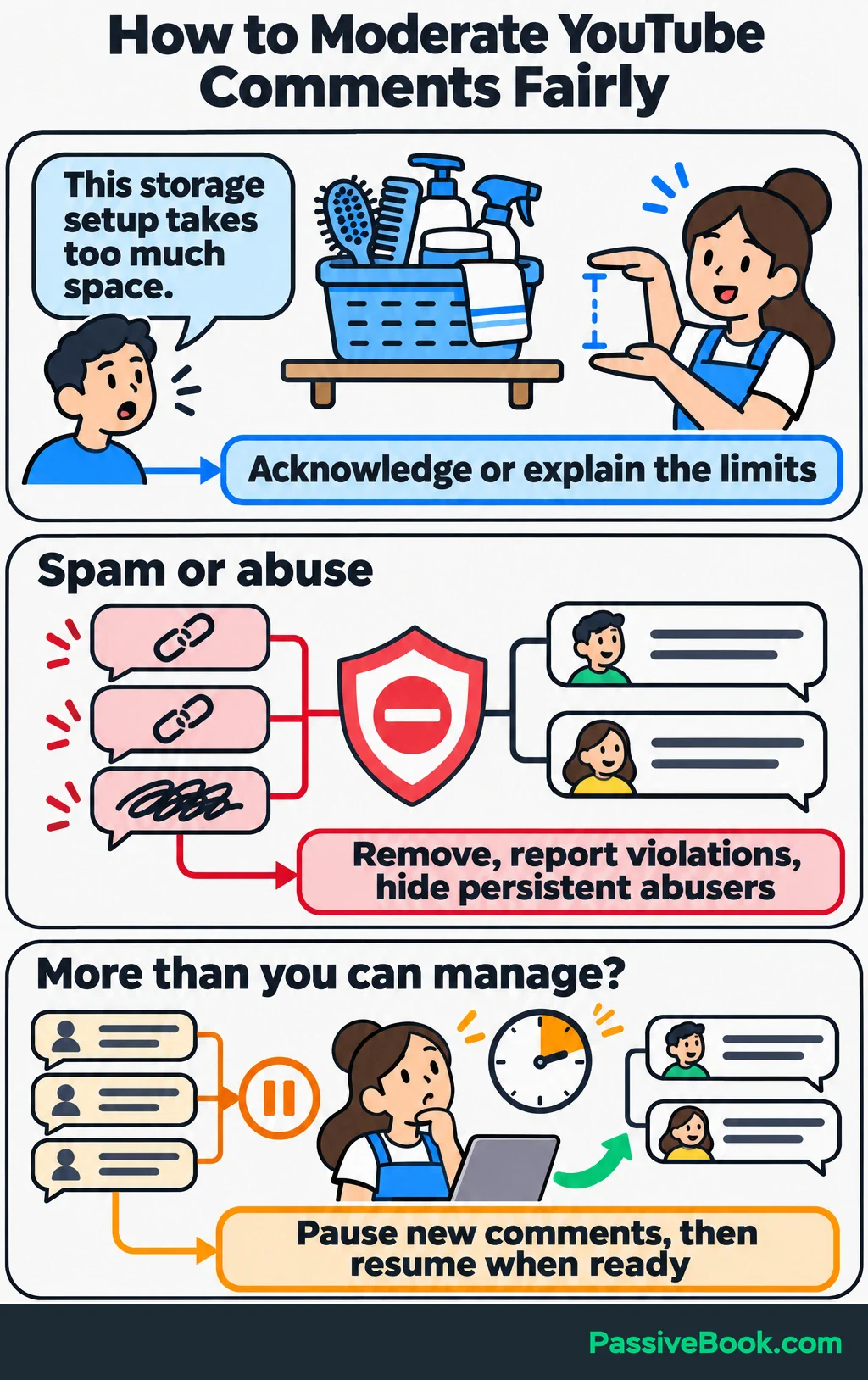
Review held comments regularly in YouTube Studio so useful contributions can enter the discussion.
If an influx exceeds what you can manage, pause new comments on that video. Existing comments remain visible, and you can resume new comments when you’re ready.
Don’t keep an abusive exchange alive because it raises the count. I would rather have a quiet thread people trust than a busy one they regret opening.
Turn Viewer Questions Into Reasons to Return
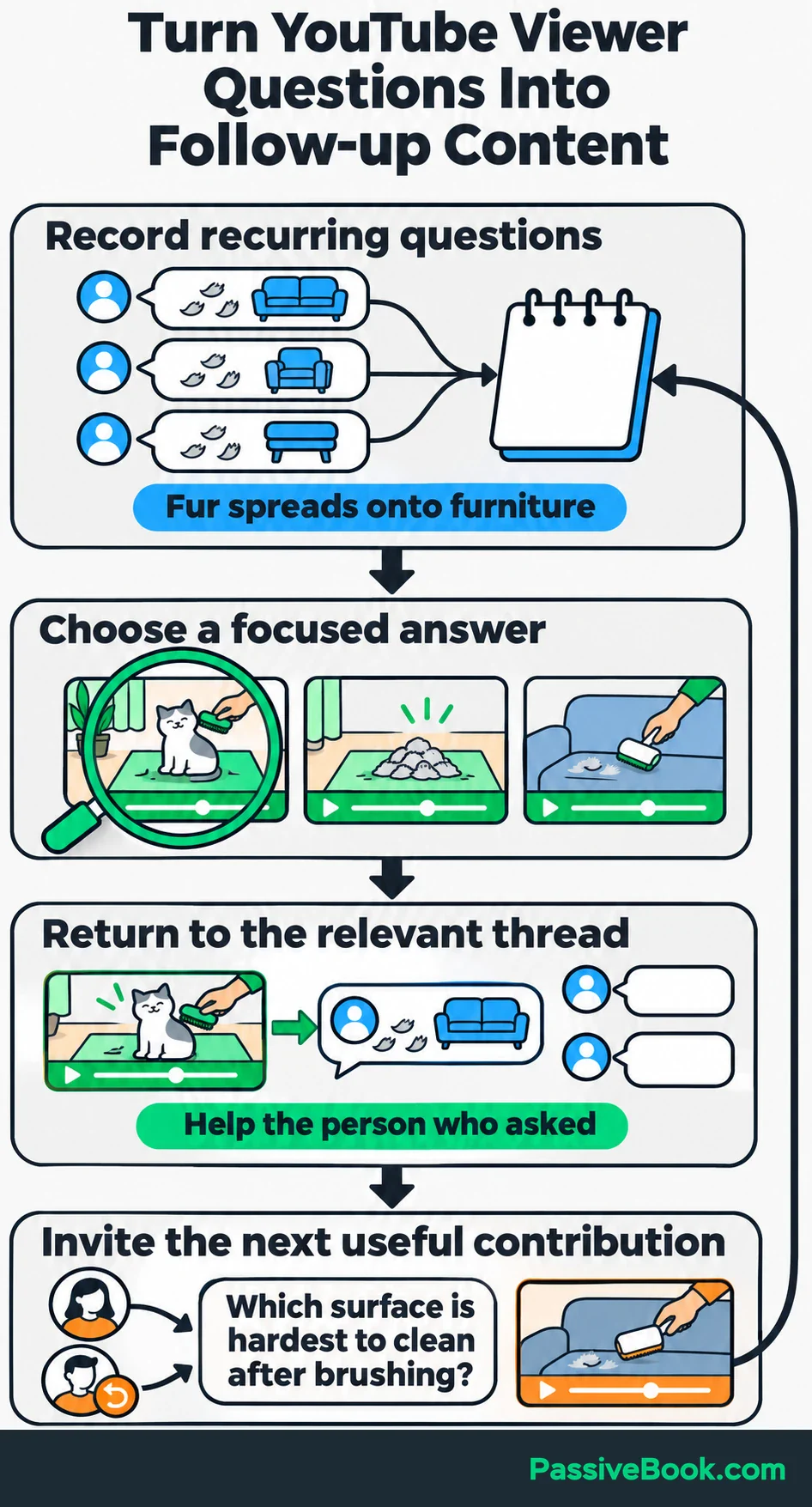
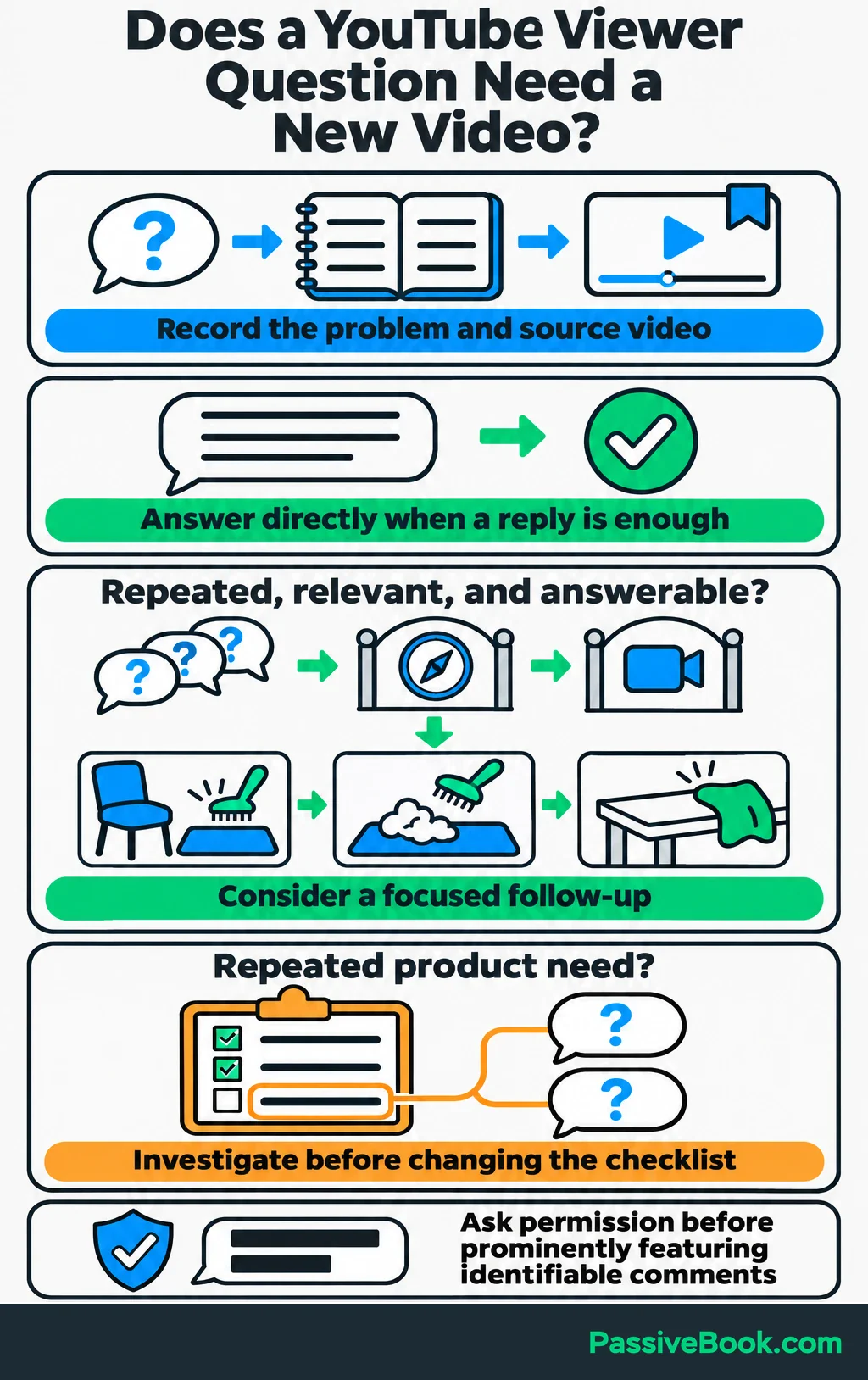
Keep a short list of questions that appear repeatedly. Record the problem in the viewer’s words and note which video prompted it.
Choose follow-up topics that fit your channel and that you can answer well. A repeated question deserves attention, but it doesn’t automatically deserve an entire video.
Suppose viewers keep mentioning fur spreading onto furniture. Your original cleanup video may have moved too quickly through preparing the room. A focused follow-up could demonstrate the brushing-area setup, where loose fur collects, and how you clean each surface.
Open by naming the problem:
“Several of you asked how to stop brushing cleanup from becoming a whole-room job. Here’s how I prepare the area before I start.”
Ask permission before prominently featuring an identifiable viewer’s comment or personal story. You can explain the recurring question without displaying a name or screenshot.
Return to the original thread with a useful answer, and mention the follow-up when it directly addresses that person’s question. Avoid dropping the same link into every conversation.
Give the new video its own invitation:
“Which surface is hardest to clean after brushing?”
A newcomer can answer that without knowing the channel’s history. Returning viewers can add what happened when they tried the earlier routine.
For the business behind this example, those answers may also reveal a missing step in the printable checklist. I would look for repeated needs before changing the product. One request is worth recording; it doesn’t have to become tomorrow’s project.
Measure Which Tactics Produce Better Conversations
Track Audience Contributions Separately From Your Replies
Count relevant comments and replies written by viewers. Exclude your own contributions, spam, and unrelated promotion.
Also note threads where a viewer returns with an update or viewers respond to one another. Those exchanges tell you more than a total that rises every time you type “Thanks.”
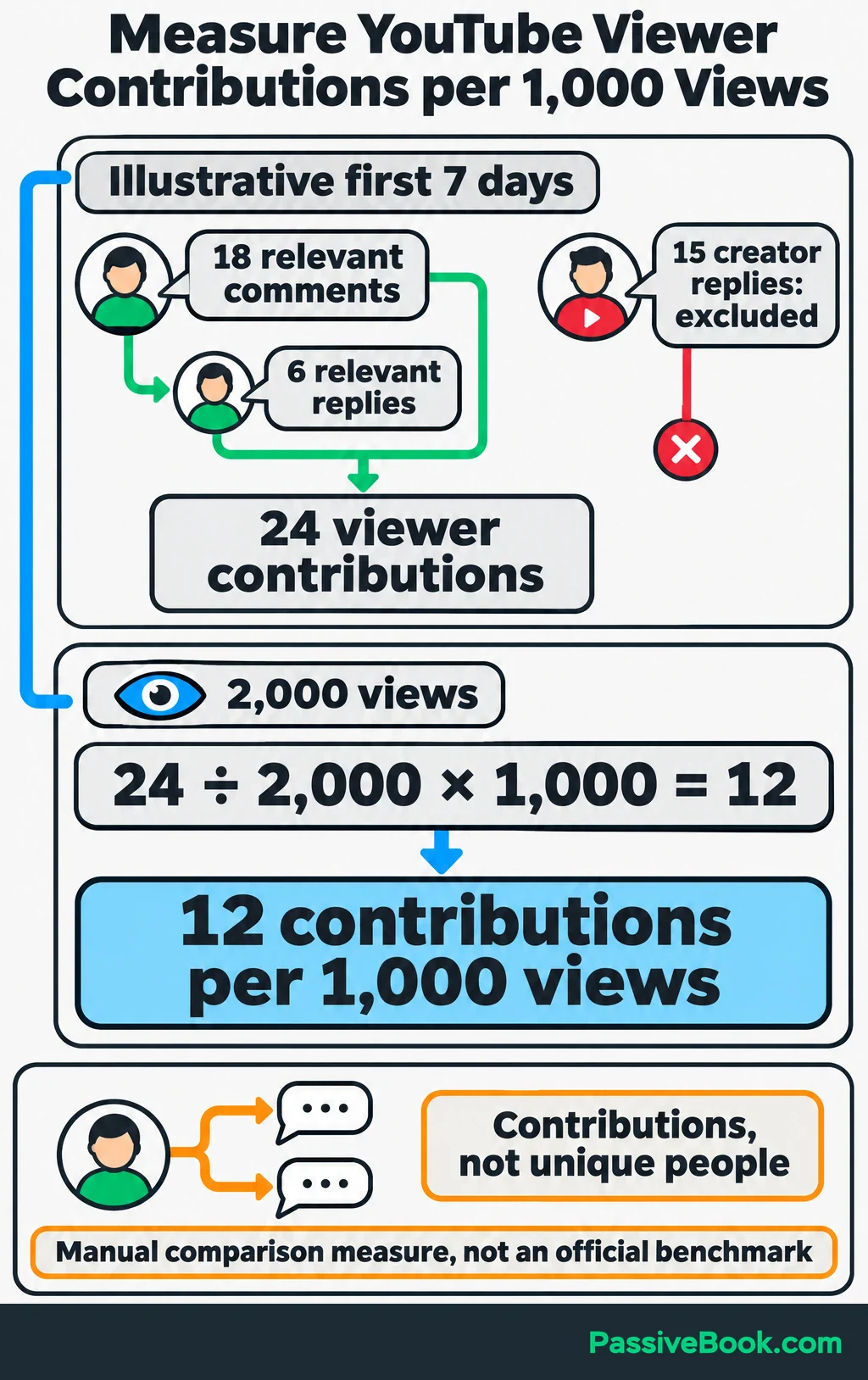
To compare videos with different view counts, calculate how many relevant viewer comments and replies each received per 1,000 views. Count contributions and views for the same video over the same observation window.
For illustration, suppose the grooming video receives these results during its first seven days:
| Item | Amount |
|---|---|
| Relevant top-level viewer comments | 18 |
| Relevant viewer replies | 6 |
| Video views | 2,000 |
| Creator replies, excluded from the calculation | 15 |
There are 24 relevant viewer contributions:
24 ÷ 2,000 × 1,000 = 12 contributions per 1,000 views
This counts contributions, so one person can contribute more than once. It is a manual comparison measure, not an official YouTube engagement-rate definition or benchmark.
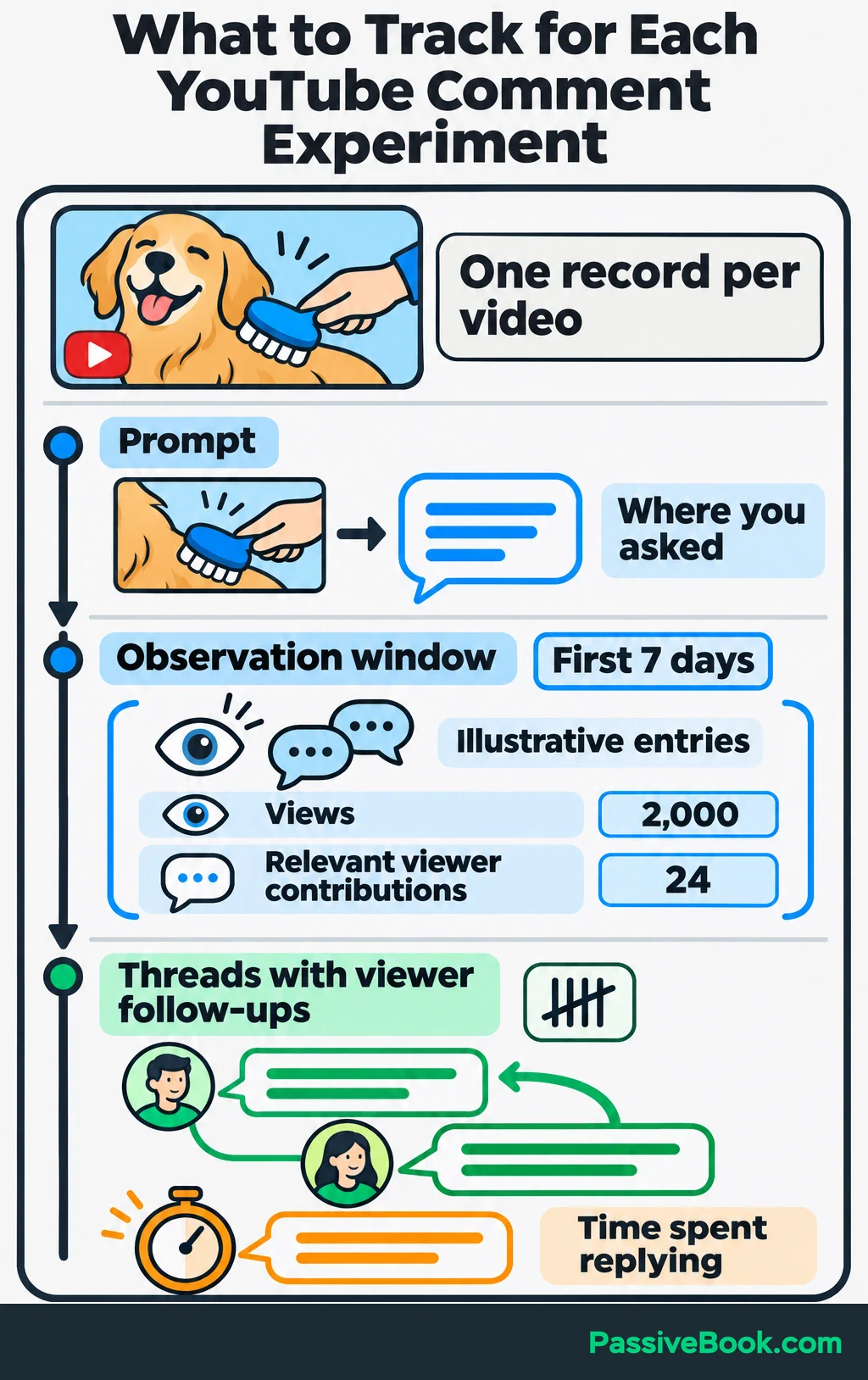
Keep one spreadsheet row per video with its prompt, where you asked it, observation window, views, relevant contributions, threads with viewer follow-ups, and time spent replying.
Use the Results to Choose Your Next Change
Compare similar topics and formats over equal periods after publication, such as the first seven days of several long-form grooming tutorials. Keep Shorts and long-form videos separate.
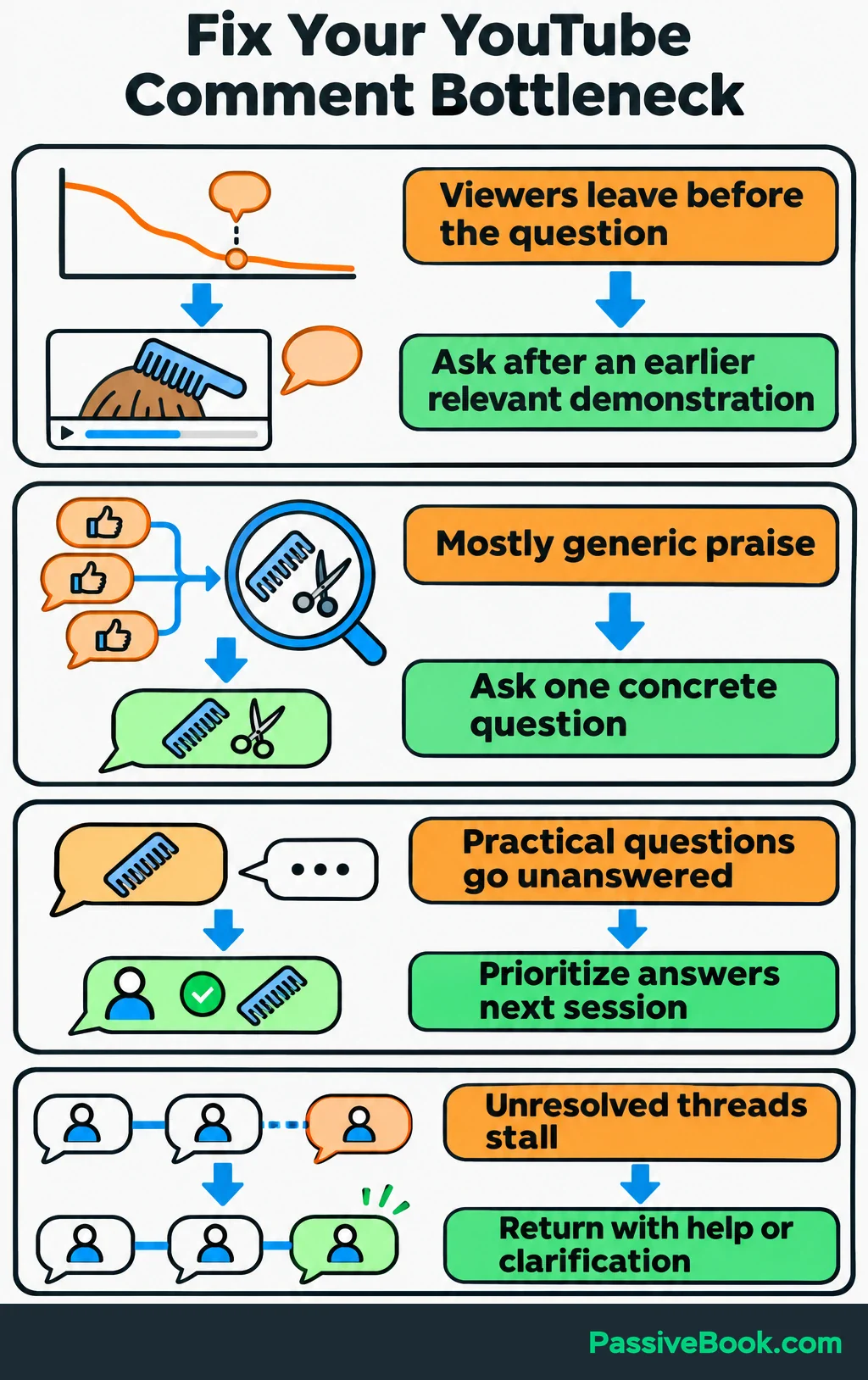
Then choose one change that addresses the problem you can see:
| What You Observe | What I Would Try Next |
|---|---|
| Many viewers leave before the question | Ask after an earlier relevant demonstration |
| Replies are mostly “Great video” | Replace the broad invitation with one concrete question |
| Practical questions remain unanswered | Spend the next comment session answering them |
| Viewers reply once but unresolved questions stall | Return to those threads with a useful answer or clarification |
Look for a pattern across comparable uploads before making a tactic standard. Keep changes that produce worthwhile exchanges within the reply time you have.
Review views, subscriber changes, and returning viewers alongside the conversation record. Returning viewers measures people who watched before and came back during the selected period.
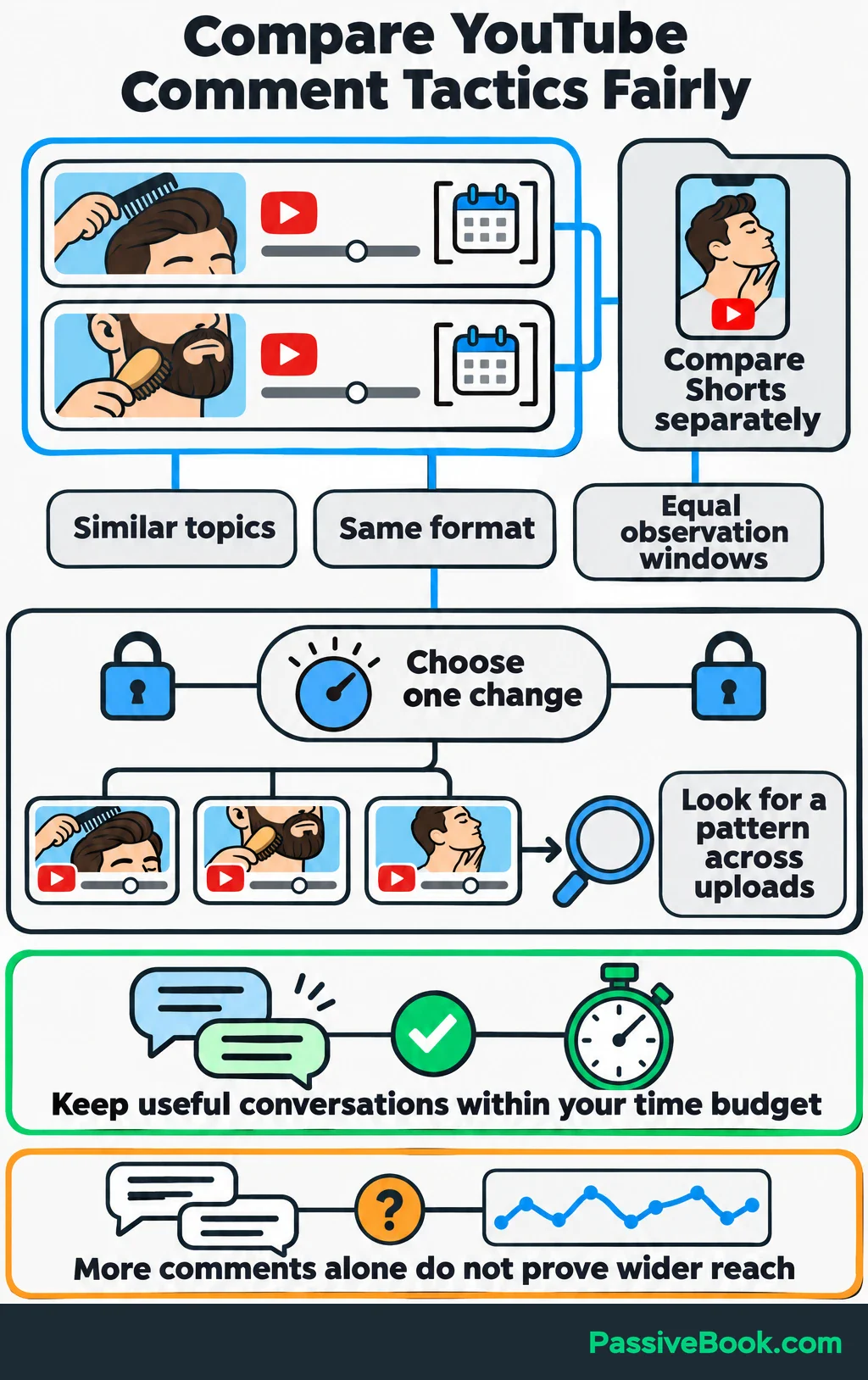
YouTube includes comments among the audience signals it considers, but its recommendation system uses many signals. More comments alone don’t guarantee wider reach, and growth alongside more discussion doesn’t prove the discussion caused it.
Use the comments to understand viewers and improve what you publish next. That gives the work a purpose even when the view count doesn’t immediately move.
What Next?
Choose one video that still gets views, check that comments are available, and write one specific invitation beneath it. Pin it if your channel has access, then schedule a short session to answer useful responses.
Use the social buttons to share this guide when a conversation about channel growth needs something more practical than “get more engagement.”
What question could you ask on your next video that viewers can answer from experience? Share it in the comments, and bring any other questions about prompts, replies, or moderation too.
Share this post with your friends & followers:

