You have a name you like, but the domain search shows three different prices and a checkout full of extras. Now a simple purchase feels like a decision you could get wrong for years.
The name needs to be easy to remember, and the registration needs to stay affordable and under your control. A cheap first year won’t help much if you overlook the renewal bill. This guide helps you compare domain names and registration offers so you can choose an address worth keeping, understand its ongoing cost and manage it yourself.
Step 1: Shortlist Memorable Domain Names
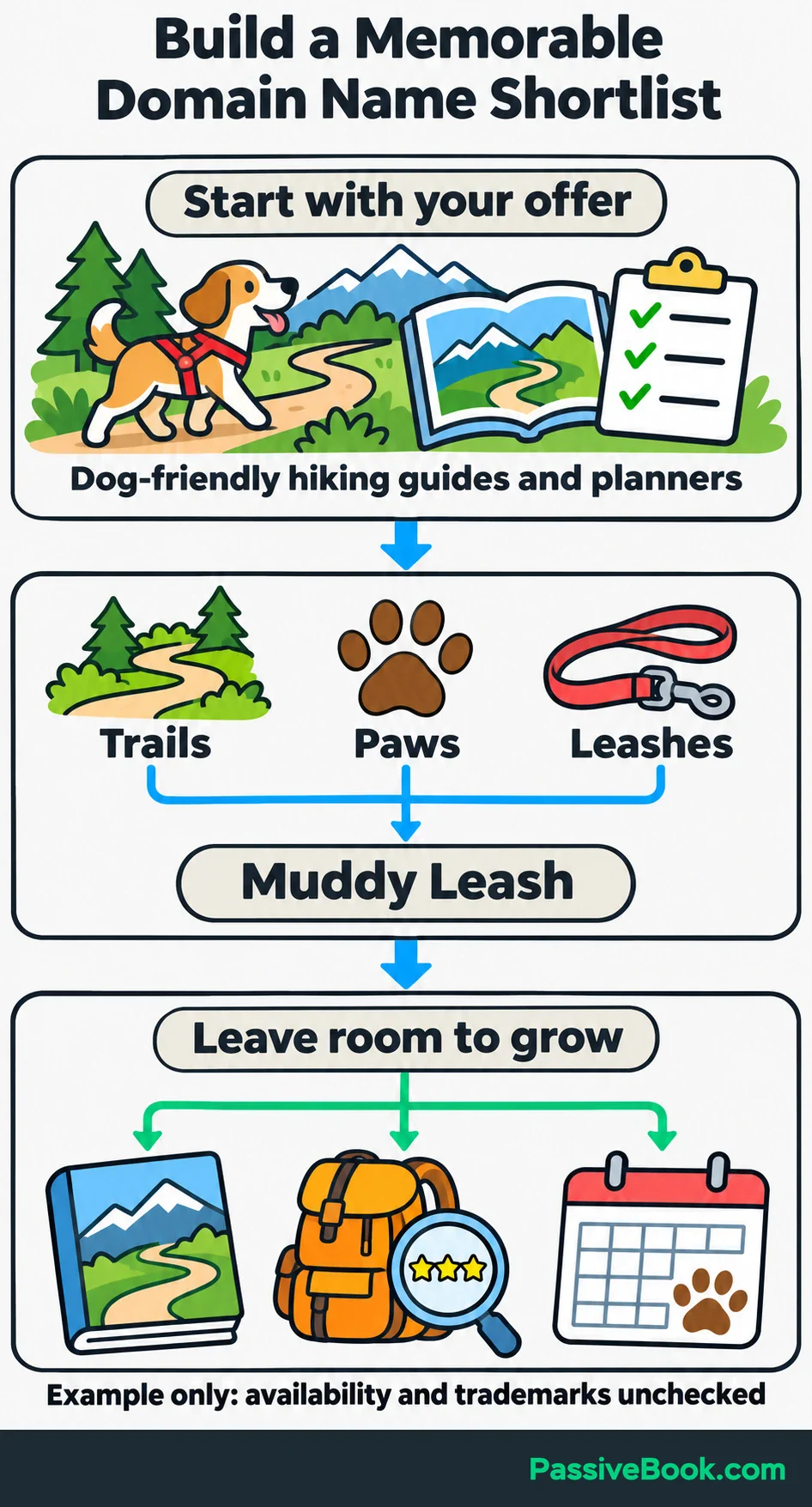
Start by writing one sentence about what your website will offer. Then list words that describe its subject, its audience’s needs and the feeling you want the name to create.
For this guide, imagine you’re building Muddy Leash, a dog-friendly hiking blog with trail guides, packing checklists and printable walk planners. The name and domain candidates are examples; their availability and trademark status haven’t been checked.
Your starting sentence might be:
Practical guides and planners for taking your dog outdoors.
That gives you useful naming material: trails, walks, paws, paths, mud and leashes. Combine familiar words and keep several candidates rather than getting attached to the first one.
Judge each candidate against four questions:
- Clarity: Can someone pronounce it and spell it without an explanation?
- Readability: Do the words make sense when joined together?
- Fit: Does it suit what you offer and the impression you want to create?
- Room To Grow: Would it still work if you added a related product or subject?
Muddy Leash leaves room for hiking guides, outdoor gear reviews and walk planners. A name tied to one trail or one printable would leave less room.
I caught this while naming one of my digital-product sites. I liked a name built around the first download, but it stopped making sense when I listed the next products I wanted to add. I dropped it before buying the domain. Writing that small product list was more useful than another round of brainstorming.
Now test your shortlist outside your own head. Say each name aloud and ask someone to type it without seeing it. Then read the joined words yourself: muddyleash.
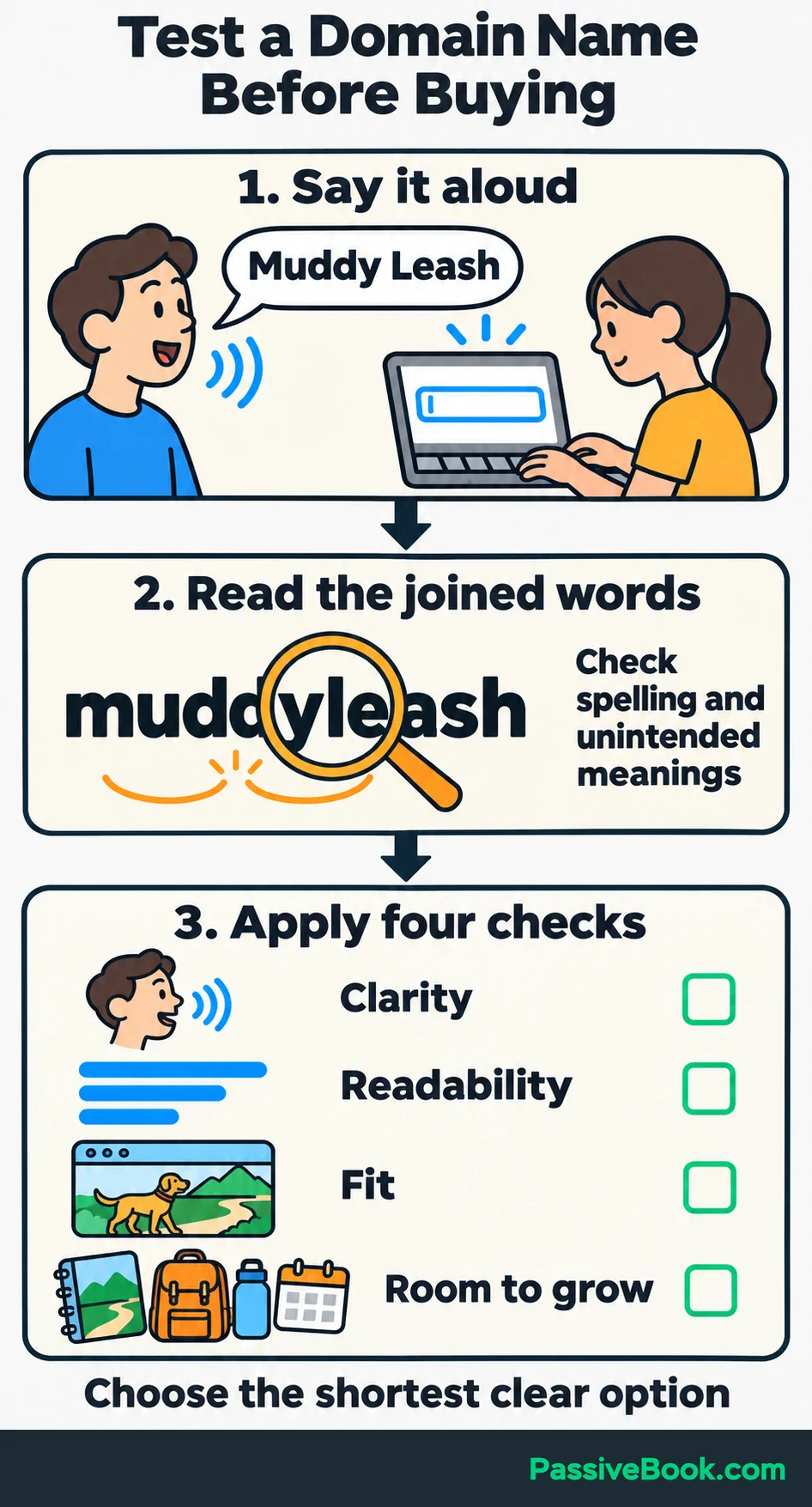
Watch for unintended meanings, awkward spelling and letters that are easy to miss. Avoid unnecessary hyphens, numbers that could be written as words and abbreviations you have to explain.
I would choose the shortest clear option, but I wouldn’t cut a useful word just to hit a character target. A name that needs spelling instructions has already created a small job for you.
If your shortlist still feels weak, AI Brand Naming Studio can draft fresh options around your offer and future plans. You’ll get names and domain spellings to test, not a claim that they’re available.
Free AI Brand Naming Studio




Relevant words can help explain the subject. You don’t need to squeeze an entire search phrase into the address.
Step 2: Choose a Suitable Domain Extension
The extension is the ending, such as .com. Test it as part of the complete address because people need to remember the whole thing.
I would check .com first. For Muddy Leash, say “muddyleash dot com” aloud and see whether it feels easy to pass on in conversation.
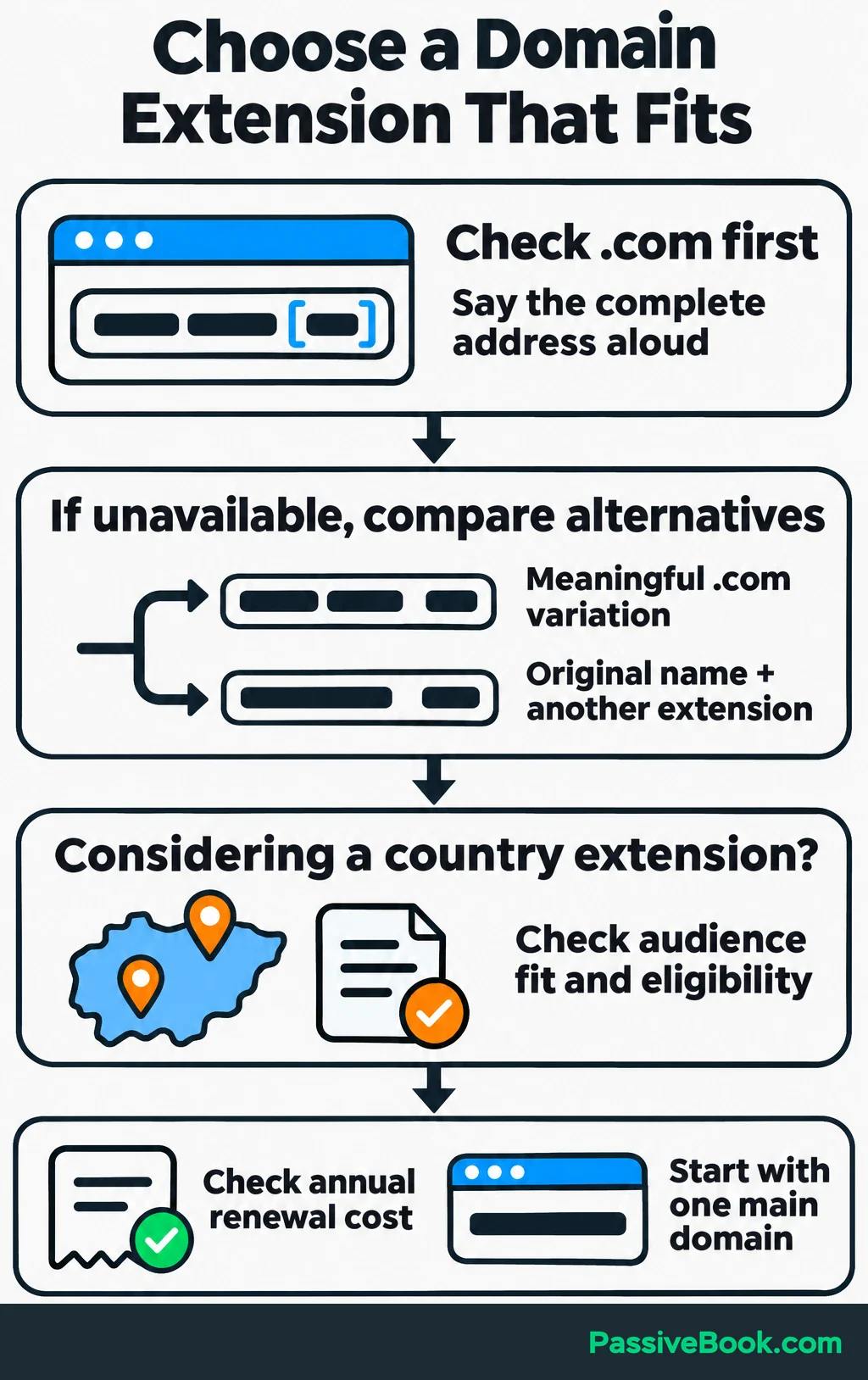
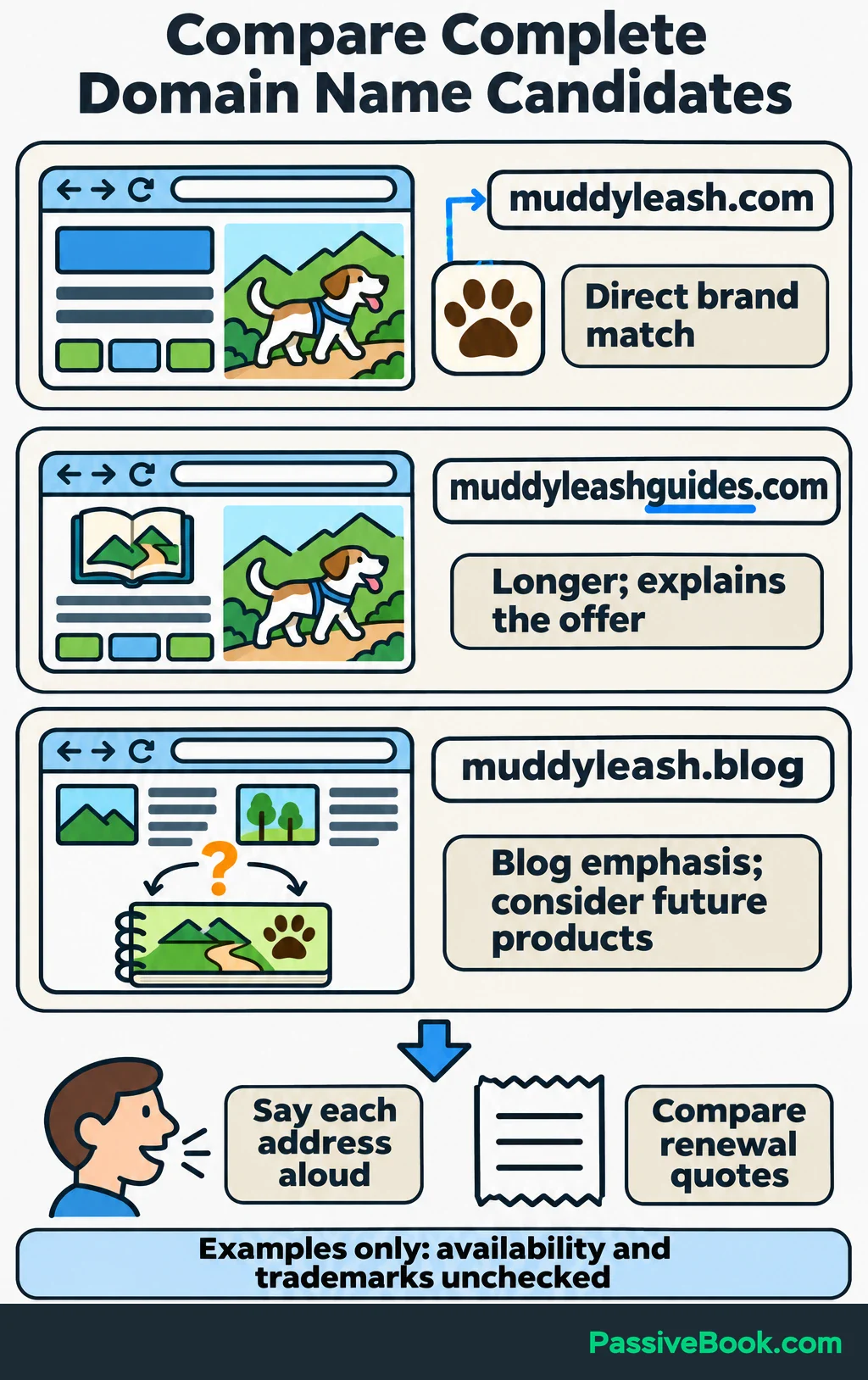
If that option is unavailable, compare a meaningful variation on .com with the original name on another extension. For example:
| Candidate | What To Consider |
|---|---|
muddyleash.com | Short and matches the proposed brand directly. |
muddyleashguides.com | Longer, but the extra word explains what the site offers. |
muddyleash.blog | Fits a blog, but consider whether you want that emphasis as products become a larger part of the business. |
These are candidates to check, not recommendations based on availability.
A country extension can suit a business focused on customers in that country. Before choosing one, check its eligibility rules and consider whether the country focus matches your plans. You don’t want to discover a local-presence requirement halfway through checkout.
Compare renewal costs alongside the name itself. An attractive ending loses some appeal if its annual bill stretches your budget.
Start with one main domain. I would buy extra extensions or misspellings only to address a specific confusion risk. Collecting every variation turns one sensible purchase into a small subscription collection.
Step 3: Check Domain Availability and Branding Conflicts
Search each complete candidate through a domain registrar, the company that handles registration and renewal.
Typing an address into your browser isn’t an availability check. A registered domain can have no working website.
Read the search result carefully because several different offers can appear:
- Standard Registration: The domain is available to register at the usual rate for that extension.
- Registry Premium: The organization managing the extension has assigned that particular name a higher price.
- Resale Listing: An existing holder is offering the domain for sale.
- Broker Service: You’re paying someone to approach the holder, rather than purchasing the domain itself.
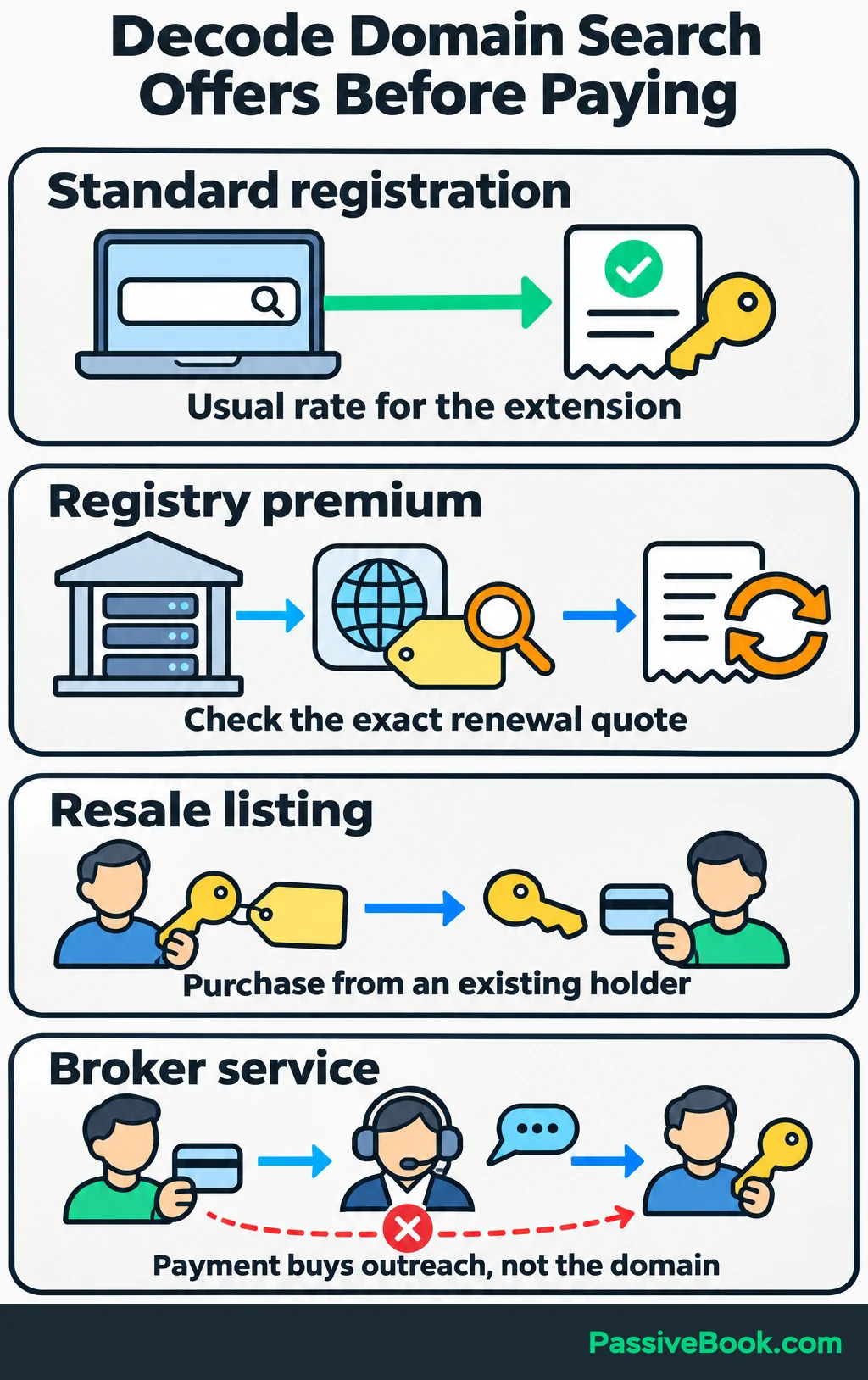
For a premium result, check the exact domain’s renewal quote. A high purchase price isn’t always a one-time expense: registry-premium names can also carry higher annual renewal charges. DNSimple explains how premium registration and renewal pricing work.
For a new project on a tight budget, I would usually choose another clear, available name instead of negotiating with an existing holder. That purchase is a separate acquisition process, and you can spend a lot of time chasing a name before publishing anything.
Once you find a promising candidate, check the brand behind it:
- Search the proposed name and similar spellings in search engines.
- Look through relevant business listings and social platforms.
- Search trademark registers in the markets you intend to serve.
- Note whether useful social handles are available.
For U.S. trademark searches, look beyond exact matches. The USPTO advises checking similarities in sound, appearance and meaning, alongside whether the goods or services are related. An exact-name search alone doesn’t cover those checks. See the USPTO’s trademark-search guidance.
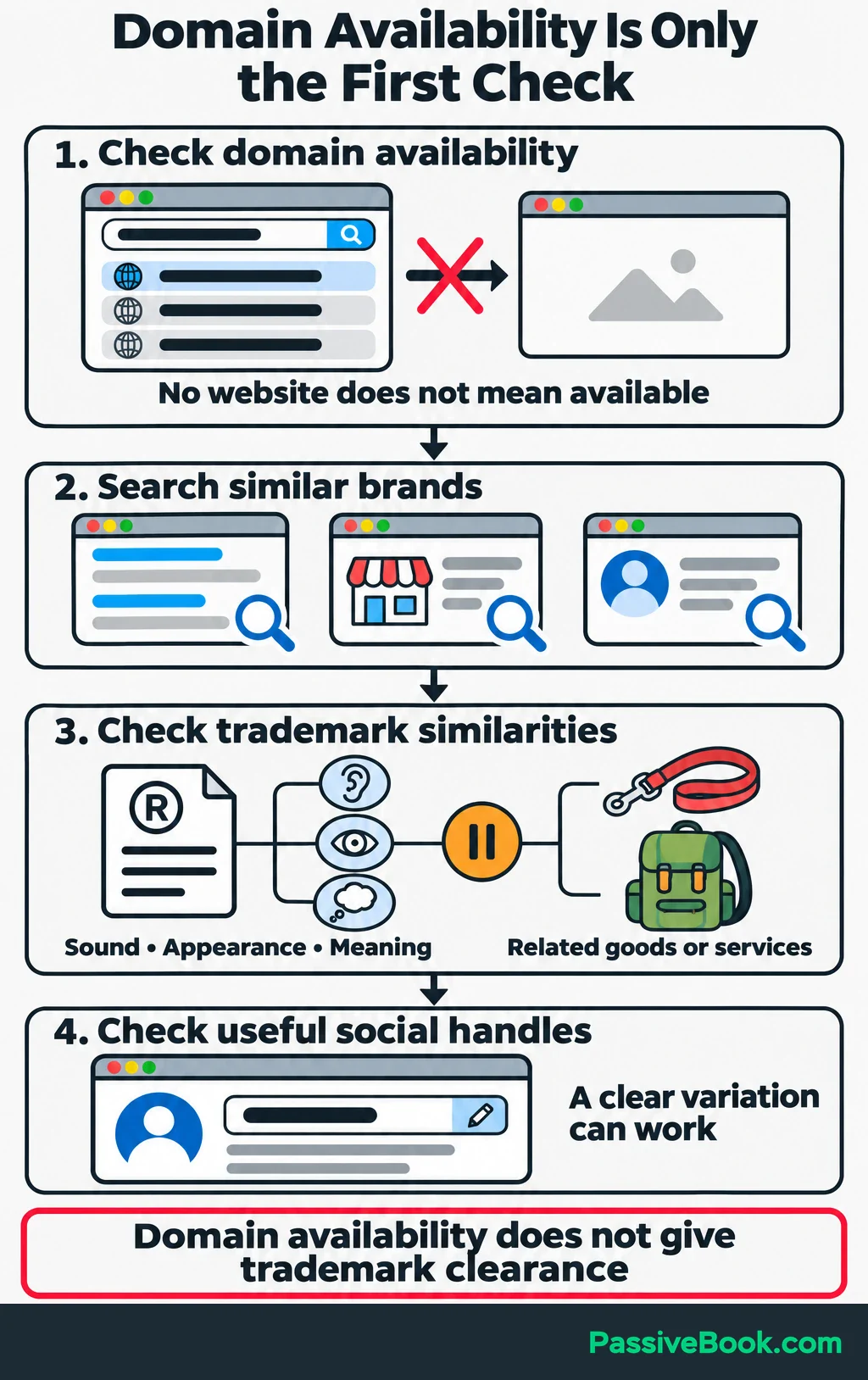
Domain availability doesn’t give you trademark clearance. If you find a close match in a related business, pause that candidate and choose another name or get qualified advice before investing in it.
For Muddy Leash, this means searching both the proposed brand and similar names used for related outdoor or pet products and services.
If muddyleash.com is taken, you could check muddyleashguides.com and repeat the same tests. Changing the extension alone doesn’t resolve a confusingly similar brand.
An unavailable social handle is less decisive. A clear variation can work, and I wouldn’t damage an otherwise good domain just to make every username identical.
Step 4: Choose a Trustworthy Registrar
A registrar should make it straightforward to register, renew and manage your domain. Judge it by the ongoing cost and the control it gives you.
Namecheap and Porkbun are both among my preferred registrars. I would compare them for the exact name you’ve chosen rather than assume one is cheaper for every extension.
Compare the Full Registration Cost
You register a domain for a set term and renew it to keep using it. The registrar’s agreement sets the registration, renewal and transfer terms.
Compare the same extension, currency and registration period at each company.
For a useful longer-term comparison, count the first year plus two annual renewals, including mandatory fees and any extras you actually need. The table below uses regular prices for a standard, non-premium .com, with no paid extras and before tax.
| Registrar | Amount Due For One Year At Regular Price | Annual Renewal, Including Mandatory Fees | Privacy Cost | Minimum Term | Estimated Three-Year Total |
|---|---|---|---|---|---|
| Porkbun | US$11.81 | US$11.81 | Included for eligible domains | 1 year | US$35.43 |
| Namecheap | US$16.18 | US$20.18 | Included for eligible domains | 1 year | US$56.54 |
Porkbun includes ICANN and other domain fees in its listed prices. Namecheap’s figures above include its additional annual ICANN fee. Check the Porkbun pricing page and Namecheap’s .com pricing and fee disclosure for current offers and terms.
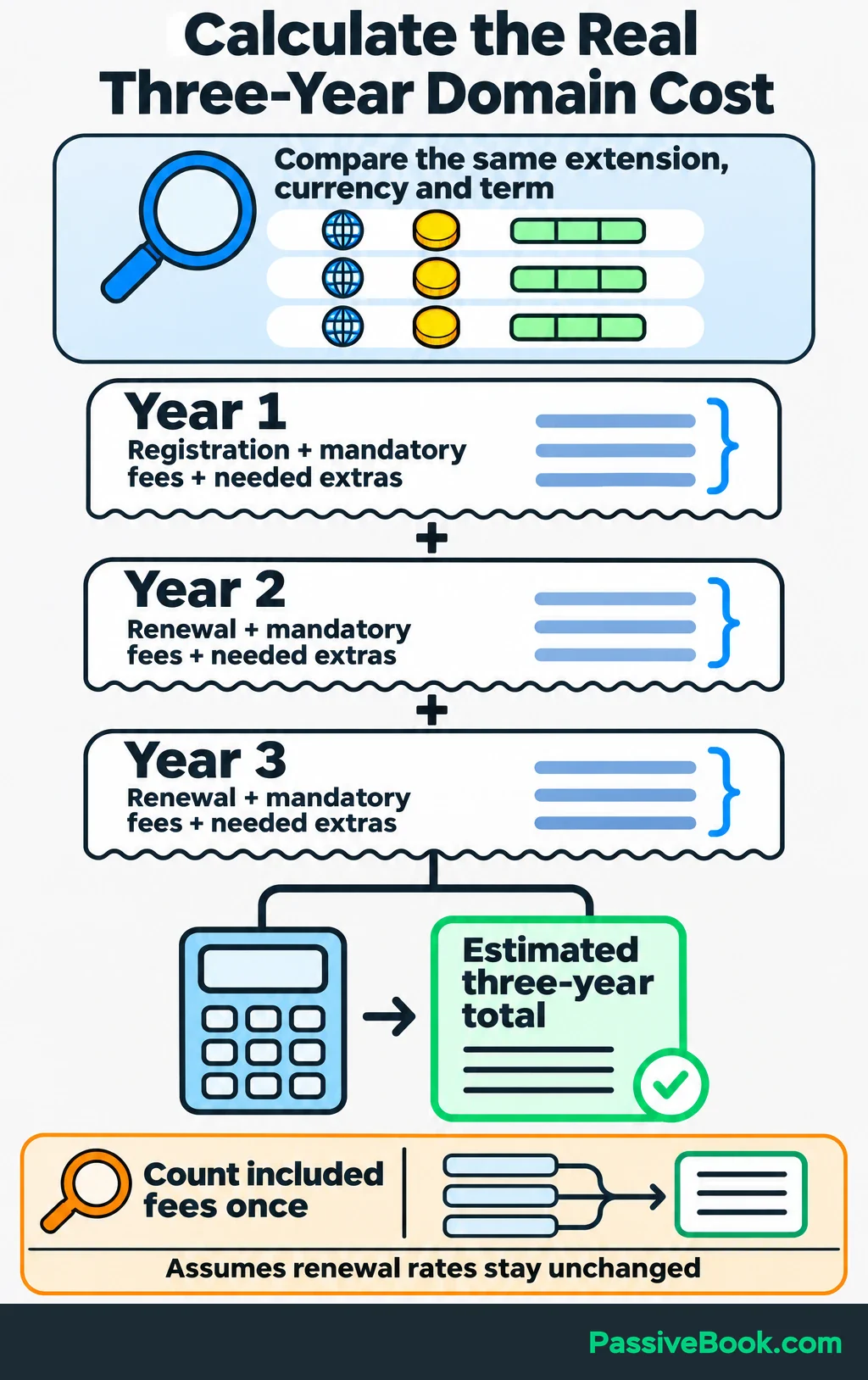
The table’s totals cover registration and two annual renewals, assuming renewal rates stay unchanged. Hosting and email are separate costs.
Based on these regular rates, I would start with Porkbun for a standard .com if its account features and support suited me. I’d compare both registrars’ final quotes before paying, since promotions can lower the first-year charge.
For a multiyear offer, compare the full upfront payment. For a “free domain” bundle, include the required hosting purchase and the later domain renewal cost.
You can buy the domain now and hosting later. The domain is your website’s address, and hosting stores the website’s files. They can come from different companies.
Check Account Control, Privacy and Support
For a generic extension such as .com, check the provider in ICANN’s accredited registrar directory. ICANN coordinates parts of the domain-name system. If you’re buying through a reseller, identify the accredited registrar behind it.
Then check the features you’ll rely on:
- Account Security: Two-factor authentication (a second sign-in check, such as a code from an authentication app) and a clear way to recover access.
- Domain Management: Access to contact details, renewal settings and the records used to connect your website.
- Transfer Terms: Clear rules and costs for moving the registration to another registrar.
- Support: Contact options and hours that work for you.
- Privacy: Clear coverage for the extension you want, including which contact details the service conceals.
Namecheap and Porkbun include privacy for eligible domains. Coverage varies by extension, so confirm eligibility rather than assuming the offer applies to every ending. Porkbun describes that distinction in its domain privacy information.
Privacy reduces public exposure of registration details, but you still need to give the registrar accurate information.
I would pay a reasonable difference for an account I can manage confidently. The cheapest checkout stops being a bargain when you can’t work out how to recover access.
Step 5: Register the Domain in Your Own Account
Once the name, price and registrar pass your checks, the purchase itself is straightforward.
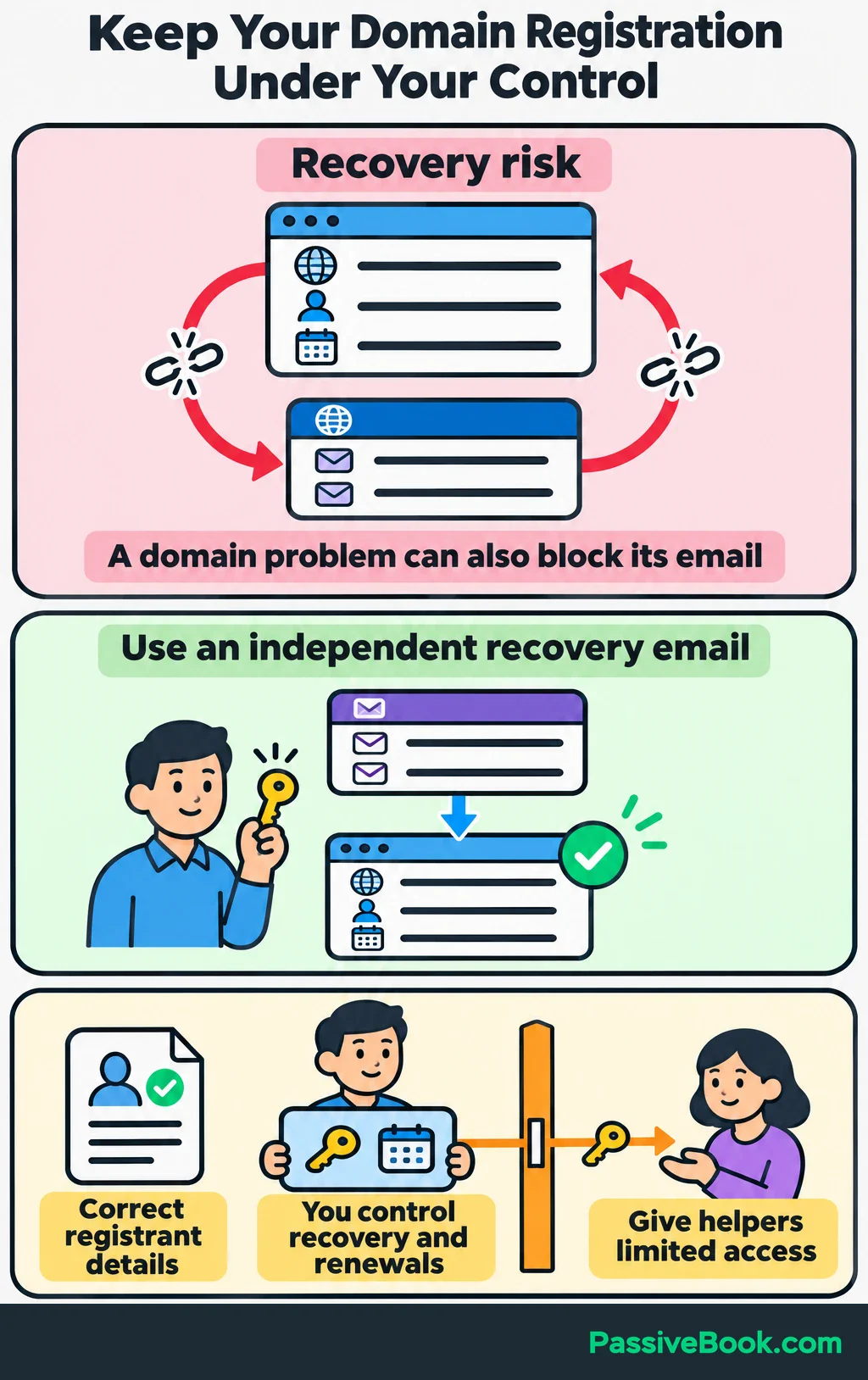
Open the registrar’s official website directly and create your account. Use an existing email address you control independently of the new domain. Otherwise, a problem with the domain could also block the email you need to recover it.
Follow this sequence:
- Secure The Account: Use a unique password and enable two-factor authentication. Save recovery codes securely, and protect the email account used for recovery.
- Add The Exact Domain: Search the complete address again and confirm that it’s the candidate you checked.
- Enter Registrant Details: Provide accurate information for the person or business that should hold the registration.
- Choose The Term And Privacy: Select the registration period you reviewed and confirm that eligible privacy protection is included or enabled.
- Review The Cart: Remove hosting, email subscriptions, extra domains and trials you don’t need.
- Check And Pay: Confirm the complete address, term, total charge, renewal quote and auto-renew setting. Read the registration agreement and refund terms, then save your receipt.
- Verify Completion: Confirm that the exact domain appears in your account as registered, with the expected expiration date. Complete any contact-verification request promptly.
For the example, read muddyleash.com character by character before payment. A typo can look remarkably convincing when you’ve been staring at similar names for an hour.
Don’t leave contact-verification messages sitting in your inbox. Keep your registration details current and answer accuracy inquiries by the stated deadline. Failing to meet registration-data requirements can lead to suspension or cancellation. ICANN explains those requirements here.
If a designer or contractor helps, keep the registration in your account and enter the correct registrant details. You should control account recovery and renewals. Give the helper access to perform their work without making them the only person who can manage your address.
Step 6: Protect Your Registration
Finishing payment is one part of the job. Take a few more minutes to check access and renewals while the account is open.
Protect Access and Transfers
Confirm that the domain’s transfer lock is enabled. This helps prevent unauthorized transfers to another registrar. ICANN’s security guidance recommends keeping that protection in place. Read its domain-account protection guidance.
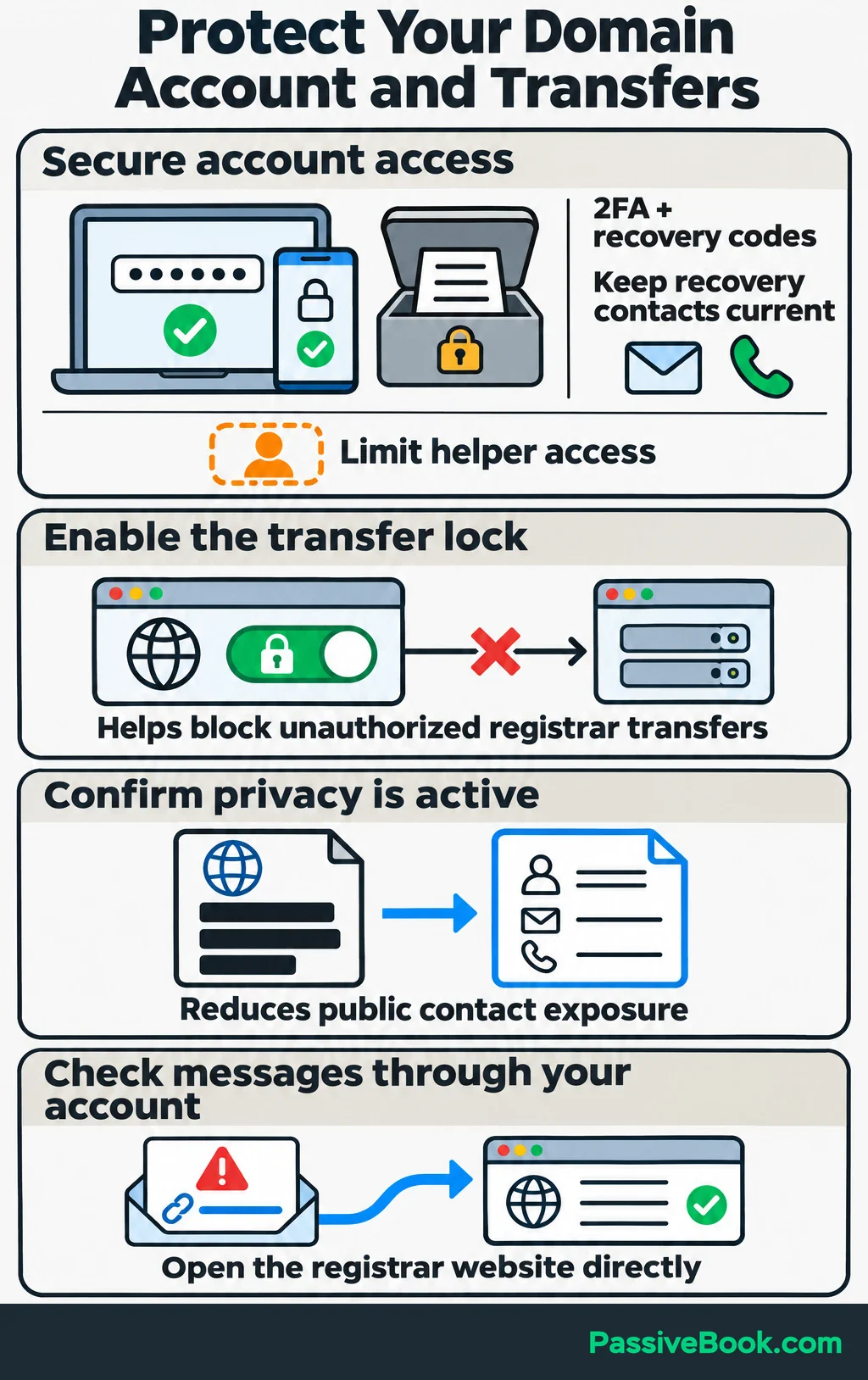
Also confirm that:
- The privacy service selected during purchase is active.
- Two-factor authentication is working and recovery codes are stored securely.
- Your recovery email and phone details are current.
- Helpers have only the access their work requires.
Treat unexpected renewal, payment and transfer messages as reasons to check your account directly. Open the registrar’s website yourself and review the domain there before following a payment request.
Prevent Missed Renewals
Enable automatic renewal and keep a valid payment method on file. Then add a separate calendar reminder before the registrar’s scheduled renewal attempt, so you have time to fix a failed payment.
Keep a secure record of the domain, registrar and expiration date. Monitor the account email address and act on failed-payment notices.
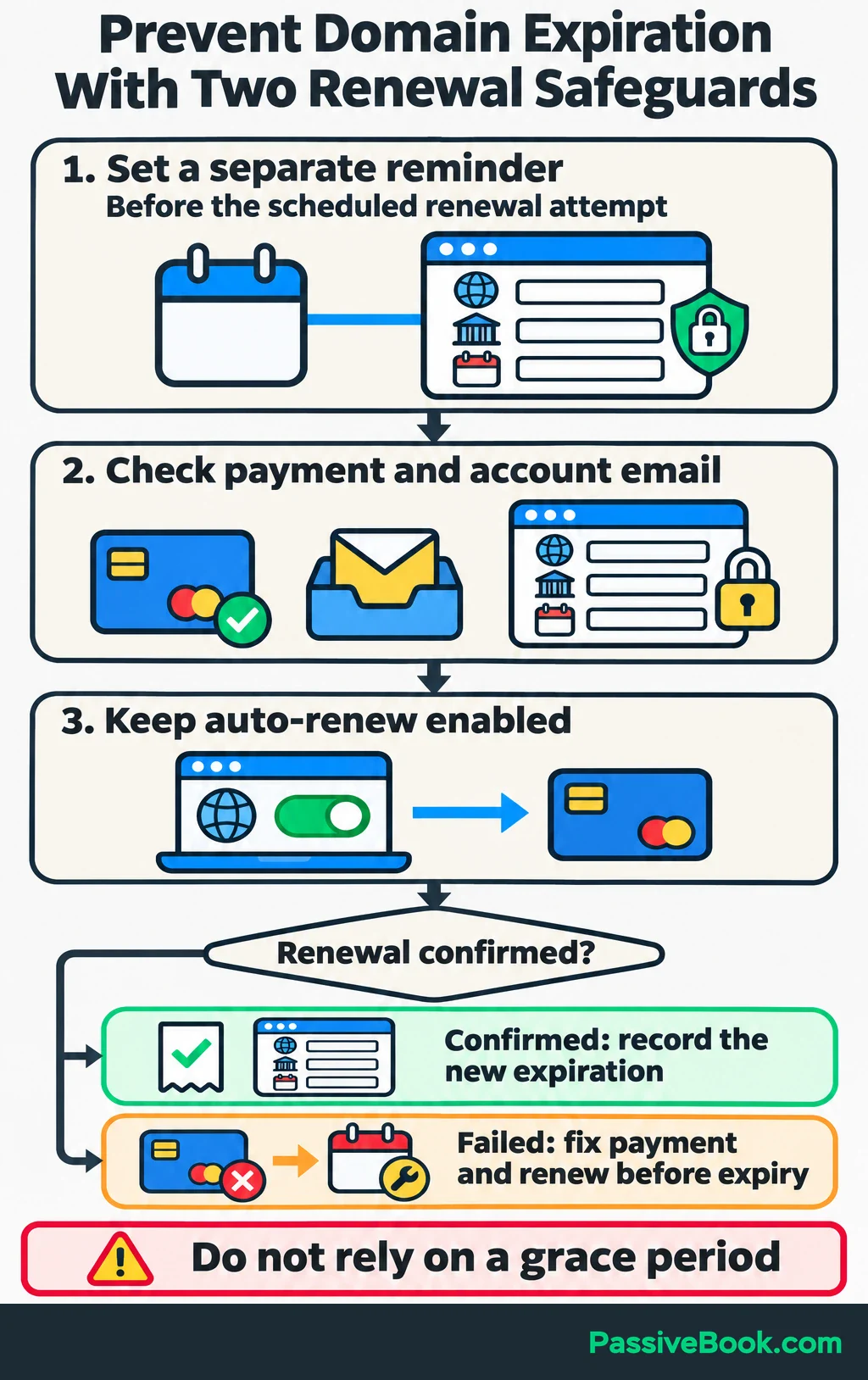
I prefer auto-renew plus an independent reminder. One handles the routine payment, and the other gives me a reason to confirm it happened.
Renew before expiration. Letting a domain expire can interrupt the website and email attached to it, and recovery may involve extra fees or losing the registration altogether. Recovery options vary, so don’t build your plan around a grace period. ICANN’s renewal and expiration guidance explains the consequences.
When the Muddy Leash website is ready, follow the hosting provider’s instructions to connect it to the domain. The registration can stay with your chosen registrar.
What Next?
Write down three domain candidates and give each one the spoken-name test before searching availability. That small check can eliminate a confusing choice before you spend money on it.
Use the social buttons to share this guide when a domain purchase needs a clearer cost and ownership check.
Which tradeoff is holding up your choice: the name, the extension or the renewal cost? Share it in the comments, and bring any other domain questions too.
Share this post with your friends & followers:

