You have one evening to work on search traffic, but choosing software eats the first hour. A keyword tool looks useful, an audit tool finds problems, and a larger suite promises to handle both.
The awkward part is that several subscriptions can produce reports about the same website without helping you decide what to change.
I’m careful about that overlap because every tool also creates work: setup, reports to interpret, and another renewal. This guide sorts the options by the job you need done, so you can build a useful shortlist before paying for features you may never use.
Best SEO Tools at a Glance
For most small websites, I would start with Google Search Console. Add Google Analytics 4 when you need to connect organic visits with recorded sales, signups, or other actions.
Then buy software for the work those tools leave uncovered. That might be keyword discovery, competitor research, WordPress controls, technical checks, or scheduled monitoring.
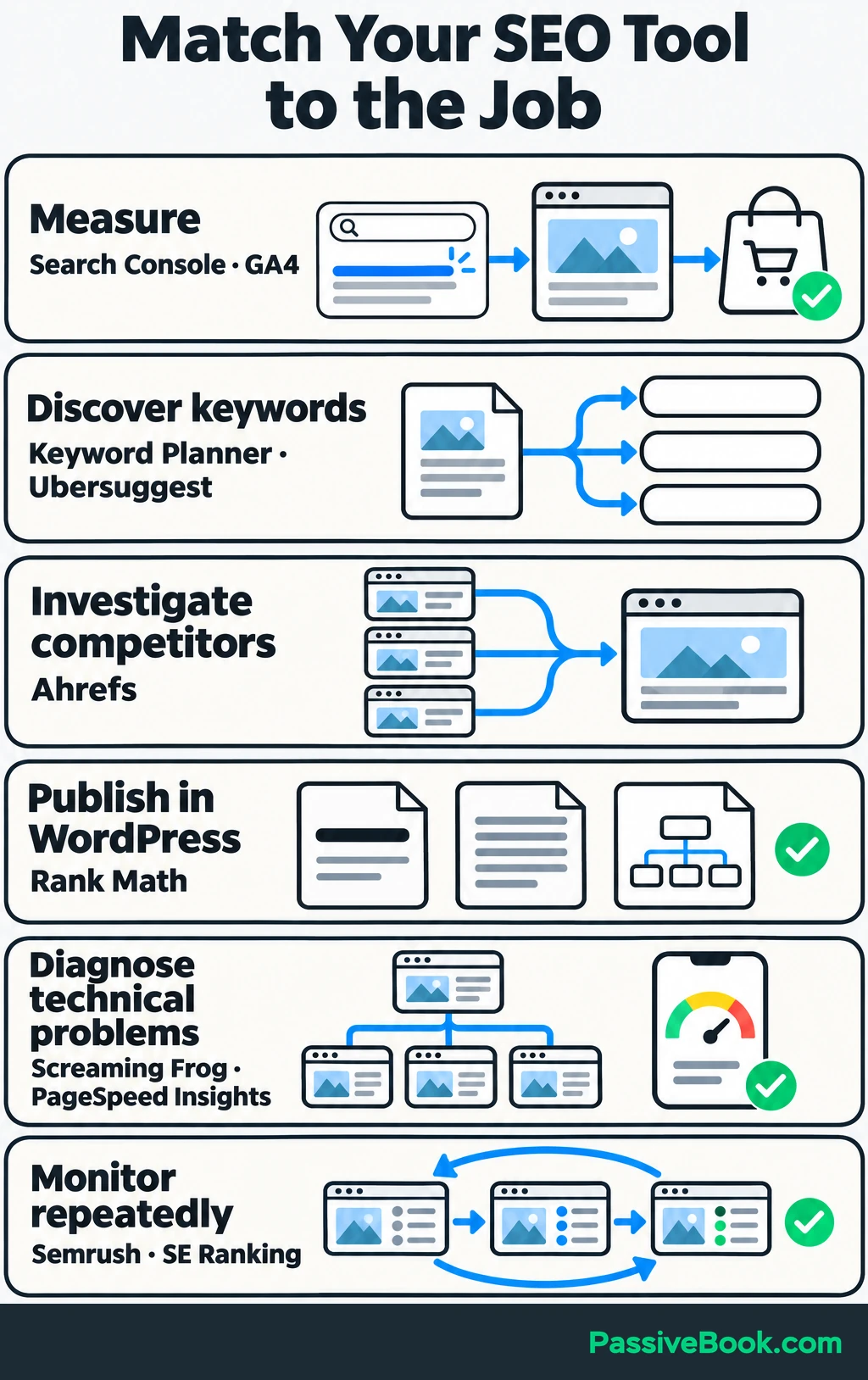
The recommendations below reflect task fit, published allowances, cost, and setup effort. A tool can suit one workload and be an expensive nuisance for another.
All prices below are in USD. Exact prices and billing terms are kept here so you can compare the cash commitment in one place. The linked vendor pages carry current details.
| Tool | Strongest Use Case | Suitable Workload | Free Access | Relevant Paid Entry Plan | Billing Commitment | Decisive Limitation |
|---|---|---|---|---|---|---|
| Google Search Console | Google search performance and indexing | Websites you own or have permission to manage | Ongoing free service | Unnecessary | None | Does not provide competitor keyword research |
| Google Analytics 4 | Recorded activity and business outcomes after a visit | Sites where purchases, signups, or other actions matter | Standard GA4 is free | Unnecessary | None | Purchase tracking needs correct implementation |
| Google Keyword Planner | Finding related keywords and demand estimates | Occasional topic research in a chosen market | No software subscription; Google Ads setup requires billing information | Unnecessary | No software subscription | Its competition metric measures advertisers |
| Ubersuggest | Budget keyword and competitor research | Individual: one user, one project, 150 searches daily, 125 tracked keywords | Ongoing account: three searches or reports daily; more below | Individual: $29 monthly or $192 annually, equivalent to $16/month | Monthly payments or annual payment upfront | Entry plan fits one website and one working user |
| Ahrefs | Competitor pages and backlinks | Starter: focused research with 200 monthly research credits | Restricted access for verified websites | Starter: $29/month; Lite: $129/month when exports are needed | Starter renews monthly; Lite price shown is monthly billing | Starter has no report exports and shows only 25 rows in Top pages |
| Rank Math | SEO controls within WordPress | Publishing and maintaining a WordPress website | Ongoing free plugin | Unnecessary for this recommendation | None | Requires WordPress; does not replace research |
| Screaming Frog SEO Spider | Finding technical problems across URLs | Small free crawls or larger investigations with a licence | Ongoing free edition: 500 URLs per crawl | Paid licence: $279 per user annually | Annual payment | Free edition lacks saved crawls and JavaScript rendering |
| PageSpeed Insights | Diagnosing page performance | Checks of representative guide, product, and other page types | Ongoing free tool | Unnecessary | None | Examines submitted pages rather than crawling the whole site |
| Semrush | Combined research, audits, and rank tracking | SEO plan: five monitored websites and 500 daily tracked keywords | Ongoing free access: one demo project and ten reports daily | SEO: $139/month; extra users start at $45/month | Prices shown are monthly billing | Additional working users and report packages add cost |
| SE Ranking | Recurring monitoring across several websites | Core: ten projects, one manager seat, 2,000 daily tracked keywords, 250,000 audited pages monthly | 14-day trial without a card; no permanent platform free plan | Core: $129/month | Monthly billing shown; annual option available | Ten projects still include only one manager seat |
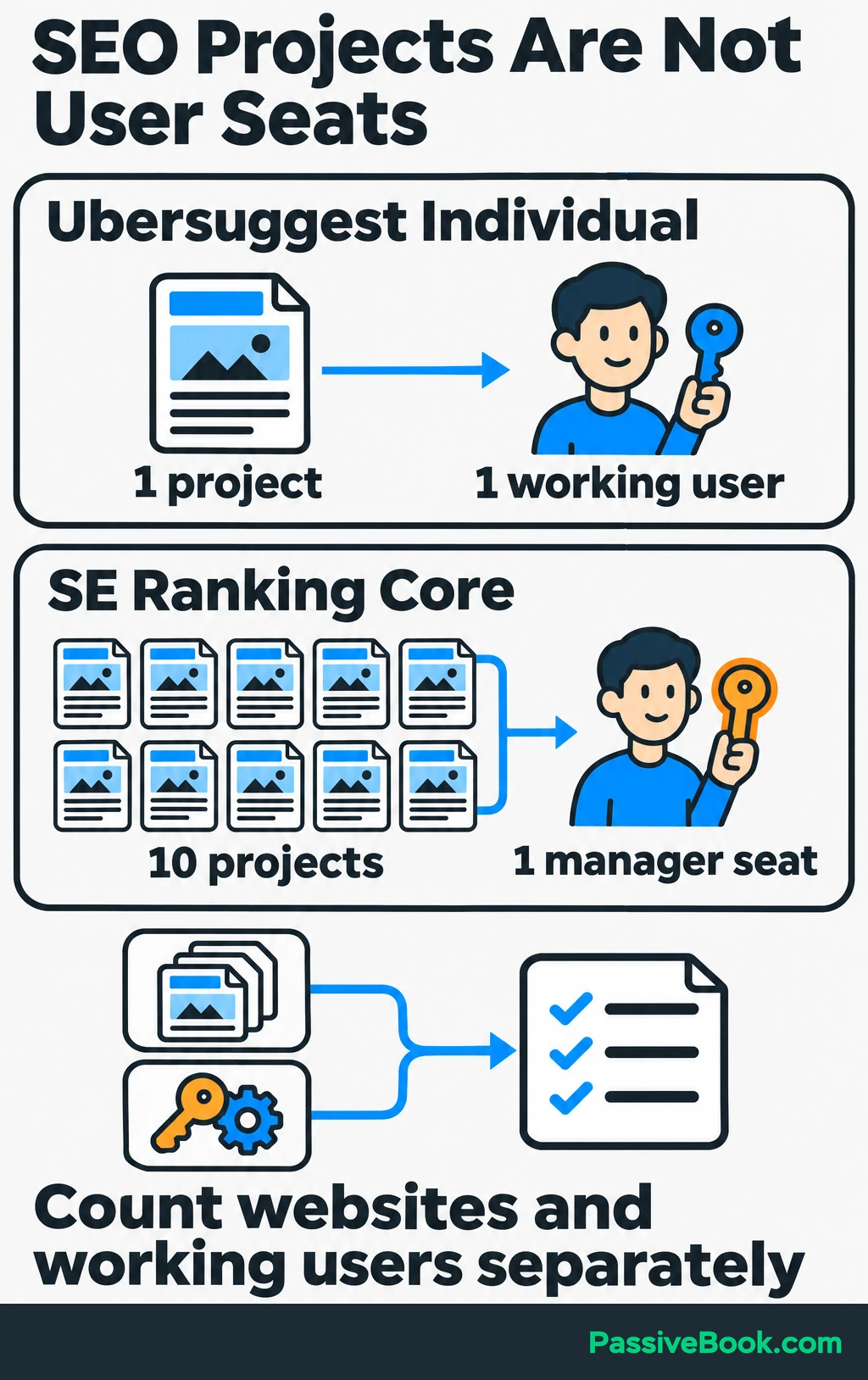
SE Ranking’s pricing FAQ explains its billing and trial, and its plan comparison lists Core’s capacity.
Before opening accounts, write down how many websites and working users you need, which reports you must export, and how often you will use them. Include setup and interpretation time. A cheap subscription that consumes your only free evening is still expensive.
For the examples, imagine you run a sewing blog that sells downloadable tote-bag patterns. Your main tutorial teaches readers how to sew their first tote bag. The business and suggested searches below are illustrations.
Best Free Tools for Measuring SEO Results
Measurement comes first because it helps you choose where to spend your next hour. Research tools can suggest opportunities, but your own reports show what is already happening.
Google Search Console: Best Starting Point for Google Search Performance
Search Console is my first recommendation because it answers a practical question: how is this website appearing in Google Search?
It shows what people searched for (queries), how often your pages appeared (impressions), and clicks on links to your website. It also reports whether Google has indexed a page—stored it so it can appear in search results. Click-through rate shows the share of impressions that produced clicks.
Verify ownership or ask the website owner for access, then choose one important page to review.
For your first-tote-bag guide, filter the search-performance report to that page and examine its queries. You might find that readers already discover it through questions you were about to cover in another article.
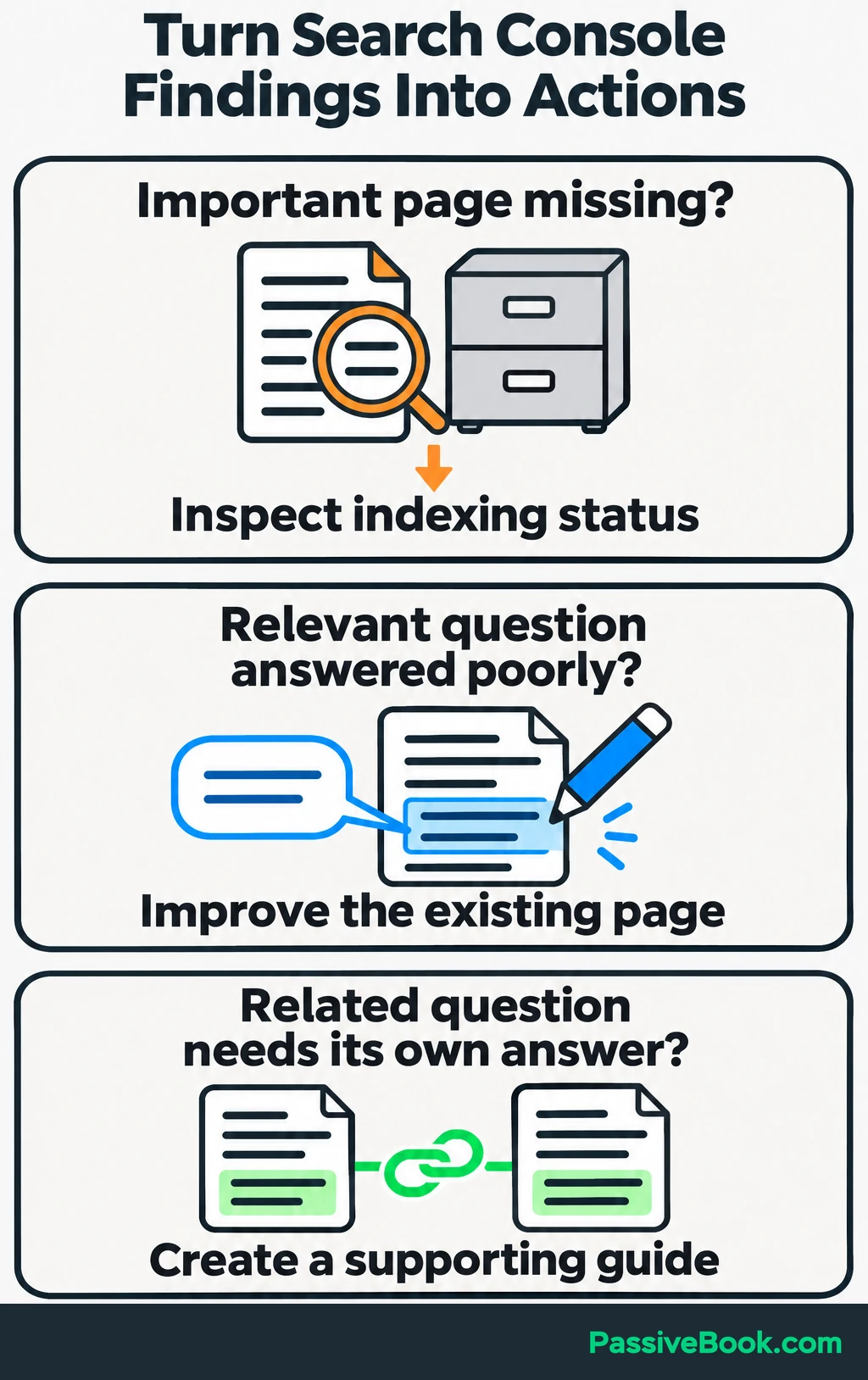
Use that evidence to choose the next action:
- Indexing Investigation: If an important page is missing from Google, inspect its indexing status before rewriting it.
- Page Improvement: If the guide appears for a relevant question but answers it poorly, improve that part.
- Supporting Content: If a related question needs a different, substantial answer, consider a separate guide and connect the pages.
Compare clicks, impressions, and click-through rate over comparable periods. A rise in impressions alone does not tell you whether the page needs a new title or is simply appearing for more searches.
Search Console and Analytics are both part of my stack. Google explains their complementary roles as search-result performance and activity after arrival. Neither replaces a competitor research tool.
Google Analytics 4: Best Free Complement for Measuring Business Outcomes
Standard Google Analytics 4 is free, and I would add it when you need to understand what visitors do after arriving.
For the pattern shop, that means checking which landing pages attract organic-search visits and which of those visits include recorded purchases. This helps you look beyond the article with the biggest traffic number.
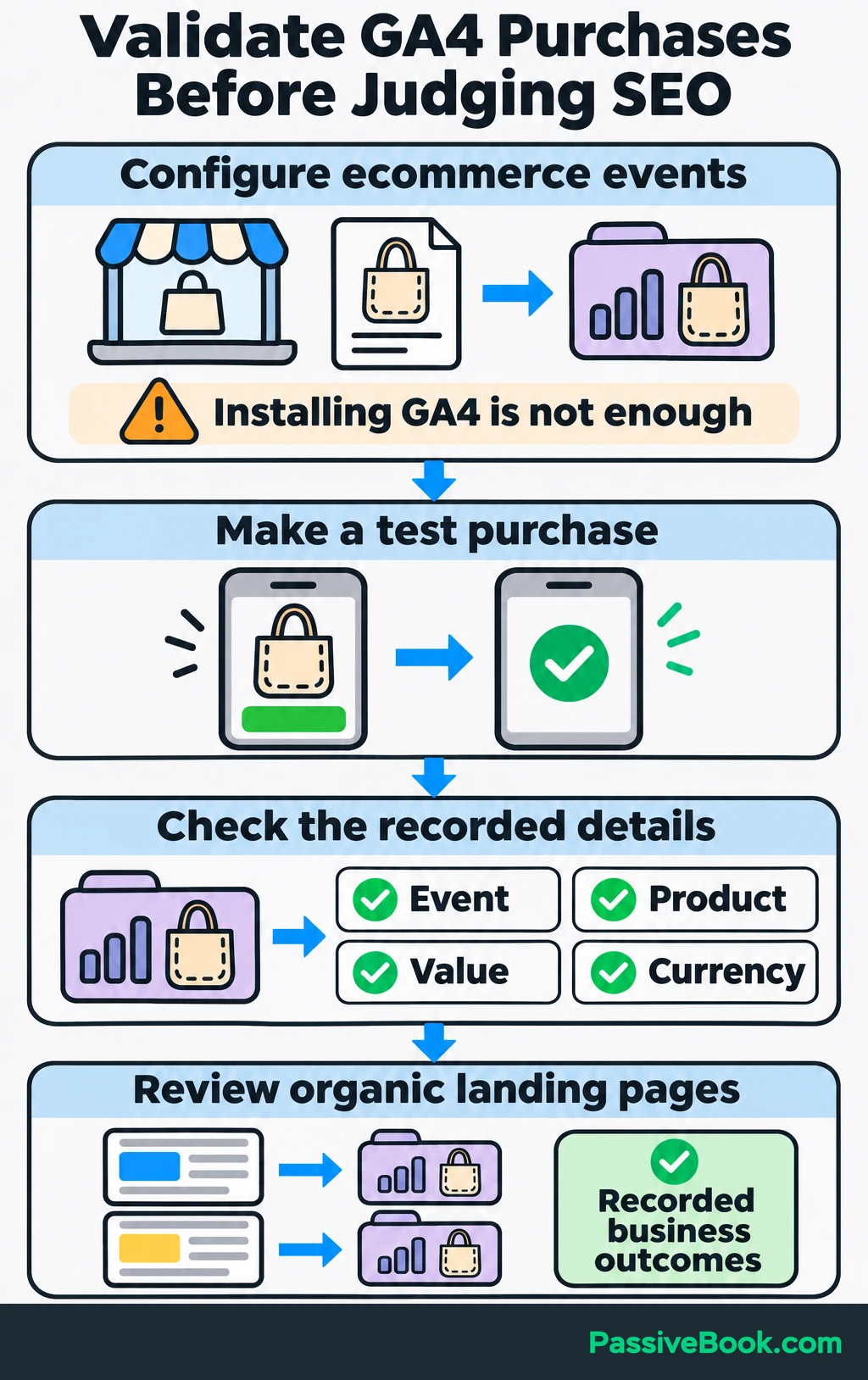
Setup deserves attention here. Installing Analytics does not automatically create reliable purchase reporting. Your store must send the required ecommerce events through an integration or a custom implementation. Google’s ecommerce documentation explains that these events are not collected automatically.
Check a test purchase against the recorded event, product, value, and currency before using the reports to judge your content.
Also account for privacy setup: disclose Analytics collection and obtain consent where required, as covered by Google’s Analytics terms.
I would start with one useful review: organic-search landing pages alongside recorded purchases or signups. You can build a more elaborate dashboard when you have a question that requires one.
Best Tools for Keyword and Competitor Research
Use research tools to compare possibilities, then inspect the actual search results before choosing a topic.
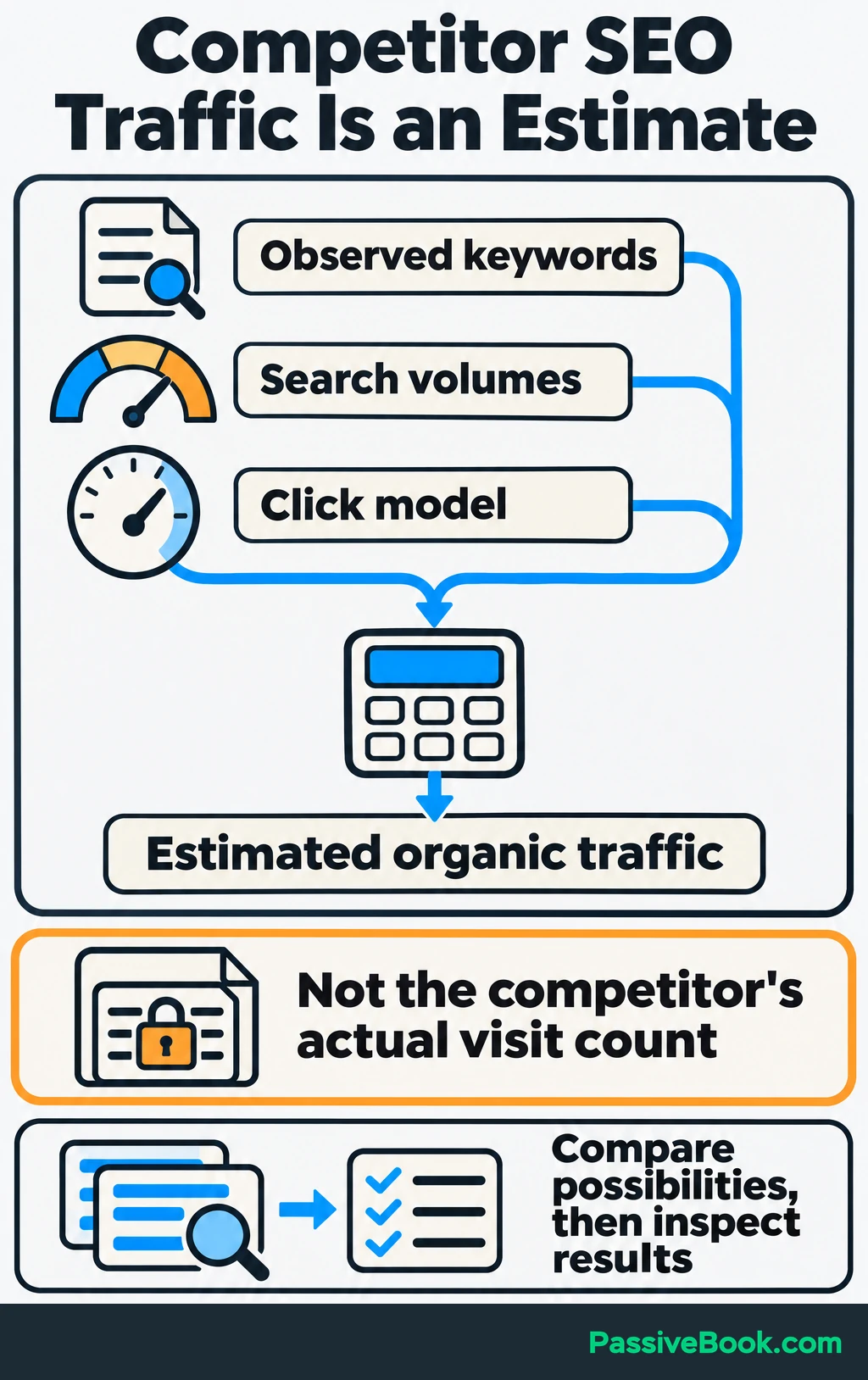
Their traffic numbers need careful reading. Ahrefs, for example, estimates organic traffic from observed keywords, search volumes, and a click model. It does not have access to a competitor’s actual visit count. Its explanation of traffic estimates makes that distinction clear.
My abandoned productivity blog taught me how much effort can disappear into the wrong market. I now put the offer beside the topic before getting excited about a keyword.
For the sewing business, a useful opportunity should connect to something you can explain well and something the business offers. A large search estimate cannot make that connection for you.
Google Keyword Planner: Best Free Option for Keyword Discovery
Keyword Planner is a sensible starting point when you want related phrases and historical search-demand estimates without another software subscription.
The access requirement is easy to miss: Google says you must complete Ads account setup, including billing information, to use basic keyword discovery. Its Keyword Planner guide covers that requirement.
Enter a relevant topic or website, choose the market you serve, and collect phrases that match what you can offer.
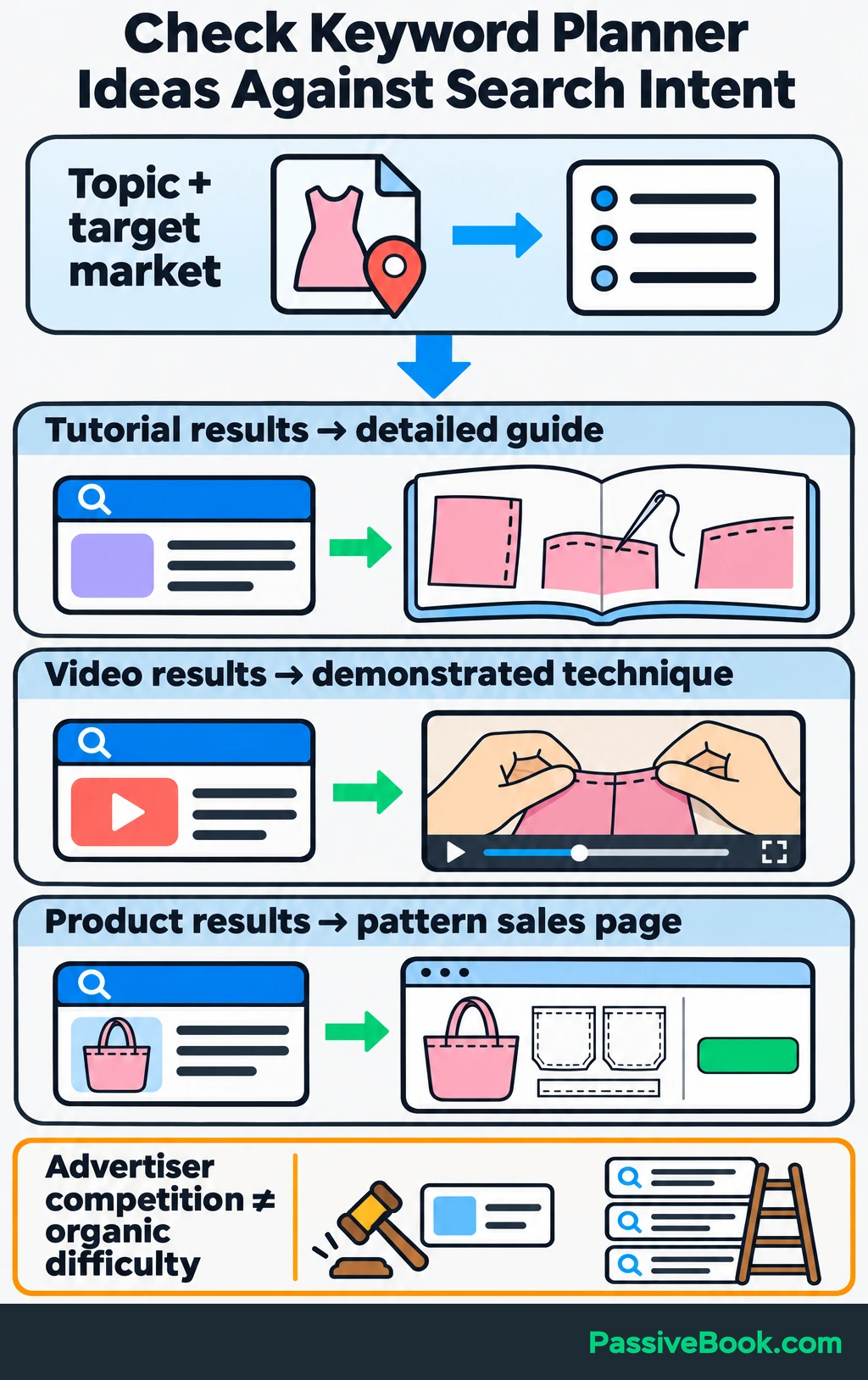
For the sewing guide, you could investigate phrases such as “beginner tote bag tutorial” or “how much fabric for a tote bag.” These are starting ideas to check, not verified opportunities.
Then look at the results:
- Tutorial Results: A detailed guide may fit the task.
- Video Results: Readers may need to see a technique demonstrated.
- Product Results: A pattern sales page may match the search better than an article.
Be careful with the competition column. It measures advertiser competition, so “low” does not establish that a keyword will be easy to rank for organically.
I would use Keyword Planner for discovery and move to a specialist tool when competitor pages, backlinks, or scheduled ranking checks become part of the job.
Ubersuggest: Best Budget Research Option for One Website
Ubersuggest remains my preference for beginners and budget-conscious creators who want keyword ideas, competitor research, and basic audits in one place.
Start with the ongoing free account. It includes three searches or reports daily, one project, and up to 25 tracked keywords with weekly desktop updates. Those are continuing allowances, not a short paid-plan trial. The official free-account limits explain the restrictions.
For occasional research, that may be enough. For a concentrated planning session, the daily report limit may interrupt the work.
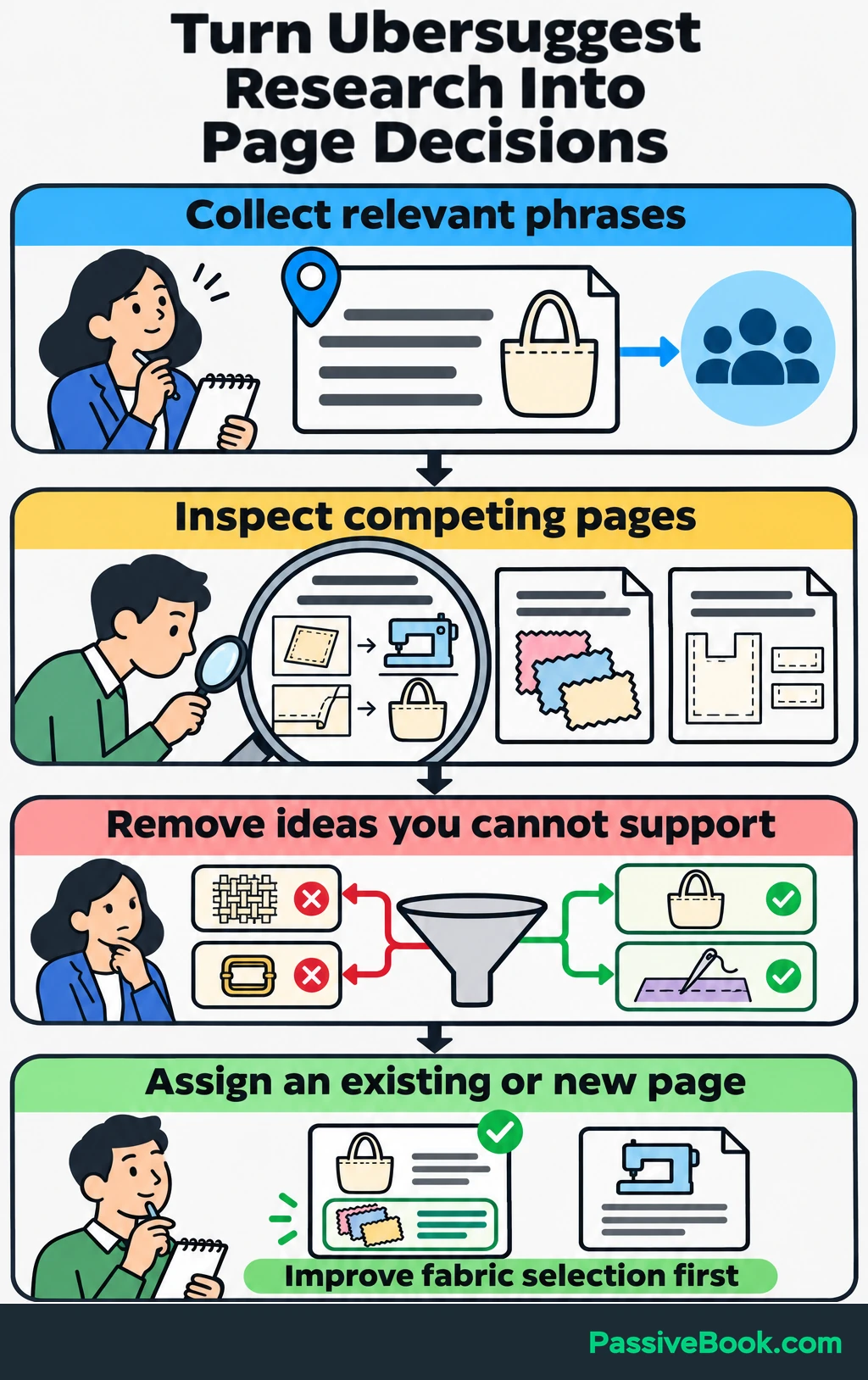
I would use it to turn a loose list of sewing topics into a shortlist:
- Collect relevant phrases in your target market.
- Check which competing pages appear for them.
- Remove ideas your products and experience cannot support.
- Assign each remaining idea to an existing page or a possible new page.
The useful output might be: “Expand the fabric-selection section in the tote tutorial before writing another beginner guide.”
The paid Individual plan suits one working user and one project. Check the table’s allowances against your workload before upgrading. I would move beyond it when extra websites, collaborators, or research volume create a recurring obstacle.
Ahrefs: Best for Competitor Pages and Backlink Research
I would shortlist Ahrefs when the question is about competing pages and the websites linking to them.
Its Site Explorer lets you investigate a competitor’s pages, search visibility, and backlink profile. A backlink is simply a link from another website.
Start with a page competing for the same reader need, then examine what other sites find useful enough to reference. Open those references and look at the resource itself.
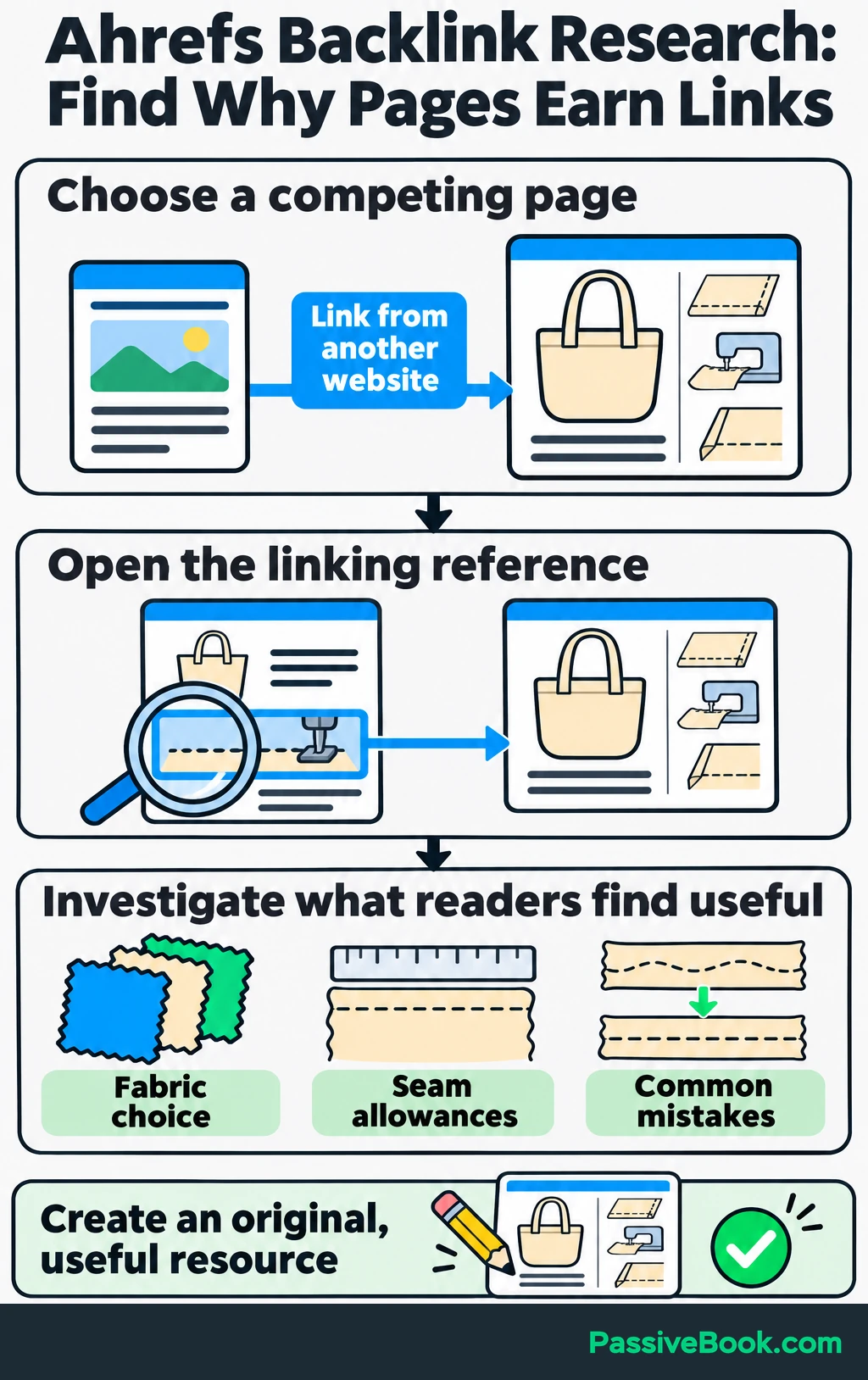
For the sewing blog, that could lead you to investigate whether beginner resources attract links because they explain fabric choice, seam allowances, or common mistakes. You could then decide whether a clear visual reference would add something useful.
The entry plan needs a close look. Starter has a small research-credit allowance, no report exports, and a limited Top pages view. It suits focused investigation better than a workflow built around large spreadsheet exports. Lite is the more relevant starting point when exports are essential.
Ahrefs Free gives restricted access for websites you verify. It is useful for your own sites, but paid competitor investigation is a different use case.
I would choose Ahrefs for a defined research question. Wandering through competitor reports can fill an evening quite comfortably. The article still needs writing afterward.
Rank Math: Best Free SEO Controls for WordPress
Rank Math is my preferred SEO plugin for WordPress, and it is part of my established publishing stack.
The free plugin provides controls for search titles, descriptions, XML sitemaps, and supported structured data. XML sitemaps list page addresses to help search engines discover them. Structured data gives search engines information about what a page contains in a format they can read. The official plugin listing describes its capabilities.
Use these controls after deciding what the page should do.
For the tote-bag guide, a clear title could be:
How to Sew Your First Tote Bag: A Beginner Tutorial
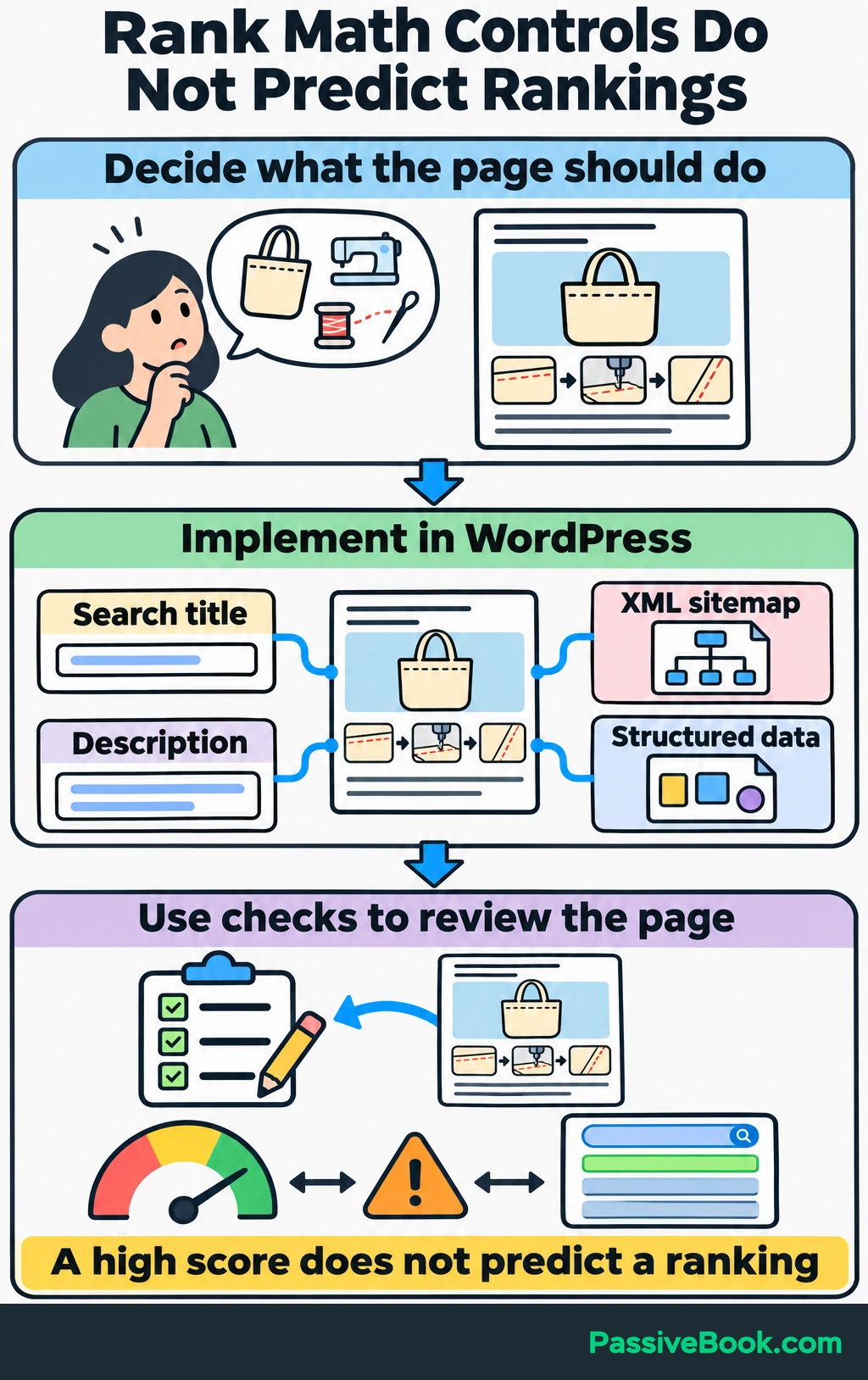
Then write a description that accurately states what the tutorial covers and check the published page. The plugin helps implement those choices within WordPress.
I prefer Rank Math over Yoast for my setup, but I would keep an existing SEO plugin that already handles your needs. Switching plugins creates work, and a new score is a poor reason to do it.
Treat the plugin’s checks as prompts to review the page. A high score does not predict a ranking.
If you use a hosted platform, examine its built-in SEO controls first. You do not need to change platforms just to follow a WordPress recommendation.
Best Tools for Technical SEO
Technical tools help when you need to find a fault and make a specific repair. I would begin with a question such as “Which pages still link to this retired product?” or “Why is this tutorial slow on mobile?”
That gives the report a purpose before it produces a long list of warnings.
Screaming Frog SEO Spider: Best for Detailed Website Crawls
Screaming Frog is a desktop crawler. It follows links through a website and collects information about its URLs, including broken links, redirects, titles, and instructions that affect indexing.
I would choose it when you need to investigate a pattern across pages and can implement the findings.
The free edition crawls up to 500 URLs per crawl. Count URLs rather than articles: product pages, categories, and other discovered addresses can all contribute.
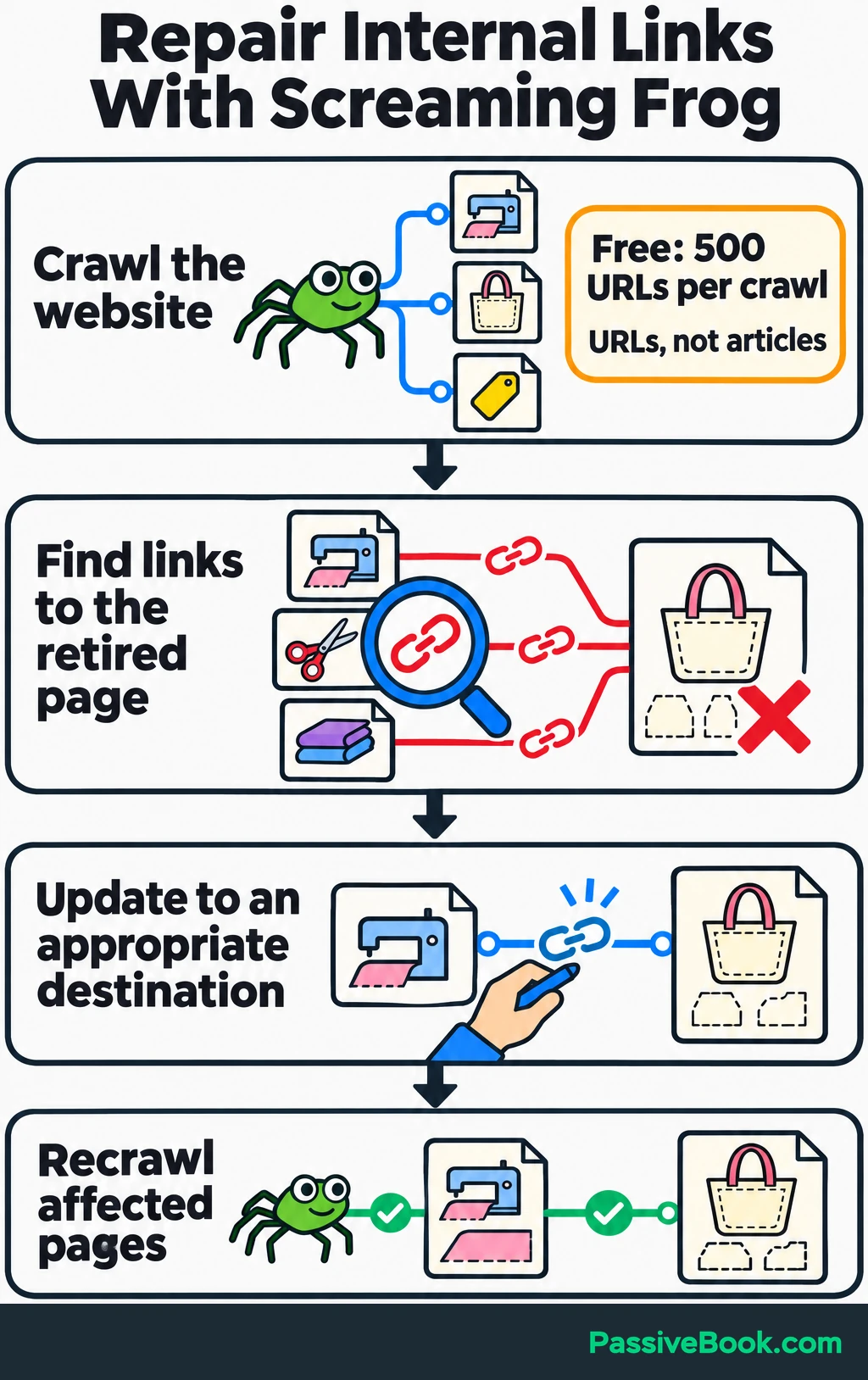
For the sewing site, start with a concrete repair. Crawl the website, find internal links pointing to a retired pattern page, and inspect where those links appear. Update them to an appropriate destination, then recrawl the affected pages.
Prioritize links readers need for navigation or buying before tidying minor warnings on unimportant pages.
The paid licence becomes relevant when you need larger crawls, saved crawls, or JavaScript rendering, which lets the crawler process pages that depend on JavaScript. It removes the fixed URL cap, but practical capacity still depends on memory and storage.
This tool asks more of you than a simple dashboard. Budget time to understand the findings, not just run the crawl.
PageSpeed Insights: Best Free Tool for Page-performance Diagnosis
PageSpeed Insights checks a submitted URL on mobile and desktop and suggests performance improvements.
Choose representative pages first. For the sewing business, test both the image-heavy tote tutorial and the pattern sales page. They serve different purposes and may have different problems.
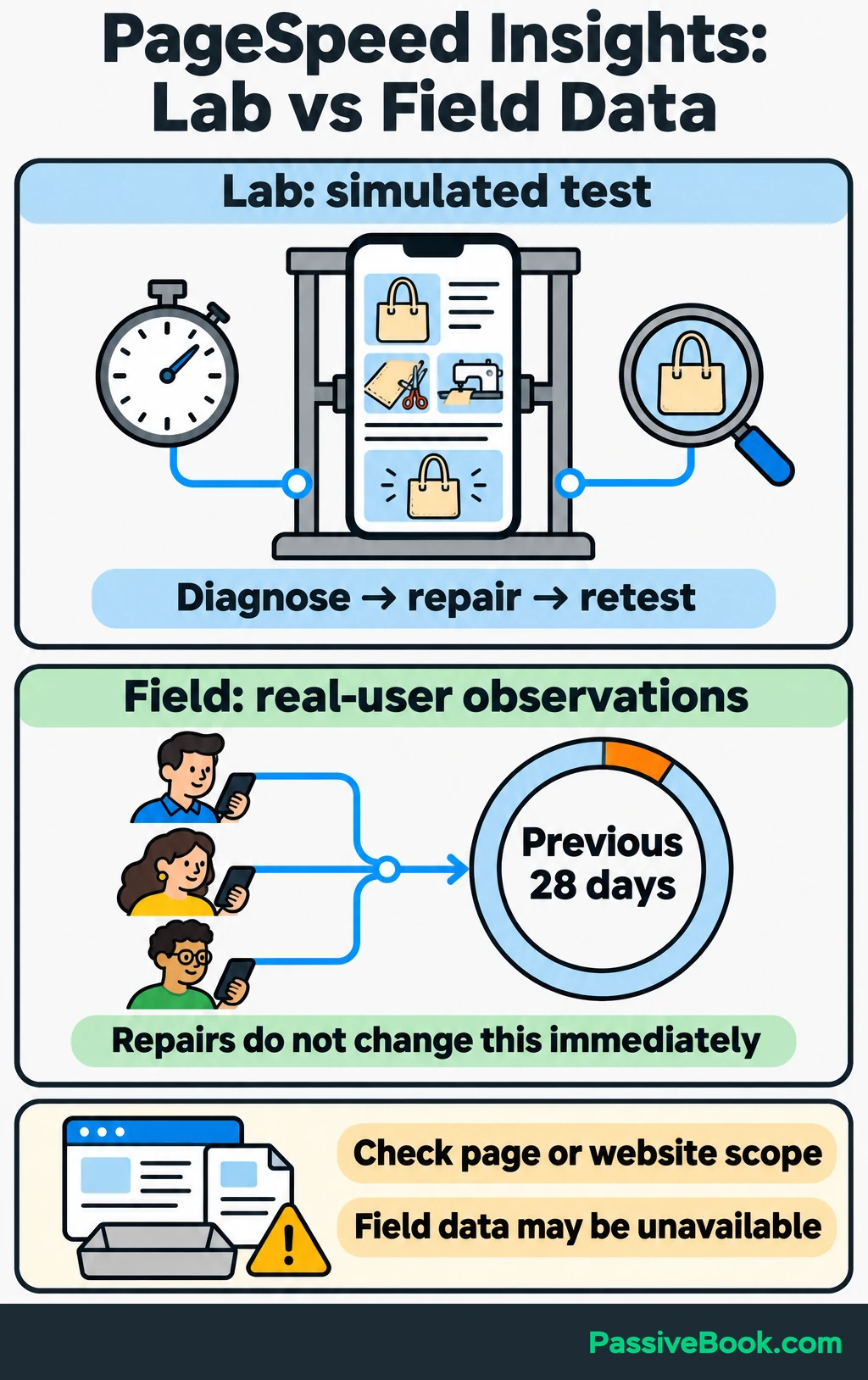
Read the diagnostics for an actionable fix, such as oversized tutorial images or scripts delaying interaction. Make the change and retest the affected page.
The report contains two kinds of evidence:
- Lab Data: A simulated test that helps you reproduce and investigate problems.
- Field Data: Available observations from real users over the previous 28 days, so a repair will not immediately change these results.
A page may lack enough real-user samples. In that case, the report can show data for the wider website or no field data at all. Check which level you are reading before drawing conclusions about one page. Google explains the lab and field results.
I would use PageSpeed Insights alongside a crawler. One helps diagnose page performance, and the other helps investigate problems across URLs.
Best SEO Suites for Recurring Monitoring
A suite becomes useful when research, audits, and rank monitoring recur often enough that combining them reduces work.
It may replace a separate research subscription. It still serves a different purpose from Search Console and Analytics, which report on your own search performance and recorded website activity.
Semrush: Best for Combining Research, Audits and Rank Tracking
I would shortlist Semrush when you regularly move between keyword discovery, competitor analysis, site audits, and scheduled ranking checks.
Its ongoing free access includes a demo project and limited daily reports, which let you explore the platform. That is separate from a paid-plan trial.
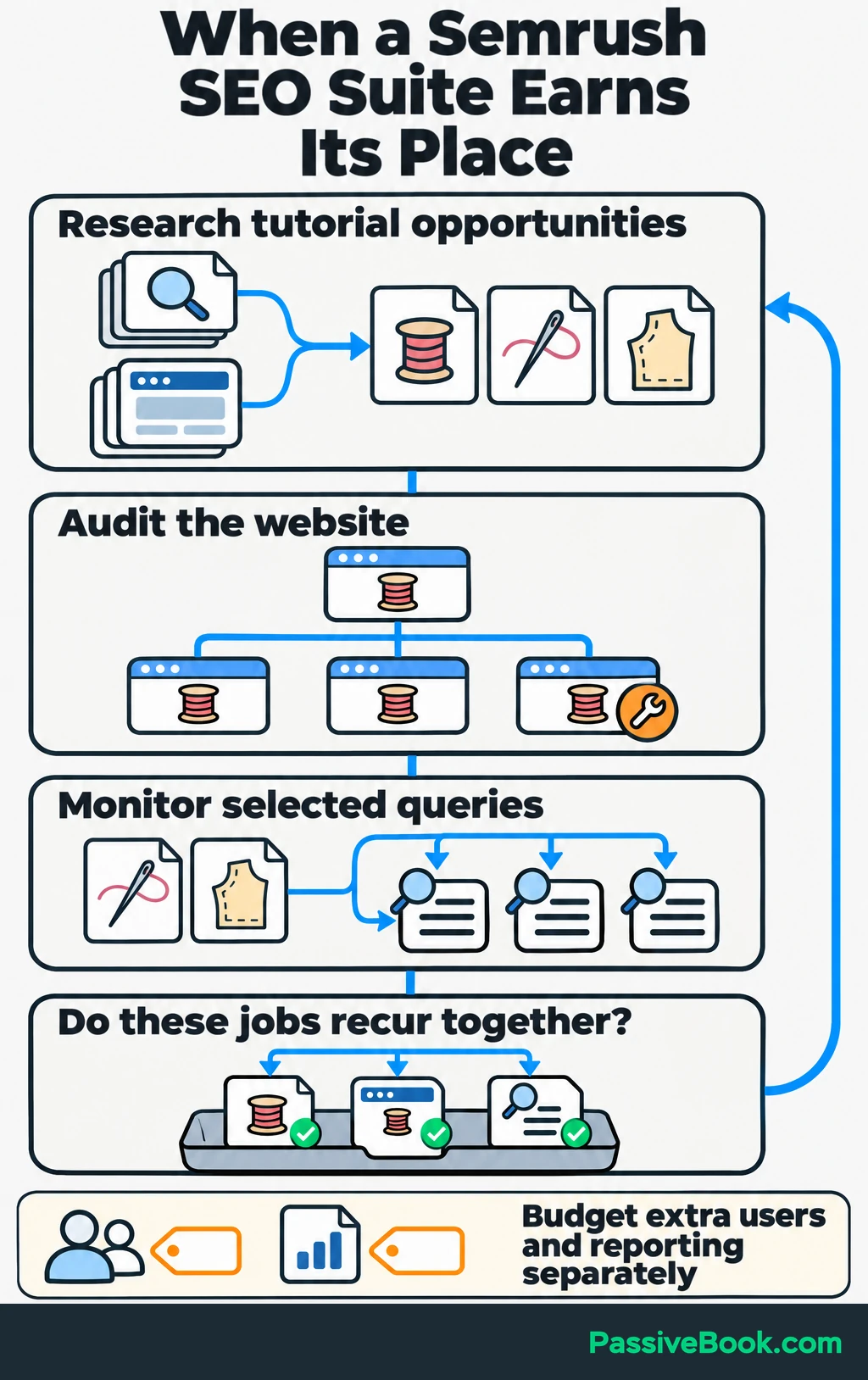
For the sewing business, test a connected workflow: research tutorial opportunities, audit the site, and monitor selected pattern-related queries.
Then ask whether doing those jobs in one place makes the subscription useful often enough to keep.
Collaboration and reporting deserve their own budget check. Extra users and report packages carry separate charges, so price the workflow your team needs rather than assuming every feature shown on the website is included.
For occasional topic research on one small site, I would start with the cheaper or free options. Semrush earns consideration when several jobs recur together.
SE Ranking: Best for Monitoring a Portfolio of Websites
I would compare SE Ranking closely when daily ranking checks and repeatable audits across several websites drive the purchase.
Core suits one operator managing several websites. If collaborators need to change project settings, check the manager-seat allowance in the table and price the extra seats.
Use the card-free 14-day trial to test your monitoring and reporting workflow. There is no permanent free plan for the platform. Check that the seats, exports, and monitoring schedule you test are included in the plan you intend to buy.
For the sewing site, use selected queries with the same search engine, location, and device settings in each shortlisted tool. Check whether the report makes ranking changes easy to investigate. If you manage several websites, add a second project and test whether reviewing both sites saves time.
I would favor SE Ranking when repeatable monitoring across sites is the main task. Compare Semrush when the broader research workflow drives the decision, and include the seats and reporting each setup needs.
Choose the Smallest Toolkit That Covers Your Work
You do not need all ten tools.
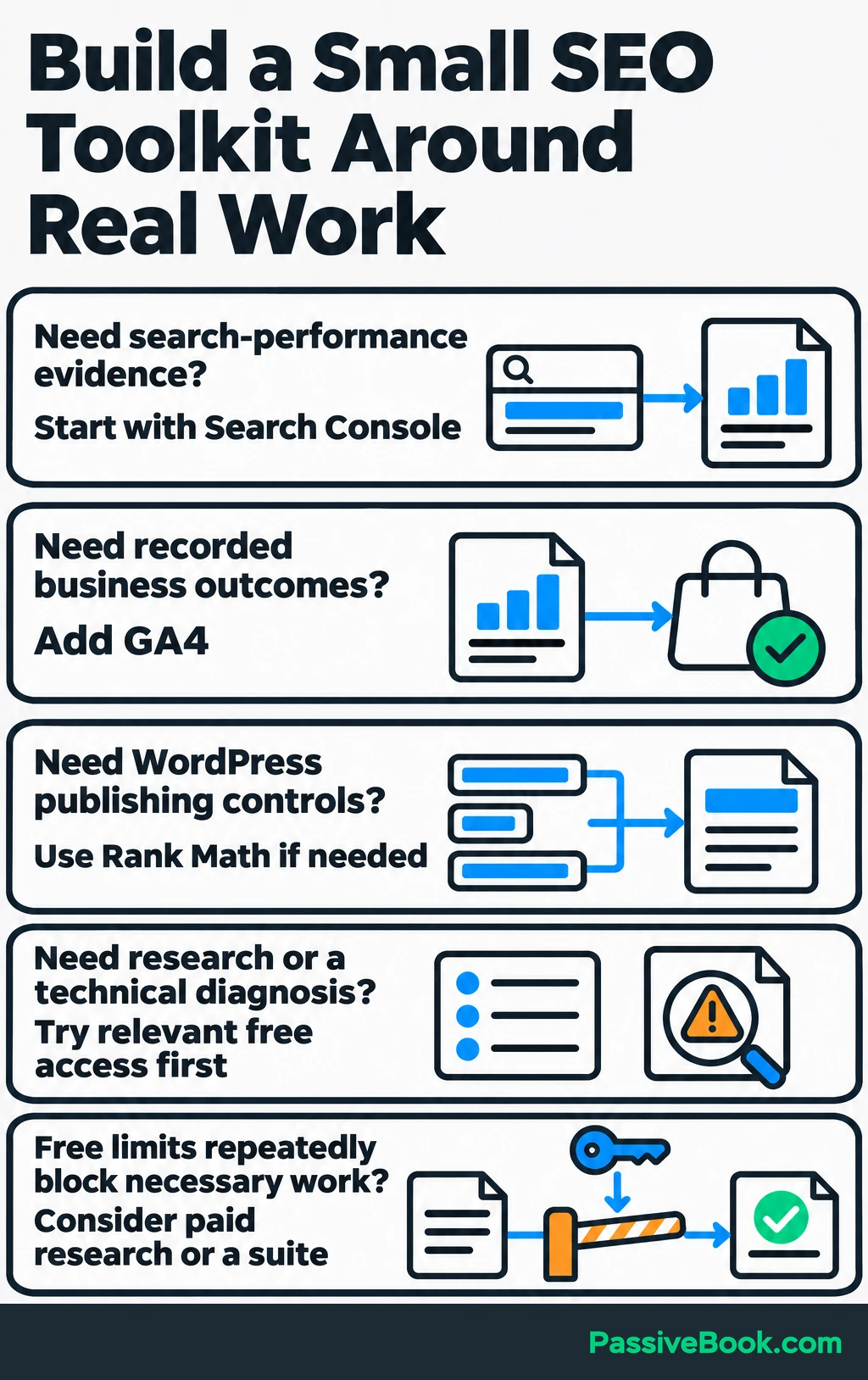
For one website, I would build the toolkit in layers:
- Measurement: Start with Search Console and add GA4 when recorded business outcomes matter.
- Publishing: Use Rank Math if your WordPress site needs its controls.
- Discovery: Try Keyword Planner or Ubersuggest’s free allowance before buying research access.
- Technical Investigation: Open PageSpeed Insights or run a crawl when you have a problem to investigate.
- Recurring Paid Work: Choose a research subscription or suite when free access repeatedly blocks necessary tasks.
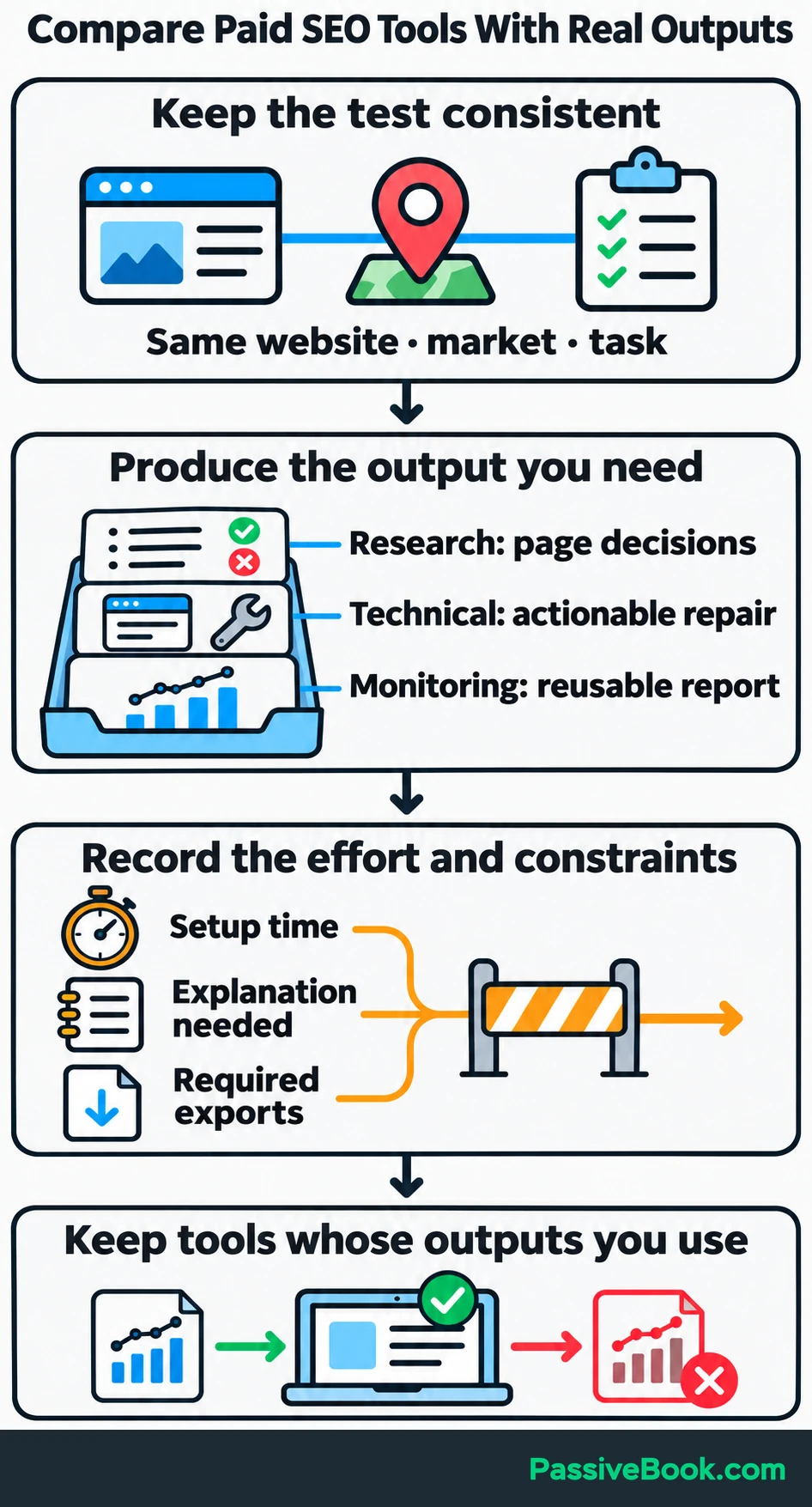
To compare paid options fairly, use the same website, target market, and task. Otherwise, you may end up comparing different reports about different things.
For the sewing business, choose the outputs that match the work you need:
- For research, create a short topic list with a reason to create, update, or reject each page.
- For technical checks, confirm one page problem with a repair you can implement.
- For monitoring, save a ranking report you can review again without rebuilding it.
A suite may cover all three jobs. A specialist tool only needs to earn its place on the task you would buy it for.
Record how long setup takes, how much explanation the reports need, and whether the required exports are available. Keep the files you would actually hand to a collaborator or use during your next work session.
This also gives you a fair way to judge automation. Schedule a report after you know which decision it supports. Automatically receiving a report you never open is impressively efficient waste.
I would pay monthly while proving the fit. Annual billing can lower the full-year cost, but it also commits cash before you know whether the workflow will stick.
Once two plans cover the work you need, put their billing terms side by side. Include the working users and required extras you would actually pay for.
Free Software Cost Comparator




Before committing, check renewal terms, cancellation, working users, and required add-ons. Keep subscriptions whose outputs you use or whose recurring time savings justify the cost. Remove tools that duplicate the same necessary work.
What Next?
Pick one important page and review its queries and indexing status in Search Console. Write down the next task that evidence supports, then use this shortlist to choose a tool only if you need one to finish it.
Use the social buttons to share this guide when your next software discussion needs a clearer comparison of tasks, limits, and costs.
Which SEO task is hardest to finish with your current tools? Tell me in the comments, and bring any other questions too.
Share this post with your friends & followers:

